Noise MagSafe Qi2 Powerbank Review: Design
Box Contents
- Power bank
- Magnetic ring
- Stickers
- Warranty card
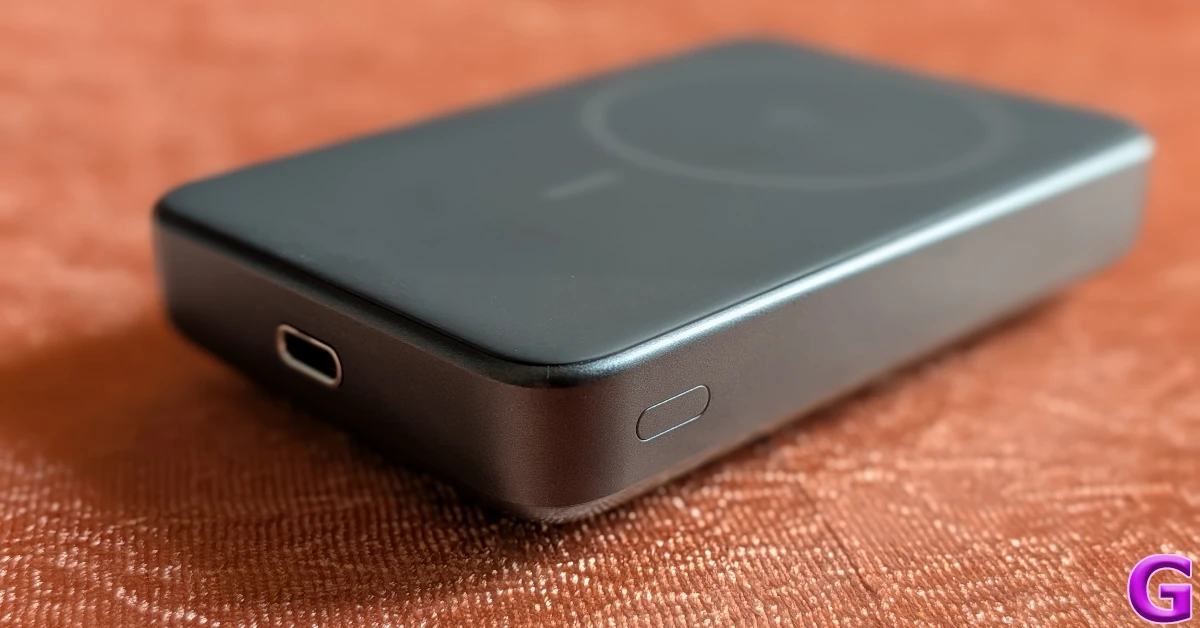
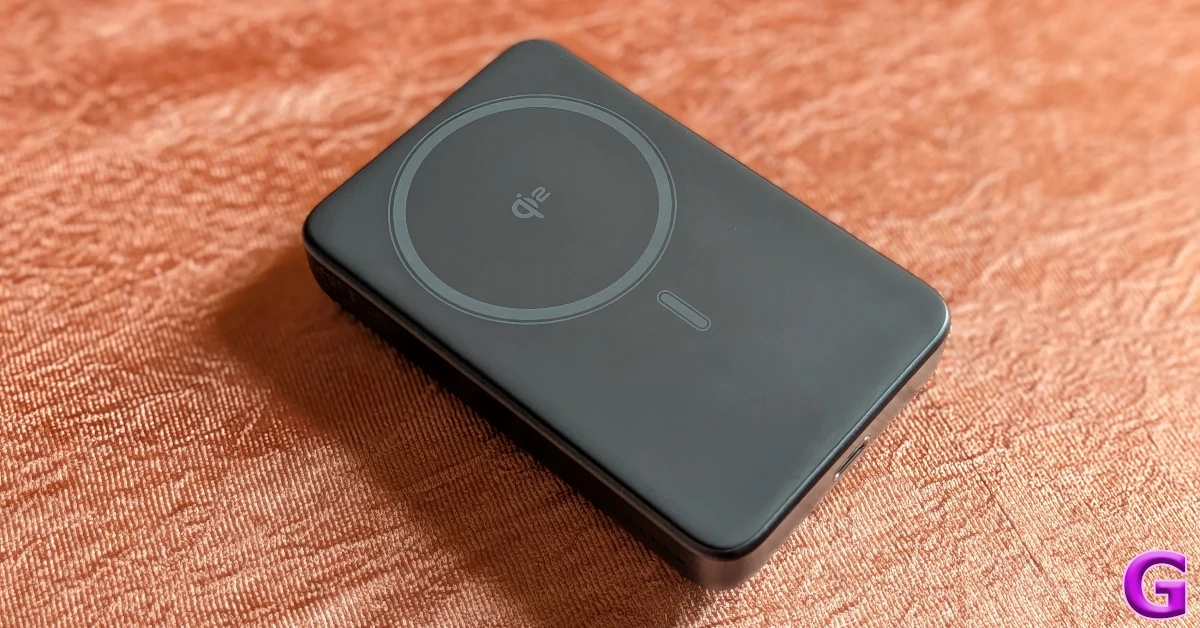 Noise’s wireless power bank has a simple, straightforward design. Its compact form factor makes it easy to slide into pockets and handbags. It weighs just 219g, which makes it lighter than the iPhone 17 Pro Max. The curvy chassis feels nice in contrast to the flat, rubbery charging face. The left edge houses the LED indicator, while the power button sits flush on the right side. At the bottom lies the USB-C port. The matte finish gives the device a nice in-hand feel and keeps fingerprints and fingerprints at bay.
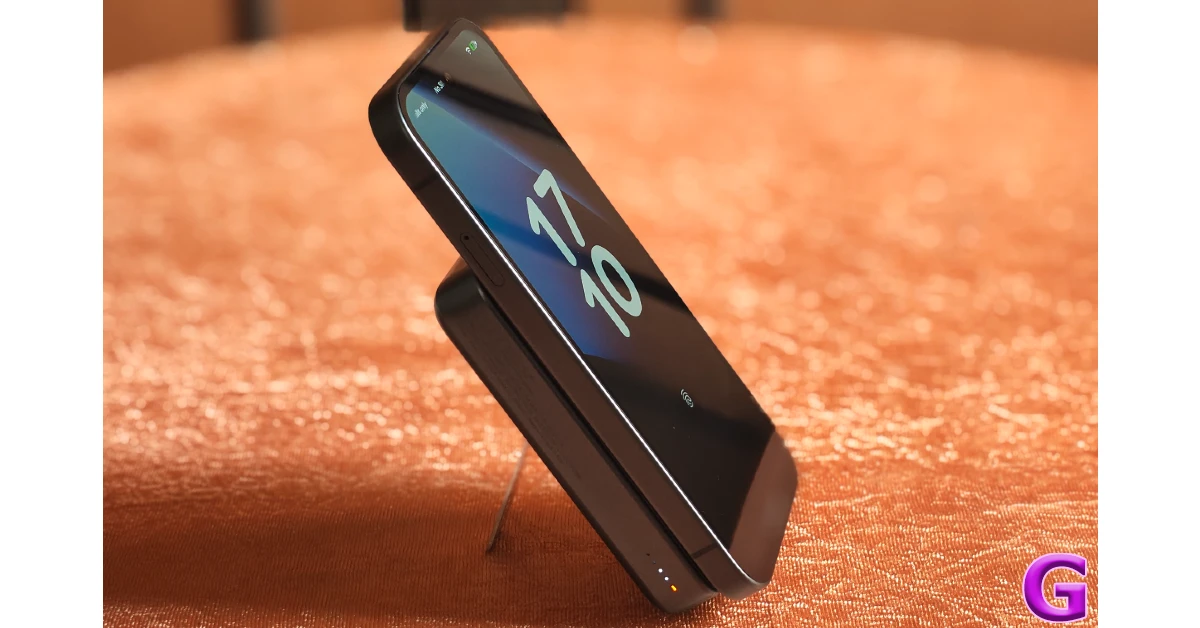
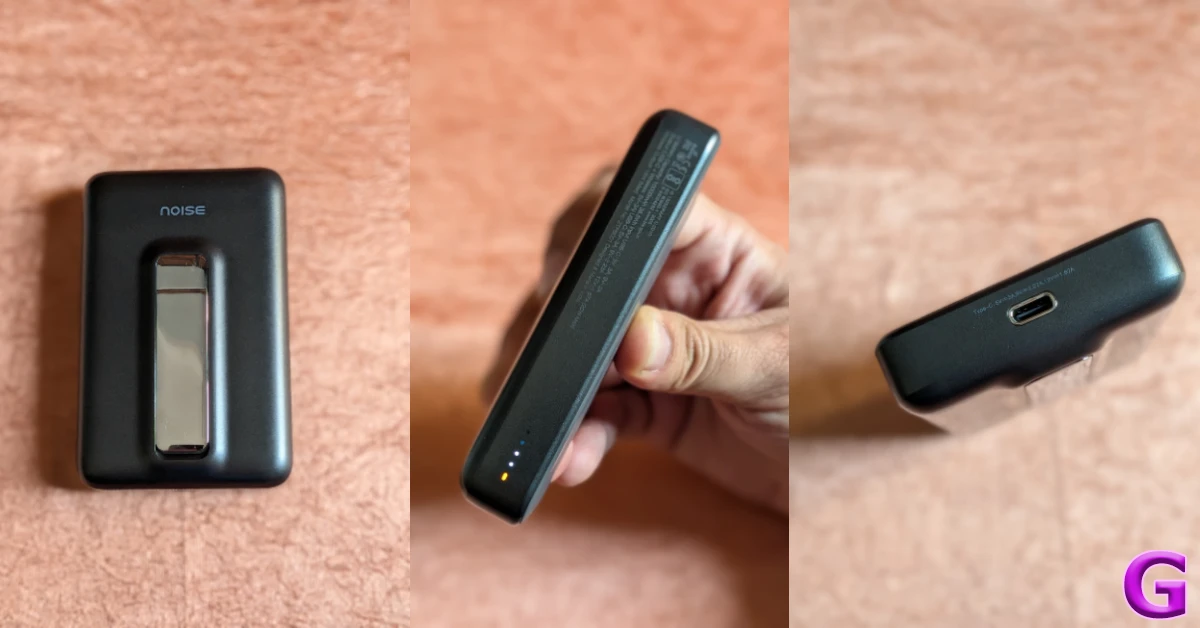 The integrated kickstand on the bottom panel comes in handy in everyday use. It is housed in a slightly elevated surface and can be popped open with just one finger. When open, it places the power bank in a portrait orientation, essentially turning it into a dock. If your phone has MagSafe, you can attach it horizontally to the power bank while watching video content. Having said that, we would have preferred a slightly stronger kickstand that can support landscape orientation.
Noise MagSafe Qi2 Powerbank Review: Performance
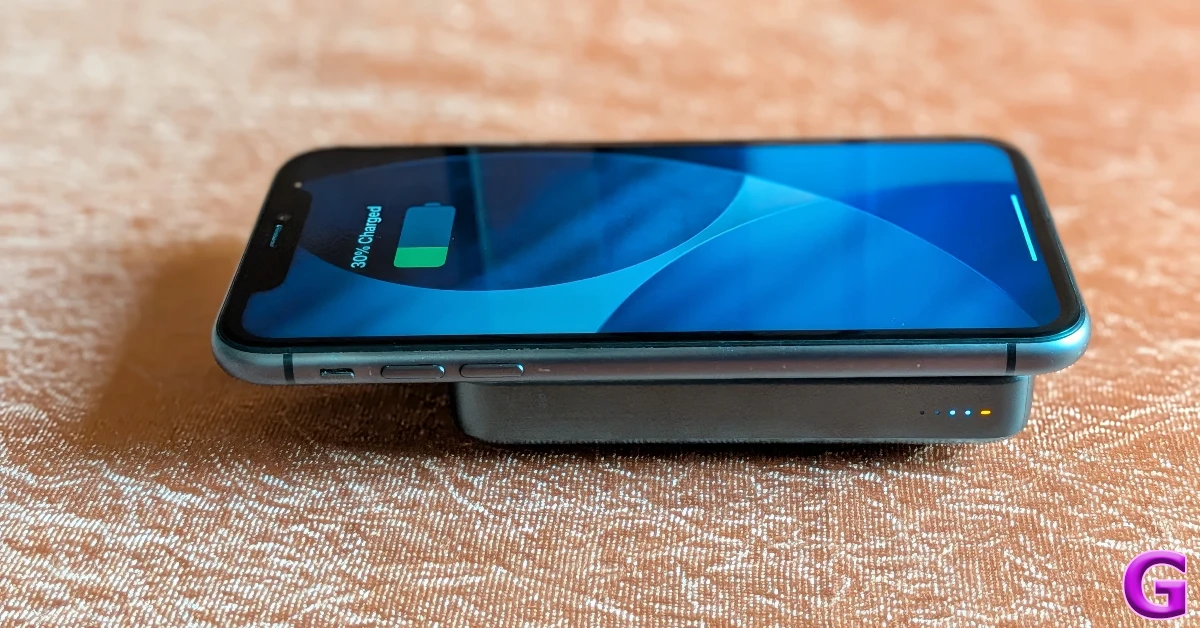
This wireless power bank supports MagSafe, which means you can snap it onto the back of your iPhone (given it is compatible with MagSafe). It also works with PixelSnap, which was recently introduced on the Pixel 10 Series. If your phone does not support magnetic charging, you can use the sticky magnetic ring provided in the box. The magnetic connection is strong, secure, and does not come apart easily.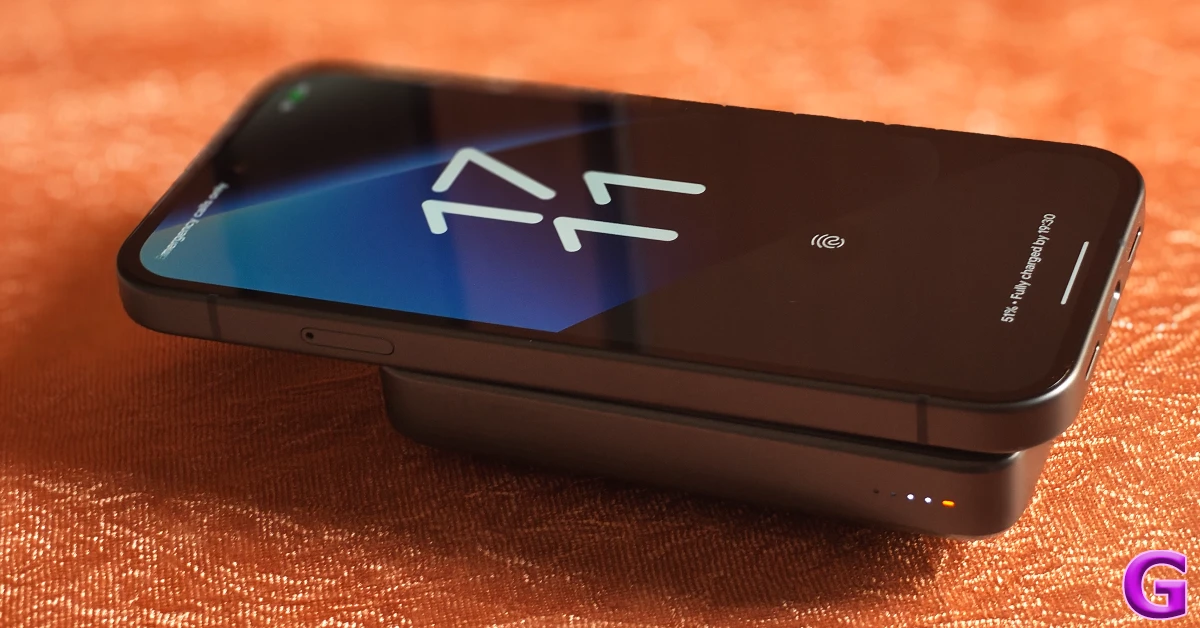 While buying a wireless power bank, there are 2 things that you need to consider. The wireless charging speed provided by the external power device and the charging speed supported by your smartphone. This wireless power bank delivers a maximum wireless charging speed of 20W. Noise claims that it can charge the iPhone 16 (which supports wireless charging speeds of up to 25W) from 0 to 50% in just 28 minutes. We used this device on a completely drained iPhone 11, which supports 7.5W wireless charging, and got it to a 25% charge level in under an hour.
 If you’ve got multiple devices to power up, you can use a USB-C wired connection to charge them using this power bank. The 22.5W wired charging support isn’t the fastest we’ve seen on a power bank, but it gets the job done in an emergency. We like that this device allows you to use its USB-C port for charging while you’re wirelessly charging another device.
 Since it can hold 10,000mAh of charge, you don’t need to top up the power bank frequently. If your smartphone has a 5,000mAh battery pack, you can replenish it almost 2 times using this device. We say ‘almost’ because some charge is inevitably lost during transmission. On the bright side, Noise’s power bank does not heat up a lot while charging your phone. It gets slightly warm, but not enough to trigger any alarm. The device is equipped with protective guardrails for overheating, overvoltage, and short-circuit. On top of that, its material is fire-resistant.
 Charging the power bank itself takes over 3 hours. We would’ve preferred a faster charging time for scenarios when you need to pick up your power bank to leave on a trip immediately. What we like about the device is that it supports pass-through charging, meaning you can use it to charge other devices while it is plugged into a power outlet.
Read Also: Wave Browser: Multitasking Tools with a Built-in Environmental Initiative
Charging the power bank itself takes over 3 hours. We would’ve preferred a faster charging time for scenarios when you need to pick up your power bank to leave on a trip immediately. What we like about the device is that it supports pass-through charging, meaning you can use it to charge other devices while it is plugged into a power outlet.
Read Also: Wave Browser: Multitasking Tools with a Built-in Environmental Initiative
Verdict
This wireless power bank from Noise may have a compact form factor, but it casts a huge shadow. For starters, it can hold 10,000mAh of charge – something you wouldn’t assume from its meek stature. You can slide it into your pocket and barely feel its presence. Snapping it onto the back of your MagSafe-compatible phone does not make it overly bulky. If your phone doesn’t support MagSafe, you can use the magnetic sticky ring provided in the box. The 20W wireless charging output isn’t super fast, but it does the job when you need to top up your phone before leaving work. In urgent cases, it can wirelessly charge your phone and also provide power to another device (like a TWS) from its USB-C port. The kickstand at the back is a huge plus. It can turn the power bank into a dock, ensuring you don’t miss any important updates on your phone. Buy on Amazon for Rs 2,499Pros
- Sleek and compact
- 20W wireless charging
- Comes with a magnetic ring for phones that don’t support MagSafe
- Doesn’t heat up a lot
Cons
- Kickstand only works in portrait orientation
- Takes a long time to charge
 The
The 





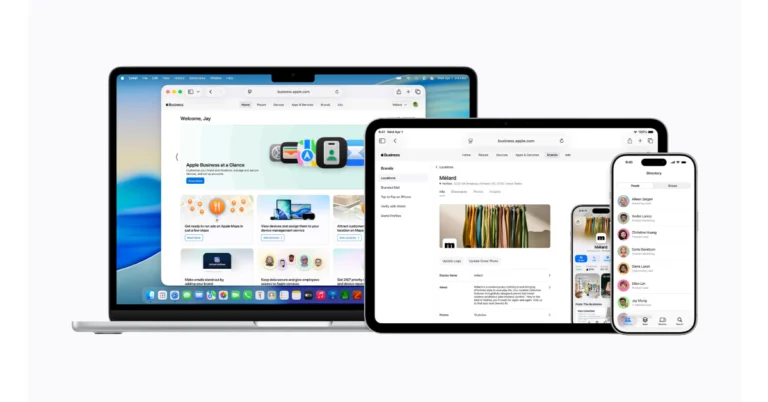
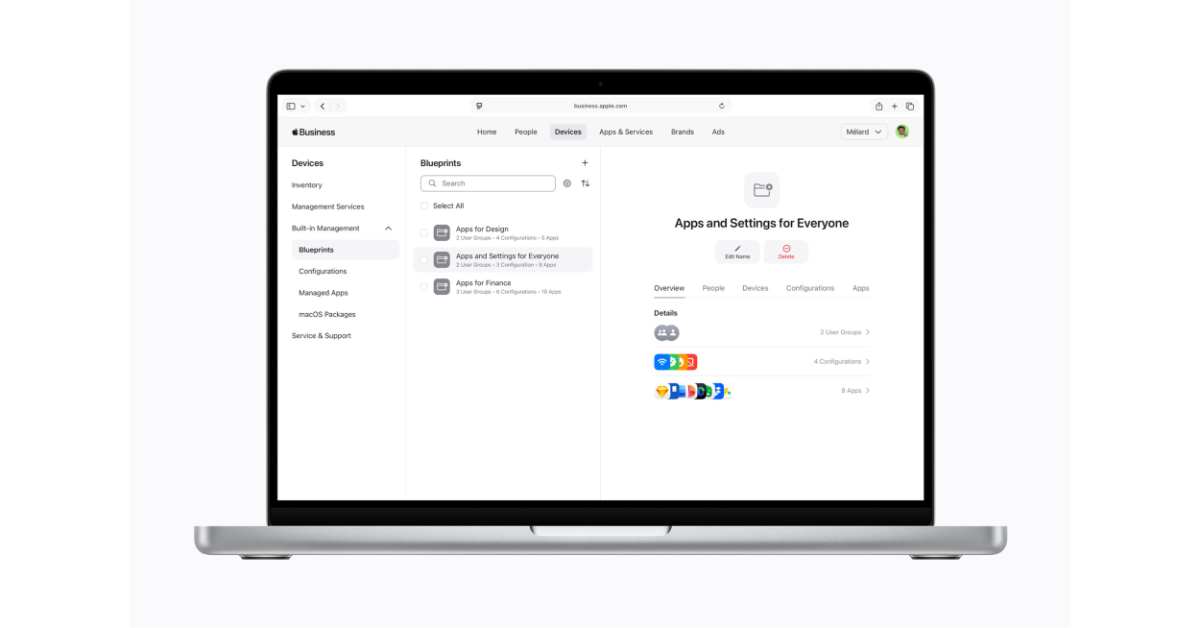 Apple Business offers enhanced services, such as more iCloud storage and AppleCare+ for Business. Employees can now easily manage work apps, get in touch with coworkers, and ask for help using a new companion app. Managed Apple accounts help keep data safe and separate work and personal information. Employee Management lets you make user groups and custom roles. App Distribution makes it easy to get and share apps. The Admin API makes it easy to manage devices, users, and audit data.
Apple Business provides integrated email, calendar, and directory services, which make it easier for companies to communicate and collaborate. This service lets you choose your domain name, which makes new enterprises seem more professional. Calendar delegation and a full corporate directory are two of the features that stand out, making it simpler for workers to get in touch with each other.
Also Read:
Apple Business offers enhanced services, such as more iCloud storage and AppleCare+ for Business. Employees can now easily manage work apps, get in touch with coworkers, and ask for help using a new companion app. Managed Apple accounts help keep data safe and separate work and personal information. Employee Management lets you make user groups and custom roles. App Distribution makes it easy to get and share apps. The Admin API makes it easy to manage devices, users, and audit data.
Apple Business provides integrated email, calendar, and directory services, which make it easier for companies to communicate and collaborate. This service lets you choose your domain name, which makes new enterprises seem more professional. Calendar delegation and a full corporate directory are two of the features that stand out, making it simpler for workers to get in touch with each other.
Also Read: 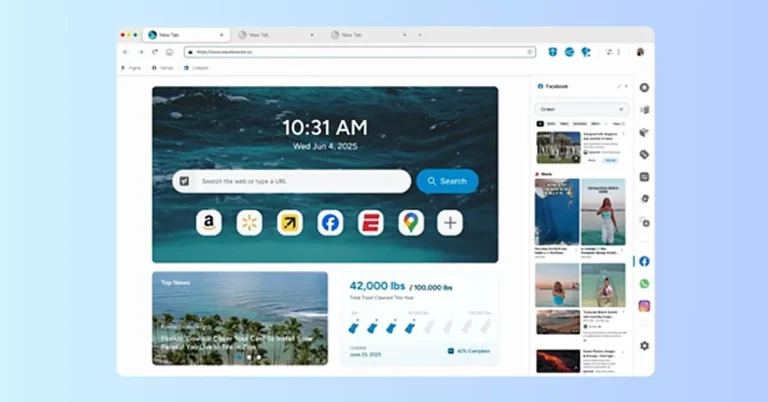
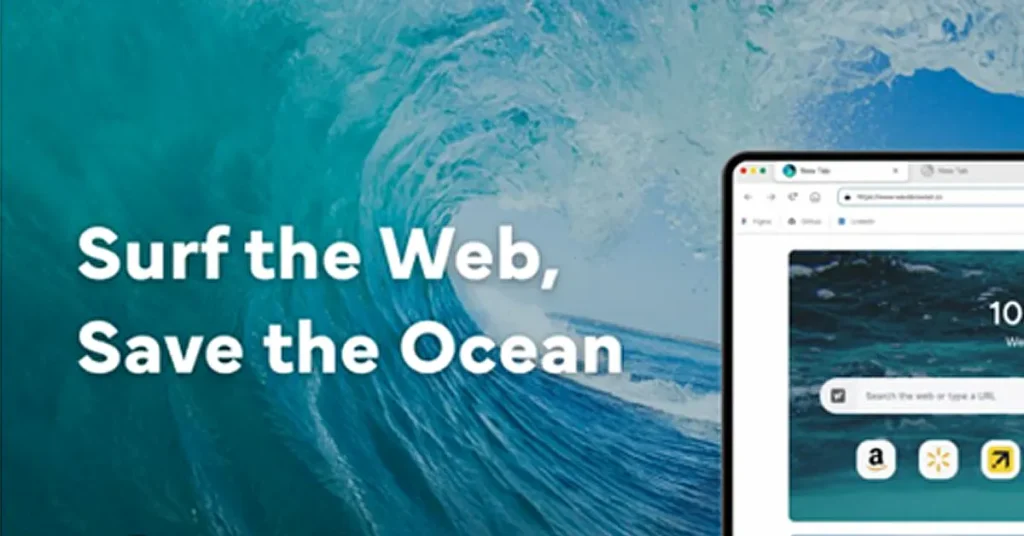 Wave Browser also integrates an environmental purpose into its ecosystem.
Wave Browser works with 4ocean, a global cleanup organisation that removes plastic and trash from our ocean and waterways. Through a Certified Cleanup Partnership, Wave Browser helps fund the resources used by cleanup crews working in several parts of the world.
Those operations currently take place in Bali, Indonesia; the Dominican Republic; and Florida in the United States.
Wave Browser has outlined a long-term goal of helping fund the removal of 3,00,000 pounds of plastic and trash from our ocean, rivers, and coastlines by 2028. In 2025 alone, more than 70,000 pounds have already been removed with Wave’s support.
Users can track this progress directly inside the browser through a live impact dashboard, which highlights both cleanup milestones and current project locations.
Wave Browser also integrates an environmental purpose into its ecosystem.
Wave Browser works with 4ocean, a global cleanup organisation that removes plastic and trash from our ocean and waterways. Through a Certified Cleanup Partnership, Wave Browser helps fund the resources used by cleanup crews working in several parts of the world.
Those operations currently take place in Bali, Indonesia; the Dominican Republic; and Florida in the United States.
Wave Browser has outlined a long-term goal of helping fund the removal of 3,00,000 pounds of plastic and trash from our ocean, rivers, and coastlines by 2028. In 2025 alone, more than 70,000 pounds have already been removed with Wave’s support.
Users can track this progress directly inside the browser through a live impact dashboard, which highlights both cleanup milestones and current project locations.
 When installing new software, many users want to understand how an application behaves once it is on their device. Independent standards organisations often review software products to evaluate whether they follow transparent installation and distribution practices.
Wave Browser is reviewed under the AppEsteem certification program, which assesses software vendors against consumer protection guidelines designed to promote responsible software behaviour.
These evaluations look at factors such as how clearly installation steps are presented, whether the application behaves transparently after installation, and whether users can easily remove the software if they choose to do so.
Programs like AppEsteem are designed to help establish accountability standards for software developers while giving users clearer insight into how applications are distributed and maintained.
When installing new software, many users want to understand how an application behaves once it is on their device. Independent standards organisations often review software products to evaluate whether they follow transparent installation and distribution practices.
Wave Browser is reviewed under the AppEsteem certification program, which assesses software vendors against consumer protection guidelines designed to promote responsible software behaviour.
These evaluations look at factors such as how clearly installation steps are presented, whether the application behaves transparently after installation, and whether users can easily remove the software if they choose to do so.
Programs like AppEsteem are designed to help establish accountability standards for software developers while giving users clearer insight into how applications are distributed and maintained.