Garena Free Fire is a battle royale game with regular awards and tournaments to keep players interested. If you play Garena Free Fire, you should be aware of the redeem codes that are released on a daily basis. However, because the battle royale game is banned in India, players from other countries can use the Free Fire Redeem codes daily. If you’re unfamiliar with the Garena Free Fire redeem codes or don’t know how to get them, we’ve put together a step-by-step guide to help you redeem them. Check out Garena Free Fire Redeem Codes for 28 December 2023.The Free Fire redeem codes are a great way to get free stuff. These are 12-digit codes that contain alphabets and numbers, as well as an expiration date and time. Because the Garena FF redeem codes cannot be used more than once, you should hurry to the redemption page to claim your free reward before someone else does. To get a free reward, all you have to do is go to reward.ff.garena.com/en, which is the official redemption page. Also, keep an eye on this space for daily updates on Garena Free Fire redemption codes and rewards.
In This Article
Garena Free Fire Redeem Codes Today 28 December 2023
If you own a pair of AirPods, you don’t need a fancy microphone to attend online meetings or even record a podcast. The microphone on your AirPods is capable of recording high-quality audio, thereby saving you the cost of buying pricey gear. Things may come to a halt when the AirPods mic starts malfunctioning out of the blue. If you’re currently facing a similar issue, you’ve come to the right place for solutions. Here are the top 10 easy ways to fix the ‘AirPods Pro Microphone not working’ issue.Read Also:Best 5 games That You Can Enjoy with Friends On PC And Mobile
In This Article
What’s causing your AirPods Pro microphone to malfunction?
Before you get started on the repair process, it is a good idea to determine what’s causing the problem at hand. Typically, your AirPods’ microphone starts getting muffled when the earbuds are running out of charge. This is something that you should always check when your AirPods are giving you any trouble.If your AirPods have optimum charge, there could be other reasons causing the microphone to malfunction. The prime suspects are dust and grime. This would be more common for users who frequently use their AirPods outdoors. Other than that, it could be regular connection issues causing this problem. The fixes mentioned below cover all the bases.
Charge your AirPods
If your AirPods are low on charge, their performance might take a hit. This is usually when minor discrepancies start arising on the microphone. Place the AirPods in their case to charge them. If there’s no battery left in the case, connect it to a charger. Once the AirPods have been fully charged, their performance will be restored.
Clean the microphone on your AirPods Pro
If you don’t clean your AirPods Pro and their charging case often, it may lead to dust and grime settling on it. If enough dust settles around the microphone, the quality of the recorded audio can take a massive hit. Grab a microfibre cloth and gently wipe the area around the microphone to restore its functioning. The microphones on your AirPods Pro are located at the bottom of the stems. Once you’re done, clean the charging case as well.
Check for water damage
If your AirPods were recently exposed to water, it is possible that they may have suffered some damage. While AirPods are sweat-resistant, prolonged exposure to water has the potential to damage them. The wireless earbuds are not designed for showering or swimming. If you accidentally dipped the earbuds in water, use a clean cloth to dry them. Do not use a blow dryer to get rid of the water droplets. Let the earbuds air dry.
Turn on Automatic Ear Detection
Step 1: Go to Settings and select Bluetooth.Step 2: Hit the i symbol next to your AirPods Pro.Step 3: Turn on the toggle switch for Automatic Ear Detection.
Turn off Noise Cancellation
Step 1: Go to Settings and select Bluetooth.
Step 2: Hit the i icon next to your connected AirPods.
Step 3: If the Noise Cancellation setting is selected, tap the Off tile next to it.
Fix the Microphone Settings
Use this when the microphone on one of the earbuds is not working.Step 1: Go to Settings and tap on Bluetooth.Step 2: Hit the i symbol next to your AirPods Pro.Step 3: Scroll down and select Microphone.Step 4: Select Automatically Switch AirPods.Read Also:Top 4 Ways to Detect AI-Generated Fake Audio and Voice Recordings
Unpair your AirPods Pro and connect them again
Step 1: Place the AirPods Pro in their charging case.Step 2: Go to Settings and select Bluetooth.Step 3: Tap the i symbol next to your AirPods Pro.Step 4: Scroll down and select Forget This Device.Step 5: Confirm your selection in the popup box.Step 6: Open the lid of your AirPods Pro charging case.Step 7: Press and hold the connect button on the case.Step 8: Hit Connect on your iPhone.
Restart your iPhone
If the fixes mentioned so far don’t work out for you, the problem may lie with your iPhone. Sometimes a background glitch can cause weird malfunctions on your device. This can lead to the suspension of certain functions. To fix this issue, give your iPhone a quick restart. Press and hold the side button with a volume key to access the power menu. Swipe the power slider to the right to turn off your iPhone. Wait for a few seconds and use the side key to turn on your iPhone.
Check firmware version
If your AirPods’ firmware is outdated, it may start glitching unexpectedly. Apple routinely pushes out firmware updates for its TWS devices to get rid of any faults and bugs. These updates are installed automatically on the device. To check your AirPods’ firmware version, go to Settings>Bluetooth and tap the i icon next to the TWS. Tap on version to check the firmware details. Go to Apple’s official website to make sure that the firmware version of your AirPods matches the latest update pushed out by the company.
Update your iPhone
Software-related issues on your iPhone can keep it from using the AirPods correctly. Update your iPhone’s software to the latest version to resolve this problem. Here’s how.
Step 1: Connect your iPhone to a WiFi network and plug in its charger.
Step 2: Go to Settings and tap on General.
Step 3: Tap on Software Update.
Step 4: Hit Update Now.
Frequently Asked Questions (FAQs)
Where is the microphone on my AirPods Pro?
The microphones on your AirPods Pro are positioned at the bottom of either earbud.
How do I check the microphone of my AirPods Pro?
If you’re unsure whether the microphone of your AirPods Pro is working or not, simply open the voice memos app and record a sample audio. Play the recording to check if the microphone is working as intended.
How do I fix the microphone on my AirPods?
If the microphone on your AirPods isn’t working as intended, clean them to remove the settled dust and grime. Make sure they are adequately charged. If you’re unable to get them to work at all, unpair and re-pair them to your iPhone.
Why can’t callers hear me on my AirPods?
If callers are unable to hear your voice when your iPhone is connected to your AirPods, it is possible that one of the microphones on the earbuds may be at fault. Go to Settings>Bluetooth>AirPods>Microphone and select Automatically Switch AirPods.
These are the top 10 ways to fix the ‘AirPods Pro microphone not working’ issue. If these methods don’t work for you, try contacting Apple Support. If you still have Apple Care coverage for your AirPods, you will be able to get them fixed for free. The Apple Care+ package for AirPods costs an additional Rs 2,900.
Apple Vision Pro Mixed Reality Headset was launched at WWDC 2023.
It is the company’s first Mixed Reality Headset.
The device was introduced at $3,499 (approx. Rs 2,88,700).
Apple Vision Pro Mixed Reality Headset made its appearance at the Worldwide Developer Conference 2023 (WWDC 2023) event. At the time of introduction, the company promised to deliver its first mixed reality headset in the stores in early 2024. EyeSight is one feature that particularly grabbed the attention at the event using camera sensors around the headset to detect when someone is around. However the tech firm hasn’t given us a precise release date but reportedly, the Apple Vision Pro Mixed Reality Headset is rumoured to hit the shelves later in January or in early February 2024.Also Read:Poco X6 Series India launch confirmed, key specs teasedApple Vision Pro Mixed Reality Headset was launched at WWDC 2023 at $3,499 (approx. Rs 2,88,700). It is expected to go on sale in the US in early 2024. According to a report by Apple analyst Ming-Chi Kuo, Three key consumer electronics investment trends in 2024: Android replenishment, Vision Pro, and AI PC/smartphone. Apple’s first mixed-reality headset will be the company’s most important product of 2024.According to the researcher Apple Vision Pro is currently in mass production and is expected to begin mass shipments in the first week of January 2024. The AR headset is likely to be released at the end of January or early February 2024.Ming-Chi Kuo in its research notes said, “If users’ response to Vision Pro is better than expected, it will help strengthen the market consensus that “Vision Pro is the next consumer electronics star product” and related supply chain stock prices.”Also Read:Apple challenges International Trade Commission’s ruling to ban Watch Series 9 and Watch Ultra 2 Sales in the USRecently Bloomberg reported that Apple is increasing the production of its spatial computer at Chinese assembly plants. In addition to this, it has also started preparing its staff at retail locations in the US. It is also assisting developers in creating apps for VisionOS. For those who are unaware, VisionOS is the operating system on which the AR headset runs.
Apple Watch 9 and Ultra 2 were launched in September 2023.
It has been found that Apple stole the patents on blood oxygen saturation technology held by health tech company Masimo, leading to the ban of Apple Watch Series 9 and Watch Ultra 2 models.
After careful consideration, U.S. Trade Representative Katherine Tai came to a decision not to revoke the ban.
Apple has appealed the International Trade Commission’s ruling to prohibit the sale of Watch Series 9 and Watch Ultra 2 models in the United States after US President Biden’s administration failed to veto an agency’s order against banning the wearables.Apple Watch Series 9 and Watch Ultra 2 models have been officially banned in the US after which the company is challenging the federal ban. The company is also asking for an emergency stay on the ban for at least two weeks while it decides on revised versions of the prohibited models.The decision was made after the International Trade Commission (ITC) ruled in October that specific Apple Watch models violated a medical technology company named Masimo’s blood oxygen saturation technology patent.Masimo has charged Apple with copying its pulse oximetry technology, hiring away its staff, and then integrating it into the Apple Watch.The U.S. International Trade Commission (ITC) prohibits the company from importing and selling Apple Watches equipped with blood-oxygen level reading technology.In its filing, Apple claimed that it would cause irreparable harm if the devices were taken off the shelves while the case was pending.Also Read:Smart ways to earn from YouTube, a guide for creators and Artists: New Features unlockedThe document states that the Exclusion Order Enforcement Branch of the U.S. Customs and Border Protection will decide whether to approve updated Watch models.According to an Apple representative, the business vehemently disagrees with the ITC’s ruling. According to a statement given to Reuters the company said, “We strongly disagree with the USITC decision and resulting exclusion order, and are taking all measures to return Apple Watch Series 9 and Apple Watch Ultra 2 to customers in the U.S. as soon as possible.”
YouTube has launched BrandConnect and Podcasts for Indian creators.
It will help brands execute their branded content campaigns more seamlessly.
It will also simplify for creators, top brands, and leading agencies to partner, create, promote, and measure sponsored creator content.
Video Streaming App owned by Google has been stepping up its efforts to support the success of creators and artists in 2023. The platform is always adding new tools to make it simpler for anybody to participate and produce content. So, in order to open up more ways for content creators and artists to generate income on the platform, YouTube has launched BrandConnect and Podcasts for Indian creators.According to YouTube, “Estimates by Oxford Economics show that over 700,000 creators and partners in India have found their financial anchor in YouTube, receiving income linked to their YouTube presence.”Also Read:Apple challenges International Trade Commission’s ruling to ban Watch Series 9 and Watch Ultra 2 Sales in the USTo encourage more content creation on its platform YouTube has announced upcoming Gen AI features that will make it easier than ever for anyone to express any idea. YouTube is enabling creators and artists to showcase their podcasts on YouTube and YouTube Music and has started to roll out this feature to listeners in India gradually. This will make it easier to post podcasts thanks to new capabilities in YouTube Studio, and podcast shelves on the YouTube Music homepage will boost listeners’ discovery and increase engagement for creators. With podcasts accessible on YouTube Music in India for on-demand, offline, and background listening, the company is also opening up opportunities to generate revenue through advertising and subscription fees.Also Read:OnePlus 12R officially revealed design and colour options for OnePlus 12R, price in India tippedBy giving viewers who use Super Chat during their live streams a shoutout or channel membership, creators can reward their fans with exclusive content and perks.To simplify the process of collaborating, producing, promoting, and measuring sponsored creator content for creators, top brands, and leading agencies YouTube has also introduced YouTube BrandConnect. This feature is now being rolled out to eligible creators and select advertisers in India.As per the platform, “This will help brands execute their branded content campaigns more seamlessly by identifying the right mix and profile of creators to work with, while creators will have a new avenue to be discovered and earn more from their content.”
It is no news that flagship smartphones are getting more expensive with every passing year. As a result, more users are buying in the midrange segment, which has quite a few offerings that can be deemed ‘flagship killers’ in their own right. This is a diverse segment with something in it for gamers, camera enthusiasts, and even casual users who just want a premium-looking smartphone with decent specs. So, let’s take a look at our top 8 picks for the best midrange smartphones released in 2023.Read Also:How to Install and Play SNES Emulator on your iPhone: Complete Walkthrough
Nothing’s sophomore smartphone offering carries forward the design philosophy of its predecessor while making some interesting design tweaks to the iconic Glyph lighting pattern. It also features last year’s flagship chipset, the Snapdragon 8+ Gen 1 under its hood, making it a much more powerful phone than its previous version. These upgrades come at a cost, though. While the Nothing Phone (1) was launched at Rs 32,999 in India, the Phone (2) was priced at Rs 44,999 at launch. Currently, the phone retails at Rs 39,999, which is a pretty solid deal. Check out how the Phone (2) performed in our review.
Priced similarly to the Nothing Phone (2), the ‘flagship killer’ OnePlus 11R is one of the best midrange smartphones of 2023. This smartphone also features the powerful Snapdragon 8+ Gen 1 SoC, a 120Hz curved AMOLED display, and a glass back panel. What we like about the OnePlus 11R is that it has the exact same design as the flagship OnePlus 11. The round rear camera module of the smartphone sports a 50MP primary shooter, an 8MP ultrawide lens, and a 2MP macro sensor. With 100W fast charging onboard, the 11R can be fully charged in just 25 minutes. Read more about the device in our OnePlus 11R review.
Vivo’s camera-centric midrange offering always delivers a rock-solid performance. This year’s V29 Pro was no different. The beautiful rear camera panel of the smartphone features a 50MP primary shooter, an 8MP ultrawide lens, and a very useful 12MP telephoto lens instead of the dodgy macro sensors we’re used to seeing in this segment. Vivo has paid a lot of attention to the aesthetics of this smartphone. We enjoyed the ‘snowy mountain peaks’ effect on the glass back panel of the V29 Pro. More details on our Vivo V29 Pro review.
Samsung’s 2023 mid-ranger, the Galaxy A54, floored us with its camera performance back when we reviewed it. The 50MP primary camera produced brilliant, colour-rich images with a great level of detail. We were particularly impressed by the manner in which the smartphone exposed the sky in different lighting conditions. The photo-processing prowess of this smartphone is one of the best in its class. One UI delivers a solid performance on this smartphone, with Samsung DeX being the only feature that has been held back. Overall, a very solid 2023 midrange smartphone that you should definitely look into.Read Also:How to use your iPad as a second monitor or display? Top 3 Ways
Launched at Rs 34,000, the OnePlus Nord 3 is currently available for Rs 30,000 on the official OnePlus website. The smartphone features a 120Hz Fluid AMOLED display, MediaTek Dimensity 9000 SoC, a 50MP primary shooter, 80W fast wired charging support, a tri-state alert slider, and more. The glass back on the Nord 3 has a matte texture which feels very premium. This is a pretty solid mid-ranger for watching content and performing everyday tasks. The 50MP primary camera takes incredible shots which you can check out in our review of the device. The phone falls a little short on the gaming aspect, but if that isn’t one of your priorities, the Nord 3 is an easy suggestion from us.
The base variant in the Oppo Reno 10 series was one of the best midrange smartphones to be released in 2023. What sets it apart from its peers is the 32MP telephoto lens. Most smartphones in this price category stick to the nonsensical macro lens as the third shooter, so it is nice to see Oppo make the smart choice. Other than the telephoto lens, the Reno 10 also sports a 64MP primary wide sensor and an 8MP ultrawide lens. The glass back and curved AMOLED display elevate the in-hand feel of the device and bump its ‘premium’ factor. Check out our full review of the Oppo Reno 10 to know more about its camera and chipset performance.
The Realme 11 Pro+ is one of the few midrange smartphones that is available with 1TB internal storage. On top of that, it supports 100W wired charging, which is unheard of in this price bracket. The smartphone has a pseudo leather finish on the back panel and a unique dial arrangement for the rear cameras. Talking about the camera specs, the Realme 11 Pro+ features a 200MP primary shooter, an 8MP ultrawide lens, and a 2MP macro sensor. Powering the device is the MediaTek Dimensity 7050 SoC.
Lava Agni 2
Price: Rs 19,999 on AmazonKey Specs
Display
6.78-inch AMOLED
Chipset
MediaTek Dimensity 7050
RAM
8GB
Storage
256GB
Battery
4,700 mAh
The made-in-India Lava Agni 2 was one of our favourite midrange smartphones in 2023. Available for Rs 20,000 on Amazon, the Agni 2 is a solid deal. Powered by the MediaTek Dimensity 7050 SoC, the smartphone can expertly handle everyday tasks without breaking a sweat. The giant camera cutout on the back panel houses a 50MP primary shooter, an 8MP ultrawide lens, a 2MP macro lens, and another 2MP depth sensor. Up front, the smartphone gets a 16MP selfie camera housed in a punch-hole cutout on the display. The under-display finger scanner and 66W fast charging support are also nice additions to the smartphone.Read Also:iQOO 12 5G Review: Oozes personality and power
Conclusion
These are our top 8 picks for the best mid-range smartphones of 2023. Make sure you check out the review of each smartphone for a more detailed analysis. Think we missed a smartphone that deserves a spot on this list? Give it a shoutout in the comments! And while you’re here, check out the nominations for the Gadget Bridge Awards 2023.
If your iPhone got lost or stolen, one of the first things you should do is track its location. If that doesn’t help you recover your device, you should consider resetting your Apple ID password. Your Apple ID links you to all of Apple’s services. If someone breaks into your iPhone, they will be able to access your personal data using your Apple ID. You may also need to reset the password if you have forgotten it and need to log into another device. So, here are the top 5 easy ways to reset and recover your Apple ID password.Read Also:Top 2 ways to delete OTPs automatically on your Android phone?
In This Article
Which method is the best for you?
There are several ways to go about resetting your Apple ID password. Depending on your situation, you may be able to complete the process right away or may have to wait 24 hours. Each method caters to a particular situation. If you have your iPhone with you, the process to wipe your old Apple ID password and set a new one won’t take more than a few minutes. However, things get a little complicated when your iPhone is lost or stolen.If you use multiple Apple devices, then you don’t have anything to worry about. Apple recognises your trusted devices and makes it easy to change your password. If your iPhone is the only Apple device you use, then you may have to take the help of a friend. Apple’s Support app, lets you change your Apple ID password on a friend’s iPhone. If that isn’t an option, you can either visit the Apple Store to borrow an iPhone or contact Apple for further information. Your request for resetting the password will be evaluated within 24 hours.
Use Apple’s iForgot page
The easiest way to reset your Apple ID password is by using Apple’s iForgot page. Here’s how you can go about it.Step 1: Go to iforgot.apple.com.Step 2: Click on Reset Password.Step 3: Enter the email address or phone number linked to your Apple ID.Step 4: Enter the CAPTCHA and hit Continue.Step 5: Confirm your registered phone number.Step 6: Launch your iPhone and tap Allow.Step 7: Follow the onscreen instructions to change your password.
Change your Apple ID password if you don’t have access to your iPhone
Step 1: Go to Apple’s iForgot page and follow steps 1 to 5 in the method mentioned above.Step 2: Click on Don’t have access to your iPhone?Step 3: You can choose to reset your Apple ID on your new Apple device, on someone else’s iOS device, or on an iOS device at an Apple Store. Click Continue on the appropriate option.Step 4: Scroll down and select ‘Can’t use any of these options?’ if you don’t have access to your iPhone or any other Apple device.Step 5: Hit Continue Anyway.Step 6: To verify your identity, send a code to the number registered to your Apple ID.Step 7: Enter the code that was sent to your phone number.Step 8: Now, send a code to your registered email address.Step 9: Enter the code that was sent to your email address.Apple will evaluate your request and contact you within 24 hours. If your request is accepted, you will be able to change your Apple ID password.Read Also:How to add a watermark to your pictures on Android and iOS? Top 3 Ways
Use the Apple Support app
If you don’t have access to your iPhone, you can use the Apple Support app on your friend’s iPhone to reset your Apple ID password. Here’s how.Step 1: Download and install the Apple Support app on your friend’s iPhone.Step 2: Scroll down to Support Tools and tap on Reset Password.Step 3: Select ‘A Different Apple ID’.Step 4: Enter your Apple ID and follow the onscreen instructions to change your password.
Reset your Apple ID password on a Mac
Step 1: Hit the Apple icon at the top right corner of the screen.Step 2: Click on System Settings.Step 3: Click on your Apple ID.Step 4: Select Sign-In and Security.Step 5: Hit Change Password. Follow the onscreen instructions.
Change your Apple ID password on your iPhone
Step 1: Go to Settings on your iPhone.Step 2: Tap on your name at the top of the screen.Step 3: Hit Password & Security.Step 4: Select Change Password.Step 5: Enter your Passcode.Step 6: Enter your old password followed by the new password that you want to create for your Apple ID.
Frequently Asked Questions (FAQs)
How do I reset my Apple ID password if I don’t have access to my iPhone?
You can reset your Apple ID password using your friend’s iPhone. Simply download the Support app on their iPhone and go to Support Tools>Reset Password>A Different Apple ID and enter your Apple ID. Follow the onscreen instructions to change your password.
How do I change my Apple ID password on my iPhone?
Go to Settings>Name>Password & Security>Change Password and enter your Passcode. To create a new password, you will need to enter the old one.
How do I reset my Apple ID password if I have forgotten it?
These are the top 5 easy ways to reset, recover, or change your Apple ID password. If you’re concerned about resetting the password on your friend’s iPhone, you don’t need to worry. Apple does not store any information related to the password on the foreign device. If none of your friends use an iPhone, you can go to an Apple Store and borrow one from the Genius Bar. If you know any other way to go about resetting your password, let us know in the comments!
OnePlus 12 and OnePlus 12R will launch in India on January 23.
The company will be hosting the launch event in New Delhi at Pragati Maidan.
OnePlus 12R is all set up to debut in India next week. Over the past few weeks, information on the device has already appeared on the internet, including its specs. The colour options have also leaked on the web ahead of the official announcement in India and globally. Days before the device’s launch in India the company has now revealed its design.OnePlus 12R is scheduled to launch in India and the global market on January 23 alongside OnePlus 12. The device is a gaming-centric phone that will succeed the OnePlus 11R. Information regarding processors, battery, cameras, and displays has already surfaced on the web. Now the company has officially revealed the design of the OnePlus 12R weeks ahead of its official reveal. The firm has released the first image of the OnePlus 12R.Also Read:Itel 70 price in India tipped, colour options, storage and moreThe device has been teased in two colour options Cool Blue and Iron Gray. The Cool Blue has a glossy finish with a light, fresh appearance, while Iron Gray has a matte feel to give a sophisticated and strong feeling. The device features a similar colourred matte metal frame giving a more premium feel. OnePlus 12R has the iconic OnePlus Alert Slider located in its new home on the left of the phone.While revealing the design the company said, “This change allowed OnePlus to introduce a new integrated antenna system which unleashes enhanced performance during online gaming sessions, making OnePlus 12R the perfect place to play.”Also Read:Smart ways to earn from YouTube, a guide for creators and Artists: New Features unlockedBefore the final reveal, the OnePlus 12R price was also leaked. According to a tipster the OnePlus 12R is likely to be priced between 40,000 and Rs 42,000. He also revealed that the upcoming gaming phone by OnePlus will be featured in two colour options of Blue and Black.The price of the OnePlus 12 is also tipped to fall between the Rs 58,000 and Rs 60,000 price range. It is said to come in Green and Black colourways. The flagship phone is speculated to be available with up to 16GB of RAM and 512GB of internal storage.
The device is likely to come in 128GB and 25GB storage options.
The leaked images suggest four colour options for the smartphone.
The Chinese smartphone firm Itel is going to soon launch a new budget smartphone in India. Reportedly the company is expected to introduce Itel 70. Leaks and reports regarding the smartphone’s specs, pricing and design have already surfaced on the web even before any official announcement. The smartphone is likely to come in two variants priced under 8K. Leaks also suggest that the upcoming phone will be available in four colourways. It is expected to have a big camera notch on the display. The handset will succeed Itel 60.Also Read:OnePlus 12R officially revealed design and colour options for OnePlus 12R, price in India tippedAccording to the report Itel 70 is expected to come in either 128GB or 256GB storage option with 12GB of RAM. The 256GB storage option is said to be priced under Rs 8,000. The report further suggests that the upcoming phone will also get the feature to virtually expand the RAM by 4GB using unused internal storage.The report has further revealed a few renders of Itel 70 suggesting both 128GB and 25GB storage options. The smartphone’s display has noticeable bezels on the sides as well as on the chin area. Also, there is a big notch that plays house to a selfie camera and an LED flash. The SIM tray can be seen positioned at the left side of the frame which indicates that the volume rocker and power button are placed on either side.Also Read:Samsung Galaxy A25 5G and Galaxy A15 5G smartphones now available in IndiaMoreover, the phone is being showcased in four colour choices- green, light blue, blue, and yellow.Note that Itel 70 will be a successor to Itel 60 which was launched earlier this year. The phone runs on Android 11 Go Edition. It features a 6.60-inch HD+ display with a resolution of 1612 x 720 pixels. The screen has a pixel density of 267 ppi and an aspect ratio of 20:9.Itel 60 also includes a dual rear camera setup consisting of an 8-megapixel sensor and a VGA camera. There is a 5-megapixel front-facing camera given for selfies and video calling. The handset is backed by a 5,000mAh battery.
Garena Free Fire is a battle royale game with regular awards and tournaments to keep players interested. If you play Garena Free Fire, you should be aware of the redeem codes that are released on a daily basis. However, because the battle royale game is banned in India, players from other countries can use the Free Fire Redeem codes daily. If you’re unfamiliar with the Garena Free Fire redeem codes or don’t know how to get them, we’ve put together a step-by-step guide to help you redeem them. Check out Garena Free Fire Redeem Codes for 27 December 2023.The Free Fire redeem codes are a great way to get free stuff. These are 12-digit codes that contain alphabets and numbers, as well as an expiration date and time. Because the Garena FF redeem codes cannot be used more than once, you should hurry to the redemption page to claim your free reward before someone else does. To get a free reward, all you have to do is go to reward.ff.garena.com/en, which is the official redemption page. Also, keep an eye on this space for daily updates on Garena Free Fire redemption codes and rewards.Also Read:Samsung Galaxy A25 5G and Galaxy A15 5G smartphones now available in India
In This Article
Garena Free Fire Redeem Codes Today 27 December 2023
Samsung Galaxy A25 5G and Galaxy A15 5G come with a 13-megapixel front-facing camera.
Both smartphones feature a triple rear camera setup.
The devices are backed by a 5,000mAh battery.
Samsung Galaxy A25 5G and Galaxy A15 5G have made their debut in India today. Both of the smartphones share a lot of similarities. They both feature a 50-megapixel triple rear camera setup. They come equipped with a 5,000mAh battery and an AMOLED screen. As per the company, Galaxy A25 5G is powered by an Exynos 1280 SoC but has not specified the processor on which Galaxy A15 runs on. Additionally, the device operates on Android 13.
Samsung Galaxy A25 5GSamsung Galaxy A25 5G and Galaxy A15 5G are highlighted with a 6.5-inch full-HD+ Super AMOLED screen with 1,080×2,408 pixels of resolution. The screen on the A25 supports a refresh rate of 120Hz and 1,00 nits of peak brightness. On the other hand, the A15 5G’s display comes with a 90Hz refresh rate and 800 nits of peak brightness. The phones run on One UI 5 on top of Android 13. The company is said to provide up to 4 years of software upgrades and five years of security fixes.Also Read:Garena Free Fire Redeem Codes Today 27 December 2023: Here is how to claim themThe Samsung Galaxy A25 5G has an octa-core Exynos 1280 SoC with up to 8GB of RAM and up to 256GB of storage. Whereas the Galaxy A15 5G is powered by an unnamed octa-core chipset with up to 8GB of RAM and up to 256GB of internal storage.As mentioned earlier, the new A-series smartphone features a triple rear camera setup led by a 50-megapixel primary camera with optical image stabilisation (OIS). Other sensors on the A25 include an 8-megapixel ultra-wide-angle lens and a 2-megapixel sensor. On the other hand, the A15 5G includes a 5-megapixel secondary sensor and a 2-megapixel lens. Also, the handsets are highlighted with a 13-megapixel front-facing camera for selfies and video calling.Galaxy A15 5GMoreover, both Galaxy A25 5G and Galaxy A15 5G packs a 5,000mAh battery with 25W fast charging support. In terms of connectivity, there is 5G, Wi-Fi, Bluetooth, GPS, a 3.5mm headphone jack, and a USB Type-C port for charging. The sensors on both phones include accelerometers, a gyro sensor, a geomagnetic sensor, a light sensor, a virtual proximity sensor and a side-mounted fingerprint scanner.
Samsung Galaxy A25 5G, Galaxy A15 5G price in India, availability
The Samsung Galaxy A25 5G has been launched in India with a price tag of Rs 26,999. It is available in Blue, Blue Black, and Yellow colour options. On the contrary, the price of the Samsung Galaxy A15 5G is set at Rs 19,499. The phone comes in Blue Black, Blue and Light Blue colour options.The introductory offer includes a Rs 3,000 discount for customers using SBI cards to purchase the handsets.
2023 may be about to end but smartphone releases keep rolling! You wouldn’t expect a flagship smartphone to drop in December but iQOO has made it somewhat of a tradition to keep the best for the last. Launched earlier this month, the iQOO 12 is the first smartphone in India to be powered by the latest Snapdragon 8 Gen 3 SoC – a chipset we’ll be seeing a lot next year. iQOO has gained a reputation for being a ‘gamer’ brand, but with this new release, it sets out to prove that its flagship can do it all. The cherry on top of this ever-so-delicious cake is that the smartphone is priced at Rs 52,999, making it one of the most affordable flagships on the market. But does it have what it takes to go up against your Samsungs and your OnePluses? Let’s find out in our comprehensive review of the iQOO 12.Read Also:Fixed: the Disk Structure is Corrupted and Unreadable [2024]
In This Article
iQOO 12 5G review: Design and Display
iQOO 12’s retail box packs the following contents:
Smartphone (We got the Legend (White) variant of the iQOO 12 for this review).
Clear plastic case.
USB Type-C to Type-C charging cable.
120W power adapter (can power a laptop).
SIM ejector tool.
Quick Start Guide.
Warranty card.
BMW/iQOO promotional card.
iQOO 12 is certainly the brand’s best-looking flagship smartphone yet. The long BMW stripes spanning the length of the back panel are now reduced to a small logo. This is a welcome change for someone who wasn’t a big fan of the gaudy branding. The ‘enamelled’ glass used for this back panel has a glossy texture, which is a bit slippery but thankfully does not register a lot of smudges or fingerprints.The highlight of the back panel is the massive camera module. A silver metallic ring runs around this ‘rounded square’ module giving off a premium look. The black finish on the camera bump goes pretty well with the white colour of the back panel. It reminds us of Xiaomi 13 Pro which was released earlier this year. We’ll take a closer look at the camera specs and performance later in the review.Another design choice that paid off on the iQOO 12 is the flat metallic frame. A curved frame would have offered a better grip, but the flat sides massively elevate its in-hand feel. The glossy silver finish complements the ring around the camera module and adds to the ‘premium’ factor. The left edge of the frame houses the volume rocker keys and the power button. The SIM tray, primary microphone, USB Type-C port, and primary speaker grille can be found at the bottom edge. Up top lies a secondary speaker and microphone along with an IR blaster.The 6.78-inch LTPO AMOLED display has a refresh rate of 144Hz and can reach a peak brightness of 3,000 nits. Using the smartphone under direct sunlight presents no complications, as the display is bright enough to be perfectly legible. The ‘Smart Switch’ option in display settings, alters the refresh rate of the screen according to your usage. It can drop down to 1Hz when the phone is on standby.Watching content on the iQOO 12 is a wonderful experience. The smartphone offers Wideline L1 DRM and HDR10+ support and can play HD content across all major OTT platforms. The images produced on the screen pack a lot of details and feature rich colours. You can turn on the ‘Visual enhancement’ option from settings to boost the contrast and vividness of the display. You can choose to apply this effect for specific apps as well. The ‘MEMC and Super Resolution’ option increases the frame rate and resolution of some dynamic pictures, leading to smoother visual effects. The dual speaker arrangement is loud, but the sound quality could be a bit ‘fuller’.While the hardware and material used on the iQOO 12 is impressive, the lack of IP67 dust and water resistance is a bit of a letdown. We have come to expect this standard on all flagships, so this smartphone’s IP64 rating falls a little short. Nevertheless, it is good enough to guard the phone against light rainfall and minor water splashes.Read Also:Best Phones for Online Games in India
iQOO 12 5G review: Performance and Cameras
As mentioned earlier, iQOO 12 is the first smartphone in India with the Snapdragon 8 Gen 3 SoC. This chipset is paired with iQOO’s Supercomputing Chip Q2 to boost the smartphone’s performance. There are two RAM and storage variants on offer – 12GB + 256GB and 16GB + 512GB. We used the latter unit for this review.Before we move on to the gaming performance, let’s take a look at how the iQOO 12 handled basic tasks during the review period. Our daily usage comprised using the phone for instant messaging, calling, emailing, shooting pictures and videos, playing media, gaming, and GPS navigation. Even with a dozen apps running in the background, the iQOO 12 did not miss a single beat. All the tasks were handled expertly and the phone kept up the pace with ease. Even in multi-window mode, we were able to watch YouTube in one panel while shooting tweets on the other. The new Snapdragon 8 Gen 3 certainly feels a step ahead of its previous iteration. On Geekench 6, the iQOO 12 garnered a single-core score of 2,218 points and a multi-core score of 6,696 points.An exemplary gaming performance is the cornerstone of every iQOO flagship, and the iQOO 12 is no different. The Supercomputing Chip Q1 pulls its weight in this department, supporting up to 144fps interpolation. We played Call of Duty Mobile and Genshin Impact in their highest graphic settings and did not experience any unwanted stutters or lags. What really impressed us was the thermal management brought about by the 6K Vapour Chamber which is 40% larger in size compared to the previous model. After gaming for an hour, the smartphone only got slightly warmer. Testing the device in the winter works in its favour, but given our experience with iQOO’s previous smartphones, this performance will be replicated in warmer temperatures as well.While we aren’t the biggest fans of Funtouch OS, its latest iteration does bridge some of its flaws. Apart from a few third-party apps, there isn’t much bloatware on the device. The notorious ‘Hot apps’ folders are not present on iQOO’s flagship offering. The V-Appstore is still there and routinely sends notifications that are best described as spam. Another thing we dislike about Funtouch OS is the ‘Global search’ feature which gets triggered whenever you swipe down on the home screen. Ideally, you want this gesture to bring up the notification shade.What we like about the Funtouch 14 OS is its dynamic effects package. You can use it to add personalised animations and effects for charging, fingering recognition, home screen transitions, and more. The ‘Background Stream’ feature lets you play YouTube videos in the background. This means that even if you don’t have a YouTube Premium subscription, you can play videos and songs with your phone’s screen locked. Pretty neat. You can also use this feature while gaming as well.After a day of moderate to heavy usage, we were left with a 15-20% charge on the iQOO 12. The 5,000 mAh battery can be charged with the 120W power adapter provided in the box. It took the smartphone just under 30 minutes to fully charge. There’s no wireless charging, which isn’t a dealbreaker given the fast wired charging speeds.The iQOO 12 also gets some key upgrades to its camera arrangement. Like a complete flagship, the iQOO 12 offers a versatile camera performance under different lighting conditions, breaking the stereotype that comes with most gaming smartphones. The rear camera setup consists of a 50MP primary shooter with a 1/1.3-inch sensor with OIS, a 50MP ultrawide lens, and a 64MP periscope telephoto lens with OIS.The main sensor takes punchy, sharp images in bright daylight conditions. The images are well-detailed and colour-rich. You can choose from three colour modes on the Camera app – Vivid, Textured, and Natural. We stuck to the default Vivid mode as it produced the best results with colours that truly ‘popped’. The dynamic range offered by the primary camera in this mode was amazing. At no point did we feel that the images were overprocessed or we would have switched to the Natural mode. Our only minor complaint is that the sky felt a little underexposed in some of the images.1x vs 10x vs 100xPortrait ModeThe 64MP periscope telephoto lens on the smartphone is one of its biggest highlights. The 3x optical zoom on this camera produces amazing results. The images are well-composed and do not lose any detail. We found ourselves using this camera a lot during the review, something we can’t say about iQOO 12’s direct rivals. There is minimal loss of detail even with 10x zoom. After that, the image quality takes a hit. Even though the image processor does a good job of resolving the image and getting rid of the noise, the final results feel a bit artificial.Indoor ShotUltrawide ShotWithout Night Mode vs Night ModeImages taken with the 50MP ultrawide camera are on the softer side and do not replicate the colour richness of the primary sensor. It does pack a good amount of details but the results are a hit or miss. In low light conditions, this camera did not match up to the standard. The main camera, on the other hand, produced stellar results even in the nighttime. The Night Mode on the camera app did a great job of lighting up the subject and producing accurate colours.The 16MP selfie camera is the same unit as the one found on the previous iteration of the smartphone. It does a decent job of taking selfies and does not overcorrect the skin tones, which we like. The camera app offers a bunch of effects, filters, and shades to play around with while using the selfie camera. The only letdown is that this camera cannot record 4K videos. The maximum resolution has been capped at 1080p @ 30fps. In comparison, the primary rear camera can record 8K videos @ 30fps and 4K videos @ 30/60fps.Read Also:Google Maps for India gets AI-powered features, now supports Lens and Live view
Verdict
With the iQOO 12, the Chinese manufacturer has thrown the gauntlet to all its competitors that have releases lined up for early 2024. This isn’t your average gaming smartphone that falls short in other departments. Instead, it oozes personality with its design and puts forward a cutting-edge camera performance that easily matches (and in some cases surpasses) other smartphones in its price bracket. Priced at Rs 52,999, we don’t see a lot of smartphones beating the value for money that iQOO 12 provides.
iQOO 12 5G: Pros
Appealing design
Snapdragon 8 Gen 3 SoC produces a stellar performance
A few premium smartphones with good-quality cameras were launched in India this year. These are even better than those released last year. Many smartphone brands like Samsung, Vivo, OnePlus, Google and Xiaomi are now offering improved camera-centric features and sensors on the rear as well as on the front. If you are planning to upgrade your device and want to take your photography skills to the next level then our best camera phones of 2023 are listed here for your perusal.
In This Article
Samsung Galaxy S23 Ultra
The Samsung Galaxy S23 Ultra features a 6.8-inch Edge QHD+ Dynamic AMOLED 2X Display. Its dynamic refresh rate ranges from 1 to 120 Hz, and its touch sampling rate is 240 Hz in game mode. The device is powered by a Snapdragon 8 Gen 2 SoC. Samsung has also included the S Pen stylus with the phone.The Samsung Galaxy S23 Ultra (Review) has a quad rear camera setup, led by a 200-megapixel primary wide camera, a 12-megapixel ultra-wide camera, a 10-megapixel telephoto lens and another 10-megapixel telephoto sensor Upfront there is a 12-megapixel selfie camera.
Vivo X90 Pro
The Vivo X90 Pro has a 6.78-inch AMOLED display with a refresh rate of up to 120 Hz. The device runs on OriginOS 3 and runs Android 13. At its heart, there is an octa-core 4nm MediaTek Dimensity 9200 SoC and a G715 GPU. The smartphone includes a Zeiss-powered triple rear camera setup that consists of a 50-megapixel Zeiss 1-inch primary sensor with an f/1.75 aperture. A 12-megapixel extreme wide-angle sensor and a 50-megapixel secondary 50mm sensor with an f/1.6 aperture each are also included. Furthermore, there is a 32-megapixel selfie camera on the front with an f/2.45 aperture. Vivo X90 Pro comes equipped with a 4,870mAh battery with compatibility for 50W wireless charging and 120W rapid charging.Also Read:Google Maps for India gets AI-powered features, now supports Lens and Live view
Xiaomi 13 Pro
Xiaomi 13 Pro (Review)comes with a 6.73-inch 2K E6 LTPO 3.0 OLED screen. It runs on MIUI 14, which is based on Android 13 and is driven by the Qualcomm Snapdragon 8 Gen 2 SoC. The phone also includes a 4,820mAh battery which supports 50W wireless charging and 120W wired charging. The device features a triple rear camera setup that includes a 50-megapixel 1-inch Sony IMX989 primary sensor. Moreover, the system consists of a 50-megapixel Leica 75mm floating telephoto lens and a 50-megapixel wide-angle lens. There is a 32-megapixel front-facing camera for selfies and video calling.
Google Pixel 8 Pro
The Google Pixel 8 Pro (Review)features a 6.7-inch Super Actua display with a 1344 x 2992 resolution. It also supports an Adaptive refresh rate ranging from 1Hz to 120Hz. Under the hood, there is a Tensor G3 SoC with a Titan M2 security coprocessor. The phone runs on Android 14 with Pixel-exclusive features onboard. Google is also expanding Pixel support to seven years of OS upgrades and security updates. The device comes with a triple rear camera setup including a 50MP Octa PD sensor, a 48 MP Quad PD ultrawide camera and a 48 MP Quad PD telephoto lens. For selfies, there is a 10.5-megapixel Dual PD sensor on the front.The Google Pixel 8 Pro packs a 4,950mAh battery along with 27W wired fast and 12W wireless charging support.
OnePlus Open
OnePlus Open Display zoomThe OnePlus Open (Review)has a 7.82-inch LTPO 3.0 Flexi-fluid AMOLED primary display with 2440×2268 pixels of resolution. The secondary display features Super Fluid AMOLED with LTPO 3.0 measuring 6.31 inches. The device runs on OxygenOS 13.2 based on Android 13. Under its hood, there is a Qualcomm Snapdragon 8 Gen 2 Mobile Platform with Adreno 740 GPU. It comes with 16GB LPDDR5X with RAM-Vita and 512GB UFS 4.0 storage. The OnePlus Open includes a Dual-cell 4,805 mAh battery with 67W SUPERVOOC Charging support.The foldable phone is highlighted with a triple rear camera setup tuned by Hasselblad. The camera unit includes a 48MP Sony LYTIA-T808 “Pixel Stacked” CMOS primary sensor with Autofocus, a 48MP Ultra-Wide lens and an OmniVision OV64B 64MP Telephoto lens. The company has provided two cameras for selfies: 20MP primary (inner) and 32MP secondary (outer).
2023 saw a lot of activity in the foldable smartphone category. New players like OnePlus and Google stepped into the ring for the first time, while established names like Samsung vastly improved upon their offerings. As the years roll on, foldables are also getting more affordable, as evidenced by Motorola’s Razr 40. If you’re in the market for a folding phone, now would be the perfect time to buy one. So, without further ado, here are our top 8 picks for the best foldable smartphones in 2023.Read Also:Top 4 Easy Ways to Access and Manage the Clipboard on your Android Phone
OnePlus may have entered the foldable game a little late, but it did so with a bang. The OnePlus Open is a behemoth of a smartphone, powered by the latest Snapdragon 8 Gen 2 SoC. It spans 7.82 inches when unfolded and has a very handy 6.31-inch cover display if you want to use it like a traditional smartphone. Talking about the camera specs, the OnePlus Open sports a triple camera array consisting of a 48MP primary shooter, 64MP telephoto lens, and another 48MP ultrawide lens. Check out our review of the OnePlus Open to know how it performed.
Powerful, premium, and reliable, the Samsung Galaxy Z Fold 5 is as close as it gets to the perfect foldable. One of the more notable improvements on this year’s Fold is its hardware and folding mechanism. Samsung has managed to cut down the gap between the two folded screens even further, making it more compact and allowing fewer dust particles to seep in. The Fold 5 also has one of the best inner displays on a foldable, with a 120Hz AMOLED panel and very minimal bezels around it. The 4MP under-display selfie camera for the inner panel is not one of our favourites, but it doesn’t bother us too much, given you can use the 10MP selfie camera on the cover display or the 50MP primary shooter to take selfies. Also present on the Fold 5 is a 10MP telephoto and a 12MP ultrawide lens. Check out our review of the smartphone.
Cover Display: 3.4-inch Super AMOLEDInner Display: 6.7-inch AMOLED 2X
Chipset
Snapdragon 8 Gen 2
RAM
8GB
Storage
256GB, 512GB
Battery
3,700 mAh
Samsung’s flip phone saw one key improvement this year in the form of a 3.4-inch Super AMOLED cover display. This cover display can be used to access widgets, make payments using Samsung Pay, answer texts, make calls, and more. Like its previous iterations, the cover display can also act as a viewfinder for selfies and videos. The larger screen makes it easier to take selfies when the phone is folded. However, this display still cannot run all the apps from the library. Talking about the camera specs, the Samsung Galaxy Flip 5 has two 12MP sensors for the wide and ultrawide cameras. A 10MP camera is housed in a punch-hole cutout on the display for selfies. Read our review of the Samsung Galaxy Flip 5 here.
The Oppo Find N3 Flip has a lot of things going on for it. Instead of a horizontal cover display, the Find N3 Flip has a vertical screen right next to the circular camera module. This cover screen supports over 40 native cover screen apps. The Find N3 Flip is also the only flip phone on the market with an alert slider. What also sets the Find N3 Flip apart from its peers is the 32MP telephoto lens in the camera arrangement. Samsung and Motorola’s flip offerings lack this camera lens. The smartphone is currently priced at Rs 94,999 in India.Read Also:Lava Storm 5G powered by MediaTek Dimensity 6080 SoC launched in India
The new Moto Razr 40 is one of the most affordable foldable ‘flip’ smartphones you can buy right now. For the price, it offers amazing specs. Powering the smartphone is the Snapdragon 7 Gen 1 SoC, which is an admirable chipset. It also gets a smaller cover display compared to the ‘Ultra’ variant. One of the biggest appeals of a flip phone is the lack of distraction when it is folded shut. A smaller cover display relays all the key notifications and ensures you don’t open the smartphone at every opportunity. Talking about the cameras, the 64MP wide and 13MP ultrawide sensors put up a good performance. There is also a 32MP selfie camera housed in a punch-hole cutout on the display.
With prices starting at Rs 69,999, the Tecno Phantom V Fold is one of the most affordable foldable phones on the market. It is powered by the MediaTek Dimensity 9000+ SoC and Mali-G710 MC10 GPU. It features a side-mounted fingerprint scanner and a giant 5,000 mAh battery. OS duties are handled by Android 13 running the HiOS 13 Fold skin. The rear camera module of the Phantom V Fold consists of a 50MP primary shooter, a 50MP telephoto lens, and a 13MP ultrawide sensor. There is a 16MP inner display camera and a 32MP cover camera for selfies.
The ‘Ultra’ variant of the Razr series gets a larger 3.6-inch cover display and last year’s flagship Snapdragon 8+ Gen 1 chipset. GPU duties on the smartphone are handled by Adreno 730. The Razr 40 Ultra gets 2 lens camera module, featuring a 12MP primary shooter and a 13MP ultrawide lens. A 32MP lens housed in a punch-hole cutout on the display serves as the selfie camera. Like all flip phones on the market, the side key on the Razr 40 Ulra also acts as a fingerprint scanner. The smartphone supports 30W fast charging and 5W wireless charging.
Even though it did not launch in India this year, we could not omit Google Pixel Fold from this list. Google’s debut smartphone in the foldable category, the Pixel Fold feels very much like a first-generation device, but there are a lot of things that it gets right. The most important of those is its passport-size form factor, which we feel is perfect for folding devices. The chunky bezels around the display may be off-putting to some, but they make the phone very comfortable to hold. The incredible photo processing and Google’s smartphone magic give this foldable its unique Pixel-ness. Needless to say, we cannot wait for it to launch in India soon!Read Also:Garena Free Fire Redeem Codes Today 23 December 2023: Here is how to claim them
Conclusion
These are our picks for the best foldable smartphones of 2023. Think there’s a phone that deserves a spot on here? Let us know in the comments! Keep checking this space for more year-end lists this week! While you’re here, check out our picks for the best smartphones of 2023 as well!
Nothing Phone 2a may include a MediaTek Dimenisty 7200 SoC.
It is likely to use an AMOLED display manufactured by BOE and Visionox.
The device is said to feature a dual rear camera setup.
London-based tech firm Nothing is planning to introduce its third smartphone Nothing Phone 2a. The device is probably going to be released soon as details, leaks and reports about it have surfaced on the web. Recently a device which is believed to be Phone 2a was listed on the Bureau of Indian Standards(BIS) site indicating an upcoming launch. Now a recent leak reveals a few important details about the alleged handset.As per previous leaks and reports, Nothing Phone 2a details were leaked from the UK-based OEM that appeared online. Based on the disclosed information, the Phone 2a is anticipated to be a toned-down variant of Nothing Phone 2 that was launched this year in July.A fresh report has revealed suggestions regarding the Nothing Phone 2a’s availability. According to reports, the phone will be sold under the model names PacmanIND, PacmanJPN, PacmanEEA, and Pacman in India, Japan, Europe, and other international markets.Also Read:Nothing 2a design detail, key specs leakedRumours suggest that the Phone is likely to be launched on February 27 at the ‘Nothing to See‘ Mobile World Congress event in Barcelona. Along with this, the company may also tease Phone 3 at the same event,According to the latest report, the Nothing Phone 2a is likely to make use of a 6.7-inch AMOLED display manufactured by BOE and Visionox under the product number rm692h5. The screen is expected to have 1,084 x 2,412 pixels of resolution. The display may also support a refresh rate of 120Hz. The Smartprix report further suggested that a MediaTek Dimenisty 7200 chipset might power the phone.The claim, which cited tipster Kamila (@Za_Raczke), also stated that Nothing Phone 2a’s dual rear camera sensor is most likely to include a 0-megapixel Samsung S5KNG9 1/1.5-inch main sensor and the 50-megapixel Samsung S5KJN1 1/2.76-inch ultrawide lens. It is further revealed that the phone is anticipated to feature a 32-megapixel Sony IMX615 sensor on the front.Also Read: Samsung Galaxy A25 5G and Galaxy A15 5G launching in India todayThe report goes on to say that the Phone 2a will be available in two colour options of Black and White. Seven wallpapers from the alleged Nothing Phone 2a were leaked namely “Ruxe,” “Nexul,” “Azunim White,” “Orbique,” “Rubrane Black,” “Ambra,” and “Virmar.” Reportedly, the default wallpaper for the Black variant is likely to be Rubrane Black, while the White variant’s wallpaper will probably be Azunim White.
Both Galaxy A25 5G and Galaxy A15 5G will feature a SAMOLED display.
They will also come with the Samsung Knox platform.
Moreover, the devices will feature a triple rear camera setup with a 50MP sensor.
Samsung is all set to upgrade its A-Series in India. The company will today announce two new smartphones Samsung Galaxy A25 5G and Galaxy A15 5G, both of which have already debuted in Vietnam. As per the company, the smartphone will feature a Super AMOLED display. In addition to this, both will include Samsung Knox Security. The devices are likely to include a 5,000mAh battery and could run on One UI 6.0 with Android 14 out of the box.Read Also:Garena Free Fire Redeem Codes Today 26 December 2023: Here is how to claim themIt is confirmed that both Galaxy A25 5G and Galaxy A15 5G will launch in India today at 12.30 PM IST. Before arriving in India they both have already launched in Vietnam on December 11. Both smartphones are likely to have the same specs as the Vietnamese models.Ahead of the official announcement the South Korean firm has revealed the key specs of the upcoming smartphones. According to it both Galaxy A25 5G and Galaxy A15 5G will come with Super AMOLED display with Vision Booster technology that provides enhanced visibility against strong illumination in outdoor circumstances.Galaxy A15 5G which will succeed the Galaxy A14 5G, “will showcase Samsung Galaxy’s #AwesomeIsForEveryone philosophy by providing a premium feel with its signature design language.”As per the company, Galaxy A15 5G will feature a triple camera setup that will include a 50-megapixel primary sensor. It will include VDIS to reduce blur or distortion in videos caused by unsteady or shaky movements. Galaxy A15 5G will also come with higher storage and RAM variants to meet the evolving needs of MZ consumers.Also Read:Nothing Phone 2a launch date tipped, specs and design details also revealedOn the other hand, the Samsung Galaxy A25 5G will come with a 120Hz Super AMOLED display. The screen will also include Vision Booster technology, ensuring an immersive content viewing experience. In addition to this, the Galaxy A25 5G will feature a triple camera setup consisting of a 50MP (OIS) sensor.According to the company, the device will allow users to shoot high-resolution and shake-free photos and videos, eliminating blurred images caused by hand tremors or accidental shakes.Moreover, the Galaxy A25 5G will house several AI-enabled photo-editing features to reimagine your photographs with easy-to-use editing tools. It will be powered by a 5nm powerful processor. The Galaxy A15 5G and Galaxy A25 5G will also offer enhanced security and OS upgrades as compared to previous generations. The device will include Knox Security platform, offering features such as Auto Blocker, Secure Folder, Privacy Dashboard, Samsung Passkey and others. The devices will feature Knox Vault chipset, which provides a tamper-resistant environment for data that matters most on a user’s device. Knox Vault physically isolates PINs, passwords, biometrics and security-critical keys away from the rest and stores them in the secure memory.
Garena Free Fire is a battle royale game with regular awards and tournaments to keep players interested. If you play Garena Free Fire, you should be aware of the redeem codes that are released on a daily basis. However, because the battle royale game is banned in India, players from other countries can use the Free Fire Redeem codes daily. If you’re unfamiliar with the Garena Free Fire redeem codes or don’t know how to get them, we’ve put together a step-by-step guide to help you redeem them. Check out Garena Free Fire Redeem Codes for 26 December 2023.The Free Fire redeem codes are a great way to get free stuff. These are 12-digit codes that contain alphabets and numbers, as well as an expiration date and time. Because the Garena FF redeem codes cannot be used more than once, you should hurry to the redemption page to claim your free reward before someone else does. To get a free reward, all you have to do is go to reward.ff.garena.com/en, which is the official redemption page. Also, keep an eye on this space for daily updates on Garena Free Fire redemption codes and rewards.Read Also:Samsung Galaxy A25 5G and Galaxy A15 5G launching in India today
In This Article
Garena Free Fire Redeem Codes Today 26 December 2023
When attempting to access important files on your USB drive or SD card, you may encounter the frustrating error message ‘The disk structure is corrupted and unreadable.’ It typically indicates that there is an issue with the file system or the physical structure of your storage device.
However, there’s no need to worry. In this post, we’ll delve into the reasons behind this problem, offering you seven effective methods to address the issue. Additionally, we’ll also provide preventive measures to help you steer clear of similar situations in the future. So, let’s get started and say goodbye to any worries about the ‘Disc structure is corrupted and unreadable’ error.
In This Article
Part 1: Why Does the ‘Disk Structure is Corrupted and Unreadable’ Error Occur?
Many users often ask questions like ‘the disk structure is corrupted and unreadable fix’ on help forums, but they are not interested in understanding the fundamental cause of this error.
File System Corruption
Over time, file systems on storage devices can become corrupted due to improper shutdowns, power outages, or software issues.
Outdated or Incompatible Drivers
Outdated or incompatible drivers may not only lead to file system issues but also have security vulnerabilities that can be exploited by malware.
Bad Sectors
Physical damage to the storage medium, such as the presence of bad sectors, can lead to the ‘Disc structure is corrupted and unreadable’ error.
Improper Disk Operations
You may have abruptly disconnected the storage device during read/write operations or file transfer.
Virus or Malware Attacks
Malicious software can infect and corrupt files, including those crucial for the proper functioning of the file system
Part 2: Recover Data from the Drive with the ‘Disk Structure is Corrupted and Unreadable’ Error
When encountering the ‘disc structure is corrupted and unreadable’ error, the primary step is to promptly recover the data on the problematic disk. This not only minimizes data loss caused by damage to the disk structure but also enables you to back up data in advance before performing any repairs.
Tenorshare 4DDiG, a professional and free data recovery software, can restore your lost files from over 2000 storage devices. Whether data is lost due to accidental deletion, formatting, system crashes, virus attacks, or any other reasons, this tool is your most reliable ally. In addition, the intuitive interface and straightforward data recovery process make it easy for users without technical knowledge to effortlessly get started.
Here is how to use it to recover lost date before resolving the ‘disk structure is corrupted and unreadable’ issue:
Step 1: Install and launch the 4DDiG Data Recovery tool on your computer. Then, choose the affected drive from the main interface and click on the “Scan” button.
Step 2: The tool will promptly start scanning for all lost files on the selected drive. During this process, you have the option to view files in either File View or Tree View. Additionally, you can pause or stop the scanning process once you’ve identified the necessary files.
Step 3: Now, select the lost files and simply click on the “Recover” button. Remember to back up these files to a safe location.
Currently, the software provider is hosting an exciting Christmas promotion. Anyone participating in the event has the chance to win free Amazon e-gift cards and a brand-new iPad.
Part 3: 6 Ways to Fix the ‘Disk Structure is Corrupted and Unreadable’ Error
Solution 1: Perform Some Basic Checks
It’s often simple to repair ‘Disk structure corrupted unreadable’ error. Let’s begin with some basic checks:
Sometimes, you only need to restart your computer and reconnect the disk.
You can also try changing the drive port or connecting your device to another computer.
If the disk has suffered severe physical damage, we strongly recommend seeking professional assistance.
If the error persists, move on to other advanced solutions.
Solution 2: Check and Repair Disk Errors
You can easily fix the ‘Disc structure is corrupted and unreadable’ error using CHKDSK. This built-in tool can scan the disk and provides information about the disk’s status and the file system’s health. If any issues are found, CHKDSK automatically attempts to repair them. Follow these steps:
Step 1: press Win + S, type “cmd”, right-click, and choose to run as administrator.
Step 2: Then, enter the “chkdsk /f /r X:” command and hit the Enter key. Remember to replace X: with your actual drive letter.
Step 3: If necessary, restart your computer to complete the repair process.
Solution 3: Update or Reinstall Disk Driver
As mentioned before, outdated or corrupted disk drivers can be the culprit of the ‘Disc structure is corrupted and unreadable’ error. To address this issue, you can update or reinstall the drivers by following these steps:
Update Disk Driver
Step 1: Perform a right-click on the Start menu and select “Device Manager.”
Step 2: Locate the disk drives section and expand it. Then, right-click on the problematic disk drive and opt for “Update driver.”
Step 3: Choose the option to search automatically for updated driver software.
Read Also:Best 6 ways to Fix ‘App Not Installed’ Error on Android? (2023)
Reinstall Disk Driver
Step 1: In the Device Manager, right-click on the disk drive and select “Uninstall device.” Then, restart your computer.
Step 2: Reconnect the affected disk, and Windows should automatically reinstall the drivers.
Step 3: If not, go back to the Device Manager, right-click, and choose “Scan for hardware changes.”
Solution 4: Run the Troubleshooter
Another simple method to address the ‘Disc structure is corrupted and unreadable’ issue is by running the hardware troubleshooter. Similar to CHKDSK, it also can automatically detect and resolve common hardware-related issues. Here is how:
Step 1: Press Win + I to open the Settings app and choose “Update & Security.”
Step 2: In the left sidebar, click on the “Troubleshoot” option.
Step 3: locate and select the “Hardware and Devices” option. Then, hit the “Run the troubleshooter” button.
Solution 5: Assign a Proper File System
It’s no surprise to receive the error message ‘The disk structure is corrupted and cannot be read’ when the partition is in RAW format or unallocated. In such case, you can try the following steps to resolve the issue:
Step 1: Press the Win + X keys and select “Disk Management.”
Step 2: Look for your problematic drive in the lower section of the window. If this drive is not initialized, right-click on it and choose “Initialize Disk.”
Step 3: Follow the on-screen instructions to initialize it.
Step 4: Right-click on the unallocated space and select “New Simple Volume.”
Step 5: Follow the wizard to create a new partition, assign a drive letter, and choose the file system (NTFS).
Solution 6: Format Your Drive
If all else fails to repair ‘Disk structure corrupted unreadable’ error, it may be time to format the problematic disk. You don’t need to worry about potential data loss because Tenorshare 4DDiG can help you get back deleted files in an eye of blink. Here is how:
Step 1: Open File Explorer by pressing the Win + E keys. Then, find and right-click on the affected drive. Click on “Format” to proceed.
Step 2: In the pop-up window, choose the file system (typically NTFS) and allocation unit size (recommended to use default). Additionally, make sure that the “Quick Format” option is checked.
Step 3: Click the “Start” button and then click “Yes” to initiate the formatting process.
Part 4: Preventing Data Loss Caused by the ‘Disk Structure is Corrupted and Unreadable’ Error
While there are several solutions for the ‘Disc structure is corrupted and unreadable’ error, you also need to take proactive measures to prevent data loss in the future.
Regularly back up your important data to cloud storage or another device.
Use a reliable disk monitoring tool to keep an eye on the health of your hard drives.
Always eject your external drives properly before disconnecting them.
Choose a reputable antivirus program and install it on your computer.
choose the proper file system when formatting your drive.
Bottom Line
Now, you should no longer be puzzled by the question ‘the Disk structure is corrupted and unreadable fix.’ Before attempting any repairs, take some time to consider the specific circumstances and causes behind the error. If you experience data loss during the repair process, especially when formatting the disk, give Tenorshare 4DDiG a try.
Recording videos outdoors is always challenging. There are a lot of factors that you need to take into account before hitting the record button. The most difficult aspect to manage is the surrounding noise. Even if you get the proper shot, an intrusive noise emanating from the background can ruin it all. Seasoned editors can fix these errors, but the average person may find it hard to do the same. Well, not anymore. Especially if you have the newest Pixel. Today, we show you how to use the Audio Magic Eraser on the Google Pixel 8 Series.Read Also:Mic Not Working On Your Android Phone? Here are the 11 quick fixes
In This Article
What is the Audio Magic Eraser?
Every year, the Google Pixel smartphones create waves in the tech world with their software magic. With AI being the next big thing in tech, this year’s Pixel 8 Series lost no step in utilising its potential in unique and useful ways. The result is Audio Magic Eraser, which is easily our favourite tool from the new Pixel smartphones. You may be familiar with the ‘magic’ that Google’s Magic Eraser does in removing unwanted objects from your pictures. Similarly, the Audio Magic Eraser applies AI sorcery to suppress unwanted noise from your videos.It does this by using advanced machine learning models to study the video and extract all the different kinds of noise in it. This is also made possible by the new Google Tensor G3 processor on the Pixel 8 Series. Your Pixel can recognise sounds like wind, speech, crowd noise, sounds of nature, music, and more in any video. These sounds are then laid out in different tracks, which can then be controlled individually. Pretty neat, huh? Take a look at how you can use it on your Pixel smartphone.
Here’s how you can use the Audio Magic Eraser on Google Pixel 8 and 8 Pro
Step 1: Launch the Photos app and open the video you want to edit.Step 2: Hit the Edit button at the bottom of the screen.Step 3: Switch to the Audio tab and select Audio Eraser.Step 4: The Audio Eraser tool will separate the different kinds of noises (like wind, speech, noise, etc) found in the video using its AI skills.Step 5: Select the kind of noise you want to reduce and use the slider to turn it down.Step 6: If you don’t want to carry out the task manually, tap the Auto option. Your smartphone will intelligently suppress the noise in the video.Step 7: Tap the play icon in the preview window to check the result.Step 8: When you’re happy with the result, tap Save Copy at the bottom right corner of the screen.Read Also:How to find or track your iPhone if it’s switched off?
Frequently Asked Questions (FAQs)
What does the Audio Magic Eraser on the Google Pixel 8 do?
The Audio Magic Eraser tool on the Pixel 8 and Pixel 8 Pro uses AI to recognise the different sounds in a video and then lets you control their volume. If you don’t like an intrusive sound in your video, you can use this tool to completely suppress it.
Is the Magic Audio Eraser available on Google Pixel 7?
As of now, the Magic Audio Eraser tool is only available on the Google Pixel 8 Series. However, the tech giant may roll out the feature on other Pixel smartphones in the coming months.
Where can I find the Audio Magic Eraser on my Pixel smartphone?
If you own a Google Pixel 8 or 8 Pro, you can find the Audio Magic Eraser in the Photos app. Simply, open a video and hit the edit button to access this tool.Read Also:How to See Who Viewed Your Video on Facebook
Conclusion
This is how you can use the Audio Magic Eraser on Google Pixel 8 Series smartphones. Check out this article to learn how you can use the Magic Eraser to remove unwanted objects from your pictures on your Pixel smartphone. Apart from the Audio Magic Eraser, the Pixel 8 Series also debuted new features like Best Take, Face Unblur, AI Wallpapers, and more. Let us know what your favourite feature is in the comments!
Losing your iPhone can be a huge problem, and not just because they’re expensive. From credit card info to driver’s license, your iPhone contains vital personal information that you wouldn’t want to fall into malicious hands. While you should certainly file a police report for your missing iPhone, the first thing you should do is locate it yourself. Today, we show you how to find or track your lost iPhone even when it is switched off.Read Also:How to See Who Viewed Your Video on Facebook
In This Article
Here’s what you should do once you realise your iPhone is missing
Locating a missing iPhone is fairly easy if you’ve enabled Find My iPhone on it. Apple’s Find My app also supports other devices like AirPods, Mac, iPad, and even your Beats headphones. But is it possible for Find My to track your iPhone even if it is switched off? While it can’t give you a live location of your device, you can certainly find out its last recorded location right before its battery died. If your iPhone is lost, not stolen, this information can be very crucial.Apart from tracking your lost iPhone, you can also display your contact information on its screen, in case someone finds it and wants to reach out to you to return it. This option is available on the Find My Devices webpage once you mark your iPhone as lost. If your iPhone does not have access to the Internet, Apple’s ‘Find My network’ feature can help you locate it using the Bluetooth data of all the iPhones near your device.Read Also:How to use the Audio Magic Eraser on Google Pixel 8 Series
Enable Find My iPhone
Step 1: Go to Settings and tap on your name at the top of the screen.Step 2: Select Find My.Step 3: Tap on Find My iPhone.Step 4: Turn on the toggle switch for Find My iPhone, Find My Network, and Send Last Location.Turning on ‘Find My network’ lets you locate your iPhone and enabling ‘Send Last Location’ makes sure the last location of your iPhone is recorded by Apple right before its battery is critically low.
Track your iPhone
Follow these steps to track your lost iPhone.Step 1: Go to the iCloud Find Devices page.Step 2:Sign in using your Apple ID.Step 3: Select your iPhone from the list of devices.Step 4: Your iPhone’s location will be marked on the map. If your iPhone is switched off, you will be able to view its last recorded location.
Frequently Asked Questions (FAQs)
How do I find or track my iPhone if it is switched off?
If the Find My service is enabled on your iPhone, you can track it from the Find Devices page on iCloud even if it is switched off. Go to Settings>Name>Find My>Find My iPhone and turn the toggle switch for ‘Send Last Location’.
What is ‘Find My network’ on iPhone?
Using ‘Find My network’ you can find your lost iPhone even if it is offline. Apple does this by using the Bluetooth sensors on its products to report the location data of lost devices near them. Apple claims the data is protected by end-to-end encryption so as to preserve the privacy of devices reporting the location.
How do I share my contact info on my lost iPhone?
Log into the iCloud Find Devices page and select your iPhone from the list. Select Mark as Lost>Activate from the menu. Once that’s done, you will be able to create a passcode for your iPhone if it doesn’t have one and display your contact info on the screen.Read Also:Poco M6 5G debuts in India, price starts at Rs 10,499
Conclusion
This is how you can find or track your iPhone even when it’s switched off. Not only can you use the Find My app to locate your iPhone, but it also works for AirPods, Apple Watch, iPad, Mac, Beats headphones, and AirTag. The first thing you should do when you get your hands on a new iPhone (or any other Apple product) is turn on the Find My service. If you know any other ways to find a lost iPhone that’s switched off, let us know in the comments!
2023 was an exciting year in tech, especially if you’re a smartphone enthusiast. Samsung and OnePlus kicked off the proceedings early in the year, with the release of their flagship devices. This year also marked OnePlus’ entry into the folding phone segment, with the launch of the OnePlus Open. So, as we step into the last week of the year, we thought we’d bring you our picks for the top 8 smartphones that were released this year. Check them out!Read Also:How to See Who Viewed Your Video on Facebook
This should come as no surprise but the iPhone 15 Pro Max was one of the best smartphones to be released in 2023. Apple also made the switch to the USB Type-C port for the iPhone this year, leaving behind the exclusive lightning port. Powering the iPhone 15 Pro Max is the new A17 Pro chipset, an upgrade over last year’s A16 Bionic SoC which now finds its way into the non-Pro iPhone 15 models. Another key upgrade on the new iPhone is the action button, which replaces the ringer switch. This action button can be customised to carry out quick tasks like taking a picture, switching the sound profile, launching an app, and much more. The camera panel remains largely unchanged, apart from the new 5x optical zoom capability on the telephoto lens. Read our full review of the iPhone 15 Pro Max.
At the start of every year, Samsung launches its flagship S series smartphone and leaves the rest of the Android pack behind with some serious catching up to do. This year was no different. Launched at Samsung’s ‘Galaxy Unpacked’ event in February, the S23 Ultra is undoubtedly the best that Android has to offer. It gets the new Snapdragon 8 Gen 2 SoC under the hood, which has been slightly customised for Samsung’s flagship product. In terms of design, the Samsung Galaxy S23 Ultra retains the vertical camera alignment and general form factor from its previous iteration. This design philosophy also made it to Samsung’s midrange and budget offerings this year. The 6.8-inch Dynamic AMOLED display is super punchy as usual, and one of the best ones around. Check out our full review of Samsung Galaxy S23 Ultra to know more about the smartphone.
Being Android’s parent company, you expect Google’s flagship to deliver more than the average smartphone. And it does precisely. The new Pixel 8 Pro may just be the smartest of all smartphones. The Google Tensor G3 may not be the most powerful chipset on a premium smartphone, but Google’s software magic bridges that divide with ease. Features like call screen, face unblur, video boost, and magic eraser are incredible to use on the new Pixel. However, what really earns the Pixel 8 Pro its spot on this list is state-of-the-art photo processing, which still remains unmatched. The images taken with the Pixel are punchy, super detailed, and noise-free. The ultra-wide and telephoto sensors also produce stunning results. Read more about them in our Google Pixel 8 Pro review.
After a lukewarm response to the OnePlus 10 Pro in 2022, the company pulled up its socks and produced one of the best smartphones of the year in 2023. The OnePlus 11 seems like a return to the enthusiast-favourite OnePlus that we all know and love. Talking about the specs, the OnePlus 11 gets a 120Hz, 6.7-inch LTPO3 AMOLED display, the Snapdragon 8 Gen 2 SoC, 50MP + 48MP + 32MP triple camera array, and a 5,000 mAh battery. While it lacks wireless charging, it doesn’t seem like a big miss on the smartphone because of its 100W fast-charging support. It takes just 25 minutes for the smartphone to charge from 1 to 100%. Read our OnePlus 11 review here.
Although it often gets shoehorned into the ‘gaming phone’ category, the iQoo 11 is a complete flagship. Launched in December 2022, it was one of the first smartphones to ship with the new Snapdragon 8 Gen 2 SoC. Its supreme thermal management system earns it its gaming phone rep, but the dual-axis haptic motor is just as impressive. The latter makes the gaming experience on the smartphone more immersive and fun. The V2 chip pulls its weight while capturing images in limited lighting, delivering well-processed images that pack a lot of detail. Talking about the charging chops, the iQoo 11 supports 120W fast charging and can be fully charged in just 25 minutes. Check out more in our iQoo 11 review!
The Vivo X90 Pro is one of the few smartphones in the market to rock a leather finish on the back panel. This isn’t real leather of course, but rather ‘eco’ leather as Vivo likes to call it. The round camera setup is the highlight of the smartphone’s marvellous design. This camera array has been specially tuned by Zeiss. Needless to say, the results live up to the branding. The images taken with the X90 Pro are sharp, super detailed, and contrasty. Read more about them in our review of the smartphone.
In 2023, Xiaomi shrugged off its midrange and budget smartphone manufacturer reputation and put out one of the most powerful smartphones of the year. The Chinese brand is finally here to play with the big boys. The Xiaomi 13 Pro is powered by the Snapdragon 8 Gen 2 SoC and runs Android 14 skinned with MIUI14. The ceramic glass back panel brings a lot of personality to the device. While reviewing the device, we were completely floored by its 1-inch primary sensor. This incredible camera produced stunning results even in extremely limited lighting. Since its camera setup is tuned by Leica, the smartphone offers two exclusive Leica profiles for shooting pictures – Leica Vibrant and Leica Authentic. You can check out the results in our Xiaomi 13 Pro review.
We’re saving the ‘Best Folding Phones of 2023’ for next week, but we’d be remiss if we didn’t mention the OnePlus Open in the best smartphone category. Even though it is OnePlus’ debut foldable, the Open goes toe to toe with its peers and even edges ahead in some departments. OnePlus certainly took some pointers from its sister company Oppo’s folding phones over the years in producing stellar hardware for the Open. The smartphone spans 7.2 inches in its unfolded form. The 6.31-inch cover display perfectly replicates a regular smartphone. The rear camera panel houses a 48MP primary shooter, another 48MP ultrawide lens, and a 64MP telephoto sensor. Read more about the OnePlus Open in our review of the device.Read Also:Poco M6 5G debuts in India, price starts at Rs 10,499
Conclusion
That’s it, folks! Hope you agree with our picks for the top 8 smartphones to come out in 2023. If you think we missed out on a smartphone, make the case for it in the comments! Watch this space for more lists next week, as we pick the best foldables, midrange phones, TVs, and laptops to come out this year. Also, make sure to cast your vote in the Gadget Bridge Awards 2023!
A clipboard is a location on your device’s memory that stores copied text items for a short time. Clipboards are designed to store one entry at a time. The moment you copy something on the clipboard, it erases the previous entry. But it doesn’t always have to be this way. Your Android phone can do more with the clipboard and tap into its full potential. Want to know more? Here are the top 4 easy ways to access and manage the clipboard on your Android phone.Read Also:Gadget Bridge Awards 2023: The biggest, best consumer technology and gadget awards nominations
In This Article
Harness the full potential of your Android phone’s keyboard
Many of you may be wondering what’s the purpose of managing the clipboard on your Android device. After all, its sole purpose is to store a piece of text for a small period. While you may be correct about that, the clipboard can do more than just that. Remember how you always need to go back and forth between the notes app and the browser while filling in the key details on an online form? If you knew what your phone’s clipboard was capable of, you wouldn’t have to do that.Keyboard apps like Gboard and SwiftKey allow users to copy multiple items on the clipboard. You can access these items from the keyboard itself and delete them at any time. Filling out an online form that requires your bank account details, full address, passport-sized photograph and more? Instead of opening the notes app multiple times, you can individually copy these entries to the keyboard and paste them wherever necessary. Yes – even your photographs. If you don’t want to switch to another keyboard, you can use a third-party clipboard app for the same task.
Use the native Notes app on your Android phone
The easiest way to check what’s on your Android phone’s clipboard is by pasting its contents on an empty document. Every Android phone comes with a native ‘Notes’ app that can be used for this task. Here’s how.Step 1:Launch the native Notes app on your Android phone.Step 2: Tap the pad and pencil icon at the bottom right corner of the screen to create a new note.Step 3: Long-press anywhere on the screen and select paste from the popup menu.The latest entry in your phone’s clipboard will be pasted on the note.
Use Gboard to access the clipboard on your Android phone
If you want to store multiple things in your phone’s clipboard, the Gboard app will come in very handy. But first, you need to enable clipboard history for the keyboard. Here’s how you can do that.Step 1: Make Gboard the default keyboard on your Android phone.Step 2:Tap any text box that triggers the keyboard.Step 3: Hit the menu icon at the top left corner of the keyboard.Step 4: Select Clipboard.Step 5: Turn on the toggle switch for the clipboard.The contents you copy on the clipboard stay there for one hour. You can copy anything from text to links and images on the Gboard clipboard. Follow these steps to access the clipboard on your Android phone.Step 1: Tap on a text box that triggers the onscreen keyboard.Step 2: Hit the menu icon at the top left corner of the keyboard.Step 3: Select Clipboard.Step 4: Tap on an entry to paste it. Long press an entry to pin or delete it.
Use Microsoft SwiftKey keyboard
Like Gboard, the Microsoft Switfkey keyboard also lets you access and manage your Android phone’s clipboard.Step 1:Download and install the Microsoft SwiftKey keyboard on your phone from the Google Play Store.Step 2: Set SwiftKey as the default keyboard on your phone.Step 3: Tap any text box to trigger the SwiftKey keyboard.Step 4: Hit the clipboard icon at the top of the keyboard.Step 5: Tap on an entry to paste it.
Use a third-party app: Clipboard – Copy Paste & Notes
Step 1:Download and install the Clipboard – Copy Paste & Notes app from the Google Play Store.Step 2:Launch the app and give it permission to display over other apps.Step 3: Long press any text and select copy.Step 4: The text will be copied to the clipboard and saved in the Clipboard app for future use. You can copy multiple entries on the app.
Frequently Asked Questions (FAQs)
How do I save multiple things on my Android phone’s keyboard?
Use Gboard or Microsoft SwiftKey keyboard to save multiple items on your Android phone’s keyboard. Both keyboards have a special ‘Clipboard’ category that lets you copy multiple entries and access them instantaneously.
Can my Android phone’s clipboard copy images?
Yes, your Android phone’s clipboard can copy any content ranging from text to images and links.
How do I access and manage my Android phone’s clipboard?
Use a third-party app like Clipboard – Copy Paste & Notes to manage your Android phone’s clipboard like a pro. Dedicated clipboard apps make it easier to store and sort through all the items that you have copied in the past.Read Also:Poco M6 5G debuts in India, price starts at Rs 10,499
Conclusion
These are the top 4 ways to access and manage your Android phone’s clipboard. Most native Android keyboards come with a dedicated clipboard option capable of storing multiple entries. If the default keyboard on your device lacks this feature, you can always switch to Gboard or SwiftKey. If you don’t want to change the keyboard, a third-party clipboard app is your best option. These apps usually require access to your clipboard and permission to draw over other apps to work as intended.
There is an All-Day Charging Protection, powered by AI on the phone.
The smartphone features a dual rear camera setup.
The Chinese smartphone manufacturer Oppo has arrived with a new smartphone in India. The company has launched Oppo A59 5G in the country which succeeds Oppo A58 5G. The device features a 90Hz display and is powered by MediaTek Dimensity 6020 SoC. In addition to this, it packs a 5,000mAh battery and operates on ColorOS 13.1 based on Android 13 out-of-the-box. Also, there is a dual rear camera setup consisting of a 13-megapixel primary lens.
In This Article
Oppo A59 5G price in India, sale details
Oppo A59 5G price in India begins at Rs 14,999 for the base 4GB RAM with 128GB storage. The 6GB RAM and 128GB storage is priced at Rs 16,999. The phone comes in two colour options of Silk Gold and Starry Black. It is scheduled to go on sale from December 25 via OPPO store, Flipkart, Amazon, and other retail outlets in the country.Buyers can take advantage of the following offers on the purchase of OPPO A59 5G:Customers can avail a cashback of up to Rs 1,500 and no-cost EMI for up to 6 months from SBI Cards, IDFC First Bank, Bank of Baroda credit card, AU Finance Bank and One Card from mainline retail outlets and the OPPO Store.Attractive EMI payment options are available starting from just Rs 1,699 through leading financiers.As part of My OPPO Exclusive, consumers can win assured gifts on the purchase of OPPO A59 5GAdditionally, as a part of the New Year Bonanza smart savings offer- OPPO has introduced attractive discounts and offers on purchases of selected A series products. Customers can avail of cashback of up to 10%, no-cost EMI for up to 6 months, along a Zero down payment option on selected partners.Also Read:Poco M6 5G debuts in India, price starts at Rs 10,499
Oppo A59 5G specifications
The Oppo A59 5G features a 6.56-inch HD+ Waterdrop Display with 1612×720 pixels. The screen supports a 90Hz refresh rate, 750 nits of peak brightness and 96 per cent NTSC high colour gamut. The smartphone is IP54-rated for dust and water resistance,It runs on ColorOS 13.1 with Android 13 out-of-the-box. Under the hood, there is a MediaTek Dimensity 6020 processor with Mali-G57 MC2 GPU. The device is available with up to 6GB of RAM and 128GB of internal storage. The RAM expansion feature allows for flexible adjustments up to 6GB.For the optics, the Oppo A59 5G is highlighted with a dual rear camera setup that includes a 13-megapixel primary sensor with an f.2.2 aperture and a 2-megapixel bokeh camera with a f/2.4 aperture. There is an 8-megapixel front-facing camera with an f/2.0 aperture for taking selfies and video calling.The Oppo A59 5G is backed by a 5,000mAh battery with 33W SUPERVOOC flash charging support. As per the company, there is All-Day Charging Protection, powered by AI, which adapts to users’ charging patterns by developing a segmented charging plan for the day. It intelligently pauses charging at 80%, resumes when needed and prevents battery degradation. Additionally, the device also features the Superpower Saving Mode and Ultimate Standby at Night Mode.
Garena Free Fire is a battle royale game with regular awards and tournaments to keep players interested. If you play Garena Free Fire, you should be aware of the redeem codes that are released on a daily basis. However, because the battle royale game is banned in India, players from other countries can use the Free Fire Redeem codes daily. If you’re unfamiliar with the Garena Free Fire redeem codes or don’t know how to get them, we’ve put together a step-by-step guide to help you redeem them. Check out Garena Free Fire Redeem Codes for 23 December 2023.The Free Fire redeem codes are a great way to get free stuff. These are 12-digit codes that contain alphabets and numbers, as well as an expiration date and time. Because the Garena FF redeem codes cannot be used more than once, you should hurry to the redemption page to claim your free reward before someone else does. To get a free reward, all you have to do is go to reward.ff.garena.com/en, which is the official redemption page. Also, keep an eye on this space for daily updates on Garena Free Fire redemption codes and rewards.
In This Article
Garena Free Fire Redeem Codes Today 23 December 2023
Your Android phone is capable of handling dozens of tasks at once, but they can all come crumbling down if there’s something wrong with the microphone. If you’re too reliant on the voice assistant, losing the microphone even for a day can get very annoying. Not to mention, it would make it nearly impossible to manage your device while driving. More often than not, the cause of this issue can be easily resolved. Here are the top 12 fixes for the ‘Mic not working’ problem on your Android phone.Read Also:Top 10 Tech Gifts for Christmas (2023)
In This Article
Get to the bottom of the issue before moving to the fixes
If you notice something wrong with your Android phone’s mic, don’t jump to fixing it right away. First, you need to figure out what’s causing it to malfunction. It can take some time to determine the root cause of the issue when it is as general and open-ended as this one. If you’re experiencing microphone issues only on call, it could likely be due to a network-related issue. However, if other apps are replicating this behaviour, the network isn’t to blame.If your phone’s hardware is at fault, these fixes will be of no help. In this scenario, you will need to take your phone to an authorised service centre. But how does one verify that this is the case? The answer is simple. Launch the native voice recorder app on your phone and record a sample. If the microphone isn’t able to pick up any sound at all, the issue likely lies with the hardware. You can also download a diagnostic app from the Play Store to know if it is a hardware-related issue for sure.
Restart your phone
The first thing you should do upon encountering a problem with your microphone is restart the device. This will resolve any background glitches that may be causing the microphone to act up. To restart your smartphone, long-press the side key and select Restart from the power menu. You can also access this menu by tapping the power icon from the Quick Settings Menu. If long-pressing the side key triggers the voice assistant on your phone, press it along with the volume-up key to go to the power menu.
Clean the microphone
Accumulation of dirt and dust particles on your phone’s microphone can cause it to diminish the quality of recorded voice. This is more likely to happen if you haven’t cleaned your device in a while. Grab a microfibre cloth and wipe the area around the microphone. Blow some air into the tiny aperture and use a small needed to pry out the settled dirt particles. Be careful to not push the needle too far as this may end up damaging the microphone.
Remove the phone case
Poorly designed cases and cheap knock-offs of popular covers can cover the microphone in a manner that renders it unusable. If your voice on calls and recorded audio is muffled, this may be the case. Take off the phone cover and try again. If the quality doesn’t improve, the cover is not at fault and you should proceed to other fixes in this list.
Check if your phone is connected to any Bluetooth TWS or microphone
If your phone is connected to a TWS, it will use the integrated microphone on the earbuds. If your earbuds aren’t near the phone, the quality of the audio recording will take a massive hit. It is quite common to connect your phone to a TWS device and then forget about it. If the microphone stops working out of the blue, check your phone for any paired devices. You can do this by swiping down from the status bar and long-pressing the Bluetooth tile in the Quick Settings Menu.
Allow microphone access
If access to your microphone is turned off, you won’t be able to use it on any app. Here’s how you can allow microphone access.Step 1: Go to Settings and select Privacy.Step 2: Scroll down and turn on the toggle switch for Microphone access.
Allow microphone access to a particular app
If your Android phone’s mic isn’t working for a particular app, make sure it has the necessary permission. Here’s how you can allow an app microphone access.Step 1: Go to Settings and select Apps.Step 2: Select the app in question.Step 3: Tap on Permissions.Step 4: Select Microphone and tap on Allow only while using the app.
Test your phone’s mic on the voice recording app
If you’re facing microphone trouble on cellular calls, try recording a sample voice note on the voice recorder app to confirm that the mic is at fault. If the voice note has no aberrations and is recorded in perfect quality, there is nothing wrong with your phone’s microphone. The fault may lie with the cellular network.
Disable Noise Reduction
Some apps have a ‘Noise Reduction’ feature that helps suppress the background noise while you’re on a call. This may sometimes affect the call quality as well. Here’s how you can turn it off if your Android phone’s mic isn’t working.Step 1: Go to Settings and select Sound/Call.Step 2: Scroll down and turn off the toggle switch for Noise Reduction.
Restart your phone in Safe Mode
If you suspect that a third-party app is causing the app to malfunction, restart your phone in Safe Mode to confirm that this is the case. When Safe Mode is turned on, your phone is stripped to its bare bones. All third-party apps on the device are disabled and you can only use its native features. If you still experience any problems with the microphone, the third-party apps are not to blame. To restart your phone in Safe Mode, press and hold the Power Off option. Once ‘Safe Mode’ pops up on the screen, tap on it.
Update your phone’s OS
Step 1: Go to Settings and select Software update.Step 2: Tap on Download and install.Step 3: Select Install now.
Perform a Factory Reset
If nothing works, you can perform a factory reset on your phone. This will wipe all data from the device, so make sure you create a backup before proceeding. Here’s how you can restore your device to its factory settings.Step 1: Go to Settings, scroll down and select General management.Step 2: Tap on Reset.Step 3: Select Factory data reset.Step 4: Scroll down and tap on Reset.
Turn off Bixby Voice (Samsung only)
Sometimes, the Bixby voice assistant on your Samsung phone can cause the microphone to malfunction. Here’s how you can turn it off.Step 1: Go to Settings and select Apps.Step 2: Scroll down and select Bixby Voice.Step 3: Turn off the toggle switches for Voice Wake-Up, Use While Phone is Locked, and Marketing Notifications.Step 4: Hit Unlink Device.
Frequently Asked Questions (FAQs)
Where is the microphone on my Android smartphone?
On most Android smartphones, the primary microphone is housed right next to the USB port at the bottom edge. The secondary microphone is present on the top edge of the frame.
Why is the microphone not working on my Android phone?
If you aren’t able to use the microphone on your Android phone, it is likely because you revoked the mic access and forgot about it. You can restore the former settings from the Privacy section in device settings. The mic also may not work if it is covered by the phone cover or if a significant amount of dirt has settled inside it.
Why is my mic not working during calls?
If your phone is connected to wireless headphones or TWS, its microphone will be disabled in favour of the mic on the audio device. Disconnect your phone from the earbuds to use the mic.
What to do if mic suddenly stops working?
If your phone’s mic suddenly stops working, perform a quick reboot to sort out the background issues causing this problem. Additionally, check that you have granted microphone access to your phone.
How do I revoke microphone access from all apps at once?
These are the top 12 ways to fix the ‘Mic not working’ issue on your Android phone. If you can’t get the mic to work after trying the fixes mentioned in this article, the problem likely lies with your device’s hardware. Take your phone to an authorised repair centre for further diagnosis. If you know of any other ways to fix this problem, let us know in the comments!



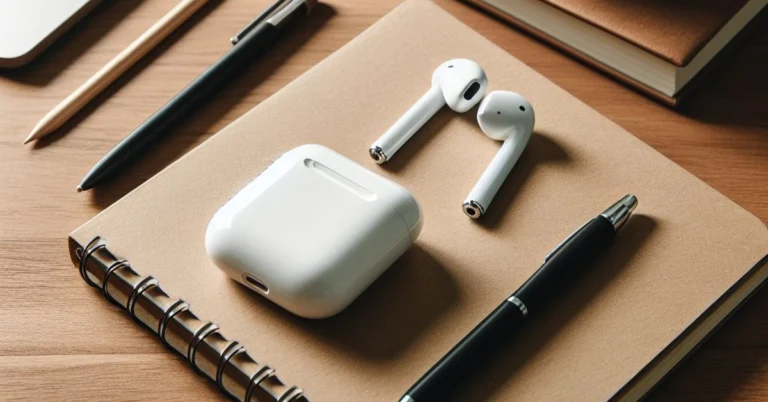
 If your AirPods are low on charge, their performance might take a hit. This is usually when minor discrepancies start arising on the microphone. Place the AirPods in their case to charge them. If there’s no battery left in the case, connect it to a charger. Once the AirPods have been fully charged, their performance will be restored.

 If your AirPods were recently exposed to water, it is possible that they may have suffered some damage. While AirPods are sweat-resistant, prolonged exposure to water has the potential to damage them. The wireless earbuds are not designed for showering or swimming. If you accidentally dipped the earbuds in water, use a clean cloth to dry them. Do not use a blow dryer to get rid of the water droplets. Let the earbuds air dry.
 Step 1:
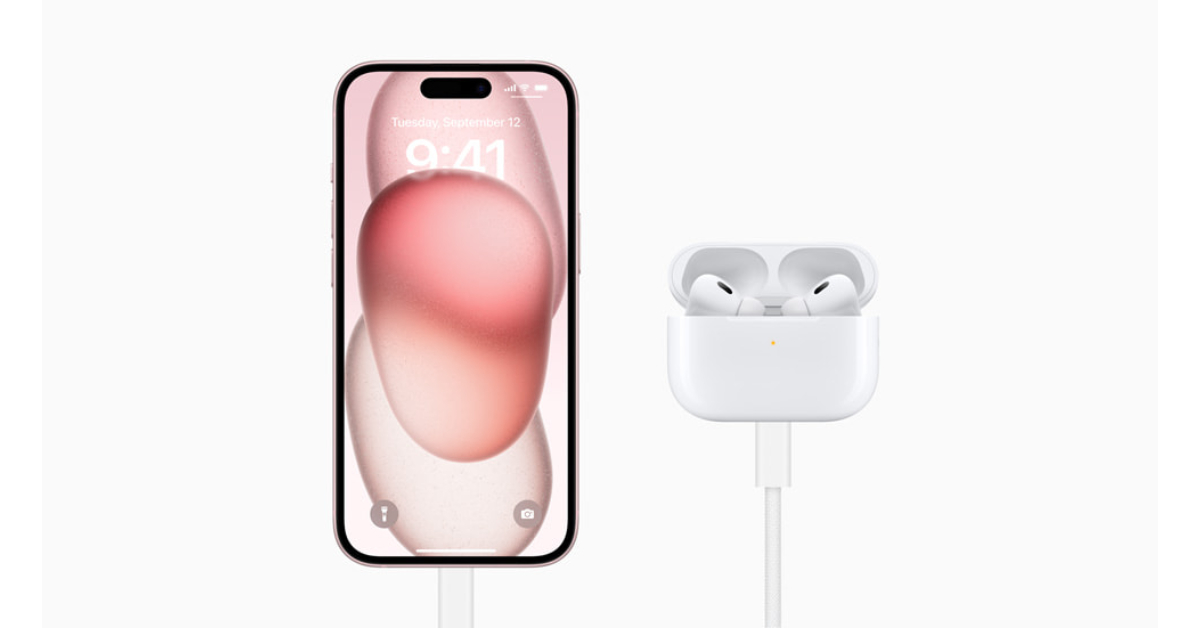 Step 1: Go to Settings and select Bluetooth.
Step 2: Hit the i icon next to your connected AirPods.
Step 3: If the Noise Cancellation setting is selected, tap the Off tile next to it.
Step 1: Go to Settings and select Bluetooth.
Step 2: Hit the i icon next to your connected AirPods.
Step 3: If the Noise Cancellation setting is selected, tap the Off tile next to it.
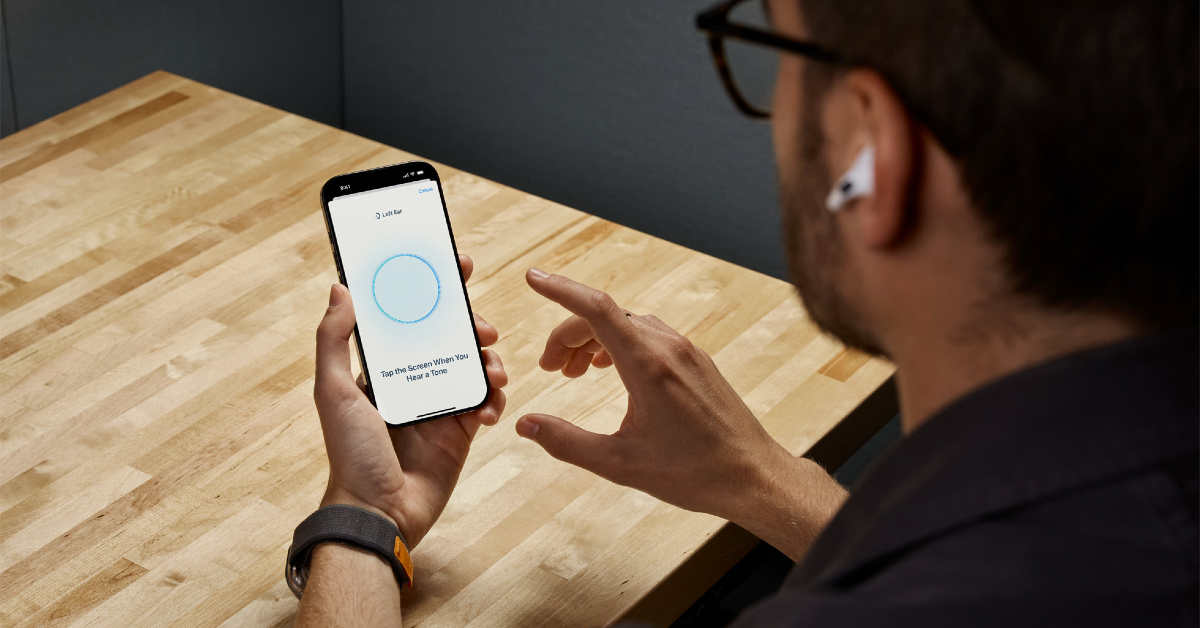
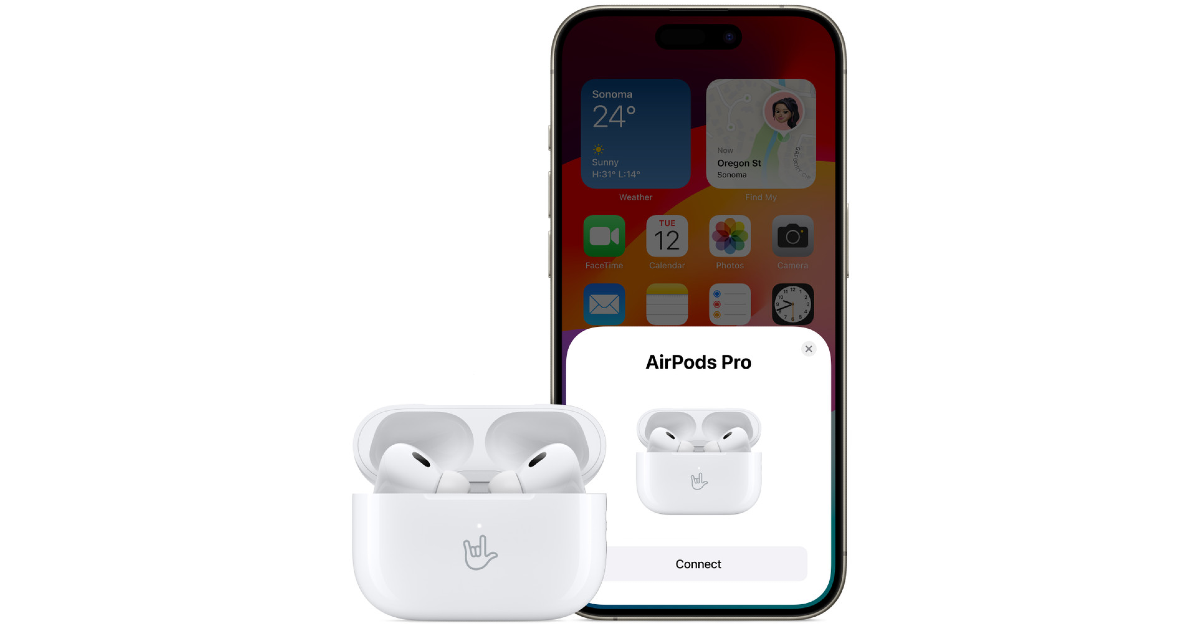 Step 1:
 If your AirPods’ firmware is outdated, it may start glitching unexpectedly. Apple routinely pushes out firmware updates for its TWS devices to get rid of any faults and bugs. These updates are installed automatically on the device. To check your AirPods’ firmware version, go to Settings>Bluetooth and tap the i icon next to the TWS. Tap on version to check the firmware details. Go to Apple’s official website to make sure that the firmware version of your AirPods matches the latest update pushed out by the company.
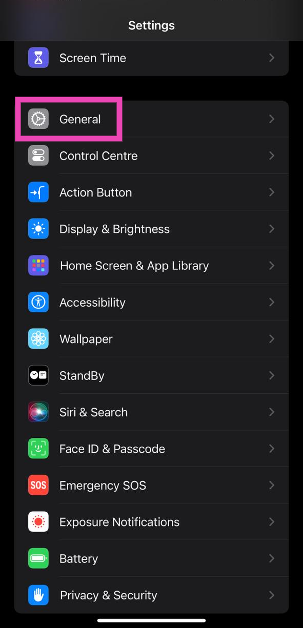 Step 3: Tap on Software Update.
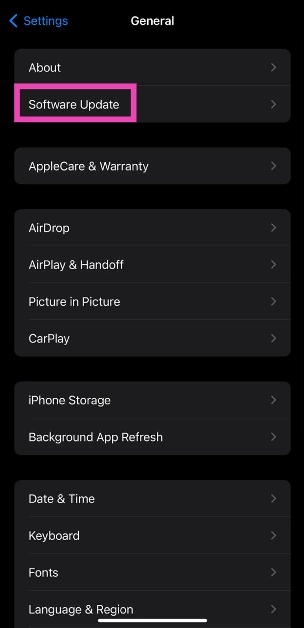 Step 4: Hit Update Now.
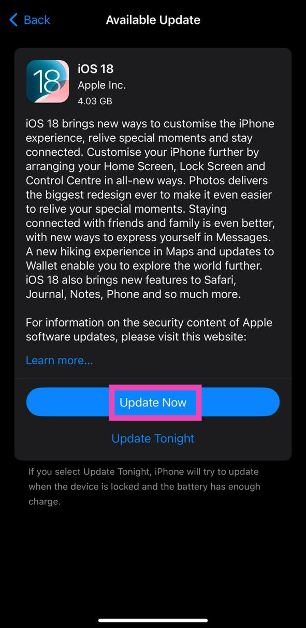
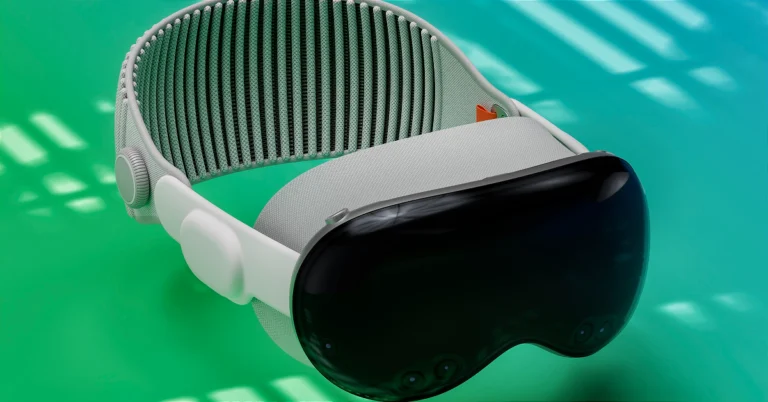



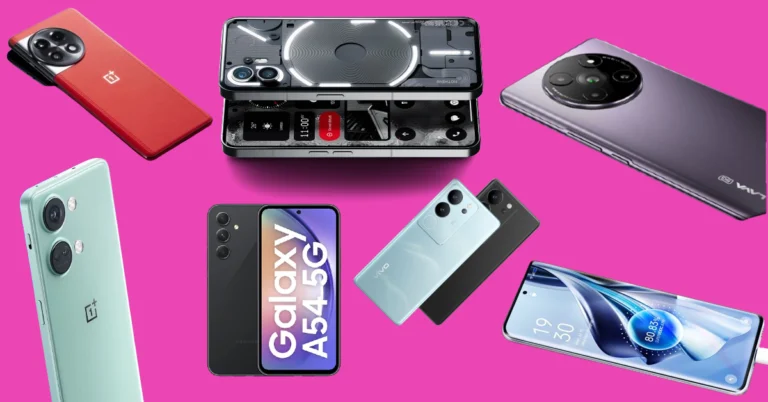
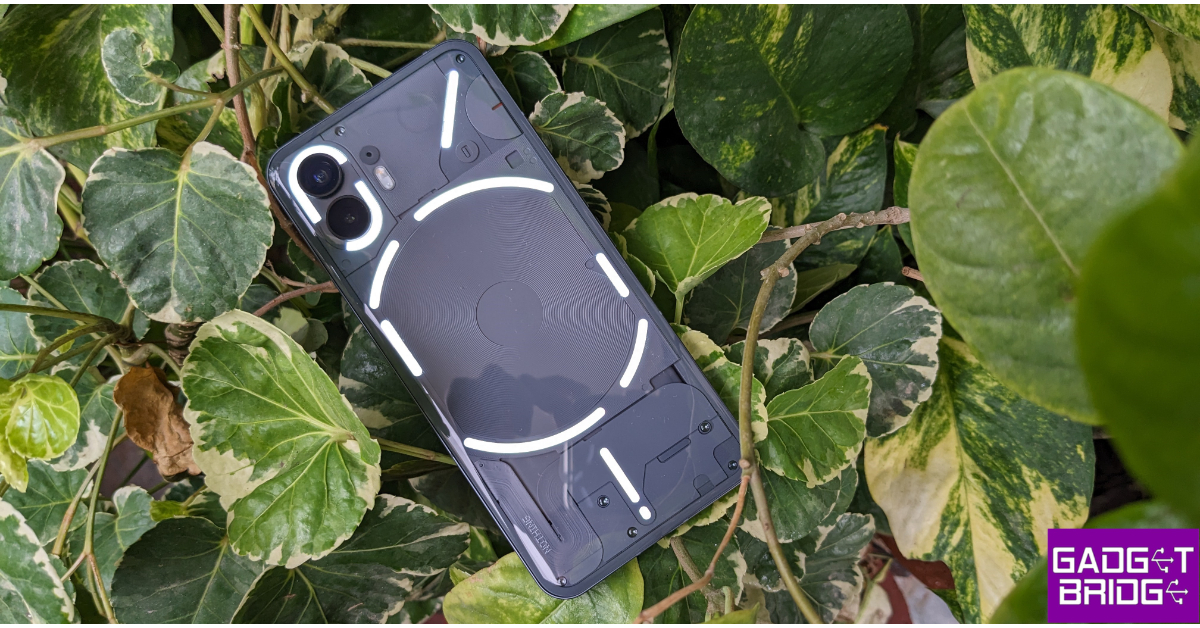 Key Specs
 Key Specs
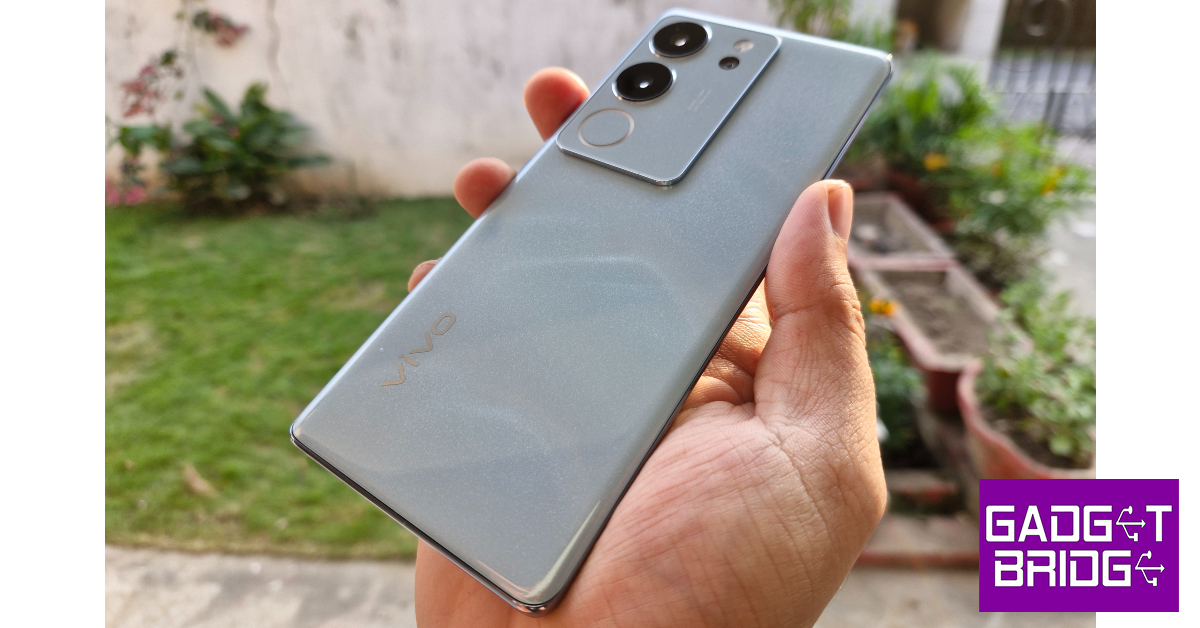 Key Specs
 Key Specs
 Key Specs
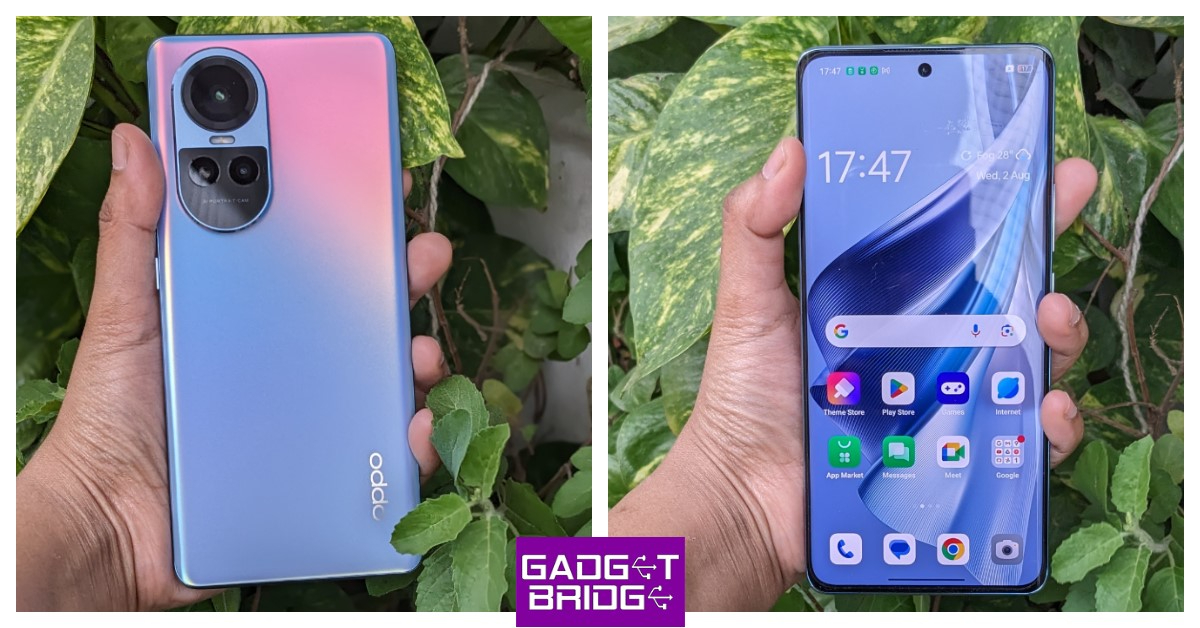 Key Specs
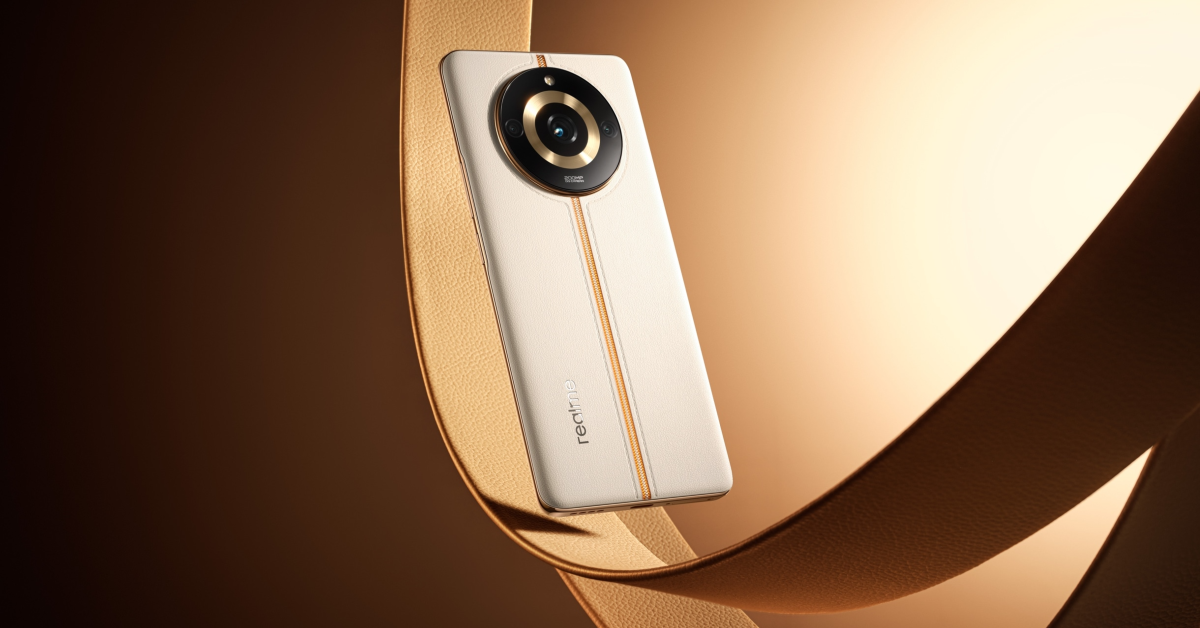 Key Specs
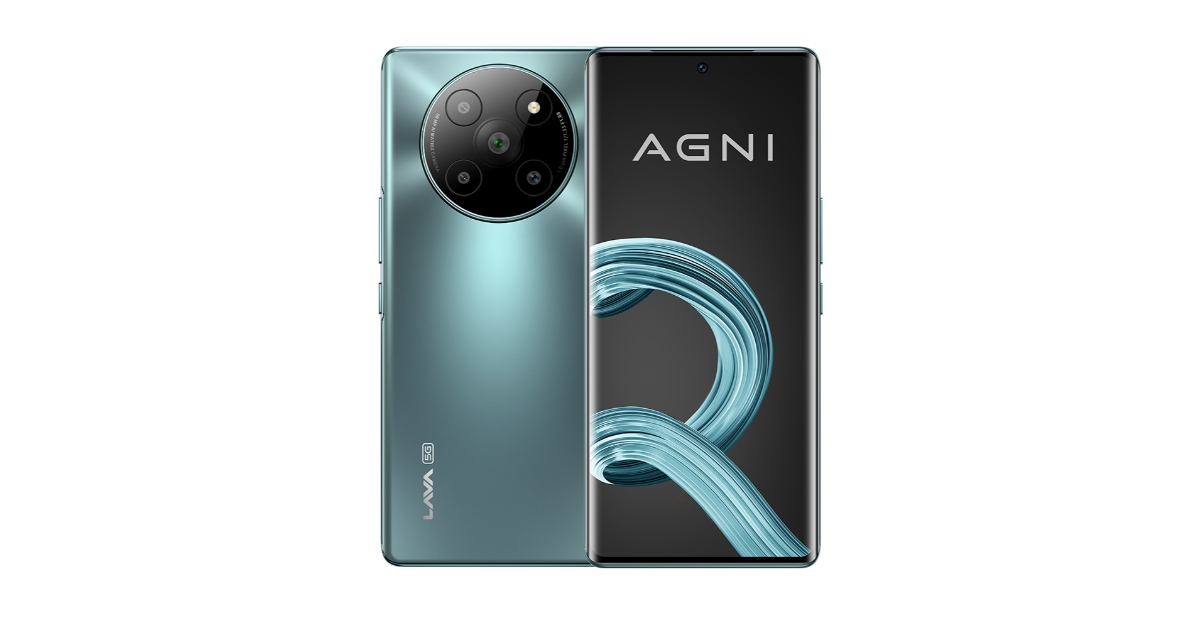 Key Specs
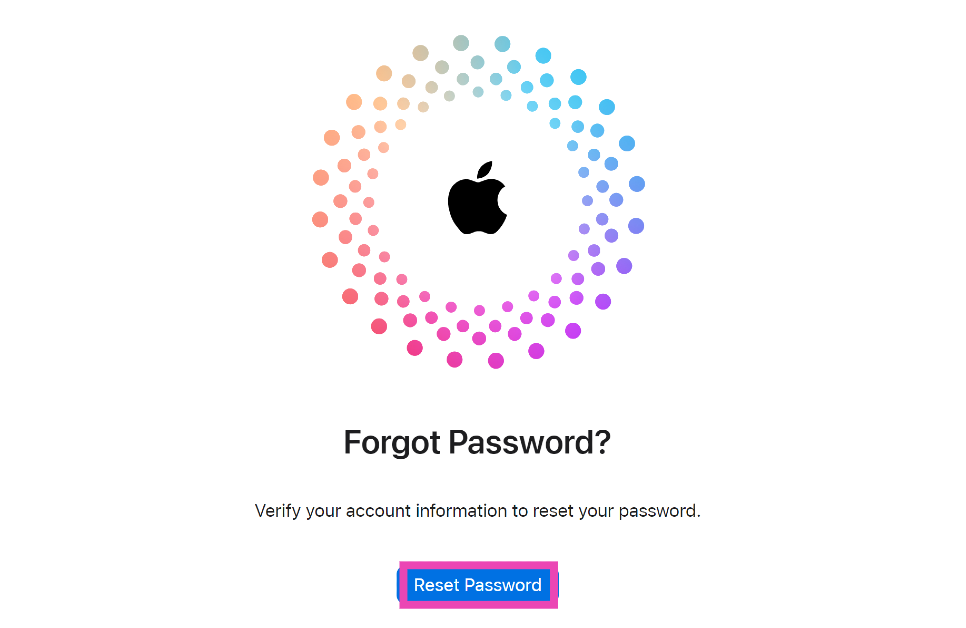 Step 3:
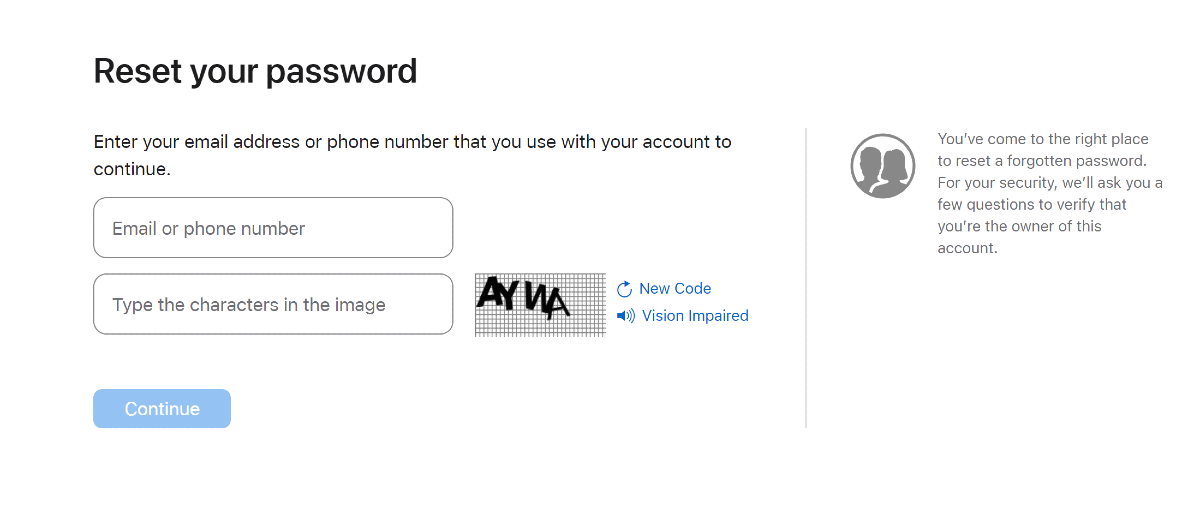 Step 4:
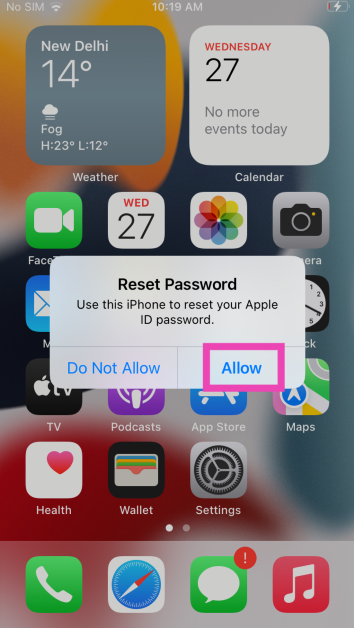 Step 7:
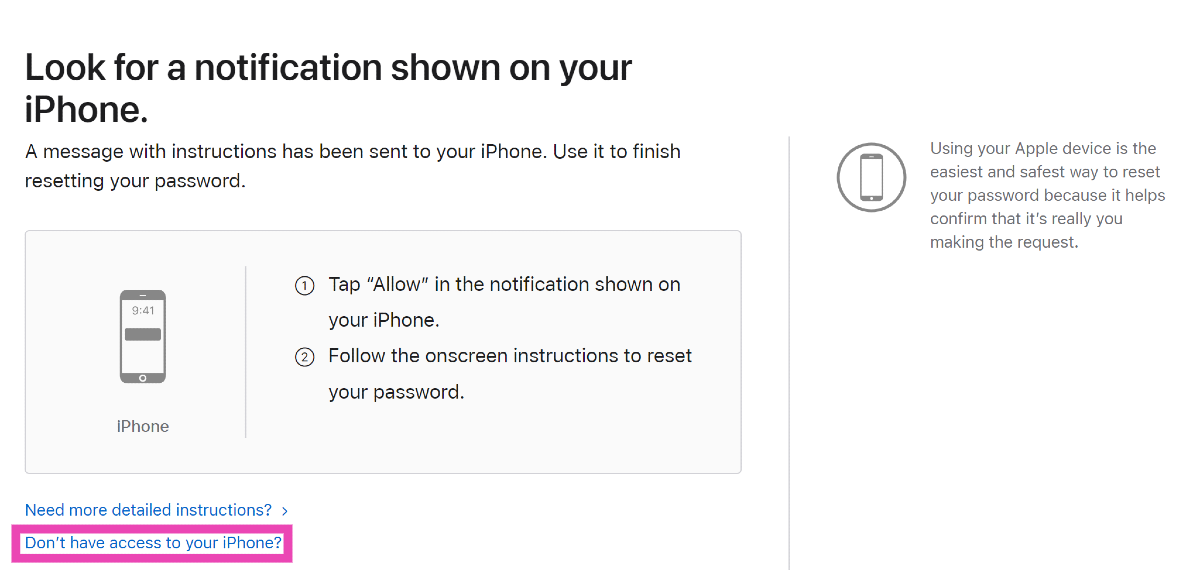 Step 3:
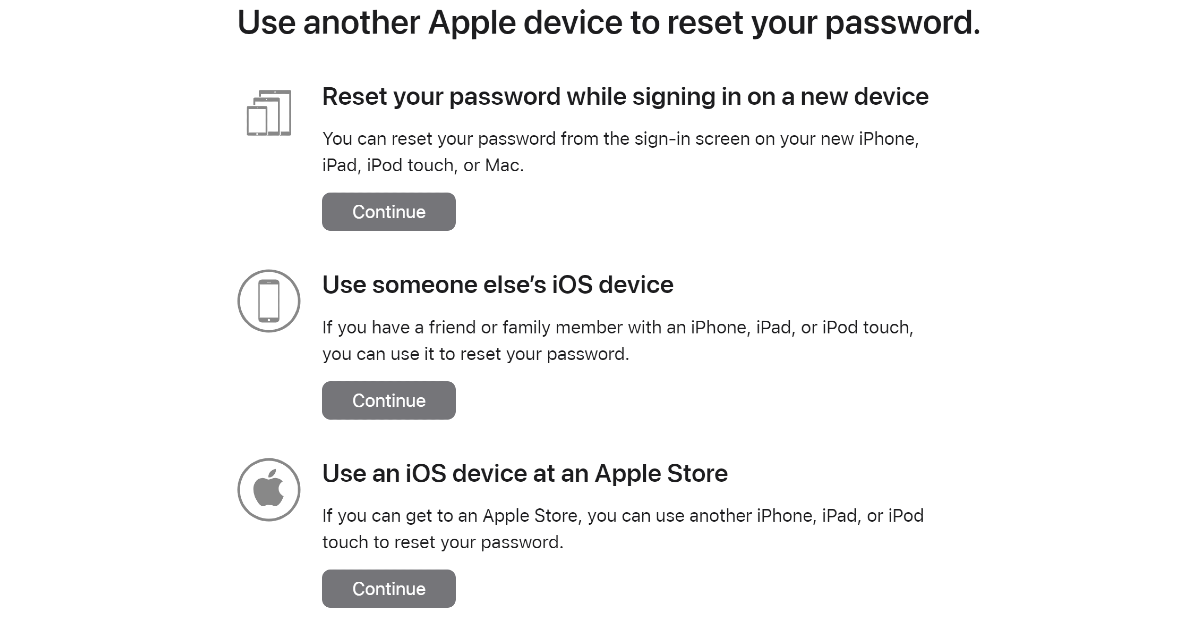 Step 4:
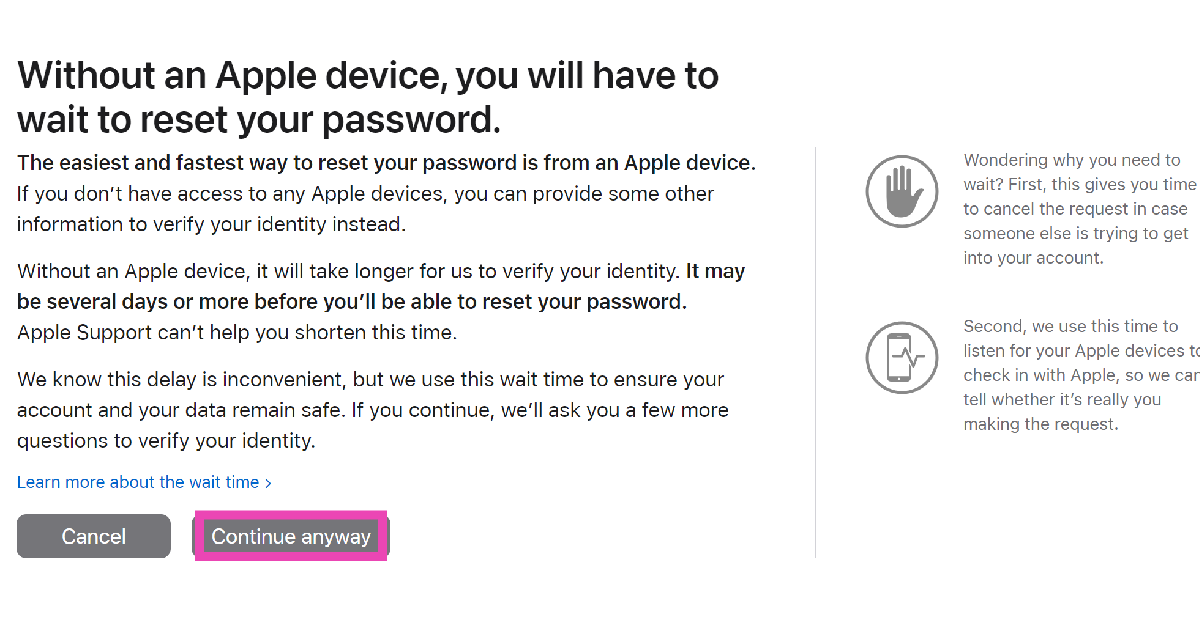 Step 6:
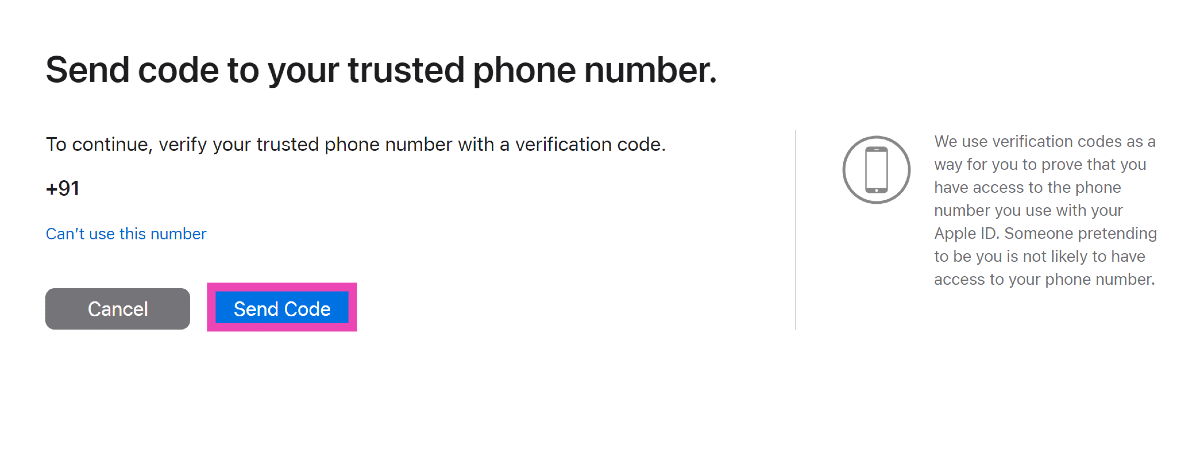 Step 7:
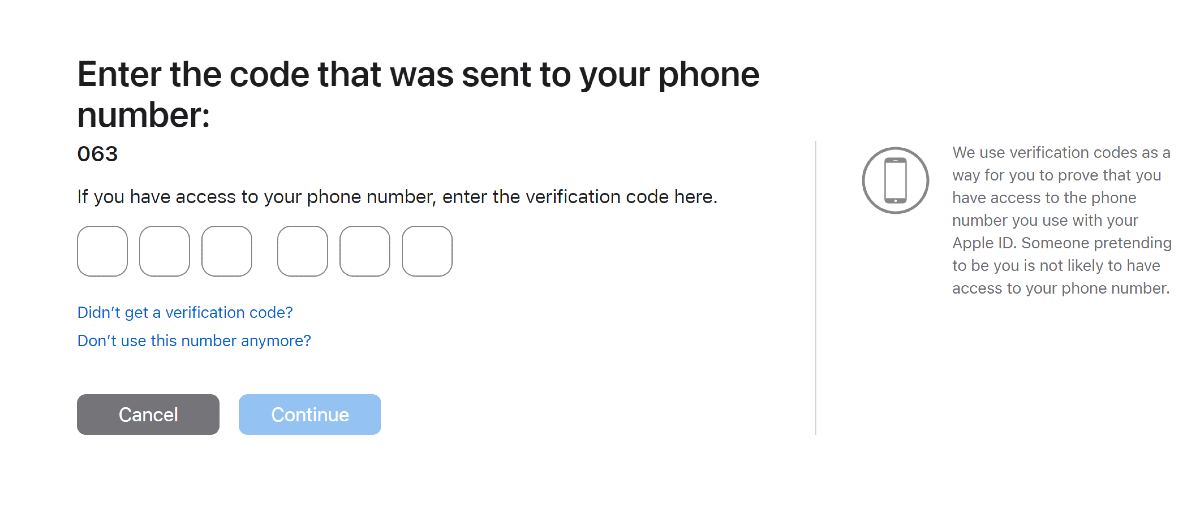 Step 8:
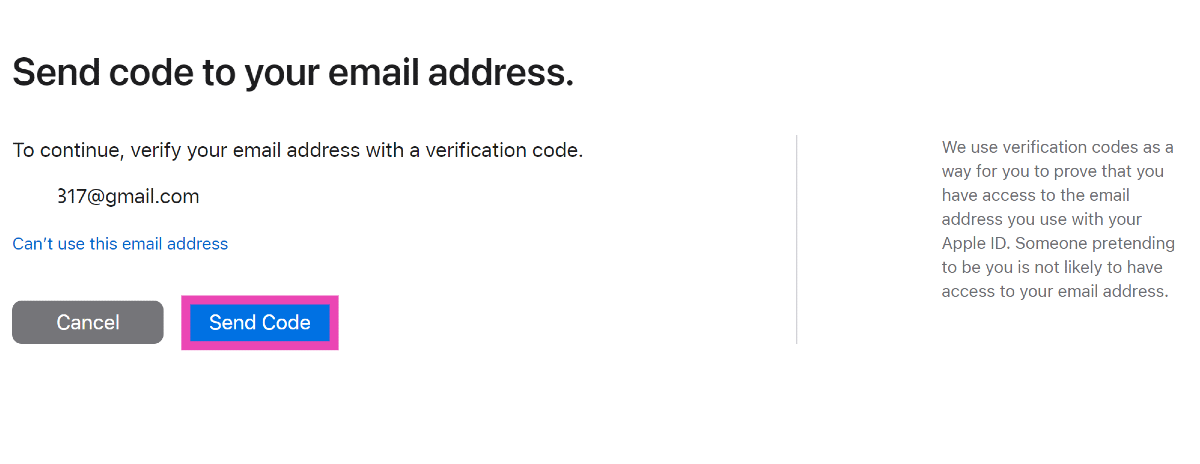 Step 9: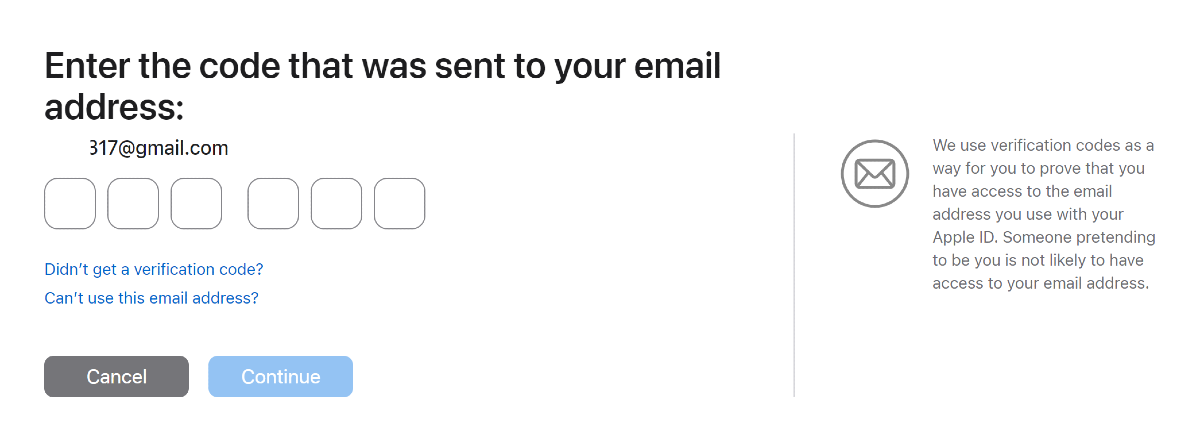
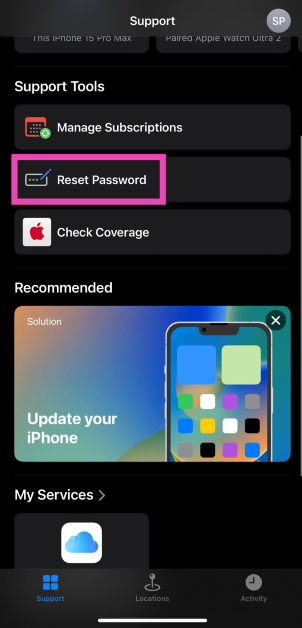 Step 3: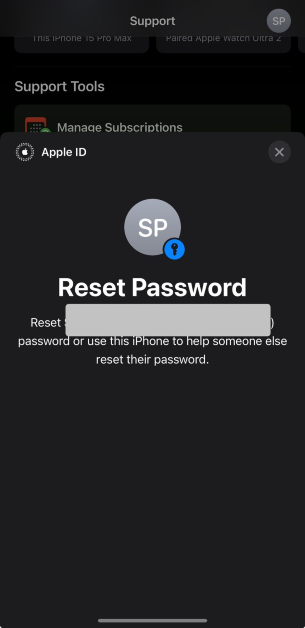
 Step 1:
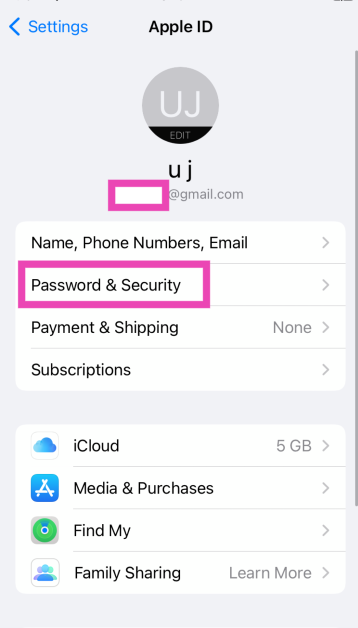 Step 4:
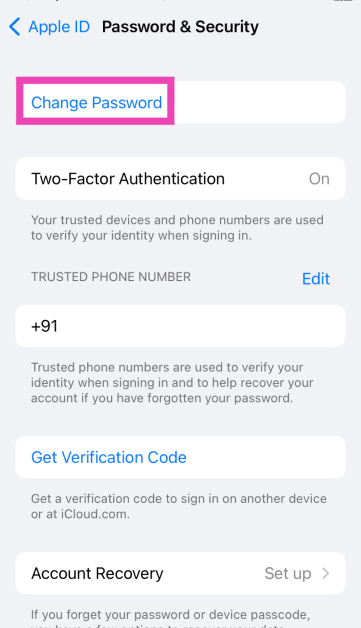 Step 5: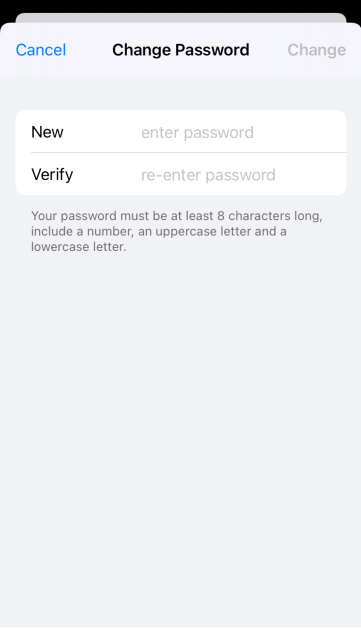
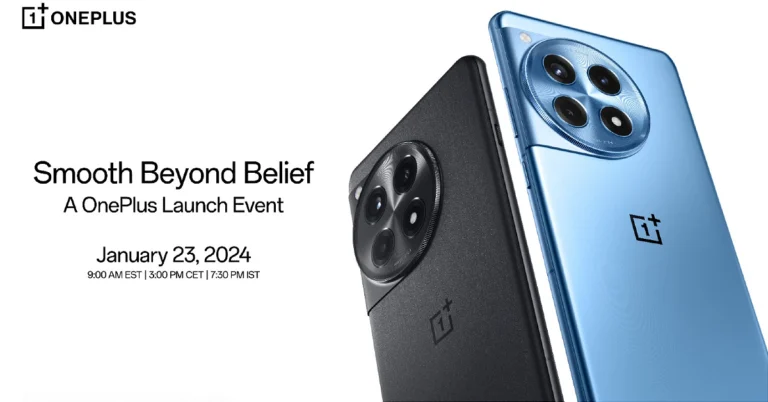
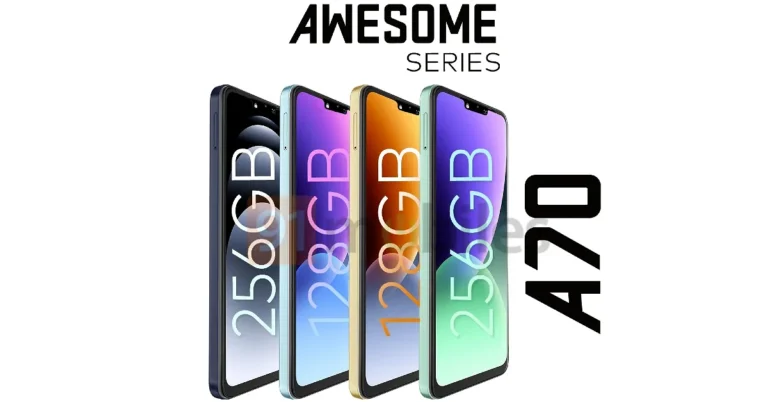

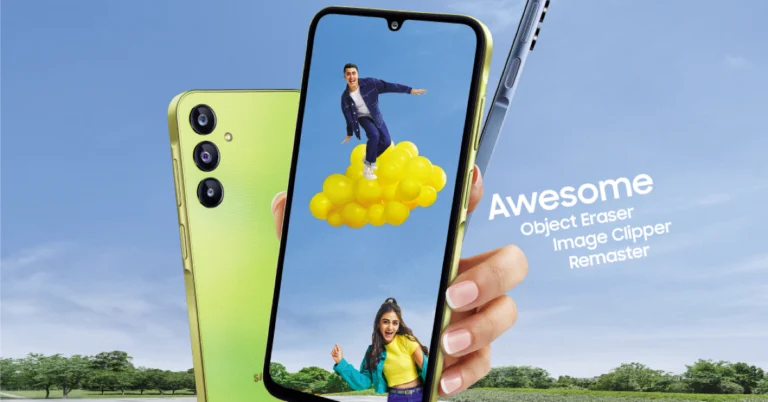
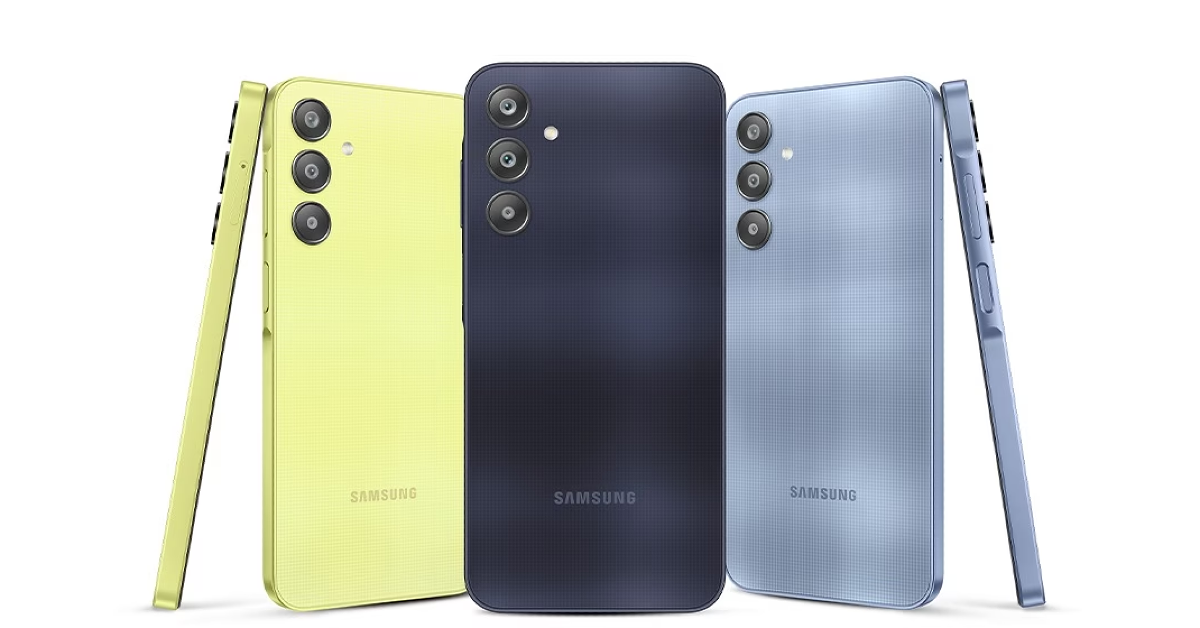
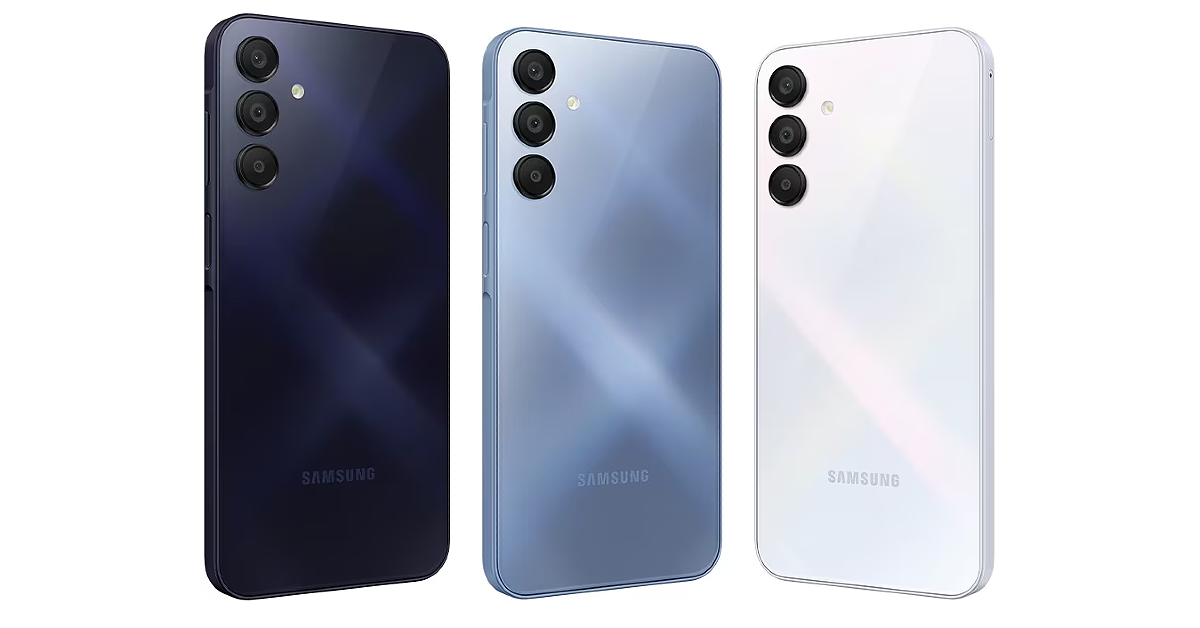
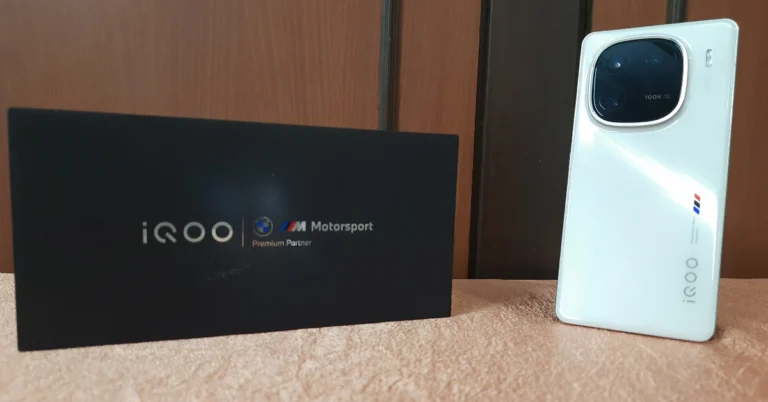
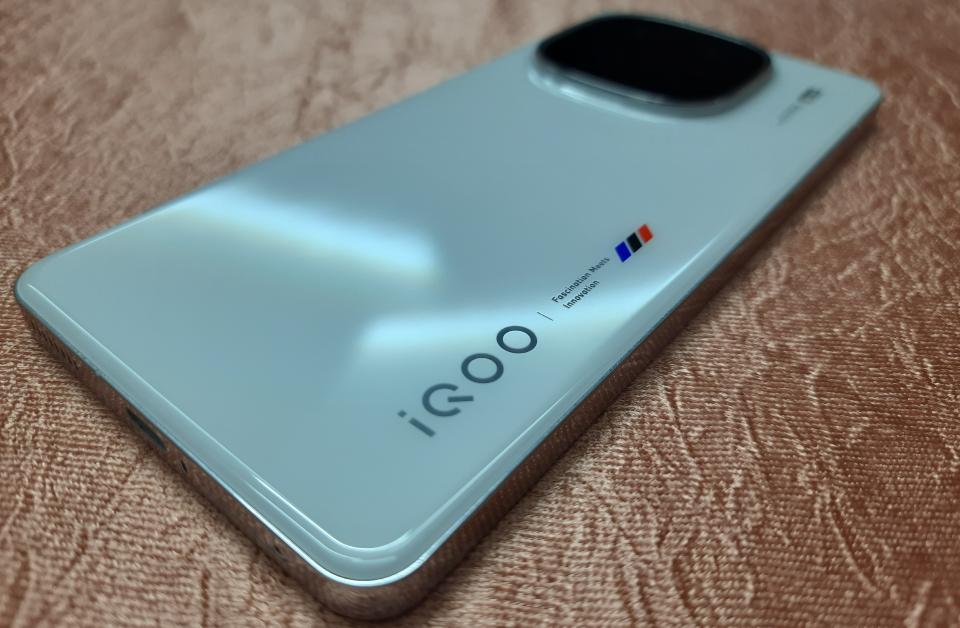
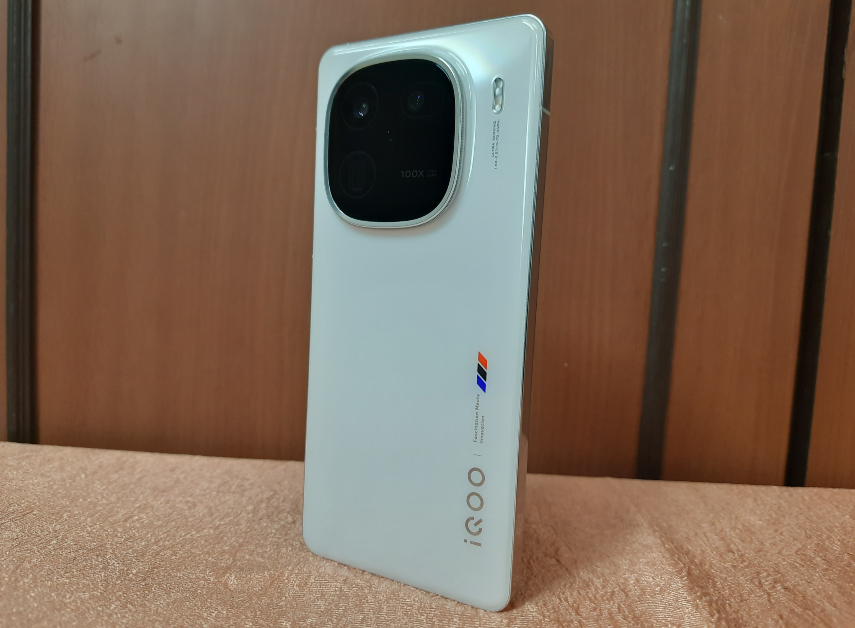
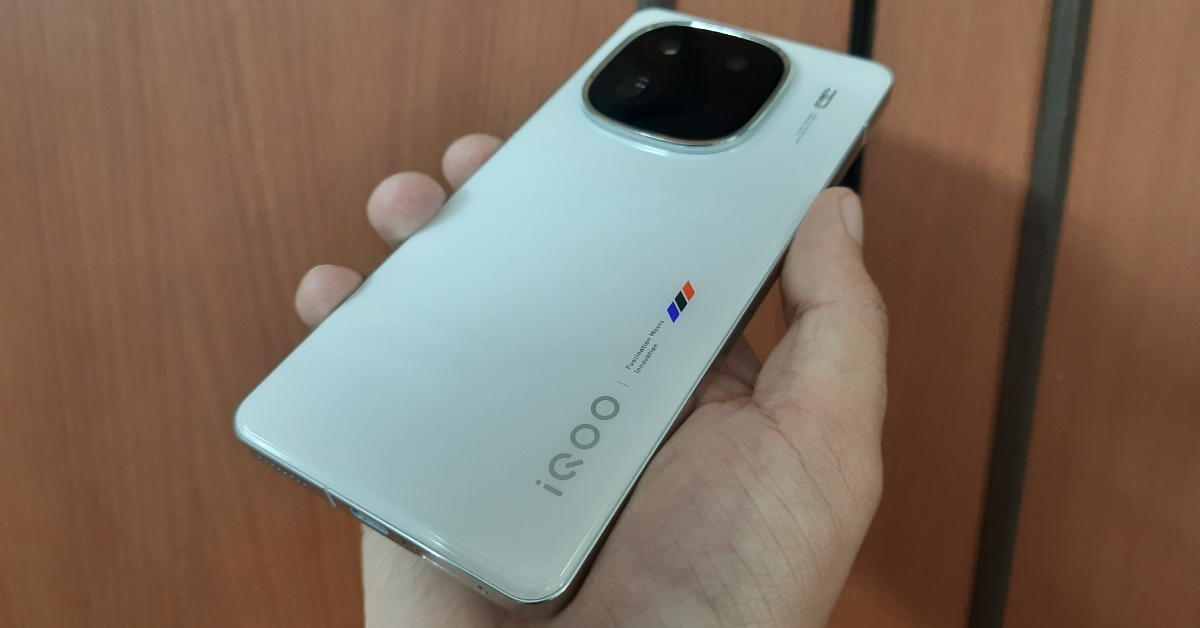
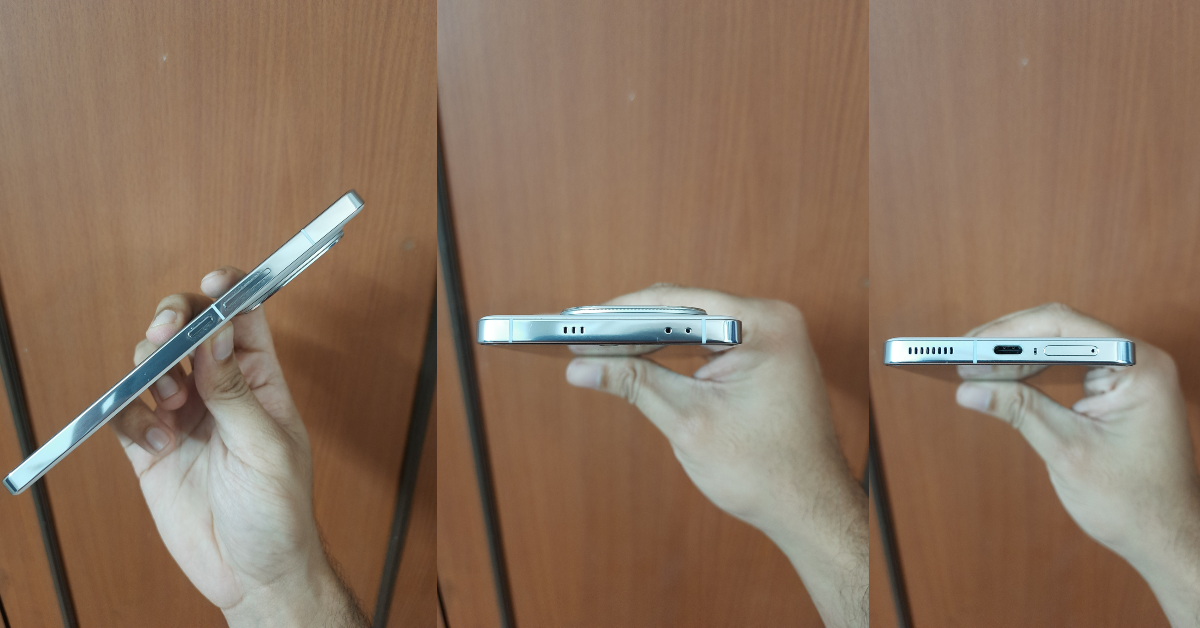
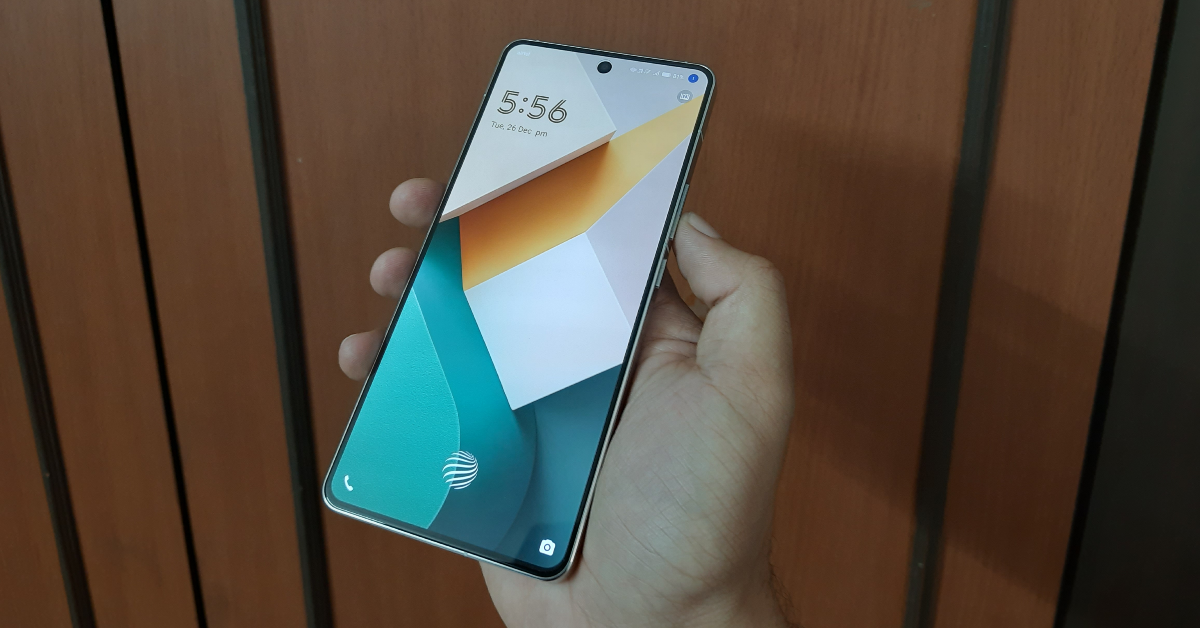
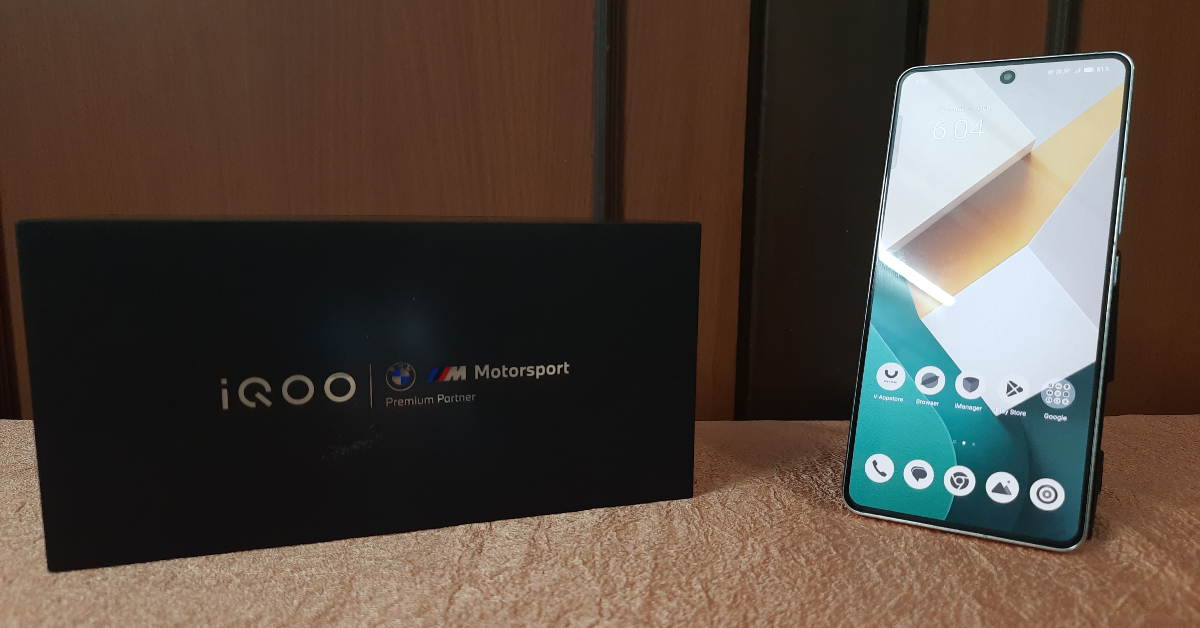
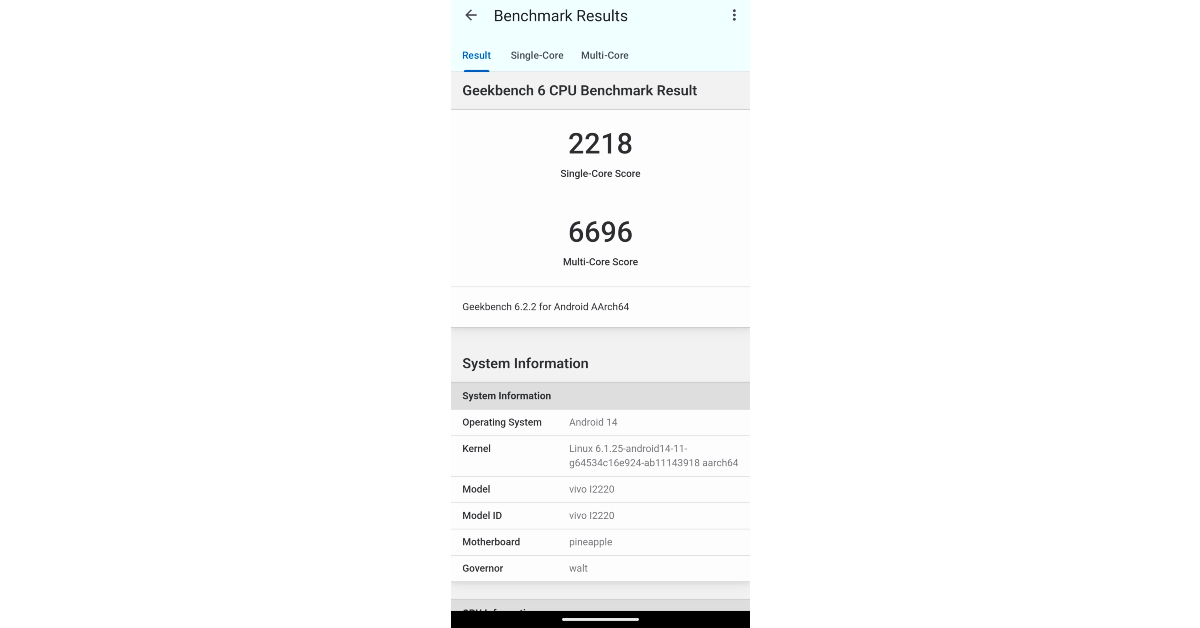
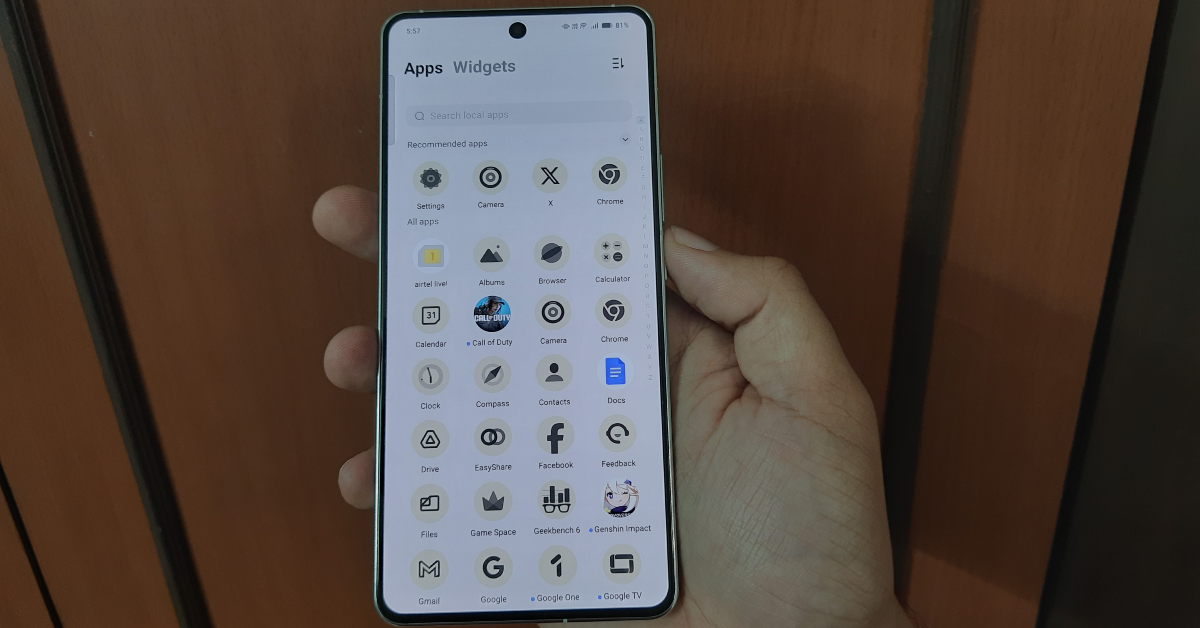


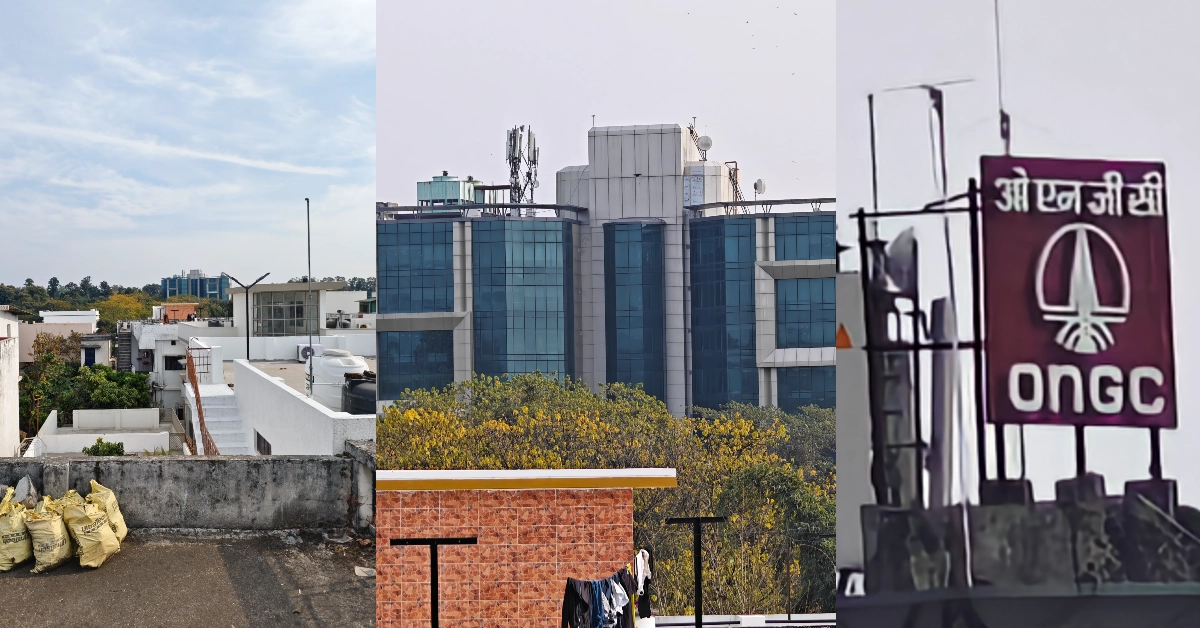





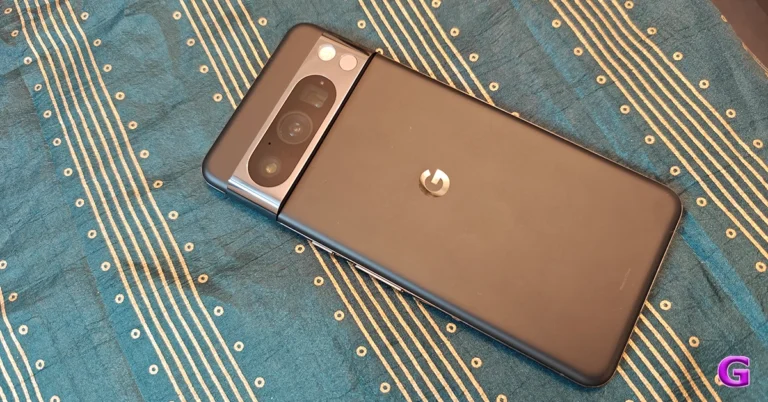
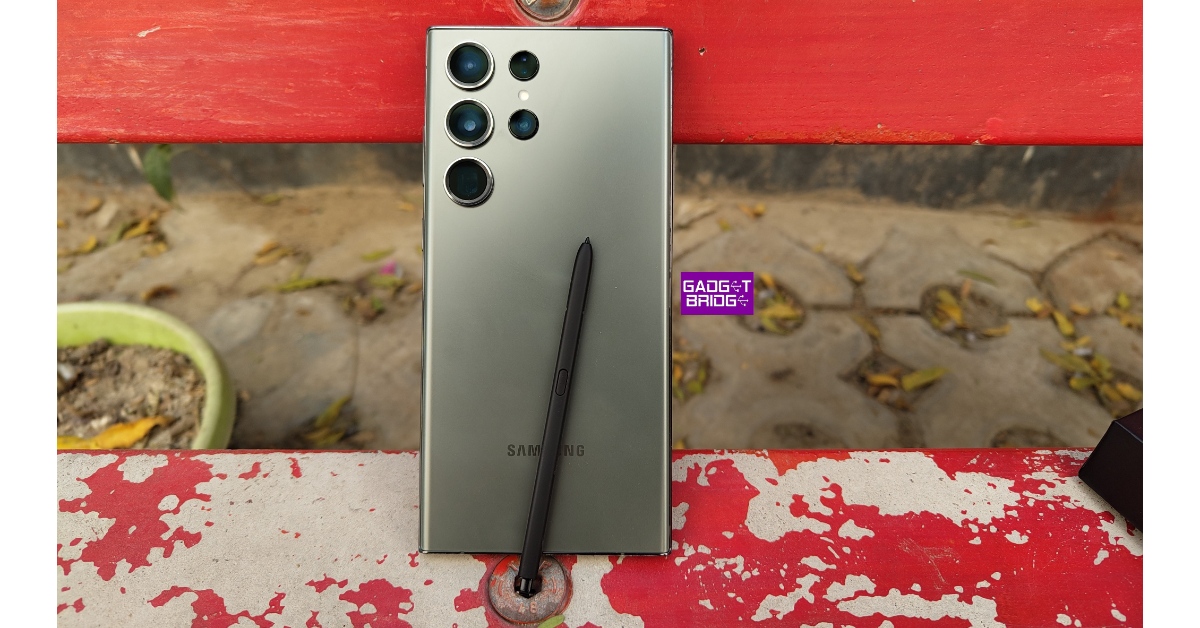
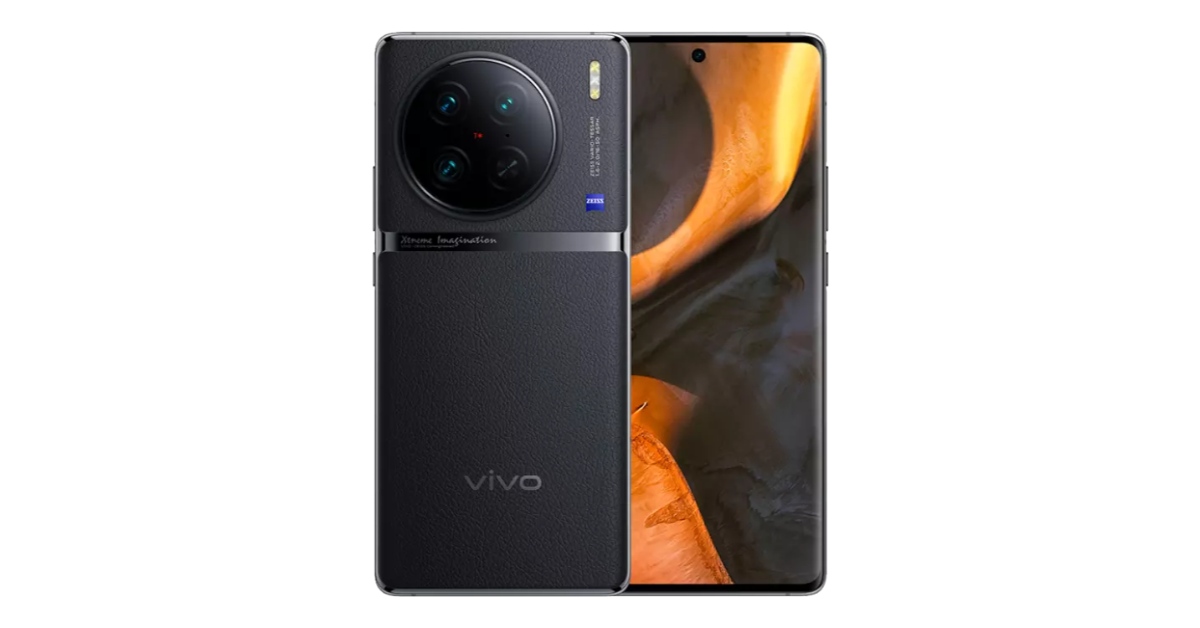
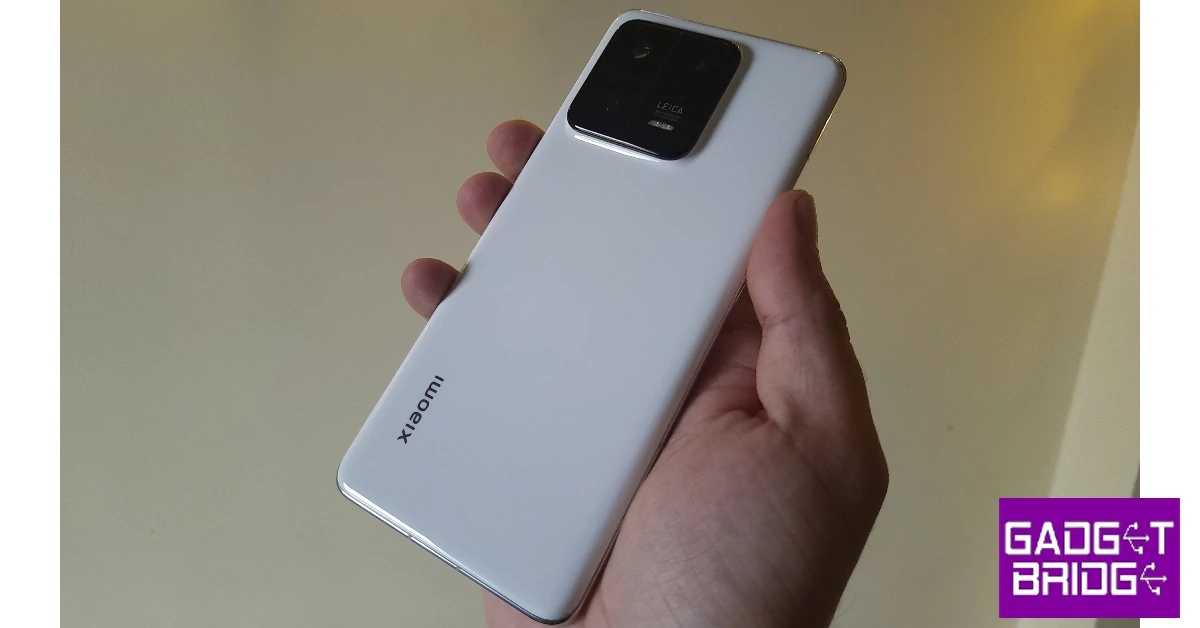
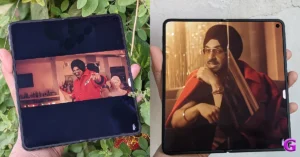
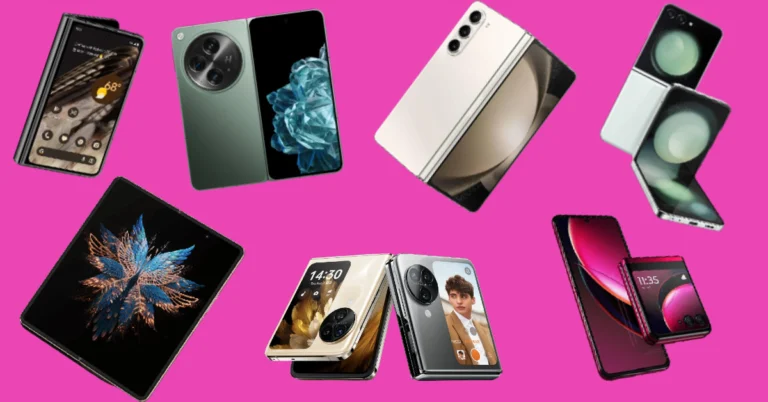
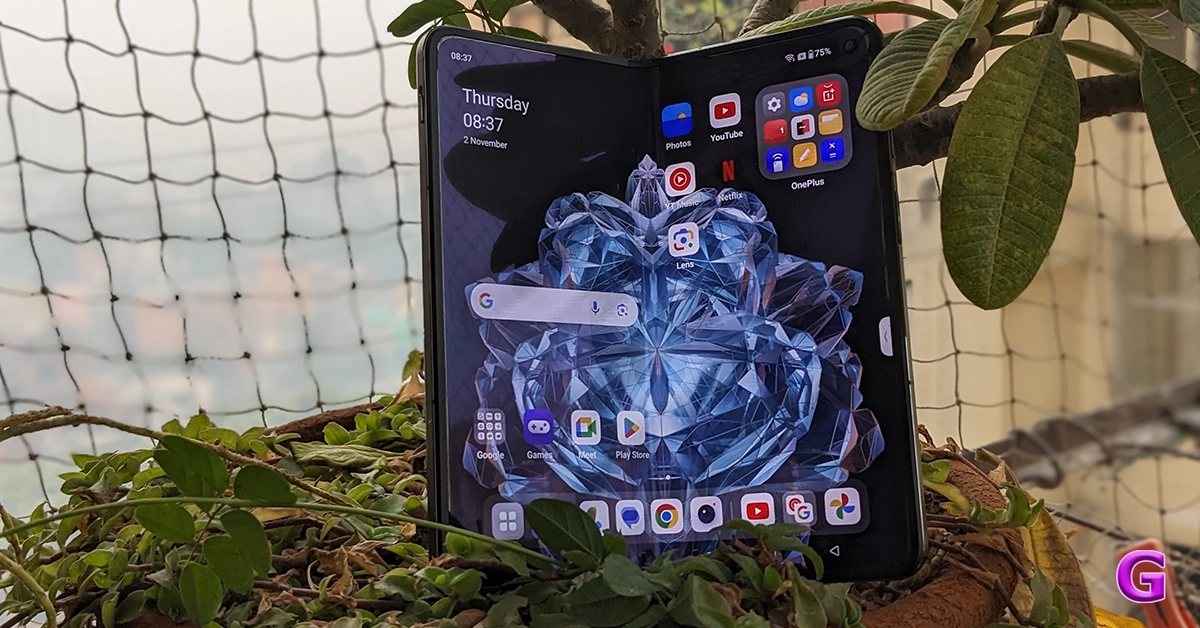 Key Specs
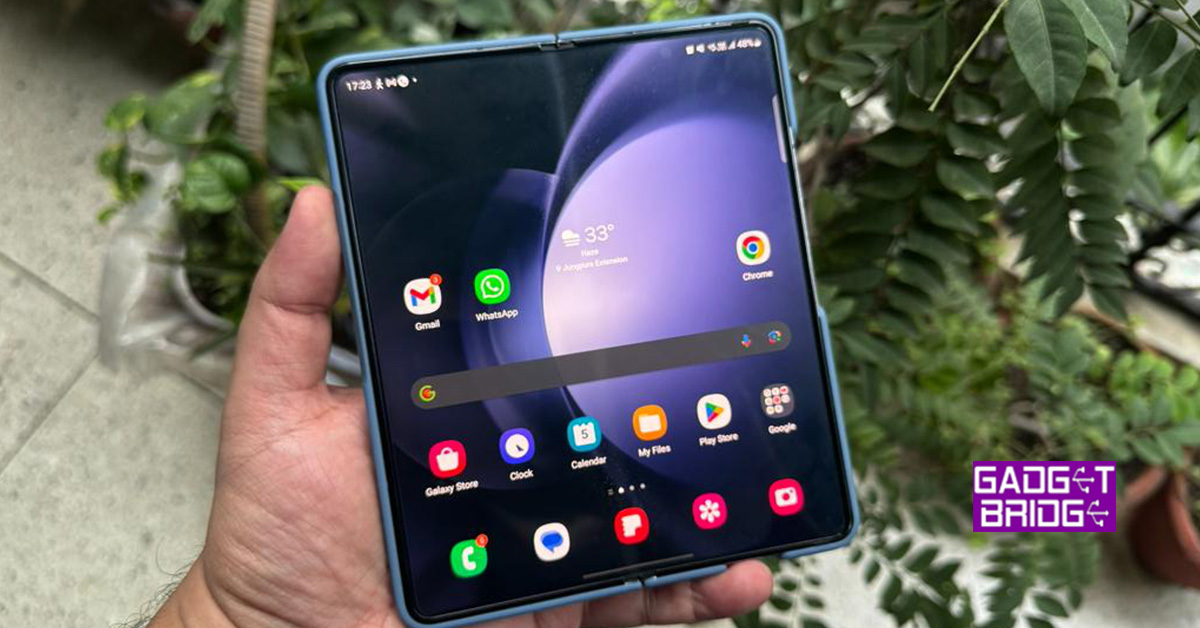 Key Specs
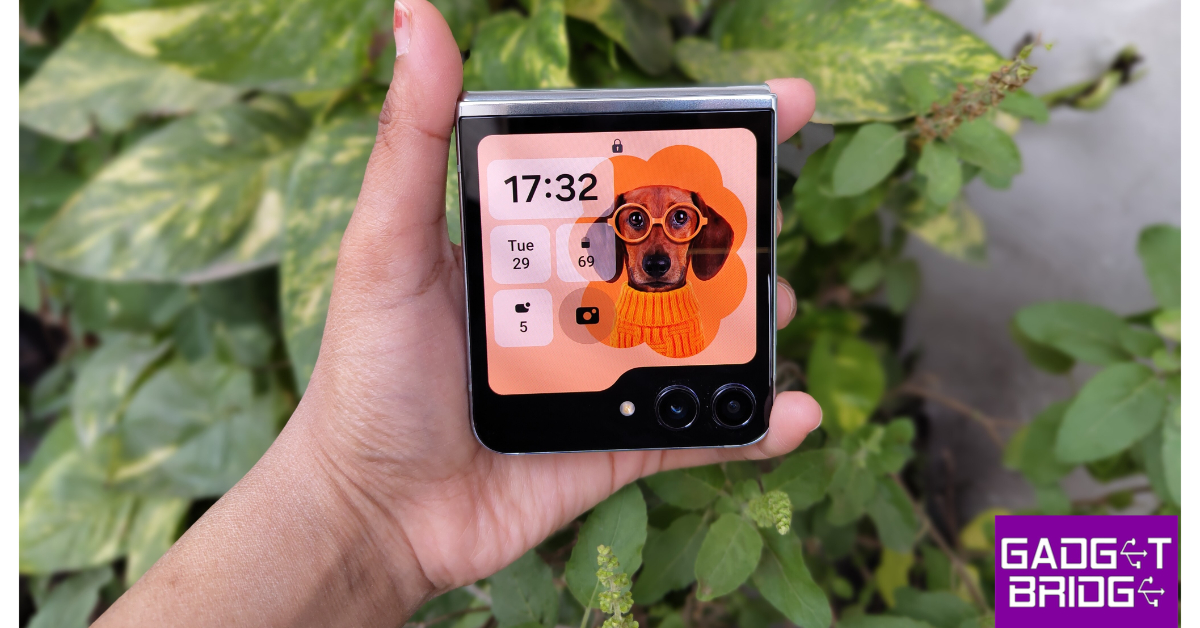 Key Specs
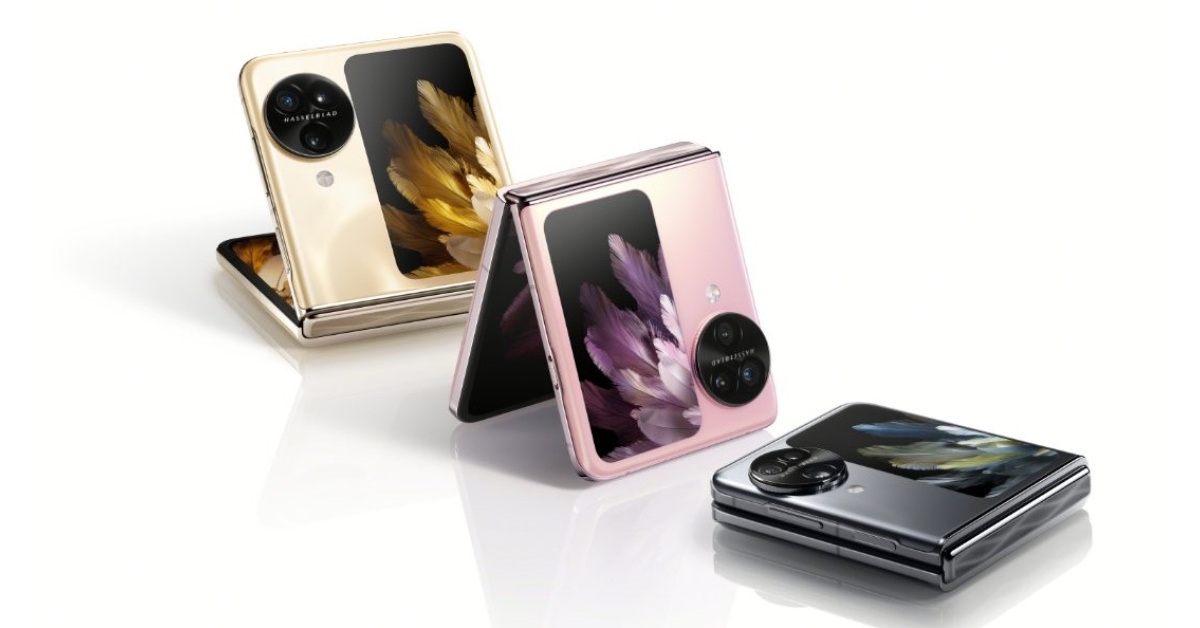 Key Specs
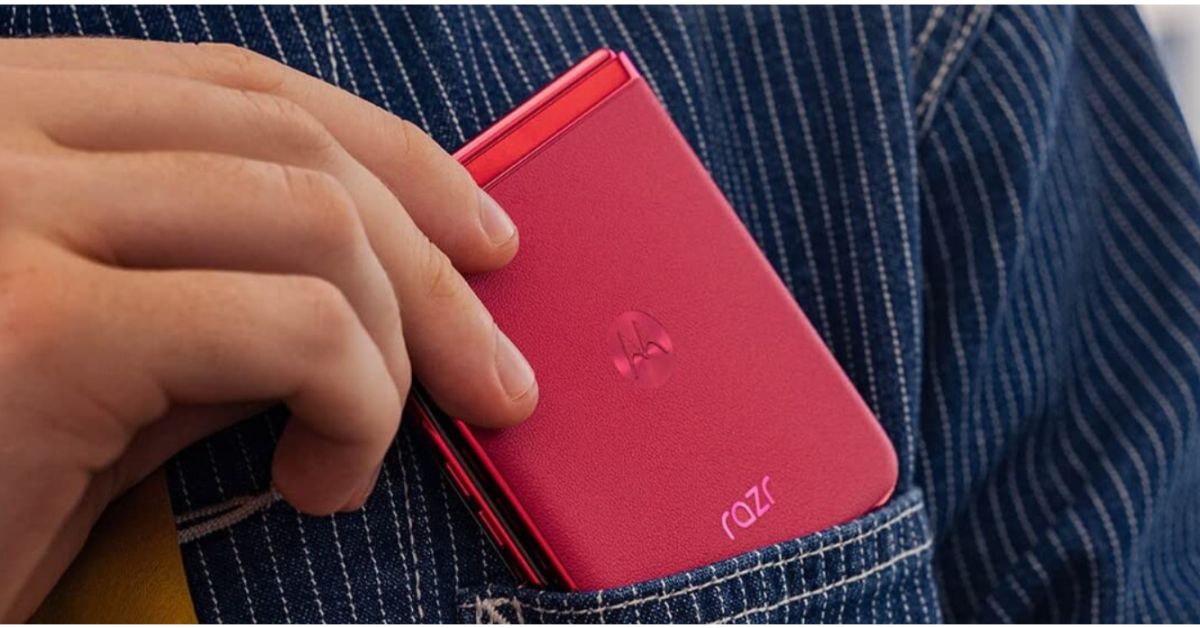 Key Specs
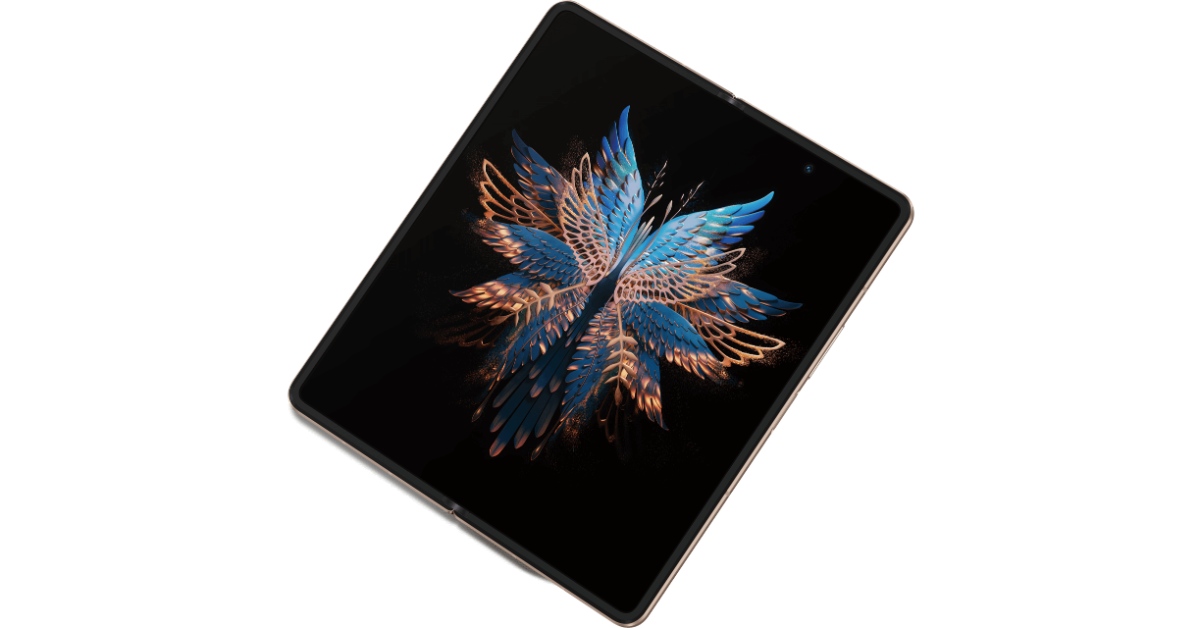 Key Specs
 Key Specs
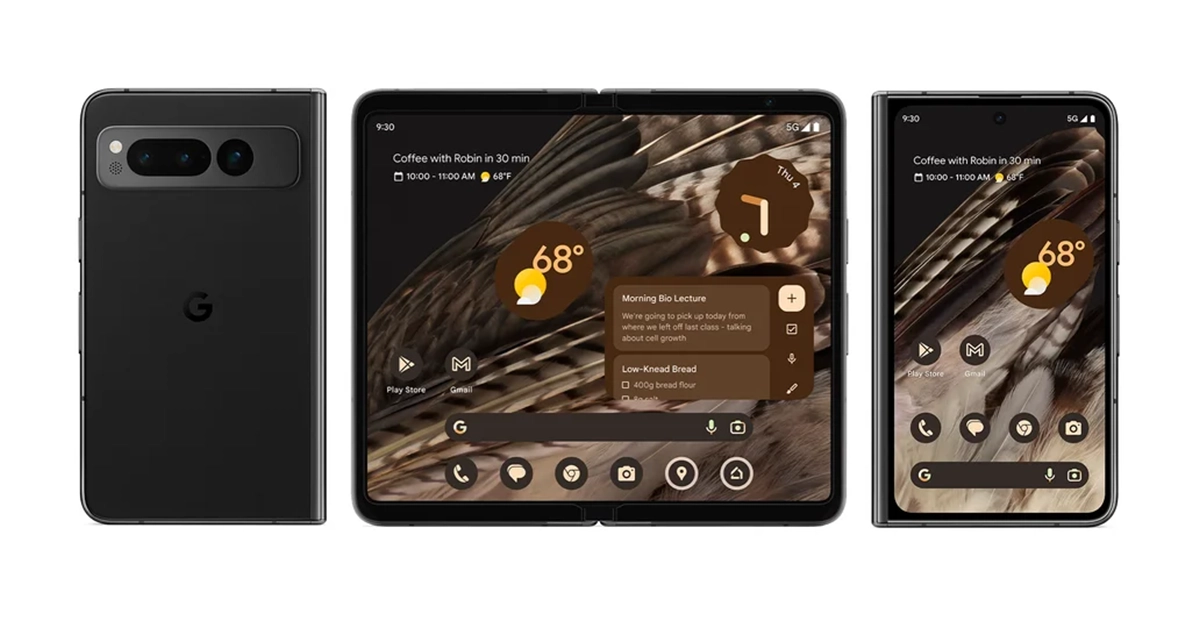 Key Specs
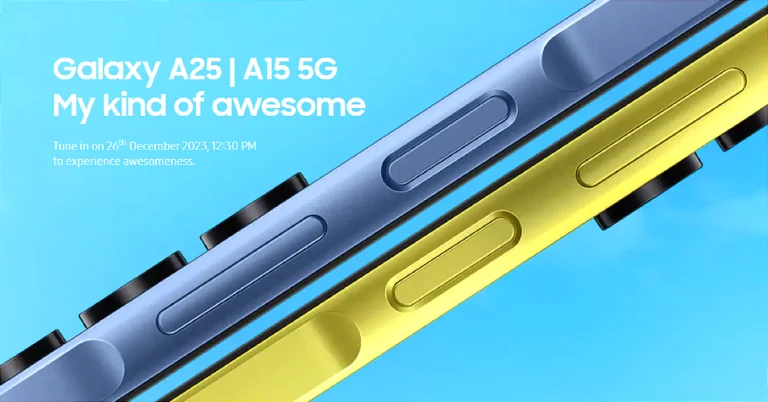

![Fixed: the Disk Structure is Corrupted and Unreadable [2024]](https://www.gadgetbridge.com/wp-content/uploads/2023/12/dis-curruption-fixed-768x402.webp "Fixed: the Disk Structure is Corrupted and Unreadable [2024]")
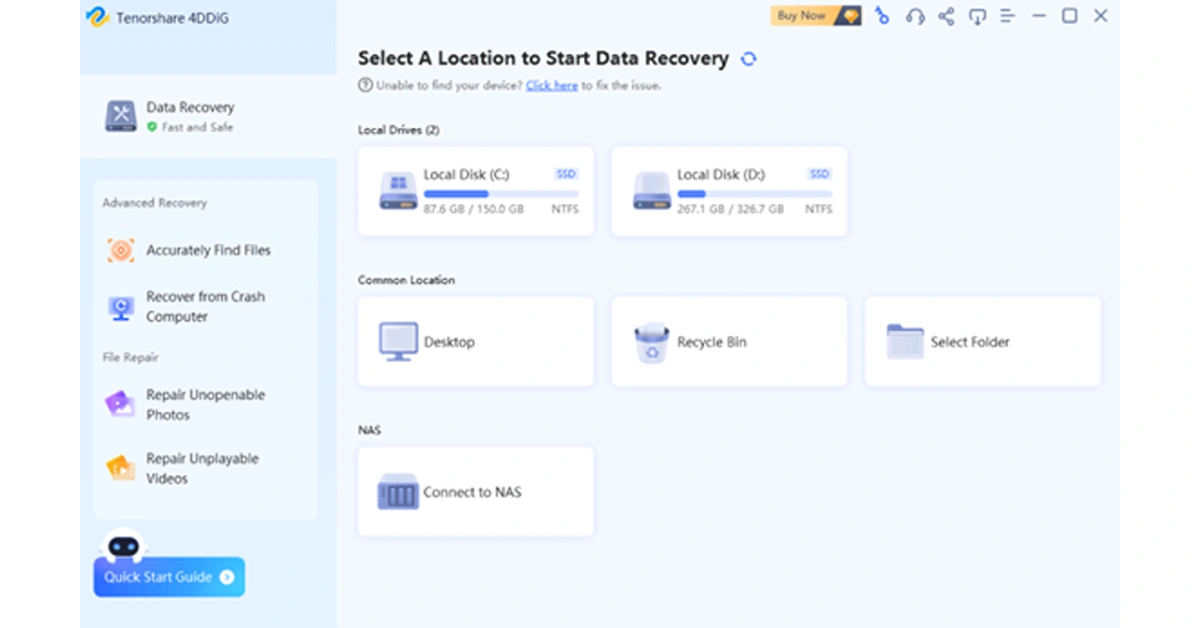 Step 2: The tool will promptly start scanning for all lost files on the selected drive. During this process, you have the option to view files in either File View or Tree View. Additionally, you can pause or stop the scanning process once you’ve identified the necessary files.
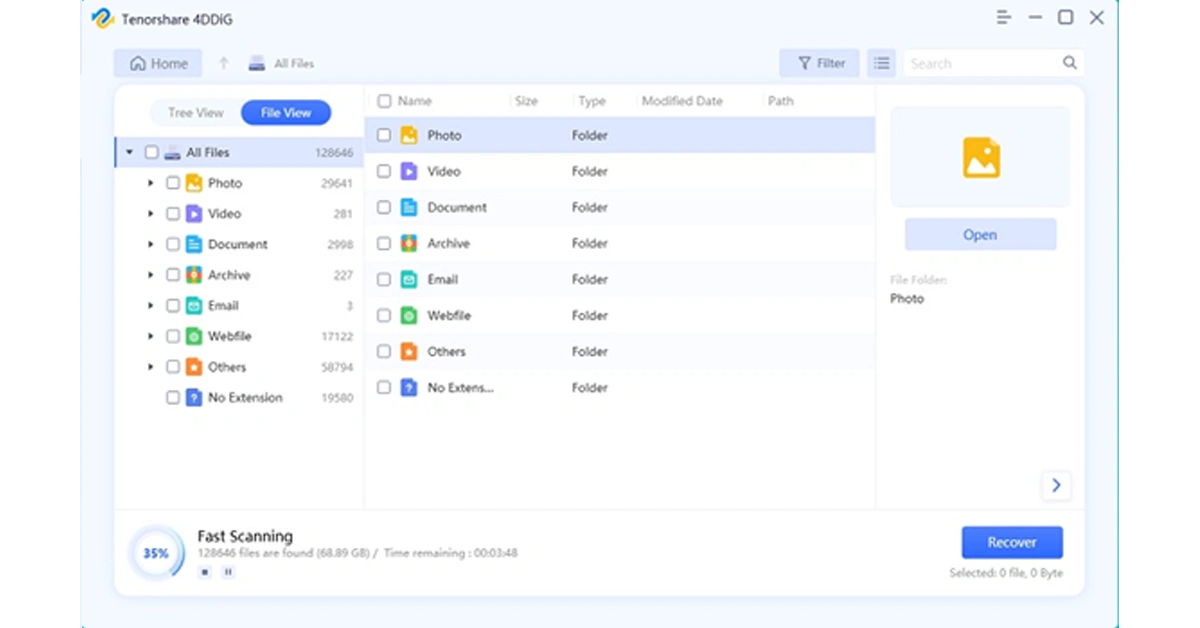 Step 3: Now, select the lost files and simply click on the “Recover” button. Remember to back up these files to a safe location.
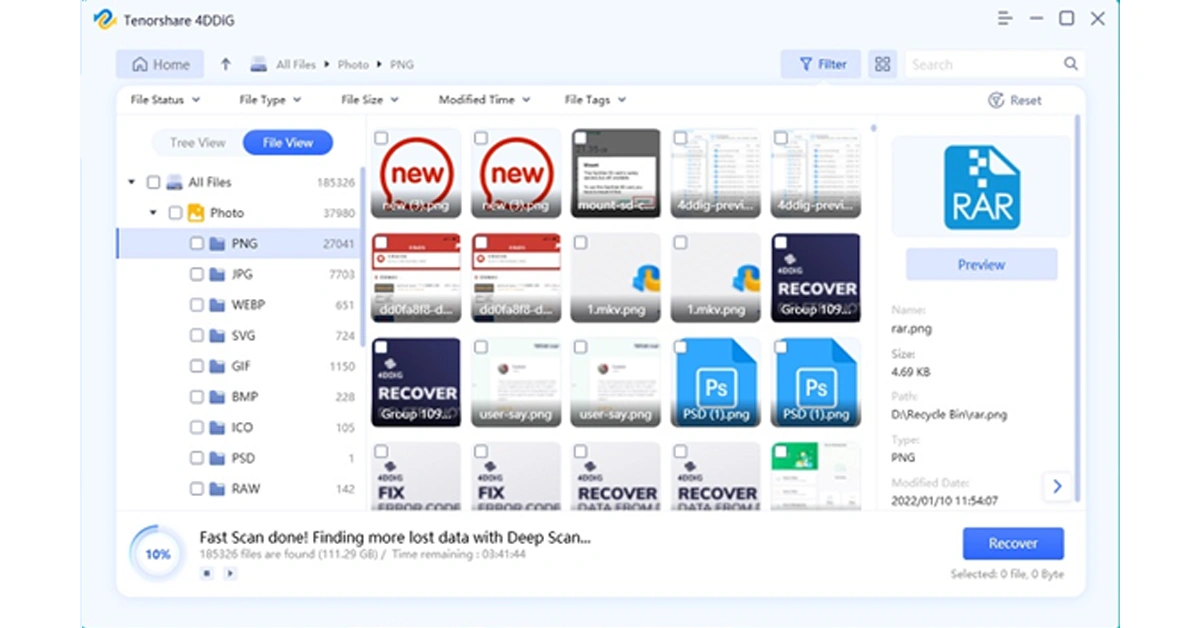 Currently, the software provider is hosting an exciting Christmas promotion. Anyone participating in the event has the chance to win free Amazon e-gift cards and a brand-new iPad.
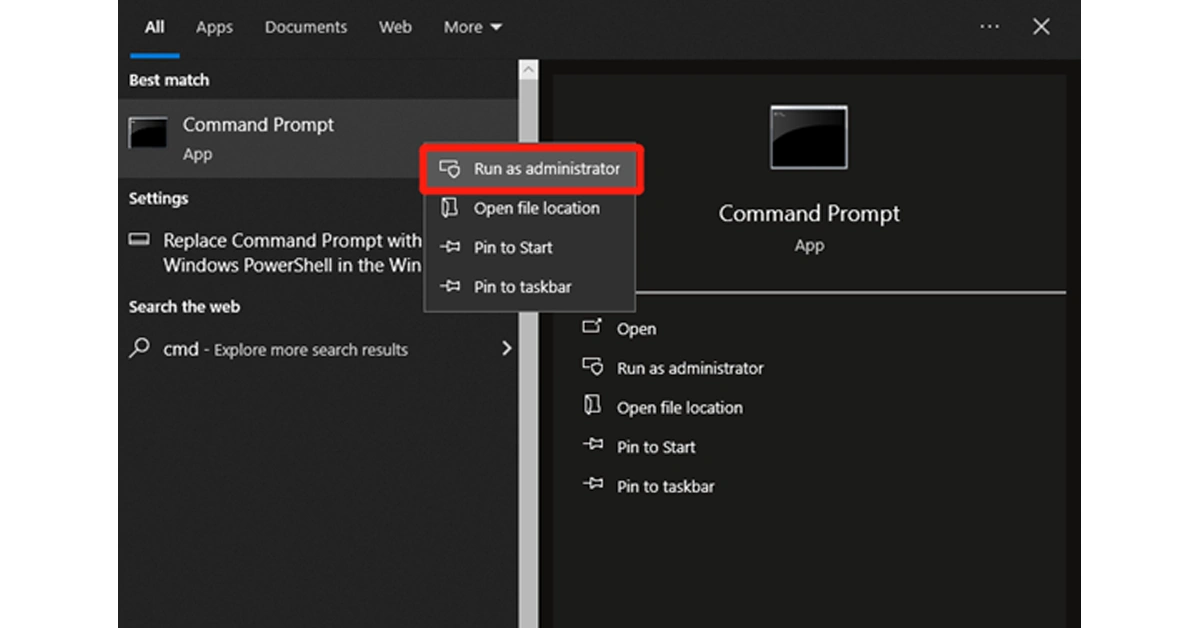 Step 2: Then, enter the “chkdsk /f /r X:” command and hit the Enter key. Remember to replace X: with your actual drive letter.
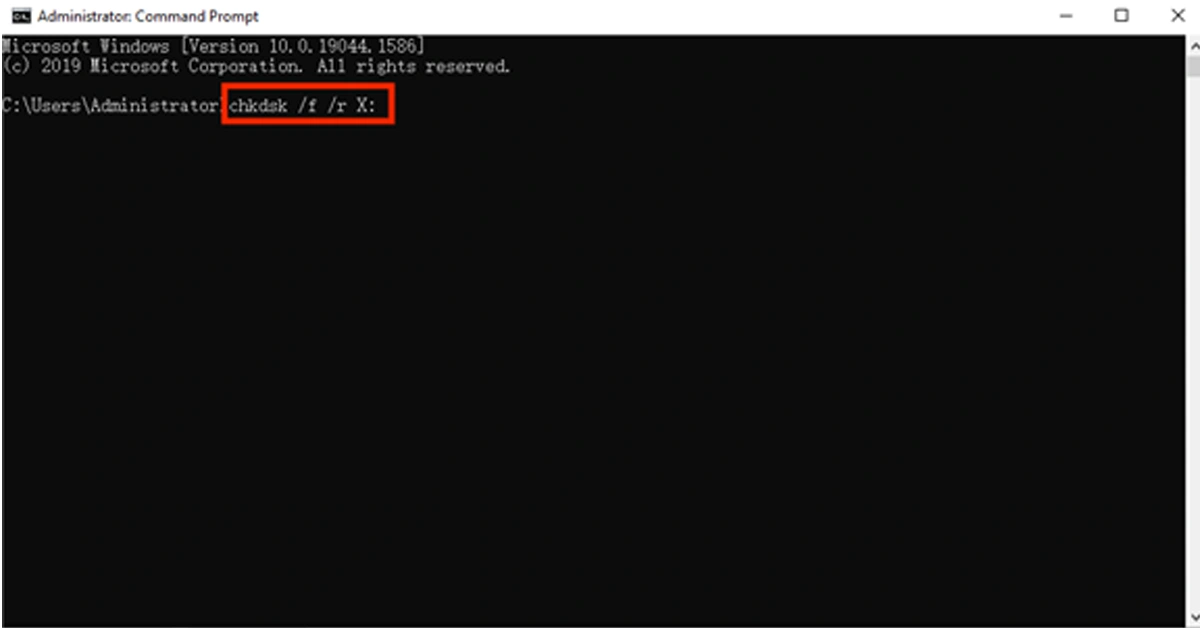 Step 3: If necessary, restart your computer to complete the repair process.
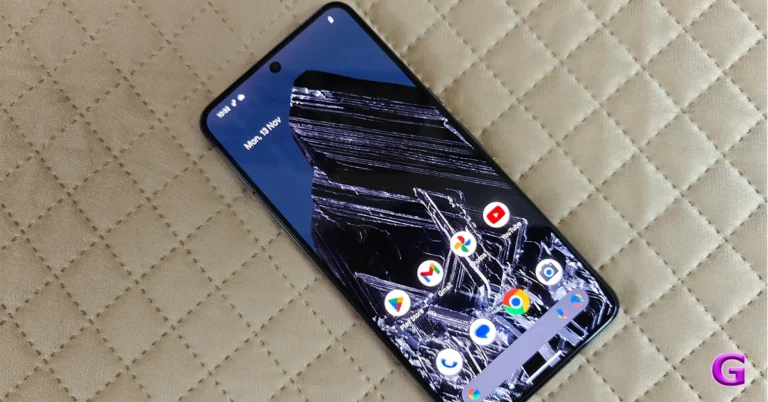
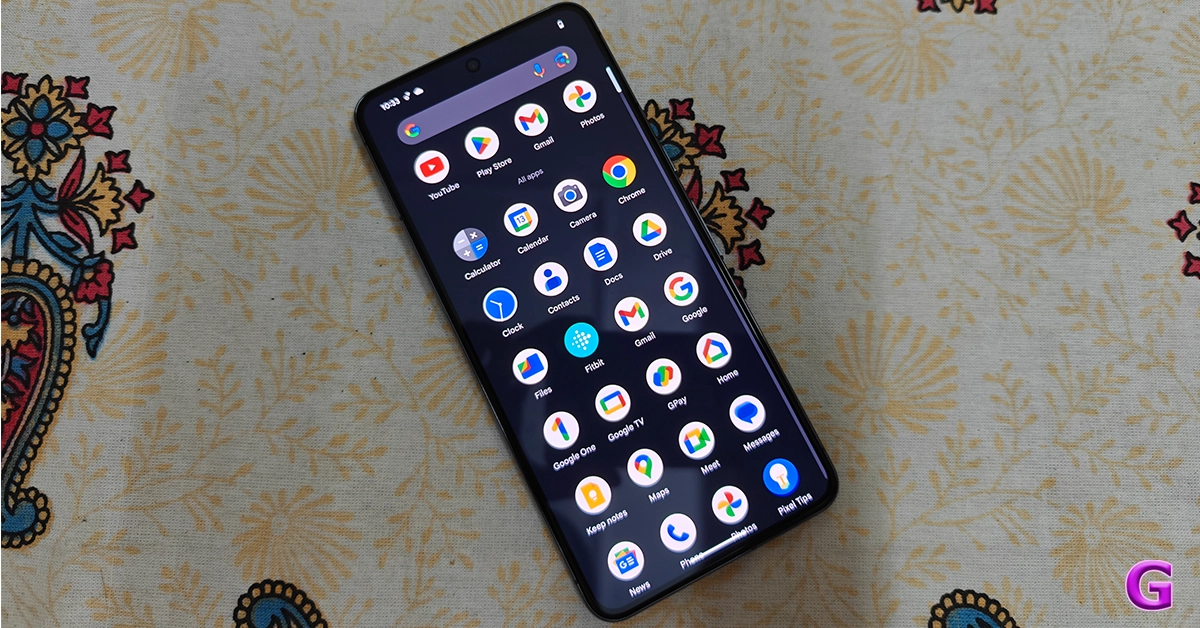 Step 1: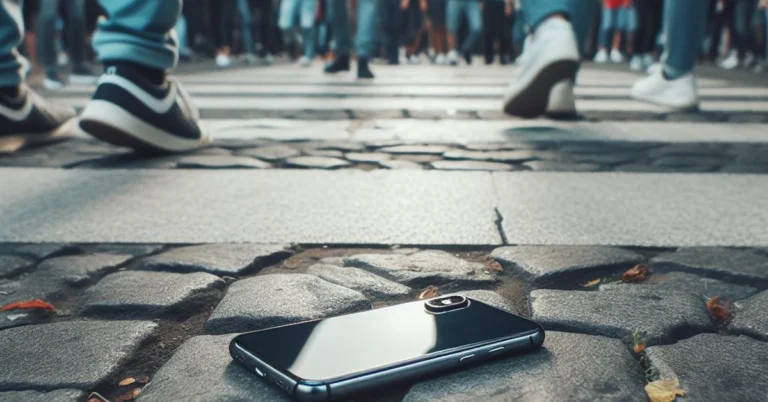
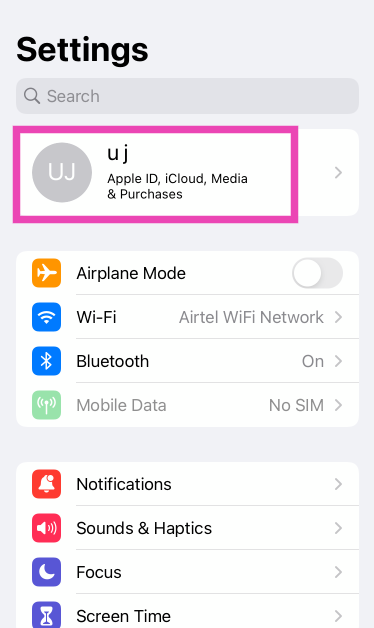 Step 2:
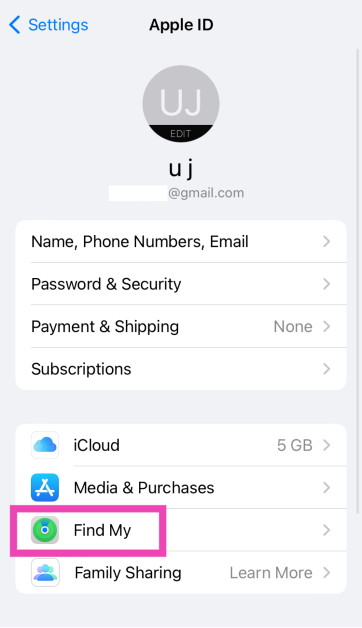 Step 3:
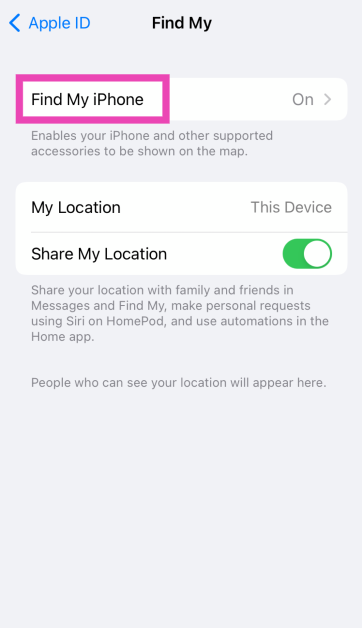 Step 4: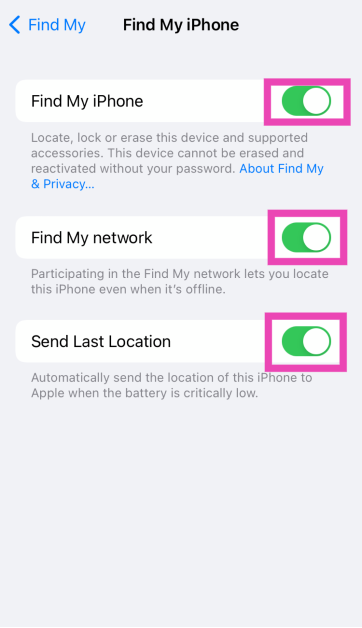
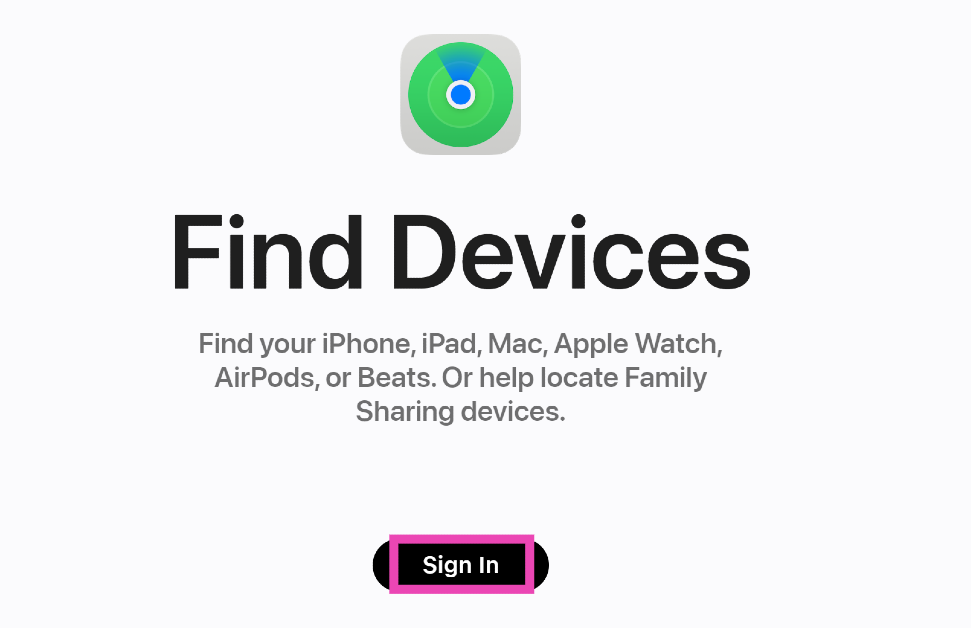 Step 3:
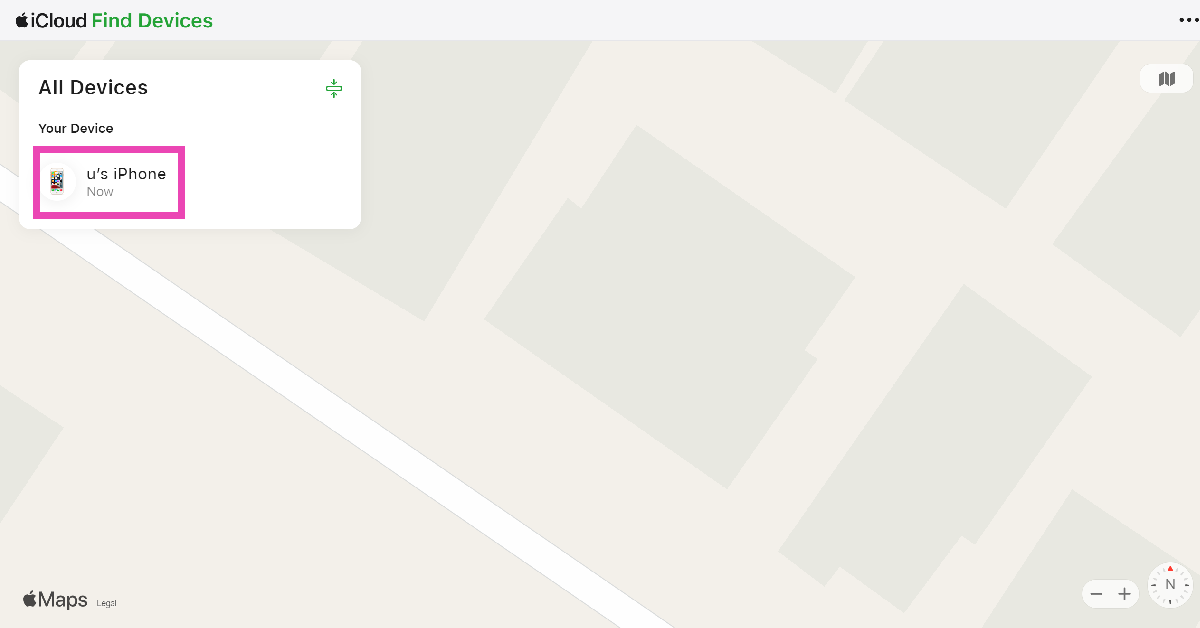 Step 4: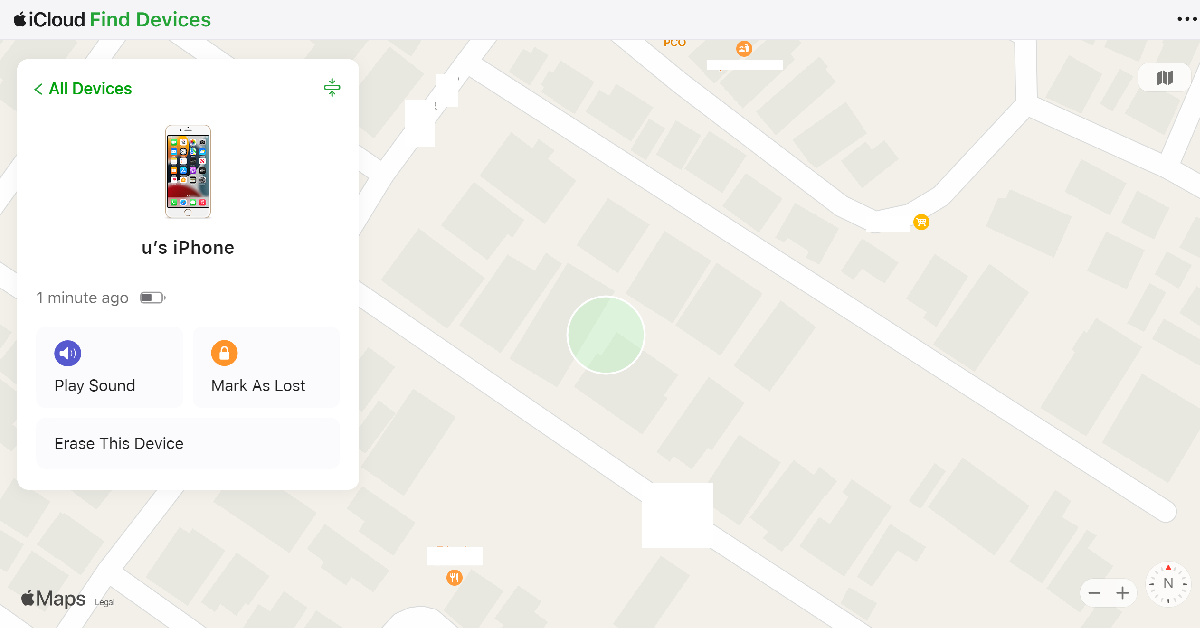
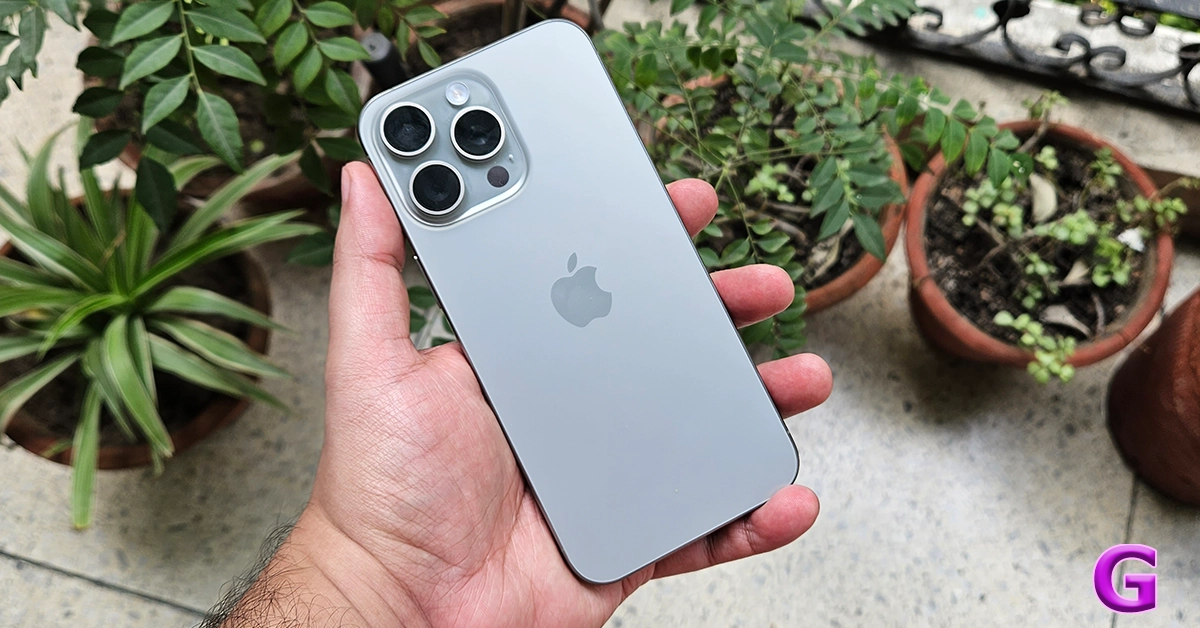
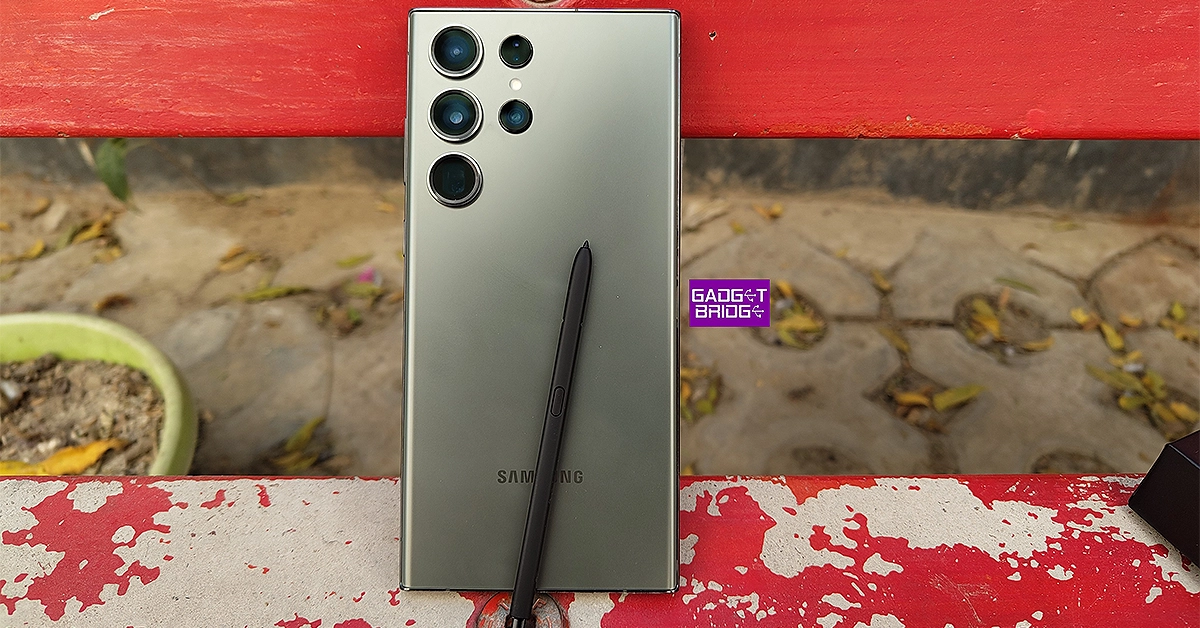
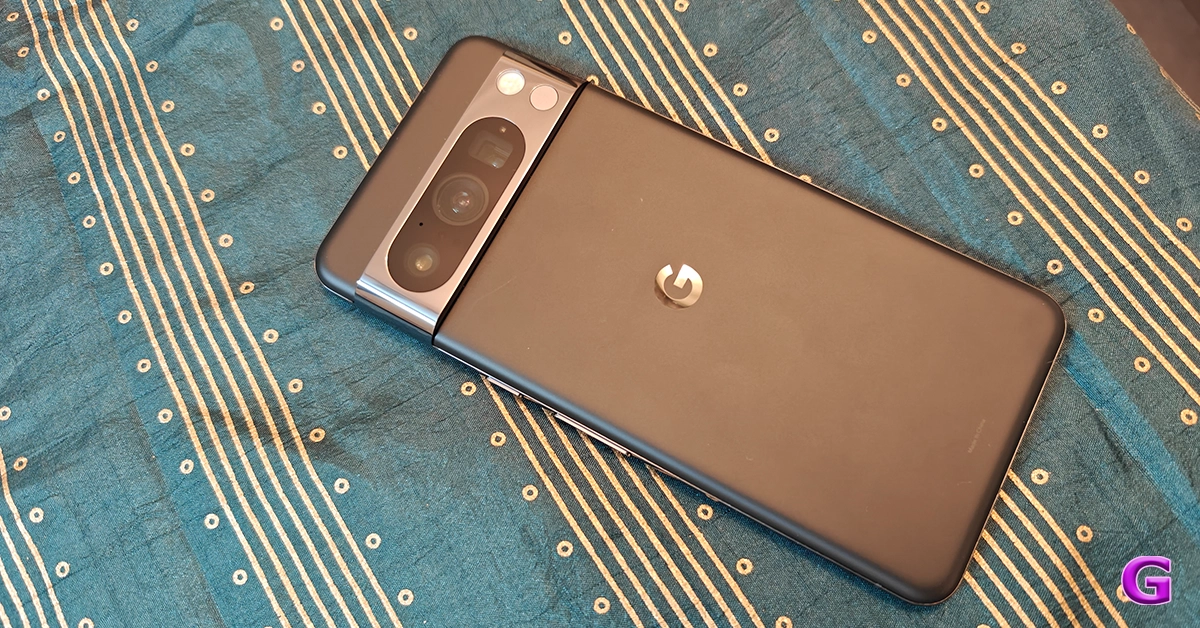


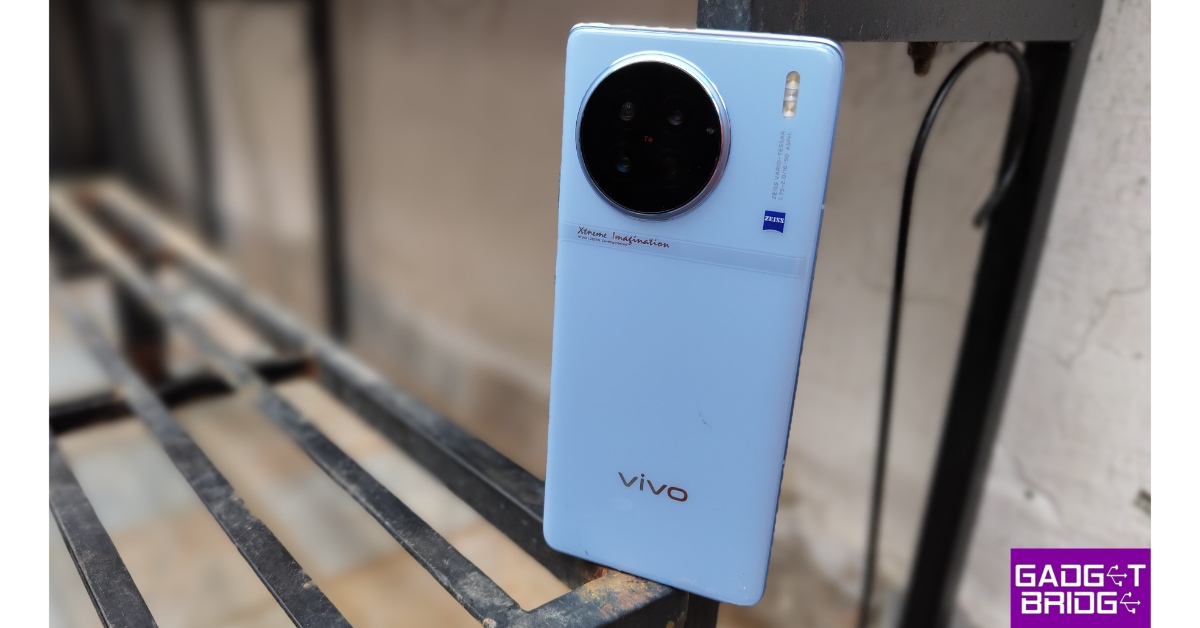
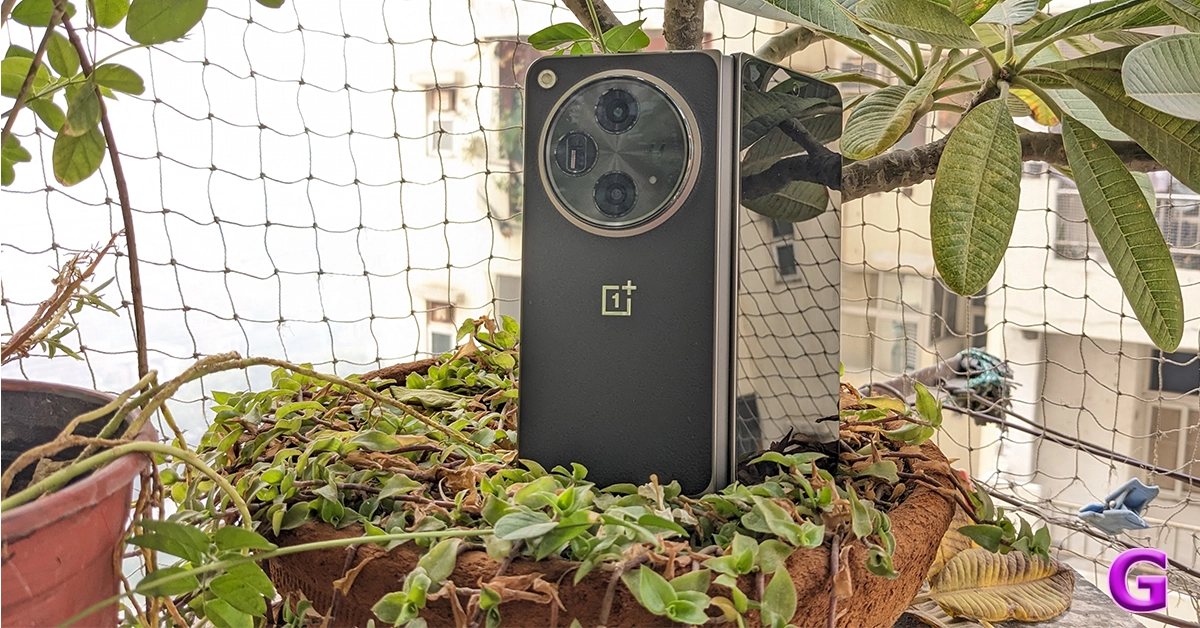
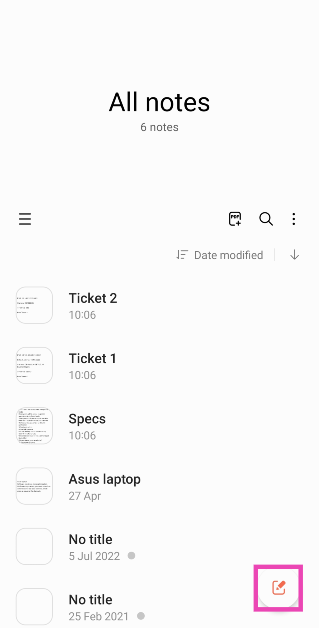 Step 3:
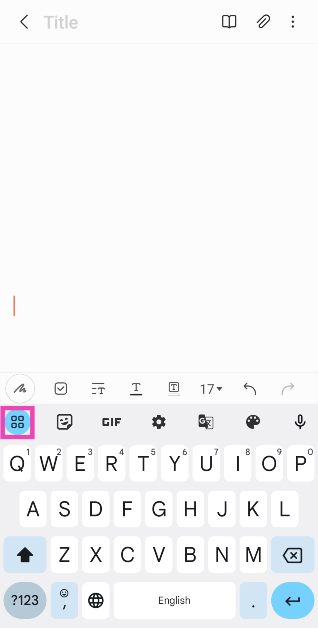 Step 4:
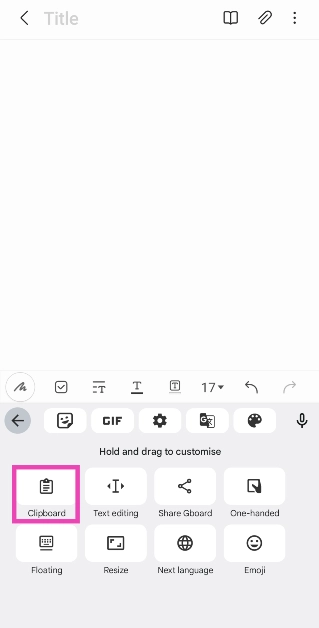 Step 5: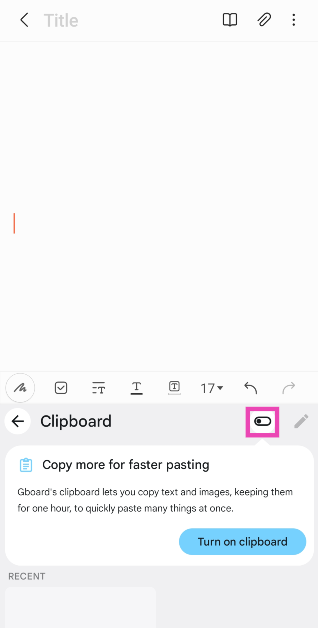
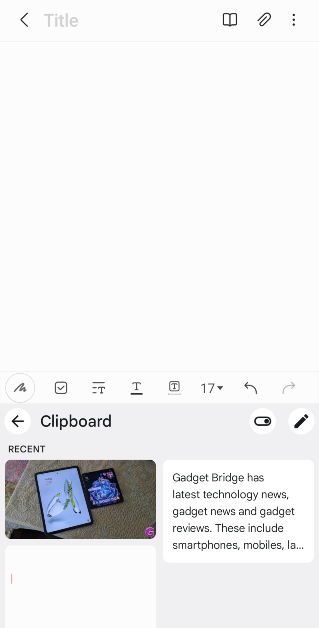
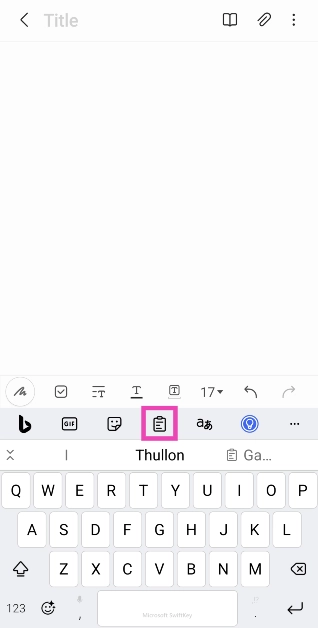 Step 5:
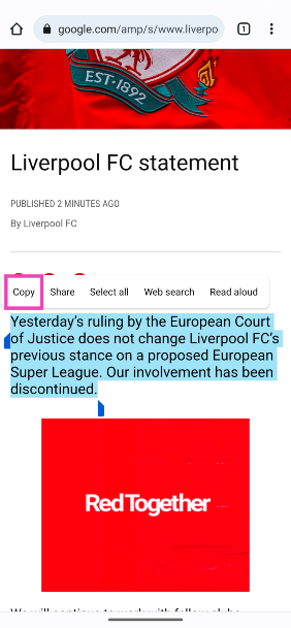 Step 4: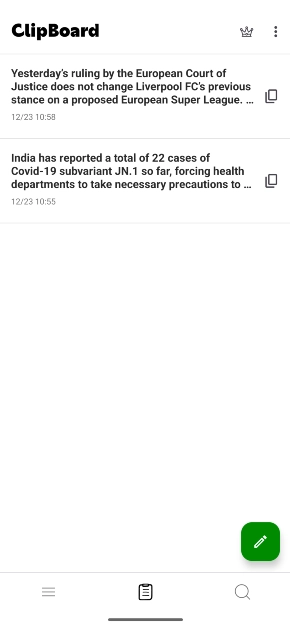
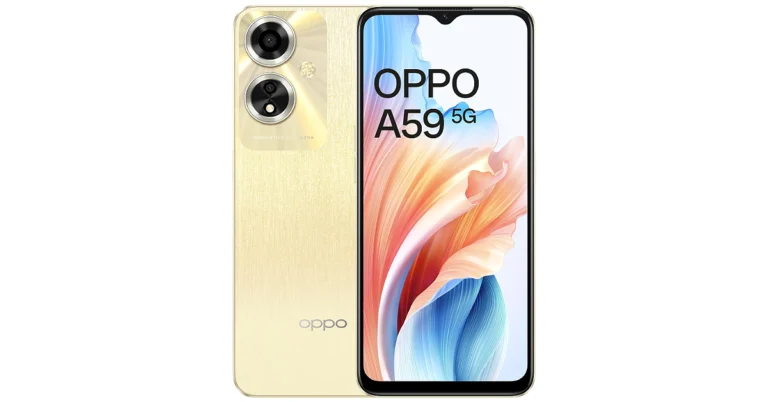



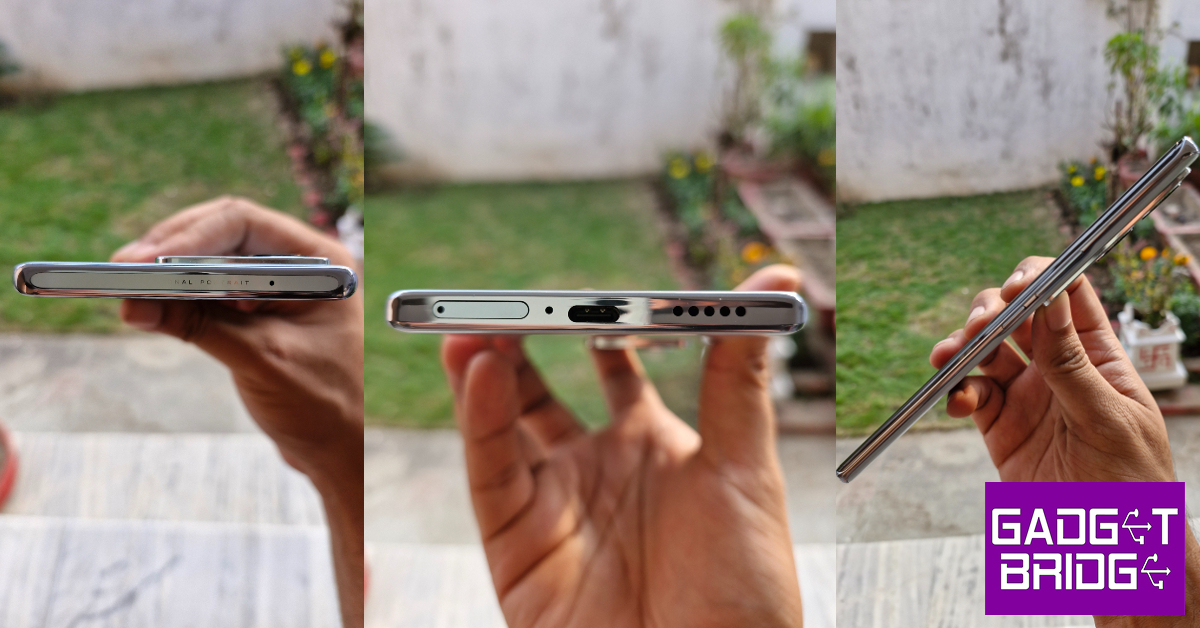
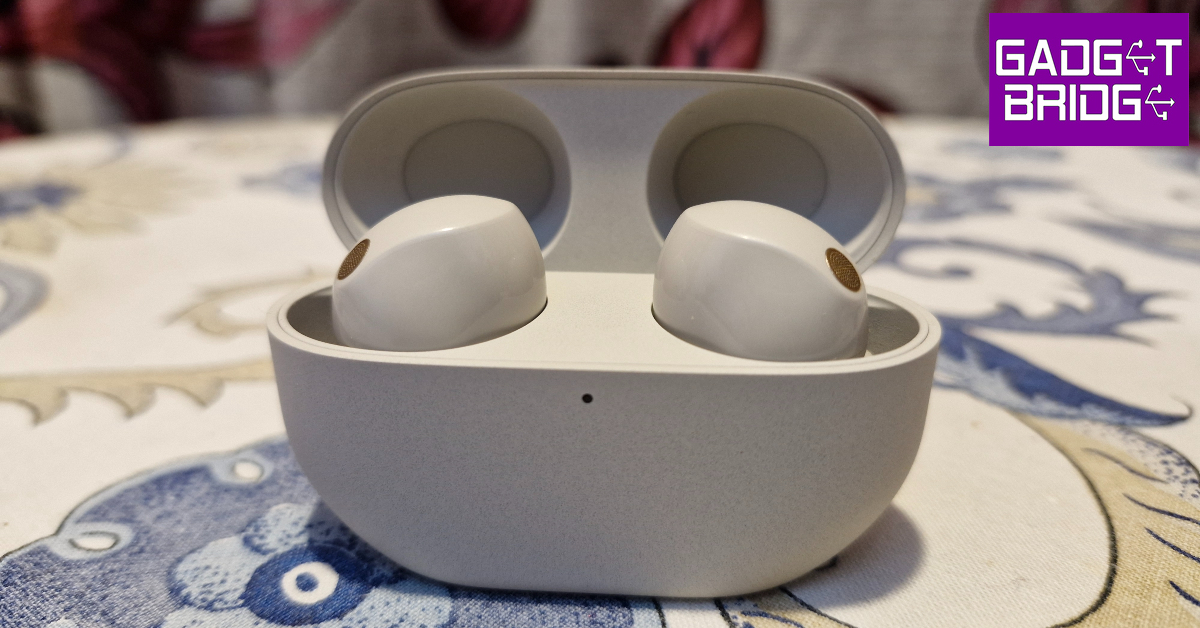
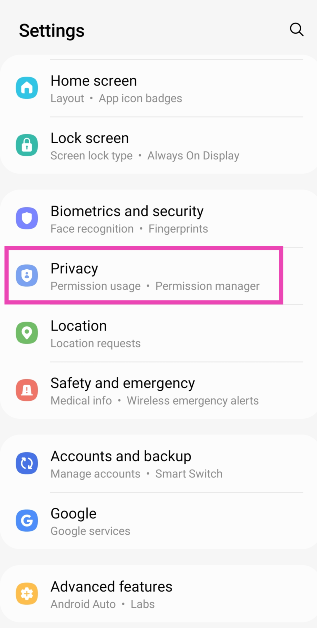 Step 2: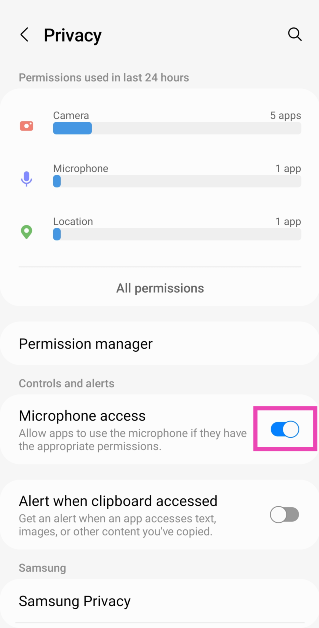
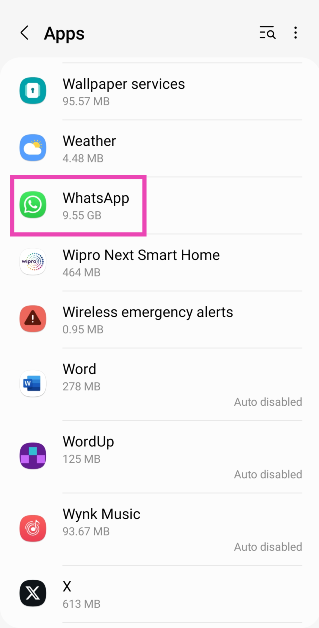 Step 3:
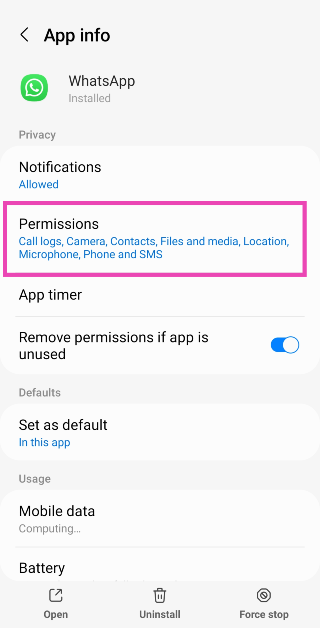 Step 4: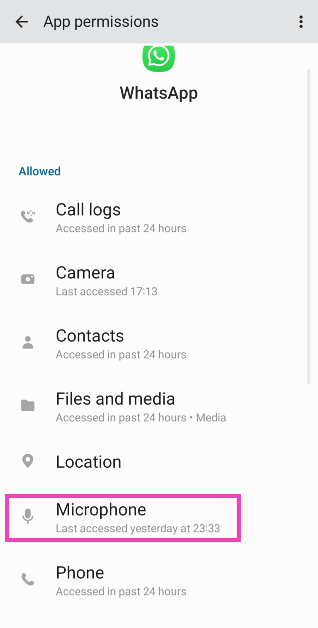
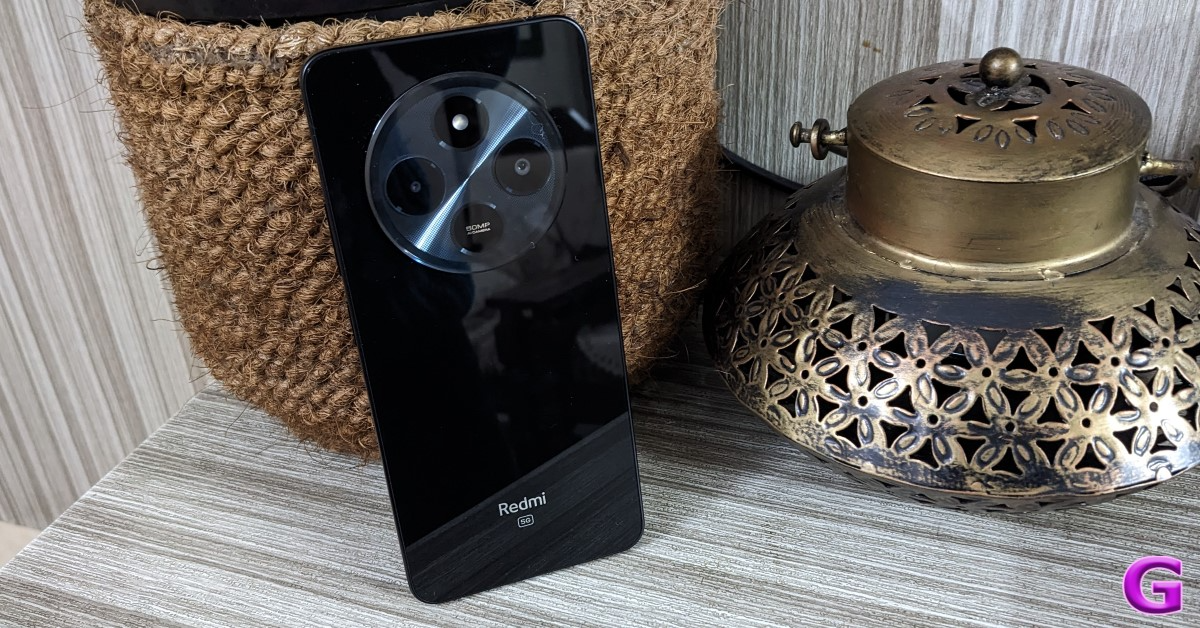 If you’re facing microphone trouble on cellular calls, try recording a sample voice note on the voice recorder app to confirm that the mic is at fault. If the voice note has no aberrations and is recorded in perfect quality, there is nothing wrong with your phone’s microphone. The fault may lie with the cellular network.

 Step 2:
 Step 3:
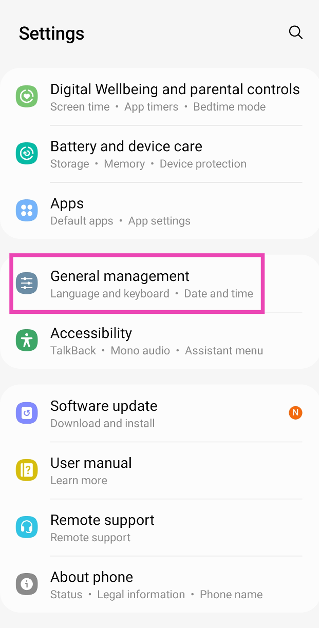 Step 2:
 Step 3:
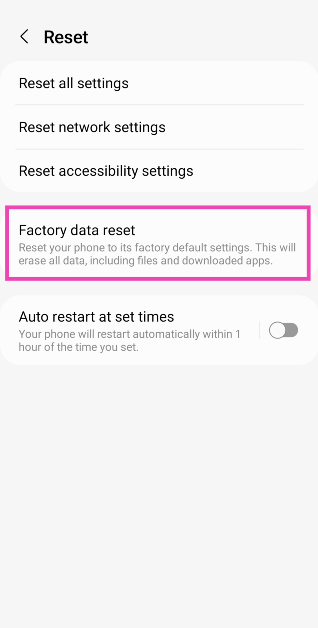 Step 4: