In This Article
Realme Buds Air 7 Pro TWS features
The Realme Buds Air 7 Pro TWS include an in-ear design, a six-mic AI-backed noise cancellation technology that supports up to 53dB ANC, and a dual-dac driver arrangement that measures 11mm and 6mm. Swift Pair, Bluetooth 5.4, dual device connectivity, Hi-Res Audio Wireless certification, LHDC audio codec compatibility, up to 45 ms low latency for minimum audio-visual lag, and an IP55 rating for dust and water resistance are all features of the Buds Air 7 Pro headphones.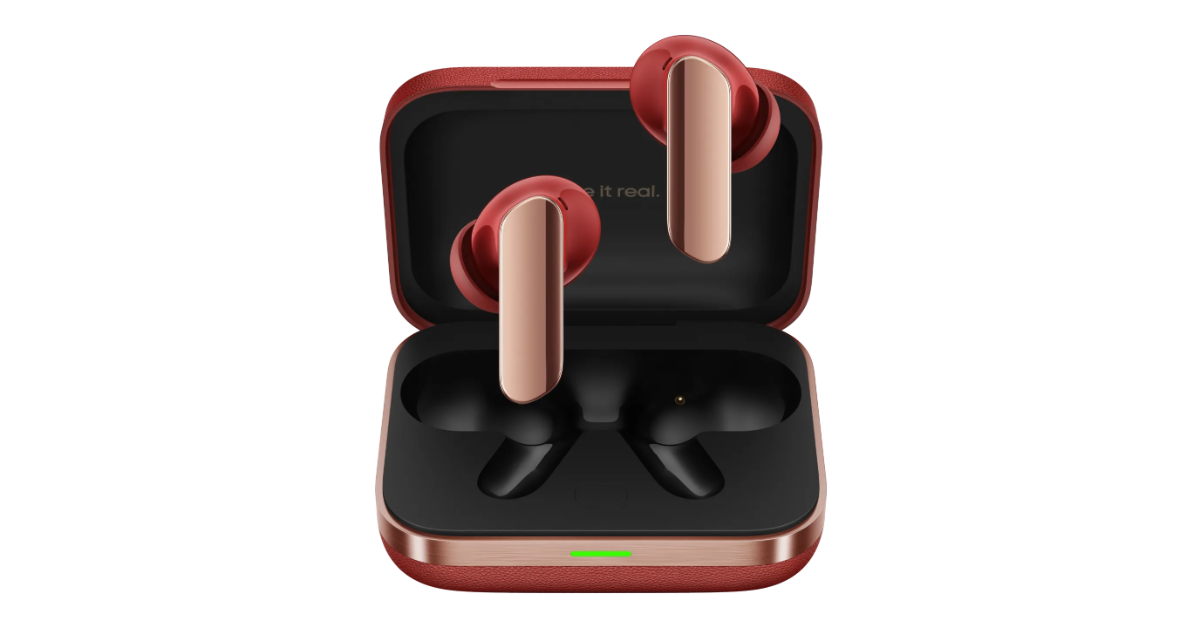 The Buds Air 7 Pro have a 48-hour battery life, with LHDC cutting the playing duration to 28 hours. You may use it for up to 11 hours with a quick 10-minute charge.
Also Read: Realme GT 7, GT 7 Dream Edition, and GT 7T featuring MediaTek’s chipset launched in India
AI functions like AI Live Translator, Face to Face Translator, and AI Inquiry are now available on the Buds Air 7 Pro, giving users simple access to Google Gemini, real-time conversation translation, voice broadcasting, and more.
With a USB Type-C connection, the charging case weighs 43.4g.
Also Read: Google is expanding Veo 3 video generation model to 71 more countries
The Buds Air 7 Pro have a 48-hour battery life, with LHDC cutting the playing duration to 28 hours. You may use it for up to 11 hours with a quick 10-minute charge.
Also Read: Realme GT 7, GT 7 Dream Edition, and GT 7T featuring MediaTek’s chipset launched in India
AI functions like AI Live Translator, Face to Face Translator, and AI Inquiry are now available on the Buds Air 7 Pro, giving users simple access to Google Gemini, real-time conversation translation, voice broadcasting, and more.
With a USB Type-C connection, the charging case weighs 43.4g.
Also Read: Google is expanding Veo 3 video generation model to 71 more countries




 Step 2:
 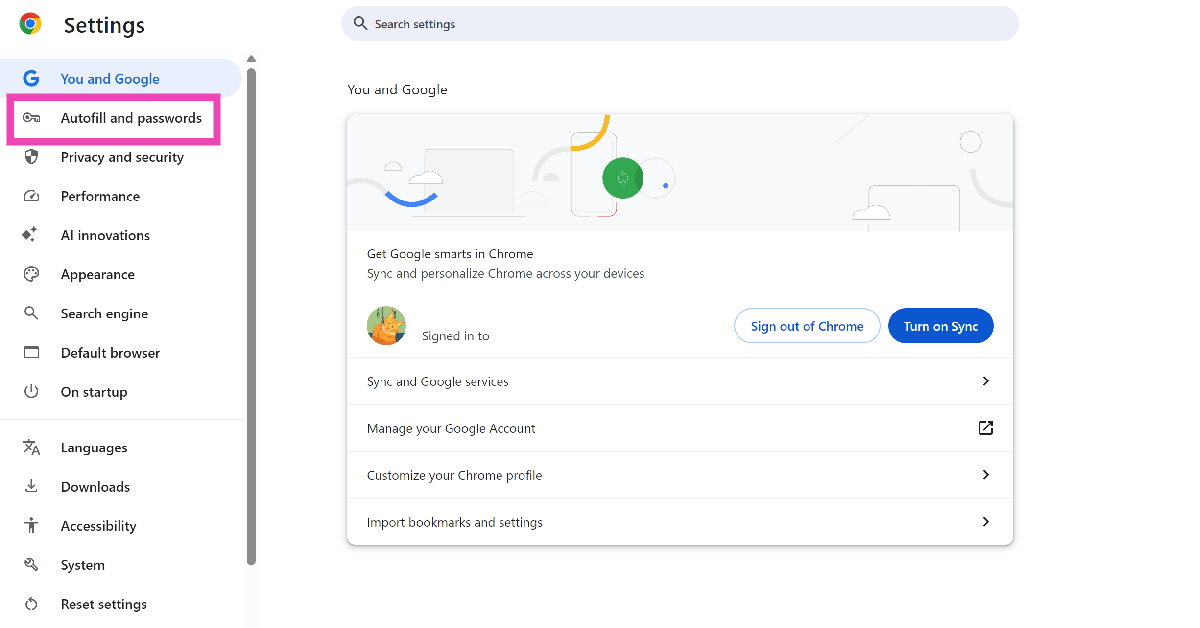 Step 3:
 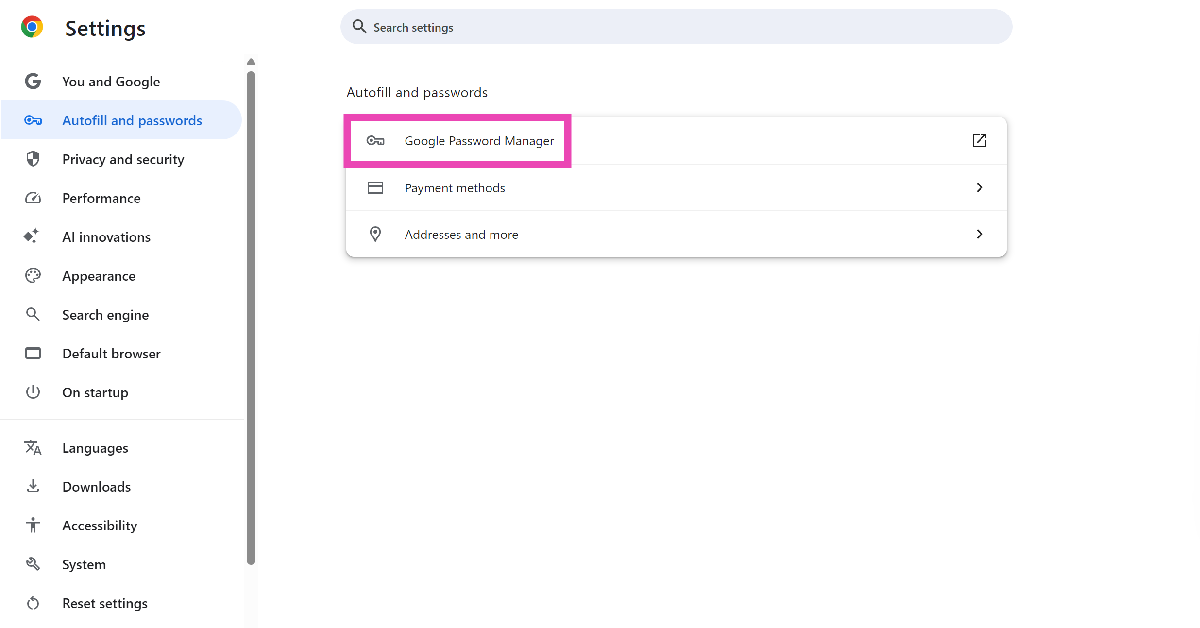 Step 4:
 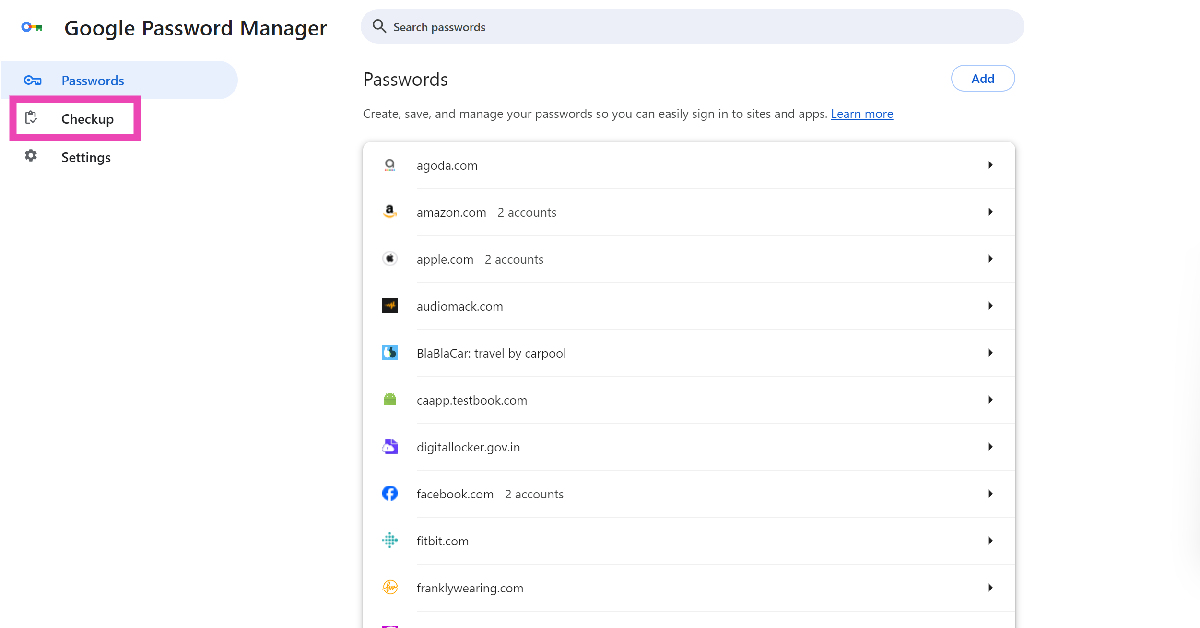 Step 5: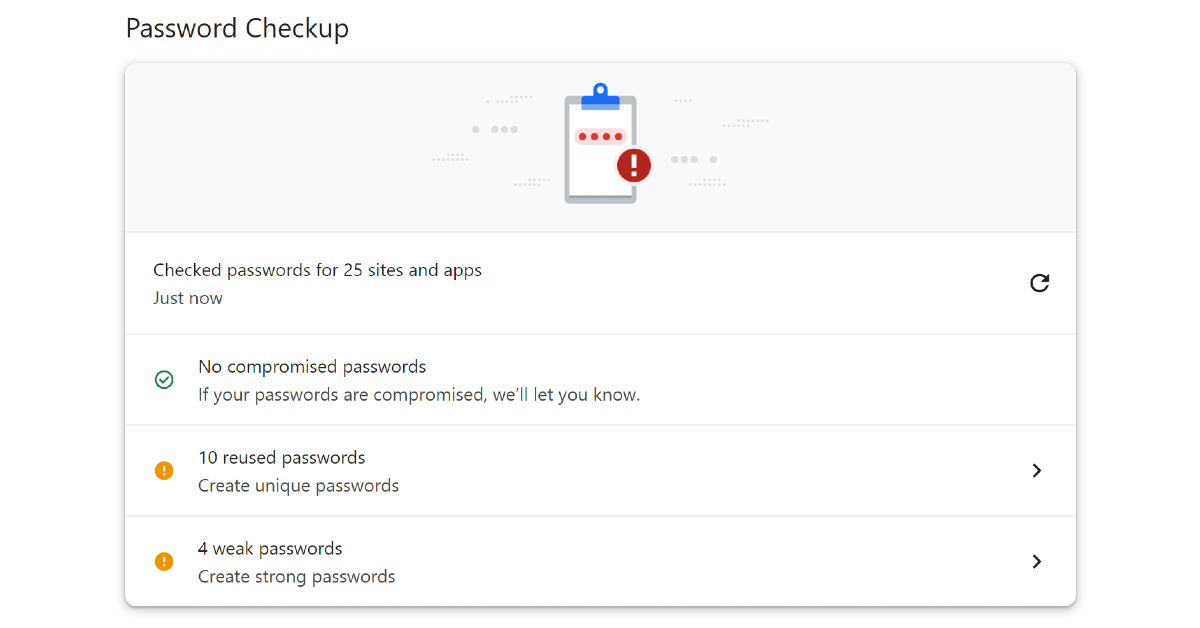
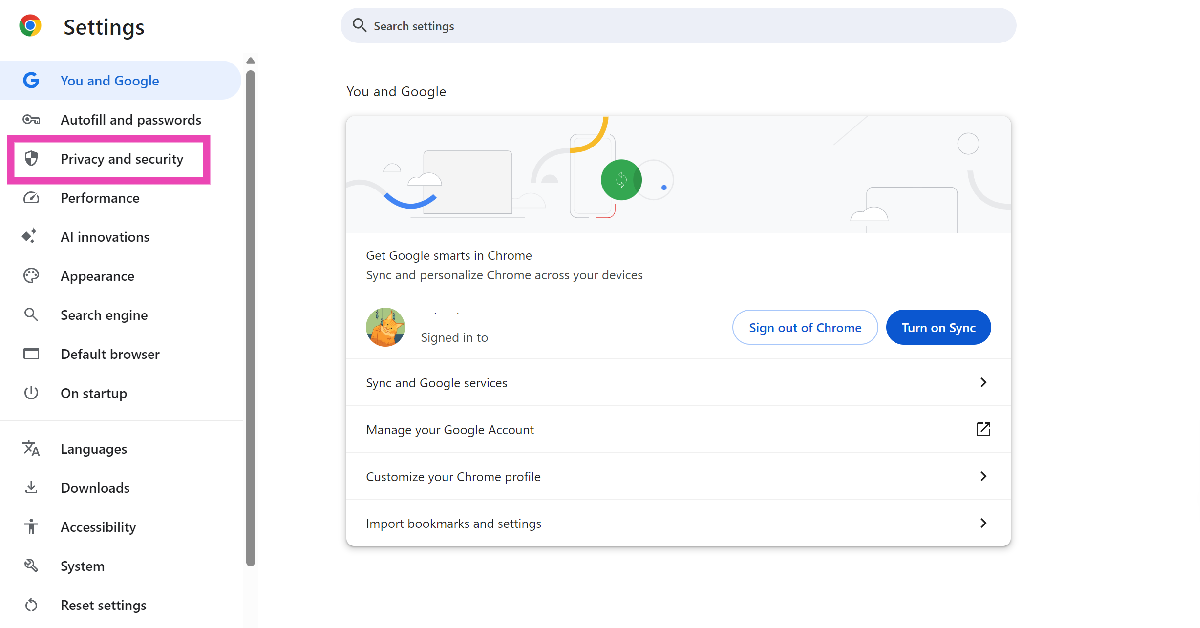 Step 3:
 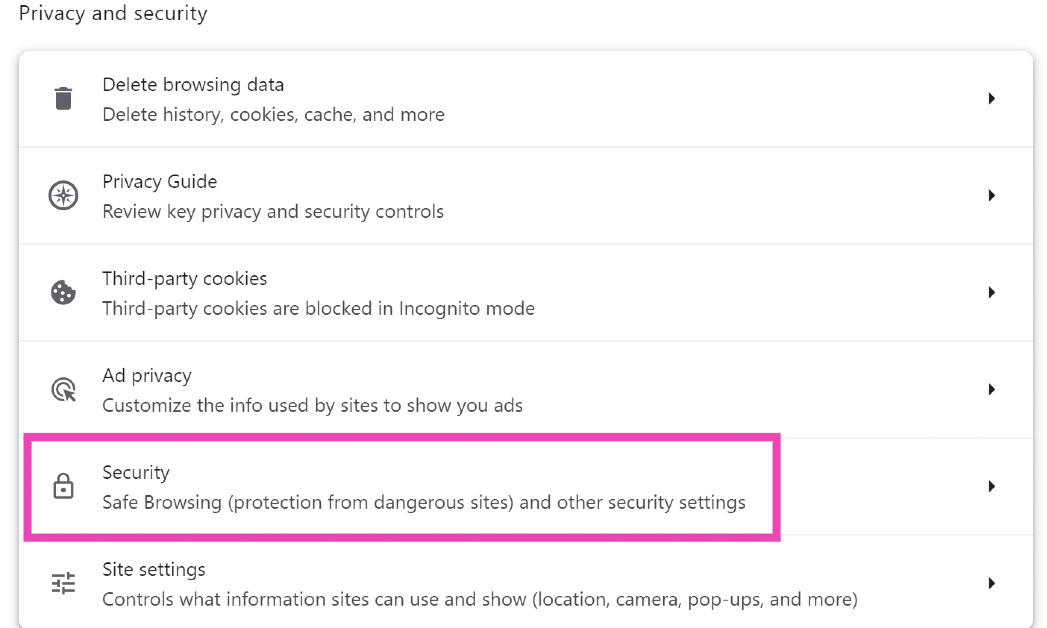 Step 4: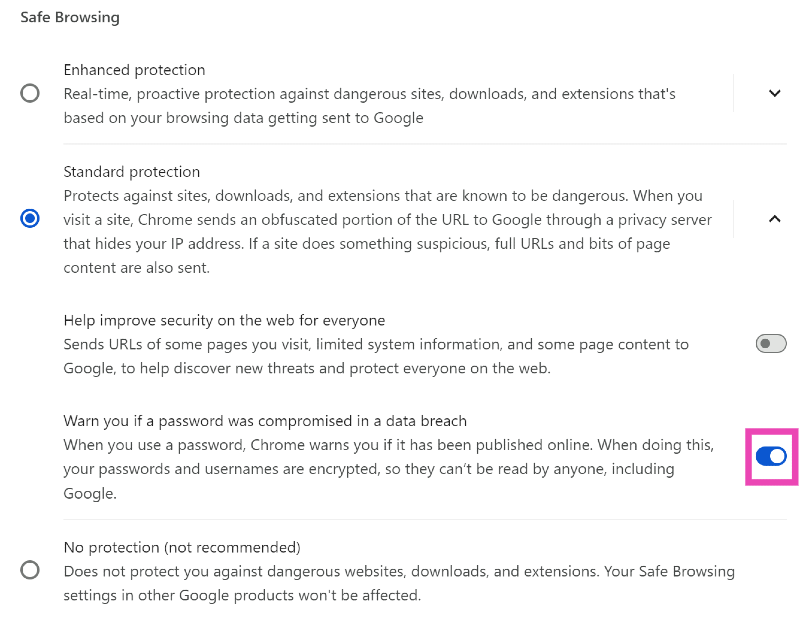
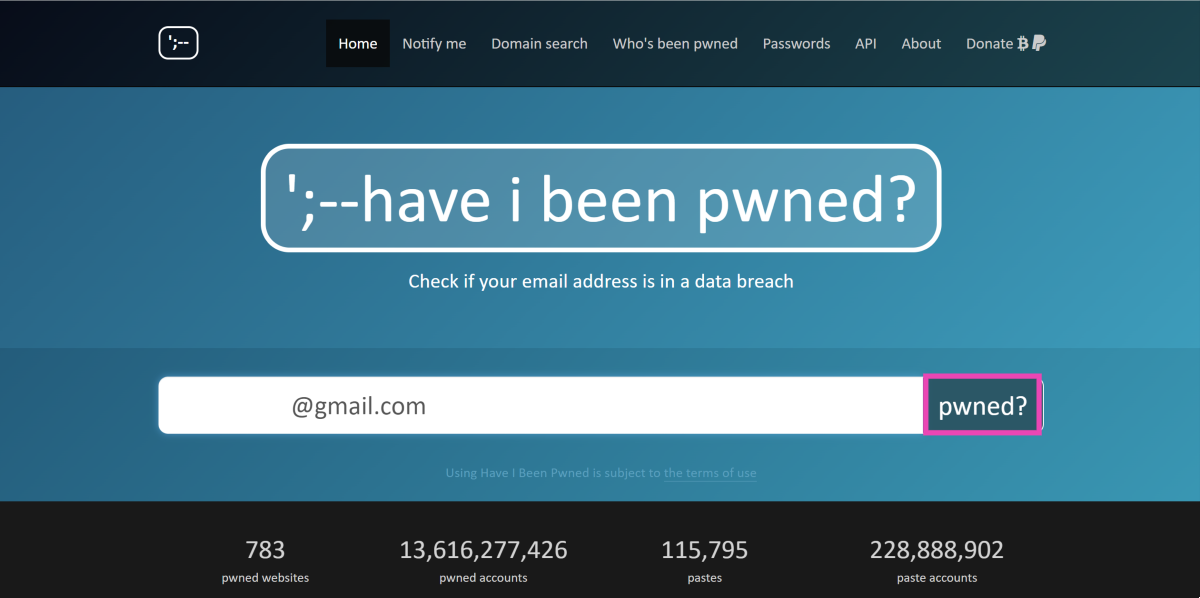 Step 3: The website will let you know if your email was found in a data breach. Scroll down to see which service breached your data. You can also check which credentials were leaked alongside your email (password, phone number, etc.).
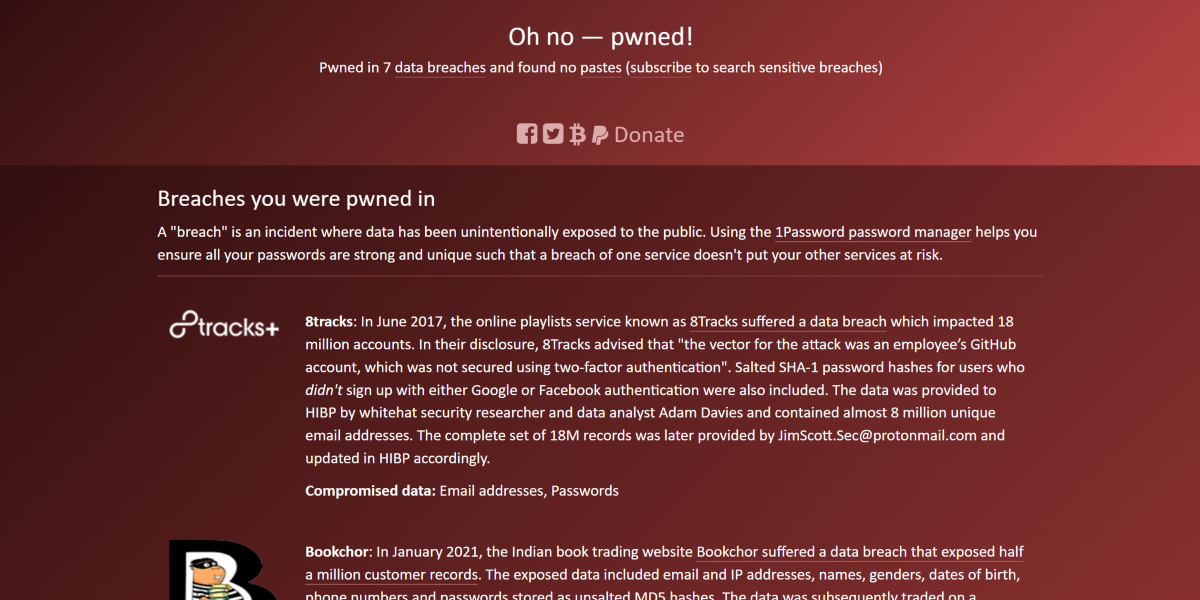 Step 4: To directly search for your password, go back to the home page and click on Passwords.
Step 5: Enter your password and click on ‘pwned?’
Step 4: To directly search for your password, go back to the home page and click on Passwords.
Step 5: Enter your password and click on ‘pwned?’
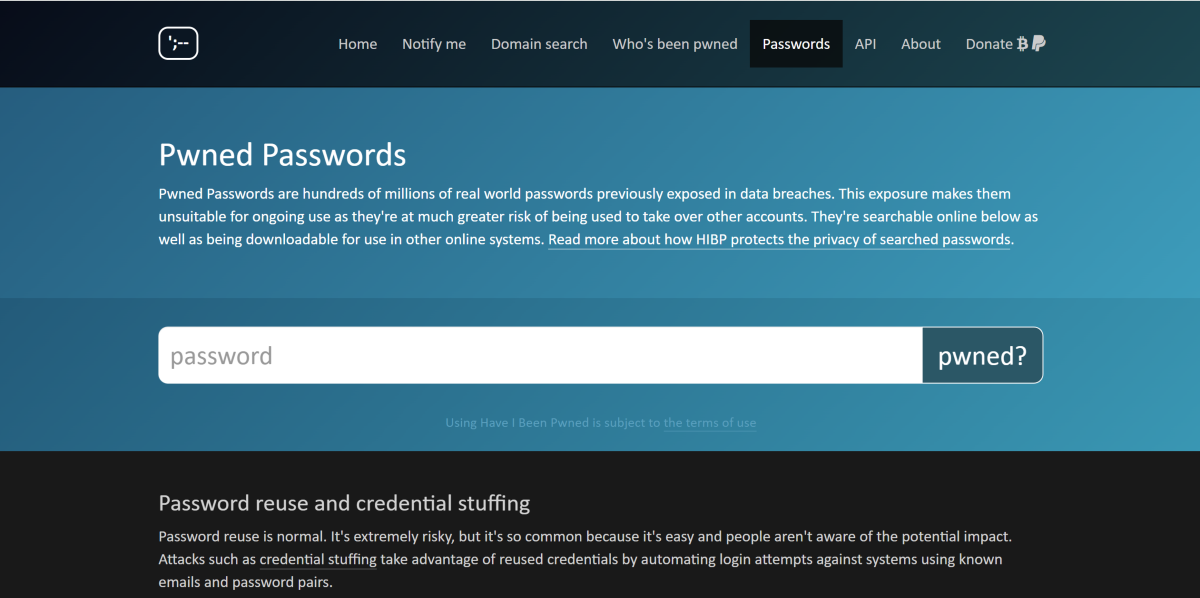 Step 6: The website will let you know if your password was found in a data breach.
















 Step 3:
 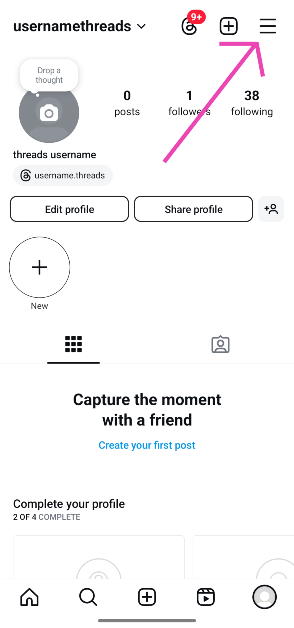 Step 4:
 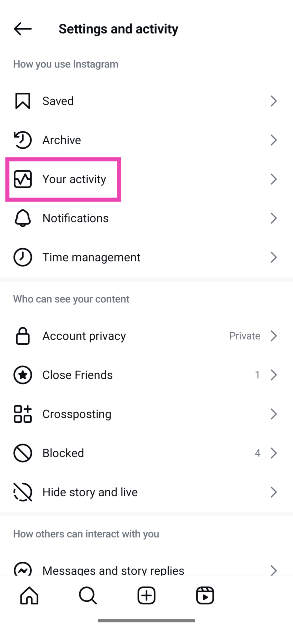 Step 5:
 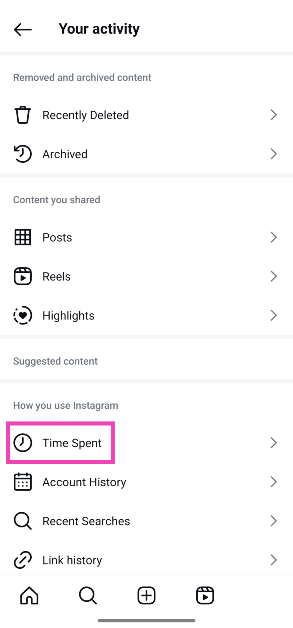 Step 6:
 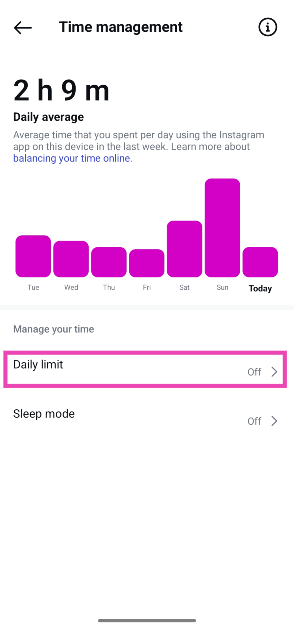 Step 7: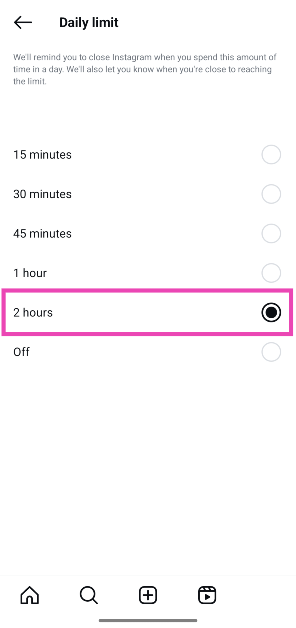
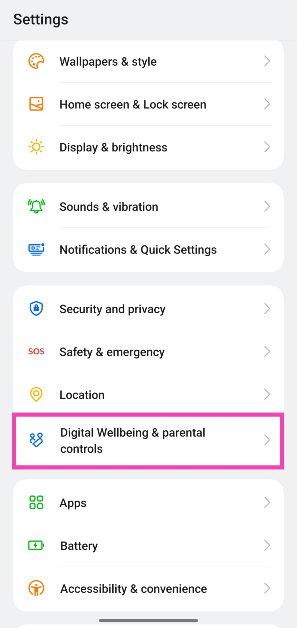 Step 2:
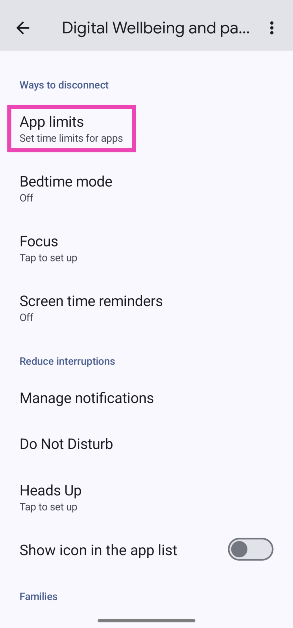 Step 3:
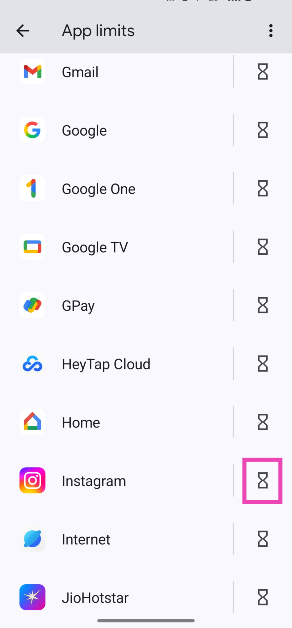 Step 4: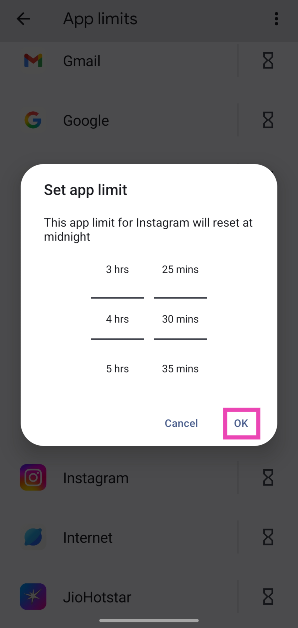




















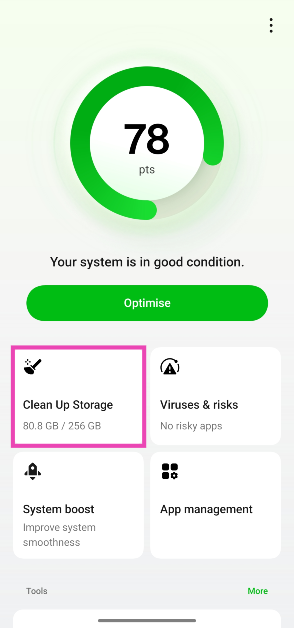 Step 3:
 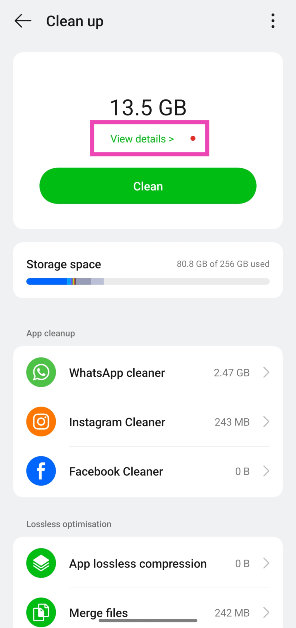 Step 5:
 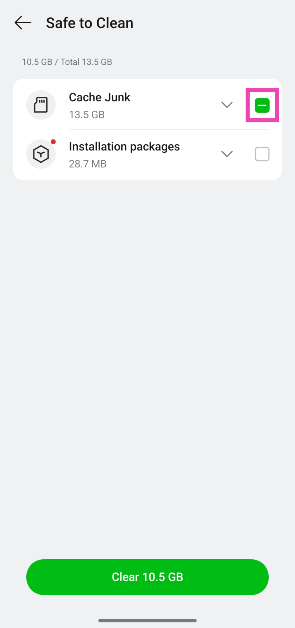 Step 6:
 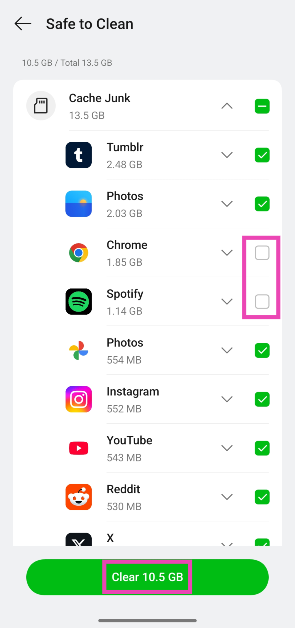 Step 7:
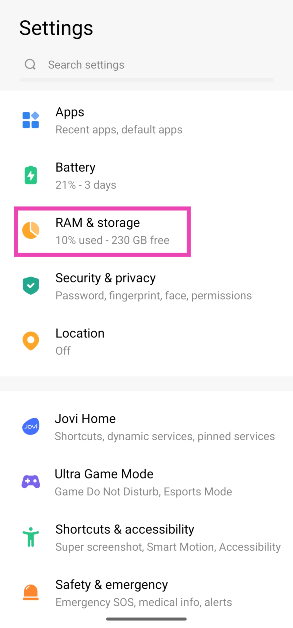 Step 2:
 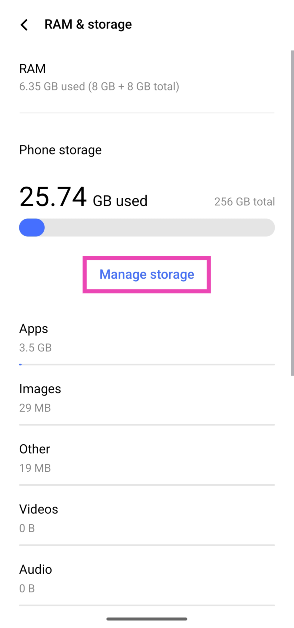 Step 3:
 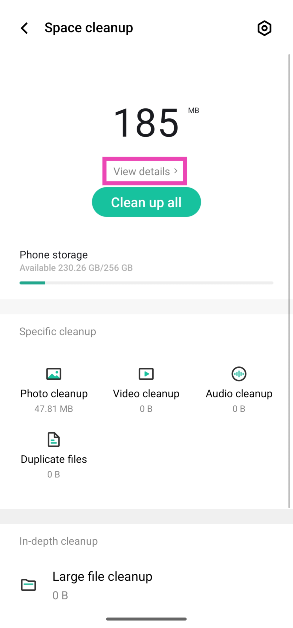 Step 4:
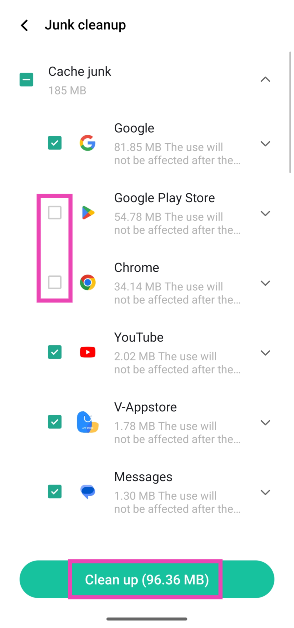 Step 5:
 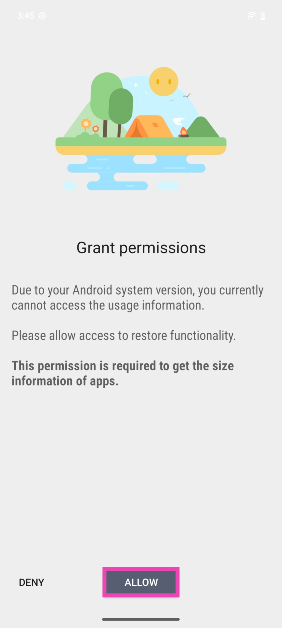 Step 3:
 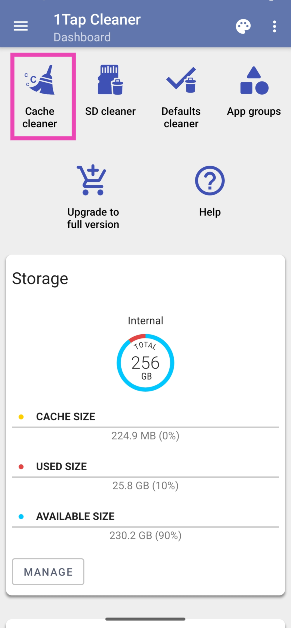 Step 4:
 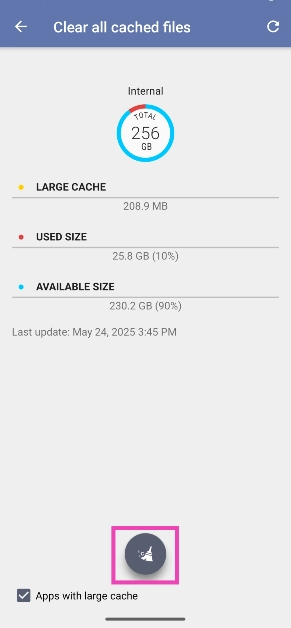 Step 5:
 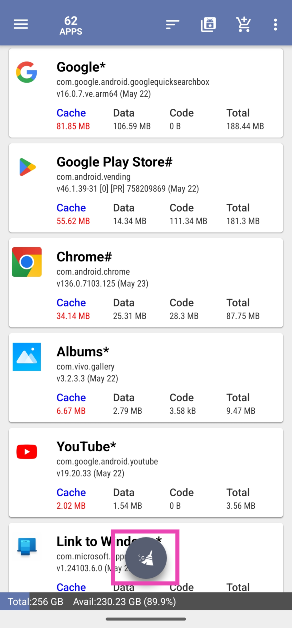 Step 6: Uncheck
 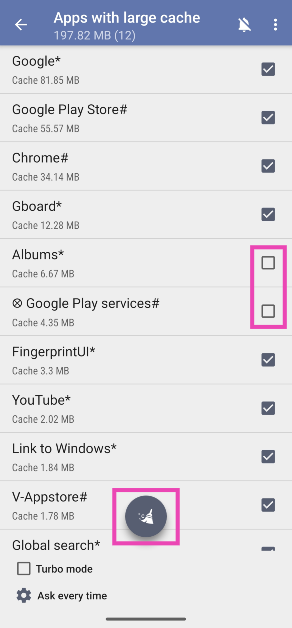 Step 7:
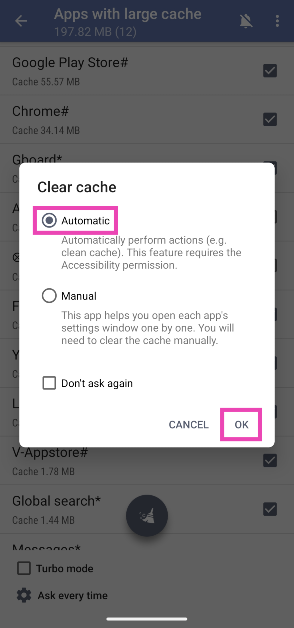 Step 8:
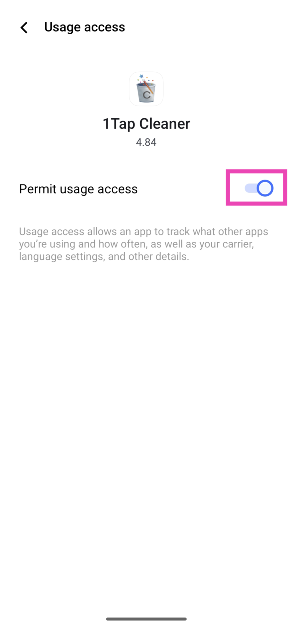 Step 9: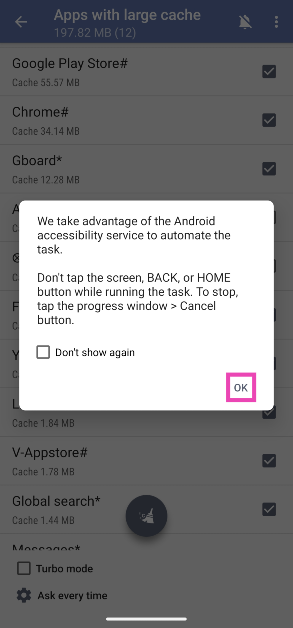





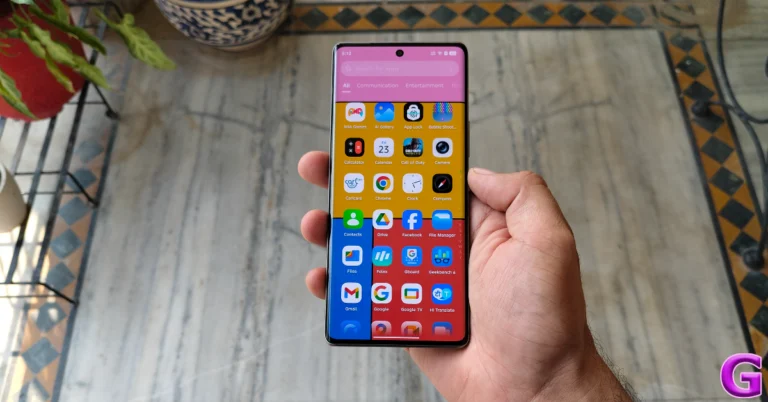
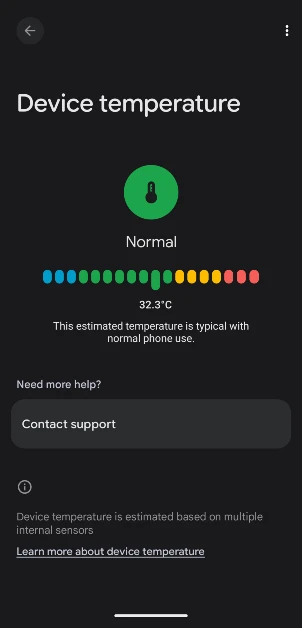
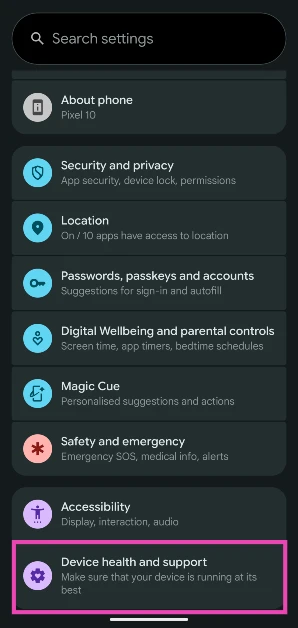 Step 2: Tap on Device temperature.
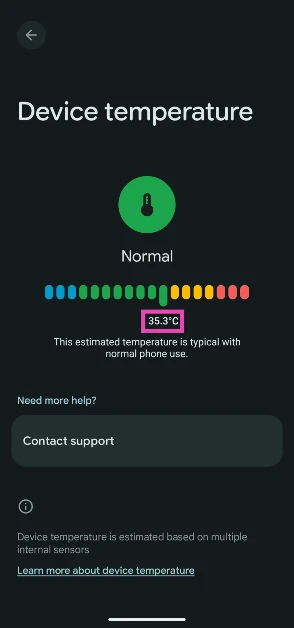
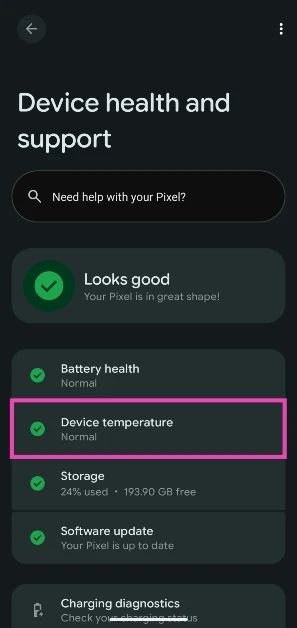 Step 3: The internal temperature of the phone will be displayed on the screen.
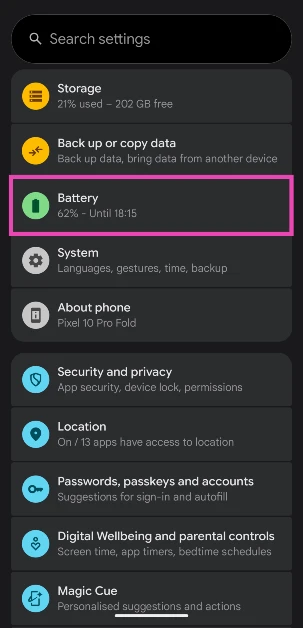 Step 2: Tap on Battery diagnostics.
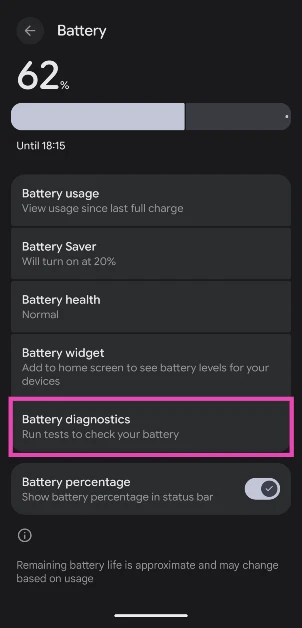 Step 3: Tap on Phone is very warm.
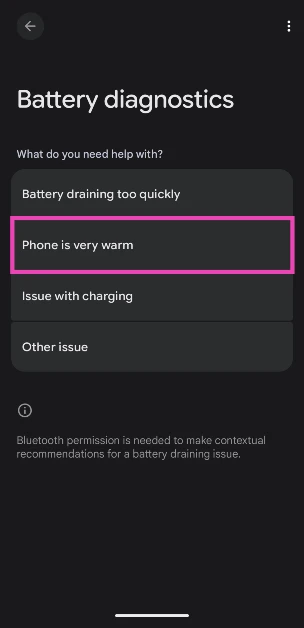 Step 4: Your phone will conduct a diagnostic test and let you know its internal temperature.
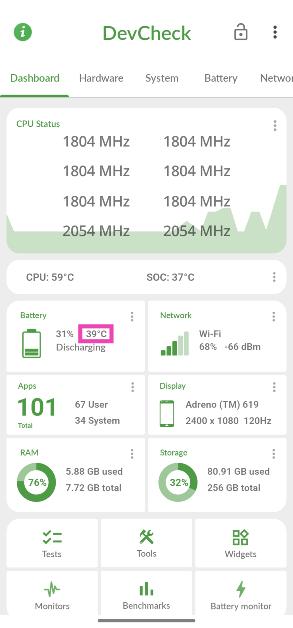 Step 3: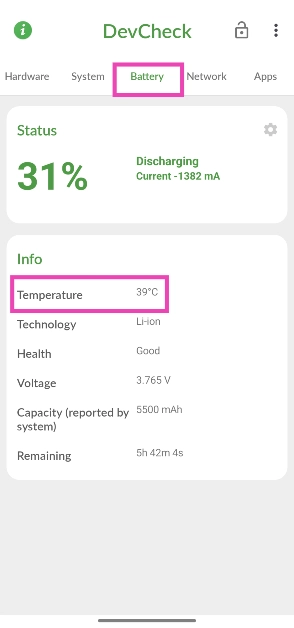
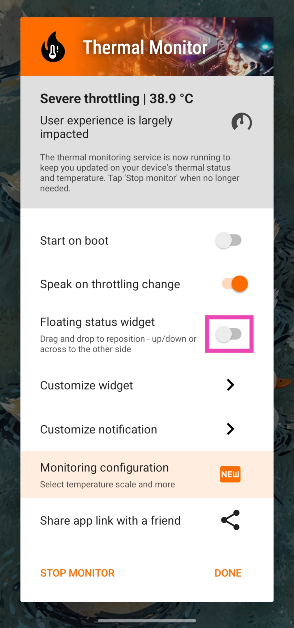 Step 3:
 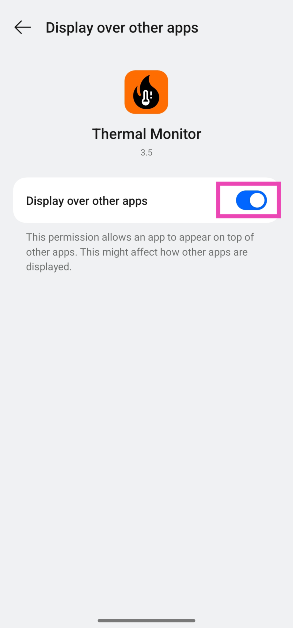 Step 4:
 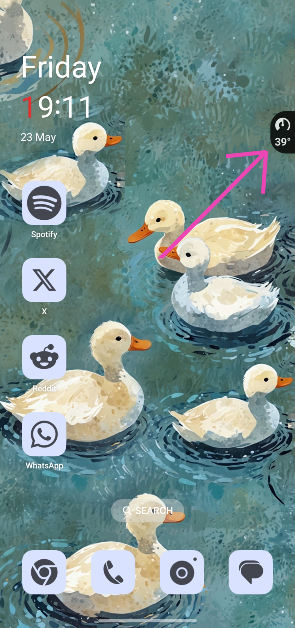 Step 6: Swipe down