In This Article
Tips to keep your phone cool
If your phone warms up after a few minutes of activity, here are some tips you can use to keep it cool.- Do not place it under direct sunlight
- Limit background app usage
- Remove the phone case/cover
- Do not play games while charging the device
- Use Bypass charging
- Turn off fast charging
- Use the original charger
- Lower the screen brightness
- Avoid heavy tasks
Use Device Health and Support in settings
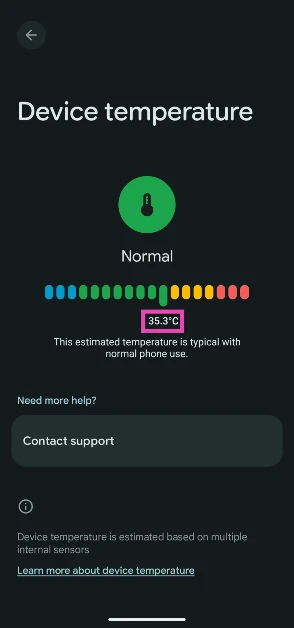
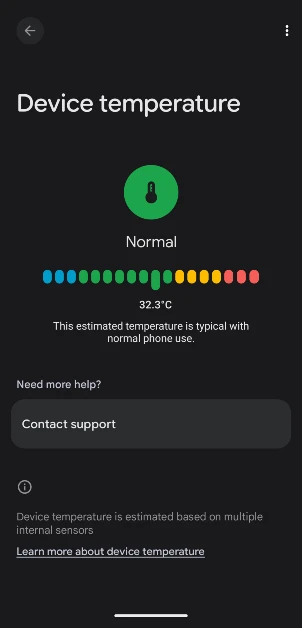
Step 1: Go to Settings and tap on Device health and support.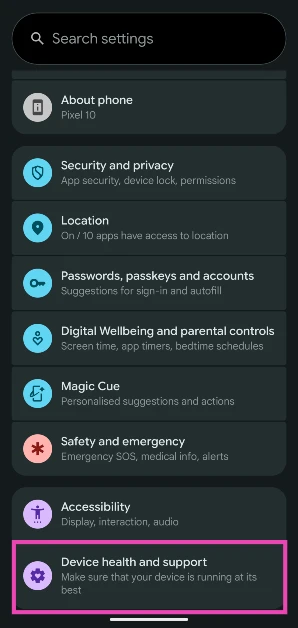 Step 2: Tap on Device temperature.
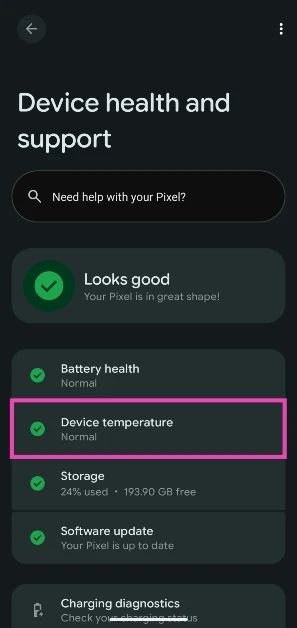 Step 3: The internal temperature of the phone will be displayed on the screen.
Use Battery settings
Step 1: Go to Settings and select Battery.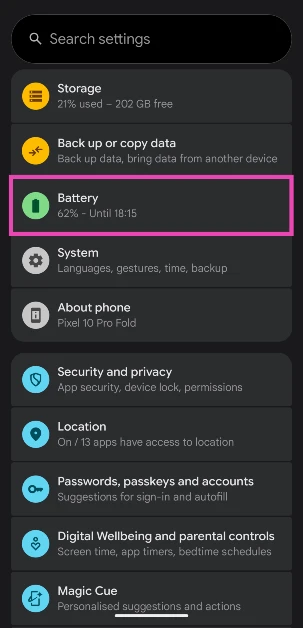 Step 2: Tap on Battery diagnostics.
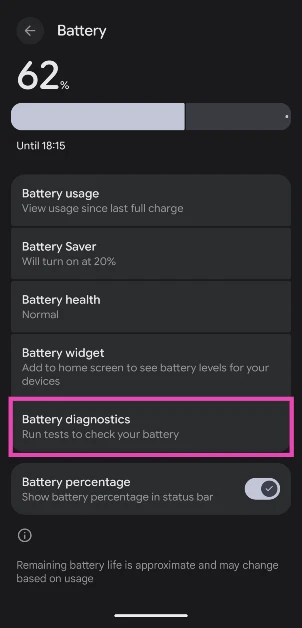 Step 3: Tap on Phone is very warm.
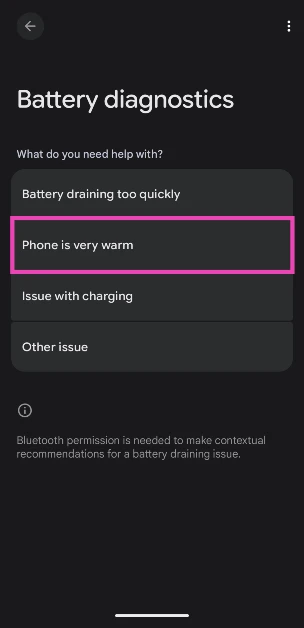 Step 4: Your phone will conduct a diagnostic test and let you know its internal temperature.
Use the DevCheck Device & System Info app
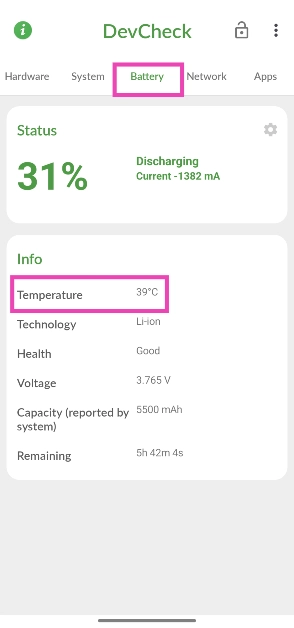
Step 1: Install the DevCheck Device & System Info app from the Google Play Store. Step 2: Launch the app and view the internal temperature in the battery section.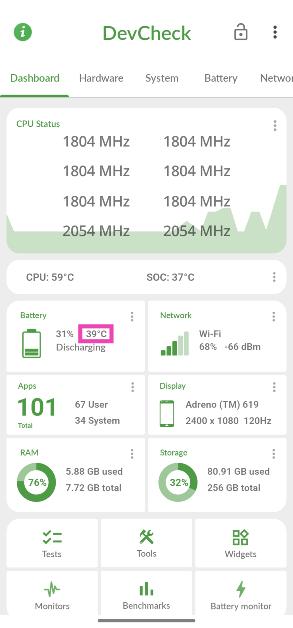 Step 3: Alternatively, switch to the Battery tab and look for the temperature under Info.
Use Thermal Monitor to view the real-time temperature
If you want to keep an eye on the temperature of your phone in real time without opening an app, use Thermal Monitor. Step 1: Install the Thermal Monitor app from the Google Play Store. Step 2: Launch the app and turn on the toggle switch next to Floating status widget.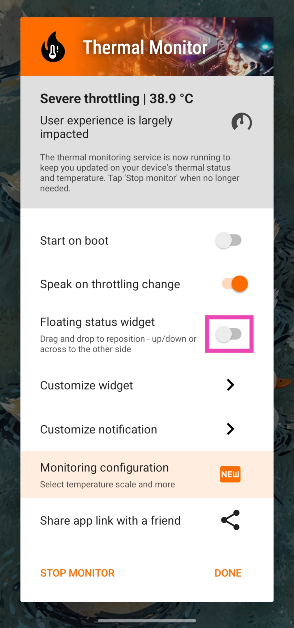 Step 3: Go to Settings and allow Thermal Monitor to display over other apps.
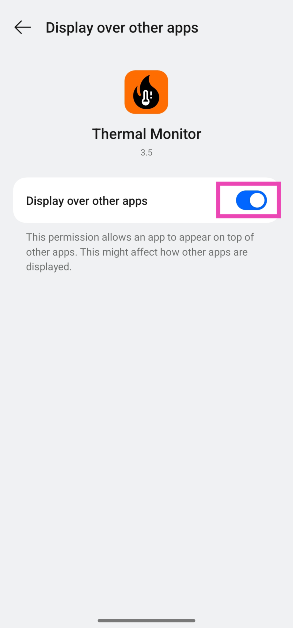 Step 4: Go back to Thermal Monitor and hit Done.
Step 5: Go to another app or page on your phone. The current internal temperature will be displayed on the right edge of the display.
Step 4: Go back to Thermal Monitor and hit Done.
Step 5: Go to another app or page on your phone. The current internal temperature will be displayed on the right edge of the display.
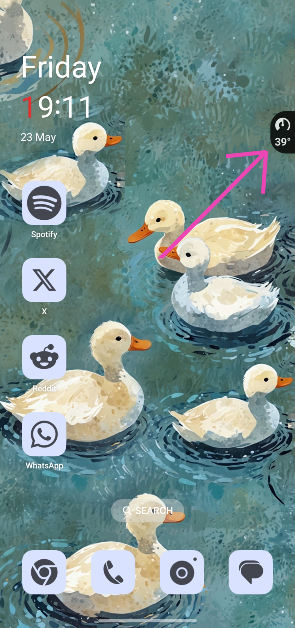 Step 6: Swipe down from the status bar and use Thermal Monitor’s notification alert to hide or show the widget.
Use gaming tools
 Most Android smartphones have custom gaming tools that allow users to view the FPS, change their voice, enable DND, and do a whole lot more while gaming. You can use the gaming tools panel to quickly view the internal temperature of your phone. Simply swipe down from the top corners or swipe towards the display from either edge of the phone to reveal the gaming tools panel. The temperature will be listed in the top section.










 Also Read:






 Step 4:
 Step 2:
  Step 3:
 Step 2:
 Step 3:
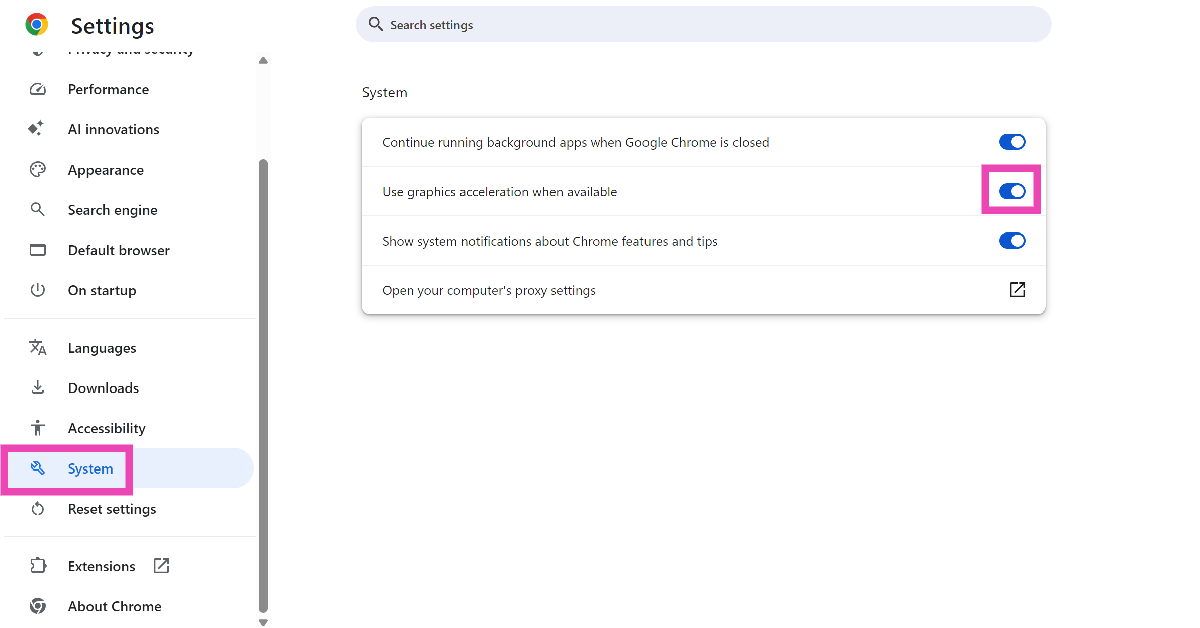 Step 4:
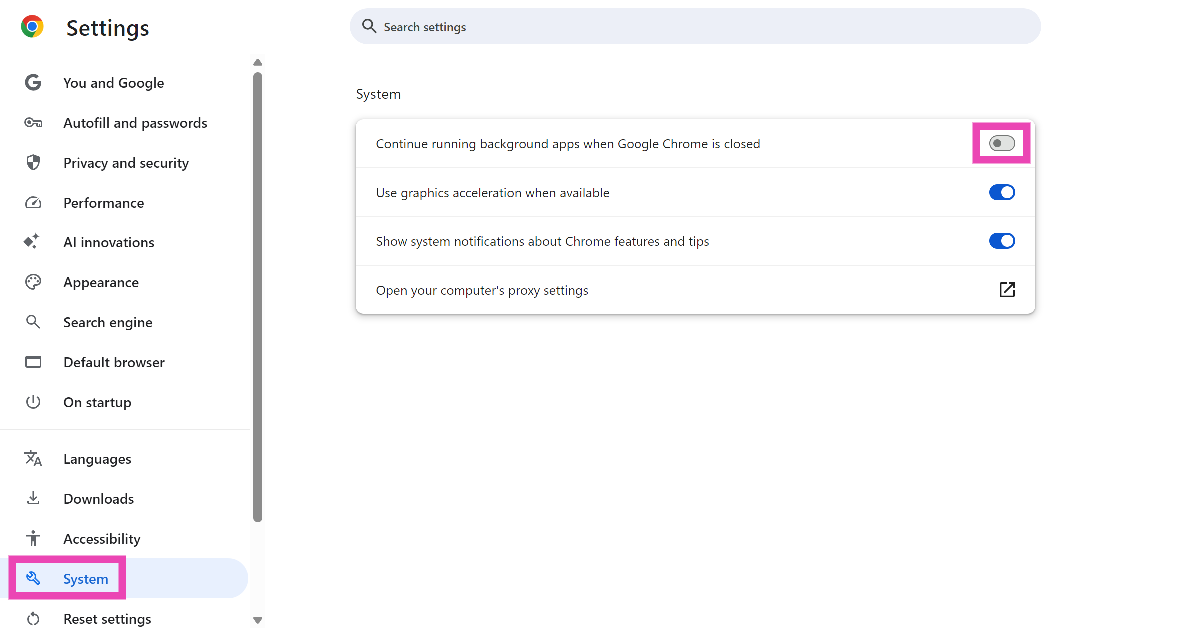 Step 4:
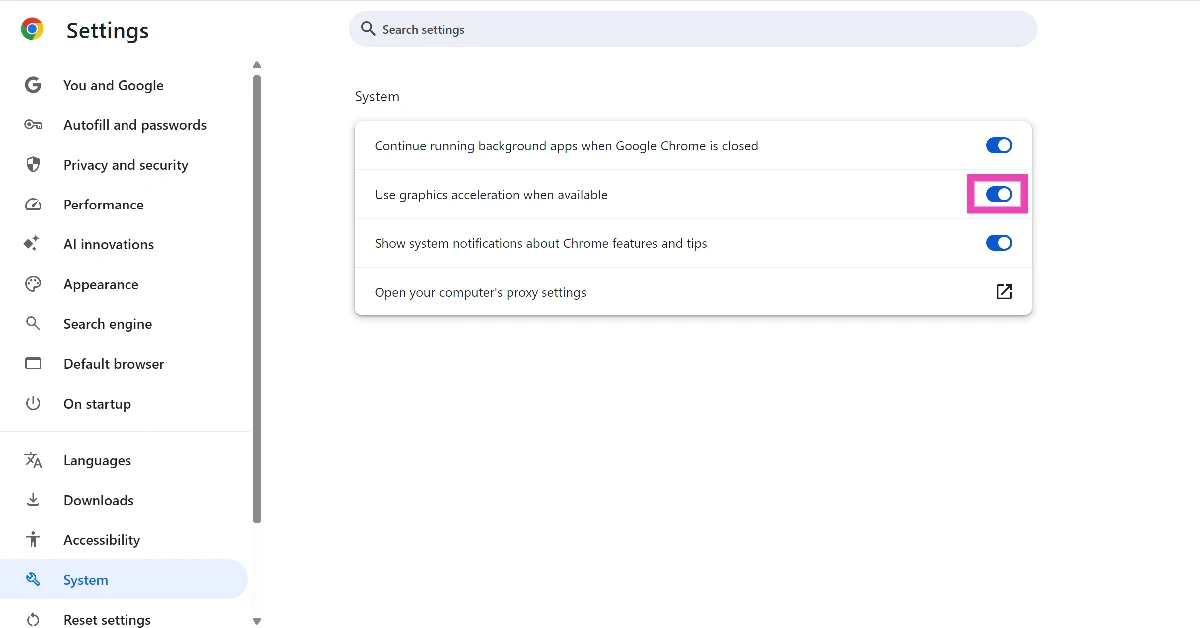
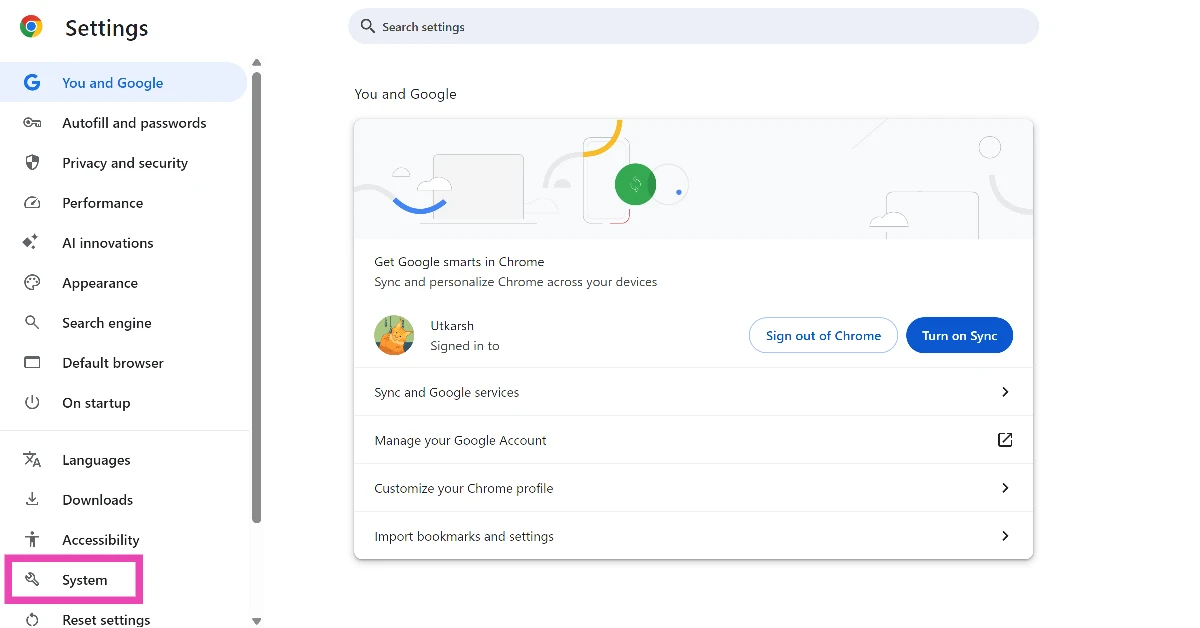
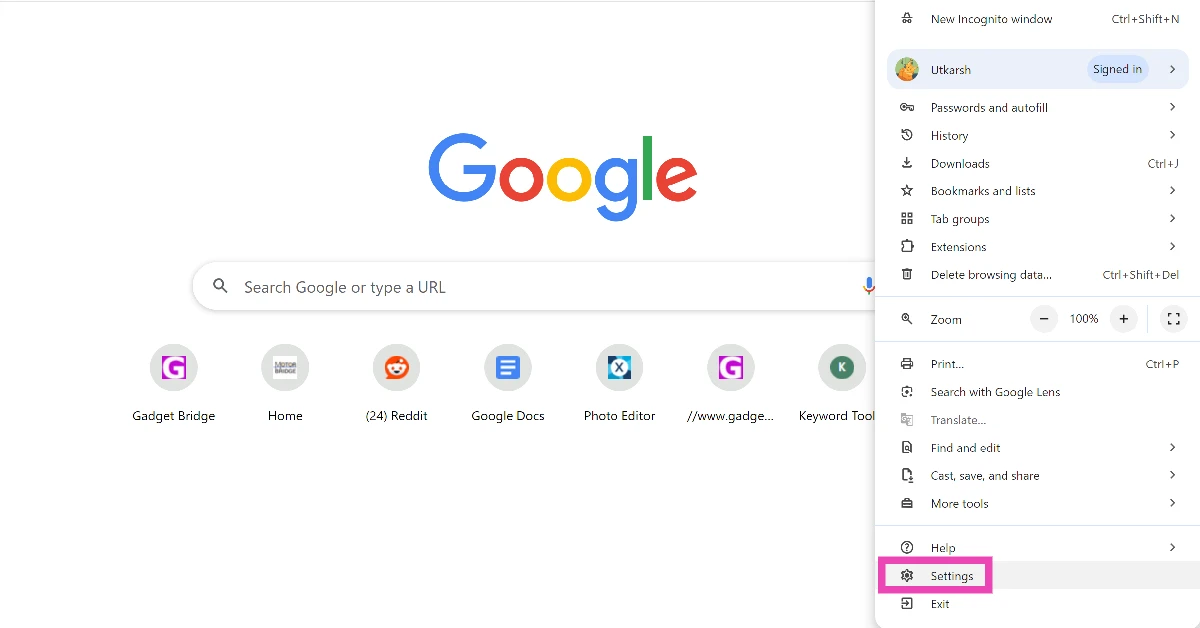 Step 2: Switch to the System tab.
 Step 3: Turn on the toggle switch next to Use graphics acceleration when available.