



The COVID-19 vaccination drive for citizens above 18 years of age will begin on May 1, 2021. The registration for the same has started on April 28, 2021, at 04:00 PM.
In This Article
How has India performed in the COVID-19 vaccination till now?
The COVID-19 vaccination programme in India has been carried out at a pace faster than anywhere else in the world. The country has managed to get a significant number of people vaccinated in a short time. According to estimates, 92,90,528 healthcare workers, 1,19,50,251 frontline workers have been given the first dose.
According to the Ministry of Health and Family Welfare, Government of India, “In another significant development, India has now become the fastest country in the world to cross the landmark of 14 crore COVID-19 vaccine doses. India achieved this feat in just 99 days,” the Ministry highlighted.
The COVID-19 vaccination programme was launched on January 16, 2021. The healthcare workers were the first to get vaccinated followed by the frontline workers who got their first dose starting February 2, 2021. On March 1, 2021, people above 60 years and people above 45 years with specified co-morbidity began to be vaccinated. Now, the government has announced the vaccination drive for people above 18 years starting May 1, 2021.
How can people above 18 years register for vaccination?
The citizens above 18 years of age can register for the vaccination appointment in the following steps.
- Launch a web browser on your smartphone or a PC.
- Go to the official Co-WIN portal (https://www.cowin.gov.in/home).
- Click the Register/ Sign in yourself button located at the top.

- Enter your mobile number for verification via OTP.
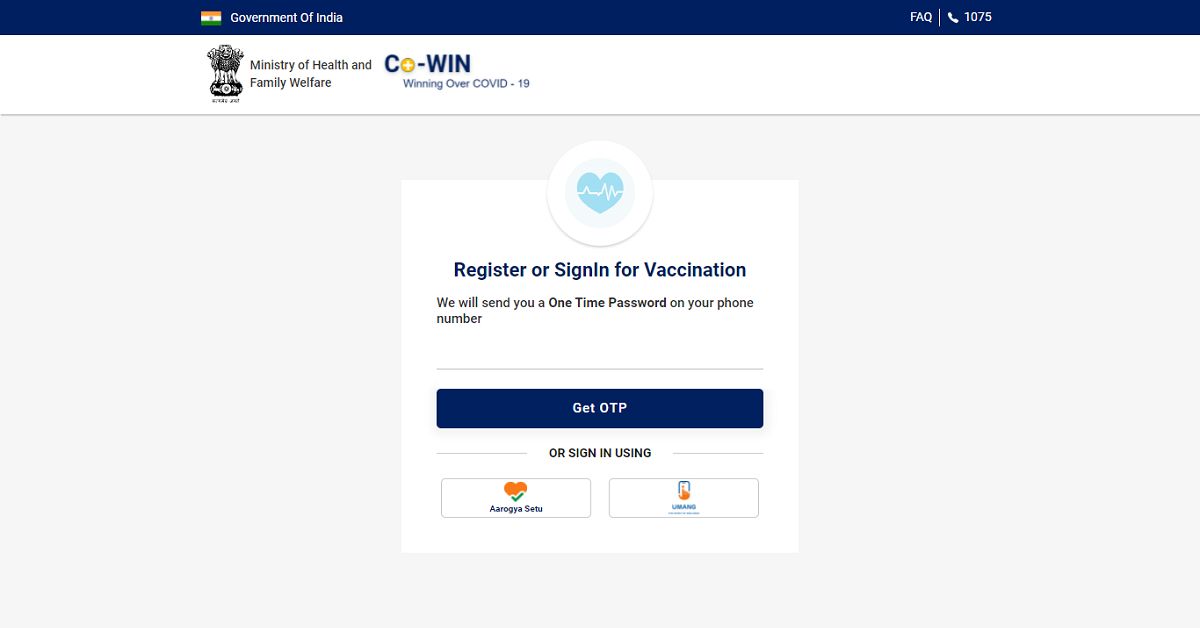
- Once your mobile number is verified, you’ll be greeted by the registration page. Click the Register Member button.

- Enter your Photo ID Proof along with the unique number. You’ll get five options, namely, Aadhaar Card, Driving License, PAN Card, Passport, and Pension Passbook. It must be noted that your registered Photo Id will be verified at the time of your vaccination appointment.

- Enter your Name, Gender, and Year of Birth.
- Click the Register button.
- Once you’re registered on the portal, you may more members of your family for vaccination who are above 18 years. To add a member click the +Add Member button.

- You’ll be required to enter the identification details for each new member added individually.
- Once you have added the members who are eligible for vaccination, you may set the schedule for the vaccination appointment.
- Click the Schedule button and then click the Schedule Now button located at the bottom.

On the day of the appointment, you must carry the same Photo ID that you used while registering.
For the latest gadget and tech news, and gadget reviews, follow us on Twitter, Facebook and Instagram. For newest tech & gadget videos subscribe to our YouTube Channel. You can also stay up to date with the Gadget Bridge Android App.


