Are you looking for today’s Wordle answer for January 16, 2026? The problem is difficult to solve, so if you need assistance, we’ve included hints and the clue to today’s Wordle Quiz. Below, we have made it simple for everyone to understand how to get to the Wordle Answer today.
In This Article
Hints and Answers for Today’s Wordle January 16
Before answering directly, please check the Wordle Hints first.
Hint 1: Today’s Wordle answer includes two vowels. Hint 2: The answer for today has no repeating letter. Hint 3: Meaning- a person or animal that competes in a race
What word does today’s Wordle begin with?
Do you need help with today’s Wordle answer’s initial letter?
The first letter in today’s Wordle is “R”
Today’s Wordle Answer
The answer to Wordle #1672 on January 16, 2026, is — RACER
Wordle: A Five-Letter Word Guessing Game • The game allows six guesses of a five-letter word. • Provide feedback on the guessed letters’ placement in the puzzle. • The New York Times purchased the game in 2022. • Created by Josh Wardle for his partner, narrowing down 12,000 English words to 2,500. • Named after the word “word.”
How To Play Wordle?
Wordle is a New York Times word puzzle game that allows users to guess a five-letter word in six attempts. The letters are highlighted in Yellow and Green, indicating whether the word is present in the answer or not, and Green letters indicate the correct guess.
Select a powerful starting word: Avoid using unusual words, as they frequently do not match common letters. A good opening word has plenty of benefits.
Repeating letters: Don’t be afraid of repeating letters; they appear frequently in words. The answer may contain one or two repeated letters.
Use the Wordlebot: The NYT’s Wordlebot analyses and compares replies to itself. This challenge can assist you in enhancing your guessing skills and highlighting areas for development.
If you’ve ever opened your Wi-Fi settings and seen something like “Configure Proxy” (or Proxy: Off / Manual / Auto), it can feel oddly technical – especially when all you wanted was to get online. In plain English, it’s just a setting that tells your device whether internet traffic should go directly to websites or through a proxy server first.
In This Article
What does “Configure Proxy” mean?
“Configure proxy” means setting up your device to use a proxy server – basically, entering (or selecting) the details that tell your phone or computer where the proxy is and how to connect to it.
When you configure a proxy, you’re typically choosing one of these options:
Off / None: your device connects directly to the internet.
Manual: you type in the proxy address (server/host) and port, and sometimes a username/password.
Auto: your device uses an automatic configuration file (usually a PAC URL) that decides when/where to use a proxy.
Think of it like setting a delivery route: direct delivery (no proxy) vs. sending everything through a sorting hub (proxy).
What is a proxy server (and what changes after you configure it)?
A proxy server is an intermediary between your device and the internet:
Your device → Proxy server → Website/app server
After you configure a proxy, many (or sometimes only some) of your connections will be routed through that proxy first. Depending on the proxy type and where you set it up (system vs app), you may notice:
Different network path for traffic
Some apps work differently from others
Extra login prompts (if the proxy requires authentication)
Certain sites/services load slower or faster (varies by proxy and network)
Where you’ll see “Configure Proxy” on your phone or computer
You’ll commonly see proxy settings in places where a device controls how it connects to a network:
iPhone / iPad: Wi-Fi network details often include HTTP Proxy → “Configure Proxy”
Android: Wi-Fi network settings usually show Proxy: None / Manual / Auto
Windows: System settings include a Proxy section under network/internet
macOS: Network settings include a Proxies tab
Browsers: Some browsers rely on system proxy settings; others (like Firefox) can manage proxy settings inside the app
Important nuance: a proxy configured under a specific Wi-Fi network may only apply when you’re connected to that Wi-Fi – not on mobile data or other networks.
Why configure a proxy? Common reasons
People configure proxies for a bunch of everyday, legitimate scenarios, such as:
Work or school networks that require a proxy for access
Security and policy control (filtering, logging, or enforcing network rules)
Privacy and separation (routing traffic through a different network path)
Testing and troubleshooting (developers/QA testing how an app behaves from different routes)
Web automation and data tasks (for workflows that need consistent, controlled IP routing)
If you didn’t set a proxy yourself and suddenly see it enabled, that can also happen after installing certain apps, joining managed networks, or applying configuration profiles.
Manual vs Auto proxy configuration (PAC): what’s the difference?
Manual proxy
You enter the details yourself:
Server / Hostname (or IP)
Port
Optional: Username/password
Optional: Bypass list (domains that should not use the proxy)
The manual is straightforward and predictable. If it’s wrong, things usually break immediately – so it’s easy to detect.
Auto proxy (PAC)
Auto mode often uses a PAC (Proxy Auto-Config) file, which is a URL your device downloads. That file contains rules like:
“Use proxy for these domains”
“Go direct for internal networks”
“Use a different proxy depending on the URL”
Auto is popular in corporate environments because it scales well and can be updated centrally.
Here’s what those fields actually mean when you see them:
Setting
What it means
Proxy Host / Server
The proxy server address (a domain like proxy.example.com or an IP).
Port
The “door” the proxy listens on (common values vary by provider/protocol).
Username / Password
Credentials required by many paid or enterprise proxies.
Protocol
Commonly HTTP/HTTPS or SOCKS; some devices only expose certain types in Wi-Fi settings.
Bypass / Exceptions
Sites/domains/IP ranges that should connect directly without the proxy.
PAC URL (Auto)
Link to an auto-config file that decides proxy behavior automatically.
Tip: If your proxy provider gives you something like host:port:user:pass, you’ll need to map those to the correct fields in the UI.
How to configure a proxy: step-by-step
Below are practical steps for the most common devices. Menus can vary slightly by OS version, but the flow is consistent.
On iPhone / iPad (Wi-Fi)
Open Settings → Wi-Fi
Tap the (i) info icon next to your connected Wi-Fi network
Scroll down to HTTP Proxy
Tap Configure Proxy
Choose one:
Off (no proxy)
Manual (enter server + port)
Auto (enter PAC URL)
If Manual:
Enter Server
Enter Port
Toggle Authentication if needed, then enter username/password
Tap Save (or go back – iOS usually saves automatically)
Test your connection (see “How to check…” below)
On Android (Wi-Fi)
Open Settings → Network & Internet (or Connections)
Tap Wi-Fi
Long-press your connected network (or tap the gear icon) → Modify network
Expand Advanced options
Find Proxy
Choose:
None
Manual
PAC (Auto)
If Manual, enter:
Proxy hostname
Proxy port
(Optional) exclusion rules if your Android version supports it
Save and reconnect to Wi-Fi if needed
Note: Some Android skins hide proxy settings until you tap “Advanced”.
On Windows 10/11
Open Settings
Go to Network & Internet
Choose Proxy
Under Manual proxy setup, toggle Use a proxy server
Enter Address and Port
(Optional) Add exceptions / bypass list if available
Save, then test browsing
On macOS
Open System Settings (or System Preferences on older macOS)
Go to Network
Select your active connection (Wi-Fi or Ethernet)
Open Details / Advanced
Find Proxies
Check the proxy type you need (e.g., Web Proxy, Secure Web Proxy, SOCKS Proxy)
Enter proxy server and port
If needed, enable authentication and enter credentials
Apply changes, then test
In browsers (Chrome/Edge, Firefox)
Chrome / Edge: typically use system proxy settings (Windows/macOS). If a proxy is wrong, the browser will fail along with many other apps.
Firefox: can use either system settings or its own internal proxy settings:
Settings → Network Settings → Configure how Firefox connects to the internet
If only one browser has issues, check whether that browser uses its own proxy configuration.
How to check if your proxy is working
Use these quick checks after configuration:
Open a “What is my IP” website and see if the reported IP changes after enabling the proxy.
Try loading 2 – 3 different sites:
A fast site you know works
A site that uses login
A basic text site (to rule out heavy scripts)
If your proxy uses authentication, watch for:
Credential prompt popups
“Authentication required” errors
If everything stops loading immediately after enabling the proxy, it’s usually a wrong host/port, wrong protocol, or blocked network.
Common problems (and quick fixes)
1) “Proxy server is refusing connections”
Re-check host and port
Make sure the proxy is active and reachable from your network
2) Internet works without proxy, but not with proxy
Wrong proxy details, expired credentials, or network restrictions
Try switching between Manual and Auto only if you have a valid PAC URL
3) Browser works, but apps don’t
Some apps ignore system proxy settings
Try configuring proxy inside the app (if supported) or use system-wide options
4) Only some websites load
You may need a bypass list for local/internal domains
DNS behavior can differ depending on proxy type and device
5) You keep getting login prompts
Username/password may be wrong
Some systems require the credentials in a specific format (ask your provider/admin)
6) Proxy works on Wi-Fi but not on mobile data
Wi-Fi proxy settings typically apply only to that Wi-Fi network
Mobile data proxies require different configuration paths (carrier or specialized apps)
Frequently Asked Questions
Should “Configure Proxy” be Off or Manual?
If you don’t have a specific reason to use a proxy (work/school requirements or a chosen provider), Off is usually the correct and simplest option.
What does “Auto” mean in proxy settings?
Auto means your device uses a PAC URL (auto-config file) to decide when to use a proxy and when to connect directly.
What is a PAC file?
A PAC file is a small script (downloaded from a URL) that tells your device which proxy to use for different websites or networks.
How do I remove/disable proxy settings?
Go back to the same proxy menu and choose Off / None, then save and reconnect to the network if needed.
Why does proxy work in the browser but not in apps?
Some apps don’t rely on system proxy settings. They may use their own network stack, require in-app proxy settings, or block proxied connections.
Conclusion
“Configure proxy” is simply the place where you tell your device whether to use a proxy and how to connect to it (manual details or auto/PAC). Once you understand host, port, and the manual vs auto choice, proxy setup becomes routine – and troubleshooting gets much easier.
If you’re choosing a provider rather than configuring a work/school proxy, services like PROXYS.IO offer different proxy types depending on your needs. For example, if your setup specifically calls for datacenter-style addressing and broad compatibility, you can start by looking at IPv4 proxies and then match the exact host/port/auth details to the steps above.
Modern IT teams are drowning in acronyms. ITAM, ITOM, and ITSM all sound similar, all claim to “optimise IT,” and in most organizations they overlap in practice. But if you treat them as interchangeable, you end up with duplicated tools, noisy data, and a lot of frustrated people.
In reality, these three disciplines solve different problems – and the real value appears when they’re connected, not when they compete.
In This Article
Key Takeaways
ITAM manages the lifecycle and cost of your IT assets (hardware, software, cloud, licenses).
ITOM manages the health and performance of your infrastructure and operations.
ITSM manages how services are delivered to users via processes and workflows.
None of them “wins” in a vs-battle – the biggest ROI comes when ITAM, ITOM, and ITSM share data.
Modern platforms increasingly offer unified ITAM+ITOM+ITSM capabilities instead of separate silos.
What Is IT Asset Management (ITAM)?
IT Asset Management (ITAM) is the discipline of tracking and managing everything your organisation owns, rents, or subscribes to in IT:
Laptops, servers, networking gear
Software licenses, SaaS subscriptions
Cloud resources and virtual machines
Warranties, contracts, and support agreements
Key goals of ITAM:
Visibility – know what you have, where it is, and who uses it.
Cost control – avoid over-licensing, zombie SaaS subscriptions, and unused hardware.
A mature ITAM practice doesn’t just keep an inventory; it follows the asset lifecycle from request and procurement through deployment, maintenance, and final disposal or recycling.
Modern ITAM tools (like the ones from Alloy Software) automate discovery, software license tracking, and contract renewals, so asset data is always up-to-date and ready to feed into ITSM and ITOM workflows.
What Is IT Operations Management (ITOM)?
IT Operations Management (ITOM) focuses on keeping your IT environment running smoothly day to day.
If ITAM is about what you own, ITOM is about how it runs.
Orchestration and automation (e.g., scaling, failover, patching)
Discovery and configuration management (CMDB population)
ITOM tools answer questions such as:
“Is this service up?”
“Why is performance degrading in this region?”
“Which component failed when this incident started?”
ITOM gives you the telemetry and automation to keep services stable and resilient – and it works best when it has accurate data about the underlying assets (from ITAM) and the services they support (from ITSM).
What Is IT Service Management (ITSM)?
IT Service Management (ITSM) is how IT delivers value to users via structured services and processes.
Where ITAM cares about assets, and ITOM cares about systems, ITSM cares about:
Incidents – restoring service when something breaks
Service requests – fulfilling user needs (access, hardware, apps)
Changes – safely modifying infrastructure and services
Problems – finding and fixing root causes
Knowledge – reusable articles and how-tos
ITSM platforms provide:
Ticketing and workflow automation
Service catalogue and self-service portal
SLAs, prioritisation, and approvals
Reporting on service quality, backlog, and trends
Think of ITSM as the operating model for IT: the rules, workflows, and interactions that connect people, processes, and technology.
ITAM vs ITOM: How They Differ
You can think of ITAM and ITOM as looking at the same environment from two angles – financial/contractual vs technical/operational.
Aspect
ITAM
ITOM
Primary question
What do we have and what does it cost?
How is it running right now?
Focus
Assets & lifecycle
Infrastructure & operations
Typical data
Owners, locations, licenses, contracts
Metrics, logs, events, configuration
Outcomes
Cost optimisation, compliance, audit-readiness
Uptime, performance, operational stability
Key consumers
IT, finance, procurement, audit
IT ops, SRE, NOC, platform teams
On their own, both are useful. Together, they let you answer much deeper questions like, “Which vendor contracts are tied to the systems that cause the most incidents?”
ITAM vs ITSM: The Operational Gap Explained
ITAM and ITSM often live in separate tools, but they’re tightly linked in reality.
ITAM tracks the hardware and software that underpin your services.
ITSM manages the services and tickets that depend on those assets.
When these worlds are disconnected:
Service desk agents don’t see the full history of a device or license.
Assets get reassigned without being updated in tickets or CMDB records.
Requests for “new laptop” or “new license” happen without context on what already exists.
When ITAM is integrated into ITSM, a ticket for “Outlook keeps crashing” can show:
Device model, age, and warranty
OS and patch level
License details and installation history
This makes troubleshooting faster and reduces blind spots.
ITOM vs ITSM: Where the Line Is Today
ITSM and ITOM used to be sold and implemented as separate platforms. Now the line is more about who uses what data than about hard boundaries.
ITSM is service-oriented – focused on user experience, SLAs, queues, and processes.
ITOM is operations-oriented – focused on telemetry, availability, and automation.
In practice:
An alert detected by ITOM (CPU spike, failed service, unreachable endpoint) should automatically become an ITSM incident with the right context.
Maintenance planned in ITSM as a change should trigger ITOM workflows (draining nodes, scaling, updating configs).
When they work in silos, you lose that automation and end up with manual copy-paste between tools.
ITAM vs ITOM vs ITSM in One Picture
If you had to capture the relationship in one mental model, it might look like this:
ITAM – the source of truth about assets and their financial/contractual footprints.
ITOM – the nervous system, watching how those assets behave in real time.
ITSM – the coordination layer that turns issues, requests, and changes into structured work.
Or as a stack:
Assets (ITAM) – what exists.
Operations (ITOM) – how it’s running.
Services (ITSM) – how it’s delivered to people.
All three are necessary to manage modern, hybrid environments at scale.
Where These Three Disciplines Overlap
In day-to-day work, ITAM, ITOM, and ITSM tend to converge in a few high-impact areas:
Accurate CMDB & dependency mapping
ITAM feeds the CMDB with assets and contracts.
ITOM enriches it with discovered relationships and performance data.
ITSM uses it for impact analysis and change planning.
Incident prevention and faster resolution
ITOM spots anomalies and sends alerts.
ITSM routes and prioritises them as incidents.
ITAM provides context on device, warranty, license, and vendor.
Cost-to-operate visibility
Combine ITAM’s financial view with ITOM’s utilisation metrics and ITSM’s workload data to see true cost per service.
Lifecycle automation
Onboarding/offboarding, hardware refresh, and deprovisioning all need ITAM (what to assign), ITOM (where it runs), and ITSM (who requested it, approvals, and tracking).
Why Integration Matters More Than Ever
Modern IT environments make silos especially painful:
SaaS explosion – without integrated ITAM+ITSM, redundant subscriptions can hide for years.
Hybrid cloud – ITOM needs asset intelligence to monitor what truly matters.
Remote and hybrid work – devices move constantly; ITAM, ITOM, and ITSM must share a common view.
Security and compliance – unknown assets and shadow IT are major risk factors.
Organisations that unify these practices typically see:
Fewer surprise outages and incidents
Lower software and hardware spend
Shorter audit cycles
Better collaboration between ops, service desk, and finance
Practical Examples (Real-World Scenarios)
1. Onboarding a new employee
ITSM – HR raises a service request: “Onboard new marketing manager.”
ITAM – finds an available laptop, provisions required software, and assigns licenses.
ITOM – ensures the device is enrolled in monitoring, patching, and backup policies.
Result: the employee has everything on day one, and the device is fully managed from hour one.
2. Handling a major incident in production
ITOM – detects a spike in error rates for a critical application and generates an alert.
ITSM – creates an incident, applies the correct priority, and routes it to the right team.
ITAM – identifies impacted servers, their warranties, and support contracts, and which services depend on them.
Result: faster triage, better communication, and cleaner post-incident analysis.
3. Cloud cost optimization
ITOM – surface utilisation metrics showing some VMs are consistently underused.
ITAM – ties those resources to contracts, owners, and internal cost centres.
ITSM – manages the approval and execution of rightsizing or decommissioning through change requests.
Result: you can cut spending without blind guesses or political fights over “who owns what.”
How Modern Platforms Solve the ITAM + ITOM + ITSM Puzzle
Historically, companies bought separate tools for ITAM, ITOM, and ITSM and then tried to integrate them. Today, more teams look for platforms that combine these capabilities out of the box.
Integrated IT asset management and network discovery
Flexible deployment options (cloud, on-prem, or your own cloud)
Instead of stitching data together across three vendors, you can run service desk, asset tracking, and operational insights on a single platform with shared configuration and reporting.
Choosing the Right Approach for Your Organisation
Not every organisation will invest equally in ITAM, ITOM, and ITSM from day one. A practical way to prioritise:
Start with ITSM if:
You’re overwhelmed by tickets and email requests.
There’s no clear process for incidents, changes, and approvals.
Invest in ITAM if:
You don’t know how many assets you have or where they are.
Audits are painful or frequent.
Software and cloud spend keep creeping up.
Focus on ITOM if:
You run critical services with strict uptime requirements.
You already have decent processes, but lack visibility and automation.
Most mid-sized and enterprise organisations will eventually need all three. The question is the order and the level of integration.
The IT management tooling landscape is crowded, but a few trends are clear:
Platforms that combine ITSM and ITAM are becoming the default, not the exception.
ITOM capabilities are increasingly embedded – think built-in discovery, event management, and automation instead of separate point tools.
Vendors differentiate on how easily they integrate data and workflows.
Examples of how buyers often position the market:
Alloy Software – unified ITSM & ITAM with strong workflow automation and integrated discovery; a good fit for teams that want a single platform rather than a patchwork of tools.
Large enterprise suites – broad ecosystem and deep ITOM capabilities, often with heavier implementation and licensing models.
Lightweight ITSM tools – fast to deploy for basic ticketing, but may require additional products to cover ITAM and ITOM fully.
The right choice depends on your size, regulatory environment, and appetite for complexity. But the direction of travel is clear: unified, not fragmented.
When to Start Integrating Your ITAM, ITOM, and ITSM
You don’t have to be a global enterprise to feel the pain of disconnected IT practices. It’s time to join the dots when you notice:
Tickets regularly bounce between teams because nobody has the full picture.
CMDB accuracy is so poor that teams don’t trust it.
You discover unused licenses or forgotten SaaS tools during budget reviews.
Incidents take too long to diagnose because monitoring, asset, and service data live in different ecosystems.
If any of these sound familiar, that’s a strong signal to consolidate data and processes around a platform where ITAM, ITOM, and ITSM naturally work together.
Even starting with two (for example, ITSM + ITAM) and gradually adding deeper ITOM capabilities can deliver big wins.
Final Thoughts
ITAM, ITOM, and ITSM aren’t rival frameworks fighting for budget – they’re complementary lenses on the same IT landscape.
ITAM tells you what you own and what it costs.
ITOM shows how it behaves in real time.
ITSM defines how you support people and services.
The organisations that get the most value from IT don’t just implement these disciplines in isolation. They build integrated, platform-driven ecosystems where asset data, operational signals, and service workflows reinforce each other.
If you’re looking for a practical way to move in that direction, a good starting point is exploring unified platforms that bring these capabilities together – such as solutions in the Alloy Software stack.
From there, you can design an IT strategy that’s less about juggling acronyms and more about delivering reliable, cost-effective services to the business.
ASUS has launched their Republic Day 2026 sales, which offer big savings of up to 24% on a wide range of gaming, creator, and premium laptops. These discounts are only available on certain models from the ROG, TUF, Vivobook, and Zenbook lines, together with good bank offers.
During the ongoing limited-time Republic Day sale, ASUS is offering savings of up to 19% on a variety of laptops. This is a great time for anyone who wants to buy high-tech, high-performance computers. These special Republic Day deals are good until January 26, 2026, and you can get them from major electronics retailers like Reliance Digital, Croma, and Vijay Sales, making it easy for people all throughout the country to take advantage of them. Customers can find deals on ASUS all-in-one PCs, gaming and consumer desktops, and peripherals for various platforms.
Along with the great reductions, ASUS is making the buying process even better by offering attractive bank and card financing alternatives, such as No Cost EMI, low-cost EMI, and IBD options on some models. ASUS is also offering extended warranty plans and unique items beginning at ₹99. These may be redeemed through the ASUS Promo website for the duration of the deal.
iQOO has announced a range of special discounts for its smartphones during the Amazon Great Republic Day Sale, which will begin on January 16, 2026. The highlighted models are the iQOO Neo 10, iQOO Neo 10R, iQOO 15, iQOO Z10, iQOO Z10R, iQOO Z10x, and iQOO Z10 Lite. This promotional event intends to promote the popularity of these gadgets and offer users tempting discounts on various iQOO models.
The iQOO Z10 series has several smartphones with different prices and features. The iQOO Z10 Lite is the most affordable option at ₹9,999. The iQOO Z10x comes next at ₹13,499, while the iQOO Z10R comes last at ₹18,499. The iQOO Z10, which is the midrange variant, costs ₹20,499. All versions come with a no-cost EMI option for up to 6 months. The iQOO Neo 10R costs ₹24,499, and the iQOO Neo 10 costs ₹33,999. Both of these prices include 6-month no-cost EMI options. The iQOO 15 is the most expensive phone in the range, costing ₹65,999. It also has the most flexible payment plan, with No Cost EMI for up to 24 months.
iQOO 15
The phone comes with a 6.85-inch Samsung M14 AMOLED LTPO display offering 2K resolution and a 144 Hz refresh rate. The panel supports 2,600 nits of peak brightness, 2160 Hz of PWM, and DC dimming. Furthermore, there is HDR10+ and Dolby Vision support. The device comes with an ultrasonic fingerprint scanner for screen unlocking. The phone has IP68/IP69 ratings for water and dust resistance and highlights a square-design rear camera island with RGB lighting.
The handset runs on Android 16-based OriginOS 6.0 out of the box. Software upgrades will be provided for five and seven years, the company has promised. Under the hood, there is Qualcomm’s Snapdragon 8 Elite Gen 5 paired with Adreno GPU and Q3 gaming chip. It comes with up to 16GB of LPDDR5X Ultra RAM and up to 512GB of UFS 4.1 storage. It features an improved NPU performance by up to 37 per cent and incorporates an 8K VC Cooling System for efficient thermal management, with a heat dissipation area of 8,000 sq mm.
For the photos and videos, the device has a triple rear camera setup that includes a 50-megapixel Sony IMX921 primary 1/1.56-inch sensor with OIS support. Furthermore, there is a 50-megapixel Sony IMX882 telephoto lens with 3x optical zoom capability and OIS. Next, there is a 50-megapixel ultrawide-angle lens helpful in taking group pictures. Lastly, up front, there is a 32-megapixel selfie camera.
The mobile phone is driven by a 7,000mAh battery with 100W wired charging and 40W wireless charging support. In terms of connectivity, there is Wi-Fi 7, Bluetooth 6.0, NFC, and dual-band GPS.
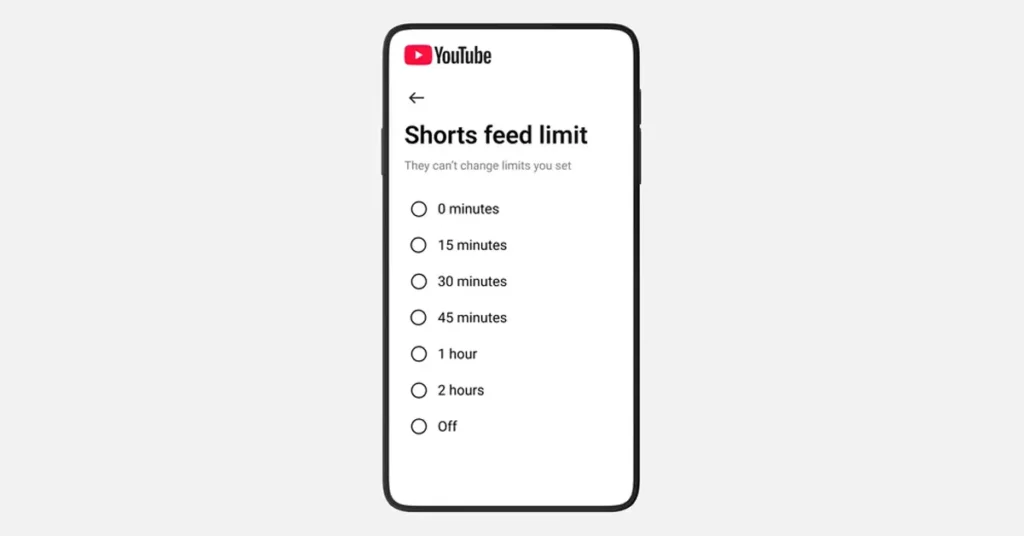
YouTube teen controls are getting a practical upgrade, with new tools meant to help families steer teens away from endless scrolling and toward healthier viewing habits. The headline feature is a new Shorts time limit that lets parents decide how long a teen can scroll the Shorts feed on a supervised teen account, plus new options to personalise wellbeing prompts like breaks and bedtime.
The broader message is simple: YouTube wants teens to keep learning, laughing, and following creators they love, but with more guardrails and fewer “wait, how is it 2 am already?” moments.
In This Article
What’s new for parents (and why it matters)
Short-form video is designed to keep you watching. That is the point. For teens, that design can quickly collide with homework, sleep, and basic attention span. The new parental controls focus on giving parents clear, adjustable limits without making YouTube feel like a locked cupboard.
1) A Shorts scrolling limit, including a “zero” option
Parents can set a control that limits the amount of time a teen spends scrolling through Shorts. Importantly, YouTube says the option to set that timer to zero is also coming, which effectively lets a parent switch off Shorts scrolling when they want focus time, like during homework. Think of it as “study mode,” but without requiring a family debate about what counts as studying.
Why this matters: it targets the most bingeable part of the app, specifically the feed designed for rapid, repeated viewing.
2) Custom wellbeing nudges: break time and bedtime
YouTube is also expanding reminders by allowing parents of supervised teen accounts to set custom Bedtime reminders, YouTube and “take a break” prompts, building on default wellbeing protections already turned on for teens.
Why this matters: Reminders are only useful if they show up at the right time. Custom settings let families match real schedules, not generic ones.
A push for better recommendations: High-quality teen videos
Controls are one side of the story. The other is what teens get served in the first place.
YouTube is introducing new principles and a creator guide designed to promote high-quality teen videos and reduce repeated recommendations of content that may be “fine once” but harmful when watched on loop. The goal is to encourage more enriching, age-appropriate content and less of the stuff that nudges teens toward unhealthy comparisons, risky behaviour, or negativity.
In plain English, this is YouTube telling creators: if teens are a meaningful part of your audience, your content choices matter, and so will the platform’s recommendations.
Easier setup and family account switching
Finally, YouTube says it is updating the sign-up flow so parents can create kid accounts more easily and switch between accounts in the mobile app, depending on who is watching. If you have ever watched a parent try to “quickly fix settings” while a child is already tapping the screen, you understand why family account switching is a big deal.
Why this matters: Fewer setup hurdles usually mean more families actually use the right settings.
What to watch next
If you are a parent, the practical question is whether the Shorts time limit feels easy to find and easy to adjust. If you are a creator, the bigger question is how strongly these teen content principles will shape what gets surfaced to younger viewers, especially for channels that sit in the messy middle of entertainment and advice.
My take: this is a smart direction, but it is also the start of an arms race between “scroll forever” design and “please go to sleep” design. Parents will appreciate the new levers, but the real win is whether teens feel nudged toward better content, not just blocked from the addictive bits.
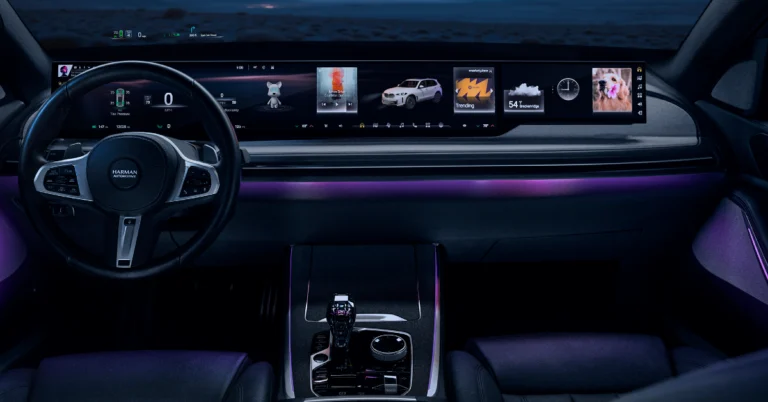
At Harman Explore 2026, four production-ready innovations were showcased to improve OEMs’ in-vehicle experiences. These include personalised audio technologies for individualised and adaptive listening, advanced display and windshield solutions to create clutter-free and safer cockpits, software-defined vehicle execution tools to improve speed, safety, and lifecycle integration, and enhanced Ready Care and Ready Aware safety systems that provide comprehensive in-cabin and out-of-vehicle awareness.
In This Article
Ready Display
The Ready display, which is the first HDR10+ automotive-certified panel, provides spectacular visuals and energy efficiency, as demonstrated by the Ready Display NQ1, which has a wider colour gamut and better readability than regular LCDs. This technology is already used in production cars such as the Tata Motors Harrier EV.
For drivers, the Ready Vision QVUE system puts critical information directly in their line of sight, converting the windshield into a bright, high-contrast display that adapts based on context to ensure clarity and safety. Recent software upgrades have enhanced functionality with features like gaze recognition and object-obstruction alerts, resulting in a safer driving experience. The system also incorporates unique features such as eMirror Live View and a video playback option for parked cars, which are complemented by image-quality improvements.
The Ready Vision AR HUD extends visual intelligence with augmented reality, offering production-proven solutions to the European market. This system is intended for clarity in a variety of lighting settings, utilising advanced optical and thermal technologies, while the streamlined AR framework enables easy customisation by OEMs. New features, like combining data from different sensors to enhance driving performance and safety, show how the AR HUD can make driving safer and more enjoyable.
SDV execution
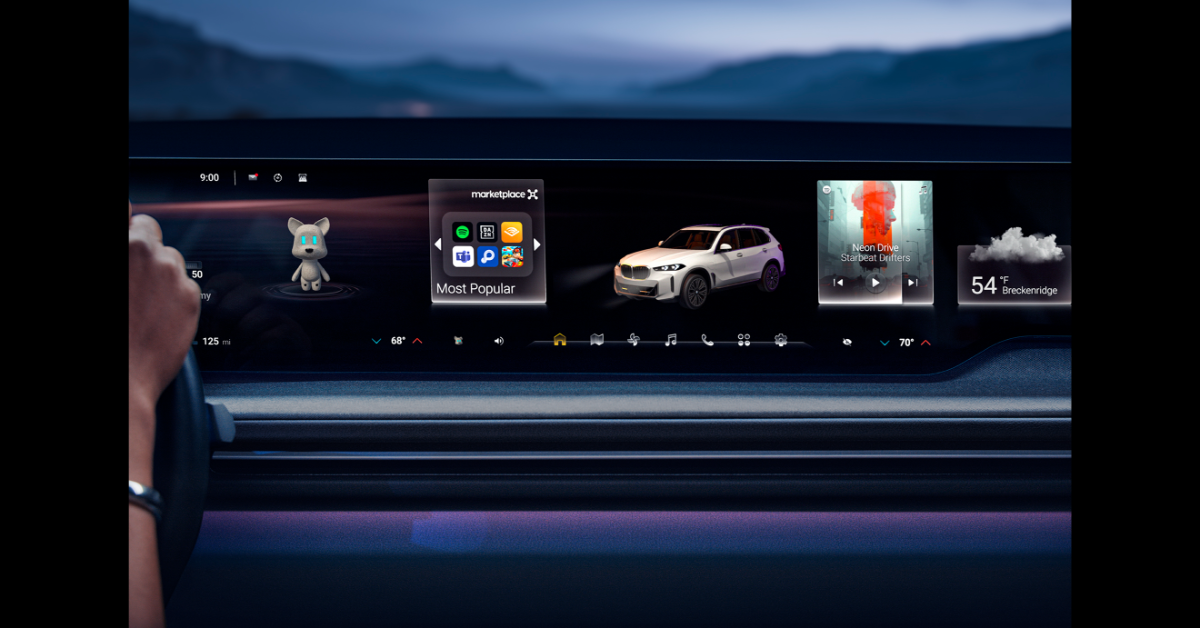
Harman has also released upgrades to its SDV execution stack, which combines developer tools, mixed-criticality isolation, and fleet-scale deployment solutions. These innovations seek to accelerate development, provide secure validation, and offer continuous updates throughout a vehicle’s lifespan. The improvements focus on three main goals for OEMs: better development and validation with Ready CQuence Loop, secure mixed-criticality using Ready CQuence Run, and easier deployment and monetisation through OTA/Smart Delta and Ready Link Marketplace.
The Ready CQuence Loop is a cloud-native development and testing toolchain that supports continuous software development, testing, and validation in both virtual and physical settings. It enables early-stage large-scale testing, reduces reliance on limited testing platforms, and supports various software stacks, including Android and Linux.
For mixed-criticality consolidation, Harman presents Ready CQuence Run, the only automotive Type-1 hypervisor intended to safely isolate critical and non-critical workloads. This solution promotes safe cross-domain innovation by keeping safety-critical functionality distinct from constantly developing software, and it supports over 20 million ECUs, giving OEMs confidence.
On the deployment front, HARMAN’s OTA and Smart Delta technologies provide effective and secure lifecycle upgrades in over 80 million cars. The Ready Link Marketplace enables OEMs to turn vehicles into continually upgradeable digital platforms, providing a variety of monetisable apps and services. Recent improvements seek to increase consumer engagement and enable regulated real-world testing.
Together, these solutions—Ready CQuence Loop, Ready CQuence Run, OTA/Smart Delta, and Ready Link Marketplace—give OEMs a strong system to quickly offer unique vehicle experiences and keep making improvements after launch without putting too much pressure
New safety capabilities
To fulfil NCAP standards, the company has added additional safety features to its Ready Care and Ready Aware products, including improved in-cabin monitoring and awareness. These improvements use ready-to-use software, flexible networking, and strong hardware to create smart safety solutions that work well now and can adapt to future connected vehicles.
Ready Care seeks to enhance in-cabin intelligence by using advanced driver monitoring and taking actions to help manage driver stress and emotions, which helps improve safety, comfort, and overall well-being. Notable improvements include single-heartbeat detection for exact vital-sign assessment and better occupant-position monitoring for safer airbag activation, which provides a complete status of passengers’ state and posture within the cabin.
Ready Aware, on the other hand, goes beyond the vehicle, providing timely notifications to assist drivers in anticipating potential road risks and navigating difficult driving circumstances. It uses existing connectivity features (4G/5G) via a vehicle-to-network (V2N) architecture, eliminating the need for additional hardware. The new Confidence Engine, based on Machine Learning (ML), enhances alert accuracy, minimises false alarms, reduces driver attention, and displays only relevant information.
Together, Ready Care and Ready Aware enhance OEMs’ safety and driver-assistance frameworks, aligning with NCAP-centric feature roadmaps and ensuring practical and scalable implementation. They provide drivers with greater views of cabin occupants and outdoor situations, encouraging safer driving practices.
Ready Connect, HARMAN’s telematics control modules, supports these advancements by ensuring reliable connectivity within the vehicle. Ready Connect offers the essential infrastructure required for real-time situational awareness beyond the car and improves apps like Ready Aware, which give immediate safety information. Ready Connect demonstrates HARMAN’s ability to provide scalable connectivity that enables intelligent safety solutions across geographies and vehicle platforms by supporting a variety of communication modalities, including short-range, long-range, and satellite.
A new set of production-ready personalisation technologies
Harman has introduced new personalisation technologies designed to improve the automotive audio experience. These solutions include personalised and shared listening capabilities, adaptive sound design, and branded audio atmospheres, allowing OEMs to build responsive and expressive cabin environments. The Ready Stream Share technology enables a wireless audio connection between several personal devices and HARMAN’s low-latency headphones, allowing passengers to interact with shared content or hold conversations without having to remove their headphones. The accompanying mobile app increases individual control while coordinating shared experiences.
As hybrid and electric vehicles (EVs) gain popularity, audio plays an increasingly important role in creating vehicle experiences, providing an opportunity for OEMs to produce sound that reflects their brand identity. The HALOsonic Electronic Sound Synthesis (ESS) technology goes beyond simply simulating engine sounds, allowing manufacturers to develop personalised acoustic signatures that improve emotional connection with the car. New sound capabilities, such as wave terrain synthesis, enable sound professionals to create distinctive sounds, while a sound adjustment function allows drivers to tailor aural input to their tastes.
Furthermore, Harman Branded Audio Experience Packages transform premium audio in automobiles by combining sound, lighting, and cabin surroundings into a unified brand statement. These packages use powerful AI to optimise audio settings based on musical genres, and drivers may customise their tactile bass experiences. Together, HALOsonic and the branded audio packages add a significant emotional depth to car interiors, resulting in an immersive auditory experience.
Garena Free Fire (GFF) Max is a battle royale game with regular awards and tournaments to keep players interested. If you play GFF, you should be aware of the redeem codes that are released on a daily basis. However, because the battle royale game is banned in India, players from other countries can use theFree Fire Redeem codes daily. If you’re unfamiliar with the codes or don’t know how to get them, we’ve put together a step-by-step guide to help youredeem them. Check out Garena Free Fire Max Redeem Codes for 15 January 2026.
These codes are a great way to get free items in the game. The 12-digit codes contain letters and numbers, as well as an expiration date and time. Because the Garena FF redeem codes cannot be used more than once, you should hurry to the redemption page to claim your free reward before someone else does. To get a free reward, all you have to do is go toreward.ff.garena.com/en, which is the official redemption page. Also, keep an eye on this space for daily updates on Gadget Bridge on GFF Max redemption codes and rewards.
Amazon Quiz 15 January 2026: The New Daily Quiz is now available. Customers from different parts of the country are participating in the daily quiz. The quiz starts at midnight today and will be live until 11:59 PM tonight. By successfully answering every question, participants in the quiz have the chance to win wonderful rewards. Up to Rs 500 Amazon Pay Balance is up for grabs to participants today.
One wrong answer could eliminate you from the quiz. You have a chance to win up to Rs 500 Amazon Pay Balance if you successfully answer every question. Users of the app only have the opportunity to take the quiz. Check Out the 15 January 2026 Quiz.
In This Article
Are you not able to find Amazon FunZone? Click below and participate.
We have written an explainer above; you can refer to that.
When are the winners of the Quiz and contest announced or declared?
The announcement of today’s quiz winner will take place Tomorrow. As for the Special Quiz and “Spin & Win” Contest, the winners will be declared once the Quiz Contest comes to an end. To find out who the lucky winner is, you can refer to the Winners List or visit the Amazon Winners tab in the Amazon App.
How to participate in the Daily Amazon Quiz?
That is very easy, just got to the Amazon app and scroll to the bottom of the page and you will find the Quiz section. Click on it (usually it is called the fun zone) and you can enter the Amazon Today Quiz Contest.
Are there any other quizzes or contests running on Amazon daily?
Yes, there are many running daily. These range from spinning the wheel to answering the questions correctly. All are located in the Fun Zone.
What are the criteria for selecting a winner in the Daily Amazon Quiz?
When a qualified player submits correct answers to all the questions, they will automatically be entered into a lucky draw. This draw will include all participants who answered all the questions correctly. Amazon randomly selects the final winners from the pool of eligible participants who gave the right answers.
Which Types of Questions are asked within the Amazon Daily Quiz?
These are very simple and straightforward questions. These are mainly related to general knowledge.
Where should I look for Amazon Daily Quiz answers?
You can bookmark our website www.gadgetbridge.com as we will help you every day with the Amazon Daily Quiz. We bring you fresh answers every day for the Amazon Daily Quiz and Contest.
What time does Amazon announce previous winners?
The previous winner’s name will be announced today at 12 PM (noon).
Are you looking for today’s Wordle answer for January 15, 2026? The problem is difficult to solve, so if you need assistance, we’ve included hints and the clue to today’s Wordle Quiz. Below, we have made it simple for everyone to understand how to get to the Wordle Answer today.
In This Article
Hints and Answers for Today’s Wordle January 15
Before answering directly, please check the Wordle Hints first.
Hint 1: Today’s Wordle answer includes a vowel. Hint 2: The answer for today has no repeating letter. Hint 3: Meaning- a deep hole in the ground
What word does today’s Wordle begin with?
Do you need help with today’s Wordle answer’s initial letter?
The first letter in today’s Wordle is “C”
Today’s Wordle Answer
The answer to Wordle #1671 on January 15, 2026, is — CHASM
Wordle: A Five-Letter Word Guessing Game • The game allows six guesses of a five-letter word. • Provide feedback on the guessed letters’ placement in the puzzle. • The New York Times purchased the game in 2022. • Created by Josh Wardle for his partner, narrowing down 12,000 English words to 2,500. • Named after the word “word.”
How To Play Wordle?
Wordle is a New York Times word puzzle game that allows users to guess a five-letter word in six attempts. The letters are highlighted in Yellow and Green, indicating whether the word is present in the answer or not, and Green letters indicate the correct guess.
Select a powerful starting word: Avoid using unusual words, as they frequently do not match common letters. A good opening word has plenty of benefits.
Repeating letters: Don’t be afraid of repeating letters; they appear frequently in words. The answer may contain one or two repeated letters.
Use the Wordlebot: The NYT’s Wordlebot analyses and compares replies to itself. This challenge can assist you in enhancing your guessing skills and highlighting areas for development.
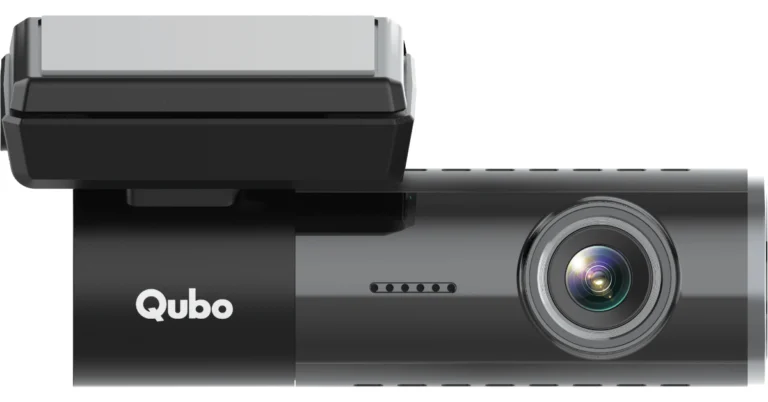
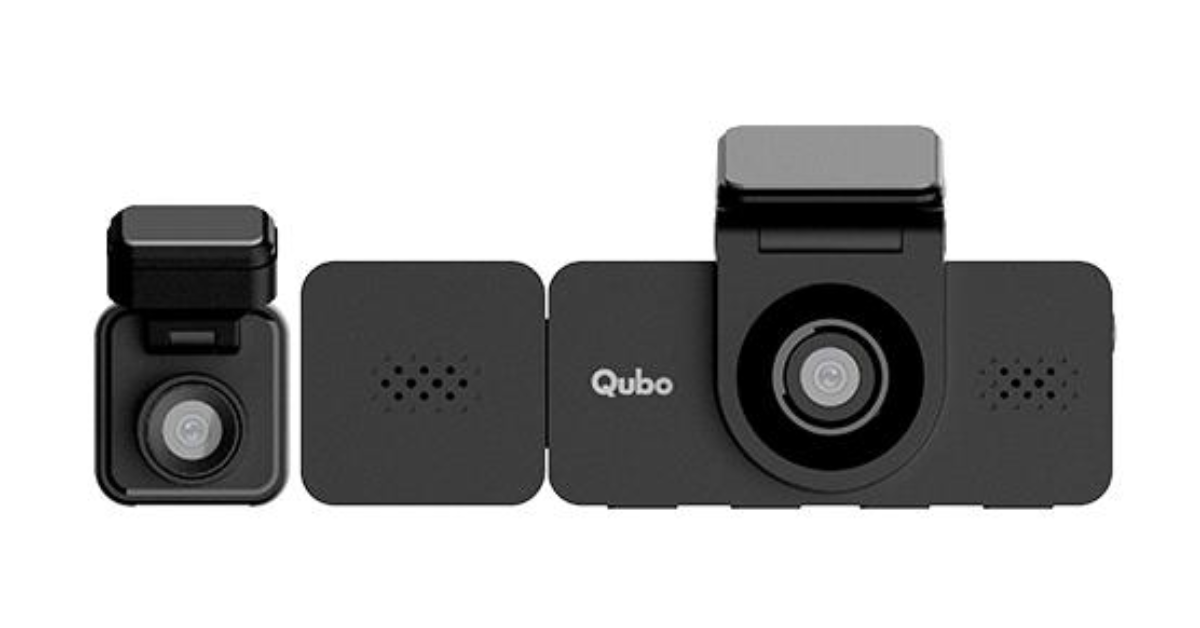
Qubo has announced two new dashcams, the Dashcam 4G Live and the Dashcam Trio, which improve road safety technologies and contribute to dashcam product adoption. These dashcams promise to make major advances by providing enhanced connectivity and more extensive coverage, allowing for better documentation of roadside accidents. The Dashcam 4G Live is a 4-megapixel camera that can record footage in up to 2K quality, whereas the Dashcam Trio is a three-channel dashcam that enhances the capture of road activity.
Dashcams play an important role in increasing road safety by documenting real-time events that can help resolve disputes following accidents or road rage situations.
The Qubo Dashcam 4G Live is at the forefront of connected dashcam technology in India, improving road safety and user connectivity with its powerful 4G capabilities. This unique gadget has several functions aimed at keeping users informed and cautious about the state and safety of their vehicles. Live video streaming allows customers to monitor their vehicles in real time, while precise GPS location tracking offers accurate updates on the vehicle’s movements. The addition of two-way communication allows users to connect with anybody within the car, while rapid safety alerts keep them informed of any possible dangers or difficulties.
Qubo also offers a unique cloud subscription service called Qubo CloudPlay, which complements the dashcam. This service is required to activate and improve the device’s connected functionality, allowing users to smoothly access video feeds and updates from anywhere, at any time. Whether it’s monitoring the car while someone else drives, guaranteeing the safety of family members, or checking on the vehicle while it’s being repaired at a shop, the Qubo Dashcam 4G Live provides a constant connection to what matters most: safety and oversight.
The Qubo Dashcam Trio is a highly advanced 3-channel dashcam distinguished by its three-camera arrangement, which allows for full recording from multiple angles. This arrangement comprises front, rear, and cabin cameras, providing 360-degree security for car occupants. This dashcam is uniquely positioned to serve a variety of practical applications, including monitoring driver behaviour to promote safer driving practices, providing critical evidence to dispute inaccurate traffic citations or reckless driving accusations, and acting as a deterrent to in-car thefts, particularly from organised groups like “thak-thak gangs”. It also allows users to capture and save wonderful road-trip experiences, making it a useful tool for both road safety and personal delight.
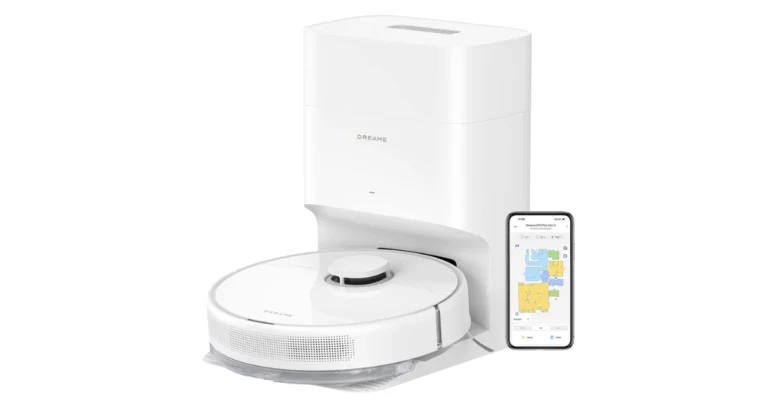
Dreame Technology has announced that during the Amazon Great Republic Day Sale, which runs from January 16 to January 22, they will be offering exclusive deals on smart home cleaning and personal care products. Customers may save up to 72% on a wide selection of devices, including robotic vacuums, stick vacuums, wet-and-dry cleaners, and grooming appliances.
Other models include the Dreame L10 Prime at Rs 29,999 (down from Rs 45,999), the Dreame F10 priced at Rs 17,999 (originally Rs 21,999), the Dreame F9 Pro at Rs 9,999 (from Rs 24,999), the Dreame D9 Max Gen 2 at Rs 14,999 (reduced from Rs 29,999), and the Dreame D10 Plus Gen 2 at Rs 22,999 (originally Rs 39,999).
Moving to stick vacuums, notable discounts include:
The Dreame R20 is now at Rs 22,999, previously Rs 36,999.
The Dreame R10 Pro is discounted from Rs 25,999 to Rs 15,999.
Other offerings in this category feature the Dreame H12 Dual for Rs 33,999 (down from Rs 36,999), the Dreame H12 Core at Rs 19,999 (originally Rs 24,999), and the Dreame H11 Core for Rs 16,999 (formerly Rs 21,999).
Models such as the Mova K10 Pro, Mova J10, Mova J20, and Mova J30 are also available with prices ranging from Rs 6,999 to Rs 18,999.
If your living room has been waiting for a “this is good enough” upgrade, the Haier H5E Series TV is stepping in with a very practical pitch: 4K Ultra HD, a bezel-less design, Google TV smarts, and Dolby Audio, without pretending everyone wants a cinema projector. The series launched in India on January 14, 2026, and is being sold on Flipkart, right as the Republic Day deal-hunting season warms up.
In This Article
Pricing and sizes in India
Haier’s H5E lineup is available in four screen sizes, with these listed prices:
43-inch (108cm): Rs 25,990
50-inch (127cm): Rs 32,990
55-inch (139cm): Rs 38,990
65-inch (164cm): Rs 57,990
Availability and final effective pricing can vary during sale events based on bank offers, exchange deals, and limited-time discounts.
The H5E Series is built around the stuff most people notice daily, not the stuff only spec-sheet collectors argue about in comments.
Picture: 4K, HDR10, and smoother motion
At the core is 4K Ultra HD resolution paired with HDR10 MEMC TV features that are aimed at the two classic living-room problems: flat-looking highlights and messy motion.
HDR10 support helps improve contrast and colour range in compatible content, so bright scenes look less washed out and darker scenes keep more detail.
MEMC (Motion Estimation, Motion Compensation) adds interpolated frames to reduce blur and judder in fast action, sports, and quick camera pans.
A 178-degree wide viewing angle matters more than people admit, especially when the whole family is watching from “not-the-centre” seats.
There are also multiple picture presets, which is handy if you want a more cinematic look for films and a punchier setting for sports without constantly tweaking sliders.
Software: Google TV, but make it simple
This is a 4K Google TV India launch, so the interface is designed around content-first discovery rather than making you dig through apps every time.
You get:
A personalised “For You” style home screen experience
Watchlist support to park content for later
Kids Mode for a more controlled, family-friendly setup
In plain terms, it’s trying to reduce the time between “What should we watch?” and “Okay, press play.”
Performance: Enough memory for everyday streaming?
Haier is using 2GB RAM and 32GB storage here, which is a standard combo for smoother navigation, faster app launches, and not having to uninstall apps every other month. It is not a gaming PC, but it is the kind of baseline that keeps a smart TV feeling less “smart… eventually.”
Sound and connectivity: built for real-world living rooms
On audio, the TV packs Dolby Audio 20W output via down-firing stereo speakers with surround sound processing and multiple sound modes plus an equaliser.
Connectivity is also generous for a modern setup:
Four HDMI ports for consoles, set-top boxes, and soundbars
Two USB ports for storage and playback
Dual-band Wi-Fi and Bluetooth 5.1 for wireless accessories and stable streaming
If you are building a living room around a console and a soundbar, these ports matter more than one extra streaming app you will never open.
If you are shopping during the Flipkart Republic Day Sale, sizing is usually where buyers second-guess themselves. Here’s a simple way to think about it:
43-inch: best for bedrooms, smaller apartments, and closer viewing distances
50-inch: a sweet spot for many mid-sized living rooms
55-inch: the crowd-pleaser for movies and sports
65-inch 4K TV: for bigger rooms and that “weekend match feels larger-than-life” vibe
The H5E Series feels like it understands what most people want in 2026: a clean 4K panel, smoother motion, usable smart software, and enough ports to stop playing HDMI musical chairs. It is not trying to be a luxury flagship, and honestly, that restraint might be its biggest feature.
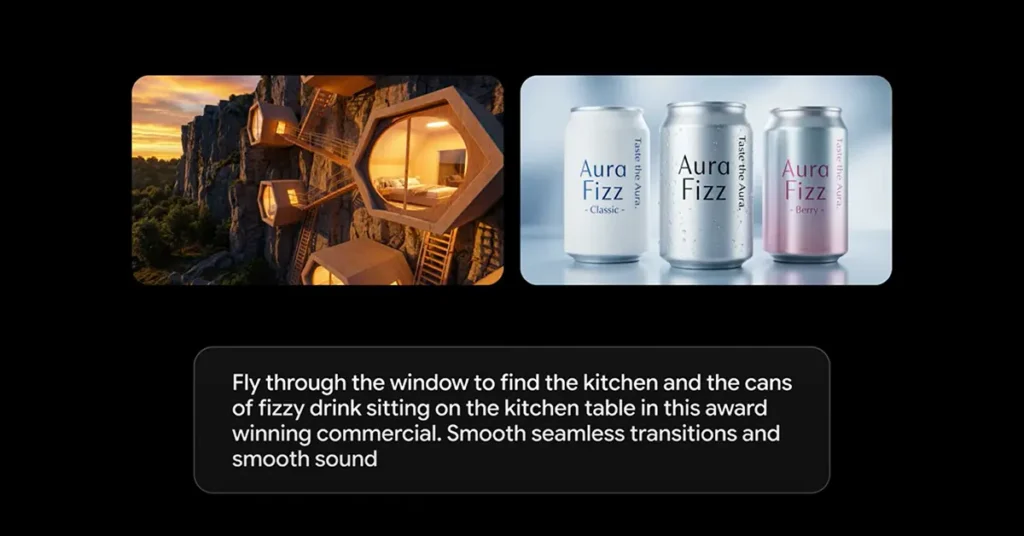
If your AI clips have ever suffered from the classic problem of “same character, totally different face,” the new Veo Ingredients to Video update is clearly aimed at you. Google’s latest Veo 3.1 refresh focuses on something creators actually notice in the edit: consistency. Think characters that stay recognisable across scene changes, props that do not randomly shapeshift, and backgrounds that stop rebooting like a confused video game level.
It is also a very 2026 move: the update now supports native portrait output, because most videos are watched upright even when our posture is not.
In This Article
What “Ingredients to Video” is trying to solve
“Ingredients to Video” is Veo’s feature that generates a video from reference images, the “ingredients,” plus a prompt. The headline goal is control. Instead of describing everything from scratch, you bring visuals that define a character, an object, a texture, or a style, then ask Veo to animate them into a coherent clip.
With this Veo 3.1 update, the emphasis is on making short prompts go further, while keeping the results more stable and story-ready.
The big upgrade: character and scene consistency
The most practical improvements land in three areas:
Character identity consistency: Veo is being positioned as better at keeping a character’s look consistent across multiple scenes, which matters if you are building a narrative and not just a single clip.
Background and object consistency: the idea is that your setting, reusable objects, and even textures can persist across scenes, instead of subtly mutating shot to shot.
Mixing elements: combining characters, objects, textures, and stylised backgrounds is meant to feel more cohesive, so the final clip looks intentional, not stitched together.
For creators, this is less about flashy new effects and more about reducing “fix it in post” pain.
Native vertical video is the point, not an afterthought
The update introduces native vertical video output for “Ingredients to Video” in a 9:16 aspect ratio. That matters because vertical is not just a crop, it is a composition. When a model generates a portrait from the start, you avoid awkward framing, lost detail, and the classic “why is the subject’s head flirting with the top edge” problem.
In plain terms, if you are making YouTube Shorts AI videos, the output is designed to be full-screen vertical without forcing you to reframe everything later.
Upscaling for 1080p and 4K, with a creator-friendly caveat
Veo 3.1 also adds upscaling options up to 1080p and 4K, aimed at cleaner edits, sharper detail, and fewer “soft” frames once you start cutting, grading, and exporting. Google describes this as state-of-the-art upscaling, which should help when you need a more polished look for delivery.
Important nuance for video nerds: this is upscaling, not the same thing as native 4K generation. Still, as a 4K upscaling option, it is a meaningful step if your workflow includes reframing, overlays, or delivery on larger displays.
Google says these upgrades are rolling out across consumer and professional products:
Gemini app video generator: “Ingredients to Video” and portrait mode are available in the Gemini app.
YouTube tools: “Ingredients to Video” is arriving in YouTube Shorts and the YouTube Create app.
Pro and enterprise: Flow, Google Vids, the Gemini API, and Vertex AI are also getting the enhanced “Ingredients to Video,” with higher resolution options available in parts of that stack.
In other words, this is not being treated as a single app feature. It is being positioned as a shared capability across Google’s creator pipeline.
Transparency: SynthID and verification inside Gemini
Alongside quality upgrades, Google is reinforcing provenance. Videos generated by Google’s tools are embedded with SynthID, an imperceptible watermark. The Gemini app’s verification flow lets you upload a video and ask if it was generated with Google AI, supporting SynthID video verification as part of a broader content transparency push.
This update feels less like “look what AI can do” and more like “here’s what creators need to ship.” Vertical output and better consistency are not glamorous, but they are exactly what turns AI video from a party trick to a repeatable workflow. If Veo keeps reducing continuity chaos, the real winner is not the model. It is the timeline.
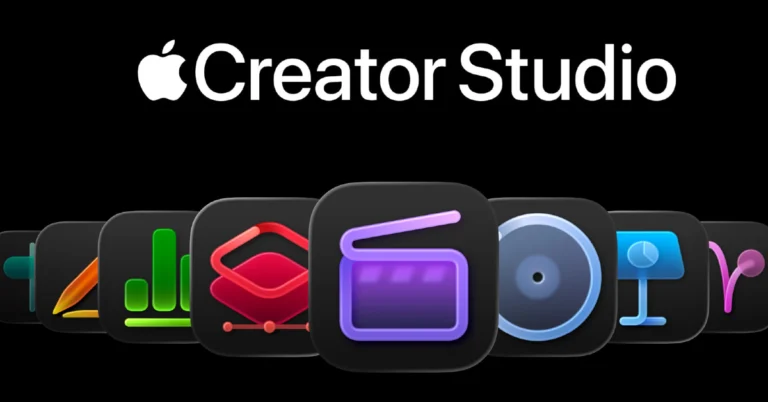
On January 28, Apple will introduce the Apple Creator Studio subscription service, which will provide anyone access to its professional creative apps. Final Cut Pro, Logic Pro, Pixelmator Pro, Motion, Compressor, and MainStage are all part of the suite. There are also extra tools for Keynote, Pages, Numbers, and Freeform.
Apple has launched Apple Creator Studio, a new suite of powerful artistic apps designed to provide studio-level capabilities to a wide variety of users. This collection improves the existing functionality of Mac, iPad, and iPhone, meeting the demands of millions of creators worldwide. The featured apps are centred around video editing, music production, creative imagery, and visual productivity, allowing users to completely participate in their creative processes and express their artistic visions. The suite offers smart upgrades and high-quality content that build on tools like Final Cut Pro, Logic Pro, Pixelmator Pro, Keynote, Pages, Numbers, and Freeform, creating a complete subscription service that helps creators in various fields while keeping their privacy safe.
FCP improves video editing on Mac and iPad by introducing new tools and intelligent features that simplify difficult workflows. Pixelmator Pro is also available for iPad, built for touch and Apple Pencil. Logic Pro for Mac and iPad offer features such as Synth Player and Chord ID, which promote music composition. Apple Creator Studio subscribers may also access additional premium material and intelligent functions in Keynote, Pages, Numbers, and Freeform for Mac, iPad, and iPhone, increasing expressiveness and productivity.
Transcript Search for Mac and iPad allows users to quickly identify specific soundbites within extensive video footage by entering phrases into a search window, which delivers precise or similar results. This feature simplifies the production of video podcasts and interviews, drastically decreasing the time necessary to evaluate content. Furthermore, the Visual Search function streamlines this process by allowing users to search for specific things or activities, allowing them to quickly locate and include important visuals into their timelines.
Final Cut Pro for Mac and iPad improves video editing with capabilities such as Beat Detection, which uses artificial intelligence to analyse music recordings and generate a beat grid to match video cuts with musical sounds. The new Montage Maker for iPad uses AI to swiftly create dynamic video clips by identifying the best visual moments. Users can also change the tempo, synchronise with music, and automatically reframe videos for vertical sharing on social sites.
Synth Player is a new addition to the AI Session Player lineup that delivers excellent electronic music performances via various chordal and synth bass sections, powered by Logic Pro’s advanced software technology. It functions as a skilled synthesist, able to creatively extend musical ideas in real time. It was created by Apple’s top sound designers and boasts outstanding realism and fidelity, thanks to the powerful synthesisers and samplers in Logic Pro. Users may adjust the intricacy and intensity of Synth Player using easy parameters, as well as access third-party plug-in Audio Units and external hardware synthesisers for improved performance.
Apple Creator Studio now includes beta capabilities for Keynote that speed up presentation development, such as producing presentation drafts from text outlines and creating presenter notes from existing slides. Users may also improve their presentations by adjusting the layout and item placement. Numbers’ The Magic Fill feature generates formulas and fills tables based on pattern recognition. Keynote, Pages, Numbers, and Freeform will remain free for all users to create, edit, and collaborate while receiving updates that include a new visual design language called Liquid Glass, as well as 26 enhancements to iPadOS, such as windowing and the menu bar.
Availability
The Apple Creator Studio in India provides monthly subscriptions starting at Rs 399, as well as an annual plan for Rs 3,999. Students may take advantage of subsidised prices, with the Creator Studio Pro membership priced at Rs 199 per month or Rs 1,999 per year.
Apple Creator Studio will be available on the App Store on January 28, priced at $12.99 per month or $129 per year, with a one-month free trial. Student and educator subscriptions are offered for $2.99 per month or $29.99 yearly. Users may also make separate one-time purchases of the Mac versions of the aforementioned apps from the Mac App Store.
Garena Free Fire (GFF) Max is a battle royale game with regular awards and tournaments to keep players interested. If you play GFF, you should be aware of the redeem codes that are released on a daily basis. However, because the battle royale game is banned in India, players from other countries can use theFree Fire Redeem codes daily. If you’re unfamiliar with the codes or don’t know how to get them, we’ve put together a step-by-step guide to help youredeem them. Check out Garena Free Fire Max Redeem Codes for 14 January 2026.
These codes are a great way to get free items in the game. The 12-digit codes contain letters and numbers, as well as an expiration date and time. Because the Garena FF redeem codes cannot be used more than once, you should hurry to the redemption page to claim your free reward before someone else does. To get a free reward, all you have to do is go toreward.ff.garena.com/en, which is the official redemption page. Also, keep an eye on this space for daily updates on Gadget Bridge on GFF Max redemption codes and rewards.
Amazon Quiz 14 January 2026: The New Daily Quiz is now available. Customers from different parts of the country are participating in the daily quiz. The quiz starts at midnight today and will be live until 11:59 PM tonight. By successfully answering every question, participants in the quiz have the chance to win wonderful rewards. Up to Rs 500 Amazon Pay Balance is up for grabs to participants today.
One wrong answer could eliminate you from the quiz. You have a chance to win up to Rs 500 Amazon Pay Balance if you successfully answer every question. Users of the app only have the opportunity to take the quiz. Check Out the 14 January 2026 Quiz.
In This Article
Are you not able to find Amazon FunZone? Click below and participate.
We have written an explainer above; you can refer to that.
When are the winners of the Quiz and contest announced or declared?
The announcement of today’s quiz winner will take place Tomorrow. As for the Special Quiz and “Spin & Win” Contest, the winners will be declared once the Quiz Contest comes to an end. To find out who the lucky winner is, you can refer to the Winners List or visit the Amazon Winners tab in the Amazon App.
How to participate in the Daily Amazon Quiz?
That is very easy, just got to the Amazon app and scroll to the bottom of the page and you will find the Quiz section. Click on it (usually it is called the fun zone) and you can enter the Amazon Today Quiz Contest.
Are there any other quizzes or contests running on Amazon daily?
Yes, there are many running daily. These range from spinning the wheel to answering the questions correctly. All are located in the Fun Zone.
What are the criteria for selecting a winner in the Daily Amazon Quiz?
When a qualified player submits correct answers to all the questions, they will automatically be entered into a lucky draw. This draw will include all participants who answered all the questions correctly. Amazon randomly selects the final winners from the pool of eligible participants who gave the right answers.
Which Types of Questions are asked within the Amazon Daily Quiz?
These are very simple and straightforward questions. These are mainly related to general knowledge.
Where should I look for Amazon Daily Quiz answers?
You can bookmark our website www.gadgetbridge.com as we will help you every day with the Amazon Daily Quiz. We bring you fresh answers every day for the Amazon Daily Quiz and Contest.
What time does Amazon announce previous winners?
The previous winner’s name will be announced today at 12 PM (noon).
Are you looking for today’s Wordle answer for January 14, 2026? The problem is difficult to solve, so if you need assistance, we’ve included hints and the clue to today’s Wordle Quiz. Below, we have made it simple for everyone to understand how to get to the Wordle Answer today.
In This Article
Hints and Answers for Today’s Wordle January 14
Before answering directly, please check the Wordle Hints first.
Hint 1: Today’s Wordle answer includes two vowels. Hint 2: The answer for today has no repeating letter. Hint 3: Meaning- to prevent something from happening or to try not to do something
What word does today’s Wordle begin with?
Do you need help with today’s Wordle answer’s initial letter?
The first letter in today’s Wordle is “A”
Today’s Wordle Answer
The answer to Wordle #1670 on January 14, 2026, is — AVOID
Wordle: A Five-Letter Word Guessing Game • The game allows six guesses of a five-letter word. • Provide feedback on the guessed letters’ placement in the puzzle. • The New York Times purchased the game in 2022. • Created by Josh Wardle for his partner, narrowing down 12,000 English words to 2,500. • Named after the word “word.”
How To Play Wordle?
Wordle is a New York Times word puzzle game that allows users to guess a five-letter word in six attempts. The letters are highlighted in Yellow and Green, indicating whether the word is present in the answer or not, and Green letters indicate the correct guess.
Select a powerful starting word: Avoid using unusual words, as they frequently do not match common letters. A good opening word has plenty of benefits.
Repeating letters: Don’t be afraid of repeating letters; they appear frequently in words. The answer may contain one or two repeated letters.
Use the Wordlebot: The NYT’s Wordlebot analyses and compares replies to itself. This challenge can assist you in enhancing your guessing skills and highlighting areas for development.
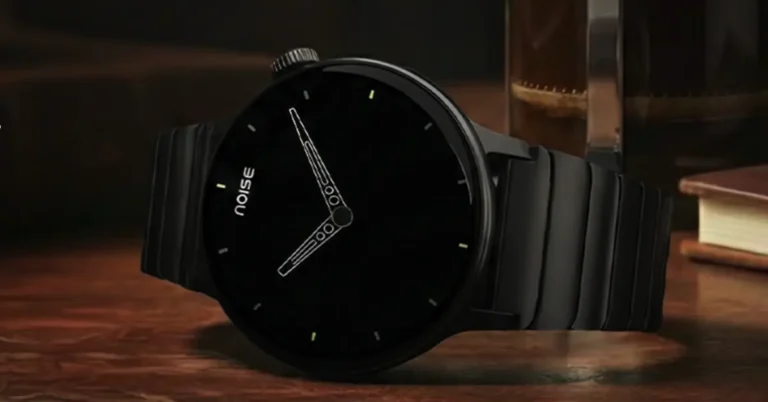
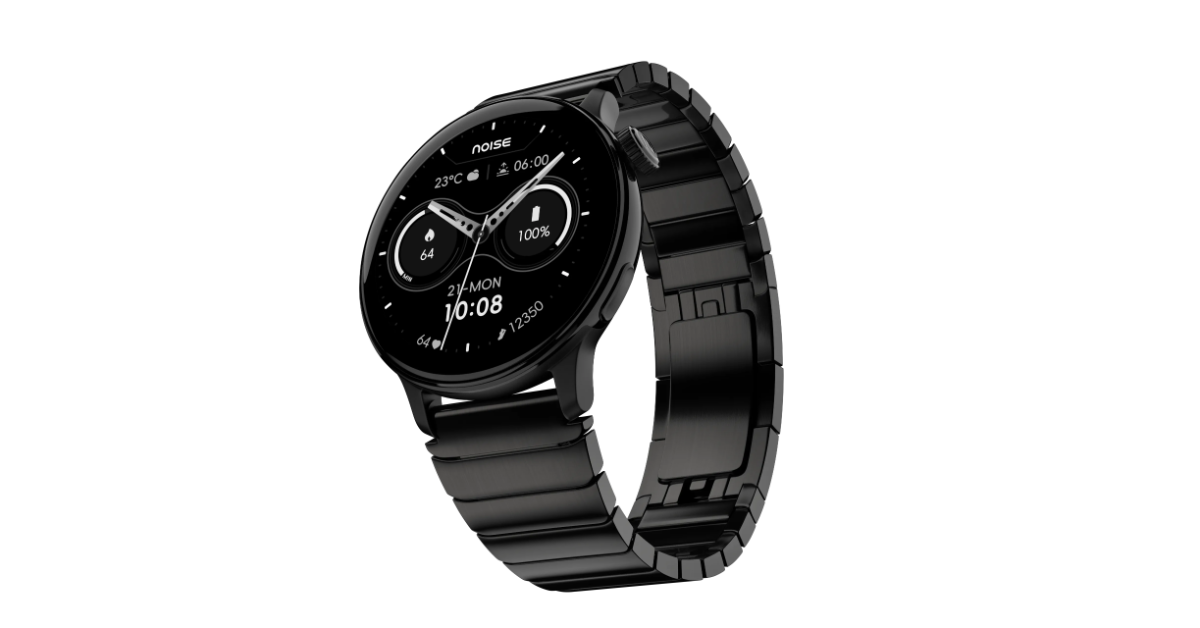
Noise has introduced the NoiseFit Pro 6R, the first round silhouette in the company’s flagship Pro Series, which combines superior design with current technologies. This model has Noise AI Pro, Super Notifications, video watch faces, and improved health and fitness functions. A crucial feature is the integration with Strava, which makes it available to users of this popular fitness platform.
The NoiseFit Pro 6R is priced in India at Rs. 6,999 for the leather and silicone strap options. Meanwhile, the metal strap version of the NoiseFit Pro 6R costs Rs. 7,999. The new smartwatch is presently available in India on Amazon, Flipkart, and the Noise India online shop.
The NoiseFit Pro 6R has a traditional round design and a sturdy but attractive stainless steel construction. It has a vibrant 1.46-inch AMOLED display with a brightness of 1000 nits and an Always-On Display for constant visibility. The smartwatch comes with three strap options: metal, leather, and silicone, allowing it to complement various clothes and lifestyles, making it perfect for both everyday use and active sports.
At the heart of the NoiseFit Pro 6R is Noise AI Pro, an advanced intelligence system designed to improve everyday experiences by responding to individual preferences. This technology understands natural speech and movement patterns, allowing for seamless interactions via voice commands. Users can quickly access medical details, create reminders, track progress, manage controls, and make calls to stored contacts. The wristwatch turns traditional prompts into intelligent assistance by reading context to help users stay organised and informed, ensuring they have control over their everyday tasks.
The NoiseFit Pro 6R has Super Notifications, an enhanced alert system that prioritises essential updates such as OTPs, payment confirmations, ride notifications, and order statuses. By filtering out less important messages, it keeps the wrist feed clean and focused, ensuring that consumers get timely and relevant information. This approach is intended to reduce the number of needless phone checks, making it easier to wait for shipment, follow transit, and approve transactions.
It includes guided workout courses that make structured exercise regimens available right from the wrist. During outdoor activities, the built-in GPS monitors movement parameters such as speed and distance. Additionally, it provides easy connectivity with Strava for those who want to register their workouts across multiple platforms. The gadget offers quick access to key information such as heart rate, SpO₂, and stress levels. It also includes a Sleep Score and advanced female cycle monitoring, which provide significant information about daily recovery, preparedness, and overall wellness.
The Noise NoiseFit Pro 6R is designed for practical use, including TWS connectivity, Emergency SOS, and 30 m water resistance. It has a battery life of up to 7 days, is compatible with both Android and iOS smartphones, and works with the NoiseFit app to provide performance insights and personalisation.
With its gameplay focusing on conquering dungeons and slaying monsters, Dungeon Hunters on Roblox lives up to its name. As you open different doors, you never know what you’re going to find. You may be treated to a treasure or a hideous beast that must be destroyed. To help you along the way, the game offers some special codes that can be redeemed for gems. Here are all the Dungeon Hunters codes available in January 2026.
The developers of this game will release the next code when its official page on Roblox reaches 300k likes. Right now, it is sitting at 217k likes. While you’re here, check out the latest Jujutsu Zero codes. If you have any questions, let us know in the comments!
Jujutsu Kaisen, being one of the most popular anime around, has spawned several Roblox game adaptations. Jujutsu Zero, one of our favourites from the bunch, puts you on the path to becoming the Sorcerer, letting you slay your opponents along the way. To give you the edge in intense battles, the game offers some special codes that can be redeemed for useful rewards. Here are all the Jujutsu Zero codes that are up for grabs in January 2026.
Jujutsu Infinite is another Roblox game that fans of Jujutsu Kaisen cannot miss. Check out its latest codes here. If you have any questions, let us know in the comments!
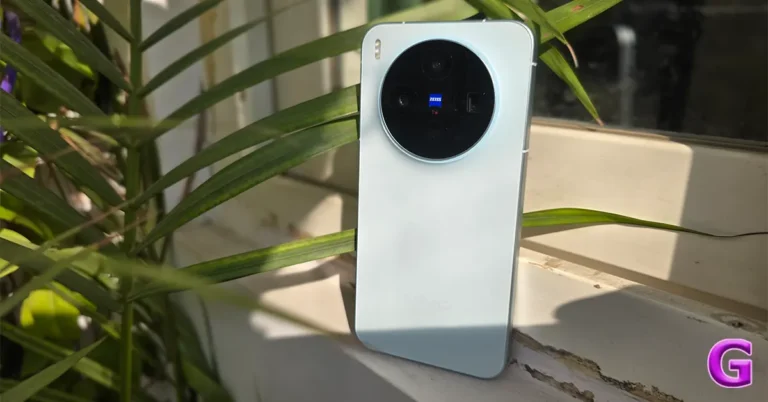
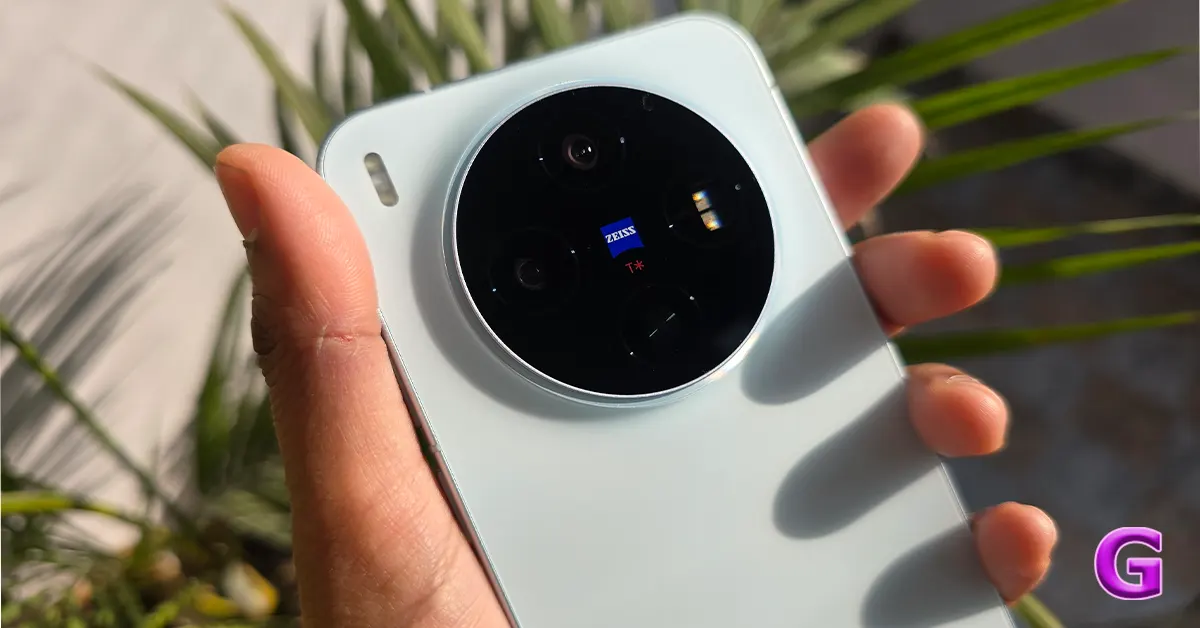
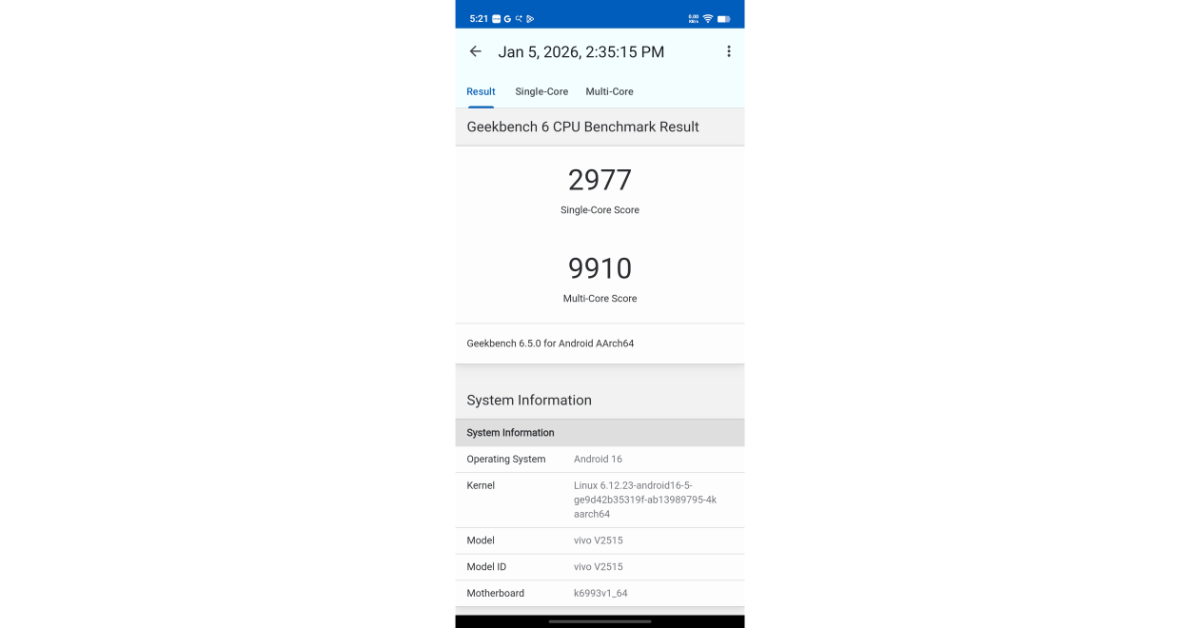
We recently reviewed the Vivo X300 Pro and were extremely satisfied with its performance, particularly the camera. We’re back with another review, this time featuring the Vivo X300, which is surprisingly lightweight and compact. It challenges the idea that you need a large flagship device to capture professional-quality photos. Equipped with the Dimensity 9500 and Vivo’s V3+ imaging silicon, this smartphone is an excellent choice for those seeking a balance of comfort and performance. It stands out from bigger phones.
In this review, we’ll discuss how Vivo managed to create a more compact flagship experience without sacrificing quality.
In This Article
Design and Display
Vivo distinguishes itself as a leading manufacturer by offering a comprehensive out-of-the-box experience. The package includes the following accessories: a 90W FlashCharge Power Adapter, a USB-C to USB-C cable capable of handling 90W of power, a premium protective case often colour-matched or made of high-quality transparent TPU to safeguard the camera module, a pre-applied screen protector on the display, and a SIM eject tool accompanied by standard warranty and quick-start documentation.
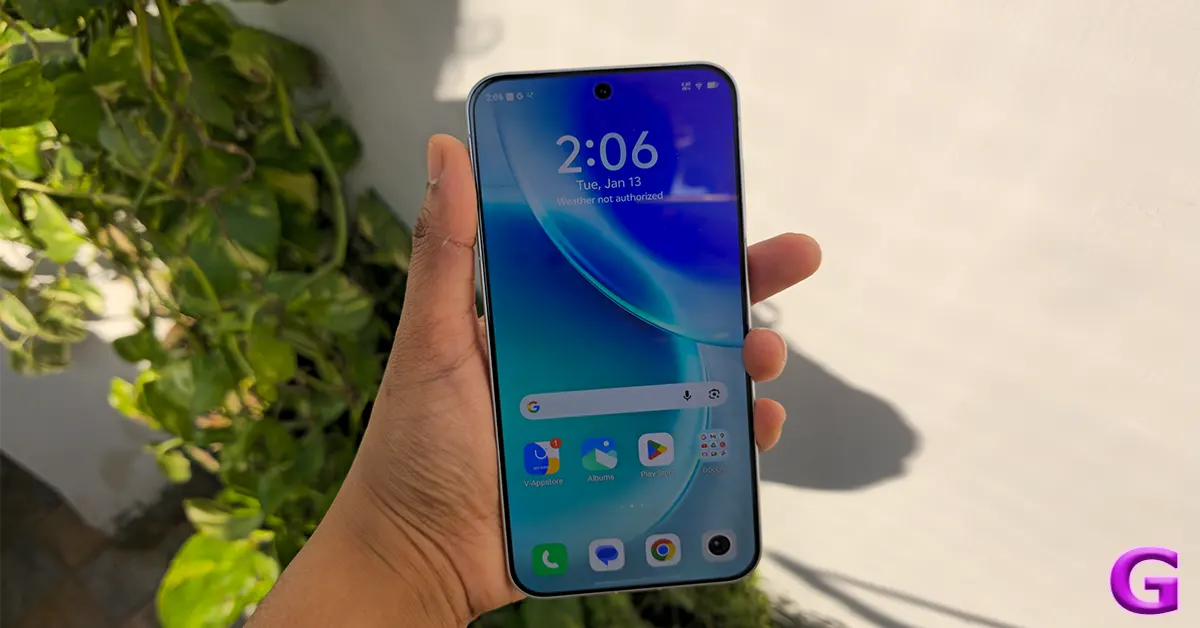
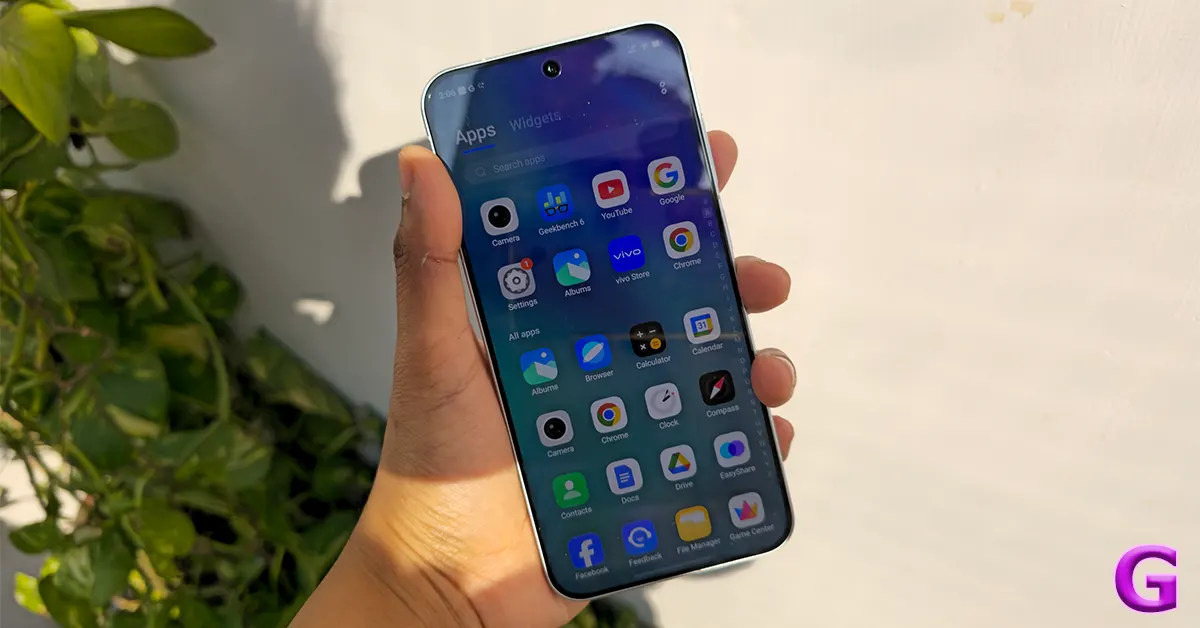
The Vivo X300 is a compact flagship phone featuring a unique design that distinguishes it from the X200, its predecessor. It is crafted for one-handed use while maintaining a premium feel.
It is smaller than most of its competitors, making the compact marvel easier to carry around. This makes it less difficult for people with small hands or pockets to operate. The smartphone has a size of 150.57 x 71.92 x 7.95mm. The gadget is easy to carry, weighing 190 g.
According to the firm, it uses a Unibody 3D Glass structure in its Cold-Sculpted glass. In one continuous piece, the glass goes upward to reach the lens housing, not stopping at the camera module. No sharp gaps exist where dust may gather. This design decision enhances the user experience altogether by reducing wobbling on flat surfaces.
The device features Diamond Armour Glass, which is claimed to improve drop resistance by 110% over the previous generation, highlighting its technological durability. Its dual IP ratings of IP68 and IP69 show it can withstand immersion in water and exposure to high-pressure or high-temperature water jets, ensuring it remains sealed and functional even during severe conditions like storms or hot water cleaning. These features establish it as a dependable choice in the smartphone market.
The MistBlue colour option for this review is appealing because it strikes a balance between a vibrant, light-reactive surface and a polished matte finish. When exposed to direct sunshine or intense studio lights, the hue changes from a desaturated ice blue to a pearly white or silver. The micro-etched glass layer on the rear panel is intended to disperse light, producing a gentle, misty glow that accentuates the camera island’s sculpted contours without creating sharp reflections. Furthermore, the polished metal frame and silver-toned ZEISS circular module combine to produce a pleasing contrast with the cool blue hues.
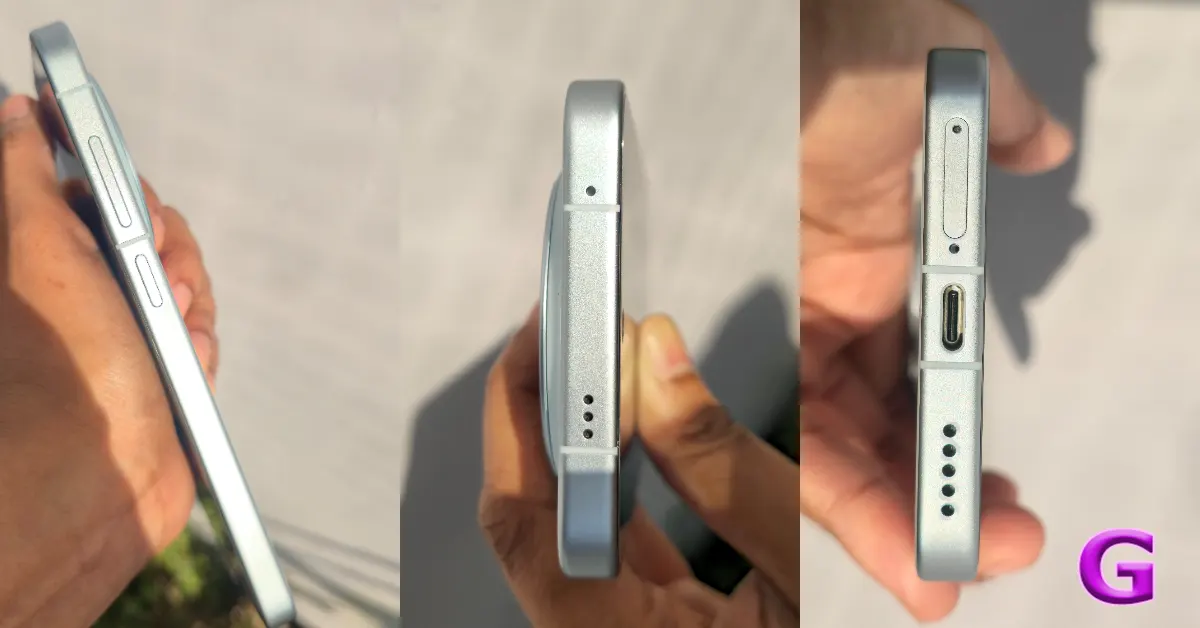
The device’s metal frame has defined edges, which set it apart from the entirely rounded form.
This finish makes it difficult to leave noticeable fingerprints since the smartphone is extremely resistant to smudges and grease stains. When compared to high-gloss glass, the smoothness of the surface may give the handset a slightly slippery feeling despite its impressive pristine state. But as the company has provided a back cover which is of a similar colour to the phone, you can use it to protect the gadget from accidental damage.
The standard X300 features all physical controls on the right side, making them appear tidy and easily accessible. There is a power button made of high-quality aluminium that is just above the middle of the frame. When you press it, you get a strong click with minimal travel. Above this is a single long button that controls the volume. The buttons are the same colour as the Mist Blue frame and have a distinctive finish that is nice to feel. The left rail of the gadget, on the other hand, is absolutely smooth. The customisable Action Button is exclusively on the bigger X300 Pro model. The regular X300 uses software gestures for comparable tasks.
The bottom border of the gadget has a symmetrical arrangement with a few necessary components. Additionally, it features a USB-C connector (USB 3.2 Gen 1) capable of transferring data at speeds up to 5 Gbps. This port serves as the primary connection for 90W FlashCharge and enables OTG for external devices such as SSDs and cameras. The SIM tray is next to the USB port. It can hold dual-sided Nano-SIM cards (SIM1 on top and SIM2 on the bottom) and also lets you set up eSIMs. There is a main speaker with a precision-drilled grille to the right of the charging port. There is also a small pinhole microphone between the SIM tray and the USB-C connector.
The top edge of the device is designed to be clean and functional, featuring a simple frame that highlights its unibody construction. The second speaker vent is discreetly integrated, allowing the earpiece and speaker to work together to enhance stereo sound. Additionally, a noise-cancelling microphone is included to reduce background noise during calls and capture directional sound for videos. The infrared (IR) blaster is seamlessly embedded, either at the top edge or hidden behind the elegant camera glass, making it seamlessly blend into the design. This integration enables the phone to act as a universal remote control for TVs and air conditioners.
The 3D Ultrasonic Fingerprint 2.0 sensor, located beneath the display, is a single-point sensor that works even in light rain or with greasy fingertips. This sensor has been moved somewhat higher than its predecessor to better accommodate thumb positioning. Additionally, an NFC sensor is embedded just under the mist blue glass on the device’s top rear, allowing for contactless payments and quick pairing.
Vivo uses LIPO technology (low-injection pressure overmoulding) to create bezels that are 1.05 mm in size on both sides, which is narrower than the bezels on the last generation of iPhone Pro models. With this design, the glass appears to fit seamlessly into the frame, giving a floating effect. Also, even though the screen looks flat at first, the panel has a little 2.5D curve along the edges that lets swipe motions, especially the back gesture, be smoother than on a regular flat display.
The new 6.31-inch 1.5K AMOLED display, which was co-developed with BOE, uses the Q10+ Luminous Material, resulting in a 15% increase in power efficiency over its predecessor. The panel has a high resolution of 1.5K (1,216 × 2,640 pixels) and a pixel density of 460 PPI, resulting in a far crisper image than ordinary 1080p panels available in other compact devices. The refresh rate extends from 1 to 120 Hz, and an 8T LTPO backplane allows for quicker and more reliable transitions between refresh rates, resulting in the smooth animations observed in OriginOS 6.
The X300’s Night Use & Eye Comfort features include an advanced dimming technology that ensures excellent visibility in low-light situations. The gadget uses high-frequency PWM (pulse width modulation) dimming at 2160 Hz, which considerably minimises screen flicker, which can cause headaches and eye strain, particularly for people who are sensitive to such effects, as seen with other devices such as iPhones and previous Pixels.
Additionally, the X300 has a minimum brightness level of 1 nit, which allows the display to be dim enough to mimic a sheet of paper in a dark environment, improving user comfort during late-night reading sessions.
Furthermore, Vivo’s displays have received TÜV Rheinland Triple Certification, indicating that they meet hardware criteria for low blue light, flicker-free operation, and circadian friendliness for healthy viewing experiences.
The display can also reach a peak brightness of 4,500 nits. The phone’s Immersive Dual-Engine turns on High Brightness Mode when it’s in direct sunlight. This keeps text clear and stops colours from washing away in bright light.
The Wet-Hand Touch algorithm is a cool feature of the gadget. The tech uses AI to tell the difference between water droplets and fingers when it’s wet, as when it’s raining or after washing your hands. Results show that this technology can accurately capture swipes even when the screen is quite wet.
The X300 series features dual stereo speakers. Its broad soundstage enhances sound localisation in games and movies, although the bass is reportedly weak. These speakers excel at podcasts and clear dialogue due to balanced mids and highs. The sound quality is notably powerful, capable of filling a small room.
The new model resolves the problem of screechiness at high volume but lacks bass. It’s worth noting that the X300 and X300 Pro don’t have dedicated Hi-Fi hardware DAC support, but they do work with high-quality wireless codecs like LDAC and aptX Adaptive.
Vivo has included an advanced triple-microphone array meant to improve noise isolation. Also, the AI noise cancellation reduces wind and background noise during calls, making it especially useful in cities. Furthermore, the mics offer audio zooming, which allows users to focus an audio recording on a subject while zooming in, isolating their voice from background noise.
The X300 has the MediaTek Dimensity 9500, which is built on TSMC’s advanced 3nm process. It has a 1+3+4 architecture: one Lumex C1-Ultra core for very demanding single-threaded tasks at 4.21 GHz, three C1-Premium cores for heavy multitasking at 3.5 GHz, and four C1-Pro cores for consistent performance at 2.7 GHz. This configuration results in a 32% increase in single-core performance and a 33% improvement in GPU performance compared to the previous setup.
Vivo’s devices include advanced memory and storage. They come equipped with 12GB or 16GB LPDDR5X Ultra RAM and use Memory Pro technology to keep up to 45 programs running in the background. The phone comes with 256GB or 512GB UFS 4.1 storage, which speeds up performance by increasing the speed of random operations such as reading and writing. This is helpful for things like exporting 4K/120fps video or loading big titles.
The gaming performance of BGMI and CoD Mobile has been optimised, with native 120FPS support and reliable performance. On the highest settings, Genshin Impact maintains a steady 60FPS, with AI Frame Interpolation boosting the experience to a smooth 120fps. To manage heat during use, Vivo employs a specialised 4K Vapour Chamber that utilises a hydrophilic nanofluid, enhancing thermal efficiency and reducing GPU power consumption by improving the heat-vapour transition.
Geekbench 6 Scores:
Single Core Score – 2,977
Multi-core score – 9,910
Vivo has officially phased out the Funtouch OS branding worldwide, replacing it with a uniform OriginOS 6 (based on Android 16). This iteration is more than just another skin; it’s an AI-driven upgrade intended to bridge the gap between smartphones and professional workstations.
OriginOS 6 introduces a new design language called Liquid Glass, designed to complement the Mist Blue hardware. The system features a Dynamic Glow, making the UI feel more premium, quick, and visually appealing. It uses a real-time physics engine to generate a responsive visual glow during interactions, mimicking how light interacts with the UI, apps, and more. Morphing animations enhance the user experience by smoothly transitioning between application windows, mimicking natural hand movements. The Gradient Blur effect adds depth to menus and notifications while maintaining clear text visibility.
Origin Island is also Vivo’s new way to multitask. There is a dynamic section that shows live controls and lets users drag photographs or text into the island for quick operations, with AI suggestions to help. The Copy & Go tool allows it to be easy to find your way around and call immediately from copied information.
Vivo is promoting the X300 as a great laptop companion for productivity because it has features like One-Tap Transfer, which allows moving files between devices, and AI Captions, which translate and summarise video calls in real time, and better communication with people who speak different languages.
The AI Imaging & Video Suite leverages ZEISS technology to offer innovative features such as AI Image Expander, enhancing photo backgrounds, and AI Magic Move, allowing seamless object repositioning in photos. Additionally, it includes AI UHD Restoration for improving photo quality and Veo 3, available within the Gemini app, which creates short, 8-second videos from text prompts.
The Smart Call Assistant handles calls from unknown numbers, transcribes the caller’s words in real time, and allows users to type responses to the AI’s vocalisations. Perfect for avoiding spam calls during meetings.
The new system works much better now that Memory Fusion is here. This allows 47 apps to run simultaneously in the background without needing to update them, thanks to a compression algorithm. The Dual Rendering Architecture ensures the UI remains smooth at 120 Hz, even if an app crashes or stops responding. Vivo also has the best service policy in the industry, offering 5 years of OS upgrades and 7 years of security fixes. Therefore, the X300 is a good long-term investment.
Apps like Instagram, Chrome, and the camera provide fast access, allowing for smooth transitions between multiple applications, up to 12 at once, without sacrificing speed. The software’s responsiveness enables users to swiftly modify their choices during an animation, ensuring smooth device performance without noticeable delay. It adeptly tackles the lightning-fast, multifarious demands of modern apps, overcoming the hurdles of frequent use with amazing ease and efficiency.
The mobile phone has a strong back camera system developed in collaboration with Zeiss. This system has a high-resolution 200-megapixel primary sensor (1/1.14 inch) with optical image stabilisation (OIS) for increased image quality and stability. It also features a 50-megapixel wide-angle lens with a 1/2.76-inch sensor, allowing for more expansive picture vistas. The camera system is further enhanced with a 50-megapixel telephoto lens, the Sony IMX885 LYT-602, which features optical image stabilisation and has a 3x optical zoom capacity.
The Vivo X300’s front camera features a 50-megapixel sensor for selfies and video calls. Notably, all of the cameras can record in 4K video resolution, resulting in high-quality photos and videos.
The Vivo X300 features an impressive 200MP Samsung HPB sensor that employs pixel-binning and high resolution to enhance photo quality. It’s designed to capture clear, vibrant images ideal for social media when lighting conditions are optimal. Using the full 200MP mode offers excellent detail and extensive cropping possibilities without sacrificing texture, though it requires 1–2 seconds to process and might result in overly sharp images.
The camera uses ZEISS Natural Colour technology to produce pictures that look natural, unlike older models that had colours that were too bright. A contrast-forward method brings about shadows and drama that stand out more in photographs, but it may lose clarity in very dark regions compared to other brands that use balanced HDR.
With a near-instant shutter, the X300 catches moving images with minimum fuzz throughout the day. The phone’s low-light performance is remarkable, thanks to powerful AI noise reduction, which offers clear night photos free of the graininess common to mid-range handsets. The ZEISS T coating decreases lens flare from artificial lighting.
The camera has an ambient exposure style, which means it keeps the intricacies of the shadows while lighting up brighter spots well, like neon signs. When it’s darker outside, colour saturation goes up. This may pull off better cityscape photography, but it can also deliver warmer skin tones when they’re lit up by street lights. Also, the Optical Image Stabilisation (OIS) lets you take 2–3 second long exposure photographs manually in Night Mode without much blur.
Vivo’s relationship with Zeiss adds the Natural Colour feature to its phone cameras, which makes sure that photographs seem as natural as they do to the human eye. This feature lets the camera achieve better usage, especially for vacation photos, by showing them in a professional and authentic style.
Vivo pioneers Portrait Mode, enabling stunning photos with subjects sharply in focus and a gentle, soft blur reminiscent of genuine glass camera lenses. In everyday use, Vivo excels at shooting photographs of children, loved ones, and pets with studio-quality results. The camera’s flexibility is enhanced by its adjustable settings. The 24mm and 35mm settings are ideal for wide-angle environmental pictures, while the 50mm and 85mm settings are traditional portrait sizes. For tighter, more dramatic headshots, the 100mm (X300) and 135mm (Pro) options are available.
Edge detection works quite well, producing clear outlines around subjects. Vivo’s bokeh styles, such as Mirotar and Biotar, give the company a unique vintage look that sets it apart from competitors like iPhone and Samsung. Both the X300 and its elder sibling use ZEISS APO telephoto lenses, which employ apochromatic lens technology to reduce chromatic aberration in their telephoto cameras. The main difference lies in the sensor and optical zoom capabilities: the Pro model features a 200MP sensor for its telephoto camera, while the standard version has a 50MP sensor. Despite the differences between the two models, the ZEISS APO standard ensures each of them is excellent at capturing images from a distance.
The lens gets rid of the purple or green glow that typically shows up in close-up pictures of bright subjects. This also lets you take close-up macro photos, which is great for taking detailed pictures of flowers or jewellery. People could expect crisp, high-quality zoomed-in pictures instead of pixelated ones when they use it regularly, including at concerts or sporting events.
In bright light, the X300’s ultra-wide lens delivers amazing performance and colour constancy thanks to Vivo’s VCS technology. Advanced distortion correction reduces edge blurring. ZEISS T Coating reduces chromatic aberration in high-contrast regions. The X300 works well in low light because of the V3+ chip, which reduces noise while maintaining contrast, albeit fine textures may be lost.
normal vs portrait
The ultra-wide lens also serves as an excellent macro camera, enabling focus as near as 2.5cm and capturing fine details with its 50MP sensor. However, it has certain disadvantages, including a lower sensor size, which reduces dynamic range when compared to the 200MP primary lens, and a shorter field of view than other competitors.
The X300 has a wide range of video settings for each lens, including 4K at 120 fps for the primary and telephoto lenses, which allows for high-quality slow-motion recording. The camera supports 4K Dolby Vision HDR, which improves colour vibrancy and highlight retention. The standard X300 is normally limited to 4K; however, the Pro can go up to 8K. Furthermore, the selfie camera can film in 4K at 60 fps, providing vloggers with high-quality front-facing footage.
One of the notable features is the 4K 60fps Cinematic Portrait Video, which uses real-time background blur computed by the V3+ processor to provide more lifelike results than the prior 1080p version. The mobile phone also supports automatic focus shifts with a single screen tap, simulating professional cine lenses. Additionally, the device has presets like Cold White and Film Style, which provide a graded appearance without post-editing.
The X300 has CIPA 4.5-rated stabilisation on both primary and telephoto lenses, allowing for stable handheld shots even when walking or jogging. An Ultra Stabilisation Mode is provided for increased stability, limiting resolution to 2.8K at 60 fps and providing a tripod-like feel during movements.
A 200MP sensor with pixel binning and a V3+ chip decreases noise dramatically, resulting in clear night footage. The Vivo Camera System (VCS) technology reduces digital grain in shadows, while the ZEISS T Coating efficiently eliminates blur and lens flare produced by bright lighting.
So, for easier one-handed use and superior standard photography, go with the Standard X300, which excels in capturing everyday subjects. If zoom capabilities for distant subjects such as the moon or wildlife are important, choose the X300 Pro (Review) with its bigger zoom lens. Overall, the Vivo X300 series stands out for generating realistic, high-quality photographs comparable to those produced by skilled photographers while being portable.
Despite the small form factor, the X300 has an amazing endurance with a 5,360 mAh battery. After extensive usage, including GPS and social media (Instagram, Facebook, Threads and X.com), the battery lasted 40-50%, with 20 hours of continuous YouTube streaming. Gaming experiences reveal an 11% battery depletion per 30 minutes on intensive games. Standby performance has considerably improved, with just a 2 to 3% drop overnight. The charging technology at 90W can fuel the battery from 0% to 50% in 19-20 minutes and fully charge in 45-50 minutes. Vivo assures that the battery will still retain more than 80% of its health after five years of daily fast charging.
Verdict
Ok, now final thoughts.
The Vivo X300 features an 8T LTPO AMOLED display measuring 6.31 inches, with a brightness peak of 4,500 nits, enhancing usability and durability. Its 200MP main camera, equipped with ZEISS lenses and 3x optical zoom, captures high-quality images, though it occasionally faces AI processing issues. Powered by the Dimensity 9500 chipset, the device excels in gaming and remains cool under heavy load. It runs on OriginOS 6, and the manufacturer commits to delivering five major Android updates, ensuring a positive user experience.
This model is ideal for photography enthusiasts seeking top camera quality in a compact smartphone, thanks to its excellent performance. Professional videographers will benefit from features like 10-bit Log and 8K recording. However, if battery life (5,360 mAh) or natural photo processing are important to you, consider alternatives, especially if you prefer a lighter, less bulky device for extended use.
The Vivo X300 is a small yet powerful smartphone that is great for people who love to take pictures.
If you like SpongeBob Squarepants and tower defence games, we’ve got the perfect Roblox title for you. SpongeBob Tower Defense is a fun spin on the classic TD genre, where you get to train the characters from the show and use them to plunder enemy bases. At the same time, you need to make sure that your base is well-guarded against incoming attacks. To help you along the way, the game offers some special codes that can be used to get useful items. Here are all the SpongeBob Tower Defense codes available in January 2026.
Roblox has a section of chill and relaxing games that you must check out if you’re burnt out from the action-packed tower defence titles. Farm A Fish is one of our favourite games in the genre. It captures the fishing experience quite well, letting you choose the bait, customise your gear, and catch different kinds of fish. To help you on your mission to set up a fishing empire, the game offers a bunch of special codes that can be redeemed for useful items. Here are all the Farm A Fish codes available in January 2026.
The next code will be released when the game reaches 25k likes on its official Roblox page. Currently, it is sitting at 14k likes. While you’re here, check out the latest Anime Story codes. If you have any questions, let us know in the comments!
A new X-series phone is warming up for an India launch, and the early signs point to a camera-first sprint. The vivo X200T India launch has been officially teased, with vivo confirming the next phone in the X200 lineup is coming soon after the X200 FE.
The teaser itself is refreshingly direct. It highlights two things that usually make smartphone fans sit up straighter: ZEISS optics and a periscope telephoto camera. No pricing hints. No dramatic spec dump. Just a clear message that zoom photography is going to be a key talking point this time.
In This Article
What the teaser confirms
From what’s been shown so far, vivo is locking in:
Periscope telephoto camera: This typically signals stronger long-range zoom capability without turning the phone into a brick.
ZEISS optics: Expect tuning and processing aimed at better portraits, sharper details, and more consistent colour.
Different camera module design from the X200 FE: So this is not a simple re-skin.
Everything beyond that remains in the “reported” category until the launch event fills in the blanks.
Reported specs
Leaks and rumours are painting a pretty specific picture of what the X200T could bring. Here’s the most talked-about set.
The device is said to feature a 6.67-inch AMOLED display with 1.5K resolution and a 120Hz refresh rate. That combination generally aims for crisp text, punchy visuals, and smooth scrolling.
Powering it could be the MediaTek Dimensity 9400+. If true, that places the phone firmly in flagship territory, the kind of chip designed for heavy multitasking, sustained performance, and gaming without constant “please close apps” warnings. In short, this could be a proper Dimensity 9400+ phone for people who actually use their phone like a mini computer.
Cameras
The camera rumour stack is bold and symmetrical:
50MP main camera (Sony LYT-702) with OIS
50MP ultra-wide camera (Samsung JN1)
50MP periscope telephoto (Sony LYT-600)
32MP front camera
If these parts are accurate, the X200T is going for versatility. Main for everyday shots, ultra-wide for travel and architecture, and a ZEISS periscope camera setup to handle portraits and far-away subjects without turning everything into watercolour.
Battery, charging, and durability
This is where the X200T could quietly win over power users:
IP69 rugged rating (alongside IP68) for dust and water resistance
Big batteries matter when you travel, shoot a lot of photos, or just do not want your day to be planned around a wall socket. Fast charging is the cherry on top, especially if you are frequently hopping between meetings, airports, or coffee shops.
A quick, responsible note: even high IP ratings do not make a phone invincible. Water resistance can change with wear and tear, drops, and repairs, so common sense still beats bravado.
One report claims Android 16 with OriginOS 6 and Android 16 on top, plus a long update commitment. That would be a strong promise if confirmed at launch, but for now, treat it as “wait for official details” rather than a signed contract.
When might it launch?
The timing hints suggest a Republic Day window, especially with the major e-commerce sale season around mid to late January. If the teaser strategy is any clue, vivo likely wants the X200T to show up while shoppers are actively comparing upgrades.
If the X200T lands with the rumoured battery, a solid periscope implementation, and a sensible price, it could be one of those phones people recommend with a simple line: “Buy it if you want zoom and stamina.” The teaser is already doing its job. It is making the camera the headline, not the hype.