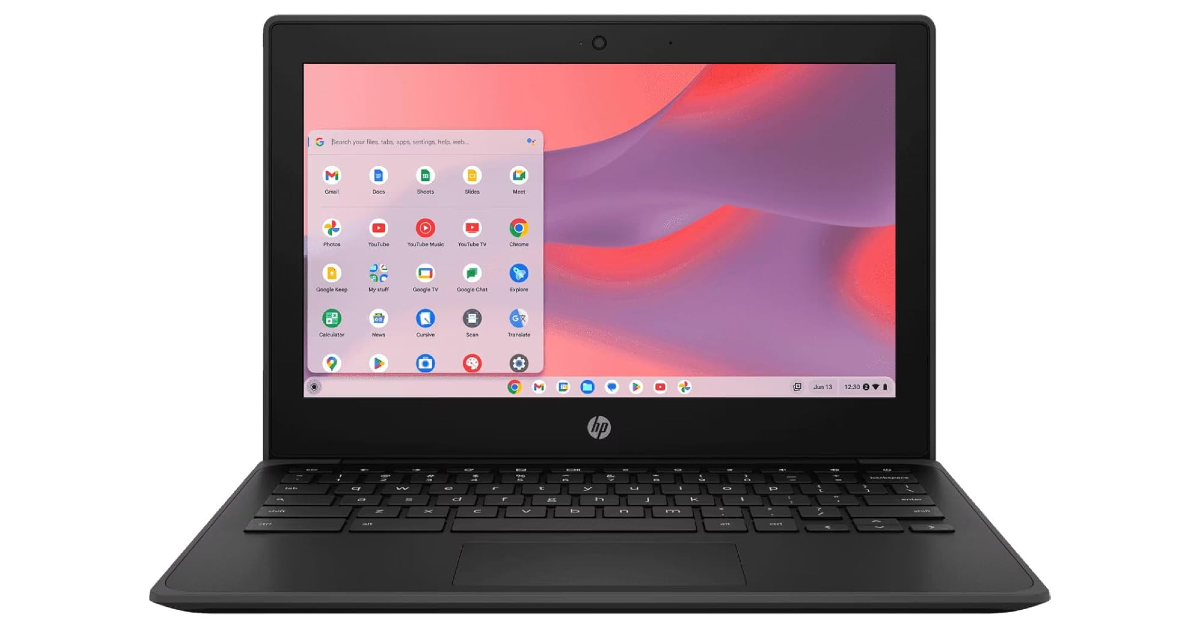
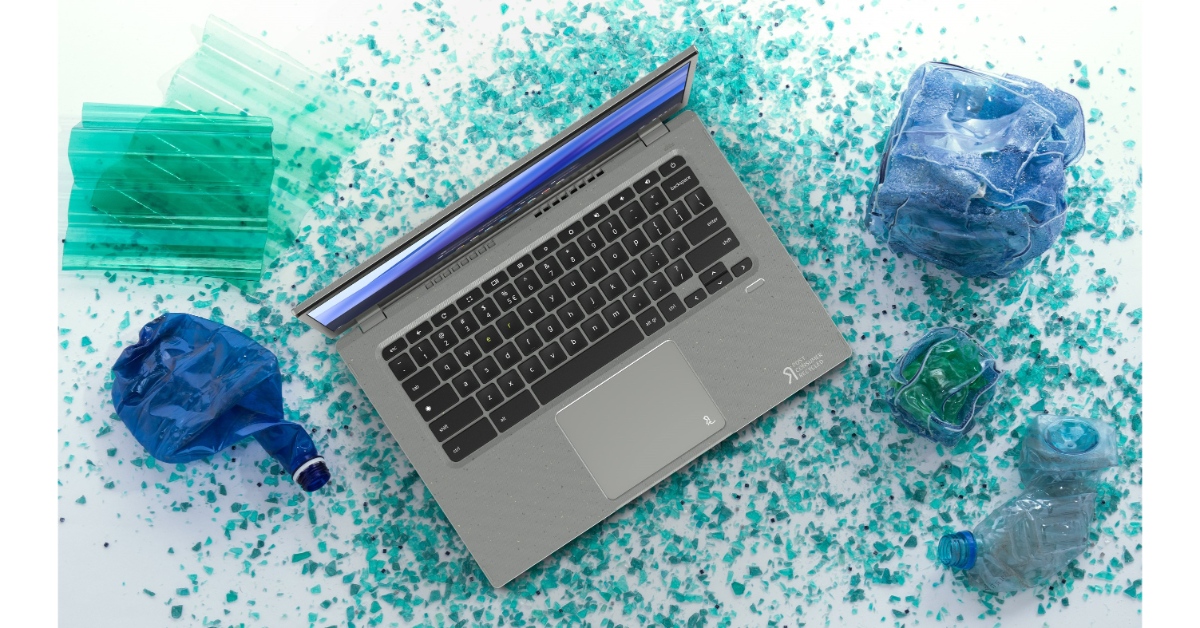
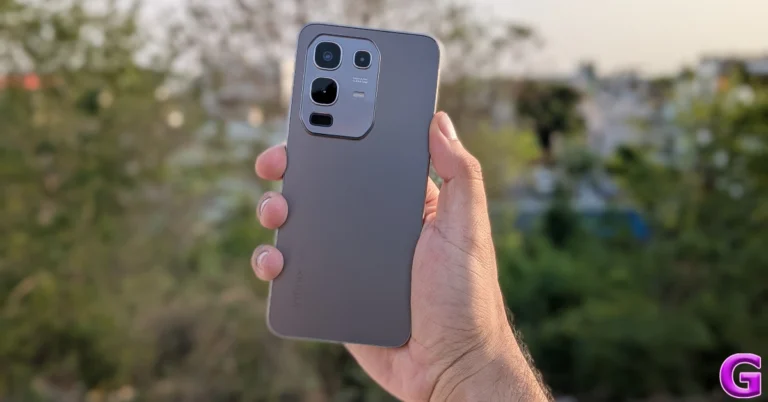
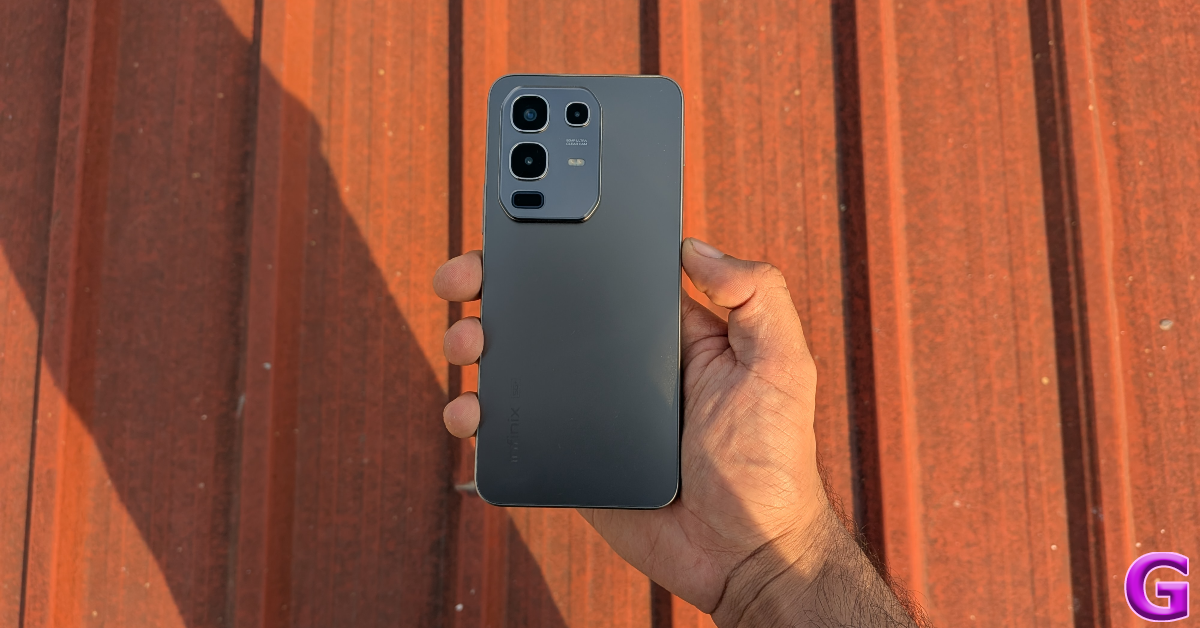
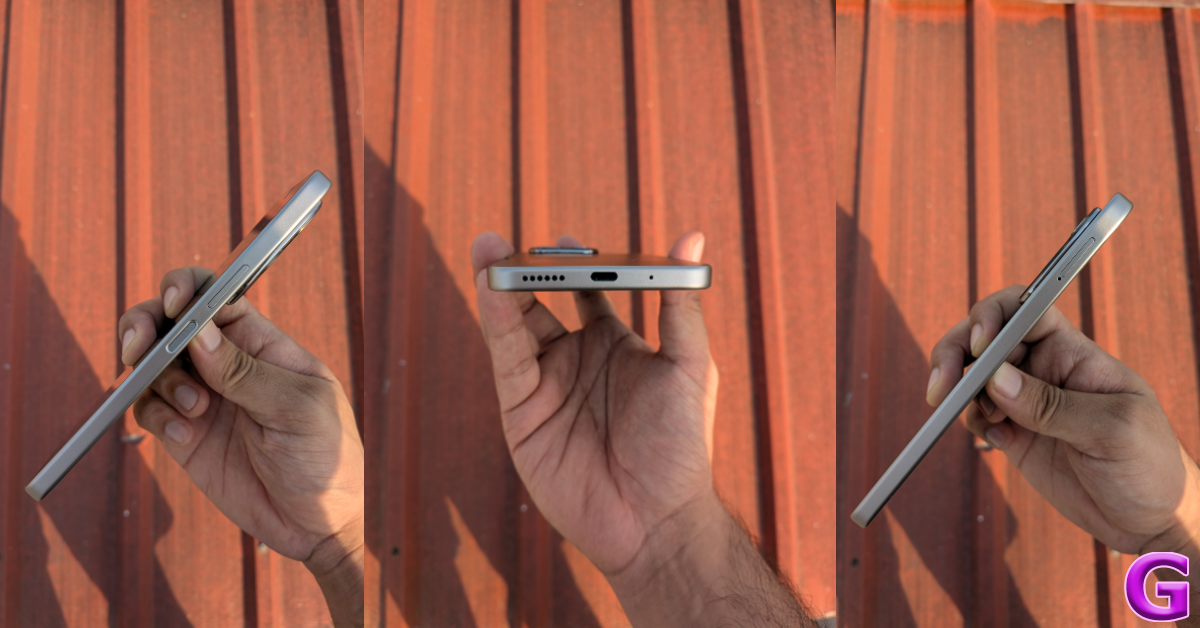
Acer unveiled Aspire 3 compact and lightweight laptop in India

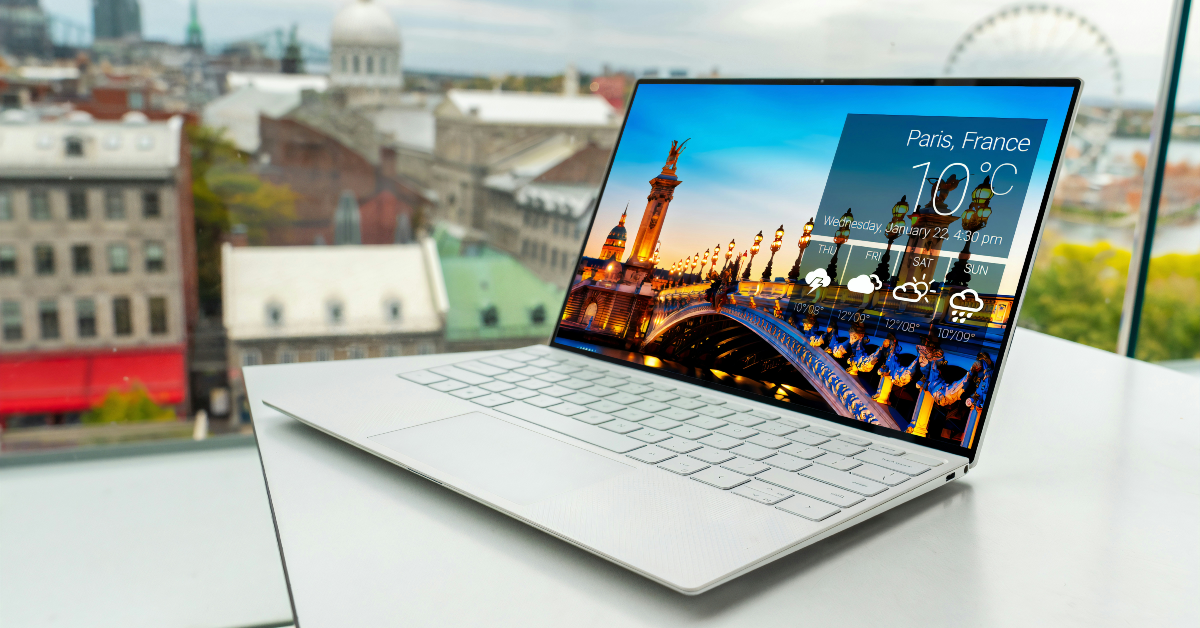
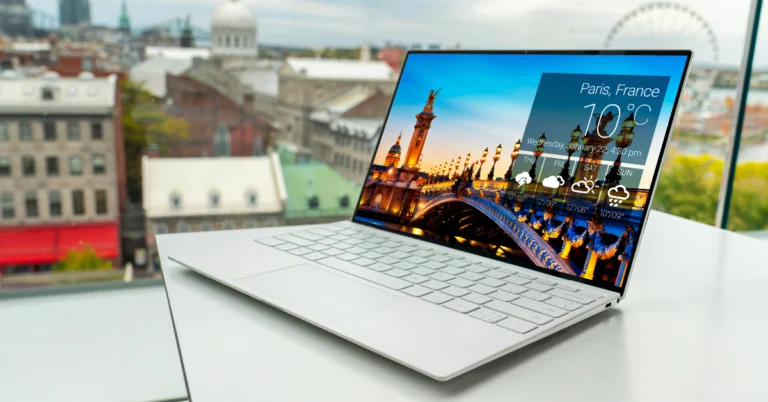
Acer has unveiled the Aspire 3, a low-cost laptop that offers performance, portability, and versatility. With an 11.6-inch screen, a weight of 1 kg, and a thickness of 16mm, it’s great for students and budget-conscious users. It is powered by the Intel Celeron N4500 processor, which provides smooth multitasking and efficient performance.

The Aspire 3 is a lightweight laptop with a thin design and a weight of roughly 1 kg, making it ideal for mobile users. The Acer Aspire 3 has an 11.6-inch HD Acer ComfyView LED-backlit display with crisp images. The laptop is powered by an Intel Celeron N4500 processor and 8GB DDR4 RAM (upgradable to 16GB).

Acer unveiled Aspire 3 compact and lightweight laptop in India

Also Read: LG announced S95TR and S90TY Soundbars with five up-firing speakers and triple-level spatial sound launched in India

It is equipped with Intel UHD Graphics for smooth video playing and efficient multitasking. The machine includes a 38Wh Li-ion battery for continuous productivity. Storage options ranging from 128 GB to 1 TB PCIe NVMe SSD offer enough room for data.

The Aspire 3 laptop features a 720p HD webcam, dual stereo speakers, a Microsoft Precision-certified touchpad, and a moisture-resistant build. It has improved usability and multi-gesture support, and it comes preloaded with Acer’s proprietary software, such as Acer Care Centre and Quick Access, to provide a more convenient experience.
The laptop comes with a one-year Carry-in Warranty

It features USB 3.2 Gen 1 ports, USB Type-C ports, HDMI ports, and a Micro SD Card Reader for seamless connectivity.

Also Read: Lava announced Republic Day deals on smartphones and accessories

The Aspire 3 is priced at Rs 15,990 and will be available on Flipkart.

Acer unveiled Aspire 3 compact and lightweight laptop in India

Rahul Malhotra, Director & Head, Systems & Components Partners, India Tech Ecosystem, Intel India added “At Intel, we are deeply committed to enabling greater access to technology for learning, exploration, and growth through creating class-leading products. We are proud to be a part of this initiative, which is about opening doors to opportunities by making computing solutions more accessible and affordable. Whether it is building skills for the future, fostering creativity, or unlocking new ways to connect and collaborate, this reflects our vision for India where technology empowers every learner and dreamer. By making PCs more attainable, we’re advancing a larger mission to create an ecosystem of possibilities that drives progress for all.”

LG announced S95TR and S90TY Soundbars with five up-firing speakers and triple-level spatial sound launched in India

LG Electronics has introduced its premium flagship soundbars, the LG S95TR and S90TY, in India. These soundbars have five up-firing speakers and triple-level spatial sound, which creates an immersive audio experience. They include Wireless Dolby Atmos and true wireless rear surround speakers, which improve home entertainment with high-quality sound and a clean, modern style that complements LG TVs.

LG’s S95TR Soundbar, with 17 precisely positioned speakers, provides an 810W power output, improving the three-dimensional soundscape and providing crystal-clear dialogue.

The LG S95TR has 9.1.5 channels, including 5 up-firing speakers, improved tweeters, and passive radiators. Its Soundbar provides balanced sound at 120Hz, while tuned tweeters produce clearer, higher frequencies for a better audio experience.

LG announced S95TR and S90TY Soundbars with five up-firing speakers and triple-level spatial sound launched in India

Also Read: Lava announced Republic Day deals on smartphones and accessories

LG’s WOWCAST technology enables the Soundbar to connect wirelessly to select TVs, improving cinematic experiences with wireless Dolby Atmos and DTS: X2. The WOW Interface provides an easy method to manage LG TV sound settings and use WOW Orchestra technology.

Also Read: Samsung Galaxy S24 Ultra price on Amazon dropped after Galaxy S25 Series launch

LG’s Soundbar and select LG TVs have collaborated to improve audio performance. The Soundbar employs LG’s 3D Spatial Sound Technology to produce realistic sound and an immersive environment. LG AI Room Calibration improves audio quality by analysing the room’s environment and fine-tuning parameters. This improves audio immersion and increases installation versatility, particularly for rear surround speakers.

The LG S95TR and S90TY Soundbars, priced at 84,990 and 69,990 respectively, are available for purchase on retail and online platforms like LG.com.

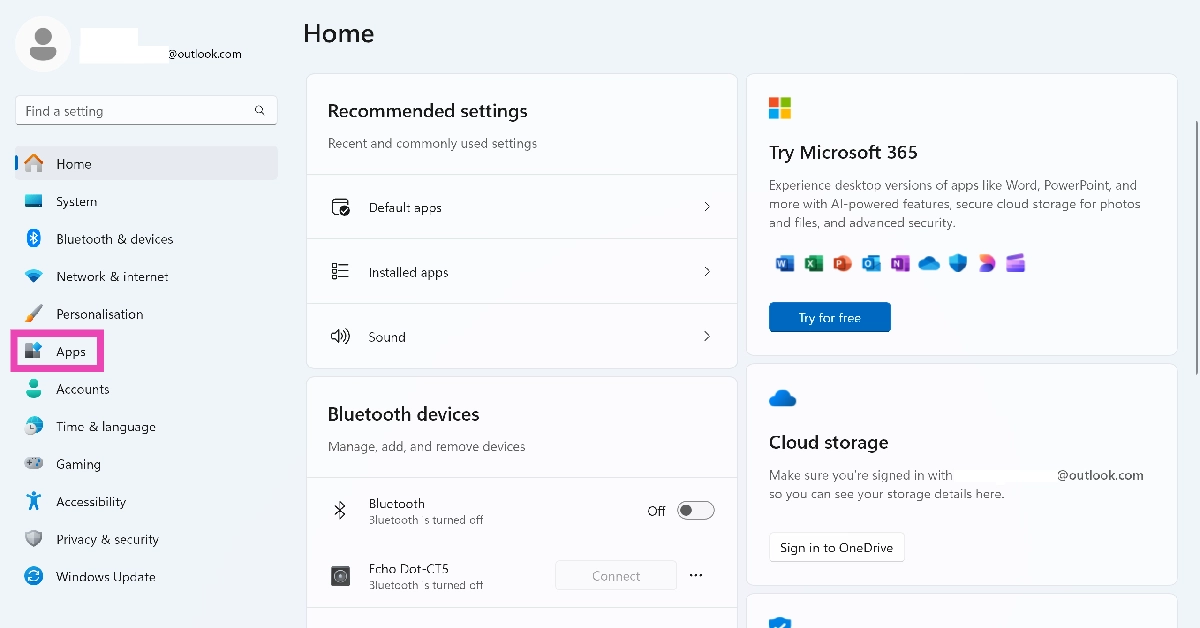
How to restart a Windows 11 PC or laptop in Safe Mode

0

Rebooting your PC in Safe Mode helps when you’re unable to diagnose the issue that’s causing it to malfunction. If your PC keeps restarting out of the blue or if it freezes while performing the most basic tasks, restarting it in Safe Mode can help you determine what’s causing the strange behaviour. In this mode, only the essential tasks are allowed to run on your PC. Third-party apps and non-essential functions are shut down. If your PC’s performance isn’t restored to normal in Safe Mode, then you can deduce that the third-party apps have nothing to do with the malfunctions it is experiencing. Here’s how you can restart your Windows 11 PC/laptop in Safe Mode.

Read Also: Lava announced Republic Day deals on smartphones and accessories

Which Safe Mode configuration should you use?

Windows 11 PCs offer 3 Safe Mode options. As we mentioned earlier, all non-essential functions of your computer are shut down in Safe Mode. This includes internet connectivity as well. If you need internet access in Safe Mode, you can choose a particular configuration. Conversely, if you want to shut down all the frivolous functions, including the graphic interface, you can use Safe mode in Command Prompt.

Standard Safe Mode: You can access this mode by pressing 4 or F4 in Advanced Startup Options. It limits the files and drivers on your PC and is great for basic troubleshooting.

Safe Mode with Networking: This enables the network options in Safe Mode. Use this option if you want internet access. You can choose it by pressing 5 or F5.

Safe Mode with Command Prompt: If you don’t want the standard Windows interface, choose this option by pressing 6 or F6.

Use Advanced Startup in the Power Menu

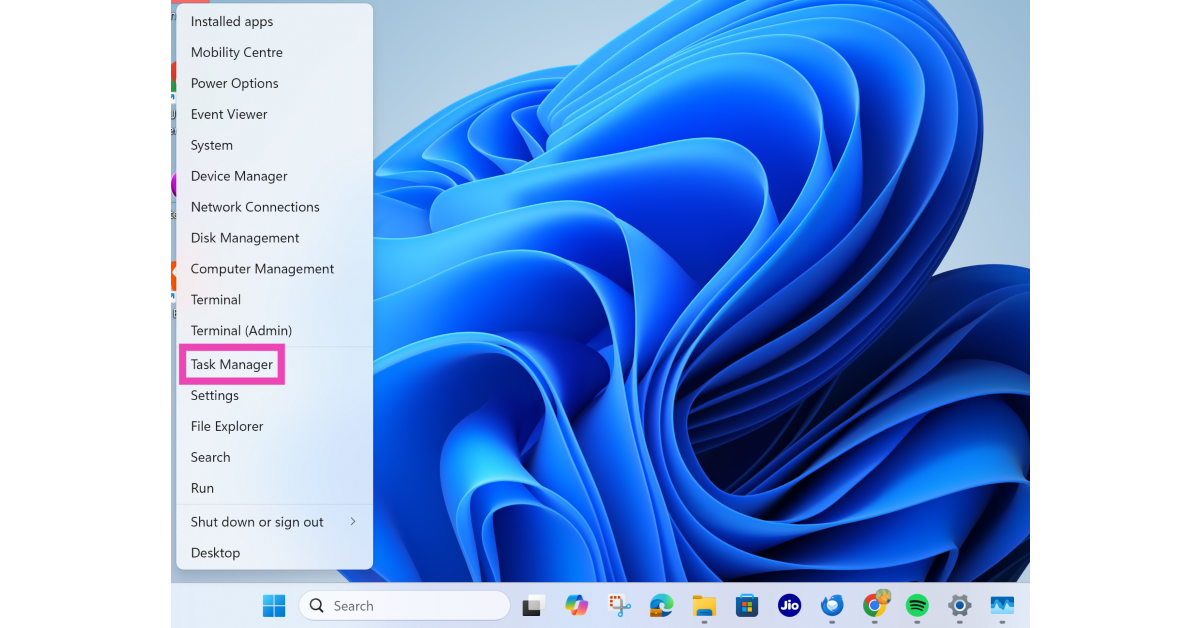
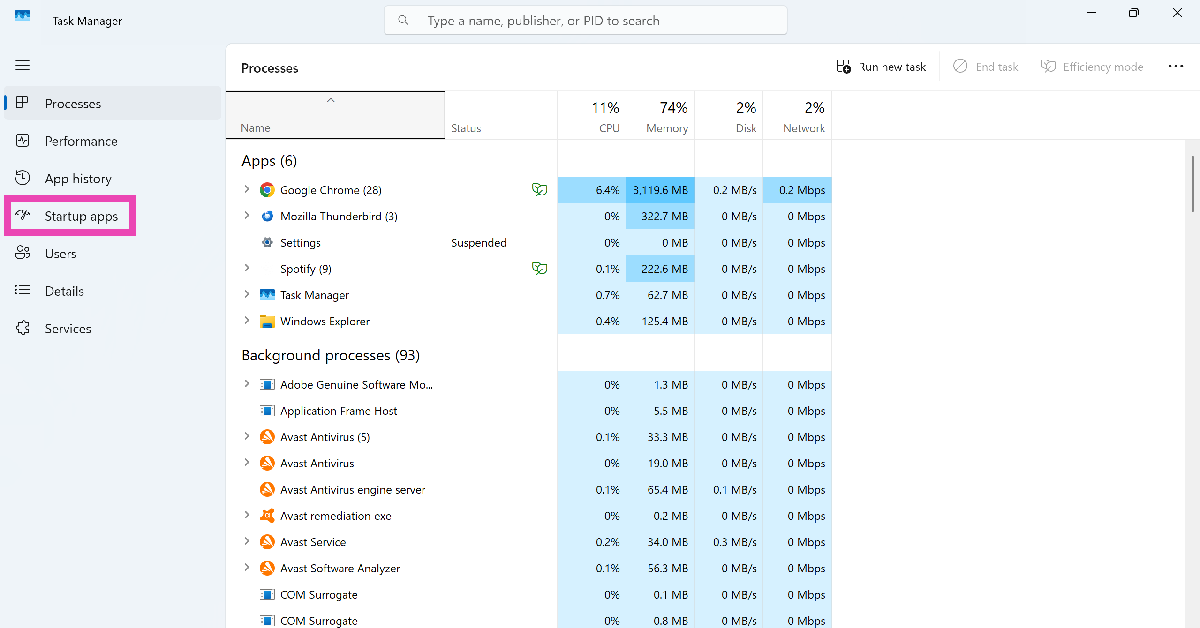
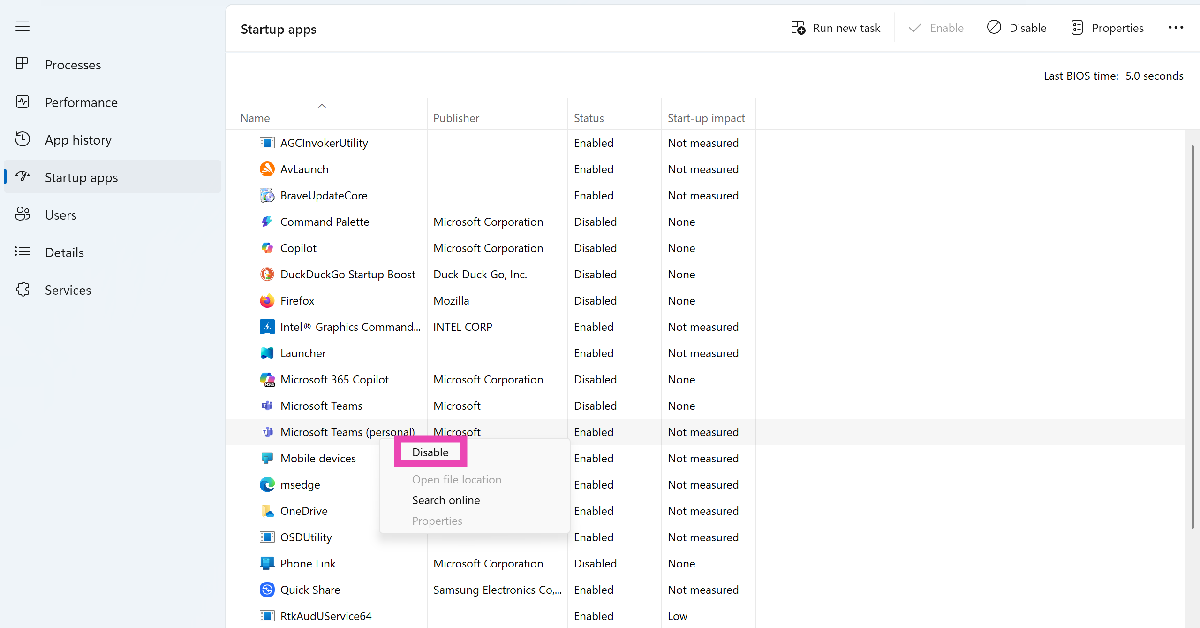
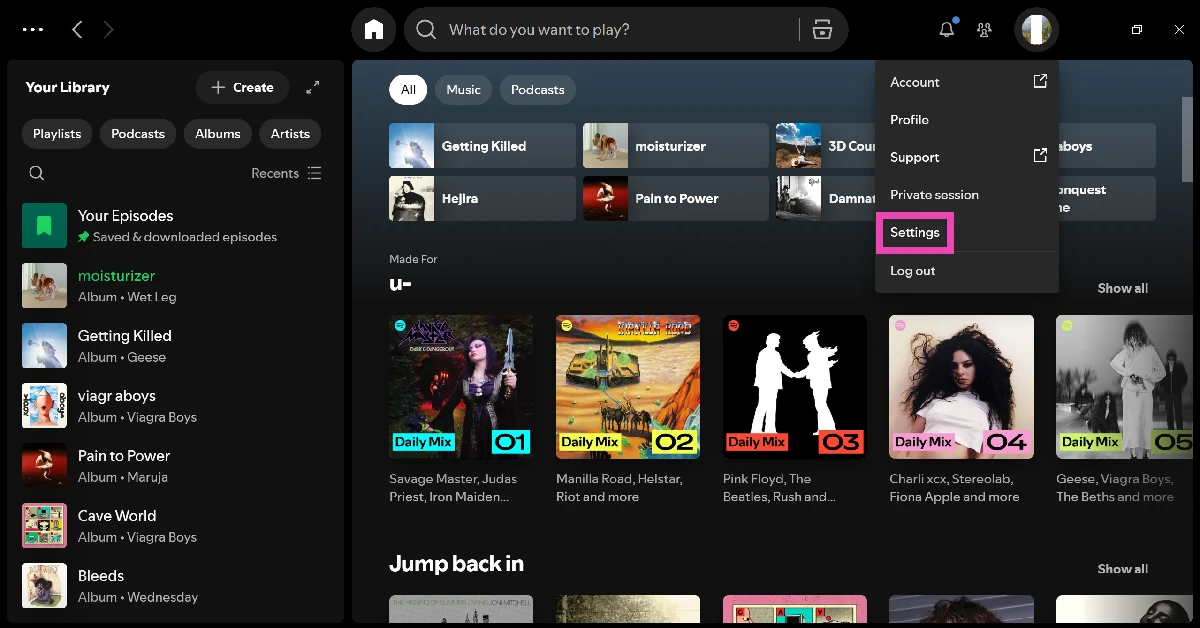
Step 1: Click the Windows icon in the taskbar and hit the power icon.

Step 2: Press and hold the Shift key and click Restart. Keep holding the Shift and only let it go when the PC/laptop starts rebooting.

Step 2: Press and hold the Shift key and click Restart. Keep holding the Shift and only let it go when the PC/laptop starts rebooting.

Step 3: Your PC will display the Advanced Startup Options. Select Troubleshoot.

Step 3: Your PC will display the Advanced Startup Options. Select Troubleshoot.

Step 4: Click on Advanced options.

Step 4: Click on Advanced options.

Step 5: Select Startup settings and hit Restart.

Step 5: Select Startup settings and hit Restart.

Step 6: Press 4 to restart your PC/laptop in Safe Mode, 5 to enable Safe Mode with Internet, and 6 to enable it with Command Prompt.

Step 6: Press 4 to restart your PC/laptop in Safe Mode, 5 to enable Safe Mode with Internet, and 6 to enable it with Command Prompt. How to restart a Windows 11 PC or laptop in Safe Mode

Use device settings

Step 1: Go to Settings and select System.

Step 2: Scroll down and select Recovery.

Step 1: Go to Settings and switch to the System tab. Windows 11 PC keeps restarting? Here are 8 fixes (2024) How to restart a Windows 11 PC or laptop in Safe Mode

Step 3: Click Restart now next to Advanced startup.

Step 3: Click Restart now next to Advanced startup. How to restart a Windows 11 PC or laptop in Safe Mode

Step 4: Once you’re in Advanced startup, follow the steps mentioned in the previous method to restart your PC/laptop in Safe Mode.

Use Recovery Mode

Windows 11 cumulative updates

If you can’t restart your PC in Safe Mode using the 2 methods mentioned above, try booting your PC in Recovery Mode. Your computer automatically loads in recovery when it fails to boot 3 times. So, all you need to do is abort 3 boot attempts to access Recovery Mode.

Step 1: Long-press the power button to turn off your PC.

Step 2: Press the power button once to turn on the device.

Step 3: When the OEM’s logo displays on the screen, long-press the power button again to shut down the PC.

Step 4: Press the power button to turn on the device again.

Step 5: Repeat this process 2 more times.

Step 6: Once the Advanced Startup Options are displayed on the screen, follow the steps mentioned in the first method to restart your PC in Safe Mode.

Can’t disable Safe Mode? Try this fix

If you’re in Safe Mode, a simple reboot will help you disable it. However, if you’re unable to exit it, try using this fix.

Step 1: Press Win + R to launch the Run command box.

Step 2: Type msconfig and hit Enter.

Step 3: Switch to the Boot tab and uncheck the box next to Safe boot.

Step 4: Hit OK and restart your PC.

Frequently Asked Questions (FAQs)

How to start a PC in Safe Mode?

Go to Settings>System>Recovery>Restart, then select Troubleshoot>Advanced options>Startup>Restart. Press 4, 5, or 6 depending on your network/interface preference to restart your PC in Safe Mode.

How do I force startup in Safe Mode?

If you can’t your PC to boot in Safe Mode using Recovery Settings or ASO, long-press the power button to turn it off, then press it once to restart it. As soon as you see the OEM’s logo on the screen, long-press the power button again. Restart the PC and repeat this procedure 2 more times. This will load the ASO on the screen. Go to Troubleshoot>Advanced options>Startup>Restart to enable Safe Mode.

How do I exit Safe Mode?

A simple restart can disable Safe Mode on your computer. Hit the Windows logo on the taskbar, click the power icon, and select ‘Restart’.

Why won’t my laptop exit Safe Mode?

If you can’t get your laptop to exit Safe Mode, press Win + R, type msconfig, and hit Enter. Switch to the Boot tab and deselect the box next to ‘Safe boot’.

How do I restart my Android phone in Safe Mode?

Press the volume up button along with the side key to access power options. Long-press the power icon until it changes to the Safe Mode icon. Select this icon to boot your phone in Safe Mode.

Read Also: Top 10 apps for Samsung Galaxy S25 Ultra

Final Thoughts

This is how you can restart your Windows 11 PC or laptop in Safe Mode. A simple restart can exit your PC from Safe Mode. While you’re here, check out how you can find out your SSD’s read/write speeds. If you have questions, let us know in the comments! 

Garena Free Fire Max Redeem Codes Today 24 January 2025: Here is how to claim them

Garena Free Fire Max is a battle royale game with regular awards and tournaments to keep players interested. If you play Garena Free Fire, you should be aware of the redeem codes that are released on a daily basis. However, because the battle royale game is banned in India, players from other countries can use the Free Fire Redeem codes daily. If you’re unfamiliar with the Garena Free Fire redeem codes or don’t know how to get them, we’ve put together a step-by-step guide to help you redeem them. Check out Garena Free Fire Max Redeem Codes for 24 January 2025.

The Free Fire Max redeem codes are a great way to get free stuff. These are 12-digit codes that contain alphabets and numbers, as well as an expiration date and time. Because the Garena FF redeem codes cannot be used more than once, you should hurry to the redemption page to claim your free reward before someone else does. To get a free reward, all you have to do is go to reward.ff.garena.com/en, which is the official redemption page. Also, keep an eye on this space for daily updates on Garena Free Fire Max redemption codes and rewards.

Also Read: Sennheiser Accentum Plus wireless headphones with Hybrid Adaptive Noise Cancellation launched

Garena Free Fire Max Redeem Codes Today 24 January 2025

NRFFQ2CKFDZ9
FCSP9XQ2TNZK
F8YC4TN6VKQ9
HFNSJ6W74Z48
FF4MTXQPFDZ9
FFBD24JANRTG
V44ZX8Y7GJ52
ZRW3J4N8VX56
XN7TP5RM3K49
FG4TY7NQFV9S
XF4SWKCH6KY4
ZZATXB24QES8
U8S47JGJH5MG
FF9MJ31CXKRG

How to Get Free Fire Max Redeem Codes for Garena on 24 January 2025?

  • Visit the Garena Free Fire Max game’s official website at reward.ff.garena.com.
  • Use your Facebook, Google, VK, Apple ID, Huawei ID, or Twitter account to log in.
  • You’ll be taken to a valid redemption code (s)
  • Copy and paste the 12-digit redemption code into the text box.
  • On the screen, a dialogue box will appear.
  • ‘Ok’ should be selected.

For the latest gadget and tech news, and gadget reviews, follow us on Twitter, Facebook and Instagram. For newest tech & gadget videos subscribe to our YouTube Channel. You can also stay up to date using the Gadget Bridge Android App. You can find the latest car and bike news here.

Lava announced Republic Day deals on smartphones and accessories

Lava is offering Republic Day deals on their smartphone lineup from January 24 to 26, 2025. These special offers include discounts and cashback options, making this an excellent opportunity to upgrade to a Lava smartphone. Customers can find a wide range of devices at competitive pricing. Lava is currently giving flat discounts or cashback on select smartphones and accessories, including the famous Blaze and Agni series, through HDFC Bank Credit Cards and EMI transactions.

Lava India has announced Republic Day deals on smartphones and accessories, including TWS earphones, with enticing discounts and cashback offers. HDFC Bank credit cards provide flat discounts or rewards on purchases and EMI transactions. Special pricing is available for Blaze and Agni series smartphones, as well as Probuds series accessories.

The sale applies from January 24 to January 26, 2025, in leading retail stores and on Lava’s official website.

Also Read: Samsung Galaxy S24 Ultra price on Amazon dropped after Galaxy S25 Series launch

The Agni 3 smartphone is available for Rs 22,999 or Rs 24,999, with a Rs 3,000 discount via HDFC Credit Card and EMI transactions.

While the O3 model is priced at Rs 6,199, it comes with a 5% discount or up to Rs 1,000 off when paid with an HDFC credit card. The O3 (3GB) model costs Rs 5,799 with a 5% discount of up to Rs 1,000 on HDFC Credit Card transactions, while the Yuva 5G variant costs Rs 8,699 with a flat 10% discount.

The Blaze 5G smartphone is priced at Rs 9,299 with a flat discount of Rs 930 when purchased with an HDFC Credit Card, while the Blaze 3 model costs Rs 11,499 with a Rs 1,000 discount.

Also Read: Samsung teased Galaxy S25 Edge at the Galaxy Unpacked 2025 event

Exclusive Offers

Bank Offers (Applicable on HDFC Credit Cards & EMI Transactions – Smartphones):

Series MOP (₹) Offer Amount (₹) Remarks/Offer Callout
Agni 3 22,999/24,999 3,000 Flat ₹3,000 off on HDFC Credit Card & EMI
O3 6,199 310 Flat 5% off (up to ₹1,000) on HDFC Credit Card
O3 (3GB) 5,799 290 Flat 5% off (up to ₹1,000) on HDFC Credit Card
Yuva 5G 8,699 870 Flat 10% off (up to ₹1,000) on HDFC Credit Card
Blaze 5G 9,299 930 Flat 10% off (up to ₹1,000) on HDFC Credit Card
Blaze 3 11,499 1,000 Flat 10% off (up to ₹1,000) on HDFC Credit Card
Blaze Curve 14,999/15,999 1,000 Flat 10% off (up to ₹1,000) on HDFC Credit Card
Blaze Duo 16,999/17,999 2,000 Flat ₹2,000 off on HDFC Credit Card & EMI
Blaze X 14,999/15,999/16,999 2,000 Flat ₹2,000 off on HDFC Credit Card & EMI
O3 Pro 6,999 350 Flat 5% off (up to ₹1,000) on HDFC Credit Card
Yuva 4 7,099/7,599 355/380 Flat 5% off (up to ₹1,000) on HDFC Credit Card
Storm 12,499 1,500 Flat ₹1,500 price drop


Bank Offers (Applicable on Accessories):

Model Name MOP (₹) Offer Price (₹) Offer Type Offer Amount (₹)
PROBUDS N31 999 799 Price Drop 200
PROBUDS N32 1,099 999 Price Drop 100
PROBUDS T31 (TWS) 1,099 999 Price Drop 100

NYT Wordle Answer and Hints Today (January 24)

Are you looking for today’s Wordle for January 24, 2025? The problem is difficult to solve, so if you need assistance, we’ve included hints and the answer to the January 24 Wordle.

Hints and Answers for Today’s Wordle January 24

Before answering directly, please check the January 24 Wordle Hints first.

Hint 1: Today’s Wordle answer includes one vowel.
Hint 2: The answer for today has a repeating letter.
Hint 3: A light thin material, made especially from cotton or another natural material (silk), with a surface that is covered in lines as if it has been folded.

What word does today’s Wordle begin with?

Do you need help with today’s Wordle answer’s initial letter?

The first letter in today’s Wordle is “C”

Today’s Wordle Answer January 24 #1315

The answer to Wordle #1315 on January 24, 2024, is — CREPE

Also Read: Ranveer Allahbadia got his YouTube Channels back, videos restored

What is Wordle?

Wordle: A Five-Letter Word Guessing Game
• The game allows six guesses of a five-letter word.
• Provide feedback on guessed letters’ placement in the puzzle.
• The New York Times purchased the game in 2022.
• Created by Josh Wardle for his partner, narrowing down 12,000 English words to 2,500.
• Named after the word “word.”

How To Play Wordle?

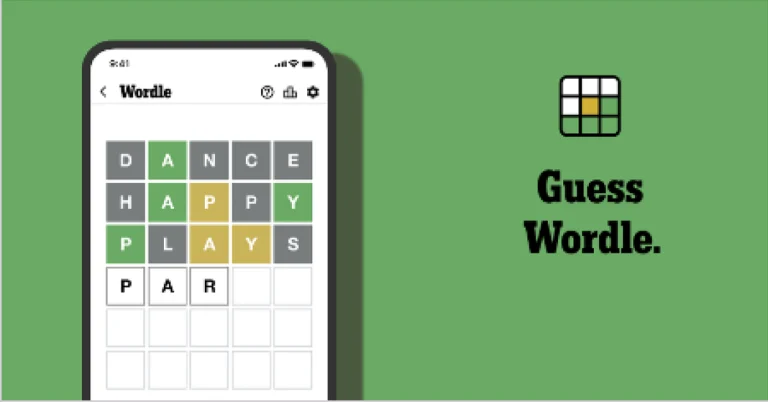
Wordle is a New York Times word puzzle game that allows users to guess a five-letter word in six attempts. The letters are highlighted in Yellow and Green, indicating whether the word is present in the answer or not, and Green letters indicate the correct guess.

Also Read: Samsung Galaxy Tab S10+, Galaxy Tab S10 Ultra with Galaxy AI launched in India

Wordle Tips and Tricks

  • Select a powerful starting word: Avoid using unusual words, as they frequently do not match common letters. A good opening word has plenty of benefits.
  • Repeating letters: Don’t be afraid of repeating letters; they appear frequently in words. The answer may contain one or two repeated letters.
  • Use the Wordlebot: The NYT’s Wordlebot analyses and compares replies to itself. This challenge can assist you enhance guessing skills and highlight areas for development.

Amazon Quiz Answers Today 24 January 2025: Participate to win Up To Rs 500 Amazon Pay Balance

24 January 2025: New Amazon Quiz is now available. Customers from different parts of the country are participating in the daily quiz. The quiz starts at midnight today and will be live until 11:59 PM tonight. By successfully answering every question, participants in the quiz have the chance to win wonderful rewards. Up to Rs 500 Amazon Pay Balance is up for grabs to participants today.

One wrong answer could eliminate you from the quiz. You have a chance to win up to Rs 500 Amazon Pay Balance if you successfully answer every question. Users of the app only have the opportunity to take the quiz. Check Out 24 January 2025 Amazon Quiz Answers.

Are you not able to find Amazon FunZone? Click below and participate.

Click here to enter the Amazon FunZone Quiz and play today.

Amazon Quiz Today Prize: Rs 500 Amazon Pay Balance

Quiz Date: 24 January 2025

Daily Timing: 12 AM to 11:59 PM

Previous Amazon Quiz Winners Announcement: Today 12 PM Noon

Amazon Quiz Answers Today 24 January 2025: Win Up To ₹ 500 Amazon Pay Balance

Question 1: Complete the title of this 2024 film: “Chhota Bheem and the Curse of ________”.

Answer: Damyaan

Question 2: What regal title does Yaduveer Krishnadatta hold?

Answer: Maharaja of Mysore

Question 3: Which John Lennon and Yoko Ono song has been sung at six Olympic Opening Ceremonies, including Paris 2024?

Answer: Imagine

Question 4: Who is the architect of this cathedral?

Answer: Filippo Brunelleschi

Question 5: In the English edition of this game, how many word tiles are there?

Answer: 100

How To Play Amazon Quiz Today

Only app users are eligible to play the Amazon quiz every morning from 12 AM to 11:59 PM. The quiz is not available on the desktop. For those who are unaware of how to play the Amazon quiz, below are the steps, you can follow to take the quiz.

  • First, download the Amazon app from the Google Play Store or App Store or go here to download the Amazon App
  • Now fill in the required information through the Sign-Up option.
  • To find the Amazon Quiz banner, log in to the Amazon app and scroll down to the home screen.
  • Tap on the Amazon Quiz banner and tap on the Start button to start the Quiz.
  • Now you will get 5 questions and you need to answer them correctly. One wrong answer will eliminate you from the Quiz.
  • After answering all the questions correctly you are now eligible for a Lucky Draw.
  • The previous winner’s name will be announced today at 12 PM.

Amazon Daily Quiz Answers from the previous few days.

Here are all the answers from the previous 5 days of the Amazon Daily Quiz and Contest.

Amazon Quiz Answers Today 23 January 2025: Win Up To ₹ 500 Amazon Pay Balance

Question 1: As per Guinness World Records, which national flag is the world’s oldest and longest-running flag?

Answer: Denmark

Question 2: Name this largest and most powerful rocket ever flown.

Answer: Starship

Question 3: Which of the major planets of our solar system is named for a Greek god, not Roman?

Answer: Uranus

Question 4: Which candy brand was the first to go to space?

Answer: M&M

Question 5: The character of Spock in Star Trek is from which planet?

Answer: Vulcan

Amazon Quiz Answers Today 22 January 2025: Win Up To ₹ 500 Amazon Pay Balance

Question 1: The iconic Air India building at Nariman Point was handed over to which state government?

Answer: Maharashtra

Question 2: Which country topped the list of UN’s Human Development Index?

Answer: Switzerland

Question 3: Which Hollywood superstar portrays the role of MMA legend Matt Kerr in the biopic ‘The Smashing Machine’?

Answer: Dwayne Johnson

Question 4: Which sport first appeared in the Winter Olympics in 1936?

Answer: Alpine skiing

Question 5: This brand is the largest sportswear manufacturer in which continent?

Answer: Europe

Amazon Quiz Answers Today 21 January 2025: Win Up To ₹ 500 Amazon Pay Balance

Question 1: Which film is based on Mstyslav Chernov’s daily news dispatches and personal footage of his own country at war?

Answer: 20 Days in Mariupol

Question 2: Ae Watan Mere Watan’ is inspired by which freedom fighter, instrumental in founding the underground Congress Radio?

Answer: Usha Mehta

Question 3: Which Indian musician’s biography, written by Oliver Craske, is titled Indian Sun?

Answer: Ravi Shankar

Question 4: Which Roman Emperor was fond of this fruit?

Answer: Tiberius

Question 5: In the beginning, what was this system called?

Answer: Navstar

Amazon Quiz Answers Today 20 January 2025: Win Up To ₹ 500 Amazon Pay Balance

Question 1: Which director won his first directing Oscar in 2024?

Answer: Christopher Nolan

Question 2: Jane Fraser is the current CEO of which bank?

Answer: Citigroup

Question 3: Which Asian country’s passport has been rated the most ‘powerful’ in the world for 2024, according to the Henley Index?

Answer: Singapore

Question 4: Which state is the largest producer of this?

Answer: Maharashtra

Question 5: Which was the first country to make this drink?

Answer: France

Amazon Quiz Answers Today 18 January 2025: Win Up To ₹ 500 Amazon Pay Balance

Question 1: The Tata Steel Chess tournament played in the classical format is being held in which country?

Answer: Netherlands

Question 2:

The show ‘Criminal Justice’ stars which actor in the central character of lawyer Madhav Mishra?

Answer: Pankaj Tripathi

Question 3: The Amroha Dholak is a musical instrument from which state that got a GI tag in 2023?

Answer: Uttar Pradesh

Question 4: This ancient temple is located in which country?

Answer: Egypt

Question 5: This statue is located at which famous educational institution?

Answer: IISC Bangalore

Amazon Quiz Answers Today 17 January 2025: Win Up To ₹ 500 Amazon Pay Balance

Question 1: Which of these West Indies bowlers took the wicket of Steve Smith with his first ball in Test cricket?

Answer: Shamar Joseph

Question 2: At the 2024 Emmy Awards which series won the award for Best Drama Series?

Answer: Succession

Question 3: Sharmistha Mukherjee has recently written a book titled ‘_____ My Father: A Daughter Remembers’. Fill in the blanks

Answer: Pranab

Question 4: Name the famous freedom fighter, whose statue is in the middle

Answer: Bhagat Singh

Question 5: Name this famous person who had cameos in several Marvel movies

Answer: Stan Lee

Amazon Quiz Answers Today 16 January 2025: Win Up To ₹ 500 Amazon Pay Balance

Question 1: Which former champion did Caroline Garcia knock out in the first round of the 2024 Australian Open?

Answer: Naomi Osaka

Question 2: Lily Gladstone won the ‘Best female actor in a film- drama’ at the 2024 Golden Globes for which film?

Answer: Killers of the Flower Moon

Question 3: Nigar Shahji is the project director of which ISRO mission that was launched on 2nd September, 2023?

Answer: Aditya- L1

Question 4: In which city is this famous museum located?

Answer: Bilbao

Question 5: This famous shoe brand was founded in which country?

Answer: Germany

Amazon Quiz Answers Frequently Asked Questions (FAQs)

Where can I check the previous winners? Did I win how to check?

You can head over to this link on your mobile or desktop to check the winners of the Amazon Daily Quiz Contest.

How to Play Amazon Daily Quiz or Contest?

We have written an explainer above, you can refer to that.

When are the winners of the Amazon Quiz and contest announced or declared?

The announcement of today’s Amazon quiz winner will take place Tomorrow. As for the Special Quiz and “Spin & Win” Contest, the winners will be declared once the Quiz Contest comes to an end. To find out who the lucky winner is, you can refer to the Amazon Quiz Winners List or visit the Amazon Winners tab in the Amazon App.

How to participate in the Daily Amazon Quiz?

That is very easy, just got to the Amazon app and scroll to the bottom of the page and you will find the Quiz section. Click on it (usually it is called the fun zone) and you can enter the Amazon Today Quiz Contest. 

Are there any other quizzes or contests running on Amazon daily?

Yes, there are many running on a daily basis. These range from spinning the wheel to answering the questions correctly. All are located in the Fun Zone. 

What are the criteria for selecting a winner in the Daily Amazon Quiz?

When a qualified player submits correct answers to all the questions, they will automatically be entered into a lucky draw. This draw will include all participants who answered all the questions correctly. Amazon randomly selects the final winners from the pool of eligible participants who gave the right answers.

Which Types of Questions are asked within Amazon Daily Quiz?

These are very simple and straightforward questions. These are mainly related to general knowledge. 

Where should I look for Amazon Daily Quiz answers?

You can bookmark our website www.gadgetbridge.com as we will help you every day with the Amazon Daily Quiz. We bring you fresh answers every day for the Amazon Daily Quiz and Contest. 

What time does Amazon Announce previous winners?

The previous winner’s name will be announced today at 12 PM (noon).

Samsung Galaxy S24 Ultra price on Amazon dropped after Galaxy S25 Series launch

Samsung unveiled the Galaxy S25 Series last night in India and globally. The Galaxy S24 Ultra is right now seeing a price reduction and further discounts on Amazon after the S25 Series launch. It was introduced last year together with two other smartphones. With this price reduction, buyers can now purchase a high-end gadget at a more affordable price.

Amazon is currently offering a 23% discount on the Samsung Galaxy S24 Ultra 5G AI smartphone, lowering its original price to Rs 99,499 instead. The initial price of the product was Rs 1,29,999. This suggests that the S24 Ultra could save you Rs 30,500.

Amazon is drastically lowering the price of this high-end smartphone by providing several discounts and offers on the Samsung Galaxy S24 Ultra 5G in Titanium Black, including an additional discount of Rs 4,999 for Amazon Pay ICICI credit card users and up to Rs 37,000 off for trading in an old device in good condition.

Also Read: Samsung teased Galaxy S25 Edge at the Galaxy Unpacked 2025 event

When the Galaxy S24 Ultra was first released, the base model with 128GB of RAM and 256GB of storage cost Rs 1,29,999. It was decided to charge Rs 1,39,999 for the 12GB storage version and Rs 1,59,999 for the 1TB storage device.

Samsung Galaxy S24 Ultra specifications

The Samsung Galaxy S24 Ultra comes with a 6.8-inch QHD+ Dynamic AMOLED 2X Display with a Super Smooth 120Hz refresh rate (1~120Hz), 2,600nit peak brightness, and Vision booster. The screen is protected with Corning Gorilla Armor. The S24 Ultra is powered by the Snapdragon 8 Gen 3 Mobile Platform for Galaxy. The device runs on Android 14 with UI 6.1. The company will provide seven generations of OS upgrades and seven years of security updates. The Ultra comes with a S Pen stylus.

Also Read: Truecaller brings API support for iPhones, introduces automatic blocking and real-time caller ID

The S24 Ultra has a quad rear camera setup that includes a 12MP Ultra-Wide Camera (F2.2 aperture, FOV-120˚), 200MP Wide Camera (OIS, F1.7 Aperture, and FOV-85˚), 50MP Telephoto Camera (5x Optical Zoom, OIS, F3.4 aperture, and FOV of 22˚) and a 10MP Telephoto Camera (3x Optical Zoom, OIS, F2.4 aperture, and FOV 36˚).

Samsung teased Galaxy S25 Edge at the Galaxy Unpacked 2025 event

Samsung aims to reintroduce its “Edge” branding. Samsung unveiled the Galaxy S25 Edge, the newest model in the Galaxy S25 range, at the Galaxy Unpacked 2025 event in San Jose, after revealing the Galaxy S25, Galaxy S25+, and Galaxy S25 Ultra models. In contrast to S25 variants, the phone is anticipated to have a sleeker design and two rear cameras. This year, it is reportedly rumoured to compete with Apple’s iPhone 17 Air.

Samsung is bringing back its ‘Edge’ branding for the Galaxy S25 Edge, a slim smartphone that stands out from the rest of its flagship series. Unlike its predecessor, the Galaxy S25 Edge has a dual camera arrangement with two separate lenses stacked vertically at the rear. The Galaxy S7 Edge, which made its debut in February 2016, was the last Samsung product to use this moniker. It is anticipated that the new phone will be available in February 2017.

Also Read: Truecaller brings API support for iPhones, introduces automatic blocking and real-time caller ID

In line with leaked pictures from OnLeaks and SmartPrix, the Samsung Galaxy S25 Slim is expected to come with a flat front, back, and sides, three rear cameras, and a thickness of 6.4 mm, the Galaxy S25 Slim is 1.2 mm thinner than the Galaxy S24. The device is anticipated to be over 2 mm slimmer than the flagship model from Samsung. The Galaxy S25 Edge is expected to feature a dual rear camera setup with a 50-megapixel telephoto lens with 3.5X optical zoom, a 200-megapixel primary camera, and a 50-megapixel ultrawide camera. The Samsung Galaxy S25 Edge is rumoured to have a 6.66-inch display, similar to the S25+ model.

Also Read: Samsung Galaxy S25 Series price in India announced; Checkout the pre-order offers

It is anticipated that the S25 Slim will have a Snapdragon 8 Elite, 12GB of RAM, and Samsung’s One UI 7 running Android 15. It is anticipated to come in May 2025.

It is expected to be priced between the Galaxy S25 Plus and Galaxy S25 Ultra models.

Garena Free Fire Max Redeem Codes Today 23 January 2025: Here is how to claim them

Garena Free Fire Max is a battle royale game with regular awards and tournaments to keep players interested. If you play Garena Free Fire, you should be aware of the redeem codes that are released on a daily basis. However, because the battle royale game is banned in India, players from other countries can use the Free Fire Redeem codes daily. If you’re unfamiliar with the Garena Free Fire redeem codes or don’t know how to get them, we’ve put together a step-by-step guide to help you redeem them. Check out Garena Free Fire Max Redeem Codes for 23 January 2025.

The Free Fire Max redeem codes are a great way to get free stuff. These are 12-digit codes that contain alphabets and numbers, as well as an expiration date and time. Because the Garena FF redeem codes cannot be used more than once, you should hurry to the redemption page to claim your free reward before someone else does. To get a free reward, all you have to do is go to reward.ff.garena.com/en, which is the official redemption page. Also, keep an eye on this space for daily updates on Garena Free Fire Max redemption codes and rewards.

Also Read: Sennheiser Accentum Plus wireless headphones with Hybrid Adaptive Noise Cancellation launched

Garena Free Fire Max Redeem Codes Today 23 January 2025

XF4SWKCH6KY4

GXFT7YNWTQSZ

FFNRX2MQ7SUA

FFNFSXTPVQZ9

FWSKTXVQF2NR

FFNGY7PP2NWC

FCSP9XQ2TNZK

FG4TY7NQFV9S

FFMGY7TPWNV2

RDNAFV2KX2CQ

FFNYX2HQWCVK

FFXT7SW9KG2M

NRFFQ2CKFDZ9

FFSUTXVQF2NR

NPCQ2FW7PXN2

FFKSY7PQNWHG

How to Get Free Fire Max Redeem Codes for Garena on 23 January 2025?

  • Visit the Garena Free Fire Max game’s official website at reward.ff.garena.com.
  • Use your Facebook, Google, VK, Apple ID, Huawei ID, or Twitter account to log in.
  • You’ll be taken to a valid redemption code (s)
  • Copy and paste the 12-digit redemption code into the text box.
  • On the screen, a dialogue box will appear.
  • ‘Ok’ should be selected.

For the latest gadget and tech news, and gadget reviews, follow us on Twitter, Facebook and Instagram. For newest tech & gadget videos subscribe to our YouTube Channel. You can also stay up to date using the Gadget Bridge Android App. You can find the latest car and bike news here.

Truecaller brings API support for iPhones, introduces automatic blocking and real-time caller ID

The well-known spam call detection and blocking app Truecaller is now expanding its API support for iPhone, allowing for automatic blocking and real-time caller identification. While users may now sign up for a Premium Family plan from the app, the Live Caller ID functionality requires iOS 18.2 and a premium subscription.

In order to enable the device to use its artificial intelligence capabilities for call identification, Truecaller has updated its iPhone app to include Apple’s Live Caller ID Lookup framework. This allows third-party apps to assess incoming calls against the server for known spam numbers. After the release of the iOS 18 upgrade and the live caller ID API, co-founder Alan Mamedi announced on X that the app is now compatible with iPhones. Since September, the business has been hinting at the release of full iOS compatibility.

Also Read: Samsung Galaxy S25 Series price in India announced; Checkout the pre-order offers

Mamedi’s post reads, “From the iOS 18 feature release documentation 🙂 Soon we will hopefully hear people say “Truecaller finally works on iPhone”. Even though it has worked fairly OK in the last 2 years, this time it will be just like you would expect Truecaller to work, end to end.”

On iPhones running iOS 18.2, Truecaller Premium members may now reject spam calls automatically worldwide, and live caller ID capabilities are being rolled out. Free users can still use the Verified Businesses caller ID feature and ad-supported manual number search.

According to the company, the API hides IP addresses, permits anonymous authentication, and blocks spam calls automatically on iPhones using homomorphic encryption to safeguard user privacy.

Also Read: Meta to allow users to share WhatsApp status directly to Facebook and Instagram; Plans integration with Meta Accounts Centre

Furthermore, at a fairly low annual or monthly cost, Truecaller has launched the Premium Family plan, which enables customers to share features like Truecaller AI Assistant with up to four additional users. For Indian consumers, the membership also provides fraud insurance.

NYT Wordle Answer and Hints Today (January 23)

Are you looking for today’s Wordle for January 23, 2025? The problem is difficult to solve, so if you need assistance, we’ve included hints and the answer to the January 23 Wordle.

Hints and Answers for Today’s Wordle January 23

Before answering directly, please check the January 23 Wordle Hints first.

Hint 1: Today’s Wordle answer includes two vowels.
Hint 2: The answer for today has a repeating letter.
Hint 3: In a higher position than something else; situated above something

What word does today’s Wordle begin with?

Do you need help with today’s Wordle answer’s initial letter?

The first letter in today’s Wordle is “U”

Today’s Wordle Answer January 23 #1314

The answer to Wordle #1314 on January 23, 2024, is — UPPER

Also Read: Ranveer Allahbadia got his YouTube Channels back, videos restored

What is Wordle?

Wordle: A Five-Letter Word Guessing Game
• The game allows six guesses of a five-letter word.
• Provide feedback on guessed letters’ placement in the puzzle.
• The New York Times purchased the game in 2022.
• Created by Josh Wardle for his partner, narrowing down 12,000 English words to 2,500.
• Named after the word “word.”

How To Play Wordle?

Wordle is a New York Times word puzzle game that allows users to guess a five-letter word in six attempts. The letters are highlighted in Yellow and Green, indicating whether the word is present in the answer or not, and Green letters indicate the correct guess.

Also Read: Samsung Galaxy Tab S10+, Galaxy Tab S10 Ultra with Galaxy AI launched in India

Wordle Tips and Tricks

  • Select a powerful starting word: Avoid using unusual words, as they frequently do not match common letters. A good opening word has plenty of benefits.
  • Repeating letters: Don’t be afraid of repeating letters; they appear frequently in words. The answer may contain one or two repeated letters.
  • Use the Wordlebot: The NYT’s Wordlebot analyses and compares replies to itself. This challenge can assist you enhance guessing skills and highlight areas for development.

Amazon Quiz Answers Today 23 January 2025: Participate to win Up To Rs 500 Amazon Pay Balance

23 January 2025: New Amazon Quiz is now available. Customers from different parts of the country are participating in the daily quiz. The quiz starts at midnight today and will be live until 11:59 PM tonight. By successfully answering every question, participants in the quiz have the chance to win wonderful rewards. Up to Rs 500 Amazon Pay Balance is up for grabs to participants today.

One wrong answer could eliminate you from the quiz. You have a chance to win up to Rs 500 Amazon Pay Balance if you successfully answer every question. Users of the app only have the opportunity to take the quiz. Check Out 23 January 2025 Amazon Quiz Answers.

Are you not able to find Amazon FunZone? Click below and participate.

Click here to enter the Amazon FunZone Quiz and play today.

Amazon Quiz Today Prize: Rs 500 Amazon Pay Balance

Quiz Date: 23 January 2025

Daily Timing: 12 AM to 11:59 PM

Previous Amazon Quiz Winners Announcement: Today 12 PM Noon

Amazon Quiz Answers Today 23 January 2025: Win Up To ₹ 500 Amazon Pay Balance

Question 1: As per Guinness World Records, which national flag is the world’s oldest and longest-running flag?

Answer: Denmark

Question 2: Name this largest and most powerful rocket ever flown.

Answer: Starship

Question 3: Which of the major planets of our solar system is named for a Greek god, not Roman?

Answer: Uranus

Question 4: Which candy brand was the first to go to space?

Answer: M&M

Question 5: The character of Spock in Star Trek is from which planet?

Answer: Vulcan

How To Play Amazon Quiz Today

Only app users are eligible to play the Amazon quiz every morning from 12 AM to 11:59 PM. The quiz is not available on the desktop. For those who are unaware of how to play the Amazon quiz, below are the steps, you can follow to take the quiz.

  • First, download the Amazon app from the Google Play Store or App Store or go here to download the Amazon App
  • Now fill in the required information through the Sign-Up option.
  • To find the Amazon Quiz banner, log in to the Amazon app and scroll down to the home screen.
  • Tap on the Amazon Quiz banner and tap on the Start button to start the Quiz.
  • Now you will get 5 questions and you need to answer them correctly. One wrong answer will eliminate you from the Quiz.
  • After answering all the questions correctly you are now eligible for a Lucky Draw.
  • The previous winner’s name will be announced today at 12 PM.

Amazon Daily Quiz Answers from the previous few days.

Here are all the answers from the previous 5 days of the Amazon Daily Quiz and Contest.

Amazon Quiz Answers Today 22 January 2025: Win Up To ₹ 500 Amazon Pay Balance

Question 1: The iconic Air India building at Nariman Point was handed over to which state government?

Answer: Maharashtra

Question 2: Which country topped the list of UN’s Human Development Index?

Answer: Switzerland

Question 3: Which Hollywood superstar portrays the role of MMA legend Matt Kerr in the biopic ‘The Smashing Machine’?

Answer: Dwayne Johnson

Question 4: Which sport first appeared in the Winter Olympics in 1936?

Answer: Alpine skiing

Question 5: This brand is the largest sportswear manufacturer in which continent?

Answer: Europe

Amazon Quiz Answers Today 21 January 2025: Win Up To ₹ 500 Amazon Pay Balance

Question 1: Which film is based on Mstyslav Chernov’s daily news dispatches and personal footage of his own country at war?

Answer: 20 Days in Mariupol

Question 2: Ae Watan Mere Watan’ is inspired by which freedom fighter, instrumental in founding the underground Congress Radio?

Answer: Usha Mehta

Question 3: Which Indian musician’s biography, written by Oliver Craske, is titled Indian Sun?

Answer: Ravi Shankar

Question 4: Which Roman Emperor was fond of this fruit?

Answer: Tiberius

Question 5: In the beginning, what was this system called?

Answer: Navstar

Amazon Quiz Answers Today 20 January 2025: Win Up To ₹ 500 Amazon Pay Balance

Question 1: Which director won his first directing Oscar in 2024?

Answer: Christopher Nolan

Question 2: Jane Fraser is the current CEO of which bank?

Answer: Citigroup

Question 3: Which Asian country’s passport has been rated the most ‘powerful’ in the world for 2024, according to the Henley Index?

Answer: Singapore

Question 4: Which state is the largest producer of this?

Answer: Maharashtra

Question 5: Which was the first country to make this drink?

Answer: France

Amazon Quiz Answers Today 18 January 2025: Win Up To ₹ 500 Amazon Pay Balance

Question 1: The Tata Steel Chess tournament played in the classical format is being held in which country?

Answer: Netherlands

Question 2:

The show ‘Criminal Justice’ stars which actor in the central character of lawyer Madhav Mishra?

Answer: Pankaj Tripathi

Question 3: The Amroha Dholak is a musical instrument from which state that got a GI tag in 2023?

Answer: Uttar Pradesh

Question 4: This ancient temple is located in which country?

Answer: Egypt

Question 5: This statue is located at which famous educational institution?

Answer: IISC Bangalore

Amazon Quiz Answers Today 17 January 2025: Win Up To ₹ 500 Amazon Pay Balance

Question 1: Which of these West Indies bowlers took the wicket of Steve Smith with his first ball in Test cricket?

Answer: Shamar Joseph

Question 2: At the 2024 Emmy Awards which series won the award for Best Drama Series?

Answer: Succession

Question 3: Sharmistha Mukherjee has recently written a book titled ‘_____ My Father: A Daughter Remembers’. Fill in the blanks

Answer: Pranab

Question 4: Name the famous freedom fighter, whose statue is in the middle

Answer: Bhagat Singh

Question 5: Name this famous person who had cameos in several Marvel movies

Answer: Stan Lee

Amazon Quiz Answers Today 16 January 2025: Win Up To ₹ 500 Amazon Pay Balance

Question 1: Which former champion did Caroline Garcia knock out in the first round of the 2024 Australian Open?

Answer: Naomi Osaka

Question 2: Lily Gladstone won the ‘Best female actor in a film- drama’ at the 2024 Golden Globes for which film?

Answer: Killers of the Flower Moon

Question 3: Nigar Shahji is the project director of which ISRO mission that was launched on 2nd September, 2023?

Answer: Aditya- L1

Question 4: In which city is this famous museum located?

Answer: Bilbao

Question 5: This famous shoe brand was founded in which country?

Answer: Germany

Amazon Quiz Answers Frequently Asked Questions (FAQs)

Where can I check the previous winners? Did I win how to check?

You can head over to this link on your mobile or desktop to check the winners of the Amazon Daily Quiz Contest.

How to Play Amazon Daily Quiz or Contest?

We have written an explainer above, you can refer to that.

When are the winners of the Amazon Quiz and contest announced or declared?

The announcement of today’s Amazon quiz winner will take place Tomorrow. As for the Special Quiz and “Spin & Win” Contest, the winners will be declared once the Quiz Contest comes to an end. To find out who the lucky winner is, you can refer to the Amazon Quiz Winners List or visit the Amazon Winners tab in the Amazon App.

How to participate in the Daily Amazon Quiz?

That is very easy, just got to the Amazon app and scroll to the bottom of the page and you will find the Quiz section. Click on it (usually it is called the fun zone) and you can enter the Amazon Today Quiz Contest. 

Are there any other quizzes or contests running on Amazon daily?

Yes, there are many running on a daily basis. These range from spinning the wheel to answering the questions correctly. All are located in the Fun Zone. 

What are the criteria for selecting a winner in the Daily Amazon Quiz?

When a qualified player submits correct answers to all the questions, they will automatically be entered into a lucky draw. This draw will include all participants who answered all the questions correctly. Amazon randomly selects the final winners from the pool of eligible participants who gave the right answers.

Which Types of Questions are asked within Amazon Daily Quiz?

These are very simple and straightforward questions. These are mainly related to general knowledge. 

Where should I look for Amazon Daily Quiz answers?

You can bookmark our website www.gadgetbridge.com as we will help you every day with the Amazon Daily Quiz. We bring you fresh answers every day for the Amazon Daily Quiz and Contest. 

What time does Amazon Announce previous winners?

The previous winner’s name will be announced today at 12 PM (noon).

Samsung Galaxy S25 Series price in India announced; Checkout the pre-order offers

0

On Wednesday at Galaxy Unpacked 2025 event Samsung introduced its latest flagship S-Series globally. The company has announced the India pricing of the new Galaxy S25 Series, including the base S25, S25+ and the S25 Ultra models. All of the variants of the lineup are powered by a Snapdragon 8 Elite chipset instead of the Exynos processor. The lineup also comes with the  latest Galaxy AI features and Android 15-based One UI 7 out of the box.

Samsung Galaxy S25 Series price in India, sale details

Price of Galaxy S25 Ultra

12GB RAM with 1TB storage: Rs 165999
12GB RAM with 512GB storage: Rs 141999
12GB RAM with 256GB storage: Rs 129999

Price of Galaxy S25+

12GB RAM with 512GB storage: Rs 111999
12GB RAM with 256GB storage: Rs 99999

Price of Galaxy S25

12GB RAM with 512GB storage: Rs 92999
12GB RAM with 256GB storage: Rs 80999

Customers who purchase the Galaxy S25 Ultra from Samsung.com will also be able to choose from three exclusive colours: Titanium Jadegreen, Titanium Jetblack, and Titanium Pinkgold. Similarly, those purchasing the Galaxy S25 and S25 Plus from Samsung.com will now have the option of three unique colours: blueblack, coralred, and pinkgold.

The pre-orders for the Galaxy S25 series have begun in India across all leading online and offline retail stores. Consumers can also pre-order the Galaxy S25 series on Samsung Live starting today.

Pre-ordering the Galaxy S25 Ultra offers customers Rs 21000 in benefits, including a storage upgrade of Rs 12000 for the 12GB 512GB variant and an Rs 9000 upgrade bonus. Buyers can also avail Rs 7000 cashback when purchasing the device with a 9-month, no-cost EMI plan.

Customers who pre-order the Galaxy S25+ will receive Rs 12000 in benefits, including the ability to purchase the 12GB 512GB variant at the same price as the 12GB 256GB variant. Meanwhile, buyers who pre-order the Galaxy S25 will receive Rs 11000 as an upgrade bonus. Customers can also get Rs 7000 cashback when they buy the Galaxy S25 with a 9-month no-cost EMI plan. Samsung is now providing customers with the option of a 24-month no-cost EMI through all prominent NBFCs for both the Galaxy S25 and Galaxy S25+.

Samsung Galaxy S25, Galaxy S25+ Specifications

The Galaxy S25 features a 6.2-inch Full-HD+ Dynamic AMOLED 2X display with a resolution of 1,080×2,340 pixels. While the Galaxy S25+ features a bigger 6.7-inch Dynamic AMOLED 2X display with a 1,440×3,120 pixel resolution. Both models support a refresh rate of 120Hz and a peak brightness of 2,600nits.

Price of Galaxy S25+
Galaxy S25+

Samsung Galaxy S25 and S25+ are Android 15-based smartphones with an octa-core Snapdragon 8 Elite processor and 12GB LPDDR5x RAM. Available in 256GB and 512GB storage variants, the standard S25 also offers a 128GB option. The devices will receive seven years of OS and security updates.

Samsung will introduce new Galaxy AI capabilities in the Galaxy S25 series, such as Now Brief and Night Video with Audio Eraser, as well as Google Gemini features within Samsung apps.

The triple rear camera configuration on both phones consists of a 10MP Telephoto lens (3x Optical Zoom, F2.4, FOV 36), a 12MP Ultra Wide sensor with 120 degrees of field of view, and a 50MP sensor with OIS. A 12MP front-facing camera on the devices is used for video calls and selfies.

Price of Galaxy S25
Galaxy S25

They are compatible with 5G, LTE, Wi-Fi 7, and Wi-Fi Direct Bluetooth v 5.4. The batteries of the Galaxy S25 and Galaxy S25+ have capacities of 4,000 mAh and 4,900 mAh, respectively. The S25+ supports 45W wired charging, while the S25 only supports 25W wired. Wireless PowerShare and Fast Wireless Charging 2.0 are features of both phones.

Samsung Galaxy S25 Ultra Specifications

Price of Galaxy S25 Ultra

The Samsung Galaxy S25 Ultra features a 6.9-inch Dynamic AMOLED 2X screen with a resolution of 1,400×3,120 pixels. The panel’s refresh rate ranges from 1Hz to 120Hz, and its peak brightness can reach 2,600nits. The display is Corning Gorilla Armor 2 protected.

Under the hood, there is Snapdragon 8 Elite for Galaxy CPU, 12GB of RAM, and up to 1TB of internal storage. The phone operates on One UI 7 interface on top of Android 15 that supports seven years’ Android OS and security updates.

Samsung has launched a new Now Brief feature, which provides personalised summaries, as well as a new Now bar on the lock screen that displays critical information in the shape of a coloured capsule. The company’s apps now integrate Google’s Gemini AI assistant, allowing users to engage with Samsung Notes and YouTube at one time.

Also Read: Samsung Galaxy S25 series with Qualcomm Snapdragon 8 Elite Mobile Platform for Galaxy chipset launched

For the photos and videos, the Galaxy S25 Ultra packs a Quad-Camera Module having a 200MP with OIS: Optical Image Stabilisation, a 50MP 120-degree Ultra Wide sensor, a 10MP Telephoto lens (3x Optical Zoom, OIS F2.4, FOV 36˚) and a 50MP Periscope lens (5x Optical Zoom, OIS F3.4, FOV 22˚). In terms of selfies, there is a 12MP front camera.

A 5,000mAh battery powers the phone, and it can be charged via 45W wired charging with Wireless PowerShare and Fast Wireless Charging 2.0.

Top 10 apps for Samsung Galaxy S25 Ultra

Samsung’s latest flagship smartphone series is finally here. As is tradition, the Ultra model sits at the top of the lineup. The new Samsung Galaxy S25 Ultra gets some design tweaks over its predecessor. The sharp corners have been rounded off and the smartphone sports a sleeker profile. Under the hood, the smartphone flaunts the ‘ultra’ powerful Snapdragon 8 Elite processor. If you just got your hands on the Samsung Galaxy S25 Ultra and are excited to see what it’s all about, here are the top 10 apps you should download on it first. 

Read Also: How to block YouTube on an iPad?

Expert RAW

Expert RAW

As the name suggests, the Expert RAW app designed by Samsung for its Galaxy smartphones takes RAW pictures that can be professionally edited later. The RAW images are uncompressed and neutral. They bypass the photoprocessing stage on the smartphone and showcase purely what was captured by the sensor. This gives the user more control over how the image looks and feels. The Expert RAW camera app has an Astrophotography Mode for taking images of the night sky. Users can also choose to take multiple exposure shots using the app.

Download from the Galaxy Store

MotionCam Pro

MotionCam Pro Top 10 apps for OnePlus 13

While Expert RAW lets you capture RAW images, MotionCam Pro lets you record RAW videos. The app costs Rs 2,600, but it is one of the Android apps that’s worth its price tag. If you don’t believe us, you can try out the free Demo version yourself. The videos recorded by MotionCam Pro are balanced and neutral. They do not undergo any compression or processing. Once the video is recorded, you can edit it to apply the colour palette of your choice, alongside determining other aspects of the footage like the exposure, contrast, white balance, dynamic range, and more.

Download from Google Play Store 

Sketchbook

sketchbook

You need a good digital artwork app to make full use of the S Pen on your Samsung Galaxy S25 Ultra. Sketchbook is a comprehensive app that accommodates all art styles like drawing, sketching, painting, and more. We like the exhaustive range of tools that the app offers to its users. There is a good range of brush types to choose from, including pencils, markers, airbrushes, and more. There are guide lines, rulers, and stroke tools to help you with precise movements. The app’s interface is clean and unobtrusive so you can focus on drawing without being distracted by invasive ads.

Download from Google Play Store

DocuSign

DocuSign

Another key feature of the S Pen on the Samsung Galaxy S25 Ultra is helping you sign e-documents with ease. The DocuSign app allows you to do that. It supports all the major formats and makes sure your data is kept private. You can save your signature on the app and attach it to any document of your choice. DocuSign also lets you scan a physical document and add an e-signature using the S Pen or by uploading a pre-saved file. This is one of the must-have apps for your Samsung Galaxy S25 Ultra.

Download from Google Play Store

Good Lock

Good Lock

Good Lock is an essential app for all Samsung Galaxy smartphones, including the S25 Ultra. It unlocks a whole range of customisation options for your Galaxy smartphone and gives you full control over the device. Using Good Lock, you can create new colour palettes for the quick settings panel, choose new keys and colours for the onscreen keyboard, change the shape and transparency of the navigation bar, personalise the lock screen clock style, and a whole lot more. The possibilities are endless with Good Lock.

Download from the Galaxy Store

Canva

Canva

Canva is one of the most comprehensive photo-editing apps for the Android platform and we highly recommend that you download it on your Samsung Galaxy S25 Ultra. What makes Canva stand out from the unending list of photo-editing apps is its accessibility and ease of use. If you are unfamiliar with the basics of photo editing, Canva’s list of tools will make it very easy to get the aesthetic you’re looking for. Using Canva you can create collages, Reels, montages, posters, greeting cards, and more. The app has a template for every major project and style.

Download from Google Play Store

Perplexity AI

Perplexity AI 12 Best ChatGPT Alternatives (2023) Top 10 apps for Samsung Galaxy S25 Ultra

Samsung is ahead of its peers when it comes to integrating AI features in its flagship devices. The Galaxy AI package has numerous helpful features that take user experience to the next level. Google Gemini does a good job of being a useful AI assistant too. However, if you’re looking for next-level AI performance, we recommend downloading the Perplexity AI app. This app leverages the power of GPT-4 and Claude 2 to answer all your queries. Any follow-up questions you ask will be answered within the proper context. Our favourite thing about Perplexity is that it cites the sources for every answer.

Download from Google Play Store 

Quick Cursor

Quick Cursor Top 10 apps for Samsung Galaxy S25 Ultra

If the Samsung Galaxy S25 Ultra’s massive display is keeping you from using it with one hand, you need to check out the Quick Cursor app. You can summon Quick Cursor by swiping from any edge of the screen. Grab the cursor and use it to select the items on the furthest corners of the display. The whole process it very intuitive and easy to integrate into your daily routine. Once you get a hang of it, there is no going back from it. At a time when compact smartphones are a true rarity, the Quick Cursor app makes one-handed use a possibility for people with small hands.

Download from Google Play Store

LocalSend

Localsend: Transfer files Top 10 apps for OnePlus 13 Top 10 apps for Samsung Galaxy S25 Ultra

LocalSend is an app which every Android user should have on their smartphone. This app makes it easy to transfer files from your smartphone to your PC or another smartphone/tablet. The best part about the whole process is that it does not require a third-party server. The transfer takes place using your WiFi network only. This keeps your privacy intact. LocalSend is an open-source app, which makes it all the more trustworthy.

Download from Google Play Store

dynamicSpot

dynamicSpot Top 10 apps for Samsung Galaxy S25 Ultra

Ever since the Dynamic Island made its debut on the iPhone 14 Pro series, Android OEMs like OnePlus and Oppo have tried to replicate it on their devices. As a Samsung user, if you want to use the notification pill on your device, you need to download the dynamicSpot app. This app creates a Dynamic Island-like animation around the front-facing camera and does an incredible job of mimicking its experience. You can view the popups for apps like Spotify and even glance at your texts on the notification island.

Download from Google Play Store

Read Also: Redmi 14C 5G Review: The complete package under Rs 10,000?

Final Thoughts

These are the top 10 apps that you should download first on your new Samsung Galaxy S25 Ultra. Thinking of buying the new OnePlus 13 instead? Check out the best apps for it here. If you think we missed out on an app that deserves to be on this list, give it a shoutout in the comments!

Samsung Galaxy S25 series with Qualcomm Snapdragon 8 Elite Mobile Platform for Galaxy chipset launched

The Samsung Galaxy S25 series, which supports the latest Galaxy AI capabilities, made its official debut today. The latest Qualcomm Snapdragon 8 Elite Mobile Platform for Galaxy chipset and control with Galaxy’s next-generation ProVisual Engine are features of the Galaxy S25, Galaxy S25+, and Galaxy S25 Ultra smartphones, which were unveiled by the South Korean tech giant. With the Galaxy S25, anyone can easily edit photographs and videos thanks to its advanced editing features.

Samsung Galaxy S25 series design and built

First, the Galaxy S25 Ultra’s construction and design include the latest Corning Gorilla Armor 2 and a sturdy titanium body. The Galaxy S25 are the first Galaxy smartphone to employ batteries built from recycled cobalt from prior Galaxy devices or the batteries discarded during the manufacturing process, even though every Galaxy S25 series handset uses a minimum of 50% recycled cobalt for its battery.

Samsung Galaxy S25 series with Qualcomm Snapdragon 8 Elite Mobile Platform for Galaxy chipset launched


The colours Titanium Silverblue, Titanium Black, Titanium White Silver, and Titanium Grey will be offered for the Galaxy S25 Ultra. Mint, Icyblue, Silver Shadow, and Navy will be the available colours for the Galaxy S25 and Galaxy S25+.

Samsung Galaxy S25 and Galaxy S25+ specs

Samsung Galaxy S25 and Galaxy S25+ features a 6.2-inch FHD+ and 6.7-inch QHD+ (3120×1440 pixels of resolution) Dynamic AMOLED 2X Display with Super Smooth 120Hz refresh rate (1~120Hz). The display has an adaptive colour tone and a vision booster. Both gadgets are protected from dust and water by their IP68 classification. According to the manufacturer, it can survive immersion in freshwater up to 1.5 meters deep for up to half an hour. Smartphones run on One Ui 7.0, which is based on Android 15. The Snapdragon 8 Elite Mobile Platform for Galaxy chipset, which has 12GB of RAM and supports up to 512GB of storage, powers the device.

Samsung Galaxy S25 series with Qualcomm Snapdragon 8 Elite Mobile Platform for Galaxy chipset launched

The triple rear camera configuration on both phones is a highlight. It consists of a 10MP Telephoto lens (3x Optical Zoom, F2.4, FOV 36), a 12MP Ultra Wide sensor with 120 degrees of field of view, and a 50MP sensor with OIS. A 12MP front-facing camera on the devices is used for video calls and selfies.

They are compatible with 5G, LTE, Wi-Fi 7, and Wi-Fi Direct Bluetooth v 5.4. The batteries of the Galaxy S25 and Galaxy S25+ have capacities of 4,000 mAh and 4,900 mAh, respectively. The S25+ supports 45W wired charging, the S25 only supports 25W wired. Wireless PowerShare and Fast Wireless Charging 2.0 are features of both phones.

Samsung Galaxy S25 Ultra specs

The Samsung Galaxy S25 Ultra has a 6.9-inch Quad HD+ Infinity-O-Edge Dynamic AMOLED screen with a resolution of 3120 x 1440 pixels. The panel has a variable refresh rate ranging from 1-120Hz along with a Vision booster and Adaptive color tone. The software and the processor of the device is the same as its siblings.

For the photos and videos, the Galaxy S25 Ultra packs a Quad-Camera Module having a 200MP with OIS: Optical Image Stabilisation, a 50MP 120-degree Ultra Wide sensor, a 10MP Telephoto lens (3x Optical Zoom, OIS F2.4, FOV 36˚) and a 50MP Periscope lens (5x Optical Zoom, OIS F3.4, FOV 22˚). In terms of selfies, there is a 12MP front camera.

A 5,000mAh battery powers the phone, and it can be charged via 45W wired charging with Wireless PowerShare and Fast Wireless Charging 2.0.

Also Read: Top 10 apps for Samsung Galaxy S25 Ultra

New Galaxy AI features on S25 Series

AI agents with multimodal capabilities are currently used by the Galaxy S25 to interpret speech, photos, videos, and text for natural interactions. Now, Google’s Circle to Search can instantly identify phone numbers, emails, and URLs on the screen, enabling users to browse a website, call, or write with only a tap.

It is easy to switch between apps for fast follow-up actions, including sharing GIFs or saving event details, thanks to the Galaxy S25 series’ actionable searches with context-aware suggestions.

The Samsung Gallery’s user-friendly photo search and Settings’ font size adjustment feature on the Galaxy S25 improve natural language understanding and everyday interactions.

With just one command, Gemini enables seamless interaction between Samsung, Google, and third-party apps like Spotify. Sports team schedules are simple to locate and add to Samsung Calendar.

New Galaxy AI features on S25 Series

With the addition of Call Transcript and summary for Galaxy S25, Writing Assist for content summary and note formatting, and Drawing Assist for bringing ideas to life through sketches, text, or image prompts, Galaxy AI has broadened its range of communication, productivity, and creative tools. The user experience is improved by these simple interactions.

It has features like an Audio Eraser to eliminate unwanted noise, a Virtual Aperture to create a DSLR-like experience, and Galaxy Log for accurate colour grading; Portrait Studio has been improved to create personalised avatars with realistic facial expressions; and Filters has new analogue-style filters to create a film-like look in images and videos.

The Personal Data Engine on the Galaxy S25 enhances AI functionality by analysing user data on the device. This information is used to provide personalised experiences, such as natural language search in the Gallery or Now Brief, which delivers suggestions via the Now Bar on the lock screen. Knox Vault secures all personalised data, providing a private and secure AI experience that is unique to Galaxy.

The Galaxy S25 includes post-quantum cryptography to protect personal information from potential quantum computing attacks. One UI 7 adds a layer of device security for AI and hyperconnectivity, with new features like Maximum Restrictions settings, improved Theft Protection, and a Knox Matrix dashboard for monitoring security status across linked devices.

All Galaxy S25 handsets will include 6 months of Gemini Advanced and 2TB of cloud storage at no additional cost. Gemini Advanced includes the latest features such as Gems, custom AI experts for any topic, and Deep Research, which serves as a personal AI research assistant.

Pricing and Availability

Price of Galaxy S25 Ultra

12GB RAM with 1TB storage:  $1,659 (approx Rs 1,43,400)
12GB RAM with 512GB storage: $1,419 (approx Rs 1,22,700)
12GB RAM with 256GB storage: $1,299 (approx Rs 1,12,300)

Price of Galaxy S25+

12GB RAM with 512GB storage: $1,119 (approx Rs 96,700)
12GB RAM with 256GB storage: $999 (approx Rs 86,400)

Price of Galaxy S25

12GB RAM with 512GB storage:  Not announced yet
12GB RAM with 256GB storage: $859 (approx Rs 74,300)
12GB RAM with 128GB storage: $799 (approx Rs 69,100)

How to disable automatic updates on an Android phone?

0

If you don’t want automatic software and app updates consuming mobile data in the background, you can set them to update over a WiFi connection only. If you’re on a limited WiFi budget, you may want to disable the background updates forever. You can always pick and choose which apps you wish to update, depending on the data you have available. Here’s how you can disable automatic updates on your Android phone.

Read Also: Seagate announced Exos M hard drives capacities of Up to 36TB

Should you disable automatic updates?

While turning off background updates may seem like an easy way to limit data consumption, it can prove to be detrimental to your device. Keeping your phone updated to the latest OS version not only gives you access to new features but also upgrades the device’s defence against the latest viruses, malware, and other malicious threats. Therefore, solely from a security standpoint, software updates are essential for every device.

While turning off automatic app updates does not come with such immense security risks, it may result in a drop in performance. Older versions of apps are sluggish and poorly optimised for the ever-changing OS platform. Not to mention, developers routinely fix the bugs on their apps by pushing out new updates for them. New features are rolled out with app updates. This is why it is recommended that you keep your most-used apps updated to their latest versions.

Disable automatic software updates on your Android phone

Step 1: Go to Settings and select System & updates.

Step 1: Go to Settings and select System & updates.

Step 2: Tap on Software update.

Step 2: Tap on Software update.

Step 3: Hit the ellipses in the top right corner of the screen and select Auto update.

Step 3: Hit the ellipses in the top right corner of the screen and select Auto update.

Step 4: Tap on Auto download and select Do not allow in the drop-down menu.

Step 4: Tap on Auto download and select Do not allow in the drop-down menu.

Step 5: Turn off the toggle switch next to Auto-update overnight.

Step 5: Turn off the toggle switch next to Auto-update overnight.

Disable auto-updates for the apps on your Android phone

Step 1: Launch the Google Play Store app on your phone and tap your profile picture in the top right corner of the screen.

Step 1: Launch the Google Play Store on your phone and tap your profile picture at the top right corner of the screen.

Step 2: Tap on Settings.

Step 2: Tap on Settings. How to disable automatic updates on an Android phone?

Step 3: Tap on Network preferences and select Auto-update apps.

Step 3: Tap on Network preferences and select Auto-update apps. How to disable automatic updates on an Android phone?

Step 4: Select Don’t auto-update apps.

Step 4: Select Don’t auto-update apps. How to disable automatic updates on an Android phone?

Disable automatic updates for a specific app on your Android phone

Step 1: Launch the Google Play Store app on your phone and switch to the Search tab.

Step 1: Launch the Google Play Store app on your phone and switch to the Search tab. How to disable automatic updates on an Android phone?

Step 2: Type the name of the app for which you want to disable auto-updates.

Step 3: Open the app’s page and hit the ellipses in the top right corner of the screen.

Step 3: Open the app’s page and hit the ellipses in the top right corner of the screen. How to disable automatic updates on an Android phone?

Step 4: Uncheck the box next to Enable auto-updates.

Frequently Asked Questions (FAQs)

How do I disable automatic software updates on Android?

Go to Settings>System & update>Software update, tap the ellipses, select ‘Auto update’, tap on ‘Auto download’, and select ‘Do not allow’.

How do I disable auto-update in the Play Store?

Go to Google Play Store, tap your profile picture, navigate to Settings>Network preferences>Auto-update apps, and select ‘Don’t auto-update apps’.

How do I stop WhatsApp from being updated on Android?

If you want to disable automatic updates for a specific app (in this case, WhatsApp), open its page in the Play Store, hit the ellipses, and uncheck the box next to ‘Enable auto-updates’.

How do I stop my iPhone from automatically updating?

Go to Settings>Software Update>Automatic Updates and turn off the toggle switch.

How do I turn off auto-updates on my Windows 11 PC?

Go to Settings>Update & Security>Windows Update>Advanced Options>Pause Updates and select the date till which you want to halt the updates.

Read Also: How to use Image Playground to create artwork for your Apple Music playlists?

Final Thoughts

This is how you can disable automatic updates on your Android phone. If your phone is unable to automatically update apps, you need to try these basic fixes. If you have any questions, let us know in the comments!

Meta to allow users to share WhatsApp status directly to Facebook and Instagram; Plans integration with Meta Accounts Centre

To improve its user experience, WhatsApp plans to link up with Meta Accounts Centre. As a result, users will be able to instantly share their status updates on Facebook, Instagram, and other Meta Platform apps. Additionally, the connection will make it easier to use a single sign-on to log into several Meta apps. When the updates are rolled out, the company will notify customers and add more universal capabilities to its social media apps. The end-to-end security of WhatsApp messages will remain intact.

By adding WhatsApp to the Accounts Centre, Meta is making it easier for customers to log in to different applications using the same account and cross-post their status updates.

Meta’s blog post reads, “Since we launched Accounts Center in 2020, it’s helped people manage connected experiences across Facebook, Instagram and Meta Quest. Today we’re excited to announce that we’ll be rolling out a new option to add WhatsApp to the Accounts Center over the next few months.”

Also Read: Seagate announced Exos M hard drives capacities of Up to 36TB

According to the firm, customers may change their WhatsApp account because it is separate from other apps. Although it is optional and turned off by default, adding WhatsApp to the Accounts Centre can enhance app functioning. In order to access accounts more quickly and with fewer steps, it enables users to reshare updates from WhatsApp Status to Facebook or Instagram Stories and log back in with a single sign-on. This functionality is turned off by default and is optional.

In order to help users make informed decisions, Meta intends to roll out new capabilities in all of its apps, such as the ability to manage avatars, Meta AI stickers, and Imagine Me creations. These improvements will be clearly explained in the apps.

WhatsApp guarantees end-to-end encryption for personal calls and messaging. Adding WhatsApp to the Accounts Centre does not change this, which guarantees that no one—not even Meta or WhatsApp—can read or hear them.

Also Read: Samsung Galaxy S25 Series AI Features Leaked Ahead of January 22 Launch

Although it will take some time to roll out globally, the Accounts Centre for WhatsApp will be accessible through WhatsApp settings or when performing cross-account actions, such as re-sharing Status.

Seagate announced Exos M hard drives capacities of Up to 36TB

Seagate Technology Holdings has launched Exos M hard drives, which use its HAMR-based Mozaic 3+ technology platform, with capacities up to 36TB. For large-scale data centre installations, the Exos M provides substantial storage scale, with 300% more storage capacity in the same footprint, a 25% cost reduction per terabyte, and a 60% power consumption reduction per terabyte. By sampling drives up to 36TB on the Exos M platform, Seagate is the only data storage firm to reach areal densities of 3.6TB per hard drive platter.

The Exos M hard drive from Seagate Technology Holdings is built on the ground-breaking heat-assisted magnetic recording technology platform Mozaic 3+. In addition to sampling drives up to 36TB on the platform, the company is working with a top cloud service provider to increase its Exos M platform to 32TB capacity points.

Also Read: Samsung Galaxy S25 Series AI Features Leaked Ahead of January 22 Launch

Dave Mosley, Seagate CEO said, “We’re in the midst of a seismic shift in the way data is stored and managed. Unprecedented levels of data creation – due to continued cloud expansion and early AI adoption – demand long-term data retention and access to ensure trustworthy data-driven outcomes. From capturing training checkpoints to archiving source-data sets, the more data organizations retain, the more they can validate that their applications are acting as they expect them to – and adjust course as needed.”
“Seagate continues to lead in areal density, sampling drives on the Exos M platform of up to 36TB today. Also, we’re executing on our innovation roadmap, having now successfully demonstrated capacities of over 6TB per disk within our test lab environments.”

“As the world’s leading producer of exabytes, and the only manufacturer capable of manufacturing 3.6TB per platter hard drives at scale, Seagate is laser-focused on delivering the storage scale required for the applications of the future,” Mosley added.

The first heat-assisted magnetic recording (HAMR) technology platform, Seagate’s Mozaic 3+, provides data centre operators with substantial benefits in terms of scale, total cost of ownership, and sustainability. In addition to offering a 25% cost reduction per terabyte and a 60% reduction in power usage per terabyte, Exos M offers 300% greater storage capacity.

Also Read: Instagram’s Edits App Announced: Details Inside

Seagate is the first data storage firm to attain areal densities of 3.6TB per hard drive platter with its Exos M, which is driven by the HAMR-based Mozaic3 + technology and offers capacity points up to 36TB with a 10-platter product design.

Dell Technologies intends to incorporate Exos M 32TB into their high-density storage systems shortly and was one of the first clients to use Mozaic3+.

How to use Image Playground to create artwork for your Apple Music playlists?

0

With every successive version of iOS 18, Apple has been rolling out new AI features. Apple Intelligence has its fingerprints on core aspects of the iPhone, but there is one place where it is notably absent – Apple Music. While its direct rival Spotify is gradually integrating AI features like the option to create playlists based on prompts, Apple’s music streaming platform offers no such features on the front end. But there is one Apple Intelligence feature that’ll enhance your music streaming experience. Here’s how you can Image Playground to create artwork for your Apple Music playlists.

Read Also: How to block YouTube on an iPad?

Image Playground on Apple Music

Image Playground is Apple’s in-house AI image generator that is offered as a part of the Apple Intelligence package. It is baked into native apps like Messages, Notes, and Freeform. It is not available on Apple Music yet. Image Playground also exists as a standalone app on the iPhone, much like its direct Android rival – Pixel Studio.

Using the standalone Image Playground app, you can create exciting artwork for your Apple Music playlists. All you need to do is enter a prompt that explains the vibe of your playlist. You can also choose to base the artwork on a picture in your iPhone’s gallery. Image Playground lets you choose the style and theme of the images, which allows you to sculpt the aesthetic of the artwork.

Use Image Playground to create artwork for Apple Music playlists

Generate AI images on iPhone using Image Playground

Step 1: Launch the Image Playground app on your iPhone.

Step 2: Tap the plus icon and select Describe an image. You can also choose to choose to create an AI artwork based on a photo saved in your phone’s gallery.

Step 3: Enter a description for the artwork and hit Done.

Step 4: The Image Playground app will create multiple images based on your prompt. To download an image, hit the ellipses and select Save. You can also tap Done in the top right corner of the screen to save the picture.

Step 5: Now, launch the Apple Music app on your iPhone and open the playlist for which you created the artwork.

Step 6: Hit the ellipses in the top-right corner of the screen and select Edit.

Step 7: Tap the camera icon and select the artwork from the Photos app.

Frequently Asked Questions (FAQs)

How do I add artwork to my Apple Music playlist?

Go to the Apple Music app and open the playlist. Hit the Edit button and tap the camera icon to import an artwork from the Photos app.

Is Image Playground available in Apple Music?

Image Playground has not been integrated into the Apple Music app yet. However, you can use the standalone Image Playground app to create artwork for your Apple Music playlists.

Are there any AI features on Apple Music?

While there are no Apple Intelligence features on Apple Music yet, you can use Image Playground to generate AI artwork for your playlists. The streaming platform uses AI models and algorithms to curate suggestions based on your listening activity.

Does Apple Music have pre-made playlists?

You can find personalised pre-made playlists on Apple Music in the ‘Listen Now’ section. Go to this section to listen to the ‘Made For You’ playlist.

How do I create an Apple Music playlist?

Go to Apple Music>Library>Playlists>New Playlist and give it a name. Tap the Add Music button to add your desired songs to the playlist. Hit ‘Done’ when you are finished adding songs.

Read Also: Instagram’s Edits App Announced: Details Inside

Final Thoughts

This is how you can use Image Playground to create artwork for your Apple Music playlists. If you just started using Apple Music, check out how you can import your Spotify platforms to the platform. If you have any questions, let us know in the comments!

Garena Free Fire Max Redeem Codes Today 22 January 2025: Here is how to claim them

Garena Free Fire Max is a battle royale game with regular awards and tournaments to keep players interested. If you play Garena Free Fire, you should be aware of the redeem codes that are released on a daily basis. However, because the battle royale game is banned in India, players from other countries can use the Free Fire Redeem codes daily. If you’re unfamiliar with the Garena Free Fire redeem codes or don’t know how to get them, we’ve put together a step-by-step guide to help you redeem them. Check out Garena Free Fire Max Redeem Codes for 22 January 2025.

The Free Fire Max redeem codes are a great way to get free stuff. These are 12-digit codes that contain alphabets and numbers, as well as an expiration date and time. Because the Garena FF redeem codes cannot be used more than once, you should hurry to the redemption page to claim your free reward before someone else does. To get a free reward, all you have to do is go to reward.ff.garena.com/en, which is the official redemption page. Also, keep an eye on this space for daily updates on Garena Free Fire Max redemption codes and rewards.

Also Read: Sennheiser Accentum Plus wireless headphones with Hybrid Adaptive Noise Cancellation launched

Garena Free Fire Max Redeem Codes Today 22 January 2025

FJ6AT3ZREM45

FFN9Y6XY4Z89

MN3XK4TY9EP1

UPQ7X5NMJ64V

ZZATXB24QES8

HFNSJ6W74Z48

TFX9J3Z2RP64

FNY3MQWNKEGU

H8YC4TN6VKQ9

U8S47JGJH5MG

FFIC33NTEUKA

How to Get Free Fire Max Redeem Codes for Garena on 22 January 2025?

  • Visit the Garena Free Fire Max game’s official website at reward.ff.garena.com.
  • Use your Facebook, Google, VK, Apple ID, Huawei ID, or Twitter account to log in.
  • You’ll be taken to a valid redemption code (s)
  • Copy and paste the 12-digit redemption code into the text box.
  • On the screen, a dialogue box will appear.
  • ‘Ok’ should be selected.

For the latest gadget and tech news, and gadget reviews, follow us on Twitter, Facebook and Instagram. For newest tech & gadget videos subscribe to our YouTube Channel. You can also stay up to date using the Gadget Bridge Android App. You can find the latest car and bike news here.

Samsung Galaxy Unpacked 2025 today: Live stream details, expected price and specs

Samsung is expected to reveal the new S25 series at today’s Galaxy Unpacked 2025 even. According to reports, the Samsung Galaxy S25 series will include the Galaxy S25, Galaxy S25+, and Galaxy S25 Ultra smartphones, all of which will be loaded with AI-related capabilities and the newest Qualcomm Snapdragon 8 Elite engine.

How to watch Galaxy Unpacked 2025 event live?

If you are interested in watching the event live, remember that it will most likely be held in San Jose, California. The Galaxy S25, S25 Plus, and S25 Ultra are part of the upcoming Galaxy S Series. Samsung.com, Samsung Newsroom, and YouTube channel will all stream the Samsung Galaxy Unpacked event, which is scheduled to start at 11:30 p.m. (IST). Through its social media accounts, the business will also provide updates on the next generation of phones.

We have embedded a watch link below for your convenience.

Galaxy S25 Ultra expected Specifications

  • 6.9-inch Quad HD+ Infinity-O-Edge Dynamic AMOLED with 3120×1440 pixels of resolution.
  • Display with variable refresh rate ranging from 1-120Hz.
  • IP68 water-and-dust resistant rating.
  • Android 15-based One Ui 7.0.
  • Qualcomm Snapdragon 8 Elite chipset with 12GB?16GB RAM and 256GB/512GB/1TB storage.
  • Pack a 5,000mAh battery.
  • Quad-Camera Module to include a 200MP with OIS: Optical Image Stabilisation
  • A 50MP 120-degree Ultra Wide sensor
  • A 10MP Telephoto lens
  • A 50MP Periscope lens
  • 12MP Selfie camera
  • Supports 4K video recording at 60fps and 8K at 30fps.

Also Read: Samsung Galaxy S25 Series AI Features Leaked Ahead of January 22 Launch

Galaxy S25 Plus Expected Specifications

  • 6.67-inch QHD+ display with dynamic super AMOLED screen with 3120×1440 pixels of resolution.
  • Android 15-based One Ui 7.0.
  • Powered by Qualcomm Snapdragon 8 Elite chipset.
  • Sports a 4,900mAh battery.
  • Triple camera setup includes a 50MP sensor with OIS.
  • 12MP Ultra Wide sensor with 120-degree of PoV.
  • 10MP Telephoto lens.
  • 12MP front camera for selfies.
  • Supports 4K video recording at 60fps and 8K at 30fps.

Galaxy S25 Expected Specifications

  • 6.2-inch full HD+ dynamic super AMOLED display.
  • Triple-camera setup: 50MP+12MP+10MP.
  • 12MP front camera.
  • Android 15-based One Ui 7.0.
  • Qualcomm Snapdragon 8 Elite processor with 12GB RAM and 256GB/512GB storage.
  • 4,000mAh battery with 25W charger.

Upcoming Galaxy AI features on S25 Series

  • Android 15-based user interface to introduce “Now Bar” on lock screen.
  • Improved integration of Gemini AI with Samsung apps, allowing users to access relevant information.
  • Brief Now, a device usage-based user insights service.
  • AI-powered Night Video mode to capture vivid, detailed videos.
  • AI-powered writing tools integrated into keyboard.
  • Text summarisation, style suggestions, spelling/grammar checks, bullet-point formatting.
  • Expanded language support for call transcription.
  • Advanced video editing tools.
  • Pixel-styled Audio Eraser feature that can identify and isolate sounds from various sources, adjust audio levels manually, and is compatible with video formats in the Gallery app.
  • Multimodal AI support for text, speech, photo inputs.

Also Read: Instagram’s Edits App Announced: Details Inside

Samsung Galaxy S25 Series Price in India Expected

  • The Samsung Galaxy S25 is expected to be available with 12GB RAM and 256GB storage at Rs 84,999, while the 12GB RAM with 512GB storage variant could cost Rs 94,999.
  • The Samsung Galaxy S25+ is tipped to come with a starting price of Rs 1,04,999 for the 12GB RAM with 256GB storage model and Rs 1,14,999 for the 12GB RAM with 512GB storage variant.
  • The Samsung Galaxy S25 Ultra is likely to be priced at Rs 1,34,999 for the 12GB RAM with 256GB storage model, Rs 1,44,999 for the 16GB RAM with 512GB storage variant, and Rs 1,64,999 for the 16GB RAM with 1TB storage option.
  • In India, Samsung is taking reservations for its upcoming Galaxy S series smartphones via its website, exclusive retail outlets, and brick and mortar shops.

NYT Wordle Answer and Hints Today (January 22)

Are you looking for today’s Wordle for January 22, 2025? The problem is difficult to solve, so if you need assistance, we’ve included hints and the answer to the January 22 Wordle.

Hints and Answers for Today’s Wordle January 22

Before answering directly, please check the January 22 Wordle Hints first.

Hint 1: Today’s Wordle answer includes two vowels.
Hint 2: The answer for today has a repeating letter.
Hint 3: To arrive at a place or condition that you have been going towards

What word does today’s Wordle begin with?

Do you need help with today’s Wordle answer’s initial letter?

The first letter in today’s Wordle is “R”

Today’s Wordle Answer January 22 #1313

The answer to Wordle #1313 on January 21, 2024, is — REACH

Also Read: Ranveer Allahbadia got his YouTube Channels back, videos restored

What is Wordle?

Wordle: A Five-Letter Word Guessing Game
• The game allows six guesses of a five-letter word.
• Provide feedback on guessed letters’ placement in the puzzle.
• The New York Times purchased the game in 2022.
• Created by Josh Wardle for his partner, narrowing down 12,000 English words to 2,500.
• Named after the word “word.”

How To Play Wordle?

Wordle is a New York Times word puzzle game that allows users to guess a five-letter word in six attempts. The letters are highlighted in Yellow and Green, indicating whether the word is present in the answer or not, and Green letters indicate the correct guess.

Also Read: Samsung Galaxy Tab S10+, Galaxy Tab S10 Ultra with Galaxy AI launched in India

Wordle Tips and Tricks

  • Select a powerful starting word: Avoid using unusual words, as they frequently do not match common letters. A good opening word has plenty of benefits.
  • Repeating letters: Don’t be afraid of repeating letters; they appear frequently in words. The answer may contain one or two repeated letters.
  • Use the Wordlebot: The NYT’s Wordlebot analyses and compares replies to itself. This challenge can assist you enhance guessing skills and highlight areas for development.

Amazon Quiz Answers Today 22 January 2025: Participate to win Up To Rs 500 Amazon Pay Balance

22 January 2025: New Amazon Quiz is now available. Customers from different parts of the country are participating in the daily quiz. The quiz starts at midnight today and will be live until 11:59 PM tonight. By successfully answering every question, participants in the quiz have the chance to win wonderful rewards. Up to Rs 500 Amazon Pay Balance is up for grabs to participants today.

One wrong answer could eliminate you from the quiz. You have a chance to win up to Rs 500 Amazon Pay Balance if you successfully answer every question. Users of the app only have the opportunity to take the quiz. Check Out 22 January 2025 Amazon Quiz Answers.

Are you not able to find Amazon FunZone? Click below and participate.

Click here to enter the Amazon FunZone Quiz and play today.

Amazon Quiz Today Prize: Rs 500 Amazon Pay Balance

Quiz Date: 22 January 2025

Daily Timing: 12 AM to 11:59 PM

Previous Amazon Quiz Winners Announcement: Today 12 PM Noon

Amazon Quiz Answers Today 22 January 2025: Win Up To ₹ 500 Amazon Pay Balance

Question 1: The iconic Air India building at Nariman Point was handed over to which state government?

Answer: Maharashtra

Question 2: Which country topped the list of UN’s Human Development Index?

Answer: Switzerland

Question 3: Which Hollywood superstar portrays the role of MMA legend Matt Kerr in the biopic ‘The Smashing Machine’?

Answer: Dwayne Johnson

Question 4: Which sport first appeared in the Winter Olympics in 1936?

Answer: Alpine skiing

Question 5: This brand is the largest sportswear manufacturer in which continent?

Answer: Europe

How To Play Amazon Quiz Today

Only app users are eligible to play the Amazon quiz every morning from 12 AM to 11:59 PM. The quiz is not available on the desktop. For those who are unaware of how to play the Amazon quiz, below are the steps, you can follow to take the quiz.

  • First, download the Amazon app from the Google Play Store or App Store or go here to download the Amazon App
  • Now fill in the required information through the Sign-Up option.
  • To find the Amazon Quiz banner, log in to the Amazon app and scroll down to the home screen.
  • Tap on the Amazon Quiz banner and tap on the Start button to start the Quiz.
  • Now you will get 5 questions and you need to answer them correctly. One wrong answer will eliminate you from the Quiz.
  • After answering all the questions correctly you are now eligible for a Lucky Draw.
  • The previous winner’s name will be announced today at 12 PM.

Amazon Daily Quiz Answers from the previous few days.

Here are all the answers from the previous 5 days of the Amazon Daily Quiz and Contest.

Amazon Quiz Answers Today 21 January 2025: Win Up To ₹ 500 Amazon Pay Balance

Question 1: Which film is based on Mstyslav Chernov’s daily news dispatches and personal footage of his own country at war?

Answer: 20 Days in Mariupol

Question 2: Ae Watan Mere Watan’ is inspired by which freedom fighter, instrumental in founding the underground Congress Radio?

Answer: Usha Mehta

Question 3: Which Indian musician’s biography, written by Oliver Craske, is titled Indian Sun?

Answer: Ravi Shankar

Question 4: Which Roman Emperor was fond of this fruit?

Answer: Tiberius

Question 5: In the beginning, what was this system called?

Answer: Navstar

Amazon Quiz Answers Today 20 January 2025: Win Up To ₹ 500 Amazon Pay Balance

Question 1: Which director won his first directing Oscar in 2024?

Answer: Christopher Nolan

Question 2: Jane Fraser is the current CEO of which bank?

Answer: Citigroup

Question 3: Which Asian country’s passport has been rated the most ‘powerful’ in the world for 2024, according to the Henley Index?

Answer: Singapore

Question 4: Which state is the largest producer of this?

Answer: Maharashtra

Question 5: Which was the first country to make this drink?

Answer: France

Amazon Quiz Answers Today 18 January 2025: Win Up To ₹ 500 Amazon Pay Balance

Question 1: The Tata Steel Chess tournament played in the classical format is being held in which country?

Answer: Netherlands

Question 2:

The show ‘Criminal Justice’ stars which actor in the central character of lawyer Madhav Mishra?

Answer: Pankaj Tripathi

Question 3: The Amroha Dholak is a musical instrument from which state that got a GI tag in 2023?

Answer: Uttar Pradesh

Question 4: This ancient temple is located in which country?

Answer: Egypt

Question 5: This statue is located at which famous educational institution?

Answer: IISC Bangalore

Amazon Quiz Answers Today 17 January 2025: Win Up To ₹ 500 Amazon Pay Balance

Question 1: Which of these West Indies bowlers took the wicket of Steve Smith with his first ball in Test cricket?

Answer: Shamar Joseph

Question 2: At the 2024 Emmy Awards which series won the award for Best Drama Series?

Answer: Succession

Question 3: Sharmistha Mukherjee has recently written a book titled ‘_____ My Father: A Daughter Remembers’. Fill in the blanks

Answer: Pranab

Question 4: Name the famous freedom fighter, whose statue is in the middle

Answer: Bhagat Singh

Question 5: Name this famous person who had cameos in several Marvel movies

Answer: Stan Lee

Amazon Quiz Answers Today 16 January 2025: Win Up To ₹ 500 Amazon Pay Balance

Question 1: Which former champion did Caroline Garcia knock out in the first round of the 2024 Australian Open?

Answer: Naomi Osaka

Question 2: Lily Gladstone won the ‘Best female actor in a film- drama’ at the 2024 Golden Globes for which film?

Answer: Killers of the Flower Moon

Question 3: Nigar Shahji is the project director of which ISRO mission that was launched on 2nd September, 2023?

Answer: Aditya- L1

Question 4: In which city is this famous museum located?

Answer: Bilbao

Question 5: This famous shoe brand was founded in which country?

Answer: Germany

Amazon Quiz Answers Frequently Asked Questions (FAQs)

Where can I check the previous winners? Did I win how to check?

You can head over to this link on your mobile or desktop to check the winners of the Amazon Daily Quiz Contest.

How to Play Amazon Daily Quiz or Contest?

We have written an explainer above, you can refer to that.

When are the winners of the Amazon Quiz and contest announced or declared?

The announcement of today’s Amazon quiz winner will take place Tomorrow. As for the Special Quiz and “Spin & Win” Contest, the winners will be declared once the Quiz Contest comes to an end. To find out who the lucky winner is, you can refer to the Amazon Quiz Winners List or visit the Amazon Winners tab in the Amazon App.

How to participate in the Daily Amazon Quiz?

That is very easy, just got to the Amazon app and scroll to the bottom of the page and you will find the Quiz section. Click on it (usually it is called the fun zone) and you can enter the Amazon Today Quiz Contest. 

Are there any other quizzes or contests running on Amazon daily?

Yes, there are many running on a daily basis. These range from spinning the wheel to answering the questions correctly. All are located in the Fun Zone. 

What are the criteria for selecting a winner in the Daily Amazon Quiz?

When a qualified player submits correct answers to all the questions, they will automatically be entered into a lucky draw. This draw will include all participants who answered all the questions correctly. Amazon randomly selects the final winners from the pool of eligible participants who gave the right answers.

Which Types of Questions are asked within Amazon Daily Quiz?

These are very simple and straightforward questions. These are mainly related to general knowledge. 

Where should I look for Amazon Daily Quiz answers?

You can bookmark our website www.gadgetbridge.com as we will help you every day with the Amazon Daily Quiz. We bring you fresh answers every day for the Amazon Daily Quiz and Contest. 

What time does Amazon Announce previous winners?

The previous winner’s name will be announced today at 12 PM (noon).
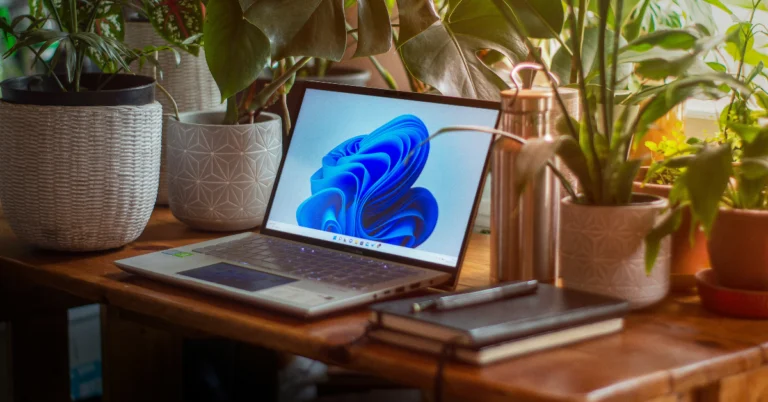
How to block YouTube on an iPad?

0

If your kids have access to an iPad, you should be mindful of the content they are exposed to on the internet. While YouTube has a dedicated app for kid-friendly content, its main app is just as easily available on the App Store. If you don’t want your kids to access regular YouTube, you can easily block its app and website on your iPad.

Read Also: Samsung Galaxy S25 Series AI Features Leaked Ahead of January 22 Launch

Apple’s Content and Privacy Restrictions

Before you block YouTube on your iPad, it is important that you set a Screen Time passcode for your device. Make sure this passcode is different from the lock screen passcode that you use to unlock the iPad. Setting up a Screen Time passcode ensures that no one is able to overturn the restrictions that you have imposed on the apps on your device.

Apple’s Content and Privacy Restrictions let you limit the installation of apps by their age filter. If you specifically want to block YouTube, you can lock the app with a passcode instead. If you simply want to limit your kids’ viewing period on the app, you’re better off setting a timer for YouTube. If you think your kids will bypass the restrictions by streaming content on YouTube in Safari, you can add the website to the block filter. 

Block the YouTube app on an iPad

How to block YouTube on an iPad?

Step 1: Go to Settings and select Screen Time from the side menu.

Step 2: Tap on Content & Privacy Restrictions.

Step 3: Turn on the toggle switch and tap on Content Restrictions.

Step 4: Tap on Apps.

Step 5: Select 9+. This filter prevents apps rated for kids aged 9 years and up from being downloaded on the device. Since YouTube is rated 9+, it won’t be allowed to download on your iPad. If the app is already downloaded, it will be hidden.

Block the YouTube website on an iPad

performance How to block YouTube on an iPad?

Step 1: Go to Settings and select Screen Time from the side menu.

Step 2: Tap on Content & Privacy Restrictions.

Step 3: Turn on the toggle switch and tap on Content Restrictions.

Step 4: Tap on Web Content.

Step 5: Select Limit Adult Websites. Since YouTube is not an adult website, you will need to manually add it to the filter.

Step 6: Select Add Website under Never Allow.

Step 7: Enter https://www.youtube.com/ and go back to the home page.

Frequently Asked Questions (FAQs)
Can I block YouTube on iPad?

Apple’s Content & Privacy Restrictions allow you to block YouTube on your iPad. Go to Settings>Screen Time>Content & Privacy Restrictions, turn on the toggle switch, then go to Content Restrictions>Apps, and select 9+. This will block all apps rated for kids above the age of 9 on your iPad, including YouTube.

How do I block the YouTube website on my iPad?

Turn on the toggle switch next to Content Restrictions after navigating to Settings>Screen Time>Content & Privacy Restrictions. Select Web Content and tap on ‘Limit Adult Websites’. Then, tap on ‘Add Website’ under ‘Never Allow’ and enter YouTube’s URL.

How do I lock YouTube on my iPad?

Long-press YouTube’s app icon on the home screen and select Require Face ID from the popup menu. Tap on ‘Require Face ID’ again to lock it or ‘Hide and Require Face ID’ to hide it.

How do I set a time limit for YouTube on my iPad?

Go to Settings>Screen Time>App Limits>Add Limit and select YouTube. Set a time limit and hit ‘Add’.

Read Also: Redmi 14C 5G Review: The complete package under Rs 10,000?

Final Thoughts

This is how you can block the YouTube app and website on your iPad. While you’re here, check out how you can hide and lock an app on your iPhone or iPad. If you have any questions, let us know in the comments!