Garena Free Fire is a battle royale game with regular awards and tournaments to keep players interested. If you play Garena Free Fire, you should be aware of the redeem codes that are released on a daily basis. However, because the battle royale game is banned in India, players from other countries can use the Free Fire Redeem codes daily. If you’re unfamiliar with the Garena Free Fire redeem codes or don’t know how to get them, we’ve put together a step-by-step guide to help you redeem them. Check out Garena Free Fire Redeem Codes for 26 September 2023.The Free Fire redeem codes are a great way to get free stuff. These are 12-digit codes that contain alphabets and numbers, as well as an expiration date and time. Because the Garena FF redeem codes cannot be used more than once, you should hurry to the redemption page to claim your free reward before someone else does. To get a free reward, all you have to do is go to reward.ff.garena.com/en, which is the official redemption page. Also, keep an eye on this space for daily updates on Garena Free Fire redemption codes and rewards.
Garena Free Fire Redeem Codes Today 26 September2023
updating soon…
How to Get Free Fire Redeem Codes for Garena on 26 September2023?
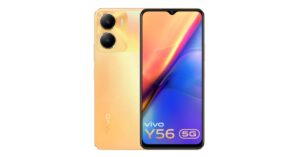
Vivo Y56 5G which was launched in India in February of this year. At the time of launch, the company only introduced it in a single variant. Today Vivo has announced another new variant for the smartphone. The device features a 5,000mAh battery. It is powered by MediaTek Dimensity 700 SoC. In addition to this, there is a dual rear camera setup on the phone.
Vivo Y56 5G new variant price and sale details
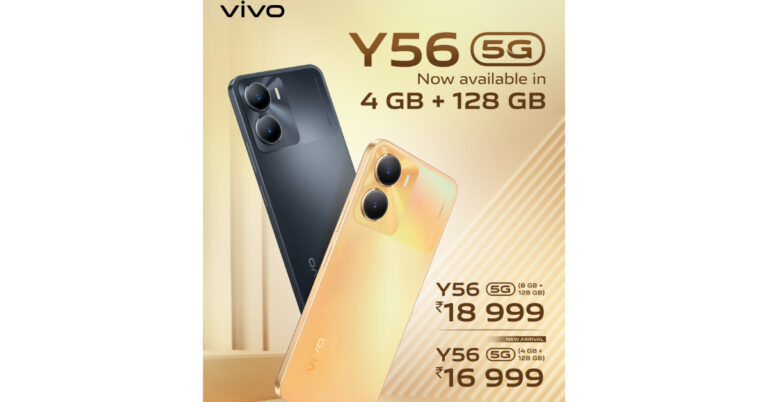
Vivo Y56 5G has been launched in India with a new 4GB RAM with a 128GB storage variant. The price of the new variant is set at Rs 16,999.In February the company launched the 8GB RAM with 128GB storage variant which is currently available at Rs 18,999. The phone will be available in Black Engine and Orange Shimmer colour options. Buyers can get the phone through the company’s official website in the country.Also Read:The price of the Google Pixel 8 Series will increase in the US
Vivo Y56 5G specifications
The Vivo Y56 5G comes with a 6.58-inch full-HD+ LCD screen with a resolution of 1,080 x 2,408. The smartphone is operated by Funtouch OS 13 which runs on Android 13. Under the hood, there is MediaTek Dimensity 700 SoC paired with up to 8GB RAM. It also comes with 128GB of built-in storage. The internal RAM can be further expanded up to 16GB with the use of unused storage.Also Read:Google Pixel 8, Pixel 8 Pro camera specs leaked ahead of the October 4 launchThe smartphone packs a 5,000mAh battery that supports 18W rapid charging. Wi-Fi, Bluetooth v5.1, GPS, Glonass, OTG, FM radio, and a USB Type-C port are among the connectivity options available on the Vivo smartphone. The sensors on board include an accelerometer, ambient light sensor, e-compass, gyroscope, and proximity sensor. In addition to this, there is a side-mounted fingerprint sensor for login.The Vivo Y56 5G is highlighted with a dual rear camera setup that includes a 50-megapixel primary sensor with an f/1.8 aperture and a 2-megapixel secondary sensor with an f/2.4 aperture. In addition to this, there is a 16-megapixel front-facing camera with an f/2.0 aperture for selfies and video calls. For the latest gadget and tech news, and gadget reviews, follow us on Twitter, Facebook and Instagram. For newest tech & gadget videos subscribe to our YouTube Channel. You can also stay up to date using the Gadget Bridge Android App. You can find the latest car and bike news here.
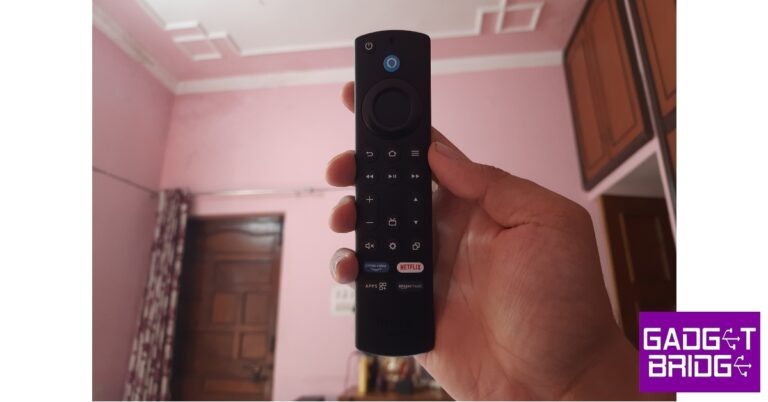
The Amazon Firestick offers a standard streaming and Smart TV experience, much like its competitors in Xiaomi and Hulu. But one of the more underrated features of the Firestick that puts it ahead of the competition is its versatile remote. With customisable action keys and a dedicated Alexa voice search button, this remote is one of the most comprehensive TV remotes out there. But, it is known to spring issues from time to time. In this article, we bring you the top 10 ways to fix a broken Amazon Firestick remote.Read Also:Top 10+ Tech-Savvy Gadgets for Students on a Budget Under $50
Reasons why your Firestick remote isn’t working
Figuring out why your Firestick remote isn’t working is quite easy. Here are the usual suspects:
Drained batteries: The most common reason behind non-functional remotes is a drained set of batteries. Typically, you can see this coming due to a fall in accuracy and inconsistent performance.
Functional range: It goes without saying that the remote needs to be in the functional range to work with your Firestick device. If you’re in a large hall, you need to move closer to the device to use the remote.
Obstructions in the path: Moved new furniture into the room recently? Maybe a couch or a lamp is blocking the path of the signal.
Electrical interference: Other electronic gadgets and electrical devices can mess with the signal emitted from the remote.
Compatibility issues: New remote refuses to work with the Firestick? Perhaps it isn’t compatible with your model of the streaming hardware.
Hardware issues: Physical damage to the remote can keep it from working properly.
Troubleshoot the remote
Step 1: Press the Rewind and Right buttons simultaneously for three seconds.
Step 2: Press the Menu button. If the notification light turns green, it means you are in troubleshooting mode.
Step 3: Press any button on the remote. Observe the colour of the notification light.
Red (slow blink): The batteries inside the remote are running out of charge.
Red (fast blink): Reset the remote.
Orange: Remote isn’t paired with Fire TV.
White: Fire TV is either turned off or unresponsive. Restart it.
Blue: The remote is working fine, the issue lies with Fire TV.
Replace the batteries
The most likely reason that your Amazon Firestick remote isn’t working is the lack of charge in its batteries. The Firestick ships with a pair of Amazon AAA batteries that are meant to be inserted into the remote. These are non-rechargeable batteries, meaning, you will need to replace them with another pair once they run out of charge. Get a pair of AAA batteries and make sure they are inserted correctly. If the remote still doesn’t function, move on to the other fixes.
Unpair and re-pair the remote to the Firestick
One of the best ways of fixing any accidental glitches on your Amazon Firestick remote is by unpairing and re-pairing it to the Fire TV. To unpair the remote, simply press the Home and Back buttons simultaneously for 10 seconds. To re-pair the remote, press the Home button for 10 seconds. Try using the remote on the Fire TV after the re-pairing process has finished. It will most likely start working again.
Restart the Firestick
Maybe the problem does not lie with the remote but the Firestick itself. To fix this problem, simply restart the Firestick. Switch off the power to the TV and unplug the Firestick from the display. After a few seconds, plug it back in and turn on the power to the TV. Any background issues with the Firestick will be resolved.
Make sure you’re in the functional distance
Unlike a traditional remote, the Fire TV remote uses a Bluetooth connection to relay the controls over to the TV. The Firestick acts as a buffer that receives the signal and forwards it to the TV. A Bluetooth connection means a larger functional range for the remote. It also means you don’t need to point it directly to the TV to use the controls. Even with a few obstructions in its path, the remote works just fine.However, one thing you need to consider here is the functional range offered by the Bluetooth remote. Even though the range is supposed to be 30 feet on paper, it is actually much lower than that in practice. Move closer to the Firestick and check whether the range is an issue.
Remove electronic devices near the Firestick
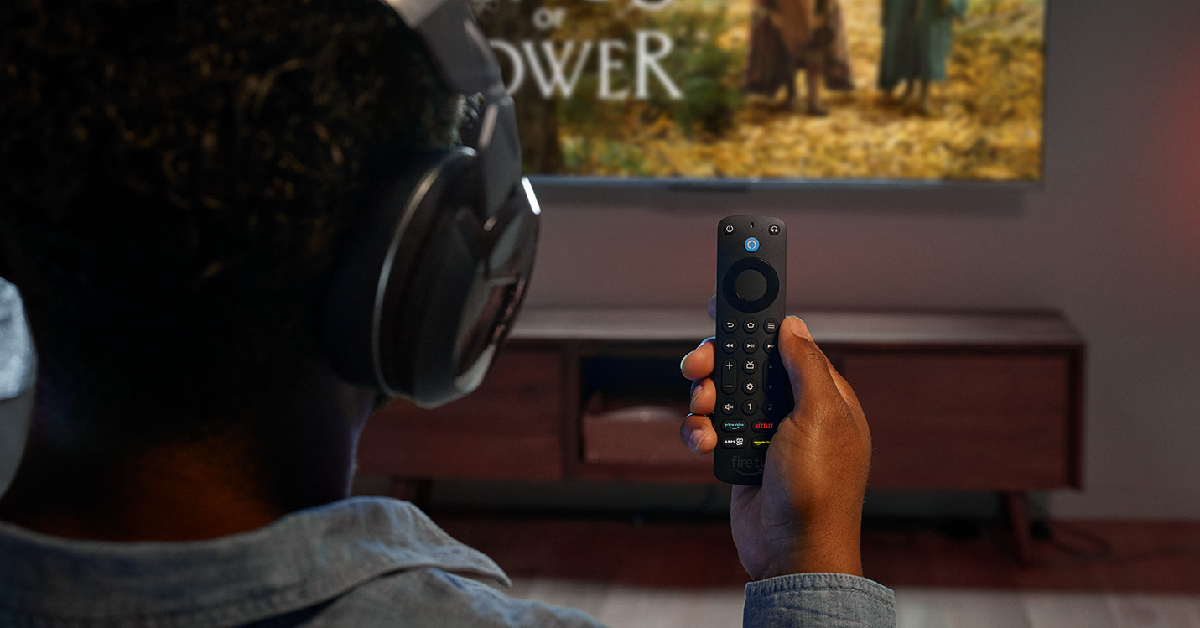
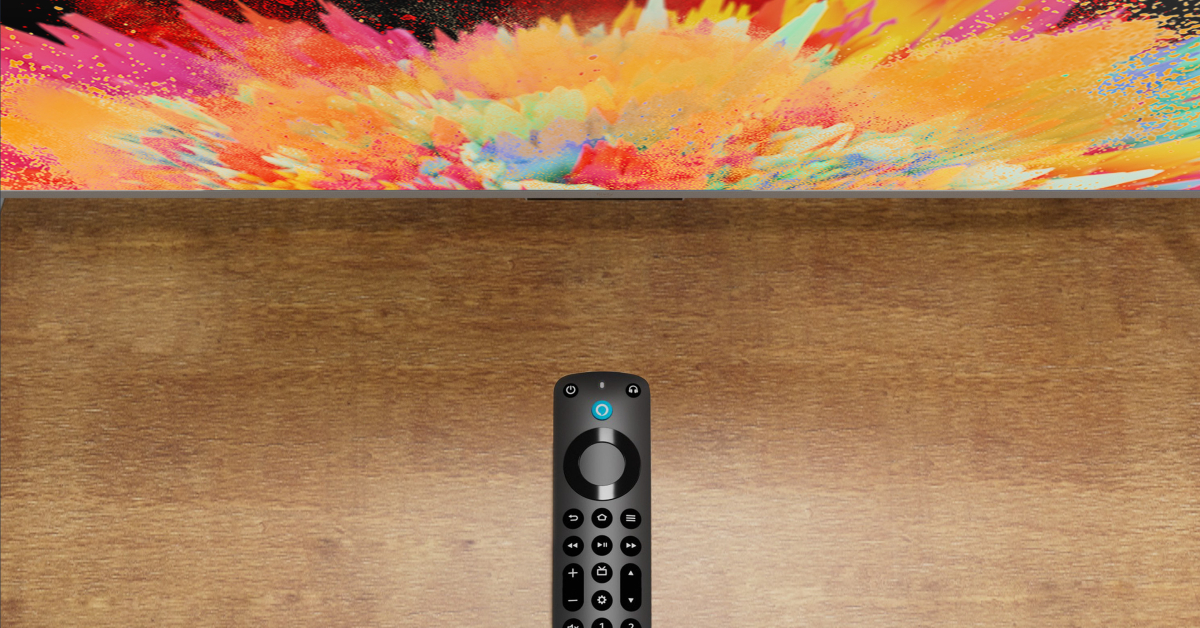
Sometimes, electronic devices and gadgets placed near the Firestick can cause interference, which leads to the remote not working. If there are multiple devices near the Firestick, turn them off one by one to figure out which one is causing the interference. The devices you need to look out for are Bluetooth/smart speakers, microwaves, phones, laptops, and more.
Check if the remote is compatible with the Firestick
If you recently bought a new remote for your Amazon Firestick, you need to make sure it is compatible with the streaming device. Yes, even official remotes can be incompatible with some models. Go to the listing page of the remote and read the fine print to figure out if it is compatible with your Amazon Firestick.
Reset the Firestick remote
Step 1:Unplug your Amazon Firestick from your TV. Wait for 60 seconds.
Step 2: Press and hold the left navigation button + menu button + back button for 12 seconds.
Step 3:Release the buttons after 12 seconds and wait for 5 seconds.
Step 4:Remove the batteries from the remote.
Step 5: Plug the Firestick into your TV and turn it on. The screen will say ‘Remote not detected‘.
Step 6: Place the batteries in the remote.
Step 7: Press the Home button on the remote. If you see the blue light, it means that the remote is paired with the Firestick.
Step 8: If the remote can’t pair with the streaming hardware, press and hold the Home button for 10 seconds.
Reset the Firestick
If everything fails, reset the Firestick to factory settings. This will log you out of all your accounts and clear all your personal data and settings on the device.
Step 1: Remove the expandable storage from the Firestick.
Step 2: Press and hold the back button and right navigation button together for 10 seconds.
Step 3: Select Factory Reset on the TV screen. If you keep pressing the two buttons, the device will reset automatically.
Use the Firestick remote app
If your Fire TV remote refuses to work, you can control the TV using your smartphone until you get a replacement control. Check out this article for the top 6 Firestick remote apps for Android. Our pick of the lot is the official Amazon Fire TV Remote app. This app offers all the essential controls for your Fire TV along with voice search and a QWERTY keyboard for input. For the Fire TV remote app to work, your smartphone and Firestick should be connected to the same WiFi network.
If your Amazon Firestick remote isn’t working, it is likely because the batteries have discharged. Make sure you install new AAA batteries on the device and give it a quick restart if the issue persists.
How to fix my Amazon Firestick remote?
If your Amazon Firestick remote isn’t working, you can fix it by swapping the batteries for new ones, removing interference near the TV, re-pairing the remote, or factory resetting the remote.
How to reset my Amazon Firestick?
To reset your Amazon Firestick, press and hold the back button and right navigation button together for 10 seconds. Select ‘Reset’ on the TV screen.
These are the top 10 ways to fix a broken Amazon Firestick or Fire TV remote. Let us know in the comments if these fixes worked out for you. If you’re thinking of buying a new streaming device, check out our review of the Xiaomi TV Stick 4K here and the Amazon Fire TV Cube (3rd Gen) here!
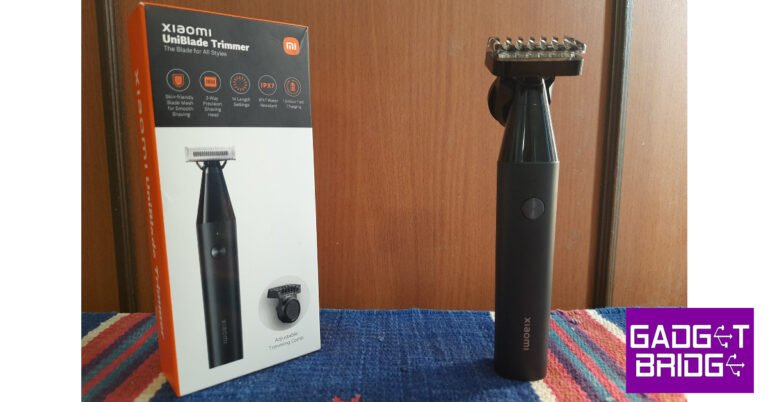
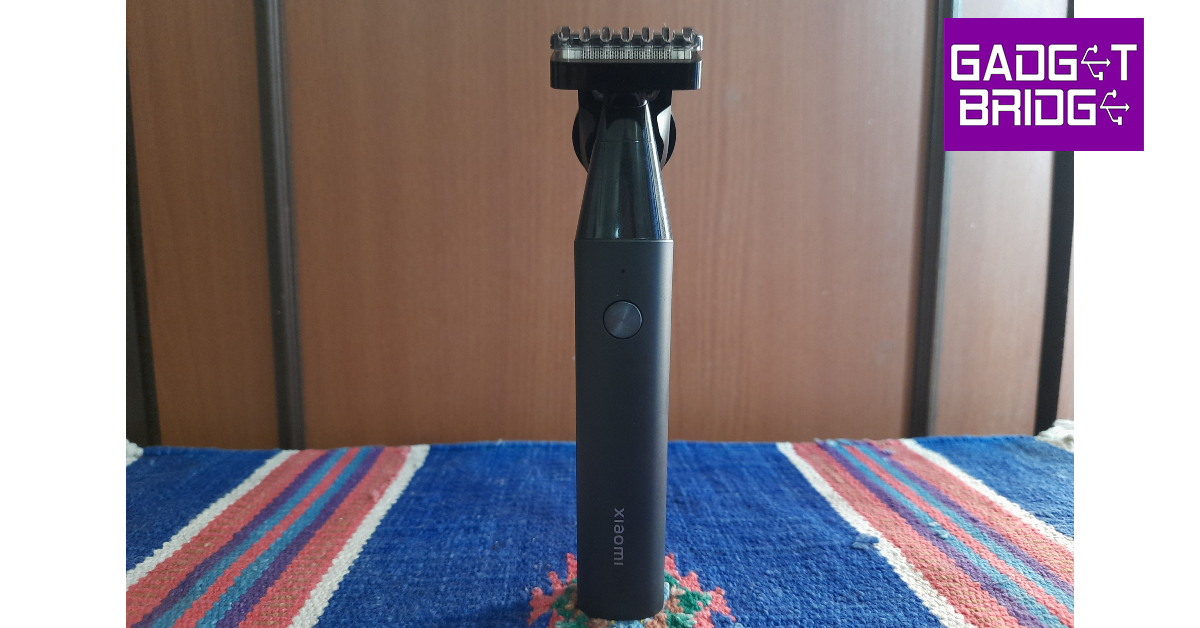
Xiaomi’s presence in India is not just limited to smartphones and tablets. Over the years, the Chinese brand has expanded to different segments, including smart wearables, kitchen appliances, health & grooming, and even apparel! Be it an air fryer or a robot vacuum cleaner, Xiaomi does not shy away from a solid value-for-money product. When it comes to personal grooming, Xiaomi has its own series of beard trimmers, with each product catering to a particular niche. The new Xiaomi UniBlade Trimmer is designed for users who seek a no-nonsense grooming tool that also makes for a good travel accessory. We got our hands on the trimmer and have been using it for the last ten days. Here is our in-depth Xiaomi UniBlade Trimmer review.Read Also:How to customise the Action button on iPhone 15 Pro and Pro Max?
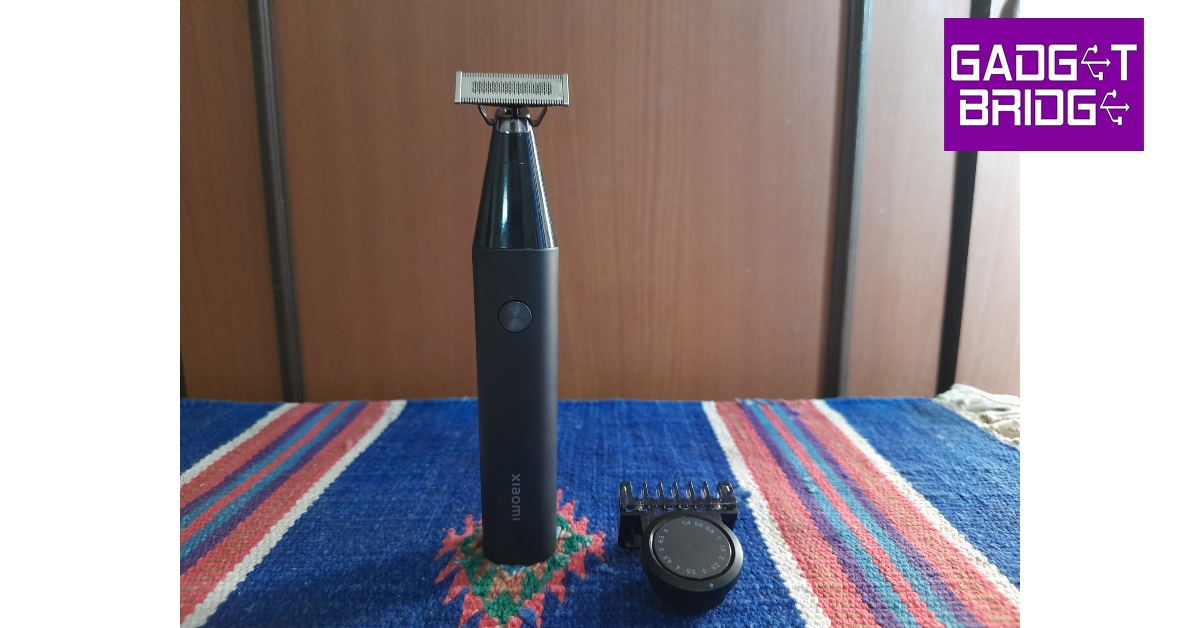
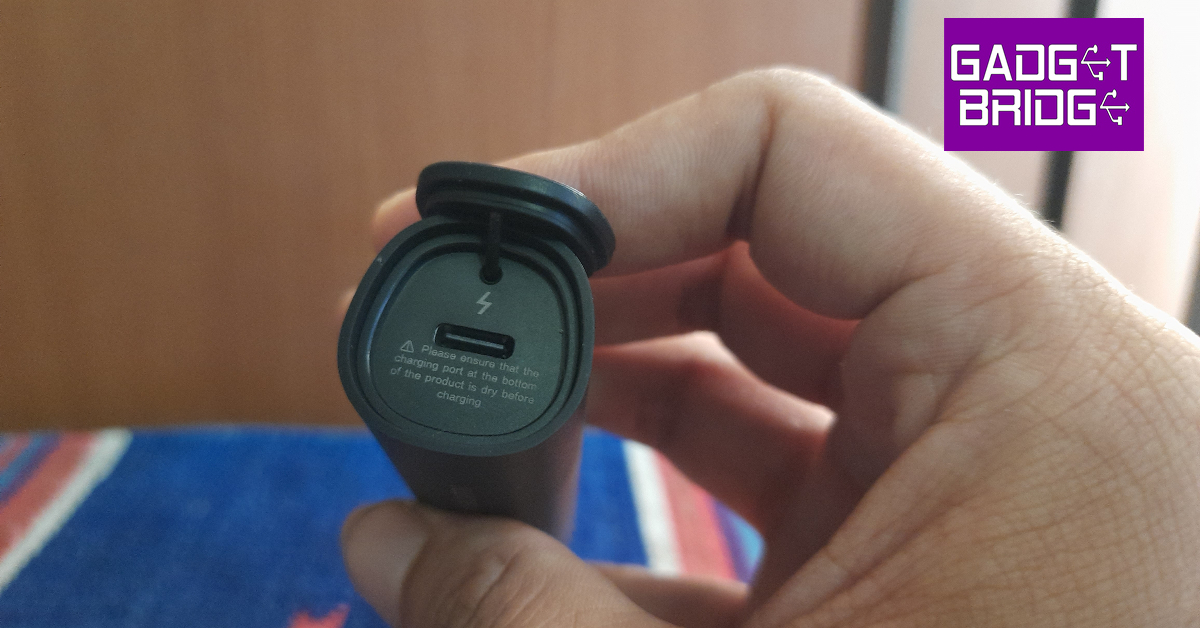
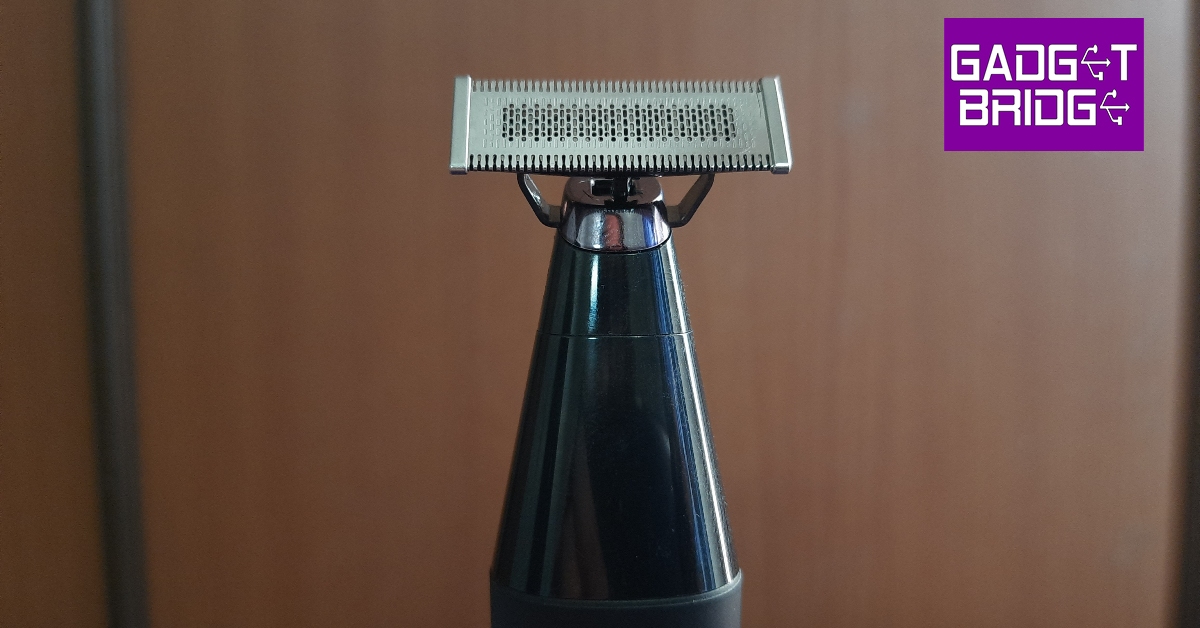
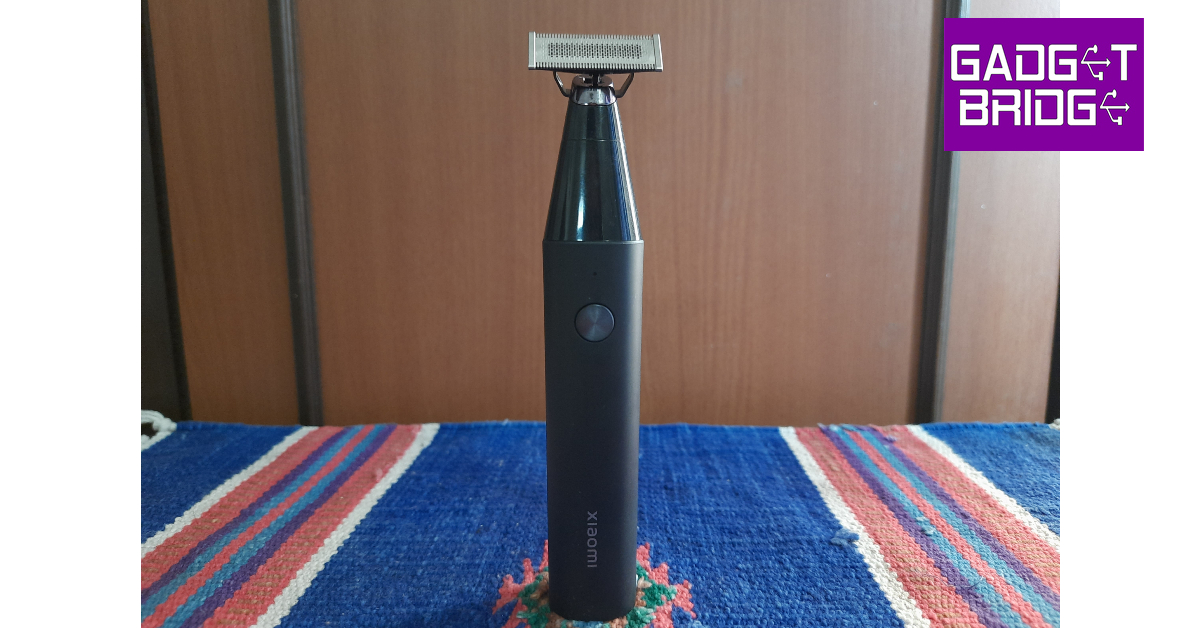
The UniBlade Trimmer does not come with a travel pouch or a cleaning brush.On the design front, Xiaomi has kept things simple, clean, and minimal. The body of the trimmer gets a matte finish which feels very premium. While it is made out of plastic, the quality of materials used is pretty high-end. The tapering panel that accommodates the blade attachment gets a contrasting glossy finish.The bottom panel of the trimmer’s body is flat, which means it can sit upright on any surface. You don’t need a specific holder next to the bathroom sink to place the UniBlade trimmer. This flat panel can also be pulled out to reveal the Type-C port for charging the device. There’s only one button on the plastic chassis. This button can be used to start or stop the trimmer and activate the travel lock (more on that later). There is a single notification light above the power button. This light turns orange when the battery is low. There is no way to tell the trimmer’s battery level as it lacks a display or even multiple notification lights.Moving on to the most important attachment, the UniBlade on this device is made out of stainless steel. It features two-way blades along the edges and advanced mesh blades at the centre. The latter is super helpful in cleaning the leftover stubble. This uniblade can move up to 40 degrees along the horizontal axis, which allows it to adjust to your face and body’s contour. The adjustable trimming comb clips onto this blade. The rotating control knob on this attachment offers 14 length adjustments. Like the rest of the body, this attachment is also made out of plastic, but it does not feel flimsy at all.The Xiaomi UniBlade Trimmer is rated IPX7 for water resistance. This means you can rinse it with water without worrying about any damage to the internal circuit. Every time we used the device, we washed it clean under running tap water and let it air dry. During our 10-day testing period, we did not notice any water-related damage.
Xiaomi UniBlade Trimmer review: Performance
There are two ways you can use the Xiaomi UniBlade Trimmer. The first method is using the shaving head directly, without attaching the trimming comb to it. You can get a pretty close shave this way, even though it isn’t on the same level as using a manual shaving blade. The mesh pattern on the shaving head does a phenomenal job of shaving off the stubble and delivering a clean look. The two-way blades along the edges take care of the longer hair and have no trouble making their way through a thick beard.These two-way blades can also be used to style your bear a certain way. The level of precision is very close to ideal here. Since the shaving head is movable, it easily adapts to the shape of your jawline. It can even reach the area under the lower lip and easily shave off the stubble there. You can also use it to trim your body hair.The adjustable trimming comb easily latches onto the shaving head and offers 14 length settings – 0.4mm to 8mm. For the first few length settings, this adjustable trimming comb works like a charm. From 0.4mm to 3mm, the results are ideal. However, people with longer beards who are looking to maintain it rather than trim it down would be better off using a regular comb along with the trimmer. This isn’t particularly Xiaomi’s fault and all the clip-on attachments we’ve used have struggled with styling long beards.One of our favourite features on this trimmer is its travel lock mode. If you’ve ever been pulled by airport security for a vibrating device in your luggage, you know what we’re talking about. By simply pressing the power button for three seconds, the travel mode comes into effect. In this mode, the trimmer cannot be turned on with a single press of the button. This greatly reduces the chances of accidental clicks when the device is packed in with your luggage. Pressing the power button for three seconds again turns off the travel mode.The Xiaomi UniBlade Trimmer is equipped with a 600mAh battery pack. On a full charge, the trimmer can last for up to 60 minutes. This means if you plan on using it every day, you will have to charge the device once a week. It takes the trimmer 90 minutes to fully charge and it cannot be used while charging. A battery level indicator would have been very handy to let you know when you need to plug in to charge.Read Also:How to delete all of your Instagram posts at once?
Verdict
The Xiaomi UniBlade Trimmer sticks to a basic formula and gets the essentials right. Xiaomi gets extra points for the matte finish and minimal design on this product. We would have preferred a cleaning comb and a travel pouch to come along with the trimmer, but at the price of Rs 1,499, it is still a bargain. The quality of the shave is ideal and the precision of the blade does wonders for styling the beard. The super helpful travel mode is also a nice touch by Xiaomi.
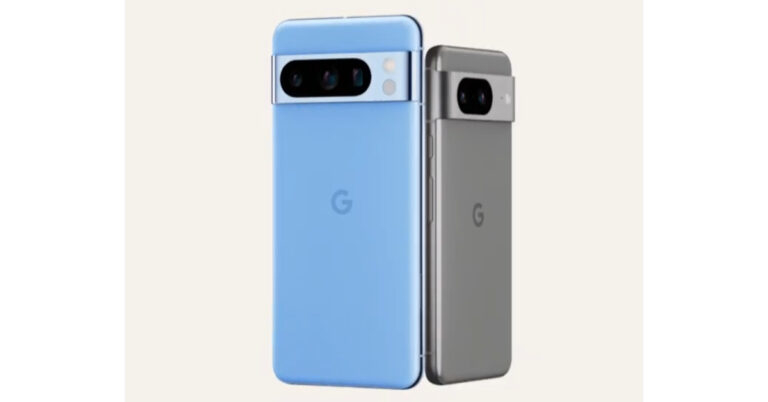
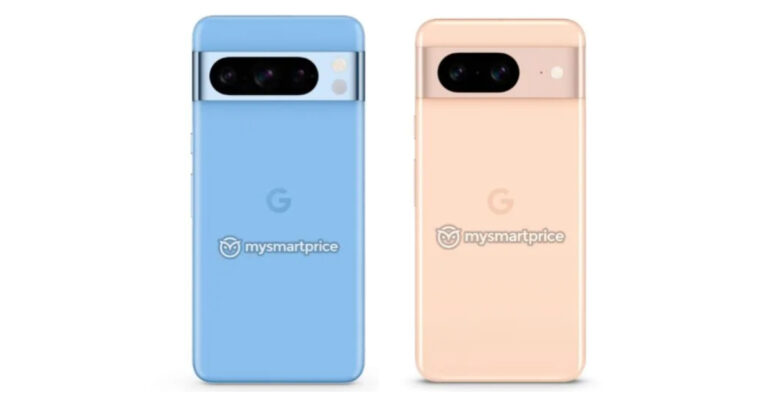
Google is all set to launch its new Pixel 8 Series globally on October 4. The new Pixel series will include two models Pixel 8 and Pixel 8 Pro. Both smartphones have similar designs but better some different specs. Recently a leaked promo video revealed the camera specs of the devices. Also, the devices are likely to come in three colour options. Now according to a new leak, the price of Pixel 8 and Pixel 8 Pro is expected to rise.9to5Google has reported that this year the pricing of Pixel 8 and Pixel 8 Pro is likely to go up. According to a retail source, the Pixel 8 will be priced at $699, on the other hand, the Pixel 8 Pro will cost $999. Hence there will be a $100 price increase for all models.To recall Pixel 7 and Pixel 8 were launched with a starting price of $599 and $899. Whereas in India the pixel series price started at Rs 59,999 and Rs 84,999 respectively.Previously leaked renders suggested that Pixel 8 will be available in grey, obsidian black, and peony rose colour options. Whereas the Pro variant is expected to be available in black obsidian, porcelain, and sky Blue colours.Also Read:Google Pixel 8, Pixel 8 Pro camera specs leaked ahead of the October 4 launchAccording to a recent leaked promo video Pixel 8 phones will come with a similar camera sensor on the front as well as on the rear (primary). On the rear, it is likely to provide a primary 50MP Octa PD sensor. The rear camera will have a 1.2 μm pixel width, f/1.68 aperture, 82-degree field of view, 1/1.31″ image sensor size and Super Res Zoom up to 8x (exclusive to vanilla variant).The second camera on the standard variant will feature a 12 MP ultrawide camera with auto-focus, 1.25 μm pixel width, f/2.2 aperture, 125.8-degree field of view as well as a Lens correction feature. On the other hand, the pro variant will have a 48 MP Quad PD ultrawide camera with autofocus, 0.8 μm pixel width, f/1.95 aperture, 125.5-degree field of view and a Lens correction feature.The Pixel 8 Pro camera is expected to include a third 48 MP Quad PD telephoto camera, 0.7 μm pixel width, f/2.8 aperture, 21.8-degree field of view, 5x optical zoom and Super Res Zoom up to 30x.On the front of the Google Pixel 8, Pixel 8 Pro will have a similar 10.5 MP Dual PD selfie camera, 1.22 μm pixel width, f/2.2 aperture and 95-degree field of view. The selfie camera on the vanilla variant will have a fixed focus while the Pro version will have an auto focus.
For the latest gadget and tech news, and gadget reviews, follow us on Twitter, Facebook and Instagram. For newest tech & gadget videos subscribe to our YouTube Channel. You can also stay up to date using the Gadget Bridge Android App. You can find the latest car and bike news here.
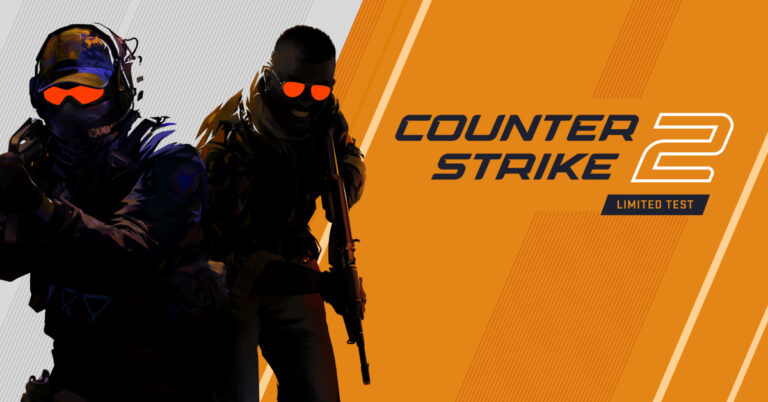
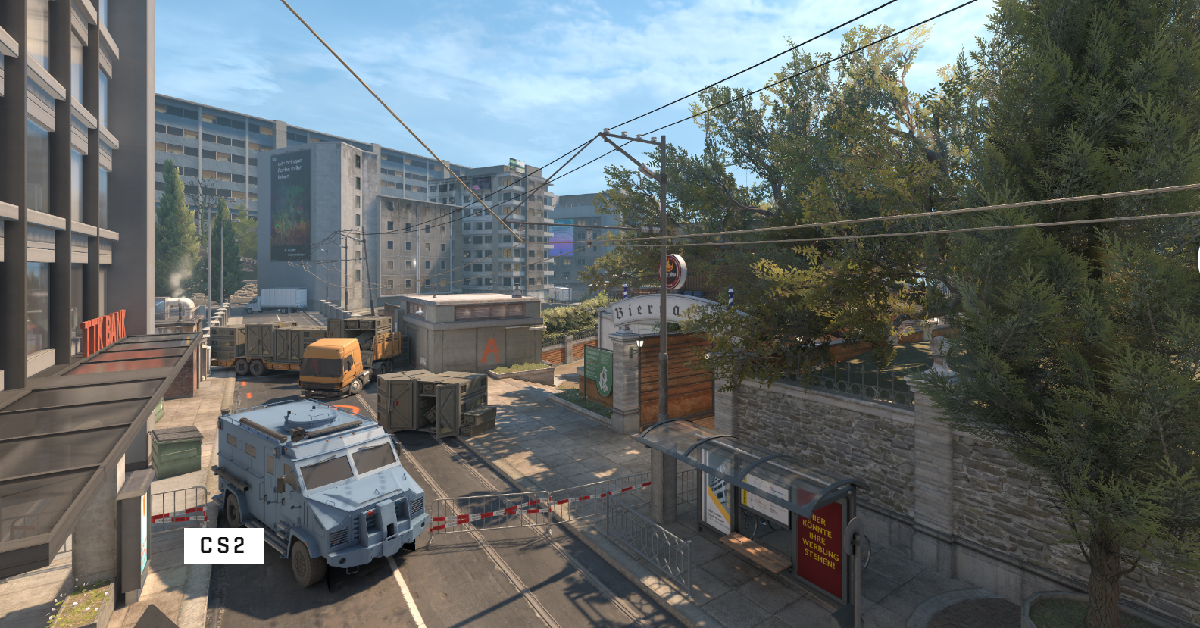
One of the greatest FPS games of all time, Counter-Strike, is finally getting a sequel this year. Counter-Strike 2 will succeed CS:GO, a game that has established a tremendous reputation for itself in the gaming community, as the next major title in the series. The game was announced by Valve on March 22, 2023. Initially tipped to be released in the summer of 2023, Valve only opened limited testing for Counter-Strike 2 earlier this month. However, we may be closer to the launch of the game, according to a post by the official Counter-Strike handle on X.Read Also:How to customise the Action button on iPhone 15 Pro and Pro Max?
Counter-Strike 2 release date
According to Counter-Strike’s post on X, the sequel to the gaming title may finally be launched on September 27, 2023. While this is not the official release date, the post from CS could only mean one thing. Valve has been testing the game in a limited capacity for a while now, and an official launch is most likely what’s next on the cards.
Counter-Strike 2 is the ‘largest technical leap forward in Counter-Strike’s history’, in Valve’s own words. The sequel will feature a new CS Rating that will decide your rank in the global and regional leaderboards. Valve has also changed how in-game elements like smoke interact with the gameplay. Bullets and HE grenades can now pierce the smoke cover to create flashes of visibility. The smoke can also find its way out of windows and pathways and even fuse with other kinds of smoke.The developer has also increased the number of maximum rounds to 24. This means you need to win 13 rounds to be crowned the winner. Gamers will also be able to utilise a new loadout method for guns and ammunition. Your Counter-Strike: Global Offensive inventory can be carried forward to CS2. Changes have also been made to the design of the loadout and gun menu. Regarding the actual gameplay, the maps are now cleaner, brighter, and better. There updated maps pack a lot of detail that was previously missing in CS:GO.Read Also:Top 4 Methods to Turn Off Google Discover on Android and iOS
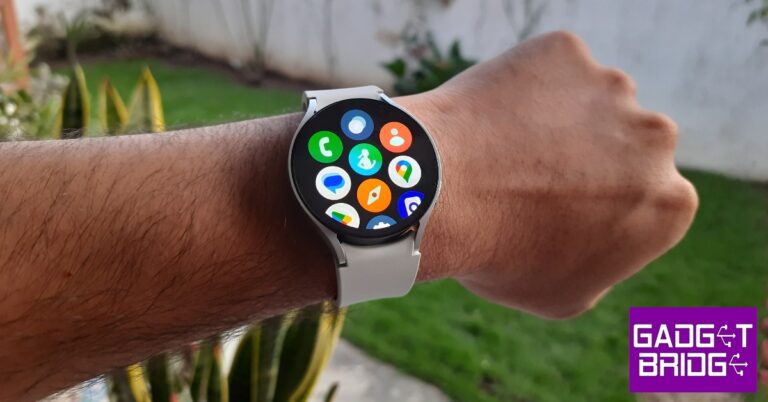
This year’s Apple Watch 9 Series grabbed the headlines for its new intuitive ‘Double Tap’ feature that brings a whole new level of accessibility to users. By simply tapping their thumb and index finger together, users can answer or hang up a call, pause or play media, snooze and alarm, and more. While Apple wants you to think that this is a completely new way of interacting with your smartwatch, the Samsung Galaxy Watch 6 has already had this feature for quite some time now. In this article, we show you how to get the Apple Watch 9’s Double Tap feature on your Samsung Galaxy Watch 6.Read Also:How to delete all of your Instagram posts at once?
Get Double Tap on your Samsung Galaxy Watch 6
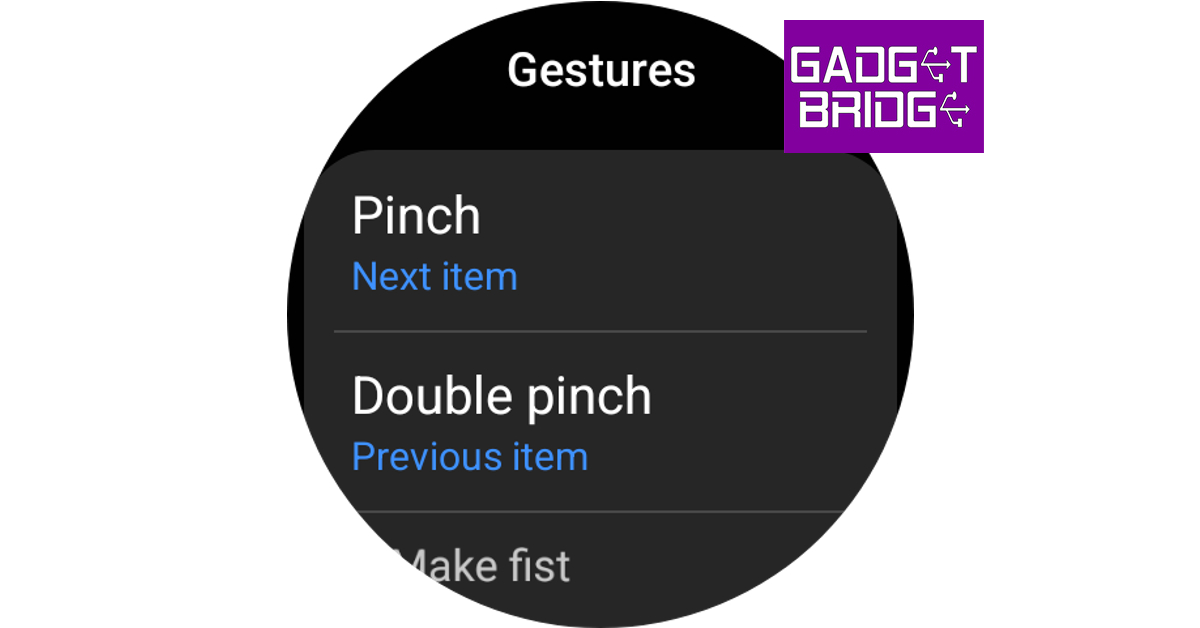
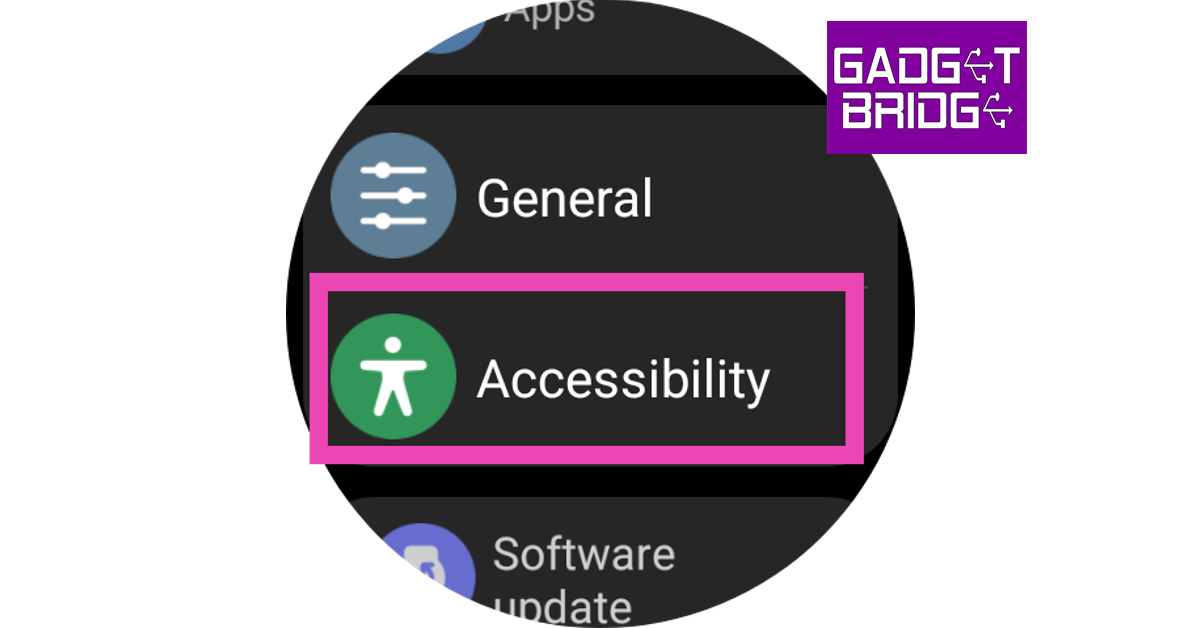
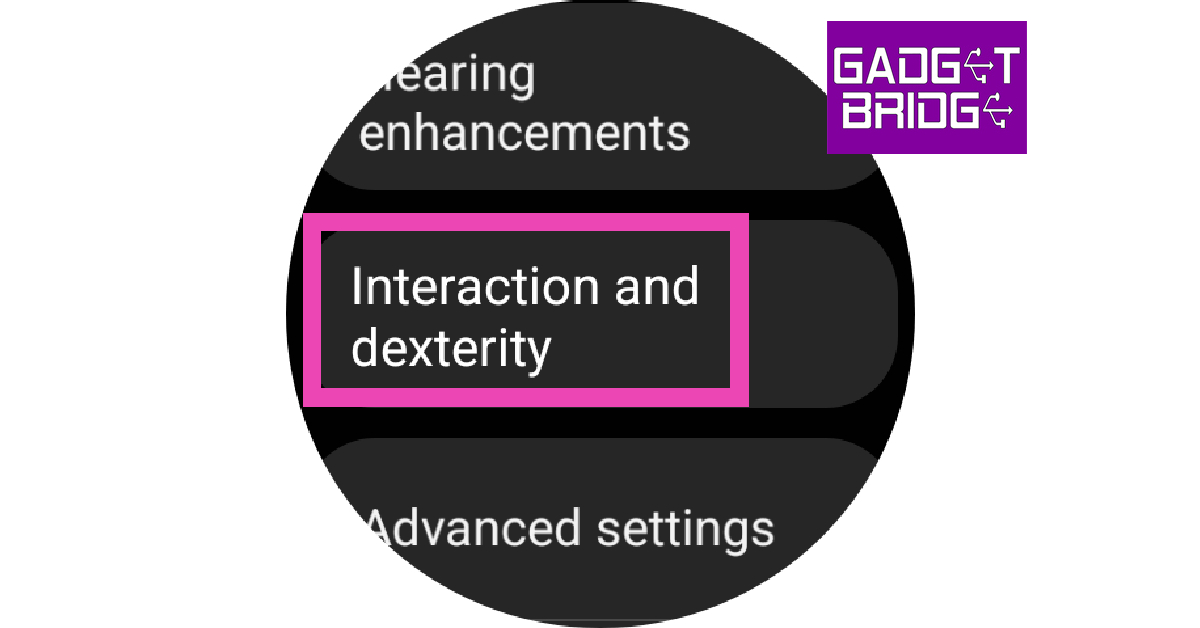
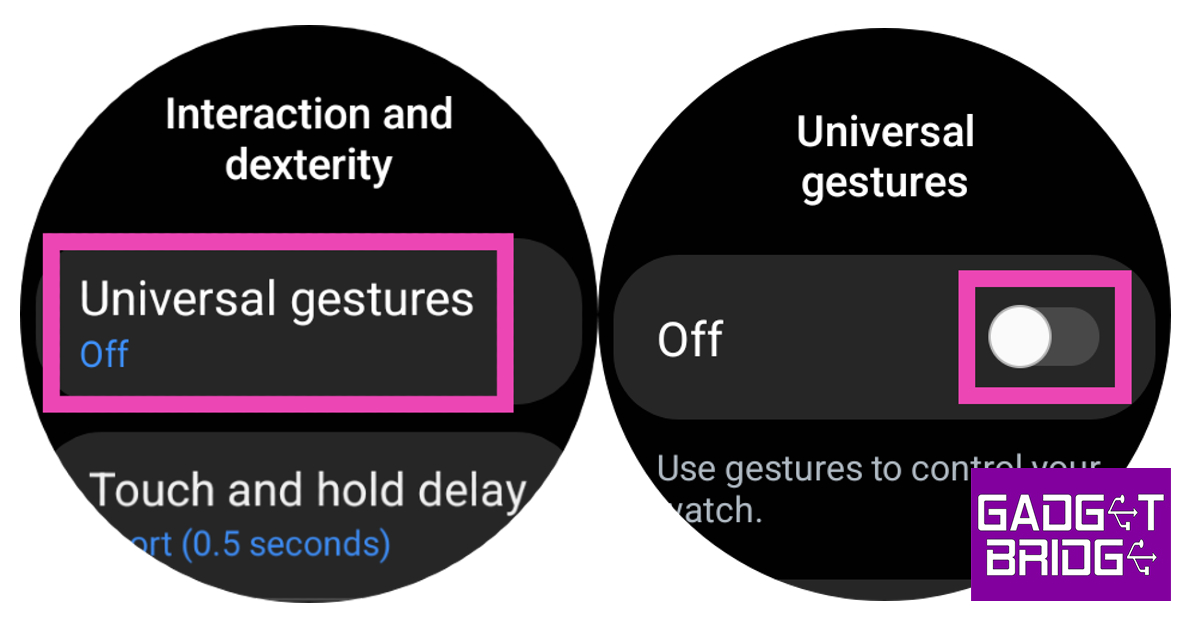
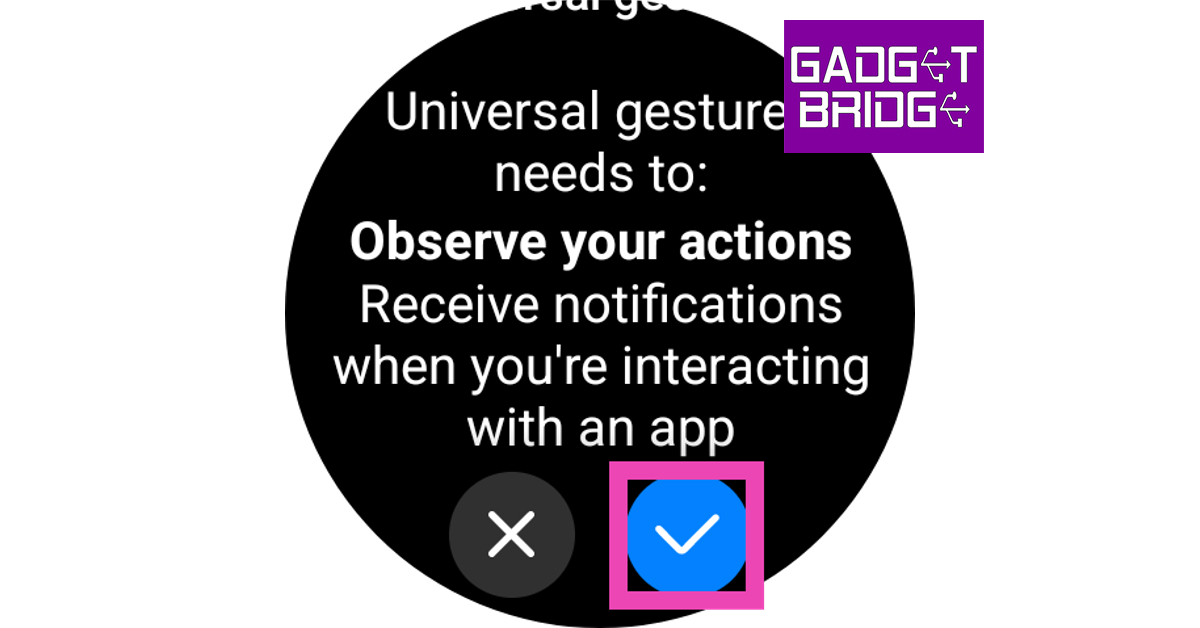
Step 1:Swipe up from your Samsung Galaxy Watch 6’s home page to access the app drawer.Step 2: Tap the Settings icon.Step 3: Select Accessibility.Step 4: Scroll down and tap on Interaction and dexterity.Step 5: Tap on Universal Gestures and switch the toggle bar from off to on.Step 6: Hit the tick icon.Step 7: Tap on Start to go through the tutorial.Step 8:Shake your wrist to activate the gesture controls. Step 9: You can use these gestures to navigate through your watch. The Pinch and Double Pinch gestures can be used to move back and forth while the Make a Fist gesture can be used to select an item. You can also use these gestures to open Bixby, app drawer, and more.
Frequently Asked Questions (FAQs)
Does the Samsung Galaxy Watch have Apple Watch’s Double Tap feature?
Yes, the Samsung Galaxy Watch already has the Double Tap feature from the new Apple Watch. You can use the pinch and fist gestures to navigate your Galaxy smartwatch but its implementation isn’t as intuitive as the Apple Watch.
How do I activate the Double Tap feature on my Samsung Galaxy Watch 6?
Go to Settings>Accessibility>Interaction and dexterity>Universal Gestures and turn on its toggle switch.
What does the Double Tap feature on the Samsung Galaxy Watch do?
After Apple’s iPhone 15 series the next biggest launch of this year is Google Pixel 8 Series. Some of the key specifications and design details have been leaked before. But now the Google Pixel 8, Pixel 8 Pro camera specifications and features have surfaced online. The camera features of both the devices revealed through a leaked promo video indicate that the company is obviously betting heavily on cameras with the Pixel 8 series.Also Read:How to customise the Action button on iPhone 15 Pro and Pro Max?91Mobiles has published a report in association with renowned tipper Kamila Wojciechowska. In the report, a leaked promo video provides information on the features and camera specs for Google Pixel 8 and Pixel 8 Pro which Google is likely intending to unveil very soon.Reportedly the video draws attention to the camera features of the upcoming Google Pixel 8 Series. The devices will likely include Pro controls (exclusive to the Pro model), Real Tone, Night Sight, Astrophotography, Super Res Zoom, and the capability of switching faces in an image likely by Magic Editor. The company may make the Pixel 8 series camera more powerful by including tools like Video Boost, Night Sight for low-light videos, and Audio Eraser to reduce ambient background sounds and improve skin tones.It has also been revealed that both the Pixel 8 phones will use the same camera sensor on the front as well as on the rear (primary). On the rear, it is likely to provide a primary 50MP Octa PD sensor. The rear camera will have a 1.2 μm pixel width, f/1.68 aperture, 82-degree field of view, 1/1.31″ image sensor size and Super Res Zoom up to 8x (exclusive to vanilla variant).The secondary camera on the standard variant will feature a 12 MP ultrawide camera with auto-focus, 1.25 μm pixel width, f/2.2 aperture, 125.8-degree field of view as well as a Lens correction feature. On the other hand, the pro variant will have a 48 MP Quad PD ultrawide camera with autofocus, 0.8 μm pixel width, f/1.95 aperture, 125.5-degree field of view and a Lens correction feature.The Pro camera is said to have a third 48 MP Quad PD telephoto camera, 0.7 μm pixel width, f/2.8 aperture, 21.8-degree field of view, 5x optical zoom and Super Res Zoom up to 30x.On the front of the Google Pixel 8, Pixel 8 Pro will have a similar 10.5 MP Dual PD selfie camera, 1.22 μm pixel width, f/2.2 aperture and 95-degree field of view. The selfie camera on the vanilla variant will have a fixed focus while the Pro version will have an auto focus. For the latest gadget and tech news, and gadget reviews, follow us on Twitter, Facebook and Instagram. For newest tech & gadget videos subscribe to our YouTube Channel. You can also stay up to date using the Gadget Bridge Android App. You can find the latest car and bike news here.
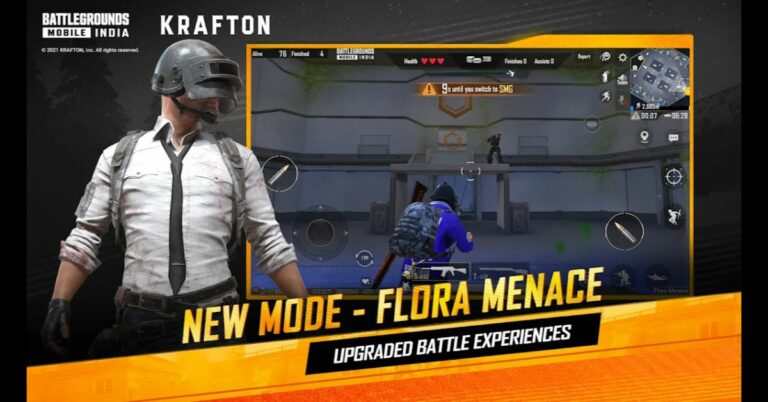
After being banned for nearly ten months, Battleground Mobile India, aka BGMI, is officially available again in India. BGMI fans are looking for ways to improve their game experience and one such method is the usage of redemption codes, which offers a variety of rewards and advantages using BGMI redeem codes players can gain access to new skins, outfits, loot crates, weapons and free UC and diamonds.As mentioned earlier, these codes give users the chance to earn unique rewards and gain extra benefits while playing the game. This includes GUN SKINS (M4, AKM, M416, AWM, M24, UZI, KAR98K), free character voucher, Andy, Carlo, Sara, Victor character for free, free Anna Character on completing the mission and UC or Royal Pass Discount. So here we have gathered a list of the most recent BGMI redeem codes as of 25 September 2023. Also, redeem these codes asap as these are only valid for a limited duration.
BGMI Redeem Codes for 25 September2023
JJCZCDZJ9U – Golden Pan
UKUZBZGWF – Free Fireworks
TIFZBHZK4A – Free Outfit
RNUZBZ9QQ – AKM Glacier Skin
PGHZDBTFZ95U – M416 Skin
BTOQZHZ8CQ – New!
TQIZBZ76F – Vehicle Skin
TQIZBz76F – 3 Free Motorcycle
BMTFZBZQNC – Free Drifter Set
SD14G84FCC – Free Skin for KAR98 Sniper Gun
RNUZBZ9QQ – AKM Glacier Skin
5FG10D33 – Falcon and Free Emotes
GPHZDBTFZM24U – UMP9 Skin
KARZBZYTR – Free Outfit
R89FPLM9S – Companion
BMTCZBZMFS – Pretty in Pink set and Pretty in Pink Headpiece
5FG10D33 – Outfit for Free
How to get free Redeem Codes for BGMI on 25 September2023?
Launch BGMI on your device.
Then select the Redeem Code option from the main menu.
Next, click on the Redeem code tab.
A new window will open, requesting the redemption code.
Now enter your BGMI code.
Confirm and click on the “Redeem” tab.
If your redeem code is valid then you will get a message confirming that your rewards were successfully redeemed.
Garena Free Fire is a battle royale game with regular awards and tournaments to keep players interested. If you play Garena Free Fire, you should be aware of the redeem codes that are released on a daily basis. However, because the battle royale game is banned in India, players from other countries can use the Free Fire Redeem codes daily. If you’re unfamiliar with the Garena Free Fire redeem codes or don’t know how to get them, we’ve put together a step-by-step guide to help you redeem them. Check out Garena Free Fire Redeem Codes for 25 September 2023.The Free Fire redeem codes are a great way to get free stuff. These are 12-digit codes that contain alphabets and numbers, as well as an expiration date and time. Because the Garena FF redeem codes cannot be used more than once, you should hurry to the redemption page to claim your free reward before someone else does. To get a free reward, all you have to do is go to reward.ff.garena.com/en, which is the official redemption page. Also, keep an eye on this space for daily updates on Garena Free Fire redemption codes and rewards.
Garena Free Fire Redeem Codes Today 25 September2023





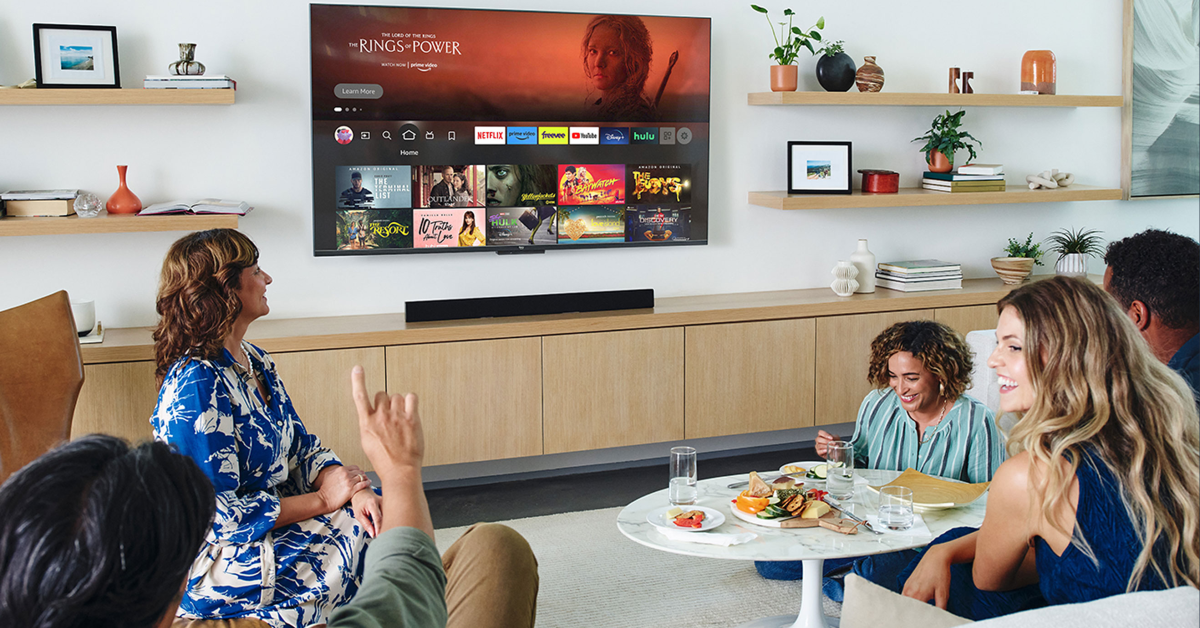 Sometimes, electronic devices and gadgets placed near the Firestick can cause interference, which leads to the remote not working. If there are multiple devices near the Firestick, turn them off one by one to figure out which one is causing the interference. The devices you need to look out for are Bluetooth/smart speakers, microwaves, phones, laptops, and more.
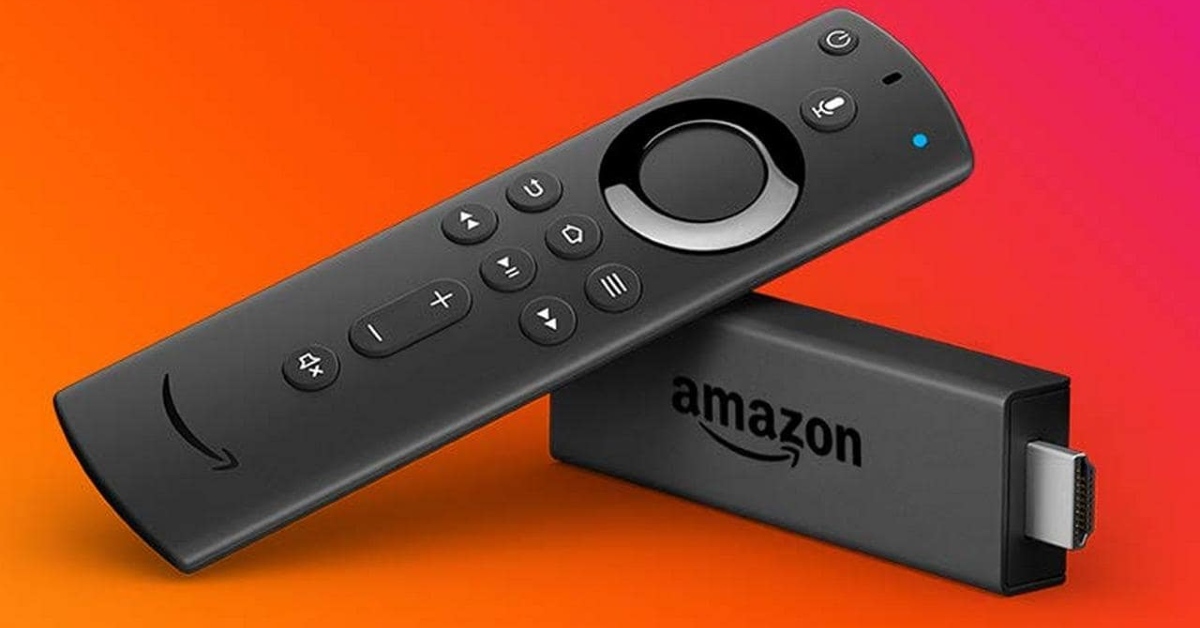 If you recently bought a new remote for your Amazon Firestick, you need to make sure it is compatible with the streaming device. Yes, even official remotes can be incompatible with some models. Go to the listing page of the remote and read the fine print to figure out if it is compatible with your Amazon Firestick.
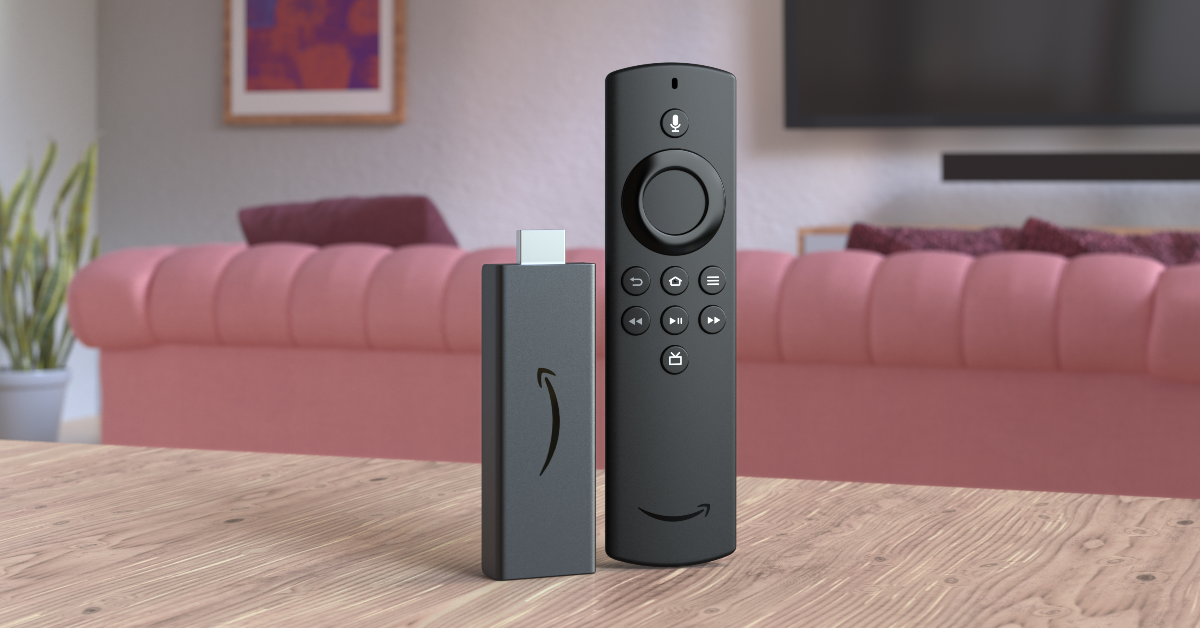 Step 1: Unplug your Amazon Firestick from your TV. Wait for 60 seconds.
Step 2: Press and hold the left navigation button + menu button + back button for 12 seconds.
Step 3: Release the buttons after 12 seconds and wait for 5 seconds.
Step 4: Remove the batteries from the remote.
Step 5: Plug the Firestick into your TV and turn it on. The screen will say ‘Remote not detected‘.
Step 6: Place the batteries in the remote.
Step 7: Press the Home button on the remote. If you see the blue light, it means that the remote is paired with the Firestick.
Step 8: If the remote can’t pair with the streaming hardware, press and hold the Home button for 10 seconds.
Step 1: Unplug your Amazon Firestick from your TV. Wait for 60 seconds.
Step 2: Press and hold the left navigation button + menu button + back button for 12 seconds.
Step 3: Release the buttons after 12 seconds and wait for 5 seconds.
Step 4: Remove the batteries from the remote.
Step 5: Plug the Firestick into your TV and turn it on. The screen will say ‘Remote not detected‘.
Step 6: Place the batteries in the remote.
Step 7: Press the Home button on the remote. If you see the blue light, it means that the remote is paired with the Firestick.
Step 8: If the remote can’t pair with the streaming hardware, press and hold the Home button for 10 seconds.
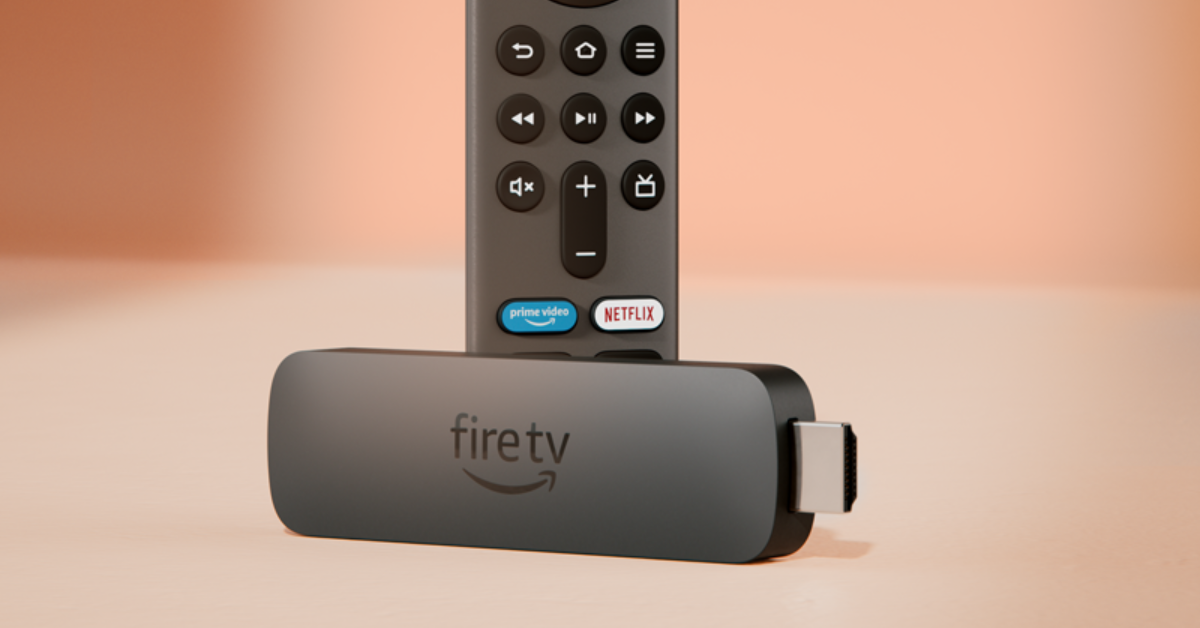 If everything fails, reset the Firestick to factory settings. This will log you out of all your accounts and clear all your personal data and settings on the device.
Step 1: Remove the expandable storage from the Firestick.
Step 2: Press and hold the back button and right navigation button together for 10 seconds.
Step 3: Select Factory Reset on the TV screen. If you keep pressing the two buttons, the device will reset automatically.
If everything fails, reset the Firestick to factory settings. This will log you out of all your accounts and clear all your personal data and settings on the device.
Step 1: Remove the expandable storage from the Firestick.
Step 2: Press and hold the back button and right navigation button together for 10 seconds.
Step 3: Select Factory Reset on the TV screen. If you keep pressing the two buttons, the device will reset automatically.

 Step 4:
  Step 5:
 Step 6:
 Step 7: