Vivo T4x 5G Price in India, Sale Details
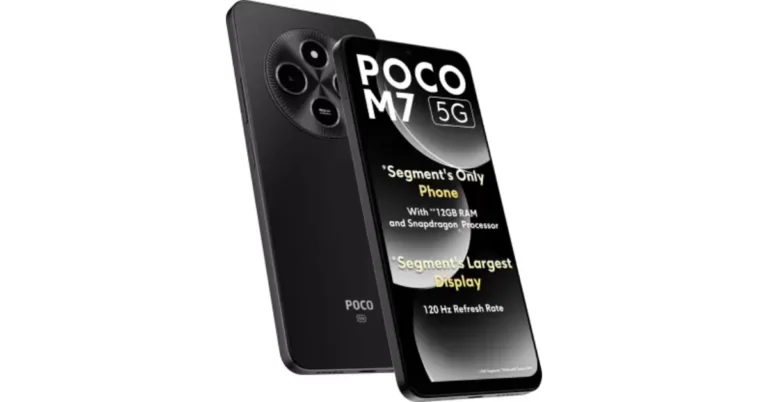
Vivo T4x 5G will be available in the following variants:- 6GB RAM + 128GB storage- Rs 13,999
- 8GB RAM + 128GB storage- Rs 14,999
- 8GB RAM + 256GB storage- Rs 16,999
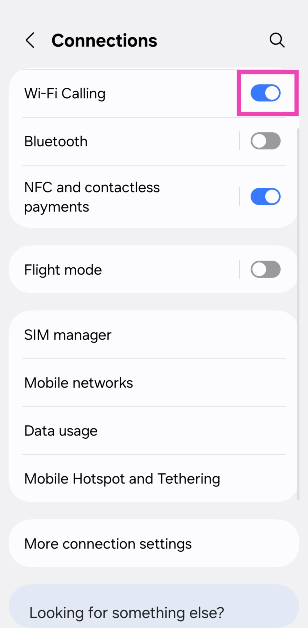
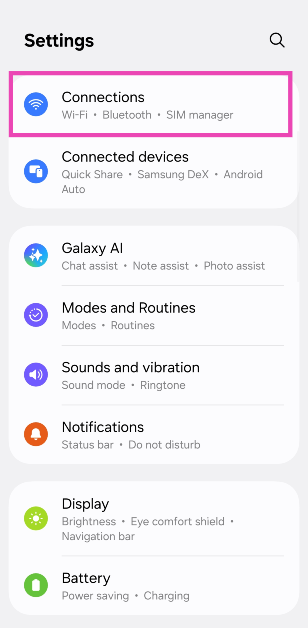 Step 2: Turn on the toggle switch next to WiFi Calling.
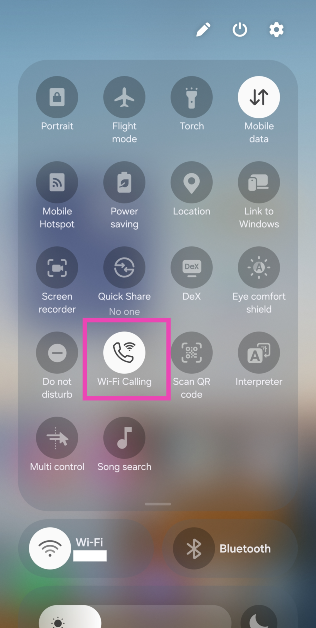
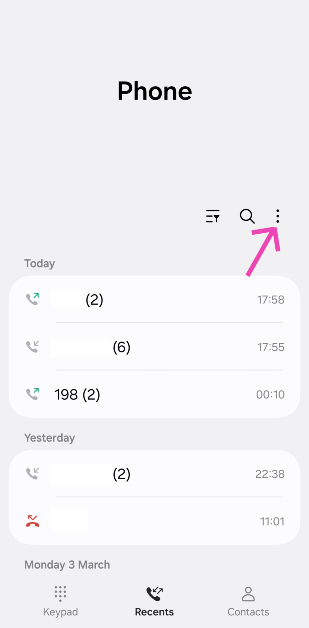 Step 3: Tap on Settings.
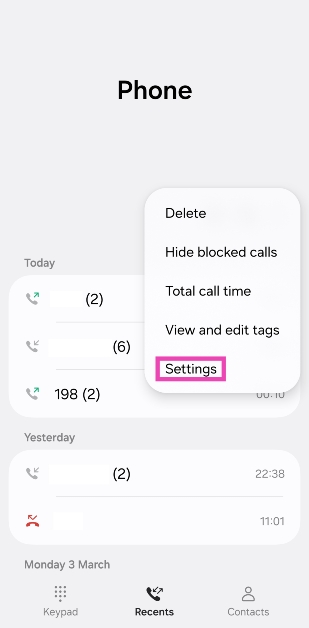 Step 4: Turn on the toggle switch next to WiFi Calling.
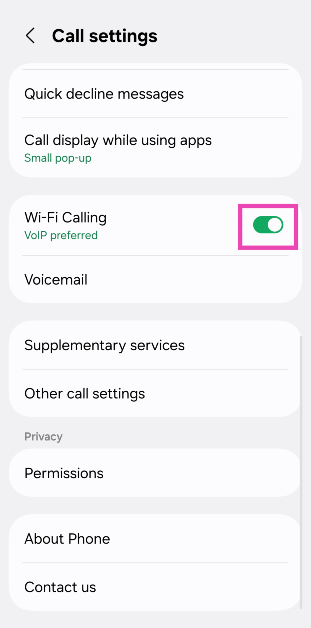
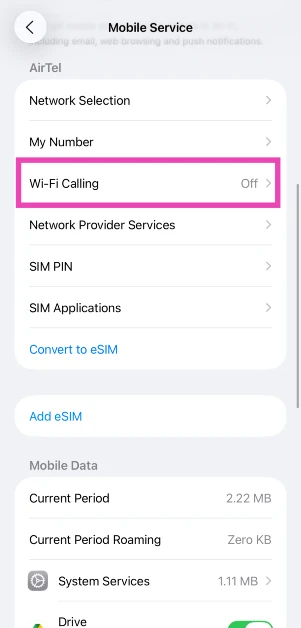
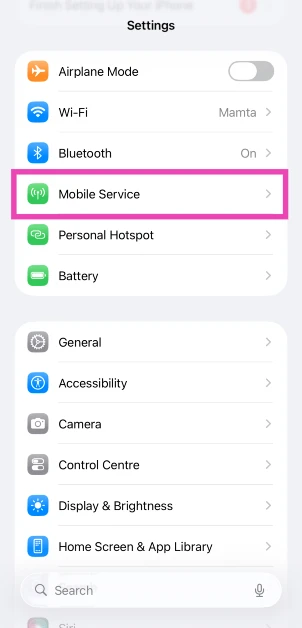 Step 2: Tap on WiFi Calling.
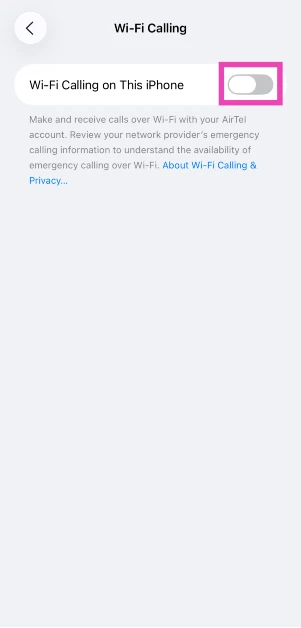
 Step 3: Turn on the toggle switch next to WiFi Calling on This iPhone.
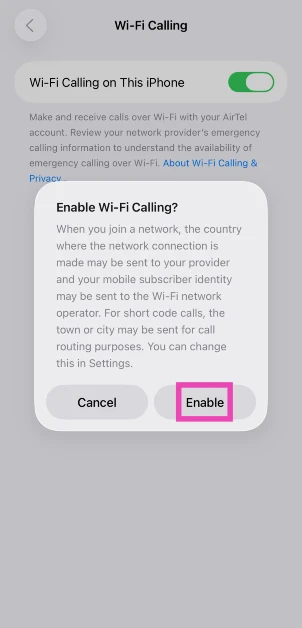
 Step 4: Confirm your selection in the pop-up box.
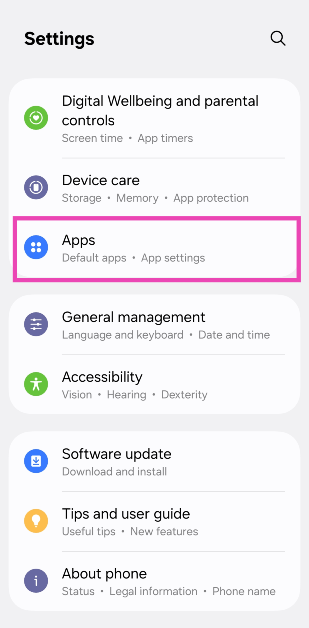 Step 2: Tap on Choose default apps.
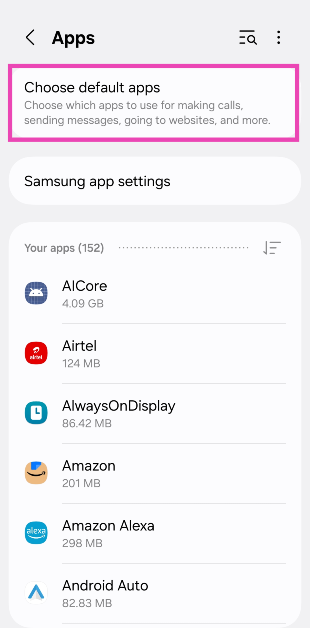 Step 3: Select a category.
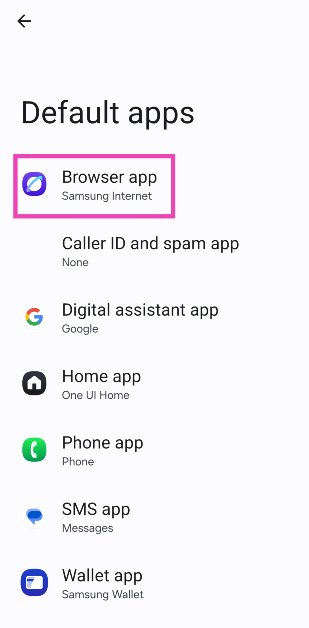 Step 4: Pick the default app for the category.
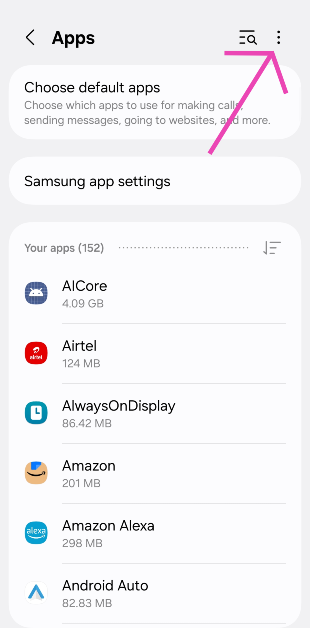
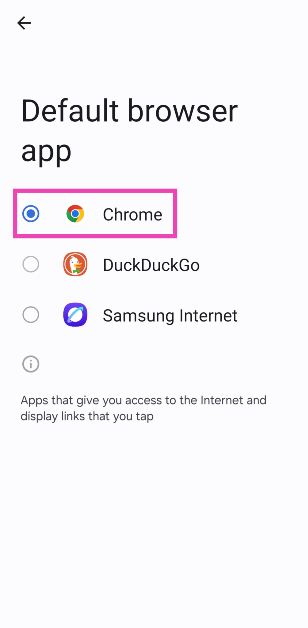 Step 2: Hit the ellipses in the top right corner of the screen.
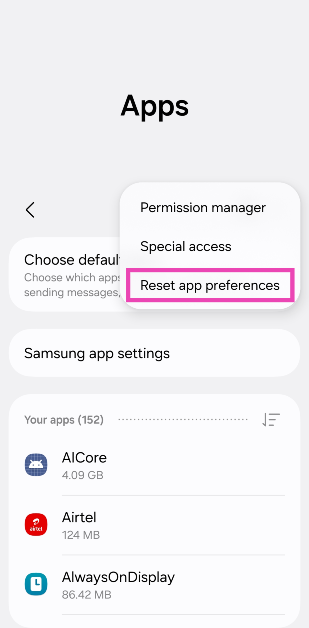
 Step 3: Tap on Reset app preferences.
 Step 4: Confirm your selection in the popup box.
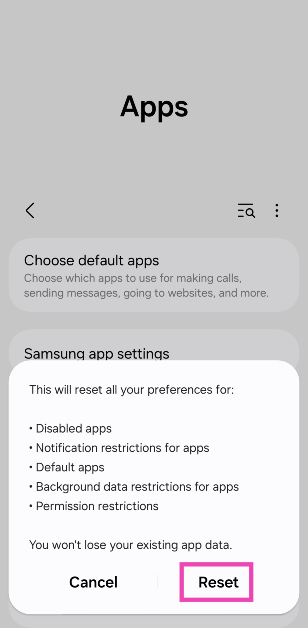 Note: Apart from restoring the default apps on your phone, resetting app preferences also reverts the following settings:

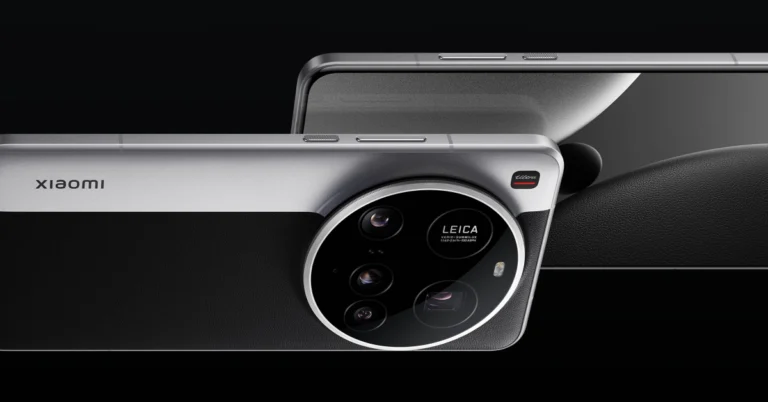
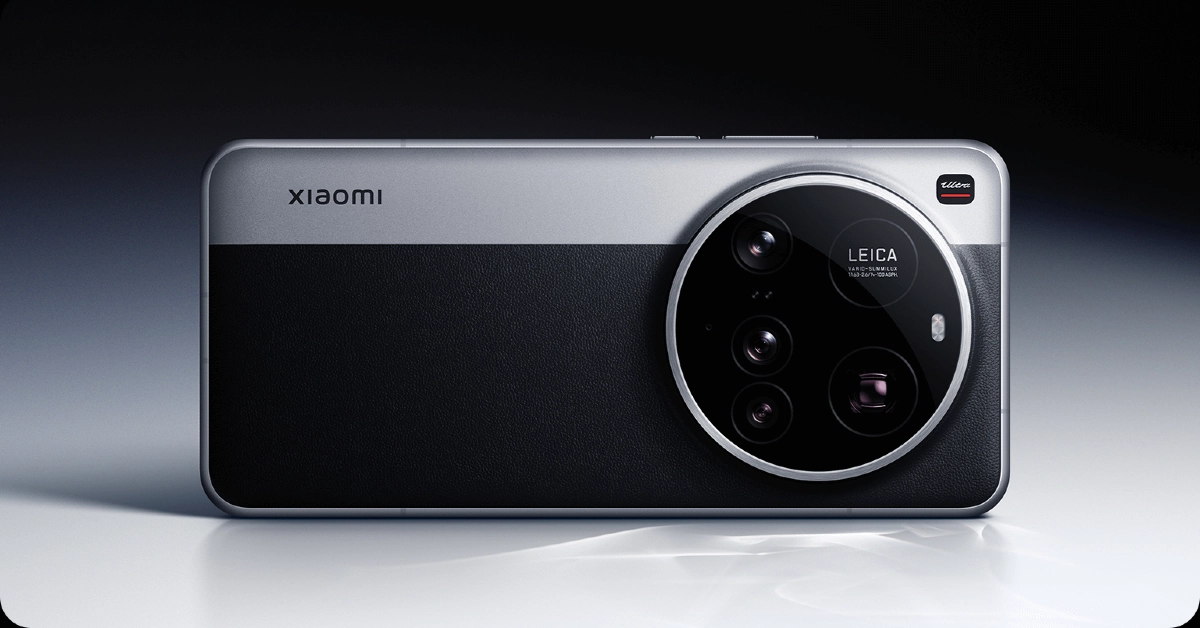 Xiaomi launched its newest flagship smartphone series at MWC 2025. The Ultra variant of the Xiaomi 15 series flaunts an amazing camera array consisting of a stupendous 200MP periscope telephoto lens with 4.3x optical zoom, a 50MP telephoto lens with 3x optical zoom, a 50MP primary shooter, and a 50MP ultrawide sensor. Powering the smartphone is Qualcomm’s flagship chipset for 2025 – Snapdragon 8 Elite. This chipset is also present in gaming powerhouses like iQOO 13 and Redmagic 10 Pro. The display duties on the Xiaomi 15 Ultra are handled by a 6.73-inch LTPO AMOLED panel with a 120Hz refresh rate and 3,200 nits of peak brightness.
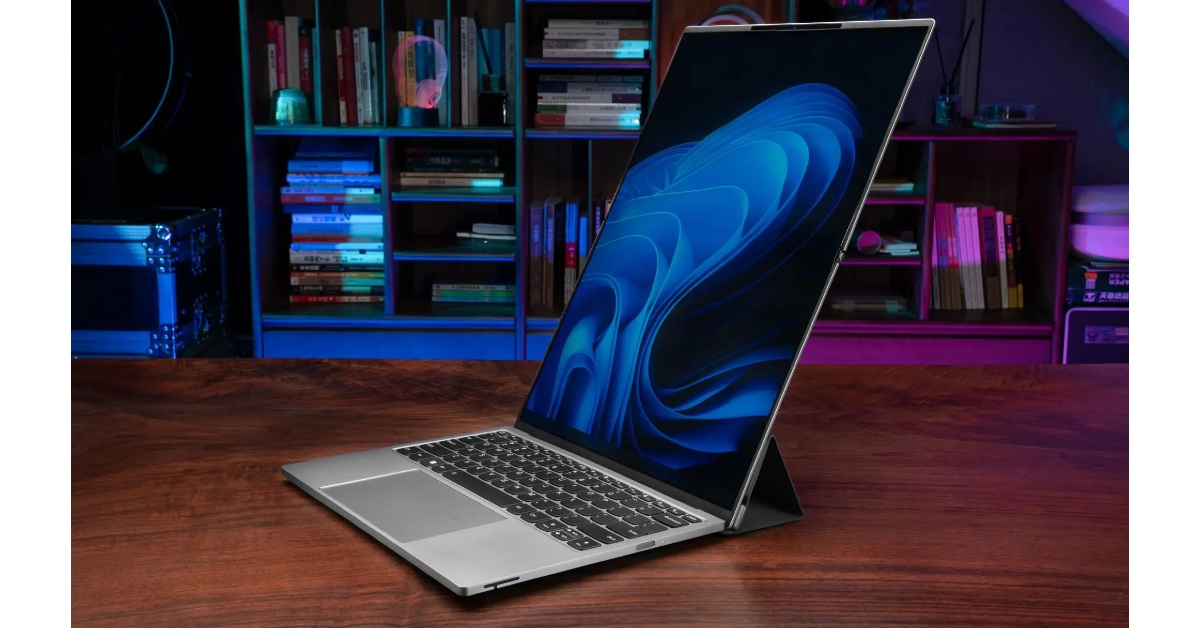 Lenovo had one of the finest panels at MWC 2025. The computing giant showed off concept models for a solar-powered PC, an AI display with NPU inside, and an AI Stick with a 32 TOPS NPU that allows regular PCs to access AI features and LLMs. However, the Lenovo Thinkbook Flip AI PC was the concept model that truly trapped our attention. Touted as the next step in the evolution of PC form factors, the Thinkbook Flip has a rollable OLED display that can expand from 13 to 18.1 inches. The bigger display can be used as a tablet in portrait orientation.
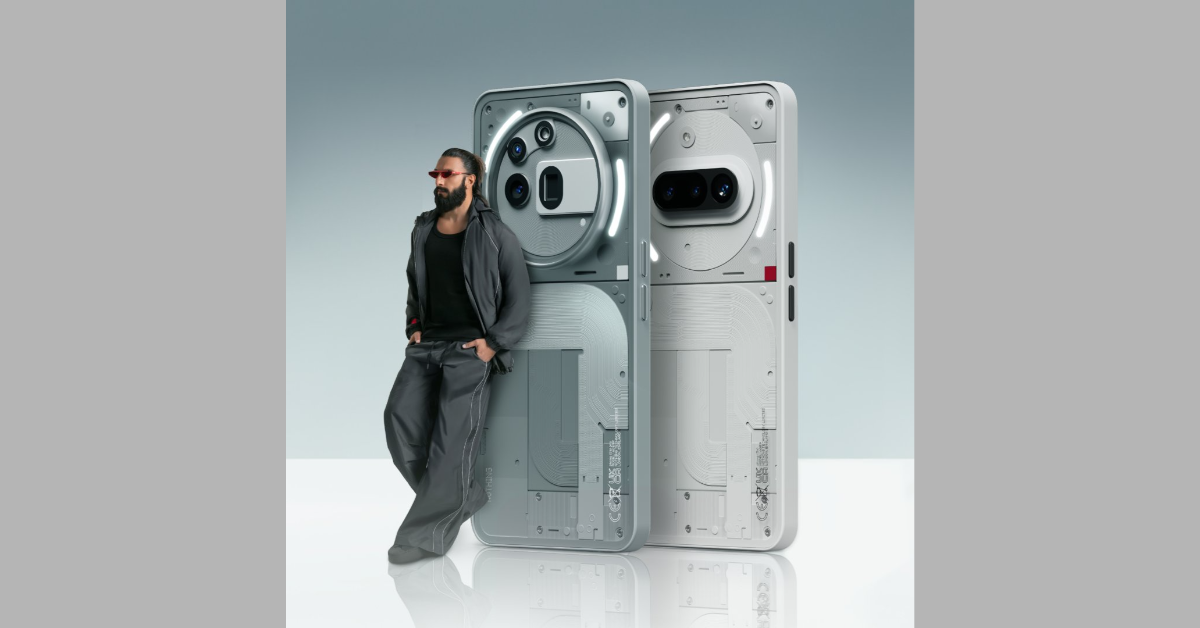 While we’re still a few months away from a premium Nothing smartphone, the midrange Phone (3a) and (3a) Pro look like exciting prospects in the meantime. Launched at MWC 2025, the two smartphones offer a bang for the buck. The vanilla model looks similar to its 2024 counterpart, featuring a horizontal camera layout and a see-through design. The Pro model adds a 50MP 3x telephoto lens to the revamped camera module. The familiar segmented Glyph pattern surrounds the two camera modules and the plastic back panel has been replaced by a glass unit. Under the hood, the two smartphones are powered by the Snapdragon 7s Gen 3 SoC.
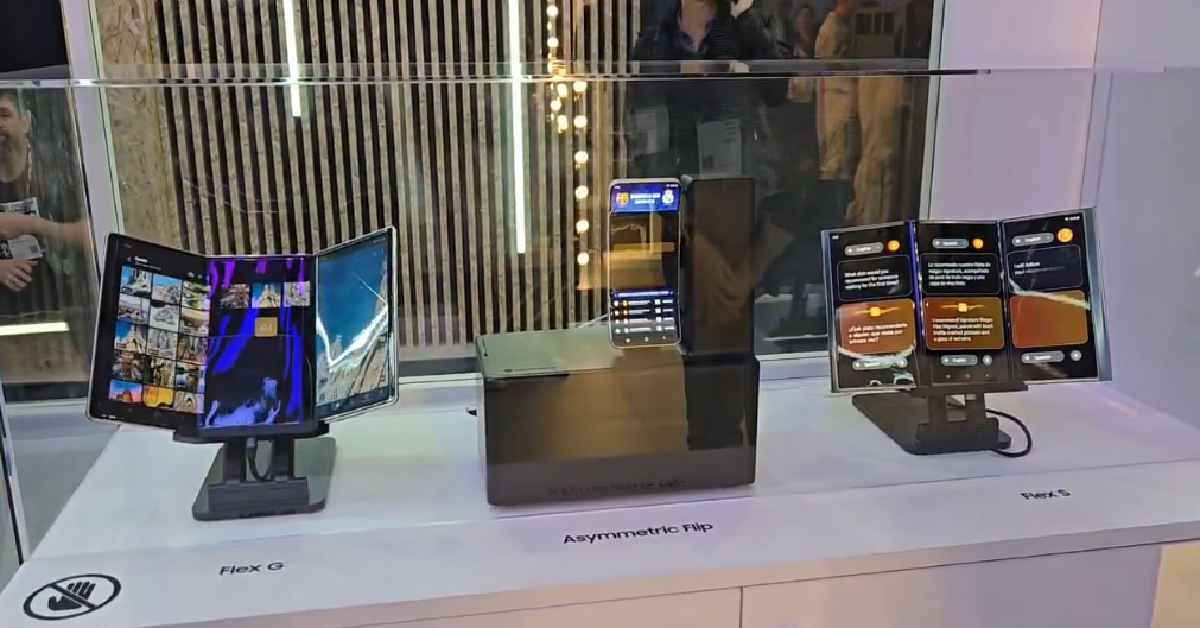 Samsung was one of the first major OEMs to come out with foldable smartphones. This year, the tech giant is expected to release its first tri-folding phone. While no official announcements have been made yet, we got a taste of Samsung’s tri-fold display tech at MWC 2025. The company showcased its Flex G and Flex S displays. The nomenclature of the two displays hints at their folding mechanisms. The Flex G is a smartphone that unfolds (twice) into a tablet. Meanwhile, the Flex S bends into an S shape with the help of strategically placed hinges. The Korean brand also showed off its foldable handled gaming console concept, which will likely rival the Nintendo Switch and Asus ROG Ally X.
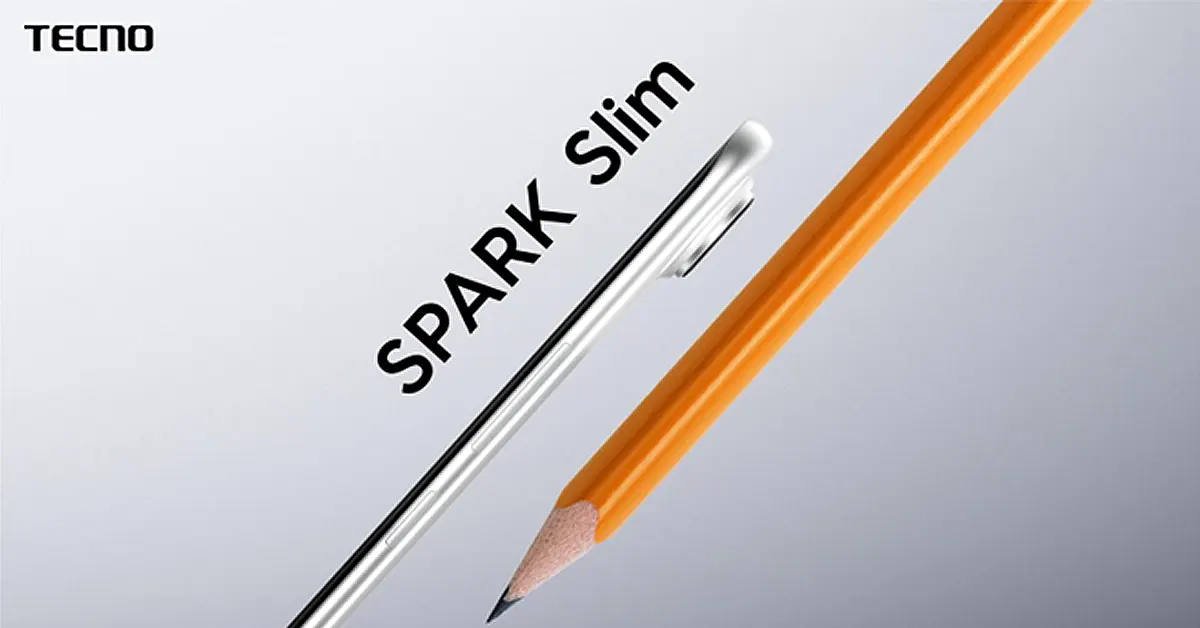 2025 is the year of slim smartphones. With Samsung set to release the Galaxy S25 Edge and Apple working on the iPhone 14 Air, other OEMs are also upping their game. At MWC 2025, Tecno showcased the Spark Slim concept, which is the world’s thinnest smartphone as of now. Despite having a thickness of just 5.75mm, the Spark Slim manages to fit a 5,200mAh battery pack. It features a 6.78-inch curved AMOLED display with a 144Hz refresh rate. The back panel houses two 50MP camera sensors. The smartphone supports 45W fast charging.
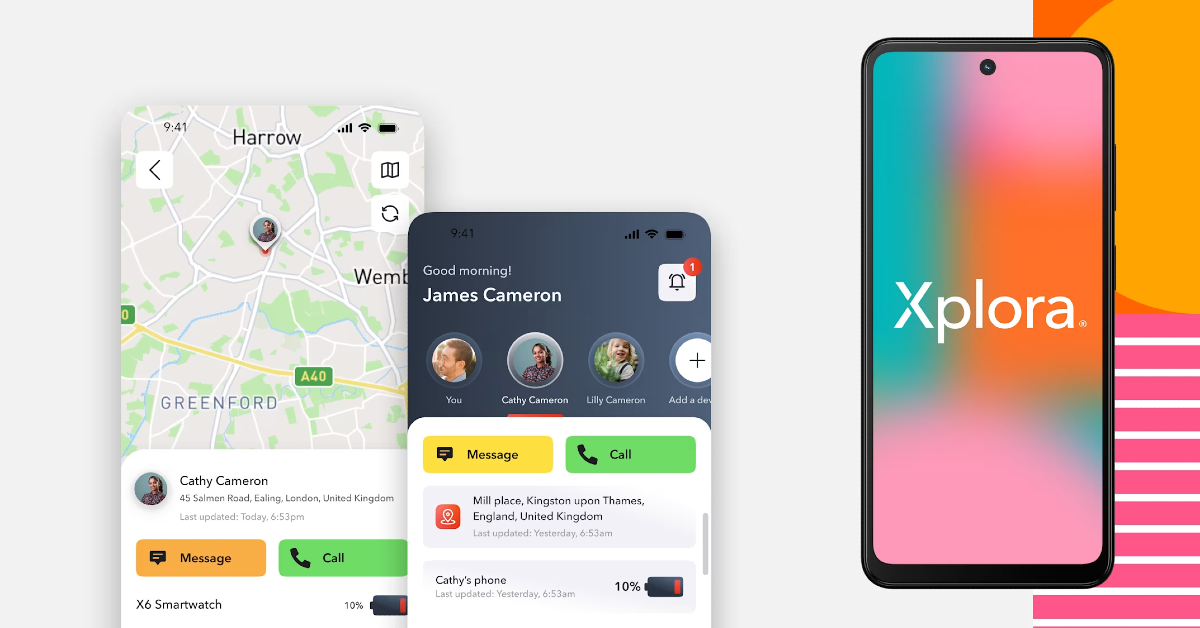 Designed for teens, HMD Fusion X1 promotes healthy digital habits and offers a wide range of parental features. It is integrated with Xplora, a subscription-based service that sends location alerts to guardians and lets them manage the screen time, contacts, and app downloads on the target device. The smartphone is powered by the Snapdragon 4 Gen 2 SoC. The 6.56-inch LCD panel has a 90Hz refresh rate. HMD Fusion X1’s rear camera module houses a 108MP primary shooter and a 2MP depth sensor. The 5,000mAh battery pack supports 33W charging.
 Tecno’s AI Glasses series was one of our favourite highlights of MWC 2025. The AI Glasses bring smartphone-grade imaging to a wearable form factor and are integrated with Tecno’s Ella AI Assistant. The OV50D sensor on these glasses is akin to a smartphone’s primary shooter. It uses the same ISP and advanced imaging algorithms as the Tecno Camon 40 Premier smartphone. The 250mAh battery pack offers over 11 hours of music playback and 8 hours of mixed use after 30 minutes of charging.
Read Also: 3 Ways to Disable the Lock Screen on a Windows 10 or 11 PC?
Tecno’s AI Glasses series was one of our favourite highlights of MWC 2025. The AI Glasses bring smartphone-grade imaging to a wearable form factor and are integrated with Tecno’s Ella AI Assistant. The OV50D sensor on these glasses is akin to a smartphone’s primary shooter. It uses the same ISP and advanced imaging algorithms as the Tecno Camon 40 Premier smartphone. The 250mAh battery pack offers over 11 hours of music playback and 8 hours of mixed use after 30 minutes of charging.
Read Also: 3 Ways to Disable the Lock Screen on a Windows 10 or 11 PC?

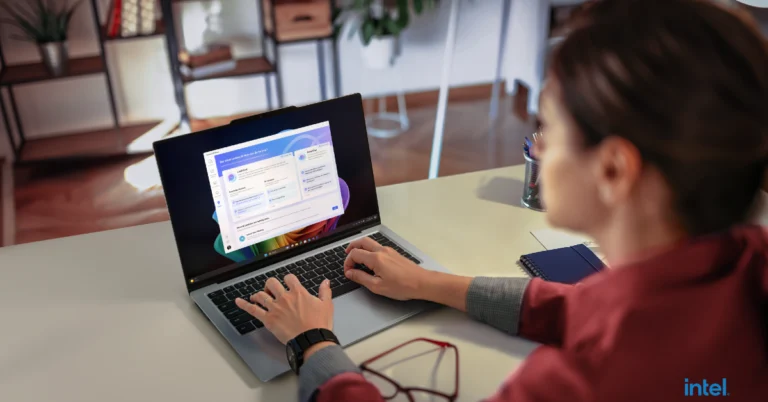
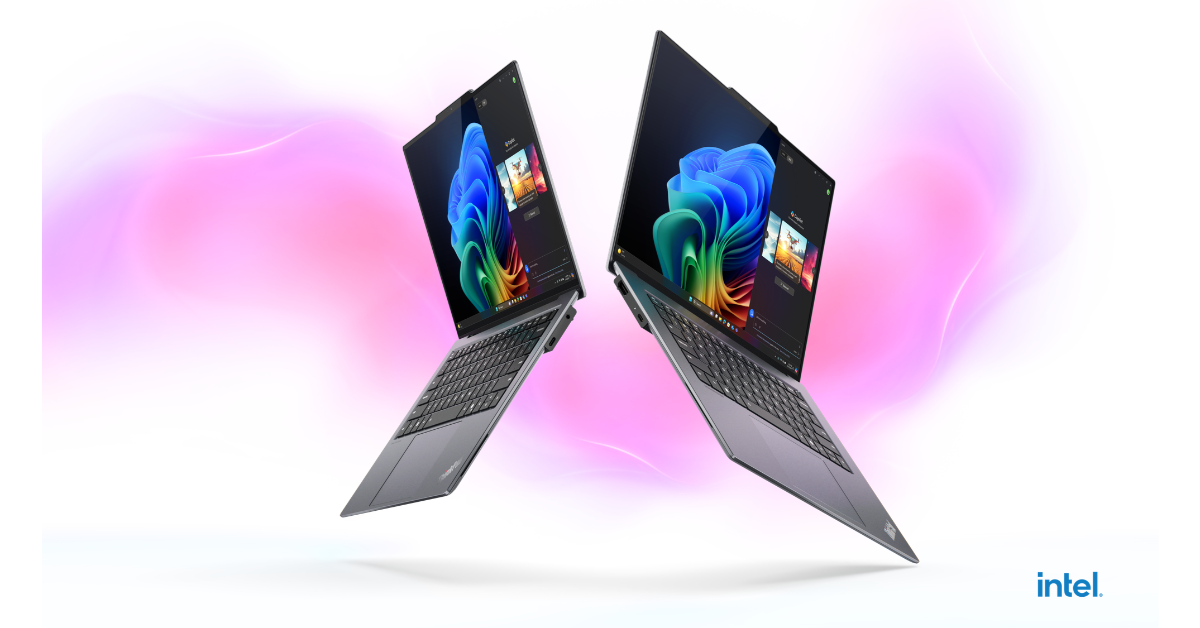 Lenovo’s ThinkPad X9 14 Aura Edition laptop, weighing 1.21 kg and measuring 17.18mm thin, meets MIL-STD 810H military-grade durability requirements. It features a 14-inch OLED display with 2.8K resolution, 100% DCI-P3 colour accuracy, and Dolby Vision, as well as being made of 50% recycled aluminium. It also has Dolby Atmos-powered stereo speakers that provide immersive 360-degree audio clarity.
Also Read: Nothing Phone (3a) Series goes global, featuring Glyph Interface with 26 customizable zones
For the best tactile response and smooth navigation, the ThinkPad Aura Edition offers an alternative to the TrackPoint with its 1.35mm travel keyboard and 80×130 mm glass haptic touchpad.
The newest Intel Core Ultra Series 2 processor powers the Lenovo ThinkPad, which is built for next-generation AI experiences. Its dedicated Neural Processing Unit (NPU) can speed up AI by up to 48 TOPS, allowing for intelligent workload distribution and seamless multitasking. Outstanding visual performance is offered by its Intel Arc Graphics, and it has a 55Wh battery with Rapid Charge technology, which guarantees an 80% charge in just one hour.
Lenovo’s ThinkPad X9 14 Aura Edition laptop, weighing 1.21 kg and measuring 17.18mm thin, meets MIL-STD 810H military-grade durability requirements. It features a 14-inch OLED display with 2.8K resolution, 100% DCI-P3 colour accuracy, and Dolby Vision, as well as being made of 50% recycled aluminium. It also has Dolby Atmos-powered stereo speakers that provide immersive 360-degree audio clarity.
Also Read: Nothing Phone (3a) Series goes global, featuring Glyph Interface with 26 customizable zones
For the best tactile response and smooth navigation, the ThinkPad Aura Edition offers an alternative to the TrackPoint with its 1.35mm travel keyboard and 80×130 mm glass haptic touchpad.
The newest Intel Core Ultra Series 2 processor powers the Lenovo ThinkPad, which is built for next-generation AI experiences. Its dedicated Neural Processing Unit (NPU) can speed up AI by up to 48 TOPS, allowing for intelligent workload distribution and seamless multitasking. Outstanding visual performance is offered by its Intel Arc Graphics, and it has a 55Wh battery with Rapid Charge technology, which guarantees an 80% charge in just one hour.
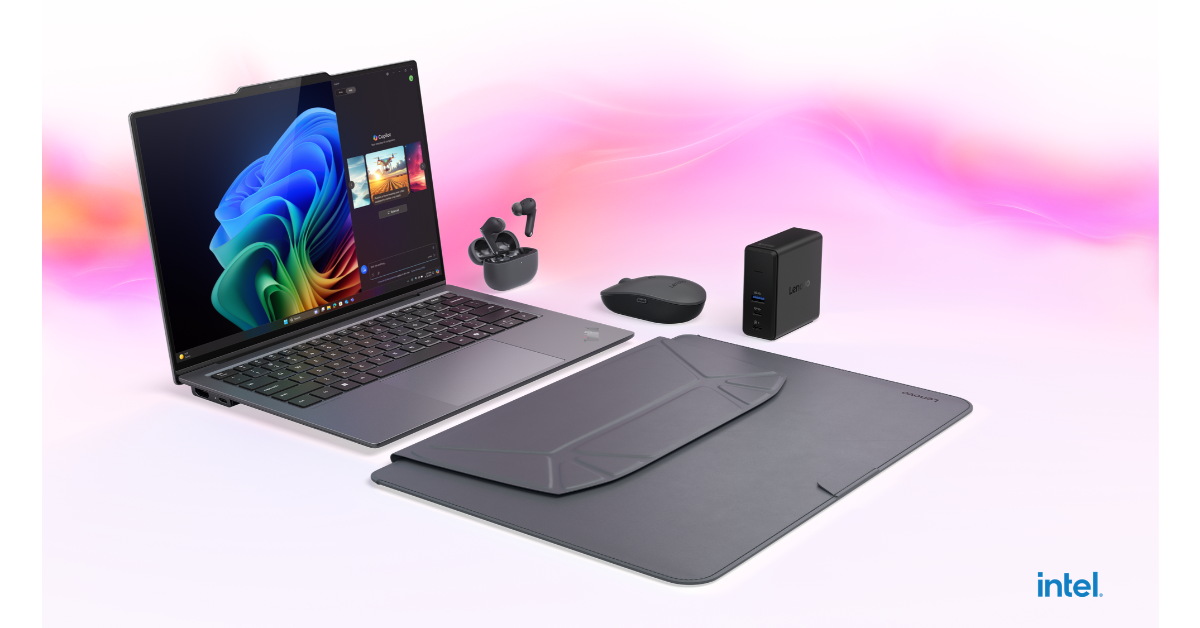 Attention Mode, Wellness Features, Smart Share, and Smart Care are two of the ThinkPad X9 14 Aura Edition’s Smart Modes that maximise comfort and performance by blocking particular websites, lowering fatigue, enabling AI-powered image transfers between devices, and offering AI-driven diagnostics with Lenovo Premium Care support.
The gadget has an electronic privacy shutter, a Time-of-Flight sensor for presence detection, a UHD 8.0MP camera, and Windows Hello facial recognition.
Also Read: Apple to launch MacBook Air M4 this week: Details inside
By highlighting privacy concerns, turning on a privacy guard, and allowing VPN connections on insecure networks, Lenovo’s Aura Smart Modes—including Shield Mode—improve security for professionals.
Attention Mode, Wellness Features, Smart Share, and Smart Care are two of the ThinkPad X9 14 Aura Edition’s Smart Modes that maximise comfort and performance by blocking particular websites, lowering fatigue, enabling AI-powered image transfers between devices, and offering AI-driven diagnostics with Lenovo Premium Care support.
The gadget has an electronic privacy shutter, a Time-of-Flight sensor for presence detection, a UHD 8.0MP camera, and Windows Hello facial recognition.
Also Read: Apple to launch MacBook Air M4 this week: Details inside
By highlighting privacy concerns, turning on a privacy guard, and allowing VPN connections on insecure networks, Lenovo’s Aura Smart Modes—including Shield Mode—improve security for professionals.


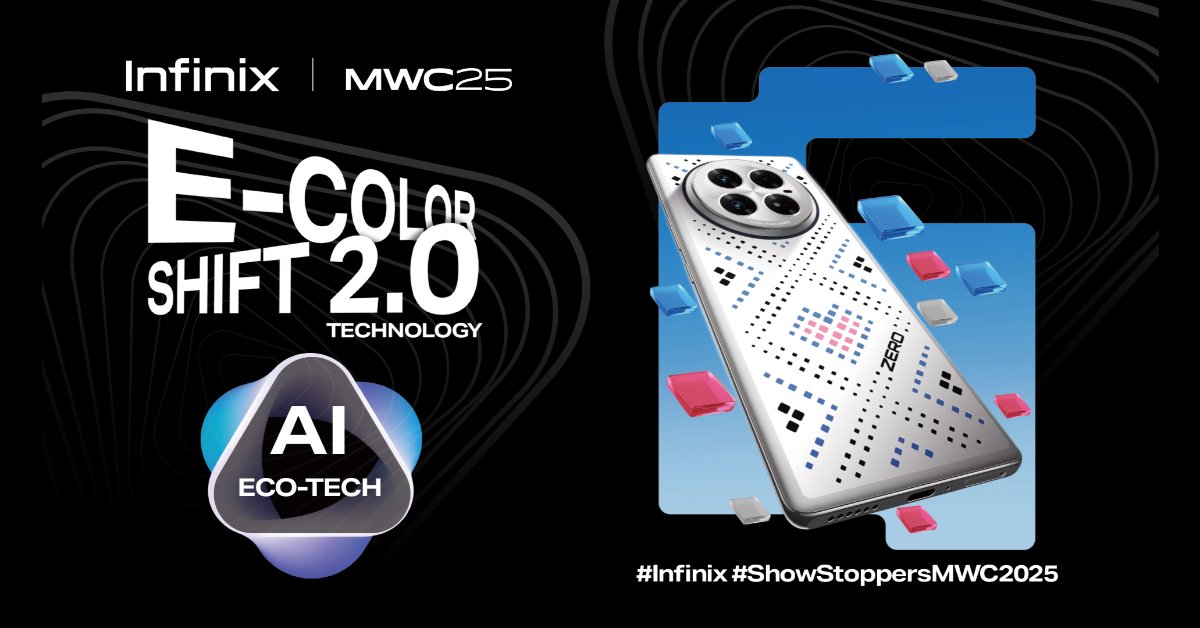 Infinix has also launched E-Color Shift 2.0, an AI-powered customisation experience that modifies smartphone looks. The functionality allows users to customise the appearance of their device by triggering dynamic colour transitions based on their preferences and external stimuli. Users can choose from six dynamic patterns and six vibrant colour palettes, resulting in up to 30 different combinations. The AI-Recognize Mode dynamically adapts the phone’s back cover based on the weather, wallpapers, and surroundings to provide a consistent aesthetic experience. E-Color Shift 2.0 moves Infinix closer to the widespread adoption of interactive, AI-powered smartphone customisation.
Also Read: Apple to launch MacBook Air M4 this week: Details inside
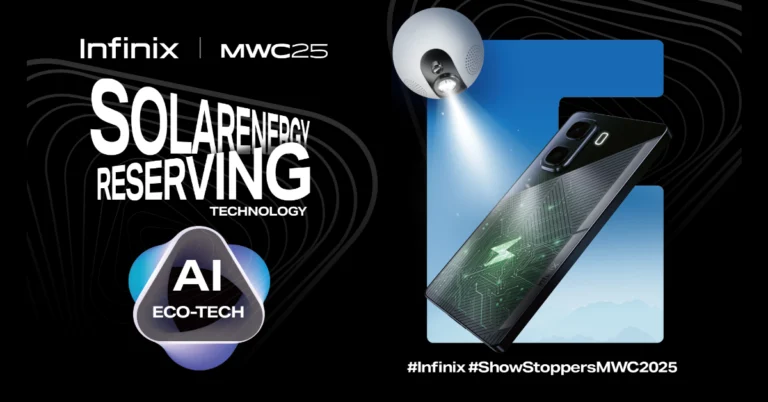
“At Infinix, we believe technology should enhance the way we live and connect with the world around us. Our focus is not just on creating powerful, high-performance devices but on shaping solutions that align with the fast-paced, evolving lifestyles of today’s users. Whether it is offering infinite power on the go with our SolarEnergy-Reserving Technology or letting your phone reflect your personality and mood, we want to give users the freedom to express themselves and stay connected—wherever life takes them. That is why we are also excited to introduce the E-Color Shift 2.0, a truly personalized experience that lets your device adapt to you in ways that are as unique as your lifestyle.” – Tony Zhao, General Manager of Infinix.
Infinix has also launched E-Color Shift 2.0, an AI-powered customisation experience that modifies smartphone looks. The functionality allows users to customise the appearance of their device by triggering dynamic colour transitions based on their preferences and external stimuli. Users can choose from six dynamic patterns and six vibrant colour palettes, resulting in up to 30 different combinations. The AI-Recognize Mode dynamically adapts the phone’s back cover based on the weather, wallpapers, and surroundings to provide a consistent aesthetic experience. E-Color Shift 2.0 moves Infinix closer to the widespread adoption of interactive, AI-powered smartphone customisation.
Also Read: Apple to launch MacBook Air M4 this week: Details inside
“At Infinix, we believe technology should enhance the way we live and connect with the world around us. Our focus is not just on creating powerful, high-performance devices but on shaping solutions that align with the fast-paced, evolving lifestyles of today’s users. Whether it is offering infinite power on the go with our SolarEnergy-Reserving Technology or letting your phone reflect your personality and mood, we want to give users the freedom to express themselves and stay connected—wherever life takes them. That is why we are also excited to introduce the E-Color Shift 2.0, a truly personalized experience that lets your device adapt to you in ways that are as unique as your lifestyle.” – Tony Zhao, General Manager of Infinix. 
 Step 1: Press Windows + R to trigger the Run box.
Step 2: Type regedit and hit Enter. Alternatively, you can launch Registry Editor using the search box on the taskbar.
Step 3: Copy the following path and paste it into the Registry Editor’s address bar:
Computer\HKEY_LOCAL_MACHINE\SOFTWARE\Policies\Microsoft\Windows
Step 4: Right-click on the Windows category in the sidebar and select New>Key. Name it Personalization.
Step 5: Right-click the ‘Personalization’ key you just created and select New>DWORD (32-bit) Value. Name it NoLockScreen.
Step 6: Double-click NoLockScreen and enter 1 under Value Data.
Step 7: Hit OK and restart your PC.
Note: To enable the lock screen, double-click NoLockScreen and reset Value Data to 0.
Step 1: Press Windows + R to trigger the Run box.
Step 2: Type regedit and hit Enter. Alternatively, you can launch Registry Editor using the search box on the taskbar.
Step 3: Copy the following path and paste it into the Registry Editor’s address bar:
Computer\HKEY_LOCAL_MACHINE\SOFTWARE\Policies\Microsoft\Windows
Step 4: Right-click on the Windows category in the sidebar and select New>Key. Name it Personalization.
Step 5: Right-click the ‘Personalization’ key you just created and select New>DWORD (32-bit) Value. Name it NoLockScreen.
Step 6: Double-click NoLockScreen and enter 1 under Value Data.
Step 7: Hit OK and restart your PC.
Note: To enable the lock screen, double-click NoLockScreen and reset Value Data to 0.
 Step 1: Press Windows + R to trigger the Run box.
Step 2: Type gpedit.msc and hit Enter.
Step 3: Go to Computer Configuration>Administrative Templates>Control Panel>Personalization.
Step 4: Double-click Do not display the lock screen.
Step 5: Select Disabled and hit Apply.
Step 6: Click OK and restart your PC.
Step 1: Press Windows + R to trigger the Run box.
Step 2: Type gpedit.msc and hit Enter.
Step 3: Go to Computer Configuration>Administrative Templates>Control Panel>Personalization.
Step 4: Double-click Do not display the lock screen.
Step 5: Select Disabled and hit Apply.
Step 6: Click OK and restart your PC.
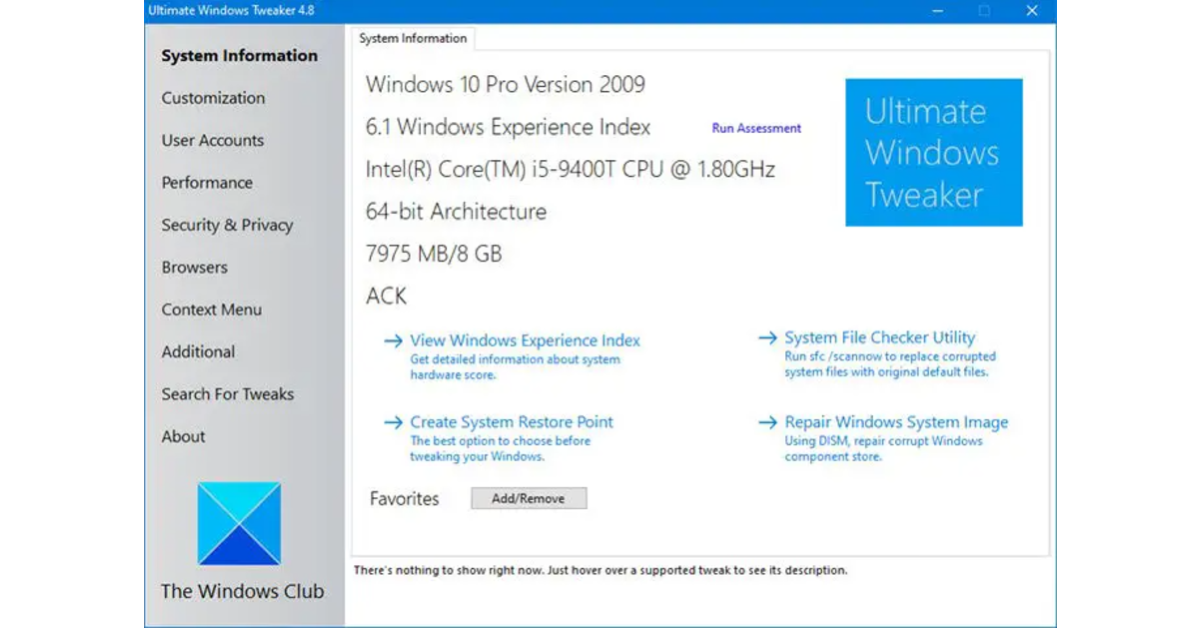 Step 1: Download and install the Ultimate Windows Tweaker app on your Windows PC.
Step 2: Once the app has been installed, run it as an administrator.
Step 3: Select Search For Tweaks from the sidebar.
Step 4: Type ‘disable lock screen’ in the search bar and hit Enter.
Step 5: Double-click the Disable Lock Screen search result.
Step 6: Hit the checkbox next to Disable Lock Screen.
Step 7: Click on Apply Tweaks and hit Close.
Step 8: Restart your PC.
Step 1: Download and install the Ultimate Windows Tweaker app on your Windows PC.
Step 2: Once the app has been installed, run it as an administrator.
Step 3: Select Search For Tweaks from the sidebar.
Step 4: Type ‘disable lock screen’ in the search bar and hit Enter.
Step 5: Double-click the Disable Lock Screen search result.
Step 6: Hit the checkbox next to Disable Lock Screen.
Step 7: Click on Apply Tweaks and hit Close.
Step 8: Restart your PC.
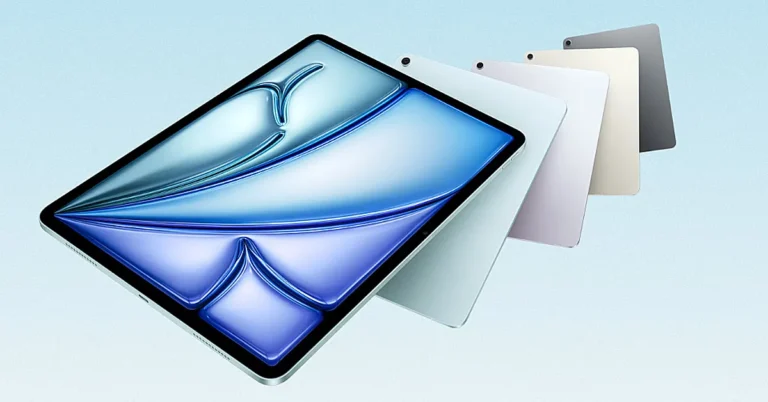
In today’s tech headlines, iPad Air 2025 is making waves as Apple rolls out its newest iPad Air, powered by the impressive M3 chip and complemented by an all-new Magic Keyboard. The announcement, delivered from Cupertino, CA, underscores a significant evolution in portable computing that promises faster performance, enhanced graphics, and an intelligent user experience.
Apple’s latest iPad Air marks a notable upgrade with its cutting-edge M3 chip. The new processor is nearly twice as fast as its M1 predecessor and up to 3.5 times swifter than models running on the A14 Bionic. With an 8-core CPU and a 9-core GPU, the M3 chip delivers dynamic caching, hardware-accelerated mesh shading, and ray tracing. This means users can expect smoother handling of graphics-intensive games, faster content creation, and an overall boost in everyday multitasking.
Read Also: Nothing Phone (3a) and (3a) Pro launching today: Expected pricing, specs and more
Accompanying the hardware overhaul is the revamped Magic Keyboard designed specifically for the iPad Air. Featuring a larger built-in trackpad and a 14-key function row, this accessory attaches magnetically with a Smart Connector that bridges power and data instantly. The magic keyboard update transforms the iPad into a near-laptop experience, catering to professionals and students alike who require precision and versatility on the go.
The new iPad Air isn’t just about raw power. It also integrates advanced features under the umbrella of Apple Intelligence. This system refines images, enhances handwritten notes in real-time, and leverages natural language search capabilities to make content discovery effortless. With integrated ChatGPT functionalities and a more conversational Siri, users will find that everyday tasks become more intuitive and engaging.
The updated models of Apple iPad Air 2025 are available in two sizes—11-inch and 13-inch—and come in a range of finishes. Pricing starts at Rs 59,900 for the 11-inch model and Rs 79,900 for the 13-inch model, with special education pricing options offered at lower rates. Pre-orders began today, and the devices are expected to hit stores on March 12. Notably, these models incorporate sustainable practices with recycled materials and fibre-based packaging, aligning with broader eco-friendly initiatives.
Read Also: Xiaomi 15 Ultra with Snapdragon 8 Elite chipset announced globally, India launch date revealed
The release of the new iPad Air with M3 chip and Magic Keyboard is a pivotal moment in the tablet market. With its blend of high-speed performance, smart features, and thoughtful design, it aims to set a new standard for portable creative devices.
This launch strikes an intriguing balance between innovation and accessibility, potentially redefining portable computing for a diverse range of users.
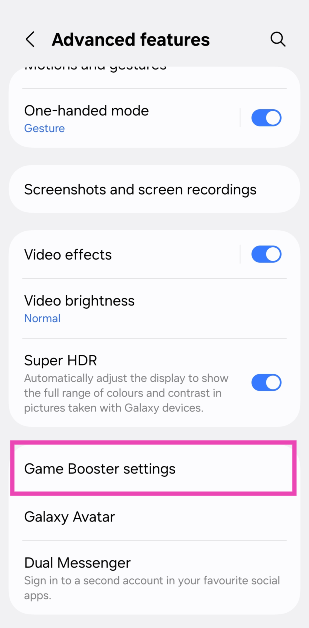
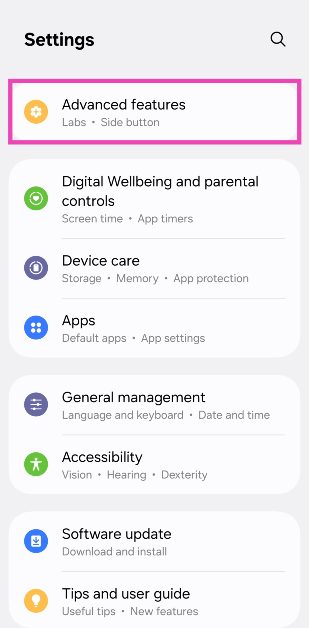 Step 2: Tap on Game Booster settings.
 Step 3: Turn on the toggle switch next to Pause USB PD charging when gaming.
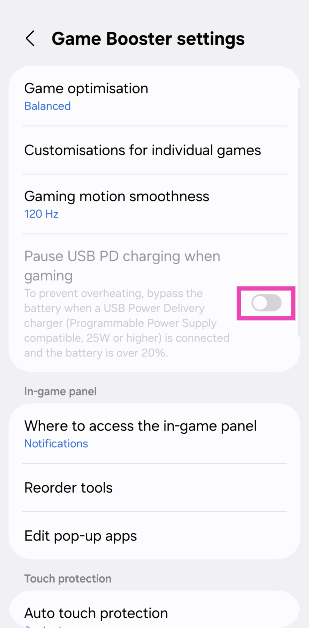 Note: If this feature is greyed out on your phone, connect a USB PD/PPS charger (25W or higher) and try again.
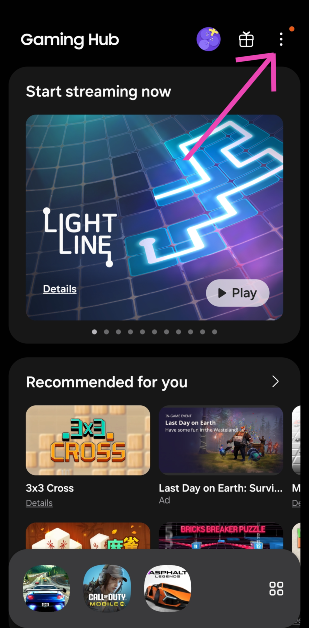 Step 3: Tap on Game Booster.
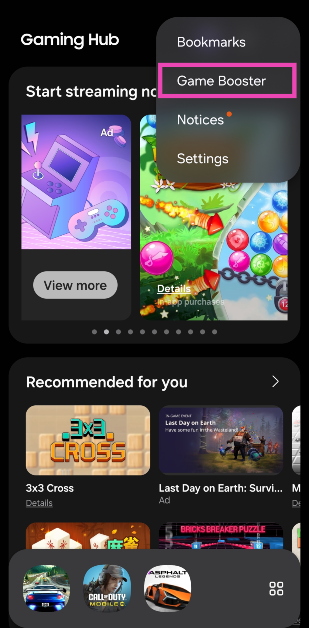 Step 4: Turn on the toggle switch next to Pause USB PD charging when gaming.
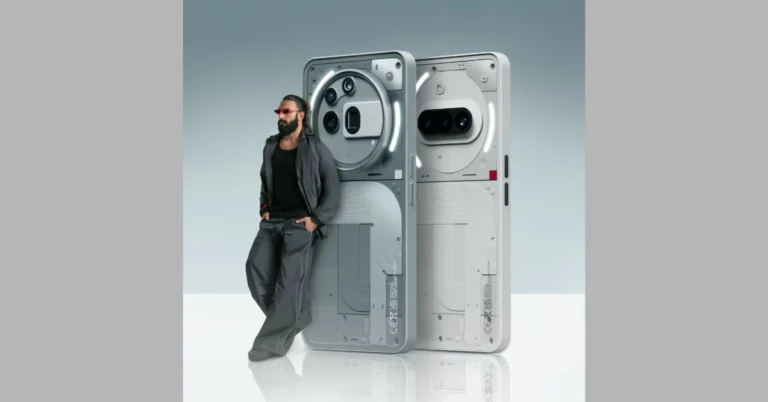
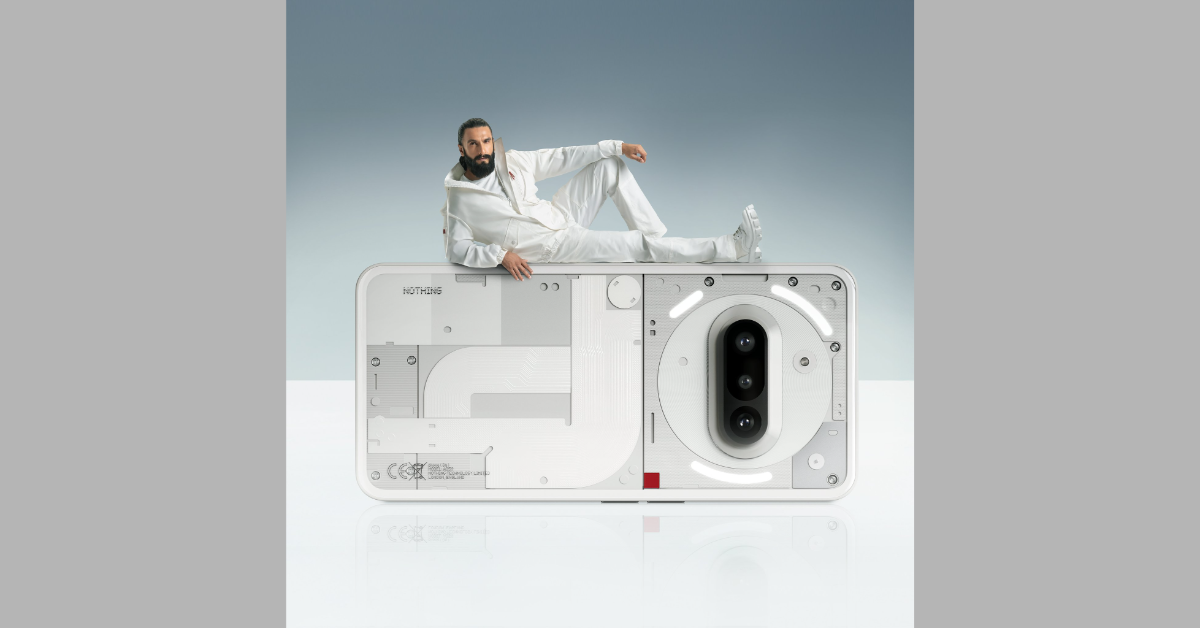
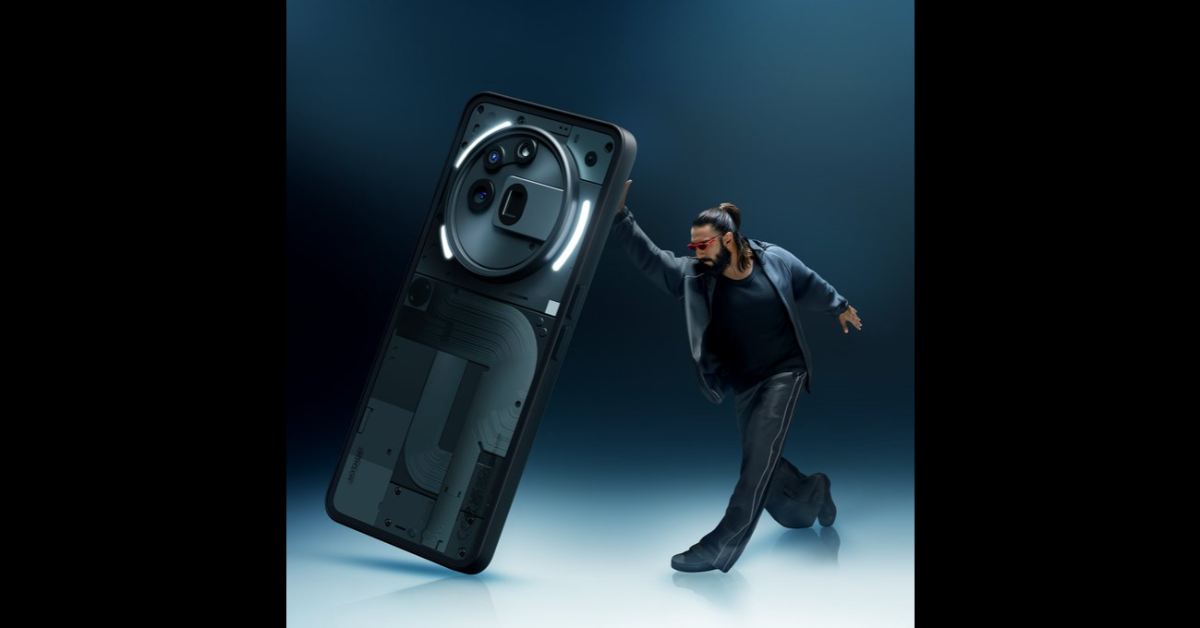

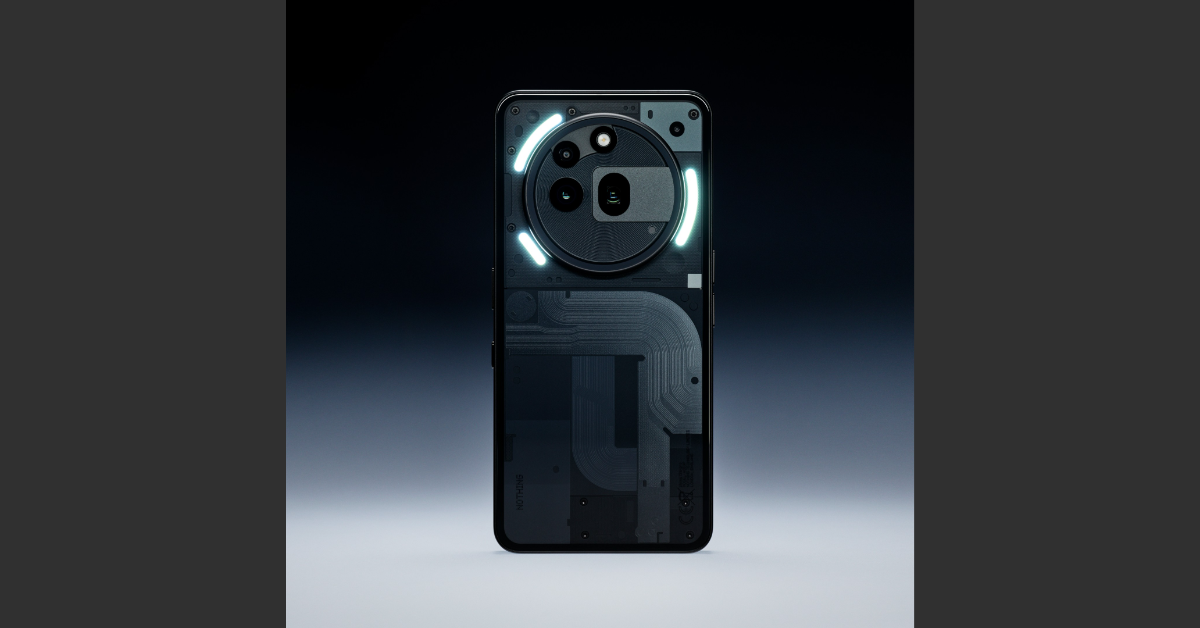 Nothing’s midrange Phone (3a) Series is set to launch on March 4. The base variant expands upon the design language of the previous model, adding a third (telephoto) lens to the vertical camera array and retaining the segmented Glyph interface around it. Meanwhile, the Pro variant features a huge circular rear camera module with the lenses aligned at a 90-degree angle. Both smartphones are expected to rock a 6.77-inch FHD+ AMOLED display with a 120Hz refresh rate. The 5,000mAh battery pack under the hood will support 50W charging.
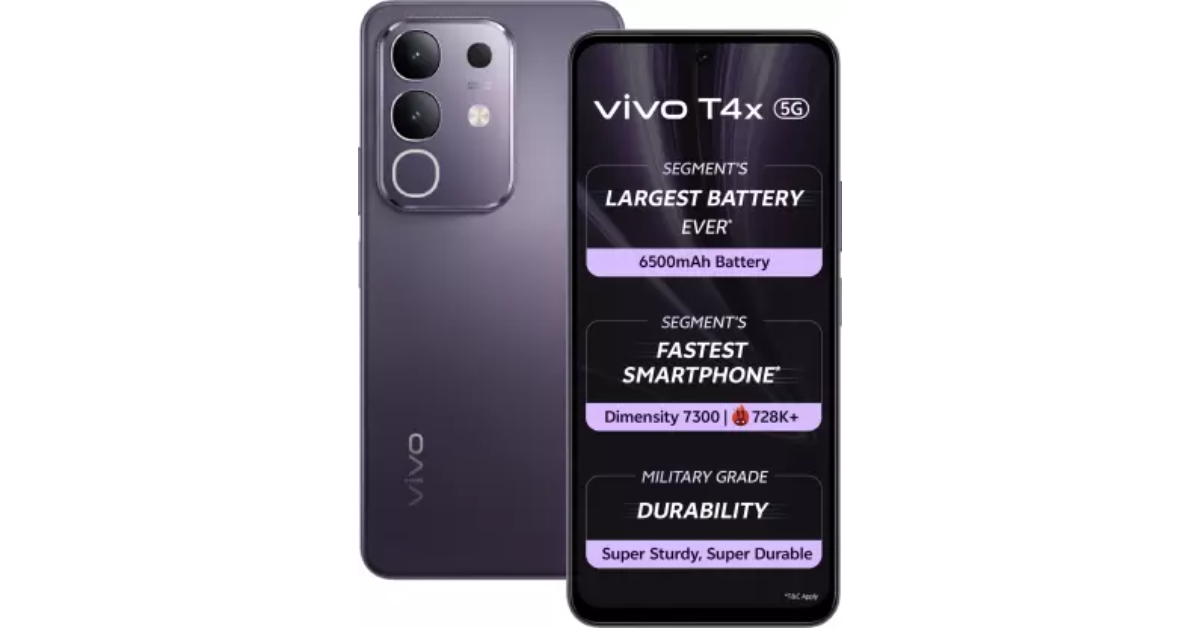
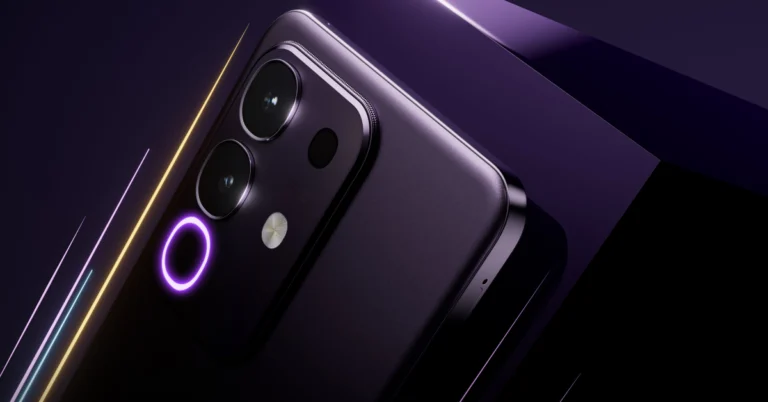
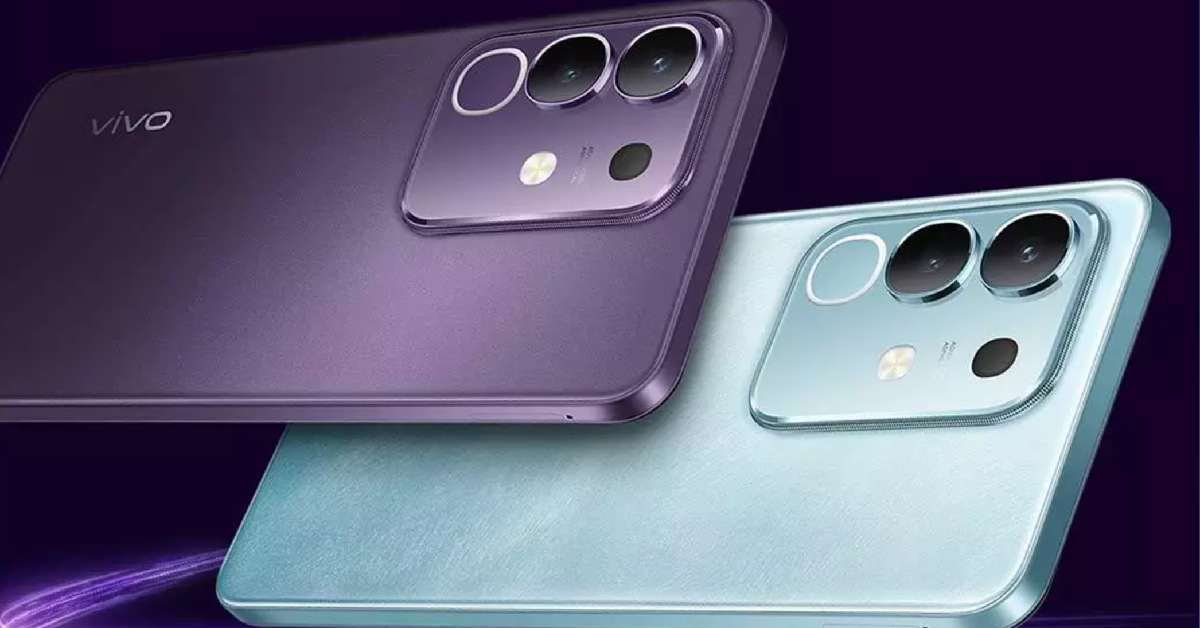 Vivo T4x will launch in India on March 5. The smartphone is expected to fetch around Rs 15,000. It takes design inspiration from the midrange V Series, featuring a rectangular camera module with rounded edges and a Dynamic Light. This camera module will feature a 50MP primary shooter along with a macro sensor. The T4x is expected to be powered by the MediaTek Dimensity 7300 SoC. It will rock the biggest battery in its segment – 6,500mAh.
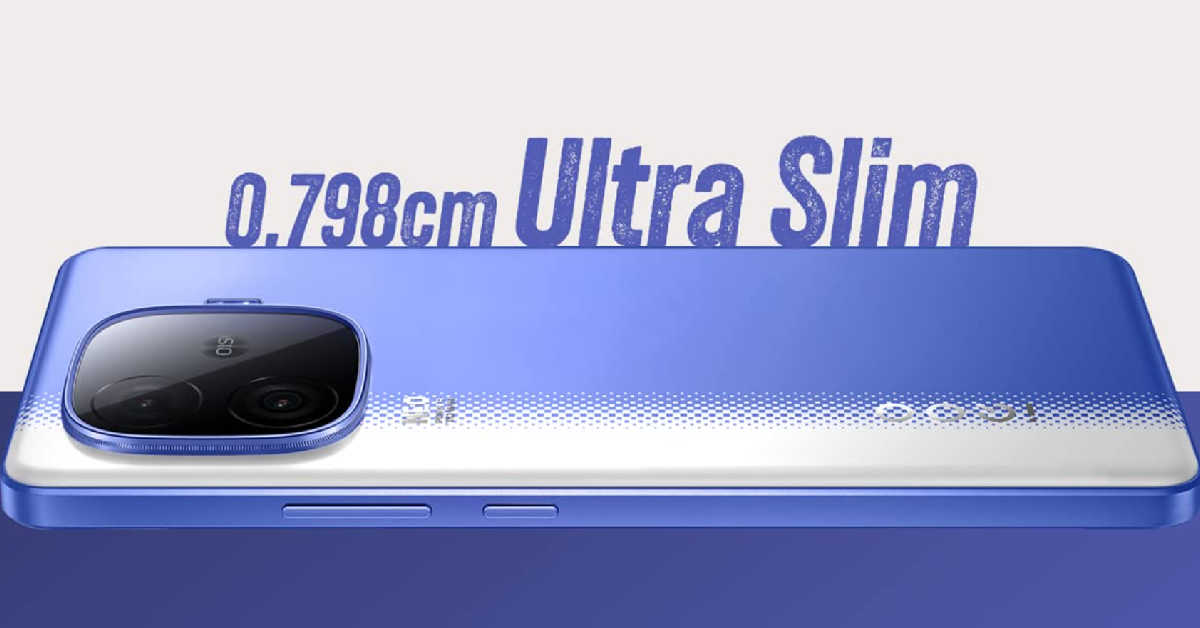 iQOO’s midrange gaming beast is set to hit the market on March 11. The iQOO Neo 10R will be powered by the Snapdragon 8s Gen 3 chipset and will flaunt a 6.78-inch 1.5K AMOLED display with a 144Hz refresh rate. This display supports 3,840Hz PWM dimming and can reach a peak brightness of 4,500 nits. The smartphone has special gaming features like bypass charging, Monster mode, an in-built FPS meter, a 6,043mm² vapour cooling chamber, and more. To facilitate a smooth and fast performance, the Neo 10R packs LPDDR5X RAM and UFS 4.1 storage. Despite rocking a massive 6,400mAh, the smartphone will have a thickness of just 0.798cm.
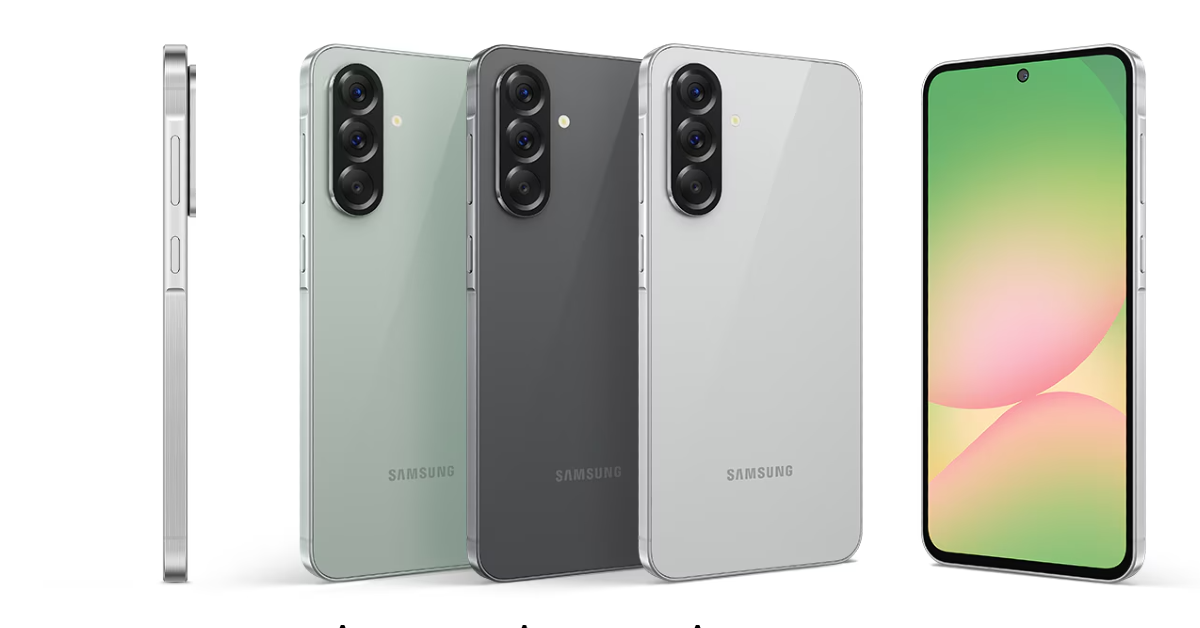 Samsung unveiled its upcoming A Series smartphones on March 2, 2025. They will go on sale in the coming days. At the top of the A Series pyramid sits the Galaxy A56. It features a 6.7-inch Super AMOLED display with a 120Hz refresh rate and 1,900 nits of peak brightness. It is powered by Samsung’s in-house Exynos 1580 processor. The triple rear camera array at the back houses a 50MP primary shooter, a 12MP ultrawide lens, and a 5MP macro sensor. The 5,000mAh battery pack supports 45W wired charging. The Galaxy A56 supports AI features like Circle to Search, Best Face, Object Eraser, and more. It will be priced between Rs 40,000 – Rs 45,000.
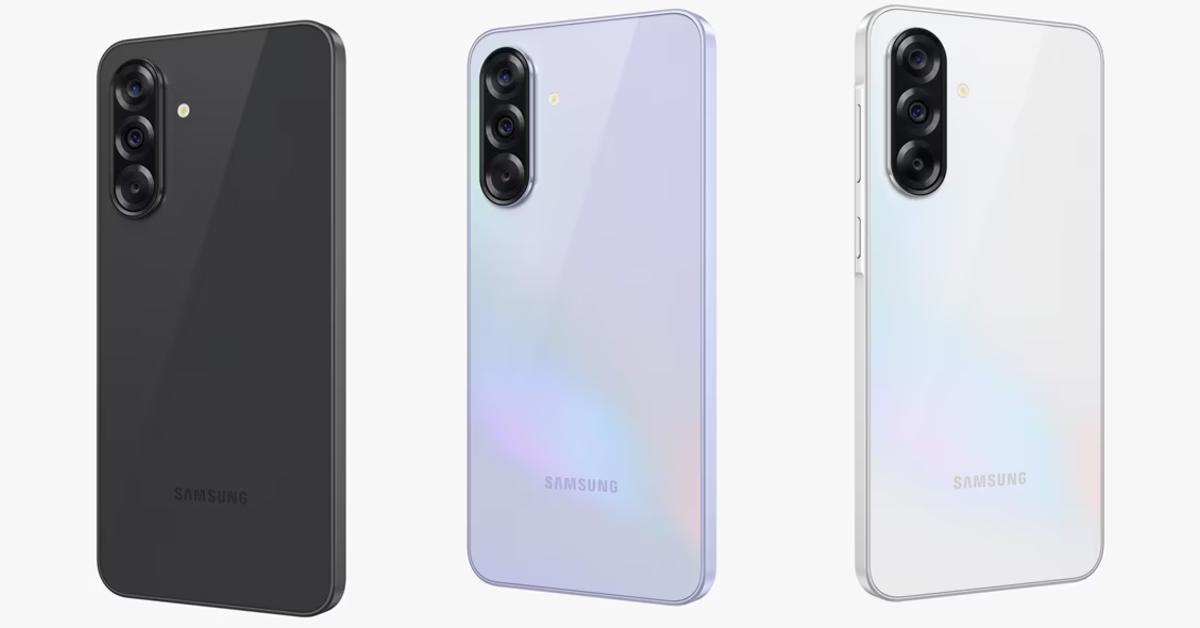 Samsung Galaxy A36 matches most of the specs found in the Galaxy A56 while costing less money. It flaunts a 6.7-inch Super AMOLED display with a 120Hz refresh rate and 1,900 nits of peak brightness. The triple rear camera array houses a 50MP primary shooter, an 8MP ultrawide lens, and a 5MP macro sensor. Under the hood, the Galaxy A36 packs the Snapdragon 6 Gen 3 SoC instead of an Exynos chip. Samsung has promised 6 years of major OS upgrades for the smartphone. It is expected to be priced between Rs 30,000 – Rs 35,000.
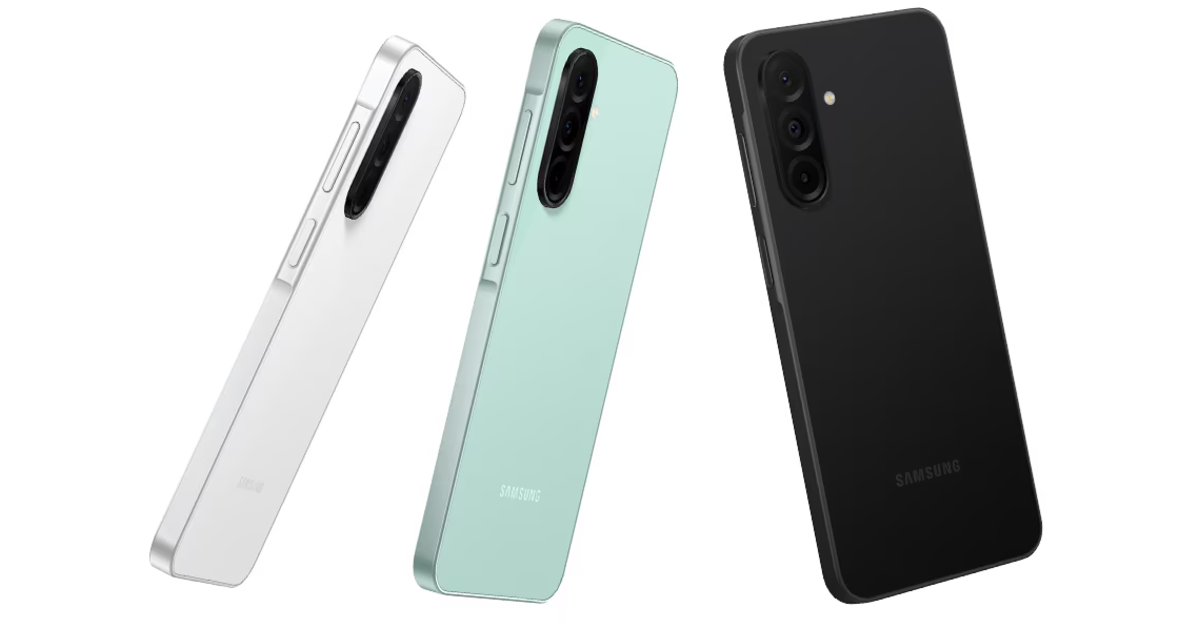 The Samsung Galaxy A26 also features a 6.7-inch Super AMOLED display with a 120Hz refresh rate. Powering the lower-midrange smartphone is the Exynos 1380 chipset. Its triple rear camera array houses a 50MP primary shooter, an 8MP ultrawide lens, and a 2MP macro sensor. The A26 has a glass back panel and a plastic frame. It is rated IP67 for dust and water protection. The 5,000mAh battery pack supports 25W wired charging. The smartphone is expected to be priced between Rs 25,000 – Rs 30,000.
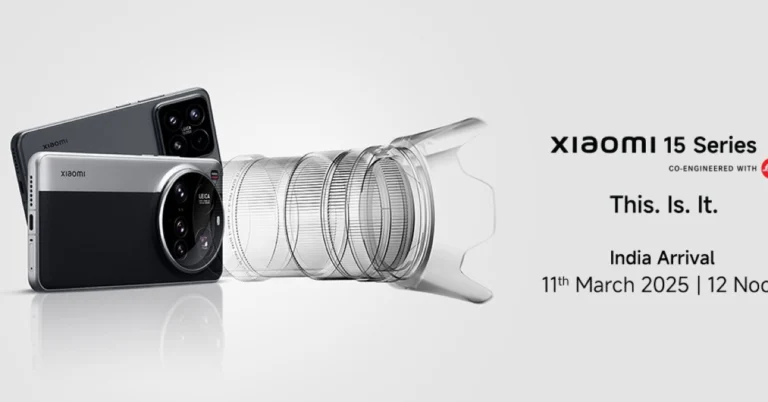
The highly-anticipated Xiaomi 15 Ultra will launch in India on March 11. The base and Pro variants in the Xiaomi 15 series will be launched alongside the Ultra model. The Xiaomi 15 Ultra has been making headlines for its state-of-the-art camera module. It features a 50MP primary shooter, a 50MP telephoto lens with 3x optical zoom, a 50MP ultrawide lens, and a 200MP telephoto lens with 4.3z optical zoom. The 6.73-inch LTPO AMOLED display on the smartphone has a 120Hz refresh rate and can reach a peak brightness of 3,200 nits. Powering the device is the latest Snapdragon 8 Elite chipset. The 5,410mAh Si/C battery pack under the hood of the smartphone supports 90W wired and 80W wireless charging.
Read Also: How to create a custom vibration pattern for ringtones and notifications on Samsung?
The Samsung Galaxy A26 also features a 6.7-inch Super AMOLED display with a 120Hz refresh rate. Powering the lower-midrange smartphone is the Exynos 1380 chipset. Its triple rear camera array houses a 50MP primary shooter, an 8MP ultrawide lens, and a 2MP macro sensor. The A26 has a glass back panel and a plastic frame. It is rated IP67 for dust and water protection. The 5,000mAh battery pack supports 25W wired charging. The smartphone is expected to be priced between Rs 25,000 – Rs 30,000.
The highly-anticipated Xiaomi 15 Ultra will launch in India on March 11. The base and Pro variants in the Xiaomi 15 series will be launched alongside the Ultra model. The Xiaomi 15 Ultra has been making headlines for its state-of-the-art camera module. It features a 50MP primary shooter, a 50MP telephoto lens with 3x optical zoom, a 50MP ultrawide lens, and a 200MP telephoto lens with 4.3z optical zoom. The 6.73-inch LTPO AMOLED display on the smartphone has a 120Hz refresh rate and can reach a peak brightness of 3,200 nits. Powering the device is the latest Snapdragon 8 Elite chipset. The 5,410mAh Si/C battery pack under the hood of the smartphone supports 90W wired and 80W wireless charging.
Read Also: How to create a custom vibration pattern for ringtones and notifications on Samsung?
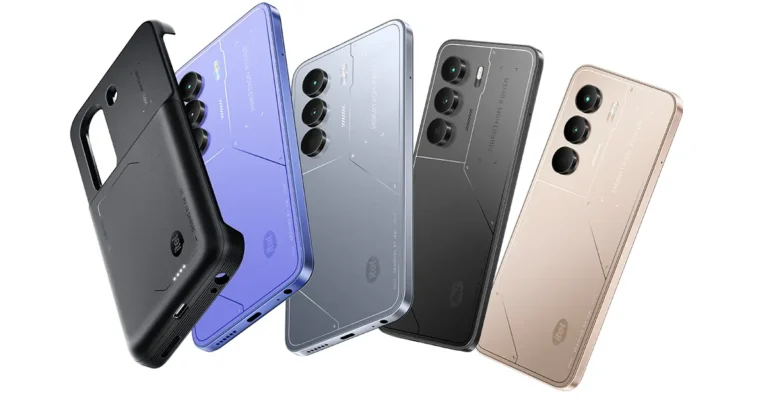
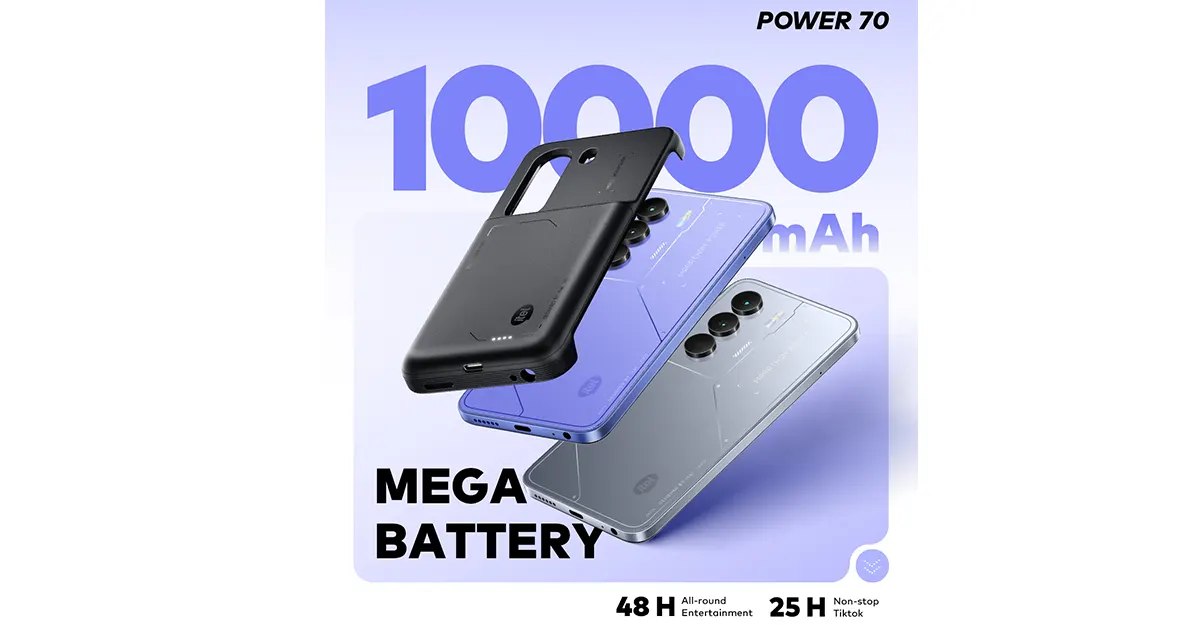 itel is clearly tired of battery anxiety, and honestly, so are we. The Power 70 comes packing a 10,000mAh dual-power solution, meaning you’re basically carrying a power station everywhere you go.
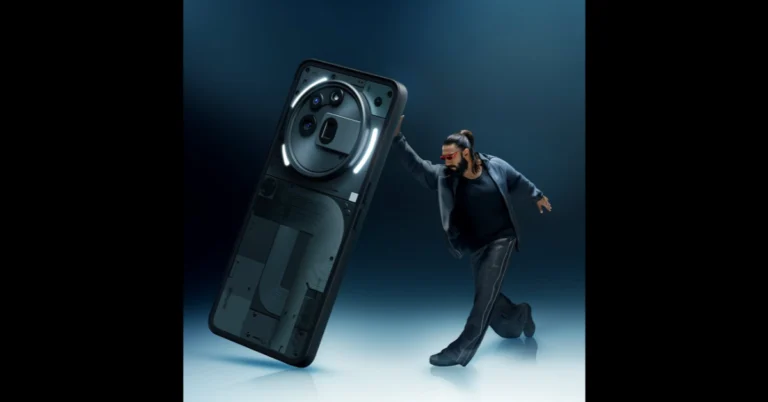
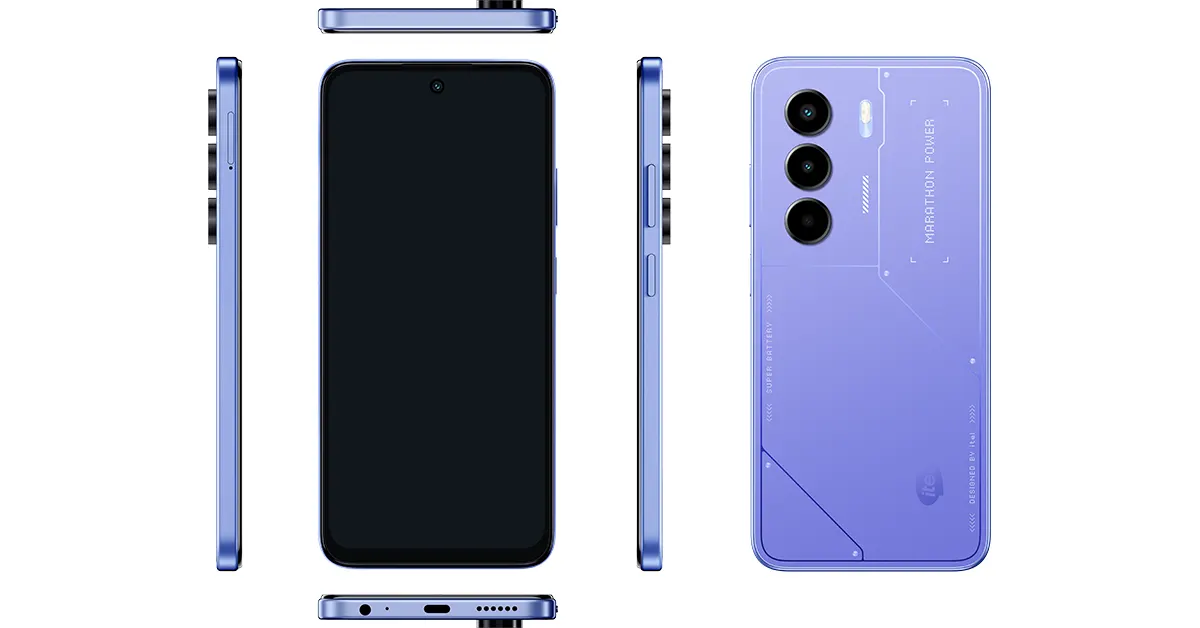 Phones are fragile. Life is not. But with IP54 dust and water resistance, drop protection, and an airbag case design, the itel Power 70 is made to survive. Whether you’re commuting through unpredictable weather or just someone who treats their phone like a basketball, this rugged budget smartphone stands up to the challenge.



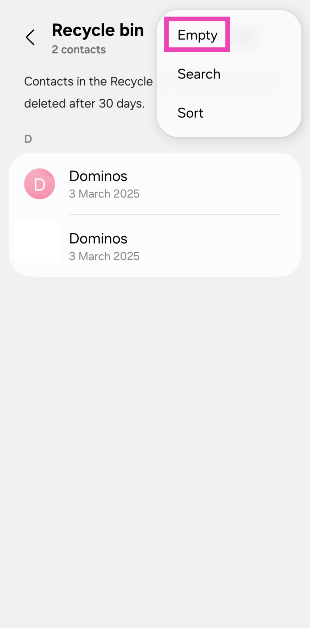
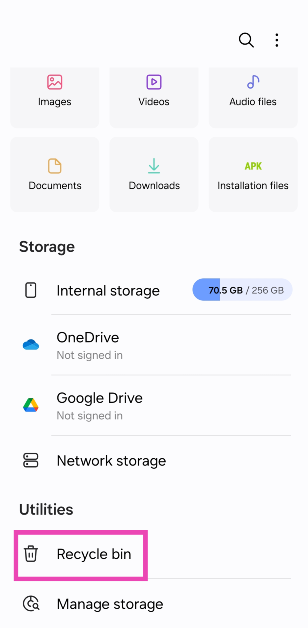 Step 3: Hit the ellipses in the top right corner of the screen.
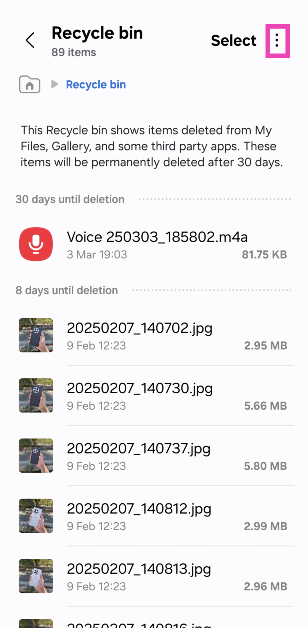 Step 4: Select Empty.
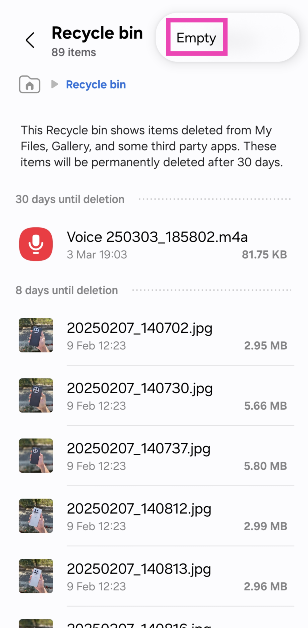
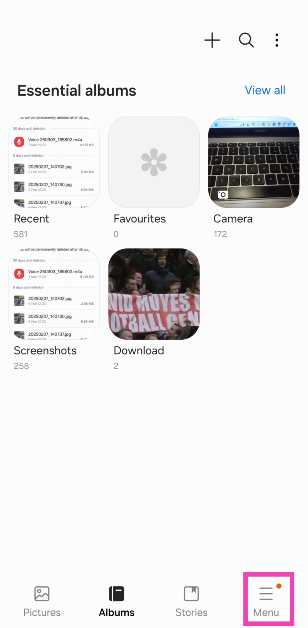 Step 3: Select Recycle bin.
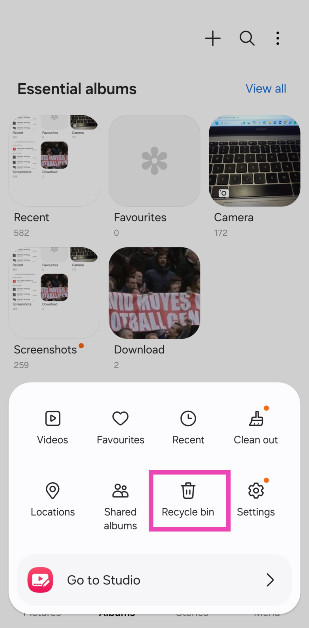 Step 4: Tap the ellipses in the top right corner of the screen.
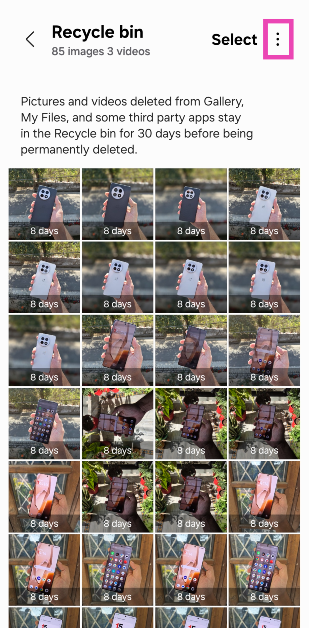 Step 5: Hit Empty.
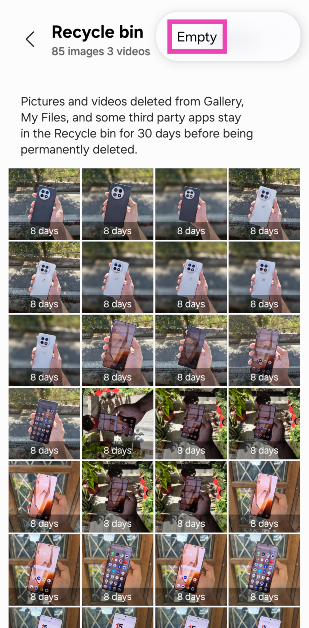
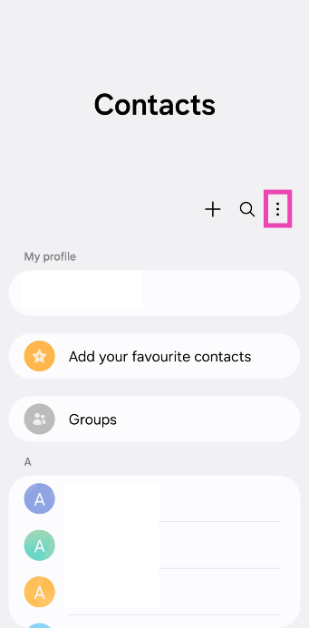 Step 3: Select Recycle bin.
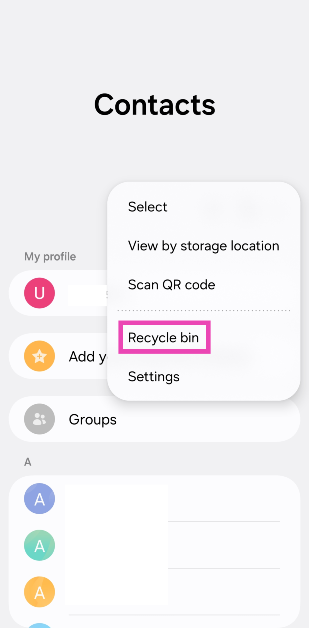 Step 4: Hit the ellipses in the top right corner of the screen.
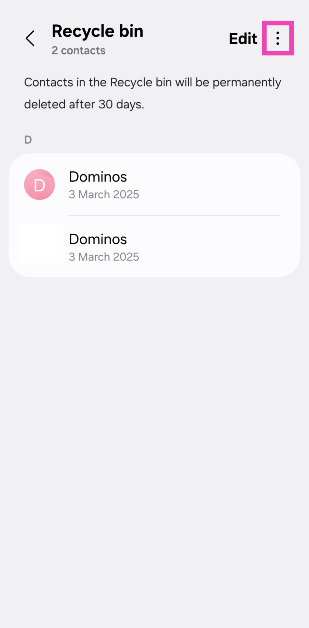 Step 5: Tap on Empty.
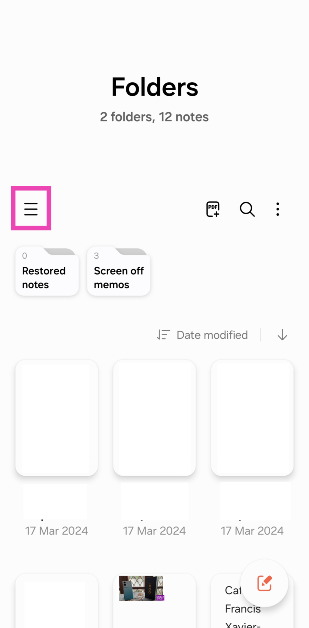 Step 3: Select Recycle bin.
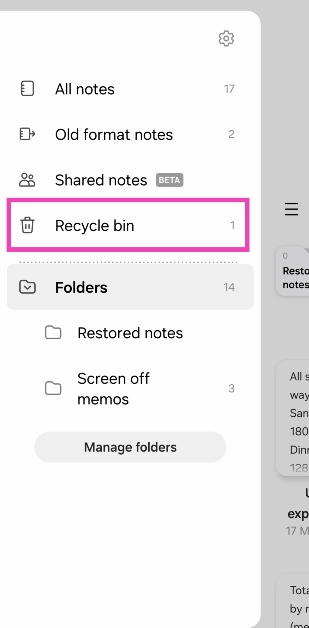 Step 4: Tap the ellipses in the top right corner of the screen.
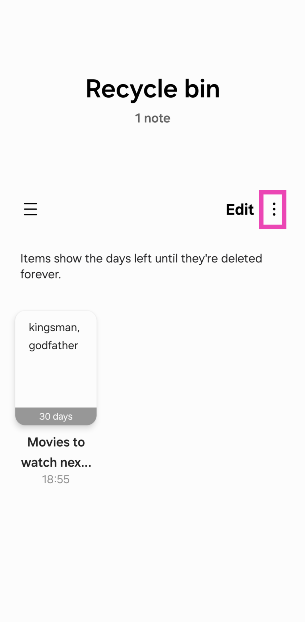 Step 5: Hit Empty.
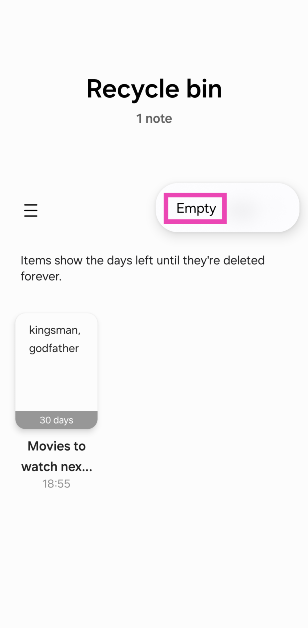
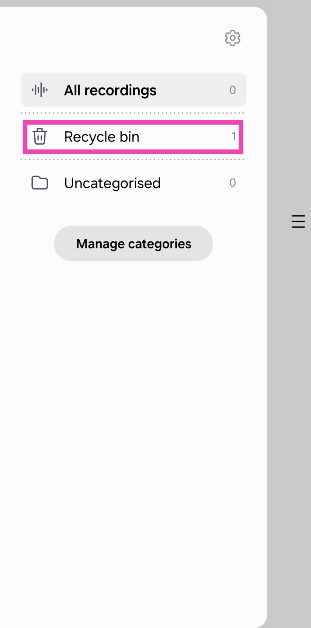
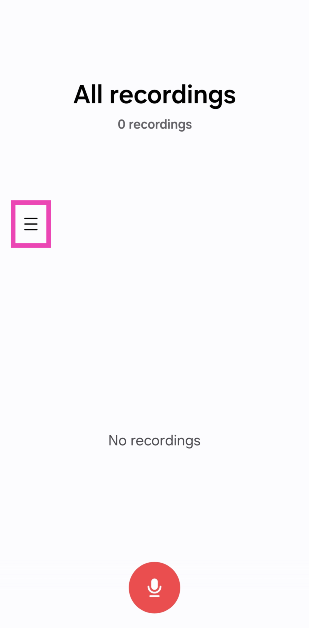 Step 3: Tap on Recycle bin.
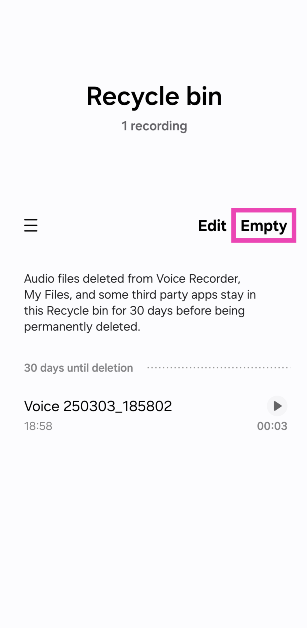
 Step 4: Tap on Empty.
 Step 3: Tap on Recycle bin.
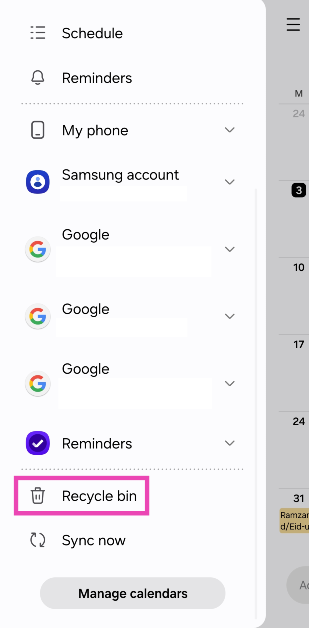 Step 4: Hit the ellipses in the top right corner of the screen.
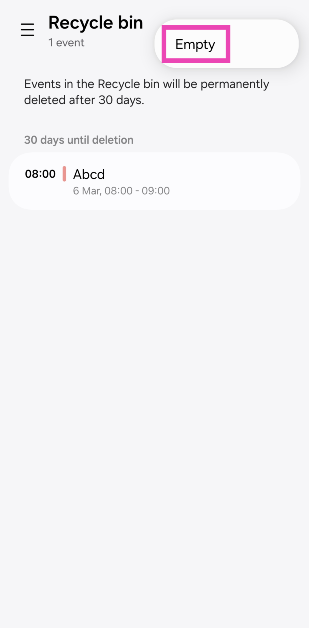
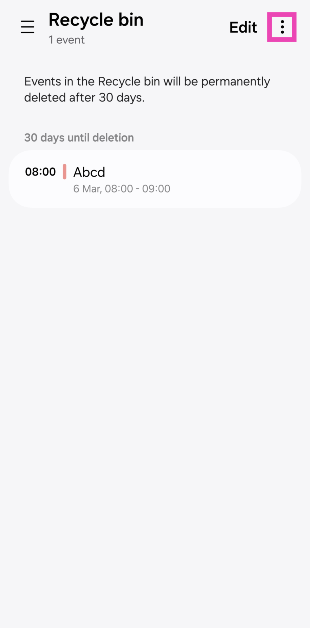 Step 5: Tap on Empty.
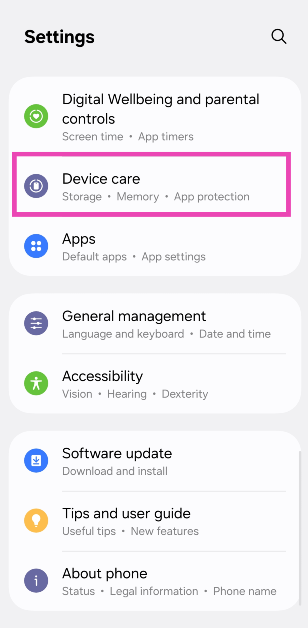 Step 2: Tap on Storage.
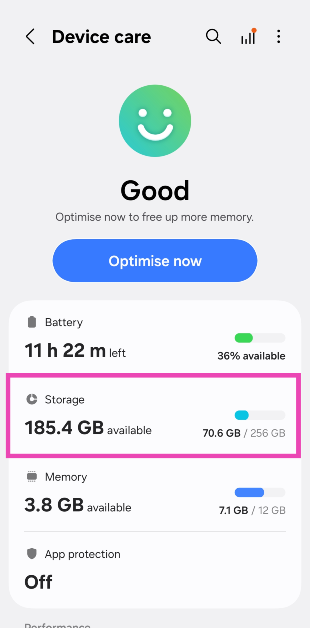 Step 3: Select Recycle bin.
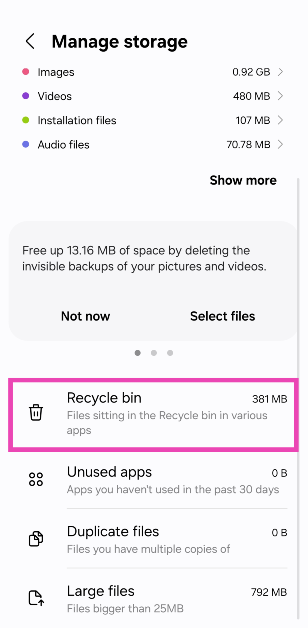 Step 4: Hit the ellipses in the top right corner of the screen.
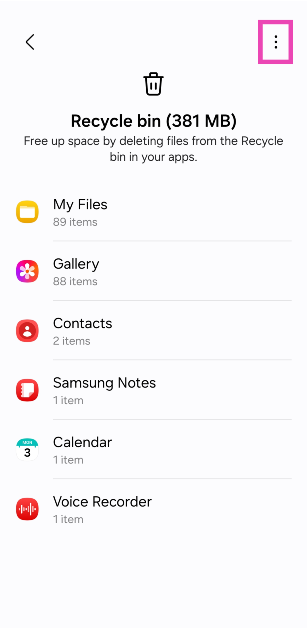 Step 5: Select Add to Home screen.
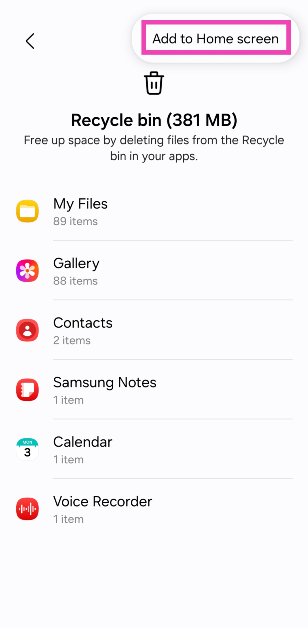 Step 6: Go to the home screen and tap the Recycle bin folder.
Step 7: Select whether you want to access the recycle bin in Gallery, My Files, or Contacts.
Step 8: Follow the steps mentioned in the previous three methods.
Step 6: Go to the home screen and tap the Recycle bin folder.
Step 7: Select whether you want to access the recycle bin in Gallery, My Files, or Contacts.
Step 8: Follow the steps mentioned in the previous three methods.