

Workaround Steps:
- Launch Windows via the Windows Recovery Environment or Safe Mode.
- Open the wdStrike directory in C: \Windows\System32\Drivers\Cro.
- Find and erase the “C-00000291*.sys” file.
- Give the host a regular reboot.

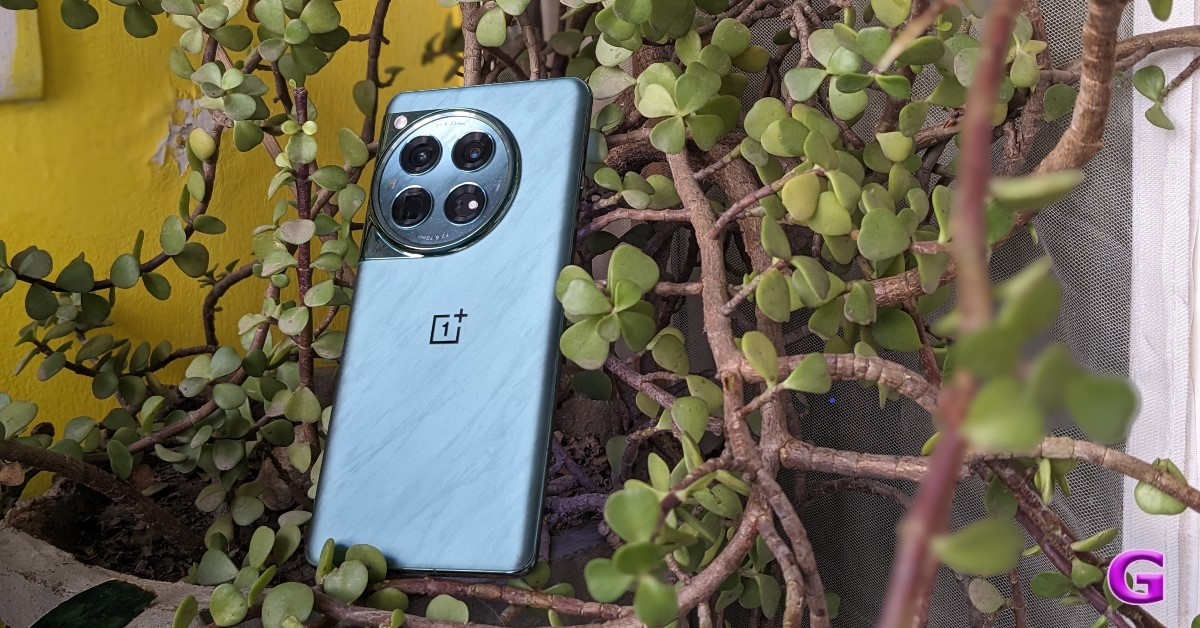 OnePlus 12 is one of the few flagship smartphones to get a significant Amazon Prime Day offer. The 12GB RAM + 256GB storage variant of the smartphone is available for a price of Rs 52,999 after bank offers. Without the bank offers, the OnePlus 12 can be bought for Rs 59,999, which is still an excellent deal.
Powering the smartphone is the flagship Snapdragon 8 Gen 3 SoC from Qualcomm. It flaunts a 6.82-inch curved LTPO AMOLED display with a 120Hz refresh rate and HDR10+ support. The triple rear camera array of the smartphone comprises a 50MP shooter, a 64MP telephoto lens, and a 48MP ultrawide sensor. Read our full review of the smartphone here.
OnePlus 12 is one of the few flagship smartphones to get a significant Amazon Prime Day offer. The 12GB RAM + 256GB storage variant of the smartphone is available for a price of Rs 52,999 after bank offers. Without the bank offers, the OnePlus 12 can be bought for Rs 59,999, which is still an excellent deal.
Powering the smartphone is the flagship Snapdragon 8 Gen 3 SoC from Qualcomm. It flaunts a 6.82-inch curved LTPO AMOLED display with a 120Hz refresh rate and HDR10+ support. The triple rear camera array of the smartphone comprises a 50MP shooter, a 64MP telephoto lens, and a 48MP ultrawide sensor. Read our full review of the smartphone here.
 The iPhone 13 may be a few years old at this point, but it is still a good deal at Rs 47,799. This discounted price includes bank offers. Without the bank offers, the iPhone 13 can be purchased for Rs 48,799. iPhone 13 is eligible for the iOS 18 update which is coming this fall.
The smartphone is powered by the powerful Apple A15 Bionic chipset. It runs on iOS 15 out of the box and can be upgraded to iOS 17 right away. The rear camera array of the smartphone comprises a 12MP primary shooter and another 12MP ultrawide lens. The relatively compact 6.1-inch Super Retina XDR OLED display supports HDR10 and can reach a peak brightness of 1,200 nits.
The iPhone 13 may be a few years old at this point, but it is still a good deal at Rs 47,799. This discounted price includes bank offers. Without the bank offers, the iPhone 13 can be purchased for Rs 48,799. iPhone 13 is eligible for the iOS 18 update which is coming this fall.
The smartphone is powered by the powerful Apple A15 Bionic chipset. It runs on iOS 15 out of the box and can be upgraded to iOS 17 right away. The rear camera array of the smartphone comprises a 12MP primary shooter and another 12MP ultrawide lens. The relatively compact 6.1-inch Super Retina XDR OLED display supports HDR10 and can reach a peak brightness of 1,200 nits.
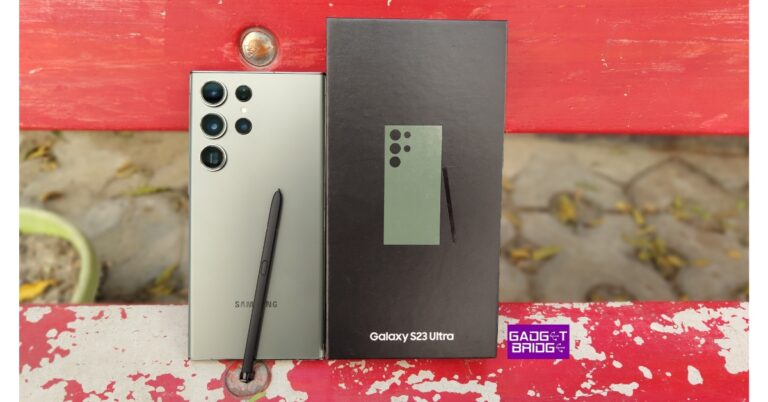
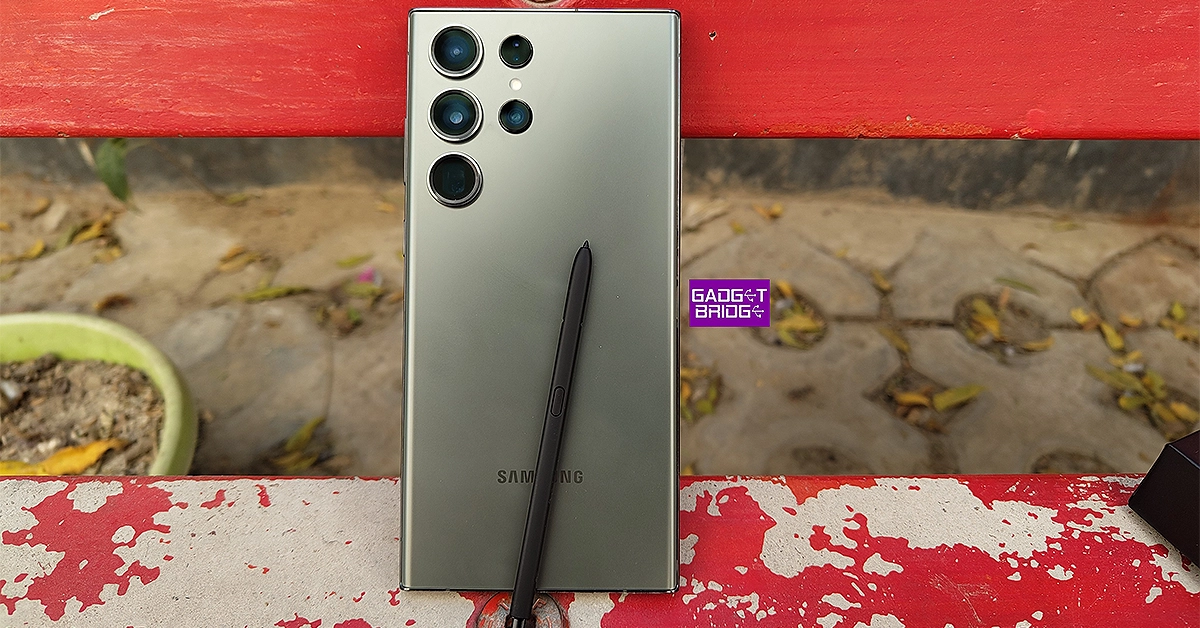 Samsung’s 2023 flagship will go for Rs 74,999 on Amazon Prime Day. This is an amazing deal for a one-year-old flagship. The S23 Ultra is currently priced at Rs 84,999. Without the bank offers, the smartphone will be available at a discounted price of Rs 79,999 tomorrow.
The Samsung Galaxy S23 Ultra is powered by the Snapdragon 8 Gen 2 SoC. It sports a powerful 200MP primary shooter along with a 10MP telephoto lens with 3x optical zoom, another 10MP periscope telephoto lens with 10x optical zoom, and a 12MP ultrawide lens. The smartphone can record 8K videos at 24 and 30fps. The 6.8-inch Dynamic AMOLED 2x display has a refresh rate of 120Hz and supports HDR10+. There is also a stylus onboard. Read our review of the S23 Ultra here.
Samsung’s 2023 flagship will go for Rs 74,999 on Amazon Prime Day. This is an amazing deal for a one-year-old flagship. The S23 Ultra is currently priced at Rs 84,999. Without the bank offers, the smartphone will be available at a discounted price of Rs 79,999 tomorrow.
The Samsung Galaxy S23 Ultra is powered by the Snapdragon 8 Gen 2 SoC. It sports a powerful 200MP primary shooter along with a 10MP telephoto lens with 3x optical zoom, another 10MP periscope telephoto lens with 10x optical zoom, and a 12MP ultrawide lens. The smartphone can record 8K videos at 24 and 30fps. The 6.8-inch Dynamic AMOLED 2x display has a refresh rate of 120Hz and supports HDR10+. There is also a stylus onboard. Read our review of the S23 Ultra here.
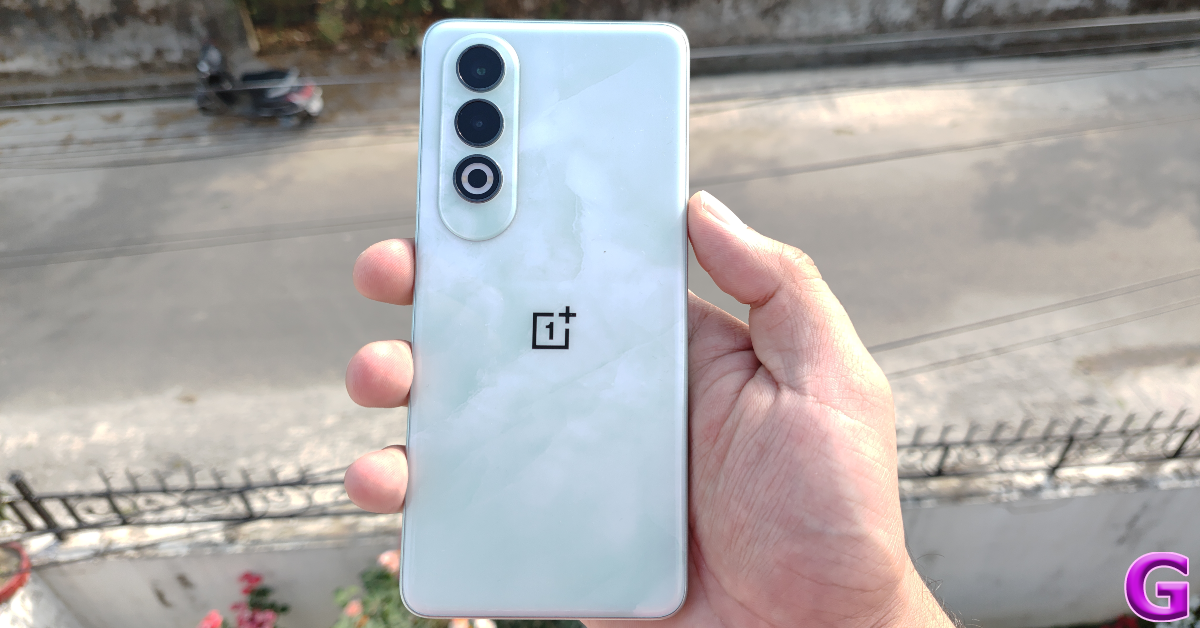 Talking about the budget to midrange offerings, the OnePlus Nord CE4 is available at a reduced price of Rs 21,999 on Amazon Prime Day. Meanwhile, the newly launched CE4 Lite can be had for Rs 16,999.
OnePlus Nord CE4 is powered by the Snapdragon 7 Gen 3 SoC. It rocks a dual-camera setup comprising a 50MP primary shooter and an 8MP ultrawide lens. It also features an IR blaster which can be used to control household electronic devices like TV and AC. The smartphone packs a 5,500mAh battery and supports 100W charging. When we reviewed the smartphone back in April, it took just under 40 minutes to fully charge.
Talking about the budget to midrange offerings, the OnePlus Nord CE4 is available at a reduced price of Rs 21,999 on Amazon Prime Day. Meanwhile, the newly launched CE4 Lite can be had for Rs 16,999.
OnePlus Nord CE4 is powered by the Snapdragon 7 Gen 3 SoC. It rocks a dual-camera setup comprising a 50MP primary shooter and an 8MP ultrawide lens. It also features an IR blaster which can be used to control household electronic devices like TV and AC. The smartphone packs a 5,500mAh battery and supports 100W charging. When we reviewed the smartphone back in April, it took just under 40 minutes to fully charge.
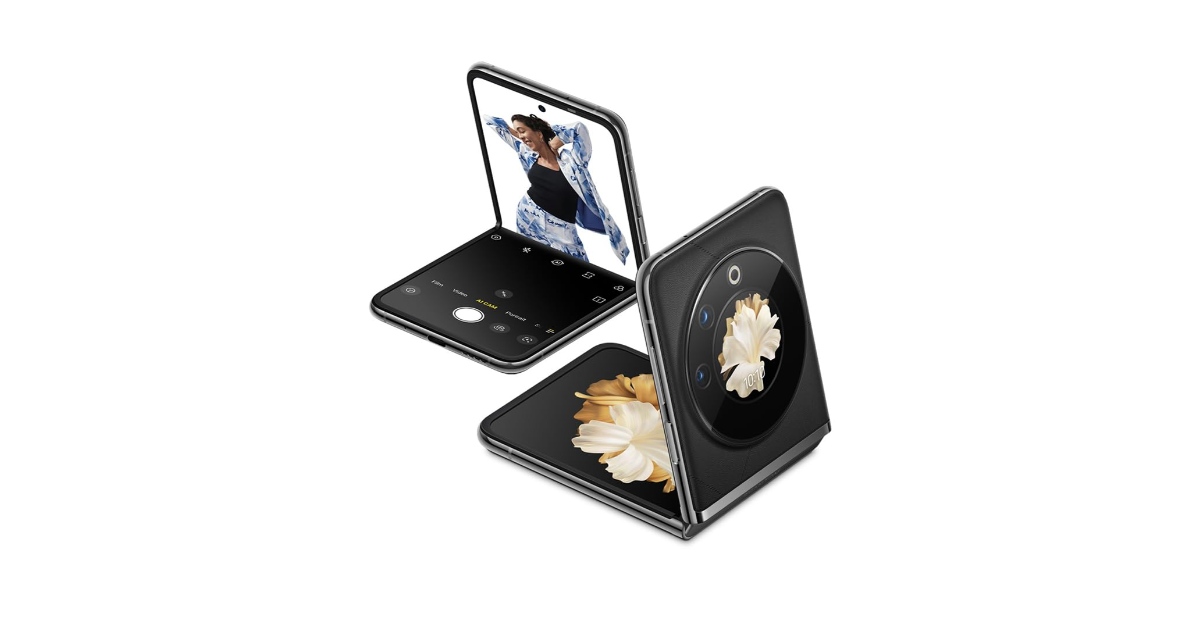 If you’re thinking of buying a foldable phone at an affordable price, you should certainly have a look at the Tecno Phantom V Flip. While Tecno is certainly not a flashy brand, the Phantom V Flip is an impressive product. It is one of the best smartphone deals you can get on Amazon Prime Day, priced at just Rs 29,999. Ordinarily, this smartphone goes for Rs 54,999.
The Tecno Phantom V Flip sports a 6.9-inch LTPO AMOLED inner display and a 1.32-inch AMOLED cover display. It is powered by the MediaTek 8050 SoC. The rear camera array of the smartphone consists of a 64MP primary shooter and a 13MP ultrawide lens. There’s a 4,000mAh battery onboard which supports 45W charging.
If you’re thinking of buying a foldable phone at an affordable price, you should certainly have a look at the Tecno Phantom V Flip. While Tecno is certainly not a flashy brand, the Phantom V Flip is an impressive product. It is one of the best smartphone deals you can get on Amazon Prime Day, priced at just Rs 29,999. Ordinarily, this smartphone goes for Rs 54,999.
The Tecno Phantom V Flip sports a 6.9-inch LTPO AMOLED inner display and a 1.32-inch AMOLED cover display. It is powered by the MediaTek 8050 SoC. The rear camera array of the smartphone consists of a 64MP primary shooter and a 13MP ultrawide lens. There’s a 4,000mAh battery onboard which supports 45W charging.
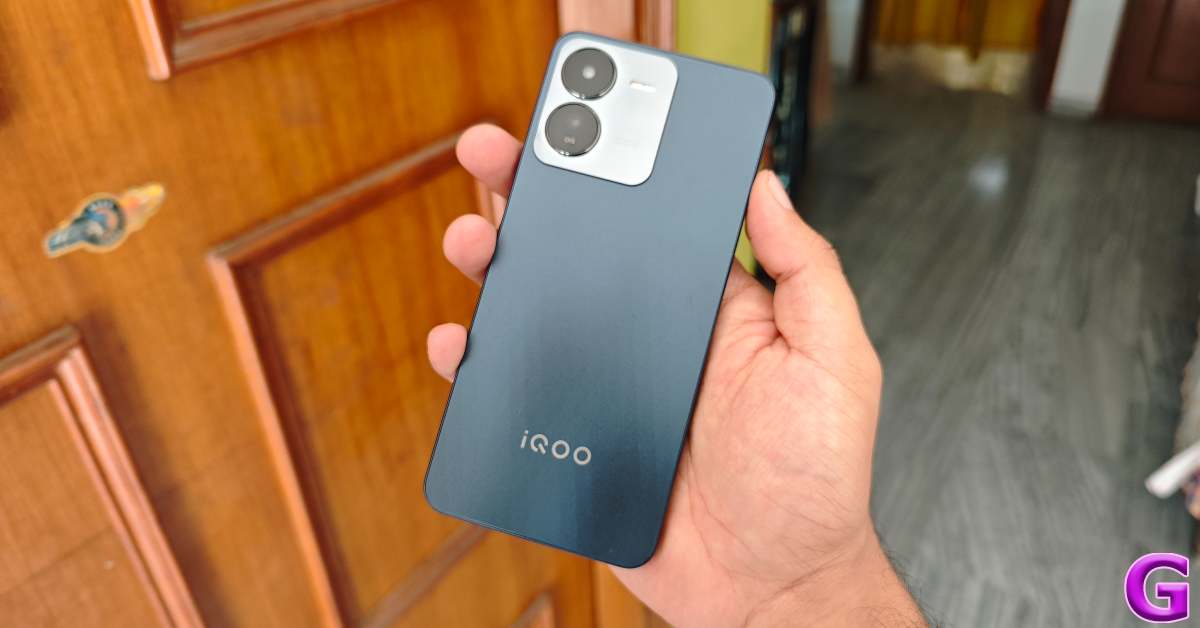 If you’re in the market for a solid midrange smartphone, the iQOO Z9 is available with one of the best deals on Amazon Prime Day 2024. The smartphone can be bought for just Rs 16,999 after bank offers. Meanwhile, the Z9x 5G is available for Rs 11,999.
This price is quite impressive given the smartphone is powered by the MediaTek Dimensity 7200 SoC. While reviewing the iQOO Z9, we ran the Geekbench 6 test on it. The smartphone scored an impressive 1,055 points in the single-core test and 2,682 points in the multicore test. If you’re into gaming, you should certainly consider this smartphone. However, one of the downsides of this device is that it lacks an ultrawide camera. The rear camera array of the Z9 comprises a 50MP primary shooter and a 2MP depth sensor.
If you’re in the market for a solid midrange smartphone, the iQOO Z9 is available with one of the best deals on Amazon Prime Day 2024. The smartphone can be bought for just Rs 16,999 after bank offers. Meanwhile, the Z9x 5G is available for Rs 11,999.
This price is quite impressive given the smartphone is powered by the MediaTek Dimensity 7200 SoC. While reviewing the iQOO Z9, we ran the Geekbench 6 test on it. The smartphone scored an impressive 1,055 points in the single-core test and 2,682 points in the multicore test. If you’re into gaming, you should certainly consider this smartphone. However, one of the downsides of this device is that it lacks an ultrawide camera. The rear camera array of the Z9 comprises a 50MP primary shooter and a 2MP depth sensor.
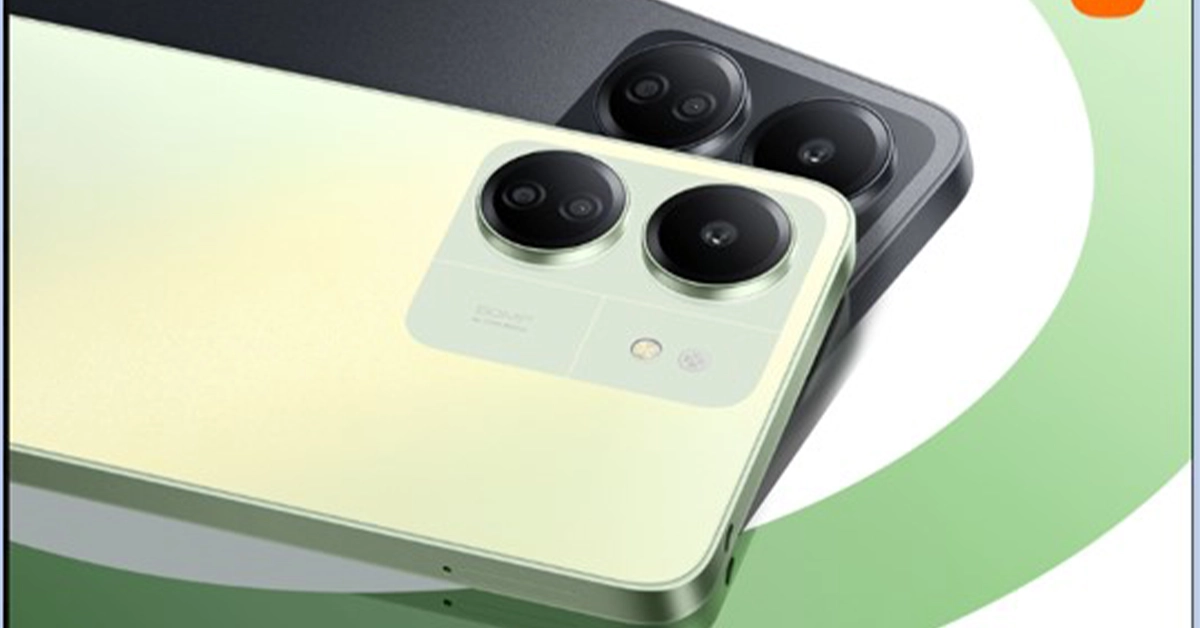 Redmi 13C is one of the cheapest 5G smartphones you can buy right now. On Amazon Prime Day, the smartphone will be available for Rs 9,499 after bank offers.
The smartphone is powered by the MediaTek Helio G85 processor. It rocks a 6.74-inch IPS LCD panel with a 720 x 1600p resolution. The camera panel at the back of the smartphone consists of a 50MP primary shooter, a 2MP macro lens, and a 0.08MP auxiliary lens. Up front, the smartphone gets an 8MP selfie camera housed in a waterdrop notch.
Read Also: The launch date for the Nothing Phone (2a) Plus is now official
Redmi 13C is one of the cheapest 5G smartphones you can buy right now. On Amazon Prime Day, the smartphone will be available for Rs 9,499 after bank offers.
The smartphone is powered by the MediaTek Helio G85 processor. It rocks a 6.74-inch IPS LCD panel with a 720 x 1600p resolution. The camera panel at the back of the smartphone consists of a 50MP primary shooter, a 2MP macro lens, and a 0.08MP auxiliary lens. Up front, the smartphone gets an 8MP selfie camera housed in a waterdrop notch.
Read Also: The launch date for the Nothing Phone (2a) Plus is now official
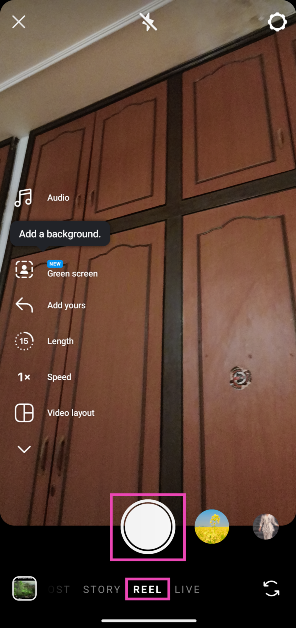 Step 3: Hit Next when you’re done.
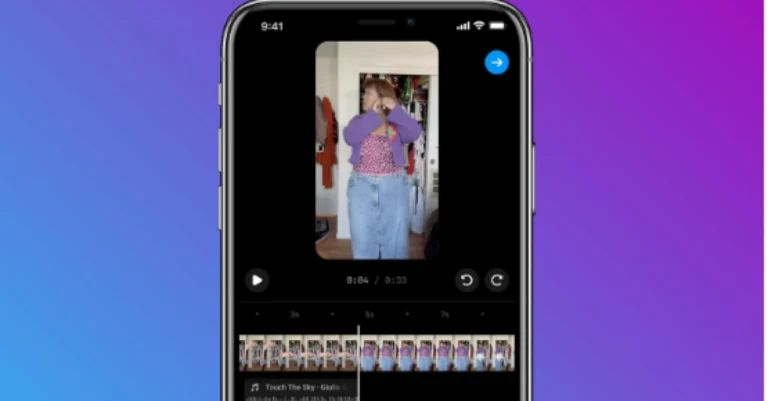
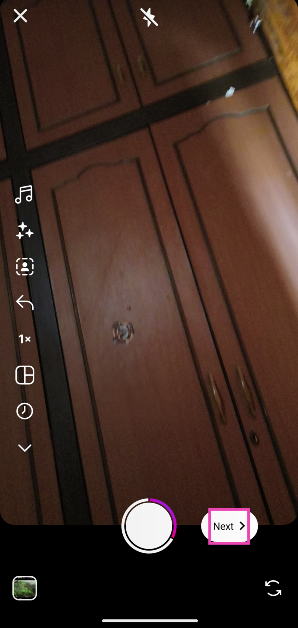 Step 4: Tap on Edit video at the bottom left corner of the screen.
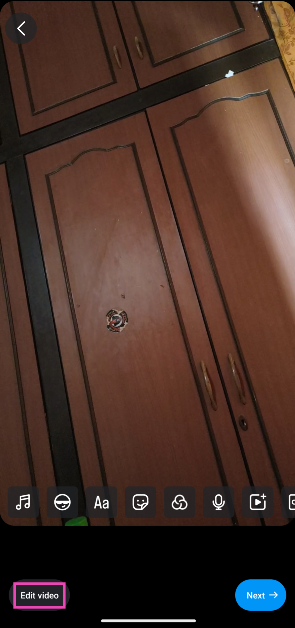 Step 5: Tap on Add audio.
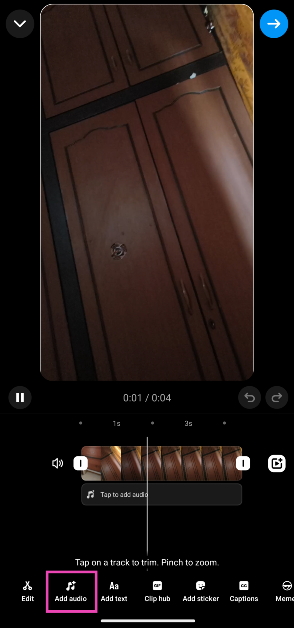 Step 6: Select an audio track from Instagram’s music library and hit Done.
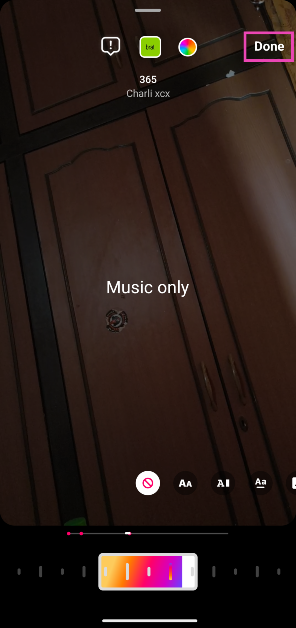 Step 7: Drag the audio track to place on a specific part of the Reel.
Step 8: Go back and tap on Add audio again.
Step 7: Drag the audio track to place on a specific part of the Reel.
Step 8: Go back and tap on Add audio again.
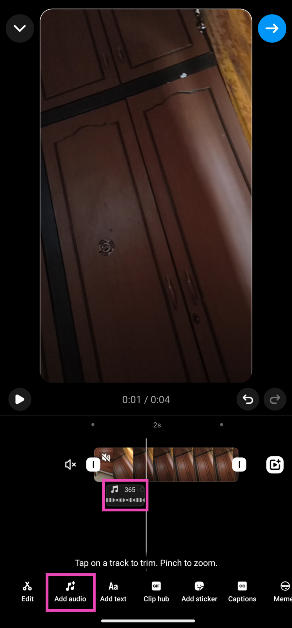 Step 9: Choose a song and hit Done.
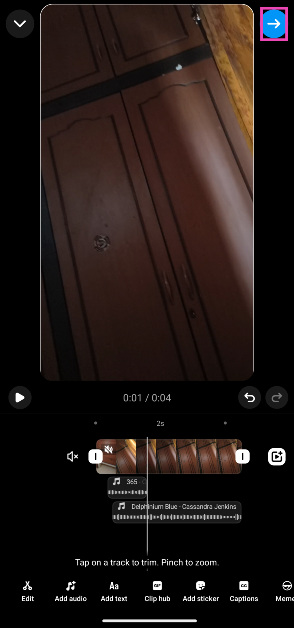
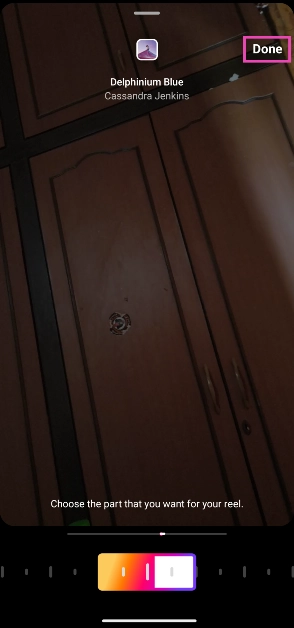 Step 10: You can add up to 20 audio tracks to a single Reel. Hit the blue arrow icon at the top right corner of the screen when you’re done.

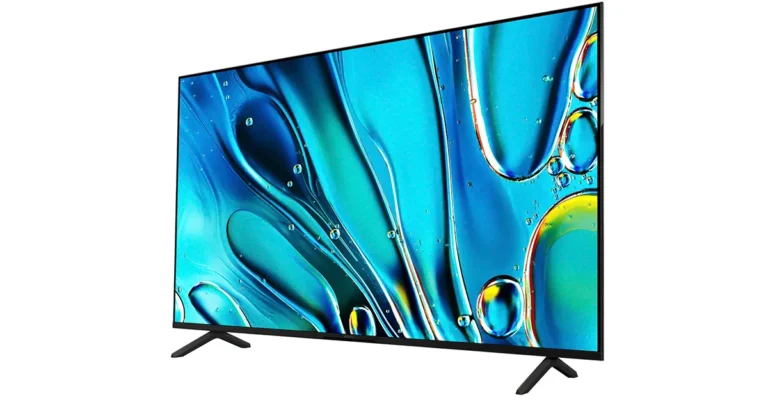
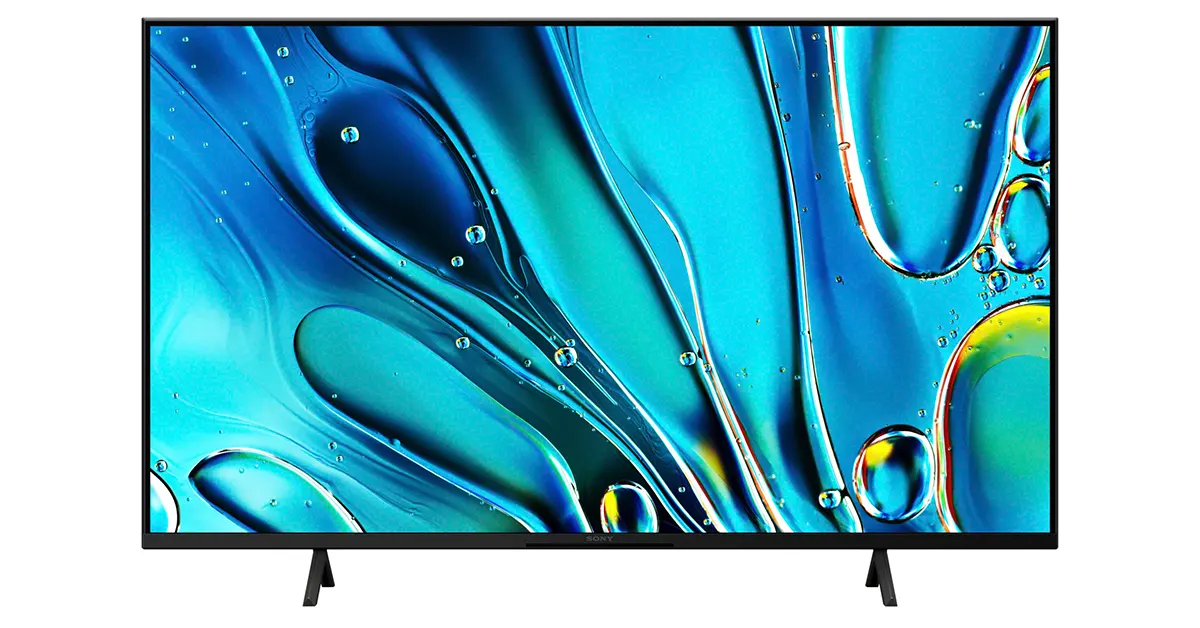
| Model | Best Buy (in INR) | Availability Date |
|---|---|---|
| K-43S30 | To be announced | To be announced |
| K-50S30 | To be announced | To be announced |
| K-55S30 | Rs 93,990 | Available now |
| K-65S30 | Rs 1,21,990 | Available now |
| K-75S30 | To be announced | To be announced |
| K-85S30 | To be announced | To be announced |


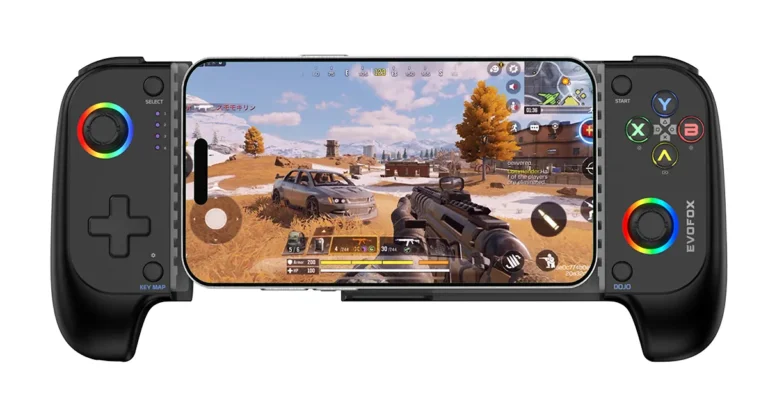
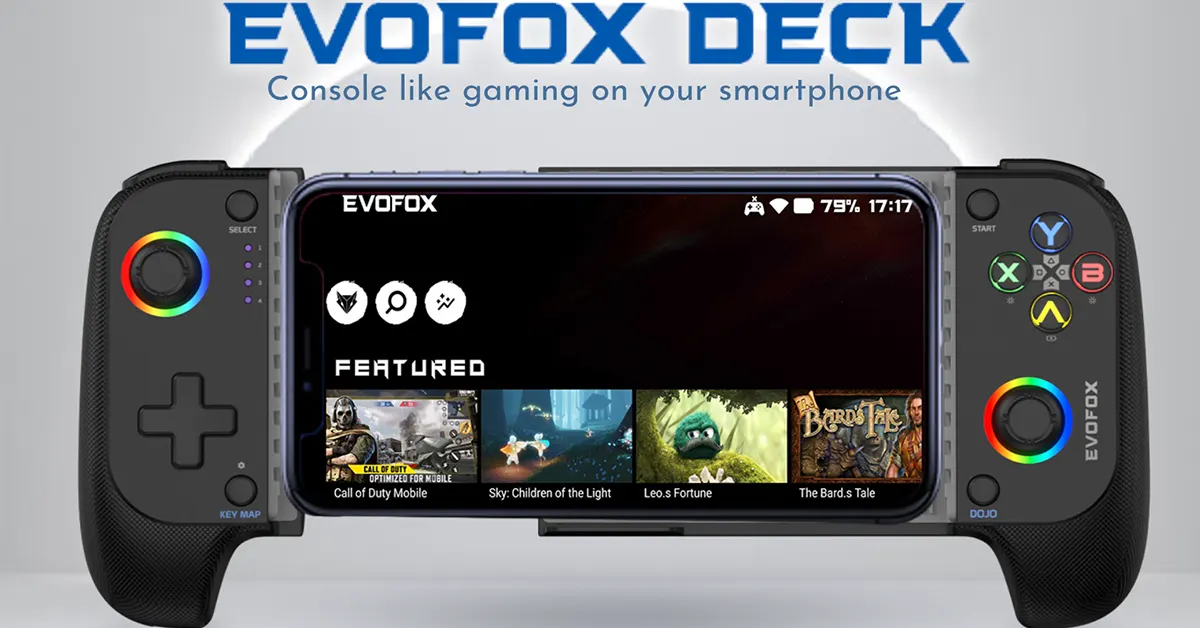 Crafted from high-quality materials, the Amkette EvoFox Deck ensures comfortable and immersive gaming sessions. Key features include magnetic hall joysticks for 360-degree control, digital microswitch triggers for high responsiveness, and customizable RGB halo effects and backlit buttons. With a 600mAh battery providing up to 8 hours of continuous gameplay and Bluetooth 5.0 connectivity, the Deck guarantees lag-free, low-latency performance.
The EvoFox Deck supports popular cloud and game streaming platforms such as Steam Link, PS Remote Play, Xbox Live, and Moonlight. It is also compatible with emulators like PPSSPP, PSX, and N64, transforming your phone into a retro gaming powerhouse.
Read Also: Best RGB Keyboards under Rs 3,000
Amkette EvoFox Deck is ideal for professionals, students, and entertainment purposes, the EvoFox Deck enhances productivity and functionality. Its plug-and-play feature ensures a quick setup, turning the smartphone interface into a desktop-like experience compatible with various Android and iOS apps.
Additionally, the EvoFox Dojo App simplifies discovering compatible games, offering access to over 1,000 iOS games and 450+ Android games. The EvoFox Deck truly redefines smartphone gaming, providing a full-featured gamepad with native support for Android and iOS.
Experience the future of gaming with the EvoFox Deck, where cutting-edge features and unbeatable value come together to empower every Indian gamer.
Crafted from high-quality materials, the Amkette EvoFox Deck ensures comfortable and immersive gaming sessions. Key features include magnetic hall joysticks for 360-degree control, digital microswitch triggers for high responsiveness, and customizable RGB halo effects and backlit buttons. With a 600mAh battery providing up to 8 hours of continuous gameplay and Bluetooth 5.0 connectivity, the Deck guarantees lag-free, low-latency performance.
The EvoFox Deck supports popular cloud and game streaming platforms such as Steam Link, PS Remote Play, Xbox Live, and Moonlight. It is also compatible with emulators like PPSSPP, PSX, and N64, transforming your phone into a retro gaming powerhouse.
Read Also: Best RGB Keyboards under Rs 3,000
Amkette EvoFox Deck is ideal for professionals, students, and entertainment purposes, the EvoFox Deck enhances productivity and functionality. Its plug-and-play feature ensures a quick setup, turning the smartphone interface into a desktop-like experience compatible with various Android and iOS apps.
Additionally, the EvoFox Dojo App simplifies discovering compatible games, offering access to over 1,000 iOS games and 450+ Android games. The EvoFox Deck truly redefines smartphone gaming, providing a full-featured gamepad with native support for Android and iOS.
Experience the future of gaming with the EvoFox Deck, where cutting-edge features and unbeatable value come together to empower every Indian gamer. 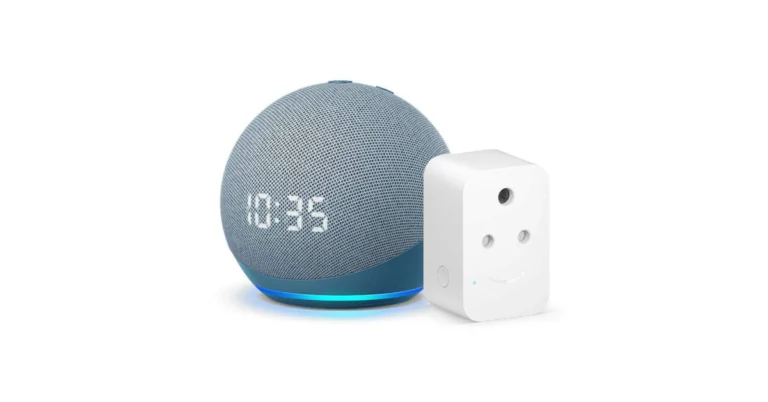
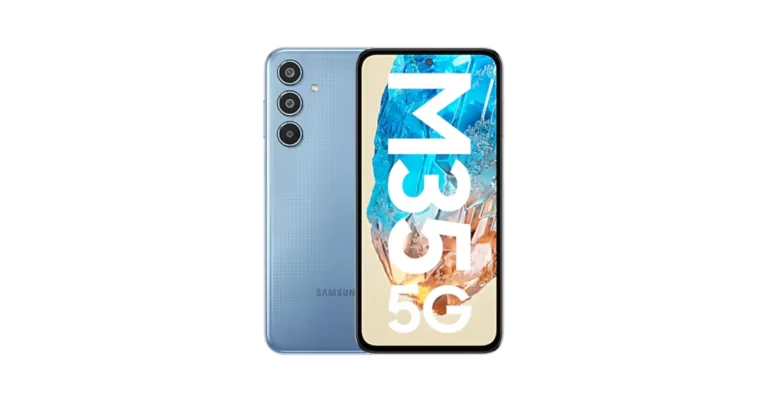
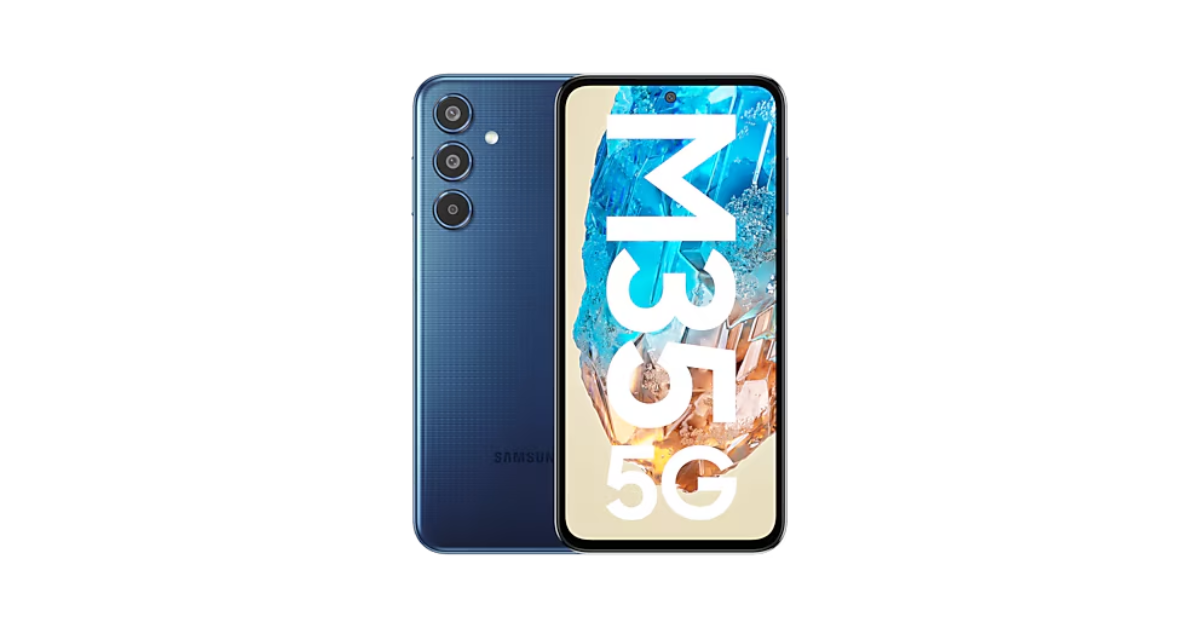 Purchasers can receive an instant discount of Rs. 1,000 for an unspecified length of time, as well as a Rs 2,000 instant discount on all bank cards. Customers will also qualify for an additional Rs 1,000 Amazon Pay cashback.
Also Read: OnePlus Nord Bud 3 Pro with 44 hours of playback launched in India
Purchasers can receive an instant discount of Rs. 1,000 for an unspecified length of time, as well as a Rs 2,000 instant discount on all bank cards. Customers will also qualify for an additional Rs 1,000 Amazon Pay cashback.
Also Read: OnePlus Nord Bud 3 Pro with 44 hours of playback launched in India




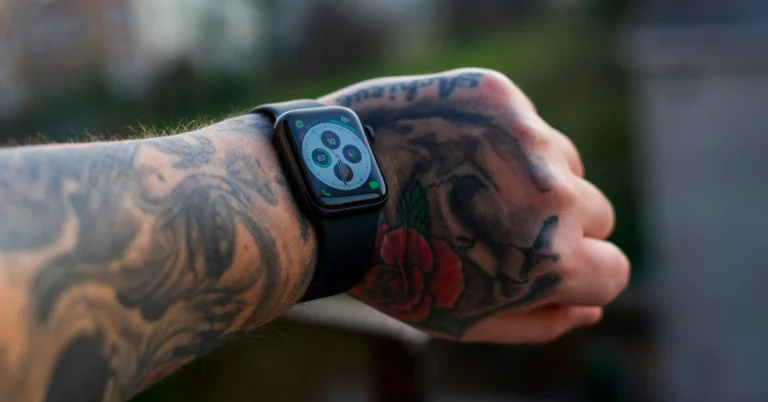
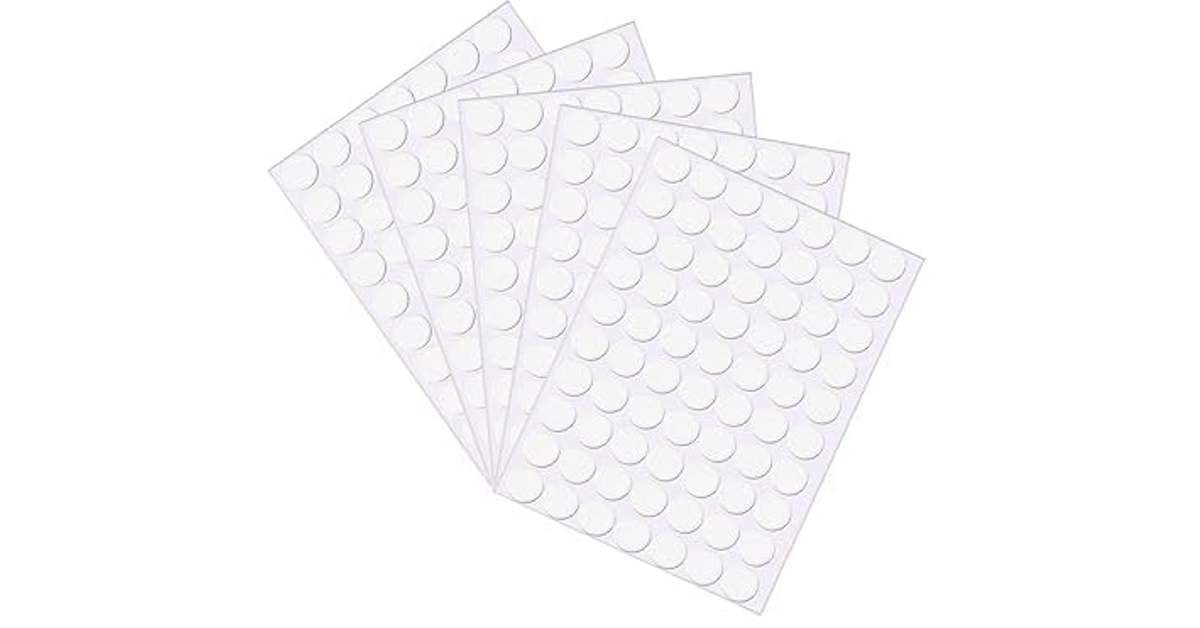 One of the common hacks you’ll find on the Internet to fix this issue is epoxy stickers. Applying the sticker on the sensors fixes the ‘wrist detection’ issue for many users. Depending on the density of your tattoos, it may even resolve the problem with heart rate and blood oxygen measurement. However, certain metrics like body weight composition will continue to remain an issue. Epoxy stickers are easy to find and aren’t too pricey. However, there are a couple of downsides to using this trick. For starters, the sticker may cause some discomfort as it alters the form factor of the watch. Secondly, you will need to peel off the sticker every time you put your watch to charge. To get around these issues, you can dab some hot glue on the watch instead of using an epoxy sticker.
 If your Apple Watch keeps locking itself while it’s strapped around your tattooed wrist, turning off Wrist Detection will help. However, this will also disable heart rate tracking and some activity measurements. Additionally, you will need to authorise every Apple Pay transaction with your Passcode. It goes without saying that your Apple Watch won’t automatically lock and unlock either.
Step 1: Go to the Settings app on your Apple Watch.
If your Apple Watch keeps locking itself while it’s strapped around your tattooed wrist, turning off Wrist Detection will help. However, this will also disable heart rate tracking and some activity measurements. Additionally, you will need to authorise every Apple Pay transaction with your Passcode. It goes without saying that your Apple Watch won’t automatically lock and unlock either.
Step 1: Go to the Settings app on your Apple Watch.
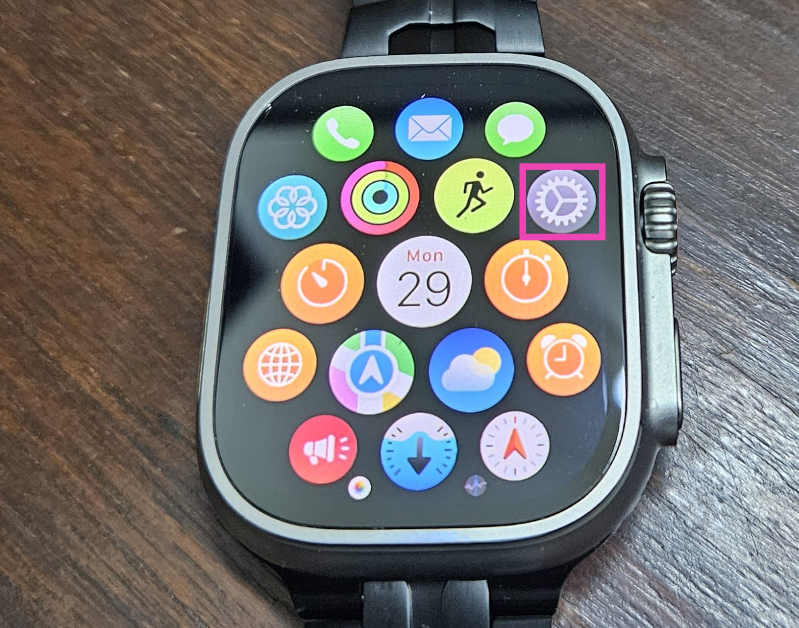 Step 2: Tap on Passcode.
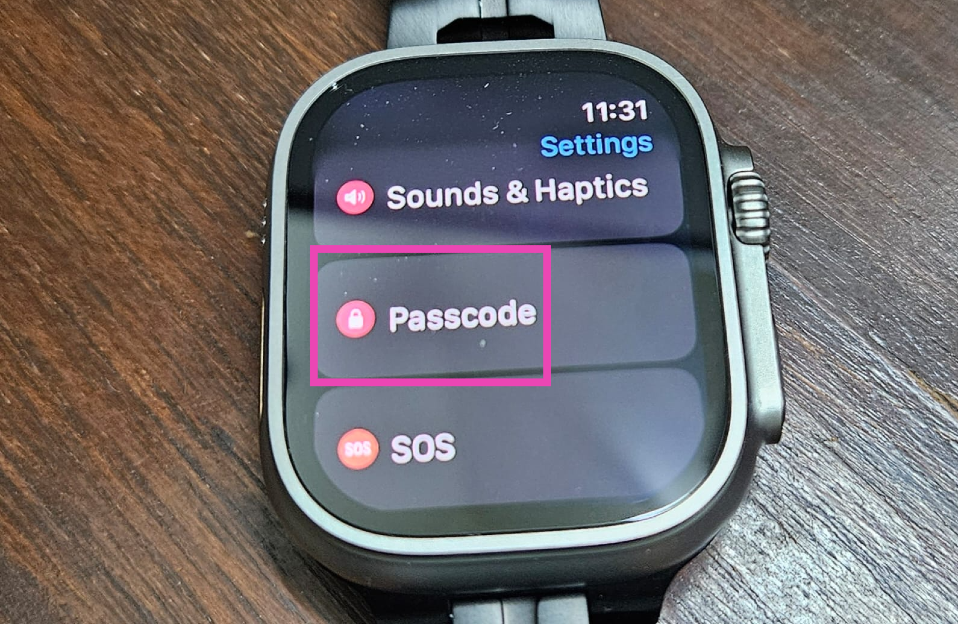 Step 3: Turn off the toggle switch next to Wrist Detection.
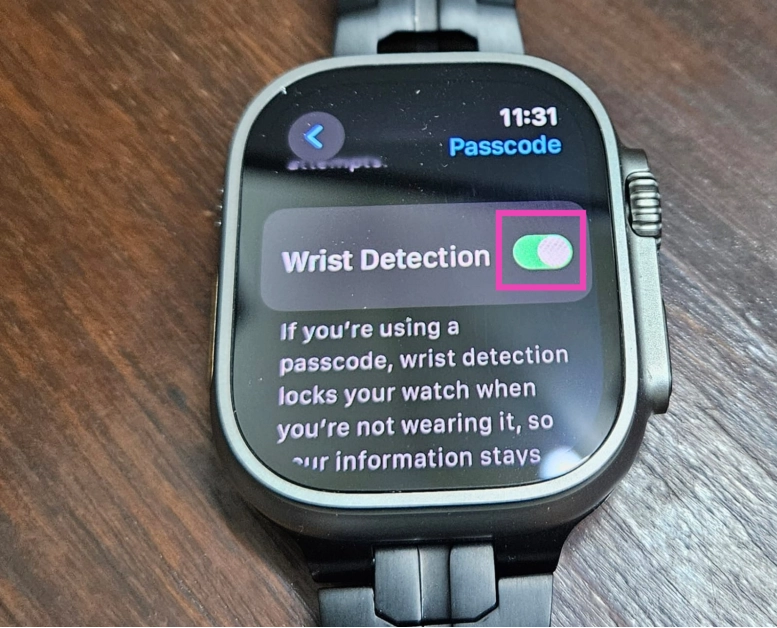 Step 4: Enter your Passcode to confirm your decision.
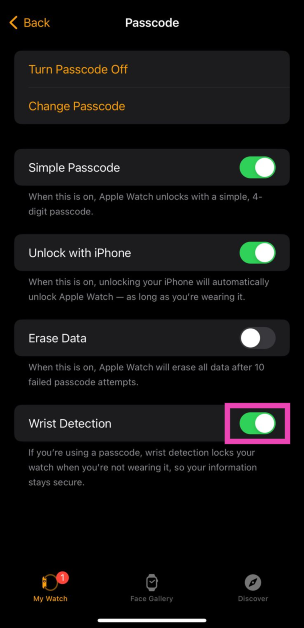
You can also disable Wrist Detection using your iPhone.
Step 1: Launch the Watch app on your iPhone.
Step 2: Switch to the My Watch tab and select Passcode.
Step 4: Enter your Passcode to confirm your decision.
You can also disable Wrist Detection using your iPhone.
Step 1: Launch the Watch app on your iPhone.
Step 2: Switch to the My Watch tab and select Passcode.
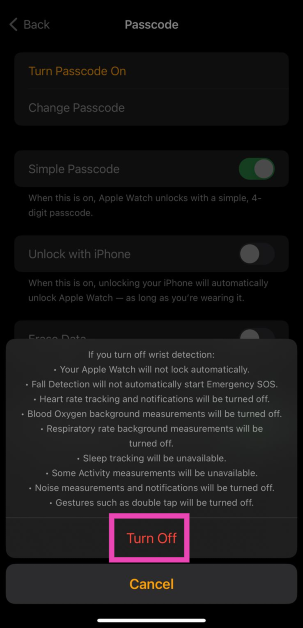
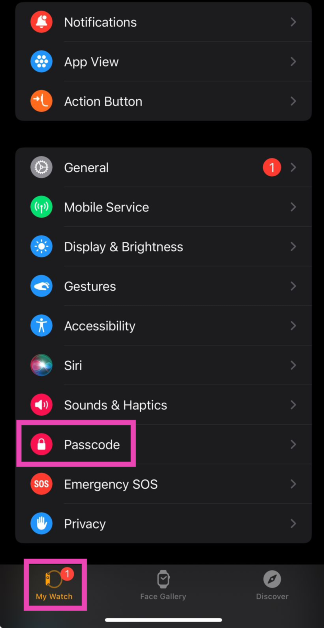 Step 3: Turn off the toggle switch for Wrist Detection.
 Step 4: Confirm your selection in the popup box.
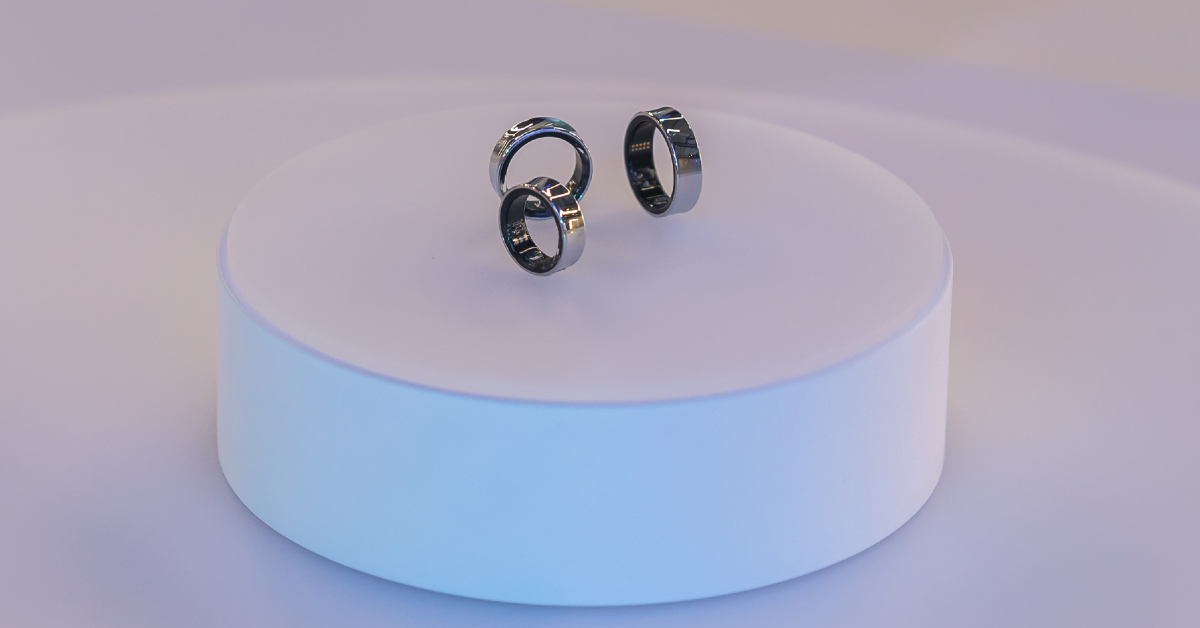 Smart wearables have come a long way. You no longer need to wear a bulky smartwatch around your wrist when a smart ring on your finger can track your workouts and health metrics just as well. The Oura Ring (priced at $300) has been around for a few years and is available in multiple sizes. The recently introduced Samsung Galaxy Ring (priced at $399) is also a great option. Of course, this option only works if your fingers aren’t covered in tattoos as well.
 If smart rings are not an option for you, then a running heart rate monitor is the next best thing you can get to track your exercise routines. These monitors strap around your chest and use electrodes to track your heart activity instead of optical sensors. Chest straps are more accurate than smartwatches when it comes to measuring your heart rate, but their obvious downside is that they can’t be used to track health metrics around the clock. If you’re interested in buying one, we recommend the Garmin HRM Pro Plus, currently priced at $130.
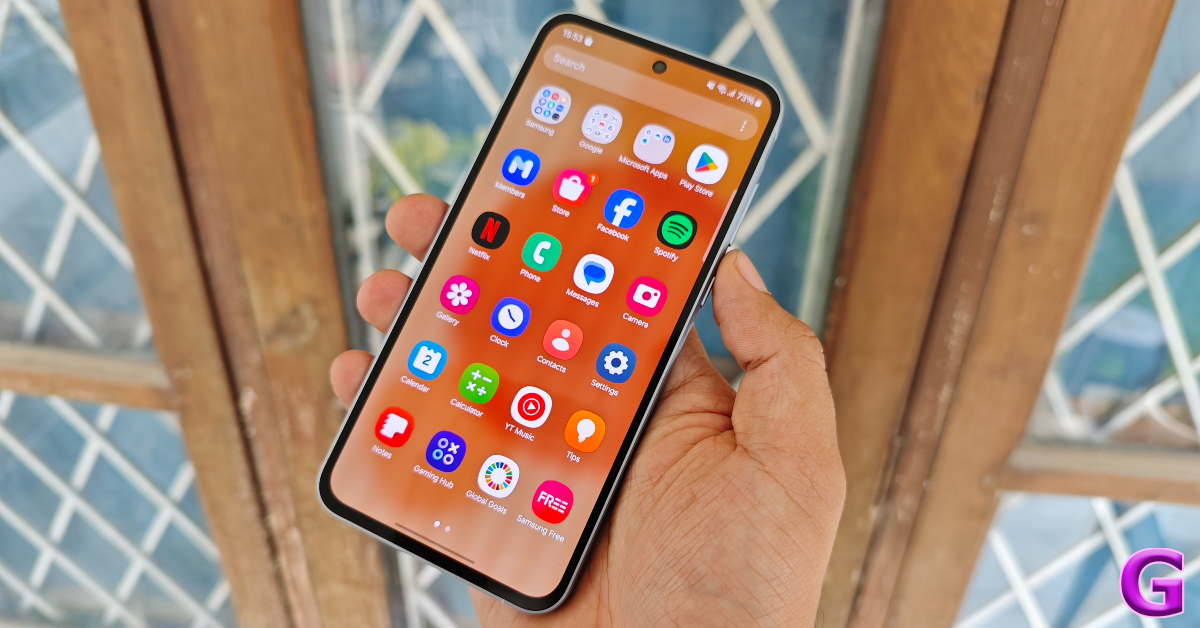 Features like blood oxygen and heart rate measurement may be exclusive to smartwatches, but if you’re only interested in tracking your steps and distance, your smartphone is well-equipped to handle that. The Google Fit app acts as an accurate pedometer and also lets you know the distance you’ve covered on your run. You can even track your run on the map. On top of that, it can even analyse your sleeping pattern if you go to bed with your smartphone next to you. Read this article to learn how to track your steps on an Android phone. This article explains the same process for iPhones.
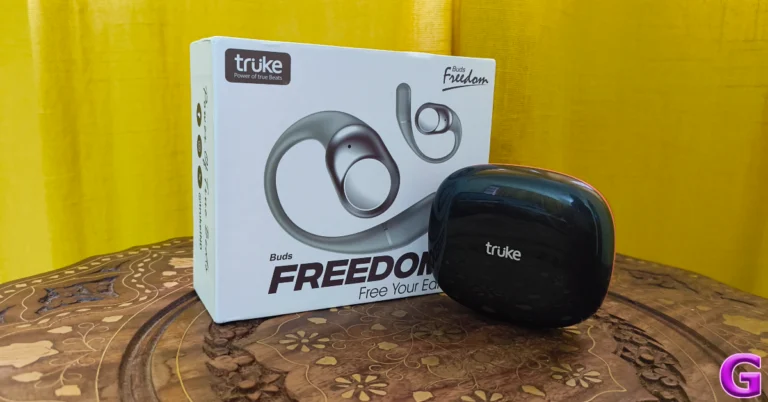
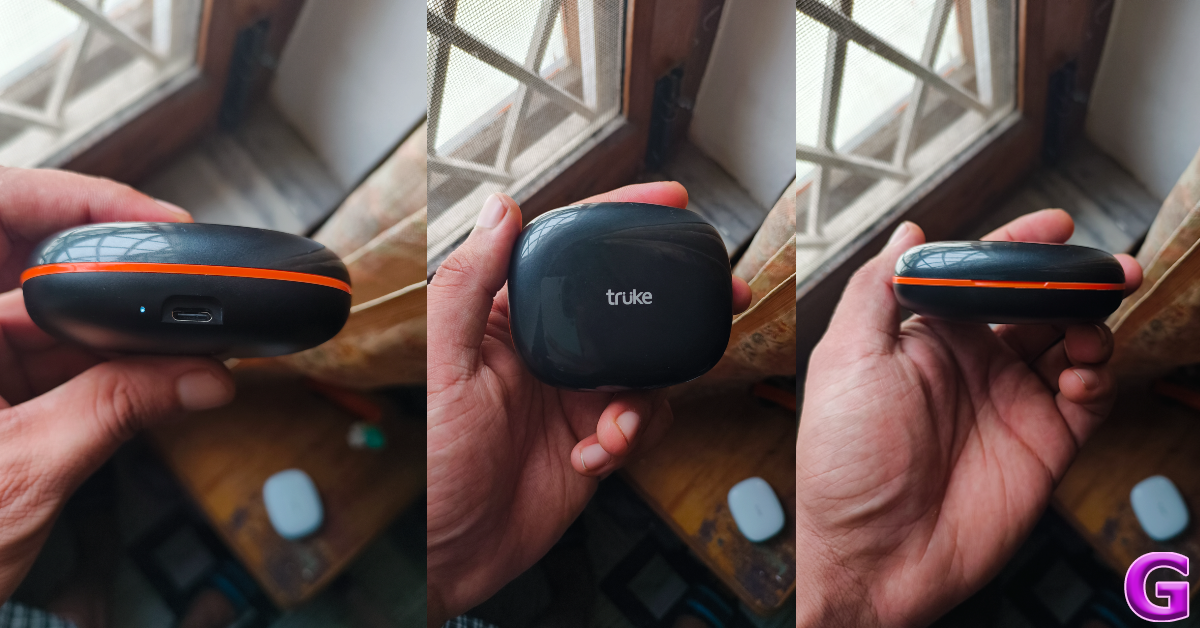
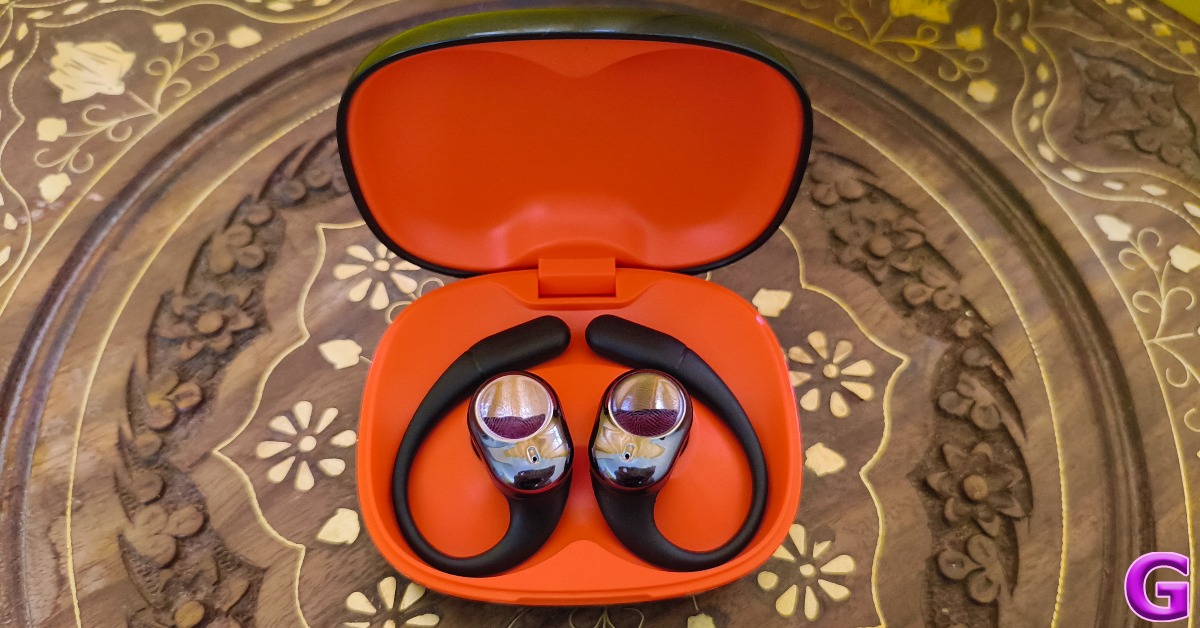
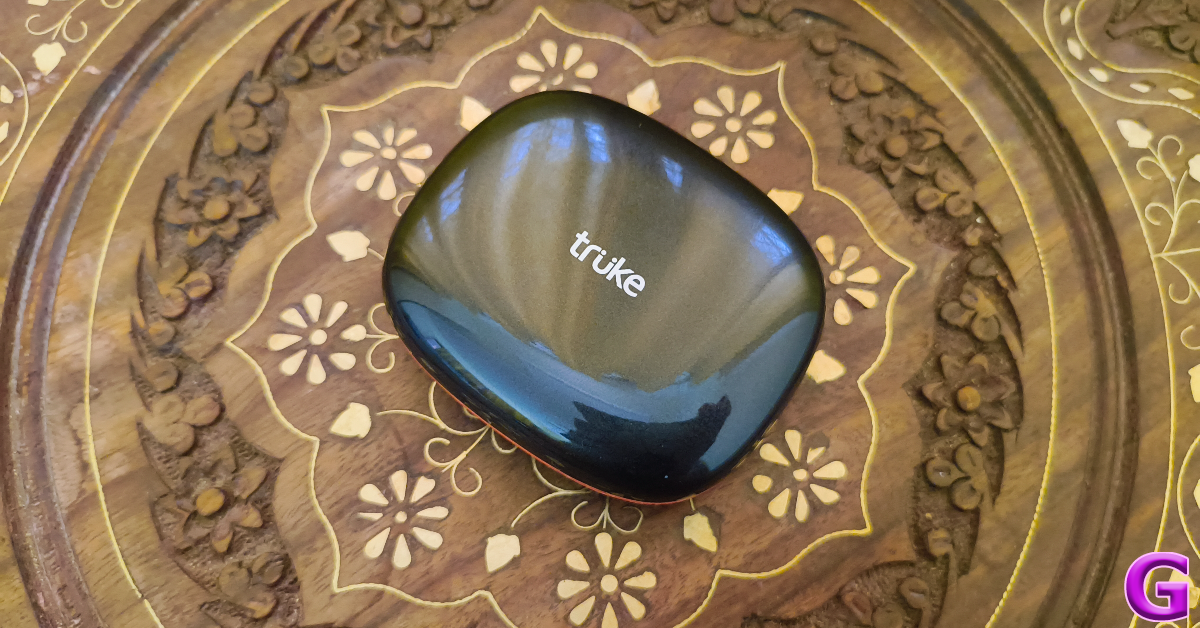 Buds Freedom’s charging case is not compact by any means. While it can tuck inside deep pockets with ease, it doesn’t leave room for much else. The upside to having a large case is that it can pack a bigger battery (more on that later). There are two colour variants on offer – Black and Green. The black variant has an orange inlay, which peeks through the exterior in the form of a sleek line separating the lid from the rest of the body.
 The plastic charging case has a glossy finish and is a bit of a fingerprint magnet. When placed in pockets with keys or loose change, it is prone to scuffs and scratches. However, it can take a good knock without getting damaged. The hinge feels strong and is unlikely to loosen over time.
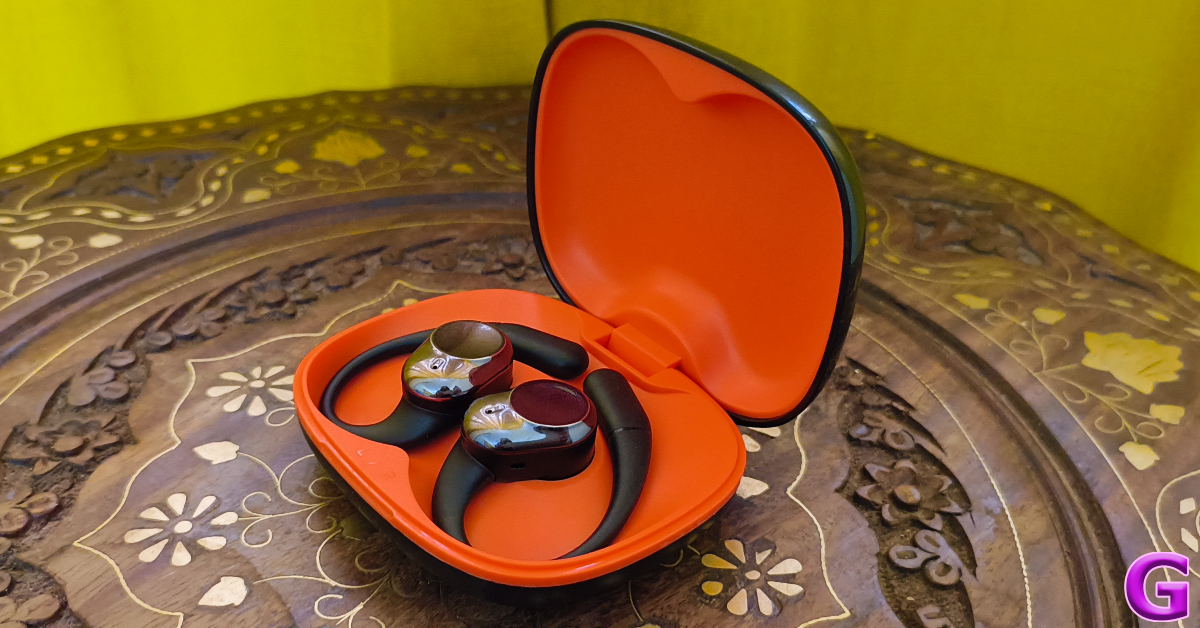
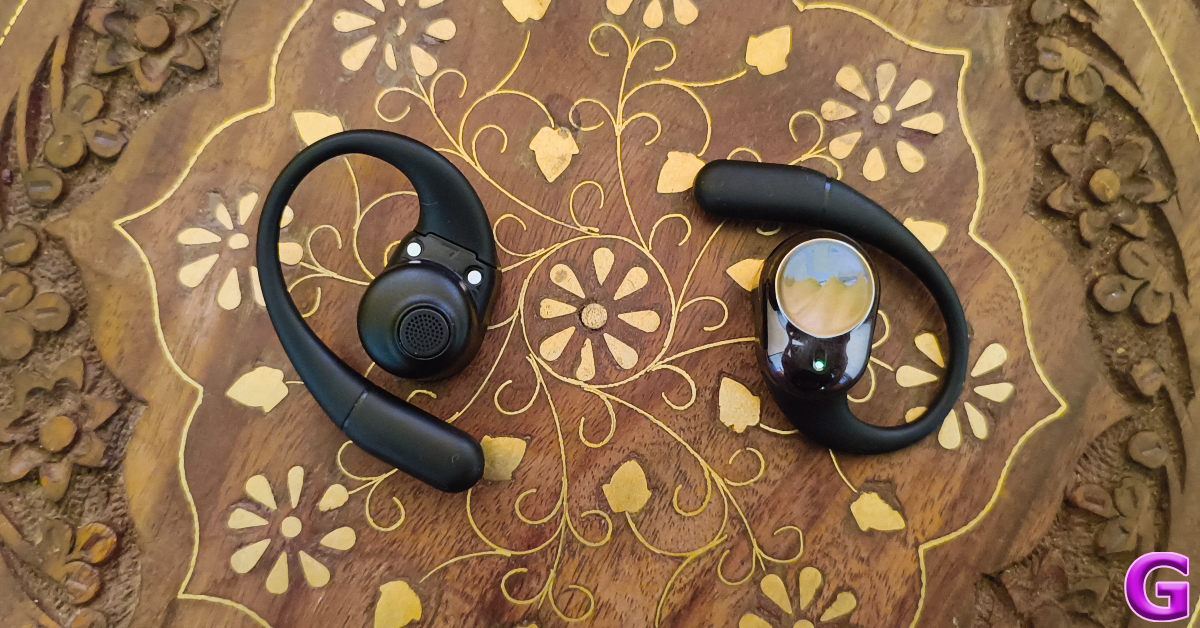
 The wireless earbuds are crafted in a way that they hover over the ear rather than push inside it. There is a small grille on the earbuds that covers the dynamic driver and passes the audio output. There are no ear tips on this TWS as it is supposed to rest gently over the ears. The thick, circular shape of the earbuds is more suited for larger ears. The fish hook goes around the ear and fits nicely, even if you’re wearing glasses.
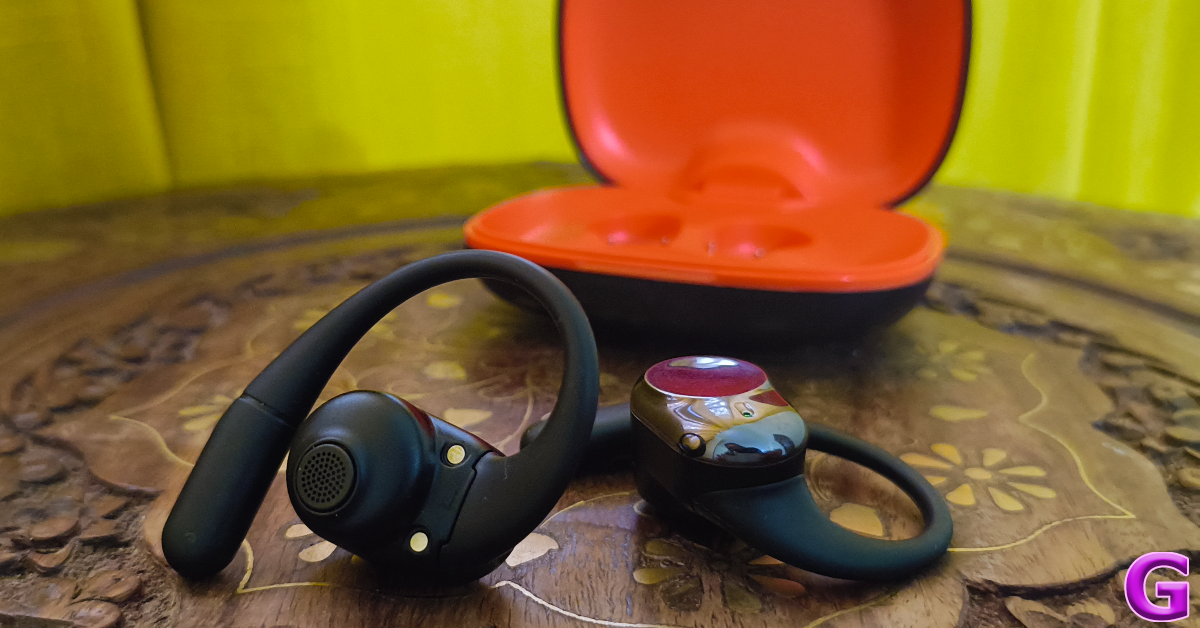 We would have preferred if the earbuds were designed keeping the shape of the ear canal in mind. While the purpose of this device is to rest on the ears, the overall fit feels a bit loose and unreliable. We went on a jog while wearing the Buds Freedom and constantly felt the need to adjust the hooks and the buds. On the bright side, these earbuds let the surrounding noises pass through entirely which means you’re always aware of the environment around you. If you’re averse to in-ear TWS due to hygienic reasons, you will certainly like the Buds Freedom.
The Truke Buds Freedom OWS is rated IPX5 for dust and water resistance. We used the earbuds while working out and they did not present any issues even when things got sweaty.
We would have preferred if the earbuds were designed keeping the shape of the ear canal in mind. While the purpose of this device is to rest on the ears, the overall fit feels a bit loose and unreliable. We went on a jog while wearing the Buds Freedom and constantly felt the need to adjust the hooks and the buds. On the bright side, these earbuds let the surrounding noises pass through entirely which means you’re always aware of the environment around you. If you’re averse to in-ear TWS due to hygienic reasons, you will certainly like the Buds Freedom.
The Truke Buds Freedom OWS is rated IPX5 for dust and water resistance. We used the earbuds while working out and they did not present any issues even when things got sweaty.
 If you’re tired of bass-heavy earbuds dominating the budget TWS segment, the Truke Buds Freedom will offer a nice respite. Its soundstage is closer to neutral rather than being heavy on the low end. The only downside is that the output sounds a bit muffled, but that may have something to do with the loose fit of the earbuds. As you turn up the volume, the output gets shriller.
In the 40-70% sweet spot, the Truke Buds Freedom offer a decent listening experience. We played a bunch of genres on this device, including heavy metal, grunge, funk, and trip-hop. The TWS remained consistent and delivered a solid audio output devoid of any distortion. One thing we really like about these earbuds is that they do not leak audio to the surroundings despite their open-ear design.
The larger size of the earbuds allows for seamless touch controls. A simple tap on either earbud pauses the media playback. The playback resumes with another tap. A double tap on the left earbud plays the previous song while the same gesture on the right earbud plays the next song in the queue. There is also a low-latency gaming mode on offer, which can be triggered by tapping the left earbud thrice. Three taps on the right earbud trigger the voice assistant.
If you’re tired of bass-heavy earbuds dominating the budget TWS segment, the Truke Buds Freedom will offer a nice respite. Its soundstage is closer to neutral rather than being heavy on the low end. The only downside is that the output sounds a bit muffled, but that may have something to do with the loose fit of the earbuds. As you turn up the volume, the output gets shriller.
In the 40-70% sweet spot, the Truke Buds Freedom offer a decent listening experience. We played a bunch of genres on this device, including heavy metal, grunge, funk, and trip-hop. The TWS remained consistent and delivered a solid audio output devoid of any distortion. One thing we really like about these earbuds is that they do not leak audio to the surroundings despite their open-ear design.
The larger size of the earbuds allows for seamless touch controls. A simple tap on either earbud pauses the media playback. The playback resumes with another tap. A double tap on the left earbud plays the previous song while the same gesture on the right earbud plays the next song in the queue. There is also a low-latency gaming mode on offer, which can be triggered by tapping the left earbud thrice. Three taps on the right earbud trigger the voice assistant.
 While the touch controls on the earbuds are very smooth, there is no way to customise them. Truke does not have a companion app for its TWS products yet, and it is about time it got one. Not only will it allow users to remap the controls, but also let them customise the equaliser according to their tastes.
Moving on, the calling experience offered by Buds Freedom is quite impressive. In an indoor setting, the TWS did a good job of extracting the voice of the caller from the surrounding noise and relaying it perfectly to the listener. The call quality takes a slight drop in outdoor conditions, but not to the point where you would want to disconnect the earbuds entirely.
The charging packs a 500mAh battery pack while either earbud is equipped with a 50mAh unit. On a full charge, the earbuds can offer a playtime of up to 10 hours, depending on the usage. The charging case adds up to 50 more hours of playtime. During the week-long review period, we used the Truke Buds Freedom OWS for 5-6 hours a day. We ended the week with a 20% charge still left on the case. It takes up to 2 hours to fully charge the case.
Read Also: Top 5 ways to fix the 0xc00000e error code on Windows 10 (2024)
While the touch controls on the earbuds are very smooth, there is no way to customise them. Truke does not have a companion app for its TWS products yet, and it is about time it got one. Not only will it allow users to remap the controls, but also let them customise the equaliser according to their tastes.
Moving on, the calling experience offered by Buds Freedom is quite impressive. In an indoor setting, the TWS did a good job of extracting the voice of the caller from the surrounding noise and relaying it perfectly to the listener. The call quality takes a slight drop in outdoor conditions, but not to the point where you would want to disconnect the earbuds entirely.
The charging packs a 500mAh battery pack while either earbud is equipped with a 50mAh unit. On a full charge, the earbuds can offer a playtime of up to 10 hours, depending on the usage. The charging case adds up to 50 more hours of playtime. During the week-long review period, we used the Truke Buds Freedom OWS for 5-6 hours a day. We ended the week with a 20% charge still left on the case. It takes up to 2 hours to fully charge the case.
Read Also: Top 5 ways to fix the 0xc00000e error code on Windows 10 (2024)
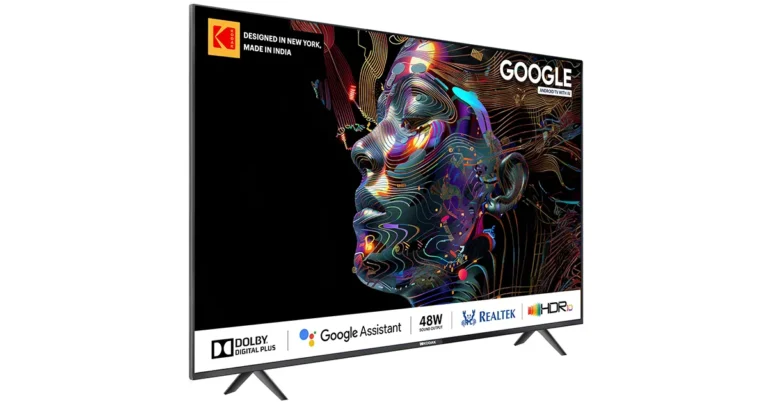
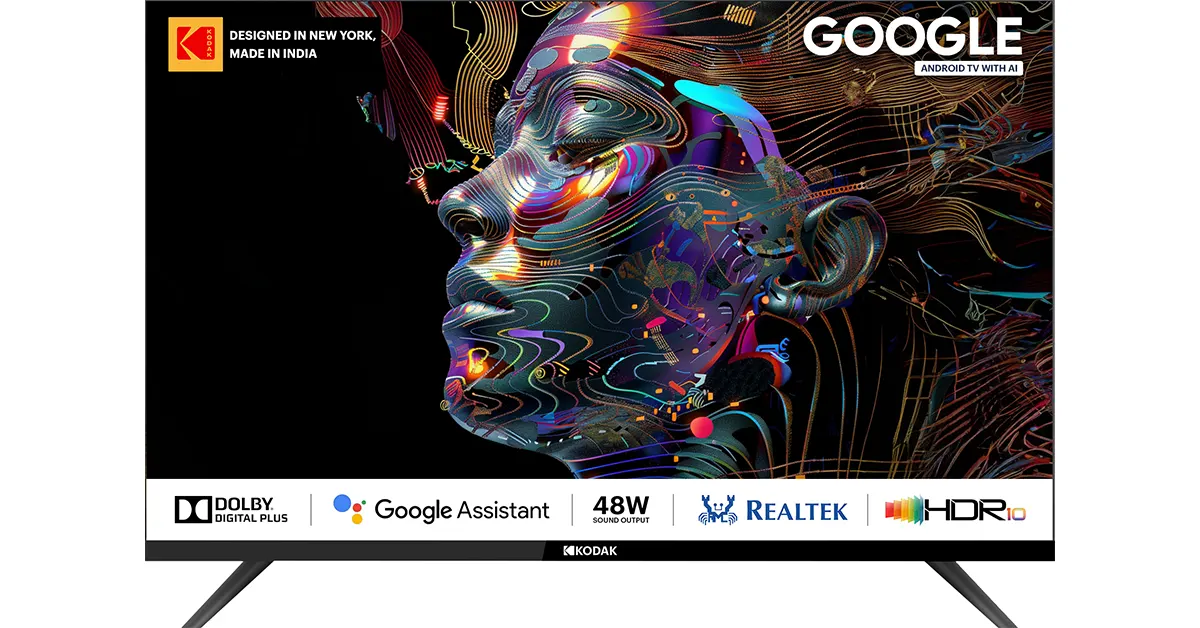 For those seeking a larger screen, the Kodak 43-inch QLED TV is now available on Flipkart for Rs 21,999. This model boasts enhanced sound quality with DTS TruSurround, a QLED 4K display showcasing 1.1 billion colours, and support for Dolby Atmos, Dolby Vision, and HDR 10+. This TV is part of Kodak’s collaboration with Google TV, which includes additional sizes of 50, 55, and 65 inches, starting at Rs 21,999.
Read Also: SPPL reveals deals and offers on Kodak TVs, ahead of Amazon Great Summer Sale and Flipkart Big Saving Days Sale
Kodak’s new offerings come equipped with multiple user profiles, smart home device controls, and personalized home screens tailored to individual users. The flagship 43-inch 4K QLED TV also features 2GB RAM, 16GB internal storage, and a bezel-less design with an Airslim profile, providing a sleek and modern look.
For those seeking a larger screen, the Kodak 43-inch QLED TV is now available on Flipkart for Rs 21,999. This model boasts enhanced sound quality with DTS TruSurround, a QLED 4K display showcasing 1.1 billion colours, and support for Dolby Atmos, Dolby Vision, and HDR 10+. This TV is part of Kodak’s collaboration with Google TV, which includes additional sizes of 50, 55, and 65 inches, starting at Rs 21,999.
Read Also: SPPL reveals deals and offers on Kodak TVs, ahead of Amazon Great Summer Sale and Flipkart Big Saving Days Sale
Kodak’s new offerings come equipped with multiple user profiles, smart home device controls, and personalized home screens tailored to individual users. The flagship 43-inch 4K QLED TV also features 2GB RAM, 16GB internal storage, and a bezel-less design with an Airslim profile, providing a sleek and modern look.
Avneet Singh Marwah, CEO of Super Plastronics Pvt Ltd, stated, “The upcoming major revolution is AI, and as a result, we’ve endeavoured to develop a product tailored for Indian consumers. Our goal is to provide cutting-edge AI technology that customers can experience even in compact spaces. We look forward to delighting customers with an immersive viewing experience that blends innovation and elegance seamlessly.”
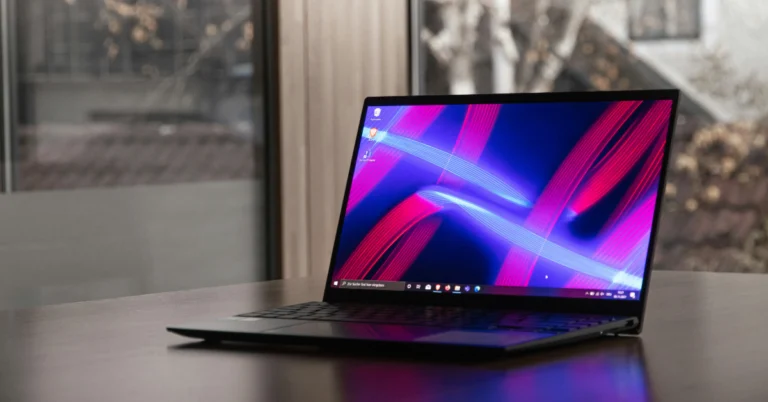
 The first thing you should do when you encounter the ‘0xc00000e’ error on your Windows 10 PC is check whether there are any external hard drives connected to your PC. At the time of startup, the BIOS may confuse the external storage as your PC’s primary hard drive and use it to boot the device. Since the external hard drive does not contain the Windows operating system, your PC will throw the 0xc00000 error.
 Step 1: Go to the boot menu by restarting your PC and pressing F2 when the OEM’s logo appears on the screen.
Step 2: Select Boot from USB.
Step 3: Connect your USB drive containing Windows 10 OS and restart your PC.
Step 4: Press any key to boot from the USB you just connected.
Step 5: Enter your time zone, language, and keyboard input method.
Step 6: Click on Repair your computer.
Step 7: Go to Troubleshooting>Advanced options>Automatic repair.
Step 1: Go to the boot menu by restarting your PC and pressing F2 when the OEM’s logo appears on the screen.
Step 2: Select Boot from USB.
Step 3: Connect your USB drive containing Windows 10 OS and restart your PC.
Step 4: Press any key to boot from the USB you just connected.
Step 5: Enter your time zone, language, and keyboard input method.
Step 6: Click on Repair your computer.
Step 7: Go to Troubleshooting>Advanced options>Automatic repair.
 Step 1: Boot your PC using an external hard drive or Windows installation CD.
Step 2: Enter your time zone, language, keyboard input method, and hit Next.
Step 3: Click on Repair your computer.
Step 4: Go to Troubleshooting>Advanced options>Command Prompt.
Step 5: Enter the following commands:
Step 1: Boot your PC using an external hard drive or Windows installation CD.
Step 2: Enter your time zone, language, keyboard input method, and hit Next.
Step 3: Click on Repair your computer.
Step 4: Go to Troubleshooting>Advanced options>Command Prompt.
Step 5: Enter the following commands:
bootrec /scanos
bootrec /fixmbr
bootrec /fixboot
bootrec /rebuildbcd
Step 6: Exit and restart your PC. Step 1: Go to Settings and switch to the Update & Security tab.
Step 2: Scroll down and select Recovery.
Step 3: Click on Get Started under Reset this PC.
Step 4: You will be presented with two options. You can choose to keep your personal files and remove apps & settings or remove all of your personal files, apps, and settings. Choose the option you want.
Step 5: Select how you would like to reinstall Windows. You can choose between Cloud download or Local download.
Step 6: After you’ve made your choice, click on next to confirm your selection and then click on reset to begin the factory reset process.
Step 1: Go to Settings and switch to the Update & Security tab.
Step 2: Scroll down and select Recovery.
Step 3: Click on Get Started under Reset this PC.
Step 4: You will be presented with two options. You can choose to keep your personal files and remove apps & settings or remove all of your personal files, apps, and settings. Choose the option you want.
Step 5: Select how you would like to reinstall Windows. You can choose between Cloud download or Local download.
Step 6: After you’ve made your choice, click on next to confirm your selection and then click on reset to begin the factory reset process.
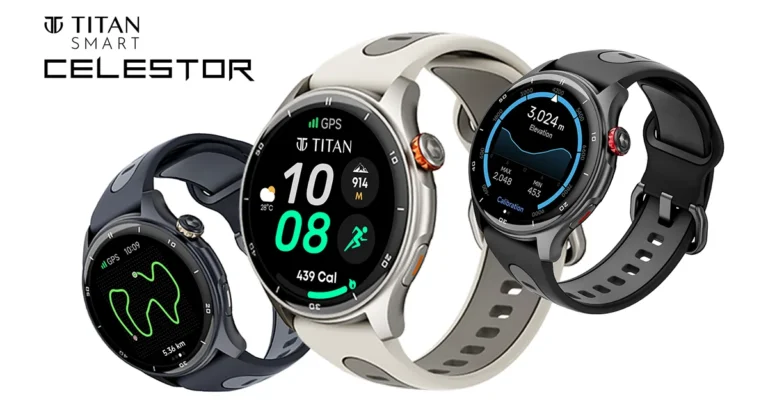
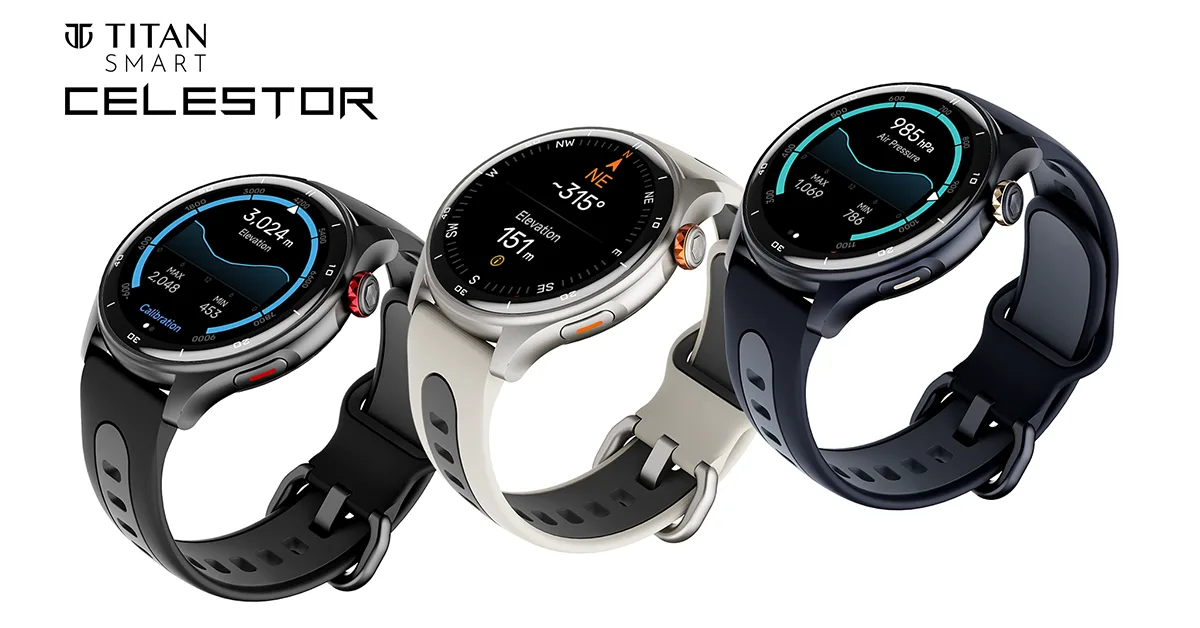 The Celestor introduces Today’s Highlights, an AI-powered dashboard that consolidates daily health data, activity reports, and frequently used apps into one accessible location. This personalized feature provides a holistic view of your day with a single swipe.
Read Also: OnePlus Watch 2 with WearOS 4 and RTOS launched in India
The Celestor introduces Today’s Highlights, an AI-powered dashboard that consolidates daily health data, activity reports, and frequently used apps into one accessible location. This personalized feature provides a holistic view of your day with a single swipe.
Read Also: OnePlus Watch 2 with WearOS 4 and RTOS launched in India
“With the Titan Celestor, we’re committed to providing our customers with intelligent wearable technology that empowers them to lead healthier and more fulfilling lives,” said Ravi Kuppuraj, Chief Operating Officer, Wearables Division, Titan Company Limited. “Titan Celestor’s superior technology and innovative features are designed to transform how users approach fitness and exploration. We understand the growing need for fitness enthusiasts in India to have access to accurate and superior technology that can empower them to achieve their goals. Celestor equips trekkers and travellers with the tools to conquer any terrain, emphasising health and wellness. We are confident that the Celestor will be a game-changer for Indian fitness enthusiasts, offering unparalleled accuracy and innovative features.”Priced at Rs 9,995, the Titan Celestor is available with an additional Rs 1,000 off during the special launch offer. The smartwatch can be purchased at Titan World Stores, top multi-brand retail outlets, and online exclusively on Amazon.

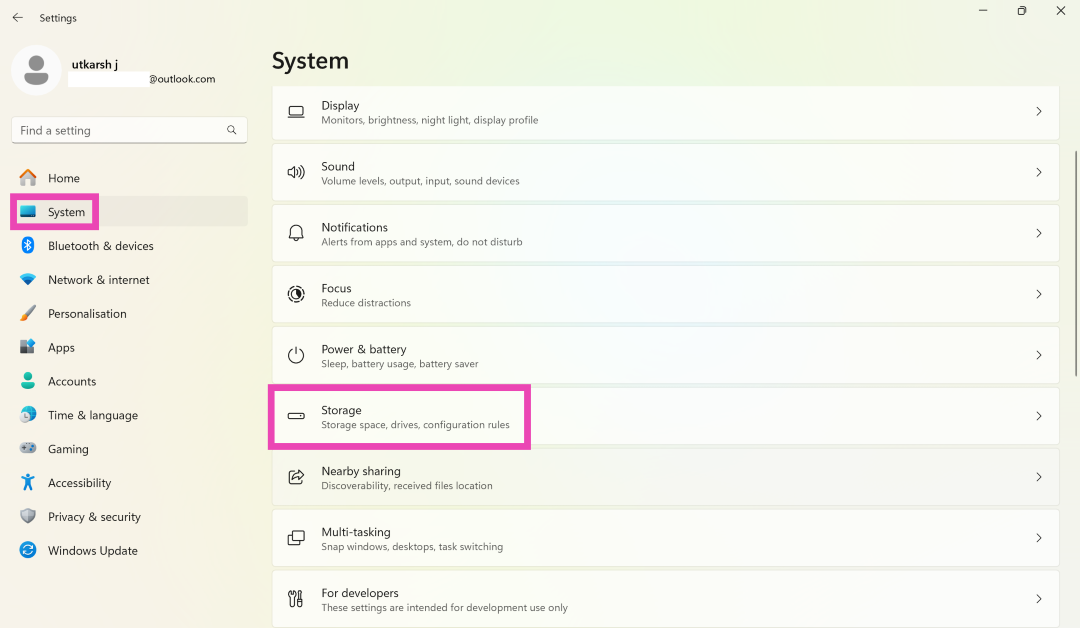 Step 2: Click on Storage and select Advanced storage settings.
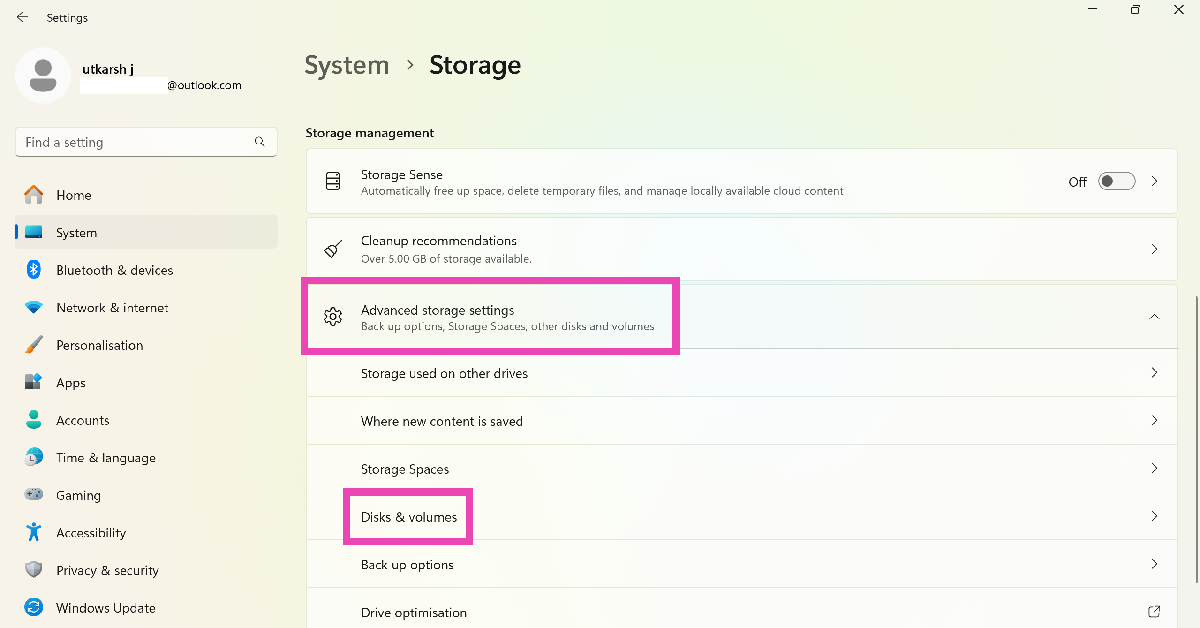 Step 3: Click on Disks and volumes.
Step 4: Click on Properties next to the encrypted drive.
Step 3: Click on Disks and volumes.
Step 4: Click on Properties next to the encrypted drive.
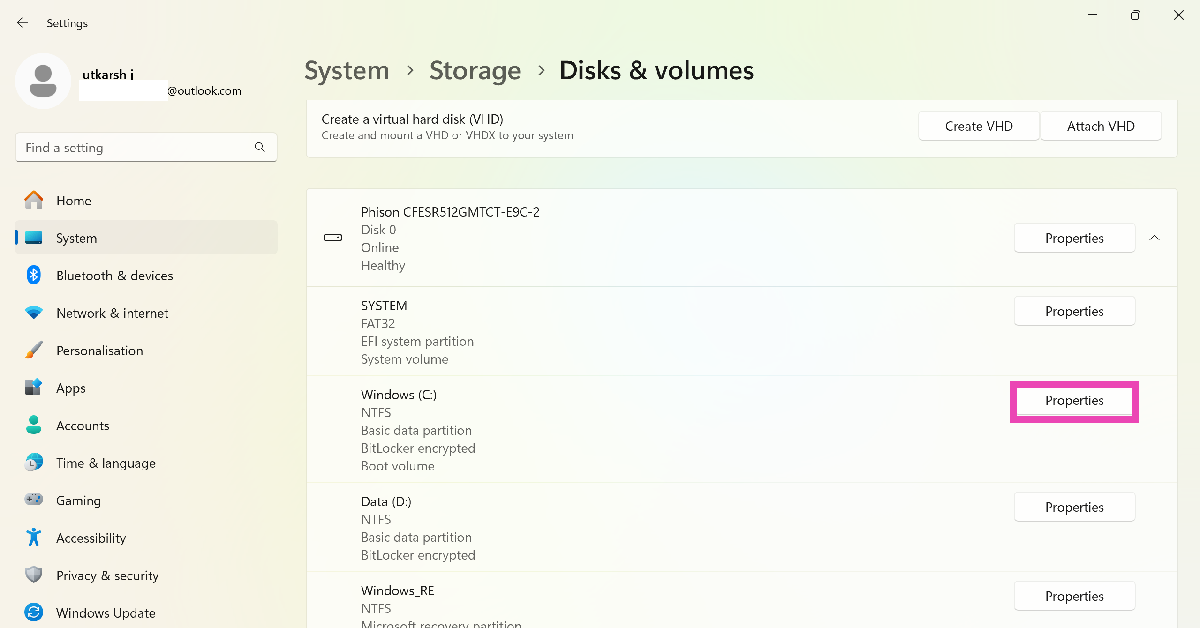 Step 5: Scroll down and select Turn off BitLocker. This option is only available for administrator profiles.
 Step 1: Go to Control Panel and select System and Security.
Step 2: Click on BitLocker Drive Encryption.
Step 3: Select Turn off BitLocker next to your preferred drive.
Step 4: Confirm your selection in the popup box.
Step 1: Press the Windows key + R combination, enter cmd in the Run box, and hit Enter. This will launch Command Prompt.
Step 2: Enter the following command to check the encryption status:
Step 1: Go to Control Panel and select System and Security.
Step 2: Click on BitLocker Drive Encryption.
Step 3: Select Turn off BitLocker next to your preferred drive.
Step 4: Confirm your selection in the popup box.
Step 1: Press the Windows key + R combination, enter cmd in the Run box, and hit Enter. This will launch Command Prompt.
Step 2: Enter the following command to check the encryption status:
manage-bde -status
Step 3: To decrypt a drive type the following command:manage-bde -off [drive name]
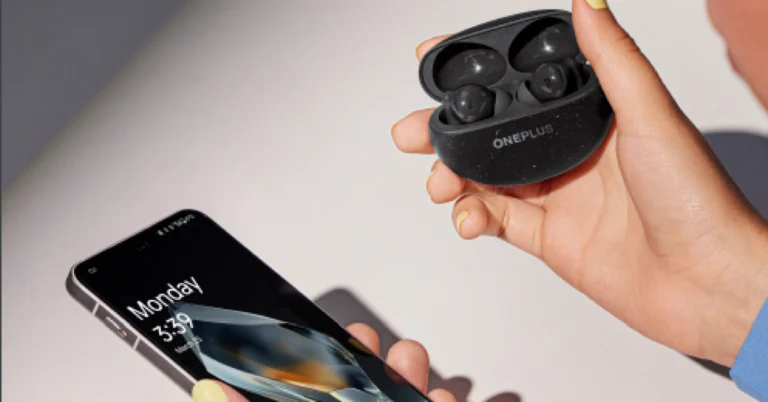
 The OnePlus Nord Bud 3 Pro has a 12.4 mm titanized diaphragm with BassWave 2.0. The TWS provides up to 49 decibels of Hybrid Active Noise Cancellation. It can cancel out ambient noise captured from both outside and within the ear cup, thanks to one digital mic and two analogue mics.
Also Read: OnePlus Nord 4, the first all-metal unibody phone launched in India
According to the makers, the Buds 3 Pro’s Smart Noise Cancellation automatically adjusts the level and type of noise reduction based on background noise. The OnePlus Nord Buds 3 Pro uses the flagship triple stereo microphone system on each side of the earphones to detect and analyse environmental sounds in real time. Smart Noise Cancellation automatically selects the appropriate setting for your environment, whether it’s a quiet study area, a busy downtown street or the tube. These earphones offer three degrees of ANC: Mild (15 dB), Moderate (25 dB), and Max (49 dB), which precisely balance ANC effectiveness and convenience.
The OnePlus Nord Bud 3 Pro has a 12.4 mm titanized diaphragm with BassWave 2.0. The TWS provides up to 49 decibels of Hybrid Active Noise Cancellation. It can cancel out ambient noise captured from both outside and within the ear cup, thanks to one digital mic and two analogue mics.
Also Read: OnePlus Nord 4, the first all-metal unibody phone launched in India
According to the makers, the Buds 3 Pro’s Smart Noise Cancellation automatically adjusts the level and type of noise reduction based on background noise. The OnePlus Nord Buds 3 Pro uses the flagship triple stereo microphone system on each side of the earphones to detect and analyse environmental sounds in real time. Smart Noise Cancellation automatically selects the appropriate setting for your environment, whether it’s a quiet study area, a busy downtown street or the tube. These earphones offer three degrees of ANC: Mild (15 dB), Moderate (25 dB), and Max (49 dB), which precisely balance ANC effectiveness and convenience.
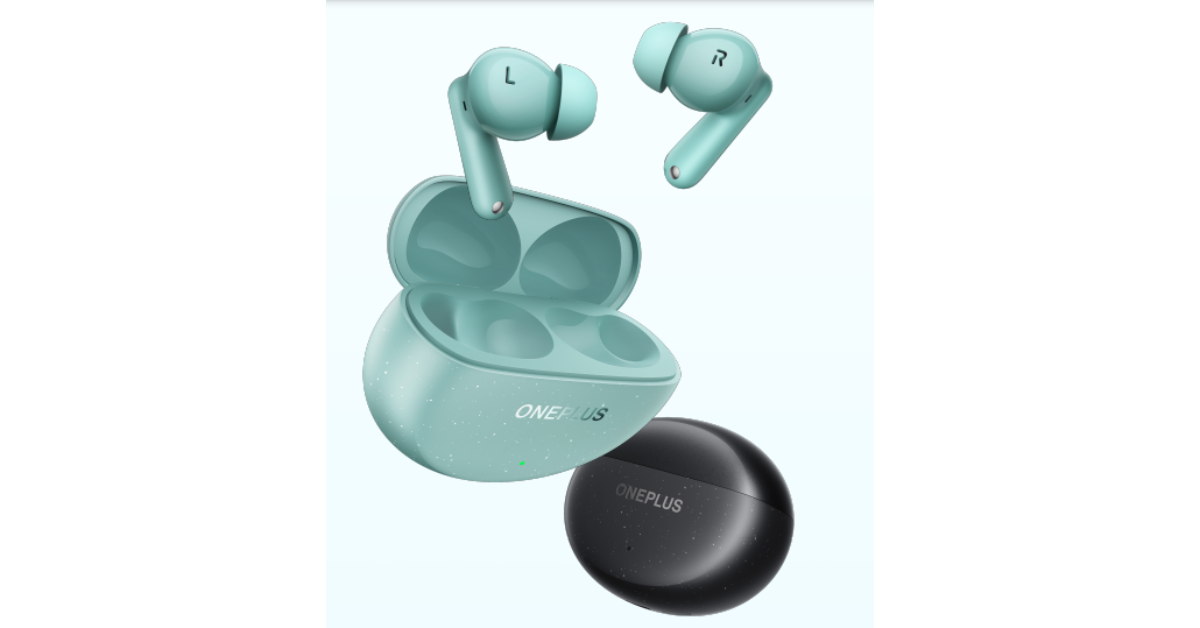 Furthermore, the triple stereo microphone system, along with the OnePlus noise reduction algorithm for calls and the wind cancellation algorithm, Crystal Clear Call technology goes above and beyond to reliably capture vocals in even the most windy settings. The Transparency Mode allows you to hear outside sounds and be completely aware of your surroundings.
The audio gadget also includes an innovative Master EQ; the customisable Sound Master Equaliser provides fine control over the EQ for a completely personalised sound. The corporation has also increased the total bass level by two decibels. It includes three preset modes: balanced, serenade, and bass. The Bud 3 Pro is equipped with Dual Connection, Google Fast Pair, and Bluetooth 5.4 for connectivity. The dual connection allows customers to switch between their smartphone, tablet, and laptop.
Furthermore, the triple stereo microphone system, along with the OnePlus noise reduction algorithm for calls and the wind cancellation algorithm, Crystal Clear Call technology goes above and beyond to reliably capture vocals in even the most windy settings. The Transparency Mode allows you to hear outside sounds and be completely aware of your surroundings.
The audio gadget also includes an innovative Master EQ; the customisable Sound Master Equaliser provides fine control over the EQ for a completely personalised sound. The corporation has also increased the total bass level by two decibels. It includes three preset modes: balanced, serenade, and bass. The Bud 3 Pro is equipped with Dual Connection, Google Fast Pair, and Bluetooth 5.4 for connectivity. The dual connection allows customers to switch between their smartphone, tablet, and laptop.
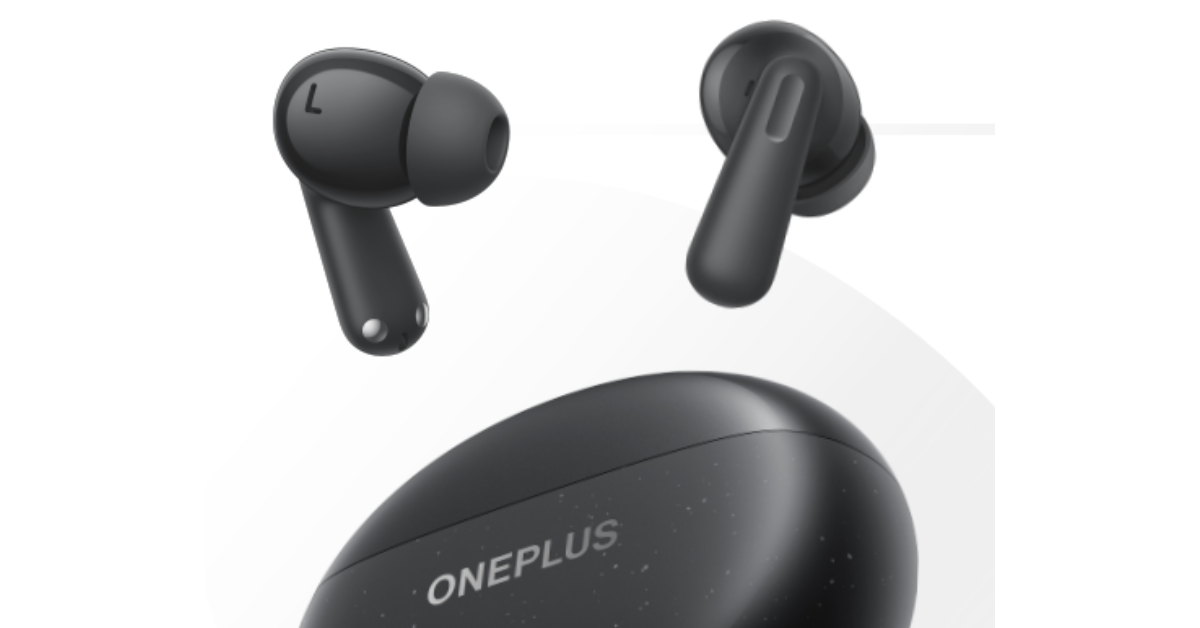 Each earbud has a 58 mAh battery, while the charging case holds a 440 mAh battery. The earbuds are said to provide up to 44 hours of music playback. The OnePlus Nord Buds 3 Pro provides 12 hours of continuous music playback on a single charge, with ANC turned off. Only ten minutes of quick charging can provide 11 hours of playing.
OnePlus Nord Bud 3 Pro will be available for Rs 3,299. The open sale will start on July 20.
Each earbud has a 58 mAh battery, while the charging case holds a 440 mAh battery. The earbuds are said to provide up to 44 hours of music playback. The OnePlus Nord Buds 3 Pro provides 12 hours of continuous music playback on a single charge, with ANC turned off. Only ten minutes of quick charging can provide 11 hours of playing.
OnePlus Nord Bud 3 Pro will be available for Rs 3,299. The open sale will start on July 20.