Clearing the app cache on your smartphone is a straightforward task. However, things can get a little tricky if you’re performing the task on your Smart TV for the first time. If you don’t know where to find this option on your TV, you’ve landed on the right page. So, let’s take a look at the top 2 ways to clear the app cache on your Smart TV.
The ‘cache’ is a temporary storage space allocated to every app on your device. It is used to store the most used data by the app for easier access. Things like app layout and thumbnails make their way into the cache so the app doesn’t have to download them every time you launch it. This cuts down the load time and makes the app work faster.
However, when the cache is left unchecked for a long time, the data stored within it may get corrupted. This can lead to unexpected glitches and malfunctions. When you face such issues, you should clear the cache to restore the app to its functional state. Over a period of time, the size of the cache can grow to a considerable size. This can cause your device (in this case, your Smart TV) to slow down. At this point, most of the cached data is outdated and not utilised by the app. This is why you should clear it and free up the disk space.
Clear App Cache on your Samsung Smart TV
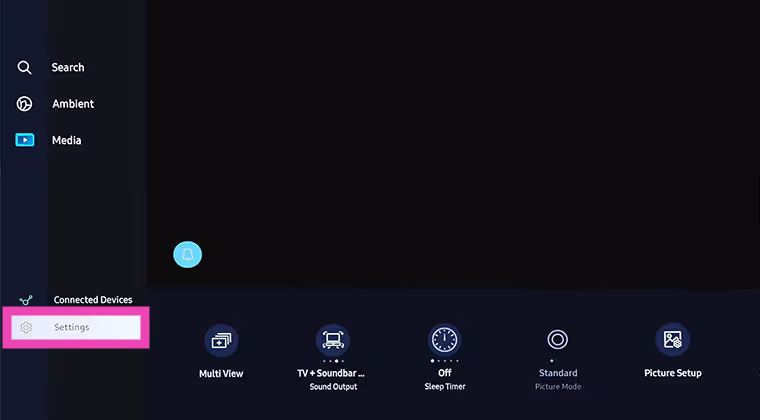
Step 1: Press the home button on the remote control and go to Settings.
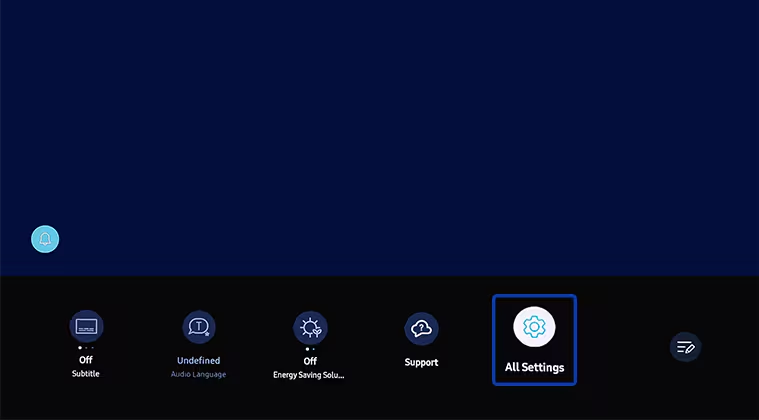
Step 2: Go to All Settings.
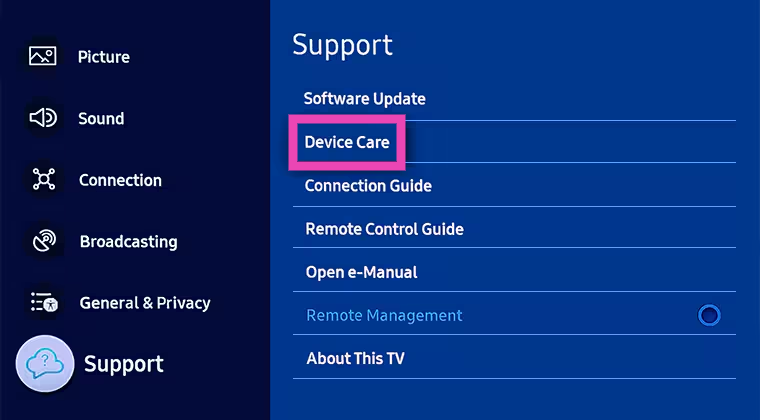
Step 3: Go to Support and select Device Care.
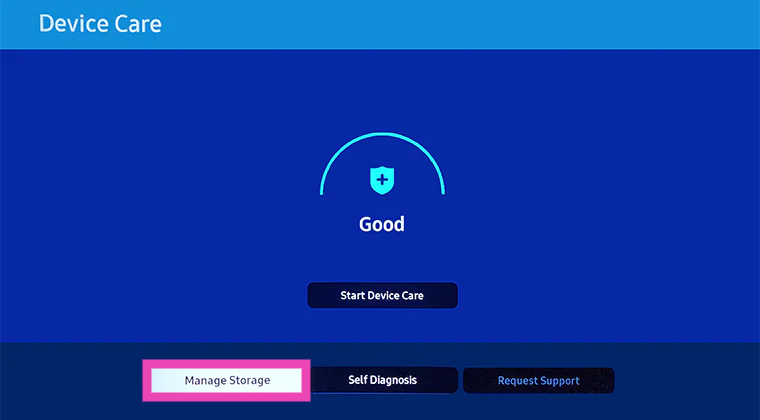
Step 4: Click on Manage Storage.
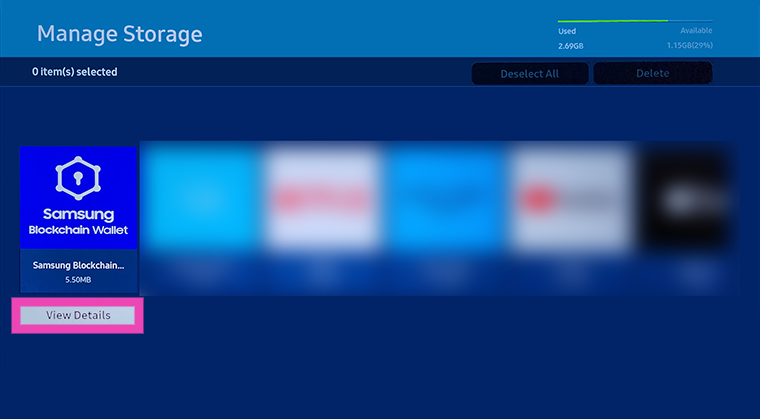
Step 5: Choose an app and select View Details.
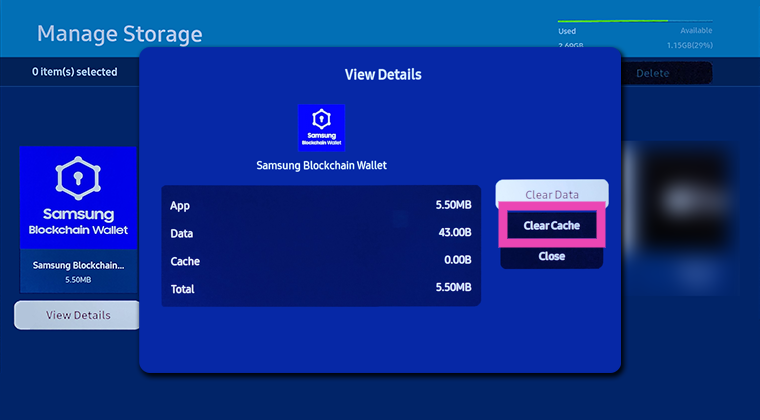
Step 6: Select Clear Cache.
Clear App Cache on your Sony Smart TV
Step 1: Press the Quick Settings button on the remote control and select Settings. If the remote control does not have a dedicated settings button, select Settings from your TV’s home page.
Step 2: Go to Apps and select See All Apps.
Step 3: Select an app.
Step 4: Select Clear Cache and then confirm your decision by pressing OK.
Frequently Asked Questions (FAQs)
What does clearing the cache do?
Clearing an app’s cache deletes the temporary data stored by it. This data does not include your log in details. The cache stores information like page layout, thumbnails, etc.
When should I clear my Smart TV’s app cache?
You should clear an app’s cache on your Smart TV when it starts glitching or malfunctioning. You can also clear the cache to increase the storage space and boost your device’s performance.
How do I clear an app’s cache on my Smart TV?
Go to Settings>Apps, select the app, click on details, and select ‘Clear Cache’.
These are the 2 quick ways to clear the app cache on your Samsung or Sony Smart TV. Clearing the cache does not delete your login information. However, if you clear ‘app data’, you will lose your downloads, login information, and all other kinds of data stored by the app.
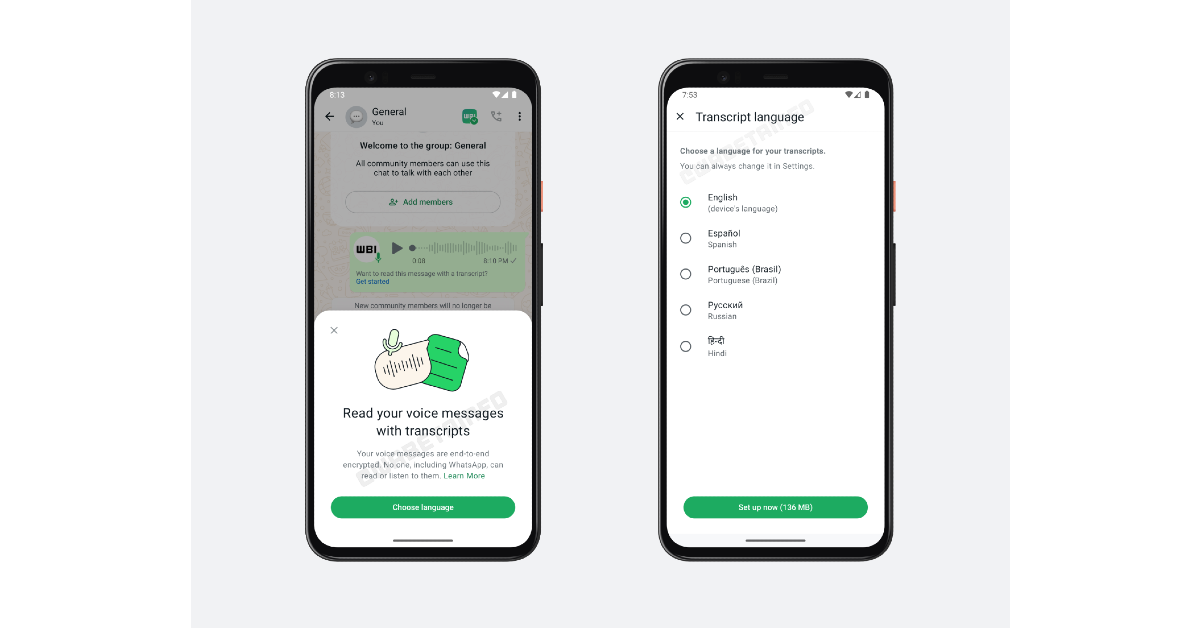
After integrating Meta AI into the platform, WhatsApp is planning to introduce live translation and voice note transcription services. These features will not use Meta AI. Instead, all translation and transcription will be carried out on the device itself. This will require downloading the necessary language packs. A recent report from WABetaInfo reveals that these features have been added to the beta version 2.24.15.8.
To use WhatsApp’s translation and transcription features, users will need to download the relevant language packs. Currently, the voice note transcription feature is available in five languages – English, Hindi, Spanish, Russian, and Portuguese (Brazil). The computation happens on the device and not on external servers. The voice notes remain end-to-end encrypted.
Source: WABetaInfo
This feature will benefit people with hearing impairments. It will also come in handy in public spaces where playing loud sounds on your phone is not an option. The transcriptions will also allow users to search for a voice note by typing its contents in the search bar. Users no longer need to listen to every voice note to find the one they’re looking for.
Source: WABetaInfo
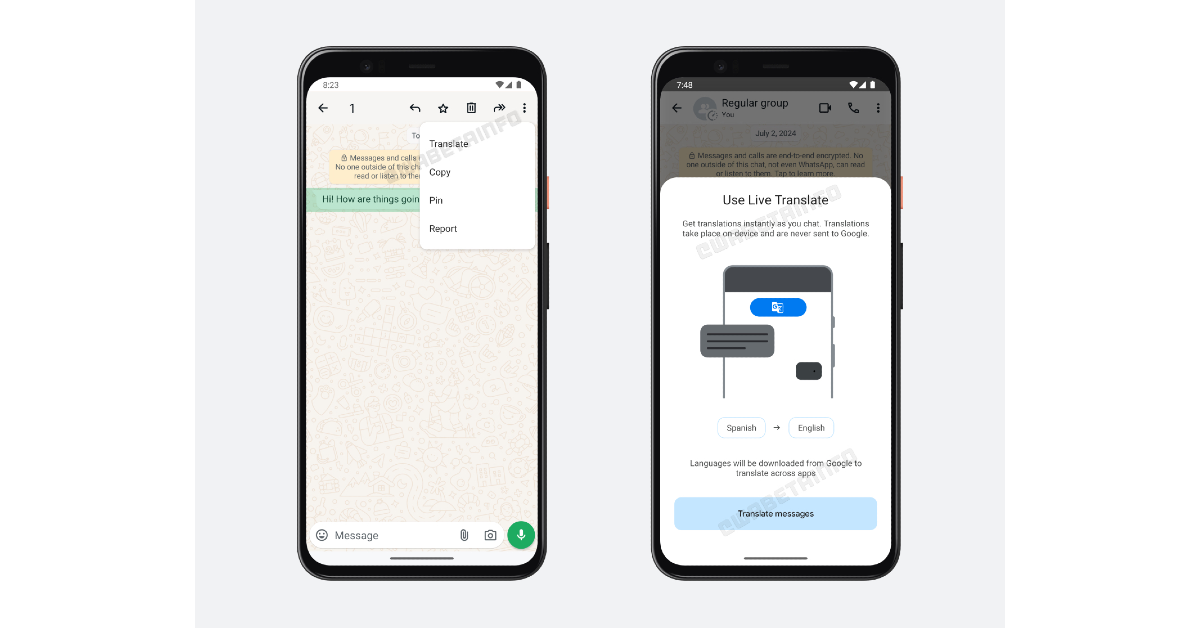
WhatsApp will use Google’s live translation technology to translate text messages in real-time. This process will take place on the device as well, as users will be asked to download the necessary language packs. The instant messengers will also allow users to translate a specific message into the language of their choice. Meanwhile, live translation will automatically translate the incoming messages to the language of the user’s choice. WhatsApp has not revealed the number of languages supported by its translation feature. The instant messenger will expand its language support in the coming months.
Frequently Asked Questions (FAQs)
How much data does it take to translate WhatsApp messages?
Once you have downloaded the necessary language packs, translating WhatsApp messages does not require any data because all the computation happens on the device itself.
How do I translate a message on WhatsApp?
To translate a specific message on WhatsApp, long-press the text, hit the ellipses, and select ‘Translate’.
When will WhatsApp launch the live translation and voice note transcription features?
As of now, only beta testers have access to live translation and voice note transcription on WhatsApp. The two features will be added to the official app in the coming weeks.
As of now, these features are only available for beta testers. The wider audience will be able to use live translation and voice transcription when WhatsApp officially launches them on its platform. Make sure the WhatsApp app on your phone is updated to its latest version.
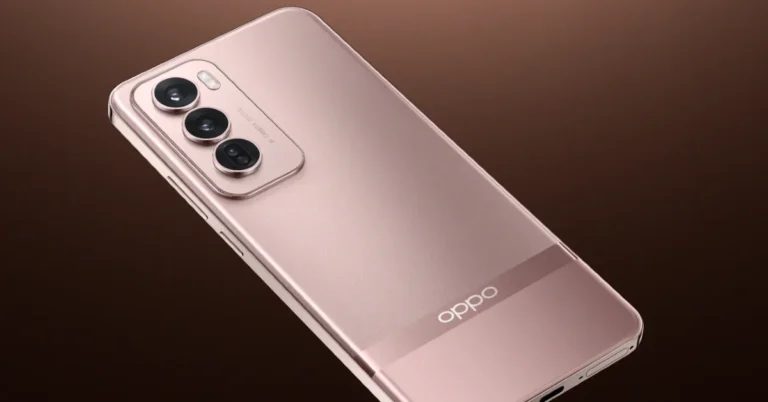
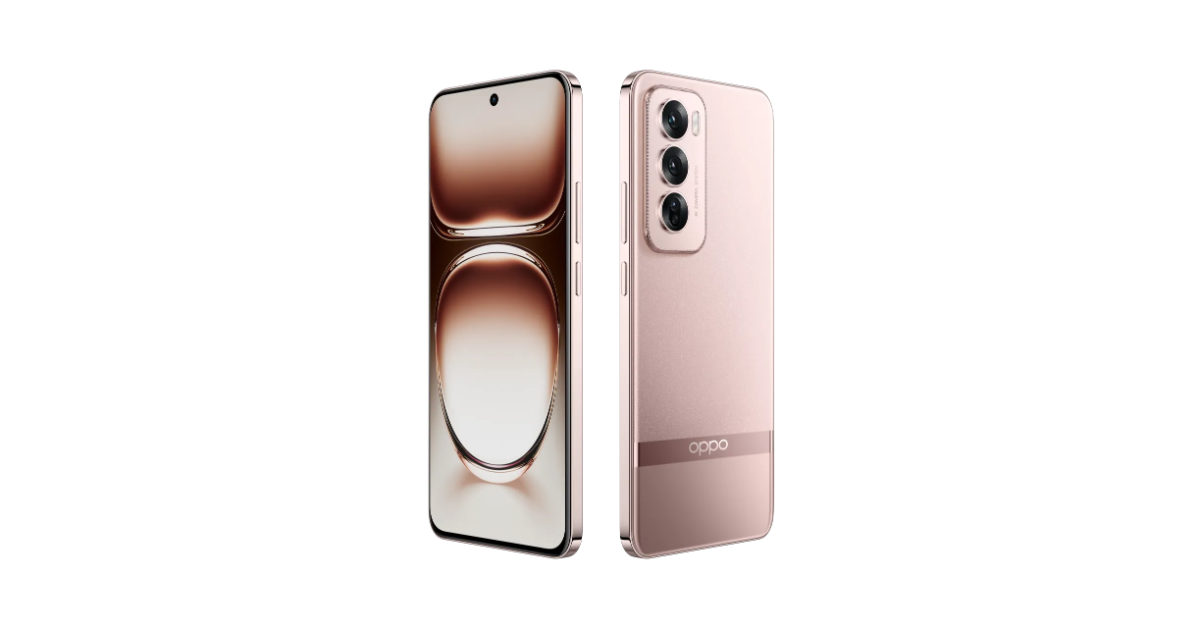
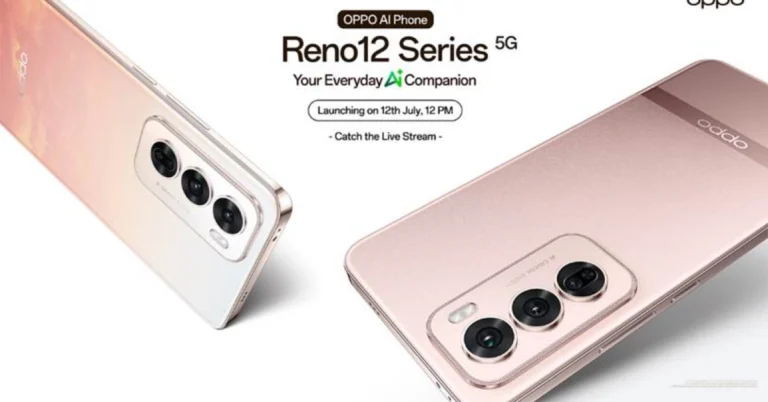
OPPO Reno 12 series officially debuted in India today. The lineup includes OPPO Reno 12 Pro and Reno 12 smartphones with generative AI features. The devices are powered by MediaTek Dimensity 7300-Energy SoC. Both the handsets feature a 6.7-inch full-HD+ curved OLED panel with 120Hz refresh rate. They run on ColorOS 14.1 based on Android 14.
In This Article
OPPO Reno 12 Pro and Reno 12 specs, features
The OPPO Reno 12 Pro and Reno 12 feature a 6.7-inch full-HD+ curved OLED screen with a 2,412 x 1,080 pixels resolution. The display has up to 120Hz refresh rate, HDR10+ support and 1,200 nits of peak brightness. The vanilla model has Corning Gorilla Glass 7i protection whereas the Pro model has Corning Gorilla Glass Victus 2 layering.
OPPO Reno 12 Pro
They come with MediaTek Dimensity 7300-Energy SoCs with 12GB of LPDDR4X RAM and 512GB of UFS 3.1 storage. The devices run on ColorOS 14.1 skinned over Android 14 out of the box. The company will be providing three years of OS upgrades and four years of security.
Both phones feature a triple rear camera setup. The OPPO Reno 12 has a 50-megapixel Sony LYT600 primary sensor with OIS, an 8-megapixel Sony IMX355 ultra-wide lens and a 2-megapixel macro shooter. The Reno 12 Pro has the same primary sensor and ultrawide lens and a 50-megapixel Samsung S5KJN5 telephoto shooter with 2X optical zoom. The vanilla model includes a 32-megapixel front camera and the Pro model features a 50-megapixel Samsung S5KJN5 selfie camera.
AI-integrated functions including AI Eraser 2.0, AI Best Face, AI Summary, AI Record Summary, AI Clear Voice, AI Writer, and AI Speak come pre-installed on the Oppo Reno 12 Pro 5G and Reno 12 5G.
The OPPO Reno 12 and 12 Pro come equipped with 5,000mAh batteries that can be charged with an 80W wired SuperVOOC charger. Additionally, the phones have USB Type-C, GPS, GLONASS, Galileo, QZSS, Bluetooth 5.4, Beidou, 5G, and Wi-Fi 6.
OPPO Reno 12
OPPO Reno 12 Pro 5G, OPPO Reno 12 5G price in India, Sale details
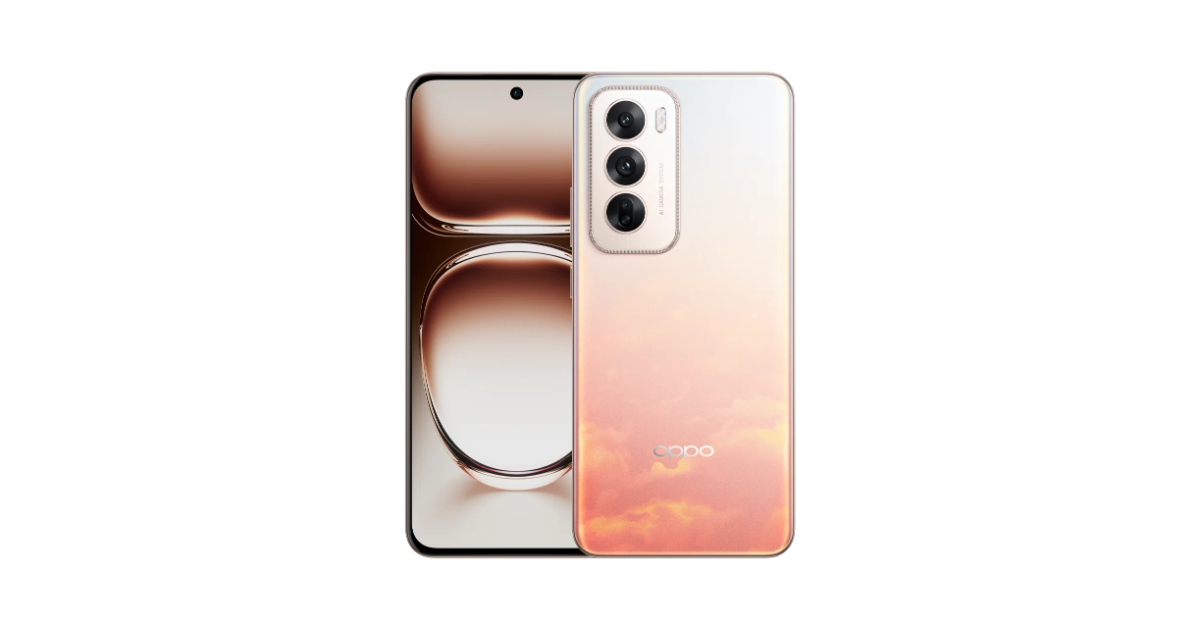
OPPO Reno 12 Pro 5G price in India starts at Rs 36,999 for the 12GB RAM with 256GB storage. There is another 12GB RAM with a 512GB storage version priced at Rs 40,999. The phone will be available in Space Brown and Sunset Gold shades colour options and is scheduled to go on sale from July 18.
On the other hand, OPPO Reno 12 5G comes in a single 8GB RAM with 256GB storage option priced at Rs 32,999. It comes in three colourways- Astro Silver, Matte Brown and Sunset Peach. The smartphone will be available for purchase from July 25.
Both smartphones will be available through the OPPO e-store and Flipkart in the country.
Google and Apple have introduced a new data transfer mechanism to make the process of moving media from Google Photos to iCloud seamless and direct. Previously, you could only transfer images and videos from iCloud to Google Photos but not vice versa. This new tool will benefit users making the switch from Android to iOS. It completely eliminates the need for third-party tools. Here’s how you can transfer your pictures and videos from Google Photos to iCloud Photos.
Before you start the transfer process, you need to check some things for a seamless transfer.
Turn on iCloud Photos
Turn on iCloud Drive
Make sure there’s optimum iCloud storage space
Once your pictures and videos are transferred to iCloud, you can view them in the Photos app. The media will be available in the ‘Import from Google’ folder. If you run out of storage during the transfer, make more space or buy more storage from Apple. Once that’s taken care of, request another transfer. The duplicate files won’t be added to iCloud Photos.
Transfer Google Photos to iCloud Photos
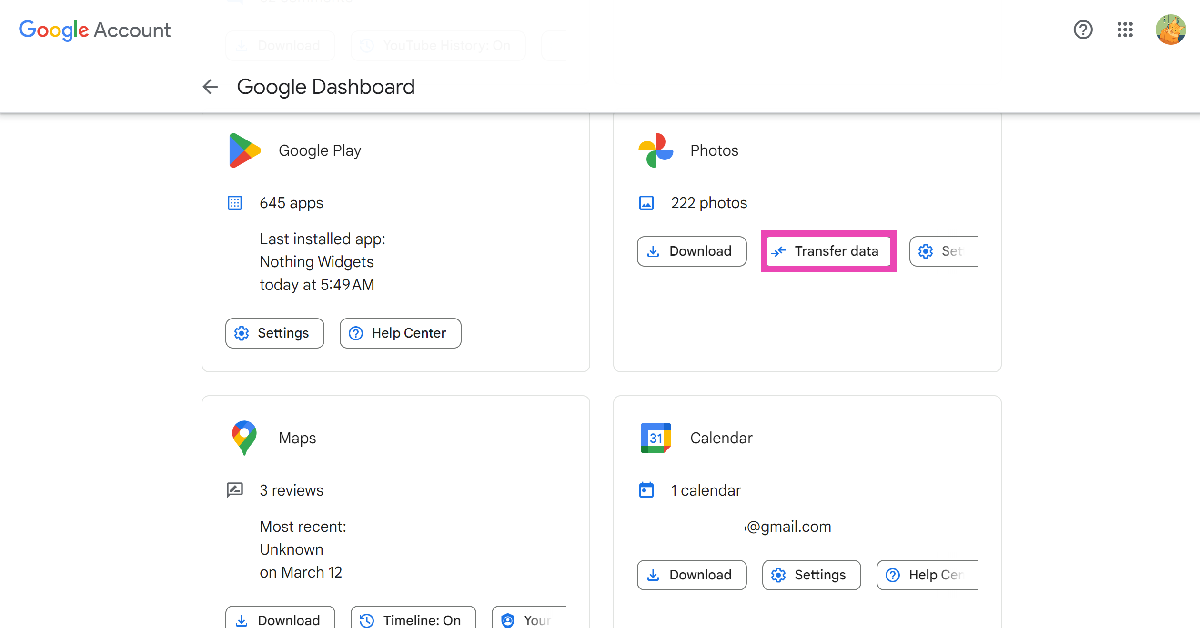
Step 1: Go to Google Account Dashboard and select Photos>Transfer Data under ‘Recently used Google Services’ or ‘Other Google Services’. Or use this link to land on the Google Photos page.
Step 6: Click on the dropdown menu below ‘Move to’ and select iCloud.
Step 7: Enter your Apple ID and password. Hit Continue.
Step 8: Click on Allow to share permission with Google to add photos and videos to iCloud.
Frequently Asked Questions (FAQs)
How do I transfer Google Photos to iCloud Photos?
Go to Google Takeout, select Google Photos, enter iCloud as the target destination, log in using your Apple ID, and allow Google Photos to add your media to your iCloud drive.
Where can I see the images transferred from Google Photos to iCloud?
Once your images have been transferred from Google Photos to iCloud, you can view them in the ‘Import from Google’ album in the Photos app.
How do I check the status of my Google Photos transfer?
You can check the status of the media transfer or cancel it altogether on Apple’s Data and Privacy page.
This is how you can transfer pictures and videos from Google Photos to iCloud. The transfer process may take anywhere between a few hours to a couple of days, depending on the file size. To move your media from iCloud to any other service, go to Apple’s Data and Privacy page. If you have any other questions, let us know in the comments!
Garena Free Fire Max is a battle royale game with regular awards and tournaments to keep players interested. If you play Garena Free Fire, you should be aware of the redeem codes that are released on a daily basis. However, because the battle royale game is banned in India, players from other countries can use the Free Fire Redeem codes daily. If you’re unfamiliar with the Garena Free Fire redeem codes or don’t know how to get them, we’ve put together a step-by-step guide to help you redeem them. Check out Garena Free Fire Max Redeem Codes for 12 July 2024.
The Free Fire Max redeem codes are a great way to get free stuff. These are 12-digit codes that contain alphabets and numbers, as well as an expiration date and time. Because the Garena FF redeem codes cannot be used more than once, you should hurry to the redemption page to claim your free reward before someone else does. To get a free reward, all you have to do is go to reward.ff.garena.com/en, which is the official redemption page. Also, keep an eye on this space for daily updates on Garena Free Fire Max redemption codes and rewards.
12 July 2024: New Amazon Quiz is now available. Customers from different parts of the country are participating in the daily quiz. The quiz starts at midnight today and will be live until 11:59 PM tonight. By successfully answering every question, participants in the quiz have the chance to win wonderful rewards. A Rs 500 Amazon Pay Balance is up for grabs to participants today.
One wrong answer could eliminate you from the quiz. You have a chance to win Rs 500 Amazon Pay Balance if you successfully answer every question. Users of the app only have the opportunity to take the quiz. Check Out 12 July 2024 Amazon Quiz Answers.
Only app users are eligible to play the Amazon quiz every morning from 12 AM to 11:59 PM. The quiz is not available on the desktop. For those who are unaware of how to play the Amazon quiz, below are the steps, you can follow to take the quiz.
We have written an explainer above, you can refer to that.
When are the winners of the Amazon Quiz and contest announced or declared?
The announcement of today’s Amazon quiz winner will take place Tomorrow. As for the Special Quiz and “Spin & Win” Contest, the winners will be declared once the Quiz Contest comes to an end. To find out who the lucky winner is, you can refer to the Amazon Quiz Winners List or visit the Amazon Winners tab in the Amazon App.
How to participate in the Daily Amazon Quiz?
That is very easy, just got to the Amazon app and scroll to the bottom of the page and you will find the Quiz section. Click on it (usually it is called the fun zone) and you can enter the Amazon Today Quiz Contest.
Are there any other quizzes or contests running on Amazon daily?
Yes, there are many running on a daily basis. These range from spinning the wheel to answering the questions correctly. All are located in the Fun Zone.
What are the criteria for selecting a winner in the Daily Amazon Quiz?
When a qualified player submits correct answers to all the questions, they will automatically be entered into a lucky draw. This draw will include all participants who answered all the questions correctly. Amazon randomly selects the final winners from the pool of eligible participants who gave the right answers.
Which Types of Questions are asked within Amazon Daily Quiz?
These are very simple and straightforward questions. These are mainly related to general knowledge.
Where should I look for Amazon Daily Quiz answers?
You can bookmark this page as we will help you every day with the Amazon Daily Quiz. We bring you fresh answers every day for the Amazon Daily Quiz and Contest.
What time does Amazon Announce previous winners?
The previous winner’s name will be announced today at 12 PM (noon).
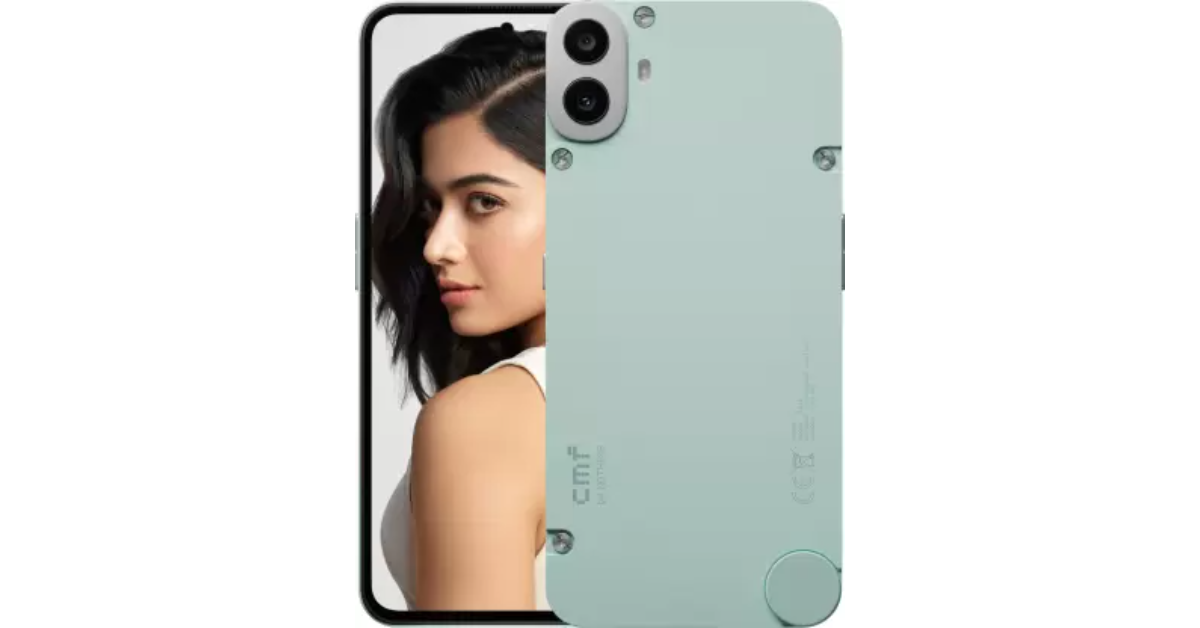
CMF Phone 1 is all set to go on sale for the first time in India today. The newest offering from CMF by Nothing, has a dual 50-megapixel rear camera and an AMOLED display with a 120Hz adaptive refresh rate. The gadget runs Nothing OS 2.6, which is based on Android 14, and has a 5,000mAh battery. The MediaTek Dimensity 7300 5G SoC is located underneath. It has a unique design for mounting exclusive accessories and an interchangeable back cover. In addition, the phone supports both wired and reverse charging and has an IP52 rating.
In This Article
CMF Phone 1 price in India, launch offers
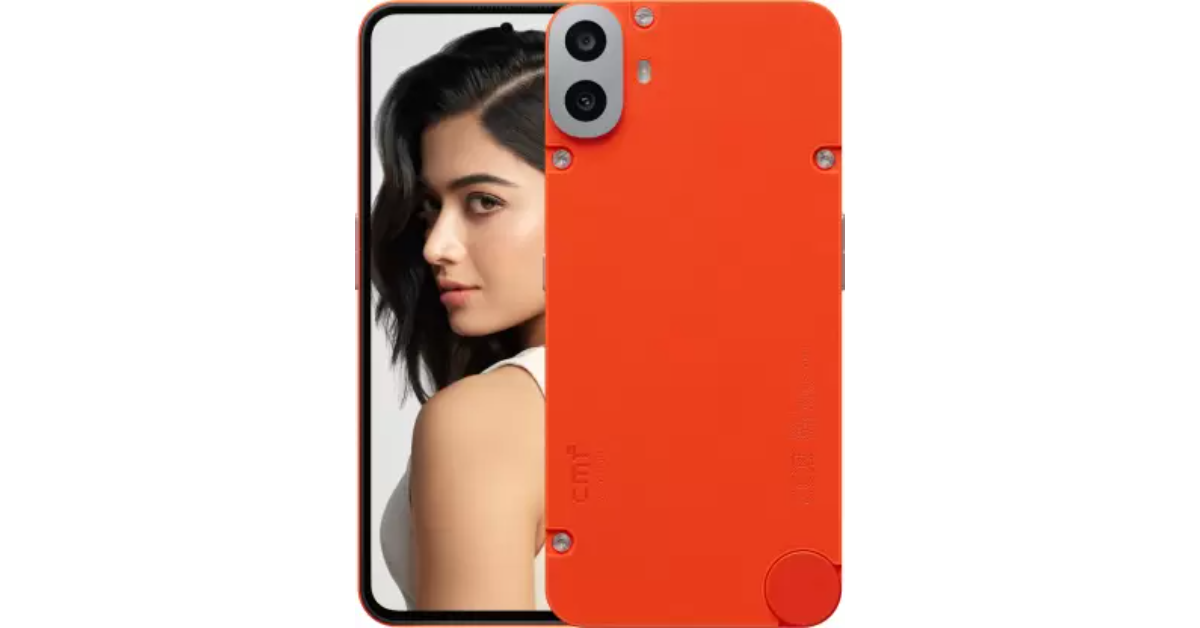
The CMF Phone 1 will go on sale for the first time at noon through Flipkart, retail partners, and the CMF India website. The base edition which has 6GB RAM and 128GB storage, costs Rs 15,999. There is another option available that costs Rs 17,999 and has 8GB RAM and 128GB storage. The device will be available in three colour options- Black, Blue, Light Green and Orange.
The cost of each changeable back cover is Rs 1,499. Each of the three accessories stand, lanyard and card case costs Rs 799. If you buy the 33W charger along with the phone, the cost is Rs 799.
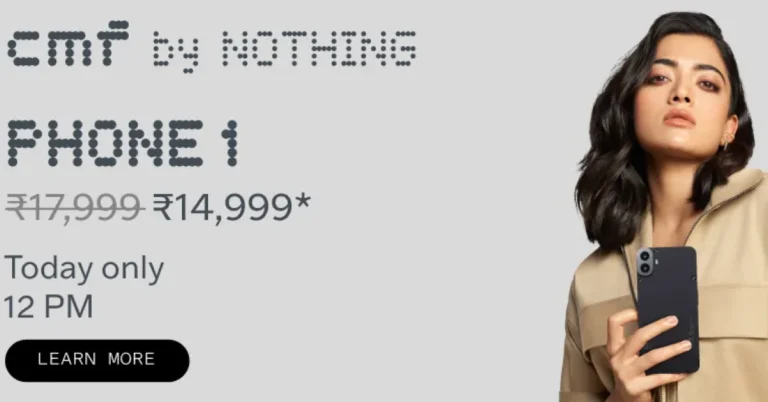
On the first day of the sale, the brand is giving a 1,000 rupee reduction. Customers may get the Phone 1’s 6GB RAM with 128GB storage for Rs 14,999 and the 8GB RAM with 128GB storage for Rs 16,999. The first 100 consumers to purchase the Phone 1 will receive CMF Buds for free. Buyers will be able to take advantage of special bank deals through the Day 1 Sale Day offer.
CMF Phone 1 specs and features
The Phone 1 by CMF is the first smartphone in India to come with an octa-core MediaTek Dimensity 7300 5G processor. It is available with up to 8GB of RAM and up to 256GB of storage. The RAM Booster feature allows for virtual memory expansion on the CMF Phone 1, bringing its available memory up to 16GB. Whereas the internal storage can be expanded up to 2TB using a microSD card.
CMF Phone 1 features a 6.7-inch full-HD+ AMOLED LTPS display with 1,080×2,400 pixels of resolution. The screen supports up to 120Hz adaptive refresh rate and 240Hz touch sampling rate. The panel also comes with 2000 nits peak brightness and 395ppi pixel density. The screen also includes an optical in-display fingerprint sensor for phone unlock.
For taking photos and videos, there is a dual 50-megapixel main and portrait sensor with EIS support. For selfies, it includes a 16-megapixel front-facing camera. The Phone 1 has a 5,000mAh battery that supports 33W fast and 5W reverse wired charging, allowing it up to two days of battery life on a single charge and a 50% charge in 20 minutes.
Oppo is all geared up to launch its latest Reno 12 series in India today. The phones follow the Reno 11 lineup from last year. The Reno 12 5G series includes the standard Oppo Reno 12 5G and the Reno 12 Pro 5G. The phones were first unveiled in China in May and were launched globally last month. The company has revealed the design, colour options, and key features of both models. Here is what we already know about the Reno 12 series. Let’s take a look at how to watch the launch event live.
In This Article
Oppo Reno 12 series how to watch the Livestream
The new Oppo Reno 12 series will be unveiled at 12 noon IST. The Reno 12 series launch event may be seen on the company’s YouTube page as well as other social media platforms. You may watch the launch event today on our website by clicking the link below.
OPPO Reno 12 series prices in India specs expected
The actual pricing of the OPPO Reno 12 series is unknown, however, it is expected that the Pro model will start at less than Rs 45,000 and the vanilla variant will cost less than Rs 35,000. The Pro version of the Reno 11 series cost Rs 39,999, whereas the base price of the series was Rs 29,999.
Ahead of the official release Oppo has revealed that the upcoming series is confirmed to include Oppo Reno 12 and Reno 12 Pro. According to the business, the Reno 12 will be available in matte brown, Astro silver, and sunset peach colours. Whereas, the Pro model will be available in Sunset Gold and Space Brown colours.
The company has confirmed that the Reno 12 series features a Quad-Micro Curved Infinite View screen with Corning Gorilla Glass Victus 2 and Gorilla Glass 7i for durability and scratch resistance. Both models have a 6.7-inch FHD+ 120Hz Flexible AMOLED display with a 43° quad-micro curve, 1.69mm narrow side bezels, and a 93.5% screen-to-body ratio. The 10-bit panels display 1.07 billion colors, providing smooth colour transitions even in bright outdoor conditions.
Furthermore, it has revealed that both the phones Reno 12 Pro and Reno 12 Pro are IP65-rated for dust and water resistance. The series features All-Round Armour protection, and a High-Strength Alloy Framework, and is tested by SGS for Premium Performance 5 Stars Multi-scene protection, including water and shock resistance. The Reno 12 Pro is said to have low blue light and a flicker-free screen to prevent eye fatigue.
The Reno 12 series is powered by a 4nm MediaTek Dimensity 7300-Energy SoC, offering high performance with quad 2.5GHz Arm Cortex-A78 and quad Arm Cortex-A55. It also includes AI features like AI Clear Face, AI Writer, AI Recording Summary, and AI Eraser 2.0. Both models have a 5000mAh battery with 80W SUPERVOOC fast charging, offering four years of battery durability.
Both phones feature a triple rear camera setup. The Reno 12 has a 50-megapixel primary sensor, an 8-megapixel ultra-wide lens, a 2-megapixel macro shooter, and a 32-megapixel front camera. The Reno 12 Pro has the same primary sensor and ultrawide lens, a 50-megapixel telephoto shooter, and a 50-megapixel front camera.
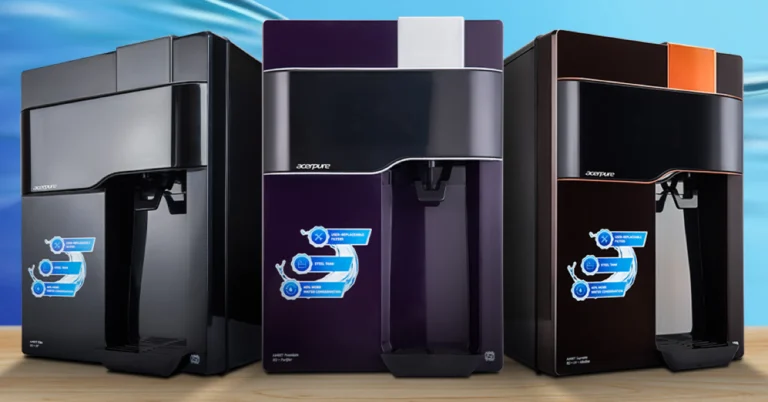
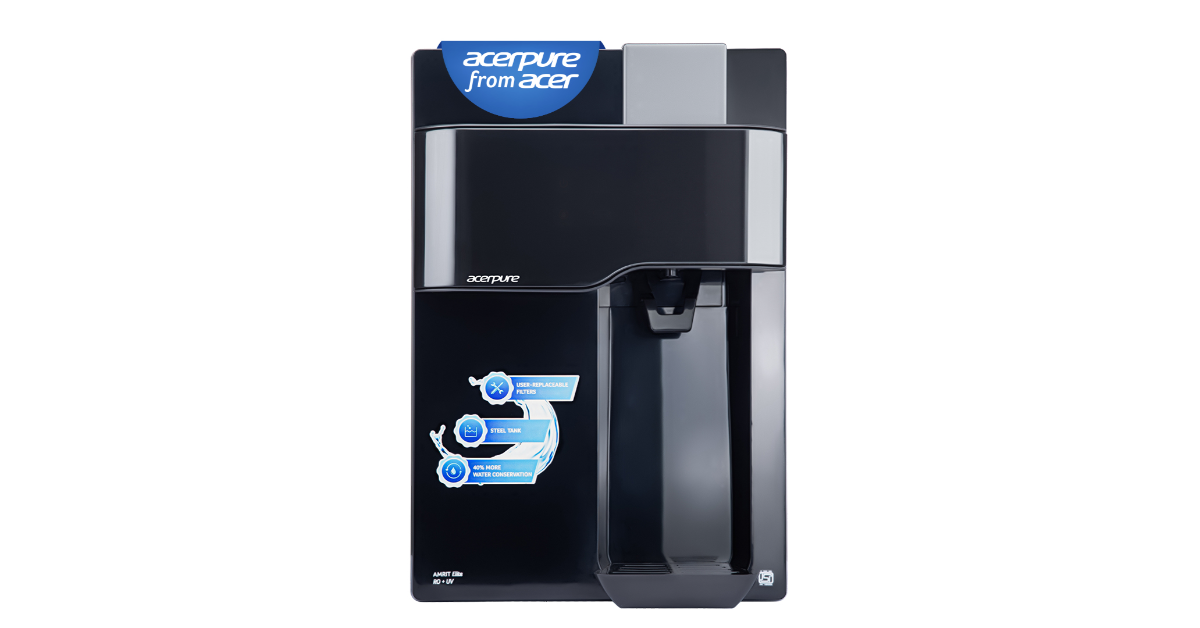
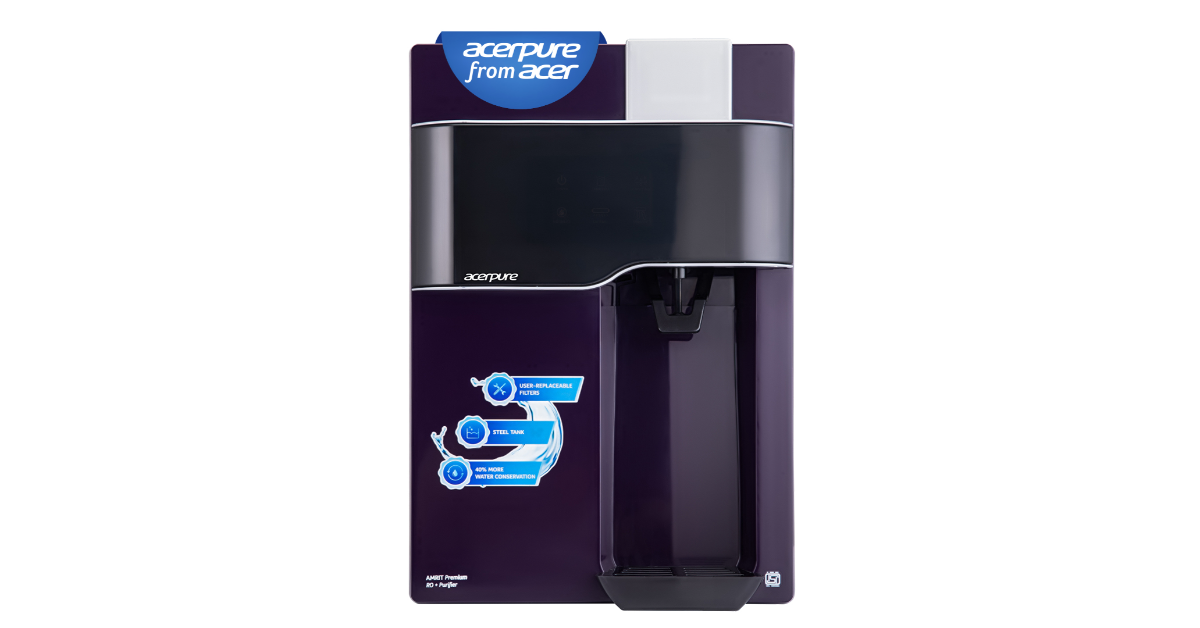
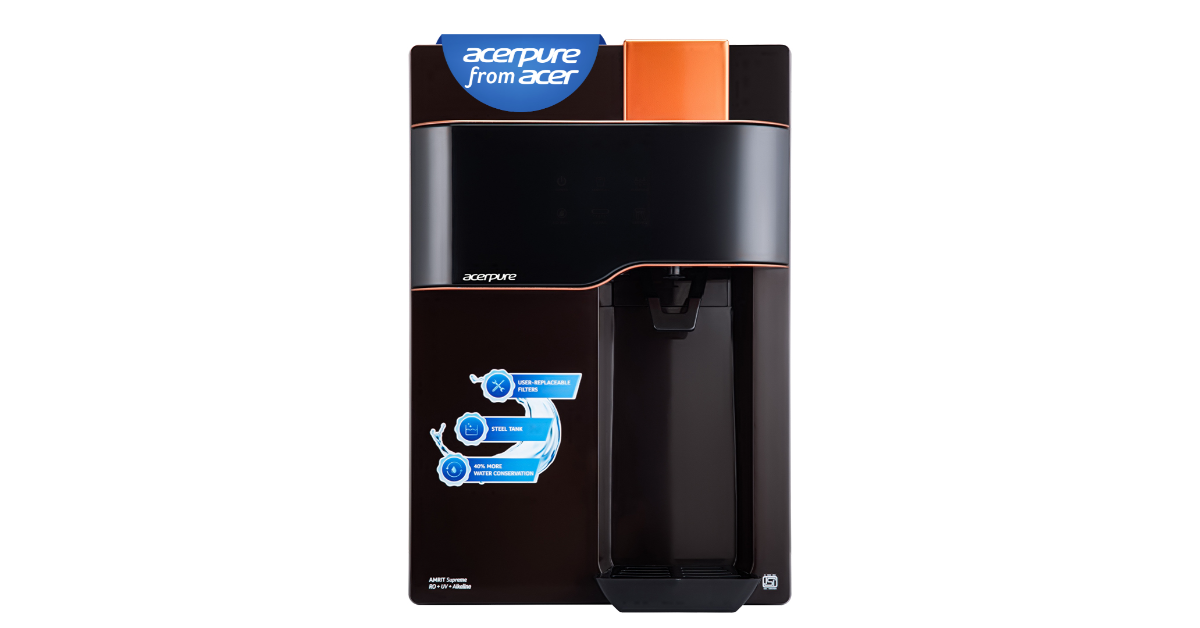
Acer today launched the Acerpure Amrit series in India, offering three models: Acerpure Amrit RO, Amrit Elite – RO+UV, and Amrit Supreme – RO + UV + Alkaline. It allows users to entirely change the filters on the Acerpure Amrit series, which eliminates service fees. A unique launch offer of a free set of filters that can be redeemed after the first cycle is also available to customers. For monitoring water quality, the series also includes a TDS metre, a stainless-steel tank, and a high-recovery system.
As per the company, the Acerpure Amrit series introduces user-replaceable filters that revolutionise water purifier maintenance, resulting in a 100% reduction in service expenditures. Unlike previous models that need sophisticated and expensive technical services, these filters may be changed in only three steps.
A complimentary set of filters, redeemable after the first cycle and within two years of purchase, is being offered to customers who reserve their water purifier by July 30th as part of a special launch promotion. Depending on the usage, this eliminates the need for filter change for a maximum of two years.
The Acerpure Amrit series features a stainless-steel tank that eliminates E. Coli development by 94.4% in just 24 hours, along with a high-recovery technology that can cut water waste by up to 40%. A TDS metre is also included for water quality monitoring. The Supreme model provides alkaline improvement, detoxification, acidity reduction, and improved water flavour.
Acerpure Amrit Water Purifiers comes with a starting price of Rs 17,990. The water purifier is currently up for sale via Amazon and will be available soon on Flipkart.
Commenting on Acer’s entry into the water purifier market and launch of the Acerpure Amrit Series, Vasudeva G, Director of Acerpure India, said, “We are excited to enter the water purifier market as part of our commitment to enhancing everyday living through innovative technology. This expansion aligns perfectly with Acer’s legacy of delivering cutting-edge solutions that improve the quality of life for our customers. By venturing into water purification, we aim to address a fundamental need for clean and safe drinking water, making it accessible and convenient. The Acerpure Amrit Series is designed to answer the much-awaited issue of duplicate filters, delayed services, etc. with user-replaceable filters that ensure users enjoy pure, healthy water effortlessly. We believe this step will not only broaden our product portfolio but also contribute significantly to the well-being of our community. Finally, expect our foray into more consumer appliance categories with technologies and innovation to elevate the lifestyle of Indian consumers.”
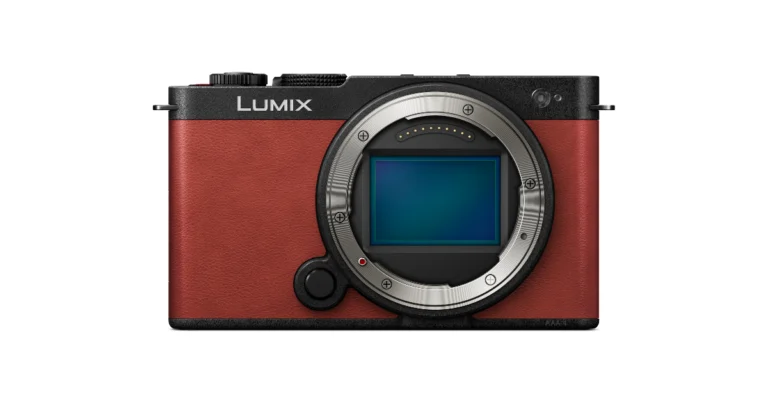
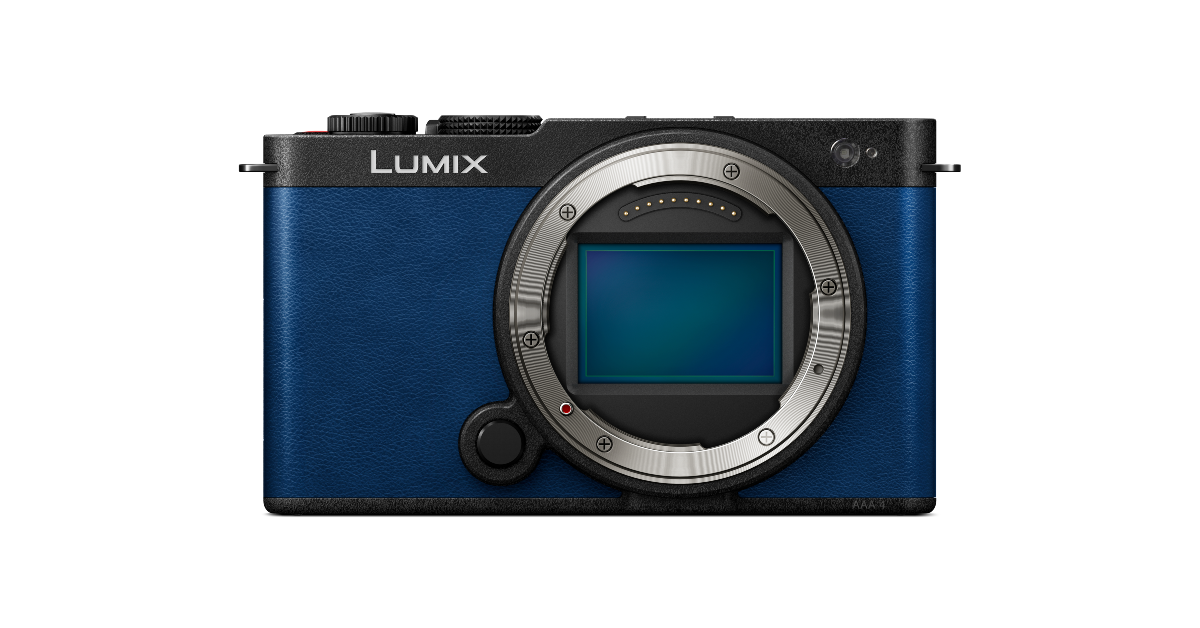
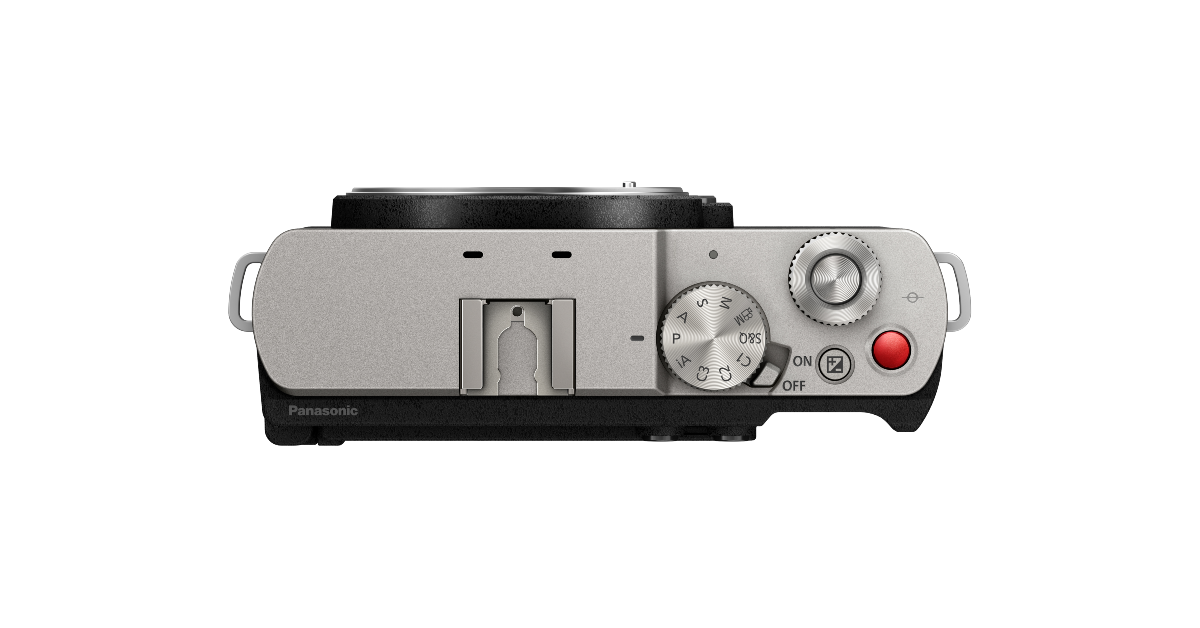
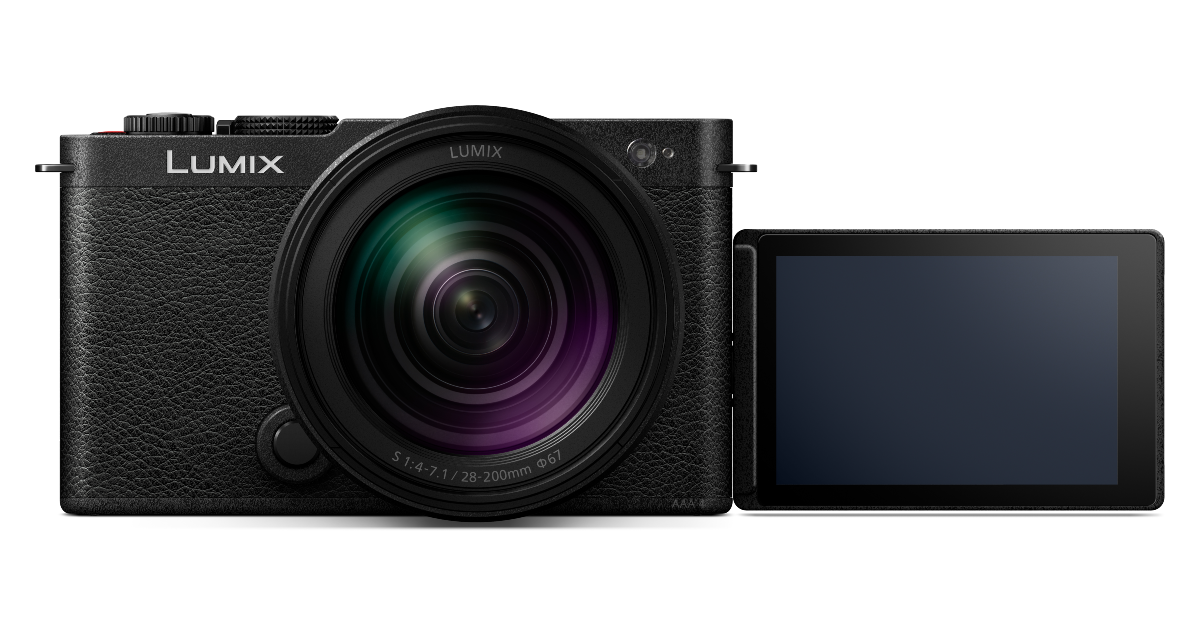
Panasonic today announced the launch of the LUMIX S9 Compact Full-Frame Mirrorless Camera, the smallest and lightest in the LUMIX S Series for the Indian market. The Mirrorless Camera features a 24.2-megapixel full-frame CMOS sensor similar to the flagship LUMIX S5II. The camera is available in multiple colour variations and is equipped with PDAF for excellent subject tracking and Active I.S. for reducing handheld blurring, making it an ideal choice for content creators.
Panasonic LUMIX S9 price in India starts at Rs 1,49,990 for the S9 body and INR 1,79,990 for the S9 kit with LUMIX S9 body & 20-60mm lens. The mirrorless camera comes in four colour options of Jet Black, Crimson Red, Dark Olive, and Night Blue. The device can be purchased via UMIX Lounges, dealers across India, and Panasonic’s D2C site in the country.
The LUMIX S9 camera from Panasonic features 5-axis dual image stabilisation, phase detection autofocus (PDAF), and real-time autofocus. Similar to the flagship LUMIX S5II, the newest engine and the approximately 24.2-megapixel full-frame CMOS sensor capture great details with realistic tones.
For convenience, it has a 3-inch TFT LCD flip screen with static touch control that can be tilted. The camera allows for WiFi image and video sharing via the LUMIX Lab app and comes equipped with built-in LUT presets for real-time viewing. Editing on the fly is possible with the LUMIX Lab app for iOS and Android smartphones. With the new software, there’s also a faster data transfer from the camera to the smartphone.
Users can also access popular colour styles and filters straight in-camera with the REAL TIME LUT tool. To guarantee steady and continuous video even when moving, it also enables perspective and distortion correction. The LUMIX S9 also has an MP4 lite video recording mode that records excellent, high-resolution videos that are optimised for smartphones. This feature makes the camera perfect for sharing content on social media apps.
By shooting Open Gate in 4:2:0 10 bit in 30p or 25p, creators may easily scale their high-quality, smartphone-optimised videos for social media.
This camera allows content creators to shoot with confidence in any setting since it boasts features like Phase Detection Auto-Focus (PDAF) for superb subject tracking and Active Image Stabilisation (AIS) to reduce handheld blurring.
With a weight of 403g, the LUMIX S9 is the lightest and smallest model in the LUMIX S Series lineup. To enhance shooting flexibility, it also provides a free-angle rear screen and real-time subject tracking with AF and PDAF. In terms of connectivity, it includes support for USB Type-C (SuperSpeed USB 10Gbps); HDMI; Wi-Fi; Bluetooth 5.0, and SD Memory Card. Additionally, it includes a built-in microphone.
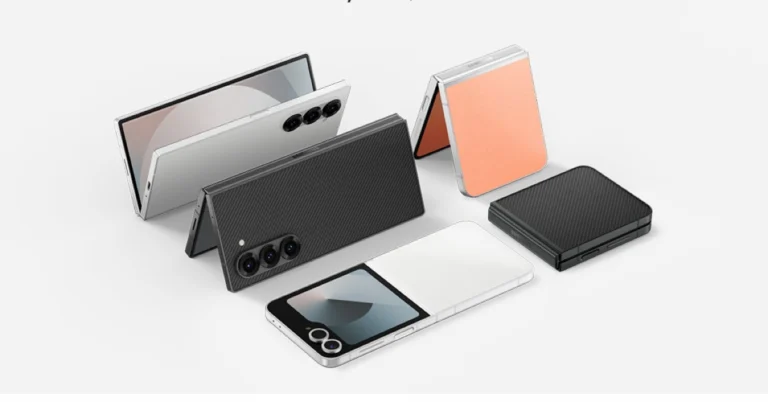
At the Galaxy Unpacked event, Samsung unveiled the biggest product update. The firm has unveiled a new lineup of products, including the Galaxy Z Fold 6, Galaxy Z Flip 6, Galaxy Watch 7, Watch Ultra, Galaxy Buds 3 Series, and Galaxy Ring. Except for the smart ring, the newest line of products, which uses Galaxy AI, is presently available for preorder in India. The company has not yet disclosed the Galaxy Ring’s availability in India, though.
Pricing and Availability
The Samsung Galaxy Z Fold 6 in India is priced at Rs 1,64,999 for the base model with 12GB RAM and 256GB storage, with 12GB RAM with 512GB storage and 12GB RAM with 1TB storage variants priced at Rs 1,76,999 and Rs 2,00,999 respectively. The models are available in Navy, Pink, and Silver Shadow colours, while the 1TB model is available in Silver Shadow.
The Galaxy Z Flip 6 in India is priced at Rs 1,09,999 for the 12GB RAM with 256GB storage and storage model, and Rs 1,21,999 for the 512GB variant. Buyers can get the flip phone in Blue, Mint, and Silver Shadow colour options.
However, there will be online exclusive Blue, Mint, Silver Shadow colour, Black and White colour options for Z Fold 6 and Black, Peach, and White colour options for Z Flip 6. Samsung is offering cashback of Rs 8000 on HDFC Bank cards for pre-ordering the Galaxy ZFold6 and ZFlip6 smartphones, along with 9 months of no-cost bank EMI or an upgrade bonus of Rs 8000. Existing Samsung flagship smartphone customers can avail of an upgrade bonus of Rs 15000. Pre-order customers will also receive Galaxy Z Assurance, offering industry-first two screen/parts replacements at Rs 999. Additionally, customers can save 50% on Samsung Covers and up to 35% on the Galaxy Watch Ultra, Watch 7, and Galaxy Buds3 Series.
The Samsung Galaxy Watch Ultra is priced at Rs 59,999 in India. The device comes in Titanium Gray, Silver, and White colours. On the other hand, the Galaxy Watch 7 series offers four Bluetooth and cellular variants. The 40mm model is priced at Rs 29,999 (Bluetooth) and Rs. 33,999 (Cellular). They both are available in Cream and Green colours. The 44mm model is priced at Rs 36,999 (Cellular) and the variant comes in Green and Silver colours.
JB Park, President and CEO, Samsung Southwest Asia, unveils the future with the sixth generation of foldables, powered by the transformative #GalaxyAI revolution. Experience innovation like never before!#Samsung#SamsungUnpackedpic.twitter.com/lVXMg7YVkd
Customers who make reservations in advance can receive upgrade incentives and multi-bank cashback on the Galaxy Watch 7 and Galaxy Watch Ultra. With the Galaxy Watch Ultra, you can get a Rs 10,000 cash back or upgrade incentive, while the Galaxy Watch 7 gives a Rs 8,000 cashback or bonus. Both the Buds 3 and the Buds 3 Pro come with cashback or upgrade bonuses worth Rs 4000 and Rs 5000, respectively.
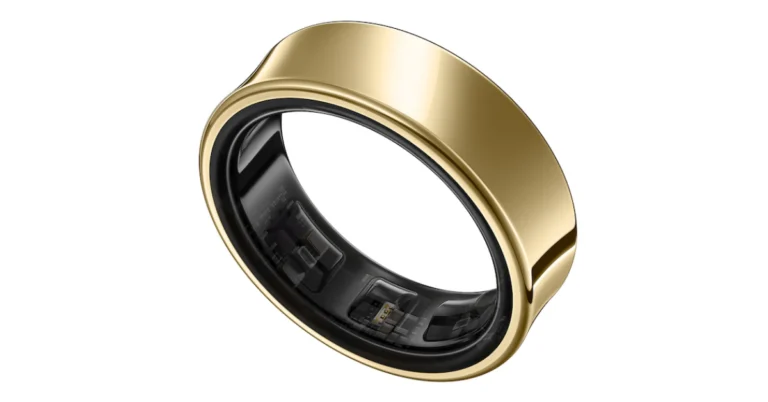
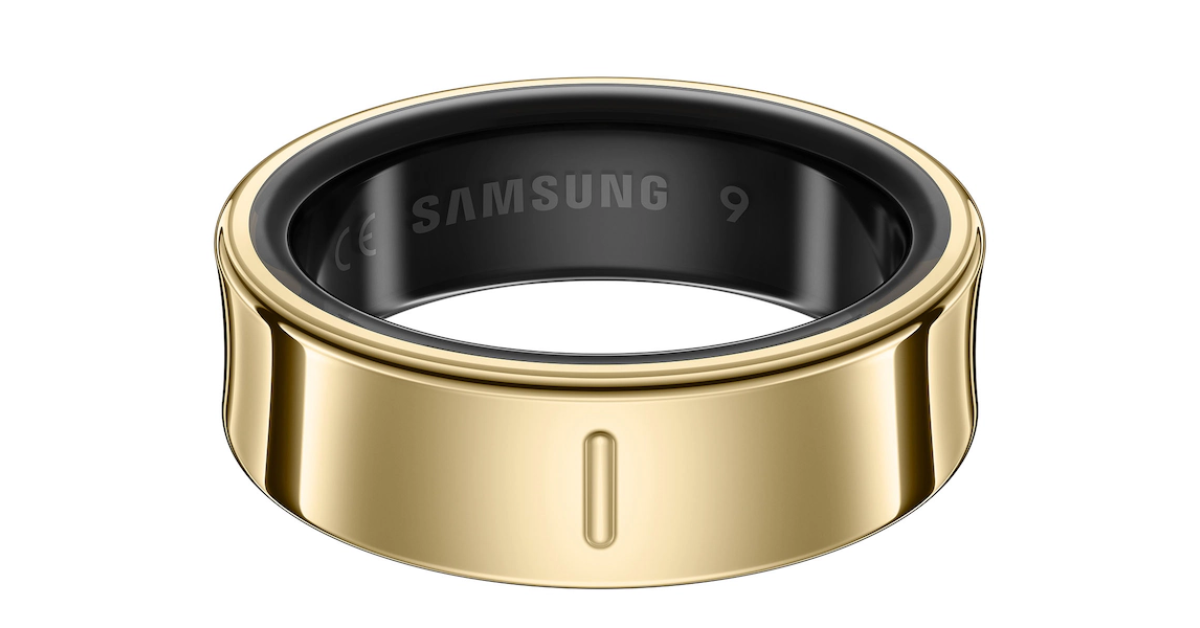
At Samsung’s latest Galaxy Unpacked event in Paris, the smart ring with sleep tracking and health tracking capabilities, the Galaxy Ring, was formally unveiled. The smart ring comes in three finishes and nine different sizes. The wearable is water-resistant and weighs between 2.3 and 3.0 grams. It uses the Samsung Health platform and has a battery life of up to seven days on a single charge. Using a linked phone, the wearable may also be used to snap pictures and turn off alarms.
In This Article
Samsung Galaxy Ring Pricing, Sale Details
The much-awaited Samsung Galaxy Ring is now available for purchase. The smart ring has been launched with a starting price tag of $399 or Rs 34,000, available in nine different sizes. The wearable comes in three finishes- Titanium Black, Titanium Silver, and Titanium Gold. The device is now up for pre-orders and is scheduled to go on sale from July 24.
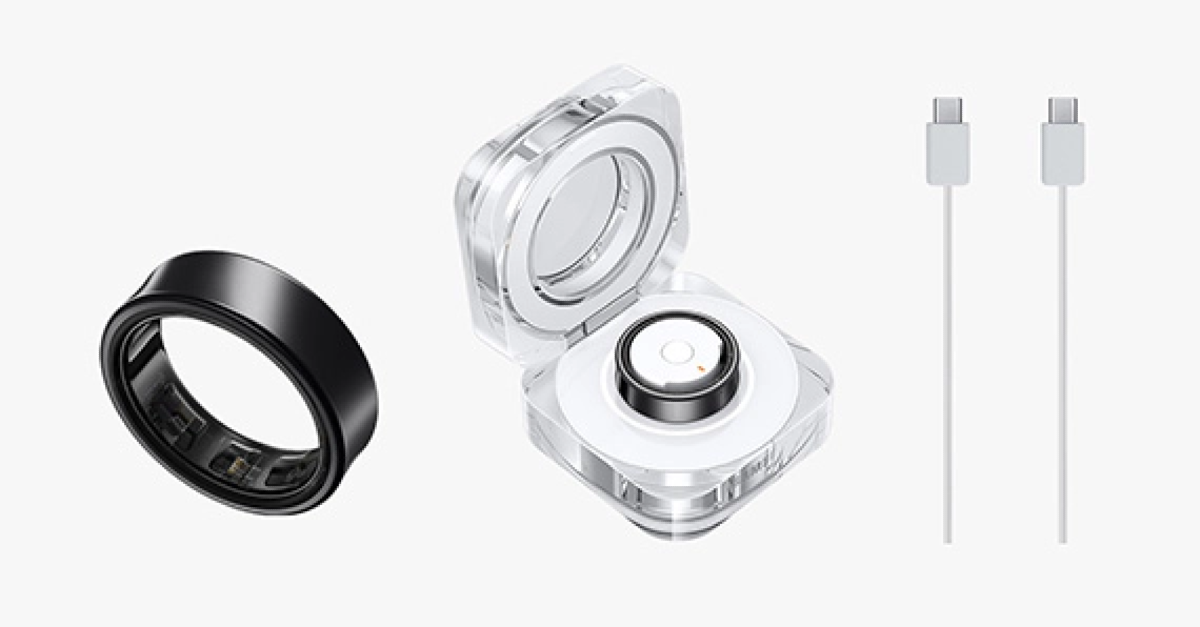
The Samsung Galaxy Ring has an IP68 rating, 10 ATM, and a Titanium Grade 5 frame that protects it from dust and water. Nine sizes—ranging from five to thirteen—are available for the Galaxy Ring. The size of the battery determines its range, which is between 18 and 23.5 mAh. The larger 13 size has a 23.5mAh battery, whereas the base version’s size 5 has an 18mAh battery. The charging case has an LED-lit design equipped with a 361mAh battery that is said to last for up to seven days between charges. After 30 minutes of charge, the battery can reach 40 per cent of its full capacity.
Galaxy Ring with Bluetooth 5.4 connectivity can be linked to Samsung Galaxy devices running Android 11.0 or higher and having at least 1.5GB of memory. For obtaining information about the user’s well-being, it features an accelerometer, temperature sensor, and PPG sensor.
Featuring functions like Cycle Tracking, Wellness Tips, and Energy Score these can be accessed through the Samsung Health app. The wearable gadget has features for continuous health monitoring, including advanced AI-powered sleep analysis. With features like Energy Score, Heart Rate Alert, Live Heart Rate Check, Wellness Tips, Auto Workout Detection, Inactive Alerts, and Find My Ring on Samsung Find, the Galaxy Ring offers comprehensive health reports with a variety of parameters.
Garena Free Fire Max is a battle royale game with regular awards and tournaments to keep players interested. If you play Garena Free Fire, you should be aware of the redeem codes that are released on a daily basis. However, because the battle royale game is banned in India, players from other countries can use the Free Fire Redeem codes daily. If you’re unfamiliar with the Garena Free Fire redeem codes or don’t know how to get them, we’ve put together a step-by-step guide to help you redeem them. Check out Garena Free Fire Max Redeem Codes for 11 July 2024.
The Free Fire Max redeem codes are a great way to get free stuff. These are 12-digit codes that contain alphabets and numbers, as well as an expiration date and time. Because the Garena FF redeem codes cannot be used more than once, you should hurry to the redemption page to claim your free reward before someone else does. To get a free reward, all you have to do is go to reward.ff.garena.com/en, which is the official redemption page. Also, keep an eye on this space for daily updates on Garena Free Fire Max redemption codes and rewards.
11 July 2024: New Amazon Quiz is now available. Customers from different parts of the country are participating in the daily quiz. The quiz starts at midnight today and will be live until 11:59 PM tonight. By successfully answering every question, participants in the quiz have the chance to win wonderful rewards. A Rs 500 Amazon Pay Balance is up for grabs to participants today.
One wrong answer could eliminate you from the quiz. You have a chance to win Rs 500 Amazon Pay Balance if you successfully answer every question. Users of the app only have the opportunity to take the quiz. Check Out 11 July 2024 Amazon Quiz Answers.
Only app users are eligible to play the Amazon quiz every morning from 12 AM to 11:59 PM. The quiz is not available on the desktop. For those who are unaware of how to play the Amazon quiz, below are the steps, you can follow to take the quiz.
We have written an explainer above, you can refer to that.
When are the winners of the Amazon Quiz and contest announced or declared?
The announcement of today’s Amazon quiz winner will take place Tomorrow. As for the Special Quiz and “Spin & Win” Contest, the winners will be declared once the Quiz Contest comes to an end. To find out who the lucky winner is, you can refer to the Amazon Quiz Winners List or visit the Amazon Winners tab in the Amazon App.
How to participate in the Daily Amazon Quiz?
That is very easy, just got to the Amazon app and scroll to the bottom of the page and you will find the Quiz section. Click on it (usually it is called the fun zone) and you can enter the Amazon Today Quiz Contest.
Are there any other quizzes or contests running on Amazon daily?
Yes, there are many running on a daily basis. These range from spinning the wheel to answering the questions correctly. All are located in the Fun Zone.
What are the criteria for selecting a winner in the Daily Amazon Quiz?
When a qualified player submits correct answers to all the questions, they will automatically be entered into a lucky draw. This draw will include all participants who answered all the questions correctly. Amazon randomly selects the final winners from the pool of eligible participants who gave the right answers.
Which Types of Questions are asked within Amazon Daily Quiz?
These are very simple and straightforward questions. These are mainly related to general knowledge.
Where should I look for Amazon Daily Quiz answers?
You can bookmark this page as we will help you every day with the Amazon Daily Quiz. We bring you fresh answers every day for the Amazon Daily Quiz and Contest.
What time does Amazon Announce previous winners?
The previous winner’s name will be announced today at 12 PM (noon).
Smartphone battery life is a huge concern for many users. The frustration of a quickly draining battery can disrupt daily activities and communication. This article provides practical tips to extend your smartphone’s battery life and ensures that you get the most out of your device.
In This Article
Optimize Display Settings
One effective method to prolong battery life is by tweaking your display settings. Lowering the screen brightness can significantly reduce power usage. Bright screens consume more energy, so dimming the brightness helps save battery. To do this, navigate to your phone’s settings, locate the display section, and adjust the brightness slider to a lower level.
One more feature to save battery is adaptive brightness. This setting adjusts your screen’s brightness according to the lighting around you, ensuring it only uses the necessary amount of light. To turn on adaptive brightness, go to your phone’s settings, find the display section, and change to the adaptive brightness option.
Using dark mode can also help extend battery life, especially on OLED screens. Dark mode reduces the amount of light emitted by the screen, which in turn conserves energy. To switch on the dark mode, navigate to your display settings and choose the dark mode option.
Manage Background Processes and Apps
Managing background processes and apps is key for preserving battery life. Many apps run in the background, consuming power even when not in use. To close unused apps, access your recent apps menu and swipe away the apps you are not using. For a more permanent solution, go to your settings, select apps, and force-stop any apps you don’t need running in the background.
Background app refresh is another feature that can lead to battery loss. This feature allows apps to update their content. To disable or limit background app refresh, go to your settings, select the background app refresh option, and choose which apps you want to restrict.
Uninstalling battery-draining apps can also make a big difference. Some apps are notorious for consuming more power than others. To identify and replace these heavy apps, go to your battery settings and check which apps are using the most power. Once identified, you can uninstall these apps by going to your settings, selecting apps, and choosing the uninstall option.
Optimize Online Gaming Settings
Online gaming impacts battery life, but optimizing your gaming settings can help. Lowering game graphics settings is an effective way to reduce power consumption. High graphics settings require more processing power, which lowers the battery faster. Access the game’s settings menu to reduce graphics quality and adjust the graphics options to a lower level.
Online games often use data in the background, which can also drain your battery. Limiting background data usage can help conserve energy. To restrict background data for specific games, go to your settings, select data usage, and find the game you want to limit. Toggle the option to restrict background data.
Games like PUBG Mobile which can be found on the Google Play app or games like online slots from, say, Unibet casino app are known for high battery consumption due to their intense graphics and constant online connectivity. Lowering graphics settings and limiting background data allows you to play longer without worrying about your battery dying.
Sometimes, while loading a game on your PS4 or PS5 you may encounter the ‘Cannot Communicate using SSL’ error. This may seem quite confusing if you’re facing the issue for the first time. Since it is a connection issue, there are a few methods you can deploy to resolve it. It is also important to know what’s causing this issue on your console. So, let’s take a look at why you’re encountering this error and the easiest methods to resolve it.
What’s causing the ‘Cannot Communicate using SSL’ error?
The SSL error on your PS4/PS5 may be caused due to one of the following reasons:
Faulty router
WiFi connection does not follow SSL protocol
EA and PS accounts are not linked
PS data is corrupted
EA/PSN servers are down
Sign into EA using your PS account
The easiest way to get rid of the ‘Cannot Communicate using SSL’ error on your Sony PS4/PS5 is by linking your EA and PS accounts together. Here’s how you can do that.
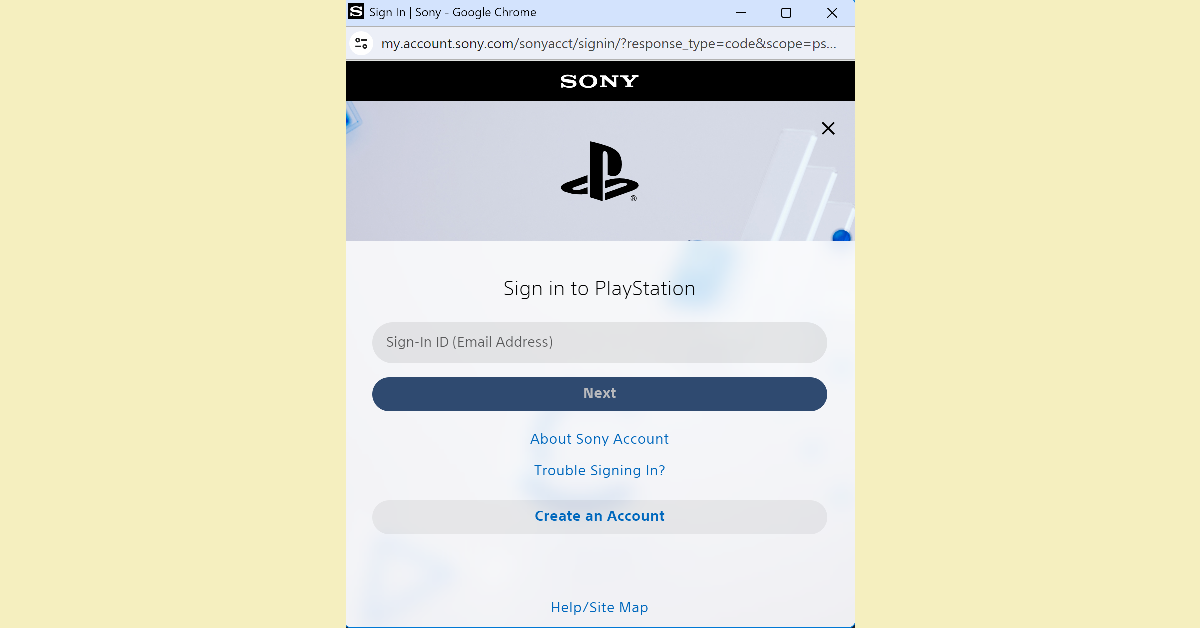
Step 3: Select the PlayStation icon from the list.
Step 4: Enter your PS account credentials.
If the two accounts are already linked, unlink them and try again.
Restart your router
Issues with your WiFi router can lead to the ‘Cannot Communicate using SSL’ error showing up on your PS4/PS5. To resolve this problem, refresh your router by restarting it. A simple restart can be performed by turning off the switch to the power outlet and then turning it back on after 10-15 seconds. Read this article to learn more ways to restart your router.
Connect to a different network
If the network you are currently connected to does not enforce SSL, you may need to switch to a different WiFi network. Here’s how.
Step 1:Start your PlayStation and select the Settings icon from the home screen.
Step 2: Click on Network.
Step 3: Go to Settings and select Set Up Internet Connection.
Step 4: Select your WiFi connection and enter the password.
Rebuild your PlayStation’s database
Step 1: Press the PS button on your controller.
Step 2: Select Turn Off PS4 from the Quick Menu.
Step 3:Restart the console in Safe Mode by long pressing the power button for 7-10 seconds. Release the button once you hear two beeps.
Step 4: Hit the PS button and select Rebuild Database.
Step 5: Wait for 40 minutes to an hour for the database to rebuild.
Check if EA/PSN’s servers are down
If the EA/PSN servers are experiencing an outage, there is not much you can do. You can confirm if that’s the case by going to Downdetector and searching for EA and PSN. If there is a spike in user reports, it means the service is temporarily down. Wait until the servers are back up and try connecting to your PS4/PS5 again.
Frequently Asked Questions (FAQs)
How do I fix the SSL connection error on my PS4/PS5?
Link your PS account to your EA account and use a WiFi connection that enforces SSL to fix this error.
How do I link my PS and EA accounts?
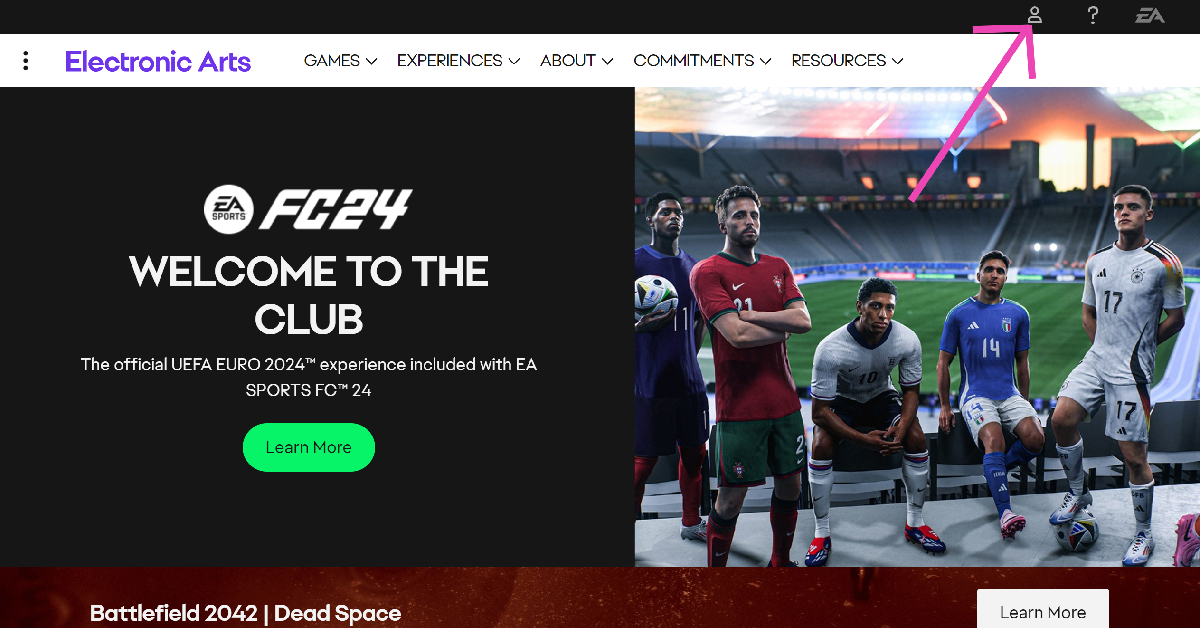
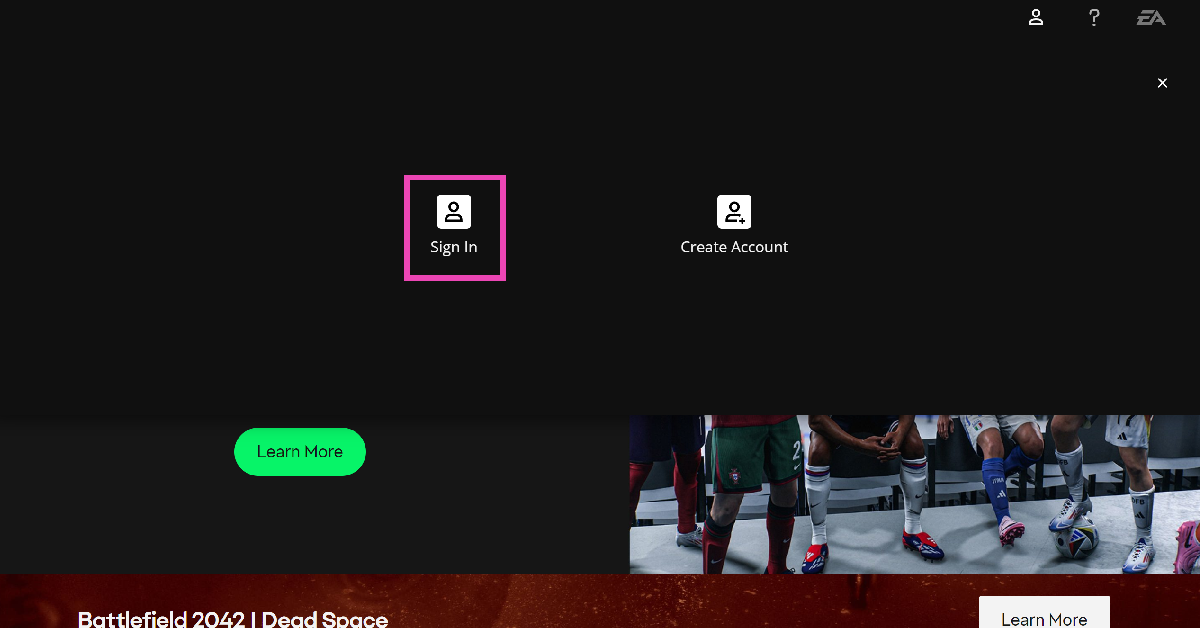
Go to the official EA website, click on the profile icon, select sign in, then click on the PS icon. Enter your PS login credentials to link the two accounts.
How do I find out if PSN is down?
Go to https://downdetector.in/, enter PSN in the search bar, and hit ‘Enter’. If you see a spike in recent user reports, it means the service is down.
These are the top 5 ways to fix the ‘Cannot Communicate using SSL’ error on your PS4 and PS5. Contact PlayStation support if the error pops up even after trying these fixes. If you’re aware of any other methods to resolve this issue, let us know in the comments!
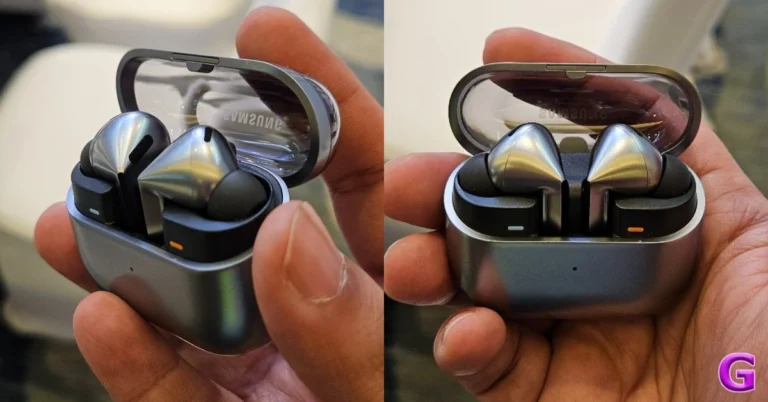
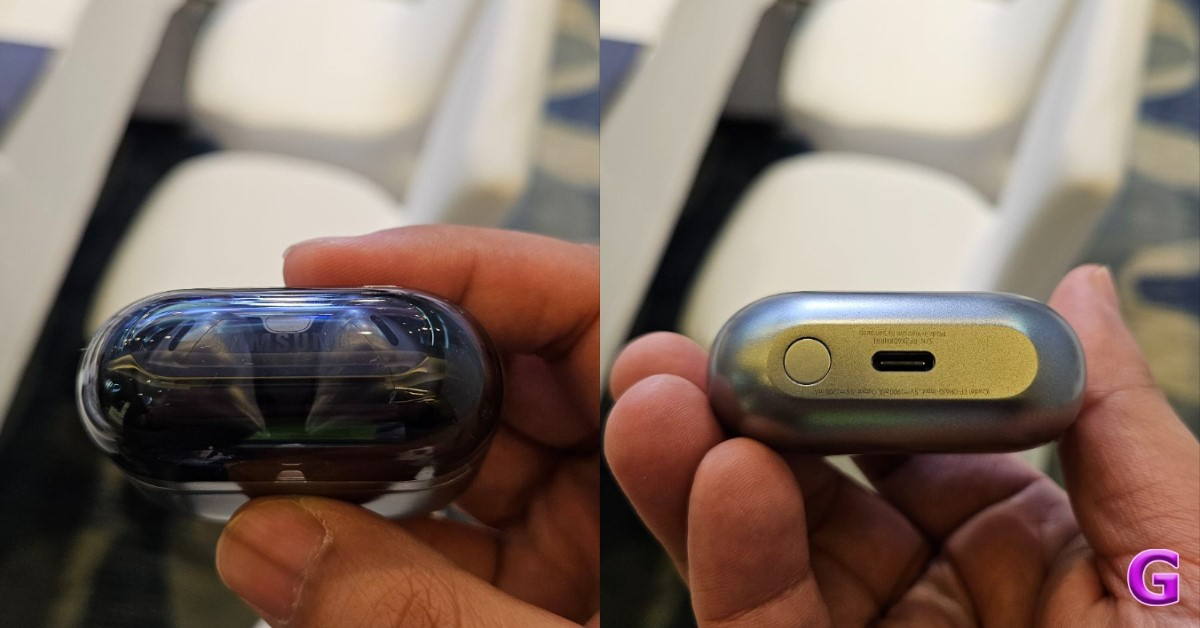
Today at the Galaxy Unpacked event Samsung introduced its latest foldable audio and wearable devices in India including Galaxy Z Fold 6 and Z Flip 6, Galaxy Watch 7 Series and Galaxy Buds 3 series. The Buds 3 lineup includes two models Galaxy Buds 3 and Galaxy Buds 3 Pro featuring an all-new stem design. The audio device also comes with Galaxy AI support, IP57 rating, and active noise cancellation (ANC).
In This Article
Samsung Galaxy Buds 3, Galaxy Buds 3 Pro design, specs
According to Samsung, the Galaxy Buds 3 series has a new computational design with a comfortable fit and superior blade design. Blade Lights add to the ultra-slim and contemporary form, which makes for a natural tactile feel. Two design choices are available for the Buds 3 and Buds3 Pro: Open Type for prolonged use and Canal Type for immersive sound. The design makes pinching and swiping simple to operate. Both types are aesthetically pleasing and convenient. The Buds 3 has an Open Type design, whereas the Buds 3 Pro has a Canal Type design.
The Galaxy Buds 3 Pro include a two-way 10.5mm dynamic speaker with a 6.1mm Planar tweeter and Dual Amplifiers, whereas the Galaxy Buds 3 have a one-way 11 mm dynamic driver. To automatically adapt to the ideal level of noise and sound, they also have Active Noise Cancellation (ANC) features, voice pickup units, and three microphones.
With a doubled sampling rate and SSC codec, the Galaxy Buds 3 Pro can produce Ultra ultra-high-quality audio, which enables high-resolution audio sources with exceptional detail. A pre-trained machine learning model in the series also restores the speaker’s original voice in a variety of noisy surroundings and offers a rich, lifelike call with the Super-Wideband Call function, akin to the high-quality calls seen on smartphones. Users of the Galaxy Buds 3 Pro model can discriminate between human sounds and background noise thanks to Voice Detect and Ambient sound mode. Users may listen to conversations without taking out their earbuds thanks to this feature, which lowers the level of the media when interacting.
The Galaxy Buds3 series uses Galaxy AI to provide a new communication experience. Users can listen to foreign language lectures directly through their earbuds, removing language barriers. Whereas Voice Command lets control functions like music playback or stop without manually touching the earbuds or a smartphone. The Buds3 series’ microphones analyse internal and external sound in real-time to enhance sound quality and Active Noise Cancellation (ANC) through Adaptive EQ and Adaptive ANC. The Buds3 Pro can automatically adjust the optimal level of noise while listening to music through Adaptive Noise Control, Siren detection, and Voice detection, making it convenient for users.
Each earbud on the Galaxy Buds 3 Pro has a 53mAh battery, while the charging case has a 515mAh battery. With ANC turned off, the earbuds have a seven-hour playback duration. The Galaxy Buds 3 comes with a 515mAh battery in the charging case in addition to 48mAh batteries in each earpiece. With this case, they may last up to 30 hours between charges and play music for up to five hours. However, the battery life only lasts for 24 hours while utilising ANC.
Samsung Galaxy Buds 3, Galaxy Buds 3 Pro price in India, sale details
The Samsung Galaxy Buds 3, and Galaxy Buds 3 Pro are priced at Rs 14,999 and Rs 19,999 respectively. They will come in two colours, Silver and White. Pre-booking window is now open and the devices will go on sale on July 24 in India.
Customers who pre-book the Buds 3 will get multi-bank cashback worth INR 4000 or an upgrade bonus worth INR 4000. Whereas those pre-booking the Buds 3 Pro will get multi-bank cashback worth INR 5000 or an upgrade bonus worth INR 5000.
Samsung launched the new Galaxy Watch7 and Galaxy Watch Ultra at its ‘Unpacked’ event today.
The new Watch ‘Ultra’ is available in a 47mm size variant and packs a 590mAh battery.
Samsung’s new Galaxy Ring was also launched at the event.
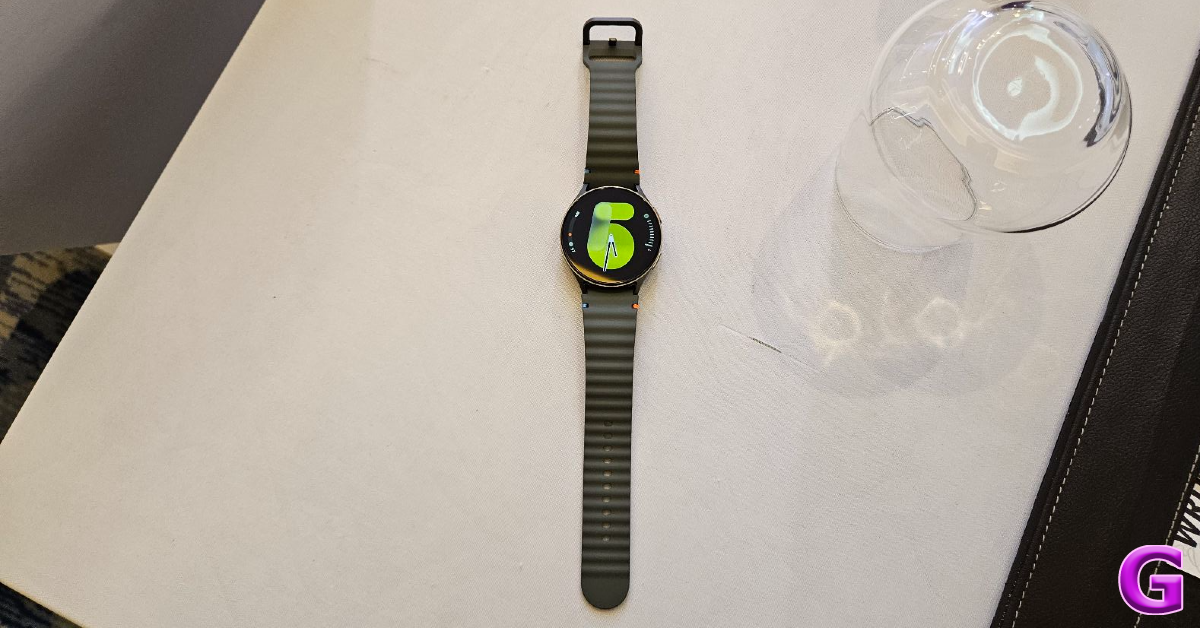
Samsung has launched its new generation of smart wearables in India. The Galaxy Watch7 and Watch Ultra were unveiled at the company’s Unpacked event held in Paris today. The two new wearables incorporate Galaxy AI to deliver personal health insights. The Watch Ultra is geared towards pro users and athletes.
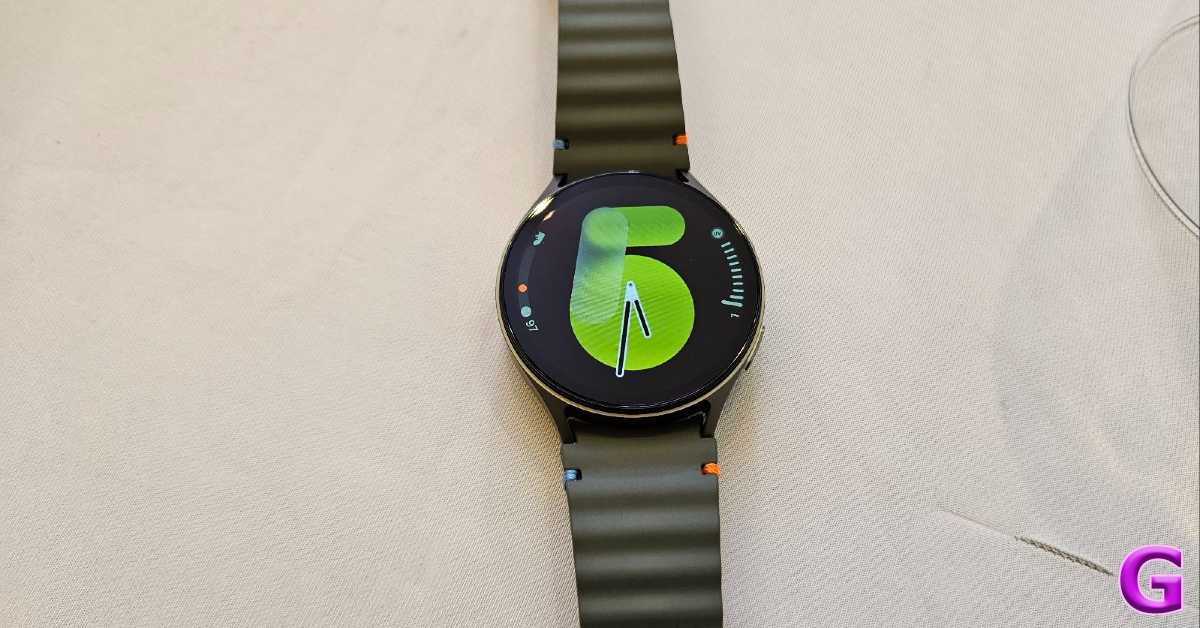
The Samsung Galaxy Watch7 is available in two sizes and four colour options – 40mm (Green, Cream) and 44mm (Green, Silver). The 40mm variant features a 1.3-inch 432x432p Super AMOLED display. The 44mm variant rocks a 1.5-inch 480x480p Super AMOLED panel.
Powering the Samsung Galaxy Watch7 is the Exynos W1000 (5 core, 3nm) processor. It is equipped with 2GB RAM and 32GB internal storage. OS duties on the smartwatch are handled by Wear OS 5 and One UI 6 Watch. The 40mm variant packs a 300mAh battery unit while the 44mm variant is equipped with a 425mm battery pack.
At the heart of the Galaxy Watch7 lies the advanced Samsung BioActive Sensor, which comprises an optical bio-signal sensor and an electrical heart sensor along with bioelectrical impedance analysis. Also onboard is a temperature sensor, accelerometer, barometer, gyro sensor, geomagnetic sensor, and light sensor. The smartwatch is rated IP68 for dust and water resistance (5 ATM) and is compliant with MIL-STD-810H standards.
The Galaxy Watch7 is the first Samsung smartwatch to feature a dual-frequency GPS system. This system can efficiently pinpoint your location in dense urban environments. The new watch band for the Watch7 features a ripple-shaped design and colour stitch details. The Watch7 can track over 100 workouts. It has new AI algorithms for enhanced sleep analysis and can also monitor ECG and Blood Pressure.
Samsung Galaxy Watch Ultra
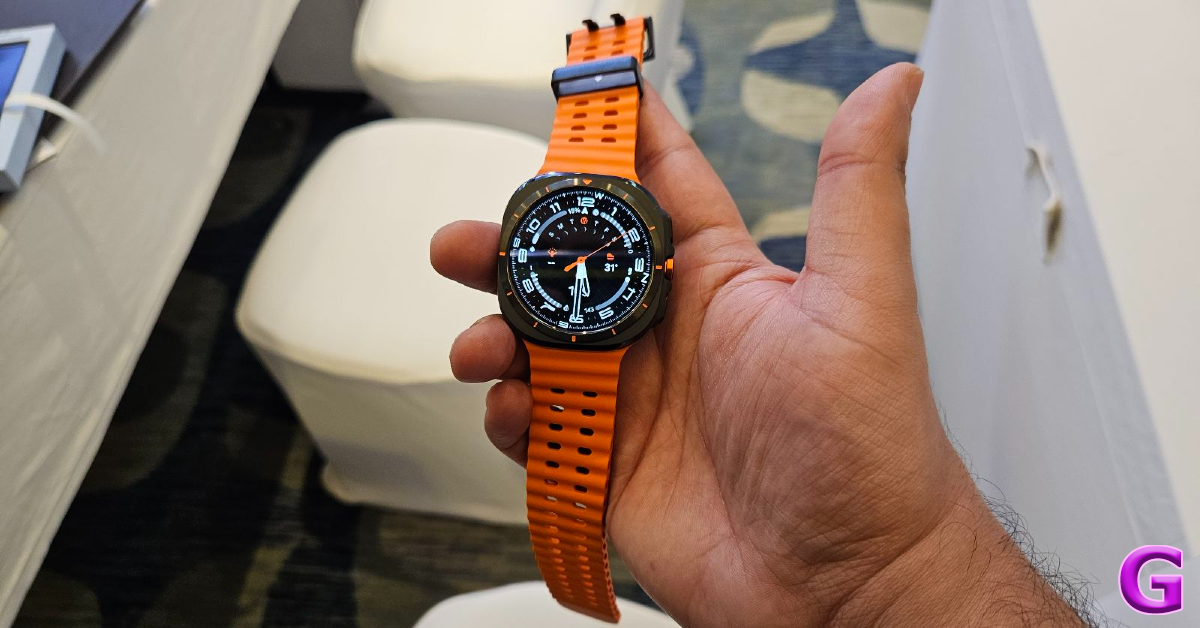
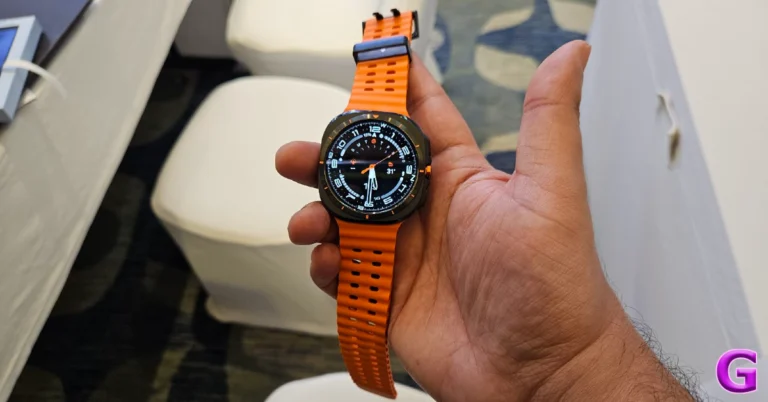
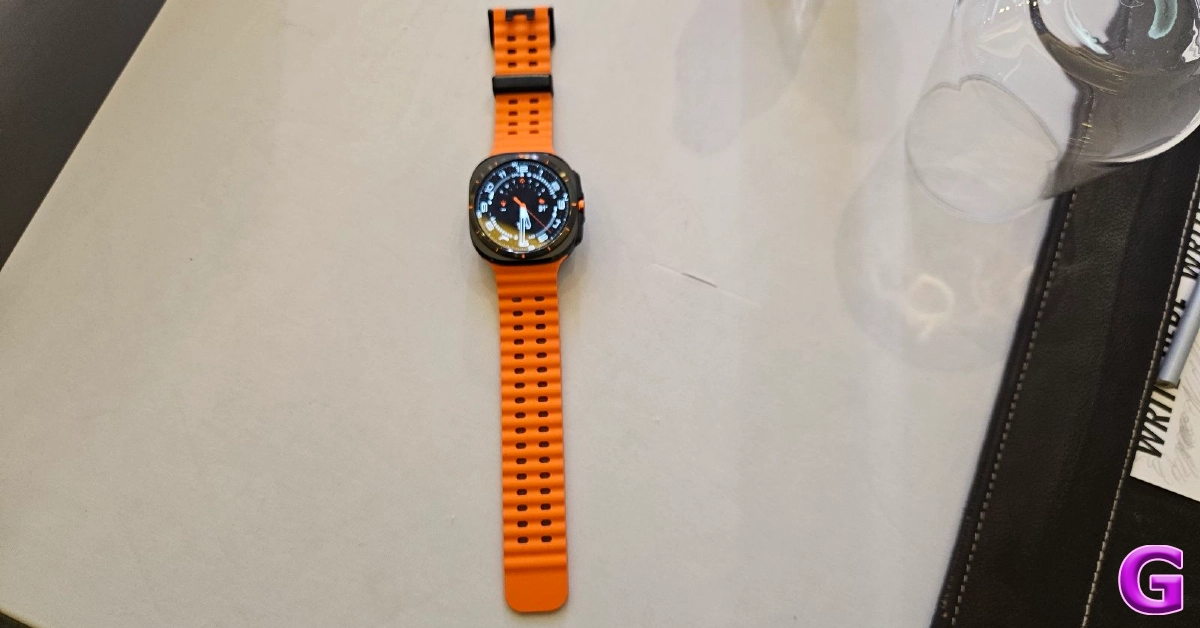
Samsung has ditched the Classic variant of the Galaxy Watch for a new Watch ‘Ultra’. The Watch Ultra is Samsung’s most powerful smartwatch yet. It features a cushioned design for the dial and a dynamic lug system for the watch band. The device casing of this smartwatch is made out of Grade 4 titanium. It has 10ATM water resistance on top of an IP68 rating. The watch can function 100 metres below sea level as well as at an altitude of 9,000 metres.
The Samsung Galaxy Watch Ultra is available in a single 47mm size variant and is available in three colours – Titanium Silver, Titanium Gray, and Titanium White. It weighs 60.5 grams and has a 1.5-inch 480x480p Super AMOLED display which can reach a peak brightness of 3,000 nits. Packed inside the watch is a 590mAh battery pack.
Designed to cater to the needs of pro athletes, the Samsung Galaxy Watch Ultra has a ‘Multi-sports’ tile that tracks multi-course workouts like cycling, swimming, and running, for triathlons. Bicyclists can measure their Full Threshold Power (FTP) in just 4 minutes using the Galaxy Watch Ultra. The smartwatch also offers a ‘Personalised HR Zone’ which allows users to train at an optimal intensity based on their physical capabilities.
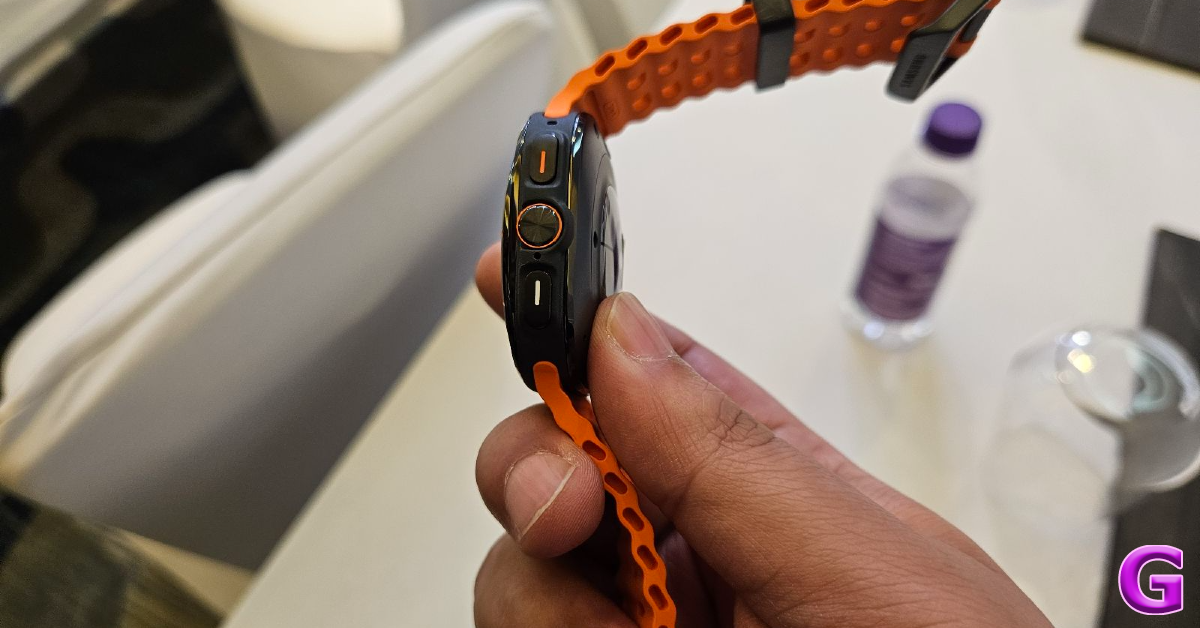
The new Quick Button on the Galaxy Watch Ultra can be used to start and control workouts instantly. This button can also be used to activate an emergency siren. The watch faces for the Ultra variant automatically switch to night mode as soon as the environment gets dark. The smartwatch shares its processor and sensors with the regular Galaxy Watch7.
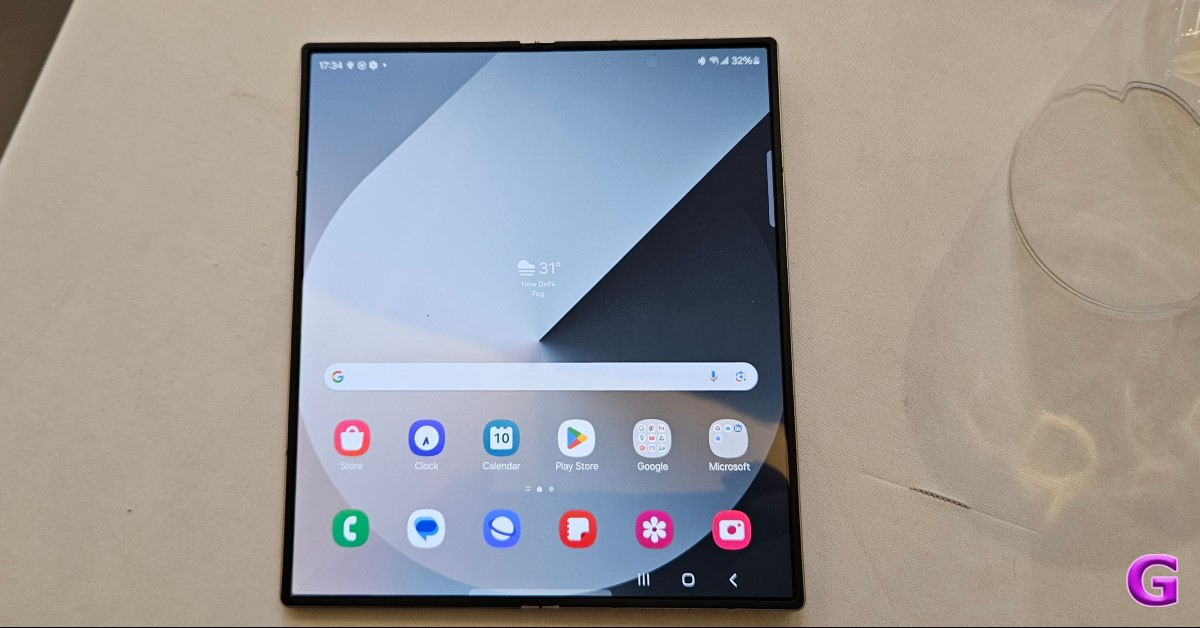
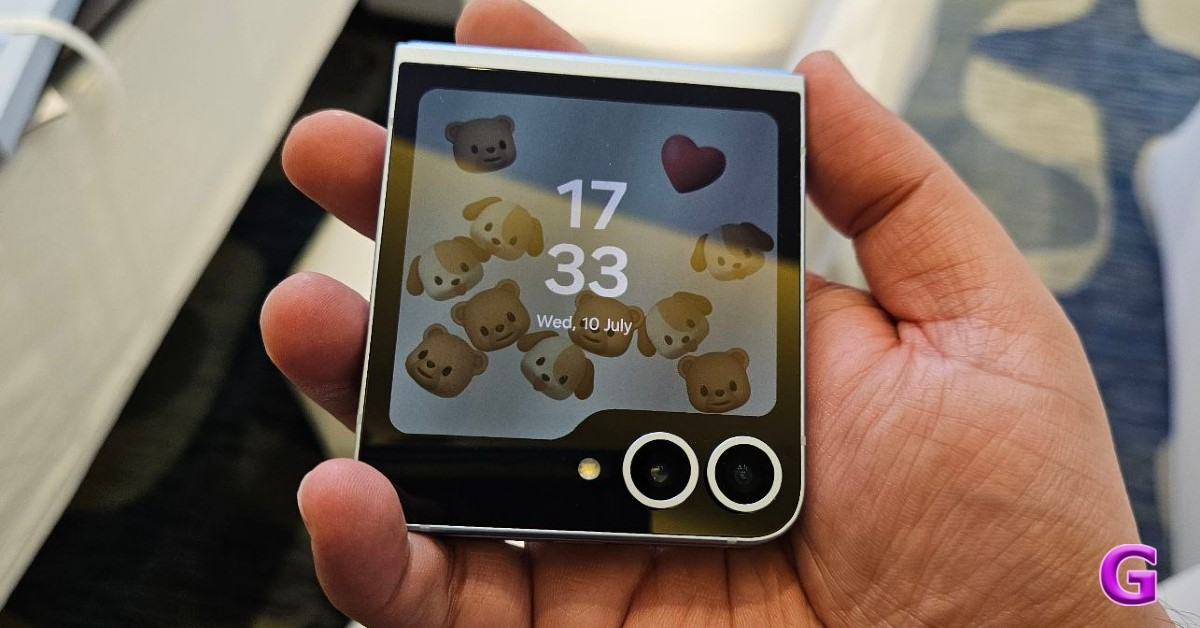
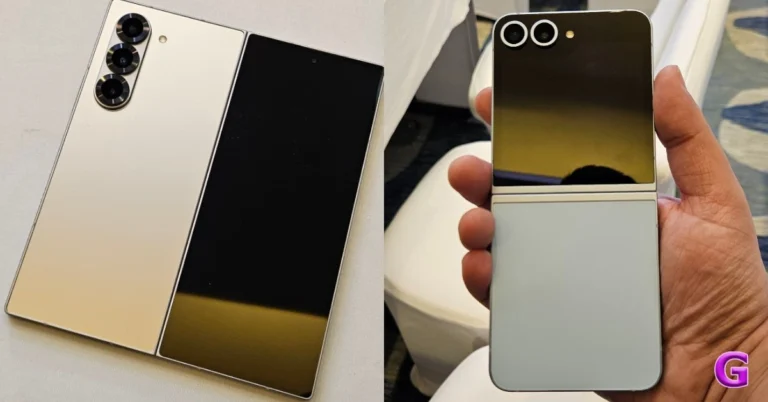
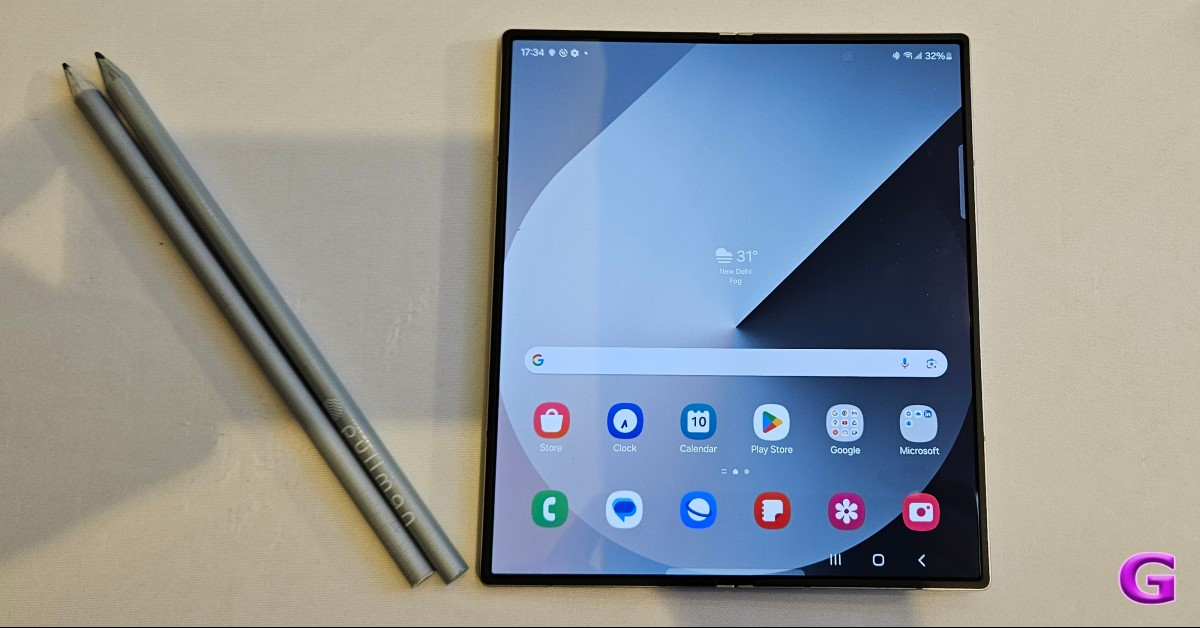
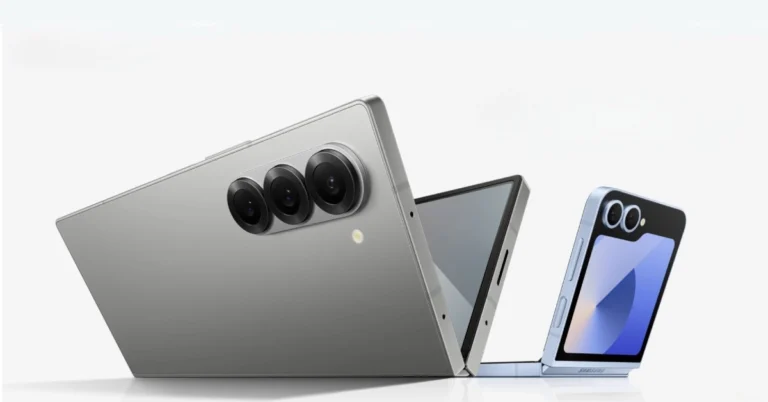
Samsung has officially unveiled the Galaxy Z Fold 6 and Galaxy Z Flip 6, their newest foldable devices. The new foldables are almost identical in appearance and have minor internal improvements. Compared to the previous model, the Galaxy Z Fold 6 is lighter. Unlike its predecessor, the Galaxy Z Fold 6 weighs less. The most recent Snapdragon 8 Gen 3 processor powers both foldables. In addition, the devices have been upgraded with Galaxy AI, giving you access to all of Samsung’s exclusive AI functions on folding phones.
In This Article
Samsung Galaxy Z Fold 6
With its improved cover screen ratio, symmetrical, smooth design, and sturdier folding edge, the Galaxy Z Fold 6 offers a natural viewing experience. A stronger folding edge provides additional support for the dual rail hinge mechanism, effectively distributing the shock of external impacts. For improved creasing strength, the primary screen features upgraded layers. The series is the most resilient Galaxy Z series to date since it has an Armour Aluminium frame and Corning Gorilla Glass Victus 2 on both sides. Up to 1.5 metres of IP48 water resistance are included.
The Samsung Galaxy Z Fold 6 features a 6.3-inch Dynamic AMOLED 2X cover display with a refresh rate of 120Hz and a 7.6-inch QXGA+ Dynamic AMOLED 2X Infinity Flex Display 120Hz main display. The highest brightness offered by both screens is 2,600 nits. An octa-core Qualcomm Snapdragon 8 Gen 3 processor with up to 12GB of RAM and 1TB of storage powers the foldable gadget. It is operated by Android 14 and runs One UI 6.1.1 as software.
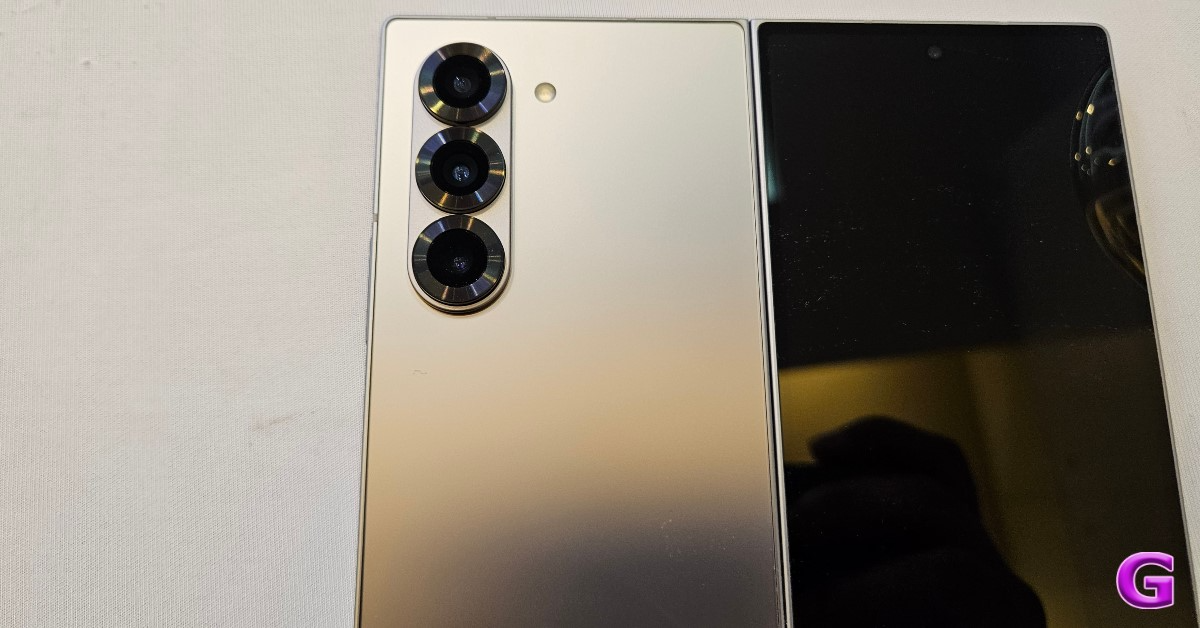
It has a total of five sensors in terms of cameras. A 12 MP ultra-wide camera, a 50 MP wide camera with a 2x optical zoom, and a 10 MP telephoto camera with a 3x optical zoom are housed in the triple camera unit on the back. The company also offers a 4MP under-display camera in addition to a 10MP front camera on the cover display.
A 4,400mAh battery with 25W fast charging support fuels the Z Fold 6.
Artificial intelligence (AI)-powered capabilities on the Galaxy Z Fold6 maximise the huge screen and improve productivity. For meeting notes, Note Assist on Samsung Notes offers autoformatting, summaries, and translation. Voice recordings can now be easily transcribed, translated, and summarised in Notes thanks to a new transcript tool. PDF overlay translation is compatible with graphs, graphics, and text in PDF files. In addition to this for the email and social networking apps, Samsung Keyboard’s Composer suggests writing based on basic keywords and analyses past posts to produce language that matches the user’s voice. With Galaxy AI on the Galaxy Z Fold6’s screen, the S Pen experience is enhanced, and users can create intricate artwork by using Sketch to picture.
With Google’s Gemini app integrated, Samsung’s Galaxy Z Fold6 smartphone provides an AI-powered writing, learning, and planning assistant. You can use a screen swipe to open the app, or you can say “Hey Google” to open its overlay. Additionally, it offers real-time flight and hotel booking information, enabling users to plan their trips and use Google Maps to visit locations. Users can use the multi-window split screen to ask questions about the artist, and they can use the Gemini overlay to ask questions about K-pop music videos on YouTube. Users can tap, highlight, or circle an artist in a video to find them.
Thanks to Interpreter, a dual-screen function that enables natural interactions and one-way translation, the Galaxy Z Fold6 now provides barrier-free communication. Additionally, the smartphone makes popular third-party apps compatible with Live Translate, a real-time translation service, in addition to Samsung’s native app. During lectures or presentations, interpreters enable viewers to watch translations on both the main screen and the cover screen for improved comprehension.
The ProVisual Engine, driven by AI, is a feature of the Galaxy Z Fold 6 that provides professional-grade content creation with Photo Assist and a variety of portrait styles, such as watercolour or 3D cartoon, with Portrait Studio. While producing extra frames for a fluid viewing experience, Instant Slow-mo enables detailed viewing. For entertainment purposes, users may save or share videos with friends and family. The whole user experience is improved by this sophisticated editing capability.
With a 1.6x larger vapour chamber and a potent CPU, the Galaxy Z Fold6 improves gaming and lets you play for extended periods without sacrificing performance. Its Ray Tracing technology produces vibrant visuals that provide engaging gaming experiences.
Samsung Galaxy Z Flip 6
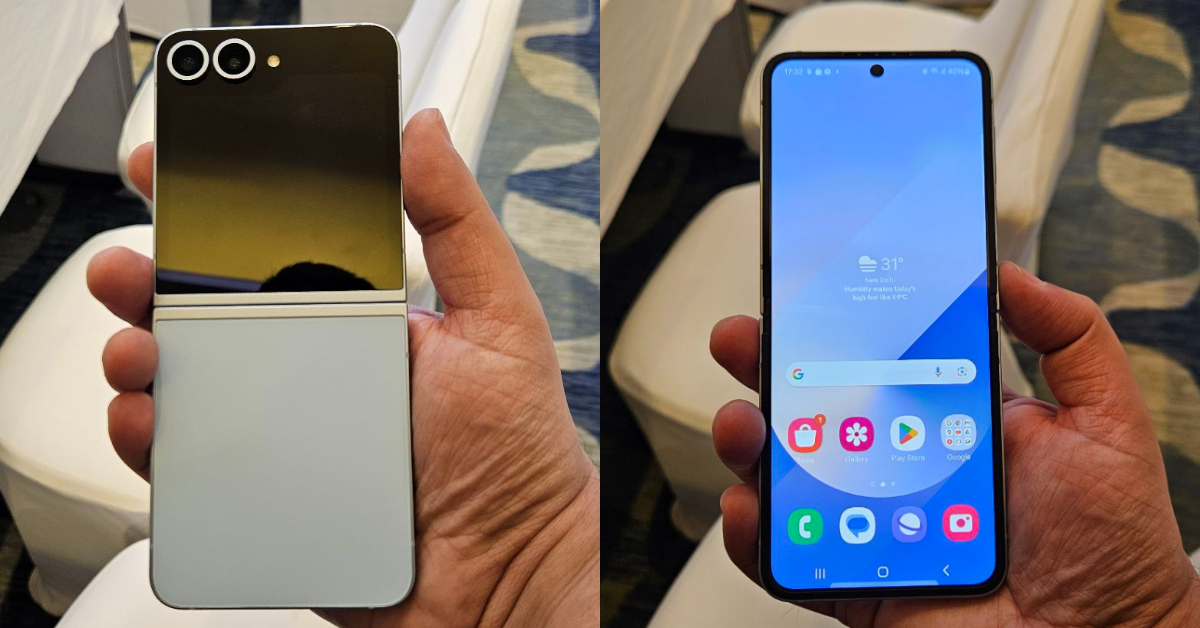
On the other hand, similar to the Galaxy Z Flip 5, the Galaxy Z Flip 6 has a 3.4-inch FHD IPS cover display with a 60Hz refresh rate. The 6.6-inch FHD+ Dynamic AMOLED 2X 120Hz Infinity Flex main display supports a 120Hz refresh rate. It also comes with the same IP48 rating. The has a side fingerprint sensor.
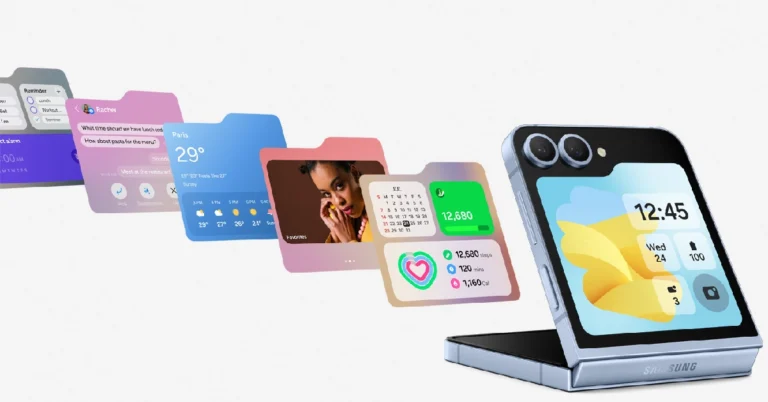
FlexWindow provides music widget selection notifications and updates related to Samsung Health. Additionally, it provides more widgets and enables simultaneous analysis of data from several widgets. With AI-powered Photo Ambient, the Galaxy Z Flip provides customisable choices that enable real-time wallpaper changes based on the time of day and weather. By analysing their wallpaper, users are able to create a unified style by making adjustments to the background image, such as shifting the clock or changing the colour of the frame.
The Flip phone, like its bigger brother, is equipped with a Snapdragon 8 Gen 3 processor that offers 12GB of RAM and up to 512GB of storage. It is powered by Android 14 and runs One UI 6.1.1.
The Galaxy Z Flip 6 comes with a 12MP ultra-wide camera on the cover display in addition to a 50MP primary camera with 2X digital zoom while offering AI zoom for an advanced shooting experience with up to 10x zoom. It also features a 10MP front camera.
It is equipped with a 4,000mAh battery, which is an improvement over the 3,700mAh one seen in the previous edition. It also has 25W fast charging support.
Samsung Galaxy Z Fold 6 price in India and availability
Specifications
Ram Storage
Colors
MOP (INR)
Galaxy Z Flip6
12GB 256GB
Blue, Mint, Silver Shadow
109,999
12GB 512GB
121,999
Galaxy Z Fold6
12GB 256GB
Silver Shadow, Navy, Pink
164,999
12GB 512GB
176,999
12GB 1TB
Silver Shadow
200,999
The Galaxy Z Fold 6 and Galaxy Z Flip 6 will be available for pre-order from today onwards. Fold 6 will come in Silver Shadow, Pink, and Navy, as well as online exclusive Crafted Black and White colour options. Whereas Flip 6 will be available in Silver Shadow, Yellow, Blue and Mint colour options.
They will be exclusively accessible through Samsung.com, general availability is scheduled for July 24. Samsung Care+ will be provided one year free during pre-order periods.
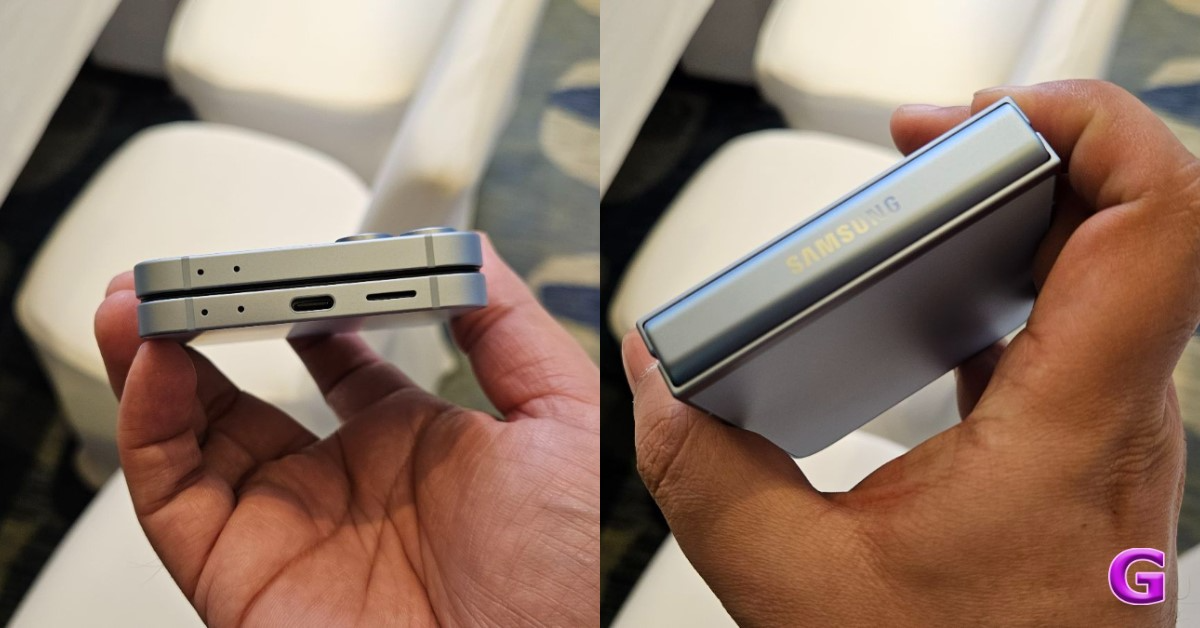
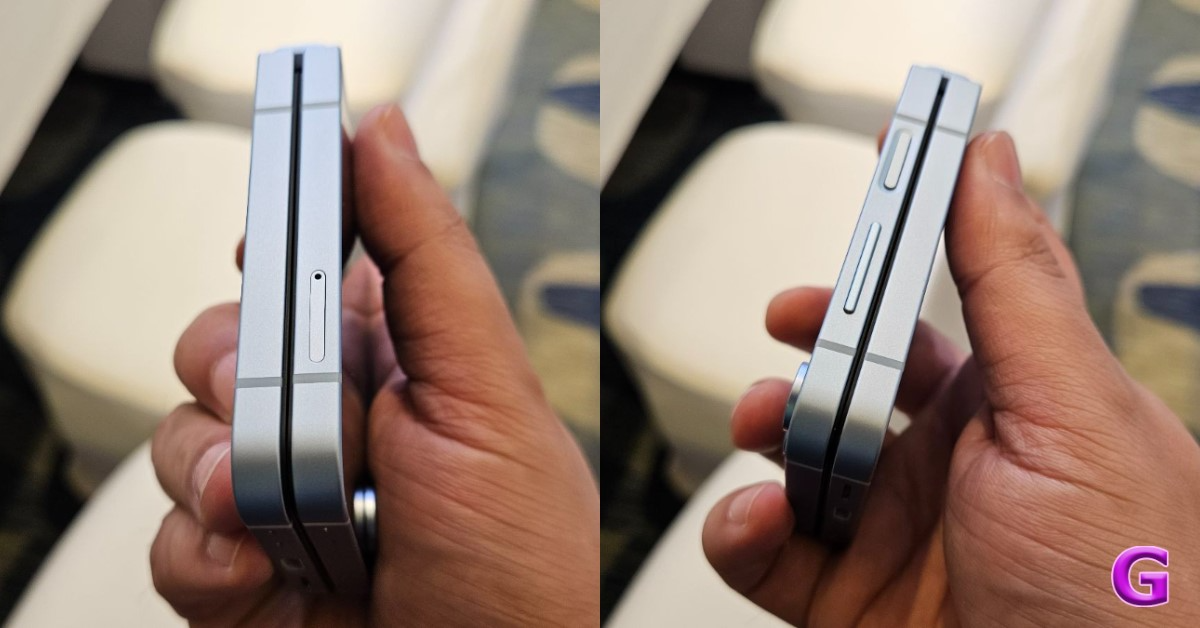
Samsung’s foldable smartphones flaunt the best specs and state-of-the-art hardware. The newly launched Samsung Galaxy Z Flip 6 is no different. After the changes Samsung made to the Flip 5’s cover display, the Flip 6 was always going to be a minimal upgrade but it is an important one. As far as compact folding phones go, the Flip 6 is certainly one of the best ones around. If you’re thinking of getting your hands on the new Samsung Galaxy Z Flip 6, here are the top 10 apps you should download on it.
The CoverScreen OS app for the Samsung Galaxy Z Flip 6 unlocks what you can do with the smartphone’s cover display. While Samsung has increased the functionality of the cover display, the collection of apps it can run is still pretty limited. CoverScreen OS gets rid of this roadblock and lets you run any app you want on the compact screen. Just a heads up, this app may drain your phone’s battery faster than usual.
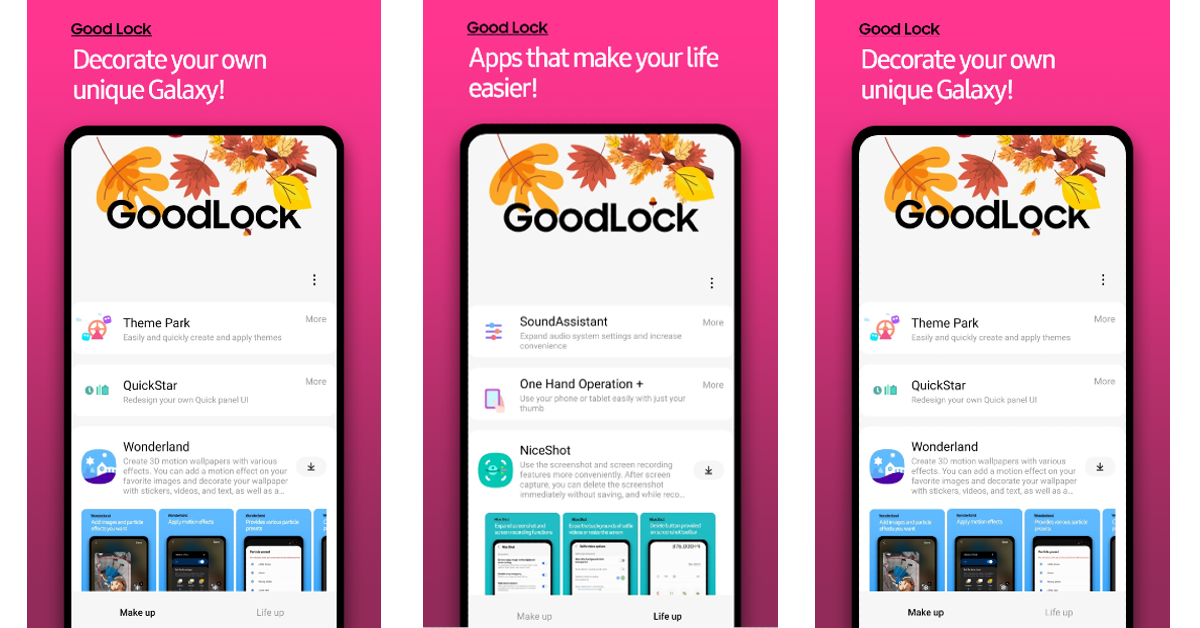
Samsung’s very own Good Lock app can also accomplish the same task as CoverScreen OS. Some may prefer Good Lock over CoverScreen OS as it is developed by Samsung and, as a result, is well-optimised for the Flip 6. The ‘MultiStar’ tool in the ‘Life Up’ section lets you place any apps you want on the cover screen. Other than that, you can use Good Lock for a range of customisation options.
Perfectly suited for the cover screen, Microsoft Outlook is one of the best apps you can download on the Samsung Galaxy Z Flip 6. You can check emails and respond to them without opening your phone. This is perfect for when you’re on the go and juggling multiple tasks at once. Outlook also has an amazing app for the Galaxy Z Fold 6 that you should check out.
Taking a quick note or going through your shopping list is a very quick and seamless process on the Samsung Galaxy Z Flip 6. Google Keep is the perfect app for this task as it allows you to view and edit your list from the cover display itself. This comes in quite handy when you’re going through the aisles in the grocery store and simply want to glance at your shopping list without opening your phone.
Kindle’s refined layout, pleasant interface, and cover display support make it one of the best apps for the Samsung Galaxy Z Flip 6. If you own a Kindle device, this app will sync your reading progress with your smartphone and vice versa. Amazon Prime subscribers can choose from hundreds of titles and read them without any additional cost. You can also get a Kindle Unlimited subscription and explore millions of books, comics, and more.
Spotify is the quintessential music streaming app for a variety of reasons. Its comprehensive library contains over 80 million songs and 4 million podcasts. While it may lack lossless audio support which is found in Apple Music, it makes up for it with its superior UI. Galaxy Z Flip users will also be pleased to know that the app is compatible with the cover display on their devices.
Unanimously considered to be the best instant messaging app for Android, WhatsApp is a must-have app for your Galaxy Z Flip 6. Features like multi-account/multi-device support, HD images, Meta AI integration, video calling, screen sharing, and more make it a well-rounded messaging app. On your Flip 6, you can easily view and respond to WhatsApp messages from the cover display.
Despite recent controversies, Netflix still enjoys a good percentage of market share among streaming apps. But that’s not why it is on the list. Netflix is one of the few media streaming apps that is compatible with the cover display on the Samsung Galaxy Z Flip 6. While it is still a beta feature, you can enjoy TV shows and movies on Netflix on your phone’s cover display.
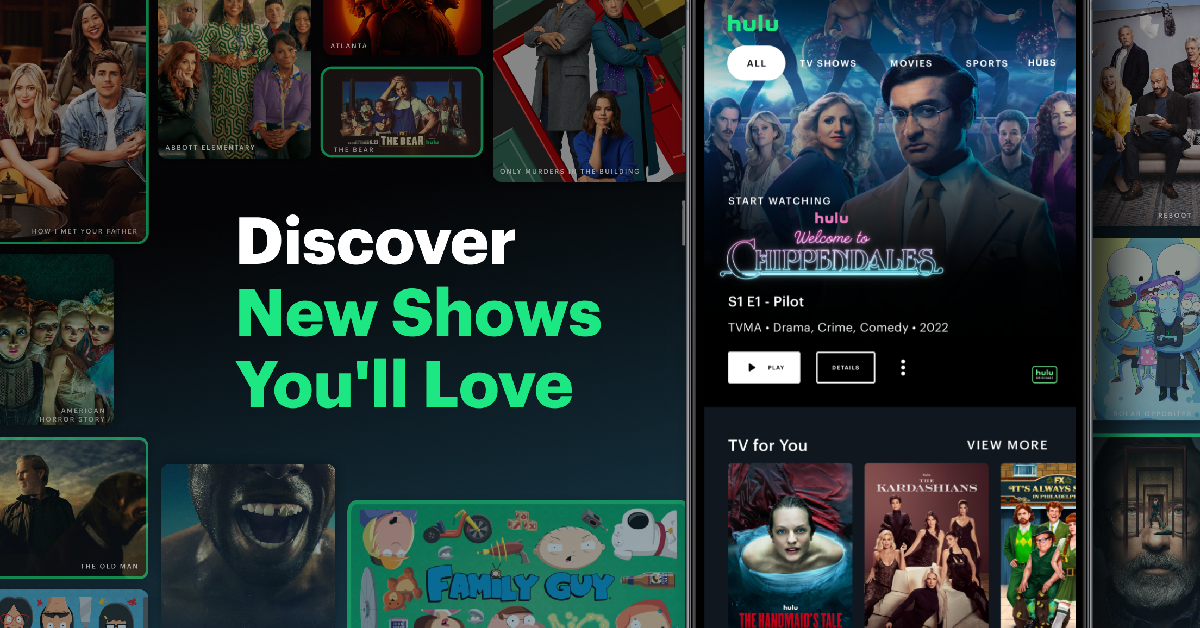
Hulu is an excellent app to stream TV shows, movies, and live TV. It has an impressive library consisting of popular titles like Only Murders in the Building, Shogun, The Handmaid’s Tale, The Bear, and more. With Hulu Live TV, you can watch NFL, NBA, MLB, NHL, Formula 1, and more with ease. And yes, like Netflix, Hulu works on your Flip 6’s cover display as well.
For the privacy-minded folks, DuckDuckGo is as good as it gets. This web browser blocks all the tracking cookies and makes sure your web browsing experience is anonymous and secure. Its ‘App Tracking Protection’ feature prevents the apps on your phone from tracking your activity. The handy fire button on the address bar deletes all your data and browsing history with just one tap.
These are the top 10 apps that you should download first on your new Samsung Galaxy Z Flip 6. Thinking of buying the Fold 6 instead? Here are the best apps for Samsung’s flagship foldable. If you think we missed out on an app, let us know in the comments!
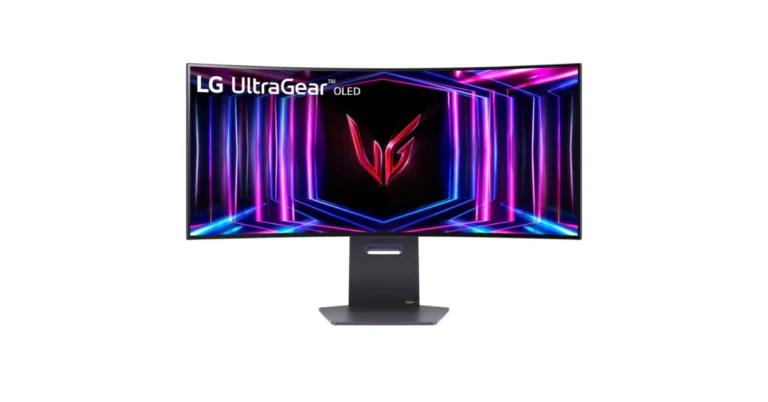
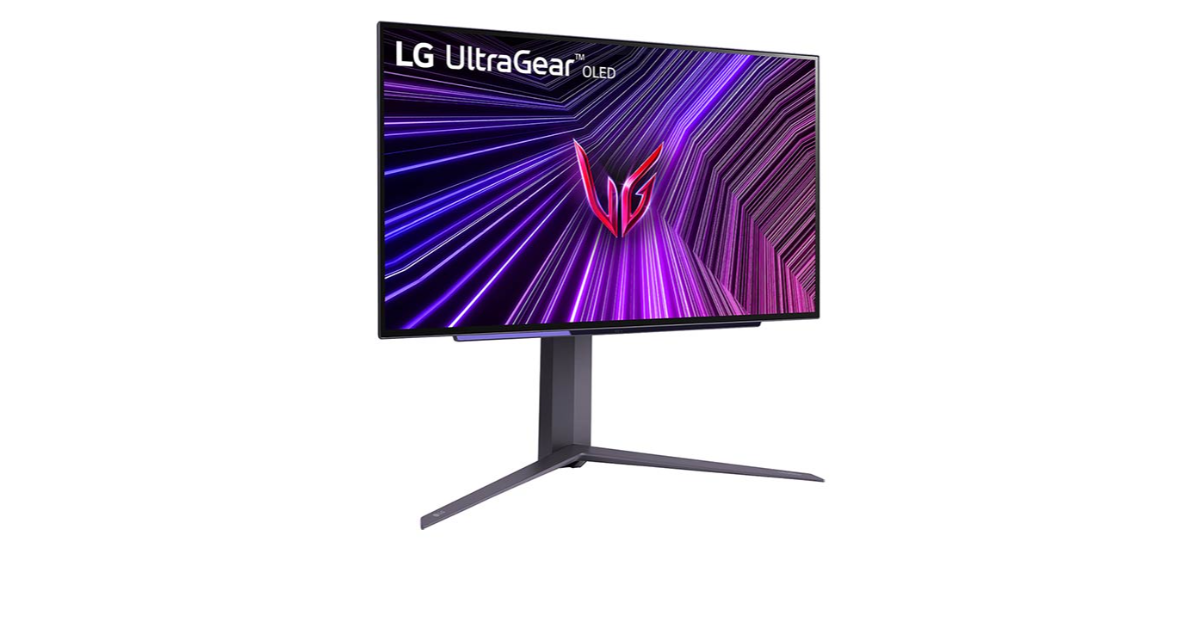
LG Electronics has introduced the LG UltraGear OLED series, new gaming monitors in India. The lineup includes models in four sizes featuring OLED technology with Micro Lens Array Plus (MLA+). The LG UltraGear OLED monitors offer brighter visuals and deeper blacks, HDR True Black 400, and a 1.5M:1 contrast ratio for an unparalleled gaming experience.
The UltraGear OLED series models are now available for purchase via LG.com, Amazon, and Flipkart with a starting price of Rs 1,20,000.
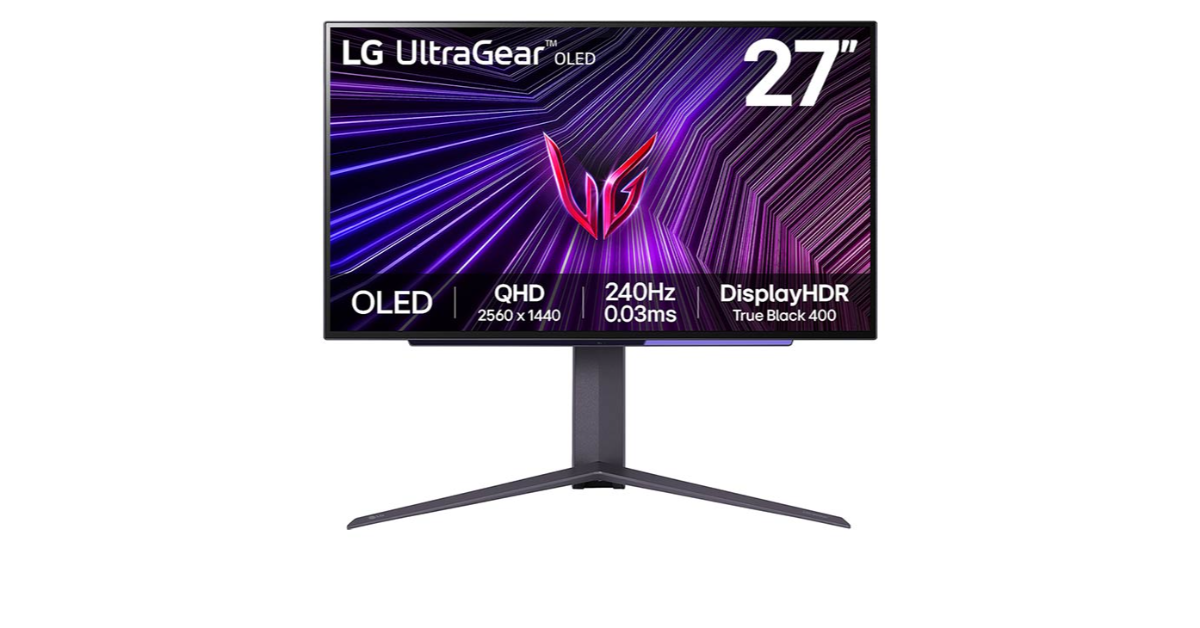
The LG UltraGear OLED series is available in four distinct 27, 34, 39 and 45-inch sizes. The 27GS95QE-B.ATR monitor features a 27-inch OLED QHD display with fast response times and a 240Hz refresh rate. The 34GS95QE-B.ATR monitor features a 34-inch OLED WQHD display with an immersive 800R curved design. The 39GS95QE-B.ATR monitor has an expansive 21:9 Ultra-WQHD display with rich black tonal depth and an instinctual curve for optimal gaming experience.
With an 800R curvature, the UltraGear monitor provides constant brightness and colour for extended gaming sessions. It boasts extremely rapid response times of 0.03ms and a refresh rate of up to 240Hz, resulting in wide colour ranges and outstanding detail. The display also has an anti-glare OLED covering for safer viewing over time, accentuating truer blacks with lightning-fast response rates.
The OLED monitor supports NVIDIA G-SYNC and AMD FreeSync0 Premium Pro, reducing tearing and stuttering for faster, smoother gaming experiences. Its ClearMR 13,000 certification eliminates motion blur, and G-Sync syncs the monitor’s refresh rate to the GPU frame rate.
Commenting on the same Mr. Yoojae Kim from LG Electronics India, said, “As we unveil the UltraGear OLED series, we’re proud to announce a new era in gaming monitor innovation. LG has pushed the boundaries of technology to deliver a gaming experience like no other. With these monitors, gamers can expect nothing short of excellence in performance, immersion, and visual fidelity. The UltraGear OLED series represents our unwavering commitment to delivering the ultimate gaming experience, setting new standards for the industry.”
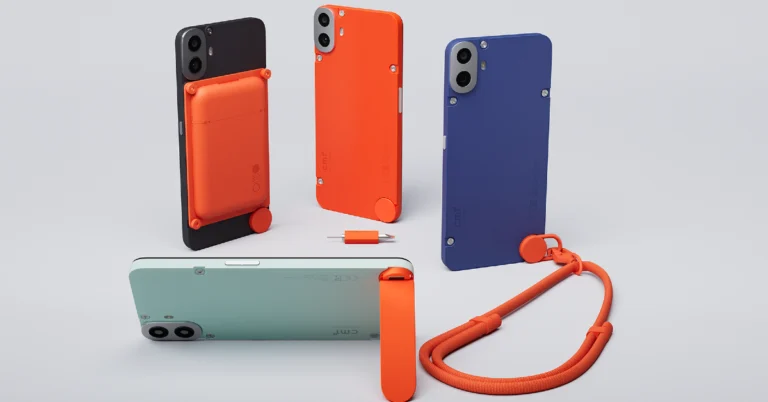
The newly launched CMF Phone 1 has created a lot of buzz for itself in the budget phone segment. This is mostly due to its modular design approach. The back panel of the device has visible screws which can be unfastened to attach a bunch of accessories. These accessories come at an additional price. Prices for the smartphone start at Rs 16,000 in India. If you’re thinking of buying the CMF Phone 1, you may want to take a look at its official accessories. Here are the 5 accessories available with the smartphone.
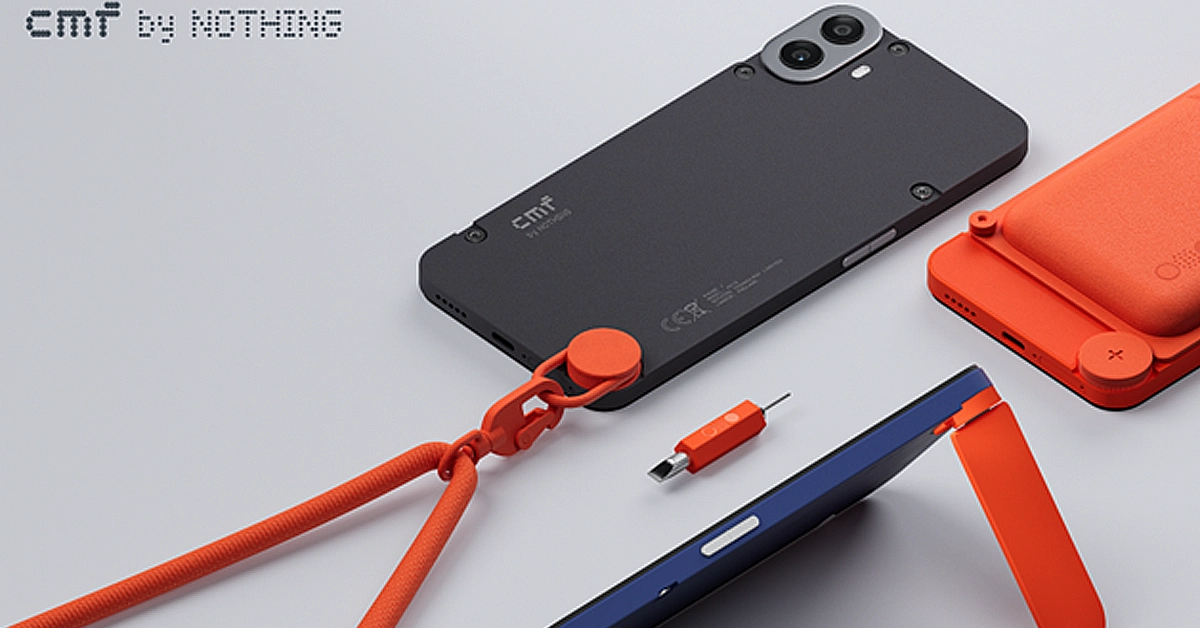
Perhaps the most important accessory for the CMF Phone 1 is its customisable back panel. Using the mini screwdriver, you can easily detach the smartphone’s back panel and slap on a new case with a different colour. Not only does it keep things fresh, but also eliminates the need to put on a protective cover on your phone. In case you damage the back panel, you can easily replace it with a new one at a very affordable cost. There are four colour options on offer – Black, Blue, Light Green, and Orange.
CMF Kickstand
The CMF kickstand attaches to the bottom of the back panel once you remove the rotating dial. This kickstand folds against the case when it is not in use. It is made entirely out of plastic but it can easily handle the weight of the smartphone. What we like about this kickstand is that it can hold the phone in portrait as well as landscape orientation. You can use it while the cardholder is attached to the back panel as well.
CMF Card Holder
The CMF Card Holder is a magnetic attachment that easily snaps onto the back of the smartphone and can hold up to three credit/debit cards. You may be wondering how a magnetic accessory is compatible with the CMF Phone 1 when the device does not have any magnets inside it. Well, this is where CMF’s unique engineering comes into play. Before attaching the cardholder, you need to fasten a magnetic plate on the CMF Phone’s back panel. Once that’s done, the cardholder can be easily attached to it. The magnetic plate leaves the door open for all kinds of accessories in the future.
CMF Lanyard
While not as flashy or interesting as other accessories on this list, the lanyard serves a functional purpose. It attaches to the rotary dial at the bottom of the phone and can be used to hang the phone around your neck or tie it to a backpack. The length of the lanyard is adjustable.
CMF 33W Fast Charger
The 33W CMF charger is not included in Phone 1’s retail box. This charger can power the smartphone from 1-50% in 30 minutes. A complete charge takes almost an hour. This charger is not to be confused with the more powerful 65W GaN charger that CMF launched last year. You can read our review of the GaN charger here.
These are all the accessories you get with the CMF Phone 1. These accessories will be available to buy in the next few days. What do you think about the CMF Phone 1’s design and engineering? Does it serve enough purpose to avoid the ‘gimmick’ tag? Let us know in the comments!
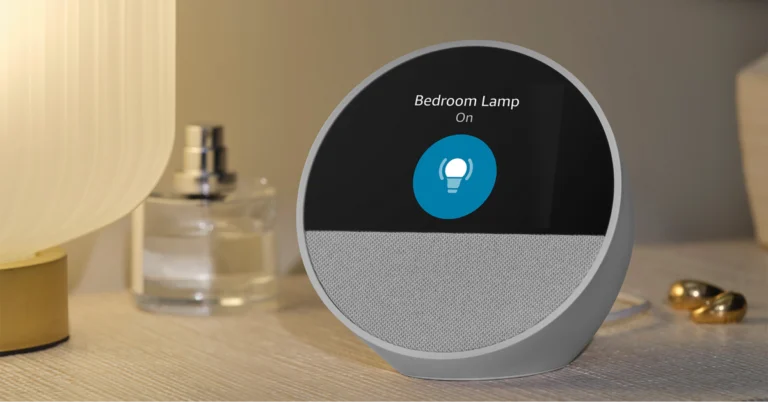
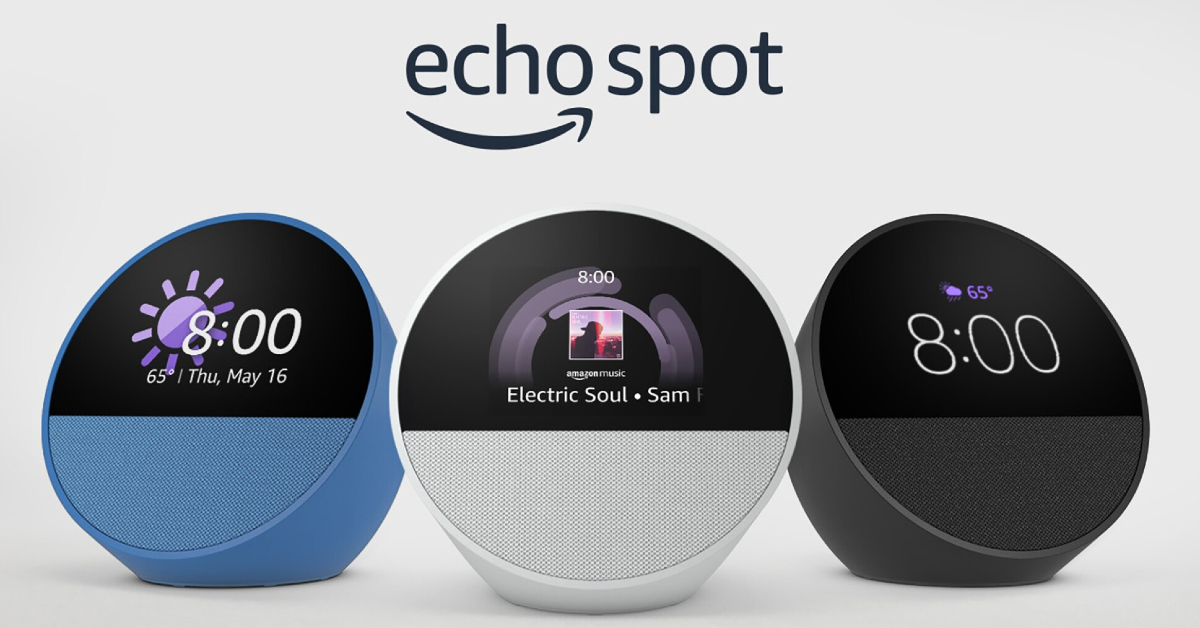
Amazon has officially launched the all-new Echo Spot, the latest addition to Amazon’s lineup of Alexa-enabled devices. It is a customizable smart alarm clock with customizable clock faces and colours. It’s designed for nightstands and offers a display for alarms, time, weather, and song titles. Here is everything about it from pricing to specs.
The stylish new customisable smart alarm clock Echo Spot comes in a range of exciting colours and personalised clock faces. It has a semi-spherical form, access to Alexa, and a tiny and brilliant display. Built for the nightstand, it features a directional speaker that produces bright sound, an easy-to-set and view display for the time, weather, song names, and more.
With six colours and multiple clock faces, Echo Spot’s display can be tailored to your bedroom’s decor, letting you match your taste. Alexa may choose from four bespoke alarm sounds—Aurora, Daybreak, Endeavour, and Flutter—or set the alarm using commands like “Alexa, set a weekday alarm for 7 am with soft jazz” on the Echo Spot. To extend your sleep, press the Echo Spot button.
The Echo Spot 1.73-inch also has a front-firing directional speaker. With Alexa’s vibrant visual animation, users may play their favourite tunes and skip songs by asking her questions or tapping the screen. Alexa responds to several queries, such as those for the weather, alarms, and reminders. Requests for weather updates are even more interesting with Echo Spot because it shows the temperature and images of suns, rain clouds, or snowfall.
With the help of Alexa Routines, Echo Spot users will be able to automate daily tasks by connecting them to smart home devices. You can set up a nighttime routine that triggers porch lights, lowers the thermostat, and plays music, or a morning routine that switches on the kitchen coffee maker activates bedroom smart lighting, and plays morning news.
Ask Alexa to call loved ones, make household announcements, audibly Drop In on other Alexa-enabled devices in your household, or get alerts and audio from your compatible smart doorbell.
Advanced privacy features on Echo Spot include the option to review and remove recordings of conversations in addition to a mic-off button.
In terms of pricing, Echo Spot is currently available for Prime members for just $44.99 through Prime Day. Whereas, non-Prime members can purchase it for $79.99.
Garena Free Fire Max is a battle royale game with regular awards and tournaments to keep players interested. If you play Garena Free Fire, you should be aware of the redeem codes that are released on a daily basis. However, because the battle royale game is banned in India, players from other countries can use the Free Fire Redeem codes daily. If you’re unfamiliar with the Garena Free Fire redeem codes or don’t know how to get them, we’ve put together a step-by-step guide to help you redeem them. Check out Garena Free Fire Max Redeem Codes for 10 July 2024.
The Free Fire Max redeem codes are a great way to get free stuff. These are 12-digit codes that contain alphabets and numbers, as well as an expiration date and time. Because the Garena FF redeem codes cannot be used more than once, you should hurry to the redemption page to claim your free reward before someone else does. To get a free reward, all you have to do is go to reward.ff.garena.com/en, which is the official redemption page. Also, keep an eye on this space for daily updates on Garena Free Fire Max redemption codes and rewards.
The new Samsung Galaxy Z Fold 6 is finally here and it continues to impress with its sublime hardware and loaded specs. While there’s been fresh competition from Google and OnePlus in the foldable category, Samsung has quickly reminded us why it is considered to be the best in this genre. The Fold 6 packs the latest Snapdragon 8 Gen 3 SoC, a 7.6-inch Dynamic AMOLED 2X inner display, and a 6.3-inch cover display. If you want to get the most out of this device, you need the right apps. So, without further ado, here are the top 10 apps for the Samsung Galaxy Z Fold 6.
If you own a Samsung smartphone, Good Lock is one of the first apps you should download on it. Available on the Galaxy Store, Good Lock is developed by Samsung to provide better customisation options for its phones. Using Good Lock, you can tap into one-handed controls, redesign the Quick Settings Menu, customise the S Pen, create 3D motion wallpapers, apply new themes, and a lot more. The more time you spend on Good Lock, the more unique your phone will look.
Kindle utilises the screen real estate on your Samsung Galaxy Z Fold 6 and delivers a remarkable reading experience. Not to mention, its UI is far ahead of other e-readers for Android. The larger aspect ratio of the Fold 6 and its two-pane design come very close to recreating the experience of reading from a book. If you own a Kindle device, this app will sync your progress between your phone and the e-reader.
Not only does Spotify have an impressive library of songs, but it is also very well-optimised for folding devices. We like that the mini-player gets more space on the screen while you’re browsing the music library. The general UI of the app is similar to its tablet version, but the latter is so well done that we’re glad to see it on a smartphone.
Todoist is one of our favourite productivity apps for Android. This app simplifies your tasks and creates a clean, easy-to-follow layout to streamline them. The app’s language recognition picks up the dates from the text you’ve entered. You can enter something like ‘Remind me to pick up groceries on Thursday’, and the app will recognise the date with ease. You can link Todoist with over 60 apps like Outlook, Slack, and more. If you’re working on a project with other people, you can collaborate with them on Todoist and leave instructions and voice notes every step along the way.
Microsoft Outlook makes good use of the inner display on your Samsung Galaxy Z Fold 6, making it one of the best apps you can download on the device. The app’s layout allows you to go through your inbox on the left pane while opening individual emails on the right pane. Once you’re used to this meticulous design, it will be very hard to go back to the non-foldable version of the app. The tab at the bottom is another nice touch in the app’s layout. It makes it easy for the user to jump from the inbox to the calendar, feed, and other options.
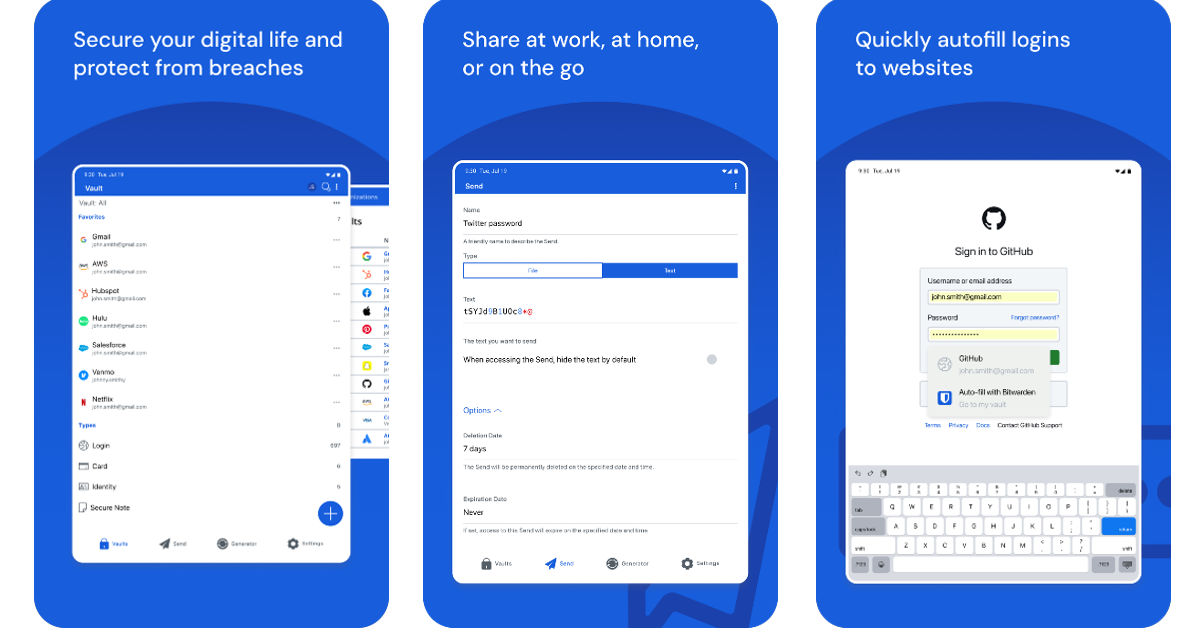
If you don’t have an app to manage your passwords, it is about time you got one. Bitwarden is one of the best around. Not only does it autofill your passwords wherever necessary, but it also offers a wide range of functions that will change how you go about password security. Since the app takes care of auto-filling your passwords, you don’t need to remember them anymore. Using Bitwarden, you can generate a complex string as a password and save it on your device. The app syncs your passwords across all your devices. Bitwarden notifies you when your password is found in a data leak, prompting you to change it immediately.
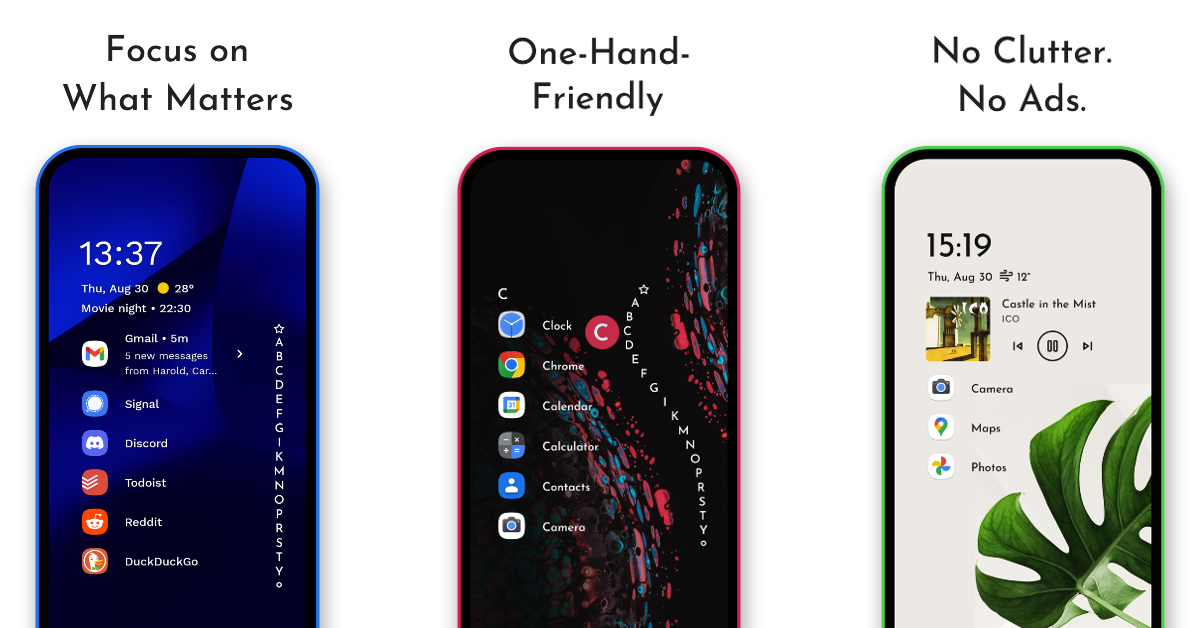
If you like your smartphone to stand apart from the rest, Niagara Launcher is the app you’re looking for. This app redesigns your home screen and gives it a unique, eye-grabbing look. If you’re a fan of minimal themes, you will enjoy Niagara. This app is also suited for large foldable devices. The best part is that it does not plague your device with invasive ads. If you like spending time customising your phone, we could not recommend this app more.
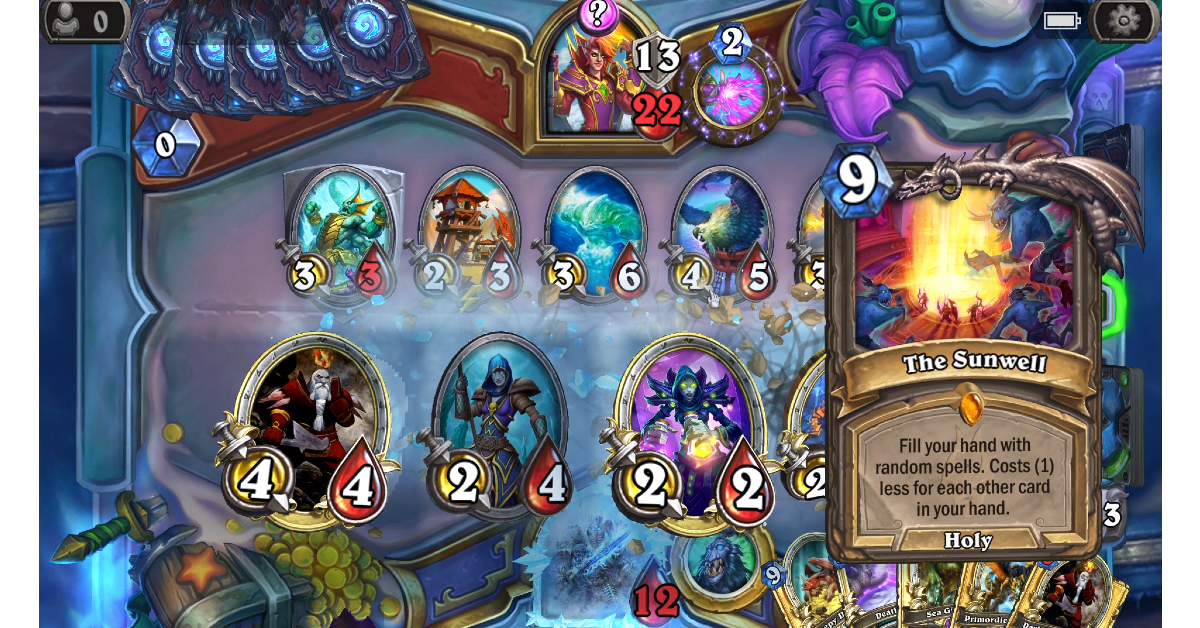
Hearthstone is one of the most popular strategy card games around and it looks even better on a bigger screen. Hearthstone is set in the Warcraft universe and utilises spells and characters from that franchise. You can curate an impressive deck by collecting battle cards within the game. The game allows you to challenge other players or go on your solo adventure. With a special focus on strategy, Hearthstone ensures that players are always enticed by the nuance of the gameplay.
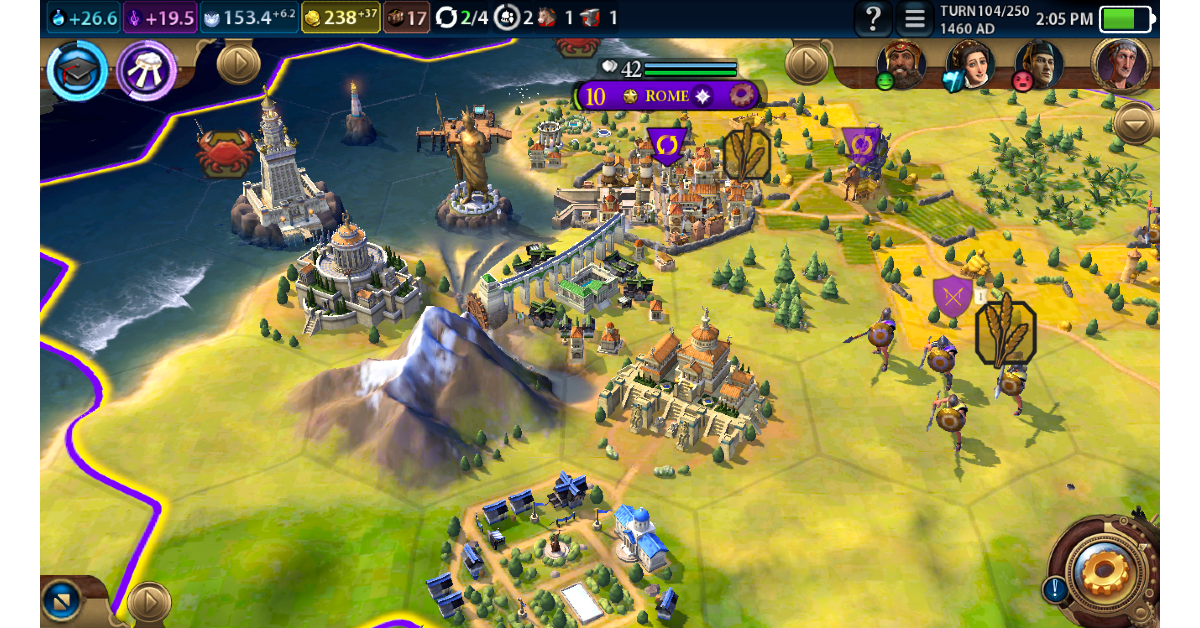
Civilization VI is another strategy-based game that looks much better on a larger display. In this game, players are supposed to build a civilisation from scratch, grow their empire, and conquer the world. Managing resources, building armies, and keeping your citizens happy takes a lot of skill and strategy. Every action comes with its consequences that can make or break your civilisation. If you’re into games that require time, strategy, and effort, Civ 6 should be your first pick.
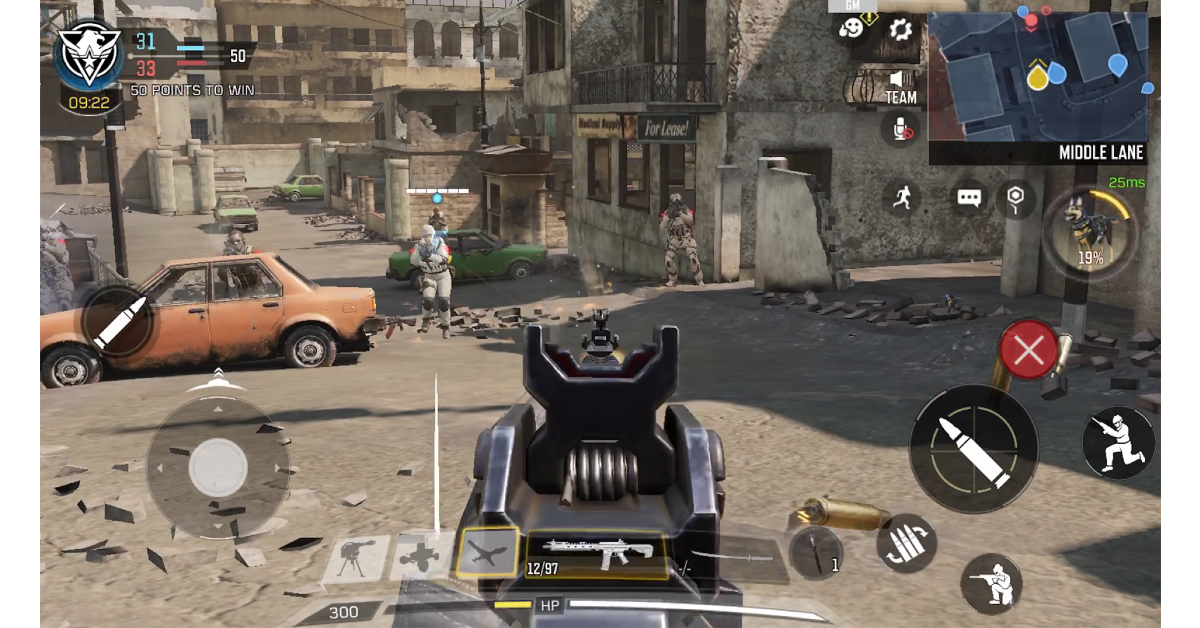
COD Mobile is one of our favourite FPS games to play on the Android platform. On a larger aspect ratio, players get a small advantage of having a more comfortable field of view. The game’s touch controls are mapped and aligned perfectly for the Fold 6, but we would recommend playing the game with an external controller to maximise the experience. Your Samsung Galaxy Z Fold 6 can handle this game at its highest graphics with absolute ease.
These are the top 10 apps you should download first on your new Samsung Galaxy Z Fold 6. These apps get the most out of the large inner display and can function just as well on the cover display. If you think there’s an app that deserves to be on this list, let us know in the comments!