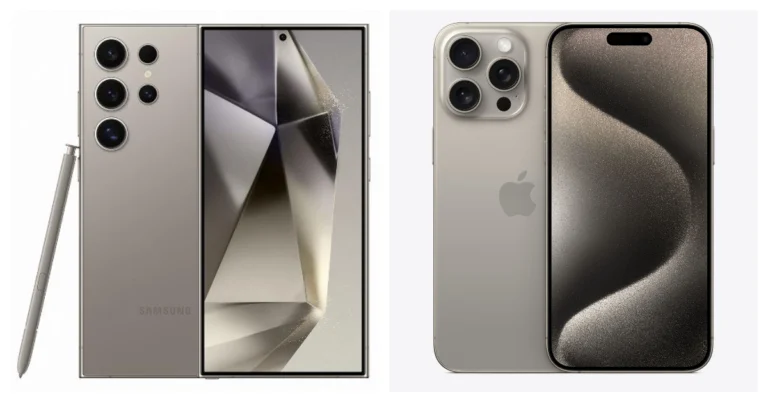
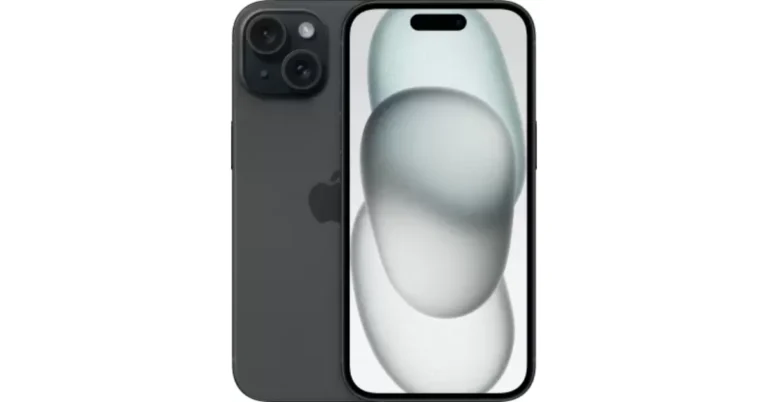
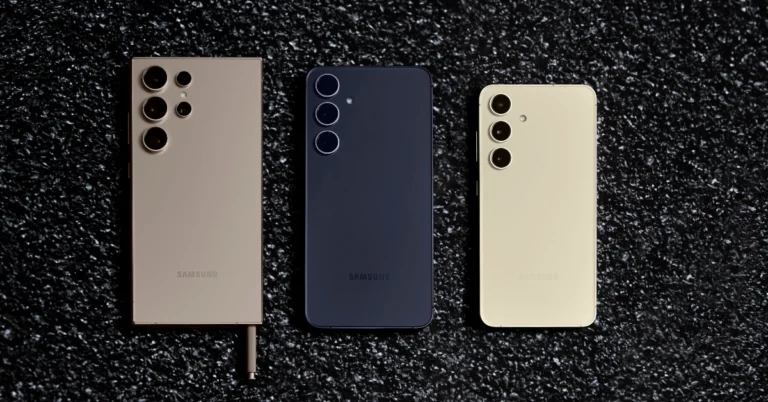
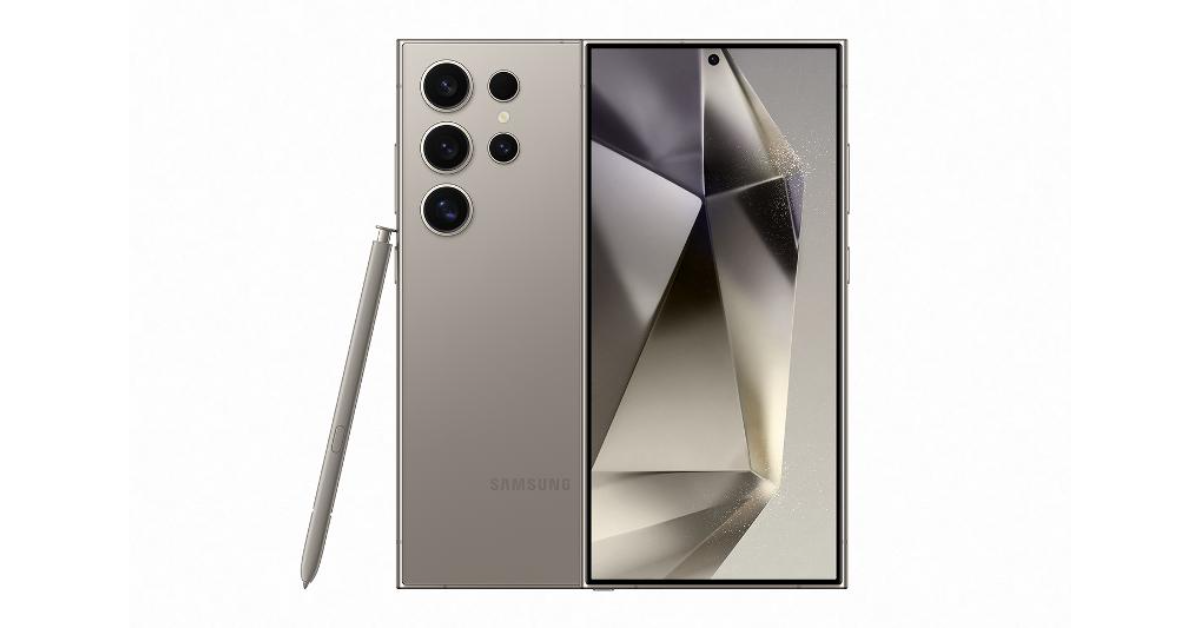
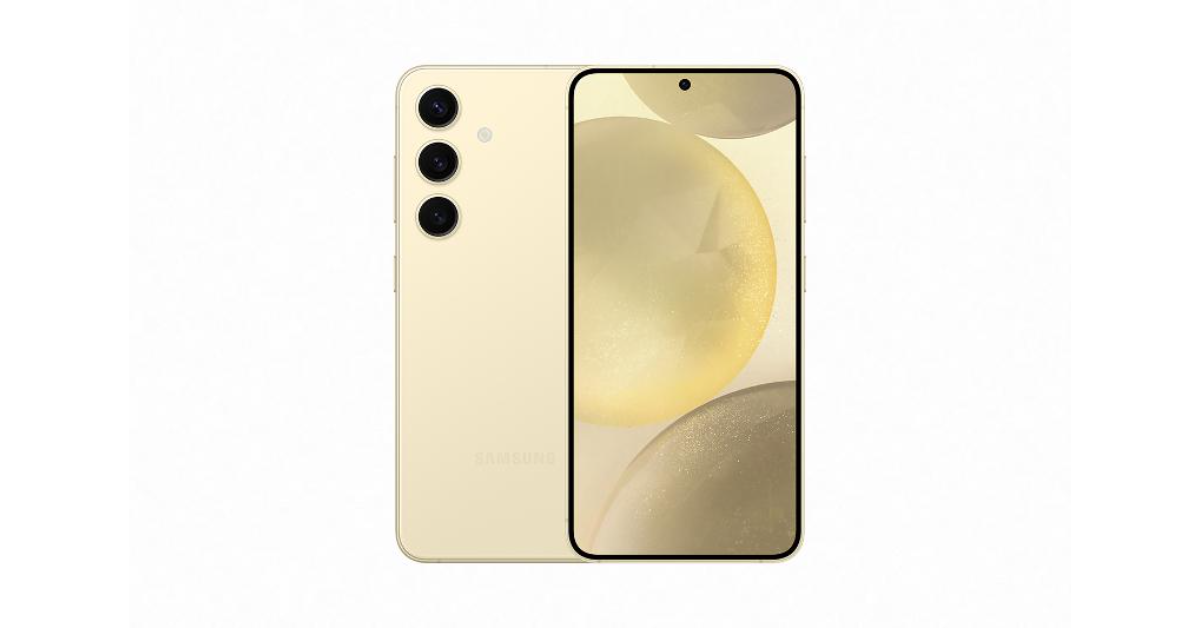
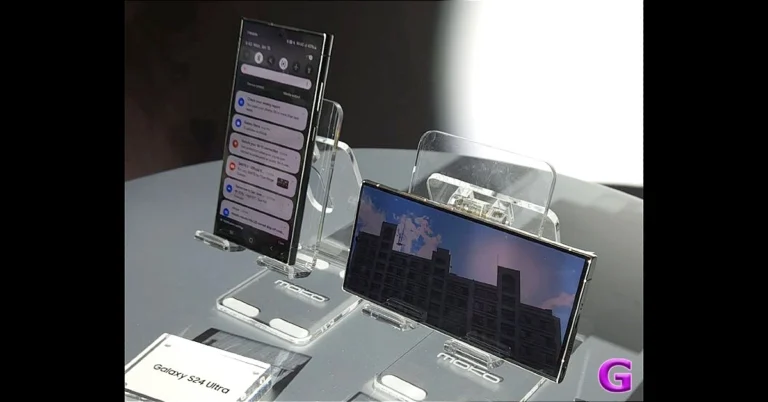
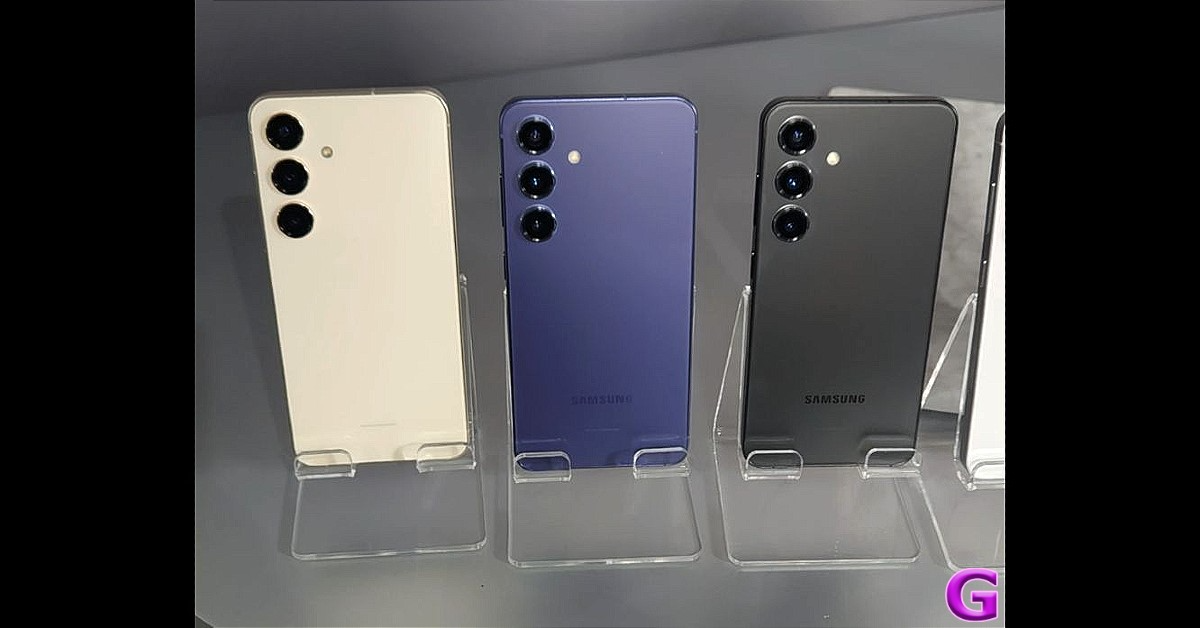
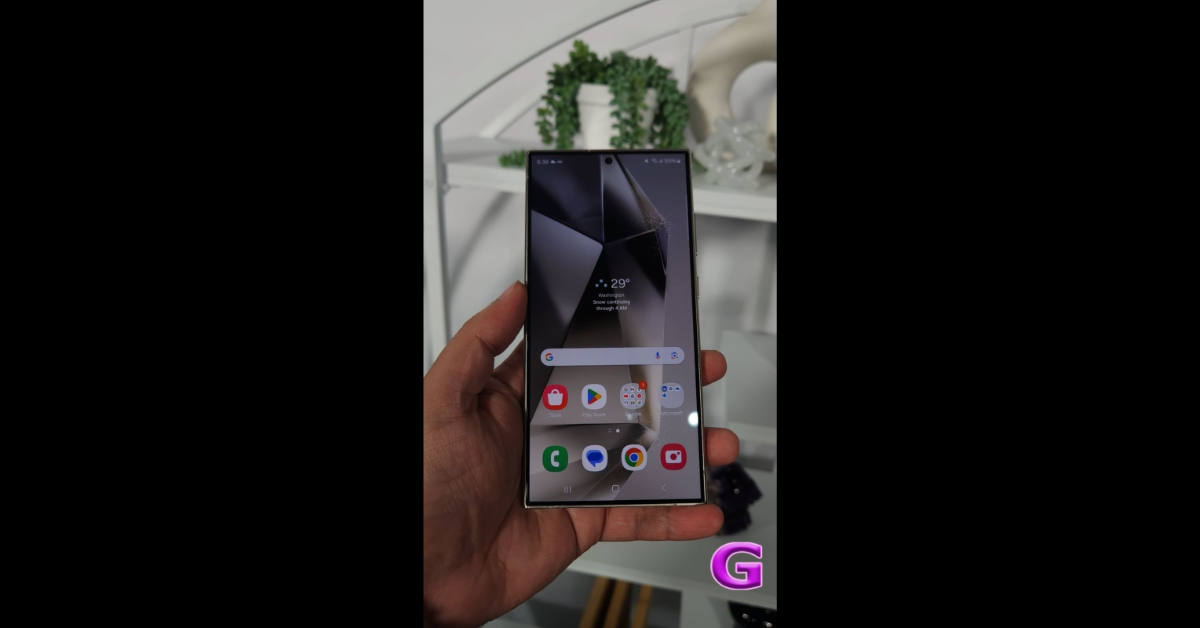
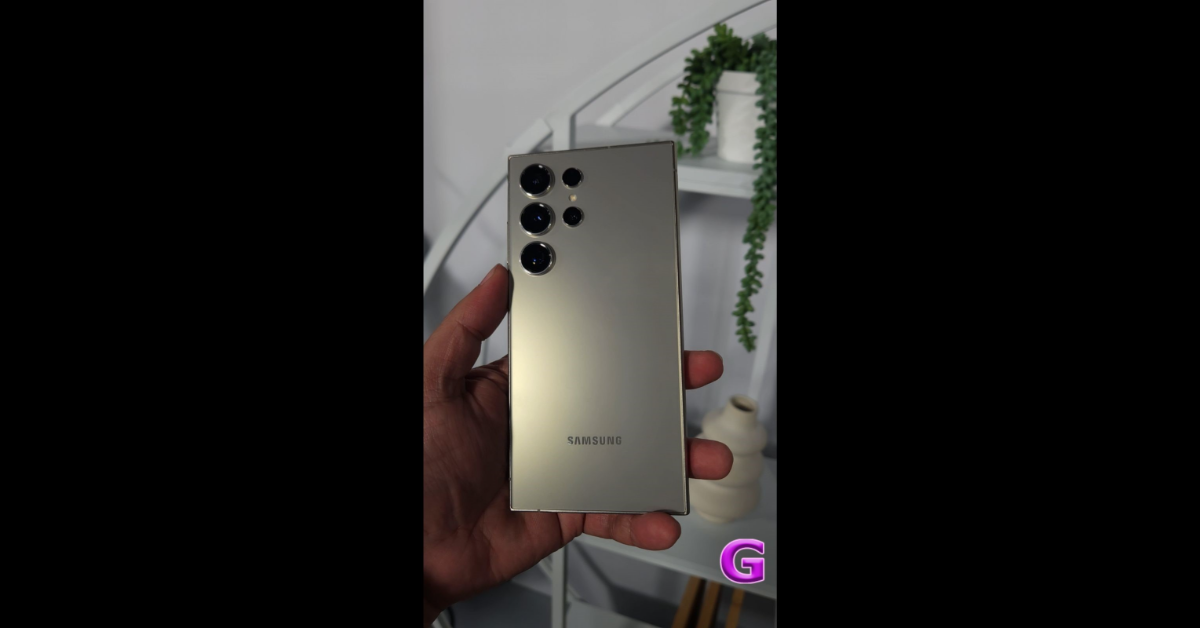
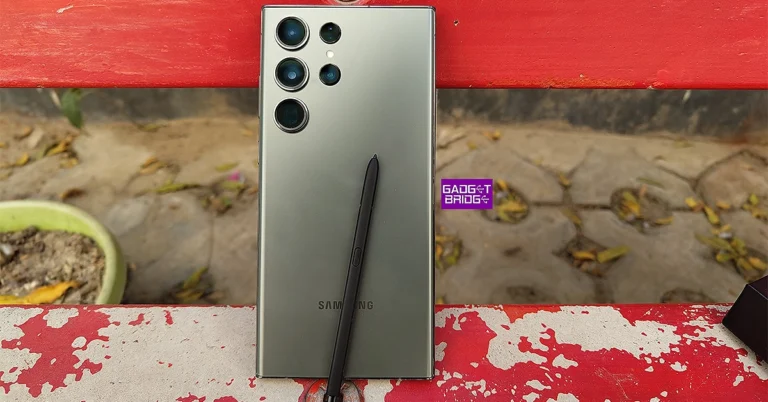
Recently Samsung introduced its latest Galaxy S24 Series. The three available models are the Galaxy S24, Galaxy S24+, and Galaxy S24 Ultra. The Ultra is the elite one in the lineup therefore it is the subject of our comparison and will always face off against the Pro Max edition of the iPhone. To determine which device is best, we put it up against the iPhone 15 Pro Max. So, let’s compare each feature of the Samsung Galaxy S24 Ultra and the iPhone 15 Pro Max one by one.
iPhone 15 Pro Max: 6.7-inch Super Retina XDR display with AOD and ProMotion technology
Processor
Samsung Galaxy S24 Ultra: Qualcomm Snapdragon 8 Gen 3 SoC
iPhone 15 Pro Max: An octa-core A17 Pro chip
Rear camera(s)
Samsung Galaxy S24 Ultra: Quad rear camera setup includes a 12MP Ultra-Wide Camera (F2.2 aperture, FOV-120˚), 200MP Wide Camera (OIS, F1.7 Aperture, and FOV-85˚), 50MP Telephoto Camera (5x Optical Zoom, OIS, F3.4 aperture, and FOV of 22˚) and a 10MP Telephoto Camera (3x Optical Zoom, OIS, F2.4 aperture, and FOV 36˚).
iPhone 15 Pro Max: The triple rear camera unit includes a 48-megapixel main camera (f/1.78 and OIS) and a 12-megapixel telephoto camera with periscope lens (f/2.8 aperture, 5x optical zoom and OIS) and 2-megapixel ultra-wide angle lens (f/2.2 aperture and 120-degree field-of-view)
Selfie camera
Samsung Galaxy S24 Ultra: 12MP selfie camera (F2.2, FOV 80˚)
iPhone 15 Pro Max: 12-megapixel TrueDepth camera with an f/1.9 aperture
Starting with the form factor, both models have a distinct design that stands out. The Galaxy S24 Ultra and iPhone 15 Pro Max feature titanium alloy frames however S24 Ultra has the biggest display. Additionally, it is wide and thick and on the heavier side, well it is designed in such a way as to carry an S Pen Stylus.
The processors on both devices are incredible one of the fastest available in the market and can handle any task gracefully you throw at even high-end gaming. By the way, the Samsung Galaxy S24 Ultra includes Qualcomm’s Snapdragon 8 Gen 3 processor, whereas the iPhone 15 Pro Max comes with an A17 Pro Bionic chip.
There is a difference in the camera setup on both the phones but the biggest upgrade on the Samsung S24 Ultra is that has a new 50MP Telephoto Camera with 5x Optical Zoom and 10x zoom lossless whereas the iPhone 15 Pro Max has a 12-megapixel telephoto camera with periscope lens supporting 5X optical zoom. Samsung’s phone offers improved Nightography which is more advanced thanks to Galaxy AI which not only helps in noise reduction but also offers more stabilised videography.
The device has more AI capabilities and other features like Circle to Search and more. The Galaxy S24 Ultra has a bigger battery capacity of 5,000mAh whereas the iPhone 15 Pro Max comes with a 4,422 mAh battery. However, bigger batteries do not lead to longer endurance. In terms of charging speed, the Ultra supports 45W fast charging whereas the iPhone comes with 25W charging support. The charging speed of the iPhone is quite slow compared to the Galaxy S24 Ultra. Though you do not get a charger with both the devices one needs to buy them separately.
It’s hard to choose between two more evenly matched competitors, even if they are both legitimately high-end devices. One has several advantages over the other.
Garena Free Fire is a battle royale game with regular awards and tournaments to keep players interested. If you play Garena Free Fire, you should be aware of the redeem codes that are released on a daily basis. However, because the battle royale game is banned in India, players from other countries can use the Free Fire Redeem codes daily. If you’re unfamiliar with the Garena Free Fire redeem codes or don’t know how to get them, we’ve put together a step-by-step guide to help you redeem them. Check out Garena Free Fire Redeem Codes for 20 January 2024.
The Free Fire redeem codes are a great way to get free stuff. These are 12-digit codes that contain alphabets and numbers, as well as an expiration date and time. Because the Garena FF redeem codes cannot be used more than once, you should hurry to the redemption page to claim your free reward before someone else does. To get a free reward, all you have to do is go to reward.ff.garena.com/en, which is the official redemption page. Also, keep an eye on this space for daily updates on Garena Free Fire redemption codes and rewards.
In This Article
Garena Free Fire Redeem Codes Today 20 January 2024
F7U4GGJVI8CY6TG
FGBW3REGFBI7345
FJ8FG7BSJUWYT3R
FZ7YTA5Q4RED2C3
FVBERFJUVYTSRFW
FVE4RH5TJUGVYCT
FGSWBH3J4KR5IT6
FYUGHVNCD5JSUEY
F4TG5BTNGKOIUYG
FAYQ765TRF4VBRN
FFEVDBHUA7Q6TGH
FERTY9IHKBOV98U
How to Get Free Fire Redeem Codes for Garena on 20 January 2024?
Everyone is expected to know their phone number, but it takes a long time to memorise it. If you just got a new number, the first thing you should do is save it under your name on your phone. Forgot to do that? You don’t want to be left scrambling whenever someone asks you for your number. Luckily, your phone already knows your number and can present it whenever necessary. Here are the top 6 ways to find your phone number on an Android phone.
I know what you’re thinking. Isn’t calling someone the easiest way to know your number? Well, you aren’t wrong. But what if you’re all out of talk time and need to know your number in order to top up the balance? Or maybe it is the middle of the night and you don’t want to disturb someone by calling them.
The good news is that there are a bunch of ways you can use to accomplish this task. Every method has its advantages and caters to specific situations. Every network provider these days has a proprietary app that lets you recharge your balance and do a bunch of other stuff. This app displays your number as soon as you log in. If you don’t have enough mobile data to launch the app, you can use a USSD code to check your number. Not getting enough reception in your phone to dial the code successfully? Just visit your phone’s settings to know your digits.
Find your phone number from your Android phone’s settings
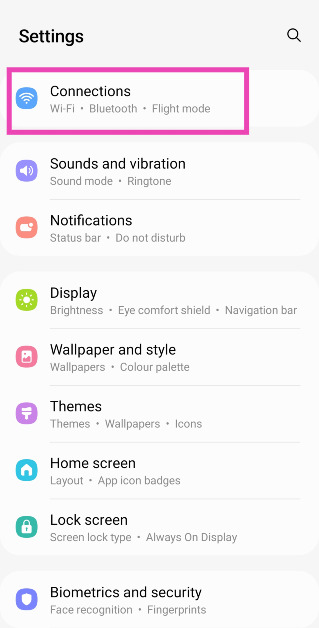
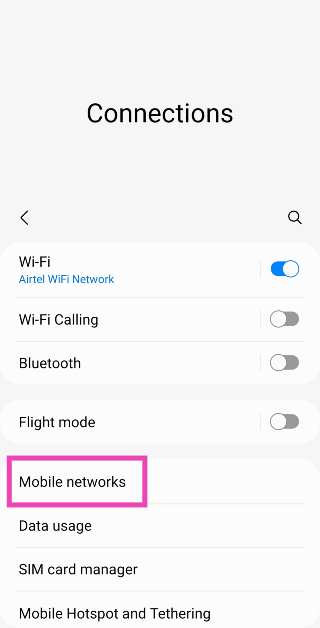
Step 1: Go to Settings and select Connections.
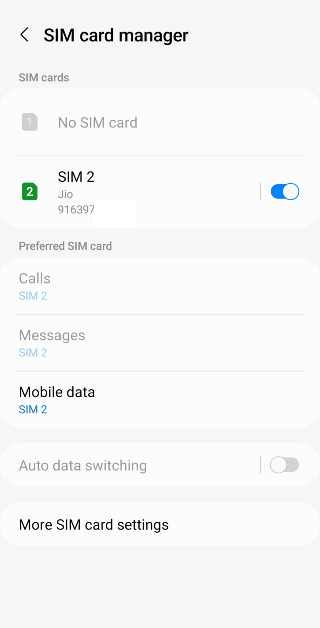
Step 2: Tap on SIM card manager.
Step 3: This is where you’ll your SIM 1 and SIM 2 phone numbers.
Use a USSD code
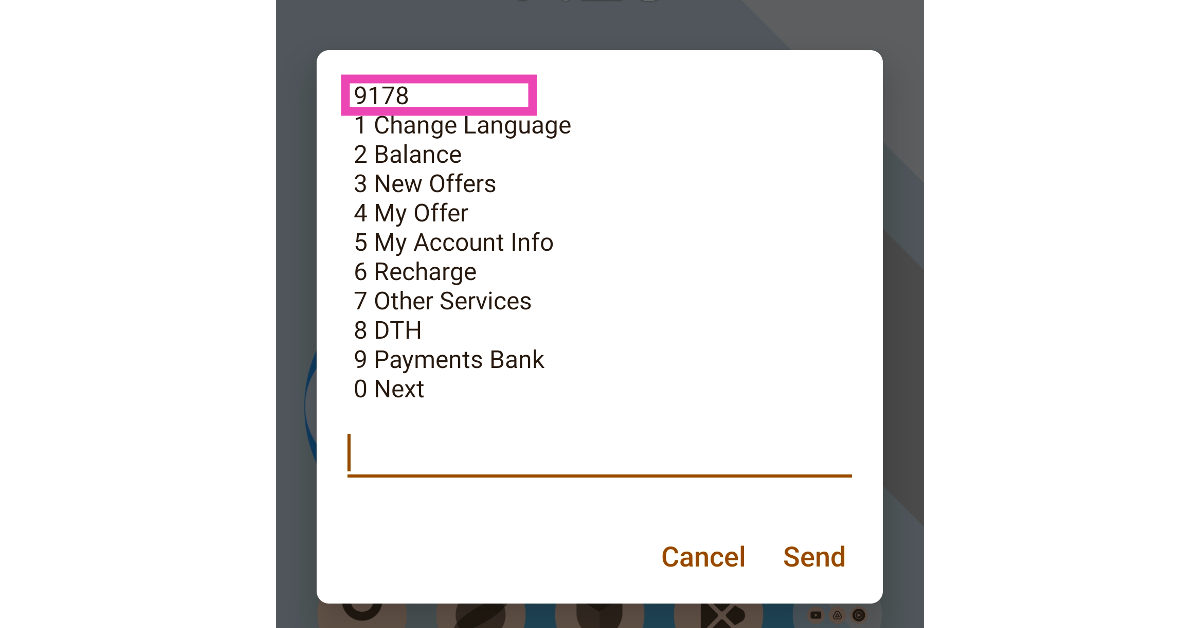
Every network provider has a unique USSD code that lets you view your talk time and data balance. Once you dial this code, the resulting popup box contains all the major details related to your number. You can even recharge your number and view offers associated with it. At the top of this popup box, you will find your phone number. Here are the USSD codes from major network providers to view your number.
Airtel: *121#
Jio: *1#, *2#, or call 1299 to get a message with your number in it
Vi: *199#
Use the network provider’s official app
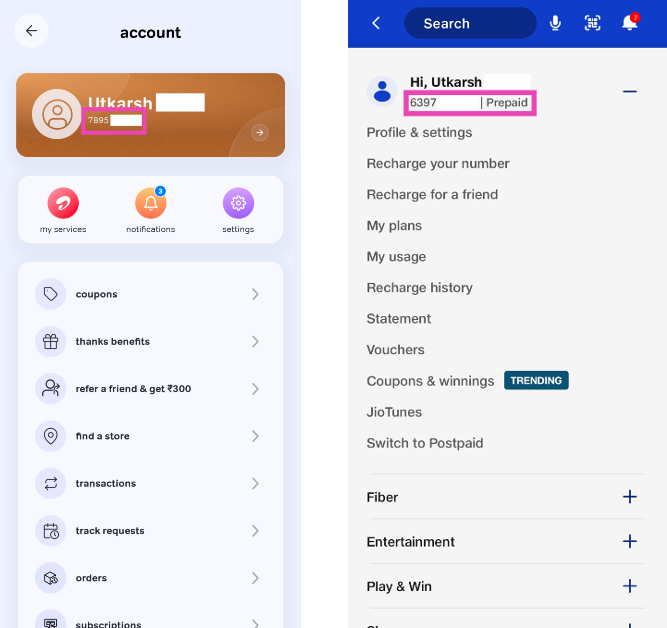
You can also find your phone number using the official app of your network provider. This app can also be used to recharge your phone, buy a data pack, and manage your account. Here’s what you need to do to find out your phone number. Airtel users have the Airtel Thanks app, while Jio subscribers can use MyJio to find their phone number. Upon launching the app, go to your profile to view your phone number.
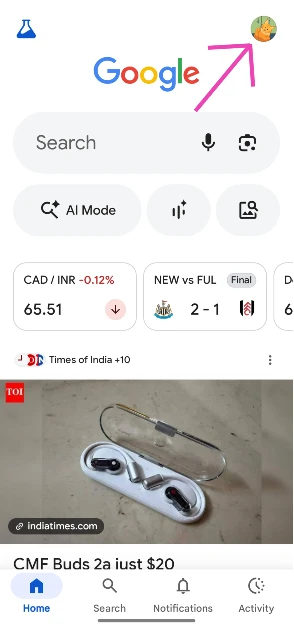
Step 2: Hit your profile picture in the top right corner of the screen.
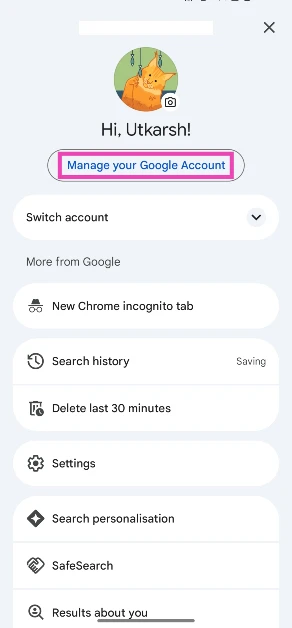
Step 3: Tap on Your info.
Step 4: Your phone number will be displayed under Contact Info.
Check your profile card (Samsung)
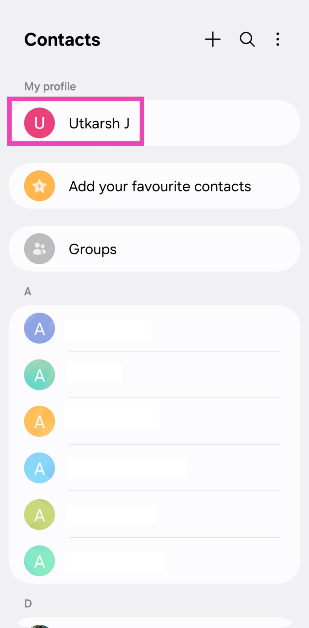
Step 1:Launch the Contacts app on your Samsung phone.
Step 2: Tap your name at the top of the screen.
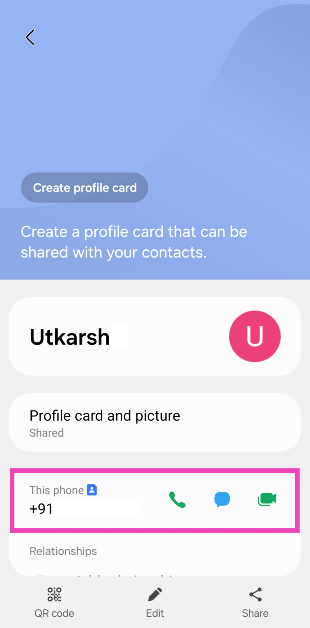
Step 3: Your phone number will be listed under This phone.
Frequently Asked Questions (FAQs)
How do I find my phone number on my Android phone?
Go to Settings>Connections>SIM card manager on your Android phone to find your phone number. You can also use your network provider’s USSD code or official app to find your number.
How do I block my phone number (SIM)?
You can put in a request to block your phone number using your network provider’s official app. If you’ve lost your phone, visit the website portal instead. You can also visit the network provider’s physical store with the relevant documents to block the number linked to your lost or stolen phone.
Where can I see my phone number?
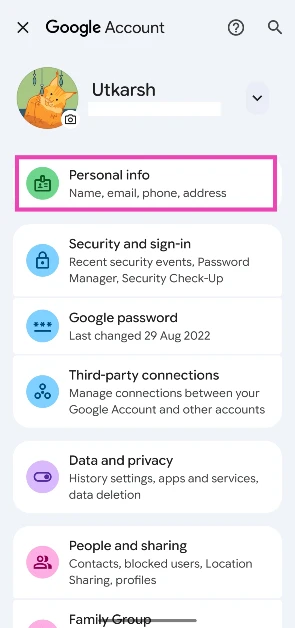
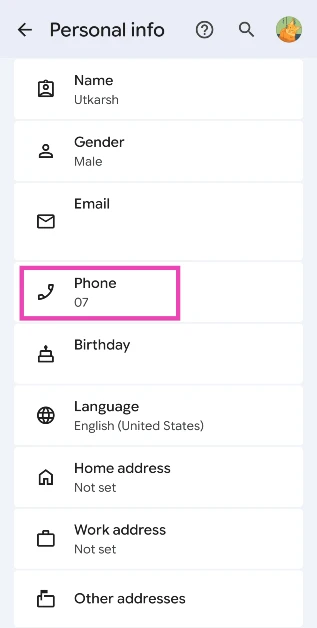
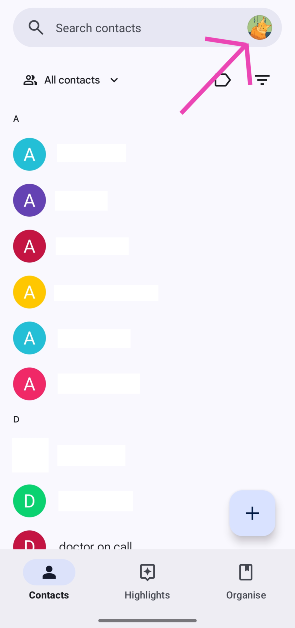
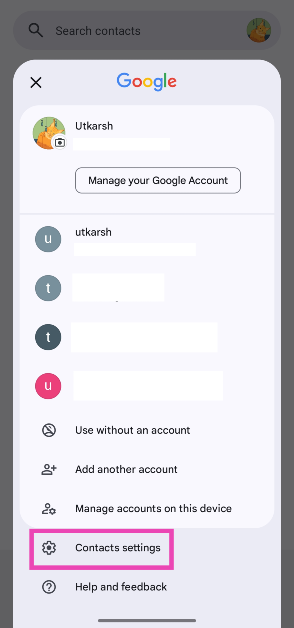
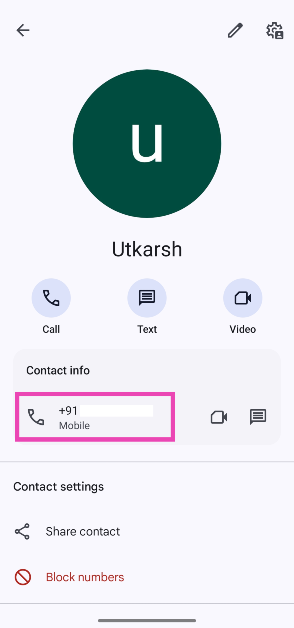
If you use the Google Contacts app on your phone, launch it and tap your profile picture. Go to ‘Contacts settings’ and select ‘Your info’ to view your number.
How do I find my phone number on my Samsung phone?
Launch the native Samsung Contacts app and tap your name at the top of the screen to view your number.
How do I find my phone number on my iPhone?
Your phone number is the first one listed in the Contacts app on your iPhone. You can also go to Settings>Phone and look it up in the ‘My Number’ section.
These are the top 6 ways to find your phone number on an Android phone. If you use WhatsApp, you can also find your phone number in profile settings or the groups that you participate in. Other than that, you can simply give your friend a ring and see your number displayed on their phone. Know any other way to find your number? Let us know in the comments!
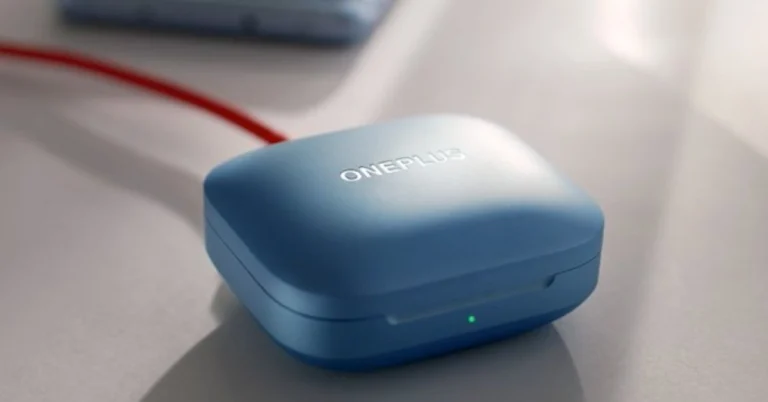
The OnePlus Buds 3 will launch in India on January 23.
The TWS earphones will debut alongside OnePlus 12 and OnePlus 12R.
The company has revealed the battery life and charging specs of the TWS earphones before the official launch.
OnePlus Buds 3 is all set to launch in India on January 23 alongside OnePlus 12 and OnePlus 12R. Before India’s launch the true wireless earphones were launched in China earlier this month. However, it is anticipated that the India variant’s specs will be comparable to those of the Chinese version. But the company has revealed the battery and charging speed of the upcoming TWS.
OnePlus has scheduled a launch event in India to unveil the OnePlus 12 series in India and globally on January 23. The upcoming series will include two smartphones-OnePlus 12 and OnePlus 12R. Alongside, the firm will also introduce the OnePlus Buds 3 on the same day. Just before the launch, the firm began to disclose the specs of the TWS.
The company has confirmed that the OnePlus Buds 3 will offer 44 hours of playback time. With a quick charge of 10 minutes, it will deliver 7 hours of battery life. Apart from this, the device will be offered in two colour options- Metallic Grey and Splendid Blue.
When it comes to pricing the OnePlus Buds 3 launched in China earlier this year at CNY 499 which is approximately Rs 5,800, in China, the company is offering the phone in Clear Sea Blue and Space Grey colour options.
OnePlus Buds 3 specifications expected
As we mentioned, the specs of the OnePlus Buds 3 India model is expected to be similar to Chinese variants.
The wireless earbuds feature a 10.4mm driver. The device supports active noise cancellation (ANC) with three modes – mild, moderate, and depth. There is a transparency mode that keeps the user aware of their surroundings. It offers 94ms low latency and comes with game sound effects that can be customised as per liking. In addition to this, it has three microphones and supports LHDC 5.0 Hi-Res audio output alongside AAC and SBC Bluetooth codec.
The OnePlus Buds 3 houses a 58mAh battery. The charging case boasts a 520mAh battery and a USB Type-C port. The TWS earbuds are claimed to play for up to 6.5 hours and up to 28 hours with the case (ANC on). When ANC is turned off the wireless earphone offers up to 10 hours of playback time and runs up to 44 hours with the charging case.
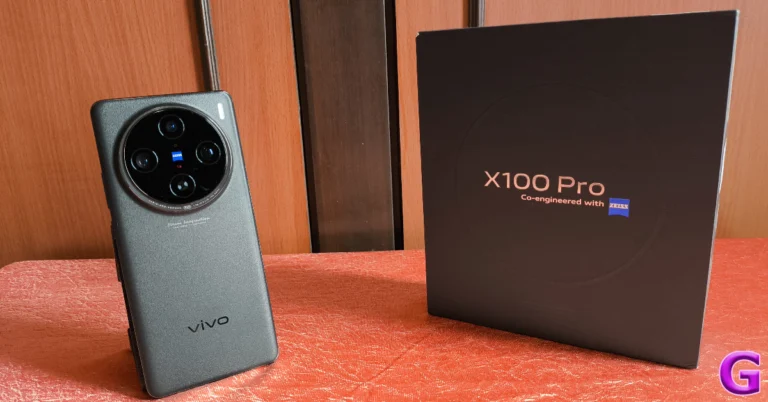
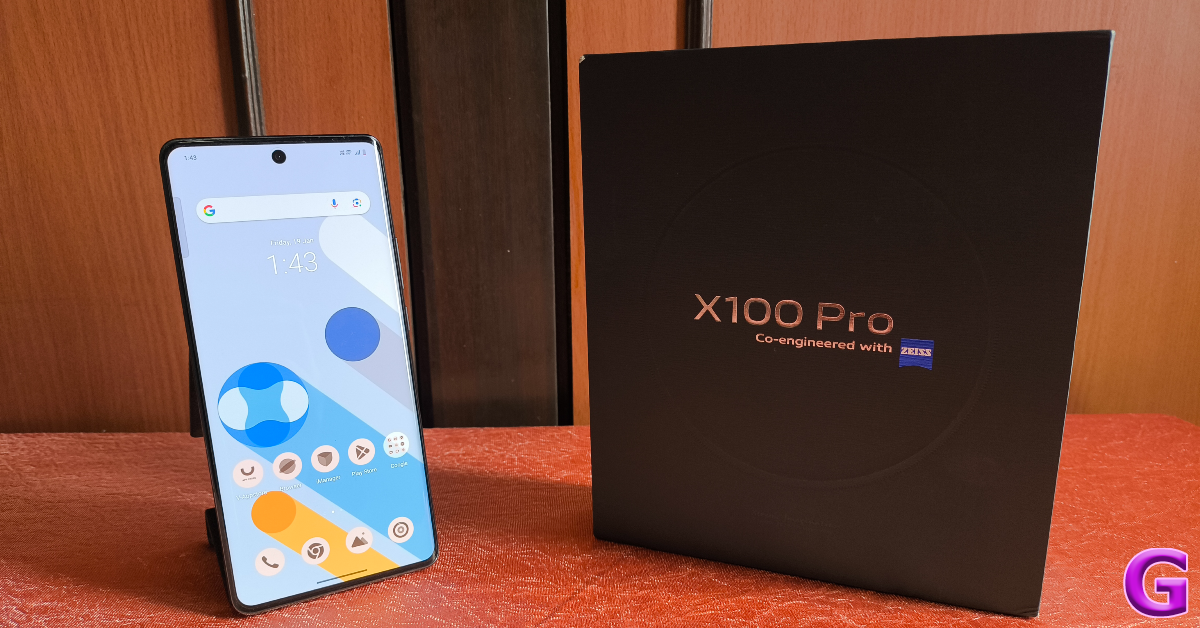
Vivo is one of the few smartphone manufacturers that release their flagship series towards the end of the year. Its powerful X Series sets the bar for camera performance, throwing the gauntlet to the smartphones that follow it in the following year. Such is the case with the newly released Vivo X100 Pro as well. Launched globally in December 2023, Vivo’s flagship arrived in India earlier this month (priced at Rs 89,999). Excited to check out the exemplary cameras, we used the smartphone as our daily driver for a week. Here is our in-depth review of the Vivo X100 Pro.
Here’s what you get inside the X100 Pro’s retail package.
Smartphone
Body-coloured silicon cover
USB Type-C to Type-C cable
120W power adapter (the smartphone supports 100W wired charging)
SIM ejector tool
Warranty card
Quick start guide
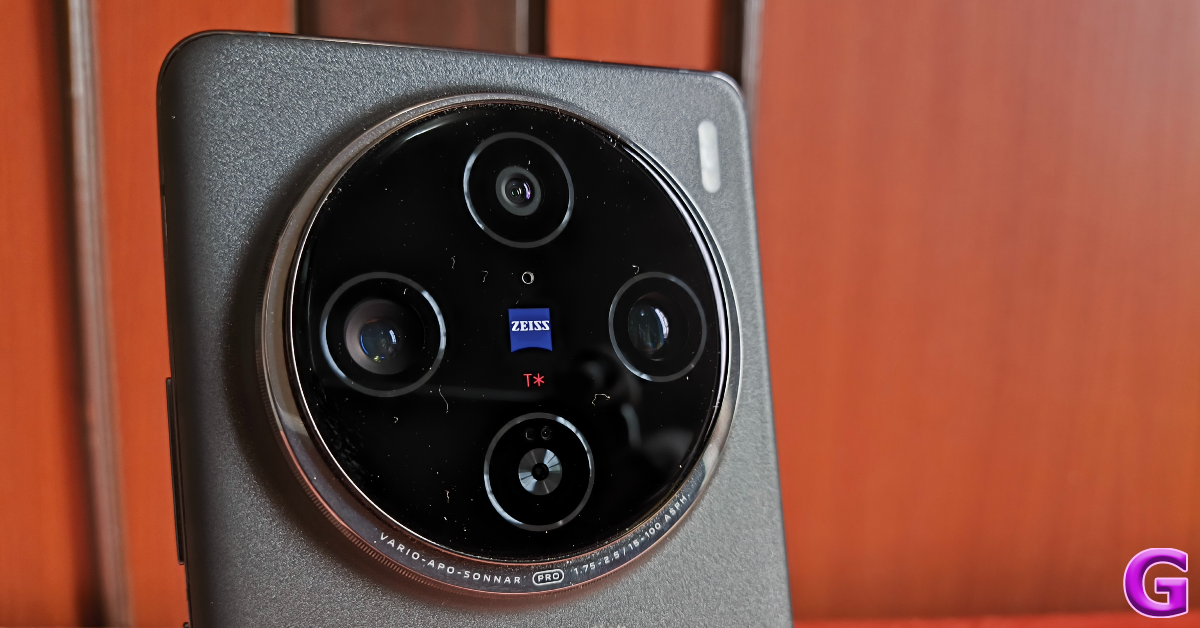
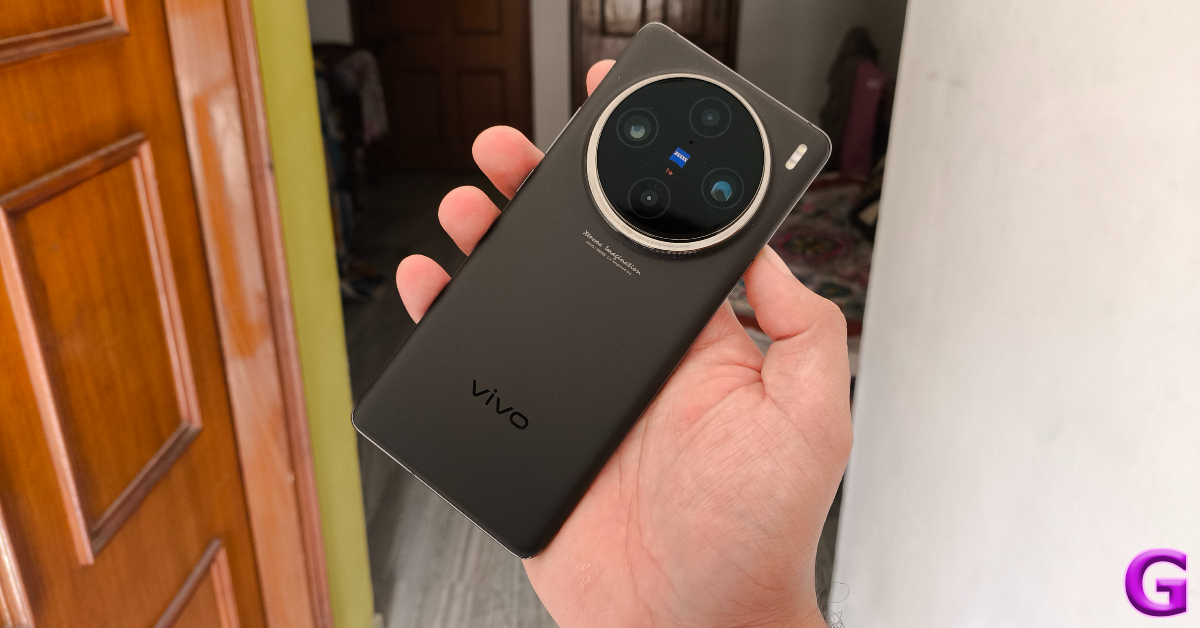
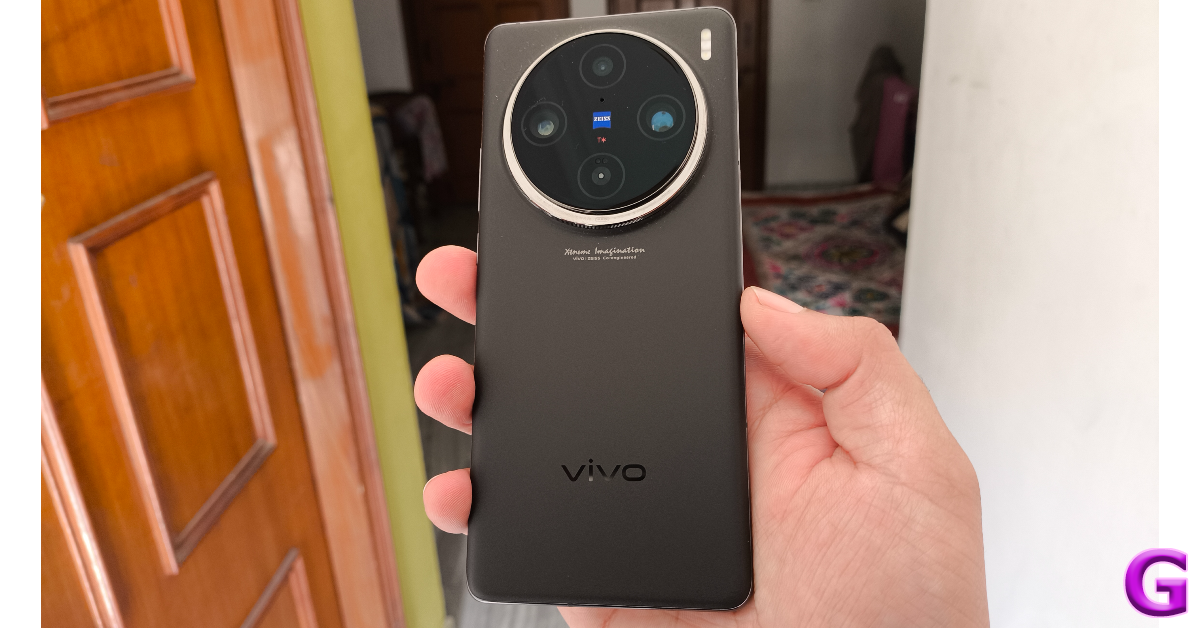
The circular camera cutout that made its debut in the Vivo X80 Pro has been perfected on the X100 Pro. Instead of being aligned to the left of the back panel, it is now positioned centrally. The Zeiss branding which was previously found on the side of the camera panel is now positioned within it. A stainless steel ring with a ridged perimeter forms the frame of the two-step cutout, giving the smartphone its distinct ‘camera’ look. This feels like the final form of the camera design, after two steady years of evolution.
We used the Asteroid Black colour variant of the Vivo X100 Pro for this review. The smartphone is also available in Startail Blue and Sunset Orange shades. The matte black finish on our model made it a bit slippery, but on the bright side, there were no fingerprints to be found on the glass back panel. The smartphone weighs 225g, which is pretty standard for flagship devices, but if you’re making the switch from a midrange or budget phone, you will clearly feel the difference.
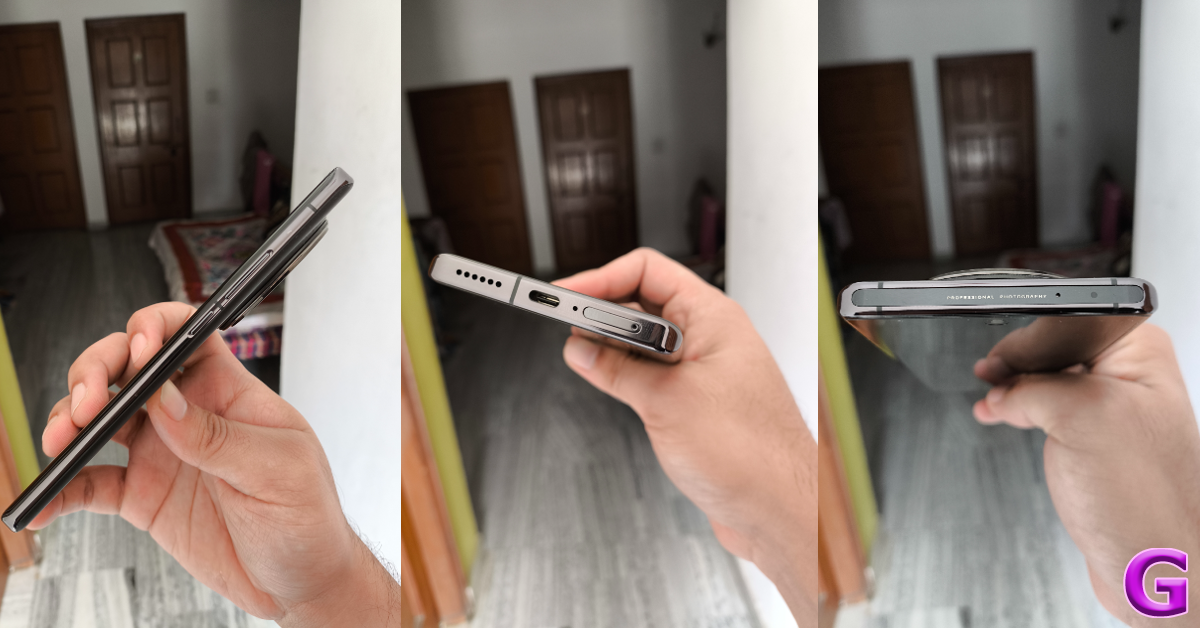
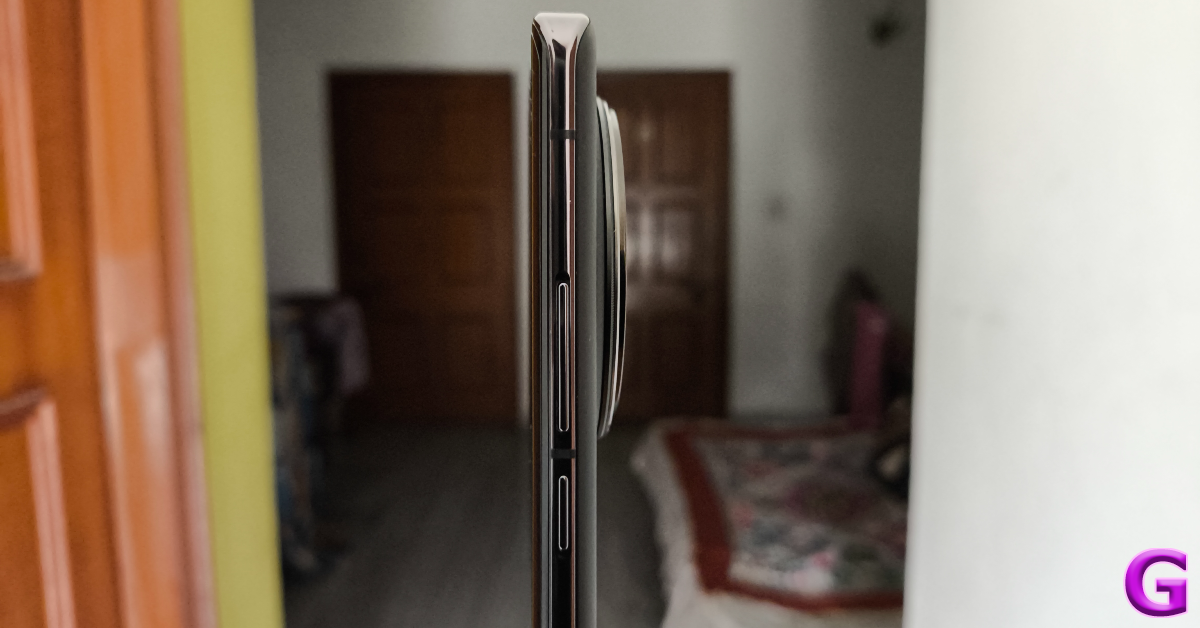
The aluminium frame has curved edges to accommodate the curved AMOLED display. The volume rocker keys and the power button are positioned on the right edge while the IR blaster and secondary microphone make their way to the top of the phone. The bottom edge houses the SIM tray, primary microphone, USB Type-C port, and speaker grille. The left edge has been left keyless.
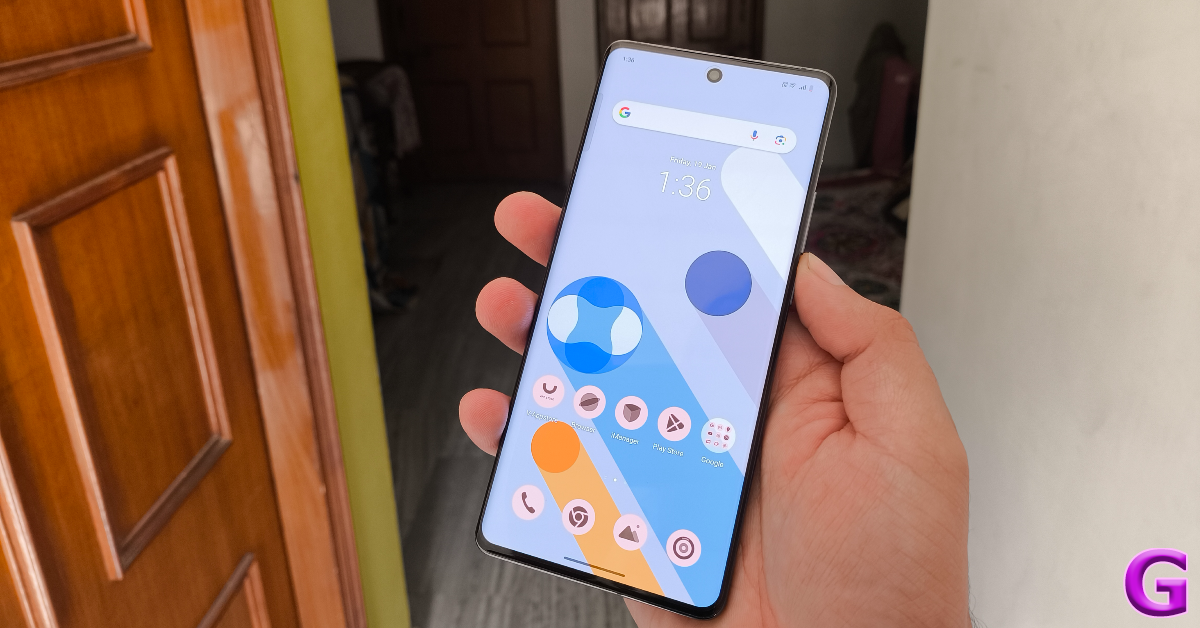
Vivo X100 Pro’s 6.78-inch LTPO curved AMOLED display offers a maximum refresh rate of 120Hz and a peak brightness of 3,000 nits. Needless to say, the smartphone is perfectly legible under direct sunlight. The refresh rate is set to ‘Smart Switch’ (adaptable) by default, but you can lock it at 60Hz or 120Hz from device settings. While you’re there, you can also select the ideal colour profile for yourself and regulate the colour temperature of the screen.
Scrolling and navigation on this 120Hz AMOLED display is as smooth as it can get. The display is only slightly curved towards the edges, so the accidental touches are kept to a minimum. We are not super fond of curved panels, but we really enjoyed our time with this one. The overall touch reception is quite snappy. Even the slightest flicks get registered with ease. The bezels around the display have been kept to a minimum, giving you more screen real estate. Up top, the selfie camera lies inside a punch-hole cutout. The under-display optical scanner is positioned a bit lower than we would have liked and isn’t the fastest one around, but it does a good job on the device.
Watching HD movies and videos on this 1,260 x 2,800p display proved to be a remarkable experience. The deep blacks are astonishing and the contrasting vivid colours are punchy and fun. The curved nature of the display does not diminish the viewing angles in any way. You can hold the smartphone in any posture and still get well-composed images that truly ‘pop’. While binge-watching videos, the top-heavy nature of the smartphone can make it fatiguing to hold, but you can easily prop it against a solid surface.
Vivo X100 Pro is rated IP68 for water and dust resistance. This means it can easily survive water splashes and even small dips. Vivo claims the smartphone can remain unscathed after submerging to 1.5m for up to 30 minutes.
Vivo X100 Pro review: Performance and Cameras
The X100 Pro is the first smartphone in India to be powered by the MediaTek Dimensity 9300 SoC. This chipset is a direct rival to Qualcomm’s Snapdragon 8 Gen 3. Interestingly, the latter is found in iQOO 12 (read our review here), which happens to be Vivo’s subsidiary brand. Accompanying the Dimensity 9300 SoC is Vivo’s V3 chip which pulls its weight in photoprocessing and gaming duties. The smartphone is available in a single 16GB RAM + 512GB storage variant.
As soon as we got the Vivo X100 Pro for review, we transferred all our apps to the smartphone and loaded a dozen of them to check its RAM performance. The device did not take any time to load the apps after a period of inactivity. We were able to pick things up right where we left off. Basic tasks like instant messaging, web browsing, video calling, navigation, and media playback present no problems whatsoever. Since this is a camera smartphone, we tried editing the videos we shot on it and were delighted to see how easily it crushed every task.
Vivo X100 Pro is not a gaming smartphone. But when you’re paying Rs 90,000 for a device, you expect a high standard on every front. With that in mind, we played titles like Call of Duty Mobile, Genshin Impact, and Asphalt 9 on the device. Even after an hour of gaming, the internal temperature of the smartphone did not rise to a point where we had to put it down to cool off. The surrounding temperature is also a contributing factor here (we are in the thick of winter, after all), but all things considered, the X100 Pro does a good job of thermal management. The V3 chip is a nice addition to the smartphone, as it does its part in bringing smoothness to the gameplay and handling demanding graphics.
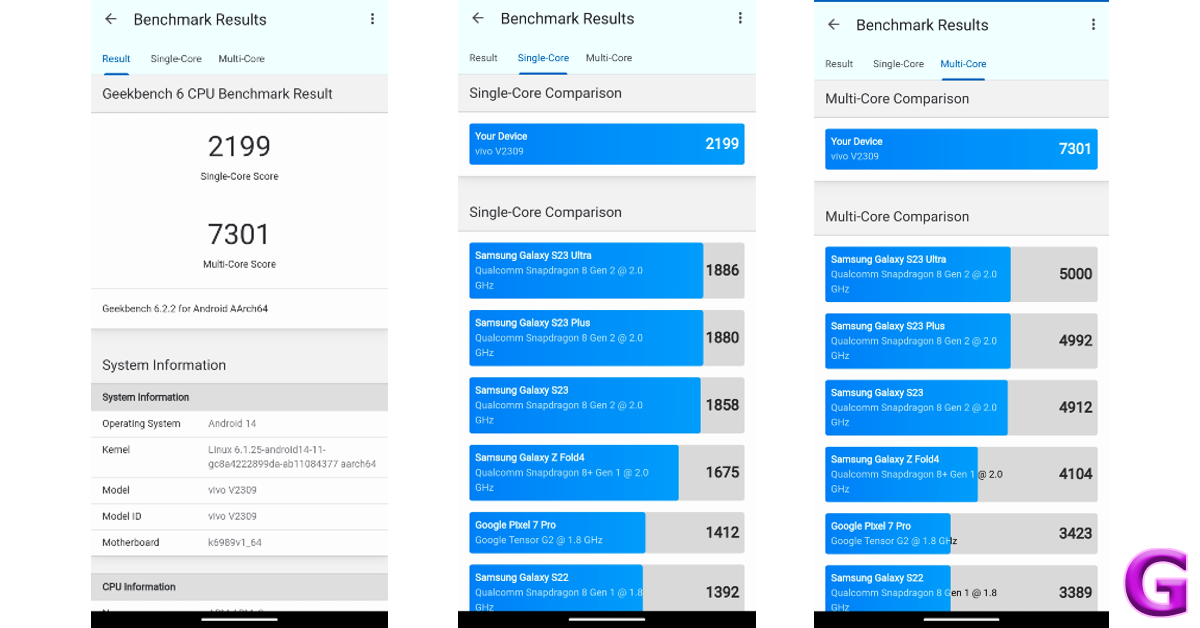
In the Geekbench 6 CPU benchmark, the Vivo X100 Pro scored 2,199 points in the single-core test and 7,301 points in the multi-core test. In comparison, the iQOO 12, powered by the Snapdragon 8 Gen 3 SoC, scored 2,219 and 6,696 points respectively.
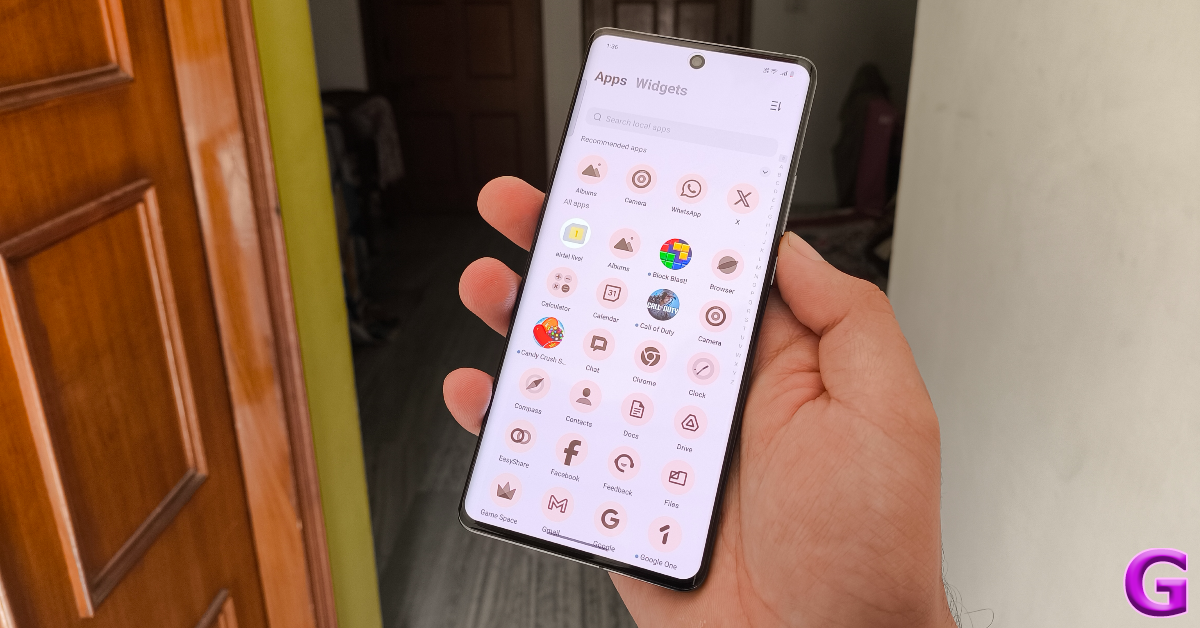
Moving on to the software, the Android 14-based Functouch 14 OS does a good job on Vivo’s flagship smartphone. We like the extensive set of Dynamic Effects that the Funtouch OS provides for screen transitions, phone unlock, fingerprint icon, charging, USB insertion, and ambient light notifications. The smartphone also has a ‘Simple Mode’, that covers the home screen with tiles for all the essential functions and increases the font size. The bloatware has been kept to a minimum, but it still isn’t a good look on a smartphone that costs Rs 90,000.
Supplying the smartphone with its juice is a 5,400 mAh Li-Ion battery pack. This battery pack is composed of 2 individual cells. A battery capacity of 5,400 mAh is new for flagships, but Vivo X100 Pro is still a one-day phone. This isn’t a complaint by any means, as we got a steady 6-7 hours of screen time out of it until it hit the 20% threshold. On more conservative usage, we were able to push the screen time to more than 10 hours. Vivo ships a 120W charging brick with the X100 Pro even though its wired charging support is capped at 100W. It took a little over half an hour to fully charge the smartphone.
Let’s talk about what the Vivo X100 Pro does best – cameras and photography. The massive camera cutout at the back of the smartphone houses three 50MP sensors for the wide, ultrawide, and floating telephoto lenses. On the left side of the panel lies the Zeiss 1-inch main camera which gets the Sony IMX989 sensor. The ultrawide camera is positioned at the top while the Zeiss APO floating telephoto camera is placed to its right. The new generation of Zeiss T* coating reduces reflectance from the lenses and brings new clarity to the images.
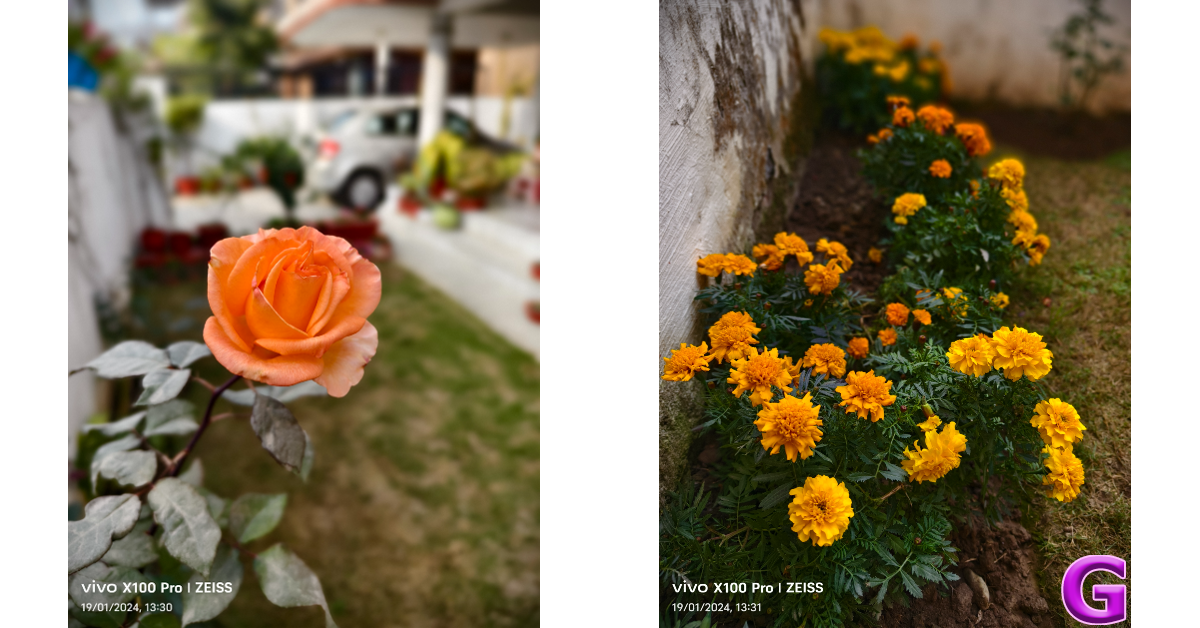
The 1-inch primary shooter is an absolute delight to use. In daylight conditions, the camera captures accurate colours and the V3 chip does a solid job of processing the images. Most of the shots we captured were taken in overcast conditions (you can thank the January winter for that) and the smartphone did well to expose the sky perfectly. The colours were tuned perfectly, doing justice to the scene in front of us.
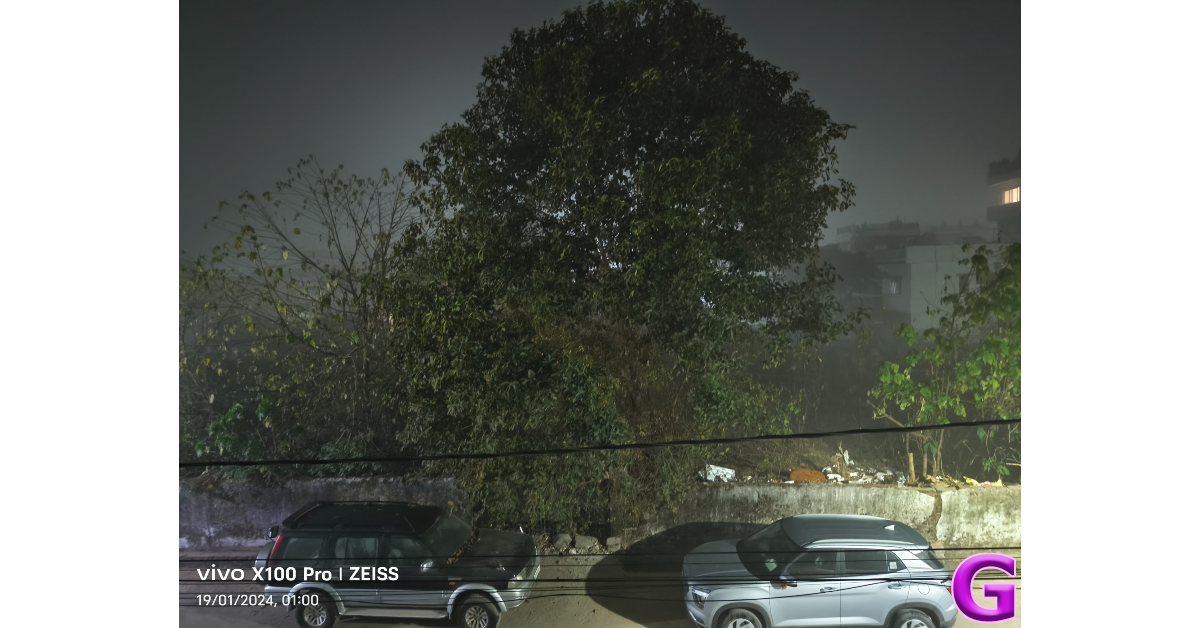
We were happy with the dynamic range produced in the images. The shadows were detailed and the dimly lit parts of the scene were processed without being overblown by artificial brightness. This is largely due to the 1-inch sensor which captures a lot of light and doesn’t rely too heavily on photoprocessing. A similar performance is replicated in limited lighting, where the Vivo X100 Pro performs brilliantly even without the Night Mode turned on. We were surprised by the sharpness of images taken at night and the way the natural colour of objects was produced in the resulting images.
Ultrawide shot
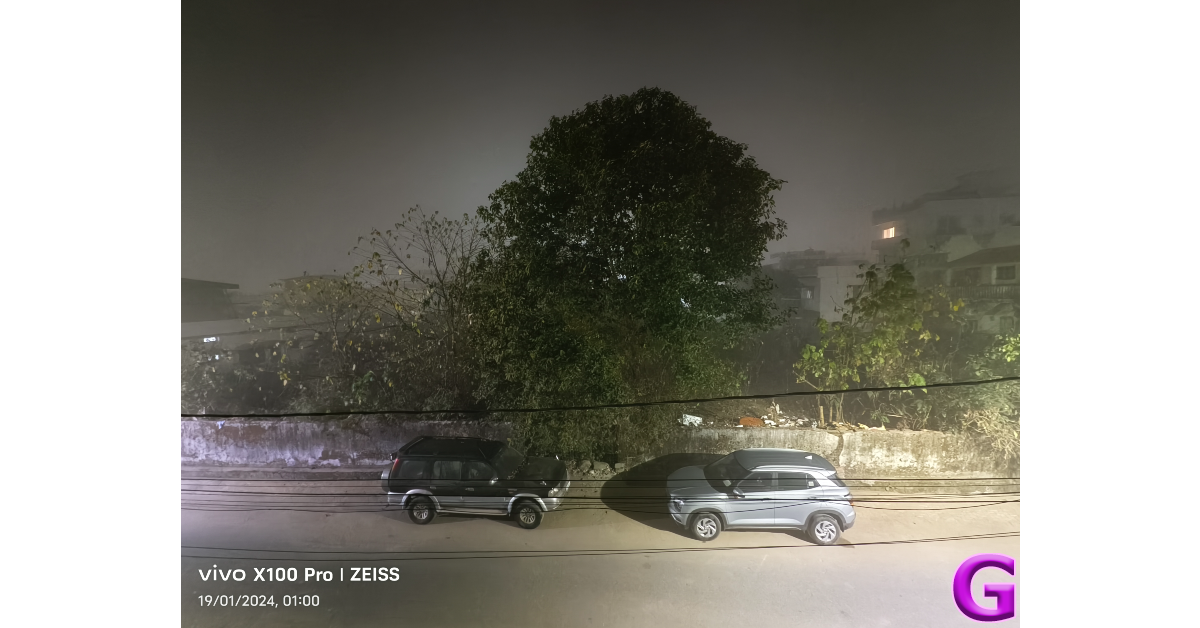
Photos taken with the 50MP ultrawide sensor are sharp, well-composed, and pack a good amount of details. If you’re tired of most ultrawide sensors taking ‘soft’ pictures, you may want to switch to the X100 Pro. Even at night, this sensor produces great results, with accurate colours and incredible detail. The autofocus skills of this camera are also on point. We wish it could cover a wider field of view, but we would take detailed images over that any day.
Ultrawide shot
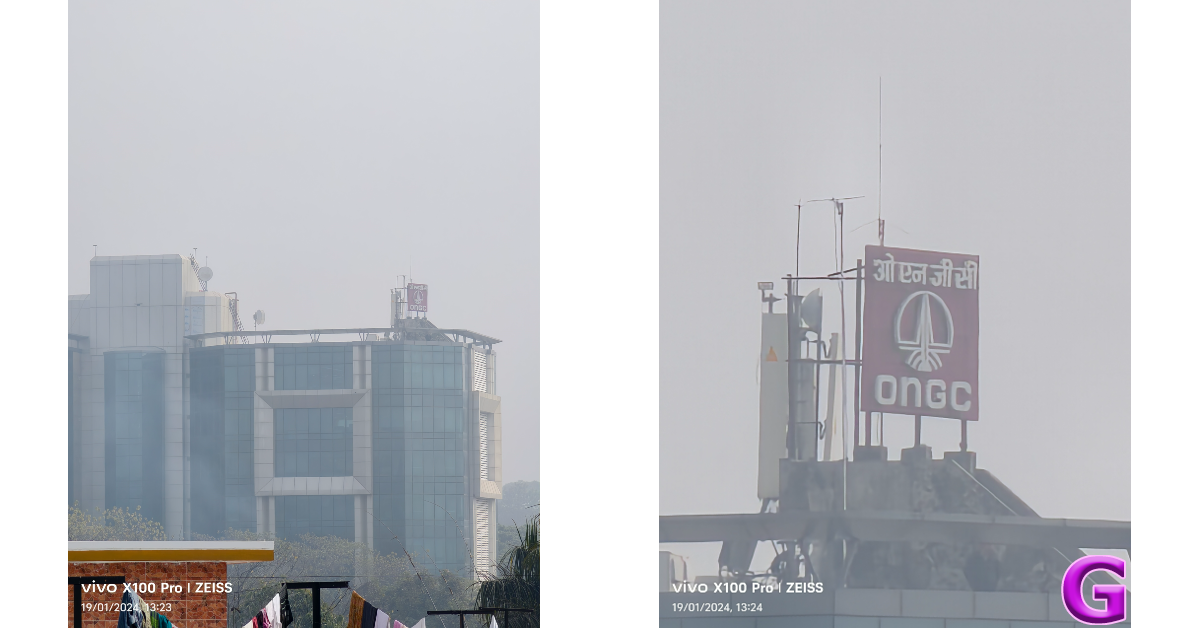
The 50MP floating telephoto camera rounds off an already great camera module in style. It offers 4.3x optical zoom and 100mm equivalent focal length. This range comes in very handy while taking portrait shots from a distance. At 4.3x native zoom, the X100 Pro expertly manages to create the ideal depth effect and apply the appropriate background blur. There is a nice separation between the subject and the background as well. Zooming in further to distant objects produces good results, albeit with the help of smart photo processing. To test the limits of the periscope telephoto lens, we zoomed it at a board roughly 300 metres away. Even in foggy conditions, the camera did a stellar job of producing legible results.
4.3x optical zoom with the telephoto lens1x vs 4.3x
Being a camera-centric smartphone, Vivo X100 Pro’s camera app offers a plethora of shooting options. To begin with, you get to choose from 3 shooting profiles – Vivid, Textured, and Zeiss Natural. The Astrophotography Mode is nestled away in the adjacent page along with Zeiss’ landscape and architecture mode. In portrait mode, the camera lets you choose from 5 focal lengths – 24mm, 35mm, 50mm, 85mm, and 100mm. You also get a bunch of bokeh flares and portrait effects for your shots. Super Macro mode is one of the underrated features of the camera setup. The textures we were able to capture in this mode were amazing.
10x vs 63x35mm portrait vs 100mm portrait
Up front, the 32MP selfie camera does a good job of capturing the appropriate amount of details. It doesn’t mess with the skin tones or textures too much, but there are manual controls which let you control the smoothness of the photos. The downside of this camera is that it can only record 1080p videos. Meanwhile, the main rear sensor can shoot 8K videos at 30fps. The ultrawide and telephoto lens can shoot 4K & 1080p videos at 30 and 60fps.
Some more portrait shots4.3x optical zoom with the telephoto lens
With the X100 Pro, Vivo has produced one of the best camera smartphones in the flagship category. Of course, there are many more releases yet to come this year, but we can easily see this smartphone holding its own even among the more premium flagships. While camera performance is consistently good across the board, the portrait shots taken with the primary and telephoto lenses are some of the best we’ve seen on any smartphone. Photography chops aside, the smartphone justifies its Rs 90,000 price tag with its high-octane chipset. The supreme benchmark figures are backed up with a rock-solid performance day in and day out. During the week-long review period, the Vivo X100 Pro did not produce a single hiccup. Lastly, the unique camera cutout and glass back bring a lot of flair to the device, making it a very easy device to recommend.
The gaming earphones come with a latency rate of less than 30 milliseconds.
The device provides an immersive gaming experience for PC, mobile, and console gameplay.
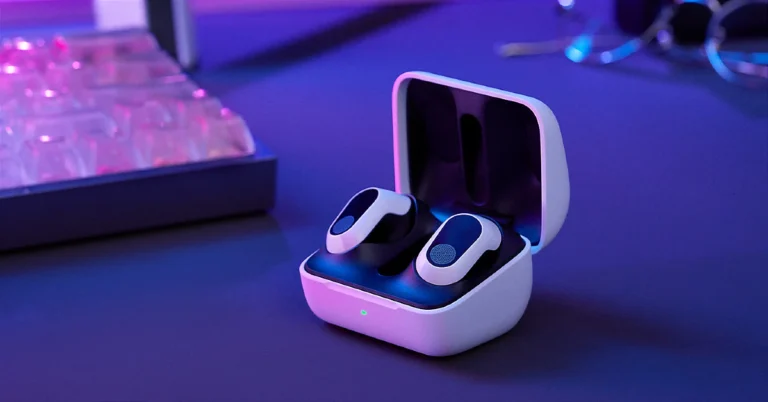
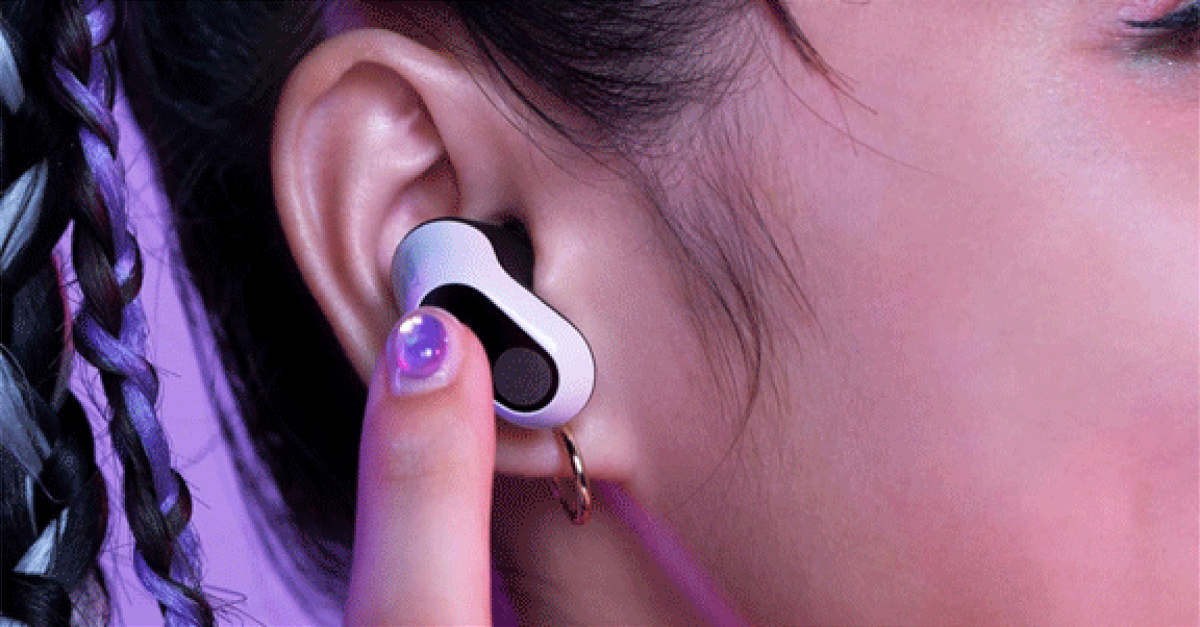
Popular audio brand Sony has officially announced the launch of new gaming TWS earbuds in India. Sony Inzone Buds truly wireless stereo earphones that have been introduced today have an in-ear design equipped with 8.4mm drivers. Moreover, wireless gaming earphones support active noise cancellation (ANC). As these were designed with gaming in mind, they come with a latency rate of less than 30 milliseconds. The audio device is claimed to provide up to 12 hours of battery life.
In This Article
Sony Inzone Buds price in India and availability
The Sony Inzone Buds price in India is set at Rs 17,990. The TWS earbuds will be available for purchase via Sony retail stores (Sony Center and Sony Exclusive), the www.ShopatSC.com portal, major electronic stores, and other e-commerce websites in the country starting January 22. The earphones will come in two colour options- Black and White.
Sony Inzone Buds specs, features
Sony Inzone Buds have been created in collaboration with the famous esports team Fnatic. The gaming earbuds feature 8.4mm drivers and come with active noise cancellation and personalised spatial sound. The device is said to provide the industry’s longest battery life, up to 12 hours on a single charge and 12 hours with a case. It is powered by a low-consumption L1 processor. A quick 5-minute charge delivers up to an hour of playtime.
Sony Inzone Buds support 2.4 GHz wireless connections through a USB Type-C dongle, ensuring low-latency connectivity for gaming. It has a latency rate of less than 30 milliseconds. Additionally, they are compatible with Bluetooth LE audio using the codec LC3. Note that traditional Bluetooth codecs, including SBC, AAC, aptX, and LDAC, are not supported. In addition to this, there is an AI-assisted microphone that ensures clear communication during gaming. It also comes integrated with an advanced AI DNN algorithm crafted from over 500 million voice samples. This technology distinguishes and amplifies the user’s voice as a result of enhanced in-game communication, allowing gamers to be heard with exceptional clarity, and contributing to an immersive and engaging gaming experience.
For better control, the TWS has customisable tap functions. This allows players to access vital controls with a simple touch, like adjusting in-game volume, managing music playback, or activating personalised settings through the INZONE Hub.
Voice notes can now be shared within channels by channel administrators.
Also, better channel management will result from having multiple admins.
Channel administrators will have the authority to make and share polls.
Adding content to the status feature will improve visibility.
Meta has updated WhatsApp channels with more interactive features. The instant messaging platform’s broadcasting feature will be integrated with polls, voice notes, a function to share channel updates on your status, and a feature to promote new admins. These features have been under the pipeline since last year. The four new features will improve the user experience and give channel owners and their viewers greater control.
Meta’s CEO, Mark Zuckerberg, revealed through his WhatsApp channel that a total of four features will be rolled out soon to WhatsApp channels. According to him, Voice notes, Multiple admins, Sharing to Status and Polls will be part of the latest update.
With Voice notes, WhatsApp channel admins will be allowed to share voice notes within their channels. This feature will make communication with followers more engaging.
Another latest feature enhancement is the addition of Multiple Admins to promote collaborative channel management. Several admins will assist channel owners in adding fresh content to their channels; therefore, visibility is improved.
On the other hand, polls are the latest addition to the instant messaging platform’s broadcasting feature. This feature was already available on WhatsApp group chats but is now being expanded to Channels allowing users to make more than one choice at once. The ability to share polls will enable channel administrators to improve engagement with their followers. It will also let admins know their followers better by getting comments, likes, dislikes, and thoughts.
Virtual meeting apps like Zoom and Google Meet let you record calls and meetings with ease. The record button on these apps is quite accessible and comes in quite handy when you want to save a meeting, lecture, or seminar for future reference. While WhatsApp is meant for personal communication, over the last few months it has been adding features that rival apps like Google Meet and Zoom. However, one of the features that’s missing from the instant messaging platform is the option to record calls. In future, Meta may add it to the platform, but for now here are the top 2 ways to record calls on WhatsApp.
The most straightforward way of recording calls on WhatsApp is by using a third-party app. Not only does a third-party app allow you to record calls across platforms like WhatsApp, Telegram, and Signal, but it also delivers good audio quality. The only catch is that this method only works for Android smartphones. Apple is very stringent with microphone and accessibility permissions given to third-party apps. A third-party app cannot access your iPhone’s microphone while you’re on a call. This pretty much kills any room for an app to record your calls.
This leaves you with one other option – using another device to record your calls. It could be a dictaphone or another smartphone running the voice recorder app. You can also use external recording hardware like RecorderGear PR200 and EVISTR Magnetic Call Recorder, but they may not be worth the price if you only intend to record a single call.
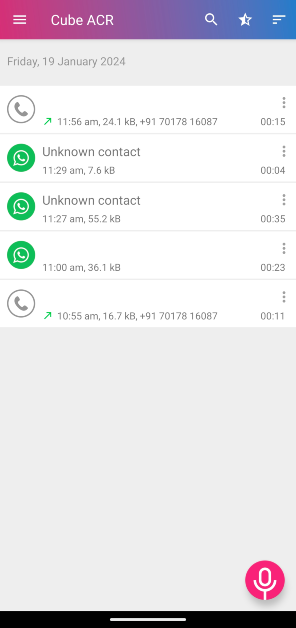
Use a third-party app (Cube ACR)
Step 1: Download and install the Cube ACR app from the Google Play Store.
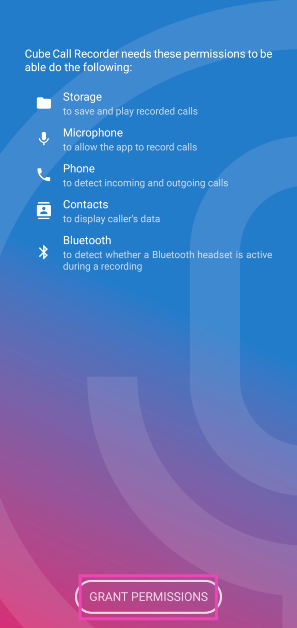
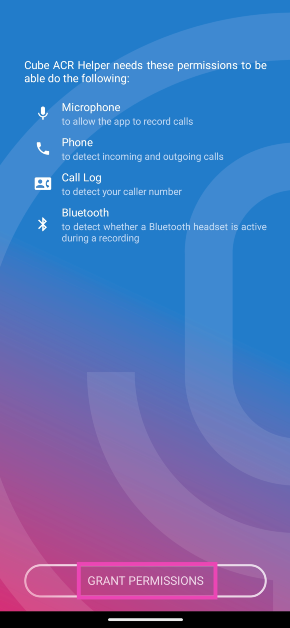
Step 2: Launch the app and give it the necessary permissions.
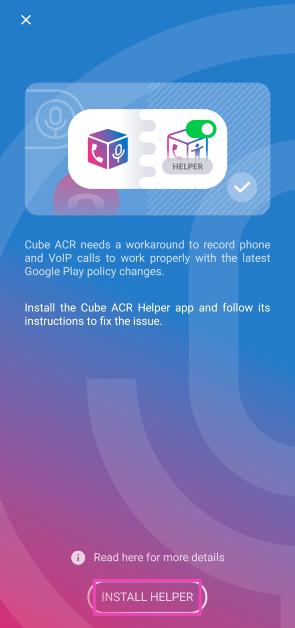
Step 3: You will be prompted to install the Cube ACR Helper app. Hit Install Helper.
Step 4: Give the Cube ACR Helper app the necessary permissions. This includes Accessibility services.
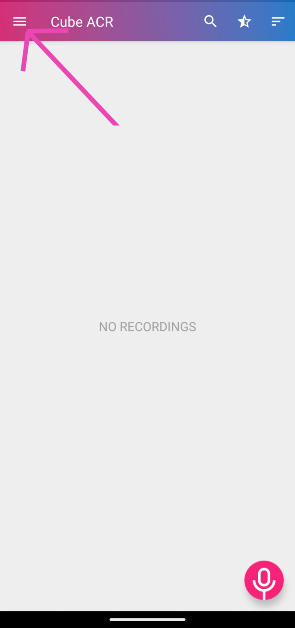
Step 5: Once the helper is set up, go back to the Cube ACR app and hit the hamburger menu at the top left corner of the screen.
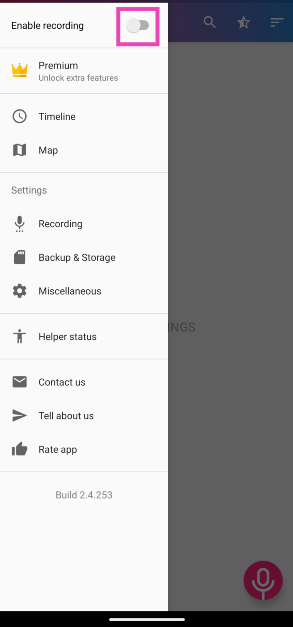
Step 4: Turn on the toggle switch for Enable recording.
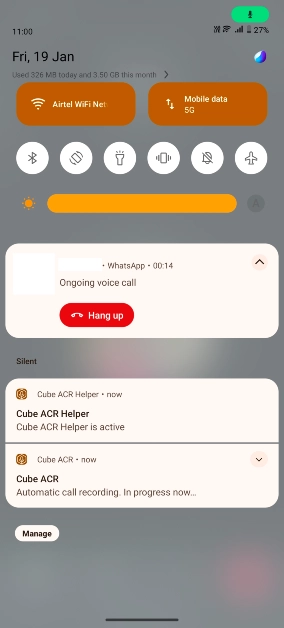
Step 5: Go to WhatsApp and make a call. Cube ACR will automatically record it for you.
Step 6: The recording will automatically cut off once the call is ended. Go to the Cube ACR app to view it.
Step 7: Your WhatsApp call recording will have the WhatsApp icon next to it. Tap it to listen to it.
Use the recorder app on another device
Cube ACR is the perfect app to record phone calls across multiple platforms, but it needs several permissions to function. Not only does it require permission to use the dialer, contacts, microphone, nearby devices, and notifications, but it also relies on getting access to your phone’s accessibility services. If you’re not comfortable with granting an app total access to your device, you can always record calls the old-school way.
The quality of the recording may take a hit, but it will get the job done. For starters, you need to make sure that the WhatsApp call is on loudspeaker. There are certain steps you can take to elevate the quality of the recording. The biggest of them all is limiting the surrounding noise.
Turn off the fan and any other nearby devices that may be contributing to the background noise. Once that’s taken care of, open the voice recorder app on your secondary device and place it at an optimum distance from your phone’s loudspeaker. You don’t want to place it too close or the recording will sound too harsh. Once you have recorded the call, use a third-party tool to make it sound cleaner by removing the background noise. There are certain AI tools on the Internet that you can use for this task as well. These tools can accurately separate the callers’ voices from the general humdrum.
Frequently Asked Questions (FAQs)
How do I record WhatsApp calls on my phone?
Use the Cube ACR app to record calls across all apps, including WhatsApp. You can also go the old-school route and put the call on the loudspeaker while using another device to record it.
Does screen recording my phone record my calls as well?
Due to privacy and security restrictions, Android smartphones restrict the native screen recorder from using the microphone during calls. Which means you cannot record the call using that tool.
How do I record a regular phone call on my Android phone?
Most native dialer apps on Android phones have a call record feature. You can also use apps like Cube ACR, drupe, and TrueCaller to record calls.
This is how you can record WhatsApp calls on any Android smartphone. Check out this article to learn how you can disable the call recording warning on Google’s dialer app. Third-party dialer apps like drupe have a recording feature baked into them, which can come in handy in certain situations.
iPhone 15 is getting a discount of Rs 12,991 on Flipkart.
Flipkart is running a Republic Day Sale where it is offering a great deal on iPhone 15.
The device was launched in India at a starting price of Rs 79,990.
Flipkart’s Republic Day is still on and will end today. So that you don’t miss out on an exciting deal on the iPhone 15, we thought of informing you that there is a huge discount on the iPhone 15 at Flipkart. The homegrown e-commerce platform is offering the iPhone for as low as Rs 36,949. Keep on reading how to get the deal.
iPhone 15 was launched in India last in September and is currently seeing a massive price drop after its release. It was launched at a starting price of Rs 79,990. However, after a significant discount of Rs 12,991, the device is currently listed at Rs 66,999 on the e-commerce platform.
Note that this is the effective price which the e-commerce store is offering. You can also apply for an available bank offer to further bring down its cost.
If you do not have an ICICI bank card then do not despair because Flipkart is offering up to Rs 54,990 off with Buy with Exchange offer. You can only get the best exchange deal depending on the condition of your device. Suppose you have a Samsung Galaxy S22 5G which is in flawless condition then it might bring around Rs 11,700.
But if you have an iPhone for example if you exchange iPhone 14 you can avail Rs 30050 exchange discount on the purchase of an iPhone 15. If your phone is in excellent or in good condition then you can get an exchange discount of Rs 22,550 and Rs 17,100 respectively.
iPhone 15 specifications
The iPhone 15 is highlighted with a 6.1-inch Super Retina XDR OLED display. The display is protected with a Ceramic Shield for protection. The handset features an IP68 classification for dust and water protection. The A16 Bionic chip which powered Apple’s iPhone 14 Pro models last year, is found in the new iPhone 15.
The iPhone 15 has a 48-megapixel wide-angle camera as its main sensor with a 2um quad-pixel sensor and an f/1.6 aperture. Additionally, the device has a 12-megapixel ultra-wide camera with sensor-shift stabilisation and an f/1.6 aperture.
On the front, there is a 12-megapixel TrueDepth camera for selfies and video calls. The device features a USB Type-C port instead of the company’s exclusive Lightning connector.
Garena Free Fire is a battle royale game with regular awards and tournaments to keep players interested. If you play Garena Free Fire, you should be aware of the redeem codes that are released on a daily basis. However, because the battle royale game is banned in India, players from other countries can use the Free Fire Redeem codes daily. If you’re unfamiliar with the Garena Free Fire redeem codes or don’t know how to get them, we’ve put together a step-by-step guide to help you redeem them. Check out Garena Free Fire Redeem Codes for 19 January 2024.
The Free Fire redeem codes are a great way to get free stuff. These are 12-digit codes that contain alphabets and numbers, as well as an expiration date and time. Because the Garena FF redeem codes cannot be used more than once, you should hurry to the redemption page to claim your free reward before someone else does. To get a free reward, all you have to do is go to reward.ff.garena.com/en, which is the official redemption page. Also, keep an eye on this space for daily updates on Garena Free Fire redemption codes and rewards.
In This Article
Garena Free Fire Redeem Codes Today 19 January 2024
FFEVDBHUA7Q6TGH
FERTY9IHKBOV98U
FZ7YTA5Q4RED2C3
FVBERFJUVYTSRFW
FVE4RH5TJUGVYCT
F4TG5BTNGKOIUYG
FAYQ765TRF4VBRN
F7U4GGJVI8CY6TG
FGBW3REGFBI7345
FJ8FG7BSJUWYT3R
FGSWBH3J4KR5IT6
FYUGHVNCD5JSUEY
How to Get Free Fire Redeem Codes for Garena on 19 January 2024?
The Xiaomi 360 Home Security Camera 2K can capture a 360° horizontal view and a 108° vertical view.
The camera supports Infrared Night Vision for nighttime surveillance.
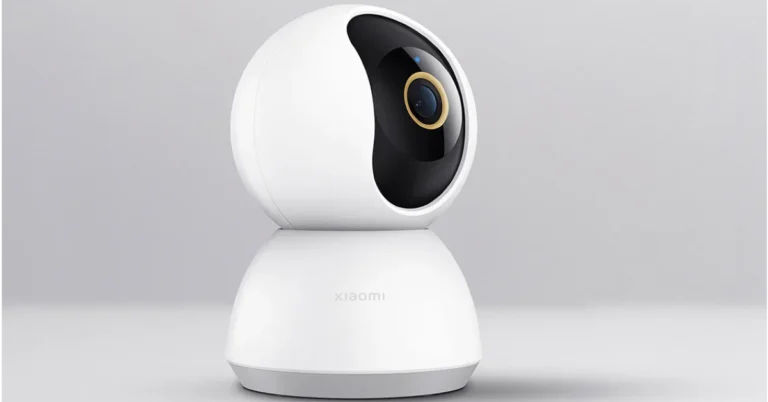
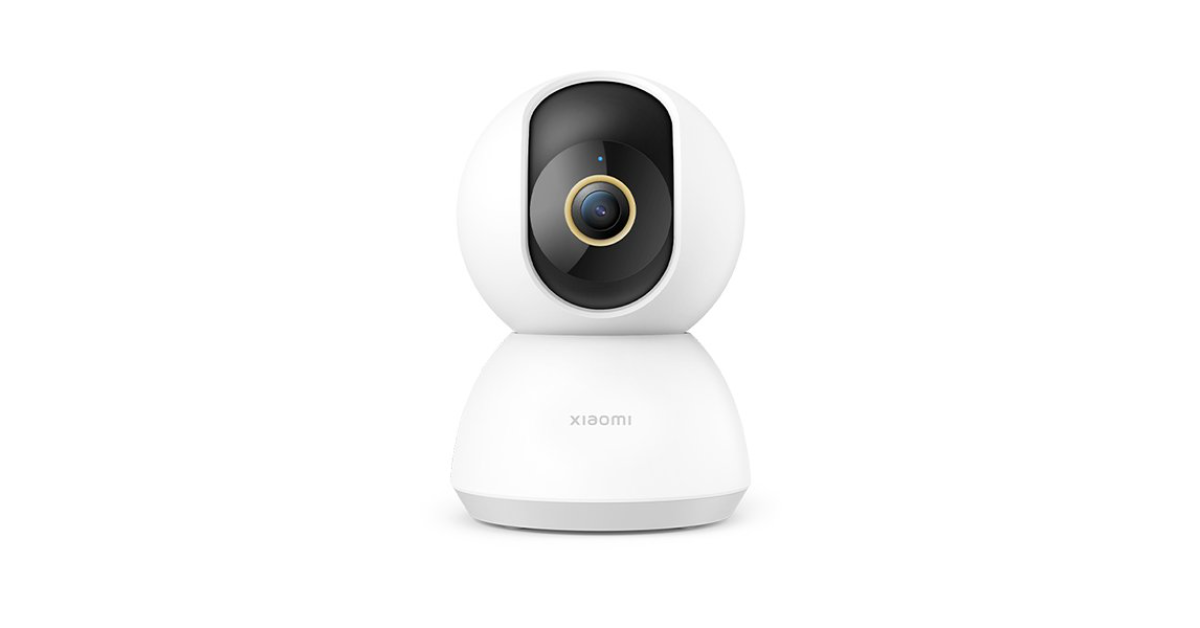
Xiaomi has introduced a new home security camera in India. The company launched Xiaomi 360 Home Security Camera 2K which comes with 360° Vision offering full home protection. It has a dual motor head that allows the camera to rotate and capture a full 360° horizontal view and a 108° vertical view. In addition to this, the CCTV camera has AI Human Detection technology that can filter out false alarms. The camera supports microSD cards and is equipped with a 3MP camera.
In This Article
Xiaomi 360 Home Security Camera 2K price in India, sale details
Xiaomi 360 Home Security Camera 2K price in India has been set at Rs 3,200. The security camera comes in a single white colour option. The device is up for sale on mi.com. It is scheduled to be available via Amazon and Flipkart from January 22.
Xiaomi 360 Home Security Camera 2K features
Xiaomi 360 Home Security Camera 2K has a 3MP camera and uses ultra-clear HD technology with 2,304 x 1,296 pixels resolution to capture more detailed images and share an output of 2K ultra-clear HD video on your device. The security camera features a 360° pan-tilt-zoom panoramic view for comprehensive monitoring with no blind spots. In addition, the dual-motor head on the camera enables the camera to rotate and capture a full 360° horizontal view and a 108° vertical view.
Xiaomi 360 Home Security Camera 2K has Infrared Night Vision as it comes with invisible 940nm infrared LEDs for clear night vision. With AI Human Detection the CCTV camera can filter out false alarms. It can identify when a person is walking around the camera’s surroundings and sends alert notifications accordingly. Because there is smart Motion Detection, you no longer receive false warning signals if your pet walks in front of the camera. With human tracking, the camera can follow if a human is detected. This feature can be enabled from the Xiaomi Home app in the Camera Settings.
The security camera also supports two-way real-time calls. Also, users can live monitor across multiple devices including smartphones, and tablets with Xiaomi Home App. For storing footage, there is a slot for microSD cards which supports up to 2256GB. It also supports Network-attached storage.
The circle-to-search feature was launched first for the Galaxy S24 Series.
The functionality will be available on Pixel phones as well.
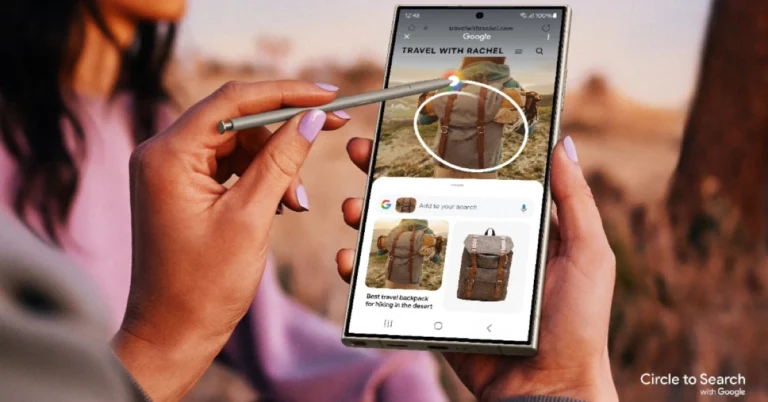
Samsung introduced the new Galaxy S24 Series in India and globally. This year’s Samsung flagship series is powered by Galaxy AI. The Samsung Galaxy S24, Galaxy S24+, and Galaxy S24 Ultra have other features such as Live Translate, Note Assist, and Circle to Search. Now what is this Circle to search? The Google-powered Circle to Search function will boost search results for Galaxy S24 phones. It is a new way to search for anything on your phone with a simple gesture—without switching apps.
In This Article
What is Circle to Search?
The Google-powered Circle to Search feature has launched with the Samsung Galaxy S24 Series. The new tool makes searching results easier with a simple motion. The user will be able to see helpful, high-quality search results by long pressing the home button and circling, highlighting, scribbling, or tapping anything on the Galaxy S24’s screen.
However, the company may have introduced the Circle to Search feature on the Galaxy S24 series, but it will also let Android users search anything on their devices without switching apps. “Now, with a simple gesture, you can select what you’re curious about in whatever way comes naturally to you—like circling, highlighting, scribbling or tapping — and get more information right where you are,” Google Noted in its blog post.
For instance, to identify a few items a creator wore in their “Outfit of the Day” video, just long-press the home button or navigation bar on your Android phone to activate Circle to Search. From there, you can circle or select any item that you see with your preferred gesture—like circling their sunglasses—to quickly find similar, shoppable options from retailers online. You could scribble the bag and tap on the boots to look those up, too—all without leaving where you are. When you’re done, simply swipe away, and you’re right back where you started.
In complex situations, such as browsing social media, you may come across an image of a delicious corn dog with some unique toppings. All you have to do is circle the corn dog and pose a question, such as, “Why are these so popular?”
Similarly, you can also look for something you saw on YouTube Shorts by quickly scribbling over the topic or caption.
According to Google, the Circle to Search feature will be launching on January 31 on premium Android smartphones—the Pixel 8, Pixel 8 Pro, and the new Samsung Galaxy S24 series—in all languages and locations where they’re available.
Samsung has announced Indian pricing for the Samsung Galaxy S24, Galaxy S24+, and Galaxy S24 Ultra.
The company will be offering pre-booking benefits worth Rs 22,000 on the Galaxy S24 Ultra and Galaxy S24+.
There will be pre-booking benefits worth Rs 15,000 on the purchase of the Galaxy S24.
The Samsung Galaxy S24, Galaxy S24+, and Galaxy S24 Ultra officially debuted last evening. The firm did not share India’s price at the time of introduction, but we now have all of the pricing and availability information for Indian shoppers who were eagerly awaiting the disclosure. All the models in the Galaxy S24 Series are powered by the Snapdragon 8 Gen 3 Mobile Platform for Galaxy. They operate on Android 14-based One UI 6.1. Moreover, the phone comes with a dynamic AMOLED 2X display with support for up to 120Hz refresh rate.
Galaxy S24 Ultra
In This Article
Samsung Galaxy S24, Galaxy S24+ and Galaxy S24 Ultra price in India
The Galaxy S24 Ultra will come in three different configurations:
The company will be offering three exclusive colours for Ultra for online buyers: Titanium Blue, Titanium Green and Titanium Orange. Whereas, those buying the Galaxy S24 and S24 Plus from samsung.com will get the option of two exclusive colours: Sapphire Blue and Jade Green.
Specifications
Offers
No Cost EMI
“Benefits worth INR 22K”
Up to 11 months [Samsung Finance+]
Galaxy S24 Ultra
INR 12K Upgrade Bonus
&
+
Galaxy S24 Plus
INR 10K Storage Upgrade (Pre-book 256GB and Get 512GB)
Alternatively, INR 5K Bank Cashback can be availed along with INR 5K Upgrade [Total Benefits 10K]
Galaxy S24
“Benefits worth INR 15K”
Up to 11 months [Samsung Finance+]
INR 15K Upgrade Bonus
Alternatively, INR 5K Bank Cashback can be availed along with INR 8K Upgrade [Total Benefits 13K]
Galaxy S24 Series Live Commerce Offer
Customers pre-booking Galaxy S24 Series during “Samsung Live” event starting 12 pm on January 18will get an additional exclusive gift of a Wireless Charger Duo worth INR 4999. The URL to pre-book the devices during live commerce are https://www.samsung.com/in/live-offers/
Samsung Galaxy S24 Series specifications
The Samsung Galaxy S24 Ultra features a 6.8-inch QHD+ Dynamic AMOLED 2X Display with a Super Smooth 120Hz refresh rate (1~120Hz), 2,600nit peak brightness, and Vision booster. The screen is protected with Corning Gorilla Armor. Whereas the Galaxy S24 and S24+ come with 6.2-inch FHD+ and 6.7-inch QHD+ Dynamic AMOLED 2X displays, respectively.
Galaxy S24 Ultra+
All the smartphones come equipped with a tweaked version of the Snapdragon 8 Gen 3 SoC, which Samsung is calling the Snapdragon 8 Gen 3 Mobile Platform for Galaxy. In India, only the Ultra Variant comes with a Qualcomm processor, whereas the other two models house an Exynos 2400 SoC. The smartphone will be shipped with Android 14 with UI 6.1. The company will provide seven generations of OS upgrades and seven years of security updates.
Galaxy S24 Ultra has a quad rear camera setup that includes a 12MP Ultra-Wide Camera (F2.2 aperture, FOV-120˚), 200MP Wide Camera (OIS, F1.7 Aperture, and FOV-85˚), 50MP Telephoto Camera (5x Optical Zoom, OIS, F3.4 aperture, and FOV of 22˚) and a 10MP Telephoto Camera (3x Optical Zoom, OIS, F2.4 aperture, and FOV 36˚).
Galaxy S24
On the other hand, the Galaxy S24 and Galaxy S24+ have the same triple rear camera setup that includes a 12MP Ultra-Wide Camera (F2.2, FOV 120˚), 50MP Wide Camera (OIS F1.8, FOV 85˚) and a 10MP Telephoto Camera (3x Optical Zoom, F2.4, FOV 36˚). All the models come with a 12MP selfie camera (F2.2, FOV 80˚).
For connectivity, there is 5G, 4G LTE, Wi-Fi 7, Wi-Fi Direct, Bluetooth 5.3 and a USB Type-C port. The S24 Ultra, S24+, and S24 boast a 5,000mAh, 4,900mAh, and 4,000mAh battery, respectively.
The Galaxy S24 Ultra comes with a S Pen stylus. In addition to this, all the variables include Samsung Knox, Knox Vault, and Passkeys.
Besides this, all the phones in the Galaxy S24 Series come pre-loaded with Live Translate, Note Assist, and Circle to Search, powered by built-in AI features.
A simple swipe gesture in either direction is enough to remove a notification from your phone’s lock screen and home page. If there are a lot of notifications piled up, the ‘Clear all’ button comes in quite handy. But what if a notification entry refuses to go away? Sometimes clearing the app from the app switcher doesn’t work either. If the problem keeps persisting, it can get annoying really quickly. Luckily, we’ve got a bunch of fixes for you. Here are the top 11 ways to fix or clear the Instagram notifications that won’t go away.
Why is the Instagram notification stuck on my phone?
There are several types of malfunctions that can cause an Instagram notification to get stuck on your phone’s lock screen and home page. Sometimes, a corrupt file in the app’s cached memory may get corrupted, derailing certain functions and causing weird glitches. This can easily be fixed by clearing the cache for the app from your device’s settings.
Ghost notifications are also known to get stuck on your phone’s interface when the content that they are linking to is no longer present in the app. This is known to happen when someone sends you a message and then deletes it right away. Ideally, this deletes the notification as well, but sometimes, it refuses to disappear. If you’re dealing with a similar situation, check out these fixes.
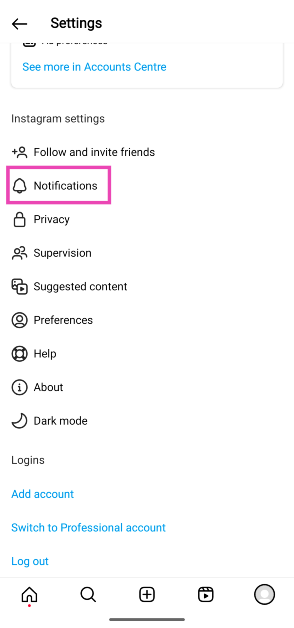
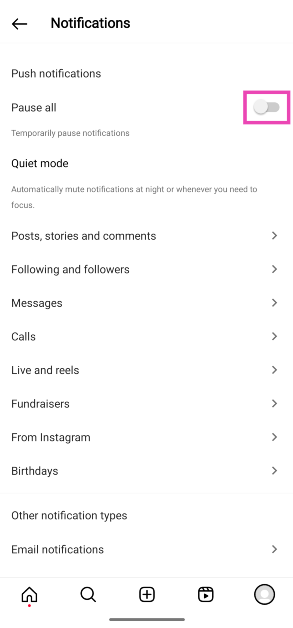
Pause notifications from the Instagram app
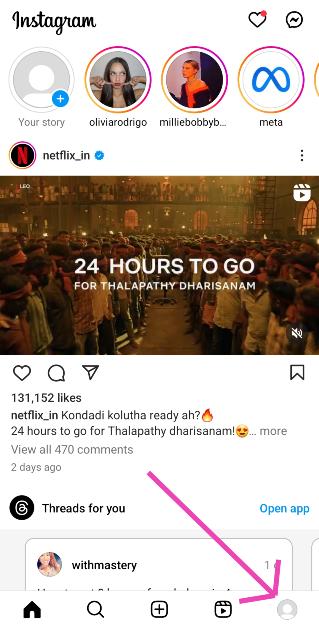
Step 1:Launch the Instagram app on your smartphone and tap your profile picture at the bottom right corner of the screen.
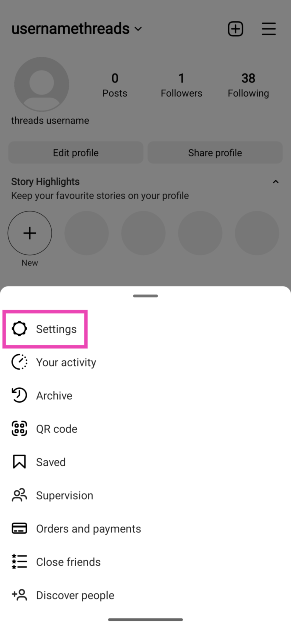
Step 2: Tap the hamburger menu at the top right corner of the screen.
Step 6: Turn the notifications back on when the current one gets cleared from your phone.
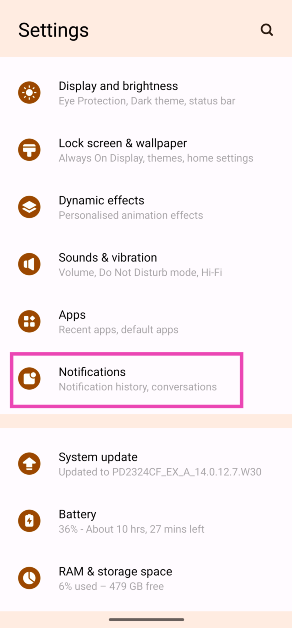
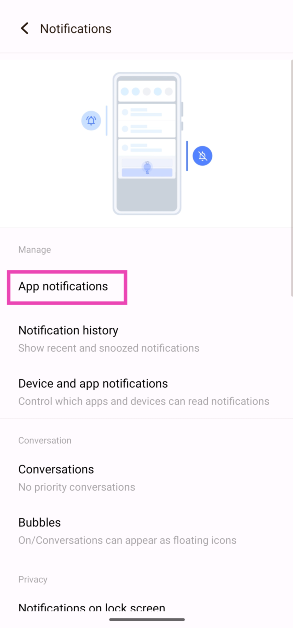
Pause system notifications for Instagram
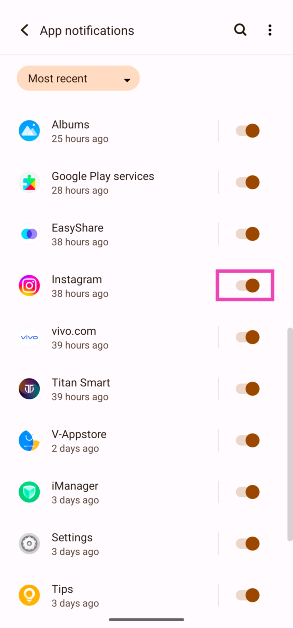
Step 1: Go to Settings and select Notifications.
Step 2: Tap on App Notifications.
Step 3: Turn off the toggle switch for Instagram.
Step 4: Turn the toggle switch back on when the current notification has been cleared.
Force Stop the Instagram app
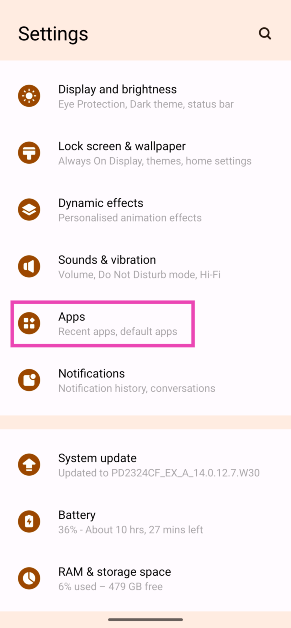
Step 1: Go to Settings and select Apps.
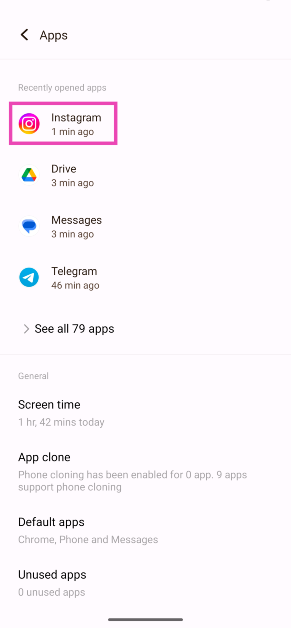
Step 2: Tap on Instagram.
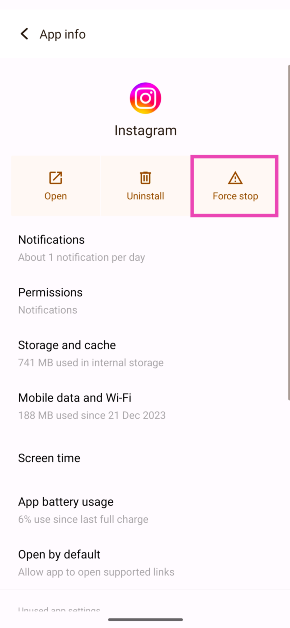
Step 3: Tap on Force Quit.
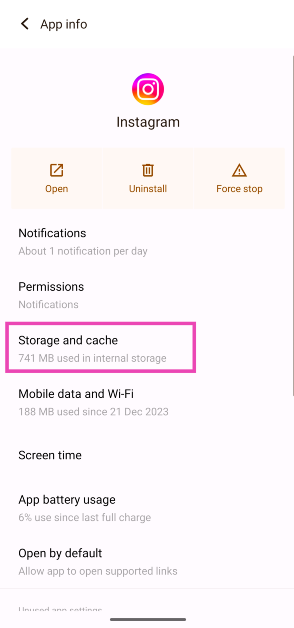
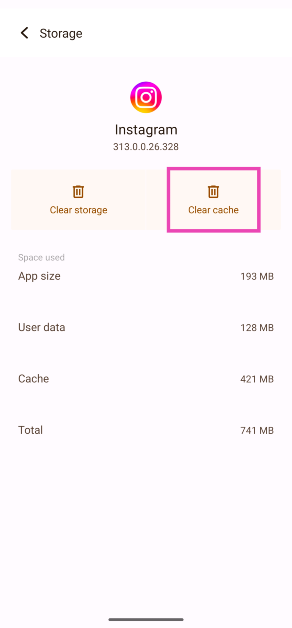
Clear Instagram’s cache
Step 1: Go to Settings and select Apps.
Step 2: Tap on Instagram.
Step 3: Select Storage and cache.
Step 4: Hit Clear Cache.
Check your secondary Instagram profile
Instagram lets you create and use multiple profiles on your phone. The notifications from all the profiles are displayed on the app. If the indicator on the Instagram app refuses to go away, switch to your secondary profile(s) and check the pending notifications. They could be unread messages, follow requests, likes, etc. Once you’ve done that, the ghost notifications and red dot indicators will be gone.
Update the app
Bug-related issues can cause an app’s notifications to get stuck on your phone’s lock screen and notification shade. If you’re using an older version of the app, updating it can fix this issue. Go to the Google Play Store, search for Instagram, and hit ‘Update’ on the app’s page.
Restart your smartphone
If updating the Instagram fix doesn’t fix the issue, try restarting your smartphone. If the problem lies with your phone’s OS, a quick restart should fix it. Press and hold the side key to reveal the power menu. Select ‘Restart’ from the list. If long-pressing the side key triggers the voice assistant, press and hold it along with the Volume Up key to access the power menu.
Delete and reinstall Instagram
The last thing you can try to get rid of the stuck Instagram notification is deleting the app. This should remove the notification from the top shade as well. Press and hold the Instagram app icon in the app drawer and hit the bin icon in the popup menu to uninstall the app. Once the notification disappears, reinstall Instagram from the Google Play Store and log in using the proper credentials.
Check Instagram’s servers
Sometimes, you may notice an Instagram DM notification on your phone but tapping on it does nothing. This happens due to sluggish servers. The notification reaches you first but due to the slow servers, the actual message takes time to deliver on your phone. Go to DownDetector.in and search for Instagram to check if its servers are experiencing an outage.
Check your internet connection
If Instagram’s servers are fine, it is possible that a faulty internet connection on your end is causing the issue. The lingering notification on your device won’t go away until the content that it is linked to has fully loaded in the background. Switch to a better WiFi connection to fix this issue.
Update your phone’s OS
If the notification issue is not just exclusive to Instagram, a specific bug on your phone might be the reason behind it. Luckily, Android developers are quick to patch such bugs with swift updates. Here’s how you can update your phone to the latest OS version.
Step 1: Go to Settings and select Software update.
Step 2: Tap on Download and install.
Step 3: Select Install now.
Frequently Asked Questions (FAQs)
Why won’t the Instagram notification go away on my phone?
Sometimes, a corrupt cache and unexpected bugs on the app can cause its notifications to get stuck on your phone’s lock screen or home page. This is a temporary issue that can be fixed with a couple of quick measures.
How do I get rid of the Instagram notification stuck on my phone?
Force quit the Instagram app from App Settings on your device and clear its cache to get rid of the notification.
Why does Instagram show an extra notification?
If you’re logged into multiple Instagram accounts, the app will push notifications from all of them, giving the appearance of ‘extra’ notifications.
How do I pause all Instagram notifications?
To pause all Instagram notifications on your smartphone, launch the app, go to your profile, select Menu>Settings and privacy>Notifications and turn off the toggle switch for ‘Pause all’.
What is a phantom notification?
A phantom notification is an alert that creates a sound or vibration on your phone but doesn’t show up on the display.
These are the top 11 ways to fix the ‘Instagram notification won’t go away’ issue on your smartphone. If you keep facing this issue on your mobile device, switch to the Instagram Lite app. If you know any other way to fix this problem, let us know in the comments!
Garena Free Fire is a battle royale game with regular awards and tournaments to keep players interested. If you play Garena Free Fire, you should be aware of the redeem codes that are released on a daily basis. However, because the battle royale game is banned in India, players from other countries can use the Free Fire Redeem codes daily. If you’re unfamiliar with the Garena Free Fire redeem codes or don’t know how to get them, we’ve put together a step-by-step guide to help you redeem them. Check out Garena Free Fire Redeem Codes for 18 January 2024.
The Free Fire redeem codes are a great way to get free stuff. These are 12-digit codes that contain alphabets and numbers, as well as an expiration date and time. Because the Garena FF redeem codes cannot be used more than once, you should hurry to the redemption page to claim your free reward before someone else does. To get a free reward, all you have to do is go to reward.ff.garena.com/en, which is the official redemption page. Also, keep an eye on this space for daily updates on Garena Free Fire redemption codes and rewards.
In This Article
Garena Free Fire Redeem Codes Today 18 January 2024
FERTY9IHKBOV98U
FZ7YTA5Q4RED2C3
FVBERFJUVYTSRFW
FVE4RH5TJUGVYCT
FYUGHVNCD5JSUEY
FJ8FG7BSJUWYT3R
FFEVDBHUA7Q6TGH
F4TG5BTNGKOIUYG
FAYQ765TRF4VBRN
F7U4GGJVI8CY6TG
FGSWBH3J4KR5IT6
FGBW3REGFBI7345
How to Get Free Fire Redeem Codes for Garena on 18 January 2024?
The Redmi Note Series is a great mid-range competitor. Xiaomi recently launched the Redmi Note 13 Series, which includes three smartphones Redmi Note 13 5G, Redmi Note 13 Pro 5G and Redmi Note 13 Pro+ 5G. Although the design of these phones are quite similar, their interior components differ. We’ll discuss the Redmi Note 13 Pro 5G for the time being as it has been our everyday driver. This is our review of the Redmi Note 13 Pro 5G.
In This Article
Redmi Note 13 Pro 5G Review: Design and Display
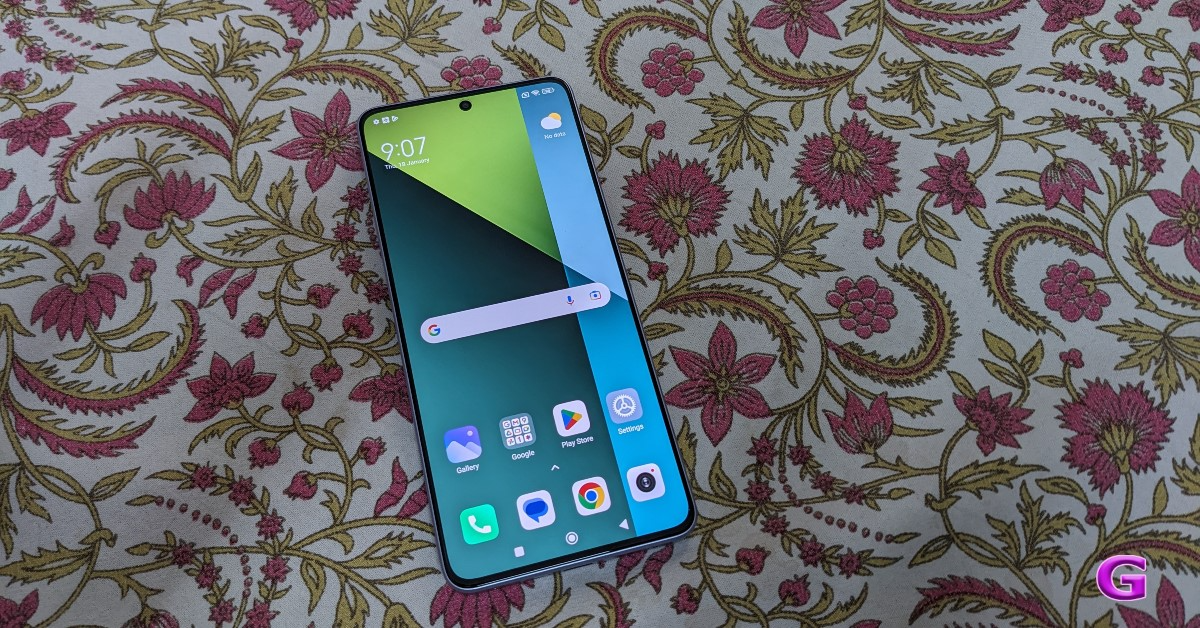
Let’s start by talking about the design. Compared to the Redmi Note 12 Pro 5G (Review), the Redmi Note 13 Pro 5G has a very distinct design. Unlike the previous generation, the structure and design seem more robust and contemporary. Let’s explore the design aspects in more detail. In contrast to the Pro+’s slightly curved back shape, it has a flat design language. The phone weighs exactly the perfect amount—it’s not too heavy. Due to its flat, boxy shape, it’s also very easy to grip or operate with one hand.
For the review, we have the coral purple edition, and we have to admit that both the hue and the design are stunning. The phone’s back responds to the way light strikes it. It also has a glittery appearance. Both the physical aspect and the in-hand feel are good.
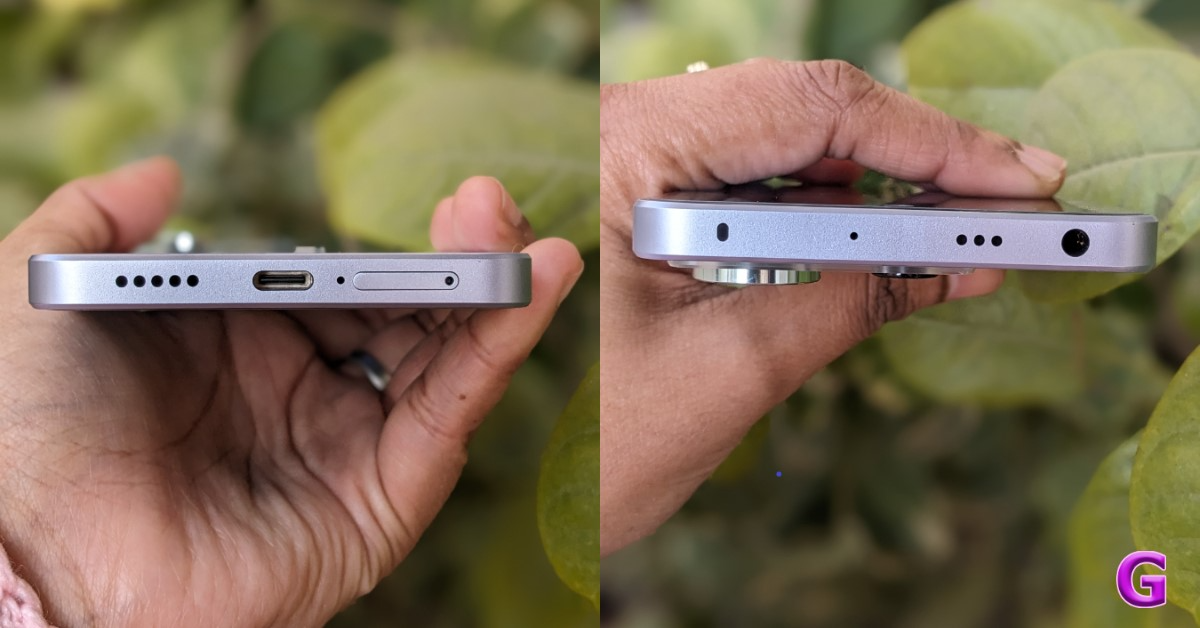
It is pretty well constructed, with plastic and glass for the frame and back. The phone has three camera sensors located in the upper left corner, arranged in a squarish-coloured layout. Without a doubt, this back pattern looks fantastic. You can spot the 200 MP camera with a flash. A 3.5mm headphone jack, an IR blaster, and a secondary speaker grille are located on top of the frame.
A USB-C connector, a microphone, a SIM tray, and another speaker grille are located at the bottom. The power key—which also functions as a fingerprint sensor for biometric unlocking—and the volume rocker keys are located on the right side of the frame. This allows for extremely fast device unlocking. The left half of the frame is empty of any additions.
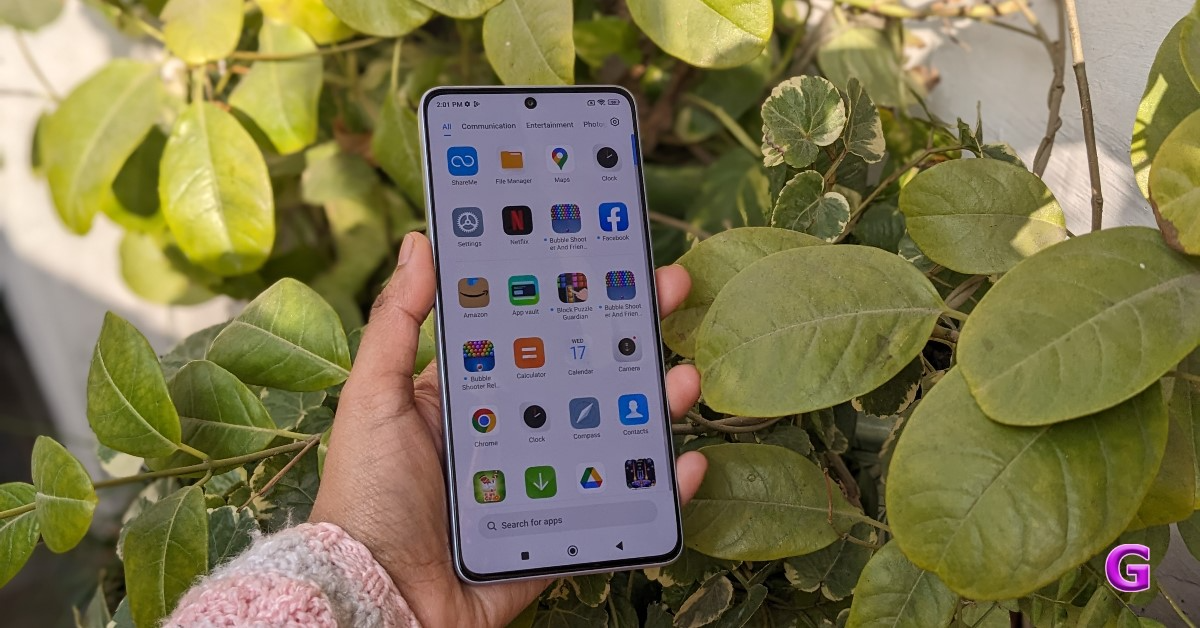
In terms of the display, the Redmi Note 13 Pro 5G has a 6.67-inch 1.5K full-HD+ AMOLED screen with a resolution of 1,220 x 2,712 pixels The display supports a peak brightness of 1,800 nits and a refresh rate of 120 Hz. The screen comes with Corning Gorilla Glass Victus protection.
Last year’s Redmi Note 12 Pro (Review) featured a 120Hz AMOLED display with Full HD quality; this time, the company has upgraded the display to 1.5K. While certain things have changed, the pixels per inch and display resolution have not.
The display experience on the display is excellent; it is vivid, rich, and overall feels terrific, especially when watching videos or other multimedia content. Furthermore, all well-known OTT apps stream well, including Disney+ Hotstar, Amazon Prime, and Netflix. We had fun watching 12th Fail on this device.
Its screen’s sharpness is amazing; the text appears clear and crisp and the colour reproduction is excellent as well. The UI receives much-needed smoothness from the 120Hz refresh rate, which is mainly noticeable when navigating Instagram or other social media feeds and websites. For outdoor visibility, the peak brightness of 1,800 nits is highly efficient.
The display protection received another major change. It was formerly protected with Corning Gorilla Glass 5, but in this segment, we see the Corning Gorilla Glass Victus protection, which is often only found on flagship handsets. The selfie camera is housed in a dot-notch that sits directly on top of the display.
Furthermore, and this is not a criticism, the bezels are thin but prominent. Normally, phones in this class have a big bezel and a chin, but in this case, everything is evenly spread out, giving you a seamless experience.
Also Read:Poco C65 Review: Does it check all the boxes? The body, on the other hand, is water-resistant. While the previous generation was splash-resistant with an IP53 rating, this year’s model has an IP68 rating that allows it to be dunked for nearly 30 minutes.
Strong and clear audio enhances the immersive experience of watching a video. But the best feature is that it comes with a headphone jack, which allows you to listen to audio and music without any lag using a wired connection.
Redmi Note 13 Pro 5G Review: Performance and camera
We’ll now discuss the performance side of things. The device is powered by Qualcomm Snapdragon 7s Gen 2 SoC equipped with up to 12GB of RAM. The phone functions well when used often, and we don’t have any issues even when using several applications and multitasking. It supports 5G and will work across all 5G network providers in India. The phone has excellent call quality and network functionality.
The device is fast, responsive and runs without any lags. It’s fun to multitask.
In addition, you get LPDDR5 RAM and compatibility for UFS 3.1 storage, which improves performance even more over the Redmi Note 12 Pro’s UFS 2.2 storage. The gadget is incredibly responsive and quick to drive.
Also, playing games on this gadget is a huge thrill. Call of Duty, BGMI, Asphalt, and other games we played on this smartphone all functioned fairly well. There was no latency or delay in the gaming experience, and the performance of the games was superb. The Redmi Note 13 Pro 5G also has outstanding thermal performance. It doesn’t throttle severely after several gaming sessions. Although the phone does warm up a little, the heat is quickly dispersed.
The Redmi Note 12 Pro’s OS is based on Android 13 and has the MIUI 14 skin applied by the company. We understand that some people don’t prefer bloatware aka pre-installed apps, however, you may remove the ones you don’t need.
Additionally, this has incredibly quick and seamless app launches. Because there is so much RAM, multitasking is much smoother and the majority of recently installed apps are still in memory. Our device has 12GB RAM and 256GB GB of storage,
The company has promised three Android OS upgrades and four years of security patches for the phone, so it will get updates up to Android 16. We haven’t run into any bugs or issues while using it, and the OS seems to be well-optimised.
Coming to the Redmi Note 13 Pro 5G Review’s photography section, the phone has a triple camera setup at the back, including a 200MP primary sensor (f/1.65 aperture and OIS), an 8MP ultra-wide angle lens (f/2.2 aperture), and a 2MP macro lens (f/2.4 aperture). The photos taken in the daylight are crisp, colourful, and full of details.
Accurate details and colours that closely resemble the actual colour of the skin are captured by the primary camera. With OIS, the image stabilisation was precise, and the smartphone handled the photos well to provide vibrant, well-balanced photos. It is excellent in terms of colour since we favour natural colours over too-vibrant ones.
One benefit of having a 200MP sensor is that it can zoom up to 10x with great results.
With an 8MP ultrawide sensor, you should generally get decent results. As it doesn’t provide crisp or detailed photographs, you shouldn’t have high expectations.
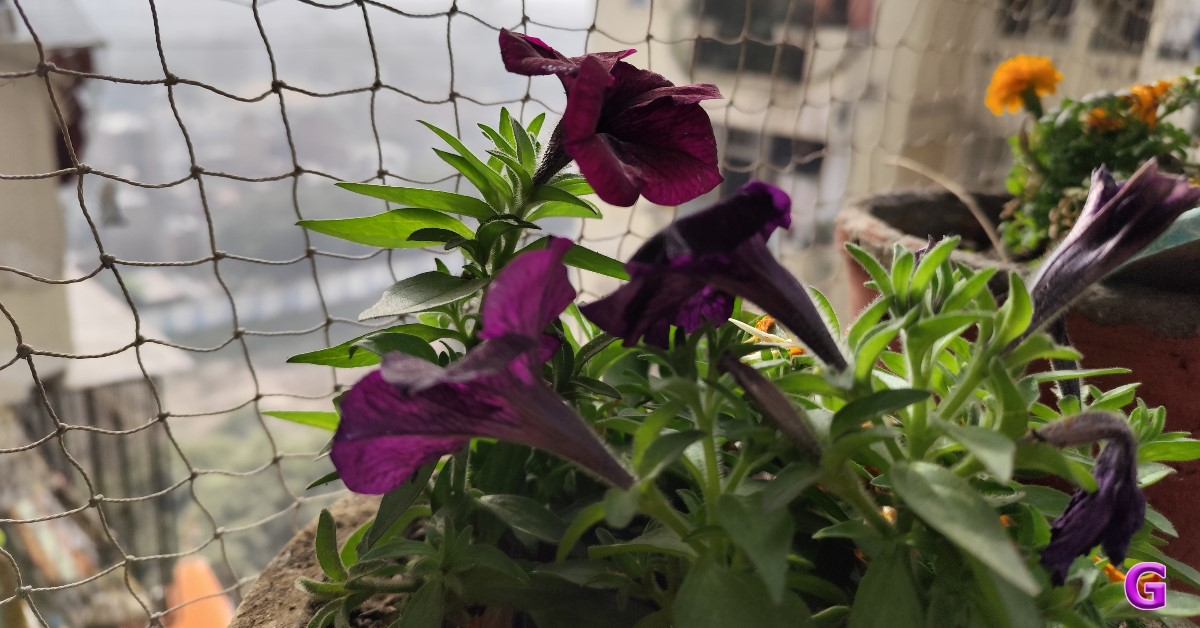
The macro photos will turn out nicely as long as you take them in well-lit situations. The photos in low light are excellent. When you snap pictures at night, the quality is considerably better.
The selfies are also quite clean and feature great skin tones. Additionally, edge detection works quite well for portraits. Because the background blur was a bit much for us, we decided to slightly reduce its intensity.
Using the selfie camera, you may record videos in 1080p resolution. Of course, 4K at 30 frames per second is supported when using the back camera with OIS. Thus, the video quality is also acceptable.
Regarding the battery, it has a 5,000mAh capacity and supports 67W rapid charging. The phone’s battery life varied during our tests, lasting between one day with heavy usage and a day and a half with moderate use. Thankfully, a 67W fast charger is supplied with the phone. To charge fully, it takes about 45 minutes. Also, it can charge your device to 50% capacity in less than 15 minutes.
Verdict
The Redmi Note 13 Pro 5G sports a boxy design in general with side frames and a flat back panel. In addition, the gadget has a 3.5mm headphone jack—something that many current smartphones do not have.
We played a lot of games, saw multimedia content, and tested the camera during the review. You won’t be able to find anything wrong with this and will have an excellent experience. Its display pleased us. The display has excellent sharpness, details, and contrast.
We have been impressed with its audio output, which is sufficiently loud and suitable for watching videos and listening to music. Dolby Atmos support is included with it. You get a seamless user interface (UI), particularly if you use social media apps often. They launch quickly and offer great scrolling. Bloatware applications and incredibly annoying games exist, but fortunately, you can delete anything that is not required.
On it, we played a few games, and the Redmi Note 13 Pro 5G performed wonderfully. During gaming, we did not experience any lag or dropped frames. Furthermore, there are no alarming heating issues.
The Redmi Note 13 Pro 5G has left a lasting impression on us.
Redmi Note 13 Pro 5G is priced at Rs 29,999. Buy here.
The Samsung Galaxy S24 Series has officially launched.
The series includes the Samsung Galaxy S24, Galaxy S24+, and Galaxy S24 Ultra.
All models come with AI camera tools and other capabilities.
The Samsung Galaxy S23 Series has a successor. At its Galaxy Unpacked 2024 event, Samsung officially unveiled the Galaxy S24 Series, which includes three new models: the Samsung Galaxy S24, Galaxy S24+, and Galaxy S24 Ultra. To know what is special in this year’s flagship series, you will have to read the entire article.
In This Article
Samsung Galaxy S24 series price in India and availability
The South Korean electronics giant has not yet revealed the price of the Samsung Galaxy S24 series in India which will be revealed later on. The devices will go on sale on January 31.
The Galaxy S24 Ultra will come in three different configurations:
12GB of RAM and 256GB storage- $999 (approximately Rs 81,000)
The Galaxy S24 has been launched in three variants:
8GB RAM + 512GB storage
8GB RAM + 256GB storage- $849 (about Rs 70,600)
8GB RAM + 128GB storage- $799 (about Rs 65,500)
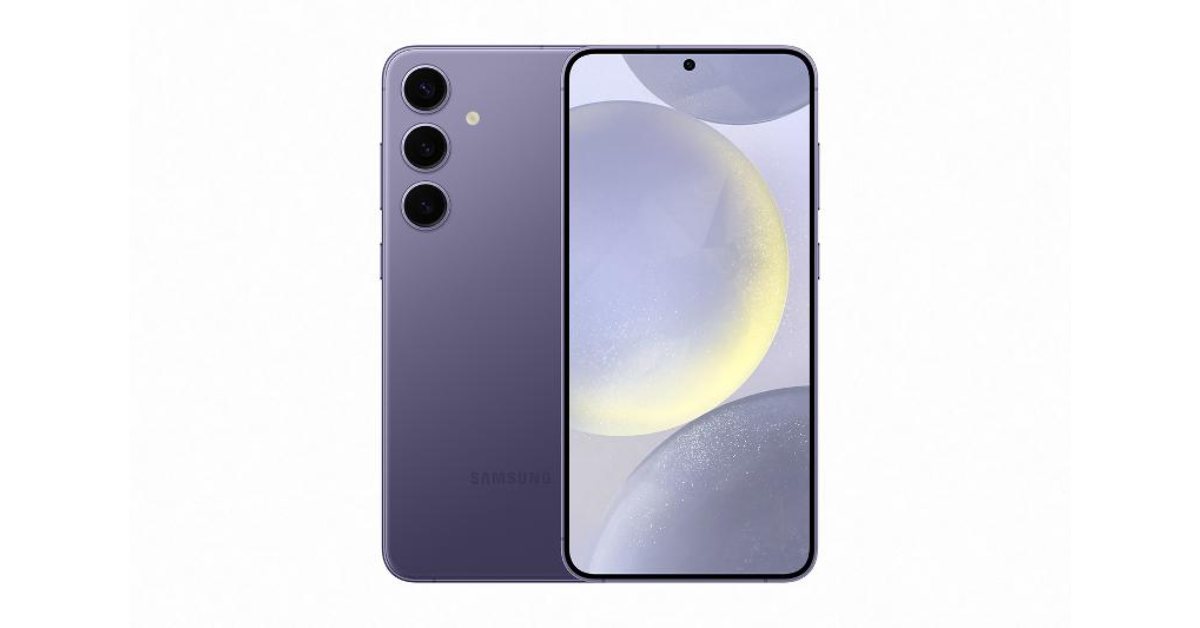
The Galaxy S24 series comes in Earth mineral-inspired colour tones. On the Galaxy S24 Ultra, colours include Titanium Gray, Titanium Black, Titanium Violet and Titanium Yellow. On the Galaxy S24+ and Galaxy S24, colours include Onyx Black, Marble Gray, Cobalt Violet and Amber Yellow. All three models will come in additional colours, available online only.
Samsung Galaxy S24 Series Specifications
The Samsung Galaxy S24 Ultra has the largest display among the three, featuring a 6.8-inch QHD+ Dynamic AMOLED 2X Display with a Super Smooth 120Hz refresh rate (1~120Hz), 2,600nit peak brightness, and Vision booster. The screen is protected with Corning Gorilla Armor.
Whereas the Galaxy S24 and S24+ feature 6.2-inch FHD+ and 6.7-inch QHD+ Dynamic AMOLED 2X displays, respectively. Other screen specs of the smartphones are similar to those of Ultra.
The Galaxy S24 contains recycled cobalt and rare earth-made components. It has been designed with recycled steel and Thermoplastic Polyurethane (TPU). As per the company, Ultra’s battery includes at least 50% recycled cobalt, while the speakers are made entirely of recycled rare earth components.
There will be a 5,000mAh, 4,900mAh, and 4,000mAh battery on the S24 Ulta, S24+, and S24, respectively.
The Galaxy S24 Ultra’s quad camera setup includes the following:
12MP Ultra-Wide Camera (F2.2 aperture, FOV-120˚)
200MP Wide Camera (OIS, F1.7 Aperture, and FOV-85˚)
50MP Telephoto Camera (5x Optical Zoom, OIS, F3.4 aperture, and FOV of 22˚)
10MP Telephoto Camera (3x Optical Zoom, OIS, F2.4 aperture, and FOV 36˚)
The Galaxy S24 and Galaxy S24+ triple rear camera systems include:
12MP Ultra-Wide Camera (F2.2, FOV 120˚)
50MP Wide Camera (OIS F1.8, FOV 85˚)
10MP Telephoto Camera (3x Optical Zoom, F2.4, FOV 36˚)
All the models come with a 12MP selfie camera (F2.2, FOV 80˚).
The devices are equipped with the Snapdragon 8 Gen 3 Mobile Platform for Galaxy. It comes with a 1.9 times larger vapour chamber. It is secured by Samsung Knox, Galaxy’s defence-grade, multi-layer security platform. The devices will run on Android 14 with UI 6.1 out of the box. The firm is promising to provide seven generations of OS upgrades and seven years of security updates. The series includes 5G, LTE, Wi-Fi 7, and Wi-Fi Direct Bluetooth v5.3 for connectivity.
AI-powered Galaxy S24 Series
This year’s S24 Series comes with AI capabilities. With AI, Galaxy S24 users can chat with another student or colleague from abroad, or they can make reservations while on vacation in another nation. Whereas Live Translate will provide two-way, real-time voice and text translations of phone calls within the native app. Also, AI is said to ensure chats remain fully private. AI built into the Samsung Keyboard can also translate messages in real-time in 13 languages. For better organisation Note Assist in Samsung Notes will also feature AI-generated summaries, template creation that streamlines notes with pre-made formats, and cover creation to make notes easy to spot with a brief preview. Transcript Assist will also transcribe, summarise, and even translate recordings using AI and speech-to-text technology.
Samsung has also provided AI tools when it comes to cameras. Galaxy AI editing tools will allow users to edit images like erase, recompose, and remaster. Edit Suggestion will also use AI, and Generative Edit can fill in parts of an image background with generative AI.
AI will allow users to adjust the position of the subject and provide a nicely blended background in its original spot. When the Galaxy S24 uses generative AI to watermark, it will appear on the image and in metadata.
The iQoo Neo 9 Pro will be launched in India with a Qualcomm Snapdragon 8 Gen 2 SoC.
The device features a dual-tone rear panel.
It will be available via Amazon in the country.
The iQoo Neo 9 Pro was launched in China in December 2023. Vivo’s subbrand is all set to bring its new gaming smartphone to India soon. The company has officially revealed the launch date and availability details of its upcoming phone. The firm has also disclosed that the phone will come equipped with a Qualcomm processor in the country.
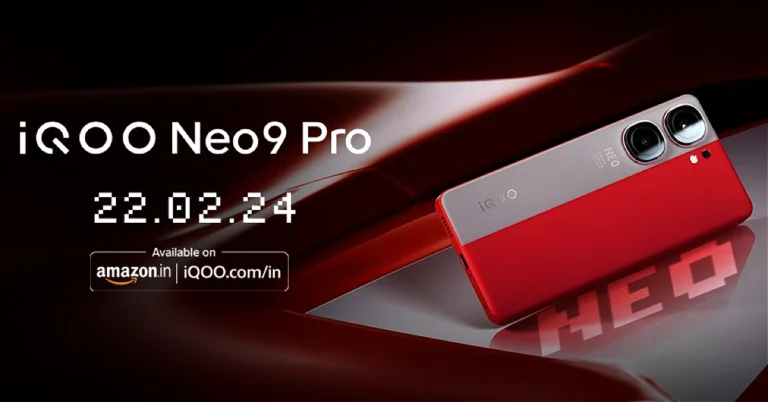
iQoo has officially announced that it will launch the iQoo Neo 9 Pro in India on February 22. The company took to X to officially reveal the exact date of its launch. Along with revealing the launch date, the firm has also shared the design details of the smartphone.
The iQoo Neo 9 Pro features a dual-tone rear panel. The back of the phone sports a leather finish in shades of grey and vibrant red. In addition, there is a dual rear camera. The company has also confirmed that the handset would be powered by the Qualcomm Snapdragon 8 Gen 2 SoC rather than the MediaTek Dimensity 9300 SoC, which is available on the Chinese variant. Post-launch, the device will be available for purchase via Amazon in the country. The company has also created a dedicated microsite to tease its availability.
The iQoo Neo 9 Pro was launched in China in December last year. The device there features a 6.78-inch AMOLED display with a 2,800 x 1,260-pixel resolution. The screen supports a 144Hz refresh rate and an HDR10+. The display also comes with an aspect ratio of 20:9. The Chinese model is powered by a MediaTek Dimensity 9300 chipset with up to 16GB of LPDDR5X RAM and up to 1TB of UFS 4.0 inbuilt storage. It runs on Android 14 out of the box.
For photos and videos, the iQoo Neo 9 Pro is highlighted with a dual rear camera setup that includes a 50-megapixel Sony IMX920 primary sensor with optical image stabilisation (OIS) along with a 50-megapixel ultra-wide-angle camera. For selfies, a 16-megapixel front-facing camera sensor is provided.
The company is offering an instant discount of Rs 3,500 on the Galaxy A54 5G and Galaxy A34 5G in India.
Both smartphones were launched in India last year.
The devices come with almost identical specs.
In March, Samsung announced the Galaxy A54 5G and Galaxy A34 5G smartphones in India last year. Both smartphones share a lot of similarities, and now the company is offering the best deal on the purchase of the devices. The buyers can now get the smartphones at a reduced price as both of them are currently discounted. The company offers the phones with an instant discount of Rs 3,500. Along with this, it is also providing some good bank offers on the purchase.
After offering discounts on Samsung Galaxy A05s, Galaxy M14, and Galaxy F14 in India. Samsung has temporarily reduced the price of the Galaxy A54 5G and Galaxy A34 5G in India. Both phones are getting an instant discount of Rs 3,500.
In addition, the buyers will also receive a cashback of Rs 2,000 if the transaction is made via Axis Bank credit or debit cards.
After applying the Rs 3,500 instant discount plus the Rs 1,500 bank offer, the Galaxy A34 5G will be available for Rs 25,999 for 8GB of RAM and 128GB of storage. Similarly, the 8GB RAM with 256GB storage model would cost Rs 27,999.
On the other hand, the Galaxy A54 5G with 8GB of RAM and 128GB of storage is available for Rs 33,499, down from Rs 38,999. This includes Rs 3,500 in immediate cashback and Rs 2,000 discount on Axis Bank card payments. In the same way, the 8GB RAM with 256GB storage model would cost Rs 35,499.
Samsung Galaxy A54 5G and Galaxy A34 5G specs and features
The SAMOLED Full HD+ display on the Samsung Galaxy A54 5G and Galaxy A34 5G measures 6.4 inches and 6.6 inches, respectively. Both panels can display at a refresh rate of 120 Hz. The devices come pre-installed with Android 13 and One UI 5.1. Software upgrades for four years and security updates for five years are promised by the company. An unknown octa-core processor with a 2.4GHz clock speed is being used, most likely the Exynos 1380.
The Samsung Galaxy A54 5G and Galaxy A34 5G both include a triple-back camera configuration for photographs and videos. A 50MP primary sensor, a 12MP ultra-wide sensor, and a 5MP macro lens are all featured on the A54. A 32MP front-facing camera is available for taking selfies.
A34 has a 48MP primary lens, an 8MP ultra-wide lens, and a 5MP macro sensor, in contrast. A 13MP selfie camera is available on the gadget.
The smartphones feature an IP67 certification for dust and water resistance and a 5,000mAh battery to power them.
Google Maps is the undisputed king of all navigation apps but it also has its flaws. One of them is location accuracy while driving through tunnels. You must have noticed that the Google Maps app often fails to locate your position while driving through a tunnel. This is because of the lack of GPS signal inside the tunnel. The good news is that Google has found a way around this problem, albeit with a little help from its subsidiary navigation app, Waze. Here’s how you can enable the in-tunnel navigation feature on Google Maps.
How does the in-tunnel navigation feature on Google Maps work?
Tunnels and underground areas are generally dead zones for GPS and cellular services. So how does Google manage to provide its navigation services in such situations? The answer is Bluetooth beacons. A ‘Bluetooth beacon’ is essentially a transmitter that sends Bluetooth signals to nearby devices. Google’s subsidiary navigation service Waze utilises these beacons to feed location data to the active devices in the area.
The data is transmitted to the device through a one-way signal. This means that the beacon does not access user data from the user’s device. At present, Waze has active Bluetooth beacons across popular tunnels in major cities like Paris, Rio, New York City, Chicago, Mexico City, and others. Google is expected to expand this network to bring better navigation support to its users. Check out how you can make your device receive this signal on the Google Maps app.
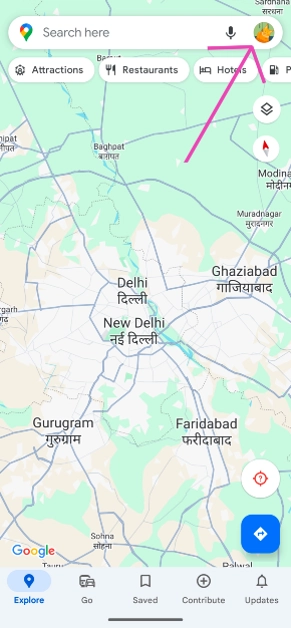
Step 2: Tap on your profile icon at the top right corner of the screen.
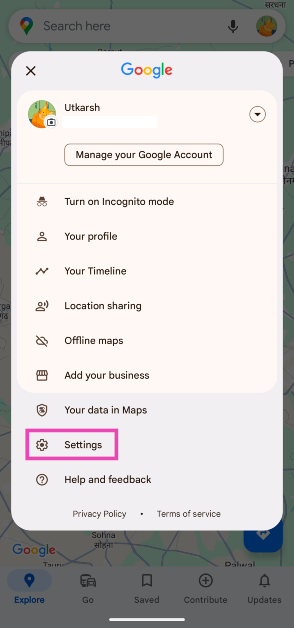
Step 3: Select Settings.
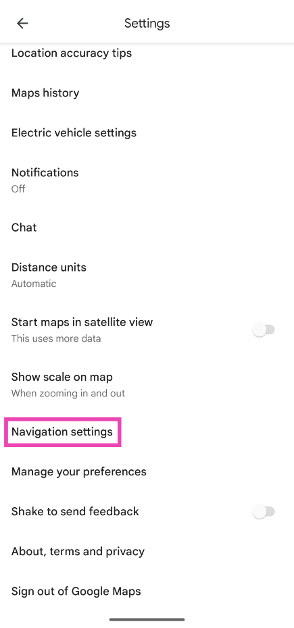
Step 4: Scroll down and select Navigation settings.
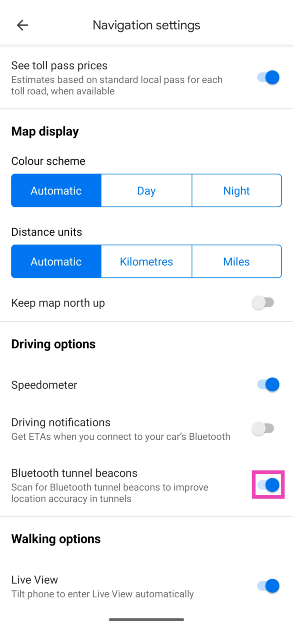
Step 5: In the Driving options section, turn on the toggle switch for Bluetooth tunnel beacons.
Frequently Asked Questions (FAQs)
How do I enable in-tunnel navigation on Google Maps?
Go to Profile>Settings>Navigation settings and turn on the toggle switch for Bluetooth tunnel beacons.
How do I find the postal address of a location on Google Maps?
Drop a pin on the location, tap on it, and swipe up the results page to view the full postal address of the location on Google Maps.
How do I measure the distance between two points on Google Maps?
Press and hold the starting point to drop a pin on it. Now, swipe up and select ‘Measure distance’. Drag the map to the final point to measure the distance between them.
This is how you can enable the in-tunnel navigation feature on the Google Maps app on your smartphone. Google is currently rolling out this feature in phases across Android devices. iPhones will receive this feature later down the line. If you have any questions regarding this feature, let us know in the comments!
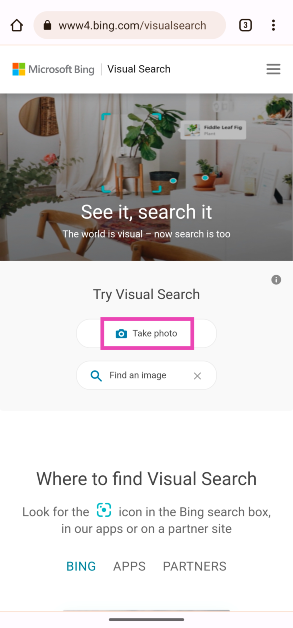
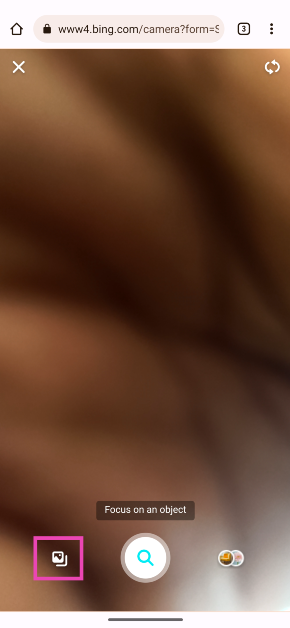
Every major search engine offers a reverse lookup service for pictures. Google calls it the ‘Reverse Image Search’ while Bing calls it ‘Visual Search’. This feature is very accessible on PCs, but it may take jumping through some hoops on your smartphone. But once you get the hang of it, you will find yourself using it quite frequently. Today, we bring you the top 8 ways to reverse image search on your mobile.
Reverse Image Search finds its use in a lot of situations. The internet is rife with fake images, which are often spread around for malicious reasons. If you come across something that seems inflammatory, performing a reverse image search can help you gauge its validity. While a regular image search brings up the pictures related to the search query, a reverse search brings up the places on the internet where the image has been posted. This can help you get to the source of the image and place it in a better context.
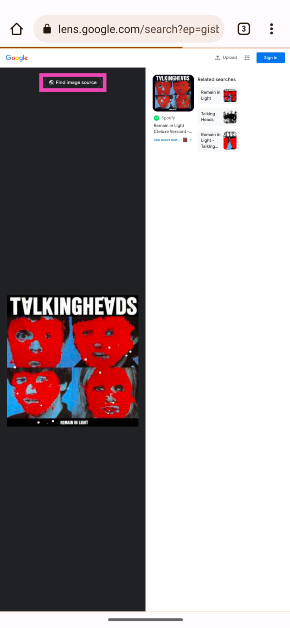
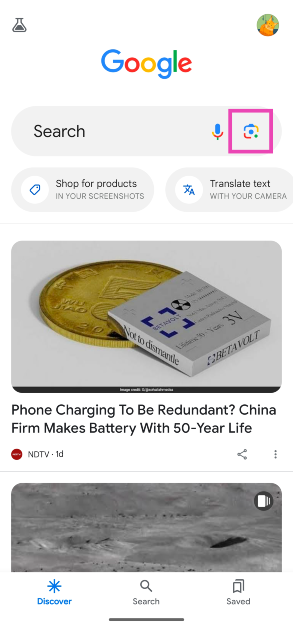
Google’s reverse image search was initially available only for desktops, but its integration with Google Lens has opened the door to infinite possibilities. Using Google Lens, you can search for real-world objects on the Internet. Came across a nice vase in a hotel lobby? Snap a picture and use Google Lens to see where you can buy it. Can’t identify a strange bird that is perched on your balcony? Just point your camera at it and let Google Lens do the rest.
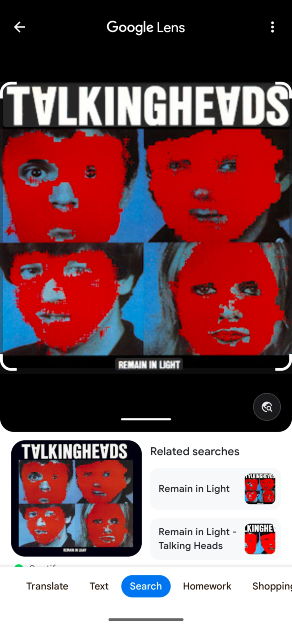
Step 2:Upload the image from your phone’s internal storage.
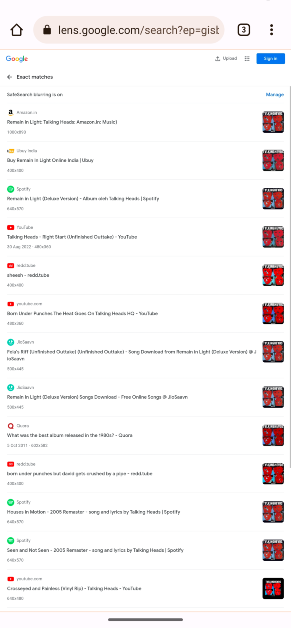
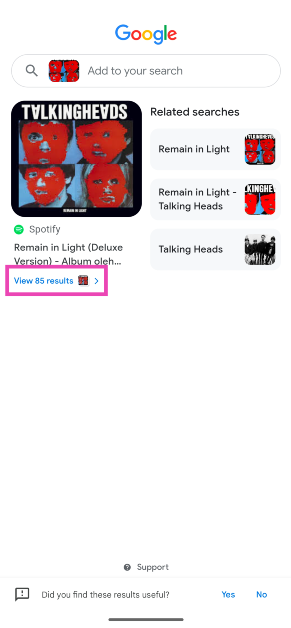
Step 3: Pull up the bottom panel on the following page to view all of the results.
Step 4: Tap on ‘View… results’.
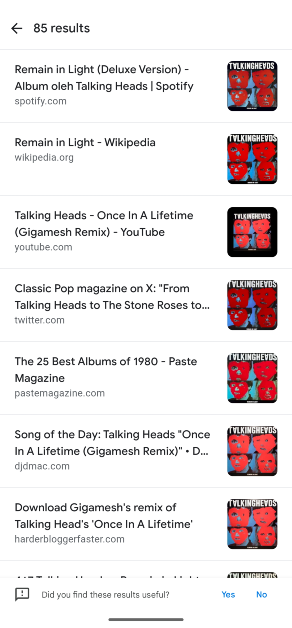
Step 5: Google Lens will display all of the matching results for the image.
Use Google Lens in Chrome
Step 1:Launch the Google Chrome app on your phone and go to the webpage containing the image.
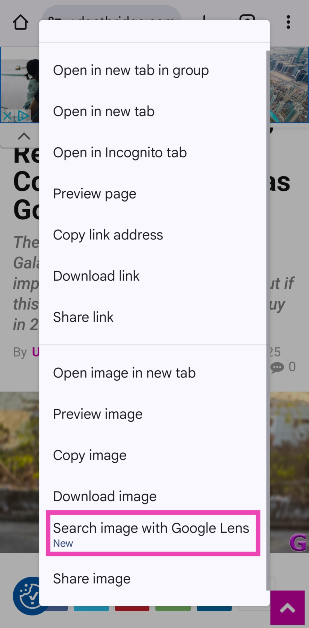
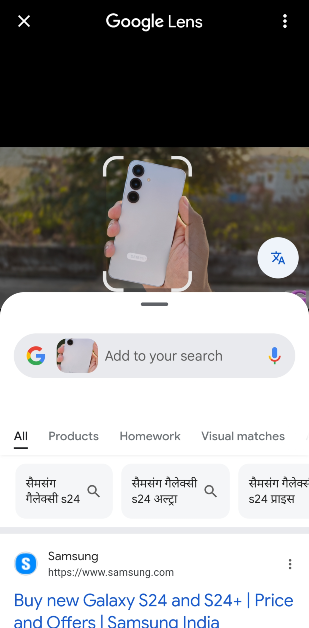
Step 2: Long-press the image and select Search image with Google Lens.
Step 3: Google Lens will scan the image and present relevant results on the screen.
Use Google Lens in the native Gallery app
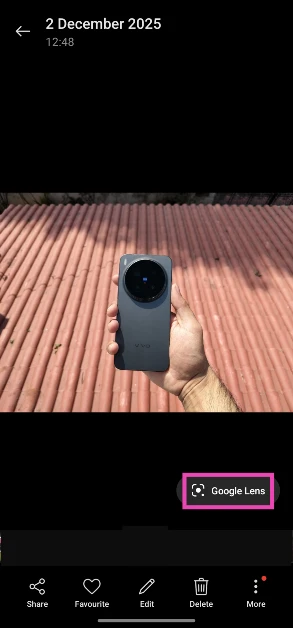
Step 1: Go to the Gallery app and open the image you wish to reverse search.
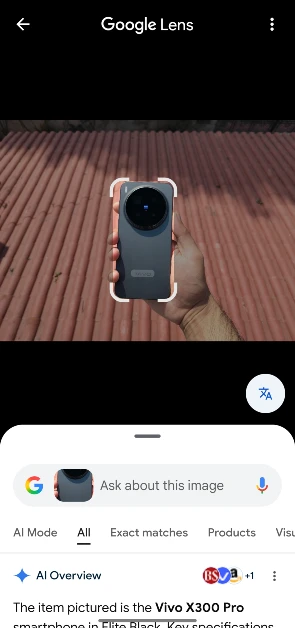
Step 2: Hit the Google Lens icon that pops up on the screen.
Step 3: Google Lens will reverse search the image and display the relevant results. Crop the image to focus on the subject, if the need arises.
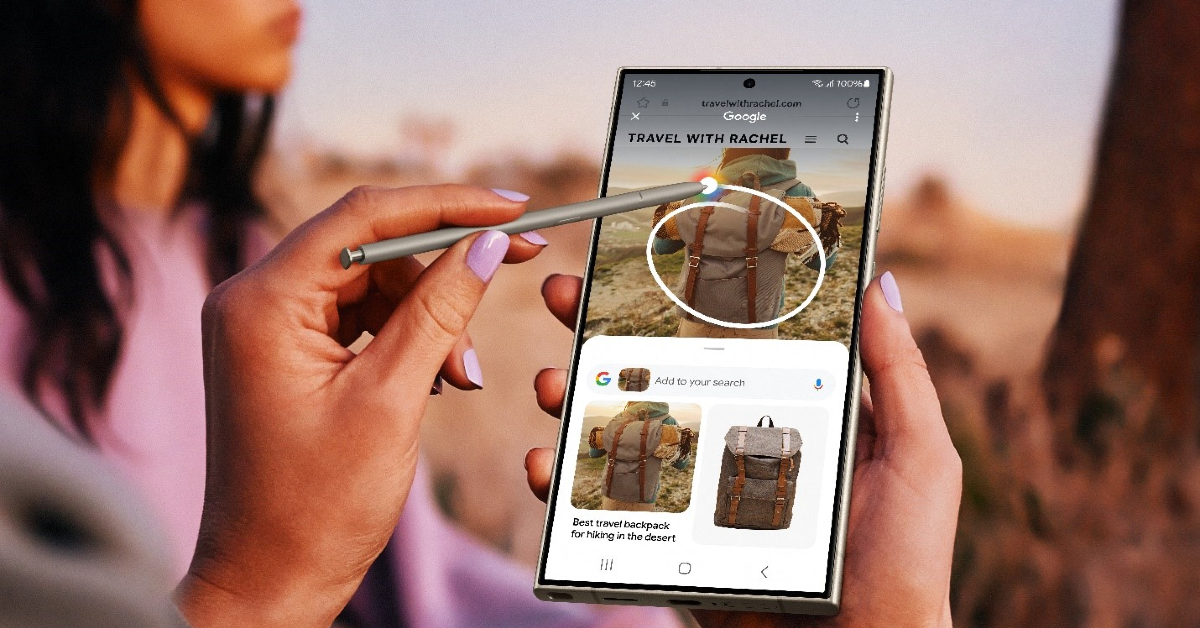
Use Circle to Search
Google’s Circle to Search is an incredible AI tool that’s available on most midrange and premium smartphones. You can use it to perform a reverse image search on your phone. One of the advantages of using Circle to Search is its seamless functioning. All you need to do is long-press the navigation bar or home icon and simply draw a circle around the image or object you wish to search. The Google results will pop up on a page in no time.
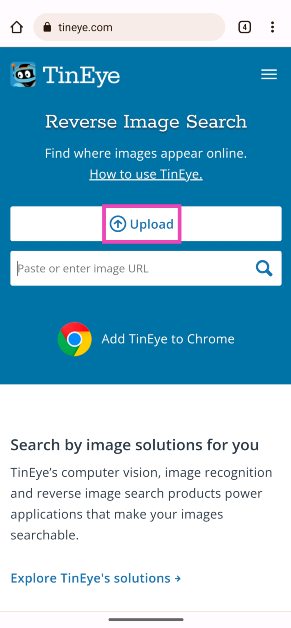
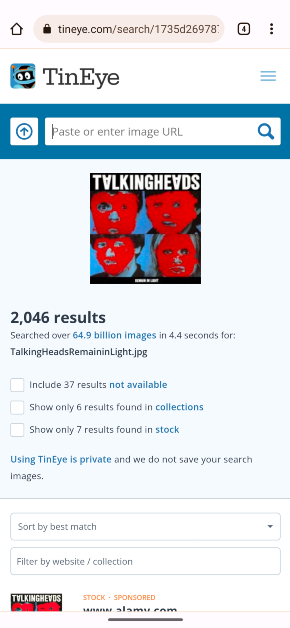
Use a third-party reverse image search engine (TinEye)
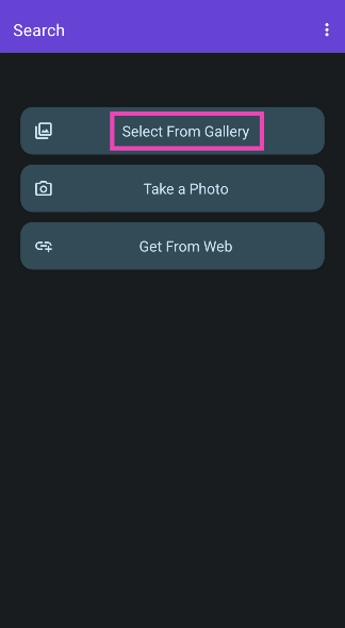
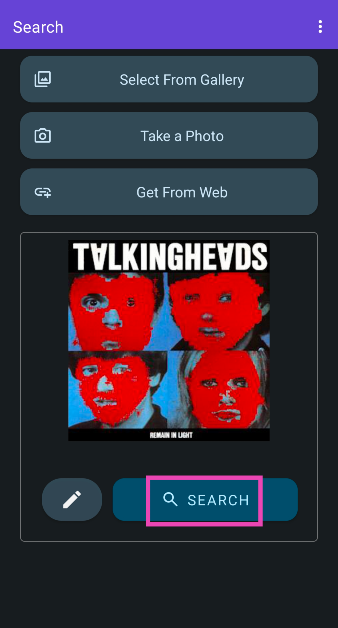
Step 2: Launch the app and tap on Select From Gallery.
Step 3: Select the image from your phone’s internal storage. Hit Search.
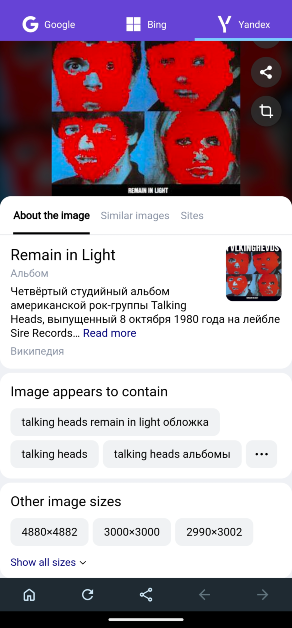
Step 4: The app will search for the image across the web using Google, Bing, and Yandex search engines. You can switch the tabs to check the results from every search engine.
Frequently Asked Questions (FAQs)
How do I perform a reverse image search on my smartphone?
You can use the desktop version of Google Reverse Image Search on Google Chrome or try a third-party service like TinEye to search for the source of any image.
Are there any apps that can reverse-search images on my smartphone?
‘Reverse Image Search – Multi’ is a comprehensive app that gathers results from Google’s, Bing’s, and Yandex’s search engines.
I just came across an unidentified object. How do I know what it is?
Using Google Lens, you can find more details about any physical object. Simply hit the camera icon in the Google app and take a live picture of the object using Google Lens. The app will come up with possible matches and more information about it.
How do I turn on Circle to Search?
Go to Settings>Display>Navigation Bar and turn on the toggle switch next to Circle to Search.
How do I use Circle to Search on my phone?
Once Circle to Search is enabled, long-press the navigation bar or the home button to trigger it. Draw a circle around the object you want to search.
These are the top 8 ways to reverse image search on your mobile. Use these methods to find the source of any image. At present, there is no way to reverse-search videos. But what you can do is take a few screenshots of the recording and reverse search the pictures on Google. You will likely find the source of the video.
The Samsung Galaxy Watch 6, Watch 5, and Watch 4 Series users in India can now access BP and ECG features.
The users can monitor their ECG and BP through an app.
Samsung’s much-awaited blood pressure and electrocardiogram (ECG) tracking feature is now being expanded to the Samsung Galaxy Watch 6, Watch 5, and Watch 4 Series in India. ECG (Electro Cardiography) and BP (Blood Pressure) monitoring were previously available in other regions but not to Indian users, but it is now being made accessible to Galaxy Watch users in the country, allowing them to monitor their health from their wrist. These features will be very useful to those with heart-related diseases who need regular monitoring.
Samsung has officially released ECG (Electro Cardiography) and BP (Blood Pressure) monitoring features for the Galaxy Watch6 series for the first time in India through an OTA (over-the-air) update. Along with the Watch 6 Series (Review), the company has also rolled out these features for the Watch 5 and Watch 4 Series. Users will be able to easily monitor their health, support their fitness regimes, and enable regular health checkups.
Both health monitoring features can be accessed through the Samsung Health Monitor App. According to the company, both capabilities are being rolled out after they have received regulatory clearances and certifications from India’s Central Drugs Standard Control Organisation.
To access the BP and ECG tracking features of the Samsung Galaxy Watch 6, Watch 5, and Watch 4 Series, users can download the Samsung Health Monitor App, available on the Galaxy Store, and follow simple instructions to measure their BP and ECG. Both features will also be made available on the Galaxy Watch 4 and Watch 5 series.
The blood pressure test measures the pressure in the arteries while the heart pumps. The Galaxy Watch includes a Photoplethysmogram (PPG) sensor that can record systolic and diastolic pressure, as well as pulse rate, and save data in the Samsung Health Monitor app.
Whereas, ECG measures the heart’s rhythm and electrical activity to detect abnormal beats. Sensors are put on the skin to detect the electrical signals produced by your heart each time it beats, and the information is recorded on a graph.
With the latest version, you can now use the Samsung Health Monitor ECG app to create, record, save, and share ECG data.
Samsung will be unveiling its flagship Galaxy S24 series of smartphones at its ‘Galaxy Unpacked’ event later today. This year’s Galaxy Unpacked event has an ‘AI’ theme, hinting towards AI integration in the Galaxy S24 smartphones. The ‘Ultra’ variant of Samsung’s Galaxy S series has been the best smartphone that Android has to offer over the last few years. With the latest Snapdragon SoC onboard, expect the S24 Ultra to set new benchmarks in terms of performance. A lot of smartphones this year will feature AI integration in some capacity, so it is interesting to see how Samsung sets the tone for it. As we approach the launch event, we thought we’d bring you our top 24 apps for the new Samsung Galaxy S24 Ultra. Check them out!
One of the more unique features of the Samsung Galaxy S24 Ultra is the S-Pen. And what better way to make use of this stylus than by sketching on your device? The Sketchbook app is preferred by most digital artists because of the range of tools on offer as well as the clean interface and distraction-free design. You can customise the brushes to get the desirable strokes that mimic the real thing perfectly. On top of that, the app is equipped with guides, rulers, and stroke tools for precision in your drawings. The app is free to download but some features may be locked behind a paywall.
If you’re looking for an app for drawing doodles and taking notes, look no further than INKredible. This app replicates the feeling of writing on paper almost perfectly. What we like about the app is its clean UI and distraction-free notepad. There are no toolbars or banner ads cluttering the screen. Its grid paper design for the notepad is quite appealing as well. The latency is kept to a minimum and the app registers even the minutest of strokes. Automatic Palm Rejection ensures that the app takes input only from the S-Pen.
One of the best things about having a stylus is that you no longer have to rely on using your finger to scribble your e-signature. Using DocuSign, you can sign any document with your S24 Ultra’s S-Pen. This app supports all the major file formats, allowing the user to open any document and quickly scribble their signature wherever necessary. You can also scan a physical document using this app and convert it into a digital file. Docusign and also store your signature and quickly paste it into the designated spot on any document.
Adobe Acrobat is our preferred app when it comes to overall document management. With the Acrobat Reader, you can read and edit documents across different formats with absolute ease. Signing and annotating documents on this app is just as easy as sharing them with coworkers, friends, and family. It also has a handy PDF converter which lets you turn pictures, Word files, spreadsheets and other documents into PDF files. If you have a paper document in front of you, you can scan it with Adobe Acrobat to eSign it and turn it into a PDF.
Video editing is the litmus test to check the power of any smartphone. Your device may be able to handle graphic-intensive games, but prolonged periods of editing videos demand a lot from the processor while also exhausting the battery at an increased rate. The Samsung Galaxy S24 Ultra is one of the few smartphones that can carry out this job without a hiccup. And what better app to do it on than the Adobe Premiere Rush? This app has a wide range of tools which have been made very accessible to the average user. Even if video editing is not your forte, you won’t have trouble working on this app.
PowerDirector is another app that we highly recommend for video editing. Now integrated with AI, PowerDirector lets you add stunning visuals to your videos which would otherwise be unfeasible. Its AI Smart Cutout feature removes the background from your videos, letting you fill it in with the footage of your choice. The Anime Photo templates let you turn your videos into animated films. This isn’t a gimmick, but rather a well thought out feature that is replete with music, transitions, and effects.
If you’re an online content creator, you may already be familiar with KineMaster. This app is perfect for editing your Reels, TikToks, Shorts, and even long-form videos. Its Asset Store has tons of royalty-free sound effects, templates, music, and other things that you need to spruce up your videos. Using KineMaster you can cut, trim, merge, split, and splice your videos with ease and apply the necessary effects to them. Features like chroma key, background removal, stop motion editing, and keyframe animation put it in the upper echelon of video editing apps.
If you want to expand your musical horizons then ‘Rewind: Music Time Travel’ is the app you’re looking for. This app takes you back in time and lets you explore all your favourite genres from the past decades. From the psychedelic rock of the 60s to 90s grunge and shoegaze, Rewind will take you on a musical journey. You can browse to a particular year and explore all the hits from that time. The app offers 30-second previews of songs along with quick links to Spotify, Tidal, Apple Music, and YouTube.
The 6.8-inch touchscreen display of the Samsung Galaxy S24 Ultra is way too big for one-handed use. The Niagara launcher makes the home screen more streamlined and easily accessible with one hand. The list layout ensures you don’t have to extend your fingers to reach for apps and notifications on the home screen. Its minimalist design is pleasing to look at. At the same time, it declutters the home page and keeps your attention away from attention-grabbing apps. With no ads in its interface, Niagara Launcher is one of the smoothest and cleanest homepage launchers around.
Open AI’s ChatGPT has completely revolutionised AI and made it accessible to the general user. It took some time for its Android app to land in the Google Play Store, but now that it is finally here, it’s unputdownable. From coding to poetry, ChatGPT can do it all. It can help you come up with creative ideas and then follow through on them. The best aspect of the AI chatbot is its conversational nature, which allows you to give it feedback and tune the results. If you want to learn about a new subject, simply ask the chatbot to explain it to you in a simple, accessible language. You can even ask it to cite its sources and recommend additional reading material around the subject.
Perplexity AI is a chatbot based on OpenAI’s GPT-4 and Anthropic’s Claude 2. Specially designed for learning and research, Perplexity is thorough with its sources and can cite them all for you at any time. In ‘Copilot’ mode, the chatbot provides thorough answers, going into details that would otherwise be omitted. Its conversational nature makes learning fun. If you don’t grasp something right away, you can ask the chatbot to elaborate upon it and describe it in another fashion. For students, Perplexity AI can be the perfect study companion.
Have you ever wondered what it would be like to have a conversation with a fictional character? Well, you don’t have to imagine it anymore. Harnessing the power of large language models, Character AI lets you pick a character and interact with it however you want. You can pick a fictional character from a movie or video game or try out one of the hundreds of user-generated personas. These personas are not just restricted to fictional characters, you can interact with bots based on celebrities and popular figures as well.
Lensa takes photo editing to the next level with its AI tools. You can use this app to spruce up your pictures by adjusting colour intensity, adding filters, applying camera effects, fixing the contrast, blocking out unwanted objects, and more. There are special tools in the app for eye correction and facial contours. You can also create AI-generated portraits based on a few sample shots of your face. The results are truly breathtaking.
Microsoft has been quick to implement AI features on the SwiftKey keyboard app. You can compose a text or email using the Bing chatbot from the keyboard itself. Before hitting send, you can use the chatbot to adjust the tone to casual, friendly, polite, professional, or social, depending on the situation. Having a chatbot accessible from your phone’s keyboard really opens the door to all kinds of possibilities. Can’t think of a caption for an Instagram Story? Get the chatbot to do it. Hit a dead end in a conversation? Bing AI can help you with that as well. In our opinion, Microsoft SwiftKey is one of the best keyboard apps you can download on your new Samsung Galaxy S24 Ultra.
Buddify is a well-rounded meditation and mindfulness app that seeks to bring calm and clarity to your life. The meditation exercises on this app are easy to follow and imbibe in your everyday routine. You don’t need to make time every day for meditation sessions. Buddhify provides exercises that can be carried out when you’re travelling, eating, going to sleep, or taking a short break from your chores. The app grades the difficulty of its exercises and sessions, making it easy for beginners to pick the easier courses.
The Happiness Project (or THAP) helps you clear of mind of any distractions and disturbances with its daily mental wellness workouts. You can journal your thoughts, sign up for online therapy and counselling, try self-therapy modules, and use psychological first-aid to manage your anxiety levels. The app also has a mood tracker which helps you view your mental health progress over a period of time. You can also share your stories anonymously with THAP’s helpful community.
Todoist is one of the best productivity apps you can download on your new Samsung Galaxy S24 Ultra. This app is used by more than 30 million people and teams around the globe. You can manually add your daily tasks to the app and sync it with other apps like Calendar, Slack, Gmail, Outlook, and more. Collaborating with other people has never been so easy. Todoist lets you leave helpful voice notes and comments on any task so that your teammates can follow your instructions. Attaching files at the necessary places is also a piece of cake. If a particular task demands more attention, you can set it at a higher priority level.
There are many apps that let you save articles for reading later but none of them do it better than Pocket. For starters, Pocket not only lets you save articles but also blogs, videos, social media posts, and any webpage that you come across online. The app has a clean e-reader that gets rid of all the advertisements and other distractions from the article, allowing for a superior reading experience. Need more? Pocket’s text-to-speech feature can read out loud the saved articles for you.
If you like listening to podcasts, Pocket Casts should be one of the first apps you download on your new Samsung Galaxy S24 Ultra. Essentially a podcast player for Android, Pocket Casts lets you easily navigate your favourite episodes and skip the ads with just a few taps. You can control the playback speed, switch chapters, boost the volume, and skip past the silent pauses with this app. Apart from superior playback controls, Pocket Casts also has an attractive design based on the Material You theme.
If you struggle with remembering passwords, 1Password will quickly become one of your favourite apps on your Samsung Galaxy S24 Ultra. Once you’ve stored all your passwords on the 1Password app, you can quickly deploy them wherever necessary with just one tap. The app uses state-of-the-art encryption tools to keep your passwords safe. It can even suggest new ones and share the existing ones with your friends and family. If your credentials are ever found in a data breach, 1Password will alert you right away and prompt you to change the password.
If you are very particular about maintaining your privacy on the Internet, DuckDuckGo should be your choice of browser. There are a couple of things about DuckDuckGo that make it our favourite web browser. First, it blocks all of the unnecessary third-party cookies that track your activity across the web. On top of that, it forces websites to use an encrypted connection (HTTPS), leaving no room for snoopers and third-party entities to look into your web activity. With just one tap, you can delete all your browsing activity and related data on the web browser.
If you’re an Instagram user, you would know that the app does not allow you to copy captions, comments, and other information. This isn’t exclusive to Instagram, most streaming apps do not let you copy the content on their platforms either. The workaround is the Universal Copy app. As the name suggests, this app will let you copy from anywhere on your phone, even the native interface. Once you have installed the app, you need to give it the necessary permissions for it to work as intended. After that, you can easily access it from your phone’s notification shade.
Stellarium is the perfect app for those who want to explore the night sky and check out all the celestial bodies. The app uses GPS to map out the sky with respect to your current location. By simply pointing your phone’s camera towards the sky, you can explore constellations, planets, and other bodies. The relevant information is overlayed on your phone’s display. While the app is free to download, its ‘Plus’ version costs $19.99. Even if you don’t want to splurge extra money for the paid version, Stellarium is one of the best stargazing apps you can download on your Samsung Galaxy S24 Ultra.
If budgeting is not your forte, you need an efficient expense-tracking app on your smartphone. TrackWallet is one of the best ones around. You can add multiple accounts on the app and log all your bills in one place. Your online subscriptions are automatically tracked by the app. Easy-to-follow graphical illustrations give you a better idea of your spending pattern. If you want to save money for a trip or a big purchase, TrackWallet can help you with that as well. Need to discuss financial matters with your family? Get TrackWallet to create a PDF report of your savings and expenses.
These are the top 24 apps that you should download first on your new Samsung Galaxy S24 Ultra. Apart from Buddhify, all of the apps on this list can be downloaded for free. While the ‘Plus’ version of Stellarium costs $19.99, it also has a free version on the Google Play Store. If you think we missed an app that deserves a spot on this list, let us know in the comments!
Samsung will be hosting the ‘Galaxy AI is Coming’ launch event today.
The firm has not confirmed, but it is likely to introduce its next flagship lineup, the Galaxy S24 Series at the Galaxy Unpacked 2024 event.
The lineup could include the Galaxy S24, the Galaxy S24+, and the Galaxy S24 Ultra.
Today, the South Korean electronics giant Samsung will host a live Galaxy Unpacked 2024 event in San Jose. Although it is uncertain what will be unveiled at today’s Samsung Unpacked event, the Samsung Galaxy S24 series, which will include three new models, is expected to be launched. The Galaxy S24, Galaxy S24+, and Galaxy S24 Ultra are anticipated to be part of the upcoming series.
How to watch the live stream of the Galaxy Unpacked 2024 event
Samsung is all prepped up to host its first Galaxy Unpacked event of 2024, ‘Galaxy AI is Coming‘, tonight. The Samsung Unpacked event will be held in San Jose, California. The launch event will begin at 10 a.m. PST, 1 p.m. EST, 6 p.m. GMT, 7 p.m. CET, and 11 p.m. IST. The event will be streamed live on Samsung.com, Samsung Newsroom, and Samsung’s YouTube channel.
The company has not yet officially confirmed, but it is taking pre-reservations for the upcoming devices. Based on rumours and leaks, the flagship smartphone series may include the Galaxy S24, Galaxy S24+, and Galaxy S24 Ultra.
Just before the official announcement, leaked pricing for the Samsung Galaxy S24, Galaxy S24+, and Galaxy S24 Ultra surfaced online. As per a tipster, the Galaxy S24 with 128GB of storage is expected to retail for EUR 899, or about Rs 81,900, and EUR 959, or Rs 87,400, for the 256GB model.
Whereas, the 256GB and 512GB storage versions of the Galaxy S24+ will cost EUR 1,149, or almost Rs 1,04,700, and EUR 1,269, or nearly Rs 1,15,600, respectively.
The star of the show, the Galaxy S24 Ultra, is likely to be priced at EUR 1,449, or roughly Rs 1,32,100 for the 256GB storage model. The 512GB model will cost EUR 1,569, or roughly Rs 1,43,000. The 1TB of storage is slated to be available for EUR 1,809, or around Rs 1,64,900.
Samsung is expected to ship the Galaxy S24 Series with One UI 6.1 skinned on top of Android 14. As per a report, the South Korean electronics giant is likely to deliver the Galaxy S24 lineup with seven years of software support.
Note that last year Galaxy S23 Series was promised to come with four years of software upgrades and five years of security fixes.
The Galaxy S24 Series is expected to feature AMOLED LTPO displays with variable refresh rates ranging from 1Hz to 120Hz. All the models of the Galaxy S24, Galaxy S24+, and Galaxy S24 Ultra are said to be powered by the Exynos 2400 chipset in India and other regions. Whereas in the US and Canada, it may include the Snapdragon 8 Gen 3 SoC.
Both the S24+ and S24 Ultra are expected to come equipped with the Snapdragon 8 Gen 3 SoC for the Galaxy globally. The Galaxy S24 Ultra is also said to feature a 200-megapixel quad camera setup. Whereas the S24 and S24+ may come with a 50-megapixel triple camera system.
Another report suggests that the Galaxy S24, the Galaxy S24+, and the Galaxy S24 Ultra are likely to be available in titanium green, titanium blue, and titanium orange colourways. These colour options are said to be exclusive to online customers only. On the other hand, the Galaxy S24 and Galaxy S24+ could come in jade green, sapphire blue, and sandstone orange colour options.
Garena Free Fire is a battle royale game with regular awards and tournaments to keep players interested. If you play Garena Free Fire, you should be aware of the redeem codes that are released on a daily basis. However, because the battle royale game is banned in India, players from other countries can use the Free Fire Redeem codes daily. If you’re unfamiliar with the Garena Free Fire redeem codes or don’t know how to get them, we’ve put together a step-by-step guide to help you redeem them. Check out Garena Free Fire Redeem Codes for 17 January 2024.
The Free Fire redeem codes are a great way to get free stuff. These are 12-digit codes that contain alphabets and numbers, as well as an expiration date and time. Because the Garena FF redeem codes cannot be used more than once, you should hurry to the redemption page to claim your free reward before someone else does. To get a free reward, all you have to do is go to reward.ff.garena.com/en, which is the official redemption page. Also, keep an eye on this space for daily updates on Garena Free Fire redemption codes and rewards.
In This Article
Garena Free Fire Redeem Codes Today 17 January 2024
FAYQ765TRF4VBRN
F7U4GGJVI8CY6TG
FGBW3REGFBI7345
FJ8FG7BSJUWYT3R
FERTY9IHKBOV98U
FGSWBH3J4KR5IT6
FYUGHVNCD5JSUEY
F4TG5BTNGKOIUYG
FFEVDBHUA7Q6TGH
FZ7YTA5Q4RED2C3
FVBERFJUVYTSRFW
FVE4RH5TJUGVYCT
How to Get Free Fire Redeem Codes for Garena on 17 January 2024?