Garena has launched a new set of Free Fire redeem codes on August 17, 2026, consisting of 12-character alphanumeric combinations, which will help gamers to improve their gaming experience without any cash cost. These coupon codes are a standard way for players to get their hands on valuable items that can be used in the game, such as rare weapon loot crates, custom gloo walls and more vouchers for the Luck Royale spins. It is a free option for users to update their inventory and a great chance for those looking to improve their ranking in battle royale lobbies.
Reminder: There are specific characteristics of redeem codes that users need to follow to be able to use them effectively. It should be noted, first of all, that these codes are case-sensitive; thus, uppercase and lowercase letters must be input precisely as they appear. However, redemption codes are subject to strict geographical restrictions, which may only operate in certain regions or have global limits on their use that might influence how long they are valid. If a user tries to redeem a code and encounters an error, it might mean that the code has expired or that it isn’t valid for the server location that they are trying to redeem it on. It is better to copy and paste the codes directly where required to reduce the chances of making mistakes. This will save you from any typing mistakes that would prevent you from redeeming the codes.
Firstly, head to the Garena Free Fire Rewards Redemption Site at reward.ff.garena.com
After that, log in to a linked account (options include Facebook, Google, X, Apple ID, VK, or Huawei ID). [Note: Guests’ accounts are ineligible. So you must link your account to the approved list. Also, if you are using a guest account to play the game, we recommend you link it before it becomes ineligible.]
Now copy the code from the above list and paste it into the designated text field. [Note: Don’t type the code in manually to avoid any typos.]
Then click ‘confirm’ and wait for a success notification. [Note: Do not enter the same code twice because each code can only be used once per account. Attempting to enter the same code multiple times will result in an error.]
After following the above-mentioned steps, open Free Fire Max on your device and check your in-game mail within 24 hours for items. Diamonds and gold are credited directly to your wallet, while skins and cosmetics appear in the Vault tab.
Exhausted your first attempt on the zoom-related misdirect in today’s Connections puzzle? It’s time to lock in and crack the code before you run out of chances. We’re here to help if things get tricky. As you scroll down, you’ll see the spoiler-free hints we’ve curated for you. After that, we’ll give you one word from each category followed by the list of themes. Finally, you will find the answers and their explanations at the end of the page. Here are all the hints, clues, and answers you need to solve NYT Connections today (#1,163, August 17, 2026).
After Wordle, Connections is the New York Times’ most popular word game. The rules are simple. You need to find words with a common theme and group them into 4 groups of 4. The 16-word grid is designed with an increasing level of difficulty. The Yellow group is the easiest to spot, followed by Green, Blue, and Purple. The misdirects and red herrings can trip you up, but they also make the puzzle more fun. You can play Connections in the NYT Games app or on the NYT website.
Some tips to solve Connections
Look for the obvious patterns: Not every category in the puzzle is confusing. The Yellow and Green category words are relatively easy to spot. However, if something seems too obvious, it could be a red herring. Typically, the first two categories comprise verbs and adjectives. The misdirects are often nouns.
Double-check your submissions: ‘Do not overthink’ is usually a good tip for solving most puzzles, but it doesn’t really apply to Connections. Before submitting a set of words, you should always check whether they fit somewhere else too.
Hit a dead end? Use the shuffle button: The shuffle button at the bottom of the grid exists for a reason. Placing the words in different positions can spark new connections. Think of it as a mental refresh. New patterns will emerge, and you may be able to find a breakthrough.
Tackle the Purple category with extra caution: The Connections team is known to serve up the toughest and most unexpected words for the Purple category. Here are some of the common tropes that you should look out for:
Homophones (For example: ‘Where’, ‘Wear’, ‘Ware’, and ‘Weir’)
Words within words (For example: ‘Slip’, ‘Hear’, ‘Keyes’, and ‘Undiagnosed’ could be ‘Words containing parts of the face’)
Words minus a letter (For example: ‘Anther’, ‘Easel’, ‘Hark’, and ‘Lama’ could be ‘Animals minus starting letter’)
Words preceded or followed by another word (For example: ‘Face’, ‘Sports’, ‘Note’, and ‘Year’ could be ‘____ Book’)
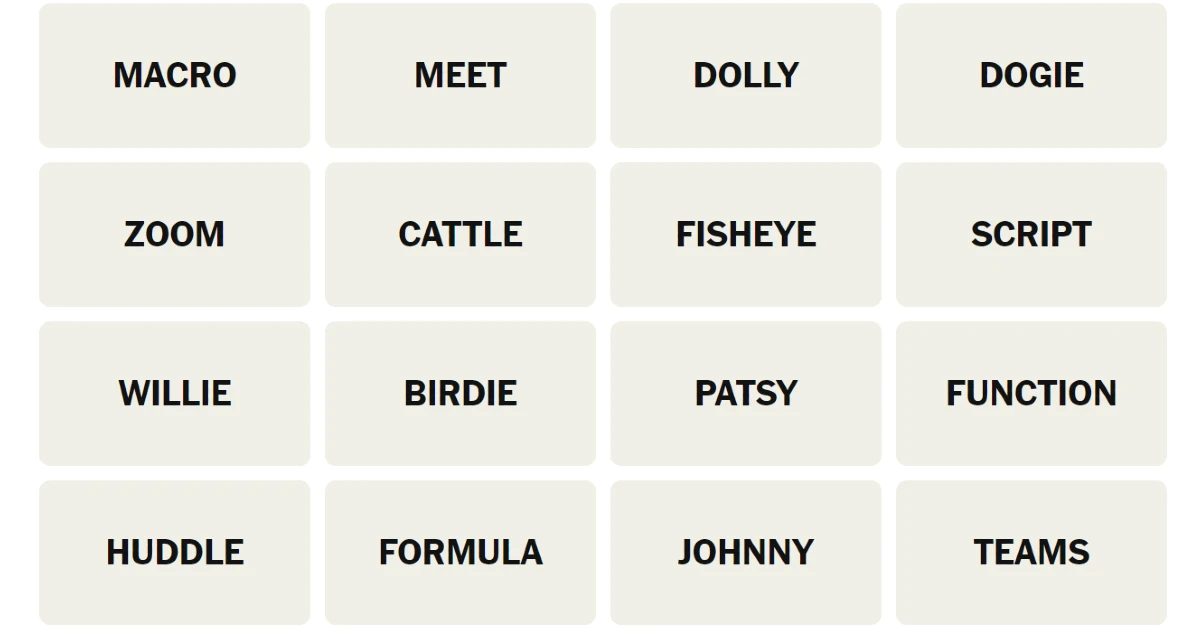
Here’s your grid for today
MACRO
MEET
DOLLY
DOGIE
ZOOM
CATTLE
FISHEYE
SCRIPT
WILLIE
BIRDIE
PATSY
FUNCTION
HUDDLE
FORMULA
JOHNNY
TEAMS
Hints for NYT Connections (#1,163) August 17, 2026
NYT’s early testers rated today’s Connections puzzle 1.8 out of 5. This puts it in the easy difficulty level. Let us know how you fared in the comments!
Starting a fresh week with a Wordle victory feels good. Today’s puzzle breaks apart common letter patterns. If your opening word of choice is catching stray vowels, be careful not to waste your attempts. Below you’ll find a list of clues, some hints about letter placement, and today’s Wordle #1885 August 17, 2026 final answer to help keep your streak alive.
Is today’s Wordle #1885 difficult?
As per NYT testers, they took an average of 4.5 guesses out of 6 to complete the puzzle. The game is moderately challenging.
Hints and Answers for Today’s Wordle August 17
Hint 1: You get 2 Unique Vowels (I, E).
Hint 2: Today’s Wordle answer has 3 unique consonants (T, R, B).
Hint 3: None. All five letters in the target word are unique.
Do you need help with today’s Wordle answer’s initial letter?
The first letter in today’s Wordle is T.
What word does today’s Wordle ends with?
Today’s Wordle answer concludes with the letter E.
Today’s Wordle Answer Meaning (Hint)
Today’s word is a noun meaning a social group of individuals united by common ties, ancestry, culture, occupation, ideals, habits or hobbies.
Today’s Wordle Answer: August 17 #1885
The answer to Wordle #1885 on August 17, 2026, is – TRIBE.
Yesterday’s Wordle answer for August 16 was ASPIC, a noun.
Etymology of TRIBE
The word “tribe” is derived from the Old French “tribu” and the Latin “tribus.” In the old Roman governing system, “tribus” was the name of one of the three great divisions, the Ramnes, Tities, and Luceres. The term’s definition has changed throughout the years and has grown to include cultural, ethnic, or social groupings that share a common ancestry or distinctive customs. This larger definition reflects the variety and complexity of social structures across the ages.
Select a powerful starting word: Avoid using unusual words, as they frequently do not match common letters. A good opening word has a lot of benefits.
Repeating letters: Don’t be afraid of repeating letters; they occur often in words. The answer may have one or two repeated letters.
Use the Wordlebot: the NYT’s Wordlebot analyses and compares responses to it. This challenge can help you improve your guessing skills and identify areas for improvement.
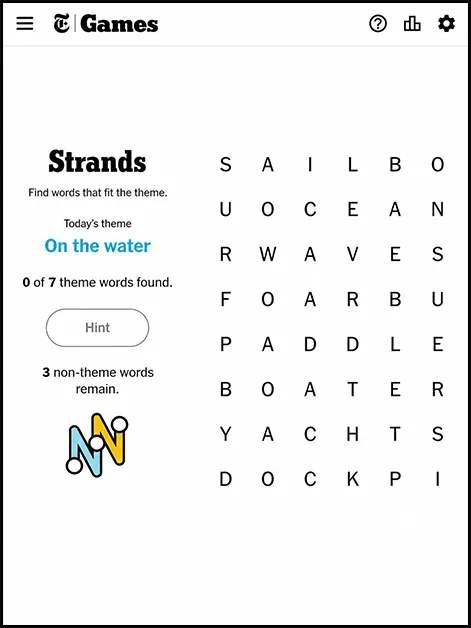
Looking for NYT Strands hints today? You have landed in the right spot. The August 17 edition of the New York Times’ spatial word puzzle takes a very literal approach to its theme, and once you spot the connection, you will wonder how you missed it in the first place.
For anyone new to the game, Strands is the Times’ clever twist on the classic word search. Letters connect in every direction, including diagonally, and the same tile can be reused as a word changes course mid-grid. Every letter eventually belongs to an answer, and one special word or phrase, called the spangram, runs all the way across the board and ties the entire puzzle together.
What today’s NYT Strands theme is really about
Today’s theme is all about things that bend. That is a fairly broad clue on its own, so here is the sharper version for anyone still circling the grid in confusion. Every answer today describes a part of the body that flexes. Think about the joints that let you touch your toes, wave hello, or crack your knuckles at an inconvenient moment, and you are on the right track.
The spangram always runs horizontally or vertically across the grid, and it usually sums up the whole theme in one tidy phrase. Today’s spangram is Body Joints, which makes every other answer feel almost obvious once it clicks. That is the quiet genius of Strands. The spangram often works like a cheat code the moment you actually spot it.
Full NYT Strands answers for August 17
If you would rather skip straight to the finish line, here is the complete NYT Strands word list for today’s puzzle.
Elbow
Ankle
Neck
Wrist
Knuckle
Shoulder
Knee
Seven answers, one spangram, and a grid that rewards anyone who has ever done a proper warm-up stretch before a workout, or regretted skipping one.
How to solve NYT Strands faster next time
If today’s puzzle took longer than you would like to admit, a couple of habits genuinely help. Start by scanning the grid for short, common words first, since they often anchor longer ones sitting nearby. Watch for letter clusters that repeat, because Strands frequently reuses the same tiles across multiple answers. And whenever you get stuck, try guessing words that are not part of the theme anyway. Even wrong guesses fill up a hint meter that eventually reveals a theme word for free, so there is no real penalty for taking a swing.
Puzzles like Strands, Connections, and Wordle have quietly become part of a lot of people’s mornings, sitting somewhere between the first cup of coffee and the first work email. There is something oddly satisfying about a puzzle that takes ten minutes and asks for nothing more than patience and a little body part trivia.
Today’s edition is proof that Strands does not need an obscure theme to be a good workout for the brain. Sometimes the simplest ideas, dressed up in a clever grid, make for the most satisfying aha moment of the day. If your knuckles already feel sore from solving this one, at least you will know exactly which joint to blame.
Markets are entirely code-based. To catch an early signal, you must be looking at on-chain data and not trust that with fiat media reporting. Institutional players quietly accumulate enormous positions off public exchanges daily. Flying blind guarantees total failure. Code entirely controls the underlying market direction. Seeing blockchain as a major disruption to the structure of data provides a sharp analytical edge. Thinking several months ahead about capital rotation before most mainstream analysts are even aware of the trend. Builders on hardware for miners treat crypto networks like a raw operating system. The displacement of the clunky financial systems by crisp math occurs at light speed.
Looking Past Charts To Understand Global Liquidity
At roughly Rs 74.7 lakh in May 2026, Bitcoin traded with heavy volume according to Binance. Typing bitcoin inr into a search bar usually gives you the quickest pulse on retail momentum. Checking exact query volumes shows precisely where liquidity flows. Big corporate players consistently accumulate enormous positions entirely off public exchanges because hiding their exact entry points prevents retail traders from front-running extremely calculated trades before actual volume registers publicly (you’ll often miss these subtle shifts otherwise).
Base-layer network expansion happens incredibly fast. Building mining rigs forces guys to treat cryptographic networks exactly like raw operating systems. Connecting your personal node directly into the network provides raw data feeds nobody else sees. Programming custom algorithms helps you filter out unnecessary noise. Following these precise digital trails gives you an overwhelming advantage against average retail traders guessing blindly. Figuring out a logical framework takes weeks of intense studying; it’s definitely not easy.
Corporate Treasuries Make Enormous Decentralized Plays
Watching billionaires buy crypto never gets boring. Filing an S-1 with the SEC proved SpaceX validated corporate treasury use cases by revealing it held exactly 18,712 Bitcoin as of March 31, 2026, according to India Today. Seeing famous executives convert cash into cryptographic hashes forces traditional fund managers to reconsider outdated investment models. Managing corporate wealth involves extremely careful planning. Disclosing a stash worth roughly $1.45 billion at the time of the disclosure proves major executives trust cryptographic security much more than holding rapidly depreciating fiat currency sitting uselessly inside traditional bank accounts (it’s certainly an interesting strategic pivot). Boards of directors aren’t ignoring these balance sheet moves either.
Spot Bitcoin ETFs saw over $21 billion in net inflows throughout 2025, according to Binance Research. Rushing development doesn’t truly work. Speaking about recent metrics, Binance CEO Richard Teng noted: “The crypto market is entering a consolidation + build phase.” Talented developers are still building a wide variety of enhanced dApps for Decentralized Finance. Institutional guys aren’t playing around. Stacking sats quietly behind closed doors gives them a distinct advantage over retail.
Regulatory Shifts Meet Heavy Grassroots Adoption Across India
Packing up a laptop and moving across borders happens frequently when jurisdictions apply heavy legislative pressure. Government officials saw their previous flat 30 percent tax on digital gains, according to historic government tax policy records, simply push heavy trading volume offshore. Capital escapes unnecessary friction at the end of the day.
Lawmakers actually convened a Lok Sabha session on May 20, 2026. Inviting major platforms like Binance, WazirX, and Zebpay for policy discussions clearly shows politicians understand they can’t ban decentralized networks without falling economically behind competing sovereign nations who happily welcome crypto. Retail guys ignore politics entirely (they just want returns). India was #1 in the world for digital asset adoption in 2025, according to the latest data. Digging slightly into the data shows an explosion in phone use. The average person will always grab their phone rather than mess with bankers to exchange. Exchanging digital assets from self-custody directly negates central choke points.
Users flock to decentralized networks for a number of core reasons:
Giving them 100% of their money. They like the open-source architecture of decentralized networks compared to black-box banks.
Removing banking delays by directly accessing liquidity pools globally from a mobile phone.
Understanding cryptographic security deeply protects their hard-earned capital from traditional financial mismanagement.
Finding Your Next Edge Through Emerging Social Tech
Quietly, Meta launched a brand new Reddit-like application called Forum for Facebook Groups on May 22, 2026. Releasing this tool gave tech enthusiasts an entirely fresh ecosystem to dissect real-time market shifts before traditional analysts even wake up. Developers aren’t missing a single beat. Testing new communication layers happens continuously within these hidden groups. Chatting with other coders brings incredible insights.
Staying plugged into hardware communities gives you serious advantages. Sharing metrics directly with other specialized developers lets you anticipate incoming liquidity flows accurately. Reading raw protocol data yourself grants you an enormous edge (you’ll spot hash rate spikes instantly). Blindly guessing never works here. Community consensus often predicts major network upgrades way before mainstream news outlets report anything. Monitoring these dedicated spaces keeps you making the best-informed decisions.
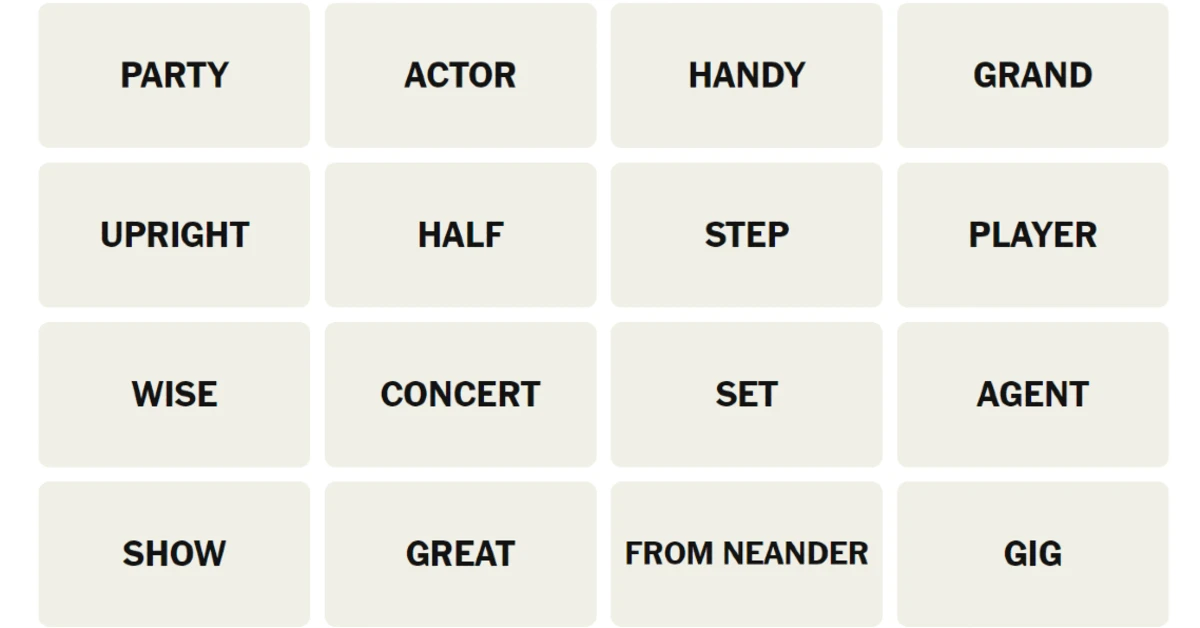
Struggling to find commonalities in today’s Connections grid? We’re here to sort out the fuzz. As you scroll down, you’ll see some spoiler-free hints to point you in the direction of the answers. Next, we’ll give you one word from each category, followed by the list of themes. The answers and their explanations will be waiting for you at the end of the page. So, let’s dive into the hints, clues, and answers to today’s NYT Connections (#1,162, August 16, 2026).
Connections is one of the most popular word games from The New York Times, only trailing behind Wordle. The rules of the game are simple. You are presented with a 16-word grid where you’re supposed to find the entries that share something in common. There are a total of 4 groups, each consisting of 4 words, that you must find. The Yellow group is the easiest to spot, followed by Green, Blue, and Purple. Sometimes, there are a couple of red herrings to throw you off and make the puzzle more interesting. You can play Connections in the NYT Games app or on the NYT website.
Here’s your grid for today
PARTY
ACTOR
HANDY
GRAND
UPRIGHT
HALF
STEP
PLAYER
WISE
CONCERT
STEP
AGENT
SHOW
GREAT
FROM NEANDER
GIG
Hints for NYT Connections (#1,162) August 16, 2026
NYT’s early testers rated today’s Connections puzzle 2 out of 5. This puts it in the medium difficulty level. Let us know how you fared in the comments!
Can’t find a breakthrough in today’s Connections puzzle? Don’t worry, we’re here to help. We’ll get you started with some spoiler-free hints to nudge you in the right direction. If that doesn’t work, we’ll give you one word from each category, followed by the list of themes. Finally, we’ll reveal the answers and their explanation. So, without further ado, here are all the hints, clues, and answers to NYT Connections today (#1,161, August 15, 2026)
The New York Times has a thriving online word game section, with Connections being the second-most-played title behind the crown jewel, Wordle. The rules of this game are simple – you need to find 4 groups comprising 4 words each in a 16-word grid. The words in each group are united by a common theme. The Yellow group is the easiest one to spot, followed by Green, Blue, and Purple (toughest). Sometimes, there are red herrings and misdirects in the grid to throw you off your game, so don’t take your thinking cap off at any time! Ready to lock in? You can play Connections in the NYT Games app or on the NYT website.
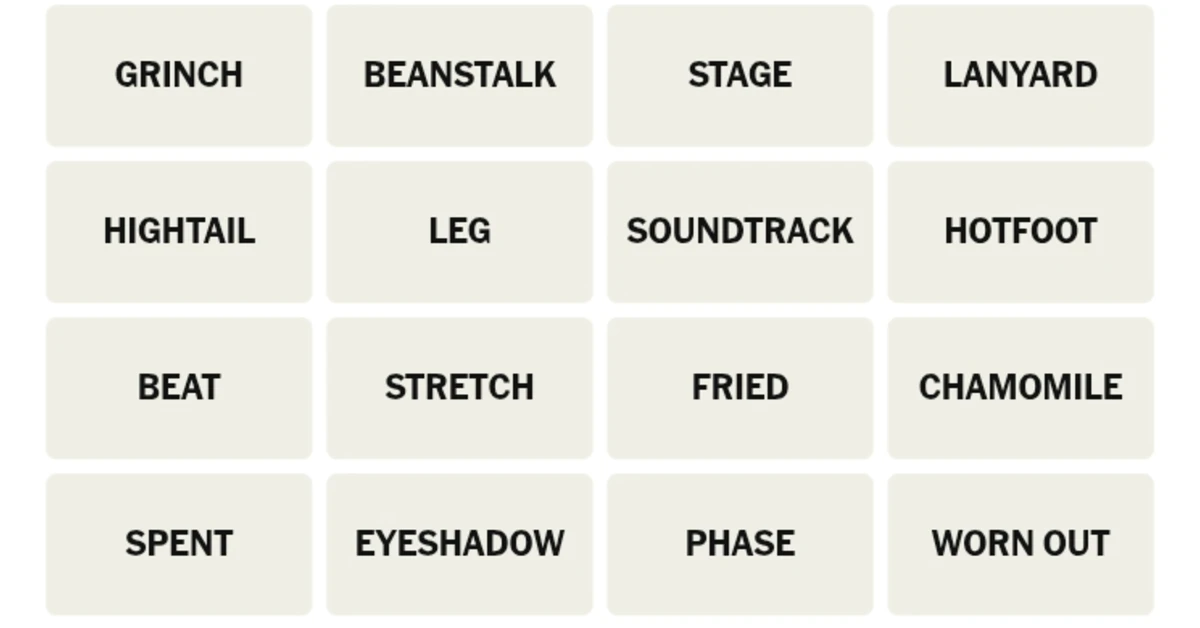
Here’s your grid for today
GRINCH
BEANSTALK
STAGE
LANYARD
HIGHTAIL
LEG
SOUNDTRACK
HOTFOOT
BEAT
STRETCH
FRIED
CHAMOMILE
SPENT
EYESHADOW
PHASE
WORN OUT
Hints for NYT Connections (#1,161) August 15, 2026
Let’s get you started with some general, spoiler-free hints.
🟡Yellow Group: Tired.
🟢Green Group: Parts of a process.
🔵Blue Group: Ending in units of measurement.
🟣Purple Group: Ending in words that describe closely following someone without them knowing about it.
One Word Per Category (Contains Spoilers)
Can’t seem to find an in? We’ll give you one word from each category.
🟡Yellow Group: Beat.
🟢Green Group: Leg.
🔵Blue Group: Chamomile.
🟣Purple Group: Beanstalk.
List of Themes (Major Spoilers)
Maybe getting to know the common themes among the words will help you spot them faster. Here are all the categories for today.
🟡Yellow Group: Exhausted.
🟢Green Group: Segment.
🔵Blue Group: Ending In Units Of Length.
🟣Purple Group: Ending In Synonyms For Follow Secretly.
Answers to NYT Connections (#1,161) Today (August 15, 2026)
Close to waving the white flag? Fine, we’ll give you the answers.
NYT’s early testers rated today’s Connections puzzle 1.8 out of 5. This puts it in the hard difficulty level. Let us know how you fared in the comments!
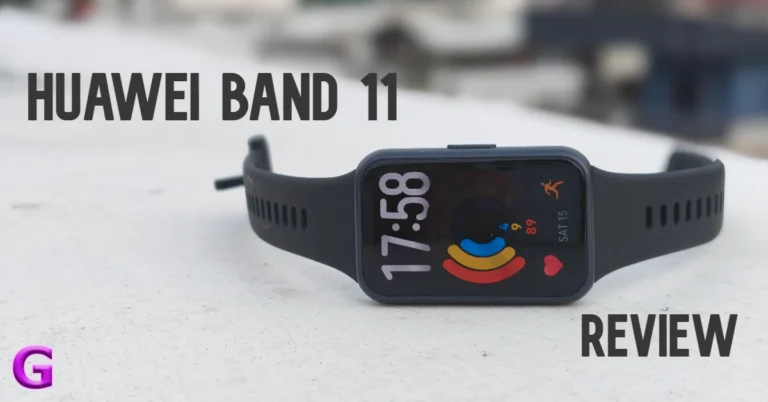
Huawei’s new fitness tracker is designed for users who want thorough records of their workouts and key health metrics without the baggage of wearing a bulky smartwatch at all times. Its sleek profile and affordable price tag were enough to sway us into giving it a shot for a week. After putting the band through its paces, we’re here with the full report. Here’s our comprehensive review of the Huawei Band 11.
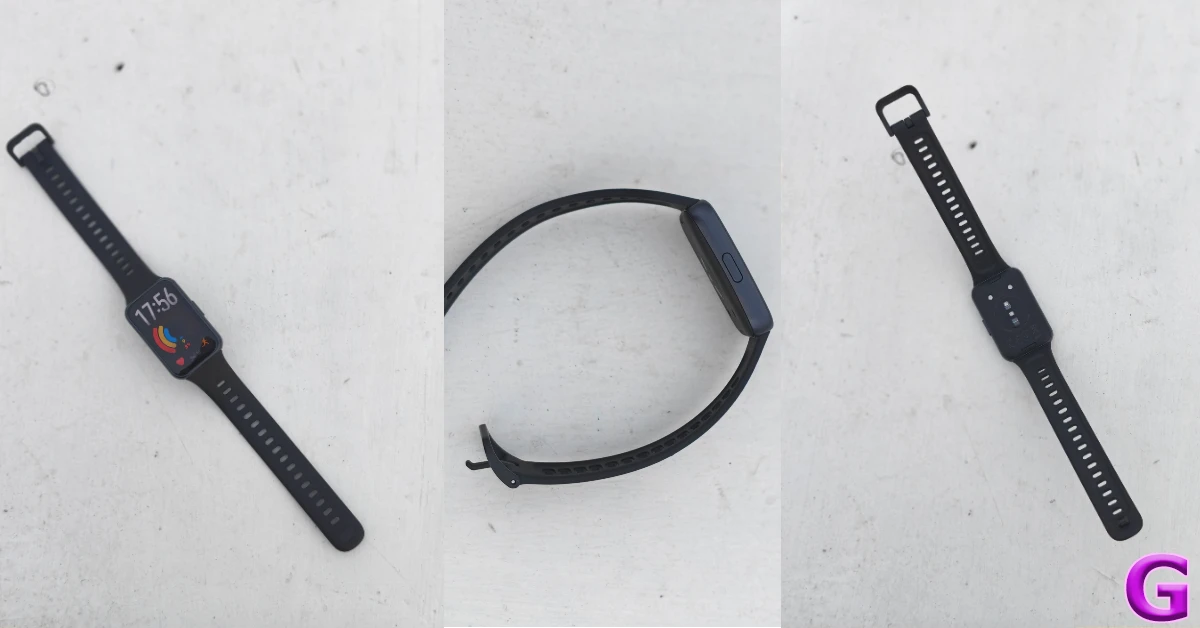
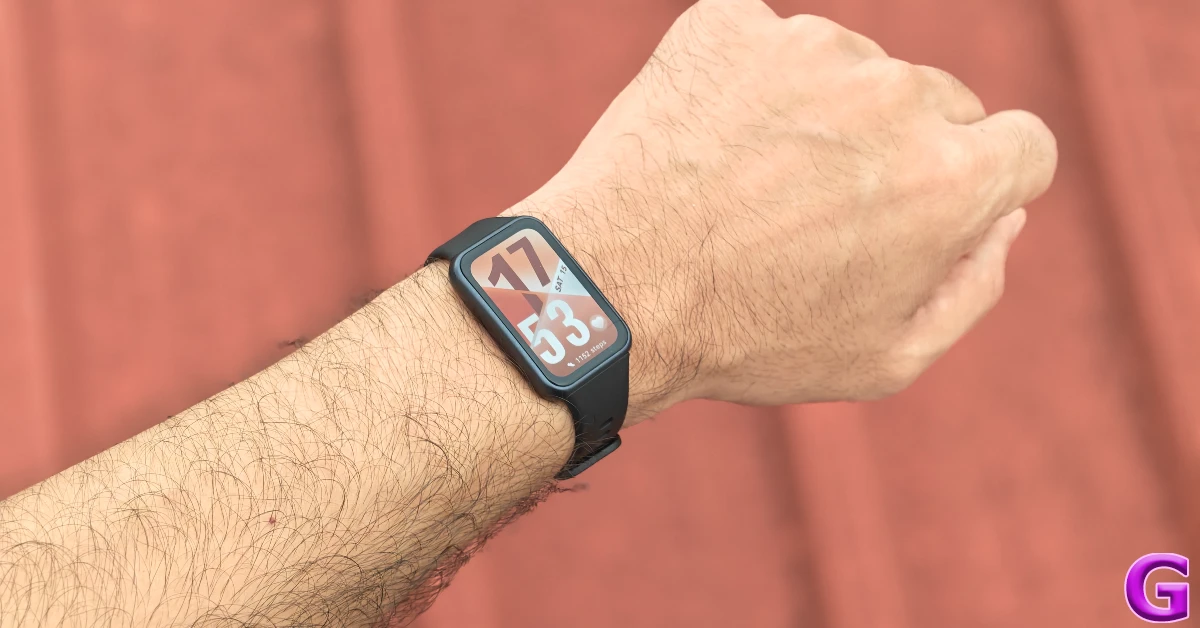
The Huawei Band 11 has a simple, unassuming design. There are 2 case options on offer – aluminium alloy and polymer. We used the latter for this review and were pleased by the feel of its matte finish. The case weighs just 16g (without the strap), so you can wear it throughout the day (and even through the night) without any major fatigue. There’s a single physical button tucked to the side. The bottom panel houses the magnetic charging port along with the sensor array.
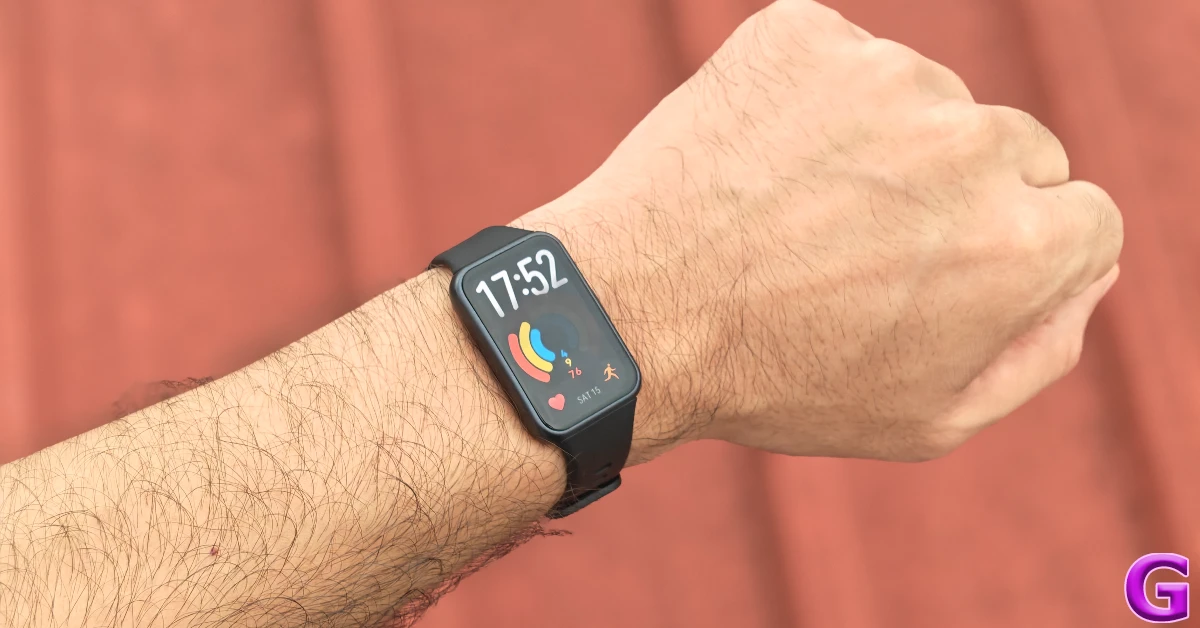
The Fluoroelastomer (essentially synthetic rubber) strap is comfortable and easy on the skin. It doesn’t cause any unwanted irritation or sweatiness. The standard pin and buckle mechanism works well to fasten it around the wrist. If you’re averse to rubber and silicone bands, there are plenty of third-party straps of different varieties (metal, fabric, nylon, etc.) you can check out online.
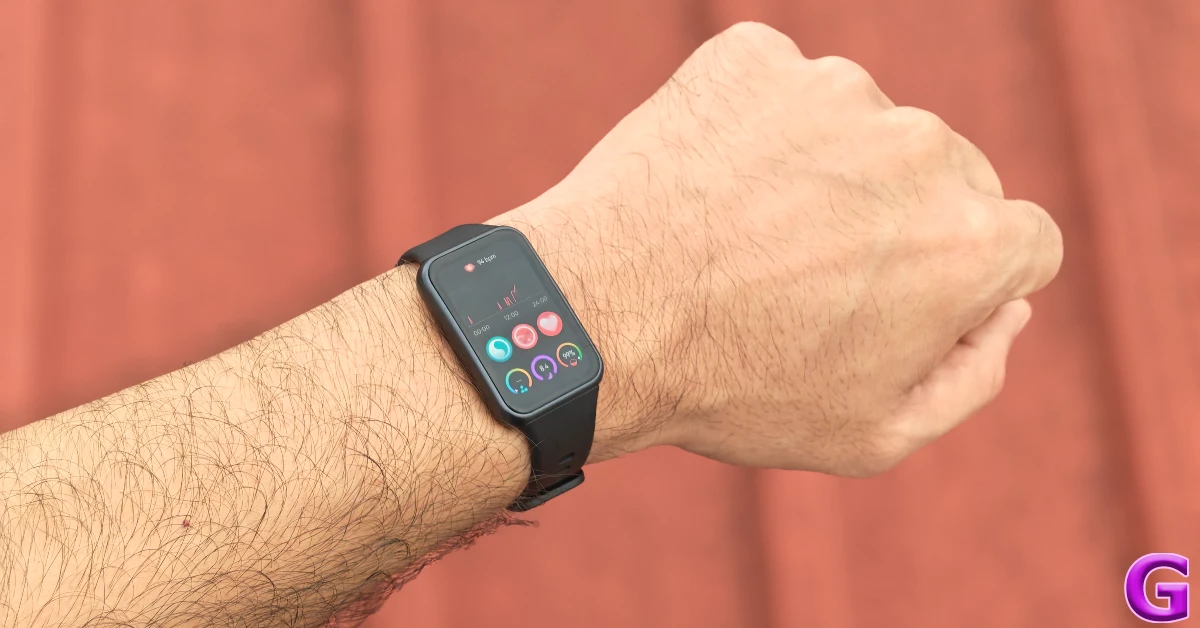
The rectangular 1.62-inch AMOLED display has a 60Hz refresh rate and can hit a peak brightness of 1,500 nits. It is able to maintain perfect legibility under harsh sunlight. The touch response is smooth as butter. The 480p resolution ensures that the visuals and animations are crisp. Since this is an AMOLED panel, you also get Always-On Display.
The Band 11 can handle 5ATM of water pressure for up to 10 minutes. It does not carry an official IP rating, but Huawei says that it is suitable for shallow water activities. This includes swimming pools and coastal areas. It is not suitable for diving, hot showers, or saunas. Any activity that involves deep water or fast water flow can cause damage to the band.
Huawei Band 11 Review: Performance
Pairing the Huawei Band 11 requires downloading the Huawei Health app on your smartphone. The companion app requires an official Huawei account to function, which in turn requires registering your phone number. This may be a dealbreaker for some folks.
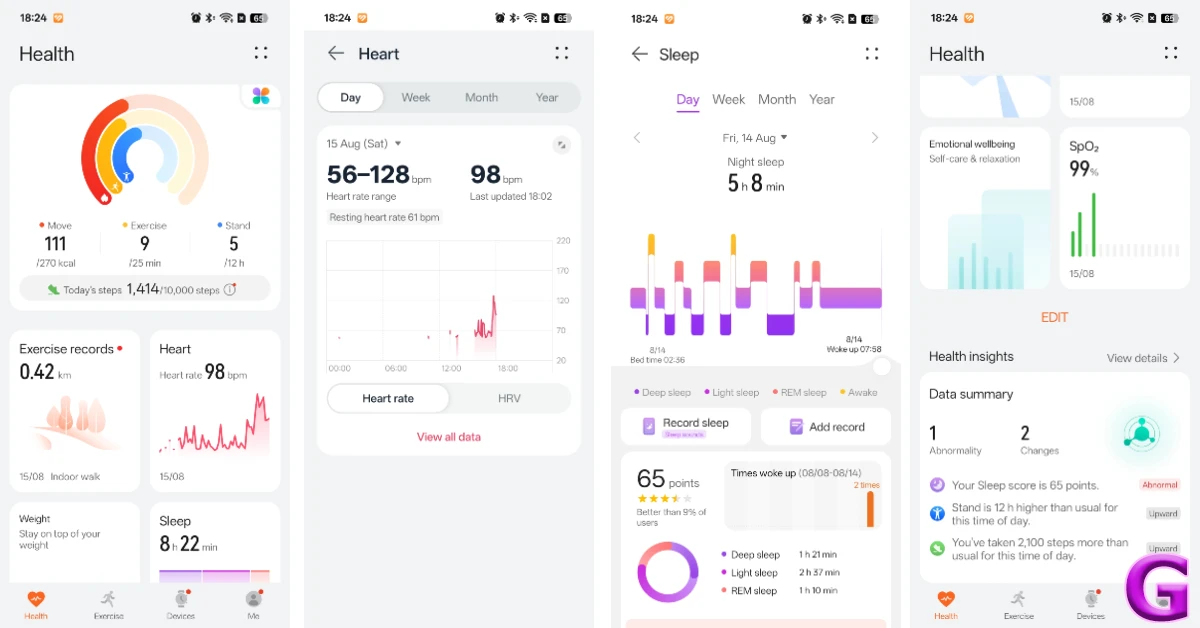
The good news is that it’s all smooth sailing once the band is paired to your phone. You can strap it around your wrist and just forget about it. It accurately tracks and records your heart rate and step count throughout the day. You can quickly glance at the stats by swiping left on the AMOLED panel or diving into the companion app. The option to automatically monitor blood oxygen is disabled by default since it drains the battery at a faster rate. You can turn it on from the Health app.
We found the step count, heart rate, and blood oxygen numbers to be accurate. The fitness band does an amazing job of tracking sleep cycles and breaking them down into different phases. You can find out how much time you spend in deep, light, and REM sleep phases. After every cycle, you are assigned a sleep score. Your average heart rate, HRV (Heart Rate Variability), SpO2, and respiratory rate are calculated after 5/7 sleep cycles.
The health insights provided by the companion app are precise and useful. The band analyses your overall health, sleep, and workout patterns to identify areas that need more work and attention. You can also check out the ‘Trends’ tab to view how your fitness has developed over time. The ‘Emotional wellbeing’ feature feels a bit gimmicky, as it does not have access to enough data to make a sound judgement about your emotional health. Huawei doesn’t shy away from this fact, and lets you know that its results are for reference only and shouldn’t be used for diagnosis.
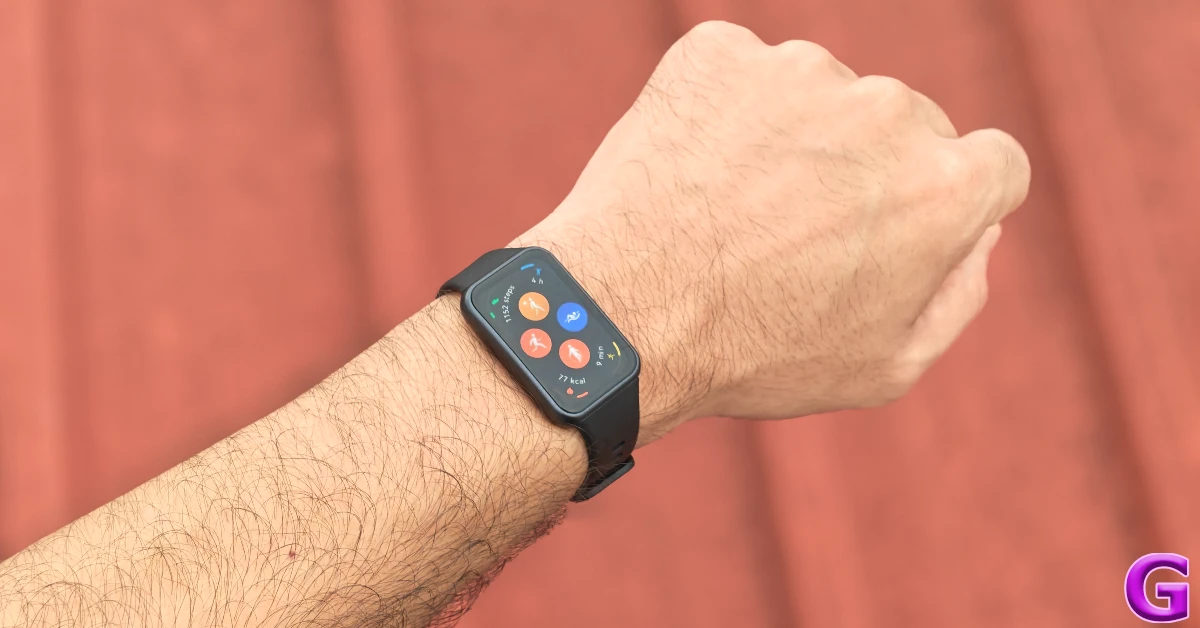
The Band 11 supports over 100 workouts, including walking, running, cycling, swimming, aerobics, Pilates, and more. We primarily used it to track our outdoor walks and runs. The fitness band does a good job of recording the essentials. This includes distance, duration, steps, average speed, average pace, average heart rate, average heart rate, and average cadence. The only drawback is that it cannot track your route on a map on its own since it does not have built-in GNSS. If you want this feature, you will need to splurge Rs 5,699 for the Pro model.
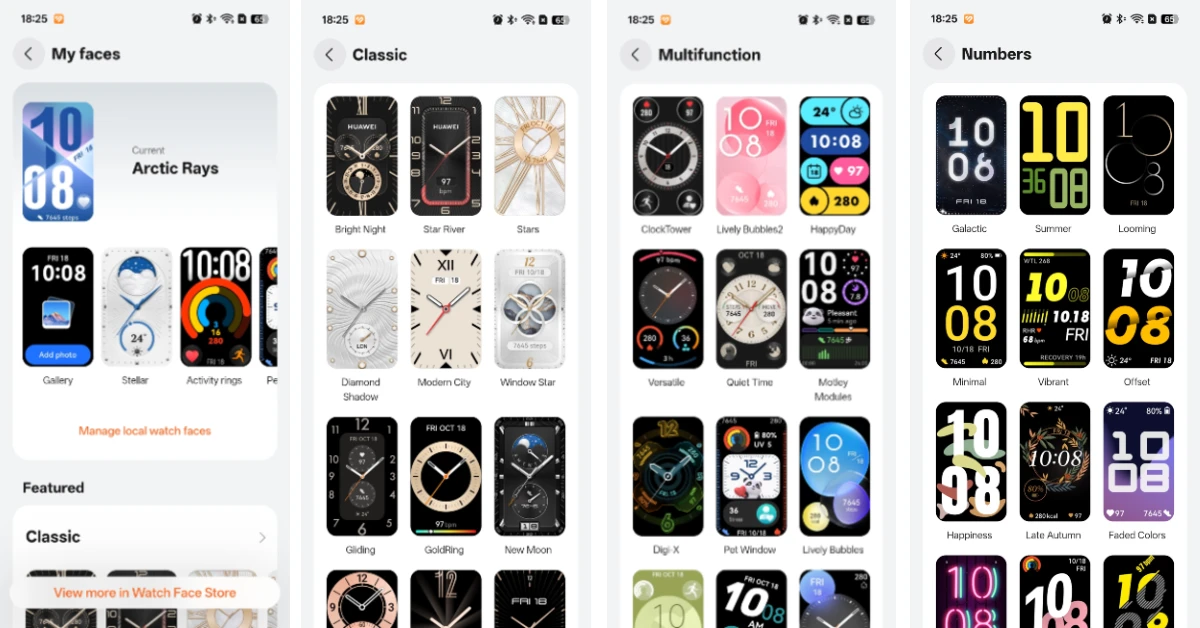
Since this isn’t a smartwatch, you don’t get access to third-party apps. But you can still take calls, receive notifications, and send quick replies on this fitness band. In our books, these are all the ‘smart’ features you need around your wrist before things start getting a little too distracting. The Band 11 runs Harmony OS 6, which offers native apps for Weather, Calculator, Compass, Flashlight, Alarm, Timer, Calendar, Remote Shutter, Music, and more. We also like the diverse watch face library offered by the companion app. You can also make one of your own using an image from your phone’s gallery.
With regular use, you can get 8-10 days of battery life on the Band 11. This includes constant heart rate and blood oxygen monitoring, light exercises, and waking the screen up to 500 times per day. With Always On Display enabled, the battery life drops to 3 days. If you’re conservative with your usage, you can get up to 14 days of use on a full charge. The band takes just under an hour to reach a full charge.
If you don’t want to miss out on smart wearable features but don’t want to wear a bulky smartwatch around your wrist, the Huawei Band 11 is a very easy recommendation from us. Infact, it outperforms most smartwatches in its price bracket. Its sleek profile and light weight make it one of the most comfortable wearables in its class. When it comes to recording your health and fitness data, the Band 11 leaves no stone unturned. Not only does it present essential stats in an accessible manner, but it also analyses them for you and lets you know the areas that need improvement. To top it off, it lasts over a week with standard usage, so you don’t need to worry about plugging it into the charger every night.
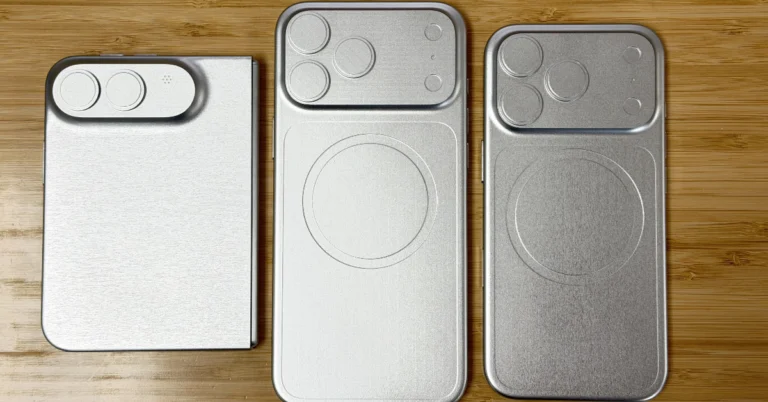
Apple is gearing up to unveil the first foldable smartphone, the iPhone Ultra, in addition to the iPhone 18 series. The first offering may be restricted to the US market, since supply and price issues reportedly have been hampering efforts to test manufacturing units.
Apple is preparing for a major product launch, most likely the much-awaited foldable gadget, which might be called the iPhone Ultra. But there are speculations that the new gadget may be exclusive to the US. ChannelNews Australia says that local carriers and major retailers are changing their plans since they think the device may not be accessible in other countries. Furthermore, while the iPhone 18 series is expected to be unveiled next month, the foldable iPhone Ultra will likely still be unavailable to users outside the U.S.
Here is why
Apple’s launch plan for iPhone Ultra is said U.S.-centric, with global launches rolling out in phases over several months. However, considerable delays are foreseen in key regions such as Australia, Europe, and Asia, which includes India, mainly owing to various production challenges.
Apple’s engineering teams are experiencing key hurdles, including numerous significant concerns. First of all, the hinge and screen pose big challenges, especially around durability, reducing creasing and the hinge mechanism itself. There are also manufacturing constraints, especially with assembly partners like Foxconn, who are making late-stage tweaks that are limiting initial production numbers to only a small fraction of typical iPhone launches.
Besides that, the price and the cost of components are posing hurdles. The rise in component prices is making it more difficult for retail pricing strategies, and Apple officials are unable to provide a precise launch price. As excitement for the foldable phone grows, these issues might impact when the device will be available and how much it will cost.
Expected Specifications
The rumoured specs of Apple’s next gadget iPhone Ultra suggest a sleek and novel design intended to improve the user experience with state-of-the-art technology. The device is likely to include dual screens, with the outer cover display estimated to be about 5.3 to 5.5 inches and will be making use of OLED technology with a 120Hz LTPO high refresh rate to make transitions seamless. The inner folding screen is expected to be around 7.8 inches in size and will have an almost imperceptible crease design which will improve the look and feel without affecting the usage.
As for the build quality, the folding phone will have a titanium frame, around 4.5mm when unfolded and 9mm when folded, which makes for a thin yet durable profile. Performance-wise, the handset is likely to be powered by Apple’s upcoming A20 Pro CPU, along with 12GB of RAM. This combination is supposed to provide enhanced multitasking capabilities that are expected to greatly enhance the speed and efficiency of operations.
The camera system is well built, with a dual 48MP back camera arrangement and an under-display front camera, designed to push photography skills beyond existing models. Moreover, the handset will ship with a high-density battery capacity of 4,700mAh to 5,800mAh, which is expected to be the biggest battery capacity in the history of the iPhone series, perhaps giving longer use durations and better performance.
Apple is taking a careful approach to the iPhone Ultra launch, with a limited initial availability. This is similar to other product launches, like the first iPhone X and the Vision Pro’s regional availability. At a likely retail price of around $ 2,000, the iPhone Ultra is not targeting mainstream customers but a niche market.
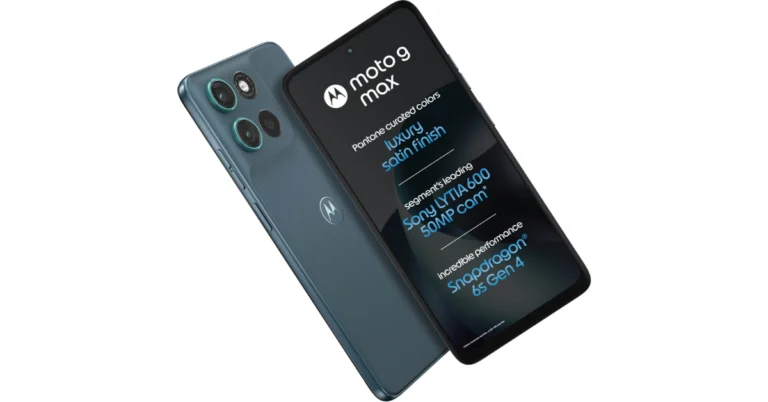
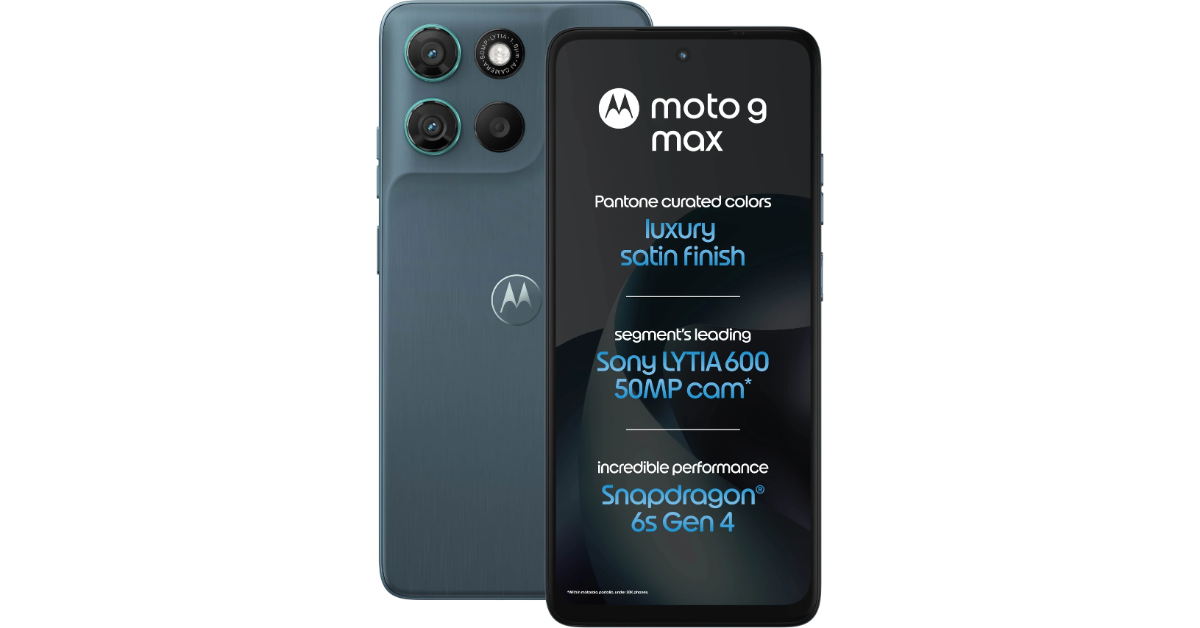
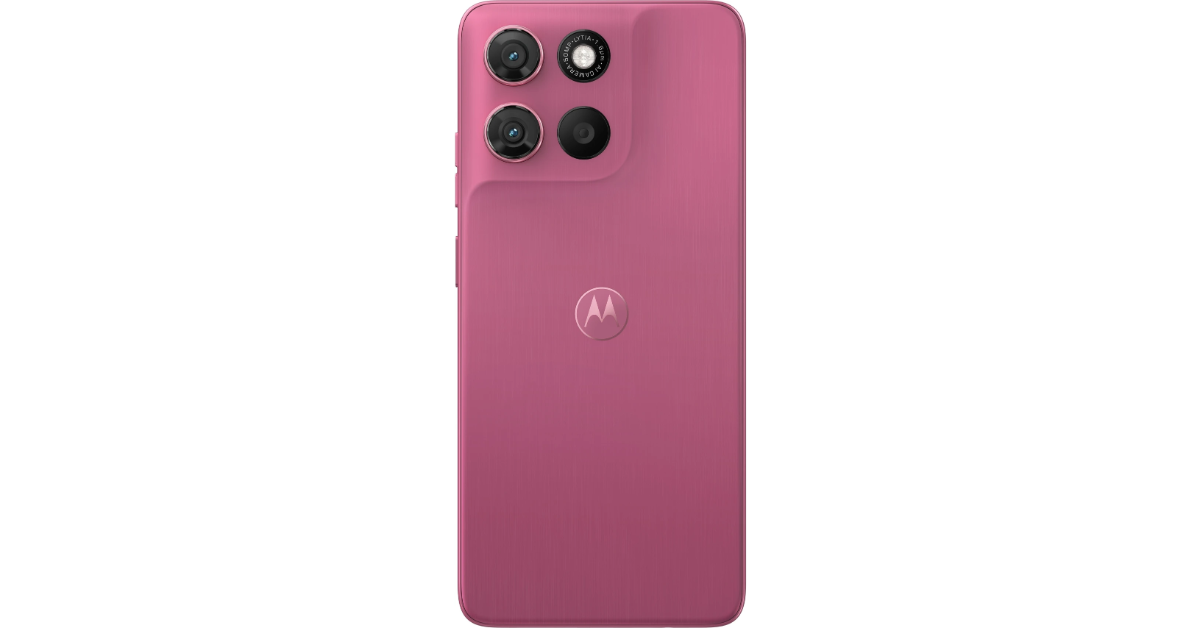
The Moto G Max has been announced in India with a Qualcomm Snapdragon 6s Gen 4 engine with Hello UI based on Android 16. It comes with a 7,000mAh battery with 30W rapid charging. It has a 6.72-inch full-HD+ LCD display with a super smooth 120Hz refresh rate for a better viewing experience. On the photography front, the Motorola device comes packed with a 50-megapixel Sony LYTIA 600 main rear camera, which is good enough to click decent photographs.
Pricing, availability
The Moto G Max comes with a price tag of Rs 27,999 in India for the 6GB RAM and 128GB storage model. The sale will start from August 20 at 12 PM and will be available only on Flipkart. Customers also get launch deals like an instant discount of Rs 1,000 on using Axis or ICICI Bank credit cards and a Rs 1,000 exchange bonus. The smartphone will be available in the colours Pantone Alaskan Blue, Pantone Malaga and Pantone Stargazer.
Specifications, features
The Moto G Max features a solid design and is certified with IP64 water resistance, which protects against dust and splashes. The Moto G Max comes with a solid design that has SGS certification for IP64 water resistance, which protects against dust and splashes. It has a 6.72-inch full-HD+ LCD screen that has a resolution of 1,080 x 2,400 pixels. The screen has a 120Hz refresh rate and a 120Hz touch sampling rate, with a peak brightness of 1,050 nits (HBM) and a pixel density of 391ppi. It also comes with Display Color Boost for better image quality and Corning Gorilla Glass 7i protection. Water Touch Technology also means it will work well even with wet fingertips.
The Moto G Max is powered by Hello UI based on Android 16 and comes with a commitment of two Android OS upgrades and three years of security updates. The Snapdragon 6s Gen 4 processor, built on a 4nm technology, powers it, and it has 6GB of LPDDR5x RAM. It comes with 128GB of UFS 3.1 storage and supports Motorola’s RAM Boost function, which lets you extend virtual RAM up to 24GB using internal storage.
The G Max has a dual rear camera setup which comprises a main 50-megapixel Sony LYTIA 600 sensor with an f/1.8 aperture and an 8-megapixel ultra-wide-angle lens with an f/2.2 aperture and a 119.5-degree field of view. It boasts a 32-megapixel front camera for selfies. It increases photography with a 2-in-1 ambient light sensor to make focusing and exposure easier, with auto night vision and AI portrait features. Users may make use of a variety of features, including Adobe Scan, Photo Booth, Super Zoom, Dual Capture and Pro Mode, to help create unique content. Plus, with AI-enabled photography and features like Magic Eraser and Portrait Blur in Google Photos Editing, you can turn your regular experiences into professional-quality photos.
The Motorola phone has a 7000mAh silicon-carbon battery that provides up to 3 days of battery life and 63 hours of operation on a single charge. It is made for many activities, including streaming, gaming and meeting, and eliminates the requirement for regular recharging. With the 33W TurboPower charger, the device can charge fast, and the Battery Care function provides consistent performance over 1000 charging sessions. Hi-Res Audio and Dolby Atmos Stereo Speakers for an improved audio experience. Dual Microphones with 3.5mm Headphone Jack for a full audio experience for music, movies, games and calls.
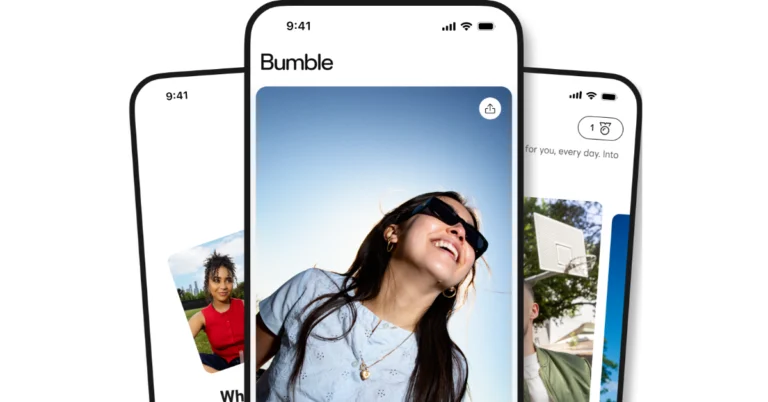
Bumble is making a big shift, ending its women-first message policy that’s been in effect for more than a decade. The platform had previously run with a women-centric strategy, only allowing women to send the initial message in a match. With this new tweak, any participant in a match may now send the initial message. This is another step toward more equal engagement between users.
Bumble has upgraded its chat function with major improvements in an effort to boost flexibility and user engagement. Effective immediately, the first conversation in a match may be initiated by any participant, creating a more balanced engagement dynamic.
Bumble has extended the recipient’s response window from 24 hours to 72 hours to provide more time for crafting thoughtful responses. Users are limited to sending one first message to start a chat, allowing for a great first impression. Conversations begin only when the receiver replies to this first message. In addition, people sending short or low-effort messages will be prompted to participate in more meaningful conversation.
The company says its research has shown a favourable rise in message initiation rates and a more equal distribution of first messages between male and female users.
Bumble debuted in 2014 and has put women’s experience at the heart of all they do on the site. A whopping 66% of the women polled prefer that males make the first move, which takes the strain off of dating. The platform seeks to enhance confidence and enhance dating results by using feedback and information about the behaviour of its users.
Bumble found that women were starting chats with men more than twice as often as men, resulting in more opportunities for conversations, real relationships and offline meetups. Bumble also saw early signs that users were communicating in a healthy way with lower chat expiry and unmatching rates.
Bumble is adding moderation tools to promote respectful dialogue. Research has shown that dating standards are shifting, especially for Gen-Z women, who enjoy when males make the first move. Two-thirds of men and women both say they are more confident when they can control when and how conversations are started.
Whitney Wolfe Herd, Founder and CEO of Bumble said, “We built Bumble around the belief that when you make dating better for women, you make it better for everyone and that remains true today. While women making the first move was a radical idea, being women-first was never about prescribing just one way to connect. It was about designing an experience with women’s needs in mind to create better outcomes for everyone. Today, our community is asking for more flexibility, less pressure, and more opportunities to create real, meaningful connections and that is what this new experience provides. This evolution isn’t a departure from our founding vision, but the realization of it.”
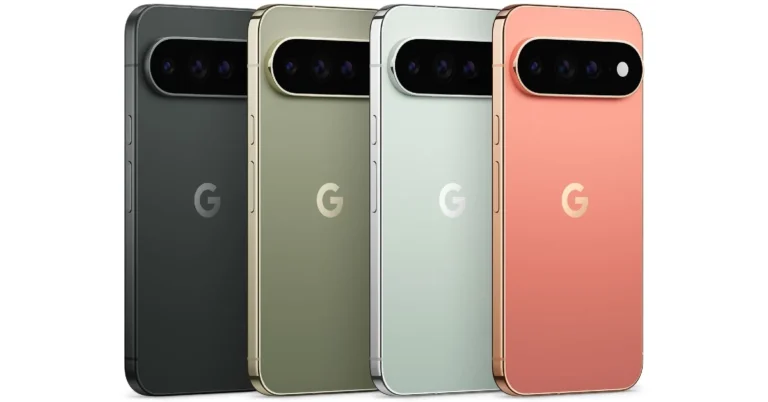
Google’s new family of Pixels is finally here. The Pixel 11 series comprises a base model, a Pro model, a Pro XL variant, and a new foldable. All of the variants are powered by Google’s in-house Tensor G6 chipset. The top-spec Pro XL variant flaunts a 6.8-inch LTPO OLED display. Its rear camera array comprises a 50MP primary shooter, a 48MP periscope telephoto lens with 5x optical zoom, and a 48MP ultrawide lens. Thinking of buying the phone? Here are the top 10 apps you should download first on your Google Pixel 11 Pro XL.
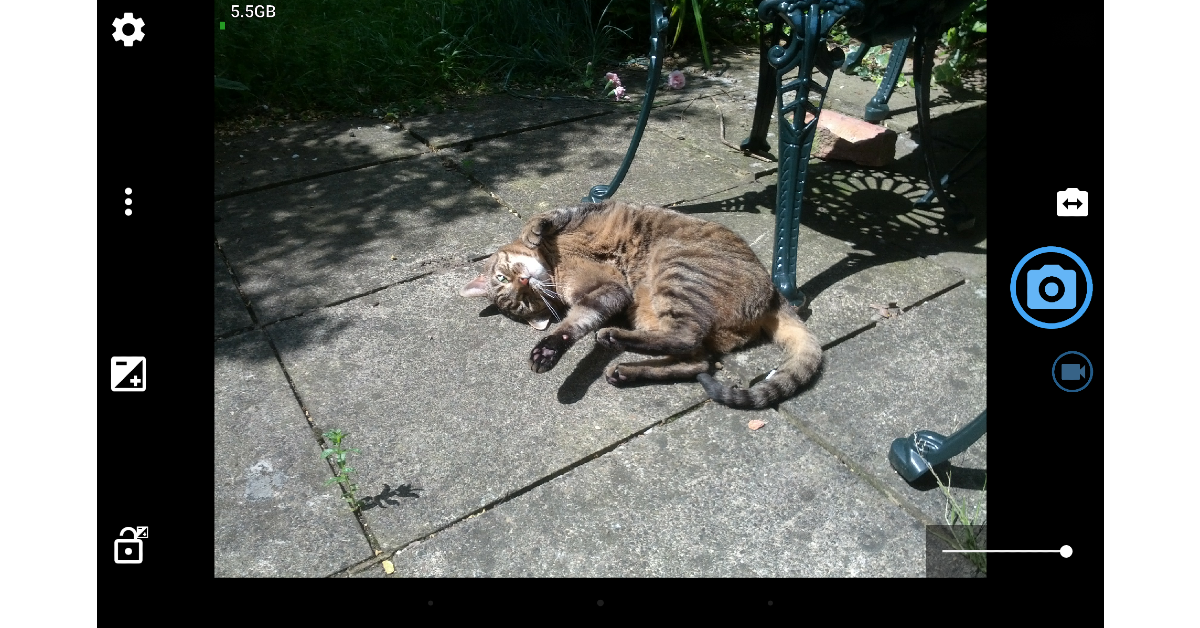
It’s very hard to dislike Google’s native Camera app for the Pixel 11 Pro XL. If you’re one of the few who do, you should check out Open Camera. This app offers a clean, intuitive interface to tap into the full potential of your smartphone’s camera array. It gives you the option to bypass your phone’s photo-processing layer and capture truly neutral RAW images. For casual users, it has handy features like upside-down previews, voice shutter, vocal countdown, Bluetooth LE remote control, and more. One of the great things about Open Camera is that it is completely open source. Additionally, there are no intrusive ads on its interface.
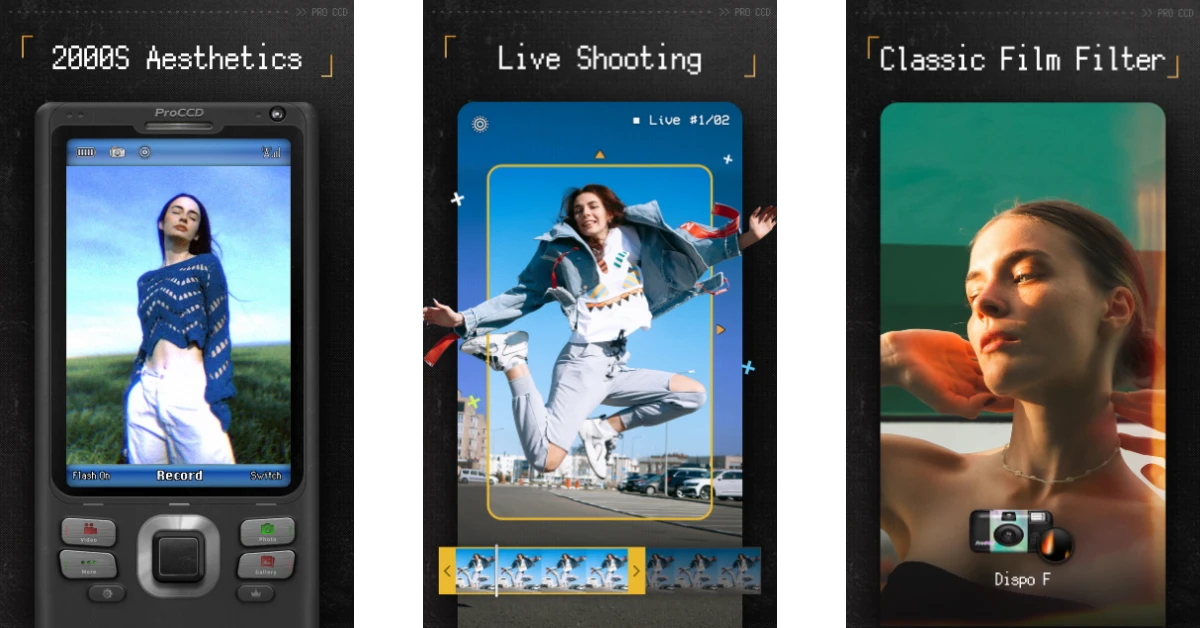
For something more fun, check out ProCCD. This camera app has filters that recreate the style of digital cameras from the early 2000s. Now that digital cameras are making a comeback, it is the perfect time to get this app on your phone. Apart from digicam filters, you also get access to a wide array of styles ranging from film to VHS. The vignette effect on the VHS filters is tasteful and super nostalgic. The great part is that you can even record videos using these filters.
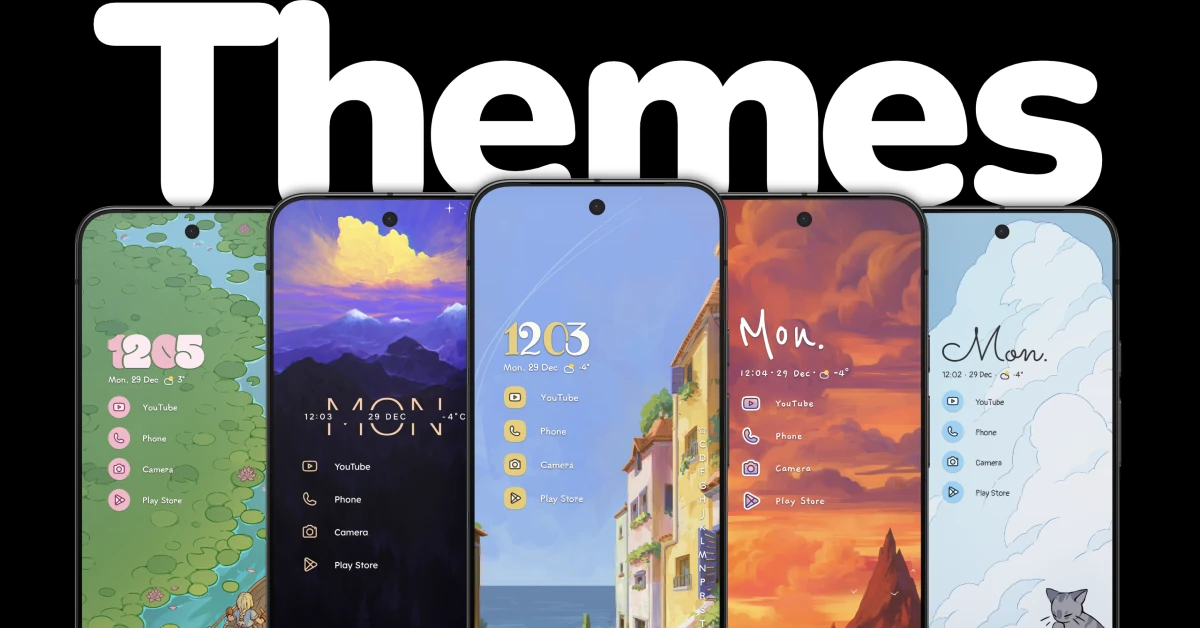
Niagara Launcher gives you the tool to personalise your phone in a way that can’t be done using the native options. You can go for a minimal theme, arranging all the apps on the home page in a neat list without the generic icons. There are plenty of lock screen widgets and wallpapers for you to mess around with. The launcher has an intuitive scrolling mechanism, which makes it easier to reach and select the apps at the top of the list. If you’re worried about ads being woven into the interface, then you can rest easy as even the free version of this app is completely ad-free.
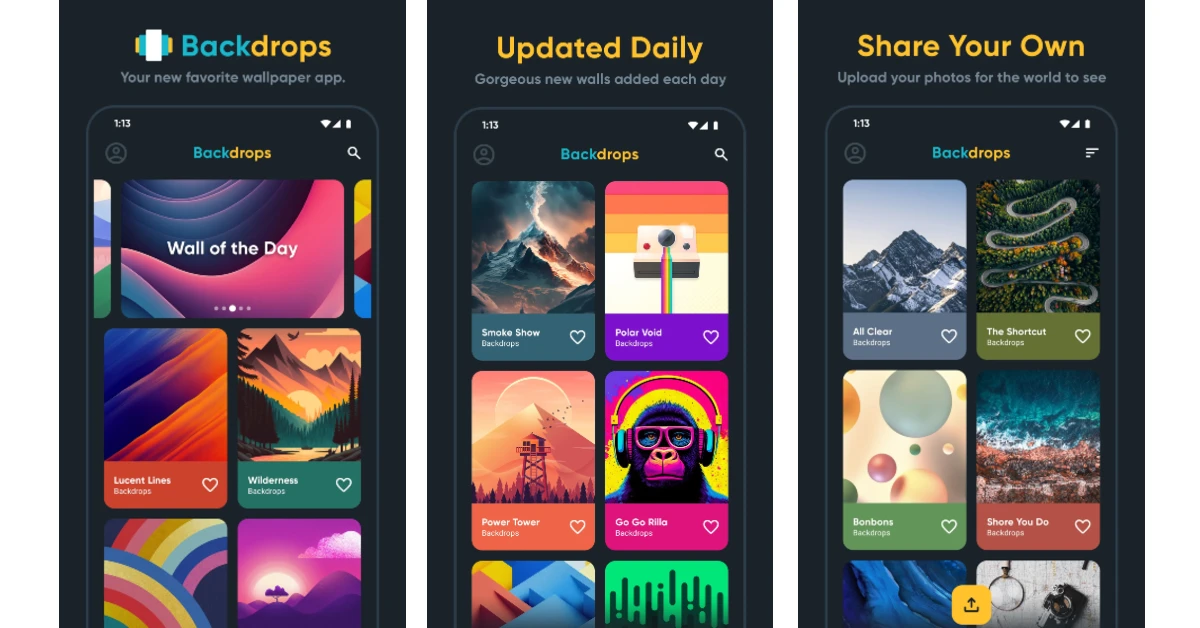
Backdrops gives you access to thousands of wallpapers and still images for your phone’s lock screen and home page. The app is updated with new options every day. You can browse and explore the wallpapers by collection or take a look at the ‘Wall of the Day’ for inspiration. The clean interface of the app makes the task of trying out new wallpapers seamless and fun. One of the things we like about Backdrops is that it has unique and exclusive designs that can’t be found anywhere else. You can log into the app using your Google account to access your saved wallpapers across multiple devices.
Google’s very own photo editing app, Snapseed, is one of the first apps you should download on your Google Pixel 11 Pro XL if you like sprucing up your images before posting them on socials. Its wide and diverse editing toolkit is super accessible to the average user. You can use manual sliders to adjust the contrast, exposure, saturation, brightness, dynamic range, white balance, perspective, and colours of an image. Apart from 29 quick tools, the app offers a plethora of instant filters to enhance your pictures.
Canva is more than just an editing app. It lets you design everything from flyers and posters to invitations and visiting cards. If you have an interesting concept in mind, Canva has the tools to bring it to life. Its preset templates make your job easier by giving you a structure to build upon. If you’re a content creator, you can use this app to overlay graphics, transition effects, and subtitles on your short video. What makes Canva so popular is its accessibility to the average user who doesn’t have much experience with photo editing apps.
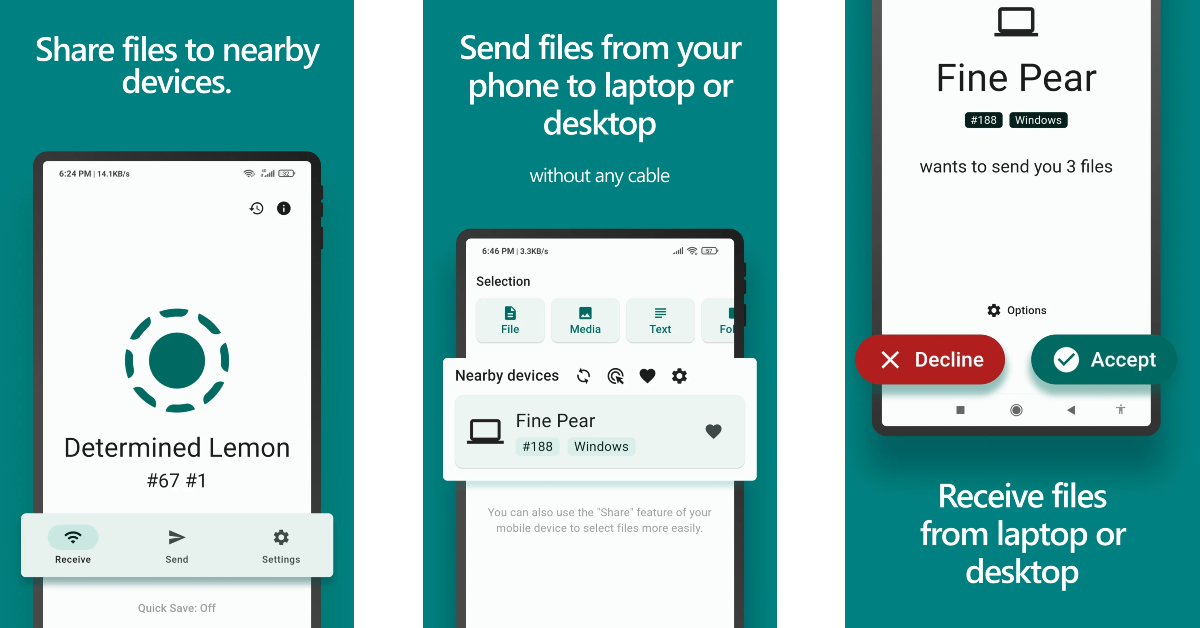
Transferring files between Android devices is easy with Quick Share. However, things can get tricky when an Apple device comes into the equation. LocalSend bridges the ecosystem divide by offering a file-transferring interface that is fast and hassle-free. Our favourite thing about this app is that it doesn’t use third-party servers for the file transfer process. It relies on your home Wi-Fi network (or a personal hotspot) to send and receive files. On top of that, the app is completely open source.
The Google Pixel 11 Pro XL’s massive 6.8-inch display can make it hard for users to reach items at the top of the screen with one hand. Quick Cursor is the app you should download on your phone to make one-handed usage easier. With a gentle inward swipe from either edge, this app summons a small cursor on the screen. You can guide this cursor wherever you want to select the item you need. It goes back into hiding after a short period of inactivity. The app offers a good range of customisation options to control the behaviour and appearance of this cursor.
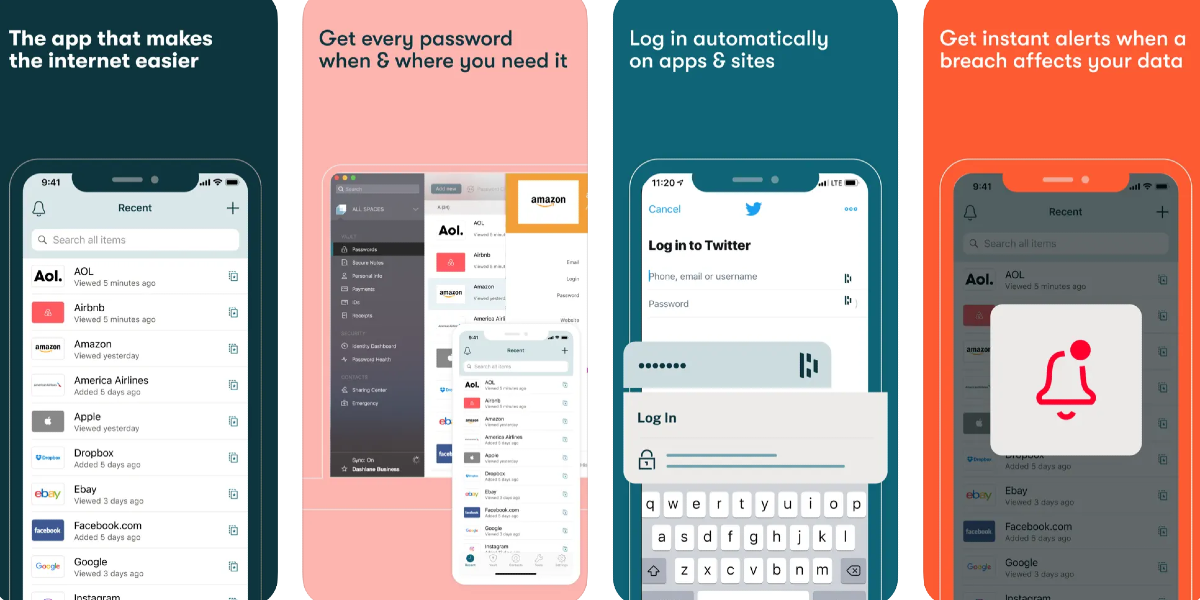
Dashlane is a safe and secure app to store all of your passwords. It gives you the option to save your login credentials as soon as you use them to log into an app or website. Once they are saved, the app automatically signs you into the service the next time you visit the app or webpage. Apart from storing your passwords, Dashlane can also generate new ones for you. Its built-in password generator comes up with uncrackable, complex strings when you are in the process of creating a new account. Dashlane also monitors the deep web for new leaks and lets you know when your password has been compromised.
If you are a voracious reader, Kindle is one app that you must have on your Pixel 11 Pro XL. Its clean, clutter-free interface is ideal for reading ebooks without any distractions. The native dictionary can be summoned by simply tapping a word, thus eliminating the need to switch to another app to look up its meaning. If you own a physical Kindle ereader, you can sync your reading progress with it. Subscribing to Kindle Unlimited gives you access to over 2 million ebooks and thousands of audiobooks.
These are the top 10 apps that you should download first on your new Google Pixel 11 Pro XL. Stay tuned for app recommendations for the Google Pixel 11 Pro Fold. If you have any questions, let us know in the comments!
The battlegrounds have become competitive this week, and players need to update their loadouts to survive stages like Bermuda and Purgatory. You can use Free Fire MAX redeem codes to build your characters without needing a long playtime or cash commitment. A new batch of 12-character alphanumeric codes has been published as of August 14. These codes provide quick access to high-tier weapon skins, unique custom bundles and diagnostic vouchers, offering gamers significant resources to boost their gameplay experience efficiently.
Free Fire MAX codes have server and regional caps. If you get an error message “invalid or expired”, it usually means the code has either hit the global redemptions or is tied to a server in a different area (LATAM, SG, IND, etc.) Also copy and paste codes to make sure they are correct and there are no typos that can prevent them from being redeemed properly.
Firstly, head to the Garena Free Fire Rewards Redemption Site at reward.ff.garena.com
After that, log in to a linked account (options include Facebook, Google, X, Apple ID, VK, or Huawei ID). [Note: Guests’ accounts are ineligible. So you must link your account to the approved list. Also, if you are using a guest account to play the game, we recommend you link it before it is ineligible.]
Now copy the code from the above list and paste it into the designated text field. [Note: Don’t type the code in manually to avoid any typos.]
Then click ‘confirm’ and wait for a success notification. [Note: Do not enter the same code twice because each code can only be used once per account. Attempting to enter the same code multiple times will result in an error.]
After following the above-mentioned steps, open Free Fire Max on your device and check your in-game mail within 24 hours for items. Diamonds and gold are credited directly to your wallet, while skins and cosmetics appear in the Vault tab.
Today’s Wordle #1882 August 14, 2026 is a little more challenging with a rarer vowel pattern and a double letter, which might confuse the average player, particularly if you start your word explorations with guesses that include a lot of vowels. A hint breakdown is available for those who need a hand in helping steer gamers in the proper way. Or go directly to the answer if you wish to clear the board.
Is today’s Wordle #1882 difficult?
Today’s puzzle is quite difficult. But NYT testers say the game is moderately challenging, and they needed an average of 4.4 guesses out of 6 to complete it.
We think that today’s challenge is mostly due to its letter distribution. Standard elimination words will leave a lot of empty space on the board, with just two consonants and three vowel spaces taken up. If you are down to your final few turns, you may take advantage of the guidance below.
Hints and Answers for Today’s Wordle August 14
Hint 1: You get 2 unique vowels (E, O) and a total of three vowel slots, with ‘E’ performing a dual duty.
Hint 2: Today’s Wordle answer has two consonants (G, D) and this makes it harder to eliminate them since there are fewer consonants.
Hint 3: The letter E occurs two times in the Wordle answer today, located at positions 2 and 5.
Do you need help with today’s Wordle answer’s initial letter?
The first letter in today’s Wordle is G.
What word does today’s Wordle ends with?
Today’s Wordle answer concludes with the letter E.
Today’s Wordle Answer Meaning (Hint)
Today’s word describes a hollow, spherical rock that contains a cavity lined with crystals or layers of silica.
Today’s Wordle Answer: August 14 #1882
The answer to Wordle #1882 on August 14, 2026, is – GEODE.
Geodes are geological formations that are derived from the Greek word “geōdēs”, which means “earth-like” or “earthy”. The word is a mixture of “gē” meaning earth, and the suffix “-oid” signifying similarity. On the outside, geodes resemble normal round lumps of soil or rock. But don’t let their plain exteriors fool you! They have beautiful crystal insides, with complicated mineral structures that sparkle and shine on the inside.
How to pronounce “GEODE”
It’s pronounced JEE-ohd, and has 2 syllables (JEE – ohd) with the emphasis on the first syllable. The first syllable “GE-” is pronounced with a soft G, like JEE, while the second syllable “-ODE” rhymes with ode (like code, node, or road).
To win the Wordle game, it’s better to start out with a smart selection of beginning words with common letters instead of unusual ones. Remember, the challenge may have some repeated letters, so feel free to include them in your guesses without any hesitation. If you obtain a green letter at the beginning of your guess, consider the possibility of positioning the same letter in the fourth or fifth slot to address challenging gaps in your word.
Tools like WordleBot can also help you improve your game enormously by analysing your guesses and pointing out your weaknesses to help hone your skills.
Today’s Connections grid has a lot of words starting with ‘B’, but there’s a misdirect hidden in the puzzle that’s much sneakier. If you stick to the hints we’ve curated for you, you won’t fall for the misdirect. Scrolling past the hints, you’ll see one word from each category, followed by the list of themes. Finally, the answers and their explanations will be waiting for you at the end of the page. So, without further ado, here are all the hints, clues, and answers to today’s NYT Connections (#1,160, August 14, 2026).
After Wordle, Connections is the New York Times’ most popular word game. The rules are simple. You need to find words with a common theme and group them into 4 groups of 4. The 16-word grid is designed with an increasing level of difficulty. The Yellow group is the easiest to spot, followed by Green, Blue, and Purple. The misdirects and red herrings can trip you up, but they also make the puzzle more fun. You can play Connections in the NYT Games app or on the NYT website.
Some tips to solve Connections
Look for the obvious patterns: Not every category in the puzzle is confusing. The Yellow and Green category words are relatively easy to spot. However, if something seems too obvious, it could be a red herring. Typically, the first two categories comprise verbs and adjectives. The misdirects are often nouns.
Double-check your submissions: ‘Do not overthink’ is usually a good tip for solving most puzzles, but it doesn’t really apply to Connections. Before submitting a set of words, you should always check whether they fit somewhere else too.
Hit a dead end? Use the shuffle button: The shuffle button at the bottom of the grid exists for a reason. Placing the words in different positions can spark new connections. Think of it as a mental refresh. New patterns will emerge, and you may be able to find a breakthrough.
Tackle the Purple category with extra caution: The Connections team is known to serve up the toughest and most unexpected words for the Purple category. Here are some of the common tropes that you should look out for:
Homophones (For example: ‘Where’, ‘Wear’, ‘Ware’, and ‘Weir’)
Words within words (For example: ‘Slip’, ‘Hear’, ‘Keyes’, and ‘Undiagnosed’ could be ‘Words containing parts of the face’)
Words minus a letter (For example: ‘Anther’, ‘Easel’, ‘Hark’, and ‘Lama’ could be ‘Animals minus starting letter’)
Words preceded or followed by another word (For example: ‘Face’, ‘Sports’, ‘Note’, and ‘Year’ could be ‘____ Book’)
Here’s your grid for today
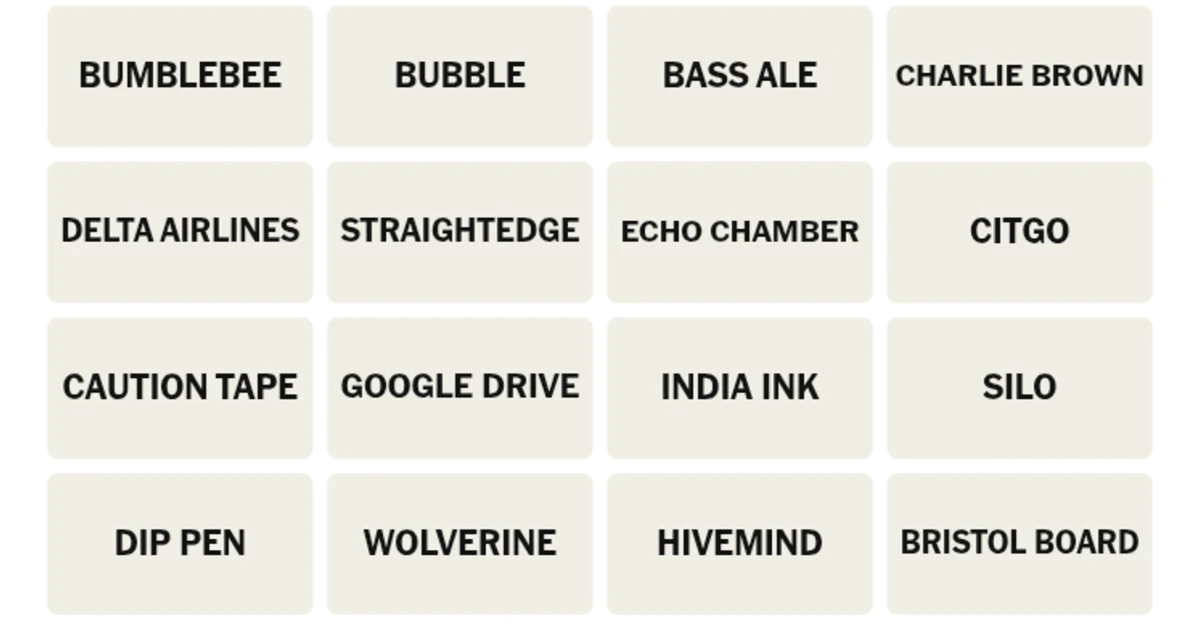
BUMBLEBEE
BUBBLE
BASS ALE
CHARLIE BROWN
DELTA AIRLINES
STRIAGHTEDGE
ECHO CHAMBER
CITGO
CAUTION TAPE
GOOGLE DRIVE
INDIA INK
SILO
DIP PEN
WOLVERINE
HIVEMIND
BRISTOL BOARD
Hints for NYT Connections (#1,160) August 14, 2026
Let’s get you started with some general, spoiler-free hints.
🟡Yellow Group: Same colour theme.
🟢Green Group: Everyone is on the same page.
🔵Blue Group: Found on an artist’s desk.
🟣Purple Group: Same-shaped symbols.
One Word Per Category (Contains Spoilers)
Can’t seem to find an in? We’ll give you one word from each category.
🟡Yellow Group: Bumblebee.
🟢Green Group: Bubble.
🔵Blue Group: Bristol Board.
🟣Purple Group: Bass Ale.
List of Themes (Major Spoilers)
Maybe getting to know the common themes among the words will help you spot them faster. Here are all the categories for today.
🟡Yellow Group: Black-and-Yellow.
🟢Green Group: Places Where Everyone Thinks The Same Ways.
🔵Blue Group: Comic Book Artist’s Tools.
🟣Purple Group: Triangle Logos.
Answers to NYT Connections (#1,160) Today (August 14, 2026)
Close to waving the white flag? Fine, we’ll give you the answers.
🟡Yellow Group: Bumblebee, Caution Tape, Charlie Brown, Wolverine. (Black-and-Yellow)
These things and characters have the same black-and-yellow colour theme. ‘Charlie Brown’, along with ‘Echo Chamber’, ‘India Ink’, and ‘Delta Airlines’, was a red herring for words starting with a NATO phonetic alphabet code.
🟢Green Group: Bubble, Echo Chamber, Hivemind, Silo. (Places Where Everyone Thinks The Same Ways)
This one was pretty straightforward. All of these words are used to describe the tendency to think the same way.
🔵Blue Group: Bristol Board, Dip Pen, India Ink, Straightedge. (Comic Book Artist’s Tools)
These are some of the common tools that comic book artists use to sketch panels and strips.
Bass Pale Ale has an upward-pointing red triangle as its logo. Citgo uses a ‘trimark’ for branding. Delta Airline’s triangular ‘widget’ logo mimics the wing shape of a jet. Finally, Google Drive has a simple triangular logo in the shape of the Delta symbol.
Answers to yesterday’s puzzle (#1,159, August 13, 2026)
🟡Yellow Group: Carry On, Continue, Make It, Persist. (Persevere)
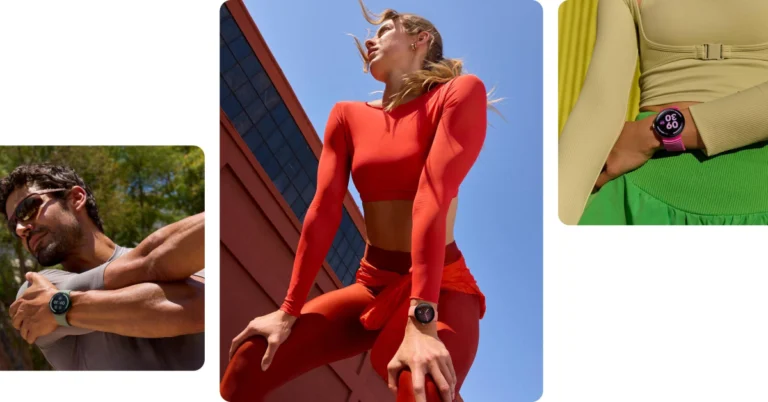
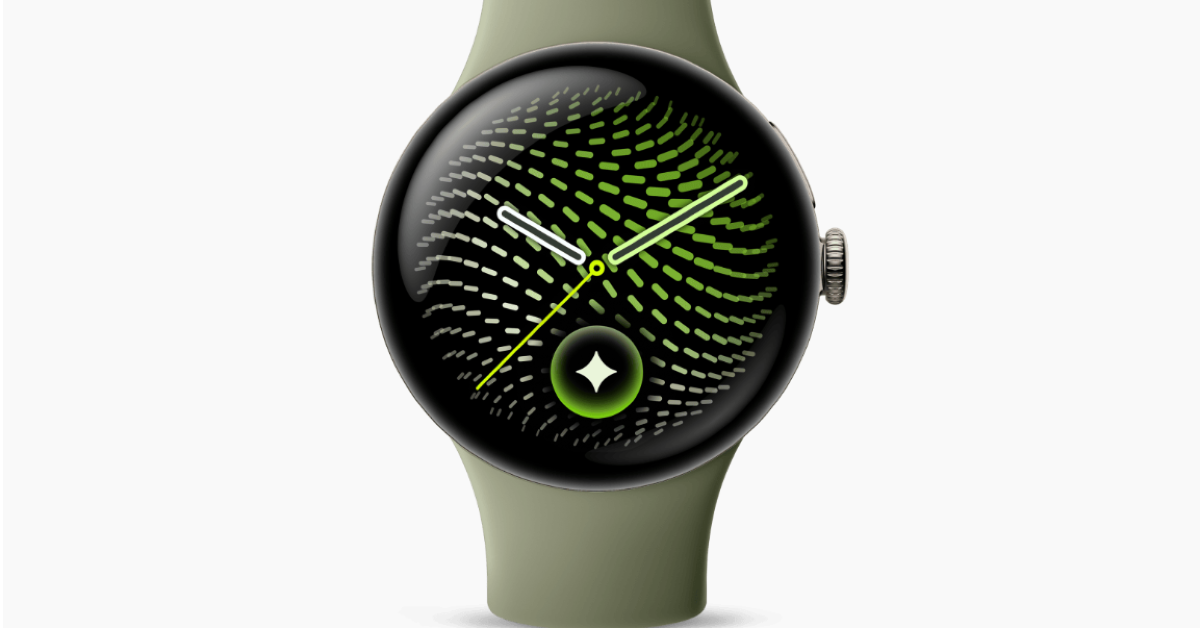
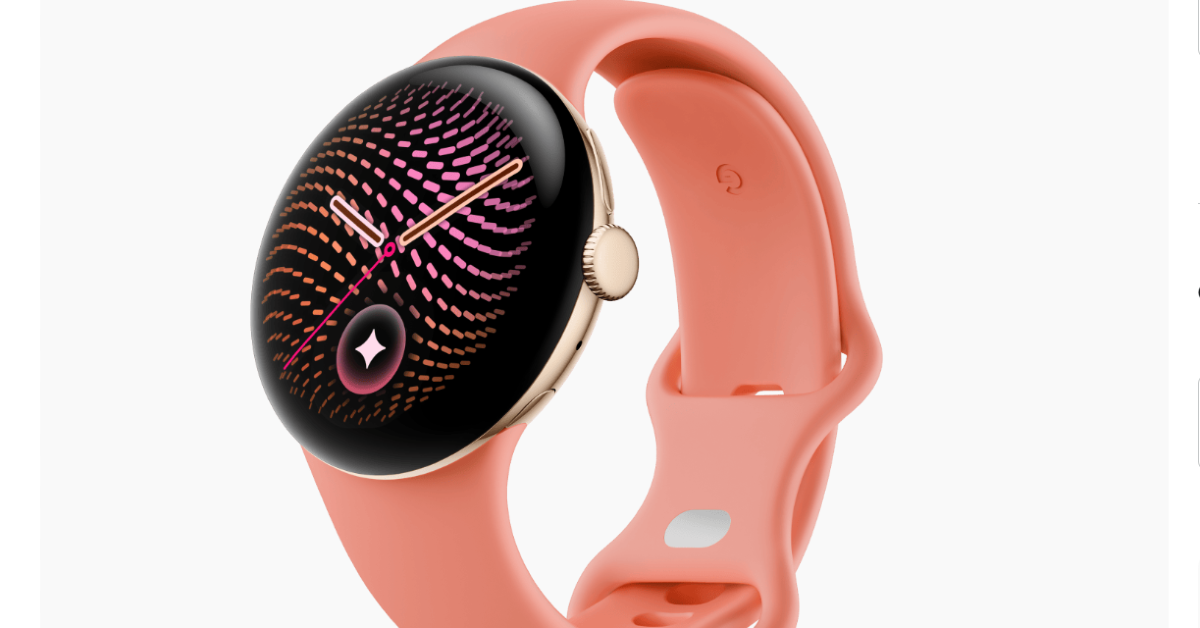
Google has introduced the Pixel Watch 5 in India. Pre-orders are open now, and sales start from August 20. It comes with a bright 3,000 nits AMOLED display and an amazing 40 hours of battery life on a single charge. It runs on Qualcomm Snapdragon W5 Gen 2 Accelerated CPU for efficient performance It also enhances the interaction with Gemini AI and adds additional health guardian capabilities, such as breathing emergency detection and providing monthly health trend summaries.
Pricing and Availability
Pre-orders for the Google Pixel Watch 5 are open today, with sales starting August 20. It also features a special edition version featuring Stephen Curry for $579 (about Rs 55,000) that incorporates a performance loop band to wick moisture. The 41mm model in India is priced at Rs 42,999 and is fit for wrist sizes from 130 to 210mm. The 45mm model is priced at Rs 45,999 and is meant for wrists ranging from 150 to 215mm. Each size has two design choices. The 41mm comes in a polished silver aluminium case with a Fog Active band or a champagne gold aluminium case with a Canyon Active band. The 45mm comes in a satin pyrite aluminium case with an olive active band or a matte black aluminium case with an obsidian active band.
Specifications and Features
The Google Pixel Watch 5 has a rounded shape, much like its predecessor, and it has an always-on display. It is covered by special scratch-resistant Corning Gorilla Glass and has a domed Actua 360 AMOLED LTPO display. It has a pixel density of 320 ppi and an adjustable refresh rate of up to 60Hz, with a peak brightness of up to 3,000 nits. They are also rated at IP68, providing excellent protection against water and dust, which makes them more durable and used in many conditions.
The new smartwatch offers a number of improvements in both hardware and software, mainly driven by the Qualcomm Snapdragon W5 Gen 2 Accelerated platform with a Cortex-M55 co-processor. The dual-chip design really just kicks performance and responsiveness into high gear. The gadget is also packed with a good 64GB of eMMC built-in storage to accommodate different user demands.
One of the bigger aspects of this smartwatch is the tighter integration with the Gemini system. Gemini is designed for easy use with a simple wrist raise, ensuring a smooth and accessible experience. Plus, the watch also makes recommendations before ever asking it for help, using information from across Google services like Gmail and Calendar to keep you productive and engaged. With the combination of advanced technology and user-friendly features, the smartwatch represents a major leap forward in wearables.
The Pixel Watch has a lot of different tools for monitoring health, letting you keep an eye on many different parts of your fitness. Key features include enhanced sleep monitoring with an examination of breathing regularity and providing a personalised sleep score, giving consumers more insight into their sleep quality. Google has dubbed the breathing emergency detection a first of its kind in the industry. It is capable of detecting severe and sustained reductions in oxygen saturation using a complex combination of sensors – Photoplethysmography (PPG), accelerometer, and barometer – and on-device artificial intelligence to optimise its operation.
The Health Guardian function is also launched, which provides users with monthly reports of developments in blood pressure, sleep-breathing quality and insulin resistance. This capability underscores the need to monitor health changes over the long term, rather than only looking at real-time clinical data, and calls for a more holistic perspective of well-being across time.
The Pixel Watch’s other health functions include an electrocardiogram (ECG) with Atrial Fibrillation (AFib) detection, heart rate variability (HRV) tracking, alarms for high and low heart rates, and resting heart rate monitoring. Other benefits for users include the analysis of breathing rate, real-time stress tracking, skin temperature changes, and blood oxygen saturation (SpO2) analysis. Combined with the Pixel Watch’s emphasis on proactive monitoring and making better health choices, these capabilities make it a powerful tool for managing your health.
Google’s new Pixel Watch 5 can handle more than 50 different activities, making it a flexible companion for fitness fanatics. It has an improved dual-frequency GPS, which greatly boosts the accuracy of monitoring routes and helps users properly monitor their outdoor activities. Also, the device offers real-time audio and visual guidance to help users throughout their exercises. To help further monitor fitness, it has tools for defining weekly cardio goals and provides a daily readiness score, so users may gauge their preparation for activity on any given day.
The 45mm version of the smartwatch has an amazing battery life of up to 40 hours on a single charge, which is great for long usage without the need to recharge it too often. Meanwhile, the 41mm Pixel Watch 5 has a somewhat lower battery life, lasting up to 30 hours per charge. Both versions include fast charging, which is worth noting. You can get up to 15 hours of battery life with a 15-minute charge.
BytePe is offering substantial savings on top smartphones and devices for Independence Day in its Freedom Sale. The sale is live and offering discounts up to 60% and savings up to Rs 40,000 on a wide selection of goods, including smartphones, wearables, audio devices and other tech and lifestyle products. It also provides options like no-cost EMI and flexible subscribe-to-own plans for customer convenience.
Ahead of the Independence Day shopping season, BytePe has kicked off its Freedom Sale with big discounts on a host of premium smartphones and technological gadgets. The Freedom Sale catalogue has a host of smartphones from the likes of Apple, Samsung, Google, Vivo, OPPO, Nothing and Motorola. It includes all of the following: smart watches, audio devices, accessories, luggage and bags, appliances and other consumer electronics. Customers may get discounts on their selected items with up to 60% discounts and total savings up to Rs 40,000.
There are some excellent deals on sale:
Apple iPhone 17 Pro: Rs 5,849/month, Rs 1,19,449 effective price, Rs 22,000 off
Apple iPhone 17: Effective price Rs 75,400, beginning at Rs 3,691/month; save Rs 14,000.
Samsung Galaxy Z Fold8: The handset is priced at Rs 1,64,999 with a flat discount of Rs 20,000.
Google Pixel 10: Available from Rs 3,265 per month with an effective price of Rs 66,689 and discounts of up to Rs 20,000.
Now, the iPhone 17 Pro and Google Pixel 10 are available to buy with zero-cost EMI, making them more affordable for the customers. There’s also a free Belkin Wireless Charging Pad with the Pixel 10 promotion, making it an even sweeter deal. Furthermore, eligible purchases made with the FREEDOM code would get an additional discount of up to Rs 5,000. Pricing, discounts, and promotional terms may vary per device.
The Freedom Sale is one of the flagship initiatives of BytePe’s Subscribe-to-Own model of “Upgrade, Don’t Buy” which enables people to own expensive smartphones with monthly payments as an alternative to a one-time upfront cost. With this model, users have the option to upgrade, return or retain their gadget forever, all with a backed buyback value. BytePe now has more than 8,000 active subscribers in 100+ locations. The technology access product portfolio includes desktops, laptops, wearables, audio, appliances and lifestyle items. There are several kinds of payment plans, including subscription (credit card EMI & cardless EMI), no-cost EMI, low-cost EMI and outright purchase options.
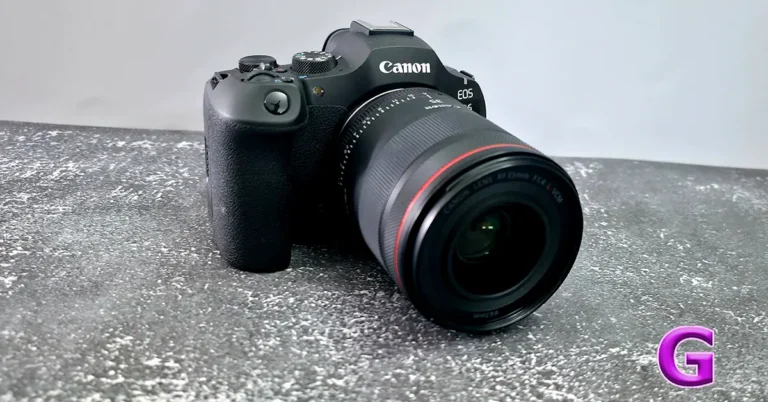
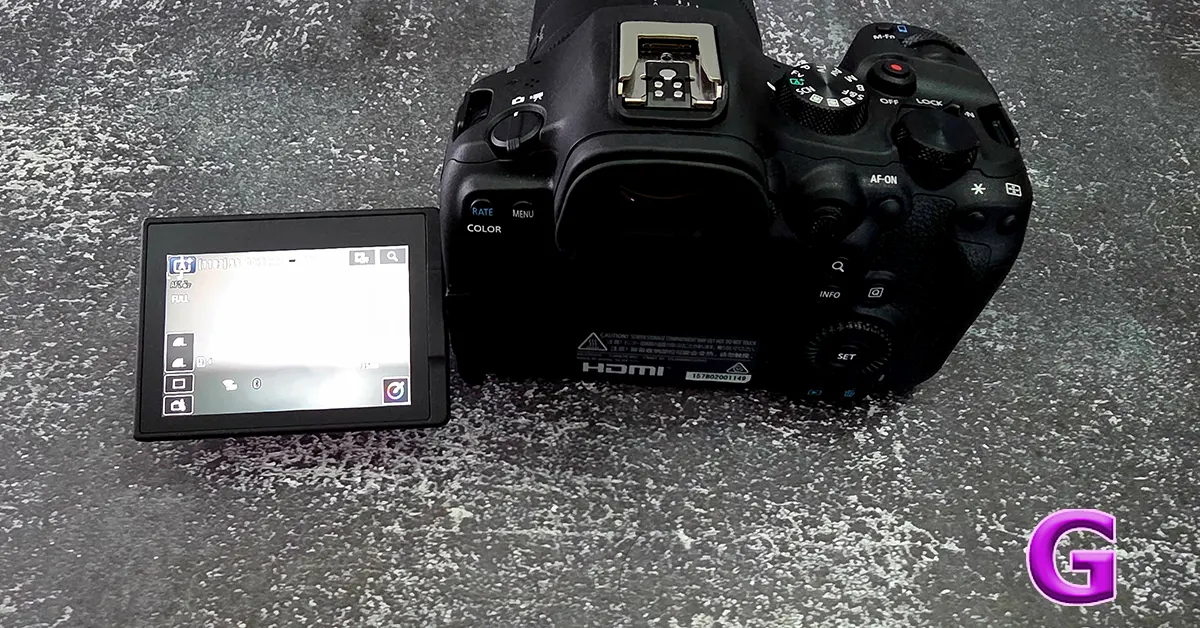
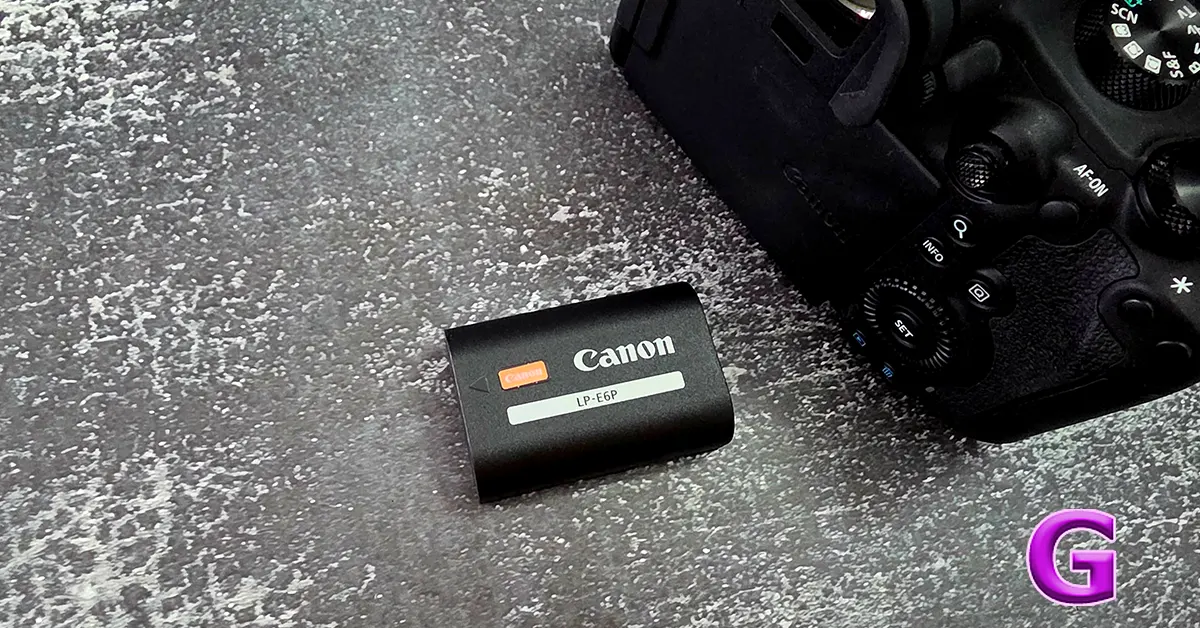
Every couple of years, a camera lands on my desk that is genuinely hard to write about without gushing, and this Canon EOS R6 Mark III review is one of those times. The R6 Mark III does not look dramatically different from its predecessor. Pick it up without checking the badge and you might mistake it for the 2023 model. But Canon has quietly packed a new 32.5-megapixel sensor and a startling autofocus system into that familiar shell, and the result punches well above its price bracket.
At Rs 2,43,995 (body only) in India, the R6 Mark III sits in a crowded lane alongside the Nikon Z6III, Panasonic Lumix S1II and Sony A7 V. It also quietly borrows tricks from Canon’s own flagship EOS R1 and R5 Mark II, minus the eye-watering price tags. That is the pitch here. Flagship behaviour, almost enthusiast price.
Design
Image: Sulabh Puri/Gadget Bridge
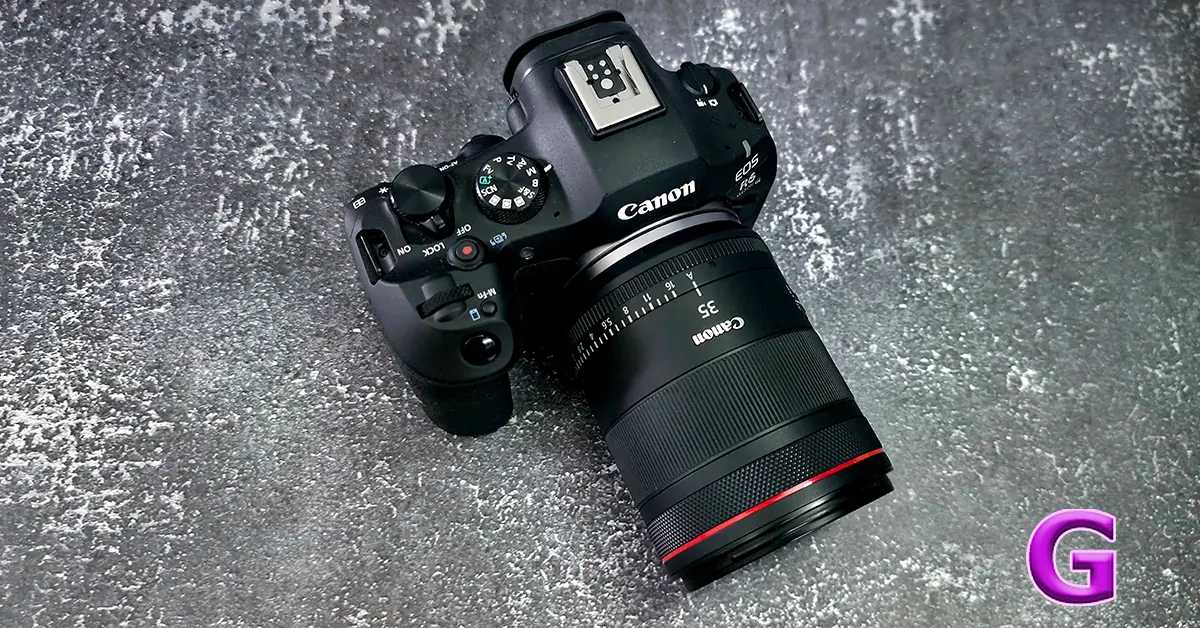
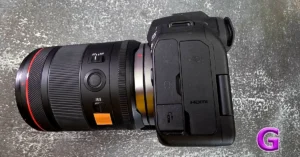
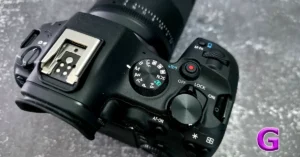
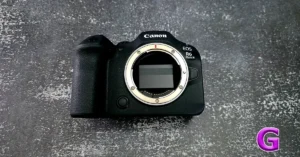
If you have used any Canon R-series body from the last few years, your hands will already know their way around this one. The R6 Mark III keeps the weather-sealed magnesium alloy chassis, the fully articulating 3-inch touchscreen with 1.62 million dots, and the comfortable, slightly chunky grip that makes long shooting days bearable. At 609 grams, it balances nicely even with heavier zooms like the RF 70-200mm F4. But we mostly tested it out with the 35mm RF lens.
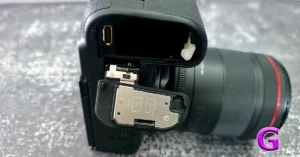
The viewfinder is a bright 3.69-million-dot OLED unit, and dual card slots return as one UHS-II SD slot and one CFexpress Type B slot, the latter doing the heavy lifting for demanding video modes. Canon has resisted the urge to reinvent the wheel here, and that is fine. The old wheel was already round.
Image: Sulabh Puri/Gadget Bridge
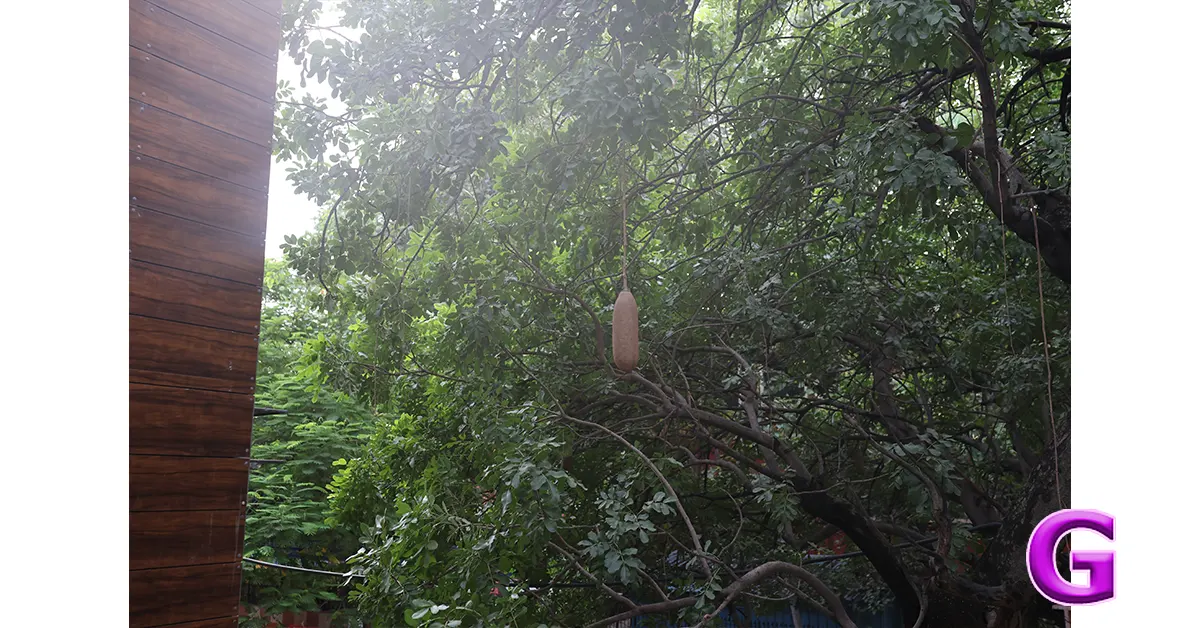
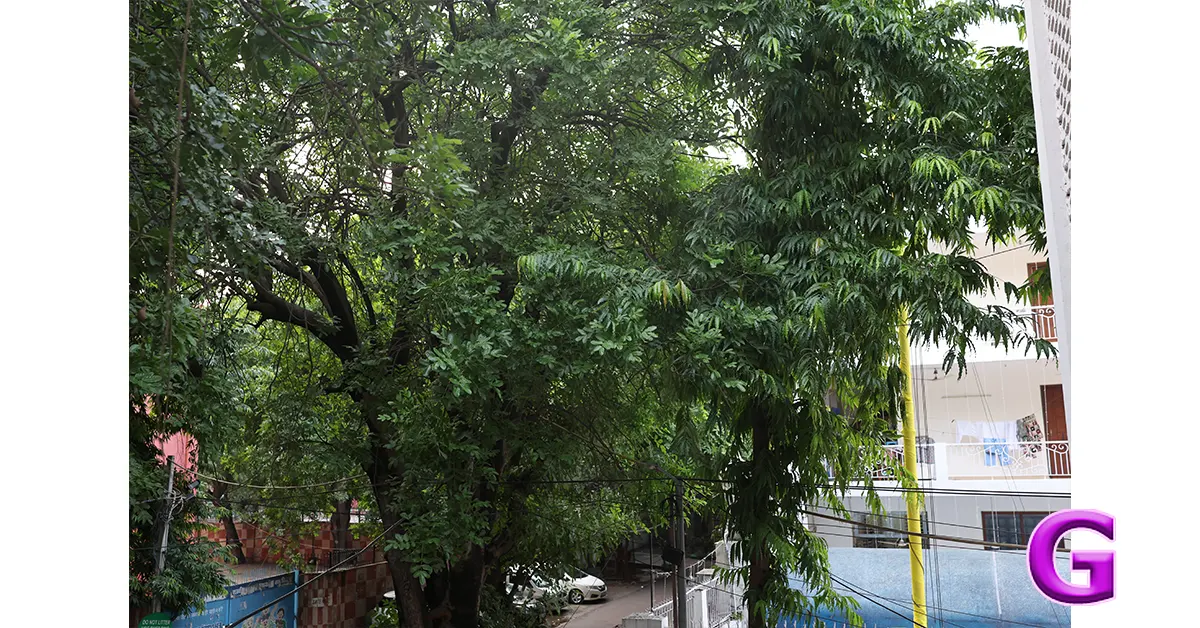
Durability seemed fine in Delhi summers and rains. I found the grip to be nice, and the whole apparatus with the lens was not heavy at all. I could shoot for long with this nifty device. But yes, you would want to keep it on tripod to get the best shots at night.
Performance
This is where the R6 Mark III stops being a gentle refresh and starts feeling like a genuine leap. The new 32.5MP full-frame sensor, borrowed in spirit from Canon’s EOS C50 cinema camera, delivers a meaningful jump over the Mark II’s 24MP, giving photographers useful cropping room without sacrificing detail.
Image: Sulabh Puri/Gadget Bridge
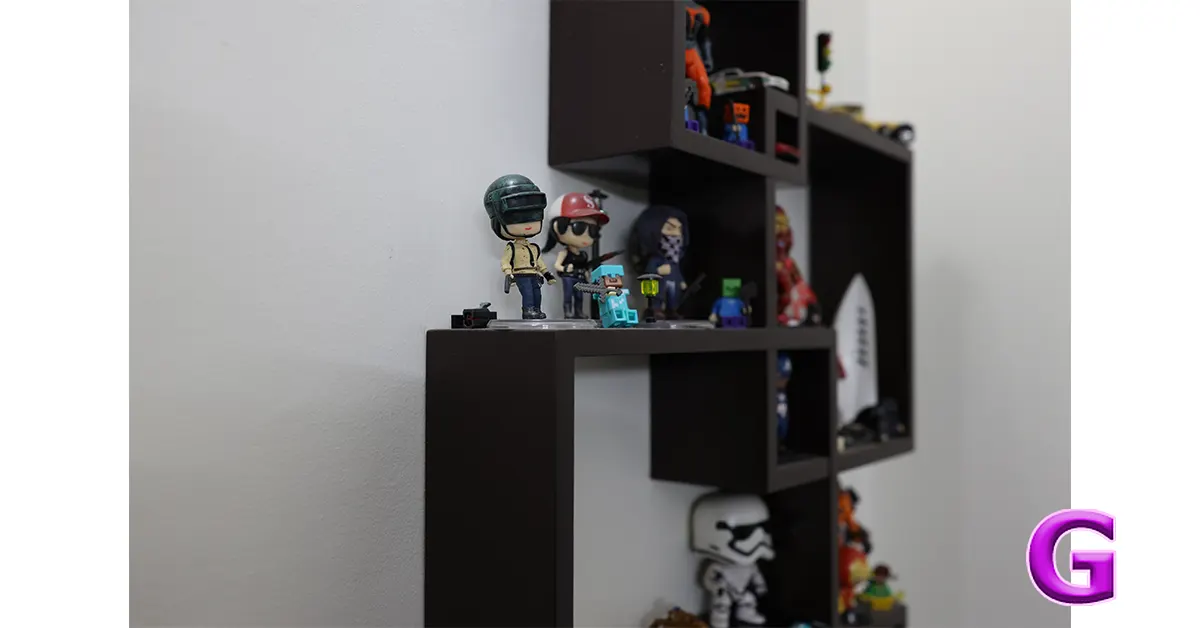
Autofocus is the headline act. Canon has carried over the same subject detection system found in the far pricier EOS R5 Mark II, and it shows. Tracking sticks, confidence shows in low light, and it includes a Register People Priority mode that keeps a lock on specific individuals even in a crowded frame, a genuinely handy trick at weddings and events. I hope wedding photographers are reading this.
Image: Sulabh Puri/Gadget Bridge
Burst shooting tops out at 12fps with the mechanical shutter and a blistering 40fps electronically, complete with pre-capture buffering of up to 20 frames, so that moment you almost missed is often still sitting in the buffer waiting for you. Image stabilisation reaches up to 8.5 stops, which makes handheld low-light and twilight shooting far less of a gamble than it should be.
Image: Sulabh Puri/Gadget Bridge
Video is arguably the bigger story, and vloggers would love it. The R6 Mark III shoots 7K RAW at up to 60p, offers full sensor open-gate capture for creators who repurpose footage across formats, and supports Canon Log 2 and Log 3 with up to 15 stops of dynamic range. Oversampled 4K at 30p and 60p looks excellent, and the camera manages all this without turning into a space heater during normal use.
ISO range runs from 50 to a lofty 102,400, and connectivity covers WiFi, Bluetooth, USB-C, HDMI and both audio input and headphone monitoring. There is one caveat worth flagging. Unlike the stacked sensors found in the R1 and R5 Mark II, the R6 Mark III uses a conventional sensor design, so rolling shutter and readout speed are a notch behind Canon’s true flagships.
Verdict
Image: Sulabh Puri/Gadget Bridge
The Canon EOS R6 Mark III is not a revolution wrapped in a new body. It is a very smart, very thorough refinement that happens to outclass its own predecessor in almost every measurable way, while stealing enough tricks from cameras twice its price to make this segment genuinely uncomfortable for the competition.
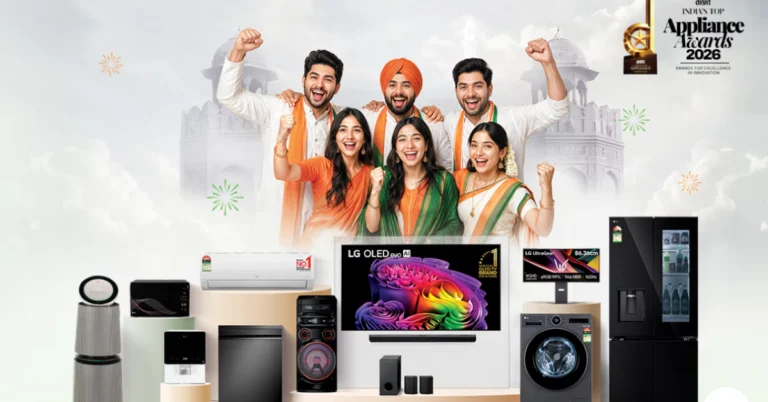
LG Electronics India has launched its ‘Trust of the Nation’ campaign to celebrate Independence Day and to strengthen customer loyalty. The scheme provides appealing deals such as up to 26% cashback, Easy EMI options starting at ₹888, and a lucrative 0% down payment option. Select TVs are also covered by a three-year warranty. You may also get limited-period savings on LG soundbars and AMC plans.
India is celebrating its 79th Independence Day, a big national occasion. In line with this event, LG Electronics India launched the ‘Trust of the Nation’ campaign, highlighting the brand’s commitment to offering innovative and reliable customer experiences. As part of the initiative, LG is also launching appealing sales on multiple products like AI-powered TVs, home appliances, and audio devices. LG is encouraging customers to upgrade to smarter living this festive season.
The Independence Day campaign will be accessible in LG Brand Shops and major retail stores with different discounts. Additional special offers can be accessed at lg.com and other authorised online outlets for a limited time only.
LG is providing customers with a selection of unique incentives on selected items as part of the campaign. These deals feature huge cashback potential of up to 26% capped at ₹30,000 on use of certain debit and credit cards. Customers also have the flexibility of fixed EMIs beginning at ₹888 and a 0% down payment on some models. LG TVs are also backed by a 3-year warranty. Customers may also receive up to a 30% discount on LG soundbars when bought along with select 4K TVs and a 20% discount on Annual Maintenance Contracts (AMC) on LG Best Care services.
Commenting on the campaign, Sanjay Chitkara- Director & Co Chief Sales & Marketing Officer LG Electronics India Limited, said: “At LG, we are deeply grateful for the trust that Indian consumers have placed in us over the years. Our ‘Trust of the Nation’ campaign is a celebration of this enduring relationship and our commitment to enriching everyday life through meaningful innovation. As families come together to celebrate Independence Day, we are delighted to offer attractive benefits across our product portfolio, making it easier for consumers to upgrade to the latest AI-powered technologies and smarter living experiences.”
The mid-August grind in Garena Free Fire MAX is not just about skilful gaming; it is also about a well-stocked inventory. Players of the Clash Squad Season 38 or Target Down event have a chance to earn free stuff without paying any money. The official 12 to 16 character alphanumeric keys are released today, which you can use to breach the Luck Royale paywall and get free weapon loot crates, custom Gloo Walls and diamond codes immediately.
Garena Free Fire Max redeem codes are case-sensitive and between 12 and 16 alphanumeric characters long. If the code has reached its daily limit or is confined to another server area like IND, SG, or LATAM, users can get the message “invalid or expired”. This highlights the need of accurate entry of code specifics and awareness of regional limitations.
How to Get Free Fire Max Redeem Codes for Garena on August 13, 2026?
Firstly, head to the Garena Free Fire Rewards Redemption Site at reward.ff.garena.com
After that, log in to a linked account (options include Facebook, Google, X, Apple ID, VK, or Huawei ID). [Note: Guests’ accounts are ineligible. So you must link your account to the approved list. Also, if you are using a guest account to play the game, we recommend you link it before it is ineligible.]
Now copy the code from the above list and paste it into the designated text field. [Note: Don’t type the code in manually to avoid any typos.]
Then click ‘confirm’ and wait for a success notification. [Note: Do not enter the same code twice because each code can only be used once per account. Attempting to enter the same code multiple times will result in an error.]
After following the above-mentioned steps, open Free Fire Max on your device and check your in-game mail within 24 hours for items. Diamonds and gold are credited directly to your wallet, while skins and cosmetics appear in the Vault tab.
If you’re having a hard time with today’s Wordle #1881 August 13, 2026, you’re not alone. It has a challenging single vowel and a complex rhyming trap, which may burn through your guesses quickly. If you want a hint before blowing your allowed guesses, see our explanation of the hints below, or just go straight to the Wordle answer if you prefer to finish the game immediately.
Is today’s Wordle #1881 difficult?
The average gamer, according to NYT testers, took 4.5 guesses out of 6, a moderate level of difficulty.
If you start with letters such as ‘A’, ‘S’ and ‘H’, you get _ _ A S H. So you need to guess more. The layout is extremely challenging in Hard Mode. Examples of words following this pattern are FLASH, CLASH, TRASH, SMASH, BRASH, STASH. In addition, blind guesses alone may be a threat to long winning streaks. For those playing in non-hard mode, utilising elimination words like CUBES or CHARM can be beneficial for testing other letters, such as C and R, before making final guesses.
Hints and Answers for Today’s Wordle August 13
Hint 1: You only get a single vowel today that is A, sitting right in the centre slot.
Hint 2: Today’s Wordle answer has 4 consonants: C, R, S, H.
Hint 3: None. Every letter is used once.
Do you need help with today’s Wordle answer’s initial letter?
The first letter in today’s Wordle is C.
What word does today’s Wordle ends with?
Today’s Wordle answer concludes with the letter H.
Today’s Wordle Answer Meaning (Hint)
The word ‘describe’ means to collide violently, break noisily, or fail suddenly.
Today’s Wordle Answer: August 13 #1881
The answer to Wordle #1881 on August 13, 2026, is – CRASH
The word “crash” is an onomatopoeic word, a good imitation of the sound it represents. The roots go back to the 14th century in Middle English as “craschen,” meaning “to break in pieces with a loud noise.” Earlier Germanic and Scandinavian verbs connected with crushing or cracking things undoubtedly influenced the development of the word.
The letters can change to one of three colours:
– Green: Letter is in the right location.
– Yellow: The letter is in the word, but in the wrong place.
– Grey: The letter is not in the secret word at all.
Today’s Connections puzzle is an easy solve, but there’s one catch involved. There are some words in the grid that go along with multiple groups. If you don’t exercise caution, you will exhaust all your attempts without solving the puzzle. We recommend taking a look at the hints we’ve curated for you. These clues don’t give away any spoilers; instead, they nudge you in the direction of the answers. If you’re on your last attempt, you can skip all the hints and go directly to the answers. So, without further ado, here are all the hints, clues, and answers to today’s NYT Connections (#1,159, August 13, 2026)
Connections is one of the most popular word games from The New York Times, only trailing behind Wordle. The rules of the game are simple. You are presented with a 16-word grid where you’re supposed to find the entries that share something in common. There are a total of 4 groups, each consisting of 4 words, that you must find. The Yellow group is the easiest to spot, followed by Green, Blue, and Purple. Sometimes, there are a couple of red herrings to throw you off and make the puzzle more interesting. You can play Connections in the NYT Games app or on the NYT website.
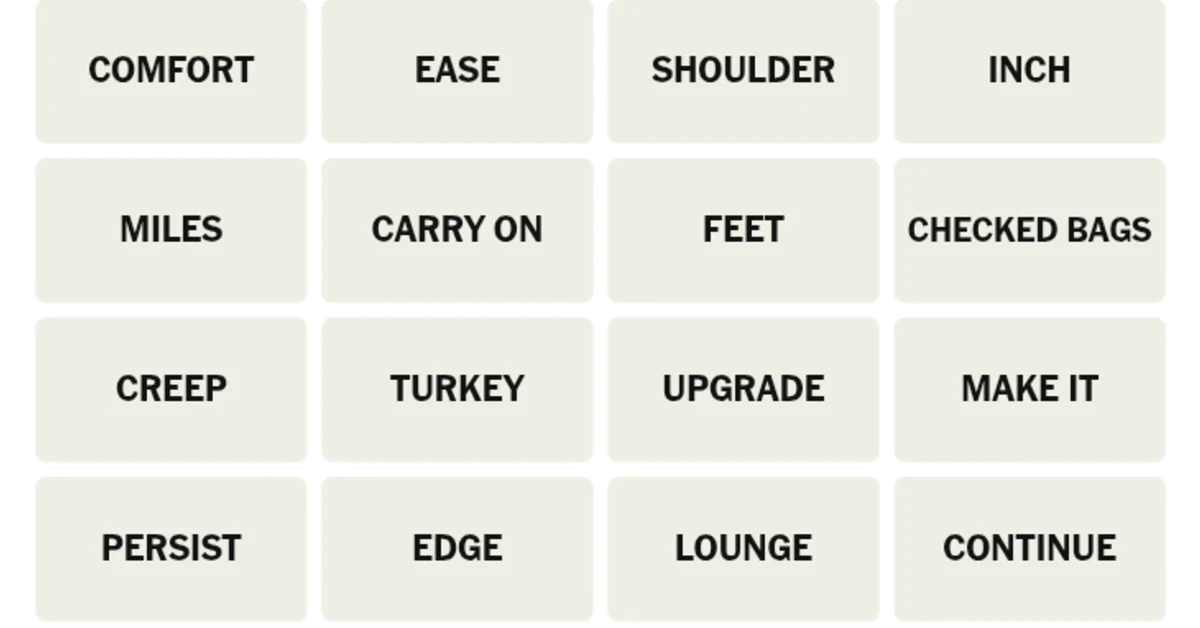
Here’s your grid for today
COMFORT
EASE
SHOULDER
INCH
MILES
CARRY ON
FEET
CHECKED BAGS
CREEP
TURKEY
UPGRADE
MAKE IT
PERSIST
EDGE
LOUNGE
CONTINUE
Hints for NYT Connections (#1,159) August 13, 2026
These words are used while describing the action of slowly moving towards something.
🔵Blue Group: Checked Bags, Lounge, Miles, Upgrade. (Airline Status Perks)
You get these benefits whenever you book a plane ticket. ‘Miles’ may have confused some players as a unit of measurement along with feet and inches.
🟣Purple Group: Comfort, Feet, Shoulder, Turkey. (“Cold” Things, In Idioms)
Cold comfort – Receive little to no consolation. Cold feet – Sudden fear before a big event. Cold shoulder – Intentionally ignore someone. Cold turkey – Quit something immediately.
Answers to yesterday’s puzzle (#1,158, August 12, 2026)
🟡Yellow Group: Foster, Harbor, Maintain, Nurse. (Hold Onto, As A Feeling)
🟢Green Group: Bull, Green, Poison Dart, Tree. (Kinds Of Frogs)
NYT’s early testers rated today’s Connection puzzle 1.8 out of 5. This puts it in the easy difficulty level. Let us know how you fared in the comments!
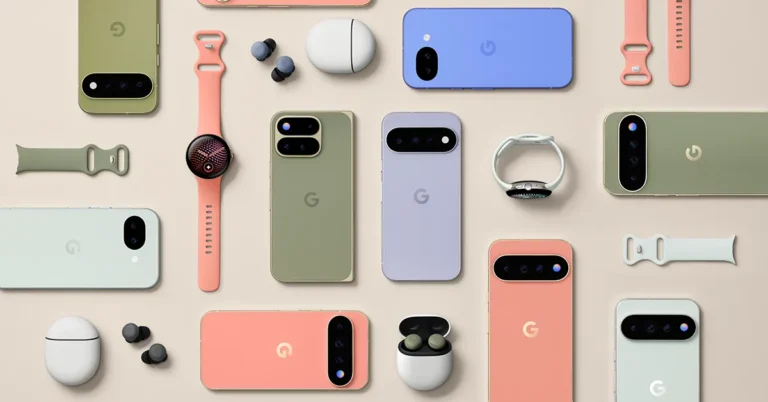
Google Pixel 11 series India price is the first thing everyone wants to know, and the answer is Rs 89,999 onward for the base model, a full Rs 10,000 more than what the Pixel 10 cost last year. The company used its Made by Google event on August 12 to formally introduce four new phones, the Pixel 11, Pixel 11 Pro, Pixel 11 Pro XL, and Pixel 11 Pro Fold, alongside a fresh design language, a new chip, and a version of Gemini that Google insists will finally stop pestering you and start helping you.
The lineup, and what it actually costs
The Pixel 11 opens the range at Rs 89,999. Step up to the Pixel 11 Pro, and you are looking at Rs 1,19,999, while the larger Pixel 11 Pro XL touches Rs 1,34,999. The Pixel 11 Pro Fold, unsurprisingly, sits at the top with a starting price of Rs 1,86,999, which is a steep Rs 14,000 jump over last year’s foldable, though Google has doubled the base storage this time to soften the blow. Every model runs on the new Tensor G6 chip paired with Google’s latest Gemini Nano model, so the AI story is consistent across the board rather than being locked to the priciest phone.
If you are wondering why practically every phone this year costs more than the one before it, you are not imagining things. A global memory shortage has been pushing RAM and storage prices up across the industry, and Google’s pricing this cycle reflects that reality rather than any single flashy new feature. It is a useful bit of context that gets lost in the usual launch day noise.
Google is positioning Gemini Intelligence as the real upgrade here, not just another camera bump. The idea is that your phone starts noticing patterns across your apps and surfaces useful information before you go digging for it, whether that means flagging your calendar availability when a friend texts you or suggesting dinner spots based on context it has already picked up. Voice typing gets smarter too, automatically trimming filler words and tidying up your sentences as you speak, while on-device writing help adapts to your own tone when drafting or rewriting messages.
Buyers of the Pro or Fold models also get six months of the Google AI Pro plan bundled in at no extra cost, which includes extra Gemini usage, 5TB of cloud storage, and Google Health Premium, a package Google values at roughly Rs 11,700.
Cameras, zoom, and a mode that removes the guesswork
The triple rear camera system across the series gets larger sensors and better light sensitivity, and the headline addition is Magic Capture, a mode that grabs a ready-to-share photo and video in a single tap without you needing to time the shot perfectly. Zoom gets a serious boost as well, with the Pro models pushing to 120x Pro Zoom thanks to a redesigned telephoto lens, while the standard Pixel 11 and the Pro Fold get a 30x Super Zoom. Camera Looks lets you build your own film style presets, and Google says it has kept its Real Tone approach intact so skin tones stay accurate even with heavier stylisation. Night photography also gets quicker, with Instant Night Sight on the Pro models claiming up to 4.5x faster capture than before.
Design, HiLight and the rest of the family
The camera bar across the series has been reworked with edge-to-edge glass blending into a metal frame, and all four phones carry an IP68 rating. The Pro models introduce HiLight, a set of ambient LED lights around the camera flash that glow when the phone is face down, whether that is to indicate a call from a favourite contact or to show when Gemini is actively listening. Battery life is rated at over 30 hours on the standard models and 24 hours plus on the Pro Fold’s dual screens, with faster wired and wireless charging thanks to built-in PixelSnap magnetic support.
Alongside the phones, Google also introduced the Pixel Watch 5 with offline Gemini access and sharper health tracking starting at Rs 42,900, along with an Olive colour option for the Pixel Buds Pro 2 and a new PixelSnap accessory range. Pre-orders for the entire lineup are open now in India, with phones going on sale from August 20.
None of this feels revolutionary in the way a genuinely new phone category might, but it is a coherent, well-rounded update that leans hard into the idea that AI should quietly do chores rather than shout for attention. The price hike will sting for anyone upgrading on habit, and the RAM crisis excuse, however real, will not make that Rs 1,86,999 sticker on the Pro Fold feel any lighter. Still, if Gemini Intelligence works even half as smoothly as Google claims, the Pixel 11 series might end up being remembered less for its camera bar and more for finally making your phone feel like it is paying attention.
KRAFTON India has released 50 official redeem codes for BATTLEGROUNDS MOBILE INDIA (BGMI) that unlocks the special Mecha Ant Backpack and other in-game rewards for gamers. These coupons are valid until September 25 and are part of the 4.5 update for the game’s 5th anniversary edition. The update brings CarryMinati as a playable character, a whole new World of Wonder map and an exclusive Boss Battle, all aimed at enhancing the BGMI experience for its over 260 million registered players. The Mecha Ant Backpack has a unique mechanical look and is a new collectible in the game.
Each redemption code can be redeemed by up to 10 people on a first-come, first-served basis, and each user can only redeem one code per day. A redemption code can only be redeemed once per account. Expired codes cannot be used, and codes cannot be redeemed through guest accounts. When a valid code is successfully redeemed, gamers will be prompted with a confirmation message. Users will be notified that the code has expired if the redemption limit is exceeded. Furthermore, any benefits obtained from redeemed codes must be claimed after 30 days of receipt from the in-game mail, or the mail will be expired.
The Realme 16x 5G has been introduced in India, and the smartphone is available in two colour options. It has an IP65 certification for protection against dust and water. It includes a 6.8-inch HD+ LCD display with a 144Hz refresh rate for buttery smooth images. The device is powered by the MediaTek Dimensity 6300 SoC, and it has a big 7,000mAh battery for long use. The smartphone is operated by Realme UI 7.0 based on Android 16. It also has a 5,300 sq mm AirFlow vapour chamber cooling system for better performance.
Price in India and Availability
The Realme 16x 5G will be on sale from August 13 at noon in mainline shops, Flipkart, and realme.com. The gadget is available in Endurance Brown and Glory White colour variants.
It will be available in a 4GB+128GB variant for Rs 25,999 (offer price Rs 23,999 after discounts), a 6GB+128GB variant for Rs 27,999 (offer price Rs 25,999) and a 6GB+256GB variant for Rs 30,999 (offer price Rs 28,999). The offers include a flat discount of Rs 2,000, no-cost EMI for up to 10 months or an exchange bonus of up to Rs 3,000.
The Realme 16x 5G is powered by a MediaTek Dimensity 6300 5G chipset constructed with 6 nm technology and offers strong performance. The phone comes with dynamic RAM of up to 18 GB and storage of 256 GB which is plenty for multitasking effectively. It is powered by Realme UI 7.0 based on Android 16 and includes Flux Engine and Flux Animation technologies for an improved user experience. Built for long-term performance, it offers a 5-year smooth performance guarantee with extended care and long-term software support.
The smartphone comes with a 5300mm² AirFlow Vapour Chamber Cooling System, GT Boost and Hyper Cooling technology to manage resources and reduce heat efficiently, especially while playing games. Plus, it also has a one-tap cooling option for better gaming experiences.
The Realme 16x 5G has a massive 6.8-inch HD+ LCD screen with a resolution of 720×1,570 pixels and goes up to 1,200 nits brightness in high brightness mode. It has a very high 144Hz refresh rate for buttery-smooth scrolling and a 180Hz touch sampling rate for better touch responsiveness. It’s got a 5,300 sq mm AirFlow vapour chamber cooling system to keep it running at its best when you’re really pushing it. The Realme 16x 5G is designed with the user’s comfort in mind. It is perfect for outdoor activities like streaming, gaming, and browsing. Additionally, it has military-grade shock resistance, IP65 dust and water resistance certifications, and a Rain Touch Mode, ensuring it’s a solid pick for daily usage.
You may take pictures of good quality with the 50-megapixel back camera on the mobile phone. The camera has an f/1.8 aperture. There’s an 8-megapixel shooter with an f/2.0 aperture on the front for selfies and video calls. With powerful tools such as AI Ultra Clarity, AI Eraser, AI Glare Remover, Motion Photo and Dual-View Video, it makes it easier to create content. The phone also boosts productivity with features such as Google Gemini, an AI Assistant for Notes, Text Scanner and AI document optimisations. These AI-powered features let users easily capture, edit and share their content.
The Realme 16x 5G has a powerful 7000mAh Titan battery that lasts all day and is reliable for an extended period of time. This battery lasts for over 6 years and can handle up to 1,600 charge cycles and yet retain more than 80% health. It has a 45W SUPERVOOC Fast Charge to top up quickly — perfect for streaming, gaming and productivity. The gadget also has Bypass Charging that reduces heat while charging intensively and 6.5W Reverse Charging to charge compatible accessories on the go.