Pokémon Bronze Forever Codes (November 2025)

No game or anime series evokes nostalgia as Pokémon does. If you want to revisit the charm of the iconic series, Roblox has the perfect game for you. Pokémon Bronze Forever (also known as Project Bronze Forever) takes you on a magical journey where you get to capture your favourite Pokémon and participate in exciting battles with other gym trainers. The game offers some special codes to help you along the way. These codes can be redeemed for useful in-game items. Here are all the Pokémon Bronze Forever codes that are up for grabs in November 2025.

Read Also: Top 10 apps for iQOO 15

List of active codes (November 2025)

  • C0LAB34CH (Requires 7th Gym Badge)

List of expired codes

These codes can no longer be redeemed.

  • MINID0WNT1ME
  • N0V3MBER2025
  • SCR33NGR4SS
  • GAM3B4CK
  • R0BL0XEXPL0DED
  • UPDS00N
  • ThanksFor700K
  • R0BL0XBUG
  • May2025Moment
  • Imagineifthiswouldgivebcaps
  • 7yearsagowaspbb
  • AVeryNormalDay
  • NoGroupMoment
  • UpStreakBroken
  • 2MonthsUptime
  • NewUpdateYAY
  • ValentinesDay2025
  • B4dP0k3m0n
  • MerryChristmas24
  • SorryForIssues
  • Halloween2024
  • GameBackSpeedrun
  • EVENTS00N
  • PremiumCode14
  • Feedback24
  • PremiumCode13
  • FREEPOKE
  • R0BL0XISC00L
  • PremiumCode11
  • PremiumCode12
  • GAM3SUP
  • PremiumCode10
  • GamesUPAugust
  • ThanksFor500K
  • PremiumCode9
  • GamesUpBaby
  • PremiumCode8
  • PremiumCode7
  • GameUpJune
  • 2xShinyStarters
  • PremiumCode6
  • PremiumCode5
  • RobloxIsCool
  • GameUpYay
  • MAINTENANCEOVER
  • PremiumCode4
  • YayForPokemon
  • 6YearsOfPBB
  • FreeBPSorryForDelay
  • PremiumCode3
  • BoogaBooga
  • TestingEnded
  • GameIsUpGuys
  • 1MilCode
  • NoUpdateTodaySorry
  • AudioIsBack
  • PurchasesBack
  • Ash
  • NewGen9s
  • Week1
  • 400k
  • DownTime
  • PurchasesAreBack
  • RoadTo400K
  • RoriaLeague

How to redeem a code in this game

How to redeem a code in this game

Step 1: Go to https://www.bronzeforever.net/.

Step 2: Hit the play button. You need to defeat the first gym leader to unlock the option to redeem gift codes.

Step 3: Switch to the RO-Powers tab.

Step 4: Enter your code in the text box.

Step 5: Hit Enter.

Frequently Asked Questions (FAQs)

Why is my code not working in this game?

If you can’t get your code to work, check it for typos and make sure its letters are in the correct case.

Why am I not able to redeem my code in this game?

You need to beat the first gym leader in order to redeem codes in this game. Certain codes have higher requirements for redemption. If your code has expired, it can no longer be redeemed in Roblox.

How do I redeem a code in this game?

Go to the Pokémon Bronze Forever website, hit the play button, switch to the RO-Powers tab, and enter your code in the text box.

Where can I find the newest Roblox codes?

Keep checking the Gadget Bridge home page for the latest Roblox code drops.

Read Also: Oakley Meta AI Glasses launched in India

Final Thoughts

If you want to go further down the nostalgia lane, we recommend giving Dragon Ball Rage a shot. While you’re here, check out the latest Sol’s RNG codes. If you have any questions, let us know in the comments!

Top 10 apps for iQOO 15

The new iQOO 15 is finally here. Powered by a combination of Qualcomm’s newest Snapdragon 8 Elite Gen 5 SoC and iQOO’s in-house Supercomputing Chip Q3, this smartphone is for users who prioritise raw power above everything else. The 8,000mm2 cooling chamber on this device makes sure that it remains cool while delivering an unbeatable performance. With sales set to go live on December 1, here are the top 10 apps you should download first on the iQOO 15.

Read Also: Downloads folder loading slowly in Windows 11? Try these 4 fixes

Call of Duty Mobile

Call of Duty Mobile Codes (July 2025)

The potential of the Snapdragon 8 Elite Gen 5 chipset is wasted on routine tasks. If you really want to push this chipset to its limits, you need to take a shot at some high-end games. Call of Duty Mobile has constantly ranked high in our list of games. This is because of its exemplary gameplay, engrossing maps, and an exhaustive range of weapons. With multiple modes like Team Deathmatch, Domination, and Kill Confirmed on board, there is never a dull moment playing this game. You can choose to pair up with friends or go solo in your FPS adventure.

Download Call of Duty Mobile from the Google Play Store

BGMI

Dolby Atmos adds support for immersive audio on BGMI for Android: Here’s how you can enable Dolby Atmos for BGMI

iQOO’s Supercomputing Chip Q3 works in tandem with the Snapdragon 8 Elite Gen 5 processor to deliver a powerful gaming performance on the iQOO 15. It can unlock 2K resolution and 144fps frame rate for selected gaming titles. One of those titles is BGMI. If you’re looking for cutting-edge gaming action that cannot be replicated on other devices, you cannot pass on BGMI. This title specialises in realistic maps, stylish outfits, and, of course, powerful shooting gear. You can jump into battle royale bouts or group matches where you team up with other players.

Download BGMI from the Google Play Store

PowerDirector

PowerDirector

Apart from gaming, the powerful processing chops of the iQOO 15 find good use in video editing. If you’re a content creator, you need a good video-editing app on your phone to edit content on the go. PowerDirector is one of our favourite apps in this genre. It offers a wide range of tools that give you control over even the most minute aspects of the footage. You can also make use of AI tools for auto-captions, video enhancement, voice changer, speech-to-text, animations, cutouts, and more. With a large 8,000mm2 cooling chamber dissipating the internal heat, you don’t have to worry about any thermal throttling.

Download PowerDirector from the Google Play Store

Adobe Lightroom

Adobe Lightroom

Adobe Lightroom remains the choice of professionals when it comes to photo and video editing apps. The exhaustive collection of tools offered by this app is something to marvel at. These tools are very intuitive to use, no matter how niche they are. If you’ve got RAW footage lying around, you can quickly process it in this app. Need to give your photos a quick tune-up before posting them on socials? Tools like background blur, retouch, blemish eraser, and object remover will be right up your alley. On top of that, there are hundreds of filters and effects at your disposal to bring the best out of your pictures.

Download Lightroom from the Google Play Store

Open Camera

Use a third-party app

Created by Mark Harman, the Open Camera app is one of the best alternatives to the native Camera app on your phone. If you want to shoot RAW images, this is the app you need on your device. It also offers unique features like a voice-controlled shutter, upside-down preview, voice countdown for timer, Bluetooth LE remote control, and noise reduction. It has manual controls for exposure and focus as well. If you’re a photography enthusiast, this app is sincerely worth giving a shot.

Download Open Camera from the Google Play Store

DuckDuckGo

DuckDuckGo

If you prioritise your privacy while browsing the web, DuckDuckGo is an essential app for you. This web browser automatically blocks the tracking cookies that monitor your browsing activity. The annoying cookie request pop-ups get blocked as DuckDuckGo automatically selects the least invasive options for you. Its cookie-blocking skills can be extended to the third-party apps on your phone as well. If you’re a stickler for HTTPS, this browser makes sure that it is enforced on every website you visit.

Download DuckDuckGo from the Google Play Store

Quick Cursor

Quick Cursor

The AMOLED display of the iQOO 15 spans 6.85 inches. Reaching the upper corners of the screen can turn into a real struggle when you’re operating the phone with one hand. The phone’s native one-handed mode collapses the content on the display to a more suitable aspect ratio. If you want to select something without shrinking the on-screen content, use Quick Cursor. A simple swipe gesture from either edge of the phone summons a cursor that you can intuitively control to reach any part of the page. There are plenty of customisation options to change the appearance and behaviour of this cursor.

Download Quick Cursor from the Google Play Store

LocalSend

Localsend: Transfer files

If you’re a Mac user, LocalSend is one of the first apps you should download on your iQOO 15. This file transfer app perfectly bridges the divide between Android and Apple’s ecosystems. It completely eliminates the need for third-party servers by using a local WiFi network for file transfers. If you don’t have a home WiFi, the app will use your phone’s WiFi hotspot to share and receive files. The icing on the cake is that this app is completely open-source.

Download LocalSend from the Google Play Store

LastPass

LastPass Top 10 apps for iQOO 15

Remembering passwords is a hassle for everyone, but it is even more complicated for those who use complex strings as passwords. Instead of jotting them all down in a diary, you can use a safe password-management app like LastPass. This app automatically stores your passwords and autofills them wherever necessary. The built-in password generator comes up with strong passwords when you sign up for a service. Sharing passwords for OTT services like Netflix is not an issue either.

Download LastPass from the Google Play Store

ChatGPT

chatgpt Top 10 apps for iQOO 15

OpenAI’s ChatGPT was the first LLM-driven AI chatbot to break into the mainstream. Since then, the term has become synonymous with AI chatbots – and for good reason. ChatGPT can accomplish everyday tasks with the utmost ease. You can ask it to summarise a PDF and follow it up by making it explain the core themes in the text. Got a book report due soon? ChatGPT can come up with one within seconds. Need to post an image to Instagram? The chatbot will edit it for you and even come up with the perfect caption to go along with it.

Download ChatGPT from the Google Play Store

Read Also: Can Mobile UX Keep Up With Human Behaviour in 2026?

Final Thoughts

This wraps up our list of the top 10 apps for iQOO 15. We recommend checking out other power-intensive games like Genshin Impact and Stardew Valley as well. If you’re looking for something more specific, let us know in the comments!

Downloads folder loading slowly in Windows 11? Try these 4 fixes

0

Slow speeds and unwanted lag are the biggest complaints that users have with their PCs. There is no singular easy fix to this – unless you want to upgrade your PC’s hardware. However, there are some quick tricks you can use to speed up your PC in places where it matters. For instance, users often complain about the Downloads folder taking a long time to load all the files. Oftentimes, the loading speed lags behind the scrolling speed. If watching the files load when you’ve already scrolled to the bottom of the page is one of your biggest peeves, you’ve landed on the right article. Here are 4 quick ways to fix the ‘Downloads folder loading slowly’ issue on your Windows 11 PC.

Read Also: What is Lossless Audio? How to get it on your phone?

Why is the Downloads folder loading slowly?

Noticing that the Downloads folder is taking a long time to properly load all the items? It could be due to the following reasons.

  • The items in the folder are poorly optimised.
  • The image thumbnails are taking a long time to load.
  • The folder is bloated and contains too many files.
  • The hardware of your PC is out of date.
  • Your PC’s RAM is occupied with other tasks.

Optimise the Downloads folder

Step 1: Launch the File Explorer and go to the Downloads folder.

Step 2: Right-click on the Downloads folder and select Properties.

Step 2: Right-click on the Downloads folder and select Properties.

Step 3: Switch to the Customise tab.

Step 3: Switch to the Customise tab.

Step 4: In the dropdown menu below ‘Optimise this folder for’, select General items.

Step 4: In the dropdown menu below ‘Optimise this folder for’, select General items.

Step 5: Hit Apply and OK.

Step 5: Hit Apply and OK.

Disable thumbnails in the Downloads folder

If your Downloads folder is filled to the brim with pictures, loading their thumbnails can take a significant amount of time. Here’s how you can disable them.

Step 1: Go to the Downloads folder and hit the ellipses in the top menu.

Step 1: Go to the Downloads folder and hit the ellipses in the top menu.

Step 2: Select Options.

Step 2: Select Options.

Step 3: Switch to the View tab.

Step 3: Switch to the View tab.

Step 4: Select ‘Always show icons, never thumbnails’.

Step 4: Select ‘Always show icons, never thumbnails’.

Step 5: Hit Apply and OK.

Step 5: Hit Apply and OK.

Stop the File Explorer from launching new folders as separate processes

Step 1: Go to the Downloads folder and hit the ellipses in the top menu.

Step 1: Go to the Downloads folder and hit the ellipses in the top menu. Downloads folder loading slowly in Windows 11? Try these 4 fixes

Step 2: Select Options.

Step 2: Select Options. Downloads folder loading slowly in Windows 11? Try these 4 fixes

Step 3: Switch to the View tab.

Step 3: Switch to the View tab. Downloads folder loading slowly in Windows 11? Try these 4 fixes

Step 4: Deselect ‘Launch folder windows in a separate process’.

Step 4: Deselect ‘Launch folder windows in a separate process’. Downloads folder loading slowly in Windows 11? Try these 4 fixes

Step 5: Hit Apply and OK.

Delete unwanted files

No matter what you do, a bloated Downloads folder will always take longer to load. If the steps mentioned above did not suffice, you need to organise the files in the folder. This includes moving them to other drives and folders, creating subfolders, and, if the need arises, even deleting certain files. We recommend taking stock of the files in the Downloads folder and deleting the ones that are no longer relevant to you.

Frequently Asked Questions (FAQs)

Why is my Downloads folder taking so long to load?

If the Downloads folder is filled with a lot of files, it will naturally take longer to load. The loading time is also extended by thumbnail previews and poor optimisation of files.

How do I get the Downloads folder to load quicker?

Optimise the items in the folder by going to Properties>Customise>Optimise this folder for>General items. Additionally, disable thumbnails for images by going to Options>View>Always show icons, never thumbnails. Finally, get rid of the unnecessary files to reduce the bloat.

How do I enable file previews in Windows 11?

Go to File Explorer, click on ‘View’, and select ‘Preview Pane’. Click a file and hit the Preview button under the search bar to preview it.

How do I change the Downloads folder?

Go to the File Explorer, right-click on the Downloads folder in the sidebar, and select ‘Properties’. Go to the Location tab, click on Move, and browse to the new folder for your downloads. Click on ‘Select Folder’ and hit ‘Apply’.

How do I change the location of Google Chrome’s download folder?

Go to Chrome Settings>Downloads and hit ‘Change’ next to location. Browse to the new location and hit ‘Select Folder’.

Read Also: Sol’s RNG Codes (November 2025)

Final Thoughts

Keeping the Downloads folder organised is a continuous task. You can choose different landing spots for different kinds of downloads (media, music, apps, and more). This makes it easier to manage the overflowing destination folder. If you have any questions, let us know in the comments!

iQOO 15, equipped with Snapdragon 8 Elite Gen 5 SoC, launched in India

iQOO 15 has officially made its debut in the Indian market today. The newly arrived phone is powered by a Snapdragon 8 Elite Gen 5 CPU and runs OriginOS rather than Funtouch OS. It boasts a massive 7,000mAh battery with 100W wired and 40W wireless fast charging support.

Pricing and Availability

iQOO 15 has been launched in India at a starting price of Rs 72,999 for the base variant featuring 12GB RAM and 256GB storage. The 16GB RAM and 512GB storage are priced at Rs 79,999. However, to promote the newly launched device, iQOO is offering an introductory bank discount of Rs 7,000, effectively reducing the prices to Rs 64,999 for the lower variant and Rs 71,999 for the higher variant. The device comes in two colour options: Legend and Alpha Black.

iQOO 15, equipped with Snapdragon 8 Elite Gen 5 SoC, launched in India

The gaming phone will be available for purchase on Amazon starting December 1 at 12 PM, while Priority Pass users will have early access from November 27 at noon.

Also Read: Samsung Galaxy M17 5G Review: Budget Bombshell

Specifications, Features

The handset operates on Android 16-based OriginOS 6.0 out of the box. The company has promised to provide 5+7 years of software upgrades. Under the hood, there is Qualcomm’s Snapdragon 8 Elite Gen 5 paired with Adreno GPU and Q3 gaming chip. It comes with up to 16GB of LPDDR5X Ultra RAM and up to 512GB of UFS 4.1 storage. It features an improved NPU performance by up to 37 per cent and incorporates an 8K VC Cooling System for efficient thermal management, with a heat dissipation area of 8,000 sq mm.

iQOO 15, equipped with Snapdragon 8 Elite Gen 5 SoC, launched in India

The new phone comes with a 6.85-inch Samsung M14 AMOLED LTPO display offering 2K resolution and a 144 Hz refresh rate. The panel supports 2,600 nits peak brightness, 2160 Hz PWM and DC dimming. Also, there is HDR10+ and Dolby Vision support. The device comes with an ultrasonic fingerprint scanner for screen unlocking. The phone has IP68/IP69 ratings for water and dust resistance and highlights a square-design rear camera island with RGB lighting.

In terms of optics, the device has a triple rear camera setup that includes a 50-megapixel Sony IMX921 primary 1/1.56-inch sensor with OIS support. Furthermore, there is a 50-megapixel Sony IMX882 telephoto lens with 3x optical zoom capability and OIS. Next, there is a 50-megapixel ultrawide-angle lens helpful in taking group pictures. Lastly, up front, there is a 32-megapixel selfie camera.

Also Read: OnePlus 15R and the OnePlus Pad Go 2 India launch date announced

The handset is fuelled by a 7,000mAh battery with 100W wired charging and 40W wireless charging support. In terms of connectivity, there is Wi-Fi 7, Bluetooth 6.0, NFC, and dual-band GPS.

What is Lossless Audio? How to get it on your phone?

Recently, Spotify joined the elite club of music streaming platforms that offer lossless audio. For ages, audiophiles and music enthusiasts have sworn by the elevated listening experience offered by lossless audio, but this term still eludes many casual listeners. Now that it is readily available on major music services, it seems like a good time to understand what it means and how you can harness it to experience your favourite music in the best quality possible.

Read Also: Realme Black Friday Sale goes live on Amazon

‘Lossless’ vs ‘Lossy’

‘Lossless’ vs ‘Lossy’

When you hit play on a song in Spotify or Apple Music, you are accessing the platform’s digital library. The songs stored in these digital libraries are compressed to occupy less storage space on the platform’s servers and use minimal data on the user’s end. This compression naturally leads to a loss in audio quality as some important details are left out of the digitised version. The sonic difference is noticeable when you play a song on Spotify versus a CD or a vinyl (given you have the right equipment, but more on that later).

A 16-bit bitrate and a sample rate of 44.1KHz is considered to be the standard resolution for lossless audio. These are the numbers you get while listening to music on a CD. Spotify’s lossless resolution is up to 16-bit/44.1KHz, while Apple Music has 2 tiers – 24-bit/48kHz (Lossless) and 24-bit/192kHz (Hi-Res Lossless). As you can tell, Hi-Res audio tends to go beyond the quality of lossless. Lossless files typically use FLAC, ALAC, WAV, and AIFF formats, to name a few. Meanwhile, lossy audio uses formats like MP3, AAC, OGG, and more.

How to switch to Lossless Audio on your preferred streaming service

Spotify

How to enable Lossless Audio in Spotify

Step 1: Launch the Spotify app on your phone.

Step 2: Tap your profile picture in the top left corner of the screen.

Step 3: Select Settings and privacy.

Step 4: Go to Media quality.

Step 5: Select Lossless as the audio quality for WiFi and/or cellular streaming. You can also select it for Downloads.

Apple Music

Airtel and Apple comes together to provide exclusive Apple TV+ and Apple Music offers in India

Step 1: Launch the Apple Music app on your phone.

Step 2: Tap the ellipses (three dots).

Step 3: Go to Settings and select Audio Quality.

Step 4: Tap on Lossless and choose your preferred resolution.

Alternatively, on your iPhone, go to Settings>Music>Audio Quality>Lossless, and pick a resolution.

Is switching to a lossless format enough?

Is switching to lossless format enough?

When you switch to a lossless format on your preferred music streaming platform, you need to make sure the audio remains lossless until it reaches your ears. When you play a song on Spotify or Apple Music, the digital track (consisting of 0s and 1s) gets converted to an analog soundwave with the help of a Digital to Analog Converter (DAC). The issue lies with the quality of your phone’s DAC. Most entry-level and midrange phones use cheap DAC chips that aren’t able to do justice to the lossless format. To get around this problem, you need a physical DAC that plugs into the USB-C port of your smartphone.

Once you’ve set up the DAC, you can plug in your wired headphones and enjoy lossless music. If you want to listen to a song the way the artist intended, get your hands on a pair of In-Ear Monitors (IEMs) for true studio sound. IEMs generally have a neutral soundstage, which allows them to relay audio the way it was recorded in the studio. You won’t hear artificially boosted frequencies.

So, what does this mean for people who don’t want to let go of their wireless earbuds? The problem with a Bluetooth connection is that it has a limited bandwidth that inherently causes file compression. Qualcomm’s aptX Lossless codec resolves this issue by relaying uncompressed audio over Bluetooth. While buying a pair of wireless headphones, make sure that they support this codec. As is the case with wired headphones, you will need a Bluetooth DAC to make sure the digital signal is converted to analog without any loss.

Read Also: Oppo F31 Pro+ Review: Taking durability to the next level!

Final Thoughts

Evading compression at every stage is essential if you want to enjoy lossless audio. Merely switching to a lossless format on Spotify or Apple Music is futile if it is eventually going to comply with your Bluetooth headset’s bandwidth. When you’ve got the right gear to harness the resolution of lossless audio, you will notice the difference in sound quality right away.

Oakley Meta AI Glasses launched in India

Oakley will introduce its Meta HSTN AI glasses in India on December 1, introducing a new category of performance-driven eyewear aimed at athletes, sports enthusiasts, and the general public who actively participate in sports. Meta unveiled these smart glasses in June, combining Oakley’s HSTN design with Meta’s superior AI technology.

Price in India, Availability

Oakley Meta HSTN eyewear will be available in six different frame and lens colour combinations, all of which are prescription-ready. This variety enables consumers to choose the best combination to suit their needs. The available options include: 

  • Oakley Meta HSTN Warm Grey with PRIZM Ruby Lenses 
  • Oakley Meta HSTN Black with PRIZM Polar Black Lenses 
  • Oakley Meta HSTN Brown Smoke with PRIZM Polar DeepWater Lenses 
  • Oakley Meta HSTN Black with Transitions Amethyst Lenses 
  • Oakley Meta HSTN Clear with Transitions Grey Lenses 
  • Oakley Meta HSTN Black with Clear Lenses  

These combinations appeal to various aesthetic preferences and functional needs, guaranteeing a unique experience for each wearer. It is presently available for preorder and will be sold countrywide through Sunglass Hut and other notable optical and eyewear stores, with a starting price of Rs 41,800.

Specs, Features

The Oakley Meta HSTN is an innovative pair of AI glasses designed primarily for athletes and sports enthusiasts, demonstrating a substantial advancement in wearable technology. These glasses have a fully integrated camera that enables hands-free video capturing, making them ideal for high-intensity sports and activities. They also have open-ear speakers for an immersive music experience and IPX4 water resistance, assuring durability even during severe use. 

Oakley Meta HSTN AI glasses

In terms of battery life, the HSTN delivers up to 8 hours of active usage and an astonishing 19 hours in standby mode. The gadget supports fast charging and has a charging case that delivers an additional 48 hours of power, making it ideal for long journeys or events. 

The glasses also allow users to record high-resolution 3K video, capturing key moments while on the move. Another notable feature is the built-in Meta AI, which is meant to deliver real-time information and performance insights applicable to various sports, such as surf conditions and wind analysis for golf. This set of features distinguishes the Oakley Meta HSTN as a comprehensive tool for improving sports performance and experience.

Also Read: Smartphones under Rs 50,000 with bigger batteries in India

Oakley Meta HSTN glasses feature Meta AI technology, resulting in an AI companion meant to improve athletic performance. Athletes may use this technology to obtain real-time information and help by merely saying, “Hey Meta.” This feature enables users to easily assess surf conditions, analyse wind patterns before a golf swing and film moments for social sharing. Additionally, the Meta HSTN now fully supports Hindi, allowing users to communicate with Meta AI wholly in their own language. Sarvam’s language tools provide this feature, which may be enabled via Device Settings in the Meta AI app, allowing for Hindi queries, content capture, media management, calls, and information retrieval.

Also Read: OnePlus 15R and the OnePlus Pad Go 2 India launch date announced

Meta AI has released the Celebrity AI Voice function, which allows users to engage with the AI assistant using recognisable and emotive voices of well-known individuals. Deepika Padukone, a Bollywood actress, is among the first English voices accessible, extending the list of famous voices from which customers can pick. Meta is also exploring UPI Lite payment capabilities with its Oakley Meta HSTN smart glasses. This new feature enables users to complete safe transactions by merely gazing at a QR code and saying, “Hey Meta, scan and pay,” removing the need to utilise a smartphone. Payments will be completed through the user’s WhatsApp-linked bank account, boosting the simplicity and efficiency of daily transactions.

Garena Free Fire Max Redeem Codes Today 26 November 2025: Here is how to claim them

Garena Free Fire (GFF) Max is a battle royale game with regular awards and tournaments to keep players interested. If you play GFF, you should be aware of the redeem codes that are released on a daily basis. However, because the battle royale game is banned in India, players from other countries can use the Free Fire Redeem codes daily. If you’re unfamiliar with the codes or don’t know how to get them, we’ve put together a step-by-step guide to help you redeem them. Check out Garena Free Fire Max Redeem Codes for 26 November 2025.

These codes are a great way to get free items in the game. The 12-digit codes contain letters and numbers, as well as an expiration date and time. Because the Garena FF redeem codes cannot be used more than once, you should hurry to the redemption page to claim your free reward before someone else does. To get a free reward, all you have to do is go to reward.ff.garena.com/en, which is the official redemption page. Also, keep an eye on this space for daily updates on Gadget Bridge on GFF Max redemption codes and rewards.

Also Read: CERT-In identified multiple high-risk vulnerabilities in Android: Details

Garena Free Fire Max Redeem Codes Today 

XZJ2E5WEFJJ

FF2VC3DENRF5

FF7TRD2SQ49F

FFR3GT5YJH76

FFK7XCP8ON3M

FF1V2CB34ERT

FFICJGW9NKYT

FFIC33NTEUKA

FF9MJ31CXXRG

FF5B6YUH8VF3

FF5B6YUH8VF3

ZZZ76NT3PDSH

UVX9PYZV54AC

FFB2GH3KJL56

FF8HG3JK5L0P

X9TK56XDJ4X

5FBKA2QJGG3D

FF115LMNKOV9

FFBJ2786KH95

FFCMCP5J9953

Also Read: IFA 2025: Lenovo introduced Legion Pro 7 (2025) and Lenovo Legion Go with AMD’s Ryzen 9000 HX series processors

How to Get Free Fire Max Redeem Keys for Garena?

  • Visit the game’s official website at reward.ff.garena.com.
  • Use your Facebook, Google, VK, Apple ID, Huawei ID, or Twitter account to log in.
  • You’ll be taken to a valid redemption code (s)
  • Copy and paste the 12-digit redemption code into the text box.
  • On the screen, a dialogue box will appear.
  • ‘Ok’ should be selected.

Amazon Quiz Answers Today 26 November 2025: Participate to win Up To Rs 500 Amazon Pay Balance

Amazon Quiz 26 November 2025: The New Daily Quiz is now available. Customers from different parts of the country are participating in the daily quiz. The quiz starts at midnight today and will be live until 11:59 PM tonight. By successfully answering every question, participants in the quiz have the chance to win wonderful rewards. Up to Rs 500 Amazon Pay Balance is up for grabs to participants today.

One wrong answer could eliminate you from the quiz. You have a chance to win up to Rs 500 Amazon Pay Balance if you successfully answer every question. Users of the app only have the opportunity to take the quiz. Check Out the 26 November 2025 Quiz.

Are you not able to find Amazon FunZone? Click below and participate.

Click here to enter the Amazon FunZone Quiz and play today.

Today’s Prize: Rs 500 Amazon Pay Balance

Quiz Date: 26 November 2025

Daily Timing: 12 AM to 11:59 PM

Previous Winners Announcement: Today 12 PM Noon

Amazon Daily Quiz Answers Today: Win Up To ₹ 500 Amazon Pay Balance

Question 1: By what Indian name is the Indian roller bird commonly known?

Answer: Neelkanth

Question 2: In a traditional kava-drinking ceremony held in October 2024, King Charles III became the High Chief of which island nation?

Answer: Samoa

Question 3: Mohammed Shami made his debut for which team in the 2010-11 season of the Ranji Trophy?

Answer: Bengal

Question 4: Which place is the raisin capital of the world?

Answer: Selma

Question 5: This waterfall is situated on which river?

Answer: Mandovi River

Also Read: CERT-In identified multiple high-risk vulnerabilities in Android: Details

How To Play Amazon Daily Quiz Today

Only app users are eligible to play the Amazon quiz every morning from 12 AM to 11:59 PM. The quiz is not available on the desktop. For those who are unaware of how to play the Amazon quiz, below are the steps you can follow to take the quiz.

  • First, download the Amazon app from the Google Play Store or App Store or go here to download the Amazon App
  • Now fill in the required information through the Sign-Up option.
  • To find the Amazon Daily Quiz banner, log in to the Amazon app and scroll down to the home screen.
  • Tap on the banner and tap on the Start button to start the Quiz.
  • Now you will get 5 questions and you need to answer them correctly. One wrong answer will eliminate you from the Quiz.
  • After answering all the questions correctly, you are now eligible for a Lucky Draw.
  • The previous winner’s name will be announced today at 12 PM.

Amazon Daily Quiz Answers from the previous few days.

Here are all the answers from the previous 5 days of the Amazon Daily Quiz and Contest.

19 November 2025

Question 1: Achanta Sharath Kamal represents India in which sport?

Answer: Table Tennis

Question 2: Which date is to be celebrated as Hyderabad Liberation Day?

Answer: 17-sep

Question 3: In which sport did India win its first two medals at the 2024 Paris Olympics?

Answer: Shooting

Question 4: This painting was created in which historical period?

Answer: Renaissance

Question 5: Where is the headquarters of this brand in the USA?

Answer: Atlanta

18 November 2025

Question 1: In 2024, who became the youngest person to win two Oscars?

Answer: Billie Eilish

Question 2: The D. B. Patil International Airport is located in which place?

Answer: Navi Mumbai

Question 3: Which country had the first-ever married couple to serve as flag bearers at the Paris Olympic Opening Ceremony?

Answer: Romania

Question 4: When was this app launched?

Answer: 2011

Question 5: Which is the smallest monkey in the world?

Answer: Marmoset

17 November 2025

Question 1: Complete the title of this 2024 film: “Chhota Bheem and the Curse of _____”.

Answer: Damyaan

Question 2: What regal title does Yaduveer Krishnadatta hold?

Answer: Maharaja of Mysore

Question 3: Which John Lennon and Yoko Ono song has been sung at six Olympic Opening Ceremonies, including Paris 2024?

Answer: imagine

Question 4: Who is the architect of this cathedral

Answer: Filippo Brunelleschi

Question 5: In the English edition of this game, how many word tiles are there

Answer: 100

15 November 2025

Question 1: The iconic Air India building at Nariman Point was handed over to which state government?

Answer: Maharashtra

Question 2: Which country topped the list of the UN’s Human Development Index?

Answer: Switzerland

Question 3: Which Hollywood superstar portrays the role of MMA legend Matt Kerr in the biopic ‘The Smashing Machine’?

Answer: Dwayne Johnson

Question 4: Which sport first appeared in the Winter Olympics in 1936?

Answer: Alpine skiing

Question 5: This brand is the largest sportswear manufacturer in which continent?

Answer: Europe

14 November 2025

Question 1: Which film is based on Mstyslav Chernov’s daily news dispatches and personal footage of his own country at war?

Answer: 20 days in Mariupol

Question 2: Ae Watan Mera Watan is inspired by which freedom fighter, instrumental in founding the underground Congress Radio?

Answer: Usha Mehta

Question 3: Which Indian musician’s biography, written by Oliver Craske, is titled Indian Sun?

Answer: Ravi Shankar

Question 4: Which Roman Emperor was fond of this fruit?

Answer: Tiberius

Question 5: In the beginning, what was this system called?

Answer: Navstar

13 November 2025

Question 1: Which director won his first directing Oscar in 2024?

Answer: Christopher Nolan

Question 2: Jane Fraser is the current CEO of which bank?

Answer: Citigroup

Question 3: Which Asian country’s passport has been rated the most powerful in the world for 2024, according to the Henley index?

Answer: Singapore

Question 4: Which state is the largest producer of this?

Answer: Maharashtra

Question 5: Which was the first country to make this drink?

Answer: France

Also Read: IFA 2025: Lenovo introduced Legion Pro 7 (2025) and Lenovo Legion Go with AMD’s Ryzen 9000 HX series processors

Frequently Asked Questions (FAQs)

Where can I check the previous winners? Did I win? How to check?

You can head over to this link on your mobile or desktop to check the winners of the Amazon Daily Quiz Contest.

How to Play Amazon Daily Quiz or Contest?

We have written an explainer above; you can refer to that.

When are the winners of the Quiz and contest announced or declared?

The announcement of today’s quiz winner will take place Tomorrow. As for the Special Quiz and “Spin & Win” Contest, the winners will be declared once the Quiz Contest comes to an end. To find out who the lucky winner is, you can refer to the Winners List or visit the Amazon Winners tab in the Amazon App.

How to participate in the Daily Amazon Quiz?

That is very easy, just got to the Amazon app and scroll to the bottom of the page and you will find the Quiz section. Click on it (usually it is called the fun zone) and you can enter the Amazon Today Quiz Contest. 

Are there any other quizzes or contests running on Amazon daily?

Yes, there are many running daily. These range from spinning the wheel to answering the questions correctly. All are located in the Fun Zone. 

What are the criteria for selecting a winner in the Daily Amazon Quiz?

When a qualified player submits correct answers to all the questions, they will automatically be entered into a lucky draw. This draw will include all participants who answered all the questions correctly. Amazon randomly selects the final winners from the pool of eligible participants who gave the right answers.

Which Types of Questions are asked within the Amazon Daily Quiz?

These are very simple and straightforward questions. These are mainly related to general knowledge. 

Where should I look for Amazon Daily Quiz answers?

You can bookmark our website www.gadgetbridge.com as we will help you every day with the Amazon Daily Quiz. We bring you fresh answers every day for the Amazon Daily Quiz and Contest. 

What time does Amazon announce previous winners?

The previous winner’s name will be announced today at 12 PM (noon).

iQOO 15 India launch today: livestream, expected pricing, and specs details

iQOO 15 is launching today, in India and globally. It has a unique glowing RGB LED ring around the camera that activates under specific settings. The smartphone is powered by a Qualcomm Snapdragon 8 Elite Gen 5 processor and runs Android 16 with OriginOS 6. The handset may feature a 6.85-inch Samsung M14 AMOLED display and a single-layer VC cooling system for thermal control.

iQOO 15 is set to be launched in India today at 12 pm IST. The firm said that the launch event would be livestreamed on many channels, including iQOO India’s official YouTube channel, website, and social media profiles. We’ve put the streaming link below.

The upcoming iQOO smartphone, the iQOO 15, will use the powerful Snapdragon 8 Elite Gen 5 CPU and run OriginOS 6, which is based on Android 16. With an AnTuTu test score of over 4 million, the gadget offers exceptional performance.

The iQOO flagship will feature the cutting-edge Samsung 2K M14 LEAD OLED Display, which is said to be the brightest on the Android market. Customers will be able to pick between two editions: the Alpha Edition, which has a sleek matte black finish, and the Legend Edition, which has a conventional white design highlighted with a tricolour pattern logo.

Also Read: Smartphones under Rs 50,000 with bigger batteries in India

A complex triple camera system consists of a 50MP Sony IMX921 VCS core sensor, a 50MP Sony IMX882 periscope telephoto lens, and an ultra-wide-angle camera, as well as a 32MP front camera for high-quality selfies. To regulate heat during heavy use, the device includes India’s biggest 8K VC Cooling System.

The iQOO 15 is fuelled by a large 7000mAh battery that enables quick charging technology, including 100W FlashCharge and 40W wireless charging. Additionally, the smartphone improves gaming capabilities by using ray tracing technology, considerably increasing the realism of the gaming experience.

Also Read: OnePlus 15R and the OnePlus Pad Go 2 India launch date announced

It has been suggested that the iQOO 15 would cost less than Rs 70,000. According to a leaked retail listing, the base model with 12GB RAM and 256GB storage costs Rs 72,999, while the variant with 16GB RAM and 512GB storage costs Rs 79,999.

Can Mobile UX Keep Up With Human Behaviour in 2026?

The way people use their phones changes faster than ever before. Mobile interfaces respond with cleaner layouts, smarter suggestions and actions that happen without being asked. Screens no longer wait for a tap. They act first. This brings up an important thought. If user behaviour keeps changing quickly, how can mobile UX keep pace?

Fast Design Meets Fast Games

Mobile UX helps industries that rely on quick decisions and smooth flow, and casino apps show this better than most. The best apps follow a strict pattern. They start with a clean layout, remove clutter and use large tap areas so each move feels direct. Tiles lead to card tables, bingo, live tables and online slots without confusion or delay.

These apps stay ready at all times, and the layout places every key section in view. Offers show clearly on the home screen, and players can reach their usual picks in one or two taps. Each category stands out, and everything loads in sequence.

The interface arranges sections in a smooth list, with labels that stay visible and touchpoints that remain steady during movement. The scroll feels light, the layout adjusts to hand position, and the colour contrast helps in bright or dim light. These apps create a foolproof session flow built around ease, access and clarity.

Interfaces That Move Before Users Do

Apps for transport, shopping, and productivity are leading the way in predictive layout. Google Maps, for example, shifts to dark mode automatically as daylight fades. It also surfaces saved destinations before you even type. That level of awareness feels natural, and the user has no need to click through menus to find it.

Weather apps show real-time effects based on conditions outside. When it rains, small drops fall across the screen. When the sun appears, the layout brightens and warms in colour. These aren’t just visual tricks. They serve a function by aligning the app’s mood with what’s happening outside.

Calendar and email apps show tasks and threads based on time and past patterns. Instead of hunting for buttons, users find next actions already queued up. Predictive tabs and smart menus cut through delay. The result is smooth, steady navigation that reads the moment and moves with it.

Smart Help From Digital Assistants

AI tools now act on behalf of the user. They handle everyday requests without strict commands. Gemini from Google can summarise long conversations in an email, then create a reply that fits the tone. It does this without needing every instruction written out.

Perplexity’s agent can compare prices across sources, gather background reading, and turn it all into a list that makes sense. This helps users stay on task without switching between tabs or searching line by line. The smart part is how the assistant shows its steps. It lists what it used, where it found it, and why it chose those results.

When tools take initiative, the design must make the reasoning visible. This means clear prompts, short summaries, and a simple way to review or stop what’s in motion. Trust builds when the system shares what it’s doing and stays open to change.

Conversations Replace Clicks

Voice control is gaining ground in apps used while moving, such as maps, messages and notes. Chat interfaces are replacing buttons, and the tone of these tools matters more than their colour or font. Users speak full sentences, and the system responds in a tone that matches the task.

Navigation apps now let you say “Take me to the nearest fuel station,” and the response includes estimated time, traffic notes, and even payment options. There is no need to type or swipe. These apps speak back with confidence and skip visual clutter altogether.

This applies to smart home apps as well. Lights, locks and heating respond to voice or simple glances. These tools link with mobile apps that present a clean view of the current status. You know what’s on, what’s open, and what’s changed in your space without checking a dashboard.

Interfaces That Use Less to Do More

Apps that trim their design often load faster and feel more stable. File-sharing tools, minimal news apps and reading services now use flat colour, simple lines and dark themes. These elements are easier on the eyes and use less energy on OLED screens.

Dropbox and Google Docs use clean icons, soft grey spaces and short transitions. There are no extras that eat data or confuse the screen. Each tap shows a clear result, and even error messages appear with a polite tone and short fixes.

Spotify reduces data use by switching to a low-bandwidth layout when the connection drops. It removes high-res images and adjusts stream quality automatically. This change happens without the user asking. The design keeps working in places with weak signals, which helps to trust the service in all settings.

The Answer is in the Flow

The way people use apps never stops shifting. They move between tasks quickly and expect tools to act first. Mobile UX in 2026 keeps up by staying sharp, lean and ready to adapt. It learns from movement, listens for intent and changes its display before the user feels lost.

Clear design, light screens, smart help and predictive logic all work together. They create a space where the screen feels one step ahead. That is how the design keeps pace. It flows like the person using it.

NYT Wordle Answer and Hints Today (November 26) #1621

Are you looking for today’s Wordle answer for November 26, 2025? The problem is difficult to solve, so if you need assistance, we’ve included hints and the clue to today’s Wordle Quiz. Below, we have made it simple for everyone to understand how to get to the Wordle Answer today.

Hints and Answers for Today’s Wordle November 26

Before answering directly, please check the Wordle Hints first.

Hint 1: Today’s Wordle answer includes two vowels.
Hint 2: The answer for today has no repeating letters.
Hint 3: Meaning- a house or room that is not fit to live in because it is dirty or in very bad condition

What word does today’s Wordle begin with?

Do you need help with today’s Wordle answer’s initial letter?

The first letter in today’s Wordle is “H”

Today’s Wordle Answer 

The answer to Wordle #1621 on November 26, 2025, is — HOVEL

Also Read: Meta launched Candle, a new submarine cable connecting East Asia and Southeast Asia

What is Wordle?

Wordle: A Five-Letter Word Guessing Game
• The game allows six guesses of a five-letter word.
• Provide feedback on the guessed letters’ placement in the puzzle.
• The New York Times purchased the game in 2022.
• Created by Josh Wardle for his partner, narrowing down 12,000 English words to 2,500.
• Named after the word “word.”

How To Play Wordle?

Wordle is a New York Times word puzzle game that allows users to guess a five-letter word in six attempts. The letters are highlighted in Yellow and Green, indicating whether the word is present in the answer or not, and Green letters indicate the correct guess.

Also Read: WhatsApp is testing a username feature similar to Facebook and Instagram, which allows chats without providing phone numbers: Report

Wordle Tips and Tricks
  • Select a powerful starting word: Avoid using unusual words, as they frequently do not match common letters. A good opening word has plenty of benefits.
  • Repeating letters: Don’t be afraid of repeating letters; they appear frequently in words. The answer may contain one or two repeated letters.
  • Use the Wordlebot: The NYT’s Wordlebot analyses and compares replies to itself. This challenge can assist you in enhancing your guessing skills and highlighting areas for development.

Realme Black Friday Sale goes live on Amazon

Realme has announced its greatest Amazon-exclusive Black Friday Sale, with huge discounts and special offers on its popular Narzo and GT series smartphones. This limited-time deal is available on the Realme Narzo 80 Series and Realme GT 7 Series, with discounts up to Rs 6,000.

Customers may benefit from considerable discounts, bank offers, no-cost EMI options, and other advantages during the special sale on Amazon and Realme, making it a great time to upgrade to a premium Realme device. The sale is currently live and will run until November 28 across the country.

Also Read: OnePlus 15R and the OnePlus Pad Go 2 India launch date announced

The Narzo 80 Lite 5G, Narzo 80 Lite, and Narzo 80x are among the most discounted models, with prices slashed to Rs 6,799-Rs 12,999 via coupon discounting. The Narzo 80 Pro and Narzo 80 Pro 5G have received considerable price cuts, including flat discounts and coupon savings, as well as a six-month no-cost EMI option for some versions. These models now have effective pricing ranging from Rs 17,499 to Rs 20,499.

Realme’s GT series, comprising the GT 7 Pro, GT 7, and GT 7T, provides considerable discounts with exchange benefits of up to Rs 5,000, bank offers of Rs 3,000, and no-cost EMI alternatives for 9–12 months. The GT 7 series has an effective starting price of Rs 31,999.

Also Read: Smartphones under Rs 50,000 with bigger batteries in India

Realme Black Friday Offer details:

Amazon and realme
Model Variant MOP Offer NEP
realme NARZO 80 Lite 5G  4+128 ₹10,499 ₹500 Price Discount + ₹500 Coupon ₹9,499
6+128 ₹11,499 ₹10,499
realme NARZO 80 Lite 4+64 ₹7,299 ₹500 Coupon ₹6,799
6+128 ₹8,299 ₹7,799
realme NARZO 80x 6+128 ₹12,999 ₹1,000 Coupon ₹11,999
8+128 ₹13,999 ₹12,999
realme NARZO 80 Pro 5G 8+128 ₹17,999 ₹500 Price Discount ₹17,499
8+256 ₹19,999 ₹500 Price Discount + ₹500 Coupon + 6 Months No Cost EMI ₹18,,999
12+256 ₹21,999 ₹500 Price Discount + ₹1000 Coupon + 6 Months No Cost EMI ₹20,499
realme GT 7 Pro 12+256 ₹50,999 9 Months No Cost EMI ₹50,999
16+512 ₹55,999 ₹55,999
realme GT 7  8+256 ₹39,999 ₹3,000 Price Discount +  ₹3,000 Bank Offer+  9 Months No Cost EMI ₹33,999
12+256 ₹42,999 ₹36,999
12+512 ₹46,999 ₹40,999
16+512 ₹49,999 ₹5,000 Exchange + 12 Months No Cost EMI ₹49,999
realme GT 7T 8+256 ₹34,999 ₹3,000 Bank Offer +  ₹4,000 BUP  + 6 Months No Cost EMI ₹31,999
12+256 ₹37,999 ₹34,999
12+512 ₹41,999 ₹38,999

Sol’s RNG Codes (November 2025)

Sol’s RNG is one of the best Roblox titles for aura farmers and collectors. It lets you concoct a wide variety of auras using different potions. There are over 150 auras on offer in this game. You can also complete side quests and upgrade your gear to increase your chances of success. There are a few special codes that are made available to every user to help their chances of a successful roll. Here are all the Sol’s RNG codes available in November 2025.

Read Also: Smartphones under Rs 50,000 with big batteries in India

List of active codes (November 2025)

  • BlackFriday!!!: 50 Potion Chests, Rare Chests, and Mega Chests.

List of expired codes

These codes can no longer be redeemed.

  • PIXELSKILL
  • profilespace
  • Crawler
  • Adventurer
  • NEWFISH
  • Manta2025
  • bubble700
  • TH3L1MB0

How to redeem a code in this title

Sol’s RNG Codes (July 2025)

Step 1: Launch Sol’s RNG in Roblox.

Step 2: Go to Menu and select Settings.

Step 3: Switch to the Miscellaneous tab.

Step 4: Hit Open next to Redeem Code.

Step 5: Enter the code in the text box.

Step 6: Hit Redeem.

Frequently Asked Questions (FAQs)

Why is my code not working in this game?

If you can’t get your code to work, check for typos and make sure its letters are in the correct case.

How do I redeem a code in this game?

Launch Sol’s RNG, go to Menu>Settings>Miscellaneous, hit ‘Open’ next to ‘Redeem Code’, enter the code in the text box, and hit ‘Redeem’.

Why am I not able to redeem my Roblox code?

If your code has expired, it can no longer be redeemed in Roblox.

How do I get free Potion Chests in Sol’s RNG?

Use the code BlackFriday!!! to get 5,000 coins for free.

Where can I find the newest Roblox codes?

Keep checking the Gadget Bridge home page for the latest Roblox code drops.

Read Also: Elista launched the Xplore 4K Google TV Smart TV series in India

Final Thoughts

For more auras, we recommend giving Huzz RNG a shot as well. While you’re here, check out the latest Tower Defense Simulator (TDS) codes. If you have any questions, let us know in the comments!

Tower Defense Simulator (TDS) Codes (November 2025)

Roblox is known for its flourishing tower defence games. Tower Defense Simulator (TDS) is one of the best titles in the genre. It gets rid of the bells and whistles and offers old-school gameplay where you strengthen your base to hold against attacks from your enemies and train your troops to get them ready to raid opposing bases. To help you along the way, the game offers some special codes that can be redeemed for useful items. Here are all the Tower Defense Simulator (TDS) codes that are available in November 2025.

Read Also: Oppo F31 Pro+ Review: Taking durability to the next level!

List of active codes (November 2025)

  • NOTESLA?: 1 Free Premium Skin.
  • 4BVISITS: 1 Free Premium Crate.

List of expired codes

These codes can no longer be redeemed.

  • 1POINT7MIL
  • EnterCodeHere
  • 9509253943
  • JOHNRETURNS
  • W33KLICODE
  • QNJOU11
  • robloxisback
  • COMMUNITY20
  • 1pumpkin
  • imababy
  • beachglad2022
  • celebration21
  • 200KMAY
  • 02MOMENT
  • 5KMILESTONE
  • newyear2021
  • MERRY2021
  • B1RDHUNT3R
  • NAMETAGSRCOOL
  • FIFTYK
  • HAPPY3AST3R!
  • SPR1NGM1L3ST0NE
  • DOUBLEBLOXIES
  • MOARXP
  • SW33TXP
  • M3RRY2022TDS
  • 30k
  • 1BILLION
  • ICYFREEZE
  • HAPPYHALLOWEEN
  • delayed
  • MERRYXMAS2023
  • BLOXY21
  • ELECTRO
  • MERRY2024
  • IMCONSUMING
  • TDS5YEARS!

How to redeem a code in this game

How to redeem a code in Tower Defense Simulator (TDS)

Step 1: Launch Tower Defense Simulator (TDS) in Roblox.

Step 2: Hit the Codes button with the Twitter bird icon on the left side of the screen.

Step 3: Enter the code in the text box.

Step 4: Hit Redeem.

Frequently Asked Questions (FAQs)

Why is my code not working in this game?

If you can’t get your code to work, check it for typos and make sure its letters are in the correct case.

How do I get a premium skin for free in TDS?

Use code NOTESLA? for a free premium skin.

How do I redeem my code in this game?

Launch Tower Defense Simulator (TDS) in Roblox, hit the Twitter bird icon, enter the code, and hit ‘Redeem’.

Why am I not able to redeem my code in this game?

If your code has expired, you can no longer redeem it in Roblox.

Where can I find the newest Roblox codes?

Keep checking the Gadget Bridge home page for the latest Roblox code drops.

Read Also: Huawei Watch GT6 and GT6 Pro with a battery life of up to 21 days launched in India

Final Thoughts

For more tower defence action, check out games like All Star Tower Defence X and Five Nights TD 2. While you’re here, take a look at the latest Anime Rangers X codes as well. If you have any questions, let us know in the comments!

Oppo F31 Pro+ Review: Taking durability to the next level!

Oppo currently holds one of the most diverse midrange smartphone portfolios in India. If you’re a photography enthusiast, the camera-centric Reno14 series (our review here) will certainly impress you with its rear camera array. For hardcore gamers, the K13 Turbo series (our review here) brings its A game in cooling and efficiency. If you’re someone who puts their smartphone through rugged use, the ultra-durable F31 series would be more up your alley. We got our hands on the top-spec model in the series and used it as our daily driver for a week. Here is our comprehensive review of the Oppo F31 Pro+.

Read Also: How to view your 2025 Recap on YouTube Music?

Oppo F31 Pro+ Review: Design and Display

First, let’s take a look at what you get inside this smartphone’s retail package:

  • Smartphone
  • 80W power adapter
  • USB-A to USB-C cable
  • Silicone phone cover
  • SIM ejector
  • Quick guide and warranty card

The F31 Pro+ is designed keeping durability in mind. Its motherboard cover uses AM04 aerospace-grade alloy, which also helps with heat dissipation. Critical components like the cameras, speakers, battery, and vibration motors are protected by a layered ‘airbag’ system comprising foam and silicon pads. This system acts as a shock absorber and keeps the internal elements from taking damage during falls and physical impacts. The lens ring provides protection against abrasion.

Oppo F31 Pro+ Review: Design and Display

The F31 Pro+ is completely waterproof. It is rated IP67/IP68/IP69 for protection against dust and water. It can survive exposure to high-pressure water jets and 18 types of liquids. This level of water protection enables it to capture pictures underwater. Taking a phone call in the pouring rain does not hinder the performance at all. The smartphone is compliant with MIL-STD-810H durability standards, being able to operate in extreme temperatures, humidity, rain, dust, and sustained vibration.

design

The high-molecular fibreglass back panel can absorb a knock, but it is a bit of a fingerprint magnet. The camera island is aligned at the centre and slightly protrudes outwards. It causes a slight wobble when the device is placed on a flat surface. The F31 Pro+ weighs 195g. It isn’t as top-heavy as other devices in its segment, but the large camera panel makes its presence felt while holding the phone. There are 3 colour options on offer: Gemstone Blue, Himalayan White, and Festive Pink.

design

The glossy frame has flat edges and curved corners. It houses the volume rocker and the side button on its right edge. The SIM tray, primary microphone, USB-C port, and primary speaker are positioned at the bottom. Up top lie the secondary speaker, noise-cancelling microphone, and an IR blaster. The in-hand feel of the device is good, but it doesn’t scream premium.

Oppo F31 Pro+ Review: Design and Display

The 6.8-inch AMOLED display has a 120Hz refresh rate and can reach a peak brightness of 1,600 nits. It is protected by AGC DT-Star D+ glass. The touch response on offer here is very smooth. The optical fingerprint sensor is accurate and snappy. The screen is surrounded by thin and even bezels. The front-facing camera is housed in a punch-hole cutout.

Oppo F31 Pro+ Review: Design and Display

The AMOLED display produces vibrant visuals with amazing contrast. The is a good range of viewing angles if you want to watch a movie with your friends. The ‘Bright HDR video mode’ in settings increases the screen brightness when playing HDR content in OTT apps like Netflix, Prime Video, and JioHotstar. The dual speaker setup produces a loud audio output, but it could use a more pronounced low end.

Oppo F31 Pro+ Review: Performance and Cameras

At the heart of the F31 Pro+ lies the Snapdragon 7 Gen 3 SoC. There’s 256GB (UFS 3.1) storage onboard and 2 RAM (LPDDR4X) variants on offer:

  • 8GB: Rs 32,999
  • 12GB: Rs 34,999

We ran a couple of benchmark tests on the F31 Pro+. Here’s how it scored.

  • AnTuTu 3D: 1,082,415
  • Geekbench 6: 732 (single-core) | 2497 (multi-core)

Oppo F31 Pro+ Review: Performance and Cameras

The smartphone puts up a good display while handling routine tasks like calling, instant messaging, web browsing, media streaming, and navigation. We did not come across a single jitter during the review period. While it may not use the fastest RAM or storage, the F31 Pro+ does a good job of quickly loading apps and juggling several of them at the same time. The haptic motor produces a strong vibrational feedback, but it could use a little more tuning.

apps

Oppo doesn’t market the F31 Pro+ as a gaming smartphone, but it can handle titles like Call of Duty Mobile and BGMI. We got the best gameplay experience at medium graphics and frame rate settings. There were no annoying frame drops to be seen. The biggest highlight of the gaming experience is the efficient thermal management. The 5,219mm² SuperCool VC System does a brilliant job of dissipating the internal heat. We breezed past the 30-minute mark without noticing any warmth along the back panel.

coloros 15

Software duties on this device are handled by the Android 15-based ColorOS 15. Oppo has promised 2 major OS upgrades and 3 years of security patches for this device. The OS is riddled with lots of bloatware apps, including the ‘Hot Apps’ and ‘Hot Games’ ads disguised as folders. Thankfully, the bloatware can be easily removed from the device.

Oppo F31 Pro+ Review: Performance and Cameras

We like the customisation options that ColorOS offers for the lockscreen, Always on Display, homepage, app icons, and fingerprint icon. The Flux themes and magazine-like lockscreen covers make the phone more appealing. The AI Editor baked into the native Photos app has useful tools like AI Eraser, AI Recompose, clarity enhancer, unblur, and reflection remover. Apart from the photo-editing tools, you get the standard AI-driven summarisation and translation features. There’s Google’s Circle to Search and Gemini Assistant on board as well.

ai eraser
AI Eraser

The F31 Pro+ packs a massive 7,000mAh Si/C battery, which is quite impressive given it is just 7.7mm thick. It can last a day of heavy use without depleting the tank. After a day of heavy usage and 5 hours of screen time on the clock, we were left with ~25% charge. You can push the battery life up to 2 days if you’re conservative with your usage. The 80W power adapter provided in the box takes up to an hour to fully charge the device.

Oppo F31 Pro+ Review: Performance and Cameras

The camera array of this device leaves more to be desired. The rear camera island houses a 50MP OmniVision 50D40 primary shooter and a 2MP Galaxy Core 02M1B monochrome lens. The lack of an ultrawide lens on a smartphone priced over Rs 30,000 is bewildering. Up front, the 32MP Galaxy Core 32E2 sensor is housed in a punch-hole cutout.

pics

The primary shooter captures good images in bright outdoor conditions. The pictures showcase rich and warm colours with good dynamic range and contrast. We would’ve liked more sharpness in the images, but it isn’t a dealbreaker. In limited lighting conditions, the Night Mode does a good job of lighting up the images and getting rid of most of the grain.

pics

Oppo F31 Pro+ Review: Performance and Cameras

Portrait shots taken with the F31 Pro+ are vibrant and well-focused. The camera manages to detect the edges of the subject accurately and apply a healthy dosage of background blur. The 32MP front-facing camera takes good, clear, and vibrant selfies. We were pleased to see that the skin tone and texture in the images were close to real life. The front and rear cameras can record 4K videos at 30fps.

portraits

selfie

Read Also: OnePlus 15R and the OnePlus Pad Go 2 India launch date announced

Verdict

The Oppo F31 Pro+ would be our easiest recommendation to users who find themselves with broken screens and back panels quite often. This smartphone’s rugged exterior sets the benchmark for durability in its price bracket. It can absorb light knocks and falls from a short distance with ease. Upon major physical impact, the layered ‘airbag’ system makes sure that the vital interior components of the phone do not take much damage. When it comes to performance, the Snapdragon 7 Gen 3 processor is quite reliable for everyday use. The bright AMOLED display and dual speakers curate a tasteful media viewing experience. Our only complaint with this device is the lack of an ultrawide sensor in its camera array.

Pros

  • Very durable
  • Bright AMOLED display
  • Big battery
  • Good thermal management

Cons

  • Lacks an ultrawide camera
  • Lots of bloatware apps

Buy on Amazon for Rs 32,999

OnePlus 15R and the OnePlus Pad Go 2 India launch date announced

OnePlus has confirmed the India launch date for the OnePlus 15R, which will be released with the OnePlus Pad Go 2. The 15R will be available in black and green via Amazon and the OnePlus online shop. It is speculated to include a Snapdragon 8 Gen 5 CPU, Android 16-based OxygenOS 16, and a dual back camera. The OnePlus Pad Go 2 will be the follow-up to the OnePlus Pad Go, which was introduced in October 2023.

OnePlus has officially stated that it will introduce two new devices in India on December 17: the OnePlus 15R and the OnePlus Pad Go 2. In addition to announcing the launch date, the company has confirmed that the OnePlus 15R will be available in two colours—Charcoal Black and Minty Green—and the OnePlus Pad 2 in Shadow Black and Lavender Drift. In India, the gadget will be released with OxygenOS, guaranteeing a personalised user experience.

OnePlus 15R and the OnePlus Pad Go 2 India launch date announced

While showcasing the design of the next handset, the company also announced that the 15R features important dust and water resistance, with IP66, IP68, IP69, and IP69K classifications.

Teaser images suggest a dual camera setup on the back that is vertically aligned and housed within a square camera module, similar to the design characteristics of the high-end OnePlus 15 model, enhancing its photographic capabilities. On the right side, users will find the power button alongside the volume controls, while the left side includes an unspecified button, possibly for additional functionality.

Also Read: Smartphones under Rs 50,000 with bigger batteries in India

According to recent reports, the OnePlus 15R, which was previously assumed to be a rebranded version of the OnePlus Ace 6, may be derived from the upcoming OnePlus Ace 6T. This shift in strategy was driven by fresh reports following the product’s anticipated launch schedule, which corresponds to the flagship model’s recent release in China.

Also Read: Moto G57 Power with 7,000mAh battery arrives in India: Price in India, Specs

The OnePlus Ace 6T is rumoured to include a back camera module design similar to the OnePlus 15 flagship, as well as a dual-rear camera arrangement reminiscent of the OnePlus Ace 6, which comprises a 50-megapixel primary camera and an 8-megapixel ultrawide lens. The upcoming OnePlus Ace 6T is expected to have Qualcomm’s Snapdragon 8 Gen 5 CPU, which has yet to be officially unveiled. It might possibly include a display with a refresh rate of 165 Hz, comparable to the OnePlus 15 and Ace 6.

The OnePlus Pad Go 2 Stylo stylus will be compatible with the new tablet, which will have a single rear camera arrangement. Furthermore, the device will support 5G connection, expanding its potential for those looking for faster internet access and better performance.

How to view your 2025 Recap on YouTube Music?

0

As we move closer to the end of the year, music streaming platforms are gearing up to release their personalised annual listening reports. YouTube Music is the first on the list, with its 2025 Recap. The best part is that you don’t need to be a YouTube Premium subscriber to view your listening stats. This year, YouTube has added a special ‘Ask anything about your 2025 listening’ slide that lets you inquire about your activity. The answers are powered by Gemini AI. Let’s take a quick look at how you can view your 2025 Recap on YouTube Music.

Read Also: Smartphones under Rs 50,000 with bigger batteries in India

Eligibility criteria for Recap

  • Your YT Music account needs to fulfil the following criteria for Recap to be compiled.
  • You must have at least 10 hours of music listening time from January 1 to November 10, and 4 hours of music listening time per season.
  • For podcasts to appear in your Recap, you need 2 hours of podcast listening time.
  • Paused Watch History is not included in the Recap.
  • If you’ve set your activity to auto-delete after 3 months, you won’t be able to view your Recap. If you recently turned off this setting, your Recap still may not have enough data to work with.
  • Made-for-kids music and podcasts are not included in Recap.
  • Podcasts migrated from Google Podcasts or added via RSS feed aren’t included in Recap.
  • Your YouTube Music app must be updated to version 5.32 or newer.

View your 2025 Recap on the YouTube Music app

Step 1: Launch the YouTube Music app on your phone.

Step 2: Tap your profile picture in the top right corner of the screen.

Step 2: Tap your profile picture in the top right corner of the screen.

Step 3: Tap on Your Recap.

Step 3: Tap on Your Recap.

Step 4: Select Get your Recap.

Step 4: Select Get your Recap. How to view your 2025 Recap on YouTube Music?

Step 5: Tap the arrow icon at the bottom of a slide to download it as an image on your device.

Step 5: Tap the arrow icon at the bottom of a slide to download it as an image on your device. How to view your 2025 Recap on YouTube Music?

Alternatively, you can visit the Music Recap webpage on your desktop or mobile to view the playlist.

Frequently Asked Questions (FAQs)

Is the 2025 Recap out yet?

Yes, YouTube Music has rolled out its 2025 Recap for all users.

Where can I view my 2025 Recap?

Go to the YouTube Music app, tap on your profile picture, go to Your Recap, and tap on ‘Get your Recap’.

Do I need to be a YouTube Premium user to get my Recap?

YouTube Music Recap is available to all users, not just Premium subscribers.

Why can’t I view my 2025 Recap?

If you’re unable to view your Recap, make sure your YouTube Music app is updated to its latest version. Additionally, check if you meet the Recap eligibility criteria.

Is Spotify Wrapped out yet?

No, the 2025 Spotify Wrapped has not been released yet. It will come out at the end of November or the beginning of December.

Read Also: Nothing OS 4.0 is now live: Here’s how you can install it

Final Thoughts

You can choose to connect Google Photos to YouTube Music to see your top songs matched with your favourite photos in your musical photo album. Once you’ve gone through your Recap, you can access and download individual slides from its page in the app. If you have any questions, let us know in the comments!

Smartphones under Rs 50,000 with bigger batteries in India

Consumers under Rs 50,000 have access to smartphones with significantly greater battery capacity. While traditional models normally had a 5,000 mAh battery, current ones from various companies have capacities ranging from 6,000 mAh to 7,300 mAh. These devices not only provide sufficient power for extended use but also have a variety of characteristics and features designed to improve the user experience. When choosing a smartphone that matches both economic limits and personal preferences, it is best to strike a balance between battery life, performance, and additional features. Here are the best picks for smartphones priced under Rs 50,000 with a bigger battery capacity.

iQOO Z10 5G (7,300 mAh battery)

iQoo Z10 Lite Review: Design and Display

The iQOO Z10 features a 6.77-inch full-HD+ AMOLED screen with 1,080×2,392 pixels of resolution. The display has 5000 nits peak brightness and supports a 120 Hz refresh rate. The phone runs on Funtouch OS 15, based on Android 15 out of the box. Under the hood, there is an octa-core Snapdragon 7s Gen 3 processor with up to 12 GB of LPDDR4X RAM and up to 256 GB of UFS 2.2 storage.

The iQOO Z10’s dual rear camera array includes a 2-megapixel lens with an f/2.4 aperture and a 50-megapixel main sensor with optical image stabilisation (OIS). It has a selfie sensor with 8 megapixels on the front.
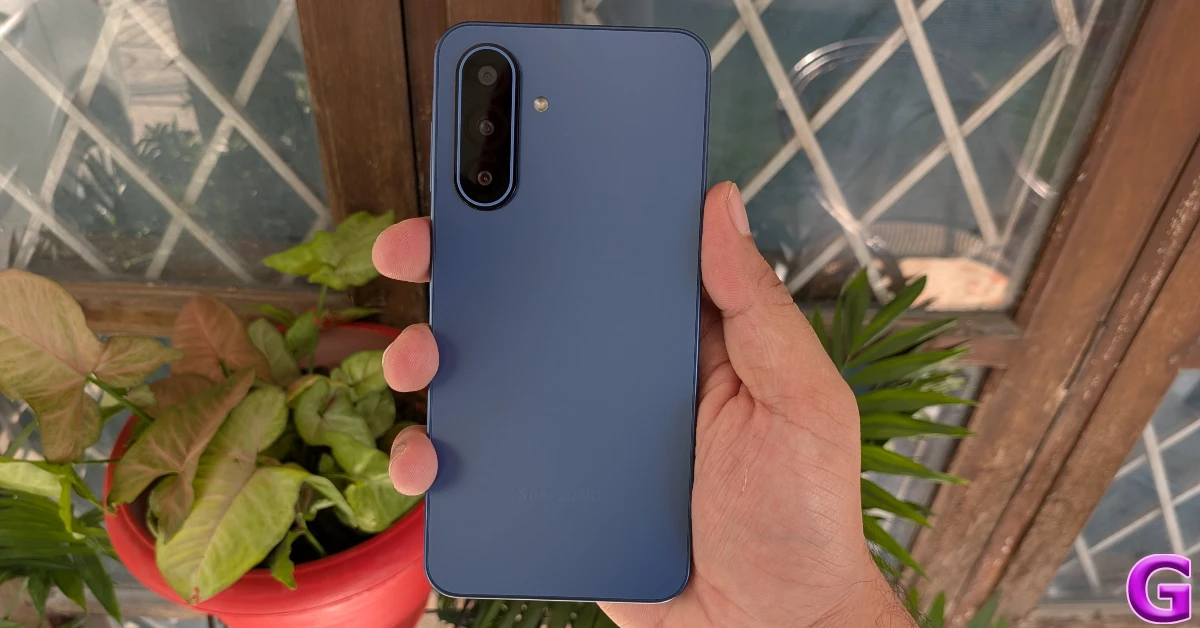
The iQOO Z10 has a 7,300mAh battery that can be charged at 90W.

Realme GT 7T 5G (7,000mAh battery)

Realme GT 7T

The Realme GT 7T has a 6.80-inch AMOLED display with 1,280 x 2,800 pixels of resolution. The rest of the display has comparable specifications to the GT 7. The gadget is powered by a MediaTek Dimensity 8400-Max CPU. The Realme GT 7T has a dual rear camera configuration with a 50-megapixel Sony IMX896 sensor and an 8-megapixel OV08D10 ultra-wide-angle sensor, as well as a 32-megapixel selfie camera in the front. The phone features a 7,000mAh battery and 120W charging capability.

OnePlus Nord CE 5 5G (7,100mAh battery)

Best camera phones under Rs 25,000 in India

The OnePlus Nord CE 5 flexes a 6.77-inch AMOLED screen with 120 Hz refresh rate support. The panel has up to 1400 nits peak brightness. It comes equipped with a MediaTek Dimensity 8350 Apex processor with up to 12GB of LPDDR5x RAM and up to 256GB of storage.

For the optics, there is a 50-megapixel Sony LYT-600 primary sensor with OIS support and an 8-megapixel OV08D10 (OmniVision) sensor for taking ultra-wide shots. In terms of selfies, there is a 16-megapixel Sony IMX480 sensor front-facing camera.

The OnePlus Nord CE 5 comes with a bigger 7,100mAh battery with 80W SuperVOOC charging support.

Also Read: Best camera phones under Rs 25,000 in India

Realme GT 7 5G (7,000mAh battery)

Realme GT 7

The Realme GT 7 features a 6.78-inch 1.5K AMOLED display with 1,264×2,780 pixels of resolution. It has a 120 Hz refresh rate and a 360 Hz touch sampling rate. The screen comes with a peak brightness of 6,000 nits and Corning Gorilla Glass 7i protection. The device packs an octa-core 4nm MediaTek Dimensity 9400e processor with up to 12GB RAM and a maximum of 512GB storage. It runs on Realme UI 6.0 based on Android 15 out of the box. The GT 7 has a triple camera setup, including a 50-megapixel Sony IMX906 1.56-inch camera, a 50-megapixel S5KJN5 telephoto camera, and an 8-megapixel OV08D10 ultra-wide camera. It also features a 32-megapixel front camera for selfies and supports 4K slow-motion video recording at 120 fps and 60 60fps.

Realme’s GT 7 has a 7,000mAh battery and 120W wired fast charging capabilities.

iQOO Neo 10 5G (7,000 mAh battery)

iQOO Neo 10 Review: Design and Display

iQOO Neo 10 flaunts a 6.78-inch 1.5K AMOLED screen with 1,260×2,800 pixels of resolution. The panels have up to 5,500 nits local peak brightness and a 4,320 Hz PWM dimming rate. It supports up to a 144 Hz refresh rate and up to a 360 Hz touch sampling rate. The phone is driven by Qualcomm’s Snapdragon 8s Gen 4 SoC with up to 16GB of LPDDR5X Ultra RAM and up to 512GB of UFS 4.1 storage. It is pre-installed with FuntouchOS 15, which is based on Android 15. The device is said to feature 144 fps gaming and provide bypass charging. In terms of photography, the iQOO Neo 10’s dual back camera unit has a 50-megapixel Sony IMX882 main rear sensor with optical image stabilisation (OIS) capability and an f/1.79 aperture, as well as an 8-megapixel ultra-wide lens with an f/2.2 aperture. The phone features a 32-megapixel front-facing camera with an f/2.45 aperture.

The iQOO Neo 10 has a 7,000mAh battery stuffed inside that supports 120W wired charging. It also includes an in-display fingerprint sensor for unlocking.

Vivo T4 (7,000mAh battery)

Vivo T4 5G Review: Design and Display

The Vivo T4 5G features a 6.77-inch full-HD+ AMOLED quad-curved display with 1,080 x 2,392 pixels of resolution. The panel has a refresh rate of 120 Hz and supports up to 500 nits of peak brightness. At its heart, there is an octa-core Snapdragon 7s Gen 3 SoC. For the photos and videos, Vivo T4 5G sports a 50-megapixel primary rear camera with optical image stabilisation (OIS) and an f/1.8 aperture, with a 2-megapixel secondary sensor with an f/2.4 aperture. Selfies are handled by an 8-megapixel front camera with an f/2.0 aperture. The Vivo T4 5G is powered by a 7,300mAh battery and supports 90W wired FlashCharge, as well as reverse and bypass charging.

OPPO K13 5G (7,000mAh battery)

Oppo K13 Review: Design and Display

The Oppo K13 5G features a 6.7-inch full-HD+ AMOLED display with a resolution of 1,080×2,400 pixels. The panel boasts a 120 Hz refresh rate, a screen-to-body ratio of 92.2%, and a brightness of 1,200 nits. It is powered by a Snapdragon 6 Gen 4 SoC with an Adreno A810 GPU. The device has 8GB of LPDDR4X RAM and up to 256GB of UFS 3.1 storage. The Oppo K13 5G’s optics include a dual rear camera unit comprising a 2-megapixel OV02B1B secondary depth camera and a 50-megapixel OV50D40 sensor with an f/1.85 lens aperture and autofocus. It has a Sony IMX480 16-megapixel sensor on the front. With its 7,000 mAh battery and 80 W charging capability, the Oppo K13 5G can be charged from 0% to 62% in 30 minutes and 100% in 56 minutes.

Also Read: Best camera phones to buy in India under Rs 30,000

Redmi 15 5G (7,000 mAh battery)

Redmi 15 5G performance

The Redmi 15 5G comes loaded with Qualcomm’s Snapdragon 6s Gen 3 processor (2x Cortex A78 at 2.3GHz and 6x Cortex A55 at 1.95GHz) with up to 8GB of LPDDR4X RAM (expandable up to 16GB RAM with up to 8GB virtual) and 256GB of UFS 2.2 storage. It operates on HyperOS 2 with Android 15 out of the box. The 5G smartphone features a 6.9-inch FHD+ display with 2340×1080 pixels of resolution. It is a TÜV Rheinland display with up to 144 Hz adaptive refresh rate support and up to 288 Hz touch sampling rate. The phone has a peak brightness of 850 nits. It is backed by a massive 7,000mAh battery with 33W wired and 18W reverse charging support. In terms of optics, Redmi 15 5G has a dual rear camera setup that includes a 50-megapixel main camera with an f/1.75 large aperture. There is an 8-megapixel front-facing camera for taking selfies and video calling.

OnePlus 13R (6,000mAh battery)

OnePlus 13R Review: Design and Display
OnePlus 13R

The OnePlus 13R features a 6.78-inch LTPO AMOLED display with a 120 Hz refresh rate and a peak brightness of 4,500 nits. This display has a 1,264 x 2,780p resolution and is protected by Corning Gorilla Glass 7i. Under the hood, the 13R packs last year’s Snapdragon 8 Gen 3 chipset. The rear camera array of the OnePlus 13R comprises a 50MP Sony LYT-700 primary shooter, a 50MP S5KJN5 telephoto lens with 2x optical zoom, and an 8MP ultrawide lens. Up front, the device gets a 16MP selfie camera. OnePlus’s upper midrange smartphone packs the same 6,000mAh battery as its flagship unit.

Oppo Reno 14 5G (6,000mAh battery)

Oppo Reno 14 5G specs, features

Oppo Reno 14 5G runs on ColorOS 15.0.2 and is powered by the MediaTek Dimensity 8350 SoC with up to 12GB of RAM and up to 512GB of storage. The device features a 6.59-inch 1.5K OLED display. The smartphone packs a 6,000mAh battery with 80W SuperVOOC charging support. For the photos and videos, the triple rear camera setup includes a 50-megapixel main rear sensor, a 50-megapixel periscope telephoto lens (up to 3.5x optical zoom and OIS support), and an 8-megapixel ultrawide shooter. In terms of selfies, there is a 50-megapixel front-facing camera.

Garena Free Fire Max Redeem Codes Today 25 November 2025: Here is how to claim them

Garena Free Fire (GFF) Max is a battle royale game with regular awards and tournaments to keep players interested. If you play GFF, you should be aware of the redeem codes that are released on a daily basis. However, because the battle royale game is banned in India, players from other countries can use the Free Fire Redeem codes daily. If you’re unfamiliar with the codes or don’t know how to get them, we’ve put together a step-by-step guide to help you redeem them. Check out Garena Free Fire Max Redeem Codes for 25 November 2025.

These codes are a great way to get free items in the game. The 12-digit codes contain letters and numbers, as well as an expiration date and time. Because the Garena FF redeem codes cannot be used more than once, you should hurry to the redemption page to claim your free reward before someone else does. To get a free reward, all you have to do is go to reward.ff.garena.com/en, which is the official redemption page. Also, keep an eye on this space for daily updates on Gadget Bridge on GFF Max redemption codes and rewards.

Also Read: CERT-In identified multiple high-risk vulnerabilities in Android: Details

Garena Free Fire Max Redeem Codes Today 

updating soon…

Also Read: IFA 2025: Lenovo introduced Legion Pro 7 (2025) and Lenovo Legion Go with AMD’s Ryzen 9000 HX series processors

How to Get Free Fire Max Redeem Keys for Garena?

  • Visit the game’s official website at reward.ff.garena.com.
  • Use your Facebook, Google, VK, Apple ID, Huawei ID, or Twitter account to log in.
  • You’ll be taken to a valid redemption code (s)
  • Copy and paste the 12-digit redemption code into the text box.
  • On the screen, a dialogue box will appear.
  • ‘Ok’ should be selected.

NYT Wordle Answer and Hints Today (November 25) #1620

Are you looking for today’s Wordle answer for November 25, 2025? The problem is difficult to solve, so if you need assistance, we’ve included hints and the clue to today’s Wordle Quiz. Below, we have made it simple for everyone to understand how to get to the Wordle Answer today.

Hints and Answers for Today’s Wordle November 25

Before answering directly, please check the Wordle Hints first.

Hint 1: Today’s Wordle answer includes two vowels.
Hint 2: The answer for today has no repeating letters.
Hint 3: Meaning- to ask somebody for something in a very strong and serious way

What word does today’s Wordle begin with?

Do you need help with today’s Wordle answer’s initial letter?

The first letter in today’s Wordle is “P”

Today’s Wordle Answer 

The answer to Wordle #1620 on November 25, 2025, is — PLEAD

Also Read: Meta launched Candle, a new submarine cable connecting East Asia and Southeast Asia

What is Wordle?

Wordle: A Five-Letter Word Guessing Game
• The game allows six guesses of a five-letter word.
• Provide feedback on the guessed letters’ placement in the puzzle.
• The New York Times purchased the game in 2022.
• Created by Josh Wardle for his partner, narrowing down 12,000 English words to 2,500.
• Named after the word “word.”

How To Play Wordle?

Wordle is a New York Times word puzzle game that allows users to guess a five-letter word in six attempts. The letters are highlighted in Yellow and Green, indicating whether the word is present in the answer or not, and Green letters indicate the correct guess.

Also Read: WhatsApp is testing a username feature similar to Facebook and Instagram, which allows chats without providing phone numbers: Report

Wordle Tips and Tricks
  • Select a powerful starting word: Avoid using unusual words, as they frequently do not match common letters. A good opening word has plenty of benefits.
  • Repeating letters: Don’t be afraid of repeating letters; they appear frequently in words. The answer may contain one or two repeated letters.
  • Use the Wordlebot: The NYT’s Wordlebot analyses and compares replies to itself. This challenge can assist you in enhancing your guessing skills and highlighting areas for development.

Huawei Watch GT6 and GT6 Pro with a battery life of up to 21 days launched in India

Huawei has released the Watch GT 6 Pro and Watch GT 6 in India, which are available for purchase on Flipkart. The Watch GT 6 Pro has a 46mm titanium alloy dial and a 1.47-inch AMOLED display with a resolution of 466×466 pixels. The standard Watch GT 6 is offered in two sizes, both with the same display characteristics. These smartwatches, from Huawei’s newest GT series, have an impressive battery life of up to 21 days.

The Huawei GT6 Pro is a high-end smartwatch made of aerospace-grade titanium alloy and sapphire glass, which ensures great endurance and an elegant look. It has a brilliant AMOLED display with a peak brightness of 3,000 nits, ensuring great visibility even in direct sunlight. The gadget, aimed at sports and outdoor enthusiasts, has the innovative Sunflower GPS Positioning System for accurate monitoring during activities such as trail running, hiking, and cycling.

It provides accurate wrist-based cycling power tracking, which improves training efficacy. The GT6 Pro has an amazing battery life of up to 21 days thanks to Huawei’s superior battery technology, as well as better sleep monitoring, 5ATM water resistance, and over 100 sports modes for comprehensive performance insights. The smartwatch will come in Titanium, Brown, and Black finishes.

Also Read: Elista launched the Xplore 4K Google TV Smart TV series in India

The Huawei GT6 smartwatch combines the capabilities of the Pro edition in a lighter design perfect for fitness and lifestyle consumers. It delivers next-generation outdoor sports monitoring and exact cycling metrics, targeting runners and multi-sport enthusiasts. Key features include a bright AMOLED display for outdoor visibility, improved sleep monitoring with detailed analysis, and a battery life of up to 21 days. The GT6 also has 5ATM water resistance, over 100 sport modes, and improved heart-rate tracking, making it compatible with both Android and iOS smartphones. Huawei’s design and wellness concept is reflected in the availability of 46mm models in Green, Grey, and Black, as well as 41mm models in White, Purple, Black, Gold, and Brown.

Also Read: Moto G57 Power with 7,000mAh battery arrives in India: Price in India, Specs

The Huawei GT6 and GT6 Pro smartwatches will be available for purchase through Flipkart and the RTC India official website. The Huawei Watch GT6 (46mm) is priced at Rs  21,999 for green, grey, and black options. The 41mm edition of the same watch will also be priced at Rs  21,999 in Black, White, Purple, and Brown, with the Gold 41mm variation priced at Rs  24,999. The Huawei GT6 Pro 46mm is priced at Rs  28,999 for the black and brown colours, and Rs  39,999 for the titanium model.

Nothing OS 4.0 is now live: Here’s how you can install it

0

Nothing’s Android 16-based OS update has finally gone live. Its beta version made its debut back in September. The new OS version carries crucial design and feature updates. Nothing has retained the essential design elements of the stock Android OS, while expanding flair through carefully designed native apps and widgets. Here’s how eligible users can download and install the Nothing OS 4.0 on their devices.

Read Also: Elista launched the Xplore 4K Google TV Smart TV series in India

Nothing OS 4.0: Key Highlights

  • Live updates for the lockscreen and Glyph interface.
  • Extra Dark Mode to reduce eye strain.
  • Support for two floating app icons.
  • Cleaner look for the quick settings menu, notification panel, and app drawer.
  • New controls and creative presets for the updated Camera app.
  • Updated Gallery app with smarter features.
  • Haptic feedback for volume limits.
  • Smoother animations for opening and closing apps.
  • More widget sizes.
  • More optimised platform for a smoother browsing experience.

List of eligible devices

These Nothing and CMF phones will receive the Nothing OS 4.0 update.

  • Nothing Phone (3)
  • Nothing Phone (3a)
  • Nothing Phone (3a) Pro
  • Nothing Phone (3a) Lite
  • Nothing Phone (2)
  • Nothing Phone (2a)
  • Nothing Phone (2a) Plus
  • CMF Phone 2 Pro
  • CMF Phone 1

Install Nothing OS 4.0 on your device

display

Step 1: Go to Settings.

Step 2: Scroll down and select System.

Step 3: Tap on Check for updates.

Step 4: Tap on Download and install.

Step 5: Restart your phone.

Frequently Asked Questions (FAQs)

Is Nothing OS 4.0 out?

Nothing has released its latest Android 16-based OS skin. It will be rolled out on the Phone (3) series first, followed by Phone (2).

How do I update the OS of my Nothing smartphone?

Go to Settings>System>Check for updates and hit ‘Download and install’.

Which smartphones are eligible for the Nothing OS 4.0 update?

Nothing Phone (3) and (2) series, along with the CMF Phone 2 and 1, are eligible for the new Android-based OS update.

Read Also: Top 10 smartwatches under Rs 10,000

Final Thoughts

As mentioned earlier, Nothing’s Android 16-based OS update is being rolled out in a phased manner. If you haven’t received it on your phone yet, wait for a few days for it to be rolled out for your device. Got any questions? Let us know in the comments!

Elista launched the Xplore 4K Google TV Smart TV series in India

Elista has announced the new Xplore Google TV Smart TV range, which includes three premium 4K models designed to improve home entertainment. The Xplore series has a bezel-less design, Dolby Audio for enhanced sound, and a dual-band Wi-Fi connection. Each model includes a built-in Chromecast and enables ‘Hey Google’ voice commands, allowing for a smooth and immersive viewing experience.

The Elista Xplore lineup includes three models: TDU85GA (215 cm or 85-inch 4K Google TV), TDU75GA (189 cm or 75-inch 4K Google TV), and TDU65GA (165 cm or 65-inch 4K Google TV). The prices in India are set at Rs 1,84,500, Rs 1,38,500 and Rs 73,990, respectively.

Elista’s flagship TDU85GA model is a massive 215 cm 4K Ultra HD, bezel-less display with enhanced HDR10 and Dolby Audio capabilities, allowing for an immersive theatre-like experience at home. It has 2GB of RAM and 16GB of internal storage, providing for optimal functionality and user experience. The model has a variety of connectivity options, including a built-in Chromecast and three HDMI ports, which allow for smooth integration with game consoles, soundbars, and other media devices. It also has hands-free “Hey Google” voice control and immediate access to major streaming services like Netflix, Prime Video, and YouTube, all organised inside a user-friendly Google TV interface, resulting in a quality entertainment experience.

Also Read: Moto G57 Power with 7,000mAh battery arrives in India: Price in India, Specs

The Xplore TDU75GA follows the same design idea, including a 189 cm (75-inch) 4K UHD display and the same feature set. Its bezel-free design, snappy Google TV interface, increased audio capabilities, and robust connectivity options make it suitable for large living rooms and high-end viewing environments.

Also Read: WhatsApp testing member tag in group chats: Report

The TDU65GA model completes the Xplore series, with a 165 cm (65-inch) 4K UHD display and comparable high-end capabilities to its larger models before it. It has Dolby Audio, HDR10 compatibility, a built-in Chromecast, and dual-band Wi-Fi, allowing you a rich watching experience in a more manageable size. The TDU65GA includes 2GB RAM, 16GB ROM, and three HDMI connectors. All models in the Xplore series employ the most recent Google TV platform, which provides seamless content discovery, personalised recommendations, universal search, multi-user profiles, and smartphone interaction. Users can easily move between apps, cast content, and browse curated suggestions thanks to the simple user interface.

You can now import your playlists to Spotify: Full tutorial

0

Playlist transfer biggest roadblock that users face while switching music streaming platforms. If you’ve spent multiple years building a large collection of playlists on a platform, it can be very challenging to recreate them manually on your new chosen service. Spotify has made this task easier for its users by partnering with TuneMyMusic, one of the leading online tools for playlist transfer. Let’s take a quick look at how you can import your existing playlists to Spotify.

Read Also: Google is now letting you remove ‘At a Glance’ on Pixel phones: Here’s how

Before you begin

TuneMyMusic has been the leading playlist transfer tool for several years. It supports major platforms like Spotify, Apple Music, YouTube Music, Deezer, Soundcloud, Amazon Music, Qobuz, Yandex Music, Pandora, and more. Spotify’s partnership with this tool is limited to music imports only. Meaning, the Spotify app doesn’t let you export your playlists to another platform. If you want to go about that task, you will have to access TuneMyMusic independently.

As of now, the playlist transfer tool is partially baked into the Spotify app. You can select the option to import music from within the app, but all it does is redirect you to the TuneMyMusic webpage using the default web browser on your phone. For the transfer to take place, TuneMyMusic will need access to your accounts on both platforms.

How to import your playlists to Spotify

Step 1: Launch the Spotify app on your phone.

Step 2: Go to Your Library.

Step 2: Go to Your Library.

Step 3: Scroll to the bottom of the page. Use the scroll icon on the right to get there quickly.

Step 3: Scroll to the bottom of the page. Use the scroll icon on the right to get there quickly.

Step 4: Tap on Import your music.

Step 4: Tap on Import your music.

Step 5: Tap on Get Started. You will be redirected to TuneMyMusic.

Step 5: Tap on Get Started. You will be redirected to TuneMyMusic.

Step 6: Select the streaming platform currently hosting the playlist.

Step 6: Select the streaming platform currently hosting the playlist.

Step 7: Log in to the platform using your registered account.

Step 7: Log in to the platform using your registered account. You can now import your playlists to Spotify: Full tutorial

Step 8: Allow TuneMyMusic to access your account by hitting Continue.

Step 8: Allow TuneMyMusic to access your account by hitting Continue. You can now import your playlists to Spotify: Full tutorial

Step 9: Enter a playlist URL in the text box or load all of your playlists from your account.

Step 9: Enter a playlist URL in the text box or load all of your playlists from your account. You can now import your playlists to Spotify: Full tutorial

Step 10: Select the playlists you wish to transfer and hit Transfer to Spotify.

Step 10: Select the playlists you wish to transfer and hit Transfer to Spotify. You can now import your playlists to Spotify: Full tutorial

Step 11: Enter your Spotify login credentials and hit Continue.

Step 11: Enter your Spotify login credentials and hit Continue. You can now import your playlists to Spotify: Full tutorial

Step 12: Tap on Agree.

Step 12: Tap on Agree. You can now import your playlists to Spotify: Full tutorial

Step 13: Once the transfer process is over, tap on Open Your Library in Spotify.

Frequently Asked Questions (FAQs)

Does Spotify let you import playlists from other platforms?

Spotify has teamed up with TuneMyMusic to help you import your existing playlists from other streaming platforms like Apple Music, YouTube Music, Tidal, and more.

How do I import my playlists to Spotify?

Go to the Your Library section in Spotify, scroll to the bottom of the page, and tap on ‘Import your music’. Once that’s done, tap on Get Started, log into the platform hosting the playlists, and follow the onscreen instructions to transfer them.

Which websites can I use to transfer my playlists to another platform?

If you’re facing issues with TuneMyMusic, you can use websites like Soundiiz and Free Your Music to transfer your playlists.

When will Spotify Wrapped 2025 come out?

Spotify has not revealed the date for Wrapped 2025 yet. Traditionally, it comes out towards the end of November or the beginning of December.

How do I create a custom cover art for my Spotify playlist?

Go to the playlist, tap the three dots, select ‘Create cover art’, and use the native editor to create an artwork.

Read Also: LG Gaming Portal Brings Xbox Cloud Play to India

Final Thoughts

You can use TuneMyMusic to transfer your Spotify playlists to another platform, too. The process is seamless and does not take much time. Soundiiz and Free Your Music serve as great alternatives to TuneMyMusic. If you have any questions, let us know in the comments!

Google is now letting you remove ‘At a Glance’ on Pixel phones: Here’s how

0

Pixel users have finally received the option to disable the ‘At a Glance’ widget from their phone’s home screen. Previously a permanent fixture in the top right section of the homepage, At a Glance limited what the users could do while customising the main page. Not to mention, having dedicated widgets for clock and weather felt a bit redundant with the same info displayed at the top of the screen. So, let’s take a quick look at how you can remove or disable At a Glance from your Google Pixel’s home screen.

Read Also: Top 10 smartwatches under Rs 10,000

What is At a Glance?

At a Glance is a Pixel-exclusive feature that gives you a quick look at the date, weather, upcoming events, work reminders, parcel ETAs, fitness metrics, travel alerts, and more content. In theory, this is a great tool that saves you the trouble of diving into different apps. It is able to gauge the context pretty well while surfacing the relevant info. For example, if you have a flight coming up, it will extract information from your boarding pass and let you know your boarding gate. If you’re a Nest or Ring user, it shows you who’s at the door when the doorbell rings.

As you can tell, these features rely heavily on the data from your Google account. At a Glance requires access to your Calendar, Gmail inbox, location, Weather app, and other services to work properly. This was one of the reasons why the option to disable this feature was highly requested by Pixel users over the years.

Disable ‘At a Glance’ on Google Pixel

Step 1: Go to Settings.

Step 2: Tap on Apps.

Step 2: Tap on Apps.

Step 3: Go to Default apps.

Step 3: Go to Default apps.

Step 4: Make sure Pixel launcher is your default home app. Hit the gear icon.

Step 4: Make sure Pixel launcher is your default home app. Hit the gear icon.

Step 5: Hit the gear icon next to At a Glance.

Step 5: Hit the gear icon next to At a Glance.

Step 6: Turn off the toggle switches next to Use At a Glance and Show on home screen.

Step 6: Turn off the toggle switches next to Use At a Glance and Show on home screen.

Alternatively, you can long-press the ‘At a Glance’ widget on your Pixel’s home page, tap on Settings, and turn off the toggle switches.

Frequently Asked Questions (FAQs)

What is At a Glance on Google Pixel?

‘At a Glance’ is a Pixel-exclusive Android feature that gives you a quick peek at the weather, air quality, upcoming events, parcel delivery, traffic, and other alerts.

Is there a way to disable At a Glance?

Google recently added an option to turn off At a Glance on Pixel devices. Go to Settings>Apps>Default apps, tap the gear icon, then tap on the gear icon next to ‘At a Glance’ and turn off its toggle switch.

How do I quickly disable At a Glance on my device?

Long-press the date widget in the top left corner of the home page, tap on Settings, and turn off the toggle switch.

How do I remove weather alerts from At a Glance?

Go to Settings>Apps>Default apps, tap the gear icon, then tap on the gear icon next to At a Glance and turn off the toggle switch next to ‘Weather’.

Can I remove the Google search widget from my Pixel’s home screen?

As of now, there is no way to remove the Google search bar at the bottom of your Pixel’s home page.

Read Also: Top 10 smartphones under Rs 30,000 (November 2025)

Final Thoughts

Since Google is rolling out this option in a phased manner, it may not be available on all Pixel devices right now. Pixel 10 series users will be the first ones to receive this feature. Make sure your smartphone is updated to the latest software version to get this option. If you have any questions, let us know in the comments!