HMD Global launched the Nokia G42 5G in India last month. Then the phone was introduced in a single configuration. Today the company has announced a new RAM and storage model for the smartphone. The smartphone is powered by Qualcomm Snapdragon 480+ SoC. It has a triple back camera setup, with a 50-megapixel primary sensor. The device also includes a 6.56-inch HD+ LCD screen.
Nokia G42 5G new variant price in India, sale details
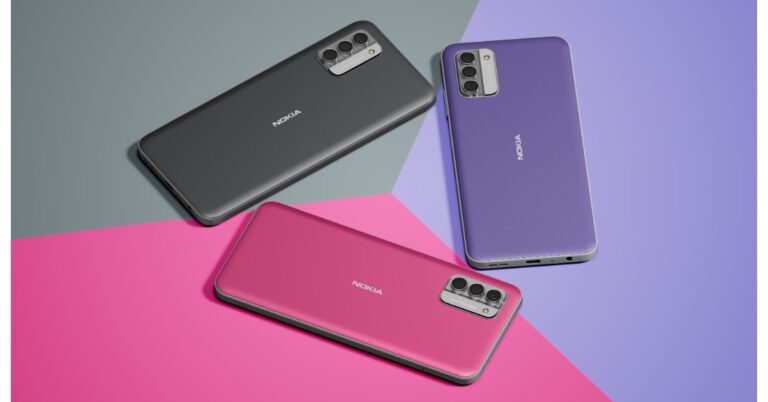
Nokia G42 5G is now being made available in a 16GB RAM with 256GB storage option. The new variant of the phone is priced at Rs 16,999. The device is already available in 6GB RAM with 128GB storage option for Rs 12,599. The phone is being offered in three colour options of So Grey, So Purple and So Pink.Also Read:Truke Clarity Five TWS Review: Great sound qualityThe device can be purchased via retail stores, Amazon and Nokia.com.
Nokia G42 5G specifications
Nokia G42 5G has a 6.56-inch HD+ LCD screen with a resolution of 720 x 1,612 pixels. The display can offer a peak brightness of 560 nits at a refresh rate of 90Hz. Corning Gorilla Glass 3 is also used to protect the front panel.The Nokia G42 5G runs Android 13 and the company is promising to offer two years of Android OS upgrades and three years of monthly security patches. The phone is powered by octa-core Snapdragon 480+ SoC, along with up to 16GB of RAM and 256GB of internal storage. Virtual RAM expansion up to 11GB is possible.For the photos and videos the device comes with a triple back camera system of the Nokia G42 5G includes a 50-megapixel primary sensor and two 2-megapixel sensors. The front of the device has an 8-megapixel sensor for selfies and video calls.A 5,000mAh battery with 20W wired fast charging capabilities is also included in the Nokia G42 5G. The phone’s construction is IP52-rated for resistance to water and dust. The Nokia G42 5G has Wi-Fi 802.11 a/b/g/n/ac/ax, Bluetooth 5.1, GPS, a USB Type-C port, and 5G connectivity options. It has an e-compass, proximity sensor, ambient light sensor, and accelerometer. Lastly, a side-mounted fingerprint sensor is also present for authentication.
For the latest gadget and tech news, and gadget reviews, follow us on Twitter, Facebook and Instagram. For newest tech & gadget videos subscribe to our YouTube Channel. You can also stay up to date using the Gadget Bridge Android App. You can find the latest car and bike news here.
In India, Truke recently debuted its new Truke Clarity Five TWS earphones. The cost of the item is less than Rs 1,500. The device comes with features like 6-Mic Advanced Environmental Noise Cancellation, dual connectivity, IPX5 water protection, 13 mm Titanium speakers, an 80-hour playback capacity, and more at this price. We have been using them for about a week and here is our Truke Clarity Five Review, let’s dive straight in.
Truke Clarity Five TWS Review: Design
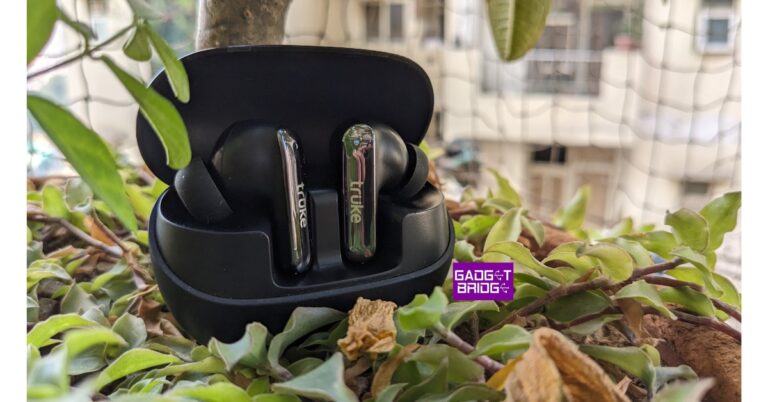
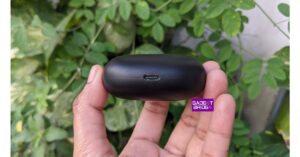
Taking a closer look at the construction and design, it reveals that the Truke Clarity Five has a unique case with a half-glossy, half-matt surface. The device is small, light, and portable. Its design, which is like a pebble, makes it easy to hold in hand and fits wonderfully in the pocket. The case weighs about 38 grams, which is with the earbuds inside that are 4g each. The lid bears the Truke logo. It will attract some fingerprints and smudges on the shell and upper glossy portion of the earbuds, however can be quickly wiped too. Right in the middle, there is an LED light, while the bottom has a USB port to charge the case. The entire charging casing is constructed of plastic.The lid can be easily opened with one hand and is not overly light. The earbuds are within it, safely tucked into their assigned left and right slots. The case includes magnets inside it to hold the earphones in place.The buds have small stems that have LED indicators and the company’s logo is engraved on them. Although the earbuds are exceptionally light and comfy to use, we occasionally felt a little uncomfortable for extended listening sessions. The earbuds come with two additional sets of interchangeable silicone ear tips, too.Each of the earbuds has a total of three microphones for improved call quality and noise cancellation. Since the earbuds have an IPX5 rating, they should be fine with light splashes and sweat, but avoid entirely submerging them in water while swimming or engaging in any other water sports. Additionally, bear in mind that the casing lacks an IP certification, so keep it dry and secure.Over that, it includes Bluetooth 5.3, the most recent version, for more consistent connectivity. Then Dual-Pairing Technology onboard allows you to open the lid and you will see a pairing pop-up on your Android phone click to pair. The dual connectivity allows you to easily switch between a smartphone and a laptop.Regarding comfort and fit, we can mark that they were quite well-snugged and effectively blocked the majority of passive sound. They are also incredibly light and pleasant to wear but not for extended periods of time, as said. We shook our heads to see if they fell off. We can confirm that they can fall off but make sure you have the correct size silicone tips because it will significantly affect how they fit and, eventually, how they sound.
Truke Clarity Five TWS Review: Performance
Speaking of sound quality, they are decent loud. The 13mm titanium speaker drivers produce clear sound with a medium bass. With the help of three preset EQ modes—Bass Boost, Movie Mode, and Dynamic Audio—you may adjust the sound to your preferences. If you are a bass head you can boost the bass from the preset. Similarly, when watching movies you can enable the movie mode to hear the dialogue clearly. Environmental noise cancellation (ENC) is also provided via the six microphones on the earbuds, allowing for noise-free calls.Additionally, for gaming, the earbuds support 35ms Ultra-Low Latency. However, we found some lags, so if you’re primarily searching for gaming purposes, we won’t suggest them.Talking about the battery performance Truke Clarity Five comes with a 500mAh battery that is claimed to provide 80 hours of playback time. Each earbud has a 40mAh battery. In our testing, the device was able to provide 3 days of playback as we particularly used them for 4 to five hours daily at 70 per cent volume but this can be stretched more depending on your usage. With the case, the battery is said to last for 80 hours.
Verdict
While playing games, we did notice a very tiny delay, but you can still play; nevertheless, when watching films and videos, the vocals synchronised flawlessly. There was absolutely no delay. The battery life is also excellent, allowing us to listen to music nonstop for hours. You can’t really complain about the pricing with the sound quality and ANC alone being so good for just Rs 1,699. Therefore, they are highly recommended.
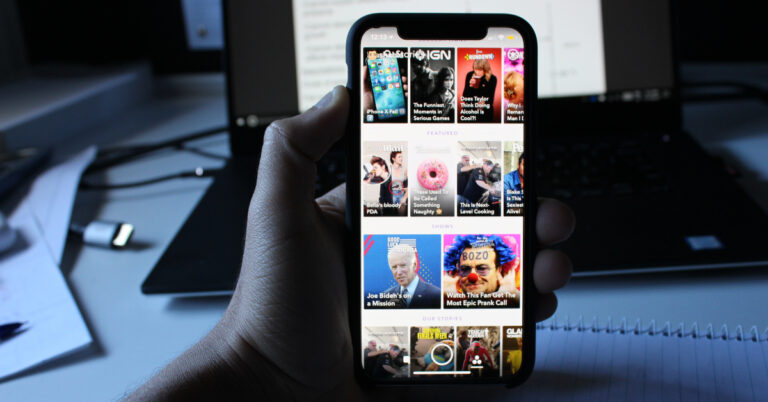
While iOS users have had the option to use Dark Mode on Snapchat for several users, Android users are just starting to get the feature on their devices. Snapchat is rolling out dark mode for the Android platform in a phased manner. This means that a lot of users may not get access to it for a few more weeks (or even months). Can’t wait any longer? In this article, we bring you the top 4 ways to get dark mode in Snapchat on Android and iOS.Read Also:Top 7 Methods to Check If Your Phone Supports Wireless Charging
Turn on Dark Mode for Snapchat on iOS
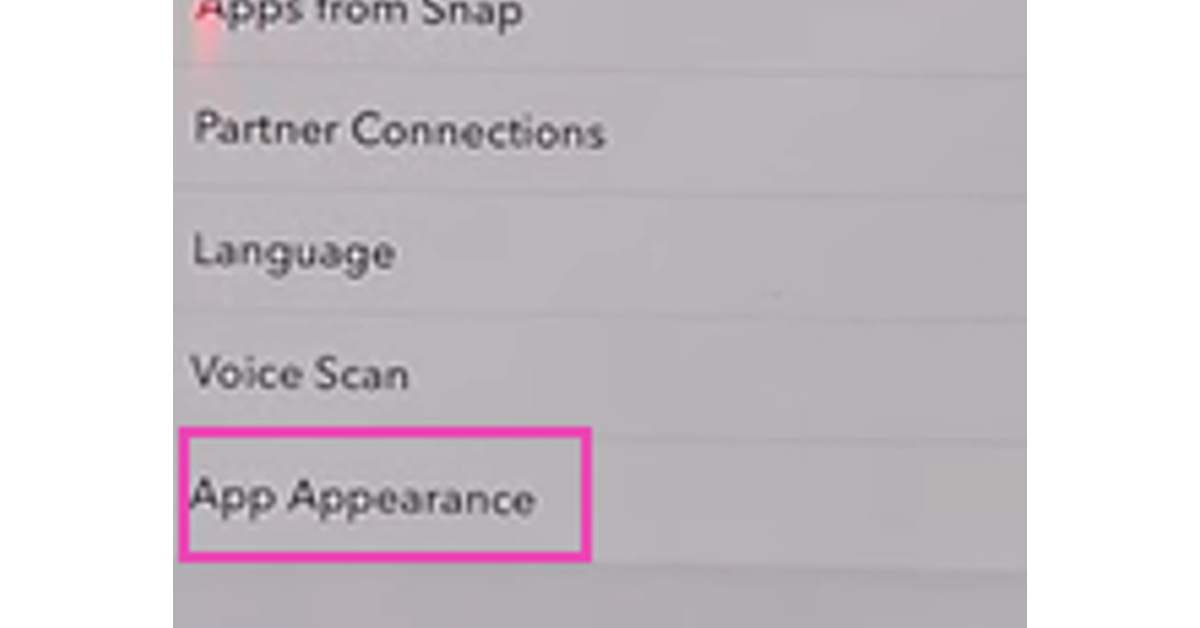
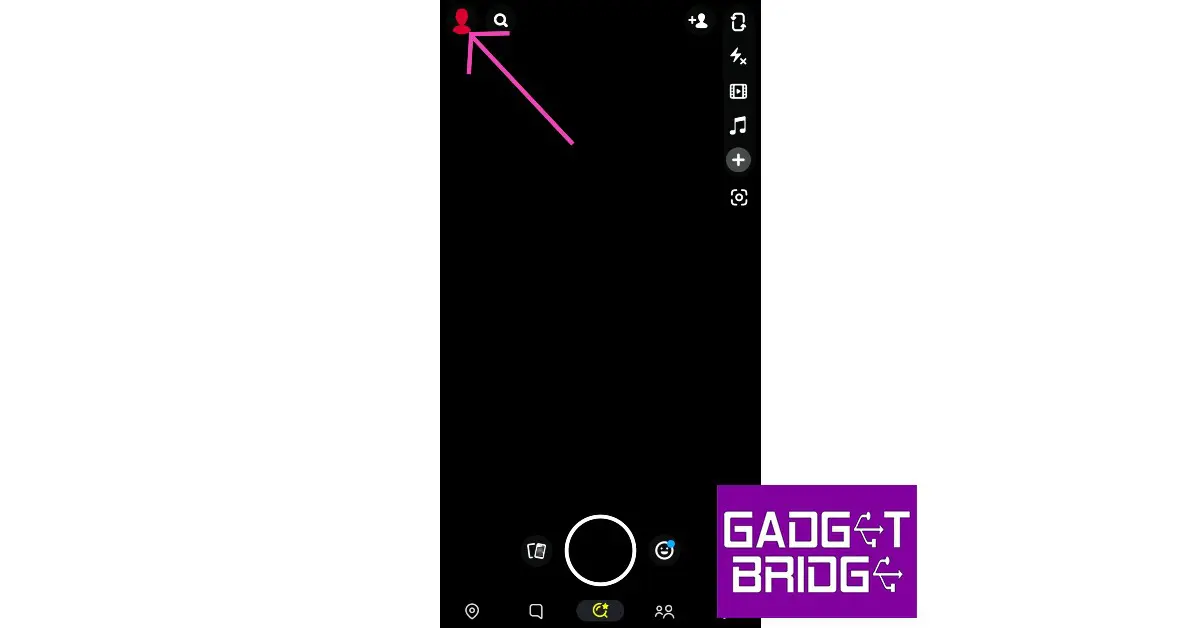
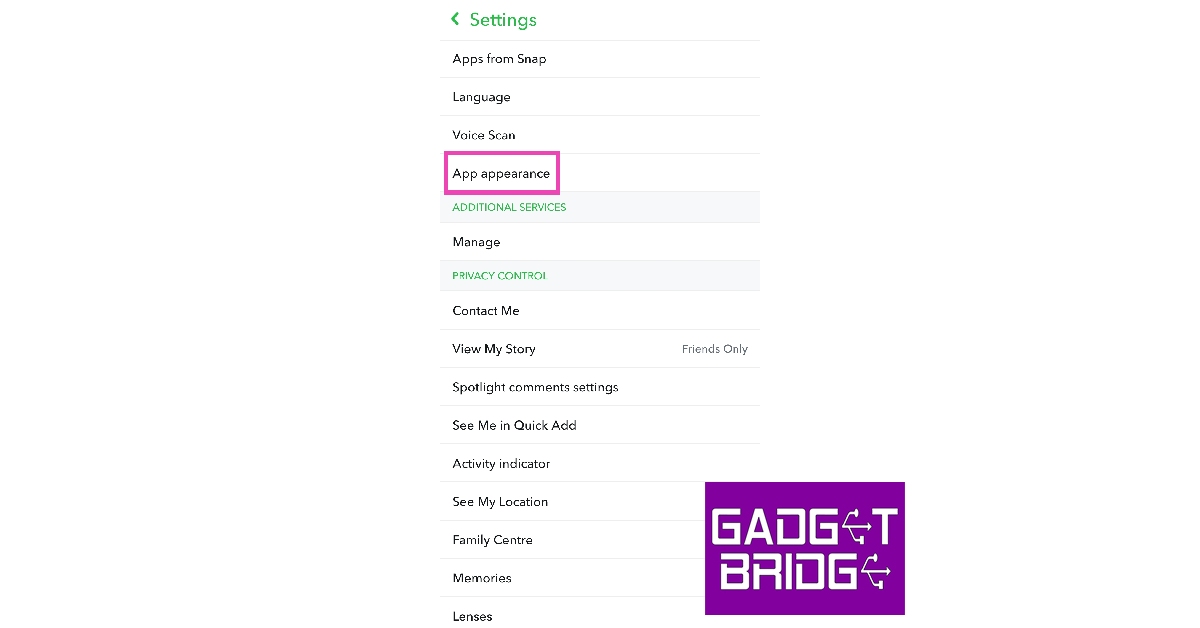
Step 1:Launch the Snapchat app on your iPhone or iPad.Step 2: Tap your profile icon at the top right corner of the screen.Step 3: Hit the gear icon at the top right corner of the screen to open Settings.Step 4: Scroll down and select App Appearance.Step 5: Tap on Always Dark. If you want to toggle Snapchat’s dark mode using your iPhone’s settings, select Match System.
Turn on Dark Mode for Snapchat using system settings on iOS
Step 1: Using the steps mentioned above, select Match System in Snapchat’s dark mode menu.Step 2: Go to your iPhone’s Settings and select Display & Brightness.Step 3: Tap on Dark to enable Dark Mode. This change will be applied across your iPhone’s interface, including the Snapchat app.
Turn on Dark Mode for Snapchat on Android
Step 1:Launch the Snapchat app on your Android smartphone.Step 2: Tap your profile icon at the top right corner of the screen.Step 3: Hit the gear icon at the top right corner of the screen to open Settings.Step 4: Scroll down and select App Appearance.Step 5: Tap on Always Dark.
Force Dark Mode on Snapchat using Developer Settings on Android
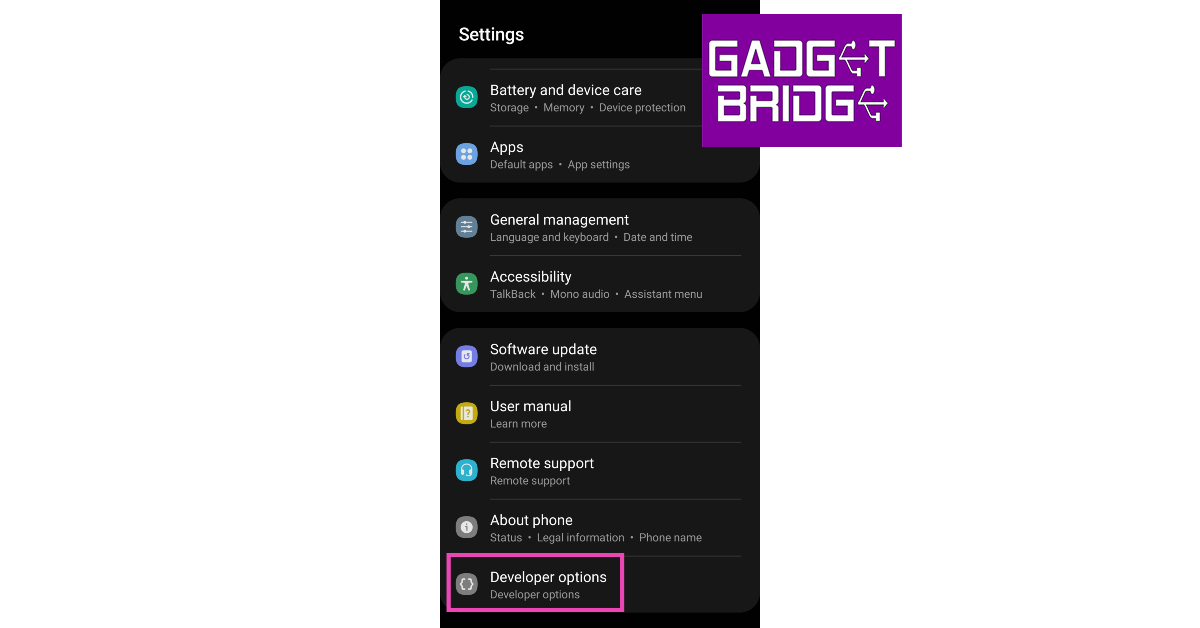
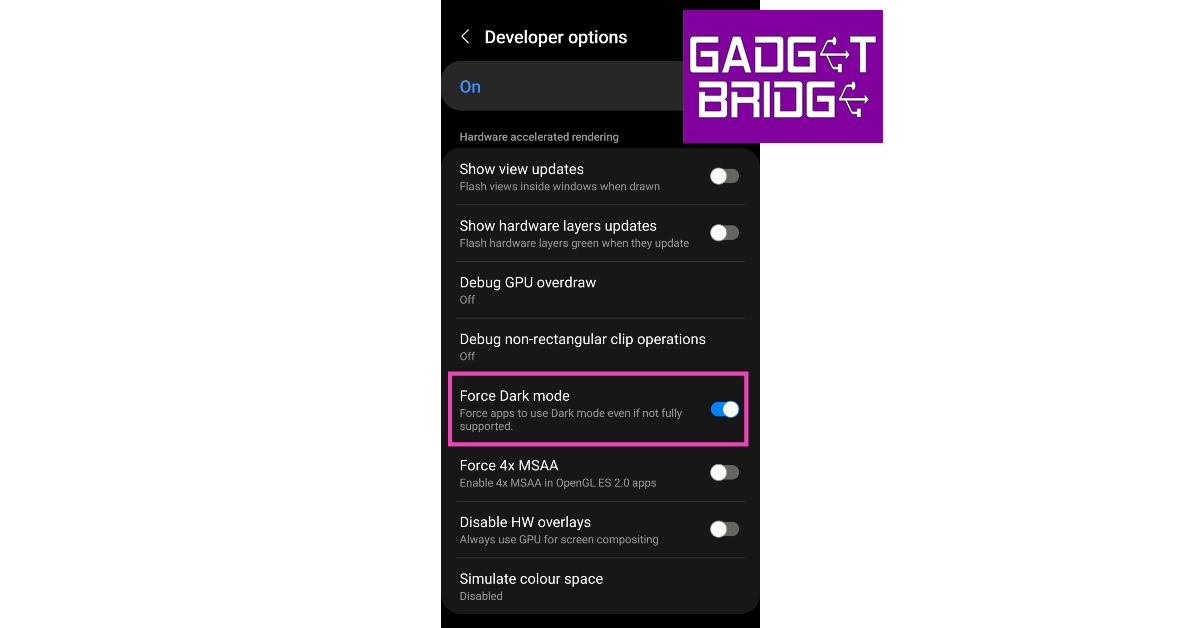
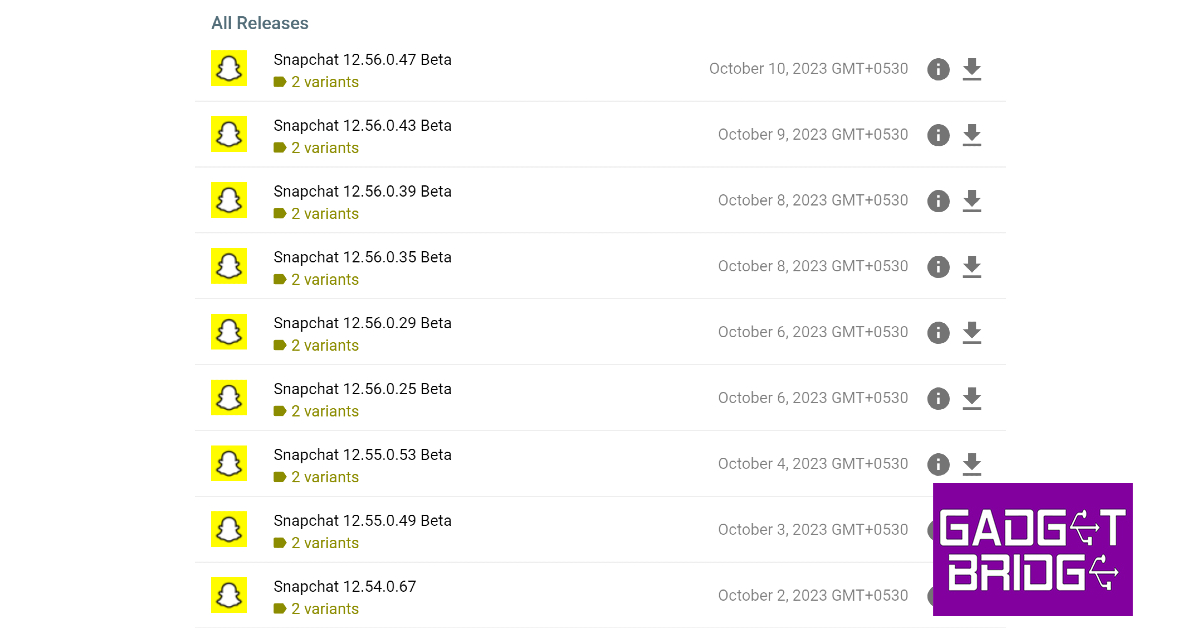
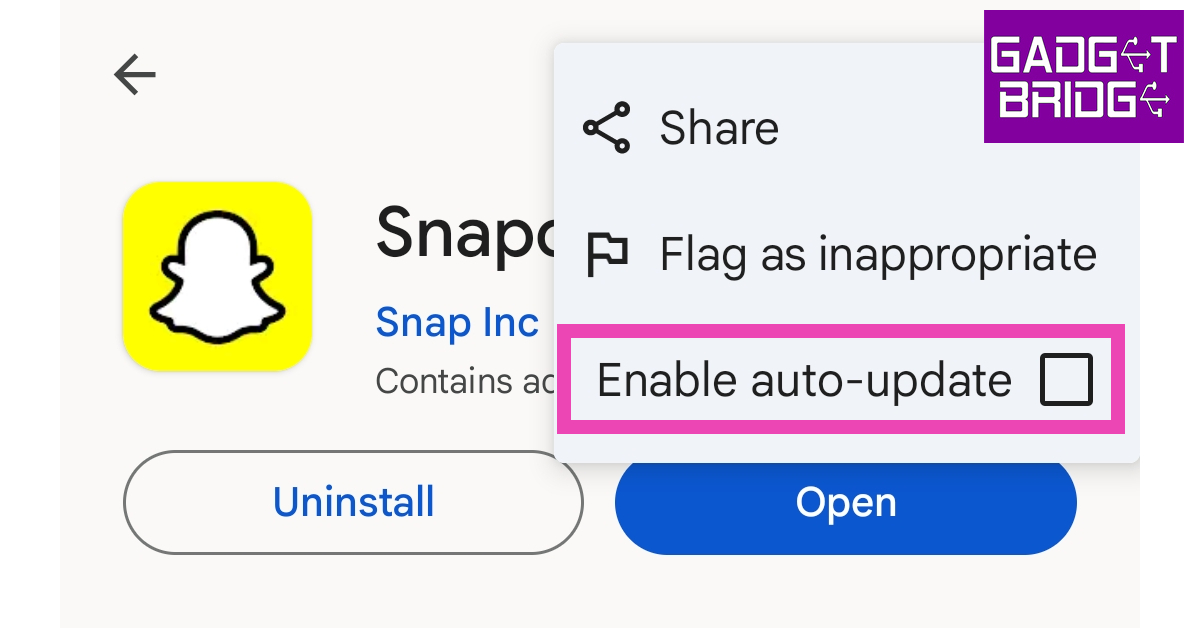
Since Snapchat’s Dark Mode feature is still rolling out for Android devices, a lot of users are still not able to access it on their phones. Luckily, there is a workaround to this situation. Your phone’s developer settings allow you to force dark mode on any app on your device, including Snapchat. However, it will require downloading an older version of Snapchat on your phone using a third-party app marketplace. Here’s how you can go about it.Step 1: Enable Developer Mode on your Android phone by tapping on its build number 7 times. Read this article to learn the step-by-step process.Step 2: Go to Settings and scroll all the way to the bottom to access Developer Options.Step 3: Scroll down to ‘Hardware accelerated rendering’ and turn on the toggle switch for Force Dark mode.Step 4:Uninstall Snapchat from your device and download an older version from a third-party marketplace.Step 5:Launch the Google Play Store app and go to Snapchat’s app page.Step 6: Tap the ellipses at the top right corner of the app and untick the checkbox for Enable auto-update.Step 7:Launch the older version of the Snapchat on your device. It will adhere to your system’s dark mode.
Frequently Asked Questions (FAQs)
Does Snapchat offer Dark Mode on Android?
Snapchat is still rolling out the dark mode feature for its Android users. Since the roll-out is taking place in phases, a lot of users do not have access to the feature yet. If Snapchat supports dark mode on your device, go to Profile>Settings>App Appearance>Always Dark to enable it.
How do I enable Dark Mode on Snapchat if the Android app doesn’t support it?
You can force the Snapchat app to adhere to your system’s dark mode using your phone’s developer settings. Once the developer mode has been enabled on your device, go to developer settings and turn on the toggle switch for Force Dark mode. Make sure you are using an older version of Snapchat for the change to take effect.
What is the advantage of using Dark Mode on my smartphone?
Using Dark Mode on your mobile device not only extends its battery life but also exerts less stress on your eyes by cutting out the blue light emitted by the screen. This comes in very useful when there’s limited lighting around you and your phone is the brightest source of light.Read Also:Samsung SSD T9 with up to 2,000 MB/s transfer speed launched in India
Conclusion
These are the top 4 ways to get dark mode in Snapchat on Android and iOS. Make sure the Snapchat app is updated to its latest version on your Android phone in order to access the latest features added to the platform. If you are using an older version of the app, you may not be able to access Dark Mode even when it has been rolled out for your device.For the latest gadget and tech news, and gadget reviews, follow us on Twitter, Facebook and Instagram. For newest tech & gadget videos subscribe to our YouTube Channel. You can also stay up to date using the Gadget Bridge Android App. You can find the latest car and bike news here.
Amazon Great Indian Festival 2023 sale is currently live. The e-commerce platform is offering amazing deals and offers on smartphones, laptops, Televisions, Echo devices, smartwatches, earphones and other electronic appliances. However, smartphones are the biggest attraction. If you are shopping during this festive season Amazon has some great offers including Bank offers, exchange offers and no-cost EMIs. So if you are planning to buy a new 5G smartphone now is the best time to do so. Check out some of the best 5G smartphone deals below Rs 20,000 in this article.
Amazon Great Indian Festival 2023: Best 5G smartphone deals under Rs 20,000
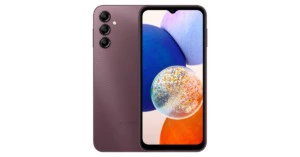
Galaxy A14 5G
Samsung Galaxy A14 5G
Samsung Galaxy A14 5G on Amazon is currently listed at Rs 17,999 for the 6GB RAM with 128GB storage option. A 6.6-inch full-HD+ PLS LCD screen is featured on the Samsung Galaxy A14 5G. The mobile phone is powered by an octa-core Snapdragon 695 CPU. There is a triple rear camera set-up that includes a 50-megapixel primary camera, a 2-megapixel macro camera, and a 2-megapixel depth sensor. A 13-megapixel front-facing selfie camera is also included.
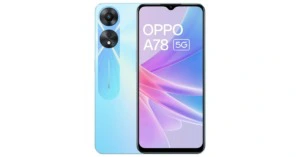
Oppo A78 5G
The Oppo A78 5G is currently listed at Rs 18,999 on Amazon for the 8GB RAM with 128GB storage model. This Oppo smartphone is equipped with a 7nm MediaTek Dimensity 700 SoC. The mobile phone features a 6.56-inch HD+ IPS LCD screen. It runs on ColorOS 13 on top of Android 13. The dual rear camera set-up on the phone includes a 50-megapixel primary camera with an f/1.8 aperture and a 2-megapixel sensor with an f/2.4 aperture. It also has a front-facing 8-megapixel camera with an f/2.0 aperture. A 5,000mAh battery that supports 33W SuperVOOC fast charging powers the Oppo A78 5G.
iQOO Z7s 5G
iQOO Z7s 5G is the next in the list which is currently selling at Rs 17,999 for the 8GB RAM with 128GB storage on Amazon. The handset is highlighted with a 6.38-inch full-HD+ display. Funtouch OS 13 on top of Android 13 operates the phone. Under the hood is an octa-core Qualcomm Snapdragon 695 5G SoC and Adreno 619L GPU.The 5G smartphone features a dual rear camera setup a 64-megapixel primary sensor and a 2-megapixel sensor. In addition to this, there is a 16-megapixel front-facing camera for taking selfies. The phone has a 4,500mAh battery and support for 44W wired Flash Charging.
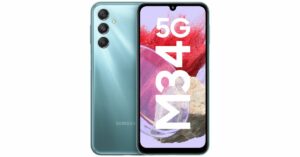
Samsung Galaxy M34 5G
The Samsung Galaxy M34 5G is available with a starting price of Rs 15,999 for 6GB RAM with 128GB storage options. The smartphone features a Full HD+ 6.5-inch display. The device runs OneUI 5.1, an Android 13-based operating system. The 5G phone is powered by Exynos 1280 SoC with a Mali-G68 MP4 GPU. It has a triple rear camera setup that includes a 50-megapixel primary sensor, a 2-megapixel macro sensor and an 8-megapixel ultra-wide angle camera. For selfies, there is a 13-megapixel sensor front-facing camera. A 6,000mAh battery powers the device.
OnePlus Nord CE 3 Lite 5G
OnePlus Nord CE 3 Lite comes with a starting price of Rs 19,999 for the 8GB RAM with 128GB storage option on Amazon. Whereas the 8GB RAM with 256GB storage option is priced at Rs 21,999. The device features a 6.72-inch full-HD+ LCD. An octa-core Snapdragon 695 SoC with an Adreno 619 GPU are under its hood. This 5G smartphone has a triple rear camera system that includes a 108-megapixel Samsung HM6 sensor with an f/1.75 aperture and EIS capability. A second 2-megapixel depth sensor and a 2-megapixel macro lens are also included. For taking selfies, there is a 16-megapixel front-facing camera.
For the latest gadget and tech news, and gadget reviews, follow us on Twitter, Facebook and Instagram. For newest tech & gadget videos subscribe to our YouTube Channel. You can also stay up to date using the Gadget Bridge Android App. You can find the latest car and bike news here.
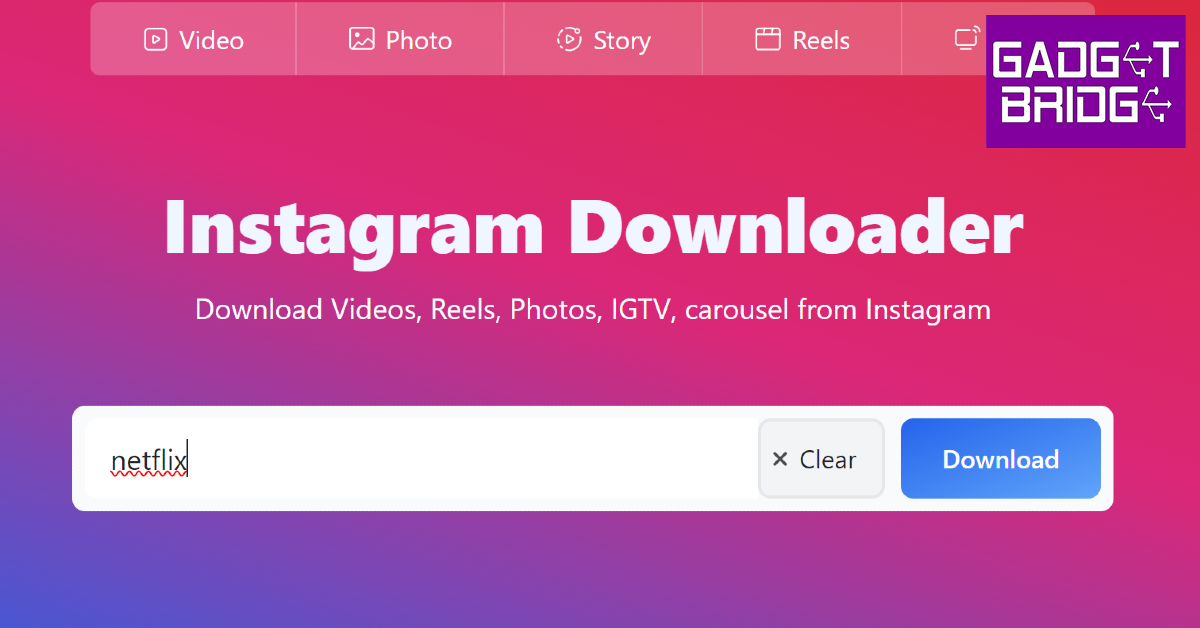
Instagram’s bite-sized video content has become the website’s primary driver in just three years of being introduced to the platform. Instagram boasts thousands of original content creators who post Reels to the platform every day and develop new trends that make their way into other platforms as well. While mobile devices are more suited for watching Reels, you can view them on your PC as well. In this article, we bring you the top 4 ways to watch Instagram Reels on a Windows PC without logging into your Instagram account.Read Also:Samsung SSD T9 with up to 2,000 MB/s transfer speed launched in India
Watch Reels on Instagram’s Website
Instagram’s website for PC allows you to view posts and watch Reels without logging into your account. Content posted on public profiles can also be viewed by users who haven’t signed up to the platform. To view Reels from a particular account, add its username to the Instagram URL and hit ‘Enter’. For example, if you want to view the Reels posted by Netflix, type https://www.instagram.com/netflix/ in the URL box and hit Enter. Once you land on the profile, switch to the Reels tab to view all the Reels posted by the account in one place.
Use Imginn to watch Instagram Reels on your PC without logging in
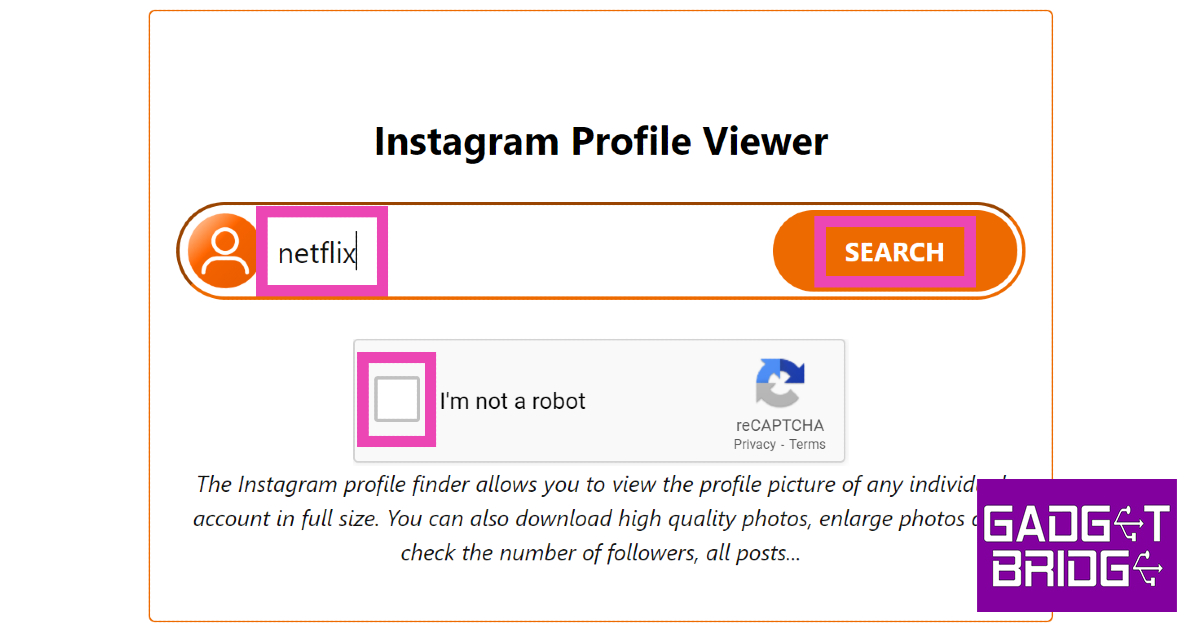
The only downside to using the official Instagram website without an account is that it doesn’t let view all the posts on a profile. To get around this issue, use a third-party app like Imginn. Here’s how you can watch Instagram Reels using Imginn.Step 1: Go to https://imginn.io/.Step 2: Enter the Instagram username of the profile you want to view in the Instagram Profile Viewer box.Step 3: Click on the Captcha checkbox and hit Search.Step 4: The Instagram profile will be displayed in a popup window. Switch to the Reels tab to view all the Reels that the account has posted in one place.
Use Igram.world to watch Instagram Reels without an account
Igram.world is another third-party website that lets you view and download Reels from any public Instagram account. Here’s how you can go about it.Step 1: Go to https://igram.world/reels-downloader.Step 2: Enter the Instagram username in the search box.Step 3: Hit Enter.Step 4: Browse through the Reels posted by the account and hit the Download button under the ones you want to save on your device.
Use GreatFon
Step 1: Go to https://greatfon.com/.Step 2: Enter the Instagram username, location, or hashtag you want to browse in the search box.Step 3: Hit Enter.Step 4: Select the profile from the results.Step 5: Switch to the Reels tab.Step 6: Click on the Reel you want to watch.
Frequently Asked Questions (FAQs)
Is it possible to view Instagram Reels on a PC without making an account?
Watching Instagram Reels on a PC without an account is possible, but it comes with some restrictions. Firstly, you will only be able to view Reels posted by a public account. Secondly, you won’t be able to interact with the content that the user has posted. To view Reels from a public Instagram profile, simply add its username to the Instagram URL in your URL’s address box and hit Enter. Upon landing on the profile, click on the Reels tab to view all the videos in one place.
How do I view all the posts made by an Instagram profile without making an account?
The only limitation of using the official Instagram website is that it lets you view only a certain number of posts without an account. To view all the content posted by a profile, use third-party websites like Imginn and Igram.world.
Does Instagram have an app for PCs?
To download the Instagram app for your PC, simply go to the official Instagram website and hit the computer icon in the address bar. You can also download the Instagram app for your PC from the Microsoft Store.Read Also:Top 7 Free Apps to Compress Videos on Android
Conclusion
This is how you can watch and download Instagram Reels on a Windows PC without logging into your account. Apart from viewing Reels from a particular account, you can also use websites like Imginn and Igram.world to download them. These websites let you view and download posts, videos, and active stories from any public Instagram account. Got another way to view Instagram Reels without an account? Let us know in the comments!For the latest gadget and tech news, and gadget reviews, follow us on Twitter, Facebook and Instagram. For newest tech & gadget videos subscribe to our YouTube Channel. You can also stay up to date using the Gadget Bridge Android App. You can find the latest car and bike news here.
After skipping the Galaxy S22 series, Samsung has brought back the ‘Fan Edition’ smartphone for the Galaxy S23. Offering flagship-level specs at relatively affordable pricing, the Fan Edition smartphones are hugely popular among users looking for the highest value they can get for their buck. This year’s Samsung Galaxy S23 FE is priced at Rs 59,999. HDFC Bank’s credit/debit card holders can avail an instant discount of Rs 10,000 on the smartphone. The smartphone gets some important updates over the S21 FE, but does it justify its price tag? Let’s find out in our Samsung Galaxy S23 FE review.Read Also:iPhone 15 Pro Max Vs iPhone 14 Pro Max: Specs compared
Samsung Galaxy S23 FE review: Design and Display
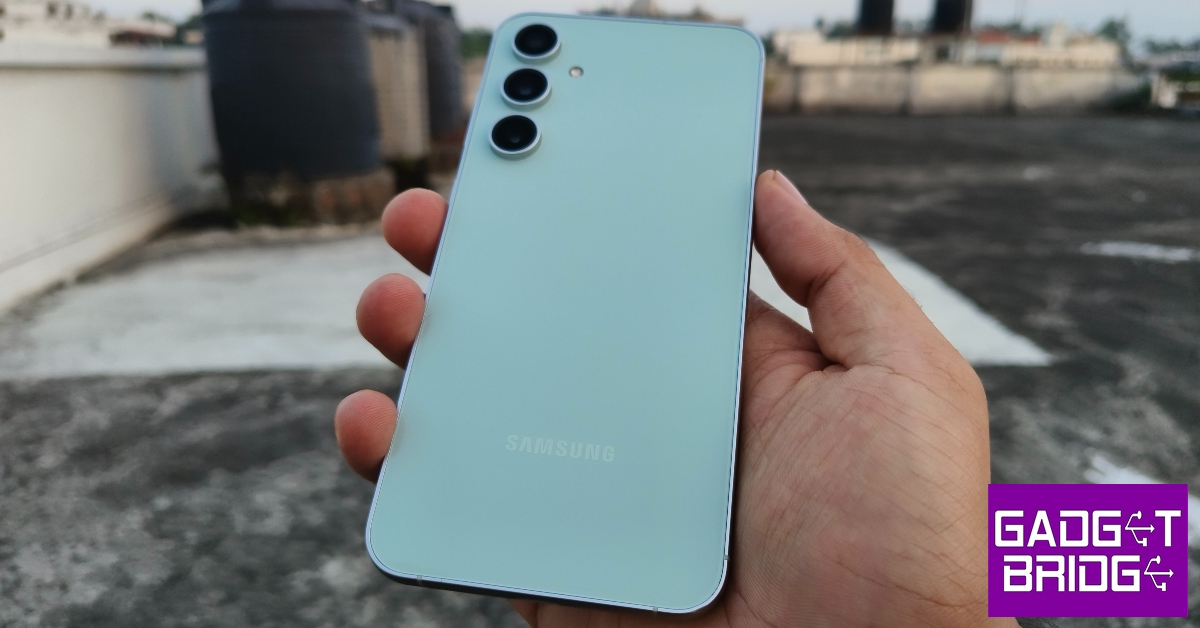
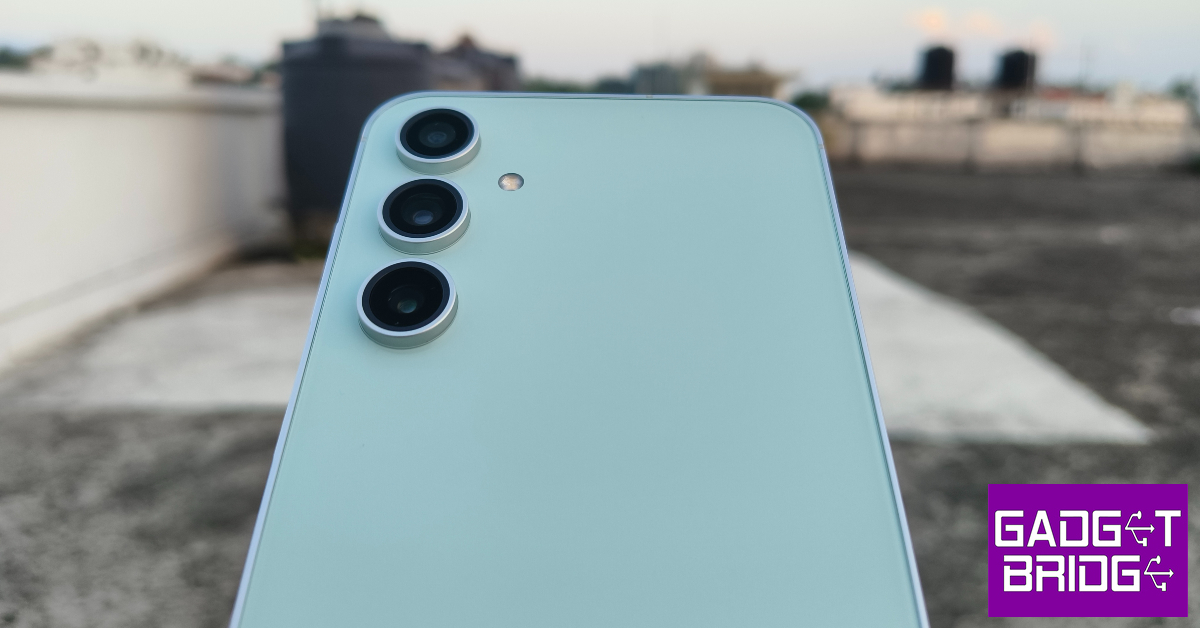
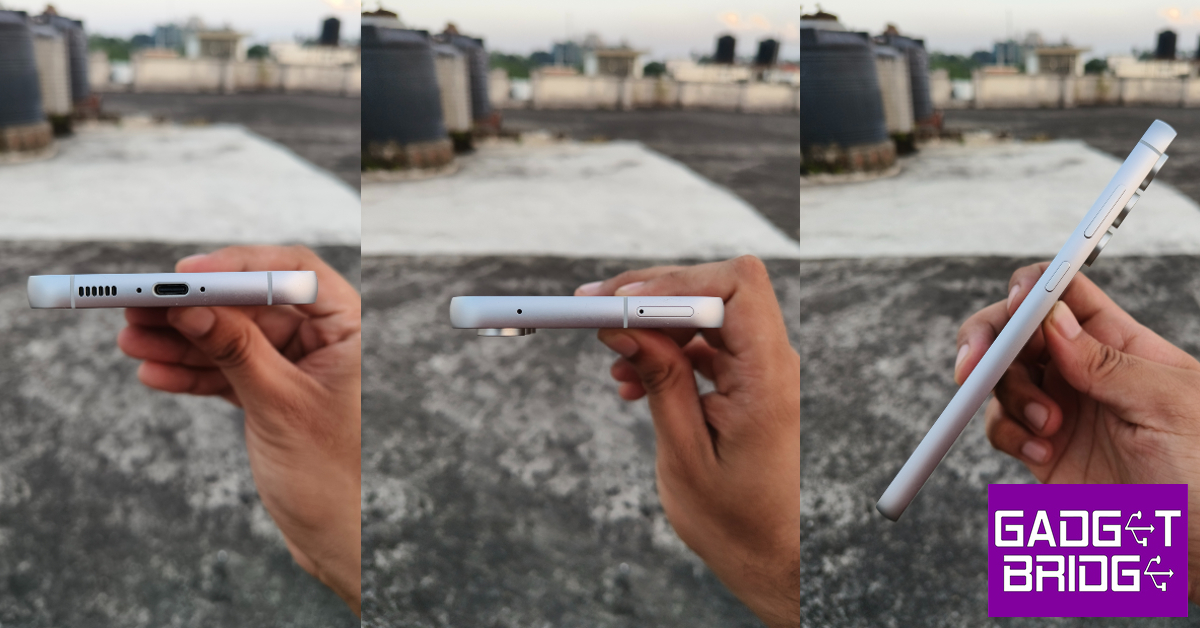
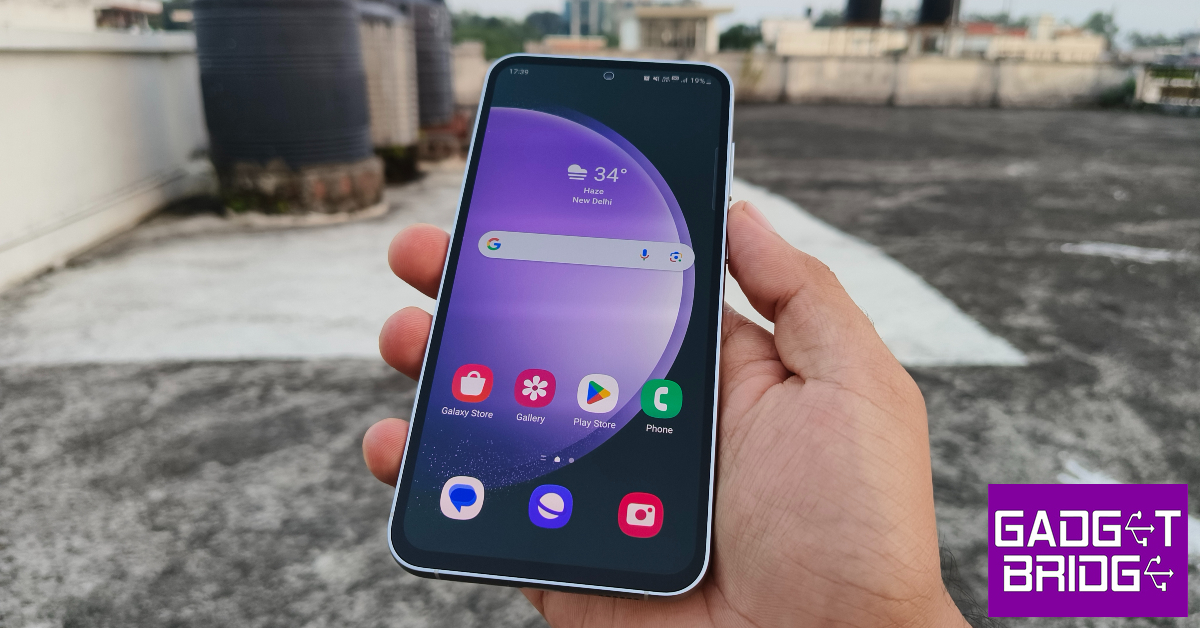
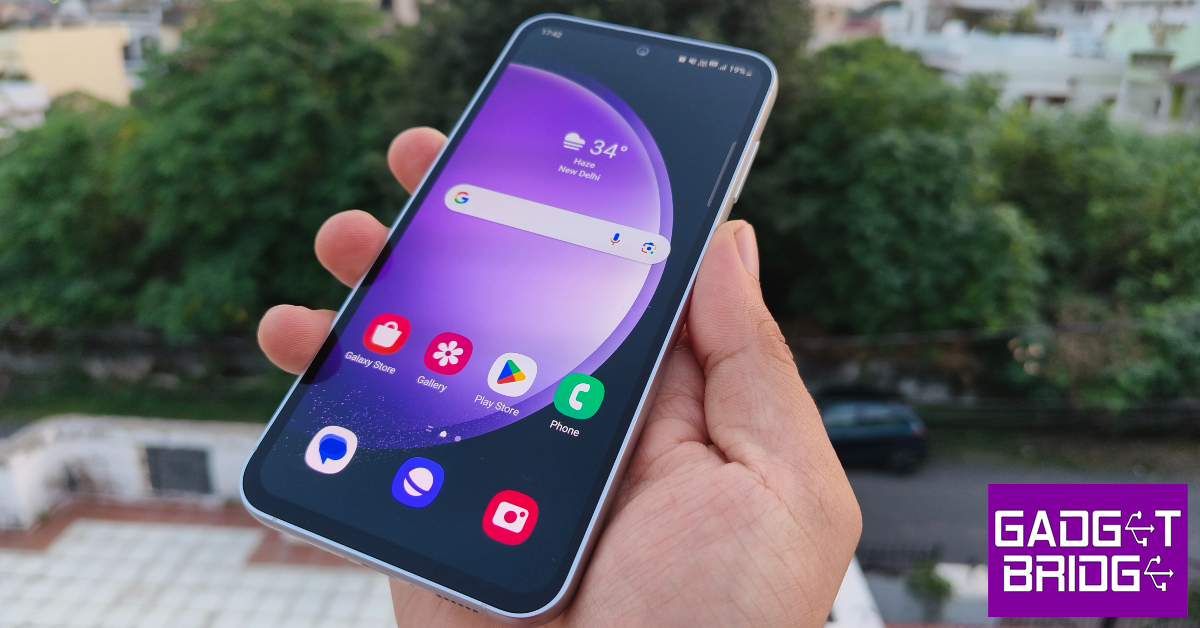
The Samsung Galaxy S23 FE ships in a compact black box, much like the flagship Galaxy S23 lineup. Inside, you get the smartphone, a USB Type-C charging cable, a SIM ejector tool, a regional lock guide, and a quick start guide. There is no power adapter inside the retail box, which is a trend that has also seeped down to the Galaxy A, M, and F series.Samsung Galaxy S23 FE gets a glass back (Corning Gorilla Glass 5) which is a significant upgrade from the plastic panel on the S21 FE. For a smartphone priced at Rs 60,000 in 2023, anything less would be a compromise. There are three colour options on offer – Mint, Graphite, and Purple. We got the Mint variant for this review. The pastel colour theme works very well for the smartphone, even though some may find it a bit pale. If that’s the case with you, the Graphite and Purple variants would be more up your alley.The vertical camera array has been the common theme for all Samsung smartphones this year, from the flagship S series to the M, F, and A series. This universal design language robs individual smartphones of their unique personality. Since Samsung’s Fan Editions are based on the flagship S Series lineup from their respective year, a new design for them is out of the question. The Galaxy S23 FE gets aluminium rings around the camera bumps. If you compare the back panel of the S23 FE with the regular S23, you’ll be hard-pressed to find any differences apart from their size.The chunky aluminium frame on the Samsung Galaxy S23 FE is similar to the one we saw on the Galaxy A54 a few months ago. This frame has a matte finish in contrast to the glossy back panel. A sleeker frame would have massively amped up the ‘premium’ factor of the smartphone and brought it closer to the flagship segment. The right side of this frame houses the volume rocker and the power/Bixby key. The USB Type-C port, primary microphone, and speaker grille are positioned at the bottom edge. The left side of the frame is left bottomless while the SIM card slot and the secondary microphone lie at the top edge. The smartphone’s earpiece doubles up as a stereo speaker.As you’d expect with a Samsung offering, the Galaxy S23 FE’s display is one of the best in its segment. It gets a 6.4-inch Dynamic AMOLED 2X unit with a 120Hz refresh rate. This display can reach a peak brightness of 1,450 nits under direct sunlight, which is an improvement over the Galaxy S21 FE. In comparison, the entry-level Galaxy S23 can reach 1,750 nits. The touch response and fluidity of this display are as good as its flagship counterpart. Scrolling through the interface and switching between different apps is a seamless experience. The display registers even the faintest of touches and its touch response rate is unmatched in this price segment.Consuming Full HD content on this display is a very enjoyable experience. The videos pack a lot of detail and are tuned to perfect in terms of contrast and dynamic range. The 1,080 x 2,340p resolution is not the highest we’ve seen in this segment, but the image optimisation on this display does not make you feel like you’re missing out on anything. Surprisingly, there is no HDR support for Netflix on this smartphone. This is certainly not ideal, but it wasn’t a dealbreaker for us.The only complaint we have is with the thickness of the bezels surrounding the display. Samsung loyalists will know what we’re talking about as this issue is prevalent across every series bar the flagship S23 lineup. The bezels on the Samsung Galaxy S23 FE get thicker around the chin, which is certainly not ideal given the smartphone’s price tag and costs it some brownie points in our review.On the bright side, the smartphone gets an IP68 rating for dust and water resistance. While we didn’t dunk the device in a glass of water, it was unfazed by minor splashes and light rainfall. Samsung claims that the S23 FE is water resistant up to 1.5 metres for 30 minutes.
Samsung Galaxy S23 FE review: Performance and Cameras
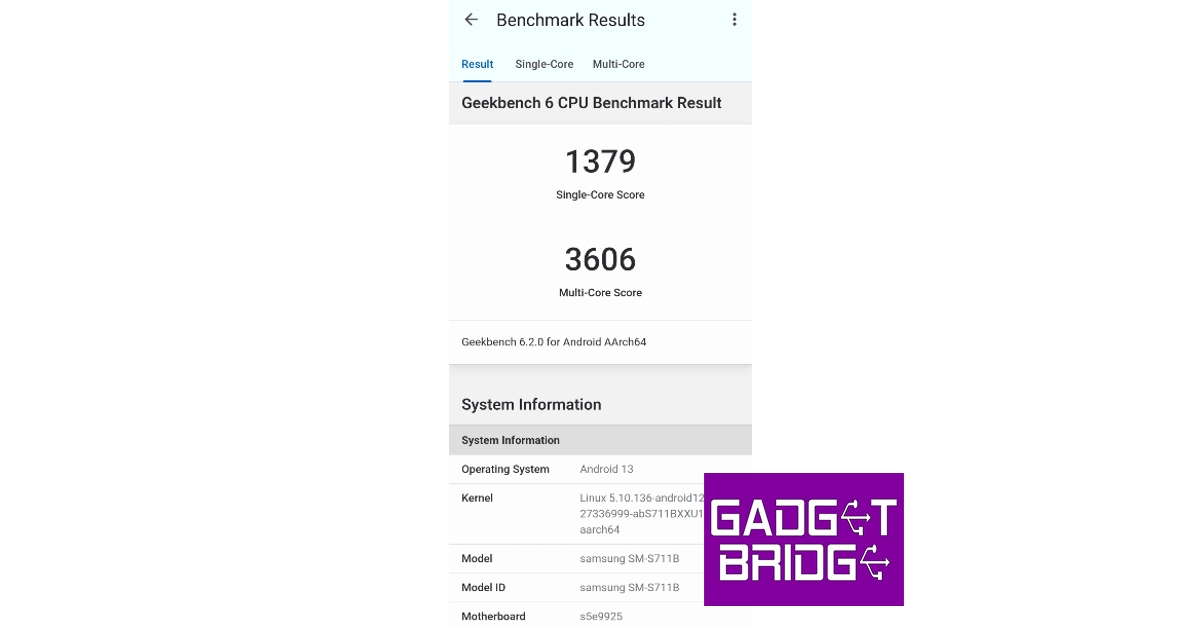
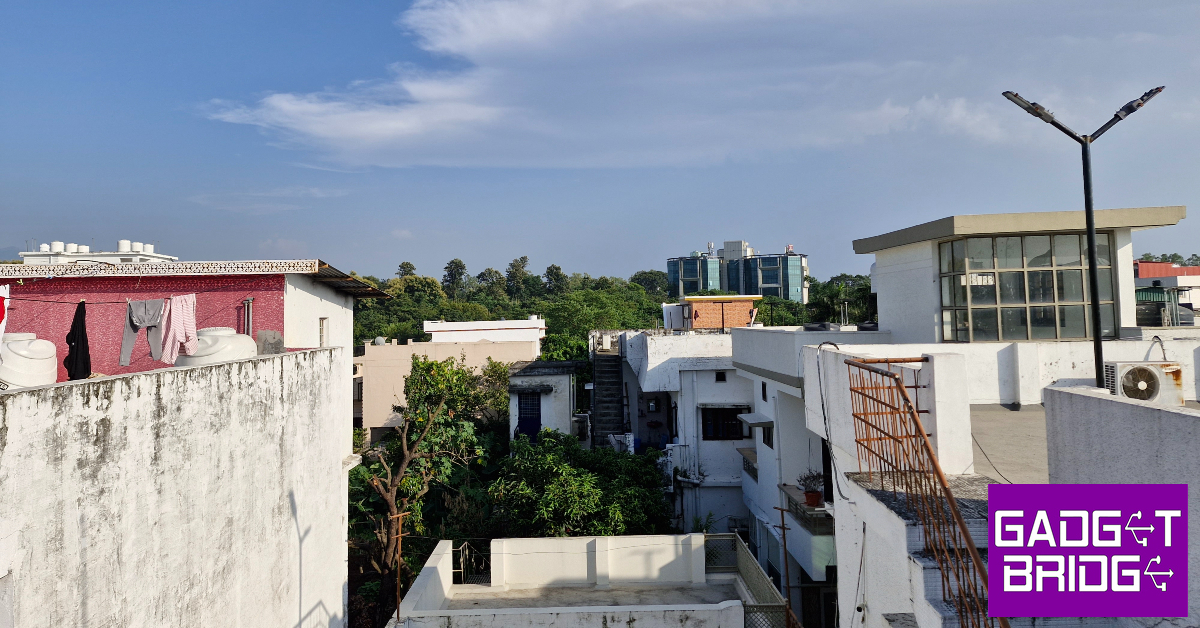
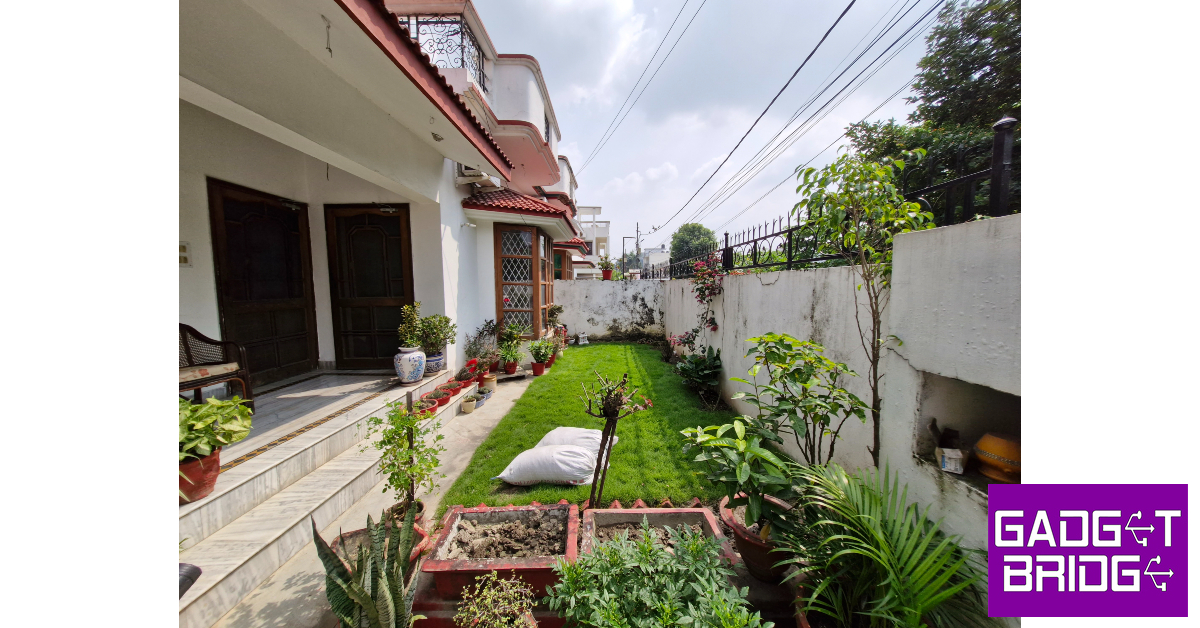
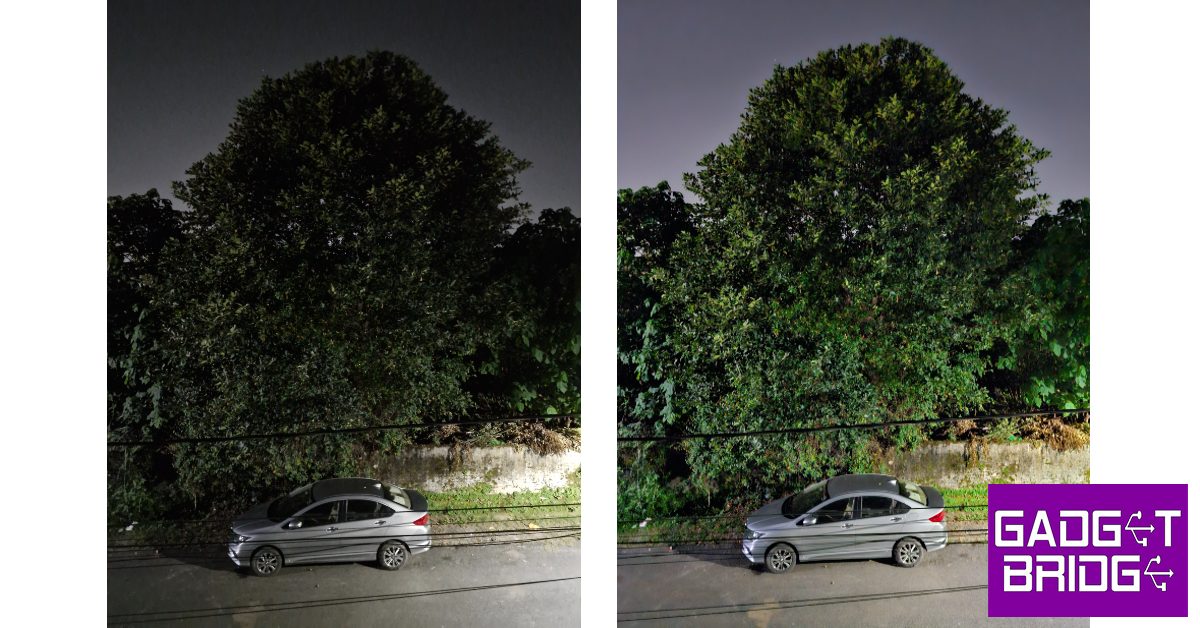
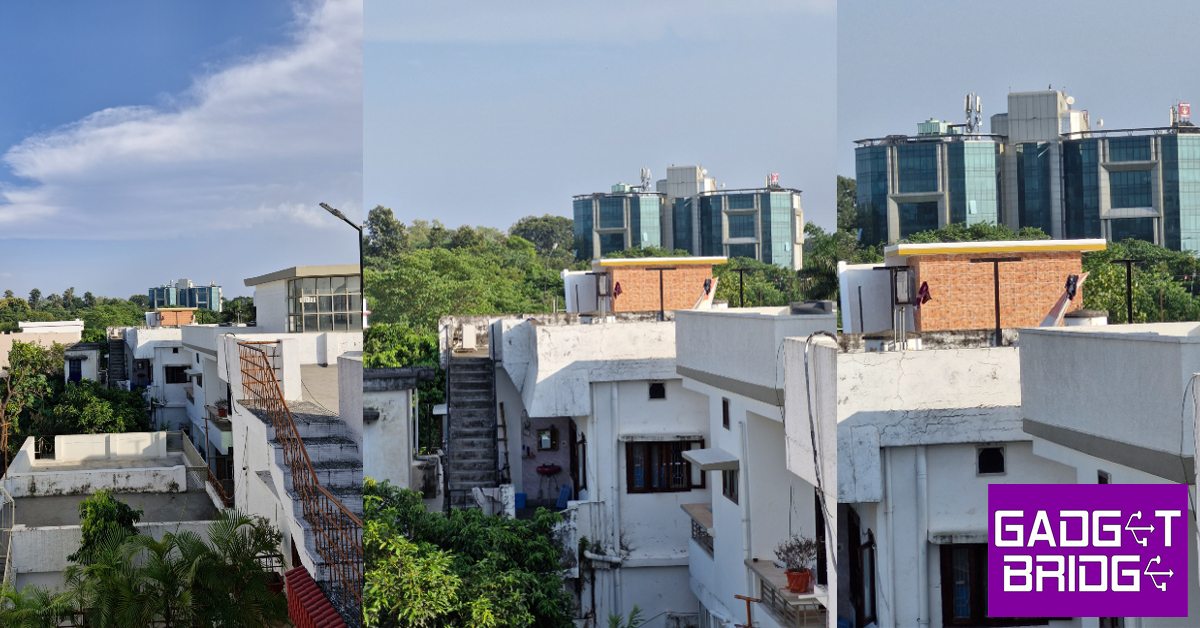
The Galaxy S23 FE gets Samsung’s in-house Exynos 2200 SoC inside it. While this 4nm process chipset is an upgrade over the Exynos 2100 on the S21 FE and the Exynos 1380 on Samsung’s 2023 midranger, Galaxy A54, it has some pretty significant flaws. And yes, they are directly related to the smartphone’s thermal management.On paper, the Samsung Galaxy S23 FE performs decently, scoring 1,379 points on the single-core test and 3,606 points on the multi-core test on the Geekbench 6 app. However, in everyday use, the smartphone runs a little warm even while carrying out the most basic of tasks. We noticed the temperature of the phone rose after taking a few photographs under direct sunlight. The device warmed up even more drastically while recording 8K resolution videos. Heating issues aside, we did not come across any unwanted lags or stutters while using the smartphone. Routine tasks like web browsing, media playback, instant messaging, and video calling were handled with expertise.There is some bad news for gamers, however. The thermal management issues become even more prominent while playing games like BGMI and Call of Duty Mobile. It takes around 10-15 minutes of gameplay for the smartphone to warm up. Not something you’d expect of a device in this price range. While we didn’t experience any major stuttering or frame drops during gameplay, the fluidity and seamlessness we were expecting were not delivered by the smartphone.OS duties on the S23 FE are handled by Android 13 and One UI 5.1. There is a hint of bloatware in the form of Netflix, Facebook, Spotify, and a bunch of Microsoft apps. The good news is that the smartphone gets flagship-exclusive features like Samsung DeX and Knox security. On top of that, you also get privacy features like Secure Folder and Private Share. One UI also offers some cool video call effects, which allow users to change their background to a monochromatic colour, blur, or a different image on WhatsApp, Google Meet, and Facebook calls. Samsung promises 4 years of major OS upgrades and 5 years of security upgrades that are only surpassed by Google on the newest Pixel 8 series.Samsung Galaxy S23 FE offers a pretty standard one-day battery cover. After a day of moderate to heavy usage, we were left with a 15-18% charge. With 25W charging support, the 4,500mAh battery takes just under an hour to fully charge.The camera performance of the Samsung Galaxy S23 FE blows almost every smartphone in this category out of the water, as you’ll find out in this review. This is largely due to the updated 50MP main sensor which is also found on the flagship Galaxy S23. Images taken in outdoor conditions using the primary shooter were tuned to perfection. They displayed an excellent dynamic range, balanced contrast, and vibrant colours without coming across as too overprocessed. We were pleased with the way the sky was exposed in the images. Objects in the background were captured with an adequate level of detail.The 12MP ultrawide camera surprised us with the way it retained the colour composition within the images. While the pictures feel a bit softer, they do not appear washed out at all. The same cannot be said about most of the smartphones in this price segment. You can rely on the Galaxy S23 FE’s ultrawide lens to take solid shots under ideal daylight conditions. The 8MP telephoto lens is a good addition to the smartphone’s camera array. The 3X optical zoom produces good results. Even with 5X zoom, there is no significant drop in image quality.Ultrawide ShotUltrawide ShotThe Samsung Galaxy S23 FE continues its stellar camera performance in limited lighting conditions as well. The handy night mode gets rid of the grain in the images and does a great job of artificially lighting up the subject. The camera app also has a Portrait Mode which takes great shots of the subject up close. The camera can intelligently separate the subject from the background and apply the optimum level of blur.Without Night Mode vs Night ModeAnother significant upgrade to the S23 FE’s camera is the ability to record videos in 8K. While the camera may warm up if you’re shooting in 8K under direct sunlight, the result is absolutely worth it. The smartphone can also record 4K videos at 30fps. The 10MP selfie camera up front takes good quality selfie shots without overcorrecting the skin tone and texture. It is capable of recording 4K videos at 30fps as well.Indoor Ultrawide ShotZoom: 1x vs 3x vs 5xRead Also:OnePlus offering huge discount on OnePlus 11 5G Series during Amazon and Flipkart Sale
Conclusion
Samsung Galaxy S23 FE has all the makings of a flagship killer. It rocks one of the best display units in the segment while delivering the camera performance that matches the Galaxy S23 flagship. The only letdown is the Exynos 2200 SoC, which falls a little short in managing the smartphone’s heat levels. Having said that, if you’re not interested in power-intensive tasks like photo editing or gaming, the Samsung Galaxy S23 FE’s design, display, and camera performance may sway you in its favour.
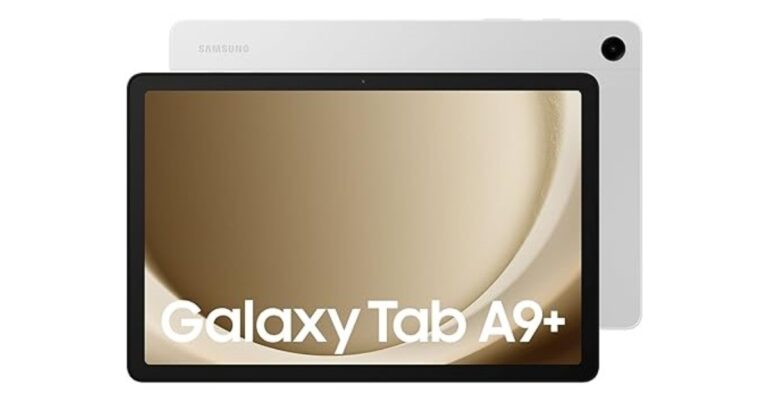
Samsung Galaxy Tab S9 FE and Galaxy Tab S9 FE+ were launched in India last week. Today the company introduced more affordable tablets namely Samsung Galaxy Tab A9 and Galaxy Tab A9+ in the country. The device is a successor to the Galaxy Tab A8 that was released in the country last month. The newly arrived tablets are powered by MediaTek and Snapdragon chipset respectively. However, they have the same battery capacity.
Samsung Galaxy Tab A9, Galaxy Tab A9+ price in India, sale details
The Samsung Galaxy Tab A9 has been introduced with a price tag of Rs 12,999 for the 4GB RAM with 64GB storage Wi-Fi only variant. Whereas the Wi-Fi + 5G variant with similar storage is priced at Rs 15,999. On the other hand, the Galaxy Tab A9+ 8GB RAM with 128GB storage Wifi only variant comes with a price tag of Rs 20,999. The price of Wi-Fi + 5G is yet to be announced. Both models are available in three colour options of Dark Blue, Grey, and Silver.Also Read:Samsung SSD T9 with up to 2,000 MB/s transfer speed launched in IndiaThe Samsung Tablets can be purchased via Amazon in the country. SBI credit card holders are eligible to get an instant discount of up to Rs 5,000 on the purchase of the tablet.
Samsung Galaxy Tab A9 comes with an 8.7-inch LCD WQXGA display with 800×1,340 pixels of resolution. There is 60Hz refresh rate support. The device is powered by MediaTek Helio G99 SoC and runs on Android 13 with OneUI 5.1.1.There is a single 8-megapixel rear camera with autofocus on the tablet for photos and videos. It includes a 2-megapixel front-facing camera for selfies and video calling. The dual speaker set up on the Tab is powered by AKG which comes with Dolby Atmos support.On the other hand, the Samsung Galaxy Tab A9+ is highlighted with a bigger 11-inch WQXGA LCD display with 1,200 x 1,920 pixels of resolution. The screen has 90Hz refresh rate support. The Tab runs on OneUI 5.1.1 with Android 13. An octa-core Snapdragon 695 SoC by Qualcomm powers the tablet. The internal storage on the Samsung Tab can be expanded using a microSD card.The rear camera on the Galaxy Tab A9+ is similar to its sibling. However, there is a 5-megapixel front camera for selfies on the device. This tab includes a total of four speaker set up by AKG that supports surround sound. Both the tablet boasts a 5,100mAh battery. Also, there is 5G, Wi-Fi, Bluetooth, and USB Typse-C port for connectivity.For the latest gadget and tech news, and gadget reviews, follow us on Twitter, Facebook and Instagram. For newest tech & gadget videos subscribe to our YouTube Channel. You can also stay up to date using the Gadget Bridge Android App. You can find the latest car and bike news here.
Garena Free Fire is a battle royale game with regular awards and tournaments to keep players interested. If you play Garena Free Fire, you should be aware of the redeem codes that are released on a daily basis. However, because the battle royale game is banned in India, players from other countries can use the Free Fire Redeem codes daily. If you’re unfamiliar with the Garena Free Fire redeem codes or don’t know how to get them, we’ve put together a step-by-step guide to help you redeem them. Check out Garena Free Fire Redeem Codes for 10 October 2023.The Free Fire redeem codes are a great way to get free stuff. These are 12-digit codes that contain alphabets and numbers, as well as an expiration date and time. Because the Garena FF redeem codes cannot be used more than once, you should hurry to the redemption page to claim your free reward before someone else does. To get a free reward, all you have to do is go to reward.ff.garena.com/en, which is the official redemption page. Also, keep an eye on this space for daily updates on Garena Free Fire redemption codes and rewards.
Garena Free Fire Redeem Codes Today 10 October2023
Updating soon…
How to Get Free Fire Redeem Codes for Garena on 10 October2023?
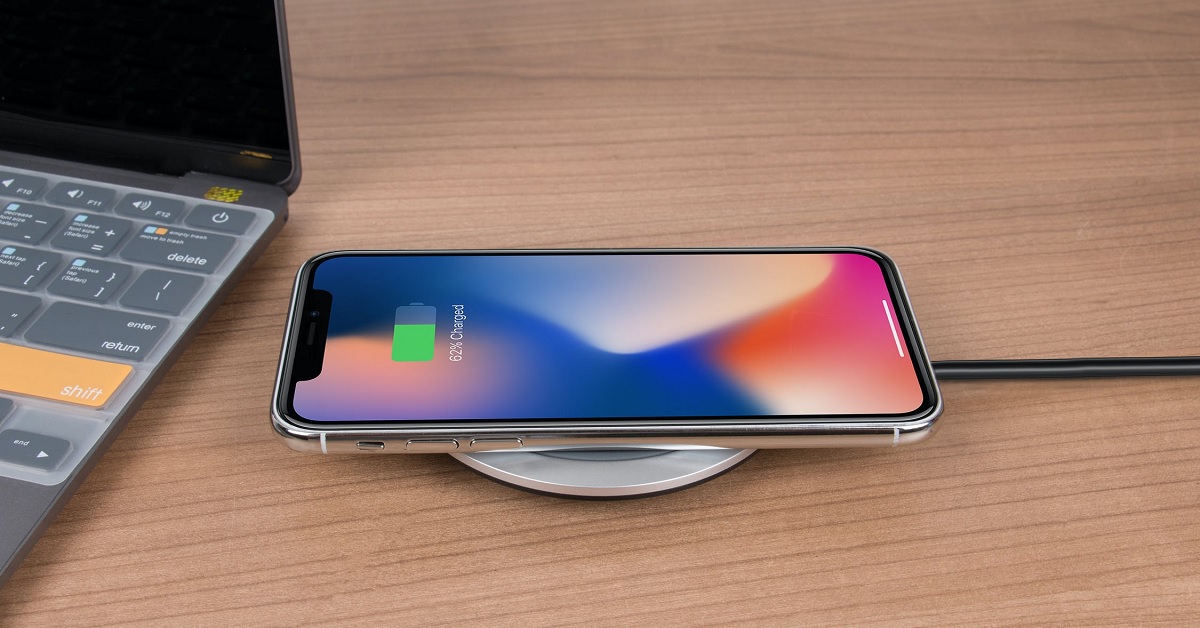
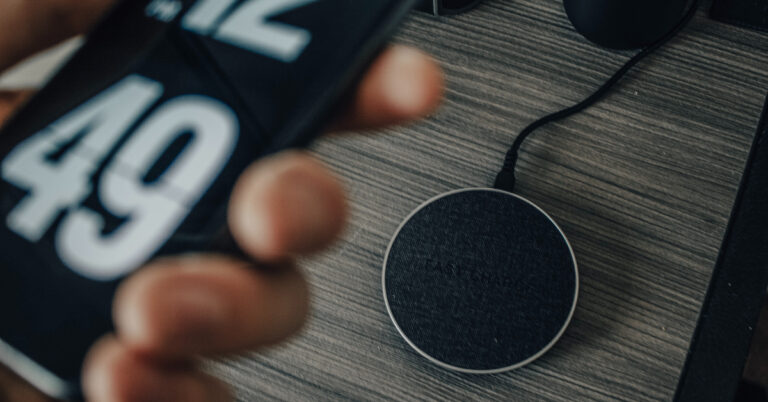
Wireless charging for smartphones has been around for a long time but it is mostly offered with flagship and upper midrange devices. If you didn’t look into your phone’s battery specifications at the time of buying it, you might be wondering if it can be charged wirelessly. While it may not deliver charging speeds as fast as wired charging, wireless charging has its own advantages. If you spend most of your time at your work desk, a wireless charger may be a good investment. You can say goodbye to wires and easily charge your phone while it rests on your desk. In this article, we bring you the top 8 methods to check if your phone supports wireless charging.Read Also:OnePlus offering huge discount on OnePlus 11 5G Series during Amazon and Flipkart Sale
Can’t get wireless charging to work?
If you’re certain that your smartphone supports wireless charging, but you can’t get it to work, try these quick fixes.
Remove your phone’s case/cover: Some phone cases/covers are not compatible with wireless chargers. This is particularly true for metal and thick plastic covers. Either remove your phone’s cover or use a silicone/TPU case to charge the device wirelessly.
Place the phone correctly on the charging pad: Make sure your phone’s wireless charging coil aligns perfectly with the wireless charging pad. If the placement is off, your phone won’t charge.
Enable fast wireless charging: If your phone is trickle charging while it’s placed on a wireless charging pad, go to Settings>Battery and enable fast wireless charging.
Wait for phone to cool down: Overheating is quite common while charging your phone wirelessly. Once the internal temperature of your device rises above a certain point, it automatically shuts off the charging mechanism. Wait for your phone to cool down and try again.
Use a different charger: It is possible that the fault lies with your wireless charger. Only use authentic accessories that are compatible with your device.
Check your phone’s battery settings
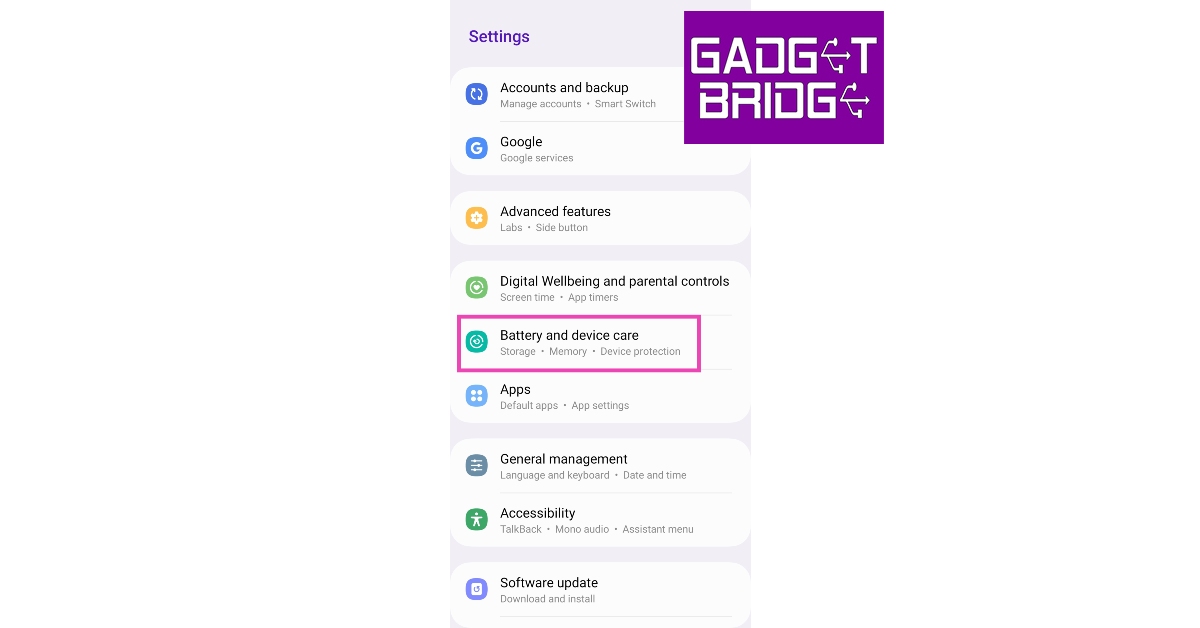
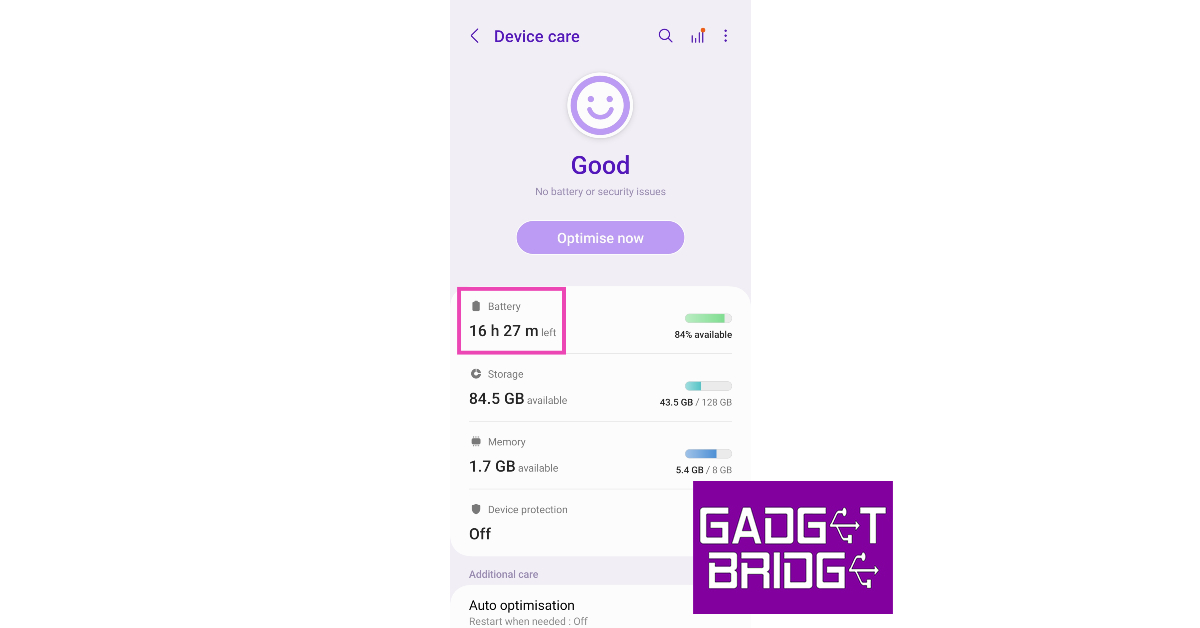
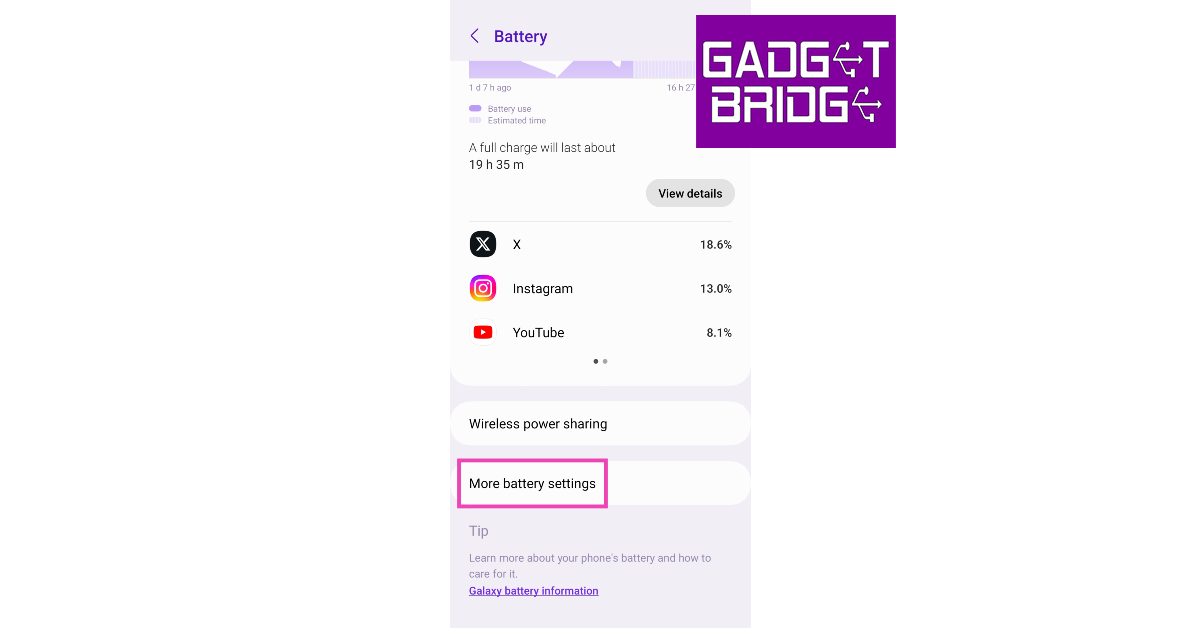
The simplest way of checking whether your phone supports wireless charging or not is by visiting its battery settings. Here’s how you can do it on a Samsung smartphone.Step 1: Go to Settings and select Battery and device care.Step 2: Tap on Battery.Step 3: Select More battery settings.Step 4: If there is an option for Fast wireless charging, it means your smartphone supports wireless charging.
Check the phone’s user manual
If you still have your smartphone’s retail box, dig through it and find the device’s user manual. The user manual may contain instructions on how to use a wireless charger with your device, confirming that it supports the feature. You can try scanning the retail box for details related to wireless charging.
Check the manufacturer’s website
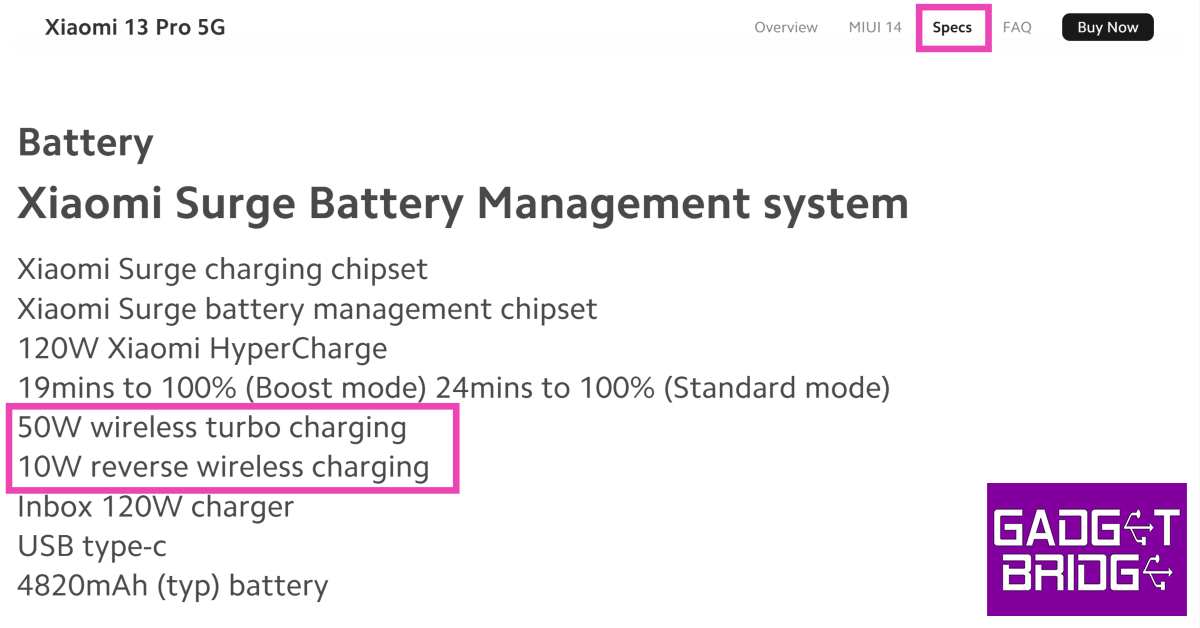
If you don’t have your smartphone’s retail box within reach, you can simply check the manufacturer’s website for the device’s spec sheet. Once you land on your smartphone’s product page, scan its specifications to check for wireless charging. If it isn’t mentioned in the battery or charging section, it is unlikely that your phone supports wireless charging.
Check the smartphone’s Amazon page
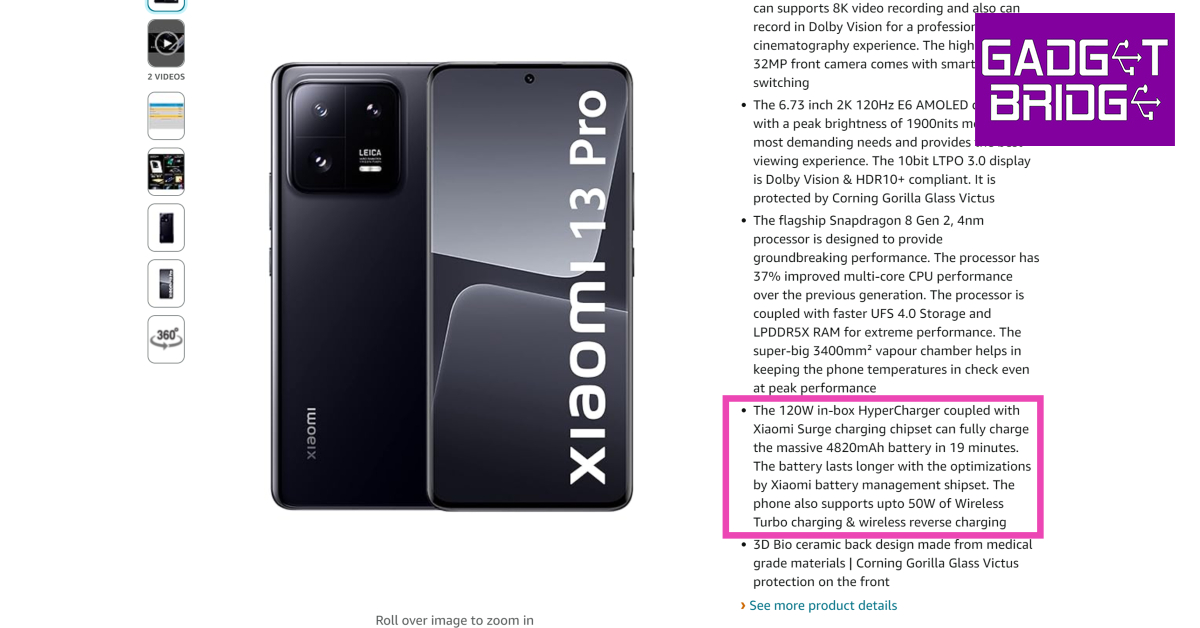
If the smartphone manufacturer’s website does not give you any clue about its wireless charging specs, check its Amazon page. If the smartphone supports wireless charging, it will be mentioned in the ‘About this item’ section or the extended spec sheet at the bottom of the page.
Use the Wireless Charging Checker app by Widget7
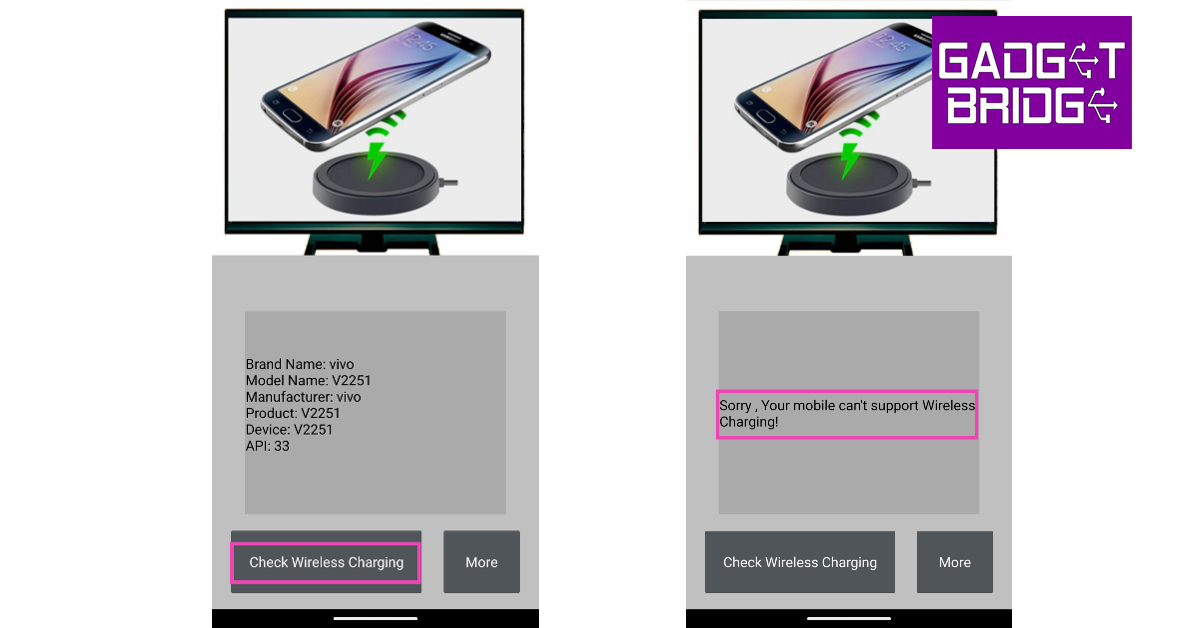
Another quick way to confirm whether your phone supports wireless charging or not is by using the Wireless Charging Checker app by Widget7. This no-nonsense app lists your device’s model name, product code, and other details on the home page. Tap on Check Wireless Charging to know the results.
Check the Wireless Power Consortium website
The Wireless Power Consortium (WPC) is a group of major tech conglomerates working towards the goal of global adoption of its wireless charging interfaces. Some of the members of WPC include Apple, Qualcomm, Samsung, MediaTek, and Google. You can check whether your smartphone utilises WPC’s wireless charging interface by searching for your device on their website. Go to https://www.wirelesspowerconsortium.com/ and click on the search bar to check whether your phone is in their database.
Check the Qi Inside website
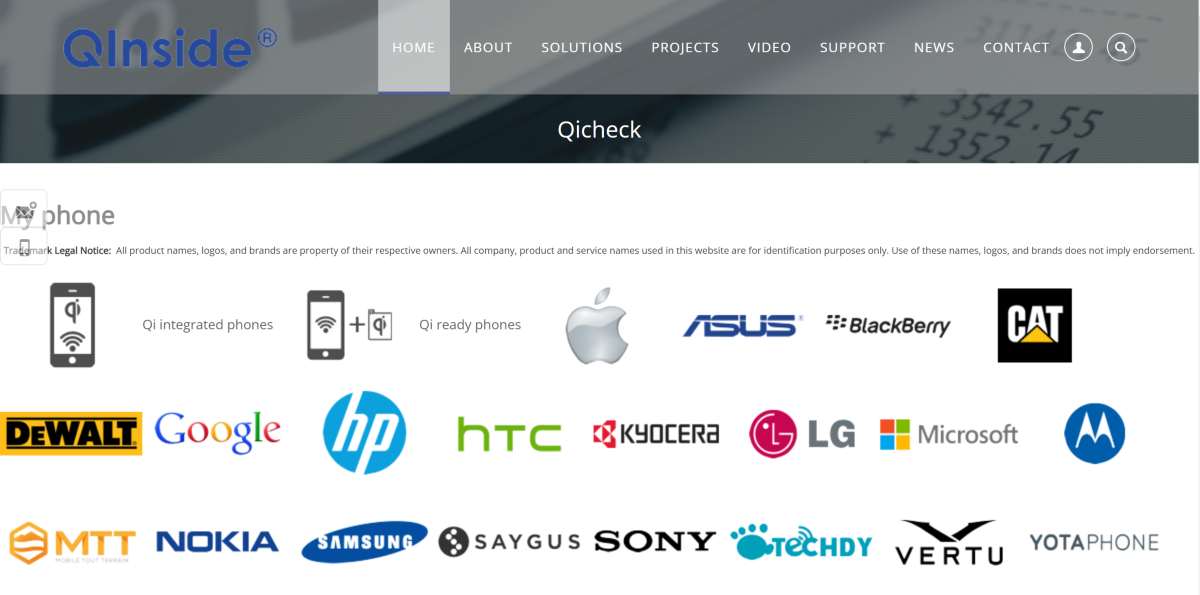
Qi is a wireless charging standard that is used on a lot of smartphones. Go to the Qi Inside website to check if your phone supports wireless charging. Click the name of your smartphone’s manufacturer and look for your model in the list. You can also scroll the page for the long list of all smartphone models that support Qi wireless charging.
Got a wireless charger nearby? Connect it to your smartphone
This seems like a no-brainer option but some users may be hesitant to try it since wireless chargers rely on magnetic induction for powering a device. If you have a wireless charger nearby, you can place your phone on it to check whether it supports wireless charging. Your smartphone will not be harmed if it doesn’t have wireless charging support.
Frequently Asked Questions (FAQs)
Does my phone support wireless charging?
Go to your phone’s settings and check the battery section for wireless charging support. You can also check the manufacturer’s website or the device’s Amazon page for all specs related to battery and charging. If it doesn’t mention wireless charging then it most likely doesn’t support it. To be absolutely sure, install the Wireless Charging Checker app by Widget7 on your device and run a quick check.
How long does it take to wirelessly charge a smartphone?
A 10-15W wireless charger takes up to 3 hours to charge a regular smartphone with a 5,000mAh battery.
Is wireless charging faster than wired charging?
No, wireless charging is not faster than wired charging. Every smartphone that supports wireless charging can be charged faster using a power adapter and a USB cable.
How do I turn on wireless charging?
Wireless charging is enabled on your smartphone by default. All you need to do is place the device on a wireless charging pad.
These are the top 8 ways you can check if your phone supports wireless charging. If you own a budget Android smartphone, chances are it does not have wireless charging support since this feature is only found in midrange and flagship devices. If you found this article useful, let us know in the comments!
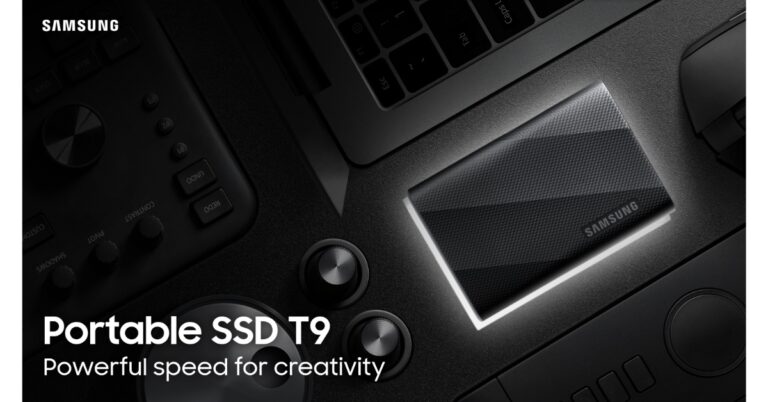
Samsung today announced the launch of a new solid-state drive (SSD) namely the Samsung SSD T9 in India. The device will be available in three storage variants with a price starting at Rs 12,799. The Samsung SSD offers a transfer speed of up to 2000MBps. In addition to this, it comes with Samsung Magician Software 8.0 and is compatible with Windows and macOS operating systems.Puneet Sethi, Vice President, of Consumer Electronics Enterprise Business, Samsung India said, “In a high-resolution content landscape, the T9 is the answer for professionals seeking solutions for challenges such as data management, transferring large files, and durability and performance issues. Samsung’s Portable SSD T9 empowers modern content creators by addressing those data challenges and providing memory solutions that enhance their creative aspirations.”The Samsung SSD T9 has a sleek and credit-card-sized design with a rugged build. The T9’s rubber exterior ensures a comfortable grip and guards against low-temperature burns. It comes with a five-year limited warranty and is resistant to drops from heights of up to three meters.The portable solid-state drive (SSD) includes Samsung’s Dynamic Thermal Guard technology that efficiently mitigates performance dips caused by overheating, ensuring consistent and speedy transfer rates. In addition to this, it complies with the international safety standard IEC 62368-1.The Samsung SSD T9 boasts a lightning-fast USB 3.2 Gen 2×2 interface. It is claimed to offer up to 2,000 MB/s read/write speeds. The SSD comes in three different capacities – 1TB, 2TB and 4TB. It also has Samsung Magician software offering features such as performance benchmarks, security functions, firmware updates and real-time health status checks. The software is capable of solving any field issues that might occur. As per the company with the latest 8.0 version released in September 2023, all Samsung software such as Data migration, PSSD software and Card authentication tool will be integrated to the Magician software and the OS support range will be expanded, for Windows, Mac and Android user convenience.There is USB Type C-to-C and USB Type C-to-A cables provided with the device offering cross-platform compatibility that extends to Windows, macOS, smartphones, tablets, gaming consoles, and premium cameras. It can be directly connected to an 8K or 12K high-resolution camera for seamless use.








 Step 5: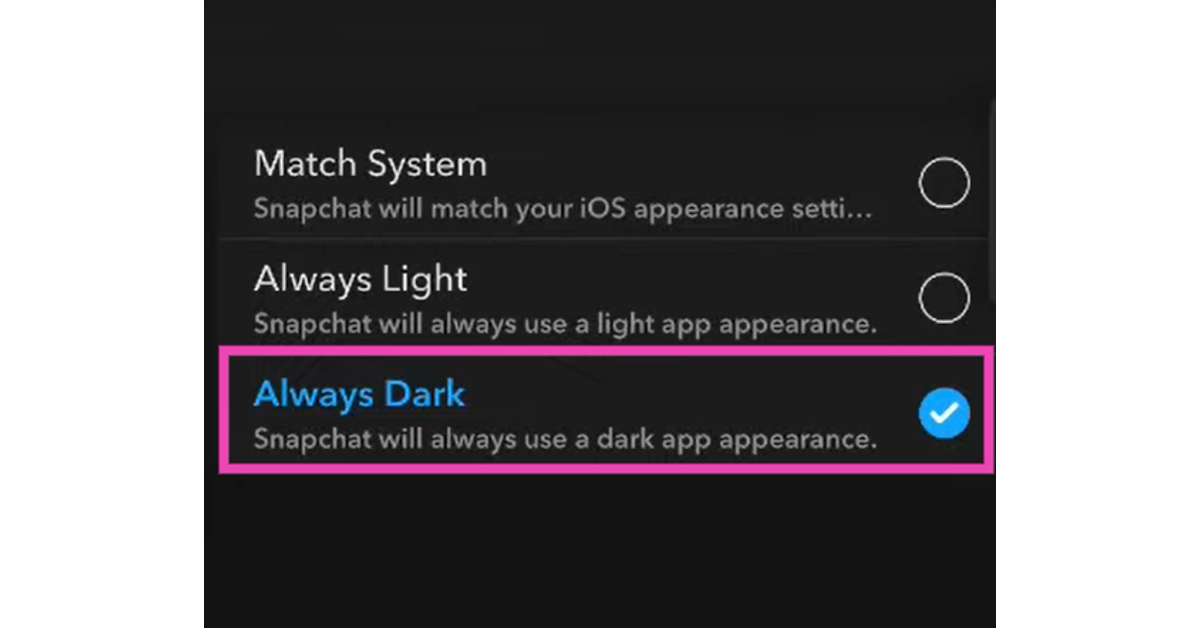
 Step 3: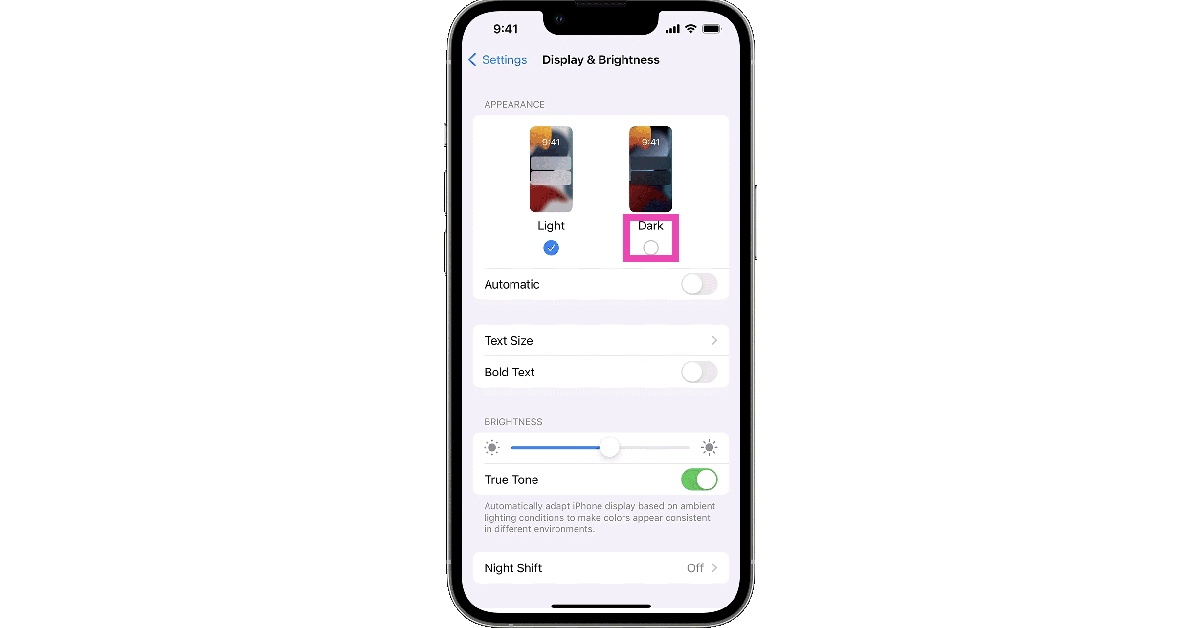
 Step 3:
 Step 4:
 Step 5: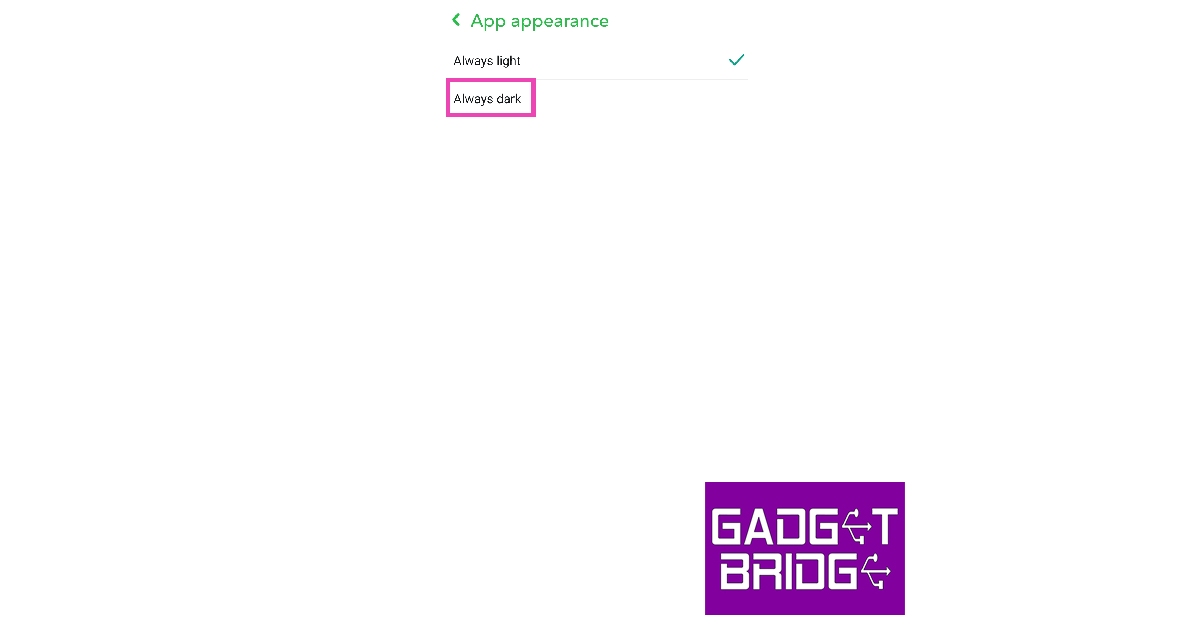
 Step 2:
 Step 3:
 Step 4: Uninstall
 Step 5: Launch
 Step 7: Launch




 Step 3:
 Step 3:
 Step 3:
 Step 5:
 Step 6: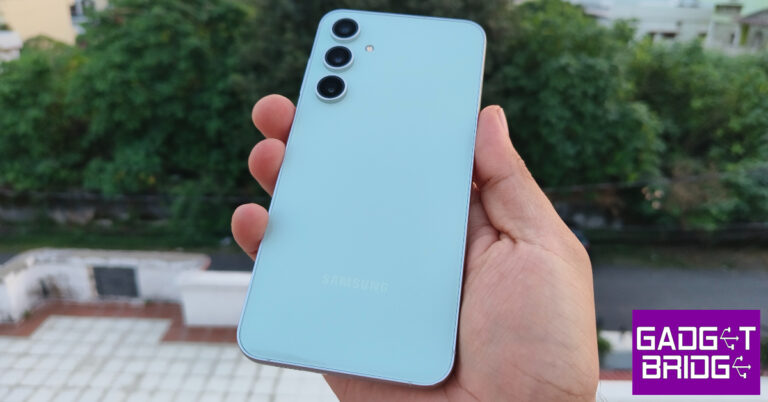






 Step 2:
 Step 3:
 Step 4: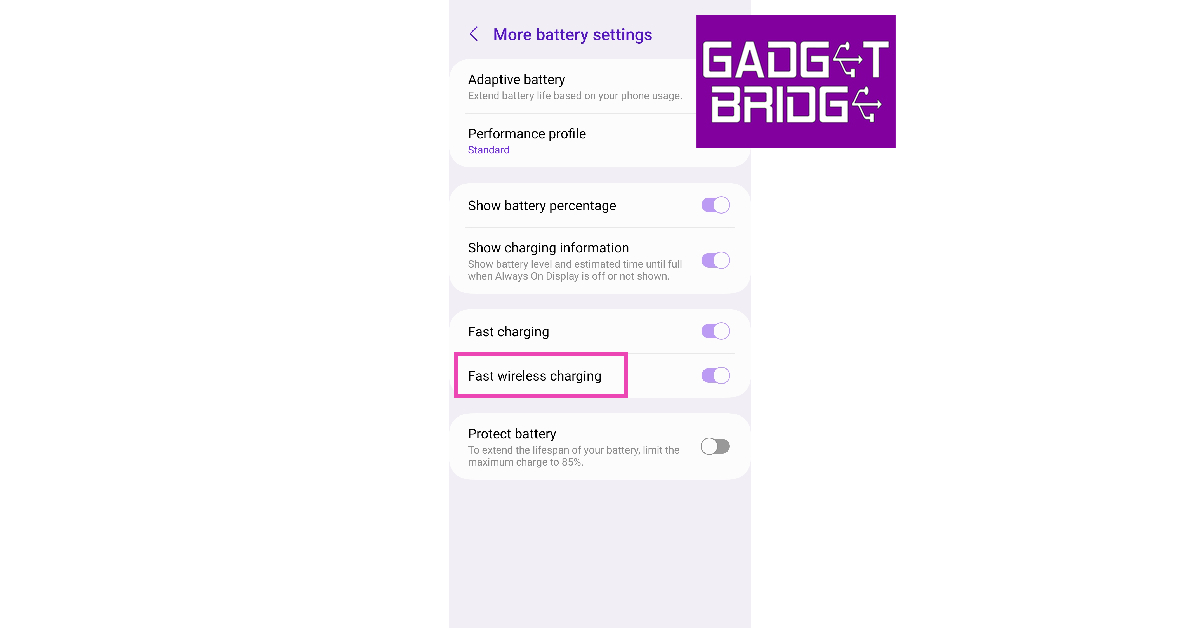
 Qi is a wireless charging standard that is used on a lot of smartphones. Go to the