Garena Free Fire is a battle royale game with regular awards and tournaments to keep players interested. If you play Garena Free Fire, you should be aware of the redeem codes that are released on a daily basis. However, because the battle royale game is banned in India, players from other countries can use the Free Fire Redeem codes daily. If you’re unfamiliar with the Garena Free Fire redeem codes or don’t know how to get them, we’ve put together a step-by-step guide to help you redeem them. Check out Garena Free Fire Redeem Codes for December 14.The Free Fire redeem codes are a great way to get free stuff. These are 12-digit codes that contain alphabets and numbers, as well as an expiration date and time. Because the Garena FF redeem codes cannot be used more than once, you should hurry to the redemption page to claim your free reward before someone else does. To get a free reward, all you have to do is go to reward.ff.garena.com/en, which is the official redemption page. Also, keep an eye on this space for daily updates on Garena Free Fire redemption codes and rewards.
Garena Free Fire Redeem Codes Today 14 December 2022
14 December 2022 Amazon Quiz has gone live on its mobile app platform. Customers from different parts of the country are participating in the daily quiz. The daily quiz is conducted by the company brings an opportunity for the customers to win exciting prizes. The quiz begins from 12 AM to 11:59 PM. In today’s quiz participants have a chance to win Rs 1,000 Amazon Pay Balance by answering all the questions correctly.Every day Amazon brings a fresh set of questions for its customers that contains five easy questions. Amazon quiz brings an opportunity for its customers to win Amazon Pay Balance ranging from Rs 1,000 to Rs 50,000. which consists of five questions related to general knowledge and current affairs.The participants need to answer all the questions correctly and their names will be selected for a lucky draw. The winner will be announced at the end of the month. One wrong answer could eliminate you from the quiz. If you manage to answer all the questions correctly you can stand a chance to win Rs 1,000 Amazon Pay Balance today. Only app users are eligible to participate in the Quiz. Check Out 14 December 2022 Amazon Quiz Answers.Amazon Quiz Today Prize – Rs 1,000 Amazon Pay BalanceQuiz Date – 14 December2022Daily Timing – 12 AM to 11:59 PMWinner Announcement – Today at 12 PM
Amazon Quiz Answers Today 14 December 2022
Question 1: In which country have 24 well-preserved bronze statues, dating back 2300 years, been excavated from a spa?
Answer: ItalyQuestion 2: After Elon Musk’s acquisition of Twitter, many users have jumped to which open-source alternative social app that started in 2016?Answer: MastodonQuestion 3: Which science fiction movie is about the human colonization of a distant moon called Pandora?
Answer: AvatarQuestion 4: In which US state did this movement start from?
Answer: FloridaQuestion 5: Which sultan began the construction of this fortress?
Answer: Saladin
How To Play Amazon Quiz
Only app users are eligible to play the Amazon quiz every morning from 12 AM to 11:59 PM. The quiz is not available on the desktop. For those who are unaware of how to play the Amazon quiz below are the steps, you can follow to take the quiz.
Firstly download the Amazon app from Google Play Store or App Store
Now fill in the required information through the Sign Up option.
You need to log in to the Amazon app and scroll down on the home screen to find the Amazon Quiz banner.
Tap on the Amazon Quiz banner and tap on the Start button to start the Quiz.
Now you will get 5 questions and you need to answer them correctly. One wrong answer will eliminate you from the Quiz.
After answering all the questions correctly you are now eligible for a Lucky Draw.
The winner’s name will be announced today at 12 PM.
Nowadays, smartphones are on their way to replacing personal computers. You can do much more on the phone, and it’s easier to carry around than a laptop or desktop.
But did you know that there is one area where your smartphone has an even better advantage over traditional PCs?
Gambling halls of all kinds must provide great & handy gaming experience in order to get loyal players. Most gamblers prefer playing online slots on phones, without wasting their precious time on bulk PCs. There are even casino game developers who don’t create games for laptops anymore! A bit crazy, but it’s 2022, darling.
If you want to know why let’s look at some of the features and advantages of mobile gambling:
More Flexible than a PC
The main advantage of playing in an online casino from a smartphone is that you can do it anywhere. From your phone, you can play online slots, roulette, blackjack, and even make sports predictions.
All this is from the app or the mobile version of the casino. Besides, mobiles are way too easy to carry around, more compact, and lighter.
Immersive Experience
Touch screens are more accessible and intuitive than your regular keyboard or mouse. This technology is also more responsive since it can adapt the website’s graphics and formats to your screen’s size, making it more immersive.
There are many types of smartphone screens. However, OLED technology is recommended if you want to play in an online casino.
These screens are brighter, have better colour saturation, and have less power consumption. This way, you can enjoy your casino games with a better resolution.
Fast Games Response
When you play in an online casino, especially at a live dealer table, you need that the game works lightly but fast.
The Snapdragon processor is the best option to play in an online casino, offering up to 4K graphics at 60 FPS. The latest Snapdragon processor, the 8 Gen 1, allows fast game response and avoids lag.
The best features of this processor are:
Low latency engine.
An anti-ageing engine.
A smart memory engine to improve system fluidity, prevent ageing, and allow more applications to remain active in the background.
Better Wi-Fi Compatibility
When playing at an online casino, it’s essential to have a good internet connection to enjoy the whole experience.
Many factors can make your phone’s internet faster than your PC—for example, WI-FI standards.
If you have a computer with limited resources, your PC won’t have enough internet speed to support games. On the other hand, if your smartphone is WI-FI 6 standard, the connection will be much faster.
It also matters the WiFi bands. Modern devices can now connect to the 2.4 GHz and 5 GHz bands.
The first band has the widest coverage, although the speed is more limited. On the other hand, the second band has a higher speed, but only if you are close to the router.
Your computer may not be dual-band and work on the 2.4 GHz band. This makes it slower than smartphones that connect to the 5 GHz band.
Cheaper Than a PC
You don’t have a high-end PC to play casino games. Yet, having a fast PC that can handle long blackjack matches, online slots, or poker opened in multiple tabs while doing work or anything else can be costly.
Instead, a high-end smartphone can be more affordable, offering a more flexible gaming experience.
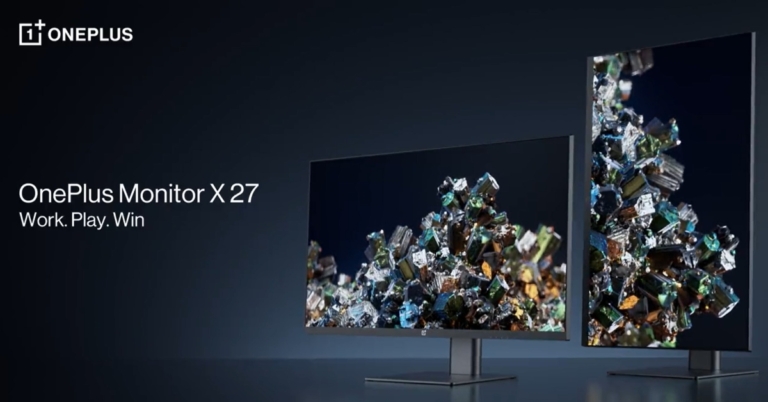
With the release of the OnePlus Monitors, the OnePlus has entered the monitor market. The two monitors, the OnePlus Monitor X27 and the OnePlus Monitor E24 have been introduced in 27-inch and 24-inch sizes, respectively.
OnePlus Monitor X27
The OnePlus Monitor X27 offers a fast and smooth gaming experience with a 165Hz refresh rate and an amazingly fast 1ms reaction time, providing ultra-clear visuals with minimal lags and blurring. Users may experience professional-level gaming with AMD Freesync Premium, which provides smooth visuals free of screen tearing and jittering, as well as variable frame rates tuned to each specific game.With clear 2K QHD visual resolution, users may enjoy their favourite games, stream material, and much more. The OnePlus Monitor X27 also provides an excellent viewing experience, with its brilliant HDR 400 colour and broad 178° IPS panel providing exceptional views from all angles.With vibrant 10-bit colour and a wide DCI-P3 95% colour gamut that adds life-like colours and details, the OnePlus Monitor X27 immerses users in an immersive visual experience. With vibrant 10-bit colour and a wide DCI-P3 95% colour gamut that adds life-like colours and details, the OnePlus Monitor X27 immerses users in an immersive visual experience.The OnePlus Monitor X27 easily adapts to user activities because of its efficient rotatable viewing angle. The monitor’s effective tilt, rotation, and pivot angles are -5° to 21°, -20° to 20°, and -90° to 90°, respectively. Furthermore, the monitor’s height may be adjusted from 0-130mm.The OnePlus Monitor X27 features a unique type-C connector that can charge users’ laptops with up to 65W rapid charging while also transmitting their display feed. The OnePlus Monitor X27’s Type-C connection allows power delivery of up to 65W via the USB PD standard (5V-3A, 9V-3A, 12V-3A,15V-3A,20V-3.25A). Users can also share content by displaying their phone or tablet screen. Users must utilise the Type-C cable included in the package to communicate display feed with their device, and their device must support DisplayPort Alt Mode.Users can tailor their viewing experience with five different modes: Standard, Movie, Picture, Web, and Game, which function flawlessly whether users are working, gaming, or browsing the web. The Game mode also includes four optimised sub-modes with beautiful visuals: MOBA mode, FPS mode, RTS mode, and RPG mode.The dual PbP and PiP split-screen modes allow users to multitask effectively in a clutter-free environment without the need for extra displays. Users can see papers from two separate devices side by side on the OnePlus Monitor X27, as well as stream any video from their phone in the upper right corner of their monitor screen, while finishing up that important work document.
OnePlus Monitor E24
The OnePlus Monitor E24 provides an excellent visual experience with a Full HD display, 16.7 million life-like colours, and a wide 178° IPS panel, providing customers with top-notch imaging in its price range. A 75 Hz refresh rate and Adaptive Sync technology, which offers dynamic frame rate management, allow users to see their favourite material with less lag and greater clarity. The OnePlus Monitor E24, like the OnePlus Monitor X27, offers a healthy viewing experience thanks to TUV Rheinland certification, with reduced blue light and flicker-free graphics.It also includes a robust metal stand to keep it stable on its feet. The device features a superior three-sided bezel-less design and a remarkable adjustable stand angle (-5° to 15°) with effective tilt and rotation. The OnePlus Monitor E24, like the OnePlus Monitor X27, includes a built-in wire management feature to keep customers’ desks clutter-free. Furthermore, like the OnePlus Monitor X27, the OnePlus Monitor E24 features type-C port connectivity.
Availability and Offers
The OnePlus Monitor X27 will cost INR 27,999 and will be available for purchase on OnePlus.in beginning December 15th.Pricing and availability for the OnePlus Monitor E24 will be announced soon.Additionally, when purchasing the OnePlus Monitor X27 on OnePlus.in, consumers may receive an attractive instant bank discount worth INR 1000 with ICICI Bank Credit Card/Debit EMI and Net Banking transactions. Customers can also get a free EMI for up to 6 months when they buy the OnePlus Monitor X27.
For the latest gadget and tech news, and gadget reviews, follow us on Twitter, Facebook and Instagram. For newest tech & gadget videos subscribe to our YouTube Channel. You can also stay up to date using the Gadget Bridge Android App. You can find the latest car and bike news here.
Did you know that you can see all the comments you’ve ever posted on Instagram? Instagram’s profile activity feature allows users to view their comments, likes, story replies, and reviews on the app. Accessing ‘your activity’ on Instagram is pretty simple and won’t take any time. In this article, we show you how to find and see all the comments you’ve made on Instagram in case you want to revisit or delete/amend them.Read Also: Gadget Bridge Awards 2022: The biggest consumer technology and gadget awards nominations
Check your Instagram Activity
Step 1: Open the Instagram app and go to your Profile. Step 2: Tap the hamburger menu icon at the top right corner of the screen.Step 3: Select ‘Your activity.’Step 4: Tap on ‘Interactions’ and select ‘Comments.’Step 5: This is where you can see all the comments you have made on Instagram posts. You can sort your comments by oldest to newest if you want to see them in chronological order. You can even see your comments from a particular time period by entering the start and end dates. Step 6: You can easily remove comments by tapping on them and selecting ‘Delete.’ You can also remove multiple comments by tapping on ‘Select’ at the top right corner of the screen and then tapping on ‘Delete.’
Download your Instagram data
Instagram maintains a folder of your personal data that contains all your activity on the platform since the day you joined. This includes comments, messages, posts, settings, and more. You can request Instagram to provide you with your compiled data and use it to view all your comments. Here’s how you can do that.Step 1: Open the Instagram app and go to your Profile. Step 2: Tap on the hamburger menu.Step 3: Select ‘Your Activity.’Step 4: Scroll down and go to ‘Download Your Information.’Step 5: In the following window, enter your email address and your Instagram password.Step 6: Instagram will send you your data in the email you provided earlier. Step 7: Download the data file and look for your comments in the ‘Comments’ folder.
Bonus Tip
How to find all the posts you’ve liked on Instagram
Step 1: Open the Instagram app and go to your Profile. Step 2: Tap the hamburger menu icon at the top right corner of the screen.Step 3: ‘Your activity.’Step 4: Tap on ‘Interactions’ and select ‘Likes.’You will be able to view all the posts that you’ve liked on Instagram. You can sort the posts by time, date, and author.Read Also: POCO Announces Year-End Offers During Flipkart Big Saving Days
Conclusion
This is how you can find and see all the comments you’ve made on Instagram. If you are not able to find a particular comment you are looking for, it may be because the user either deleted the post or blocked your account. It is also possible that the user set their profile to private and you are not following them. If you found this article helpful, let us know in the comments!For the latest gadget and tech news, and gadget reviews, follow us on Twitter, Facebook and Instagram. For newest tech & gadget videos subscribe to our YouTube Channel. You can also stay up to date using the Gadget Bridge Android App. You can find the latest car and bike news here.
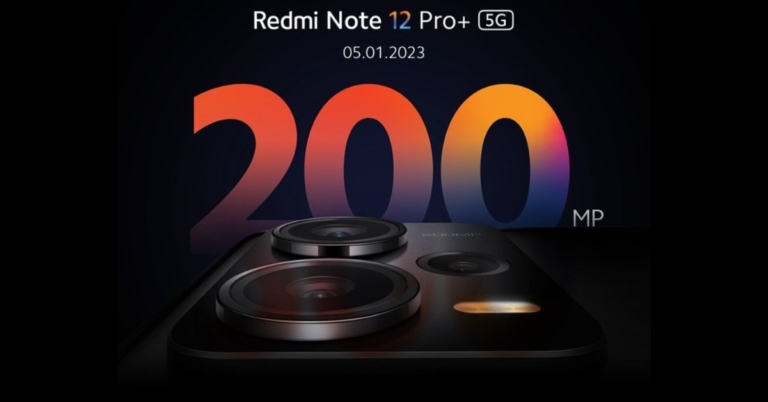
Recently Xiaomi teased the Redmi Note 12 5G series debut in India, indicating the smartphone’s forthcoming arrival in the nation. The company has officially made the announcement that Redmi Note 12 Pro+ 5G will be launching in India on January 5.Redmi has announced that the Redmi Note 12 Pro+ will be launching in India on January 5. To recall, the launch of the device took place in China in October. Its range includes the Redmi Note 12, Note 12 Pro, and Note 12 Pro Plus. Xiaomi teased the Redmi Note 12 5G series debut in India just a few days back and also invited interested consumers to sign up for further device updates.Based on Xiaomi’s promo, the smartphones are likely to have a similar appearance in India with promotional images showing a triple back camera configuration. It’s said to have a 200-megapixel triple back camera set.Previously, it was thought that the Redmi Note 12 Pro+ would be rebranded as the Xiaomi 12i HyperCharge in India. However, the latest teaser now reveals that the Note 12 Pro+ will keep its current branding in India.
Redmi Note 12 Pro+ specifications
The 6.67-inch full-HD OLED display on the Redmi Note 12 Pro+ boasts a refresh rate of up to 120Hz. The screen has a maximum brightness of 900 nits and a touch sampling rate of 240Hz. The monitor supports HDR10+ and Dolby Vision. The Note 12 Pro+ features an octa-core 6nm MediaTek Dimensity 1080 SoC, up to 12GB LPDDR4X RAM, and a Mali-G68 GPU. It comes with MIUI 13 pre-installed, which runs on Android 12.The Note 12 Pro+’s triple rear cameras have a 200-megapixel main sensor with OIS. A 2-megapixel macro lens and an 8-megapixel ultra wide-angle camera are also included. The phone sports a 16-megapixel front-facing camera sensor for selfies.The new Redmi Pro+ smartphone is backed by a 5,000mAh battery with 120W rapid charging capability.
After the success of short video platforms like TikTok and Instagram Reels, YouTube introduced its own category of vertical short-form videos aptly named ‘Shorts.’ Users can upload short-form videos of up to 60 seconds on YouTube Shorts. While there was a lack of original content on YouTube Shorts when it first started, more creators are quickly switching to the platform and creating exclusive content for Shorts. In this article, we bring you 2 easy ways to download YouTube Shorts on any smartphone.Read Also: POCO Announces Year-End Offers During Flipkart Big Saving Days
Use Shortsnoob
Shortsnoob is a website that is dedicated to downloading YouTube Shorts. This website works smoothly on a smartphone browser, and the process is pretty easy to follow. Here’s how you can download YouTube Shorts using Shortsnoob.Step 1: Open the YouTube app and select the Short your want to download.Step 2: Tap the Share button and copy the video link.Step 3: Open your smartphone’s web browser and open https://shortsnoob.com/.Step 4: Paste the Short’s link in the URL box on the homepage and hit ‘Search.’Step 5: Shortsnoob will process the video and open it in the same window.Step 6: Tap the ellipses (three dots) on the video player.Step 7: Select ‘Download.’The Short will be saved to your device and can be accessed from the Downloads folder on your smartphone.
Use PasteDownload
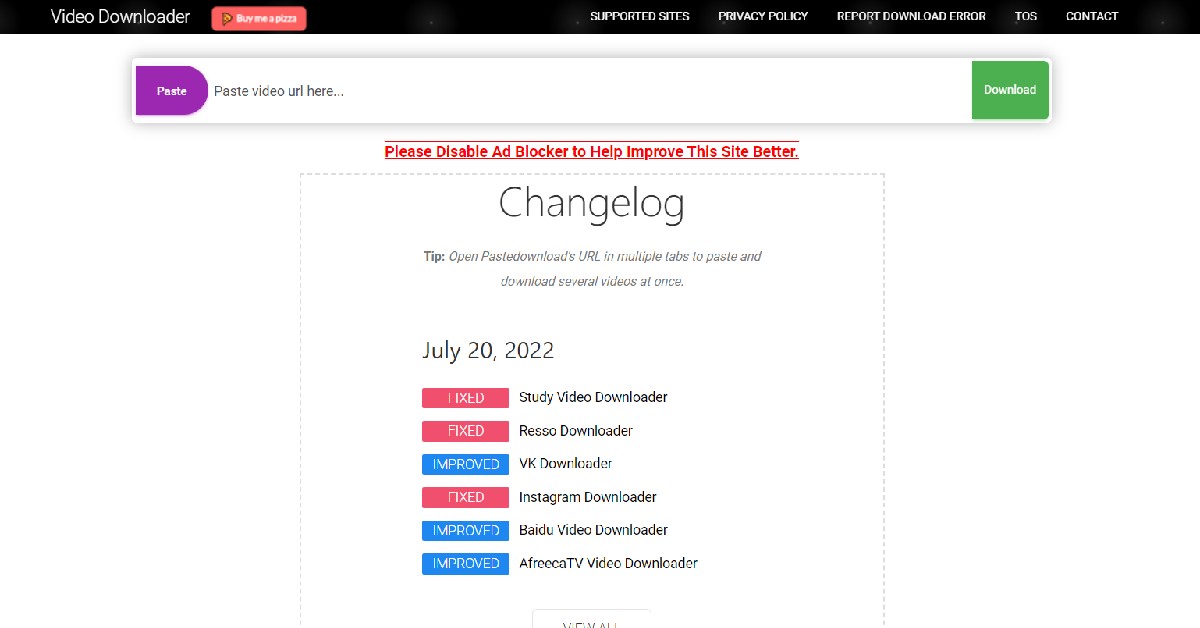
PasteDownload is one of the most used video downloaders on the Internet, letting users save videos from platforms like YouTube, Facebook, Twitter, Vimeo and more on their devices. To download a YouTube Short on your device, you need to copy the link of the Short and open https://pastedownload.com/27/ on your smartphone’s web browser. Paste the Short’s link in the URL box on the website and hit ‘Download.’ PasteDownload will save the video on your device. Read Also: Gadget Bridge Awards 2022: The biggest consumer technology and gadget awards nominations
Conclusion
This is how you can download a YouTube Shorts video on any smartphone. Both the tools mentioned in this video are free to use and do not require any additional software to download a video. They will work on Android as well as iOS platforms. You can also use other websites like KeepVid, Free Video Downloader, Snaptube, and Video Grabber to download YouTube Shorts to your device.For the latest gadget and tech news, and gadget reviews, follow us on Twitter, Facebook and Instagram. For newest tech & gadget videos subscribe to our YouTube Channel. You can also stay up to date using the Gadget Bridge Android App. You can find the latest car and bike news here.
Blocking your SIM card is one of the first things you should do if your phone gets lost or stolen. Your SIM card can provide someone access to your bank accounts, social media login credentials, contacts, and other data. It can even be used to carry out malicious and illegal activities in your name since your SIM card is tied to your identity. Fortunately, blocking a SIM card does not take a long time. In this article, we show you how to block an Airtel SIM card or number easily.Read Also: Gadget Bridge Awards 2022: The biggest consumer technology and gadget awards nominations
Block an Airtel SIM using the Airtel thanks app
Step 1: Open the Airtel thanks app and go to the ‘Help’ section at the bottom right corner of the screen.Step 2: Select the ‘Chat with us’ option and follow the onscreen instructions to block your SIM card. You can also try emailing your request to 121@in.airtel.com.
Block an Airtel SIM using Customer Care
Step 1: Connect to the Airtel Customer Care helpline by calling 198 or 121 using an Airtel number. If you don’t have an Airtel number, call 9849098490 or 1800 103 4444 to reach Airtel Customer Care.Step 2: Speak to a customer care executive and make a request to block your Airtel number.Step 3: The customer care executive will ask you for certain details to verify that you are the owner of the SIM card you wish to block. Once you establish your identity, your Airtel number will be blocked.
Block an Airtel SIM from an Airtel Store
Step 1: Go to your nearest Airtel Store and contact an agent about your query.Step 2: Verify your SIM card number and present additional details like the last recharge amount, FNF number, Date of Birth, address and ID proof, etc.Step 3: Once all details are verified, the agent will begin the process of blocking your Airtel number.Read Also: How to check whether your smartphone is original or not?
Conclusion
This is how you can block an Airtel SIM card. You can get a new SIM card from the Airtel Store or any local vendor. SIM activation takes negligible time, so you will be able to use your new Airtel number right away. If you find your lost SIM card that you blocked, you can easily unblock it by connecting to an Airtel customer executive using the customer care helpline or by visiting a nearby Airtel Store.For the latest gadget and tech news, and gadget reviews, follow us on Twitter, Facebook and Instagram. For newest tech & gadget videos subscribe to our YouTube Channel. You can also stay up to date using the Gadget Bridge Android App. You can find the latest car and bike news here.
Sony India today unveiled its latest A-Series Home Theatre Systems, including the HT-A5000 and HT-A3000 soundbars. These provide a multi-dimensional sound experience with Dolby Atmos and DTS:X. The soundbar works well with devices that support Google Assistant or Amazon Alexa. It comes with 360-degree Spatial Sound Mapping and Sound Field Optimization Technology.The new HT-A5000 and HT-A3000 home theatre systems will be available on Amazon.in on December 12th, 2022, and in all Sony Centers, www.shopatsc.com, and major electronics retailers across India on December 14.In terms of design minimalist Omnidirectional Block design of the Sony HT-A5000 features beautiful rounded edges. The Omnidirectional Block concept is also used in the design of the HT-A3000 and optional speakers. The HDMI eARC, optical-in, and USB ports make installation of the soundbars a breeze.Both soundbars include Sound Field Optimization, which cleverly measures the relative height and position of the soundbar and rear speakers to provide an even more personalised and immersive sound experience. It then synthesises sound waves to produce several phantom speakers based on the positional information.The HT-A5000 also has S-Force PRO Front Surround, which creates a broader horizontal sound field. When connected to Sony’s wireless rear speakers SA-RS5 and SA-RS3S, the HT-A5000 and HT-A3000 provide access to Sony’s breakthrough 360 Spatial Sound Mapping technology.The HT-A5000 5.1.2 channel soundbar has a dual subwoofer built in for deep bass and two up-firing speakers that reflect sound off the ceiling for immersive overhead music. The HT-A3000 has 3.1 channels, three front speakers, one of which is dedicated to clear conversation, and a built-in dual subwoofer for deep bass. It also has two side beam tweeters, which bounce sound off the side walls and augment surround sound to provide an immersive experience.Sony’s X-Balanced Speaker Unit is used in the up-firing speakers, built-in dual subwoofer, and front speakers. The HT-A5000 and HT-A3000 are equipped with Sony’s Vertical Surround Sound Engine technology, which allows viewers a theatre like experience at home by supporting audio formats such as Dolby Atmos and DTS:X.The front speakers and up-firing speakers, together with Sony’s proprietary signal processing, generate “vertical” music, allowing the soundbar to position sound vertically. Now you can enjoy realistic, multi-dimensional sound without the need for in-ceiling speakers.360 Reality Audio is available on Amazon Music HD, Deezer, nugs.net, and TIDAL. DSEE Extreme use Edge-AI to upscale compressed digital files in real-time, restoring lost high-frequency sound for a richer, more compelling listening experience. When used in conjunction with compatible BRAVIA TVs, it enhances the immersive audio-visual experience. The soundbar and TV become one with the BRAVIA Acoustic Center sync. The TV becomes the centre speaker in the home theatre system, ensuring that action and sound are perfectly matched for complete immersion. Furthermore, BRAVIA Acoustic Center Sync collaborates with the 360 Spatial Sound Mapping setup to give a more immersive viewing experience and clearer speech.The HT-A5000 supports Spotify Connect, Chromecast built-in, Apple Airplay 2, Bluetooth, and Wi-Fi, making it simple to listen to music. You get all the connections you need to enjoy a breathtaking surround sound experience, with USB, optical in, HDMI out (eARC), and S-CENTER OUT for compatible BRAVIA TVs. The soundbar is compatible with voice assistants, such as Google Assistant with built-in Chromecast or Amazon Alexa-enabled devices. Simply connect the soundbar to the speaker group using the Google Home app to begin playing music, changing the volume, or doing a variety of other tasks with your voice.
For the latest gadget and tech news, and gadget reviews, follow us on Twitter, Facebook and Instagram. For newest tech & gadget videos subscribe to our YouTube Channel. You can also stay up to date using the Gadget Bridge Android App. You can find the latest car and bike news here.
Garena Free Fire is a battle royale game with regular awards and tournaments to keep players interested. If you play Garena Free Fire, you should be aware of the redeem codes that are released on a daily basis. However, because the battle royale game is banned in India, players from other countries can use the Free Fire Redeem codes daily. If you’re unfamiliar with the Garena Free Fire redeem codes or don’t know how to get them, we’ve put together a step-by-step guide to help you redeem them. Check out Garena Free Fire Redeem Codes for December 13.The Free Fire redeem codes are a great way to get free stuff. These are 12-digit codes that contain alphabets and numbers, as well as an expiration date and time. Because the Garena FF redeem codes cannot be used more than once, you should hurry to the redemption page to claim your free reward before someone else does. To get a free reward, all you have to do is go to reward.ff.garena.com/en, which is the official redemption page. Also, keep an eye on this space for daily updates on Garena Free Fire redemption codes and rewards.
Garena Free Fire Redeem Codes Today 13 December 2022
Updating Soon
How to Get Free Fire Redeem Codes for Garena on December 13?






 Step 3:
 Step 4:
 Step 5:
 Step 6:
 Step 5:
 Step 6:

 Step 3:
 Step 5:
  Step 7:
 Step 2:
 Step 2: