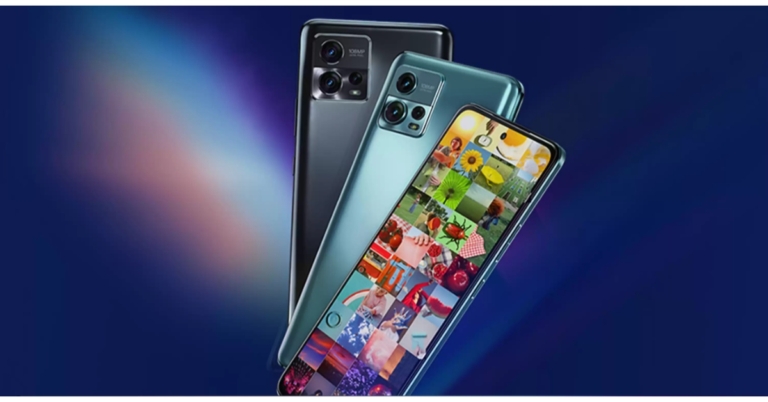
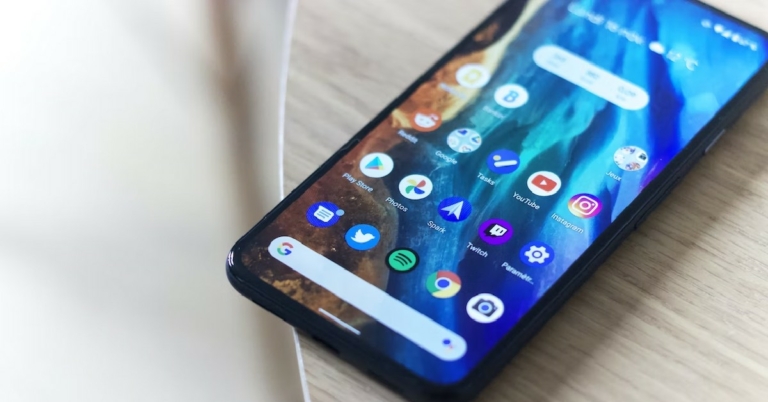
The original Nord smartphone from OnePlus was well-liked and commercially successful. Therefore, it is reasonable to anticipate that the following version will also meet the bar. The Nord 2 received harsh criticism for its problem with excessive heating, and many users experienced severe burns as a result of mishaps. But aside from a few minor changes, the recently released OnePlus Nord 2T is essentially the same phone as the Nord 2. But at the same time takes care of the kinks found in Nord 2. So, despite the few improvements over its predecessor, is the Nord 2T a solid offering? Let’s talk about that in this review.
OnePlus Nord 2T review: Design and Display
Since we have been using the phone as our primary phone for more than a week, there are a few features that we particularly like, such as its well-made design. We wouldn’t necessarily object if the form factor were extremely comparable to that of its predecessor, after all, it is an iteration of Nord 2. The glass coating and gently curved rear of this phone make it quite comfortable to hold in the hand.Additionally, we cannot express how much we adore this alert slider, which is particularly useful during meetings. One thing that we were not in particularly awe of is its camera module. When you look at them attentively, you will notice that they are not symmetrical since they are randomly arranged inside two large circles, which in our opinion is odd. Please share your opinion of the design in the comments area below since the form factor and design are subjective, did you like its rear? Remember that the OnePlus Nord 2 has a cleaner camera location and fewer ringlets than the 2T, which we found more attractive.Be aware that the Nord 2T’s glass panel attracts fingerprints. If you decide to use the phone without a cover, as we did, keep a microfibre towel at hand to wipe it down during the day because it picks up fingerprints very easily. We reviewed the phone in Jade Fog shade, a sort of mint green colour option that looks beautiful and expensive, but we would have preferred a matte finish over the shiny glass finish. Another version of this phone, the Gray Shadow, has a matte back and looks pretty beautiful if you enjoy matte finishes as we do.In order to increase durability, OnePlus has added Gorilla Glass 5 protection to both the front and back of the smartphone. However, the mid-frame, which has rounded corners, is built of polycarbonate, yet is very premium.Additionally, the power and volume buttons provide really pleasant tactile feedback, which makes using this gadget pretty pleasant and easy to reach. Over that, the display contains an optical fingerprint reader that functions fairly well.Regarding the display, the OnePlus Nord 2T 5G features a 6.43-inch full-HD+ AMOLED display with a hole-punch design and a resolution of 1,080 x 2,400 pixels. It comes with a 20:9 aspect ratio, a 90Hz refresh rate, and HDR10+ certification.In addition to being well built and designed, this phone has the same display as the Nord 2 and we had no qualms here. The colours are pretty vibrant, the contrast is excellent, and the display quality is really amazing. The company has also done a good job of optimising the 90Hz refresh rate; we haven’t experienced any stutters, so that’s also nice. Here, we’d like to point out that many smartphones in this price range feature a 120Hz refresh rate, thus given that this device is the successor to the OnePlus Nord 2, it would have been a boon if OnePlus had used 120Hz display instead of 90Hz.
OnePlus Nord 2T review: Performance and Camera
In terms of performance, the OnePlus Nord 2T 5G is powered by the MediaTek Dimensity 1300 SoC and up to 12GB of LPDDR4X RAM. Similar to the design and build quality, the phone’s performance is also largely acceptable. In normal use, we encountered no issues.We played Call of Duty at the highest settings possible without seeing any performance slowdown. High-end games like Genshin Impact can be played at extremely high settings, but at a frame rate of less than 60FPS. We occasionally had lag in this area, but we were able to get stable performance by setting the graphics to high and maintaining a frame rate of 60.Another issue we found, when we played Genshin Impact for long was that the OnePlus Nord 2 started to get hot. However, when we played other games this was not the case.Other typical functions, including multitasking and accessing apps, run smoothly on this device. Also, both the typing experience and the vibration feedback are also pretty pleasant. Because of the OS’s careful optimization, the OnePlus Nord 2T’s overall performance has been satisfactory.The software experience is still OnePlus’s biggest selling point. The UI of the OnePlus Nord 2T 5G, which runs OxygenOS 12.1, functioned without any glitches. Except for Netflix, there isn’t much-preinstalled bloatware. Additionally, according to OnePlus, 2 years of OS updates and 2 years of security fixes will be available.Let’s have a look at the camera tech specs of the OnePlus Nord 2T before comparing it to the OnePlus Nord 2, which was released last year and had fairly strong cameras.With a 50-megapixel Sony IMX766 primary sensor and an optical image stabilisation (OIS)-capable f/1.8 lens, the phone sports a triple back camera array. The camera setup also includes an 8-megapixel ultra-wide camera with a 120-degree field of view and a 2-megapixel monochrome sensor with an f/2.2 lens. A 32-megapixel Sony IMX615 camera with an f/2.4 lens is located on the front of the OnePlus Nord 2T 5G for taking selfies and making video calls.As you can see, the daylight captures have decent detail and sharpness levels. Most of the time, the colours are realistic and don’t oversaturate the pictures. However, occasionally, the sharpness was less of a concern and could have been better. Overall, the dynamic range appears to be good; there is nothing to be concerned about.Since we were testing the cameras during monsoon and it was mostly cloudy where we were, we were unable to test the cameras in really intense sunlight.Moving on to the ultra wide-angle camera, it should be noted that while the photographs contain respectable detail, the sharpness levels are plainly not as good as would be expected from an 8MP sensor. Comparatively speaking to the primary sensor, colour reproduction has been handled fairly well. The ultrawide sensor is therefore usable but not of the best quality seen from Oneplus.Moving on to the close-up photographs, you get good details and the pictures are sharp. The colours are generally executed properly and do not oversaturate pictures. This phone lacks the macro sensor that is present in many other phones in this price range.PortraitYou receive attractive portraits when shot, and these are of good quality when compared to the previous version. The sharpness and details, as well as the skin tones, are excellent. Overall, the portraits you obtain are excellent and reliable because of the clever edge detection.Low-light photographs taken indoors under artificial lighting also appear well-done where noise levels are kept to a minimum. A night mode is available for use in extremely dim lighting situations, providing well-lit, detailed photographs. Once more, the new AI engine helps to some extent manage the noise. The primary camera has OIS, which enhances the photos in low light.Moving on to selfies, the 32MP front sensor likewise produces good-quality images. There are plenty of details, and the sharpness levels are excellent. Also wonderfully done was the skin tone. There is a night mode for selfies, and the low-light selfies turned out to be good as well. In terms of edge detection, the portrait mode performs admirably overall, too.The video recording follows next; it can capture videos in 4K at 30fps with perhaps only OIS on the offer. Although the resolution is outstanding, the colours appear to be a little overexposed, which is typical of most 4K movie modes. Because there is no EIS present, it is not advised for moving footage. In terms of colour and motion accuracy, 1080p at 60 frames per second is better than 4K because it supports EIS and does a decent job with the hues.Additionally, 1080p at 30 frames per second supports EIS too and looks beautiful all around with accurate colour reproduction. The video also appears to be stabilised well and has acceptable crispness. The ultra wide-angle camera may also be used in 1080p mode, and it has decent visual quality, despite the fact that EIS was not operating in this mode. The phone can slow down video up to 72dB at 960 frames per second or 1080p resolution. The OnePlus Nord 2T’s front-facing camera sample can capture videos in 1080p HD.The camera on the OnePlus Nord 2T is the same as the one on the Nord 2, which was released last year, and the results are essentially the same. The primary camera produces good portraits, close-up photos when used in the daylight and good low-light photos. Also attractive are the selfies. Although users won’t be dissatisfied, the phone’s cameras aren’t going to really amaze you. They are sufficient for the majority of situations.The 4,500mAh dual-cell battery inside the OnePlus Nord 2T can be fast charged at 80W using the included charger. According to OnePlus, the battery can be charged from 1% to 60% in under 15 minutes, which is roughly accurate to the company’s promise. In our tests, the phone took 15 minutes to charge from 1% to 66%. So it finished charging in approximately 28 minutes. Therefore, it took the gadget 28 minutes to charge to 100%. With such good rapid charging, you can simply charge in a few minutes even if your battery dies.Last but not least, we’re not overly satisfied with Nord 2T’s speaker quality. The highs sound quite crisp and the audio is not balanced, but they are loud and there is no distortion at the loudest volumes either. They’re fine for occasionally watching movies and other things, but if you listen to a lot of music, you’ll find that their audio quality is only fair. Maybe the next iteration of the phone can have better loudspeakers.
Verdict
Okay, so based on what we’ve covered so far, you must be able to infer that the OnePlus Nord 2T is a good smartphone in its class and that purchasing it won’t be an unpleasant process. However, while using this phone, we couldn’t help but wonder if it was a pointless expansion of Nord’s product line. We mean that it is nearly identical to the OnePlus Nord 2 in every way. We believe it would have been preferable if the firm had instead released the OnePlus Nord 3 with better enhancements, skipping this phone entirely.But wait, when you compare it to the misses that happened with the Nord 2, the Nord 2T takes care of everything and plugs all holes. It is stable, looks nice, has great performance and will not burn a hole in your pocket, literally. Pros
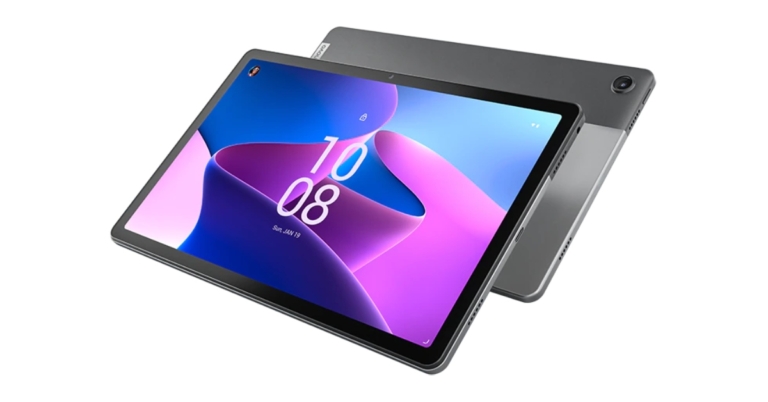
The Android tablet Lenovo Tab M10 Plus Gen 3 was introduced in India recently. The device is powered by the Qualcomm Snapdragon 680 CPU and comes in two variants WiFi and LTE. Both models run Android 12. In addition to this, the tablet has a TÜV Rheinland Low Blue Light certified display and includes dedicated features for kids.The Lenovo Tab M10 Plus Gen 3 features a 10.61-inch 2K IPS LCD screen with 10-point multi-touch. The display is TÜV Rheinland Low Blue Light certified and comes with 15:9 aspect ratio as well as 400 nits of brightness.The Lenovo tab is driven by Qualcomm Snapdragon 680 CPU and is available in two variants WiFi and LTE. It also comes integrated with Qualcomm Adreno 610 GPU. Along with 6GB of RAM and 128GB of storage, the device offers a MicroSD Card slot that can accommodate up to 1TB of additional storage.The tablet has 8.0-megapixel (RGB) front and back cameras, a 7,700mAh battery, and comes pre-packaged with a 20W fast charger. Both models include four Dolby Atmos-capable speakers and a 3.5mm headphone jack. A pen stylus, however, is not included in the selling box.As we said earlier the Android Tablet comes with dedicated features for kids therefore there is Google Kids Space. It is a mode specifically created for kids that offers content filters, safety settings, and privacy protection for kids while they find and install programmes. Kids may explore and learn from the apps, books, and movies in the specialised mode.Lenovo Tab M10 Plus Gen 3 tablet comes with 6GB of RAM and 128GB of storage for the WiFi and LTE variant. The price of both the models is set at RS 19,999 and Rs 21,999 respectively. The Android tablet will be available in two colour options of Frost Blue and Strom Grey.According to the business, the Tab M10 Plus Gen 3 tablet is currently on sale through the company’s official website and Amazon.in and will soon be made available through more offline retail channel partners.
For the latest gadget and tech news, and gadget reviews, follow us on Twitter, Facebook and Instagram. For newest tech & gadget videos subscribe to our YouTube Channel. You can also stay up to date using the Gadget Bridge Android App. You can find the latest car and bike news here.
Garena Free Fire is a battle royale game with regular awards and tournaments to keep players interested. If you play Garena Free Fire, you should be aware of the redeem codes that are released on a daily basis. However, because the battle royale game is banned in India, players from other countries can use the Free Fire Redeem codes daily. If you’re unfamiliar with the Garena Free Fire redeem codes or don’t know how to get them, we’ve put together a step-by-step guide to help you redeem them. Check out Garena Free Fire Redeem Codes for October 4.The Free Fire redeem codes are a great way to get free stuff. These are 12-digit codes that contain alphabets and numbers, as well as an expiration date and time. Because the Garena FF redeem codes cannot be used more than once, you should hurry to the redemption page to claim your free reward before someone else does. To get a free reward, all you have to do is go to reward.ff.garena.com/en, which is the official redemption page. Also, keep an eye on this space for daily updates on Garena Free Fire redemption codes and rewards.
Garena Free Fire Redeem Codes Today 4 October 2022
Updating Soon…
How to Get Free Fire Redeem Codes for Garena on October 4?
Daily Amazon brings a fresh quiz for its customers with exciting rewards on its platform. The Amazon quiz can be played every day from 12 AM to 11:59. 4 October 2022 Amazon Quiz has gone live on its platform and the e-commerce platform Amazon is today giving you a chance to win Rs 1,000 Amazon Pay Balance.To participate all you need to do is log in to your Amazon app on your device and give answers. Daily a new set of questions are presented to the participants which gives them a chance to win exciting prizes. The questionnaire consists of five easy questions that are usually based on general knowledge and current affairs. You can submit the correct answers and can win an Amazon Pay Balance of up to Rs 50,000. It should be noted that the quiz is not accessible on the web platform instead you have to participate only through the dedicated app.Amazon Quiz Today Prize – Rs 1,000 Amazon Pay BalanceQuiz Date – 4 October 2022Daily Timing – 12 AM to 11:59 PMWinner Announcement – Today 12 PM
Amazon Quiz Answers Today 4 October 2022
Question 1: Germany has launched the world’s first fleet of passenger trains powered by what?Answer: HydrogenQuestion 2: Which team claimed their first Durand Cup title in 2022?
Answer: Bengaluru FC
Question 3: In 2022, Indian scientist and industrialist Dr Swati Piramal has been conferred which country’s top civilian honour?Answer: FranceQuestion 4: This sport evolved from exercises used by which ancient culture?Answer: GreeceQuestion 5: Who is known as the father of this sport?Answer: Walter Camp
How To Play Amazon Quiz
Only app users are eligible to play the Amazon quiz every morning from 12 AM to 11:59 PM. The quiz is not available on the desktop. For those who are unaware of how to play the Amazon quiz below are the steps, you can follow to take the quiz.
Firstly download the Amazon app from Google Play Store or App Store
Now fill in the required information through the Sign Up option.
You need to log in to the Amazon app and scroll down on the home screen to find the Amazon Quiz banner.
Tap on the Amazon Quiz banner and tap on the Start button to start the Quiz.
Now you will get 5 questions and you need to answer them correctly. One wrong answer will eliminate you from the Quiz.
After answering all the questions correctly you are now eligible for a Lucky Draw.
The winner’s name will be announced today at 12 PM.
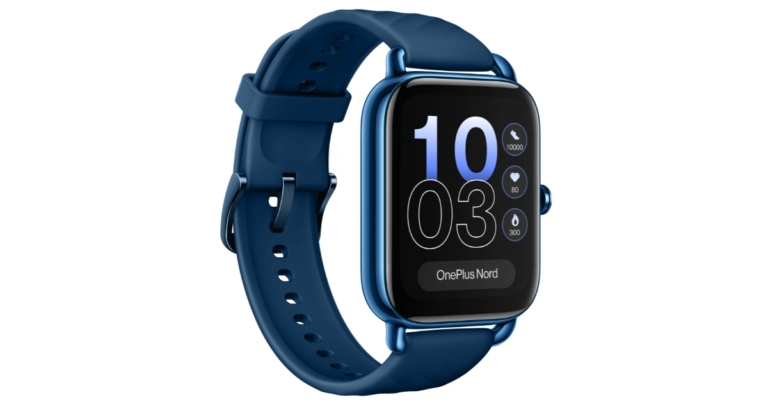
OnePlus has expanded its Nord’s wearable lineup with the launch of the OnePlus Nord Watch. After the first Watch from 2021, this is OnePlus’ second smartwatch and the first under its Nord lineup. Its AMOLED screen comes with a 60Hz refresh rate and a maximum brightness of 500 nits. The fitness tracker also comes with 105 different sports modes along with a menstrual cycle tracker. The company also claims that the smartwatch comes with 10 days of battery life.
OnePlus Nord Watch price in India, sale details
The cost of the OnePlus Nord Watch in India is set at Rs 4,999. It comes in Deep Blue and Midnight Black colour variants. The device will start selling on Amazon on October 4 at noon. Additionally, the smartwatch may be purchased from the OnePlus store, OnePlus Experience stores, and authorised OnePlus partner retailers.Additionally, the business has provided a Rs 500 discount on the OnePlus Nord Watch for Axis Bank debit and credit card purchases. Starting on October 4, holders of ICICI Bank credit cards can additionally benefit from a Rs 500 discount.
OnePlus Nord Watch specifications
The 1.78-inch HD AMOLED touchscreen display on the OnePlus Nord Watch has 368×448 pixels of resolution. It has a 60Hz refresh rate and a maximum brightness of 500 nits. The device runs on RTOS and is powered by an SF32LB555V4O6 chipset.The Nord Watch has 105 sports modes and can track walking and running automatically. It has a 3-axis accelerometer and supports heart rate and stress monitoring, as well as measuring SpO2 and sleep. The GPS functionality is embedded into the smartwatch. It has a nonlinear vibration motor installed.The smartwatch comes with a magnetic charging cord and a 230mAh battery. The device is said to provide a battery life of up to 10 days and a standby time of up to 30 days.With Bluetooth 5.2 connectivity, the OnePlus Nord Watch can be used with Android smartphones and iPhone models running iOS 11 and later, as well as Android 6 on Android devices.
For the latest gadget and tech news, and gadget reviews, follow us on Twitter, Facebook and Instagram. For newest tech & gadget videos subscribe to our YouTube Channel. You can also stay up to date using the Gadget Bridge Android App. You can find the latest car and bike news here.
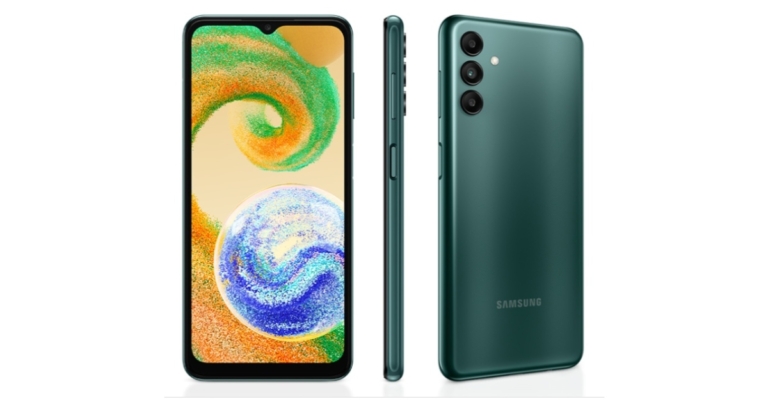
Samsung has expanded its budget smartphone range with the addition of a new smartphone in India. The company has introduced Samsung Galaxy A04s which is powered by Exynos 850 SoC. The device comes with a 90Hz display and RAM Plus function, which enables the utilisation of underutilised storage as memory. In addition to this, the phone is fueled by a 5,000mAh battery.
Samsung Galaxy A04s price in India, sale details
The single 4GB RAM with 64GB storage option of the Samsung Galaxy A04s is priced in India at Rs 13,499. It is offered for sale in the colours Black, Copper, and Green. The device can be purchased at a number of retail locations, on the Samsung website, and through reputable online retailers. Up to Rs 1,000 in cashback is available as part of the Samsung Galaxy A04s’ launch promotions when you use your SBI Bank credit card, One card, Slice card, or one of the main NBFC partners.
Samsung Galaxy A04s specifications
Samsung Galaxy A04s has a 6.5-inch full-HD+ Infinity-V display. The screen supports a refresh rate of 90Hz and 20:9 aspect ratio. It runs Android 12 with One UI Core 4.1 on top.It has 4GB of RAM and an octa-core Exynos 850 SoC for power. With the Samsung RAM Plus function, which makes use of extra storage on the phone, the RAM may be increased to a maximum of 8GB. Standard internal storage for the Samsung Galaxy A04s is 64GB, and it can be expanded using a microSD card up to 1TB.A 50-megapixel primary sensor and an f/1.8 lens are housed in the triple rear camera arrangement of the Samsung Galaxy A04s, which also has two 2-megapixel depth and macro sensors and an f/2.4 lens. The smartphone sports a 5-megapixel selfie camera sensor with an f/2.2 lens up front for taking selfies and video calls.With a 5,000mAh battery that supports 15W fast charging. The Samsung A04s is said to offer up to two days of playback on a single charge. It works with both wired and wireless headphones to play Dolby Atmos audio. Four different types of connectivity are offered: 4G LTE, Wi-Fi 802.11ac, Bluetooth v5, and GPS/A-GPS. For validation, the phone also has a side-mounted fingerprint sensor.
For the latest gadget and tech news, and gadget reviews, follow us on Twitter, Facebook and Instagram. For newest tech & gadget videos subscribe to our YouTube Channel. You can also stay up to date using the Gadget Bridge Android App. You can find the latest car and bike news here.
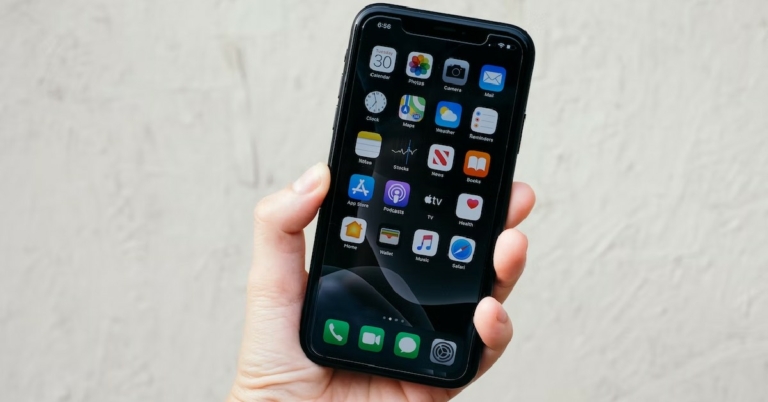
Have you ever wondered why your iPhone does not have an option to close all background apps at once? Android users frequently use the ‘close all apps’ option from the App Manager window to free up some much-needed RAM. But there is no such option for Apple users. Is there a way you can close multiple or all background apps on an iPhone at once? Read along to find out.Read Also: How to Delete Contacts in Bulk From Android smartphone? (Full Guide 2022)
How to close all apps at once on iPhone 8 or below
iPhone 8 below have a dedicated home button that can be used to access the App Switcher. iPhone SE and SE 2 also come with a home button. Here’s how you can close all background apps on them.Step 1: Unlock your iPhone and double press the home button to access the App switcher.Step 2: Scroll through the app cards and swipe up on the one you want to close.Step 3: To close multiple apps at once, tap and swipe up using multiple fingers. Since there is no option to clear all apps at once, this is the next best thing. If there are only a handful of apps running in the background, you can close them all at once using this technique.
How to close all apps at once on iPhone X and above
Accessing the App Switcher on iPhones without a dedicated home button requires a different method. Here’s how you can go about it.Step 1: Unlock your iPhone and swipe up from the bottom of the screen to view the App Switcher.Step 2: Browse through the background and select the one your want to close. Simply swipe up on the app card in order to close it. Step 3: If you want to close multiple apps at once, tap and swipe up using multiple fingers. You can close up to 5 background apps at once using this method. If you only have a handful of apps running in the background, you can close them all at once using this technique. Your ability to close multiple apps also depends on the size of your iPhone’s display. Bigger phones like iPhone 14 Pro Max will allow you to access multiple apps in the App Switcher at once, compared to smaller phones like the iPhone mini and SE.Read Also: Logitech MX Master 3S Review: Delivers with every click!
Conclusion
This is how you can close all background apps at once on an iPhone. There is no option to close all apps at once. This is partially because Apple recommends you to not clear all the background apps at once. The background apps on your iPhone go dormant after a while and do not consume any additional power. But as soon as you reopen the app, they’re able to load quickly if they’re in the background. Contrary to the popular belief, multiple apps running in the background do not strain your iPhone’s battery.
Motorola today announced the brand-new Moto G72 in the Indian market. The smartphone comes with a 120Hz pOLED display and a 576Hz touch sampling rate. The device also features a triple 108-megapixel rear camera. In addition to this, the smartphone is powered by MediaTek G99 SoC and comes with a 5,000mAh battery.
Moto G72 price in India, sale details
The Moto G72 will be offered in Meteorite Grey and Polar Blue at an exclusive launch price of Rs 18,999, but with limited-time launch deals, it will actually cost just 14,999. The smartphone will be available for purchase on Flipkart starting at noon on October 12.The company will also be offering Rs 3000 in additional exchange value and Rs 1000 in instant savings from selected banksBenefits totalling Rs 5,049 are included in the Reliance Jio offer, including Rs 4,000 in cashback on prepaid recharges, Rs 549 off an annual Zee5 membership, and Rs 500 in Myntra discount coupons.
Moto G72 specifications
The Moto G72 is highlighted with a 6.6-inch full-HD+ pOLED display with 1,080×2,400 pixels of resolution. A pOLED display comes with 10-bit technology for a billion colours and DCI-P3 colour gamut for a true-to-life, ultra-immersive experience. Additionally, the user experience is incredibly fluid because to the industry-leading 576Hz touch sampling rate and 120Hz refresh rate.The device operates on Android 12 with the My UX skinned on top. It has 6GB of RAM and a MediaTek Helio G99 SoC as its power source. The 128GB of built-in storage on the Moto G72 may be increased further using a hybrid microSD card slot.The Moto G72 has three back cameras including a 108-megapixel primary camera with an f/1.7 aperture lens. The smartphone also includes a 2-megapixel macro camera with an f/2.4 aperture lens and an 8-megapixel hybrid ultra-wide angle and depth camera with an f/2.2 aperture lens. For selfies and video calls, the Moto G72 has a 16-megapixel front-facing camera with an f/2.45 aperture lens.The device has 4G LTE, Wi-Fi, Bluetooth v5.1, GPS, and AGPS connectivity options. An accelerometer, proximity sensor, light sensor, compass, and an under-display fingerprint sensor for biometric authentication are among the sensors on board. The 5,000mAh battery in the Moto G72 supports 30W TurboPower quick charging.In addition to all of these capabilities, ThinkShieldTM for mobile offers business-grade protection. Along with 3 Carrier Aggregation, 2*2 MIMO, a customisable user interface (UI), user experience (UX), and trademark Moto motions, it also features an IP52 water-resistant build.
For the latest gadget and tech news, and gadget reviews, follow us on Twitter, Facebook and Instagram. For newest tech & gadget videos subscribe to our YouTube Channel. You can also stay up to date using the Gadget Bridge Android App. You can find the latest car and bike news here.
An IMEI number is a 15-digit code that is unique to your device. IMEI stands for International Mobile Equipment Identity, and every smartphone has its own unique IMEI code. This number can be used to trace or block your smartphone in case it ever gets lost or stolen. This is why it is essential to know what the IMEI number of your mobile phone is. In this article, we show you 7 simple methods to find the IMEI number of your Android phone or tablet.Read Also:7 Best solitaire apps for Android
Check your phone’s retail box or packaging
The easiest way to find out your Android phone’s IMEI number is by checking its retail box. Inspect the retail box and look for the sticker with the IMEI number printed on it. Usually, smartphone makers place the label inside the box, to ensure it is only visible to the buyer. The sticker may also be placed at the bottom of the box. It is advised to keep the retail box safe as long as you’re using the phone. In case you lose your phone you can always check the box for its IMEI code.
Check the bill
The printed invoice or bill of your smartphone also contains its IMEI code. You will need to scan it closely as the invoice contains a lot of details regarding your phone. If you ordered your phone online, you can find the IMEI number at the bottom of the invoice, along with the phone details.
Dial the USSD code on your Android phone to find its IMEI number
This is a universal way to find the IMEI number of any device. Lost your phone’s retail box and physical copy of the bill? Don’t worry, you can still find out its IMEI number. Simply go to your phone’s dialer and type *#06# on the keypad. A pop-up screen will appear, displaying both IMEI numbers (if your smartphone supports dual sim) and the serial number of your phone. This method works on every smartphone, no matter what the platform is. Once the pop-up window appears, take a screenshot of the information. Make sure you back up the screenshot to Google Drive or any other cloud service. Simply saving the screenshot on your phone will turn out to be futile in case your phone gets lost. You can even physically write down the IMEI number on a notepad and keep it someplace safe.
Find out your Android phone or tablet’s IMEI number from Settings
Another quick way of finding out your device’s IMEI number is by checking the phone details in the settings. Simply go to Settings and scroll down and select ‘About Phone’. This is where you will find the IMEI number of your smartphone along with other details like the Phone number, model name, model number, and serial number. If you explore further you can also find the IP address, MAC address, and other important information related to your device.
Check the sticker on your phone’s back panel
A lot of smartphones come with a sticker fixed on their back panels. Most users generally peel off the sticker right away as it takes away from the look of the phone. However, it is advised to record the IMEI number on the sticker before you peel it off. You can also fix the sticker on the retail box after peeling it from your smartphone. Android phones with a removable battery have that sticker placed under the battery. This sticker also contains the Model number and the serial number of your device.
Use Google’s Find my Device to check the IMEI number
Lost your phone and can’t figure out how to find its IMEI code? This method will help. In order to use this method, you’ll need to make sure if Find my Device is enabled on your Android phone. In case you lose your phone, you simply need to log on to https://www.google.com/android/find and check the location of your device. Apart from finding out the location of your device, you can also see its IMEI number by clicking on the ‘i’ icon right next to the name of the device.
Check your phone’s SIM tray for the IMEI number
In a lot of smartphones, the IMEI number is printed on the SIM tray itself. Simply pull out the SIM tray using the SIM ejector pin and observe it closely for the IMEI number. Phones will dual sim feature will have two IMEI numbers printed on the SIM tray. Read Also: Blaupunkt 55-inch Smart Google TV (55QD7020) Review: Super imagery with superb sound
Conclusion
These are the simplest 7 methods to find out the IMEI number of your Android phone or tablet. Knowing your phone’s IMEI number is essential in tracking your phone or tablet in case it gets lost. You can check out our comprehensive guide on how to find your lost mobile using IMEI number here.
Twitter Users will be able to see videos that show in their feeds or tweets in full-screen mode thanks to a newly designed video viewing experience that the micro-blogging site has recently unveiled. This means users on Twitter can scroll vertically from the full-screen view. According to the company it has released the new feature for the users in order to access more video content.“To help make it easier to find and watch what’s happening, we’re rolling out two new updates to how you experience videos on Twitter starting today.” Twitter via blog post said.You can simply enjoy the complete, immersive viewing experience with Twitter’s redesigned immersive media viewer, which automatically expands videos to full screen with just one click. Simply tap or click on a video in the Twitter app to activate it.Twitter has also made it simpler to find videos once they’ve been launched in full-screen mode. To start seeing more interesting video material, simply scroll up. Click the back arrow in the top left corner to leave the viewer and return to the original Tweet.As per the company, its immersive media viewer will be available in the coming days to people using Twitter in English on iOS.Moreover, the firm has also changed the explore tab, adding a video carousel function and moving tweets of user interest under a “Videos for you” section.You may now quickly find additional videos you enjoy along with Tweets and Trends that could be of interest to you thanks to Twitter’s new video carousel. Simply click the Explore option to find some of the most widely shared videos on Twitter.People who use Twitter in English on iOS and Android in a few specific countries can currently see the video carousel.
For the latest gadget and tech news, and gadget reviews, follow us on Twitter, Facebook and Instagram. For newest tech & gadget videos subscribe to our YouTube Channel. You can also stay up to date using the Gadget Bridge Android App. You can find the latest car and bike news here.


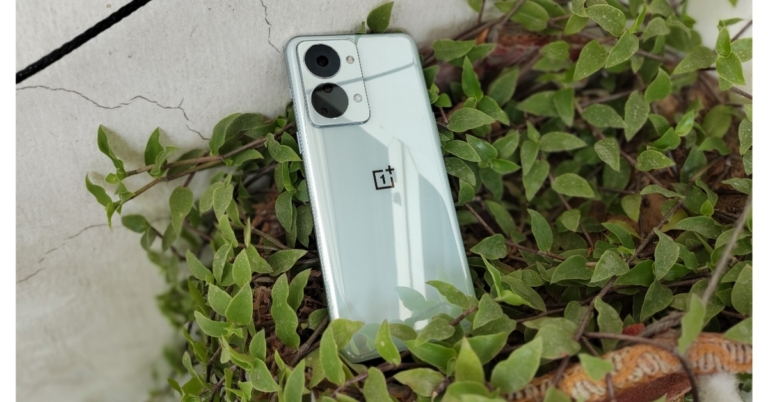
 Additionally, we cannot express how much we adore this alert slider, which is particularly useful during meetings. One thing that we were not in particularly awe of is its camera module. When you look at them attentively, you will notice that they are not symmetrical since they are randomly arranged inside two large circles, which in our opinion is odd. Please share your opinion of the design in the comments area below since the form factor and design are subjective, did you like its rear? Remember that the OnePlus Nord 2 has a cleaner camera location and fewer ringlets than the 2T, which we found more attractive.
Be aware that the Nord 2T’s glass panel attracts fingerprints. If you decide to use the phone without a cover, as we did, keep a microfibre towel at hand to wipe it down during the day because it picks up fingerprints very easily. We reviewed the phone in Jade Fog shade, a sort of mint green colour option that looks beautiful and expensive, but we would have preferred a matte finish over the shiny glass finish. Another version of this phone, the Gray Shadow, has a matte back and looks pretty beautiful if you enjoy matte finishes as we do.
Additionally, we cannot express how much we adore this alert slider, which is particularly useful during meetings. One thing that we were not in particularly awe of is its camera module. When you look at them attentively, you will notice that they are not symmetrical since they are randomly arranged inside two large circles, which in our opinion is odd. Please share your opinion of the design in the comments area below since the form factor and design are subjective, did you like its rear? Remember that the OnePlus Nord 2 has a cleaner camera location and fewer ringlets than the 2T, which we found more attractive.
Be aware that the Nord 2T’s glass panel attracts fingerprints. If you decide to use the phone without a cover, as we did, keep a microfibre towel at hand to wipe it down during the day because it picks up fingerprints very easily. We reviewed the phone in Jade Fog shade, a sort of mint green colour option that looks beautiful and expensive, but we would have preferred a matte finish over the shiny glass finish. Another version of this phone, the Gray Shadow, has a matte back and looks pretty beautiful if you enjoy matte finishes as we do.
 In order to increase durability, OnePlus has added Gorilla Glass 5 protection to both the front and back of the smartphone. However, the mid-frame, which has rounded corners, is built of polycarbonate, yet is very premium.
 Additionally, the power and volume buttons provide really pleasant tactile feedback, which makes using this gadget pretty pleasant and easy to reach. Over that, the display contains an optical fingerprint reader that functions fairly well.
Regarding the display, the OnePlus Nord 2T 5G features a 6.43-inch full-HD+ AMOLED display with a hole-punch design and a resolution of 1,080 x 2,400 pixels. It comes with a 20:9 aspect ratio, a 90Hz refresh rate, and HDR10+ certification.
In addition to being well built and designed, this phone has the same display as the Nord 2 and we had no qualms here. The colours are pretty vibrant, the contrast is excellent, and the display quality is really amazing. The company has also done a good job of optimising the 90Hz refresh rate; we haven’t experienced any stutters, so that’s also nice.
Here, we’d like to point out that many smartphones in this price range feature a 120Hz refresh rate, thus given that this device is the successor to the OnePlus Nord 2, it would have been a boon if OnePlus had used 120Hz display instead of 90Hz.
Additionally, the power and volume buttons provide really pleasant tactile feedback, which makes using this gadget pretty pleasant and easy to reach. Over that, the display contains an optical fingerprint reader that functions fairly well.
Regarding the display, the OnePlus Nord 2T 5G features a 6.43-inch full-HD+ AMOLED display with a hole-punch design and a resolution of 1,080 x 2,400 pixels. It comes with a 20:9 aspect ratio, a 90Hz refresh rate, and HDR10+ certification.
In addition to being well built and designed, this phone has the same display as the Nord 2 and we had no qualms here. The colours are pretty vibrant, the contrast is excellent, and the display quality is really amazing. The company has also done a good job of optimising the 90Hz refresh rate; we haven’t experienced any stutters, so that’s also nice.
Here, we’d like to point out that many smartphones in this price range feature a 120Hz refresh rate, thus given that this device is the successor to the OnePlus Nord 2, it would have been a boon if OnePlus had used 120Hz display instead of 90Hz.
 Another issue we found, when we played Genshin Impact for long was that the OnePlus Nord 2 started to get hot. However, when we played other games this was not the case.
Other typical functions, including multitasking and accessing apps, run smoothly on this device. Also, both the typing experience and the vibration feedback are also pretty pleasant. Because of the OS’s careful optimization, the OnePlus Nord 2T’s overall performance has been satisfactory.
The software experience is still OnePlus’s biggest selling point. The UI of the OnePlus Nord 2T 5G, which runs OxygenOS 12.1, functioned without any glitches. Except for Netflix, there isn’t much-preinstalled bloatware. Additionally, according to OnePlus, 2 years of OS updates and 2 years of security fixes will be available.
Another issue we found, when we played Genshin Impact for long was that the OnePlus Nord 2 started to get hot. However, when we played other games this was not the case.
Other typical functions, including multitasking and accessing apps, run smoothly on this device. Also, both the typing experience and the vibration feedback are also pretty pleasant. Because of the OS’s careful optimization, the OnePlus Nord 2T’s overall performance has been satisfactory.
The software experience is still OnePlus’s biggest selling point. The UI of the OnePlus Nord 2T 5G, which runs OxygenOS 12.1, functioned without any glitches. Except for Netflix, there isn’t much-preinstalled bloatware. Additionally, according to OnePlus, 2 years of OS updates and 2 years of security fixes will be available.
 Let’s have a look at the camera tech specs of the OnePlus Nord 2T before comparing it to the OnePlus Nord 2, which was released last year and had fairly strong cameras.
With a 50-megapixel Sony IMX766 primary sensor and an optical image stabilisation (OIS)-capable f/1.8 lens, the phone sports a triple back camera array. The camera setup also includes an 8-megapixel ultra-wide camera with a 120-degree field of view and a 2-megapixel monochrome sensor with an f/2.2 lens. A 32-megapixel Sony IMX615 camera with an f/2.4 lens is located on the front of the OnePlus Nord 2T 5G for taking selfies and making video calls.
Let’s have a look at the camera tech specs of the OnePlus Nord 2T before comparing it to the OnePlus Nord 2, which was released last year and had fairly strong cameras.
With a 50-megapixel Sony IMX766 primary sensor and an optical image stabilisation (OIS)-capable f/1.8 lens, the phone sports a triple back camera array. The camera setup also includes an 8-megapixel ultra-wide camera with a 120-degree field of view and a 2-megapixel monochrome sensor with an f/2.2 lens. A 32-megapixel Sony IMX615 camera with an f/2.4 lens is located on the front of the OnePlus Nord 2T 5G for taking selfies and making video calls.
 As you can see, the daylight captures have decent detail and sharpness levels. Most of the time, the colours are realistic and don’t oversaturate the pictures. However, occasionally, the sharpness was less of a concern and could have been better. Overall, the dynamic range appears to be good; there is nothing to be concerned about.
 Since we were testing the cameras during monsoon and it was mostly cloudy where we were, we were unable to test the cameras in really intense sunlight.
 Moving on to the ultra wide-angle camera, it should be noted that while the photographs contain respectable detail, the sharpness levels are plainly not as good as would be expected from an 8MP sensor. Comparatively speaking to the primary sensor, colour reproduction has been handled fairly well. The ultrawide sensor is therefore usable but not of the best quality seen from Oneplus.
 Moving on to the close-up photographs, you get good details and the pictures are sharp. The colours are generally executed properly and do not oversaturate pictures. This phone lacks the macro sensor that is present in many other phones in this price range.

 Low-light photographs taken indoors under artificial lighting also appear well-done where noise levels are kept to a minimum. A night mode is available for use in extremely dim lighting situations, providing well-lit, detailed photographs. Once more, the new AI engine helps to some extent manage the noise. The primary camera has OIS, which enhances the photos in low light.
Moving on to selfies, the 32MP front sensor likewise produces good-quality images. There are plenty of details, and the sharpness levels are excellent. Also wonderfully done was the skin tone. There is a night mode for selfies, and the low-light selfies turned out to be good as well. In terms of edge detection, the portrait mode performs admirably overall, too.
The video recording follows next; it can capture videos in 4K at 30fps with perhaps only OIS on the offer. Although the resolution is outstanding, the colours appear to be a little overexposed, which is typical of most 4K movie modes. Because there is no EIS present, it is not advised for moving footage. In terms of colour and motion accuracy, 1080p at 60 frames per second is better than 4K because it supports EIS and does a decent job with the hues.
Additionally, 1080p at 30 frames per second supports EIS too and looks beautiful all around with accurate colour reproduction. The video also appears to be stabilised well and has acceptable crispness. The ultra wide-angle camera may also be used in 1080p mode, and it has decent visual quality, despite the fact that EIS was not operating in this mode. The phone can slow down video up to 72dB at 960 frames per second or 1080p resolution. The OnePlus Nord 2T’s front-facing camera sample can capture videos in 1080p HD.
The camera on the OnePlus Nord 2T is the same as the one on the Nord 2, which was released last year, and the results are essentially the same. The primary camera produces good portraits, close-up photos when used in the daylight and good low-light photos. Also attractive are the selfies. Although users won’t be dissatisfied, the phone’s cameras aren’t going to really amaze you. They are sufficient for the majority of situations.
The 4,500mAh dual-cell battery inside the OnePlus Nord 2T can be fast charged at 80W using the included charger. According to OnePlus, the battery can be charged from 1% to 60% in under 15 minutes, which is roughly accurate to the company’s promise. In our tests, the phone took 15 minutes to charge from 1% to 66%. So it finished charging in approximately 28 minutes. Therefore, it took the gadget 28 minutes to charge to 100%. With such good rapid charging, you can simply charge in a few minutes even if your battery dies.
Last but not least, we’re not overly satisfied with Nord 2T’s speaker quality. The highs sound quite crisp and the audio is not balanced, but they are loud and there is no distortion at the loudest volumes either. They’re fine for occasionally watching movies and other things, but if you listen to a lot of music, you’ll find that their audio quality is only fair. Maybe the next iteration of the phone can have better loudspeakers.
Low-light photographs taken indoors under artificial lighting also appear well-done where noise levels are kept to a minimum. A night mode is available for use in extremely dim lighting situations, providing well-lit, detailed photographs. Once more, the new AI engine helps to some extent manage the noise. The primary camera has OIS, which enhances the photos in low light.
Moving on to selfies, the 32MP front sensor likewise produces good-quality images. There are plenty of details, and the sharpness levels are excellent. Also wonderfully done was the skin tone. There is a night mode for selfies, and the low-light selfies turned out to be good as well. In terms of edge detection, the portrait mode performs admirably overall, too.
The video recording follows next; it can capture videos in 4K at 30fps with perhaps only OIS on the offer. Although the resolution is outstanding, the colours appear to be a little overexposed, which is typical of most 4K movie modes. Because there is no EIS present, it is not advised for moving footage. In terms of colour and motion accuracy, 1080p at 60 frames per second is better than 4K because it supports EIS and does a decent job with the hues.
Additionally, 1080p at 30 frames per second supports EIS too and looks beautiful all around with accurate colour reproduction. The video also appears to be stabilised well and has acceptable crispness. The ultra wide-angle camera may also be used in 1080p mode, and it has decent visual quality, despite the fact that EIS was not operating in this mode. The phone can slow down video up to 72dB at 960 frames per second or 1080p resolution. The OnePlus Nord 2T’s front-facing camera sample can capture videos in 1080p HD.
The camera on the OnePlus Nord 2T is the same as the one on the Nord 2, which was released last year, and the results are essentially the same. The primary camera produces good portraits, close-up photos when used in the daylight and good low-light photos. Also attractive are the selfies. Although users won’t be dissatisfied, the phone’s cameras aren’t going to really amaze you. They are sufficient for the majority of situations.
The 4,500mAh dual-cell battery inside the OnePlus Nord 2T can be fast charged at 80W using the included charger. According to OnePlus, the battery can be charged from 1% to 60% in under 15 minutes, which is roughly accurate to the company’s promise. In our tests, the phone took 15 minutes to charge from 1% to 66%. So it finished charging in approximately 28 minutes. Therefore, it took the gadget 28 minutes to charge to 100%. With such good rapid charging, you can simply charge in a few minutes even if your battery dies.
Last but not least, we’re not overly satisfied with Nord 2T’s speaker quality. The highs sound quite crisp and the audio is not balanced, but they are loud and there is no distortion at the loudest volumes either. They’re fine for occasionally watching movies and other things, but if you listen to a lot of music, you’ll find that their audio quality is only fair. Maybe the next iteration of the phone can have better loudspeakers.