In This Article
Sony Master Series A9F Bravia OLED TVs
 The BRAVIA series from Sony has always been a popular one. And if you do want to gift your loved ones a television this Diwali, then you can get them on from Sony’s Master Series A9F Bravia OLED TV range. The televisions are based on Android 8.0 Oreo and are available in 55-inch and 65-inch screen options that cost Rs 3,99,000 and Rs 5,59,990 respectively. Sony Master Series A9F Bravia OLED TVs come with X1 Ultimate image processor and come equipped pixel contrast booster. The new range of televisions can support 11 Indian and 14 international languages.
Haier Quantum Dot 4K LED Slim and Curved TVs
 The recently launched Quantum Dot 4K Slim LED and Quantum Dot 4K Curved LED televisions from Haier are also good options to consider. The televisions come with features like 4K UHD and HDR display and are available in 55-inch and 65-inch screen varaints. If you want a nearly bezel-less experience, you should opt for the Slim model, but you should choose the Curved model if you are looking for a greater sense of immersion. The price of the televisions starts at Rs 2,09,990 and goes up to Rs 2,69,990.
Blaupunkt Smart Sound Full HD TV
 If you want a more affordable option, you can go for the Blaupunkt Smart Sound Full HD TV, which is available in 32-inch, 43-inch and 50-inch screen sizes. The televisions are priced at Rs 16,999, Rs 28,999 and Rs 34,999 respectively. The televisions run Android 5.1 out of the box and come with a 30W in-built speaker and a detachable 60W speaker.
Samsung Galaxy Tab S4
 Samsung’s flagship tablet, Samsung Galaxy Tab S4 features a 10.5-inch Super AMOLED display, has narrow bezels and houses a 7,300mAh battery. The new tablet is compatible with the S-Pen and supports the Samsung Dex functionality too. You can pick it for Rs 57,900.
iPad Pros (2017)
 Although we know about the price of new the newly launched iPad Pros, Apple has said they will be available in India ‘later this year’. So if you want to buy yourself an iPad Pro, you can go for the ones launched last year. Apple did increase the price of its older products post the iPad Pro 2018 launch, but the previous generation iPad Pros remain unaffected by it. While the Wi-Fi version of the 10.5 inch iPad Pro starts at Rs 57,900, the cost of the LTE version begins at Rs 69,900.
Microsoft Surface Laptop and Surface book 2
 If you are considering to gift someone a laptop this Diwali, then Microsoft’s Surface Laptop and Surface book 2 are excellent options. The Surface laptop by Microsoft sports a full HD 13.5-inch PixelSense touchscreen and has a Alcantara fabric keyboard. It comes in 5 combinations of specs including the Intel Core i5 with 128GB SSD and 8GB RAM and Intel Core i7 with 1TB SSD and 16 GB RAM. Speaking of Microsoft Surface Book 2, it is available in 13-inches as well as 15-inches. The pricing of Microsoft Surface laptop starts at Rs 86,999 and the cost of Microsoft Surface book 2 begins at Rs 1,37,999.
Asus VivoBook S15 (S530) and VivoBook S14 (S430)
 Asus recently launched its VivoBook S15 and VivoBook S14 in India. While the price of Asus VivoBook S14 starts at Rs 54,990, the cost of VivoBook S15 begins at Rs 69,990. The two laptops are the first in the VivoBook Series to come with three-sided NanoEdge design.
HP ENVY x360 convertible laptop
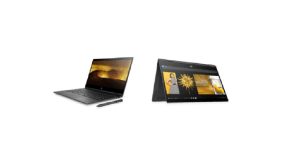 HP ENVY x360 convertible laptop is powered by AMD Ryzen processor, comes with thin bezels and an edge-to-edge backlit keyboard. The price of the HP ENVY x360 laptop starts at Rs 60,990 and the 256GB variant is available at Rs 74,990.
Sony Cyber-shot DSC-WX800 compact high-zoom camera
 If you know someone who loves photography, then there is no better gift than a good camera for them on Diwali. You can consider giving them the Sony Cyber-shot DSC-WX800 compact high-zoom camera that is touted by the company to have the “world’s smallest body” for its type. The camera’s range begins from 24mm and goes up to 720mm. Priced at Rs 34,990, the camera comes with 4K video recording capabilities and has Bionz X image processing.
Nikon Z7 mirror-less camera
 You can barely ever go wrong with a camera from Nikon. And the company recently launched Nikon Z7 mirrorless camera in India. But if you do consider this, you will have to pay a rather big price too. The Nikon Z7 body-only is priced at Rs 2,69,950, the cost of Nikkor Z 24-70mm F/4 S + Mount Adapter FTZ Kit is Rs 3,26,950, the Nikkor Z 24-70mm F/4 S Kit comes with a price tag of Rs 3,14,950, and the price of Nikon Z7 + Mount Adapter FTZ Kit is Rs 2,81,950.
Fujifilm Instax Square SQ6 instant camera
 Another good option to consider is the Fujifilm Instax Square SQ6 instant camera. In the age of digital cameras, Fujifilm Instax Square SQ6 is an analogue camera that will give you image prints instantly. The camera is priced at Rs 9,999 and its USP is its ability to print photos on the spot
Apple Watch Series 4
 Apple’s latest smartwatch is a very good buy with slew of features that have been included in it this year. It comes with a 30% bigger display and 50% louder speaker than its predecessor. It can detect hard falls and can be used to record an ECG. The pricing of the GPS version starts at Rs 40,900, and the cost of cellular version begins at Rs 49,900.
Fitbit Versa
 The Fitbit Versa is priced at Rs 19,999 and comes with a 1.34-inch Touchscreen Color LCD display, and offers water resistant for up to 50 meters. It is compatible with iPhone 4S and higher and devices supporting Android 4.3 or later versions. You can gift this to the fitness freak you know.
Samsung Galaxy Watch
 The Samsung Galaxy Watch comes in 46mm and 42mm variants that come with 1.3-inch or 1.2-inch Super AMOLED touch display sizes respectively. The smartwatch offers 5 ATM water resistance and IP68 dust resistance. The 42mm variant of Samsung Galaxy Watch is Rs 24,990 while the cost of 46mm model begins at Rs 29,990.
For the latest gadget and tech news, and gadget reviews, follow us on Twitter, Facebook and Instagram. For newest tech & gadget videos subscribe to our YouTube Channel.
[td_smart_list_end]
The Samsung Galaxy Watch comes in 46mm and 42mm variants that come with 1.3-inch or 1.2-inch Super AMOLED touch display sizes respectively. The smartwatch offers 5 ATM water resistance and IP68 dust resistance. The 42mm variant of Samsung Galaxy Watch is Rs 24,990 while the cost of 46mm model begins at Rs 29,990.
For the latest gadget and tech news, and gadget reviews, follow us on Twitter, Facebook and Instagram. For newest tech & gadget videos subscribe to our YouTube Channel.
[td_smart_list_end] 

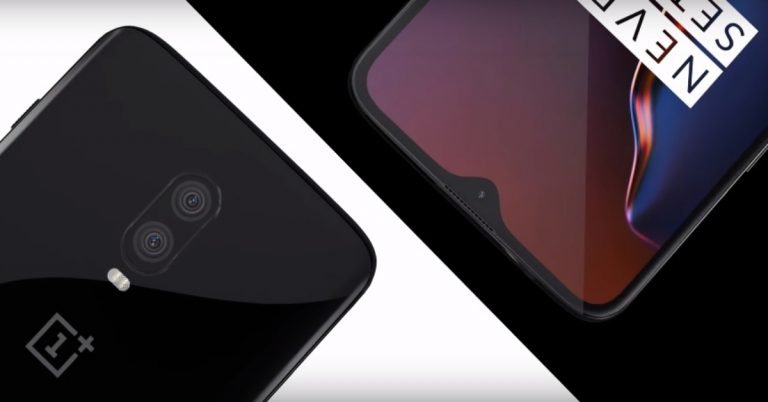
 OnePlus finally took wraps off its latest flagship smartphone,
  Apple has refreshed its lineup of
  Google’s latest smartphone lineup is now up for grabs in India. If you are an interested buyers, you can head to Flipkart, Reliance Digital, Airtel Stores, Croma and other select offline stores to get the smartphones.
  At
At  Smartphone manufacturer Lenevo launched its notch-less Z5 Pro smartphone in China this week. The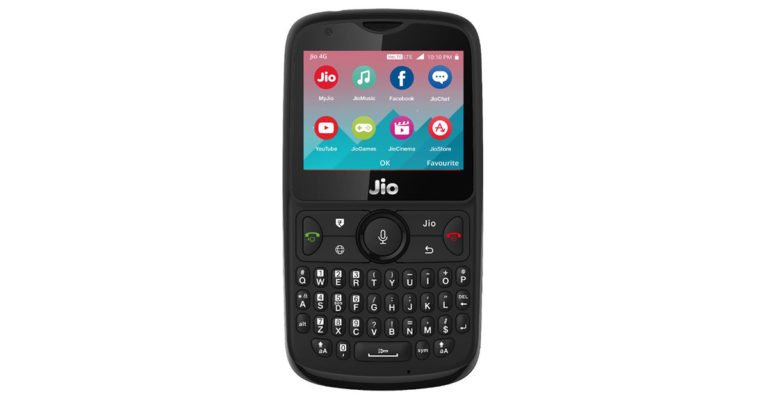
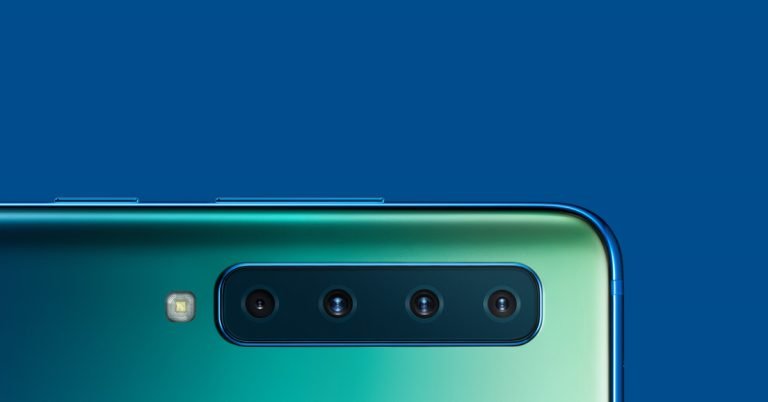

 No gift can be better than the newly launched
  If you think that the iPhone XS is too expensive, then you can go for Apple’s affordable offering
  If you are not an Apple fan,
  We had to include the
  If you want to gift someone the latest smartphone, you should go for the
  If one smartphone company really tried to give competition to OnePlus 6, it was Asus with its
  If you want to go for a smartphone that is beautiful to look at and yet affordable, we recommend the
  Go for
  As far as the budget segment goes, there is no denying the fact that
  If you are looking to gift an entry-level smartphone, then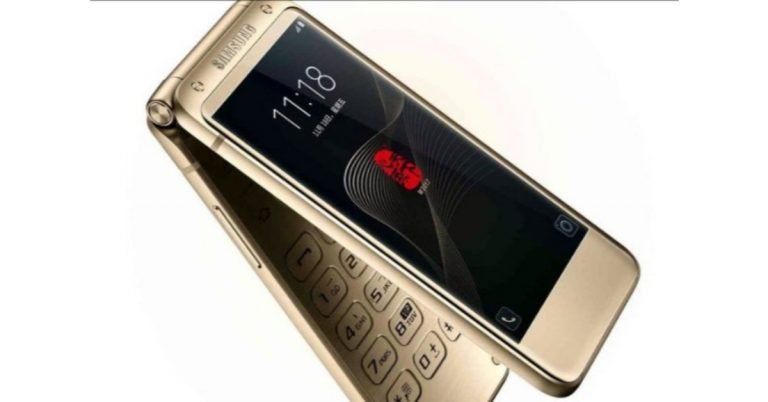
 According to SamMobile,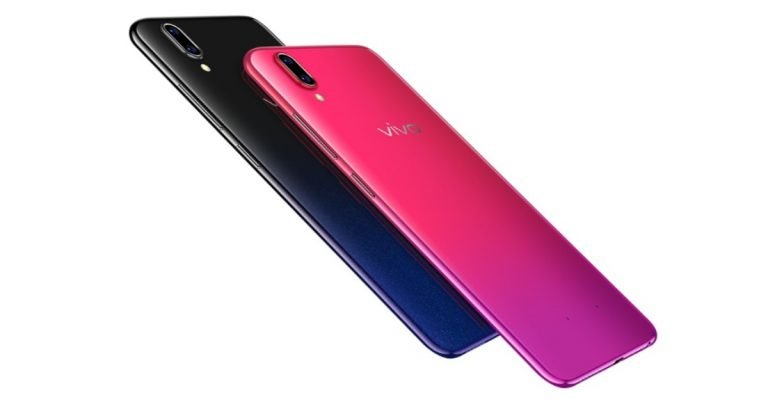

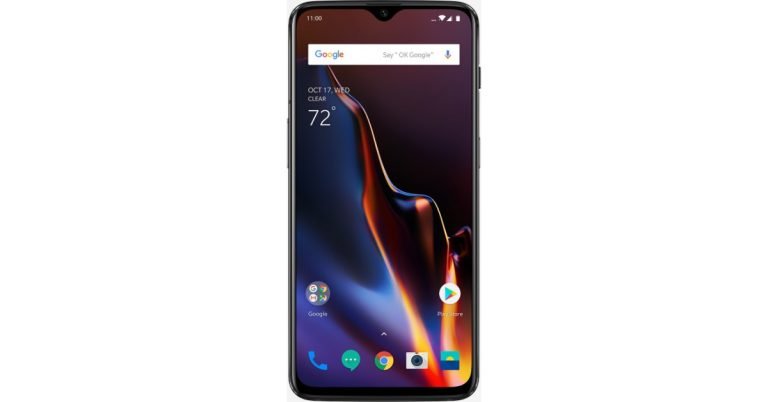


 The 6.41-inch Full Optic AMOLED display of OnePlus 6T is definitely one among reasons to buy it. It comes with a waterdrop shaped notch that houses the selfie camera and gives the user more screen space than they had in
  In-display fingerprint sensors may be the current trend in the smartphone industry, but we feel that they cannot match up to a physical fingerprint sensor in terms of performance. A physical fingerprint sensor unlocks the device much more quickly and are more accurate too. Maybe going forward, we will see better results from in-display fingerprint sensors when this technology will be more developed. Other smartphones which have this technology include Vivo Nex, Xiaomi Mi Mix 3 and Lenovo Z5 Pro.
 OnePlus 6T used the same processor as OnePlus 6 – Qualcomm Snapdragon 845. But it is the processor that is present on most Android flagships this year and is easily the best one in the market right now. To put it simply, it means that the smartphone’s performance will remain top-notch. However, it is worth noticing that there are cheaper
  It is disappointing to see that OnePlus 6T has exactly the same cameras as OnePlus 6. It comes with a dual rear camera setup with a 16MP Sony IMX519 sensor which comes with an f/1.7 aperture and 20-megapixel Sony IMX376K sensor that has an f/1.7 aperture. Even the selfie camera remains the same at 16MP Sony IMX371 sensor with f/2.0 aperture. However, the company has added some new modes to the cameras like Night Scape and Studio Lighting.
 Although the RAM options of OnePlus 6T are the same as OnePlus 6 – 6GB and 8GB – the storage in the base model has changed. The base model now comes with 6GB RAM and 128GB internal storage rather than 64GB that we saw in OnePlus 6. The other two storage options are clubbed with 8GB RAM. One, of course, is 128GB and the other is 256GB.
 This is probably one among the biggest reasons to buy the new smartphone. While OnePlus 6 housed a 3,300mAh battery, the newly launched OnePlus 6T has a 3,700mAh battery that supports fast charge (5V 4A).
 OnePlus 6T does not support wireless charging. It is a feature we were hoping to see even when OnePlus 6 was launched and we really hope OnePlus 7 comes with it.
 OnePlus 6T runs Oxygen OS based on
  OnePlus 6T comes without an IP rating, which means that it is not dust-proof or water-proof. We really expected this upgrade in the
  Earlier when OnePlus 6T announced that it is removing the 3.5mm headphone jack and will be replacing it with a Type C port instead, we were a little apprehensive because not everyone likes using wireless earphones or headphones. And for those who don’t own a pair would have actually had to buy new ones. But luckily, OnePlus is offering a USB Type C to 3.5mm adapter in the box, so one can easily connect their wired earphones and listen to music on their device. So that really solves the problem that could have arised.
For the latest
Earlier when OnePlus 6T announced that it is removing the 3.5mm headphone jack and will be replacing it with a Type C port instead, we were a little apprehensive because not everyone likes using wireless earphones or headphones. And for those who don’t own a pair would have actually had to buy new ones. But luckily, OnePlus is offering a USB Type C to 3.5mm adapter in the box, so one can easily connect their wired earphones and listen to music on their device. So that really solves the problem that could have arised.
For the latest 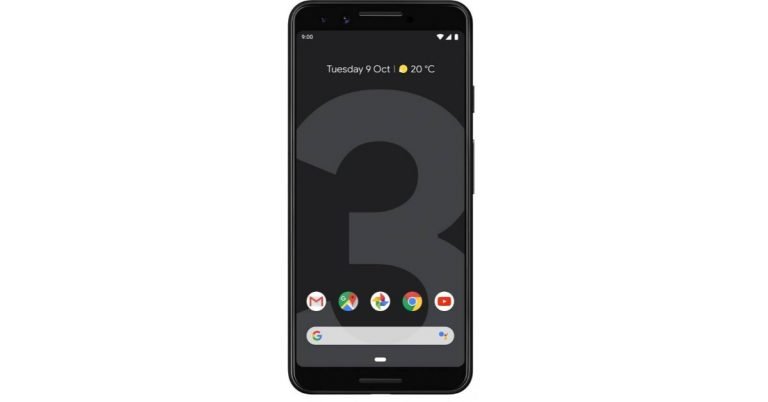


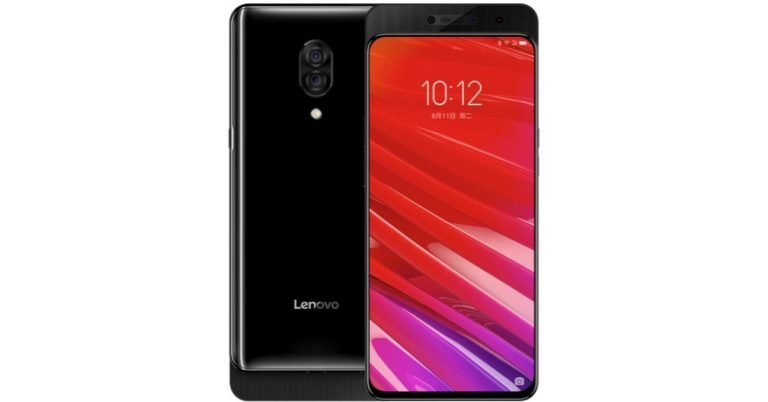
 The former is priced at CNY 1,998 and the latter at CNY 2,298. Lenovo Z5 Pro only comes in black colour option. As of now, there is no word on its price and availability in India.
 Lenovo Z5 Pro sports a dual rear camera setup that comes with 16MP and 24MP sensors. While the former is a Sony IMX519 sensor, the latter is a Sony IMX576 sensor. Both come with an f/1.8 aperture. The dual rear cameras of the
  Sensors on the device include an in-display fingerprint sensor, ambient light sensor, e-compass, gravity sensor, gyroscope, and a hall sensor.
For the latest
Sensors on the device include an in-display fingerprint sensor, ambient light sensor, e-compass, gravity sensor, gyroscope, and a hall sensor.
For the latest 
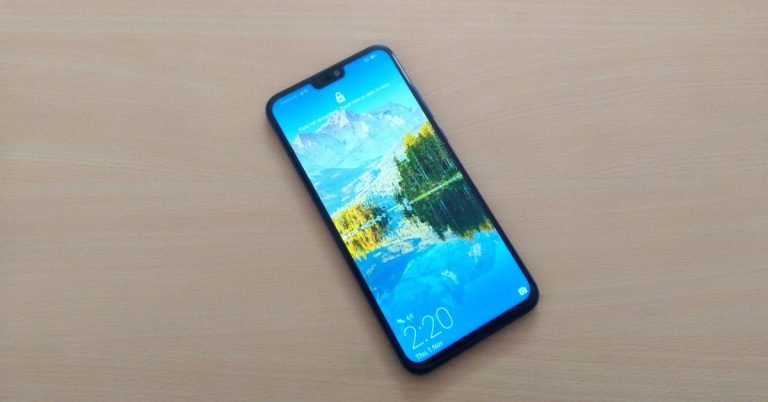
 On flipping the device, you will see its 6.5-inch fullView display that comes with 2.5D Glass on it. The screen has an aspect ratio of 19.5:9 and a screen-to-body ratio of 91%. In order to achieve this, Honor has made the notch on the top of display as small as it could. There were times when we felt that the smartphone is too big for one-handed usage. But, many people may not consider this a hindrance as most of us are used to having phones with big screens.
Speaking about the display of the smartphone, we really adored it. The colours were accurate and vibrant, and we really liked watching videos on YouTube because of the crisp quality if images. During our time with the smartphone, we found the images depicted and to be very clear. The viewing angles were good and sunlight readability was also decent. The company has touted the presence of Eye Comfort mode on the device. On enabling it, we observed a slightly warmer tint on the screen. According to Honor, the Eye Comfort mode filters out the blue light to relieve the users’ visual fatigue. You can also schedule the Eye Comfort mode to get enabled on its own.
On flipping the device, you will see its 6.5-inch fullView display that comes with 2.5D Glass on it. The screen has an aspect ratio of 19.5:9 and a screen-to-body ratio of 91%. In order to achieve this, Honor has made the notch on the top of display as small as it could. There were times when we felt that the smartphone is too big for one-handed usage. But, many people may not consider this a hindrance as most of us are used to having phones with big screens.
Speaking about the display of the smartphone, we really adored it. The colours were accurate and vibrant, and we really liked watching videos on YouTube because of the crisp quality if images. During our time with the smartphone, we found the images depicted and to be very clear. The viewing angles were good and sunlight readability was also decent. The company has touted the presence of Eye Comfort mode on the device. On enabling it, we observed a slightly warmer tint on the screen. According to Honor, the Eye Comfort mode filters out the blue light to relieve the users’ visual fatigue. You can also schedule the Eye Comfort mode to get enabled on its own.
 To conclude, we would say that we really liked the design and display of the smartphone. The build could have been better and we would have really appreciated it if the back panel of the device would have been protected by glass. One can put on a case to avoid scratches but that would mean hiding the Honor 8X’s stunning looks.
 There was some bloatware on the device, but not too much of it. And we didn’t even feel the need of deleting most apps. Besides the usual suite of Google apps, there was Facebook, Facebook Messenger, Netflix, Camera360, an SOS app and a gaming app called Lords Mobile. There is a Phone Manager app on the device that can be used to optimize its performance. It frees up RAM, keeps a track on data usage, checks the smartphone for any viruses and stops battery from draining. If you use some particular functions of the app too often, you can also create short cuts for them.
One can also use various gestures to perform tasks on the device like swiping inward from left or right of the screen to go back to the previous screen, swiping up from the bottom of the screen to go up, accessing Google Assistant by swiping up from the lower corners. Honor 8X
There was some bloatware on the device, but not too much of it. And we didn’t even feel the need of deleting most apps. Besides the usual suite of Google apps, there was Facebook, Facebook Messenger, Netflix, Camera360, an SOS app and a gaming app called Lords Mobile. There is a Phone Manager app on the device that can be used to optimize its performance. It frees up RAM, keeps a track on data usage, checks the smartphone for any viruses and stops battery from draining. If you use some particular functions of the app too often, you can also create short cuts for them.
One can also use various gestures to perform tasks on the device like swiping inward from left or right of the screen to go back to the previous screen, swiping up from the bottom of the screen to go up, accessing Google Assistant by swiping up from the lower corners. Honor 8X  Most photographs were good in quality. The images were sharp. The colours were accurate. At least in well-lit conditions, mostly everything was good. Usual shots were just fine, although the clarity could have been a little more. But zoom in a bit and the problem begins there and then. We also took some shots using AI photography that the company spoke about so much during the launch. We thought that most pictures taken with the mode made pictures a little oversaturated.
 The shots taken at night could be much better than what it was. The photos taken were not as clear as the ones taken during the day, and AI photography mode doesn’t help much in it.
 The 16MP selfie camera was better than the rear cameras of the device. We were happy with the shots we took in well-lit conditions, but the ones in lowly lit areas were no better than primary cameras’.
jumping to the battery life of the smartphone, we were really impressed by it. With one single charge, the
The 16MP selfie camera was better than the rear cameras of the device. We were happy with the shots we took in well-lit conditions, but the ones in lowly lit areas were no better than primary cameras’.
jumping to the battery life of the smartphone, we were really impressed by it. With one single charge, the 
 Never underestimate the importance of correctly positioning your Wi-Fi. And the height at which your Wi-Fi router is kept makes a lot of difference. If you have placed your Wi-Fi router on the floor or behind other objects, in all probability, it is the reason behind its bad performance.
Solution: You need to place your router as high as you can in order to extend the broadcasting range of its radio waves. By doing this, you will also make sure that there no other objects placed around it.
Never underestimate the importance of correctly positioning your Wi-Fi. And the height at which your Wi-Fi router is kept makes a lot of difference. If you have placed your Wi-Fi router on the floor or behind other objects, in all probability, it is the reason behind its bad performance.
Solution: You need to place your router as high as you can in order to extend the broadcasting range of its radio waves. By doing this, you will also make sure that there no other objects placed around it.
 There are certain materials that block Wi-Fi signals. And concrete and metals are among the biggest blockers. In fact, they are so effective that they can even protect you from RFID hacks. But obviously, you don’t want them anywhere near your Wi-Fi router. So if your router is placed in an area that is enclosed with concrete, or if there are some metallic objects between your device and Wi-Fi router, you should not be surprised by its slow speed.
Solution: Change the position of your Wi-Fi router and avoid keeping it in an area that is too closed. Make sure there is no concrete around it remove all metallic and other big objects to enhance its performance.
There are certain materials that block Wi-Fi signals. And concrete and metals are among the biggest blockers. In fact, they are so effective that they can even protect you from RFID hacks. But obviously, you don’t want them anywhere near your Wi-Fi router. So if your router is placed in an area that is enclosed with concrete, or if there are some metallic objects between your device and Wi-Fi router, you should not be surprised by its slow speed.
Solution: Change the position of your Wi-Fi router and avoid keeping it in an area that is too closed. Make sure there is no concrete around it remove all metallic and other big objects to enhance its performance.
 This can particularly happen if you live in a very big house. One thumbs rule you should always remember is that the further you go away from the router, the weaker will be the signals. So, if you have a designated area where you mostly use your devices, it’s better to place the router close to it. However, if that is not the case, place it at the centre of your home, as Wi-Fi broadcasts in all directions. However, if your router’s broadcast is particularly weak, you can also enhance it by changing the range of Wi-Fi waves.
Solution: You can use Wi-Fi extenders or repeaters that can be connected to the main router. These extenders basically repeat the signal of the router to cover a greater area.
This can particularly happen if you live in a very big house. One thumbs rule you should always remember is that the further you go away from the router, the weaker will be the signals. So, if you have a designated area where you mostly use your devices, it’s better to place the router close to it. However, if that is not the case, place it at the centre of your home, as Wi-Fi broadcasts in all directions. However, if your router’s broadcast is particularly weak, you can also enhance it by changing the range of Wi-Fi waves.
Solution: You can use Wi-Fi extenders or repeaters that can be connected to the main router. These extenders basically repeat the signal of the router to cover a greater area.
 Microwaves and ovens can interfere a lot with your Wi-Fi network. And this particularly happens if your router is an old one. The reason the microwaves affecting the Wi-Fi network is the fact that they have a frequency of 2.45GHz. And this frequency is extremely close to the 2.4GHz Wi-Fi band, which broadcasts between 2.412GHz and 2.472GHz. So the frequency from microwaves can overlap with the frequency of Wi-Fi, leading to disruption of the data that is transferred.
Solution: just make sure your microwave has proper shielding.
Microwaves and ovens can interfere a lot with your Wi-Fi network. And this particularly happens if your router is an old one. The reason the microwaves affecting the Wi-Fi network is the fact that they have a frequency of 2.45GHz. And this frequency is extremely close to the 2.4GHz Wi-Fi band, which broadcasts between 2.412GHz and 2.472GHz. So the frequency from microwaves can overlap with the frequency of Wi-Fi, leading to disruption of the data that is transferred.
Solution: just make sure your microwave has proper shielding.
 Bluetooth devices are just as commonly used as Wi-Fi routers. And they also have a frequency of 2.4GHz. A Bluetooth device that has been made properly must have shielding to make sure that interference does not occur in any way. ‘Frequency hopping’ is often used by Bluetooth manufacturers to avoid the situation of a frequency clash. And
  Yes, you read that right. While most of us use fairy lights to decorate our houses on Diwali and Christmas, only very few know that they can slow down your Wi-Fi. These lights emit an electromagnetic field that interacts with your Wi-Fi band, which slows it down. And unfortunately, LED lights are no better.
Solution: If the effect is just negligible, you can live with it for a day or two till the time decorations are up. If it’s too bad, don’t put LED or fairy light in the area where your router is placed.
Yes, you read that right. While most of us use fairy lights to decorate our houses on Diwali and Christmas, only very few know that they can slow down your Wi-Fi. These lights emit an electromagnetic field that interacts with your Wi-Fi band, which slows it down. And unfortunately, LED lights are no better.
Solution: If the effect is just negligible, you can live with it for a day or two till the time decorations are up. If it’s too bad, don’t put LED or fairy light in the area where your router is placed.
 Today, almost every house has a Wi-Fi network, because it has become just so indispensable. However, there are times when this can create a channel overlap, particularly if you live in a housing complex or an apartment. Channel overlap mostly happens when the router can only broadcast at 2.4GHz or if you the devices around it can only receive a wireless signal of 2.4GHz. It is worth noticing that there are only 14 channels to transmit on, so if two routers are on the same channel and broadcast at the same frequency, there is a very high possibility of them interfering with each other.
Solution: While most modern routers can automatically choose a channel for you, it is also important to investigate yourself to find a good channel.
Today, almost every house has a Wi-Fi network, because it has become just so indispensable. However, there are times when this can create a channel overlap, particularly if you live in a housing complex or an apartment. Channel overlap mostly happens when the router can only broadcast at 2.4GHz or if you the devices around it can only receive a wireless signal of 2.4GHz. It is worth noticing that there are only 14 channels to transmit on, so if two routers are on the same channel and broadcast at the same frequency, there is a very high possibility of them interfering with each other.
Solution: While most modern routers can automatically choose a channel for you, it is also important to investigate yourself to find a good channel.
 Is your neighbour using your Wi-Fi network, without keeping you informed? This is far more common than we think. There may be other people, mostly the ones who live very close to you, who may be using your Wi-Fi network without your knowledge. It not only slows down your Wi-Fi but can also lead to various security issues, so it must be stopped immediately.
Solution: The first and foremost solution for this is to have a very strong password. Avoid using your name, or other obvious information as your password, as those, can be cracked easily. Also, regularly check for any suspicious or unknown devices on your network.
Is your neighbour using your Wi-Fi network, without keeping you informed? This is far more common than we think. There may be other people, mostly the ones who live very close to you, who may be using your Wi-Fi network without your knowledge. It not only slows down your Wi-Fi but can also lead to various security issues, so it must be stopped immediately.
Solution: The first and foremost solution for this is to have a very strong password. Avoid using your name, or other obvious information as your password, as those, can be cracked easily. Also, regularly check for any suspicious or unknown devices on your network.
 If you or anyone else in your house has left a large download running on a device, it is very likely that it is contributing to the slow speed of the Wi-Fi. One just cannot underestimate how much downloading heavy files can degrade their Wi-Fi’s performance. While we really can’t do without updating our devices, we should pause the ones that are not too important.
Solution: Firstly, just make sure that none of the people who use your Wi-Fi is downloading heavy files, or binge-watching a series of Netflix. What you can also do is prioritize your network traffic. This can be done by going to your router’s settings to enable Quality of Service.
If you or anyone else in your house has left a large download running on a device, it is very likely that it is contributing to the slow speed of the Wi-Fi. One just cannot underestimate how much downloading heavy files can degrade their Wi-Fi’s performance. While we really can’t do without updating our devices, we should pause the ones that are not too important.
Solution: Firstly, just make sure that none of the people who use your Wi-Fi is downloading heavy files, or binge-watching a series of Netflix. What you can also do is prioritize your network traffic. This can be done by going to your router’s settings to enable Quality of Service.
 If you have been browsing the internet anonymously by using a VPN, then we are sure that this is the reason behind your slow internet speed. All VPNs, regardless of what they promise, slow down internet speed at least to an extent. VPNs encrypt and decrypt data in real-time, which slowed down processing as your internet requires more data.
Solution: either stop using the VPN or upgrade your internet package.
If you have been browsing the internet anonymously by using a VPN, then we are sure that this is the reason behind your slow internet speed. All VPNs, regardless of what they promise, slow down internet speed at least to an extent. VPNs encrypt and decrypt data in real-time, which slowed down processing as your internet requires more data.
Solution: either stop using the VPN or upgrade your internet package.
 The problem is not always with the router. Your device may be responsible for slow internet speed too. If all your other devices are working fine apart from your laptop or PC, then you should check the Network Drivers. If the network drivers of your device are corrupt, then they are the reason why you are getting slow internet speed in spite of being connected to a Wi-Fi router that may have no problems.
Solution: Press
The problem is not always with the router. Your device may be responsible for slow internet speed too. If all your other devices are working fine apart from your laptop or PC, then you should check the Network Drivers. If the network drivers of your device are corrupt, then they are the reason why you are getting slow internet speed in spite of being connected to a Wi-Fi router that may have no problems.
Solution: Press  Sometimes, background programs that are running on our device quietly use up the bandwidth, and you wouldn’t even get to know. Or you may have malware on your device which is slowing down the speed of the internet. And if you have recently installed a Windows
  Often when our devices are on Power Saver mode, they slow down internet speeds to enhance the
  Can you download files from other websites with ease and it’s only one particular page or website that is causing a problem? If the answer is yes, then it’s not your internet’s fault. The problem is at the source website because download speeds don’t only depend on your router, but also on the download server.
Solution: There is nothing you can do apart from downloading files from some other website.
For the latest
Can you download files from other websites with ease and it’s only one particular page or website that is causing a problem? If the answer is yes, then it’s not your internet’s fault. The problem is at the source website because download speeds don’t only depend on your router, but also on the download server.
Solution: There is nothing you can do apart from downloading files from some other website.
For the latest 
 iPad Pro 2018 (11-inch): 11-inch Liquid Retina display with 2,388 x 1,668-pixel resolution
iPad Pro 2018 (12.9-inch): 12.9-inch Liquid Retina display with 2,732 x 2,048-pixel resolution
iPad Pro 2017 (12.9-inch): 12.9-inch Retina display with 2,732 x 2,048-pixel resolution
iPad Pro 2017 (10.5-inch): 10.5-inch Retina display with 1,668-pixel resolution
iPad Pro 2018 (11-inch): 11-inch Liquid Retina display with 2,388 x 1,668-pixel resolution
iPad Pro 2018 (12.9-inch): 12.9-inch Liquid Retina display with 2,732 x 2,048-pixel resolution
iPad Pro 2017 (12.9-inch): 12.9-inch Retina display with 2,732 x 2,048-pixel resolution
iPad Pro 2017 (10.5-inch): 10.5-inch Retina display with 1,668-pixel resolution
 iPad Pro 2018 (11-inch): 64/256/512GB/1TB
iPad Pro 2018 (12.9-inch): 64/256/512GB/1TB
iPad Pro 2017 (12.9-inch): 64/256/512GB
iPad Pro 2017 (10.5-inch): 64/256/512GB
iPad Pro 2018 (11-inch): 64/256/512GB/1TB
iPad Pro 2018 (12.9-inch): 64/256/512GB/1TB
iPad Pro 2017 (12.9-inch): 64/256/512GB
iPad Pro 2017 (10.5-inch): 64/256/512GB
 iPad Pro 2018 (11-inch): iOS 12
iPad Pro 2018 (12.9-inch): iOS 12
iPad Pro 2017 (12.9-inch): iOS 11
iPad Pro 2017 (10.5-inch): iOS 11
iPad Pro 2018 (11-inch): iOS 12
iPad Pro 2018 (12.9-inch): iOS 12
iPad Pro 2017 (12.9-inch): iOS 11
iPad Pro 2017 (10.5-inch): iOS 11
 iPad Pro 2018 (11-inch): 12 megapixel
iPad Pro 2018 (12.9-inch): 12 megapixel
iPad Pro 2017 (12.9-inch): 12 megapixel
iPad Pro 2017 (10.5-inch): 12 megapixel
iPad Pro 2018 (11-inch): 12 megapixel
iPad Pro 2018 (12.9-inch): 12 megapixel
iPad Pro 2017 (12.9-inch): 12 megapixel
iPad Pro 2017 (10.5-inch): 12 megapixel
 iPad Pro 2018 (11-inch): 7 megapixel
iPad Pro 2018 (12.9-inch): 7 megapixel
iPad Pro 2017 (12.9-inch): 7 megapixel
iPad Pro 2017 (10.5-inch): 7 megapixel
iPad Pro 2018 (11-inch): 7 megapixel
iPad Pro 2018 (12.9-inch): 7 megapixel
iPad Pro 2017 (12.9-inch): 7 megapixel
iPad Pro 2017 (10.5-inch): 7 megapixel
 iPad Pro 2018 (11-inch): Up to 10 hours strenuous use over Wi-Fi; up to 9 hours over cellular
iPad Pro 2018 (12.9-inch): Up to 10 hours strenuous use over Wi-Fi; up to 9 hours over cellular
iPad Pro 2017 (12.9-inch): Up to 10 hours strenuous use over Wi-Fi; up to 9 hours over cellular
iPad Pro 2017 (10.5-inch): Up to 10 hours strenuous use over Wi-Fi; up to 9 hours over cellular
iPad Pro 2018 (11-inch): Up to 10 hours strenuous use over Wi-Fi; up to 9 hours over cellular
iPad Pro 2018 (12.9-inch): Up to 10 hours strenuous use over Wi-Fi; up to 9 hours over cellular
iPad Pro 2017 (12.9-inch): Up to 10 hours strenuous use over Wi-Fi; up to 9 hours over cellular
iPad Pro 2017 (10.5-inch): Up to 10 hours strenuous use over Wi-Fi; up to 9 hours over cellular
 iPad Pro 2018 (11-inch): Yes; 2nd generation
iPad Pro 2018 (12.9-inch): Yes; 2nd generation
iPad Pro 2017 (12.9-inch): Yes; original Apple Pencil
iPad Pro 2017 (10.5-inch): Yes; original Apple Pencil
iPad Pro 2018 (11-inch): Yes; 2nd generation
iPad Pro 2018 (12.9-inch): Yes; 2nd generation
iPad Pro 2017 (12.9-inch): Yes; original Apple Pencil
iPad Pro 2017 (10.5-inch): Yes; original Apple Pencil
 For Wi-Fi
iPad Pro 2018 (11-inch): $799
iPad Pro 2018 (12.9-inch): $999
iPad Pro 2017 (12.9-inch): $799
iPad Pro 2017 (10.5-inch): $649
For LTE
iPad Pro 2018 (11-inch): $949
iPad Pro 2018 (12.9-inch): $1,149
iPad Pro 2017 (12.9-inch): $929
iPad Pro 2017 (10.5-inch): $779
For the latest
For Wi-Fi
iPad Pro 2018 (11-inch): $799
iPad Pro 2018 (12.9-inch): $999
iPad Pro 2017 (12.9-inch): $799
iPad Pro 2017 (10.5-inch): $649
For LTE
iPad Pro 2018 (11-inch): $949
iPad Pro 2018 (12.9-inch): $1,149
iPad Pro 2017 (12.9-inch): $929
iPad Pro 2017 (10.5-inch): $779
For the latest ![OnePlus 6T Unboxing, First Look and Camera Shots: Is it a worthy upgrade? [Video]](https://www.gadgetbridge.com/wp-content/uploads/2018/10/maxresdefault-5-768x432.jpg "OnePlus 6T Unboxing, First Look and Camera Shots: Is it a worthy upgrade? [Video]")