Optoma AZH430UST Ultra Short Throw Laser Projector Review: Design
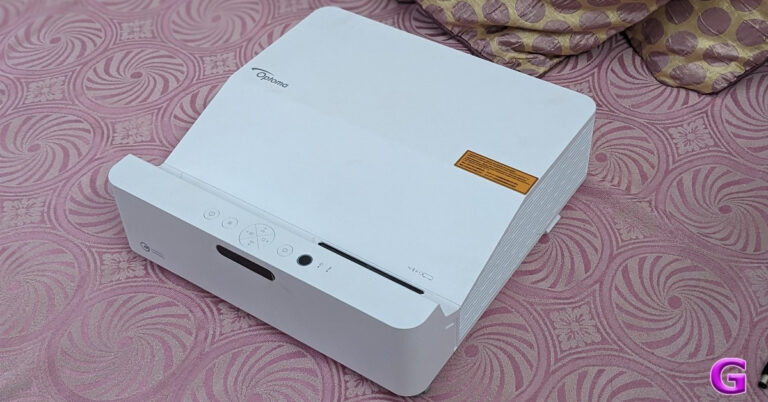
In terms of design, this is a big and heavy one. Because this projector is Ultra Short Throw, you can keep it a few inches from the wall and yet get a huge picture. Second, this projector doesn’t actually require a screen. You don’t need to alter anything with it; it looks great on a white or even a grey wall. Thirdly, hanging it from a wall or installing it doesn’t require a professional; you can do it yourself with ease. You may utilise a screen that will be beneficial if you want to take it to the next level.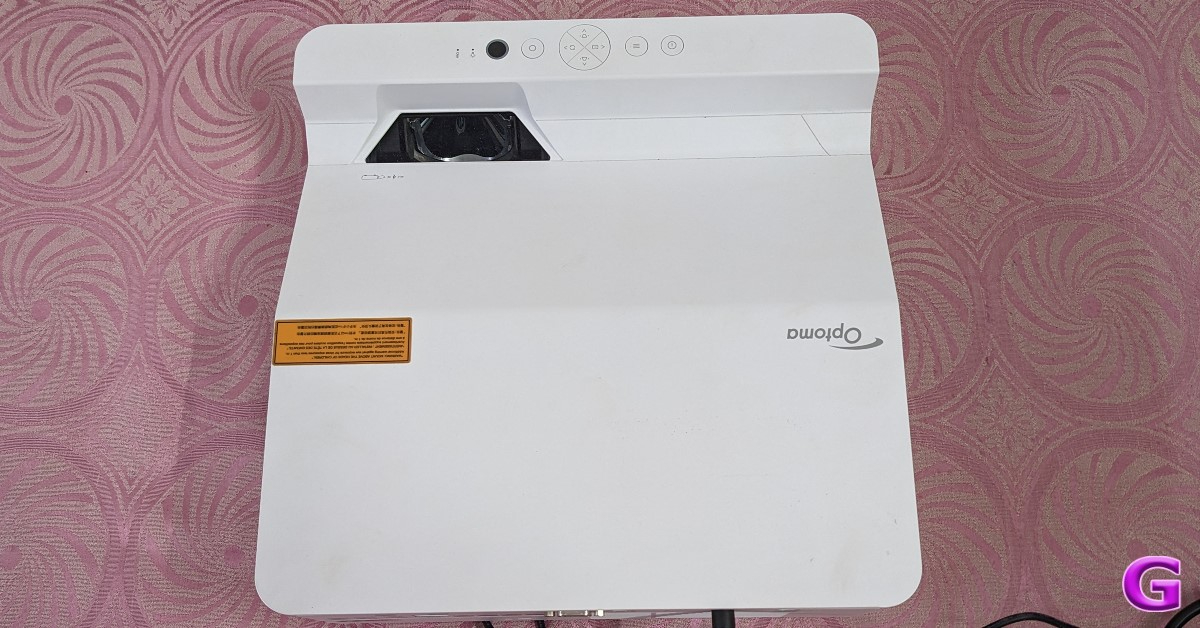 Even a white wall, though, looks great; maintain a little distance from the wall to access options like keystone correction for vertical and horizontal adjustment, among others. Additionally, you can modify it for warping and even curved screens.
You now understand the right amount of space required for this, so let’s move on. The Optoma AZH430UST has a matte white appearance and sits beautifully. It blends well with the design elements of your living space because of its extremely high-end construction quality and posh design.
On the left and right sides, as well as at the bottom, the business has installed ventilation grilles.
Also Read: Samsung Galaxy S25 Series launch in India is imminent, S25+ and S25 Ultra spotted listed on BIS
In addition to a few operating controls, the projector strides in with a full-function remote control. Just Press the power button to turn it on and display a source. Choose the preferred input (if there are several linked sources). In ten seconds, the power LED will glow blue, and a start-up screen will appear. The projector features multilingual on-screen menus for changing settings and adjusting images.
The projector is designed to be installed in one of four possible positions.
Even a white wall, though, looks great; maintain a little distance from the wall to access options like keystone correction for vertical and horizontal adjustment, among others. Additionally, you can modify it for warping and even curved screens.
You now understand the right amount of space required for this, so let’s move on. The Optoma AZH430UST has a matte white appearance and sits beautifully. It blends well with the design elements of your living space because of its extremely high-end construction quality and posh design.
On the left and right sides, as well as at the bottom, the business has installed ventilation grilles.
Also Read: Samsung Galaxy S25 Series launch in India is imminent, S25+ and S25 Ultra spotted listed on BIS
In addition to a few operating controls, the projector strides in with a full-function remote control. Just Press the power button to turn it on and display a source. Choose the preferred input (if there are several linked sources). In ten seconds, the power LED will glow blue, and a start-up screen will appear. The projector features multilingual on-screen menus for changing settings and adjusting images.
The projector is designed to be installed in one of four possible positions.
- Table mount front
- Ceiling mount front
- Table mount rear
- Ceiling mount rear
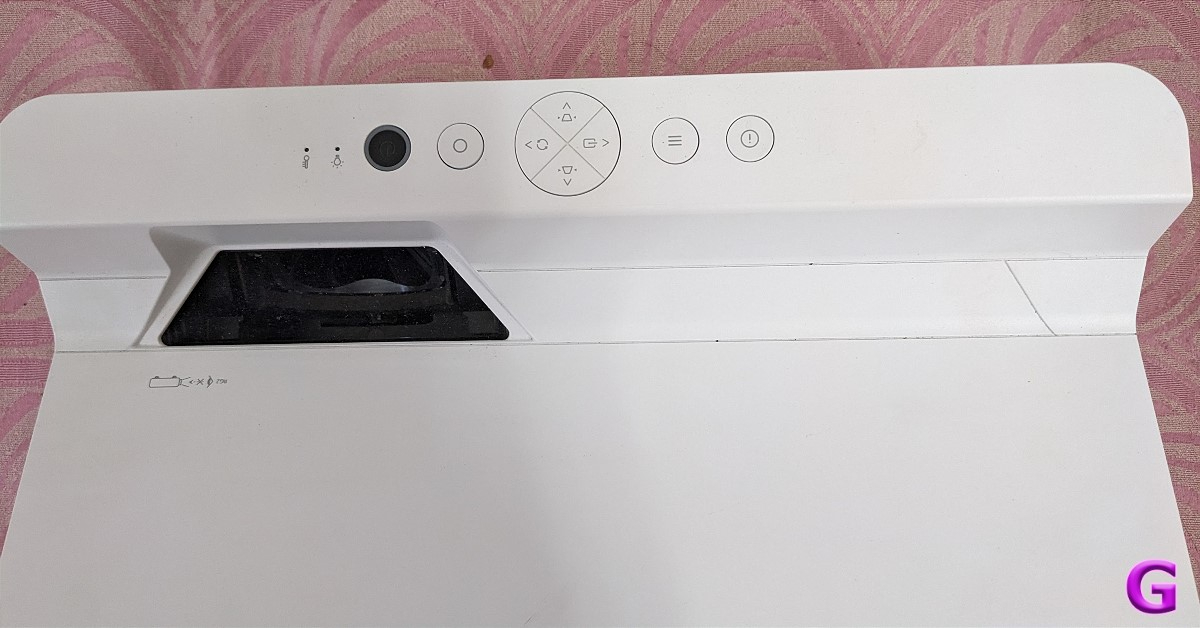 In addition, there are four settings for display geometric correction on the Optoma AZH430UST Ultra Short Throw Laser Projector: V Keystone, H Keystone, Four Corners, and Reset. While H Keystone corrects picture distortion horizontally to provide a square image with uneven borders on the left and right, V Keystone corrects image distortion vertically to produce a square image. When the projection surface is not level, four corners enable the projected picture to be resized from each corner to produce a square image. When you reset the geometric correction settings, the factory default is restored.
The AZH430UST has two HDMI inputs and even has a USB power connector for charging wireless adapters and smart dongles. By allocating them to separate ports, twin HDMI inputs make it simple to connect to several devices, including your PC, laptop, Blu-ray player, media streamer, and set-top box. Presentation and display are made hassle-free by eliminating the requirement for constant connecting and unplugging while switching devices. You can also transform it into a smart projector by attaching an HDMI dongle like Google Chromecast, Amazon Fire TV, Apple TV et al to it.
In addition, this Optoma project has an IP6X dust resistance certification and has been tested and certified by IEC standard 60529. Compared to a lamp-based projector of the same capacity, the gadget can save up to 47% on power usage.
In addition, there are four settings for display geometric correction on the Optoma AZH430UST Ultra Short Throw Laser Projector: V Keystone, H Keystone, Four Corners, and Reset. While H Keystone corrects picture distortion horizontally to provide a square image with uneven borders on the left and right, V Keystone corrects image distortion vertically to produce a square image. When the projection surface is not level, four corners enable the projected picture to be resized from each corner to produce a square image. When you reset the geometric correction settings, the factory default is restored.
The AZH430UST has two HDMI inputs and even has a USB power connector for charging wireless adapters and smart dongles. By allocating them to separate ports, twin HDMI inputs make it simple to connect to several devices, including your PC, laptop, Blu-ray player, media streamer, and set-top box. Presentation and display are made hassle-free by eliminating the requirement for constant connecting and unplugging while switching devices. You can also transform it into a smart projector by attaching an HDMI dongle like Google Chromecast, Amazon Fire TV, Apple TV et al to it.
In addition, this Optoma project has an IP6X dust resistance certification and has been tested and certified by IEC standard 60529. Compared to a lamp-based projector of the same capacity, the gadget can save up to 47% on power usage.
Optoma AZH430UST Ultra Short Throw Laser Projector Review: Performance
The Optoma AZH430UST Ultra Short Throw Laser Projector provides exceptional performance in small to large areas. Its ultra-short throw lens minimises shadows and makes presentations simple by projecting images of more than 100-inches from a mere 30 cm distance. It can support meetings with lights on thanks to its 4,000 ANSI lumen brightness level, and its long-lasting laser light source—which has a 30,000-hour lifespan—guarantees continuous use without worrying about lamp use or downtime. The gadget is readily mounted on the wall or set up on a desk or cabinet at the front of the room. The UST design makes it impossible for a presenter at the front of the room to throw a shadow on the screen. The projector’s 1080p FHD quality allows you to see HD content in crisp, vivid pictures without any compression or downscaling. In addition to enhancing the display’s contrast ratio, brightness, and colour depth, High Dynamic Range (HDR) technology produces deeper black depths and brighter whites. It makes the images crisper and more lifelike by enhancing the depth of field and details. The keystone might be adjusted in both the vertical and horizontal planes using the four corner corrections. To make the picture precisely square, you may warp each corner separately. This is perfect for a projector that needs to be positioned at an angle or for uneven walls.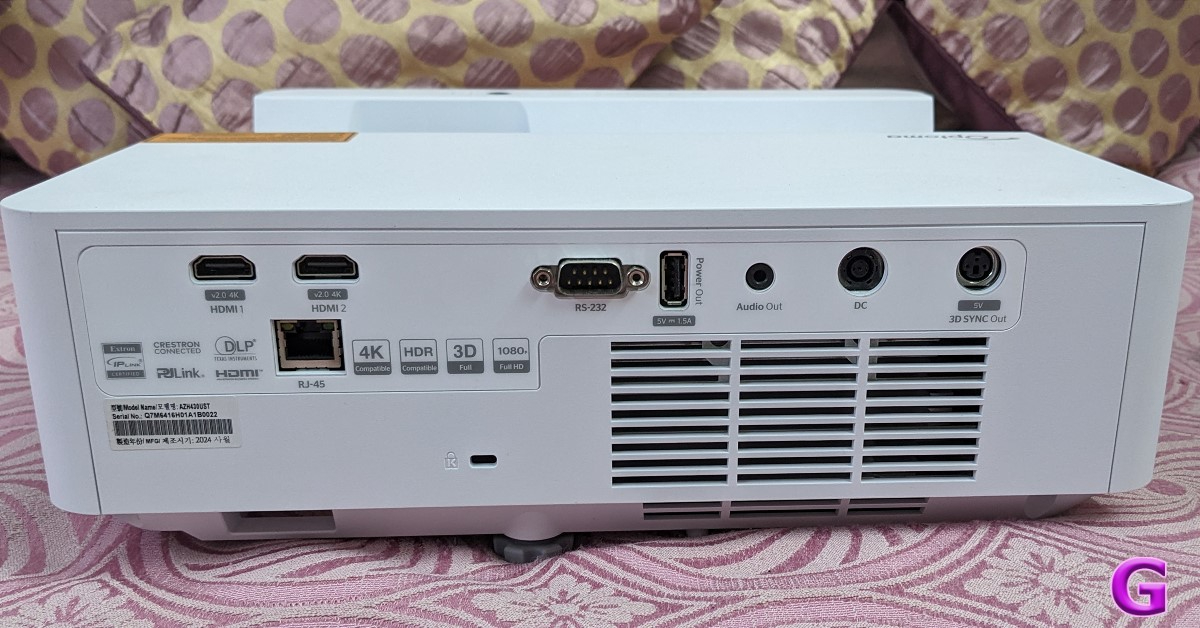 Because the manufacturer had modified it specifically for games, it was considerably more effective at gaming.
Even with room lights on, the Optoma projector’s great brightness enables continuous viewing. It is an excellent option for viewing Netflix and YouTube videos because of its vivid colours and deep blacks. Even on off-white walls, the projection maintains its vibrancy. Although 3D glasses are not included in the packaging, this projector can also display 3D images.
Any content and setting may benefit from the dependable colour performance of this Optoma projector. From vivid, impactful presentations to realistic shots with exact sRGB colours. To individually address your demands, there is a display mode. Ideal for a variety of video and graphic presentations. Because you can turn your projector 90 degrees to show a portrait picture, it is also perfect for digital signage applications.
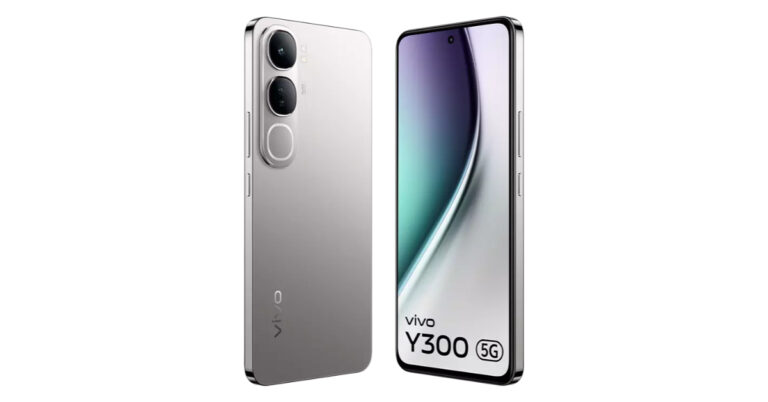
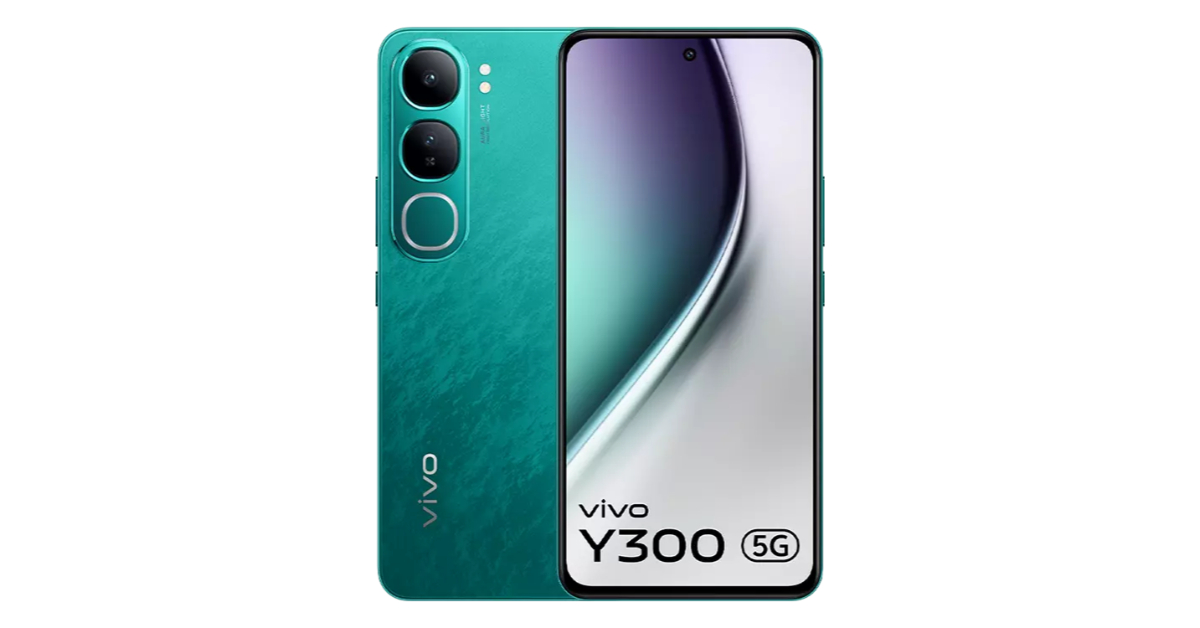
Also Read: Vivo Y300 5G powered by Snapdragon 4 Gen 2 launched in India
The 15W speaker inside it replaces the need for external speakers by producing powerful, clear sound. The projector’s 15W speaker is enough for viewing TV if you are seated close to it. For optimal music quality, you will need external speakers connected to it via the 3.5mm audio connector because you will be utilising it in big rooms. Due to its energy efficiency and lack of mercury, the laser light source is an environmentally friendly option, too.
As said, users of the Optoma projector also receive a well-functioning infrared remote control. It functioned well when we tried it from afar. Additionally, the Optoma projector doesn’t make noise or overheat as many other projectors do in this same category.
Because the manufacturer had modified it specifically for games, it was considerably more effective at gaming.
Even with room lights on, the Optoma projector’s great brightness enables continuous viewing. It is an excellent option for viewing Netflix and YouTube videos because of its vivid colours and deep blacks. Even on off-white walls, the projection maintains its vibrancy. Although 3D glasses are not included in the packaging, this projector can also display 3D images.
Any content and setting may benefit from the dependable colour performance of this Optoma projector. From vivid, impactful presentations to realistic shots with exact sRGB colours. To individually address your demands, there is a display mode. Ideal for a variety of video and graphic presentations. Because you can turn your projector 90 degrees to show a portrait picture, it is also perfect for digital signage applications.
Also Read: Vivo Y300 5G powered by Snapdragon 4 Gen 2 launched in India
The 15W speaker inside it replaces the need for external speakers by producing powerful, clear sound. The projector’s 15W speaker is enough for viewing TV if you are seated close to it. For optimal music quality, you will need external speakers connected to it via the 3.5mm audio connector because you will be utilising it in big rooms. Due to its energy efficiency and lack of mercury, the laser light source is an environmentally friendly option, too.
As said, users of the Optoma projector also receive a well-functioning infrared remote control. It functioned well when we tried it from afar. Additionally, the Optoma projector doesn’t make noise or overheat as many other projectors do in this same category.
Verdict
We were really satisfied with the Optoma AZH430UST projector’s performance. We linked it to a laptop and a set-top box, and it was able to portray a very good resolution. According to Optoma, their projectors offer the finest blend of high-end gaming output with a cinematic experience. This model is a great improvement over your existing home theatre system already present in their arsenal. It provides you with an amazing resolution of 80-130 inches in Full HD (1,920 x 1,080). The hues are vibrant, rich, and true to black, which is simply stunning. A 15W built-in speaker provides a decent experience as well. However, we would advise getting something similar to a soundbar if you want the best possible audio experience. Pros- 100 inch massive screen
- excellent colours
- easy installation
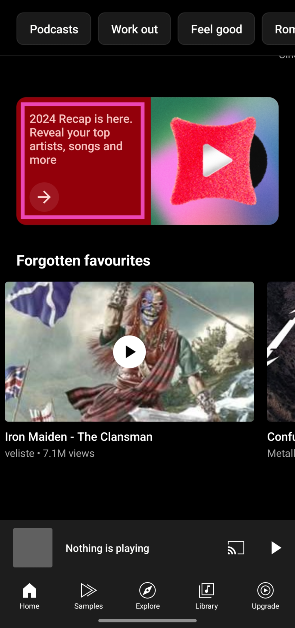 Step 3:
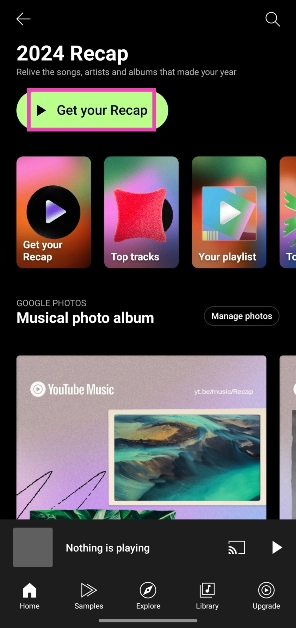 Step 4:
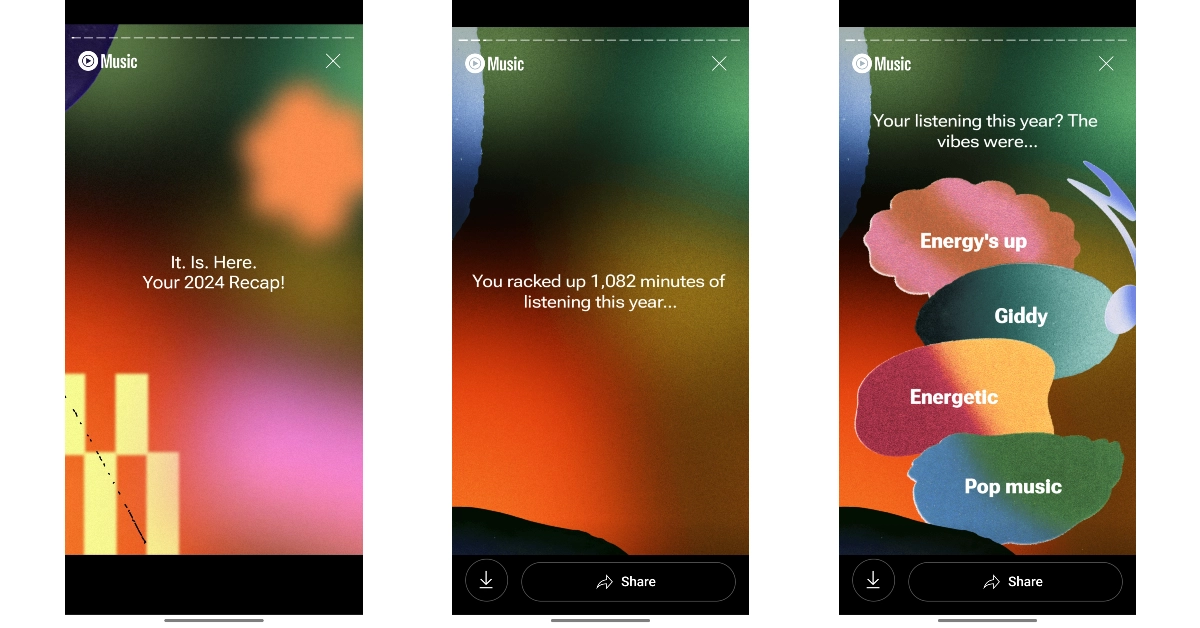 Step 5:
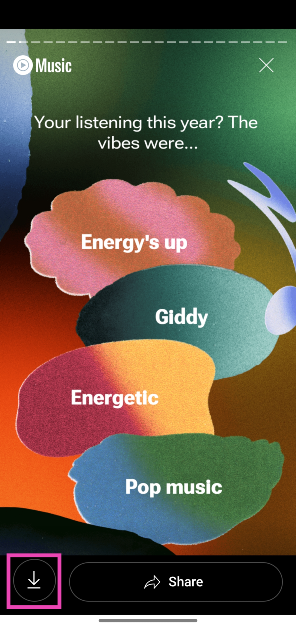 Step 6: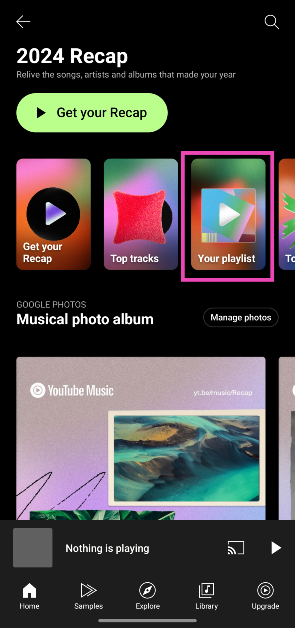
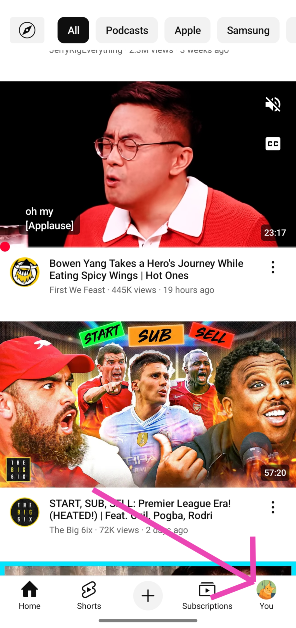 Step 3:
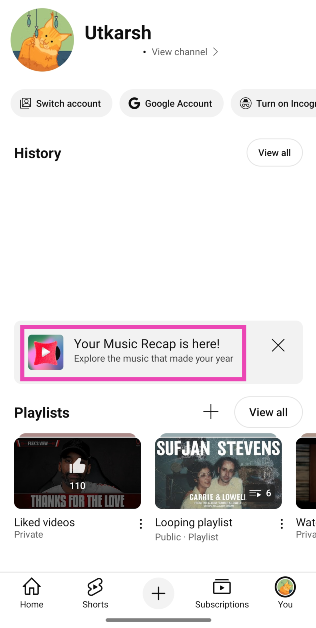 Step 4:




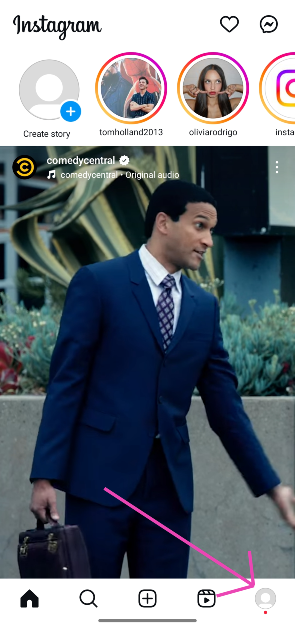 Step 2:
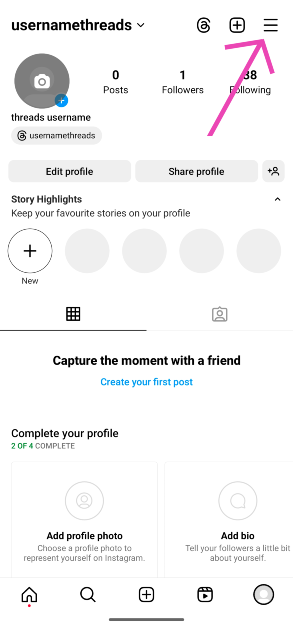 Step 3:
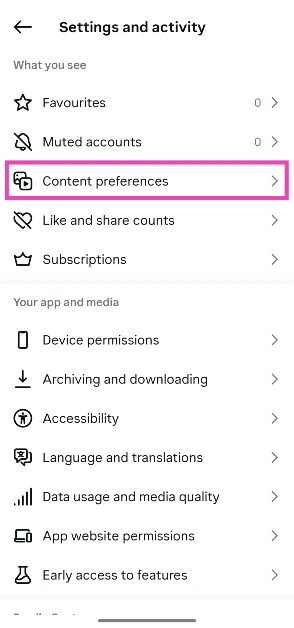 Step 4:
 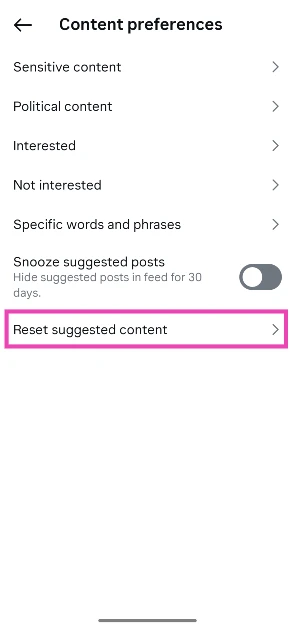 Step 5:
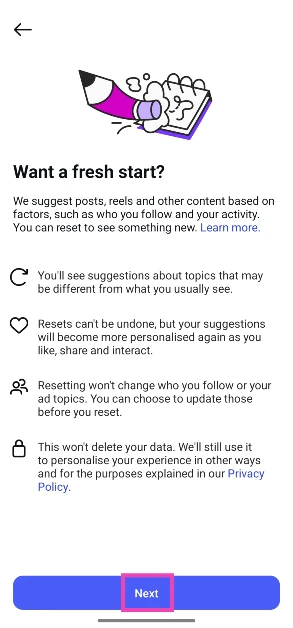 Step 6:
 Step 7: Confirm your selection in the pop-up box.

 Step 2:
 Step 3:
 Step 4:
 Step 5:
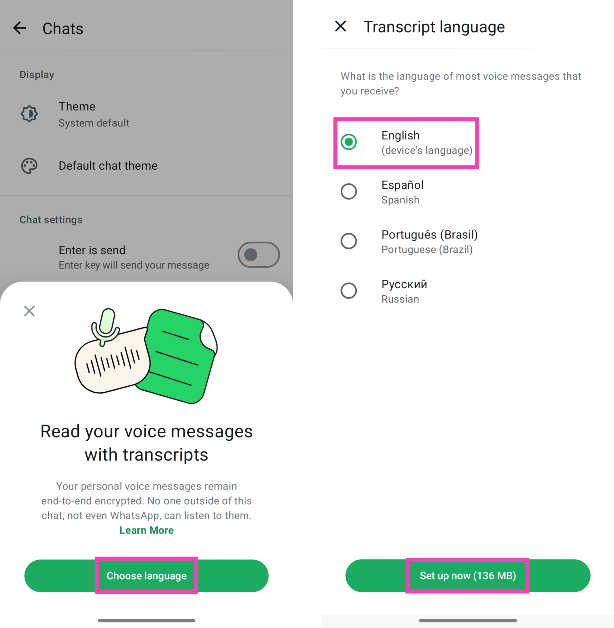 Step 6:
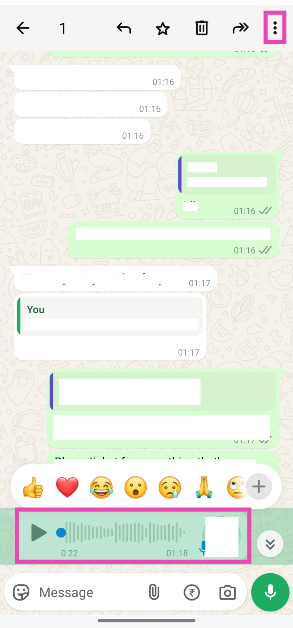 Step 3:
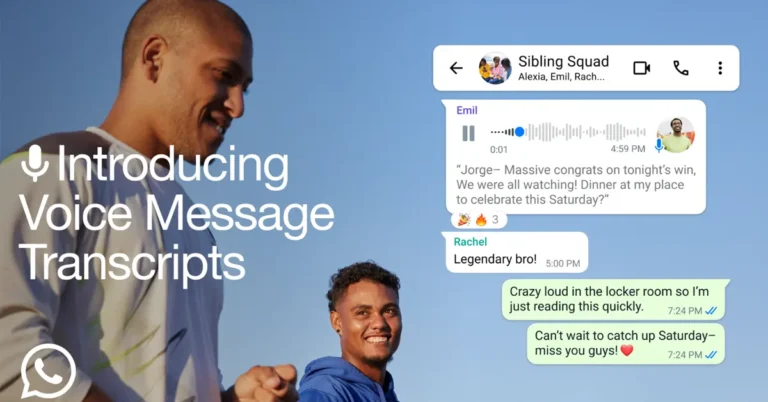
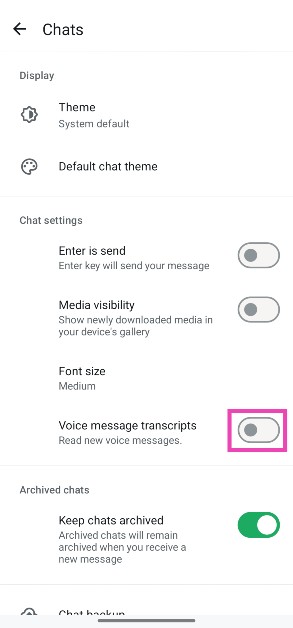
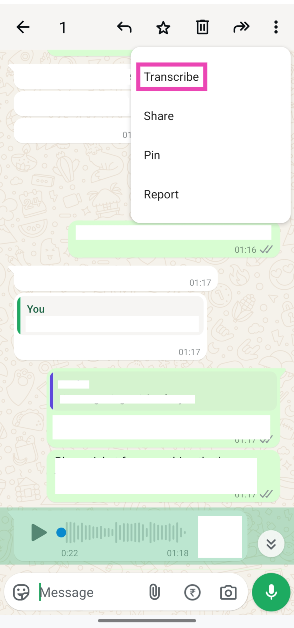 Step 4: The transcription will appear below the voice note.
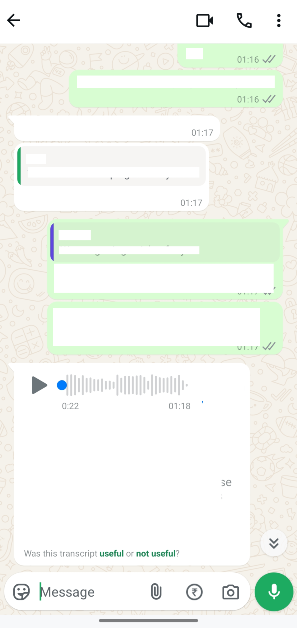

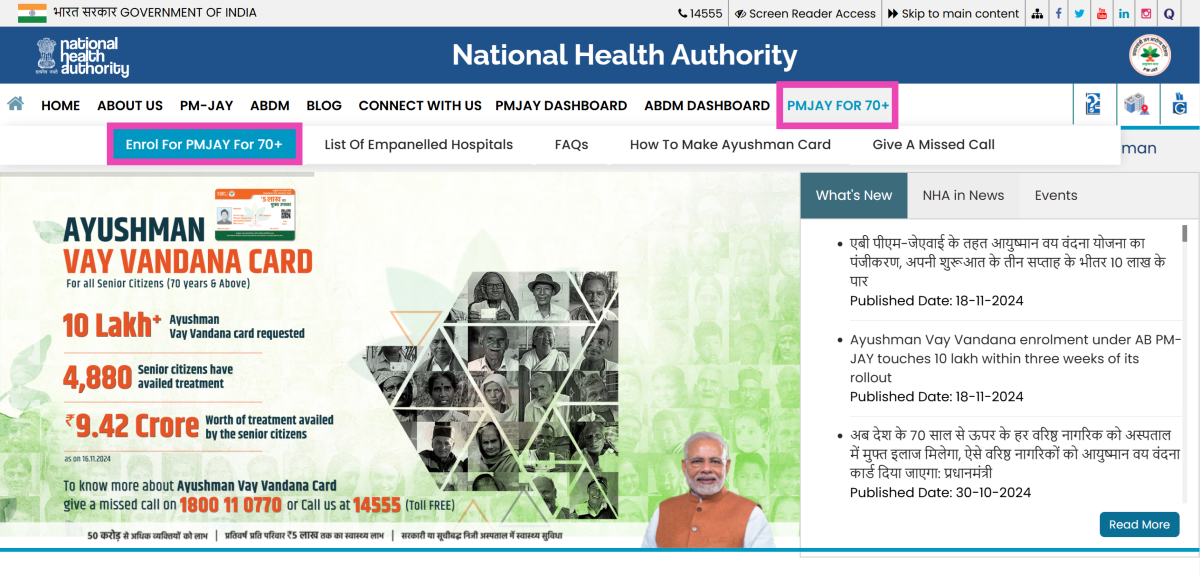 Step 3:
 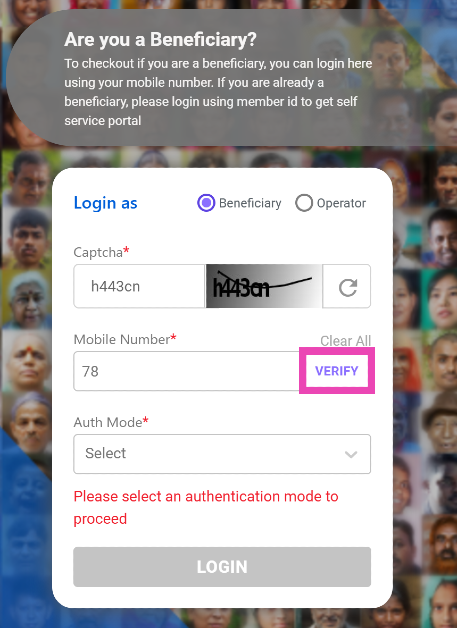 Step 5:
 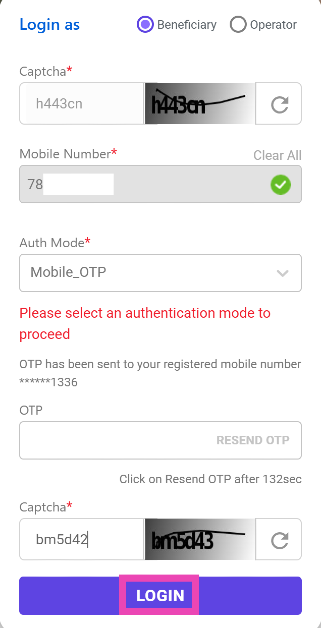 Step 7:
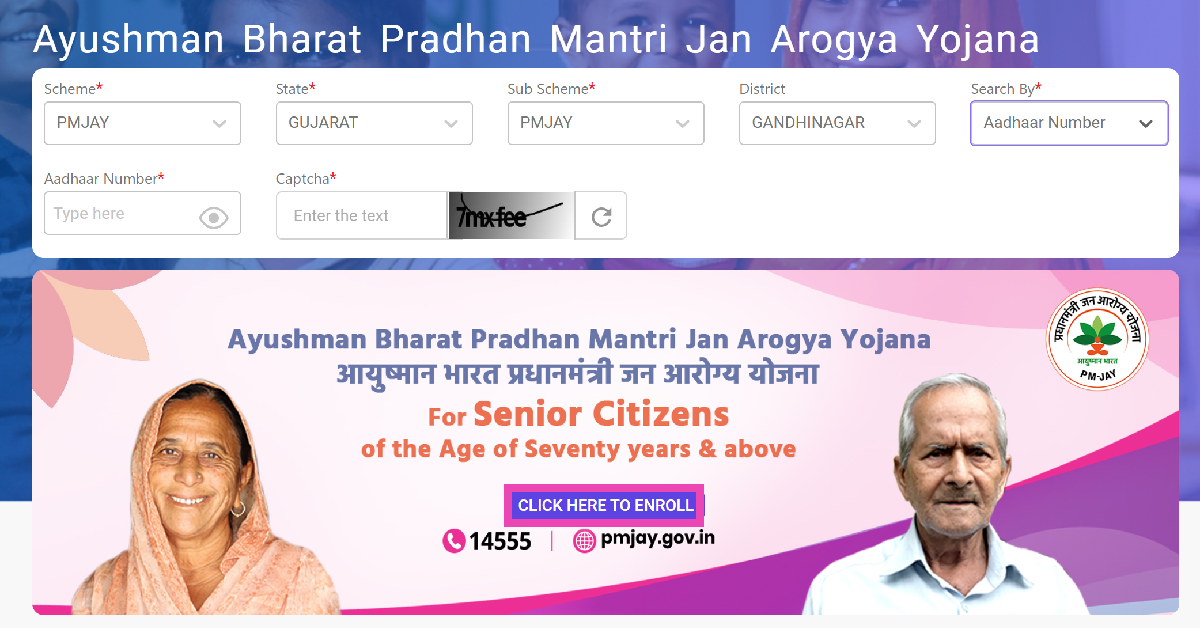 Step 8:
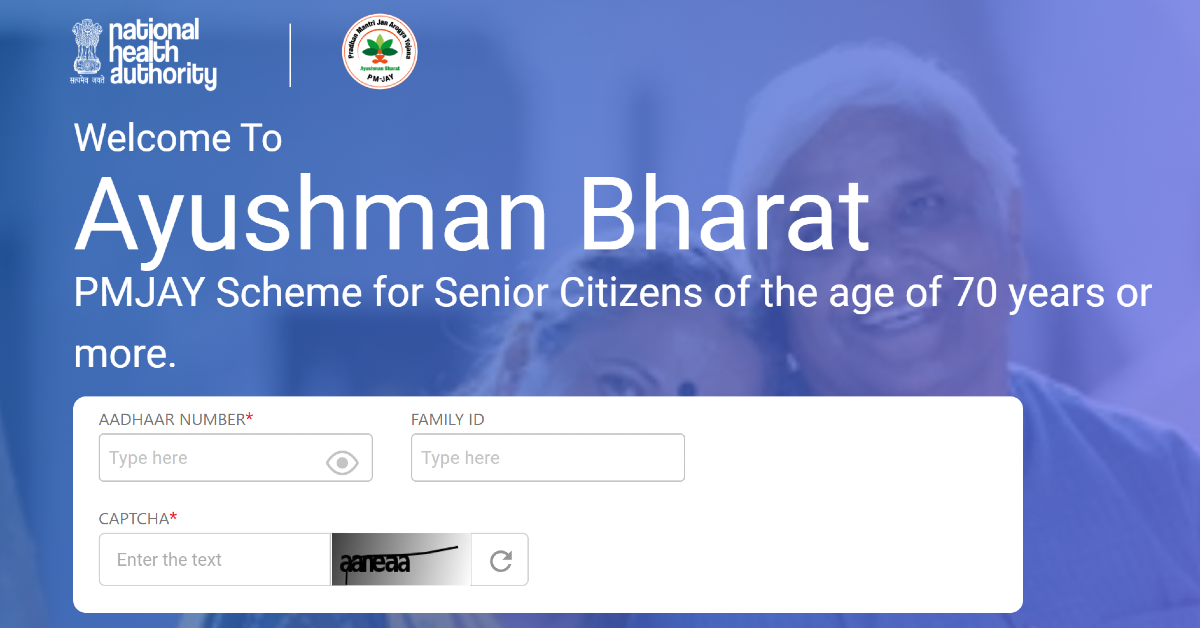 Step 10:
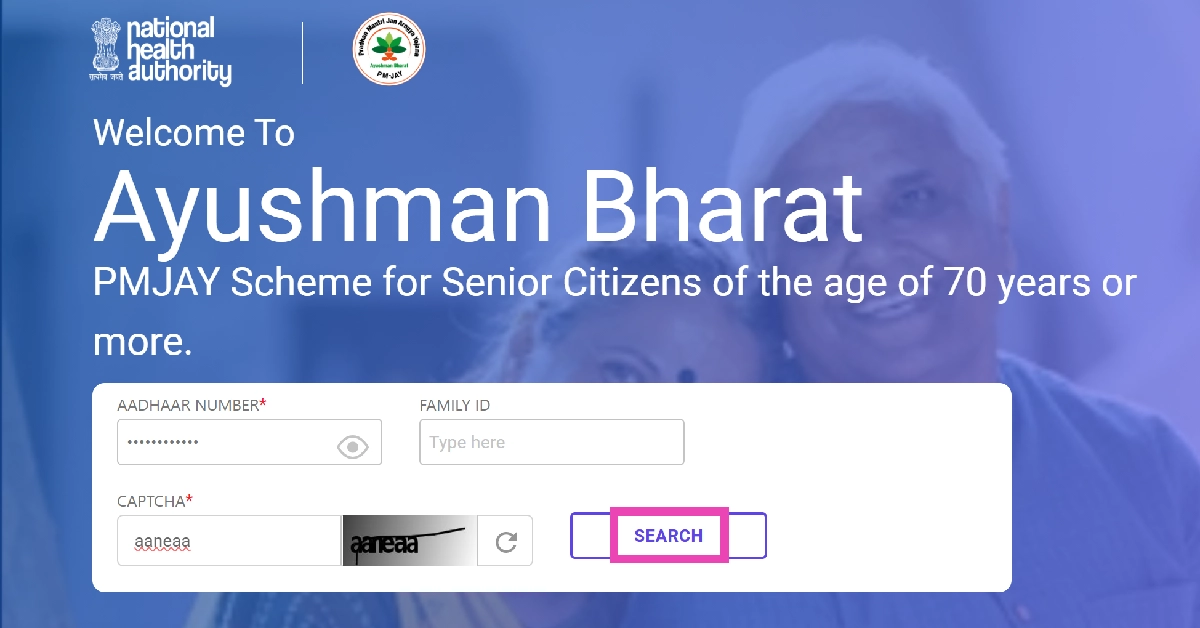 Step 11:
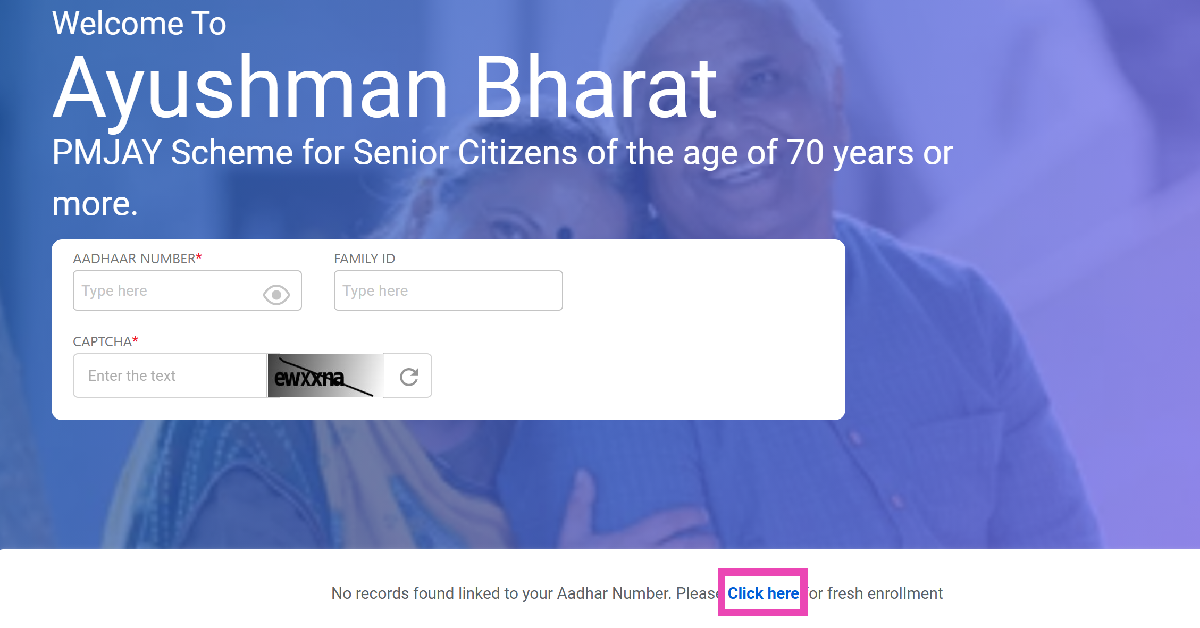 Step 12:
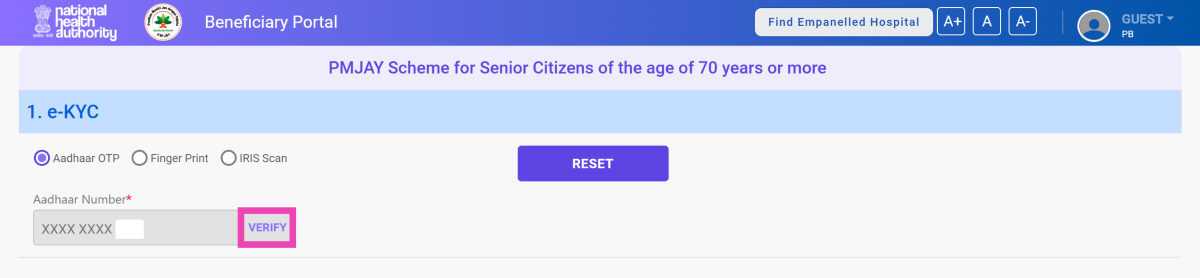 Step 14: Agree
  Step 15: