How to create Generative AI wallpapers on your Samsung Galaxy S24?

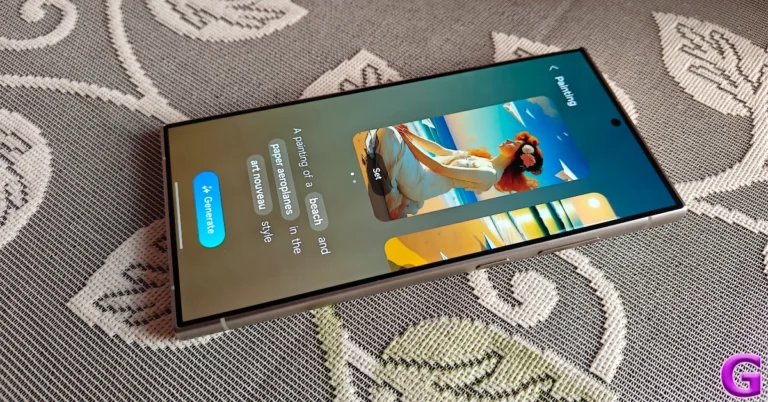
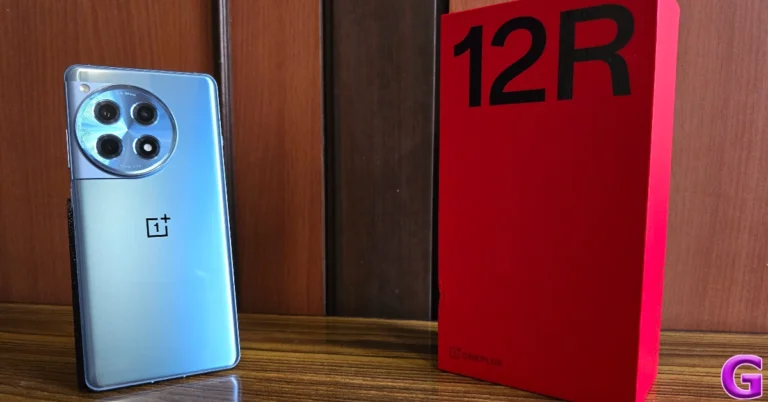
Samsung’s Galaxy AI suite of features on the latest Galaxy S24 series of smartphones has been the talk of the town. Previously, we covered the summarisation, photo editing, and translation features of Galaxy AI. Now, let’s talk about one of its more underrated features – Generative AI Wallpapers. With the correct prompt, your Galaxy S24 can come up with stunning images that can be used as wallpapers for the home screen and lock screen. So, without, further ado, here’s how you can create Generative AI wallpapers on your Samsung Galaxy S24. Read Also: OnePlus 12R buyers can seek a full refund until March 16: Here’s how you can get yours

How good are Galaxy AI-generated wallpapers?

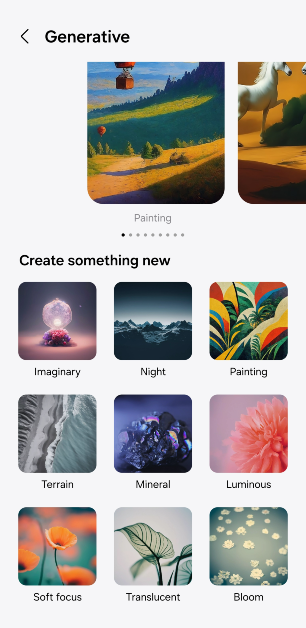
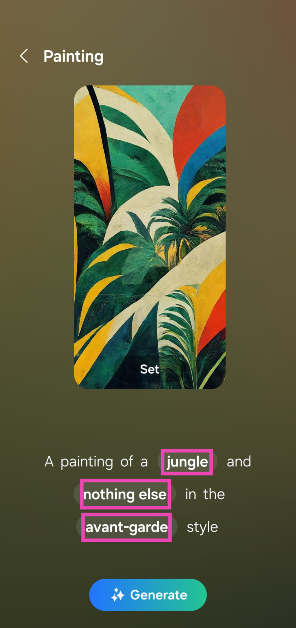
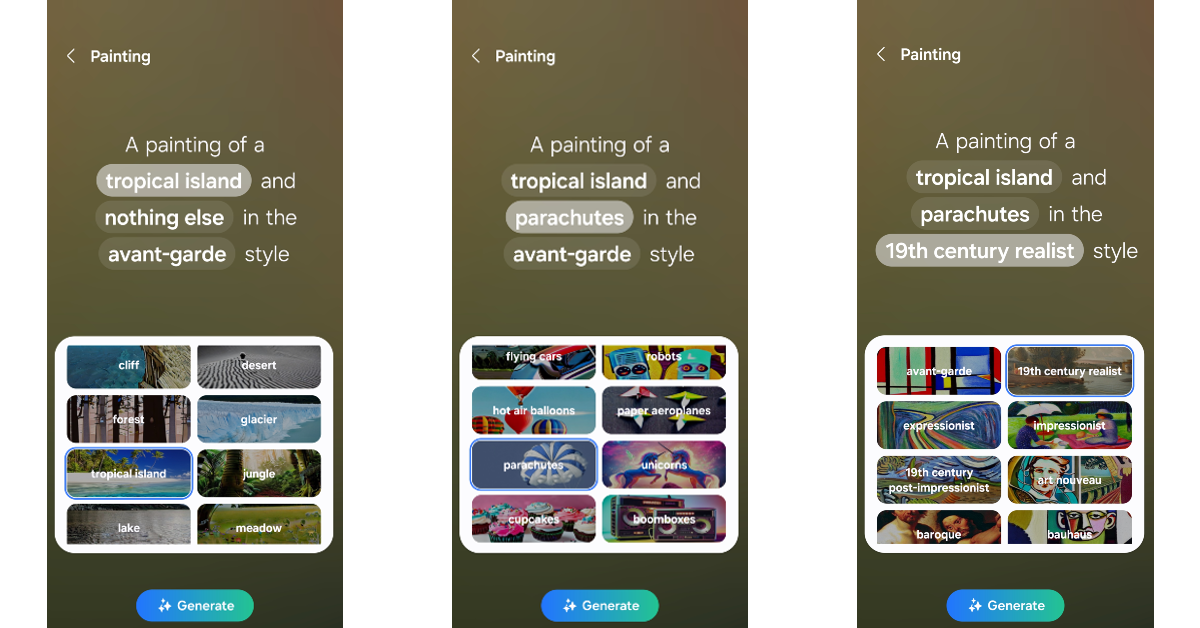
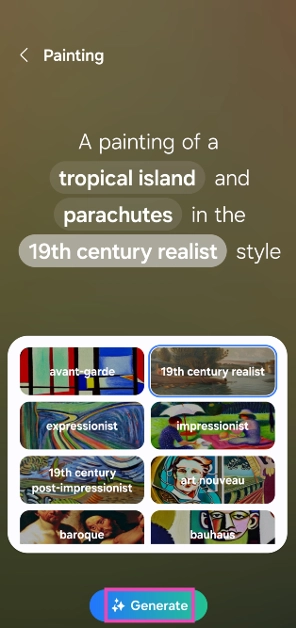
In a nutshell – as good as your prompts. But here’s the catch – your prompts must adhere to a pre-set format. Samsung has divided its generative wallpapers into 9 themes: Imaginary, Night, Painting, Terrain, Mineral, Luminous, Soft focus, Translucent, and Bloom. Each theme has its own prompt format, which can be customised by the user by changing the highlighted keywords. The results range from breathtaking to mediocre, as is the case with most AI art right now. To Samsung’s credit, the inconsistencies in the images generated by Galaxy AI are minimal. You may get the odd unicorn with two horns, but most of the objects in the images are similar to their real-life form. If you’re unsatisfied with the results, you can always create new images using the same prompt until you stumble upon one you like.

Create Generative AI Wallpapers on Samsung Galaxy S24

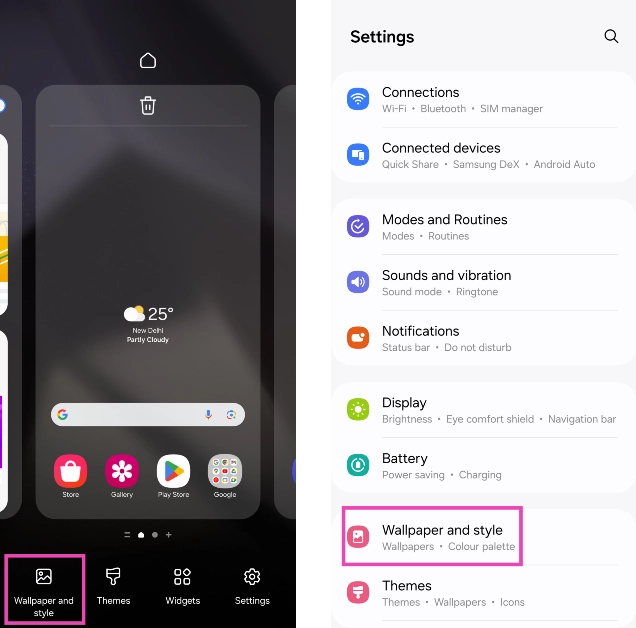
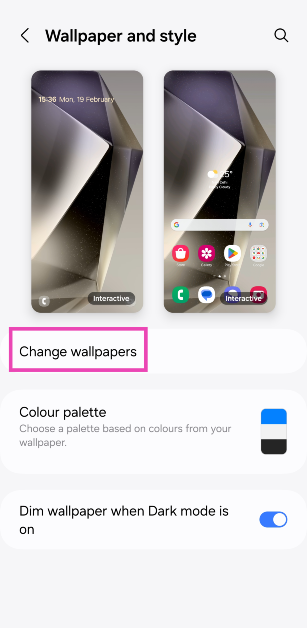
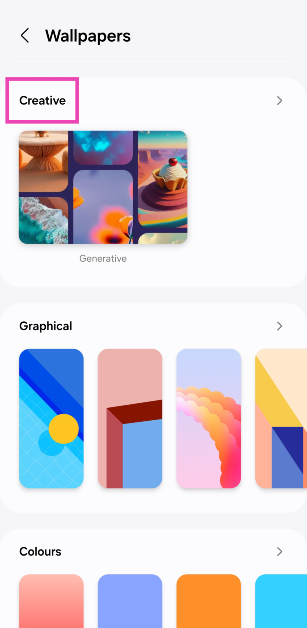
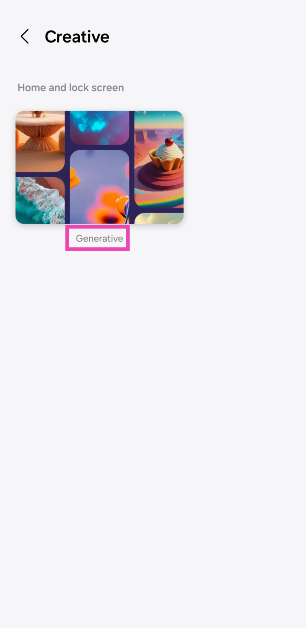
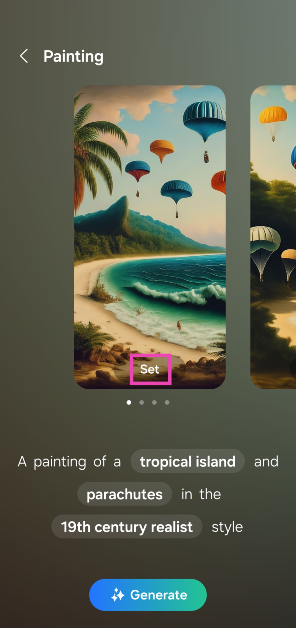
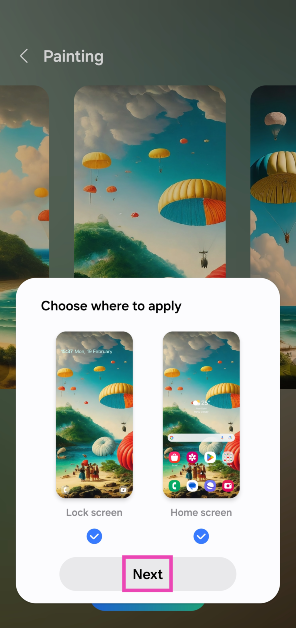
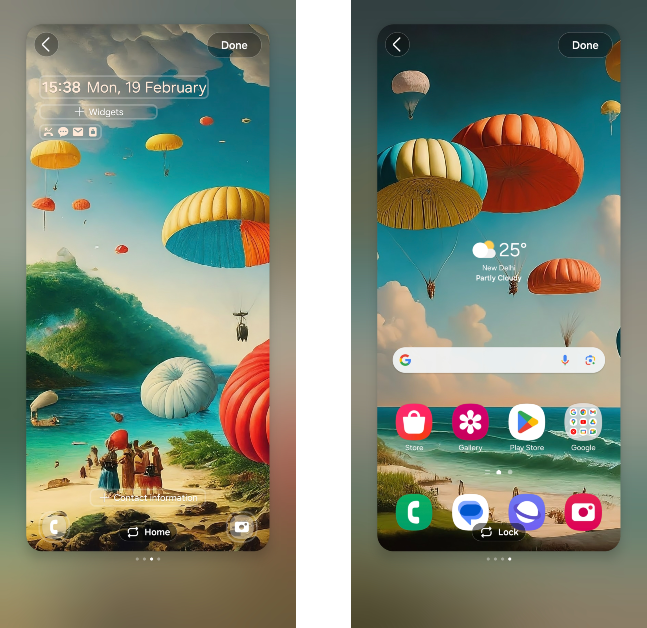
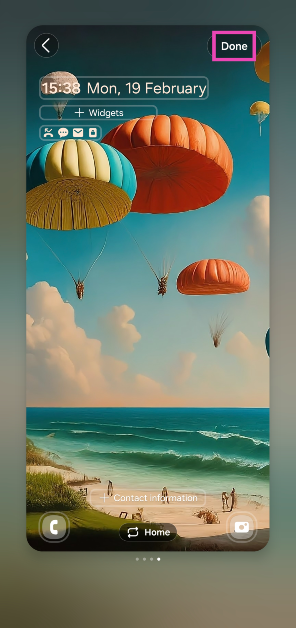
Step 1: Go to Settings and select Wallpaper and style. Alternatively, you can long-press on the home screen and select the same option. Step 1: Go to Settings and select Wallpaper and style. Alternatively, you can long-press on the home screen and select the same option. Step 2: Tap on Change wallpapers. Step 2: Tap on Change wallpapers. Step 3: Scroll down and select Creative. Step 3: Scroll down and select Creative. Step 4: Tap on Generative. Step 4: Tap on Generative. Step 5: Select a theme from the list. Step 5: Select a theme from the list. Step 6: You will be presented with a prompt along with a corresponding wallpaper. Tune the prompt by tapping the highlighted keywords and making a selection from the list. Step 6: You will be presented with a prompt along with a corresponding wallpaper. Tune the prompt by tapping the highlighted keywords and making a selection from the list. Step 7: You can try as many prompts as you want. As of now, there is no limit on the number of wallpapers you can generate. Step 7: You can try as many prompts as you want. As of now, there is no limit on the number of wallpapers you can generate. Step 8: To create an AI-generated wallpaper based on your prompt, hit Generate. Step 8: To create an AI-generated wallpaper based on your prompt, hit Generate. Step 9: Galaxy AI will generate 4 images based on your prompt. Hit Set on an image to make it your wallpaper. Step 9: Galaxy AI will generate 4 images based on your prompt. Hit Set on an image to make it your wallpaper. Step 10: In the pop-up box, select whether you want to make the image your home screen or lock screen wallpaper (or both). Hit Next to continue. Step 10: In the pop-up box, select whether you want to make the image your home screen or lock screen wallpaper (or both). Hit Next to continue. How to create Generative AI wallpapers on your Samsung Galaxy S24? Step 11: Customise your lock screen and home screen by placing widgets, selecting the clock, and more. Swipe left or right to preview the other wallpapers. Step 11: Customise your lock screen and home screen by placing widgets, selecting the clock, and more. Swipe left or right to preview the other wallpapers. How to create Generative AI wallpapers on your Samsung Galaxy S24? Step 12: Hit Done at the top right corner of the preview window. Step 12: Hit Done at the top right corner of the preview window. How to create Generative AI wallpapers on your Samsung Galaxy S24?

Frequently Asked Questions (FAQs)

Do I need an active network connection to generate wallpapers using Galaxy AI?

Yes, your smartphone needs to be connected to the internet in order to create unique wallpapers using Galaxy AI.

Is Galaxy AI free to use?

According to Samsung, Galaxy AI is free to use until the end of 2025. After that, the company will likely introduce a subscription model for its AI package.

How do I create wallpapers for my Samsung Galaxy S24 using Galaxy AI?

Go to Settings>Wallpapers and style>Creative>Generative and select a theme. Make a customised prompt and hit ‘Generate’ to create a unique set of wallpapers. Read Also: Samsung rolls out Galaxy AI features on Samsung Galaxy Buds in India

Conclusion

This is how you can create Generative AI wallpapers on your new Samsung Galaxy S24. Check out this article to learn how you can summarise notes, webpages, and voice notes, using Galaxy AI. If you have any queries related to the new AI features on Samsung’s latest flagship series of smartphones, feel free to ask us in the comments!

OnePlus 12R buyers can seek a full refund until March 16: Here’s how you can get yours

0
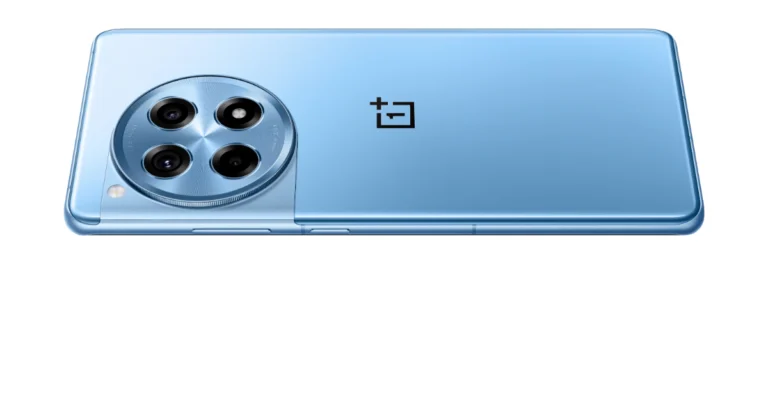
After clarifying that the 256GB variant of the OnePlus 12R supports UFS 3.1 storage instead of the advertised UFS 4.0 file system type, the company is offering a full refund on the device. The buyers of OnePlus 12R’s 256GB variant can turn in their smartphone before March 16. The refunded amount will be adjusted for any promotional offers applied while purchasing the device. OnePlus COO and president, Kinder Liu, also stated that a ‘mistake in communications’ led to the incorrect storage type getting listed on the device’s retail page. Read Also: How to Use Circle to Search on Samsung Galaxy S24?

Get your refund for the OnePlus 12R before March 16

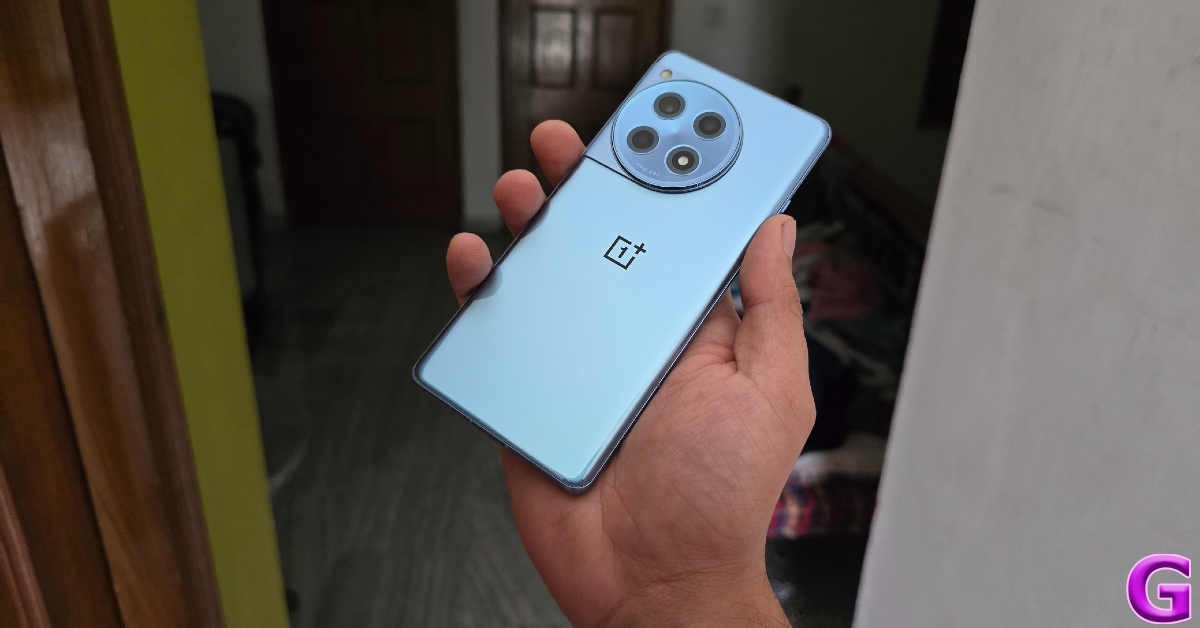
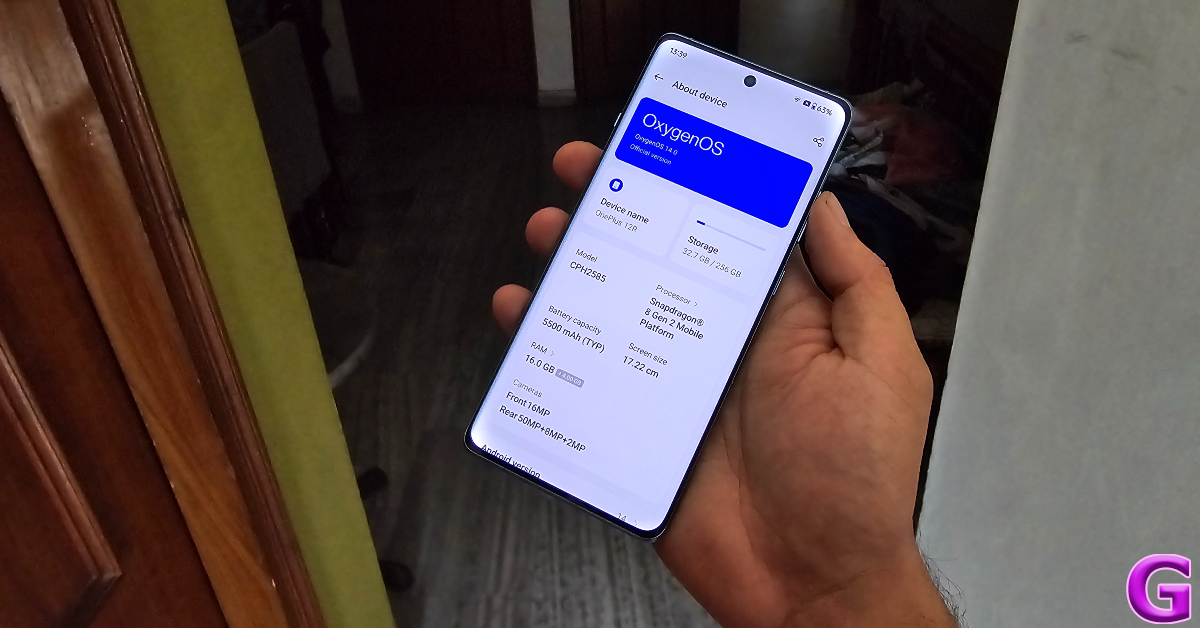
In a thread on OnePlus Community forums, COO Kinder Liu stated, “If you’ve received a OnePlus 12R 256GB variant and want to discuss the situation with the file system type on your phone, please contact Customer Service through your usual channel. They will be able to discuss next steps with you, up to and including a refund until 16th March 2024.” smartphone refund OnePlus 12R (256GB) buyers can return their devices to the nearest OnePlus Customer Service location. In order to receive a full refund, buyers must turn in all the accessories provided in the retail package of the OnePlus 12R along with the invoice for the device. Customers who availed of the OnePlus Buds Z2 promotional offers while purchasing the 12R must return the earbuds along with the smartphone. Any other promotional discount offers claimed at the time of launch will also be reflected in the refunded amount. The 256GB storage variant of the OnePlus 12R is currently priced at Rs 45,999. The 128GB variant fetches Rs 39,999. Both variants receive UFS 3.1 storage (same as the OnePlus 11 Series) and feature the new Trinity Engine. Running a new set of software algorithms, Trinity Engine ensures the smooth functioning of the smartphone’s storage and memory for years, leading to faster loading speeds for apps. oneplus 12r refunds OnePlus 12R also features a 6.78-inch LTPO4 AMOLED display with a 120Hz display and 4,500 nits of peak brightness. Powering the smartphone is last year’s flagship Snapdragon 8 Gen 2 SoC. The rear camera module consists of a 50MP primary shooter, an 8MP ultrawide lens, and a 2MP macro sensor. The 12R is equipped with a massive 5,500 mAh battery pack which can be charged to 100% in under 26 minutes using the 100W SuperVOOC charger provided in the box. Read Also: iPhone 16 leaked renders suggest pill-shaped vertically oriented camera setup: Details

Conclusion

As mentioned earlier, the refund window for the OnePlus 12R will end on March 16. If you have any queries regarding the process, let us know in the comments! While you’re here, check out our review of the OnePlus 12. Thinking of buying the more affordable 12R? Stay tuned for our full review!

After an incorrect UFS 4.0 claim, OnePlus 12R 256GB variant buyers to get a full refund

Key Highlights
  • The OnePlus 12R 256GB variant buyers to get a full refund from the company.
  • At the time of the launch, the company claimed inaccurate UFS 4.0 storage on the device.
  • The OnePlus 12R uses UFS 3.1 flash storage rather than the most recent UFS 4.0.
In January, OnePlus introduced the OnePlus 12R along with the OnePlus 12. 12R is a gaming smartphone which was supposed to have UFS 4.0 onboard storage at launch, however, the president of the company has recently acknowledged that it only supports UFS 3.1. Note that all the previous models, the OnePlus 11R and several other OnePlus 11 series smartphones support UFS 3.1 storage. While acknowledging its error the firm is now offering a complete refund if the buyers of the 256GB model are dissatisfied with UFS 3.1 storage. The OnePlus 12R’s 256 GB model was advertised at launch by the firm as having UFS 4.0-based storage. Previously the firm also released an official statement stating that the phone uses UFS 3.1 flash storage rather than the most recent UFS 4.0. Also Read: iPhone 16 leaked renders suggest pill-shaped vertically oriented camera setup: Details President and COO of OpenPlus said, “On behalf of our team, I’d like to apologise to everyone for this error. We remain hugely excited about the OnePlus 12 and OnePlus 12R and hope you’ll love your device as soon as it arrives with you. Of course, I understand that some of you who have purchased or pre-ordered a OnePlus 12R may want to discuss this further with our team, and I’d encourage you to contact our Customer Service team through the usual channels.” Following the storage-related incident with the OnePlus 12R, the firm said in a forum post that the buyers may receive a complete refund. Note that UFS 4.0 is the highest level high-speed flash storage standard currently available for access and transfer of data. However, the company mistakenly labelled UFS 3.1 storage with UFS 4.0 storage at the launch. Therefore now customers who bought the OnePlus 12R are advised to get in touch with customer support, and the deadline for refunds is March 16, 2024. The company unveiled Trinity Engine during the OnePlus 12R’s debut, which is a new suite of software algorithms that help keep your phone’s memory and storage operating quickly and smoothly for years. Due to an error, it stated that the storage enhanced by Trinity Engine would be UFS 4.0 in some variants. The company’s head attested to the fact that the storage in all variants of the OnePlus 12R is still enhanced by Trinity Engine but is UFS 3.1. Kinder L in a community post said, “If you’ve received a OnePlus 12R 256GB variant and want to discuss the situation with the file system type on your phone, please contact Customer Service through your usual channel. They will be able to discuss next steps with you, up to and including a refund until 16th March 2024.” Also Read: Samsung rolls out Galaxy AI features on Samsung Galaxy Buds in India It is worth noting that UFS 3.1 storage is the same standard type seen on the OnePlus 11 Series. The firm also confirmed that the OnePlus 12R was thoroughly tested with UFS 3.1 storage and still features all the new Trinity Engine features we announced at launch, like launching apps faster than ever and keeping applications locked open for up to 72 hours, and was fully tested using UFS 3.1 storage. “I can also confirm that the OnePlus 12R was fully certified by TUV SUD using UFS 3.1 memory, and, as a result, it is still certified to remain fluent for 48 months. Your OnePlus 12R will stay fast and smooth long into the future,” he further noted.

How to Use Circle to Search on Samsung Galaxy S24?

0
Samsung introduced a host of new features on its new Galaxy S24 Series. Along with its Galaxy AI suite of features, Circle to Search made a lot of headlines. Interestingly, this is one of those rare times when a feature developed by Android made its debut on a non-Pixel smartphone. A month after its announcement, Circle to Search was rolled out for the Google Pixel 8 Series as well. Samsung’s 2023 flagship smartphones will also get this feature later in the coming months. So, let’s take a quick look at what ‘Circle to Search’ does and how you can use it on your Samsung Galaxy S24 smartphone. Read Also: iPhone 16 leaked renders suggest pill-shaped vertically oriented camera setup: Details

What is Circle to Search?

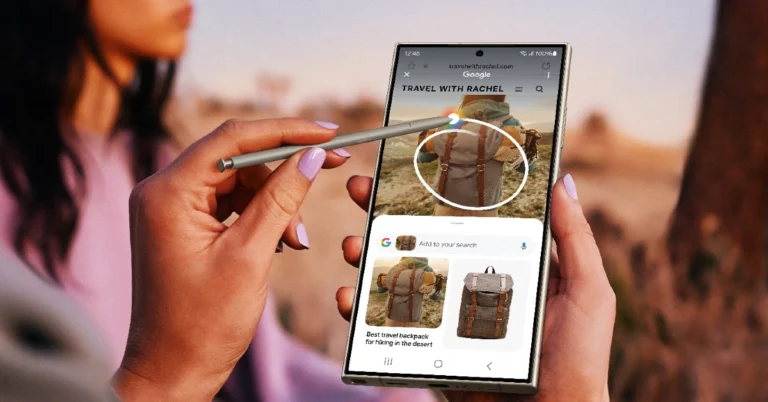
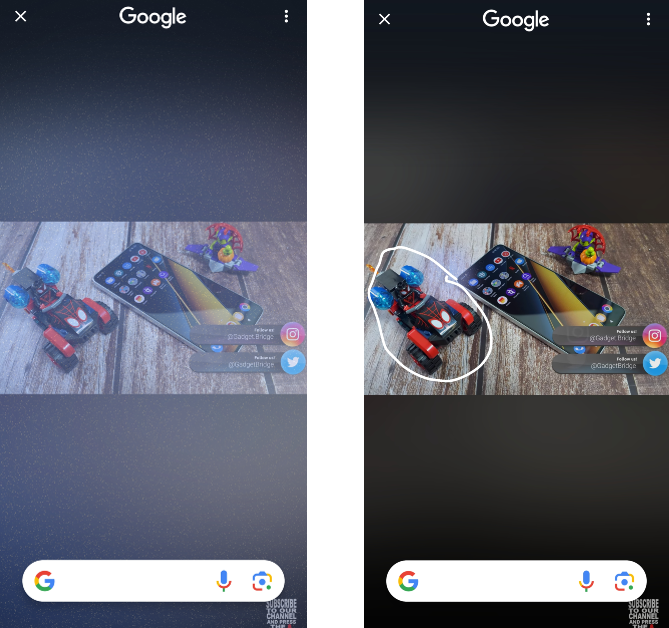
Making its debut on the Samsung Galaxy S24 Series, Circle to Search is a new Android feature that lets you search for any object on the screen simply by circling it. It is not entirely different from the ‘Search Screen’ option on Google Lens. The key difference between the two features is that Circle to Search is more accessible and intuitive. You can also supplement the object search with a text query for more streamlined results. Even though it is called ‘Circle’ to Search, scribbling on the object you want to search achieves the same results. Samsung Galaxy S24 Ultra users may find it easier to circle an object using the S Pen. If the object is small in size, the S Pen can accurately draw a circle around it. If you don’t own the Ultra variant of the S24 Series, scribbling on the object is the better choice in this scenario. 

Use Circle to Search in Samsung Galaxy S24 Series

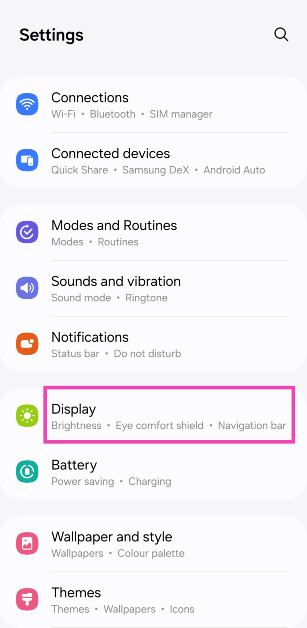
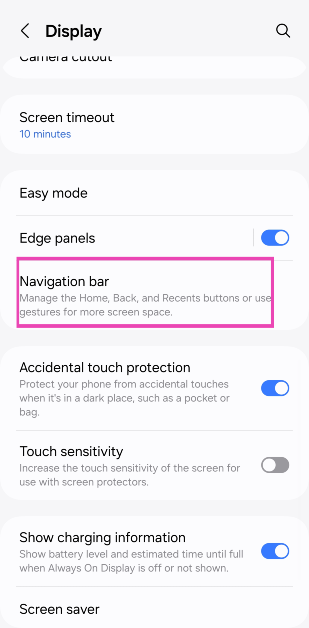
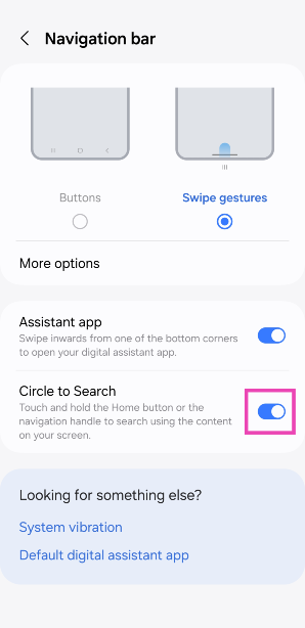
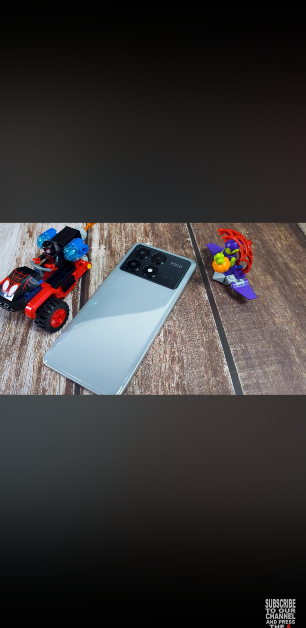
Step 1: Go to Settings and select Display. Step 1: Go to Settings and select Display. Step 2: Tap on Navigation bar. Step 2: Tap on Navigation bar. Step 3: Turn on the toggle switch for Circle to Search. Step 3: Turn on the toggle switch for Circle to Search. Step 4: Go to the page which contains the object you want to search. Step 4: Go to the screen which contains the object you want to search. Step 5: Press and hold the home button or the navigation handle to trigger Circle to Search. Step 6: Circle, highlight, or scribble on the object you wish to search. Step 6: Circle, highlight, or scribble on the object you wish to search. Step 7: The results related to the object will pop up within a few seconds. You can also choose to add a text query to the object search for more relevant search results. Step 7: The results related to the object will pop up within a few seconds. You can also choose to add a text query to the object search for more relevant search results.

How to use Circle to Search on any Android phone

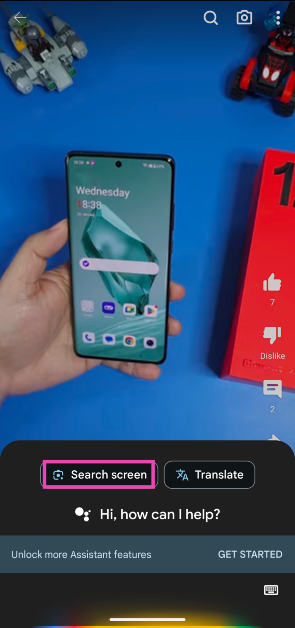
Circle to Search may be exclusive to Samsung S24 and Pixel 8 Series smartphones right now, but other Android users can also search for any object on their screen using Google Lens. In fact, Circle to Search also utilises Google Lens to find the circled objects on the internet, it just makes the function more accessible across the phone’s interface. Follow these steps to look up any object on the Internet using Google Lens. Step 1: Go to the page that contains the object you want to search. Step 2: Press and hold the side key to trigger the Google Assistant. If the side key opens up the power menu, say ‘Okay Google’ to launch the voice assistant. Step 3: Tap on Search screen. Step 3: Tap on Search screen. Step 4: Google Lens will scan the page for searchable objects. Crop the window around a particular object to search for it. Step 4: Google Lens will scan the page for searchable objects. Crop the window around a particular entry to search for it. Step 5: The search results will be published on the following page. Step 5: The search results will be published on the following page.

Frequently Asked Questions (FAQs)

How do I disable Circle to Search on my Samsung phone?

Go to Settings>Display>Navigation bar and turn off the toggle switch for Circle to Search.

Which phones support Circle to Search?

As of now, Circle to Search is only available on Samsung Galaxy S24 Series and Google Pixel 8 Series. It will also be rolled out for the Samsung Galaxy S23 Series (including S23 FE) and the 2023 Galaxy Z Series in a future update.

Can Circle to Search find the people on the screen?

Results for people are limited on Circle to Search. At best, it comes up with results for celebrities and other famous personalities. Finding common people with Circle to Search yields no results. Read Also: Samsung rolls out Galaxy AI features on Samsung Galaxy Buds in India

Conclusion

This is how you can use Circle to Search on your new Samsung Galaxy S24 Series smartphone. For best results, supplement the image search with a text query. For example, if you’re searching for a toy on the screen, add ‘Where to buy’ in the search box to find the places that have stocked the toy in their inventory.

Garena Free Fire Redeem Codes Today 19 February 2024: Here is how to claim them

Garena Free Fire is a battle royale game with regular awards and tournaments to keep players interested. If you play Garena Free Fire, you should be aware of the redeem codes that are released on a daily basis. However, because the battle royale game is banned in India, players from other countries can use the Free Fire Redeem codes daily. If you’re unfamiliar with the Garena Free Fire redeem codes or don’t know how to get them, we’ve put together a step-by-step guide to help you redeem them. Check out Garena Free Fire Redeem Codes for 19 February 2024. The Free Fire redeem codes are a great way to get free stuff. These are 12-digit codes that contain alphabets and numbers, as well as an expiration date and time. Because the Garena FF redeem codes cannot be used more than once, you should hurry to the redemption page to claim your free reward before someone else does. To get a free reward, all you have to do is go to reward.ff.garena.com/en, which is the official redemption page. Also, keep an eye on this space for daily updates on Garena Free Fire redemption codes and rewards. Also Read: Sennheiser Accentum Plus wireless headphones with Hybrid Adaptive Noise Cancellation launched

Garena Free Fire Redeem Codes Today 19 February 2024

B3G7A22TWDR7X 4ST1ZTBE2RP9 FF7MUY4ME6SC MCPTFNXZF4TA FF11HHGCGK3B ZRJAPH294KV5 YXY3EGTLHGJX FF10GCGXRNHY FF11WFNPP956 3IBBMSL7AK8G 8F3QZKNTLWBZ J3ZKQ57Z2P2P WEYVGQC3CT8Q 8F3QZKNTLWBZ Y6ACLK7KUD1N FF10617KGUF9 FF119MB3PFA5 ZYPPXWRWIAHD GCNVA2PDRGRZ X99TK56XDJ4X X99TK56XDJ4X FF11DAKX4WHV WLSGJXS5KFYR FF11NJN5YS3E W0JJAFV3TU5E SARG886AV5GR FF1164XNJZ2V B6IYCTNH4PV3

How to Get Free Fire Redeem Codes for Garena on 19 February 2024?

  • Visit the Garena Free Fire game’s official website at reward.ff.garena.com.
  • Use your Facebook, Google, VK, Apple ID, Huawei ID, or Twitter account to log in.
  • You’ll be taken to a valid redemption code (s)
  • Copy and paste the 12-digit redemption code into the text box.
  • On the screen, a dialogue box will appear.
  • ‘Ok’ should be selected.
For the latest gadget and tech news, and gadget reviews, follow us on TwitterFacebook and Instagram. For newest tech & gadget videos subscribe to our YouTube Channel. You can also stay up to date using the Gadget Bridge Android App. You can find the latest car and bike news here.

Garena Free Fire Redeem Codes Today 18 February 2024: Here is how to claim them

Garena Free Fire is a battle royale game with regular awards and tournaments to keep players interested. If you play Garena Free Fire, you should be aware of the redeem codes that are released on a daily basis. However, because the battle royale game is banned in India, players from other countries can use the Free Fire Redeem codes daily. If you’re unfamiliar with the Garena Free Fire redeem codes or don’t know how to get them, we’ve put together a step-by-step guide to help you redeem them. Check out Garena Free Fire Redeem Codes for 18 February 2024. The Free Fire redeem codes are a great way to get free stuff. These are 12-digit codes that contain alphabets and numbers, as well as an expiration date and time. Because the Garena FF redeem codes cannot be used more than once, you should hurry to the redemption page to claim your free reward before someone else does. To get a free reward, all you have to do is go to reward.ff.garena.com/en, which is the official redemption page. Also, keep an eye on this space for daily updates on Garena Free Fire redemption codes and rewards. Also Read: Sennheiser Accentum Plus wireless headphones with Hybrid Adaptive Noise Cancellation launched

Garena Free Fire Redeem Codes Today 18 February 2024

FBRTJKGUVHYRGRT FFICJGW9NKYT XUW3FNK7AV8N PCNF5CQBAJLK FGBVTYGHU76T4RE FGBW3REGFBI7345 FJ8FG7BSJU6YT3R FFEVDBHUA7Q6TGH FERTY9IHKBOV98U FZ7YTA5Q4RED2C3 FVBERFJUVYTSRF4 FGT5RFVDERFVSER FJUYHGRBFNKYTG4 FB5TGIVUYTSRFVB F45NJTKYOHJV7HN FCAKI7W63T4FVR5 FBTFJVI8C7Y6SFE FIRUYHGFBCNI8S7 FWUYEGTBRTGNBK F8FXTHR8KIUHWG4

How to Get Free Fire Redeem Codes for Garena on 18 February 2024?

  • Visit the Garena Free Fire game’s official website at reward.ff.garena.com.
  • Use your Facebook, Google, VK, Apple ID, Huawei ID, or Twitter account to log in.
  • You’ll be taken to a valid redemption code (s)
  • Copy and paste the 12-digit redemption code into the text box.
  • On the screen, a dialogue box will appear.
  • ‘Ok’ should be selected.
For the latest gadget and tech news, and gadget reviews, follow us on TwitterFacebook and Instagram. For newest tech & gadget videos subscribe to our YouTube Channel. You can also stay up to date using the Gadget Bridge Android App. You can find the latest car and bike news here.

iPhone 16 leaked renders suggest pill-shaped vertically oriented camera setup: Details

Key Highlights
  • The iPhone 16 series is rumoured to feature a dual rear camera setup positioned vertically.
  • The camera sensors on the iPhone 16 are said to be set up in a pill-shaped module.
  • The company is also likely to launch the iPhone 16 SE.
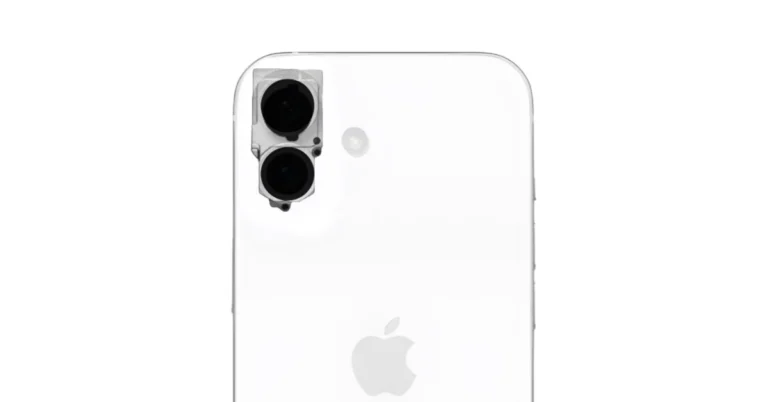
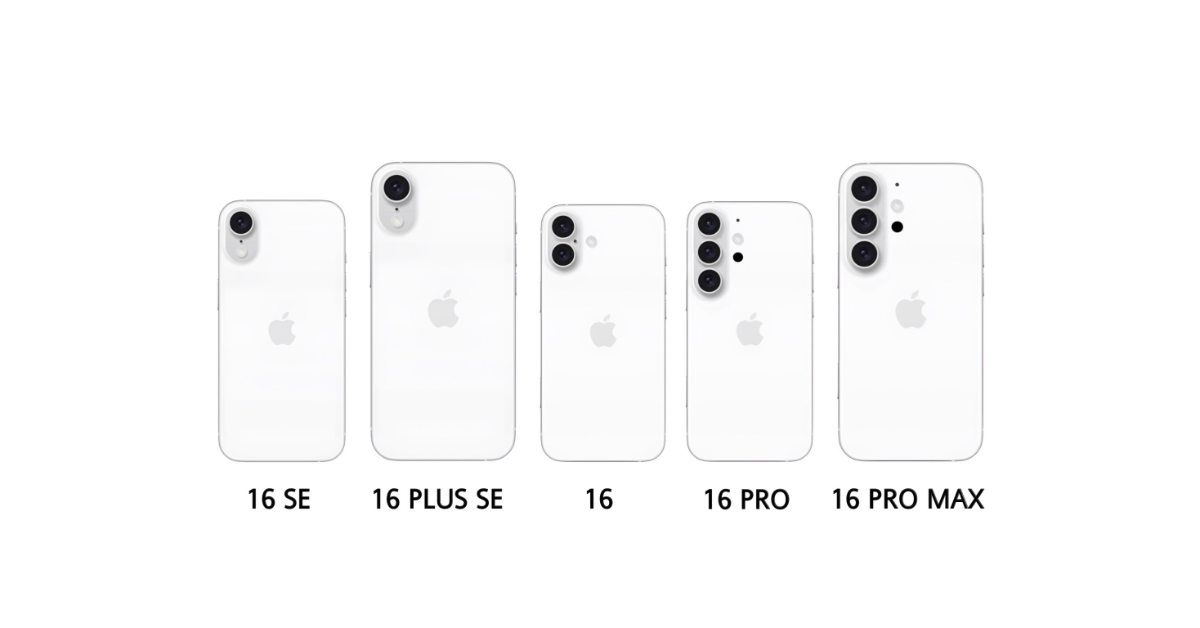
Earlier this month we came across iPhone 16 schematics suggesting a rear camera layout similar to iPhone 12 and iPhone X. But now another leak has surfaced suggesting the iPhone 16 series may have a redesigned rear camera layout. It is claimed to feature a vertical rear camera module. In addition to this this year the tech giant may introduce five models including Plus SE.
iPhone 16 leaked renders suggest pill-shaped vertically oriented camera setup: Details
Image Courtesy: X/Majin Bu
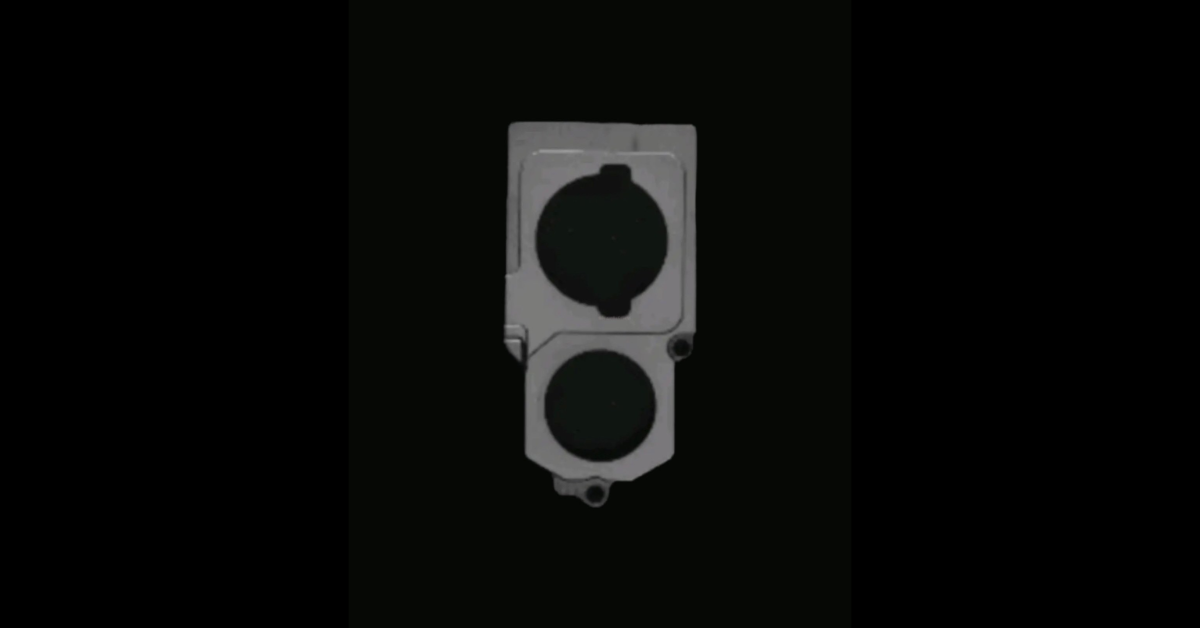
Details leaked by a tipster named Majin Bu suggest that Apple’s rumoured iPhone 16 series may feature a revised back camera arrangement. It is claimed to have a vertically oriented camera setup. To support the claim the tipster also posted an image of the alleged iPhone 16 camera module featuring a pill-shaped dual rear camera setup. On the other hand, MacRumors was able to independently verify the authenticity of the component design which is the main camera chassis for the I-34 camera project. It said, “MacRumors is able to independently verify the authenticity of the component design pictured above. Through our industry sources, we are able to confirm that the item featured in Bu’s post is the main camera chassis for the I-34 camera project, intended for use in the base model ‌iPhone 16‌ set to be released later this year.” Also Read: 10 Best smartphones under Rs 10000 in India (February 2024) Note that the camera module on the latest iPhone 15 series is square-shaped and has sensors arranged horizontally. Majin Bu previously also shared renderings for the iPhone 16 lineup claiming that there will be five models — iPhone 16 SE, iPhone 16 Plus SE, iPhone 16, iPhone 16 Pro, and iPhone 16 Pro Max models.
iPhone 16 leaked renders suggest pill-shaped vertically oriented camera setup: Details
Image Courtesy: X/Majin Bu
Similar to iPhone X the renders depict a single pill-shaped rear camera module with a flash for the iPhone 16 SE and iPhone 16 Plus SE. Whereas the iPhone 16 camera module has a dual rear camera setup. The iPhone 16 Pro and iPhone 16 Pro Max, on the other hand, can be seen featuring a triple rear camera setup similar to that of the Samsung Galaxy S24 and S24 Plus. Also Read: Samsung rolls out Galaxy AI features on Samsung Galaxy Buds in India Furthermore, he also revealed the expected iPhone 16 series prices. According to him, the iPhone 16 SE 128GB model is likely to retail at $699. Whereas the iPhone 6 SE Plus may cost $799 for the 256GB variant. The 256GB version of the vanilla iPhone 16 may retail for $699. The 256GB models of the iPhone 16 Pro and iPhone 16 Pro Max are rumoured to be priced at $999 and $1099 respectively.

Samsung rolls out Galaxy AI features on Samsung Galaxy Buds in India

Key Highlights
  • Galaxy AI features will be available for the Galaxy Buds 2 Pro, Galaxy Buds 2, and Galaxy Buds FE over-the-air (OTA).
  • The Galaxy AI features are anticipated to become available on older Samsung Galaxy devices.
  • An active internet connection is not necessary for these functionalities to function.
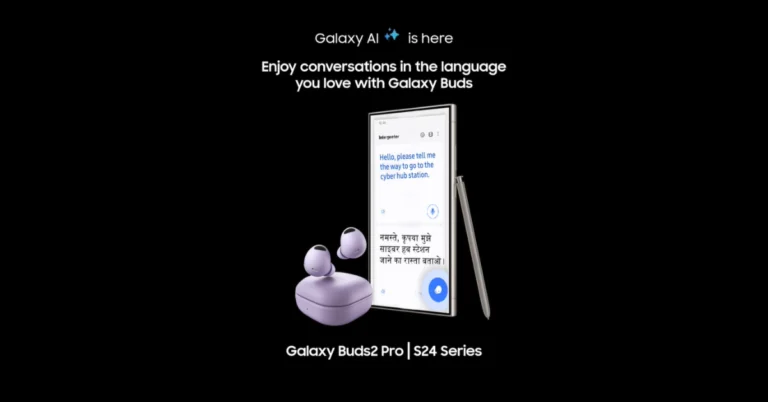
Samsung Galaxy S24 Series was launched in India last month. This year’s Samsung flagship lineup is powered by Galaxy AI with several unique features. The company has now announced that it is expanding the AI features to more devices in India. The Galaxy Buds 2, Buds 2 Pro, and Buds FE may now enjoy the Galaxy AI features. The firm has sent out a new software update which brings features like AI-assisted live translation and interpretation to the new and existing audio wearables by the company. Also Read: How to use Galaxy AI on Samsung Keyboard? With the launch of the Galaxy S24 series last month, Samsung unveiled the Galaxy AI features. The company revealed that some of these features will be available on the TWS earbuds. India and a few other select markets will get access to the latest OTA update of Galaxy AI features on Galaxy Buds2 Pro, Galaxy Buds2 and Galaxy Buds FE. While rolling out the new software update the company said, “Samsung, India’s largest electronics brand, has announced the OTA (over-the-air) roll out of Galaxy AI features on Galaxy Buds2 Pro, Galaxy Buds2 and Galaxy Buds FE. Users will now be able to unlock the full potential of Galaxy AI features such as Live Translate on Galaxy Buds series through the ‘Made in India’ Galaxy S24 series.” Also Read: How to use Galaxy AI to translate spoken conversations?  In order to utilise these functionalities one must have a Galaxy S24 series smartphone. It is anticipated that these functionalities will also be accessible on previous devices, like the Galaxy S23 series, Galaxy Z Flip5, and Galaxy Z Fold5 soon. Also, note that these functions can be accessed without an active internet connection. When using Galaxy Buds for calling, users will be able to view real-time call translation on the Galaxy S24 series screen thanks to the Live Translate feature. In addition to this, the new AI-driven interpreter feature on the Galaxy S24 series offers smooth two-way face-to-face interpretation via the Galaxy Buds interface. Also Read: How to use Galaxy AI to translate spoken conversations? To facilitate near-natural conversation between two people holding Galaxy S24 series smartphones and Galaxy Buds, respectively, users can directly speak into the Buds mic and their translated voice will now be available via the Galaxy S24 series. Therefore, this eliminates the need to hand over the phone and manage translated talking. Note that for these capabilities to function Samsung Galaxy S24 Series users must download the language pack.

10 Best smartphones under Rs 10000 in India (February 2024)

There are a lot of smartphones under Rs 10000 that have fantastic features. Selecting a smartphone which fits your budget is a challenging task. We have created a listicle of phones that are under Rs 10,000 in India. The complete specs of every phone are listed here, including the processor, camera, battery and more. The list will help you find the best smartphone that is ideal for you. 

Redmi 13C 5G

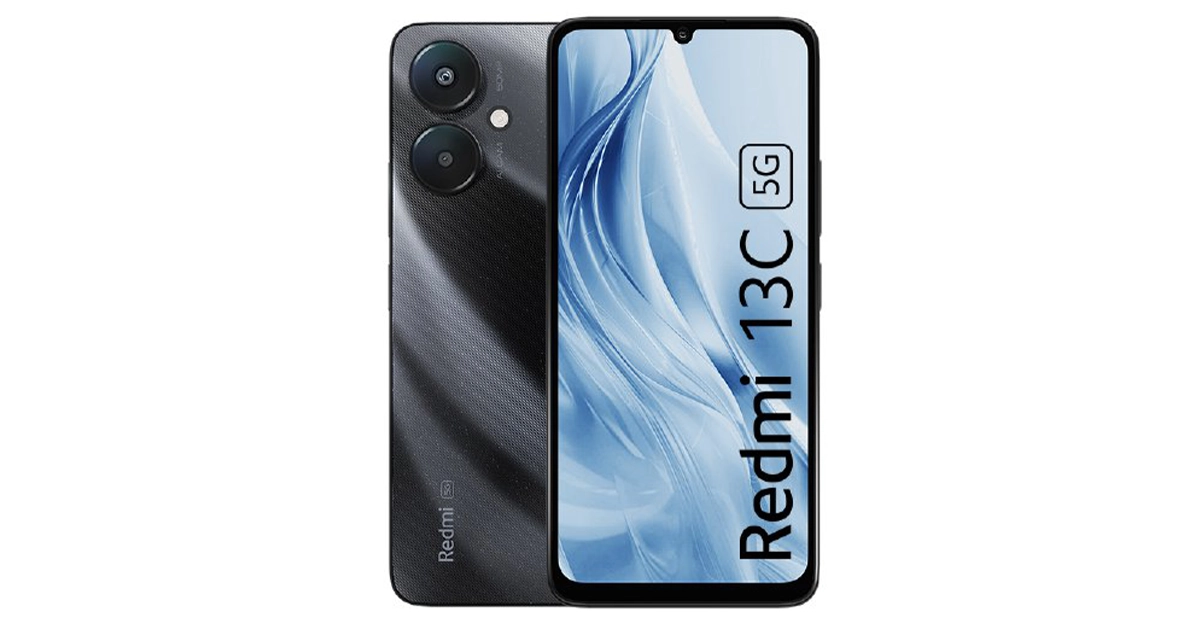
Redmi 13C 5G and 4G model launched in India, price starts at Rs 7,999 The Redmi 13C comes with a 6.74-inch HD+ LCD screen having a 90Hz refresh rate and 180Hz touch sampling rate support. The device is powered by MediaTek Dimensity 6100+ SoC and boots Android 13-based MIUI 14 out of the box. The phone features a dual rear camera setup including a 50-megapixel primary camera (f/1.8 aperture) and a secondary sensor for collecting depth data while Portrait mode is in use. For selfies, there is a 5-megapixel camera with f/2.2 aperture. There is a 5,000mAh battery onboard with 18W charging support. Redmi 13C 5G price in India starts at Rs 7,999 Buy via mi.com

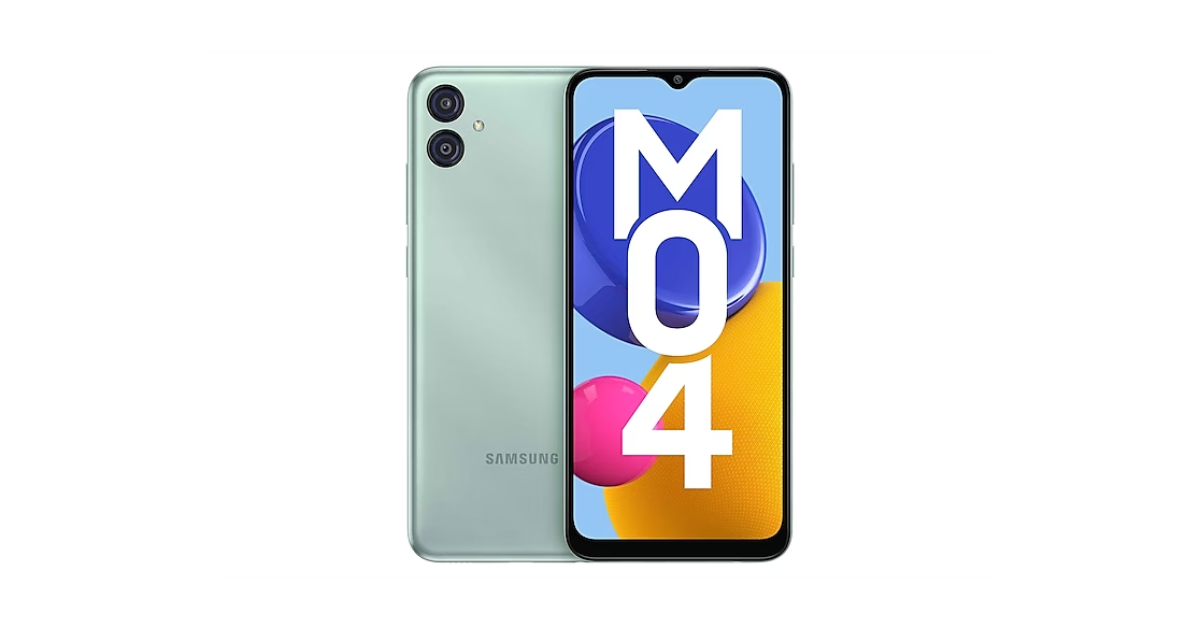
Samsung Galaxy M04

Samsung Galaxy M04 Samsung Galaxy M04 has a 6.5-inch HD+ display. The smartphone is powered by a MediaTek Helio P35 SoC and runs on Android 12 with One UI 4.1 skin on top. It comes with a dual rear camera setup that includes a 13-megapixel main camera and a 2-megapixel secondary sensor. On the front, there is a 5-megapixel selfie camera. The smartphone is backed by a 5,000mAh battery. Samsung Galaxy M04 price in India starts at Rs 6,299 Buy via Amazon

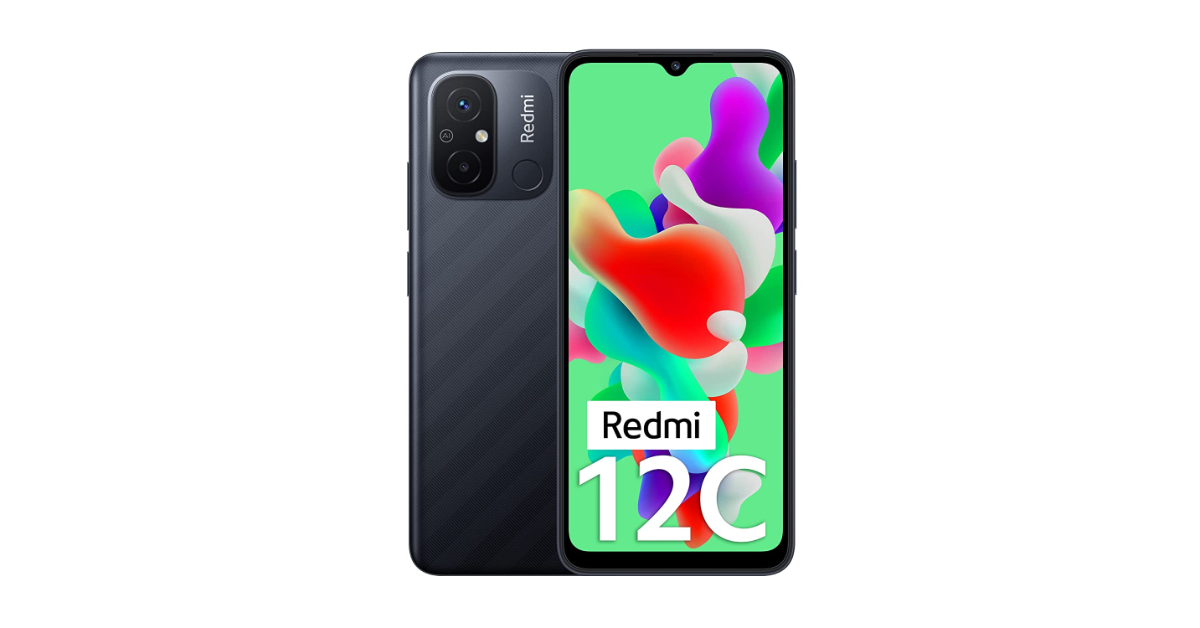
Redmi 12C

Redmi 12C Redmi 12C comes with a 6.71-inch HD+ LCD with a refresh rate of 60Hz. It runs on Android 12-based MIUI 13 out-of-the-box. Under the hood, there is a MediaTek Helio G85 SoC. The handset features a dual rear camera setup that includes a 50-megapixel main camera and a 2-megapixel secondary camera. For selfies, it includes a 5-megapixel front-facing camera. The phone sports a 5,000mAh capacity battery that supports 10W wired charging. Redmi 12C price in India starts at Rs 6,999 Buy via Amazon

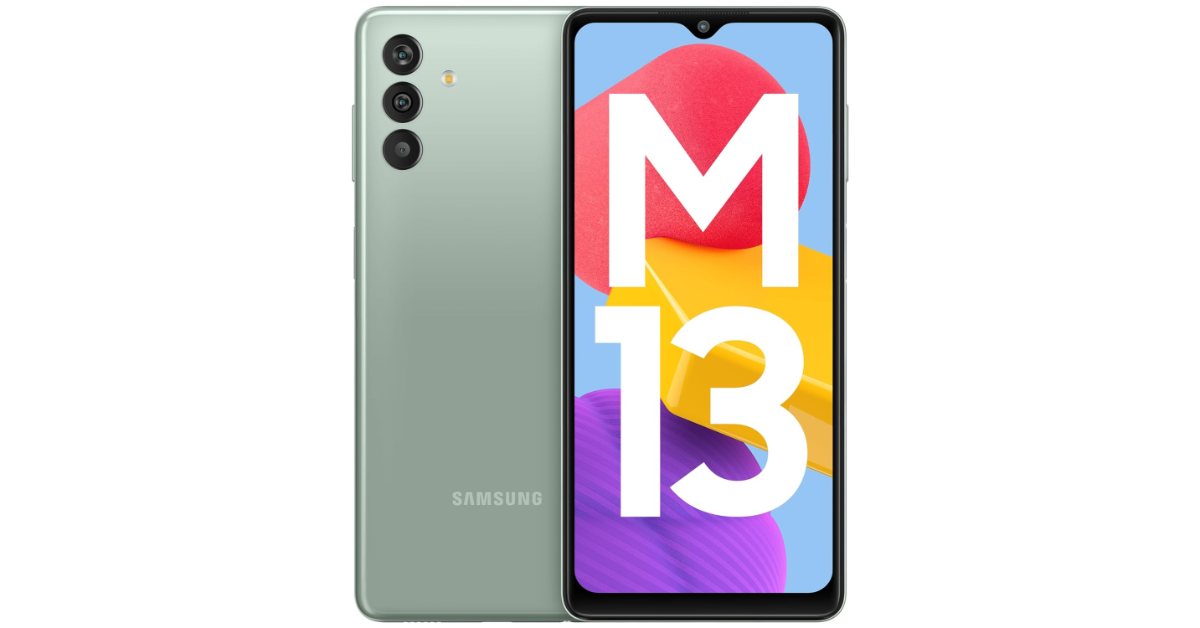
Samsung Galaxy M13

Samsung Galaxy M13 Samsung Galaxy M13 boasts a 6.6-inch full-HD+ LCD. The device operates on One UI 4, which is based on Android 12.0 and is powered by Exynos 850 SoC. The Samsung RAM Plus function allows the RAM to be increased to up to 12GB. The Galaxy M13 features a triple rear camera setup that includes a 50-megapixel primary sensor, a 2-megapixel depth sensor and a 5-megapixel ultra-wide angle camera. Upfront there is an 8-megapixel front camera. There is a 6,000mAh battery onboard that supports 15W charging. Samsung Galaxy M13 price in India starts at Rs 9,999 Buy via Amazon

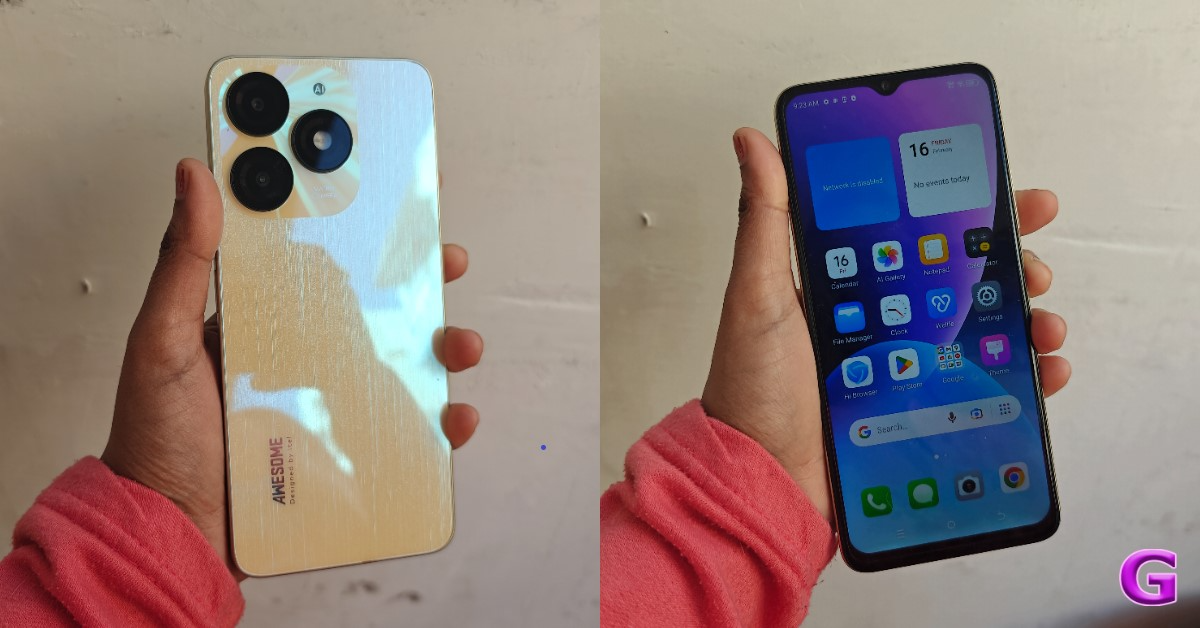
Itel A70

itel A70 Review: Design and Display Itel A70 is highlighted with a 6.6-inch HD+ display and 120Hz touch sampling rate. The phone has an interactive Dynamic Bar on top of the display. It runs on Android 13 Go Edition-based ItelOS 13 out of the box. Under the hood, there is an octa-core Unisoc T603 SoC. Itel A70 features a dual rear camera setup that includes a 13-megapixel main sensor and an unnamed AI secondary sensor. The device also includes an 8-megapixel front-facing camera for selfies. The handset also boasts a 5,000mAh battery and a side-mounted fingerprint sensor. Itel A70 price in India starts at Rs 6,799 Buy via Amazon

Redmi 10 Power

Redmi 10 Power with 6,000mAh battery launched in India Redmi 10 Power is highlighted with a 6.7-inch HD+ IPS LCD. The smartphone runs on Android 11 with MIUI 13 on top. It has an octa-core Qualcomm Snapdragon 680 processor, as well as an Adreno 610 GPU. It has a dual rear camera setup that includes a 50-megapixel primary sensor with an f/1.8 aperture and a 2-megapixel portrait sensor with an f/2.4 aperture. For selfies and video calls, the phone has a 5-megapixel selfie camera. The handset packs a 6,000mAh battery that supports 18W fast charging. Redmi 10 Power price in India starts at Rs 9,899 Buy via Amazon

Redmi A2 

5 Best budget smartphones to buy under Rs 8,000
Redmi A2
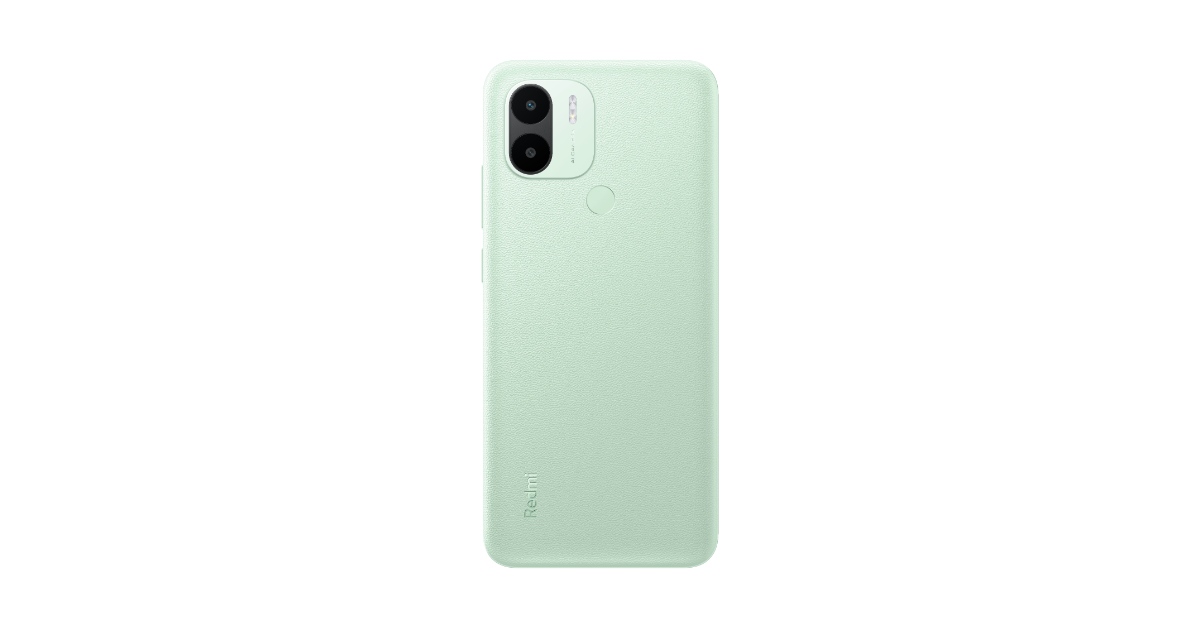
Redmi A2 has a 6.52-inch HD+ LCD with a 120Hz touch sampling rate. The devices run on Android 13 out of the box. Under the hood, there is a MediaTek Helio G36 SoC. There is a dual rear camera setup, including an 8-megapixel primary sensor along with a QVGA camera. The device also features a 5-megapixel selfie sensor. The smartphone packs a 5,000mAh with 10W fast charging support. Redmi A2 price in India starts at Rs 6,799 Buy via Amazon

POCO C51

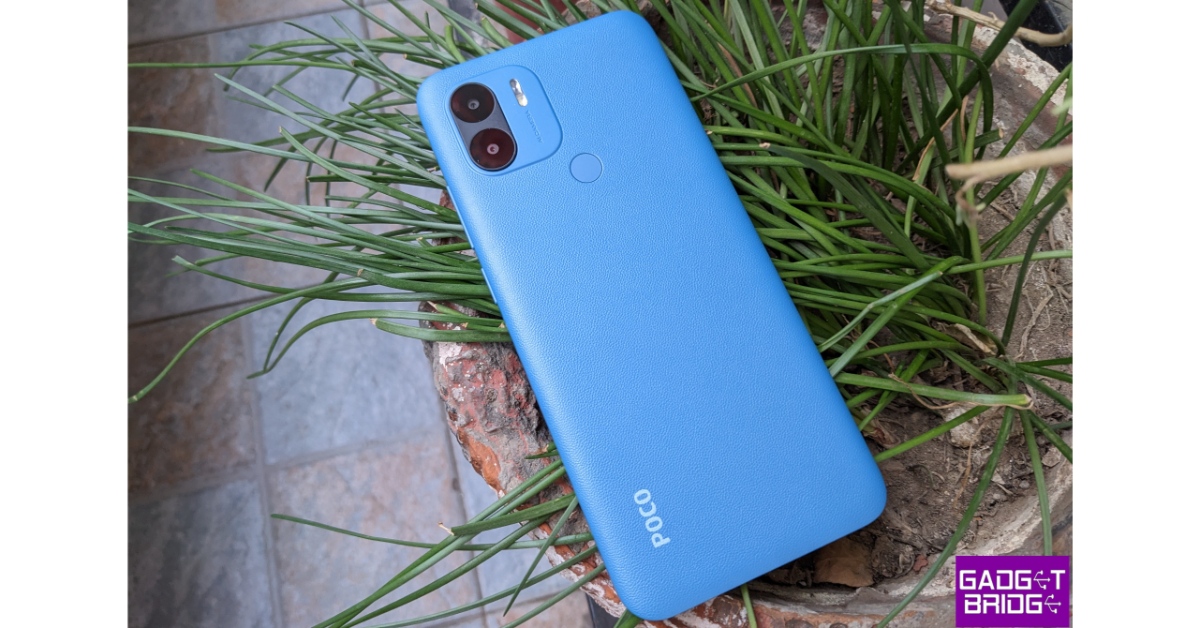
Poco C51 Review India POCO C51 features a 6.52-inch HD+ display with 400 nits of brightness and a 120Hz touch sampling rate. The phone operates on Android 13 Go Edition. An octa-core MediaTek Helio G36 SoC powers the phone. It has a dual rear camera setup that includes an 8-megapixel primary sensor and a secondary depth sensor. Also, there is a 5-megapixel front-facing camera for selfies. The handset is fueled by a 5,000mAh battery. POCO C51 price in India starts at Rs 5,499 Buy via Amazon Also Read: Vivo Y200e 5G to launch in India on this date

Poco M6 5G

Poco M6 5G, Poco C65 new Green colour variant launched in India Poco M6 5G features a 6.74-inch HD+ display with a 1,600 x 720 pixels resolution. It supports a 90Hz refresh rate and a 180Hz touch sampling rate. The screen comes with a peak brightness of 600 nits, and 260ppi pixel density and is TÜV low blue light and flicker-free certified. The phone runs on MIUI 14 with Android 13 and is powered by MediaTek Dimensity 6100+ SoC with a Mali-G57 MC2 GPU. For photos and videos, Poco M6 5G features a dual rear camera setup that includes an AI-powered 50-megapixel main sensor and another camera lens. There is a front-facing 5-megapixel selfie camera. The device is backed by a 5,000mAh battery with 18W wired charging. Poco M6 5G price in India starts at Rs 9,499 Buy via Flipkart Also Read: Infinix Hot 40i with 256GB storage launched in India

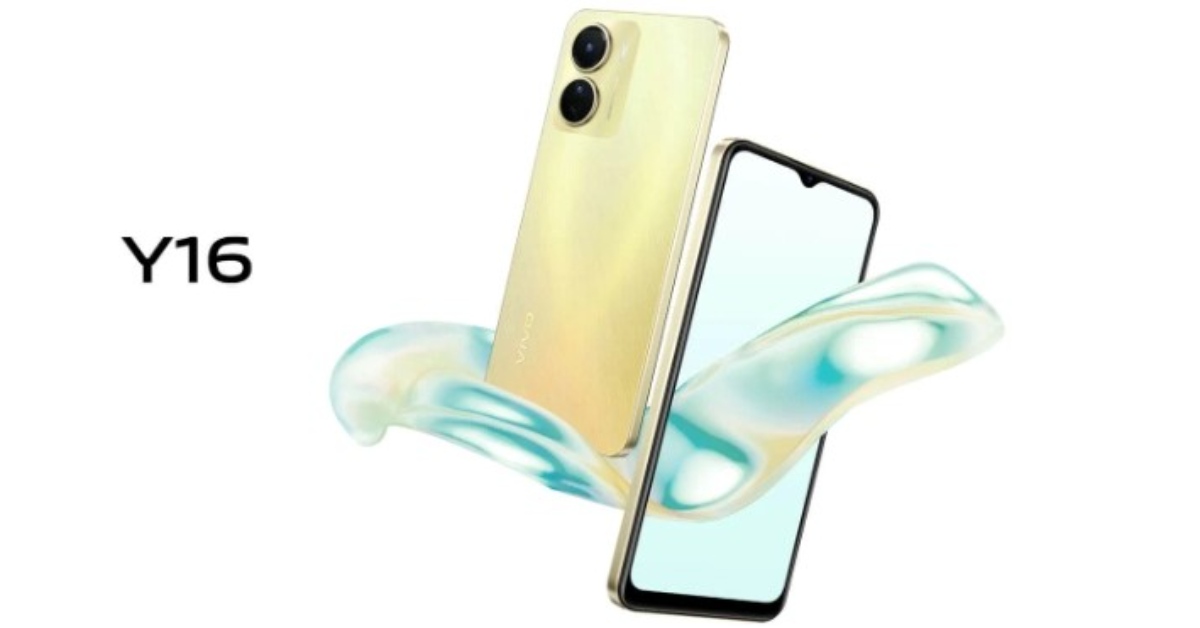
Vivo Y16

Vivo Y16 launched in India at Rs 9,999 Vivo Y16 is highlighted with a 6.51-inch HD+ IPS LCD screen. The phone runs on Funtouch OS 12 on top of Android 12 and is powered by a MediaTek Helio P35 SoC. It comes with a dual rear camera setup that includes a 13-megapixel primary sensor and a 2-megapixel secondary sensor. A 5-megapixel front-facing camera for selfies and video chats is also included. The handset is backed by a 5,000mAh battery with 10W wired charging support. Vivo Y16 price in India starts at Rs 10,999 Buy via Amazon

Garena Free Fire Redeem Codes Today 17 February 2024: Here is how to claim them

Garena Free Fire is a battle royale game with regular awards and tournaments to keep players interested. If you play Garena Free Fire, you should be aware of the redeem codes that are released on a daily basis. However, because the battle royale game is banned in India, players from other countries can use the Free Fire Redeem codes daily. If you’re unfamiliar with the Garena Free Fire redeem codes or don’t know how to get them, we’ve put together a step-by-step guide to help you redeem them. Check out Garena Free Fire Redeem Codes for 17 February 2024. The Free Fire redeem codes are a great way to get free stuff. These are 12-digit codes that contain alphabets and numbers, as well as an expiration date and time. Because the Garena FF redeem codes cannot be used more than once, you should hurry to the redemption page to claim your free reward before someone else does. To get a free reward, all you have to do is go to reward.ff.garena.com/en, which is the official redemption page. Also, keep an eye on this space for daily updates on Garena Free Fire redemption codes and rewards. Also Read: Sennheiser Accentum Plus wireless headphones with Hybrid Adaptive Noise Cancellation launched

Garena Free Fire Redeem Codes Today 17 February 2024

MHM5D8ZQZP22 FFCMCPSBN9CU FFBBCVQZ4MWA FFAC2YXE6RF2 FAYQ765TRF4VBRN F7U4GGJVI8CY6TG FJ8FG7BSJUWYT3R FGBW3REGFBI7345 FVE4RH5TJUGVYCT FZ7YTA5Q4RED2C3 FVBERFJUVYTSRFW FGSWBH3J4KR5IT6 FYUGHVNCD5JSUEY F4TG5BTNGKOIUYG FFEVDBHUA7Q6TGH FERTY9IHKBOV98U

How to Get Free Fire Redeem Codes for Garena on 17 February 2024?

  • Visit the Garena Free Fire game’s official website at reward.ff.garena.com.
  • Use your Facebook, Google, VK, Apple ID, Huawei ID, or Twitter account to log in.
  • You’ll be taken to a valid redemption code (s)
  • Copy and paste the 12-digit redemption code into the text box.
  • On the screen, a dialogue box will appear.
  • ‘Ok’ should be selected.
For the latest gadget and tech news, and gadget reviews, follow us on TwitterFacebook and Instagram. For newest tech & gadget videos subscribe to our YouTube Channel. You can also stay up to date using the Gadget Bridge Android App. You can find the latest car and bike news here.

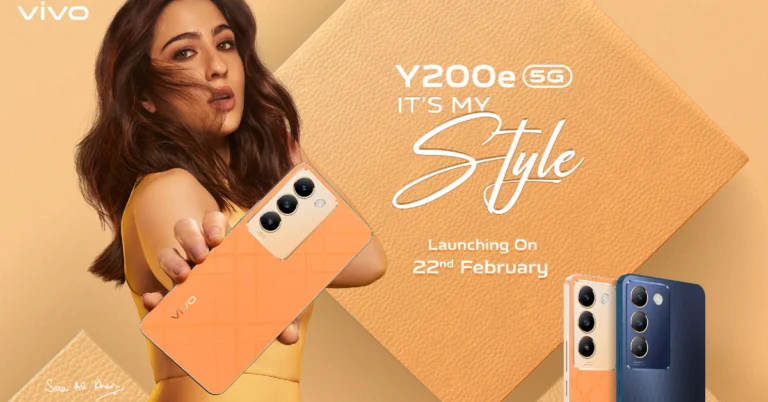
Vivo Y200e 5G to launch in India on this date

Key Highlights
  • Vivo Y200e 5G is anticipated to include two 50-megapixel back cameras.
  • The phone is likely to feature a 120Hz refresh rate display.
  • The device is rumoured to be powered by Snapdragon 4 Gen 2 SoC.
Vivo is all set to launch a new smartphone in the market. The company today confirmed the India launch date for Vivo Y200e 5G. Not only did it announce the launch date, but the company also teased the colour options as well as the design of the upcoming phone. The specifications and price of the yet-to-be-announced Vivo Y series smartphone have not yet been formally disclosed but it was leaked recently. Vivo has officially announced that its next smartphone Vivo Y200e 5G will arrive in India on February 22. The company has also listed the phone on its website which teases the design and colour options of the upcoming phone. The company has unveiled Blue and Orange colourways. The Blue variant has a plastic back with a textured finish. On the other hand, the Orange colour model has a vegan leather finish with intersecting lines. The Vivo Y200e 5G design language is very similar to its sibling Vivo Y200 5G featuring a rectangle camera module consisting of three camera sensors alongside a tiny LED flashlight. The forthcoming phone’s design, colour options and pricing have also been hinted at previously. According to earlier leaks, the Vivo Y200e 5G will cost less than Rs 20,000 in India. It is purported to be available in Saffron Delight and Diamond Black colours. Also Read: Infinix Hot 40i with 256GB storage launched in India Rumours suggest that the upcoming phone will have a 6.67-inch full-HD+ Samsung AMOLED display with a refresh rate of 120Hz and a maximum brightness of 1200 nits. The Vivo Y200e could run either Android 13 or 14. It is said to be powered by the Qualcomm Snapdragon 4 Gen 2 SoC with 128GB of storage and options for 6GB or 8GB of RAM that can be increased to 16GB using the extended RAM option. The device is rumoured to have two rear cameras: a 2-megapixel secondary sensor and a 50-megapixel primary camera. A 16-megapixel front-facing camera is likely to feature selfies and video calling. The handset is claimed to boast a 5,000mAh battery with 44W fast charging support. Also Read: Sony XAV-AX8500 car AV receiver with 10.1-inch HD LCD screen launched in India Furthermore, the phone is expected to come with dual stereo speakers and an in-display fingerprint scanner.

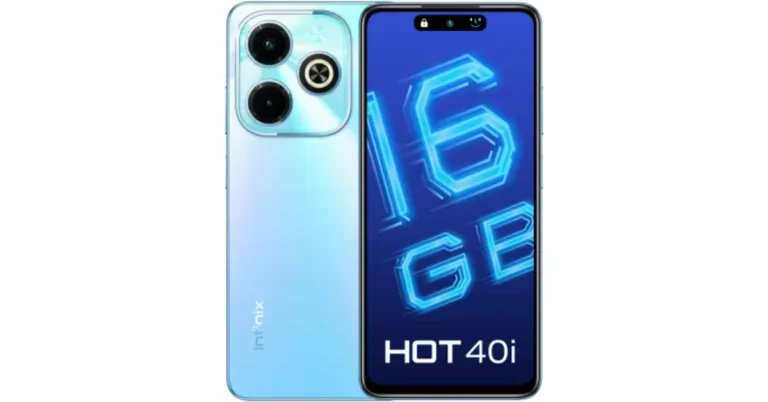
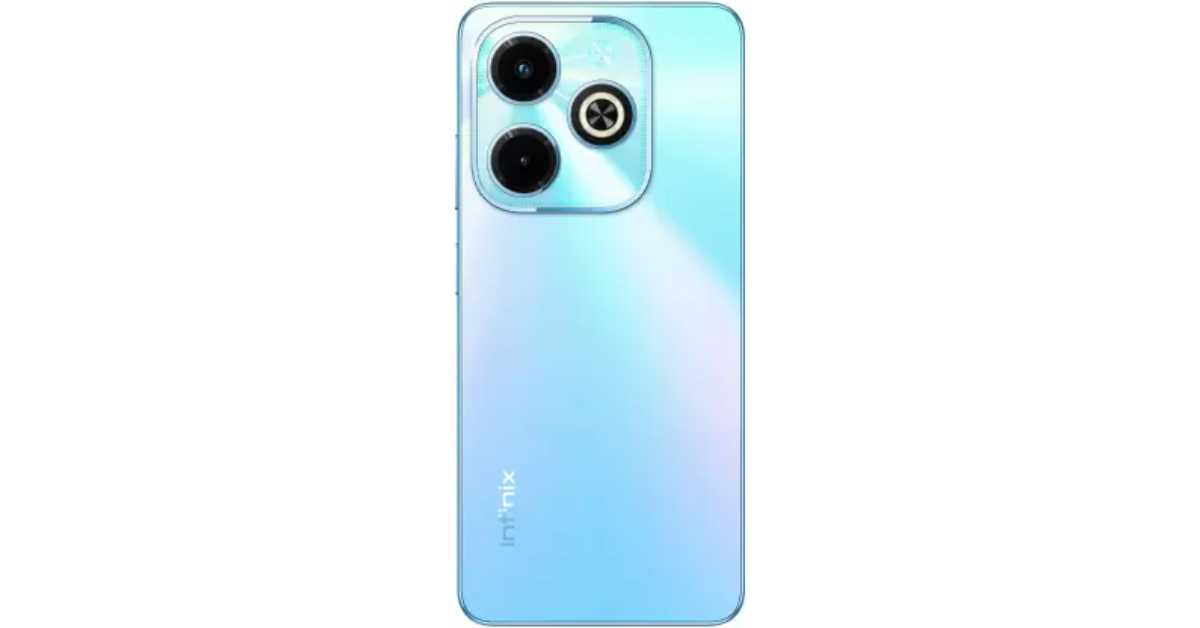
Infinix Hot 40i with 256GB storage launched in India

Key Highlights
  • Infinix Hot 40i is backed by a 5,000mAH battery.
  • The HD+ display supports a 90Hz refresh rate.
  • The phone also includes a Magic Ring for notifications.
The Transsion Holdings subsidiary Infinix has officially launched its new smartphone in the Indian market. The company has introduced Infinix Hot 40i in the country today. The device runs on Unisoc T606 SoC. It sports a 5,000mAh battery with 18W fast charging support. The phone flaunts a 50-megapixel dual rear camera setup. Additionally, the handset features a 32-megapixel selfie camera.

Infinix Hot 40i price in India, availability

Infinix Hot 40i price in India has been set at Rs 8,999 for the 8GB RAM with 256GB storage variant. The device comes in three colour options: Palm Blue, Starfall Green, Horizon Gold, and Starlit Black. The phone is scheduled to go on sale from February 21 via Flipkart in the country. Infinix Hot 40i price in India, availability

Infinix Hot 40i specifications

Infinix Hot 40i features a 6.6-inch HD+ display with 1612 x 720 pixels resolution. The screen supports a 90Hz refresh rate and a 180Hz touch sampling rate. It comes with a 1500:1 contrast ratio along with 480 nits of peak brightness. The phone will be shipped with Android 13-based XOS 13 out of the box. Under its hood, there will be a Unisoc T606 processor with Mali G57 MP1 GPU. The device will be available with 8GB LPDDR4x RAM that supports up to 16GB RAM, including 8GB + 8GB Virtual RAM. The handset also comes with a massive 256GB storage that can be expanded up to 2TB using a microSD card. Also Read: Google rolls out Gemini mobile app for Android users in India, use the Gemini tab in the Google app on iOS For the photos and videos Infinix Hot 40i packs a dual rear camera setup led by a 50-megapixel primary sensor with f/2.0 aperture and an AI secondary lens alongside a quad-LED flash. For selfies and video calling the phone features a 32-megapixel front-facing camera. Also Read: Sony XAV-AX8500 car AV receiver with 10.1-inch HD LCD screen launched in India The mobile phone also includes smart features, including the Magic Ring for Face Unlock, Background Call, Charging Animation, Charge Reminder, and Low Battery Reminder. The smartphone comes with an IP53 rating. The device is powered by a robust 5000 mAh Battery, supported by 18W Type-C Fast Charge.

Sony XAV-AX8500 car AV receiver with 10.1-inch HD LCD screen launched in India

Key Highlights
  • The Sony XAV-AX8500 car AV receiver comes with a gapless anti-glare display.
  • Sony’s advanced car AV receiver, wirelessly supports both platforms, enabling hands-free calling, music streaming, navigation, and more.
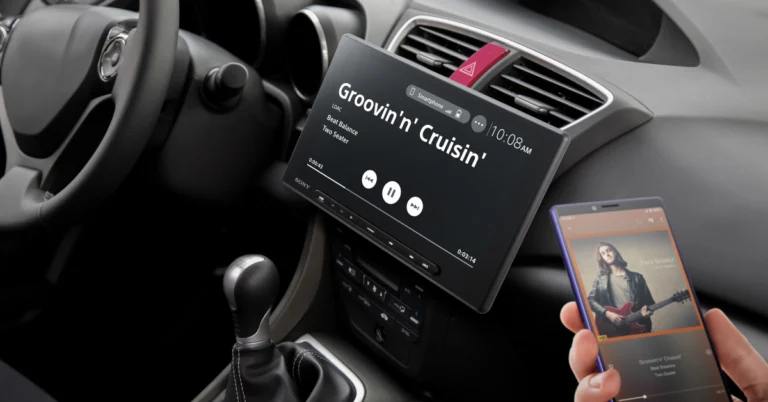
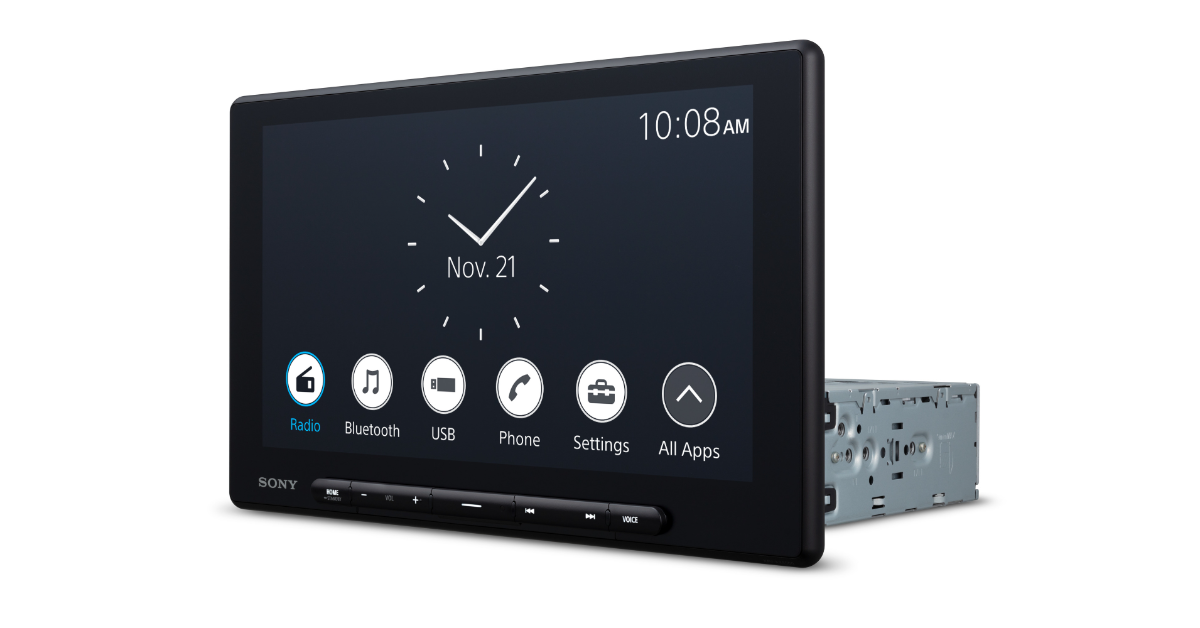
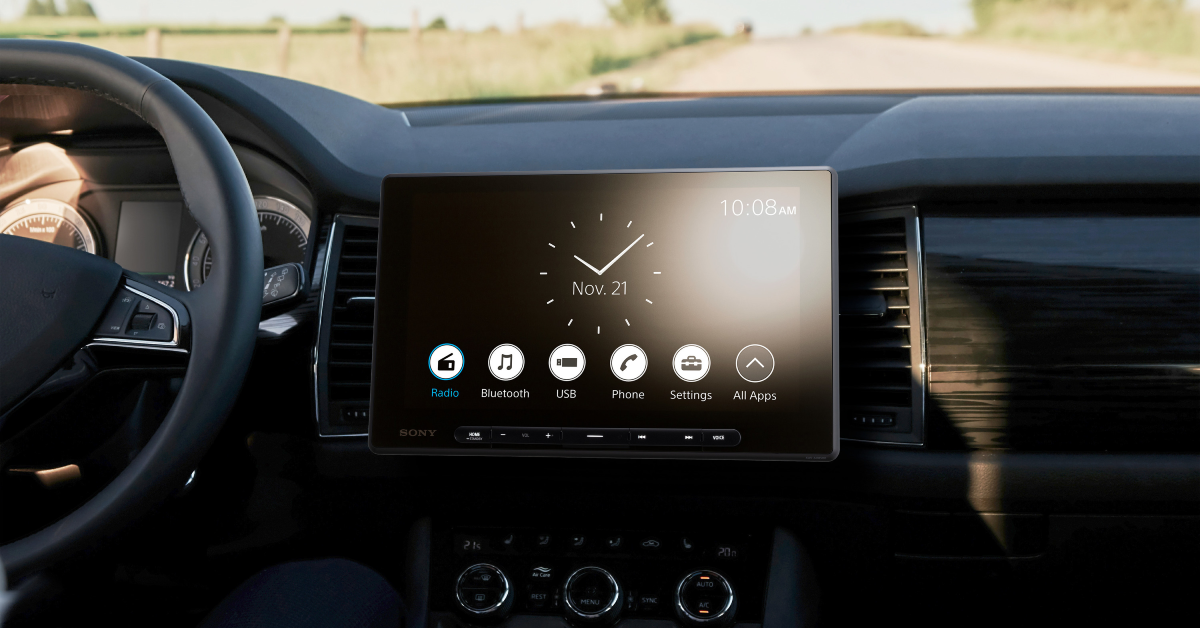
Sony India has unveiled its new model of car AV receivers, the XAV-AX8500. The new lineup of automobile AV receivers offers several customisable options for improved audio and visual performance. The XAV-AX8500 features a huge 10.1 HD display with a special tilt and swivel mechanism and wireless smartphone conversion with Apple CarPlay and Android Auto. The Sony XAV-AX8500 car AV receiver is priced at Rs 99,990 in India. The car display will be available at select premium car dealers across India from February 20 onwards. Sony XAV-AX8500 car AV receiver with 10.1-inch HD LCD screen launched in India The Sony XAV-AX8500 AV car receiver features a 10.1-inch HD LCD screen with 1280 x 720 pixels of resolution. The panel comes with an optically gapless design which is bonded directly to the protective glass touch layer with a transparent adhesive. The device offers customisable icon positioning and wallpaper. There is an internal anti-glare filter which significantly increases touchscreen visibility. Whereas HDMI connectivity allows you to connect an external audio and visual source device. The driver could manually change the viewing angles of the large display thanks to the newly built tilt and swivel mechanism. Its screwless design allows for a ±15 degree horizontal and vertical range without the need for tools. This not only allows for altering the angle to the preferred seating position, but also avoids things such as direct sunlight reflection, or even for sharing the navigation screen with your passengers. Sony’s latest car AV receiver comes with a Wireless Smartphone Conversion feature for in-car connectivity. With the included GPS antenna and a Wi-Fi connection from the user’s smartphone, Apple CarPlay and Android Auto can be connected wirelessly allowing smartphones to be effortlessly integrated with automobile audio systems. This will also enable hands-free calling, music streaming, navigation, and more. Voice commands and simple controls provide drivers with increased safety and convenience. Sony XAV-AX8500 car AV receiver with 10.1-inch HD LCD screen launched in India The Sony XAV-AX8500 comes with an integrated DSP that offers precise processing and time alignment for each of its five addressable channels. Moreover, with a 14-band EQ, users can fine-tune the audio to match their music preferences. Also Read: Nothing Phone 2a India pricing, key specs leaked ahead Together with LDAC technology for high-resolution wireless audio streaming and a high-voltage pre-out (5V) for crisper sound with less distortion when connected to a power amplifier, this cutting-edge system ensures superb sound quality. Sony’s head unit with a high voltage pre-out provides a 5-volt signal which results in less distortion and crisper sound when the head unit is connected to a power amplifier. Also Read: Google rolls out Gemini mobile app for Android users in India, use the Gemini tab in the Google app on iOS Bluetooth wireless music at 96 kHz/24-bit sampling is now possible, thanks to LDAC, which can offer bitrates up to three times higher than standard Bluetooth. In addition to the regular rear-view camera connectivity, drivers can also view the images of up to three connected cameras with the included trigger wires. These images can be switched on and off, or from one to another automatically by detecting the vehicle’s turn signals or sensing compatible signals such as that from a connected front camera. 

Google rolls out Gemini mobile app for Android users in India, use the Gemini tab in the Google app on iOS

Key Highlights
  • Gemini mobile apps can be accessed in English, Japanese, or Korean through Google Assistant.
  • One can only use it in English in the US when the Gemini app is downloaded from the Play Store.
  • On iOS you can use the Gemini tab in the Google app in English, Japanese, or Korean.
Recently Google renamed Bard to Gemini, the free version of the generative AI chatbot while launching Gemini Advanced. Gemini AI is based on the Gemini Pro model. Now users in India can download Google’s Gemini app on their Android devices. Unlike the Gemini app on Android, there isn’t a specific app for iOS, iPhone users can access and utilise the chatbot’s functionality driven by artificial intelligence (AI) by toggling a toggle located at the top of the Google app. Until now the functionality was only available in the US. But now the firm has released the Android app in more regions. On February 8, Google released the Android app for Gemini AI, albeit it was only available in the US at first. Currently, the app is being made available in more than 150 nations and regions. The Gemini mobile app can only be accessed in English, Korean, and Japanese as of now as per Google’s support page While announcing the availability, Google said, “Gemini mobile apps are currently available in English, Japanese, and Korean in more than 150 countries. We’ll gradually expand to more languages, countries, and territories in a way that is consistent with local regulations and our AI principles.” For Android Google has rolled out a dedicated Gemini mobile app while on iOS one can see the Gemini tab in the Google app. As per the Google support page for Android (including as your mobile assistant): the Gemini mobile app (available to download from the Google Play Store) is available on non-folding Android phones, as well as Samsung and Pixel foldables, with 4 GB of RAM or more, running Android 12 and up. Whereas on iOS the  Gemini tab in the Google app is available on iPhone devices with iOS 16 and up. Also Read: Nothing Phone 2a India pricing, key specs leaked ahead So to use your Gemini mobile app one must be signed in to a personal Google Account or Google Workspace account where your administrator has granted access to Gemini Apps and Google Assistant. Also Read: Moto G04 entry-level phone with 5,000mAh battery launched in India Note that if your Google Workspace for Education account is set up as being under the age of 18, or if Family Link manages your Google Account you cannot access Gemini Apps. Also on Android, there are two ways to use Gemini, firstly through Google Assistant or download the Gemini app from the Play Store. 

itel A70 Review: A decent budget smartphone

Recently we got our hands on the new itel A70 smartphone. We spent a few days with it and here’s our itel A70 Review. To begin with, the Unisoc T603 octa-core processor powers this gadget. Its display has a dynamic bar that is similar to the dynamic island on the Apple iPhone. This smartphone’s greatest selling point is that it’s among the most reasonably priced devices with a huge 256GB of storage. We believe you can’t get this much storage for under Rs 8,000 from any other company, which is amazing!

itel A70 Review: Design and Display

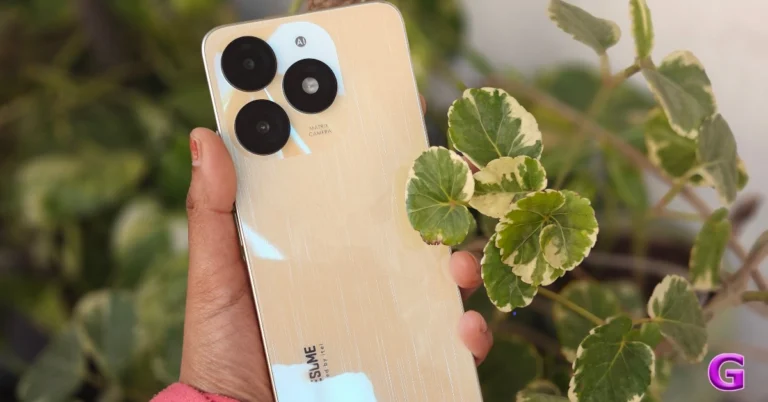
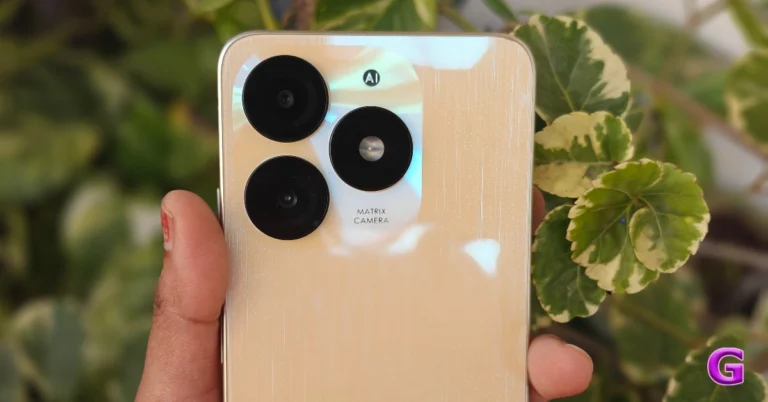
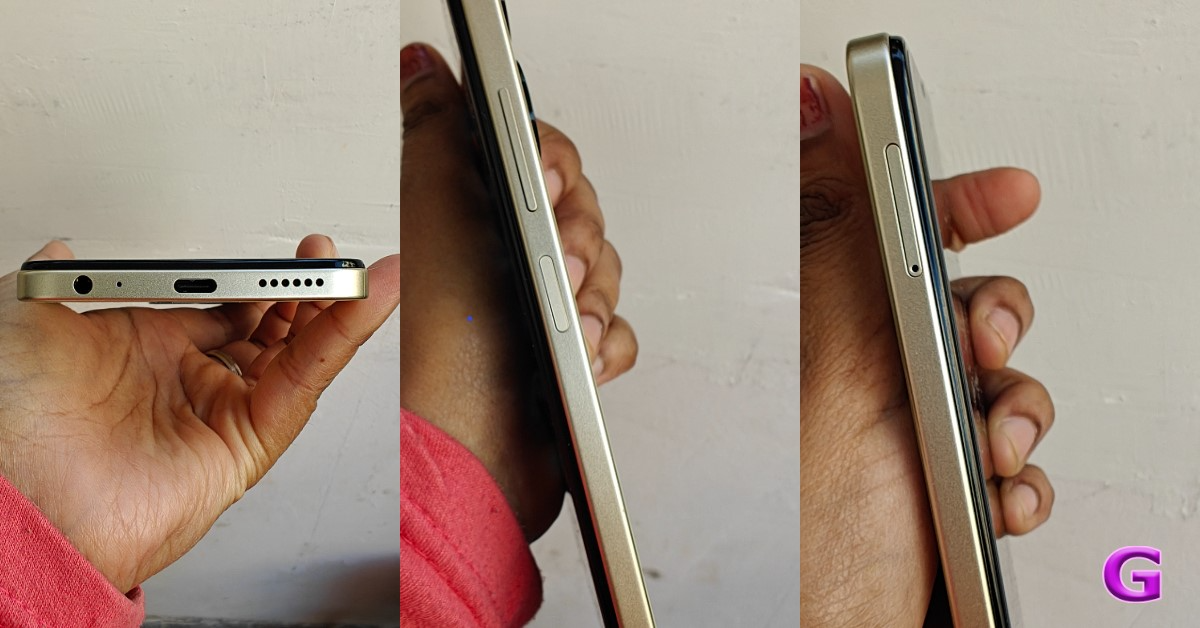
When you first hold the itel A70, it doesn’t feel at all like you’re holding a device under Rs 8,000. It certainly has a great premium appearance. Although the itel A70’s back panel is glossy and made of polycarbonate, it looks like glass. The device is available in four distinct colour options – Field Green, Brilliant Gold, Azure Blue, and Stylish Black. We got a review unit with a Brilliant Gold finish, which is undoubtedly a very vibrant shade. itel A70 Review: Design and Display The phone weighs about 187 grams and has a thickness of 8.5 mm. It is therefore a lightweight phone in the category. Additionally, the company has provided a case that is of high quality. Since this is an affordable phone, you don’t have to make any compromises, hence, everything you need is included in the box The smartphone looks a lot like the Apple iPhone Pro models because of its flat side frames and the new camera module, which has its sensors arranged on a flat surface. On the right side of the frame are the power and volume rocker keys, while at the bottom are the speaker grille, USB Type C connector, microphone, and 3.5mm audio jack.  review of itel A70 The SIM card slot, which can hold two SIM cards and a microSD card to increase internal capacity to up to 2TB, is located on the left side of the frame. A water drop-design notch display at the front looks rather nice and is acceptable for this price range. Similar to the iPhone’s dynamic island, this device features a dynamic bar that displays a wealth of information. For example, when you unlock the phone, it displays a smiley face along with notifications for charging, low battery life, and background calls—all of which are uncommon for a phone in this price range. It controls notification screen space without interfering with the primary viewing area. review of itel A70 The 6.6-inch HD+ display of the itel A70 has a resolution of 1,612 x 720 pixels. The maximum brightness supported by the screen is 500 nits. There is a 120Hz touch sampling rate on the display. Additionally, every phone in this price category has a flat display, which doesn’t look all that great. However, the A70’s display is somewhat curved, which makes it feel nice. The chin area is prominent here and the bezel around the sides is pretty apparent. both could have been slightly decreased. You may watch full HD (1080p) YouTube content on this device. The graphics and text are exceptionally clear and crisp. It’s fun to watch videos and movies. Another advantage is the amazing reproduction of colour. The display is good enough for watching media regularly, but it is too dim to use outside in direct sunlight. Overall, we were quite happy with the display. Also Read: Infinix Smart 8 Review: Incredible value for money The itel A70 sports one top-firing speaker, that produces good sound. The resonance is crisp, loud and good for any type of viewing. On the other hand, the side-mounted fingerprint scanner is not the fastest, even though it is reliable. It takes a few seconds to recognise you before it unlocks.

itel A70 Review: Performance and Cameras

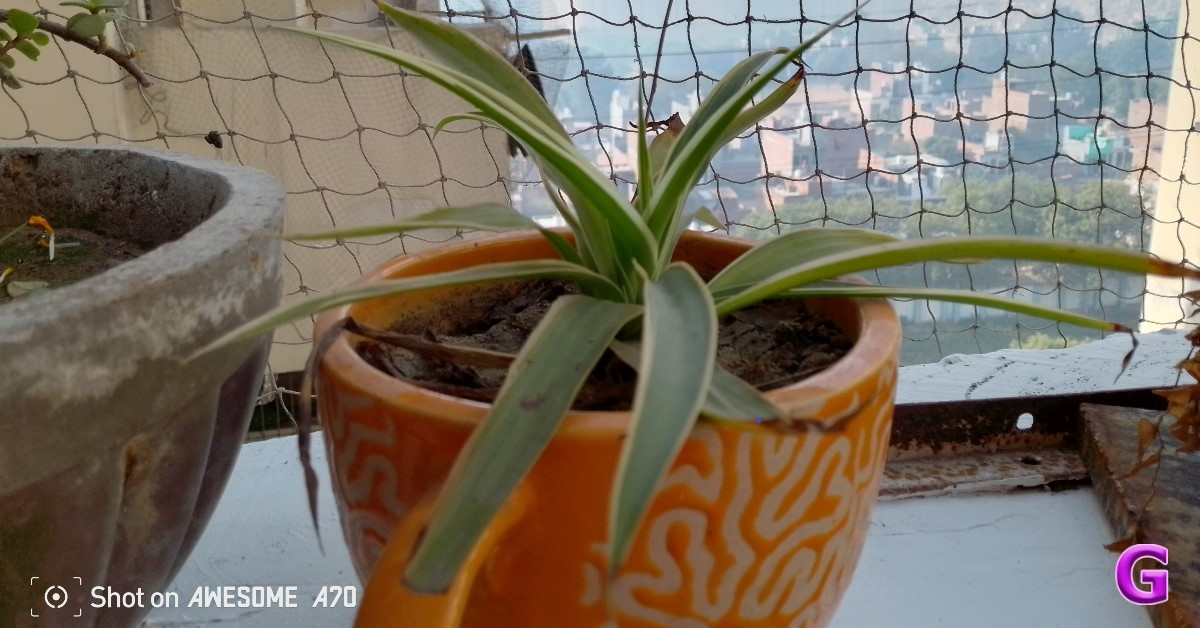
An octa-core Unisoc T603 SoC with up to 256GB eMMC storage and 4GB of LPDDR4X RAM is available for performance. There is a function on the smartphone that allows the RAM to be virtually expanded by a couple of additional GBs. We did not notice a lot of latency issues, therefore the performance you require in this price range is acceptable and adequate. On the itel A70, you can even play light games. We played BGMI at medium frame rates and graphics, which resulted in a slightly jerky performance but was still playable at low settings. You can play most of the basic games, including Subway Surfer. However, if you plan to play graphically intensive games, we suggest that you look elsewhere. Barring that, the phone does a great job at multitasking and has little trouble handling daily tasks. itel A70 performance For the software, the device comes pre-installed with Android 13 Go Edition-based itelOS 13 out of the box. But the biggest flaw is that it feels like it includes half of the Play Store in terms of bloatware. You can uninstall any app you’re not using, which is fantastic news. Despite not having the fastest app launch speed, this smartphone is really solid. Considering the pricing at which it is being sold, the phone performs excellently. Let’s discuss the itel A70’s cameras. It has a dual rear camera setup with an LED flash, a 13-megapixel primary sensor, and an unknown AI secondary sensor. An 8-megapixel front-facing camera on the mobile device is also included for taking selfies and making video calls. itel A70 performance When the lighting is good, the 13-megapixel camera captures nice photos. You get an incredible dynamic range with true colours. Some of these were taken at night, but they’re still really good. For both back and selfie shots, the camera app has a low-light mode available. On the other hand, well-lit environments are ideal for both portrait- and non-portrait-style selfies. The company offers video stabilisation, which does work to some extent. itel A70 performance
itel A70 performance
Portrait
A 5,000mAh battery powers the itel A70 for extended periods. Approximately two days can be achieved with moderate usage of the battery. The 10W charger, which takes more than 2.5 hours to fully charge, is the main downside. This smartphone could have come with an 18-watt charger from the manufacturer, which would have been a boon. Also Read: Poco X6 Review: Does it have the X factor?

Verdict

It’s the ideal phone for those who wish to stay in touch—first-time users, the elderly, and even teenagers. You get a really good display. Most of the time, the performance went smoothly. The itel A70 is a great option if you are switching from a basic keypad device to an entry-level Android smartphone and don’t care too much about cameras. Buy Here

Garena Free Fire Redeem Codes Today 16 February 2024: Here is how to claim them

Garena Free Fire is a battle royale game with regular awards and tournaments to keep players interested. If you play Garena Free Fire, you should be aware of the redeem codes that are released on a daily basis. However, because the battle royale game is banned in India, players from other countries can use the Free Fire Redeem codes daily. If you’re unfamiliar with the Garena Free Fire redeem codes or don’t know how to get them, we’ve put together a step-by-step guide to help you redeem them. Check out Garena Free Fire Redeem Codes for 16 February 2024. The Free Fire redeem codes are a great way to get free stuff. These are 12-digit codes that contain alphabets and numbers, as well as an expiration date and time. Because the Garena FF redeem codes cannot be used more than once, you should hurry to the redemption page to claim your free reward before someone else does. To get a free reward, all you have to do is go to reward.ff.garena.com/en, which is the official redemption page. Also, keep an eye on this space for daily updates on Garena Free Fire redemption codes and rewards. Also Read: Sennheiser Accentum Plus wireless headphones with Hybrid Adaptive Noise Cancellation launched

Garena Free Fire Redeem Codes Today 16 February 2024

ZZATXB24QES8 FFICJGW9NKYT FFAC2YXE6RF2 VNY3MQWNKEGU FFCO8BS5JW2D U8S47JGJH5MG FFIC33NTEUKA FF9MJ31CXKRG FAYQ765TRF4VBRN F7U4GGJVI8CY6TG FJ8FG7BSJUWYT3R FGBW3REGFBI7345 FVE4RH5TJUGVYCT FZ7YTA5Q4RED2C3 FVBERFJUVYTSRFW FGSWBH3J4KR5IT6 FYUGHVNCD5JSUEY F4TG5BTNGKOIUYG FFEVDBHUA7Q6TGH FERTY9IHKBOV98U

How to Get Free Fire Redeem Codes for Garena on 16 February 2024?

  • Visit the Garena Free Fire game’s official website at reward.ff.garena.com.
  • Use your Facebook, Google, VK, Apple ID, Huawei ID, or Twitter account to log in.
  • You’ll be taken to a valid redemption code (s)
  • Copy and paste the 12-digit redemption code into the text box.
  • On the screen, a dialogue box will appear.
  • ‘Ok’ should be selected.
For the latest gadget and tech news, and gadget reviews, follow us on TwitterFacebook and Instagram. For newest tech & gadget videos subscribe to our YouTube Channel. You can also stay up to date using the Gadget Bridge Android App. You can find the latest car and bike news here.

Nothing Phone 2a India pricing, key specs leaked

Key Highlights
  • Nothing Phone 2a is tipped to be powered by MediaTek Dimensity 7200 Ultra SoC.
  • The upcoming phone will be a toned-down variant of Nothing Phone 2 launched last year.
  • The handset is likely to feature a dual rear camera setup.
Nothing Phone 2a is set to launch globally on March 5 and before the official announcement its price in India and key specifications have surfaced on the internet. In addition to this the renders of the phone suggesting the design were also leaked before. However, the company has not yet revealed any specific information regarding design, specs and pricing. In India, the upcoming smartphone is confirmed to be available for purchase on Flipkart in the country. According to tipster Yogesh Brar, Nothing Phone 2a might cost Rs 30,000 in India. He took to X aka Twitter where he further revealed that the device is expected to get a limited distribution in the US, where it will probably cost $400. A previous leak also suggested that the Nothing Phone 2a will be listed at $400. Furthermore, the tipster also shared the key specs of Nothing Phone 2a. As per his tweet, the MediaTek Dimensity 7200 Ultra SoC is likely to power the phone. It may run on Android 14 with NothingOS 2.5 out of the box. Lastly, the device is expected to come with a 6.7-inch full-HD+ OLED display that will support a 120Hz refresh rate. For the photos and videos, the upcoming smartphone could feature a dual rear camera setup including a 50-megapixel primary and a 50-megapixel ultra-wide angle lens. Moreover, for selfies, it might include a 32-megapixel front-facing camera. The battery capacity is unknown but it may charge at 45W wired fast charging. Also Read: Moto G04 entry-level phone with 5,000mAh battery launched in India Besides this, Nothing Phone 2a is expected to be available in Black and White colour options. Tipster Roland Quandt revealed this information and he further goes on to say that the 8GB of RAM and 128GB storage model is likely to come with a price tag of EUR 400. There will be another 12GB RAM with 256GB storage but the price is not known. In addition to this, it is speculated to feature a 6.7-inch AMOLED display manufactured by BOE and Visionox under the product number rm692h5. The screen is expected to have 1,084 x 2,412 pixels of resolution. The display may also support a refresh rate of 120Hz. The phone is slated to be powered by a MediaTek Dimensity 7200 chipset. Also Read: Redmi A3 powered by MediaTek Helio G36 SoC launched in India Nothing Phone 2a is rumoured to come with a dual rear camera setup that may include a 50-megapixel Samsung S5KNG9 1/1.5-inch main sensor and the 50-megapixel Samsung S5KJN1 1/2.76-inch ultrawide lens. The phone is anticipated to feature a 32-megapixel Sony IMX615 sensor on the front.

Moto G04 entry-level phone with 5,000mAh battery launched in India

Key Highlights
  • Moto G04 was launched alongside Moto G24 last month.
  • A Unisoc chipset powers the smartphone.
  • The device runs on Android 14 out of the box.
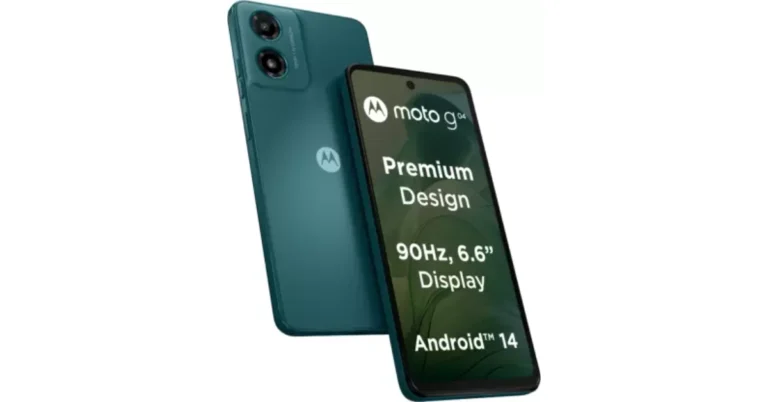
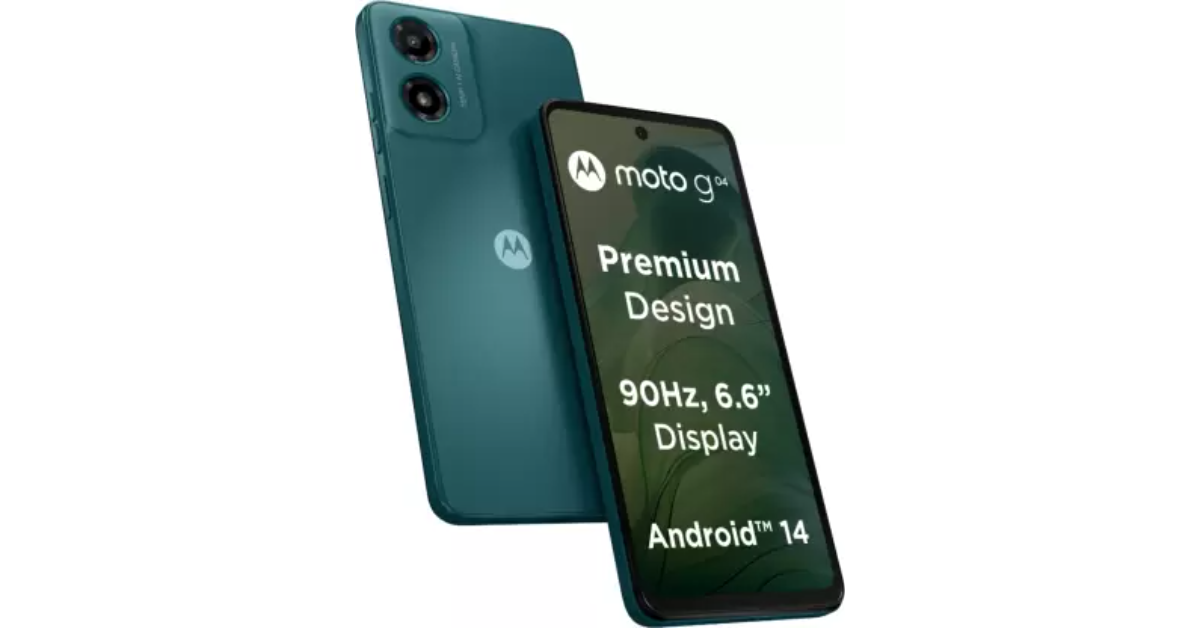
Lenovo-owned smartphone brand Motorola today launched a new entry-level smartphone – Moto G04 in India. Unisoc T606 SoC powers the smartphone. It packs a 5,000mAh battery with 10W fast charging support. In addition to this, the device includes a 6.6-inch display with a 90Hz refresh rate. The budget phone has a single rear camera and supports a virtual RAM feature.

Moto G04 price in India and sale details

Moto G04 price in India has been set at Rs 6,999 for the 4GB RAM with 64GB storage model whereas the 8GB RAM with 128GB storage variant comes with a price tag of Rs 7,999. The device will be available in four colour options: Concord Black, Sea Green, Satin Blue, and Sunrise Orange. Moto G04 price in India and sale details The company will also offer an additional Rs 750 off on exchange as part of the launch offer in the 4GB + 64GB variant, making the effective price of the device just Rs 6,249 and Rs. 7,999 respectively. Moto g04 is scheduled to go on sale via Flipkart, Motorola.in and leading retail stores across India, starting February 22 at noon.

Moto G04 specifications

Moto G04 has a 6.6-inch HD+ IPS LCD screen with 720×1,600 pixels of resolution. The display has a 269ppi pixel density and a 20:9 aspect ratio. It supports a refresh rate of 90 Hz. Under the hood, there is a UniSoC T606 SoC paired with Mali G57 GPU and up to 8GB of RAM. The device also supports virtual RAM expansion of up to 16GB. The device comes with up to 128GB of UFS 2.2 storage that can also be further expanded up to 1TB using a microSD card. The phone runs on Android 14-based My UX. The smartphone has an IP52 rating for dust and splash resistance. It also includes an acrylic glass (PMMA) finish with a matte texture that makes it scratch-resistant. Another feature is the flash notifications that alert the users by turning on the flash and screen light for incoming calls, so they don’t miss a notification. Also Read: Instagram is kicking off its Valentine’s Day celebrations, bringing special hidden features Moto G04 features an AI-powered 16-megapixel rear camera sensor and a 5-megapixel front-facing camera for selfies. The rear camera system includes features like HDR and Portrait mode, to generate professional-looking shots automatically. Whereas the selfie camera has Timelapse, Night Vision, Portrait Mode, and Leveller. Additionally, the Health Connect feature acts as a central way to connect and sync all the data from various fitness apps in one place, for a more holistic view. The Moto G04 comes with a massive 5000mAh battery with 15W fast charging support. Also Read: Redmi A3 powered by MediaTek Helio G36 SoC launched in India Commenting on the launch, Mr. T.M. Narasimhan, Managing Director, Mobile Business Group – India, said “We are pleased to announce yet another addition to our g series smartphones – the Moto g04. This device is a true embodiment of our commitment to providing users with attractive design, and disruptive features at outstanding price points. As India’s most affordable Android 14 smartphone, Moto G04 enables users to experience cutting-edge technology without compromising on essential features. With this launch, we continue to make significant strides in our pursuit to democratise technology by empowering individuals to explore, connect and experience like never before.”

Poco M6 5G, Poco C65 new Green colour variant launched in India

Key Highlights
  • Poco M6 5G, and Poco C65 were launched in India a few months ago.
  • Both phones feature a dual rear camera setup.
  • The camera setup includes a 50-megapixel primary sensor.
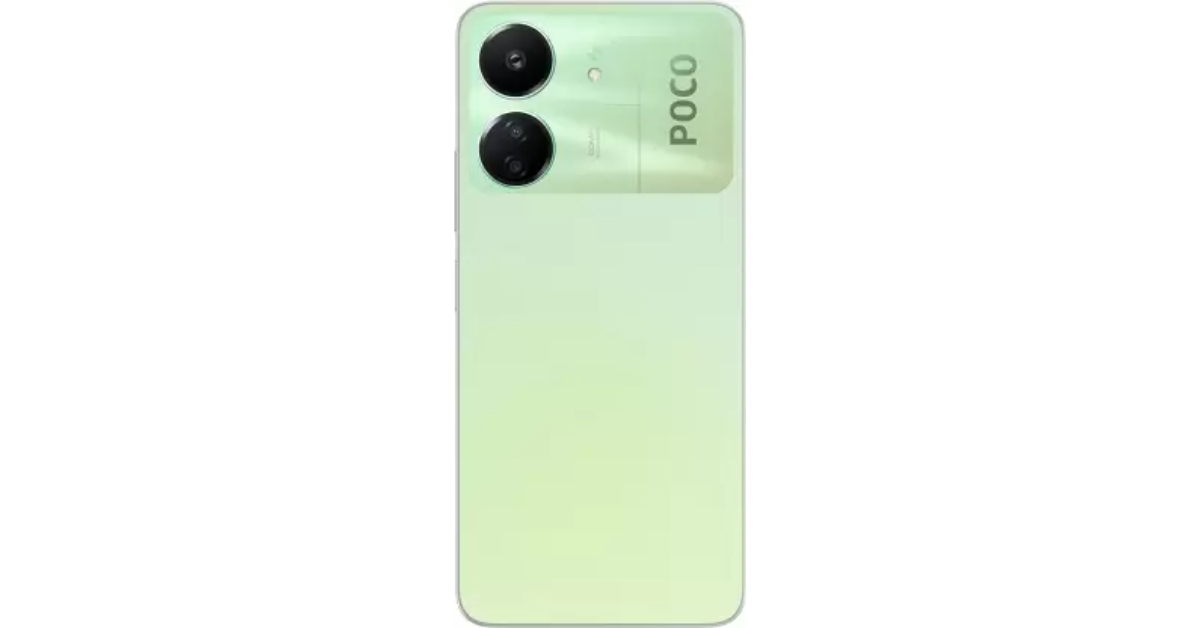
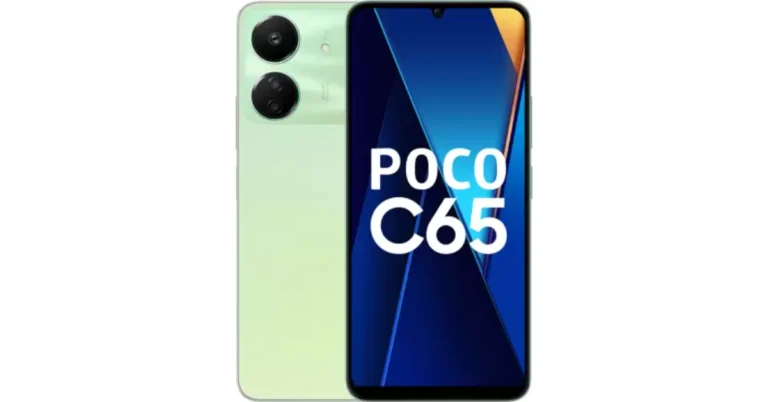
Poco M6 5G and Poco C65 are now available in a new colour variant. Both the phones will come in a Green colour option. The devices were launched in India in December last year. Poco M6 5G has a 6.74-inch HD+ display. The phone includes a 5,000mAh battery. The device is powered by MediaTek Dimensity 6100+ SoC. Whereas the Poco C65 is a successor of the Poco C55. MediaTek Helio G85 SoC powers the smartphone. It comes with a 50-megapixel dual rear camera setup. Poco M6 5G was launched in two colour options Galactic Black and Orion Blue. On the other hand, the Poco C65 made its debut in India in Blue and Black colourways. Now both the phones will be available in a new colour option namely Polaris Green and Pastel Green respectively. The price of both phones will remain unchanged but they are scheduled to go on sale soon via Flipkart in the country. Also Read: Instagram is kicking off its Valentine’s Day celebrations, bringing special hidden features The price of Poco M6 5G starts at Rs 10,499 for 4GB RAM with 128GB storage, 6GB RAM with 128GB storage priced at Rs 11,499 and 8GB RAM with 256GB storage at Rs 13,499. Poco M6 5G, Poco C65 new Green colour variant launched in India The Poco C65 price in India begins at Rs 8,499 for the base 4GB RAM with 128GB storage. The 6GB RAM with 128GB storage variant comes with a price tag of Rs 9,499 while the 8GB RAM with 256GB internal storage model costs Rs 10,999.

Poco M6 5G specifications

Poco M6 5G features a 6.74-inch HD+ display with a 1,600 x 720 pixels resolution. It supports a 90Hz refresh rate and a 180Hz touch sampling rate. The screen comes with a peak brightness of 600 nits, and 260ppi pixel density and is TÜV low blue light and flicker-free certified. The phone runs on MIUI 14 with Android 13 and is powered by MediaTek Dimensity 6100+ SoC with a Mali-G57 MC2 GPU. For photos and videos, Poco M6 5G features a dual rear camera setup that includes an AI-powered 50-megapixel main sensor and another camera lens. There is a front-facing 5-megapixel selfie camera. The device is backed by a 5,000mAh battery with 18W wired charging. Also Read: Redmi A3 powered by MediaTek Helio G36 SoC launched in India

Poco C65 specifications

Poco C65 comes with a 6.74-inch HD+ display, with 1,600 x 720 pixels of resolution. The device supports a refresh rate of 90Hz. The smartphone runs on MIUI 14 for Poco on top of Android 13. Under its hood, there is a MediaTek Helio G85 SoC paired with an ARM Mali-G52 2EEMC2 GPU. The handset boasts a dual rear camera setup that includes a 50-megapixel primary sensor with an aperture of f/1.8. Additionally, it includes a 2-megapixel macro sensor with an aperture of f/2.4. Upfront there is an 8-megapixel selfie camera with an aperture of f/2.0. The phone includes a 5,000mAh battery that supports 18W wired fast charging.

Redmi A3 powered by MediaTek Helio G36 SoC launched in India

Key Highlights
  • Redmi A3 comes with a 6.71-inch HD+ display.
  • The device has a 5,000mAh battery.
  • The budget smartphone will go on sale on February 23.
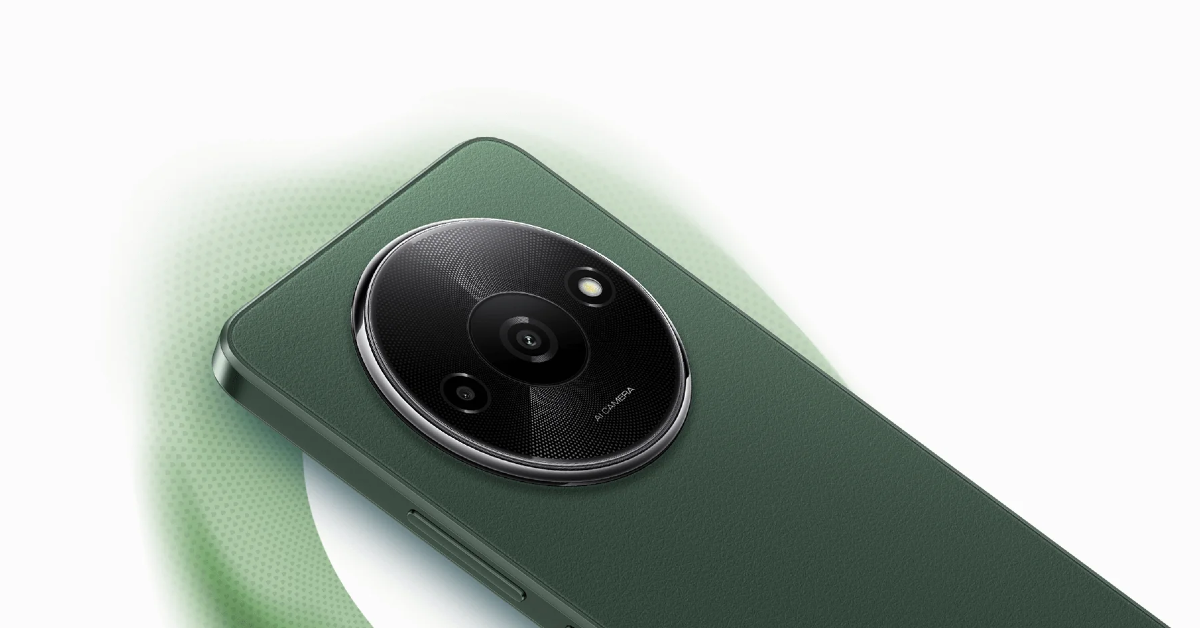
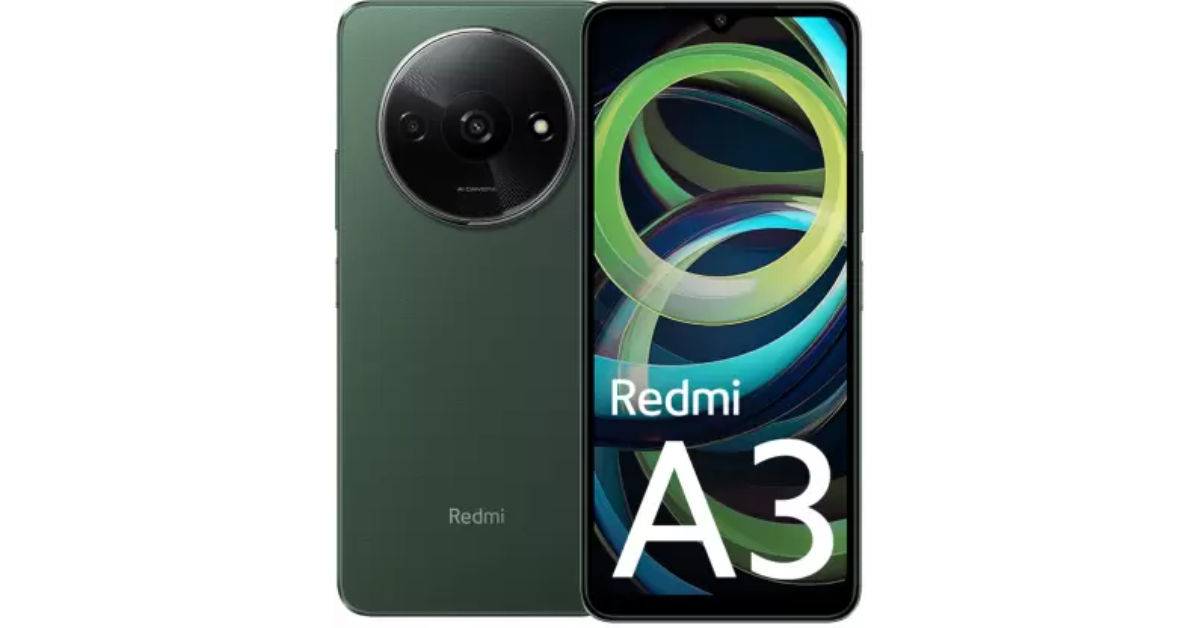
Xiaomi’s sub-brand Redmi has announced a new entry-level smartphone in the Indian market. The company introduced the Redmi A3 powered by MediaTek Helio G36 SoC. The budget phone runs on Android 13 (Go Edition). It features an AI-powered dual rear camera setup. Additionally, it is fuelled by a 5,000mAh battery with 10W charging support. Redmi A3 price in India, sale details

Redmi A3 price in India, sale details

Redmi A3 has launched in India with a starting price of Rs 7,299 for the 3GB RAM with 64GB storage option. On the other hand, the price of the 4GB RAM with 128GB storage is set at Rs 8,299. There is another 6GB RAM with a 128GB storage model priced at Rs 9,299. The device will come in three different colour options: Midnight Black, Lake Blue and Olive Green. The new entry-level smartphone is scheduled to go on sale from February 23 via Flipkart, Mi.com, and retail partners in the country. Also Read: itel P55 and itel P55+ now available at Amazon

Redmi A3 specifications

Redmi A3 is highlighted with a 6.71-inch HD+ display with 1,600×700 pixels of resolution. The screen supports a refresh rate of 90 Hz and a 120Hz touch sampling rate. The display is protected with Corning Gorilla Glass 3. Under its hood, there is an octa-core MediaTek Helio G36 SoC paired with up to 6GB of LPDDR4x RAM which can be further expanded to up to 12GB, thanks to the virtual RAM feature. In terms of software the device runs on Android 13 (Go Edition) with MIUI 14 custom skin on top. The phone also comes with up to 128GB of eMMC 5.1 storage which is also expandable up to 1TB via microSD card. Redmi A3 specifications For photos and videos, the Redmi A3 features an AI-powered dual rear camera setup that includes an 8-megapixel primary sensor and a 0.08-megapixel secondary sensor. For taking selfies and video calling the device has a 5-megapixel front-facing camera. Also Read: Instagram is kicking off its Valentine’s Day celebrations, bringing special hidden features In terms of connectivity, there is 4G, Wi-Fi, Bluetooth 5.0, GPS/ A-GPS, micro-USB port, Glonass, a 3.5mm audio jack and BeiDou. The sensors on board include an accelerometer, e-compass and a side-mounted fingerprint sensor for phone unlocking. The handset is backed by a 5,000mAh battery which comes with 10W fast charging support.

Garena Free Fire Redeem Codes Today 15 February 2024: Here is how to claim them

Garena Free Fire is a battle royale game with regular awards and tournaments to keep players interested. If you play Garena Free Fire, you should be aware of the redeem codes that are released on a daily basis. However, because the battle royale game is banned in India, players from other countries can use the Free Fire Redeem codes daily. If you’re unfamiliar with the Garena Free Fire redeem codes or don’t know how to get them, we’ve put together a step-by-step guide to help you redeem them. Check out Garena Free Fire Redeem Codes for 15 February 2024. The Free Fire redeem codes are a great way to get free stuff. These are 12-digit codes that contain alphabets and numbers, as well as an expiration date and time. Because the Garena FF redeem codes cannot be used more than once, you should hurry to the redemption page to claim your free reward before someone else does. To get a free reward, all you have to do is go to reward.ff.garena.com/en, which is the official redemption page. Also, keep an eye on this space for daily updates on Garena Free Fire redemption codes and rewards. Also Read: Sennheiser Accentum Plus wireless headphones with Hybrid Adaptive Noise Cancellation launched

Garena Free Fire Redeem Codes Today 15 February 2024

YXY3EGTLHGJX FF10GCGXRNHY FF11WFNPP956 X99TK56XDJ4X FF11DAKX4WHV WLSGJXS5KFYR FF11NJN5YS3E W0JJAFV3TU5E MCPTFNXZF4TA FF11HHGCGK3B ZRJAPH294KV5 Y6ACLK7KUD1N 4TPQRDQJHVP4 WD2ATK3ZEA55 E2F86ZREMK49 HFNSJ6W74Z48 2FG94YCW9VMV FFDBGQWPNHJX V44ZZ5YY7CBS FF10617KGUF9 FF119MB3PFA5 ZYPPXWRWIAHD SARG886AV5GR FF1164XNJZ2V B6IYCTNH4PV3 8F3QZKNTLWBZ HHNAT6VKQ9R7 TDK4JWN6RD6 XFW4Z6Q882WY

How to Get Free Fire Redeem Codes for Garena on 15 February 2024?

  • Visit the Garena Free Fire game’s official website at reward.ff.garena.com.
  • Use your Facebook, Google, VK, Apple ID, Huawei ID, or Twitter account to log in.
  • You’ll be taken to a valid redemption code (s)
  • Copy and paste the 12-digit redemption code into the text box.
  • On the screen, a dialogue box will appear.
  • ‘Ok’ should be selected.
For the latest gadget and tech news, and gadget reviews, follow us on TwitterFacebook and Instagram. For newest tech & gadget videos subscribe to our YouTube Channel. You can also stay up to date using the Gadget Bridge Android App. You can find the latest car and bike news here.

Germany’s Gaming Revolution: The Arrival of iGaming Kingdom’s German Wave

Germany, a leader in many aspects of European society, has been making steady ground in the realm of online entertainment. Due to the country’s constant inclination for re-invention, recreational past-times have evolved dramatically over the years. During this transformation, online gaming and casinos have been gradually positioning themselves as dominant factors in the entertainment industry. The latest chapter in this unfolding saga is the arrival of Casino Kingdom’s German wave.

The (R)Evolution of Gaming in Germany

It is no secret that Germany boasts a robust economy. And within this prosperous environment, the entertainment industry, particularly online gaming, has flourished substantially. The world of online gaming grew exponentially following the federal government’s decision to regulate the industry in July 2021. The decision opened doors for various operators in this sector. Yet, amid this swell of change, one particular development has caught the eye of analysts and gamers alike: the German wave of Casino Kingdom (Casino Kingdom’s German wave. This novel venture has caught the attention of many due to its multifaceted offerings and seamless online gaming experience.

Casino Kingdom’s German Wave

Casino Kingdom established its strong presence in the international gaming sphere before deciding to ride the wave into Germany. Recognizing the considerable potential in the German market, Casino Kingdom expanded its services and translated its platform for a more localized experience. This strategic move marked the arrival of Casino Kingdom’s German wave, a remarkable venture that has sparked attention across the country and beyond.

A Trailblazer in The Industry

Casino Kingdom’s German wave sets the bar high with its broad array of games, including classic slot machines, poker, roulette, blackjack, and many more. Moreover, the platform prides itself on offering easy-to-use interfaces, high-quality graphics, and a safe gaming environment. What makes Casino Kingdom stand out, however, is its commitment to a responsible gaming culture.

Emphasizing on Responsible Gaming

Casino Kingdom’s German wave emphasizes the importance of responsible gaming, underscoring the company’s commitment to its gamers’ well-being. This move comes with the recognition of public concerns regarding addictive gaming behavior. As a result, Casino Kingdom has implemented measures to help players regulate their gaming activities and ensure a healthier, balanced gaming experience.

Regulations Loosening – A Blessing in Disguise

While the gaming culture was always popular in Germany, it was previously thwarted by a stringent regulatory framework. However, the rules governing online gaming have been relaxed over recent years. Casino operators have quickly seized the opportunity to establish and broaden their online presence, which, in turn, gives more variety and options for users. Casino Kingdom’s German wave is a manifestation of this paradigm shift. The platform arrived at a time when Germans are looking for high-quality online gaming experiences within a secure environment. Casino Kingdom’s broad gaming choices, user-friendly interface, and trust-inducing safety regulations merge flawlessly to cater to this need.

The Future of Online Gaming in Germany

Casino Kingdom’s move into Germany underlines its strategy of integrating into the market and its commitment to providing superior gaming services. This venture is another feather in the cap of Germany’s online entertainment revolution – a revolution that shows no signs of slowing down. Yet, it is important to remember that every industry’s growth should be hinged on responsible habits – a principle Casino Kingdom continues to emphasize.

Conclusion

In conclusion, the swift evolution of the online gaming scene in Germany, as highlighted by the arrival of Casino Kingdom’s German wave, is shaping a new landscape for entertainment and recreation. While projections suggest only growth and progress in the coming years, they also emphasizes the importance of constant vigilance and responsible gaming to ensure a healthy balance between entertainment and its potential pitfalls.

How to Hide Your Number With *67? (2024)

0
Caller IDs have been an integral part of the calling experience long before smartphones even existed. As phones have evolved over the years, Caller ID is one aspect that remains unchanged. It is unlikely that it will be changed in the future either. If you’re looking to go the extra mile, you can download apps like TrueCaller and Mr Number to know the name of the person calling you. If you’re on the other side of things, using *67 hides your number over a cellular phone call. Here’s how. Read Also: How to Change the WhatsApp Video Call Background on your Samsung Phone?

How does *67 work?

The process behind hiding your Caller ID is very simple. Once you dial a number preceded by *67, it alerts your network carrier to hide your phone number over the call. Your Caller ID Number (CNUM) is not transmitted to the network carrier of the call recipient. This does not mean that the network carrier does not know the number you’re calling from. While it does not have access to CNUM (which is used to display your number on the call recipient’s phone), it still gets your information through Automatic Number Identification (ANI). With access to ANI, the network provider can identify your billing number and the type of facility that the call is originating from. If you’re unable to place a call using *67, it means the caller has blocked all anonymous calls on their phone number. You may have to resort to other methods to place an anonymous call. Your best option is to use a virtual calling number. Apps like Google Voice and Dingtone offer free local calls when you sign up for their services.

Use *67 to hide your number while calling someone (Android and iOS)

Launch the default ‘Phone’ app on your smartphone and switch to the ‘Keypad’ tab. This is where you can access the dialer. Dial *67 followed by the contact’s phone number to place a call with your phone number hidden. Even if the recipient has your number saved on their phone as a contact, your Caller ID won’t be displayed on their device. Instead of your phone number, the call recipient’s number will display ‘Anonymous’, ‘Private Number’, ‘Restricted’, or something along those lines.

Hide your number while calling someone (Android)

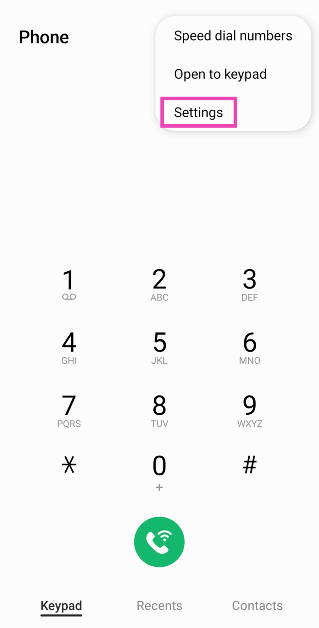
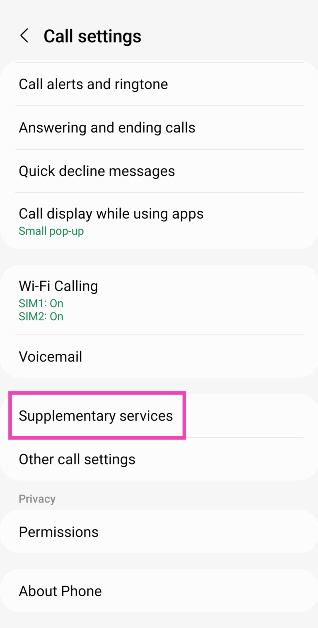
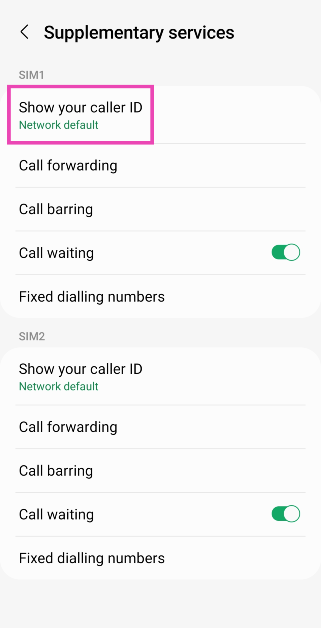
Step 1: Launch the Phone app on your Android smartphone. Step 2: Hit the ellipses at the top right corner of the screen and select Settings. Step 2: Hit the ellipses at the top right corner of the screen and select Settings. Step 3: Scroll down and select Supplementary Services. Step 3: Scroll down and select Supplementary Services. How to hide your phone number while calling or texting someone: Android and iOS Step 4: Tap on Show your caller ID. Step 4: Tap on Show your caller ID. How to hide your phone number while calling or texting someone: Android and iOS send anonymous texts Step 5: Select Never. Step 5: Select Never. How to hide your phone number while calling or texting someone: Android and iOS send anonymous texts


Hide your phone number while calling someone (iOS)

Step 1: Go to Settings and select Phone. Step 2: Tap on Show My Caller ID. Step 3: Turn off the toggle switch.

Frequently Asked Questions (FAQs)

Does *67 work in India?

The *67 dialer code to hide your Caller ID is exclusive to North America and does not work in India.

How do I hide my Caller ID on Android?

Go to Phone>Settings>Supplementary Services>Show your Caller ID and select Never to hide it.

How do I hide my Caller ID on iOS?

Go to Settings>Phone>Show My Caller ID and turn off the toggle switch to hide it. Read Also: Instagram is kicking off its Valentine’s Day celebrations, bringing special hidden features

Conclusion

This is how you can hide your phone number by using *67 on Android and iOS devices. If you’re using this dialer code for a number that has blocked incoming calls from hidden numbers, your call will not go through. Dial *77 to turn on anonymous call rejection on your smartphone. If you know any other way to hide your Caller ID on Android or iOS, let us know in the comments!

How to Change the WhatsApp Video Call Background on your Samsung Phone?

0
Last year, WhatsApp introduced several new features to its platform, hoping to cement its position as the most popular messaging app in the world. When it comes to hosting video meetings online, clients like Google Meet, Zoom, and Microsoft Teams are unanimously preferred over WhatsApp. However, that may change with the introduction of features like screen-sharing in the Meta-owned messaging app. Another advantage that apps like Google Meet have over WhatsApp is the option to apply special effects on video calls. While there is no native option for this on WhatsApp, you may be able to access these effects on a Samsung device. Here’s how you can change the WhatsApp video call background on your Samsung phone. Read Also: Asus Zephyrus G16, ROG Strix Scar 16/ Scar 18 launched in India

Before you begin

This feature is exclusively offered by Samsung’s One UI. To use these video call effects, your Samsung smartphone must be running the full One UI version and not the Core variant. One UI Core is a staple in Samsung’s budget offerings. The video call effects can be enabled from ‘Advanced features’ in the device settings. Once enabled, they can be applied while video calling on all the major communication apps. Infinix is another OEM that has some special features related to WhatsApp, but neither of them allows users to change the video call background on the app. On Infinix smartphones, you can peep into WhatsApp messages without sending read receipts. XOS also allows you to change your voice on audio calls hosted on WhatsApp.

Turn on video call effects from Settings

Step 1: Go to Settings and select Advanced features. Step 1: Go to Settings and select Advanced features. Step 2: Tap on Video call effects. Step 2: Tap on Video call effects. Step 3: Turn on the toggle switch and make sure WhatsApp is in the app list. If it isn’t, you may need to reinstall the app. Step 3: Turn on the toggle switch and make sure WhatsApp is in the app list. If it isn’t, you may need to reinstall the app.

Use video call effects and change call background on WhatsApp

Step 1: Launch WhatsApp and make a video call. Step 2: Scroll down and tap on Video call effects. Step 2: Scroll down and tap on Video call effects. Step 3: Tap on Background. Step 3: Tap on Background. How to Change the WhatsApp Video Call Background on your Samsung Phone? Step 4: Select a colour or picture to set as your background. You can also choose to apply a blur effect on your current background. Step 4: Select a colour or picture to set as your background. You can also choose to apply a blur effect on your current background. How to Change the WhatsApp Video Call Background on your Samsung Phone? Step 5: You can also choose from other effects like face smoothening, colour tone and auto-framing. Step 6: Swipe down from the status bar again and tap on Mic mode. You can choose to cancel out the background voice by selecting Voice focus or relay all the surrounding sounds by tapping on Full spectrum. Step 6: Swipe down from the status bar again and tap on Mic mode. You can choose to cancel out the background voice by selecting Voice focus or relay all the surrounding sounds by tapping on Full spectrum. How to Change the WhatsApp Video Call Background on your Samsung Phone?

Use WhatsApp’s native call effects

Step 1: Launch WhatsApp and hit the ellipses in the top right corner of the screen. Step 2: Hit the ellipses at the top right corner of the screen. Step 2: Go to Settings. Step 3: Go to Settings. Step 3: Tap on Privacy. Step 3: Hit Privacy. WhatsApp introduces ‘Strict account settings’: How to enable it Step 4: Turn on the toggle switch next to Allow camera effects. Step 4: Turn on the toggle switch next to Allow camera effects. Step 5: Join a video call and hit the wand icon to use the call effects.
Frequently Asked Questions (FAQs)

Can I change my video call background on WhatsApp?

WhatsApp doesn’t offer the option to change your call background. However, if you own a Samsung phone, you can use the ‘Video call effects’ feature in ‘Advanced Settings’ to add any picture or colour to your call background.

Where can I find the video call effect button on my Samsung phone?

Once you’re on a video call, swipe down from the status bar and tap on ‘Video call effects’ in the Quick Settings Menu to change the background or apply smoothing filters to your face.

Are video calls on WhatsApp 100% safe?

WhatsApp video calls are end-to-end encrypted, meaning only you and other call participants have access to the contents of the call. Read Also: How to use Galaxy AI on Samsung Keyboard?
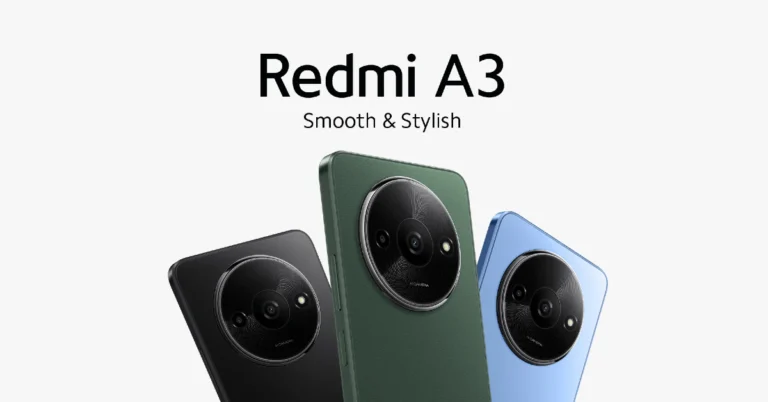
Conclusion

This is how you can change the WhatsApp video call background and apply other effects on a Samsung phone. As mentioned earlier, this version is only available on Samsung phones running the full version of One UI and not the ‘Core’ variant. If you know any other way to change the video call background on WhatsApp, let us know in the comments!

Instagram is kicking off its Valentine’s Day celebrations, bringing special hidden features

0
Key Highlights
  • Instagram has introduced a number of special hidden features to celebrate Valentine’s Day.
  • Posting or tapping Notes with Valentine’s Day-related keywords or emojis will trigger an “exploding heart/emoji” animation in your DM inbox.
  • Users now see floating hearts when they post or tap a @mention in their Stories.
To enhance the romantic vibe of Instagram Meta owned social media platform Instagram has rolled out several features on the occasion of Valentine’s Day. Insta users will be able to access these new features for the next two days beginning on February 14. Note that the company has added these special features to Notes as well as Stories. Posting or tapping an @mention in Stories will trigger floating hearts in your Stories. Instagram said in the press release that over the next two days, Instagram users will be able to use a number of unique features on the platform to celebrate Valentine’s Day. These functions are going to be accessible as of right now across Stories and Notes till February 15th. Posting or tapping Notes with Valentine’s Day-related keywords or emojis will trigger an “exploding heart/emoji” animation in your DM inbox. Instagram users now have the ability to post or tap Notes containing Valentine’s Day-related keywords or emojis to cause an “exploding heart/emoji”. The animation is said to appear in their Direct Message (DM) inbox. Also Read: Asus Zephyrus G16, ROG Strix Scar 16/ Scar 18 launched in India According to the company users now see floating hearts fill their visual narrative when they publish or tap a @mention in their Stories. There will also be hearts added to the @mention sticker in your Stories sticker tray. Users now see floating hearts when they post or tap a @mention in their Stories. Also Read: itel P55 and itel P55+ now available at Amazon Besides this Instagram has been working on artificial intelligence (AI) after its parent company introduced Meta AI. According to a leak photo sharing app is developing AI message-writing capability. This feature is said to be accessible to rewrite, paraphrase, and edit a message. Mobile developer Alessandro Paluzzi leaked details of the development on X aka Twitter. He also shared a screenshot of a chat box with selected text that can be seen when the Write With AI option is activated. According to him “It will probably paraphrase your message in different styles, similar to how #Google’s Magic Compose works.”