Nothing Phone 2a was spotted listed on the BIS website.
The device will be a more affordable version of Nothing Phone 2.
The London-based tech firm Nothing is planning to launch a new smartphone in the market. The new device allegedly Nothing Phone 2a has been spotted on the BIS website indicating an imminent launch. The upcoming phone will be a water-down variant and will be priced lower compared to Nothing Phone 2. So to achieve an affordable price the company will definitely cut some corners. Also recently the tech firm surprisingly reduced the price of the more expensive Nothing Phone 2 by Rs 5,000. This further strengthens the fact that the company is going to bring a new smartphone to the market. Nothing new is anticipated to launch a new smartphone in India. However the company has not confirmed any information regarding this, but a recent leak indicated a new phone is coming. But here we are not mentioning the Nothing Phone 3. That will not launch ahead of the schedule because a UK-based OEM’s product cycle suggested the mobile phone is probably going to be released in July of next year. Also Read:GTA 6 trailer released: An online leak caused the game’s trailer to be released ahead of scheduleThus, it is speculated that the third rumoured Nothing smartphone would be the affordable Nothing Phone 2a. The alleged phone has been spotted listed on the Bureau of Indian Standards (BIS) website. The device went on the Indian regulatory list with the model number A142. The report further shared that the listing also mentions a battery that may be different in size from the one found in the existing and previous models and goes by the model number NT03.
Nothing Phone 2 specifications
Nothing Phone 2 has a 6.7-inch Full-HD+ resolution of 2412 x 1080 pixels, and a 120Hz adaptive refresh rate. The display has SGS Low Blue Light and HDR10+ certifications. The device runs on Nothing OS 2.0, based on Android 13. It is powered by the Qualcomm Snapdragon 8+ Gen 1 SoC.For photography, Phone 2 (Nothing Phone 2 Review)features a dual rear camera setup consisting of a 1/1.56-inch 50-megapixel primary Sony IMX890 sensor ( f/1.88 aperture) with optical image stabilisation (OIS) and EIS support and a 1/2.76-inch 50-megapixel Samsung ISOCELL JN1 sensor with an ultra-wide lens (114-degree FoV and f/2.2 aperture). Upfront there is a 1/2.74-inch Sony IMX615 32-megapixel sensor (f/2.45 aperture) for taking selfies and video calling.The handset is backed by a 4,700mAh battery with support for both 15W Qi wireless charging and 45W PPS wired fast charging.
The trailer was leaked online a day ahead of the official release.
GTA 6 is a successor of GTA 5.
Rockstar Games has finally pushed out the much-awaited GTA 6 trailer. The first trailer of the Grand Auto Theft 6 was earlier planned to release on December 5 but there was no choice left for the firm but to roll out the teaser ahead of the scheduled thanks to online leak. Not just that the game developer has also revealed information about the launch timeline and availability.GTA 6 first trailer launch was set for December 5 at 9 am ET which is 7.30 PM according to Indian Standard Time. But the trailer was leaked online a day ahead of the official release. And then what happened, the company had to release the trailer officially in a jiffy. The trailer was released 15 hours earlier than planned after the leak. However the account which leaked the GTA 6 trailer has now been suspended on X (formerly Twitter).While releasing the trailer ahead of schedule the company said, “Our trailer has leaked so please watch the real thing on YouTube”
According to the teaser, GTA 6 is situated in Vice City, a made-up version of Miami.Note that Grand Auto Theft 6 aka GTA 6 is a successor of GTA 5 which was introduced in the year 2013. It’s been a decade since GTA 5 was released. But the fans have to wait for the launch of Grand Auto Theft 6 as the first trailer has not only been launched the GTA 6’s debut schedule and supported platforms were also officially announced.Also Read:Krafton brings Bollywood star Ranveer Singh on board as BGMI’s official ambassadorAccording to Rockstar Games, Grand Theft Auto 6 is coming in 2025. It will be available on PlayStation 5 computer entertainment systems and Xbox Series X|S games and entertainment systems in 2025.“Grand Theft Auto VI continues our efforts to push the limits of what’s possible in highly immersive, story-driven open-world experiences,” said Sam Houser, Founder of Rockstar Games. “We’re thrilled to be able to share this new vision with players everywhere,” the company said via a press release.
Garena Free Fire is a battle royale game with regular awards and tournaments to keep players interested. If you play Garena Free Fire, you should be aware of the redeem codes that are released on a daily basis. However, because the battle royale game is banned in India, players from other countries can use the Free Fire Redeem codes daily. If you’re unfamiliar with the Garena Free Fire redeem codes or don’t know how to get them, we’ve put together a step-by-step guide to help you redeem them. Check out Garena Free Fire Redeem Codes for 5 December 2023.The Free Fire redeem codes are a great way to get free stuff. These are 12-digit codes that contain alphabets and numbers, as well as an expiration date and time. Because the Garena FF redeem codes cannot be used more than once, you should hurry to the redemption page to claim your free reward before someone else does. To get a free reward, all you have to do is go to reward.ff.garena.com/en, which is the official redemption page. Also, keep an eye on this space for daily updates on Garena Free Fire redemption codes and rewards.
Garena Free Fire Redeem Codes Today 5 December 2023
If you value your anonymity online, putting up a picture of yourself on your socials is out of the question. Leaving the profile picture empty is not a good option either, as it gives the impression that you’re a bot or worse – a troll. What you can do is set up a profile picture that reflects who you are as a person. It could be a funny avatar or a fan art of your favourite movie or TV show. But how do you go about looking for these pictures? Check out our list of the top 6 places to find good and funny profile pictures for your socials.Read Also:How to share your WhatsApp Status on Instagram?
Pinterest
Pinterest is one of the biggest platforms on the Internet for finding images related to any theme or mood. Once you set up your profile on Pinterest, you can go through the different images or ‘pins’ about a particular topic. It is easy to find other users on Pinterest who are interested in the same things as you. You can look up their boards and save images that you like on your board or directly download them on your device. From anime avatars to digital art, you are bound to find what you like on Pinterest.
Pexels
Pexels is an online resource for free stock images and videos. With over 3 million images on the platform, you can search for avatars and profile pictures, or simply look up images related to a particular subject. Downloading an image from Pexels is fairly easy. Once you open an image, click the arrow next to ‘Free Download’ and select your preferred size for the image. Once that’s done, click on ‘Download Selected Size’.
Unsplash
Like Pexels, Unsplash is also an online resource for royalty-free images. Once you get a hang of what keywords to use in your search queries, the results will get much better. There are tons of free stock images on Unsplash, but you’ll also find a large number of animated pictures, funny images, or pictures of animals, places, and things, that are perfect to be used as profile pictures across your socials.
Reddit
Although it is not known for being an image-sharing website, Reddit is an excellent place to find profile pictures for your socials. What we really like about Reddit are its niche communities or ‘subreddits’ that cater to very specific interests or themes. If you’re a fan of a TV show that got cancelled a decade ago, you will still find people talking about it on Reddit. Apart from engaging in discussions, users also post fan art and edits of their favourite TV shows and movies. If you’re looking for generic profile pictures, subreddits like r/pics, r/art, r/alternativeart, and r/anime are excellent places to start.
Bing AI
If you can’t find what you’re looking for, why not just create it yourself? Even if you don’t know the first thing about creating artwork, AI tools like Bing Image Creator, Deep AI, and others have made it possible to bring your thoughts to life in the form of enticing images. Once you sign into Bing Image Creator, all you need to do is give clear and concise prompts for the image you want it to generate. The results are simply astonishing.
Instagram
Instagram is the home to independent artists and creators who want their work to reach a wider audience. Like Reddit, you can find a lot of art content on Instagram catering to a particular niche. Browse the relevant hashtags for art to find what you’re looking for. Once you make a few searches, Instagram will suggest similar stuff on your Explore page. Always make sure that you always credit the artist while using their work.Read Also:Best multi-USB charging adapters for your smartphones and tablets
Conclusion
These are the top 6 places on the Internet to find good and funny profile pictures for your socials. While using the work of small creators and artists, make sure that you have their consent to do so. If you’re using an artwork for free, it is good ethics to credit the person who made it. If the creator has watermarked their signature on the image, don’t crop it out. Know any other places on the Internet to find interesting profile pictures? Let us know in the comments!
Google Workspace’s ecosystem is seamless and does not require any effort to get used to. If you primarily work on Docs, you can easily import a chart from Google Sheets, a table from Google Photos, or a drawing from Google Drive. All of these options can be accessed from the ‘Insert’ tab at the top of the document. However, one tool that’s missing from the list of options is Google Slides. If you’ve faced this issue as well, check out this quick way to insert Google Slides into Google Docs.Read Also:Vivo T2 5G and Vivo Y56 prices in India dropped: Details Inside
Things to keep in mind while attaching a slide to a Google Doc
The process of embedding Google Slides into Google Docs is very easy and free of any hurdles or hoops. You may need to use this feature when you’re composing additional text to go with your presentation. Adding slides from the presentation in appropriate places on the document reminds people of key ideas and makes it easy to digest them.If you plan on making changes to your presentation later, make sure you link the slide to its source in Google Slides. This option will be given to you in a popup box when you paste the slide into the document. Any changes made to the presentation will then be reflected on the embedded slide as soon as you update it. Only editors can update the slide while collaborators can see the link to the source presentation.
Insert Google Slides into Google Docs
Step 1: Go to Google Slides and select a presentation.Step 2: Use the side menu to navigate to the slide you want to insert into your Google Doc.Step 3: Hit Edit at the top of the page and select Copy.Step 4: Go to Google Docs and open the document in question.Step 5: Place your cursor in the spot where you want to insert the slide.Step 6: Right-click and select Paste or simply press Ctrl+V on your keyboard.Step 7: Choose whether you want to link the slide to its original presentation or not. This will allow the changes to be reflected on the document when the contents of the slide are changed in the original presentation.Step 8: When you change the slide in the original presentation, go back to the document and select Update from the slide’s options bar.
Frequently Asked Questions (FAQs)
How do I embed or insert Google Slides into Google Docs?
Go to Google Slides and select the slide you want to embed in the document. Select Edit>Copy, then open the document and paste it in the relevant spot.
Who can see the link to my presentation in Google Docs?
Once you insert a slide in a Google Doc, only the collaborators on the document can see the link to the original presentation.
How do I update the slide I pasted on a Google Doc after changing the presentation?
This is how you can embed or insert Google Slides into Google Docs. Since Slides and Docs are both part of Google Workspace, the process of attaching a slide to a document is very easy and does not require any convoluted mechanism. If you know any other way to go about this task, let us know in the comments!
The BGMI update features the RS Discovery event and more.
Moreover, it also introduces emotes inspired by the actor’s popular dance moves and his voice pack among other exciting updates.
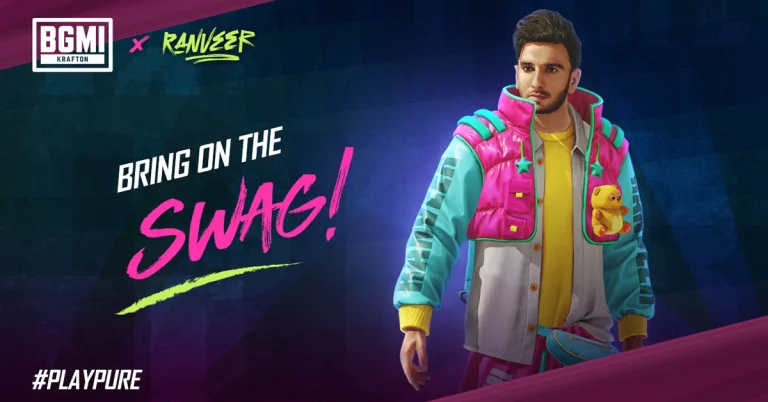
Battlegrounds Mobile India (BGMI) developer Krafton today announced that Bollywood superstar Ranveer Singh will be its official brand ambassador. Not just that is said to be a playable character in the Battle Royal Game. He will be available in two 3D avatars with emotes and skin for guns and more. In addition to this, the latest BGMI update also introduces the RS Discovery event. Read the entire article to know about the latest update.Krafton has rolled out BGMI’s 2.9 update featuring iconic Bollywood superstar Ranveer Singh. He is going to be the brand ambassador for the title, as a playable character, “enabling BGMI users to immerse themselves in the charismatic aura of the star within the game.”The BGMI latest update is currently live with two 3D Ranveer Singh avatars, emotes inspired by the actor’s popular dance moves and a voice pack, among other items. According to Karafton, there will be a Ranveer Singh discovery event, the Ranveer Singh crate and a Play and Win event that will allow players to win rewards.As mentioned earlier Ranveer Singh will be available in two playable 3D Ranveer Singh avatars – RS Dark Stealth and RS Swaggy Baba in Battlegrounds Mobile India. Ranveer Singh Special Crate.The RS crate has emotes inspired by superstar Ranveer Singh’s dance moves – Swagster Groove emote, Swagster Tathad emote, Swagster Sway emote, Swagster Twirl emote along with a special voice pack. The RS Crate also includes items such as RS Swaggy Buggy, RS Fury -M249 upgradable gun skin, RS Dhamaka (grenade skin), RS Pan-cho (pan skin), as well as other rewards like ornaments, and space gifts. The RS crate will allow players to spend UC, the in-game currency, for drawing rewards. The price for 1 draw is 60 UC but the first draw of the day is available at 30 UC.Also Read:Tecno Spark Go (2024) with dual rear camera setup launched in India
Ranveer Singh Discovery event
The RS Discovery event brings a point-based system where players earn points by participating in Classic mode matches. The event will be live from December 1 to January 25.The event consists of 50 stages (each level can be unlocked with 100 points, allowing the player to reach 5000 points by stage 50) and offers a variety of goodies, including space gifts, ornaments, parachutes, and more. The event consists of 50 stages (the player can collect 100 points to unlock the next stage hence accumulating 5000 points by stage 50), offering various rewards such as ornaments, space gifts, parachutes and more.
Play and Win event
In this event players can accomplish a variety of tasks and gather RS tokens which can be exchanged for permanent rewards in an Exchange centre in the game named “Play Pure with Ranveer Singh”. The event includes tasks such as playing as Ranveer Singh, Pure Showdown, teaming up, Pure Speed, and daily logins. The Lion Champion Set, Lion Champion Headgear, Thorned Rose – Crowbar, Neon Kiss Ornament, Classic Crate Coupon (5-time limit), and Supply Crate Coupon (10-time limit) are among the reward exchange options.
BGMI’s 2.9 updates other key features
BGMI’s 2.9 update also adds Snowy Village, a zone featuring high-speed Snow Rails and rideable reindeer. It also includes Snowball Blasters that can be used strategically, turning opponents into snowmen, and a two-story Ice Sculpture Plaza using them as a special battlefield.From December 1, 2023, to January 24, 2024, Snowy Village hosts BGMI’s Frost Festival, offering unique engagements, treats, snowboards, and Snowball Blasters freezing water. On discovering Snow Toddlers and the Lucky Snowman might lead players to rewarded crates. BGMI’s Version 2.9 offers an immersive winter-themed experience with festive reindeer vehicles appearing for shared rides.The latest Royale Pass Ace is available with the latest BGMI update. One can get the Freaky Fiesta-themed sets by wearing your cred. Players can also take part in RP missions to increase their player rank and unlock exciting rewards. These rewards include new custom colour outfits, snow bikes and reindeer finishes, and various other enticing items.Kafton has collaborated with Pagani, the iconic sports car maker to introduce two Pagani car models with exclusive colour schemes to the game, offering players a taste of luxury and speed.
The price of Tecno Spark Go (2024) starts at Rs 6,599.
The smartphone is powered by Unisoc T606 SoC.
It runs on HiOS 13 based on Android 13 (Go Edition).
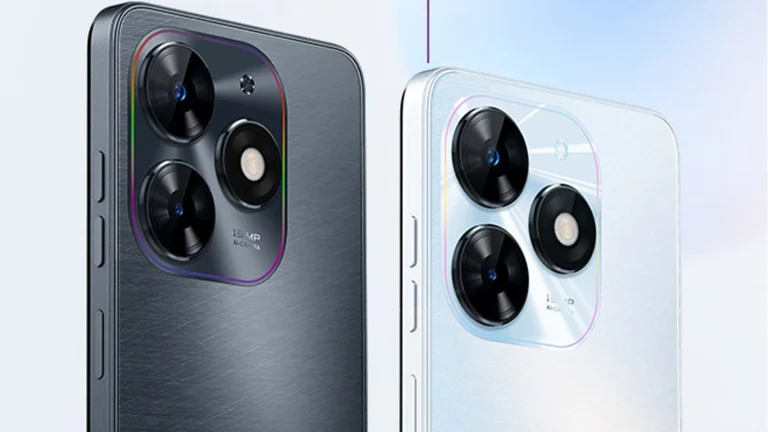
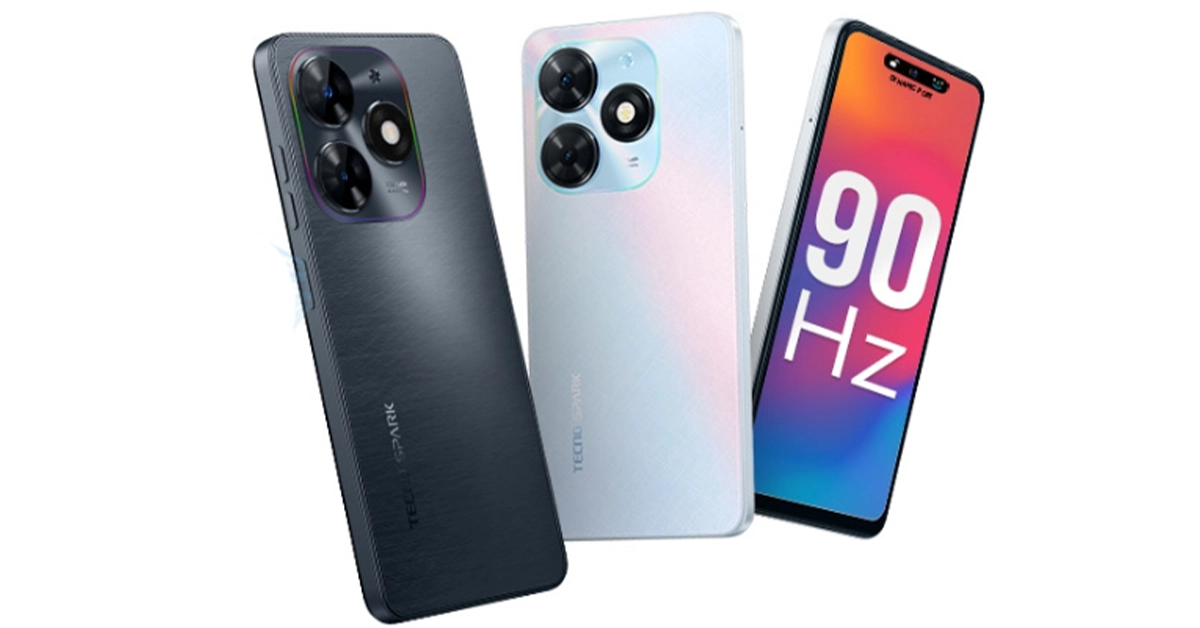
Chinese smartphone maker Tecno today announced the launch of a new budget smartphone in India. The company has introduced the latest model of Tecno Spark Go (2024). It is a successor of Tecno Spark Go (2023) which arrived earlier this year. The device is powered by a Unisoc T606 chipset. It features an HD+ IPS display with 90Hz refresh rate support. There is also a dual rear camera setup. The phone is backed by a 5,000mAh battery. In addition to this, it runs on HiOS 13.
Tecno Spark Go (2024) price in India and availability
Tecno Spark Go (2024) price in India has been set at Rs 6,599 for the 3GB RAM with 64GB storage. There are two more variants: 8GB RAM with 64GB storage and 8GB RAM with 128GB storage. The price of both models is to be announced later on. The handset comes in two colour options of White and Black.In terms of availability, the budget smartphone is scheduled to go on sale from December 7 via Amazon.
Tecno Spark Go (2024) specifications
Tecno Spark Go (2024) is highlighted with a 6.56-inch HD+ IPS display having 720×1,612 pixels of resolution. Its display comes with 90Hz refresh rate support and Panda screen protection. Additionally, there is Dynamic Port software that shows notifications around the selfie camera. The budget smartphone runs on HiOS 13 based on Android 13 (Go Edition). Under the hood, there is an octa-core Unisoc T606 SoC with memory fusion technology that expands the RAM virtually with the help of unused storage. The device has up to 8GB of RAM and up to 128GB of internal storage.Also Read:WhatsApp to bring feature to share status updates on Instagram: ReportFor photos and videos, Tecno Spark Go (2024) features a dual rear camera setup that includes a 13-megapixel primary camera and an AI lens. Up front, there is an 8-megapixel selfie camera.The Tecno phone is backed by a 5,000mAh battery. There is a side-mounted fingerprint sensor for phone unlocking. In addition to this, it comes with dual stereo speakers with DTS sound technology.
WhatsApp is developing a new way to share status on Instagram.
Recently Meta also enabled the feature to share WhatsApp status updates on Facebook
Users will find it easier to interact with their audience on both platforms.
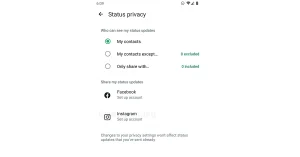
WhatsApp is planning to integrate a new feature on its platform. Reportedly, the instant messaging platform’s parent company Meta is working on the ability to share WhatsApp Status updates on Instagram stories directly. Recently Meta also brought the ability to send status updates to Facebook. Previously the company enabled the feature to share Instagram stories to WhatsApp Status.According to a fresh report by WABetaInfo WhatsApp’s latest optional feature to share status updates to Instagram is in the pipeline. As per the report, the upcoming feature will be available in a future update of the app as it is still under development. This feature was enabled on WhatsApp beta for the Android 2.23.25.20 update.Image Courtesy: WABetaInfoAccording to the shared screenshot, Beta users will see the option to set an Instagram account enabled under the Status privacy in Settings. As per the report, the feature will be optional letting users decide whether or not they want to activate this feature. Additionally, this will also save time by improving the consistency and dependability of content sharing on Instagram and WhatsApp. Moreover, this ability to easily share their WhatsApp status updates to Instagram streamlines the process of changing status across other platforms. Also, this will enable users to create and post separate updates on WhatsApp and Instagram therefore completing the task in one step.Also Read:Best camera phones to buy in India across various price pointsPreviously Meta also activated the option to automatically share status updates to Facebook Story. Thus the functionality will make it easier to share one’s status update across several apps, which saves time. As an extension of the Chat Lock feature that was introduced just a few months ago Meta the parent company of WhatsApp has rolled out a new Secret Code feature to keep your chats safe. This will add another level of security to chats and make them harder to find, particularly when you hand your phone to a friend or a family member.
Ever since Meta acquired Instagram and WhatsApp, the tech giant has been gradually working towards converging all of its social media platforms. Users are already able to share their Instagram and WhatsApp stories & updates to Facebook. According to a recent report from WABetaInfo, Meta is adding the option to share WhatsApp status directly to Instagram. Of course, this feature will be turned off by default and will require users to link their Instagram accounts to WhatsApp in order to work as intended. So, let’s take a quick look at how to share your WhatsApp Status on Instagram.Read Also:Vivo T2 5G and Vivo Y56 prices in India dropped: Details Inside
Share your WhatsApp Status on Instagram
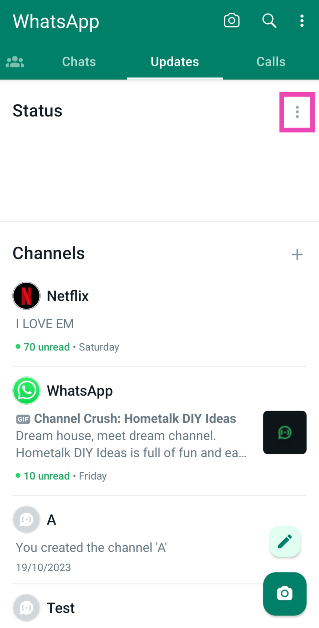
Step 1: Launch WhatsApp on your smartphone and switch to the Updates tab.Step 2: Hit the ellipses next to Status.Step 3: Select Status privacy.Step 4: Tap on Instagram.Image Credit: WABetaInfoStep 5: Enter your Instagram account credentials to link it to your WhatsApp account. If you are already logged into the Instagram app on your phone, simply hit Agree.Step 6: Open the WhatsApp status update you want to share on Instagram and hit the ellipses at the top right corner of the screen.Step 7: Hit Share to Instagram>Share now.
Enable sharing to Instagram from WhatsApp settings
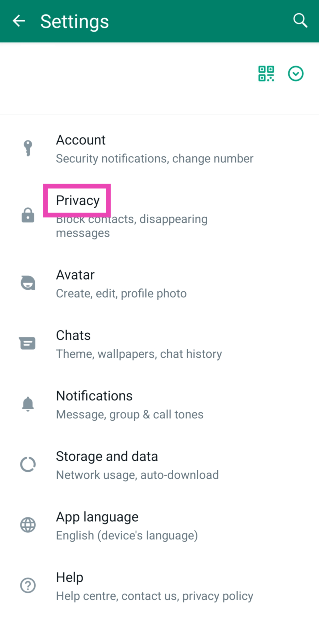
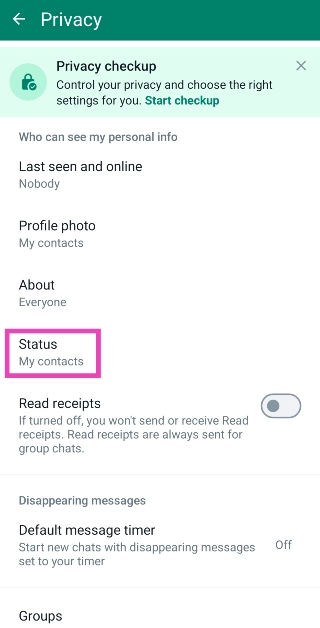
Step 1: Launch WhatsApp on your smartphone and tap the ellipses at the top right corner of the screen.Step 2: Select Settings.Step 3: Hit Privacy.Step 4: Select Status.Step 5: Tap on Instagram.Image Credit: WABetaInfoStep 6: Log into your Instagram account using your username or password, or simply hit Agree if you are already logged in.
What else is new on WhatsApp?
This year, Meta added a slew of new features across the board to the IM platform. Be it highly requested features like HD image sharing, chat lock, and multi-account support to fringe options like video messages and link previews, WhatsApp is constantly evolving to maintain its position as the biggest messaging platform in the world. We may still see a few other additions to the platform before the year ends.Apart from sharing status updates on Instagram, WhatsApp is also working on an AI chatbot and the ability to search users by their usernames. That’s correct, you will soon be able to set up a username for your WhatsApp account. This will allow other users on the platform to find you easily without knowing your number. If you don’t feel comfortable with giving someone your phone number, you can simply share your WhatsApp username with them. This feature is completely optional, which means you don’t need to create a username to carry on using WhatsApp.WhatsApp very own AI-powered chatbot will also be added to the app soon. This chatbot will be very similar to Snapchat’s My AI. You can use it to set up reminders, brainstorm new ideas, and assist you in daily activities. You can even use it for creative tasks like composing a poem or coming up with interesting captions for your pictures and videos.
Frequently Asked Questions (FAQs)
How do I link my Instagram account to WhatsApp?
Launch WhatsApp, then go to Settings>Privacy>Status>Instagram. If you are already logged into your account on the Instagram app, hit Agree. If not, enter your Instagram account credentials to link it to WhatsApp.
How do I share my WhatsApp status update on my Instagram stories?
Open the WhatsApp status update you want to share, hit the ellipses at the top right corner of the screen, and select Share to Instagram>Share now.
This is how you can share your WhatsApp status update on your Instagram stories. Doing so can save you a lot of time if you like to keep all your social media profiles updated with the same kind of content. However, Instagram offers better editing options for your Stories than WhatsApp does for status updates.
Smartphones have come a long way in the last decade, but the one aspect that not many people talk about is fast charging. You don’t need to keep your phone plugged in overnight for charging. Some of the best ‘hyper-charging’ phones can be fully juiced in under 20 minutes. Of course, you also need a powerful charging adapter to accomplish this feat. So, let’s take a closer look at the best multi-USB charging adapters for your smartphones and tablets.Read Also:Noise Three Wireless headphones with up to 70 hours of playtime launched in India
Portronics UFO Pro
Price: Rs 954 on AmazonIf your work desk is cluttered with wires and charging adapters for every device you own, the Portronics UFO Pro charging station is exactly what you’re looking for. This adapter weighs 60g and has dimensions of 11.6 x 11.6 x 3.3 cm. With 60W of total wattage, the UFO Pro can charge your smartphone up to 50% in 30 minutes (if the phone supports fast charging). There are 6 charging ports on this station – QC 3.0 (1), USB Type-A 2.0 (4), and USB Type-C (1). Having a round form factor, the UFO Pro stays true to its name. This design allows the user to use all six charging ports at once, without any hassle.
Ambrane 75W Charger Adapter
Price: Rs 2,799 on AmazonThis GaN charger from Ambrane has 2 USB Type-A, 2 USB Type-C, and one Quick Charging USB port. The adapter also supports PD fast charging. The GaN technology makes the adapter compact and portable while also ensuring that it doesn’t overheat while charging multiple devices at once. The Type-C PD charging ports on this adapter are capable of charging laptops as well. If your laptop supports USB Type-C charging, you can completely eliminate the need to carry its bulky charger everywhere you go by switching to this Ambrane adapter. Certainly one of the best multi-USB charging adapters around.
T Teclusive 65W GaN charger
Price: Rs 2,299 on AmazonThis 65W GaN charger has 4 charging ports – 2 USB Type-C PD, and 2 USB Type-A QC. The 100W equivalent of this adapter costs Rs 3,749. The C1 USB Type-C slot provides the promised maximum wattage of 65W. Apart from smartphones and tablets, you can also use this charger to power your laptops and notebooks. The integrated copper and ABS shell on the adapter makes it temperature-resistant. The Surge Protection System guards it against sudden voltage fluctuations. One of our favourite features offered by this adapter is its integrated display which shows the current output and voltage as per the charging speed.
Amazon Basics 4-Port 100W GaN charger
Price: Rs 4,099 on AmazonThis Amazon Basics power adapter is 35% smaller than your regular charger and offers a whopping 100W of maximum charging speed. There are 2 USB Type-A and 2 USB Type-C ports on this adapter. The latter can be used to power laptops. The intelligent chip inside this adapter adjusts its output voltage when multiple devices are drawing power from it. This prevents overheating and makes the overall charging process very safe. The Amazon Basics GaN charger works for Macbooks and Chromebooks as well.
CMF 65W GaN Charger
Price: Rs 2,699 on FlipkartNothing’s subsidiary brand CMF specialises in budget offerings across different categories. So far the company has released a TWS, a smartwatch, and a 65W GaN charger. We reviewed the latter last month and were mighty impressed by its charging chops. The adapter contains two USB Type-C and one USB Type-A charging slot. Here is the power breakdown for all three ports.
USB C1+USB C2: 45.0W+20.0W
USB C1+USB A: 45.0W+18.0W
USB C2+USB A: Share 5.0V⎓3.0A(15.0W)
USB C1+USB C2+USB A: 45.0W+15.0W
The CMF GaN charger supports a diverse range of fast charging protocols. D3.0, QC4.0+/3.0/2.0, SCP, FCP, PPS, AFC, Apple 2.4A, Samsung 9V2A, and DCP enabled devices can be powered with this adapter.
rts 25W Universal Travel Adapter
Price: Rs 587 on AmazonIf you need a travel adapter for travelling abroad but don’t want to buy a different one for every country you visit, this product has you covered. The rts 25W universal travel adapter has multiple plugs for the US, EU, UK, and AU regions. This adapter will work perfectly well, whether you’re in Central America or Russia. There are two USB Type-A charging ports on the side of this adapter which allow you to directly charge your smartphone or tablet. You can also connect your regular charger to this adapter. This adapter is a steal at Rs 587.Read Also:Oppo Reno 10 Pro 5G price dropped by Rs 2,000 in India
Conclusion
These are the best multi-USB charging adapters you can buy right now for your smartphones, tablets, laptops, Chromebooks, Macbooks, and other devices. If you’re buying a fast-charging adapter, make sure your smartphone supports fast charging as well. There is no point in buying a 65W adapter if your smartphone supports only 25W charging. Is there a particular adapter that you think deserves to be on this list? Let us know in the comments!


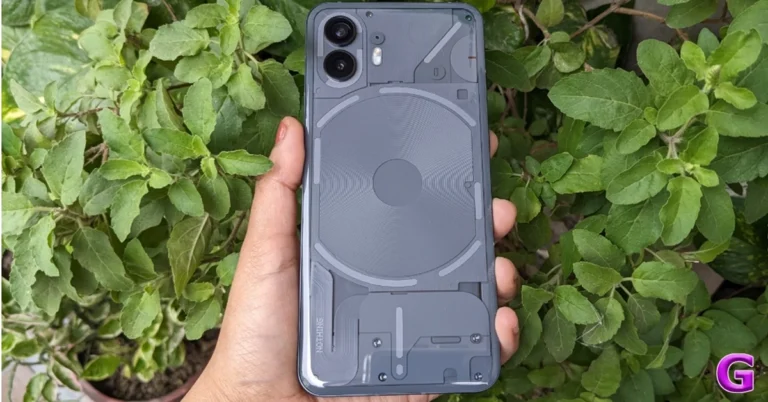

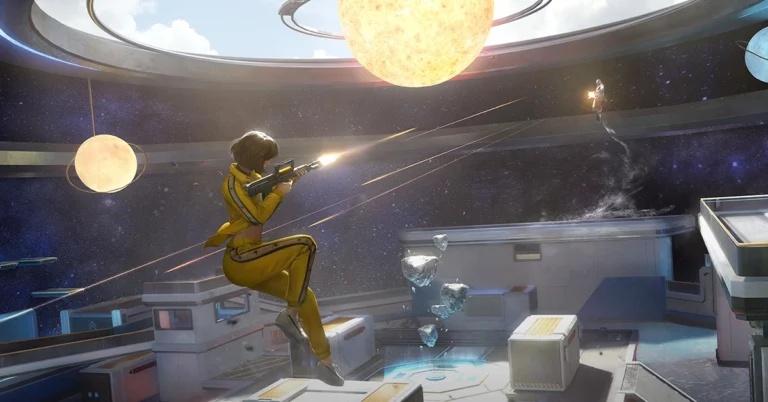

 Pinterest is one of the biggest platforms on the Internet for finding images related to any theme or mood. Once you set up your profile on Pinterest, you can go through the different images or ‘pins’ about a particular topic. It is easy to find other users on Pinterest who are interested in the same things as you. You can look up their boards and save images that you like on your board or directly download them on your device. From anime avatars to digital art, you are bound to find what you like on Pinterest.
 Pexels is an online resource for free stock images and videos. With over 3 million images on the platform, you can search for avatars and profile pictures, or simply look up images related to a particular subject. Downloading an image from Pexels is fairly easy. Once you open an image, click the arrow next to ‘Free Download’ and select your preferred size for the image. Once that’s done, click on ‘Download Selected Size’.
 Pinterest is one of the biggest platforms on the Internet for finding images related to any theme or mood. Once you set up your profile on Pinterest, you can go through the different images or ‘pins’ about a particular topic. It is easy to find other users on Pinterest who are interested in the same things as you. You can look up their boards and save images that you like on your board or directly download them on your device. From anime avatars to digital art, you are bound to find what you like on Pinterest.
 Pexels is an online resource for free stock images and videos. With over 3 million images on the platform, you can search for avatars and profile pictures, or simply look up images related to a particular subject. Downloading an image from Pexels is fairly easy. Once you open an image, click the arrow next to ‘Free Download’ and select your preferred size for the image. Once that’s done, click on ‘Download Selected Size’.
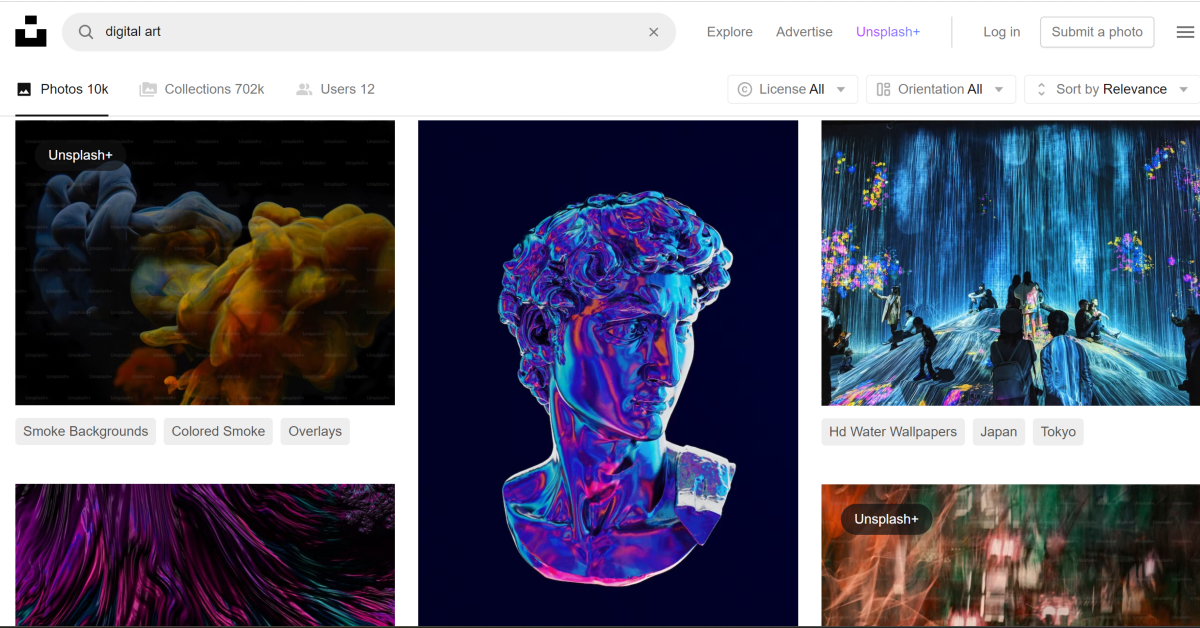 Like Pexels, Unsplash is also an online resource for royalty-free images. Once you get a hang of what keywords to use in your search queries, the results will get much better. There are tons of free stock images on Unsplash, but you’ll also find a large number of animated pictures, funny images, or pictures of animals, places, and things, that are perfect to be used as profile pictures across your socials.
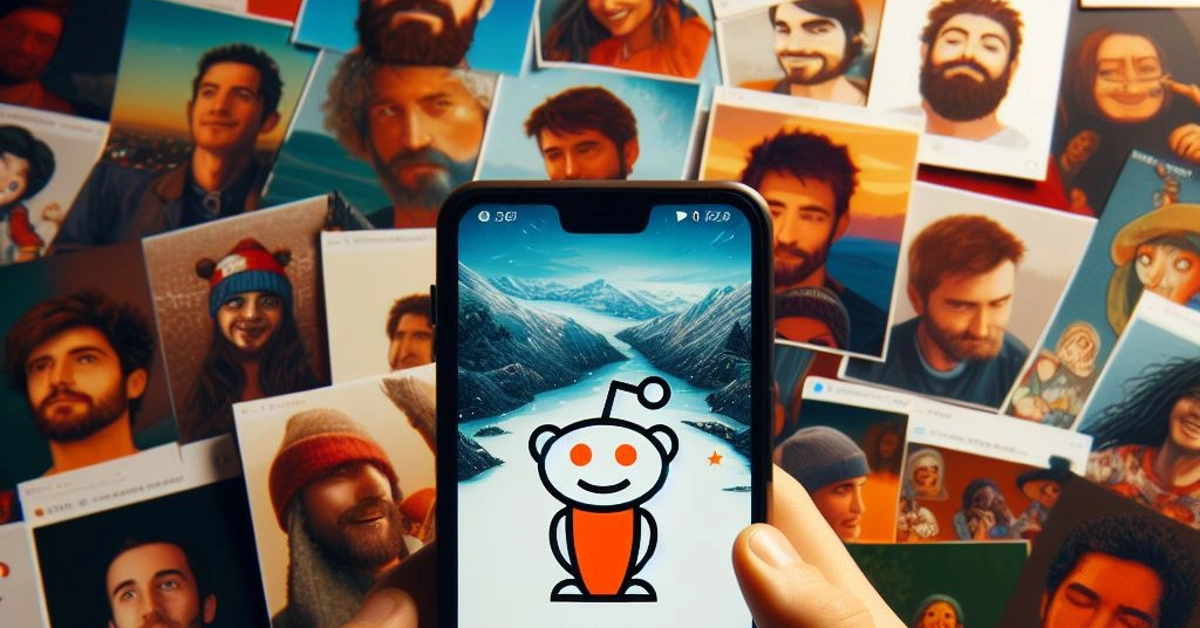 Although it is not known for being an image-sharing website, Reddit is an excellent place to find profile pictures for your socials. What we really like about Reddit are its niche communities or ‘subreddits’ that cater to very specific interests or themes. If you’re a fan of a TV show that got cancelled a decade ago, you will still find people talking about it on Reddit. Apart from engaging in discussions, users also post fan art and edits of their favourite TV shows and movies. If you’re looking for generic profile pictures, subreddits like r/pics, r/art, r/alternativeart, and r/anime are excellent places to start.
 If you can’t find what you’re looking for, why not just create it yourself? Even if you don’t know the first thing about creating artwork, AI tools like Bing Image Creator, Deep AI, and others have made it possible to bring your thoughts to life in the form of enticing images. Once you sign into Bing Image Creator, all you need to do is give clear and concise prompts for the image you want it to generate. The results are simply astonishing.
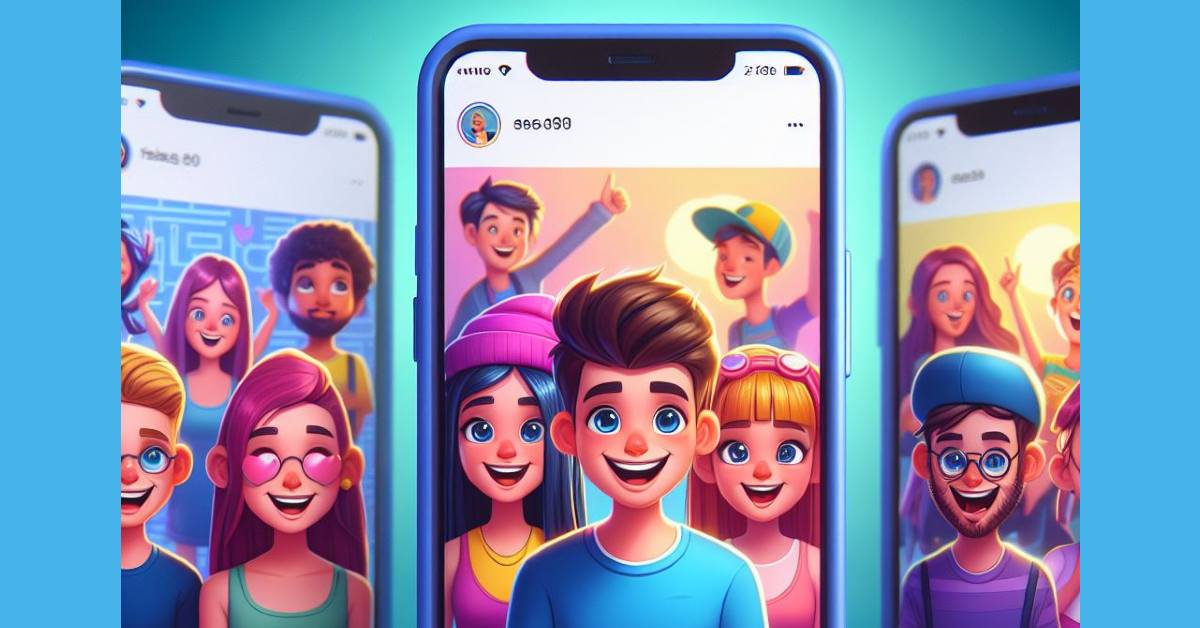 Instagram is the home to independent artists and creators who want their work to reach a wider audience. Like Reddit, you can find a lot of art content on Instagram catering to a particular niche. Browse the relevant hashtags for art to find what you’re looking for. Once you make a few searches, Instagram will suggest similar stuff on your Explore page. Always make sure that you always credit the artist while using their work.
Read Also: Best multi-USB charging adapters for your smartphones and tablets
Instagram is the home to independent artists and creators who want their work to reach a wider audience. Like Reddit, you can find a lot of art content on Instagram catering to a particular niche. Browse the relevant hashtags for art to find what you’re looking for. Once you make a few searches, Instagram will suggest similar stuff on your Explore page. Always make sure that you always credit the artist while using their work.
Read Also: Best multi-USB charging adapters for your smartphones and tablets
 Step 3: Hit Edit at the top of the page and select Copy.
 Step 4: Go to Google Docs and open the document in question.
Step 5: Place your cursor in the spot where you want to insert the slide.
Step 6: Right-click and select Paste or simply press Ctrl+V on your keyboard.
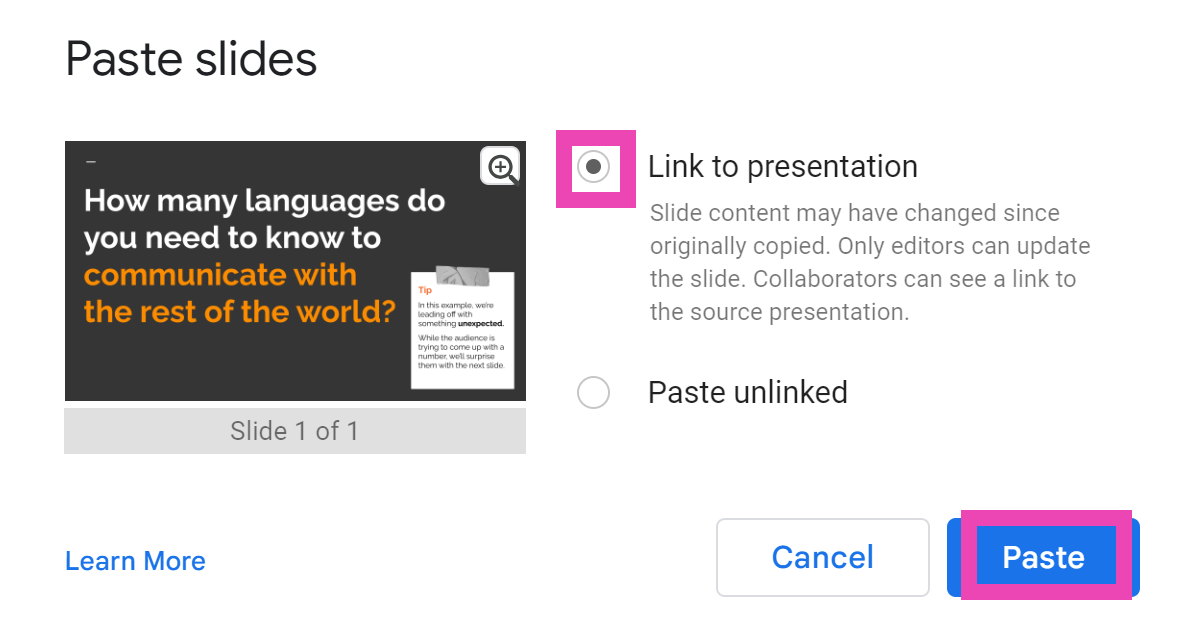
Step 7: Choose whether you want to link the slide to its original presentation or not. This will allow the changes to be reflected on the document when the contents of the slide are changed in the original presentation.
Step 4: Go to Google Docs and open the document in question.
Step 5: Place your cursor in the spot where you want to insert the slide.
Step 6: Right-click and select Paste or simply press Ctrl+V on your keyboard.
Step 7: Choose whether you want to link the slide to its original presentation or not. This will allow the changes to be reflected on the document when the contents of the slide are changed in the original presentation.
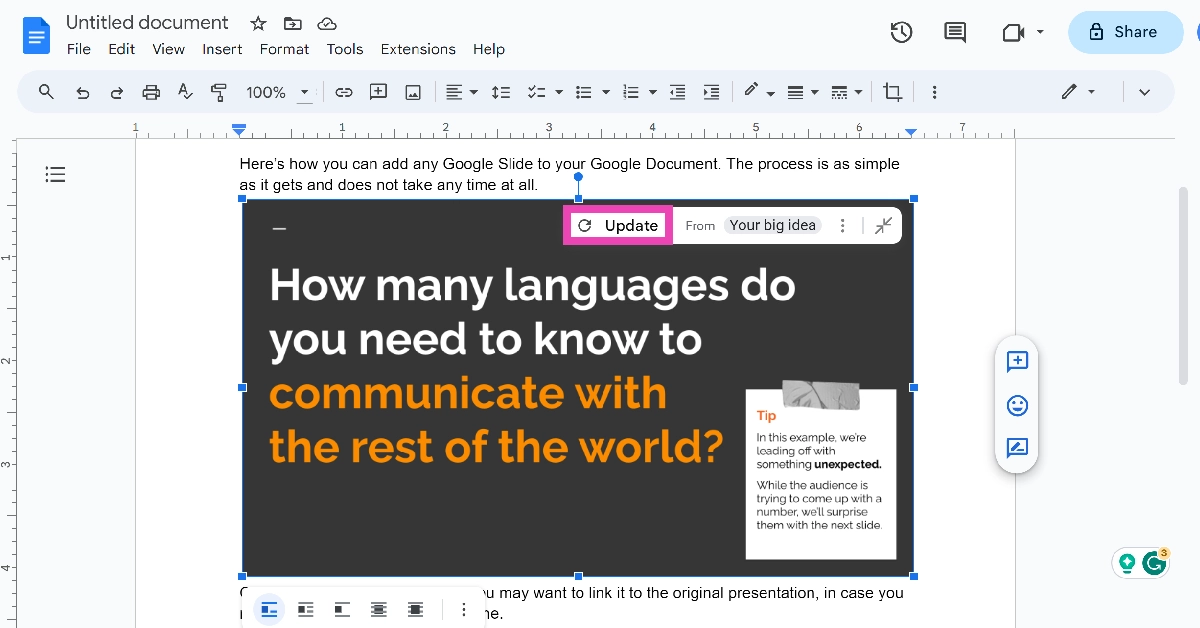
 Step 8: When you change the slide in the original presentation, go back to the document and select Update from the slide’s options bar.

 Step 3: Select Status privacy.
 Step 4: Tap on Instagram.

 Step 2: Select Settings.
 Step 3: Hit Privacy.
 Step 3: Select Status privacy.
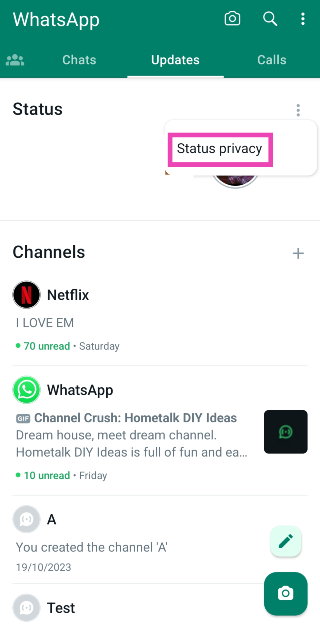 Step 4: Tap on Instagram.
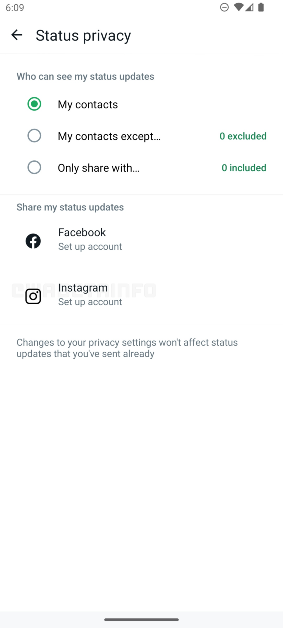
 Step 2: Select Settings.
 Step 3: Hit Privacy.
 Step 4: Select Status.
 Step 5: Tap on Instagram.
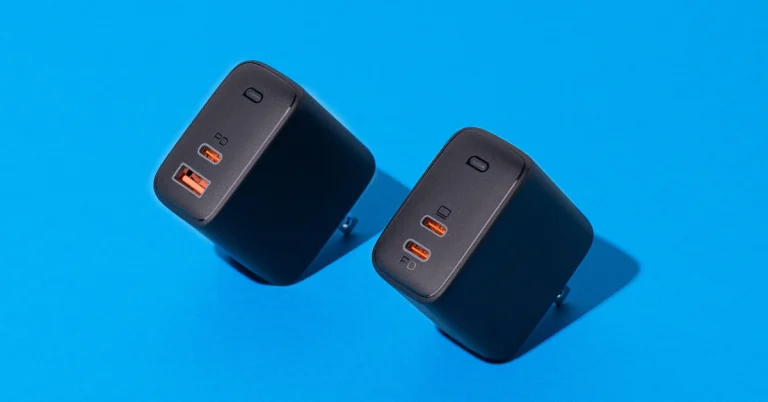
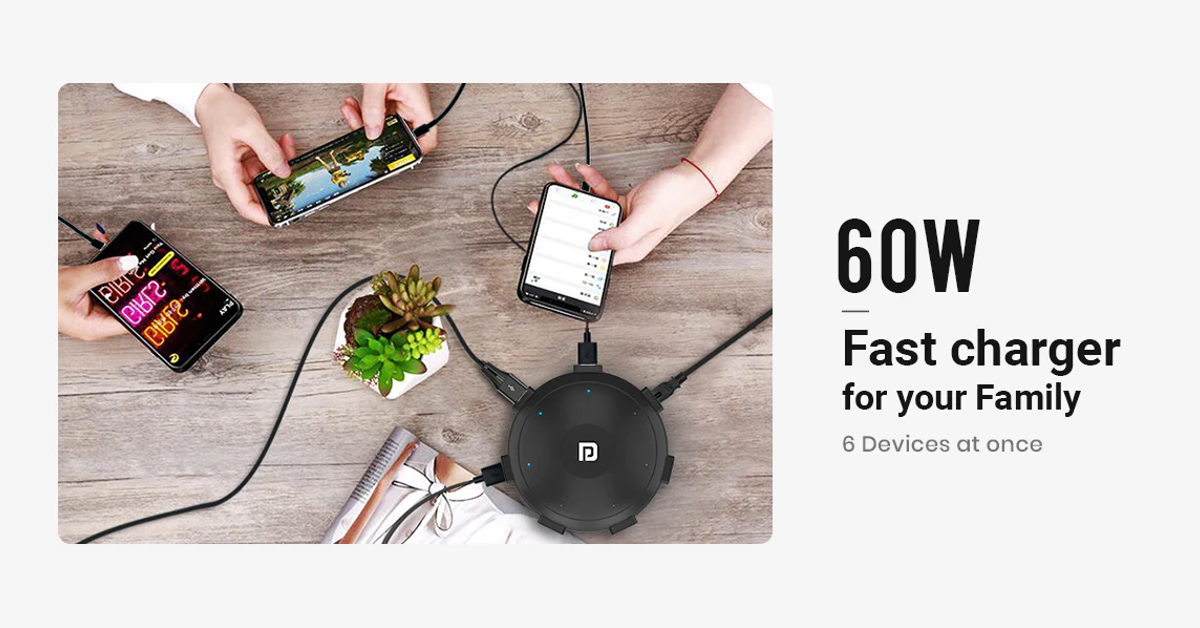 If your work desk is cluttered with wires and charging adapters for every device you own, the Portronics UFO Pro charging station is exactly what you’re looking for. This adapter weighs 60g and has dimensions of 11.6 x 11.6 x 3.3 cm. With 60W of total wattage, the UFO Pro can charge your smartphone up to 50% in 30 minutes (if the phone supports fast charging). There are 6 charging ports on this station – QC 3.0 (1), USB Type-A 2.0 (4), and USB Type-C (1). Having a round form factor, the UFO Pro stays true to its name. This design allows the user to use all six charging ports at once, without any hassle.
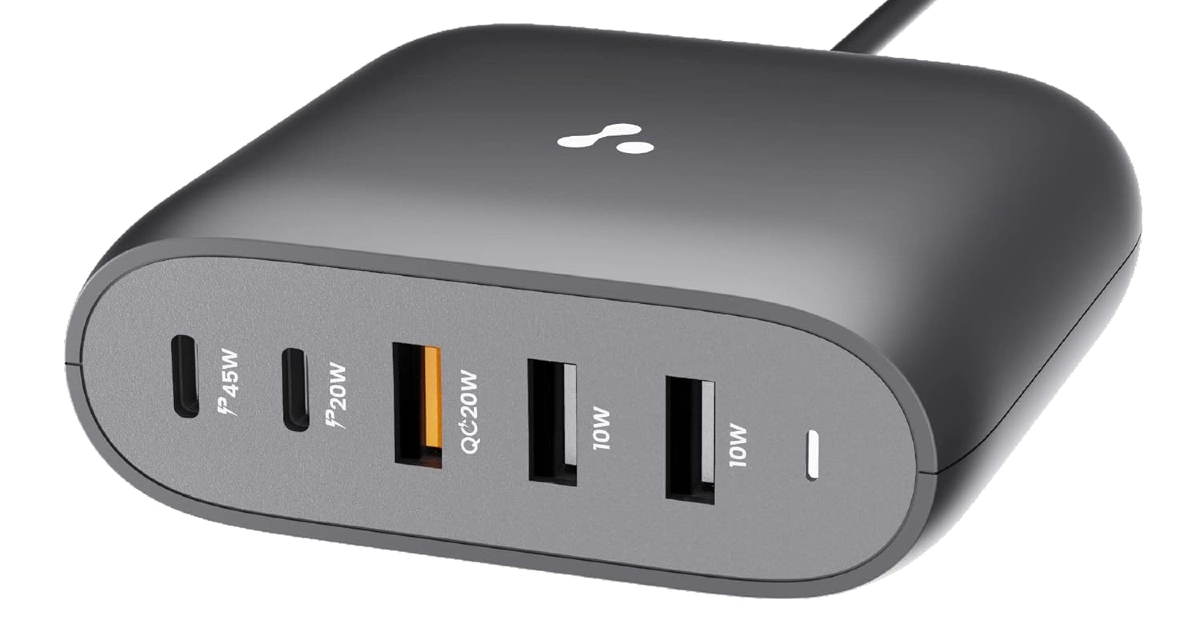 This GaN charger from Ambrane has 2 USB Type-A, 2 USB Type-C, and one Quick Charging USB port. The adapter also supports PD fast charging. The GaN technology makes the adapter compact and portable while also ensuring that it doesn’t overheat while charging multiple devices at once. The Type-C PD charging ports on this adapter are capable of charging laptops as well. If your laptop supports USB Type-C charging, you can completely eliminate the need to carry its bulky charger everywhere you go by switching to this Ambrane adapter. Certainly one of the best multi-USB charging adapters around.
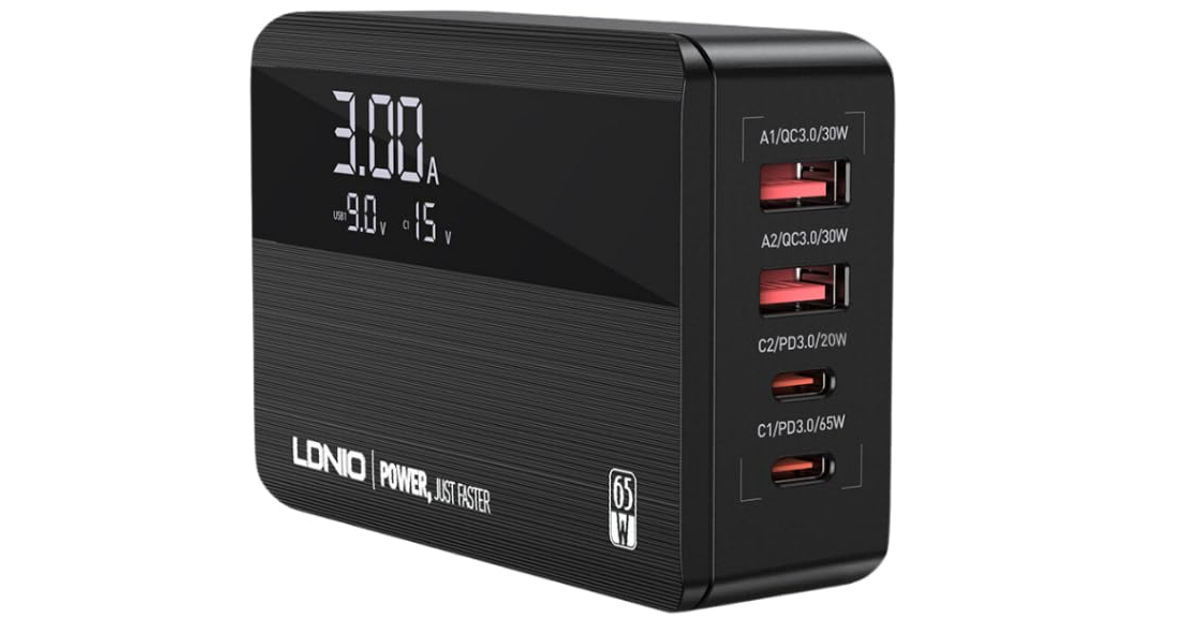 This 65W GaN charger has 4 charging ports – 2 USB Type-C PD, and 2 USB Type-A QC. The 100W equivalent of this adapter costs Rs 3,749. The C1 USB Type-C slot provides the promised maximum wattage of 65W. Apart from smartphones and tablets, you can also use this charger to power your laptops and notebooks. The integrated copper and ABS shell on the adapter makes it temperature-resistant. The Surge Protection System guards it against sudden voltage fluctuations. One of our favourite features offered by this adapter is its integrated display which shows the current output and voltage as per the charging speed.
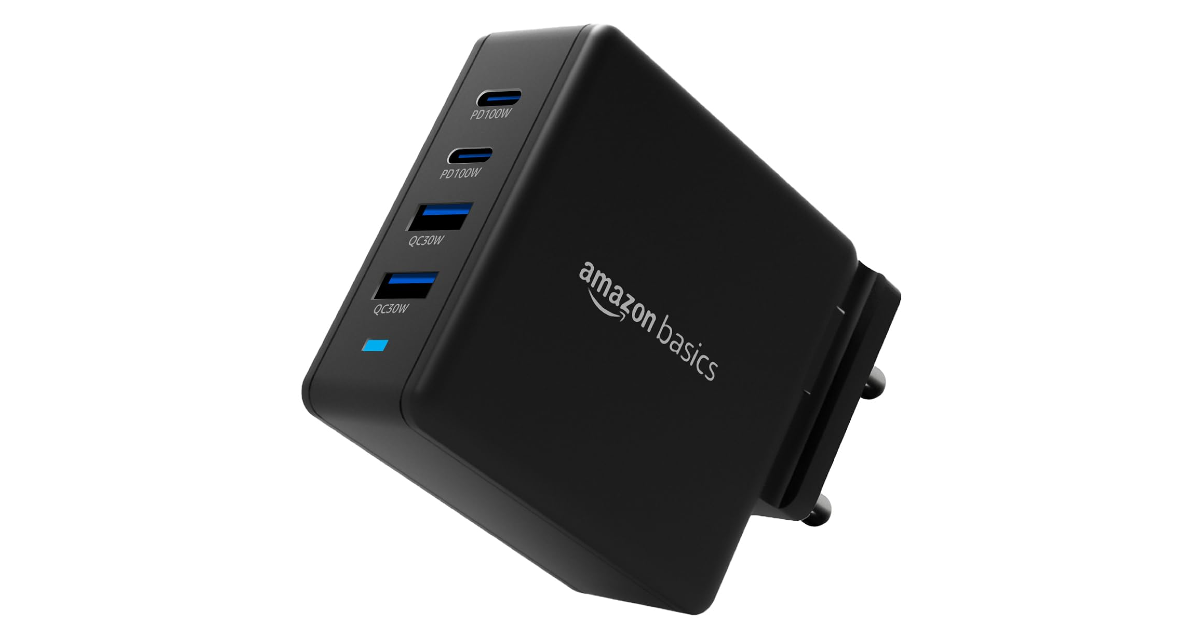 This Amazon Basics power adapter is 35% smaller than your regular charger and offers a whopping 100W of maximum charging speed. There are 2 USB Type-A and 2 USB Type-C ports on this adapter. The latter can be used to power laptops. The intelligent chip inside this adapter adjusts its output voltage when multiple devices are drawing power from it. This prevents overheating and makes the overall charging process very safe. The Amazon Basics GaN charger works for Macbooks and Chromebooks as well.
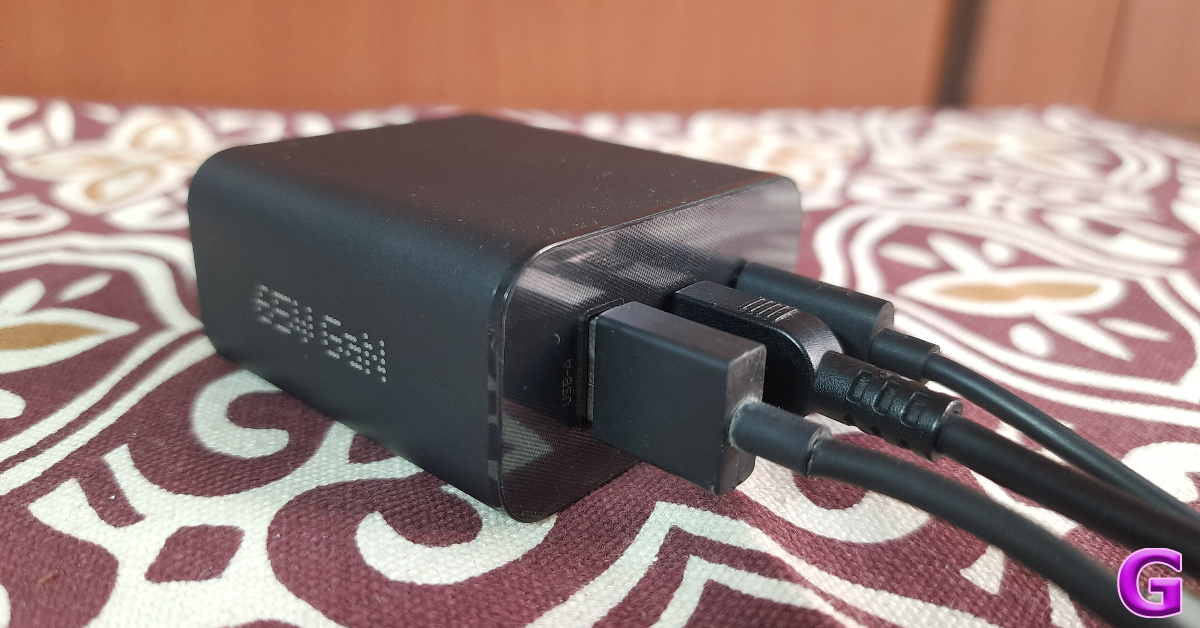 Nothing’s subsidiary brand CMF specialises in budget offerings across different categories. So far the company has released a TWS, a smartwatch, and a 65W GaN charger. We reviewed the latter last month and were mighty impressed by its charging chops. The adapter contains two USB Type-C and one USB Type-A charging slot. Here is the power breakdown for all three ports.
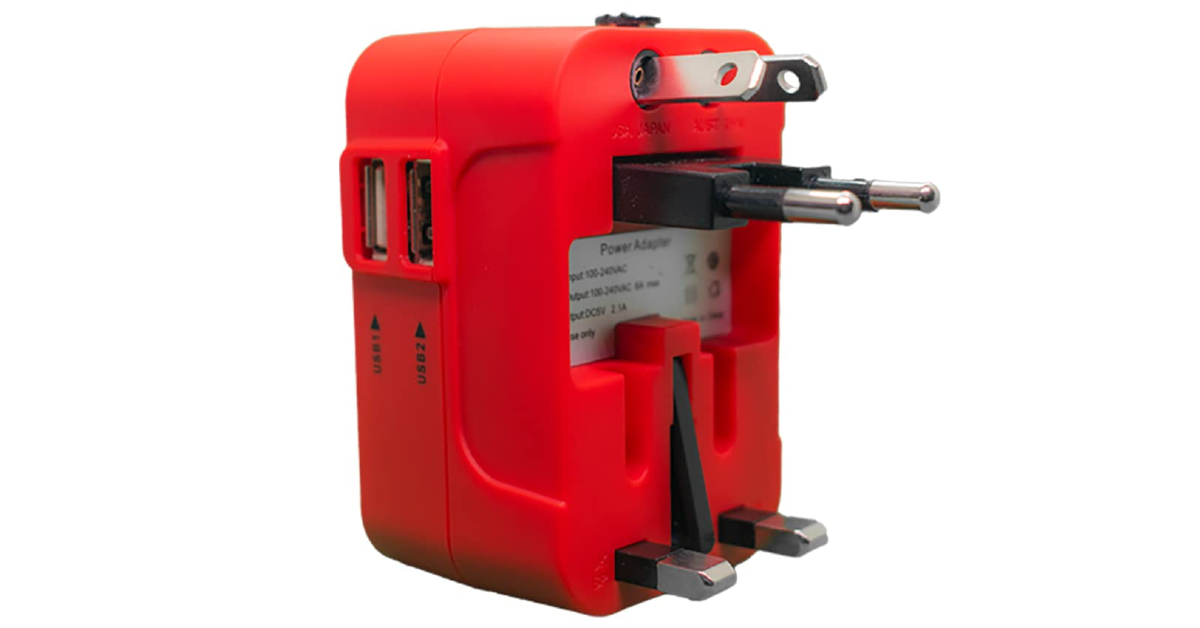 If you need a travel adapter for travelling abroad but don’t want to buy a different one for every country you visit, this product has you covered. The rts 25W universal travel adapter has multiple plugs for the US, EU, UK, and AU regions. This adapter will work perfectly well, whether you’re in Central America or Russia. There are two USB Type-A charging ports on the side of this adapter which allow you to directly charge your smartphone or tablet. You can also connect your regular charger to this adapter. This adapter is a steal at Rs 587.
Read Also: Oppo Reno 10 Pro 5G price dropped by Rs 2,000 in India
If you need a travel adapter for travelling abroad but don’t want to buy a different one for every country you visit, this product has you covered. The rts 25W universal travel adapter has multiple plugs for the US, EU, UK, and AU regions. This adapter will work perfectly well, whether you’re in Central America or Russia. There are two USB Type-A charging ports on the side of this adapter which allow you to directly charge your smartphone or tablet. You can also connect your regular charger to this adapter. This adapter is a steal at Rs 587.
Read Also: Oppo Reno 10 Pro 5G price dropped by Rs 2,000 in India