Australia leading the charge in Silver Gamers

It is dangerous to generalize in these perilous economic times, but market indicators across the Western world suggest that older generations are having a better time of things financially than anyone else. That’s certainly a trend in Australia right now, a nation that has recovered better and faster from the events of 2020. As always, there are exceptions, but in the main, Australian seniors are retiring younger, living longer and spending more. So what are they spending their money on? Seniors in other parts of the world might spend it on travel to exotic locations like Australia. Yes, of course, Aussie seniors travel, but most commonly within Australia and New Zealand. Australian seniors have money to spend on other leisure pursuits, and you might be surprised to hear that for almost half, that includes gaming.

A dramatic rise in silver gamers

Over the past four years, the number of over-65s in Australia who describe themselves as gamers have almost doubled to just over 40 percent. It is easy to place responsibility for the events of 2020 and 2021, but that would be an oversimplification. For one thing, it is fair to assume that everyone over 61 who identified as a gamer four years earlier would now say they are a gamer aged 65 plus. Secondly, there will always be some newbie gamers in every age group who decide to give it a try. It is in this area that the mass closures in 2020 and 2021 had some influence, in two areas especially.

You can’t keep Australians from casino games

When calculating on the basis of money spent per capita, Australians are mathematically the biggest gamblers in the world. They wager as much per capita as the second and third-highest-spending nationalities put together. Around 50 percent of all betting is on pokies or slot machines. Obviously, the closure of casinos, bars and so on had a significant impact, and in 2021, older Australians were poring over Australian online casino reviews in record numbers. Online platforms offer the same casino games with which customers are familiar, as well as a good range of classic table games like 3-card poker, blackjack and roulette.

Gaming is a way for families to bond

 The other way in which those difficult months encouraged older generations to try gaming was as a way to feel a little closer to loved ones who were temporarily out of reach. We all saw the awesome phenomenon of over-65s taking to platforms like Zoom like ducks to water so they could chat with family and friends. They soon found out that chatting was only the beginning. Traditional games like chess, Scrabble and even Monopoly were given new leases of life as they provided a way for families and generations to interact – and probably better than they had in years in a lot of cases!

Silver gaming is more popular than ever

From the above, it is easy to conclude that the primary driver for the rise in silver gamers happened in 2020 and 2021. However, if that was the case, you would expect the numbers to have tailed off over the past two years. But on the contrary, the number of over 65s playing casino games continues to rise. In subsequent surveys this year, games like Wordle have taken ascendency. Silver gaming is here to stay, and habits are changing with each passing year. The real question is when developers will catch on to this new, wealthy demographic.

Opportunities abound for game and gadget makers

It is plain to see that players of all ages can enjoy games from Wordle to Monopoly Live to Subway Surfers. The same goes for sports management games. But to look at the way they are marketed and packaged, you would find it hard to believe. There is an immense opportunity there for the taking in Australia, and if things go the way they tend to go, it is one that will soon be replicated in the rest of the western world. Sports games are actually an excellent example – over 65s born in the 1950s would undoubtedly relish the chance to play and manage teams from the 1970s, but apart from a few “all-time” teams, it has never really been explored. Similarly, gadget makers selling peripherals such as game controllers could do far more to pitch them at older players. Even at 30 or 40, touchscreen controls can be fiddly. These are the sorts of gadgets that are perfect gifts for older players. For the latest gadget and tech news, and gadget reviews, follow us on TwitterFacebook and Instagram. For the newest tech & gadget videos subscribe to our YouTube Channel. You can also stay up to date using the Gadget Bridge Android App. You can find the latest car and bike news here.

How to enable voice chat on Roblox? Top 2 Ways

0
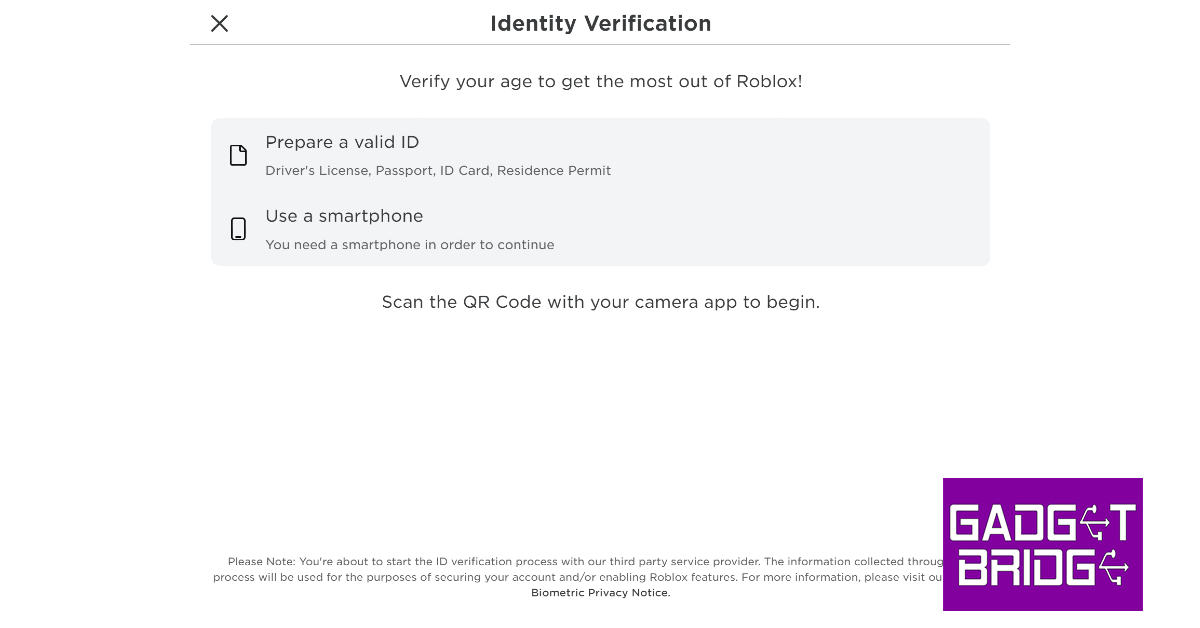
Voice chat functionality is an essential feature for every gaming platform. While it is not universally applied across Roblox, users can still use it for certain gaming titles. In order to communicate via voice chat on Roblox, you must verify your age with the platform. This can be done by using any valid government ID like a driver’s license or a passport. Once that’s taken care of, here is how you can enable voice chat on Roblox. Read Also: 8 Essential Tips To Unlock an Amazon Fire TV Stick in 2023

Enable voice chat on Roblox for PC

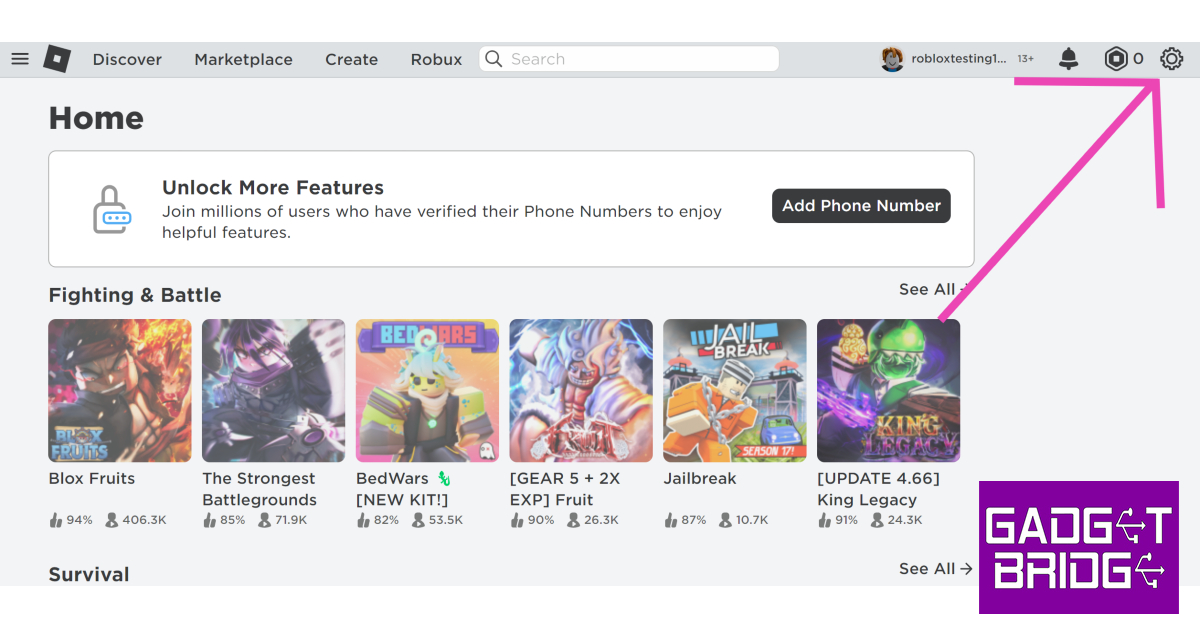
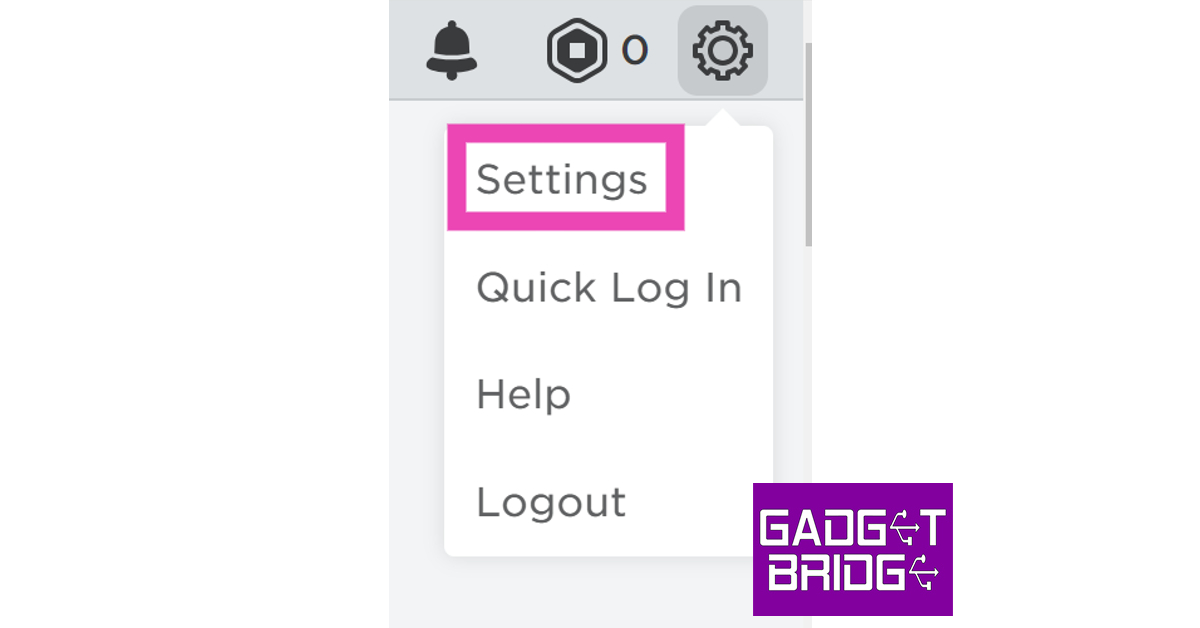
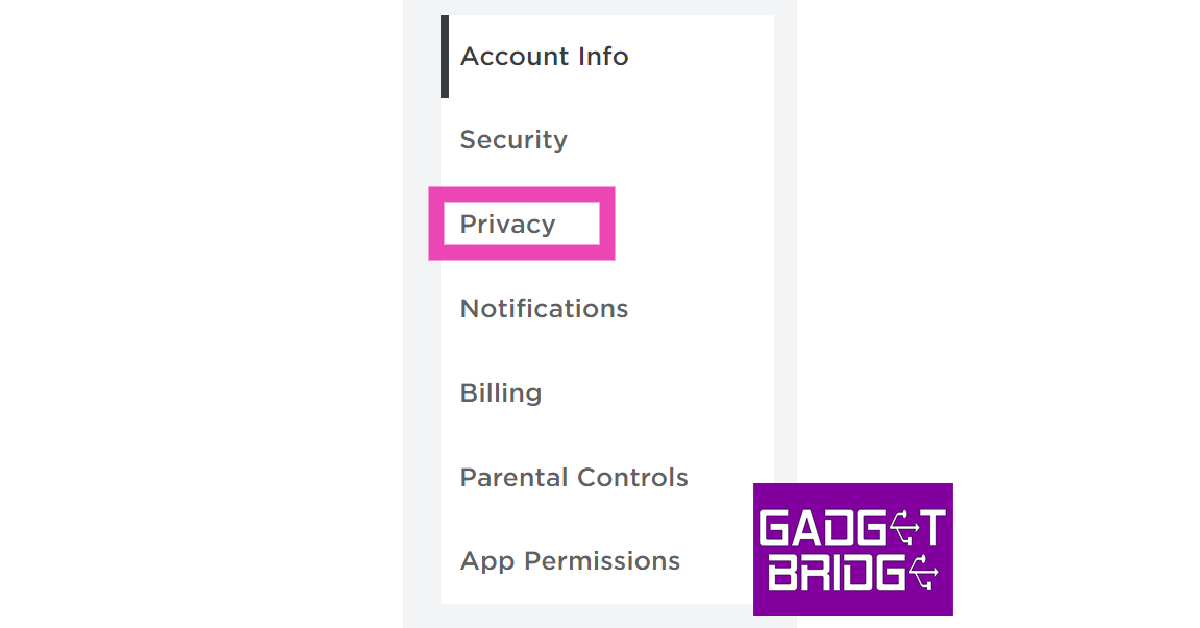
Step 1: Go to Account Settings and complete your age verification. Step 1: Go to Account Settings and complete your age verification. Step 2: Once you have verified that you are over 13 years of age, go to the Roblox home page and click on the gear icon at the top right corner of the screen. Step 2: Once you have verified that you are over 13 years of age, go to the Roblox home page and click on the gear icon at the top right corner of the screen. Step 3: Select Settings. Step 3: Select Settings. Step 4: Switch to the Privacy tab on the side menu. Step 4: Switch to the Privacy tab on the side menu. Step 5: Turn on the toggle switch for voice chat. Step 6: Hit Enable in the following popup box. Step 7: To disable voice chat, turn off this toggle switch.

Enable voice chat on the Roblox app

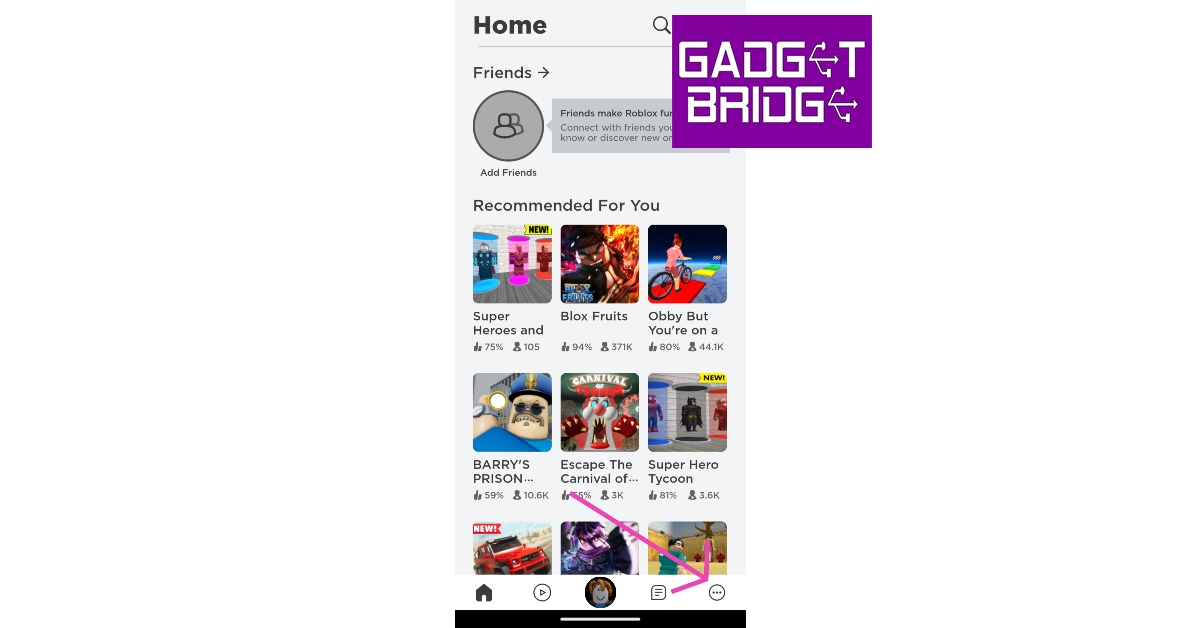
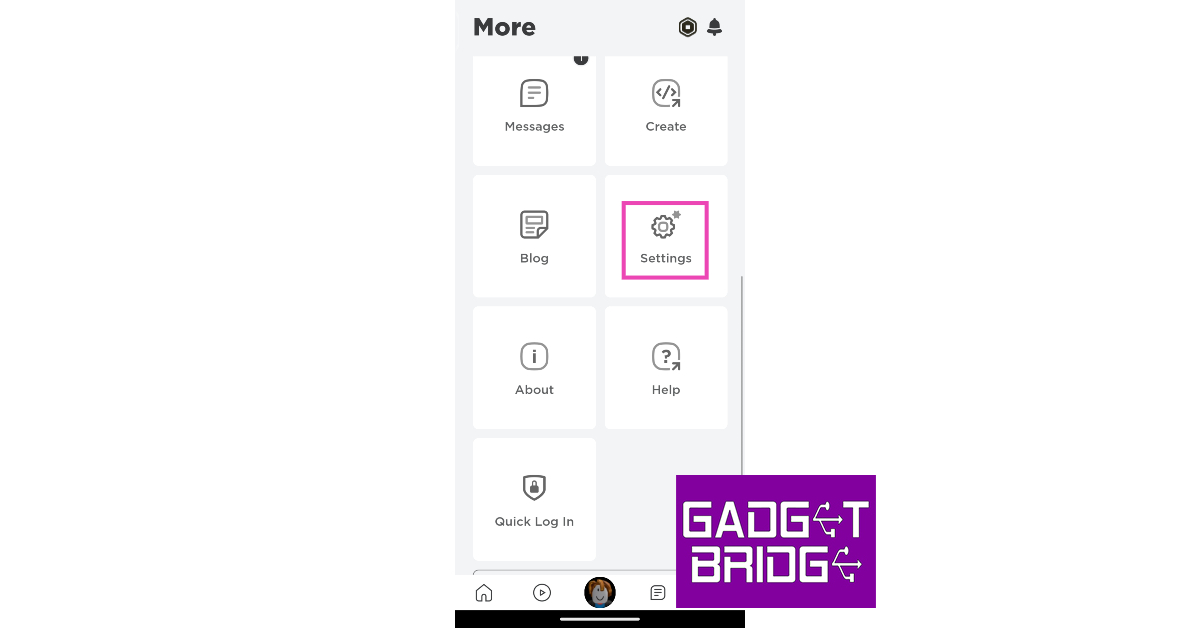
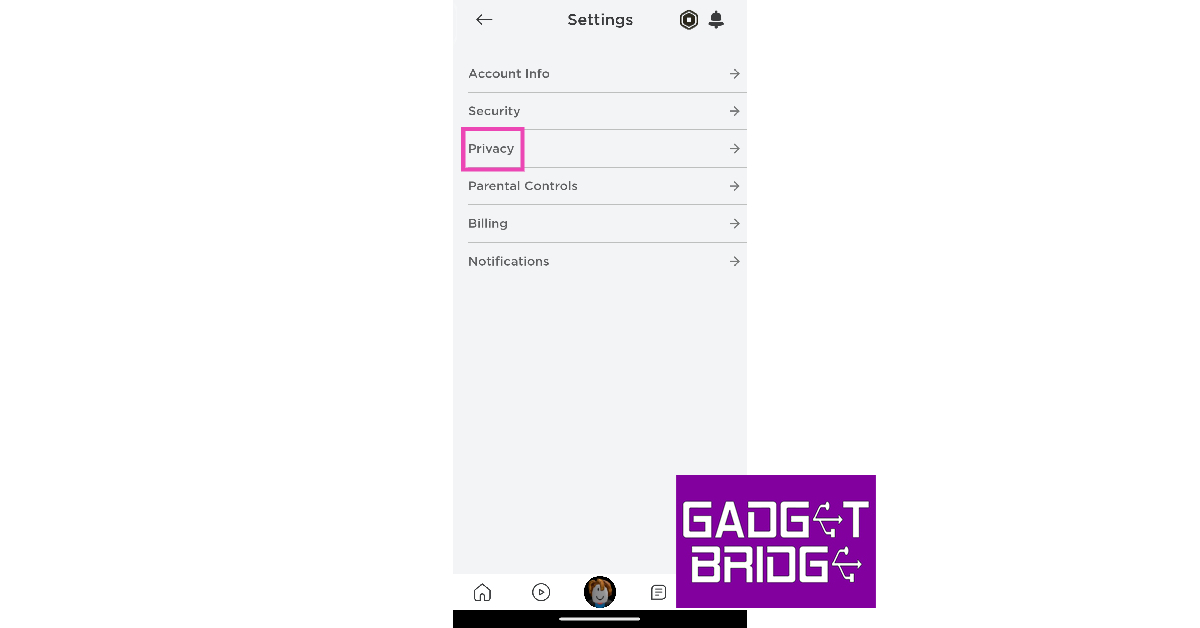
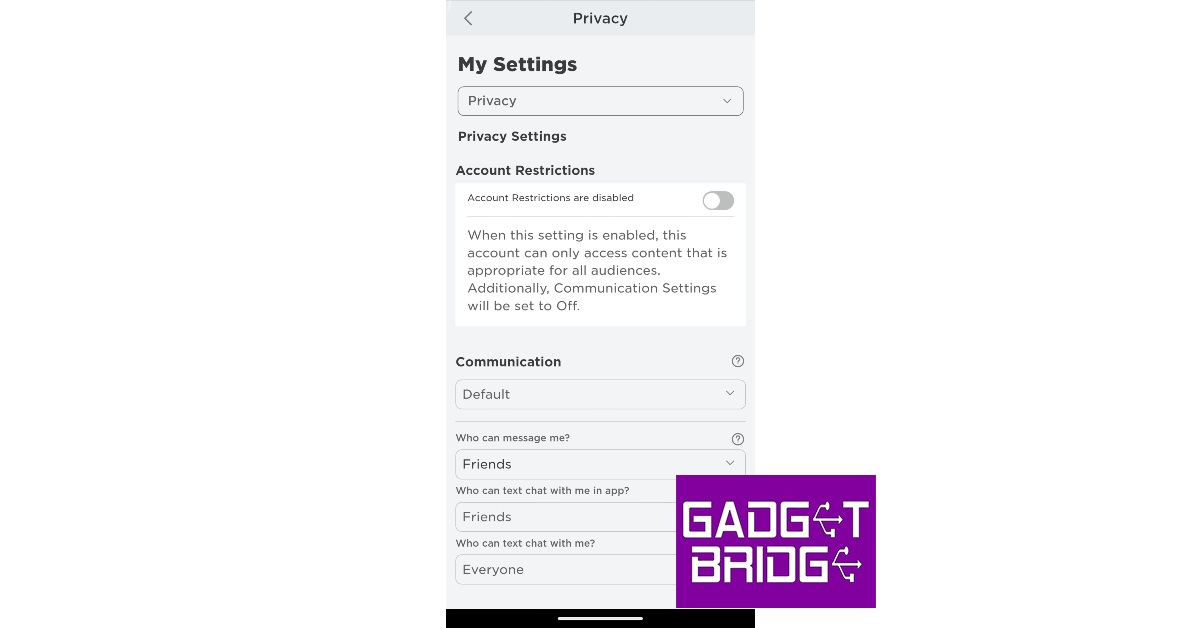
Step 1: Launch the Roblox app on your smartphone. Step 2: Make sure your age is verified. Step 3: Tap the ellipses at the bottom right corner of the screen. Step 3: Tap the ellipses at the bottom right corner of the screen. How to enable voice chat on Roblox? Top 2 Ways Step 4: Scroll down and select Settings. Step 4: Scroll down and select Settings. Step 5: Tap on Privacy. Step 5: Tap on Privacy. How to enable voice chat on Roblox? Top 2 Ways Step 6: Turn on the toggle switch for voice chat. Step 6: Turn on the toggle switch for voice chat. How to enable voice chat on Roblox? Top 2 Ways Step 7: Turn off the toggle switch if you want to disable voice chat on Roblox. Step 6: Turn on the toggle switch for voice chat. How to enable voice chat on Roblox? Top 2 Ways

Frequently Asked Questions (FAQs)

Why can’t I view the voice chat feature on my Roblux account?

Since voice chat is still a beta feature, you need to verify your age and email with Roblox in order to use it.

How do I enable voice chat on Roblox?

To enable voice chat on Roblox, go to Settings>Privacy and turn on the toggle switch for voice chat. Make sure your age is verified with Roblox before you initiate this process.

How do I mute someone on Roblox?

To mute another player on Roblox, simply click the microphone icon on top of their avatar. Read Also: Jio AirFiber with plans starting at Rs 599 launched in India

Conclusion

This is how you can enable or disable voice chat on Roblox. You should know that not every game on Roblox incorporates the voice chat functionality. This is because it is not a core feature of the platform and it is up to the developers to decide whether they want to use it for their game. To check if a gaming title supports voice chat, check its download page. For the latest gadget and tech news, and gadget reviews, follow us on Twitter, Facebook and Instagram. For newest tech & gadget videos subscribe to our YouTube Channel. You can also stay up to date using the Gadget Bridge Android App. You can find the latest car and bike news here.

Apple to sell locally manufactured units of iPhone 15 and iPhone 15 Plus in India

Apple unveiled the new iPhone 15 Series at its fall event last week. The company is currently accepting pre-orders for iPhone 15, with deliveries set to begin on September 22. The Cupertino tech giant has now revealed that all the iPhone 15 and iPhone 15 Plus units sold in India will be manufactured locally. Read Also: Jio AirFiber with plans starting at Rs 599 launched in India

‘Made in India’ iPhone 15 and 15 Plus to begin shipping from September 22

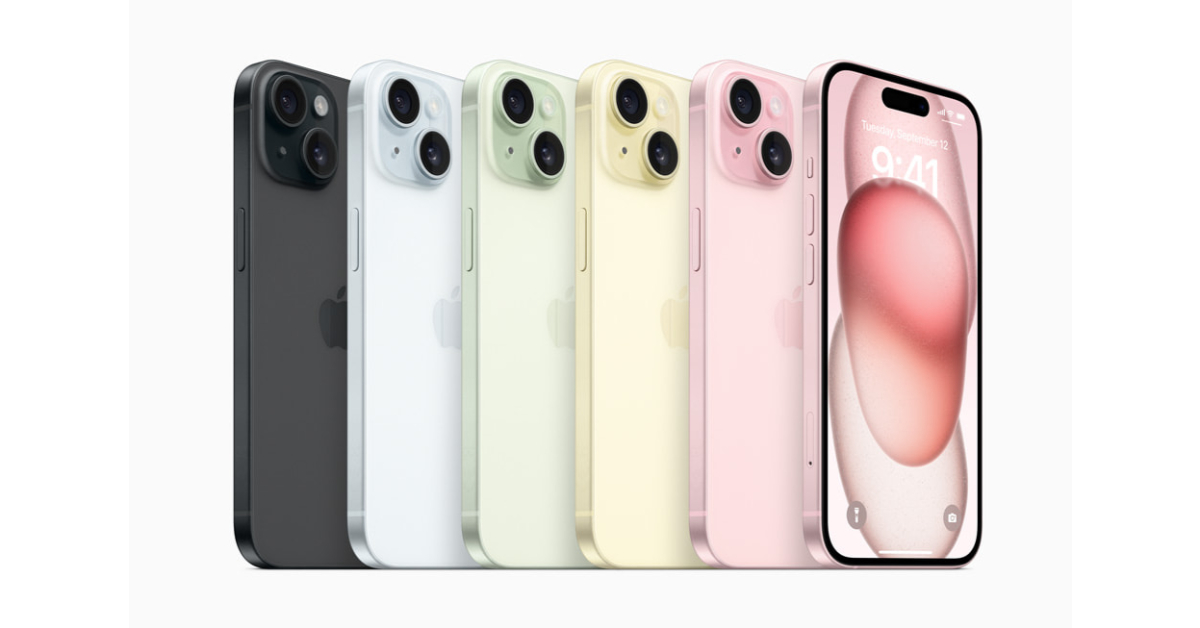
In a bid to develop India into a manufacturing hub in Asia, Apple has ramped up the production of iPhone 15 and 15 Plus in the country. Last year, the production of entry-level iPhone 14 models in India started three months after its launch. This year, all the iPhone 15 units sold in India will be manufactured and assembled locally. Apple will also export some units of the iPhone to the neighbouring Asian markets. iPhone 15 and iPhone 15 Plus iPhone 15 is manufactured at Foxconn’s production facility in Sriperumbudur, Tamil Nadu. The iPhone 15 Plus will also be locally assembled at this plant. Despite being locally manufactured, the iPhone 15 is priced higher in India than in the rest of the world. Read this article to learn how much the iPhone 15 Series costs in other parts of the world. Apple-iPhone-15-lineup The iPhone 15 Series will be made available to Indian buyers at Apple’s official retail outlets in Mumbai (BKC) & Delhi (Saket), and also at its Online Store. The entry-level iPhone 15 is priced at Rs 79,900 in India. The iPhone 15 Plus fetches Rs 89,900. Meanwhile, the Pro and Pro Max variants of the iPhone 15 cost Rs 1,34,900 and Rs 1,54,900 respectively. Read Also: iPhones Compared: iPhone 15 vs iPhone 14 The USB-C charging port makes its debut on the iPhone this year. All iPhones come with special braided USB Type-C cables inside the retail box. The Dynamic Island, which made its debut in the Pro models last year, has now been extended to the non-Pro variants as well. The new A17 Pro chipset has only been made available on the Pro variants this year. The entry-level iPhone 15 variants get the A16 Bionic chipset from last year. For the latest gadget and tech news, and gadget reviews, follow us on Twitter, Facebook and Instagram. For newest tech & gadget videos subscribe to our YouTube Channel. You can also stay up to date using the Gadget Bridge Android App. You can find the latest car and bike news here.

Top 5 Curved Monitor Displays for Productivity and Gaming

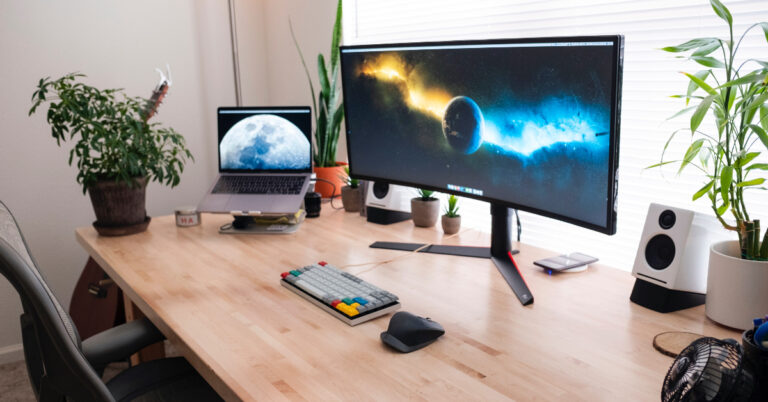
If you use a multi-monitor setup for your desk, it might be time to upgrade to a curved display unit. Curved monitor displays have a unique advantage over regular monitors. For gamers, the curvature of the display provides an immersive gameplay experience that covers your peripheral vision as well. For those looking to boost their productivity, a curved monitor allows you to work on several different tasks at once with absolute ease. In this article, we bring you our picks for the top 5 curved monitor displays for gaming and productivity that you can buy right now. Read Also: 8 Essential Tips To Unlock an Amazon Fire TV Stick in 2023

HP E45c G5 DQHD Curved Monitor

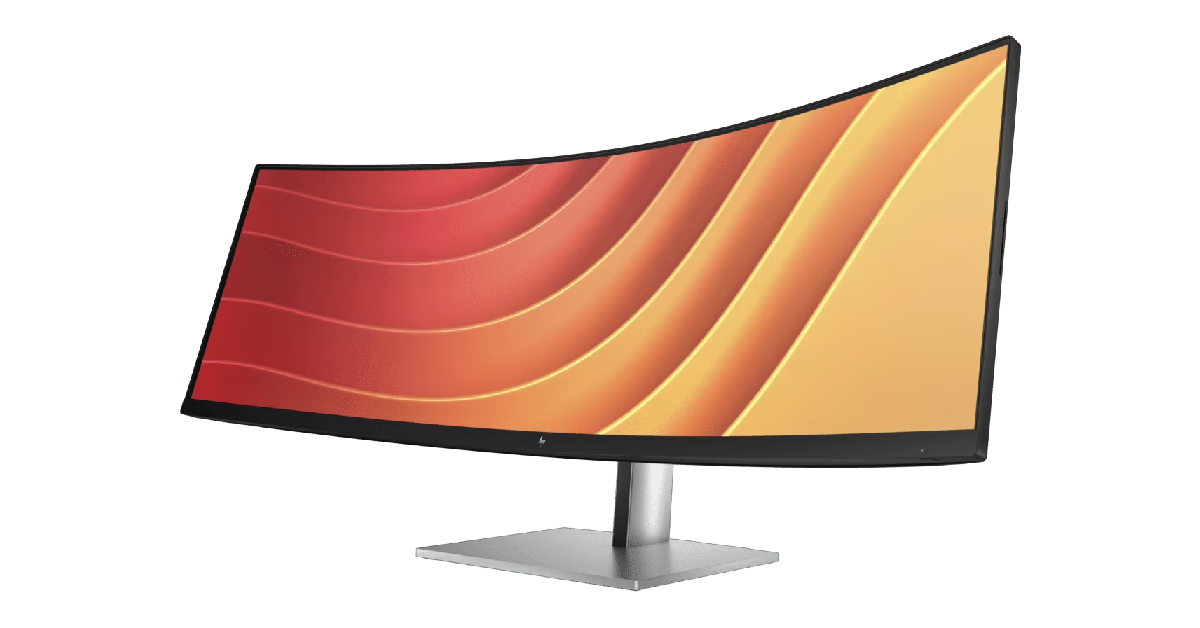
Price: Rs 1,39,520 on HP.com HP E45c G5 DQHD Curved Monitor The 45-inch HP E45c G5 DQHD Curved Monitor is the perfect replacement for two individual monitors on your desk. HP’s Virtual Dual Display allows you to split the display in half so you can carry out different tasks on either portion. You can also connect two different computers to this monitor and simultaneously use them with HP Device Bridge 2.0. You get a 1500R curvature on this display unit. This monitor has a refresh rate of 165Hz and adaptive brightness that can hit a peak of 400 nits. The ambient light sensor on the monitor automatically adjusts its brightness level in accordance with your surroundings. The E45c G5 DQHD supports resolutions up to 5120 x 1440p and has a 32:9 aspect ratio. There are two 3W speakers integrated into the monitor along with an HDMI port, two USB-C ports, and four USB-A ports.

Samsung LC49G95TSSWXXL

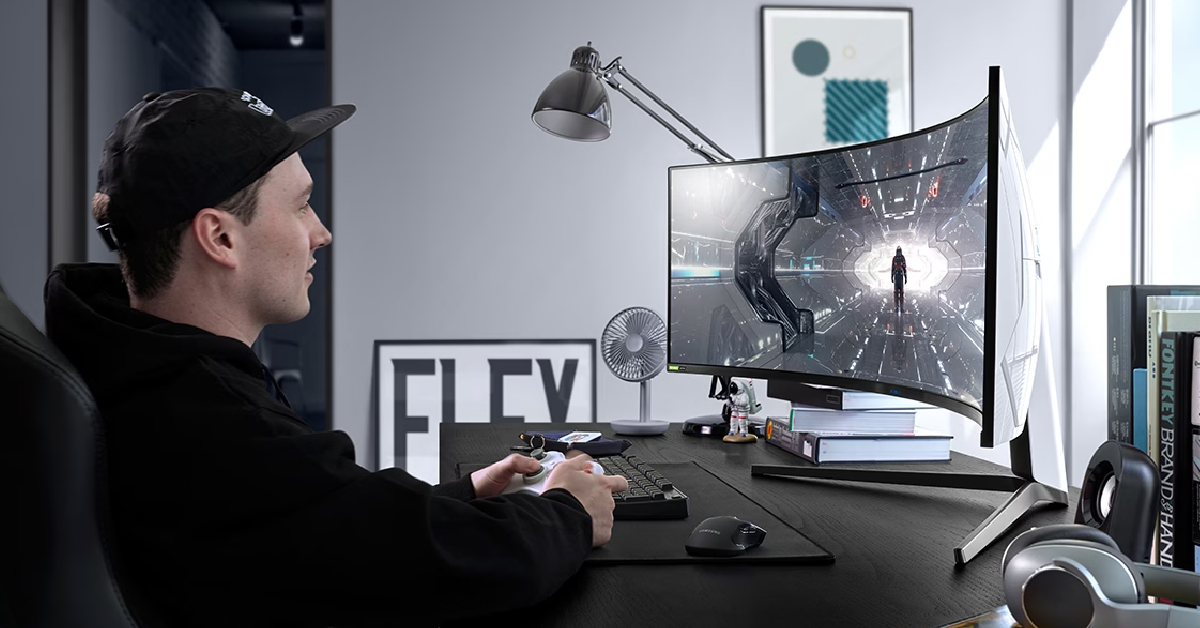
Price: Rs 1,27,399 on Samsung.com Samsung LC49G95TSSWXXL This 49-inch curved gaming monitor from Samsung has a 32:9 aspect ratio and a 240Hz refresh rate. The 1000R curved display covers your peripheral vision to provide an immersive viewing experience. The 2ms low input lag is ideal for seamless, hiccup-free gaming. It also rocks AMD FreeSync Premium Pro and G Sync to minimise any stutters and frame tearing. With PIP (Picture-in-Picture) and PBP (Picture-by-Picture) onboard, you can make the most of the screen’s real estate.

LG 35WN75C-B

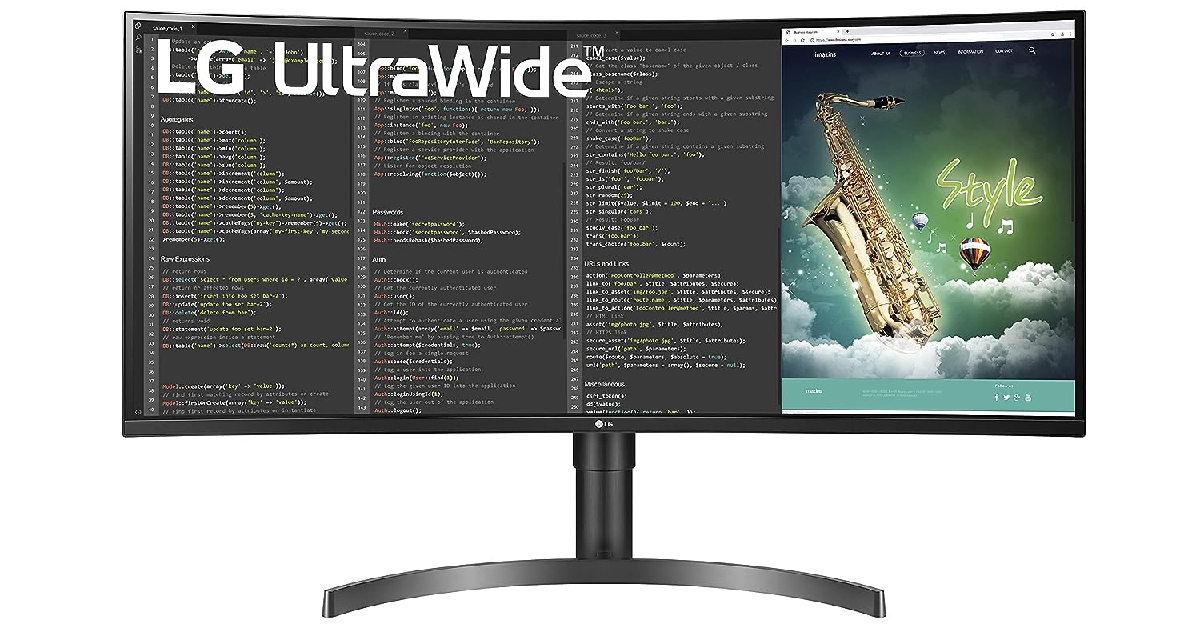
Price: Rs 43,499 on Amazon.in LG 35WN75C-B The 35-inch LG 35WN75C-B is one of the best midrange monitors you can buy right now. This curved display monitor has a resolution of 3440 x 1440p and a 100Hz refresh rate. With HDR10 support and sRGG 99% colour gamut, this monitor display produces detailed and contrasty images, enabling a better viewing experience. There are two 7W stereo speakers onboard along with a USB-C port, HDMI port, and two USB-A ports.

MSI PRO MP272C

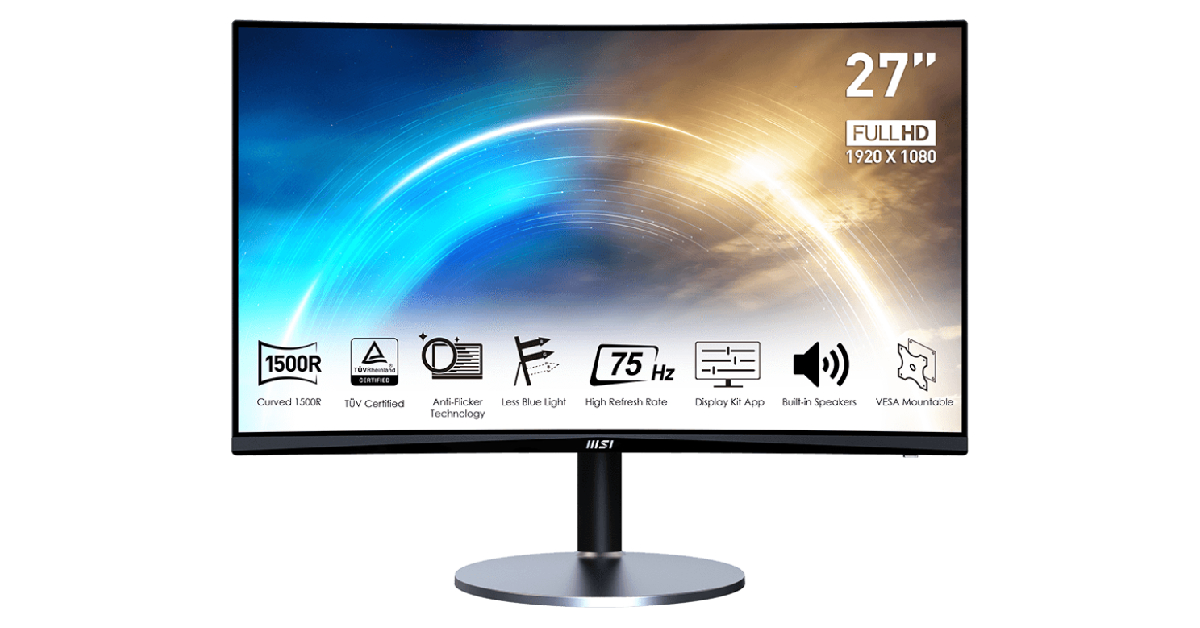
Price: Rs 11,999 on Amazon.in MSI PRO MP272C Looking to buy a curved monitor display on a strict budget? The 27-inch MSI PRO MP272C is a great choice. This monitor offers a 1920 x 1080p resolution and a 75Hz refresh rate. With a 1500R curvature, the MP272C offers optimum peripheral coverage. There are HDMI and VGA ports on the monitor to support input from multiple devices. The Blue Light filter and Anti Glare tech make sure that your eyes remain stress-free after prolonged use.

Acer ED270R

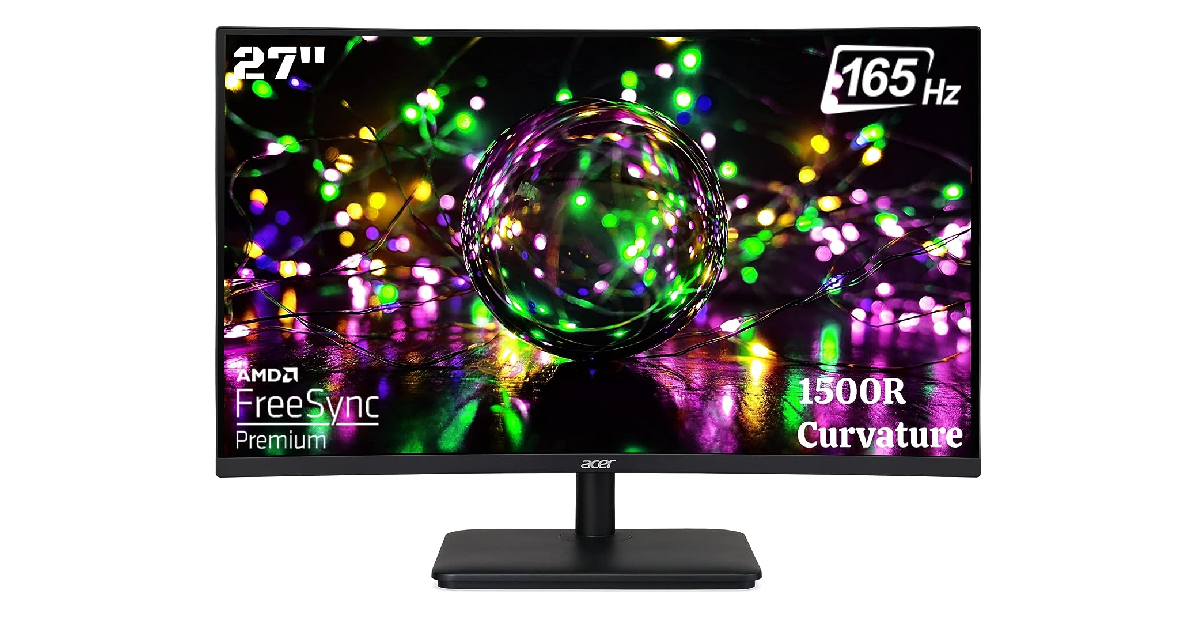
Price: Rs 12,899 on Amazon.in Acer ED270R Ending this list is another affordable curved gaming monitor priced at just Rs 12,899. The 27-inch Acer ED270R LCD monitor has a 1500R curvature and a 1920 x 1080p resolution. The 165Hz refresh rate on this display is ideal for gaming. The AMD Free Sync Premium tech on this monitor reduces screen tearing and unwanted stutters during gameplay. The monitor is wall-mountable and can be tilt-adjusted on a stand. It has 2 HDMI ports and 1 DP port. Read Also: Jio AirFiber with plans starting at Rs 599 launched in India

Conclusion

These are our picks for the top 5 curved monitor displays you can buy for productivity and gaming-related tasks. We’ve made sure to pick the best products across different categories and price points. Think we missed out on a monitor that deserves to be on this list? Let us know in the comments! For the latest gadget and tech news, and gadget reviews, follow us on Twitter, Facebook and Instagram. For newest tech & gadget videos subscribe to our YouTube Channel. You can also stay up to date using the Gadget Bridge Android App. You can find the latest car and bike news here.

Top 10 smartphones with a curved display panel (2023)

Curved and flat displays are a very divisive topic among smartphone enthusiasts. While many prefer the minimal bezels and more real estate offered by a curved panel, others find the resulting accidental touches to be a deal breaker. If you are a part of the former camp, you will be pleased to know there are numerous curved display smartphone options across different price points. In this article, we bring you our picks for the top 10 smartphones with a curved display panel. Read Also: iPhones Compared: iPhone 15 vs iPhone 14

iQOO Z7 Pro

Price: Rs 23,999 Key Specs
Display 6.78-inch AMOLED
Chipset MediaTek Dimensity 7200
RAM 8GB
Storage 128GB, 256GB
Battery 4,600 mAh
The newly launched iQOO Z7 Pro gets a 6.78-inch curved AMOLED panel with a maximum refresh rate of 120Hz. This display can reach a peak brightness of 1,300 nits. It also gets HDR10+ support for ideal content-watching experience. The screen-to-body ratio on this smartphone is 90.4% (approx.). Powering the Z7 Pro is the MediaTek Dimensity 7200 SoC. OS duties are handled by Android 13 with Vivo’s Funtouch 13 OS on top. Read our full review here.

Vivo V29e

Price: Rs 26,9999 Vivo V29e Review: Design and Display Key Specs
Display 6.78-inch AMOLED
Chipset Snapdragon 695 5G
RAM 8GB
Storage 128GB, 256GB
Battery 5,000 mAh
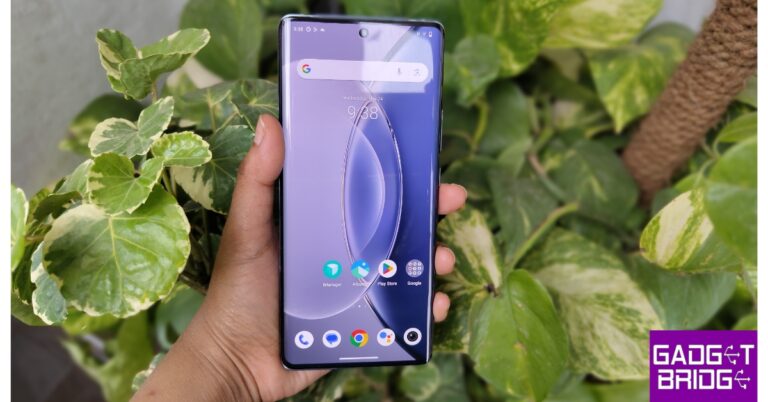
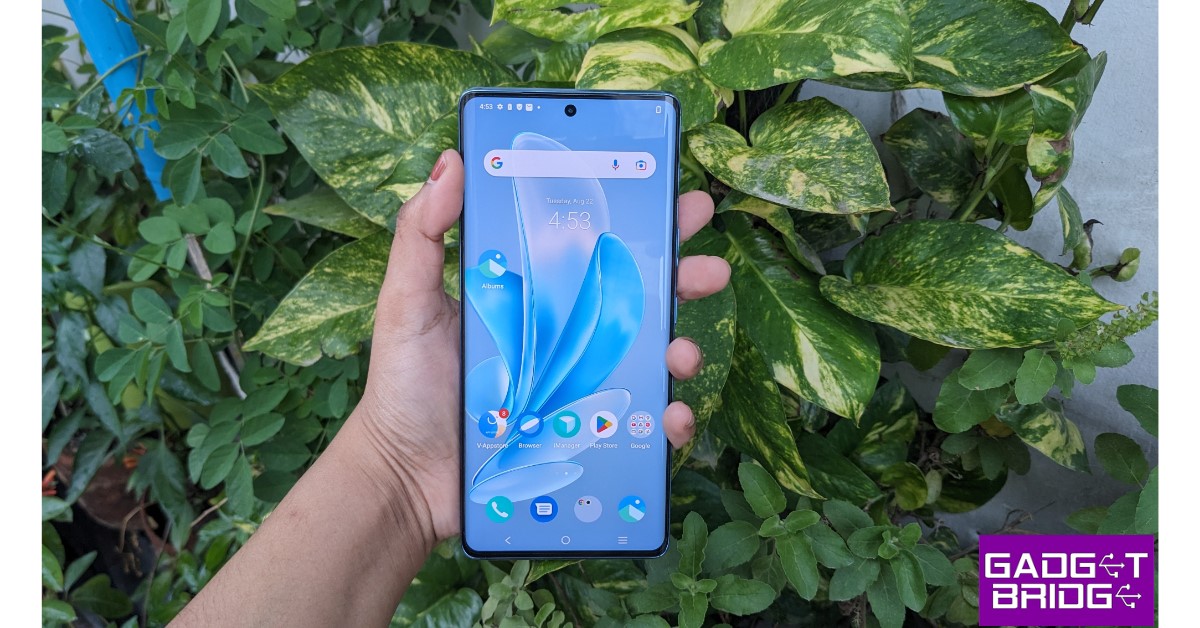
The new Vivo V29e is one of the best lower midrange smartphones with a curved display. The smartphone gets a 6.78-inch curved AMOLED panel that has a maximum refresh rate of 120Hz. This display panel supports 1B colours and HDR10+. Under direct sunlight, this display can hit a peak brightness of 1,300 nits to improve legibility. Talking about resolution, you get a 1080 x 2400p panel on the V29e with a pixel density of 388ppi. We reviewed the smartphone earlier this month, you can read it here.

Oppo Reno 10

Price: Rs 32,999 review of Oppo Reno 10 Key Specs
Display 6.7-inch AMOLED
Chipset MediaTek Dimensity 7050
RAM 8GB
Storage 128GB, 256GB
Battery 5,000 mAh
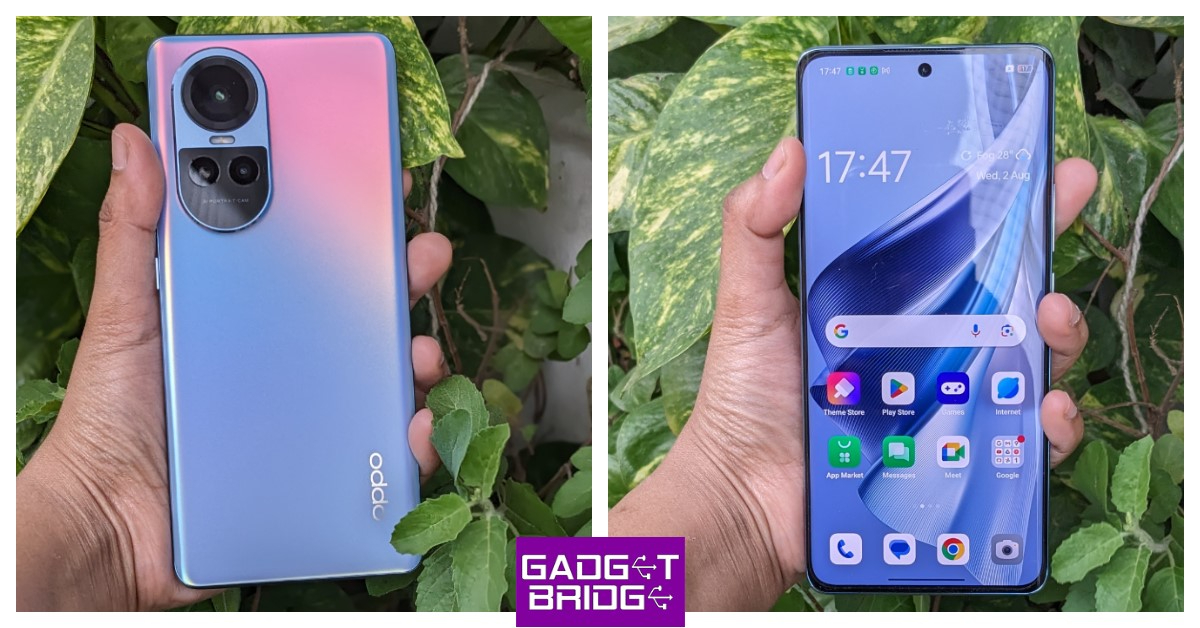
Oppo’s upper midrange offering comes with a  6.7-inch curved AMOLED panel with HDR10+ support and a resolution of 1080 x 2412p. This HD panel has a pixel density of 394ppi. It can hit a refresh rate of 120Hz and a peak brightness of 950 nits. The screen-to-body ratio of the Oppo Reno 10 is 89.6%. The display also gets Asahi Glass AGC DT-Star2 protection. Under the hood, the Reno 10 is powered by the MediaTek Dimensity 7050 SoC. Read our review of the smartphone here.

OnePlus 11R

Price: Rs 38,999 oneplus 11r release date in india Key Specs
Display 6.74-inch Fluid AMOLED
Chipset Snapdragon 8+ Gen 1
RAM 8GB, 16GB
Storage 128GB, 256GB
Battery 5,000 mAh
OnePlus 11R is this year’s real flagship killer, offering premium specs in a midrange price bracket. It gets a 6.74-inch Fluid AMOLED curved display that has a refresh rate of 120Hz and a peak brightness of 1,450 nits. The smartphone gets last year’s Snapdragon 8+ Gen 1 under the hood, which makes it a solid performer at this price range. The rear camera unit consists of a 50MP primary shooter, an 8MP ultrawide lens, and a 2MP macro sensor. Read our review of the smartphone here.

Vivo V27 Pro

Price: Rs 37,999 Vivo V27 Pro review: Design and Display Key Specs
Display 6.78-inch AMOLED
Chipset MediaTek Dimensity 8200
RAM 8GB, 12GB
Storage 128GB, 256GB
Battery 4,600 mAh
Launched earlier this year, Vivo V27 Pro is one of the best midrange smartphones you can buy right now. Known for its great set of cameras, the V27 Pro also features an incredible curved display. This 6.78-inch AMOLED panel has a maximum refresh of 120Hz and comes with HDR10+ support. The smartphone has a screen-to-body ratio of 90.4% and a pixel density of 388ppi. The rear camera panel on the V27 Pro consists of a 50MP primary shooter, an 8MP ultrawide lens, and a 2MP macro sensor. If you want to know more about the smartphone, here’s our in-depth review.

OnePlus 11

Price: Rs 56,999 OnePlus 11 review: Design and Display Key Specs
Display 6.7-inch LTPO3 Fluid AMOLED
Chipset Snapdragon 8 Gen 2
RAM 8GB, 12GB, 16GB
Storage 128GB, 256GB, 512GB
Battery 5,000 mAh
OnePlus 11 was launched in January and has since remained one of the best smartphones to come out this year. It gets a stunning 6.7-inch LTPO3 Fluid AMOLED display that is curved along the edges. This LTPO3 AMOLED panel can reach a maximum refresh rate of 120Hz. It also gets Dolby Vision and HDR10+ support. Under direct sunlight, this display is capable of hitting a peak brightness of 1,300 nits. The screen-to-body ratio of the OnePlus 11 is 89.7% and it has a pixel density of 525ppi. Read our review here.

Google Pixel 7 Pro

Price: Rs 84,999 review of Pixel 7 Pro Top 10 smartphones with a curved display panel (2023) Key Specs
Display 6.7-inch LTPO AMOLED
Chipset Google Tensor G2
RAM 8GB, 12GB
Storage 128GB, 256GB, 512GB
Battery 5,000 mAh
Google’s flagship Pixel gets a 6.7-inch LTPO curved AMOLED display with 120Hz refresh rate. It can reach a peak brightness of 1,500 nits. It has an 88.7% screen-to-body ratio and a pixel density of 512ppi. Google Pixel 7 Pro is powered by the in-house Tensor G2 processor. Its rear camera panel consists of a 50MP primary shooter, a 48MP telephoto lens, and a 12MP ultrawide sensor. Read our review here.

Xiaomi 13 Pro

Price: Rs 79,999 Xiaomi 13 Pro review: Design and Display Top 10 smartphones with a curved display panel (2023) Key Specs
Display 6.73-inch LTPO AMOLED
Chipset Snapdragon 8 Gen 2
RAM 8GB, 12GB
Storage 128GB, 256GB, 512GB
Battery 4,820 mAh
Xiaomi’s 2023 flagship sports a 6.73-inch LTPO curved AMOLED display with Dolby Vision and HDR10+ support. This 1440 x 3200p panel has a maximum refresh rate of 120Hz and a peak brightness of 1,900 nits. The screen-to-body ratio on offer here is 89.6%. The Xiaomi 13 Pro is powered by the flagship Snapdragon 8 Gen 2 SoC. It gets triple 50MP sensors for the primary, ultrawide, and telephoto cameras. Read our Xiaomi 13 Pro review here.

Vivo X90 Pro

Price: Rs 84,999 Vivo X90 review: Design and Display Top 10 smartphones with a curved display panel (2023) Key Specs
Display 6.78-inch AMOLED
Chipset MediaTek Dimensity 9200
RAM 8GB, 12GB
Storage 256GB, 512GB
Battery 4,870 mAh
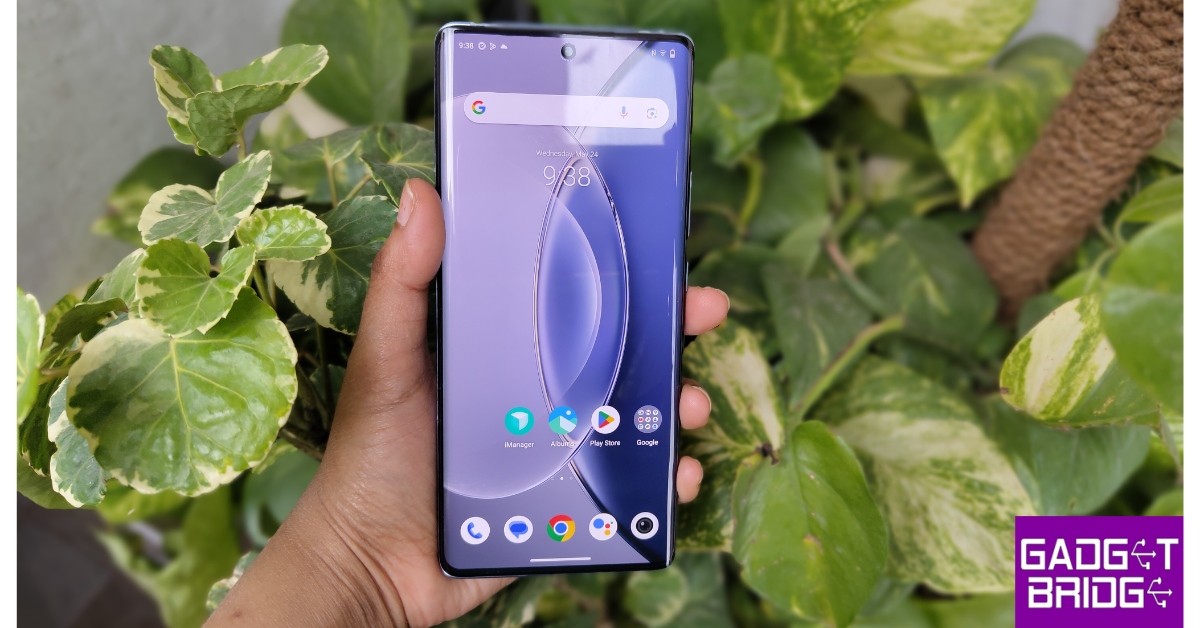
Vivo’s flagship X90 Pro gets a 6.78-inch curved AMOLED display with a refresh rate of 120Hz and a peak brightness of 1,300 nits. It has a screen-to-body ratio of 90.8%. The X90 Pro is powered by the MediaTek Dimensity 9200 SoC. The rear camera panel on this smartphone consists of a 50.3MP primary shooter, another 50MP telephoto lens, and a 12MP ultrawide sensor. This camera unit also gets Zeiss Optics and Zeiss T* lens coating.

Samsung Galaxy S23 Ultra

Price: Rs 1,24,999 Review of Samsung Galaxy S23 Ultra Top 10 smartphones with a curved display panel (2023) Key Specs
Display 6.8-inch Dynamic AMOLED
Chipset Snapdragon 8 Gen 2
RAM 8GB, 12GB
Storage 256GB, 512GB, 1TB
Battery 5,000 mAh
Samsung Galaxy S23 Ultra is the only smartphone in this year’s Galaxy S Series lineup to get a curved display. The 6.8-inch Dynamic AMOLED panel on this smartphone has a 1440 x 3088p resolution and a screen-to-body ratio of 89.9%. The S23 Ultra is powered by the Snapdragon 8 Gen 2 SoC and runs Android 13 OS with Samsung’s One UI skin. It also gets a special 10MP periscope telephoto lens that offers up to 10x optical zoom. Read Also: Jio AirFiber with plans starting at Rs 599 launched in India

Conclusion

These are our picks for the top 10 smartphones with a curved display panel. If you’re looking for a good gaming smartphone, you should pay special attention to the display’s refresh rate and touch sampling rate. Ideally, a gaming smartphone display should offer a refresh rate of 120Hz. If you’re more interested in consuming video content, check the display for HDR10+ and Dolby Vision support. For the latest gadget and tech news, and gadget reviews, follow us on Twitter, Facebook and Instagram. For newest tech & gadget videos subscribe to our YouTube Channel. You can also stay up to date using the Gadget Bridge Android App. You can find the latest car and bike news here.

Vivo Y100 and Vivo Y100A prices dropped again: Price cut details inside

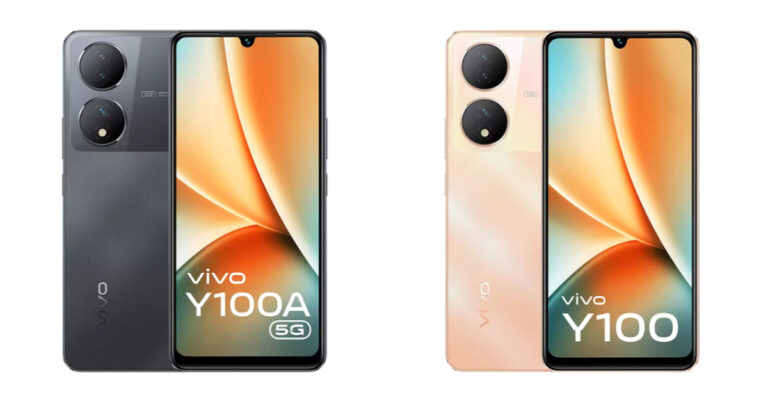
Vivo Y100 and Vivo Y100A were launched in India a few months back. Both the devices got a price cut of Rs 1,000 in May this year and again they both have received a price cut. Vivo Y100 and Vivo Y100A price has been dropped by Rs 2,000. The devices come with almost similar specs the only major difference is the chipset. Vivo Y100 is a 5G smartphone which equips a Snapdragon 695 SoC while the Y100 comes with a 4G chipset that is MediaTek Dimensity 900 SoC. Vivo Y100A is not selling for Rs 21,999 for the 8GB RAM with 128GB storage. While the 8GB RAM with 256GB variant is currently available at Rs 23,000. On the other hand Vivo Y100 can be bought for Rs 21,999 for 8GB RAM with 128GB storage. The handset comes in a single RAM and storage option. Vivo Y100 and Vivo Y100A with the new effective price can be purchased at Flipkart, vivo India e-store and across all partner retail stores. The smartphone comes in Metal Black, Pacific Blue, and Twilight Gold colour finishes.  Also Read: Jio AirFiber with plans starting at Rs 599 launched in India

Vivo Y100A specifications

Vivo Y100A features a 6.38-inch full-HD+ AMOLED display with 2400 × 1080 resolution. The display offers 1300 nits of peak brightness. Additionally, the display comes with 90Hz refresh rate support. The phone operates on Android 13-based FunTouch OS 13 out of the box. There is an octa-core Qualcomm Snapdragon 695 SoC with an expandable RAM feature that powers the phone. The handset is available with 8GB RAM with up to 256GB storage option. The internal memory is expandable via a microSD card. For photos and videos, the Vivo Y100A features a triple rear camera setup that includes a 64-megapixel primary sensor with OIS support. In addition to this, the camera setup also includes 2-megapixel sensors along with an LED flash. The device has a 16-megapixel front-facing camera for taking selfies and video calling. The Y100A also houses a 4,500mAh battery with support for 44W flash charging.

Vivo Y100 specifications

Vivo Y100 is highlighted with a 6.38-inch AMOLED Display that supports a 90Hz refresh rate, 360Hz High touch sampling rate, supports peak brightness at 1300 nits and HDR10+ certification. The 4G phone runs on FunTouch OS 13, which is based on Android 13. An octa-core MediaTek Dimensity 900 SoC powers the device. The Vivo Y100 also includes UFS 2.2 and 8GB of additional RAM with Extended RAM 3.0. The 64-megapixel primary back camera on board the Vivo Y100 has optical image stabilisation. Dual 2-megapixel sensors are there in addition to this. A 16-megapixel front camera on the phone is used for selfies and video calls. It has a 4,500mAh battery inside that can be charged quickly at 44W. For the latest gadget and tech news, and gadget reviews, follow us on TwitterFacebook and Instagram. For newest tech & gadget videos subscribe to our YouTube Channel. You can also stay up to date using the Gadget Bridge Android App. You can find the latest car and bike news here.

Philips HSP3500 Indoor Security Camera Review: The perfect device to keep an eye inside your house!

Back in July, Philips launched its new range of home security cameras in India. This lineup consists of two indoor cameras – HSP1000 & HSP3500, and one outdoor security camera – HSP3800. The HSP3500 sports the highest video resolution (2304 x 1296p) out of all three products. It is currently priced at Rs 3,699 on Amazon and Philips’ official website. We got our hands on this security camera and have been using it for the last week. Here is our in-depth Philips HSP3500 indoor security camera review. Read Also: How to hide and unhide apps on a Xiaomi smartphone?

Philips HSP3500 Indoor Security Camera review: Design

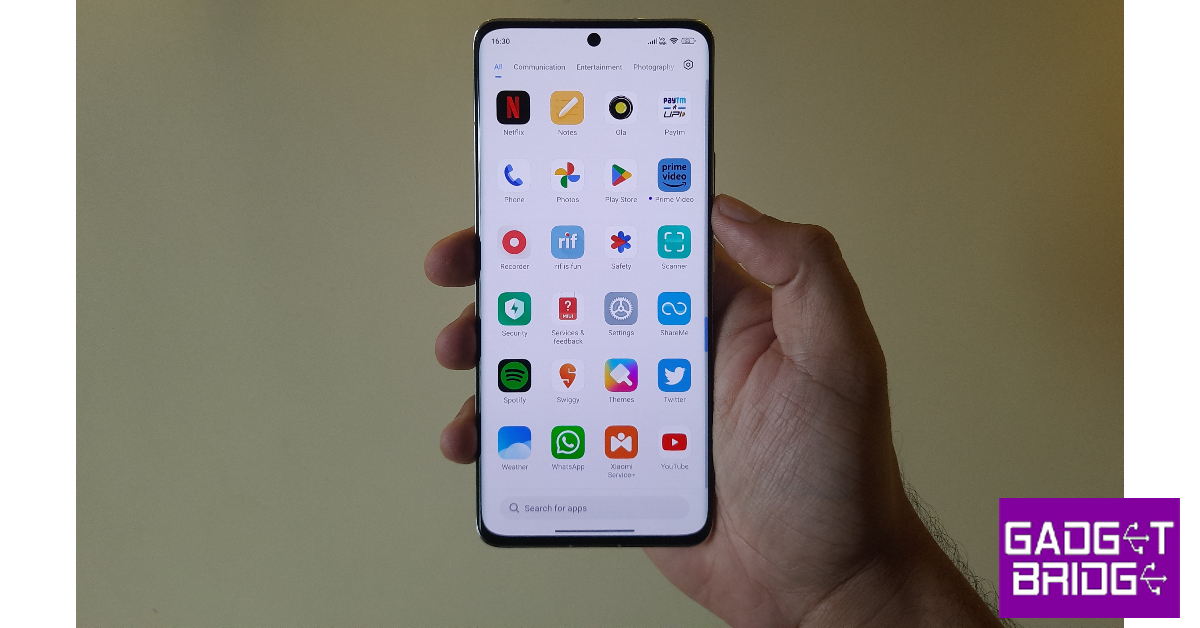
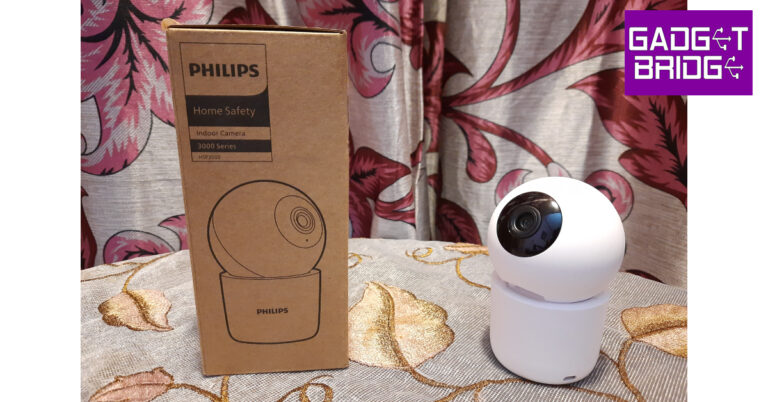
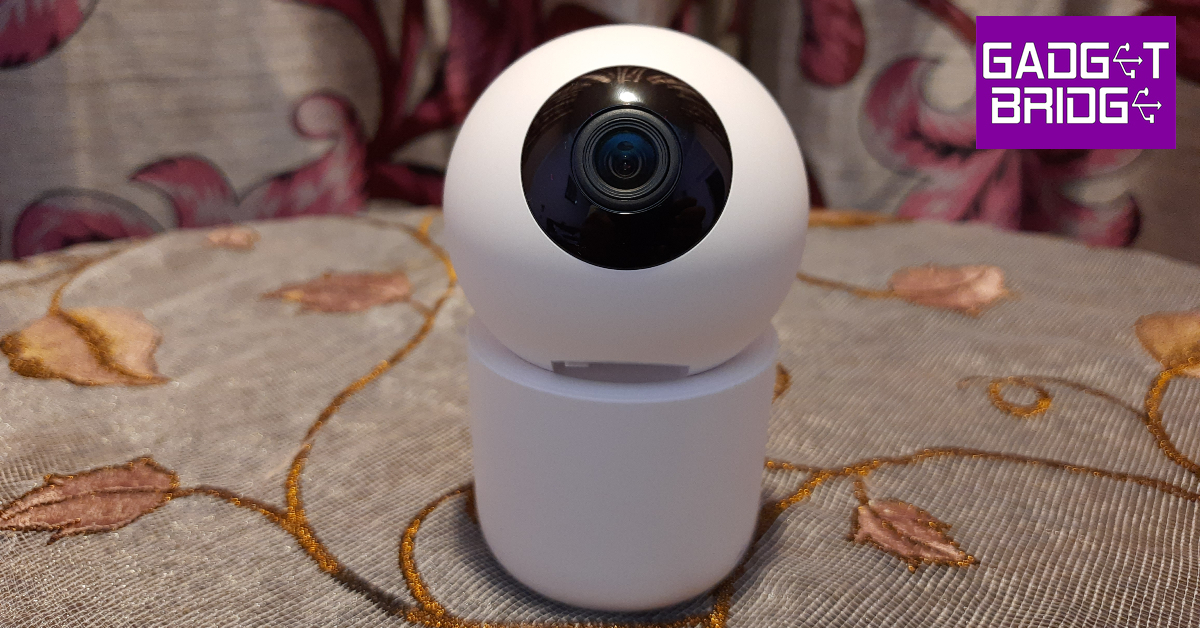
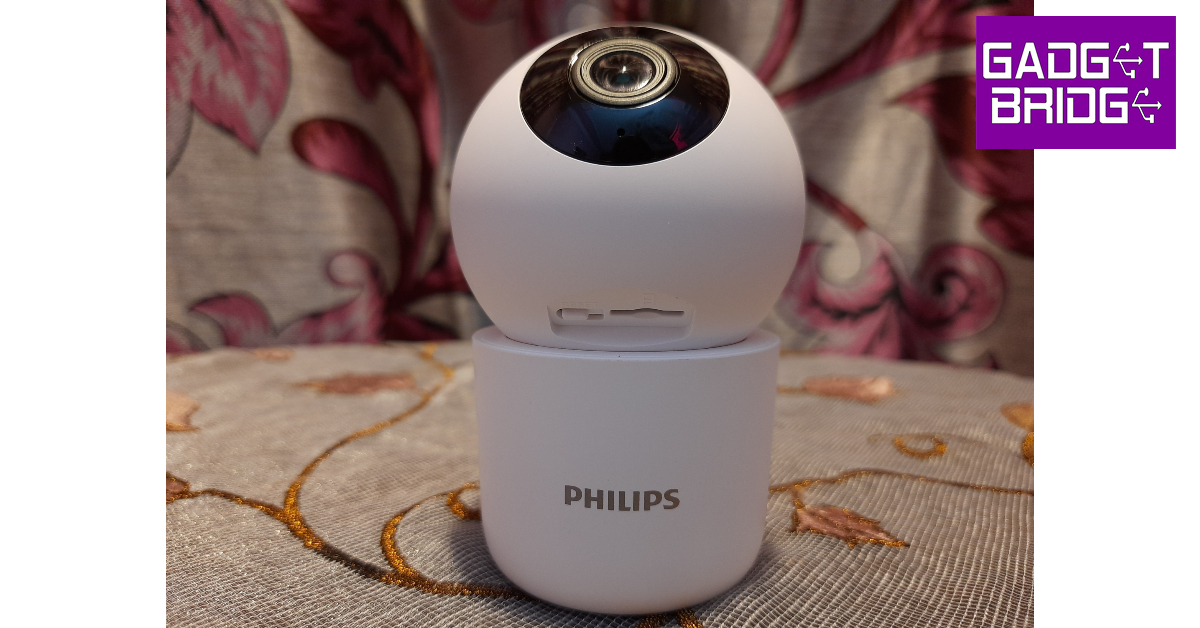
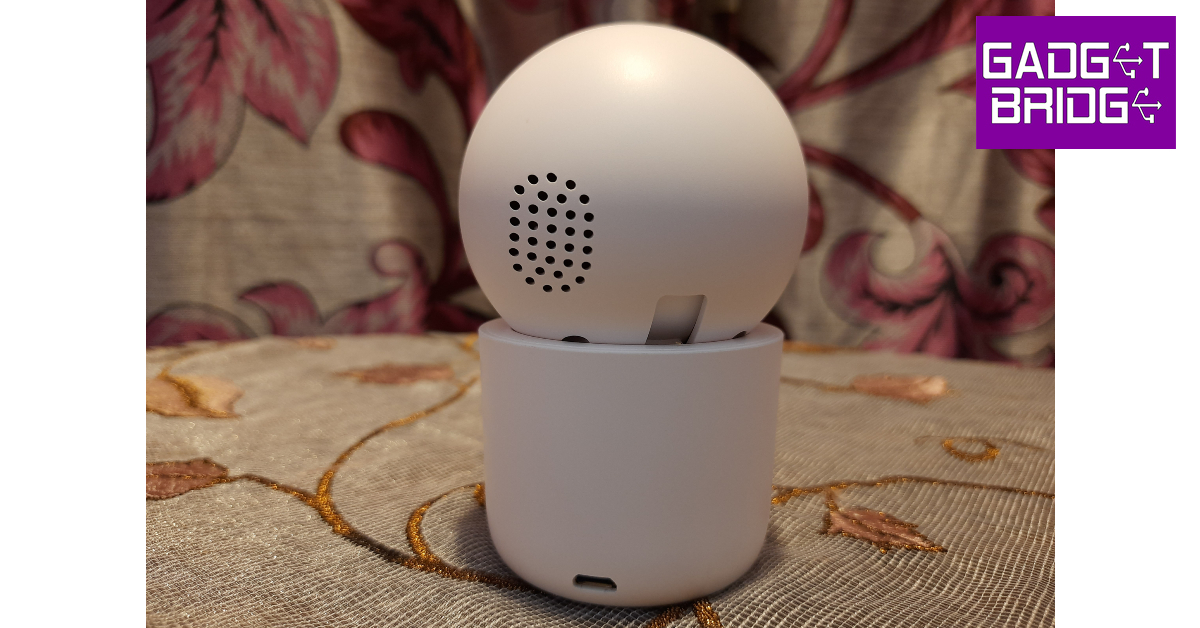
Inside the retail box, you get the HSP3500 security camera, a couple of screws, a cap attachment, a power adapter, a USB Type-B cable, and a quick start guide. The screws and cap attachment can be used to fix the unit upside down on the ceiling. The camera weighs 165 grams and has dimensions of 71mm x 71mm x 109.5mm. The Philips HSP3500 has a compact design that is ideal for placing it on shelves and table tops. The camera orb has a plastic casing and a blacked-out panel for the lens and LED lights, giving it the appearance of a human eyeball. This orb is attached to a platform that contains the USB Type-B slot. The cap attachment provided inside the box can be fixed to the bottom of this platform if you want to hang the camera on the ceiling. If you’re fine with resting it on a flat surface, the platform also sports four small rubber feet to keep the camera stable. The camera orb has a small speaker at the back. This speaker comes in handy when you want to communicate with the people in front of the camera. Lifting up the orb reveals the reset button and the memory card slot. There are six infrared LED lights surrounding the camera panel that boost its night vision capabilities. Since the Philips HSP3500 is an indoor camera, it does not come with an IP rating.

Philips HSP3500 Indoor Security Camera review: Performance

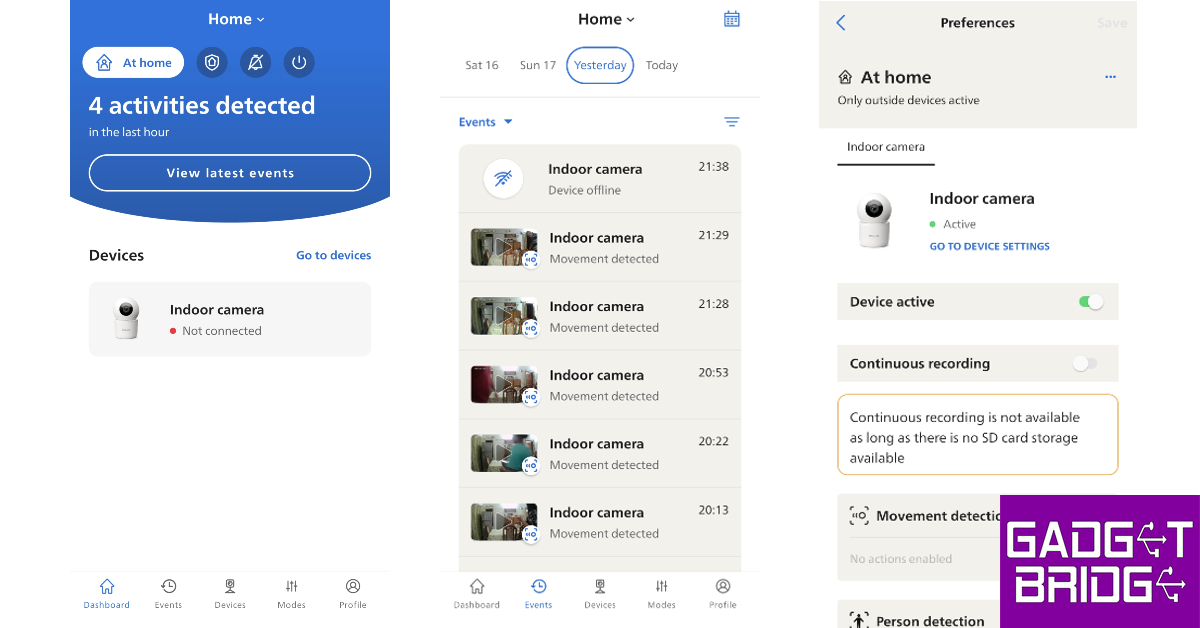
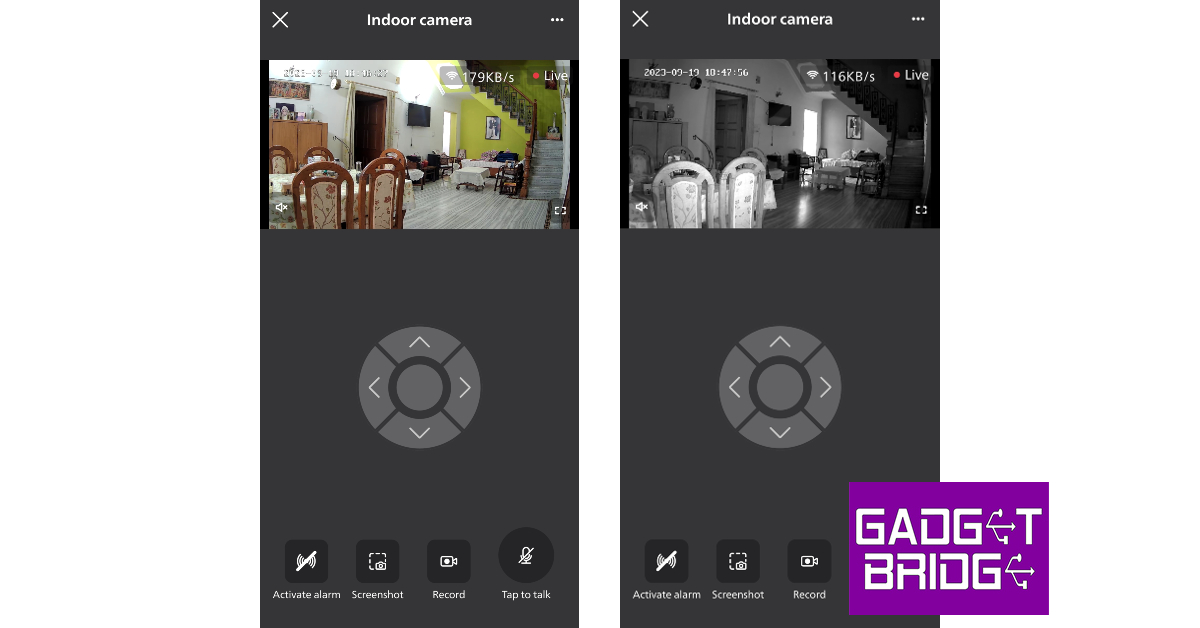
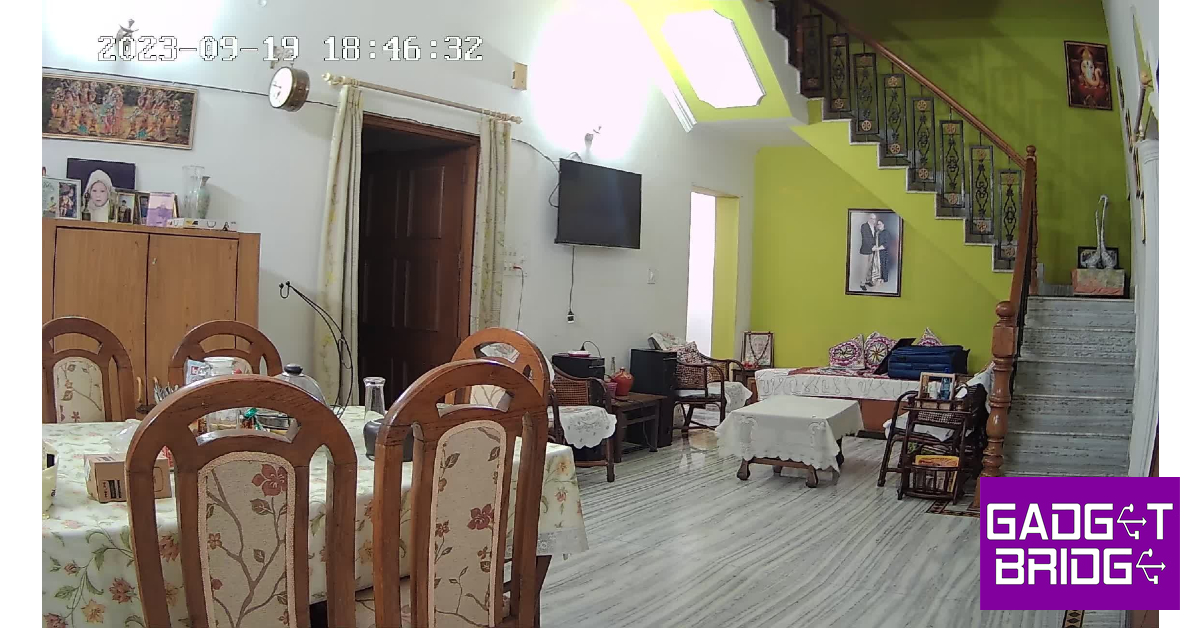
The Philips HSP3500 indoor security camera has a 3MP image sensor that can record videos in 2304 x 1296p resolution, so we were pretty excited to put it to the test for this review. It also has a 360° horizontal and 96° vertical field of view. The sensor has a wide angle of view at 102° (D), 87°(H), and 46°(V). This camera can operate within a temperature range of -10°C to 45°C, which is ideal for India. Philips HSP3500 Indoor Security Camera review: Performance Setting up the Philips HSP3500 is as easy as it gets. Before you begin the process, you need to install the Philips Home Safety app on your smartphone. Connect the security camera to a power source using the adapter and the USB cable. Rotate the camera orb upwards to reveal the reset button. Press and hold the reset button for 5 seconds to turn on the device. Once the device is in pairing mode, launch the Philips Home Safety app and connect to your home WiFi network using the 2.4GHz frequency band. Once the app displays a QR code on the page, turn your phone’s display towards the camera and let it pair with the app. Once you have set up the indoor security camera and its profile on the Home Safety app, there are tons of options for you to explore. The app offers three customisable modes – Home, Away, and Silent. You can set up these modes to decide how the camera behaves in certain situations. We turned off the camera’s movement and person detection features in the Home mode since there’s no point in receiving movement notifications when you’re aware of the presence of people inside your house. However, you can turn on these features in the Away mode.   The video quality that the 3MP sensor is able to record and relay on the live stream is simply amazing. The images are packed with a lot of detail and you can easily make out the faces of people passing the camera’s field of vision. The video footage is sharp and very legible. Even the colour richness and contrast are on point. Under artificial lighting, the camera maintains its superior quality and does not compromise on any details. With the lights turned off, the visibility is reduced to 10 metres, but the camera does a good job of recording decent quality footage with the help of infrared LED lights.   You can use the Philips Home Safety app to view the live footage relayed by the security camera. The controls are very accessible to the average user. You can use the navigation control dial to pan and tilt the camera. With a 360° field of view, you can keep an eye on every corner of the room. One of our favourite features of the Philips HSP3500 is two-way communication. You can simply tap the microphone icon on the app to talk to the person in front of the camera. The live stream player also lets you create a recording and save it to your phone’s camera roll. However, if you want a continuous recording, you will need to insert a memory card into the camera. Philips HSP3500 Indoor Security Camera review: Performance Philips HSP3500 can automatically track movement and use its pan and tilt abilities to follow the subject around as long as they are in the camera’s field of view. These movement recordings are auto-saved to the memory card. You can view these recordings from the ‘Events’ tab in the Home Safety tab. You can also choose the ideal level of movement and sound sensitivity from the device settings. Between its superior video resolution and incredible software support, there is very little to complain about the Philips HSP3500. However, we did experience some very minor inconveniences, which can be fixed with a quick update. In certain situations, the camera struggles to auto-switch between Night Mode and Regular Mode. We noticed this was more common in the morning. If you experience this issue, you can manually turn off the Night Mode from device settings. We would also have liked this camera to be equipped with a small battery pack. Since it relies on an external power source, the camera totally shuts down when the power goes out. Ideally, in this situation, we’d want the security camera to turn to an internal battery pack for power and maybe switch to a less power-hungry mode to ride out the outage. Read Also: OnePlus Pad Go India launch scheduled for October 6

Verdict

The Philips HSP3500 is easily our go-to suggestion for indoor security cameras under Rs 5,000. The 2K resolution videos recorded by this camera are super clear and perfectly colour-corrected. Its video recording chops are only overshadowed by its range of functionalities. The app support offered by Philips is tremendous. You can pan the camera a full 360° using your smartphone. Talking to the subject in front of the camera is also a very seamless process. The motion and person detection also work like a charm. We would have preferred the camera to come with a small battery pack to ensure seamless surveillance in the case of a small power outage, but it is not a dealbreaker by any means.

Philips HSP3500 Indoor Security Camera: Pros

  • Excellent video quality
  • Incredible software support
  • 360° field of vision
  • Decent price

Philips HSP3500 Indoor Security Camera: Cons

  • Disconnects every time there is a power outage
  • Unnecessarily switches on Night Mode at times
For the latest gadget and tech news, and gadget reviews, follow us on Twitter, Facebook and Instagram. For newest tech & gadget videos subscribe to our YouTube Channel. You can also stay up to date using the Gadget Bridge Android App. You can find the latest car and bike news here.

Garena Free Fire Redeem Codes Today 20 September 2023: Here is how to claim them

Garena Free Fire is a battle royale game with regular awards and tournaments to keep players interested. If you play Garena Free Fire, you should be aware of the redeem codes that are released on a daily basis. However, because the battle royale game is banned in India, players from other countries can use the Free Fire Redeem codes daily. If you’re unfamiliar with the Garena Free Fire redeem codes or don’t know how to get them, we’ve put together a step-by-step guide to help you redeem them. Check out Garena Free Fire Redeem Codes for 20 September 2023. The Free Fire redeem codes are a great way to get free stuff. These are 12-digit codes that contain alphabets and numbers, as well as an expiration date and time. Because the Garena FF redeem codes cannot be used more than once, you should hurry to the redemption page to claim your free reward before someone else does. To get a free reward, all you have to do is go to reward.ff.garena.com/en, which is the official redemption page. Also, keep an eye on this space for daily updates on Garena Free Fire redemption codes and rewards.

Garena Free Fire Redeem Codes Today 20 September 2023

F0OKJB2365R84J6 F18TK70Y8U2P568 FO84JU1HG02F365 F8G6R5H4T6J18UL F03L6KJ5H8G1TEH FKIUYHEGBT8NYMH FKIB8UVYHDBENRM FTYHTFY5TYHU758 FK2MHG5GS8H4JK1 F68TY477U1890O2 FL698M5N47H1Y2U F8I98OKL741MN2G F65R8T6Y7U4I1K2 FL019YO5KTIFDB4 F1VRG2HJYK5UI2L FR2JT68K5Y92BFD F58XSAQ2AQ23456 F8YUIOK4L1M2N5G

How to Get Free Fire Redeem Codes for Garena on 20 September 2023?

  • Visit the Garena Free Fire game’s official website at reward.ff.garena.com.
  • Use your Facebook, Google, VK, Apple ID, Huawei ID, or Twitter account to log in.
  • You’ll be taken to a valid redemption code (s)
  • Copy and paste the 12-digit redemption code into the text box.
  • On the screen, a dialogue box will appear.
  • ‘Ok’ should be selected.
For the latest gadget and tech news, and gadget reviews, follow us on TwitterFacebook and Instagram. For newest tech & gadget videos subscribe to our YouTube Channel. You can also stay up to date using the Gadget Bridge Android App. You can find the latest car and bike news here.

8 Essential Tips To Unlock an Amazon Fire TV Stick in 2023

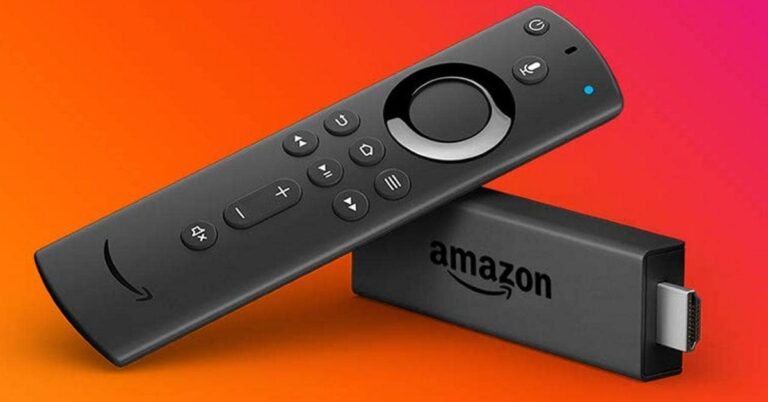
Amazon’s Fire TV streaming devices are incredibly popular and widely regarded as the pinnacle of the Fire sub-brand. While each Fire TV and Fire TV Stick model offers unique features, there are several Amazon Fire TV tips, tricks, and hidden features that can truly enhance your streaming experience. Whether you’re looking to add Alexa capabilities to your TV or enjoy 4K Ultra HD content on your new set, there’s a Fire TV option that suits your needs. The more affordable Fire TV Stick is perfect for Full HD TVs, while the Fire TV 4K is designed for those who’ve invested in UHD. Although there are some differences between them, these Amazon Fire TV tips will come in handy for every type of device.

8 Essential Tips for Amazon Fire TV Stick in 2023

#1 Speed up Fire TV

To boost the performance and speed of your Fire TV, try these initial tips and tricks. When you require quick access to settings on your Fire TV device, simply hold down the home button for a few seconds. Navigate to Settings, then Applications, and click on Manage Installed Apps. Find the app that’s running slow, then use the rewind button to clear the app cache. The purpose of the app cache is to speed up app loading, but it can become problematic after updates, resulting in slowdowns.

#2 Use of Alexa

Now that both the Fire TV Stick and Fire TV 4K feature Alexa, take advantage of its voice assistant capabilities. You can use Alexa to control playback, play music, and search for content by name, genre, or actor. It can even find Netflix content if you have a subscription. If you need inspiration for what else to ask, check out the helpful guide on the Fire TV. Go to Settings > Alexa > Things to Try for ideas.

#3 Use Amazon Fire TV in Another Country

This tip is useful both in the Fire TV beginners guide and for more experienced users. You can read more about how to use VPN on Amazon Fire Stick in the thematic instructions. For example, in the article about unlocking Fire Stick’s from VeePN. I would like to say more about the advantages this gives. Firstly, you will be able to unblock geo-restricted content. Secondly, this approach ensures the safe viewing of content. Thirdly, it protects your Internet channel from throttling.

#4 Have a Private Movie Night

Do you ever desire to fully immerse yourself in a movie while the rest of the household is asleep? Thanks to Fire TV, you can easily redirect the audio of even the most boisterous television shows to a set of Bluetooth headphones, ensuring absolute privacy. This feature is particularly convenient for action movie enthusiasts. To pair your headphones, simply go to Settings, then navigate to Controllers and Bluetooth Devices, and select Other Bluetooth Devices.

#5 Change Your Location

Alexa’s cleverness becomes evident when provided with the right information. If you change your location or use Fire TV internationally, re-enter your postcode to receive personalized updates, such as weather forecasts tailored to your area. To accomplish this, navigate to Settings > Preferences > Location and input your current postcode. This will work for Alexa, but it won’t work for Netflix. To make Netflix work in another region, install a free VPN from a trusted developer. Only changing the IP address will help, since Netflix targets it.

#6 Clean up Background Processes

If you want to stop all background apps running, it might be time-consuming. But there’s a shortcut. Return to the Home Screen and locate the find feature, indicated by a magnifying glass icon. Search for ‘background apps & process list’ and download it. Once downloaded, hold down the home button again. This time, access the apps section and you’ll find it in the list. Highlight it and press the menu button on the remote, characterized by three lines. Some people call this the hamburger menu, but now I’m craving one. Let’s get straight to the point. Clicking on this menu allows you to bring the background app to the forefront for quick access. Upon opening the app, you’ll find a close all apps option at the top, which does exactly what it says. By selecting this, you’ll navigate to each open app, allowing you to close them one by one.

#7 Get rid of Targeted Advertising

Consider us influenced, but if we absolutely must endure advertising, we’d rather have it tailored to our specific interests. However, if you’re one to keep your enthusiasm for Taylor Swift and Friends reruns clandestine (or if you simply oppose Amazon creating an advertising profile based on your preferences), you can disable targeted advertising on Fire TV. Rest assured, you’ll still encounter advertisements, but they’ll be the generic kind, unrelated to your browsing habits. To make this adjustment, access Settings > Preferences > Advertising ID.

#8 Find out more about the film

Amazon’s X-Ray feature is an all-knowing film buff, putting an end to the frustration of getting lost in a film’s plotline and wondering where you’ve seen that actor before. With just a click of a button on the remote, IMDB’s profile on the movie will appear. Moreover, you can access this information seamlessly on an Amazon tablet in Second Screen mode, without any disruption to your viewing experience.

Conclusion

Your Amazon Fire TV Stick can work better if you customize it. Here are 8 tips to improve your visual TV viewing experience. With them, you can increase the performance of your device and get access to more content. For the latest gadget and tech news, and gadget reviews, follow us on TwitterFacebook and Instagram. For the newest tech & gadget videos subscribe to our YouTube Channel. You can also stay up to date using the Gadget Bridge Android App. You can find the latest car and bike news here.

Jio AirFiber with plans starting at Rs 599 launched in India

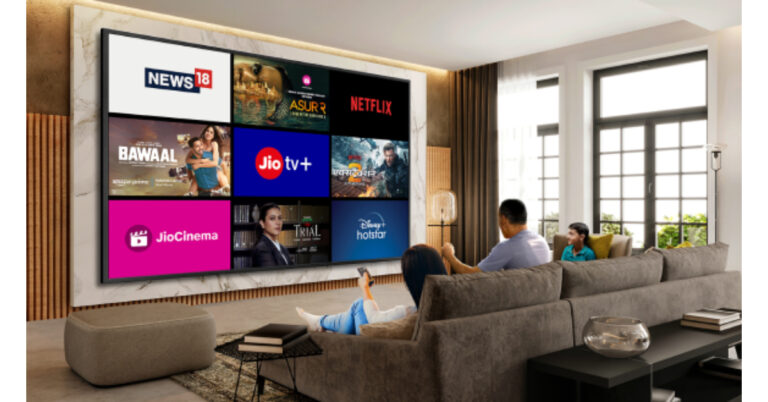
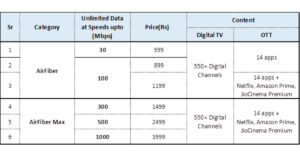
Today, Jio AirFiber was officially launched in India. Reliance has introduced it in a total of eight Indian cities that would have access to the wireless internet service allowing users access to the Internet at speeds of up to 1Gbps. In addition to this, it will allow access to over 16 OTT apps and 550 digital TV channels. Reliance has made JioAirFiber its integrated end-to-end solution for home entertainment, smart home services and high-speed broadband live in 8 cities – Ahmedabad, Bengaluru, Chennai, Delhi, Hyderabad, Kolkata, Mumbai and Pune on the auspicious occasion of Ganesh Chaturthi. Jio AirFiber with plans starting at Rs 599 launched in India Reliance claims that Jio’s optical fibre network covers more than 1.5 million kilometres of India. Jio has located close to more than 200 million locations thanks to its enormous optical-fibre presence.  Speaking at the launch of JioAirFiber, Akash Ambani, Chairman, of Reliance Jio Infocomm Limited, said, “Our extensive fiber-to-the-home service JioFiber, already serves over 10 million customers, with hundreds of thousands more getting connected each month. But there are still millions of homes and small businesses to be connected at a rapid pace. Also read: iPhones Compared: iPhone 15 vs iPhone 14 With JioAirFiber, we are expanding our addressable market to rapidly cover every home in our country with similar quality of service. JioAirFiber will enable millions of homes with world-class digital entertainment, smart home services and broadband, through its solutions across education, health, surveillance and smart home.” JioAirFiber users get free access to the leading 16+ OTT apps such as Amazon Prime Video, Disney+ Hotstar, JioCinema, SonyLIV, Voot Kids, Voot Select, and Zee5. Users can also utilize this subscription and use the apps across any device of their choice such as TV, Laptop, Mobile or Tablet. In addition, it will allow access to all leading 550+ Digital TV Channels in high definition. Jio is also giving AirFiber subscribers a Wi-Fi router, a 4K smart set-top box, and a voice-activated remote free of charge. The Jio AirFiber plans start at Rs 599 offering a total of six different plans. All packages have a six- or 12-month term and provide free access to numerous popular OTT platforms in addition to other advantages including access to more than 550 digital channels. The JioAirfiber plan starts at Rs 599 and includes unlimited data at a speed of 30Mbps. The subscriptions for Rs 899 and Rs 1,199 offer 100Mbps of unlimited bandwidth. The entry-level AirFiber Max package has a price of Rs 1,499 and provides 300Mbps of data. The Rs 2,499 plan is meant to provide 500Mbps of speed and unlimited data. Jio AirFiber with plans starting at Rs 599 launched in India The most expensive Jio AirFiber package provides unlimited bandwidth at 1Gbps speed and costs Rs 3,999. There will be a WiFi router for ubiquitous coverage in your home or business premise, a 4k Smart Set Top Box and a Voice-active remote at no additional cost. Existing JioFiber tariff plans continue as is and there is no change in existing user tariffs For the latest gadget and tech news, and gadget reviews, follow us on TwitterFacebook and Instagram. For newest tech & gadget videos subscribe to our YouTube Channel. You can also stay up to date using the Gadget Bridge Android App. You can find the latest car and bike news here.