After releasing AI DJ in 2023, Spotify has added another AI-based feature to its platform. ‘AI Playlists’ is a fun way to curate a collection of songs by entering unique prompts. If you don’t want to put in the effort of going through your music catalogue and picking songs based on a vibe, you can simply get Spotify to do it. Not only does this tool curate interesting playlists, but it is also a great way to come across new music based on a particular vibe. So, without further ado, let’s take a look at how you can create AI playlists on Spotify.Read Also:iQOO anniversary special sale kicked off in India, save up to Rs 25,000 on the purchases
In This Article
Before you begin
As is the case with most AI-based tools, the results produced by Spotify’s AI playlists are only as good as the prompt. If you want a playlist that isn’t redundant or one-dimensional, make sure your prompt touches upon different kinds of moods and includes more than one attribute for the playlist. Apart from genres, your prompts can reference places, movie characters, colours, animals, and more. If you can put the emotion into words, you can even use an emoji in your prompt.If you’re looking for a very specific type of sound, it is a good idea to narrow down your playlist using specific genres and/or decades of music. If you want to get creative with it, you can create playlists based on the music taste of imaginary characters. If you like the soundtrack of a particular movie or TV show, you can find similar songs that match that vibe using AI playlists.
Create AI Playlists on Spotify
Step 1:Launch the Spotify app on your smartphone and switch to the Library tab.Step 2: Tap the plus icon at the top right corner of the screen.Step 3: Select AI Playlist.Step 4: Enter a prompt. If you want a playlist that accurately represents your mood, be very specific with your prompts. Spotify also has preset prompts for you to choose from.Step 5: Spotify will produce a playlist based on the prompt. You can edit the songs in this playlist or refine it further by entering a follow-up prompt.Step 6: When you’re happy with the results, hit Create.
Bonus Tip: Create an AI playlist on YouTube Music
Step 1:Launch the YouTube Music app on your smartphone.
Step 2: Go to the Library tab.
Step 3: Hit the New button.
Step 4: Select AI playlist.
Step 5: Enter a prompt for the playlist using text or voice. Make sure it is detailed and touches on key aspects of the mood and sonic nature of the playlist.
Step 6: Your AI playlist will be generated in a few seconds.
Frequently Asked Questions (FAQs)
How do I create an AI playlist on Spotify?
Launch the app, go to Library, hit the plus icon, and select AI playlist. Enter a prompt for the playlist and hit ‘Create’ when you’re done editing the songs.
Can Spotify create a playlist based on any prompt?
Your prompts have to be music-related for Spotify to create a playlist. Since this is still a beta feature, it doesn’t create playlists based on prompts that are not related to music.
How do I create a Blend on Spotify?
Go to Spotify>Your Library, hit the plus icon, select Blend, hit ‘Invite’, and send the link to a friend.
This is how you can create AI playlists on Spotify. Spotify will roll out this feature for the rest of the work in a phased manner over the coming months. Make sure the Spotify app on your phone is updated to its latest version. If you have any questions about AI playlists, let us know in the comments! While you’re here, check out this article to learn how to find your Spotify daylist.
Consumers can avail of great discounts during the iQOO anniversary special sale starting April 9 till April 14.
The iQOO smartphones at discounted pricing will be available via the iQOO e-store and Amazon.in.
Buyers can save as much as Rs 25,000 on the purchase of iQOO 11 plus take advantage of amazing discounts on a few models, such as the iQOO 12 Desert Red version, iQOO Z9, iQOO Neo9 Pro, and iQOO Z7 Pro.
In celebration of reaching a significant milestone—its fourth anniversary—iQOO has announced special discount offers on its flagship, Neo and Z series smartphones. The iQOO’s anniversary special sale will begin today and will run till April 14.During the iQOO anniversary special sale, the Vivo sub-brand will sell its most recent flagship device, the iQOO 12, for a lower price on Amazon India and its website. Price reductions for some iQOO Z and Neo series smartphones, including the iQOO 11, Z9, Z7 Pro, and Neo 9 Pro, are confirmed for this time frame.The iQOO 12 Anniversary Edition Desert Red colour variation will retail for Rs 49,999 during the anniversary sale. This represents a reduction of Rs 3,000 off the Rs 52,999 actual pricing. On the other hand, iQOO 11 will have a discount of up to Rs 25,000. Therefore it will retail at Rs 41,999 instead of its original price of Rs 64,999.Also Read:Samsung Galaxy M55 5G with Snapdragon 7 Gen 1 SoC launched in IndiaDuring the iQOO’s anniversary special sale the iQOO Neo 9 Pro will now only cost Rs 32,999 instead of Rs 35,999. Whereas, iQOO Z9 will be available at a discounted price of Rs 17,999, Rs 2,000 down from its original price of Rs 19,999.Also Read:Samsung Galaxy M15 5G with 6,000mAh battery launched in IndiaA further Rs 3,000 discount will be applied to the iQOO Z7 Pro, which will now only cost Rs 20,999 instead of Rs 23,999. In the same way, iQOO Neo 7 Pro—which was originally priced at Rs 34,999—will be more reasonably priced at Rs 29,999.
Garena Free Fire is a battle royale game with regular awards and tournaments to keep players interested. If you play Garena Free Fire, you should be aware of the redeem codes that are released on a daily basis. However, because the battle royale game is banned in India, players from other countries can use the Free Fire Redeem codes daily. If you’re unfamiliar with the Garena Free Fire redeem codes or don’t know how to get them, we’ve put together a step-by-step guide to help you redeem them. Check out Garena Free Fire Redeem Codes for 9 April 2024.The Free Fire redeem codes are a great way to get free stuff. These are 12-digit codes that contain alphabets and numbers, as well as an expiration date and time. Because the Garena FF redeem codes cannot be used more than once, you should hurry to the redemption page to claim your free reward before someone else does. To get a free reward, all you have to do is go to reward.ff.garena.com/en, which is the official redemption page. Also, keep an eye on this space for daily updates on Garena Free Fire redemption codes and rewards.Also Read: Sennheiser Accentum Plus wireless headphones with Hybrid Adaptive Noise Cancellation launched
If your routine tasks on your PC involve photo editing, working on spreadsheets, or writing articles and drafts, then you must know the Undo and Redo commands. While the former is very popular among Windows users, the latter is not used as often. What a lot of people don’t know is that most Windows applications allow you to carry out these commands multiple times. So, let’s take a look at the universal keyboard shortcuts for Undo and Redo.Read Also:Samsung Galaxy A55 5G Review: A reliable midrange smartphone
In This Article
The universality of Undo and Redo
The Undo command is pretty much a staple fixture in all Windows applications that let the user create a project. Whether you’re making a beat in Fruity Loops or typing the first draft of a screenplay in Microsoft Word, you can quickly erase any errors using the Undo command. Its keyboard shortcut is universal and it is very rare that an application assigns a different shortcut to it.Meanwhile, the Redo command is a lot less common than Undo. You can find it in Google Docs and Microsoft Excel but some niche applications may not support it. Its keyboard shortcut is also not as common as Undo’s. However, if the application you are using supports this command, it can be a lifesaver. The keyboard shortcuts for both commands are very easy to incorporate into daily usage.
Keyboard Shortcuts for Undo and Redo
Undo: Ctrl + Z
This keyboard shortcut will reverse the action you have just made. If you press Ctrl + Z multiple times, it will keep undoing the series of actions you have taken. Ctrl + Z is a universal command, meaning it will work on every application on your PC or laptop. However, the app may choose to restrict how far back you can undo your actions.
Redo: Ctrl + Y
The universal keyboard shortcut for redo is Ctrl + Y. Once you press this key combination, the action you just undo’d will be restored. You can redo only as many times as you have undo’d. For example, if you hit undo after cropping a picture, using the key combination for redo will crop it again.
Frequently Asked Questions (FAQs)
What is the keyboard shortcut for Undo?
Pressing Ctrl + Z on your keyboard can undo your last action.
What is the keyboard shortcut for Redo?
Pressing Crtl + Y on your keyboard and bring back the action that you reversed.
How many times can you use the undo option on MS Excel?
These are the universal keyboard shortcuts for Undo and Redo. If these key combinations do not work on a particular app, let us know in the comments and we will suggest an easy workaround. Instead of using the keyboard shortcut, you can also access these options in the ‘Edit’ menu.
Samsung Galaxy M15 5G launched in India today alongside Samsung Galaxy M55 5G. The M15 5G succeeds the Galaxy M14 that was launched last year. features a 90Hz AMOLED display and a 50-megapixel triple rear camera setup. The phone is powered by MediaTek Dimensity 6100+ SoC and comes with a massive 6,000mAh battery.
In This Article
Samsung Galaxy M15 5G price in India, sale details
Samsung Galaxy M15 5G price in India is set at Rs 13,299 for the 4GB RAM with 128GB storage. The price of the 6GB RAM with 128GB storage is set at Rs 14,799. The phone will be available in three colourways- Blue Topaz, Celestial Blue, and Stone Grey. The device is not available for purchase via Amazon in the country.
Samsung Galaxy M15 5G specifications
The Samsung Galaxy M15 5G features a 6.5-inch full-HD+ Super AMOLED display with 1,080×2,340 pixels of resolution. The screen supports a refresh rate of 90Hz. Samsung equipped the Galaxy M15 5G with a 6,000mAh battery that supports 25W rapid charging. A single charge of the battery is supposed to last up to 21 hours for video playback and 128 hours for audio playback.Also Read:Total Solar Eclipse 2024: Here is how to watch the cosmic event in India and other regions todayThe phone runs on a One UI 6.1 based on Android 14. It has been announced that it will receive five years of security patches in addition to four generations of Android upgrades. It is powered by an octa-core MediaTek Dimensity 6100+ SoC with up to 6GB of RAM and 128GB of storage. There is a dedicated slot for a microSD card that can expand the storage up to 1TB.Also Read:Samsung Galaxy M55 5G with Snapdragon 7 Gen 1 SoC launched in India For photos and videos, the Samsung Galaxy M15 5G features a triple rear camera setup that includes a 50-megapixel primary sensor, a 5-megapixel secondary lens and a 2-megapixel sensor. It boasts a 13-megapixel front camera for taking photos and video chats.In terms of connectivity, there is 5G, GPS, Glonass, Beidou, Galileo, QZSS, Wi-Fi 802.11 a/b/g/n/ac, Bluetooth 5.3, a 3.5mm audio jack and a USB Type-C port. There are several sensors on board, including a fingerprint sensor located on the side, a light sensor, a proximity sensor, an accelerometer, a gyroscope, and a geomagnetic sensor.
The company is promising to provide four years of software upgrades and five years of security fixes.
The phone is powered by Qualcomm Snapdragon 7 Gen 1 SoC.
Samsung Galaxy M55 5G launched in India today. The smartphone is the successor of Galaxy M54 5G launched in India last year. Qualcomm Snapdragon 7 Gen 1 SoC powers the M55 5G. The phone has a triple-rear camera setup with a 50-megapixel sensor. The device runs on Android 14 out of the box. It comes with a 5,000mAh battery with support for 45W wired fast charging.
In This Article
Samsung Galaxy M55 5G price in India, sale details
Samsung Galaxy M55 5G price in India is set at Rs 26,999 for the base 8GB RAM with 128GB storage. The 8GB RAM with 256GB storage model comes with a price tag of Rs 29,999. Whereas the 12GB RAM with 256GB storage option is priced at Rs 32,999.The device will be available in two colour options Denim Black and Light Green. The phone can be purchased via the company’s official website and Amazon.Also Read:It looks like the Google Pixel 8a is almost ready for release, as listed on the Bluetooth SIG website
Samsung Galaxy M55 5G specifications
Samsung Galaxy M55 5G highlights a 6.7-inch full-HD+ Super AMOLED Plus display with 2,400 x 1,080 pixels of resolution. The panels support a refresh rate of 120Hz and have a peak brightness level of 1,000 nits. The phone operates on One UI 6.1 based on Android 14 out of the box. The company is promising to provide four years of software upgrades and five years of security fixes. Under the hood, there is a Snapdragon 7 Gen 1 SoC with up to 12GB of RAM and up to 256GB of storage.Also Read:Total Solar Eclipse 2024: Here is how to watch the cosmic event in India and other regions todayFor photography, there is a triple rear camera setup that includes a 50-megapixel primary sensor with optical image stabilisation paired with a wide-angle lens, an 8-megapixel sensor ultra-wide-angle lens and a 2-megapixel macro lens. For selfies, a 50-megapixel front-facing camera is provided.The Galaxy M55 5G includes 5G, Wi-Fi, GPS, Bluetooth 5.2, NFC and USB Type-C for connectivity. There is a 5,000mAh battery with 45W wired fast charging support.
Your laptop has a unique string code assigned to it by its manufacturer. This unique code is called its ‘serial number’. This serial number differentiates your laptop unit from similar models. No two laptops can have the same serial number. This helps large organisations maintain an inventory of their devices. Here are the top 9 ways to find the serial number of your Windows laptop or MacBook.Read Also:Top 5 ways to fix the ‘no signal’ issue in Acer monitors (2024)
In This Article
What is the use of a Serial Number?
You may be wondering why you even need to know your laptop or MacBook’s serial number. There are multiple answers to this question. Being a unique identification code, the serial number finds its use in many different situations.
Your device’s warranty is linked to its serial number. Once you turn in your laptop for repairs, the service centre uses its serial number to find out if it is still under warranty.
An organisation can maintain an inventory of all its laptops and PCs using their unique serial numbers.
You can check if any spare part you are looking for is compatible with your laptop.
While reselling the laptop, you can provide its serial number to the buyer to validate its authenticity.
In case your laptop gets lost, filing for the insurance claim will require producing the device’s serial number.
Use Command Prompt
Step 1: Launch Command Prompt on your laptop.Step 2: Type wmic bios get serialnumber and hit Enter.Your laptop’s serial number will be displayed on the screen.
Check the retail package
If you don’t have admin access on your device, try looking for the serial number on the stickers applied to the device or in the retail package. Look for any category or section labelled ‘Serial Number’ or ‘S/N’. Some manufacturers provide this information on a sticker inside the retail box and not on the laptop. Look closely for the string. If you can’t find it, move on to other methods.
Check the bills or the receipt
If you can’t find the serial number on your laptop’s stickers, look for it on the product bill/receipt or warranty info card. If your laptop came with a physical card for the warranty information, chances are you will find the serial number on it. While you’re at it, check the detailed invoice too.
Find the serial number from device info
Step 1: Go to Settings and switch to the System tab.Step 2: Scroll down and select About.Step 3: Look for the Serial Number in the list of specifications.Note: This may not work for all Windows Laptops.
Use BIOS
Image Source: LenovoStep 1: Enter BIOS by going to Settings>System>Recovery and hitting Restart now next to Advanced startup.
Step 2: Once you’ve entered BIOS, go to the Main or Information tab.
Step 3: Find the serial number next to System Serial Number.
Use the OEM’s proprietary support app
Most OEMs have a proprietary support or companion app for their PCs and laptops. This app lets you control the essential components and features of your laptop while also specifying key information about the device. For example, Lenovo has the Vantage app, Xiaomi has the Mi Support app, and HP has MyHP and Support Assistant. Launch the proprietary app and look up your device’s serial number in the relevant section.
Find your MacBook’s Serial Number
If you want to find out your MacBook’s serial number, here is what you need to do.Step 1: Hit the Apple logo in the top right corner of the screen.Step 2: Click on About This Mac.Step 3: Look for the Serial Number category in the pop-up box.
Find your MacBook’s Serial Number using Terminal
Step 1:Launch the Terminal app on your MacBook.
Step 2: Type the following command and hit Return:
ioreg -l | grep IOPlatformSerialNumber
Step 5: Your MacBook’s serial number will be listed next to ‘IOPlatformSerialNumber’.
Find your MacBook’s Serial Number from the System Information app
Step 1: Press and hold the Option key and select Apple menu>System Information.
Step 2: Select Hardware from the sidebar.
Step 3: The serial number will be listed under Hardware Overview on the right panel.
Frequently Asked Questions (FAQs)
How do I find my Windows laptop’s serial number?
Run Command Prompt on your device and enter ‘wmic bios get serialnumber’ to find out its serial number.
Can I find my laptop’s serial number from the BIOS?
Yes, your laptop’s serial number is listed on the Main and Information tabs in its BIOS.
How do I enter BIOS on my PC or laptop?
You can enter BIOS by going to Settings>System>Recovery and hitting ‘Restart now’ next to ‘Advanced startup’.
How do I find my MacBook’s serial number?
Click on the Apple logo at the top left corner of the screen and select ‘About This Mac’. You will find the serial number in the pop-up box.
What is the laptop serial number used for?
Your PC’s serial number is primarily used to verify that it is under warranty period, but it can also be used to find compatible parts for the device or track it in case it gets lost.Read Also:Nothing Phone (2a) Review: Ticks all the right boxes
Conclusion
These are the top 9 ways to find your Windows laptop or MacBook’s serial number. If you want to get your device repaired from the authorised service centre but don’t have its serial number or warranty card, you can simply take the product invoice/bill along with it.
PC monitors are pretty straightforward to set up and use. All you need to do is plug them into a power source and connect them to your PC. When an error message pops up on the display monitor, things can get pretty confusing because the error could arise due to a plethora of reasons. If you’re facing a similar ‘no signal’ issue on your Acer monitor, here are some possible fixes.Read Also:Total Solar Eclipse 2024: Here is how to watch the cosmic event in India and other regions today
In This Article
Reasons behind the ‘no signal’ error message on your Acer PC
Before we move on to the fixes, here are some of the possible reasons behind this error.
Faulty connection between the PC and the monitor.
The monitor is receiving power, but the PC isn’t.
The cables connecting the PC and monitor are damaged.
You did not select the correct input source for your monitor.
Hardware damage to the monitor.
Graphic card drivers are out of date.
Now, let’s take a look at the fixes.
Check the cable
If you’re getting the ‘no signal’ error on your Acer monitor, the first thing you should do is check the cable connecting it to the computer. Make sure it is connected firmly to the monitor and the CPU. Inspect the cable for any tears. These tears can often give rise to a bunch of functional issues. Additionally, make sure the PC’s power cable is plugged in and turned on.
Select the correct input source
Some Acer monitors have multiple input ports (HDMI, VGA, DVI, DP, etc). Make sure your monitor is set to the correct input source for it to work. You can change the input source using the firmware settings of the monitor. Press the menu button on the menu’s frame and select the appropriate input source.
Check the graphics card
If your graphics card is not firmly connected to its slot, it could cause the monitor to display the ‘No Signal’ error. Power off your PC and remove all cables before opening the CPU case. Once the cabinet has been opened, remove the graphics card from its slot and wipe it gently with a clean microfibre cloth. Make sure the slot does not have dirt settled on it. Re-insert the graphics card, re-plug your PC, and restart it to check if the issue has been resolved.
Is your PC in Sleep Mode?
Your PC slips into Sleep Mode after a period of inactivity. This results in the monitor turning off due to a lack of input signal from the PC. To turn off Sleep Mode, simply move the mouse or press any key on the keyboard. You may need to re-enter the password if your PC has been in Sleep Mode for an extended period of time.
Select the correct monitor
If you’re using a multi-monitor setup for your PC, you may want to switch to the primary display. Here’s how.Step 1: Press Windows key + P.Step 2: Select PC screen only.This should make your PC send the signal to your primary screen only.
Update the Graphics Card
Your monitor may not receive an input signal from the PC if the graphics driver is out of date. To fix this, download the driver update from the OEM’s official website. Once downloaded, go to Control Panel>Device Manager>Display Adapters and update the graphics card driver.
Check the monitor for hardware damage
Hardware damage can cause the ‘No Signal’ issue on your monitor. Inspect its frame and display for any signs of physical impact. If you notice some scuffs or cracks, it means your monitor sustained damage recently, most likely due to a fall. Furthermore check its cables and ports for any unexplained tweaks.
Connect to a different monitor
If your monitor’s hardware is damaged, you will need to take it to an authorised service centre for repair. To confirm if this is the case, connect another monitor to your PC. If it doesn’t throw the ‘No Signal’ error message your way, it means that your original monitor is damaged. If you encounter an issue with the secondary monitor as well, it means the fault lies with your PC. You can also run this experiment by connecting your monitor to another PC.
Frequently Asked Questions (FAQs)
What should I do if my Acer monitor is displaying a ‘no signal’ message?
Make sure the input source on your monitor is correct, check the cable connecting it to the PC for any physical damage and loose connections, and update the graphics driver.
Why is my Acer monitor displaying the ‘No Signal’ error message?
The ‘No Signal’ error message could arise due to a faulty cable connection, lack of power to the monitor, outdated graphics drivers, and hardware damage to the monitor.
How do I change the input source on my Acer monitor?
Press the menu button on the monitor’s frame and select ‘Input’. Choose the correct input source from the list, depending on the type of connection.
How do I reset my Acer monitor?
Access the On-Screen Display menu by pressing the dedicated button at the bottom or the side of the monitor, go to Settings>System, and select ‘Reset to Default’.
How do I update my PC’s graphics card driver?
Download the updated driver from the OEM’s website, then go to Control Panel>Device Manager>Display Adapters to update the graphics card driver.Read Also:Best Smartphones with AI features (2024)
Conclusion
These are the top 8 ways to fix the ‘no signal’ issue on your Acer monitor. Apart from these standard fixes, you can try performing a factory reset on the monitor. This will reset its settings to factory defaults and will get rid of any customisations that may be causing the problem. If you have any other fixes for this issue, let us know in the comments!
There will be a first solar eclipse on Monday, April 8, which is also known as Surya Grahan in India. The majestic solar event will be seen in different parts of the world but mainly in North America, including Mexico, the US, and Canada. After this, there won’t be another total solar eclipse in the same region for another 20 years.This year’s first solar eclipse will be witnessed in various parts of the world on Monday. The first annular Solar Eclipse will not be visible in the rest of the world, albeit a few additional regions will be able to witness it to some extent. An annular solar eclipse is characterised by the appearance of a ring of fire in the sky. The sky will darken as if it were dawn or dusk.Beginning at 11:07 AM PDT on the Pacific coast of Mexico, the eclipse will conclude at 5:16 PM NDT on the Atlantic shore of Newfoundland, Canada. Over a distance of 185 km, the total solar eclipse moves across North America, travelling through Mexico, across the United States from Texas to Maine, and out across Canada’s Atlantic coast. It will be visible in up to eighteen different US states. India would not be able to see the total solar eclipse as it will begin a couple of hours after the sun sets, at 9:12 PM IST. On April 9, the eclipse will go into totality at 10:08 PM IST and come to an end at 2:22 AM IST.Also Read:It looks like the Google Pixel 8a is almost ready for release, as listed on the Bluetooth SIG websiteIf you are located in one of the above-mentioned locations, then it will be visible with your own eyes. The most important thing to remember when witnessing a total solar eclipse is safety. Make sure you know when to wear specialised eye protection made for viewing solar radiation. We would caution you against using your naked eyes to view the event.Consider donning protective sunglasses or dark glasses before venturing outside as the damaging UV rays could cause irreversible eye damage, potentially resulting in blindness. Make sure you use black polymer, welding glass, or aluminized Mylar before you watch the solar eclipse (shade number 14).Also Read:Samsung Galaxy M55 5G, Galaxy M15 5G India launch today: Price in India, specs details
In This Article
2024 Total Solar Eclipse: Watch it Online
Now that you know that the 2024 Total Solar Eclipse will not be visible in all parts of the world, it can be watched virtually live through the eyes of NASA.On April 8 at 5:00 p.m. GMT (10:30 p.m. IST), NASA will begin a live webcast that will last until 8:00 p.m. GMT (1:30 a.m. IST).The live stream is accessible below.
The timeanddate.com will also broadcast the live stream of the total solar eclipse on its YouTube channel on April 8 beginning at 4:30 PM GMT (10:00 PM IST).
What is an annular solar eclipse?
For those who don’t know, a solar eclipse is a phenomenon that occurs when the Sun, Moon, and Earth are all in alignment. It is known as a partial or full solar eclipse when the Earth is completely covered in the shadow created by the Moon. However, during an annular solar eclipse, the moon crosses in front of the sun and obscures half or all of it from Earth’s perspective.
When OpenAI’s ChatGPT broke into the mainstream towards the end of 2022, the infusion of AI tech into consumer tech seemed inevitable. In 2024, two major players, Google and Samsung, have successfully integrated AI tech into their flagship smartphone offerings, but it still feels like the best is yet to come. If you’re looking to buy a flagship smartphone this year, AI integration is something you should certainly consider before making a purchase. So, let’s take a look at the best smartphones with AI features that you can buy right now.Read Also:Samsung Galaxy M55 5G, Galaxy M15 5G India launch today: Price in India, specs details
In This Article
Samsung Galaxy S24 Series
Galaxy AI was Samsung’s biggest talking at the launch event for its Galaxy S24 Series of smartphones. All three Galaxy S24 smartphones are equipped with Samsung’s AI suite of features. This AI package is also being rolled out to other Samsung smartphones like Galaxy S23 (including Plus, Ultra, and FE) and Galaxy Z Flip and Fold 5. You may already have heard of ‘Circe to Search’ a heavily marketed AI feature on the Galaxy S24 smartphones which can perform a Google search for any object you circle on the screen.Apart from Circle to Search (which isn’t a part of the Galaxy AI suite), the Galaxy S24 Series has the most extensive set of AI features on any smartphone right now, regardless of the platform. With Galaxy AI you can translate your phone calls in real-time, create transcriptions and summaries of your voice notes, summarise any web page, and more. The smartphone also employs AI for photo editing tasks. You can read more about it here. However, the Galaxy AI package is free only until the end of 2025. The tech giant will likely introduce a subscription-based model for its AI services in 2026.
Google Pixel 9 Series
When Android OEMs are going all in on AI, it shouldn’t be surprising that Google, the home of Android, is leading the line. The newly launched Google Pixel 9 builds upon the AI features of its previous iteration. The familiar Magic Editor can now use generative AI to reimagine your pictures and add more details to them. For example, you can edit a picture of a sunny day to make it look more overcast. It also gets a new ‘Auto Frame’ tool which aligns the subject to the centre of the image and then zooms out. Using generative AI, the Pixel studies the scene and fills the additional space with relevant content.
Google Pixel 9 also marks the debut of new AI apps like Pixel Studio, Screenshots, and Weather. Pixel Studio generates AI images using prompts given by the user. The Screenshots app stores all the screenshots you have taken on the device and generates short summaries for every image. You can add a note to your screenshots, make collections, and easily find them by typing their description in the search tab. The new Weather app has a cool interface and generates AI weather reports based on the current condition.
One of our favourite AI features on the Google Pixel 9 is Call Notes. This feature works in tandem with the call recorder in the Phone app. Once you record a call, Call Notes transcribes and summarises it using on-device AI. The transcript is attached to the call’s entry in the call log on the Phone app.
Lastly, the Gemini integration on the Pixel 9 has been done very tastefully. You can trigger it at any time by long-pressing the side key. You can send Gemini a text query or simply snap a picture and ask what’s on your mind. The AI bot has access to Google Assistant, which means it can carry out tasks like setting alarms and timers, taking screenshots, and more.
Samsung Galaxy Z Fold and Flip 6
Samsung’s 2024 foldable lineup pushes the boundaries of Galaxy AI which first made its appearance on the S24 Series earlier this year. The Samsung Galaxy Z Fold and Flip 6 maximise what can be done with Galaxy AI using the ‘Flex Mode’. The Galaxy Z Fold 6 in particular makes use of the AI in novel ways due to its large screen real estate. For example, the Interpreter works better on foldable as it allows the conversation to take place more freely by using the cover screen and the inner screen to display the translated text to both parties simultaneously.
If you like doodling around on the Fold 6, you can use Sketch to Image to turn your drawings into pictures within seconds. The Portrait Studio can create animated versions of your pictures in different styles. On top of that, older Galaxy AI features like Live Translate, Circle to Search, and Note Assist have been improved.
Xiaomi 14 Series
Xiaomi’s flagship smartphones are known for having some of the best camera modules. This year’s Xiaomi 14 Ultra gets a quad camera setup at the back, housed inside a giant round cutout. Wide (50MP), ultrawide (50MP), telephoto (50MP), and periscope telephoto (50MP) sensors make up this camera module. Under the hood, the Xiaomi 14 and 14 Ultra are powered by the latest Snapdragon 8 Gen 3 chipset.When it comes to AI, Xiaomi is still a few steps behind Google and Samsung. At the MWC 2024 debut of the 14 Series, the Chinese tech giant unveiled just one AI feature which is still being rolled out for the two smartphones. ‘AI Portrait’ generates pictures of any subject based on the prompt given by the user. Of course, you will need to train the AI model by providing it with a few sample pictures of the subject before it generates results based on your prompts. Another AI feature hidden away in the Gallery app is ‘Video Effects’ which adds special highlights to your portrait videos. Check out our review of the Xiaomi 14 here.
OnePlus 12
Like Xiaomi, OnePlus has also lagged behind when it comes to offering AI features on its flagship smartphones. This is particularly surprising in the case of OnePlus as it is the preferred brand for a big chunk of tech enthusiasts across the world. The new OnePlus 12 (our review here) released earlier this year did not have any AI-driven tools. But the Chinese OEM has now introduced a Magic Eraser-like photo editing tool in the latest OxygenOS update.Based on Oppo’s AndesGPT, OnePlus’ AI Eraser can remove intrusive and unwanted objects from your images and fill the gaps seamlessly. It does this by using advanced algorithms to extract contextual cues from the image background. The results are generally very good. The only downside is that the computational process for object removal using AI Eraser is not carried out on the device. OnePlus uses its cloud servers for the job.Talking about other specs, the new OnePlus 12 is powered by the latest Snapdragon 8 Gen 3 chipset. The triple camera setup on the smartphone consists of a 50MP wide lens, a 48 ultrawide lens, and a 64MP periscope telephoto lens. The 6.82-inch LTPO AMOLED display can reach a peak brightness of 4,500 nits and supports a maximum refresh rate of 120Hz.
Vivo X Fold3 Pro
Vivo’s newest foldable, the X Fold3 Pro, is integrated with Google’s Gemini AI and packs a lot of interesting AI-driven features. The AI Note Assist feature summarises your text notes and presents them in neat bullet points. Gemini also supplements the summary with helpful tags which allow the user to navigate to the relevant information in the note with just one tap.
AI Transcript Assist does the same thing for voice notes. You can create a transcript for your voice memo with just one tap and then summarise it. Screen Translation is another feature of the Gemini package on the X Fold3 Pro. As the name suggests, it translates the text on the screen into the language of your choice.
The Vivo X Fold3 Pro flaunts an 8.03-inch LTPO AMOLED display along with a 6.53-inch AMOLED display. Powering the folding smartphone is the flagship Snapdragon 8 Gen 3 chipset. The rear camera array of the smartphone comprises a 50MP primary shooter, another 50MP ultrawide lens, and a 64MP periscope telephoto lens. There are 2 32MP sensors on the cover and inner displays for the selfie cameras.
Motorola Edge 50 Ultra
The newly launched Motorola Edge 50 Ultra features ‘Moto AI’, the company’s suite of AI features. But before we get to that, let’s talk about the general specifications. The Edge 50 Ultra is powered by the Snapdragon 8s Gen 3 SoC while Adreno 735 handles the GPU duties. It flaunts a 6.7-inch P-OLED display with a refresh rate of 144Hz and a peak brightness of 2,500 nits. The rear camera unit on the smartphone comprises a 50MP primary shooter, a 64MP telephoto sensor, and another 50MP ultrawide lens.
‘Moto AI’ is not plastered on the OS in a way that is ‘in your face’. Instead, it is infused intelligently and works as much behind the scenes as it does outwardly. For example, it gives a boost to the camera app and bumps up the quality of the pictures taken in limited lighting conditions. Other than camera enhancements, Moto AI can create beautiful wallpapers from the images you feed to it. If you see an interesting pattern or a colourful scene in the wild, simply take a picture and let Moto AI do the rest.
Oppo Reno12 Series
The new Oppo Reno12 Series has a handy AI suite of features powered by Google’s Gemini AI. The AI Eraser 2.0 tool removes unwanted objects from your images using AI. AI Writer helps you compose messages and emails while also checking the grammar of the text you’ve written yourself. It can also come up with suggestions to expand your messages and complete your sentences. AI Studio is perhaps one of the most ‘fun’ features of the phone. It can turn your images into thematic animated pictures. On top of that, Oppo Reno12 also features standard translation tools.
Read Also:It looks like the Google Pixel 8a is almost ready for release, as listed on the Bluetooth SIG website
Conclusion
These are the top 8 smartphones with AI features that you can buy right now. If you’re an Apple loyalist, you’ve got exciting things coming your way. At its annual WWDC24 event this month, the tech giant showcased ‘Apple Intelligence’ for the upcoming iOS 18 (and other software). Releasing this fall, the iPhone 16 Series will rock cutting-edge AI features. Older iPhones that are eligible for the iOS 18 update will be able to use these features too.
Samsung Galaxy M55 5G, and Galaxy M15 5G will launch in India today.
The smartphones will feature a triple rear camera setup led by a 50-megapixel sensor.
Both the phones will have an AMOLED screen.
Samsung is all set to launch two new smartphones in the Indian market today. Samsung Galaxy M55 5G, and Galaxy M15 5G are the two new devices that are going to make their debut. The devices will be available via Amazon in the country. Ahead of the launch, the company has disclosed the phone’s colour choices and some key details that include processors, display, camera and battery. Before arriving in India the devices were launched in Brazil last month.The Samsung Galaxy M55 5G and Galaxy M15 5G are going to launch in India today. The devices will launch in India on April 8 at noon IST. The websites also highlight a number of the phones’ most important features. Galaxy M15 5G is going to be available in three colour options—Blue Topaz, Celestine Blue, and Stone Grey—the Galaxy M55 5G will only be available in Denim Black and Light Green in the nation.
A 6.7-inch full-HD+ Super AMOLED Plus display has been expected for the Galaxy M55 5G in India. A refresh rate of 120 Hz and a maximum brightness of 1,000 nits are claimed to be features of the panel. It will also have Vision Booster technology, which is designed to enhance screen visibility in bright sunlight.The Qualcomm Snapdragon 7 Gen 1 SoC will power it. Triple rear cameras will be located on the rear of the Galaxy M55 5G. A 50-megapixel primary sensor with optical image stabilisation (OIS) will be a feature of the camera unit, enabling Nightography and AI-powered applications like Image Clipper and Object Eraser. The phone’s 50-megapixel selfie camera has been confirmed. The phone has a 5,000mAh battery that can be charged with 45W of cable fast charging.Also Read: It looks like the Google Pixel 8a is almost ready for release, as listed on the Bluetooth SIG websiteThe Galaxy M15 5G, on the other hand, will feature a 6.5-inch Super AMOLED display with a water drop notch. A MediaTek Dimensity 6100+ CPU is going to power the device. There will be a 50-megapixel primary sensor as part of the phone’s triple rear camera arrangement. It has been stated that the phone has a huge 6,000mAh battery.Also Read:Facebook launched an updated fullscreen video player
Samsung Galaxy M55 5G, Galaxy M15 5G price in India expected
Prior to their launch in India, information regarding their prices was leaked. According to a tipster, the Galaxy M55 5G model with 8GB RAM and 128GB of storage would start at Rs 26,999 in India. However, it is anticipated that the 12GB RAM and 256GB storage option would cost Rs 32,999, while the 8GB RAM and 256GB storage variants may cost Rs 29,999.However, it is rumoured that the Galaxy M15 5G will go on sale for Rs 14,999 for the 6GB RAM with 128GB storage option and Rs 13,999 for the 4GB RAM with 128GB storage.
Garena Free Fire is a battle royale game with regular awards and tournaments to keep players interested. If you play Garena Free Fire, you should be aware of the redeem codes that are released on a daily basis. However, because the battle royale game is banned in India, players from other countries can use the Free Fire Redeem codes daily. If you’re unfamiliar with the Garena Free Fire redeem codes or don’t know how to get them, we’ve put together a step-by-step guide to help you redeem them. Check out Garena Free Fire Redeem Codes for 8 April 2024.The Free Fire redeem codes are a great way to get free stuff. These are 12-digit codes that contain alphabets and numbers, as well as an expiration date and time. Because the Garena FF redeem codes cannot be used more than once, you should hurry to the redemption page to claim your free reward before someone else does. To get a free reward, all you have to do is go to reward.ff.garena.com/en, which is the official redemption page. Also, keep an eye on this space for daily updates on Garena Free Fire redemption codes and rewards.Also Read: Sennheiser Accentum Plus wireless headphones with Hybrid Adaptive Noise Cancellation launched
Google Pixel 8a is featured on the Bluetooth SIG Website.
Four model numbers have been spotted listed on the site.
The Google I/O developer conference is set for May. During this, the company will make important announcements including product launches. Just one month before the tech event leaks regarding Pixel 8a surfaced on the web. The Pixel 8a has not yet been officially announced by Google, however, it has been seen on the Bluetooth Special Interest Group (SIG) certification page. As per the listing, the phone may include with improvements like a 120Hz display and Tensor G3 SoC. Additionally, compatibility for DisplayPort output might be included.The Google Pixel 8a is anticipated to release in May during the Google I/O 2024 event. Four model numbers have been spotted listed on the Bluetooth SIG website that is believed to be the Pixel 8a. Model numbers G8HNN, GKV4X, G6GPR, and G576D are some of the variants of the Pixel 8a that are published on the Bluetooth SIG website. According to the listing, the phone will support Bluetooth 5.4 connectivityEven before, the US Federal Communications Commission (FCC) website featured the Pixel 7a’s successor. Although prior rumours have hinted at potential Pixel 8a specs, Google has not yet officially confirmed the smartphone’s debut.According to rumours, the Tensor G3 processor, which powers the Pixel 8 and Pixel 8 Pro, will also power the Pixel 8a. It is anticipated to include a 6.1-inch full-HD+ OLED display with 1,080×2,400 pixels of resolution. The screen may get 120Hz refersh rate support along with a peak HDR brightness of 1,400 nits.Also Read:Facebook launched an updated fullscreen video playerIt might come with a dual rear camera setup that includes a 64-megapixel primary camera with optical image stabilisation (OIS) and a 13-megapixel ultra-wide angle lens. There are rumours that it has a 13-megapixel front-facing camera for taking selfies and video calling.The Pixel 7a was launched in India with a price tag of Rs 43,999 for the single 8GB RAM with 128GB storage option. The handset will come in three colourways Charcoal, Snow, and Sea.Also read:Nothing Ear and Nothing Ear A launch confirmed for April 187a features a 6.1-inch full-HD+ OLED with HDR support. The screen has a refresh rate of 90Hz and is protected with Corning Gorilla Glass 3. The device is powered by the Tensor G2 SoC and Titan M2 security chip. It comes with a dual rear camera setup consisting of a 64-megapixel primary sensor with optical image stabilization (OIS) support and a 13-megapixel ultra-wide lens. There is a 13-megapixel selfie camera. The phone houses a 4,385mAh battery and doesn’t include a charger.
Meta has rolled out improvements to Facebook Mobile App to improve the viewing experience. The social media app has revamped the Video player with new controls and a stable full-screen mode available for Reels, longer videos, and Live content. In addition to this Facebools will provide relevant video recommendations, regardless of their length, to explore content based on your interests.Meta via blog post said, “We’re introducing an updated video player on Facebook that brings together Reels, longer videos and Live content all in one fullscreen, engaging experience. The updated video player is rolling out on iOS and Android first in the US and Canada, and globally in the coming months.”Facebook will soon have an improved fullscreen video player with a consistent design for all video lengths including Live, Reels and long video formats. The revamped video player now sports new controls like fullscreen mode for horizontal videos, a slider to skip around in longer videos, and you can tap on the video to bring up additional options that let you pause and jump back or forward 10 seconds. According to the company, in the upcoming months, the redesigned video player will be available everywhere, starting in the US and Canada for iOS and Android.Also Read:Nothing Ear and Nothing Ear A launch confirmed for April 18After you have updated your Facebook app whenever you tap on a video a fullscreen, vertically oriented video will always appear. Previously videos used to play in a player similar to Feed or that were horizontal, depending on the duration of the video and where you were watching. Based on your interests, Meta has also enhanced recommendations for videos of various lengths that you are likely to enjoy inside the updated fullscreen video player.Also Read:OnePlus Watch 2 Review: Rugged eleganceFacebook will soon get additional controls for the upgraded fullscreen video player. Facebook videos will automatically display vertically, users will get a new full screen option on most horizontal videos that allows you to flip to watch in landscape view. Moreover, Facebook users can utilise the slider at the player’s bottom, you can quickly get to the section you’re most interested in. Also one can fast-forward through the sections to skip, pause and go back 10 seconds by tapping on a video.Facebook will also show more relevant video recommendations, regardless of length, on Feed and the Video Tab.
Nothing Ear and Nothing Ear A launch is confirmed for April 18.
The devices will succeed Nothing Ear (2).
The Nothing Ear A will be toned down variant of Nothing Ear similar to the recently launched Nothing Phone 2a
Nothing is all set to launch a brand new audio product in the market. The OnePlus co-founder Carl Pei’s UK-based tech venture has officially confirmed to introduce its next iteration of Nothing Earbuds. This year the firm is going to present two devices, Nothing Ear and Nothing Ear A. Alongside confirming its upcoming product the official launch date has also been revealed.Nothing has made it official that on April 18 it will introduce its brand new third generation of truly wireless stereo (TWS) Nothing Ear and Nothing Ear A. India launch is also expected to take place the same day.“2024 is the year we’re unveiling the ultimate iteration of Nothing Audio with two new products that reflect the culmination of three years of design and innovation. What we envisioned from the start – premium for everyone that isn’t about market price, but user preference,” the company said in its announcement.The company has modified its naming strategy for its devices, so this year’s earbuds won’t be known as Nothing Ear 3.As mentioned earlier the firm will launch two audio products Nothing will introduce a second audio product that has an ‘A’ suffix and could be a toned-down variant at a lower pricing. It further said, “So with this significant milestone, we’ve reset our naming strategy, stripping back the numbers to centre the focus around the product and the unique experience it delivers for each user. True to Nothing.”
We started Nothing with audio in 2021 and since our very first product, we’ve relentlessly refined our design and engineering with every new addition to our audio product suite.
2024 is the year we’re unveiling the ultimate iteration of Nothing Audio with two new products that… pic.twitter.com/bRrFzk9wUl
Before the announcement, Nothing shared a teaser on its social media account, X which triggered talks on the release of the Nothing phone 3 or more accurately, Nothing Ear. A leaping frog is seen in the short video which is going to be the face of its mascot for Nothing TWS. Note that Nothing has used a Ladybug for Ear (1) and an Atlas Beetle for the Ear (2) as their mascots.Nothing Ear (2) was launched in India at a price tag of Rs 9,999. The truly wireless stereo earphones come in two colours- White and Black.
Nothing Ear 2 specifications
Nothing’s Ear 2 boasts an 11.6mm custom driver along with up to 40dB of active noise cancellation. There are three AI-backed microphones and touch controls on each bud to end a call, pause or play music, and a lot more. The Ear 2 earbuds have an IP54 dust and water resistance.Users can choose to be aware of their surroundings by allowing ambient noise to enter the Transparency Mode. Users may customise their audio experience with the Personal Sound Profile feature, which comes with Clear Voice Technology.
Garena Free Fire is a battle royale game with regular awards and tournaments to keep players interested. If you play Garena Free Fire, you should be aware of the redeem codes that are released on a daily basis. However, because the battle royale game is banned in India, players from other countries can use the Free Fire Redeem codes daily. If you’re unfamiliar with the Garena Free Fire redeem codes or don’t know how to get them, we’ve put together a step-by-step guide to help you redeem them. Check out Garena Free Fire Redeem Codes for 6 April 2024.The Free Fire redeem codes are a great way to get free stuff. These are 12-digit codes that contain alphabets and numbers, as well as an expiration date and time. Because the Garena FF redeem codes cannot be used more than once, you should hurry to the redemption page to claim your free reward before someone else does. To get a free reward, all you have to do is go to reward.ff.garena.com/en, which is the official redemption page. Also, keep an eye on this space for daily updates on Garena Free Fire redemption codes and rewards.Also Read: Sennheiser Accentum Plus wireless headphones with Hybrid Adaptive Noise Cancellation launched
Nothing seems to have mastered the formula of creating a lot of hype behind its products, be it the flagship killer Phone (2) (our review here) or the Buds Pro (our review here) from its affordable CMF range. Even the new Phone (2a) steps into the cutthroat lower midrange segment with a lot of buzz around it. Priced at Rs 24,000, this smartphone has a bunch of exciting things going for it. Its back panel gets Nothing’s signature see-through treatment along with Glyph lighting, which is understandably dialled down on the affordable mid-ranger. There are some tradeoffs too, as the (2a) lacks a glass back panel and aluminium rails. However, the MediaTek Dimensity 7200 Pro under its hood is a smart choice for this price bracket. We’ve been using this smartphone for the last week, and like all Nothing products, it has left quite an impression on us. Here is our Nothing Phone (2a) review.Read Also:OnePlus Watch 2 Review: Rugged elegance
In This Article
Nothing Phone (2a) review: Design and Display
One of the things we like about Nothing is the thought it puts into the unboxing experience across all its products. The cardboard box containing the Phone (2a) is packaged in an exciting cover. Flipping open the lid of the box, you’ll find the smartphone, a USB Type-C cable with transparent casings for the connectors, a SIM ejector tool with a transparent grip, and a safety & warranty information pamphlet. There are no plastic coverings to be found.As much as we like the well-thought-out unboxing experience of the Phone (2a), there is one gaping flaw we cannot overlook. There is no power adapter inside the box. In Nothing’s case, this is problematic for two reasons. Firstly, most of the buyers making a midrange smartphone purchase in 2024 most likely do not possess a power adapter that can support 45W charging. Secondly, the charging cable provided in the box is only compatible with adapters that have a Type-C port, a fairly new trend which isn’t the industry standard as of yet. For a lot of buyers, this means shelling out an extra Rs 2,500 for Nothing’s official 45W power adapter, taking the price of the entire package to Rs 26,500.While the unboxing experience may be a bit of a mixed bag, the design of the Phone (2a) is anything but. This is easily one of the better-looking smartphones out there across all categories. Its transparent back panel lends it a unique personality, which is an attribute we highly rate, especially at a time when smartphones are hitting a ceiling in design language. We used the black variant of the Nothing Phone (2a) for this review, but if you want to truly appreciate the see-through aesthetic, we suggest going for the white variant.The dual camera array of the Phone (2a) is placed horizontally at the centre of the panel, causing less wobble when the smartphone is placed on a flat surface. Surrounding this camera array is the NFC coil. The iconic Glyph lighting is fragmented into three LED strips and restricted to the top end of the back panel, bordering the giant coil. The bottom segment of the back panel showcases a maze-like pattern, which Nothing says is inspired by Massimo Vignelli’s New York subway map. To top it all off, in true Nothing fashion there is a visible splattering of tiny screws and a squarish red accent towards the side.The frame and back panel of the Phone (2a) are made out of plastic, but they are by no means cheap. Our only complaint is that the back is a bit of a fingerprint magnet. Its flat form factor along with the flat edges of the frame provides a nice in-hand feel. The rounded corners ensure that the smartphone does not dig into your palms while you’re holding it.Another unique but understated thing about the Nothing Phone (2a) is that the volume rocker and side button are housed on opposite sides of the frame instead of being bundled together on the right edge. While operating the phone with one hand we hit the screenshot trigger on multiple occasions, but it is something you learn to work your around very quickly. On the bottom edge of the frame, you will find the SIM tray, primary microphone, USB Type-C port, and speaker grille. Up top lies the secondary microphone. The smartphone’s earpiece doubles up as a secondary speaker outlet.Moving on, the 6.7-inch AMOLED display on the (2a) has a maximum refresh rate of 120Hz and supports HDR10+. This display is surrounded by symmetrical bezels which give it quite the premium look. The touch response is fluid, leading to a very smooth browsing experience. 1,100 nits of HBM brightness is sufficient to make the display legible in bright outdoor conditions while a peak brightness of 1,300 nits produces gleaming visuals while watching HDR content.We used the Nothing Phone (2a) as our primary media-watching device throughout the review period. The smartphone lacks HDR capabilities in the Netflix app even though it has Widevine L1 certification. Despite that, we were pleased with the viewing experience on the (2a). The images were rich in colour and contrast without looking too saturated. The audio output is well-rounded and does not distort considerably when pushed to its upper limit.Similar to the Phone (2), the (2a) carries an IP54 rating. On exposure to light water splashes the smartphone remains unaffected. The display is guarded by Corning Gorilla Glass 5 and can easily absorb moderate knocks.
Nothing Phone (2a) review: Performance and Cameras
It would be out of character for Nothing to solely bank upon the design factor of any product. The Phone (2a) is powered by the impressive MediaTek Dimensity 7200 Pro chipset. There are three RAM and storage variants on offer: 8GB + 128GB, 8GB + 256GB, and 12GB + 256GB. We used the 8GB RAM + 256GB storage variant for this review. This variant is currently priced at Rs 26,000. The top-spec model fetches Rs 28,000.The Dimensity 7200 SoC is pivotal in the phone’s performance and enables it to crush everyday tasks with ease. The smartphone does an impressive job of handling multiple tasks at once, even if that means watching live football in Hotstar’s floating window while answering texts in WhatsApp and going through the match thread on Reddit. During the week-long review period, we did not come across a single stutter or lag while using the Nothing Phone (2a).The general app-browsing experience is very smooth and jitter-free as well. Even with multiple apps running actively in the background, the phone’s performance remains unaffected. The linear haptic motor provides good feedback while typing on the device. It is very hard to find chinks in Phone (2a)’s armour when it comes to routine usage. On the Geekbench 6 app, the Nothing Phone (2a) attained 1,121 points in the single-core test and 2,589 points in the multicore test. The gaming performance of the device is passable and not something that leaves a lasting impact. Even though the AMOLED display supports a maximum refresh rate of 120Hz, games like Call of Duty Mobile hit their frame rate ceiling at 60fps. The phone does a decent job of dissipating the internal heat, but you can feel the back panel warm up after 20 minutes of gaming. The gameplay is smooth and jitter-free for the most part, but you are bound to drop a few frames once the device heats up.Nothing’s smartphones aren’t just eye-catching from the back. The flair that Nothing OS 2.5 brings to Android 14 is something we like a lot. For the most part, the interface follows the stock Android design language, but Nothing stamps its personality on the device with attractive widgets and the dot-matrix font. And no, you cannot opt out of the latter.Home screen widgetsNothing has a comprehensive collection of widgets for its stock apps. If you want to make the most out of the OS, we suggest spending some time customising the home screen. Even though you may not have a lot of use for some of the widgets, they bring a splash of personality to the device. The home screen folders can be arranged in different layouts and you can choose a dot matrix style cover for them. One thing we’d like Nothing to offer in a future update is the option to save home screen layouts in the customisation settings menu. Some stock templates for people who don’t want to spend time customising the home screen wouldn’t be too bad either.The software also taps into the functional aspect of the Glyph lights on the back of the smartphone. The ‘Flip to Glyph’ feature automatically triggers the silent mode when you put the phone face down on a flat surface. The Glyphs light up anytime you receive a phone call or other notifications. The Glyph Timer uses the curved LED strip at the top of the back panel as a progress bar to provide a visual of the time remaining on the clock. You can also use this strip as a progress bar to display the ETA of your cab booking or food delivery order. As of now, it only works for Uber and Zomato.There is a fun Composer tool that lets you design custom ringtones. If you don’t want to miss any updates from an app, you can customise the right Glyph to light up until you tend to the notification from that particular app. If you’re feeling whimsical, you can turn on music visualisation and make the Glyphs dance to the song you’re playing. But strangely enough, the Glyphs respond to all kinds of audio output when this feature is turned on. Lastly, there is no bloatware on the device, which earns it brownie points from us.Moving on, the battery life offered by the Phone (2a) is one of its strongest suits. On a full charge, the 5,000 mAh battery pack on this smartphone coasted through an entire day with ease, even after heavy usage. We were able to get more than 8 hours of screen time on a single charge. Our daily tasks on the Nothing Phone (2a) during the review period consisted of emailing, instant messaging, video calling, social media browsing, streaming OTT content, and even a bit of gaming. If you’re more conservative with your usage, this can be a 2-day smartphone. Even though the (2a) supports 45W charging, it took us 1 hour and 40 minutes to fully charge the smartphone using an 80W charger.The dual camera array at the back comprises two 50MP sensors for the wide and ultrawide lenses. The camera performance is good, but not segment-defining. In outdoor daylight, the main sensor captures detailed images with deep colours that truly ‘pop’. We were happy with the contrast and the dynamic range showcased in the images. While capturing plants and foliage we felt the picture could have been a little more sharpened.The ultrawide camera also puts up a good performance, but the colour tone of the images is quite different from the main sensor. This is all the more noticeable when you capture images of the sky. The way the two sensors expose the sky is very different. Overall, we enjoyed the colour palette of the ultrawide images as well.Wide vs UltrawideIn limited lighting, both cameras perform very well. In auto mode, the camera app recognises the lighting condition and delays the shutter speed, letting in more light. The images were well-lit but a little grainy. The Night Mode does not boost the brightness a lot but reduces the grain. The ultrawide camera relies a lot more on the Night Mode and produces good results.Night Mode: Wide vs UltrawidePortrait shots taken with the Nothing Phone (2a) are well focussed, detailed, and very vivid. The camera does a good job of separating the subject from the background. However, in the photo processing phase, the smartphone does not apply a lot of blur in the background. The front-facing 32MP camera takes decent selfies in outdoor daylight but tends to mess up the skin tone in indoor shots taken under artificial lighting.Portrait ShotsRead Also:How to use the AI Eraser on OnePlus smartphones?
Verdict
The Nothing Phone (2a) strikes the right balance between aesthetics and performance while managing to cost less than Rs 25,000. The software experience provided by Nothing on this smartphone is just as special as its signature see-through design philosophy and Glyph lighting. The MediaTek Dimensity 7200 Pro puts up a rock-solid performance on this device and its impressive benchmark numbers into use when it comes to handling demanding tasks. The camera performance is fine as well, leaving little room for complaints and making it one of the easiest devices to suggest in this price bracket.
Nothing Phone (2a): Pros
Splendid design
Great software experience
Consistent performer
Long battery life
Nothing Phone (2a): Cons
No power adapter inside the box
Portrait shots and night mode images take a while to process
In an attempt to compete with other well-known firms like Samsung in the wearable market, OnePlus released its first wristwatch in 2021, but it did not do that well. Everything that went wrong is now history, and the OnePlus Watch 2 has finally hit the market—possibly after three years. First presented at the Mobile World Congress (MWC) 2024, then it made its way to the Indian market. Will the OnePlus Watch 2 therefore be able to compete with its rivals following a not-so-great tryout in 2021? At first glance, the company has resolved the majority of the problems with the previous iteration, and this elegant-looking wearable is ready to take on the market with a storm. We have been using the smartwatch for over two weeks and this is our OnePlus Watch 2 review.
In This Article
OnePlus Watch 2 Review: Design and Display
The circular form of the OnePlus Watch 2 has a sophisticated appearance. Take note, that this design element is similar to the back camera module of the OnePlus 12. In addition to having a stainless steel case, the watch is quite durable. On the left side of the frame, two buttons are spaced widely apart that let you navigate and enter the quick workout mode. As soon as you push the down button, details about the activities will appear. The activity can be performed right away.The company kept the design simple and avoided giving it a macho vibe so that women as well as men may wear it.The Watch 2 is certified IP68 for dust and water resistance, indicating its high level of durability. Furthermore, it has an underwater pressure tolerance of 5 ATM, or roughly 50 metres. Indeed, it meets MIL-STD-810H US military requirements, making it a dependable partner for monitoring, engaging in water sports, and surviving harsh climates like heat or cold.The smartwatch contains some charging connection points and sensors for tracking health on the back. The straps are likewise of good quality and can be replaced. The 22mm watch strap is made of fluoro rubber and fastened with a stainless steel buckle. Although the manufacturer advises you to keep it dry, it is very skin-friendly and won’t irritate your skin.There are two colour options for the OnePlus Watch 2: radiant steel and black steel. We have the latter one for the review.Also Read:Samsung Galaxy Watch6 Classic Review: A supreme health tracker that does not compromise on styleThe gadget sports a circular 1.43-inch AMOLED screen with a resolution of 466 x 466 pixels. Its High Brightness Mode (HBM) has a flash rate of 60 Hz and a peak brightness of 1,000 nits. The smart wearable’s 2.5D sapphire crystal screen and stainless steel casing give it exceptional durability. The display is of very good quality, with minimal yet visible bezels surrounding a flat screen.The screen is incredibly clear and vivid. There’s a smooth touch response on it. The brightness levels of the watch are also really amazing when used outside. Whether you’re reading a text message or looking at your home screen, the display provides an excellent amount of detail. The display colours were accurate and well-balanced, with excellent contrast levels. Because it’s an AMOLED display, it packs a vibrant punch. The viewing angles are nice as well. Over that, you also get support for Always on Display.
OnePlus Watch 2 Review: Performance
OnePlus Watch 2’s Dual-Engine Architecture makes it an extremely interesting wearable. The wearable comes equipped with a Snapdragon W5 SoC, as well as a BES2700 chipset. WearOS is used by the former, while OnePlus’s own UI RTOS is used by the latter and is in charge of background functions like fitness monitoring and routine tasks. Wear OS 4 saves power by only waking up when necessary to operate apps, according to the firm. Also Read:Samsung Galaxy Watch6 Review: Still ahead of the packAdditionally, users can seamlessly transition between Wear OS 4 and RTOS by choosing Smart Mode or Power Saver Mode, respectively. OnePlus claims that this change occurs automatically and has no impact on the user experience.32GB of internal storage and 2GB of RAM are included on the OnePlus Watch 2. For RTOS, there is a 4GB eMMC.The OnePlus smartwatch has WiFi and GPS built right in. Over that, the watch has a built-in speaker and microphone for making phone calls. During testing, we answered a few calls as well, and the performance was decent. However, the performance suffers when you’re in a crowded outdoor setting. Additionally, you have the option to pick a strong ringtone and adjust the loudness. It’s pretty good that you can use the phone app to call numbers on your watch.Not only that, you can connect your audio device to it to listen to music because it has built-in storage.Now let’s discuss the software experience. Initially, the watch must be connected to a smartphone via the OHealth companion app, which also syncs with Google’s Health Connect service. This way, your data can be shared or carried anywhere and not be restricted to the OnePlus system. The OHealth app provides access to phone notifications, SMS, calls, and much more, along with extensive data about the user’s physical activity.Furthermore, the app records and displays fitness and health data produced by the watch. Here, you may personalise the smartwatch’s workout and health settings and choose your favourite watch face from a selection.In addition, the app monitors SpO2 levels, sleep patterns, continuous heart rate monitoring, daily activities, and workout recommendations.You may access fast toggles here by swiping the screen down. Notifications can be viewed by swiping up from the bottom. You can see the present weather conditions as well as a plethora of other statistics by swiping right or left, including steps taken, active calories burned, stress level, workout, activity sessions, contacts, YouTube music, search, sleep, heart rate, stress, and much more.The workout and step count features of the OnePlus Watch 2 are incredibly precise and reliable. Nonetheless, the gadget has a 100 sports mode. It can also automatically detect and pause workouts.A full health suite package is also included on the smartwatch, along with 24×7 HR monitoring, SpO2, stress level monitoring, and sleep data analysis.Additionally useful is heart rate tracking, which will alert you if it rises above a particular level. It will also remind you to relax if you are too stressed out.In addition, the watch has standard features like BT calling, timers, alarms, notifications, and weather. For hands-free operation, Google Assistant is also supported.Its 500mAh battery is supposed to last for three days. We have actually been using this watch for more than two weeks, and we are really impressed with how long the battery lasts. This watch uses far less energy than most other smartwatches on the market since it enters sleep mode automatically when it is placed on a table. The battery life is not used while you are not wearing it. Its power-saving mode extends the battery life to up to 12 days.According to the manufacturer, the device has a battery life of 100 hours or nearly four full days.The WearOS operating system ensures that the device has an excellent battery life, with two days of use possible for heavy users. However, the battery will last at least three days if you use it in smart mode.It has a 7.5W VOOC charging feature that can fully charge the battery in an hour. If you have the time, a quick charge of 10 minutes can boost the battery’s life by one day.Also Read:Samsung Galaxy Watch 5 Pro review: Is it an ideal smartwatch?
Verdict
We’ve used the OnePlus Watch 2 to track our daily steps and usual workouts, and we’ve discovered that the accuracy is really good. Both battery performance and charging support are generally good and meet the company’s claims.The fact that it currently only supports Android phones is arguably a disappointing aspect. Therefore, since iOS is not supported, this smartwatch is definitely not for you if you own an iPhone. Additionally, the OHealth app is also not supported with iOS on this device; however, if you have an Android smartphone, it offers fantastic functionality for managing all the data, including watch faces and other stuff.Therefore, all things considered, we would conclude that this watch is fairly good for what it gives and does offer a very good experience, including good build quality, fit and finish, good display, and impressive battery efficiency.
Soon Samsung is going to unveil the Neo QLED 8K and more lineup of TVs in India.
All the upcoming TVs will be powered by artificial intelligence (AI).
Additionally, the company has started accepting preorders for the upcoming AI TVs.
Samsung is all set to introduce its 2024 lineup of Neo QLED 8K series in India. Alongside the new 8K series the company is going to launch more AI TV in the country. The upcoming television lineup is likely to be powered by AI this year.Samsung is getting ready to introduce a new line of televisions with artificial intelligence (AI) capabilities on April 17. The company is going to introduce the Samsung Neo QLED 8K, Neo QLED 4K series and the OLED series.Customers who are interested in purchasing Samsung’s new line of AI TVs in India can now place early orders with the company. Buyers will be able to pre-order Samsung’s new AI TVs by paying INR 5000 on Samsung.com and the Samsung Shop app.Customers can have early access to exclusive deals on their purchases when they pre-order Samsung’s new AI-powered TVs.Pre-orders for Neo QLED 8K Series (75 inches and above) will bring in benefits of INR 15000, while pre-orders for Neo QLED 4K & OLED Series will yield incentives worth INR 10000.Also Read:Sony ILX-LR1 E-mount interchangeable lens camera for drone photography launched in India
Samsung Neo QLED 8K 2023 series specifications
The 2023 range of Neo QLED TVs 8K TVs and Neo QLED 4K TVs are certified by Pantone which means it includes accurate expression of 2,030 Pantone colours and 110 skin tone shades. They come integrated with Q Symphony 3.0 which uniquely allows TV and soundbar speakers to operate simultaneously for an immersive surround effect. The speakers support Dolby Atmos, Object Tracking Sound Pro and Adaptive Sound Pro.The lineup is powered by Quantum Matrix Technology that powers up to 33 million pixels and delivers a billion colours. It is powered by a Neural Quantum Processor, which supports the Quantum Mini LED-lit TV with 14-bit processing and AI upscaling. The Neo QLED 8K TVs and Neo QLED 4K TVs also support virtual assistants- Bixby and Alexa.
In the latest Oxygen OS 14 update, OnePlus has introduced a new AI eraser tool, similar to the one found on Samsung and Google smartphones. This feature is free to use as of now, although some OnePlus Community members have reported hitting a daily limit for the edits. Like Google’s Magic Eraser, the AI Eraser can remove unwanted objects from your photographs with ease. So, let’s take a quick look at where you can find the AI Eraser on OnePlus smartphones and how to use it.
In This Article
OnePlus’ AI Eraser is powered by Oppo’s AndesGPT
After Samsung launched its Galaxy AI suite of features earlier this year, it was only a matter of time before other Android OEMs upped their game as well. OnePlus’ AI Eraser is based on Oppo’s AndresGPT generative AI model. This AI tool gathers contextual information from the image that is fed to it and uses it to weave a background that matches the style of the image and seamlessly blends into its surroundings. Every time you select an object for removal, the AI eraser comes up with a matching background to take its place.The only downside is that the AI Eraser carries out the computation process on a cloud server. This is particularly disappointing because modern flagships like the OnePlus 12 are well-equipped to handle on-device AI processes. Outsourcing the computation to a cloud server means you will need an internet connection to use this tool.As of now, the AI Eraser is only available for the OnePlus 12, 12R, 11, Open, and Nord CE4. If you own either of those smartphones, make sure you are using the latest Oxygen 14 OS version. Read Also:Sony ILX-LR1 E-mount interchangeable lens camera for drone photography launched in India
Here’s how you can use the AI Eraser on OnePlus smartphones
Step 1: Launch the native Photos app on your OnePlus smartphone.Step 2: Select the image you want to edit.Step 3: Hit the Edit icon in the bottom toolbar.Step 4: Tap on the AI Editor.Step 5: Select AI Eraser.Step 6: Choose a tool to select unwanted objects in the picture. ‘Smart Lasso’ lets you select unwanted objects by circling them, while ‘Paint Over’ does the same by making you highlight them.Step 7: Once the object is selected, the photo editor will remove it from the picture. You can compare the result with the original image.Step 8: If you’re satisfied with the result, hit Done.Step 9: Hit Save.
Frequently Asked Questions (FAQs)
Which OnePlus phones are getting the AI eraser feature?
OnePlus 12, 12R, 11, Open, and the recently launched Nord CE4 will be the first devices to receive the AI Eraser feature.
Why can’t I find the AI Eraser on my OnePlus phone?
To make sure the native Photos app on your device has the AI Eraser feature, make sure the phone’s OS is updated to the latest version.
Is there a limit to how many pictures I can edit using the OnePlus AI Eraser?
While OnePlus has not mentioned any limit for the number of images that can be edited using the AI Eraser, some OnePlus Community members have mentioned hitting the daily limit while using the tool.
How do I erase an object from a picture on my OnePlus phone?
Open the photo in the native gallery and go to Edit>AI Editor>AI Eraser and select the object you wish to remove using the Smart Lasso or Paint Over tool. Once the object is selected, it will be removed.
How do I separate an object from its background on my OnePlus phone?
This is how you can use the AI Eraser on your OnePlus smartphone. While using this tool, you need to be very particular about drawing accurate boundaries around the object you want to remove. The accuracy of the tool depends upon the size of the object and the uniformity of the background.
Sony India today unveiled a new E-mount interchangeable lens camera- ILX-LR1. It comes with a 35mm full-frame image sensor and is compatible with the Sony Camera Remote Software Development Kit (SDK). The device can be remotely operated and has a compact form factor. It is ideal for inspection, investigation, surveying, and mapping by drone.
In This Article
Sony ILX-LR1 specifications
Sony ILX-LR1 is a lightweight interchangeable lens camera with a 35mm full-frame image sensor. It is approximately 3.94 inches in width x 2.91 inches in height x 1.67 inches in depth, weighing approximately 0.53 lbs (243 g). The small, box-shaped camera features screw holes (M3) on each of its six sides for safe attachment in any appropriate spot, including a drone, industrial machines, robots and/or submersibles. Furthermore, the bottom surface of it features a mounting screw hole (1/4-20 UNC). For ease of installation, the USB Type-C and HDMI Micro (Type D) ports are located together on the back of the camera.The new Sony camera offers low-latency data transfer ILX-LR1 Power & Control Terminal for distant applications that need to respond instantly, such as taking a photograph at a particular moment. The ILX-LR1 supports a DC 10-18V power connection that provides support for an extended amount of battery life.The ILX-LR1 can be used for a variety of job sites and purposes such as utilities, green energy, telecommunications, transportation, construction, and land management projects.As per the company, Sony ILX-LR1 is capable of recording high resolution, low noise, and wide dynamic range images that reveal minute details like tiny scratches and cracks during inspection and investigation. Furthermore, it can shoot continuously at up to three frames per second, which is ideal for mapping shooting. Since the ILX-LR1 is compatible with a wide range of E-mount lenses, a single photo taken from a high altitude can replace multiple images from a lower-resolution camera therefore allowing the user to select the most suited lens dependent on the project.
Sony ILX-LR1 price in India
Sony ILX-LR1 has been introduced with a price tag of Rs 3,29,990. The camera is now up for sale.
The new series features three back cameras, the most prominent of which is a 108-megapixel primary sensor
They would include the company’s own Cheetah X1 power management processor.
Flipkart is the official retail partner for the upcoming phones.
Infinix has officially declared the launch date of its upcoming smartphone series Infinix Note 40 Pro Series. The lineup is confirmed to include two devices Infinix Note 40 Pro and Infinix Note 40 Pro+. Before arriving in the Indian market both the handsets were introduced in the select markets last month. The company revealed many important details about the new phones along with the launch date.Infinix Note 40 Pro+ 5G and Infinix Note 40 Pro 5G are set to launch in India next week. The mid-range smartphones will be available for purchase via Flipkart in the country.Also Read:Krafton launched a new battle royal style game- Bullet Echo IndiaAccording to the company, the upcoming smartphone series will feature the X1 Cheetah Charging Chip in India which is said to deliver fast charging speeds without impacting battery life. The series also features Muti-Mode FastCharge – Low-Temp, Hyper and Smart.Users of Note 40 Pro+ devices can achieve a 50% charge in under 8 minutes using Hyper Charge. A 5,000mAh battery with 45W charging capacity powers the Note 40 Pro, while a 4,600mAh battery with 100W charging powers the Note 40 Pro+. Additionally, the series supports 20W wireless MagCharges.The smartphone will come with a 3D 6.78-inch Curved AMOLED Display. It has a refresh rate of 120 Hz and an instant touch sampling rate of 1500 Hz. The screen is claimed to offer an immersive viewing experience with vivid colours, deep blacks, and bright whites.Also Read:EPOS IMPACT 800 with BrainAdapt tech launched in IndiaIn terms of design, the devices will flaunt a gleaming metal body with a high-end vegan leather and glass finish and a unique 55-degree golden curve. The series will be available in two colour variations: vintage green and titan gold. They are and it is made to be robust with Corning glass protection.As we mentioned before, the Infinix Note 40 Pro Series was released in a few international markets in March. There they were introduced with MediaTek Dimensity 7020 SoC.
Google’s Find My Device network is finally getting a highly anticipated update. Back in 2023, Google announced expansion plans for its Find My Device network at its annual I/O conference. This included revamping the interface and adding new features like unknown tracker alerts and offline tracking. While the former was rolled out in August last year, the release of offline tracking tech was pushed due to Apple’s pending iOS 17.5 update. Recent reports suggest that Google is finally ready to push this update on Android devices. So, let’s take a quick look at how you can enable Google’s Find My Device network to track missing offline devices.Read Also:EPOS IMPACT 800 with BrainAdapt tech launched in India
In This Article
How does offline tracking work?
As of now, Google’s Find My Device relies on your smartphone being connected to the internet to effectively track its location. But once the device goes offline, the Find My Device app displays its last recorded location instead of the live location. This changes with the new Find My Device being pushed by Google. One of the benefits of this feature is that it will allow you to track devices that lack internet connectivity as well. This includes your wireless earbuds and headphones.So, how does offline tracking work? The answer is simple. Once your device goes offline, it emits Bluetooth signals to nearby Android devices, which report its location data to Google. Essentially, your lost device acts as a Bluetooth beacon and relies upon the smartphones near it to relay the information to Find My Device. When you enable offline tracking on Find My Device you are also opting to be a part of the network to find other lost devices.
Enable Google’s Find My Device for offline devices
Step 1: Go to Settings.Step 2: Tap on Security and privacy.Step 3: Select Device finders.Step 4: Tap on Find My Device.Step 5: Select Find your offline devices.Step 6: Select With network in all areas.
Frequently Asked Questions (FAQs)
How do I enable offline tracking in Find My Device?
On your Android smartphone, go to Settings>Security and privacy>Device finders>Find My Device>Find your offline devices and select ‘With network in all areas’.
How does Google’s Find My Device track offline devices?
Once a device goes offline, it emits Bluetooth signals which get picked up by nearby Android devices and relayed to Google’s Find My Device.
This is how you can enable Google’s Find My Device network to track missing offline devices. Using the new Find My Device network, you can track your lost or missing phone or any compatible Fast Pair accessories like headphones and wireless earbuds. If you want to enable unknown tracker alerts on your smartphone, this article shows you how to do it.
The headphone comes with a lightweight comfortable design.
There are three beamforming microphones for clear audio.
Audio brand EPOS has introduced IMPACT 800 series headphones in India. The headset comes with Advanced Noise Cancellation (ANC) and is backed by AI technology for clear audio in noisy or open workspaces.EPOS IMPACT 800 has been launched in India with a price tag of Rs 14,719. It is an ideal for modern, desk-working professionals. As per the company it serves all office settings which are intended to increase productivity and focus. The device has been created to complement the brain’s innate ability to process sound. Using a set of cutting-edge features called EPOS BrainAdapt, the IMPACT 800 tackles the difficulties associated with answering calls in a hectic setting.The headset is said to reduce brain fatigue by cutting down on distracting noises, which minimises the effort spent on listening and understanding. BrainAdapt enhances cognitive function in conjunction with hybrid adaptive Active Noise Cancellation (ANC) and industry-leading speech pickup enabled by EPOS AI.Noise-cancelling filters are updated every 4 milliseconds by advanced algorithms powered by 2nd Generation EPOS AI which is based on more than 8,000 factors in three beamforming microphones to ensure a clean and natural sound. Whereas the wearers’ voices are preserved thanks to voice pickup and super wideband audio and stereo. Additionally, ActiveGard technology in the headset supports compliance with noise-at-work regulations and prevents loud spikes.The ANC headphones come with a lightweight design, soft, breathable cushions and headband padding provided for comfortable wearing. Users only need to move the boom arm or turn the headset on or off to start, finish, and mute calls. Furthermore, everyone around you can tell when you’re on a call and should not be disturbed thanks to a 360-degree busy light.Furthermore, the headphones include smart features and USB-C cable-based plug-and-play connectivity.Also Read:Krafton launched a new battle royal style game- Bullet Echo IndiaJohnny Andersen, VP Product & Portfolio Management at EPOS said, “The office environment has evolved to the point that a silent workspace is no longer an option for the majority of employees. Whether based in the office or at home, we can expect distraction from background noise – from colleagues or children conversing to the sounds of printers, servers or even the dishwasher. This is why EPOS’ innovation is focused on supporting the way human processes sound, to make it easier for workers to concentrate even in busy environments. Plus, as a wired device, the IMPACT 800 series makes the perfect plug-in and go partner for those who don’t want to worry about battery life during call-intensive days.”
Garena Free Fire is a battle royale game with regular awards and tournaments to keep players interested. If you play Garena Free Fire, you should be aware of the redeem codes that are released on a daily basis. However, because the battle royale game is banned in India, players from other countries can use the Free Fire Redeem codes daily. If you’re unfamiliar with the Garena Free Fire redeem codes or don’t know how to get them, we’ve put together a step-by-step guide to help you redeem them. Check out Garena Free Fire Redeem Codes for 5 April 2024.The Free Fire redeem codes are a great way to get free stuff. These are 12-digit codes that contain alphabets and numbers, as well as an expiration date and time. Because the Garena FF redeem codes cannot be used more than once, you should hurry to the redemption page to claim your free reward before someone else does. To get a free reward, all you have to do is go to reward.ff.garena.com/en, which is the official redemption page. Also, keep an eye on this space for daily updates on Garena Free Fire redemption codes and rewards.Also Read: Sennheiser Accentum Plus wireless headphones with Hybrid Adaptive Noise Cancellation launched



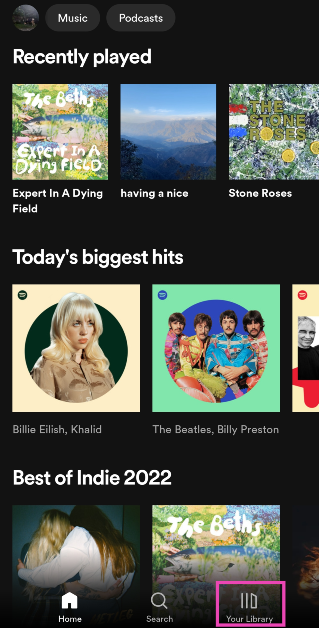 Step 2: Tap the plus icon at the top right corner of the screen.
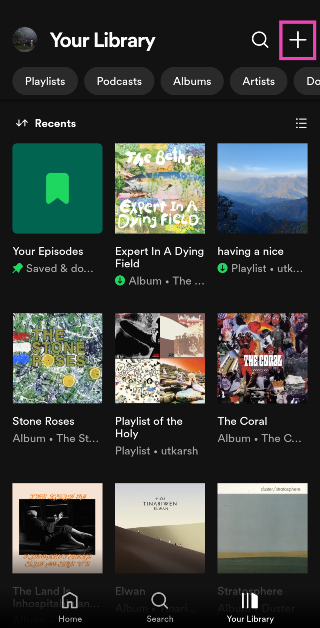 Step 3: Select AI Playlist.
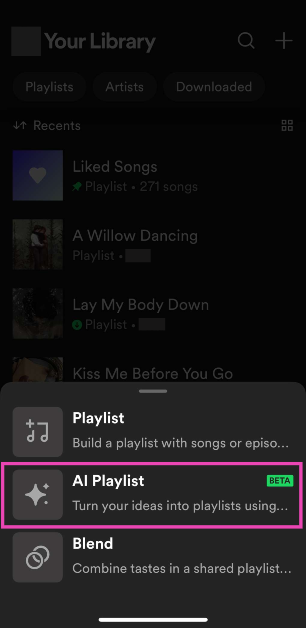 Step 4: Enter a prompt. If you want a playlist that accurately represents your mood, be very specific with your prompts. Spotify also has preset prompts for you to choose from.
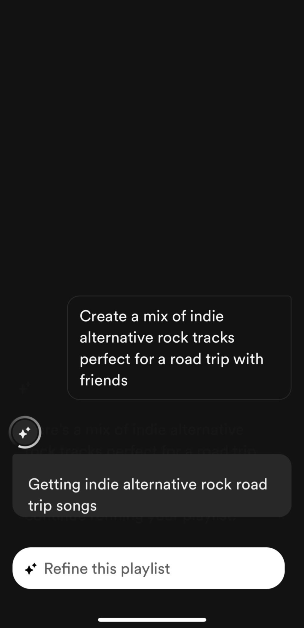 Step 5: Spotify will produce a playlist based on the prompt. You can edit the songs in this playlist or refine it further by entering a follow-up prompt.
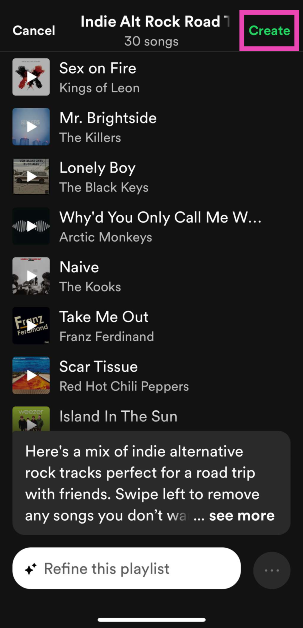 Step 6: When you’re happy with the results, hit Create.
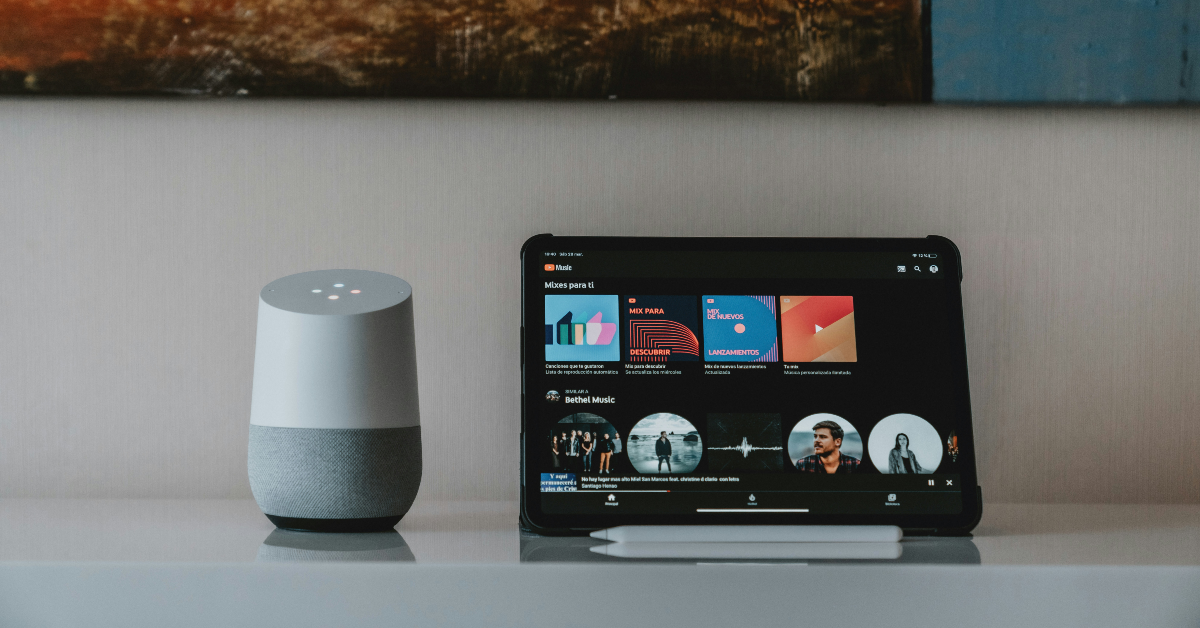 Step 1: Launch the YouTube Music app on your smartphone.
Step 2: Go to the Library tab.
Step 3: Hit the New button.
Step 4: Select AI playlist.
Step 5: Enter a prompt for the playlist using text or voice. Make sure it is detailed and touches on key aspects of the mood and sonic nature of the playlist.
Step 6: Your AI playlist will be generated in a few seconds.
Step 1: Launch the YouTube Music app on your smartphone.
Step 2: Go to the Library tab.
Step 3: Hit the New button.
Step 4: Select AI playlist.
Step 5: Enter a prompt for the playlist using text or voice. Make sure it is detailed and touches on key aspects of the mood and sonic nature of the playlist.
Step 6: Your AI playlist will be generated in a few seconds.
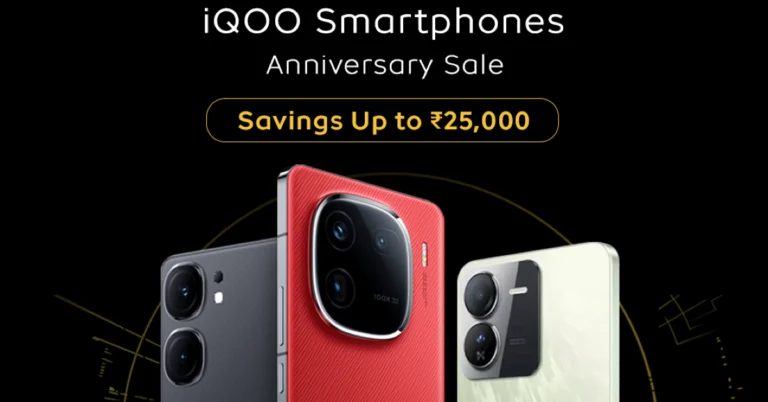




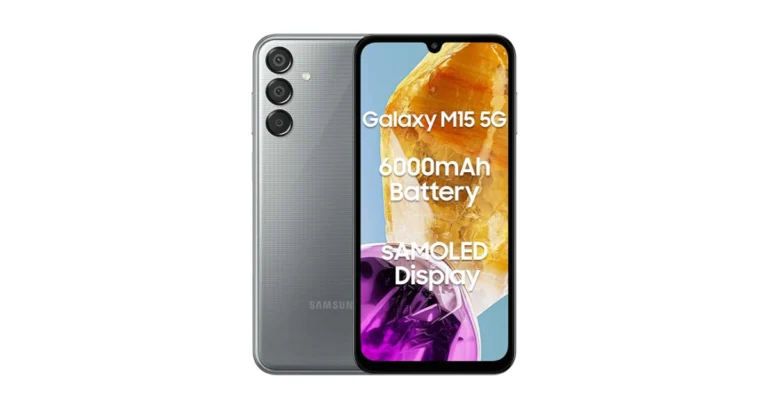
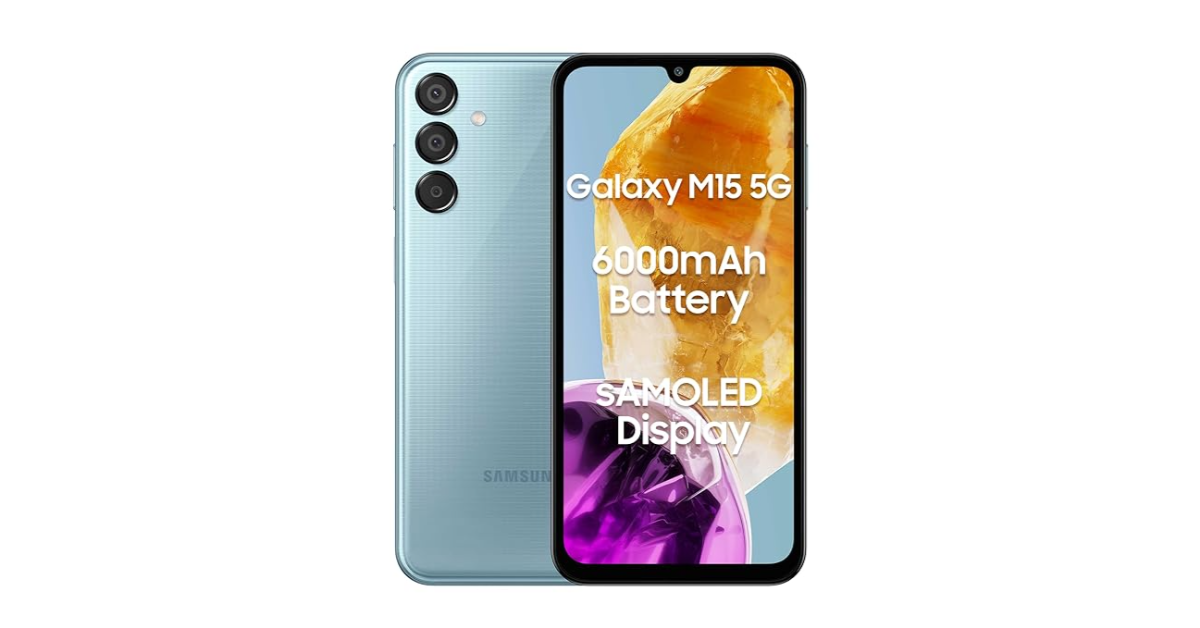
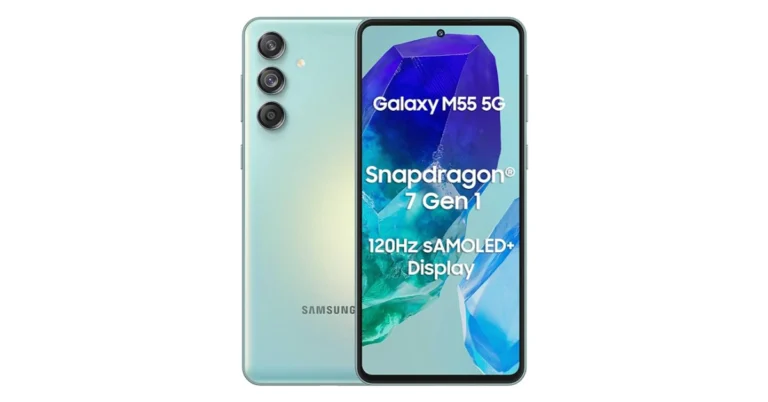
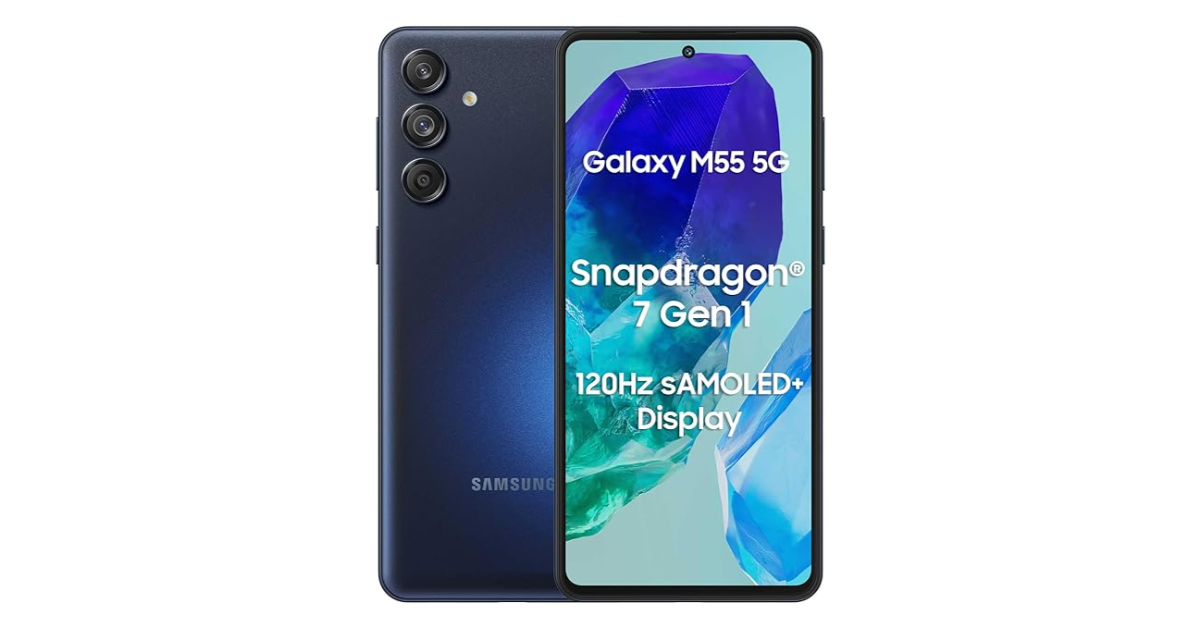

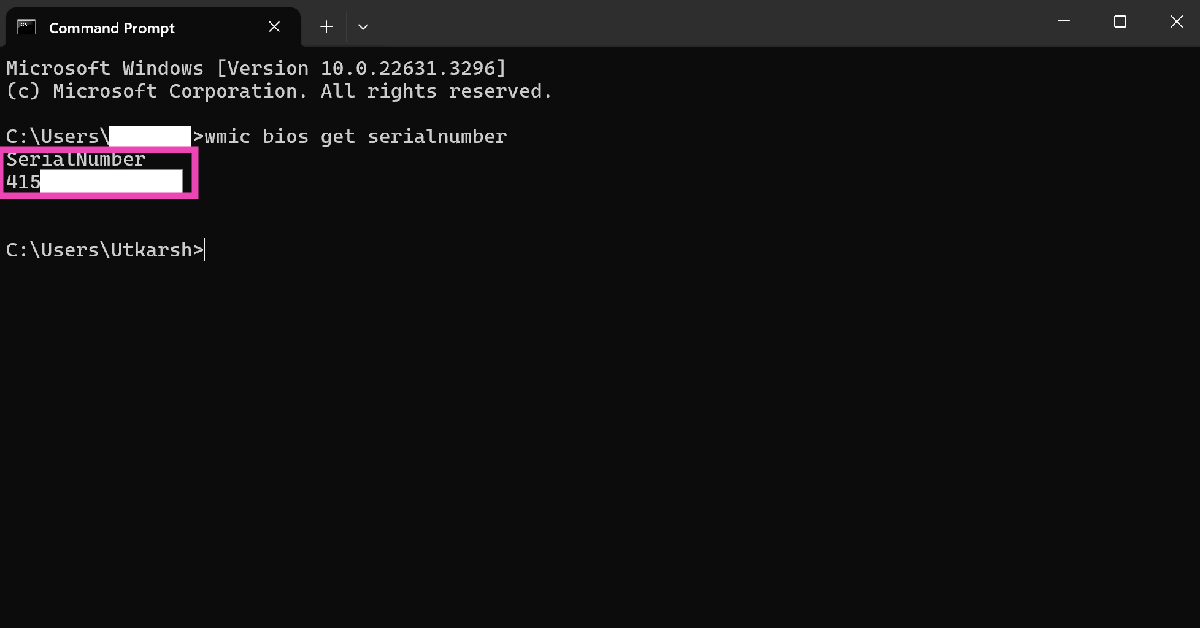

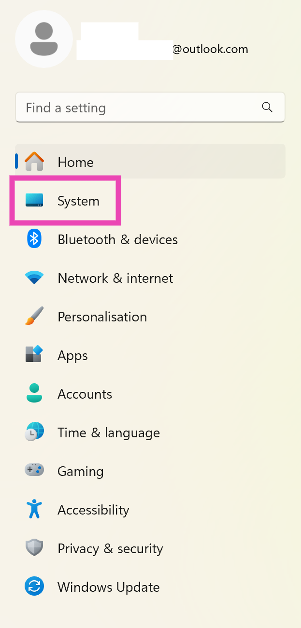 Step 2:
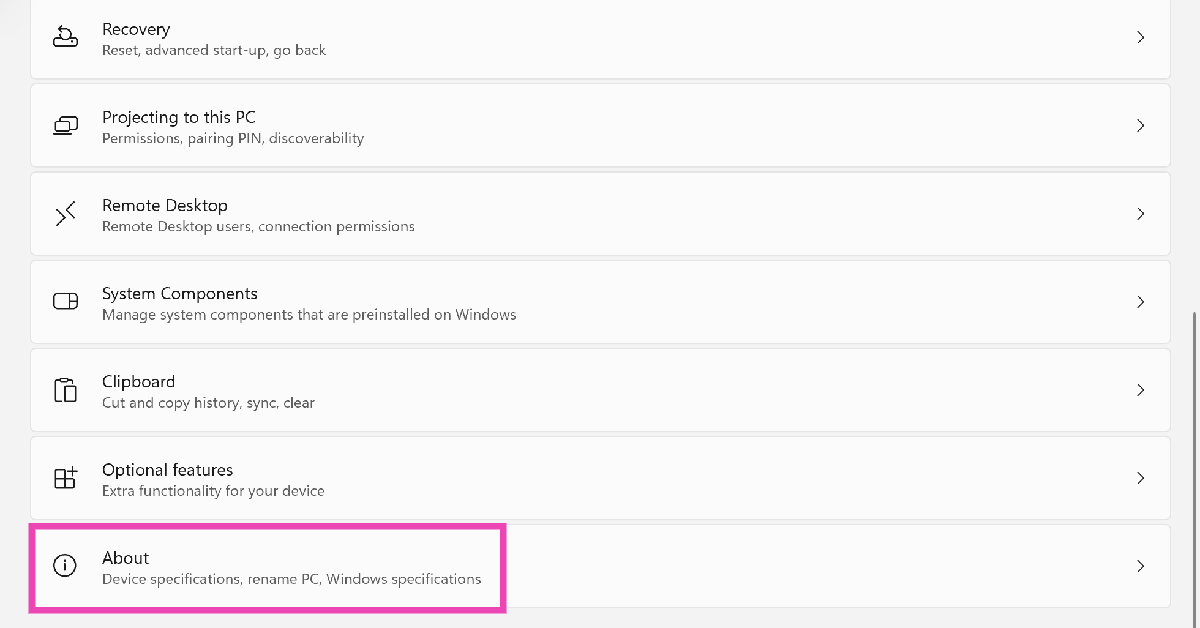 Step 3: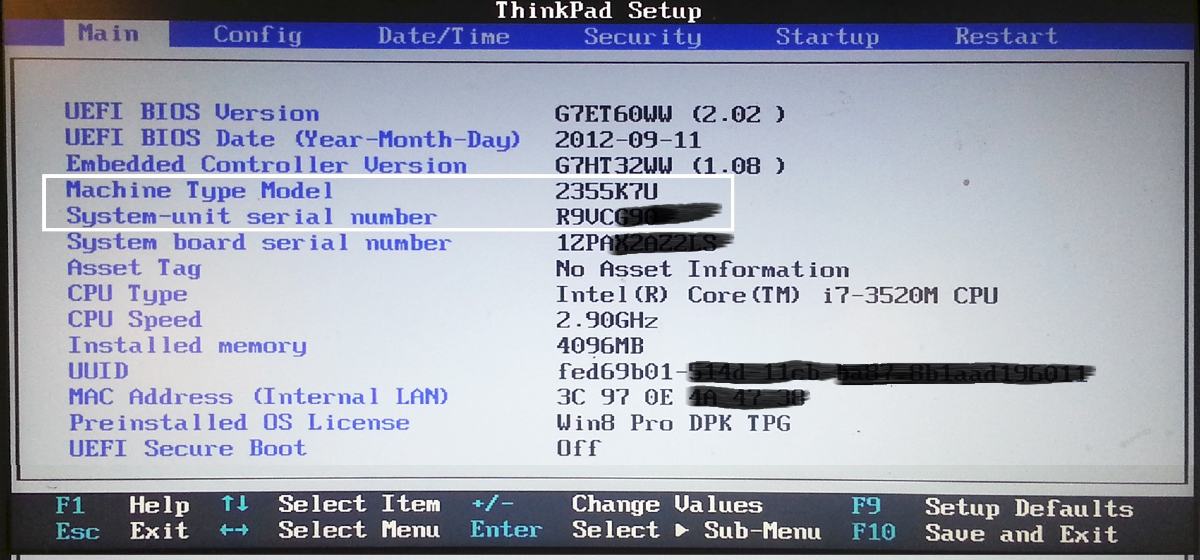
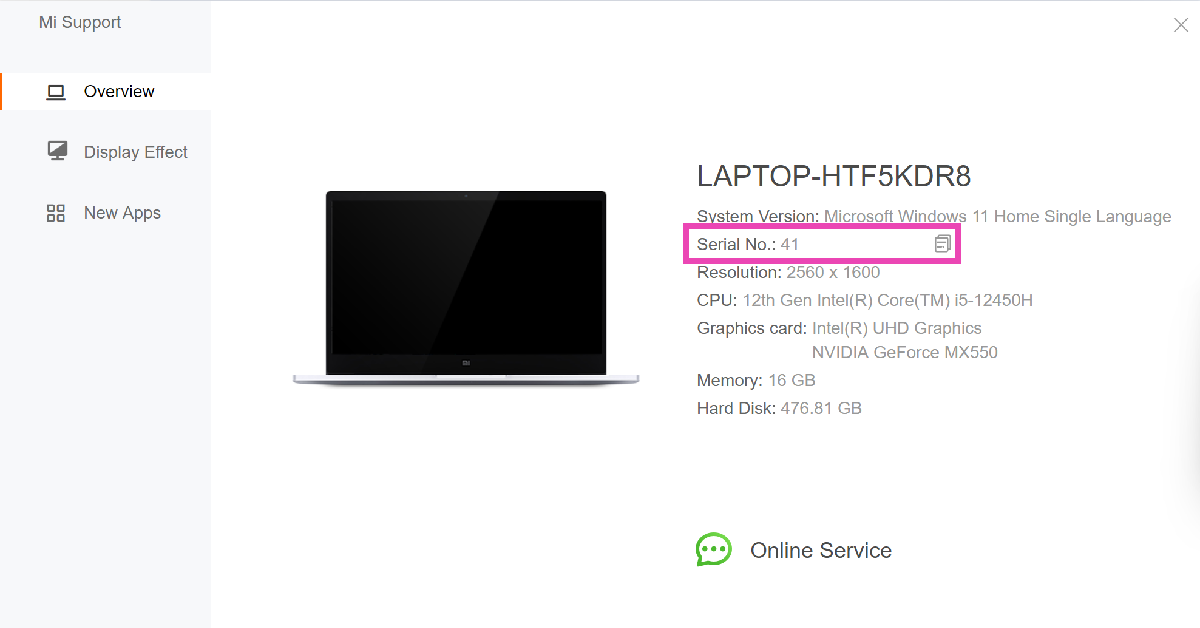 Most OEMs have a proprietary support or companion app for their PCs and laptops. This app lets you control the essential components and features of your laptop while also specifying key information about the device. For example, Lenovo has the Vantage app, Xiaomi has the Mi Support app, and HP has MyHP and Support Assistant. Launch the proprietary app and look up your device’s serial number in the relevant section.

 Step 1: Launch the
 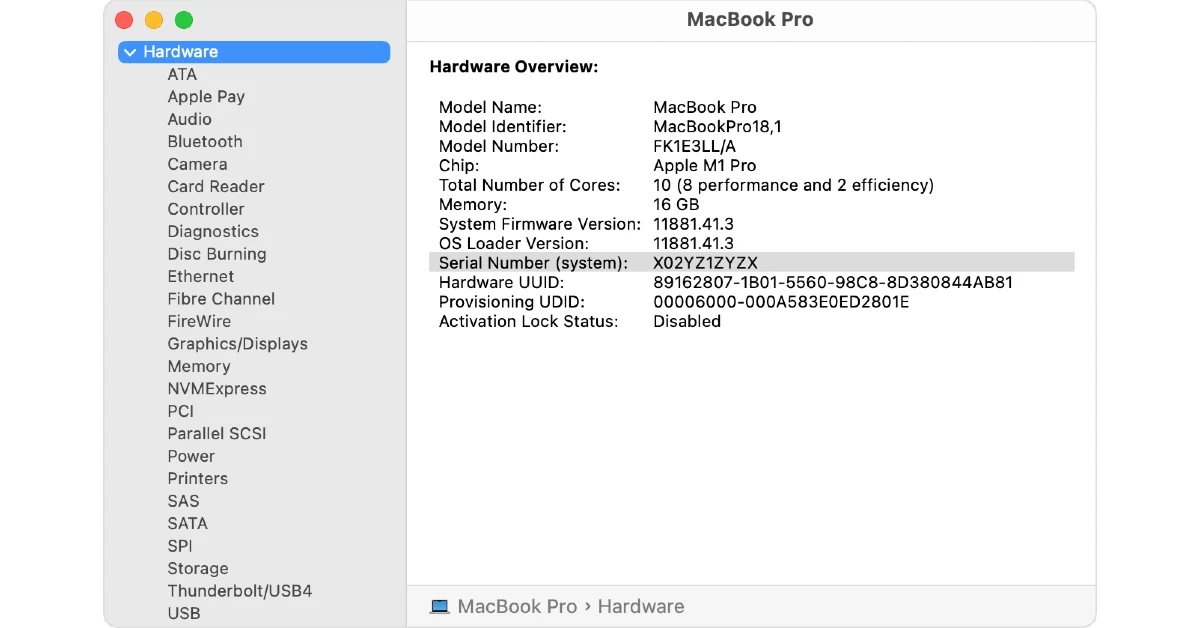 Step 1: Press and hold the Option key and select Apple menu>System Information.
Step 2: Select Hardware from the sidebar.
Step 3: The serial number will be listed under Hardware Overview on the right panel.
Step 1: Press and hold the Option key and select Apple menu>System Information.
Step 2: Select Hardware from the sidebar.
Step 3: The serial number will be listed under Hardware Overview on the right panel.

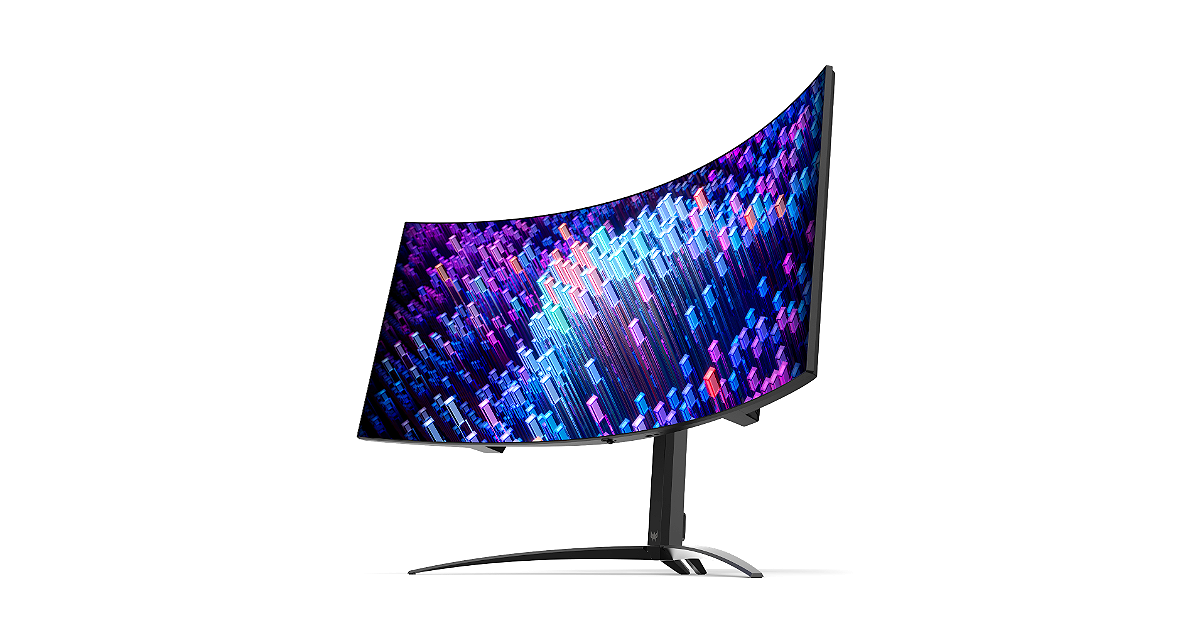
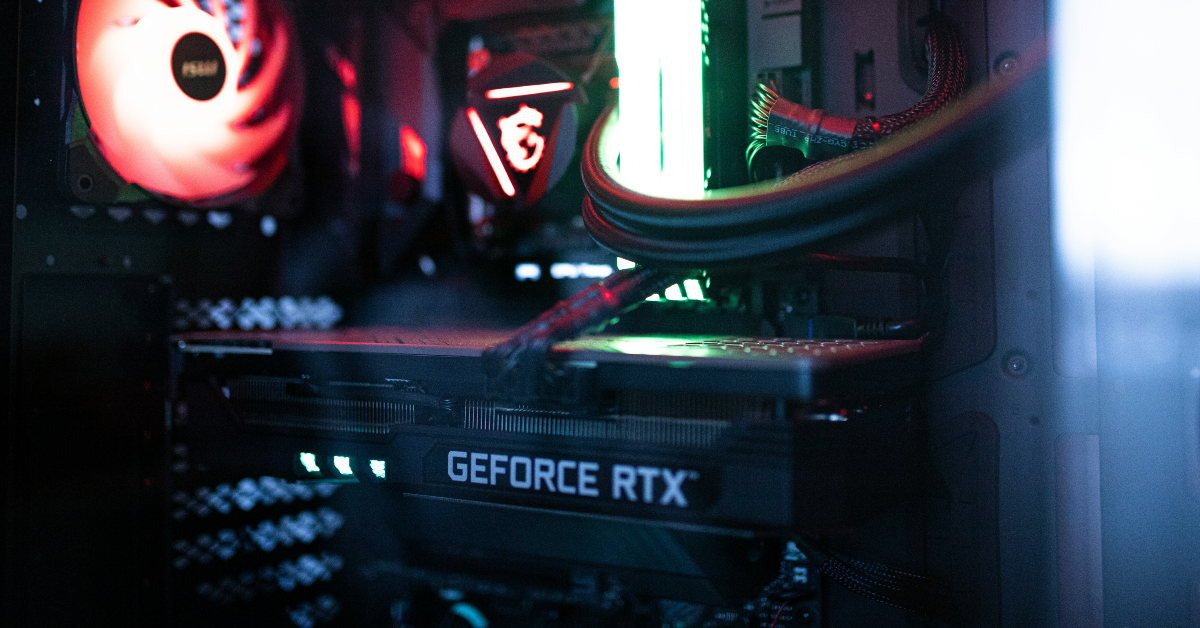 If your graphics card is not firmly connected to its slot, it could cause the monitor to display the ‘No Signal’ error. Power off your PC and remove all cables before opening the CPU case. Once the cabinet has been opened, remove the graphics card from its slot and wipe it gently with a clean microfibre cloth. Make sure the slot does not have dirt settled on it. Re-insert the graphics card, re-plug your PC, and restart it to check if the issue has been resolved.

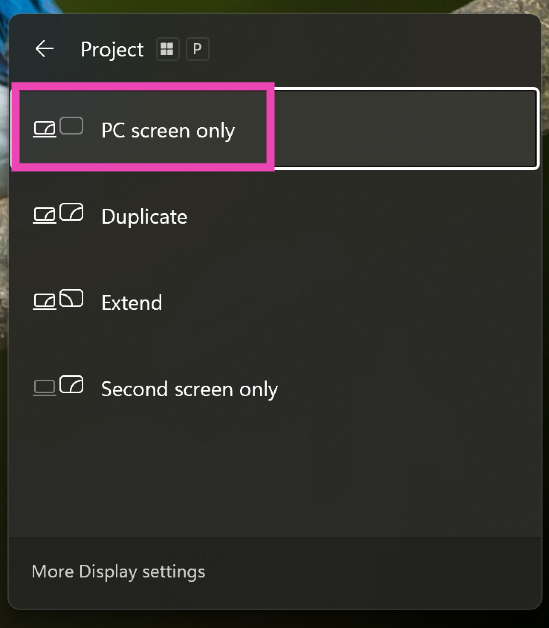
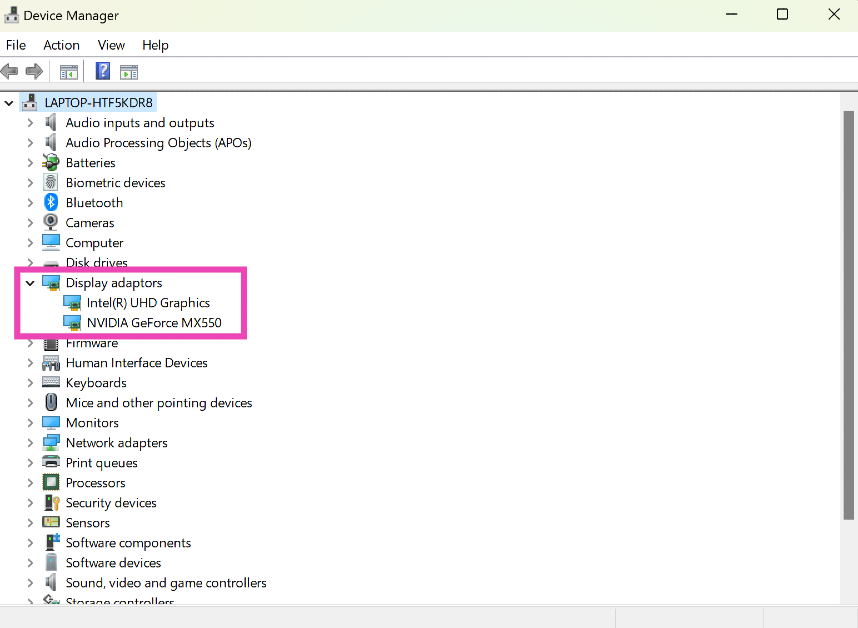
 If your monitor’s hardware is damaged, you will need to take it to an authorised service centre for repair. To confirm if this is the case, connect another monitor to your PC. If it doesn’t throw the ‘No Signal’ error message your way, it means that your original monitor is damaged. If you encounter an issue with the secondary monitor as well, it means the fault lies with your PC. You can also run this experiment by connecting your monitor to another PC.

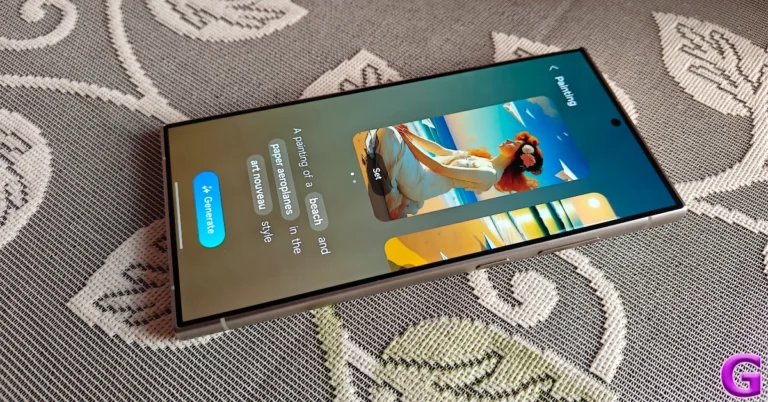
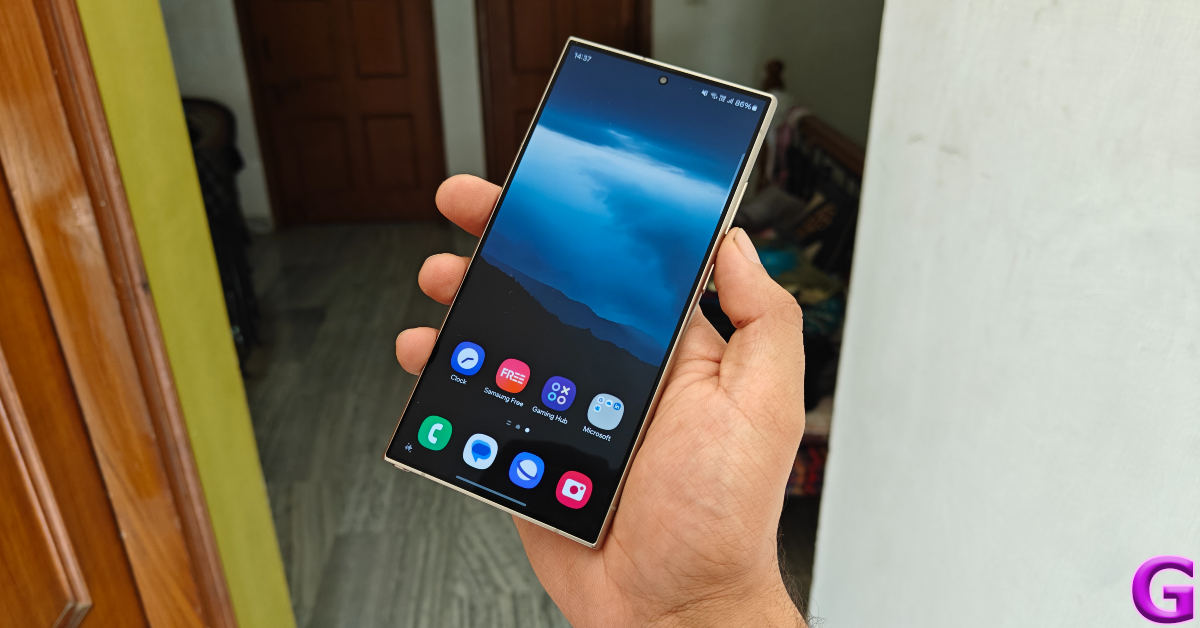
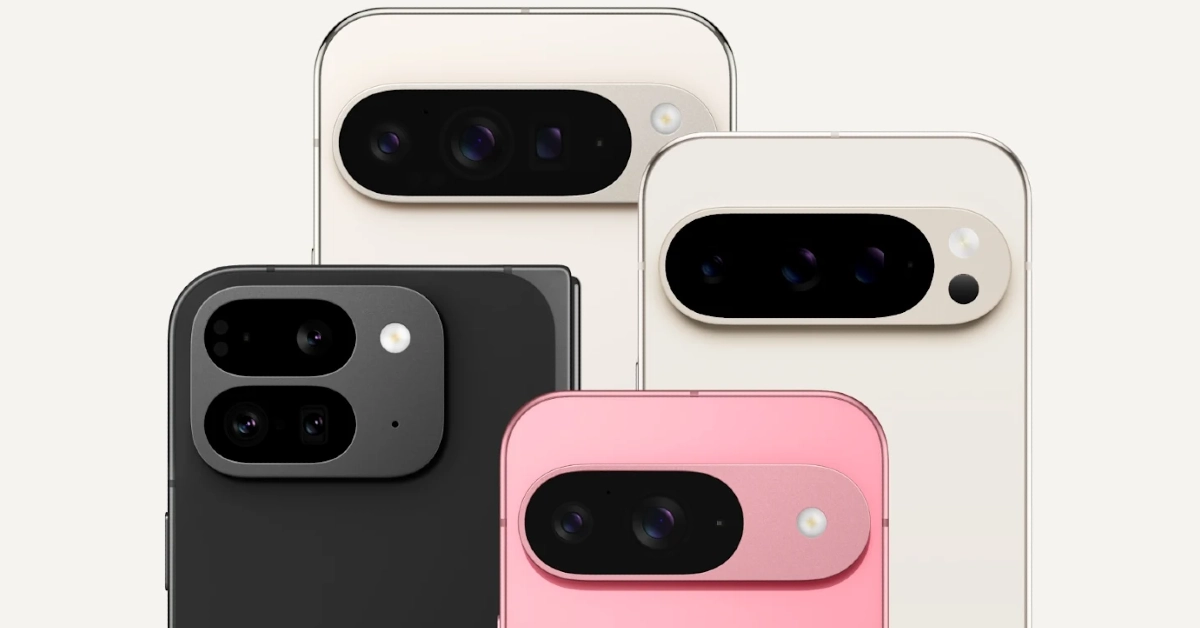 When Android OEMs are going all in on AI, it shouldn’t be surprising that Google, the home of Android, is leading the line. The newly launched Google Pixel 9 builds upon the AI features of its previous iteration. The familiar Magic Editor can now use generative AI to
 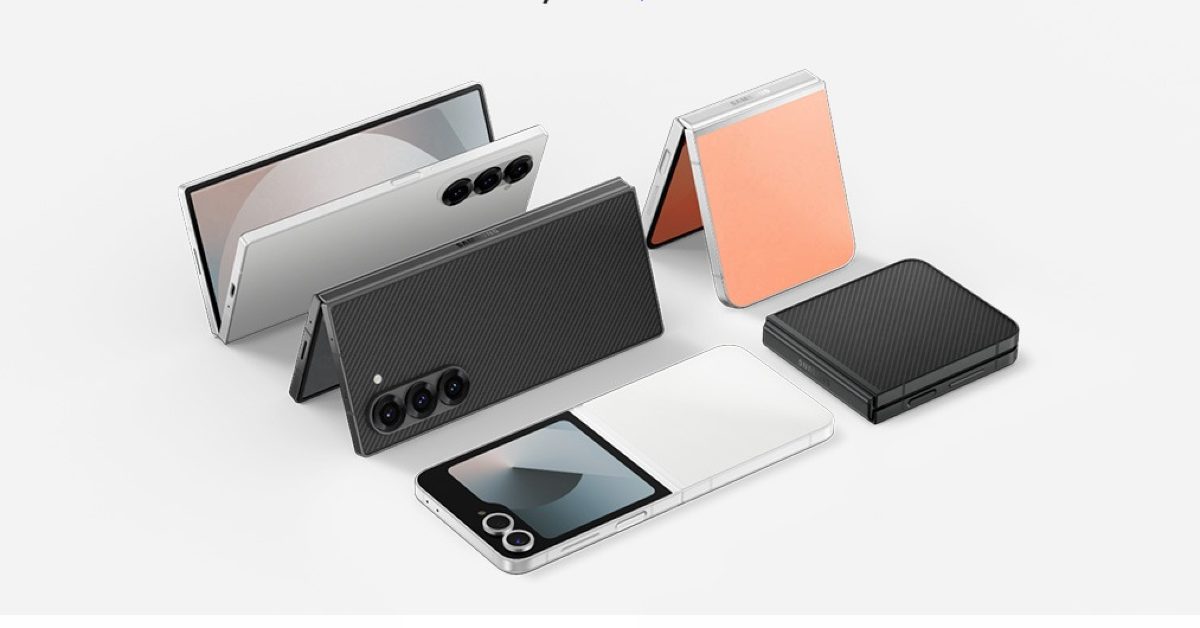 Samsung’s 2024 foldable lineup pushes the boundaries of Galaxy AI which first made its appearance on the S24 Series earlier this year. The Samsung Galaxy Z Fold and Flip 6 maximise what can be done with Galaxy AI using the ‘Flex Mode’. The Galaxy Z Fold 6 in particular makes use of the AI in novel ways due to its large screen real estate. For example, the Interpreter works better on foldable as it allows the conversation to take place more freely by using the cover screen and the inner screen to display the translated text to both parties simultaneously.
If you like doodling around on the Fold 6, you can use Sketch to Image to turn your drawings into pictures within seconds. The Portrait Studio can create animated versions of your pictures in different styles. On top of that, older Galaxy AI features like Live Translate, Circle to Search, and Note Assist have been improved.
Samsung’s 2024 foldable lineup pushes the boundaries of Galaxy AI which first made its appearance on the S24 Series earlier this year. The Samsung Galaxy Z Fold and Flip 6 maximise what can be done with Galaxy AI using the ‘Flex Mode’. The Galaxy Z Fold 6 in particular makes use of the AI in novel ways due to its large screen real estate. For example, the Interpreter works better on foldable as it allows the conversation to take place more freely by using the cover screen and the inner screen to display the translated text to both parties simultaneously.
If you like doodling around on the Fold 6, you can use Sketch to Image to turn your drawings into pictures within seconds. The Portrait Studio can create animated versions of your pictures in different styles. On top of that, older Galaxy AI features like Live Translate, Circle to Search, and Note Assist have been improved.
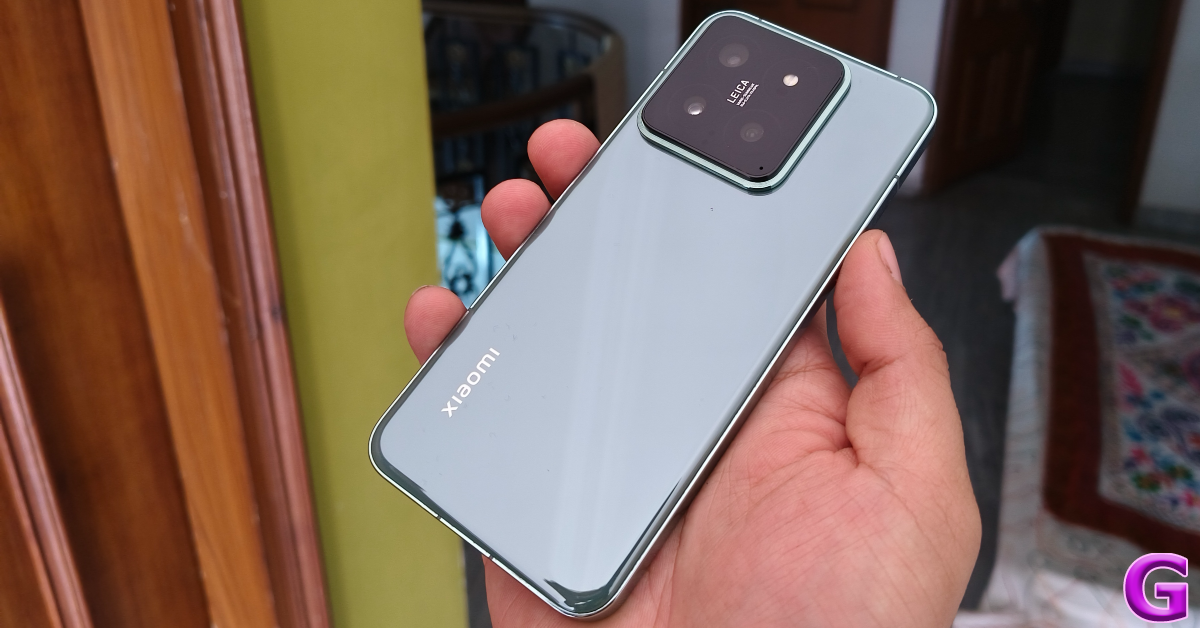
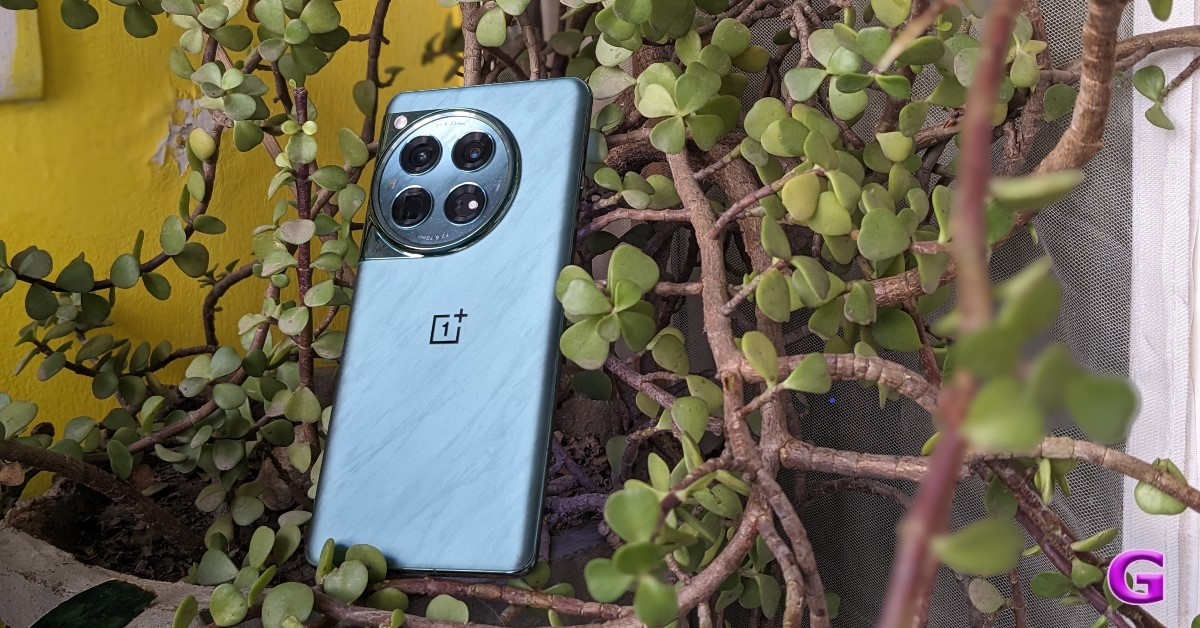
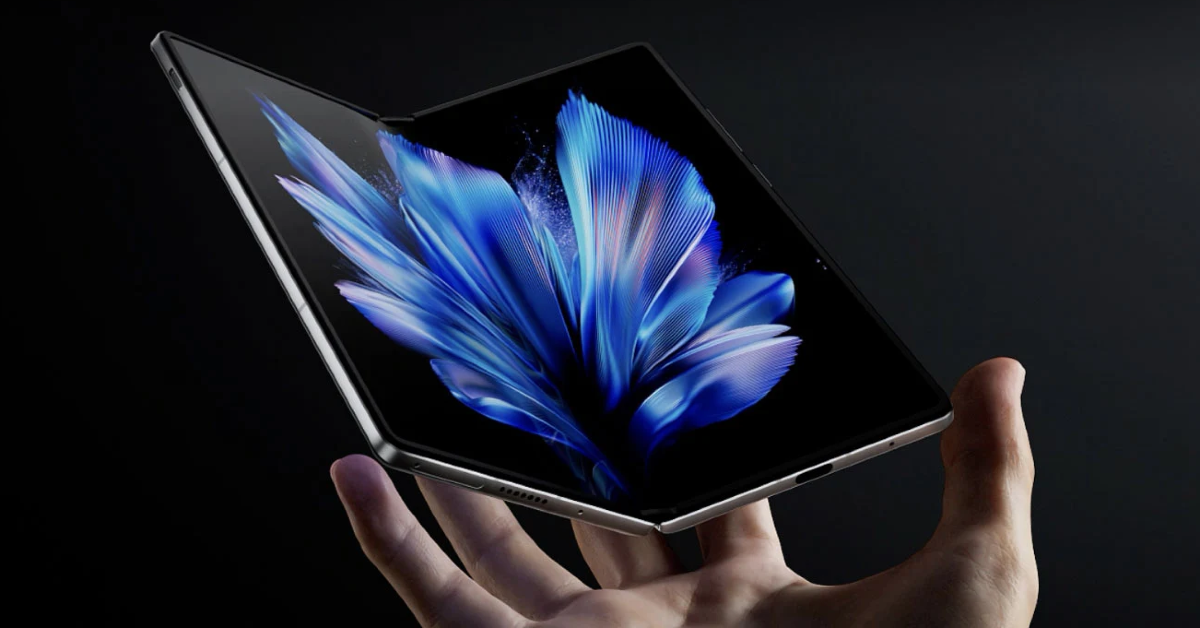 Vivo’s newest foldable, the
 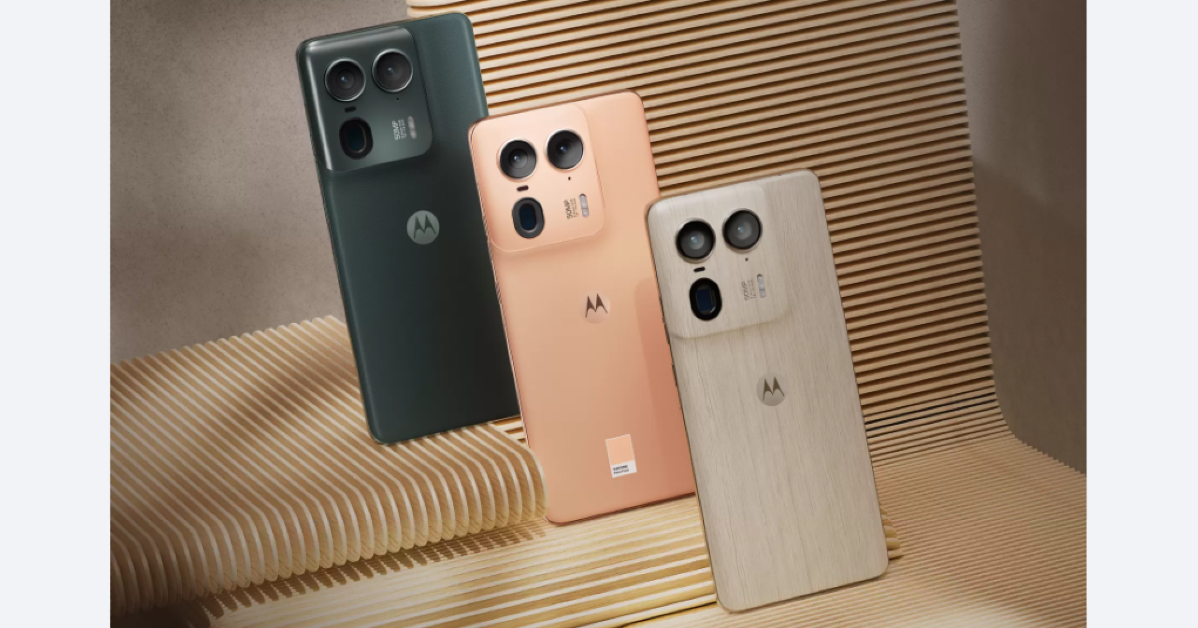 The newly launched
 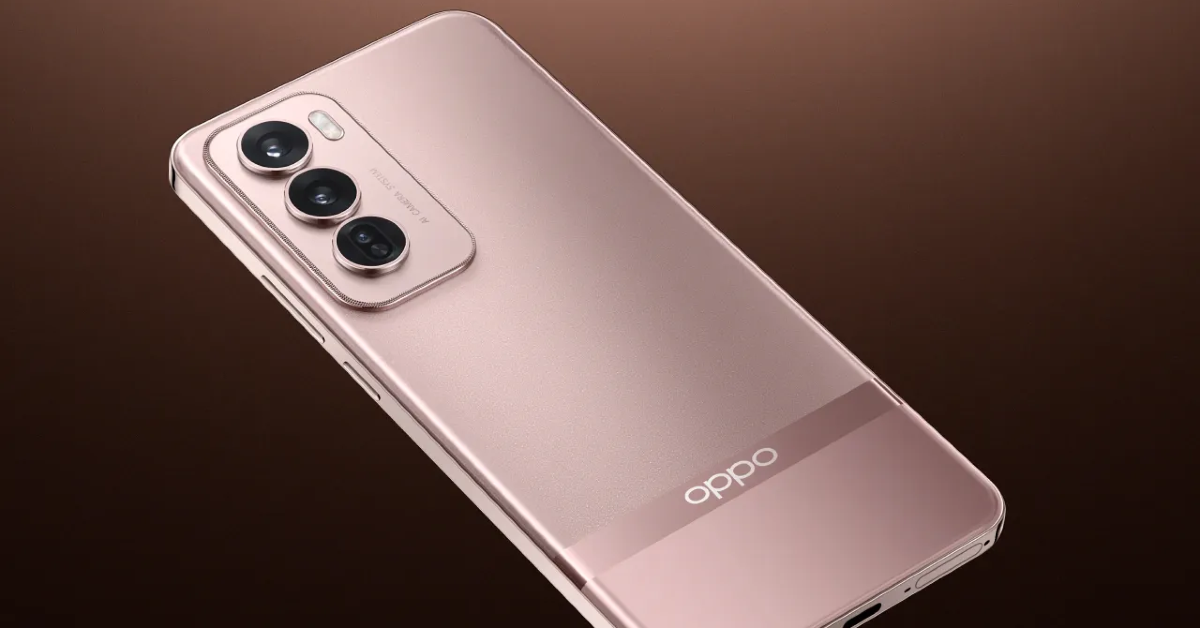 The new Oppo Reno12 Series has a handy AI suite of features powered by Google’s Gemini AI. The AI Eraser 2.0 tool removes unwanted objects from your images using AI. AI Writer helps you compose messages and emails while also checking the grammar of the text you’ve written yourself. It can also come up with suggestions to expand your messages and complete your sentences. AI Studio is perhaps one of the most ‘fun’ features of the phone. It can turn your images into thematic animated pictures. On top of that, Oppo Reno12 also features standard translation tools.


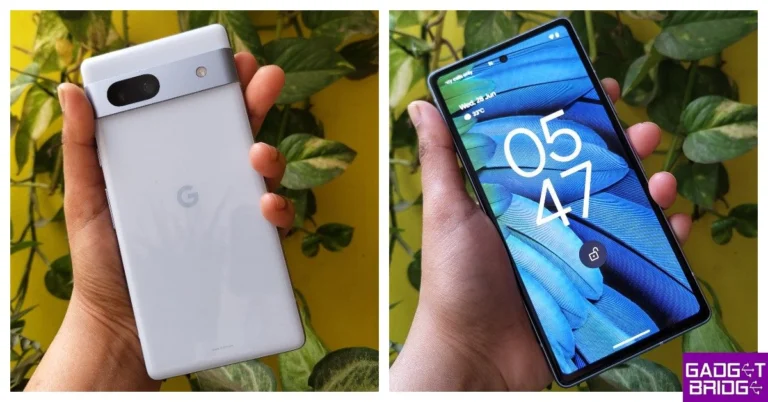



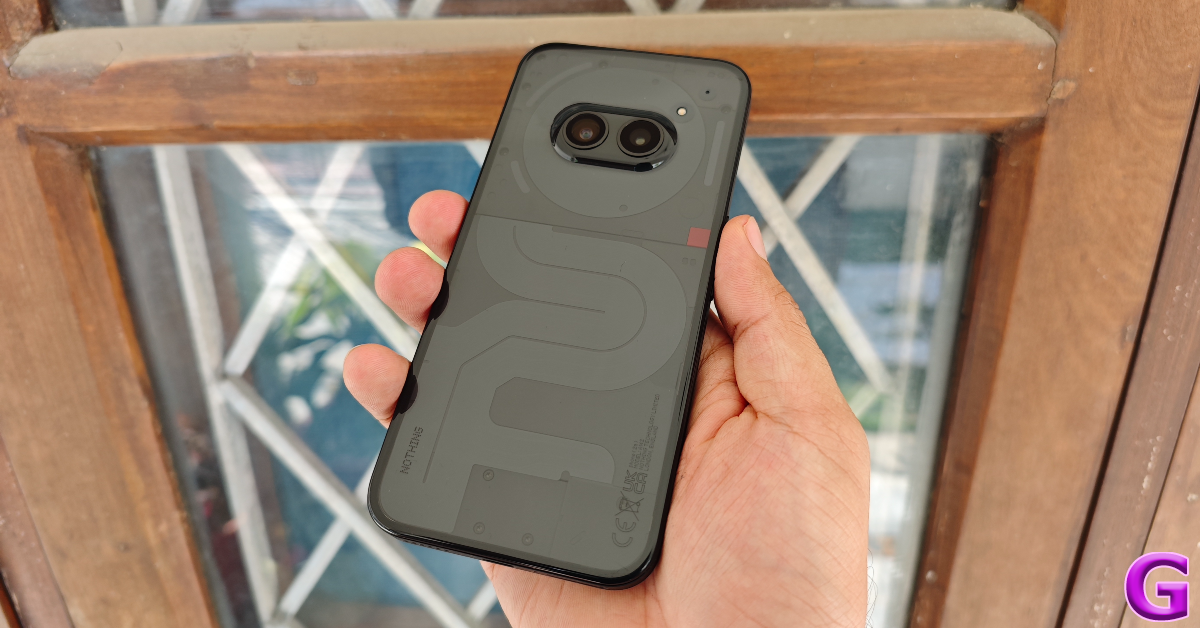
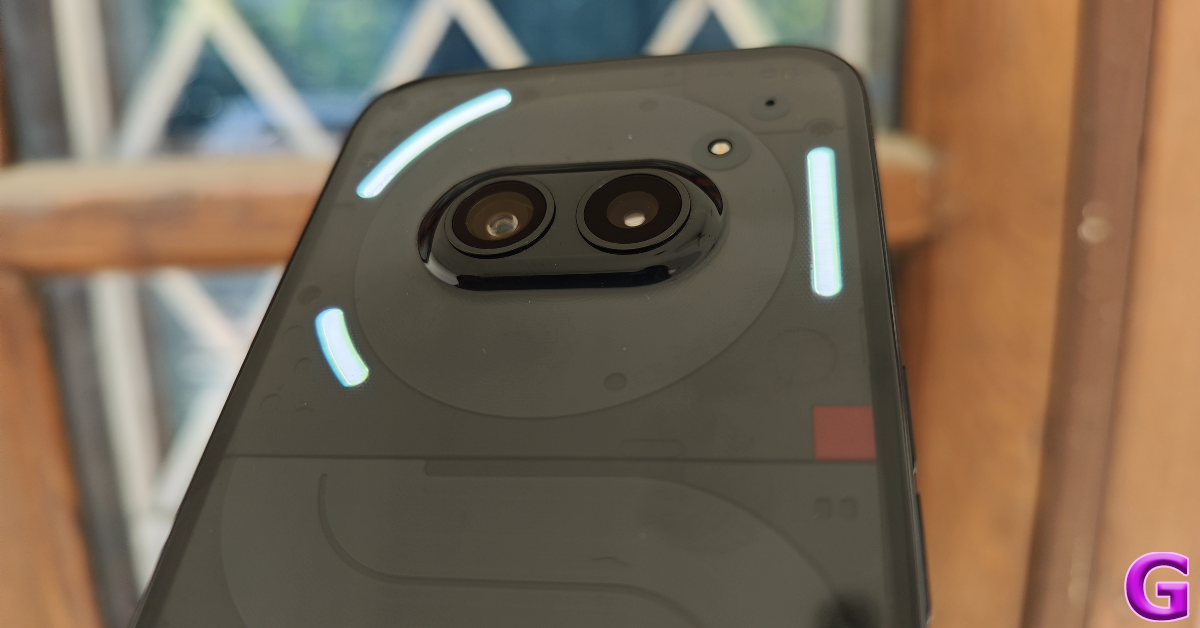
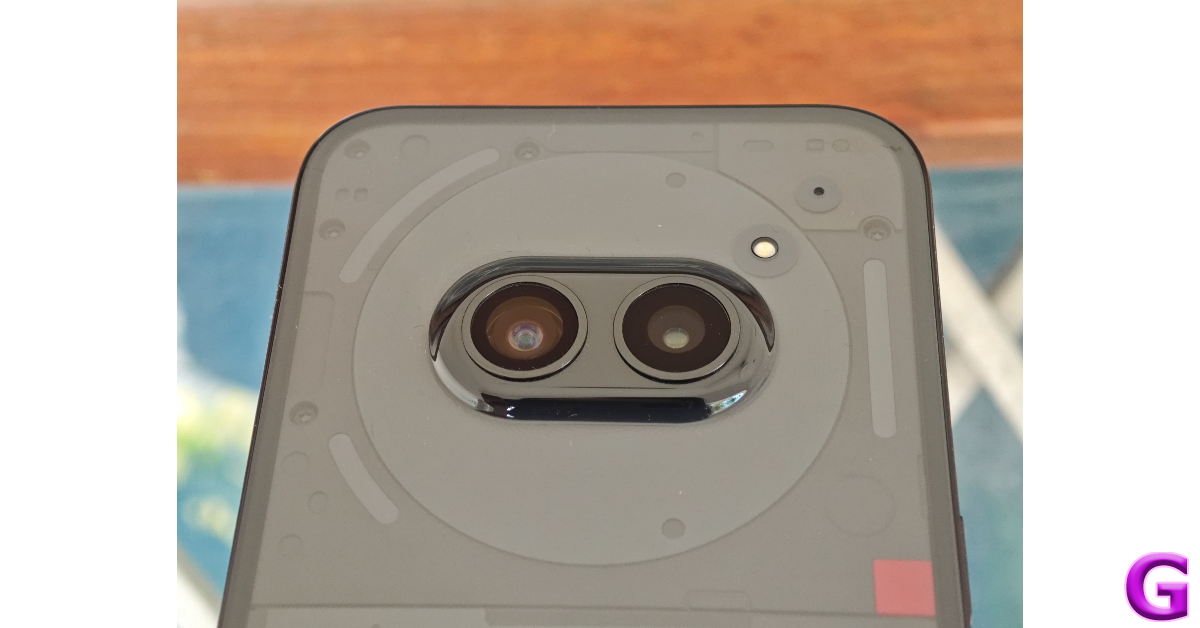
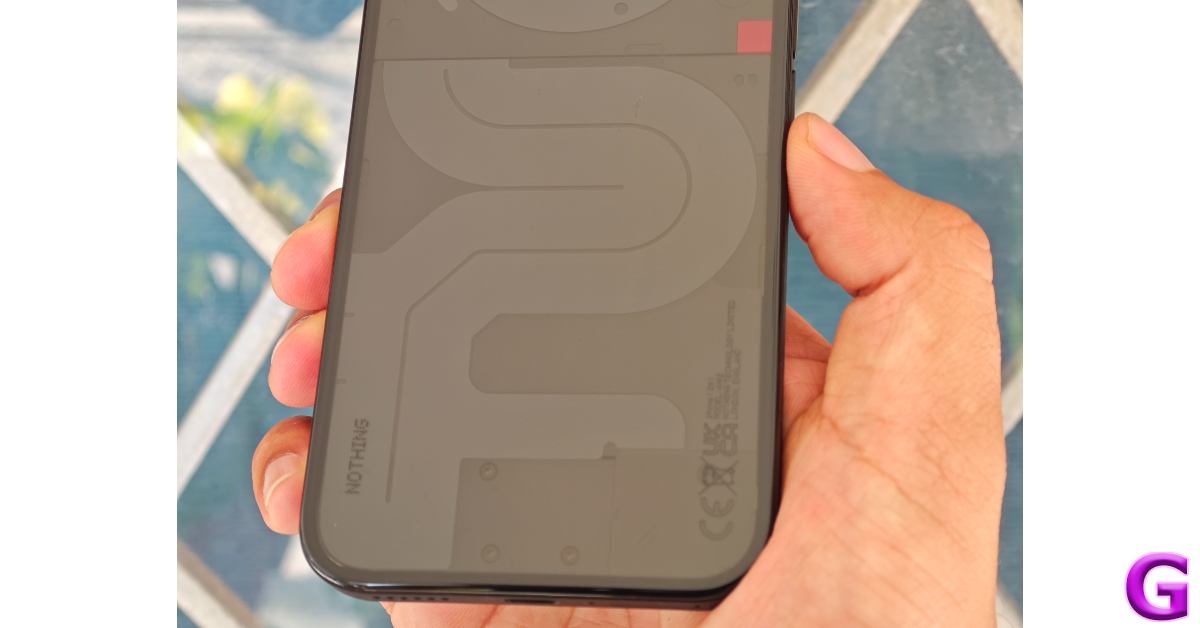
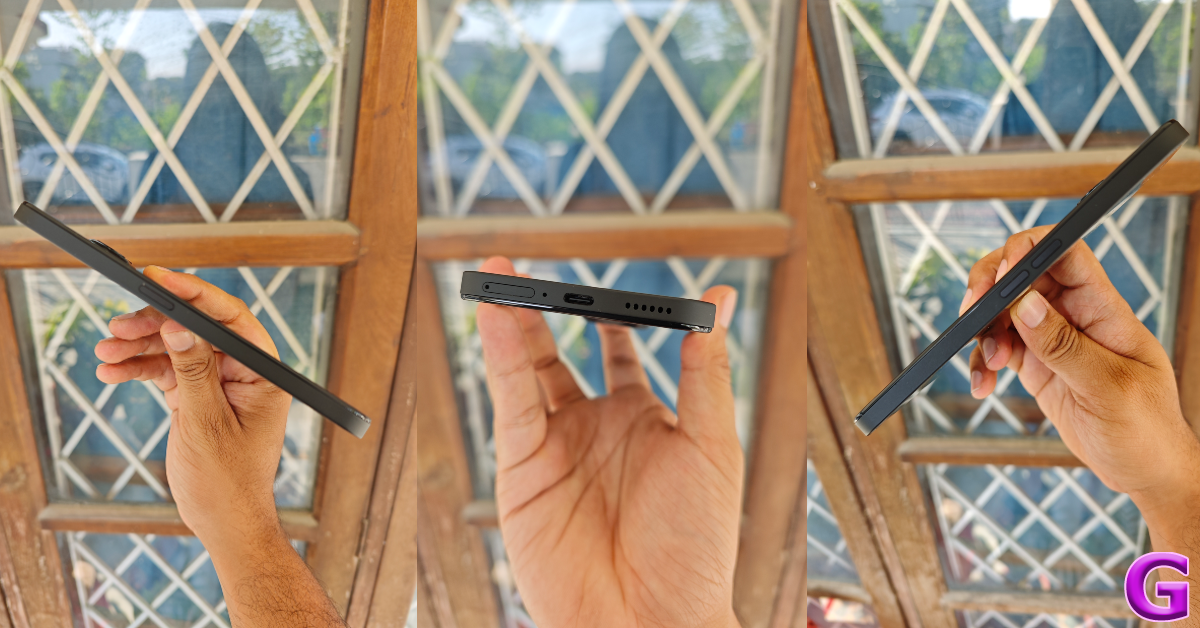
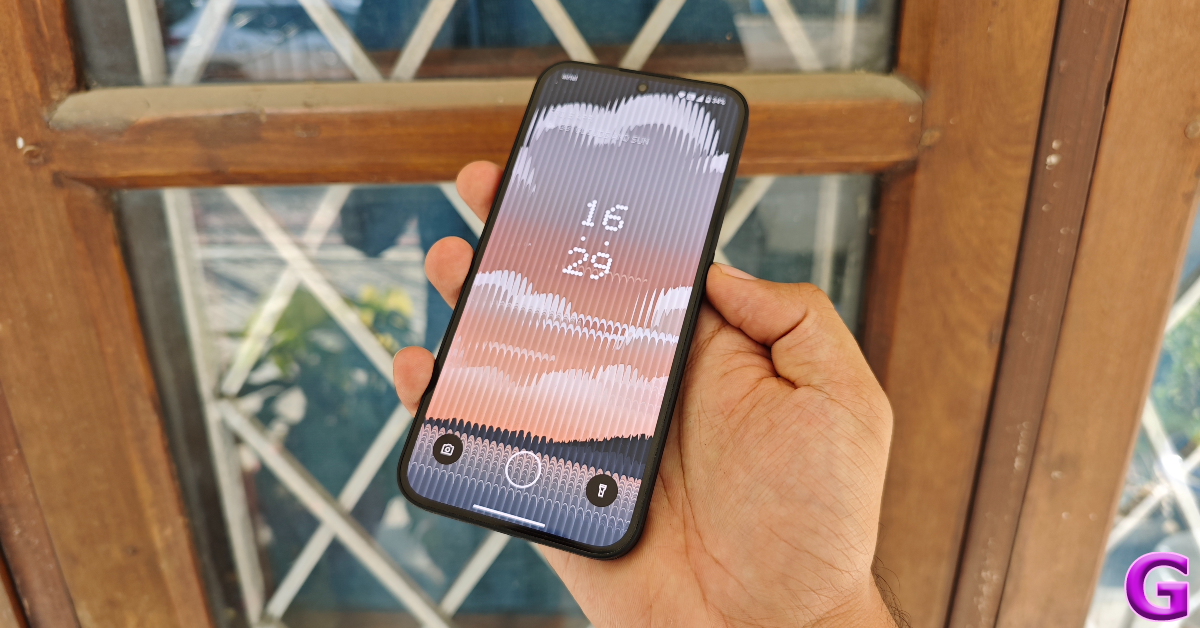
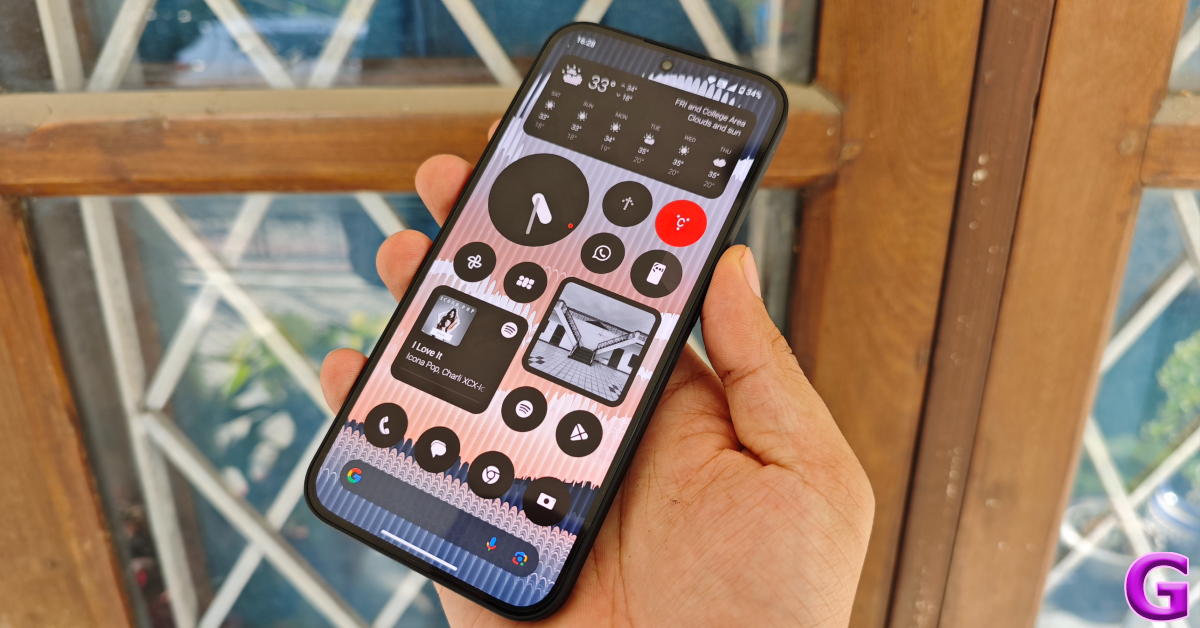
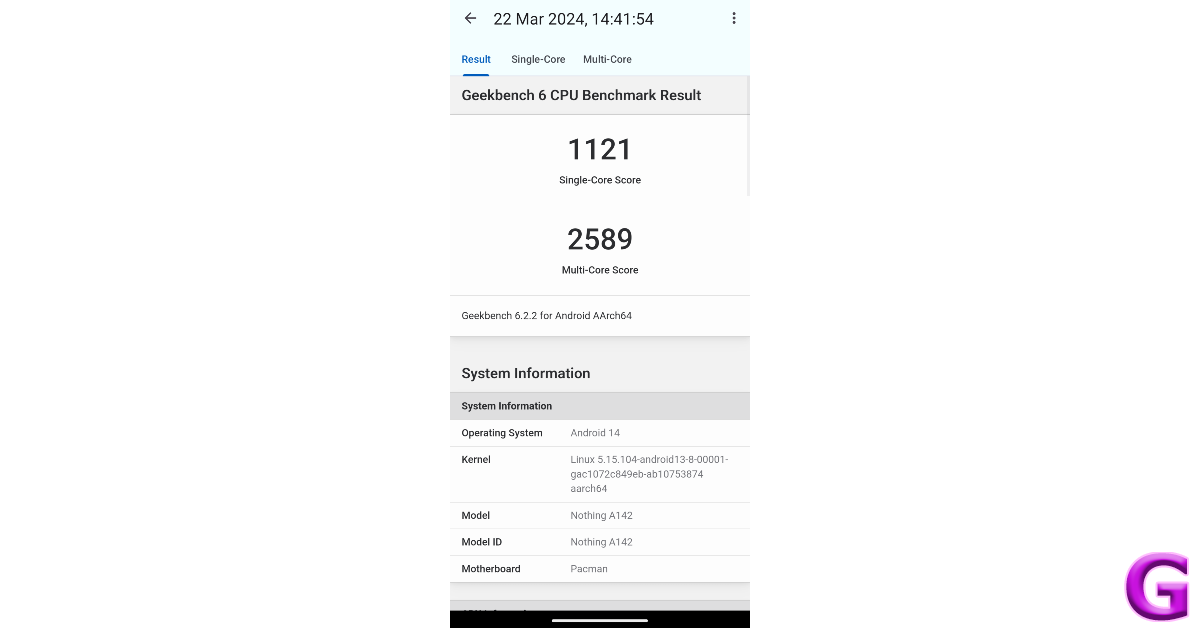
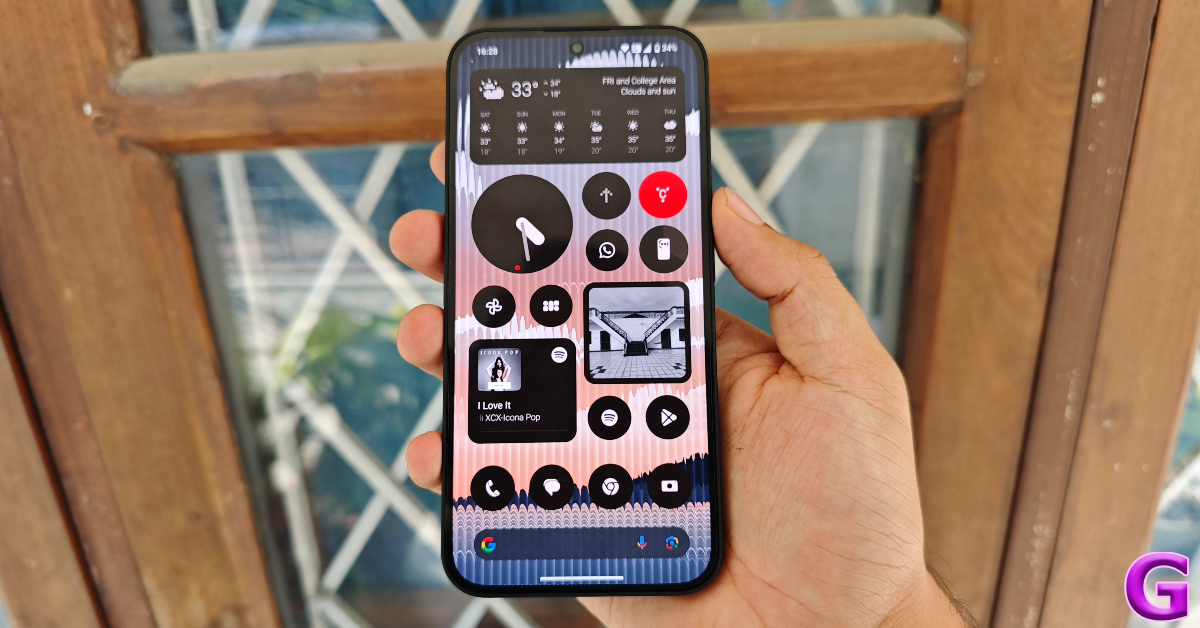
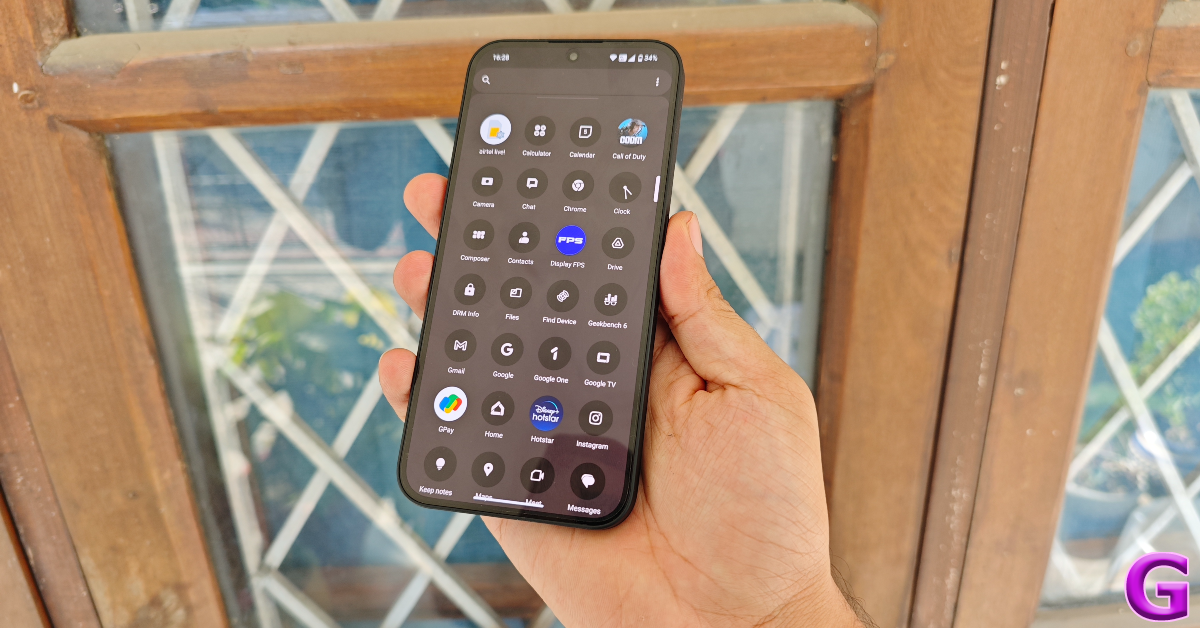
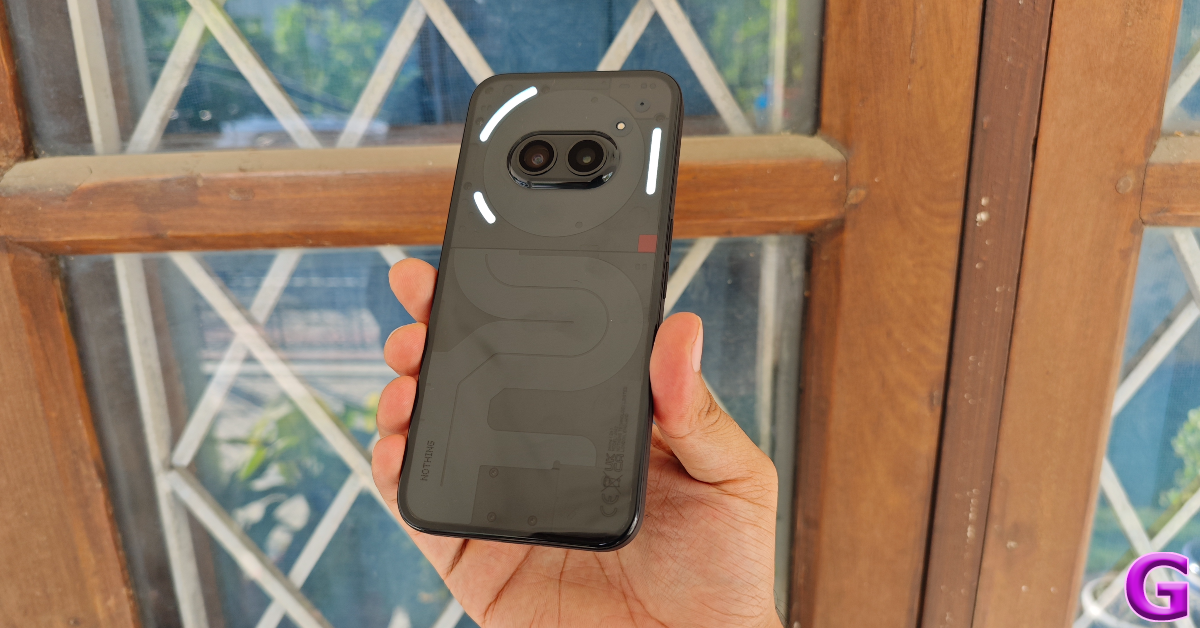




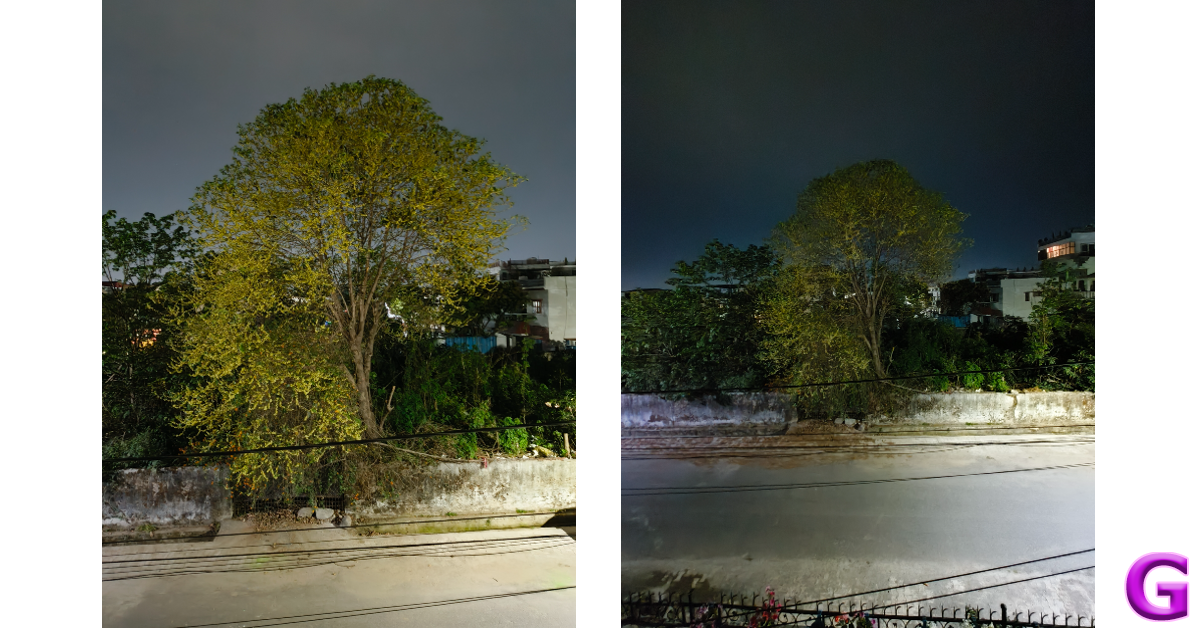

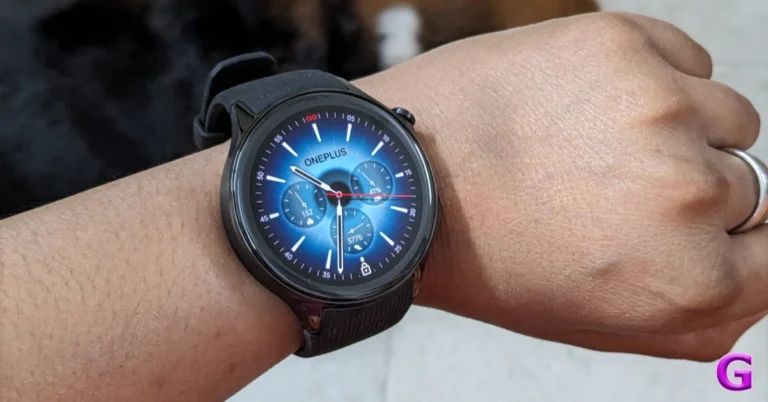
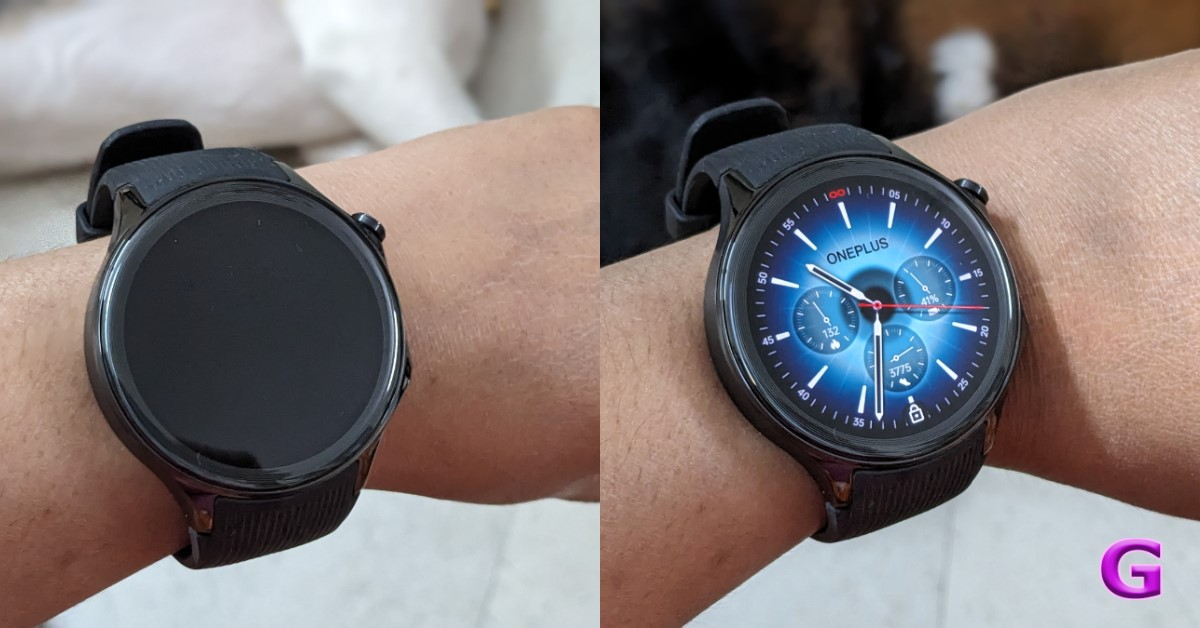
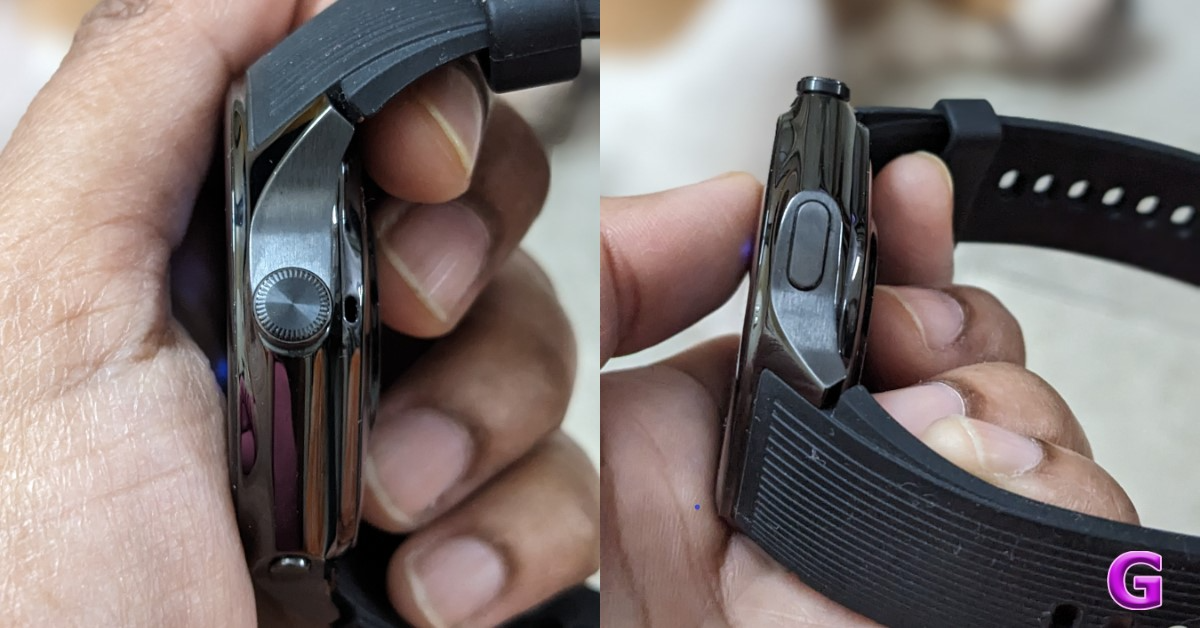
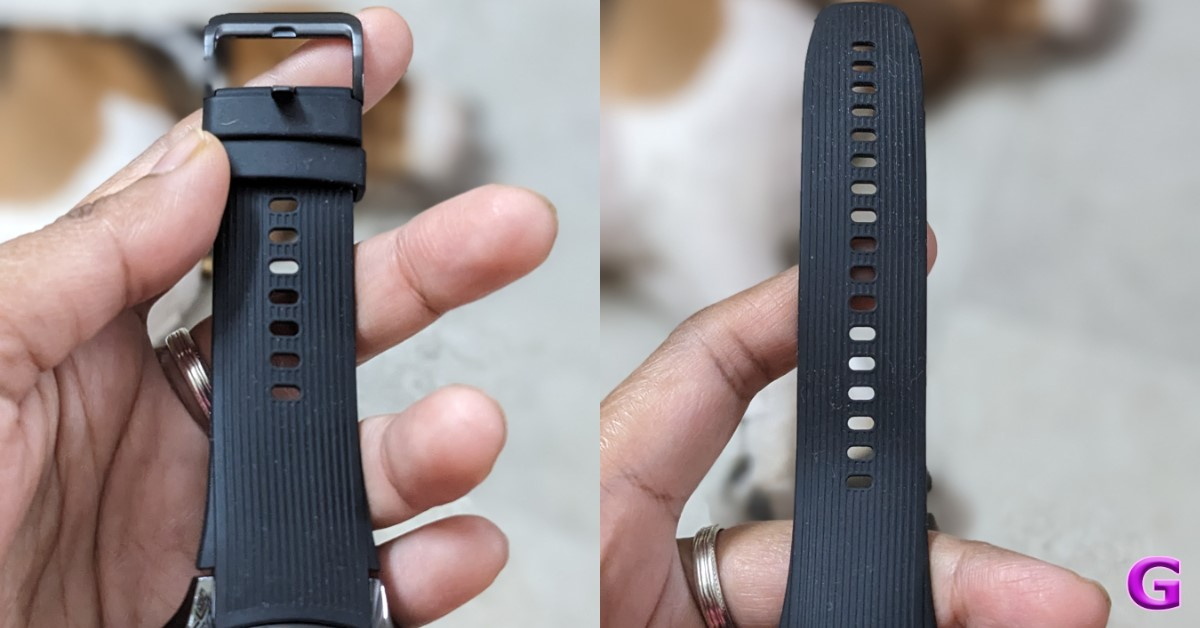
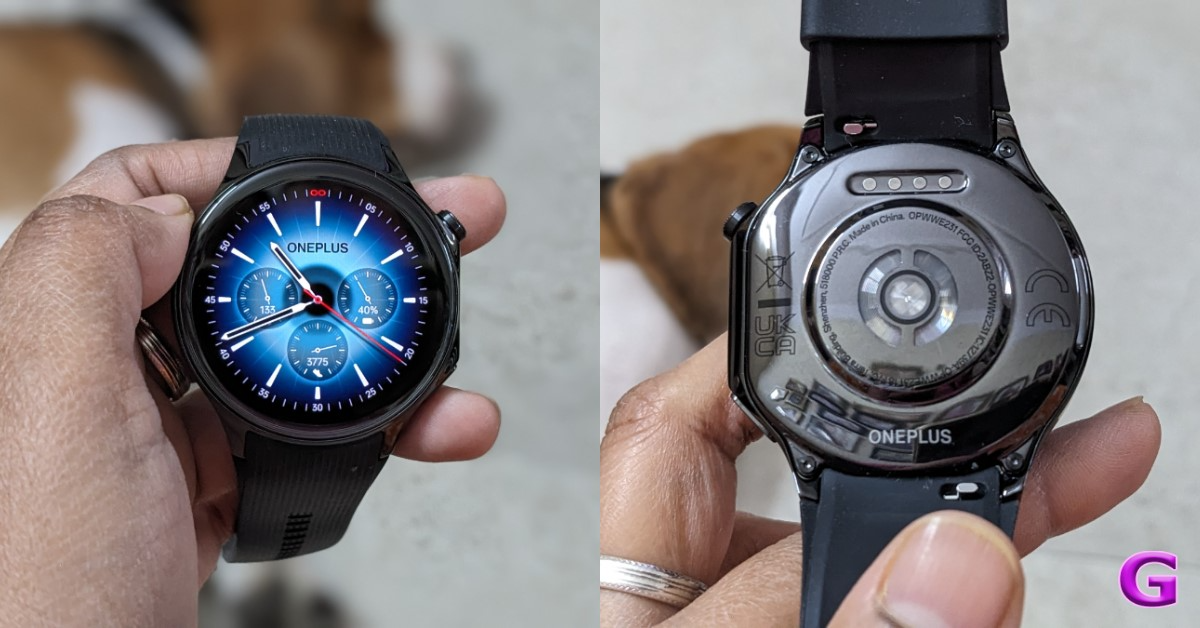
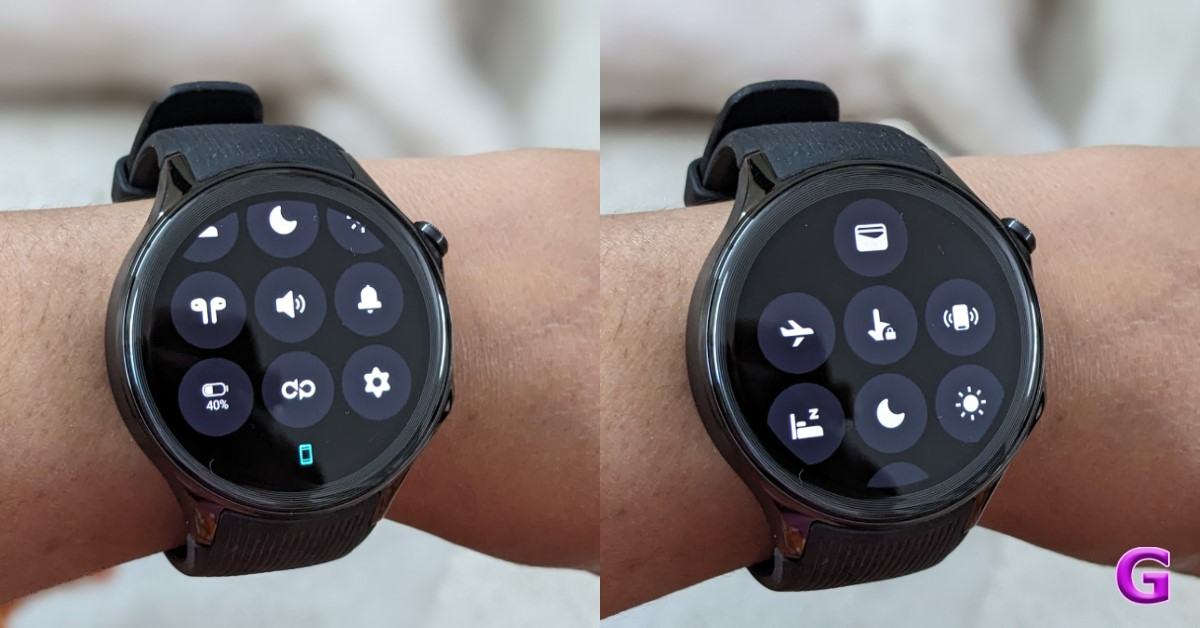
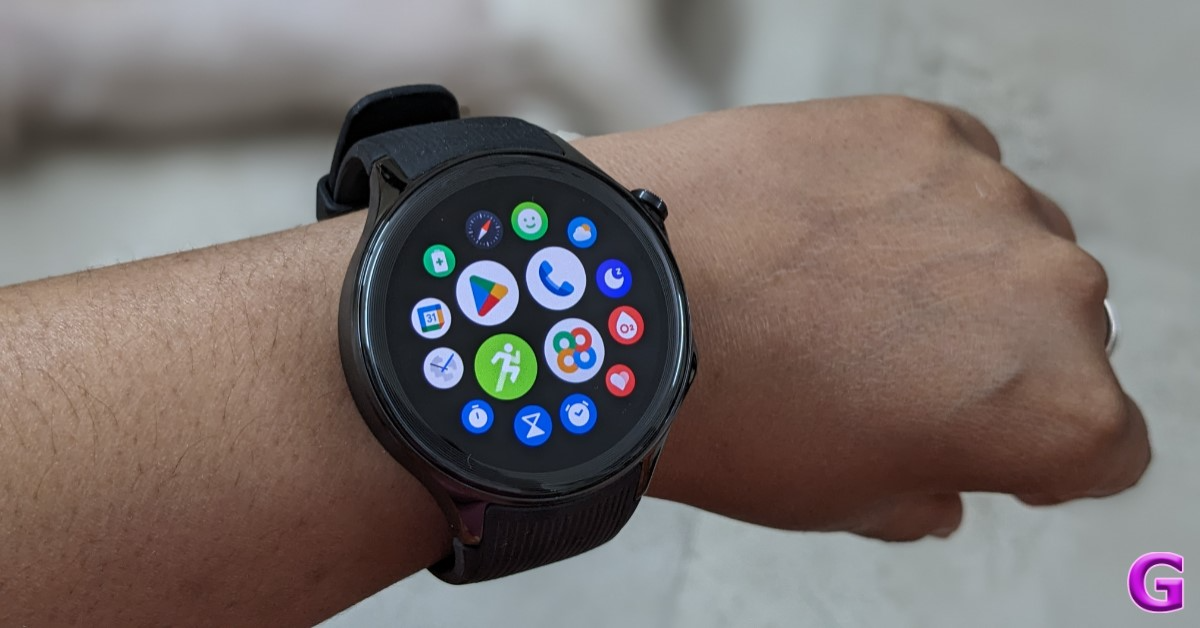
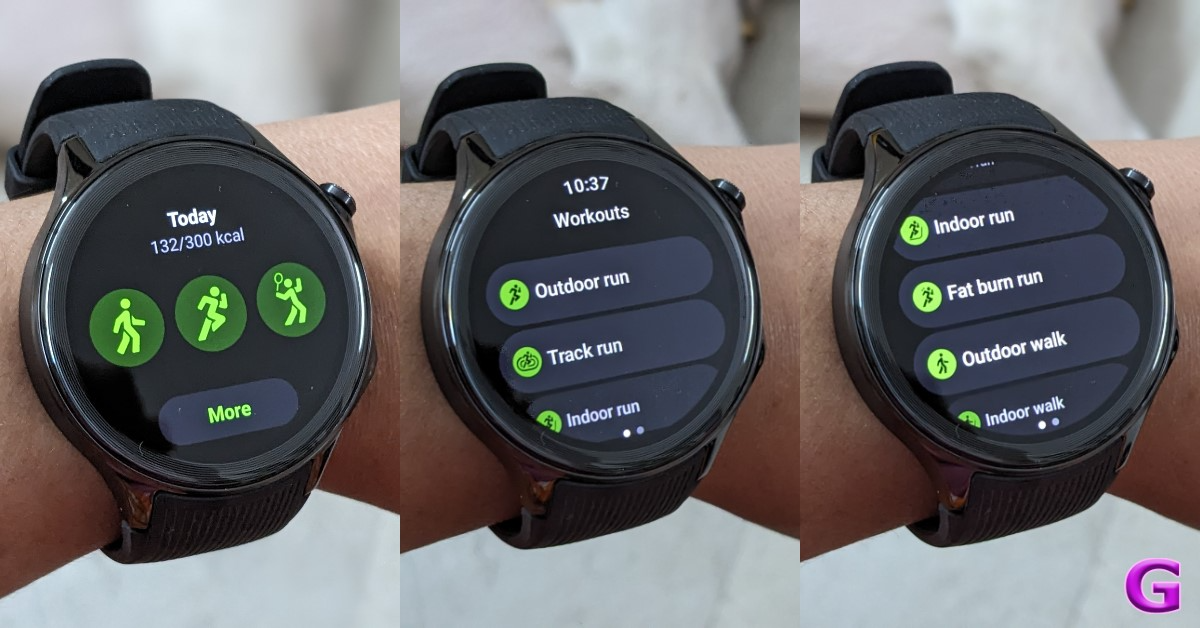
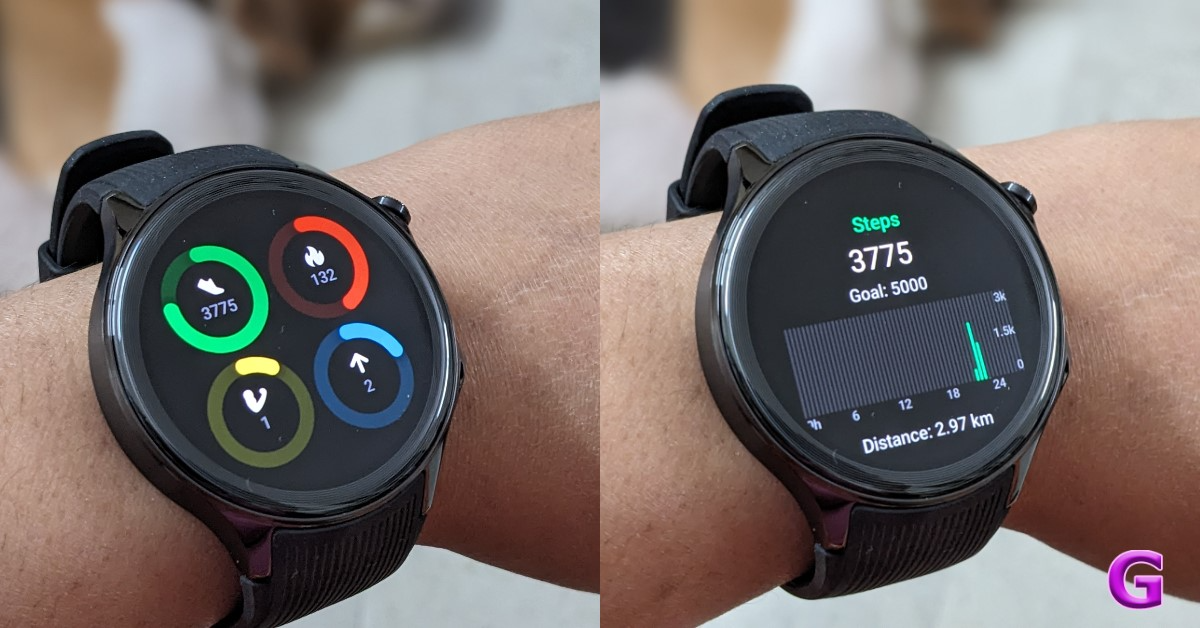
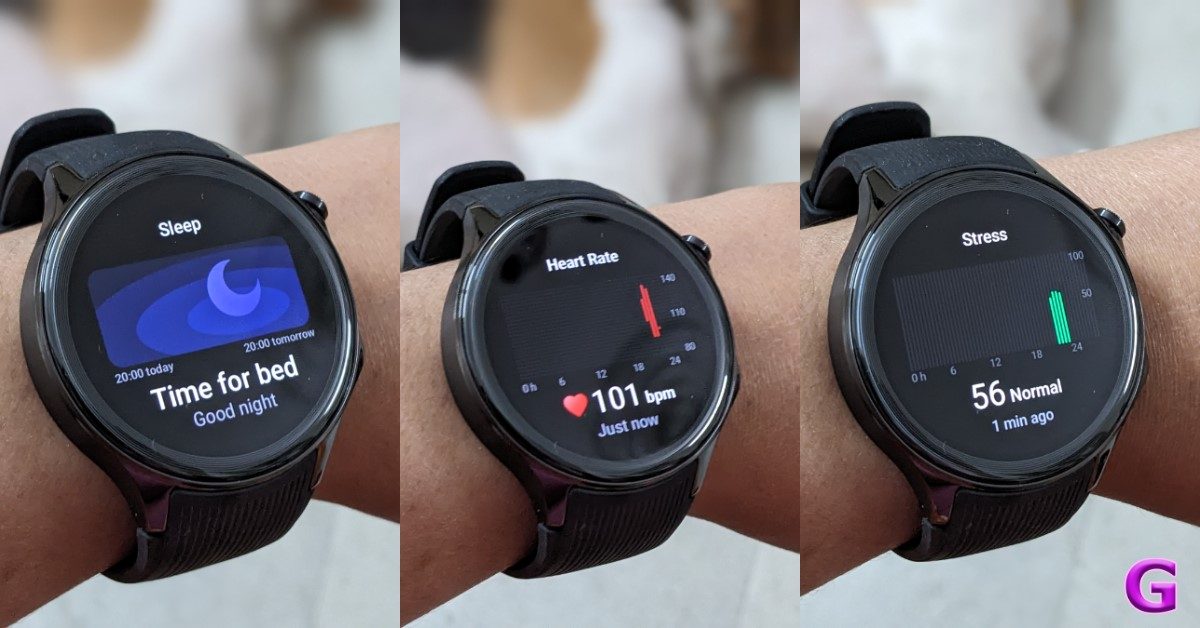
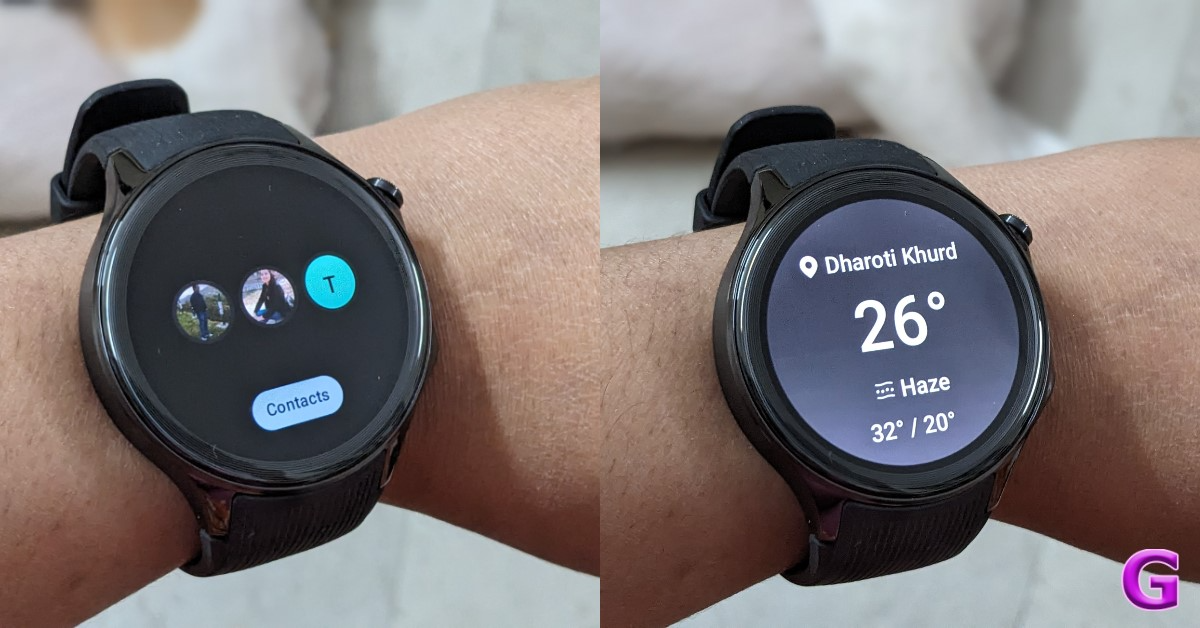
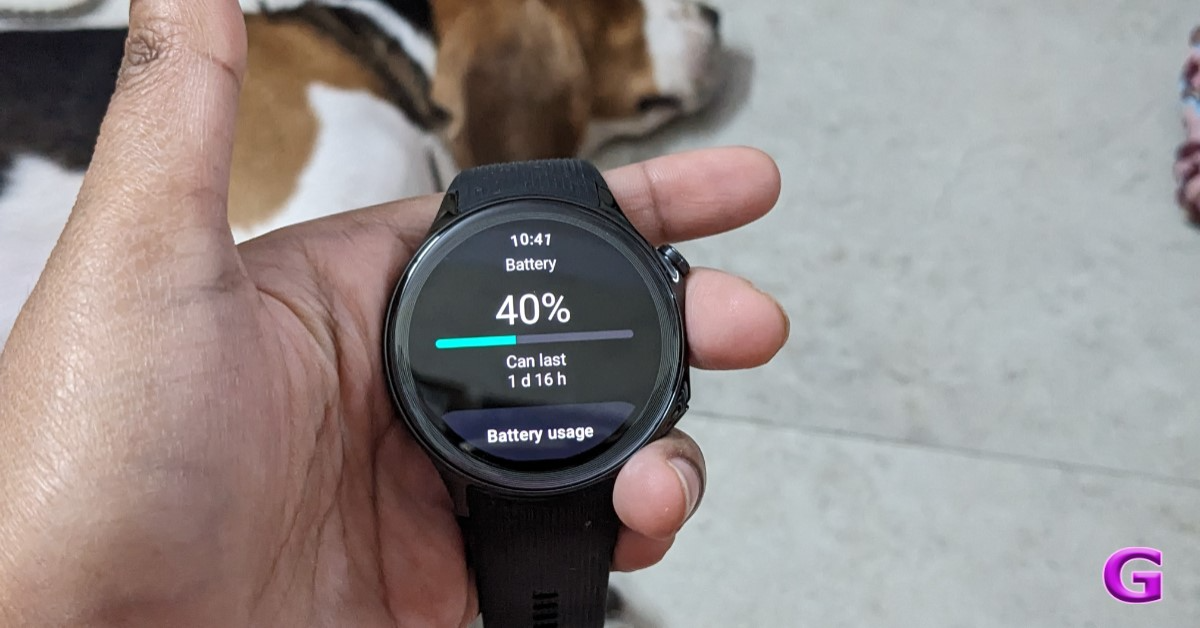
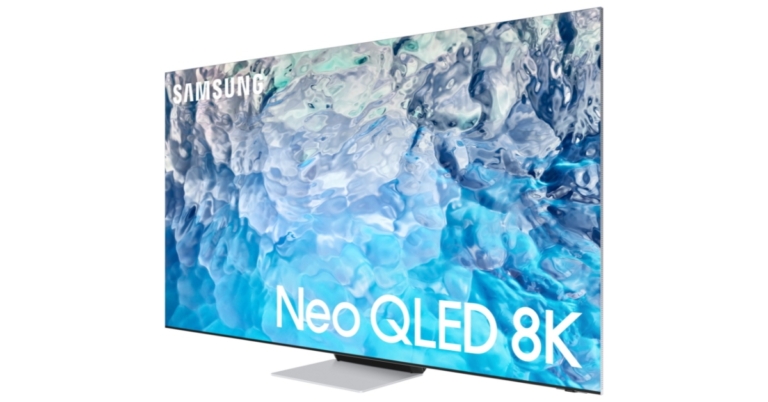
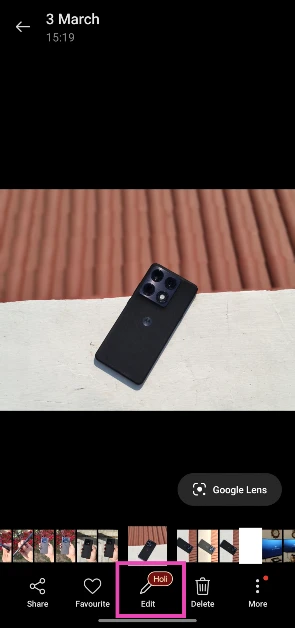 Step 4:
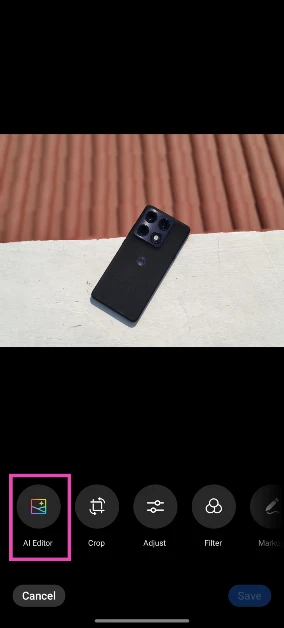 Step 5: Select AI Eraser
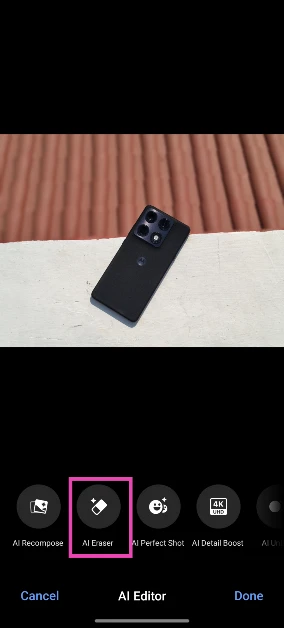 Step 6:
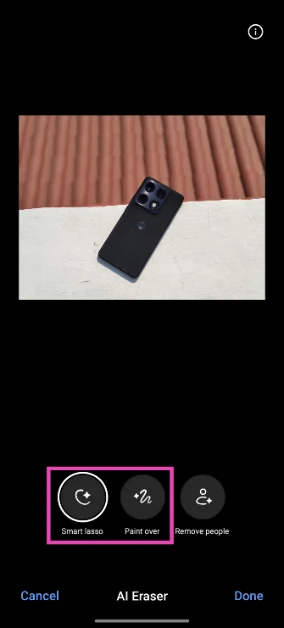 Step 7:
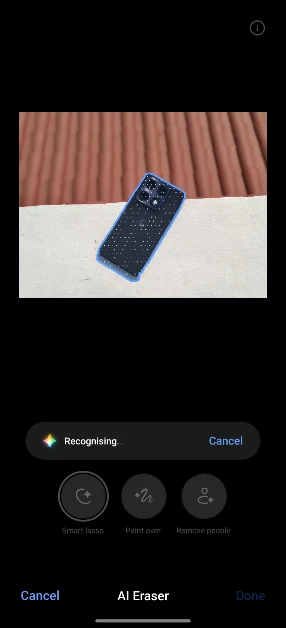 Step 8:
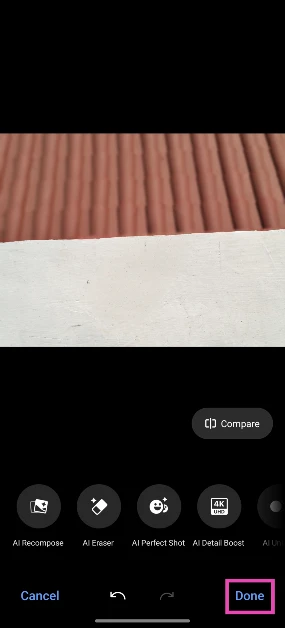 Step 9: Hit Save.
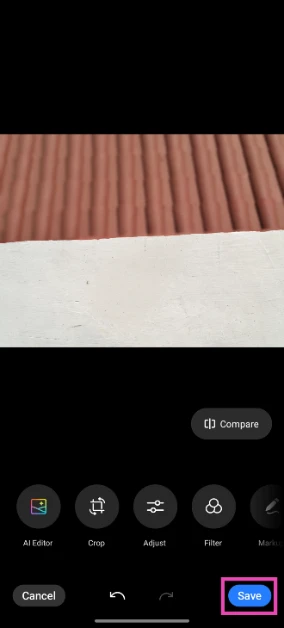
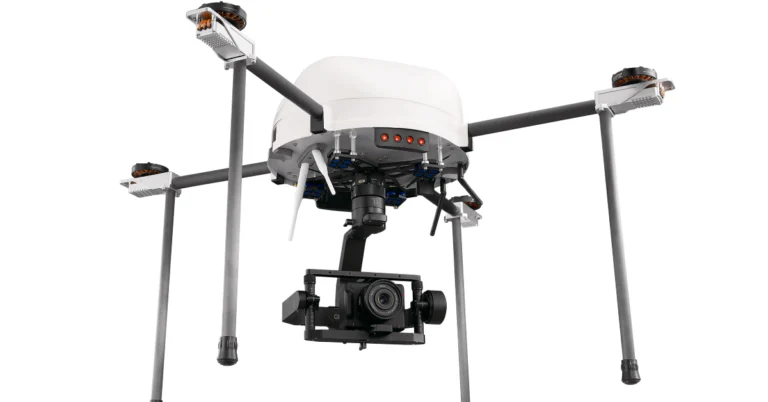
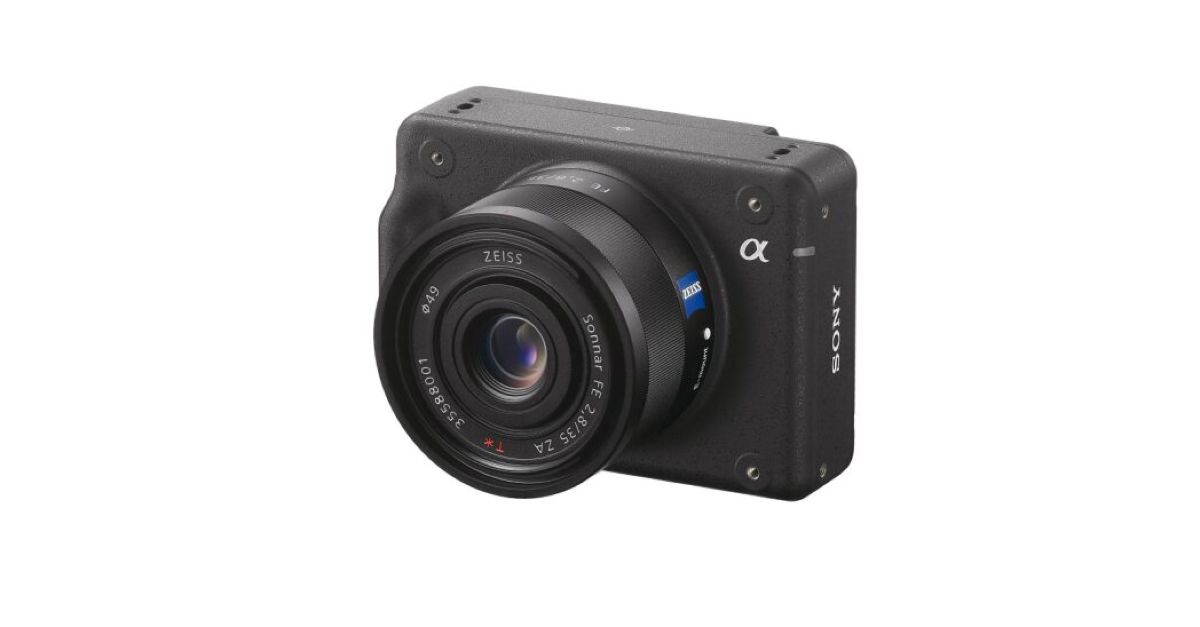
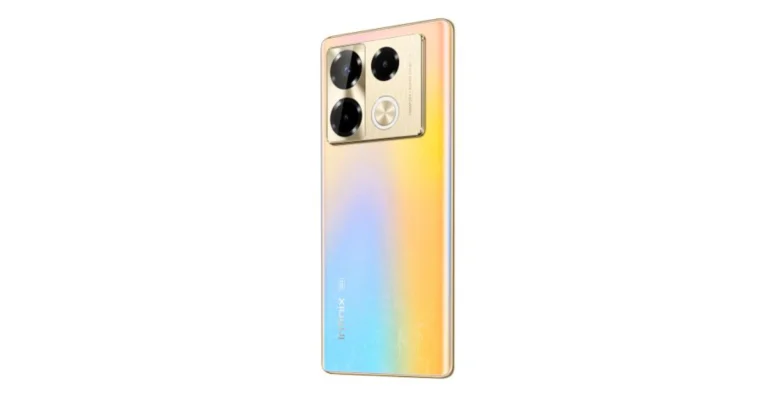
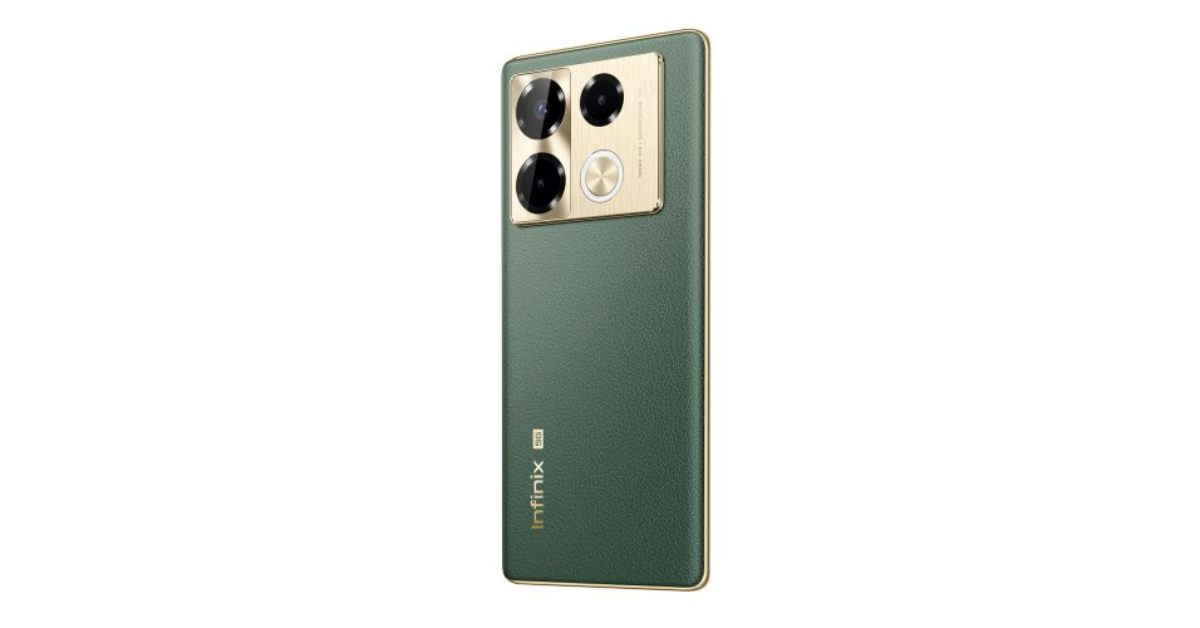
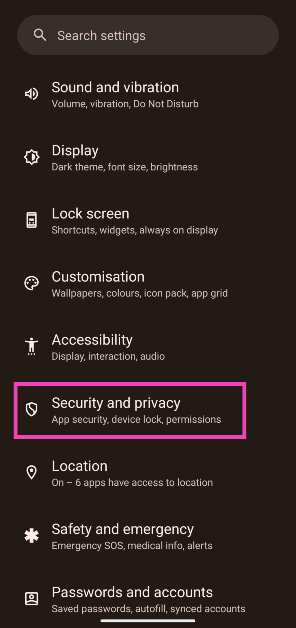 Step 3:
 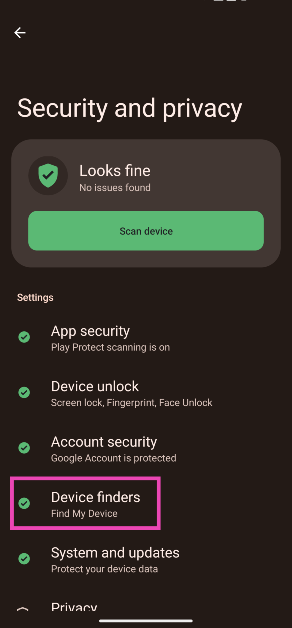 Step 4:
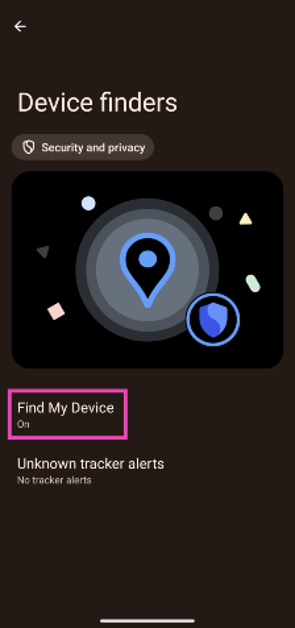 Step 5:
 Step 6: