Garena Free Fire Redeem Codes Today 2 February 2024: Here is how to claim them

Garena Free Fire is a battle royale game with regular awards and tournaments to keep players interested. If you play Garena Free Fire, you should be aware of the redeem codes that are released on a daily basis. However, because the battle royale game is banned in India, players from other countries can use the Free Fire Redeem codes daily. If you’re unfamiliar with the Garena Free Fire redeem codes or don’t know how to get them, we’ve put together a step-by-step guide to help you redeem them. Check out Garena Free Fire Redeem Codes for 2 February 2024. The Free Fire redeem codes are a great way to get free stuff. These are 12-digit codes that contain alphabets and numbers, as well as an expiration date and time. Because the Garena FF redeem codes cannot be used more than once, you should hurry to the redemption page to claim your free reward before someone else does. To get a free reward, all you have to do is go to reward.ff.garena.com/en, which is the official redemption page. Also, keep an eye on this space for daily updates on Garena Free Fire redemption codes and rewards. Also Read: Sennheiser Accentum Plus wireless headphones with Hybrid Adaptive Noise Cancellation launched

Garena Free Fire Redeem Codes Today 2 February 2024

8F3QZKNTLWBZ B3G7A22TWDR7X FF7MUY4ME6SC 4ST1ZTBE2RP9 FFICJGW9NKYT FFAC2YXE6RF2 WEYVGQC3CT8Q GCNVA2PDRGRZ X99TK56XDJ4X FF9MJ31CXKRG FFCO8BS5JW2D 3IBBMSL7AK8G J3ZKQ57Z2P2P Also Read: Garena Free Fire Redeem Codes Today 8 January 2024: Here is how to claim them

How to Get Free Fire Redeem Codes for Garena on 2 February 2024?

  • Visit the Garena Free Fire game’s official website at reward.ff.garena.com.
  • Use your Facebook, Google, VK, Apple ID, Huawei ID, or Twitter account to log in.
  • You’ll be taken to a valid redemption code (s)
  • Copy and paste the 12-digit redemption code into the text box.
  • On the screen, a dialogue box will appear.
  • ‘Ok’ should be selected.
For the latest gadget and tech news, and gadget reviews, follow us on TwitterFacebook and Instagram. For newest tech & gadget videos subscribe to our YouTube Channel. You can also stay up to date using the Gadget Bridge Android App. You can find the latest car and bike news here.

Nothing Phone 2a confirmed to launch in India soon, codenamed Aerodactyl

Key Highlights
  • Nothing Phone 2a event page has gone live on the India website.
  • The device is likely to launch during the MWC 2024.
  • The Phone 2a was spotted listed on the TUV certification website recently.
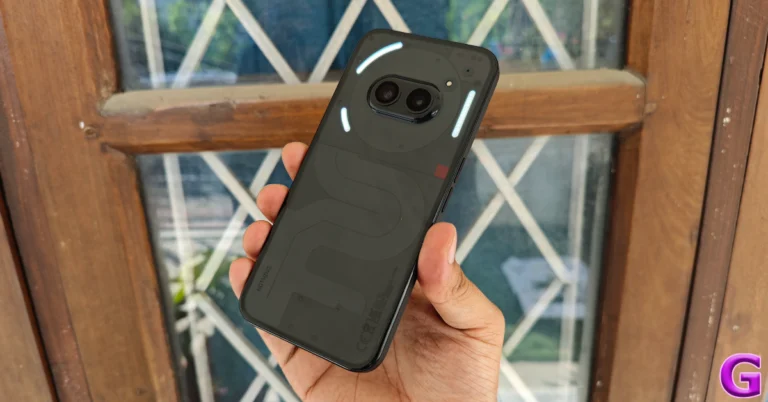
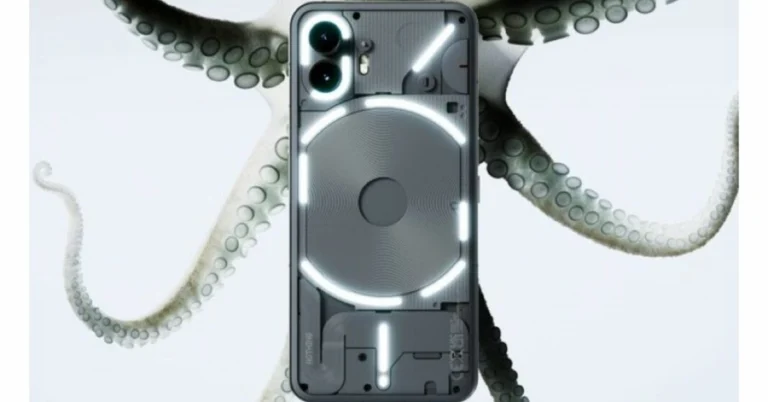
London-based technology company Nothing has today confirmed the name of its new smartphone, Phone 2a. The most recent quarterly Community Update from Nothing included the announcement. The company has also created a dedicated microsite to tease the India launch. The notify me button has also gone live, interested fans can get the latest updates about the launch. Putting all rumours and leaks aside, Nothing has formally confirmed the existence of its upcoming smartphone, the Nothing Phone 2a. Not only did the company confirm its upcoming device, but an event page on its India website is hinting at the upcoming India launch. However, the precise date or launch timeline has not been disclosed but it is expected to arrive later this month. As of now, Nothing has placed a ‘coming soon’ mark on a landing page.
The company will be hosting a Nothing to See event that will take place on February 27 during the MWC 2024 where it is expected to launch the Nothing Phone 2a. On the other hand the company’s sub-brand CMF by Nothing revealed the upcoming release of CMF Buds and CMF Neckband Pro outside of the Community Update. Also Read: Nothing Phone 2a more tech specs revealed, get TUV certified While making the announcement the firm said, “Phone (2a) has been engineered with a focus on providing the optimal daily smartphone experience, doubling down on core user needs, with all of Nothing’s expertise and craftsmanship. Phone (2a), codenamed Aerodactyl, leverages some of the most loved Phone (2) features while ensuring a clear upgrade compared to Phone (1) on every front.” Along with the announcement about its upcoming product, the company also revealed the availability of the Glyph Developer Kit, which allows third-party Android apps to operate the Glyph Interface, which is exclusive to Nothing devices. Also Read: Samsung SSD 990 EVO with Samsung Magician software launched in India Moreover, Nothing appointed Jillian Gerngross as the new VP of Marketing. She has 12 years of expertise at Amazon Music and will lead the worldwide marketing strategy, which is said to include the launches of Nothing phones and new audio items. Recently Nothing Phone 2a was spotted listed on the TUV certification website as having model number A142. As per the listing, the Nothing Phone 2a will come with a 45W charging speed. It will also get USB Power Delivery (PD) standard support, which means that the Nothing Phone 2a should be able to be charged using any USB PD-compliant charger. Earlier the upcoming handset also appeared listed on the Bureau of Indian Standards(BIS) site. According to leaks, the Phone 2a is expected to be available in Black and White colour options and in two different configurations: 8GB of RAM with 128GB storage and 12GB RAM with 256GB of storage. The phone’s price is speculated below EUR 400 (approx Rs 36,800). Reportedly the handset is speculated to feature a 6.7-inch AMOLED display manufactured by BOE and Visionox under the product number rm692h5. The screen is expected to have 1,084 x 2,412 pixels of resolution. The display may also support a refresh rate of 120Hz. The phone is slated to be powered by a MediaTek Dimensity 7200 chipset. Additionally, the mobile is rumoured to come with a dual rear camera setup that may include a 50-megapixel Samsung S5KNG9 1/1.5-inch main sensor and the 50-megapixel Samsung S5KJN1 1/2.76-inch ultrawide lens. The phone is anticipated to feature a 32-megapixel Sony IMX615 sensor on the front.

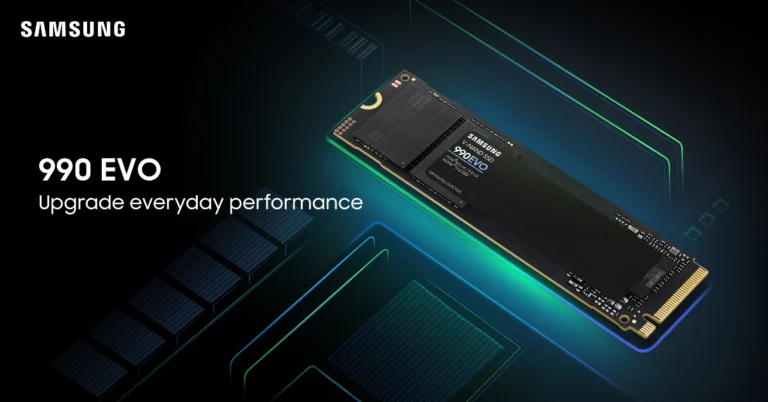
Samsung SSD 990 EVO with Samsung Magician software launched in India

Key Highlights
  • Samsung SSD 990 EVO is designed for computing experiences like gaming, work and video/photo editing.
  • The storage device has a read/write speed of Up to 5,000 MB/s and Up to 4,200 MB/.
  • Samsung Magician protects valuable data, monitors the drive’s health and notifies timely firmware updates.
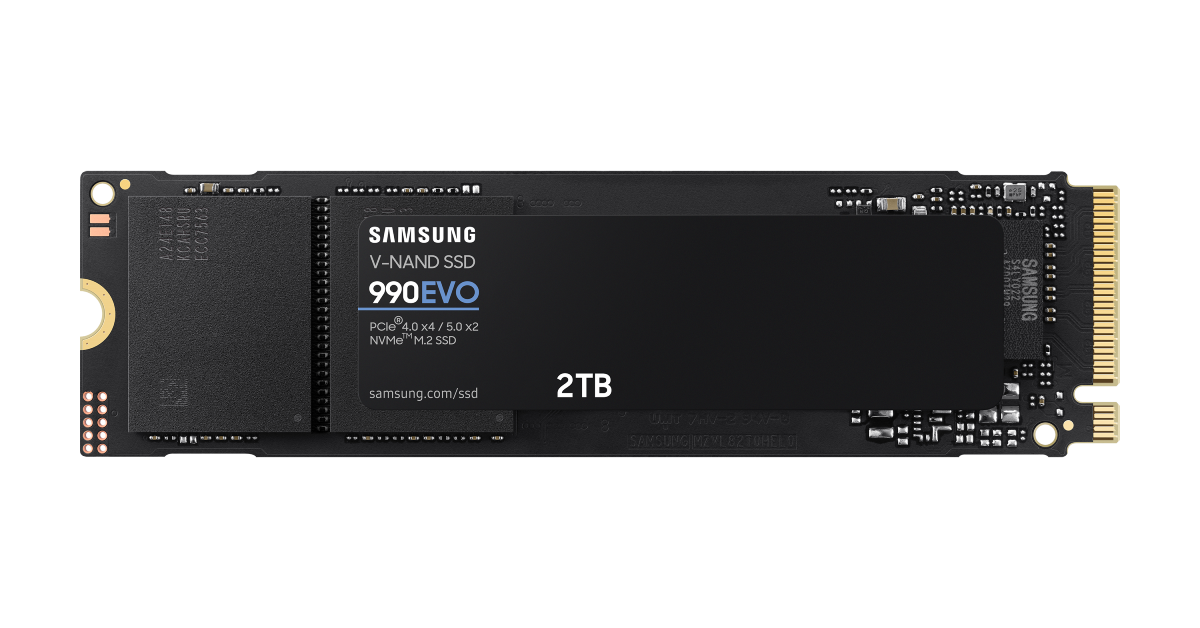
Samsung has introduced the SSD 990 EVO, an internal storage device in India. The SSD is apt for everyday gaming, business and creative workflows. It has read speeds of up to 5,000 megabytes-per-second (MB/s) and write speeds of up to 4,200 MB/s. The device is said to offer an improved performance by up to 43% and power efficiency by up to 70% as an upgrade to the previous model.

Samsung SSD 990 EVO price in India and sale details

Samsung SSD 990 EVO has been launched in India with a price tag of Rs 9,999 for the 1TB variant and Rs 16,999 for the 2TB model. The company will be offering a 5 year limited warranty on the storage device. It is currently available for purchase via leading electronics retail stores and across online platforms. Samsung SSD 990 EVO price in India and sale details

Samsung SSD 990 EVO features

Samsung SSD 990 EVO comes with an enhanced performance of up to 43% compared to the previous model, 970 EVO Plus. The newly launched storage device read speeds come up to 5,000 megabytes-per-second (MB/s) and write speeds up to 4,200 MB/s. Also Read: Sennheiser Accentum Plus wireless headphones with Hybrid Adaptive Noise Cancellation launched As per the company, Random read and write speeds also get a boost with up to 700K input/output operations per second (IOPS) and 800K IOPS, respectively. The SSD can achieve optimised performance even in a DRAM-less design by utilising Host Memory Buffer (HMB) technology to link directly to the DRAM of the host processor. The Samsung 990 EVO comes with a power efficiency of up to 70% in comparison to the 970 EVO Plus, enabling consumers to use PCs for longer duration without always worrying about running out of battery life. Also Read: India Budget 2024 Highlights: What the Indian tech industry is saying Additionally, it is compatible with Modern Standby which enables an instant on/off function with uninterrupted internet connectivity and seamless notification reception, even in low-power states. The heat spreader label on the 990 EVO efficiently controls the NAND chip’s temperature. The device supports both PCIe 4.0 x4 and PCIe 5.0 x2 interfaces and offers compatibility along with thermal control and power savings for PCIe 5.0 interfaces in upcoming applications.

India Budget 2024 Highlights: What the Indian tech industry is saying

As India gears up for its highly anticipated Elections, Finance Minister Mrs. Nirmala Sitharaman delivered her 2024 Interim Budget while the BJP continues its 10-year reign. This highly anticipated budget session brought about a plethora of positive results for the upcoming fiscal year. With widespread praise from financial experts and a stellar 8/9 rating, both the Modi government and Mrs Sitharaman were rightfully applauded. However, the tech industry’s top-notch minds have been abuzz with conversations and fascinating insights on the most notable aspects of the budget.

This is what they have to say about Indian budget 2024:

Ravi Kunwar, Vice President – India & APAC at HMD Global “The Interim Budget is forward-looking and represents the remarkable evolution of India’s mobile and telecom landscape in the last decade, standing true to our expectations. The allocation towards the development of electronics manufacturing clusters unlocks the accessibility of high-quality technology for varied consumers, including those at the bottom of the pyramid. Additionally, the proposal to further provide relief in customs duty on the import of battery covers, main lenses, back covers, and mechanical items will boost the Make in India initiation and solidify the mobile manufacturing ecosystem in the country. This reduction, coupled with the establishment of a one-lakh-crore corpus supported by a fifty-year interest-free loan, will empower the private sector to significantly advance research and innovation in sunrise domains. Despite the industry’s growth, there is substantial room for expansion in India, and we are optimistic that supportive government policies, infrastructure investments, and a vibrant innovation ecosystem will unleash the next wave of digital transformation.” Amit Khatri, Co-Founder, Noise. “The Interim Union Budget 2024 presented by FM Nirmala Sitharaman reflects the Government’s undeterred focus on inclusive growth. The focus on boosting employability through training and skill development, along with the significant support to foster the entrepreneurial spirit of Indian youth through 43 crore loans amounting to Rs. 22.5 lakh Crore, is indeed a commendable step towards pushing India’s growth at the global stage. These reforms encourage us to work towards India’s vision to become a developed nation by 2047 through enhanced capability and empowerment. Being a homegrown brand, we believe that the initiatives like PM Mudra Yojana & Start Up India will play a crucial role in catalysing the growth of the startup ecosystem in India and eventually further strengthen the ‘Make in India’ efforts. We appreciate the economic policies adopted to foster growth, improve productivity, increase opportunity, and fulfil aspirations through strategic technological advancements. Driven by the vision of Vikasit and Aatmanirbhar Bharat, we look forward to actively participating in the nation’s journey towards global prominence and innovation leadership.” Arijeet Talapatra, CEO of TECNO Mobile India. “The decision of Ministry of Finance to reduce import duties on smartphone components and spare parts is a remarkable move. This strategic move aligns with the industry’s collective request to rationalize duty structures, transitioning from 15% to 10%, thereby fostering enhanced competitiveness for the Indian smartphone sector on both domestic and international fronts. This favourable development will serve as a significant catalyst for smartphone manufacturing entities, TECNO included, deeply committed to the principles of ‘Make-in-India.’ TECNO is steadfast in its commitment to fostering industry growth through the augmentation of manufacturing and supply chain operations within India.” Read Also: Samsung Galaxy S24 Series goes on sale in India: Check price, launch offers and specs Nikhil Rajpal, CEO, Hero Electronix “In the unveiling of the Interim Union Budget 2024, Finance Minister Nirmala Sitharaman has strategically charted out a path not just for driving economic growth, but for a transformative era of inclusive prosperity. The strategic emphasis on empowering entrepreneurship with robust financial support is a game-changer. It paves the way for innovation-led development, mirroring our own ambition to be at the forefront of ‘Viksit Bharat’, and resonates deeply with our vision of building successful technology businesses out of India. This budget is not just a financial statement; it’s a blueprint for a resilient and self-reliant India, capturing the spirit of ‘Sabka Prayas’ and our collective resilience through challenging times. As we at Hero Electronix (Qubo) stay buoyed by the government’s sustained support, we are more committed than ever to be instrumental in India’s journey. It’s a journey not just towards economic success, but towards establishing India as a beacon of innovation and visionary leadership on the world stage.” Trideep Bhattacharya, President & Chief Investment Officer- Equities, Edelweiss MF “In an election year, the budget adeptly strikes a balance, prioritizing sensibility over populism. It showcases India’s unwavering commitment to infrastructure development, coupled with a steadfast adherence to fiscal prudence. This paves the way for sustained growth, steering the nation along the trajectory towards achieving a developed economy by 2047.” Pallavi Singh, Senior Vice President, Super Plastronics Pvt Ltd, a brand licensee of White-Westinghouse “The facilitation of a 34 crore loan for women entrepreneurs, along with the 43% female enrollment in STEM courses and the allocation of 1/3 seats in government,  reflect a commitment to equal representation. Women setting up their own businesses will lead to job creation for the same gender, and recent studies have shown that empowering women economically leads to increased GDP and poverty reduction, benefiting families and communities. Overcoming various challenges and barriers as a woman entrepreneur in India is not an easy feat, and with encouragement from the government, this will provide a boost, especially to those from economically weaker backgrounds. Increased women’s entrepreneurship is also a step towards global collaboration and will provide India with an additional platform to expand networks and access global markets.” Manoj Nair, Head of India GDC, Fujitsu India “We welcome India’s Union Budget 2024-25 unveiled today and applaud the Indian Government for putting digitalization, inclusive and sustainable development, and enhanced capabilities and contribution to the generation of resources to power investments at the core. As the demand for tech talent surges, the Government’s Skill India Mission has played a pivotal role in stemming the talent gap in the IT industry. With 1.4 crore youth upskilled and reskilled the announcement of higher learning institutions including IITs and IIMs will help India address the AI skill crunch and bridge the gap effectively. Additionally, the Government’s corpus of Rs 1 lakh crore with a 50-year interest-free loan will encourage the private sector to scale up research and innovation significantly in sunrise domains. This will be a big boost for tech-savvy youth and help the Nation strengthen capabilities in the deep tech sector. The government’s continued focus on EV ecosystem is indeed a pragmatic step forward and will continue to help India succeed in achieving its long-term decarbonization objectives. This is an exciting time for the country’s green industrial and economic transition. At Fujitsu, we are committed to providing sustainable transformation and supporting green growth and we shall continue as strong partners in helping the nation in its journey towards net-zero!” Read Also: Top 5 Ways to Reverse Image Search on Desktop (2024) Rajesh Doshi Director & Cofounder at Zebronics “The Union Budget 2024 demonstrates a continued focus on the tech landscape, emphasizing inclusive growth across various sectors such as agriculture, finance, health, and diverse communities that empowers the economy across all sectors. The Skill India mission has resulted in robust training, re-skilling and upskilling of the youth which underscores the goals to enhance ‘Atma Nirbhar India’ thereby the proclivity towards more local manufacturing, Research & Development will eventually make India a true leader in manufacturing at a global scale. The comprehensive approach towards channelising efforts into the Start-up community, women entrepreneurs, provision of fundamental needs to the nook & corner of the country is the face of an upward trajectory. We wish to see more scalable changes in the coming years into the tax regimes where the maximum benefits would be reaped by our country’s young gen.” Shauryam Gupta, CEO, Rupeezy Being an interim budget, some degree of populism was expected. On the contrary, it was a budget of fiscal prudence clearly outlining the fiscal deficit targets for the next two years. The 2024 interim budget showcases commendable fiscal responsibility with substantial infrastructure investments. The budget prominently emphasized affordable housing, clean energy, and technological advancement as key priorities for the government. Overall, the budget highlights the government’s forward-thinking vision for ensuring the country’s sustainable development, as stated in the budget speech aimed at propelling India towards becoming a developed nation by the year 2047. Avneet Singh Marwah,  CEO, Super Plastronics Pvt Ltd, a Kodak brand Licensee “This budget has truly laid the foundation for the next 5 years with several important aspects taken into consideration. GoI’s plan to build 2 Cr houses under PM Awas Yojna Gramin will surely give a boost to the consumer durables industry in the country and enable the people to live in their own house. This will be assisted by rooftop solarisation for electricity. Additionally, larger availability of credit for the private sector will surely help the companies to upscale their operations in the country. We were surely expecting a change in the income tax slabs to support the middle-class population which happens to be the highest taxpayer class in the country but that has surely not happened. Additionally, a reduction in GST on LED TVs above the sizes of 32 inches from 28% to 18% was expected which didn’t happen.” Amit Tripathi – Managing Director icogz “The budget allocated Rs 8,000 crore for the National Mission on Quantum Technologies and Applications, which aims to boost research and innovation in quantum computing, communication, cryptography, and artificial intelligence. This is as per expected lines and what I had predicted in my pre budget expectations. The budget also proposed to set up a Data Centre Economic Zone to attract investments and create employment opportunities in the data centre industry, which is expected to grow at a CAGR of 23% by 2025. Again on expected lines. The budget increased the tax deduction at source (TDS) on e-commerce transactions from 1% to 2%, which may affect the profitability and cash flow of e-commerce platforms and sellers.” Anand Dubey, CEO, Indkal Technologies. “We applaud the Finance Minister for the astute measures taken in the budget to enhance the financial sector’s size, capacity, skills, and regulatory framework. These initiatives are pivotal in fortifying the foundation of our economy. Additionally, the commitment to ensuring energy security for businesses across sectors is commendable, providing a robust foundation for sustained economic growth. We look forward to leveraging these enhancements to further contribute to the nation’s progress and prosperity.”

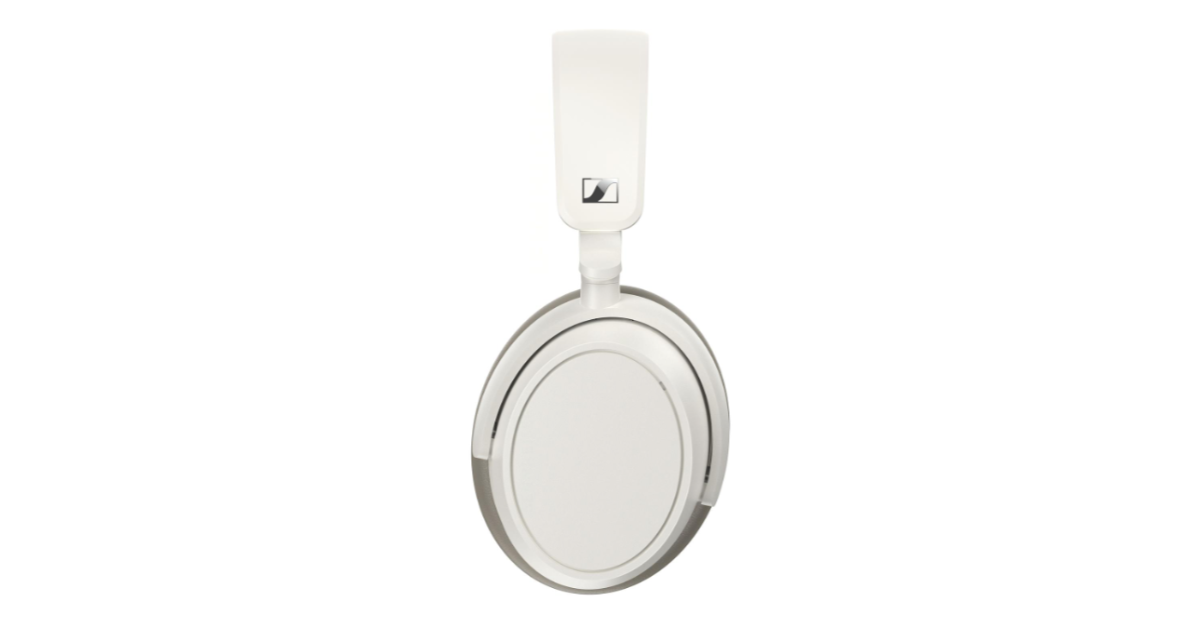
Sennheiser Accentum Plus wireless headphones with Hybrid Adaptive Noise Cancellation launched

Key Highlights
  • Sennheiser Accentum Plus wireless headphones offer 50 hours of playtime on a single charge.
  • The device supports all codecs including aptX Adaptive.
  • It also offers an extra 5 hours of listening time in about 10 minutes.
Popular audio brand Sennheiser has launched new over-the-ear earphones. The company introduced Accentum Plus wireless headphones featuring Hybrid Adaptive Noise Cancellation. The audio device has touch-gesture controls and supports all popular codecs including aptX Adaptive for optimum sound. The headset is claimed to offer 50 hours of listening on a single charge.

Sennheiser Accentum Plus price and availability

Updated [Sennheiser Accentum Plus price in India has been set at Rs 15,990. Here in the country, the over-the-ear headphones will be available in two colourways- Black and White. The device is available for pre-orders till February 13. Those who pre-reserve the product will get a discount of Rs 1,000. It is scheduled to go on sale via Amazon in the country on January 14.] Sennheiser Accentum Plus has launched in Hong Kong with a price tag of $1,999 HKD. The headphones come in two colour options black and white. The device will be available for purchase from today onwards at select retailers and Sennheiser-hearing.com. Sennheiser Accentum Plus price and availability

Sennheiser Accentum Plus features

Sennheiser Accentum Plus’s earcup and headband padding adapt to the wearer’s contours. These wireless headphones also come with an audio cable with a 3.5mm stereo plug that can be used to tap into in-flight entertainment systems or other headphone outputs. The device can be folded and stored in a protective zip-storage case when travelling. Thanks to an intuitive touch panel and companion app that respond to gesture controls, Accentum Plus can be used in two primary ways: transparent mode allows you to keep your hands on the device or put it away completely, and familiar taps and swipes handle listening settings and wireless media controls. A touch-enabled earcup provides instant feature control without requiring you to look for buttons or navigate menus. Also Read: Garena Free Fire Redeem Codes Today 1 February 2024: Here is how to claim them Sennheiser Accentum Plus wireless headphone comes equipped with a proprietary 37mm dynamic transducer featuring the company’s own Sound Personalization mode. Additionally, the headset is integrated with Hybrid Adaptive Noise Cancellation that constantly adapts to changes in the ambient noise environment around the wearer. Sennheiser Accentum Plus features Through its Bluetooth connections, users can control 5-band EQ and adjust other audio-centric features, the Smart Control App enhances the headphone experience. Smart Control also allows users to store personalised presets Also Read: Instagram testing Flipside feature allowing users to set a private Insta page Along with Bluetooth 5.2 for connectivity, the audio device supports all popular codecs including aptX Adaptive for optimum sound. Multipoint connectivity seamlessly switches the active wireless connection from one Bluetooth device to another without the need for re-pairing. Also Read: Samsung Galaxy S24 Series goes on sale in India: Check price, launch offers and specs There is an automatic wind-reduction and adjustable side-tone, that is said to provide a natural and distraction-free call quality. The headset can run for 50 hours on a single charge but can also deliver an extra 5 hours of listening time in about 10 minutes.

Garena Free Fire Redeem Codes Today 1 February 2024: Here is how to claim them

Garena Free Fire is a battle royale game with regular awards and tournaments to keep players interested. If you play Garena Free Fire, you should be aware of the redeem codes that are released on a daily basis. However, because the battle royale game is banned in India, players from other countries can use the Free Fire Redeem codes daily. If you’re unfamiliar with the Garena Free Fire redeem codes or don’t know how to get them, we’ve put together a step-by-step guide to help you redeem them. Check out Garena Free Fire Redeem Codes for 1 February 2024. The Free Fire redeem codes are a great way to get free stuff. These are 12-digit codes that contain alphabets and numbers, as well as an expiration date and time. Because the Garena FF redeem codes cannot be used more than once, you should hurry to the redemption page to claim your free reward before someone else does. To get a free reward, all you have to do is go to reward.ff.garena.com/en, which is the official redemption page. Also, keep an eye on this space for daily updates on Garena Free Fire redemption codes and rewards. Also Read: Sennheiser Accentum Plus wireless headphones with Hybrid Adaptive Noise Cancellation launched

Garena Free Fire Redeem Codes Today 1 February 2024

FAYQ765TRF4VBRN F7U4GGJVI8CY6TG FJ8FG7BSJUWYT3R FGBW3REGFBI7345 FVE4RH5TJUGVYCT FZ7YTA5Q4RED2C3 FVBERFJUVYTSRFW FGSWBH3J4KR5IT6 FYUGHVNCD5JSUEY F4TG5BTNGKOIUYG FFEVDBHUA7Q6TGH FERTY9IHKBOV98U

How to Get Free Fire Redeem Codes for Garena on 1 February 2024?

  • Visit the Garena Free Fire game’s official website at reward.ff.garena.com.
  • Use your Facebook, Google, VK, Apple ID, Huawei ID, or Twitter account to log in.
  • You’ll be taken to a valid redemption code (s)
  • Copy and paste the 12-digit redemption code into the text box.
  • On the screen, a dialogue box will appear.
  • ‘Ok’ should be selected.
For the latest gadget and tech news, and gadget reviews, follow us on TwitterFacebook and Instagram. For newest tech & gadget videos subscribe to our YouTube Channel. You can also stay up to date using the Gadget Bridge Android App. You can find the latest car and bike news here.

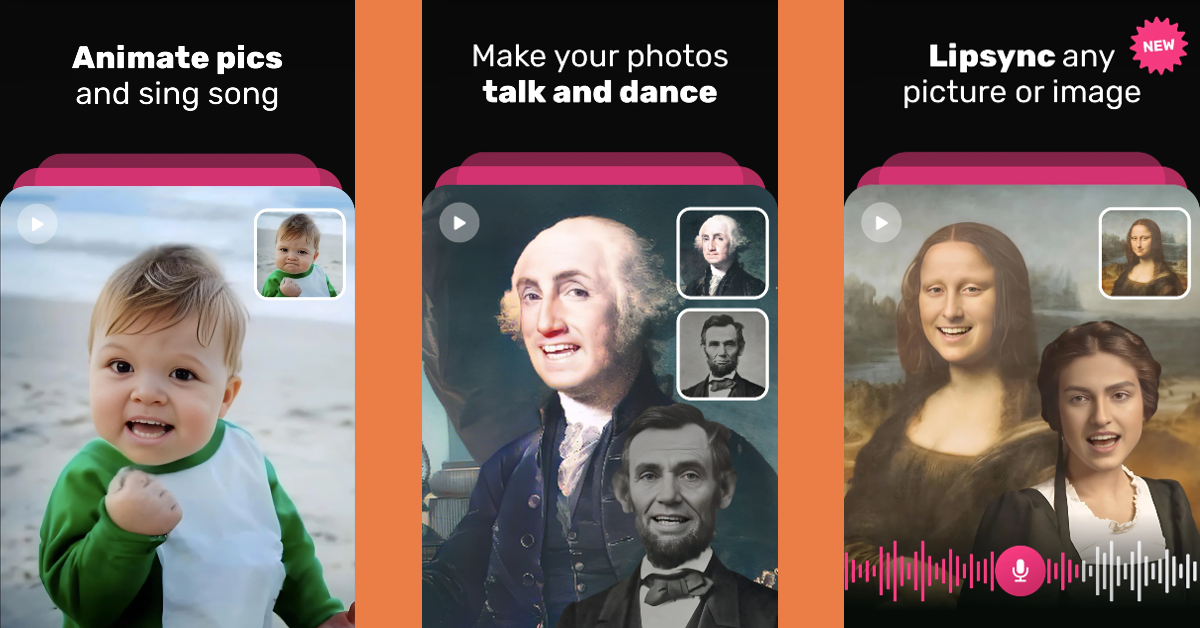
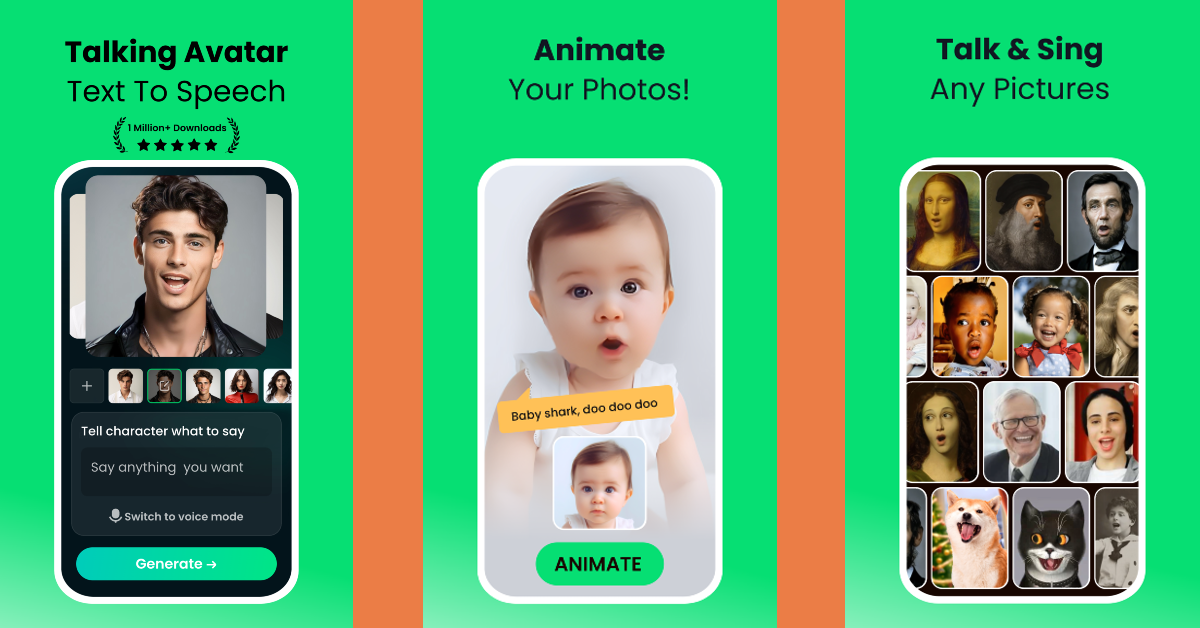
Top 5 Free Apps to Make Your Photos Sing on Android

If you’re an active user on Instagram and TikTok, you must have come across videos of singing portraits on your feed. These portraits are surprisingly accurate and well-synced with the song. If you have a funny idea sitting in your mind, you too can bring it to reality in just a few minutes. Creating singing portraits is a very easy process and does not require anything other than your phone. Use these 5 free apps to make your photos sing on Android. Read Also: Top 4 Ways to Download YouTube Videos on an iPhone (2024)

WOMBO Me: AI Avatar Generator

Download from Google Play Store WOMBO Me: AI Avatar Generator Wombo is one of the best AI avatar generator apps around. You can scan your headshot to create an interactive AI avatar or spruce up your selfies with breathtaking AI edits. You can use Wombo to add animated effects to any picture which makes it seem like the person is singing. The app has a vast library of songs that you can choose from. Once you upload a picture, it will take Wombo a couple of minutes to sync it to your chosen song. The app also offers tons of filters, AI image generation, face swapping, and more.

Face Dance: AI Photo Animator

Download from Google Play Store Face Dance: AI Photo Animator The Face Dance app makes it very easy to make your photos sing on Android. All you need to do is upload a picture, select a song, and let the app handle the rest. The lip-syncing carried out by this app is on point. Apart from making pictures sing you can also animate a picture and make it dance to a tune. If that doesn’t amuse you, Face Dance can also make a picture act like a movie character. The videos you create on Face Dance can be shared across all social media platforms with a single tap.

Mimic – AI Photo Face Animator

Download from Google Play Store Mimic – AI Photo Face Animator Upload a picture, select a song, and make it dance – it’s that simple. The Mimic app cleverly uses AI to generate deep fake videos based on your selfies. The way it makes the lips sync with the words of the song is surreal. Apart from adding singing animation to pictures, you can also make them talk or act a certain way. With the right imagination, there are tons of fun things you can do with this app. From making dogs speak to bringing memes to life, Mimic can do it all.

Avatarify: AI Face Animator

Download from Google Play Store Avatarify: AI Face Animator Top 5 Free Apps to Make Your Photos Sing on Android Avatarify is one of the best apps for creating funny musical portraits. You can choose to make a singing portrait out of your own picture or use a friend’s selfie for hilarious results. If you think adding speech to a meme will make it funnier, Avatarify will do that for you as well. The app’s song library consists of hundreds of tunes which you can use to make any photo in your phone’s gallery sing. The app is completely free to use on Android devices.

AI Art Animator: DreamFace

Download from Google Play Store AI Art Animator: DreamFace The DreamFace app specialises in creating singing portraits out of your pictures and selfies. If you just want to play around with the app, there are tons of templates and pictures you can choose from DreamFace’s built-in library. To create singing portraits of people you know, you will need to upload their pictures. Its text-to-speech functionality lets you create talking avatars with ease. If you don’t want the robotic voice, you can upload your own voice recordings as well. Other than that, you can use DreamFace for photo-editing purposes as well. Read Also: Launched: Acer Swift Go 14 refreshed with Intel Core Ultra 5 & 7 CPUs in India

Conclusion

These are the top 5 apps you can use to make your photos sing on Android. If you don’t want to install an app on your phone, you can use Media.io’s Face Animator tool for the same task. This online tool takes less than a few minutes to create singing portraits and breathe life into your pictures. If you know any other apps for this task, let us know in the comments!

Instagram testing Flipside feature allowing users to set a private Insta page

Key Highlights
  • Instagram is working on a new feature called Flipside.
  • The feature will allow users to set up an alternate account where they can share their private pictures with their close ones.
To stay ahead of its rivals, Instagram keeps experimenting with something new so that its users get a better experience on its platform than others. Recently it has been revealed that it is testing a new feature called Flipside, whose job is to allow users to add an alternate account to their existing profile. Instagram owned by Meta is now introducing a new feature called “Flipside” to give the app a more private vibe. According to Adam Mosseri, head of Instagram, the feature is presently being tested. As mentioned earlier the feature will let you add an alternate account to your existing profile; one can easily create a copy of the photo grid that only their chosen friends can view. When a backup or secondary photo grid is created an alternate account to your current one will appear to a selected group of friends and followers thereby allowing you to share what you want with specific people. Also Read: Samsung Galaxy S24 Series goes on sale in India: Check price, launch offers and specs While sharing the development Instagram Head Adam Mosseri revealed, “We’re not even sure we’ll launch it on Instagram. On one hand, it feels good to create a clear space that feels more private. On the other, it’s yet another way to reach a smaller audience on top of secondary accounts and Close Friends. We’ll see how people respond in the test, and iterate forward.” The feature is likely to be released only for limited users for testing. As of now, there is no such feature on Instagram where we can share our private posts only with a select number of followers or with close friends. Also Read: Tecno Spark 20 with Dynamic Port and triple cameras launched in India A video showcasing the Flipside function was also shared which showcased how the feature will work. The upcoming functionality will allow you to establish a copy or an alternate account similar to your existing profile where you may share more private posts like photos or videos with a select group of people. While sharing the demo video he says that the company’s objective is to essentially productise “finstas” Not just that the users can set up different profile pictures as well as bios when setting up an alternate account.

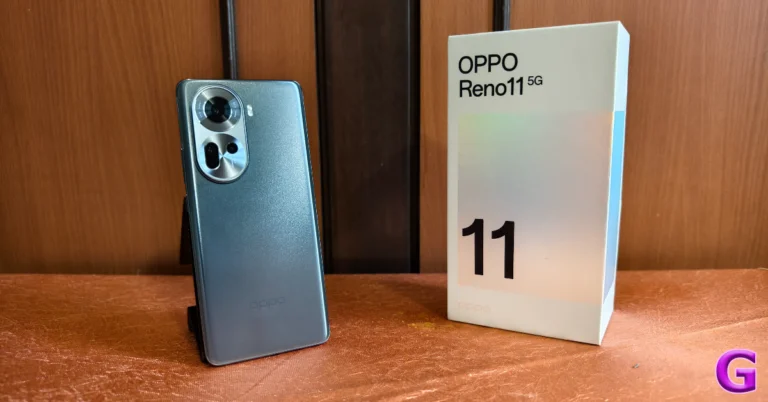
Oppo Reno 11 Review: Elegance across the board

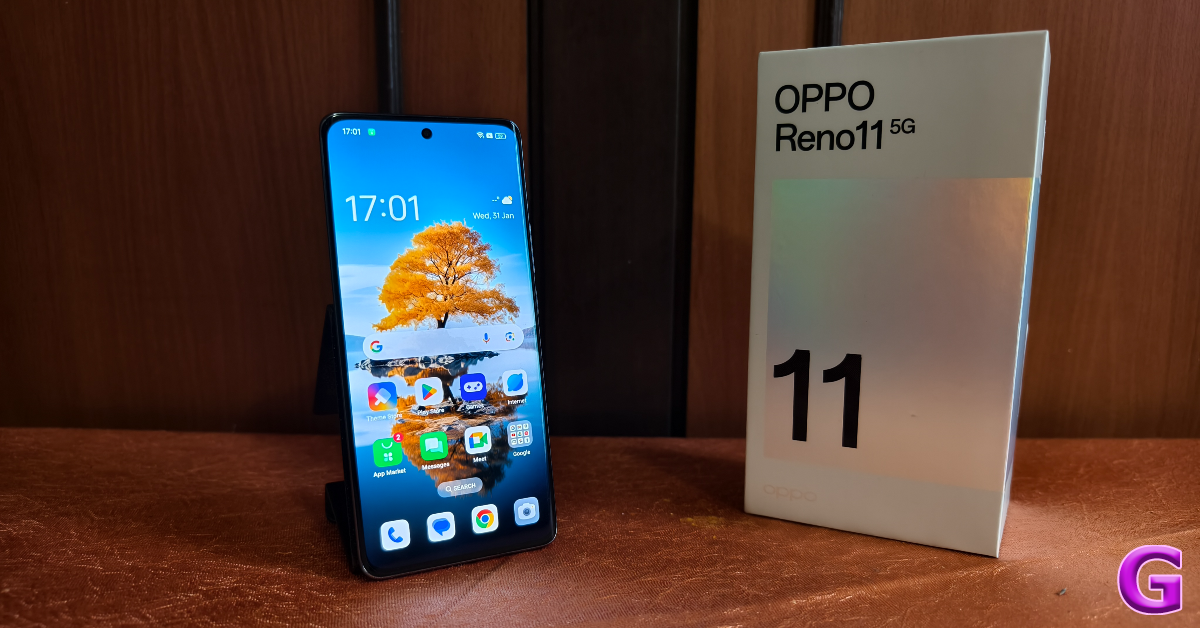
Oppo’s Reno 11 series was launched in India earlier this month. In true Oppo fashion, the latest Reno series flaunts a clean design and excellent camera chops. Oppo calls it ‘The Portrait Expert’. Prices for the standard variant of the Reno 11 start at Rs 29,999, while the Pro variant demands a premium of Rs 10,000 over this price. The standard model of smartphone landed on our desk soon after launch and we’ve been using it as our daily driver for the last week. Let’s take a deep dive into our experience with the smartphone and see if its performance held up to its spec sheet. Here is our comprehensive Oppo Reno 11 review. Read Also: How to Disable Your iPhone’s Touchscreen? (2024)

Oppo Reno 11 Review: Design and Display

Inside the Oppo Reno 11 retail package, you will find the following contents.
  • Oppo Reno 11 smartphone
  • 67W SuperVOOC power adapter
  • USB Type-A to Type-C charging cable
  • SIM ejector tool
  • Opaque Silicon Phone Case
  • Quick Guide
  • Safety Guide
  • Phone Seal Stickers (to prevent UV glue from leaking into the phone while applying a screen protector)
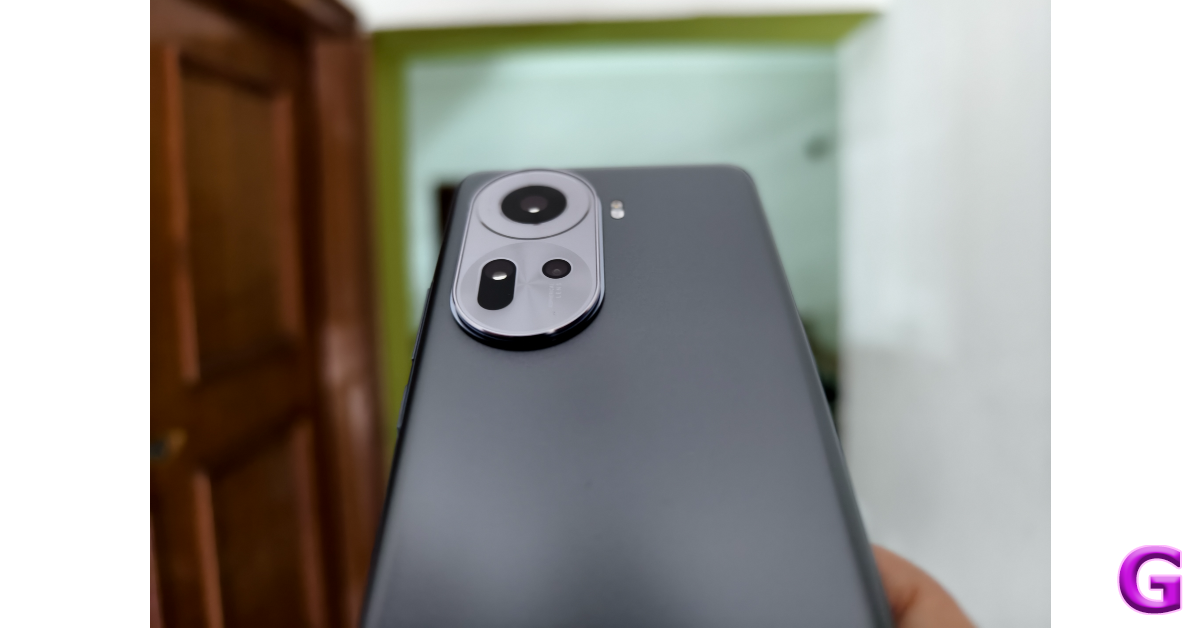
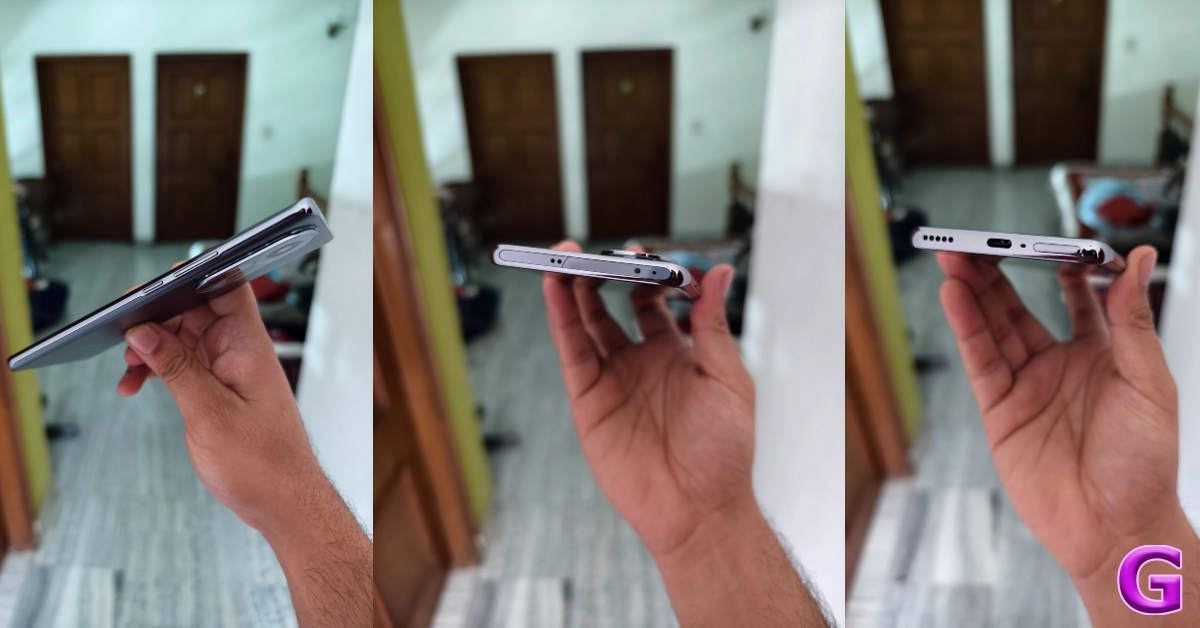
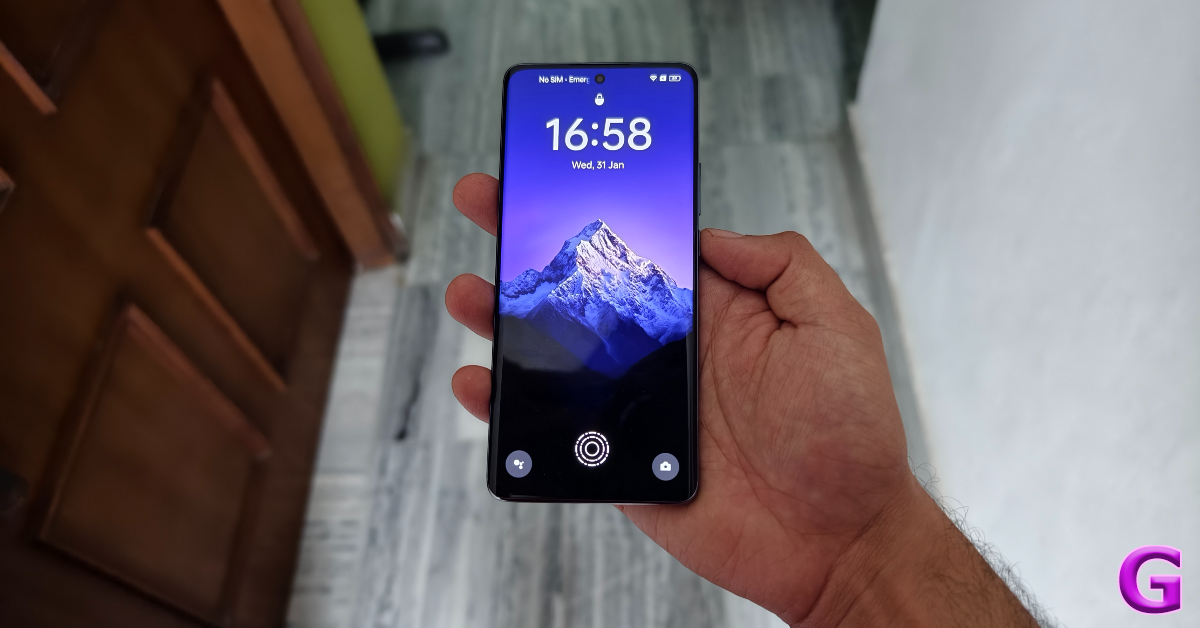
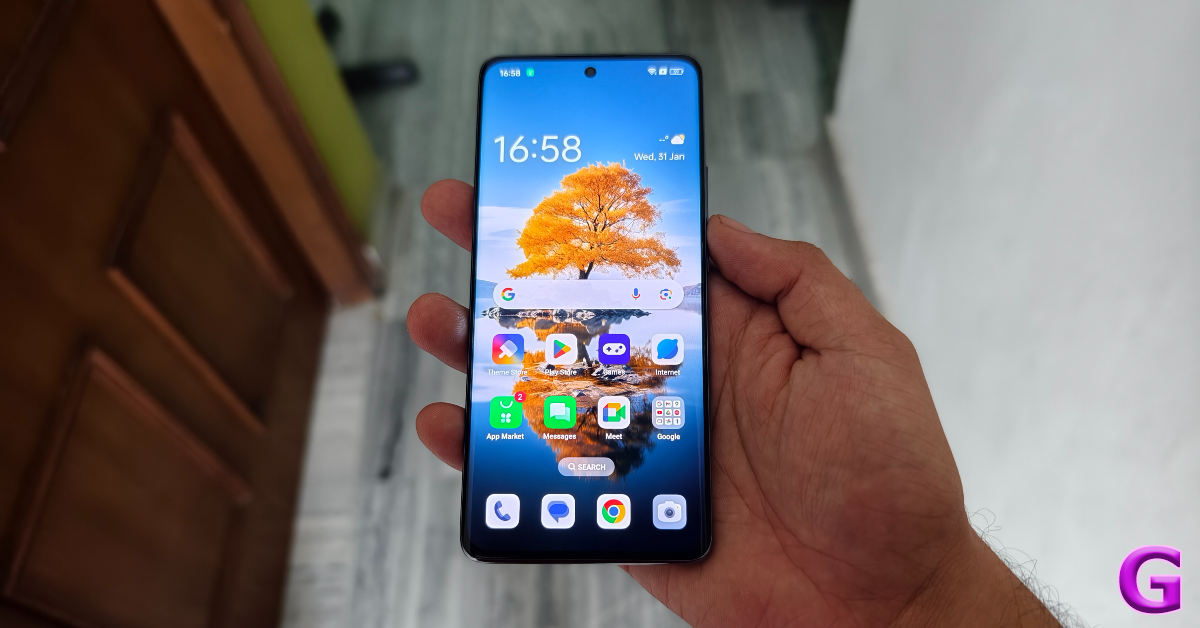
The Oppo Reno 11 is available in Wave Green and Rock Grey colour variants – we used the latter for this review. And it may just be the finest colour application on a smartphone we’ve seen in this category yet. It brings out the elegance of the design and radiates a muted glow when light falls on it. The matte texture on the glass and polycarbonate back panel lends it a great in-hand feel. It doesn’t attract any fingerprints or smudges. Oppo Reno 11 Review: Design and Display The oval-shaped cutout at the top right corner of the back panel houses the three cameras. This cutout gets a silver finish which goes nicely along with the grey back. The primary shooter occupies the top half of the cutout while the ultrawide and macro sensors are clustered in the bottom half. Weight distribution leaves no room for complaints as the smartphone doesn’t feel top-heavy like most of its midrange counterparts. Its sleekness is another great attribute of its form factor. camera cutout The back panel curves into the glossy polycarbonate frame which has a metallic feel to it. This frame houses the volume rocker and the power key on its left edge. At the bottom of the frame lie the speaker grille, USB Type-C port, primary microphone, and SIM tray. The secondary speaker, secondary microphone, and IR blaster are placed up top. cross section The 6.7-inch curved AMOLED display has a peak refresh rate of 120Hz and supports HDR10+. Under direct sunlight, it can achieve a peak brightness of 950 nits, which should have been a little higher, ideally. Nevertheless, we did not struggle to read the display in outdoor conditions. The colours produced by this AMOLED display are punchy and vivid. We watched video content across major streaming platforms and were pleased with how the AMOLED panel produced the fine details. The viewing angles are fine for the most part, but you can notice a thin green streak along the curved edges if you pay close attention. Oppo Reno 11 Review: Design and Display The Oppo Reno 11 does not have an official IP rating but the company claims that the device can withstand minor splashes. The display is protected by Dragontail glass and comes with a screen protector installed on top of it out of the box.

Oppo Reno 11: Performance and Cameras

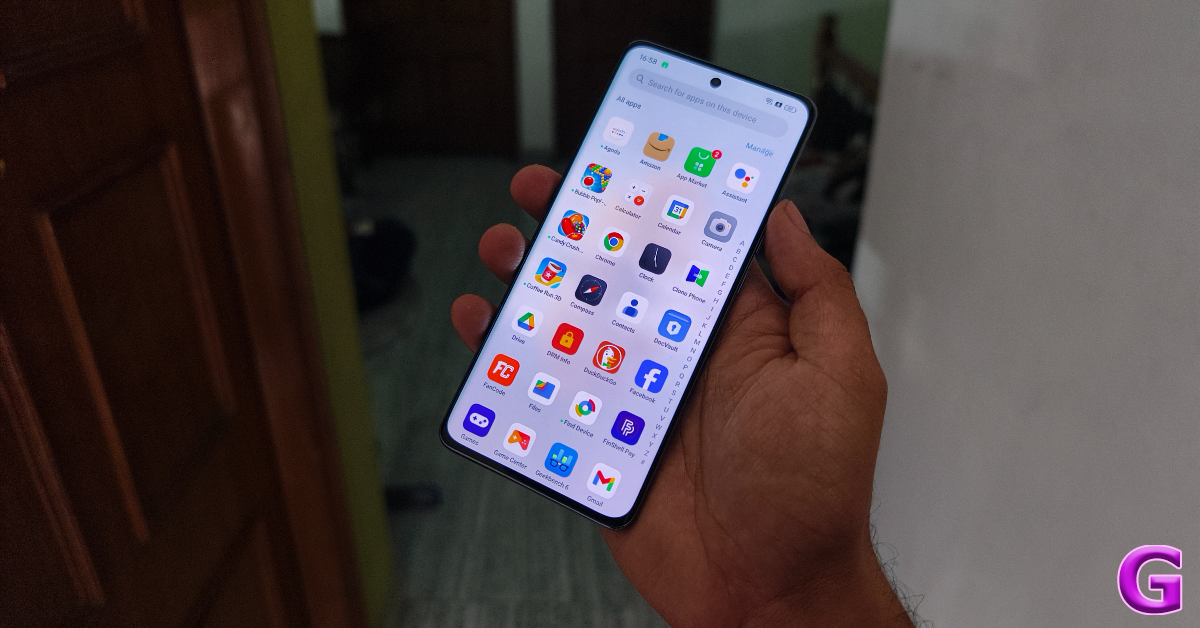
Powering the Oppo Reno 11 is the MediaTek Dimensity 7050 SoC. This is the same chipset from last year’s Reno 10 (read our review here). The smartphone is available in two storage variants – 128 GB and 256 GB. Both variants pack an 8GB RAM. The Pro model gets the MediaTek Dimensity 8200 SoC under the hood. Oppo Reno 11: Performance and Cameras The Reno 11 is a great device for everyday use. While the Dimensity 7050 is not the most powerful chipset in this segment, it handles routine tasks perfectly. The overall experience is quite snappy and fun. Apps take very little time to load and are optimised to draw minimal power from the battery while they are operating in the background. We opened a dozen apps on the smartphone and threw some challenging tasks at it. It kept the pace for the most part, but a slight sluggishness did appear over time. Needless to say, if you’re looking for a high-end performance, the Reno 11 Pro would be more up your alley. app drawer We weren’t blown away by the gaming performance either, as the Oppo Reno 11 maintained a baseline performance level across the board. There were no annoying lags or frame drops, but the touch receptivity wasn’t up to the level that we are used to. If rock-solid gaming performance is a non-negotiable factor for you, there are a few dedicated gaming smartphones in this price range that you may want to consider looking into. On the Geekbench 6 app, the Oppo Reno 11 scored 961 points in the single-core test and 2,425 points in the multi-score test. The smartphone attained a GPU OpenCL Score of 2,369 points. geekbench results OS duties on the Oppo Reno 11 are handled by the Android 14-based ColorOS 14. One of our favourite things about the ColorOS is the app icon design. We’ve seen these designs cross over to OnePlus smartphones as well. ColorOS also lets you choose a custom design for the app icons. The new ColorOS 14 also has a ‘Smart suggestions’ feature which sends real-time updates from ride-hailing and food delivery apps directly to the lock screen, notification drawer, and the status bar. The only downside to the software experience is the volume of bloatware pushed by the OEM. Oppo Reno 11: Performance and Cameras Oppo Reno 11 consistently lasted an entire day throughout the review period. We clocked a daily Screen On Time of around 6 hours. Our daily usage included watching video content, making video calls, browsing the web, and even a little bit of gaming. The 67W charger provided in the box can fully charge the 5,000 mAh battery in just over 45 minutes. Let’s talk about the camera performance of the Oppo Reno 11. Its near rear camera module packs a 50MP primary shooter, a 32MP telephoto lens, and an 8MP ultrawide camera. Most OEMs in this segment push the macro sensor along with their devices, for the sole purpose of filling the gap. So, the telephoto lens on the Reno 11 is very much welcome. Oppo Reno 11: Performance and Cameras camera Pictures taken with the 50MP primary shooter packed a good dynamic range and produced deep colours. Even in overcast conditions, the camera did an excellent job of capturing all the important details and exposing the sky correctly. The colours are processed nicely and the images have a natural look about them. cameras indoor shot In limited lighting, the main sensor does a good job of capturing enough light through its aperture. The images are a little grainy but the brightness levels are very good. The grain is smoothened out in Night Mode and the object is illuminated a bit more through clever photoprocessing.
Oppo Reno 11: Performance and Cameras
Primary Camera: Without Night Mode vs Night Mode
camera
Ultrawide lens: Without Night Mode vs Night Mode
The camera offers very intuitive controls in portrait mode. The autofocus is on point and the camera recognises the object boundary instantly. The result is focussed images that centre the object nicely and contain a good level of background blur. The native camera app also has some fun filters you can use for the portrait mode.
Oppo Reno 11: Performance and Cameras
Portrait Mode
cameras
Portrait Mode
The 8MP ultrawide camera puts up a good performance as well. The pictures taken with this camera maintain their colour richness and produce a good dynamic range. There is a little softness to the images, but that’s something we expect from every ultrawide sensor in this price range. In limited lighting, however, the ultrawide sensor relies heavily on the night mode.
Oppo Reno 11: Performance and Cameras
Ultrawide lens
Oppo Reno 11: Performance and Cameras
Ultrawide lens
camera
Ultrawide lens
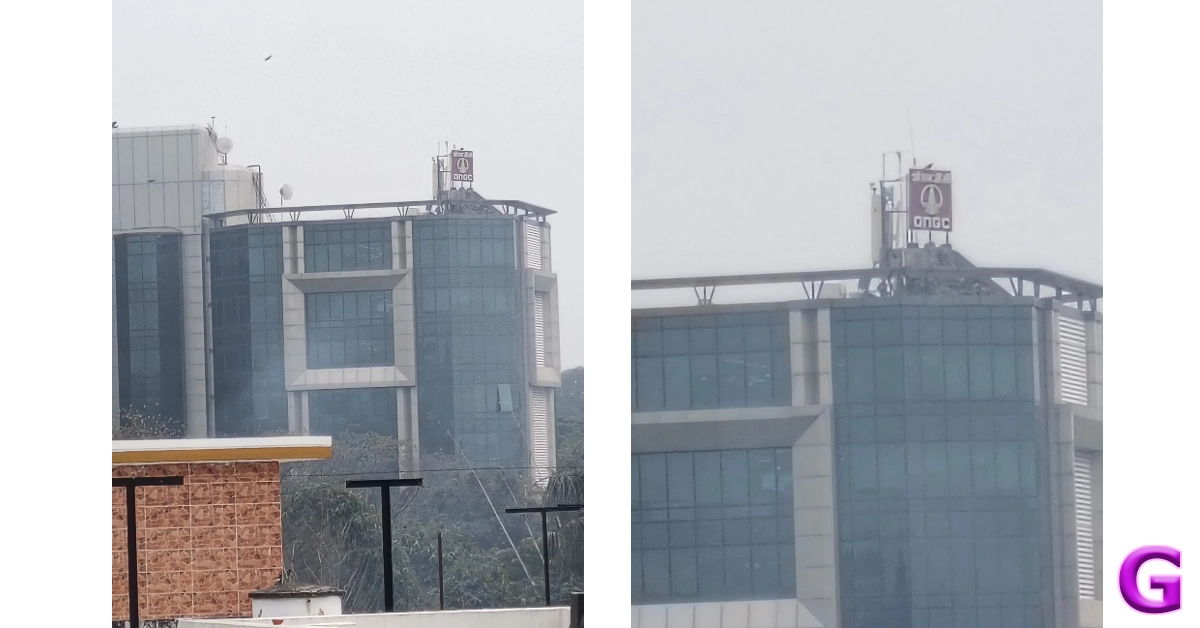
The telephoto lens is the unanimously preferred option over the macro lens and it delivers decent results here. Images taken with 2X optical zoom are well composed and retain their colour richness. You start getting diminishing results once you cross the 3X mark.
cameras
1x vs 2x vs 5x
10x vs 50x
10x vs 50x
The 32MP selfie camera takes good images in a range of lighting conditions. We were pleased with how it performed indoors under artificial lighting. It does not mess with the skin tone and texture too much, which is nice to see. On top of that, it can record 4K videos at 30fps, which not a lot of smartphones in this price range can boast about. Read Also: Top 10 Smartphones Under $500 in USA (2024)

Verdict

The Oppo Reno 11 catches the eye with its elegant design and reels you in with its fine software. The aesthetic appeal of this smartphone is unmatched in this price range. The matte finish on the polycarbonate back goes nicely with its grey shade. The balanced weight distribution adds to the supreme in-hand feel of the device. In terms of performance, the Reno 11 ticks the baseline demands we have from it, even though it runs on the same chipset as its predecessor. On the flip side, the telephoto lens in this phone’s camera module is something you’ll rarely get to see in other devices in this price range. Overall, the Reno 11’s camera performance holds up to Oppo’s reputation.

Oppo Reno 11: Pros

  • Elegant design
  • Incredible in-hand feel
  • Good set of cameras

Oppo Reno 11: Cons

  • Can get slightly sluggish

Samsung Galaxy S24 Series goes on sale in India: Check price, launch offers and specs

0
Key Highlights
  • Samsung Galaxy S24 Series is now up for sale in India.
  • The series includes Samsung Galaxy S24, Galaxy S24+, and Galaxy S24 Ultra.
  • The Galaxy S24 series is being manufactured at Samsung’s Noida factory in the country.
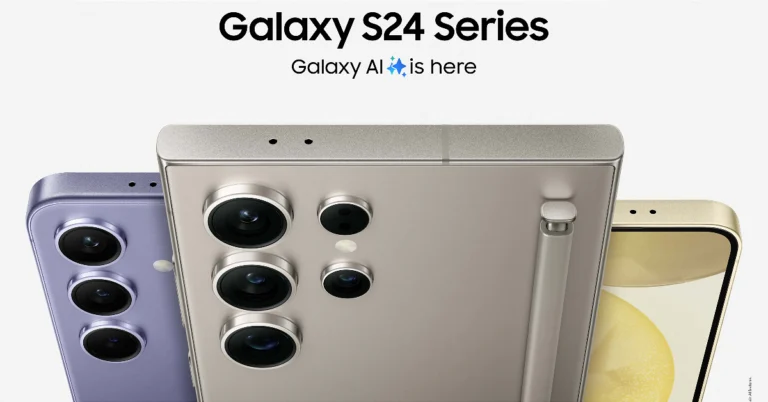
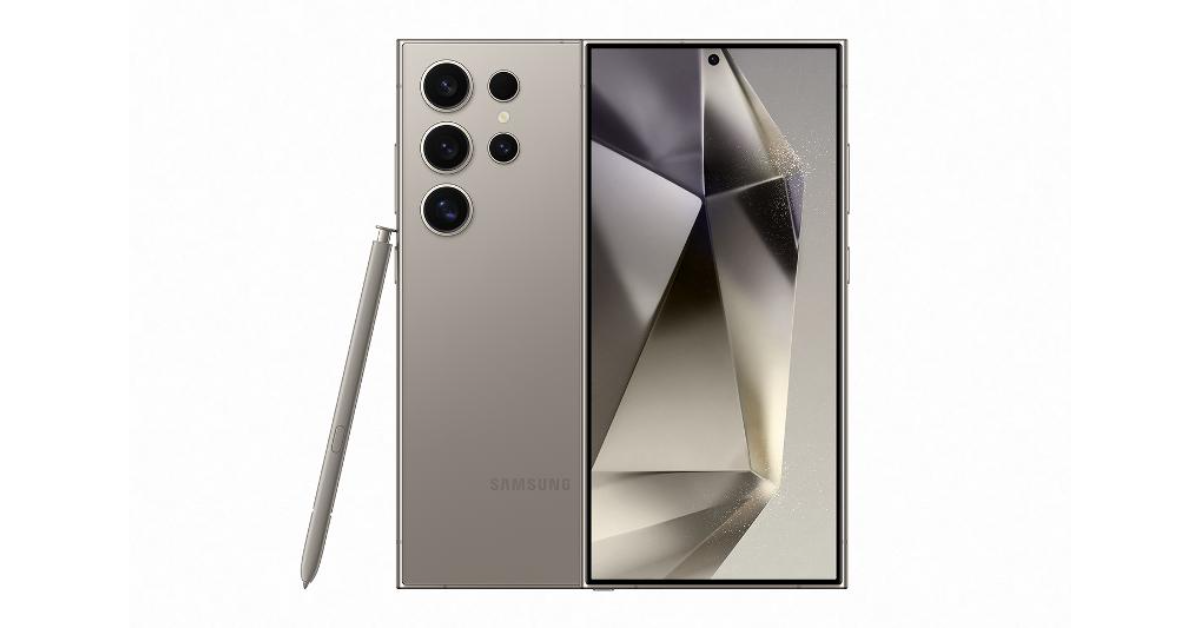
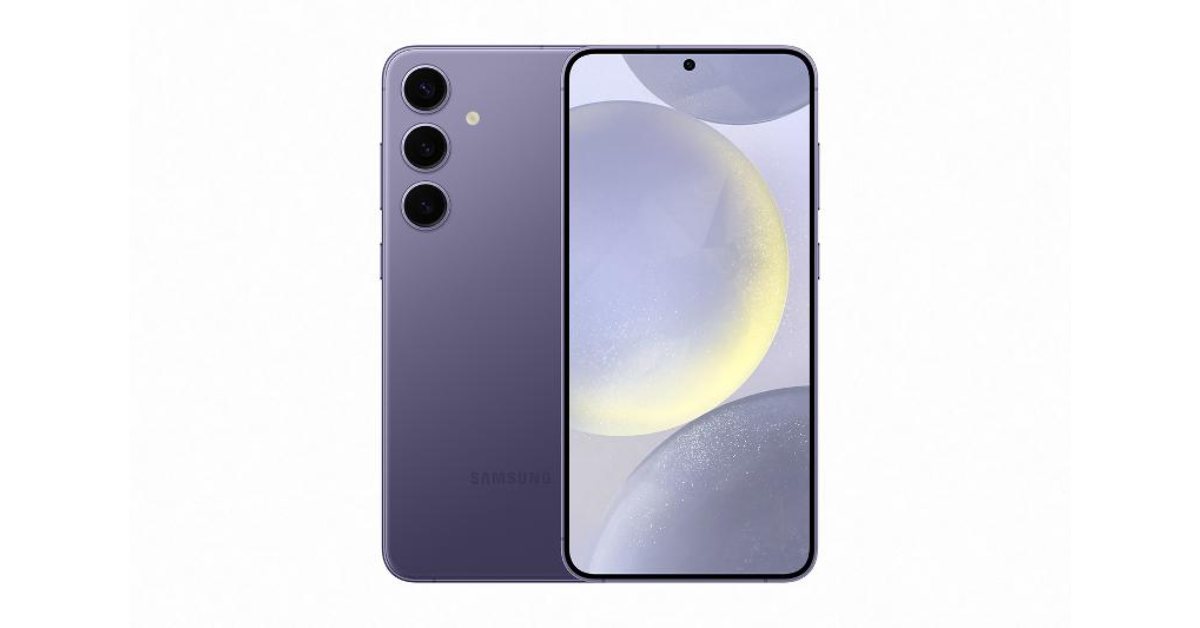
Samsung Galaxy S24 Series was recently announced in India and today it has gone on sale for the first time. The company has not only announced the sale it even revealed the launch offers. The lineup includes three models Samsung Galaxy S24, Galaxy S24+, and Galaxy S24 Ultra. All the models in the Galaxy S24 Series are powered by the Snapdragon 8 Gen 3 Mobile Platform for Galaxy. They operate on Android 14-based One UI 6.1. The AMOLED screen on the devices supports a 120Hz refresh rate. All the phones come with Galaxy AI features including Live Translate, Interpreter, Chat Assist, Note Assist and Transcript Assist features.

Samsung Galaxy S24 Series price in India, launch offers

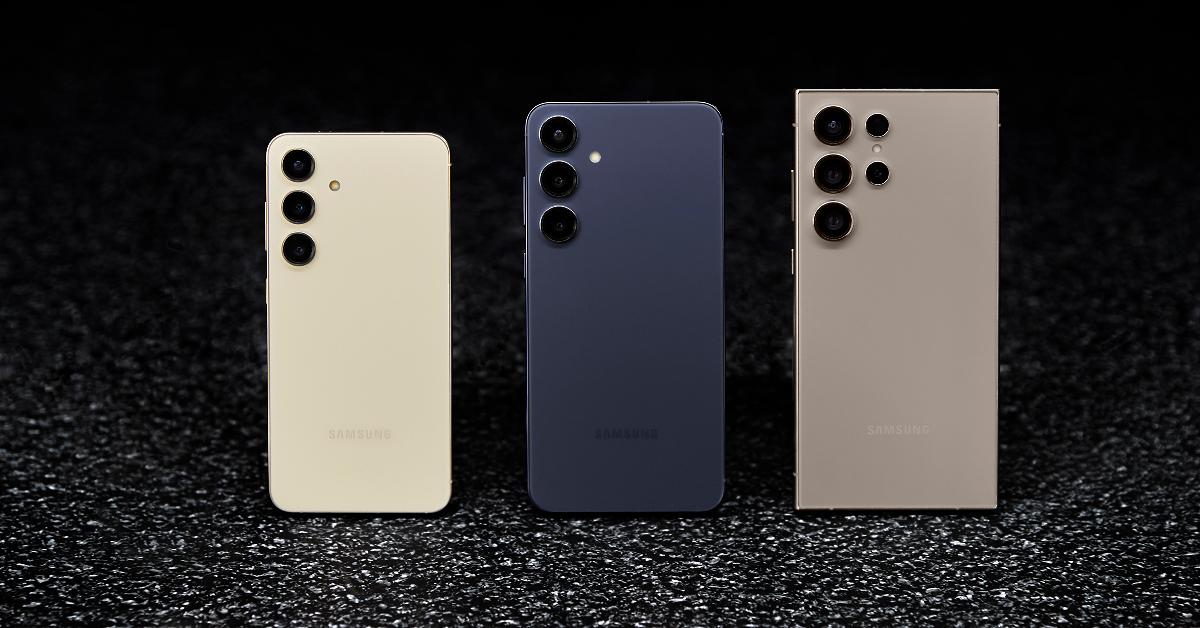
Samsung Galaxy S24, Galaxy S24+, and Galaxy S24 Ultra are now up for sale in India. The Galaxy S24 Ultra will come in three different configurations: 12GB RAM + 1TB storage- Rs 1,59,999 12GB RAM + 512GB storage- Rs 1,39,999 12GB RAM + 256GB storage- Rs 1,29,999 The Galaxy S24+ will be available in two different variants: 12GB RAM + 512GB storage- Rs 1,09,999 12GB of RAM and 256GB storage- Rs 99,999 The Galaxy S24 has been launched in three variants: 8GB RAM + 512GB storage- Rs 89,999 8GB RAM + 256GB storage- Rs 79,999 Benefits worth Rs 12,000 are offered to customers who buy Galaxy S24 Ultra and Galaxy S24+, while incentives worth Rs 10000 or Rs 5000 Upgrade Bonus + Rs 5000 Bank Cashback are available to those who buy Galaxy S24. On the purchase of the S24 Series, customers can also choose No Cost EMI for up to 24 months. For online buyers, Samsung will offer three exclusive colours for Ultra: Titanium Blue, Titanium Green and Titanium Orange. Whereas, those buying the Galaxy S24 and S24 Plus from samsung.com will get the option of two exclusive colours: Sapphire Blue and Jade Green.   However, the Galaxy S24 is available in Amber Yellow, Cobalt Violet, Onyx, and Black colour options. The Galaxy S24 Plus comes in Cobalt Violet and Onyx Black whereas the Ultra variant is offered in Titanium Gray, Titanium Violet, Titanium Black and Titanium Gray colourways. Samsung Galaxy S24 Series goes on sale in India: Check price, launch offers and specs

Samsung Galaxy S24 Series specifications

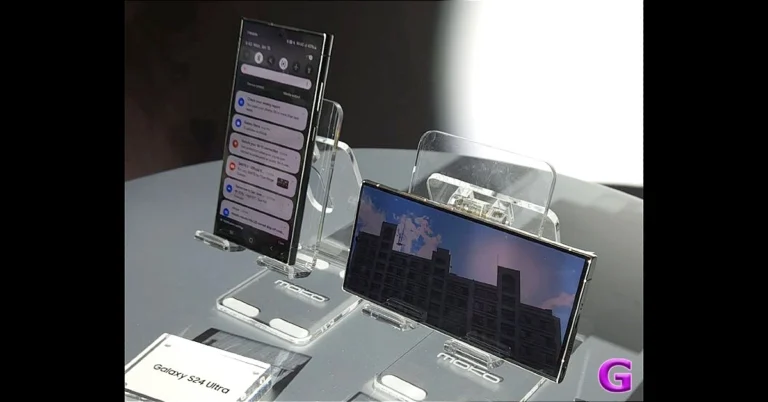
The Samsung Galaxy S24 Ultra sports a 6.8-inch QHD+ Dynamic AMOLED 2X Display with a Super Smooth 120Hz refresh rate (1~120Hz), 2,600nit peak brightness, and a Vision booster. The screen has a layer of Corning Gorilla Armor for protection. In contrast, the Galaxy S24 and S24+ come with 6.2-inch FHD+ and 6.7-inch QHD+ Dynamic AMOLED 2X displays, respectively.
Galaxy S24 Ultra
Galaxy S24 Ultra
The Galaxy S24 Ultra comes with a S Pen stylus. In addition to this, all the variables include Samsung Knox, Knox Vault, and Passkeys. Samsung Galaxy S24 Series comes equipped with Snapdragon 8 Gen 3 Mobile Platform for Galaxy. Only the Ultra Variant is powered by the Qualcomm processor in India, whereas the other two models house an Exynos 2400 SoC. The smartphone will be shipped with Android 14 with UI 6.1. The company will provide seven generations of OS upgrades and seven years of security updates. Also Read: Launched: Acer Swift Go 14 refreshed with Intel Core Ultra 5 & 7 CPUs in India Galaxy S24 Ultra features a quad rear camera setup that includes a 12MP Ultra-Wide Camera (F2.2 aperture, FOV-120˚), 200MP Wide Camera (OIS, F1.7 Aperture, and FOV-85˚), 50MP Telephoto Camera (5x Optical Zoom, OIS, F3.4 aperture, and FOV of 22˚) and a 10MP Telephoto Camera (3x Optical Zoom, OIS, F2.4 aperture, and FOV 36˚). Also Read: Tecno Spark 20 with Dynamic Port and triple cameras launched in India Whereas both the Galaxy S24 and Galaxy S24+ come with a triple rear camera setup that includes a 12MP Ultra-Wide Camera (F2.2, FOV 120˚), 50MP Wide Camera (OIS F1.8, FOV 85˚) and a 10MP Telephoto Camera (3x Optical Zoom, F2.4, FOV 36˚). All the models come with a 12MP selfie camera (F2.2, FOV 80˚).
Galaxy S24+
Galaxy S24 Ultra+
Besides this, all the phones in the Galaxy S24 Series come pre-loaded with Live Translate, Interpreter, Chat Assist, Note Assist, Transcript Assist, and Circle to Search, powered by built-in AI features. AI built into Samsung Keyboard can also translate messages in real-time in 13 languages, including Hindi. In the car, Android Auto will automatically summarise incoming messages and suggest relevant replies and actions.

Tecno Spark 20 with Dynamic Port and triple cameras launched in India

Key Highlights
  • Tecno Spark 20 has officially debuted in India.
  • The device will be available via Amazon in the country.
  • The phone comes with a triple rear camera setup and a 90 Hz display.
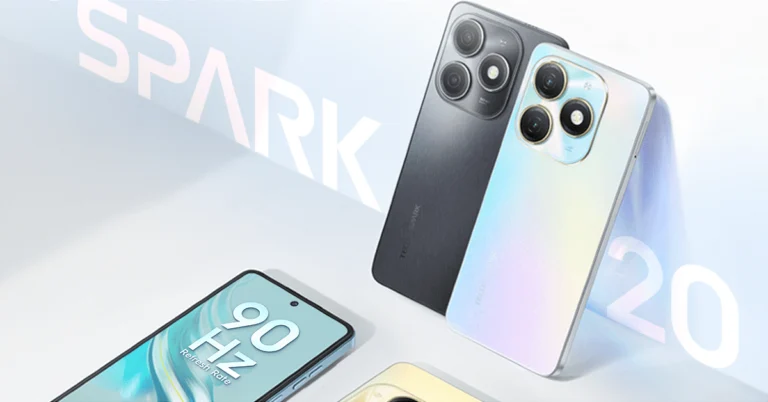
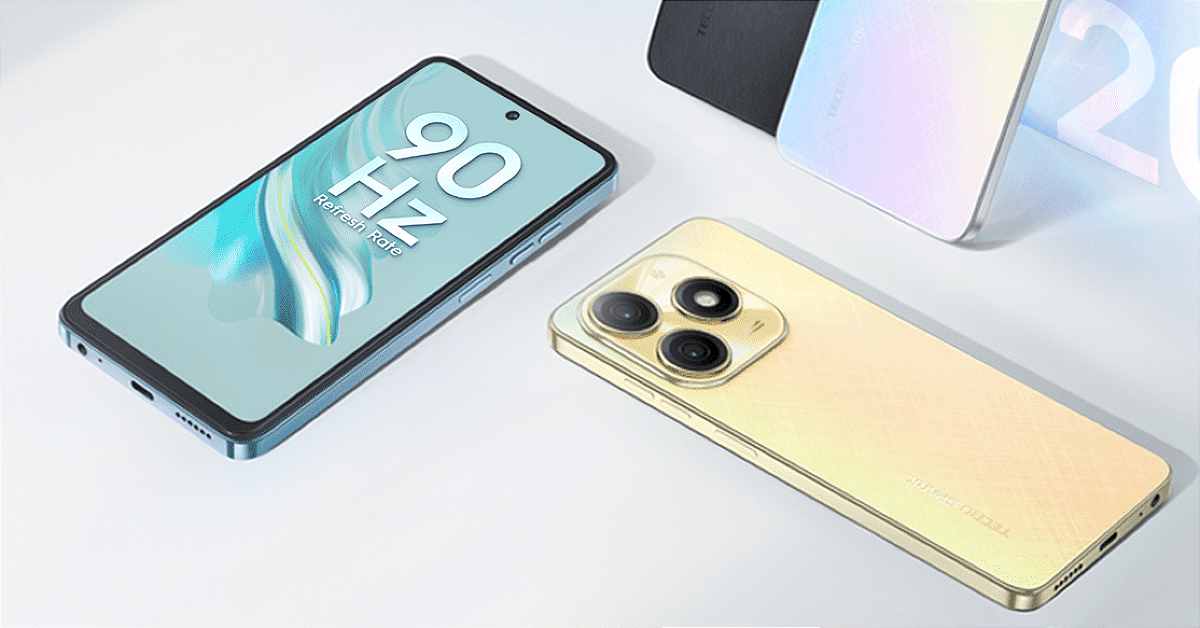
The Chinese smartphone brand Tecno has introduced a new smartphone Tecno Spark 20 in India. The new phone’s greatest feature is that it is reasonably priced and includes 25GB of internal storage. A MediaTek Helio G85 chipset powers the device. It packs a 5,000mAh battery with 18W charging support. The phone features a 90Hz display and a dual rear camera set up with a 50-megapixel sensor.

Tecno Spark 20 price in India and sale details

The Tecno Spark 20 has launched in India in a single 8GB RAM with 256GB of internal storage option priced at Rs 10,499. The device comes in four colour options of Cyber White, Gravity Black, Magic Skin 2.0 Blue, and Neon Gold. The smartphone is scheduled to go on sale via Amazon in the country on February 2. With the purchase of every Tecno Spark 20, the company is offering an extended free annual OTTPlay subscription worth Rs. 4,897. This subscription includes access to 19 OTT sites, including Fancode, SonyLIV, Zee5, and Lionsgate Play. The Tecno Spark 20 has launched in India in a single 8GB RAM with 256GB of internal storage option priced at Rs 10,499. The device comes in four colour options of Cyber White, Gravity Black, Magic Skin 2.0 Blue, and Neon Gold. The smartphone is scheduled to go on sale via Amazon in the country on February 2.

Tecno Spark 20 specifications

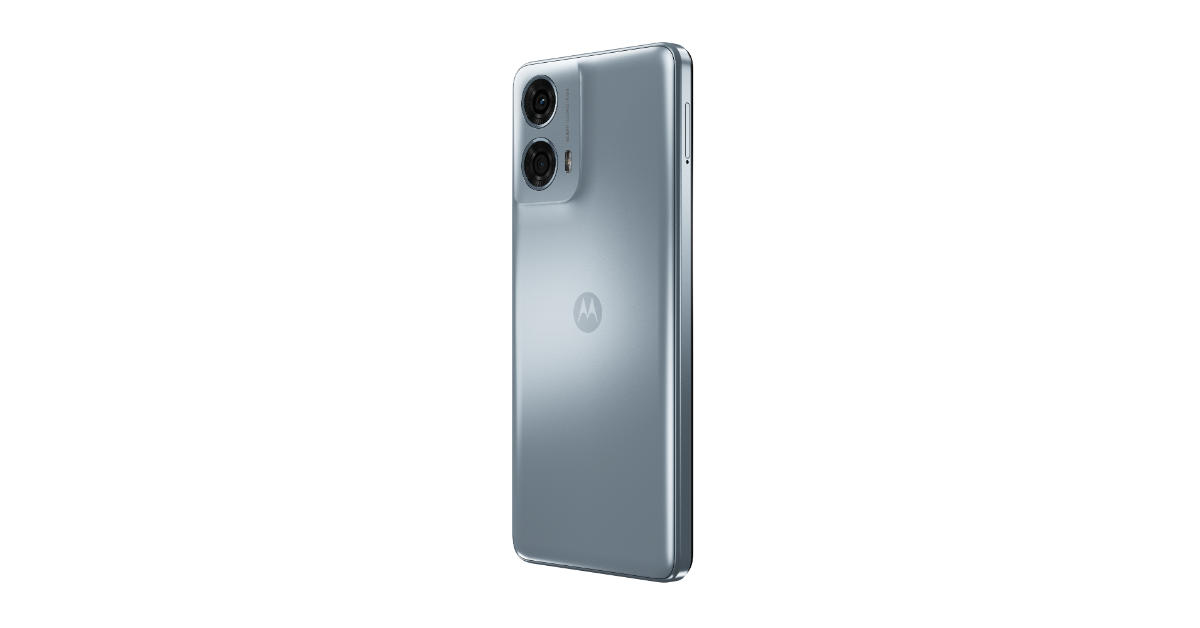
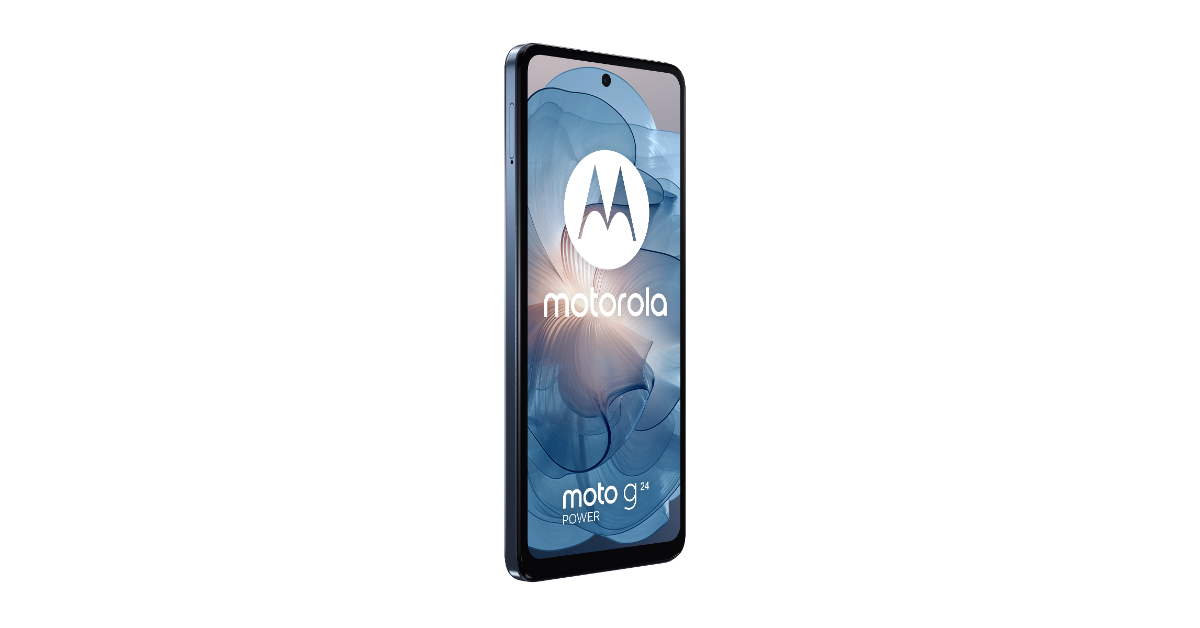
Tecno Spark 20 is highlighted with a 6.6-inch HD+ LCD screen with 720 x 1,612 pixels of resolution. The screen supports a refresh rate of 90Hz. The screen also features a Dynamic Port similar to Apple’s Dynamic Island. It displays notifications and animations. Under its hood, there is MediaTek Helio G85 SoC with 8GB of RAM that can additionally expand up to 16GB via RAM expansion feature. The device includes 256GB of storage that can be further expanded up to 1TB using a microSD card. For the software, the phone comes pre-installed with HiOS 13 with Android 13 on top. Also Read: Launched: Acer Swift Go 14 refreshed with Intel Core Ultra 5 & 7 CPUs in India Tecno Spark 20 sports a triple rear camera setup that includes a 50-megapixel primary rear sensor and an unnamed sensor. For selfies and video calling the device features a 32-megapixel front-facing camera. The mobile phone also includes stereo speakers with DTS audio and has an IP53 rating for dust and splash resistance. The smartphone houses a 5,000mAh battery with 18W wired charging support. Also Read: Moto G24 Power with MediaTek Helio G85 SoC launched in India For connectivity, the device includes 4G, Wi-Fi, GNSS and Bluetooth 5.2. Additionally, it boasts a side-mounted fingerprint sensor for biometrics.

Top 4 Ways to Download YouTube Videos on an iPhone (2024)

0
Third-party apps to download YouTube aren’t as common on the App Store as they were before. If you want to download a YouTube video, your options are pretty limited. Most of the online tools push a lot of ads, which can get super annoying when you want to download a video quickly. Fortunately, there are some methods that do the job without creating a hassle or pushing intrusive ads on your device. Today, we bring you the top 4 ways to download YouTube videos on an iPhone. Read Also: Moto G24 Power with MediaTek Helio G85 SoC launched in India

Downloading YouTube Videos: Is it legal?

Strictly speaking, no. But that doesn’t mean you will get in trouble for it. YouTube’s copyright policy strictly disallows users to download videos from the platform. Any ‘downloader’ apps for YouTube are swiftly taken down from the App Store and the Google Play Store. With a YouTube Premium subscription, users can officially ‘download’ a video, but they can only access it from the YouTube app. There is no legal way to download the video file on your device’s storage. Luckily, a couple of workarounds make it easy to save any video file on your iPhone. While these methods aren’t ‘legal’, you won’t get in trouble as long as you are using the downloaded files for personal entertainment. Distributing or publishing the videos somewhere else is a direct violation of YouTube’s copyright laws.

Use the JAYD Shortcut

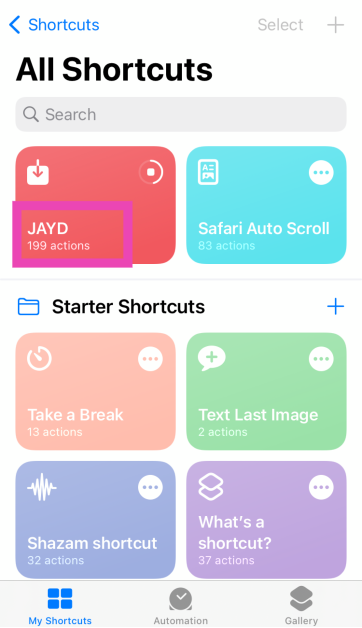
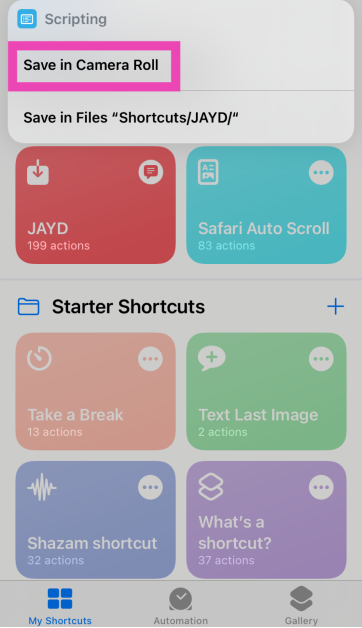
Step 1: Download the Just Another YouTube Downloader (JAYD) Shortcut on your iPhone using this link. Step 1: Download the Just Another YouTube Downloader (JAYD) Shortcut on your iPhone using this link. Step 2: Download the Scriptable app. Step 3: Go to YouTube and copy the link of the video you wish to download. Step 4: Launch the Shortcuts app and tap on JAYD. Step 4: Launch the Shortcuts app and tap on JAYD. Step 5: Tap on Download Video. Step 5: Tap on Download Video. Step 6: Choose the target folder for the video. Step 6: Choose the target folder for the video. The YouTube video will be downloaded on your iPhone.

Use the Documents app by Readdle

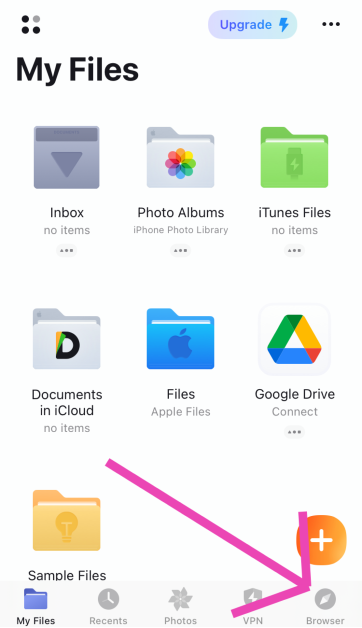
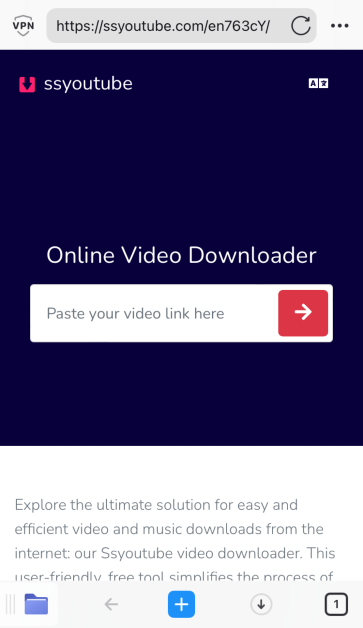
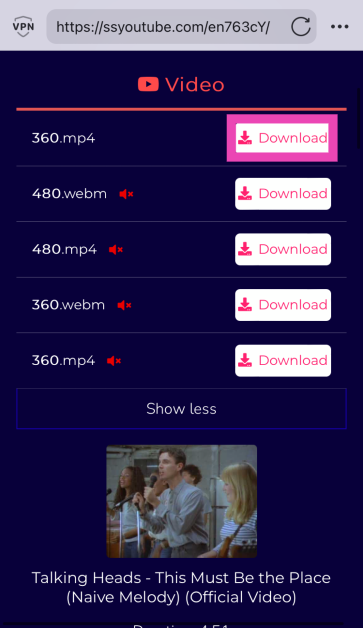
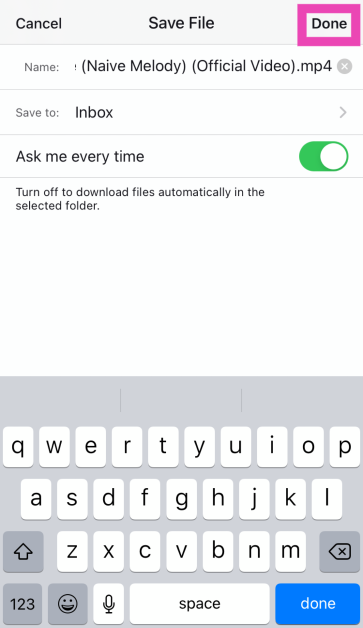
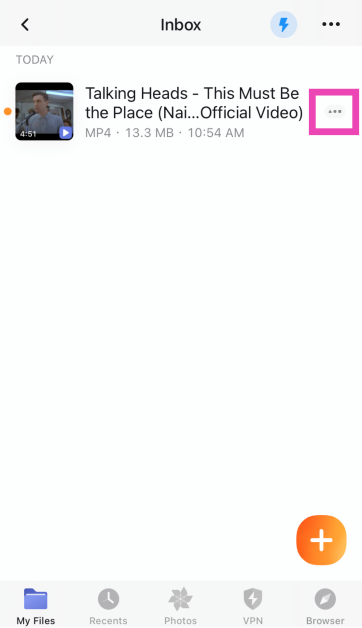
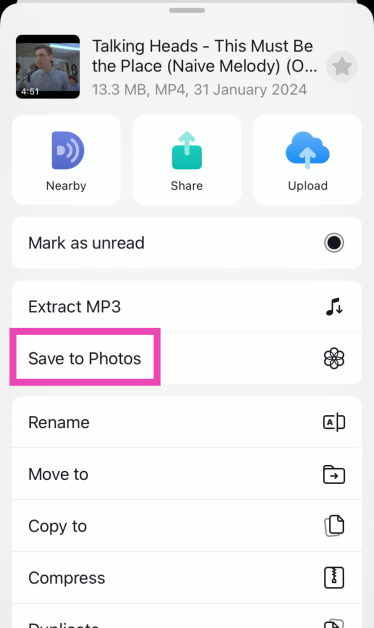
Step 1: Download the Documents: File Manager & Docs app by Readdle on your iPhone. Step 2: Go to YouTube and copy the link to the video you wish to download. Step 3: Launch the Documents app and set it up according to your needs. Step 3: Launch the Documents app and set it up according to your needs. Step 4: Switch to the browser tab and go to the website that specialises in downloading YouTube videos. SSYouTube and PasteDownload are good examples. Step 4: Switch to the browser tab and go to the website that specialises in downloading YouTube videos. SSYouTube and PasteDownload are good examples. Step 5: Paste the video link in the box. Step 6: Hit the Download button next to your preferred resolution and format. Step 6: Hit the Download button next to your preferred resolution and format. Step 7: Choose the destination folder for the download and tap on Done at the top right corner of the screen. Step 7: Choose the destination folder for the download and tap on Done at the top right corner of the screen. Step 8: Find the video in the destination folder and tap the ellipses next to it. Step 8: Find the video in the destination folder and tap the ellipses next to it. Step 9: Select Save to Photos to move the video to Camera Roll. Step 9: Select Save to Photos to move the video to Camera Roll.

Use a third-party tool (10Downloader)

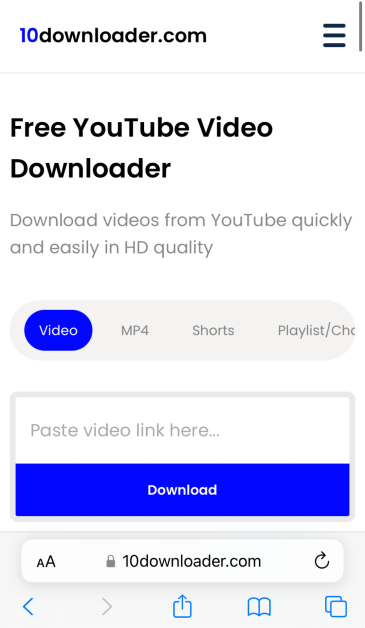
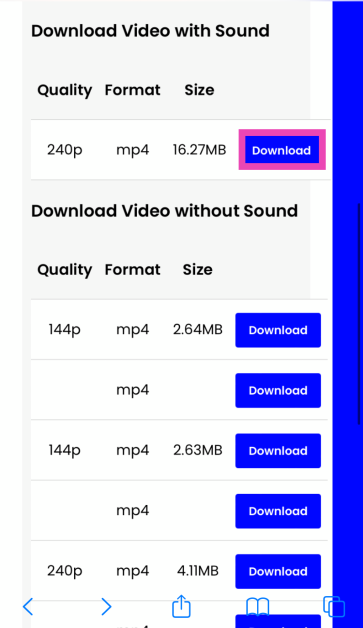
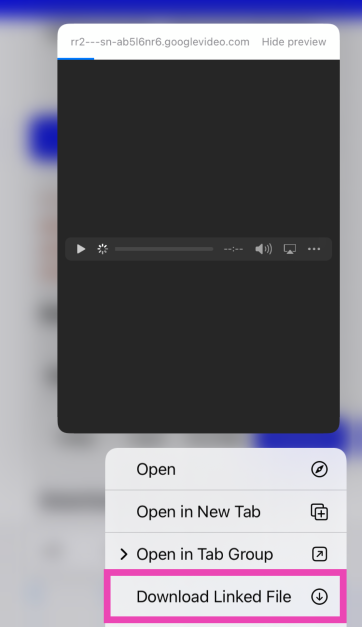
Step 1: Launch Safari and go to https://10downloader.com/en/120. Step 1: Launch Safari and go to https://10downloader.com/en/120. Step 2: Paste the YouTube video link in the download box. Step 2: Paste the YouTube video link in the download box. Step 3: Long press the download button and select Download Linked File. Step 3: Long press the download button and select Download Linked File. The video will be saved in the Downloads folder. While this method works fine, it is still better to use the Documents app by Readdle as it offers a much smoother way to save the video file on your iPhone. On Safari, you may get exposed to intrusive ads.

Use YouTube Premium

If you’re looking for an official way to download YouTube videos, you will need a Premium membership. YouTube Premium subscribers can download any video on the platform and access it on the app even without internet access. The videos are stored in the ‘Downloads’ folder in the YouTube app. After 30 days, the videos are removed from the folder unless you download them again. The only downside to using this method is that the video file doesn’t get downloaded to your iPhone’s camera roll and you lose access to your downloads as soon as your Premium subscription expires.

Frequently Asked Questions (FAQs)

How do I download YouTube videos on my iPhone?

The easiest way to download YouTube videos on your iPhone is by using the JAYD Shortcut. This shortcut requires you to install the Scriptable app on your iPhone for proper functioning. Once Scriptable is downloaded, copy the YouTube video link and tap the JAYD shortcut to initiate the download.

How do I save a YouTube video to the camera roll on my iPhone?

Launch the Documents app by Readdle and use its browser to download a YouTube video. Once the video has been saved in the Downloads folder, use the app to move it to your iPhone’s camera roll.

How much does a YouTube Premium subscription cost?

The standard YouTube Premium subscription costs Rs 129 per month. The family plan is priced at Rs 189 per month for 5 members while the student package fetches Rs 89 per month. Read Also: Samsung’s Galaxy AI features will be available across 100 million Galaxy phones, TM Roh confirms

Conclusion

These are the top 4 ways to download YouTube videos on your iPhone. If you don’t want the hassle of selecting a website that downloads YouTube videos and then going through all the ads, the JAYD shortcut should suit you well. If you know of any other way to accomplish this task, let us know in the comments!

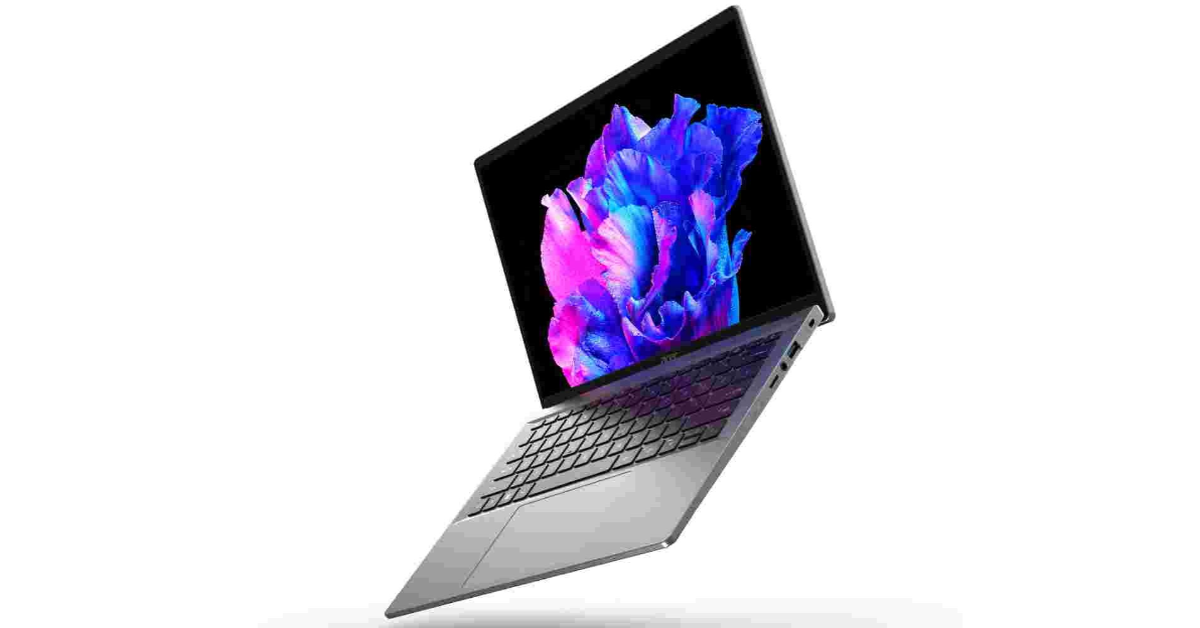
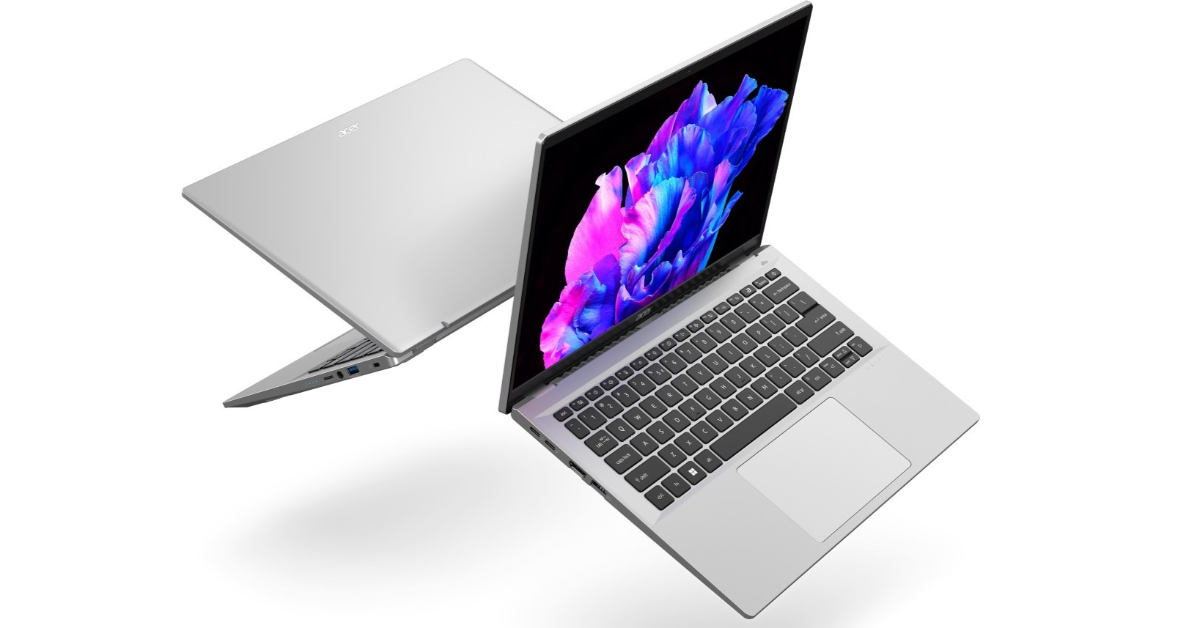
Launched: Acer Swift Go 14 refreshed with Intel Core Ultra 5 & 7 CPUs in India

Key Highlights
  • Acer Swift Go 14 features a 2.8K OLED screen.
  • The laptop is available in two processor options, Intel Core Ultra 5 125H and Intel Core Ultra 7 155H.
  • The laptop supports 100W charging.
Acer has updated the Swift Go 14 model in India with Intel’s most recent Intel Core Ultra 5 & 7 CPUs offering enhanced AI capabilities. The machine also features an OLED panel with a resolution of 2.8K. The laptop is claimed to offer up to 12.5 hours of battery life.

Acer Swift Go 14 price in India, sale details

Acer Swift Go 14 comes in a single Pure Silver colour variant. The device comes in two models:
  • Price of Acer Swift Go 14 with Intel Core Ultra 5 CPU: Rs 84,990
  • Price of Acer Swift Go 14 with Intel Core Ultra 7 CPU: Rs 99,990
Both variants will be available exclusively on Flipkart. Acer Swift Go 14 price in India, sale details

Acer Swift Go 14 specifications

Acer Swift Go 14 is the first laptop with AI capabilities, in India. The new Intel Core Ultra processors and Intel AI Boost, which combine power-efficient AI acceleration with an Intel Arc GPU, power the AI features of the device. These features are enhanced by Acer AlterView, Acer AI Zone, Microsoft Copilot in Windows, Acer PurifiedVoice 2.0’s noise reduction, and Acer PurifiedView video enhancement technology. The laptop has a 14-inch OLED panel with a 2.8K (2,880 x 18,000 pixels) resolution and a 16:10 aspect ratio. The IPS LED supports a 90Hz refresh rate and 400 nits peak brightness. Acer Swift Go 14 comes with two processor options, Intel Core Ultra 5 125H and Intel Core Ultra 7 155H. The models also come integrated with Intel Arc GPU with 16GB of LPDDR5X RAM and up to 1TB of PCIe 4.0 NVMe SSD storage. Acer Swift Go 14 specifications It introduces Applied AI features like Acer QuickPanel, streamlining adjustments for PurifiedView and PurifiedVoice AI effects during e-meetings. Users may customise options within the app, and it offers quick settings with automatic launch and camera integration. Also Read: Samsung’s Galaxy AI features will be available across 100 million Galaxy phones, TM Roh confirms LifeConnect efficiently manages Wifi resources, and the Generative AI features, coupled with GIMP free & open-source raster graphics editor, enable seamless integration with the Intel Stable Diffusion Plugin for effortless generation of art, illustrations, and images using simple text input. Instant background removal is possible with Acer LiveArt, a feature of Acer AI Zone. The Swift Go is equipped with Alter View, generating depth maps for 2D images, enabling users to personalise live wallpapers with an engaging dynamic parallax effect. The laptop also has an AI Assistant feature and an AcerSense utility app for effortless navigation and maintenance. Also Read: Moto G24 Power with MediaTek Helio G85 SoC launched in India It also has the Intel Killer Intelligence Centre, which allows users to customise quick settings, receive system improvement recommendations, and effortlessly switch between multimedia and creator modes. The Swift Go 14 features a 1440p QHD webcam and USB-C port up to 100W quick charging capacity.

Garena Free Fire Redeem Codes Today 31 January 2024: Here is how to claim them

Garena Free Fire is a battle royale game with regular awards and tournaments to keep players interested. If you play Garena Free Fire, you should be aware of the redeem codes that are released on a daily basis. However, because the battle royale game is banned in India, players from other countries can use the Free Fire Redeem codes daily. If you’re unfamiliar with the Garena Free Fire redeem codes or don’t know how to get them, we’ve put together a step-by-step guide to help you redeem them. Check out Garena Free Fire Redeem Codes for 31 January 2024. The Free Fire redeem codes are a great way to get free stuff. These are 12-digit codes that contain alphabets and numbers, as well as an expiration date and time. Because the Garena FF redeem codes cannot be used more than once, you should hurry to the redemption page to claim your free reward before someone else does. To get a free reward, all you have to do is go to reward.ff.garena.com/en, which is the official redemption page. Also, keep an eye on this space for daily updates on Garena Free Fire redemption codes and rewards.

Garena Free Fire Redeem Codes Today 31 January 2024

FYTGFVAQ2U34Y6TR FHNSJUA65RQ2FDCV F4J5TGY6TGSBN34J FFSJEURYFH6GBDNE F5DCV3B4N5JIG8U7 F6HGGFBCNJ3NRTGR MHM5D8ZQZP22 F3BERNFJUCYTSRAF F5M6NMYKHGIO867U F7YTGE45NTJKIGUJ FJI4U5HYTNFJKC8U Also Read: Garena Free Fire Redeem Codes Today 30 January 2024: Here is how to claim them

How to Get Free Fire Redeem Codes for Garena on 31 January 2024?

  • Visit the Garena Free Fire game’s official website at reward.ff.garena.com.
  • Use your Facebook, Google, VK, Apple ID, Huawei ID, or Twitter account to log in.
  • You’ll be taken to a valid redemption code (s)
  • Copy and paste the 12-digit redemption code into the text box.
  • On the screen, a dialogue box will appear.
  • ‘Ok’ should be selected.
For the latest gadget and tech news, and gadget reviews, follow us on TwitterFacebook and Instagram. For newest tech & gadget videos subscribe to our YouTube Channel. You can also stay up to date using the Gadget Bridge Android App. You can find the latest car and bike news here.

How to Disable Your iPhone’s Touchscreen? (2024)

0
Have you ever wanted to limit someone’s access to your smartphone? If you’re confronted with a situation where someone needs to use your phone for a while, you don’t need to rely on good faith that they will not access anything else on your device. Instead, you can simply limit their access to a particular app on your phone. In this scenario, the touch gestures that minimise the app will be rendered unresponsive. Today, we show you how to disable your iPhone’s touchscreen. Read Also: Top 4 Methods to Track Your Amazon Order in the USA

What is Guided Access?

Guided Access is the iOS equivalent of Android’s app pinning. The idea is simple – once turned on, Guided Access locks the app on the phone’s display, preventing the user from browsing to other apps. This comes in useful when you need to hand over your phone to someone else, but don’t want them snooping on your phone. It can also be used to limit the content that your kids have access to on the iPhone. To make sure they don’t stray to other apps while watching YouTube, you can lock a particular video using Guided Access. This can also be used to prevent accidental touches while binge-watching content on your smartphone.

Disable your iPhone’s touchscreen using Guided Access

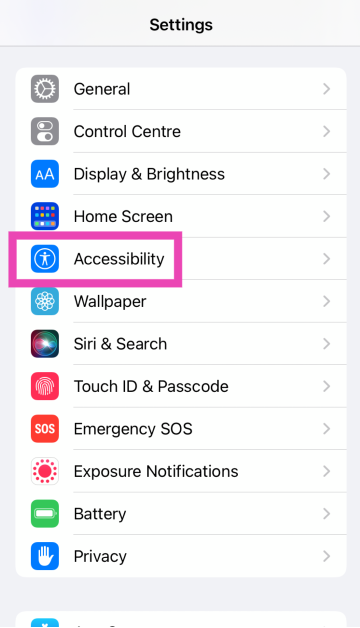
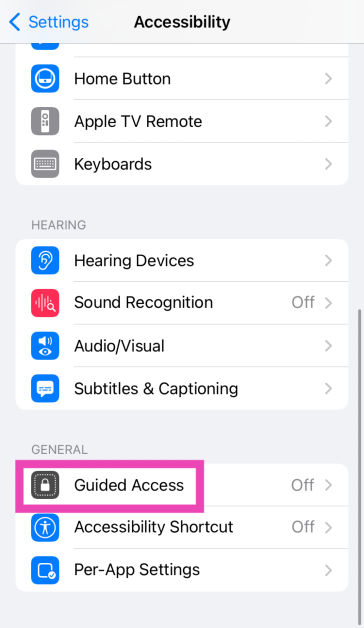
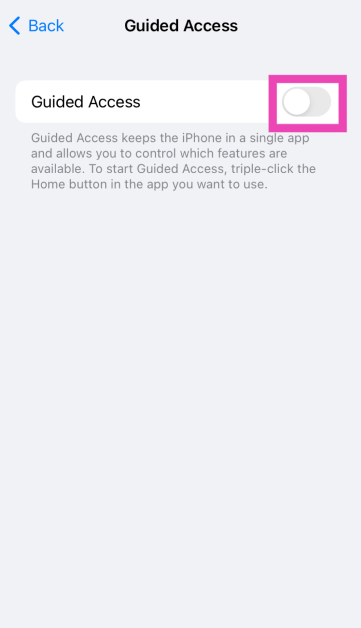
Step 1: Go to Settings. Step 2: Tap on Accessibility. Step 2: Tap on Accessibility. 6 simple ways to disable touch screen on Android and iPhone stop accidental touch Step 3: Scroll down and select Guided Access. Step 3: Scroll down and select Guided Access. 6 simple ways to disable touch screen on Android and iPhone stop accidental touch Step 4: Turn on the toggle switch for Guided Access. Step 4: Turn on the toggle switch for Guided Access.
 6 simple ways to disable touch screen on Android and iPhone stop accidental touch Step 5: Launch the app that you wish to lock. Step 6: On an iPhone X or later device, triple-press the side button. On an iPhone 8 or earlier, triple-press the Home button. Step 7: Turn off the toggle switch for Touch to disable the touchscreen. Step 8: Hit Start at the top right corner of the screen. If you haven’t set up a Guided Access passcode, make one now. Your iPhone’s touchscreen will be disabled.

Enable your iPhone’s touchscreen

Step 1: Triple-press the side key/home button on your iPhone. Step 2: Enter the Guided Access passcode. Step 3: Hit End at the top left corner of the screen.

Frequently Asked Questions (FAQs)

Is there a way to disable my iPhone’s touchscreen?

You can disable your iPhone’s touchscreen using Guided Access. Go to Settings>Accessibility>Guided Access and turn on its toggle switch. Then, go to an app and triple-press the side button. In the popup menu, turn on the toggle switch for ‘Touch’ and hit ‘Save’.

How do I turn off Guided Access?

Triple-press the side key and hit ‘End’ at the top left corner of the screen. Enter your Guided Access passcode to validate your action.

How do I disable my Android phone’s display?

Go to Settings>Biometrics and security>Other security settings>Pin windows. Open an app and pin it to the screen to disable the swipe gestures for it. This app will be locked on your phone’s display. Read Also: Nothing Phone 2a more tech specs revealed, get TUV certified

Conclusion

This is how you can disable the touchscreen on your iPhone. You can use Guided Access to freeze any app on your phone’s display. If you want to prevent accidental touches while watching movies and TV shows on your iPhone, use the native screen lock feature provided by major OTT apps like Netflix, Prime Video, and Hotstar.

Top 10 Smartphones Under $500 in USA (June 2024)

Flagship smartphones are getting more expensive by the year. If you’re a casual user, a $1200 premium smartphone may not be for you. At half the price you can buy a solid smartphone that produces flagship-grade results with its main camera and sports an impressive AMOLED display. While the SoCs are still a step behind in this price range, they are perfectly equipped to handle routine tasks without any hiccups. So, without further ado, let’s take a look at the top 10 smartphones you can buy for under $500 in the USA (2024). Read Also: Oakter Mini UPS-12V Review: Light Gone? WiFi still on

OnePlus 12R

Price: $499 on OnePlus.com OnePlus 12R with Qualcomm Snapdragon 8 Gen 2 SoC launched in India Top 10 Smartphones Under $500 in USA (2024) Key Specs
Display 6.74-inch LTPO4 AMOLED
Chipset Snapdragon 8 Gen 2
RAM 8GB, 16GB
Storage 128GB, 256GB
Battery 5,500 mAh
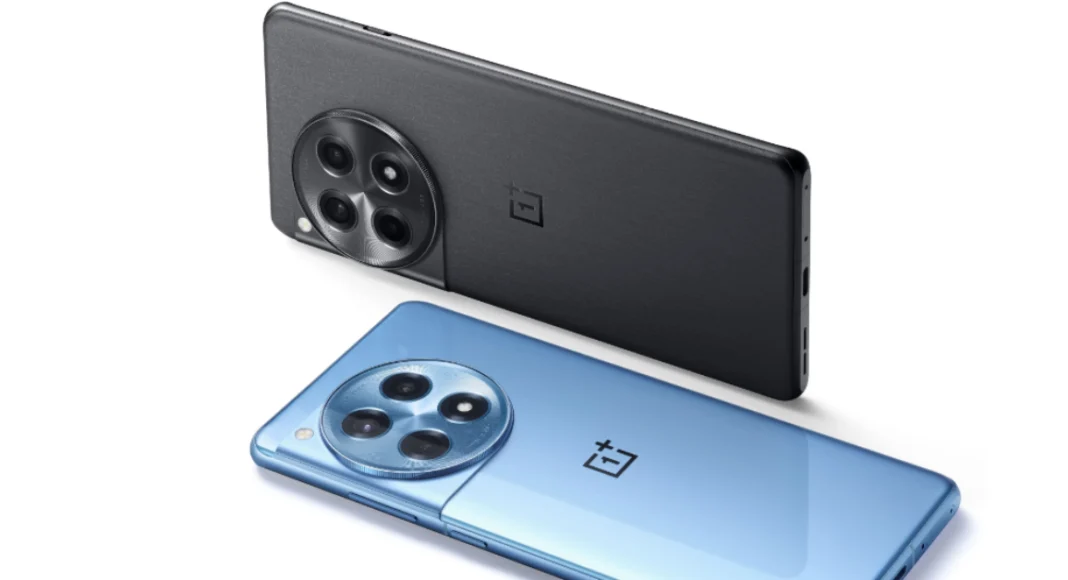
Released alongside the flagship OnePlus 12, the 12R is a low-cost alternative that packs a lot of power. Last year’s flagship Snapdragon 8 Gen 2 chipset is an excellent addition to the OnePlus 12R. It gets a premium 6.74-inch LTPO4 AMOLED display which is only a fraction smaller than the one on the OnePlus 12. Regarding cameras, the OnePlus 12R gets a 50MP primary shooter, an 8MP ultrawide lens, and a 2MP macro sensor which replaces the telephoto lens in the camera module. The smartphone comes with an 80W charging brick which can fully charge it in just 30 minutes.

Samsung Galaxy A54

Price: $449 on Samsung.com Samsung Galaxy A54 5G review: Performance and Cameras Top 10 Smartphones Under $500 in USA (2024) Key Specs
Display 6.4-inch Super AMOLED
Chipset Exynos 1380
RAM 6GB, 8GB
Storage 128GB, 256GB
Battery 5,000 mAh
Samsung’s 2022 mid-ranger, Galaxy A54, remains one of the best smartphones you can buy under $500 right now. Sure, the Exynos 1380 may not be the most powerful chipset out there, but it delivers a decent performance on this smartphone. We reviewed the smartphone back when it was released and were pleased with how it handled routine tasks. The primary camera’s performance was very close to flagship grade. The stunning 6.4-inch Super AMOLED display is as smooth as it gets. On top of that, the smartphone is rated IP67 for dust and water resistance. With 4 years of OS upgrades and 5 years of security patches promised by Samsung, the Galaxy A54 is an incredible deal at this price point.

Google Pixel 8a

Price: $500 on Best Buy Google Pixel 8a launched in India at this price: Deets inside Key Specs
Display 6.1-inch OLED
Chipset Tensor G3
RAM 8GB
Storage 128GB, 256GB
Battery 4,492 mAh
Google’s new affordable flagship alternative smartphone is priced at $500. It retains the Tensor G3 processor from the Pixel 8 Series. The form factor isn’t too dissimilar either as the 8a sports the familiar rounded edges. The 6.1-inch OLED display is surrounded by thick bezels but it rocks a refresh rate of 120Hz and 2,000 nits of peak brightness. The dual camera array at the back comprises a 64MP primary shooter and a 13MP ultrawide lens. The battery gets a slight boost too, as the Pixel 8a sports a 4,492 mAh unit. The smartphone also supports 7.5W wireless charging.

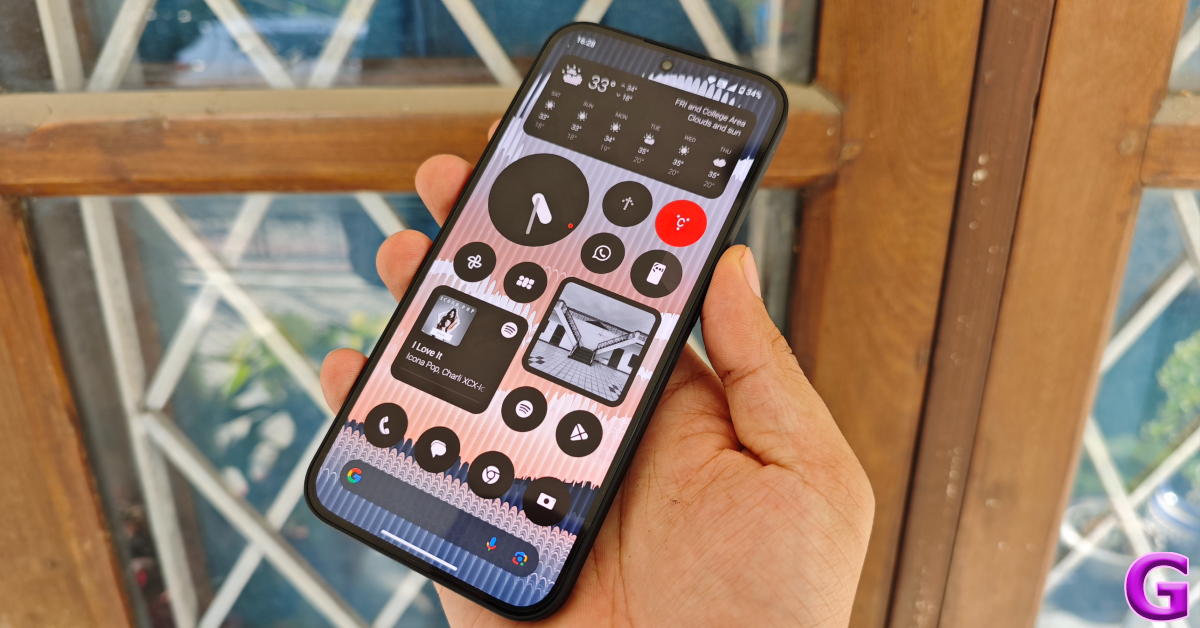
Nothing Phone 2a

Price: $349 on Nothing.tech display Key Specs
Display 6.7-inch AMOLED
Chipset MediaTek Dimensity 7200 Pro
RAM 8GB, 12GB
Storage 128GB, 256GB
Battery 5,000 mAh
Nothing’s affordable offering, 2a, has all the makings of a rock-solid smartphone. It is powered by the efficient MediaTek Dimensity 7200 Pro SoC and flaunts a 6.7-inch AMOLED display with a maximum refresh rate of 120Hz. Being a Nothing product, it gets a see-through back, although not as transparent and well-defined as the company’s flagship Phone (2). Talking about the cameras, the Phone 2a gets a 50MP primary shooter and another 50MP ultrawide lens. It packs a 5,000 mAh battery which can be charged up to 50% in 23 minutes. Read our review of the smartphone here.

2023 Motorola Razr

Price: $499 on Motorola.com Here is what the less expensive Moto Razr might cost in the US Key Specs
Display 6.9-inch LTPO AMOLED (inner) | 1.5-inch AMOLED (cover)
Chipset Snapdragon 7 Gen 1
RAM 8GB, 12GB
Storage 128GB, 256GB
Battery 4,200 mAh
Looking for a folding phone under $500? The 3rd-gen Motorola Razr is your best option. This smartphone features a 1.5-inch AMOLED cover display and a 6.9-inch LTPO AMOLED inner display. Powering this foldable is the Snapdragon 7 Gen 1 SoC. Camera duties are handled by a 64MP wide lens and a 13MP ultrawide lens. A 32MP selfie camera is housed inside a punch-hole cutout on the display. The front and rear cameras can record 4K videos at 30fps. The smartphone is equipped with a 4,200 mAh battery which can be wirelessly charged at 5W. The Razr+ variant of the foldable gets a bigger 3.6-inch cover display, a glass back, and a more powerful Snapdragon 8+ Gen 1 SoC.

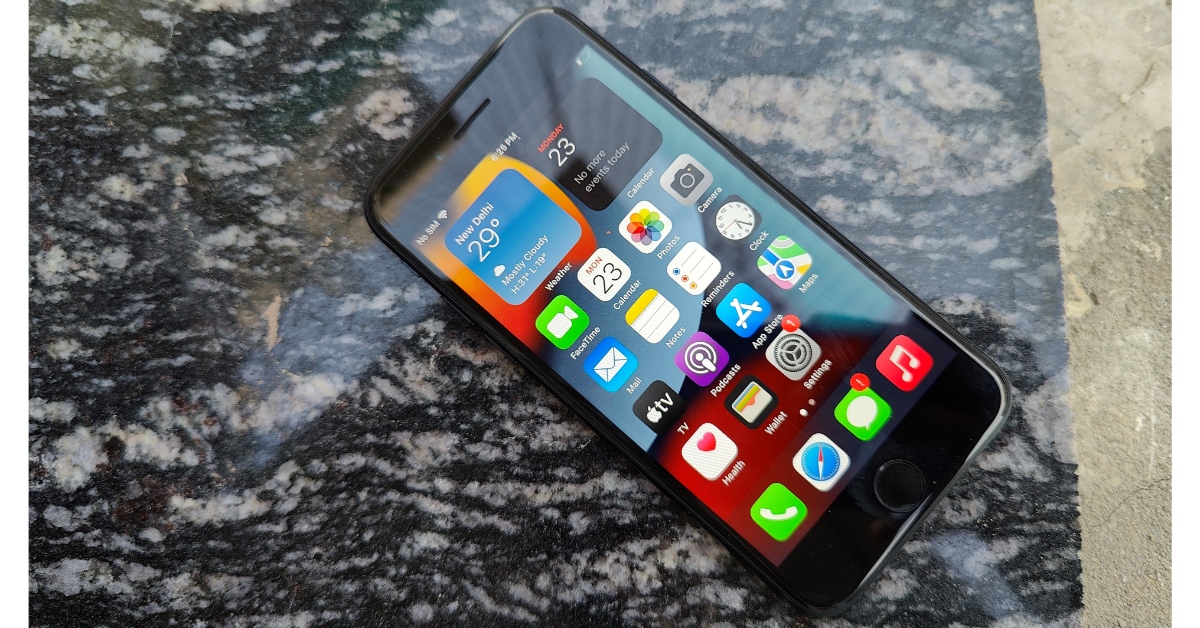
iPhone SE (2022)

Price: $429 on Apple.com iPhone SE 2022 review: Design and Display Key Specs
Display 4.7-inch IPS LCD
Chipset Apple A15 Bionic
RAM 4GB
Storage 64GB, 128GB, 256GB
Battery 2,018 mAh
2022’s iPhone SE looks dated but it is the only iPhone listed on Apple’s website that’s under $500. This 3rd generation ‘Special Edition’ iPhone gets a 4.7-inch IPS LCD panel surrounded by thick bezels. It is the only iPhone currently retailed by Apple which has a dedicated home button along with Touch ID. Powering the smartphone is the A15 Bionic chipset. As far as camera specs go, the iPhone SE gets a single 12MP rear camera and a 7MP selfie camera. The good thing is that the smartphone is set to receive software updates till 2029. Check our review of the smartphone.

Moto G Stylus 2024

Price: $399.99 on Motorola.com Moto G Stylus 2024 Key Specs
Display 6.7-inch OLED
Chipset Snapdragon 6 Gen 1
RAM 8GB
Storage 128GB, 256GB
Battery 5,000 mAh
The newly launched Moto G Stylus 2024 rocks a 6.7-inch pOLED display with a maximum refresh rate of 120Hz and 1,200 nits of peak brightness. Powering the smartphone is the Snapdragon 6 Gen 1 SoC. As the name suggests, the smartphone comes with a stylus nestled within its bottom frame. The eco-leather back is a nice touch too. Handling the camera duties is a 50MP primary shooter and a 13MP macro sensor. The 5,000mAh battery supports 30W wired charging and 30W wireless charging.

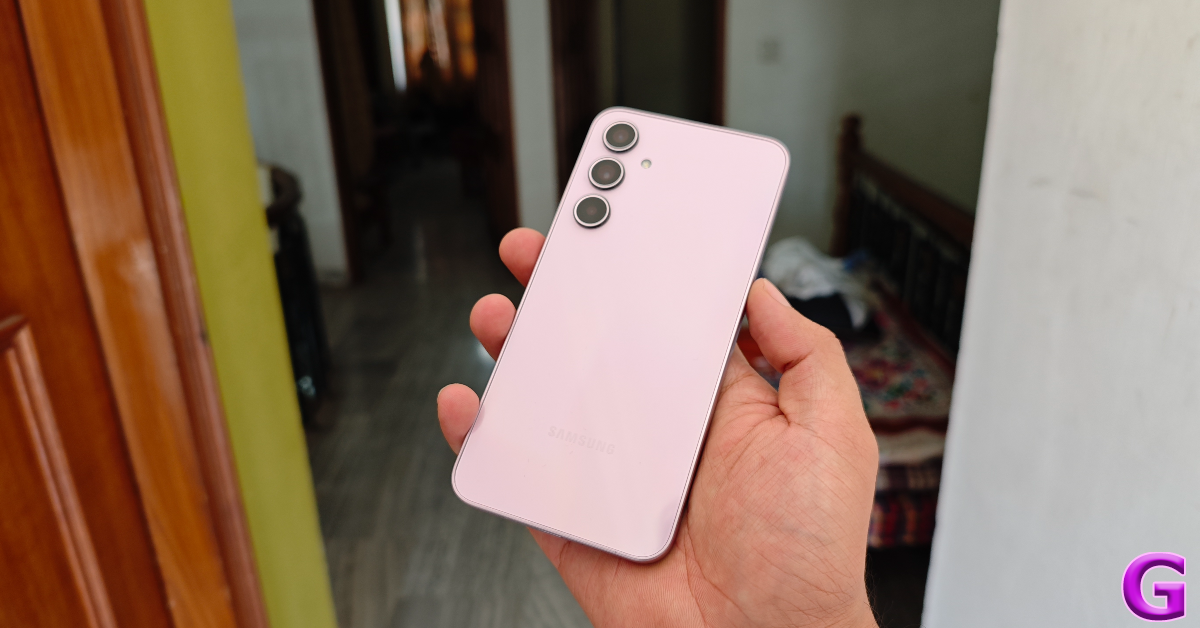
Samsung Galaxy A35

Price: $400 on Samsung.com Samsung Galaxy A35 Review: Design and Display Key Specs
Display 6.6-inch Super AMOLED
Chipset Exynos 1380
RAM 6GB
Storage 128GB
Battery 5,000 mAh
Samsung’s latest offering in its A series makes a lot of improvements over its 2023 counterpart. While the A55 may not be available in the USA, the Samsung Galaxy A35 is a smartphone you should certainly consider in the ‘under $500’ price bracket. Samsung has gotten rid of the outdated waterdrop notch and replaced it with a punch-hole cutout for the selfie camera. The processor has also been upgraded to Exynos 1380. The triple camera array at the back features a 50MP primary shooter, an 8MP ultrawide lens, and a 5MP macro shooter. Samsung claims that the 5,000mAh inside the smartphone can last two days, but we found that to be the case only with conservative usage. If you’re interested in the device, read our full review here.

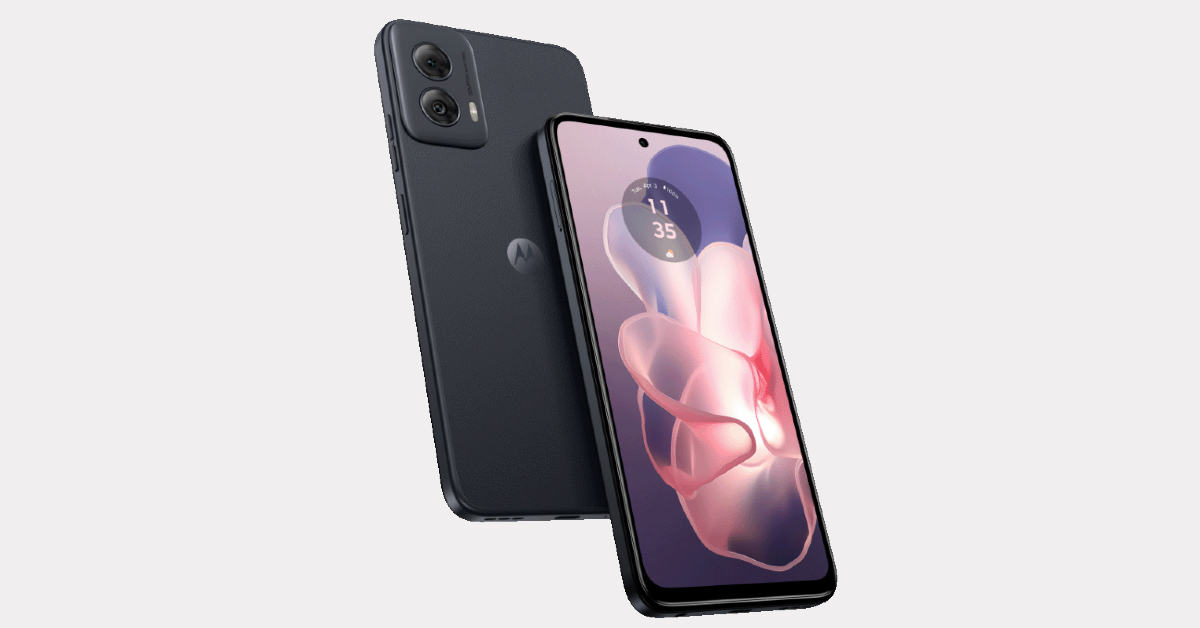
Motorola G Power 5G 2024

Price: $300 on Motorola.com Motorola G Power 5G 2024 Key Specs
Display 6.7-inch IPS LCD
Chipset MediaTek Dimensity 7020
RAM 8GB
Storage 128GB
Battery 5,000 mAh
Motorola’s newest smartphone in the USA, G Power 5G, is an excellent offering under $300. It flaunts a 6.7-inch IPS LCD panel and is powered by the MediaTek Dimensity 7020 SoC. The G Power 5G also supports 15W wireless charging, which is an excellent feature in this price range. Its vegan leather back has a brilliant in-hand feel. Talking about the cameras, the Motorola G Power 5G (2024) has a 50MP primary shooter and an 8MP ultrawide lens. The 16MP selfie camera is housed inside a punch-hole cutout on the display. Another great thing we like about this smartphone is that it still rocks the 3.5mm headphone jack.

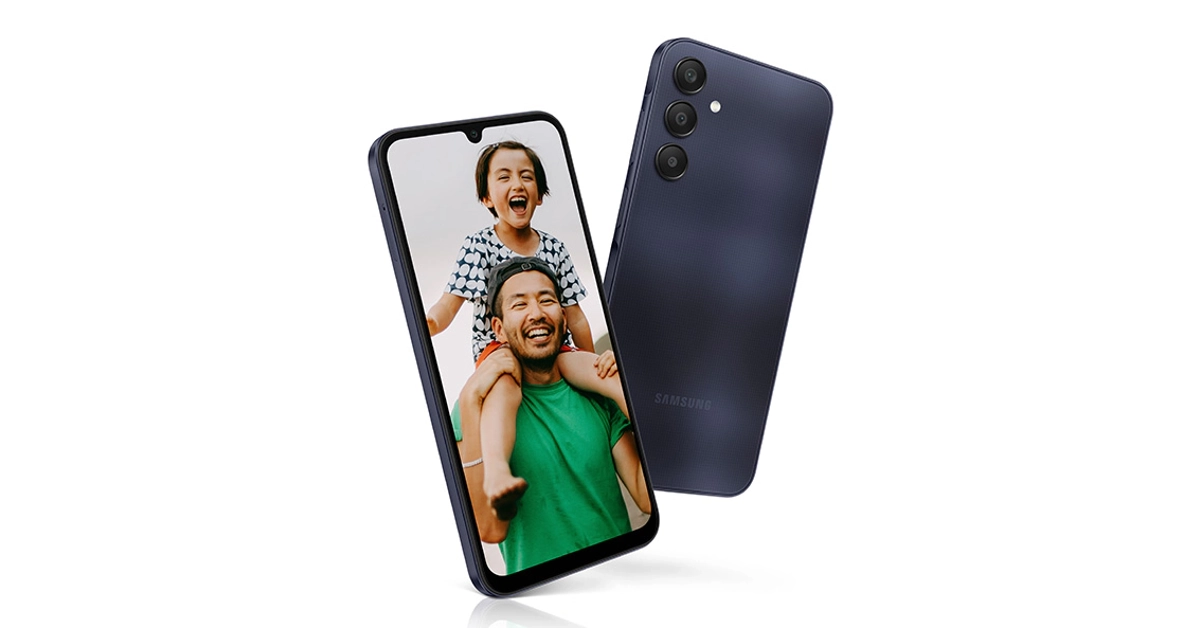
Samsung Galaxy A25

Price: $299 on Samsung.com Samsung Galaxy A25 Key Specs
Display 6.5-inch Super AMOLED
Chipset Exynos 1280
RAM 6GB, 8GB
Storage 128GB, 256GB
Battery 5,000 mAh
Released by the end of 2023, Samsung Galaxy A25 is one of the best smartphones you can buy for under $500. The smartphone features a smooth 6.5-inch Super AMOLED display and Samsung’s in-house Exynos 1280 SoC. The camera panel follows the vertical layout design language. This module consists of a 50MP wide lens, an 8MP ultrawide lens, and a 2MP macro sensor. The primary camera can record 4K videos at 30fps. The 13MP selfie camera is housed in a waterdrop notch on the display and can record 1080p videos at 30fps.

Honorable Mentions

Google Pixel 7a

Price: $425 on Amazon Pixel 7a price in India and sale details Top 10 Smartphones Under $500 in USA (2024) Key Specs
Display 6.1-inch OLED
Chipset Tensor G2
RAM 8GB
Storage 128GB
Battery 4,385 mAh
Google Pixel 7a costs $425 after the launch of the new 8a. At this price, the Pixel 7a offers great value for money and is one of the best smartphones you can buy under $500. The smartphone follows the design language of its flagship 7 Series counterparts while housing the same Tensor G2 SoC. The 6.1-inch OLED display has a 90Hz refresh rate – a significant improvement over the 60Hz display of the Pixel 6a. Google’s smartphones are all about the cameras and software. The 64MP primary sensor and 13MP ultrawide lens deliver a rock-solid performance on the Pixel 7a. You can read our full review here.

OnePlus Nord N30

Price: $299 on OnePlus.com OnePlus Nord N30 5G Key Specs
Display 6.72-inch IPS LCD
Chipset Snapdragon 695
RAM 8GB
Storage 128GB
Battery 5,000 mAh
The affordable $299 phone from OnePlus features a 6.72-inch IPS LCD with an impressive 120Hz refresh rate. Under the hood, it is powered by the Snapdragon 695 SoC. OS duties are handled by Android 13 out of the box. The back panel sports two individual cutouts – one for the 108MP primary shooter and the other for the 2MP macro and depth sensors. Up front, the 16MP selfie camera is housed in a punch-hole cutout. The smartphone gets a 5,000 mAh battery and 50W fast charging support. It is available in a single 8GB RAM + 128GB storage variant.

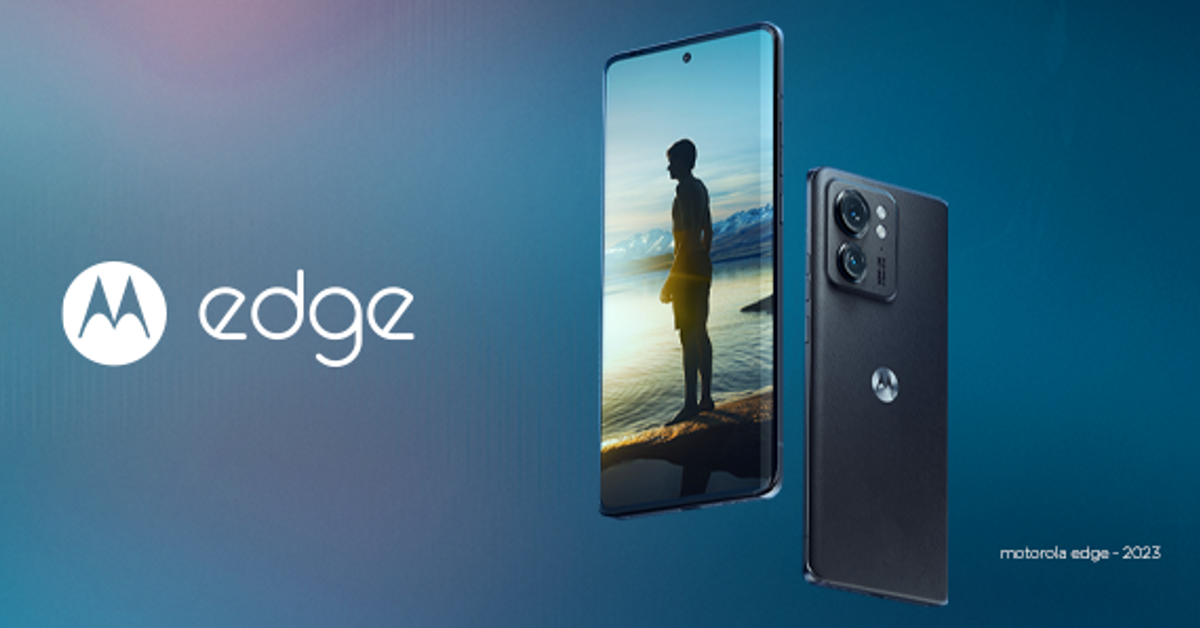
2023 Motorola Edge

Price: $349 on Motorola.com 2023 Motorola Edge Top 10 Smartphones Under $500 in USA (2024) Key Specs
Display 6.6-inch P-OLED
Chipset MediaTek Dimensity 7030
RAM 8GB
Storage 256GB
Battery 4,400 mAh
The 2023 Motorola Edge rocks a 6.6-inch OLED display with a maximum refresh rate of 144Hz and a peak brightness of 1,200 nits. The back panel of this smartphone is made out of eco-leather, which is a nice change from all the glass/plastic backs. What’s impressive is that the Moto Edge has an IP68 rating, something we only get to see in flagship smartphones. Out of the box, the Edge runs Android 13, which can be upgraded to Android 14. There is also support for 15W wireless charging. The Moto Edge is available in a single 8GB RAM + 256GB storage variant.

TCL 20 Pro

Price: $449 on TCL.com TCL 20 Pro Key Specs
Display 6.67-inch AMOLED
Chipset Snapdragon 750G
RAM 6GB
Storage 256GB
Battery 4,500 mAh
If we’re talking about older smartphones, 2021’s TCL 20 Pro is still one of the better smartphones you can buy under $500. The smartphone features a 6.67-inch curved AMOLED display with HDR10 support. This curved display seamlessly blends into the curved glass back panel. Being an older smartphone, one of the downsides of TCL 20 Pro is that it boots with Android 11 out of the box. However, as far as cameras are concerned, the smartphone rocks a pretty decent rear module featuring a 48MP primary shooter, a 16MP ultrawide lens, a 5MP macro camera, and a 2MP depth sensor. The 32 selfie camera can record 4K videos at 30fps.

Motorola Edge 30 Fusion

Price: $449 on Motorola.com Motorola Edge 30 Fusion Viva Magenta limited edition Price Key Specs
Display 6.5-inch P-OLED
Chipset Snapdragon 888+ 5G
RAM 8GB, 12GB
Storage 128GB, 256GB, 512GB
Battery 4,400 mAh
Motorola’s Edge 30 Fusion has a glass back, aluminium frame, and 6.5-inch OLED display. This display has a maximum refresh rate of 144Hz and supports HDR10+. The rear camera module of the smartphone comprises a 50MP primary shooter, a 13MP ultrawide lens, and a 2MP depth sensor. The smartphone can record 8K videos at 30fps, which is incredible. The 4,400 mAh battery on the Edge 30 Fusion can be charged up to 50% in just 10 minutes with 68W fast charging support onboard. Read Also: Top 6 Ways to Download YouTube Videos on Android (2024)

Conclusion

These are the top 10 smartphones you can buy right now for under $500 in the USA. If you don’t mind splurging some extra cash, the Samsung Galaxy S23 FE, Google Pixel 8, and Nothing Phone 2 are good options in the $600 price range.

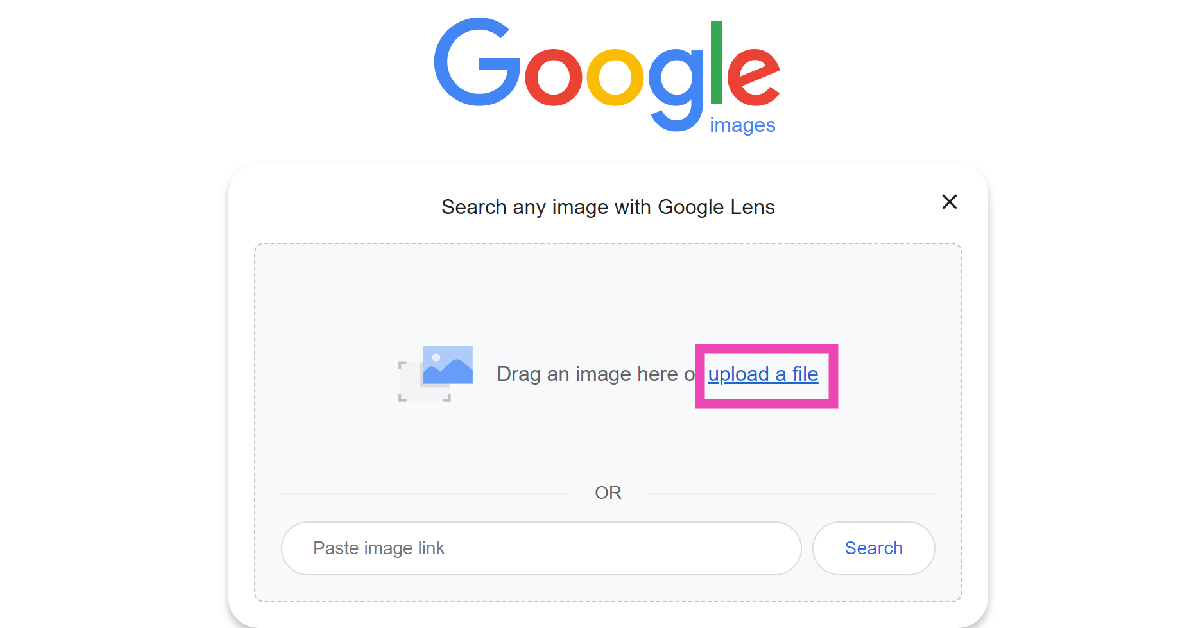
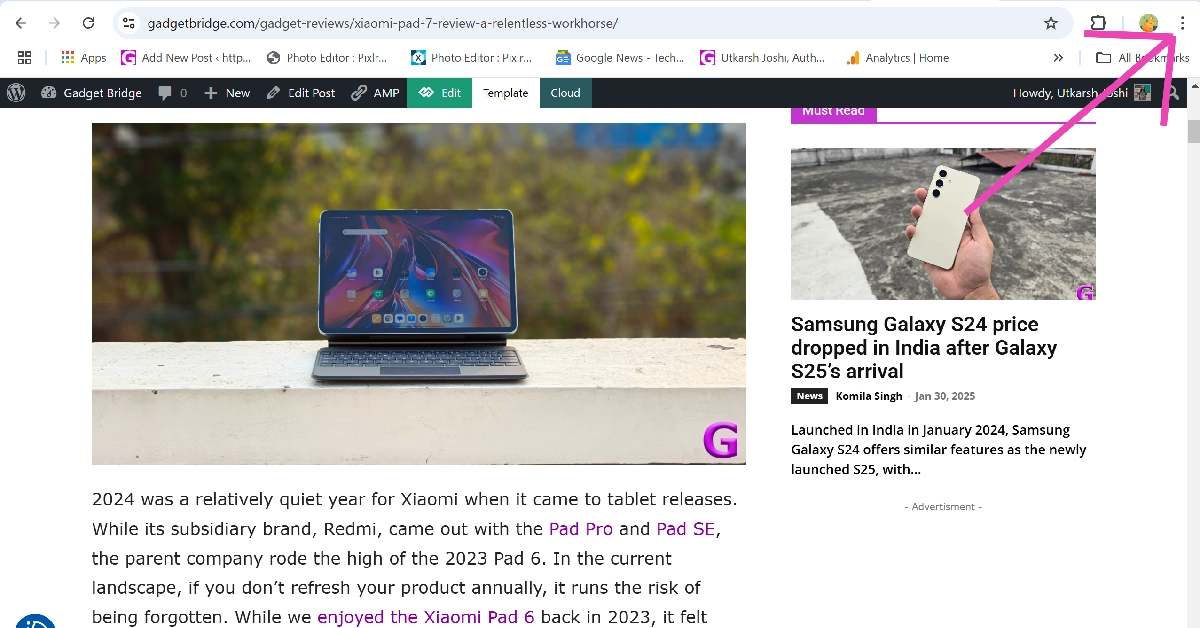
Top 8 Ways to Reverse Image Search on Desktop

0
Performing a reverse image search on your smartphone takes less than a couple of minutes. The Google app is integrated with Google Lens, which comes up with accurate and useful search results for any image that you feed into it. You can use Google Lens to reverse image search on your PC as well. Popular search engines like Yandex and Bing also offer dedicated reverse image search tools. Today, we bring you the top 8 ways to reverse image search on a desktop or PC. Read Also: Massive layoffs at Swiggy, to enhance IPO readiness

What is reverse image search?

An ordinary image search brings up pictures from the internet that match your search query. A reverse image search lets you look up an image and find where it has been posted on the internet. This is a very handy tool that can help you find the source of any image. If you suspect someone has been using your artwork or images, you can perform a reverse image search to find out where they have been posting them. Once you visit the website where the images have been posted, you can look for additional information like the username of the person who posted the pictures, the time of posting, etc. Reverse image search is also useful in busting misinformation online. The internet is full of misleading posts and images that can be used to galvanise public opinion regarding a particular subject. If notice an image that doesn’t look right, you can reverse-search it to see its origins and check whether it has been edited to suit a narrative.

Use Google Reverse Image Search

Step 1: Go to https://images.google.com/. Step 2: Click on the camera icon. Step 2: Click on the camera icon. Step 3: Drag the image you wish to search and drop it into the box or click on ‘upload a file’. Step 3: Drag the image you wish to search and drop it into the box or click on ‘upload a file’. Step 4: Once the image is uploaded, Google will produce the matching results on the following page. Step 4: Once the image is uploaded, Google will produce the matching results on the following page. Pros
  • Quick and easy
  • Accurate results
Cons
  • Requires uploading an image or posting its link

Use Google Lens on Chrome

Step 1: Go to the webpage containing the image. Step 2: Hit the ellipses in the top right corner of the screen. Step 2: Hit the ellipses in the top right corner of the screen. Step 3: Select Search with Google Lens. Step 3: Select Search with Google Lens. Step 4: Draw a border around the object or the image you wish to search. Step 4: Draw a border around the object or the image you wish to search. Step 5: The search results will pop up in a panel on the right. Step 5: The search results will pop up in a panel on the right. Pros
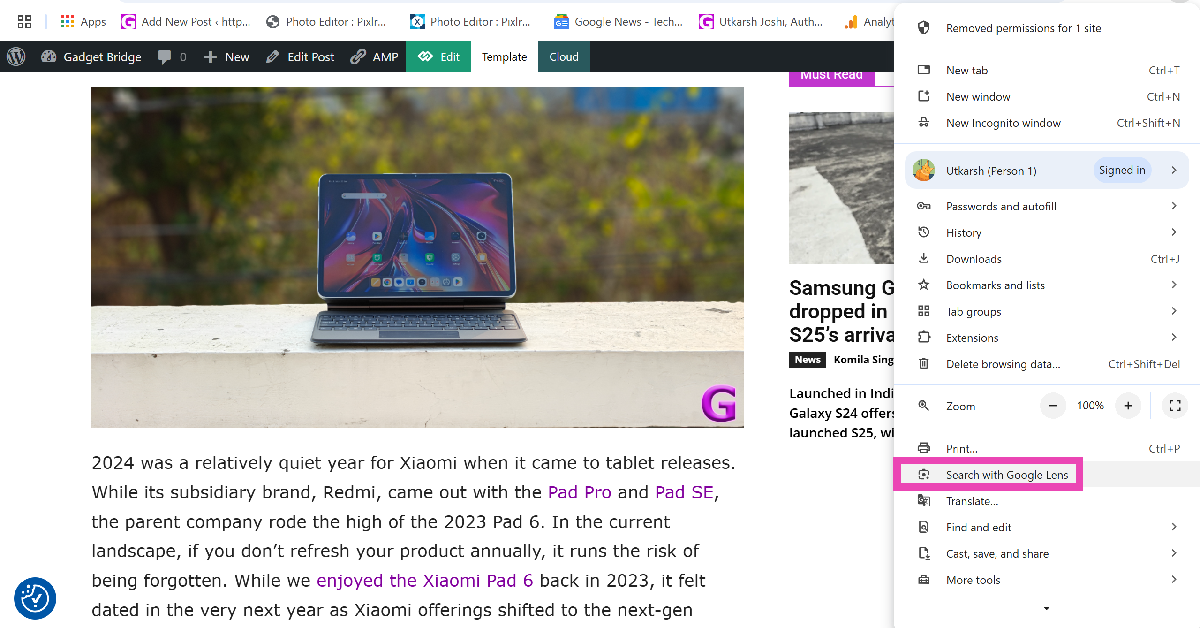
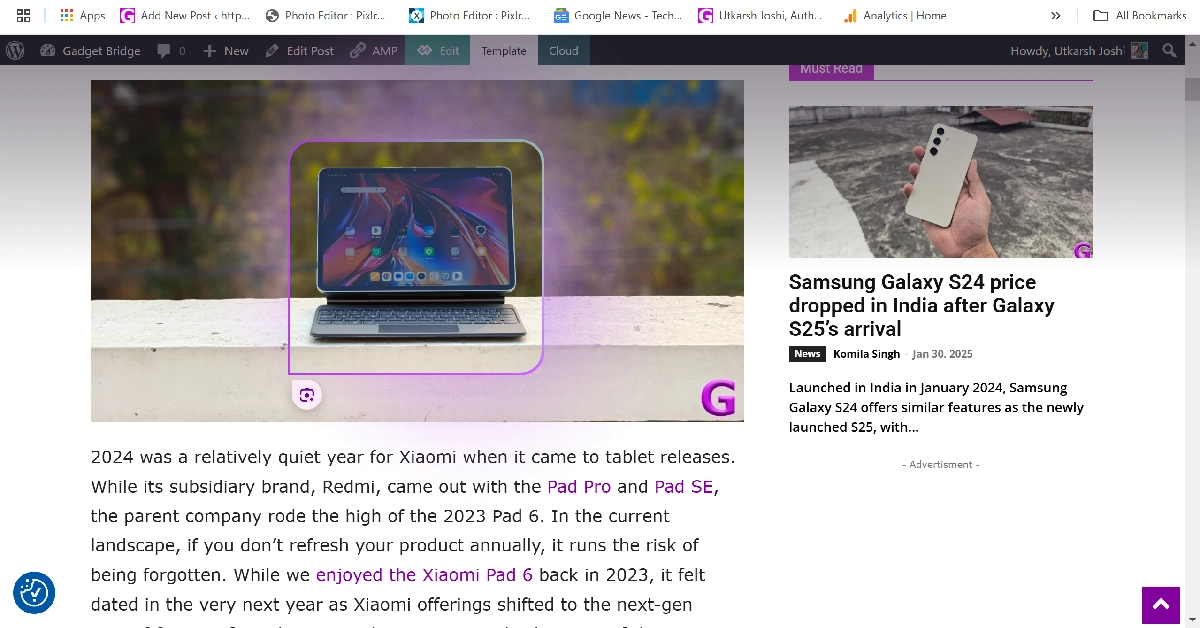
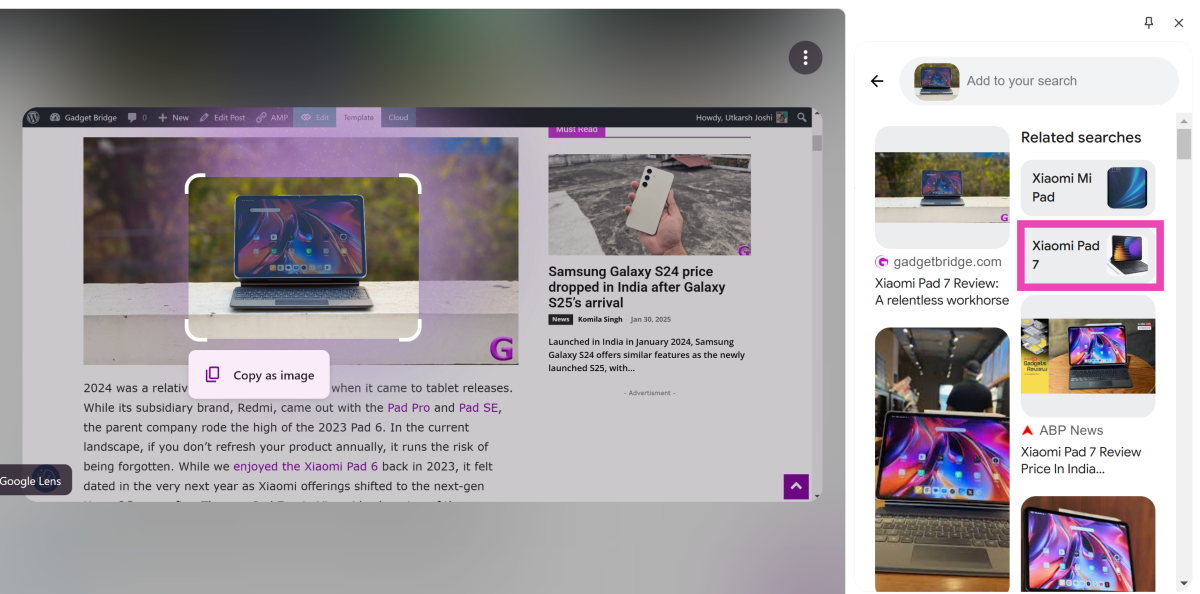
  • Does not require uploading an image
  • Can search on any web page
Cons
  • Only available in Google Chrome

Use Bing Visual Search

Step 1: Go to https://www.bing.com/visualsearch. Step 2: Drag an image into the box or upload one from your desktop. You can also choose to take a live picture using your PC’s webcam. Step 2: Drag an image into the box or upload one from your desktop. You can also choose to take a live picture using your PC’s webcam. Step 3: Once the image has been uploaded, Bing will produce the results on the following page. Switch to the ‘Pages with this image’ tab for more accurate results. Step 3: Once the image has been uploaded, Bing will produce the results on the following page. Switch to the ‘Pages with this image’ tab for more accurate results. Pros
  • Accurate results
  • Nice interface
Cons
  • Requires uploading an image or posting its link

Use TinEye

Step 1: Go to https://tineye.com/. Step 2: Click on Upload and select the image from your desktop’s storage. Step 2: Click on Upload and select the image from your desktop’s storage. Step 3: The matching results will be displayed on the following page. Step 3: The matching results will be displayed on the following page. Top 5 Ways to Reverse Image Search on Desktop (2024) Pros
  • Quick results
  • Draws from a lot of sources
Cons
  • May not always produce a match

Use Yandex image search

Step 1: Go to https://yandex.com/images/. Step 2: Hit the camera icon. Step 2: Hit the camera icon. Top 5 Ways to Reverse Image Search on Desktop (2024) Step 3: Click on Select file. Step 3: Click on Select file. Top 5 Ways to Reverse Image Search on Desktop (2024) Step 4: Upload the file from your desktop’s drive. Step 4: Upload the file from your desktop’s drive. Top 5 Ways to Reverse Image Search on Desktop (2024) Step 5: Yandex will display the matching results on the following page. Pros
  • Vibrant design
  • Accurate results
Cons
  • Requires uploading the image or posting its link

Reverse search an image from the native Photos app (Using Bing Visual Search)

Step 1: Open the image in the native Photos app on your PC. Step 2: Right-click anywhere on the image. Step 3: Select Visual search with Bing. Step 3: Select Visual search with Bing. Step 4: The search results will open in a new tab on your default web browser. Go through the results to find a match. Step 4: The search results will open in a new tab on your default web browser. Go through the results to find a match. Pros
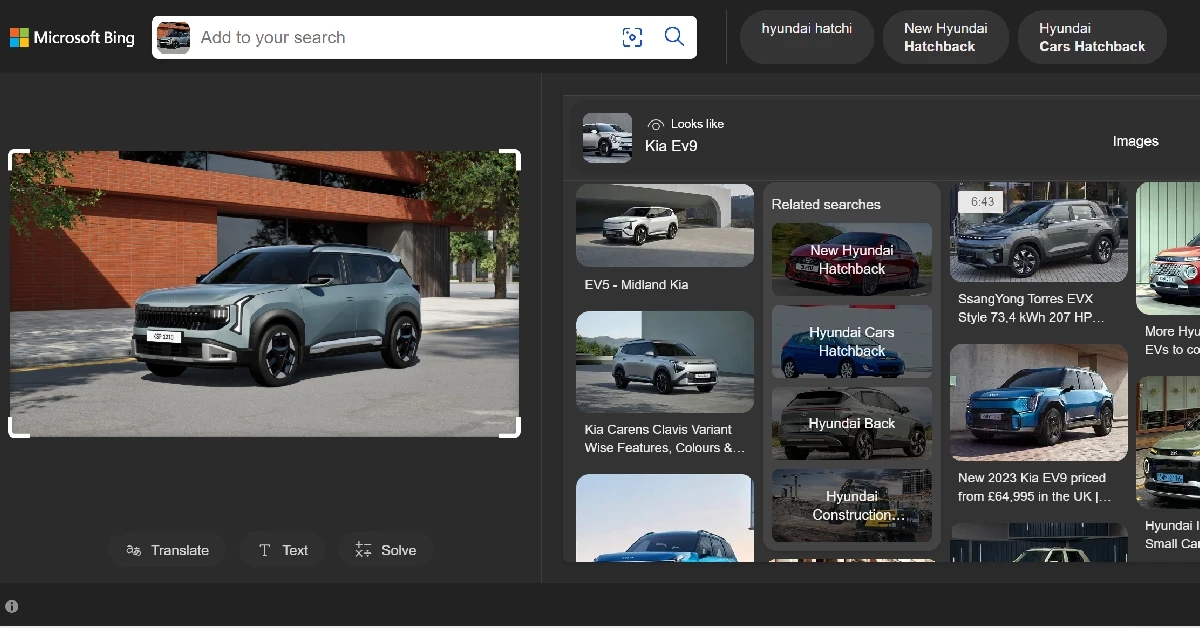
  • Native support
  • Easy to use
Cons
  • Requires going through a lot of results to find a match

Reverse search an image from the native Photos app (Using Bing Visual Search)

Step 1: Open the image in the native Photos app on your PC. Step 2: Hit the Copilot icon at the top of the screen. Step 2: Hit the Copilot icon at the top of the screen. Step 3: Enter the following prompt: Find the source of this image. Step 3: Enter the following prompt: Find the source of this image. Step 4: Copilot will conduct a search and list possible matches. Step 4: Copilot will conduct a search and list possible matches. Pros
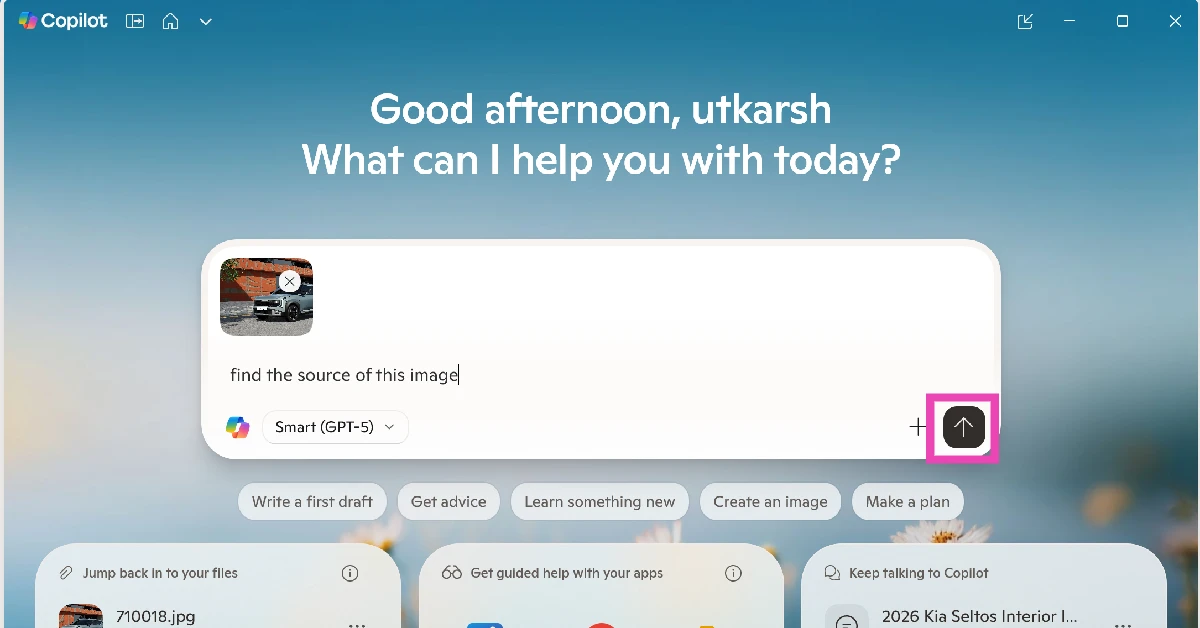
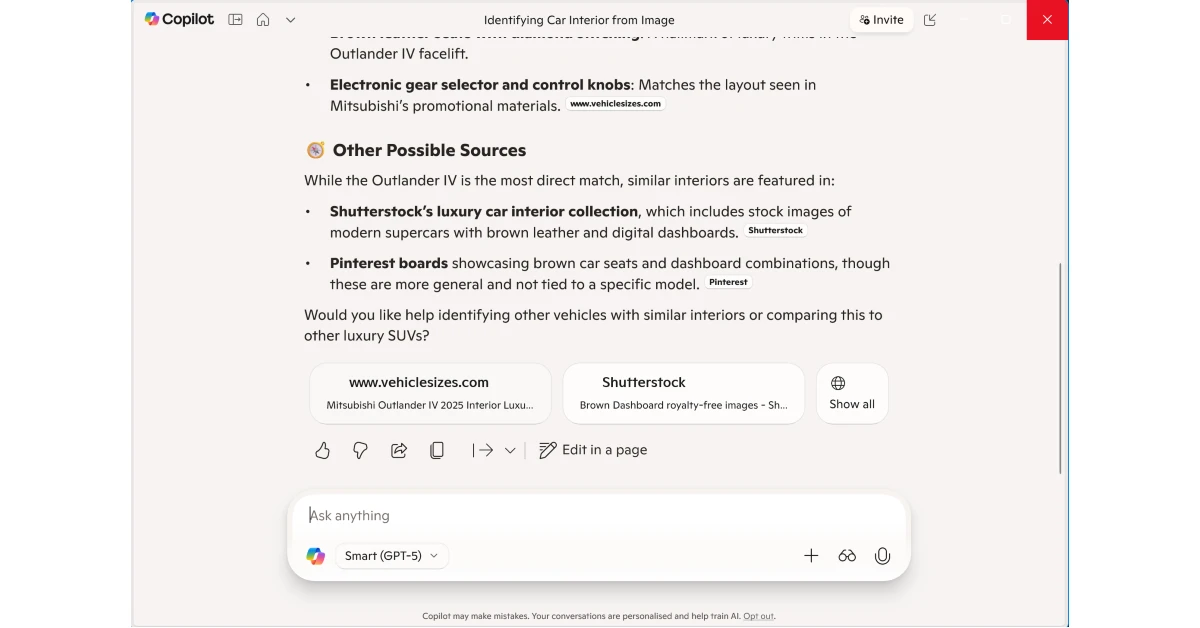
  • Native support
  • Seamless operation
Cons
  • Results may be off sometimes

Can’t find the source of an image using popular search engines? Ask Reddit!

Let’s be honest, search engines can only help you to a certain degree. If the image you’re trying to look up is very obscure and old or caters to a particular niche, the chances of you finding its source using a reverse search engine are very slim. However, you can always turn to Reddit to find the answer. Subreddits like r/HelpMeFind and r/TipOfMyTongue are big communities determined to find what you’re looking for. Just upload the image, provide some additional information and context, and you’ll likely get a response from someone after a period of time. Pros
  • Last resort when search engines don’t work
Cons
  • Can take time

Frequently Asked Questions (FAQs)

How do I reverse-search an image on my desktop or PC?

Popular search engines like Google, Bing, Yandex and others have a dedicated reverse image search option which can help you find the source of any image. You can also use third-party tools like TinEye for this task.

How do I find the source of a video?

While there is no option to reverse search a video, you can take a bunch of screenshots from it and reverse search them on Google to find the source of the video.

How do I find the source of an image if reverse searching doesn’t work?

Subreddits like r/HelpMeFind and r/TipOfMyTongue can help you find the source of obscure, niche images.

Can I use Google Lens on Chrome?

Google Chrome for PC has an in-built Google Lens tool. You can access it by hitting the ellipses in the top-right corner of the browser.

How do I reverse image search on my smartphone?

Long-press the navigation bar or the home icon on your Android phone to trigger Circle to Search. Draw a circle around the image you wish to search. Read Also: How to Download Netflix Movies on Mac to Watch Offline?

Conclusion

These are the top 8 ways to reverse image search on your desktop or PC. If you’re an Android user, Google’s newest ‘Circle to Search’ feature lets you search for anything on your phone’s screen by simply circling it. You can use it to find any object from an image or video, detect an unrecognised script, decipher an unknown symbol, and more.

Moto G24 Power with MediaTek Helio G85 SoC launched in India

Key Highlights
  • Moto G24 Power has a dual rear camera setup with a 50-megapixel sensor.
  • The phone supports 33W fast charging.
  • The device’s display supports a 90Hz refresh rate.
Lenovo-owned smartphone brand Motorola has announced its new G-Series phone in India today. Moto G24 Power has been introduced in the country. The phone is priced under 10k and powered by MediaTek Helio G85 SoC. The device features a 90Hz LCD display and a dual rear camera setup with a 50-megapixel primary sensor. Also, it packs a 6,000mAh battery and comes with an IP52 rating.

Moto G24 Power price in India, sale details

Moto G24 Power has launched in India with a starting price of Rs 8,999 for the 8GB RAM with 128GB storage option. The price of the 8GB RAM with 128GB storage variant is set at Rs 9,999. The device is being offered in two colour options Glacier Blue and Ink Blue, featuring a 3D Acrylic glass (PMMA) finish. Moto G24 Power price in India, sale details The phone is scheduled to go on sale on February 7 via Flipkart and the company’s official site at noon. The company will offer an additional Rs 750 off on exchange. Also Read: Samsung’s Galaxy AI features will be available across 100 million Galaxy phones, TM Roh confirms

Moto G24 Power specifications

The 6.56-inch HD+ IPS LCD display on the Moto G24 Power has a peak brightness of 537 NITS. Moreover, with a high 90 Hz refresh rate. It has an Auto Mode in action, the screen refresh rate flexibly switches between 90 Hz and 60 Hz, improving the overall battery efficiency of the smartphone. The phone runs on Android 14 with My UX on top. It is powered by an octa-core MediaTek Helio G85 SoC with up to 8GB of LPDR4x RAM which can be expanded up to 16GB with RAM boost feature. The device comes with GB of built-in Storage which can be expanded up to 1TB using a microSD card. Moto G24 Power specifications Moto G24 Power features a dual rear camera setup that includes a 50-megapixel primary sensor with Quad Pixel technology and f/1.8 aperture and a 2-megapixel macro shooter with f/2.4 aperture. For selfies and video calling, there is a 16-megapixel front-facing camera with f/2.45 aperture. Furthermore, the camera system also comes with various features and software, such as Auto Night Vision, HDR, and Portrait mode. Also Read: Nothing Phone 2a more tech specs revealed, get TUV certified The handset is backed by a 6,000mAh battery with 33W TurboPower fast charging support. The phone also includes a side-mounted fingerprint sensor for unlocking. The stereo speakers are tuned by Dolby Atmos. In terms of connectivity, there is Bluetooth, GPS, A-GPS, GLONASS, Galileo, LTEPP, SUPL, Beidu, a 3.5mm headphone jack, Wi-Fi 802.11 a/b/g/n/ac, and a USB Type-C port. The phones include sensors like accelerometer, ambient light, e-compass, gyroscope, proximity, sensor hub, and SAR sensor. 

Samsung’s Galaxy AI features will be available across 100 million Galaxy phones, TM Roh confirms

Key Highlights
  • Samsung Galaxy S24 Series is the first to introduce several Galaxy AI features including Live Translate, Chat Assist, Note Assist, and Circle to Search.
  • These features are not confirmed to be released across 100 million Galaxy phones
Samsung has officially declared that Galaxy AI will land on more Galaxy devices this year. Samsung Galaxy S24 Series which launched recently was the first to receive the AI features. Samsung Galaxy S24, Galaxy S24+, and Galaxy S24 Ultra are three models of the latest flagship series unveiled. A previous report also suggested that new AI features will also land on previously released Samsung devices including foldables and tablets. TM Roh, President and Head of MX business, Samsung Electronics was in India said, “This year, we have changed the industry paradigm by integrating the power of AI with Galaxy S24 series. Mobile phones were created to bring people together, and we use them in so many parts of our lives. We believe mobiles will become the primary access point for AI technology as people already use their smartphones for just about everything, making it the perfect vessel. With the Galaxy S24 series, we strongly believe in revolutionizing user experience through Galaxy AI. Samsung is the leader in the mobile industry with over 1 billion Galaxy customers. By using customer insights accumulated over decades, years of innovation to optimize AI for mobiles and open collaboration with industry leaders, we have come up with Galaxy AI, which will become the ‘global standard for mobile AI.” Also Read: Massive layoffs at Swiggy, to enhance IPO readiness The company has confirmed that along with the Galaxy S24 Series, it will bring Galaxy AI to approximately 100 million Galaxy mobile devices worldwide this year. This will also amplify mobile AI usage and bring benefits to Galaxy customers that cannot be found anywhere else. Also Read: Nothing Phone 2a more tech specs revealed, get TUV certified Previously it was also reported that several AI features that were first seen on the Galaxy S24 series will be available on previously released Samsung devices. Reports claimed that Galaxy AI features will roll out earlier models in the first half of this year, including the Galaxy S23 series, Galaxy S23 FE, Galaxy Z Fold 5, Galaxy Z Flip 5, and Galaxy Tab S9 series.

Top 4 Methods to Track Your Amazon Order in the USA

0
Amazon’s reliable and timely delivery process is the reason why so many users choose it over other e-commerce platforms. If you choose One-Day Delivery, the wheels are set in motion as soon as you place your order. The great thing is that Amazon keeps you updated every step along the way. Every time your package checks into an Amazon facility, it gets recorded in the tracking details. So, let’s take a close look at the top 4 ways to track your Amazon order or package in the USA. Read Also: Tecno Spark 20 RAM, storage and camera specs revealed, ahead of January 30 India launch

FBA and FBM: What’s the difference?

There are two major types of Amazon deliveries – Fulfilled by Amazon & Fulfilled by Merchant. While browsing through products on the platform, you may have noticed the ‘Amazon Fulfilled’ badge on certain products. These products are often eligible for free deliveries if you meet the minimum order criteria. So what is the difference between FBA and FBM? The former is used by big-scale merchants on the platform. Since these deliveries are fulfilled by Amazon, the sellers on the platform ship their products in bulk to Amazon. These products are kept in Amazon warehouses. When you place the order, they are sent to you instantly. Amazon makes sure that you can track these products at all times. Every time a package enters a new facility, it is scanned and its tracking info is updated on the app. Meanwhile, FBM is used by small sellers who do not necessarily produce in bulk. They rely on third-party shipping services to fulfil the deliveries. Once you place an order, the seller will ship your package using a third-party service and share the tracking ID with you. You can use this tracking ID to find out where your package is.

Track your order from the Amazon Website

Step 1: Go to the Amazon webpage and log into your account. Step 2: Hover the cursor over Accounts & Lists and select Orders. Step 2: Hover the cursor over Accounts & Lists and select Orders. Step 3: Now, click on Track package next to the product you want to track. Step 4: On the following page, Amazon show you the status of the shipment. Step 5: Click on See all updates to view every recorded status of the order. This page will have the name of the current Amazon facility that the package is in.

Track your order from the Amazon app

Step 1: Launch the Amazon app on your smartphone and switch to the You tab. Step 2: Switch to the You tab. Top 4 Methods to Track Your Amazon Order in the USA Step 2: Tap on Your Orders. Step 2: Tap on Your Orders. Top 4 Methods to Track Your Amazon Order in the USA Step 3: Select the product you wish to track. Step 4: Tap on Track package. Step 5: Hit See all updates.

Use Alexa to track your Amazon package

Amazon’s Echo devices are programmed to notify you about your Amazon packages that are out for delivery. You can also ask Alexa about the status of your package. Simply say “Alexa, when is my package arriving?” and the voice assistant will give you an ETA of your order. If the LED light around the device turns yellow, it means you have a pending notification. Since your Echo speaker is registered with your Amazon account, it can access all the details about your order.

Use a third-party app (Parcels)

Download from the Google Play Store Use a third-party app (Parcels) Parcels is a unique app that tracks your packages from services like Amazon, Wish, eBay, Aliexpress, Shein, and more. This is a useful app for people who not only order from big e-commerce platforms like Amazon and eBay but also from independent third-party sellers. Parcels can track orders that are shipped to you using national postal services like USPS, Royal Mail, China Post, & India Post, and private services like UPS, FedEx, DHL, and more. You don’t need to register to the app to track your order, but some premium features may be locked behind a paywall. You can use this app to track FBA as well as FBM packages.

Frequently Asked Questions (FAQs)

How do I track my Amazon order or package in USA?

Go to the Amazon webpage or app and select Your Orders. Hit ‘Track package’ next to your order to find out its current location.

What does ‘Attempted Delivery’ mean on Amazon?

If the package tracking page mentioned ‘Attempted Delivery’ it means the delivery executive was at the location to deliver the order but couldn’t find the recipient to complete the delivery process.

How many times does Amazon attempt redeliveries?

If your order is eligible for redeliveries, Amazon will attempt to deliver it to your location on three consecutive days. If the third attempt falls through, your package will be returned to Amazon and you will be awarded a refund. Read Also: 9 Easy Methods to Fix Missing App Icons on Android Phones

Conclusion

These are the top 4 ways to track your Amazon order or package in the USA. Once the delivery executive is headed to your location, the tracking info will show that the package is ‘out for delivery’. This is when the details of the delivery executive will be shared with you. You can call them to coordinate the pickup or ask them to leave the package with a neighbour if you aren’t home.

Nothing Phone 2a more tech specs revealed, get TUV certified

Key Highlights
  • Nothing Phone 2 has received TUV certification.
  • The device will come with 45W charging speed.
  • It is said to get support for the USB Power Delivery (PD) standard.
Nothing is prepping up to introduce a new mid-range phone. The company is likely to introduce Nothing Phone 2a, a toned-down variant of Phone 2 which was launched last year. The company is speculated to present it first later next month during the MWC 2024. The company will be hosting a Nothing to See event that will take place on February 27. Ahead of the release, the alleged smartphone was spotted listed on the TUV certification website, revealing the charging speed. Nothing Phone 2a has been discovered listed on the TUV certification website. As per a report the upcoming phone bears model number A142. The TUV certification site has revealed the charging specifications of the device. As per the listing, the Nothing Phone 2a will come with a 45W charging speed. It will also get USB Power Delivery (PD) standard support. This implies that the Nothing Phone 2a should be able to be charged using any USB PD-compliant charger. Earlier the upcoming handset also appeared listed on the Bureau of Indian Standards(BIS) site. Also Read: Nothing Phone 2a confirmed to launch in India soon, codenamed Aerodactyl A previous leak suggests that the Nothing Phone 2 is likely to be available in two colour options Black and White. Additionally, it could come in two different configurations: 8GB of RAM with 128GB storage and 12GB RAM with 256GB of storage. The price of the phone is speculated below EUR 400 (approx Rs 36,800). Also Read: WhatsApp chat backups have started to occupy Google Drive storage As per a report, the device is likely to feature a 6.7-inch AMOLED display manufactured by BOE and Visionox under the product number rm692h5. The screen is expected to have 1,084 x 2,412 pixels of resolution. The display may also support a refresh rate of 120Hz. The Smartprix previously reported that a MediaTek Dimensity 7200 chipset might power the phone. Also Read: Massive layoffs at Swiggy, to enhance IPO readiness The Nothing Phone 2a may come with a dual rear camera setup that may include a 50-megapixel Samsung S5KNG9 1/1.5-inch main sensor and the 50-megapixel Samsung S5KJN1 1/2.76-inch ultrawide lens. The phone is anticipated to feature a 32-megapixel Sony IMX615 sensor on the front. According to her, the phone will be available in two colour options Black and White. Seven wallpapers from the alleged Nothing Phone 2a were leaked namely “Ruxe,” “Nexul,” “Azunim White,” “Orbique,” “Rubrane Black,” “Ambra,” and “Virmar.” Reportedly, the default wallpaper for the Black variant is likely to be Rubrane Black, while the White variant’s wallpaper will probably be Azunim White.

Massive layoffs at Swiggy, to enhance IPO readiness

Key Highlights
  • About 7 per cent of Swiggy employees will lose their jobs.
  • In January 2023, the company laid off 380 workers as part of a corporate reorganisation.
  • Flipkart has also fired 5% of its workforce.
Indian online food ordering and delivery platform Swiggy has laid off approx. 7%, affecting 350–400 employees. According to Source, the company has cut its workforce by 6 percent, which includes roles across technology, call centres, and corporate roles. Besides Swiggy, other tech companies like Flipkart, Microsoft, Amazon, and Google have also announced employee layoffs. Swiggy and Flipkart have announced staff layoffs. Approximately 350–400 workers, or about 7% of the company, will be fired by Swiggy. According to speculations and sources, people from tech, a portion of the customer service division, and corporate will lose their jobs. Notably, the company has 6,000 employees, and the staff layoff is part of an effort for efficient operations. However, sources say that the Bangalore-based firm is laying off its employees because of its planned IPO. A person aware of the matter said, “Mostly people who had a lot of Esops, or a higher package were let go, keeping the upcoming IPO in mind.” Additionally, Swiggy is alleged to have demanded in writing from its employees that they resign on their own. In addition, a laptop and remuneration for two months plus the number of years x 15 days are allegedly provided. Meanwhile, Swiggy is actively hiring for a recently introduced role (ASDEs) with a pay range of 8 to 11 LPA. Also Read: WhatsApp chat backups have started to occupy Google Drive storage The food delivery major has laid off its employees before. In January 2023, the company that oversees Instamart slayed 380 workers as part of a corporate reorganisation that was prompted by the declining growth of its food delivery division. These layoffs are the latest in a string of significant IT sector cutbacks that will continue through 2024. Another home-grown e-commerce platform, Flipkart, has fired approximately 1,000 workers, or 5% of its workforce. There are about 22,000 people employed by the company. Also Read: Akai 4K QLED Google TV series with Quantum Dot technology launched in India Whereas Microsoft owned Activision Blizzard and Xbox, they also lost 1,900 workers. The greatest number of layoffs will be made at Activision Blizzard and account for roughly 8% of the entire Microsoft Gaming. 

Garena Free Fire Redeem Codes Today 30 January 2024: Here is how to claim them

Garena Free Fire is a battle royale game with regular awards and tournaments to keep players interested. If you play Garena Free Fire, you should be aware of the redeem codes that are released on a daily basis. However, because the battle royale game is banned in India, players from other countries can use the Free Fire Redeem codes daily. If you’re unfamiliar with the Garena Free Fire redeem codes or don’t know how to get them, we’ve put together a step-by-step guide to help you redeem them. Check out Garena Free Fire Redeem Codes for 30 January 2024. The Free Fire redeem codes are a great way to get free stuff. These are 12-digit codes that contain alphabets and numbers, as well as an expiration date and time. Because the Garena FF redeem codes cannot be used more than once, you should hurry to the redemption page to claim your free reward before someone else does. To get a free reward, all you have to do is go to reward.ff.garena.com/en, which is the official redemption page. Also, keep an eye on this space for daily updates on Garena Free Fire redemption codes and rewards.

Garena Free Fire Redeem Codes Today 30 January 2024

F7U4GGJVI8CY6TG FFEVDBHUA7Q6TGH FERTY9IHKBOV98U FZ7YTA5Q4RED2C3 FGSWBH3J4KR5IT6 FYUGHVNCD5JSUEY FJ8FG7BSJUWYT3R FVE4RH5TJUGVYCT F4TG5BTNGKOIUYG FAYQ765TRF4VBRN FVBERFJUVYTSRFW FGBW3REGFBI7345 Also Read: Garena Free Fire Redeem Codes Today 31 January 2024: Here is how to claim them

How to Get Free Fire Redeem Codes for Garena on 30 January 2024?

  • Visit the Garena Free Fire game’s official website at reward.ff.garena.com.
  • Use your Facebook, Google, VK, Apple ID, Huawei ID, or Twitter account to log in.
  • You’ll be taken to a valid redemption code (s)
  • Copy and paste the 12-digit redemption code into the text box.
  • On the screen, a dialogue box will appear.
  • ‘Ok’ should be selected.
For the latest gadget and tech news, and gadget reviews, follow us on TwitterFacebook and Instagram. For newest tech & gadget videos subscribe to our YouTube Channel. You can also stay up to date using the Gadget Bridge Android App. You can find the latest car and bike news here.

How to Download Netflix Movies on Mac to Watch Offline?

Netflix offers a wide range of popular TV shows and movies. Unfortunately, the Netflix official doesn’t provide downloading Netflix movies to watch offline but only online streaming on Mac. However, online streaming can bring a bad watching experience when the network connection is unstable. Consequently, it is necessary to find workable methods to download Netflix movies on Mac to watch offline. Rest assured, read on to get practical solutions in this article.

Can I Download Movies from Netflix on My Mac?

Yes, you can. Although Netflix has not developed an app for Mac, allowing only online streaming, there are still workable methods to save Netflix shows and movies offline on your Mac:
  1. Use third-party Netflix video downloaders to download movies from Netflix on your Mac.
  2. Install Windows on your Mac and use the Netflix Windows app to download movies.
  3. Screen record Netflix shows and movies to keep them offline on Mac.
Below, we will explain how to use these three methods to download movies from Netflix on Mac. You can choose the method that best suits your situation.

Method 1: Using a Netflix Downloader – MovPilot Netflix Video Downloader (Recommended)

The most reliable and effective method to download movies from Netflix on Mac is to directly use a third-party downloader. Here we recommend MovPilot Netflix Video Downloader. This program can assist you in downloading any Netflix video on Mac, even with ad-supported plans. Additionally, videos downloaded through MovPilot can surpass Netflix’s official download restrictions. The downloads are common video files that can be played using any local player on your preferred devices. Read on to explore the key features of MovPilot Netflix Video Downloader.
Key Features of MovPilot Netflix Video Downloader

  • High-Quality Downloads: MovPilot ensures the FHD resolution of the original video and lossless audio is preserved in the downloaded content. This means you can enjoy your offline viewing in the best possible quality.
  • Fast Download Pace: MovPilot helps download your preferred Netflix material 5 times quicker than the typical speed. This translates to more watching and less waiting.
  • DRM Protection Removed: The MovPilot Netflix Video Downloader can remove the DRM protection of Netflix videos, allowing you to store movies on your device permanently.
  • Multilingual Support: The MovPilot Netflix Video Downloader can retain multiple languages for the audio and the subtitles, ensuring that language is no longer a barrier for your watching,
  • User-Friendly Interface: MovPilot’s easy-to-use interface guarantees a better user experience, making the process of downloading straightforward even for first-time users.

How to Download Netflix Movies on Mac with MovPilot Netflix Video Downloader

After we have a preliminary understanding of MovPilot Netflix Video Downloader, let’s delve into how to download movies on Netflix on Mac by using it. Step 1: Download, install, and launch MovPilot Netflix Video Downloader on your Mac. Sign in with your active Netflix account. Step 2: Type the keyword or paste the URL of your desired movie or show, and check the search result. Step 3: Download your selected Netflix videos. For a single movie, simply click the Download button on the right. For TV series or shows, select the episodes you want to watch and click on the Download button to keep them offline on your Mac.
Method 2: Install Windows on Mac

Unwilling to install a third-party App to download Netflix videos? How to download movies on Netflix on Mac via the official Netflix App? Can you download Netflix on Mac? The answer is YES. There is an alternative option for you: install Windows OS on your Mac OS device. The Windows system can allow your Mac OS device to install the Netflix App and download movies for offline watching. However, honestly speaking, this method is relatively complex and not as convenient as using a third-party App. You can follow these steps to have a try if you have confidence about your computer skill level. Step 1. Download the Windows system disk image from the Microsoft store. Step 2. Insert the Windows installation media into your computer. Launch the Boot Camp Assistant and change the partition size. Step 3. Begin to install Windows on a Mac. Input the password, and pick the language. Step 4. Next, you can proceed by following the wizard. The entire procedure may take several minutes, so be patient. When all steps are completed, you have successfully installed the Windows system on Mac.
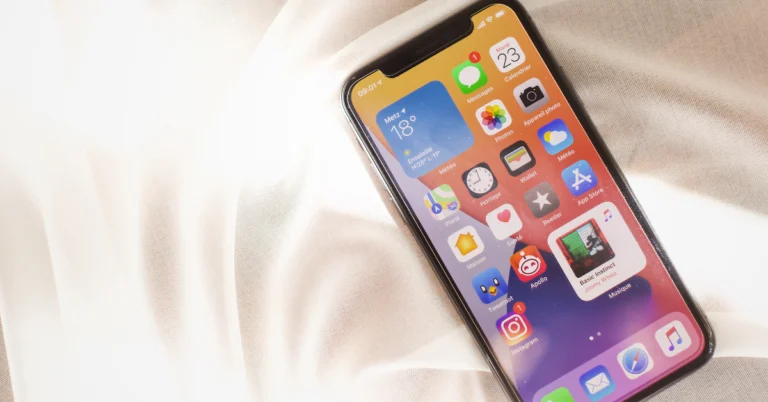
Method 3: Using a Screen Recorder

Can you watch Netflix offline without any outer installations? Indeed, for Mac users, the built-in screen recorder can be another alternative option. You can use it to record Netflix movies, but this method is quite time-consuming, and your time matters. Here is a basic instruction: Step 1: Open QuickTime Player. You may locate QuickTime Player in the Applications folder. After launching the application, navigate to the menu bar, choose ‘File,’ and then pick ‘New Screen Recording.’ Step 2: A little record window will appear. You may select whether to record the full screen or a piece of it. If you wish to record audio as well, ensure sure the appropriate microphone is selected. Step 3: Click on the ‘Record’ button to start recording. A new window will appear, instructing you to click anywhere to record the full screen or drag to record part of the screen. Step 4: Now, navigate to Netflix and begin playing the movie you wish to record. Stop recording. When the video is finished, you may stop the recording by pressing the ‘Stop’ button in the menu. Step 5: Save Your Recording After stopping the recording, QuickTime Player will automatically open the recorded video. You can now save it by going to ‘File’ > “’Save’.

Final Verdict

After reading this article, you may understand how to download movies on Netflix on Mac. You can select one of these three approaches based on your requirements and skills, each offers advantages of its own. But generally speaking, I would order them using the table below.
Method Rating Pros Cons
MovPilot Netflix Video Downloader 9/10 • Easy to use • High video quality • Permanent preservation • Some features require a purchase to unlock
 Install Windows on Mac 4/10 • Can use the original Netflix App • Complicated • Higher computer level required • Low success rate
Screen Recorder 6/10 • Easy to use • No extra application is needed • Time-consuming • Low video quality
So among all the three methods, MovPilot Netflix Video Downloader stands out for its convenience and efficiency. We encourage readers to download and experience the superior performance of MovPilot Netflix Video Downloader, especially for those who are beginners.

How to and Why Use Passvers iPhone Unlocker in 2024

When you have mistakenly disabled your iPhone, or simply forgotten about passcodes to unlock it, you may consider seeking a third-party unlocking software to help. Passvers iPhone Unlocker has been a well-known solution to deal with troubles related to all kinds of iOS locks, with a large group of loyal users from all over the world. Why Passvers iPhone Unlocker is popular? How can it help me bypass screen locks, iCloud activation locks, or other iOS locks? Is Passvers iPhone Unlocker safe to use? You may get such questions wanting to ask. So before installing the software, this latest 2024 article on Passvers iPhone Unlocker will first introduce all the details to you. Now, scroll down and have a look! Passvers iPhone Unlocker

Passvers iPhone Unlocker Functionality Overview

Passvers iPhone Unlocker is developed as a piece of professional software, mainly working to resolve iOS locks and help you bypass them to use devices without any limitations. It can work to deal with iOS screen locks, iCloud activation locks, Apple IDs, MDM profiles, screen time passcodes, and also iTunes backup encryption locks by very simple operations. For years of development, today Passvers iPhone Unlocker can maintain great stability and fast performance to deal with iOS lock removal, offering you quite a user-friendly process to get rid of all troubles related to them. It is also ranked as the best iOS unlocking software with the highest success rate, never failing to help! You can keep reading to learn more details about the built-in unlocking functions of Passvers iPhone Unlocker below. All Functions of Passvers iPhone Unlocker

Unlock Screen Locks

Passvers iPhone Unlcoker can help deal with all kinds of iOS screen locks, including digital passcodes (both 4-digit and 6-digit ones), Face ID, and also Touch ID. It won’t ask for two-factor authentication to remove them at all.

Bypass iCloud Activation Lock

Without needing authorization from previous owners, the software can help you bypass the iCloud activation lock even if you get stuck because of it while setting up a newly bought second-hand iPhone.

Remove MDM Profiles

Passvers iPhone Unlcoker has added support for all popular MDM merchants, helping you to bypass different types of MDM profiles on iOS devices to get out monitors from third-party organizations or individuals, without letting administrators of the devices know at all!

Wipe Apple IDs

If you unfortunately forget about passwords about the linked old Apple IDs on your iOS devices, use the software or wipe it with one tap without entering passcodes! By removing old Apple IDs, you can immediately link with new ones and use all functions on devices without limitations.

Cancel iTunes Backup Encryption Password

If you have set an encryption password to process iTunes backup, you will need to enter it every time while backing up data. Now, get rid of the password with one tap using Passvers iPhone Unlcoker! After that, you no longer need to remember such a password while storing data using iTunes.

Removes Screen Time Passcodes

Passvers iPhone Unlocker can also be used to delete added screen time passcodes and free all installed apps on your iPhone for use without limitations. Especially when you forget them, the software can help remove them at once quickly for you.

Passvers iPhone Unlocker Availability

Pay attention that Passvers iPhone Unlcoker is a desktop software which not only works on Windows and Mac computers. Before getting started with it, you should check the hardware requirements to confirm whether Passvers iPhone Unlocker supports running on your devices in advance:
  • Windows OS: Windows 11/10/8.1/8/7/Vista (32-bit or 64-bit)
  • Mac OS: Mac OS X 10.7 or above (macOS Big Sur and macOS Monterey)
  • CPU: 1GHz (32-bit or 64-bit)
  • RAM: 256 MB or more of RAM (1024MB Recommended)
  • Hard Disk Space: 200 MB and above free space
Also, check the supported iOS devices that Passvers iPhone Unlocker can offer services to help you bypass iOS locks on them: iPhone iPhone 15 Pro Max/15 Pro/15 Plus/15, iPhone 14 Pro Max/14 Pro/14 Plus/14, iPhone 13 Pro Max/13 Pro/13/13 mini, iPhone SE 3/2/1, iPhone 12 Pro Max/12 Pro/12/12 mini, iPhone 11 Pro Max/11 Pro/11, iPhone XS/XS Max/XR/X, iPhone 8 Plus/8, iPhone 7 Plus/7, iPhone 6s Plus/6s/6 Plus/6, iPhone 5s/5c/5, iPhone 4S/4 iPod iPod touch 7/6/5/4/3/2/1 iPad All models of iPad Pro, iPad Air, iPad mini and iPad

Passvers iPhone Unlocker: Security and Privacy

Some of you will worry about the security of Passvers iPhone Unlcoker and are afraid of leading your privacy disclosure in the future. But feel relief that the software is 100% safe to use! Its simple setup process won’t ask you to install extra software or bundled extensions at all. Meanwhile, the developed security system within Passvers iPhone Unlcoker will encrypt all data to strictly protect your privacy. The software will also not store any data before getting your permission. So to conclude, Passvers iPhone Unlocker is surely a 100% safe software to use.

Pricing Information of Passvers iPhone Unlocker

However, it has to be admitted that Passvers iPhone Unlocker is not free software, and it needs a subscription to process iOS lock removal completely. There are 3 pricing plans offered by Passvers iPhone Unlcoker on its online store. You can select the one to subscribe based on your needs:
Plans Price
One-Month License USD 35.95
One-Year License USD 45.95
Lifetime License USD 65.95
For most users, the monthly option costs the least. Although Passvers iPhone Unlocker also releases the Refund Policy to protect users’ rights, you’d better check under what situations you are eligible to get a refund before deciding to subscribe to the service.

Final Verdict

The multifunctional iOS unlocking software, Passvers iPhone Unlocker can surely be the best choice if you just get into any troubles related to iOS locks and need an immediate method to get rid of them. Although it takes cost to complete the lock removal, more importantly, it is of great safety and high success rate! Try it today and you won’t regret it!