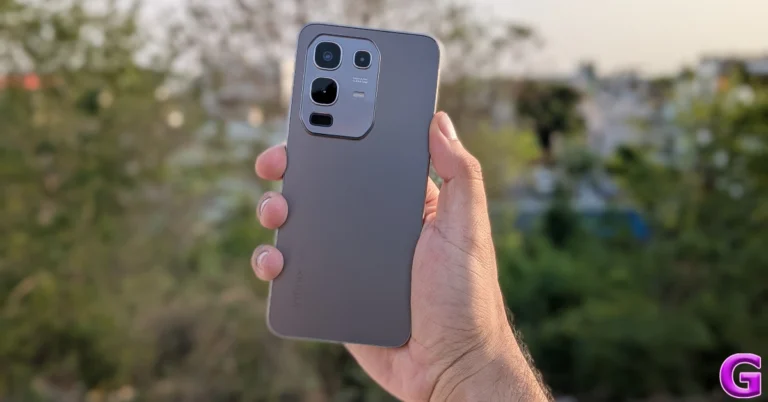
Infinix Note 50x 5G+ Review: Design and Display
Here’s what you get inside Infinix Note 50x 5G+’s retail box:- Smartphone
- 45W power adapter
- USB Type-A to Type-C cable
- Opaque silicone case
- SIM ejector
- Carlcare S-VIP Card
- User manual
- Warranty information booklet
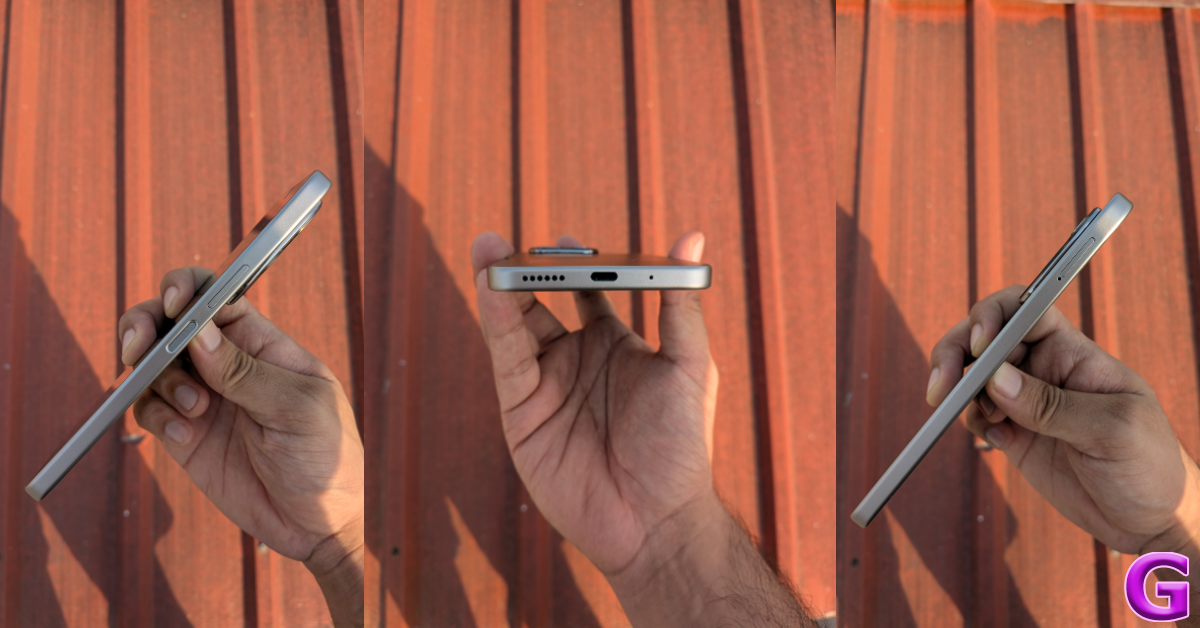
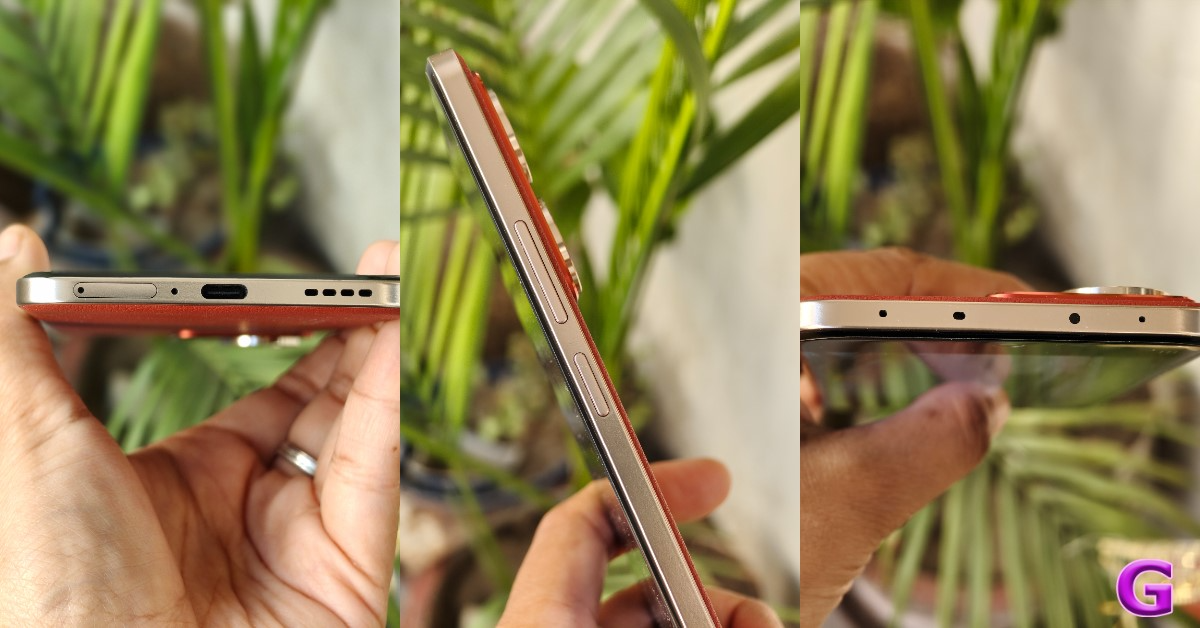
 The plastic frame houses the volume rocker keys and the power button on its right edge. The primary microphone, USB Type-C slot, and primary speaker grille are placed at the bottom. On the left lies the hybrid SIM and microSD card tray. Up top lies the secondary speaker. The upper bezel houses the front flash.
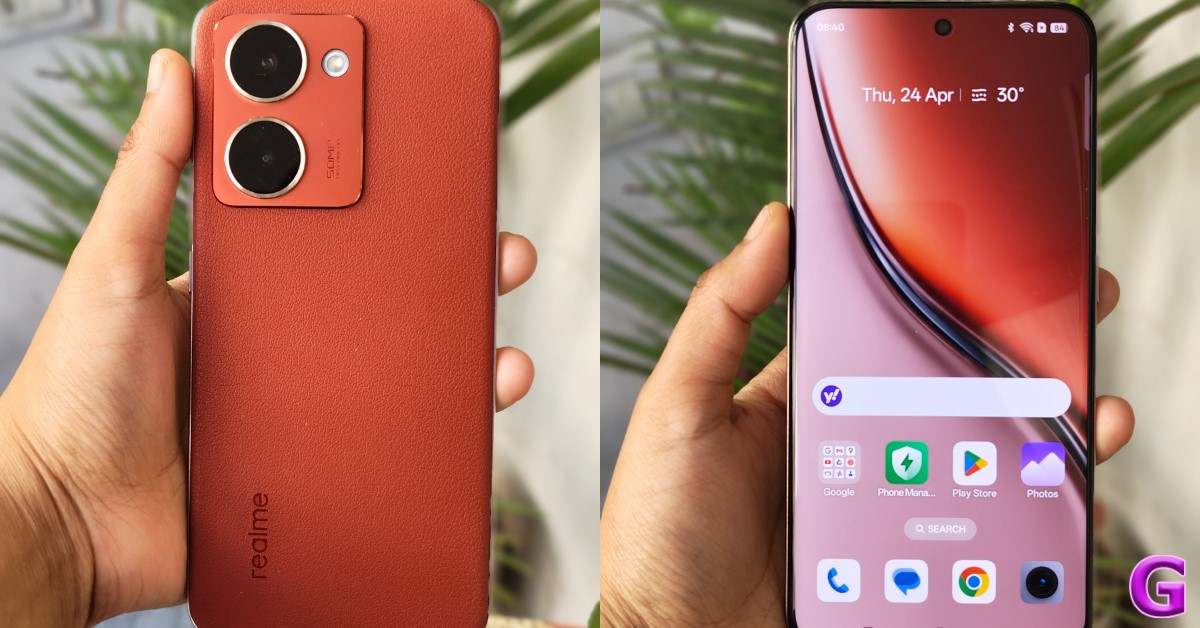
 Moving on, the 6.67-inch IPS LCD panel has a 120Hz refresh rate and 500 nits of typical brightness. Surrounding the LCD are slim bezels that get considerably thicker around the chin. The chunky chin bezel is the only giveaway of the smartphone’s price point. The IPS LCD panel has a good response rate and offers a decent browsing experience. However, its limited brightness struggles to overcome the surrounding light in outdoor conditions. On a brighter note, the side-mounted fingerprint scanner is snappy and works light a charm.
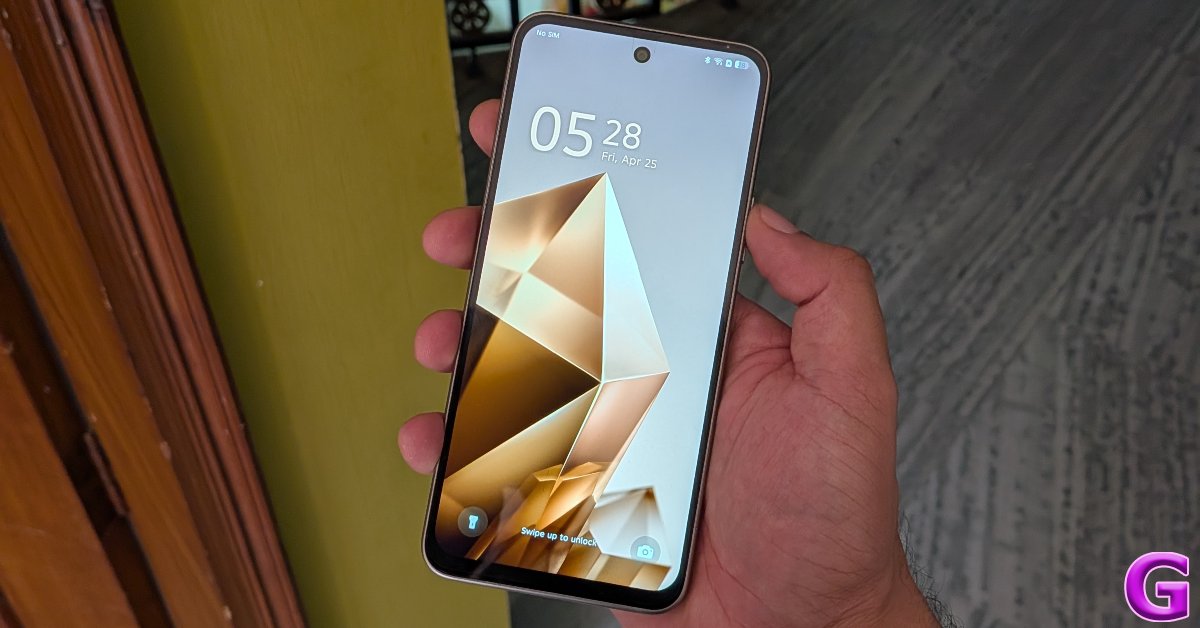 The LCD panel has a 720 x 1,600p resolution, which is a downgrade from the FHD displays in this category. It is the biggest tradeoff that Infinix has made to keep the price of the device in check. Our viewing experience on the smartphone was decent, but not up to the standards set by other smartphones in this category. The shift in image quality and colour richness is instantly apparent if you’re used to an AMOLED display. The viewing angles are limited, but don’t amount to a problem. The audio output produced by the dual speakers is boxy and soft, which puts a seal on the mediocre viewing experience.
Infinix Note 50x 5G+ Review: Display and Performance
The Infinix Note 50x 5G+ is powered by the MediaTek Dimensity 7300 Ultimate chipset. It is available with a fixed 128GB storage (UFS 2.2) and 2 RAM (LPDDR4X) options: 6GB RAM: Rs 11,499 8GB RAM: Rs 12,999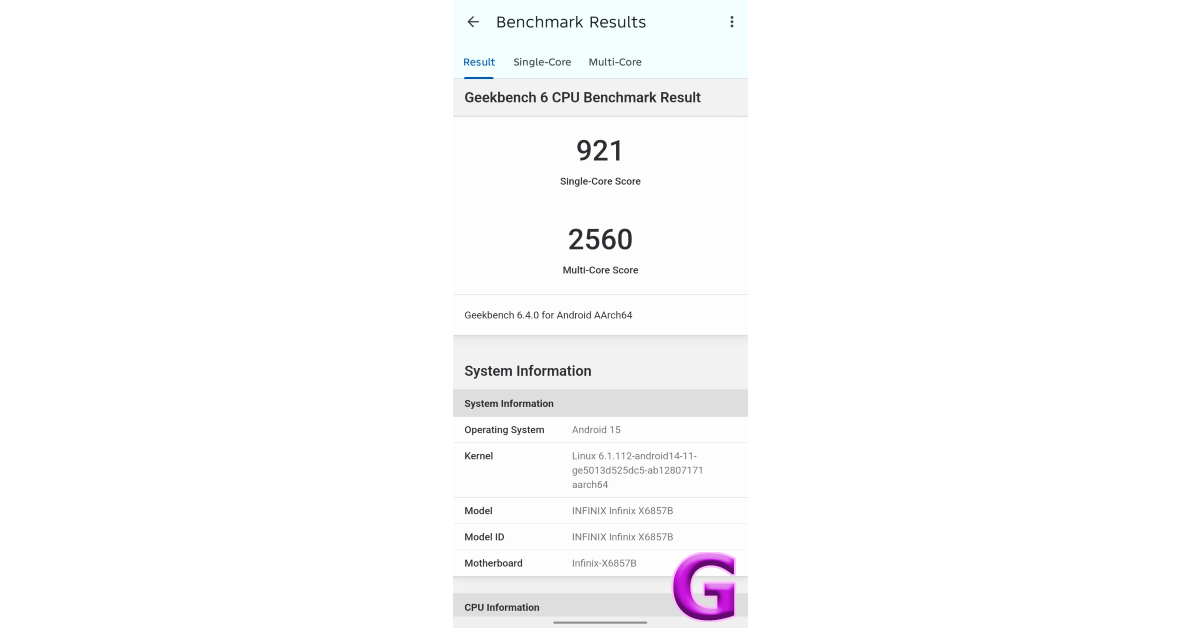 On the Geekbench 6 app, the smartphone scored 921 points in the single-core test and 2,560 points in the multi-core test. These strong benchmark numbers are reflected in everyday use. The Note 50x crushes routine tasks like calling, texting, social media and web browsing, media streaming, navigation, and more. Multitasking is not a hassle, as the device does a good job of juggling up to half a dozen apps without breaking a sweat. Apps take fractionally longer to load, largely due to the storage configuration of the phone. The haptic motor is a little blunt but doesn’t prove to be an annoyance.
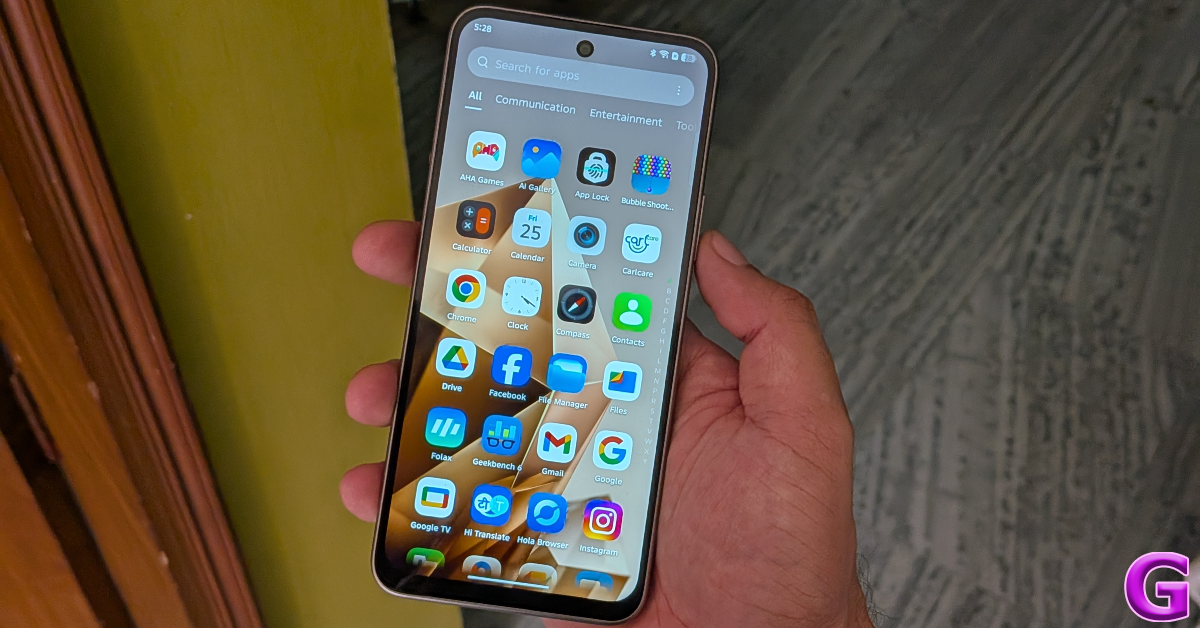 When it comes to gaming, the Infinix Note 50x puts up a respectable display. We played titles like Call of Duty Mobile and Free Fire Max on medium graphics and 60fps frame rate, and were treated to a lag-free gaming experience. Pushing the graphics to the highest setting produced the odd stutter. The plastic back panel started warming up after 20 minutes of continuous gameplay. There is a handy bypass charging feature to keep the internal temperature in check while gaming and charging the phone simultaneously.
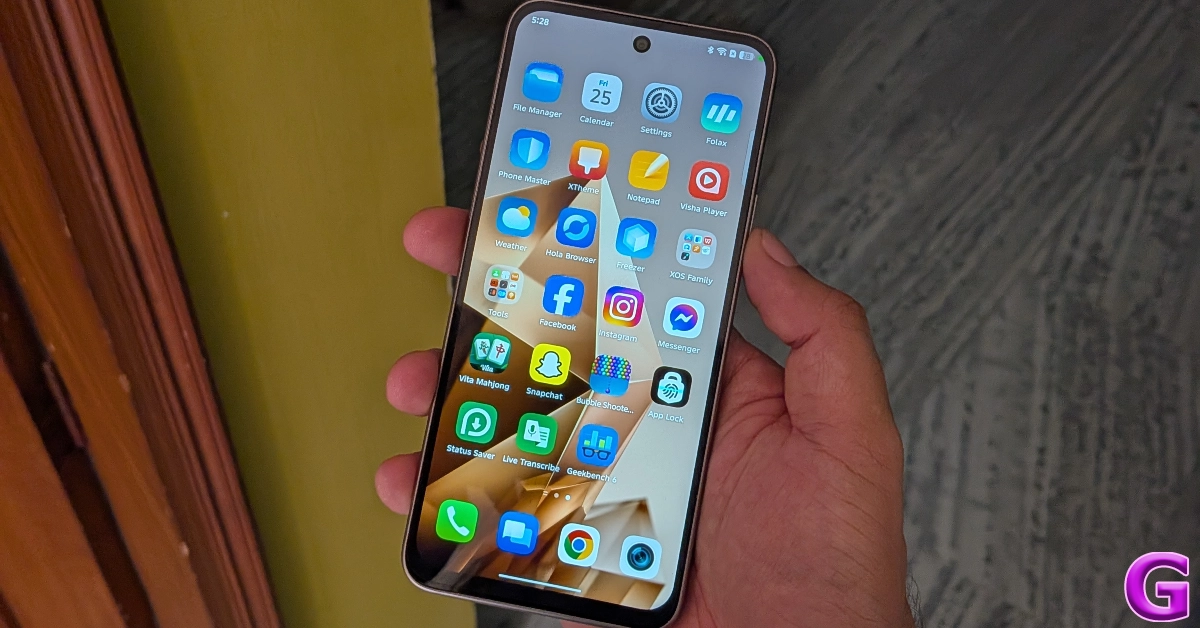
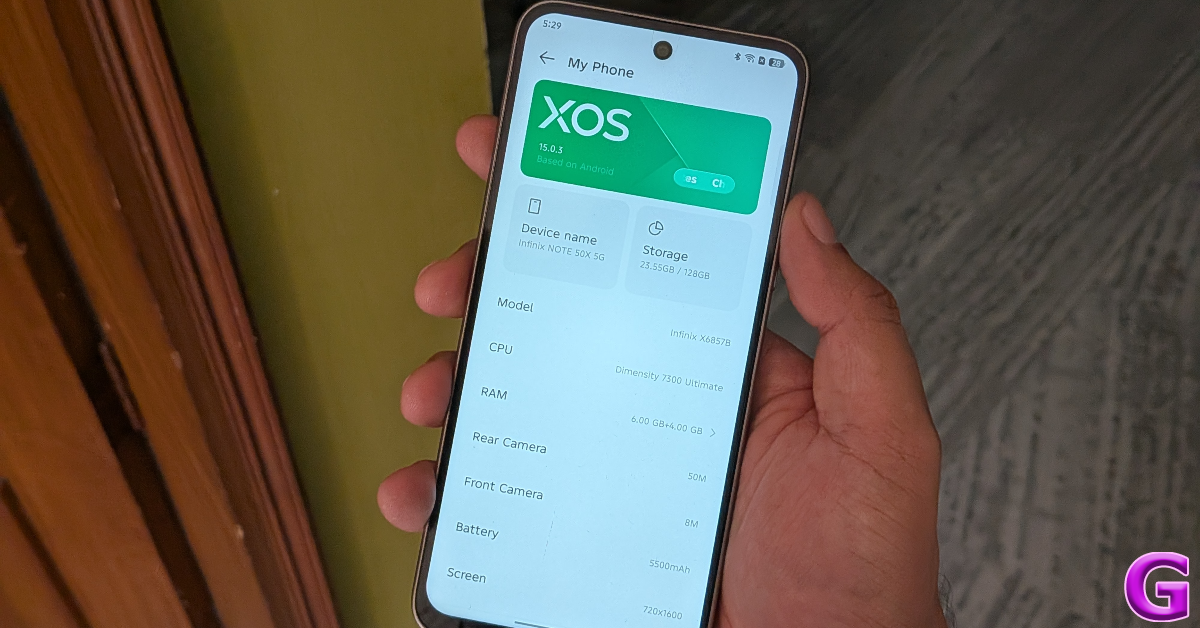 Infinix has given its custom OS skin a massive facelift. The Android 15-based XOS 15 looks nothing like its predecessor. The OS takes heavy inspiration from Xiaomi’s HyperOS 2. This is reflected in its lock screen, home page, quick settings menu, and app drawer. The animations are very smooth and greatly elevate the browsing experience. Infinix has promised 2 major OS upgrades and 3 years of security patches for the Note 50x 5G+.
 The Infinix Note 50x 5G+ has the most comprehensive AI packages we’ve seen on a budget smartphone. However, most of these features are either gimmicks or very far from the finished product. For instance, the AIGC Portrait in the Camera app aims to create AI portraits based on your pictures, but the final results look like they’ve been badly photoshopped. The AI Note tool in the Notes app generates sketches, comics, and artsy pictures from basic doodles, but the images are way off mark. On the bright side, features like Call Assistant, Circle to Search, Writing Assistant, and AI Wallpaper Generator work quite well.
The 5,500mAh battery pack offers a standard 1-day battery life on this smartphone. During the review period, our daily tasks on the Infinix Note 50x 5G+ consisted of video calling, instant messaging, media streaming, and gaming. After racking up 5-6 hours of screen time, we were left with ~20% at the end of each day. With 45W charging support onboard, it took us 50 minutes to fully charge the smartphone.
The Infinix Note 50x 5G+ has the most comprehensive AI packages we’ve seen on a budget smartphone. However, most of these features are either gimmicks or very far from the finished product. For instance, the AIGC Portrait in the Camera app aims to create AI portraits based on your pictures, but the final results look like they’ve been badly photoshopped. The AI Note tool in the Notes app generates sketches, comics, and artsy pictures from basic doodles, but the images are way off mark. On the bright side, features like Call Assistant, Circle to Search, Writing Assistant, and AI Wallpaper Generator work quite well.
The 5,500mAh battery pack offers a standard 1-day battery life on this smartphone. During the review period, our daily tasks on the Infinix Note 50x 5G+ consisted of video calling, instant messaging, media streaming, and gaming. After racking up 5-6 hours of screen time, we were left with ~20% at the end of each day. With 45W charging support onboard, it took us 50 minutes to fully charge the smartphone.
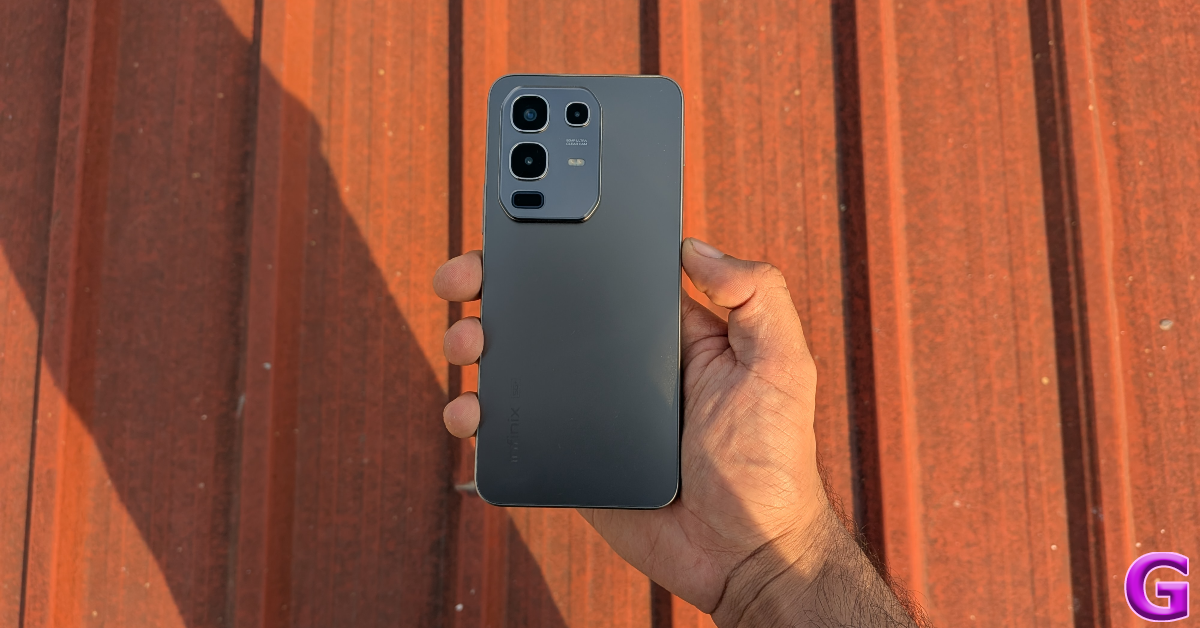
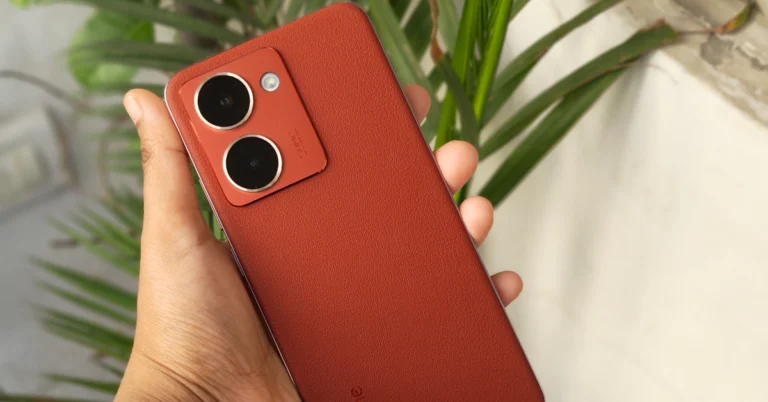
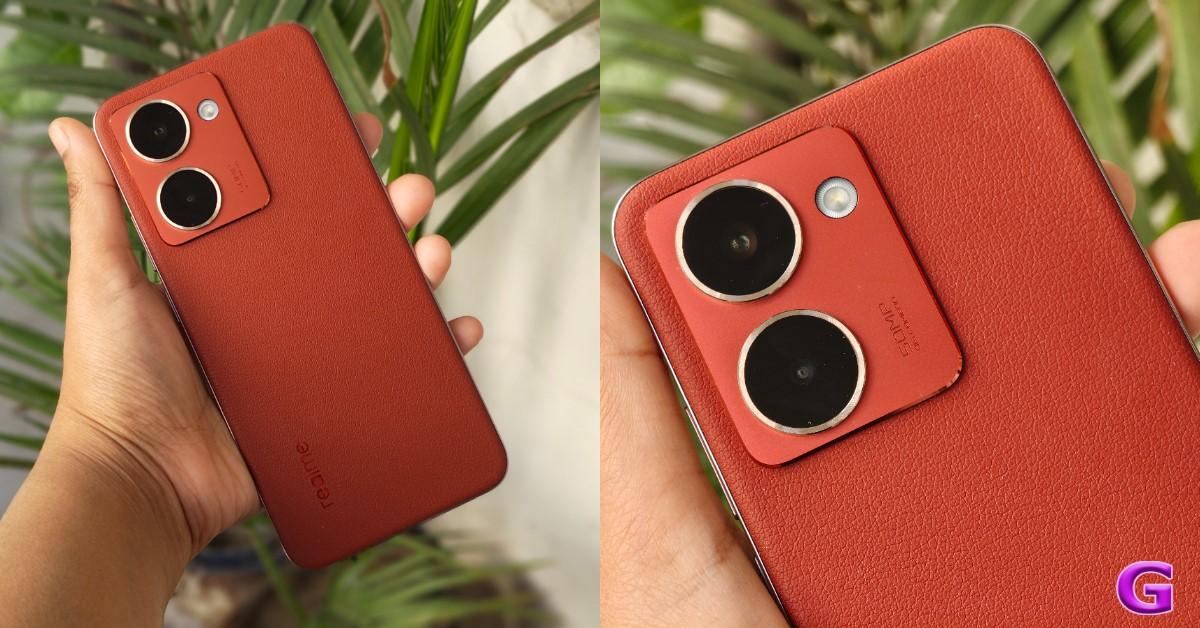
 Infinix Note 50x’s rear camera panel rocks a 50MP primary shooter and a dual-LED flash. The punch-hole cutout on the display houses an 8MP front-facing camera. The front flash is placed on the upper bezel.

 The 50MP primary shooter takes decent pictures in outdoor daylight conditions. The camera does a good job of capturing the essential details and processing the colours naturally. The images appear a bit overexposed, but that’s something to be expected from the smartphones in this price segment. In limited lighting conditions, the images taken by this sensor are soft and noisy. The Night Mode does a good job of limiting the noise and brightening the subject.



Verdict
The Infinix Note 50x 5G+ is very close to the perfect package in its price bracket. It packs a powerful processor and backs up its performance with a good battery life. The new XOS 15 is light, snappy, and loaded with an exhaustive list of AI features. The 50MP primary shooter puts up a versatile performance in a range of lighting conditions. The construction and design of the smartphone make it hard to believe that it is priced at Rs 11,500. With all of these things going in its favour, the LCD panel sticks out like a sore thumb. While AMOLED panels are still a rarity in this price segment, an upgraded resolution for the display would’ve gone a long way.Pros
- Clean design
- Powerful processor
- Snappy software experience
- AI features
- Good cameras
- Affordable
Cons
- Not the best display in the segment





 Step 3:
 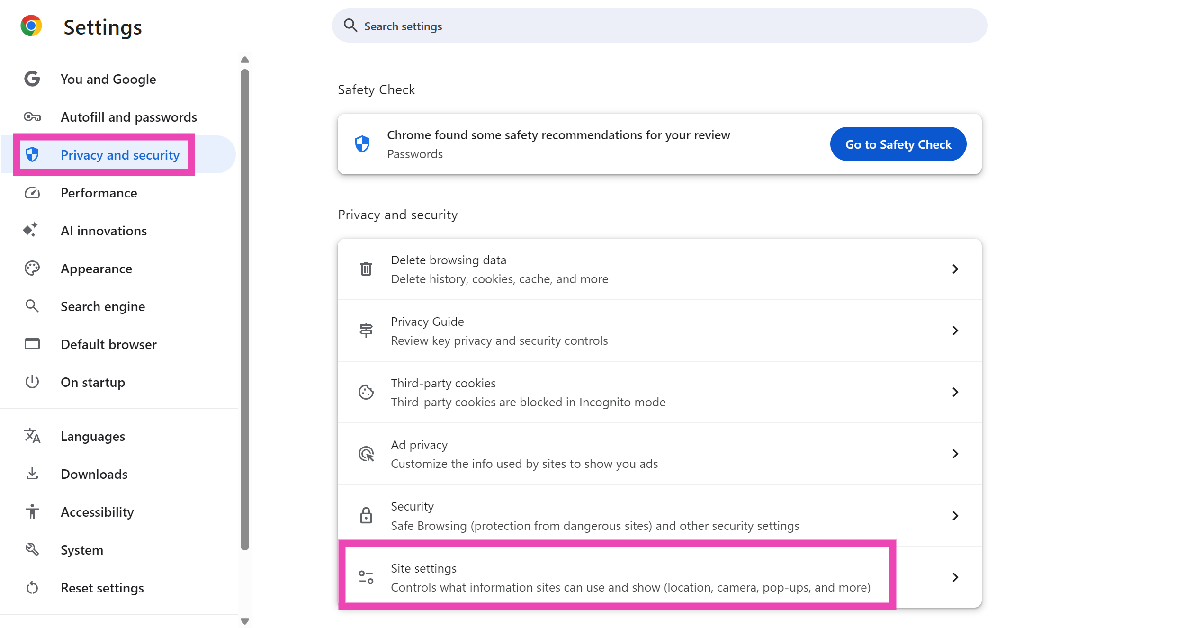 Step 4:
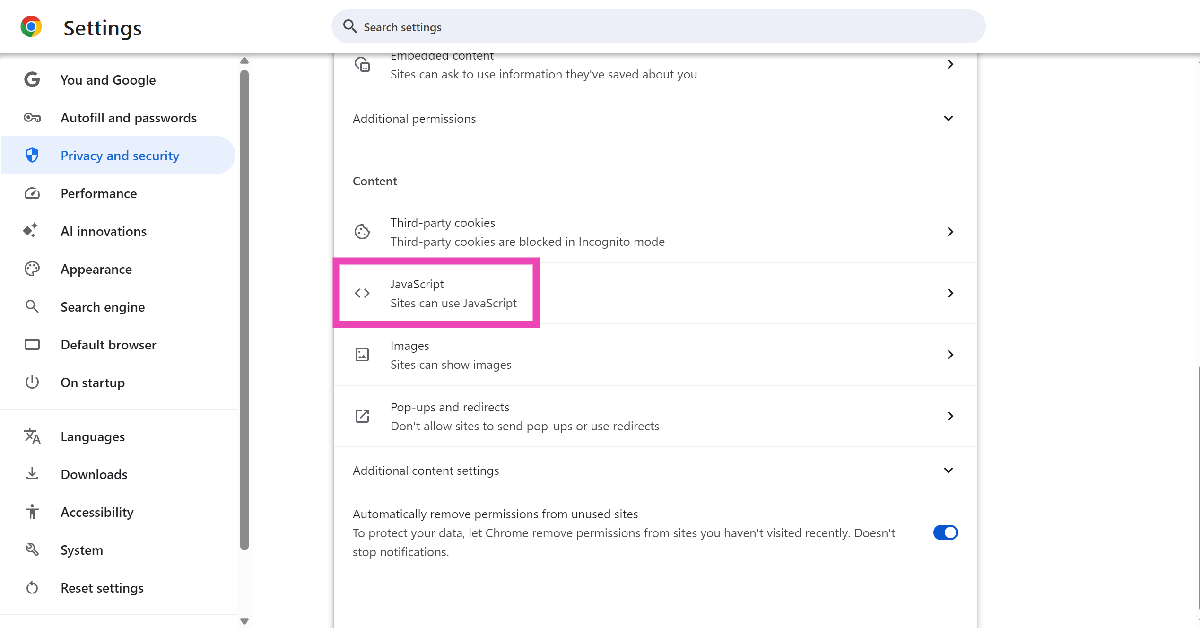 Step 5:
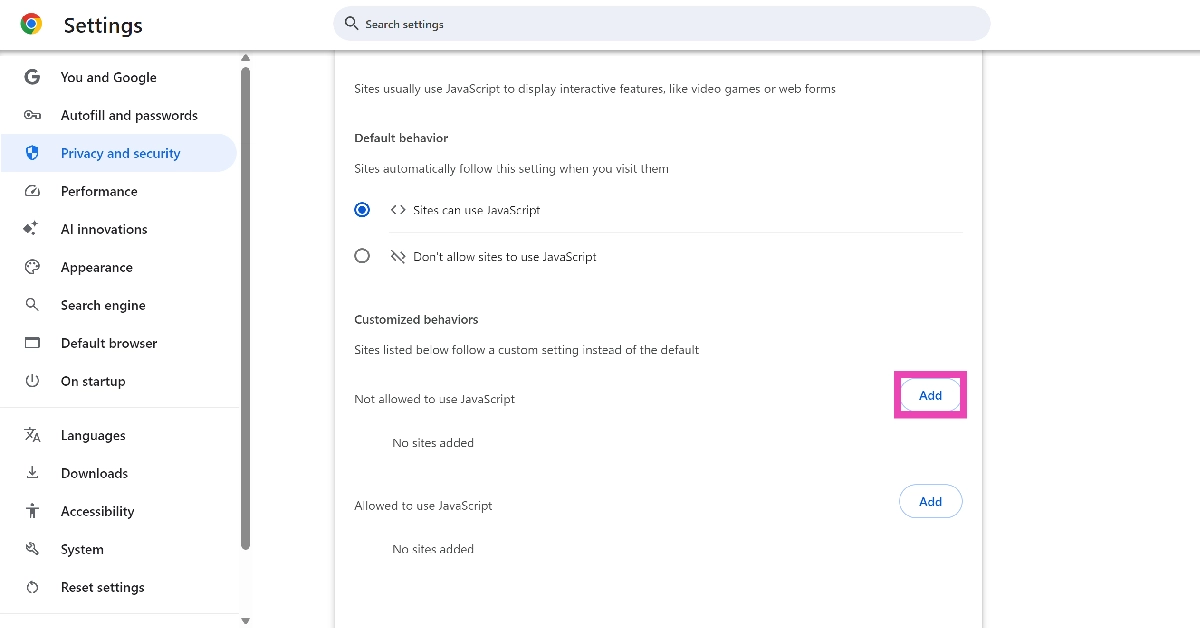 Step 6: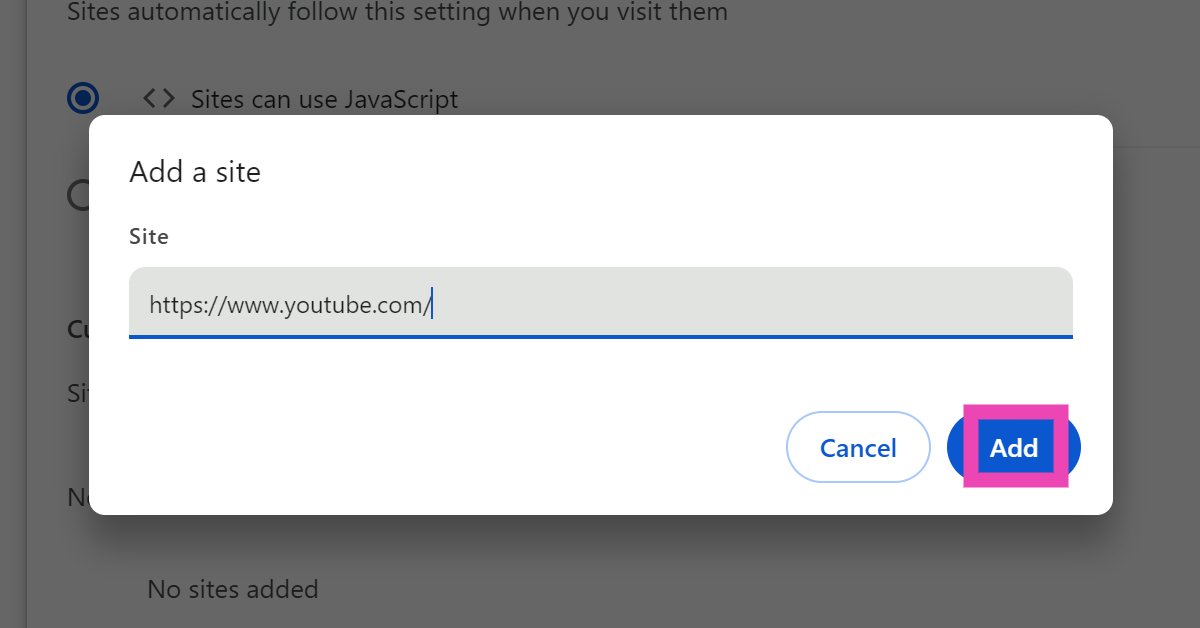
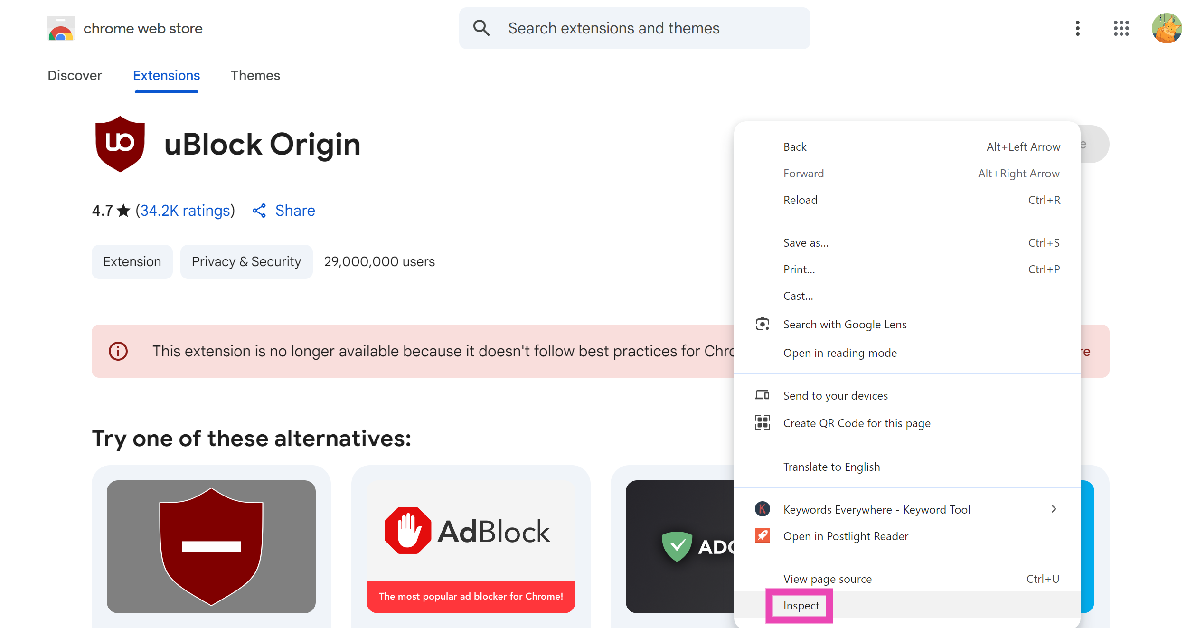 Step 3:
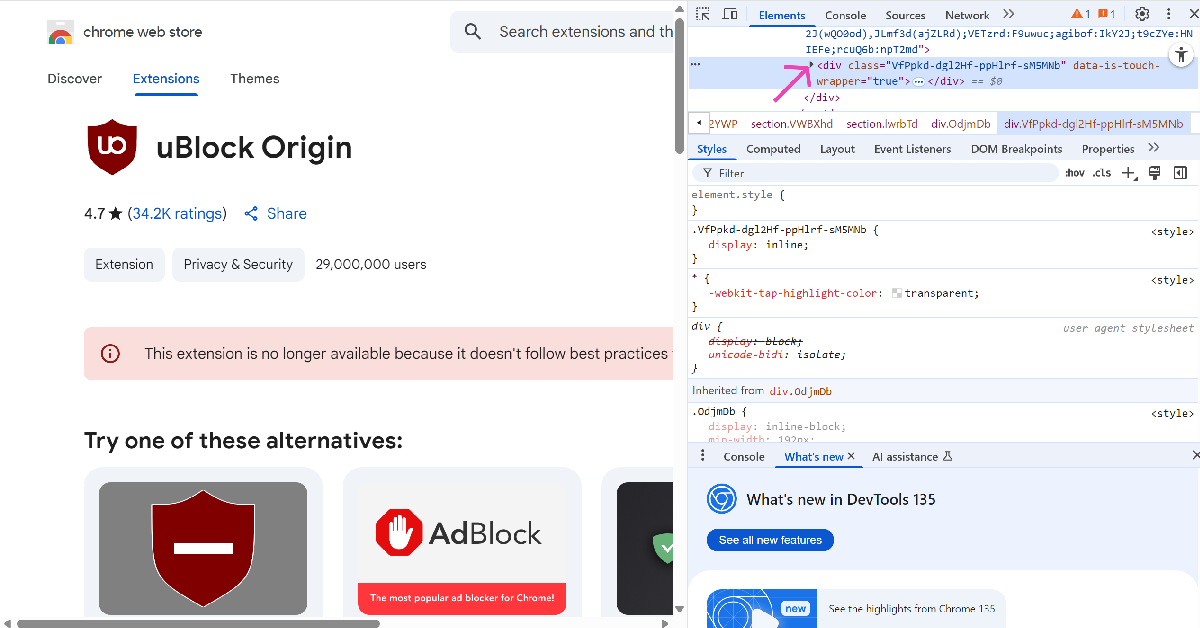 Step 4:
 Step 5: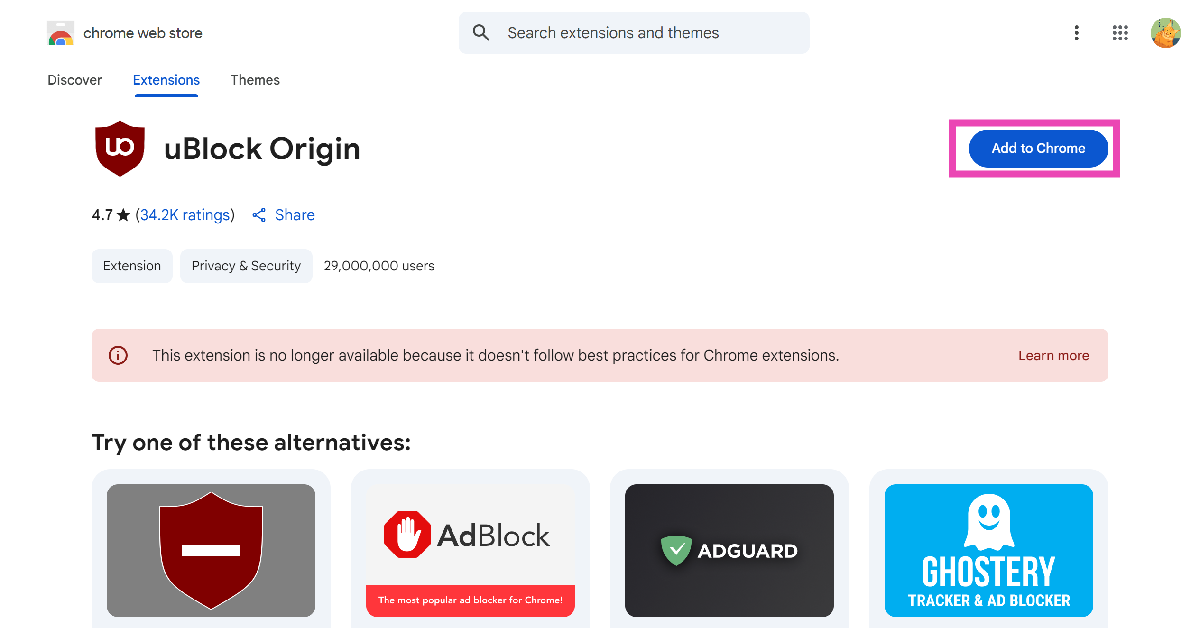
 If you don’t want to jump through hoops presented by the UBlock Origin extension, use RedBlock. It is available on the Chrome Web Store (for now!) and does not require any tweaks to work. Simply hit ‘Add to Chrome’ and start watching your favourite videos! In our testing, we found that the videos took slightly longer to load when the extension was active. However, once the playback started, no time was wasted on buffering and other delays.

















 Step 3: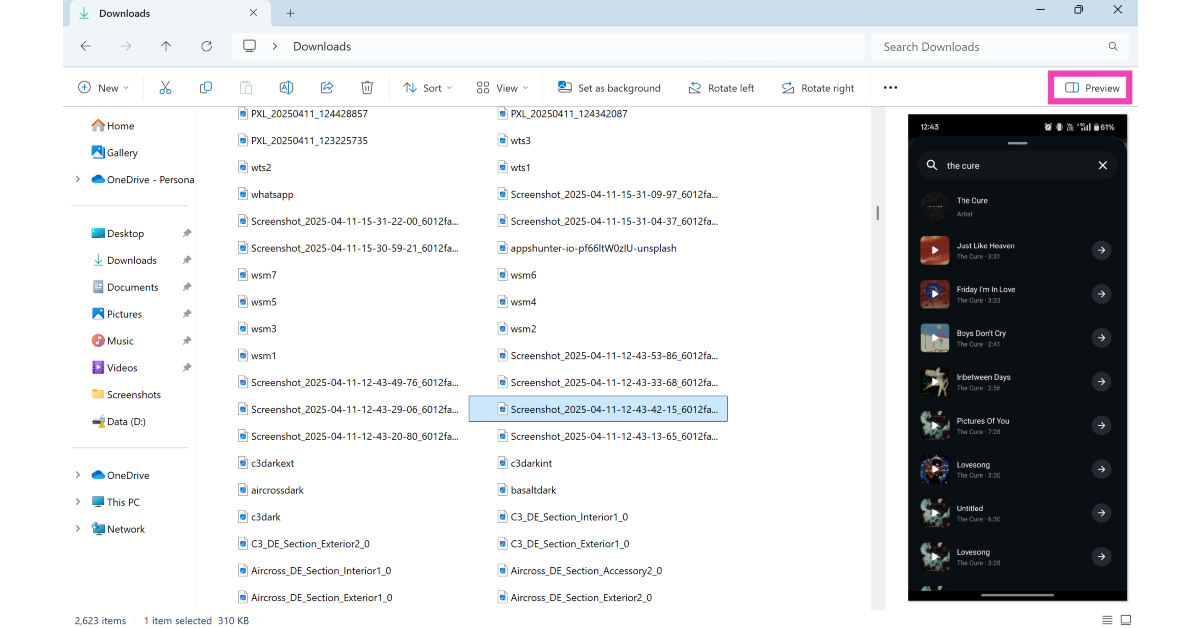
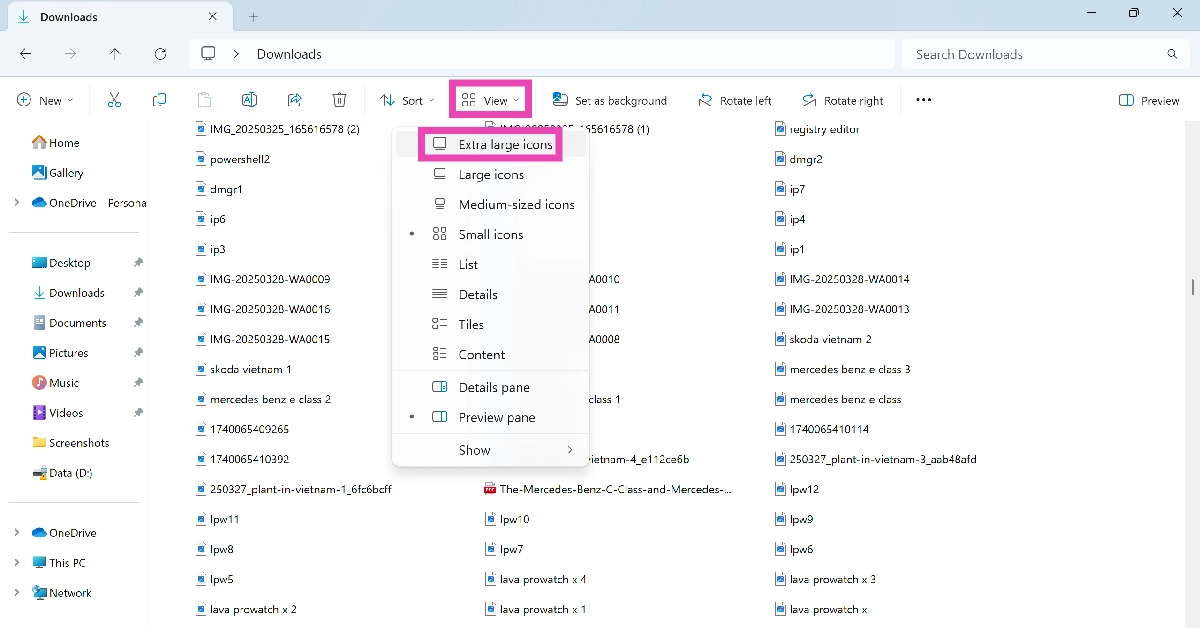 Step 3:
 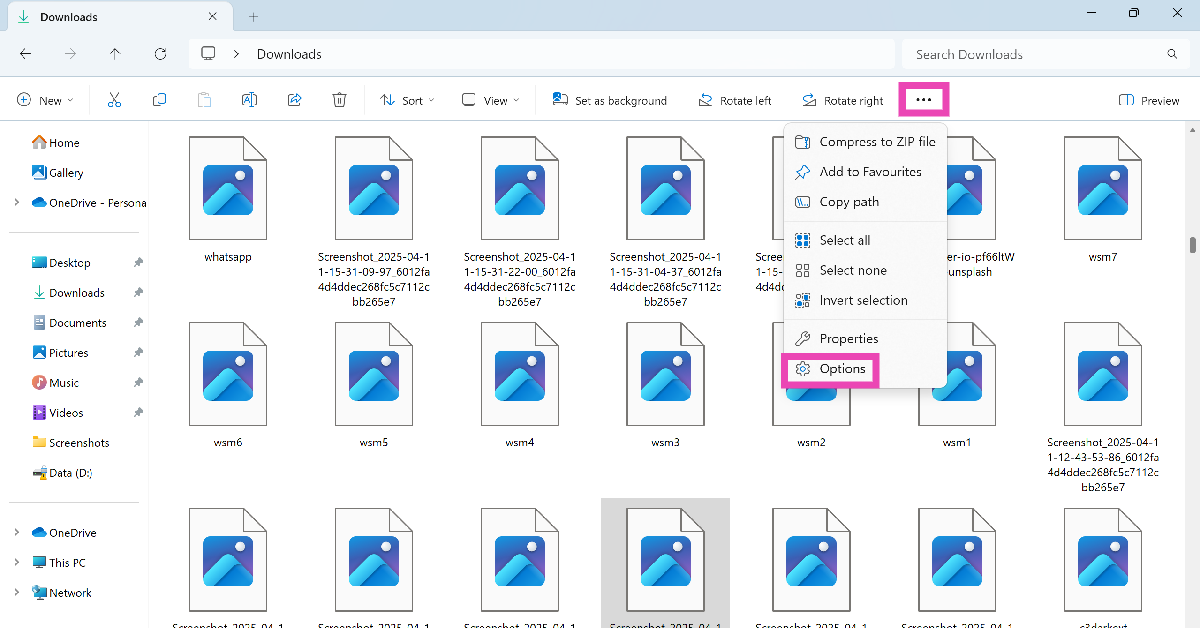 Step 4: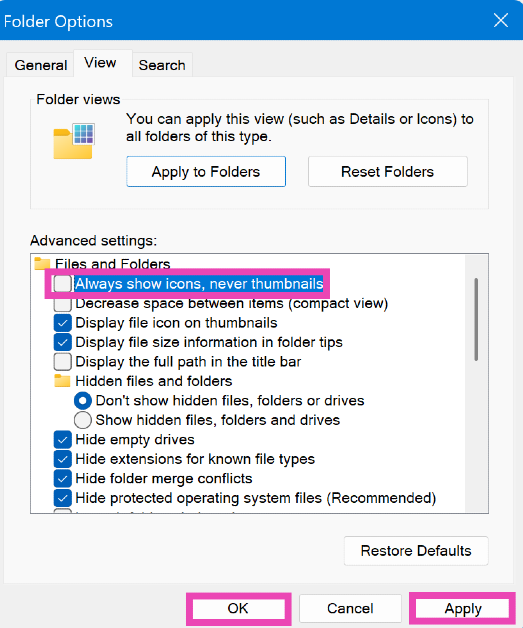
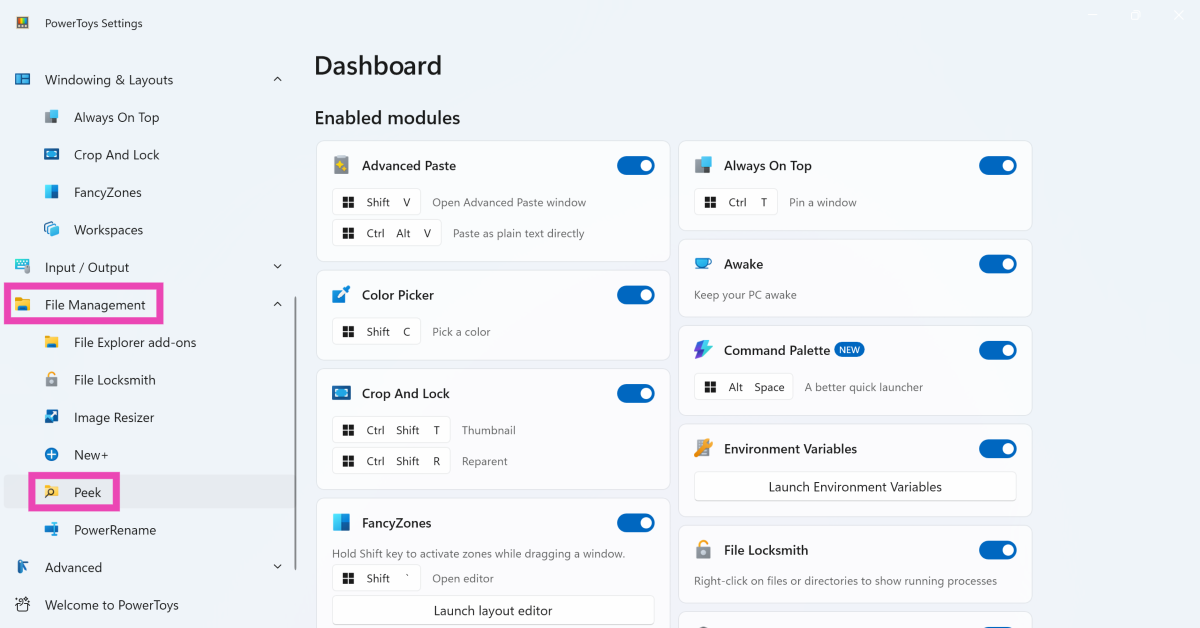 Step 3: Turn on the toggle switch next to Enable Peek.
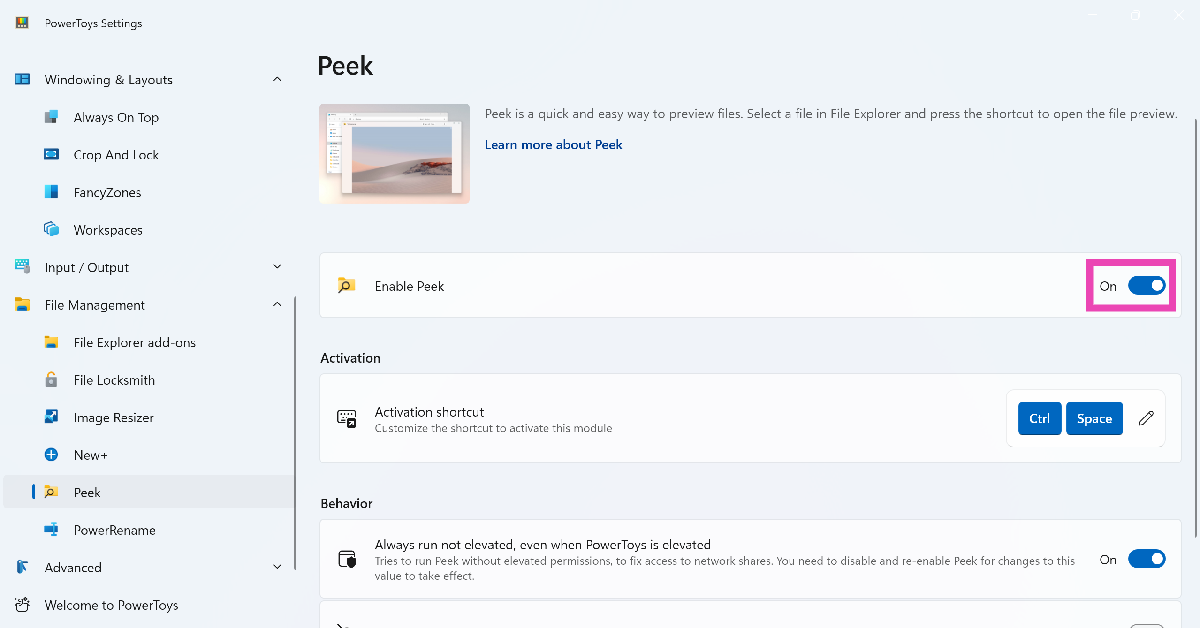 Step 4: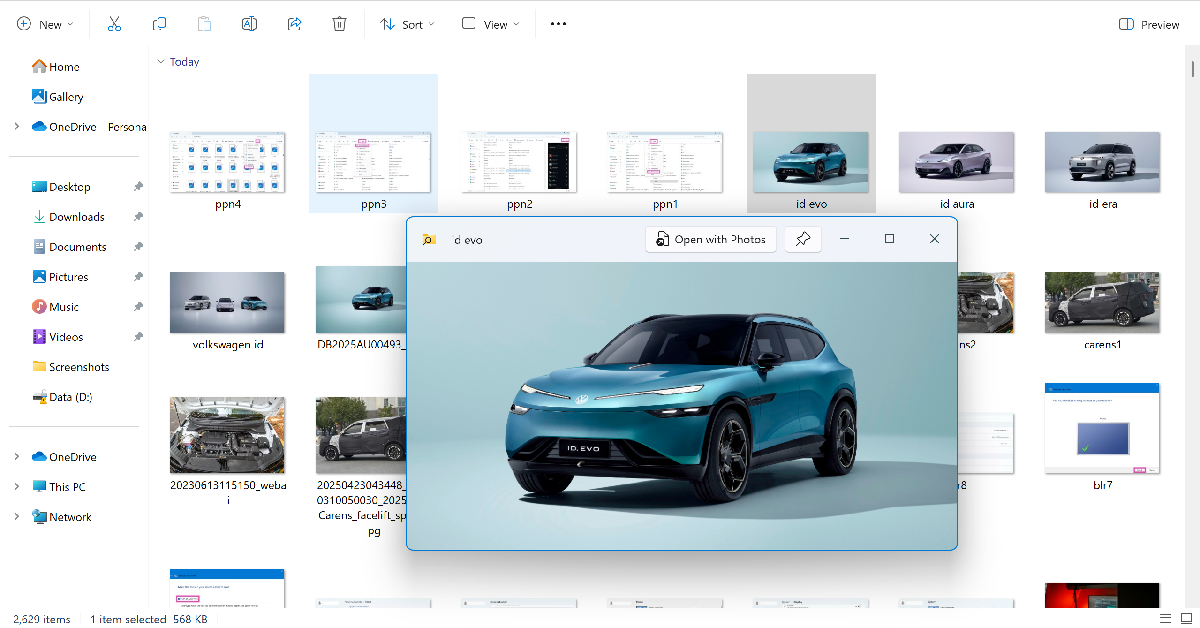
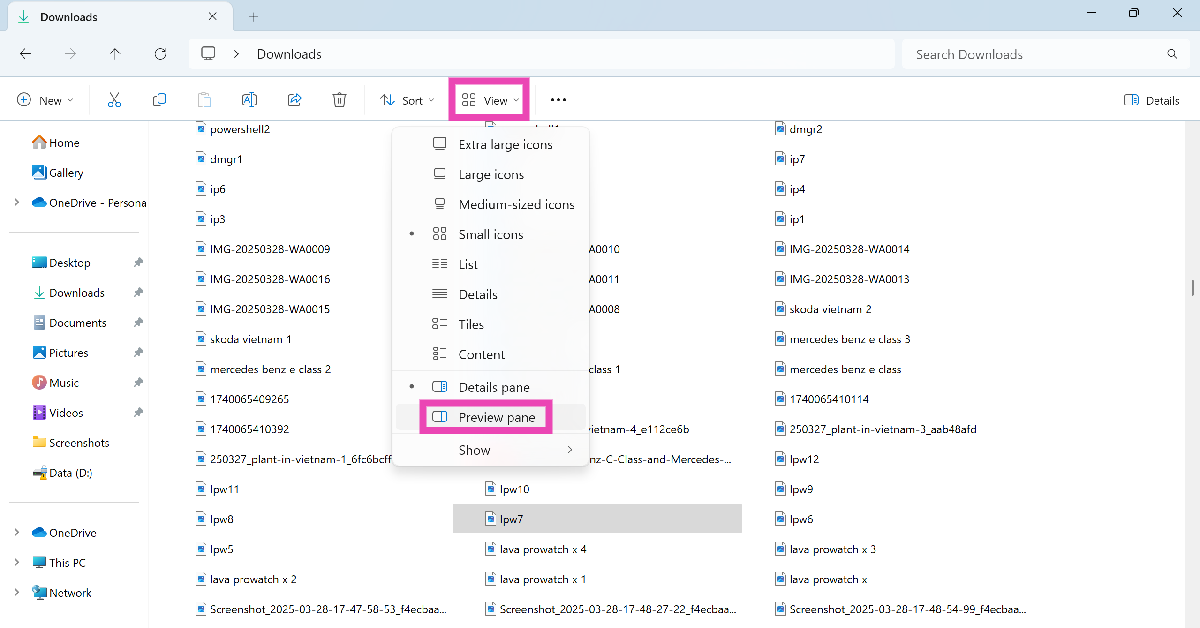
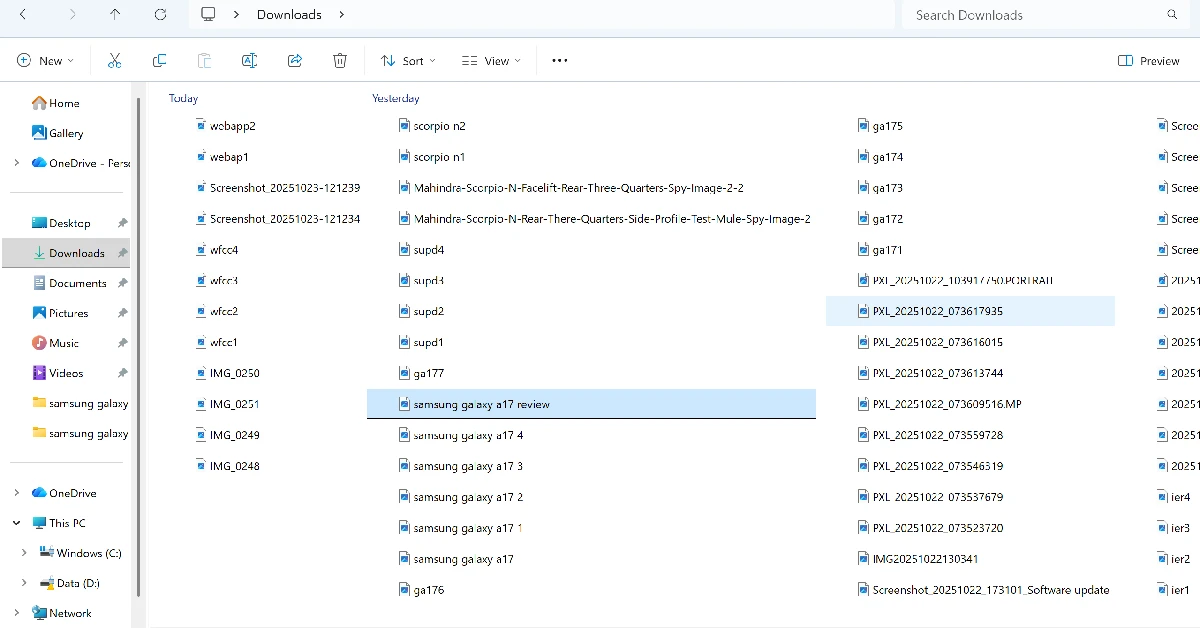 Step 3: Press the spacebar to preview the file in a new window.
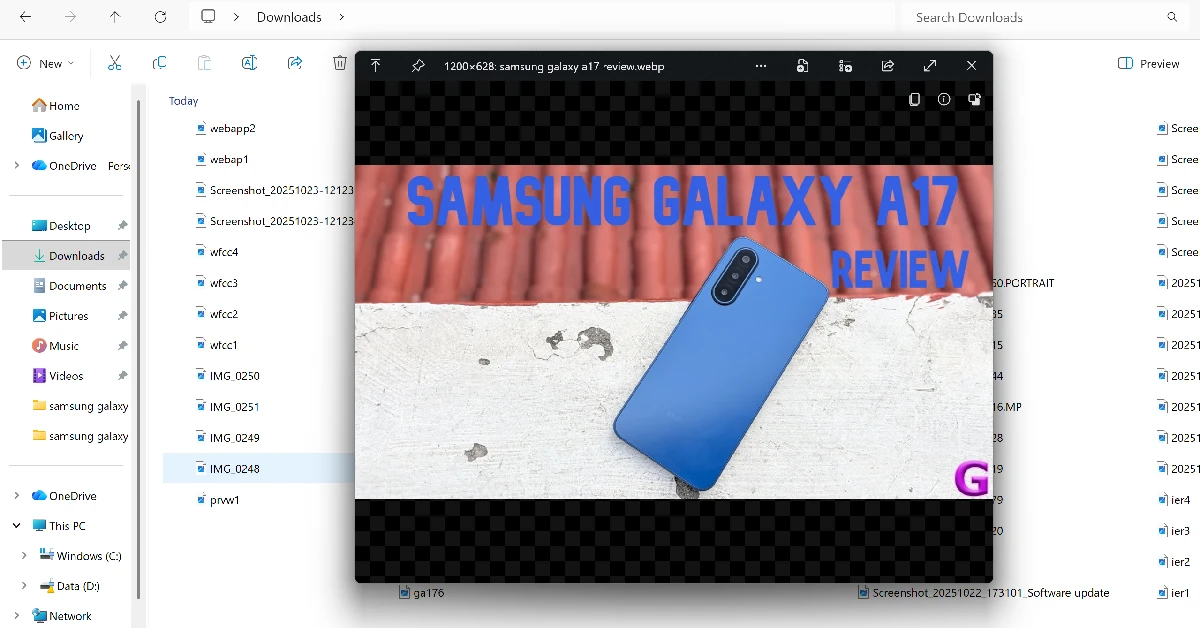
 Step 1: Launch


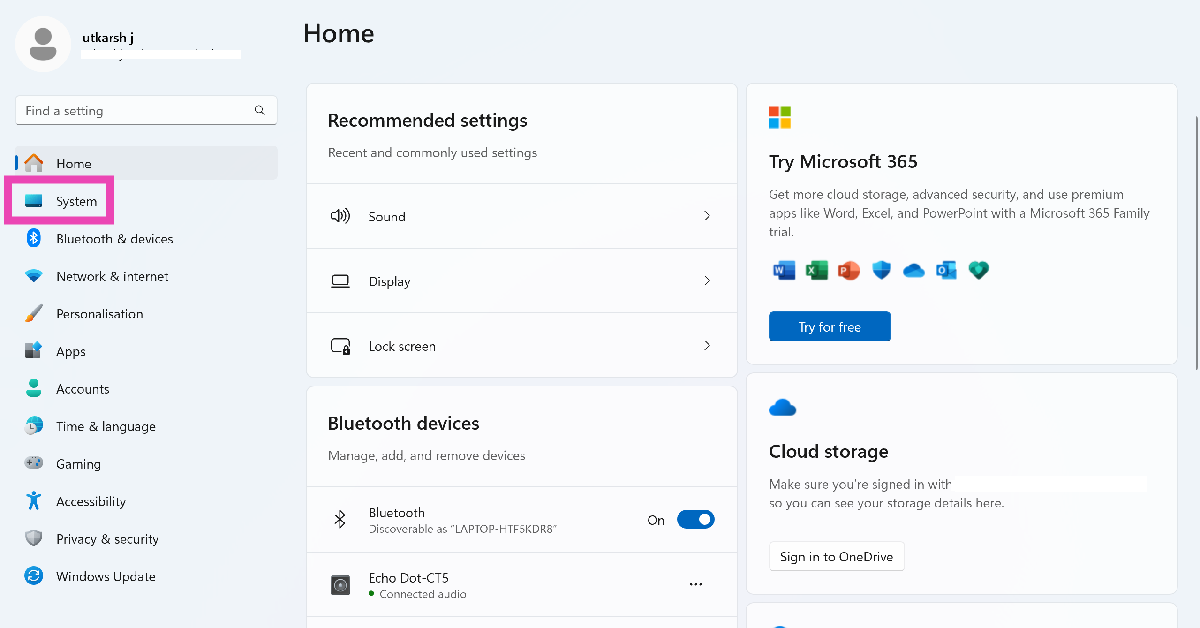 Step 2:
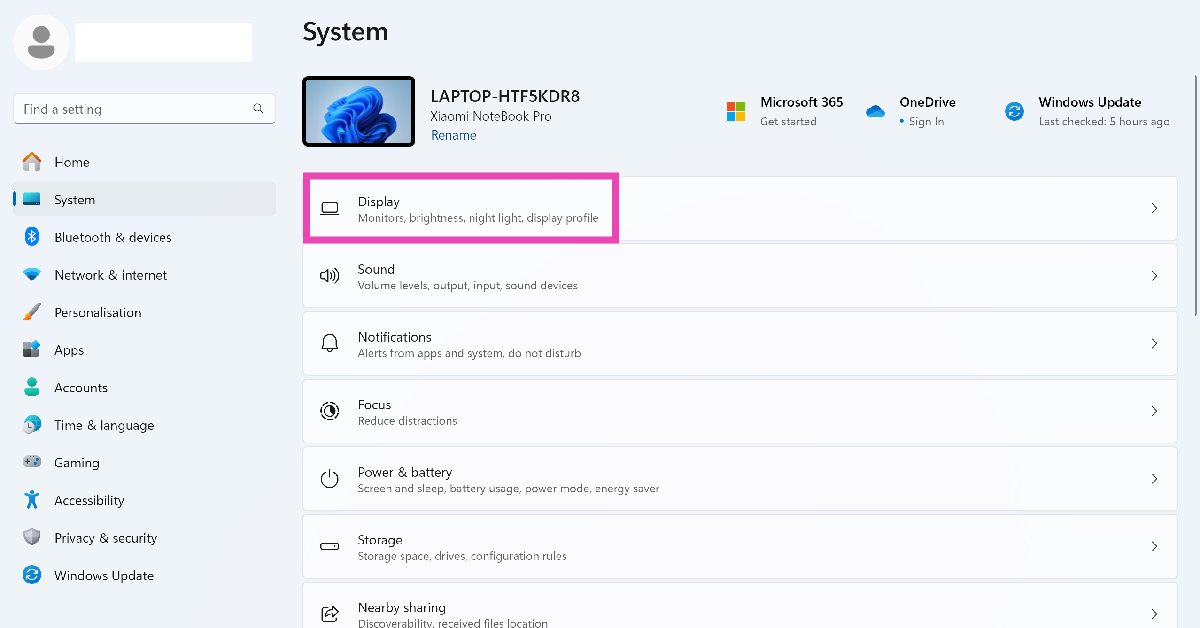 Step 3: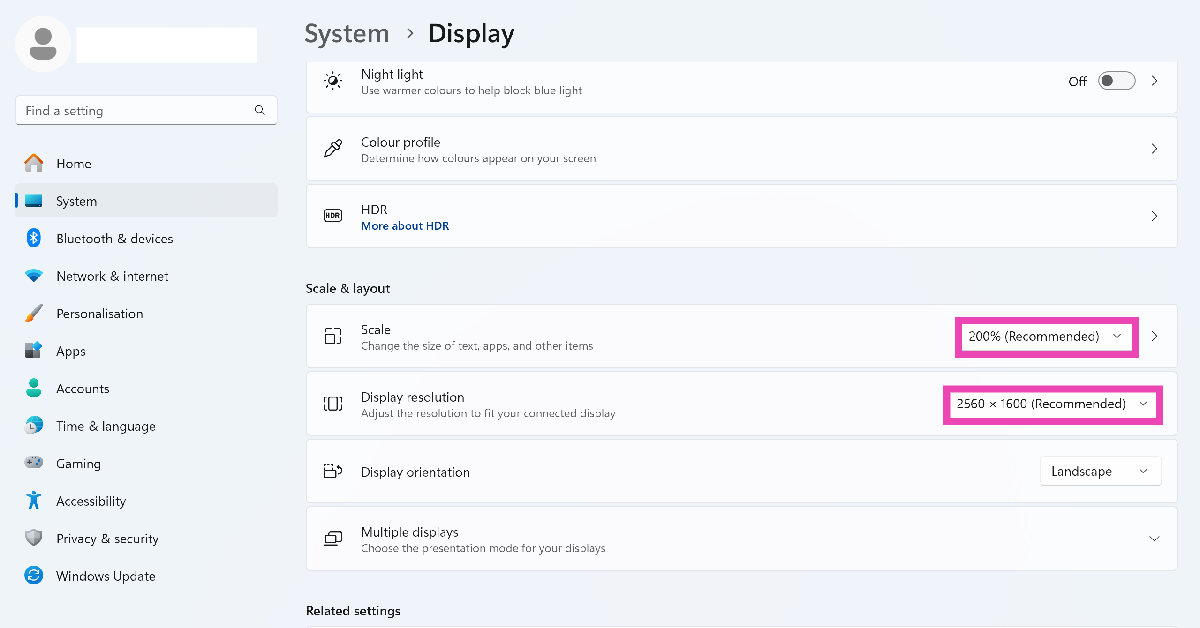
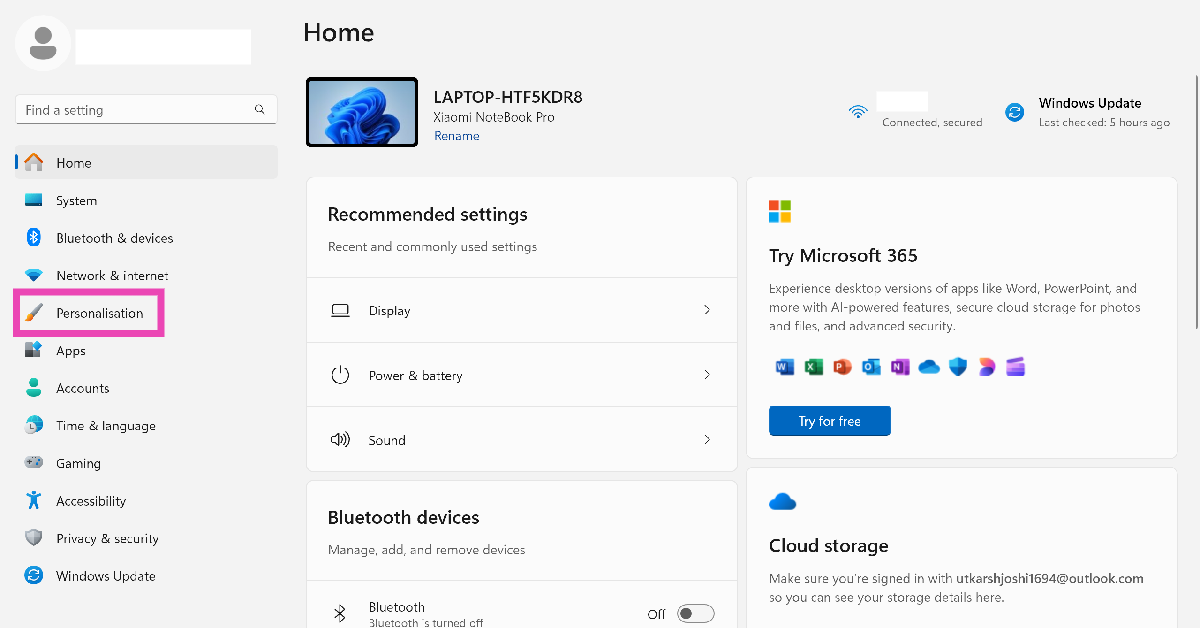 Step 2:
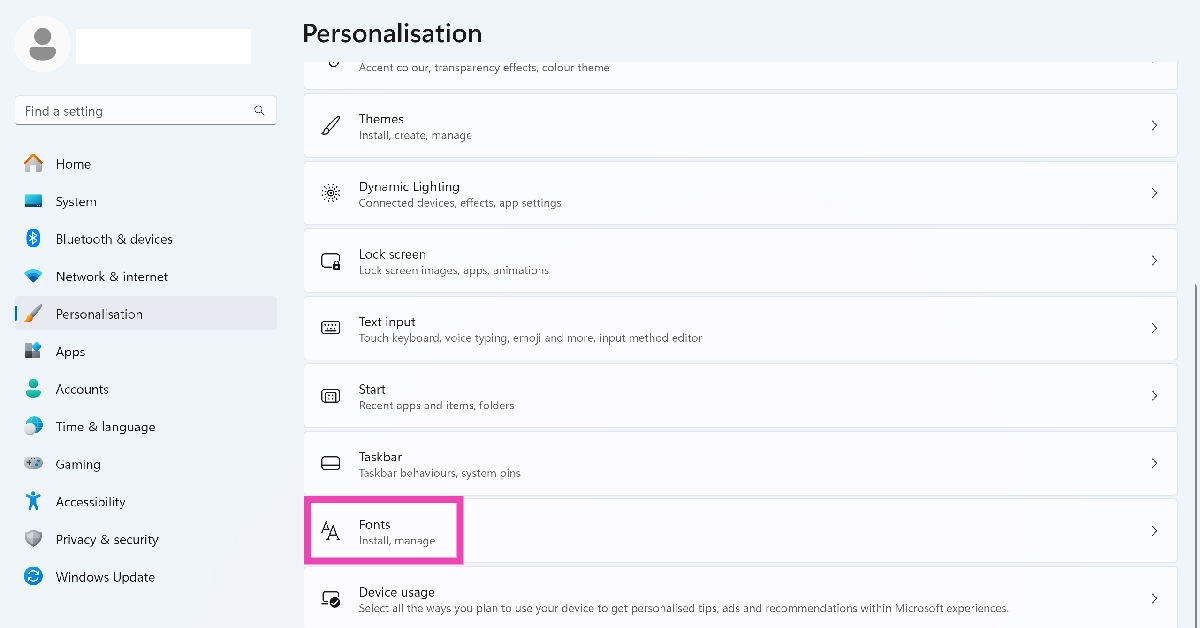 Step 3:
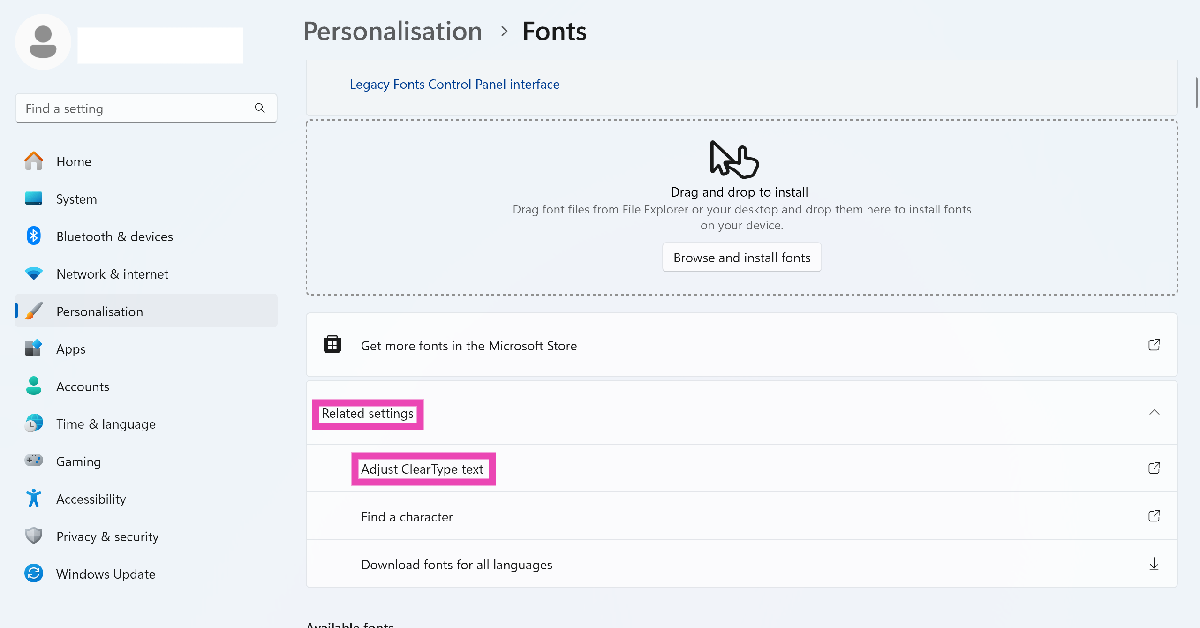 Step 4:
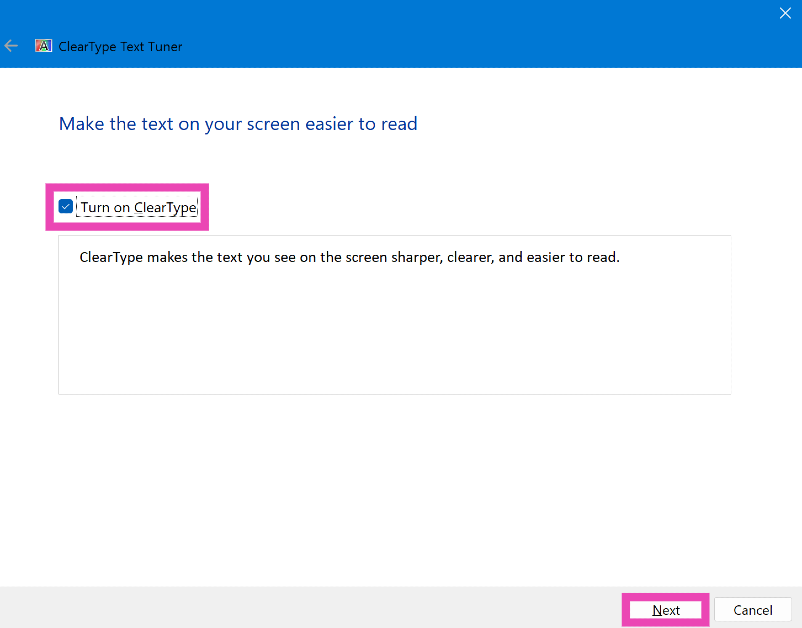 Step 6: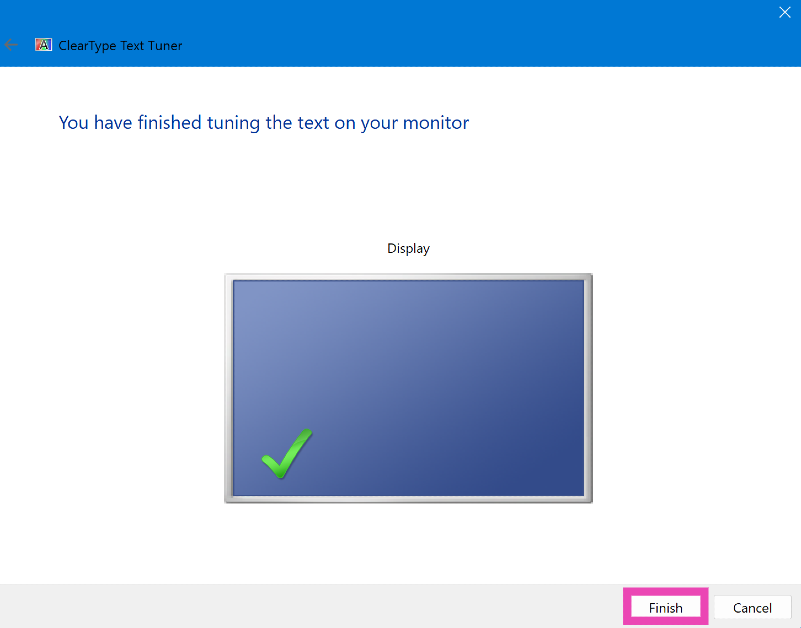
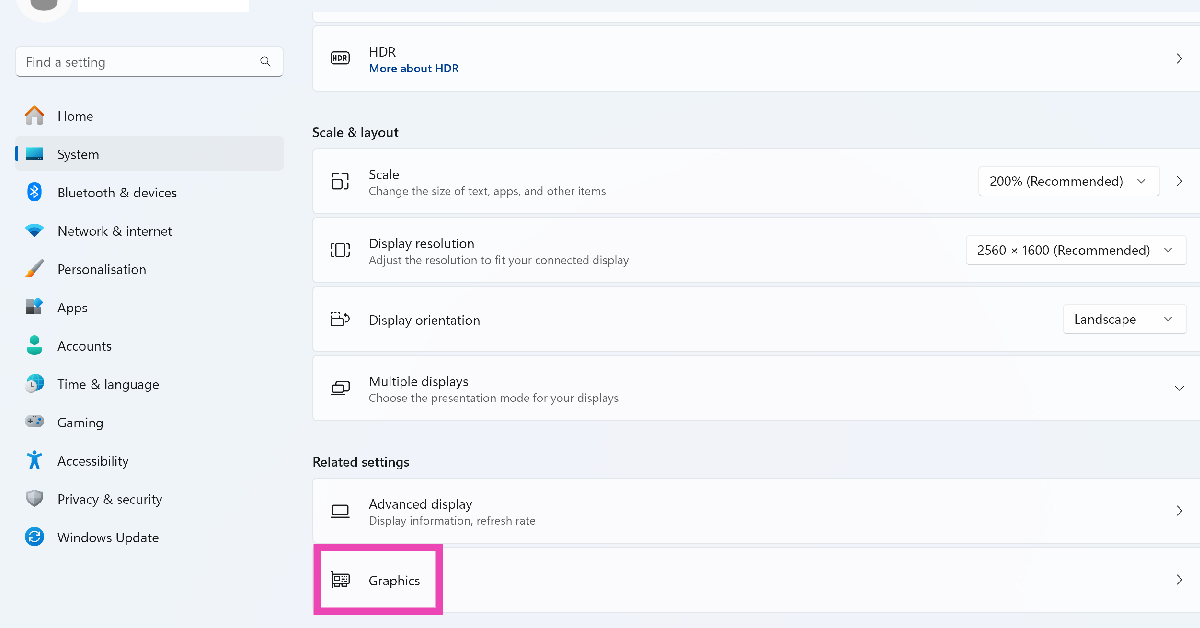 Step 4: Expand
 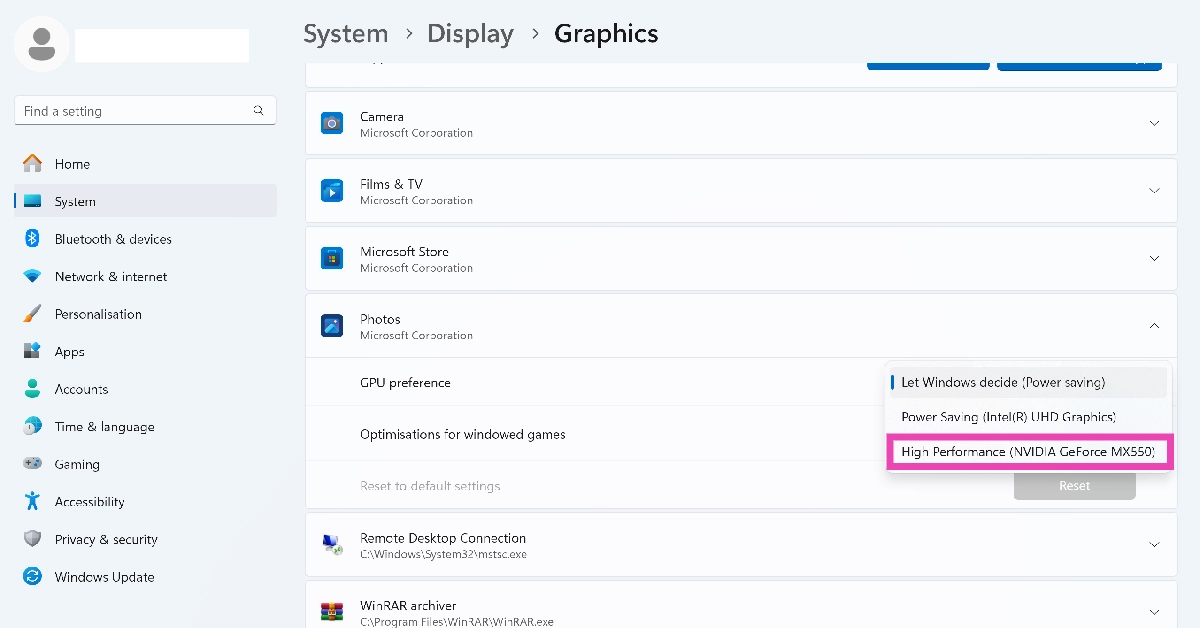 Step 5: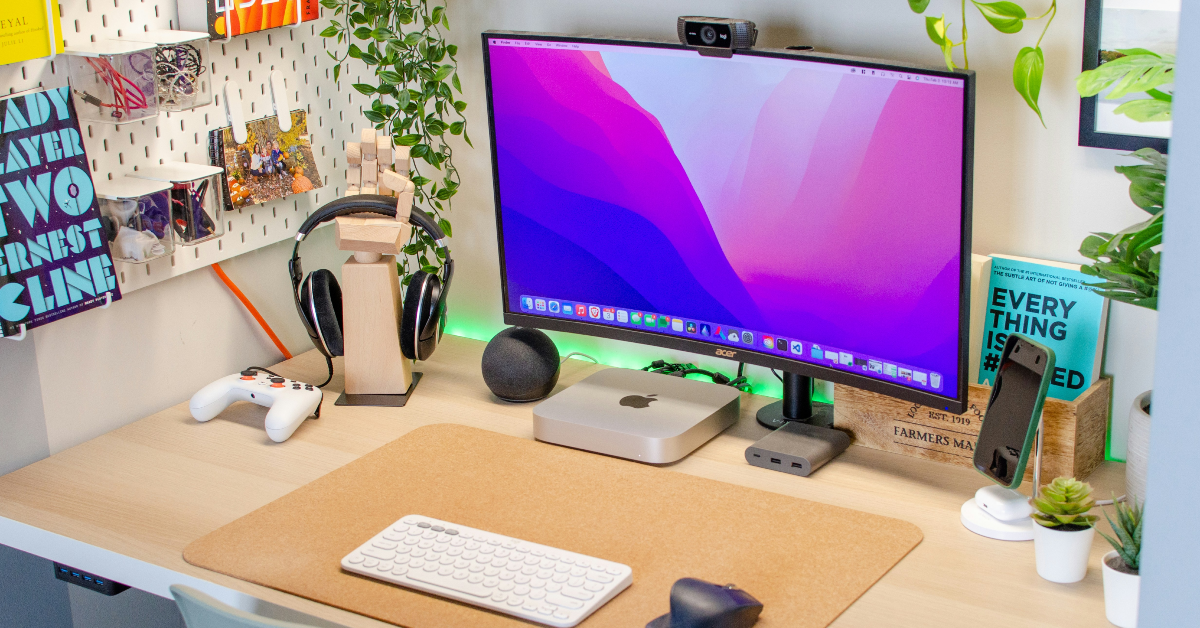
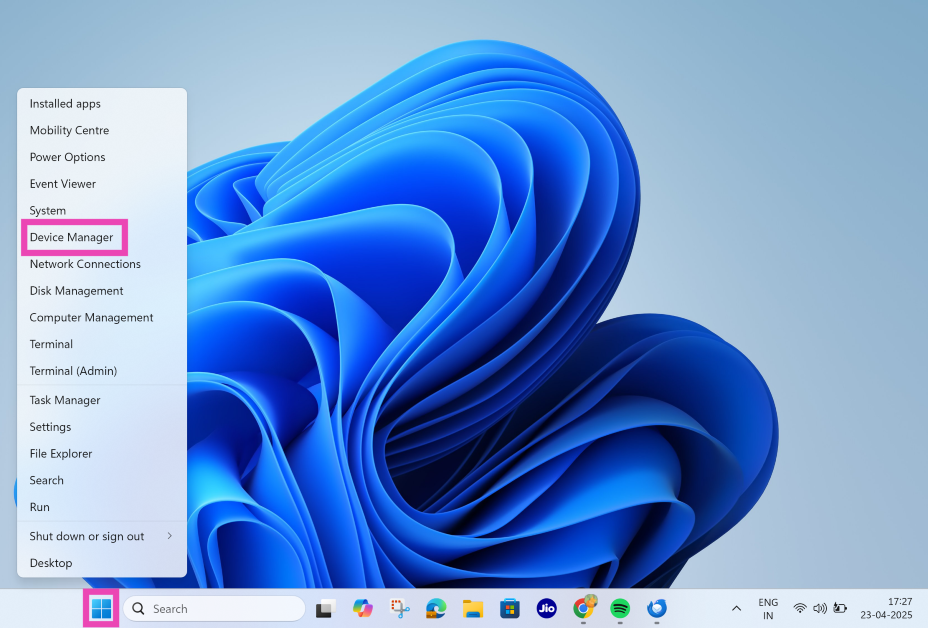 Step 2:
 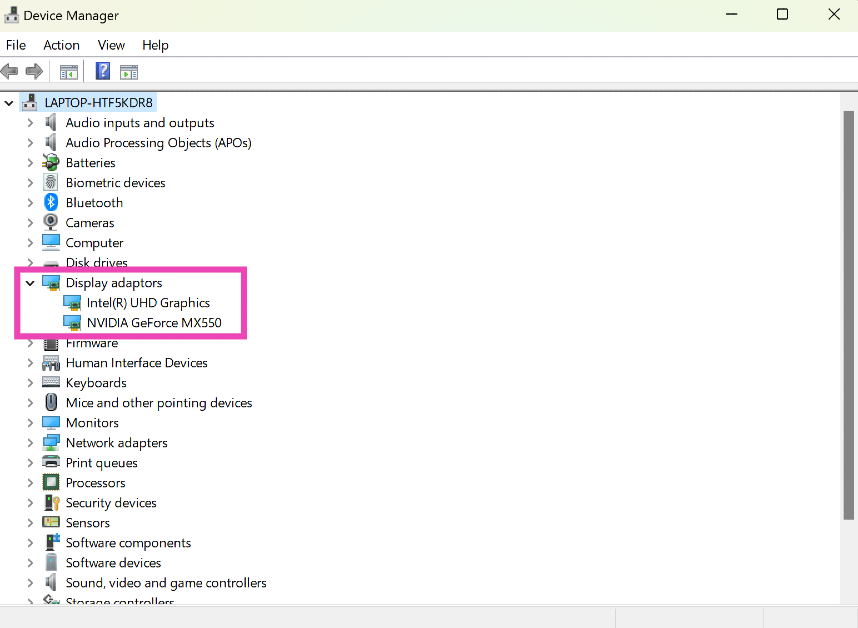 Step 3:
 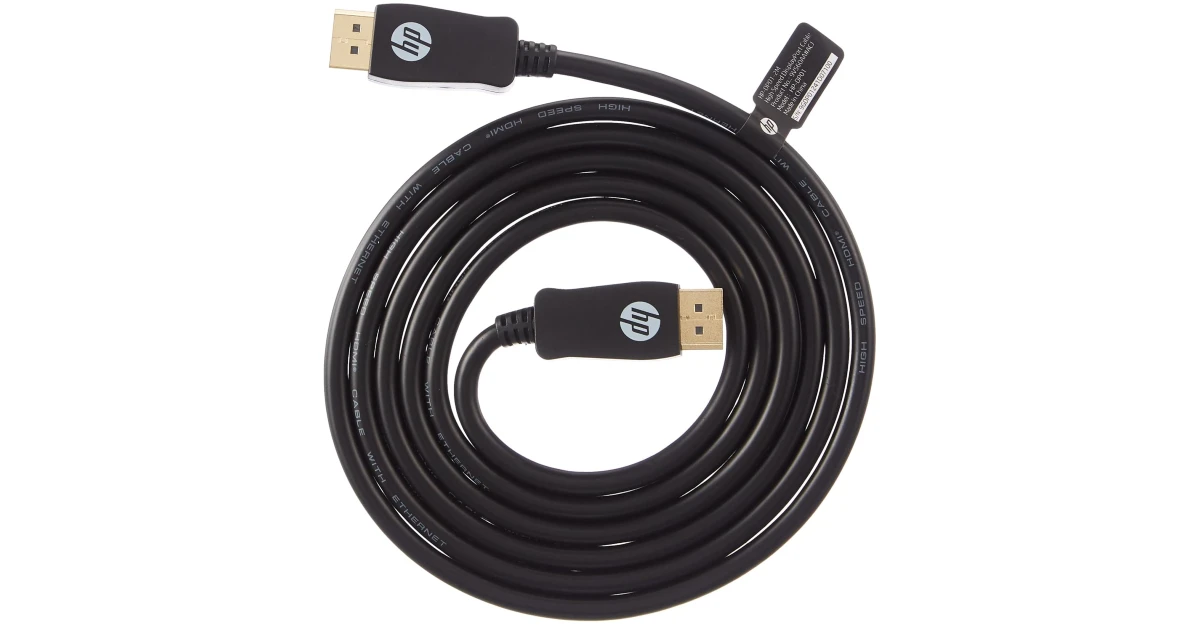 If your monitor is connected to your PC via an HDMI cable, switch to a DisplayPort connection. You can find a DisplayPort cable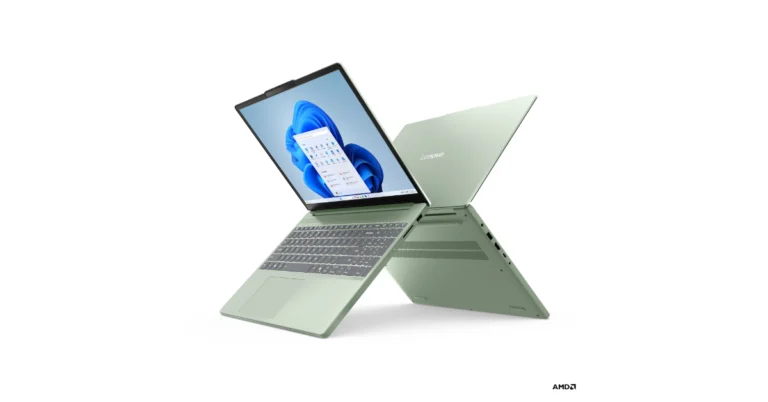

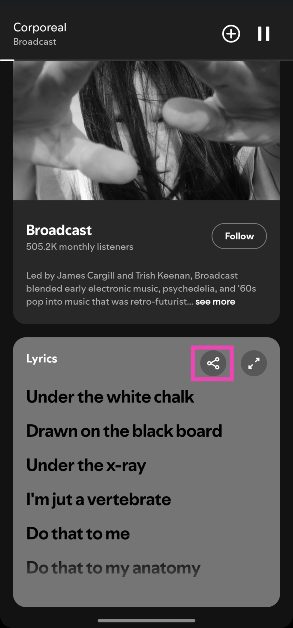 Step 4:
 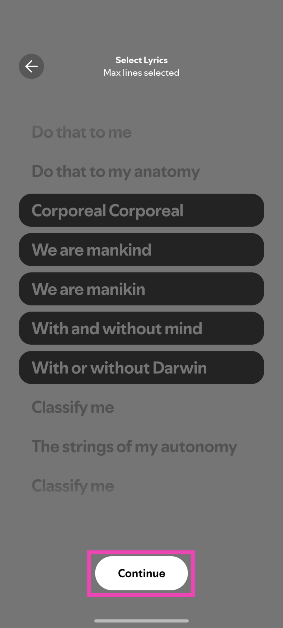 Step 5:
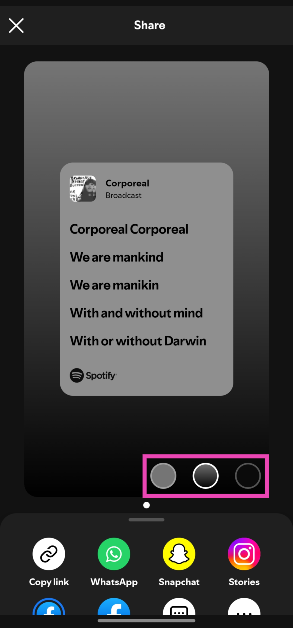 Step 7: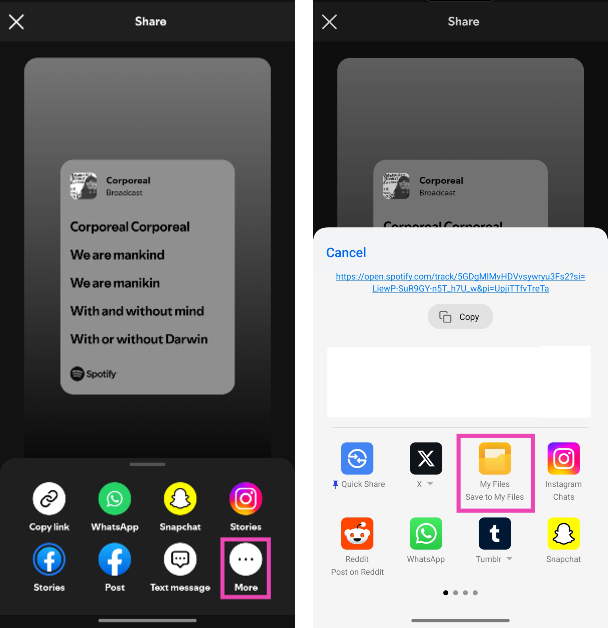
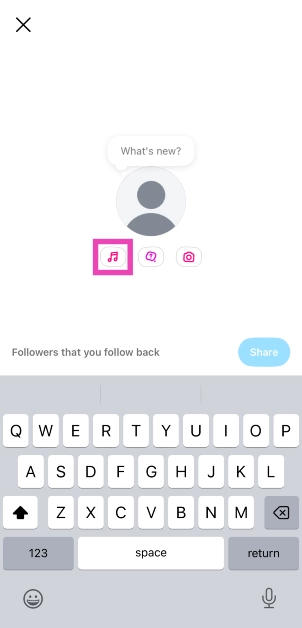
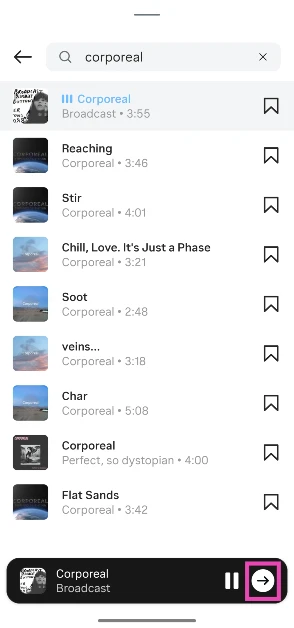
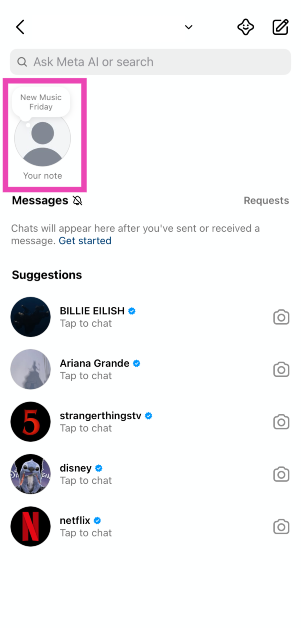 Step 3: Hit the music note icon.
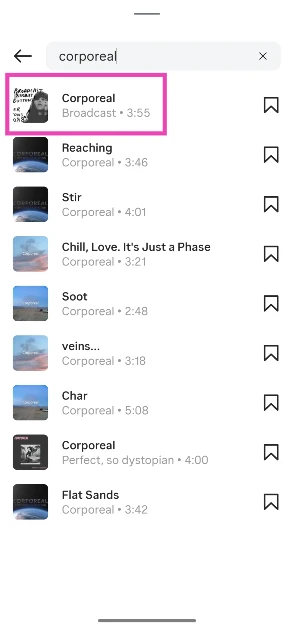
 Step 4: Search for a song and select it from the results.
 Step 5: Hit the arrow icon.
 Step 6: Use the seek bar to select a snippet. Hit Done.
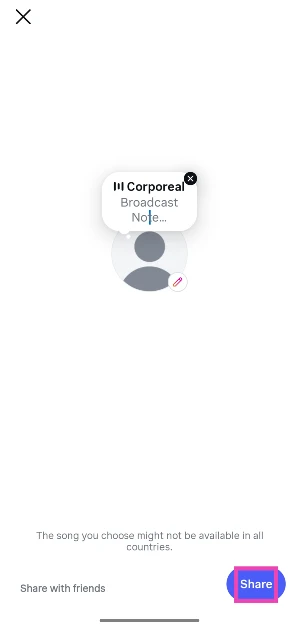
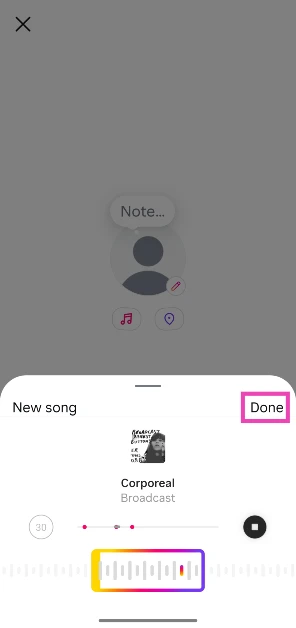 Step 7: Hit Share.