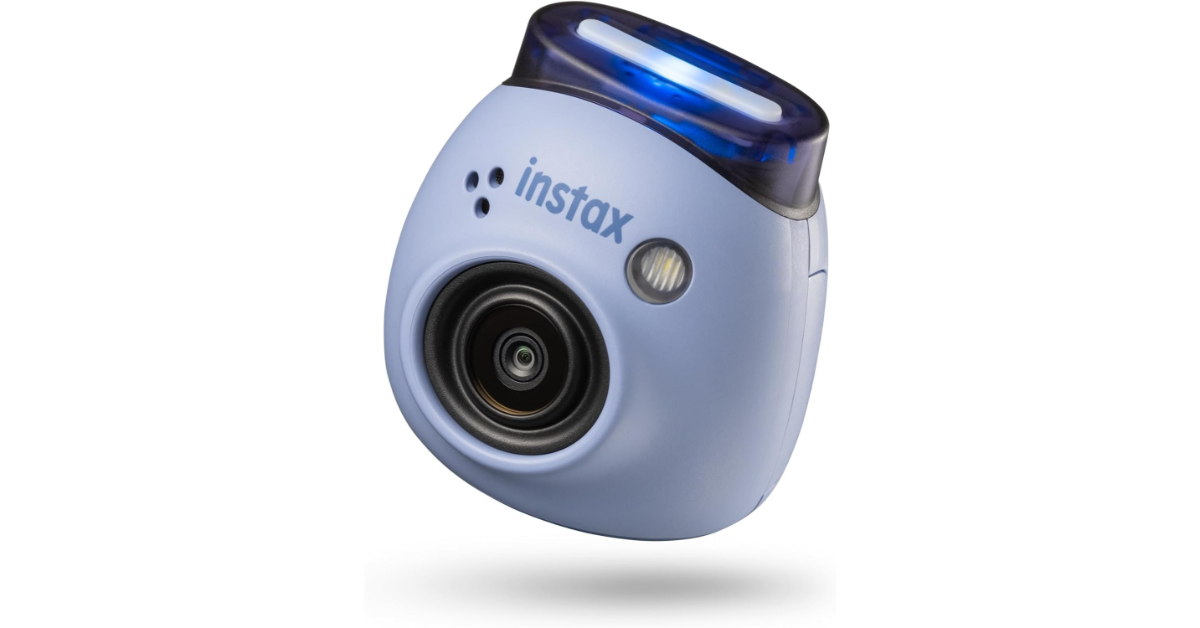
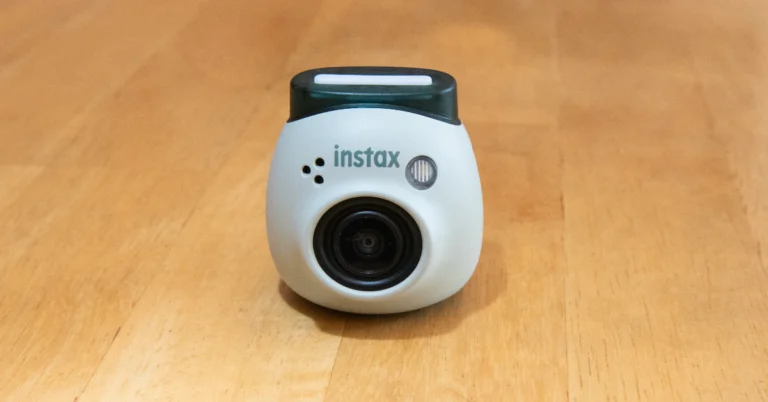
- Fujifilm Instax Pal features a multi-use detachable ring.
- Pal camera comes loaded with multiple features.
- The digital camera can connect with the Instax Link Printer Series.
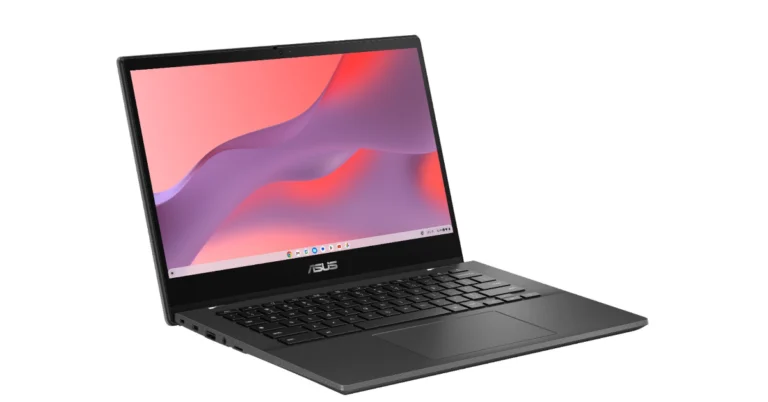
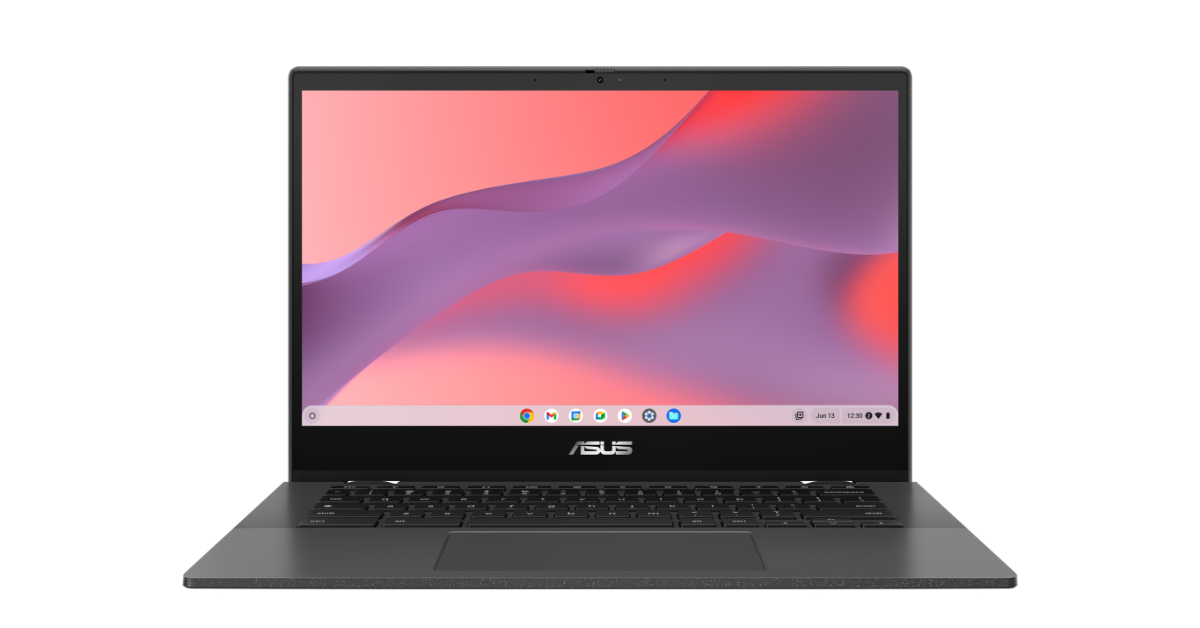 The Asus Chromebook CM14 has a full-sized spill-resistant keyboard with 1.5 mm key travel. The touchpad measures 5.8 inches across the diagonal providing smooth, responsive, expansive and comfortable gesture inputs. Both the keyboard and touchpad are protected by ASUS Antimicrobial Guard proven to inhibit bacterial growth by up to 99% over 24 hours, keeping the Chromebook CM14 series cleaner and safer
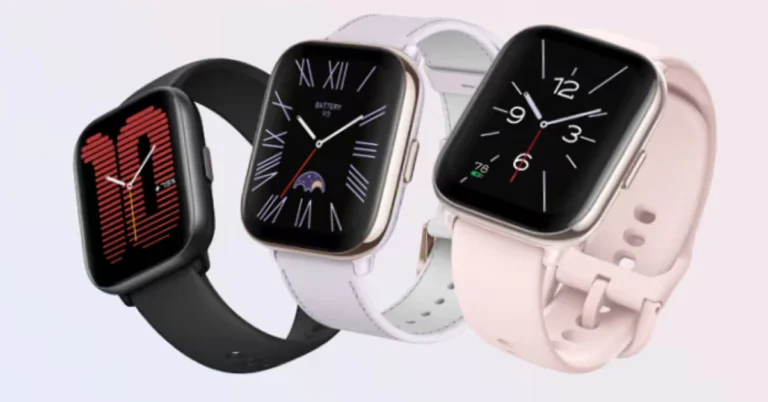
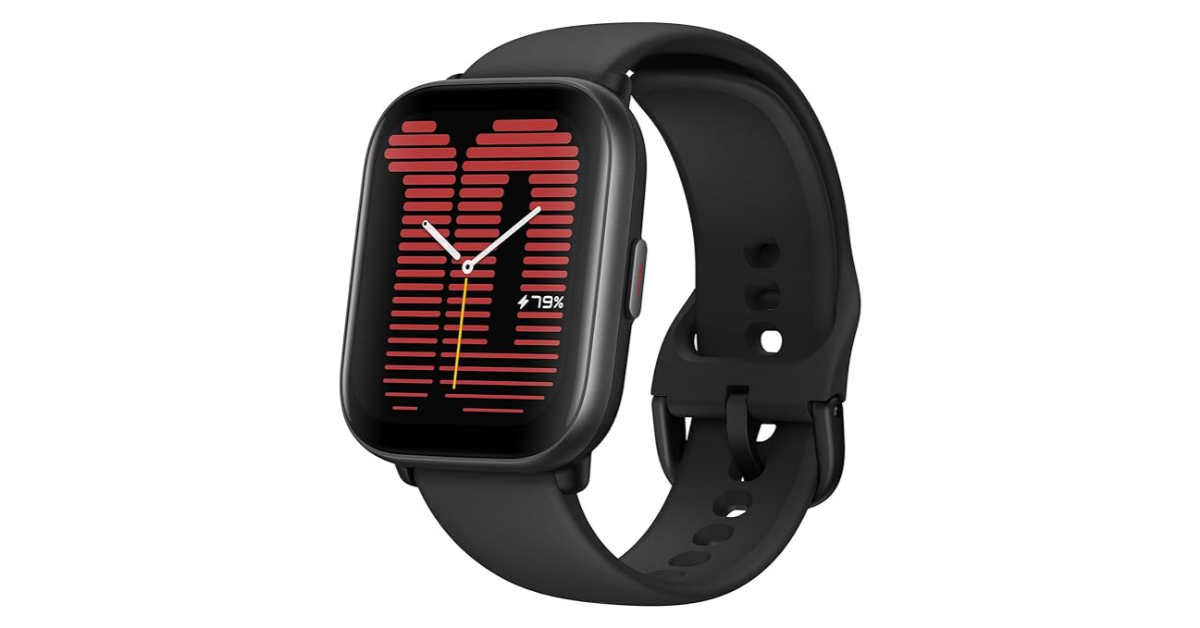
Also Read: Amazfit Active smartwatch with AI-powered personal coach launched in India
Additionally, the notebook sports a 720p HD camera with a physical shutter for added privacy. The Chromebook equips a 42wh 2S1P, 2-cell Li-ion Battery offering up to 15 hours of endurance on a single charge.
The Asus Chromebook CM14 has a full-sized spill-resistant keyboard with 1.5 mm key travel. The touchpad measures 5.8 inches across the diagonal providing smooth, responsive, expansive and comfortable gesture inputs. Both the keyboard and touchpad are protected by ASUS Antimicrobial Guard proven to inhibit bacterial growth by up to 99% over 24 hours, keeping the Chromebook CM14 series cleaner and safer
Also Read: Amazfit Active smartwatch with AI-powered personal coach launched in India
Additionally, the notebook sports a 720p HD camera with a physical shutter for added privacy. The Chromebook equips a 42wh 2S1P, 2-cell Li-ion Battery offering up to 15 hours of endurance on a single charge.

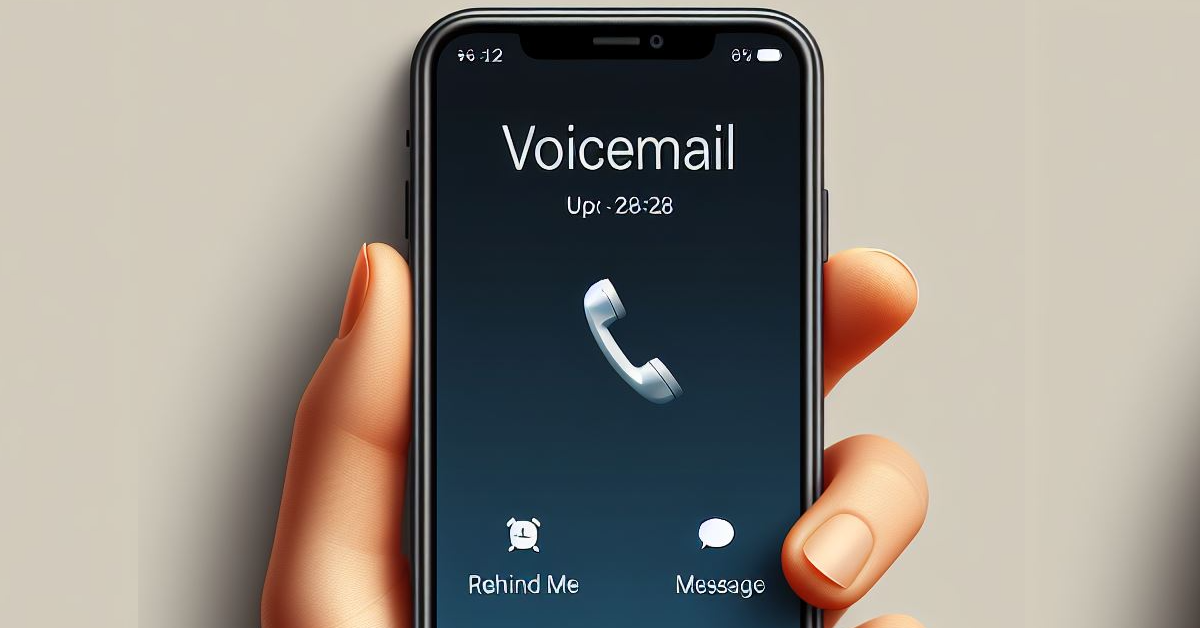 The easiest way to turn off your voicemail is by using a dial code. Here’s how.
Step 1: Launch the Phone app on your iPhone.
Step 2: Switch to the Keypad tab.
Step 3: Enter #004#.
Step 4: Hit the Call button.
Step 5: Hit Dismiss in the popup box.
The easiest way to turn off your voicemail is by using a dial code. Here’s how.
Step 1: Launch the Phone app on your iPhone.
Step 2: Switch to the Keypad tab.
Step 3: Enter #004#.
Step 4: Hit the Call button.
Step 5: Hit Dismiss in the popup box.
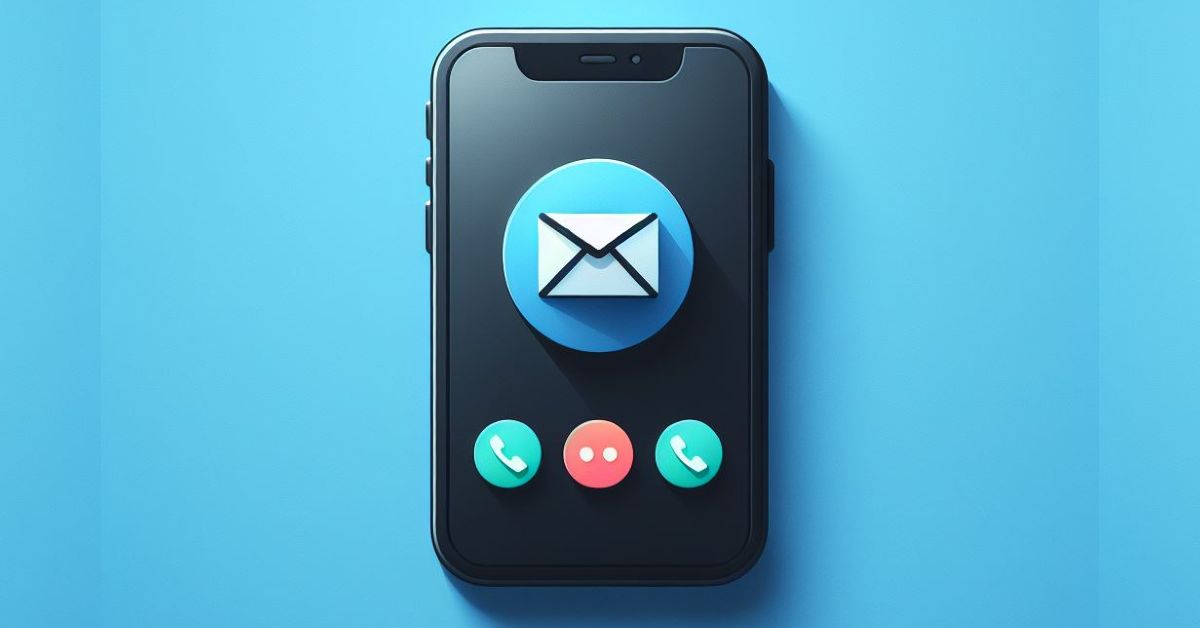 If you fill up your voicemail inbox with messages, no one else will be able to leave new messages on it. You will need another phone for this method.
Step 1: Put your iPhone in Airplane Mode using the Control Centre. This is done to ensure any incoming calls are directed to your voicemail.
Step 2: Using another phone, call your number.
Step 3: Start leaving voicemails until your inbox is full. Typically, it should take between 30-40 voicemails to fill up your inbox.
Once full, no one will be able to reach your voicemail.
If you fill up your voicemail inbox with messages, no one else will be able to leave new messages on it. You will need another phone for this method.
Step 1: Put your iPhone in Airplane Mode using the Control Centre. This is done to ensure any incoming calls are directed to your voicemail.
Step 2: Using another phone, call your number.
Step 3: Start leaving voicemails until your inbox is full. Typically, it should take between 30-40 voicemails to fill up your inbox.
Once full, no one will be able to reach your voicemail.
 Step 1: Launch the Phone app and switch to the keypad.
Step 2: Enter *#61# and hit Dial.
Step 3: Write down the mailbox number on a piece of paper and hit Dismiss.
Step 4: Go to Settings and select Phone.
Step 5: Tap on Call Forwarding.
Step 6: Turn on the toggle switch and tap on Forward To.
Step 7: Enter the mailbox number. Save the changes.
Step 8: Go back to the Phone app and switch to the Keypad tab.
Step 9: Enter ##004# and hit Dial.
Step 10: All voicemail services will be deactivated on your phone. Hit Dismiss.
Step 1: Launch the Phone app and switch to the keypad.
Step 2: Enter *#61# and hit Dial.
Step 3: Write down the mailbox number on a piece of paper and hit Dismiss.
Step 4: Go to Settings and select Phone.
Step 5: Tap on Call Forwarding.
Step 6: Turn on the toggle switch and tap on Forward To.
Step 7: Enter the mailbox number. Save the changes.
Step 8: Go back to the Phone app and switch to the Keypad tab.
Step 9: Enter ##004# and hit Dial.
Step 10: All voicemail services will be deactivated on your phone. Hit Dismiss.
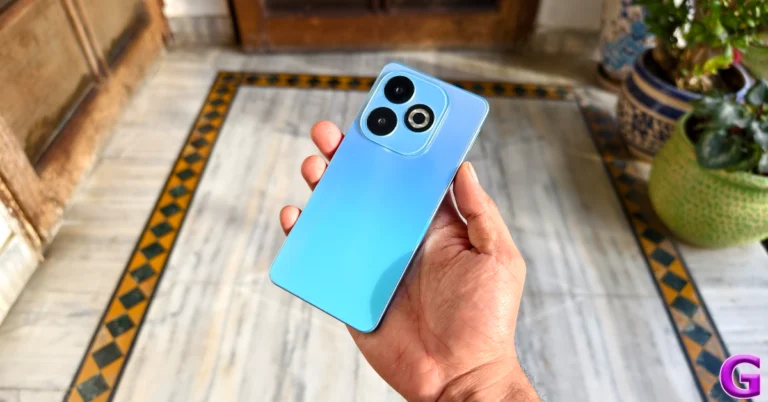
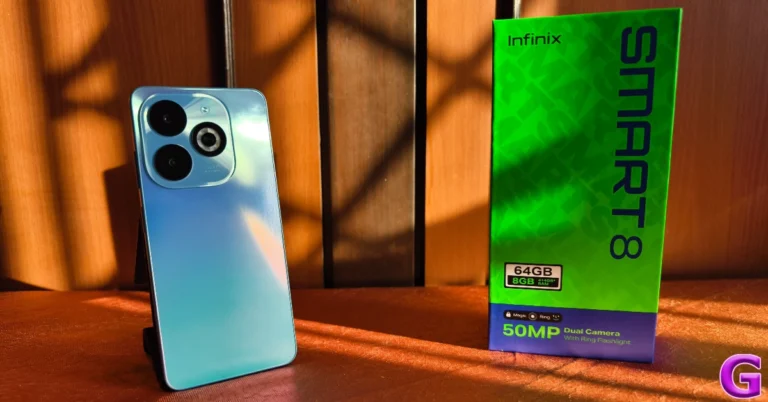
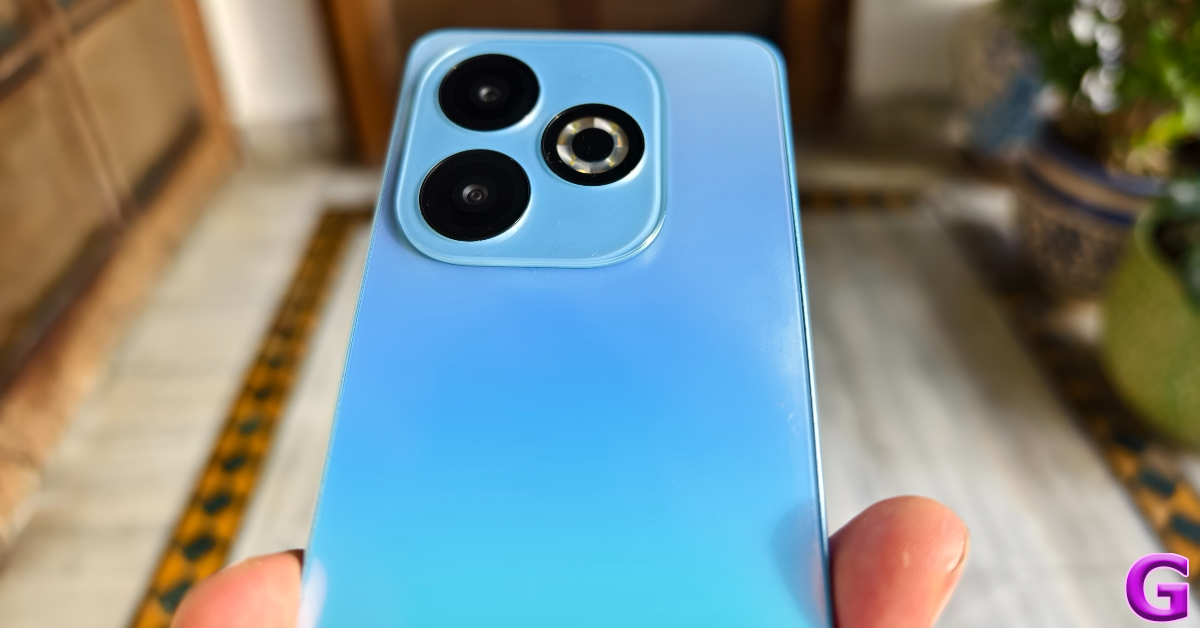
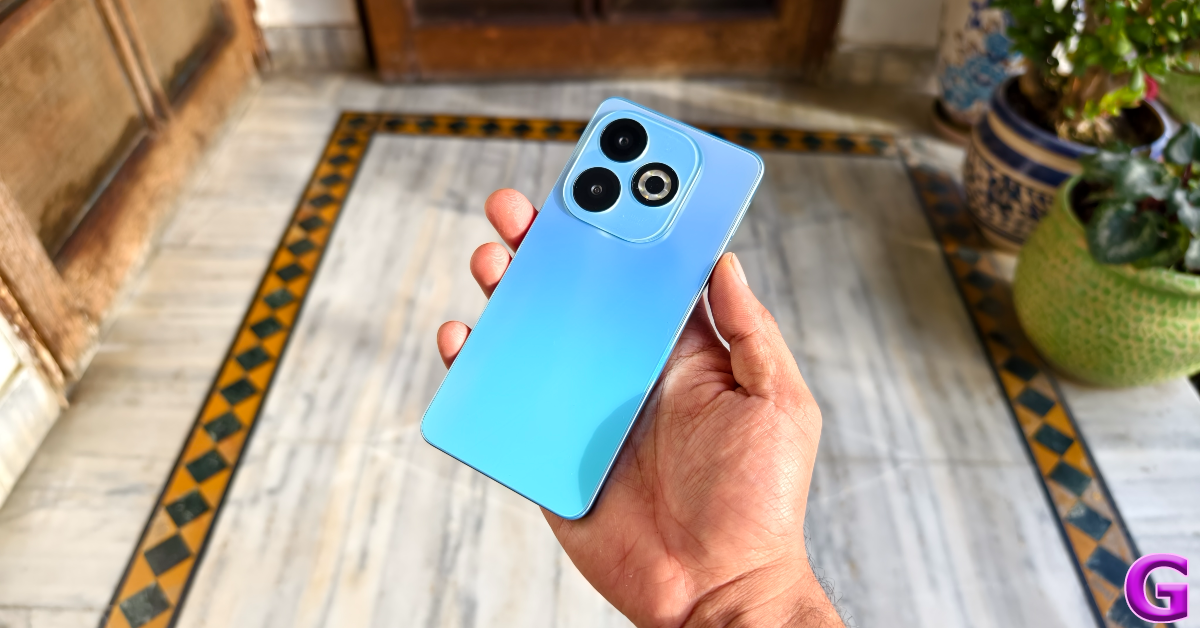 Infinix Smart 8 follows the design language of the ‘HD’ model, which was launched in December 2023. The two lenses and the ring LED flash at the back are aligned in a triangular formation, much like the newer crop of iPhones. Infinix has added a two-step camera panel to house the lenses and ring LED flash on the Smart 8 HD. We used the Rainbow Blue variant of the Infinix Smart 8 for this review. True to its name, it reflects a colourful pattern when light falls on the plastic back panel.
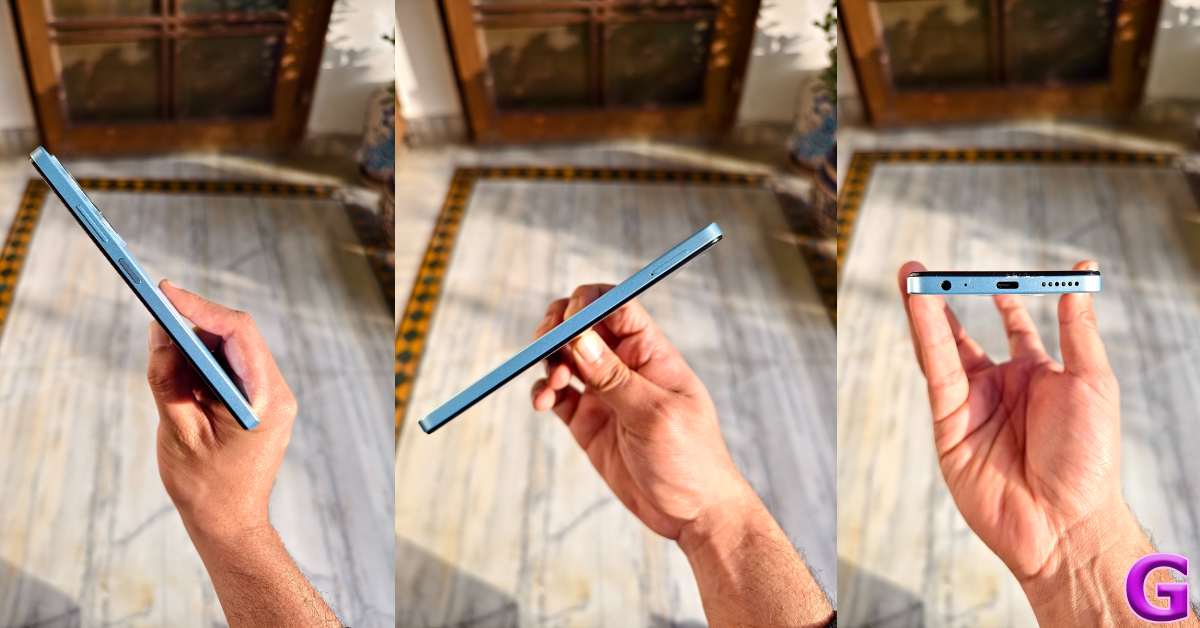
 The right edge of the plastic frame houses the volume rocker key and the power button (that also doubles as a fingerprint scanner). On the left, you’ll find the hybrid SIM tray. The 3.5mm headphone jack, microphone, USB Type-C port, and speaker grille have been positioned at the bottom of the phone. There is no secondary microphone or speaker grille on the top edge.
 Despite losing the ‘HD’ monicker, the Infinix Smart 8 has the same display panel as the Smart 8 HD. The 6.6-inch IPS LCD has a refresh rate of 90Hz and a peak brightness of 500 nits. This display is surrounded by sizeable bezels that get thicker around the chin. The selfie camera is housed in a punch-hole cutout, which Infinix calls the ‘Magic Ring’. This Magic Ring pops up with animations for Face Unlock, Background Call, Charging, Charge Completion, and Low Battery. It feels like a rudimentary form of Apple’s Dynamic Island. There is also a small LED notification light positioned above the top bezel.
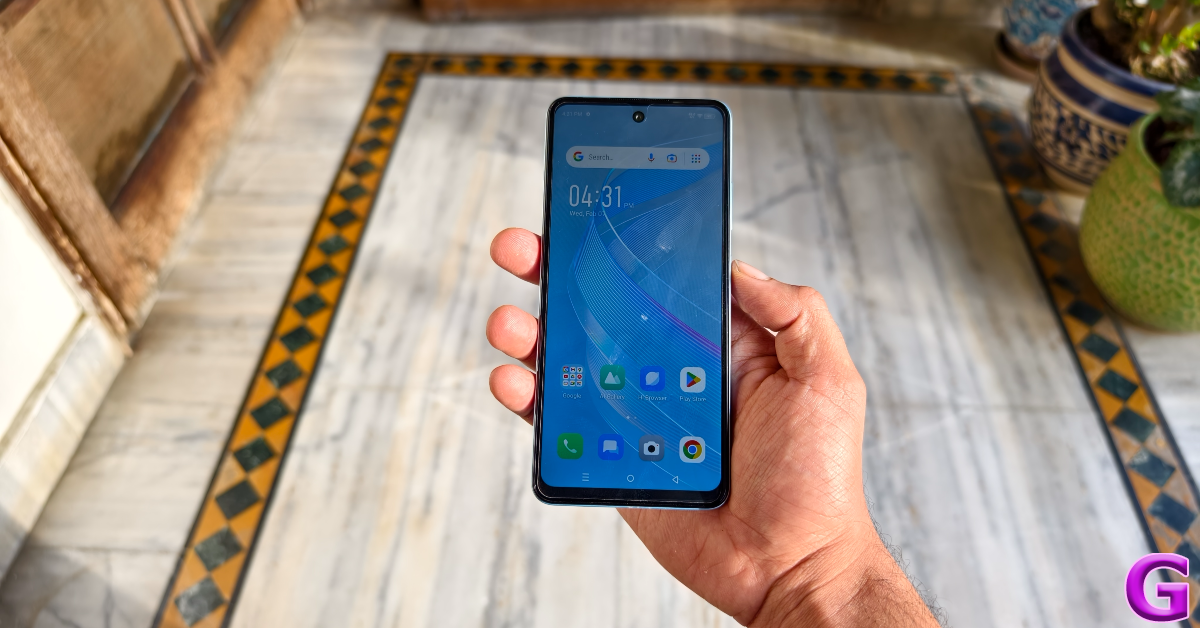 The touch response offered by the 90Hz display is very fluid and smooth. The haptic feedback is sharper than what we’re used to seeing in this price range. The device does a good job of keeping up with the swipe gestures and doesn’t feel like it’s lagging. It is certainly one of the better displays we have played around with in this category. A peak brightness of 500 nits is fine if you’re using the phone indoors, however, under direct sunlight, you will need to cover the display with your palm to make it legible.
Watching video content on this 720 x 1,612p LCD panel is a fun experience. While it does not have Widevine L1 certification, the picture quality is just fine. The colours are punchy and the images are detailed. The primary speaker is loud albeit a bit tinny. You won’t feel the need to pull out your headphones while watching videos on the phone.
The touch response offered by the 90Hz display is very fluid and smooth. The haptic feedback is sharper than what we’re used to seeing in this price range. The device does a good job of keeping up with the swipe gestures and doesn’t feel like it’s lagging. It is certainly one of the better displays we have played around with in this category. A peak brightness of 500 nits is fine if you’re using the phone indoors, however, under direct sunlight, you will need to cover the display with your palm to make it legible.
Watching video content on this 720 x 1,612p LCD panel is a fun experience. While it does not have Widevine L1 certification, the picture quality is just fine. The colours are punchy and the images are detailed. The primary speaker is loud albeit a bit tinny. You won’t feel the need to pull out your headphones while watching videos on the phone.
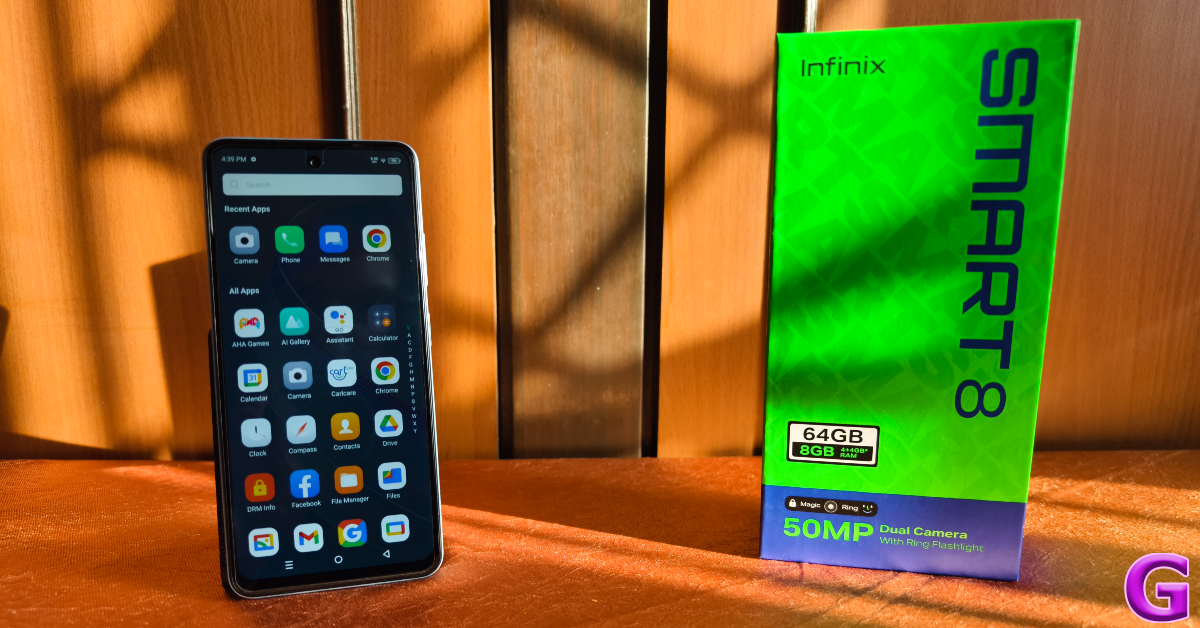 Being an entry-level smartphone, we didn’t expect the Smart 8 to excel at every task we threw at it. It takes a little time to load the apps, but there is no noticeable when they are running. Multitasking on the smartphone does not present any issues either unless you are crowding its memory with too many heavy tasks at once. Routine tasks like video and voice calling, social media browsing, media playback, and others are handled with ease.
While the MediaTek G36 processor is not meant for heavy gaming, it can handle titles like Garena Free Fire fairly well. The touch reception isn’t on par with the gaming smartphones in the category above and the phone does lose a few frames now and then, but the overall performance is passable. We used the smartphone during the winter, so it didn’t overheat easily. After 30 minutes of gaming, the internal temperature of the smartphone did rise slightly but it did not have any real effect on the performance.
Being an entry-level smartphone, we didn’t expect the Smart 8 to excel at every task we threw at it. It takes a little time to load the apps, but there is no noticeable when they are running. Multitasking on the smartphone does not present any issues either unless you are crowding its memory with too many heavy tasks at once. Routine tasks like video and voice calling, social media browsing, media playback, and others are handled with ease.
While the MediaTek G36 processor is not meant for heavy gaming, it can handle titles like Garena Free Fire fairly well. The touch reception isn’t on par with the gaming smartphones in the category above and the phone does lose a few frames now and then, but the overall performance is passable. We used the smartphone during the winter, so it didn’t overheat easily. After 30 minutes of gaming, the internal temperature of the smartphone did rise slightly but it did not have any real effect on the performance.
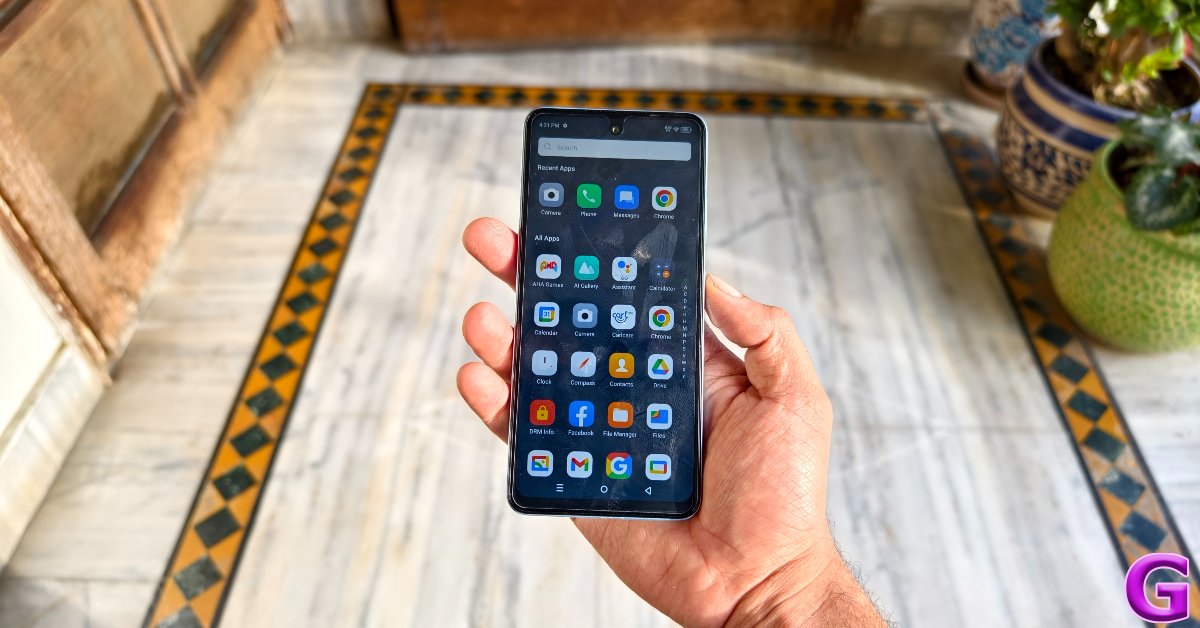 One of our favourite things about Infinix’s budget smartphones is the software experience. Unlike other devices in this category, the software experience is very clean. There are a couple of bloatware apps on the device, but they can be removed with ease. The Android-13-based XOS 13 is easy on the eyes and very accessible to use. The gesture controls offered by XOS bring a new level of accessibility to the smartphone. You can assign special functions to gestures like swiping up and down with 2 fingers, pinching in and out, clockwise and anti-clockwise rotation with 2 fingers, and more.
The 5,000 mAh battery pack can power the smartphone for an entire day. Our daily usage consisted of watching video content, sending and receiving emails, social media browsing, video calling, and gaming. On average, we were left with 10-15% at the end of the day. With 10W charging support, the Infinix Smart 8 can be fully charged in 3 hours. The smartphone also supports reverse-wired charging.
One of our favourite things about Infinix’s budget smartphones is the software experience. Unlike other devices in this category, the software experience is very clean. There are a couple of bloatware apps on the device, but they can be removed with ease. The Android-13-based XOS 13 is easy on the eyes and very accessible to use. The gesture controls offered by XOS bring a new level of accessibility to the smartphone. You can assign special functions to gestures like swiping up and down with 2 fingers, pinching in and out, clockwise and anti-clockwise rotation with 2 fingers, and more.
The 5,000 mAh battery pack can power the smartphone for an entire day. Our daily usage consisted of watching video content, sending and receiving emails, social media browsing, video calling, and gaming. On average, we were left with 10-15% at the end of the day. With 10W charging support, the Infinix Smart 8 can be fully charged in 3 hours. The smartphone also supports reverse-wired charging.
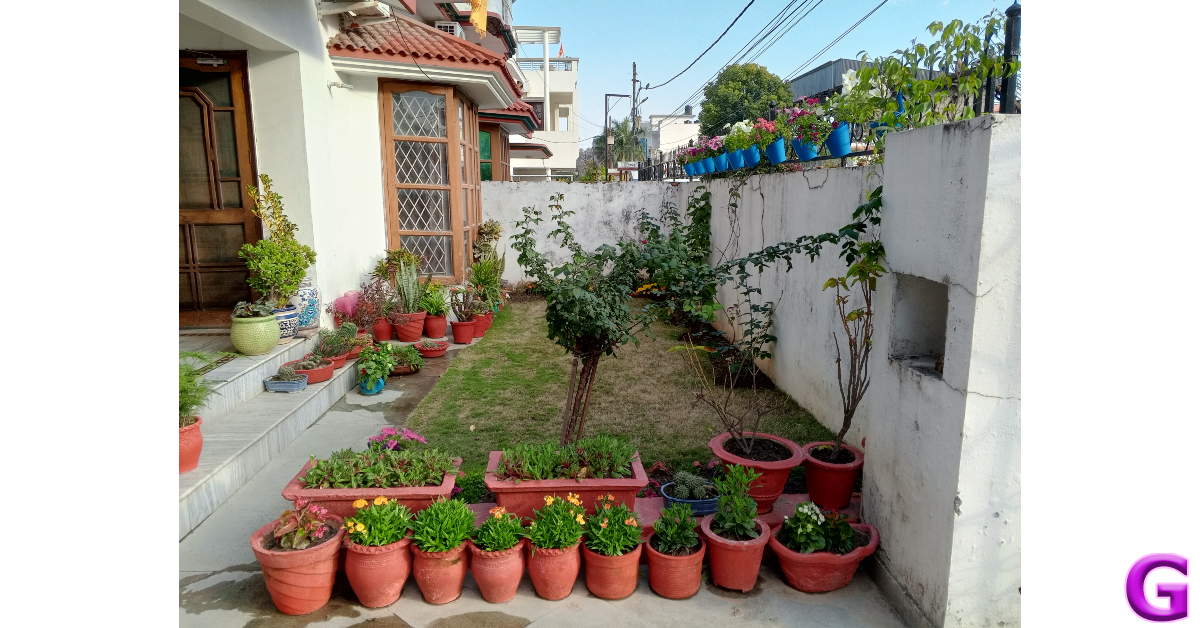
 One of the bigger highlights of the Infinix Smart 8 is its 50MP camera, which we thoroughly used during the review period. This main sensor puts up a good performance in outdoor daylight conditions. The images produced are sharp and rich in colour. We were happy with the details that the 50MP sensor managed to capture. The contrast level in the images is certainly bumped up in the photoprocessing stage and the end results are ‘social media ready’ instead of being neutral, but that isn’t something we can hold against an entry-level smartphone.
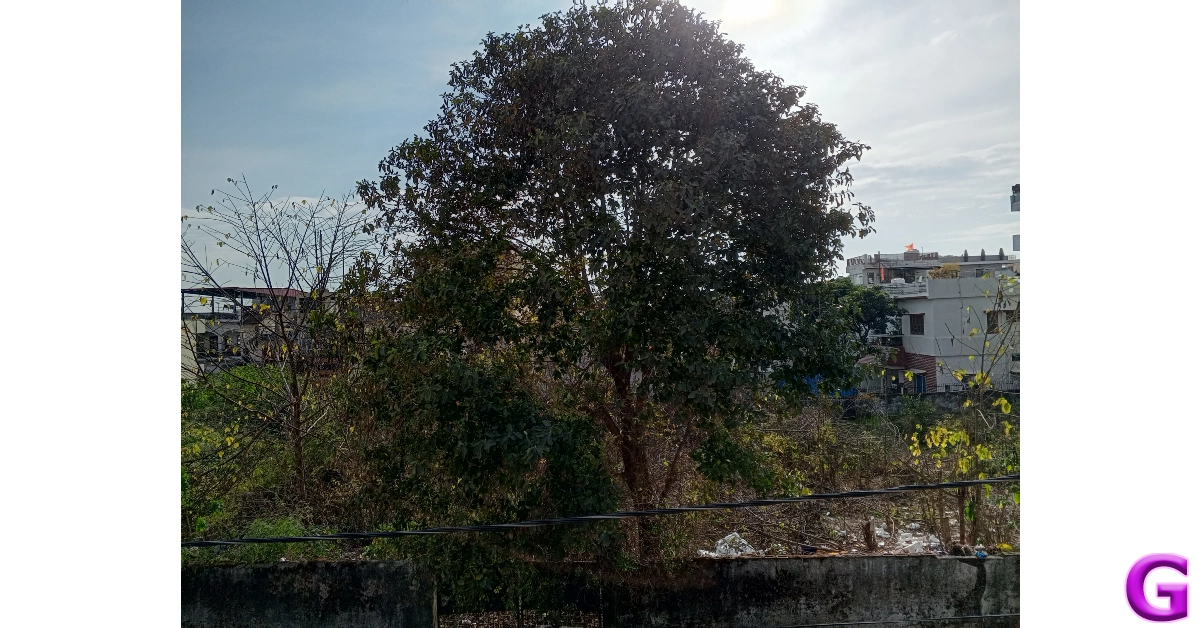 The quality of the images takes a hit in limited lighting conditions. The Night Mode kicks in automatically in darker conditions but the images produced are soft and grainy. The camera app also has a Portrait Mode that does a good job of focussing on the object but doesn’t apply the optimum amount of blur in the background.
 Selfies taken with the 8MP camera are a tag overprocessed. The smartphone applies a skin-smoothening effect to the selfies. On the bright side, you can use the LED notification light as a flash or fill light to take selfies at night. The camera app also has some fun face filters. The front and rear cameras can record 1080p and 720p videos at 30fps.

 Game Boy Advance and Nintendo enthusiasts may have heard of the GBA4iOS emulator for iPhones and other iOS devices. The good news is that it can also support Android games for the iOS platform. Once you install the app on your device, you need to download the game’s ROM from Safari. The ROM can be directly loaded on the GBA4iOS app. iPhones running iOS 8 or below can directly download the emulator from the GBA4iOS website. Newer iOS versions need BuildStore to download the emulator. One of the advantages of using GBA4iOS is that you don’t need to jailbreak your device. The gameplay is smooth and you will rarely experience any lags or jitters.
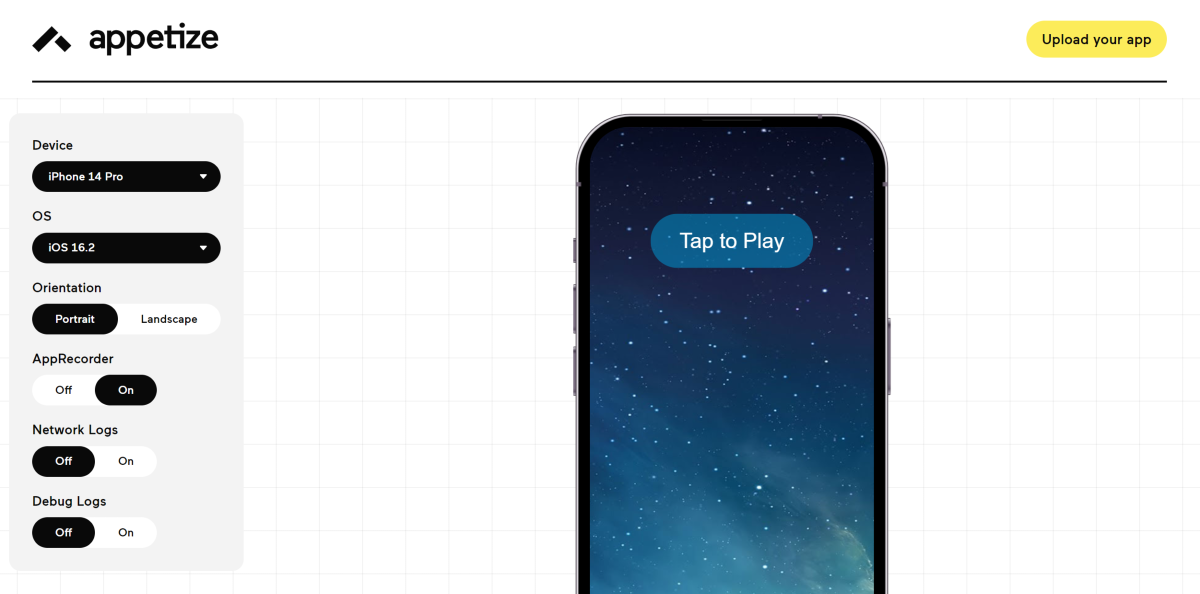 Appetize is another great emulator that lets you run Android apps and games on iPhone. This emulator runs the app on your iPhone’s web browser, so its functionality may be limited. However, it is still good for certain games and apps. One of the advantages of using Appetize is that you don’t need to download the Android app on your iPhone. First, you need to download Appetize from its official website and make an account on the platform. Once that’s done, hit ‘Upload’ to upload your Android file. Enter your email address upon opening the file. You will receive a link in your email inbox, using which you can run the app on your iPhone’s web browser.
 One of the popular Android emulators around, iAndroid makes it easy to play Android games on your iPhone. To get iAndroid on your iPhone, you need to download the Cydia app (from the official website). Once the app is downloaded, open it and go to Manage>Sources. Search for iAndroid and download it on your iPhone. Once iAndroid has been installed on your device, you can use it to simulate the Android OS experience and even download any app of your choice. You may face the odd jitter, but overall, this app works pretty well.
 Dalvik is another emulator you can download from the Cydia Store to run Android games on your iPhone. This emulator works great on iPads as well. The process to download the Dalvik emulator is the same as iAndroid. Download Cydia from its official website, launch the app, and go to Manage>Sources. Search for Dalvik and install the emulator on your iPhone. Dalvik runs smoothly and does not cause a lot of crashes on your device. You can download unmodified versions of Android apps using this emulator.
 Popular for being one of the best Nintendo DS emulators for iOS, the iNDS emulator also lets you play some Android games on your iPhone. The good news is that you don’t need to jailbreak your iPhone to run this emulator. The app efficiently runs ROM files from a number of sources. The graphics are clean and smooth, pushing the gameplay to the optimum level. To get iNDS on your iPhone you need to download the Tweakbox app first. Once Tweakbox has been installed, launch it, go to the Menu, search for iNDS, and install it on your device.
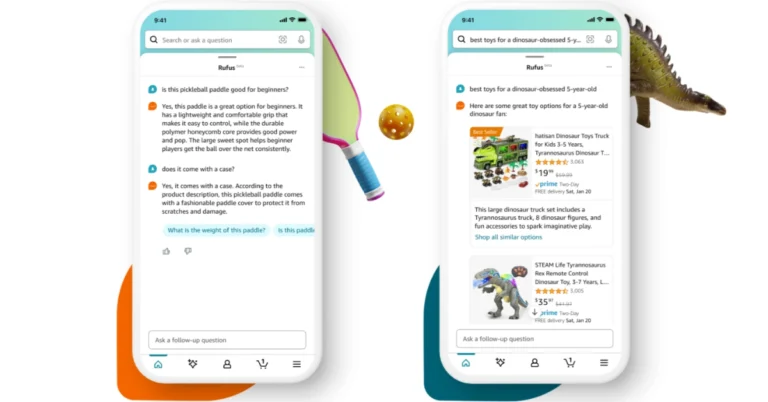
 Rufus is said to improve the shopping experience on Amazon by helping them find and discover the finest products to match their needs.
Also Read: Samsung Galaxy XCover 7 rugged smartphone launched in India: Price in India
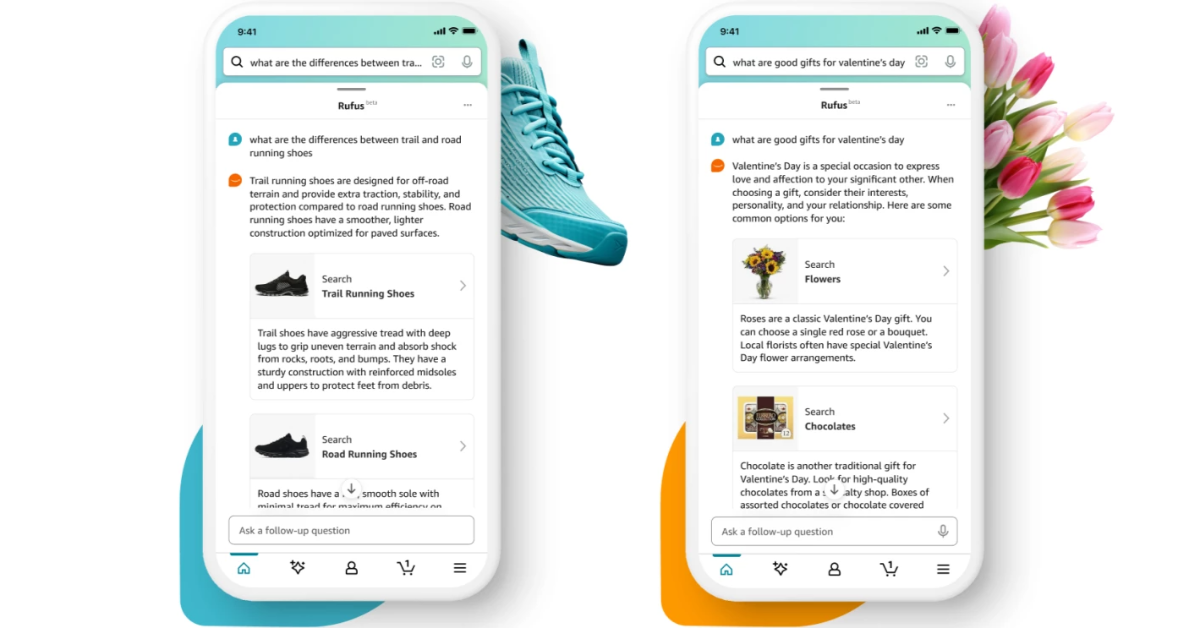
With Rufus, customers can learn what to look for while shopping product categories by conducting more general product research on Amazon. They can ask questions to the AI chatbot like “What to consider when buying headphones?”, “what to consider when detailing my car at home?”, or “What are clean beauty products?” to get better results.
The Amazon AI Assistant can also help you shop for occasion or purpose. Rufus suggests shoppable product categories when you ask questions such as “What do I need for cold weather golf?” or “I want to start an indoor garden.”
Users can also make comparisons by asking “What’s the difference between lip gloss and lip oil?” or “Compare drip to pour-over coffee makers”
As mentioned earlier Rufus is currently under beta and will be available in the US to select users. Beta users of the Amazon Shopping app simply start typing or speaking their questions into the search bar in Amazon’s mobile app and a Rufus chat dialog box will appear at the bottom of their screen.
Also Read: OnePlus 12 Review: A True Flagship Smartphone
Consumers can tap on suggested questions, and ask follow-up questions by expanding the chat dialogue window. They can also swipe down to send the chatbot chat dialogue box back to the bottom of their screen to dismiss.
Rufus is said to improve the shopping experience on Amazon by helping them find and discover the finest products to match their needs.
Also Read: Samsung Galaxy XCover 7 rugged smartphone launched in India: Price in India
With Rufus, customers can learn what to look for while shopping product categories by conducting more general product research on Amazon. They can ask questions to the AI chatbot like “What to consider when buying headphones?”, “what to consider when detailing my car at home?”, or “What are clean beauty products?” to get better results.
The Amazon AI Assistant can also help you shop for occasion or purpose. Rufus suggests shoppable product categories when you ask questions such as “What do I need for cold weather golf?” or “I want to start an indoor garden.”
Users can also make comparisons by asking “What’s the difference between lip gloss and lip oil?” or “Compare drip to pour-over coffee makers”
As mentioned earlier Rufus is currently under beta and will be available in the US to select users. Beta users of the Amazon Shopping app simply start typing or speaking their questions into the search bar in Amazon’s mobile app and a Rufus chat dialog box will appear at the bottom of their screen.
Also Read: OnePlus 12 Review: A True Flagship Smartphone
Consumers can tap on suggested questions, and ask follow-up questions by expanding the chat dialogue window. They can also swipe down to send the chatbot chat dialogue box back to the bottom of their screen to dismiss. 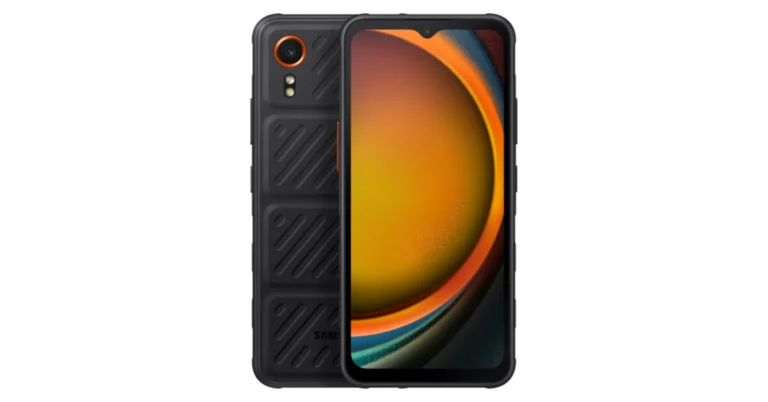



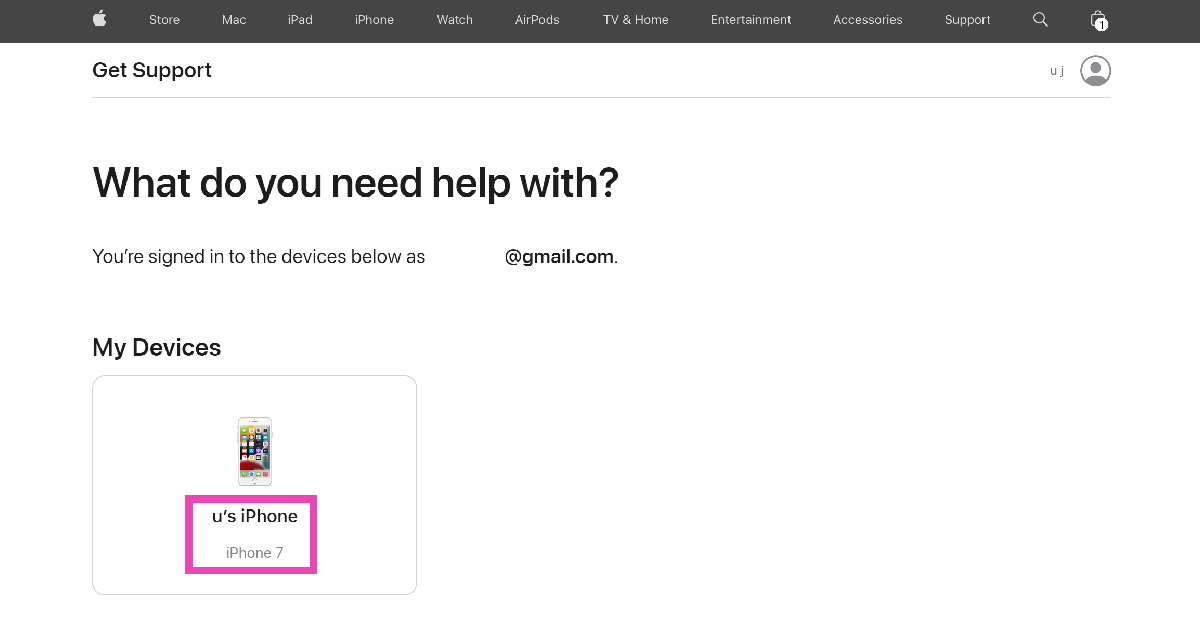
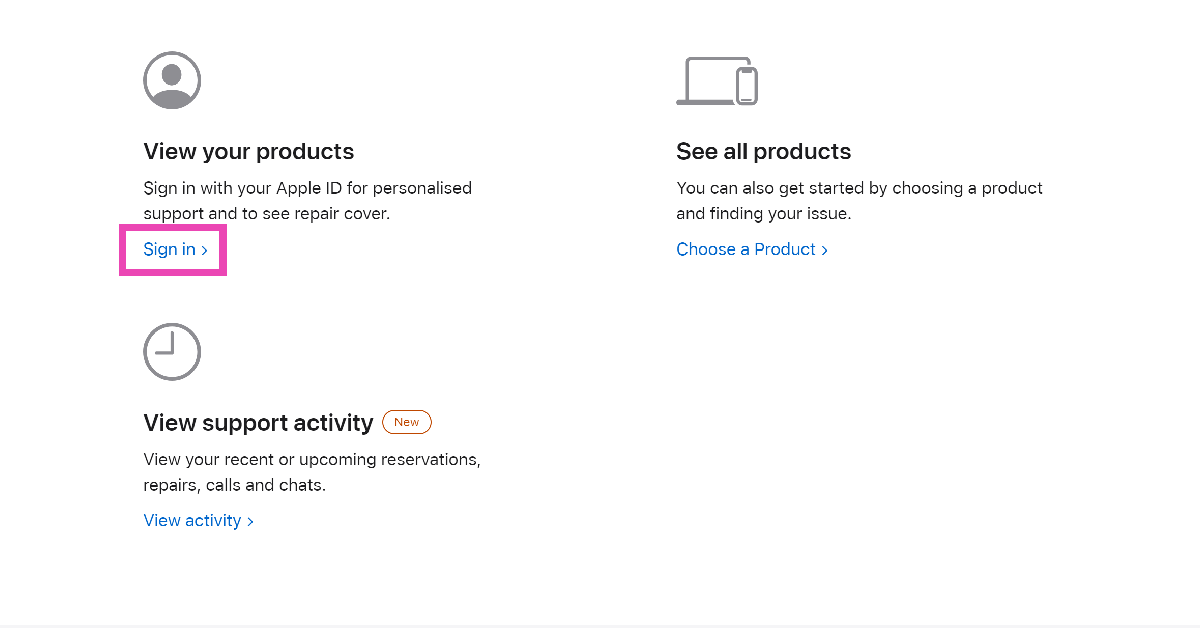 Step 2: Select the device for which you are seeking support.
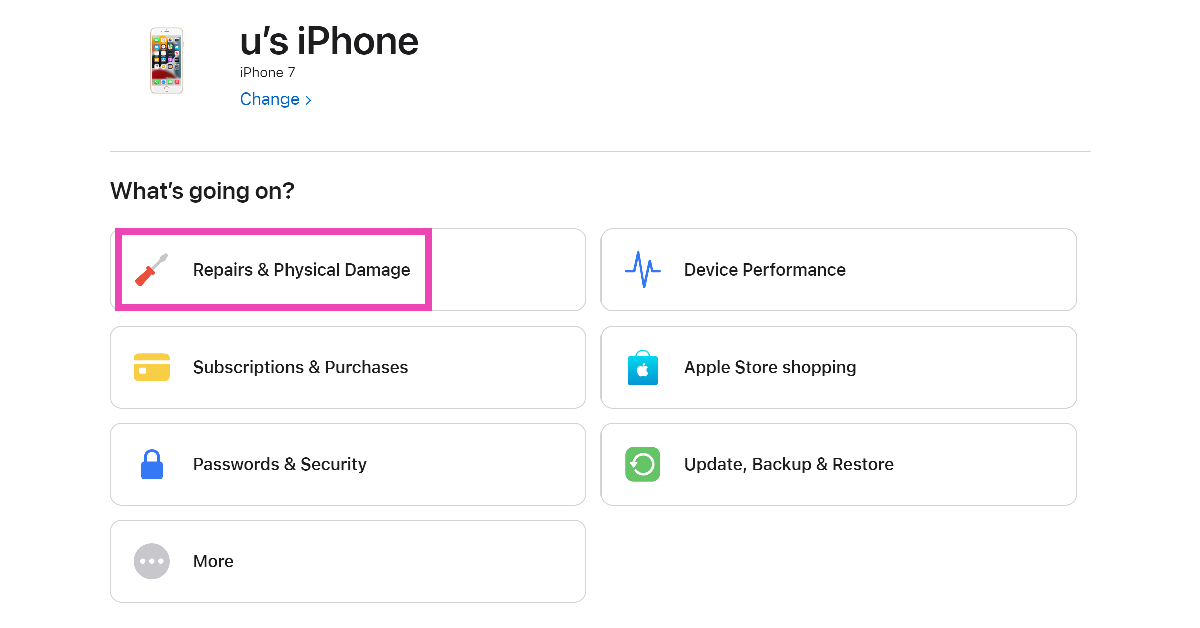
 Step 3: Select the problem you are facing with your device.
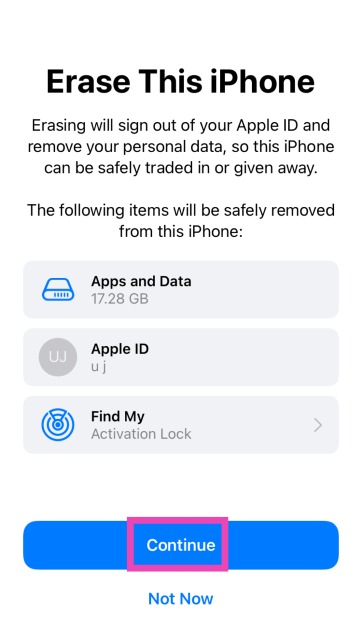
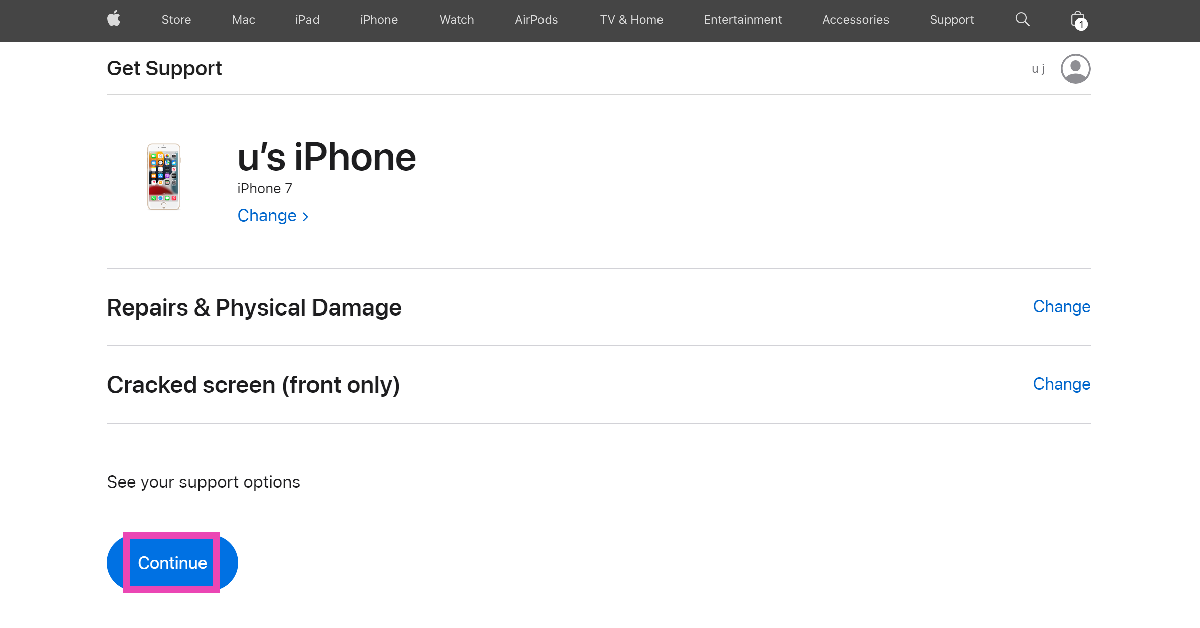
 Step 4: Hit Continue.
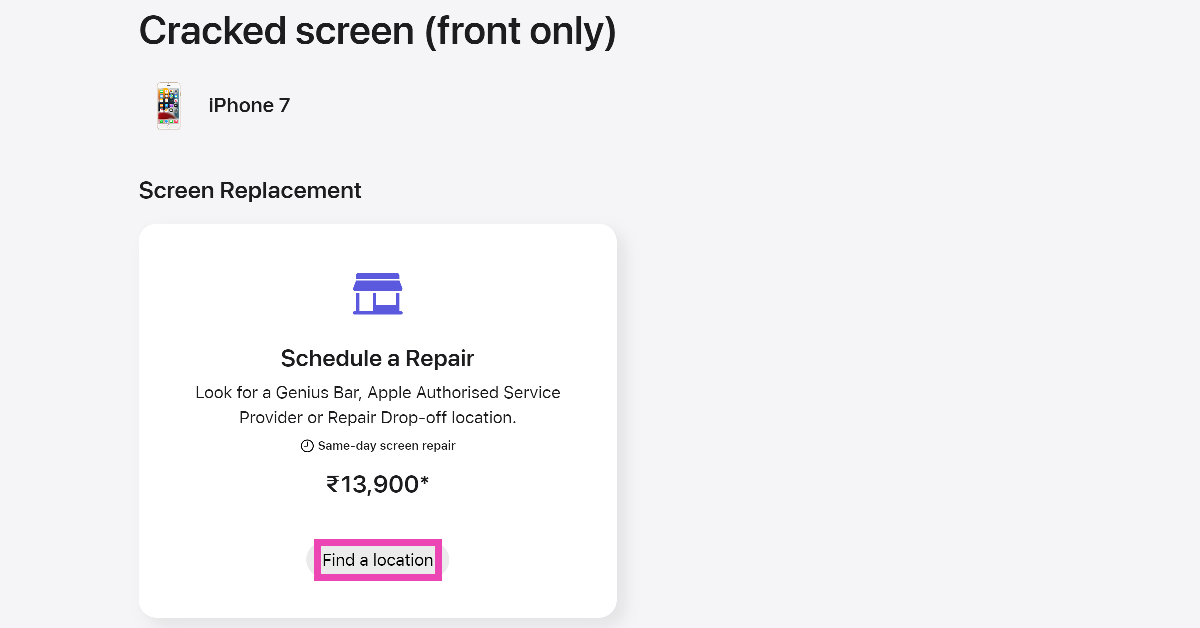
 Step 5: Click on Find Location in the ‘Schedule a Repair’ section.
 Step 6: Click on Schedule a Visit.
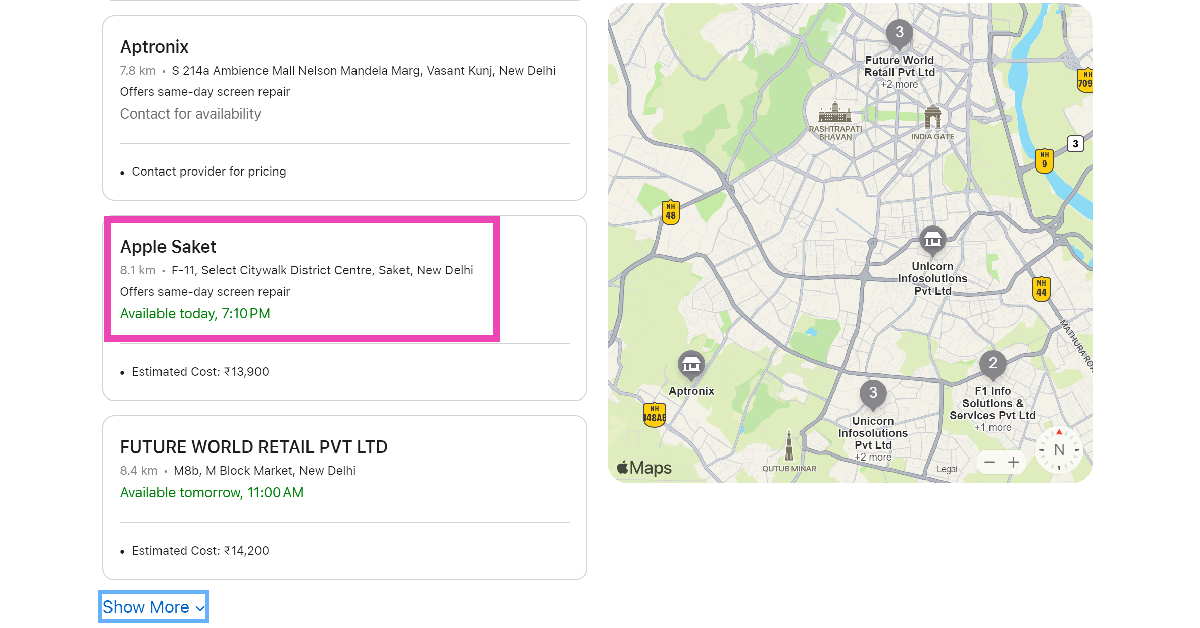
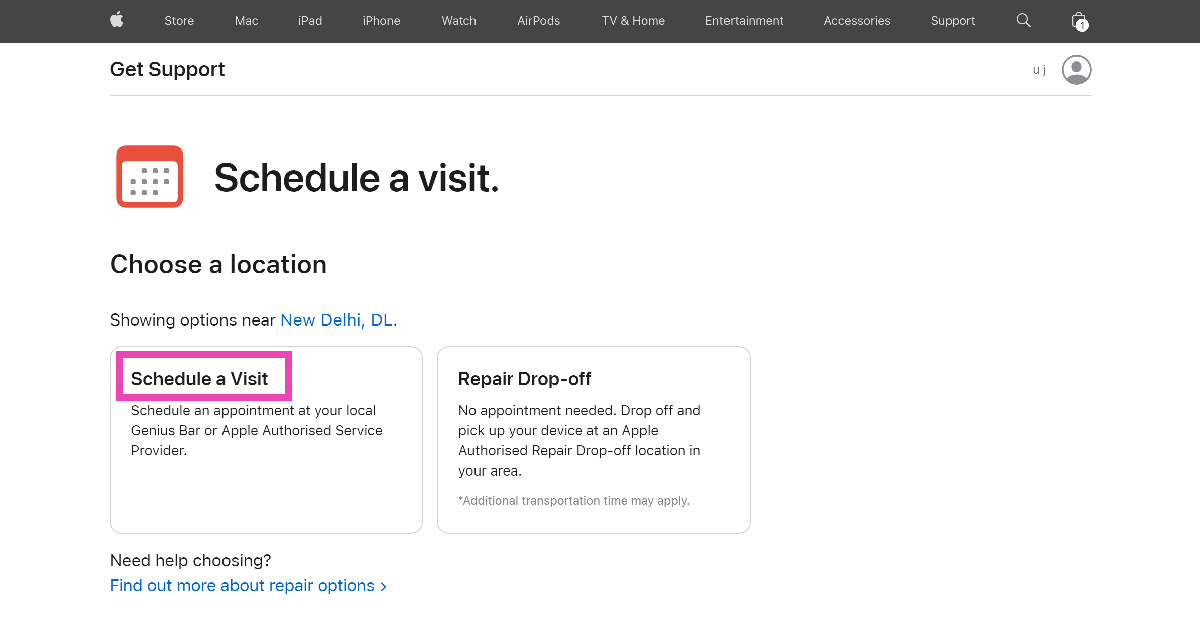 Step 7: Scroll down and select the Apple Store nearest to your location. If there are no Apple Stores near you, select an authorised repair centre.
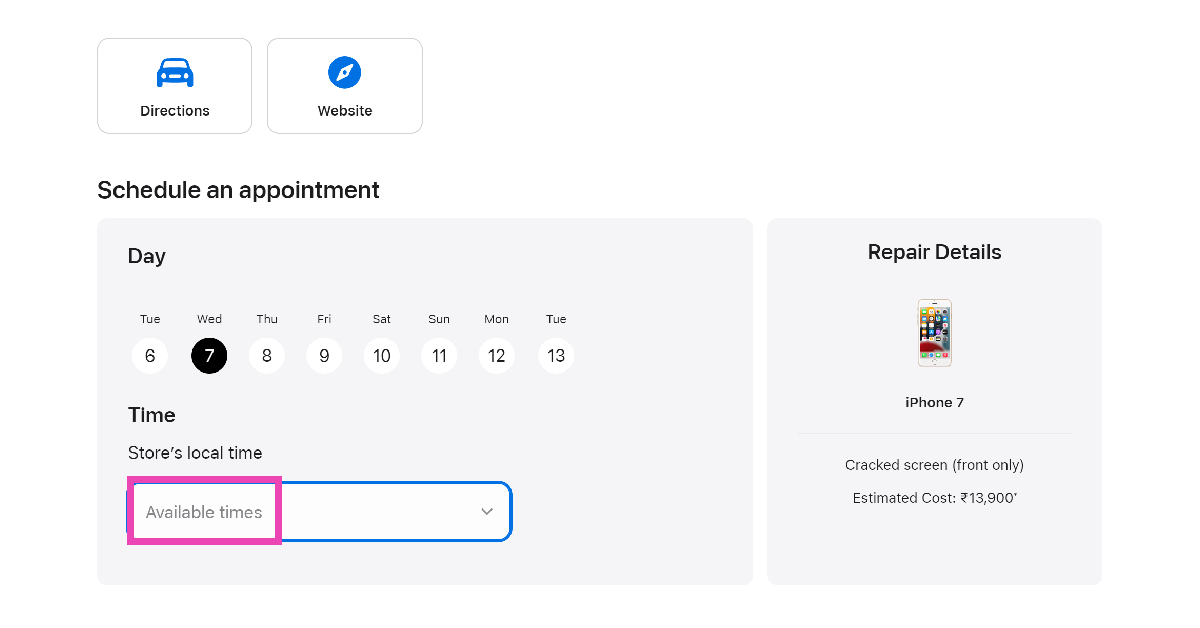
 Step 8: Pick the day of your visit and click on Store’s local time to select the appointment time.
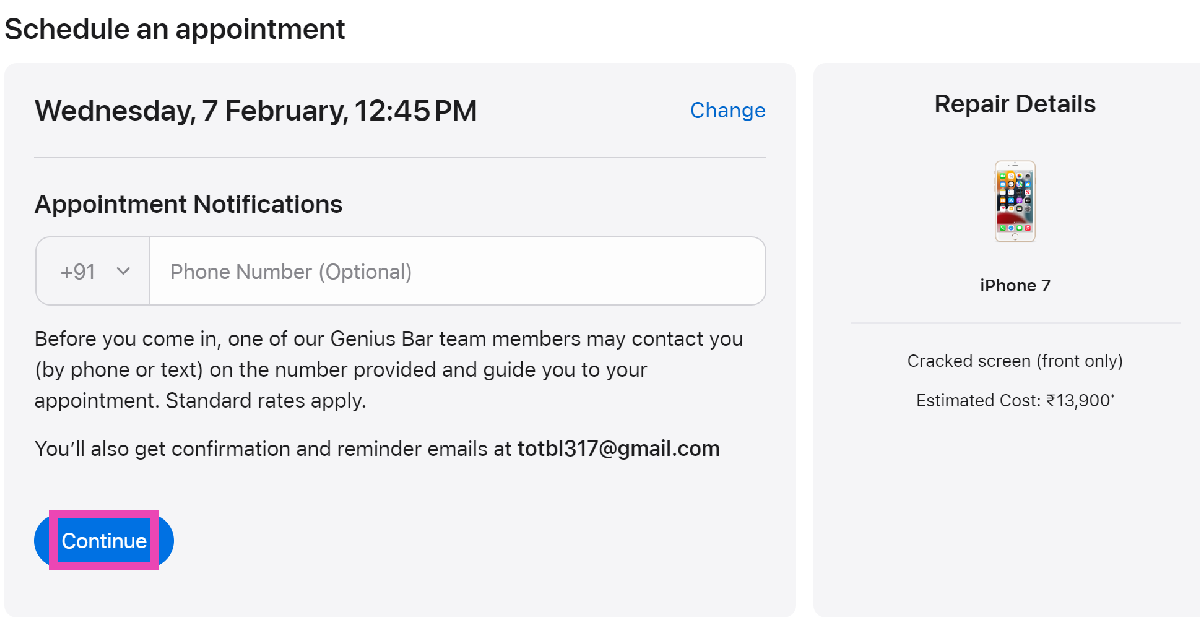
 Step 9: You may enter your phone number to receive appointment notifications. This is entirely optional. Hit Continue.
 Step 10: On the following page, click on Reserve Now.
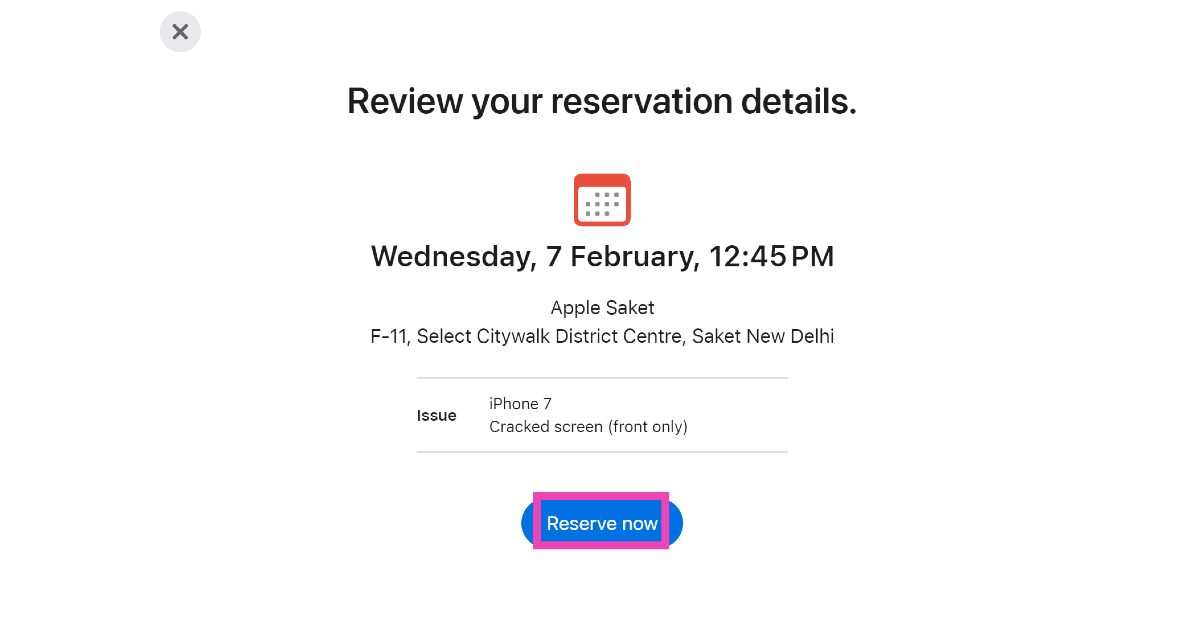 Your appointment at the Genius Bar will be reserved.
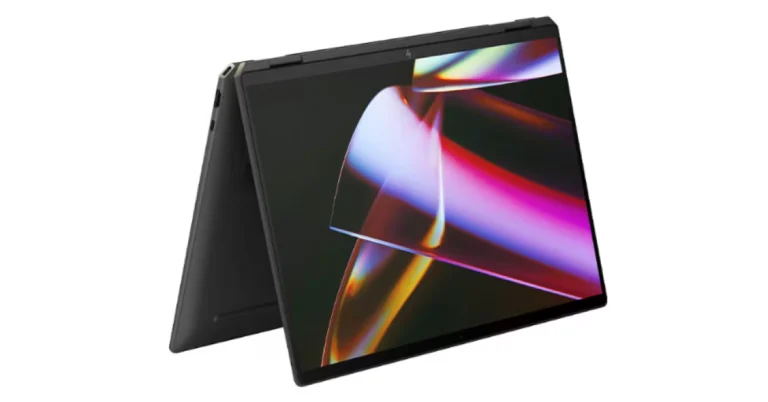
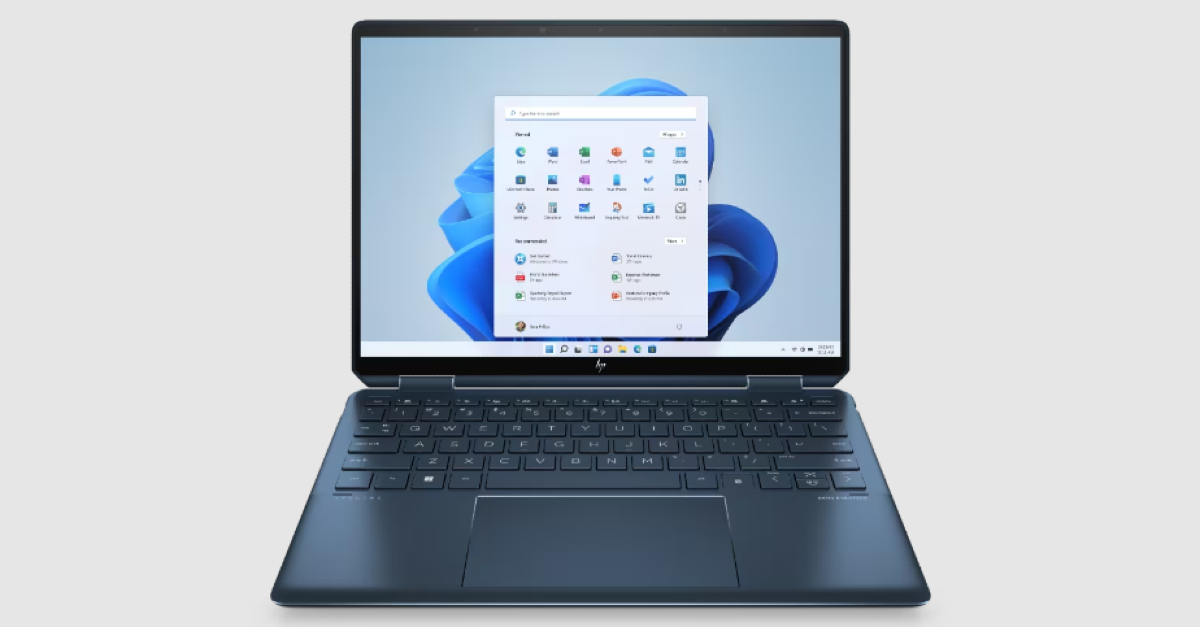
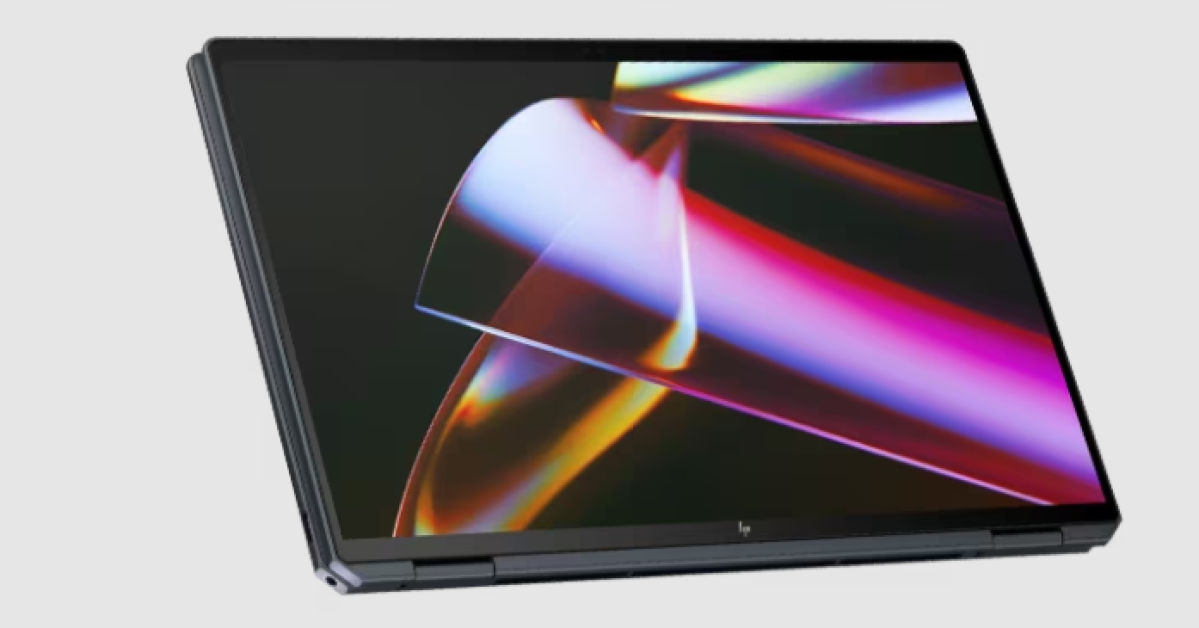 The convertible laptops come equipped with a 9 MP camera that can be adjusted for low light using hardware. Additionally, it offers adaptive screen adjustments like a screen dimmer when the user looks away to save power and variable refresh rate for immersive performance and power efficiency.
Also Read: OnePlus 12 Review: A True Flagship Smartphone
The automatic performance optimization also adjusts fan noise and temperatures based on applications being used, placement of the laptop, and battery status. Moreover, users can improve video and calls with Windows Studio effects which offload AI features like automatic framing, background blur, and the ability to maintain eye contact onto the NPU for engaging connections.
The convertible laptops come equipped with a 9 MP camera that can be adjusted for low light using hardware. Additionally, it offers adaptive screen adjustments like a screen dimmer when the user looks away to save power and variable refresh rate for immersive performance and power efficiency.
Also Read: OnePlus 12 Review: A True Flagship Smartphone
The automatic performance optimization also adjusts fan noise and temperatures based on applications being used, placement of the laptop, and battery status. Moreover, users can improve video and calls with Windows Studio effects which offload AI features like automatic framing, background blur, and the ability to maintain eye contact onto the NPU for engaging connections. 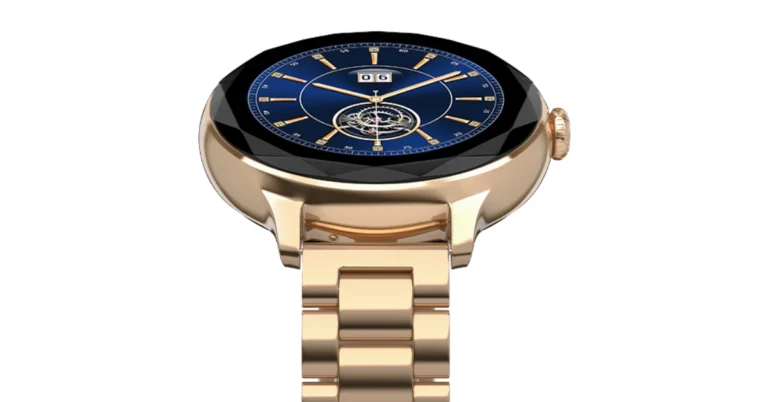
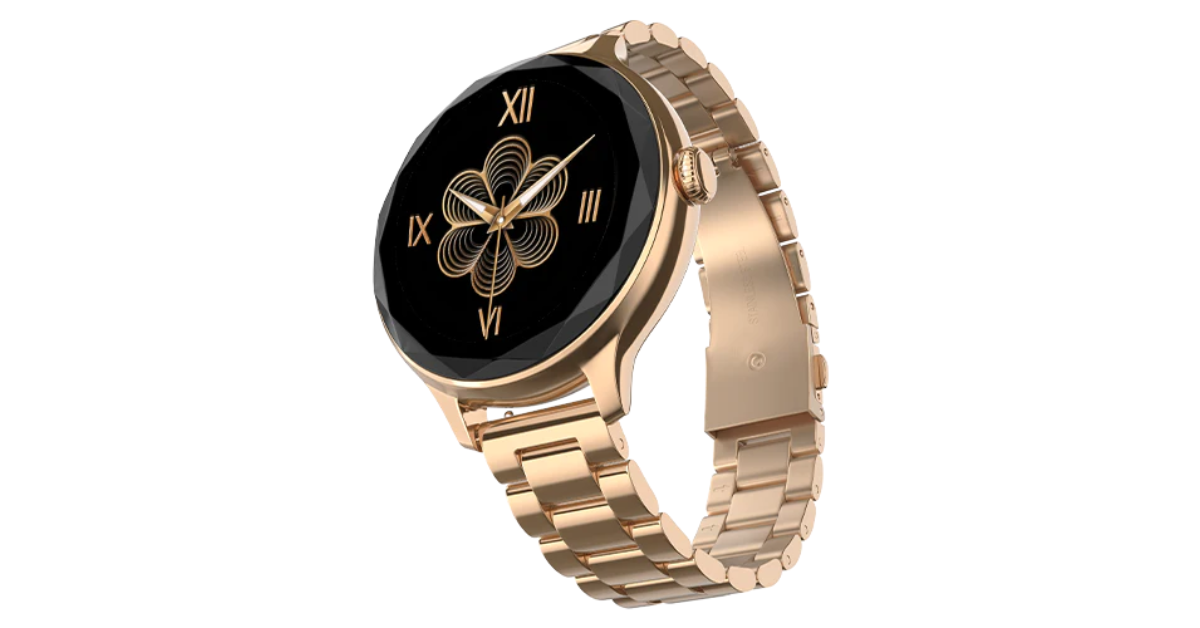
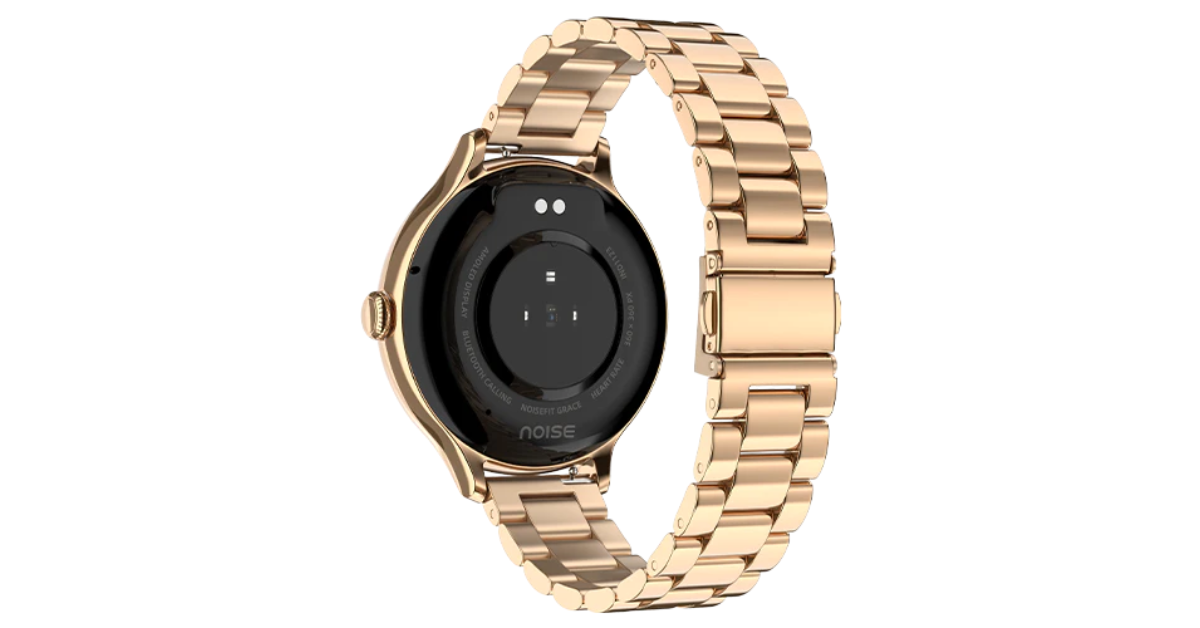 Noisefit Grace is IP67-rated for water and dust resistance. The smartwatch enables quick access to the dial pad and recent call logs with storage for up to 10 contacts for quick calling. It also includes a wide range of functions for tracking health and productivity. Women may efficiently track vital health indicators including heart rate, SpO2, sleep patterns, and stress levels, among others, with the help of Noise Health Suite. On the other hand, the integrated Productivity Suite keeps daily reminders and weather forecasts easily accessible. Along with weather updates and a notification display, it offers an Alarm, camera control, music control, and calculator.
Also Read: OnePlus 12 Review: A True Flagship Smartphone
The NoiseFit Grace provides four smartwatch menu styles. It boasts a four-day battery backup
Noisefit Grace is IP67-rated for water and dust resistance. The smartwatch enables quick access to the dial pad and recent call logs with storage for up to 10 contacts for quick calling. It also includes a wide range of functions for tracking health and productivity. Women may efficiently track vital health indicators including heart rate, SpO2, sleep patterns, and stress levels, among others, with the help of Noise Health Suite. On the other hand, the integrated Productivity Suite keeps daily reminders and weather forecasts easily accessible. Along with weather updates and a notification display, it offers an Alarm, camera control, music control, and calculator.
Also Read: OnePlus 12 Review: A True Flagship Smartphone
The NoiseFit Grace provides four smartwatch menu styles. It boasts a four-day battery backup 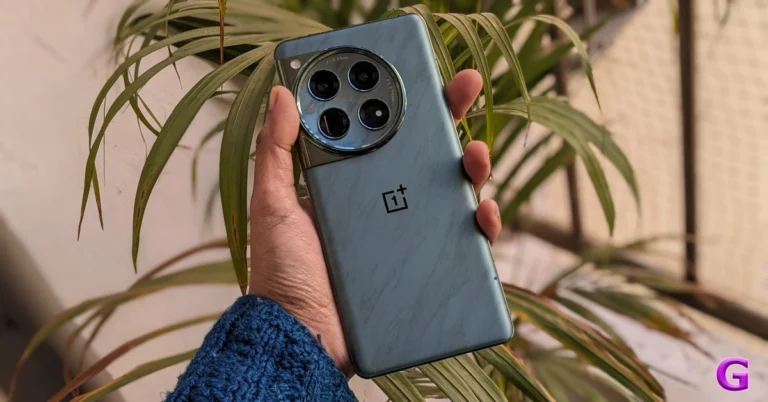
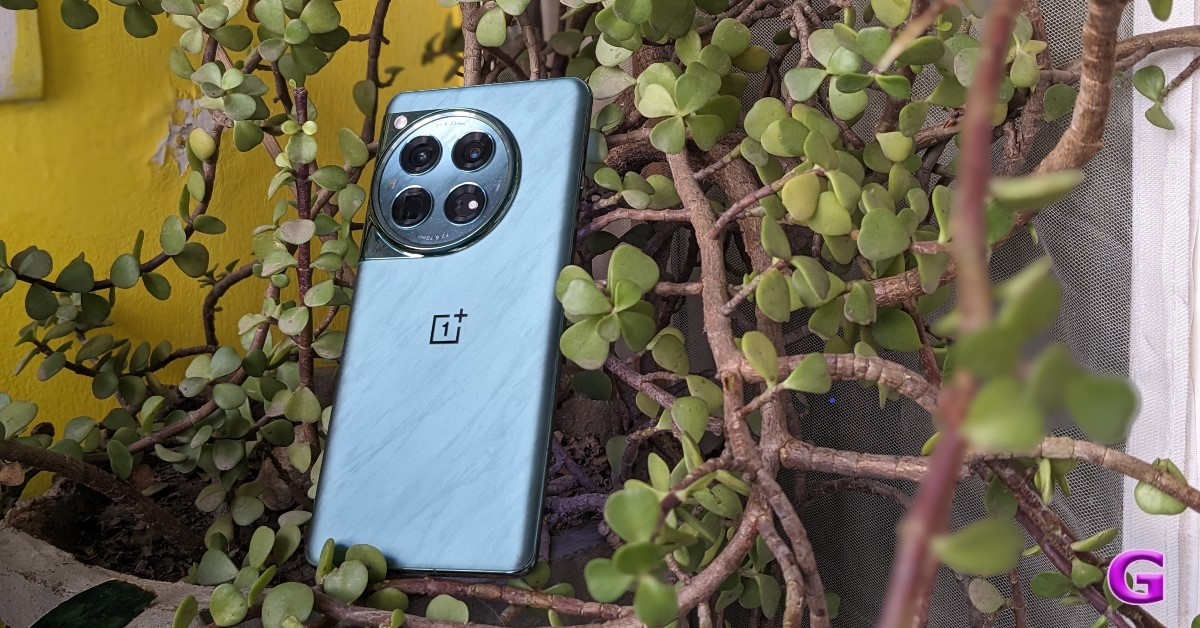 Looking at the design language, OnePlus has continued to use the previous generation’s style. Again, the camera device is circular. Within the module, the Hasselblad logo sits on a glossy marble finish module housing four camera lenses. We also observed some gorgeous glitter in it that gives the appearance of the brightness of the night stars. There are two colour options for the OnePlus 12: Silky Black and Flowy Emerald.
Also Read: Vivo X100 Pro review: Goes above and beyond with its cameras
For the review, we got the Flowy Emerald colour variant, which has a matte finish and a marble-like design that actually looks pretty fantastic. According to the company it is inspired by the magnificent sight of New Zealand’s braided Dart River, where emerald ribbons pulse with vivid energy. Flowy Emerald captures the essence of natural wonders and uses cutting-edge AG technology along with a precise etching process to give the phone’s glass back cover a premium texture with exquisite dynamism.
Looking at the design language, OnePlus has continued to use the previous generation’s style. Again, the camera device is circular. Within the module, the Hasselblad logo sits on a glossy marble finish module housing four camera lenses. We also observed some gorgeous glitter in it that gives the appearance of the brightness of the night stars. There are two colour options for the OnePlus 12: Silky Black and Flowy Emerald.
Also Read: Vivo X100 Pro review: Goes above and beyond with its cameras
For the review, we got the Flowy Emerald colour variant, which has a matte finish and a marble-like design that actually looks pretty fantastic. According to the company it is inspired by the magnificent sight of New Zealand’s braided Dart River, where emerald ribbons pulse with vivid energy. Flowy Emerald captures the essence of natural wonders and uses cutting-edge AG technology along with a precise etching process to give the phone’s glass back cover a premium texture with exquisite dynamism.
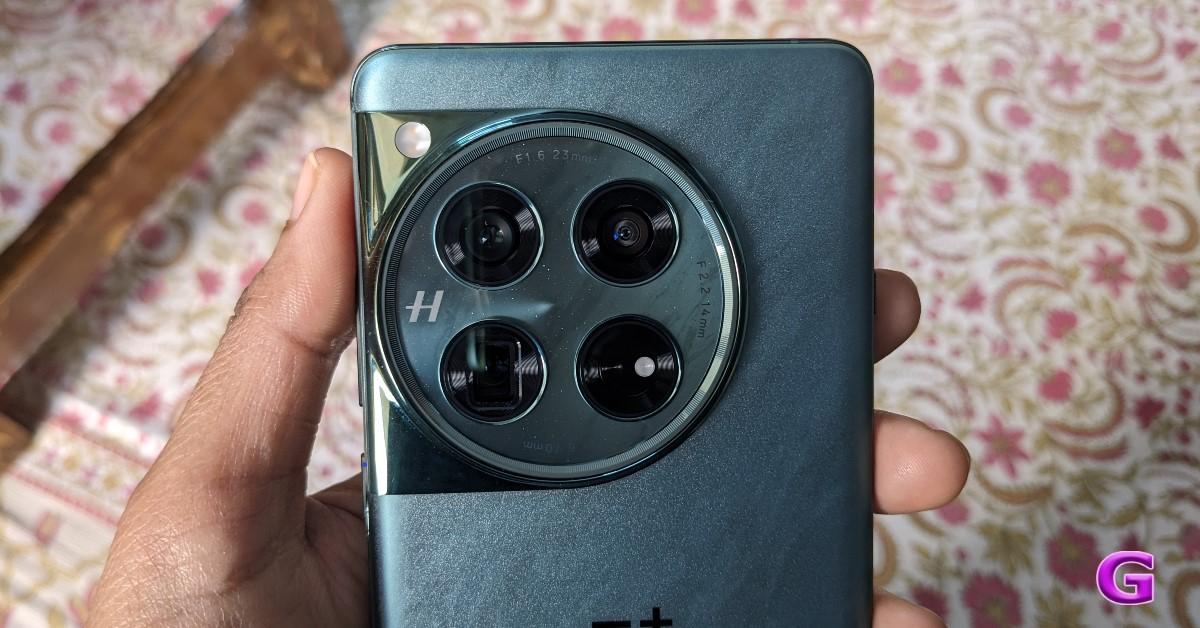 Take note that Corning Gorilla 5 protects the back panel.
Despite having a matte appearance, the back feels a little slick to the touch. Therefore, we advise you to put a silicon case on it to prevent accidental drops or slips from your hand. Using a back cover will safeguard the glass-made rear panel and provide you with a firm grip. And yes, the back cover is present inside the box, so need to purchase a new one, unless you want a different appearance.
The phone is undoubtedly heavier due to its larger battery and the usage of glass and metal materials. But despite this, you don’t feel like it’s a very heavy handset.
Take note that Corning Gorilla 5 protects the back panel.
Despite having a matte appearance, the back feels a little slick to the touch. Therefore, we advise you to put a silicon case on it to prevent accidental drops or slips from your hand. Using a back cover will safeguard the glass-made rear panel and provide you with a firm grip. And yes, the back cover is present inside the box, so need to purchase a new one, unless you want a different appearance.
The phone is undoubtedly heavier due to its larger battery and the usage of glass and metal materials. But despite this, you don’t feel like it’s a very heavy handset.
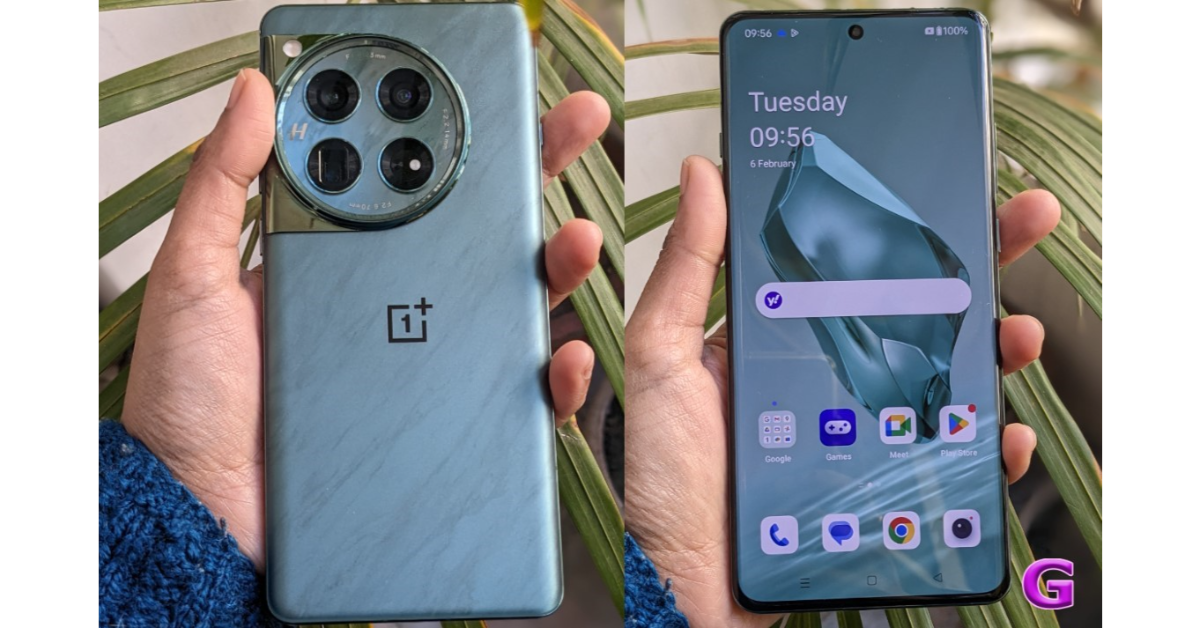 In addition, the edges have rounded corners and a curved finish. Gorilla Glass Victus 2 protection has been added to the display. The bezels are kept to a minimum, which looks pretty good. In addition, it has a high-quality appearance and feel thanks to the metal frame and the soft curves on both sides. Our small hands could comfortably use the phone with one hand because it is not overly broad. The gadget is not waterproof, but it does have an IP65 classification for dust and splash resistance.
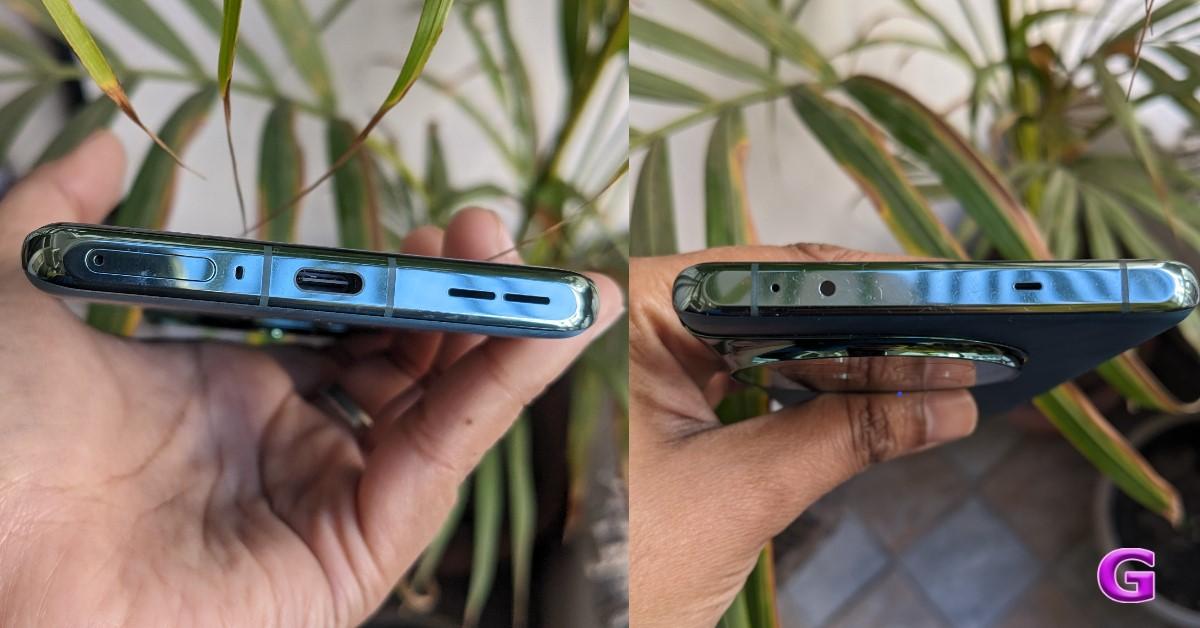
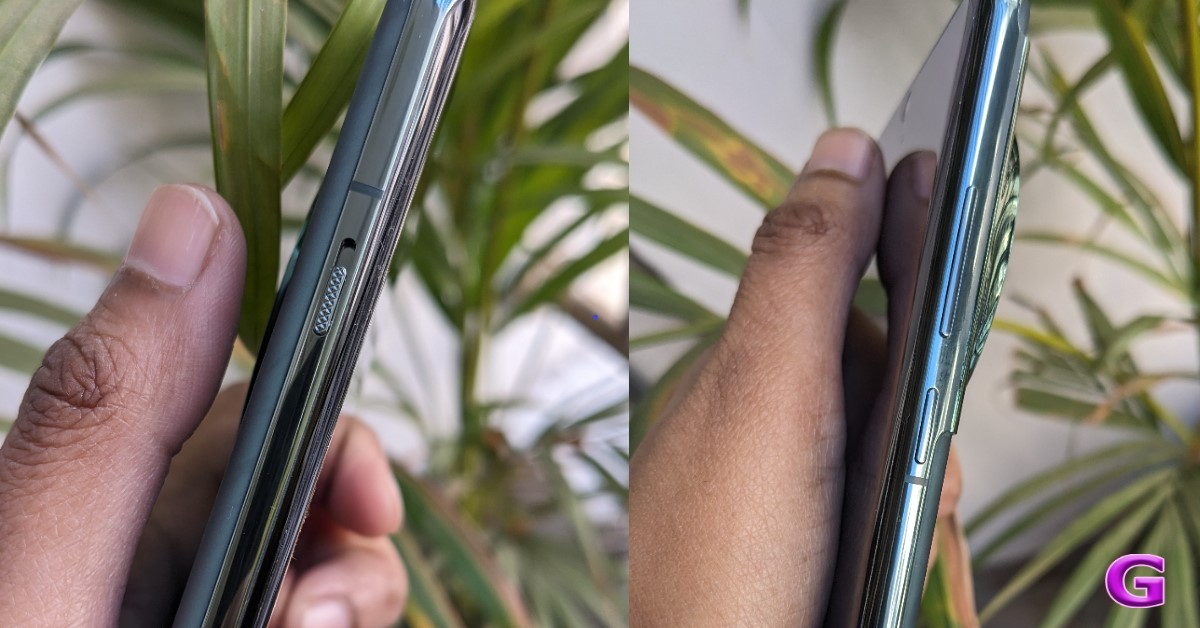 The alert slider is on the left side of the frame, and the power and volume buttons are on the right. It includes an IR blaster on top, a dual SIM card slot and a USB Type C port speaker unit at the bottom.
 Let’s proceed to the display next. The main feature of the OnePlus 12 is its 6.82-inch quad-HD+ LTPO OLED screen, which boasts a resolution of 1,440 x 3,168 pixels. The variable refresh rate of the front panel spans from 1Hz to 120Hz. Furthermore supported is a screen brightness of 4,500 nits. Keep in mind that this OnePlus smartphone’s screen is the brightest we’ve ever seen.
Also Read: iQOO 12 5G Review: Oozes personality and power
It provides incredibly smooth and lifelike images for an excellent viewing experience. Additionally, TÜV Rheinland certifies it for Intelligent Eye Care because of its capacity to efficiently decrease blue light output and intelligently modify the colour temperature in response to varying ambient conditions.
Let’s proceed to the display next. The main feature of the OnePlus 12 is its 6.82-inch quad-HD+ LTPO OLED screen, which boasts a resolution of 1,440 x 3,168 pixels. The variable refresh rate of the front panel spans from 1Hz to 120Hz. Furthermore supported is a screen brightness of 4,500 nits. Keep in mind that this OnePlus smartphone’s screen is the brightest we’ve ever seen.
Also Read: iQOO 12 5G Review: Oozes personality and power
It provides incredibly smooth and lifelike images for an excellent viewing experience. Additionally, TÜV Rheinland certifies it for Intelligent Eye Care because of its capacity to efficiently decrease blue light output and intelligently modify the colour temperature in response to varying ambient conditions.
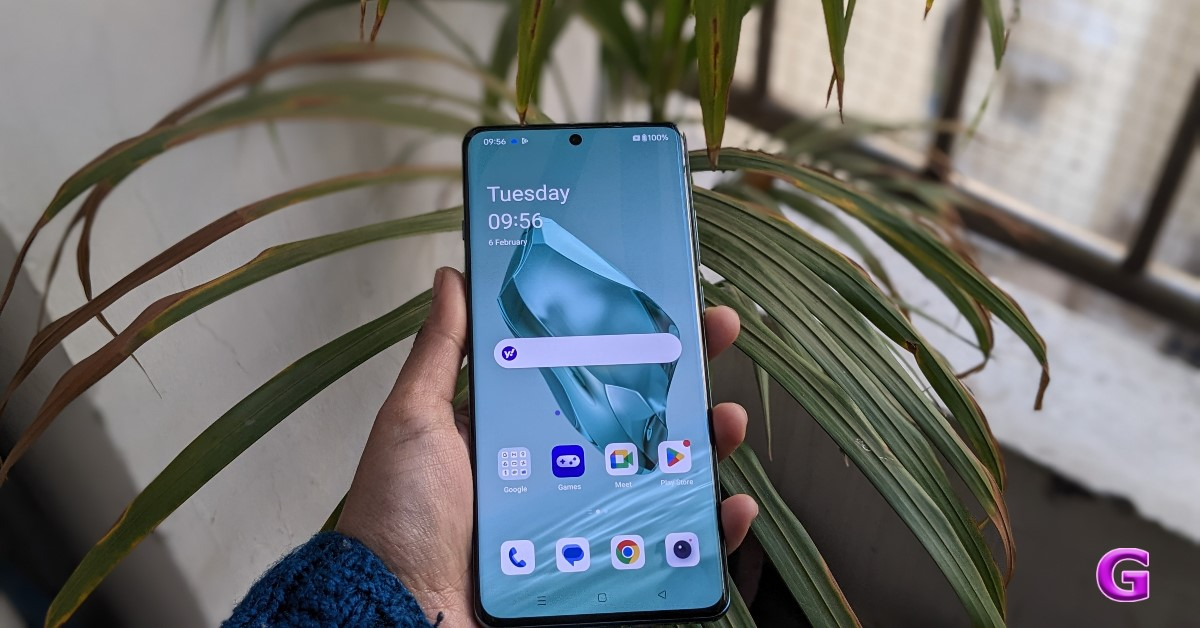 Because it is an LTPO panel, the display can automatically transition between a refresh rate of 1Hz to 120Hz while maintaining a relatively low power consumption, depending on user preferences and particular usage conditions. On the other hand, Dolby Vision is also supported, enhancing the visual experience overall with incredibly bright colours, sharp contrast, and showcasing well even the minutest details.
The touch response of the display functions perfectly. Sweaty hands and mishaps during both intense gameplay and regular use are greatly reduced thanks to the Aqua Touch’s ability to detect moist fingers and water droplets on the screen and adjust accordingly.
Dolby Atoms is supported by the dual speaker setup and dedicated spatial audio, which provides high-quality audio with less acoustic resonance even without headphones. We quite loved it.
Because it is an LTPO panel, the display can automatically transition between a refresh rate of 1Hz to 120Hz while maintaining a relatively low power consumption, depending on user preferences and particular usage conditions. On the other hand, Dolby Vision is also supported, enhancing the visual experience overall with incredibly bright colours, sharp contrast, and showcasing well even the minutest details.
The touch response of the display functions perfectly. Sweaty hands and mishaps during both intense gameplay and regular use are greatly reduced thanks to the Aqua Touch’s ability to detect moist fingers and water droplets on the screen and adjust accordingly.
Dolby Atoms is supported by the dual speaker setup and dedicated spatial audio, which provides high-quality audio with less acoustic resonance even without headphones. We quite loved it.
 Speaking of the daylight pictures, you can get excellent details and rich, beautiful colours there as well. The photographs have excellent overall quality and a very natural appearance. In actuality, the colours are rich in tones without being overly saturated, and the dynamic range is pleasant and broad. You can see that the details are good by zooming in.
 The 48-megapixel ultra-wide-angle lens produced remarkably similar images, and the colour reproduction was accurate once more. We would describe it as being roughly comparable to the main camera. The dynamic range appears mostly acceptable, and the sharpness levels are fairly good. It’s really useful to have an ultra-wide-angle camera.
With the ability to zoom 3x optically, the telephoto lenses can now capture a wealth of information. Additionally consistent are the colour and dynamic range. It performs well in this case as well in terms of sharpness levels.
The 48-megapixel ultra-wide-angle lens produced remarkably similar images, and the colour reproduction was accurate once more. We would describe it as being roughly comparable to the main camera. The dynamic range appears mostly acceptable, and the sharpness levels are fairly good. It’s really useful to have an ultra-wide-angle camera.
With the ability to zoom 3x optically, the telephoto lenses can now capture a wealth of information. Additionally consistent are the colour and dynamic range. It performs well in this case as well in terms of sharpness levels.
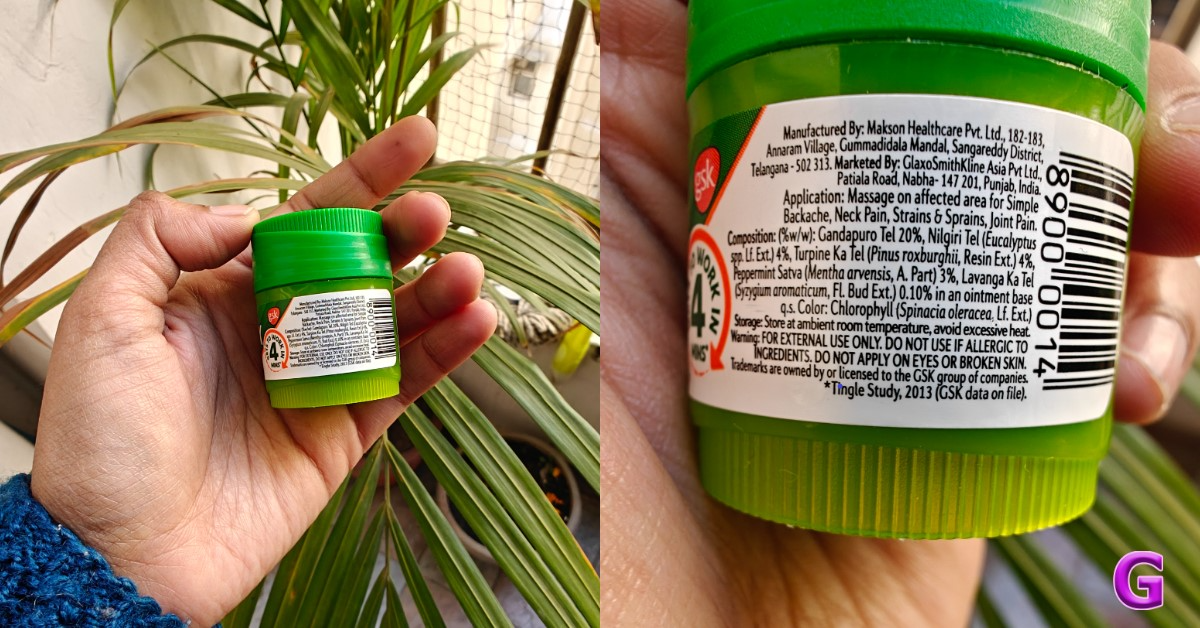 Let’s move on to the close-up photographs, where you can see even more vibrant colours and excellent overall image quality. Also, the backdrop blur looks fantastic. Keep in mind that the telephoto lens, which handles the macro department, provides an abundance of details and has performed an excellent job with macros.
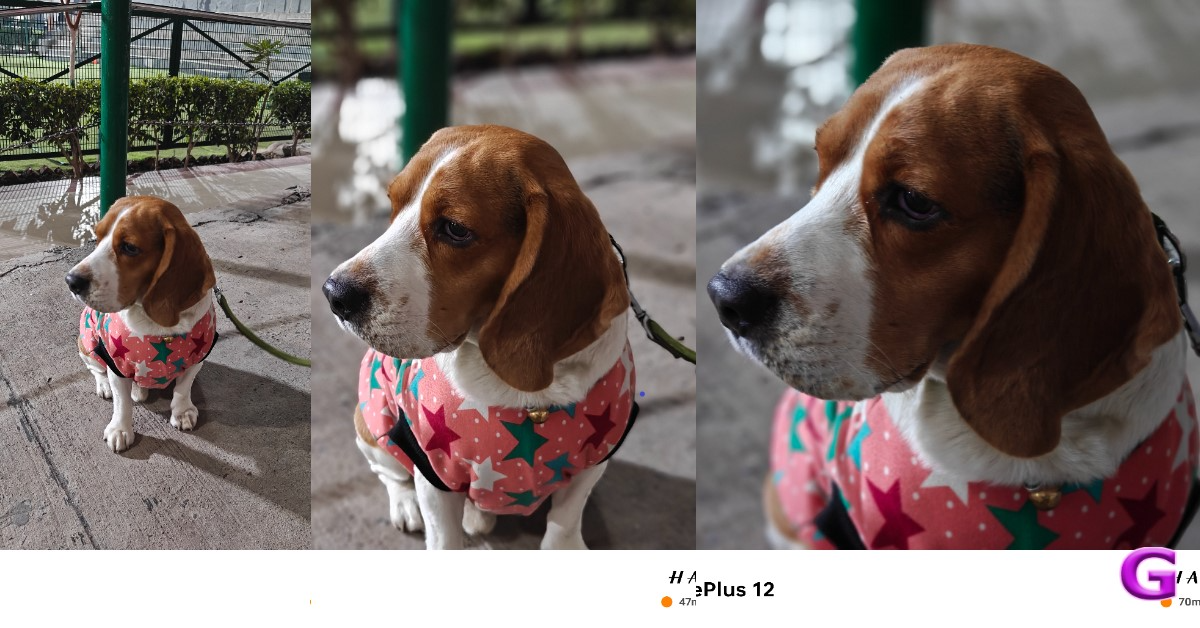 You will be able to take pictures in 1x, 2x, and 3x for portraits. The telephoto lens handles 3x, while the primary camera handles 1x and 2x. The skin tones appear rather realistic, the results are good, and there are no saturation problems. The telephoto lens has some edge detection issues, but overall quality is good and edge detection is acceptable at 1x and 2x zoom. In actuality, it is not that crisp, and in certain instances, the edges were not very good.
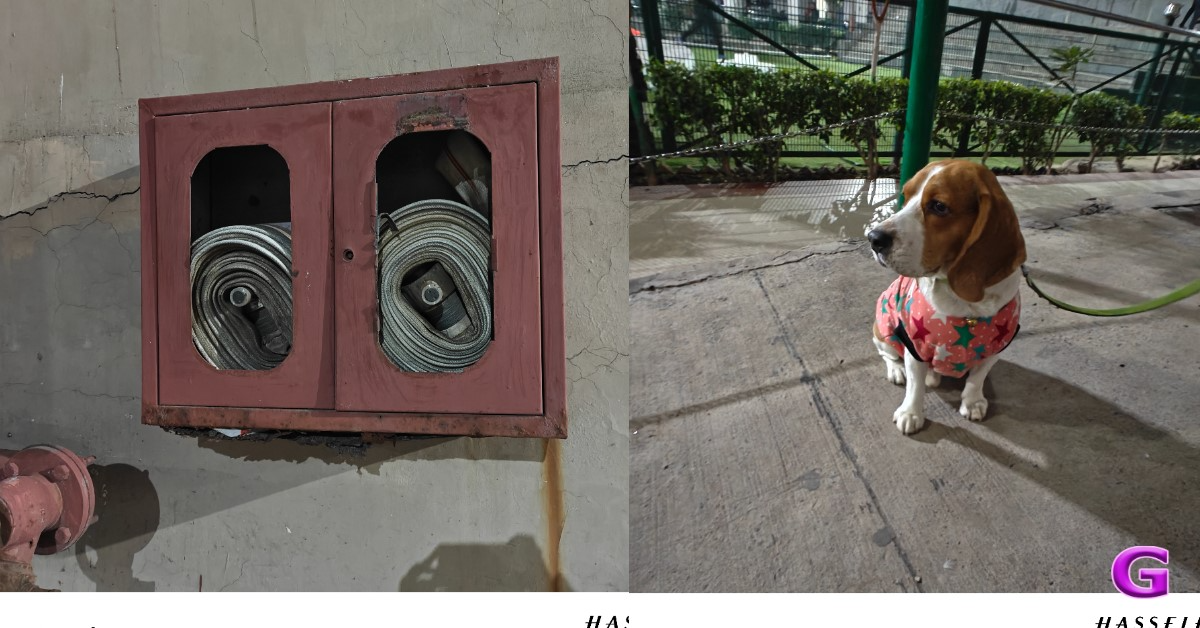 There are plenty of details under artificial indoor light, and the night mode provides decent details outdoors as well. It does not overexpose or over-brighten, but the details and dynamic range are excellent. In a dim light, we also observed a few lens flare incidents.
Regarding selfies, the 32-megapixel front-facing camera performs nicely; we particularly enjoyed the colour tones. The dynamic range is lovely, and the skin tones seem natural. The selfies don’t feature any beauty effects on the face, but the edge detection in the portrait selfies gives the images an unnatural appearance.
While testing, our review unit also received its first OTA update. After updating the OnePlus 12’s camera app got support for the ProXDR feature in the Google Photos app which wasn’t available before the software update landed. It is essentially a kind of display technology that uses atomization to brighten the dark areas in images.
There are plenty of details under artificial indoor light, and the night mode provides decent details outdoors as well. It does not overexpose or over-brighten, but the details and dynamic range are excellent. In a dim light, we also observed a few lens flare incidents.
Regarding selfies, the 32-megapixel front-facing camera performs nicely; we particularly enjoyed the colour tones. The dynamic range is lovely, and the skin tones seem natural. The selfies don’t feature any beauty effects on the face, but the edge detection in the portrait selfies gives the images an unnatural appearance.
While testing, our review unit also received its first OTA update. After updating the OnePlus 12’s camera app got support for the ProXDR feature in the Google Photos app which wasn’t available before the software update landed. It is essentially a kind of display technology that uses atomization to brighten the dark areas in images.
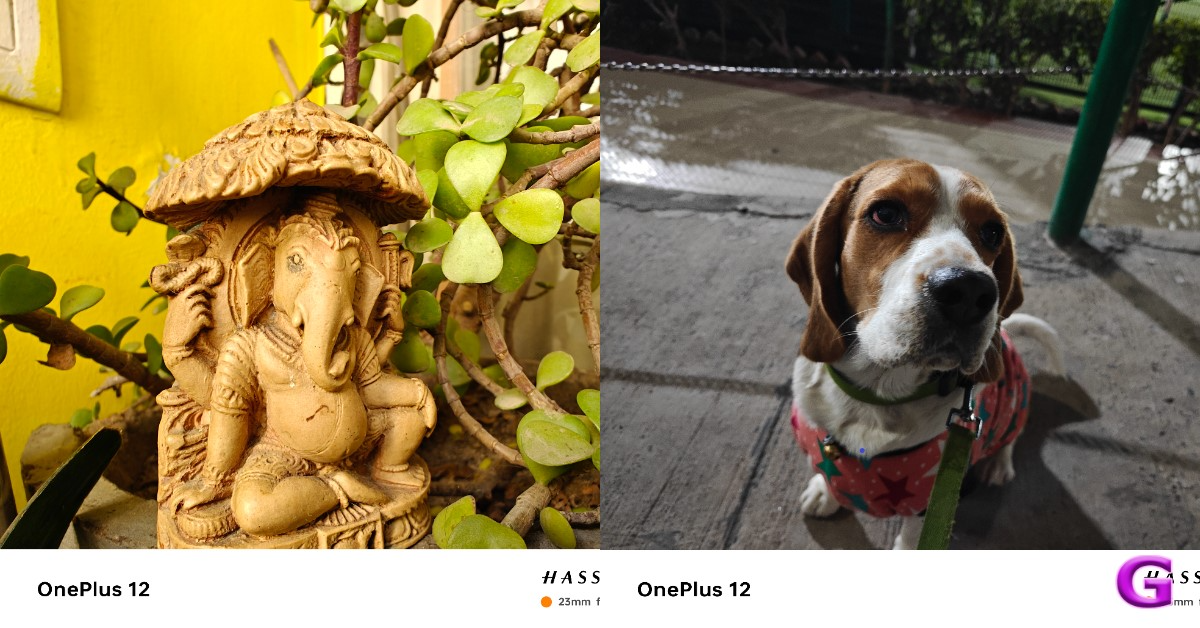 There is also one major upgrade, which is now the OnePlus 12 has received – the Master Mode. It is basically a camera feature by Hasselblad for colour tuning. And trust us, this is the main USP of the device. If you prefer more candid shots, you will definitely adore this option. We simply can’t get enough of using this ability to snap photos. The outcomes were, in fact, remarkably close to what our eyes saw even in low light conditions. The Master Mode is visible just next to Video mode that was home to Pro mode earlier. Don’t fret the Pro mode is still there. Just tap on the Mater mode and you will see two options on the extreme left Auto and Pro.



 Key Specs
| Display | 6.1-inch Super Retina XDR OLED |
| Chipset | Apple A16 Bionic |
| RAM | 6GB |
| Storage | 128GB, 256GB, 512GB |
| Battery | 3,349 mAh |
 Key Specs
| Display | 6.1-inch Dynamic AMOLED 2X |
| Chipset | Google Tensor G3 |
| RAM | 8GB |
| Storage | 128GB, 256GB |
| Battery | 4,575 mAh |
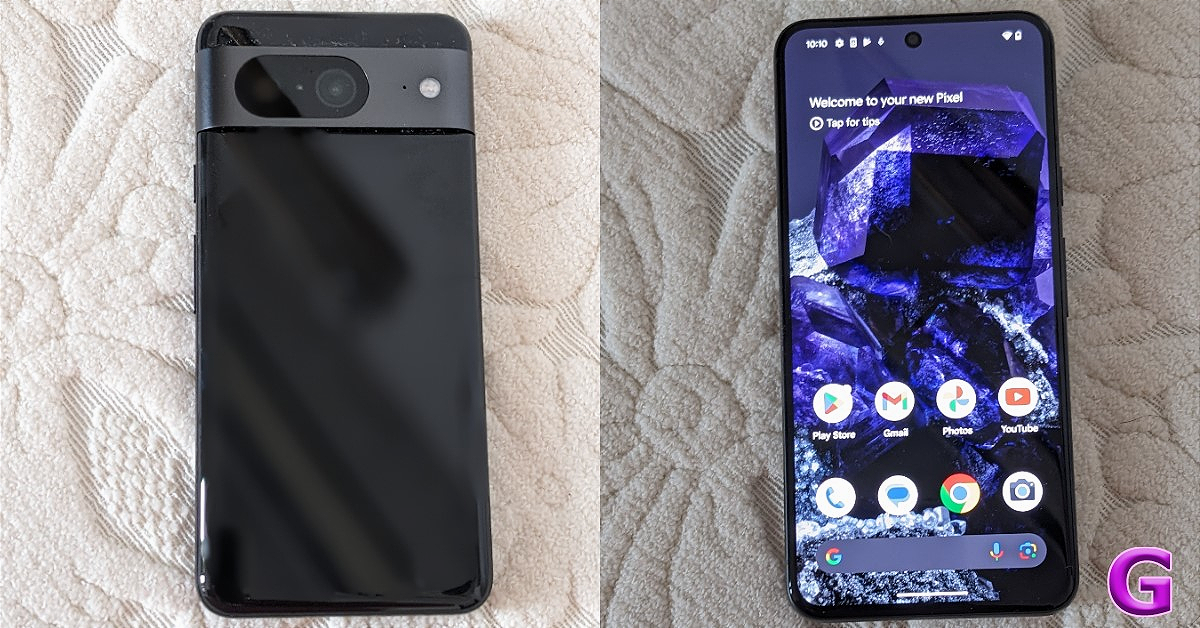 Key Specs
| Display | 6.2-inch OLED |
| Chipset | Google Tensor G3 |
| RAM | 8GB |
| Storage | 128GB, 256GB |
| Battery | 4,575 mAh |
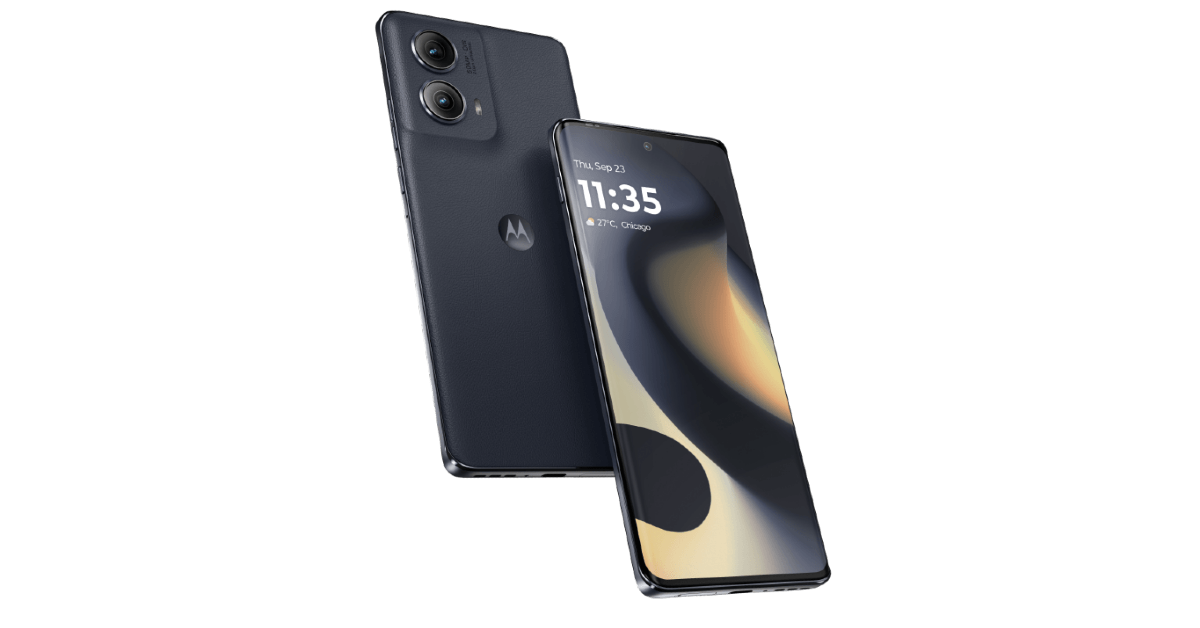 Key Specs
| Display | 6.6-inch P-OLED |
| Chipset | Snapdragon 7s Gen 2 |
| RAM | 8GB |
| Storage | 256GB |
| Battery | 5,000 mAh |
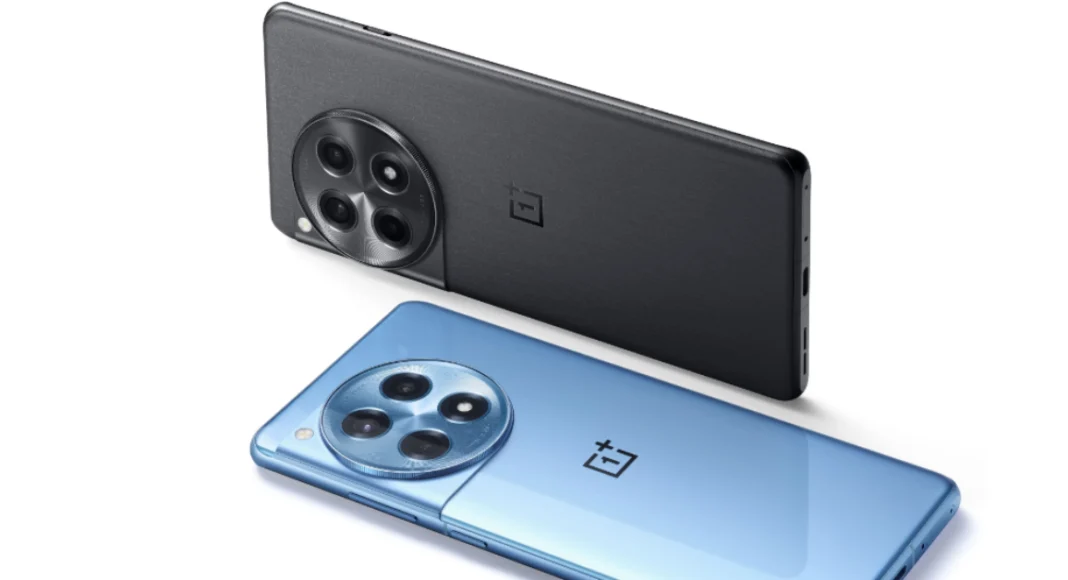 Key Specs
| Display | 6.82-inch LTPO4 AMOLED |
| Chipset | Snapdragon 8 Gen 2 |
| RAM | 8GB, 16GB |
| Storage | 128GB, 256GB |
| Battery | 5,500 mAh |
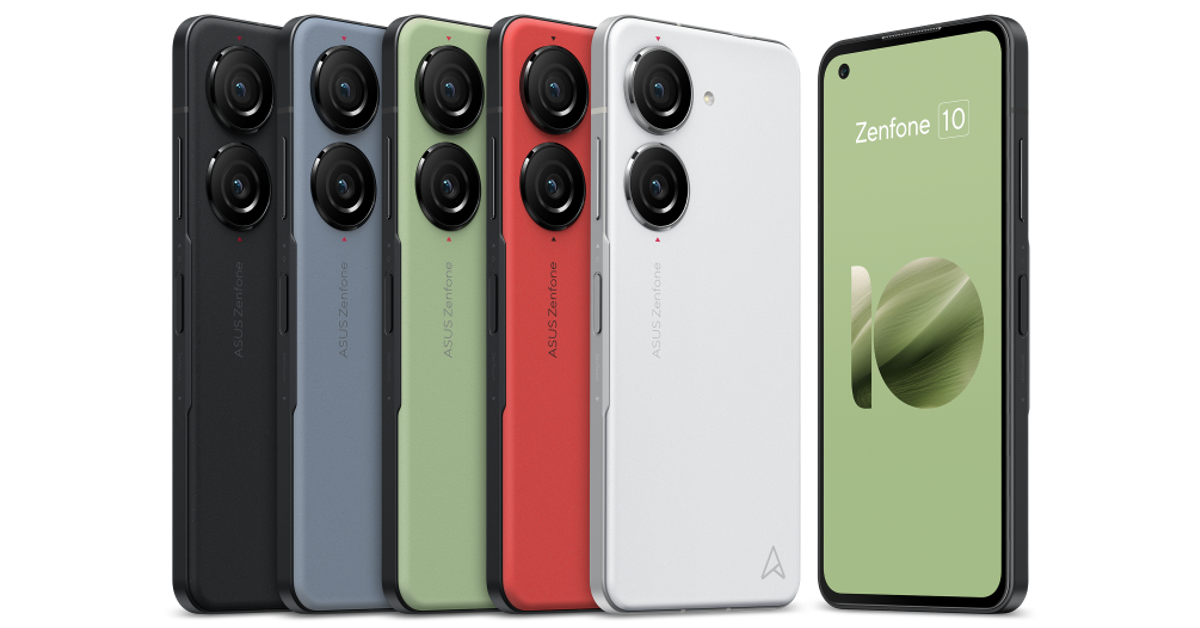 Key Specs
| Display | 5.92-inch Super AMOLED |
| Chipset | Snapdragon 8 Gen 2 |
| RAM | 8GB, 16GB |
| Storage | 128GB, 256GB, 512GB |
| Battery | 4,300 mAh |
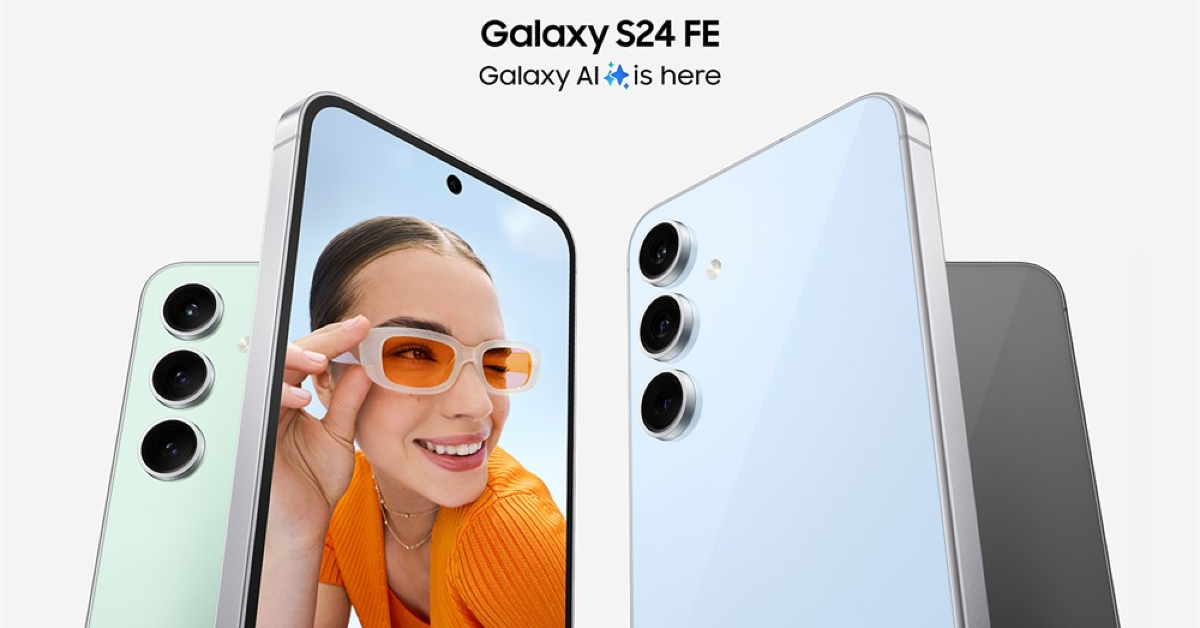 Key Specs
| Display | 6.1-inch Super Retina XDR OLED |
| Chipset | Apple A15 Bionic |
| RAM | 6GB |
| Storage | 128GB, 256GB, 512GB |
| Battery | 3,279 mAh |
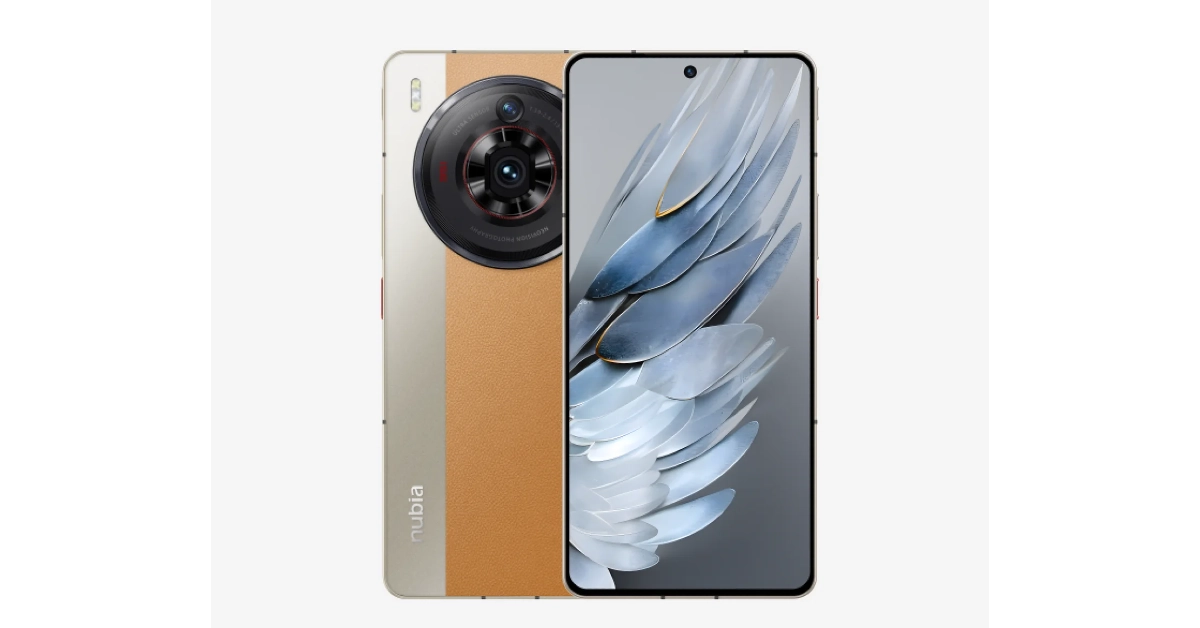 Key Specs
| Display | 6.8-inch AMOLED |
| Chipset | Snapdragon 8+ Gen 2 |
| RAM | 12GB, 16GB |
| Storage | 256GB, 1TB |
| Battery | 5,100 mAh |
 Key Specs
| Display | Inner: 6.9-inch LTPO AMOLED | Cover: 3.6-inch AMOLED |
| Chipset | Snapdragon 8+ Gen 1 |
| RAM | 8GB, 12GB |
| Storage | 256GB, 512GB |
| Battery | 3,800 mAh |
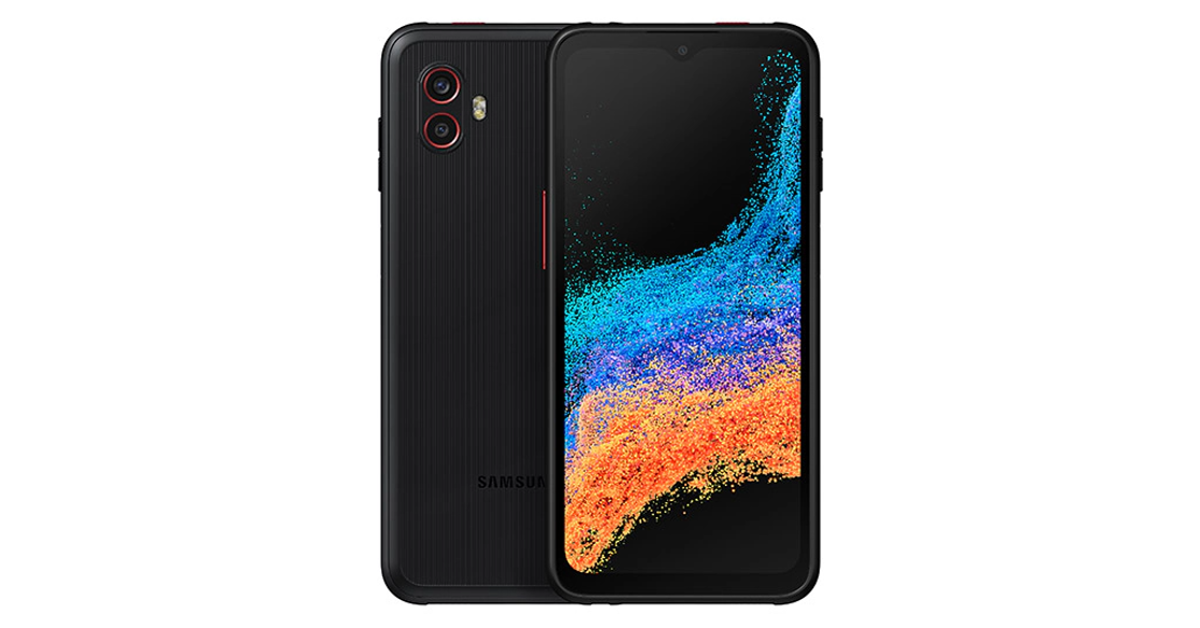 Key Specs
| Display | 6.6-inch PLS LCD |
| Chipset | Snapdragon 778G |
| RAM | 6GB |
| Storage | 128GB |
| Battery | 4,050 mAh |
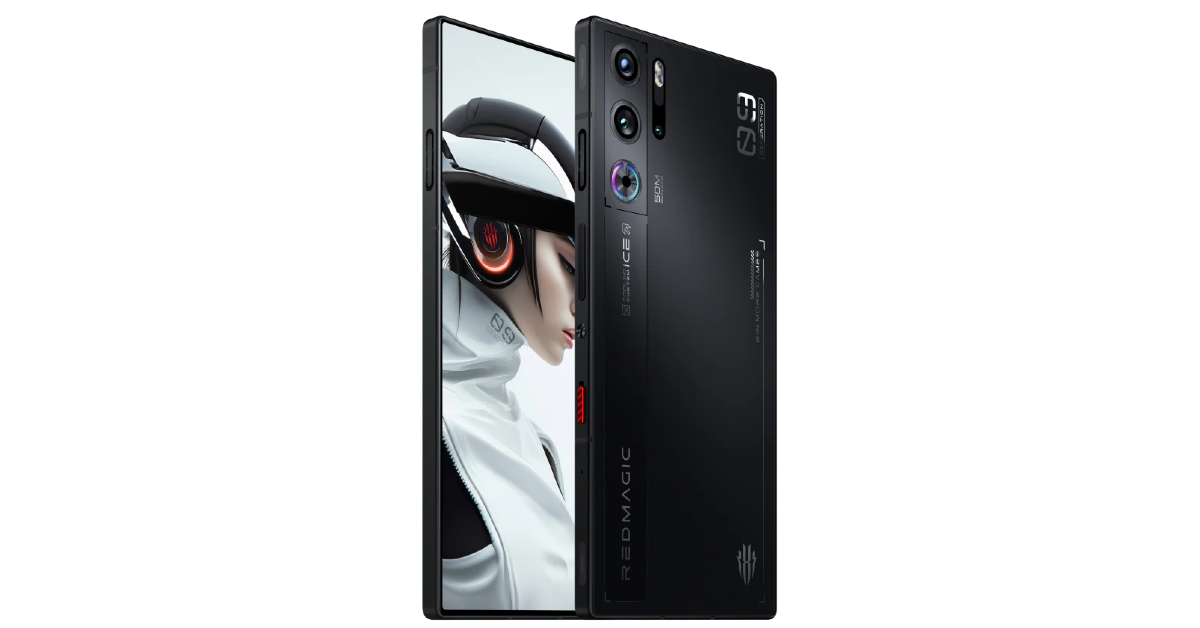 Key Specs
| Display | 6.8-inch AMOLED |
| Chipset | Snapdragon 8 Gen 3 |
| RAM | 8GB, 12GB, 16GB |
| Storage | 256GB, 512GB |
| Battery | 6,500 mAh |
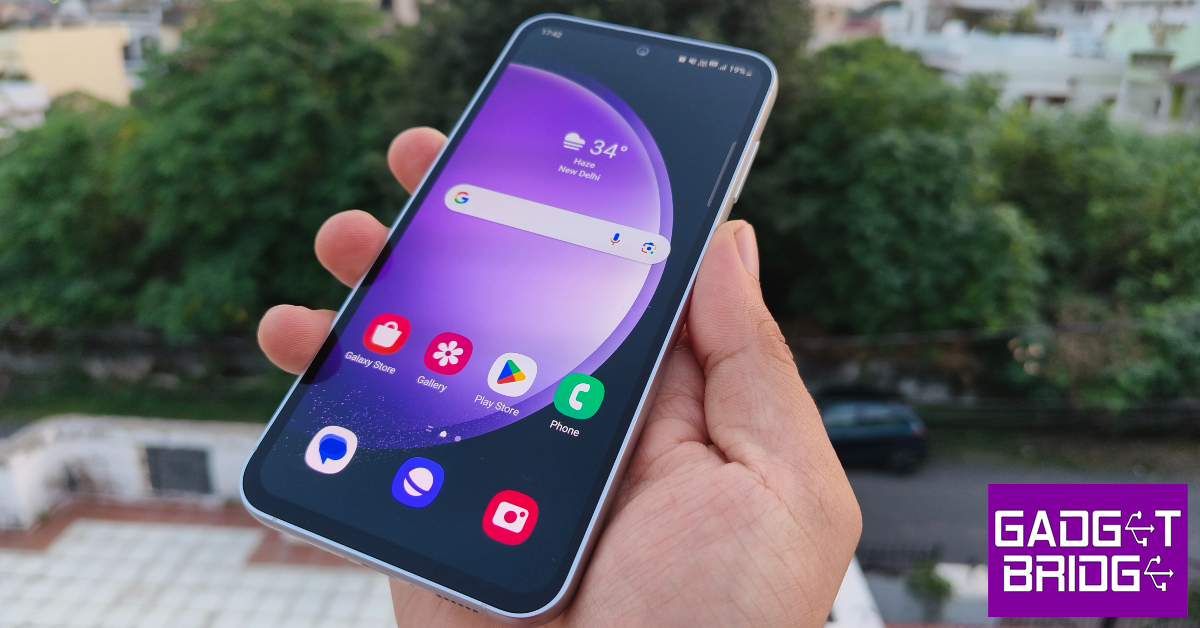 Key Specs
| Display | 6.4-inch Dynamic AMOLED 2X |
| Chipset | Snapdragon 8 Gen 1 |
| RAM | 8GB |
| Storage | 128GB, 256GB |
| Battery | 4,500 mAh |
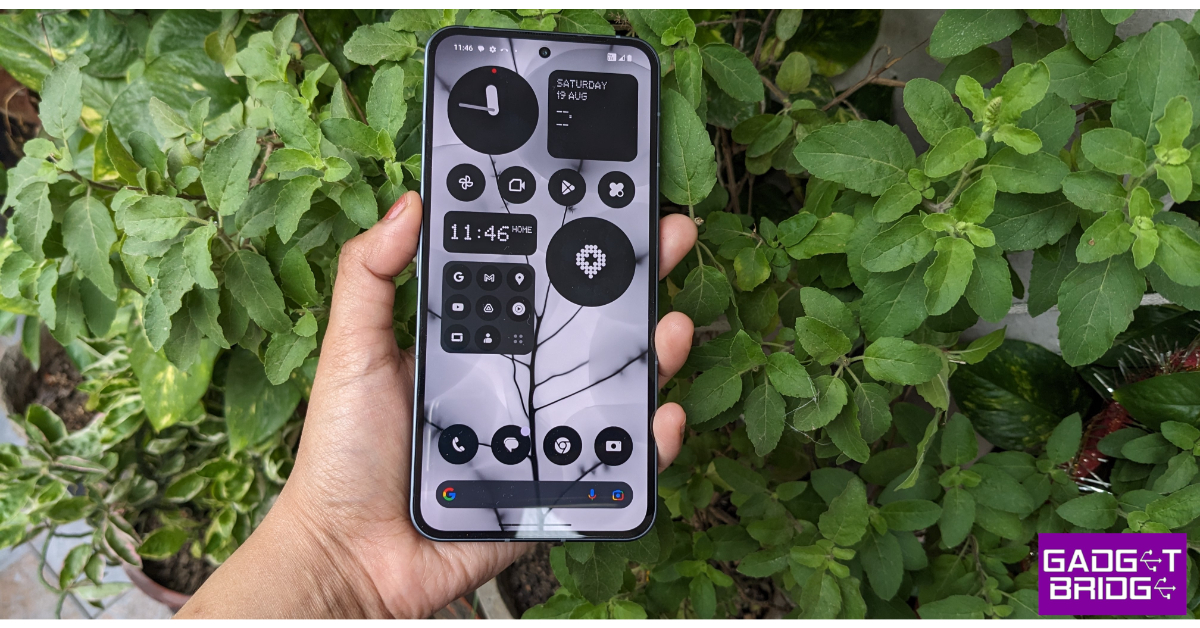 Key Specs
| Display | 6.7-inch LTPO OLED |
| Chipset | Snapdragon 8+ Gen 1 |
| RAM | 8GB, 12GB |
| Storage | 128GB, 256GB, 512GB |
| Battery | 4,700 mAh |

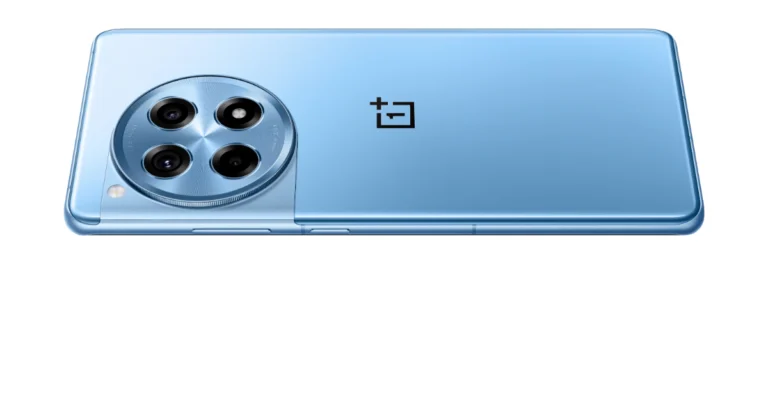
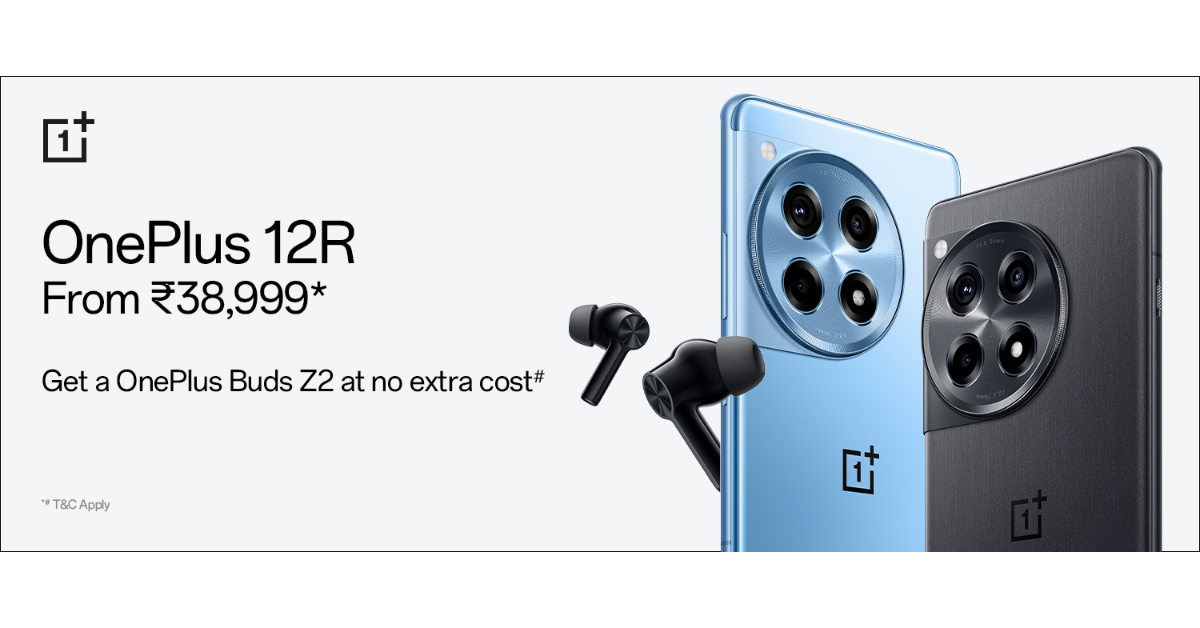 Apart from this those who place their orders for the device within the first 12 hours of its sale will receive the OnePlus Buds Z2 valued at Rs 4,999. Customers purchasing the 12R can avail of benefits worth INR 2,250 on Jio Plus. Buyers will get a free trial of Google One for 6 months & YouTube Premium for 3 months. Consumers can also buy the OnePlus 12R with OnePlus Easy Upgrades and get 35% assured value at the end of the 24 months. Shoppers can also avail of a 6-month no-cost EMI through ICICI credit/debit card EMI and OneCard EMI. The device can also be bought with OnePlus Easy Upgrades and get 35% assured value at the end of the 24 months.
Also Read: Vivo T2 5G, Vivo Y27 4G price in India dropped
Apart from this those who place their orders for the device within the first 12 hours of its sale will receive the OnePlus Buds Z2 valued at Rs 4,999. Customers purchasing the 12R can avail of benefits worth INR 2,250 on Jio Plus. Buyers will get a free trial of Google One for 6 months & YouTube Premium for 3 months. Consumers can also buy the OnePlus 12R with OnePlus Easy Upgrades and get 35% assured value at the end of the 24 months. Shoppers can also avail of a 6-month no-cost EMI through ICICI credit/debit card EMI and OneCard EMI. The device can also be bought with OnePlus Easy Upgrades and get 35% assured value at the end of the 24 months.
Also Read: Vivo T2 5G, Vivo Y27 4G price in India dropped

 Step 1: Go to Settings and select Phone.
Step 2: Tap on Call Forwarding.
Step 3: Turn off the toggle switch.
Step 1: Go to Settings and select Phone.
Step 2: Tap on Call Forwarding.
Step 3: Turn off the toggle switch.
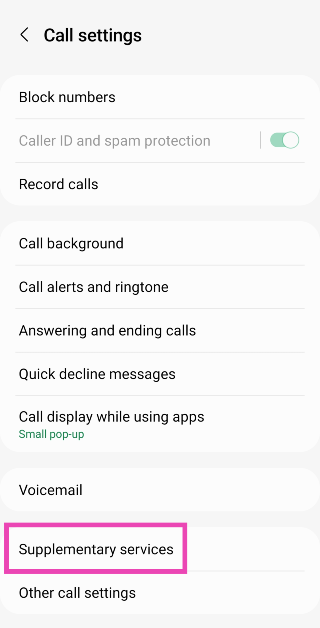
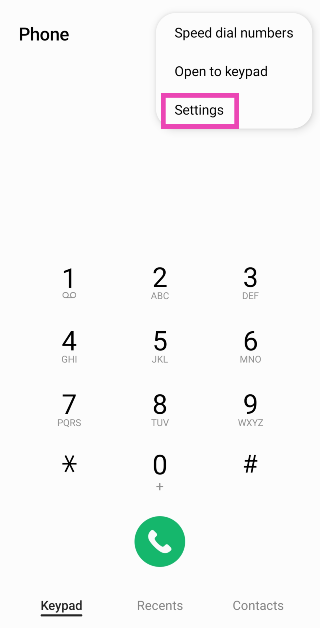 Step 4: Scroll down and select Supplementary services.
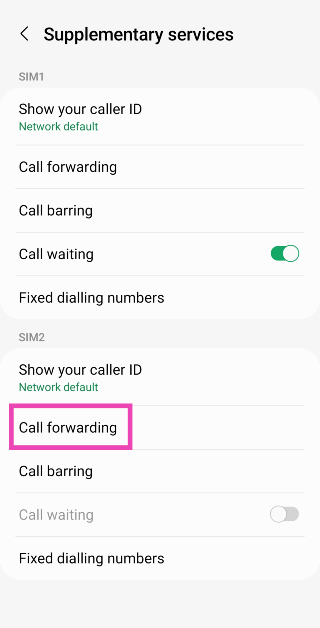
 Step 5: Tap on Call forwarding.
 Step 6: Tap on Always forward and select Never.
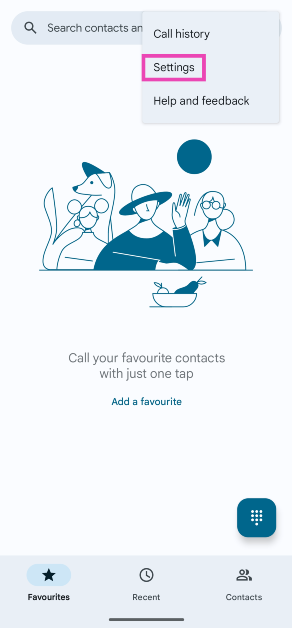 Step 3: Select Calling accounts.
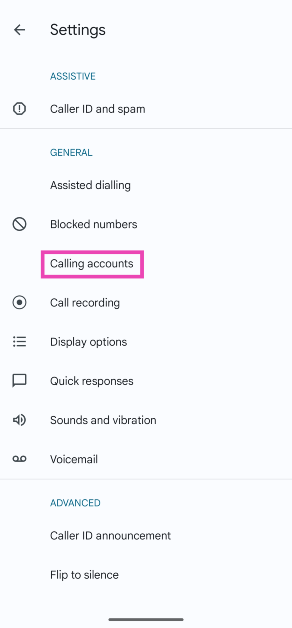 Step 4: Select the SIM for which you want to disable call forwarding.
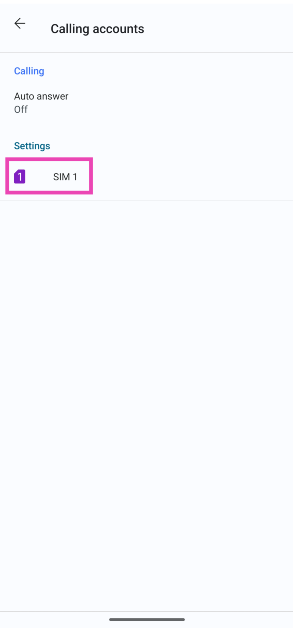 Step 5: Tap on Call forwarding.
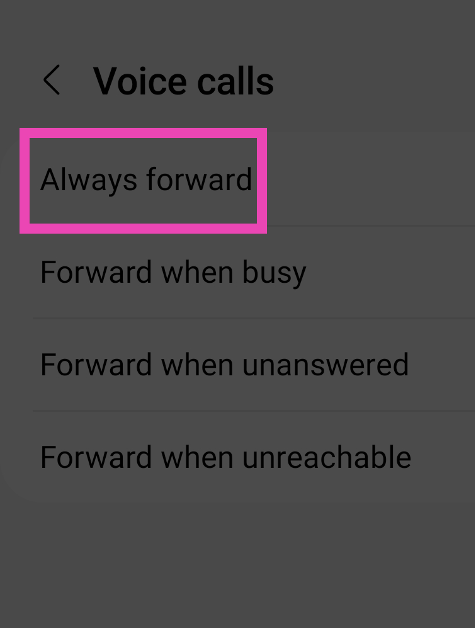
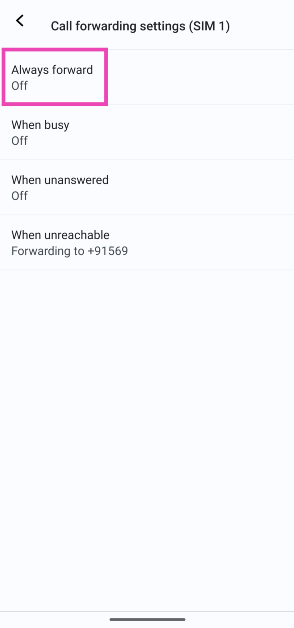
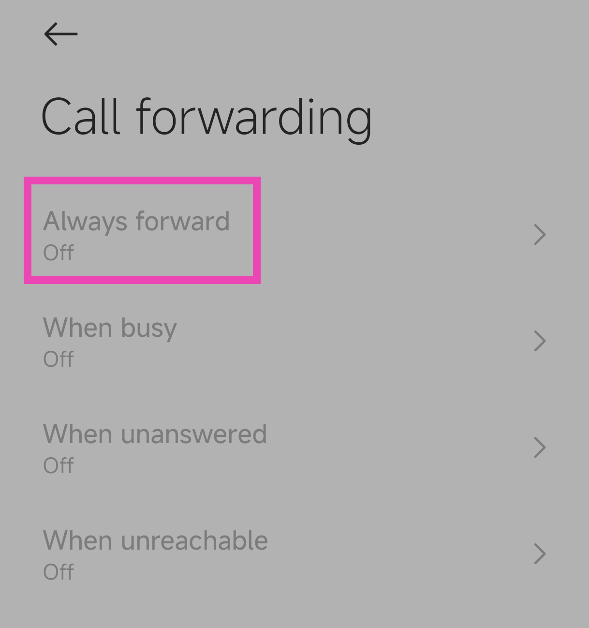
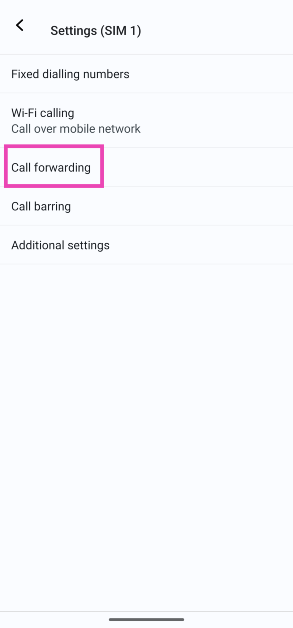 Step 6: Tap on Always forward and select Off. To turn off conditional forwarding, disable the other options as well.
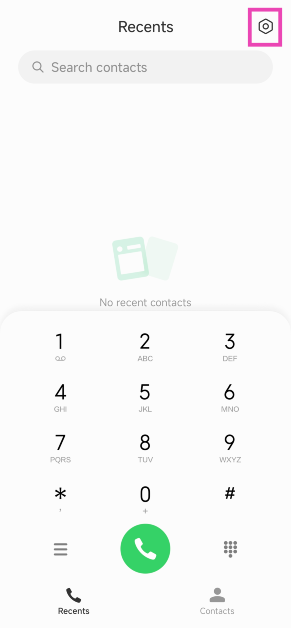 Step 2: Tap on Call-forwarding settings.
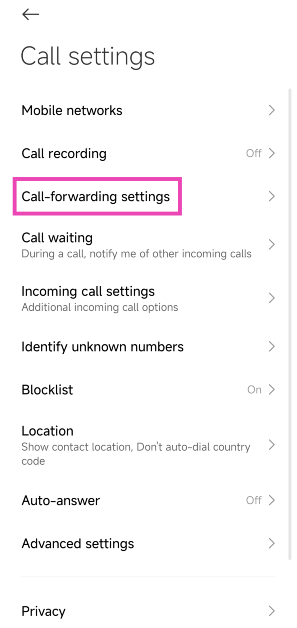 Step 3: Tap on Always forward and select Off.

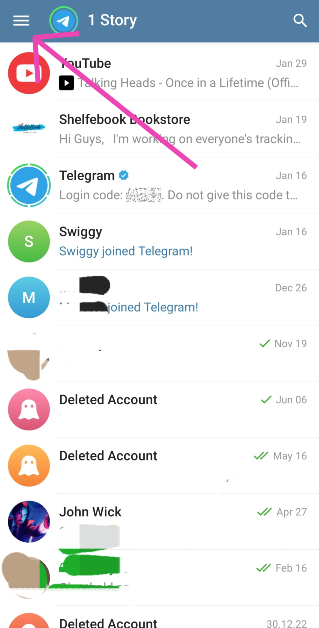 Step 2:
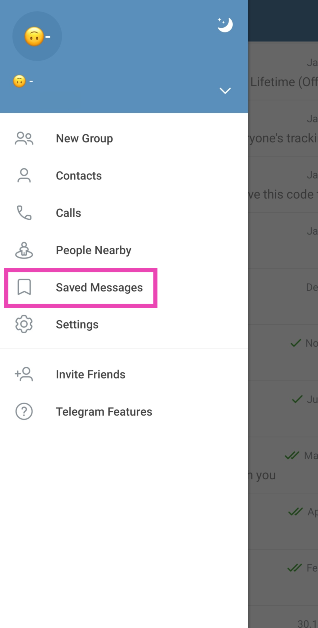 Step 3:
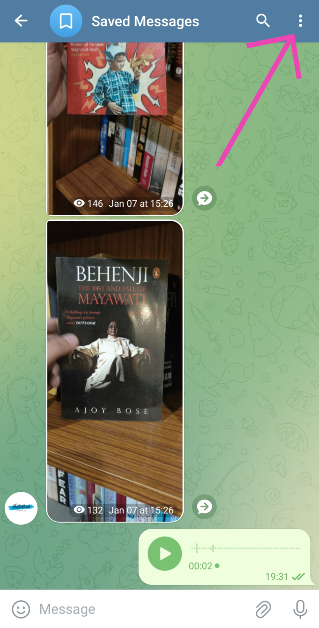 Step 6:
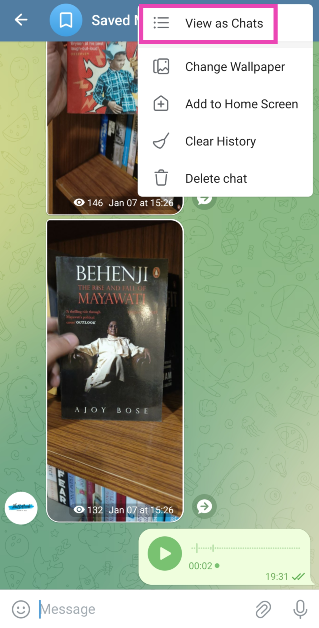 Step 7:


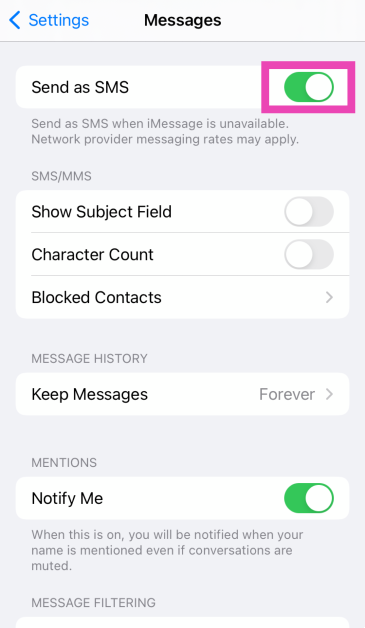
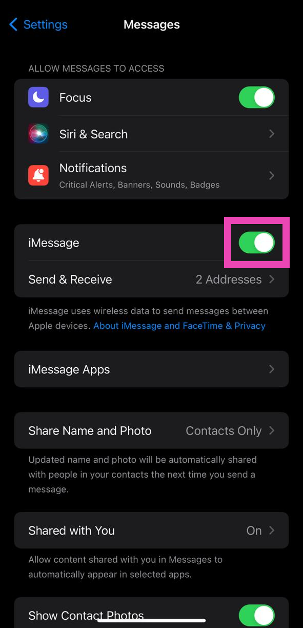
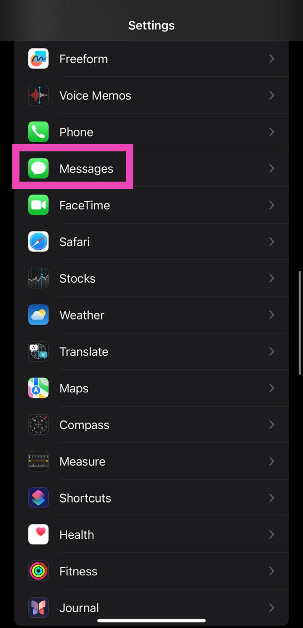 Step 2: Turn on the toggle switch next to Send as SMS.


 Read Also:
  Step 2:
 Step 3: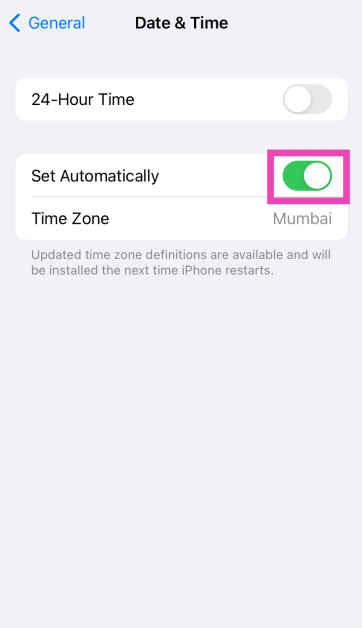
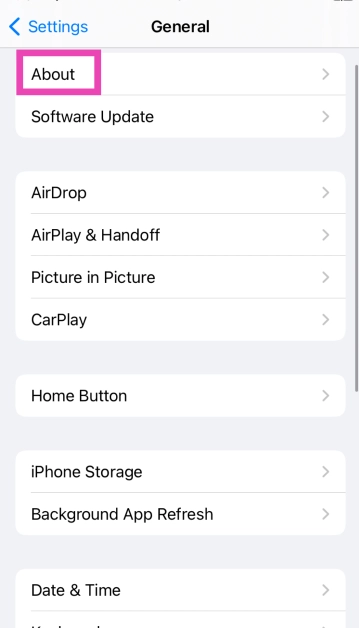 Step 3:
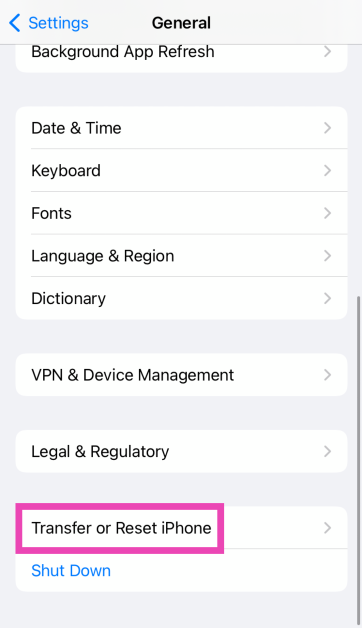 Step 3:
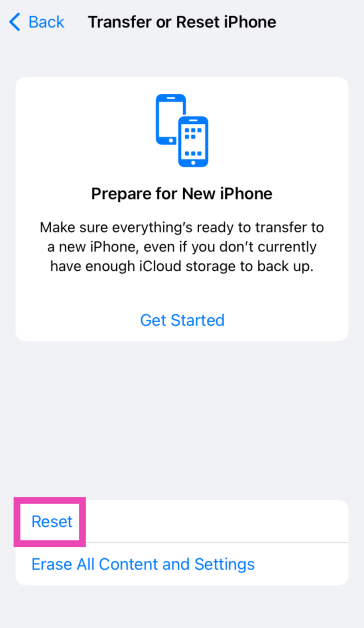 Step 4: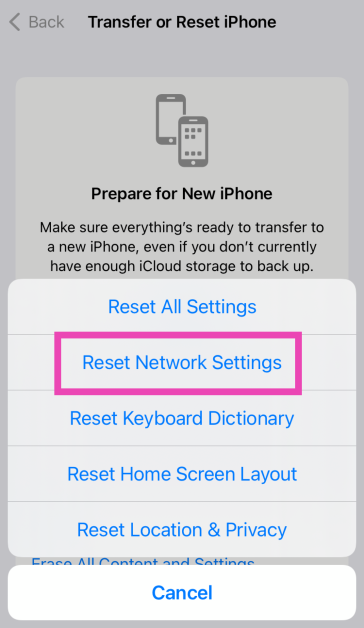
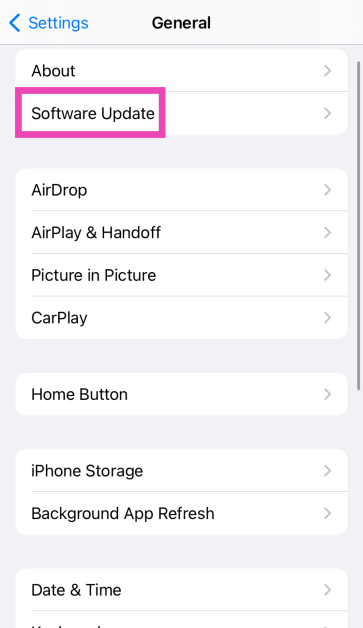 Step 4: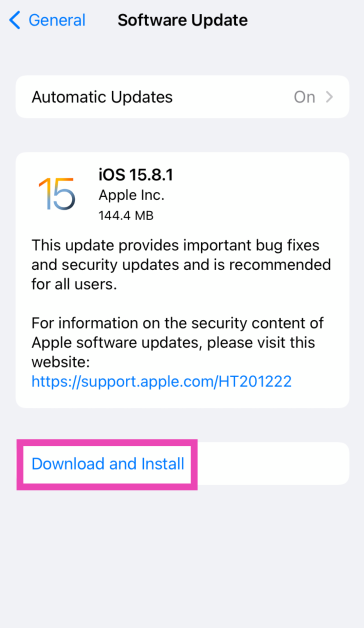
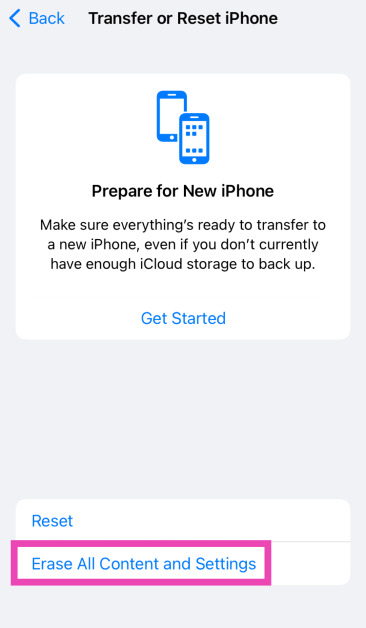 Step 4: Tap on Continue and enter the passcode to reset your iPhone to its factory settings.