

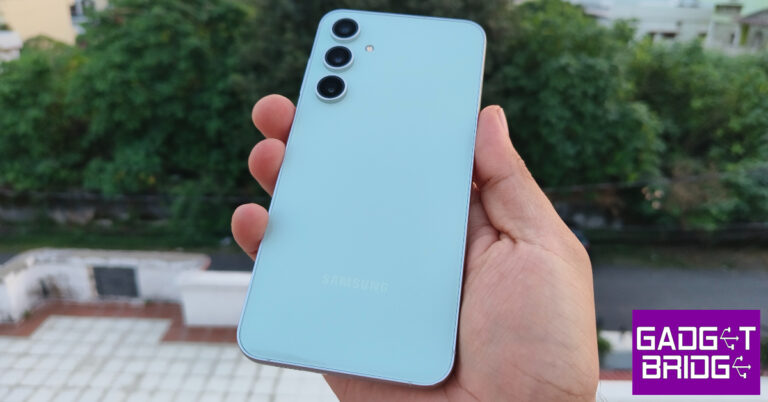
- Samsung Galaxy S23 FE has received a price cut of Rs 5,000.
- Along with the price revision, the company also offers additional bank offers on the device.
Samsung Galaxy S23 FE gets a price cut: Here is how much it costs now
Key Highlights
Dreame U10 Vacuum Cleaner Review: Basic Dust Buster
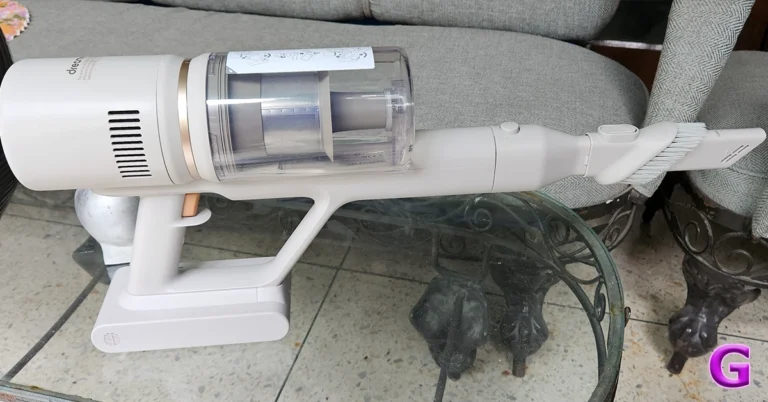
While many big players in the Indian market provide exceptional cleaning abilities from makers such as Philips and Dyson, there is a new entrant here called Dreame, which launched its set of Vacuum cleaners in India in Jan 2024. We got our hands on one of the devices to check it out. This is the Dreame U10 (cordless) Vacuum Cleaner Review, with which we have been tinkering around for over 10 days. Let’s see if it is worth the price.
 Out of the box, the Dreame U10 Vacuum Cleaner also looks like the rest of the pack. In fact, it seems a bit inspired by the Dyson series. However, it does have its distinct features. It is a trigger-style Vacuum Cleaner that when pressed sucks the dust at quite a rapid pace. The main enclosure consists of the rechargeable battery, the suction motor and also the transparent enclosure to trap all the dust and gunk.
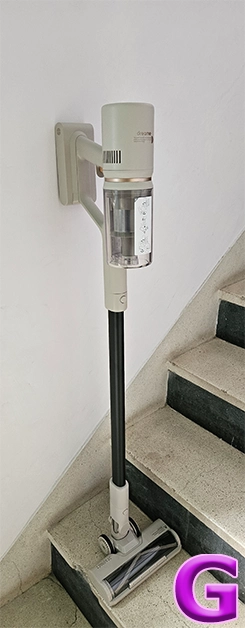
 In the box, you also get two attachments and one long neck to connect the primary brush roller addon to clean hard as well carpeted floors. This also has an LED light in front of it for the user to easily see the debris and dust in front. The other one is a smaller stick-tip head which can be used for cleaning the keyboard, nooks and corners of the sofa, and also windows and blinds. With it, there is also a wall attachment on which you can hang the cleaner for easy storage.
 Read Also: Samsung launches Bespoke Jet and Robotic Vacuum Cleaner lineup starting at Rs 65,900
Dreame U10 Vacuum Cleaner Review: Design
First up, this cordless Vacuum Cleaner is packed well within a small-ish cardboard case. That is also because it does not come with a lot of attachments like the mightier Dyson or Philips. However, it does come with a few attachments that are great for day-to-day use and cleaning out the home.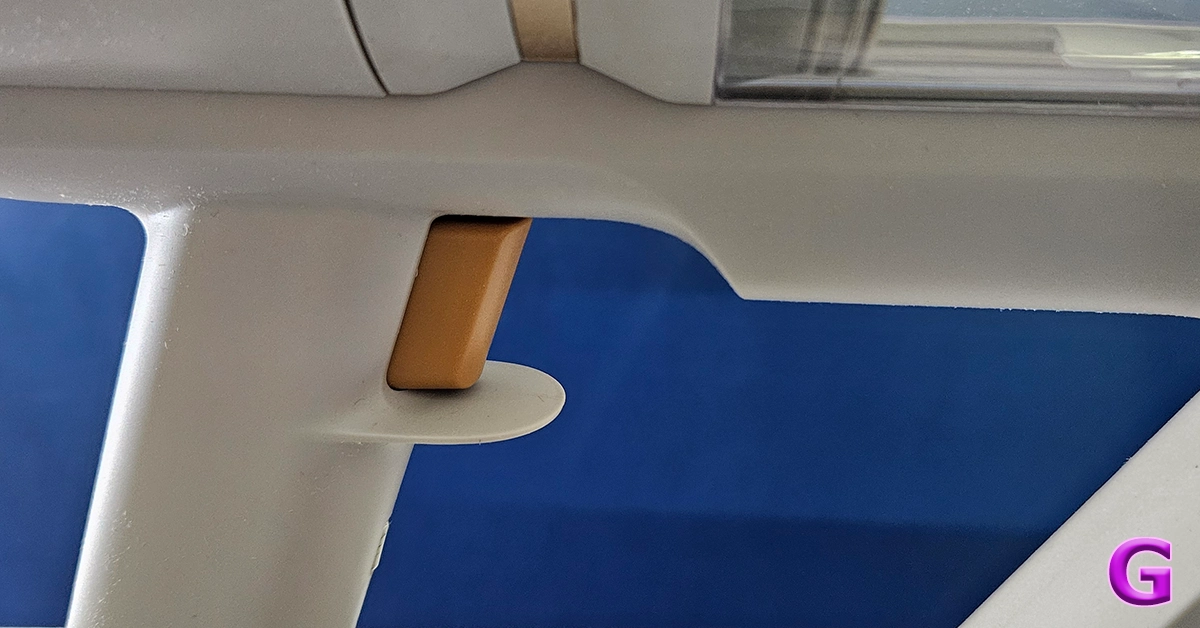 Out of the box, the Dreame U10 Vacuum Cleaner also looks like the rest of the pack. In fact, it seems a bit inspired by the Dyson series. However, it does have its distinct features. It is a trigger-style Vacuum Cleaner that when pressed sucks the dust at quite a rapid pace. The main enclosure consists of the rechargeable battery, the suction motor and also the transparent enclosure to trap all the dust and gunk.
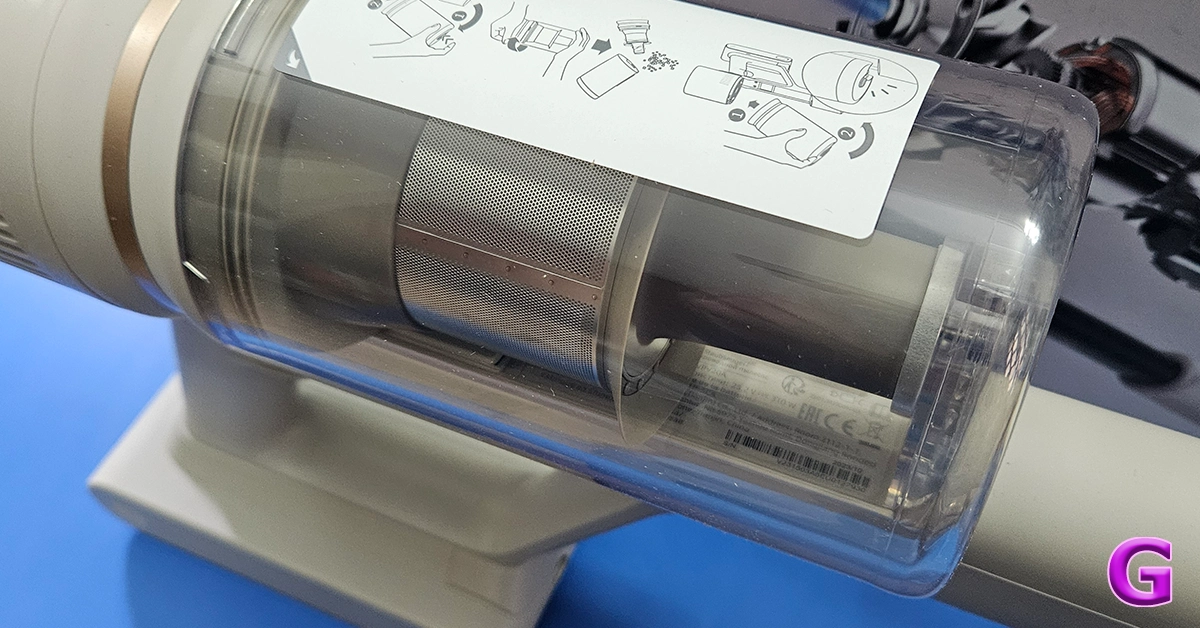
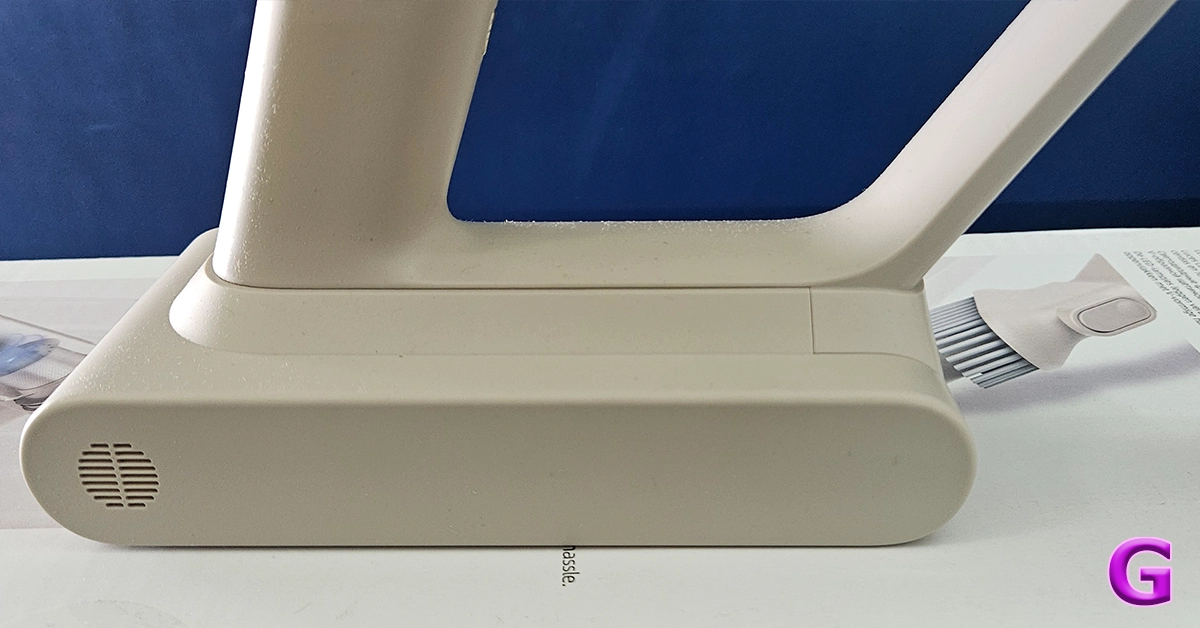

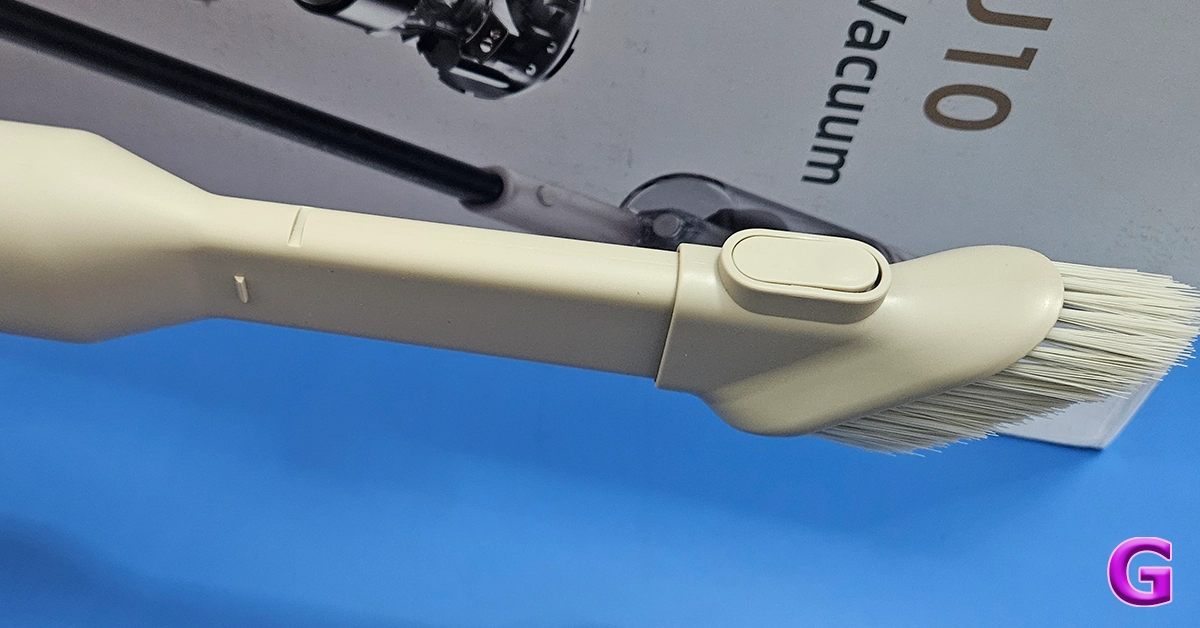 In the box, you also get two attachments and one long neck to connect the primary brush roller addon to clean hard as well carpeted floors. This also has an LED light in front of it for the user to easily see the debris and dust in front. The other one is a smaller stick-tip head which can be used for cleaning the keyboard, nooks and corners of the sofa, and also windows and blinds. With it, there is also a wall attachment on which you can hang the cleaner for easy storage.
 Read Also: Samsung launches Bespoke Jet and Robotic Vacuum Cleaner lineup starting at Rs 65,900
Dreame U10 Vacuum Cleaner Review: Performance
Now here is the fun part. Indian homes get dusty very quickly as there is a lot of construction everywhere and a lot of dust seeps in. We found the Dreame U10 Vacuum Cleaner to be a very good assistant in taking care of the day-to-day sweeping needs. It charges fully in under 1 hour and the 2,500mAh battery lasted us for about 30 minutes. This is based on the fact that a 150-250 square yard area can be cleaned very easily in that much time. For larger areas, you would need to charge it once again. There is a speed button at the back of the Dreame U10 Vacuum Cleaner, which can run the cleaner at three suction levels – slow, medium and fast. We used it to clean a lot of things and its suction power is great. 99% of the time it was able to pick up things like dust, larger particles and even hair with ease. Things like ribbons and tough threads got stuck in the floor head, but we were able to remove them easily. The smaller attachment for sofas works better in our opinion and removed dust and slop from our living room sofas in a jiffy. There was dust stuck to it for years and with the Dreame U10 Vacuum Cleaner’s powerful motor, we were able to remove it quite rapidly. Read Also: Xiaomi Robot Vacuum Mop 2i review: A must for a clean homeVerdict
It all boils down to the price for this one. Since it is a very new product in the market we were hoping to see a price tag of under Rs 10,000 to compete with the likes of Kent and a few others. However, the company is selling it for a little higher (Rs 11,999) in eComm places like Amazon. Is it worth the price? Since the pros outweigh the cons we will recommend it. However, there is stiff competition out there and for a few thousand more you will get extra attachments and even longer-lasting batteries from makers like Philips and even Xiaomi with its Vacuum robos. All in all, if you are just looking to clean hard floors and a little bit of sofas on a lesser budget, you can definitely pick this one up.Dreame U10 Vacuum Cleaner Pros
Decent design Good Suction levels Led front light on the floor headDreame U10 Vacuum Cleaner Cons
The price could have been lesser Bigger dust collector would have been greatTop 10 4K TVs in the USA (2024)

TV shopping can be an arduous task. Apart from deciding the specs you want for your TV, you also need to take into account the size of the display along with the lighting condition in your living room. There is also the question of deciding which TV fits your budget. If you’re stuck in a similar conundrum and are seeking an easy resolution, you’ve landed on the right page. Here are our picks for the top 10 4K TVs in the USA across all price segments.
Read Also: Poco X6 5G 12GB RAM with 256GB storage variant goes on sale in India
LG OLED G3 was one of the best 4K Smart TVs launched in 2023. Available in four size variants, the 55-inch G3 OLED costs $1,899 while the 83-inch variant fetches $5,299. Powered by the α9 AI Processor Gen6 chip, the LG OLED G3 produces some of the best images we’ve seen on a high-end OLED TV. The Micro Lens Display along with Brightness Booster Max tech produces up to 70% brighter images. The AI tech can sense what you’re watching and select the best picture and sound settings to maximise your viewing experience. You can hang the TV like a frame on the wall using the bracket included in the box, leaving minimal space between the TV and the wall.
Sony’s A95L Quantum Dot OLED TV made a lot of waves last year. Considered by many to be the best 4K Smart TV in the USA now, the Sony A95L delivers stunning images with rich colours and perceptible texture. These pictures are produced with the help of the Cognitive Processor XR. The A95L applies 4K upscaling to non-4K content. The luminance is kept constant for colours from all viewing angles. The QD-OLED panel minimises the glare and reflection on the display, which makes the TV very versatile in different lighting conditions. Google TV support makes the A95L very accessible to users and brings a superior OS experience to the Smart TV.
Samsung S95C is available in three size variants – 55 inches ($,1899), 65 inches ($2,699), and 77 inches ($3,899). Powering the S95C is the Neural Quantum Processor 4K which employs 20 different neural networks to produce stunning 4K images on the display. Like the Sony A95L, the Samsung S95C also rocks the QD-OLED display. The tiny Quantum Dots deliver 30% brighter visuals. Dolby Atmos and Object Tracking Sound+ tech fill the room with enveloping surround sound, centring the viewer and elevating the audio experience. The Samsung One Connect box that comes with the TV reduces the mess created by wires. You can connect all the input wires to this box which then connects to the TV.
Here is the price breakdown for all size variants of the Sony A80L.
55 inches: $1,699
65 inches: $,1999
77 inches: $2,999
83 inches: $4,799
The OLED panel on the A80L produces stunning, deep blacks and vivid, punchy colours. It is powered by Cognitive Processor XR, the same engine as its Quantum Dot cousin (Sony A95L). Apart from being a visual delight, the Sony A80L is also a brilliant TV for gaming. Being a Sony product, the A80L is perfect for your PS5. The TV automatically switches to Game Mode when you load a gaming title. While watching movies, the A80L reverts to Standard Mode. The display supports 4K/120fps and has a variable refresh rate along with an Auto Low Latency Mode.
Read Also: Xiaomi Unveils Redmi Buds 5 With Noise Cancelling Features
TCL’s flagship QM8 Series starts at $1,699 for the 55-inch and goes up to $11,999 for the 98-inch variant. For a QLED TV, the TCL QM8 is priced very aggressively. This Smart TV supports 4K resolution and reaches up to 2,000 nits of peak brightness. A refresh rate of 120Hz ensures smooth motion on the display, ideal for everything from gaming to live sports. The 2,300 local dimming zones adapt to the content displayed on the screen, producing rich and deep blacks without image blooming. Handling the OS duties on this TV is the Google TV Smart OS.
Prices for Samsung S90C start at $1,599 for the 55-inch variant and go up to $3,499 for the 83-inch display. The Neural Quantum Processor powering the S90C can non-4K content to 4K resolution with ease. This is carried out using 20 specialized neural networks. The AI deep learning tech is also used to analyse every scene and detect the level of brightness required by the different areas on the screen. Samsung S90C also has a unique gaming hub that categorises all your titles, apps, and gaming devices in one place.
Hisense U8K is our value-for-money pick for this list. It is available in four size variants – 55 inches ($749.99), 65 inches ($999.99), 75 inches ($1,299.99), and 85 inches ($1,999.99). Equipped with the Mini-LED Pro tech, the Hisense U8K can deliver bright, lucid, and detailed images. The TV’s precise local dimming helps in controlling the backlight and brings forth an elevated HDR experience. Producing the audio output on the Hisense U8K is a 5-speaker 2.1.2 multi-channel surround system. It delivers a peak sound output of 50W.
Philips OLED 907 sports a 4K resolution and 120Hz refresh rate. Delivering the ultra HD images on this display is the P5 AI Perfect Picture Engine. One of our favourite visual aspects of this TV is the IMAX Enhanced Mode which creates a special cinematic experience for movies that were originally made to play in IMAX theatres. Handling the OS duties on the Philips OLED 907 is Android TV 11. A 16GB internal memory capacity is optimum for downloading all your favourite streaming apps along with other lifestyle content. The audio output on this TV is provided by Bowers & Wilkins. The 3.1 channel delivers a peak audio output of 80 Watts.
Vizio V Series is one of the most affordable 4K Smart TVs you can buy in the USA right now. Prices for this Smart TV start at $248 for the 43-inch variant and go up to $628 for the 70-inch unit. The 4K panel on this TV supports Dolby Vision HDR. The 60Hz refresh rate is optimum for watching content across all the major OTT platforms. There are 3 2.1 HDMI ports on this TV. Talking about connectivity, the V Series also supports WiFi 6E. There is one Ethernet at the back of the TV and one USB port to the side. The sound output on this TV is delivered by two 10W digital audio amplifiers.
Ending this list is another budget pick under $300. The Roku Select Series starts at S229 for the 43-inch model and goes up to $649 for the 75-inch unit. If you’re on a tight budget, this is one of the best deals you can get right now on a 4K Smart TV in the USA. The 4K panel on Roku’s Select line of TV supports HDR10+, bringing a vivid colour palette and superior viewing experience to your living room. With automatic onboard, Roku’s Smart TV can adjust itself to the lighting of the room. This TV works with AirPlay, Apple Home, Alexa, and Google Home. One of the cooler features of the Roku Select Series is the headphone port on its remote, which allows for discreet viewing sessions without disturbing anyone around you.
Read Also: Top 6 Methods to Share Videos on X (formerly Twitter) Without Retweeting (2024)
LG OLED G3
Price: $1,899 on LG.com LG OLED G3 was one of the best 4K Smart TVs launched in 2023. Available in four size variants, the 55-inch G3 OLED costs $1,899 while the 83-inch variant fetches $5,299. Powered by the α9 AI Processor Gen6 chip, the LG OLED G3 produces some of the best images we’ve seen on a high-end OLED TV. The Micro Lens Display along with Brightness Booster Max tech produces up to 70% brighter images. The AI tech can sense what you’re watching and select the best picture and sound settings to maximise your viewing experience. You can hang the TV like a frame on the wall using the bracket included in the box, leaving minimal space between the TV and the wall.
Sony A95L
Price: $2,799 on Sony.com Sony’s A95L Quantum Dot OLED TV made a lot of waves last year. Considered by many to be the best 4K Smart TV in the USA now, the Sony A95L delivers stunning images with rich colours and perceptible texture. These pictures are produced with the help of the Cognitive Processor XR. The A95L applies 4K upscaling to non-4K content. The luminance is kept constant for colours from all viewing angles. The QD-OLED panel minimises the glare and reflection on the display, which makes the TV very versatile in different lighting conditions. Google TV support makes the A95L very accessible to users and brings a superior OS experience to the Smart TV.
Samsung S95C
Price: $1,899 on Samsung.com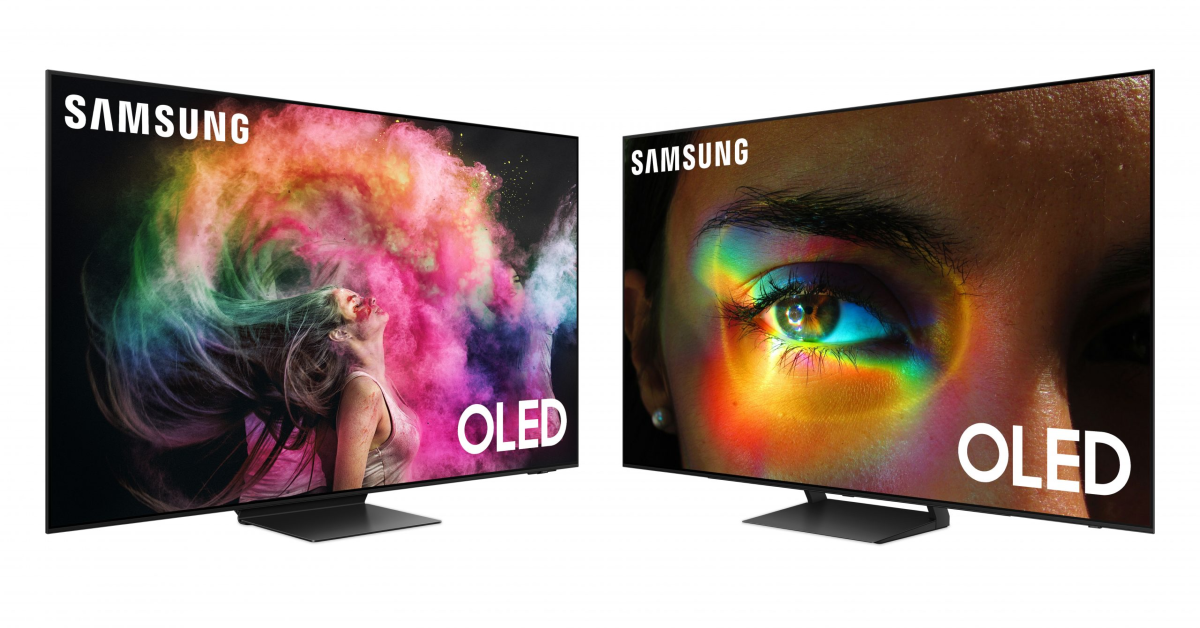 Samsung S95C is available in three size variants – 55 inches ($,1899), 65 inches ($2,699), and 77 inches ($3,899). Powering the S95C is the Neural Quantum Processor 4K which employs 20 different neural networks to produce stunning 4K images on the display. Like the Sony A95L, the Samsung S95C also rocks the QD-OLED display. The tiny Quantum Dots deliver 30% brighter visuals. Dolby Atmos and Object Tracking Sound+ tech fill the room with enveloping surround sound, centring the viewer and elevating the audio experience. The Samsung One Connect box that comes with the TV reduces the mess created by wires. You can connect all the input wires to this box which then connects to the TV.
Sony A80L
Price: $1,699 on Sony.com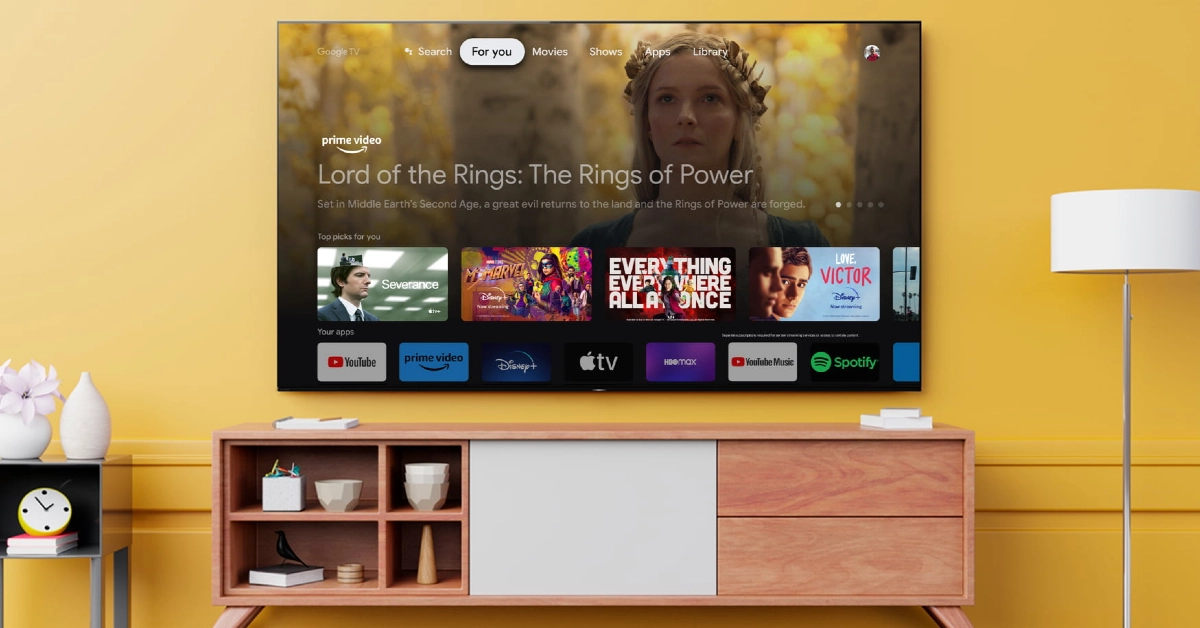 Here is the price breakdown for all size variants of the Sony A80L.
55 inches: $1,699
65 inches: $,1999
77 inches: $2,999
83 inches: $4,799
The OLED panel on the A80L produces stunning, deep blacks and vivid, punchy colours. It is powered by Cognitive Processor XR, the same engine as its Quantum Dot cousin (Sony A95L). Apart from being a visual delight, the Sony A80L is also a brilliant TV for gaming. Being a Sony product, the A80L is perfect for your PS5. The TV automatically switches to Game Mode when you load a gaming title. While watching movies, the A80L reverts to Standard Mode. The display supports 4K/120fps and has a variable refresh rate along with an Auto Low Latency Mode.
Read Also: Xiaomi Unveils Redmi Buds 5 With Noise Cancelling Features
Here is the price breakdown for all size variants of the Sony A80L.
55 inches: $1,699
65 inches: $,1999
77 inches: $2,999
83 inches: $4,799
The OLED panel on the A80L produces stunning, deep blacks and vivid, punchy colours. It is powered by Cognitive Processor XR, the same engine as its Quantum Dot cousin (Sony A95L). Apart from being a visual delight, the Sony A80L is also a brilliant TV for gaming. Being a Sony product, the A80L is perfect for your PS5. The TV automatically switches to Game Mode when you load a gaming title. While watching movies, the A80L reverts to Standard Mode. The display supports 4K/120fps and has a variable refresh rate along with an Auto Low Latency Mode.
Read Also: Xiaomi Unveils Redmi Buds 5 With Noise Cancelling Features
TCL QM8 Mini-LED QLED
Price: $1,699 on TCL.com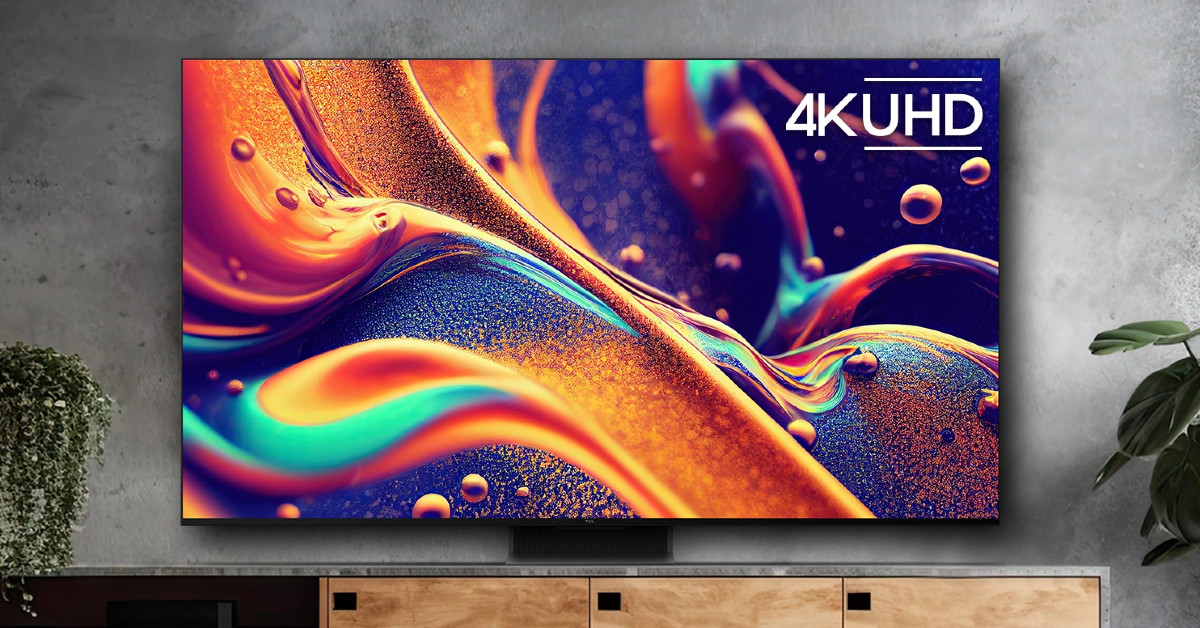 TCL’s flagship QM8 Series starts at $1,699 for the 55-inch and goes up to $11,999 for the 98-inch variant. For a QLED TV, the TCL QM8 is priced very aggressively. This Smart TV supports 4K resolution and reaches up to 2,000 nits of peak brightness. A refresh rate of 120Hz ensures smooth motion on the display, ideal for everything from gaming to live sports. The 2,300 local dimming zones adapt to the content displayed on the screen, producing rich and deep blacks without image blooming. Handling the OS duties on this TV is the Google TV Smart OS.
Samsung S90C
Price: $1,599 on Samsung.com Prices for Samsung S90C start at $1,599 for the 55-inch variant and go up to $3,499 for the 83-inch display. The Neural Quantum Processor powering the S90C can non-4K content to 4K resolution with ease. This is carried out using 20 specialized neural networks. The AI deep learning tech is also used to analyse every scene and detect the level of brightness required by the different areas on the screen. Samsung S90C also has a unique gaming hub that categorises all your titles, apps, and gaming devices in one place.
Hisense U8K
Price: $749.99 on Best Buy Hisense U8K is our value-for-money pick for this list. It is available in four size variants – 55 inches ($749.99), 65 inches ($999.99), 75 inches ($1,299.99), and 85 inches ($1,999.99). Equipped with the Mini-LED Pro tech, the Hisense U8K can deliver bright, lucid, and detailed images. The TV’s precise local dimming helps in controlling the backlight and brings forth an elevated HDR experience. Producing the audio output on the Hisense U8K is a 5-speaker 2.1.2 multi-channel surround system. It delivers a peak sound output of 50W.
Philips OLED 907
Buy on Amazon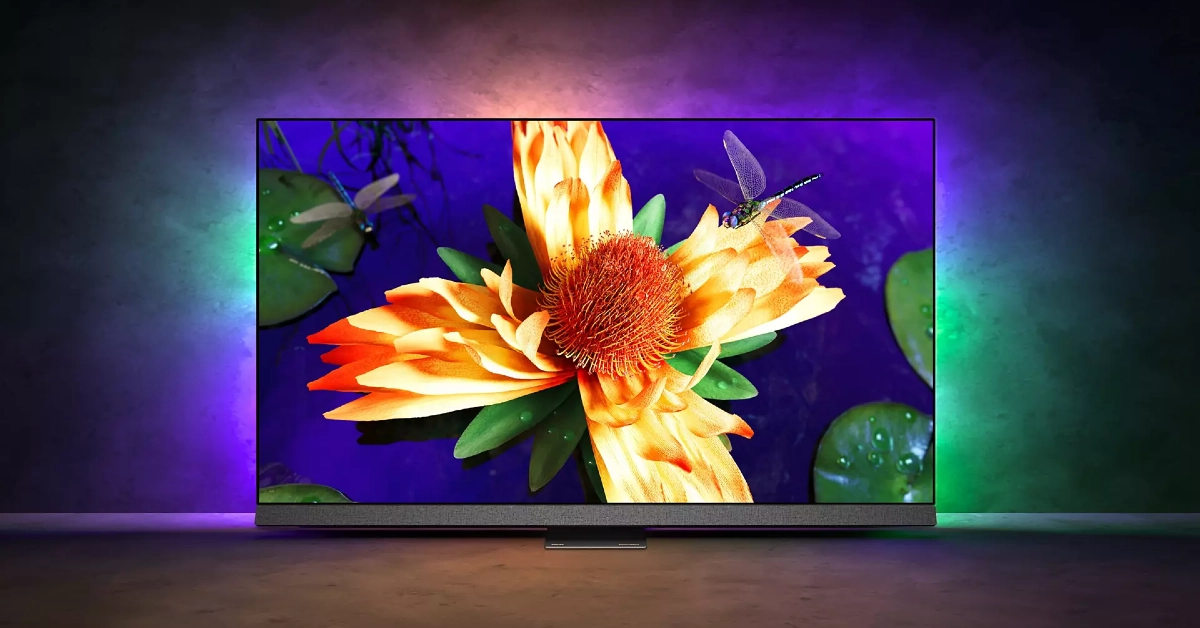 Philips OLED 907 sports a 4K resolution and 120Hz refresh rate. Delivering the ultra HD images on this display is the P5 AI Perfect Picture Engine. One of our favourite visual aspects of this TV is the IMAX Enhanced Mode which creates a special cinematic experience for movies that were originally made to play in IMAX theatres. Handling the OS duties on the Philips OLED 907 is Android TV 11. A 16GB internal memory capacity is optimum for downloading all your favourite streaming apps along with other lifestyle content. The audio output on this TV is provided by Bowers & Wilkins. The 3.1 channel delivers a peak audio output of 80 Watts.
Vizio V Series
Price: $248 on Walmart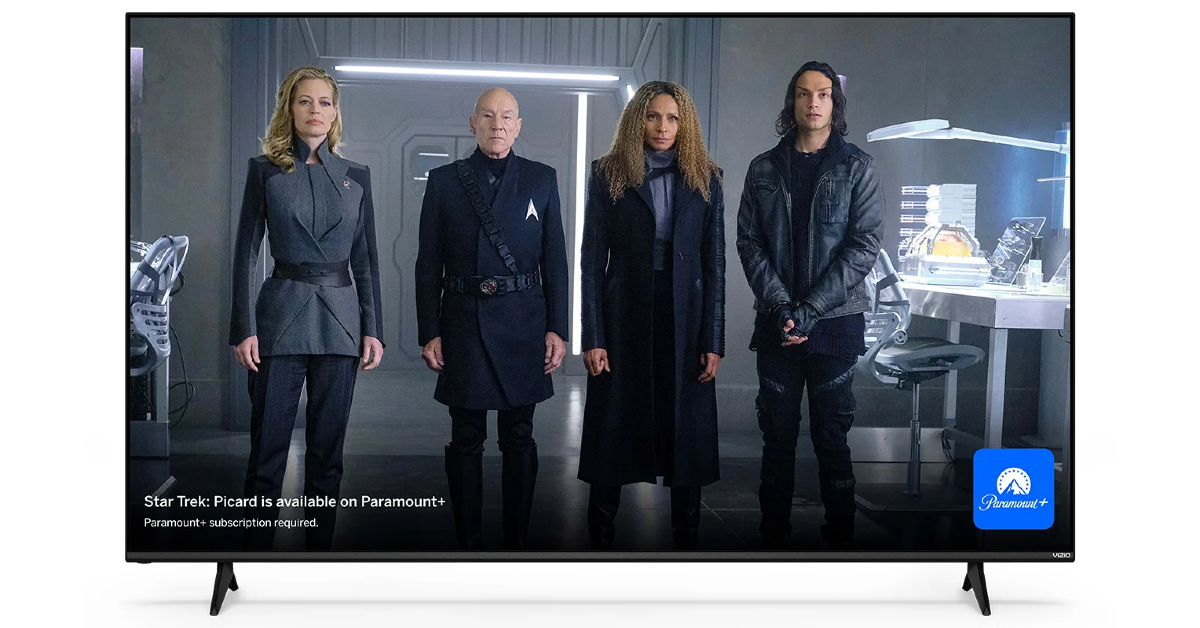 Vizio V Series is one of the most affordable 4K Smart TVs you can buy in the USA right now. Prices for this Smart TV start at $248 for the 43-inch variant and go up to $628 for the 70-inch unit. The 4K panel on this TV supports Dolby Vision HDR. The 60Hz refresh rate is optimum for watching content across all the major OTT platforms. There are 3 2.1 HDMI ports on this TV. Talking about connectivity, the V Series also supports WiFi 6E. There is one Ethernet at the back of the TV and one USB port to the side. The sound output on this TV is delivered by two 10W digital audio amplifiers.
Roku Select Series
Price: $229 on Best Buy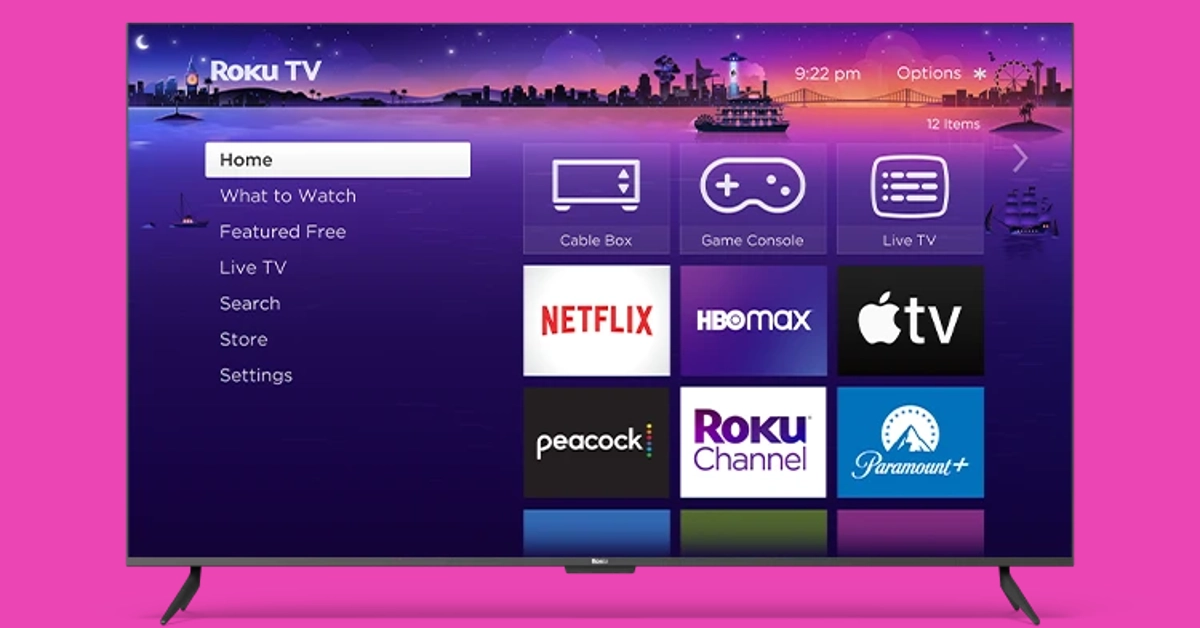 Ending this list is another budget pick under $300. The Roku Select Series starts at S229 for the 43-inch model and goes up to $649 for the 75-inch unit. If you’re on a tight budget, this is one of the best deals you can get right now on a 4K Smart TV in the USA. The 4K panel on Roku’s Select line of TV supports HDR10+, bringing a vivid colour palette and superior viewing experience to your living room. With automatic onboard, Roku’s Smart TV can adjust itself to the lighting of the room. This TV works with AirPlay, Apple Home, Alexa, and Google Home. One of the cooler features of the Roku Select Series is the headphone port on its remote, which allows for discreet viewing sessions without disturbing anyone around you.
Read Also: Top 6 Methods to Share Videos on X (formerly Twitter) Without Retweeting (2024)
Ending this list is another budget pick under $300. The Roku Select Series starts at S229 for the 43-inch model and goes up to $649 for the 75-inch unit. If you’re on a tight budget, this is one of the best deals you can get right now on a 4K Smart TV in the USA. The 4K panel on Roku’s Select line of TV supports HDR10+, bringing a vivid colour palette and superior viewing experience to your living room. With automatic onboard, Roku’s Smart TV can adjust itself to the lighting of the room. This TV works with AirPlay, Apple Home, Alexa, and Google Home. One of the cooler features of the Roku Select Series is the headphone port on its remote, which allows for discreet viewing sessions without disturbing anyone around you.
Read Also: Top 6 Methods to Share Videos on X (formerly Twitter) Without Retweeting (2024)
Conclusion
These are our picks for the top 10 4K TVs you can buy in the USA right now. These picks cover all the major categories and price points. If you think we missed out on a TV that deserves a spot on this list, let us know in the comments!Poco X6 5G 12GB RAM with 256GB storage variant goes on sale in India
Key Highlights
- Poco X6 5G 12GB RAM with 256GB storage is currently up for sale in India.
- The new variant went on sale after it was launched last month.
- The handset includes a triple rear camera setup and a 120Hz display.
Poco X6 5G 12GB RAM with 256GB storage price in India
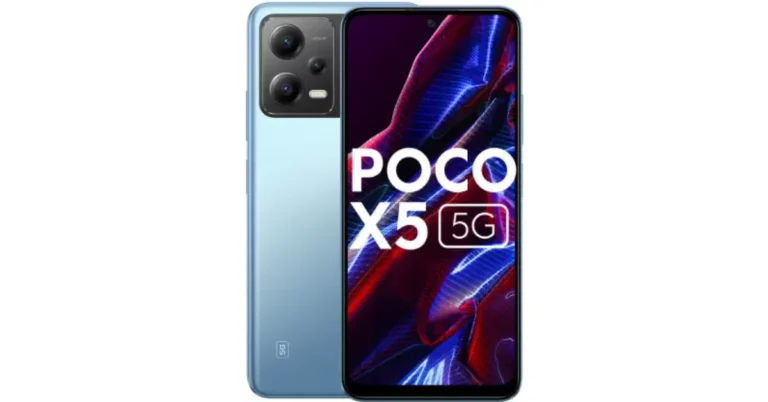
Poco X6 5G 12GB RAM with 256GB storage variant can be purchased at Rs 23,999 in India. The company is also offering a discount of Rs 3,000 if it is purchased via ICICI, HDFC, Axis and SBI bank cards or EMI transactions. The phone comes in two colour options Mirror Black and Snowstorm White. Poco X6 also comes with 8GB RAM with 256GB storage at Rs 21,999. Whereas the top of the line 12GB RAM with 512GB storage option comes with a price tag of Rs 24,999. Also Read: Poco X6 Review: Does it have the X factor?Poco X6 5G specifications
The Poco X6 5G features a 6.67-inch AMOLED display with a resolution of 1.5K – 2712 x 1220. The display panel has a screen-to-body ratio of 94.27% and a pixel density of 446 PPI. It has a colour gamut of 100% DCI-P3 (typ), showcasing a colour depth of over 68.7 Billion+ colours. The display also features a refresh rate of 120Hz and supports Dolby Vision. The device runs on the new HyperOS on top of Android 14 and is powered by Snapdragon 7s Gen 2 SoC with up to 12GB RAM and 512GB storage. Also Read: Redmi A3 gets listed on Flipkart, key details revealed The handset comes with a triple rear camera setup that includes a 64-megapixel main camera lens with OIS, an 8-megapixel ultra-wide-angle lens and a 2-megapixel macro camera. For selfies, the handset includes a 16-megapixel front-facing camera. The Poco X6 5G is backed by a 5,100mAh battery with 67W fast charging support. For connectivity, there is 5G, 4G LTE, Bluetooth, NFC, GPS, and a USB Type-C port for charging. The 3.5mm jack is missing on the pro model whereas the standard model has. The sensors on the phones include an accelerometer, gyroscope, proximity sensor and e-compass.Garena Free Fire Redeem Codes Today 13 February 2024: Here is how to claim them

Garena Free Fire is a battle royale game with regular awards and tournaments to keep players interested. If you play Garena Free Fire, you should be aware of the redeem codes that are released on a daily basis. However, because the battle royale game is banned in India, players from other countries can use the Free Fire Redeem codes daily. If you’re unfamiliar with the Garena Free Fire redeem codes or don’t know how to get them, we’ve put together a step-by-step guide to help you redeem them. Check out Garena Free Fire Redeem Codes for 13 February 2024.
The Free Fire redeem codes are a great way to get free stuff. These are 12-digit codes that contain alphabets and numbers, as well as an expiration date and time. Because the Garena FF redeem codes cannot be used more than once, you should hurry to the redemption page to claim your free reward before someone else does. To get a free reward, all you have to do is go to reward.ff.garena.com/en, which is the official redemption page. Also, keep an eye on this space for daily updates on Garena Free Fire redemption codes and rewards.
Also Read: Sennheiser Accentum Plus wireless headphones with Hybrid Adaptive Noise Cancellation launched
Garena Free Fire Redeem Codes Today 13 February 2024
FVUJFTKLYUKOU7Y F65ARQEFDVWB3EN FRJTKIBUVGTBNRM FJKTIYUHNGFDRIT PCNF5CQBAJLK FFAC2YXE6RF2 FFCMCPSBN9CU FFBBCVQZ4MWA FDUYFRHTNMYHKBI F5JUH6NMHIONBJH FNU76AT5RFDQV2BHow to Get Free Fire Redeem Codes for Garena on 13 February 2024?
- Visit the Garena Free Fire game’s official website at reward.ff.garena.com.
- Use your Facebook, Google, VK, Apple ID, Huawei ID, or Twitter account to log in.
- You’ll be taken to a valid redemption code (s)
- Copy and paste the 12-digit redemption code into the text box.
- On the screen, a dialogue box will appear.
- ‘Ok’ should be selected.
Garena Free Fire Redeem Codes Today 12 February 2024: Here is how to claim them

Garena Free Fire is a battle royale game with regular awards and tournaments to keep players interested. If you play Garena Free Fire, you should be aware of the redeem codes that are released daily. However, because the battle royale game is banned in India, players from other countries can use the Free Fire Redeem codes daily. If you’re unfamiliar with the Garena Free Fire redeem codes or don’t know how to get them, we’ve put together a step-by-step guide to help you redeem them. Check out Garena Free Fire Redeem Codes for 11 February 2024.
The Free Fire redeem codes are a great way to get free stuff. These are 12-digit codes that contain alphabets and numbers, as well as an expiration date and time. Because the Garena FF redeem codes cannot be used more than once, you should hurry to the redemption page to claim your free reward before someone else does. To get a free reward, all you have to do is go to reward.ff.garena.com/en, which is the official redemption page. Also, keep an eye on this space for daily updates on Garena Free Fire redemption codes and rewards.
Garena Free Fire Redeem Codes Today 12 February 2024
F5DCV3B4N5JIG8U7 FYTGDSBWE4576JYH F7YTGE45NTJKIGUJ FHNSJUA65RQ2FDCV F3BERNFJUCYTSRAF FYMUYTYHF6YG7FQ FBHWEURF7Y6TGBD FNJEKR5IUTGMK8U FEFTHY66T7U57YH FKI765ATRQFD2V3E FYHFTY6KJ8IT67K FIUYSGY6H67T5KY FLUOIHMGKFO5ITK FIUYSGY6H67T5KY FLUOIHMGKFO5ITK FYMUYTYHF6YG7FQ FBHWEURF7Y6TGBD FNJEKR5IUTGMK8U FEFTHY66T7U57YH FFGBYHRDTFGY5MK FYUJTI67UJ45EO9 F5GBTGNVK6O9IUYH FMKOUYJ655T0TDEB FNRH67UTHTN77BYVHow to Get or Redeem Free Fire Redeem Codes for Garena on 12 February 2024?
- Visit the Garena Free Fire game’s official website at reward.ff.garena.com.
- Use your Facebook, Google, VK, Apple ID, Huawei ID, or Twitter account to log in.
- You’ll be taken to a valid redemption code (s)
- Copy and paste the 12-digit redemption code into the text box.
- On the screen, a dialogue box will appear.
- ‘Ok’ should be selected.
Xiaomi Unveils Redmi Buds 5 With Noise Cancelling Features

Key Highlights
- Immersive Noise Cancellation: The Redmi Buds 5 comes equipped with 46dB Hybrid Noise Cancellation, effectively blocking out 99.5% of background noise, ensuring users enjoy a distraction-free audio experience.
- Crystal-Clear Communication: With dual-mic AI voice enhancement technology, the Redmi Buds 5 ensures crystal-clear communication for calls, voice commands, and everyday use, enhancing user convenience.
- Exceptional Sound Quality: Featuring 12.4mm dynamic titanium drivers, they deliver exceptional sound quality across all frequencies, providing users with a balanced and precise audio experience.
- Unmatched Call Quality: Xiaomi‘s proprietary dual-channel AI algorithm enables these to deliver unmatched call quality, even in challenging conditions such as windy environments.
Redmi Buds 5 Features
Customizable Audio Experience: Users can personalize their audio experience with various audio effects, including Standard, Enhanced Treble, Enhanced Bass, and Enhanced Voice, catering to individual preferences. Fast-Charging Feature: These offer a fast-charging feature, providing up to 2 hours of playtime with just 5 minutes of charging and a total playtime of 38 hours with the case, ensuring uninterrupted music on the go.Redmi Buds 5 Pricing and Availability
Xiaomi has announced that the Redmi Buds 5 will be available in three stunning colors – Fusion Purple, Fusion Black, and Fusion White, starting from 20th February 2024. Consumers can purchase the Redmi Buds 5 for INR 2,999 across various platforms, including Mi.com, and Amazon.in, Flipkart, Mi Homes, and Xiaomi retail partners. Additionally, Xiaomi is offering a limited period offer wherein customers can avail the Redmi Buds 5 at a discounted price of Rs. 2,499 with the purchase of any Redmi Note 13 Smartphone Series or Xiaomi and Redmi Pad, making it an attractive deal for audio enthusiasts across India. Read Also: Redmi Buds 3 Lite review: Great performance for the priceConclusion
Xiaomi’s launch marks another milestone in its commitment to delivering cutting-edge technology to consumers worldwide. With its impressive features, competitive pricing, and limited-period offer, the Redmi Buds 5 is set to become a game-changer in the premium earbuds segment in India. Stay tuned for the official release of the Redmi Buds 5 on 20th February 2024, and experience the next level of audio excellence with Xiaomi.Samsung Initiates Pre-Reservation for Galaxy Book4 Series in India
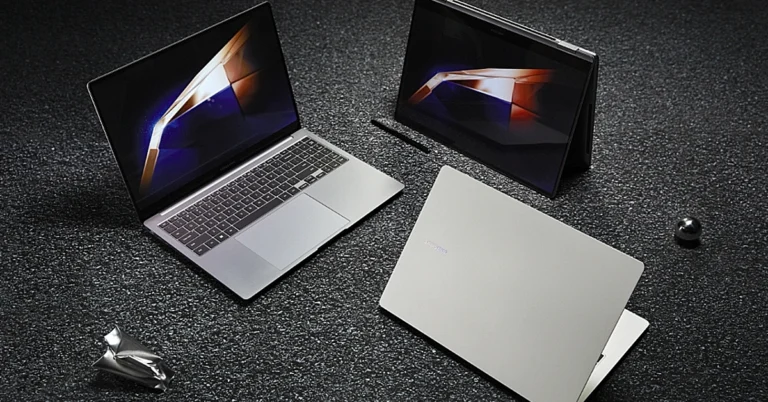
In a groundbreaking move that marks the next stage of technological advancement, Samsung, the premier consumer electronics brand in India, has revealed that pre-reservations are now open for their highly-anticipated Galaxy Book4 series in the Indian market. This significant achievement is set to revolutionize the personal computing industry, ushering in a new era of increased productivity, mobility, and connectivity for users nationwide.
Read Also: Samsung Galaxy Book 3 Pro 360 review: Out of the Galaxy performance
Get ready to be at the forefront of innovation with the Galaxy Book4 series by pre-reserving your spot today. For just a token payment of INR 1999, you can secure early access to this revolutionary lineup of devices that will transform the way we engage with technology. But this offer is more than just a simple reservation.
By taking part in this journey, you’ll be rewarded with a plethora of exclusive benefits worth INR 5000, enhancing your ownership experience of the Galaxy Book4 devices with unmatched value and utility. Trust us, you won’t want to miss out on this gesture of appreciation from Samsung.
Read Also: Samsung Galaxy Book 3 Series: Price in India, availability details
The Galaxy Book4 series is a masterpiece of cutting-edge technology, carefully designed to provide users with an unparalleled experience. It boasts a powerful processor that enhances its computing capabilities and a stunning display that offers vibrant colors and immersive interaction. Together, these advancements push the boundaries of traditional computing.
Top 6 Methods to Share Videos on X (formerly Twitter) Without Retweeting (2024)

Have you ever wanted to share a video on X (formerly Twitter) without the caption attached to it? Quote-tweeting the post does not have the same effect as it retains the original caption and doesn’t autoplay the video when it appears on other people’s feeds. Twitter users are also more likely to click on a video if it is embedded into your post instead of being quoted. Don’t know how to share a video on X (Twitter) without retweeting it? Check out these 6 methods.
Read Also: Top 2 Ways to Hide Tabs in Google Chrome
 Step 3: The shortened link will appear in the tweet drafter.
Step 4: Add a caption for the video. This step is voluntary.
Step 5: Hit Post at the top right corner of the screen.
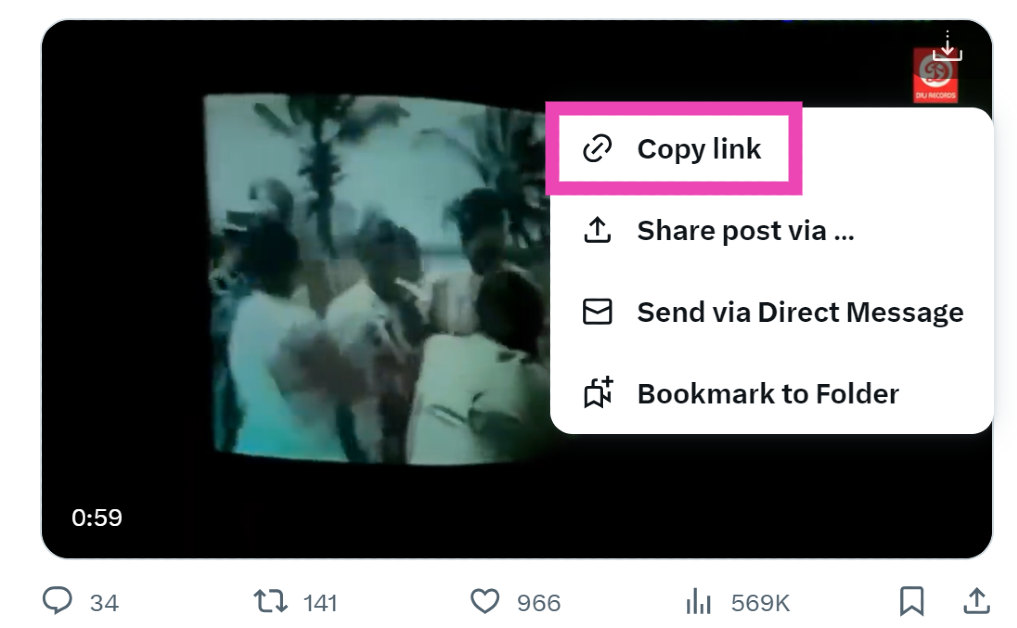
Step 3: Tap on Copy Link.
Step 3: The shortened link will appear in the tweet drafter.
Step 4: Add a caption for the video. This step is voluntary.
Step 5: Hit Post at the top right corner of the screen.
Step 3: Tap on Copy Link.
 Step 4: Go back to the home page and tap the blue plus icon. Hit Post.
Step 5: Paste the link in the box.
Step 6: Shorten the link manually. You can do this by deleting everything from the link after the status ID, starting from the ‘?’ sign.
Step 4: Go back to the home page and tap the blue plus icon. Hit Post.
Step 5: Paste the link in the box.
Step 6: Shorten the link manually. You can do this by deleting everything from the link after the status ID, starting from the ‘?’ sign.
 Step 7: Enter a caption for the video and hit Post.
 Step 3: Select Embedded Post.
Step 4: Click on Copy Code.
Step 5: Launch Notepad (or any text editor) on your PC and paste the code.
Step 6: Copy the first hyperlink from the code.
Step 7: Go back to your Twitter home page and click on the Create Tweet icon.
Step 8: Paste the link.
Step 9: Add text to the post (voluntary) and hit Post.
Step 3: Select Embedded Post.
Step 4: Click on Copy Code.
Step 5: Launch Notepad (or any text editor) on your PC and paste the code.
Step 6: Copy the first hyperlink from the code.
Step 7: Go back to your Twitter home page and click on the Create Tweet icon.
Step 8: Paste the link.
Step 9: Add text to the post (voluntary) and hit Post.
 Step 4: Select Download video.
 Step 5: Go back to the home page and hit the blue plus icon followed by Post.
Step 6: Select the video from your device’s gallery.
Step 7: Hit Post.
Step 5: Go back to the home page and hit the blue plus icon followed by Post.
Step 6: Select the video from your device’s gallery.
Step 7: Hit Post.
 Step 4: Click on Copy Link.
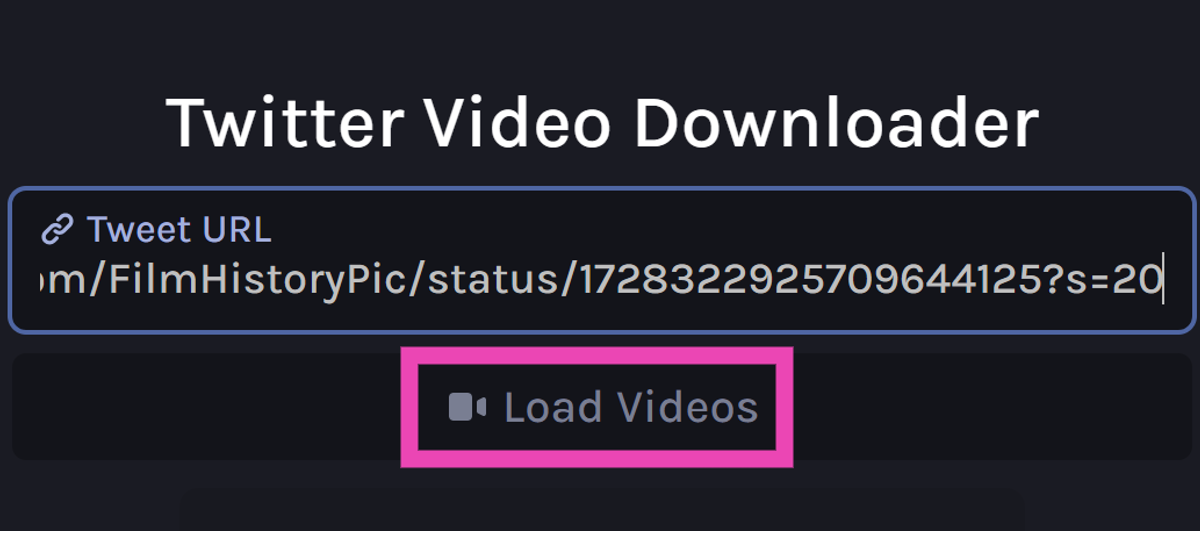
 Step 5: Go back to the third-party tool and paste the link into the ‘Tweet URL’ box.
Step 6: Click on Load Videos.
Step 5: Go back to the third-party tool and paste the link into the ‘Tweet URL’ box.
Step 6: Click on Load Videos.
 Step 7: Select the resolution you want for the video.
 Step 8: Once the video has been downloaded to your PC, post it on X from your account.
 Step 5: Now, post the video from your X account.
When should you share a video on your X (formerly Twitter) feed without quote-tweeting it?
If you’re new to X (Twitter), you’re probably wondering why the platform allows different ways to share videos on your profile. That’s because each mode of sharing has its unique purpose. A retweet simply shares the original poster to your feed without any input from you. If you want to add your commentary to the post, you can choose to quote-tweet it. Finally, X also gives you the option to strip the caption from the video and share it with a new title. You can use this option to share a video as a reaction to something. Meaning, you can respond to another post with that video. You can add your title to the video but the name of the original poster always appears underneath it. The new interactions are also added to the original post. Apart from responding to other posts, you can use this method to quote a tweet with a video as well.Share someone’s video on X (Twitter) without retweeting
Step 1: Go to the post containing the video. Step 2: Long-press the video and select Post Video.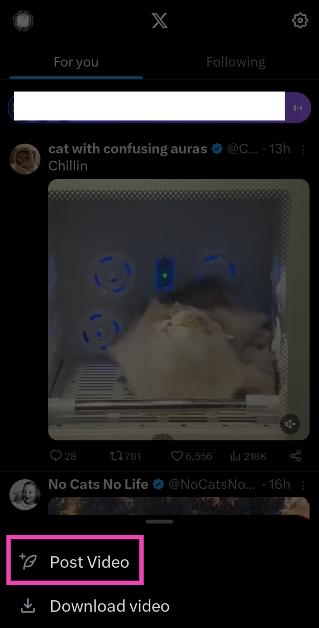 Step 3: The shortened link will appear in the tweet drafter.
Step 4: Add a caption for the video. This step is voluntary.
Step 5: Hit Post at the top right corner of the screen.
Step 3: The shortened link will appear in the tweet drafter.
Step 4: Add a caption for the video. This step is voluntary.
Step 5: Hit Post at the top right corner of the screen.
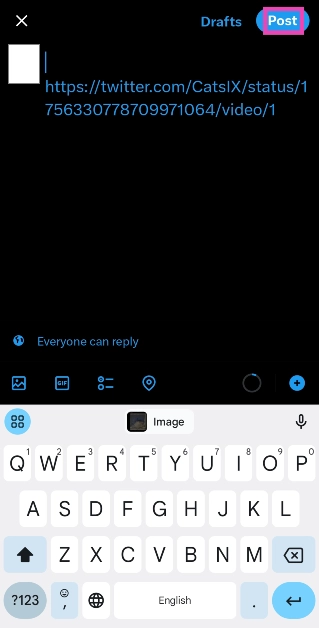
Share a video without retweeting by copying its link
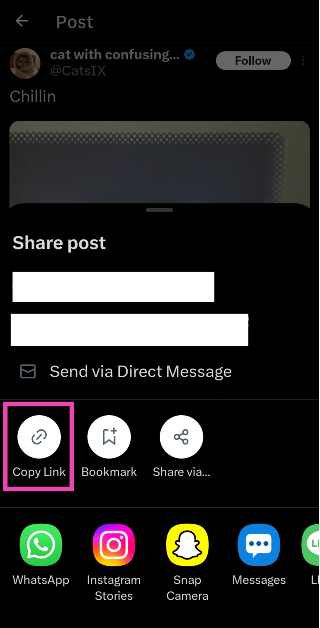
Step 1: Go to the post containing the video. Step 2: Hit the Share icon. Step 3: Tap on Copy Link.
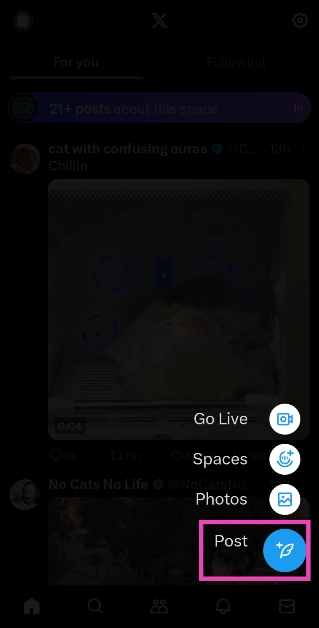
 Step 4: Go back to the home page and tap the blue plus icon. Hit Post.
 Step 5: Paste the link in the box.
Step 6: Shorten the link manually. You can do this by deleting everything from the link after the status ID, starting from the ‘?’ sign.
Step 5: Paste the link in the box.
Step 6: Shorten the link manually. You can do this by deleting everything from the link after the status ID, starting from the ‘?’ sign.
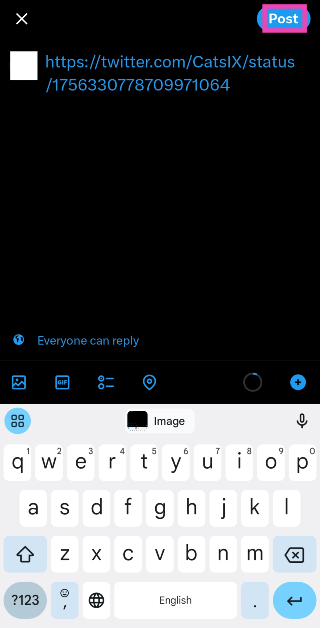
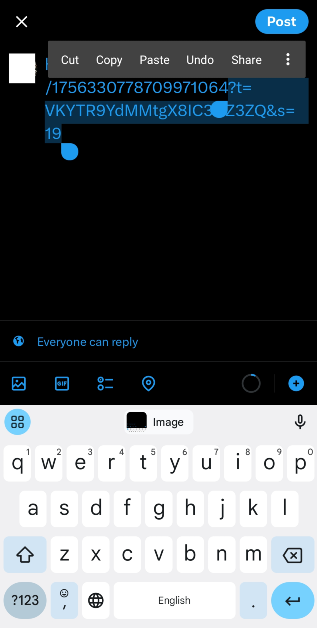 Step 7: Enter a caption for the video and hit Post.
Share someone’s video on X (Twitter) without retweeting (PC)
Step 1: Go to the post containing the video. Step 2: Hit the ellipses and select Embed post.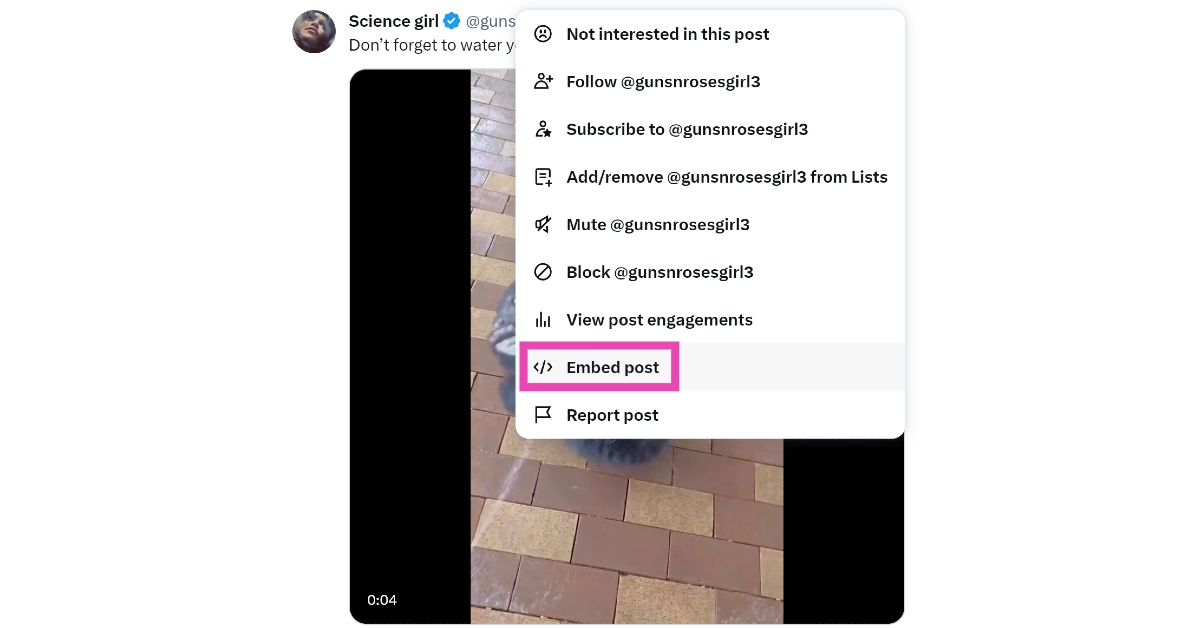 Step 3: Select Embedded Post.
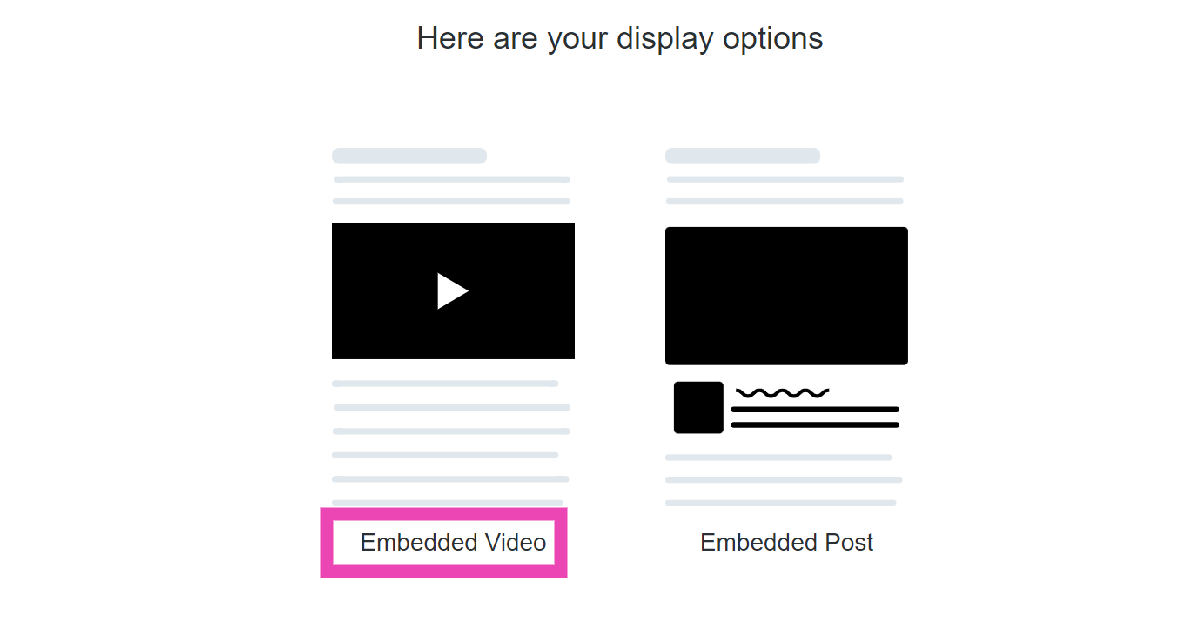 Step 4: Click on Copy Code.
 Step 5: Launch Notepad (or any text editor) on your PC and paste the code.
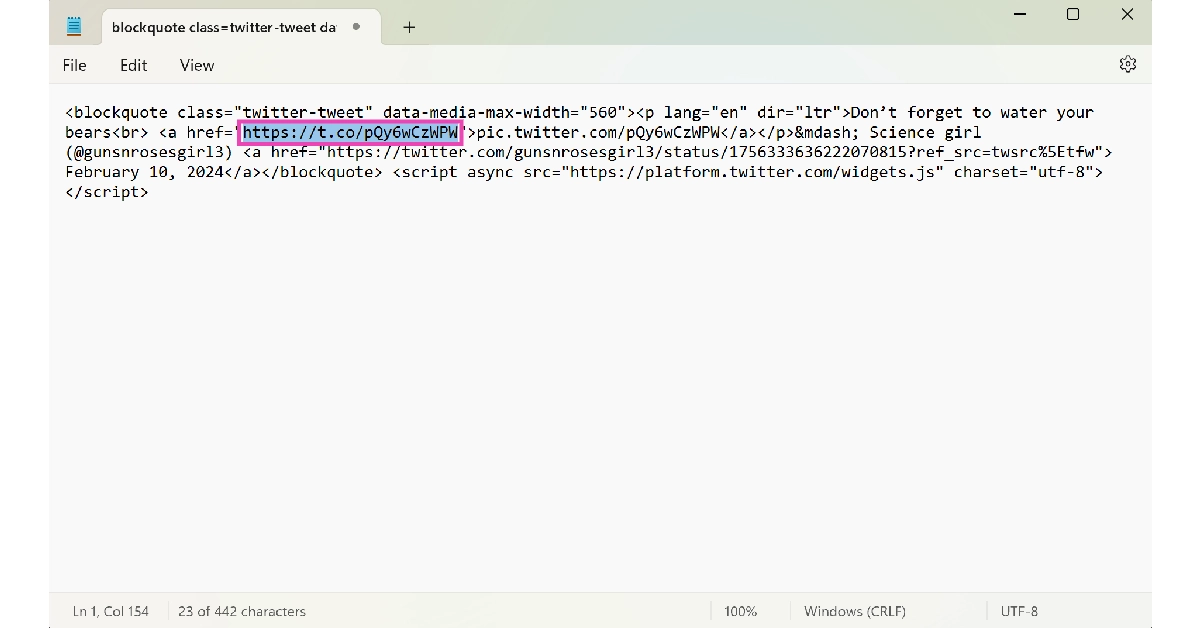 Step 6: Copy the first hyperlink from the code.
Step 7: Go back to your Twitter home page and click on the Create Tweet icon.
Step 6: Copy the first hyperlink from the code.
Step 7: Go back to your Twitter home page and click on the Create Tweet icon.
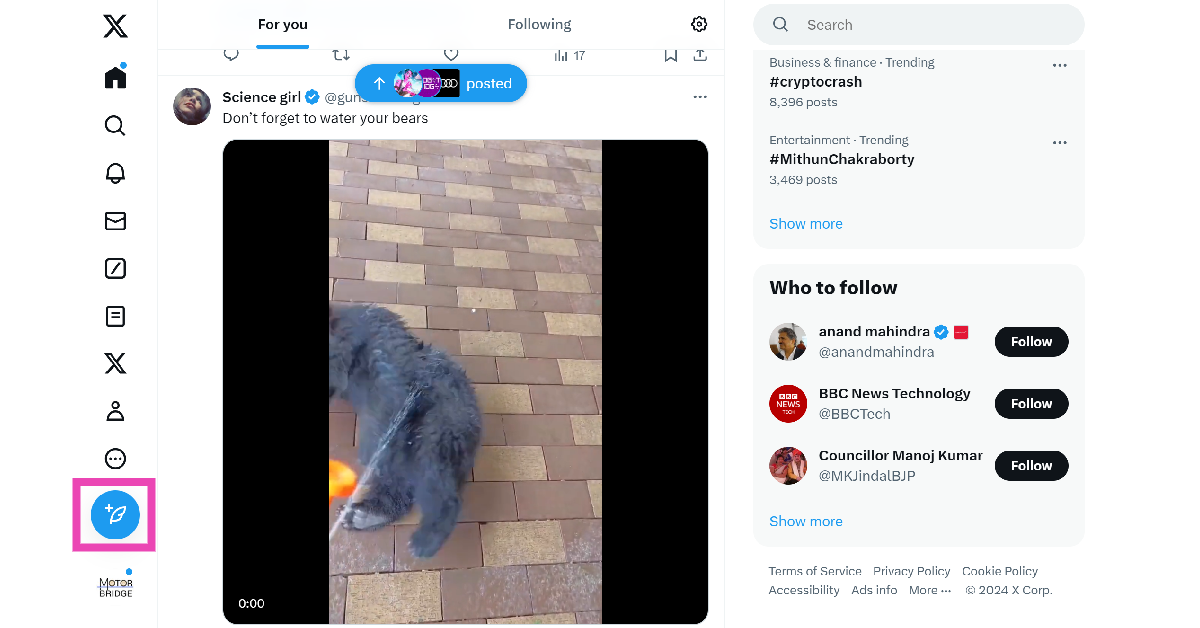 Step 8: Paste the link.
Step 9: Add text to the post (voluntary) and hit Post.
Step 8: Paste the link.
Step 9: Add text to the post (voluntary) and hit Post.

Download the video and post it from your account
The methods mentioned above give credit to the original poster of the video. If you don’t want the OP’s name under the video, download it as a file on your device and post it from your profile. Twitter Blue subscribers can natively download videos on the app. Here’s how. Step 1: Launch the X app on your smartphone and select the video you want to download. Step 2: Make sure the video is in full screen. Step 3: Hit the ellipses at the top-right corner of the screen. Step 4: Select Download video.
 Step 5: Go back to the home page and hit the blue plus icon followed by Post.
Step 6: Select the video from your device’s gallery.
Step 7: Hit Post.
Step 5: Go back to the home page and hit the blue plus icon followed by Post.
Step 6: Select the video from your device’s gallery.
Step 7: Hit Post.
Download the video and post it from your account (PC)
Step 1: On your PC, go to https://twittervid.com/. Step 2: Open Twitter in another tab and go to the video you want to download. Step 3: Hit the Share icon at the bottom of the post. Step 4: Click on Copy Link.
 Step 5: Go back to the third-party tool and paste the link into the ‘Tweet URL’ box.
Step 6: Click on Load Videos.
Step 5: Go back to the third-party tool and paste the link into the ‘Tweet URL’ box.
Step 6: Click on Load Videos.
 Step 7: Select the resolution you want for the video.
 Step 8: Once the video has been downloaded to your PC, post it on X from your account.
Use an extension to download the video (PC)
Step 1: On your PC, go to https://twittervid.com/. Step 2: Click on Chrome Extension at the top of the screen. This will redirect you to the Chrome Webstore. Step 3: Select Add to Chrome. Step 4: Hit the Download icon at the top right corner of any video to save it on your device.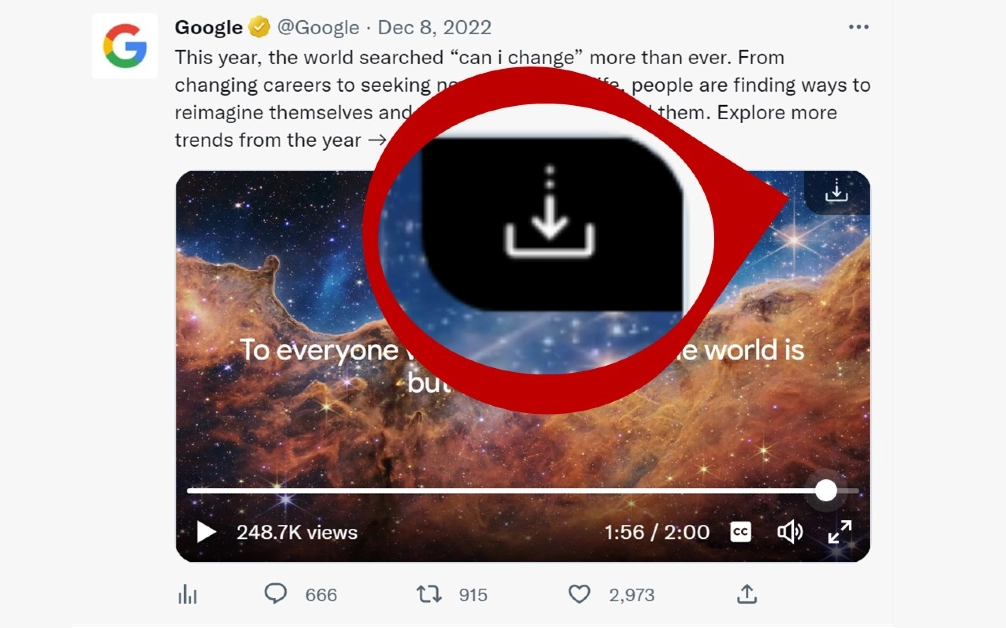 Step 5: Now, post the video from your X account.
Frequently Asked Questions (FAQs)
How do I download a video from X (Twitter)?
Copy the link to the video, go to https://twittervid.com/, and paste it into the box. Click on ‘Load Videos’ and select a video resolution. The video will be downloaded to your device.How do I share a video on X (Twitter) without retweeting the source?
Long press the video and select ‘Post Video’ to share it without the original tweet. The name of the original poster of the video will appear under the video in your post.What is the video time and file size limit for Twitter Blue subscribers?
Twitter Blue or X Premium subscribers can upload videos up to 3 hours long. The maximum file size allowed is 8GB. Read Also: Top 4 Ways to Block Spam on WhatsApp? (2024)Conclusion
These are the top 6 ways to share a video on X (Twitter) without retweeting it. The only way you can share a video without crediting the OP is by downloading it as a file on your device. If you know any other way to go about this task, let us know in the comments!Garena Free Fire Redeem Codes Today 11 February 2024: Here is how to claim them

Garena Free Fire is a battle royale game with regular awards and tournaments to keep players interested. If you play Garena Free Fire, you should be aware of the redeem codes that are released on a daily basis. However, because the battle royale game is banned in India, players from other countries can use the Free Fire Redeem codes daily. If you’re unfamiliar with the Garena Free Fire redeem codes or don’t know how to get them, we’ve put together a step-by-step guide to help you redeem them. Check out Garena Free Fire Redeem Codes for 11 February 2024.
The Free Fire redeem codes are a great way to get free stuff. These are 12-digit codes that contain alphabets and numbers, as well as an expiration date and time. Because the Garena FF redeem codes cannot be used more than once, you should hurry to the redemption page to claim your free reward before someone else does. To get a free reward, all you have to do is go to reward.ff.garena.com/en, which is the official redemption page. Also, keep an eye on this space for daily updates on Garena Free Fire redemption codes and rewards.
Also Read: Sennheiser Accentum Plus wireless headphones with Hybrid Adaptive Noise Cancellation launched
Garena Free Fire Redeem Codes Today 11 February 2024
XFW4Z6Q882WY 4TPQRDQJHVP4 WD2ATK3ZEA55 E2F86ZREMK49 FFICJGW9NKYT FFAC2YXE6RF2 FF9MJ31CXKRG FFCO8BS5JW2D HHNAT6VKQ9R7 TDK4JWN6RD6 HFNSJ6W74Z48 2FG94YCW9VMV FFDBGQWPNHJX V44ZZ5YY7CBSHow to Get Free Fire Redeem Codes for Garena on 11 February 2024?
- Visit the Garena Free Fire game’s official website at reward.ff.garena.com.
- Use your Facebook, Google, VK, Apple ID, Huawei ID, or Twitter account to log in.
- You’ll be taken to a valid redemption code (s)
- Copy and paste the 12-digit redemption code into the text box.
- On the screen, a dialogue box will appear.
- ‘Ok’ should be selected.

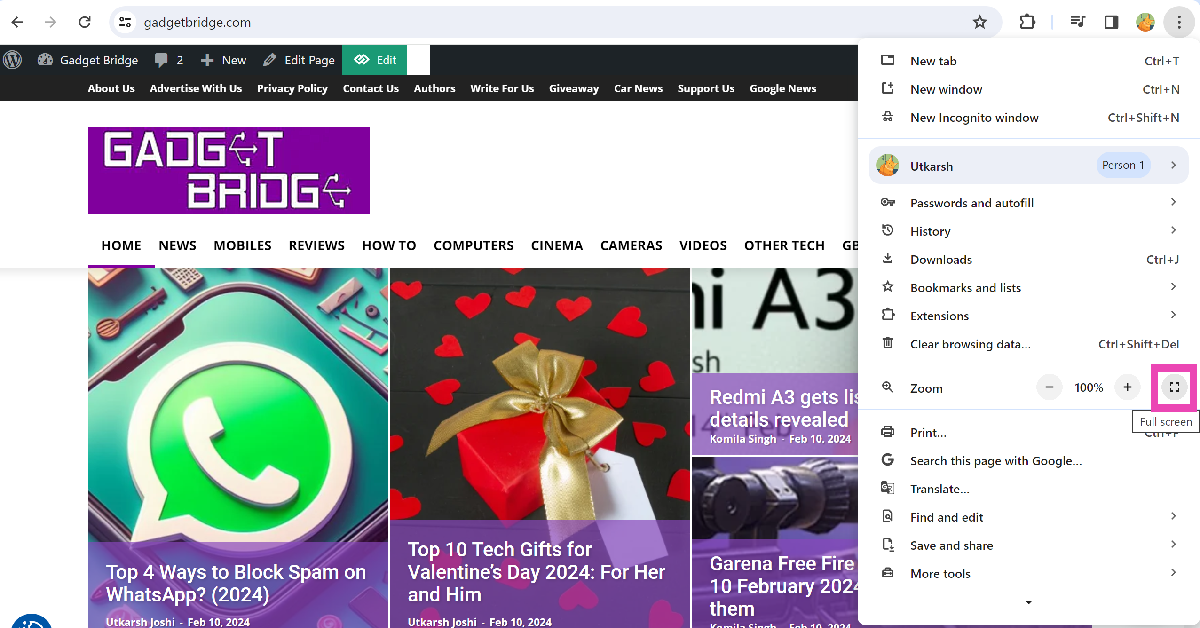
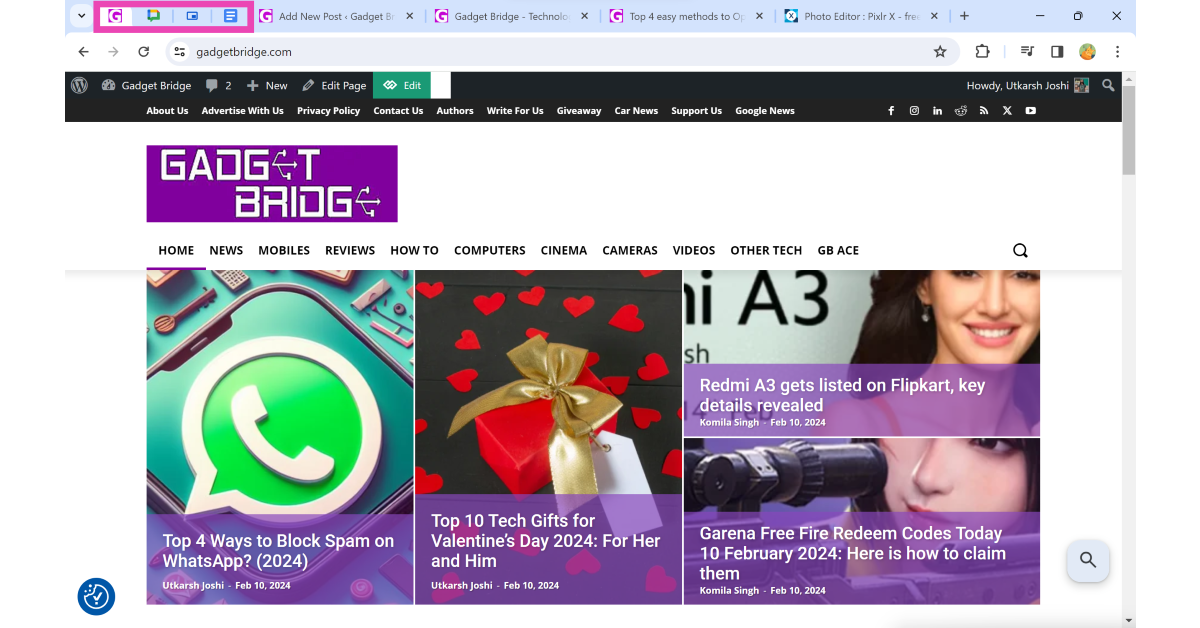
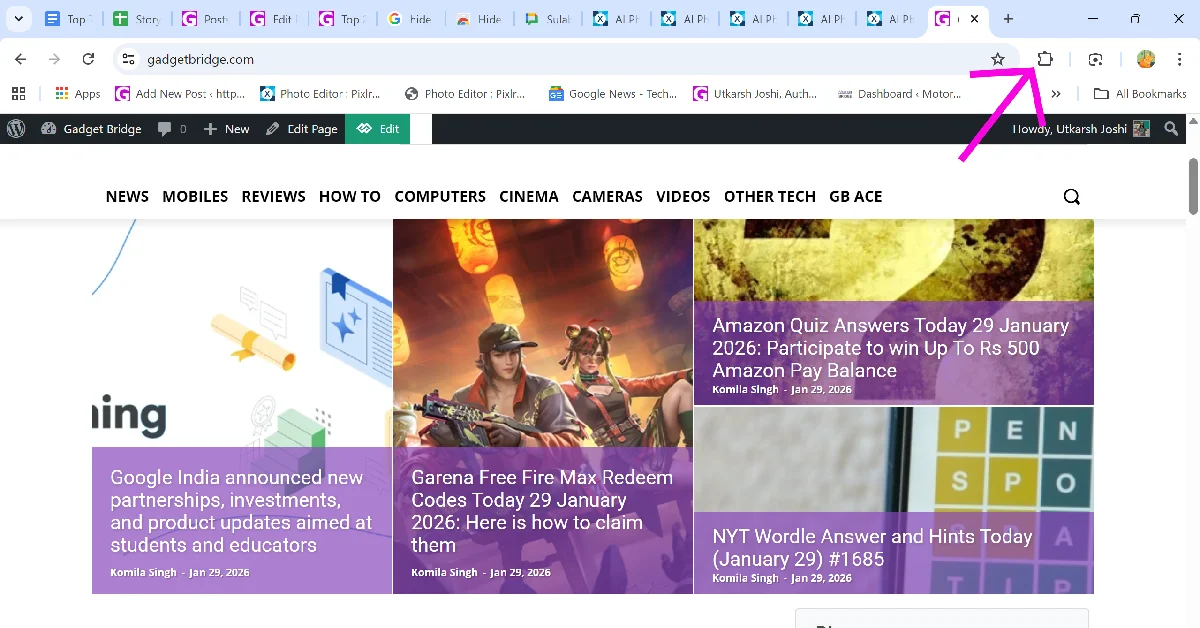 Step 3: Select the Hide Tabs extension. This will hide all your current tabs instantly.
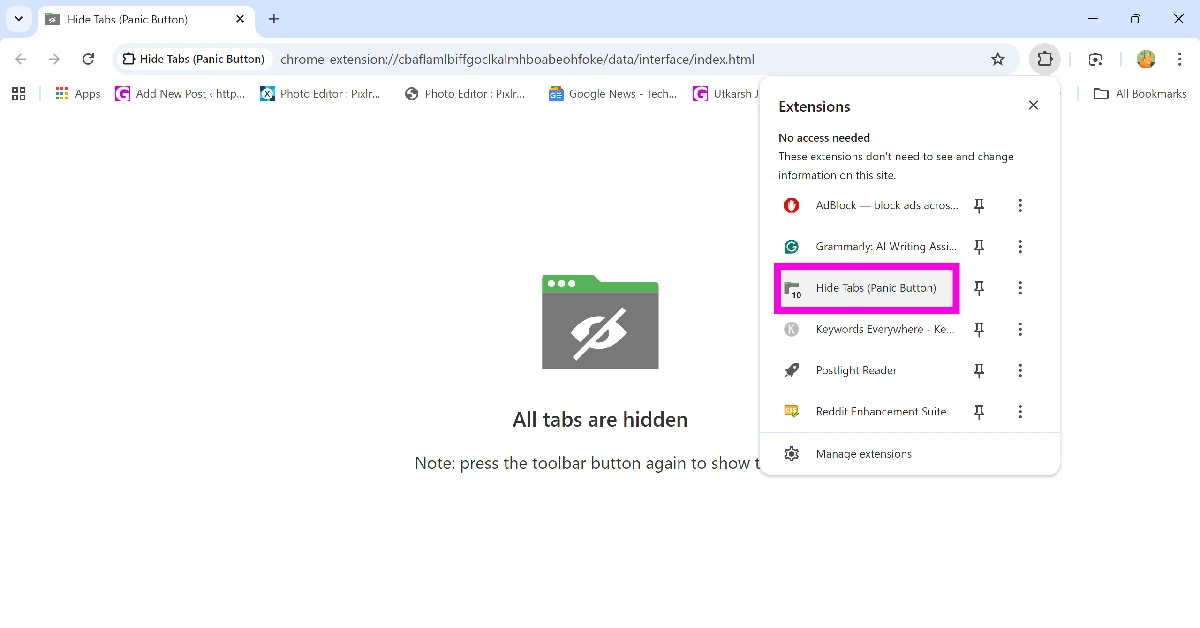
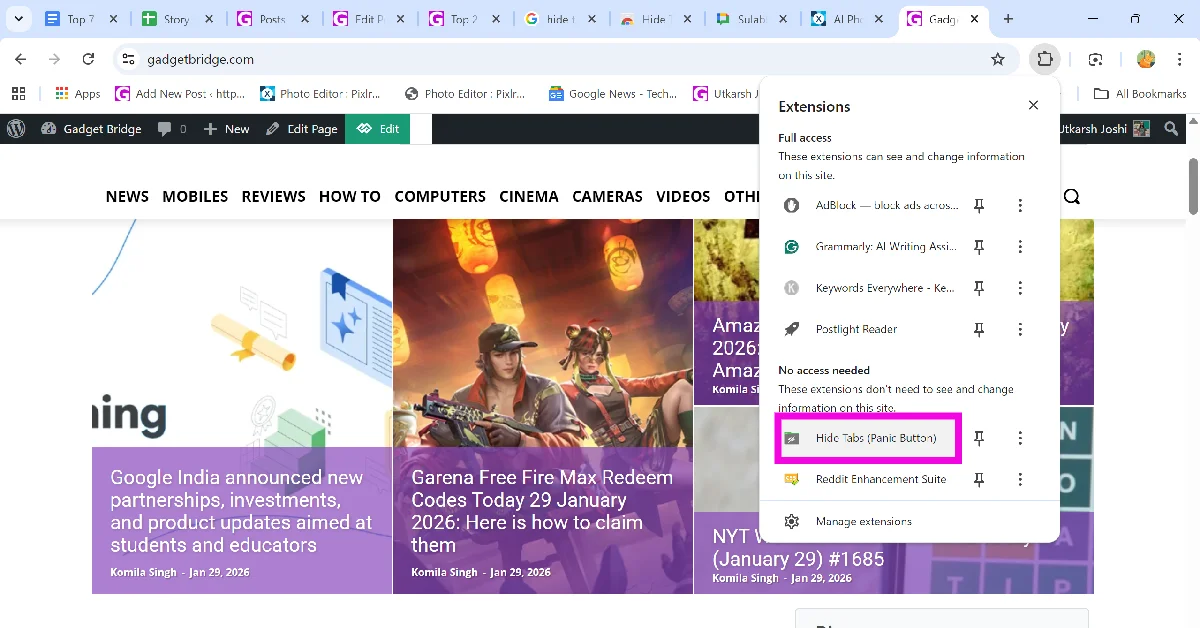 Step 4: Click the Hide Tabs extension again to restore all hidden tabs.
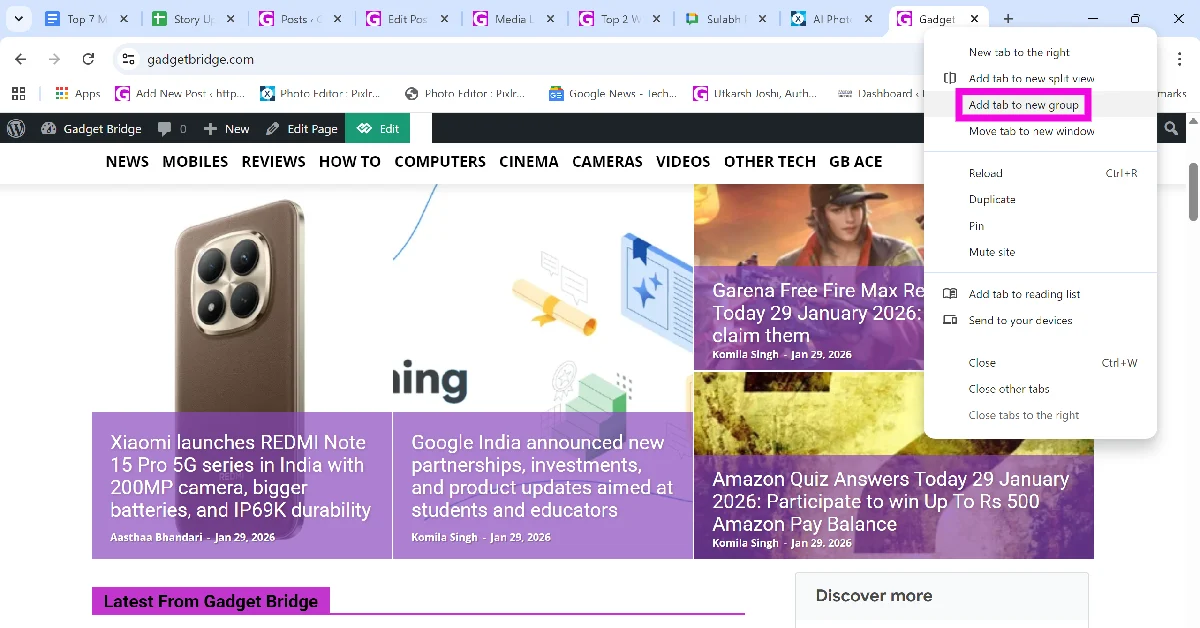 Step 2: Give the group a name. This step is optional.
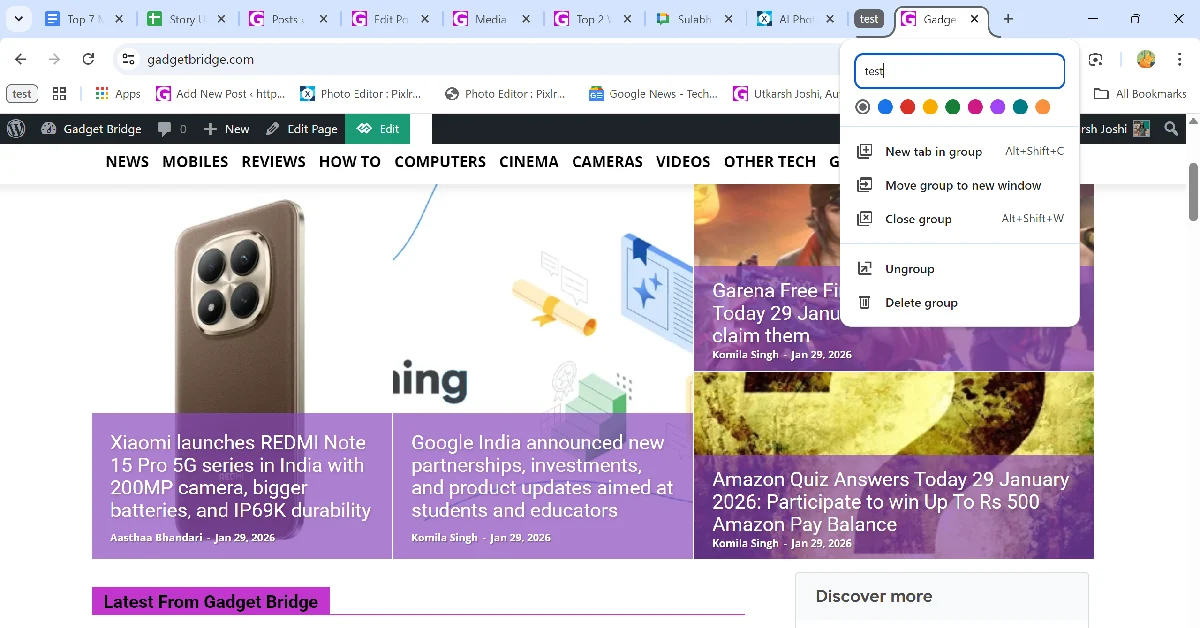 Step 3: Once the group is created, click its icon to hide the tab(s) in it.
Top 5 Ways to Block Spam on WhatsApp

Receiving spam messages is never fun, but it is twice as annoying to deal with on your primary messaging app. WhatsApp is no stranger to spam pushers and other malicious entities trying to scam you out of money. Once the WhatsApp notification pops up on your phone, your natural response is to click on it. Some scammers use this as a strategy to get you to click on phishing links. To combat this, WhatsApp now allows users to block spam senders from the lock screen itself. Today, we bring you the top 5 ways to block spam on WhatsApp.
Read Also: Top 10 Tech Gifts for Valentine’s Day 2024: For Her and Him
 Step 2: Select Block from the list of quick actions.

 Step 3: Scroll down and hit the Block button at the bottom of their profile.
 Step 2: Go to Settings.
 Step 3: Select Privacy.
 Step 4: Tap on Calls.
Step 5: Turn on the toggle switch next to ‘Silence unknown callers’.
Step 2: Go to Settings.
Step 3: Select Privacy.
Step 4: Scroll down and go to Advanced.
Step 4: Tap on Calls.
Step 5: Turn on the toggle switch next to ‘Silence unknown callers’.
Step 2: Go to Settings.
Step 3: Select Privacy.
Step 4: Scroll down and go to Advanced.
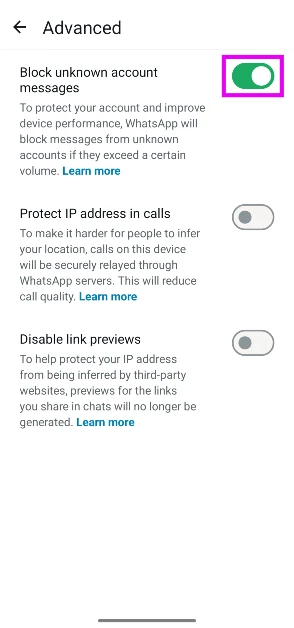
 Step 5: Hit the toggle switch next to Block unknown account messages. This feature will block large volumes of messages sent from unknown numbers.

What’s new on WhatsApp?
Over the last couple of years, spam and malicious scams have increased drastically on WhatsApp. Most of the extortion scams operate by either making you click on a malicious link or gaining access to your device by making you download an APK. If you receive a suspicious message from an unknown number, you should be mindful of how you interact with it. To tackle spam (and other kinds of malicious content) on the platform, do not hesitate to use the block button liberally. Even though the security measures in place haven’t kept up with the volume of spam pushed on the platform, WhatsApp is taking steps to filter unwanted content. The messenger recently introduced a new feature that allows users to block unknown numbers directly from the lock screen. As soon as you receive a new message notification, you can expand it and hit the block button. This saves you from accidentally clicking on phishing links and other malicious content.Block spam messages on WhatsApp directly from the lock screen
WhatsApp’s new feature lets you block spam messages directly from the lock screen. This feature is being rolled out in a phased manner so it may take some time to reach your device. Make sure the app is updated to its latest version on your device. Step 1: Hit the arrow next to the message on your lock screen.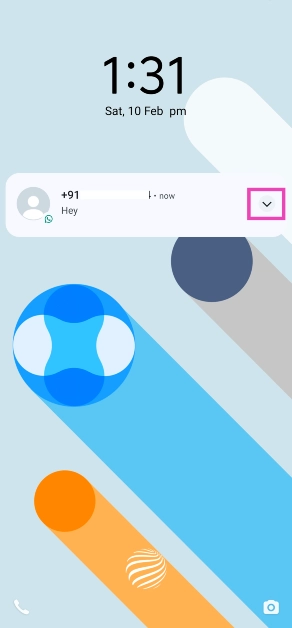 Step 2: Select Block from the list of quick actions.
Block a sender from the chat thread
Step 1: Launch WhatsApp and open the message from the unknown sender. Step 2: Hit the Block button on the sender’s card.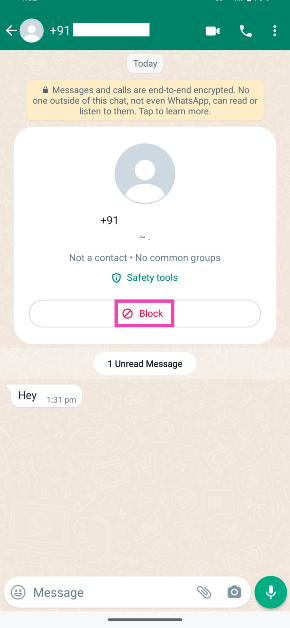
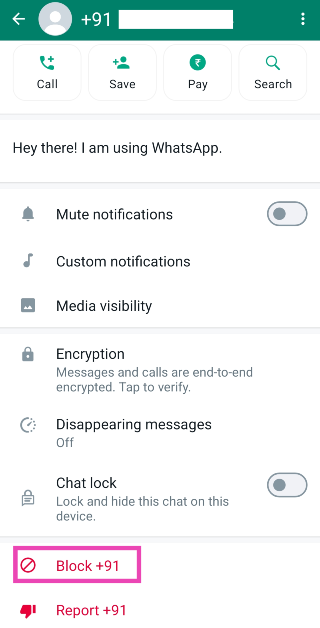
Use the block button on the sender’s WhatsApp profile
Step 1: Launch WhatsApp and open the conversation thread with the person you want to block. Step 2: Tap on their contact number/name at the top of the screen.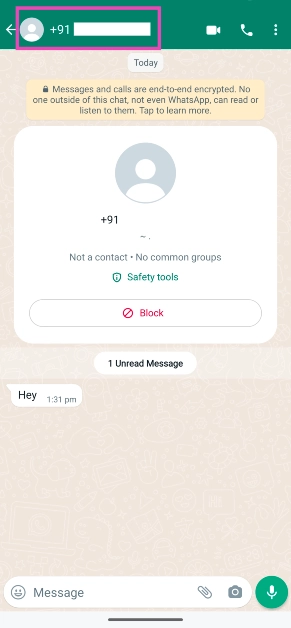 Step 3: Scroll down and hit the Block button at the bottom of their profile.
Silence WhatsApp calls from unknown numbers
Sometimes, spam pushers resort to calling you on WhatsApp. This tactic is also used by a lot of scammers. Luckily, WhatsApp allows you to silence all calls from unknown numbers. Once the call has ended, you will get a notification alert about the missed call. Here’s how you can enable this feature. Step 1: Launch WhatsApp and hit the ellipses at the top right corner of the screen. Step 2: Go to Settings.
 Step 3: Select Privacy.
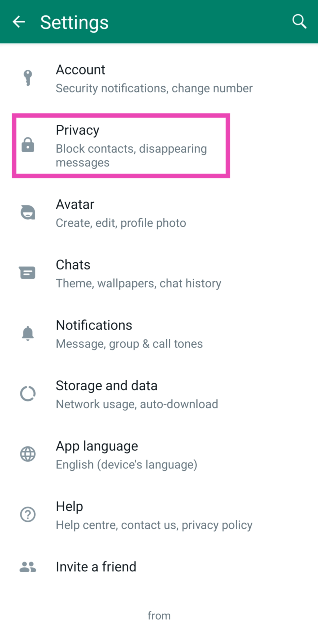 Step 4: Tap on Calls.
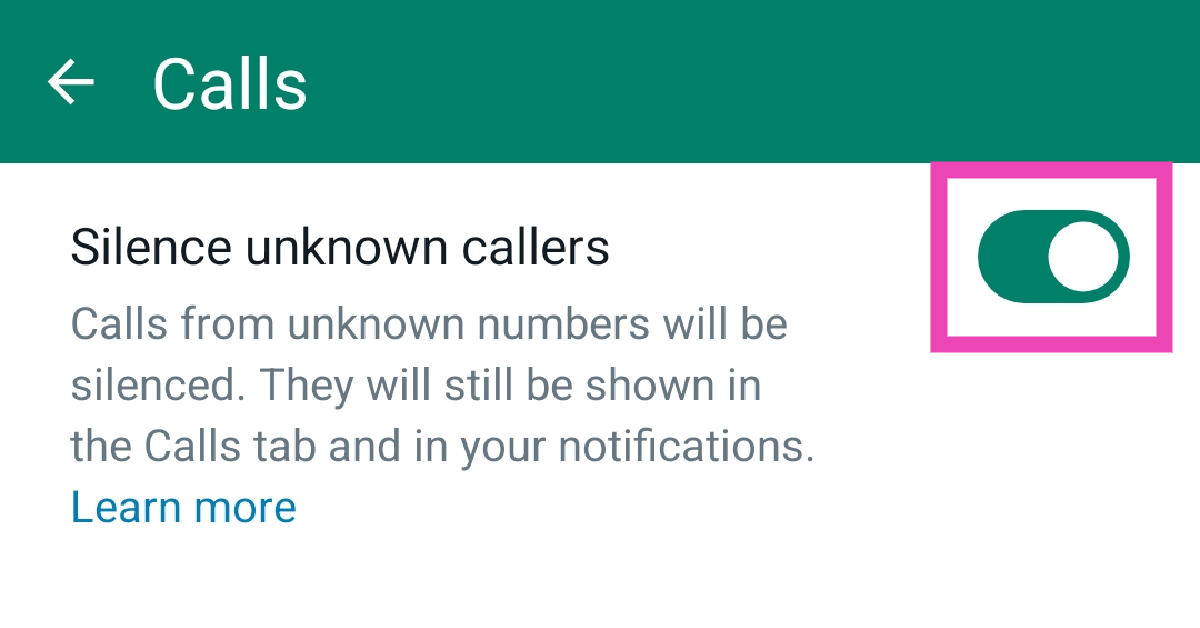
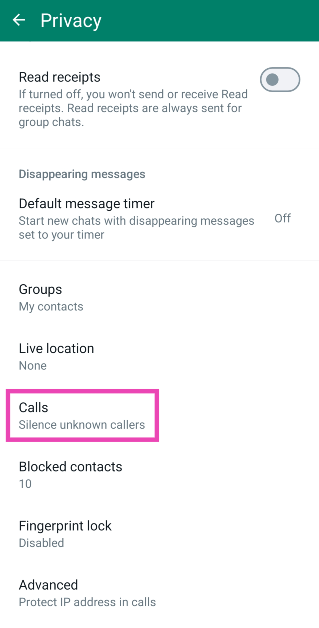 Step 5: Turn on the toggle switch next to ‘Silence unknown callers’.
Block messages from unknown accounts
Step 1: Launch WhatsApp and hit the ellipses at the top right corner of the screen.
Step 2: Go to Settings.
Step 3: Select Privacy.
Step 4: Scroll down and go to Advanced.
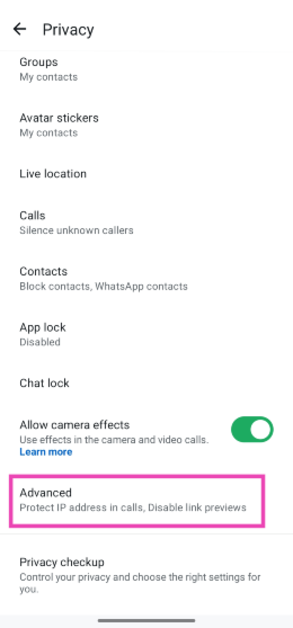 Step 5: Hit the toggle switch next to Block unknown account messages. This feature will block large volumes of messages sent from unknown numbers.
Frequently Asked Questions (FAQs)
What’s the easiest way to block someone on WhatsApp?
Simply expand the new message notification on your lock screen and hit the Block button to block the sender. This only works for people who aren’t in your contact list.How do I block calls from unknown callers on WhatsApp?
While you can’t block calls from unknown numbers on WhatsApp, the platform offers you the option to silence them. Go to Settings>Privacy>Calls and turn on the toggle switch next to ‘Silence unknown callers’.Where can I see my WhatsApp block list?
Go to Settings>Privacy>Blocked Contacts to view your block list on WhatsApp.How do I block unknown numbers from sending me spam on WhatsApp?
Go to Settings>Privacy>Advanced and turn on the toggle switch next to ‘Block unknown account messages’.How do I enable ‘Strict account settings’ on WhatsApp?
Go to Settings>Privacy>Advanced>Strict account settings and select ‘Turn on’. Read Also: Top 4 ways to change app notification sounds on iPhone? (2024)Conclusion
These are the top 5 ways to block spam senders on WhatsApp. Despite your best efforts, spam has a way of creeping into your WhatsApp inbox. To reduce the volume of unwanted messages, don’t hand out your primary number to businesses and e-services. If you know any other way to tackle spam on the platform, let us know in the comments!Top 10 Tech Gifts for Valentine’s Day 2024: For Her and Him

Valentine’s Day is just around the corner and if you haven’t already purchased a gift for your significant other, now would be a good time to whip out the credit card and start adding items to your cart. If you don’t know where to begin, you’ve landed on the right page. While you can never go wrong with flowers and chocolates, if you want to go the extra mile, a tech gift can make things really special. So, without further ado, let’s take a look at the top 10 tech gifts you can buy for your partner on Valentine’s Day 2024 for your loved one.
Read Also: How to delete multiple apps at once on an Android phone? (2024)
The new iPhone 15 runs on the A16 Bionic chipset from the 14 Pro series. The newest entry-level variant of the iPhone features the Dynamic Island, a 48MP primary camera, and a 12MP ultrawide lens. The new features that were introduced on the iPhone 14 Pro models are a part of the iPhone 15’s base variant. However, it doesn’t get the latest Apple A17 Pro chipset and also misses out on the titanium band. But, its relatively affordable pricing makes it a good buy.
The new Fulijilm Instax Pal is the perfect gift to preserve your memories with your partner in style. For the Polaroid-obsessed, the Instax Pal would make an amazing gift. This palm-sized Polaroid camera can easily fit inside your pocket. Fujifilm has removed the printing function from the camera to increase its portability. The digital images taken by the Instax Pal can be printed using an Instax Link Series smartphone printer. The portable camera is available in five colour options — Gem Black, Powder Pink, Pistachio Green, Lavender Blue and Milky White.
The entry-level Kindle variant is the perfect gift for voracious readers. While it may be the most basic Kindle model, it matches most of the specs of the Paperwhite. We reviewed the e-reader when it was launched and were impressed by the glare-free display and the overall reading experience. The 300 ppi resolution is ideal for reading books, newspapers, and graphic novels on the e-reader. The 4 LEDs do a good job of lighting up the display in dark conditions. You can use the toolbar to adjust the brightness of the device. With an internal storage capacity of 16GB, the Kindle can store thousands of books.
Give your partner a ring this Valentine’s Day – but make it smart. boAt’s smart ring can track health and fitness metrics just like a smartwatch. With a 5ATM water resistance, you can even wear this ring while swimming. Its premium ceramic build contributes massively to its premium aesthetic. Integrated with smart touch controls, this ring can be used to click pictures, change track, pause/play media playback, and navigate applications. You can view your health and fitness data in the boAt Smart Ring app at any given time.
The JBL Go 3 brings the party wherever you go. This waterproof portable speaker is one of the best tech gifts you can give to your partner for Valentine’s Day in 2024. The Go 3 has a power output of 4.3W and offers 5 hours of playback on a single charge. It has dimensions of 3.4 x 2.7 x 1.6 inches and weighs just 200 grams. You can easily carry it around in your pocket all day. The portable speaker can be charged using a USB Type-C cable but it takes 2.5 hours to fully charge the device.
Smart in more ways than one, the Razer Ansu Smart Glasses let you take calls, play music, and enjoy and enjoy the omnidirectional sound with no hiccups. A low latency of 60ms ensures there is no delay between the audio and the video feed. Anzu smart glasses have touch panels on the stem which let you control media playback and answer calls with just a single tap. On top of that, they are also voice assistant-compatible. On a single charge, the smart functions of these glasses can run for more than 5 hours.
 The Classic variant of the Samsung Galaxy Watch6 is a thing to behold. The physical rotating bezel around the 1.5-inch Super AMOLED display is both stylish and practical. Navigating the interface of the watch becomes much easier with this bezel. Running on Wear OS 4 skinned with One UI Watch 5, the Galaxy Watch6 is also one of the smartest smartwatches out there. The range of apps available on the Play Store ensures you never spend a dull moment with this app. You can read and respond to your WhatsApp message directly from the watch and even check your email on the go. Check out our review of the smartwatch here.
These cute Echo smart speakers are a perfect addition to your nightstand. The best part about them is that they don’t occupy a lot of space and can carry out most of the functions of a regular Echo Dot. The temperature and motion sensors are some of the sore misses on the Echo Pop. However, since they are primarily intended to be used as nightstand speakers, there isn’t much need for those sensors to begin with. What the Echo Pop does best is provide cutting-edge software experience with its built-in routines, smart device support, and tons of skills. Check out our full review here.
The Classic variant of the Samsung Galaxy Watch6 is a thing to behold. The physical rotating bezel around the 1.5-inch Super AMOLED display is both stylish and practical. Navigating the interface of the watch becomes much easier with this bezel. Running on Wear OS 4 skinned with One UI Watch 5, the Galaxy Watch6 is also one of the smartest smartwatches out there. The range of apps available on the Play Store ensures you never spend a dull moment with this app. You can read and respond to your WhatsApp message directly from the watch and even check your email on the go. Check out our review of the smartwatch here.
These cute Echo smart speakers are a perfect addition to your nightstand. The best part about them is that they don’t occupy a lot of space and can carry out most of the functions of a regular Echo Dot. The temperature and motion sensors are some of the sore misses on the Echo Pop. However, since they are primarily intended to be used as nightstand speakers, there isn’t much need for those sensors to begin with. What the Echo Pop does best is provide cutting-edge software experience with its built-in routines, smart device support, and tons of skills. Check out our full review here.
 Nothing’s subsidiary brand CMF put out some interesting products last year. Primarily operating in the budget segment, CMF’s products offer high value for money. We were very impressed by the Buds Pro back when we reviewed the TWS headset. The hockey puck design of the charging case is novel and has a nice finish to it. The audio output of the earbuds has that signature Nothing tuning and a diverse soundstage. Although a little bass-heavy, the CMF Buds Pro’s audio output is very enjoyable. Certainly one of the best tech gifts you can give your significant other this Valentine’s Day.
The Clokowe T08 mini projector is a fun, offbeat tech gift for Valentine’s Day 2024. This projector is incredibly easy to use and can connect to your smartphone, laptop, or tablet within seconds. It can rotate up to 180 degrees, which means you can even point it at the ceiling and enjoy HD visuals. The projector can deliver 720p footage and features automatic keystone correction. A 3W speaker is integrated into the device, and you can also pair it with your home speaker via a 3.5mm headphone jack or a Bluetooth connection. The images produced by the projector are sharp, detailed, and rich in colour. Here’s our full review of the projector.
Read Also: Redmi A3 gets listed on Flipkart, key details revealed
Nothing’s subsidiary brand CMF put out some interesting products last year. Primarily operating in the budget segment, CMF’s products offer high value for money. We were very impressed by the Buds Pro back when we reviewed the TWS headset. The hockey puck design of the charging case is novel and has a nice finish to it. The audio output of the earbuds has that signature Nothing tuning and a diverse soundstage. Although a little bass-heavy, the CMF Buds Pro’s audio output is very enjoyable. Certainly one of the best tech gifts you can give your significant other this Valentine’s Day.
The Clokowe T08 mini projector is a fun, offbeat tech gift for Valentine’s Day 2024. This projector is incredibly easy to use and can connect to your smartphone, laptop, or tablet within seconds. It can rotate up to 180 degrees, which means you can even point it at the ceiling and enjoy HD visuals. The projector can deliver 720p footage and features automatic keystone correction. A 3W speaker is integrated into the device, and you can also pair it with your home speaker via a 3.5mm headphone jack or a Bluetooth connection. The images produced by the projector are sharp, detailed, and rich in colour. Here’s our full review of the projector.
Read Also: Redmi A3 gets listed on Flipkart, key details revealed
iPhone 15
Price: Rs 79,900 on Apple.com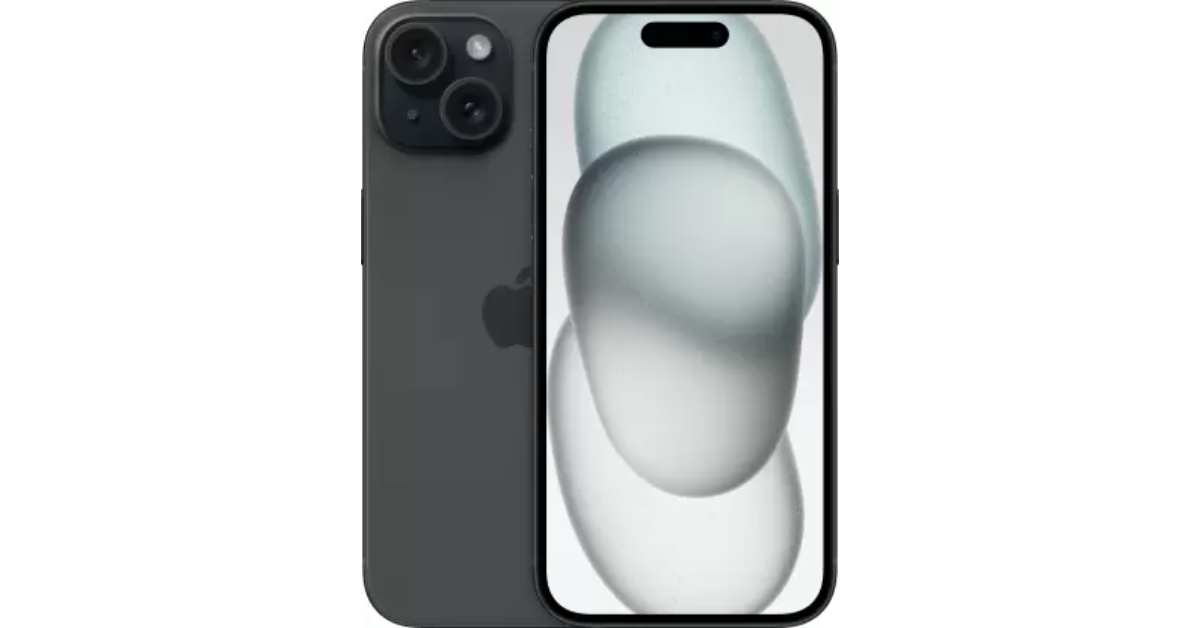 The new iPhone 15 runs on the A16 Bionic chipset from the 14 Pro series. The newest entry-level variant of the iPhone features the Dynamic Island, a 48MP primary camera, and a 12MP ultrawide lens. The new features that were introduced on the iPhone 14 Pro models are a part of the iPhone 15’s base variant. However, it doesn’t get the latest Apple A17 Pro chipset and also misses out on the titanium band. But, its relatively affordable pricing makes it a good buy.
Fujifilm Instax Pal
Price: Rs 10,999 on Instax.in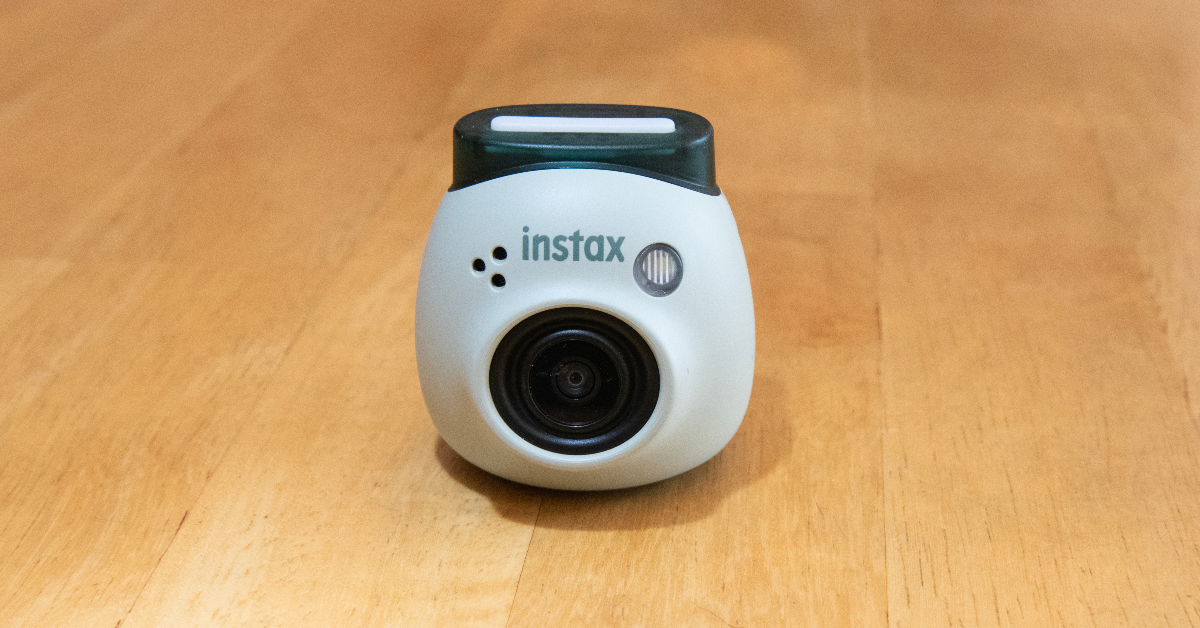 The new Fulijilm Instax Pal is the perfect gift to preserve your memories with your partner in style. For the Polaroid-obsessed, the Instax Pal would make an amazing gift. This palm-sized Polaroid camera can easily fit inside your pocket. Fujifilm has removed the printing function from the camera to increase its portability. The digital images taken by the Instax Pal can be printed using an Instax Link Series smartphone printer. The portable camera is available in five colour options — Gem Black, Powder Pink, Pistachio Green, Lavender Blue and Milky White.
Amazon Kindle (2022)
Price: Rs 9,999 on Amazon The entry-level Kindle variant is the perfect gift for voracious readers. While it may be the most basic Kindle model, it matches most of the specs of the Paperwhite. We reviewed the e-reader when it was launched and were impressed by the glare-free display and the overall reading experience. The 300 ppi resolution is ideal for reading books, newspapers, and graphic novels on the e-reader. The 4 LEDs do a good job of lighting up the display in dark conditions. You can use the toolbar to adjust the brightness of the device. With an internal storage capacity of 16GB, the Kindle can store thousands of books.
boAt Smart Ring
Price: Rs 8,999 on boAt-lifestyle.com Give your partner a ring this Valentine’s Day – but make it smart. boAt’s smart ring can track health and fitness metrics just like a smartwatch. With a 5ATM water resistance, you can even wear this ring while swimming. Its premium ceramic build contributes massively to its premium aesthetic. Integrated with smart touch controls, this ring can be used to click pictures, change track, pause/play media playback, and navigate applications. You can view your health and fitness data in the boAt Smart Ring app at any given time.
JBL Go 3
Price: Rs 2,999 JBL.com The JBL Go 3 brings the party wherever you go. This waterproof portable speaker is one of the best tech gifts you can give to your partner for Valentine’s Day in 2024. The Go 3 has a power output of 4.3W and offers 5 hours of playback on a single charge. It has dimensions of 3.4 x 2.7 x 1.6 inches and weighs just 200 grams. You can easily carry it around in your pocket all day. The portable speaker can be charged using a USB Type-C cable but it takes 2.5 hours to fully charge the device.
Razer Anzu Smart Glasses
Price: Rs 2,999 on Amazon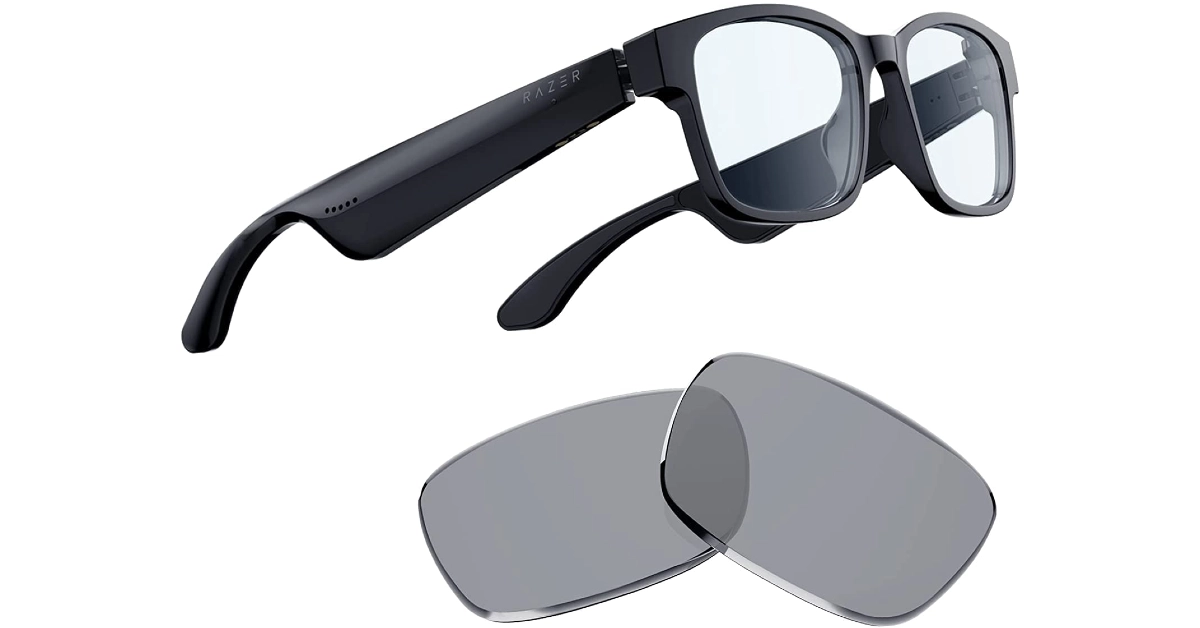 Smart in more ways than one, the Razer Ansu Smart Glasses let you take calls, play music, and enjoy and enjoy the omnidirectional sound with no hiccups. A low latency of 60ms ensures there is no delay between the audio and the video feed. Anzu smart glasses have touch panels on the stem which let you control media playback and answer calls with just a single tap. On top of that, they are also voice assistant-compatible. On a single charge, the smart functions of these glasses can run for more than 5 hours.
Samsung Galaxy Watch6 Classic
Price: Rs 36,999 on Samsung.in The Classic variant of the Samsung Galaxy Watch6 is a thing to behold. The physical rotating bezel around the 1.5-inch Super AMOLED display is both stylish and practical. Navigating the interface of the watch becomes much easier with this bezel. Running on Wear OS 4 skinned with One UI Watch 5, the Galaxy Watch6 is also one of the smartest smartwatches out there. The range of apps available on the Play Store ensures you never spend a dull moment with this app. You can read and respond to your WhatsApp message directly from the watch and even check your email on the go. Check out our review of the smartwatch here.
Amazon Echo Pop
Price: Rs 3,449 on Amazon.in These cute Echo smart speakers are a perfect addition to your nightstand. The best part about them is that they don’t occupy a lot of space and can carry out most of the functions of a regular Echo Dot. The temperature and motion sensors are some of the sore misses on the Echo Pop. However, since they are primarily intended to be used as nightstand speakers, there isn’t much need for those sensors to begin with. What the Echo Pop does best is provide cutting-edge software experience with its built-in routines, smart device support, and tons of skills. Check out our full review here.
CMF Buds Pro
Price: Rs 2,499 on Flipkart Nothing’s subsidiary brand CMF put out some interesting products last year. Primarily operating in the budget segment, CMF’s products offer high value for money. We were very impressed by the Buds Pro back when we reviewed the TWS headset. The hockey puck design of the charging case is novel and has a nice finish to it. The audio output of the earbuds has that signature Nothing tuning and a diverse soundstage. Although a little bass-heavy, the CMF Buds Pro’s audio output is very enjoyable. Certainly one of the best tech gifts you can give your significant other this Valentine’s Day.
Clokowe T08 Mini Projector
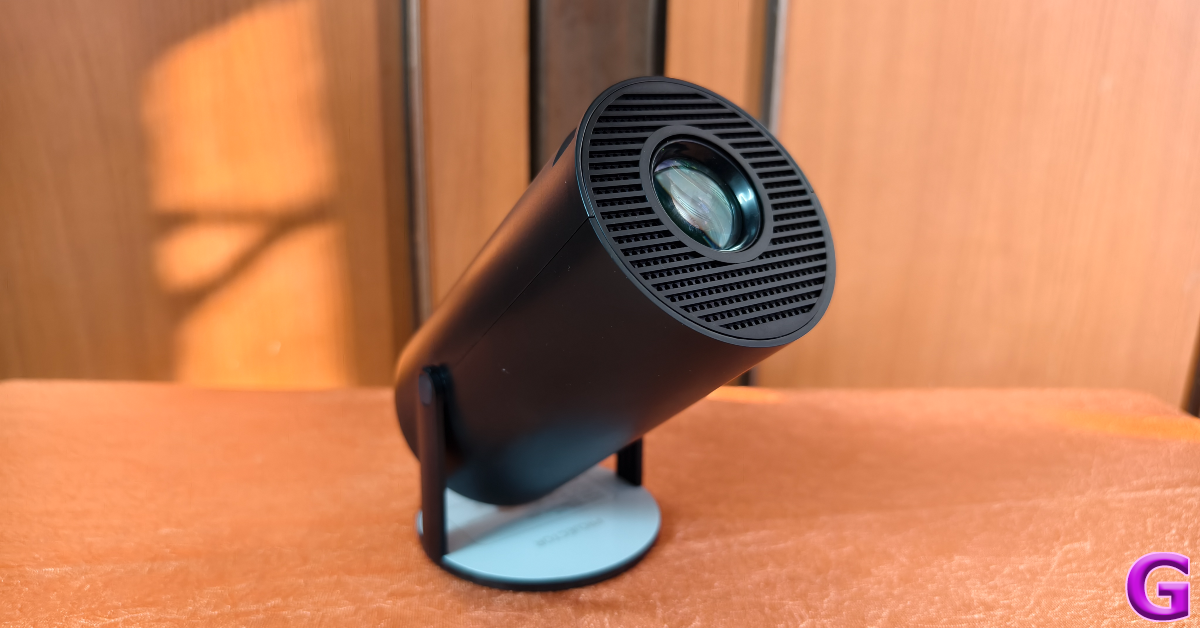 The Clokowe T08 mini projector is a fun, offbeat tech gift for Valentine’s Day 2024. This projector is incredibly easy to use and can connect to your smartphone, laptop, or tablet within seconds. It can rotate up to 180 degrees, which means you can even point it at the ceiling and enjoy HD visuals. The projector can deliver 720p footage and features automatic keystone correction. A 3W speaker is integrated into the device, and you can also pair it with your home speaker via a 3.5mm headphone jack or a Bluetooth connection. The images produced by the projector are sharp, detailed, and rich in colour. Here’s our full review of the projector.
Read Also: Redmi A3 gets listed on Flipkart, key details revealed
The Clokowe T08 mini projector is a fun, offbeat tech gift for Valentine’s Day 2024. This projector is incredibly easy to use and can connect to your smartphone, laptop, or tablet within seconds. It can rotate up to 180 degrees, which means you can even point it at the ceiling and enjoy HD visuals. The projector can deliver 720p footage and features automatic keystone correction. A 3W speaker is integrated into the device, and you can also pair it with your home speaker via a 3.5mm headphone jack or a Bluetooth connection. The images produced by the projector are sharp, detailed, and rich in colour. Here’s our full review of the projector.
Read Also: Redmi A3 gets listed on Flipkart, key details revealed
Conclusion
These are the top 10 tech gifts you can give to your partner this Valentine’s Day (2024). Done with gift shopping already? Let us know what you got in the comments! Also, keep a look at the Valentine’s Day discounts offered by e-commerce platforms this week.Redmi A3 gets listed on Flipkart, key details revealed

Key Highlights
In terms of design, the Redmi A3 will come with a Halo Design featuring a round dual rear camera module. The phone can be seen in a green colour with a leather-textured rear panel that is reminiscent of that of its predecessor. The company logo is positioned at the bottom. The teased images also show the USB Type-C charging port.
The device will come with a 90 Hz display. The phone will come with 6GB RAM with support for 6GB virtual RAM. Additionally, the smartphone will be backed by a 5,000mAh battery.
But there have also been hints about other important phone specs. The device was previously spotted at African stores. The listing indicates that the smartphone might be powered by a MediaTek chip. The description also offered a 64GB built-in storage option with 4GB of RAM.
Also Read: Amazon Quiz Answers Today 10 February 2024: Participate to win Rs 1,250 Amazon Pay Balance
Additionally, the upcoming phone is said to include an 8-megapixel selfie camera while the rear camera setup may sport a 13-megapixel main camera. The battery is also expected to get 10W wired charging support.
Also Read: Google Bard is now Gemini AI, launches new app for Android and iOS devices
Reportedly the Redmi A3 may have a 6.71-inch display. In addition to this, a 32GB and 128GB internal storage option was suggested. Android 13 Go Edition is speculated to come pre-installed on the mobile phone. The company is likely to offer the upcoming smartphone in three colour options: forest green, blue, and black.
It is expected to be powered by a MediaTek Helio G36 SoC.
- Redmi A3 has been listed on Flipkart and Mi India websites.
- The upcoming phone will feature a circular camera module.
- It will have a leather-textured rear panel.
 In terms of design, the Redmi A3 will come with a Halo Design featuring a round dual rear camera module. The phone can be seen in a green colour with a leather-textured rear panel that is reminiscent of that of its predecessor. The company logo is positioned at the bottom. The teased images also show the USB Type-C charging port.
The device will come with a 90 Hz display. The phone will come with 6GB RAM with support for 6GB virtual RAM. Additionally, the smartphone will be backed by a 5,000mAh battery.
But there have also been hints about other important phone specs. The device was previously spotted at African stores. The listing indicates that the smartphone might be powered by a MediaTek chip. The description also offered a 64GB built-in storage option with 4GB of RAM.
Also Read: Amazon Quiz Answers Today 10 February 2024: Participate to win Rs 1,250 Amazon Pay Balance
Additionally, the upcoming phone is said to include an 8-megapixel selfie camera while the rear camera setup may sport a 13-megapixel main camera. The battery is also expected to get 10W wired charging support.
Also Read: Google Bard is now Gemini AI, launches new app for Android and iOS devices
Reportedly the Redmi A3 may have a 6.71-inch display. In addition to this, a 32GB and 128GB internal storage option was suggested. Android 13 Go Edition is speculated to come pre-installed on the mobile phone. The company is likely to offer the upcoming smartphone in three colour options: forest green, blue, and black.
It is expected to be powered by a MediaTek Helio G36 SoC.
In terms of design, the Redmi A3 will come with a Halo Design featuring a round dual rear camera module. The phone can be seen in a green colour with a leather-textured rear panel that is reminiscent of that of its predecessor. The company logo is positioned at the bottom. The teased images also show the USB Type-C charging port.
The device will come with a 90 Hz display. The phone will come with 6GB RAM with support for 6GB virtual RAM. Additionally, the smartphone will be backed by a 5,000mAh battery.
But there have also been hints about other important phone specs. The device was previously spotted at African stores. The listing indicates that the smartphone might be powered by a MediaTek chip. The description also offered a 64GB built-in storage option with 4GB of RAM.
Also Read: Amazon Quiz Answers Today 10 February 2024: Participate to win Rs 1,250 Amazon Pay Balance
Additionally, the upcoming phone is said to include an 8-megapixel selfie camera while the rear camera setup may sport a 13-megapixel main camera. The battery is also expected to get 10W wired charging support.
Also Read: Google Bard is now Gemini AI, launches new app for Android and iOS devices
Reportedly the Redmi A3 may have a 6.71-inch display. In addition to this, a 32GB and 128GB internal storage option was suggested. Android 13 Go Edition is speculated to come pre-installed on the mobile phone. The company is likely to offer the upcoming smartphone in three colour options: forest green, blue, and black.
It is expected to be powered by a MediaTek Helio G36 SoC. Garena Free Fire Redeem Codes Today 10 February 2024: Here is how to claim them

Garena Free Fire is a battle royale game with regular awards and tournaments to keep players interested. If you play Garena Free Fire, you should be aware of the redeem codes that are released on a daily basis. However, because the battle royale game is banned in India, players from other countries can use the Free Fire Redeem codes daily. If you’re unfamiliar with the Garena Free Fire redeem codes or don’t know how to get them, we’ve put together a step-by-step guide to help you redeem them. Check out Garena Free Fire Redeem Codes for 10 February 2024.
The Free Fire redeem codes are a great way to get free stuff. These are 12-digit codes that contain alphabets and numbers, as well as an expiration date and time. Because the Garena FF redeem codes cannot be used more than once, you should hurry to the redemption page to claim your free reward before someone else does. To get a free reward, all you have to do is go to reward.ff.garena.com/en, which is the official redemption page. Also, keep an eye on this space for daily updates on Garena Free Fire redemption codes and rewards.
Also Read: Sennheiser Accentum Plus wireless headphones with Hybrid Adaptive Noise Cancellation launched
Garena Free Fire Redeem Codes Today 10 February 2024
FF11WFNPP956 X99TK56XDJ4X FF11DAKX4WHV WLSGJXS5KFYR FF11NJN5YS3E ZRJAPH294KV5 Y6ACLK7KUD1N VNY3MQWNKEGU U8S47JGJH5MG FF10617KGUF9 FF119MB3PFA5 ZYPPXWRWIAHD YXY3EGTLHGJX FF10GCGXRNHY FFIC33NTEUKA ZZATXB24QES8 MCPTFNXZF4TA FF11HHGCGK3B W0JJAFV3TU5E SARG886AV5GR FF1164XNJZ2V B6IYCTNH4PV3 8F3QZKNTLWBZHow to Get Free Fire Redeem Codes for Garena on 10 February 2024?
- Visit the Garena Free Fire game’s official website at reward.ff.garena.com.
- Use your Facebook, Google, VK, Apple ID, Huawei ID, or Twitter account to log in.
- You’ll be taken to a valid redemption code (s)
- Copy and paste the 12-digit redemption code into the text box.
- On the screen, a dialogue box will appear.
- ‘Ok’ should be selected.
A Complete Guide to No KYC iGaming: Different Types and More

The rise of No KYC (Know Your Customer) casinos represents a notable move towards prioritizing player privacy and ease of use. Traditional online gambling platforms often demand thorough identity checks from their users, but No KYC casinos break away from this norm. They offer a way for players to enjoy betting without having to reveal personal or financial details, essentially allowing them to remain anonymous. In this guide, we’ll explore the different kinds of No KYC casinos, shedding light on what sets them apart and the advantages they bring to the table.
In this article we will discuss:
- Mobile No KYC Casinos
- Live Dealer No KYC Casinos
- Instant Withdrawal No KYC Casinos
- Instant Play No KYC Casinos
- Bitcoin No KYC Casinos
- Ease of Use: Enjoy gaming on the move, anytime, free from verification delays.
- Anonymity: Keep your personal details private, adding an extra layer of safety.
- Wide Selection: Access a diverse range of games perfectly suited for mobile play.
- Realistic Experience: The direct interaction with dealers elevates the gaming experience to new heights.
- Privacy Preserved: Participate in live games while keeping your personal details to yourself.
- Diverse Options: Enjoy a broad selection of live table games and various betting limits to suit your style.
- Quick Access: Get your winnings fast, bypassing any verification hold-ups.
- Anonymity: Keep your transactions private, safeguarding your identity.
- Streamlined Payments: Benefit from a smooth and efficient process for managing your money.
- Ease of Use: Play directly through your web browser without downloads.
- Quick Access: Start playing immediately with no registration hurdles.
- Diversity: Access a vast selection of games instantly.
- Anonymity: Complete transactions without revealing your identity.
- Security: Leverage the security features of cryptocurrencies.
- Global Access: Play and transact from anywhere without currency restrictions.
How to delete multiple apps at once on an Android phone?
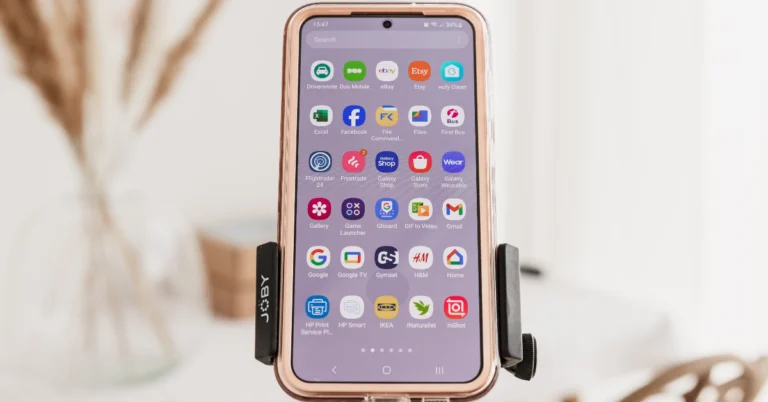
While deleting a single app on your Android device is a piece of cake, things take a complicated turn when you want to mass delete them. Long-pressing an app on the home screen or app drawer reveals its quick menu, instead of letting you select multiple apps to apply blanket actions. Visiting the ‘Apps’ section on device settings is no help either. Luckily, not all hope is lost since there is one lesser-known way that lets you accomplish this task. Here’s how you can delete multiple apps at once on an Android phone.
Read Also: Top 4 ways to change app notification sounds on iPhone? (2024)
Step 3: Tap on Select.
Step 4: Tap the apps you wish to delete.
Step 5: Hit the Uninstall button at the bottom of the screen.
Step 3: Select Manage apps and device.
Step 4: Switch to the Manage tab.
Step 5: Tap the checkboxes next to the apps you wish to uninstall.
Step 6: Hit the bin sign at the top right corner of the screen.
The apps you selected will be removed from your device.
Step 3: Tap on Uninstall.
Step 4: Confirm your selection.
 Step 3: Confirm your selection in the popup box.
Step 4: The apps will continue to wiggle on the screen. Hit the minus icon on another app to remove it.
Continue doing this until the undesired apps have been removed from your iPhone.
Step 3: Confirm your selection in the popup box.
Step 4: The apps will continue to wiggle on the screen. Hit the minus icon on another app to remove it.
Continue doing this until the undesired apps have been removed from your iPhone.
When should I mass delete apps on my Android phone?
While managing and organising their smartphones, users often want to delete the apps that have been lying around for a while without being used even once. Let’s be honest, we are all guilty of mindlessly installing apps on our devices only to never return to them again. Some users prefer installing a bunch of similar apps that cater to a particular task and then picking the best of the lot. The trouble arises when you want to delete the rest of the apps at once. Long-pressing and deleting apps can take a long time, especially with all the pop-up boxes asking you to confirm your action every time you hit the delete button. Luckily, Android phones have the mass delete option tucked away in the Google Play Store. Since people rarely ever use the Play Store to uninstall apps, this feature goes unnoticed. But once you start using it, there’s no looking back.Delete multiple apps at once from the app drawer
Step 1: Unlock your phone and swipe up to go to the app drawer. Step 2: Tap on Manage or hit the ellipses.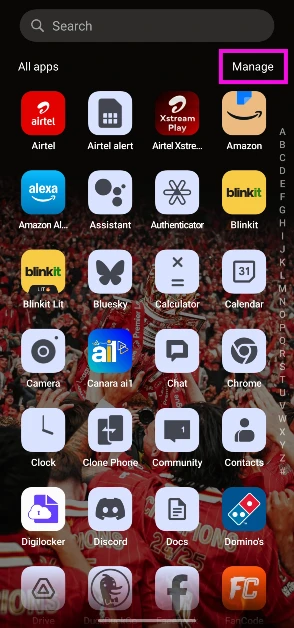 Step 3: Tap on Select.
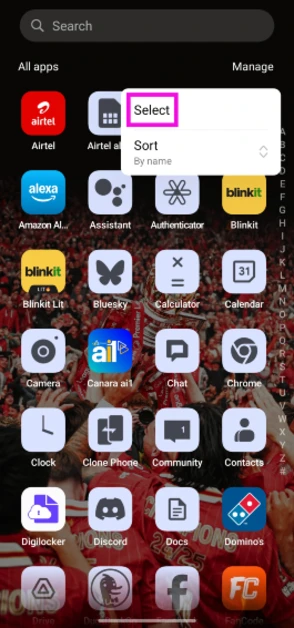 Step 4: Tap the apps you wish to delete.
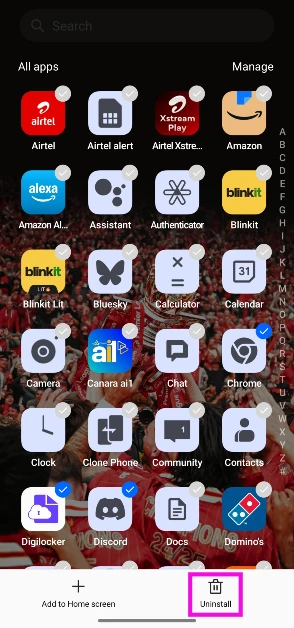 Step 5: Hit the Uninstall button at the bottom of the screen.
Delete multiple apps at once using the Google Play Store
Apart from being Android’s official marketplace, the Google Play Store also lets you manage the apps on your device. You can use it to delete multiple apps on your phone at once. There is no other native way to go about this task. Follow these steps. Step 1: Launch the Google Play Store on your Android phone. Step 2: Tap your profile picture at the top right corner of the screen. Step 3: Select Manage apps and device.
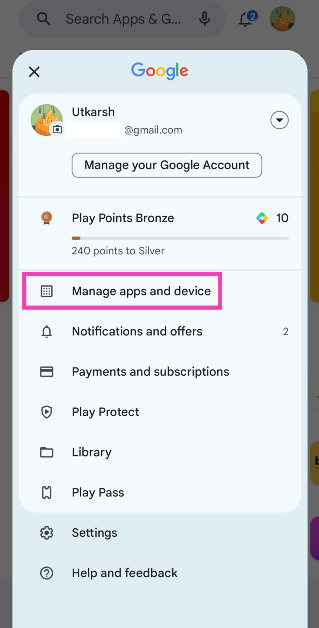 Step 4: Switch to the Manage tab.
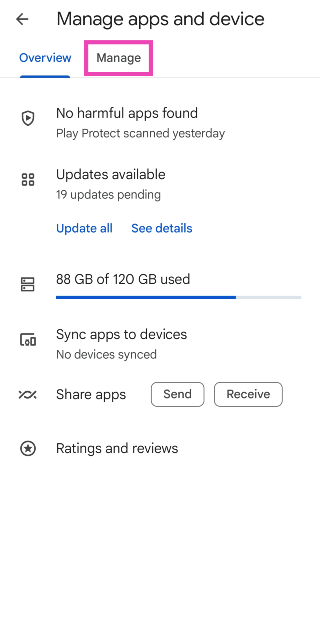 Step 5: Tap the checkboxes next to the apps you wish to uninstall.
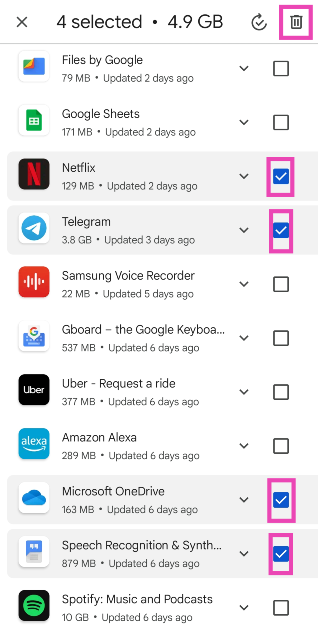 Step 6: Hit the bin sign at the top right corner of the screen.
The apps you selected will be removed from your device.
Step 6: Hit the bin sign at the top right corner of the screen.
The apps you selected will be removed from your device.
Use a third-party app (UnApp)
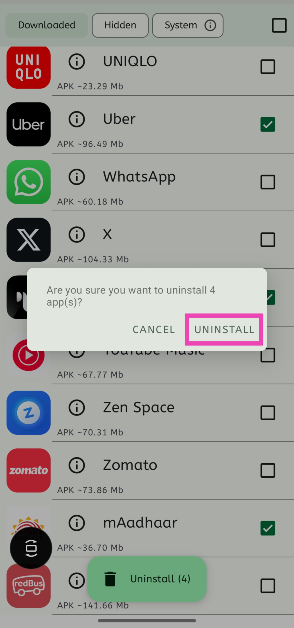
The method mentioned above only works for apps that were downloaded via the Google Play Store. If you want to mass delete apps downloaded from third-party sources, use the UnApp app. Step 1: Download and install UnApp from the Google Play Store. Step 2: Launch the app and hit the checkbox next to the apps you wish to uninstall.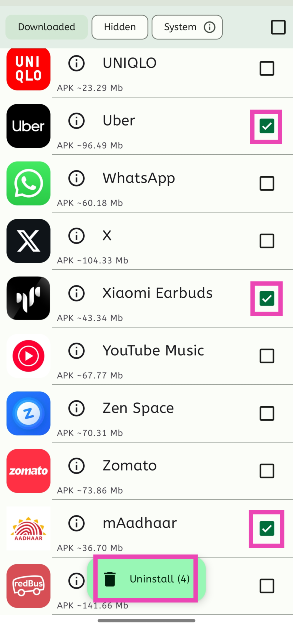 Step 3: Tap on Uninstall.
Step 4: Confirm your selection.
Step 3: Tap on Uninstall.
Step 4: Confirm your selection.
Bonus Tip: Delete multiple apps on your iPhone at once
Step 1: Unlock your iPhone and long-press anywhere on the home screen. Step 2: The app icons on the home screen will start wiggling back and forth. Hit the minus icon to delete an app.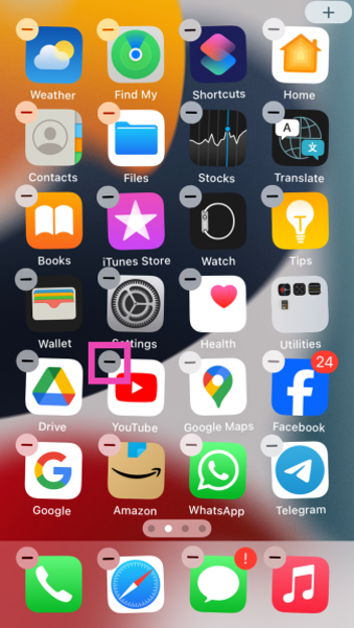 Step 3: Confirm your selection in the popup box.
 Step 4: The apps will continue to wiggle on the screen. Hit the minus icon on another app to remove it.
Continue doing this until the undesired apps have been removed from your iPhone.
Step 4: The apps will continue to wiggle on the screen. Hit the minus icon on another app to remove it.
Continue doing this until the undesired apps have been removed from your iPhone.
Frequently Asked Questions (FAQs)
How do I remove apps that cannot be uninstalled on my phone?
You can either disable the uninstallable apps by going to Settings>Apps or use ADB to remove the app package on your Android phone.Is there a way to delete multiple apps at once on my Android phone?
The only way to delete multiple apps at once on your Android phone is by going to the Google Play Store, selecting ‘Manage apps and device’, switching to the ‘Manage’ tab, checking the boxes next to the apps you wish to remove and hitting the bin icon at the top of the screen.How do I mass delete the apps downloaded from third-party sources?
Apps downloaded from third-party sources cannot be uninstalled from the Play Store. You can download the UnApp app for this task.What is the fastest way to delete apps on my Android phone?
The fastest way to delete an app on an Android phone is by long-pressing its icon in the app drawer and selecting ‘Uninstall’.How to delete the data accumulated by an app on my Android phone?
Go to Settings>Apps, select the app, tap on ‘Storage’, and hit ‘Clear data’. Read Also: Top 5 Ways To Remove Apps That Android Won’t Let You Uninstall (2024)Conclusion
This is how you can delete multiple apps on your Android phone at once. If you know any other way to go about this task, let us know in the comments! While you’re here, check out this article to learn how to delete those stubborn apps on your phone that refuse to be uninstalled.Top 4 ways to change app notification sounds on iPhone? (2024)
Unlike Android, iOS does not let you change the notification sound for every third-party app on your iPhone. Using device settings, you can set custom alert tones for Apple’s suite of apps, but that’s about it. Third-party instant messaging apps like WhatsApp and Telegram allow users to change the sounds for certain notifications, but only from within the app. Today, we bring you the top 4 ways to change app notification sound on iPhone.
Read Also: Top 10 headphones under $200 in the USA for working from home (2024)
 Step 2: Scroll down and select the app for which you want to set a custom notification sound. You can only change the notification sound for Apple’s suite of apps.
Step 3: Tap on Sounds.
Step 2: Scroll down and select the app for which you want to set a custom notification sound. You can only change the notification sound for Apple’s suite of apps.
Step 3: Tap on Sounds.
 Step 4: Select a new sound for the app’s notification from the list.

 Step 2: Tap on the alert tone you wish to change.
 Step 3: Select a new tone from the list.
Step 2: Tap on Notifications.
Step 3: Tap on Sound (under the category you wish to customise).
Step 3: Select a new tone from the list.
Step 2: Tap on Notifications.
Step 3: Tap on Sound (under the category you wish to customise).
 Step 4: Select the new notification sound and hit Save.
 Step 3: Tap on Notifications and Sounds.
Step 4: Select the category for which you want to change the notification sound.
Step 5: Tap on Sound.
Step 6: Select a new notification sound from the list and hit Done.
Step 3: Tap on Notifications and Sounds.
Step 4: Select the category for which you want to change the notification sound.
Step 5: Tap on Sound.
Step 6: Select a new notification sound from the list and hit Done.
Can I create a custom ringtone on my iPhone from scratch?
Short answer – yes. If you find the system tones on your iPhone bland and uninspiring, you can take matters into your own hands. There are two ways to go about creating a custom ringtone – iTunes and Garage Band. If you want to set your favourite song as your ringtone, choose iTunes. If you have an idea for a ringtone or notification tone that you want to bring to life, Garage Band is your guy. Apple allows you to create a 30-second ringtone from any song on your iTunes library. On your Mac or PC, select the song, right-click on it, and go to Song Info>Options. Select the 30-second segment that you want to convert into a ringtone and go to File>Convert>Create AAC Version. Open the file in Finder and change its format from m4a to m4r. Connect your iPhone to your Mac/PC and drop the file in the Tones folder. Now, go to Settings>Sounds & Haptics>Ringtone and select the song from the list. If you know your way around Garage Band, you can use it to create a 30-second sample. Once the sample has been recorded, hit ‘Share’ and select ‘Ringtone’. Now go to Export>Use Song As>Standard Ringtone. Voila! Your iPhone ringtone will be changed successfully.Change the app notification sounds on iPhone
Step 1: Go to Settings and select Notifications.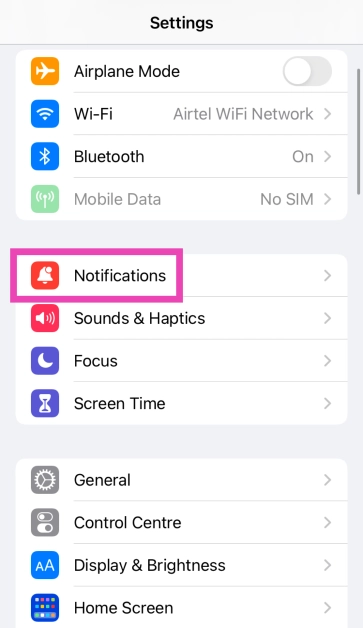 Step 2: Scroll down and select the app for which you want to set a custom notification sound. You can only change the notification sound for Apple’s suite of apps.
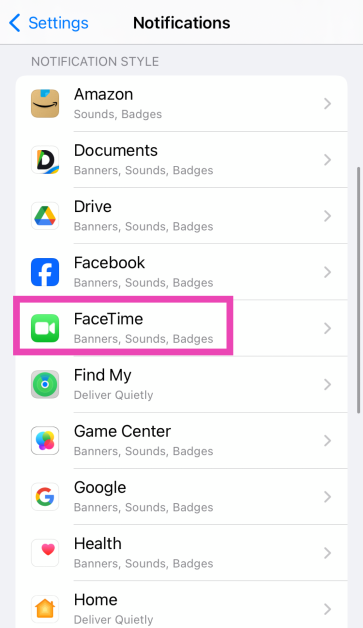 Step 3: Tap on Sounds.
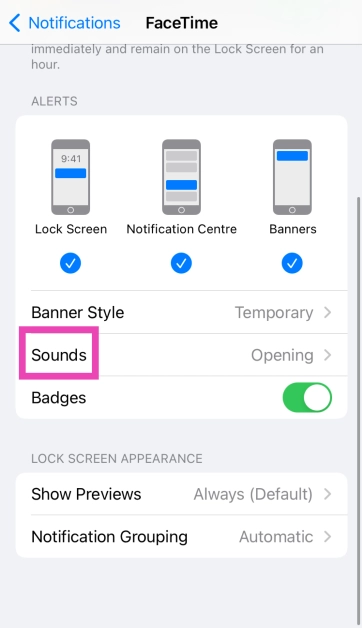 Step 4: Select a new sound for the app’s notification from the list.
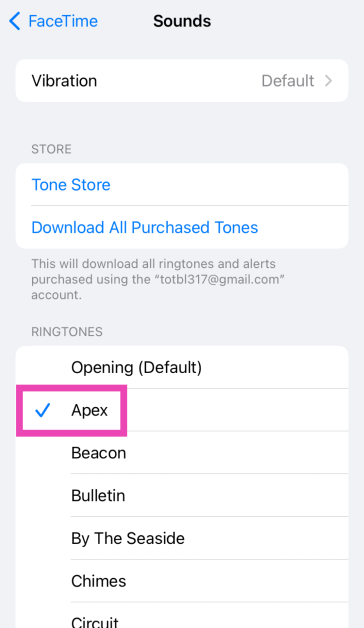
Change the alert tone
You can also change the alert tone for voicemail, new mail, calendar alerts, and more from the Sounds & Haptics settings on your iPhone. Here’s how. Step 1: Go to Settings and select Sounds & Haptics.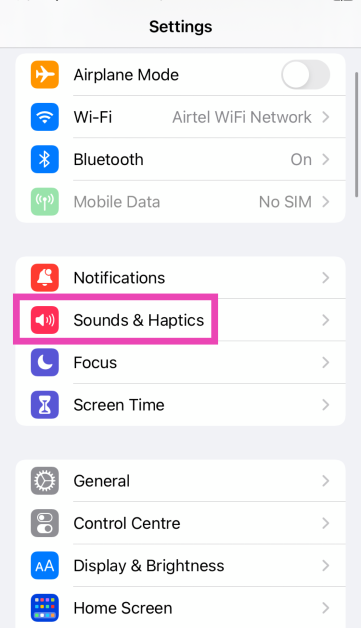 Step 2: Tap on the alert tone you wish to change.
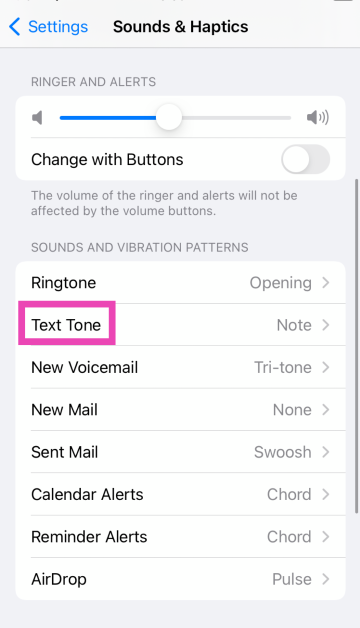 Step 3: Select a new tone from the list.
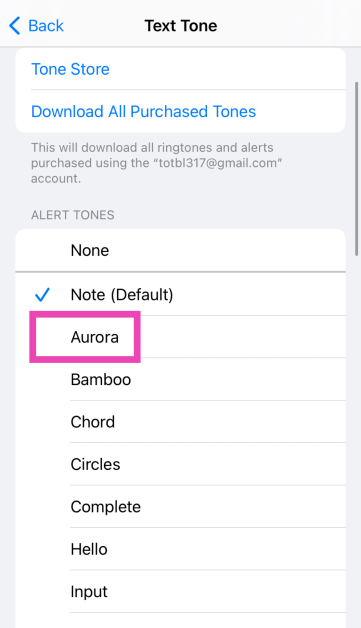
Change the notification sound for WhatsApp on iPhone
Step 1: Launch WhatsApp on your iPhone and switch to the Settings tab.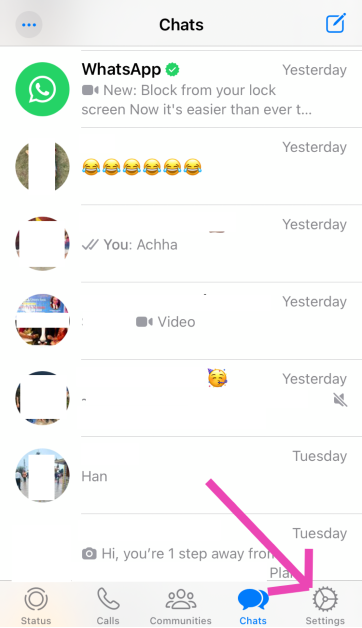 Step 2: Tap on Notifications.
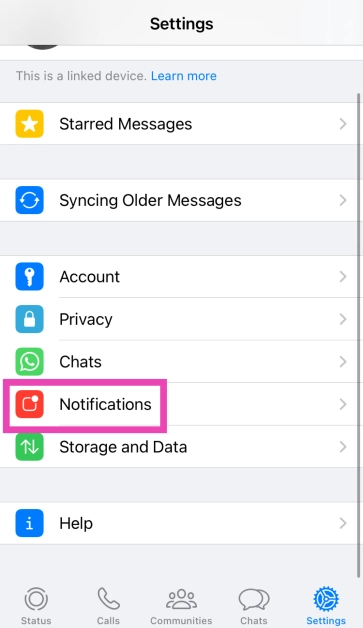 Step 3: Tap on Sound (under the category you wish to customise).
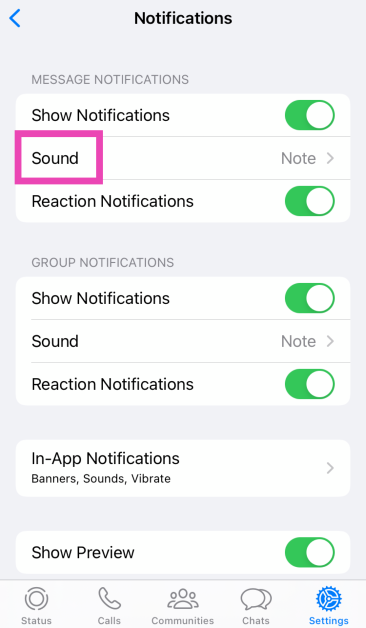 Step 4: Select the new notification sound and hit Save.
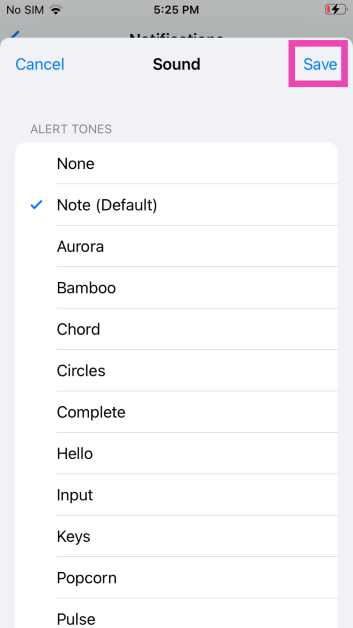
Change the notification sound for Telegram
Step 1: Launch Telegram on your iPhone. Step 2: Switch to the Settings tab.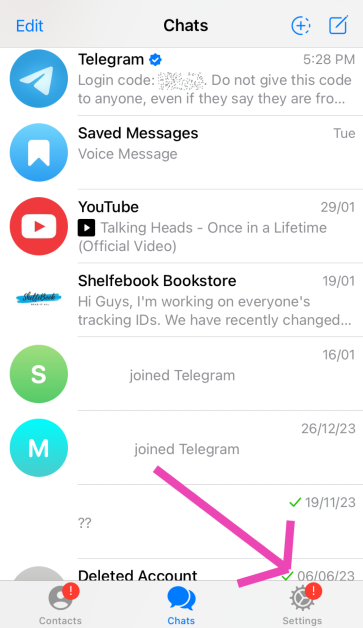 Step 3: Tap on Notifications and Sounds.
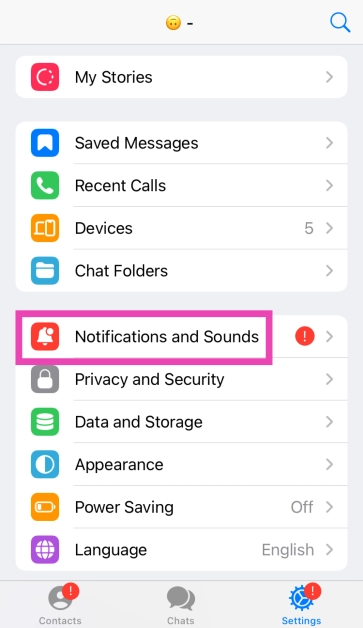 Step 4: Select the category for which you want to change the notification sound.
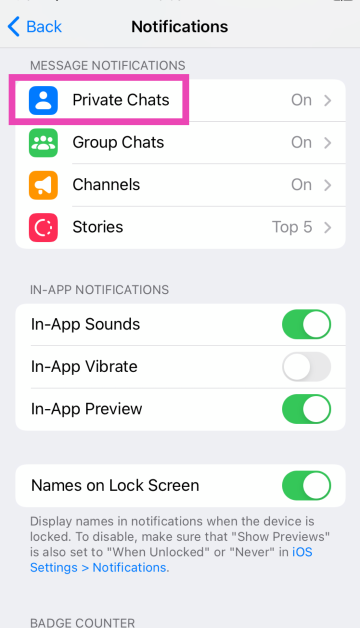 Step 5: Tap on Sound.
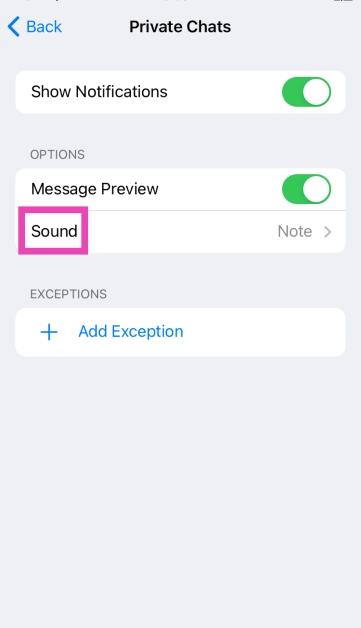 Step 6: Select a new notification sound from the list and hit Done.
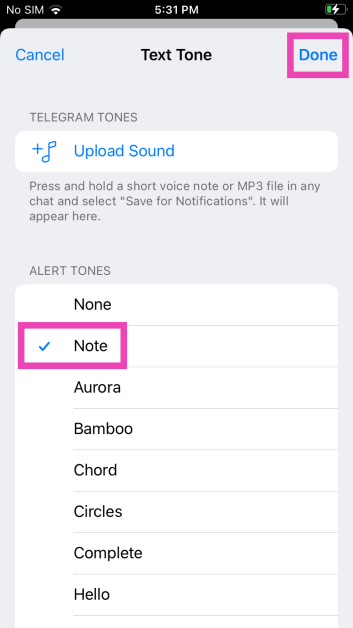
Frequently Asked Questions (FAQs)
Can I change the notification sound for any app on my iPhone?
Your iPhone only lets you change the notification sounds for Apple’s native apps. These apps include Apple Maps, Facetime, Messages, Mail, and more.How do I change WhatsApp’s notification sound on my iPhone?
Launch WhatsApp, go to Settings>Notifications>Sound and select a new tone.How do I change my iPhone’s ringtone?
Go to Settings>Sounds & Haptics>Ringtone and select a new tone. You can also purchase a new tone from Apple’s Tone Store. Read Also: Google Bard is now Gemini AI, launches new app for Android and iOS devicesConclusion
These are the top 4 ways to change app notification sounds on iPhone. While there is a vast library of sounds to choose from, you can also purchase new alert tones from Apple’s tone store. If you know any other way to change the notification for a specific app on your iPhone, let us know in the comments!Top 10 headphones under $200 in the USA for working from home (2024)

If you’re thinking of buying a good pair of headphones for your home office, there are a couple of things you need to consider. Of course, exceptional call quality is a non-negotiable factor, but if your household tends to get noisy at times, you may want to consider a good ANC headset that lets you focus at work. Finding the perfect headphones that are suited to your needs can be a daunting task. To make your job easier, here are the top 10 headphones under $200 in the USA for working from home.
Read Also: Asus Chromebook CM14 with MediaTek Kompanio 520 CPU launched in India
Specially designed to offer a professional call experience, the Jabra Evolve2 65 is one of the headphones under $200 for working from home in the USA. The Evolve2 65 works with all Unified Communications (UC) platforms. There is also a special Microsoft Teams variant on offer if most of your work calls are hosted on that platform. This variant is optimised to deliver the best possible performance on Microsoft Teams. While it doesn’t support ANC, the Evolve2 65 does a good job of passively filtering out the surrounding noise to a significant degree. If you’re working from an office, you can turn on the red busylight on the headphones to let everyone around you know that you’re occupied with a task or on a call.
Poly Voyager Focus 2 offers 3 levels of hybrid Active Noise Cancellation to tune out the surrounding noise and get rid of any distractions. One of its best features is the boom microphone which creates a noise-free bubble in front of your mouth with its Acoustic Fence technology. The result is a crystal-clear calling experience. This boom mic meets the Microsoft Teams Open Office premium microphone requirements. The Voyager Focus 2 offers up to 25 hours of talk time on a single charge and can be plugged into your PC and used as a wired headset when the battery runs out. It also offers multi-device connectivity, which means you can connect it to more than one device at once.
Audio Technica’s ATH-M50xSTS headset brings the sound quality of the popular ATH-50x headphones and integrates it with the superior call quality of the 20 Series microphones. Ideal for working from home, the cardioid condenser microphone on these headphones is perfect for streaming as well as work calls. The headphones are available in XLR/Analog and USB/Digital variants – the latter being more accessible to work with. One of our favourite features on these headphones is ‘flip to mute’ which automatically mutes you on the stream/call as soon as you flip up the boom microphone.
The Jabra Evolve2 50 are super comfortable to wear for an extended period of time. Its cushioned headband and ergonomic earcups perfectly wrap around the head, exerting minimal pressure. These headphones are equipped with ANC, which helps in filtering out the surrounding noise and focusing on work. Its speech-separating and noise-cancelling algorithms are crucial in delivering a professional performance on online conference calls. Like the Evolve2 65, the Evolve2 50 is also available in the Microsoft Teams variant. The UC variant is optimised for all the major communications platforms.
With a wireless range of up to 50 metres/164 feet, you can walk around freely in your home office while taking a work call on the Poly Voyager 4320 UC. On a full charge, these headphones provide up to 24 hours of talk time. The boom mic on the Voyager 4230 UC is equipped with Audio Fence technology, which expertly picks up your voice, filtering it from the surrounding noise. The headphones have a super accessible dedicated mute button for calls. It also features multi-point connectivity, allowing you to connect it to several devices at once. Using an office base (sold separately), you can also connect it to a desk phone.
Although they are designed for music consumption, Sony WH-CH720N’s superior calling experience makes it one of the best headphones under $200 in the USA for working from home. Equipped with Precise Voice Pickup technology, a beamforming mic, and Wind Noise Reduction Structure, the WH-CH720N is perfect for work and for play. You pair these headphones to two devices at one time. So, if you get a call on your phone while watching a movie on your PC, you won’t need to take off your headphones to answer it. The headphones also let you know which device is ringing and switch the connection automatically. Read our review of the Sony WH-CH720N here.
The Philips SHP9600MB comes with a detachable boom mic that is perfect for working from home. The open-back design of the headphones offers a spacious soundstage. Delivering the audio on the SHP9600MB are 50mm drivers. The soundstage offers a balanced mix of frequencies – something the audiophiles will appreciate. The ergonomic design of the earcups and the cushioned headband ensure that you don’t get fatigued after long hours of wearing the headset. You also get a 9.8ft cable inside the box, making it easier to move around with the headphones on.
Looking for some affordable options? The Logitech Zone Vibe 100 is a good pick. Priced under $100, these headphones are ideal for working from home. The memory foam covered with soft knitted fabric makes for comfortable earpads – something you wouldn’t mind wearing for hours at a stretch. The noise-cancelling microphone can be flipped up to mute yourself on calls. On a full charge, these headphones offer 20 hours of listening time and 18 hours of talk time. 5 minutes of charging is enough to power them for an hour of listening time. The Zone Vibe 100 also offers multi-point connectivity. Certainly one of the best headphones you can buy under $200 in the USA for working from home.
The Hyper X Cloud II takes care of your gaming and work demands all at once. Its detachable noise-cancelling boom mic is as good for online conference calls as it is for gaming lobbies. The memory foam ear cushions and padded headband with a leatherette fabric offer high-end comfort which allows you to wear the headphones for hours without a break. Delivering the audio output on these headphones are large 53mm drivers. Its Advanced Audio Control Box has volume controls for the audio control and microphone along with a dedicated slider that acts as a mute switch.
Ending this list is the ultra-affordable JBL Quantum 100X Console. Designed for work and play, these gaming headphones are a rock-solid option for online meetings as well. The detachable boom mic keeps your voice in focus and tunes out the surrounding noise on a call. For a pair of gaming headphones, the Quantum 100X Console looks professional, with no tacky RGB or flashy highlights. If you like to game, you will certainly enjoy the detailed and dynamic soundscapes this headset has to offer.
Read Also: Itel P55, Itel P55+ with up to 45W fast charging support launched in India
Jabra Evolve2 65 UC
Price: $179.99 on Amazon Specially designed to offer a professional call experience, the Jabra Evolve2 65 is one of the headphones under $200 for working from home in the USA. The Evolve2 65 works with all Unified Communications (UC) platforms. There is also a special Microsoft Teams variant on offer if most of your work calls are hosted on that platform. This variant is optimised to deliver the best possible performance on Microsoft Teams. While it doesn’t support ANC, the Evolve2 65 does a good job of passively filtering out the surrounding noise to a significant degree. If you’re working from an office, you can turn on the red busylight on the headphones to let everyone around you know that you’re occupied with a task or on a call.
Poly Voyager Focus 2 UC
Price: $158 on Amazon Poly Voyager Focus 2 offers 3 levels of hybrid Active Noise Cancellation to tune out the surrounding noise and get rid of any distractions. One of its best features is the boom microphone which creates a noise-free bubble in front of your mouth with its Acoustic Fence technology. The result is a crystal-clear calling experience. This boom mic meets the Microsoft Teams Open Office premium microphone requirements. The Voyager Focus 2 offers up to 25 hours of talk time on a single charge and can be plugged into your PC and used as a wired headset when the battery runs out. It also offers multi-device connectivity, which means you can connect it to more than one device at once.
Audio Technica ATH-M50xSTS StreamSet
Price: $199 on Amazon Audio Technica’s ATH-M50xSTS headset brings the sound quality of the popular ATH-50x headphones and integrates it with the superior call quality of the 20 Series microphones. Ideal for working from home, the cardioid condenser microphone on these headphones is perfect for streaming as well as work calls. The headphones are available in XLR/Analog and USB/Digital variants – the latter being more accessible to work with. One of our favourite features on these headphones is ‘flip to mute’ which automatically mutes you on the stream/call as soon as you flip up the boom microphone.
Jabra Evolve2 50
Price: $140 on Amazon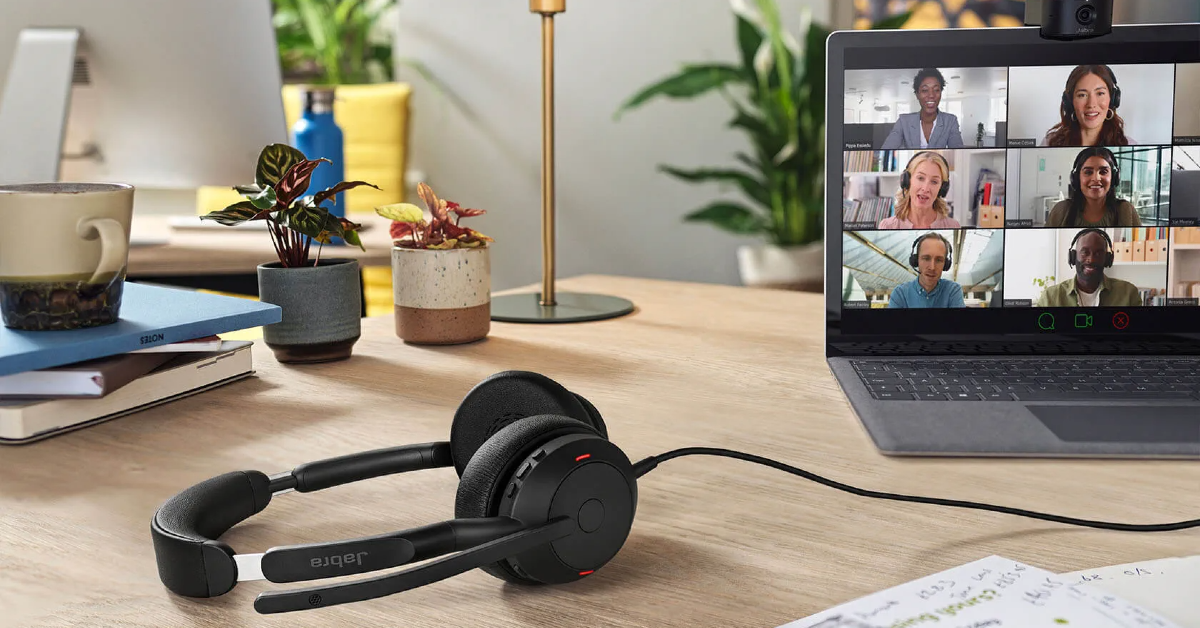 The Jabra Evolve2 50 are super comfortable to wear for an extended period of time. Its cushioned headband and ergonomic earcups perfectly wrap around the head, exerting minimal pressure. These headphones are equipped with ANC, which helps in filtering out the surrounding noise and focusing on work. Its speech-separating and noise-cancelling algorithms are crucial in delivering a professional performance on online conference calls. Like the Evolve2 65, the Evolve2 50 is also available in the Microsoft Teams variant. The UC variant is optimised for all the major communications platforms.
Poly Voyager 4320 UC
Price: $149 on Amazon With a wireless range of up to 50 metres/164 feet, you can walk around freely in your home office while taking a work call on the Poly Voyager 4320 UC. On a full charge, these headphones provide up to 24 hours of talk time. The boom mic on the Voyager 4230 UC is equipped with Audio Fence technology, which expertly picks up your voice, filtering it from the surrounding noise. The headphones have a super accessible dedicated mute button for calls. It also features multi-point connectivity, allowing you to connect it to several devices at once. Using an office base (sold separately), you can also connect it to a desk phone.
Sony WH-CH720N
Price: $149.99 on Sony.com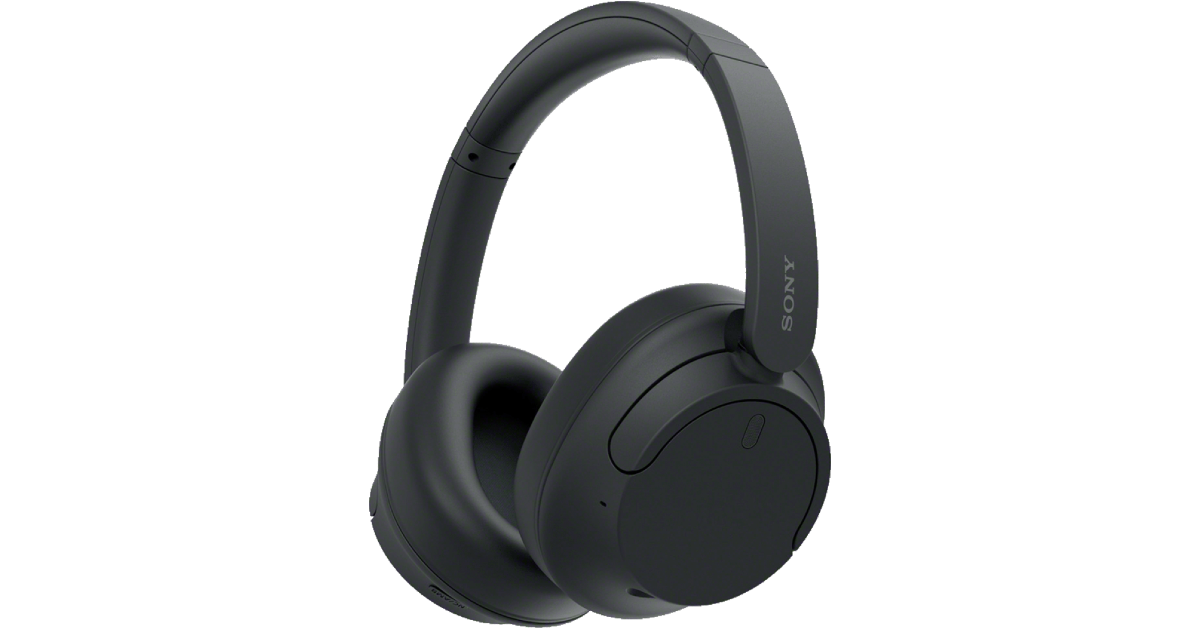 Although they are designed for music consumption, Sony WH-CH720N’s superior calling experience makes it one of the best headphones under $200 in the USA for working from home. Equipped with Precise Voice Pickup technology, a beamforming mic, and Wind Noise Reduction Structure, the WH-CH720N is perfect for work and for play. You pair these headphones to two devices at one time. So, if you get a call on your phone while watching a movie on your PC, you won’t need to take off your headphones to answer it. The headphones also let you know which device is ringing and switch the connection automatically. Read our review of the Sony WH-CH720N here.
Philips SHP9600MB
Price: $149.99 on Amazon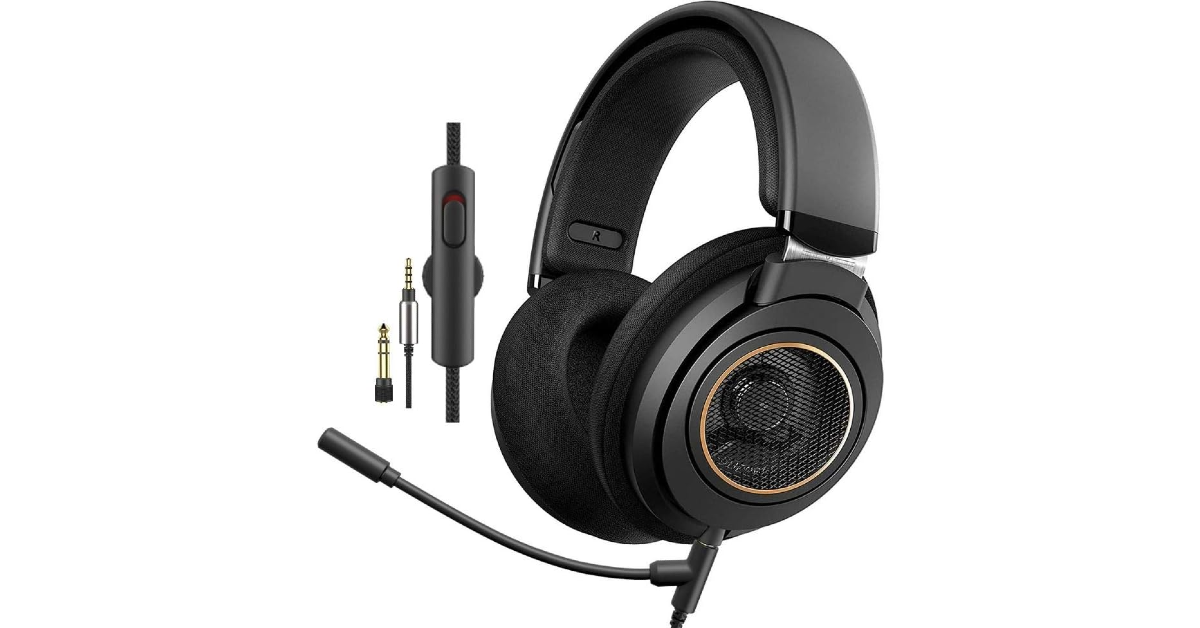 The Philips SHP9600MB comes with a detachable boom mic that is perfect for working from home. The open-back design of the headphones offers a spacious soundstage. Delivering the audio on the SHP9600MB are 50mm drivers. The soundstage offers a balanced mix of frequencies – something the audiophiles will appreciate. The ergonomic design of the earcups and the cushioned headband ensure that you don’t get fatigued after long hours of wearing the headset. You also get a 9.8ft cable inside the box, making it easier to move around with the headphones on.
Logitech Zone Vibe 100
Price: $99.99 on Logitech.com Looking for some affordable options? The Logitech Zone Vibe 100 is a good pick. Priced under $100, these headphones are ideal for working from home. The memory foam covered with soft knitted fabric makes for comfortable earpads – something you wouldn’t mind wearing for hours at a stretch. The noise-cancelling microphone can be flipped up to mute yourself on calls. On a full charge, these headphones offer 20 hours of listening time and 18 hours of talk time. 5 minutes of charging is enough to power them for an hour of listening time. The Zone Vibe 100 also offers multi-point connectivity. Certainly one of the best headphones you can buy under $200 in the USA for working from home.
Hyper X Cloud II
Price: $95 on Amazon The Hyper X Cloud II takes care of your gaming and work demands all at once. Its detachable noise-cancelling boom mic is as good for online conference calls as it is for gaming lobbies. The memory foam ear cushions and padded headband with a leatherette fabric offer high-end comfort which allows you to wear the headphones for hours without a break. Delivering the audio output on these headphones are large 53mm drivers. Its Advanced Audio Control Box has volume controls for the audio control and microphone along with a dedicated slider that acts as a mute switch.
JBL Quantum 100X Console
Price: $29.95 on HarmanAudio.com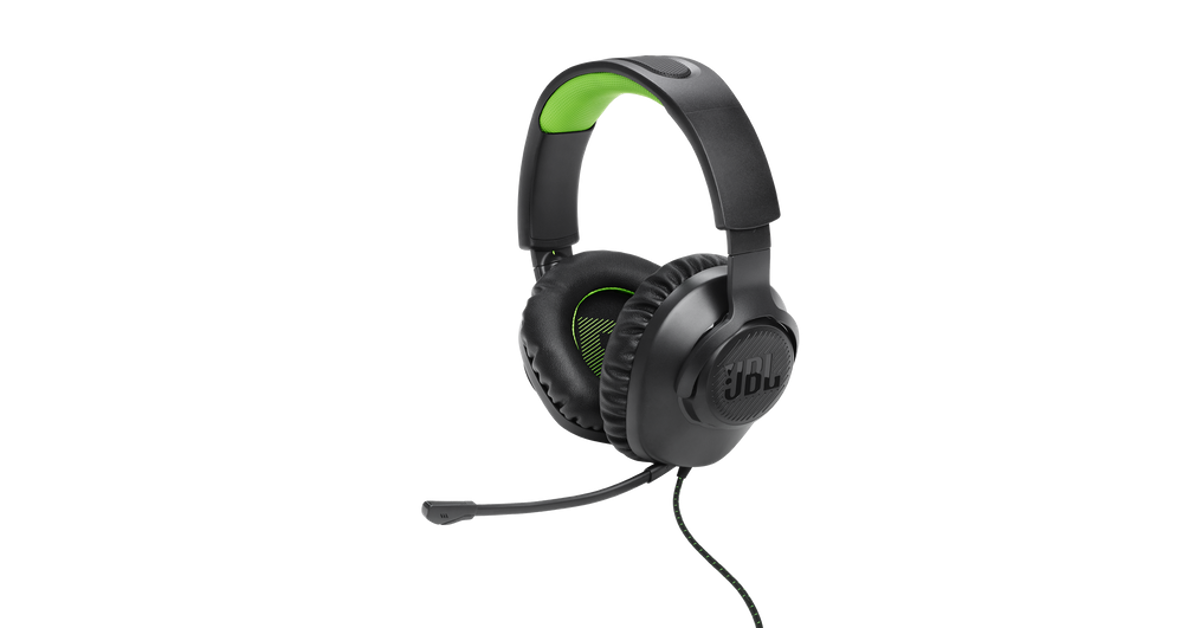 Ending this list is the ultra-affordable JBL Quantum 100X Console. Designed for work and play, these gaming headphones are a rock-solid option for online meetings as well. The detachable boom mic keeps your voice in focus and tunes out the surrounding noise on a call. For a pair of gaming headphones, the Quantum 100X Console looks professional, with no tacky RGB or flashy highlights. If you like to game, you will certainly enjoy the detailed and dynamic soundscapes this headset has to offer.
Read Also: Itel P55, Itel P55+ with up to 45W fast charging support launched in India
Ending this list is the ultra-affordable JBL Quantum 100X Console. Designed for work and play, these gaming headphones are a rock-solid option for online meetings as well. The detachable boom mic keeps your voice in focus and tunes out the surrounding noise on a call. For a pair of gaming headphones, the Quantum 100X Console looks professional, with no tacky RGB or flashy highlights. If you like to game, you will certainly enjoy the detailed and dynamic soundscapes this headset has to offer.
Read Also: Itel P55, Itel P55+ with up to 45W fast charging support launched in India
Conclusion
These are the top 10 headphones for under $200 that you can buy in the USA for working from home. If you think we missed out on a headset that deserves to be on this list, give it a shout-out in the comments. And while you’re here, check out our list of the top 10 smartphones under $1,000 too.Google Bard is now Gemini AI, launches new app for Android and iOS devices
Key Highlights
- Gemini with Pro 1.0 model is available in over 40 languages and more than 230 countries and territories.
- It is capable of doing highly complex tasks like coding, logical reasoning, following nuanced instructions and collaborating on creative projects.
Noise Buds Xero with 12.4mm driver launched in India
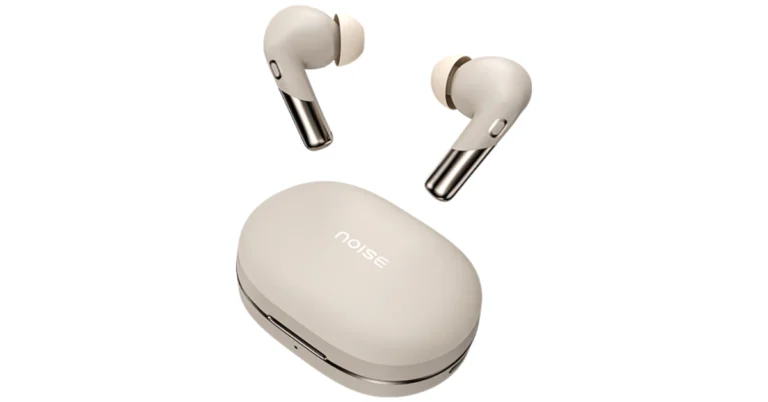
Key Highlights
It has an innovative Sound+ Algorithm provides a steady and noise-free experience in all situations, eliminates echo and improves speech quality with dynamic range control. For synchronised audio and video, the Buds Xero TWS promises a low latency of 50ms. Users may control their earphones using touch commands.
The Noise Buds Xero delivers up to 50 hours of playtime. With just 10 minutes of quick charge, it can offer 6 hours of battery life.
Along with Bluetooth v5.3, it is accompanied by HyperSync technology for hassle-free pairing. It is compatible with both Android and iOS devices. The TWS earphones are IPX5 water resistance rated and support AI Voice Assistants.
Also read: Itel P55, Itel P55+ with up to 45W fast charging support launched in India
- Noise Buds Xero has an innovative Sound+ Algorithm.
- It comes with a 12.4mm PEEK + TITANIUM driver.
- The earphones offer 3-level of ANC Modes.
Noise Buds Xero specifications, features
Noise Buds Xero comes with a premium matte and chrome design. It is equipped with a 12.4mm PEEK + TITANIUM driver with an advanced triple-mic setup for smoother and clearer conversations. It offers in-ear detection, allowing the users to instantly play or pause the audio by just removing the TWS or putting them back in the ear. Additionally, it offers ‘Concert for One’ and Adaptive Hybrid Noise Cancellation up to 50 dB and adapts seamlessly to surroundings, ensuring premium audio in bustling cities or crowded offices. The earbuds offer 3-level of ANC Modes: Deep, Light and Transparent.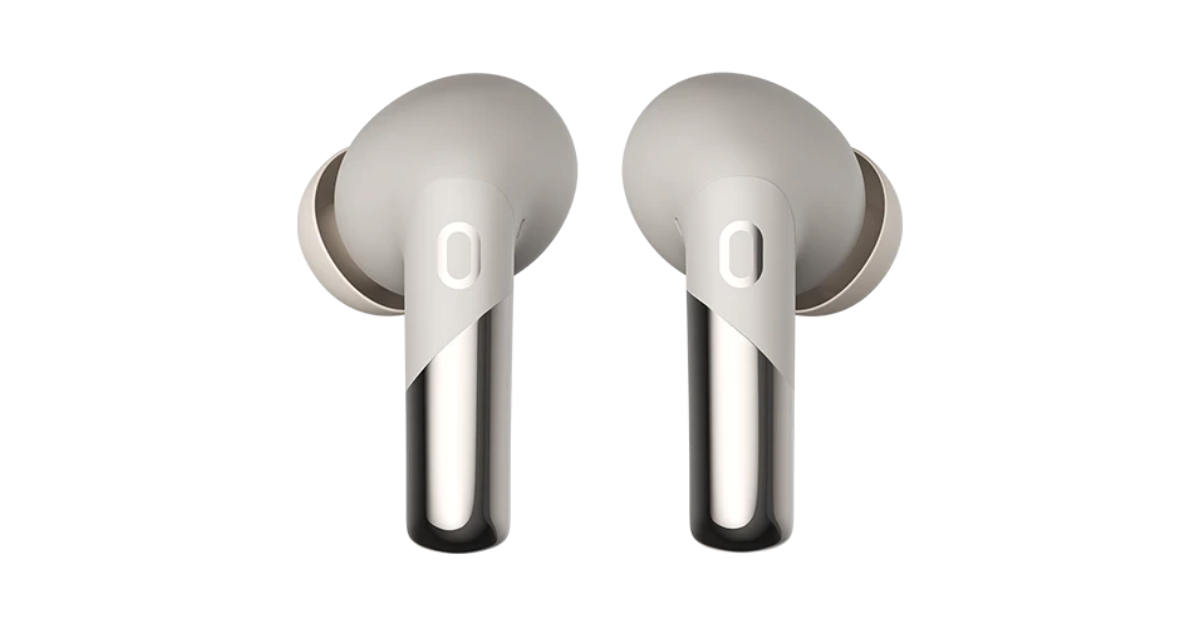 It has an innovative Sound+ Algorithm provides a steady and noise-free experience in all situations, eliminates echo and improves speech quality with dynamic range control. For synchronised audio and video, the Buds Xero TWS promises a low latency of 50ms. Users may control their earphones using touch commands.
The Noise Buds Xero delivers up to 50 hours of playtime. With just 10 minutes of quick charge, it can offer 6 hours of battery life.
Along with Bluetooth v5.3, it is accompanied by HyperSync technology for hassle-free pairing. It is compatible with both Android and iOS devices. The TWS earphones are IPX5 water resistance rated and support AI Voice Assistants.
Also read: Itel P55, Itel P55+ with up to 45W fast charging support launched in India
It has an innovative Sound+ Algorithm provides a steady and noise-free experience in all situations, eliminates echo and improves speech quality with dynamic range control. For synchronised audio and video, the Buds Xero TWS promises a low latency of 50ms. Users may control their earphones using touch commands.
The Noise Buds Xero delivers up to 50 hours of playtime. With just 10 minutes of quick charge, it can offer 6 hours of battery life.
Along with Bluetooth v5.3, it is accompanied by HyperSync technology for hassle-free pairing. It is compatible with both Android and iOS devices. The TWS earphones are IPX5 water resistance rated and support AI Voice Assistants.
Also read: Itel P55, Itel P55+ with up to 45W fast charging support launched in India
Noise Buds Xero price in India
Noise Buds Xero has launched in India at an introductory price of Rs 3,999. The wireless earphones come in Chrome Blue, Chrome Beige and Chrome Black colour options. The device will be available for purchase via Flipkart, Amazon, Myntra and gonoise.com. Also Read: iQoo Neo 9 Pro pricing leaked ahead of February 22 India launch Commenting on the launch, Amit Khatri, Co-Founder, Noise said, “With the unveiling of Noise Buds Xero, we’re orchestrating a personalised concert experience for every individual. This launch marks a breakthrough in our mission to immerse our discerning consumers in cutting-edge audio experiences. These earbuds are yet another product that outline our commitment to redefine the premium TWS landscape, seamlessly blending design, innovation, and performance into a harmonious symphony of unparalleled excellence.”Top 6 Ways To Remove Apps That Android Won’t Let You Uninstall
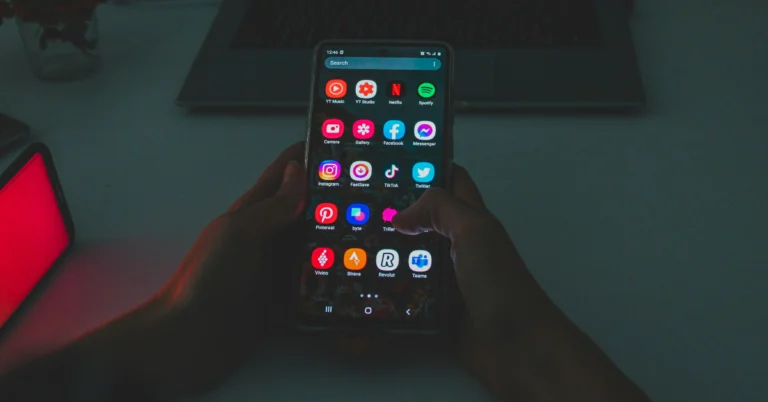
You would think that deleting an app from your Android phone is a fairly easy process, but that is not always the case. While the third-party apps that you download from the Play Store can be removed directly from the app drawer, that may not always be the case for certain bloatware apps. This issue is more common in budget smartphones that ship with a lot of bloatware apps to bring down the cost of the phone. But there are a few ways to handle this problem. Today, we bring you the top 6 ways to remove the apps that Android won’t let you uninstall on your phone.
Read Also: Top 4 ways to turn off voicemail on an iPhone (2024)
Step 2: Select the app you wish to disable.
Step 3: Hit Disable at the bottom of the screen.
Step 2: Tap on Battery.
Step 3: Select Background usage limits.
Step 4: Turn on the toggle switch for Put unused apps to sleep.
Step 2: Tap on Other security settings.
Step 3: Select Device admin apps.
Step 4: Turn off the toggle switch for the app you wish to remove from your device.
Step 5: Go back to Settings and tap on Apps.
Step 6: Select the app and hit Uninstall.
Step 2: Hit the ellipses at the top right corner of the screen.
Step 3: Tap on Special access.
Step 4: Select Device admin apps.
Step 5: Turn off the toggle switch for the app you wish to uninstall.
Step 6: Go to the previous page, select the app, and hit Uninstall.
Step 2: Tap on Software Information.
Step 3: Find the Build Number and tap on it 7 times. You will then enter Developer Mode.
Step 4: Go back to Settings and select Developer Options.
Step 5: In the Debugging section, turn on the toggle switch for USB Debugging.
Now that USB Debugging is enabled, follow these steps to install ADB and remove unwanted apps from your device.
Step 6: Connect your smartphone to your PC via a USB cable. A popup box will appear on your phone. Confirm that you want to allow USB Debugging.
Step 7: Download the official ADB driver package for your PC from this page.
Step 8: Extract the package to your preferred location. Press Shift + right-click and select Open PowerShell window here.
Step 9: Find the name of the app package that you wish to remove from your device. You can use the App Inspector tool to find it.
Step 10: In the PowerShell window, type ./adb uninstall followed by a space and the name of the app package.
Step 11: Hit Enter.
The app will be removed from your device.
Step 2: Tap on Reset.
Step 3: Scroll down and select Factory data reset.
Step 4: Scroll down and hit Reset.
Why doesn’t Android let you uninstall certain apps on your phone?
Not every app on your phone follows the same rules. Some apps, like Google Play Services, are crucial to the functioning of your device and are baked into the operating system. Deleting these apps from your phone is out of the question. Google’s suite of apps can’t be removed from your Android phone either, even though they do not play any tangible role in its functioning. Other than Google, your smartphone’s manufacturer has its set of ‘system apps’ that get the same kind of protection. These include basic apps like Phone, Clock, Calculator, etc. At best, you can substitute them with a third-party app. You may be wondering if there are any third-party apps which, once installed, cannot be removed from your phone. The answer is no. However, if you have granted them admin access to your phone, you cannot uninstall them until those privileges are revoked. One of the most annoying aspects of owning an Android phone is the bloatware that comes along with it. While these bloatware apps can be removed from the device, some budget phones may not give you the option to permanently delete social media apps like Facebook. If you wish to remove an app, be it a system app or otherwise, follow the methods mentioned below.Disable the app
The bloatware apps that cannot be uninstalled from your Android device have a ‘disable’ option that removes them from the app drawer and pauses their background activity. This option is also provided for Google’s suite of apps that are baked into the Android ecosystem. Here’s how you can disable an app that can’t be removed from your Android phone. Step 1: Go to Settings and tap on Apps. Step 2: Select the app you wish to disable.
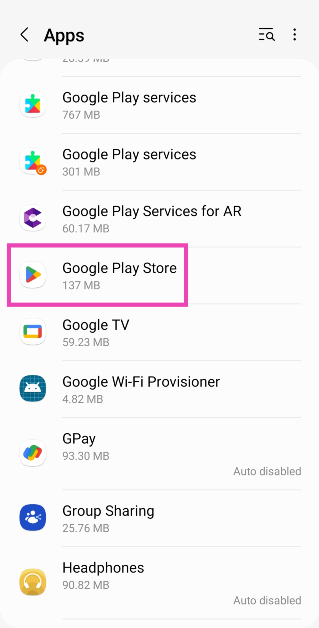 Step 3: Hit Disable at the bottom of the screen.
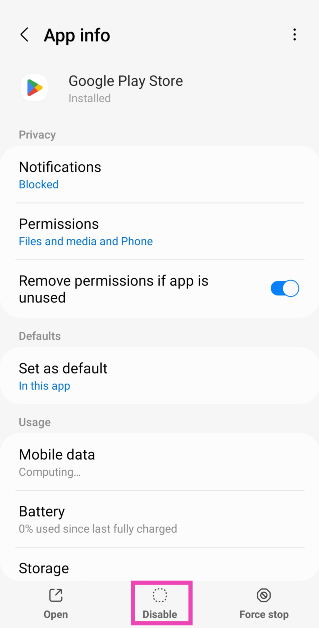
Auto-disable apps
As a blanket measure, you can choose to auto-disable the unused apps on your phone. Once your phone notices that you haven’t opened an app in a long time, it will automatically pause its background activity and put it to sleep. Here’s how you can enable this feature. Step 1: Go to Settings and select Battery and device care.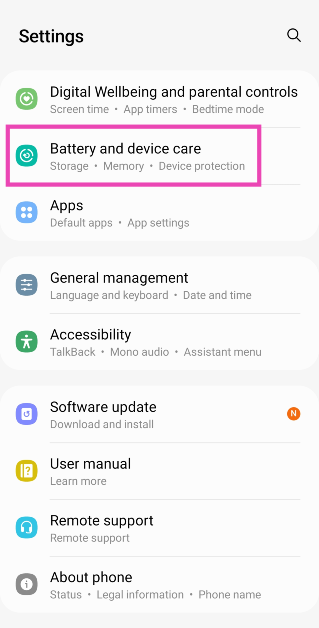 Step 2: Tap on Battery.
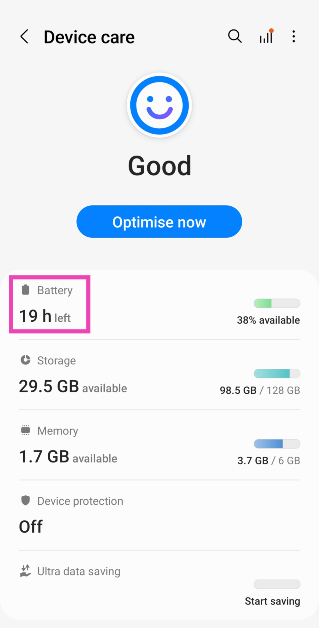 Step 3: Select Background usage limits.
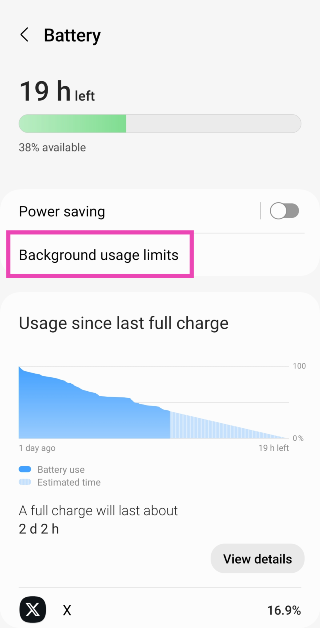 Step 4: Turn on the toggle switch for Put unused apps to sleep.
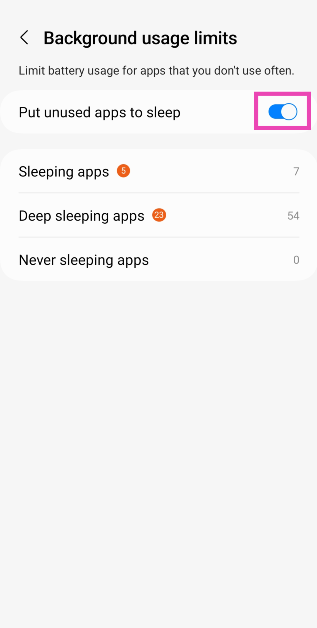
Remove admin access for the app
Apps that have administrative access to your device cannot be removed unless this access is revoked. Anti-virus and phone tracking apps fall into this category. Here’s how you can remove their admin access. Step 1: Go to Settings and select Biometrics and security.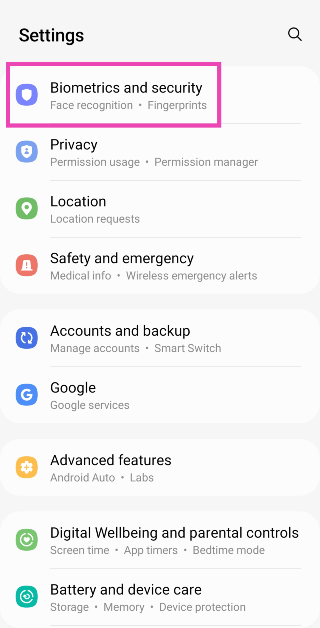 Step 2: Tap on Other security settings.
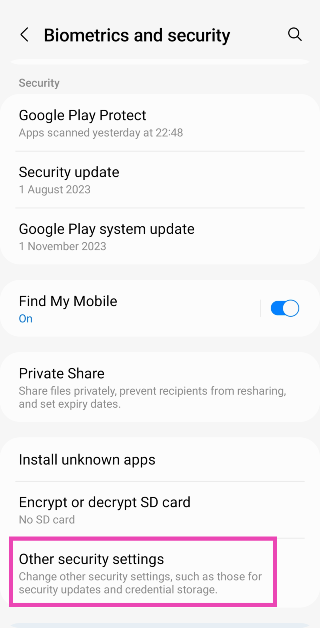 Step 3: Select Device admin apps.
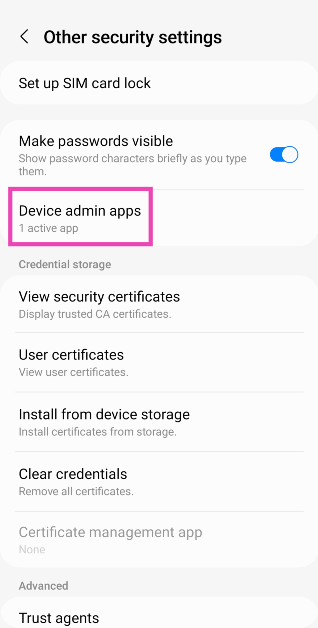 Step 4: Turn off the toggle switch for the app you wish to remove from your device.
 Step 5: Go back to Settings and tap on Apps.
Step 6: Select the app and hit Uninstall.
Step 5: Go back to Settings and tap on Apps.
Step 6: Select the app and hit Uninstall.
Another way to remove admin access from an app
Step 1: Go to Settings and select Apps.
Step 2: Hit the ellipses at the top right corner of the screen.
Step 3: Tap on Special access.
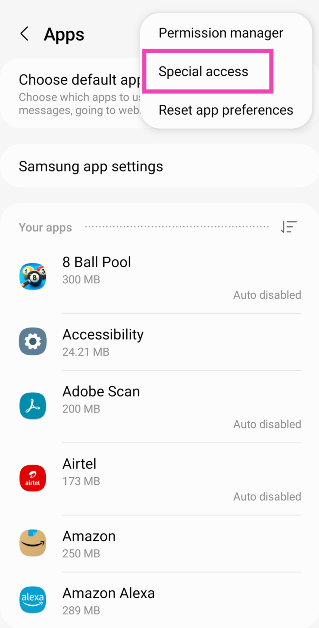 Step 4: Select Device admin apps.
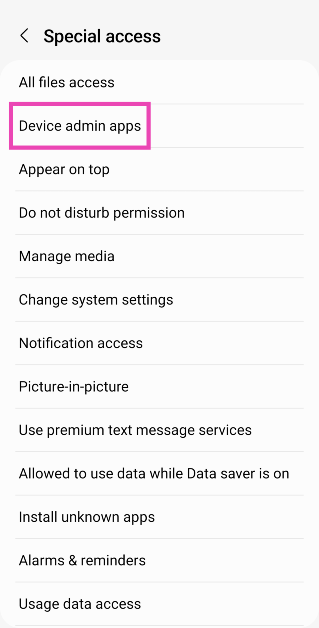 Step 5: Turn off the toggle switch for the app you wish to uninstall.
Step 6: Go to the previous page, select the app, and hit Uninstall.
Step 5: Turn off the toggle switch for the app you wish to uninstall.
Step 6: Go to the previous page, select the app, and hit Uninstall.
Use Android Debug Bridge (ADB) to remove apps that Android won’t let you uninstall
While disabling an app puts it to sleep, it doesn’t entirely remove it from your device. If you want to completely get rid of the stubborn apps on your phone, you need to use ADB. But before you do that, you need to turn on USB Debugging on your device. Let’s walk you through the entire process. Step 1: Go to Settings and select About Phone.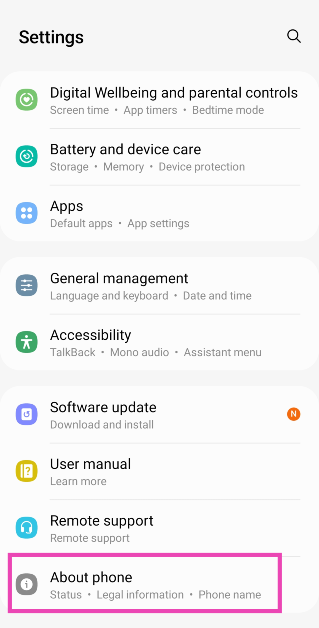 Step 2: Tap on Software Information.
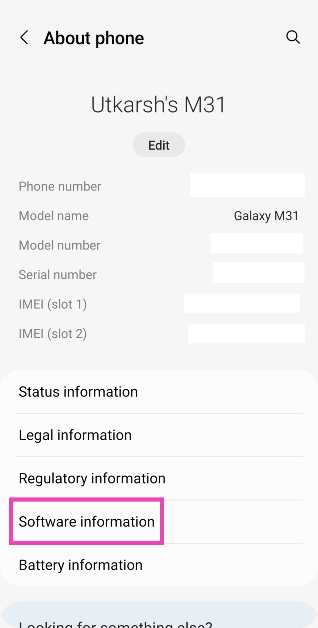 Step 3: Find the Build Number and tap on it 7 times. You will then enter Developer Mode.
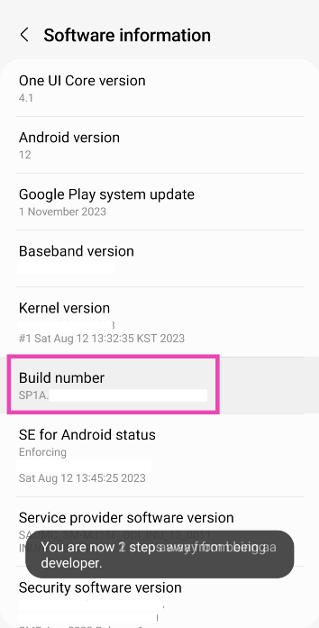 Step 4: Go back to Settings and select Developer Options.
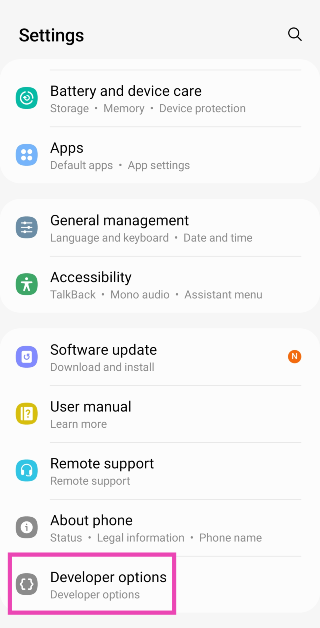 Step 5: In the Debugging section, turn on the toggle switch for USB Debugging.
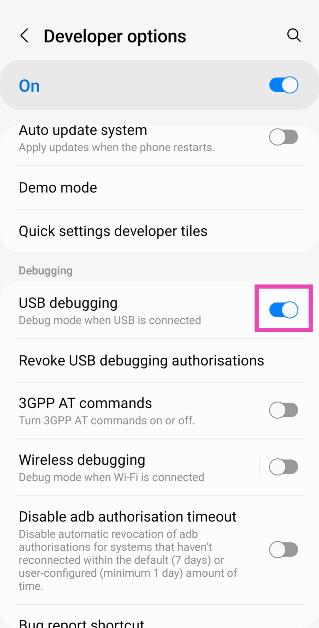 Now that USB Debugging is enabled, follow these steps to install ADB and remove unwanted apps from your device.
Step 6: Connect your smartphone to your PC via a USB cable. A popup box will appear on your phone. Confirm that you want to allow USB Debugging.
Step 7: Download the official ADB driver package for your PC from this page.
Step 8: Extract the package to your preferred location. Press Shift + right-click and select Open PowerShell window here.
Now that USB Debugging is enabled, follow these steps to install ADB and remove unwanted apps from your device.
Step 6: Connect your smartphone to your PC via a USB cable. A popup box will appear on your phone. Confirm that you want to allow USB Debugging.
Step 7: Download the official ADB driver package for your PC from this page.
Step 8: Extract the package to your preferred location. Press Shift + right-click and select Open PowerShell window here.
 Step 9: Find the name of the app package that you wish to remove from your device. You can use the App Inspector tool to find it.
Step 10: In the PowerShell window, type ./adb uninstall followed by a space and the name of the app package.
Step 9: Find the name of the app package that you wish to remove from your device. You can use the App Inspector tool to find it.
Step 10: In the PowerShell window, type ./adb uninstall followed by a space and the name of the app package.
 Step 11: Hit Enter.
The app will be removed from your device.
Step 11: Hit Enter.
The app will be removed from your device.
Perform a factory reset
If the methods mentioned above didn’t work, a factory reset is in order. We recommend this method if you accidentally installed a malicious app that refuses to get deleted. This method will wipe all the data on your phone, so make sure you create a backup beforehand. Step 1: Go to Settings and select General management.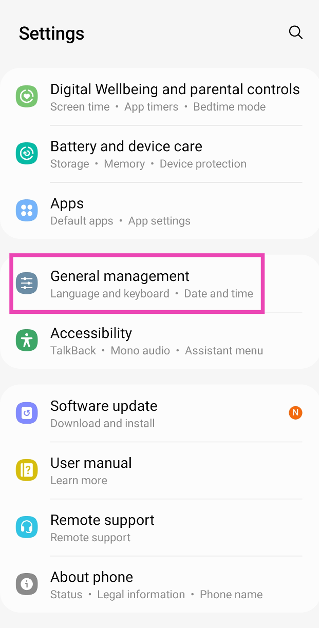 Step 2: Tap on Reset.
 Step 3: Scroll down and select Factory data reset.
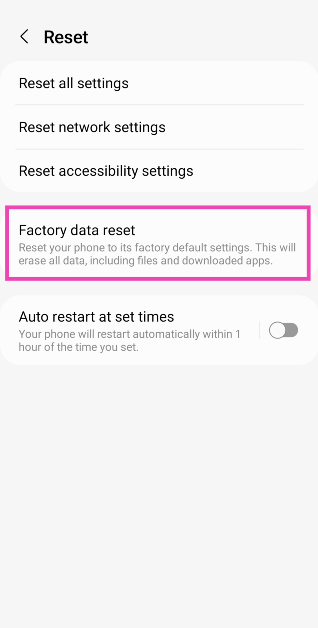 Step 4: Scroll down and hit Reset.
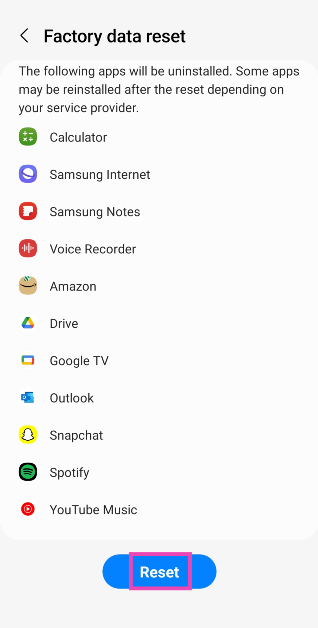
Frequently Asked Questions (FAQs)
How do I delete multiple apps on my Android phone at once?
Go to Google Play Store, tap your profile picture at the top right corner of the screen, select Manage apps and device, switch to the Manage tab, check the boxes next to the apps you wish to delete and hit the bin sign at the top right corner of the screen.How do I remove an app that won’t uninstall from my Android phone?
Download ADB on your PC and connect your phone via a USB cable after enabling USB debugging on it. Open PowerShell on the page where you extracted ADB and enter the following command: ./adb uninstall (app package name).Can I delete apps with admin access?
As long as an app has admin access on your phone, it cannot be deleted.How do I revoke admin access from an app?
Go to Settings>Biometrics and security>Device admin apps and turn off the toggle switch for the app in question.How do I disable an app on my phone?
Go to Settings>App>App Management, select the app, and hit ‘Disable’. Read Also: Infinix Smart 8 Review: Incredible value for moneyConclusion
There are the top 6 ways to remove apps that Android won’t let you uninstall on your phone. If you have any questions or know any other ways to tackle this issue, let us know in the comments. If you think a third-party app is causing trouble on your phone, restart your device in Safe Mode and check if the problems reappear.Itel P55, Itel P55+ with up to 45W fast charging support launched in India
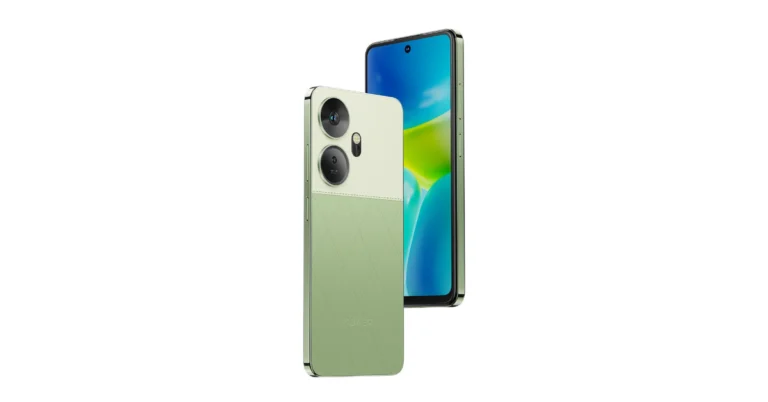
Key Highlights
The devices are scheduled to go on sale on February 13 in the country at noon via Amazon. There is an introductory offer of a Rs 500 discount on both the itel P55 and P55+ models with bank offers.
Also Read: iQoo Neo 9 Pro pricing leaked ahead of February 22 India launch
Commenting on the launch, Mr. Arijeet Talapatra, CEO, itel India said, “Our power series of phones remains ever-popular with users opting for advanced processing capabilities and extended battery life on their smartphones. The introduction of the itel P55 and P55+ is a massive addition to our portfolio, underscoring our dedication to innovation, blending unparalleled features, sleek aesthetics, and cutting-edge technology, all wrapped in competitive price points. The introduction of the Android 14 Go OS is a worldwide first and will help users access multiple applications simultaneously. Our focus remains on bringing the best possible features to the masses of India, and the launch of the new Power series at such an unbelievable price point solidifies our position in the sub-10K market as brave innovators.”
- Itel P55, Itel P55+ features a 50MP AI Dual Camera system.
- Both phones feature a 6.6 HD+ display.
- The devices are priced under 10K.
Itel P55, Itel P55+ price in India, sale details
Itel P55 will be available with 4GB RAM and a 128GB storage option priced at Rs 6,999. While the 8+16GB RAM with 128GB variant will be available offline for Rs 8,999. It comes in three colour options of Aurora Blue, Moonlit Black and Brilliant Gold. On the other hand, Itel P55+ comes with a price tag of Rs 9,499 for 16GB RAM with 256GB storage. It will be available in two Meteor Black and Royal Green (Vegan Leather finish) options.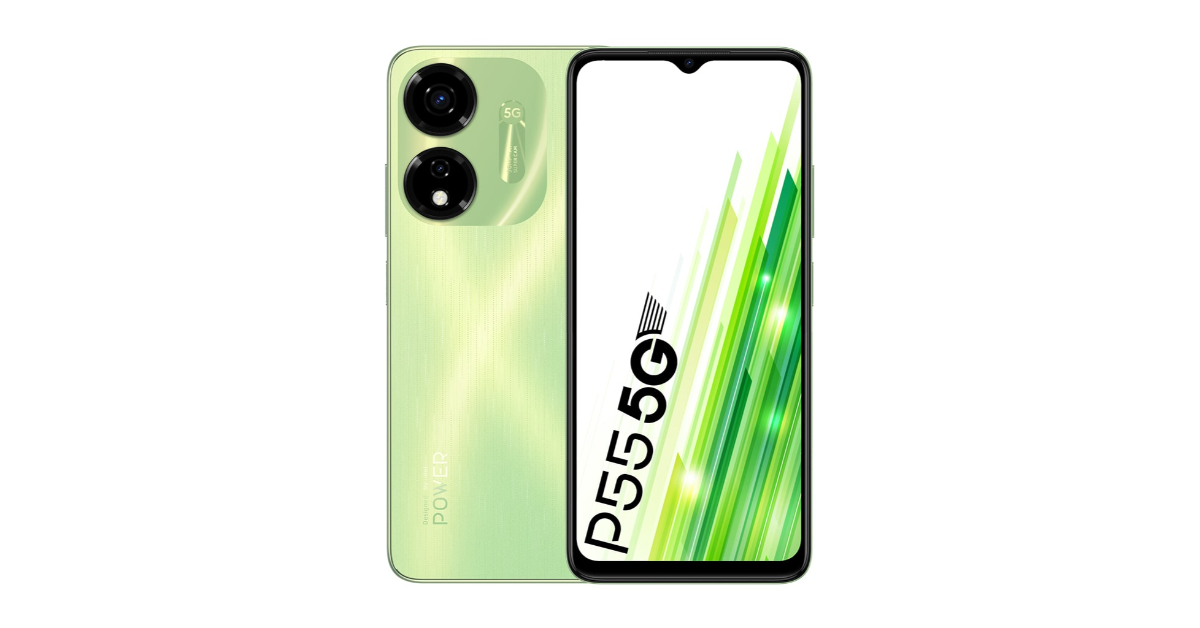 The devices are scheduled to go on sale on February 13 in the country at noon via Amazon. There is an introductory offer of a Rs 500 discount on both the itel P55 and P55+ models with bank offers.
Also Read: iQoo Neo 9 Pro pricing leaked ahead of February 22 India launch
The devices are scheduled to go on sale on February 13 in the country at noon via Amazon. There is an introductory offer of a Rs 500 discount on both the itel P55 and P55+ models with bank offers.
Also Read: iQoo Neo 9 Pro pricing leaked ahead of February 22 India launch
Itel P55, Itel P55+ specifications
Both Itel P55 and Itel P55+ feature a 6.6-inch HD+ display with 720 x 1,640 pixels of resolution and a refresh rate of 90Hz. The screen also has a Dynamic Bar feature that shows notifications and more. The devices run on Android 13 and are powered by an octa-core Unisoc T606 SoC with Memory Fusion technology. Also Read: Garena Free Fire Redeem Codes Today 9 February 2024: Here is how to claim them Itel P55 and Itel P55+ come with an AI-powered 50-megapixel dual rear camera setup. The handset also includes an 8-megapixel front-facing camera for taking selfies. Both phones have a 5,000mAh battery. The P55 comes with 18W charging support while the P55+ includes 45W fast charging support which takes from 0 to 100% in just 72 minutes, or 70% in just 30 minutes.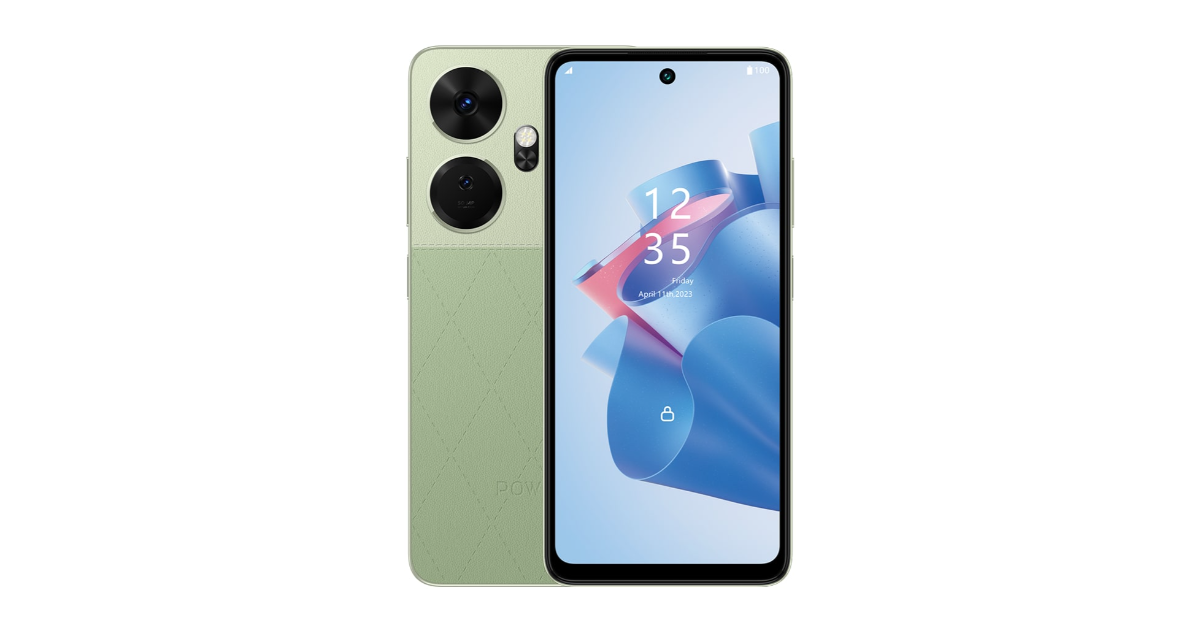 Commenting on the launch, Mr. Arijeet Talapatra, CEO, itel India said, “Our power series of phones remains ever-popular with users opting for advanced processing capabilities and extended battery life on their smartphones. The introduction of the itel P55 and P55+ is a massive addition to our portfolio, underscoring our dedication to innovation, blending unparalleled features, sleek aesthetics, and cutting-edge technology, all wrapped in competitive price points. The introduction of the Android 14 Go OS is a worldwide first and will help users access multiple applications simultaneously. Our focus remains on bringing the best possible features to the masses of India, and the launch of the new Power series at such an unbelievable price point solidifies our position in the sub-10K market as brave innovators.”
 Garena Free Fire Redeem Codes Today 9 February 2024: Here is how to claim them

Garena Free Fire is a battle royale game with regular awards and tournaments to keep players interested. If you play Garena Free Fire, you should be aware of the redeem codes that are released on a daily basis. However, because the battle royale game is banned in India, players from other countries can use the Free Fire Redeem codes daily. If you’re unfamiliar with the Garena Free Fire redeem codes or don’t know how to get them, we’ve put together a step-by-step guide to help you redeem them. Check out Garena Free Fire Redeem Codes for 9 February 2024.
The Free Fire redeem codes are a great way to get free stuff. These are 12-digit codes that contain alphabets and numbers, as well as an expiration date and time. Because the Garena FF redeem codes cannot be used more than once, you should hurry to the redemption page to claim your free reward before someone else does. To get a free reward, all you have to do is go to reward.ff.garena.com/en, which is the official redemption page. Also, keep an eye on this space for daily updates on Garena Free Fire redemption codes and rewards.
Also Read: Sennheiser Accentum Plus wireless headphones with Hybrid Adaptive Noise Cancellation launched
Garena Free Fire Redeem Codes Today 9 February 2024
UVX9PYZV54AC MCPW3D28VZD6 V427K98RUCHZ BR43FMAPYEZZ FFAC2YXE6RF2 FFCMCPSBN9CU FFBBCVQZ4MWA VNY3MQWNKEGU PCNF5CQBAJLK FFCMCPSJ99S3 EYH2W3XK8UPG MCPW2D1U3XA3 FFCMCPSGC9XZ FFIC33NTEUKA 6KWMFJVMQQYG MCPW2D2WKWF2 ZZZ76NT3PDSH HNC95435FAGJ ZZATXB24QES8 U8S47JGJH5MG FFCMCPSEN5MX FF11NJN5YS3E FF10617KGUF9 NPYFATT3HGSQ FFCMCPSUYUY7E XZJZE25WEFJJHow to Get Free Fire Redeem Codes for Garena on 9 February 2024?
- Visit the Garena Free Fire game’s official website at reward.ff.garena.com.
- Use your Facebook, Google, VK, Apple ID, Huawei ID, or Twitter account to log in.
- You’ll be taken to a valid redemption code (s)
- Copy and paste the 12-digit redemption code into the text box.
- On the screen, a dialogue box will appear.
- ‘Ok’ should be selected.
iQoo Neo 9 Pro pricing leaked ahead of February 22 India launch
Key Highlights
- iQoo has started taking pre-orders for the Neo 9 Pro via its official website in India and also on Amazon.
- But ahead of the official launch, the price of the upcoming phone has leaked on the web.
- Those booking the device in advance will receive a discount of Rs 1,000.