The latest update is available for Nothing Phone 1, Nothing Phone 2, and Nothing Phone 2a.
The update brings the feature to allow discreet call recording and other camera improvements.
Nothing has rolled out a new update for its latest smartphone Nothing Phone 2a. The new mid-range smartphone debuted in India earlier this month. Along with several improvements, the device has a feature allowing users to record phone calls discreetly. Here is more on Nothing’s new call recording feature and others.There is currently no option available that allows you to record phone calls secretly. But with the latest NothingOS 2.5.3 update, Nothing Phone 2a will allow users to record phone calls and the other person won’t know that it’s being recorded. A new widget makes it feasible to have this feature.Nothing’s CEO Carl Pei announced the launch of a new call recording function via X (previously Twitter). The feature will not only be made available on Nothing Phone 2a, owners of other Nothing phones, such as Nothing Phone 1, and Nothing Phone 2, this function allows discreet call recording.Nothing also mentioned that a shortcut widget for the Camera app is included in the NothingOS 2.5.3 update for Nothing Phone 2a. The camera watermark now displays the image’s focal length. As per the latest update improvements in colour saturation, clarity of selfie cameras, EIS/OIS effects, and Raw HDR effects will also be part of the update.Along with additional general bug fixes, it is also said to have included updates for the fingerprint unlock feature.Additionally, it is claimed to have enhanced the phone’s overall functionality, including compatibility with charging adapters, vibration effects, memory utilisation strategy, and touchscreen experience.Also Read:Banned: With Android smartphones, you are no longer able to take a screenshot of a WhatsApp profile photoNothing Phone 2a was launched in India earlier this month. The price of the phone starts at Rs 23,999 for 8GB RAM with 128GB storage. The price of the 8GB RAM with 256GB storage and 12GB RAM with 256GB storage is set at Rs 25,999 and Rs 27,999 respectively.The 6.7-inch FHD+ AMOLED 120Hz display on the Nothing Phone 2a supports an adaptive refresh rate ranging from 30Hz to 120Hz. The phone comes with Corning Gorilla Glass 5 protection. The device is powered by MediaTek Dimensity 7200 Pro SoC paired with up to 12GB of RAM and up to 256GB of storage. The dual rear camera setup on the phone includes a 50-megapixel main camera (with OIS and EIS) and a 50-megapixel ultra-wide sensor. In addition to this, there is a 32-megapixel selfie camera. The handset runs on Nothing OS 2.5 based on Android 14.The handset is backed by a 5,000mAh with 45W fast charging technology
Since their introduction in 2016, AirPods have come a long way. Apple’s wireless earbuds are one of the bestselling TWS devices on the market, offering one of the best soundstages by any Bluetooth audio device. But that’s not all they can do. By adjusting some of the accessibility settings, you can turn your AirPods into makeshift hearing aids. While this shouldn’t be thought of as a replacement for medical-grade equipment, it can certainly come in handy in times of need. So, let’s take a look at how you can use your AirPods Pro as hearing aids.Read Also:Banned:With Android smartphones, you are no longer able to take a screenshot of a WhatsApp profile photo
Here’s what you need to do to use AirPods Pro as hearing aids
AirPods Pro doesn’t have one blanket ‘Hearing Aids’ mode that can be triggered from on-device controls. Instead, you need to enable a few settings using your iPhone and see what suits you the best. These settings deal with in-person and on-device hearing settings. If you want to use your AirPods to have a conversation with someone in front of you, the Live Listen feature will come in clutch.If you’re more interested in tuning your AirPods to boost certain frequencies or sounds while watching movies, listening to podcasts, talking to someone on the phone, or enjoying music, ‘Headphone Accommodations’ is where you need to go. You can also use this setting to adjust the intensity of transparency mode. If you want to focus on people’s voices rather than the surrounding sounds, Headphone Accommodations gives you the option to curb ambient noise.
Set Headphone Accommodations
You can personalise your AirPods according to your hearing needs using Headphone Accommodations. This setting helps you amplify certain frequencies while listening, taking a phone call, watching a movie, and more. You can manually carry out this process from the accessibility settings on your iPhone or use your audiogram in the Health app to tune the audio output.Step 1: Go to Settings and select Accessibility.Step 2: Select Audio/Visual.Step 3: Tap on Headphone Accommodations and turn on its toggle switch.Step 4: Tune the audio output for different sets of frequencies. Play the audio sample for reference.Step 5: Select Custom Audio Setup. Choose your custom audio settings.Step 6: Apply the settings to Phone and Media.
Customise Transparency Mode
The transparency mode on your AirPods boosts the sounds around you and lets them into your ears. You can customise which sounds come through this mode using Headphone Accommodations.Step 1: Go to Settings and select Accessibility.Step 2: Select Audio/Visual.Step 3: Tap on Headphone Accommodations and turn on its toggle switch.Step 4: Tap on Transparency Mode and turn on Custom Transparency Mode.Step 5: Tap on Ambient Noise Reduction and drag the slider to adjust its level.Step 6: Turn on Conversation Boost.Once these settings are applied, your AirPods will curb the ambient noises in transparency mode while focusing on the voice of the person talking to you.
Enable Live Listen
Step 1: Go to Settings and select Control Centre.Step 2: Hit the green plus icon next to Hearing.Step 3: Go back to save the changes.Step 4: Swipe down to access the Control Centre.Step 5: Hit the Hearing tile.Step 6: Tap the Live Listen button.Step 7: Place your iPhone in front of the person you want to hear. Adjust the volume to suit your hearing.
Frequently Asked Questions (FAQs)
How do I turn on the transparency mode on my AirPods Pro?
Squeeze and hold the stem of your AirPods Pro earbud to toggle between transparency mode and noise cancellation.
What is Live Listen on AirPods?
Live Listen allows you to use your iPhone’s microphone to hear distant sounds on your AirPods. You can use this as a hearing aid to have a conversation with someone.
How do I customise the transparency mode on my AirPods?
Go to Settings>Accessibility>Audio/Visual>Headphone Accommodations>Transparency Mode>Custom Transparency Mode>Ambient Noise Reduction and use the slider to adjust its intensity.Read Also:Samsung Unveils Galaxy A55 5G and A35 5G with AI Cameras
Conclusion
This is how you can use your AirPods as hearing aids. While Apple’s wireless earbuds do a decent job of amplifying surrounding noise, they are not the ideal replacement for medical-grade hearing aid equipment. Always refer to your doctor before making a decision about your equipment.
Meta has blocked the screenshotting of WhatsApp profile photos.
This feature is currently available to most users.
iOS users are still able to take pictures of other people’s profile photos.
WhatsApp has added a new feature that will now protect users’ display pictures from being screenshots on Android devices. The new feature will restrict users from taking screenshots of WhatsApp Profile pictures. This feature is currently available to most users. It’s a welcome feature that WhatsApp has prohibited Android users’ profile photo screenshots. The feature was under the testing phase and WhatsApp has finally implemented this feature on its platform that prevents users from taking screenshots of other users’ profile images on Android smartphones. As of right now, iOS users can still take pictures of other people’s profile photos. Most Android phones currently prohibit screenshots of profile photos; however, on Pixel phones, a black image can be taken. Note that the company has not yet made any official announcement about its latest privacy feature but Android Police discovered the rollout, and as a result, users of WhatsApp for Android’s stable and beta versions are no longer allowed to screenshot other users’ profile photos.Also Read:Korean Tech Giants Samsung And LG Pause US Construction Amid Cost Surge, India Can Be A Good Alternate OptionHowever, users may take a picture of the screen where the image is displayed despite the additional functionality. Therefore, if privacy is important to you, WhatsApp already has a function which lets users with whom you want to share your profile image. Therefore, it is preferable to take advantage of that capability rather than making your display picture public. Similarly, WhatsApp does not prevent screenshots when a user’s profile photo is tapped in the main chat list; instead, a tiny thumbnail appears.Besides this Meta recently added another feature where WhatsApp users will be able to search for messages more effectively and easily. They can now search messages by date using this new tool. You may use WhatsApp’s search-by-date function immediately, as it is accessible to all users.
Garena Free Fire is a battle royale game with regular awards and tournaments to keep players interested. If you play Garena Free Fire, you should be aware of the redeem codes that are released on a daily basis. However, because the battle royale game is banned in India, players from other countries can use the Free Fire Redeem codes daily. If you’re unfamiliar with the Garena Free Fire redeem codes or don’t know how to get them, we’ve put together a step-by-step guide to help you redeem them. Check out Garena Free Fire Redeem Codes for 15 March 2024.The Free Fire redeem codes are a great way to get free stuff. These are 12-digit codes that contain alphabets and numbers, as well as an expiration date and time. Because the Garena FF redeem codes cannot be used more than once, you should hurry to the redemption page to claim your free reward before someone else does. To get a free reward, all you have to do is go to reward.ff.garena.com/en, which is the official redemption page. Also, keep an eye on this space for daily updates on Garena Free Fire redemption codes and rewards.Also Read: Sennheiser Accentum Plus wireless headphones with Hybrid Adaptive Noise Cancellation launched
The Alienware m18 R2 boasts 14th Gen Intel Core i9-14900HX processors and NVIDIA GeForce RTX 4090 GPU for exceptional gaming performance.
Featuring Alienware’s Cryo-tech cooling with Element 31, it ensures optimal thermal management, keeping the system cool during intense gaming sessions.
With AWCC 6.1, FHD webcam with HDR, and Wi-Fi 7 support, the Alienware m18 R2 offers immersive gaming experiences and seamless connectivity.
Dell Technologies and Alienware have unveiled their latest gaming marvel, the Alienware m18 R2, in India. This cutting-edge laptop is armed with the latest 14th Gen Intel Core i9-14900HX processors and NVIDIA GeForce RTX 4090 GPU, promising gamers a desktop-like experience with breathtaking visuals. Packed with innovative features like Cryo-tech cooling, a stunning QHD+ display, and AI-powered enhancements, the Alienware m18 R2 sets a new standard for gaming laptops.
Elevated Performance
The Dell Alienware m18 R2 boasts unparalleled performance, featuring GPUs optimized for seamless gaming with improved AI capabilities, power efficiency, and ray tracing. With up to 270W Total Power Performance, users can push the boundaries of gaming with overclocking support without throttling. NVIDIA DLSS 3.5 enhances visuals, delivering faster frame rates and superior image quality, further elevating the gaming experience.
Enhanced Thermal Management
Alienware’s Cryo-tech cooling system ensures optimal thermal performance, employing quad ultra-thin fans, copper heat pipes, and an updated vapor chamber covering both CPU and GPU. This revamped thermal solution keeps temperatures low during intense gaming sessions, ensuring smooth and uninterrupted gameplay.
Greater Control
The new Alienware Command Centre 6.1 (AWCC 6.1) offers enhanced customization options, including Stealth Mode and a built-in graphics MUX switch. Users can fine-tune settings to their preferences, optimizing performance for every gaming scenario.
Read Also:Dell Alienware m16 and Alienware x14 R2 with 13th Gen Intel Core CPUs
Upgraded Multimedia Features
The Alienware m18 R2 comes equipped with an upgraded FHD webcam with HDR support and AI-powered far-field microphones, delivering enhanced video quality and crystal-clear audio. These improvements ensure immersive gaming experiences and seamless communication during online gameplay.
Seamless Connectivity
With support for Wi-Fi 7 and lightning-fast Ethernet connections, the Alienware m18 R2 provides lag-free gaming experiences. Gamers can enjoy stable connections and reduced latency, maximizing their competitive edge in online gaming environments.
Superior Storage and Memory
Boasting up to 10TB of SSD storage and 64GB of DDR5 memory, the Alienware m18 R2 offers ample space and lightning-fast performance for storing games and running multiple applications simultaneously.
Read Also:Dell and Alienware opens its first gaming experience centre in India
Improved Keyboard Experience
The Ultra low-profile CherryMX keyboard enhances tactile feedback with a total key travel of 1.8mm, providing gamers with precise control and responsiveness. Premium materials ensure durability and stability, enhancing the overall gaming experience.
Pricing and Availability
The Alienware m18 R2 will be available for purchase at Dell.com, Dell Exclusive Stores (DES), Amazon.com, and select multi-brand stores, starting at INR 2,96,490.
Tech giants Samsung, LG, and SK find themselves in a tough spot concerning their investments in the United States. With construction costs skyrocketing and uncertainties looming over subsidies, these companies are reassessing their strategies, causing a ripple effect in the global market.
According to a report, Samsung Electronics, for instance, had earmarked a colossal $17 billion for the construction of a chip factory in Texas. This facility, crucial for producing semiconductors powering fifth-generation network systems and AI solutions, was poised to be a cornerstone of Samsung’s operations. However, the company now faces the daunting prospect of shouldering up to $8 billion more for construction due to the unexpected surge in material and labor costs in the US.
Similarly, LG Energy Solution had to abandon plans for a new battery manufacturing facility in Indiana due to the escalating construction costs. The situation is compounded by the fact that, according to the US Bureau of Labor Statistics, construction project costs surged by about a third by the end of 2023 compared to three years prior.
The once-bright outlook for the battery industry is also dimming. SK On, an affiliate of SK Group, had ambitious plans to build battery factories in collaboration with Ford Motor in Kentucky and Tennessee. However, rising construction costs coupled with a slowdown in the electric vehicle (EV) market have forced them to delay operations and seek additional capital.
Amidst the challenges faced in the United States, South East Asia and India emerge as compelling alternatives for Samsung, LG, SK, and other tech giants. These regions offer several advantages, including lower construction costs, a skilled workforce, and favorable government policies aimed at attracting foreign investment. Additionally, South East Asia and India boast growing markets for technology products, presenting opportunities for expansion and diversification.
By tapping into these markets and leveraging the region’s strengths, companies can not only mitigate the financial burdens of construction but also position themselves strategically in dynamic and rapidly evolving markets. Furthermore, the geographical proximity to key supply chains enhances operational efficiency and agility, allowing companies to adapt more swiftly to changing market dynamics. Overall, South East Asia and India offer a promising landscape for investment, presenting a viable and attractive alternative amidst the challenges faced in the United States.
The challenges extend beyond financial burdens in USA. With political uncertainties surrounding the upcoming US presidential election, companies are grappling with the potential policy shifts that could further impact their investments. The possibility of a return to ultra-protectionist policies under a Trump administration adds another layer of complexity to their decision-making process.
Read Also:Samsung Galaxy A Quantum with quantum encryption technology
Even TSMC, the world’s largest contract chipmaker, had to postpone the operation of its Arizona plant due to these challenges. This delay underscores the severity of the situation and its far-reaching implications for the tech industry.
In light of these difficulties, industry experts emphasize the need for government intervention. Clear guidelines and discussions with US counterparts regarding subsidies are crucial for mitigating uncertainties. By providing a supportive framework, governments can help companies navigate these turbulent waters and make informed investment decisions.
As the global economy grapples with rising construction costs and shifting political landscapes, adaptability and strategic planning are more critical than ever for companies seeking to thrive in the international market. While challenges abound, proactive measures and collaboration between governments and industries can pave the way for sustainable growth and prosperity.
Galaxy A55 5G and A35 5G offer AI-enhanced cameras for brilliant photos, even in low light.
Samsung Knox Vault protects user data from all threats, ensuring complete peace of mind.
Has vibrant displays, Dolby-engineered sound, and a smooth 120Hz refresh rate for unbeatable entertainment.
Samsung has introduced the Galaxy A55 5G and Galaxy A35 5G in India, revolutionizing the smartphone market. These devices not only boast flagship-like features but also prioritize user security with the incorporation of Samsung Knox Vault. Let’s delve into the innovative features and enhanced security that these smartphones offer.
Flagship Design and Durability
The Samsung Galaxy A55 5G and A35 5G come with a stunning design that includes a metal frame for the A55 5G and a premium glass back for the A35 5G. Both models feature a flagship-inspired floating camera design and are available in three trendy colors. Moreover, they are IP67 rated, making them water and dust-resistant, and incorporate Gorilla Glass Victus+ protection for added durability against slips and falls.
AI-Enhanced Camera Features
Capturing moments has never been more exciting with the AI-enhanced camera features of the Galaxy A series. Users can expect AI-suggested edits, portrait effects, object eraser, and image clipping, allowing for creative customization of photos. Additionally, enhanced Nightography ensures clearer and vibrant photos even in low-light conditions. The Galaxy A55 5G and A35 5G boast impressive camera setups, including main and ultra-wide lenses, with advanced stabilization features for both photos and videos.
Entertainment Redefined
With a vivid 6.6-inch FHD+ Super AMOLED Display, minimized bezels, and Dolby-engineered stereo speakers, the Galaxy A55 and A35 offer an immersive entertainment experience. The 120Hz refresh rate ensures smooth transitions, while the adaptive refresh rate optimizes battery efficiency. Furthermore, the Vision Booster enhances visibility under bright sunlight, and the Eye Comfort Shield protects users’ eyes during prolonged usage.
Read Also:Samsung Galaxy S24+ Review: Underrated but not an underperformer
Best Ever Performance
Powered by the Exynos 1480 and Exynos 1380 processors, respectively, the Galaxy A55 5G and A35 5G deliver exceptional performance. With upgraded NPU, GPU, CPU, and a larger cooling chamber, these smartphones excel in gaming and multitasking. The introduction of 12GB RAM in the Galaxy A55 5G sets a new benchmark in this price segment, ensuring seamless operation. Additionally, the devices come with a robust 5000mAh battery and run on Android 14 with One UI 6.1.
Secure Like No Other
Samsung prioritizes user security with the introduction of Samsung Knox Vault on the Galaxy A series. This hardware-based security system provides comprehensive protection against both hardware and software attacks, ensuring the safety of sensitive data. Features like Auto Blocker, Private Sharing, and Secure Folder further enhance security, providing users with peace of mind.
Awesome Experiences and Sustainability
Galaxy A55 and A35 buyers can enjoy additional benefits such as Samsung Wallet and Voice Focus, along with eco-friendly initiatives like the use of recycled materials in device production. These devices uphold Samsung’s commitment to sustainability and delivering exceptional user experiences.
Read Also: Xiaomi 14 VS Samsung Galaxy S24: A Comprehensive Comparison
Price, Memory Variants, and Availability
The Galaxy A55 5G and A35 5G offer multiple storage variants at competitive prices. Customers can avail themselves of attractive offers, including bank cashback and no-cost EMI options. Both devices will be available for purchase via Live Commerce on Samsung.com and other retail channels starting March 14 and March 18, 2024, respectively.
Overheating is one of the biggest reasons why PCs and laptops deteriorate over time. This is why it is a good idea to place your computer in a spot which is well-ventilated. If you primarily use a laptop for work or gaming, get a cooling pad to keep its internal temperature in check. Almost every PC or laptop has multiple internal fans that keep its motherboard cool and prevent it from crashing when the internal temperature rises. Here’s how you can control the fan speed on your Windows PC or laptop.
Why should you control the fan speed of your Windows PC?
The internal fans on your computer are tuned to kick in when the internal temperature rises above a certain point. These fans run at frequent intervals, depending on the amount of heat that needs to be dissipated. You may have noticed the loud sounds when the fan is operating at full blast.This noise can get quite annoying, especially when there is no need for the fan to be operating at a high speed. Sometimes, the fan may start working due to a rise in the surrounding temperature and not because your PC is undertaking a heavy task that taxes the motherboard. Or maybe it is the opposite case, where the fan isn’t operating at the highest level even though the CPU is warm. In these scenarios, it is important to know how you can control the fan speed of your Windows PC or laptop.Read Also:Samsung Galaxy S24+ Review: Underrated but not an underperformer
Use the SpeedFan app
Step 1: Download the SpeedFan app on your Windows PC or laptop using this link.Step 2: Click on the downloaded file and install the tool by following the onscreen instructions.Step 3: Launch SpeedFan on your PC and hit Configure.Step 4: Switch to the Advanced tab.Step 5: Hit the dropdown menu for Chip and select your CPU from the list.Step 6: Set all PWM Modes to Software Controlled.Step 7: Hit OK.Step 8:Alter each PWM’s setting to find out which component’s fan it controls. Set it to 0 and check which component warms up.Step 9: Go to the Speeds tab to set the minimum and maximumlevel for every fan.
Use the Fan Control app
Step 1: Go to Fan Control’s website and download the software on your PC.
Step 2:Launch Fan Control on your PC.
Step 3: Hit the ellipses on the card of a fan and select Manual control.
Step 4: Use the slider to increase or decrease the fan speed.
Use BIOS
Step 1:Restart your PC and while it is booting, press Delete + F12 to enter BIOS. This key combination may vary, depending on the manufacturer.Step 2: Go to Fan Control Settings. Typically, you should find this in the Advanced tab, but it may be placed in a different category depending on the manufacturer.Step 3: Go to Monitor and select Status.Step 4: Select Fan speed control.Step 5: Select the speed of the fan.
Frequently Asked Questions (FAQs)
Is there a native way to control the CPU fan speed on my Windows PC or laptop?
You can set the level of your CPU’s fan speed by booting your PC or laptop in BIOS and going to the ‘Fan speed control’ section.
Are there any good alternatives to SpeedFan?
If you don’t want to use SpeedFan, you can use tools like Argus Monitor and Commander Pro to control the speed of your PC’s fans.
This is how you can control the CPU fan speed on a Windows PC or laptop. If you own a gaming laptop, check the OEM’s gaming interface for any special controls related to the fans on the device. If you found this article helpful, let us know in the comments!
Back in January, Samsung unveiled its flagship Galaxy S24 Series globally. Previously, we reviewed the compact king Galaxy S24 (read here) and the specced-out Galaxy S24 Ultra (read here). Now, we turned our attention to the middle (and often overlooked) variant, the Galaxy S24+. In its previous iterations, the Plus variants of the Galaxy S Series used to be the go-to device for users who want a big smartphone with a flat-screen display that can do it all. This year’s Ultra variant may have swayed some of those buyers by ditching its curved display for a flat unit with minimal bezels around it. The Ultra’s impressive periscope lens is another reason why many camera enthusiasts prefer it over the other S Series smartphones. If you’re in India, the Galaxy S24 Ultra is the only smartphone in the S24 lineup that is equipped with the latest Snapdragon 8 Gen 3 chipset. The other variants utilise the infamous Exynos SoCs from Samsung’s workshop. However, having used the S24+ as our daily driver for the last week, we firmly believe that it is still one of the best Androids you can buy right now. Need more details? Here is our review of the Samsung Galaxy S24+.Read Also:Top 4 Ways to Give People Robux in Roblox (2024)
Samsung Galaxy S24+ review: Design and Display
Here’s what you get inside the Samsung Galaxy S24+ retail package:
Smartphone
USB Type-C to Type-C cable
SIM ejector tool
Quick Start Guide
The Galaxy S24+ is essentially a bigger S24. It retains the design and the form factor of the entry-level compact variant in the S24 lineup. This means it gets a flat glass back with a vertical layout for the rear cameras. The back panel has a nice matte-like feel to it. The aluminium frame now has flat edges, lending it a nice in-hand feel. These edges have a smooth texture, which offers a nice contrast to the matte feel of the back panel. The smartphone is curved along the corners, unlike its Ultra sibling.Certain physical attributes of the S24 Series have been held back on the first two variants. The Galaxy S24+ does not have a titanium-infused frame and makes use of Gorilla Glass Victus 2 protection for the front and back panels. The Utlra variant flaunts titanium edges as well as Corning Gorilla Armour protection. The overall form factor of the S24 Ultra feels a lot more premium than its two siblings, mostly due to how exclusive it is. The two entry-level variants are rated IP68 for dust and water resistance, so you don’t have to worry about the occasional dip or splash.On the bottom edge of the Galaxy S24+, you will find the SIM card slot, primary microphone, USB Type-C slot, and primary speaker. Up top, lie the secondary speaker and microphone. The left edge is keyless while the right side of the frame holds the volume rocker keys and the side button.There’s one thing that Samsung does better than anyone else, and it’s making splendid displays. The S24+ continues that tradition. The 6.7-inch Dynamic AMOLED 2X display is bigger than the 6.2-inch unit on the entry-level variant and just 0.1 inches smaller than the Ultra. It has a maximum refresh rate of 120Hz and can hit a brightness of 2,600 nits under direct sunlight. Needless to say, you can pull out this phone under any lighting condition and comfortably read whatever is on the screen. The touch response is as smooth as it gets, making the smartphone almost unputdownable.The AMOLED panel produces very rich and dynamic colours that truly pop. With HDR10+ support and Widevine L1 certification, you can watch HD content across all streaming platforms on the device. We binged through Abbott Elementary and were pleased with the composition of the images and the details produced by the display. The stereo speaker setup produces a good output. We didn’t feel the need to reach for our headphones any time we played something on the phone.
Samsung Galaxy S24+ review: Performance and Cameras
Let’s address the elephant in the room – the Exynos 2400 SoC powering this smartphone. When you’re splurging Rs 1 lakh on a smartphone, expecting the best chipset on the market is a reasonable demand. However, Samsung has reserved the Snapdragon 8 Gen 3 SoC for the S24 Ultra in India. In the USA, Canada, and China, all three variants in the S24 lineup are equipped with the S8G3 SoC under the hood.Even though it isn’t as powerful as its Snapdragon counterpart, the Exynos 2400 chipset does not crack when tasked with handling routine functions. Even with multiple apps running in the background, the smartphone carried out all of its tasks impeccably. We did notice the rear camera bump heat up slightly while video calling for an extended period of time, but that is something you’ll encounter in a lot of flagship devices. Social media browsing, emailing, and media playback presented no problems. On the Geekbench 6 app, the Samsung Galaxy S24+ scored 2,105 points on the single-core test and 6,668 points on the multi-core test. Its single-core performance was very close to the S24 Ultra (2,165 points), while in the multi-core test, it left its elder sibling (6,416 points) behind.The only time you will notice a significant difference between the two chipsets is while gaming. The Samsung Galaxy S24+ tends to warm up easily compared to the Ultra variant. We played Call of Duty Mobile and Asphalt 9 in their highest settings and started feeling the rise in temperature after the 30-minute mark. This was also the case with the compact S24. However, to the S24+’s credit, its larger size works in its favour due to the vapour chamber being able to dissipate the heat quicker than the entry-level S24.We’ve talked about the One UI 6.0 experience and the new Galaxy AI features at length in our reviews of the Galaxy S24 and S24 Ultra. The OS performance on the S24+ is the same as the other two smartphones. The AI features are not in-your-face, but speckled across the interface and accessible whenever required. Some of these features (like live translation), may cater to a niche audience and are incredibly fun to use. Other, like Generative AI Editing, make us feel like AI is here to stay in smartphones. If you want to dazzle up your device, you can create unique AI wallpapers by entering a prompt. One thing that we don’t like about the new One UI is the redesigned Quick Start Menu which makes it harder to use the device with one hand.We got a steady one-day battery backup on the Samsung Galaxy S24+ during the week-long review period. The 4,900 mAh battery pack is bigger than the one on the regular S24. However, it doesn’t hold a candle to the battery life of the S24 Ultra. The latter can last up to 2 days on moderate usage. On the bright side, the S24+ gets support for 45W fast charging, like the Ultra variant. Plugging the charger into the device for 30 minutes can charge it to 65%. It takes just under an hour to fully charge the phone.The S24+ sports the same camera specs as its younger, compact sibling. It gets a 50MP primary shooter, a 10MP 2x telephoto lens, and a 12MP ultrawide lens. The pictures taken by the two phones are inseparable.This isn’t a bad thing by any means, because Samsung’s flagship smartphones consistently produce excellent results. In daylight conditions, the S24+ takes detailed pictures with dynamic and punchy colours. The images do not seem overprocessed or oversaturated. We were pleased with the dynamic range and the contrast management as well. For a smartphone that goes up against the camera champs in Vivo X100 Pro (our review here) and Xiaomi 14, the S24+ holds its own.The 12MP ultrawide camera retains the colour composition of the primary shooter. You can easily use the two cameras interchangeably. There is no softness to the images taken using this lens, at least in broad daylight. We were highly impressed with how accurately the ultrawide camera captured the shadows and the reflections.The 3x telephoto lens is a reliable player if you want to take pictures of distant objects. The colours are tuned nicely on this camera as well. We were also happy with the detail in the images. Samsung’s photoprocessing chops do a good job of smoothening and resolving the images up to 10x, but after that, the drop-off in quality is very significant.1x vs 3xWhen things go dark, you can rely on your Samsung Galaxy S24+ to take amazing pictures. The 50MP sensor lets in a lot of light and takes detailed pictures even when the Night Mode is not turned on. If there is some artificial source of light falling on the subject, we’d suggest using the normal configuration for this lens. However, for the ultrawide and telephoto lenses, you will need the Night Mode to brighten the subject and smoothen out the grain.Portrait Shots: 1x vs 3xPortrait shots taken with the Galaxy S24+ are breathtaking, to say the least. The primary camera does a great job of separating the subject from the background and applying the perfect amount of blur to create a focused image. The richness of colour is a delight to watch. If you don’t fancy moving closer to the subject, you can zoom in up to 3x in Portrait Mode.Selfies taken with the 12MP camera are detailed and free of any unwanted skin tone correction. This camera can record 4K videos at 30 and 60 fps. Meanwhile, the primary shooter can shoot in 8K resolution at 24 and 30 fps.Read Also:POCO X6 Neo Debuts In India With 6.67-Inch Screen
Verdict
After daily driving the Samsung Galaxy S24+ for a week-long review period, if we were to sum up the device in one word, we’d say it’s underrated. For a significantly lower price than the S24 Ultra, the S24+ offers an excellent display, a refined form factor, and impeccable camera performance. If you’re not into mobile gaming, the Exynos 2400 SoC will not disappoint you. It manages to do a good job while handling routine tasks. At the price of Rs 1 lakh, you’re getting a top-notch premium device in the S24+.
POCO X6 Neo boasts a slim, lightweight design with robust Corning Gorilla Glass 5 protection.
Enjoy vivid visuals on the 6.67-inch 120Hz AMOLED FHD+ Display, offering peak brightness of 1,000 nits.
MediaTek Dimensity 6080 Processor powers seamless multitasking, while the 108MP Dual AI Camera ensures stunning photography in any light.
POCO has once again pushed the boundaries of innovation with the launch of its latest offering, the POCO X6 Neo. Tailored for the dynamic lifestyle of Gen Z, this sleek and sophisticated smartphone promises to redefine the smartphone experience with its cutting-edge features and affordable price point.
Himanshu Tandon, Country Head of POCO India, expressed his excitement about the launch, stating, “At POCO, our aim has always been to deliver exceptional value to our users through groundbreaking innovations. With the POCO X6 Neo, we continue this tradition by offering a device that combines sleek sophistication with advanced technology, all at a price that won’t break the bank.”
Sleek Design, Exceptional Durability
The POCO X6 Neo sets new standards in slim design, weighing just 175g and measuring an astonishingly thin 7.69mm. Despite its lightweight construction, the phone doesn’t compromise on durability, featuring Corning Gorilla Glass 5 protection and an IP54 rating for water and dust resistance. With a remarkable 93 percent screen-to-body ratio and vibrant color options including Martian Orange, Horizon Blue, and Astral Black, the POCO X6 Neo offers both style and substance.
Immersive Visuals
Equipped with a stunning 6.67-inch 120Hz AMOLED FHD+ Display, the POCO X6 Neo delivers vivid colors and sharp visuals, perfect for immersive gaming and video streaming. The display boasts a peak brightness of 1,000 nits and a wide color gamut of 100 percent DCI-P3, ensuring a flagship-level visual experience.
Read Also: Poco M6 5G, Poco C65 new Green colour variant launched in India
AI-Powered Photography
Capture every moment in stunning detail with the POCO X6 Neo’s 108MP Dual AI Camera. Whether you’re snapping photos or taking selfies, the camera’s advanced features ensure exceptional clarity and quality in any lighting conditions. With innovative film filters and camera modes, users can unleash their creativity and capture stunning images that reflect their unique style.
Powerful Performance
Powered by the MediaTek Dimensity 6080 Processor, a robust 5G processor built using 6nm process technology, the POCO X6 Neo offers exceptional performance and efficiency. With up to 24GB of RAM support, lag-free multitasking is guaranteed, making it the ideal choice for users who demand top-notch performance from their devices.
Security and Connectivity
With MIUI 14 based on Android 13, users can enjoy the latest features and security updates, ensuring a secure and up-to-date experience. Dual-band Wi-Fi connectivity and Bluetooth 5.3 support provide enhanced wireless networking capabilities, keeping users connected wherever they go.
Read Also:JBL Unveils Holi-Ready Speaker Lineup
Long-lasting Battery and Immersive Audio
Equipped with a 5000mAh Battery and 33W Fast USB Type-C Charger, the POCO X6 Neo offers extended usage without compromising on convenience or speed. With Dolby Atmos® support and 200% Super Volume, users can enjoy an immersive audio experience that remains loud and clear, even in noisy environments.
Price, Availability and Special Offers
The POCO X6 Neo will be available in the Indian market starting from March 18th, priced at Rs 14,999 for the 8+128GB variant and Rs 16,999 for the 12+256GB variant. Customers can also avail of a special early access sale on March 13th, with exclusive offers including a chance to win a Hero Bike worth Rs 1.4 Lac for just Rs 1.
Prices mentioned are inclusive of the Rs 1,000 discount applicable on ICICI Credit/Debit cards and EMI transactions, or through the product exchange offer.
Roblox is one of the biggest online gaming platforms that allows users to create games and play the ones created by others. One of the vital parts of the platform is its currency, ‘Robux’, which is required to purchase anything from games to clothing items. Strangely enough, Roblox does not allow users to send each other Robux. But this does not mean there are no workarounds to this issue. Today, we bring you the top 4 ways to give or transfer Robux to people or friends in Roblox.Read Also:JBL Unveils Holi-Ready Speaker Lineup
What alternatives do I have?
If you want to give Robux to your friend, you are left with these three alternatives or workarounds, since Roblox does not have a native feature to transfer funds on the platform.
Buy a Game Pass or Clothing Item from your friend: If you don’t want to rely on a third party, this is the best way to go about transferring funds within the game. Simply ask your friend to create a game or clothing item and buy it from them. It doesn’t have to be anything fancy since the whole point of the transaction is to send them Robux. However, the catch is that Roblox will take a 30% cut from the entire transaction.
Use your Group Funds: If your friend is a part of your Roblox Group, you can transfer a certain amount from the group funds. You can even add your friends to an existing group and allocate them any amount of Robux. Creating a new group costs 100 Robux.
Use a Gift Card: Perhaps the simplest and the most efficient way to transfer Robux to a friend, a Roblox Gift Card can be bought from any store like Walmart, Best Buy, or CVS. You can even buy a digital gift card from Amazon for instantaneous transactions.
Buy your friend’s Game Pass
Buying your friend’s Game Pass is one of the simplest ways of giving them Robux on Roblox. Here’s how you can go about it.On your friend’s account:Step 1: Log into Roblox and switch to the Create tab.Step 2:Create a game or experience using a template. You can also use the default game that gets assigned to every account.Step 3: Hit the gear icon next to the game and select Create Game Pass.Step 4: Click on Choose File and select a random image.Step 5: Give the Game Pass a random name.Step 6: Hit Preview and then select Verify Upload.Step 7: Once the Game Pass has been created, hit the gear icon next to it and select Configure.Step 8: Click on Sales and turn on the toggle switch for ‘Itel for Sale’.Step 9: Enter the price for the Game Pass. Roblox takes a 30% cut from all transactions, so set the price accordingly.Step 10: Hit Save. Share the link with yourself.On your account:Step 1: Use the link to access your friend’s Game Pass. You can also search for it in the store.Step 2: Hit Buy.Step 3: Once you purchase the Game Pass using Robux, 70% of the funds will be transferred to your friend’s account.
Buy a clothing item from your friend
Instead of buying a Game Pass, you can also buy a clothing item from your friend and transfer them your Robux. Here’s how.On your friend’s account:Step 1: Log into Roblux and switch to the Create tab.Step 2: Click on Avatar Items.Step 3: Switch to the T-shirt, Shirt, or Pants tab.Step 4: Drop the picture of the clothing item on ‘Upload Asset’.Step 5: Follow the verification process.Step 6: Turn on the toggle switch for ‘On Sale’ and set a price for the item.Step 7: Hit Save Changes.On your account:Step 1: Go to the store and search for the clothing item your friend just uploaded by its name.Step 2: Hit Buy.Step 3: Select Buy Robux and Item. Roblox will take a 30% cut from the transaction and the rest will be sent to your friend.
Use Group Funds
For this method, you will need a Roblox Group with existing funds. Here’s how you can go about it.Create a Roblox GroupStep 1: Launch the Roblox app and tap the ellipses at the bottom right corner of the screen.Step 2: Scroll down and select Groups.Step 3: Tap on Create Group.Step 4: Enter a name for the group and fill in the description.Step 5: Hit the 100 Robux button to create the group using the mentioned amount.Step 6: Ask your friend to join the group.Create a Game PassStep 1: On your PC, go to the Create tab and click on Group Creations.Step 2: Hit the drop-down menu on the left and select the group you just created.Step 3: Click on Create New Game and use a template to make a basic game.Step 4: Once the game has been created, hit the gear icon next to it and select Create Pass.Step 5: Upload a random image and give the pass a name before uploading it.Step 6: Hit the gear icon next to the Game Pass and select Configure.Step 7: Go to the Sales tab, select a price, and put the item for sale.Buy the Game PassStep 1: Search for the Game Pass in the store using your personal account.Step 2: Hit Buy.Step 3: Select Buy Robux and Item.Send Robux to a group participantStep 1: Log into Robux and select your Group.Step 2: Click the ellipses in the upper right corner of the screen and select Configure Group.Step 3: Click on Revenue and select One Time Payouts.Step 4: Select Add Payout Recipients.Step 5: Enter your friend’s username.Step 6: Enter the amount you wish to transfer.Step 7: Hit Distribute.
Buy a Robux Gift Card
One of the easiest methods of sending your friend some Robux is by buying them a gift card. This method is suited for people who don’t want to rely on creating a game pass or clothing item to transfer the funds within the platform. Buying a gift card also ensures that Roblox does not take a 30% cut from the transaction.You can buy a physical Roblux Gift Card from stores like Walmart, Best Buy, Target, Walgreens, CVS, and more. You can also buy a digital gift card from Amazon and GameStop for faster transactions. If you want to send a custom amount, buy a gift card from Roblox’s website.
Frequently Asked Questions (FAQs)
How much is 1 Robux worth in USD?
1 Robux is equivalent to $0.125.
Is there a way to directly transfer Robux to another person?
While there is no direct way to transfer Robux to another user, you can always buy them gift cards.
This is how you can give or transfer Robux to other people or friends in Roblox. Want to play the game for free without downloading the app? Read this article to learn how. If you know any other way of sending Robux to your friends on Roblox, let us know in the comments!
JBL’s speakers use recycled materials and eco-friendly packaging, reducing their carbon footprint.
From compact models to larger PartyBoxes, JBL speakers deliver exceptional sound quality with features like JBL Pro sound and AI Sound Boost.
With extended playtimes, replaceable batteries, and FastCharge capabilities, JBL speakers ensure uninterrupted music enjoyment throughout your celebrations.
JBL is all set to make a splash this Holi with its latest lineup of speakers. Combining festive fervor with eco-consciousness, JBL introduces a range of speakers designed to elevate your celebrations while minimizing environmental impact.
Compact and Portable
For those on the move, JBL presents the CLIP 4 Eco and Go 3 Eco speakers. These compact wonders pack a punch with JBL Pro sound and upgraded Bluetooth capabilities. Whether you’re dancing in the streets or on a rooftop terrace, these speakers promise to keep the music flowing. Plus, with features like IP67 waterproofing and dustproofing, they’re built to withstand the Holi festivities.
Read Also:IQOO Z9 Vs Nothing Phone 2A Vs Realme 12+: Comparing The Three
Eco-Friendly Innovation
What sets these speakers apart is their eco-friendly design. Made with 90% PCR plastic and 100% recycled fabric on the speaker grille, they’re a step towards a greener future. Not stopping there, JBL has also revamped its packaging to be more sustainable, reducing the use of virgin plastic and lowering the overall carbon footprint of the product.
Powerhouse Party Speakers
For larger gatherings, JBL introduces the PartyBox Club 120 and PartyBox Stage 320 speakers. These powerhouses deliver booming sound and enhanced bass, ensuring your party is the talk of the town. With features like splashproof and dust/color proof technology, these speakers can handle anything Holi throws their way.
Extended Playtime and Convenience
Both PartyBox models come with impressive playtimes and convenient features. The Club 120 offers twelve hours of playtime, two mic inputs, and one guitar input, while the Stage 320 boasts 18 hours of playtime and a telescopic handle for easy transport. Plus, with replaceable batteries and FastCharge capabilities, the music doesn’t have to stop, even when the party lasts all day.
Community Celebrations
To celebrate the launch, JBL plans to host on-site activations at key retail locations and malls across India. This gives customers the chance to experience the exceptional sound quality and durability firsthand, ensuring they find the perfect speaker to elevate their Holi celebrations.
Read Also:JBL Tune Buds and JBL Tune Beam with ANC launched in India
Speaking about the launch, Vikram Kher, Vice President of Lifestyle at HARMAN India, emphasized JBL’s commitment to delivering vibrant sound experiences while also protecting the environment. With this eco-friendly lineup, JBL aims to make this Holi memorable not just for the colors but for the unbeatable beats that accompany them.
Availability and Price
The JBL Go 3 Eco and JBL Clip 4 Eco will be available in blue, green, and white on JBL.com for Rs. 4,499 and Rs. 5,999 respectively. Meanwhile, the JBL PartyBox Club 120 and JBL PartyBox Stage 320 will be available on JBL.com for Rs. 39,999 and Rs. 54,999 respectively.
In summary, JBL’s Holi-ready speaker lineup offers a perfect blend of festive spirit and eco-conscious innovation, ensuring your celebrations are not only unforgettable but also environmentally friendly. Get ready to immerse yourself in the vibrant colors of Holi accompanied by the unbeatable beats of JBL speakers.
Choosing the right device can be a daunting task in an ever-evolving landscape of mobiles. With an array of options available, weighing the features and specifications to make an informed decision is essential. Here, we compare the iQOO Z9, Nothing Phone 2A, and Realme 12+ across various parameters to help you discern which one might suit your needs best.
Design and Display
iQOO Z9: With dimensions of 163.17 x 75.81 x 7.83 mm and weighing 188 grams, the iQOO Z9 boasts a sleek and lightweight design. Its 6.67-inch AMOLED display with a resolution of 1080×2400 pixels offers vibrant colors and crisp visuals. The device features a bezel-less design with a punch-hole cutout, providing an immersive viewing experience.
Nothing Phone 2A: The Nothing Phone 2A comes with a slightly smaller form factor, measuring 161.74 x 76.32 x 8.55 mm and weighing 190 grams. Its 6.7-inch flexible AMOLED display offers a resolution of 1084×2412 pixels and supports HDR10+, providing excellent contrast and brightness levels.
Realme 12+: Realme 12+ features a similar display size of 6.67 inches but with dimensions of 163 x 75.5 x 7.9 mm and a weight of 190 grams. Its AMOLED panel with a 120Hz refresh rate and HDR10+ support ensures smooth visuals and vivid colors, making it ideal for multimedia consumption.
Performance
iQOO Z9: Powered by the MediaTek Dimensity 7200 chipset and paired with 8GB of LPDDR4X RAM, the iQOO Z9 offers smooth multitasking and gaming performance. It runs on Android v14 with Funtouch OS, providing a user-friendly experience.
Nothing Phone 2A: Equipped with the MediaTek Dimensity 7200 Pro MT6886 chipset and 8GB of LPDDR4X RAM, the Nothing Phone 2A delivers robust performance. It runs on the proprietary Nothing OS, offering a clean and minimalist interface.
Realme 12+: The Realme 12+ is powered by the MediaTek Dimensity 7050 chipset and comes with 8GB of RAM, ensuring seamless performance for everyday tasks and gaming. It runs on Android 14 with Realme UI 5.0, offering customization options and software enhancements.
Read Also:iQOO Z9 Launched With MediaTek Dimensity 7200 5G SoC
Camera
iQOO Z9: The iQOO Z9 features a dual-camera setup with a 50MP primary sensor and a 2MP depth sensor for capturing detailed and bokeh-rich images. On the front, it houses a 16MP selfie camera for high-quality self-portraits.
Nothing Phone 2A: With a dual 50MP camera setup comprising a wide-angle and an ultra-wide-angle lens, the Nothing Phone 2A offers versatile photography options. It sports a 32MP front camera for crisp and clear selfies.
Realme 12+: Realme 12+ boasts a triple-camera setup with a 50MP primary sensor, an 8MP ultra-wide-angle lens, and a 2MP macro lens, enabling users to capture a variety of shots. It features a 16MP front camera for selfie enthusiasts.
Read Also:Nothing Phone (2a) Launched: Tech Specs, Price, When And Where To Buy
Battery and Charging
iQOO Z9: The iQOO Z9 is powered by a 5000mAh battery with support for 44W fast charging, ensuring long-lasting usage and quick replenishment of battery life.
Nothing Phone 2A: It also houses a 5000mAh battery but offers slightly faster charging with its 45W fast charging technology, allowing users to top up their device swiftly.
Realme 12+: The Realme 12+ packs a 5000mAh battery with support for 67W wired charging, enabling users to get a substantial charge in a short amount of time.
Connectivity and Additional Features
All three smartphones support 5G connectivity, ensuring fast and reliable network performance. They come with essential features such as Wi-Fi, Bluetooth, GPS, and NFC for seamless connectivity. Additionally, they incorporate in-display fingerprint sensors for convenient and secure unlocking.
Conclusion + Price
Choosing between the iQOO Z9 (Rs 17,999), Nothing Phone 2A (Rs 23,999), and Realme 12+ (Rs 18,999) depends on your preferences regarding design, performance, camera capabilities, and battery life. Each device offers unique features catering to different user needs, whether it’s immersive viewing experiences, powerful performance, or versatile photography options. Consider your priorities and budget to make an informed decision that aligns with your requirements. We have a slight inclination towards iQOO Z9 as it has a better chipset than Realme and better OS properties compared to Nothing.
The iQOO Z9, powered by MediaTek Dimensity 7200 5G, ensures lightning-fast speeds for multitasking and gaming with an AnTuTu score of over 730K+.
With the segment’s first Sony IMX 882 OIS rear camera, the iQOO Z9 captures clear photos and 4K videos, even in low light.
Featuring Ultra Game Mode, Motion Control, and 1200Hz Touch Response Rate, the iQOO Z9 delivers an immersive gaming experience with uninterrupted play and enhanced responsiveness.
iQOO has just unleashed its latest marvel – the iQOO Z9, catering to the dynamic needs of today’s generation. Packed with cutting-edge features and an emphasis on performance, the iQOO Z9 promises to redefine your smartphone experience. Let’s delve into what makes this device stand out from the crowd.
Unmatched Performance
At the heart of the iQOO Z9 lies the powerful MediaTek Dimensity 7200 5G 4nm processor, delivering lightning-fast speeds and unparalleled efficiency. With an AnTuTu score of over 730K+, it stands as the fastest in its segment, ensuring seamless multitasking and gaming experiences.
Read Also:iQOO 12 5G Review: Oozes personality and power
Segment-Leading Camera Capabilities
Equipped with the segment’s first Sony IMX 882 OIS rear camera system, the iQOO Z9 empowers users to capture stunning moments with remarkable clarity. Boasting a 50MP sensor, this camera setup excels in both day and night photography, capturing vivid details even in challenging low-light conditions. Moreover, its 4K video recording with OIS capability ensures smooth and stable footage, making every memory worth cherishing.
Elegant Design Meets Functionality
The iQOO Z9 combines style with substance, featuring a sleek profile measuring just 7.83mm thick. Its bold rear camera module and distinctive color variants – Brushed Green and Graphene Blue – make it a statement piece in the world of smartphones.
Enhanced Gaming Experience
Designed for gamers, the iQOO Z9 offers an immersive gaming experience with features like Ultra Game Mode, Motion Control, and a 1200Hz Touch Response Rate. Whether you’re into casual gaming or competitive eSports, this device ensures uninterrupted gameplay and enhanced responsiveness.
Read Also:iQoo Neo 9 Pro powered by Qualcomm Snapdragon 8 Gen 2 SoC launched in India
Pricing and Exclusive Offers
Despite its flagship features, the iQOO Z9 comes at an attractive price point, starting at an effective price of INR 17,999. Furthermore, special launch offers including instant bank discounts and no-cost EMI options make it even more enticing for consumers.
In a world where safe drinking water is of paramount importance, HUL Pureit Revito Prime RO emerges as a game-changer, boasting the revolutionary DURAViva technology. With its 7-stage purification process and unparalleled features, it stands tall as the epitome of excellence in water purification. We have been drinking pure water from the said RO for some time now and this is our review of the Pureit Revito Prime Mineral RO. Does it stand out of the crowded pack? Let’s find out.
At the heart of Pureit Revito Prime lies the DURAViva technology, meticulously crafted and WQA-certified. Independently tested, it excels in eliminating heavy metals, ensuring every drop of water is safe for consumption, providing peace of mind to households.
One of the standout features of Pureit Revito Prime is its impressive capacity, purifying up to 8000 liters of water (after which filter changes are needed), a significant advancement compared to other leading RO purifiers, which can do between 6,000-7,000 liters. Moreover, its exceptional water-saving capabilities, boasting up to 70 percent efficiency, make it an environmentally conscious choice without compromising on performance.
Read Also:Best ways to clean your kitchen appliances like microwaves, ovens,
Pureit Revito Prime RO goes beyond mere purification; it enriches water with essential minerals like calcium and magnesium, ensuring not only safety but also health benefits. We tested out the before and after quality of water as we get both boring as well as municipal water and on both counts the TDS came below 80, which is better than the RO we were using before. In some cases, it came to 65, too.
The company claims this RO is equipped with in-tank UV sterilization, Pureit Revito Prime eliminates up to 99.9% of bacteria, viruses, and cysts. Which is great if you are getting water from a bore well.
When we talk about the design, the Pureit Revito Prime has Smartsense indicators that provide timely alerts, ensuring filter replacement is never overlooked. There are 4 indicators located on the front of the device, which tell you when it is time to replace inside or outside filters. The top indicator lights up when the tank is full.
One thing that is brilliant in the Pureit Revito Prime Mineral RO is that it pushes out water very fast and also refills the tank very quickly. We timed it and the 8-litre capacity tank refilled within 20 minutes. This is much faster than yesterday’s Aquaguard and Kent RO, which take 30-45 mins to fill a tank of 8 litres.
However, there is a slight design flaw in this RO. To take out water you have to push back a transparent plastic lever (located at the bottom, using the utensil) and fill it. However, the lever comes back with a jerk and a little bit of water gets spilled. The other way of getting water is to pull out the plastic lever towards you and it stays in place. This lever goes under the water dispensing mouth and comes to the front and also goes back the same way. Both times, it hits the water stream, which ends up in water spillage all over. So keep a paper towel hand around the device for cleaning if you are filling a water bottle or smaller utensils. Also, we would have appreciated if the power cable was longer.
Other than that, we quite liked its design. The Pureit Revito Prime RO boasts premium design elements and features. From its sleek glossy black and silver exterior to its food-grade plastic construction, every aspect exudes good quality.
Read Also: Xiaomi 14 VS Samsung Galaxy S24: A Comprehensive Comparison
The setup process was very simple and if you already have an old RO in the house that you are replacing with this one, then it is even simpler. HUL will send their technicians to your house to set it up and within 10-15 minutes you will be ready to drink good pure water.
Priced at Rs 17,989, Pureit Revito Prime will give you safe, healthy, and refreshing drinking water, day after day. If you are in the market for a new RO then this is a great device that can give you pure drinking water very quickly.
In the ever-evolving world of smartphones, two titans have emerged: the Xiaomi 14 and the Samsung Galaxy S24. Let’s dive into the intricate details of these devices, comparing their features, specifications, and what they bring to the table for tech enthusiasts.
Design and Build Quality:
The Xiaomi 14 boasts a sleek design with dimensions of 152.8 x 71.5 x 8.2 mm and a weight ranging from 188g to 193g, offering both glass and silicone polymer back options. Meanwhile, the Samsung Galaxy S24 measures 147 x 70.6 x 7.6 mm and weighs 167g to 168g, featuring a glass front and back with an aluminum frame. Both phones come with an IP68 rating, making them resistant to dust and water up to 1.5 meters for 30 minutes.
Display:
Xiaomi 14 sports a stunning LTPO OLED display measuring 6.36 inches, with a resolution of 1200 x 2670 pixels, offering vivid colors and smooth visuals thanks to its 120Hz refresh rate. On the other hand, Samsung Galaxy S24 comes with a Dynamic LTPO AMOLED 2X display, slightly smaller at 6.2 inches with a resolution of 1080 x 2340 pixels. Both displays are protected by Corning Gorilla Glass Victus, ensuring durability against scratches and accidental drops.
Read Also:Which Xiaomi and Redmi devices will get the MIUI 14 update?
Performance:
Under the hood, Xiaomi 14 is powered by the Qualcomm Snapdragon 8 Gen 3 chipset, coupled with Adreno 750 GPU, providing seamless performance for multitasking and gaming. On the contrary, Samsung Galaxy S24 offers two chipset variants: Qualcomm Snapdragon 8 Gen 3 for select regions and Exynos 2400 for international markets, along with Adreno 750 and Xclipse 940 GPUs respectively. Both smartphones run on Android 14, offering a smooth and responsive user experience.
Camera:
When it comes to photography, both smartphones excel with their versatile camera setups. Xiaomi 14 features a triple rear camera system comprising 50MP wide, 50MP telephoto, and 50MP ultrawide lenses, delivering stunning shots with rich detail and clarity. On the other hand, Samsung Galaxy S24 comes with a triple camera setup including a 50MP wide, 10MP telephoto, and 12MP ultrawide lens, ensuring excellent performance in various lighting conditions.
Read Also:Samsung Galaxy S24 Review: The Compact King!
Battery and Charging:
In terms of battery life, Xiaomi 14 packs a Li-Po 4610mAh battery, supporting blazing-fast wired charging of up to 90W and wireless charging of up to 50W. Meanwhile, Samsung Galaxy S24 houses a slightly smaller Li-Ion 4000mAh battery, with support for 25W wired charging and 15W wireless charging. Both devices offer reverse wireless charging capabilities, allowing users to power up their accessories on the go.
Additional Features:
Xiaomi 14 comes with a rich array of features including Snapdragon Sound for immersive audio experience, while Samsung Galaxy S24 offers Samsung DeX and Samsung Wireless DeX for desktop-like productivity. Both smartphones incorporate advanced sensors for enhanced security and usability, catering to the diverse needs of modern users.
Conclusion:
In conclusion, both the Xiaomi 14 (Rs 59,999) and Samsung Galaxy S24 (Rs 79,999) stand out as top contenders in the smartphone market, offering cutting-edge technology, superior performance, and stunning design. Whether you prioritize photography, display quality, or battery life, these devices cater to a wide range of preferences, making them worthy investments for tech-savvy individuals. Xiaomi 14 currently has a slight edge over the S24.
Blaupunkt, the renowned German electronics brand, is offering irresistible discounts on its entire range of Smart TVs during Flipkart’s Big Upgrade Sale from 9th to 15th March’24. Customers can avail themselves of discounts of up to 10% on Smart TVs through credit card and EMI transactions.
Discount Details
During the sale, Blaupunkt is offering discounts across its diverse range of Smart TVs, starting at an attractive price of Rs 6,299. Users can save even more with discounts up to 10% when opting for credit card and EMI transactions.
Smart TV Range
Here’s a sneak peek into some of the enticing offerings from Blaupunkt:
Blaupunkt (24Sigma707) 24-inch LED TV at Rs. 6,299
Blaupunkt (32CSA7101) 32-inch LED TV at Rs. 9,999
Blaupunkt (32CSG7111) 32-inch LED Smart TV at Rs. 10,299
Blaupunkt Cybersound Gen2 50 inch Ultra HD 4K Smart LED TV (50CSGT7022) for Rs. 25,999
Exceptional Features
Blaupunkt Smart TVs are designed to deliver an exceptional entertainment experience. With features like QLED display, Google TV integration, and Dolby-certified audio, these TVs redefine home entertainment.
Read Also:Blaupunkt 55-inch Smart Google TV (55QD7020) Review: Super imagery
QLED with Google TV
Blaupunkt’s QLED TVs with Google TV integration offer seamless navigation, personalized recommendations, and superior sound quality. The QLED display with HDR 10+ and 1.1 billion colors ensures stunning visuals, while Dolby Atmos and Dolby Digital Plus deliver immersive audio.
Blaupunkt 43-inch QLED
Experience the brilliance of 1.1 billion colors with Blaupunkt’s 43-inch QLED TV, available at an unbeatable price of Rs. 21,999. This TV boasts HDR10+ support, Dolby-certified audio, and DTS TruSurround sound for a captivating viewing experience.
Blaupunkt 55-inch Google TV
For those craving a cinematic experience, Blaupunkt offers the 55-inch Google TV model at just Rs. 33,999. With a bezel-less design, 4K HDR10+ display, and Dolby Digital Plus sound, this TV promises an immersive entertainment experience.
Read Also:Blaupunkt QLED smart TV with 55-inch 4K display launched in IndiaComplete List:
iQOO is steadily becoming a large player in the market with rock-solid performance-based gaming phones. The next to launch in India is the iQOO Z9. Before the launch, iQOO Z9 price and specs have been tipped off to Gadget Bridge.
iQOO Z9: Price In India (Alleged)
According to industry insiders, the iQOO Z9 5G will be priced between Rs 17,500 – 18,500 in India. Some sources also tell us the exact price will be Rs 17,999 in India. It will be available in two colors – Blue and Green. There will be Bank offers and Prime Early access also available on 13th March 2024.
Read Also:Xiaomi Unveils Xiaomi 14 Ultra and Xiaomi 14 in India: Specs, Price And More
iQOO Z9: Technical Specifications
It will sport immersive visuals on the 6.6-inch FHD+ AMOLED display with a silky-smooth 120Hz refresh rate and 1,800 nits peak brightness.
Read Also:iQoo 9, iQoo 9 Pro, iQoo 9 SE launching in India today: Details
With the MediaTek Dimensity 7200 processor, the iQOO Z9 it will deliver blazing-fast speeds and seamless multitasking, scoring over 7.3L on AnTuTu. It will come with a 5,000mAh battery and users can enjoy quick top-ups with 44W fast charging support. iQOO Z9 will run on Android 14-based Funtouch OS, the device offers a seamless user experience with intuitive navigation.
It will also flaunt flat edges and a brushed finish, the iQOO Z9 exudes sophistication and comfort. Consumers can capture every moment with the 50MP primary camera featuring OIS, along with a 2MP macro sensor and a 16MP front shooter for perfect selfies. Over that, one can stay connected with 5G, 4G LTE, Wi-Fi, Bluetooth, GPS, and a USB Type-C port for charging and data sync.
Co-engineered with Leica, the Xiaomi 14 series introduces next-generation optics for unparalleled mobile photography.
The Xiaomi 14 Ultra sets new standards in videography with support for 8K shooting, Dolby Vision editing, and advanced cinematic modes.
Powered by Snapdragon 8 Gen 3 Mobile Platform and Xiaomi HyperOS, the Xiaomi 14 series delivers exceptional performance and efficiency, ensuring a seamless user experience.
Xiaomi, a global leader renowned for innovation, has made waves in the Indian market with the launch of its latest flagship smartphones – the Xiaomi 14 Ultra and Xiaomi 14. Boasting next-generation Leica optics and powered by the all-new Xiaomi HyperOS, these devices mark a significant leap forward in mobile imaging and performance. Here are some of the cool new features of the Xiaomi 14 series and what sets them apart from the competition.
Xiaomi 14 Ultra and Xiaomi 14: Revolutionizing Smartphone Imaging with Leica Optics
Co-engineered with Leica, the Xiaomi 14 Ultra and Xiaomi 14 redefine smartphone photography with their cutting-edge camera systems. Featuring a professional 50MP quad-camera setup and the Master Portrait Lens System, these devices ensure impeccable portraits and ultra-clear visuals in any scenario. The integration of Leica Summilux optics and floating telephoto lenses elevates mobile photography to unprecedented levels, delivering stunning results with every click.
Professional-grade Videography and Design Excellence
After Xiaomi 13, the Xiaomi 14 Ultra sets a new benchmark in videography, supporting 8K shooting on all four cameras and Dolby Vision editing capabilities. With features like Movie mode and Director mode, users can unleash their creativity and capture cinematic masterpieces effortlessly. Moreover, the device’s professional-camera-like aesthetics and durable design, featuring nano-tech Vegan Leather and Xiaomi Shield Glass, ensure both style and durability.
Read Also:Vivo V30 and V30 Pro Released With Zeiss Optics
Xiaomi 14 Ultra and Xiaomi 14: Immersive Display and Performance Powerhouse
Equipped with Quad Curved Displays and Dolby Vision technology, the Xiaomi 14 Ultra offers an unparalleled visual experience with stunning clarity and vibrant colors. Powered by the Snapdragon 8 Gen 3 Mobile Platform and Xiaomi HyperOS, both the Xiaomi 14 Ultra and Xiaomi 14 deliver exceptional performance and efficiency, ensuring a seamless user experience.
Xiaomi 14 Ultra and Xiaomi 14: Price, Availability, and Exclusive Offers
The Xiaomi 14 Ultra will be available in the 16GB + 512GB variant for Rs 99,999, with early reserve options starting at Rs 9,999. On the other hand, the Xiaomi 14 will be priced at Rs 59,999 for the 12GB + 512 GB variant. Both devices come with attractive offers, including discounts on ICICI Credit and Debit cards, exchange bonuses, and flexible EMI options. Additionally, users will benefit from exclusive services through the Xiaomi Priority Club, ensuring a premium ownership experience.
Read Also: Logitech MX Brio Webcam Launched With 4K Capability
With the launch of the Xiaomi 14 Ultra and Xiaomi 14, Xiaomi has once again demonstrated its commitment to innovation and excellence. From revolutionary camera technology to immersive displays and powerful performance, these devices redefine the smartphone experience. Whether you’re a photography enthusiast, a videography buff, or a tech-savvy user, the Xiaomi 14 series promises to exceed your expectations and elevate your mobile experience to new heights.
The vivo V30 series introduces a collaboration with ZEISS, delivering professional-grade imaging quality with the vivo ZEISS Co-Engineered Imaging system.
With a spectrum of India-inspired colors and a slim, ergonomic design, the V30 series seamlessly merges style with functionality, offering a luxurious feel in hand.
Equipped with MediaTek Dimensity 8200 and Snapdragon 7 Gen 3 processors, coupled with a large 5000 mAh battery and 80W FlashCharge technology, the V30 series ensures seamless multitasking and extended usage without compromise.
Vivo has once again captivated the audience with its latest addition to the V-Series – the stunning vivo V30 series. Boasting remarkable advancements in camera technology and design aesthetics, the V30 series promises to elevate the smartphone experience to unprecedented levels. Let’s delve into the key highlights of this new series.
Read Also: BenQ X300G Smart-LED Projector Launched Aimed At Todays Gamers
Vivo V30 and V30 Pro: Tech Specs and Features
A standout feature of the vivo V30 series is its partnership with ZEISS, a renowned name in optical systems. This collaboration introduces the vivo ZEISS Co-Engineered Imaging system, revolutionizing smartphone portrait photography. With a 50 MP VCS main camera and Vivo’s Studio Quality Aura Light technology, users can capture studio-quality portraits with ease, even in challenging low-light conditions. The integration of ZEISS optics ensures unparalleled clarity and precision in every shot.
The V30 series combines technological innovation with exquisite design, offering a spectrum of vibrant India-inspired colors. From the serene Andaman Blue to the majestic Peacock Green and timeless Classic Black, each variant reflects India’s rich cultural heritage. The slim and sleek design, coupled with a comfortable 3D curve, provides a luxurious feel in hand. Furthermore, the reinforced middle frame and customized aluminum alloy corners enhance durability, making it a perfect blend of style and resilience.
Equipped with a 6.78-inch, 1.5K 3D curved AMOLED display with a 120 Hz refresh rate, the V30 series offers an immersive visual experience like never before. With a peak local brightness of 2800 nits, consumers can enjoy crystal-clear visibility even under direct sunlight. Additionally, vivo has prioritized eye protection by obtaining professional SGS certification, ensuring a comfortable and healthy viewing experience for users.
Under the hood, the V30 series packs a punch with significant performance upgrades. The MediaTek Dimensity 8200 SoC processor in the V30 Pro and the Snapdragon 7 Gen 3 processor in the V30 ensure seamless multitasking and enhanced energy efficiency. Moreover, with a large 5000 mAh battery and 80W FlashCharge technology, users can enjoy extended usage without worrying about running out of power. The battery’s longevity is further enhanced, lasting up to 4 years with 1600 charge-discharge cycles.
Read Also:Vivo X90 review: Won’t disappoint
Vivo V30 and V30 Pro: Price, Availability, and Offers
The vivo V30 series will be available for pre-booking starting today and will go on sale from March 14, 2024, across various platforms including Flipkart, vivo India e-store, and partner retail stores. Priced competitively, the V30 Pro and V30 offer exceptional value for money. Additionally, consumers can avail themselves of attractive offers, including flat discounts, zero-down payment options, and exclusive vivo V-Shield plans.
Excitement is brewing as Xiaomi gears up to unveil its highly anticipated flagship, the Xiaomi 14, in India today. With a slew of cutting-edge features and powerful specifications, the Xiaomi 14 promises to be a game-changer in the smartphone market. Here’s everything you need to know about the launch event, including how to watch it live, the expected price, and the jaw-dropping specifications of the Xiaomi 14.
How to Watch the Xiaomi 14 Launch Live
The Xiaomi 14 launch event is scheduled to take place today, March 7, at 6 PM IST in New Delhi. To witness the unveiling of this groundbreaking device, simply tune in to Xiaomi’s official YouTube channel, Instagram, or X account, where the event will be livestreamed for audiences in Indian and worldwide.
While the exact pricing of the Xiaomi 14 for the Indian market will be revealed during the launch event, speculations suggest it could be priced around Rs 75,000. However, there’s a possibility of it being available at a discounted price of Rs 65,000, with additional bank offers potentially sweetening the deal for consumers. The Xiaomi 14 is expected to be available for purchase via various channels, including Amazon, Flipkart, offline stores, and the official Xiaomi website.
Technical Specifications Overview
Display: The Xiaomi 14 boasts a stunning 6.36-inch 1.5K C8 LTPO OLED display, offering a buttery-smooth 120Hz refresh rate, 3000 nits max brightness, and Gorilla Glass Victus protection for durability.
Processor: Powering the device is the formidable Qualcomm Snapdragon 8 Gen 3 chipset, accompanied by an Adreno GPU, ensuring seamless performance and lightning-fast responsiveness.
RAM and Storage: Users can expect multiple configurations, including 8GB + 256GB, 12GB + 256GB, 16GB + 512GB, and 16GB + 1TB variants, catering to diverse storage needs.
Operating System: The Xiaomi 14 runs on the latest Android 14-based HyperOS custom skin out of the box, delivering a smooth and intuitive user experience.
Camera: Capture every moment in exquisite detail with the Xiaomi 14’s impressive camera setup, comprising a 50MP primary camera, a 50MP ultra-wide sensor, a 50MP telephoto sensor, and a 32MP front-facing camera for stunning selfies.
Battery and Charging: Stay powered up throughout the day with the device’s robust 4,610mAh battery, featuring blazing-fast 90W wired charging and convenient 50W wireless charging support, ensuring minimal downtime.
Read Also:Xiaomi Watch S3, Watch 2, and Smart Band 8 Pro announced at MWC 2024
As Xiaomi raises the curtain on its flagship Xiaomi 14 smartphone, anticipation reaches a fever pitch among tech enthusiasts and smartphone aficionados alike. With groundbreaking features, powerhouse specifications, and a sleek design, the Xiaomi 14 is poised to set new benchmarks in the world of mobile technology. Stay tuned for the live launch event and witness the future of smartphones unfold before your eyes with Gadget Bridge.
After launching the GV31 Projector this year, BenQ is back with another reveal. The company has unveiled its latest innovation — the X300G Smart-LED gaming projector, promising to redefine the gaming experience. With its cutting-edge features and immersive capabilities, this projector is set to revolutionize the way gamers engage with their favorite titles.
BenQ X300G: Technical Specifications and Features
The X300G sets a new standard for visual excellence with its unmatched 4K HDR visuals. Powered by a vibrant 3LED light source, it ensures every detail pops with vivid clarity and depth, creating a truly cinematic experience right in your living room.
Read Also:4 Best Ways to Connect an Apple or Android Device to Any Projector?
Gaming requires split-second reactions, and the BenQ X300G delivers with an impressively low input lag of just 4.1ms, ensuring that your actions translate instantaneously onto the screen. Whether you’re into RPGs, FPS, or SPG, this projector keeps you one step ahead of the competition.
To further enhance the gaming experience, the X300G features specialized game modes tailored for different genres. Whether you’re exploring vast RPG worlds, engaging in intense FPS battles, or strategizing in SPG titles, the projector optimizes audio and visual settings for maximum immersion.
In addition to stunning visuals, the BenQ X300G offers an immersive audio experience with its 16W treVolo speakers and Bongiovi DSP chip. Feel every explosion, every footstep, and every whisper with crystal-clear sound that brings games to life like never before.
Beyond gaming, the X300G doubles as an entertainment hub with its Android TV integration and pre-installed Netflix. Seamlessly switch between gaming and streaming your favorite shows, making it a versatile addition to any home theater setup.
Read Also: New range of Canon projectors come to India
Setting up the BenQ X300G is a breeze thanks to its real-time auto 3D keystone and focus features. Plus, its flexible placement options, including a 1.2x optical motorized zoom, ensure that you can achieve the perfect setup without compromising on image quality.
BenQ X300G: Price and Availability
Excited to get your hands on the X300G? You won’t have to wait long. Starting from 7th March, 2024, this gaming projector will be available on Amazon India at a special introductory price of Rs. 1,52,490.
If you have an annoying habit of forgetting passwords, a password manager app is something you absolutely need to download on your device. However, if you’re an Android user, Google’s native password manager should take care of it. This password manager can be accessed from the ‘Google’ section in settings. If you’re a Chrome user, you can also access it from the web browser’s settings. Today, we bring you the best ways to view your saved passwords in Google Chrome (PC and smartphone).Read Also:Itel P55 Review: A good buy under Rs 8,000?
How good is Google Password Manager?
The best thing about Google Password Manager is that it is baked into Android devices and the Google Chrome web browser. If you’re looking for a password manager that carries out the essential tasks with ease, Google’s native tool should do the trick. It prompts you to save a password when you enter it for the first time and auto-fills it whenever you access the website again.On top of that, Google Password Manager performs a basic checkup for your passwords, letting you know if they were found in any data breaches. It also alerts you about reused passwords and flags the weak ones. Apart from saving your login credentials, you can edit them whenever you want.Dedicated password manager apps like 1Password, Bitwarder, and NordPass offer a variety of other features. You can use these apps to generate strong passwords and share them with your friends. If you use Netflix or any other streaming app, you know what we’re talking about. These apps are also equipped to save your banking and card details.
View Saved Passwords in Google Chrome (PC)
Step 1: Launch Google Chrome on your PC.Step 2: Hit the ellipses at the top right corner of the screen and select Settings.Step 3: Go to Autofill and passwords.Step 4: Click on Google Password Manager.Step 5: Click on a website to view the password you have saved for it.Step 6: Enter your PC’s password in the popup box.Step 7: Hit the eye icon in the password field. You can also edit your login credentials on this page.
Another way to access Google Password Manager in Chrome (PC)
Step 1: Launch Google Chrome on your PC.Step 2: Hit the ellipses at the top right corner of the screen.Step 3: Move the cursor to Passwords and autofill.Step 4: Select Google Password Manager.Step 5: Follow the steps mentioned in the previous methods to view your saved passwords.
View Saved Passwords in Google Chrome (Smartphone)
Step 1:Launch the Google Chrome app on your smartphone.Step 2: Tap your profile picture at the top right section of the screen.Step 3: Select Password Manager.Step 4: Tap on a website to view the password you have saved for it.Step 5: Verify your identity by entering your phone’s PIN.Step 6: Tap the eye icon in the password field to view your saved password.
Another way to access Google Password Manager in Chrome (Smartphone)
Step 1:Launch the Google Chrome app on your smartphone.Step 2: Hit the ellipses at the top right corner of the screen.Step 3: Select Settings.Step 4: Tap on Password Manager.Step 5: Use the steps mentioned in the previous method to view your saved passwords.
Find your saved passwords without using Google Chrome on Android
Android smartphones offer another way of accessing Google Password Manager which doesn’t require the Google Chrome app. Check it out.Step 1: Go to Settings and select Google.Step 2: Tap on Manage your Google Account.Step 3: Switch to the Security tab.Step 4: Scroll down and select Password Manager.Step 5: Tap the app/website whose password you want to know.Step 6:Verify your identity by entering your phone’s PIN or using your fingerprint.Step 7: Hit the eye icon in the password field to view it. You can also delete or change the password on this page.
Frequently Asked Questions (FAQs)
Why can’t I view my saved passwords in Google Chrome on my smartphone?
If you can’t view your saved password on the Google Chrome app on your phone, make sure you are logged into the correct Chrome profile and turn on auto-sync.
How do I change a saved password on Google Chrome?
Go to Google Chrome>Settings>Passwords and autofill>Password Manager and select the website in question. Click on the password field and enter the new password.
How do I view my saved passwords without using Google Chrome?
This is how you can view your saved passwords in Google Chrome. If you’re not a fan of Google Password Manager, check out these 5 password managers for iPhone. Android users can check out this list of the best password manager apps for their mobiles. Which password manager app do you use for your smartphone or PC? Let us know in the comments!
In the ever-evolving landscape of online gambling, innovation and technological advancements have become the driving forces behind the industry’s growth and evolution.
As online gambling platforms continue to push the boundaries of what’s possible, we’re witnessing the dawn of a new era marked by unprecedented levels of sophistication and user experience. Let’s delve into the exciting world of online gambling and explore how technological achievements are shaping its future.
The Rise of Advanced AI and Machine Learning
One of the most significant advancements in online gambling platforms is the integration of advanced artificial intelligence (AI) and machine learning algorithms. These technologies are revolutionising the way online casinos operate, enabling them to offer personalised experiences tailored to each player’s preferences and behaviour.
AI-powered algorithms analyse vast amounts of data in real-time to identify patterns, trends, and player preferences. This allows online casinos to offer customised recommendations, promotions, and bonuses to individual players, enhancing their overall gaming experience. Moreover, machine learning algorithms can detect and prevent fraudulent activities, ensuring a safe and secure environment for players.
Enhanced Security Measures for Player Protection
In the dynamic realm of online gambling, ensuring the security and integrity of players’ information and transactions is paramount. Online gambling platforms are increasingly implementing advanced security measures to protect players from cyber threats and fraudulent activities. These measures encompass a range of technologies and protocols designed to create a safe and trustworthy gaming environment.
One of the key components of enhanced security measures is the use of encryption technology to safeguard sensitive information transmitted between players’ devices and the online casino servers. Advanced encryption algorithms scramble data into unreadable formats, making it virtually impossible for unauthorised parties to intercept and decipher the information.
This encryption technology is employed across various aspects of the online gambling experience, including account registration, login credentials, and financial transactions, ensuring that players’ personal and financial data remains confidential and secure.
Moreover, online gambling platforms are implementing multi-factor authentication (MFA) protocols to add an extra layer of security to players’ accounts. MFA requires users to provide multiple forms of verification, such as passwords, biometric scans, or one-time codes sent to their registered email or phone number, before granting access to their accounts.
By requiring multiple authentication factors, MFA significantly reduces the risk of unauthorised access to players’ accounts, mitigating the threat of account takeover and fraud.
Virtual Reality (VR) and Augmented Reality (AR) Transformations
Another groundbreaking development in online gambling is the adoption of virtual reality (VR) and augmented reality (AR) technologies. These immersive technologies are revolutionising the way players interact with online casino games, bringing them closer to the action than ever before.
With VR technology, players can step into virtual casino environments, complete with realistic graphics, sound effects, and interactions. From playing slots and table games to exploring virtual casino lobbies and socialising with other players, VR technology offers a truly immersive and engaging gaming experience.
Similarly, AR technology enhances the live casino experience by overlaying digital elements in the real-world environment. Players can use AR-enabled devices to interact with virtual dealers, place bets, and experience the thrill of live casino games in a whole new way.
This technology is not uncommon either. We can already see some level of VR integration with the 10CRIC live casino games selection, and most other casinos are working on incorporating AR and VR on a large scale across all of their services.
Blockchain Technology and Cryptocurrency Integration
Blockchain technology and cryptocurrencies are also reshaping the online gambling landscape, offering enhanced security, transparency, and anonymity for players. Blockchain technology, with its decentralised and immutable nature, provides a tamper-proof record of transactions, ensuring fairness and transparency in online gambling platforms.
Cryptocurrencies such as Bitcoin, Ethereum, and Litecoin are gaining popularity as preferred payment methods on online gambling platforms. These digital currencies offer fast, secure, and anonymous transactions, eliminating the need for traditional banking channels and providing players with greater control over their funds.
Moreover, blockchain technology enables the development of provably fair games, where the outcome of each bet can be independently verified for fairness. This level of transparency instils trust among players and enhances the credibility of online gambling platforms.
Promoting Safe and Sustainable Gaming Habits
As the online gambling industry continues to thrive, there is a growing recognition of the importance of promoting responsible gambling practices and mitigating the potential risks associated with excessive or problematic gambling behaviours. Online gambling platforms are embracing innovative approaches to address these challenges and foster a safe and sustainable gaming environment for players.
One emerging trend in responsible gambling practices is the integration of self-exclusion tools and voluntary self-limitation options into online gambling platforms. These tools empower players to take control of their gambling habits by setting limits on their deposits, wagers, or time spent on gaming activities.
Additionally, players can choose to self-exclude themselves from accessing the platform for a predetermined period, effectively blocking their access to all gambling-related content during that time. By offering these self-regulation tools, online casinos empower players to make informed decisions about their gaming behaviour and seek help if needed.
Furthermore, online gambling platforms are leveraging data analytics and behavioural tracking techniques to identify players who may be at risk of developing problematic gambling habits. By analysing patterns of play, spending behaviours, and other relevant indicators, online casinos can proactively intervene and offer support to players who may be exhibiting signs of problem gambling.
This proactive approach enables online gambling platforms to provide targeted interventions, such as responsible gambling messages, access to support resources, or referral to counselling services, to help players manage their gambling activities healthily and responsibly.
Mobile Gaming and Cross-Platform Integration
With the proliferation of smartphones and mobile devices, mobile gaming has become a dominant force in the online gambling industry. Online casinos are investing heavily in mobile-friendly platforms and applications, allowing players to enjoy their favourite games anytime, anywhere.
Mobile gaming offers unparalleled convenience and accessibility, allowing players to access a wide range of casino games on the go. Whether it’s slots, table games, or live dealer games, players can enjoy a seamless gaming experience across multiple devices, including smartphones, tablets, and laptops.
Furthermore, online casinos are embracing cross-platform integration, allowing players to seamlessly switch between devices without losing their progress or data. This interoperability ensures a smooth and uninterrupted gaming experience, enhancing player satisfaction and retention.
Conclusion
As online gambling platforms enter a new era of technological achievements, the future looks brighter than ever for players and operators alike. From advanced AI and machine learning algorithms to virtual reality and blockchain technology, online casinos are embracing innovation to offer players unparalleled gaming experiences.
With a focus on personalization, immersion, security, and convenience, online gambling platforms are redefining the way players interact with casino games. As technology continues to evolve, we can expect even more exciting advancements in the online gambling industry, paving the way for a future where the possibilities are limitless.
So, buckle up and get ready to embark on an unforgettable journey into the world of online gambling’s technological frontier.
It is essential to bring efficiency to your work operations with remote desktop software. While you understand what these software are and what they represent, there is a need to find an excellent option to go with. For this purpose, the article discusses the top remote access software available in the market for executing remote desktop connections. Also, we will be looking into the best option among the discussed tools to guide users in considering this as their primary option.
Part 1. How Can Remote Desktop Enhance Your Business Operations?
A remote desktop involves two different devices, out of which one is recognized as the “remote device” and the other as the “local device.” Understanding more about this terminology, the local device is the device through which the remote connection is being established.
Meanwhile, the remote device accepts the remote connection and lets the local device control it. After understanding the system in simple words, you will be aware of how it improves user operations. As to the question of why this system is needed, there are multiple reasons:
Remote Systems: Remote setups often look for remote connections to avoid all sorts of traversing costs. In this case, a proper remote desktop service is necessary.
Server Management: At times, it is essential for system administrators to have a remote desktop application when they have to deal with entire servers. The existence of a remote desktop system ensures that no time is wasted in dealing with remote connection problems.
Security Measures: The use of remote access tools is preferable instead of the conventional file transfer techniques. Utilizing the remote desktop mechanism helps evade all sorts of security threats and data breaches.
Part 2. Best Remote Desktop Software of 2024 for Any Task
After going through the details of remote desktop service, it is time to select the best remote desktop software for utilization. Provided below are some top remote desktop apps you can look out for in 2024:
1. Avica Remote Desktop
Topping the list, Avica Remote Desktop provides high-quality remote connections with extensive compatibility. This service is available from Windows to Mac and also accommodates remote smartphone connections for Android and iOS. Apart from that, Avica is available on mainstream web services, which makes it highly compatible with remote connections.
While you learn more about Avica and its remote services, it provides a variety of features that enhance the overall experience of the user. From managing the quality of the remote connection to setting its resolution up to 4K, there is a lot that can be done across Avica.
2. Chrome Remote Desktop
This service has been in the market for quite a while since Google introduced it in 2011 to connect one device to another through the web. Initiating from the Chromoting protocol, the Chrome Remote Desktop provides a considerate system for fast and secure connection.
3. Microsoft Remote Desktop
Microsoft Remote Desktop is another exclusive remote access software offered by a tech giant, Microsoft. This remote service is available for basic remote connections and allows users to perform basic connectivity operations. However, several people have reported issues with the DPI performance of Microsoft Remote Desktop, making it a mediocre choice.
4. AnyDesk
Being among the top remote desktop services available, AnyDesk can easily be installed on your Windows or Mac for effective remote connections. This remote access tool offers a variety of remote connection features that help you enhance the quality and resolution of the service. Also, performing actions across AnyDesk is relatively easier than most remote services available.
5. TeamViewer
Out of all the remote services available, TeamViewer is another expressive remote access app that provides exclusive remote connection services. Its wide-scale support of device connections and compatibility makes it easy to interact properly. With quicker time-to-resolution, TeamViewer ensures the avoidance of the maximum amount of downtime, which makes it a commendable option in the market.
Part 3. Looking for the Best Remote Desktop Software? Find Out Why Avica Wins
From the remote desktop software discussed above, we can clearly say that Avica is the winner among them because of its innovative and advanced remote desktop control features. Moreover, this software provides all the advanced features at a minimal cost with ultra-low latency. To learn how to use this remote desktop app, read the following step-by-step instructions:
Set up Avica on your remote and local device by downloading and installing it from the official website.
Create or log into your Avica app using the Avica, Apple, or Google account on host and local computers.
Toggle on the Allow remote access to this device via your credentials feature on your remote device and copy its Avica ID and temporary password.
Proceed to your local device, type the Avica ID in the Remote Session section, and click the Connect.
To complete the remote desktop connection for both ends, add the password of the remote device on the local device and hit the Connect.
Conclusion
To sum up, we have discussed the top 5 remote desktop software of 2024 and how remote desktop tools can help you enhance your business operations. However, the most recommended remote desktop tool is Avica because it can operate and help you manage your remote devices without lagging. It even enables you to transfer files from a local device to a host device at a blazing-fast speed.



 Step 2: Select Audio/Visual.
 Step 3: Tap on Headphone Accommodations and turn on its toggle switch.
 Step 4: Tune the audio output for different sets of frequencies. Play the audio sample for reference.
 Step 5: Select Custom Audio Setup. Choose your custom audio settings.
Step 6: Apply the settings to Phone and Media.
Step 5: Select Custom Audio Setup. Choose your custom audio settings.
Step 6: Apply the settings to Phone and Media.
 Step 6: Tap the Live Listen button.
 Step 7: Place your iPhone in front of the person you want to hear. Adjust the volume to suit your hearing.
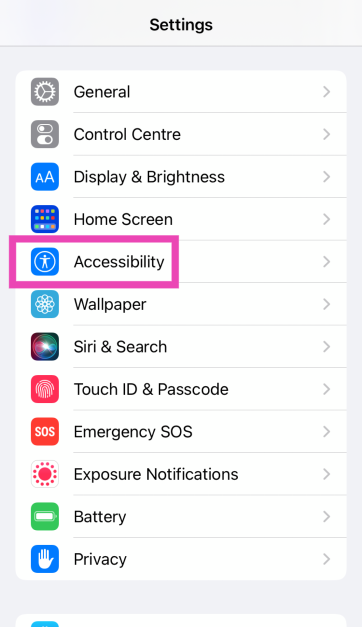 Step 2: Select Audio/Visual.
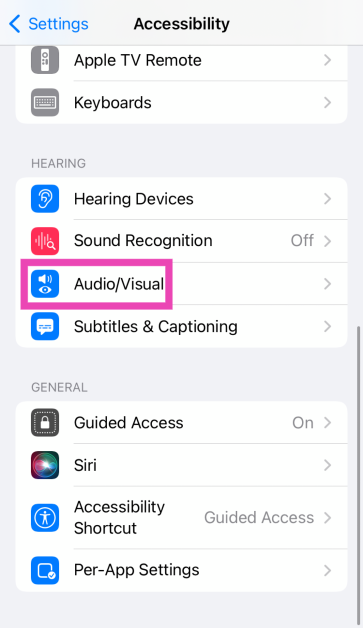 Step 3: Tap on Headphone Accommodations and turn on its toggle switch.
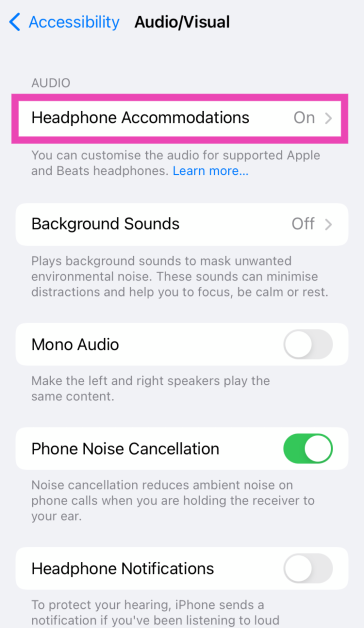 Step 4: Tune the audio output for different sets of frequencies. Play the audio sample for reference.
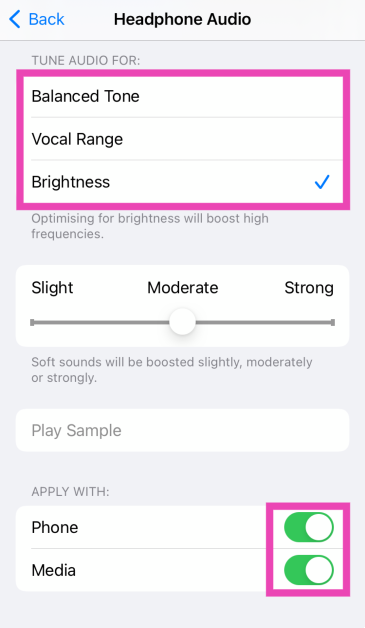 Step 5: Select Custom Audio Setup. Choose your custom audio settings.
Step 6: Apply the settings to Phone and Media.
Step 5: Select Custom Audio Setup. Choose your custom audio settings.
Step 6: Apply the settings to Phone and Media.
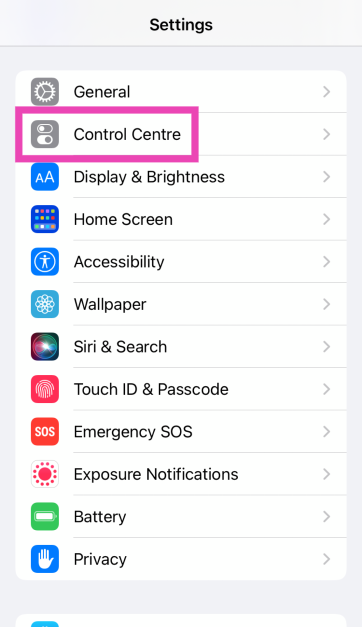 Step 2: Hit the green plus icon next to Hearing.
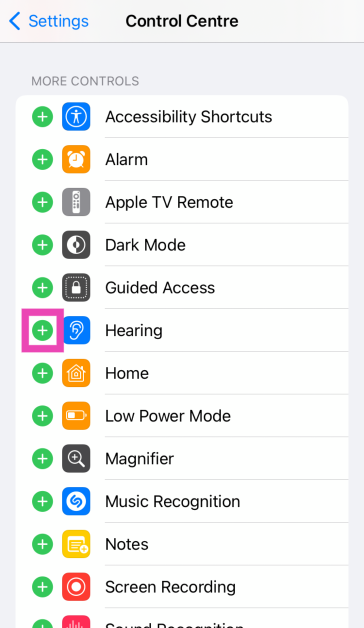 Step 3: Go back to save the changes.
Step 4: Swipe down to access the Control Centre.
Step 5: Hit the Hearing tile.
Step 3: Go back to save the changes.
Step 4: Swipe down to access the Control Centre.
Step 5: Hit the Hearing tile.
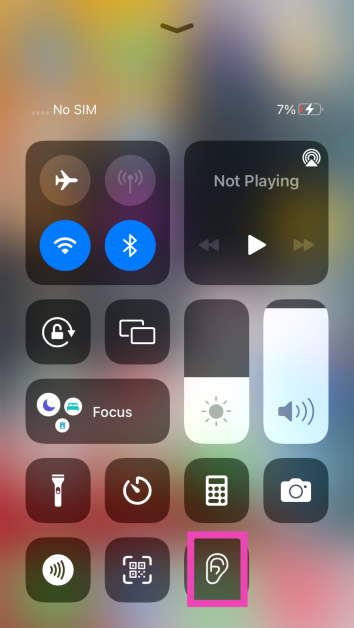 Step 6: Tap the Live Listen button.
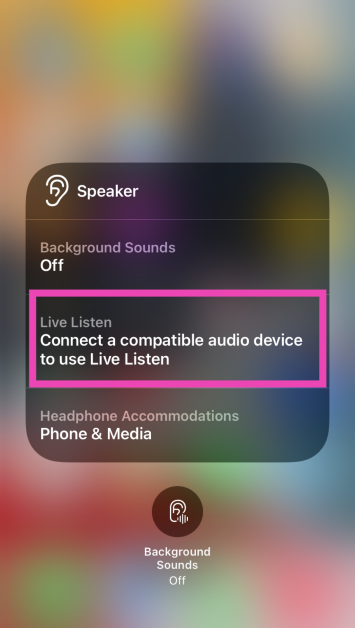 Step 7: Place your iPhone in front of the person you want to hear. Adjust the volume to suit your hearing.

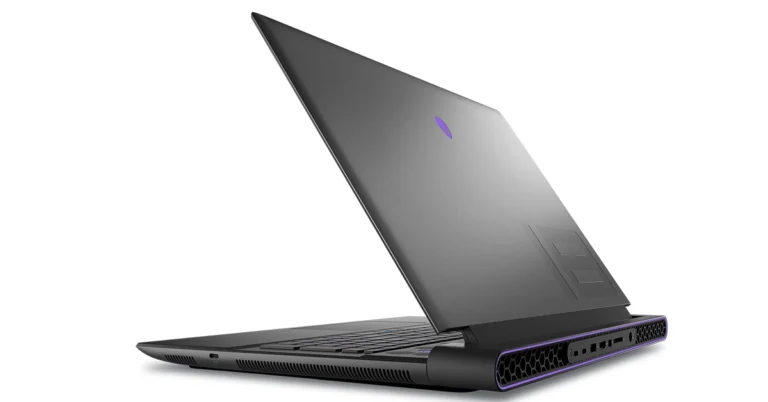

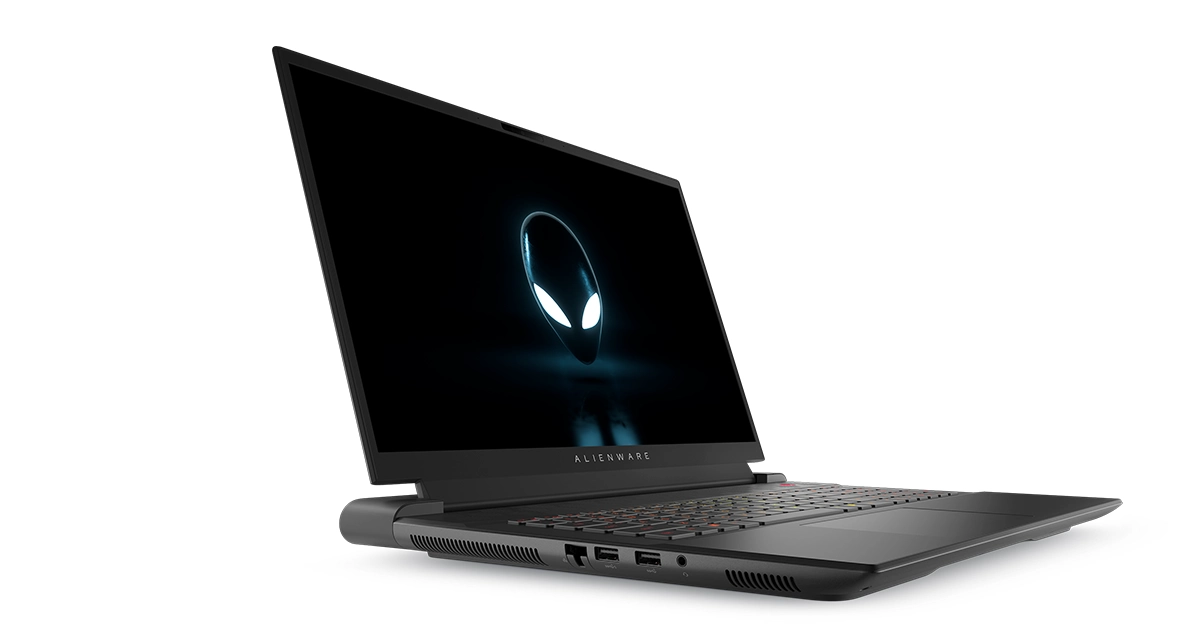

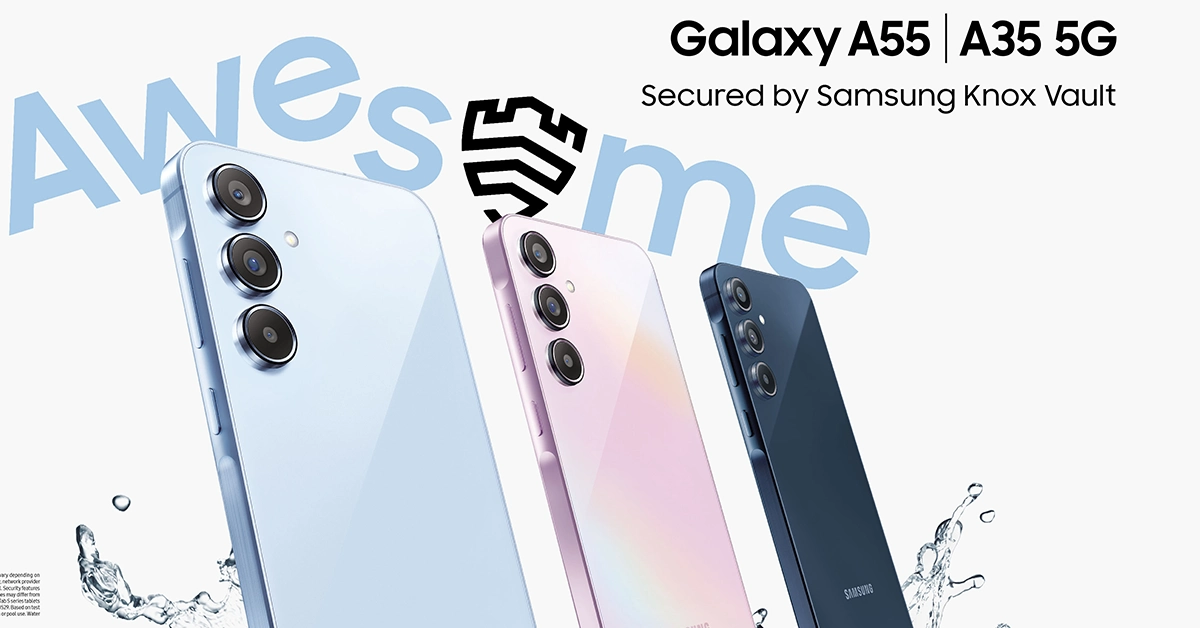

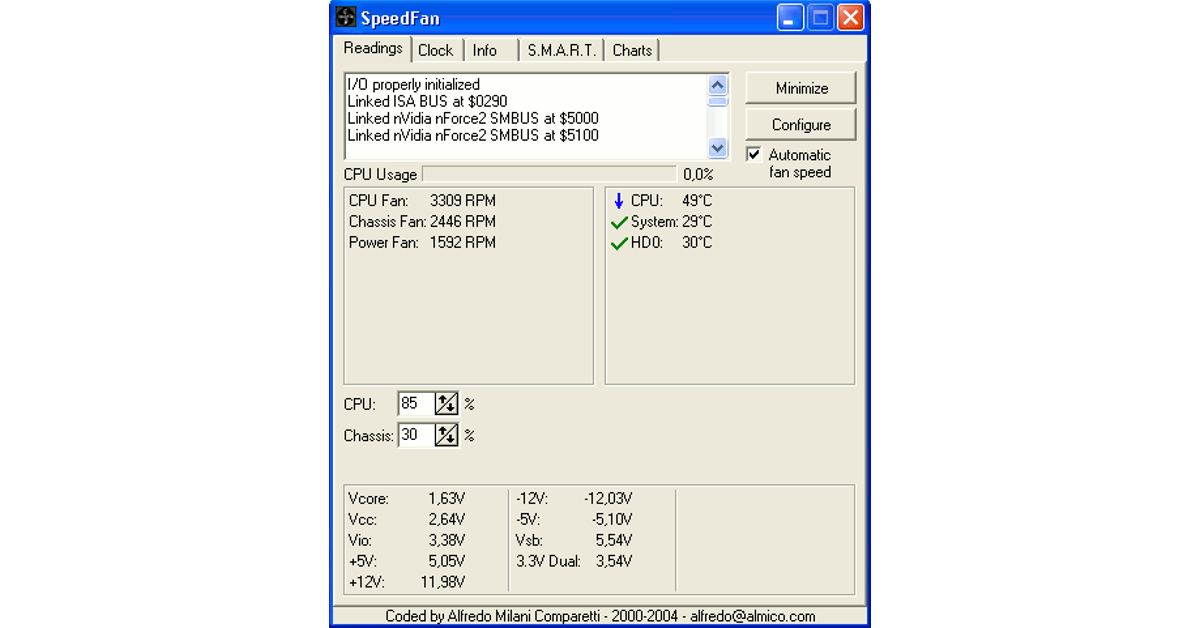 Step 1: Download the SpeedFan app on your Windows PC or laptop using this link.
Step 2: Click on the downloaded file and install the tool by following the onscreen instructions.
Step 3: Launch SpeedFan on your PC and hit Configure.
Step 4: Switch to the Advanced tab.
Step 5: Hit the dropdown menu for Chip and select your CPU from the list.
Step 6: Set all PWM Modes to Software Controlled.
Step 7: Hit OK.
Step 8: Alter each PWM’s setting to find out which component’s fan it controls. Set it to 0 and check which component warms up.
Step 9: Go to the Speeds tab to set the minimum and maximum level for every fan.
Step 1: Download the SpeedFan app on your Windows PC or laptop using this link.
Step 2: Click on the downloaded file and install the tool by following the onscreen instructions.
Step 3: Launch SpeedFan on your PC and hit Configure.
Step 4: Switch to the Advanced tab.
Step 5: Hit the dropdown menu for Chip and select your CPU from the list.
Step 6: Set all PWM Modes to Software Controlled.
Step 7: Hit OK.
Step 8: Alter each PWM’s setting to find out which component’s fan it controls. Set it to 0 and check which component warms up.
Step 9: Go to the Speeds tab to set the minimum and maximum level for every fan.
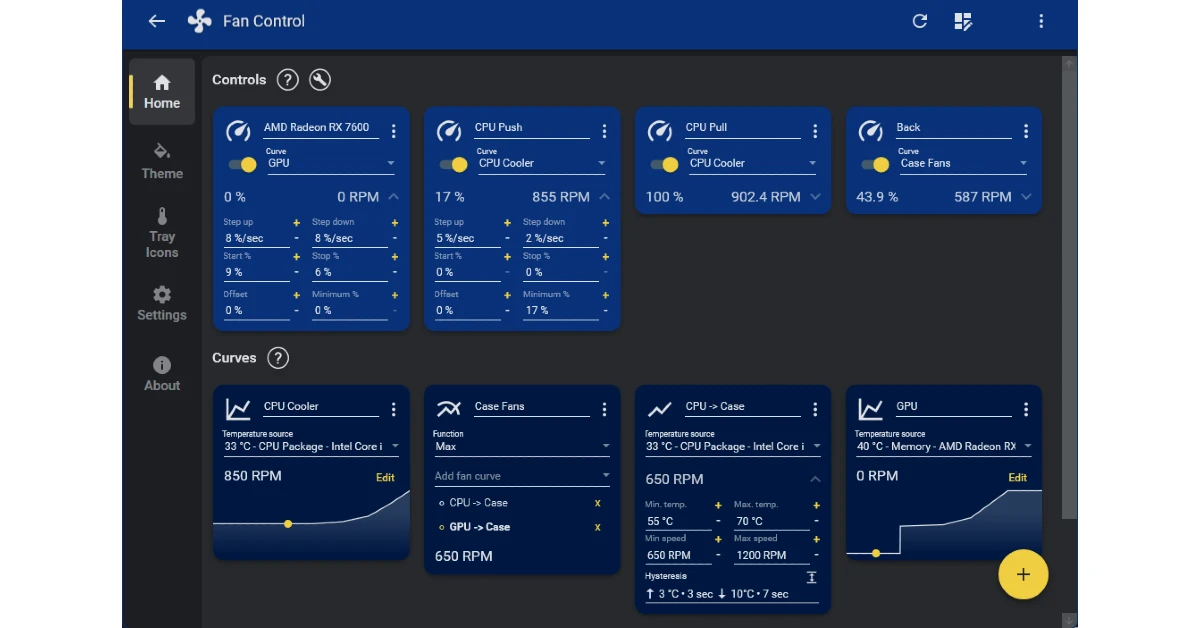 Step 1: Go to Fan Control’s website and download the software on your PC.
Step 2: Launch Fan Control on your PC.
Step 3: Hit the ellipses on the card of a fan and select Manual control.
Step 4: Use the slider to increase or decrease the fan speed.
Step 1: Go to Fan Control’s website and download the software on your PC.
Step 2: Launch Fan Control on your PC.
Step 3: Hit the ellipses on the card of a fan and select Manual control.
Step 4: Use the slider to increase or decrease the fan speed.
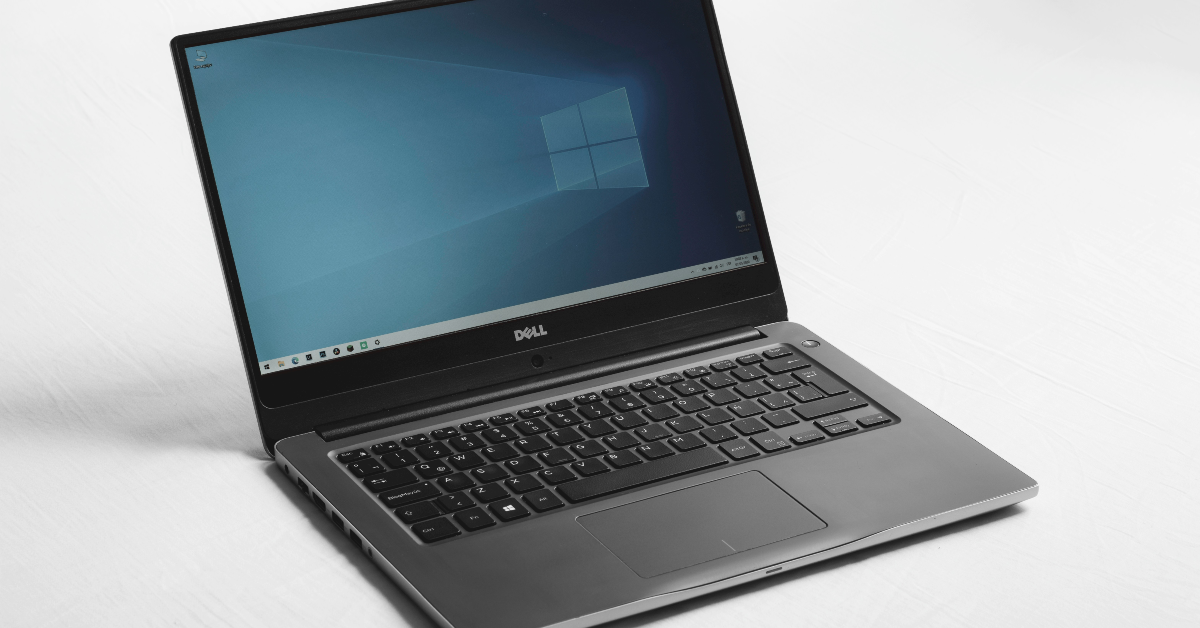 Step 1: Restart your PC and while it is booting, press Delete + F12 to enter BIOS. This key combination may vary, depending on the manufacturer.
Step 2: Go to Fan Control Settings. Typically, you should find this in the Advanced tab, but it may be placed in a different category depending on the manufacturer.
Step 3: Go to Monitor and select Status.
Step 4: Select Fan speed control.
Step 5: Select the speed of the fan.
Step 1: Restart your PC and while it is booting, press Delete + F12 to enter BIOS. This key combination may vary, depending on the manufacturer.
Step 2: Go to Fan Control Settings. Typically, you should find this in the Advanced tab, but it may be placed in a different category depending on the manufacturer.
Step 3: Go to Monitor and select Status.
Step 4: Select Fan speed control.
Step 5: Select the speed of the fan.
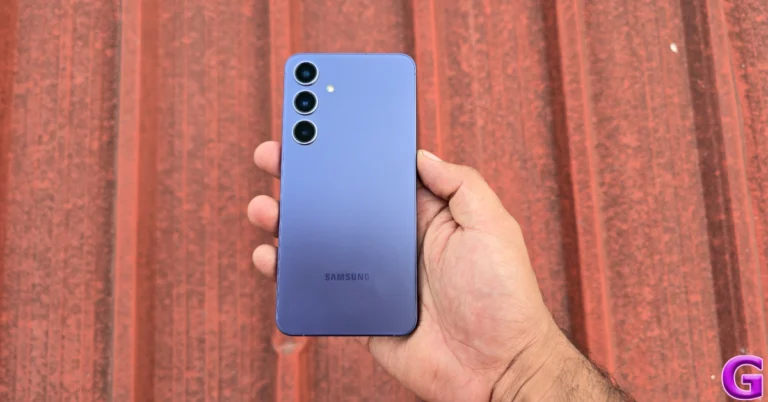
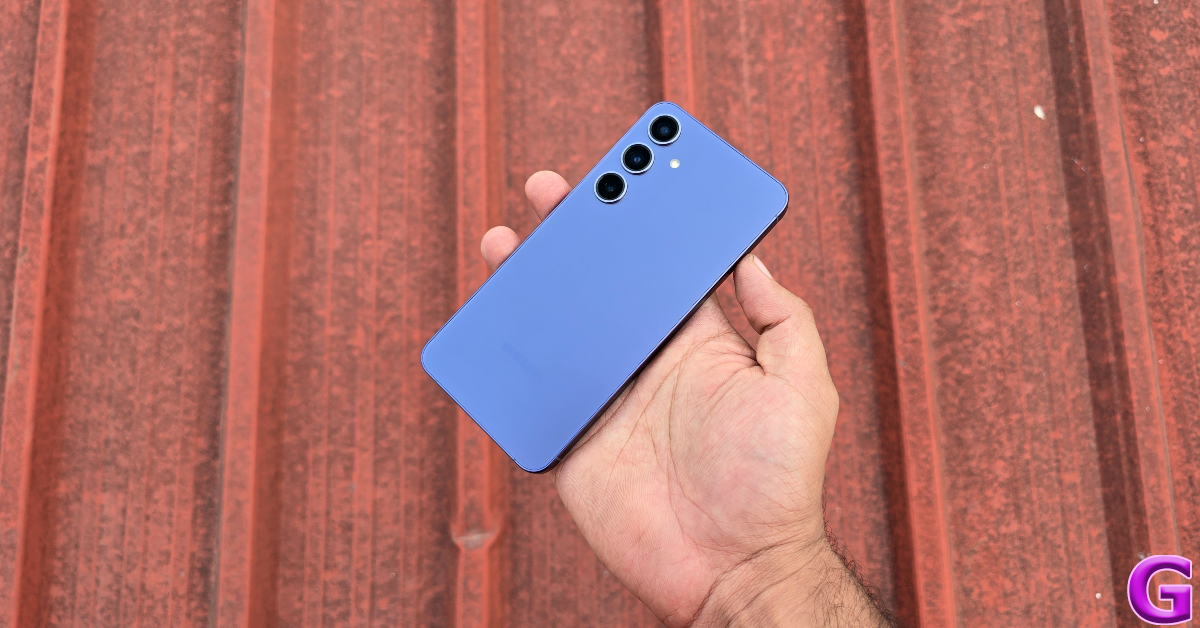 Certain physical attributes of the S24 Series have been held back on the first two variants. The Galaxy S24+ does not have a titanium-infused frame and makes use of Gorilla Glass Victus 2 protection for the front and back panels. The Utlra variant flaunts titanium edges as well as Corning Gorilla Armour protection. The overall form factor of the S24 Ultra feels a lot more premium than its two siblings, mostly due to how exclusive it is. The two entry-level variants are rated IP68 for dust and water resistance, so you don’t have to worry about the occasional dip or splash.
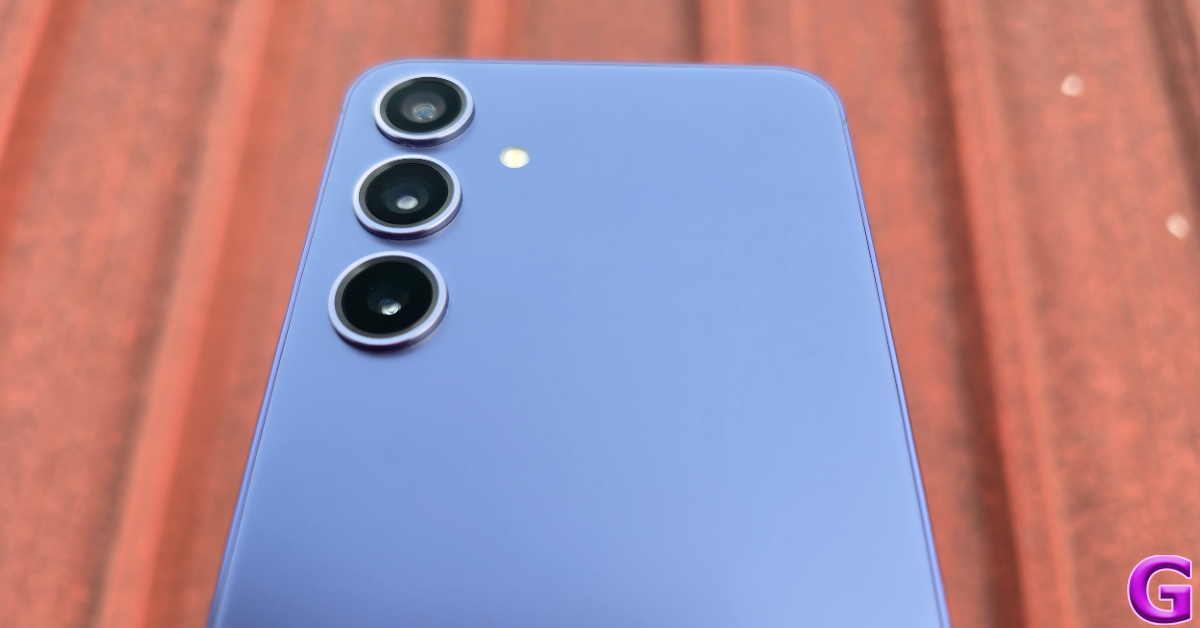 On the bottom edge of the Galaxy S24+, you will find the SIM card slot, primary microphone, USB Type-C slot, and primary speaker. Up top, lie the secondary speaker and microphone. The left edge is keyless while the right side of the frame holds the volume rocker keys and the side button.
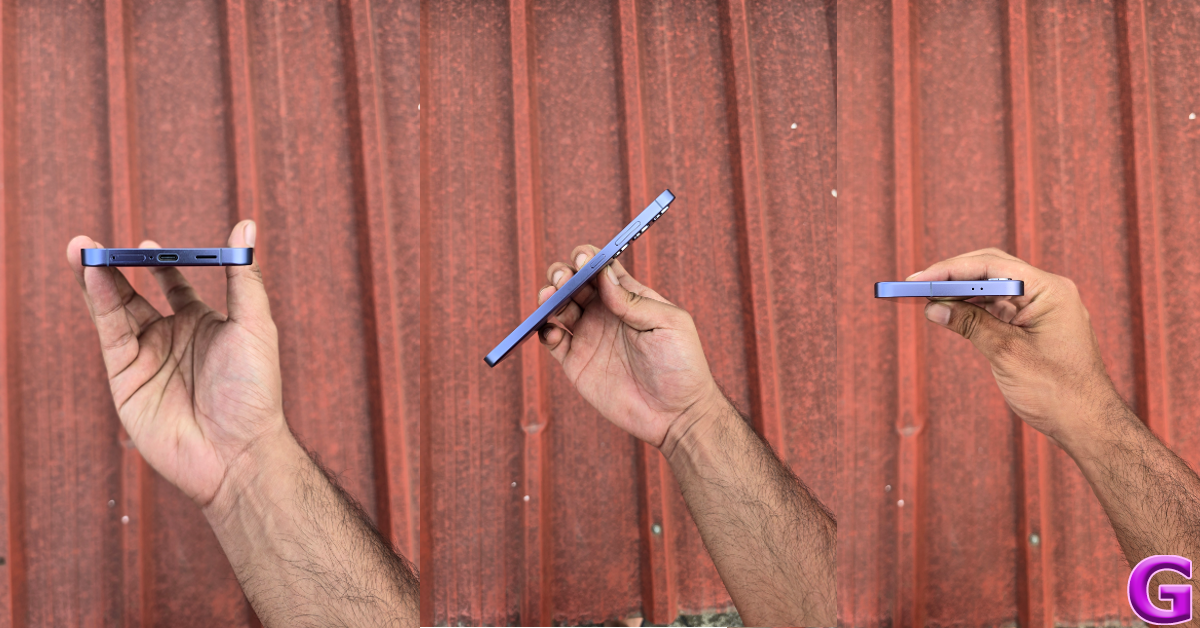 There’s one thing that Samsung does better than anyone else, and it’s making splendid displays. The S24+ continues that tradition. The 6.7-inch Dynamic AMOLED 2X display is bigger than the 6.2-inch unit on the entry-level variant and just 0.1 inches smaller than the Ultra. It has a maximum refresh rate of 120Hz and can hit a brightness of 2,600 nits under direct sunlight. Needless to say, you can pull out this phone under any lighting condition and comfortably read whatever is on the screen. The touch response is as smooth as it gets, making the smartphone almost unputdownable.
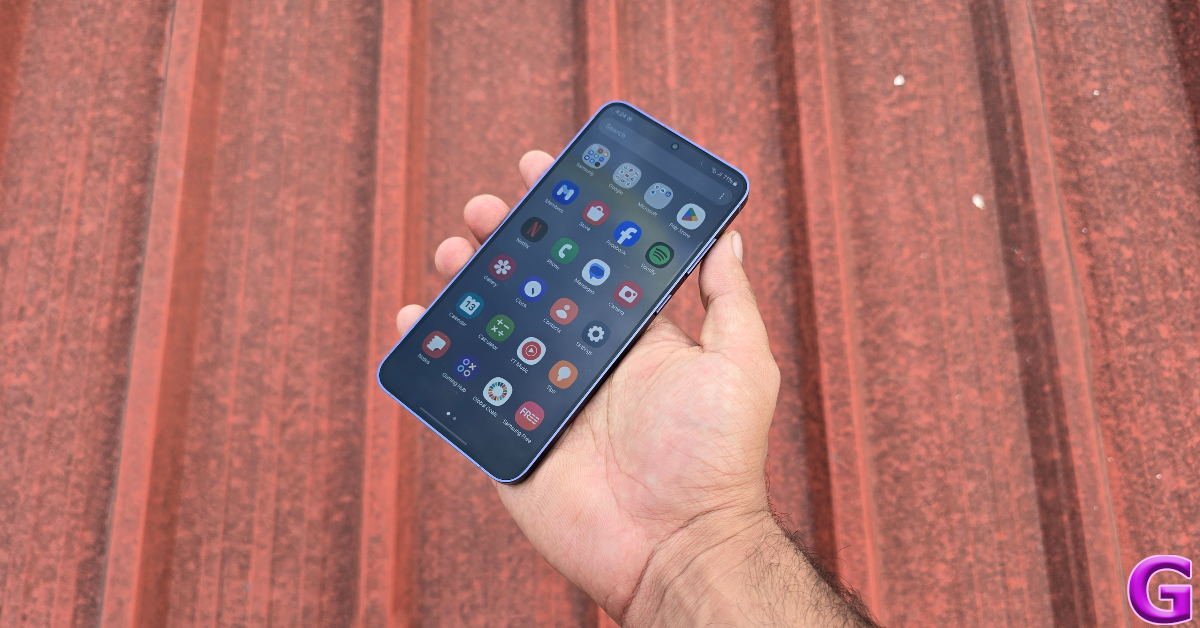 The AMOLED panel produces very rich and dynamic colours that truly pop. With HDR10+ support and Widevine L1 certification, you can watch HD content across all streaming platforms on the device. We binged through Abbott Elementary and were pleased with the composition of the images and the details produced by the display. The stereo speaker setup produces a good output. We didn’t feel the need to reach for our headphones any time we played something on the phone.
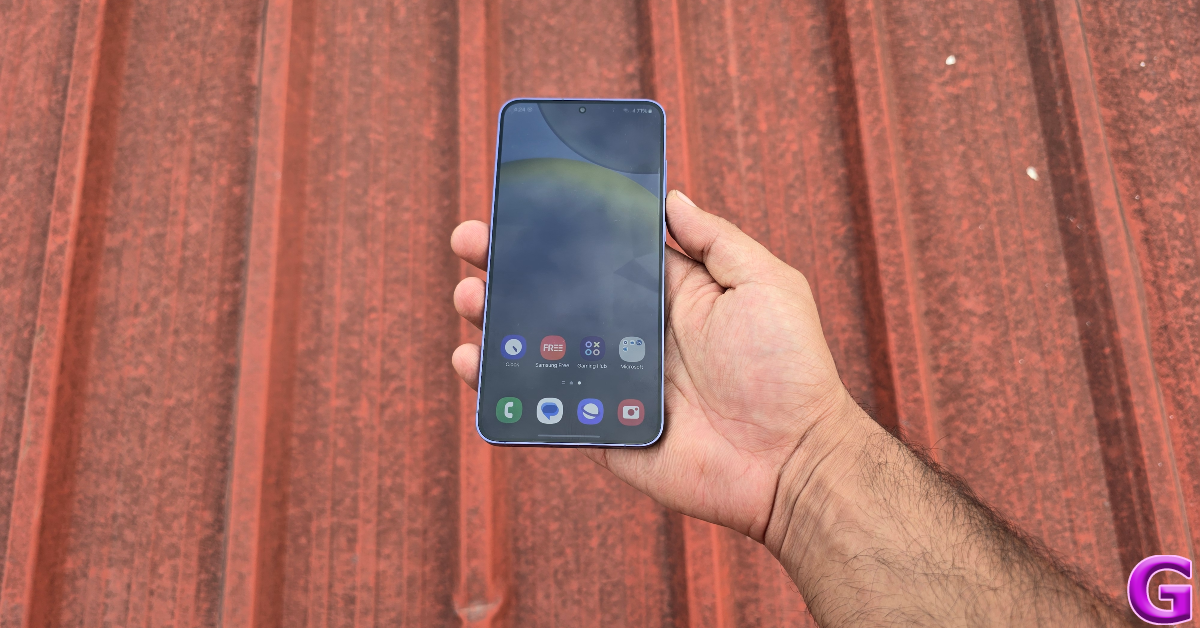 Even though it isn’t as powerful as its Snapdragon counterpart, the Exynos 2400 chipset does not crack when tasked with handling routine functions. Even with multiple apps running in the background, the smartphone carried out all of its tasks impeccably. We did notice the rear camera bump heat up slightly while video calling for an extended period of time, but that is something you’ll encounter in a lot of flagship devices. Social media browsing, emailing, and media playback presented no problems. On the Geekbench 6 app, the Samsung Galaxy S24+ scored 2,105 points on the single-core test and 6,668 points on the multi-core test. Its single-core performance was very close to the S24 Ultra (2,165 points), while in the multi-core test, it left its elder sibling (6,416 points) behind.
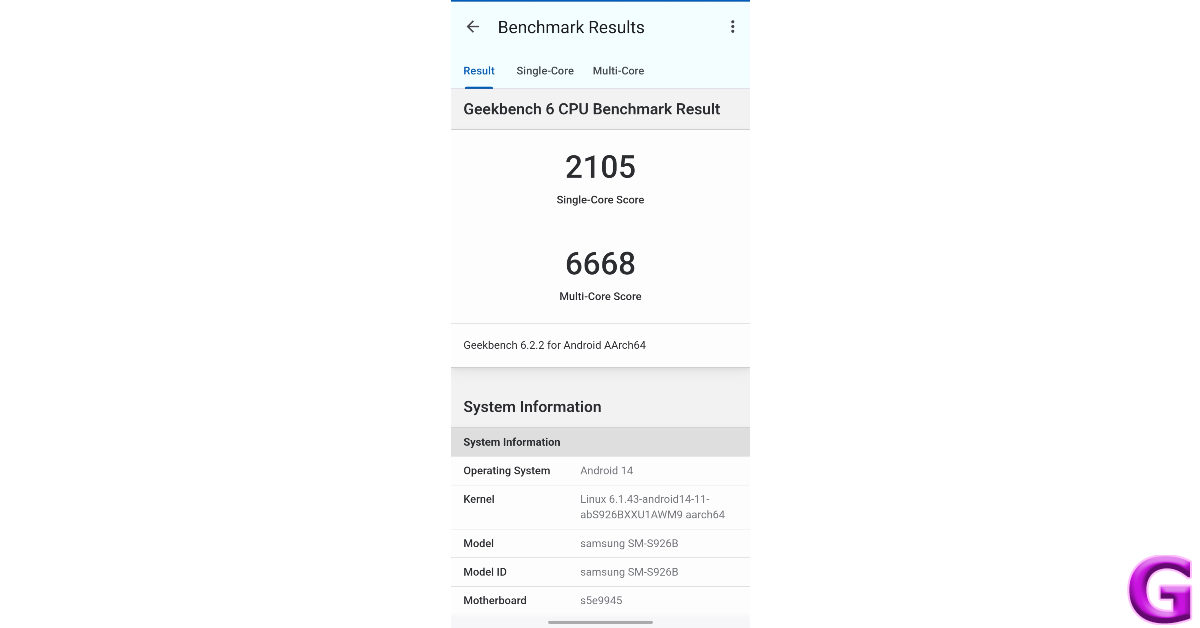 The only time you will notice a significant difference between the two chipsets is while gaming. The Samsung Galaxy S24+ tends to warm up easily compared to the Ultra variant. We played Call of Duty Mobile and Asphalt 9 in their highest settings and started feeling the rise in temperature after the 30-minute mark. This was also the case with the compact S24. However, to the S24+’s credit, its larger size works in its favour due to the vapour chamber being able to dissipate the heat quicker than the entry-level S24.
We’ve talked about the One UI 6.0 experience and the new Galaxy AI features at length in our reviews of the Galaxy S24 and S24 Ultra. The OS performance on the S24+ is the same as the other two smartphones. The AI features are not in-your-face, but speckled across the interface and accessible whenever required. Some of these features (like live translation), may cater to a niche audience and are incredibly fun to use. Other, like Generative AI Editing, make us feel like AI is here to stay in smartphones. If you want to dazzle up your device, you can create unique AI wallpapers by entering a prompt. One thing that we don’t like about the new One UI is the redesigned Quick Start Menu which makes it harder to use the device with one hand.
We got a steady one-day battery backup on the Samsung Galaxy S24+ during the week-long review period. The 4,900 mAh battery pack is bigger than the one on the regular S24. However, it doesn’t hold a candle to the battery life of the S24 Ultra. The latter can last up to 2 days on moderate usage. On the bright side, the S24+ gets support for 45W fast charging, like the Ultra variant. Plugging the charger into the device for 30 minutes can charge it to 65%. It takes just under an hour to fully charge the phone.
The S24+ sports the same camera specs as its younger, compact sibling. It gets a 50MP primary shooter, a 10MP 2x telephoto lens, and a 12MP ultrawide lens. The pictures taken by the two phones are inseparable.
The only time you will notice a significant difference between the two chipsets is while gaming. The Samsung Galaxy S24+ tends to warm up easily compared to the Ultra variant. We played Call of Duty Mobile and Asphalt 9 in their highest settings and started feeling the rise in temperature after the 30-minute mark. This was also the case with the compact S24. However, to the S24+’s credit, its larger size works in its favour due to the vapour chamber being able to dissipate the heat quicker than the entry-level S24.
We’ve talked about the One UI 6.0 experience and the new Galaxy AI features at length in our reviews of the Galaxy S24 and S24 Ultra. The OS performance on the S24+ is the same as the other two smartphones. The AI features are not in-your-face, but speckled across the interface and accessible whenever required. Some of these features (like live translation), may cater to a niche audience and are incredibly fun to use. Other, like Generative AI Editing, make us feel like AI is here to stay in smartphones. If you want to dazzle up your device, you can create unique AI wallpapers by entering a prompt. One thing that we don’t like about the new One UI is the redesigned Quick Start Menu which makes it harder to use the device with one hand.
We got a steady one-day battery backup on the Samsung Galaxy S24+ during the week-long review period. The 4,900 mAh battery pack is bigger than the one on the regular S24. However, it doesn’t hold a candle to the battery life of the S24 Ultra. The latter can last up to 2 days on moderate usage. On the bright side, the S24+ gets support for 45W fast charging, like the Ultra variant. Plugging the charger into the device for 30 minutes can charge it to 65%. It takes just under an hour to fully charge the phone.
The S24+ sports the same camera specs as its younger, compact sibling. It gets a 50MP primary shooter, a 10MP 2x telephoto lens, and a 12MP ultrawide lens. The pictures taken by the two phones are inseparable.
 This isn’t a bad thing by any means, because Samsung’s flagship smartphones consistently produce excellent results. In daylight conditions, the S24+ takes detailed pictures with dynamic and punchy colours. The images do not seem overprocessed or oversaturated. We were pleased with the dynamic range and the contrast management as well. For a smartphone that goes up against the camera champs in Vivo X100 Pro (our review here) and Xiaomi 14, the S24+ holds its own.

 The 12MP ultrawide camera retains the colour composition of the primary shooter. You can easily use the two cameras interchangeably. There is no softness to the images taken using this lens, at least in broad daylight. We were highly impressed with how accurately the ultrawide camera captured the shadows and the reflections.
 The 3x telephoto lens is a reliable player if you want to take pictures of distant objects. The colours are tuned nicely on this camera as well. We were also happy with the detail in the images. Samsung’s photoprocessing chops do a good job of smoothening and resolving the images up to 10x, but after that, the drop-off in quality is very significant.

 When things go dark, you can rely on your Samsung Galaxy S24+ to take amazing pictures. The 50MP sensor lets in a lot of light and takes detailed pictures even when the Night Mode is not turned on. If there is some artificial source of light falling on the subject, we’d suggest using the normal configuration for this lens. However, for the ultrawide and telephoto lenses, you will need the Night Mode to brighten the subject and smoothen out the grain.

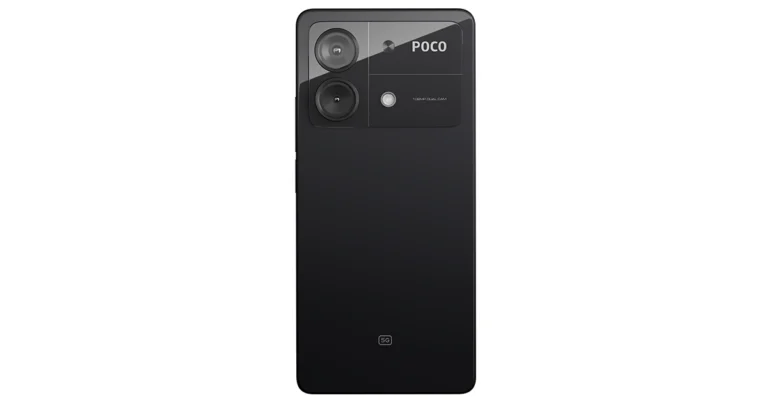
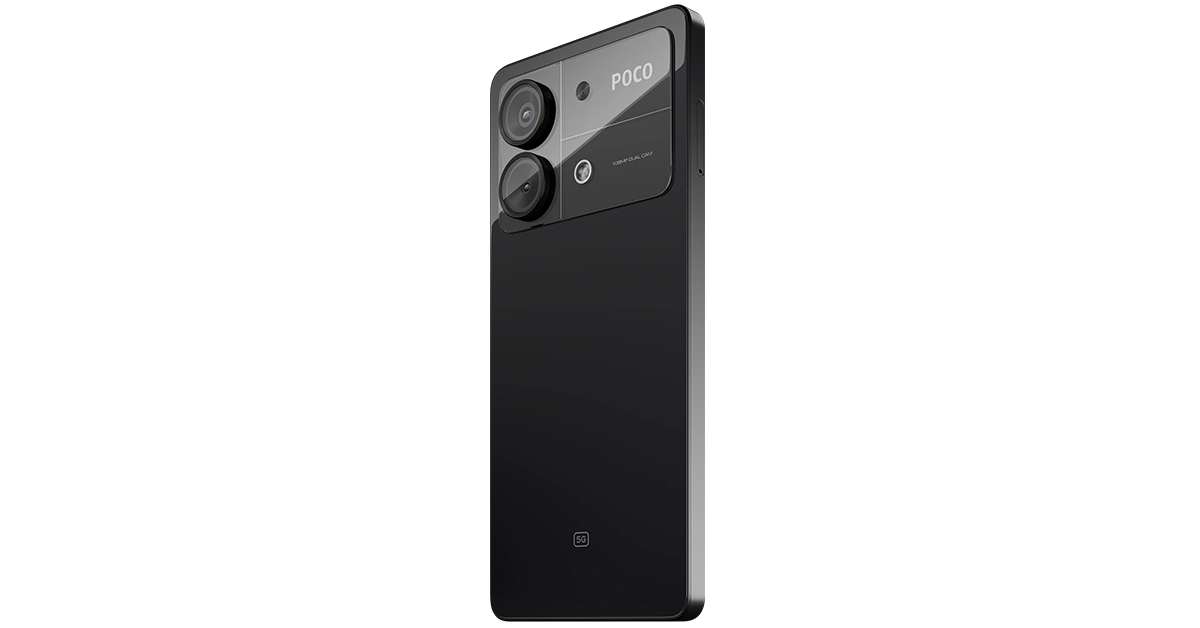

 Buying your friend’s Game Pass is one of the simplest ways of giving them Robux on Roblox. Here’s how you can go about it.
On your friend’s account:
Step 1: Log into Roblox and switch to the Create tab.
Step 2: Create a game or experience using a template. You can also use the default game that gets assigned to every account.
Step 3: Hit the gear icon next to the game and select Create Game Pass.
Step 4: Click on Choose File and select a random image.
Step 5: Give the Game Pass a random name.
Step 6: Hit Preview and then select Verify Upload.
Step 7: Once the Game Pass has been created, hit the gear icon next to it and select Configure.
Step 8: Click on Sales and turn on the toggle switch for ‘Itel for Sale’.
Step 9: Enter the price for the Game Pass. Roblox takes a 30% cut from all transactions, so set the price accordingly.
Step 10: Hit Save. Share the link with yourself.
On your account:
Step 1: Use the link to access your friend’s Game Pass. You can also search for it in the store.
Step 2: Hit Buy.
Step 3: Once you purchase the Game Pass using Robux, 70% of the funds will be transferred to your friend’s account.
Buying your friend’s Game Pass is one of the simplest ways of giving them Robux on Roblox. Here’s how you can go about it.
On your friend’s account:
Step 1: Log into Roblox and switch to the Create tab.
Step 2: Create a game or experience using a template. You can also use the default game that gets assigned to every account.
Step 3: Hit the gear icon next to the game and select Create Game Pass.
Step 4: Click on Choose File and select a random image.
Step 5: Give the Game Pass a random name.
Step 6: Hit Preview and then select Verify Upload.
Step 7: Once the Game Pass has been created, hit the gear icon next to it and select Configure.
Step 8: Click on Sales and turn on the toggle switch for ‘Itel for Sale’.
Step 9: Enter the price for the Game Pass. Roblox takes a 30% cut from all transactions, so set the price accordingly.
Step 10: Hit Save. Share the link with yourself.
On your account:
Step 1: Use the link to access your friend’s Game Pass. You can also search for it in the store.
Step 2: Hit Buy.
Step 3: Once you purchase the Game Pass using Robux, 70% of the funds will be transferred to your friend’s account.
 One of the easiest methods of sending your friend some Robux is by buying them a gift card. This method is suited for people who don’t want to rely on creating a game pass or clothing item to transfer the funds within the platform. Buying a gift card also ensures that Roblox does not take a 30% cut from the transaction.
You can buy a physical Roblux Gift Card from stores like Walmart, Best Buy, Target, Walgreens, CVS, and more. You can also buy a digital gift card from Amazon and GameStop for faster transactions. If you want to send a custom amount, buy a gift card from Roblox’s website.
One of the easiest methods of sending your friend some Robux is by buying them a gift card. This method is suited for people who don’t want to rely on creating a game pass or clothing item to transfer the funds within the platform. Buying a gift card also ensures that Roblox does not take a 30% cut from the transaction.
You can buy a physical Roblux Gift Card from stores like Walmart, Best Buy, Target, Walgreens, CVS, and more. You can also buy a digital gift card from Amazon and GameStop for faster transactions. If you want to send a custom amount, buy a gift card from Roblox’s website.
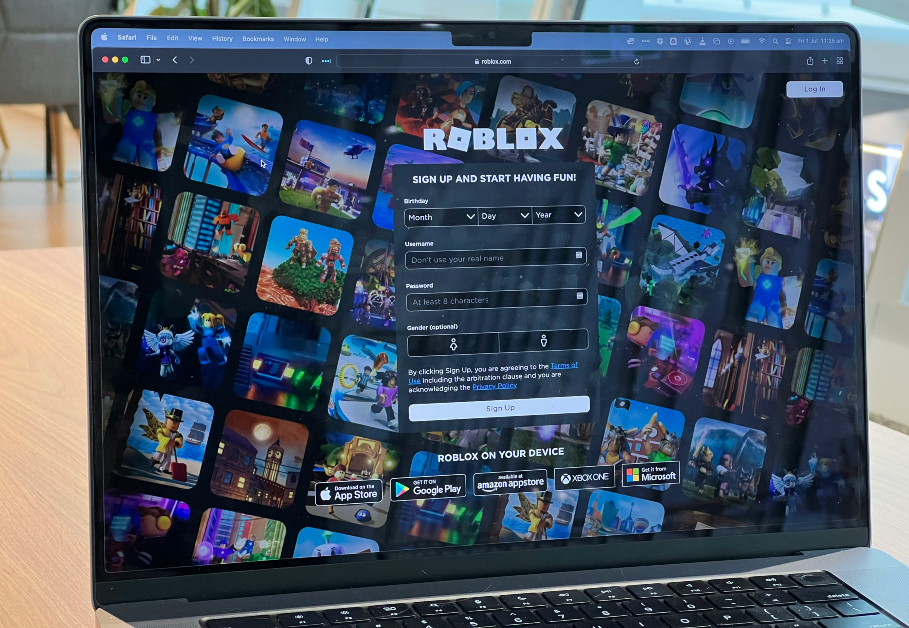 Buying your friend’s Game Pass is one of the simplest ways of giving them Robux on Roblox. Here’s how you can go about it.
On your friend’s account:
Step 1: Log into Roblox and switch to the Create tab.
Step 2: Create a game or experience using a template. You can also use the default game that gets assigned to every account.
Step 3: Hit the gear icon next to the game and select Create Game Pass.
Step 4: Click on Choose File and select a random image.
Step 5: Give the Game Pass a random name.
Step 6: Hit Preview and then select Verify Upload.
Step 7: Once the Game Pass has been created, hit the gear icon next to it and select Configure.
Step 8: Click on Sales and turn on the toggle switch for ‘Itel for Sale’.
Step 9: Enter the price for the Game Pass. Roblox takes a 30% cut from all transactions, so set the price accordingly.
Step 10: Hit Save. Share the link with yourself.
On your account:
Step 1: Use the link to access your friend’s Game Pass. You can also search for it in the store.
Step 2: Hit Buy.
Step 3: Once you purchase the Game Pass using Robux, 70% of the funds will be transferred to your friend’s account.
Buying your friend’s Game Pass is one of the simplest ways of giving them Robux on Roblox. Here’s how you can go about it.
On your friend’s account:
Step 1: Log into Roblox and switch to the Create tab.
Step 2: Create a game or experience using a template. You can also use the default game that gets assigned to every account.
Step 3: Hit the gear icon next to the game and select Create Game Pass.
Step 4: Click on Choose File and select a random image.
Step 5: Give the Game Pass a random name.
Step 6: Hit Preview and then select Verify Upload.
Step 7: Once the Game Pass has been created, hit the gear icon next to it and select Configure.
Step 8: Click on Sales and turn on the toggle switch for ‘Itel for Sale’.
Step 9: Enter the price for the Game Pass. Roblox takes a 30% cut from all transactions, so set the price accordingly.
Step 10: Hit Save. Share the link with yourself.
On your account:
Step 1: Use the link to access your friend’s Game Pass. You can also search for it in the store.
Step 2: Hit Buy.
Step 3: Once you purchase the Game Pass using Robux, 70% of the funds will be transferred to your friend’s account.
 Instead of buying a Game Pass, you can also buy a clothing item from your friend and transfer them your Robux. Here’s how.
On your friend’s account:
Step 1: Log into Roblux and switch to the Create tab.
Step 2: Click on Avatar Items.
Step 3: Switch to the T-shirt, Shirt, or Pants tab.
Step 4: Drop the picture of the clothing item on ‘Upload Asset’.
Step 5: Follow the verification process.
Step 6: Turn on the toggle switch for ‘On Sale’ and set a price for the item.
Step 7: Hit Save Changes.
On your account:
Step 1: Go to the store and search for the clothing item your friend just uploaded by its name.
Step 2: Hit Buy.
Step 3: Select Buy Robux and Item. Roblox will take a 30% cut from the transaction and the rest will be sent to your friend.
Instead of buying a Game Pass, you can also buy a clothing item from your friend and transfer them your Robux. Here’s how.
On your friend’s account:
Step 1: Log into Roblux and switch to the Create tab.
Step 2: Click on Avatar Items.
Step 3: Switch to the T-shirt, Shirt, or Pants tab.
Step 4: Drop the picture of the clothing item on ‘Upload Asset’.
Step 5: Follow the verification process.
Step 6: Turn on the toggle switch for ‘On Sale’ and set a price for the item.
Step 7: Hit Save Changes.
On your account:
Step 1: Go to the store and search for the clothing item your friend just uploaded by its name.
Step 2: Hit Buy.
Step 3: Select Buy Robux and Item. Roblox will take a 30% cut from the transaction and the rest will be sent to your friend.
 For this method, you will need a Roblox Group with existing funds. Here’s how you can go about it.
Create a Roblox Group
Step 1: Launch the Roblox app and tap the ellipses at the bottom right corner of the screen.
Step 2: Scroll down and select Groups.
Step 3: Tap on Create Group.
Step 4: Enter a name for the group and fill in the description.
Step 5: Hit the 100 Robux button to create the group using the mentioned amount.
Step 6: Ask your friend to join the group.
Create a Game Pass
Step 1: On your PC, go to the Create tab and click on Group Creations.
Step 2: Hit the drop-down menu on the left and select the group you just created.
Step 3: Click on Create New Game and use a template to make a basic game.
Step 4: Once the game has been created, hit the gear icon next to it and select Create Pass.
Step 5: Upload a random image and give the pass a name before uploading it.
Step 6: Hit the gear icon next to the Game Pass and select Configure.
Step 7: Go to the Sales tab, select a price, and put the item for sale.
Buy the Game Pass
Step 1: Search for the Game Pass in the store using your personal account.
Step 2: Hit Buy.
Step 3: Select Buy Robux and Item.
Send Robux to a group participant
Step 1: Log into Robux and select your Group.
Step 2: Click the ellipses in the upper right corner of the screen and select Configure Group.
Step 3: Click on Revenue and select One Time Payouts.
Step 4: Select Add Payout Recipients.
Step 5: Enter your friend’s username.
Step 6: Enter the amount you wish to transfer.
Step 7: Hit Distribute.
For this method, you will need a Roblox Group with existing funds. Here’s how you can go about it.
Create a Roblox Group
Step 1: Launch the Roblox app and tap the ellipses at the bottom right corner of the screen.
Step 2: Scroll down and select Groups.
Step 3: Tap on Create Group.
Step 4: Enter a name for the group and fill in the description.
Step 5: Hit the 100 Robux button to create the group using the mentioned amount.
Step 6: Ask your friend to join the group.
Create a Game Pass
Step 1: On your PC, go to the Create tab and click on Group Creations.
Step 2: Hit the drop-down menu on the left and select the group you just created.
Step 3: Click on Create New Game and use a template to make a basic game.
Step 4: Once the game has been created, hit the gear icon next to it and select Create Pass.
Step 5: Upload a random image and give the pass a name before uploading it.
Step 6: Hit the gear icon next to the Game Pass and select Configure.
Step 7: Go to the Sales tab, select a price, and put the item for sale.
Buy the Game Pass
Step 1: Search for the Game Pass in the store using your personal account.
Step 2: Hit Buy.
Step 3: Select Buy Robux and Item.
Send Robux to a group participant
Step 1: Log into Robux and select your Group.
Step 2: Click the ellipses in the upper right corner of the screen and select Configure Group.
Step 3: Click on Revenue and select One Time Payouts.
Step 4: Select Add Payout Recipients.
Step 5: Enter your friend’s username.
Step 6: Enter the amount you wish to transfer.
Step 7: Hit Distribute.
 One of the easiest methods of sending your friend some Robux is by buying them a gift card. This method is suited for people who don’t want to rely on creating a game pass or clothing item to transfer the funds within the platform. Buying a gift card also ensures that Roblox does not take a 30% cut from the transaction.
You can buy a physical Roblux Gift Card from stores like Walmart, Best Buy, Target, Walgreens, CVS, and more. You can also buy a digital gift card from Amazon and GameStop for faster transactions. If you want to send a custom amount, buy a gift card from Roblox’s website.
One of the easiest methods of sending your friend some Robux is by buying them a gift card. This method is suited for people who don’t want to rely on creating a game pass or clothing item to transfer the funds within the platform. Buying a gift card also ensures that Roblox does not take a 30% cut from the transaction.
You can buy a physical Roblux Gift Card from stores like Walmart, Best Buy, Target, Walgreens, CVS, and more. You can also buy a digital gift card from Amazon and GameStop for faster transactions. If you want to send a custom amount, buy a gift card from Roblox’s website.

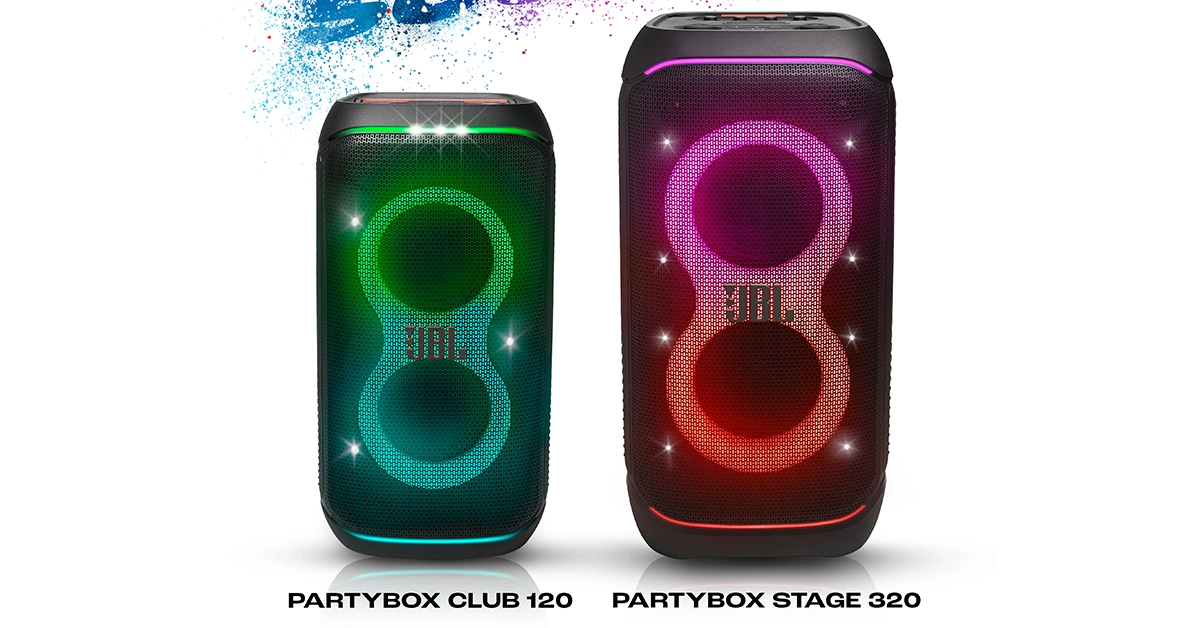
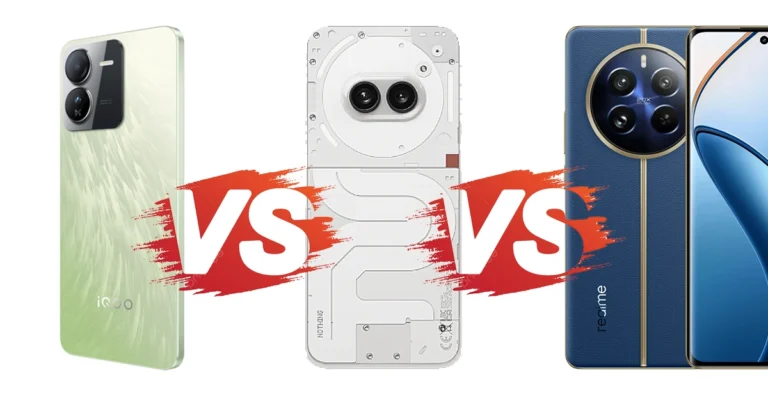
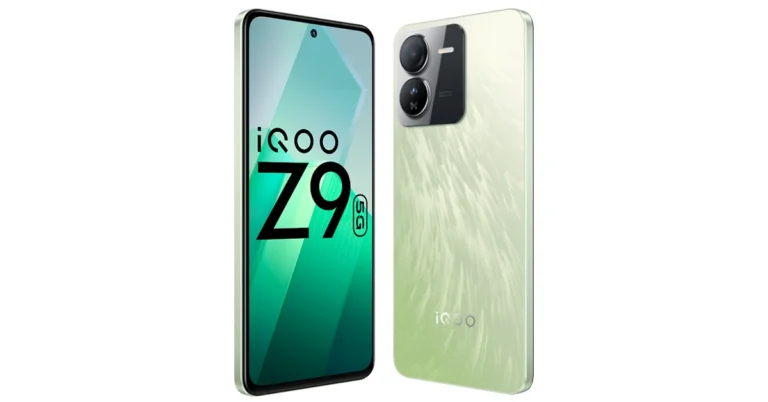
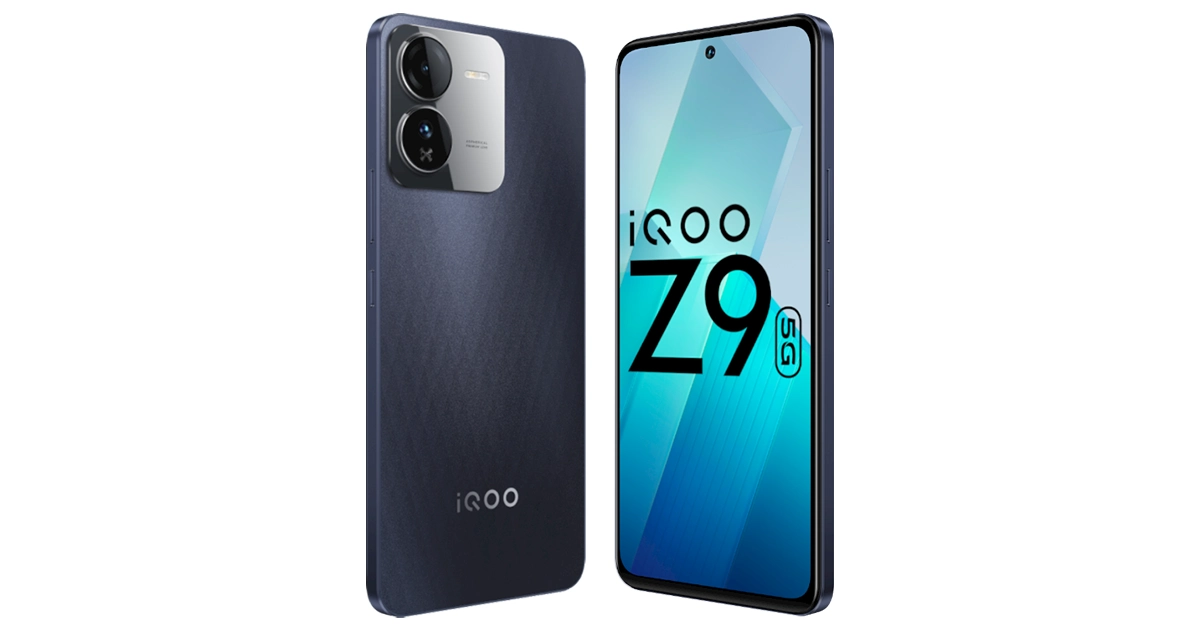
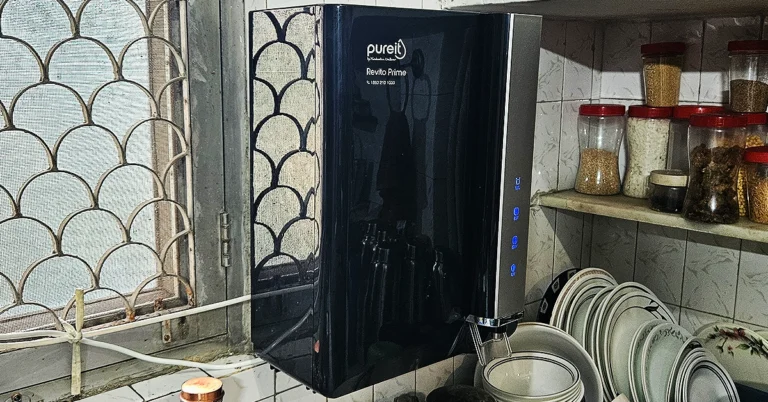
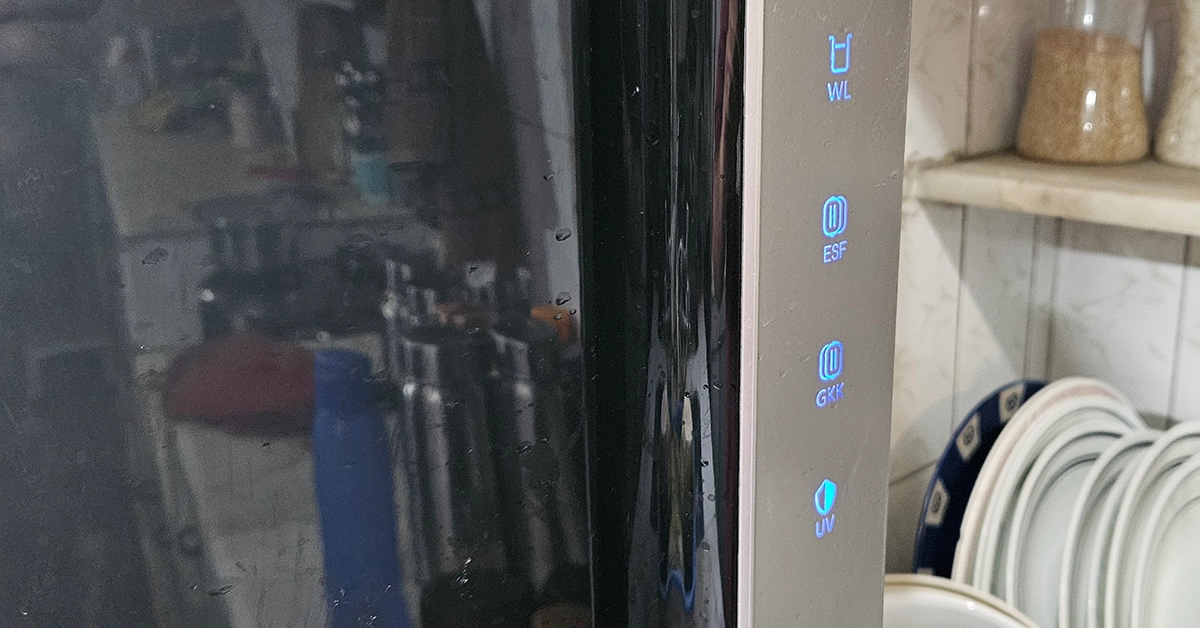 When we talk about the design, the Pureit Revito Prime has Smartsense indicators that provide timely alerts, ensuring filter replacement is never overlooked. There are 4 indicators located on the front of the device, which tell you when it is time to replace inside or outside filters. The top indicator lights up when the tank is full.
One thing that is brilliant in the Pureit Revito Prime Mineral RO is that it pushes out water very fast and also refills the tank very quickly. We timed it and the 8-litre capacity tank refilled within 20 minutes. This is much faster than yesterday’s Aquaguard and Kent RO, which take 30-45 mins to fill a tank of 8 litres.
When we talk about the design, the Pureit Revito Prime has Smartsense indicators that provide timely alerts, ensuring filter replacement is never overlooked. There are 4 indicators located on the front of the device, which tell you when it is time to replace inside or outside filters. The top indicator lights up when the tank is full.
One thing that is brilliant in the Pureit Revito Prime Mineral RO is that it pushes out water very fast and also refills the tank very quickly. We timed it and the 8-litre capacity tank refilled within 20 minutes. This is much faster than yesterday’s Aquaguard and Kent RO, which take 30-45 mins to fill a tank of 8 litres.
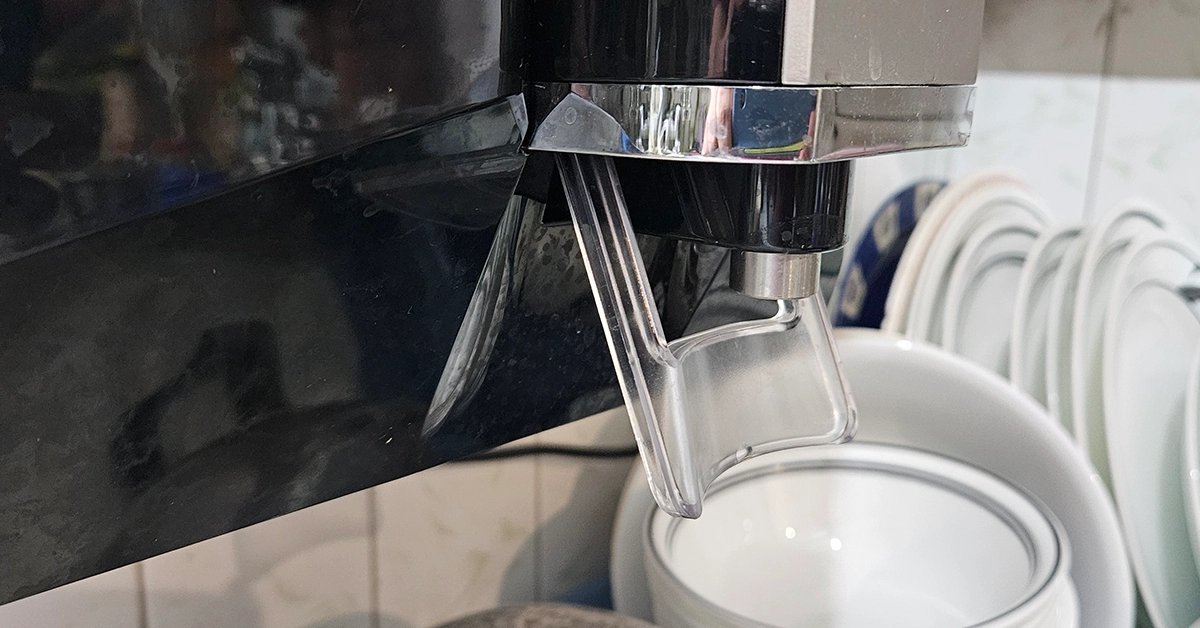
 However, there is a slight design flaw in this RO. To take out water you have to push back a transparent plastic lever (located at the bottom, using the utensil) and fill it. However, the lever comes back with a jerk and a little bit of water gets spilled. The other way of getting water is to pull out the plastic lever towards you and it stays in place. This lever goes under the water dispensing mouth and comes to the front and also goes back the same way. Both times, it hits the water stream, which ends up in water spillage all over. So keep a paper towel hand around the device for cleaning if you are filling a water bottle or smaller utensils. Also, we would have appreciated if the power cable was longer.
 Other than that, we quite liked its design. The Pureit Revito Prime RO boasts premium design elements and features. From its sleek glossy black and silver exterior to its food-grade plastic construction, every aspect exudes good quality.
Read Also: Xiaomi 14 VS Samsung Galaxy S24: A Comprehensive Comparison
The setup process was very simple and if you already have an old RO in the house that you are replacing with this one, then it is even simpler. HUL will send their technicians to your house to set it up and within 10-15 minutes you will be ready to drink good pure water.
Priced at Rs 17,989, Pureit Revito Prime will give you safe, healthy, and refreshing drinking water, day after day. If you are in the market for a new RO then this is a great device that can give you pure drinking water very quickly.
Other than that, we quite liked its design. The Pureit Revito Prime RO boasts premium design elements and features. From its sleek glossy black and silver exterior to its food-grade plastic construction, every aspect exudes good quality.
Read Also: Xiaomi 14 VS Samsung Galaxy S24: A Comprehensive Comparison
The setup process was very simple and if you already have an old RO in the house that you are replacing with this one, then it is even simpler. HUL will send their technicians to your house to set it up and within 10-15 minutes you will be ready to drink good pure water.
Priced at Rs 17,989, Pureit Revito Prime will give you safe, healthy, and refreshing drinking water, day after day. If you are in the market for a new RO then this is a great device that can give you pure drinking water very quickly. 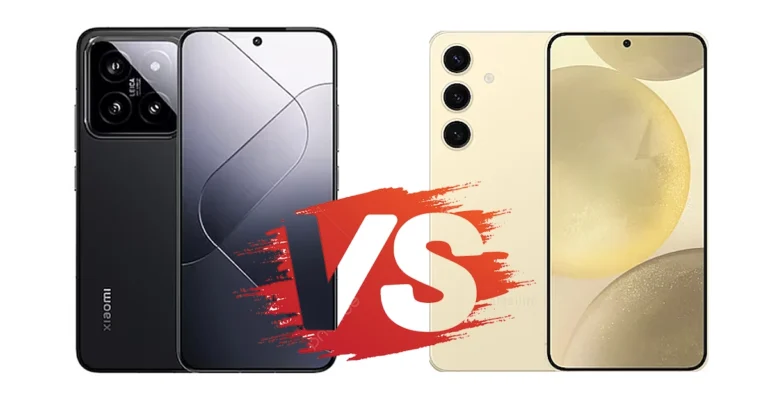
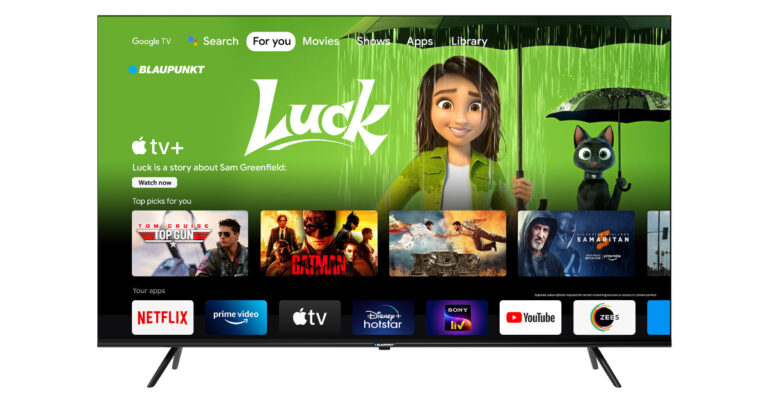
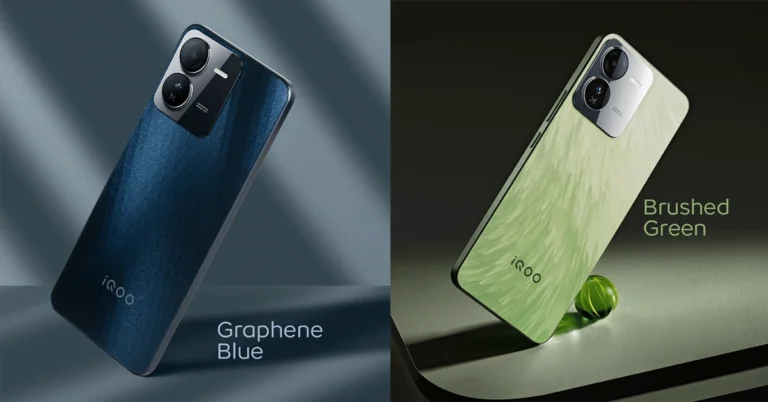
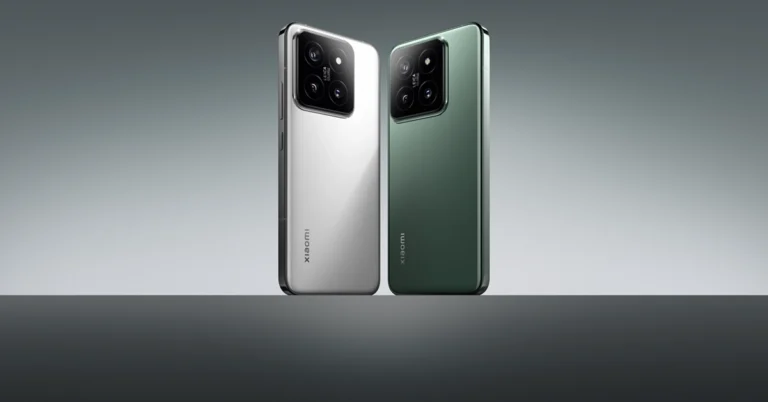
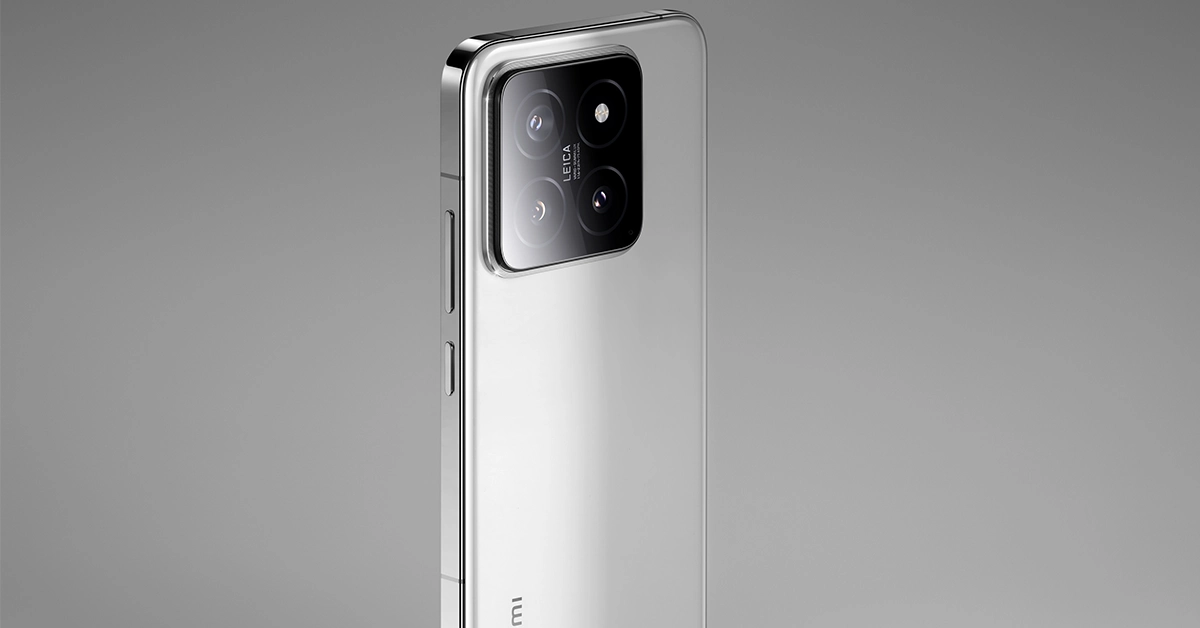
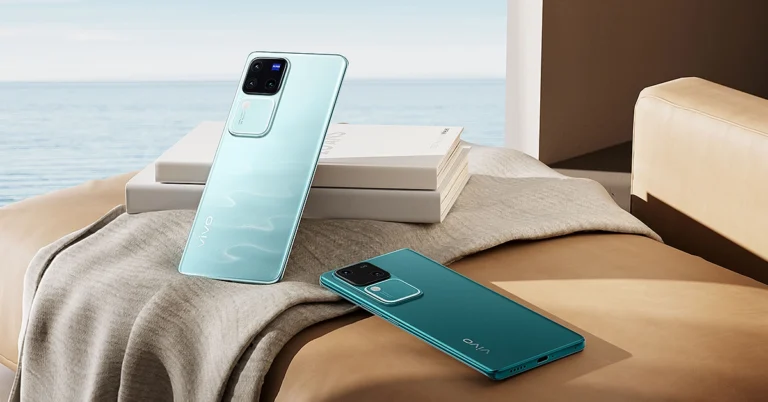
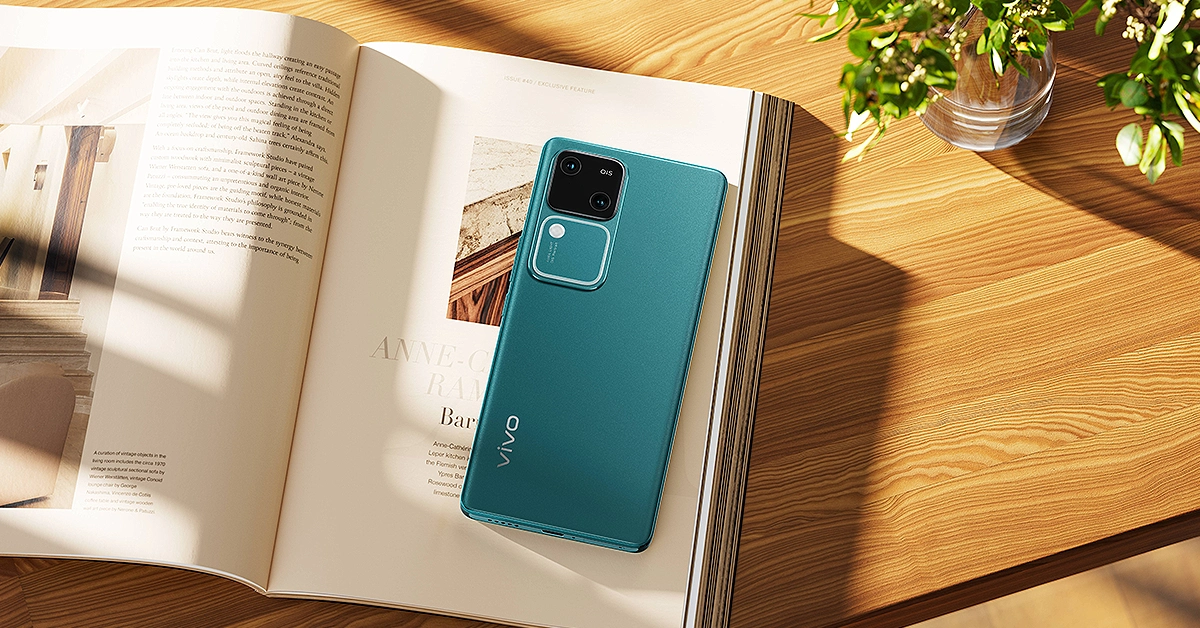 The V30 series combines technological innovation with exquisite design, offering a spectrum of vibrant India-inspired colors. From the serene Andaman Blue to the majestic Peacock Green and timeless Classic Black, each variant reflects India’s rich cultural heritage. The slim and sleek design, coupled with a comfortable 3D curve, provides a luxurious feel in hand. Furthermore, the reinforced middle frame and customized aluminum alloy corners enhance durability, making it a perfect blend of style and resilience.
Equipped with a 6.78-inch, 1.5K 3D curved AMOLED display with a 120 Hz refresh rate, the V30 series offers an immersive visual experience like never before. With a peak local brightness of 2800 nits, consumers can enjoy crystal-clear visibility even under direct sunlight. Additionally, vivo has prioritized eye protection by obtaining professional SGS certification, ensuring a comfortable and healthy viewing experience for users.
The V30 series combines technological innovation with exquisite design, offering a spectrum of vibrant India-inspired colors. From the serene Andaman Blue to the majestic Peacock Green and timeless Classic Black, each variant reflects India’s rich cultural heritage. The slim and sleek design, coupled with a comfortable 3D curve, provides a luxurious feel in hand. Furthermore, the reinforced middle frame and customized aluminum alloy corners enhance durability, making it a perfect blend of style and resilience.
Equipped with a 6.78-inch, 1.5K 3D curved AMOLED display with a 120 Hz refresh rate, the V30 series offers an immersive visual experience like never before. With a peak local brightness of 2800 nits, consumers can enjoy crystal-clear visibility even under direct sunlight. Additionally, vivo has prioritized eye protection by obtaining professional SGS certification, ensuring a comfortable and healthy viewing experience for users.
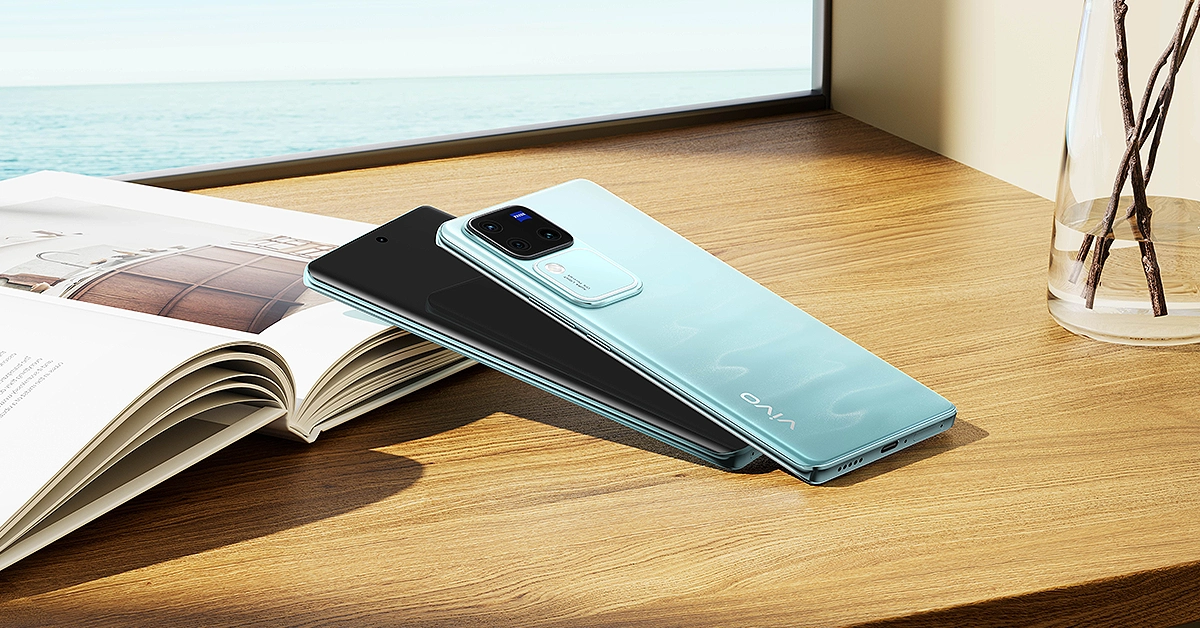 Under the hood, the V30 series packs a punch with significant performance upgrades. The MediaTek Dimensity 8200 SoC processor in the V30 Pro and the Snapdragon 7 Gen 3 processor in the V30 ensure seamless multitasking and enhanced energy efficiency. Moreover, with a large 5000 mAh battery and 80W FlashCharge technology, users can enjoy extended usage without worrying about running out of power. The battery’s longevity is further enhanced, lasting up to 4 years with 1600 charge-discharge cycles.
Read Also: Vivo X90 review: Won’t disappoint
Under the hood, the V30 series packs a punch with significant performance upgrades. The MediaTek Dimensity 8200 SoC processor in the V30 Pro and the Snapdragon 7 Gen 3 processor in the V30 ensure seamless multitasking and enhanced energy efficiency. Moreover, with a large 5000 mAh battery and 80W FlashCharge technology, users can enjoy extended usage without worrying about running out of power. The battery’s longevity is further enhanced, lasting up to 4 years with 1600 charge-discharge cycles.
Read Also: Vivo X90 review: Won’t disappoint
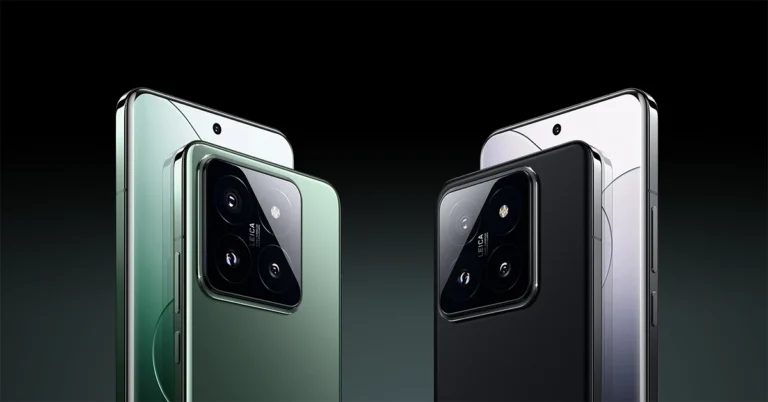
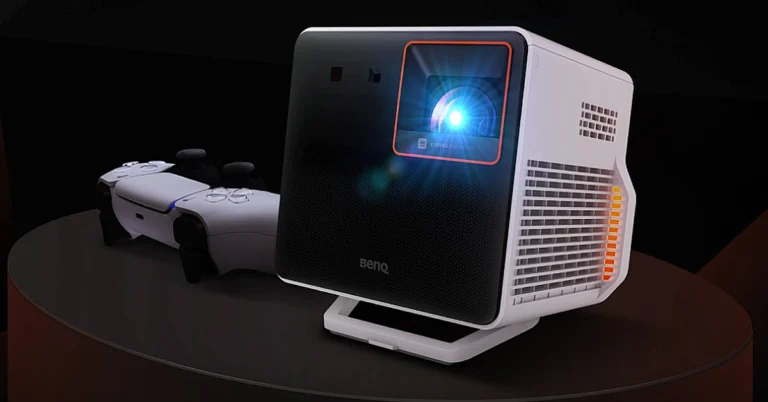

 Step 4: Click on Google Password Manager.
 Step 5: Click on a website to view the password you have saved for it.
 Step 7: Hit the eye icon in the password field. You can also edit your login credentials on this page.
 Step 4: Select Google Password Manager.
Step 5: Follow the steps mentioned in the previous methods to view your saved passwords.
Step 4: Select Google Password Manager.
Step 5: Follow the steps mentioned in the previous methods to view your saved passwords.
 Step 3: Select Password Manager.
 Step 5: Verify your identity by entering your phone’s PIN.
Step 6: Tap the eye icon in the password field to view your saved password.
Step 5: Verify your identity by entering your phone’s PIN.
Step 6: Tap the eye icon in the password field to view your saved password.

 Step 3: Select Settings.
 Step 3: Switch to the Security tab.
Step 4: Scroll down and select Password Manager.
Step 3: Switch to the Security tab.
Step 4: Scroll down and select Password Manager.
 Step 2: Hit the ellipses at the top right corner of the screen and select Settings.
 Step 3: Go to Autofill and passwords.
 Step 4: Click on Google Password Manager.
 Step 5: Click on a website to view the password you have saved for it.
 Step 6: Enter your PC’s password in the popup box.
 Step 7: Hit the eye icon in the password field. You can also edit your login credentials on this page.
 Step 4: Select Google Password Manager.
Step 5: Follow the steps mentioned in the previous methods to view your saved passwords.
Step 4: Select Google Password Manager.
Step 5: Follow the steps mentioned in the previous methods to view your saved passwords.
 Step 3: Select Password Manager.
 Step 4: Tap on a website to view the password you have saved for it.
 Step 5: Verify your identity by entering your phone’s PIN.
Step 6: Tap the eye icon in the password field to view your saved password.
Step 5: Verify your identity by entering your phone’s PIN.
Step 6: Tap the eye icon in the password field to view your saved password.
 Step 3: Select Settings.
 Step 4: Tap on Password Manager.
 Step 3: Switch to the Security tab.
Step 4: Scroll down and select Password Manager.
Step 3: Switch to the Security tab.
Step 4: Scroll down and select Password Manager.
 Step 5: Tap the app/website whose password you want to know.