Krafton announced Battlegrounds Mobile India Series (BGIS) 2024

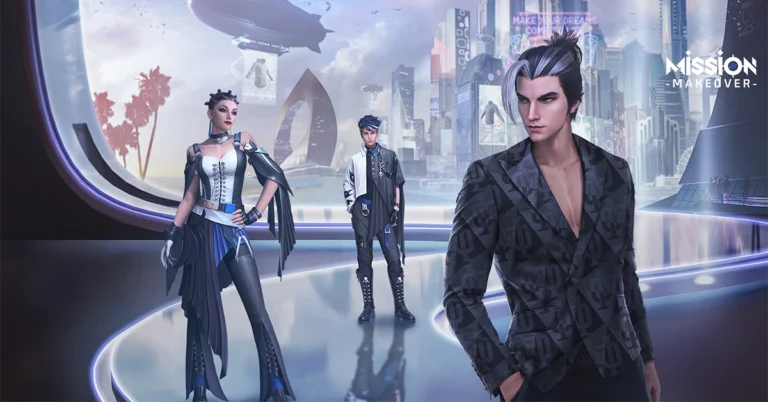
With a prize fund of Rs 2 crore, Krafton India announced the Battlegrounds Mobile India Series (BGIS) 2024 esports tournament in the country. On April 4, the event will kick off with “The Grind,” in which invited teams will square off to guarantee a spot in the competition. The registrations for the BGIS 2024 have also begun and if you are willing to participate in the upcoming esports tournament check out the details below.
Krafton India has officially announced the Battlegrounds Mobile India Series 2024. The company has also started accepting registrations for the biggest battle royale Esports event BGIS 2024. Thousands of teams will compete in BGIS 2024 with a prize fund of INR 2 crore. BGIS 2024 is said to provide a competitive arena where both professional and amateur gamers may display and develop their abilities. Commenting on the tournament Karan Pathak, Associate Director, KRAFTON, India said “We are thrilled to announce the new edition of BGIS. At KRAFTON India, we are dedicated to providing platforms where both amateur and professional Esports talent across India can shine, evolve their skills, and make their mark. With BGIS 2024, we are not just hosting another Esports event; we aim to nurture a burgeoning gaming ecosystem and invite players to be part of something truly groundbreaking.”

Battlegrounds Mobile India Series 2024 registrations

On April 4th, BGIS 2024 begins with The Grind, an intense competition wherein selected teams will battle it out for a spot in the competition. Fans may watch The Grind every day at 4 PM IST on the KRAFTON INDIA ESPORTS YouTube channel beginning on April 4. Also Read: YouTube wants content creators to disclose AI-generated videos on the platform Interested individuals must fill out the form by entering details like their birthdate, in-game ID, and teammates’ names, among other details. Squads will only be permitted to participate in BGIS 2024 if they meet all eligibility requirements. To compete in BGIS 2024, interested parties must be 16 years of age or older at the time of registration. Note that Only teams with entire squads (a minimum of four players) and the correct information supplied will be able to compete. After completing the form with the required information, click “Submit.” After that, the participant will see a notification stating that the registration was successful. Additionally, an email verifying their registration will be sent to the participants. Also Read: Sony launched the Burano digital camera with an 8.6K Full-Frame sensor  Additionally, Krafton India is introducing the KRAFTON India Esports website for the first time. This dedicated website will act as the main information source for BGIS 2024 and future competitions. It will also enable third-party organisers to apply to host tournaments, creating the possibility of a more active Esports industry. Schedule of events for the BGIS:
  • The Grind
  • BGIS 2024
  • Wildcard Entry
  • Semifinals Week 1
  • Semifinals Week 2
  • Grand Finals

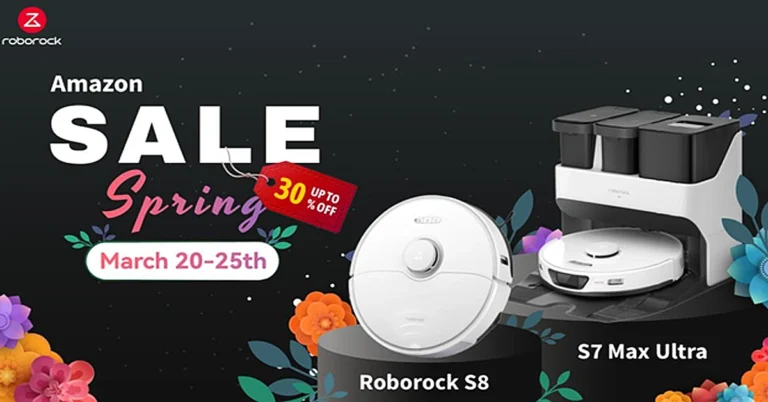
Amazon Spring Limited Time Deal: Up to £360 off two of Roborock’s top robot vacuum cleaners

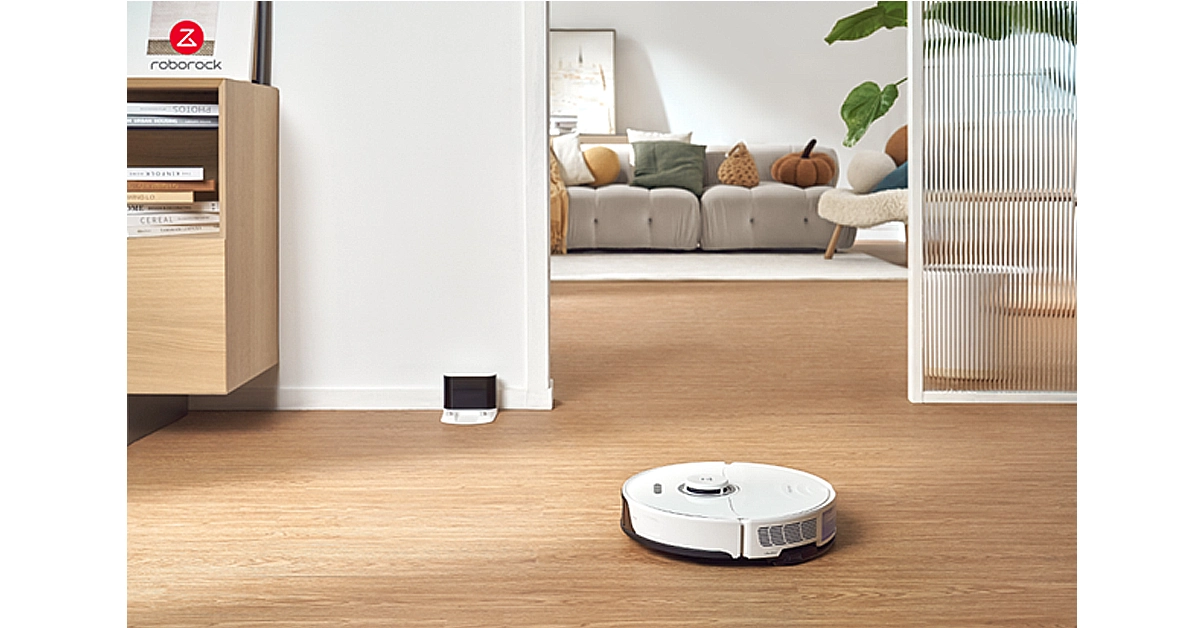
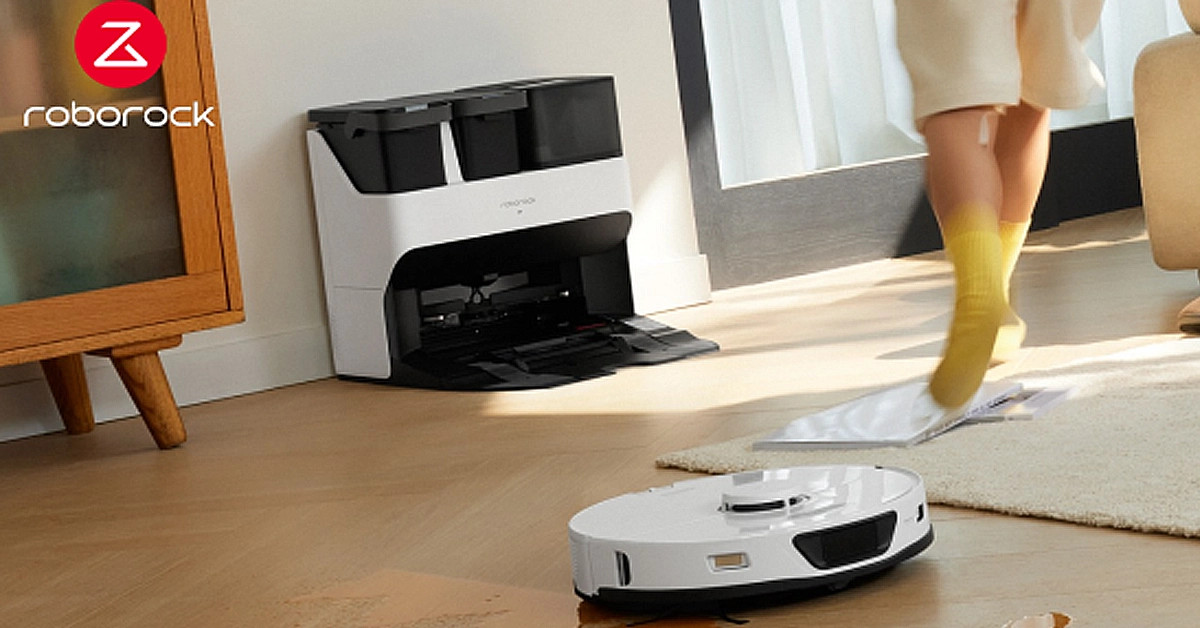
Roborock’s spring sale on Amazon is on! The Roborock S8 robot vacuum cleaner with top suction power and powerful wiping function was originally priced at  £599, but now it’s only £439, with £160 off! The user-favorite Roborock S7 Max Ultra all-purpose vacuum robot, originally priced at £1199, now it’s only  £839, with £360 off! This limited-time sale is only available from 20 March to 25 March, so don’t miss out and buy it now in the Amazon sale! Roborock S8: Compact robot vacuum cleaner with optimal suction power The Roborock S8 has a powerful cleaning power, generating up to 6,000Pa of suction and dual rubber brushes that work together to quickly remove dust, hair and more from floors and carpets, as well as effectively preventing tangles, leaving your home cleaner than ever. The Roborock S8 also comes with an upgraded sonic vibration mopping system with a wider mopping area to wipe up stubborn stains such as coffee stains and footprints faster and more thoroughly, giving your floors a fresh new look. The featured mop lifting function prevents wetting of the carpet, making cleaning more hassle-free. With advanced 3D mapping and infrared navigation technology, the Roborock S8 can accurately detect a wide range of obstacles and flexibly avoid them to fully clean your home with the best route. You no longer have to worry about the machine getting stuck or not cleaning thoroughly. With the smartphone connectivity feature, you can easily control and monitor the cleaning process. Customize the settings of the virtual wall, cleaning time, mode and frequency to meet your individual needs. Also, map multiple floors to ensure each area is thoroughly cleaned. Combined with smart home devices such as Google Assistant and Amazon Alexa, you can easily start or stop cleaning with voice control and enjoy cleaning with ease. Roborock S8 robot vacuum cleaner is £160 off in the Amazon Spring Sale for only  £439. Roborock S7 Max Ultra: The Robot Vacuum Cleaner with All-In-One Cleaning Functions If you don’t have the time or don’t want to spend too much time on cleaning tasks, Roborock S7 Max Ultra can help you solve this problem and can make your life easier. Through the perfect combination of 5,500Pa high suction power and rubber roller brush, it can easily solve the problem of dust and hair on the floor, while avoiding the trouble of tangled hair. Its VibraRise ultrasonic vibration mopping system not only precisely controls the amount of mopping water, but also effectively wipes out stubborn stains, leaving the floor clean and bright, saying goodbye to the annoying problem of water residue, and making the home environment cleaner and tidier. On the way to cleaning, it will periodically return to the base station and wash the mop, ensuring that every cleaning starts with a clean mop and you don’t need to hand wash dirty mops at all. Utilizing advanced LiDAR laser navigation technology and Reactive Tech obstacle avoidance technology, it will cover every corner of your home with the best path while intelligently avoiding obstacles. Once it detects a carpet, it intelligently lifts the wet mop to avoid the hassle of wet carpets. You don’t need to worry about tedious cleaning. The Roborock S7 Max Ultra’s all-in-one base station allows you to enjoy a more convenient cleaning experience. Once the robot has finished cleaning, it automatically empties the dust bin and thoroughly cleans the dirty mop and base station, followed by a drying process to ensure that the mop and base station are thoroughly dry. This way, you don’t have to worry about bacteria and odors from wet mopping cloths that are not thoroughly cleaned, dirty water that is not cleaned, or mopping cloths that are not dried. The Roborock S7 Max Ultra has an easy-to-use app that allows you to zone, set a cleaning schedule, or remotely control it to start cleaning. The Roborock S7 Max Ultra robot vacuum cleaner will be on sale at Amazon for a limited time with £360 off, priced at just  £839.

How to transfer your Amazon Music Playlists to Spotify and Vice Versa?

0
One of the benefits of having a Prime subscription is that it allows access to Amazon Music. You don’t need to pay any additional amount to listen to millions of artists on the platform. However, if you’re thinking of cancelling your Prime subscription, you might need to look for another music streaming service as well. Spotify, being one of the biggest music streaming platforms in the world, is one of the better alternatives. If you’re worried you’ll lose all your playlists in the process, we’ve got a trick that won’t let that happen. Here is how you can transfer your Amazon Music Playlists from Amazon Music to Spotify. Read Also: YouTube wants content creators to disclose AI-generated videos on the platform

Which transfer service is the best for you?

There are a bunch of third-party tools you can use to transfer your playlists from one streaming platform to another. Free Your Music, Soundiiz, Tune My Music, and Song Shift are some of the best ones around. However, some services (like Free Your Music) may prompt you to download their app if you want to go through with the transfer process. If you’re not willing to download any app on your device, Tune My Music is the service for you. This service is recommended by Amazon Music for web devices. For iOS devices, Amazon recommends Song Shift. Its mobile web page is fast and smooth, and gets the job done easily. If you’re on Android, Free Your Music has an efficient app on the Google Play Store for all playlist transferring purposes. So check out how you can transfer playlists between any two platforms using this service! Update: Spotify has partnered with Tune My Music to make playlist imports easier. While this feature is natively baked into the app, you will need to use TMM’s web interface for the task. More details below.

Use the native method

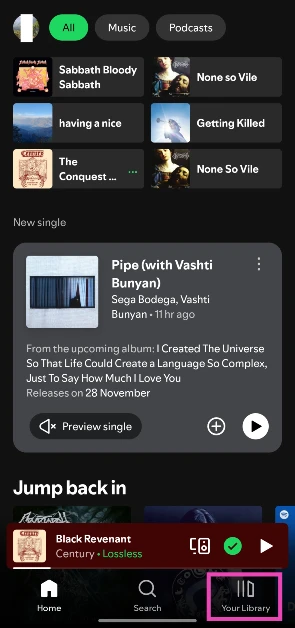
Step 1: Launch the Spotify app on your phone. Step 2: Go to Your Library.
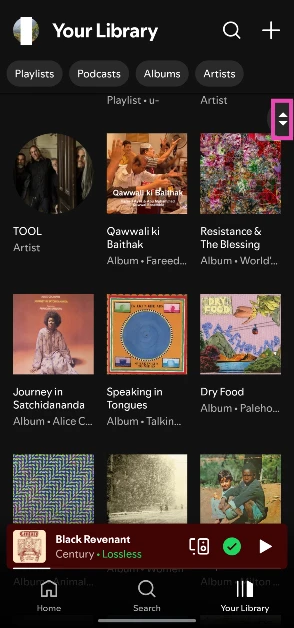
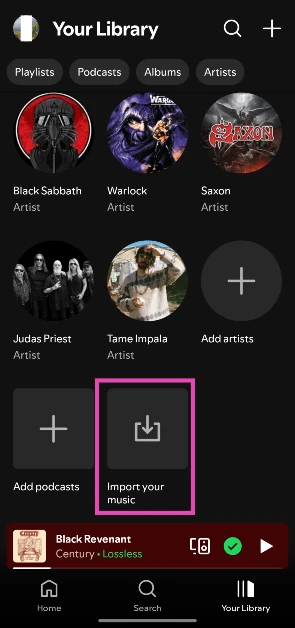
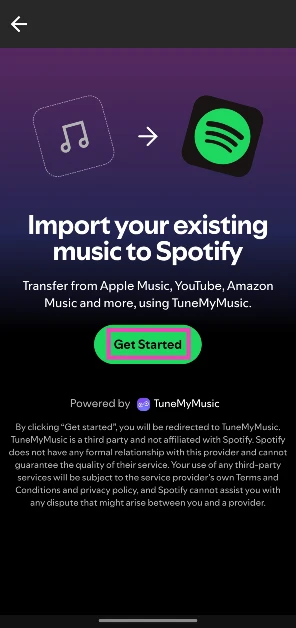
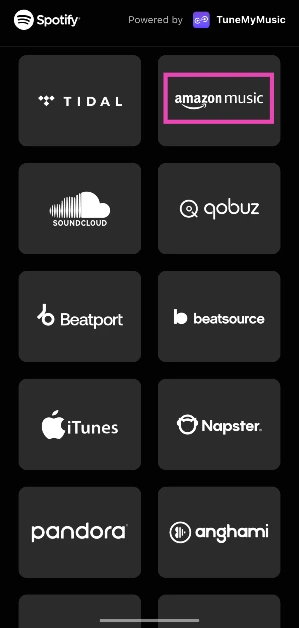
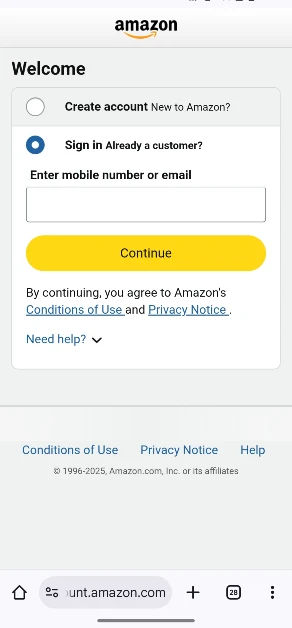
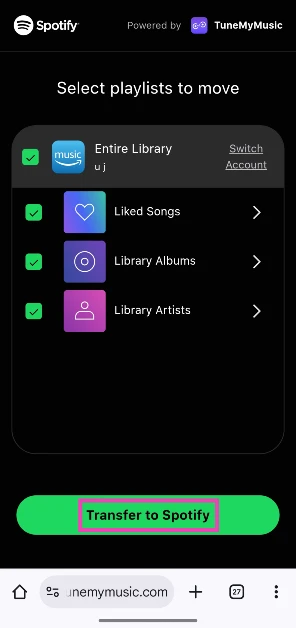
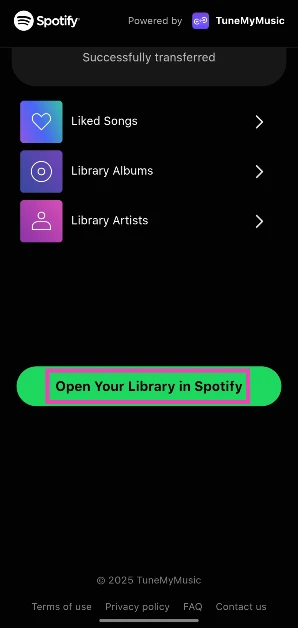
Step 2: Go to Your Library. Step 3: Scroll to the bottom of the page. Use the scroll icon on the right to get there quickly. Step 3: Scroll to the bottom of the page. Use the scroll icon on the right to get there quickly. Step 4: Tap on Import your music. Step 4: Tap on Import your music. Step 5: Tap on Get Started. You will be redirected to TuneMyMusic. Step 5: Tap on Get Started. You will be redirected to TuneMyMusic. Step 6: Select Amazon Music. Step 6: Select Amazon Music. Step 7: Sign in to your Amazon account. Step 7: Sign in to your Amazon account. Step 8: Select the playlists you wish to import and tap on Transfer to Spotify. Step 8: Select the playlists you wish to import and tap on Transfer to Spotify. Step 9: Once the transfer has finished, tap on Open your Library in Spotify. Step 9: Once the transfer has finished, tap on Open your Library in Spotify.

Transfer Amazon Music Playlist to Spotify

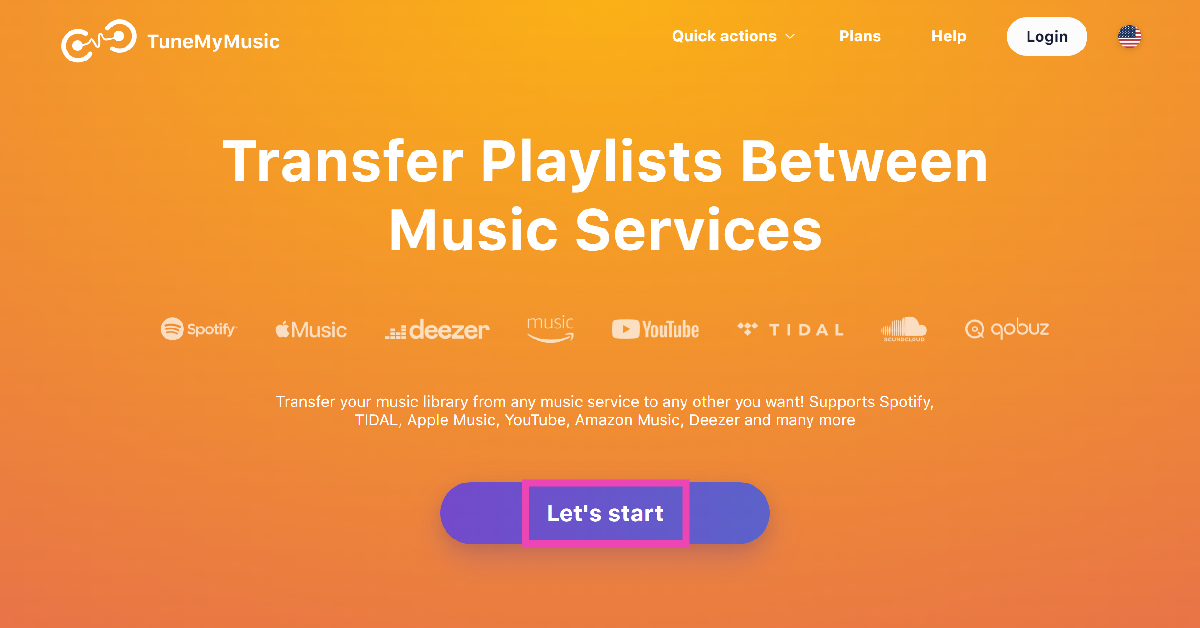
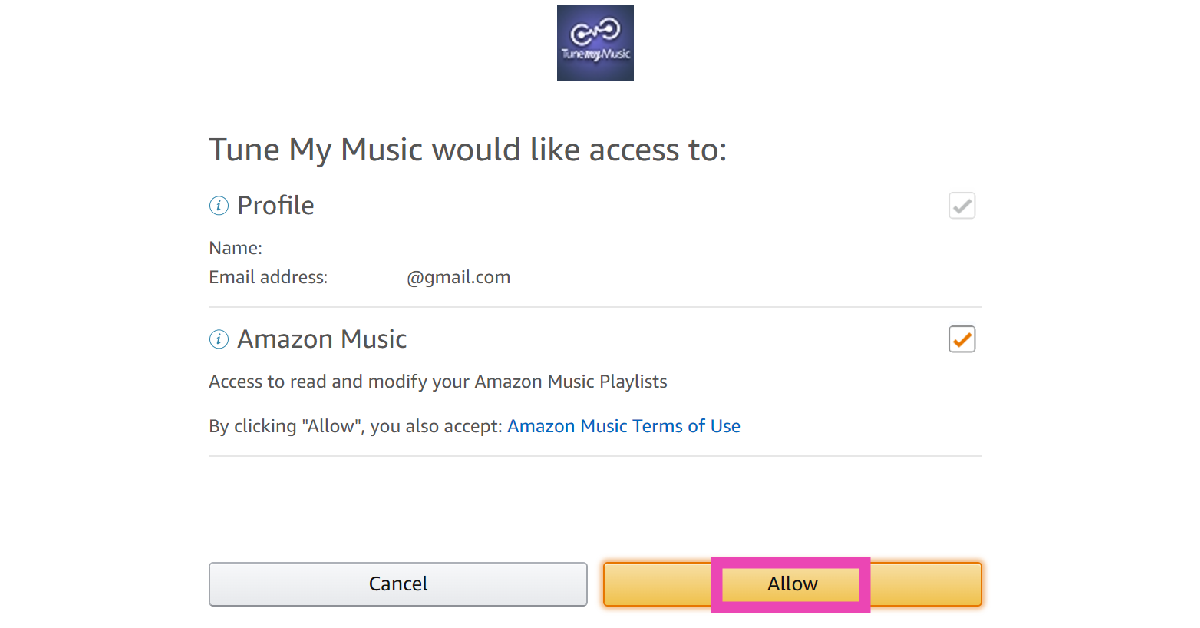
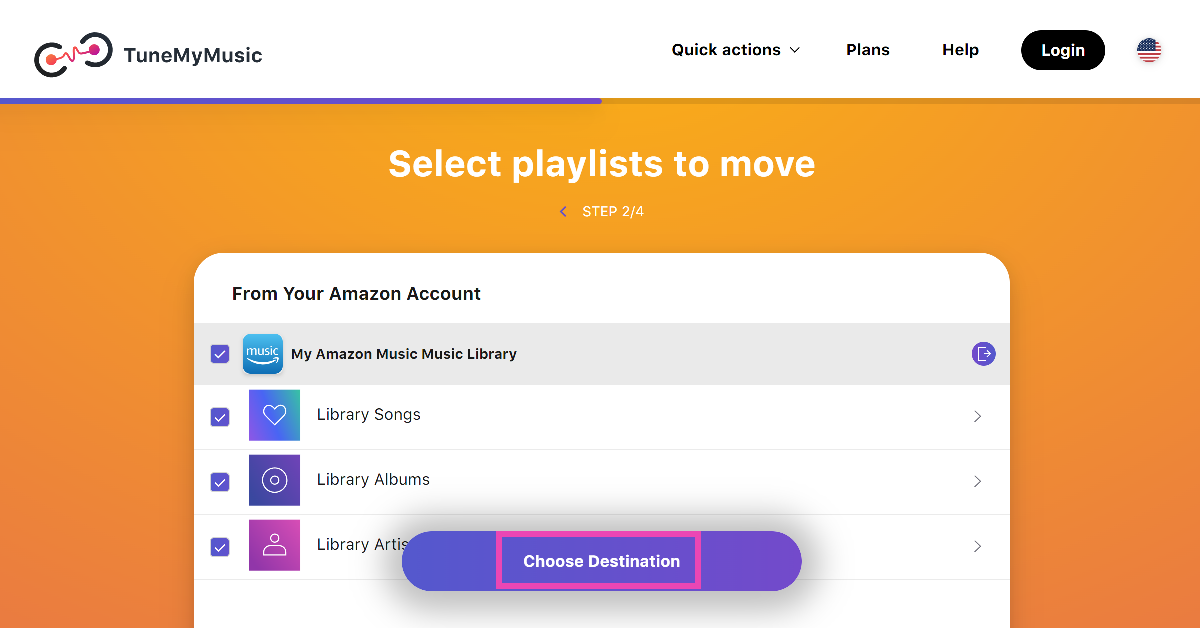
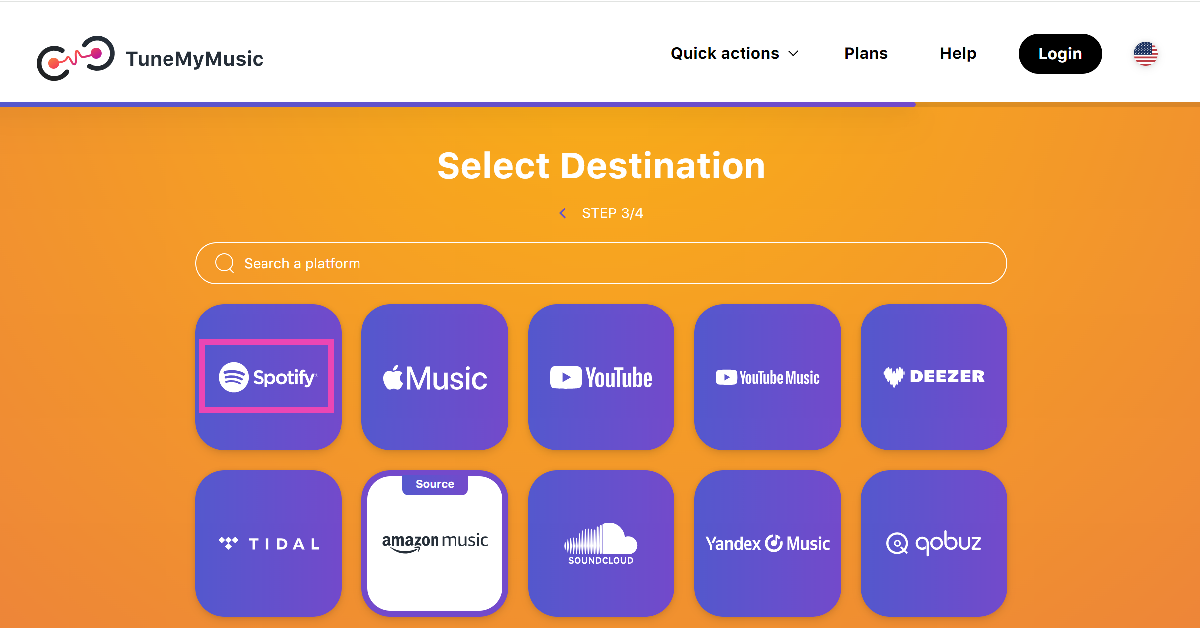
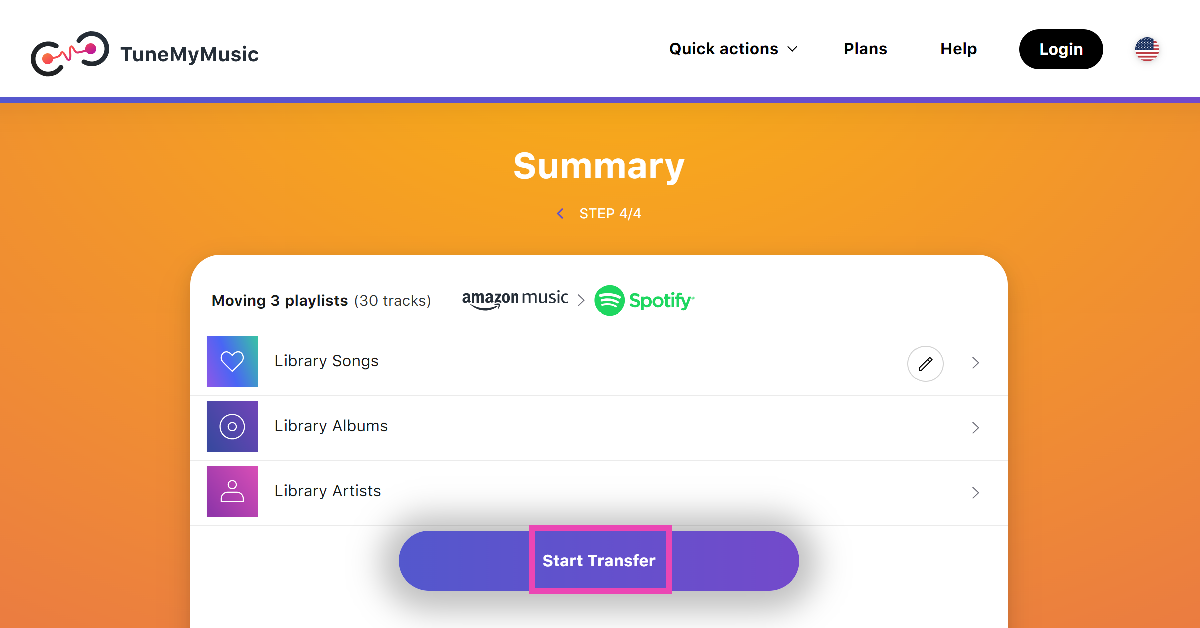
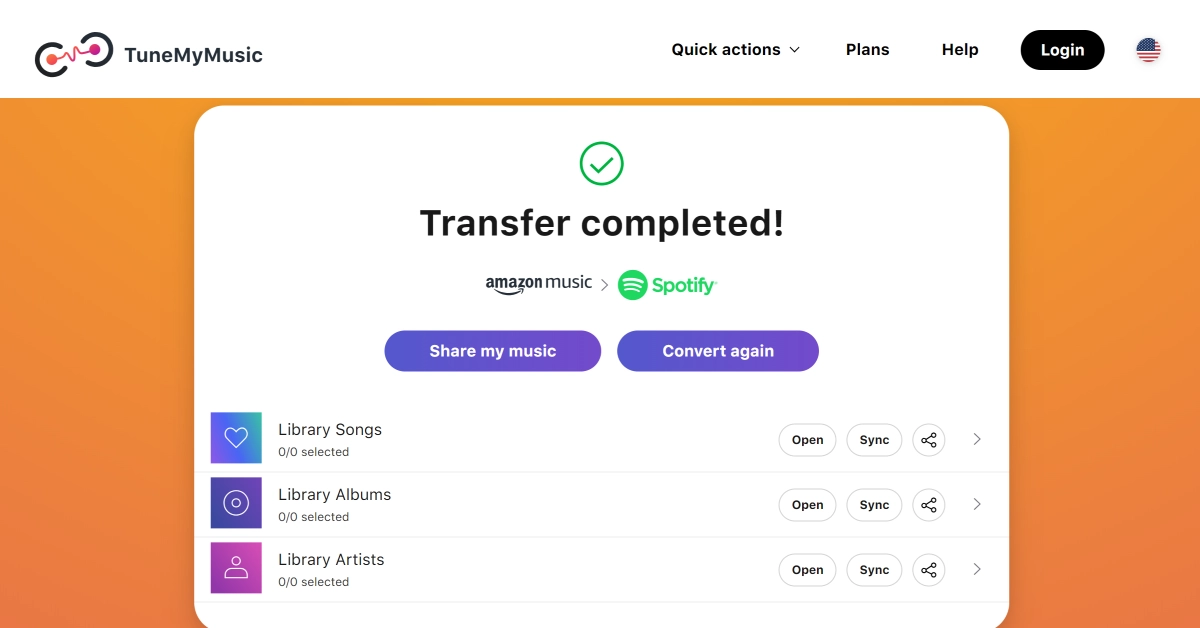
Step 1: Go to https://www.tunemymusic.com. Step 2: Click on Let’s Start. Step 2: Click on Let’s Start. Step 3: Select Amazon Music as the source platform and allow Tune My Music to access your profile. Step 8: Log into your Amazon Music/Apple Music account. Step 4: Select the playlists you wish to move and hit Choose Destination. Step 4: Select the playlists you wish to move and hit Choose Destination. Step 5: Select Spotify as the destination and allow Tune My Music to access your profile. Step 5: Select Spotify as the destination and allow Tune My Music to access your profile. Step 6: Hit Start Transfer. Step 6: Hit Start Transfer. Step 7: TNM will begin the transfer. Within a few seconds, your Amazon Music playlists will be transferred to Spotify. Step 7: TNM will begin the transfer. Within a few seconds, your Amazon Music playlists will be transferred to Spotify.

Transfer your Spotify playlists to Amazon Music

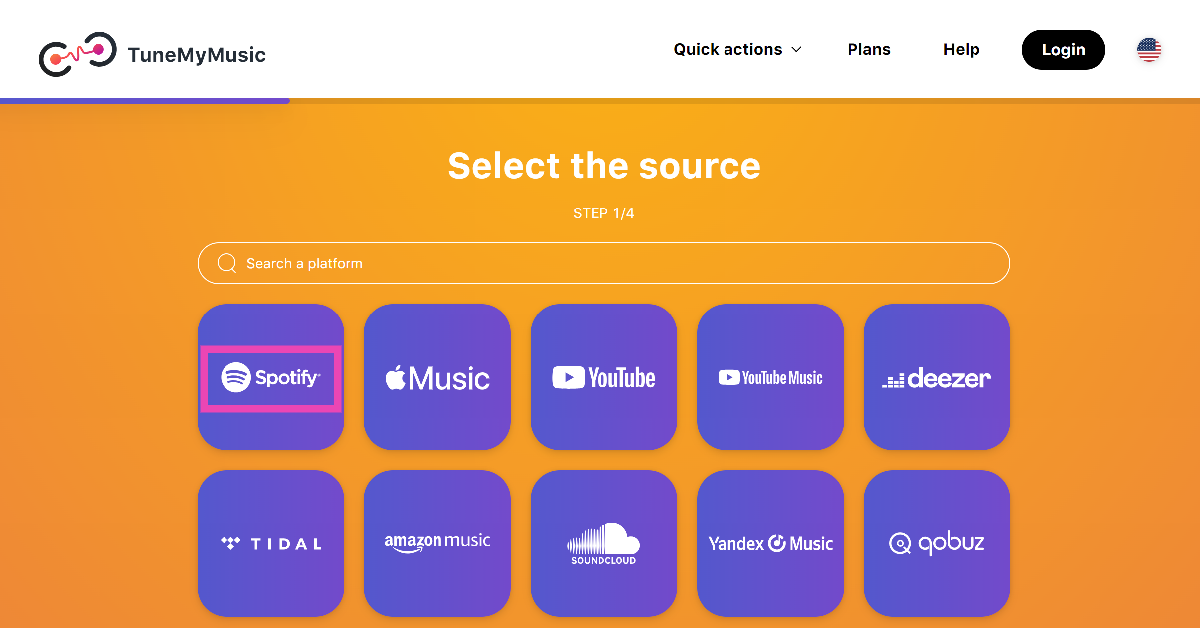
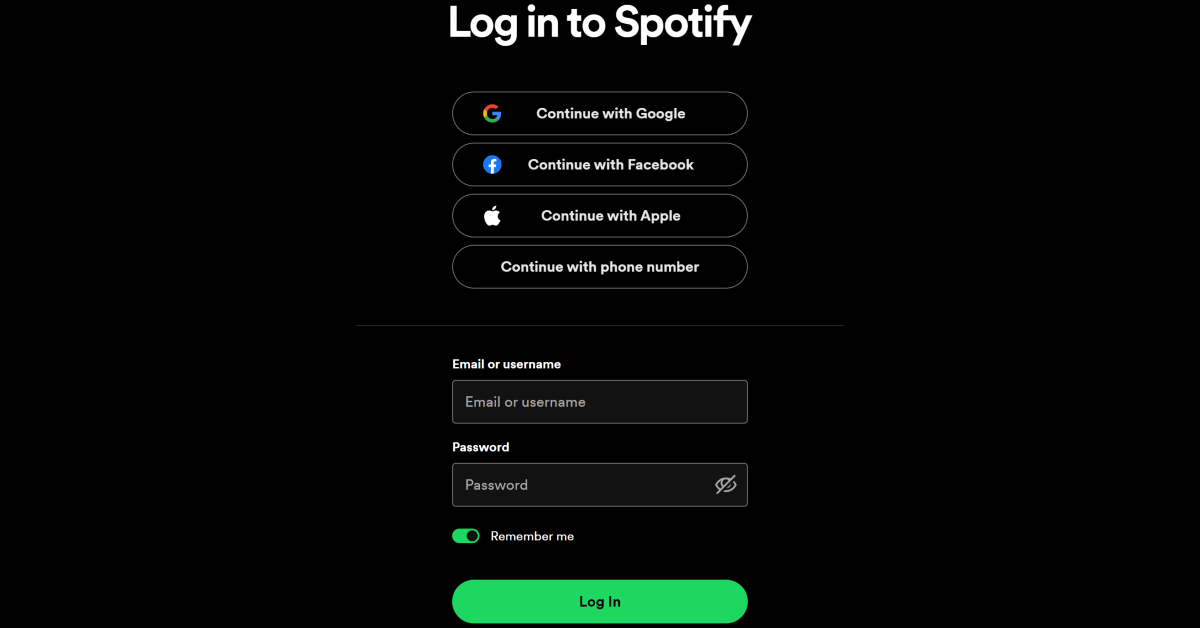
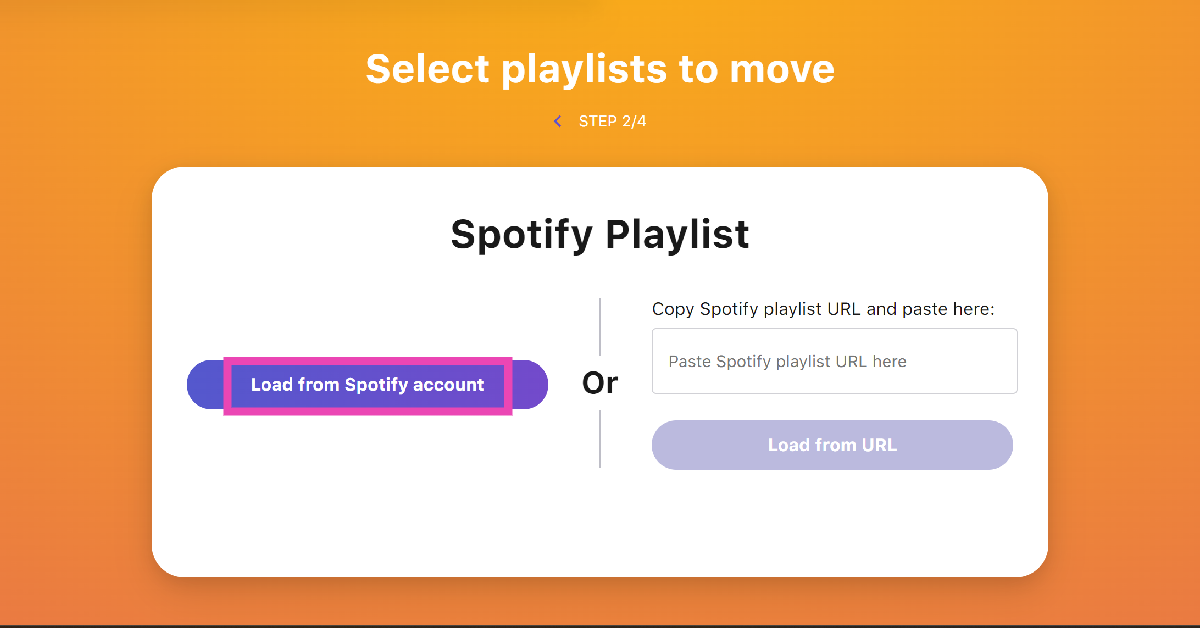
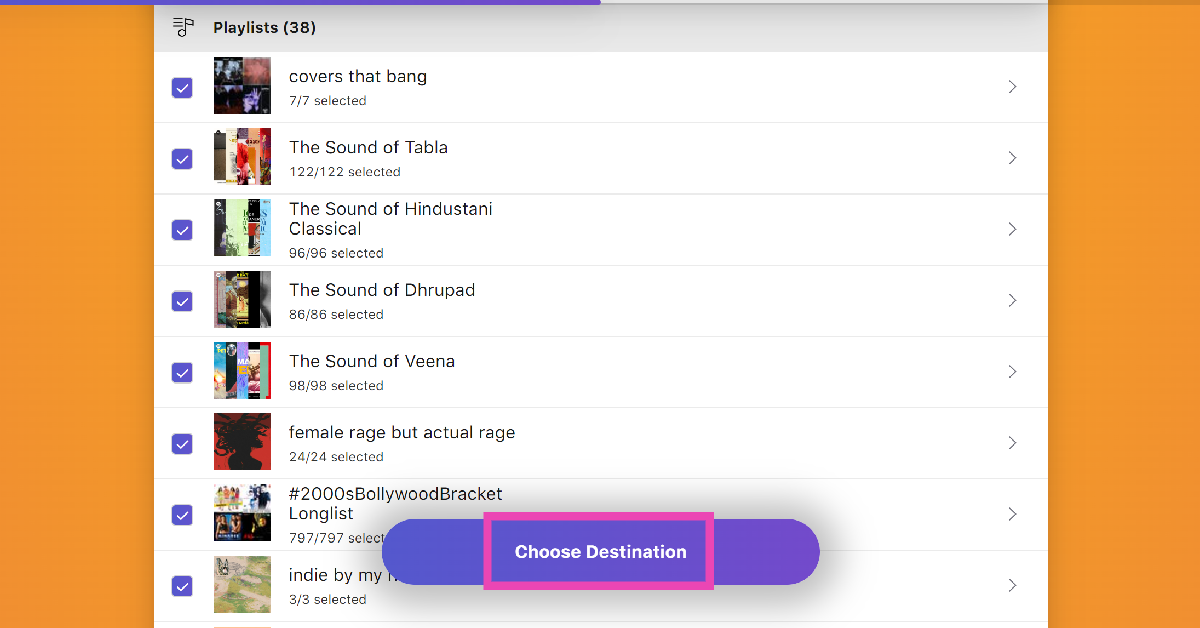
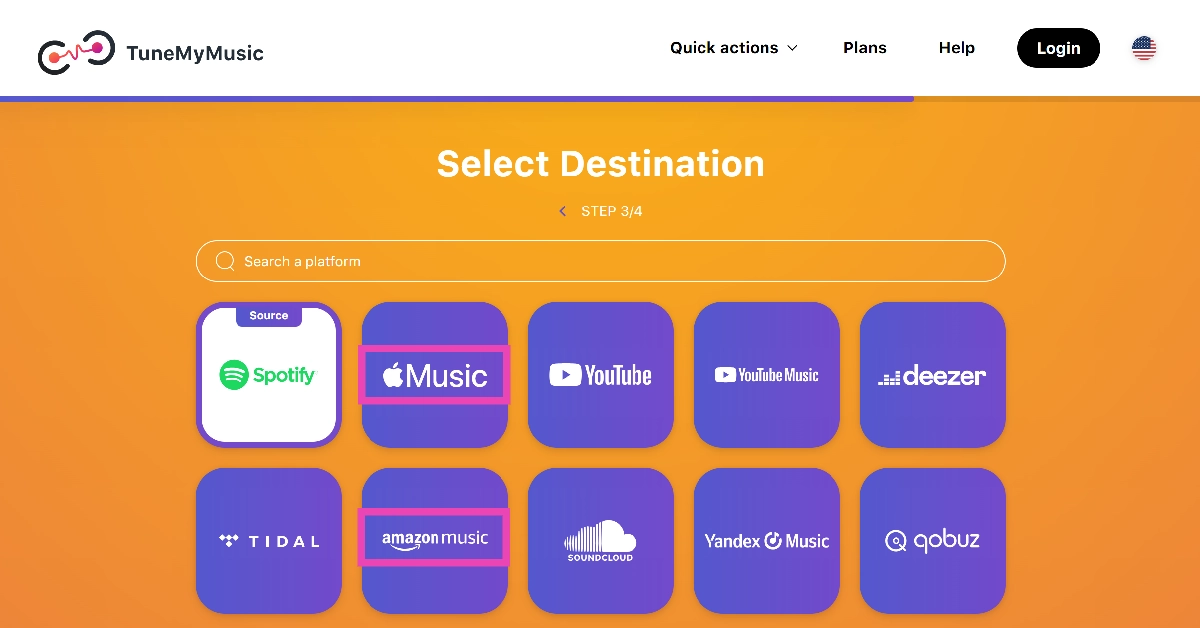
Step 1: Go to https://www.tunemymusic.com/. Step 2: Click on Let’s Start. Step 2: Click on Let’s Start. Step 3: On the following page, select Spotify as the source platform. Step 3: On the following page, select Spotify as the source platform. Step 4: Log into your Spotify account. Step 4: Log into your Spotify account. Step 5: If you want to transfer a particular playlist, paste its link in the box. If you want to transfer multiple playlists, click on Load from Spotify account. Step 5: If you want to transfer a particular playlist, paste its link in the box. If you want to transfer multiple playlists, click on Load from Spotify account. Step 6: Select the playlists you want to transfer and hit Choose Destination. Step 6: Select the playlists you want to transfer and hit Choose Destination. Step 7: Set Amazon Music as the destination. Step 7: Set Amazon Music or Apple Music as the destination. Step 8: Log into your Amazon Music account. Step 9: Allow TuneMyMusic to access your Amazon Music account. Step 8: Log into your Amazon Music/Apple Music account. Step 10: Hit Start Transfer.

Frequently Asked Questions (FAQs)

How do I transfer my Amazon Music playlist to Spotify?

Third-party services like Tune My Music can transfer your playlists between different streaming platforms. You can use it to move your Amazon Music playlists to Spotify.

How much does a Spotify subscription cost?

An individual Spotify Premium subscription costs Rs 119 per month. The Family plan, which accommodates 6 people, costs Rs 179 per month. The Duo plan for 3 people is priced at Rs 149 per month.

How much does an Amazon Music subscription cost?

Amazon Music comes bundled with a Prime subscription. A Prime subscription costs Rs 299 per month. Read Also: How to create and design your WhatsApp avatar? (2024)

Conclusion

This is how you can transfer your Amazon Music playlists to Spotify and vice versa. If you’re on mobile, Tune My Music’s website will work just fine on the web browser app. You can also download the Free Your Music app from the Google Play Store for a more efficient transfer process.

YouTube wants content creators to disclose AI-generated videos on the platform

Key Highlights
  • YouTube is launching a new feature that will force video creators to disclose whether the content they upload is AI-generated.
  • It is necessary to add YouTube labels to videos in both long and short formats.
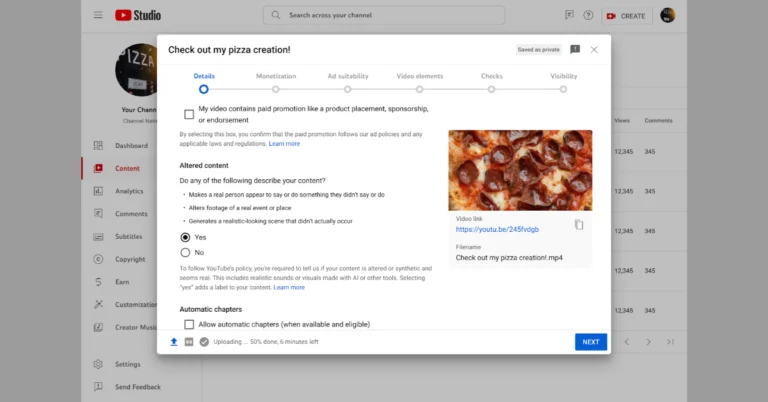
In an effort to curb artificial intelligence (AI)-)-generated content on its platform, YouTube has requested that content creators declare a video has been modified or created using AI tools. In addition to this, it is necessary to include an AI content label when a video on a delicate subject is posted. If they fail to do so, YouTube will automatically apply labels. YouTube will also penalise creators who fail to disclose AI-generated content. YouTube is launching a new feature that will force video creators to disclose whether the content they upload has been significantly altered or is artificially created and appears realistic. As per the company, this tool will make it simple for content creators to include this disclaimer because it will be integrated into the existing upload procedure. The company via blog post said, “Generative AI is transforming creativity on YouTube, which means that we need to transform the ways we are maintaining a transparent and healthy ecosystem for both creators and viewers. That’s why we’re beginning to roll out a new tool today that will require creators to share when the content they’re uploading is meaningfully altered or synthetically generated and seems realistic. This new tool will live in the existing upload flow, making it easy for creators to add this disclosure.” Also Read: List of smartphones confirmed to come with Snapdragon 8s Gen 3 SoC  It should be noted that it is necessary to add YouTube labels to videos in both long and short formats. Otherwise, the company will penalise content creators who fail to disclose AI content. “To help creators, we may proactively select disclosure on their behalf if they disclose the use of altered or synthetic content in the title or description of their video.” The YouTube labels will first show up on mobiles and tablets, according to YouTube. New labels will share with viewers the context that creators share in the upload flow. This extra transparency will show up in the expanded description for the majority of videos. Also Read: Sony launched the Burano digital camera with an 8.6K Full-Frame sensor If a creator creates a YouTube Shorts that makes use of one of YouTube’s generative artificial intelligence (AI) effects, such as Dream Track or Dream Screen, there are no additional steps required to disclose currently. The tool will automatically disclose the use of AI for creators. YouTube will add a label to the description section of creators’ videos if they choose “Yes” to highlight that their content is synthetic or altered. Also disclosing content as altered or synthetic won’t affect their viewership or impact its eligibility to earn money. “It can be misleading if viewers think a video is real when it’s actually been meaningfully altered or synthetically generated to seem realistic. When content is undisclosed, in some cases YouTube may take action to reduce the risk of harm to viewers by proactively applying a label that creators will not have the option to remove “, the company said.

Sony launched the Burano digital camera with an 8.6K Full-Frame sensor

Key Highlights
  • Sony Burano digital camera has debuted in India today.
  • The latest Sony Burano digital camera comes with an 8.6K Full-Frame sensor with Dual Base ISO & 16 stops Latitude.
  • It can use over 70 E-mount lenses.
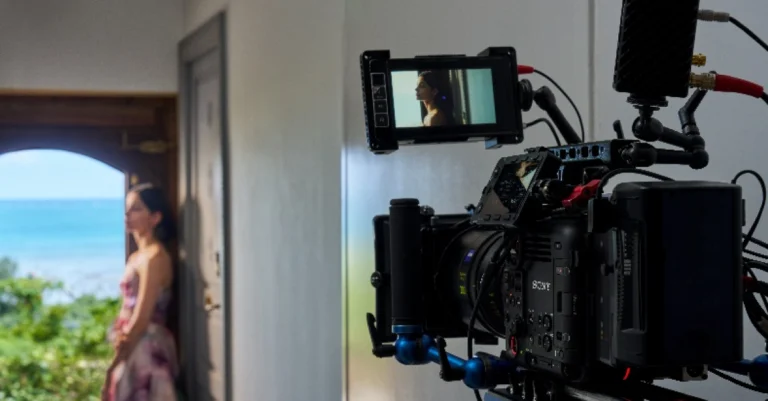
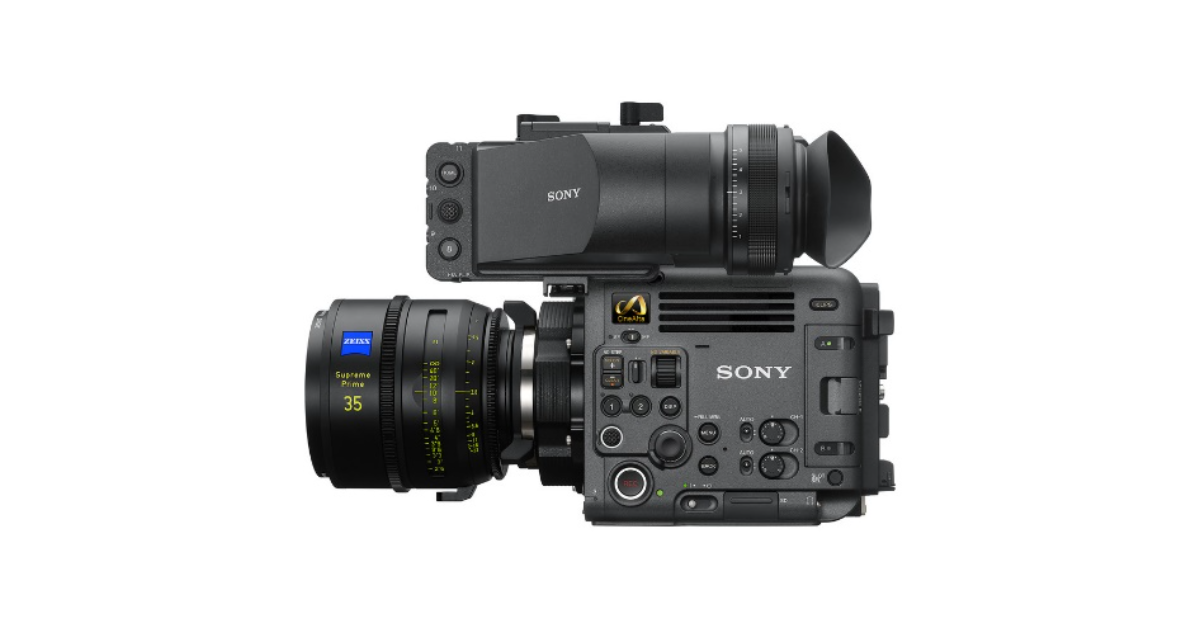
Sony expands its CineAlta digital cinema cameras with the launch of its newest addition Burano camera. The Burano camera is specifically made for small crews and single-camera operators. This is the first digital cinema camera with a PL-Mount in the world to have in-body image stabilisation. It comes with a sensor that matches the VENICE 2’s colour science. The digital camera includes an 8.6K Full-Frame sensor with Dual Base ISO & 16 stops Latitude. There is an electronic built-in variable ND filter for added control and exposure optimisation. Sony launched the Burano digital camera with an 8.6K Full-Frame sensor Mukesh Srivastava, Head of Digital Imaging Business at Sony India stated, “With BURANO, step into the world of infinite creativity. It is the ultimate camera for professionals in mainstream cinema, OTT/web series, advertising, and documentary production as it delivers engaging content that captivates audiences. With its cinematic prowess, this camera pushes the boundaries of digital cinematography. It is a wonderful addition to our existing range of digital cinema cameras seamlessly joining our CineAlta family. In essence, BURANO is the tool of choice for a wide spectrum of narratives across various genres and industries.” Sony Burano digital camera will be available with a price tag of Rs 37,69,990. The bookings for the new camera have begun today which is scheduled to go on sale in the first week of 2024. Additionally, Sony has announced a special bundle deal that, when you buy the Burano, comes with two free units of CFexpress Type B Memory Card 960GB (CEB-G960T) and one free unit of memory card reader (MRW-G1) worth Rs 2,61,570. Also Read: YouTube Music releases hum to search feature: Details inside Sony Burano comes with a tiny lightweight body with magnesium chassis which is 1.4 kg lighter and about 32 mm shorter than the VENICE 2 camera. Moreover, a moulded pulp cushion is used on the camera as the cushioning material, thus not using expanded polystyrene. The camera operator’s side has all of the menu buttons. Furthermore, three tally lamps are positioned to improve the surrounding crew to check the shooting status. Also, there is a 3.5-inch multi-function LCD monitor that can be used as a viewfinder, for touch focus, or menu control. Sony launched the Burano digital camera with an 8.6K Full-Frame sensor In addition to this, the device has an optional robust T-handle, viewfinder arm, two 3-pin XLR audio inputs, and a headphone terminal (stereo minijack), convenient for solo operation. Utilising the highly regarded colour science of the VENICE cameras, BURANO has an 8.6K full-frame sensor making it to be used in a variety of production scenarios. As per Sony the sensor’s dual base ISO of 800 and 3200 and 16 stops of latitude allow it to capture pictures even in difficult lightings. The digital camera will also support de-squeeze for anamorphic lenses and be able to film at full-frame, Super 35. Up to 8K at 30 frames per second, 6K at 60 frames per second, or 4K at 120 frames per second are among the frame rates it can record in. It is the world’s first Built-in optical image stabilisation with PL mount lenses for in-body image stabilisation. It can handle unwanted camera shake, such as movement from handheld or walking photography. Also Read: List of smartphones confirmed to come with Snapdragon 8s Gen 3 SoC Additionally, the digital camera has an electronic variable ND filter from 0.6 to 2.1, enabling easy adjustments in various lighting conditions. Furthermore, the electronic variable ND filter enables the iris to regulate the depth of field and adapt to the ideal exposure without modifying the depth of field. According to Sony, almost 70 E-mount lenses are compatible with high-precision AI-powered Subject Recognition AF, and Fast Hybrid AF. This combines the advantages of phase detection and contrast detection and the superb image stabilisation feature fostered by Alpha. The camera is capable of recording in HD to 8K resolution depending on the codec, aspect ratio, and resolution. Also, it supports a variety of internal recording formats including the MPEG-H HEVC/H.265 high compression efficiency codec using new XAVC H for 8K, XAVC and X-OCN LT.

How to create and design your WhatsApp avatar? (2024)

0
Avatars make social media more fun. Meta offers users the option to create their avatars across all its services. This means you can create an animated persona on Instagram, Facebook, and even WhatsApp. This avatar can then be used for your digital interactions. If you don’t know how to create and design your avatar on WhatsApp, here is a quick explainer. Read Also: How to bring back the Show Desktop Button in Windows 11? (2024)

Once you’ve designed your avatar, here’s what you can do

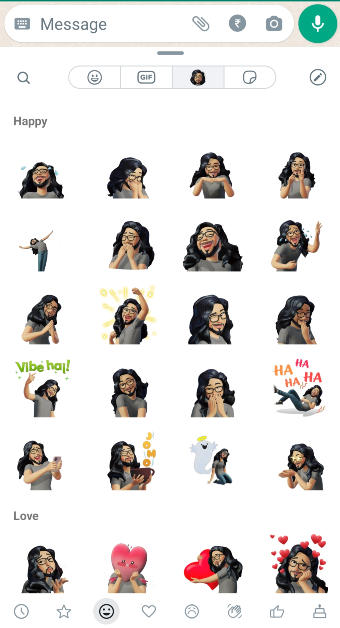
Creating your WhatsApp avatar is easy, but making it look like you can be a daunting task. When you take a selfie in the avatar editor, the software produces a character based on your most distinguishing features. These features can then be edited further. You can change your facial hair, hairstyle, jawline, skin colour, eyebrows, eye shape, and other visible attributes. We’d suggest spending some time on every facial feature and choosing the option that looks the closest to you. Once your avatar is ready you can do a bunch of things with it. WhatsApp automatically creates a pack of stickers based on your animated persona. These stickers can be accessed from the emoji section. You can send them to any conversation thread. You can also react to a status update using your avatar. Apart from that, you can set your avatar as your WhatsApp profile picture.

Create and edit your WhatsApp avatar

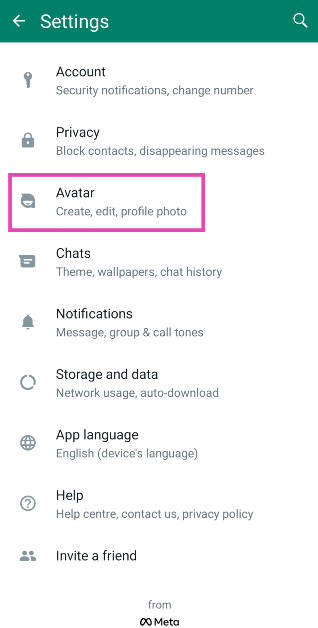
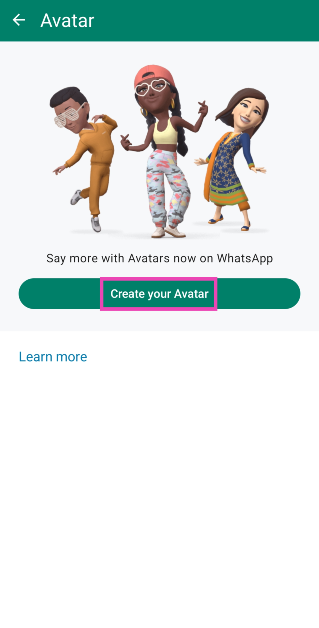
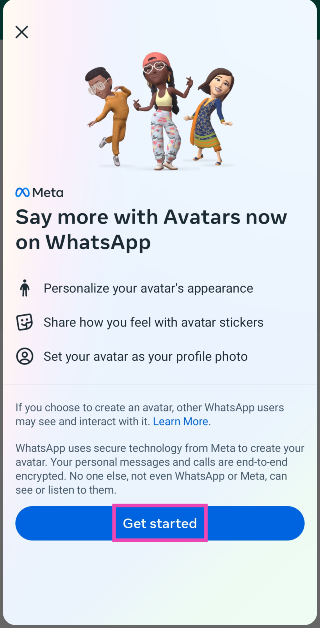
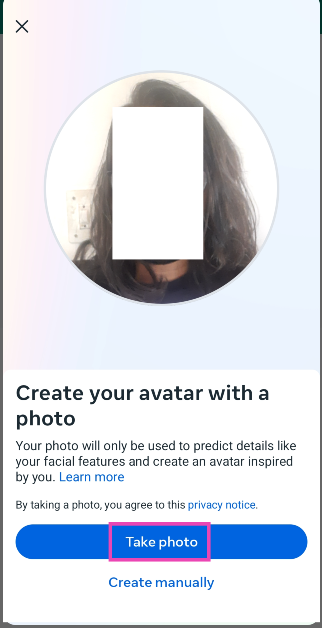
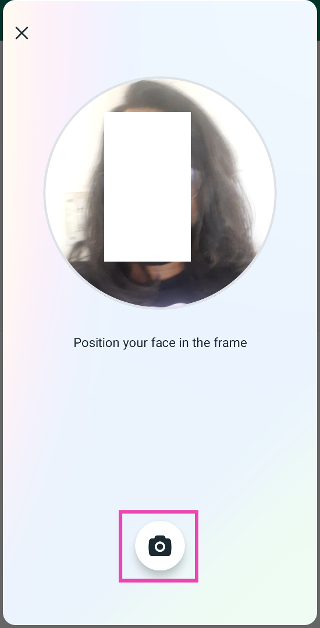
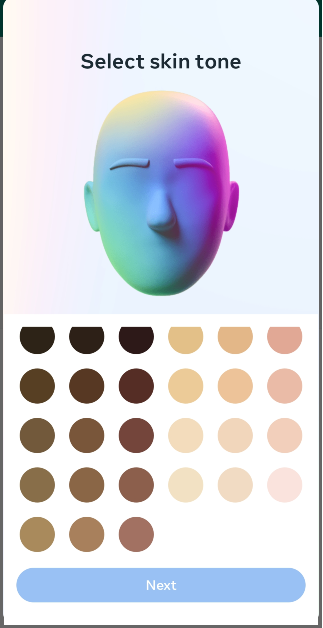
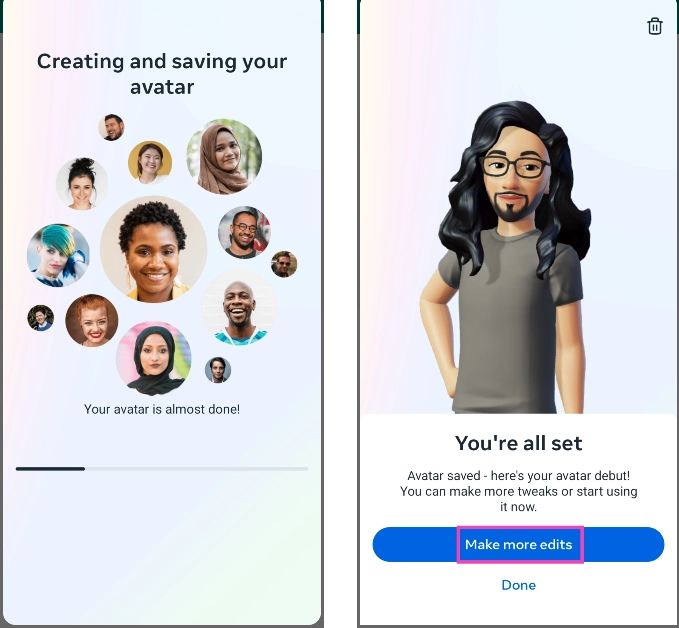
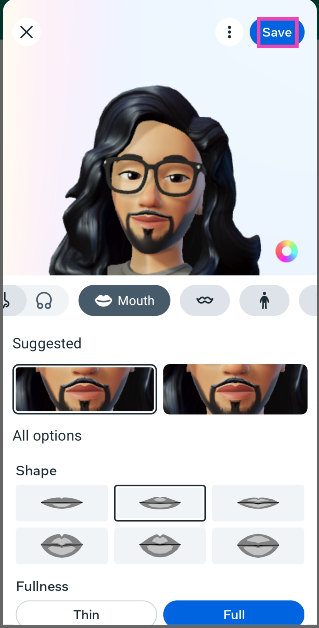
Step 1: Launch WhatsApp on your phone and hit the ellipses at the top right corner of the screen. Step 2: Hit the ellipses at the top right corner of the screen. How to share your WhatsApp Status on Instagram? Step 2: Go to Settings. Step 3: Go to Settings. How to share your WhatsApp Status on Instagram? Top 4 Ways to Block Spam on WhatsApp? (2024) Step 3: Tap on Avatar. Step 3: Tap on Avatar. Step 4: Tap on Create your Avatar. Step 4: Tap on Create your Avatar. Step 5: Hit Get Started. Step 5: Hit Get Started. Step 6: Tap on Take photo. Step 6: Tap on Take photo. Step 7: Position your face in the frame and hit the camera icon. Step 7: Position your face in the frame and hit the camera icon. Step 8: Select your skin tone and hit Next. Step 8: Select your skin tone and hit Next. Step 9: WhatsApp will create an avatar for you. Tap on Make more edits to further customise it. Step 9: WhatsApp will create an avatar for you. Tap on Make more edits to further customise it. Step 10: In the avatar editor, you can customise features like your face shape, hairstyle, skin colour, eye shape, and more. Step 10: In the avatar editor, you can customise features like your face shape, hairstyle, skin colour, eye shape, and more. Step 11: Hit Save at the top right corner of the screen when you’re done.

Send avatar stickers to someone on WhatsApp

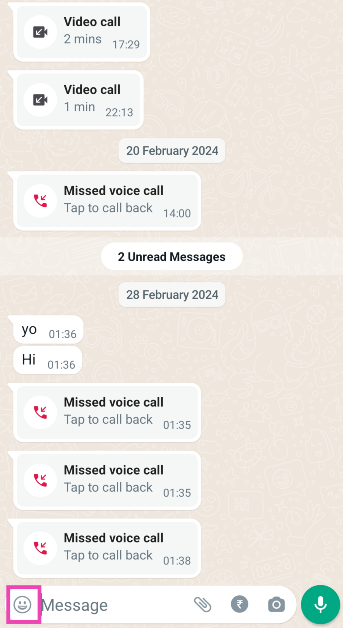
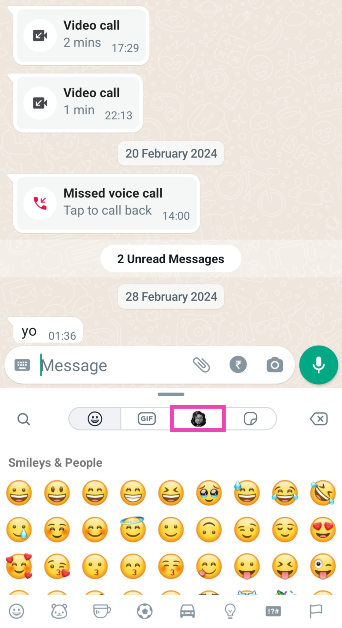
Step 1: Launch WhatsApp and select a conversation. Step 2: Tap the emoji icon next to the message bar. Step 2: Tap the emoji icon next to the message bar. How to create and design your WhatsApp avatar? (2024) Step 3: Switch to the avatar tab. Step 3: Switch to the avatar tab. How to create and design your WhatsApp avatar? (2024) Step 4: Tap on the sticker you want to send. Step 4: Tap on the sticker you want to send. How to create and design your WhatsApp avatar? (2024)

Set your avatar as your profile picture on WhatsApp

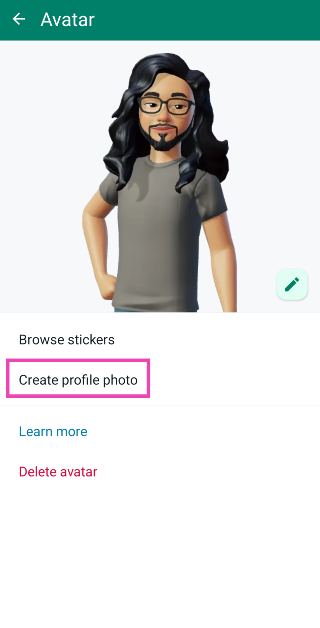
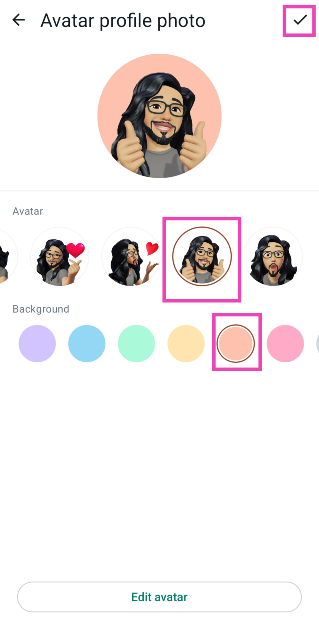
Step 1: Launch WhatsApp on your phone and hit the ellipses at the top right corner of the screen. Step 2: Hit the ellipses at the top right corner of the screen. How to share your WhatsApp Status on Instagram? Step 2: Go to Settings. Step 3: Go to Settings. How to share your WhatsApp Status on Instagram? Top 4 Ways to Block Spam on WhatsApp? (2024) Step 3: Tap on Avatar. Step 3: Tap on Avatar. How to create and design your WhatsApp avatar? (2024) Step 4: Select Create profile photo. Step 4: Select Create profile photo. How to create and design your WhatsApp avatar? (2024) Step 5: Select a pose for your avatar. Step 6: Select a background colour for the image. Step 6: Select a background colour for the image. How to create and design your WhatsApp avatar? (2024) Step 7: Hit the tick button at the top right corner of the screen. Your profile picture will be changed to your avatar.

Frequently Asked Questions (FAQs)

How do I make an avatar on WhatsApp?

Go to Settings>Avatar>Create your Avatar and take a picture. Select a skin tone. WhatsApp will create an avatar for you. This avatar can be customised further in the editor.

How do I set my WhatsApp avatar as my profile picture?

Go to Settings>Avatar>Create profile photo. Select a pose and background. Hit the tick icon when you’re done.

How do I delete my WhatsApp avatar?

Go to Settings>Avatar and hit Delete avatar. Read Also: List of smartphones confirmed to come with Snapdragon 8s Gen 3 SoC

Conclusion

This is how you can create and design your avatar on WhatsApp. Apart from setting it as your profile picture and applying it in sticker packs, you can also use your avatar to respond to any status update. Facing some trouble while creating your avatar? Let us know in the comments and we’ll help you out.

Discount Offers On ACs, Fridges, Coolers And More Running At Croma Summer 2024 Sale

Key Highlights
  • Croma’s Summer Campaign 2024 offers spectacular discounts on air conditioners, refrigerators, and coolers, including exchange benefits and savings of up to Rs 45,000.
  • The campaign features 1.5 Ton Split ACs at just Rs 1,500 per month and introduces Inverter Split ACs starting from Rs.24,990, along with flexible EMI plans for up to 24 months.
  • Croma promotes environmental responsibility by providing e-waste bins in stores for recycling and planting a tree for every customer who recycles their electronic waste.
This summer, Croma is inviting users to beat the heat with our exclusive Summer Campaign 2024, featuring unbeatable offers on air conditioners, refrigerators, room coolers, and more! From now until May 2024, prepare your home for summer with the latest cooling technology, all at exceptional prices and payment options designed for everyone. Unprecedented Deals Get your hands on 1.5 Ton Split ACs for just Rs 1,500/month, and experience the innovation with Split Inverter ACs starting at an astonishing Rs.24,990. Read Also: Blaupunkt Smart TVs Prices Smashed: Big Discounts in Flipkart’s Upgrade Sale Save Big Enjoy savings of up to Rs 45,000 on air conditioners and take advantage of our exchange benefits, offering up to Rs 6,500 off on your new AC purchase. Wide Selection Choose from over 250+ air conditioners and 300+ refrigerators, including room coolers and fans, all part of our extensive collection. Easy Payments With flexible EMI plans of up to 24 months and special cashback offers, upgrading your home appliances has never been easier or more affordable. Exclusive Croma Own Label Deals Read Also: Thomson introduced a new range of Air Coolers and Alpha Series Smart Receive complimentary Croma products with specific purchases, such as a BLDC Fan with every Inverter AC and a Coffee Maker with Side-by-Side Refrigerators, among others. Eco-Friendly Shopping As an environmentally responsible company, Croma champions e-waste recycling and sustainable practices, including a tree-planting initiative for every consumer who participates in our e-waste program. Croma’s Summer Sale 2024 is not just about providing the best deals; it’s about enhancing your home’s comfort with high-quality, reliable appliances.

How to bring back the Show Desktop Button in Windows 11? (2024)

1
The most recent 23H2 update for Windows 11 has ruffled some feathers among its dedicated user base. On the new update, Microsoft’s AI companion, Copilot, sits at the bottom corner of the screen, replacing the small ‘Show Desktop’ button on the taskbar. Users who can’t be bothered about AI are particularly enraged by this decision. The good news is that it is easily reversible. Read along to find out how you can bring back the ‘Show Desktop’ button on your Windows 11 PC or laptop’s taskbar. Read Also: MediaTek Brings AI Capabilities to Cars In Partnership With NVIDIA

Other ways to go to the Desktop in Windows 11

Before we show you how to bring back the ‘Show Desktop’ button, you might want to explore other ways to go directly to the desktop from any Window. This will be beneficial to users who like the convenience of going to the desktop with a single click but do not want to trigger the action while trying to use Copilot.

Use Keyboard Shortcuts

  • Windows Key + D: This keyboard shortcut minimises all the active windows and takes you to your desktop. Pressing the key combination again brings you back to the window you were working on.
  • Windows Key + M: This shortcut also minimises all the active windows, but pressing it again will not maximise them. Once you are on the desktop, you will need to manually go to the previous window.
  • Windows Key + ,: The Windows key and comma button combination gives you a quick look at your desktop. When you release the Windows key, you will go back to your previous screen. Clicking on the desktop while using this key combination will also bring back the previous window. You cannot interact with the desktop using this key combo.

Use the Windows icon on the taskbar

The Windows icon on the taskbar also lets you go to the desktop at any given time. Simply right-click on the icon and select ‘Desktop’ to go there from any screen. You can also trigger the Power Menu using the Windows Key + X combination, then press D to go to the desktop.

Create a Shortcut

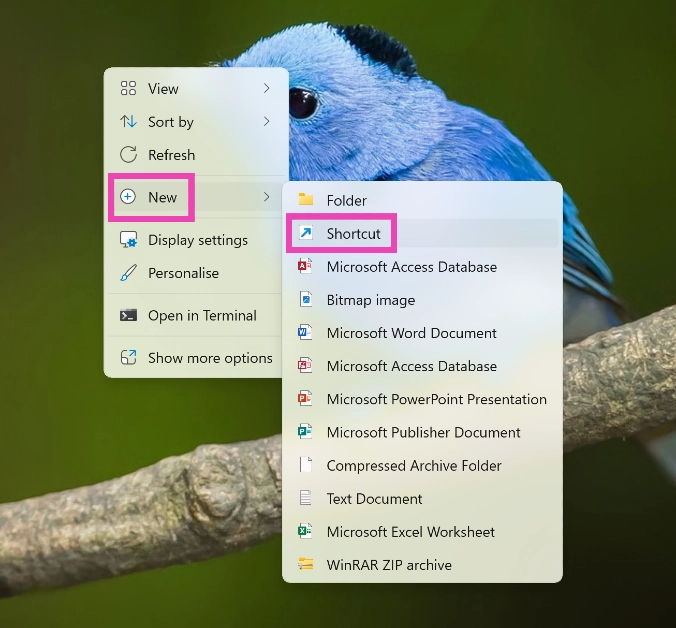
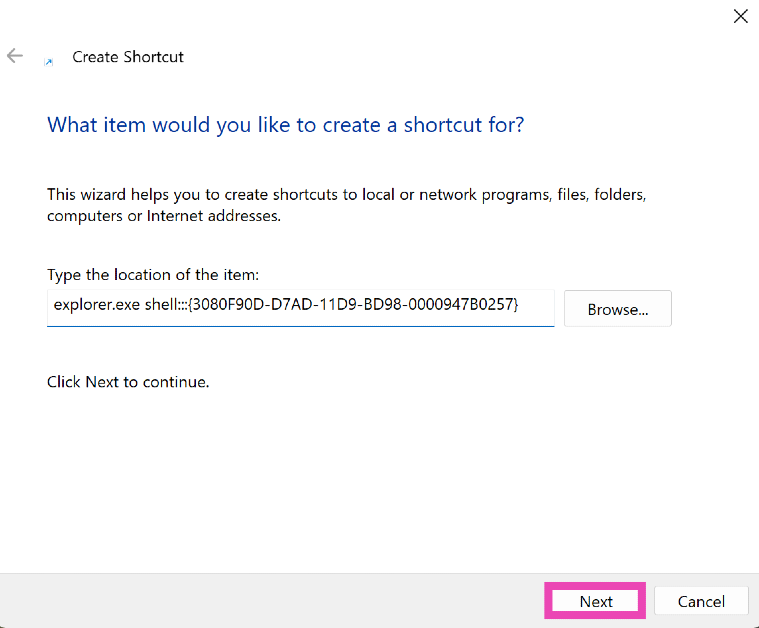
You can also create a shortcut that takes you to the desktop and pin it to the taskbar for easier access. Here’s how. Step 1: Right-click on the desktop and go to New>Shortcut. Step 1: Right-click on the desktop and go to New>Shortcut. Step 2: Copy the following text and paste it into the box.

explorer.exe shell:::{3080F90D-D7AD-11D9-BD98-0000947B0257}

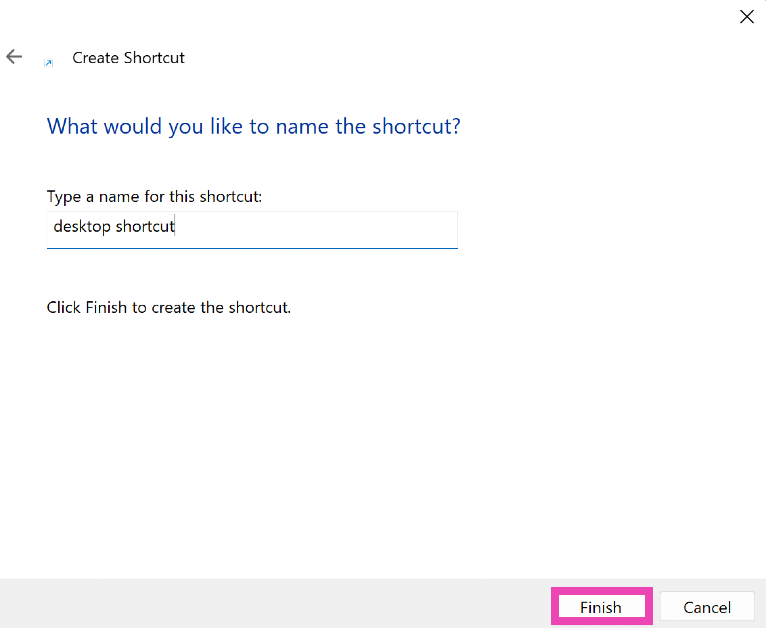
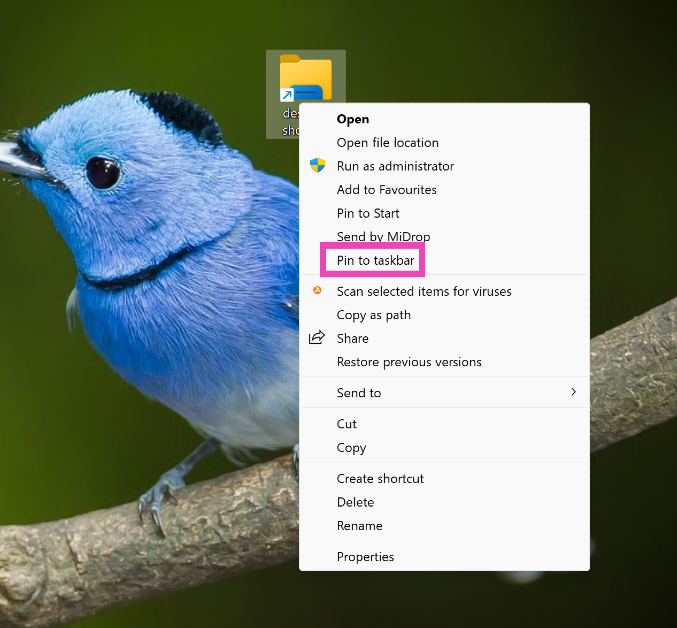
Step 3: Hit Next. Step 3: Hit Next. Step 4: Give the Shortcut a name and hit Finish. Step 4: Give the Shortcut a name and hit Finish. Step 5: Right-click on the shortcut and select Show more options>Pin to taskbar. Step 5: Right-click on the shortcut and select Show more options>Pin to taskbar.

Here’s how you can bring back the ‘Show Desktop Button’ in Windows 11

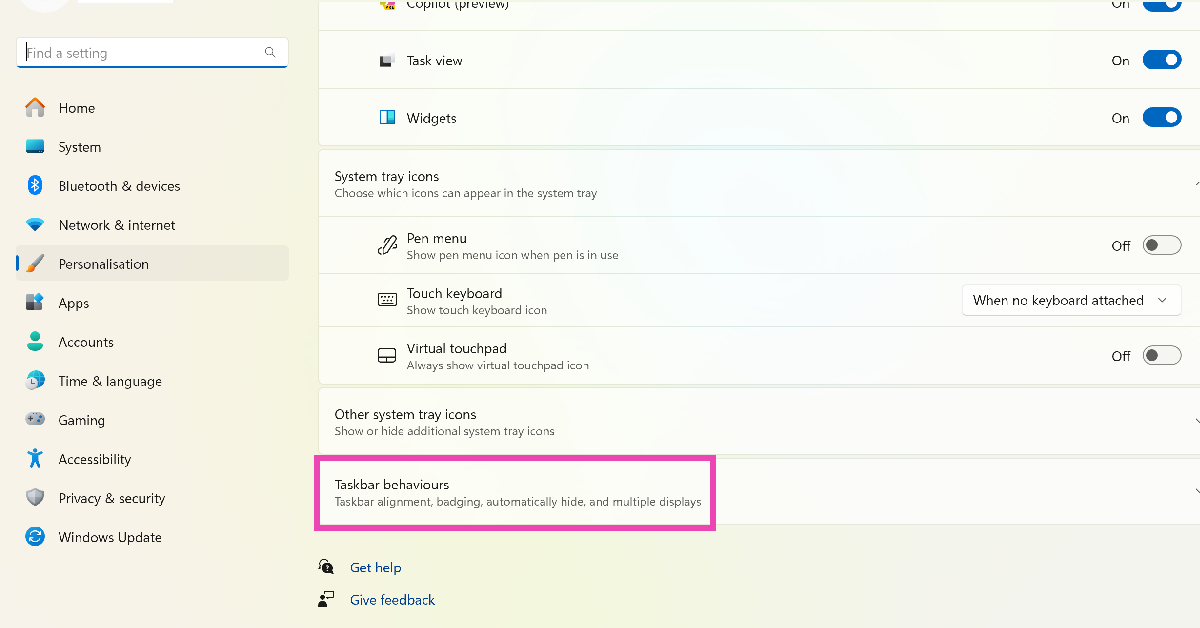
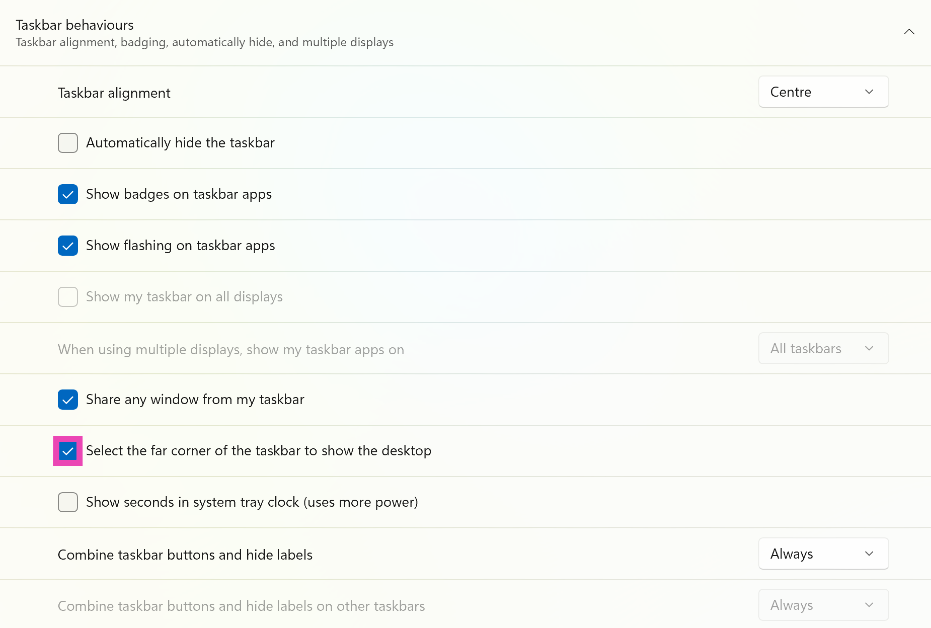
Step 1: Right-click on the taskbar and select Taskbar settings. Step 1: Right-click on the taskbar and select Taskbar settings. Step 2: Click on Taskbar behaviours. Step 2: Click on Taskbar behaviours. How to bring back the Show Desktop Button in Windows 11? (2024) Step 3: Click on the checkbox for ‘Select the far corner of the taskbar to show the desktop’. Step 3: Click on the checkbox for ‘Select the far corner of the taskbar to show the desktop’. How to bring back the Show Desktop Button in Windows 11? (2024)

Bonus Tip: Remove Copilot from the taskbar

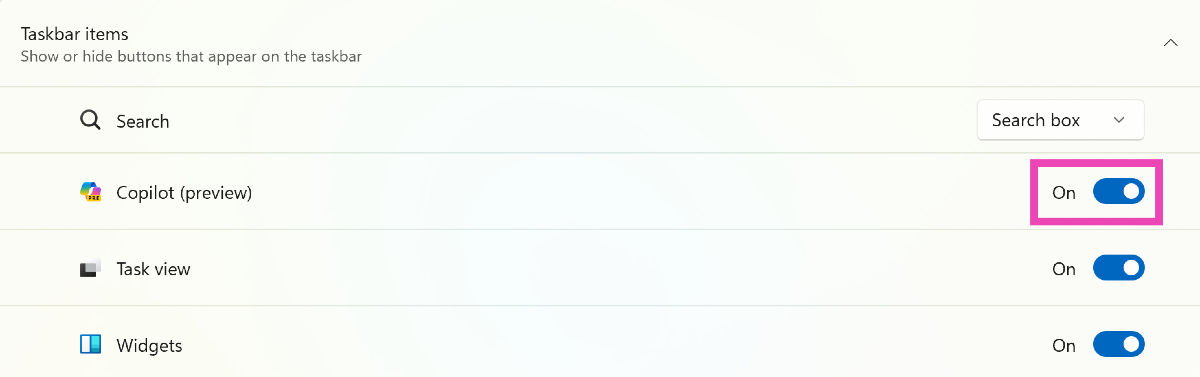
Step 1: Right-click on the taskbar and select Taskbar settings. Step 1: Right-click on the taskbar and select Taskbar settings. How to bring back the Show Desktop Button in Windows 11? (2024) Step 2: Under Taskbar items, turn off the toggle switch for Copilot (Preview). Step 2: Under Taskbar items, turn off the toggle switch for Copilot (Preview). How to bring back the Show Desktop Button in Windows 11? (2024)

Frequently Asked Questions (FAQs)

How do I bring back the ‘Show Desktop’ button in the Windows 11 taskbar?

Right-click on the taskbar, select ‘Taskbar settings’, go to ‘Taskbar behaviours’ and click the checkbox for ‘Select the far corner of the taskbar to show the desktop’.

What is the key combination to go to the desktop on Windows 11?

Win + D, Win + M, and Win + X followed by D will take you to the desktop from any screen.

How do I remove Copilot from the taskbar?

To remove Copilot from the taskbar, right-click on the taskbar, select ‘Taskbar settings’, go to ‘Taskbar items’ and turn off the toggle switch for Copilot. Read Also: Compared: Snapdragon 8s Gen 3 vs Snapdragon 8 Gen 3

Conclusion

This is how you can bring back the ‘Show Desktop’ button on your Windows 11 laptop or PC’s taskbar. If you know any other way to go about this task, let us know in the comments! Also, let us know your favourite key combinations to go to the desktop from any screen or window on your PC.

List of smartphones confirmed to come with Snapdragon 8s Gen 3 SoC

Qualcomm on Monday announced its latest Snapdragon 8s Gen 3 chipset under its Gen 3 Series. The latest processor comes with flagship-grade features however it is positioned below the new Snapdragon 8 Gen 3 chipset which was introduced in October of last year. The 8s Gen 3 4nm chipset is a more cost-effective variant. As we said it comes with flagship-grade features the SoC supports high-speed generative AI models with up to 10 billion parameters. Several brands have announced that their forthcoming models would include a 4nm octa-core processor, following the release of the latest Snapdragon 8s Gen 3 SoC. Here is the list of all the smartphones that will use the 8s Gen 3 chipset. Several brands have announced that their forthcoming models would include a 4nm octa-core processor, following the release of the latest Snapdragon 8s Gen 3 SoC, which is supported by artificial intelligence. The Qualcomm Snapdragon 8s Gen 3 chipset has several hardware characteristics from the company’s flagship processor- Snapdragon 8 Gen 3 chipset.

Snapdragon 8s Gen 3 availability

According to Qualcomm, smartphones from brands like Redmi, Xiaomi, iQoo, Motorola and Honor are some of the smartphone brands that have confirmed to bring phones with the new SoC soon. Additionally, Qualcomm disclosed that the first smartphone to run the newest processor will be accessible later this month. Also Read: Qualcomm launched Snapdragon 8s Gen 3 SoC, of course, there is AI

Smartphones that will come with a Snapdragon 8s Gen 3 chipset

Xiaomi Civi 4 Pro

Xiaomi has officially confirmed that the Snapdragon 8s Gen 3 chipset from Qualcomm will power the Xiaomi Civi 4 Pro when it launches globally. Xiaomi has not released any more information regarding the device but it is likely to run on HyperOS out of the box. As mentioned globally the smartphone is expected to land in India as well and this was confirmed by a recent BIS listing. The phone appeared on the certification website bearing the model number 24053PY09I. It is anticipated that this phone will go on sale in China as the Xiaomi Civi 4 and in India as the Xiaomi 14 Lite.

Moto X50 Ultra/Motorola Edge 50 Pro

Motorola has revealed that its upcoming Moto X50 Ultra will come equipped with the latest Snapdragon 8s Gen 3 SoC. The Lenovo-owned smartphone brand has teased its upcoming smartphones as AI Mobile Phone. Note that the device is rumoured to launch as the Motorola Edge 50 Pro outside of China such as in India. The company recently teased the alleged Motorola smartphone in the country. On the other hand, it can be unveiled as the Motorola Edge+ (2024) in the US. As we said before the company has started teasing the specs of Motorola Edge 50 Pro in India, the device is confirmed to feature a curved 6.7-inch 1.5K display with 144Hz refresh rate support. It is said to include a triple rear camera set-up. Also Read: YouTube Music releases hum to search feature: Details inside

iQoo Z9 Turbo

The freshly released Snapdragon 8s Gen 3 processor will be Snapdragon 8s Gen 3 in the iQoo Z9 Turbo. The said device is scheduled to arrive in China in April. As per leaks, it would come with a 1.5K display. In addition to this, the handset is likely to boast a 6,000mAh battery.

Redmi Note 13 Turbo

Redmi disclosed that the Snapdragon 8s Gen 3 SoC will be included in a future mid-range smartphone. According to recent web leaks, it is anticipated to be the Redmi Note 13 Turbo. It is believed that this model will be released outside of China as the Poco F6.

MediaTek Brings AI Capabilities to Cars In Partnership With NVIDIA

0
Key Highlights
  • Launch of AI-powered Dimensity Auto Cockpit chipsets for vehicles.
  • Features include chatbots, content delivery, and driver alertness detection.
  • Enables cutting-edge AI features in both premium and entry-level vehicles.
In a groundbreaking announcement made at the NVIDIA GTC on March 19, 2024, MediaTek has unveiled its latest innovation in automotive technology – the Dimensity Auto Cockpit chipsets. This new series of SoCs (systems-on-chip) marks a significant leap forward in enhancing in-cabin experiences for vehicles of all tiers, from luxury models to more accessible options. Powered by cutting-edge NVIDIA technology, these chipsets are set to redefine the future of intelligent vehicles.

Unleashing AI’s Potential in the Automotive Sector

The Dimensity Auto Cockpit series, comprising the CX-1, CY-1, CM-1, and CV-1, integrates advanced AI capabilities to offer unparalleled in-car entertainment, safety, and utility features. MediaTek’s partnership with NVIDIA enriches these chipsets with the DRIVE OS, enabling a scalable and highly integrated platform for automotive manufacturers to innovate across their entire vehicle lineup. Read Also: iQOO Z9 Launched With MediaTek Dimensity 7200 5G SoC Jerry Yu, MediaTek’s Corporate Senior Vice President and General Manager of the CCM Business Group, highlighted the transformative impact of generative AI, stating, “The Dimensity Auto Cockpit portfolio will unleash a new wave of AI-powered entertainment in vehicles.” This collaboration aims to provide more personalized and intuitive computing experiences, akin to the revolution seen in the mobile market.

Advanced Features for an Enhanced Driving Experience

The chipsets boast a sophisticated ARM v9-A system and NVIDIA’s next-generation GPU for AI computing and RTX graphics, supporting large language models (LLMs). This enables the vehicle to run complex AI applications, including chatbots, content delivery to multiple displays, driver alertness detection, and more, directly onboard for enhanced security and performance. Furthermore, the inclusion of an NVIDIA RTX GPU allows for ray tracing, realistic visuals, and AI-driven enhancements in games and video content. The platform also facilitates seamless streaming across multiple screens and offers advanced video conferencing capabilities with AI gaze correction and audio enhancement, ensuring an immersive in-car experience for all passengers.

Scaling Across the Spectrum

One of the key advantages of the Dimensity Auto Cockpit chipsets is their scalability. This allows automotive manufacturers to incorporate state-of-the-art AI and entertainment features across their product ranges, from high-end to entry-level models, without significant increases in material costs. The integration of a multi-camera HDR ISP supports various safety applications, while an integrated audio DSP caters to the latest voice assistants for hands-free control. Read Also: Redmi A3 powered by MediaTek Helio G36 SoC launched in India Ali Kani, Vice President of Automotive at NVIDIA, emphasized the role of generative AI and accelerated compute in reshaping the automotive landscape, stating, “The new Dimensity Auto chipsets harness NVIDIA’s graphics and AI technologies, helping deliver fresh in-vehicle user experiences.” MediaTek’s introduction of the Dimensity Auto Cockpit chipsets, enabled by NVIDIA’s advanced technology, represents a pivotal moment in automotive innovation. By offering a unified hardware and software platform, MediaTek not only sets a new standard for in-car entertainment and safety features but also paves the way for the future of intelligent, AI-powered vehicles. This development signifies a major step forward in making cutting-edge technology accessible to a broader range of consumers, transforming the automotive industry and enhancing the driving experience for everyone.

Garena Free Fire Redeem Codes Today 19 March 2024: Here is how to claim them

Garena Free Fire is a battle royale game with regular awards and tournaments to keep players interested. If you play Garena Free Fire, you should be aware of the redeem codes that are released on a daily basis. However, because the battle royale game is banned in India, players from other countries can use the Free Fire Redeem codes daily. If you’re unfamiliar with the Garena Free Fire redeem codes or don’t know how to get them, we’ve put together a step-by-step guide to help you redeem them. Check out Garena Free Fire Redeem Codes for 19 March 2024. The Free Fire redeem codes are a great way to get free stuff. These are 12-digit codes that contain alphabets and numbers, as well as an expiration date and time. Because the Garena FF redeem codes cannot be used more than once, you should hurry to the redemption page to claim your free reward before someone else does. To get a free reward, all you have to do is go to reward.ff.garena.com/en, which is the official redemption page. Also, keep an eye on this space for daily updates on Garena Free Fire redemption codes and rewards. Also Read: Sennheiser Accentum Plus wireless headphones with Hybrid Adaptive Noise Cancellation launched

Garena Free Fire Redeem Codes Today 19 March 2024

F6V9H2N3Q5R8M1YF F4K7F9L2W6P3H8XN F5T7C1R3P8Z6N4QH F8Q5C2V7W3N4P1MF F5R9M3V8D6H1W7CJ F2M8C6T4L9N7W1XQ F1W3G7M6T4X9N8RV F2N7G4W9M1X63PBF F4L8H2N6T1F75W3G F9R3W2F8D5K7M1XN F3V5J1L9G4C8F2XW

How to Get Free Fire Redeem Codes for Garena on 19 March 2024?

  • Visit the Garena Free Fire game’s official website at reward.ff.garena.com.
  • Use your Facebook, Google, VK, Apple ID, Huawei ID, or Twitter account to log in.
  • You’ll be taken to a valid redemption code (s)
  • Copy and paste the 12-digit redemption code into the text box.
  • On the screen, a dialogue box will appear.
  • ‘Ok’ should be selected.
For the latest gadget and tech news, and gadget reviews, follow us on TwitterFacebook and Instagram. For newest tech & gadget videos subscribe to our YouTube Channel. You can also stay up to date using the Gadget Bridge Android App. You can find the latest car and bike news here.

Compared: Snapdragon 8s Gen 3 vs Snapdragon 8 Gen 3

Qualcomm is not new to introducing slightly tweaked versions of their flagship chipset. Back in 2022, the tech powerhouse released the Snapdragon 8+ Gen 1 SoC which promised 30% better power efficiency and 10% faster graphics than its predecessor. This chipset found its way into the flagship grade of 2022 like the OnePlus 10T and Samsung’s Galaxy Z 4 Series. In 2023 the S8+G2 powered flagship killers like Nothing Phone 2, iQOO Neo 7 Pro, and OnePlus 11R. Now, Qualcomm has introduced a new variant of its flagship Snapdragon 8 Gen 3 chipset. Dubbed Snapdragon 8s Gen 3, this SoC supports generative AI functions and dozens of LLMs and LVMs. However, unlike the S8+G1, the S8sG3 SoC is not as powerful as its predecessor. Read Also: YouTube Music releases hum to search feature: Details inside Compared: Snapdragon 8s Gen 3 vs Snapdragon 8 Gen 3
Parameter Snapdragon 8s Gen 3 Snapdragon 8 Gen 3
Process Node TSMC 4nm TSMC 4nm
CPU Octa-core Kyro CPU 1 Prime Cortex-X4 Core (3.0 GHz) 4 Performance Cores (2.8 GHz) 3 Efficiency Cores (2.0 GHz) Octa-core Kyro CPU 1 Prime Cortex-X4 Core (3.0GHz) 5 Performance Cores (3.2 GHz) 2 Efficiency Cores (2.3GHz)
GPU Adreno 735 HDR Gaming Hardware Accelerated Ray Tracing Adreno 750 HDR Gaming Hardware Accelerated Ray Tracing with Global Illumination
NPU Hexagon NPU Hexagon NPU
Camera Support 4K HDR videos @ 60fps Up to 200MP photo capture Slow-mo 1080p videos @ 240fps 4K HDR videos @ 30fps Up to 200MP photo capture Slow-mo 720p videos @ 960fps
Connectivity WiFi 7, Bluetooth 5.4, LE WiFi 7, Bluetooth 5.4, LE
Modem Snapdragon X70 5G Modem Maximum Download Speed: 5Gbps Maximum Upload Speed: 3.5Gbps Snapdragon X75 5G Modem Maximum Download Speed: 10Gbps Maximum Upload Speed: 3.5Gbps
Storage/RAM Support UFS 4.0 LPDDR5X memory up to 4,200MHz UFS 4.0 LPDDR5X memory up to 4,800MHz

Snapdragon 8 Gen 3 has a higher-performing CPU

Both chipsets use 8 cores, although they are arranged differently. The Snapdragon 8s Gen 3 clocks slightly lower than the S8G3 SoC. The two chipsets have 1 prime Cortex-X4 core which clocks at 3.0GHz. The 8s Gen 3 has 4 performance cores clocked at 2.8GHz and 3 efficiency cores clocked at 2.0GHz. Meanwhile, the 8 Gen 3 has 5 performance cores running at 3.2GHz and 2 efficiency cores at 2.3GHz.

Snapdragon 8s Gen 3 is within touching distance of S8G3’s GPU performance

The Snapdragon 8s Gen 3 runs on the Adreno 735 GPU while the 8 Gen 3 is powered by Adreno 750. Both SoCs support Hardware Accelerated Ray Tracing, but Qualcomm’s flagship chipset also offers Global Illumination. This means that the Snapdragon 8s Gen 3 won’t have the added advantage of producing close-to-real lighting, shadows, and reflections. On the bright side, the Adreno 735 matches the 750 with HDR gaming, Adreno Frame Motion Engine 2.0, Shadow Denoiser, and more.

The 8s Gen 3 goes all guns blazing on the AI front

The Snapdragon 8s Gen 3 will bring a host of AI features to midrange and flagship killer smartphones of 2024. Using the same Hexagon NPU as the S8G3, the 8s G3 can run on-device AI models with up to 10B parameters. The chipset can handle tasks like AI image generation, photo expansion, and virtual assistance. There is support for over 30 LLMs and LVMs on the new S8sG3 chipset.

Let’s talk about the camera support

The two chipsets are capable of capturing up to 200MP photos. If we’re talking about the photo-capturing performance of the main sensor, the smartphones running the Snapdragon 8s Gen 3 will easily match their flagship counterparts. However, significant differences are bound to arise in the video-capturing department. While the S8G3 SoC can record 8K videos @ 30 fps, the S8sG3’s chops are limited to 4K videos @ 60fps. Even while recording slow-motion videos, the flagship chipset is capable of recording at an impressive 960fps while the 8s Gen 3 is limited to 240fps.

Storage and Connectivity

Both chipsets are pretty evenly matched when it comes to connectivity, with support for Bluetooth 5.4, WiFi 7, and Bluetooth LE Audio. However, the key difference lies in the download speed offered by the two SoCs, and the flagship chipset emerges as the clear winner. With the Snapdragon X75 5G modem on board, the 8 Gen 3 supports download speeds of up to 10Gbps. The Snapdragon X70 5G modem on the new chipset offers a maximum download speed of 5Gbps. The two chipsets rock UFS 4.0 storage and LPDDR5X memory, but the flagship chipset functions at 4,800MHz while the 8s Gen 3 is limited to 4,200MHz. Read Also: Samsung announces Galaxy Ultra Days offering exciting deals on Galaxy S24 and S23 Ultra

Snapdragon 8s Gen 3 vs Snapdragon 8 Gen 3: Verdict

It should surprise no one that Qualcomm’s flagship chipset is the clear winner here. It has higher clock speeds, premium GPU features like Global Illumination, advanced video recording specs, better download speeds, and more. The good thing about the new Snapdragon 8s Gen 3 is that it almost matches these specs, trailing behind only by a very slim margin. This chipset will thrive on upper midrange smartphones this year and we are excited to try out the AI features it will bring to the segment.

YouTube Music releases hum to search feature: Details inside

Key Highlights
  • After YouTube Google is extending its hum to search feature for Youtube Music.
  • The ‘hum to search’ feature was added to the Android app for YouTube in October 2023.
  • Simply humming, whistling, or singing will allow users to search for their preferred song quickly.
According to reports, YouTube Music is gaining a feature that will make music searches simpler than they were. The music streaming platform owned by Google will soon allow you to search for music just by humming or singing. Like the video platform, YouTube Music will get a dedicated Song search option in the app, enabling this feature. First introduced to YouTube’s Android app in October 2023, the hum to search feature looks to be making its way into the company’s music app as well. To achieve the intended outcome, users can sing, hum, or play a song using this tool. The song search function from YouTube’s Android app is now available on YouTube Music, according to a 9to5Google report. This feature is currently being rolled out to apps for iOS and Android to a limited number of users and the larger rollout hasn’t begun yet. It appears that it functions in the same way on YouTube Music just like it works for videos. However, users will notice a specific icon adjacent to the voice button rather than having to navigate through the voice search and then locate the Song icon. Also Read: Qualcomm launched Snapdragon 8s Gen 3 SoC, of course, there is AI While using the YouTube app on an Android device, users only need to touch the microphone icon in the search bar to bring up the Voice and Song tabs. While users can perform verbal searches using the voice tab, they can also hum, whistle, play, or sing a song to have an artificial intelligence (AI) recognise it and match it to the original. Also Read: Samsung announced Galaxy Ultra Days offering exciting deals on Galaxy S24 and S23 Ultra

Here is how to use hum to search feature on the YouTube Music App:

  • In the upper right corner of the YouTube Music App, tap the search icon.
  • Users also have the option to use the dedicated search button that is located next to the voice search option.
  • To start a song search, select the Song option.
  • For ten to fifteen seconds, hum, whistle, or sing the song that you are looking for.
  • Then, using your audio input, YouTube will suggest possible matches.

Qualcomm launched Snapdragon 8s Gen 3 SoC, of course, there is AI

Key Highlights
  • The Snapdragon 8s Gen 3 SoC can run huge language models with up to 10 billion parameters, which includes models like Llama 2 and Gemini Nano
  • Additionally, hardware-accelerated ray tracing is supported.
  • It comes with X70 5G, a modem from the previous generation that supports Wi-Fi 7.
Qualcomm today announced its latest chipset Snapdragon 8s Gen 3 for the affordable smartphone ranges after successfully launching their flagship Snapdragon 8 SoC. The Snapdragon 8s Gen 3 is the company’s first chipset to debut under the S-subseries. As you know 8 Gen 3 supports AI generative features so the latest SOC will also get support for on-device generative AI models. It comes with a full set of AI features, allowing image expansion and generative AI virtual assistants. Qualcomm unveiled the Snapdragon 8s Gen 3 which is intended to be priced and feature-level below its flagship model- the Snapdragon 8 Gen 3 SoC. The chipset is aimed to provide flagship-level features like its elder sibling on affordable smartphones. While announcing its latest chipset the company said, “This platform is specially curated from your favourite Snapdragon 8-series platforms, delivering experiences that enhance your creativity, entertainment, productivity, and beyond.” The 8S Gen 3 features a GPU that is similar to the flagship 8 Gen 3. However, having a lower frequency it also has less performance core and can reach 3.0GHz as opposed to 3.4GHz on the 8 Gen 3. The Qualcomm Snapdragon 8s Gen 3 is said to offer experiences that improve your creativity, entertainment, productivity, and more. It also gets support for generative AI functions letting you create images and other content on the go. As per the company the Qualcomm AI Engine supports multi-modal models, including more than 30 large language models (LLMs) and large vision models (LVMs), and allows for on-device generative AI at lightning-fast speeds—up to 10B parameters. Users will be able to generate content using simple text, voice, and image prompts, while contextually aware AI tailors recommendations based on usage. Also Read: Samsung announced Galaxy Ultra Days offering exciting deals on Galaxy S24 and S23 Ultra Using artificial intelligence, the Snapdragon X70 5G Modem-RF System provides the latest 5G, with blazing-fast download speeds and incredible power efficiency. Qualcomm FastConnect 7800 Mobile Connectivity System delivers Wi-Fi 7 at industry-leading 5.8 Gbps speeds, with support for High Band Simultaneous Multi-Link which lets you choose your strongest signal across 5 and 6 GHz bands. On the other hand, the Qualcomm Spectra 18-bit Triple Cognitive ISP offers AI-powered features like Photo Expansion. Additionally, an always-sensing camera enhances security and convenience with mobile payments and lightning-fast face unlock. Besides this, the Qualcomm Snapdragon 8s Gen 3 will offer immersive Snapdragon Elite Gaming Features such as real-time Hardware-Accelerated Ray Tracing, enabling desktop-level gameplay on smartphones. “Light interacts realistically with in-game scenery for authentic shadows and reflections.” Qualcomm Aqstic Speaker Max Technology and Snapdragon Sound Technology Suite reduce distortion, while Qualcomm aptX Audio technology preserves the integrity of the original recording when music is played at high volumes.

Samsung announced Galaxy Ultra Days offering exciting deals on Galaxy S24 and S23 Ultra

Key Highlights
  • Samsung’s Galaxy Ultra Days will offer exciting benefits for users planning to upgrade to Galaxy S24 Ultra and Galaxy S23 Ultra smartphones.
  • The sale will run till March 22 in the country.
South Korean electronics giant Samsung has kicked off Galaxy Ultra Days in India. The sale brings exciting benefits to the purchase of Galaxy S24 Ultra and Galaxy S23 Ultra smartphones. The sale will run till March 22 in the country. Check out the offer details below. Samsung revealed Galaxy Ultra Days today, offering users who intend to upgrade to the Galaxy S24 Ultra and Galaxy S23 Ultra smartphones enticing offers. Prices for the Samsung Galaxy S24 Ultra and Galaxy 23 Ultra start at INR 12999 and 109999, respectively. Customers who upgrade to the Galaxy S24 Ultra or Galaxy S23 Ultra between March 12 and March 22 will be eligible for an upgrade incentive of up to INR 12,000 as part of the limited-time offer. Moreover, customers who trade in their S Series devices are eligible to receive additional upgrade rewards of up to INR 5000, making the maximum upgrade bonus of INR 17000. This offer is valid on all S Series devices, including the Galaxy S20 Series. Also Read: Vivo T3 5G price in India and specs tipped ahead of March 21 launch event Customers can take advantage of this amazing upgrade offer at Samsung retail locations, on Samsung.com, and other e-commerce sites in the country. Benefits up to INR 17000 are available to S-Series customers purchasing Galaxy S24 Ultras; benefits up to INR 12000 are available to other customers purchasing Galaxy S24 Ultras during the Galaxy Ultra Days. Whereas Benefits for S-Series customers buying Galaxy S23 Ultra are worth up to INR 13000, while benefits for other customers buying Galaxy S24 Ultra are worth INR 10,000. When purchasing the Galaxy S24 Ultra and Galaxy S23 Ultra, customers have the option to pay no interest for up to 24 months.

Model

Standard Offers

[Additional] Ultra Days Offer

No Cost EMI


INR 12000 Upgrade Bonus

INR 5000 Upgrade Bonus

Up to 24 months


Galaxy S24 Ultra

[or]

[or]


INR 6000 Upgrade Bonus + INR 6000 Bank Cashback

INR 3000 Upgrade Bonus (can be availed with Bank Cashback Combo)


Galaxy S23 Ultra

INR 7500 Upgrade Bonus

INR 5000 Upgrade Bonus

Up to 24 months


[or]

[or]


INR 5000 Upgrade Bonus + INR 5000 Bank Cashback

INR 3000 Upgrade Bonus (can be availed with Bank Cashback Combo)

Also Read: Motorola India previews a phone with a Snapdragon 7 Gen 3 SoC, possibly the Motorola Edge 50 Fusion The Samsung Galaxy S24 Ultra features a 6.8-inch QHD+ Dynamic AMOLED 2X Display with a Super Smooth 120Hz refresh rate (1~120Hz), 2,600nit peak brightness, and a Vision booster. The screen is protected with Corning Gorilla Armor. Galaxy S24 Ultra has a quad rear camera setup that includes a 12MP Ultra-Wide Camera (F2.2 aperture, FOV-120˚), 200MP Wide Camera (OIS, F1.7 Aperture, and FOV-85˚), 50MP Telephoto Camera (5x Optical Zoom, OIS, F3.4 aperture, and FOV of 22˚) and a 10MP Telephoto Camera (3x Optical Zoom, OIS, F2.4 aperture, and FOV 36˚). The S24 Ultra boasts a 5,000mAh and comes with an S Pen.

LG Unveils MoodUP Refrigerator Priced At Rs 4,49,999

Key Highlights
  • LED panels allow users to personalize colors, creating a unique atmosphere in their homes.
  • Sleek design and vibrant colors add luxury, while Instaview and retractable shelves offer convenience.
  • Features like Smart Color Alarm and LG ThinQ integration offer convenience, alongside efficient cooling and hygiene maintenance.
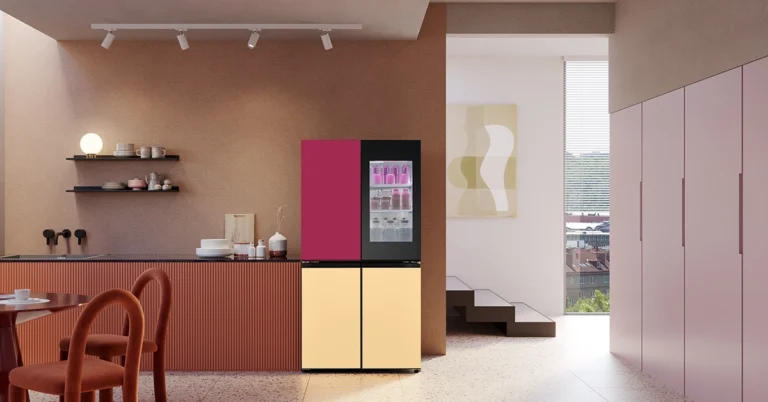
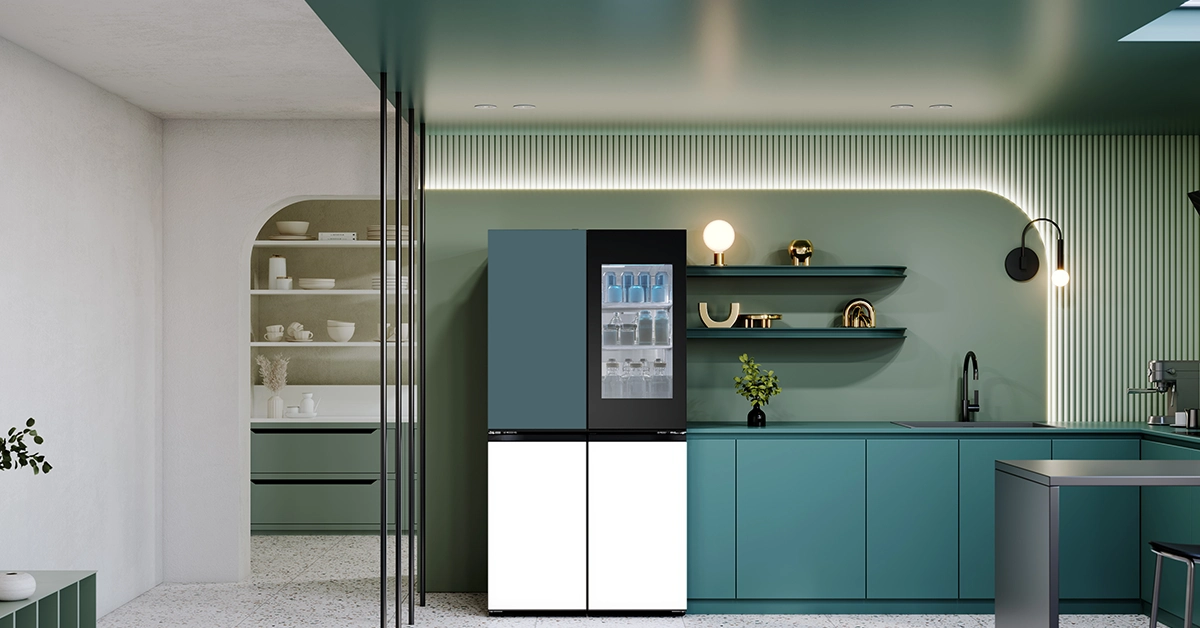
LG Electronics, a new fridge at India’s Lakme Fashion Week in collaboration with renowned fashion designers Gauri and Nainika. The LG MoodUP Refrigerator combines cutting-edge technology with elegant aesthetics to elevate homes across the nation. Designed to resonate with the evolving desires of modern consumers, the LG MoodUP Refrigerator boasts an array of innovative features. Its standout feature is the LED panels adorning its doors, allowing users to customize colors according to their mood, syncing music for a personalized ambiance. Read Also: Korean Tech Giants Samsung And LG Pause US Construction Amid Cost Surge Crafted to seamlessly integrate style and functionality, the MoodUP Refrigerator exemplifies sophistication. Its sleek design, coupled with vibrant color options, adds a touch of luxury to any kitchen space. Director of Home Appliances & Air Conditioner at LG Electronics India, Hwang Youngmin, expressed excitement about the collaboration with Gauri and Nainika, emphasizing the product’s embodiment of vibrancy and optimism. LG MoodUP Refrigerator Gauri and Nainika echoed this sentiment, highlighting the synergy between their fashion narrative and the refrigerator’s design ethos. Bollywood actress Taapsee Pannu, who graced the Lakme Fashion Week stage as the showstopper, praised the seamless integration of elegance and innovation in both the refrigerator and the fashion collection. Beyond aesthetics, the LG MoodUP Refrigerator offers practicality and convenience. With Instaview technology, users can peek inside with a simple knock, while retractable shelves and advanced temperature management ensure optimal food preservation. The inclusion of a built-in Bluetooth speaker further enhances the experience, transforming homes into perfect party venues. Read Also: LG’s QNED 83 Series with Quantum Dot and NanoCell technologies launched in India Moreover, intelligent features such as Smart Color Alarm and LG ThinQ integration provide added convenience and peace of mind. The refrigerator’s Door Cooling+ technology ensures even cooling, while Hygiene Fresh+ Technology reduces bacterial activity, keeping food fresh for longer. Priced at Rs 4,49,999, the LG MoodUP Refrigerator is a good addition to the large arsenal of LG fridge lineup.

Dyson Supersonic Nural Hair Dryer Launched That Has Scalp Protection Mode

Key Highlights
  • The Supersonic Nural Hair Dryer prioritizes scalp health with its Nural sensors, automatically adjusting heat to protect against damage.
  • Its Attachment Learning feature remembers your preferred settings, offering personalized styling experiences without the hassle.
  • It delivers salon-quality results tailored to your needs with a range of attachments for different hair types and styles.
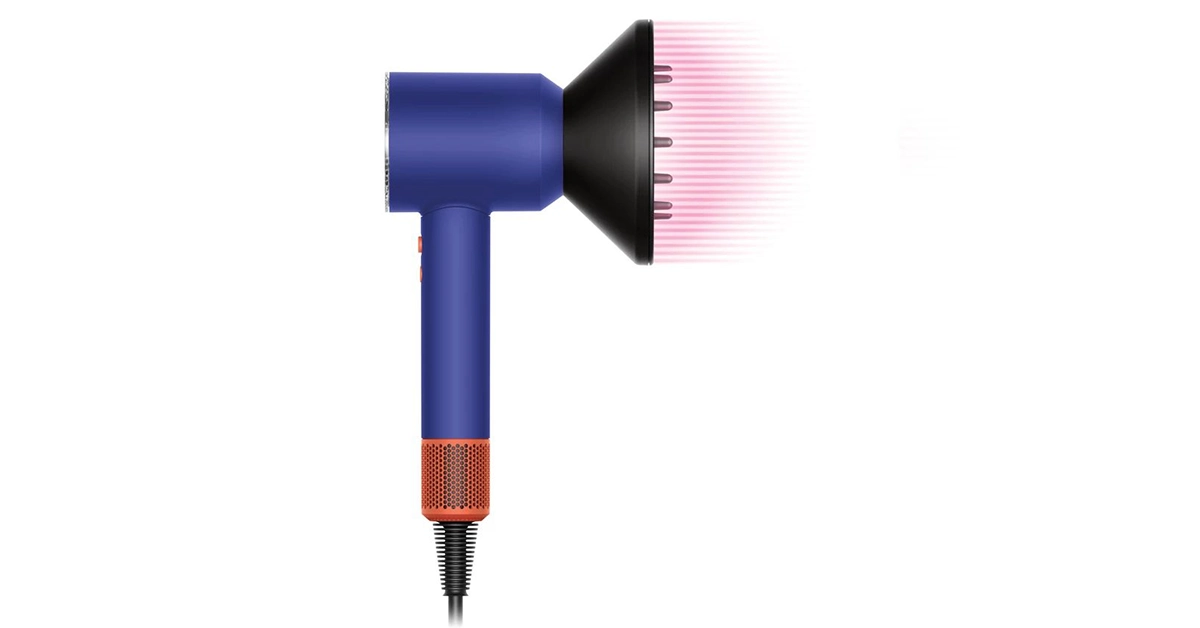
Dyson has once again shattered the norms of hair care with the grand reveal of their latest creation – the Supersonic Nural Hair Dryer. Unveiled during a global launch event in Seoul, South Korea, this cutting-edge hair dryer represents a quantum leap forward in hair health technology, promising a revolutionary approach to drying and styling. Read Also: Dyson launches limited-edition Vinca Blue Rosé colourway  At the heart of Dyson‘s Supersonic Nural Hair Dryer lies an arsenal of state-of-the-art features designed to prioritize scalp health and enhance the natural shine of hair. The brainchild of Dyson’s relentless commitment to research and development, this intelligent hair dryer boasts groundbreaking Nural sensor technology, setting a new benchmark in hair care innovation. James Dyson, Founder and Chief Engineer of Dyson, expressed his excitement about this groundbreaking invention, stating, “If you’re able to limit heat damage, you can get a healthier scalp; and healthier hair. Our new Supersonic Nural has a time of flight sensor which recognizes your head and reduces the heat as it gets close to your hair, preventing heat damage to both your scalp and your hair.” Key to the Supersonic Nural Hair Dryer’s prowess is its Scalp Protect mode, powered by a network of Nural sensors. These sensors work in tandem to automatically adjust heat and airflow, providing optimal scalp comfort and drying speed while minimizing the risk of damage. A time-of-flight sensor precisely measures the distance between the machine and the hair, ensuring that heat is reduced to the optimum temperature of 55°C when close to the scalp. Furthermore, the hair dryer’s Attachment Learning feature revolutionizes styling routines by memorizing users’ preferences and automatically applying their preferred heat and airflow settings for each styling attachment. This intelligent adaptation not only streamlines the styling process but also ensures consistent results tailored to individual needs. Shawn Lim, Head of Research at Dyson, shed light on the scientific foundation behind the Scalp Protect mode, stating, “From our research into the science of hair, we know that there is a connection between the quality of hair and a healthy scalp. The Scalp Protect mode helps to maintain scalp moisture levels and allows for gentle drying, thus promoting scalp health.” In addition to its new technology, the Supersonic Nural Hair Dryer boasts a range of new attachments catering to various hair types and styling needs. From the Gentle Air Attachment for fast yet gentle styling to the Flyaway Smoother utilizing the Coanda effect to tame flyaways, Dyson ensures versatility and performance across the board. Read Also: New lineup of hairstyling tools by Philips launched in India The design of the Supersonic Nural Hair Dryer is as striking as its functionality. With a clear end cap showcasing its internal technology and bold color palettes such as Ceramic Patina and Topaz or Vinca Blue and Topaz, Dyson’s latest creation is a fusion of form and function. The Supersonic Nural Hair Dryer has been launched in select markets and will soon be available in India. Expected price is around Rs 45,000.
Vivo T3 5G price in India and specs tipped ahead of March 21 launch event

Key Highlights
  • Vivo T3 5G is set to launch in India on March 21.
  • The upcoming smartphone’s price and specifications have been leaked ahead of the official announcement.
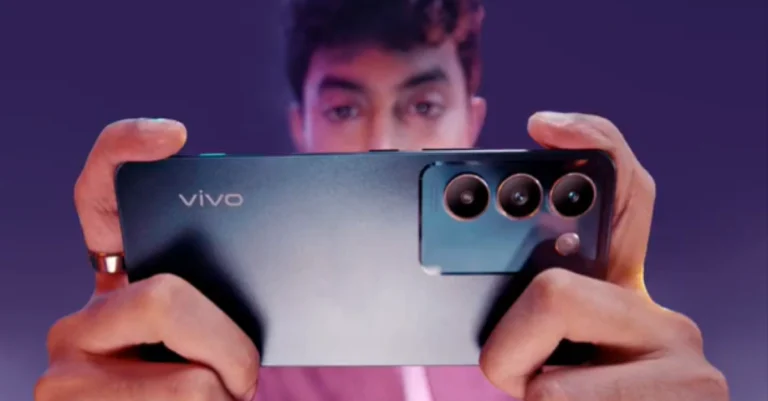
Vivo is gearing up to launch a new smartphone in India soon. The Vivo T2 from last year is anticipated to be replaced by the Vivo T3 5G. The company has been teasing the release of a new T-series smartphone Vivo T3 5G on its India website through a dedicated webpage. It is confirmed that the MediaTek Dimensity series CPU powers the Vivo T3 5G. Price and specifications for the Vivo T3 5G leaked before the official announcement. Here’s everything we know about it. Ahead of the Vivo T3 5G’s March 21 India launch the price and specification have surfaced on the internet. It has already been revealed that the device is a Flipkart exclusive. According to Vivo, the T3 is confirmed to have a triple vertical camera configuration on the back. There are hints that the camera unit has an optical image stabilisation-capable Sony sensor. The device is said to be driven by the MediaTek Dimensity 7200 chipset. The company has teased the phone in a Blue colour option but it is expected to be available in more colourways. Also Read: Motorola India previews a phone with a Snapdragon 7 Gen 3 SoC, possibly the Motorola Edge 50 Fusion A tip from informant Abhishek Yadav suggests that the Vivo T3 would probably include a 6.67-inch Full HD+OLED display with a refresh rate of 120Hz. The upcoming mid-range phone might also have an IP54 rating for dust and splash protection, as well as an in-display fingerprint sensor. The MediaTek Dimensity 7200 SoC is expected to be paired with Arm Mali G610 GPU. The Vivo T3 may include UFS 2.2 storage and LPDDR4x RAM. The smartphone may have a dual camera sensor that includes a 50-megapixel Sony IMX882 sensor and a secondary 2MP sensor for taking photos and videos. A 16MP front-facing camera is also anticipated for selfies. As per the tipster, the 5,000mAh battery that powers the Vivo T3 is probably going to be used in conjunction with a 44W fast charger. The Vivo T3 might have WiFi 6, Bluetooth 5.3, dual stereo speakers, and eight 5G band support when it comes to connectivity. Also Read: 10 Best 5G smartphones to buy under Rs 30000 in India (March 2024) In terms of pricing the Vivo T3 5G is likely to come with a price tag of Rs 20,999 for the base 8GB RAM with 128GB storage model. It might be available in cosmic blue and crystal flake colours. Note that all the above-mentioned tipped specifications are not official and won’t be known until the launch on March 21.

Garena Free Fire Redeem Codes Today 18 March 2024: Here is how to claim them

0
Garena Free Fire is a battle royale game with regular awards and tournaments to keep players interested. If you play Garena Free Fire, you should be aware of the redeem codes that are released on a daily basis. However, because the battle royale game is banned in India, players from other countries can use the Free Fire Redeem codes daily. If you’re unfamiliar with the Garena Free Fire redeem codes or don’t know how to get them, we’ve put together a step-by-step guide to help you redeem them. Check out Garena Free Fire Redeem Codes for 18 March 2024. The Free Fire redeem codes are a great way to get free stuff. These are 12-digit codes that contain alphabets and numbers, as well as an expiration date and time. Because the Garena FF redeem codes cannot be used more than once, you should hurry to the redemption page to claim your free reward before someone else does. To get a free reward, all you have to do is go to reward.ff.garena.com/en, which is the official redemption page. Also, keep an eye on this space for daily updates on Garena Free Fire redemption codes and rewards. Also Read: Sennheiser Accentum Plus wireless headphones with Hybrid Adaptive Noise Cancellation launched

Garena Free Fire Redeem Codes Today 18 March 2024

F8D2W4N7R1J5F3QH F9W1V4X6M7F3P8LD F3Z8D5N1P6M7Q2VB F7K3H1X6R8DM5G9V F5T7C1R3P8Z6N4QH F2M8C6T4L9N7W1XQ F1W3G7M6T4X9N8RV 5V8H2N4M6R1P7KF 8T2N5M3R7W1X6KF 1D6C9N2M5R8P3XF 4G7R3M9W1N5P2KF 3X6D1R8M4N9P2QF 7C2W5M9R3N6V4KF 9P4J6R2N5M7W8VF

How to Get Free Fire Redeem Codes for Garena on 18 March 2024?

  • Visit the Garena Free Fire game’s official website at reward.ff.garena.com.
  • Use your Facebook, Google, VK, Apple ID, Huawei ID, or Twitter account to log in.
  • You’ll be taken to a valid redemption code (s)
  • Copy and paste the 12-digit redemption code into the text box.
  • On the screen, a dialogue box will appear.
  • ‘Ok’ should be selected.
For the latest gadget and tech news, and gadget reviews, follow us on TwitterFacebook and Instagram. For newest tech & gadget videos subscribe to our YouTube Channel. You can also stay up to date using the Gadget Bridge Android App. You can find the latest car and bike news here.

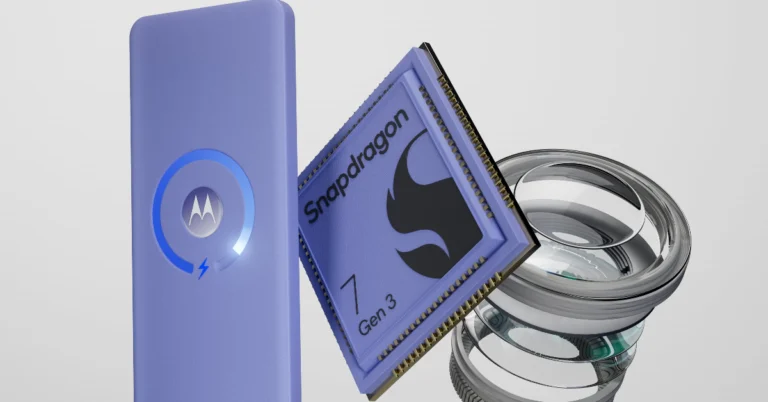
Motorola India previews a phone with a Snapdragon 7 Gen 3 SoC, possibly the Motorola Edge 50 Fusion

Key Highlights
  • Motorola will launch a new smartphone on April 3 that is confirmed to come with a Snapdragon 7 Gen 3 SoC.
  • The company is yet to reveal the model’s name but Snapdragon 7 Gen 3 SoC will power Motorola Edge 50 Fusion.
Motorola will soon launch a new smartphone in India. The company has begun teasing a new smartphone that is confirmed to come with a Snapdragon 7 Gen 3 processor. Though the company has not yet officially confirmed, there are rumours that the Motorola Edge 50 Fusion or Motorola Edge 50 Pro may be unveiled at the impending event. Motorola has set a launch event for April 3 in India. Given that the design teaser suggests edge, this may be the Edge 50 Fusion. This week’s teaser featured a blue, similarly curved screen with the company’s tagline, “Unleash the new Edge. Embrace the Extraordinary” Following design teases, Motorola announced that the Snapdragon 7 Gen 3 phone would soon be available in India. It also suggests that the phone may be able to charge wirelessly. The design and colour options have also been revealed by leaked information. As @evleaks indicated, there may be a chance to go from the Snapdragon 888+ in the Edge 30 Fusion to the Snapdragon 7 Gen 3 in the Edge 50 Fusion. The Edge 50 Fusion is expected to feature a 6.7-inch POLED screen with Gorilla Glass 5 protection and will also get IP68 certifications for dust and splash resistance. Moreover, the phone is set to come with a 50MP back camera. A 5000mAh battery with support for 68W fast charging is also expected. As per rumours, the phone is said to come in Peacock Pink, Ballad Blue (vegan leather), and Tidal Teal colour options. Also Read: 10 Best 5G smartphones to buy under Rs 30000 in India (March 2024) Besides this, the company is also likely to introduce another device which is Motorola Edge 50 Pro. According to leaked information, the handset is expected to come in three colour options Black, Purple, and White. The White version will have a special pattern resembling stones. As of now, the official information is very scarce however not much time is left for Motorola’s upcoming launch event so maybe in the coming days we’ll get more specifics about the phone.

10 Best 5G smartphones to buy under Rs 30000 in India (March 2024)

Are you planning to get a top-notch 5G smartphone? There is no shortage of options when it comes to the best phones under Rs 30000. Nearly all of them excel at what they are designed to do as the majority of them in India that cost less than Rs 30,000 give a respectable performance in all three categories when it comes to performance, camera, or display. Here are our top 10 5G smartphones to buy under Rs 30,000.

OnePlus Nord 3

OnePlus Nord 3 5G OnePlus Nord 3 comes with a 6.74-inch AMOLED screen with a dynamic refresh rate that may vary between 40Hz and 120Hz and has a 450ppi pixel density. It runs on OxygenOS 13 with Android 13. The handset is powered by MediaTek Dimensity 9000 SoC with up to 16GB of LPDDR5X RAM and up to 256GB of internal UFS 3.1 storage. The device comes with a triple rear camera setup for photos and videos, including a 50-megapixel Sony IMX890 sensor with OIS support. In addition to this, there is an 8-megapixel ultra-wide angle Sony IMX355 sensor with a 112-degree FoV and a 2-megapixel macro lens. The Nord 3 has a 16-megapixel front-facing camera for selfies and video chats. Also, there is a 5,000mAh battery that supports 80W SuperVOOC charging.

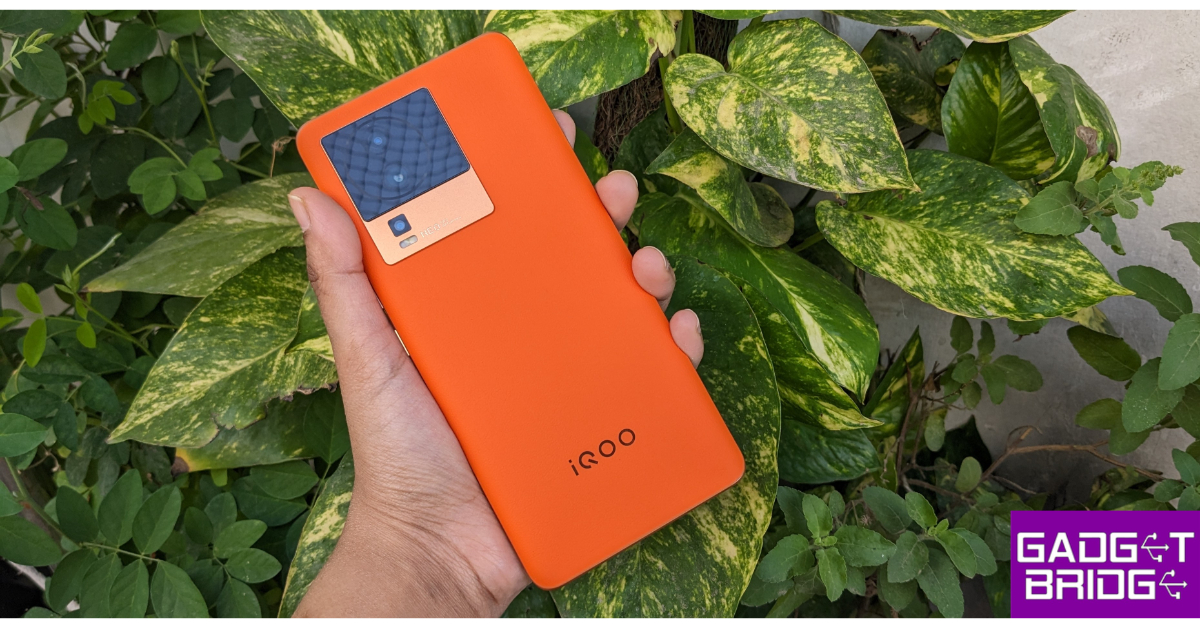
iQOO Neo 7 Pro

iQoo Neo 7 Pro Review: Design and Display iQoo Neo 7 Pro 5G is highlighted with a 6.78-inch full-HD+ AMOLED screen with 1,080×2,400 pixels of resolution. The display supports a 120Hz refresh rate and a 300Hz touch sampling rate. The gaming phone is powered by a Snapdragon 8+ Gen 1 chip paired with up to 12GB of LPDDR5 RAM and up to 256GB of UFS 3.1 storage. The phone operated on Funtouch OS 13 on top of Android 13. There is a triple rear camera setup that includes a 50-megapixel primary Samsung GN5 sensor with an f/1.88 aperture. In addition to this, there is an 8-megapixel ultra-wide-angle camera with an f/2.2 aperture and a 2-megapixel macro camera with an f/2.2 aperture. The device further includes a 16-megapixel front-facing camera with an f/2.45 aperture for taking selfies and video calling. The iQoo Neo 7 Pro boasts a 5,000mAh battery with 120W Flash Charge support. Also Read: Samsung Galaxy A55 5G, Galaxy A35 India pricing revealed: Details

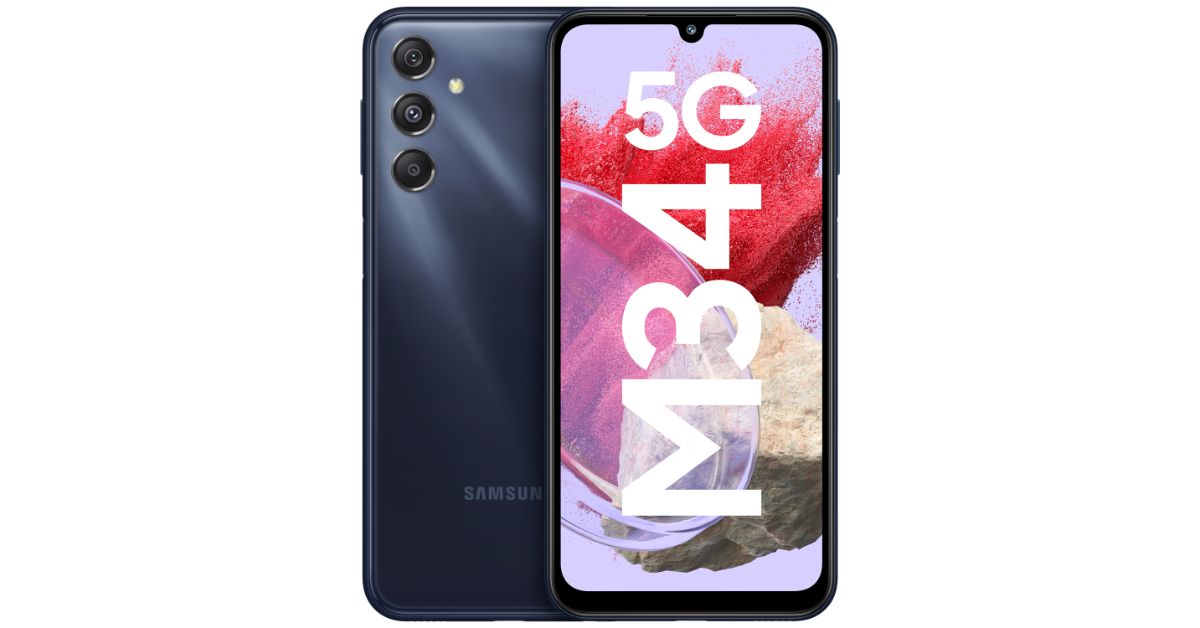
Samsung Galaxy M34

Samsung Galaxy M34 price in India and sale details The Samsung Galaxy M34 features a Full HD+ 6.5-inch display and a refresh rate of 120 Hz. The screen is shielded by Corning Gorilla Glass 5 and has a brightness of 1000 nits. The handset operates on OneUI 5.1, an Android 13-based operating system, and will receive four years of Android software upgrades and five years of security fixes. Inside, there is a built-in Exynos 1280 SoC with a Mali-G68 MP4 GPU, up to 8GB of RAM, and 128GB of internal storage. The Samsung Galaxy M34 includes triple rear cameras with a 50-megapixel primary sensor with optical image stabilisation (OIS). A 2-megapixel macro sensor and an 8-megapixel ultra-wide angle camera are also included. A 13-megapixel sensor is located at the front of the device for selfies and video calls. A 6,000mAh battery powers the device and is said to last up to two days on a single charge. Additionally, the device is capable of 25W wired charging.

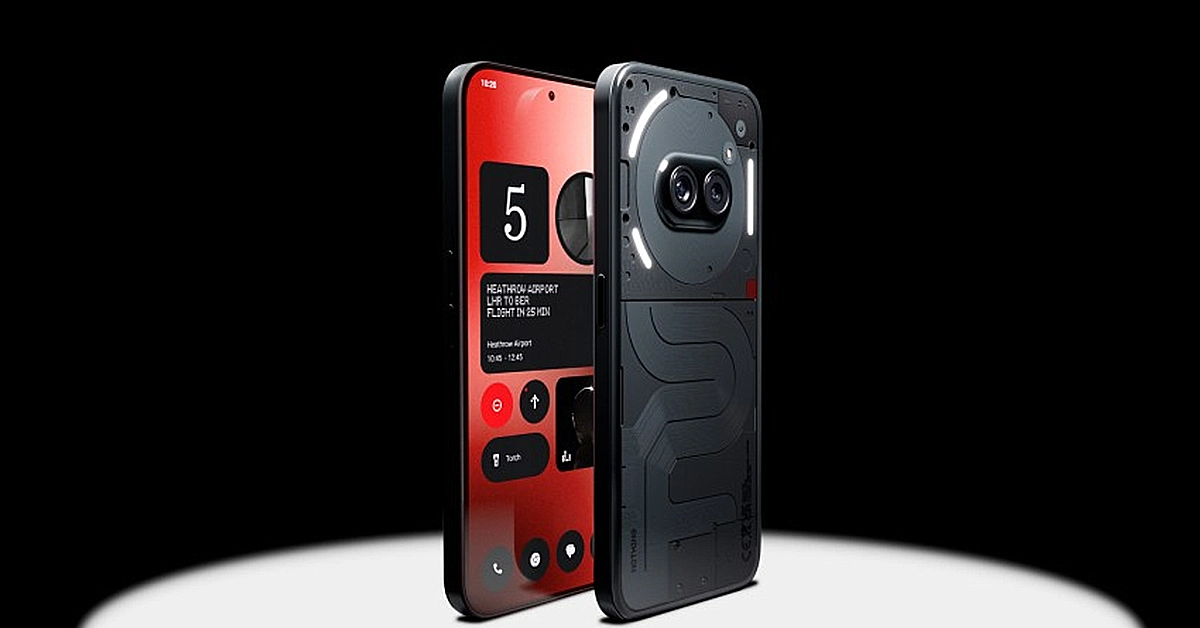
Nothing Phone 2a

nothing phone 2a The 6.7-inch FHD+ AMOLED 120Hz display on the Nothing Phone 2a supports an adaptive refresh rate ranging from 30Hz to 120Hz. The phone comes with Corning Gorilla Glass 5 protection. The device is powered by MediaTek Dimensity 7200 Pro SoC paired with up to 12GB of RAM and up to 256GB of storage. The dual rear camera setup on the phone includes a 50-megapixel main camera (with OIS and EIS) and a 50-megapixel ultra-wide sensor. In addition to this, there is a 32-megapixel selfie camera. The handset runs on Nothing OS 2.5 based on Android 14. The handset is backed by a 5,000mAh with 45W fast charging technology

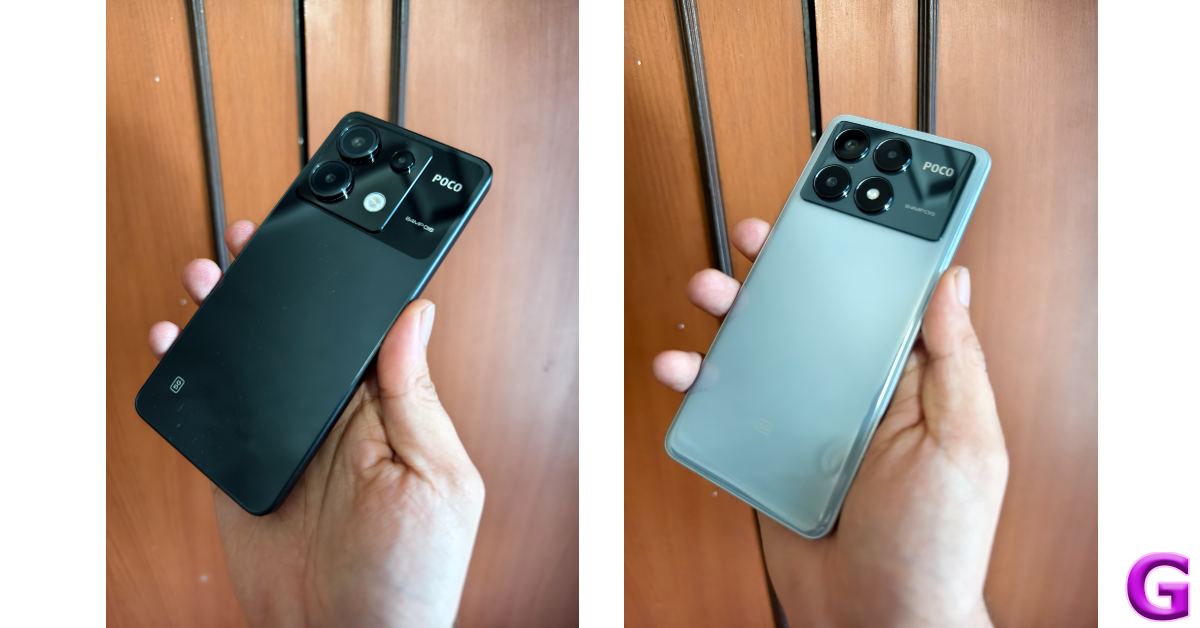
POCO X6 Pro

design
Poco X6 vs Poco X6 Pro
Poco X6 Pro features a similar display; a 6.67-inch AMOLED display with a resolution of 1.5K – 2712 x 1220. The display panel has a screen-to-body ratio of 94.27% and pixel density of 446 PPI. It has a color gamut of 100% DCI-P3 (typ), showcasing a color depth of over 68.7 Billion+ colours. The phone runs on the new HyperOS on top of Android 14. The vanilla model is powered by Snapdragon 7s Gen 2 SoC. The Poco X6 Pro comes with a triple rear camera setup that includes a 64-megapixel main camera lens with OIS, an 8-megapixel ultra-wide-angle lens and a 2-megapixel macro camera. For selfies, the handset includes a 16-megapixel front-facing camera. The Poco X6 Pro is fuelled by a 5,000mAh battery

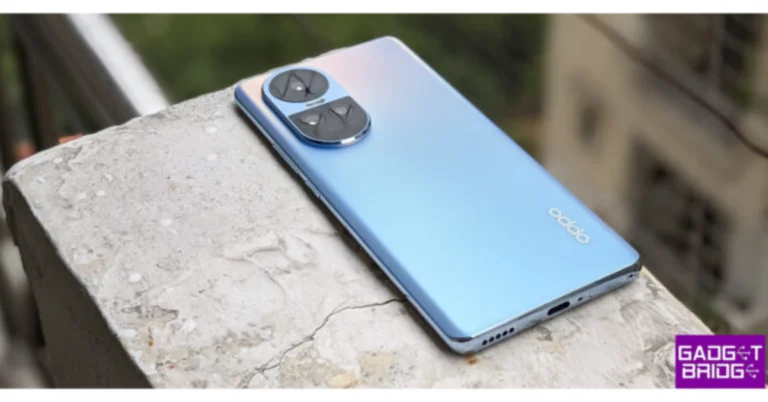
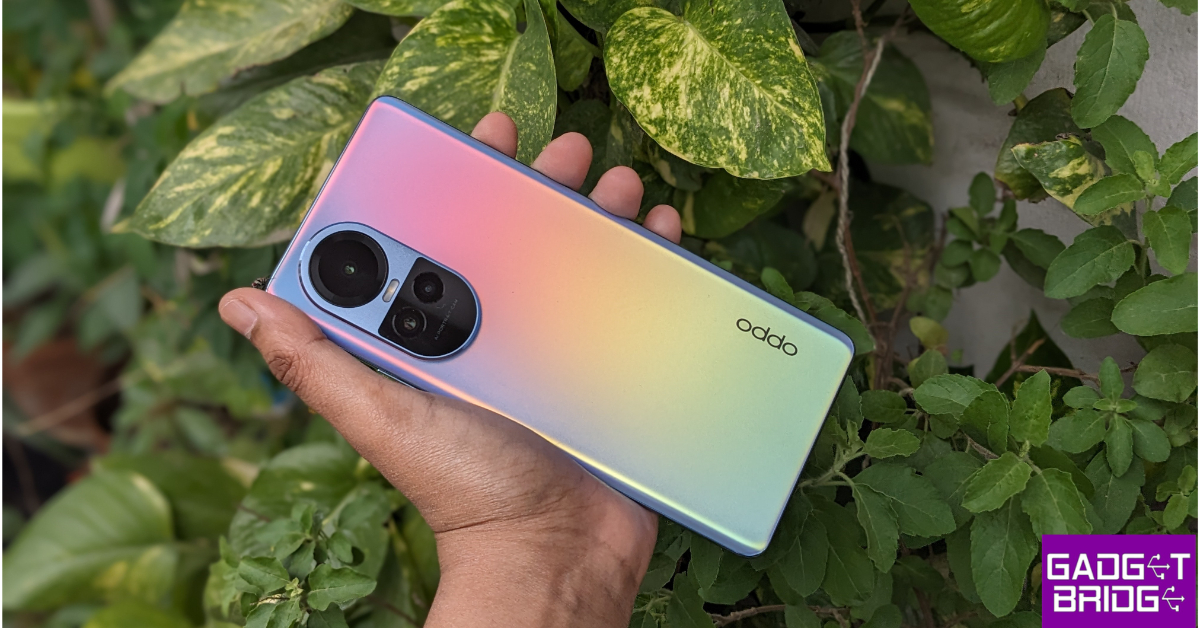
OPPO Reno 10 5G

Oppo Reno 10 Review: A Good Everyday Driver Oppo Reno 10 5G features a 6.7-inch full-HD+ OLED 3D curved display with 1,080X 2,412 pixels of resolution. The screen supports up to 120Hz refresh rate, and up to 240Hz touch sampling rate. Under the hood, there is an octa-core 6nm MediaTek Dimensity 7050 processor with 8GB of RAM and up to 256GB of UFS 3.1 storage. The Oppo Reno 10 5G has a triple rear camera unit with a 64-megapixel primary sensor with OIS and autofocus, a 32-megapixel telephoto sensor, and an 8-megapixel sensor. There is a 32-megapixel selfie camera as well. The handset also includes a 5,000mAh battery that offers 67W SuperVOOC flash charging support.

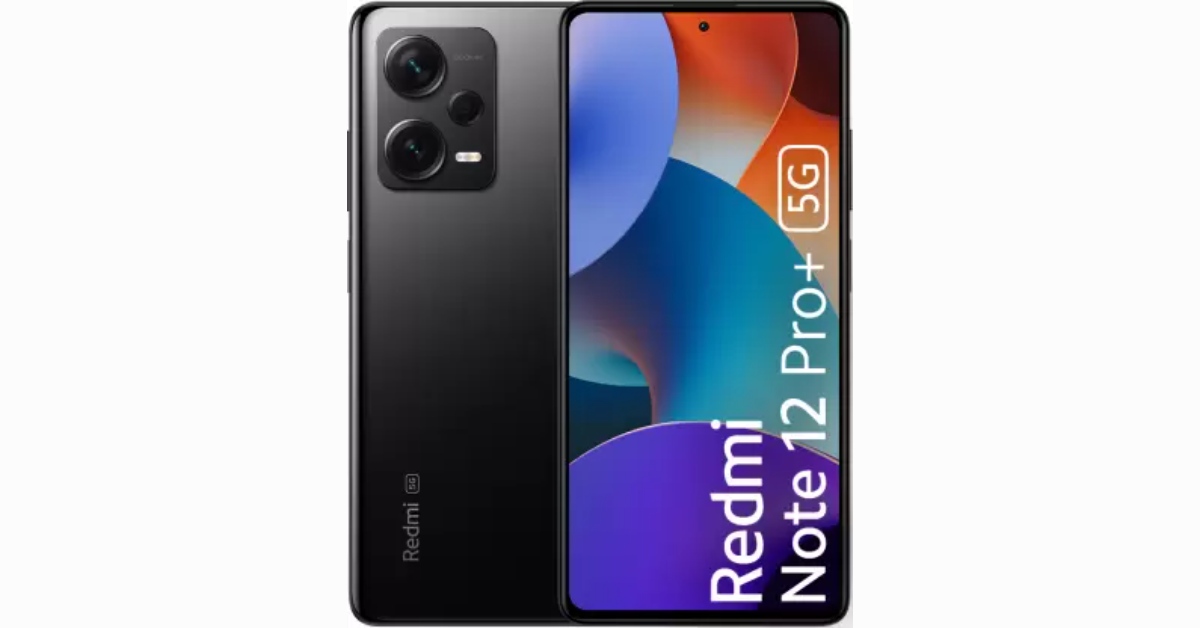
Xiaomi Redmi Note 12 Pro+

Redmi Note 12 Pro+ Redmi Note 12 Pro+ flaunts a 6.67-inch full-HD OLED display that has an up to 120Hz refresh rate. Under the hood, there is an octa-core 6nm MediaTek Dimensity 1080 SoC, up to 12GB of LPDDR4X RAM, and a Mali-G68 GPU. The handset features a triple rear camera setup that includes a 200-megapixel primary sensor with OIS. A 2-megapixel macro lens and an 8-megapixel ultra wide-angle camera are also part of the arrangement. The phone’s 16-megapixel front camera sensor is used for taking selfies. The Redmi Note 12 Pro+ houses a 5,000mAh battery that enables 120W rapid charging. The phone can be purchased at Rs 29,999.

Motorola Edge 40

Motorola Edge 40 with 144Hz 3D curved pOLED display launched in India Motorola Edge 40 comes with a 6.55-inch full-HD+ curved pOLED display with 2400 x 1080 pixels of resolution. The 3D glass panel has 144Hz refresh rate support and offers 1200 nits of peak brightness. The phone runs on Android 13 out of the box. It is driven by an octa-core MediaTek Dimensity 8020 5G SoC coupled with 8GB of LPDDR4x RAM and 256GB of USF 3.1 internal storage. For the photos and videos, there is a dual rear camera setup which includes a 50-megapixel main sensor with optical image stabilisation (OIS) support and a 13-megapixel sensor with an ultrawide sensor for macro vision. Motorola Edge 40 also features a 32-megapixel front camera for taking selfies and video calling. The Motorola Edge 40 houses a 4,400mAh battery with 68W TurboPower wired charging and 15W wireless charging support. Also Read: Nothing rolls out latest OS update, brings discreet call recording for Nothing Phone 2a and other phones

Samsung Galaxy A34 5G

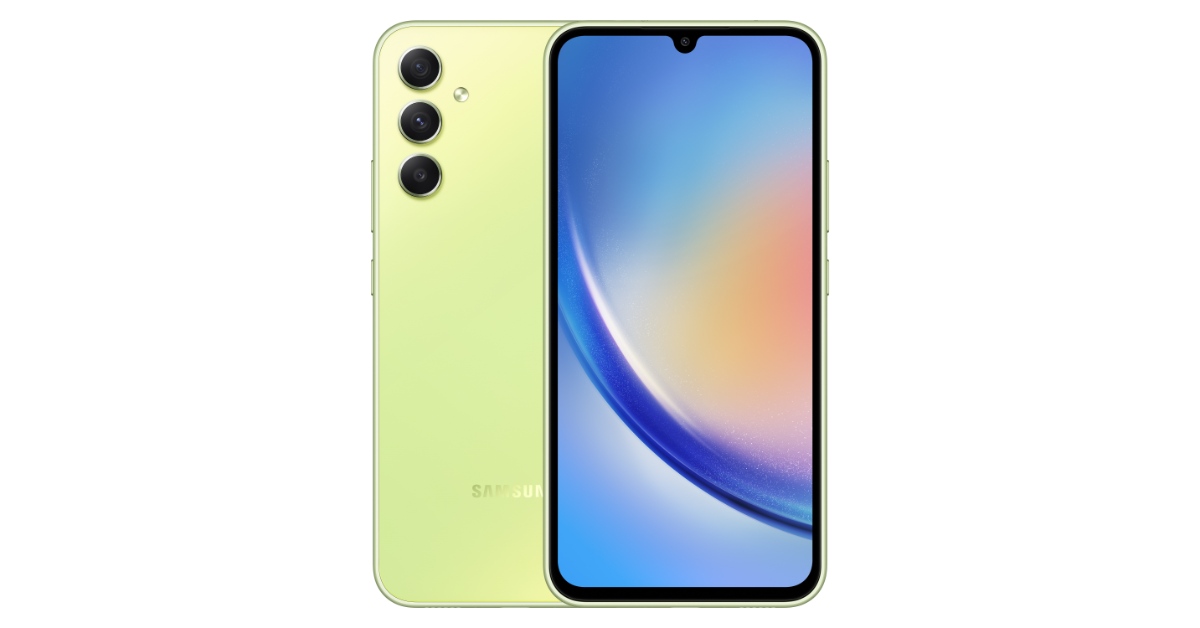
Samsung Galaxy A54 5G and Galaxy A34 5G price and sale details The Samsung Galaxy A34 5G features a 6.6-inch SAMOLED Full HD+ display with a refresh rate of 120 Hz. The devices come pre-installed with Android 13 and One UI 5.1. The Galaxy A34 5G include a triple-back camera configuration for photographs and videos. A 48MP primary lens, an 8MP ultra-wide lens, and a 5MP macro sensor are featured on the A34. A 32MP front-facing camera is available for taking selfies. It comes with a 5,000mAh battery.

OnePlus Nord 2T

OnePlus increases its 5G technology outreach in India and collaborates with top telecom companies The OnePlus Nord 2T 5G features a 6.43-inch full-HD+ AMOLED display having 1,080×2,400 pixels of resolution. It has a screen refresh rate of 90Hz. The phone is powered by MediaTek Dimensity 1300 SoC, combined with up to 12GB of LPDDR4X RAM. OnePlus Nord 2T has a triple rear camera setup with a 50-megapixel Sony IMX766 main sensor and an optical image stabilisation (OIS)-enabled f/1.8 lens. A 2-megapixel monochrome sensor with an f/2.2 lens and an 8-megapixel ultra-wide camera with a 120-degree field of view is also included in the camera arrangement. The front of the OnePlus Nord 2T 5G has a 32-megapixel Sony IMX615 camera with an f/2.4 lens for selfies and video calls. The device has a 4,500mAh dual-cell battery that can be charged quickly at 80W with the included charger.

Garena Free Fire Redeem Codes Today 16 March 2024: Here is how to claim them

Garena Free Fire is a battle royale game with regular awards and tournaments to keep players interested. If you play Garena Free Fire, you should be aware of the redeem codes that are released on a daily basis. However, because the battle royale game is banned in India, players from other countries can use the Free Fire Redeem codes daily. If you’re unfamiliar with the Garena Free Fire redeem codes or don’t know how to get them, we’ve put together a step-by-step guide to help you redeem them. Check out Garena Free Fire Redeem Codes for 16 March 2024. The Free Fire redeem codes are a great way to get free stuff. These are 12-digit codes that contain alphabets and numbers, as well as an expiration date and time. Because the Garena FF redeem codes cannot be used more than once, you should hurry to the redemption page to claim your free reward before someone else does. To get a free reward, all you have to do is go to reward.ff.garena.com/en, which is the official redemption page. Also, keep an eye on this space for daily updates on Garena Free Fire redemption codes and rewards. Also Read: Sennheiser Accentum Plus wireless headphones with Hybrid Adaptive Noise Cancellation launched

Garena Free Fire Redeem Codes Today 16 March 2024

FFEV1BHUA7Q6TGH FERTY9IHK6OV98U FZ7YTA5Q4RED2C3 FVBERFJUVYTSRF4 F8FXTHR8KIUHWG4 FIRUYHGFBCNI8S7 FWUYEGTBRTGNBK FF2BN8VJNCDRK5OT FYTGDSB4E4576JYH FUHRN31YRHYNM9KI FY6STWRFG4585AR4 FGBW3REGFBI7345 FJ8FG7BSJU6YT3R FGT5RFVDERFVSER F3BERNFJUCYTSRAF F5DCV3B4N5JIG8U7

How to Get Free Fire Redeem Codes for Garena on 16 March 2024?

  • Visit the Garena Free Fire game’s official website at reward.ff.garena.com.
  • Use your Facebook, Google, VK, Apple ID, Huawei ID, or Twitter account to log in.
  • You’ll be taken to a valid redemption code (s)
  • Copy and paste the 12-digit redemption code into the text box.
  • On the screen, a dialogue box will appear.
  • ‘Ok’ should be selected.
For the latest gadget and tech news, and gadget reviews, follow us on TwitterFacebook and Instagram. For newest tech & gadget videos subscribe to our YouTube Channel. You can also stay up to date using the Gadget Bridge Android App. You can find the latest car and bike news here.

Barsys Coaster 2.0 Review: More than a gimmick?

The idea behind the Barsys Coaster is simple – you pour the drink and the coaster tells you when to stop. Mix the correct ingredients and you’ve got yourself a breezy cocktail in no time. Sure, an ordinary cocktail jigger and a half-decent recipe will get you there as well, while saving you Rs 8,000 along the way. But would it grab eyeballs and make a cool addition to your bar? Probably not. The Coaster 2.0 leans into its flashy gimmick while also nailing the basic measurement tasks to perfection. We used it for a few days for all our mixology needs – be it shaking up a martini or stirring an old fashioned. Here is our in-depth review of the Barsys Coaster 2.0. Read Also: Samsung Galaxy A55 5G, Galaxy A35 India pricing revealed: Details

Barsys Coaster 2.0 review: Design

Inside the Barsys Coaster 2.0 retail box, you will find the following items.
  • Smart coaster
  • USB Type-C to Type-C cable
  • User manual
Barsys Coaster 2.0 review: Design The Coaster 2.0’s design is neater and more streamlined than its previous iteration. The aluminium body brings rigidity to the device and its brushed texture offers a nice contrast to the glass panel in the middle. This aluminium frame is separated by an LED light that runs around the circumference and acts as a measurement indicator. The glass panel in the middle of the coaster is bordered by this LED light strip as well. The bottom of the coaster has a rubber-like panel which keeps it firmly fixed to the bar or kitchen counter. There is no display on the device. The aluminium frame houses the USB Type-C port in a small protruding notch. The coaster has a diameter of 127mm. It is 22mm high. There are two colour variants on offer – Matte Black and Silver. design While Barsys has not mentioned any IP rating for this coaster, it remained unaffected by small splashes during the review period. The surface of the coaster is easy to wipe in case of an accidental spill. The product comes with a 1-year warranty.

Barsys Coaster 2.0 review: Performance

Connecting the Barsys Coaster 2.0 to your smartphone is an easy process. The companion app for the coaster is available on Android and iOS platforms. Once installed, all you need to do is hit the Bluetooth icon on the app to pair it with the coaster. app The Barsys Coaster app unlocks the true potential of the device. You can find tons of recipes sorted by liquor, mixer, flavour, and other useful categories. You can also follow your favourite mixologists and look up their recipes in the app itself. Each recipe lists the ingredients, required measurements, glass type, garnishes, and crafting instructions. Barsys Coaster 2.0 review: Performance To use the coaster for measuring your pours, you need to hit ‘Craft’. Once that’s done, the app will prompt you to place the glass on the coaster, followed by the liquors and mixers you need to pour. If you’re using a plastic glass to make a drink, they need to have ice in them to register on the device. Barsys Coaster 2.0 review: Performance When you start pouring the liquor into the glass, the white LED light around the coaster starts turning blue like a progress bar. A green light indicates that the correct measurement has been poured. After that, the app prompts you to pour the next ingredient, following the same process. While this works seamlessly for the most part, extra pours are not too uncommon, given it takes the LED a fraction of a second to turn green. green light We did run into a slight bug while using the Android app for the Barsys Coaster. After pouring the final ingredient, the app failed to register that the drink had been completed. We experienced this issue on two different Android devices. Other than that, the coaster did not measure 1oz pours when it wasn’t connected to the app, something that Barsys claims it can do. Hopefully, these issues will be patched in an OTA update. The companion app for the coaster has a ‘My Bar’ section which lets you list your bar inventory and catalogue your bar collection. You can scan the barcode on your bottle or enter it manually. The former takes some time to register the bottle in the inventory. Once you’ve entered your liquor and mixers, the app recommends you drink recipes based on those ingredients. You can upload your recipes and save them on the app as well. This is about as far as you can stretch the Coaster 2.0 when it comes to functionality. The LED lighting around the device stays on when it is connected to the power source. However, there is no option to customise the lighting on this device. Given it supports multiple colours, Barsys could have added them to standby mode as well. Read Also: Top 5 ways to track the price history of any Amazon product (2024)

Verdict

Even though the functional value of the Coaster 2.0 doesn’t exceed that of a cocktail jigger, its aesthetics deserve some props. We’d like it if the device leaned more into the novelty item bit and offered more customisation options. Even without that, the Coaster 2.0 brings a lot of flair to your bar setup. If it’s worth splurging Rs 8,000 is something for you to decide.

Barsys Coaster 2.0: Pros

  • Great design
  • Tons of recipes in the companion app
  • Attractive guiding mechanism

Barsys Coaster 2.0: Cons

  • No options to customise the LED lighting while the device is on standby
  • Buggy Android app
  • Pricey

Samsung Galaxy A55 5G, Galaxy A35 India pricing revealed: Details

Key Highlights
  • Samsung Galaxy A55 5G and Galaxy A35 5G have triple rear camera units driven by 50-megapixel primary sensors.
  • The smartphone features 6.6-inch AMOLED panels with refresh rates of up to 120Hz.
  • The phone runs on Android 14 out of the box.
Samsung Galaxy A55 5G, Galaxy A35 was launched in India recently. The official price of these devices was not disclosed by the corporation at the time of launch. But now official information regarding pricing and availability has been made available. Checkout the details below

Samsung Galaxy A55 5G, Galaxy A35 5G price in India

Samsung Galaxy A55 5G price in India:
  • 8GB RAM + 128GB storage- Rs 39,999
  • 8GB RAM + 256GB storage- Rs 42,999
  • 12GB RAM + 256GB storage- Rs 45,999
The phone will be available in two colourways- Awesome Iceblue and Awesome Navy. Also Read: Samsung Unveils Galaxy A55 5G and A35 5G with AI Cameras Samsung Galaxy A35 5G price in India:
  • 8GB RAM + 128GB storage- Rs 30,999
  • 8GB RAM + 256GB storage- Rs 33,999
This phone comes in Awesome Lilac, Awesome Iceblue, and Awesome Navy colour options. Launch Offers Details On the purchase of both handsets, Samsung will be offering a cashback of Rs 3,000 if HDFC, OneCard, or IDFC first bank cards are used for transactions. In addition to this, these card owners are also eligible for no EMI options starting at Rs 1,792 and Rs 1,732 for the Galaxy A55 5G and Galaxy A35 respectively.

Samsung Galaxy A55 5G, Galaxy A35 5G specifications

Both Samsung Galaxy A55 5G and Galaxy A35 5G feature a 6.6-inch full-HD+ Super AMOLED display with 1,080×2,408 pixels of resolution. The display supports up to 120Hz refresh rate and has a Gorilla Glass Victus+ protection. In addition to this, they come with 1,000 nits of peak brightness and a Vision Booster feature. Under the hood, there is an Exynos 1480 SoC for the A55 and an Exynos 1380 SoC for the A35. Also Read: Nothing rolls out latest OS update, brings discreet call recording for Nothing Phone 2a and other phones The Samsung Galaxy A55 5G features a triple rear camera setup that includes a 50-megapixel primary camera, a 12-megapixel ultra-wide-angle camera and a 2-megapixel sensor. There is a 32-megapixel front-facing camera for taking selfies. On the other hand, Samsung Galaxy A35 5G is highlighted with a triple camera setup consisting of a 50-megapixel primary camera, an 8-megapixel ultra-wide camera and a 5-megapixel macro lens. Also, there is a 13-megapixel selfie camera. Samsung has equipped the A55 and A35 with 5,000mAh batteries that allow 25W rapid charging.

Top 6 ways to track the price history of any Amazon product

0
If you like to be thorough with your research while buying anything online, a price tracker should be the first tool in your arsenal. A good price tracking tool not only gives you the comprehensive price history of any product but also notifies you about any price drops. By observing a product’s price history, you can make an informed judgment on whether its price will be slashed soon. Going through the previous pricing trends, you will know what to expect in the next price cut. Here are the top 6 tools you can use to track the price history of any Amazon product. Read Also: How To Use AirPods Pro As Hearing Aids? (2024)

Which tool is best for you?

Well, that depends on your location and platform. While CamelCamelCamel is regarded as the best price tracking tool, users in India may not find much use for it. Its web extension, Camelizer, is also a great tool for the task. For Indian users, we recommend using PriceBefore. This tool works for Amazon, Flipkart, and Snapdeal. If you do most of your online shopping on your smartphone, the Kappa app will be of great use. The only drawback of tracking the price history for a product on your phone is that you cannot do it directly on the Amazon app. You will need to log in to your Amazon account on the web portal in the Kappa app. If you don’t wish to log in, you can simply browse to the product page and view its previous prices.

Use Rufus

Rufus is Amazon’s native AI agent. Here’s how you can use it to track the price history of any product. Step 1: Go to the product’s Amazon page. Step 2: Scroll down to the Ask Rufus section and click on Ask something else. Step 2: Scroll down to the Ask Rufus section and click on Ask something else. Top 6 ways to track the price history of any Amazon product Step 3: Type ‘Show price history‘ as your prompt and hit Enter. Step 3: Type 'Show price history' as your prompt and hit Enter. Top 6 ways to track the price history of any Amazon product Step 4: Rufus will generate a graph showing the product’s price history. Step 4: Rufus will generate a graph showing the product's price history. Top 6 ways to track the price history of any Amazon product
Use CamelCamelCamel

CamelCamelCamel is one of the best price trackers for Amazon. Here’s how you can use it to view the price history of any product on Amazon. Step 1: On your web browser, go to the CamelCamelCamel homepage. Step 2: Now, go to Amazon and browse to the page of the product you’re looking to buy. Step 3: Copy the link to the page. Step 3: Copy the link to the page. Top 6 ways to track the price history of any Amazon product Step 4: Go back to the CamelCamelCamel homepage and paste the URL into the ‘Find Amazon Products’ text field. Step 5: Hit the search button. Step 4: Go back to the CamelCamelCamel homepage and paste the URL into the ‘Find Amazon Products’ text field. Top 6 ways to track the price history of any Amazon product Step 6: Scroll down to view the product’s price history. Step 6: Scroll down to view the product’s price history. Top 6 ways to track the price history of any Amazon product

Use the CamelCamelCamel browser extension

Step 1: Download the Camelizer extension from the Chrome Web Store. Step 2: Go to the Amazon page of the product you’re looking to buy. Step 3: Click on the extensions icon next to the address bar and select Camelizer. Step 3: Click on the extensions icon next to the address bar and select Camelizer. Top 6 ways to track the price history of any Amazon product Step 4: The price history of the product will be presented to you in the form of a graph. Step 4: The price history of the product will be presented to you in the form of a graph.

Use PriceBefore

One of the disadvantages of using CamelCamelCamel is that it doesn’t work for Amazon India. If you’re an Indian user, PriceBefore is one of the best price trackers you can use for Amazon, Flipkart, and Snapdeal. Here’s how. Step 1: Go to the PriceBefore homepage. Step 2: Enter the Amazon link to the product. Step 2: Enter the Amazon link to the product. Step 3: Select the product from the list. Step 4: The lowest, current, and highest prices of the product will be displayed on the next page.  Step 4: The lowest, current, and highest prices of the product will be displayed on the next page. 

Use Keepa

Keepa is another reliable tool to track the price of any product on Amazon. One of the best things about Keepa is that automatically inserts the price history graph on every Amazon product’s page. Here’s how you can use it. Step 1: Download the Keepa extension for your web browser. Step 2: Go to the Amazon page of the product you’re looking to buy. Step 3: Scroll down to view its price history graph. Step 3: Scroll down to view its price history graph.

Use the Keepa app

Apart from browser extensions, Keeps also has amazing apps for Android and iOS. Here’s how you can use it. Step 1: Download the Keepa app for your smartphone. Step 2: Launch the app. Choose your language and Amazon locale. Step 2: Launch the app. Choose your language and Amazon locale. Step 3: Tap on Amazon. Step 3: Tap on Amazon. Step 4: Search for your desired product. Step 5: Scroll down the product page to view its price history. Step 5: Scroll down the product page to view its price history.

Frequently Asked Questions (FAQs)

Which websites should I use to track the price history of Amazon products?

CamelCamelCamel, PriceBefore, Glass It, and Earny are excellent tools to track the price history of Amazon products.

Which extensions should I use to track the price history of Amazon products?

Keepa and Camelizer are great extensions for tracking the price history of any product on Amazon.

Which apps should I use to track the price history of any product on Amazon?

The Keepa browser extension is also available as an app for Android and iOS to track the prices of products on Amazon.

Is there a native way to view the price history of a product on Amazon?

To view the price history of any product on Amazon, simply go to the Ask Rufus section on its page, select ‘Ask something else’, type ‘Show price history’, and hit Enter.

Does Google Chrome have an option to track the price history of a product?

Click the Shopping Insights icon on Chrome’s address bar when you’re on a product’s retail page. This will give you access to its price history. Read Also: Top 2 Ways to Control the Fan Speed on a Windows PC or Laptop (2024)

Conclusion

These are the top 6 ways to check or track the price history of any product on Amazon. PriceBefore also works for other e-commerce websites like Amazon and Flipkart. Which price tracker do you prefer while shopping online? Let us know in the comments!