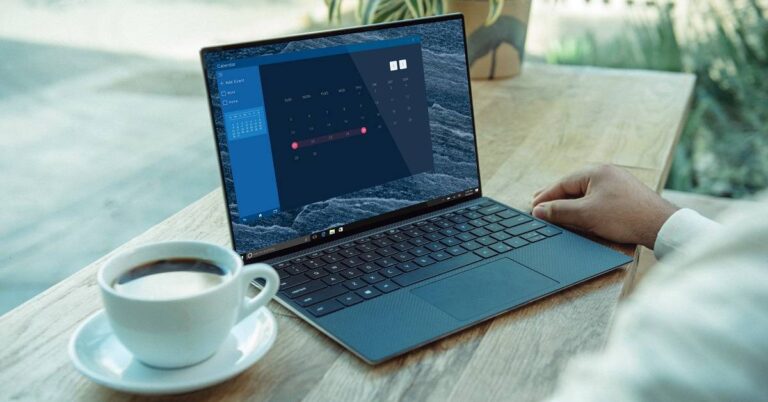
Gone are those days when 1TB of storage seemed enormous. Today, the size of applications have increased manifold. Within a few months of usage, your PC may run short of storage. Indiscriminately deleting files is not an option you may end up losing essential data related to your career, finance, and education. Here are the best ways to clean up your PC’s storage so that you can always add your new files.
Uninstall undesirable application
A significant space of your PC’s storage is taken by the installed applications. List out the redundant applications because one software is usually enough for one task. For instance, there is no point in keeping Evernote as well as OneNote since both perform the same tasks. Keep the one you are handier with. Uninstalling unnecessary applications will save much storage. You can do this in the following steps.
Go to Start > Apps and Features
Identify unnecessary applications
Click the Uninstall button to remove them.
Uninstall undesirable application
Optimise your Downloads folder
The Downloads folder contains a variety of files saved from the internet. These include image, text, video, and application setups. Once you have used some or all of the downloaded files, you may not require them anymore. The best practice is to delete them. A cleaned Downloads folder helps you quickly find new files downloaded from the internet.
Use the Disk Cleanup software
Disk Cleanup is an application that comes installed with the Windows 10 operating system. The app allows you to get rid of unnecessary system files in a few clicks. As you use an application or install a new one, the operating system generates new files and copies of the existing ones. Cleaning them will save a lot of storage space. To optimise the storage using Disk Cleanup software, follow these steps.
Go to Start and type Disk Cleanup.
As soon as you launch the app, you will be asked to choose the drive that you want to clean.
Click OK to clean the desired drive. The cleaning process may take some time depending on the size of the drive.
Use the Disk Cleanup software
Transfer files to the Cloud
Using cloud storage is the best way of storage expansion. It is reliable, secure, and accessible. There are several cloud storage services including Google Drive, Microsoft OneDrive, and Dropbox. These services provide free and paid storage options. If you don’t require a high amount of storage, you can go for the free tier as follows.
Google Drive: 15GB of free storage
Microsoft OneDrive: 5GB of free storage
Dropbox: 2GB of free storage
Delete temporary files
Temporary files are files that are created for faster access. These are like cookies of a web browser that store the address, images, and cache data to optimise the experience. Over a period, these files can get accumulated and acquire significant storage space. Discarding temporary files will immediately release a chunk of storage. To delete temporary files, follow these steps.
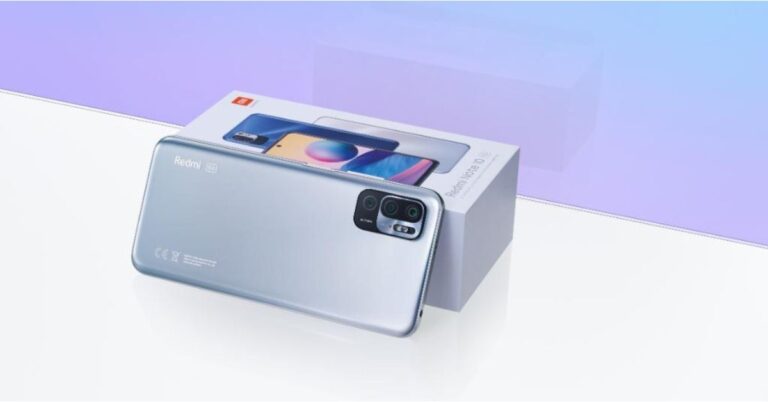
Xiaomi leaves behind Samsung to gain the top spot in the Indian market owing to strong sales on all online platforms. According to the latest research report by Canalys, India’s smartphone shipments grew 11 percent to 37.1 million units in Q1 2021 however COVID-19 resurgence will hit Q2. The Canalys Smartphone Market Pulse report says that the favourable macroeconomic factors helped smartphone vendors capitalize on the growing importance of smartphones for remote education for Generation Z, for work and leisure for Millennials. In the Q1 of 2021, the Indian market recorded 37.1 million units while Xiaomi retained its top spot as the market leader with 10.5 million shipments accounting for 28% of the market share.On the other hand, Samsung has fallen to the second position with shipping 7.0 million units. its market share fell to 19% from 21% in the previous quarter. Vivo reserved the third position with 6.7 million shipments followed by Oppo with 4.7 million units and Realme completed the top five with 4.3 million.The Canalys report points out that in Q1 a surge in the device offerings appeared to be due to subsiding COVID-19 cases. Canalys Analyst Sanyam Chaurasia emphasizes that “It was a quarter to celebrate in India, as every one of the top five vendors grew”.He further added that “Xiaomi, for example, continued to drive its multi-brand strategy in established online channels, and is now implementing new initiatives to grow its offline presence. For example, its ‘Mi Store on Wheels’ turns road vehicles into mobile stores to reach smaller towns and rural locations. In the premium segment, Apple had a stellar performance in what is traditionally a soft quarter. Following a strong festival quarter, it shipped over a million iPhones in Q1, with demand for the iPhone 12 supported by the local assembly and attractive finance offers, as well as sustained demand for the older iPhone 11. But the market-wide celebration will be short-lived, as a resurgence of COVID-19 in India in Q2 will derail momentum.”The smartphone shipments in India are also likely to jump in Q2 2021 due to the second wave of COVID-19. As the geographical distribution of cases varies widely, a nationwide lockdown seems unlikely. But regional lockdowns could hamper the transport of raw materials and devices due to limited inter-state travel. Hence, for smartphone brands and channels, building up optimum inventory could prove to be a hurdle in the second half of the year.On the flipside Varun Kannan, Canalys Analyst also highlighted that unfavourable macroeconomic factors will lead to a rising smartphone ASP. According to the analyst, the combination of the ongoing supply crunch on key imported components and a weaker Rupee will make it increasingly difficult for vendors to maintain margins at current price levels. Therefore impacting the cost, which will hit particularly hard in the sub-US$200 smartphone segment, which accounted for 81% of the market last year.
For the latest gadget and tech news, and gadget reviews, follow us on Twitter, Facebook and Instagram. For newest tech & gadget videos subscribe to our YouTube Channel. You can also stay up to date using the Gadget Bridge Android App.
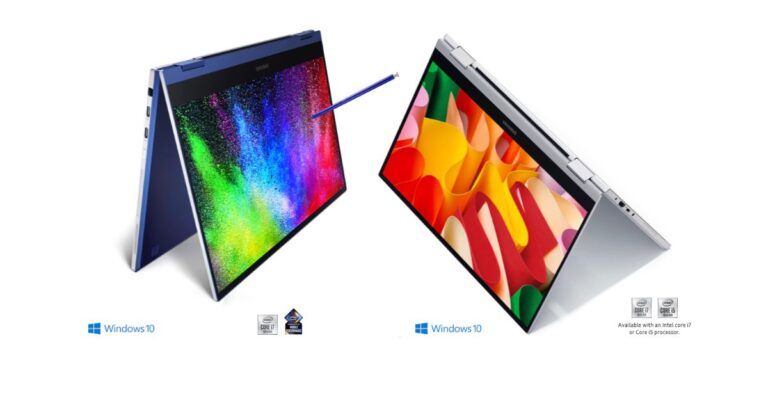
At the Galaxy Unpacked event, the company has already launched Samsung Galaxy Book, Galaxy Book Pro and Galaxy Book Pro 360 and Galaxy Book Odyssey(gaming laptop) in India. Apart from this, the South Korean company has also brought a refreshed variant of its Flex laptop to the market namely Samsung Galaxy Book Flex 2 Alpha. As the name suggests this computer features a 2-in-1 convertible design and is powered by up to an 11th-generation Intel Core i7 processor.
Samsung Galaxy Book Flex 2 Alpha pricing and availability
The Samsung Galaxy Book Flex 2 Alpha laptop has been launched in the US. These it now available for pre-bookings. The price of the model powered by Intel Core i5 processor starts at $849 (approx Rs 63,000) and with the Intel Core i7 processor, it will be available with a starting price of $1,049 (approx Rs 77,700). The colour options it would be available in Black and Silver colour options.
Tech specs
The Samsung Galaxy Book Flex 2 Alpha laptop comes with a convertible form factor with an aluminium build featuring a 13.3-inch QLED full-HD display offering 1,920×1,080 pixels of resolution and touch support. The screen comes has a 400 nits brightness indoors and 600 nits in outdoor mode. The laptop is powered by 11th-generation Intel Core i5 and Core i7 processor. The i5 model includes 8GB of LPDDR4x RAM and SSD 256GB storage on the other hand the i7 processor brings 16GB of LPDDR4x RAM and 512GB SSD storage.In addition to this, the Galaxy Book Flex 2 Alpha features a backlit keyboard and a glass trackpad. The laptop includes a fingerprint sensor for security along with a fingerprint sensor for security. The unit runs Windows 10 Home Edition and it further houses dual-array microphones, and two 1.5W stereo speakers having Dolby Atmos support.The Samsung laptop also comes integrated with Wi-Fi 6 and Bluetooth v5.1 for wireless connectivity with additional connectivity option onboard includes two USB 3.2 Type-A ports, a USB Type-C port, one HDMI port, a microSD card slot, and a 3.5mm headphone jack.
For the latest gadget and tech news, and gadget reviews, follow us on Twitter, Facebook and Instagram. For newest tech & gadget videos subscribe to our YouTube Channel. You can also stay up to date using the Gadget Bridge Android App.
Amazon Prime Day is expected to take place by the end of the first half of the year 2021. The event is happening earlier this time as compared to 2020. The Amazon Prime Day usually happens in July every year. However, the event was shifted last year due to the COVID-19 outbreak and took place in October. The sale usually observes a rise in the buying options and hence higher delivery. The increased interaction in the supply chain could spread the infection.
What is the Amazon Prime Day event?
The Amazon Prime Day is an annual bonanza offered to customers subscribed to Amazon’s Prime membership. The event had started in 2015 on the occasion of Amazon’s 20th anniversary. The sale offers attractive deals and heavy discounts on various products. The company offers discounts on its own line of products like echo devices and Amazon Fire TV sets. For availing of the offers, customers use Amazon’s website or mobile application. Moreover, they can give commands to Alexa to add products to their cart.
What is the company’s approach regarding Amazon Prime Day 2021?
Amazon has opted to shift the Prime Day event even before when it normally takes place. Last year, the event had been pushed to October when the Black Friday Sale was near. As a result, the festive season had observed two sale events back to back while the summer season had gone vacant.
Conducting the Amazon Prime Day 2021 in June will ensure that there exists sufficient time between consecutive sale events. The company believes that this approach will sufficiently attract the attention of customers. Moreover, fixing an early date will have a cushioning effect if the event gets shifted this year as well based on the COVID-19 scenario.
What is the company’s approach regarding Amazon Prime Day 2021?
What are the expectations of Amazon from Prime Day 2021?
Amazon recently rolled out the earning for the first quarter (Q1) of the year 2021. The company observed an increase in the sale of about 44 per cent as compared to last year. The total revenue generated by Amazon in the first quarter of 2021 is $108.5 billion. This is beyond the expectations of the company and considering the pandemic situation throughout the world.
Placing the Amazon Prime Day event in June will give a boost to the total revenue of the second quarter. The second quarter is the most challenging quarter for any company. In the second half of the year, e-commerce automatically shoots up due to the festive season. With outstanding sales in the first quarter, the company would need to have a big plan for the second quarter to keep the graph up.
For the latest gadget and tech news, and gadget reviews, follow us on Twitter,FacebookandInstagram. For newest tech & gadget videos subscribe to our YouTube Channel. You can also stay up to date with the Gadget Bridge Android App.
The e-commerce website Flipkart is hosting Daily Trivia Quiz. Every day it brings a bunch of new questions for its users. By answering them correctly you can win exciting prizes. The questionnaire is based on questions related to general knowledge. Also, the users can win free vouchers and super coins, among other offers via the daily quiz. April 30 Flipkart Daily Trivia Quiz Answers has already gone live on its platform.
The participant should be at least 18 years old and should have a valid login ID. The Quiz is available on the mobile platform and not the web version. E-commerce conducts the quiz on daily basis and goes live at 12:00 AM IST and runs till 11:59 PM IST. The winners are announced within 15 days from the date of participation that can be viewed under the Gems/Rewards section in the app.
How to participate in the Flipkart Daily Trivia Quiz
To participate download the Flipkart app on your phone. Then open the Flipkart app then head to Game Zone. Now click on the Daily Trivia Banner or search for Daily Trivia. Enter the game and answer all 5 questions with correct answers.
April 30 Flipkart Daily Trivia Quiz Answers
Question 1:Which Indian Batsman recently scored 37 runs in a single over against RCB?
Answer 1 : Ravindra Jadeja
Question 2: Identify this IPL fast bowler who donated $50,000 to the PM CARES fund to fight COVID19?
Answer 2: Pat Cummins
Question 3: Mumbai Indians amassed how many points to top the table in IPL 2020 season?
Answer 3: 18
Question 4: In 2009, the match between which teams ended in a tie, marking the first tied match in IPL history?
Answer 4: KKR vs RR
Question 5: In 2018, who scored the fastest half-century in the history of IPL?
Answer 5: KL Rahul
The daily Quiz is now live on the Amazon app and today you have a chance to win Rs 20,000. The participants can play the quiz from 12 AM to 11:59 PM. Those who are unaware of the e-commerce platform bring a fresh quiz on a daily basis which consists of five questions related to general knowledge and current affairs. The participants need to answer all the questions correctly and their name will be selected for a lucky draw. The company will announce the winner’s name at the end of the month. One wrong answer could eliminate you from the quiz. The result of today’s Amazon quiz will be announced a the end of the month. Only app users are eligible to participate in the Quiz. We have already updated all the answers of today’s quiz below.
Question 1: Argyreia sharadchandrajii’ a new species of plant discovered in Maharashtra’s Kolhapur district has been named after whom?
The answer is- Sharad Pawar
Question 2: Jofra Archer in the 2021 squad for which IPL franchise, is likely to miss the first 4 matches of the season?
The answer is- Rajasthan Royals
Question 3: Which famous movie personality has been announced as the latest recipient of the Dadasaheb Phalke award?
The answer is- Rajanikanth
Question 4: The company whose logo has been taken here, takes its name from a scientist born in which present day country?
The answer is- Croatia
Question 5: Identify this animal also known as the gnu
The answer is- Wildebeest
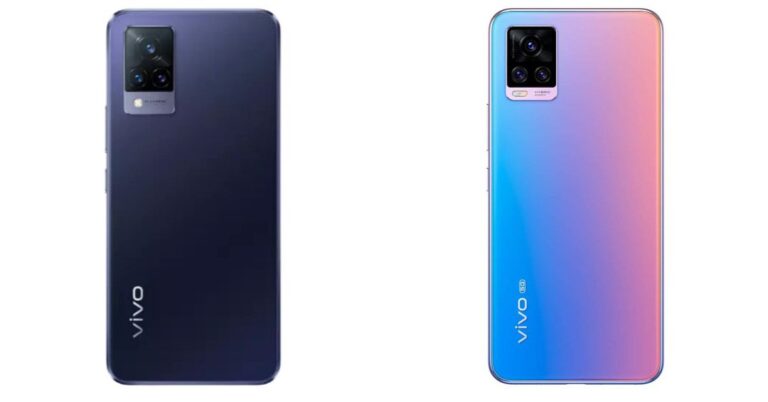
Today in India, the Chinese smartphone company introduced Vivo V21 5G smartphone. The device is the latest edition to its next generation of the V-Series line up. The key highlights of the smartphone include triple rear cameras, 44-megapixel selfie camera with optical image stabilisation (OIS). The device is powered by MediaTek Dimensity 800U SoC. To help you assess, which mobile phone is better to buy we have put together the device with Vivo V20 Pro.
Vivo V21 5G: 64-megapixel primary sensor with an f/1.79 aperture. Further assisted by an 8-megapixel wide-angle sensor with an f/2.2 aperture and a 2-megapixel macro lensVivo V20 Pro: 64-megapixelSamsung ISOCELL GW1 sensor with an f/1.89 aperture. Further assisted by an 8-megapixel ultra-wide-angle lens with f/2.2 aperture, a 2-megapixel monochrome sensor with an f/2.4 aperture.
Selfie camera
Vivo V21 5G: 44-megapixel selfie sensorVivo V20 Pro: Dual selfie camera setup on the phone houses a 44-megapixel primary sensor with an f/2.0 aperture and an 8-megapixel ultra-wide-angle with a field of view (FoV) of 105 degrees and f/2.28 aperture
RAM and storage
Vivo V21 5G: 8GB RAM with 128GB of storage and the 8GB RAM with 256GB of storageVivo V20 Pro: 8GB RAM with a 128GB storage
Battery
Vivo V21 5G: 4,000mAh batteryVivo V20 Pro: 4,000mAh battery
Operating system
Vivo V21 5G: Funtouch OS 11.1 on top of Android 11Vivo V20 Pro: Funtouch OS 11 based on Android 10
Price
Vivo V21 5G: Rs 29,999 Vivo V20 Pro: Rs 29,990
Verdict
Vivo V21 comes with bigger storage than its predecessor, which means you have more space to download more applications to store and also makes the device run faster. Moreover, the phone comes with an Extended RAM feature that is said to allow it to use up to 3GB of storage as virtual RAM. The newly launched phone also offers a dedicated microSD card slot to expand storage. Apart from the Vivo V20 Pro offers you a dual selfie camera set up whereas V21 comes with a single 44-megapixel sensor on the front. Both these phones have 5G support for connectivity. So considering the spec as well as the pricing both the handsets have almost the same features so the choice of the phone depends on the usage and requirement of the users, which is subjective.
For the latest gadget and tech news, and gadget reviews, follow us on Twitter, Facebook and Instagram. For newest tech & gadget videos subscribe to our YouTube Channel. You can also stay up to date using the Gadget Bridge Android App.
Wearing a face mask is an essential requirement during the ongoing COVID-19 pandemic. The Apple iOS 14.5 and the watchOS 7.4 have brought a new feature that will enable Apple Watch users to unlock their iPhones while the face mask is on.
The new feature saves the need to type the passcode every time to unlock the device. Besides, it will reduce the chances of infection as there will be no need for you to remove the mask to unlock the iPhone as long as you’re wearing the Apple Watch.
What are the pre-requisites to unlock your iPhone using the Apple Watch?
There are three pre-requisites to unlock your iPhone using the Apple Watch. They are as follows.
You should be wearing your Apple Watch.
Your Apple Watch must be unlocked.
Your Apple Watch must have the passcode enabled.
You must be wearing a face mask.
Your iPhone must be running the latest iOS 14.5 version. If your iPhone is running an older version of iOS, you may update it to the latest version in the following steps.
Launch the Settings application.
Go to General > Software Update
If your device is already up to date, you will get the message with the iOS version e.g. “iOS 14.5: iOS is up to date”.
If your device needs an update, you will be prompted with the message. Just tap Download and install.
Your Apple Watch must be running the latest watchOS 7.4 version. To install watchOS 7.4 using your Apple Watch, follow these steps.
It should be noted that your Apple Watch needs to be on a charger or at least have 50% of battery backup to install the update otherwise the update will not begin.
Open the Settings application on your Apple Watch
Go to General > Software Update > Install.
Tap OK.
Now launch the Apple Watch application on your iPhone and Agree to the Terms & Conditions.
Tap Download & Install on your Apple Watch
New Apple Watch Series 6
Price: ₹ 37,900
Buy on Amazon
How can you unlock your iPhone using the Apple Watch?
To unlock your iPhone using the Apple Watch, follow these steps.
Launch the Settings app on your iPhone.
Go to Scroll down and select Face Id & Passcode.
You will be asked to enter the passcode.
Scroll down and toggle the Unlock with the Apple Watch option on.
Earphones or headphones are not just gadgets, they are essentials gears. It is hard to leave them while going to the gym or on a trip. We use them while listening to music, podcasts, watching online lectures, or streaming videos. With continuous usage, the inner portion of the earphones or headphones collects dirt and germs that need to be cleaned. You don’t require any skills to clean them. Here is the simplest manual to clean your headphones or earphones.
How can you clean your earphones?
To clean your earphones, you will require the following things.
Before you start cleaning your headphones, you will require the following things.
An old toothbrush
A small container with water
A small quantity of soap or detergent
3-4 tissue paper or pieces of cloth
How can you clean your earphones?
To clean your earphones, follow these steps.
Hold the back case of your earphones firmly and pluck the silicone earcaps.
Prepare a mixture of soap and warm water in a small dish.
Soak the removed silicone earcaps in the dish for about five minutes.
After you take them out, wipe both earcaps with a dry cloth to remove the remaining dirt. The earcaps remain inside your ear as long as you are using the earphones. Cleaning them thoroughly will remove dirt as well as kill germs.
Leave the silicone earcaps to dry.
Hold the earphones with the mesh portion facing down.
Use an old toothbrush to gently rub the mesh portion. This process will remove the dirt collected in the mesh.
Gently tap the back case of the earphones to get rid of the remaining dirt.
Wipe the mesh portion of the earphones with a dry cloth to remove the dirt stuck on the mesh portion.
Soak a piece of cloth in an antiseptic liquid or a hand sanitiser and wipe it over the mesh portion to kill germs.
Re-attach the silicone earcaps to the earphones.
How to clean your headphones?
Before you start cleaning your headphones, you will require the following things.
A small container with water
A small quantity of soap or detergent
3-4 tissue paper or pieces of cloth
How to clean your headphones?
To clean your headphones, follow these steps.
Prepare a mixture of soap and warm water in a small dish.
Hold the headphones firmly and remove the earpads. The process to remove the earpads may vary differently from brands of headphones.
Wipe the outer portion of the headphone using a cloth dampened with the soap solution.
Once clean, wipe the headphone surface with a dry cloth or tissue paper. Doing this will prevent water from entering the speakers.
Soak a piece of cloth in an antiseptic liquid or a hand sanitiser and wipe it over the outer portion of each earpad. The exterior remains in touch with your skin and hence needs to be cleaned properly.
Wipe the mesh with a cloth or tissue paper soaked in the antiseptic liquid. This process will not only make them look clean but also kill germs.
At its virtual Galaxy Unpacked Event, Samsung announced the launch of its new Galaxy Book Series that includes three new laptops along with a gaming laptop in the market. The company has introduced Samsung Galaxy Book, Galaxy Book Pro and Galaxy Book Pro 360 and Galaxy Book Odyssey(gaming laptop) powered by the latest 11th generation Intel Core processor. Pricing and availabilityThe price of the Samsung Galaxy Book begins at $549 (approx Rs 40,900) for the WiFi model whereas the LTE variant will be available at with a starting price of $649 (approx Rs 48,300). The Galaxy Book Pro price begins at $999 (approx Rs 74,400) while the price of the Galaxy Book Pro 360 will start at $1,199 (approx Rs 89,300). Lastly, the Samsung Galaxy Book Odyssey will come with a price tag of $1,399 (approx Rs 1,04,200).On the availability front, Galaxy Book (2021) and Galaxy Book Odyssey will go on sale on May 14 in select markets. Whereas Galaxy Book Pro and Galaxy Book Pro 360 are now up for preorders.Samsung Galaxy Book and Galaxy Book Odyssey specsBoth these models are designed for everything from everyday use to heavy-duty gaming and B2B usage. The Samsung Galaxy Book and Galaxy Book Odyssey feature a similar 15.6-inch full-HD LCD panel with 1,920×1,080 pixels of resolution. These laptops are powered by up to an 11th-generation Intel Core i7 processor. The former one equips Intel Iris Xe graphics with up to 16GB of LPDDR4x RAM and 1TB NVMe SSD storage. The latter one comes integrated with Nvidia GeForce RTX3050Ti Max-Q and Nvidia GeForce RTX3050 Max-Q graphics options offering up to 32GB of DDR4x RAM and up to 1TB of NVMe SSD.Samsung Galaxy BookBoth these models offer Pro Keyboard with an optional fingerprint reader. The connectivity options of the Galaxy Book 2021 includes Wi-Fi 6, Bluetooth v5.1, two USB Type-C, two USB 3.2, an HDMI, and a 3.5mm audio jack. Furthermore, there is a 54Whr battery that supports a 65W USB Type-C charger.On the other hand, the Galaxy Book Odyssey offers Wi-Fi 6 and Bluetooth v5.1, two USB Type-C, three USB 3.2, an HDMI, RJ45, and a 3.5mm audio jack as connectivity options. This laptop boasts an 83Whr battery that supports a 135W USB Type-C charger. Samsung Galaxy Book ProSamsung Galaxy Book Pro and Galaxy Book Pro 360 specsThe Galaxy Book Pro and Galaxy Book Pro 360 are the latest addition to the Galaxy Book devices inspired by mobile and built for Productivity. These two laptops come in two screen sizes of 13.3-inch and 15-inch. The AMOLED displays offer 1,920×1,080 pixels of resolution however the Pro 360 has touch support. Moreover, these are powered by up to 11th-generation Intel Core i7 processors paired with Intel Iris Xe graphics. The Pro model offers up to 32GB of LPDDR4x RAM and up to 1TB of NVMe SSD. Whereas Pro 360 has up to 32GB of LPDDR4x RAM and up to 1TB of NVMe SSD. Both the notebooks have AKG-tuned speakers and Dolby Atmos audio support along with Pro Keyboard and inbuilt fingerprint reader.Galaxy Book Pro 360The Galaxy Book Pro 13 and Galaxy Book Pro 15 packs a 63Whr and 68Whr battery (respectively) along with 65W USB Type-C fast charger support.The Galaxy Book Pro 360 has support for Wi-Fi 6 (Wi-Fi 6E Ready), Bluetooth v5.1, Thunderbolt 4, USB Type-C, and a 3.5mm jack however the 13-inch model has an optional 5G connectivity with the built-in nano-SIM card.The Galaxy Book Pro 360 15 has a 68Whr battery and Galaxy Book Pro 360 13 includes a 63Whr battery. Both the models support a 65W USB Type-C fast charger.