4 best ways to restart and reset an Android TV or Google TV

When it comes to fixing a malfunction on your Android or Google TV, your choices are very limited. Most of the time, a simple restart is all it takes to fix the issue you’re facing. Other times, you may have to take extreme measures and perform a complete factory reset. You should reserve the latter for times when you’ve tried every other possible solution. If you don’t know how to go about the process, we’ve got you covered. In this article, we bring you the 4 best ways to restart and reset an Android TV or Google TV. Read Also: JioTag launched, a less expensive alternative to Apple’s Airtag

Restart using the TV menu

Restart using the TV menu Step 1: Use the remote to click the gear icon on your TV’s home screen. On some TVs, you may have to press the home icon. Step 2: Scroll down and select ‘Device Preferences’. Step 3: Click on ‘About’. Step 4: Select ‘Restart’. Some TVs have the Restart option in the ‘Quick Settings’ panel for easier access.

Factory Reset your Android TV or Google TV

Factory Reset your Android TV or Google TV If restarting your TV does not fix the issue you’re facing, you can try performing a factory reset. A factory reset restores your TV’s settings to the factory default. In other words, your TV’s software will return to how it was out of the box. This means you will lose all your customised settings, apps, data, login information, wireless network settings, and more. Step 1: Use the remote to click the gear icon on your TV’s home screen. Step 2: Scroll down and select ‘Device Preferences’. Step 3: Scroll down all the way to the bottom and select ‘Reset’. Step 4: Click on ‘Factory Data Reset’. Step 5: Select ‘Erase Everything’ and confirm your selection.

Perform a hard reset on your Android TV or Google TV

Perform a hard reset on your Android TV or Google TV Sometimes, your Android TV can get stuck on a particular screen and refuse to function. You can try switching off the power and turning the TV back on, but if the issue still persists after that, it’s time to hard reset your TV. A hard reset is the same as a factory reset. The only difference is that you’re using physical buttons to force your device into resetting, instead of using the software. Here’s how you can go about it. This process will require two people. Step 1: Unplug your TV’s power cord from the wall socket. Step 2: Press and hold the power button on the TV (not the remote). Step 3: Keep holding the power button and plug the power cord into the wall socket. This step will require another person. Step 4: Turn on the switch and keep holding the power button until the TV’s LED light turns white. If this doesn’t happen within 30 seconds, repeat the process. Step 5: Release the button when the LED turns white. Your TV will perform a factory reset and will reboot after some time. For TV’s with 3 buttons, follow this process but hold the Power + Volume Down button (on the TV, not the remote) instead of just the power button. Refer to your TV’s user manual for the appropriate key combination before trying this step. You can also perform a Google search for your TV’s model to find out the key combination for a hard reset.

Perform a hard reset from Recovery Mode

Perform a hard reset from Recovery Mode You can enter the Recovery Mode to perform a hard reset of your TV. Here’s how. Step 1: Unplug the TV’s power cord from the wall socket. Step 2: Press the ‘OK’ and ‘Back’ buttons on the remote and the power button on your TV simultaneously. This key combination may vary depending on the model. Refer to your TV’s user manual or perform a Google search to know the combination for your TV. Step 3: Keep pressing the buttons and plug the power cord back into the wall socket. You will need another person for this step. Step 4: Keep pressing the buttons for another 30 seconds. Once you enter the Recovery Mode on your TV, release the buttons. Step 5: Use the navigation buttons on your remote to select ‘Wipe data/factory reset’.

Frequently Asked Questions

How do I factory reset my TV?

To factory reset your TV, simply click on the Quick Settings Menu and select ‘Reset’ from Device Preferences.

How long does an Android TV factory reset take?

A complete factory reset of an Android TV can take a few minutes, depending on the data stored on the device.

Do Smart TVs have factory reset?

Like your smartphone, you can perform a factory reset on your Smart TV as well. All you need to do is access the Quick Settings Menu and select ‘Reset’ from Device Preferences. Read Also: How to transfer data from an Android to an iPhone using Apple Move?

Conclusion

These are the 4 best ways to restart and reset your Android TV or Google TV. Before you perform a factory reset on your TV, make sure your data is either backed up or synced with other devices. You will have to login into all the services again after a complete reset. You will also lose the saved WiFi password of your home network. For the latest gadget and tech news, and gadget reviews, follow us on Twitter, Facebook and Instagram. For newest tech & gadget videos subscribe to our YouTube Channel. You can also stay up to date using the Gadget Bridge Android App. You can find the latest car and bike news here.

Redmi Buds 4 Active with 30 hours of battery life launched in India

Redmi Buds 4 Active has officially debuted in India today. The truly wireless stereo (TWS) earbuds have been launched alongside Xiaomi Tab 6. The audio device comes with Google Fast Pair functionality. In addition to this, there are Bass Pro drivers along with support for environmental noise cancellation.

Redmi Buds 4 Active price in India, sale details

Redmi Buds 4 Active price in India has been set at Rs 1,399. The TWS will be offered at an introductory price of Rs 1,199. The device will come in two colour options of Air White and Bass Black. It is scheduled to go on sale from June 23 via mi.com, Amazon, and Xiaomi retail stores. Redmi Buds 4 Active price in India, sale details

Redmi Buds 4 Active TWS Earbuds specifications

12mm Bass Pro drivers are used in the Redmi Buds 4 Active TWS Earbuds to produce dynamic audio and strong bass. The touch-control capability on the earbuds also enables users to effortlessly connect to and disconnect from calls and manage music playback. The earbuds have an IPX4 grade for sweat and water resistance, making them excellent gym and outdoor companions. The Buds 4 Active also allow apps, giving customers a more customised earbud experience. Additionally, it includes Environmental Noise Cancellation (ENC) technology and powerful microphones for distortion-free hearing even in noisy surroundings. The newest Bluetooth 5.3 technology, which offers improved connectivity, increased range, and quicker transmission speeds, is also included in the Redmi Buds 4 Active TWS Earbuds. Additionally, it supports Google Fast Pair, which enables quick connections to all of its devices, including computers, tablets, and smartphones. As per the company, customers may easily pair their earbuds and enter the mesmerising world of sound with a one-tap setup. Additionally, the TWS has a Low Latency Mode for incredibly precise and immersive gaming. The Buds 4 Active, according to the manufacturer, have a 30-hour battery life and fast charging capabilities that enable up to a 90-minute runtime after just a 10-minute charge. For the latest gadget and tech news, and gadget reviews, follow us on TwitterFacebook and Instagram. For newest tech & gadget videos subscribe to our YouTube Channel. You can also stay up to date using the Gadget Bridge Android App. You can find the latest car and bike news here.

6 best ways to clear your browsing history on your iPhone or Android mobile

0
Regularly clearing the browsing history on your smartphone is the first step towards maintaining your online privacy. Almost every browser maintains a log of the websites you have visited on it. There is no centralised way of clearing your history, you will have to visit each browser individually to delete it. In this article, we bring you the 6 best ways to clear your browsing history on iPhone or Android mobile. Read Also: Best ways to type the Peso sign ₱ on iPhone, Android, and Word

Clear browsing history on Android

Step 1: Launch your smartphone’s default web browser. Step 2: Tap the ellipses or hamburger menu. Step 2: Tap the ellipses or hamburger menu. Step 3: Select Settings. Step 3: Select Settings. Step 4: Tap on ‘Personal browsing data’. Step 4: Tap on ‘Personal browsing data’. Step 5: Select ‘Delete browsing data’. Step 5: Select ‘Delete browsing data’. Step 6: Tap on ‘Delete data’. Step 6: Tap on ‘Delete data’.

Clear browsing history on Chrome

Step 1: Launch Google Chrome on your smartphone. Step 2: Tap the ellipses on the top right corner of the screen. Step 2: Tap the ellipses on the top right corner of the screen. Step 3: Select ‘History’. Step 3: Select ‘History’. Step 4: Tap the cross icon next to a website entry to delete it from your browsing history. Step 5: To delete all of your browsing history, tap on ‘Clear browsing data’. Step 5: To delete all of your browsing history, tap on ‘Clear browsing data’. Step 6: Set the time range to ‘All time’ and select ‘Clear data’. Step 6: Set the time range to ‘All time’ and select ‘Clear data’.

Clear browsing history on a Samsung device

Step 1: Go to Settings and select Apps. Step 1: Go to Settings and select Apps. Step 2: Select ‘Samsung app settings’. Step 2: Select ‘Samsung app settings’. Step 3: Select ‘Samsung Internet’. Step 3: Select ‘Samsung Internet’. google history delete Step 4: Tap on ‘Personal browsing data’. Step 4: Tap on ‘Personal browsing data’. google history delete Step 5: Select ‘Delete browsing data’. Step 5: Select ‘Delete browsing data’. google history delete Step 6: Tap on ‘Delete data’. Step 6: Tap on ‘Delete data’. google history delete

Clear browsing history on DuckDuckGo

Being a privacy-centric browser, DuckDuckGo does not store your browsing history in one place. However, you can delete your data and all open tabs in one go. Here’s how. Step 1: Launch DuckDuckGo on your smartphone. Step 2: Tap the fire icon next to the address bar. Step 2: Tap the fire icon next to the address bar. Step 3: Select ‘Clear all tabs and data’. Step 3: Select ‘Clear all tabs and data’. 6 best ways to clear or delete your browsing history on your iPhone or Android mobile

Clear browsing history on iPhone

Step 1: Go to Settings and select Safari. Step 2: Select ‘Clear History and Website data’. Step 2: Select ‘Clear History and Website data’. Step 3: Tap on ‘Clear History and Data’.

Clear browsing history on Safari

Step 1: Launch the Safari app and tap the Bookmarks icon. Step 1: Launch the Safari app and tap the Bookmarks icon. 6 best ways to clear or delete your browsing history on your iPhone or Android mobile Step 2: Tap the history icon. Step 2: Tap the history icon. 6 best ways to clear or delete your browsing history on your iPhone or Android mobile Step 3: Tap on ‘Clear’. Step 3: Tap on ‘Clear’. 6 best ways to clear or delete your browsing history on your iPhone or Android mobile   Step 4: Select ‘All time’. Step 4: Select ‘All time’. 6 best ways to clear or delete your browsing history on your iPhone or Android mobile

Frequently Asked Questions

How do I clear all browsing history?

To clear all browsing history go to Chrome>Options>History>Clear browsing data>Clear data. On Safari go to Bookmarks>History>Clear>All time.

Who can see my browsing history?

Tracking cookies can access your browsing history to suggest products based on your web activity.

What does clearing browsing data on Chrome do?

Clearing your browsing history on Chrome removes the web addresses from the history page, shortcuts from the new tab page, and predictions from the address bar. Read Also: Vivo Y35 price in India slashed: Here is how much it costs now

Conclusion

These are the 6 best ways to clear browsing history on your iPhone or Android mobile. Apart from clearing browsing history, it is also a good idea to regularly clear cookies and web cache as well. While some cookies may be important, most of them monitor your web activity to suggest you relevant ads. Read this article to learn how to clear cookies on your Android smartphone. iPhone users can read this article to find out how to clear all cookies on their devices. For the latest gadget and tech news, and gadget reviews, follow us on Twitter, Facebook and Instagram. For newest tech & gadget videos subscribe to our YouTube Channel. You can also stay up to date using the Gadget Bridge Android App. You can find the latest car and bike news here.

Xiaomi Pad 6 with Snapdragon 870 SoC launched in India

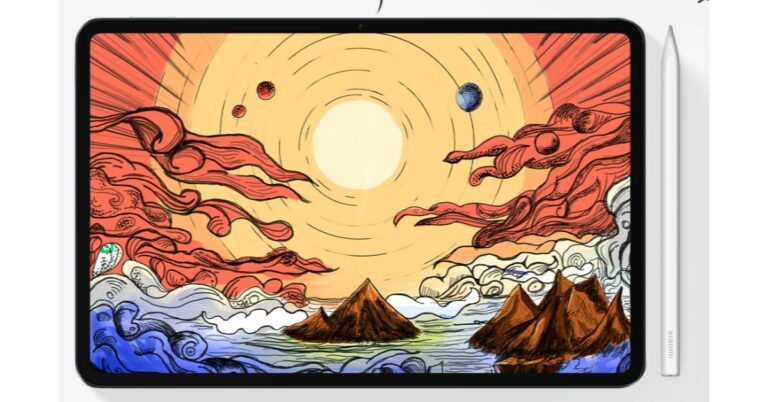
Xiaomi today announced the launch of its new tablet in the Indian market. The company has introduced Xiaomi Pad 6 in the country. The Xiaomi Tablet is Snapdragon 870 SoC. It also features Dolby Vision-certified display. In addition to this, the device includes 4 speakers with Dolby Atmos support and comes with Xiaomi Smart Pen second generation.

Xiaomi Pad 6 price in India, sale details

Xiaomi Pad 6 sale starts on June 21 in India. There will be two variants available in the country 6GB RAM with 128GB storage and 8GB RAM with 256GB storage options priced at Rs 26,999 and Rs 28,999. However, the company will be offering the tablet at an introductory price of Rs 23,999 and Rs 25,999. It can be purchased via mi.com, Amazon and Xiaomi retail outlets in the nation. Xiaomi Smart Pen, Keyboard and Case will be sold separately. The S Pen is priced at Rs 5,999 whereas the keyboard and case will come with a price tag of Rs 4,999 and Rs 1,499.

Xiaomi Pad 6 specifications

A Dolby Vision-certified 11-inch 2.8K IPS LCD screen with a resolution of 1,800×2,880 pixels is available on the Xiaomi Pad 6. The screen supports refresh rates of up to 144Hz (30Hz, 48Hz, 50Hz, 60Hz, 90Hz, 120Hz, and 144Hz depending on the playing content). Additionally, it features a peak brightness of up to 550 nits and a pixel density of 309ppi.
A Snapdragon 870 SoC drives the gadget, which also has up to 256GB of UFS 3.1 storage and 8GB of LPDDR5 RAM. Additionally, a Keyboard and a second-generation Xiaomi Smart Pen are supported by the tablet. The Xiaomi tablet has two cameras: a front-facing 8-megapixel camera with a 105-degree field of view and a 13-megapixel back camera. Additionally, the tablet has an 8,840mAh battery that supports 33W cable charging and takes 100 minutes to fully recharge. Wi-Fi 6, Bluetooth 5.3, and a USB Type-C connection are also included for connectivity. The gadget has a gyroscope, accelerometer, ambient light sensor, and hall sensor among its sensors. For the latest gadget and tech news, and gadget reviews, follow us on TwitterFacebook and Instagram. For newest tech & gadget videos subscribe to our YouTube Channel. You can also stay up to date using the Gadget Bridge Android App. You can find the latest car and bike news here.

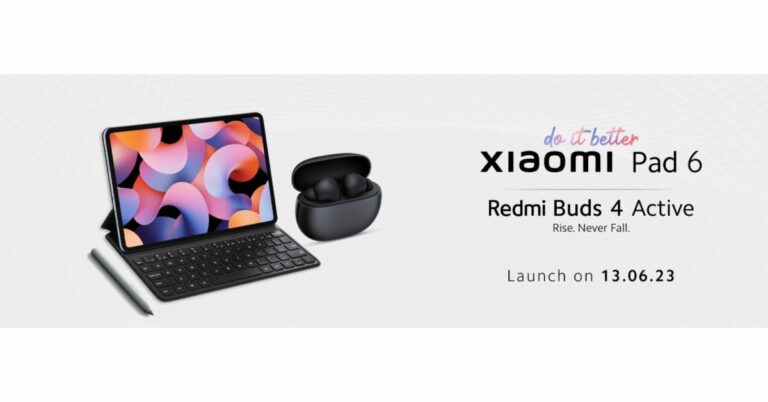
Xiaomi Pad 6 and Redmi Buds 4 Active launching in India today: Livestream details

Xiaomi is all set to host a new launch event today in India to introduce two new products under its sub-brand Redmi. Today Xiaomi Pad 6 and Redmi Buds 4 Active will be officially announced. The new Tablet will be powered by a Snapdragon 870 SoC with support for Xiaomi Smart Pen second generation. In addition to this, the device will run Android 13 with MIUI 14 out of the box. On the other hand, Redmi Buds 4 Active will come with Google Fast Pair support and ENC. Xiaomi will be introducing its highly anticipated new products in India. Xiaomi Pad 6 and Redmi Buds 4 Active are set to launch today at 12 PM. You can catch the launch live from your home along with the rest of the country on Xiaomi India’s official YouTube channel, social media platforms, and Mi.com

Xiaomi Pad 6 specifications, price expected

Xiaomi Pad 6’s specifications are expected to be similar to that of the model launched in China in April this year. The device here is teased to come in two colour variants. The company has confirmed that the Tablet will be powered by a Snapdragon 870 SoC with support for Xiaomi Smart Pen second generation. In addition to this, it will also feature Dolby Vision-certified display. Moreover, the Xiaomi Tab 6 will come with Dolby Atmos-supported speakers. The gadget is said to be 6.55mm thin and weighs 490 grams. The pricing of the Xiaomi Tab 6 has not been revealed but it was introduced in China in April this year with a starting price of CNY which translates to Rs 22,000. There the tab is available in three colour options of Black, Gold, and Far Mountain Blue.

Redmi Buds 4 Active specifications, price expected

As per the listing, the Redmi Buds 4 Active will feature a stem design with a pebble-shaped charging case. It will come in a Black colour variant. The truly wireless stereo (TWS) earbud is said to include Google Fast Pair functionality. In addition to this, there will be Bass Pro drivers along with support for environmental noise cancellation. For the latest gadget and tech news, and gadget reviews, follow us on TwitterFacebook and Instagram. For newest tech & gadget videos subscribe to our YouTube Channel. You can also stay up to date using the Gadget Bridge Android App. You can find the latest car and bike news here.

BGMI redeem codes for 13 June 2023, claim and receive rewards and benefits

After being banned for nearly ten months, Battleground Mobile India, aka BGMI, is officially available again in India. BGMI fans are looking for ways to improve their game experience and one such method is the usage of redemption codes, which offers a variety of rewards and advantages using BGMI redeem codes players can gain access to new skins, outfits, loot crates, weapons and free UC and diamonds. As mentioned earlier, these codes give users the chance to earn unique rewards and gain extra benefits while playing the game. This includes GUN SKINS (M4, AKM, M416, AWM, M24, UZI, KAR98K), free character voucher, Andy, Carlo, Sara, Victor character for free, free Anna Character on completing the mission and UC or Royal Pass Discount. So here we have gathered a list of the most recent BGMI redeem codes as of 13 June 2023. Also, redeem these codes asap as these are only valid for a limited duration.

BGMI Redeem Codes for 13 June 2023

  • PGHZDBTFZ95U – M416 Skin
  • R89FPLM9S – Companion
  • BMTCZBZMFS – Pretty in Pink set and Pretty in Pink Headpiece
  • 5FG10D33 – Outfit for Free
  • BTOQZHZ8CQ – New
  • TQIZBZ76F – Vehicle Skin
  • 5FG10D33 – Falcon and Free Emotes
  • TIFZBHZK4A – Free OutfitRNUZBZ9QQ – AKM Glacier Skin – 3 Free Motorcycle
  • BMTFZBZQNC – Free Drifter Set
  • SD14G84FCC – Free Skin for KAR98 Sniper Gun– AKM Glacier Skin
  • GPHZDBTFZM24U – UMP9 Skin
  • KARZBZYTR – Free Outfit
  • JJCZCDZJ9U – Golden Pan
  • UKUZBZGWF – Free Fireworks

How to get free Redeem Codes for BGMI on 13 June 2023?

  • Launch BGMI on your device.
  • Then select the Redeem Code option from the main menu.
  • Next, click on the Redeem code tab.
  • A new window will open, requesting the redemption code.
  • Now enter your BGMI code.
  • Confirm and click on the “Redeem” tab.
  • If your redeem code is valid then you will get a message confirming that your rewards were successfully redeemed.
(Note that these codes are case-sensitive, so be sure to type them correctly to prevent any errors.) For the latest gadget and tech news, and gadget reviews, follow us on TwitterFacebook and Instagram. For newest tech & gadget videos subscribe to our YouTube Channel. You can also stay up to date using the Gadget Bridge Android App. You can find the latest car and bike news here.

Garena Free Fire Redeem Codes Today 13 June 2023: Here is how to claim them

Garena Free Fire is a battle royale game with regular awards and tournaments to keep players interested. If you play Garena Free Fire, you should be aware of the redeem codes that are released on a daily basis. However, because the battle royale game is banned in India, players from other countries can use the Free Fire Redeem codes daily. If you’re unfamiliar with the Garena Free Fire redeem codes or don’t know how to get them, we’ve put together a step-by-step guide to help you redeem them. Check out Garena Free Fire Redeem Codes for 13 June 2023. The Free Fire redeem codes are a great way to get free stuff. These are 12-digit codes that contain alphabets and numbers, as well as an expiration date and time. Because the Garena FF redeem codes cannot be used more than once, you should hurry to the redemption page to claim your free reward before someone else does. To get a free reward, all you have to do is go to reward.ff.garena.com/en, which is the official redemption page. Also, keep an eye on this space for daily updates on Garena Free Fire redemption codes and rewards.

Garena Free Fire Redeem Codes Today 13 June 2023

FDJRI5UTHGNKI8S FU7YEH45JKTOYH9 F87Y6T5A4EWSQE2 FFHTFY6JEH56XYT5 FRAEDQCVGHY23Y4 FTGRBFJUCYGTRB5 FCUX987CF65TRVT FYAUIQUYH2GF3D F4C5VTBYNHI8V7U FCYTGSRTTJYG7JUT FNJKITGUYVHGCBN FRED3DEFRT5RDTF FVCGYU7FRT56J7Y FKUIJONM87N6YBV

How to Get Free Fire Redeem Codes for Garena on 13 June 2023?

  • Visit the Garena Free Fire game’s official website at reward.ff.garena.com.
  • Use your Facebook, Google, VK, Apple ID, Huawei ID, or Twitter account to log in.
  • You’ll be taken to a valid redemption code (s)
  • Copy and paste the 12-digit redemption code into the text box.
  • On the screen, a dialogue box will appear.
  • ‘Ok’ should be selected.
For the latest gadget and tech news, and gadget reviews, follow us on TwitterFacebook and Instagram. For newest tech & gadget videos subscribe to our YouTube Channel. You can also stay up to date using the Gadget Bridge Android App. You can find the latest car and bike news here.

Amazon Quiz Answers Today 13 June 2023: Participate to win Rs 2,500

13 June 2023 Amazon Quiz has gone live on its mobile app platform. The quiz can be played from 12 AM to 11:59. All you need to do is just answer five easy questions that the e-commerce website puts before you. Today you can stand a chance to win Rs 2,500 Amazon Pay Balance. Every day Amazon posts a new questionnaire that consists of five simple questions about general knowledge and current events. To enter a lucky draw, participants must correctly answer the questions. One incorrect answer will result in your elimination from the quiz. Each month, only one person will be declared the winner and the results will be announced at the end of the month. Amazon customers who submit correct answers can win an Amazon Pay Balance worth up to Rs 50,000. To ensure that you answer all five questions correctly, Gadget Bridge updates all of the correct answers on a daily basis. Take a look at today’s answers: Amazon Quiz Today Prize – Rs 2,500 Amazon Pay Balance Quiz Date – 13 June 2023 Daily Timing – 12 AM to 11:59 PM Winner Announcement – Today 12 PM

Amazon Quiz Answers Today 13 June 2023

Question 1: India provided a one billion dollar credit line to which of these countries for one year for essential imports?

Answer: Sri Lanka

Question 2: D’YAVOL X is clothing line launched by which celebrity child?

Answer: Aryan Khan

Question 3: Who represented India at the Coronation of King Charles and Queen Camilla at Westminster Abbey?

Answer: Jagdeep Dhankhar

Question 4: This clothing company is originally from which country?

Answer: Sweden

Question 5: From which ancient culture did this bird get the name ‘Halcyon’ from?

Answer: Greece

How To Play Amazon Quiz

Only app users are eligible to play the Amazon quiz every morning from 12 AM to 11:59 PM. The quiz is not available on the desktop. For those who are unaware of how to play the Amazon quiz below are the steps, you can follow to take the quiz.
  • Firstly download the Amazon app from Google Play Store or App Store
  • Now fill in the required information through the Sign Up option.
  • You need to log in to the Amazon app and scroll down on the home screen to find the Amazon Quiz banner.
  • Tap on the Amazon Quiz banner and tap on the Start button to start the Quiz.
  • Now you will get 5 questions and you need to answer them correctly. One wrong answer will eliminate you from the Quiz.
  • After answering all the questions correctly you are now eligible for a Lucky Draw.
  • The winner’s name will be announced today at 12 PM.
For the latest gadget and tech news, and gadget reviews, follow us on TwitterFacebook and Instagram. For newest tech & gadget videos subscribe to our YouTube Channel. You can also stay up to date using the Gadget Bridge Android App. You can find the latest car and bike news here.

Best ways to type the Peso sign ₱ on iPhone, Android, and Word

0
If you use the English keyboard on your smartphone, you don’t get access to a lot of foreign currency signs on your device. Generally, the default currency sign that appears on your keyboard is representative of the region you set on your device while setting it up for the first time. You can access other currency signs by changing the region on your smartphone, but it can be quite an arduous task for something that needs to be accessible within a couple of taps. Luckily, there are a couple of ways you can get around it. In this article, we show you how to type the Peso sign ₱ on iPhone, Android, and Microsoft Word. Read Also: 3 Easy Ways To Upload Music On Audiomack

How to type the Peso sign on Android

Step 1: Launch the default keyboard on your Android phone. Step 2: Tap the num key to access the number pad and symbol list. Step 2: Tap the num key to access the number pad and symbol list. Step 3: Long press the Pound/Dollar key to reveal other currencies. Step 3: Long press the Pound/Dollar key to reveal other currencies. Step 4: Glide your finger towards the Peso sign, then release it. Step 4: Glide your finger towards the Peso sign, then release it. Step 5: The Peso sign will appear on the text box.

How to type the Peso sign on iPhone

The Peso sign does not appear in the list of currencies when you long-press the Dollar sign on the iPhone keyboard. To fix this, you need to add Filipino as a language on your keyboard. Here’s how you can do that. Step 1: Go to Settings and select General. Step 1: Go to Settings and select General. Best ways to type the Peso sign ₱ on iPhone, Android, and Word Step 2: Tap on Keyboard and select Keyboards. Step 2: Tap on Keyboards and select Keyboard. Best ways to type the Peso sign ₱ on iPhone, Android, and Word Step 3: Tap on ‘Add new keyboard’ and select ‘Filipino’. Step 3: Tap on ‘Add new keyboard’ and select ‘Filipino’. Best ways to type the Peso sign ₱ on iPhone, Android, and Word

How to type the Peso sign on Microsoft Word

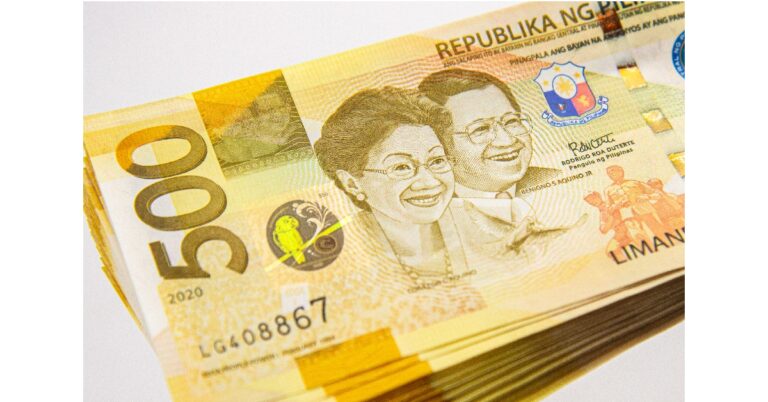
Since the Peso sign is incorporated into Unicode, you can easily type it on Microsoft Word. All you need to do is type 20b1 and then press Alt + X. The Peso sign will appear on the screen. You can also press Alt + 8369 to type the Peso sign on Word.

Frequently Asked Questions

How do I get the Peso sign on my keyboard?

To type the Peso sign on Android, simply long-press the Dollar sign on the keyboard, glide your finger towards the Peso sign and then release it. The Peso sign will appear on the screen.

How do you type the Peso sign in Word?

To type the Peso sign in Word, simply type 20b1 and press Alt + X. 

How do I type the Peso sign on an iPhone?

To type the Peso sign on an iPhone, you need to add Filipino to the list of languages on your keyboard from General Settings. Once that is done, the Peso sign will appear as soon as you long-press the dollar sign on your keyboard. Read Also: Top 7 ways to fix a corrupted Android SD card

Conclusion

These are the best ways to type the Peso sign ₱ on Android, iPhone, and Microsoft Word. If you want to add other currency signs to your keyboard, simply add the relevant languages spoken in those nations to the keyboard from your device’s settings. If you found this article helpful, let us know in the comments! For the latest gadget and tech news, and gadget reviews, follow us on Twitter, Facebook and Instagram. For newest tech & gadget videos subscribe to our YouTube Channel. You can also stay up to date using the Gadget Bridge Android App. You can find the latest car and bike news here.

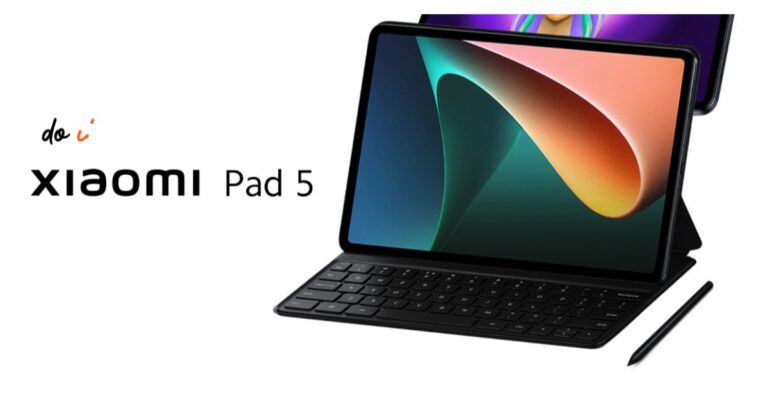
Xiaomi lowered the price of the Pad 5 in India before the release of the Pad 6

Xiaomi Pad 6 is all set to launch in India tomorrow. Ahead of the official release, the company has reduced the price of the Xiaomi Pad 5 in the country. The company has dropped the price of the tablet by Rs 1,000. In addition to this Xiaomi is offering discounts on its online store in the country. The Xiaomi tablet comes with a 2.5K+ display. It has a screen size of 10.95 which also supports a refresh rate of 120Hz. In addition to this, the device is powered by an octa-core Qualcomm Snapdragon 860 SoC. To recall, the tablet was released in India in the month of April last year.

Xiaomi Pad 5 new price and offer details

Prior to the June 13 launch of the Xiaomi Pad 6, the price of the Xiaomi Pad 5 in India has been reduced by Rs 1000. As per the listing, the 6Gb RAM with 128GB storage option is priced at Rs 25,999. Whereas the price of the 256 storage model is reduced to Rs 28,499. Additionally, Xiaomi is offering discounts on its online store. Buyers will be able to benefit from smartphone exchange discounts on certain models. The specific exchange discounts are only based on the phone’s model and functional state. Additionally, ICICI credit card transactions qualify for a Rs 2,000 instant bank discount.

Xiaomi Pad 5 specifications

The tablet is powered by MIUI 13 on top of Android 12. Featuring a 10.95-inch 2.5K+ display is the Xiaomi Pad 5. The screen offers a refresh rate of 120Hz and has a 16:10 aspect ratio. The display also supports Dolby Vision, the DCI-P3 colour gamut, and a maximum brightness of 650 nits. The Qualcomm Snapdragon 860 SoC, along with 6GB of LPDDR4X RAM and up to 256GB of UFS 3.1 storage, powers the Xiaomi tablet. The Xiaomi Pad 5 also features dual microphones and noise cancellation. It boasts quad speakers with Dolby Atmos and Hi-Res Audio support. The gadget has an 8-megapixel front camera and a 13-megapixel rear camera sensor. An 8,720mAh battery with 33W fast charging capabilities is included with the Xiaomi Pad 5. For the latest gadget and tech news, and gadget reviews, follow us on TwitterFacebook and Instagram. For newest tech & gadget videos subscribe to our YouTube Channel. You can also stay up to date using the Gadget Bridge Android App. You can find the latest car and bike news here