The popular Amazon Quiz is now live on the Amazon app. The 3 September 2022 Amazon Quiz gives you a chance to win Rs 5,000 Amazon Pay Balance by answering all the questions correctly. The quiz can be played every day from 12 AM to 11:59. Only app users are eligible to participate in the Quiz as it is not accessible on the web platform.The Amazon Quiz brings a fresh set of questions for its customers that contains five easy questions. The questionnaire consists of five questions related to general knowledge and current affairs. The participants need to answer all the questions correctly and their names will be selected for a lucky draw. The daily quiz brings an opportunity for the customers to win exciting prizes. They can win Amazon Pay Balance ranging from Rs 1,000 to Rs 50,000. The participants need to answer all the questions correctly and their names will be selected for a lucky draw. The winner will be announced at the end of the month. Check Out 3 September 2022 Amazon Quiz Answers.Amazon Quiz Today Prize – Rs 5,000 Amazon Pay BalanceQuiz Date – 3 September2022Daily Timing – 12 AM to 11:59 PMWinner Announcement – Today 12 PM
In This Article
Amazon Quiz Answers Today 3 September 2022
Question 1: Who took 7 wickets for South Africa, as they beat England by an innings in the first Test of their recent series?Answer: Kagiso RabadaQuestion 2: The upcoming crime thriller movie ‘Cuttputlli’ stars which of these actors in the lead role?
Answer: Akshay KumarQuestion 3: Which company has recently issued an apology over their latest advertisement starring Hrithik Roshan?Answer: Zomato
Question 4: This is a view of which city, host to the 1972 Olympics that was overshadowed by a massacre.Answer: MunichQuestion 5: Which of these actors played the role of this character in a 2002 movie?
Answer: Tobey Maguire
How To Play Amazon Quiz
Only app users are eligible to play the Amazon quiz every morning from 12 AM to 11:59 PM. The quiz is not available on the desktop. For those who are unaware of how to play the Amazon quiz below are the steps, you can follow to take the quiz.
Firstly download the Amazon app from Google Play Store or App Store
Now fill in the required information through the Sign Up option.
You need to log in to the Amazon app and scroll down on the home screen to find the Amazon Quiz banner.
Tap on the Amazon Quiz banner and tap on the Start button to start the Quiz.
Now you will get 5 questions and you need to answer them correctly. One wrong answer will eliminate you from the Quiz.
After answering all the questions correctly you are now eligible for a Lucky Draw.
The winner’s name will be announced today at 12 PM.
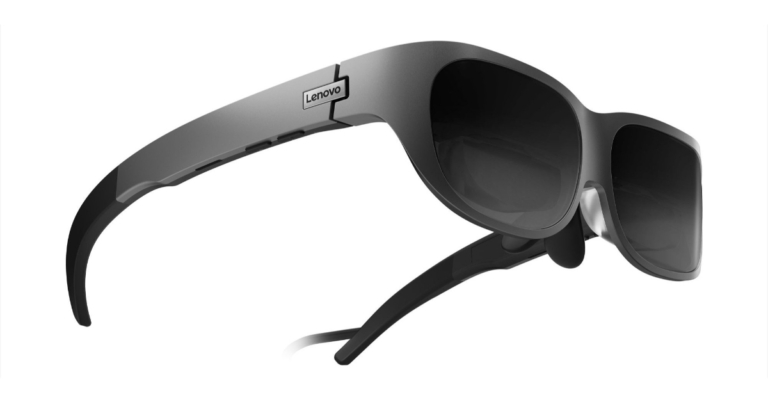
The Chinese electronics giant Lenovo has announced the launch of its latest smart glasses in the market. The company has introduced Lenovo Glasses T1 featuring two Micro OLED screens. The newly launched device comes with a refresh rate of 60Hz and is TUV Rheinland certified for low blue light emissions and decreased flickering. Additionally, the Lenovo Glasses T1 have built-in speakers that allow users to access the content.
In This Article
Lenovo Glasses T1 price and sale details
Lenovo states that the price of the smart glasses will be made public once they are put on sale. In China, the Lenovo Glasses T1, also known as the Lenovo Yoga Glasses, will start selling in the latter half of 2022. According to the company In 2023, the wearable will be offered in a few markets.The business has not yet confirmed whether the Lenovo Glasses T1 would make its debut in India.
Lenovo Glasses T1 features
One Micro OLED display for each eye, with a resolution of 1,080×1,920 pixels is featured on the Lenovo Glasses T1. The displays are TUV Rheinland certified for low blue light emissions and decreased flickering, and they have a contrast ratio of 10,000:1. In addition to this, the smart glass has a refresh rate of 60Hz.The wearable has nose pads, adjustable temple arms along with high-resistance hinges. High-fidelity speakers are integrated into smart glasses, allowing users to see and listen to multimedia content. Also, the glasses come with three movable nose cushions.Additionally, the Lenovo Glasses T1 have ‘Ready With’ support for Motorola cell phones. Apart from this operating systems for Android, iOS, and Windows are all compatible with the wearable display. However, wearers will need to insert a USB Type-C connection to connect their smartphone and the smart glasses to an Android phone or a Windows PC. On the other hand, those having iPhones will need to utilise an Apple Lightning AV adaptor or an HDMI to Glasses adapter with a lightning connector. Lenovo provides two adapters as extras for the smart glasses, which are offered separately.
For the latest gadget and tech news, and gadget reviews, follow us on Twitter, Facebook and Instagram. For newest tech & gadget videos subscribe to our YouTube Channel. You can also stay up to date using the Gadget Bridge Android App. You can find the latest car and bike news here.
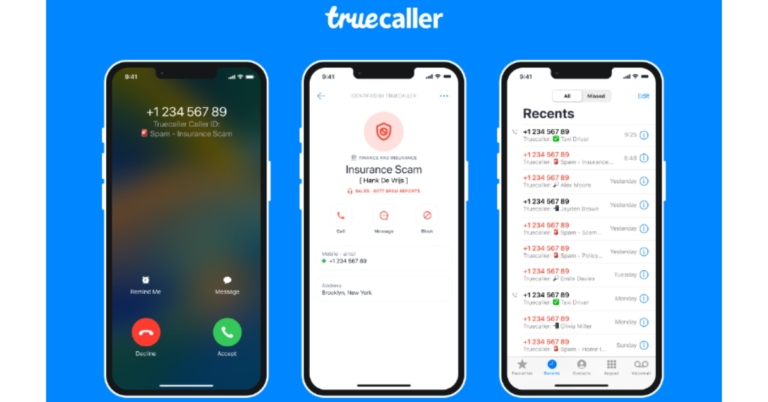
A new version of Truecaller’s caller ID app for iPhones has been released. The updated Truecaller iOS app is said to be entirely redesigned from scratch to be lighter and more effective. It delivers noticeably better number identification, spam-, scam-, and business call detection than prior versions of the app. As per the company compared to the previous version, the new app provides up to 10 times better spam- and business identification.While announcing the improved version of Truecaller for iOS Alan Mamedi, Co-founder and CEO of Truecaller said, “We’ve been innovating within Apple’s platform to bring users more powerful features like Call Alerts and a convenient search extension. Our new totally rewritten iPhone app is now on par with our Android app when it comes to identifying spam & verified business calls. This update has been a long time coming for many iPhone users which today account for approximately 5% of our more than 320 million Monthly Active Users. Now we can offer them and new iPhone users the best performing identifier of spam and scam to help them separate the noise from the communication they want to respond to.”According to the company, this shift has been made possible by a completely new architecture that makes use of Truecaller’s cutting-edge spam detection algorithms and fully utilises Apple’s technology to give the best caller ID solution.The brand-new Truecaller app for iOS combines flawlessly with Apple’s default phone app to display Truecaller results directly in the call log. Truecaller has created the most up-to-date, precise, and comprehensive first-ring Caller ID and spam detection for any region, and we make sure of this by continuously upgrading our spam database. A significant design update and new user experience flow are also included, resulting in significantly faster initial onboarding and regular app navigation.Furthermore, the improved Truecaller for iOS gives a better-detailed view while looking for a number, and an enhanced search extension.The new features that Truecaller is currently working on:Truecaller also noted that some of the new features are currently in the pipeline and added that these would soon be available to users. According to the company, significant upgrades to community-based services, spam detection, and SMS filtering, as well as a revamped number look-up widget that searches unknown callers even faster are under development.Additionally, the iPhone app will have top spammers automatically blocked, detailed statistics on spam-marked numbers can be viewed, and comments can be added to spam-marked numbers to provide further context.
For the latest gadget and tech news, and gadget reviews, follow us on Twitter, Facebook and Instagram. For newest tech & gadget videos subscribe to our YouTube Channel. You can also stay up to date using the Gadget Bridge Android App. You can find the latest car and bike news here.
Blocking someone on Instagram is a quick and easy way to remove any access they have to your account. When you block someone they will be removed from your follower/following list and their comments on your posts will also be deleted. They won’t be able to message you or tag you in posts, although their chat thread will remain in your Direct Messages. Here’s how you can block or unblock someone on Instagram.Read Also: How to simply change your iPhone device name? (2022)
In This Article
How to block someone on Instagram
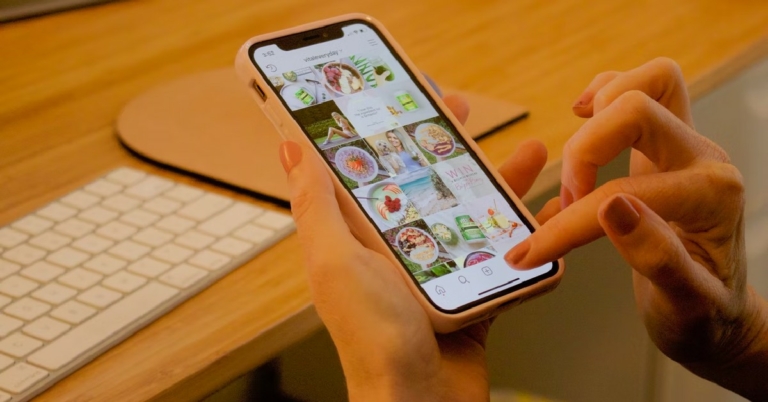
Step 1: Open the Instagram app and go to the profile you want to block.Step 2: Tap the ellipses at the top-right corner of the screen and select ‘Block’.Step 3: You can also choose to block any new accounts that the person may create. From the following pop-up box, select ‘Block’.The Instagram user will be added to your block list. You can also block someone on Instagram by going to your blocked accounts in Settings and tapping the plus icon at the top right corner of the screen. Select the account from the list of contacts and press ‘block’ next to the profile you want to add to the block list.
How to unblock someone on Instagram
Step 1: Go to your profile and click on the hamburger menu icon at the top-right corner of the screen.Step 2: Select Settings and go to Privacy. Step 3: Scroll down and select ‘Blocked Accounts’.Step 4: Tap on the ‘unblock’ option next to the account you want to remove from the block list.The Instagram user will be removed from your block list.Read Also: How to Get Discord on PlayStation 4 and PS5 in 2022? A complete walkthroughThis is how you can block or unblock someone on Instagram. Instagram also gives you the option to ‘Restrict’ someone. Once you restrict someone, it will limit their access to your account. Restricted accounts can’t see your online status or receive read receipts on messages. The comments they leave on your posts will be visible to only them unless you choose to make them public.
Garena Free Fire is a battle royale game with regular awards and tournaments to keep players interested. If you play Garena Free Fire, you should be aware of the redeem codes that are released on a daily basis. However, because the battle royale game is banned in India, players from other countries can use the Free Fire Redeem codes daily. If you’re unfamiliar with the Garena Free Fire redeem codes or don’t know how to get them, we’ve put together a step-by-step guide to help you redeem them. Check out Garena Free Fire Redeem Codes for September 2.The Free Fire redeem codes are a great way to get free stuff. These are 12-digit codes that contain alphabets and numbers, as well as an expiration date and time. Because the Garena FF redeem codes cannot be used more than once, you should hurry to the redemption page to claim your free reward before someone else does. To get a free reward, all you have to do is go to reward.ff.garena.com/en, which is the official redemption page. Also, keep an eye on this space for daily updates on Garena Free Fire redemption codes and rewards.
In This Article
Garena Free Fire Redeem Codes Today 2 September 2022
ZRJAPH294KV5
Y6ACLK7KUD1N
SARG886AV5GR
FF10GCGXRNHY
X99TK56XDJ4X
FF11HHGCGK3B
B61YCTNH4PV3
FF11DAKX4WHV
8F3QZKNTLWBZ
FF11WFNPP956
FF1164XNJZ2V
FF11NJN5YS3E
WOJJAFV3TU5E
MCPTFNXZF4TA
YXY3EGTLHGJX
WLSGJXS5KFYR
FF119MB3PFA5
FF10617KGUF9
How to Get Free Fire Redeem Codes for Garena on September 2?
Xiaomi recently unveiled the Smart TV X Series in India. The Television series contains three models 43-inch, 50-inch and 55-inch. The Xiaomi Smart TV X Series offers a 4K resolution with a premium bezel-less design, supported by Dolby Vision and Dolby Audio for a cinematic viewing experience. According to the company it is designed to provide a new level of enhanced connectivity and seamless experience. The TVs have 30W speakers DTS-HD, and DTS:Virtual X technology, and are driven by Vivid Picture Engine technology for an immersive viewing experience.
In This Article
Smart TV X Series price in India
There are a total of three models in the lineup- Xiaomi Smart TV X43, Xiaomi Smart TV X50, and Xiaomi Smart TV X55. Xiaomi Smart TV X Series price in India. The 43-inch variant of the Xiaomi Smart TV X Series costs Rs. 28,999 in India. The cost of the 50-inch model is Rs. 34,999, and the cost of the 55-inch model is Rs. 39,999 in India. From September 14, the TVs will be accessible on Mi.com, Mi Homes, Flipkart, and in-person.
Xiaomi Smart TV X Series specifications
The Xiaomi new smart TV series includes three models- Xiaomi Smart TV X43, Xiaomi Smart TV X50, and Xiaomi Smart TV X55. All televisions come with a metal bezel-less design providing a full-screen experience with a 96.9% screen-to-body ratio. Vivid Picture Engine technology, which is what powers the device, produces stunning colours for a realistic and immersive viewing experience. Dolby Vision, HDR10, and HLG are supported by the new lineup. Users can experience 1.07 billion colours with a 94% DCI-P3 broad colour gamut. Furthermore, when viewing fast-paced content, Xiaomi’s in-house MEMC engine called Reality Flow analyses image frames and interpolates frames to provide fluid and blur-free graphics.The Xiaomi Smart TV X Series utilises an interactive PatchWall and the Android TV 10 operating system. The new series takes things up a notch with its industry-leading 64-bit Quad Core A55 CPU, delivering fluid performance regardless of the work at hand. Additionally, the television has 8GB of storage and 2GB of RAM.The television delivers a crisper and more immersive home theatre sound experience with its 30W speaker, Dolby Audio, DTS-HD, and DTS:Virtual X technologies.Built on the most recent PatchWall release, the new series introduces a seamless YouTube integration with PatchWall, giving direct access to YouTube Music content via the Music Tab.Users also have access to content from more than 30 international and Indian content partners, smart recommendations, and content in more than 15 different languages. Designed exclusively for Indian users, there are plenty of features in PatchWall including IMDb integration on home screen, 300+ live channels, Universal Search and Kids Mode.Connectivity options for the Xiaomi Smart TV X Series include Dual-Band Wi-Fi and Bluetooth 5.0. For uncompromised connectivity and a complete watching experience, it also includes 2 USB ports, an AV port, and an earphone port in addition to 3 HDMI ports (eARC x 1).A sleek, simplistic remote is also included with the smart television, ensuring ease of use across a variety of tasks and providing quick access to Quick Mute, Quick Wake, and Quick Settings buttons.
For the latest gadget and tech news, and gadget reviews, follow us on Twitter, Facebook and Instagram. For newest tech & gadget videos subscribe to our YouTube Channel. You can also stay up to date using the Gadget Bridge Android App. You can find the latest car and bike news here.
Files deleted on your Windows system can stay on your device for a considerably long time. Based on your computer usage, Windows logically deletes files and marks the space occupied by the file as being available for rewriting. The file is available physically but is not visible to users or the program. They cannot be accessed by Windows Explorer. Using a workaround or a powerful data recovery tool can go handy in how to recover permanently deleted files on Windows.
There are several methods available for recovering deleted files on Windows. Let us explore a few good tools that can prove to be handy in this context.
In This Article
Method 1. Recover permanently deleted files from PC with a professional data recovery software
Using a professional data recovery tool can be one of the excellent options to assist you in recovering permanently deleted files from Windows. Recoverit from Wondershare is one of the great options that you can trust in recovering your deleted files from almost all kinds of storage devices.
Wondershare Recoverit is a powerful data recovery tool that assists you in restoring deleted, formatted, lost and corrupted files with ease. Available on Windows and Mac, the tool has been regarded as one of the most prominent options ever.
Some of the prime factors offered by Recoverit Data Recovery can include
It supports recovering over 1000 different file formats from 2000 storage devices. It can effectively and efficiently recover music files, documents, photos, videos, audio, emails, and other files. An option to preview the files before recovery can be yet another great option.
An advanced video recovery lets you recover Ultra HD, 4K, and 8K Videos without corruption.
Support for multiple data loss situations such as crashed system recovery, and even in a host of situations.
How to recover permanently deleted files with Recoverit data recovery?
Step 1. Install and run Wondershare Recoverit
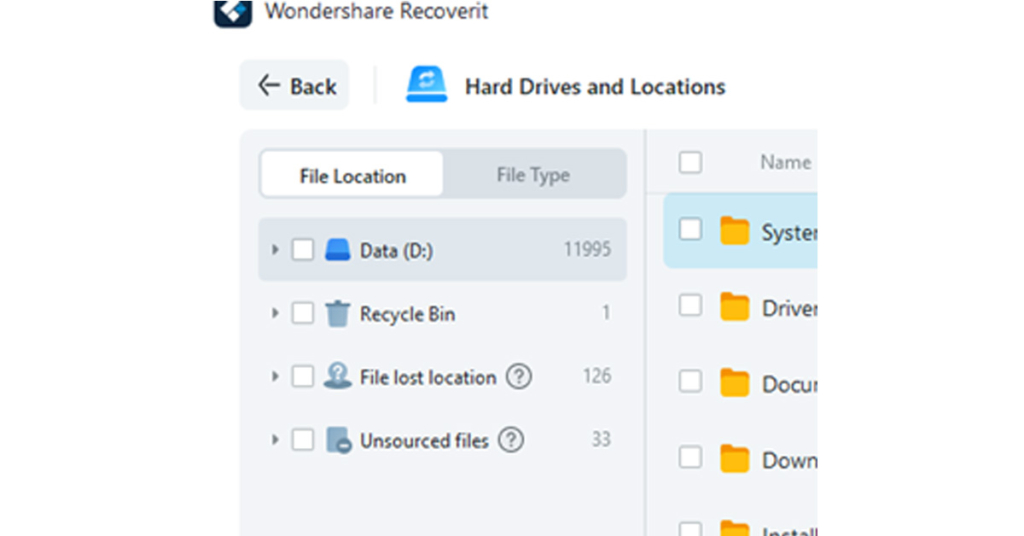
Download and install Recoverit on your PC or Mac. After launching Recoverit, choose the location from which you want to recover the data from.
Step 2. Scan the location for the files
Once you select the location, Recoverit instantly begins scanning the location for the deleted files. You will be able to follow the status of the scanning process. Also, you can quickly locate the deleted files by filtering or searching keywords.
You can even select the specific file type or file path as per your preferences. If you know the exact location of the file you want to recover, you can choose the right file or folder.
Step 3. Preview the file and Recover
Check the files and preview them before recovery. If you are sure that the file you want to recover is the one that you have been searching for, click on Recover to restore it on your device, thus providing an effective deleted files recovery.
You can also decide to choose multiple files to recover and restore simultaneously.
Method 2. Recover deleted files from a Recycle Bin
Whenever you come across a situation where you have lost a file, the first location that you should search for it is to look for the file in the Recycle Bin. The deleted files stay in the recycle bin until they are purged off at regular intervals.
You can try locating your file in the Recycle Bin before attempting to recover it with any sophisticated data recovery tool. Do note that the files that were deleted without landing up in the Recycle Bin cannot be recovered using this method.
Here are the steps you can follow to restore files from Recycle Bin.
Step 1. Open Recycle Bin
Go to your desktop and click on the trash icon. It should be labelled Recycle Bin. Click on it to open the Recycle Bin.
Step 2. Locate your file in the Recycle Bin
Locate your file in the Recycle Bin. You can sort the files based on date and a variety of other parameters if needed.
Step 3. Restore your file
Right-click on the file and select Restore. The file will be restored to the original location that the file was deleted from.
Method 3. Recover deleted files from Backup
The next best option that can prove to be handy is to recover deleted files from backup. The method will work if you have set up the data backup on your system.
The backup and Restore feature is one of the trustworthy options introduced on Windows 7. The service has remained consistently a part of the Windows ecosystem through to the Windows 11 version. Please note that the option will work if you had configured the Backup before the files were lost.
Follow the steps here below –
Step 1. Go to Recovery Options on Windows 11
Go to Windows Settings and then move to System -> Recovery. Let the system restart by clicking on Restart Now.
Step 2. Choose System Image recovery
Go to Troubleshoot > Advanced options > See more recovery options > System Image Recovery. Pick your System Image backup to restore.
Which option would we recommend to recover deleted files on Windows?
We would obviously suggest opting for the professional data recovery tool as the best option for recovering your deleted files from Windows. The ease of use and a wide range of other features will make it a genuinely formidable choice with an advanced set of features and functions.
It is not without anything that Wondershare Recoverit has become one of the prominent and Go-To data recovery tools. The ability to recover files from almost all targets, such as USBs to SD cards, desktops to specific folders, and formatted partitions, makes it an extremely powerful tool for recovering all your data and files.
A few Pros that you would find much impressive on the tool would include
It has been gaining an excellent recovery in the subsequent editions and updates
An intuitive interface that suits both newbies and professionals
The highest data recovery success rate in the industry
Preview functionality
The Closing Thoughts
A data loss scenario on Windows can be quite devastating. However, using the right tools for recovering the files can prove to be much more effective in helping you recover the files with ease. Wondershare Recoverit has been rated to be a powerful tool in this context.
Getting the files deleted can be something that can quite frequently happen with you, but losing the deleted files may not be something that you would want to happen with you. Use the right tools and options as outlined above and go for the best data recovery possible.
For the latest gadget and tech news, and gadget reviews, follow us on Twitter, Facebook and Instagram. For newest tech & gadget videos subscribe to our YouTube Channel. You can also stay up to date using the Gadget Bridge Android App. You can find the latest car and bike news here.
If you’re looking for an ideal way to connect with your friends and family, you should be looking for an app that you can use across multiple platforms. Instant messaging loses its meaning if you can’t use the service on different platforms. With that in mind, we bring you the top 10 free cross-platform messaging apps that work on your phone, as well as a PC or Mac.Read Also: Top 20 social media apps and sites of 2022
In This Article
WhatsApp
With over 2 billion monthly active users, WhatsApp is the biggest instant messaging platform in the world. Available as an app for Android and iOS devices, WhatsApp can also be used on a Windows PC and Mac through the WhatsApp Web. You can also download the WhatsApp app for your computer.
Viber
Viber is a secure messaging app that offers end-to-end encryption and can be used across platforms, be it Android, iOS, PC, or Mac. Unlike most instant messaging apps, you can follow public profiles on Viber and interact with other people about shared interests and topics. You can start your own channel and cultivate a community around a specific interest. Viber also allows you to call mobile phones and landlines through VoIP.
Telegram
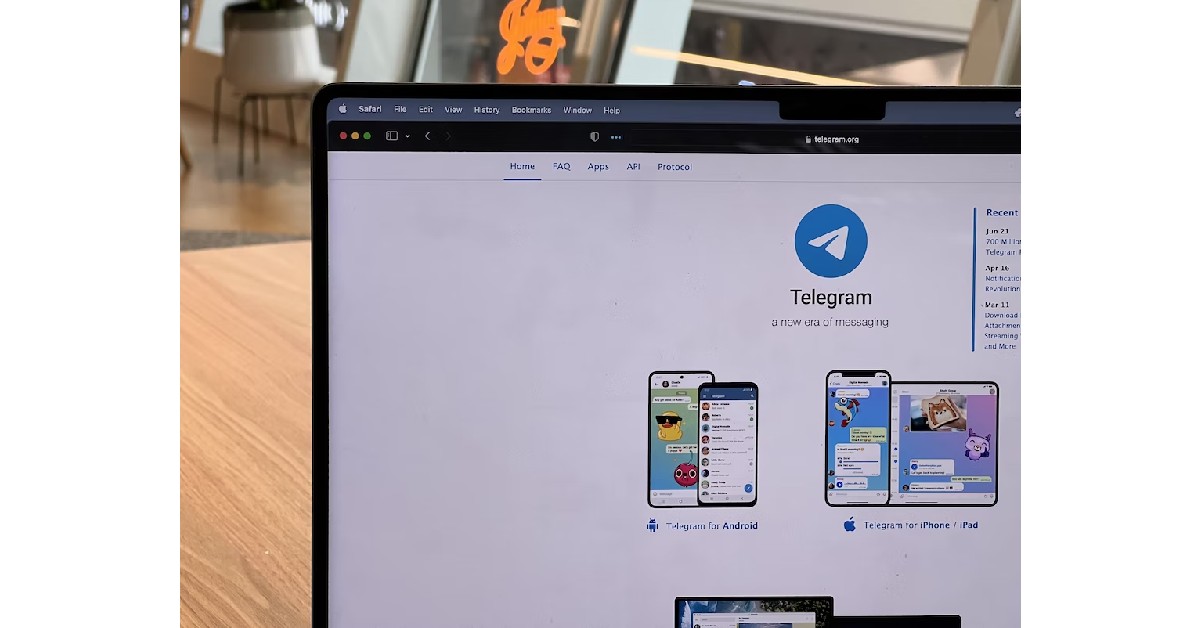
Telegram offers fast and secure instant messaging and is one of the biggest messenger apps in the world with over 500 million active monthly users. There is no size limit to the files you can send on Telegram, which makes it very appealing to users. On top of that, the group limit is 200,000 people which is way more than its direct rival WhatsApp. Telegram also offers bots to moderate the larger groups and carry out specialised tasks. Telegram also takes user privacy seriously, offering end-to-end encryption and self-destructing messages.
Discord
Discord started out as a chat and voice call service for online gamers. Its fast servers and ability to hold channels with hundreds of users in them make it the ideal app for instant communication.Since it was designed to host online gaming communities, Discord prioritises your privacy over everything else. You do not need a phone number to sign up for Discord. All you need is an email ID, which will then be hidden from everyone else on the app. Upon signing up, you will be made to create a username and a permanent number tag will be assigned to you.The messaging experience on Discord is unparalleled. You can join a server with other users, or add people to your contact list for direct messaging. Public servers can be customised and regulated with the help of bots, making Discord extremely fun to use. Discord is available as an app for Android and iOS and can also be accessed from the web browser on Windows and Mac.
Facebook Messenger
When it comes to popularity, Facebook Messenger is only surpassed by WhatsApp. Messenger from Facebook offers the same features as WhatsApp with the major difference being you need a Facebook account in order to use it. You can even link your Instagram account and connect with contacts on both platforms at once. Messenger also allows its user to personalise the app with chat themes and other customisable features.
Skype
Skype is one of the oldest messaging apps out there and was initially designed to make video calls. You do not need a phone number to use Skype. You can sign up using your email address and then manually add contacts on Skype through their username. Skype also gives you the option to link your phone number and sync your phone contacts to the app to find and add people you know.
WeChat
WeChat is one of the most popular instant messaging apps in the world, being hugely popular in China. Apart from sending messages and making voice and video calls, WeChat offers unique features like a ‘Moments’ stream that you can keep updating with pictures and videos and fun stickers that are exclusive to the app and make the messaging experience even more fun.
Nimbuzz
Nimbuzz is a free cross-platform messaging app for your phone, iOS, PC, and Mac, and allows you to access your chats from different platforms all in one place. All you need to do is log in to your social media accounts like Facebook and Google Chat on Nimbuzz and you will be able to access all your chats from one app. Apart from that, you can also add other Nimbuzz users and interact with them.
Signal
At a time when WhatsApp and Facebook have been mired in controversy regarding user privacy, Signal has earned plaudits for its privacy across the board, with endorsements from Edward Snowden and Jack Dorsey. Users can access Signal on Android, iOS, Windows, Mac, and even Linux.
Line
While Line is primarily a messaging app, you can also discover other users in the community through the ‘Line Voom’ feature. You can follow other people, add them to your list, and connect with family and friends through texts, voice and video calls, and voice notes. Line also offers exclusive stickers and emojis that make the messaging experience more fun. You can also customise the app with unique themes and chat backgrounds.Read Also: Twitter Circle is now rolling out to all the usersThese are our picks for the top 10 free cross-platform messaging apps that work on your phone, PC, and Mac. If you think we missed out on an app that’s worthy of being on the list, let us know in the comments!
Taiwanese multinational company that manufactures projectors, all-in-one LED displays and image processing equipment Optoma at the upcoming Infocomm 2022 in Mumbai will introduce two new projector series. The company will be announcing the All-in-One FHDS130 Solo LED and the WUXA Laser ZU920TST. These product lines include Optoma FHDS130 solo LED display and Optoma ZU920T and ZU920TST dual core high brightness laser projectors.The Taiwanese business will display two eagerly anticipated series: the All-in-One FHDS130 Solo LED and the WUXA Laser ZU920TST from September 5–7 at Infocomm 2022, which will be held at the Bombay Exhibition Center in Mumbai.
A 4K and HDR-compliant fixed lens laser projector is the Optoma ZU920T series. It features a built-in optical engine that is dust-resistant and IP5X certified for continuous, around-the-clock use. In Eco mode, this engine provides performance for up to 30,000 hours without the need for maintenance. It is designed with state-of-the-art technology and offers a remarkable 0.65:1 short-throw ratio alternative, making it the ideal choice for a variety of end-user scenarios and professional settings, including short-throw digital signage, edge blending, projection mapping, simulation, and immersive installations. These projectors have characteristics like 9,800 lumens and a 3,000,000:1 contrast ratio that enable them to produce content with high brightness and exact colour accuracy.The FHDS130 SOLO LED display, which is Optoma’s flagship product and is also being introduced, is intended to fill the need for a large image display in a variety of Pro-AV and digital signage settings. It offers a special combination of features that produce a clean, bright, and clear image, including 1080p resolution, a 3,000Hz refresh rate, 800 nits of brightness, and a 5,000:1 contrast ratio.In contrast to conventional, sophisticated LED display installations that call for several cables and intricate wiring arrangements, it is powered by a single power wire, making it more in line with a consumer electrical installation. It is also an environmentally beneficial product because it has a 0.5W eco-friendly standby mode and minimal power usage when it is powered on. The Optoma FHDS130 not only uses a lot less energy, but it also saves 4,151 lbs. of CO2eq year, or the equivalent of the CO2 generated by a car for more than seven months.
For the latest gadget and tech news, and gadget reviews, follow us on Twitter, Facebook and Instagram. For newest tech & gadget videos subscribe to our YouTube Channel. You can also stay up to date using the Gadget Bridge Android App. You can find the latest car and bike news here.
2 September 2022 Amazon Quiz has gone live on its platform. The quiz timings are 12 AM to 11:59 PM. Interested users can participate in the Amazon daily quiz to win exciting prizes. The company puts up 5 questions based on general awareness. You can submit the correct answers from the four options. Today the participants have the chance to win a Rs 1,000 Amazon Pay Balance.Daily the e-commerce platform Amazon brings a new set of questionnaires that includes five easy questions. The Amazon Quiz can be played from 12 AM to 11:59. The users have to answer all the questions correctly to enter into a lucky draw. The result of today’s quiz will be announced at the end of the month and only one person is declared a winner. We at Gadget Bridge update all the answers to the Amazon Quiz on our website for the convenience of our readers. Here are the answers of the 2 September 2022 Amazon Quiz that will make you win Rs 1,000 Amazon Pay Balance.Amazon Quiz Today Prize – Rs 1,000 Amazon Pay BalanceQuiz Date – 2 September 2022Daily Timing – 12 AM to 11:59 PMWinner Announcement – Today 12 PM
In This Article
Amazon Quiz Answers Today 2 September 2022
Question 1: Logistics technology platform Shiprocket has recently become India’s 106th Unicorn. It is backed by which of these companies?
Answer: ZomatoQuestion 2: Who recently beat Stefanos Tsitsipas in the final to win the Cincinnati Open?Answer: Borna CoricQuestion 3: A recent movie directed by Mangesh Hadawale and starring the likes of Gajraj Rao and Rajpal Yadav is titled what?
Answer: Thai MassageQuestion 4: This picture is taken inside the complex of which famous French palace?Answer: Palace of VersaillesQuestion 5: The creator of the series, from which these characters are taken, was born in which country?Answer: Belgium
How To Play Amazon Quiz
Only app users are eligible to play the Amazon quiz every morning from 12 AM to 11:59 PM. The quiz is not available on the desktop. For those who are unaware of how to play the Amazon quiz below are the steps, you can follow to take the quiz.
Firstly download the Amazon app from Google Play Store or App Store
Now fill in the required information through the Sign Up option.
You need to log in to the Amazon app and scroll down on the home screen to find the Amazon Quiz banner.
Tap on the Amazon Quiz banner and tap on the Start button to start the Quiz.
Now you will get 5 questions and you need to answer them correctly. One wrong answer will eliminate you from the Quiz.
After answering all the questions correctly you are now eligible for a Lucky Draw.
The winner’s name will be announced today at 12 PM.



 Step 3:
 Step 2:
 Step 3:
 Step 4:





 Wondershare Recoverit is a powerful data recovery tool that assists you in restoring deleted, formatted, lost and corrupted files with ease. Available on Windows and Mac, the tool has been regarded as one of the most prominent options ever.
Some of the prime factors offered by Recoverit Data Recovery can include
Wondershare Recoverit is a powerful data recovery tool that assists you in restoring deleted, formatted, lost and corrupted files with ease. Available on Windows and Mac, the tool has been regarded as one of the most prominent options ever.
Some of the prime factors offered by Recoverit Data Recovery can include

 You can even select the specific file type or file path as per your preferences. If you know the exact location of the file you want to recover, you can choose the right file or folder.
 You can also decide to choose multiple files to recover and restore simultaneously.