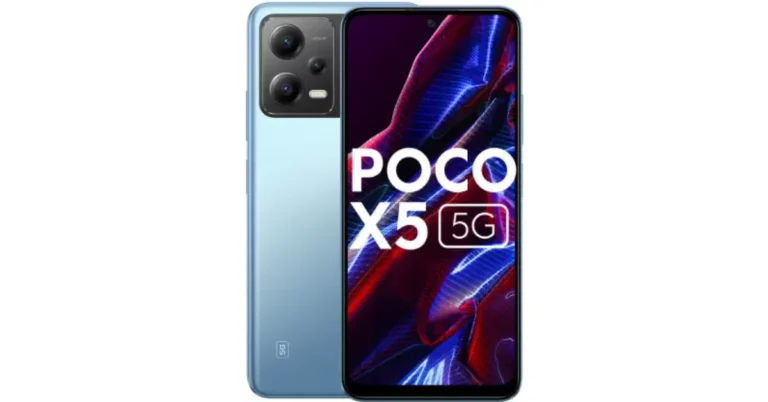
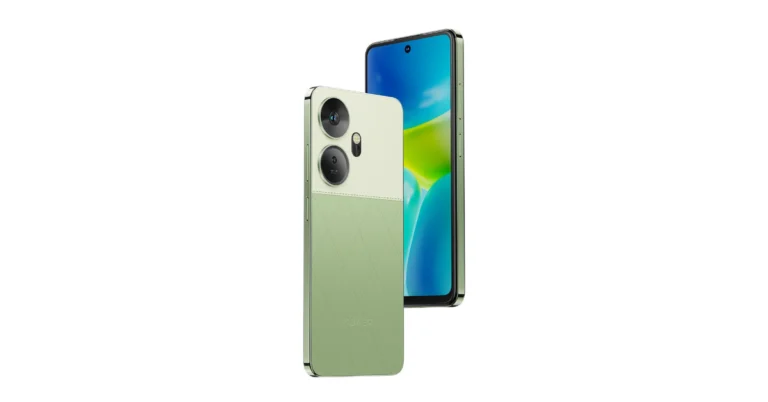
- Poco X6 5G 12GB RAM with 256GB storage is currently up for sale in India.
- The new variant went on sale after it was launched last month.
- The handset includes a triple rear camera setup and a 120Hz display.
In This Article
In This Article

In This Article

In This Article
In This Article

In This Article
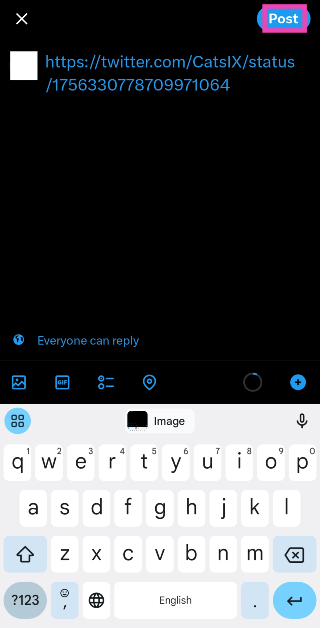
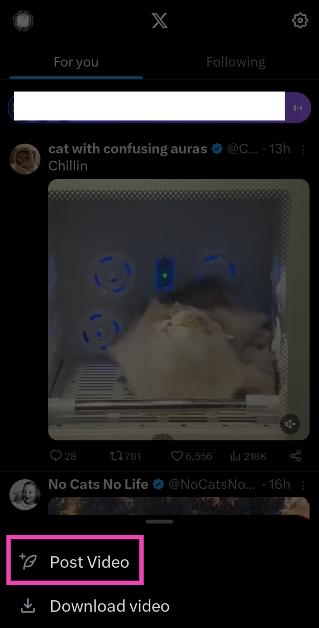 Step 3: The shortened link will appear in the tweet drafter.
Step 4: Add a caption for the video. This step is voluntary.
Step 5: Hit Post at the top right corner of the screen.
Step 3: The shortened link will appear in the tweet drafter.
Step 4: Add a caption for the video. This step is voluntary.
Step 5: Hit Post at the top right corner of the screen.
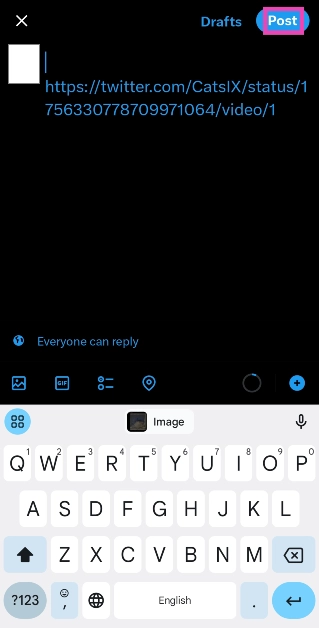
 Step 3: Tap on Copy Link.
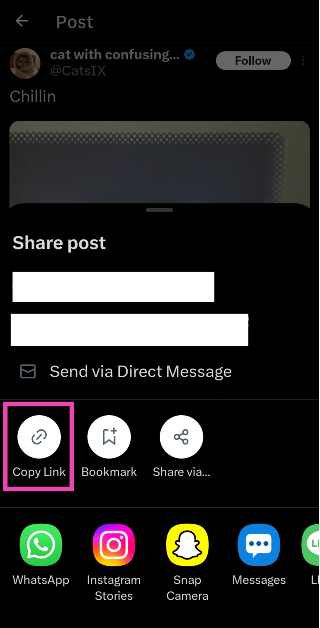 Step 4: Go back to the home page and tap the blue plus icon. Hit Post.
 Step 5: Paste the link in the box.
Step 6: Shorten the link manually. You can do this by deleting everything from the link after the status ID, starting from the ‘?’ sign.
Step 5: Paste the link in the box.
Step 6: Shorten the link manually. You can do this by deleting everything from the link after the status ID, starting from the ‘?’ sign.
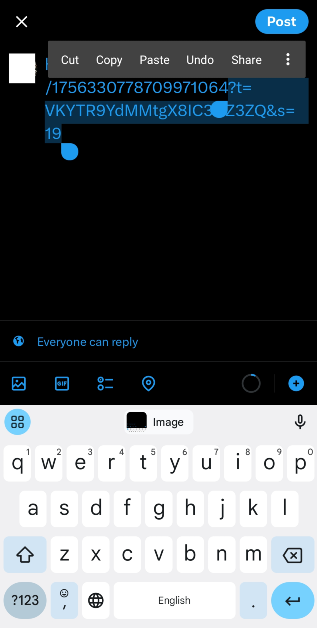 Step 7: Enter a caption for the video and hit Post.
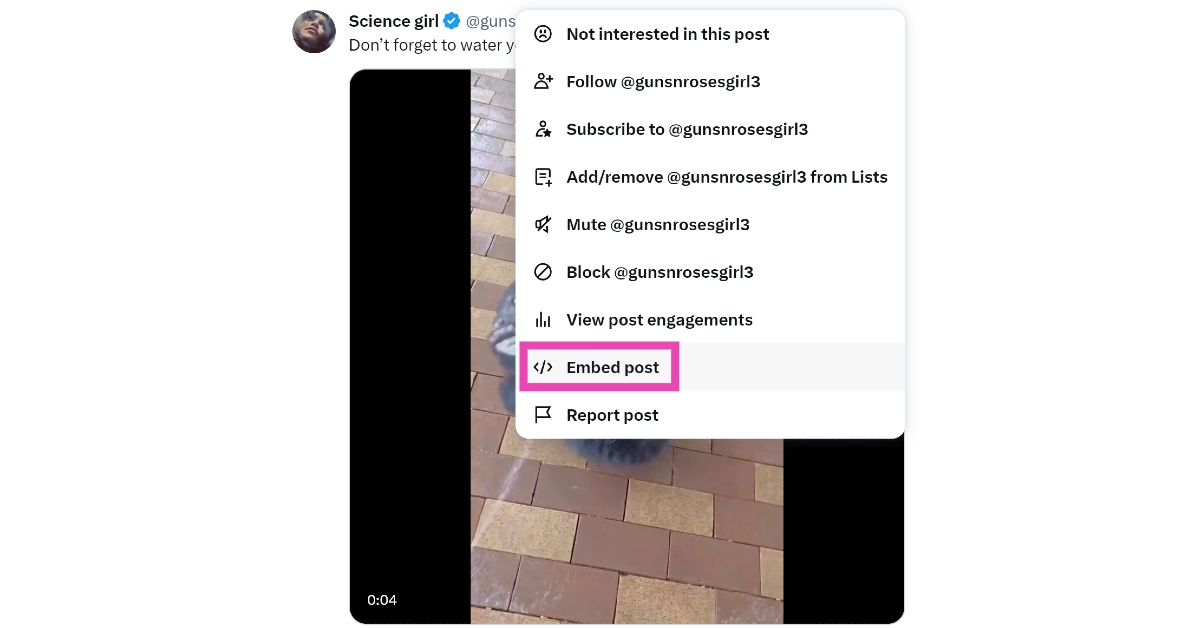 Step 3: Select Embedded Post.
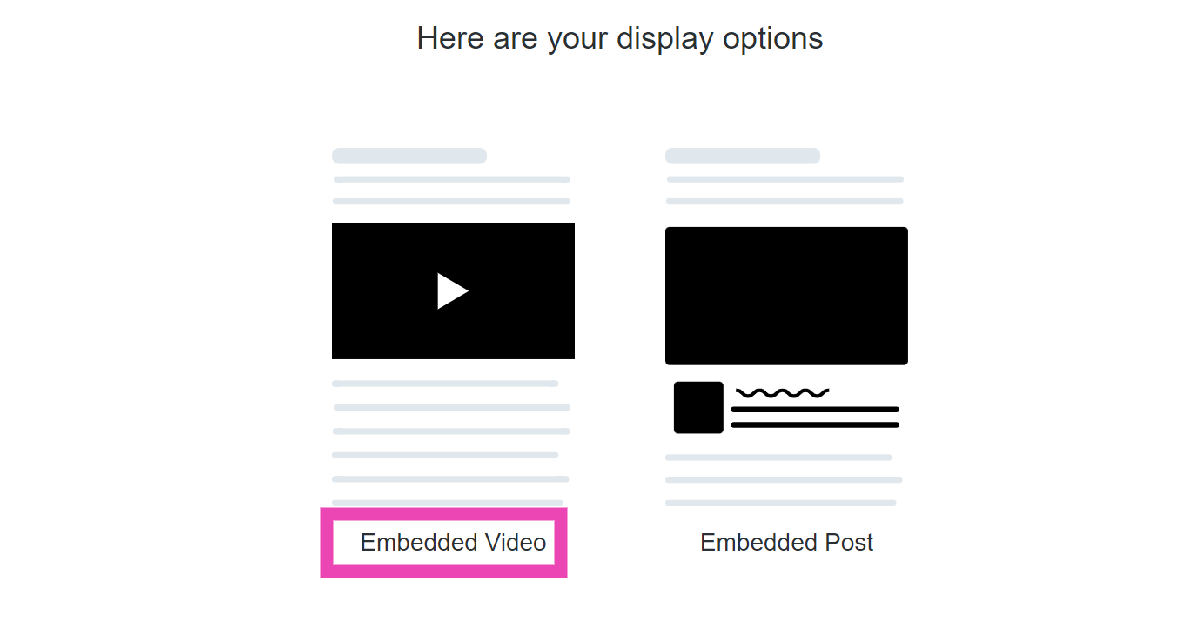 Step 4: Click on Copy Code.
 Step 5: Launch Notepad (or any text editor) on your PC and paste the code.
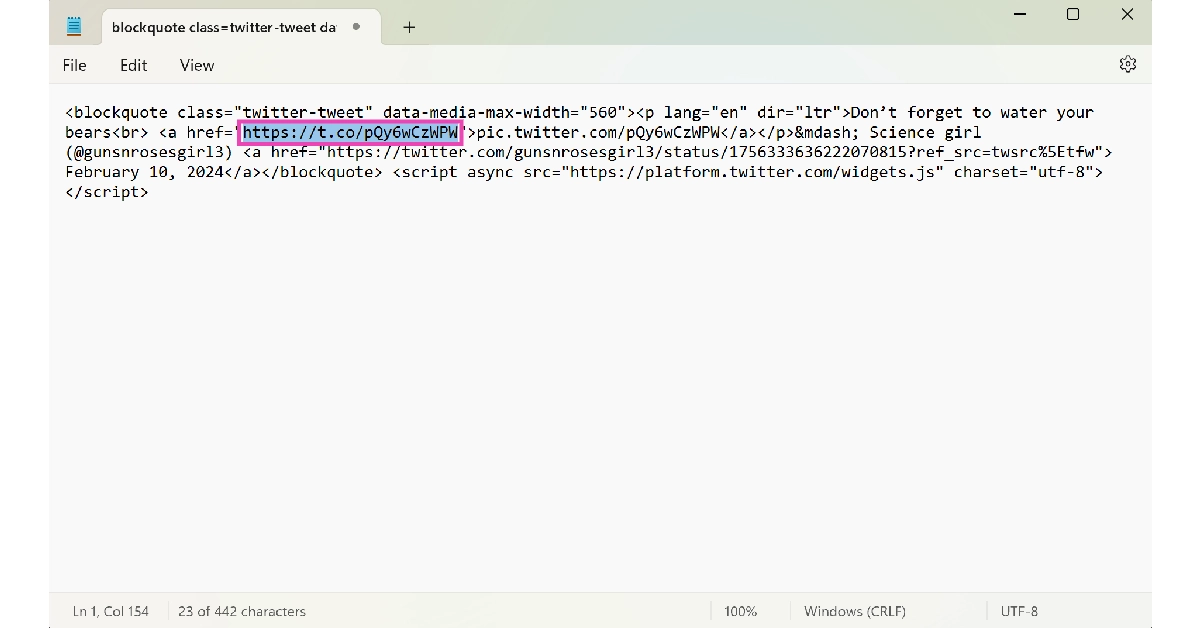 Step 6: Copy the first hyperlink from the code.
Step 7: Go back to your Twitter home page and click on the Create Tweet icon.
Step 6: Copy the first hyperlink from the code.
Step 7: Go back to your Twitter home page and click on the Create Tweet icon.
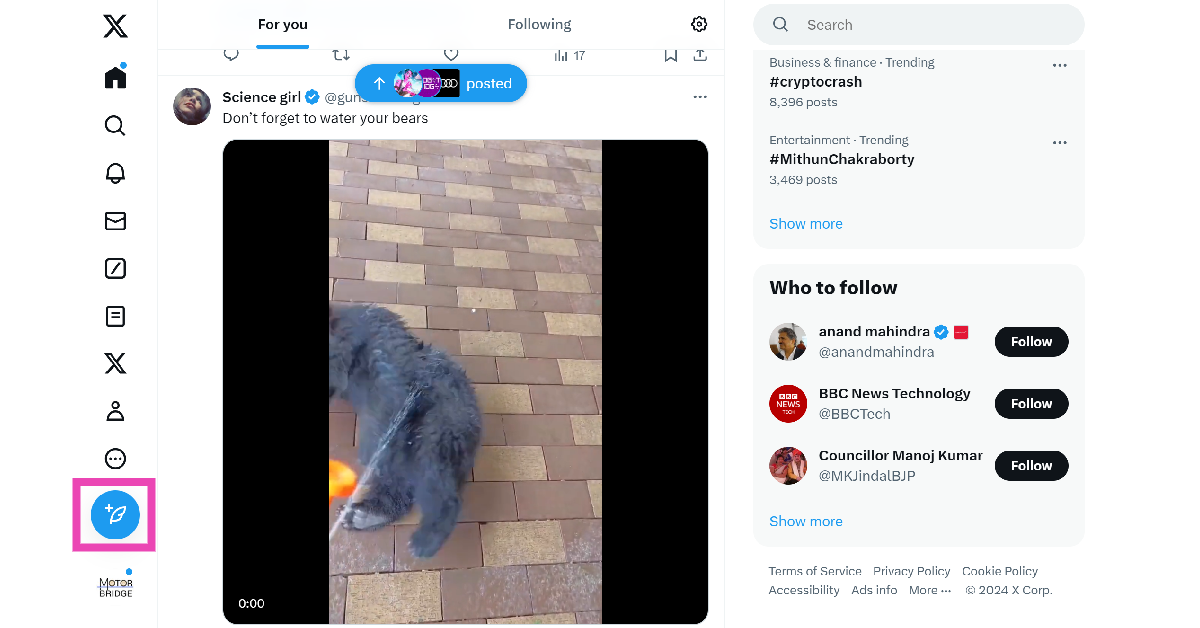 Step 8: Paste the link.
Step 9: Add text to the post (voluntary) and hit Post.
Step 8: Paste the link.
Step 9: Add text to the post (voluntary) and hit Post.

 Step 4: Select Download video.
 Step 5: Go back to the home page and hit the blue plus icon followed by Post.
Step 6: Select the video from your device’s gallery.
Step 7: Hit Post.
Step 5: Go back to the home page and hit the blue plus icon followed by Post.
Step 6: Select the video from your device’s gallery.
Step 7: Hit Post.
 Step 4: Click on Copy Link.
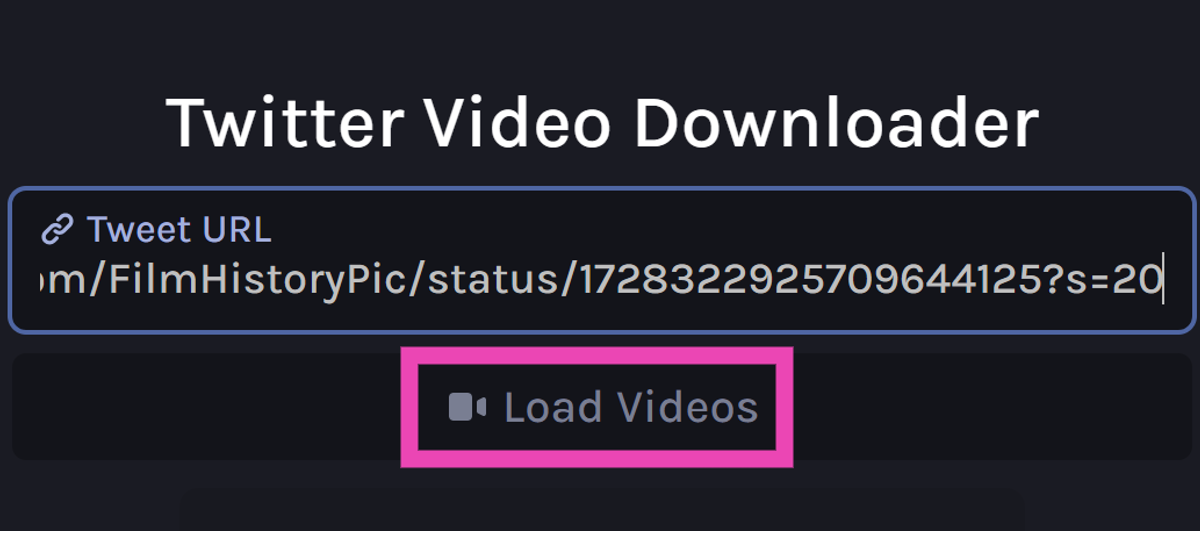
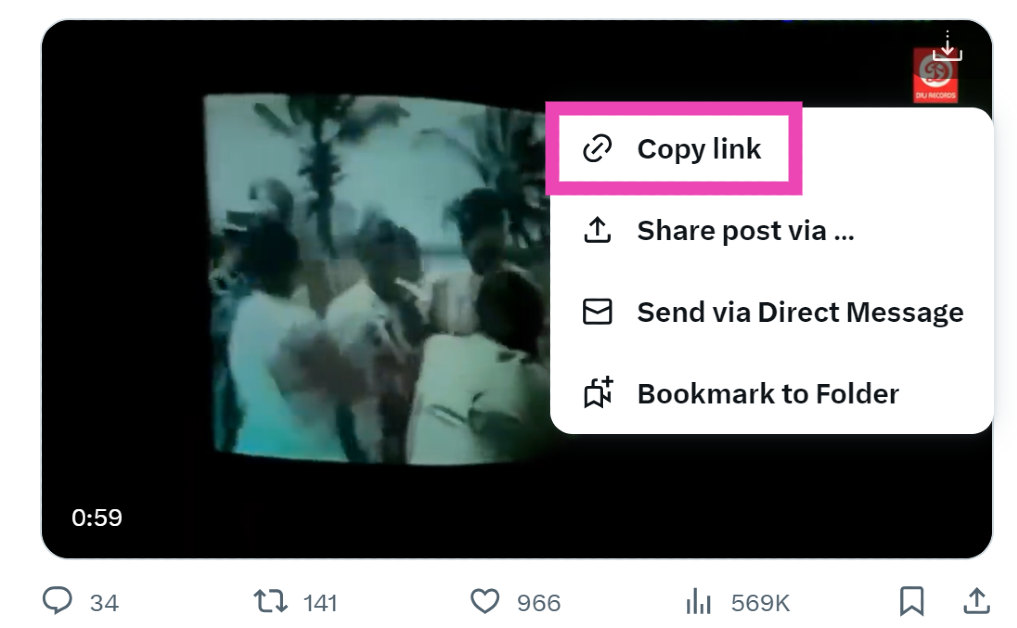 Step 5: Go back to the third-party tool and paste the link into the ‘Tweet URL’ box.
Step 6: Click on Load Videos.
Step 5: Go back to the third-party tool and paste the link into the ‘Tweet URL’ box.
Step 6: Click on Load Videos.
 Step 7: Select the resolution you want for the video.
 Step 8: Once the video has been downloaded to your PC, post it on X from your account.
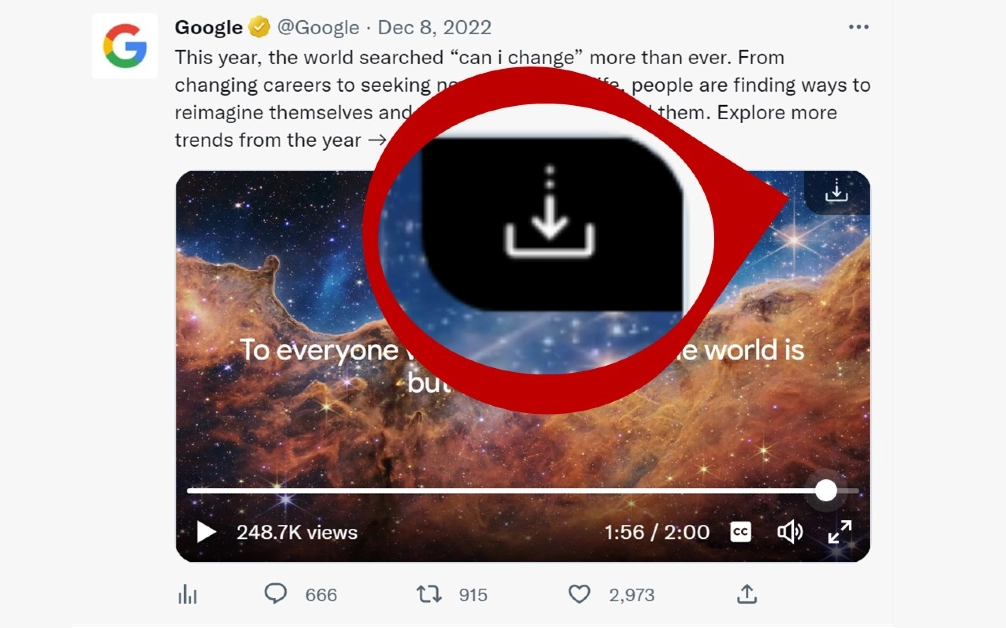 Step 5: Now, post the video from your X account.

In This Article

In This Article
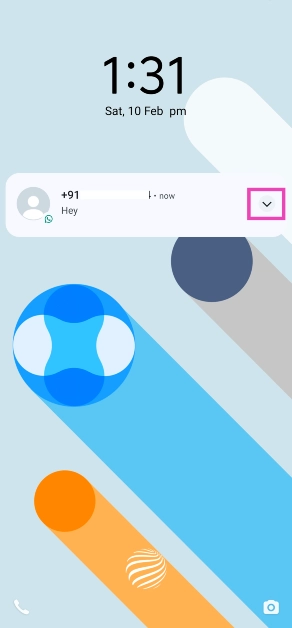 Step 2: Select Block from the list of quick actions.
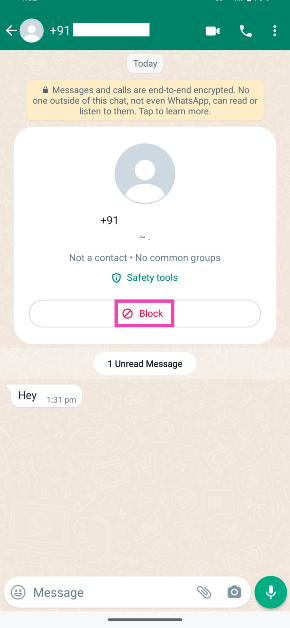
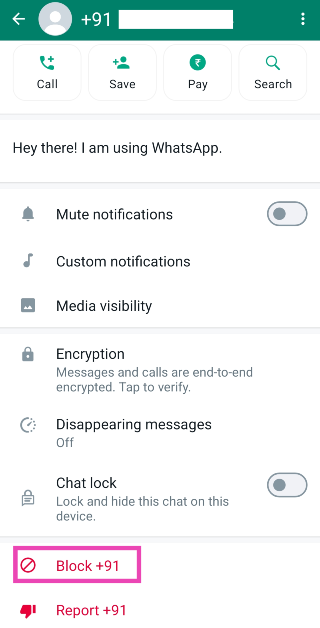
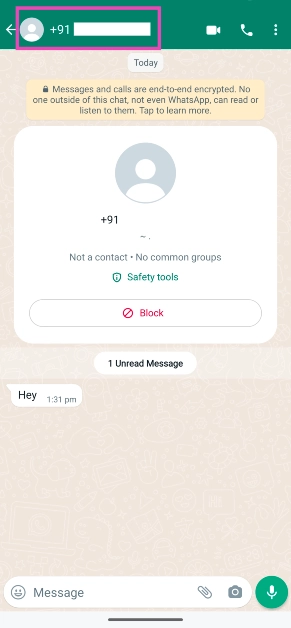 Step 3: Scroll down and hit the Block button at the bottom of their profile.
 Step 2: Go to Settings.
 Step 3: Select Privacy.
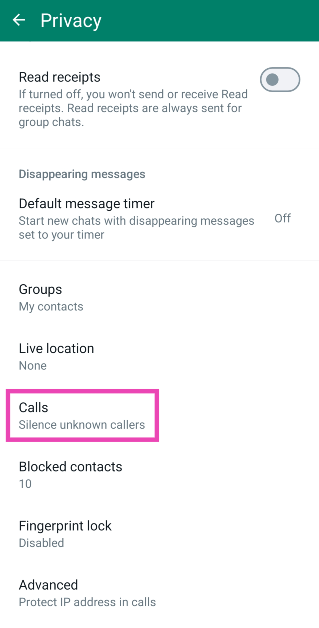
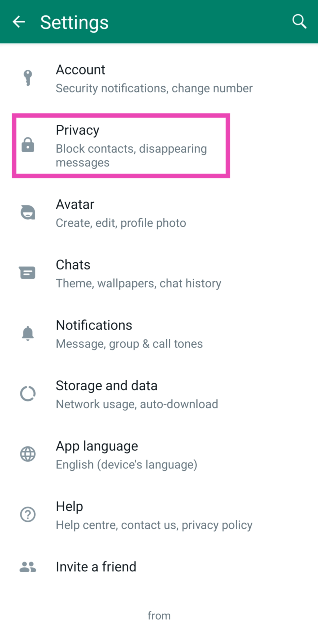 Step 4: Tap on Calls.
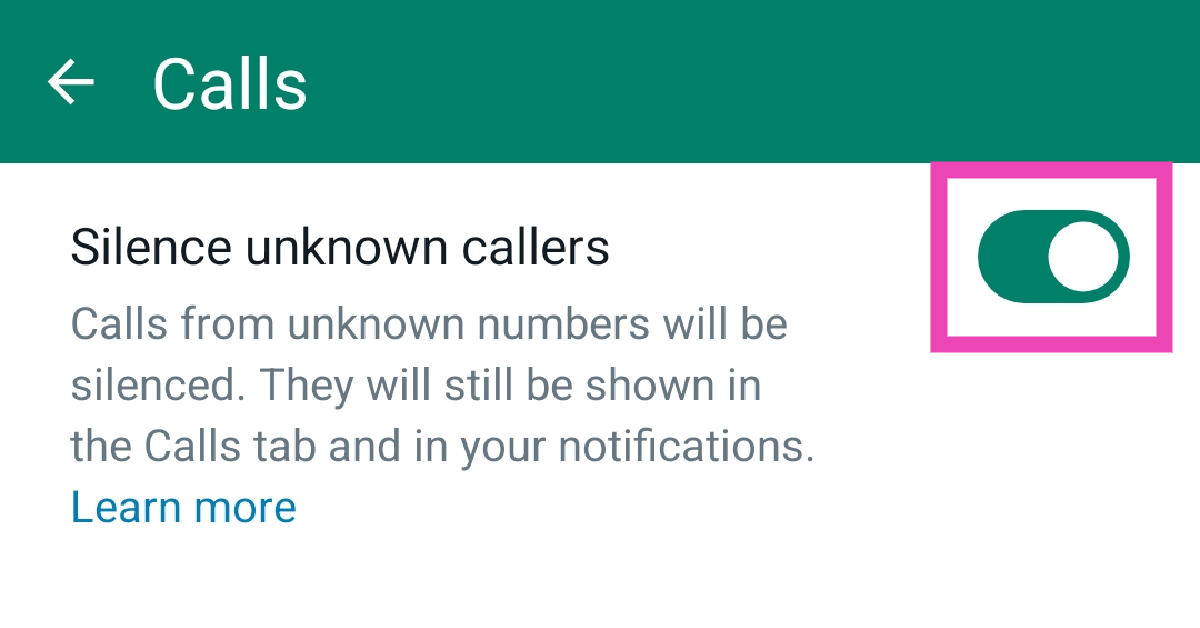
 Step 5: Turn on the toggle switch next to ‘Silence unknown callers’.
 Step 2: Go to Settings.
Step 3: Select Privacy.
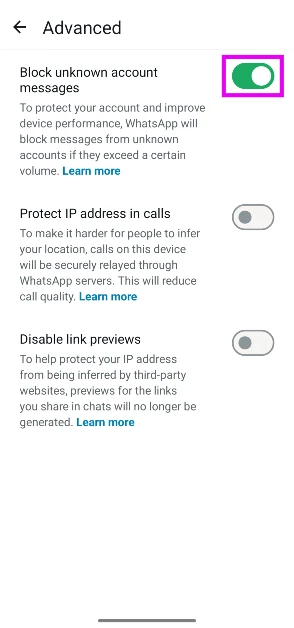
Step 4: Scroll down and go to Advanced.
Step 2: Go to Settings.
Step 3: Select Privacy.
Step 4: Scroll down and go to Advanced.
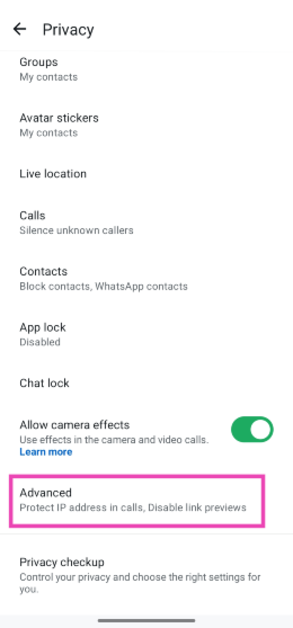 Step 5: Hit the toggle switch next to Block unknown account messages. This feature will block large volumes of messages sent from unknown numbers.

In This Article
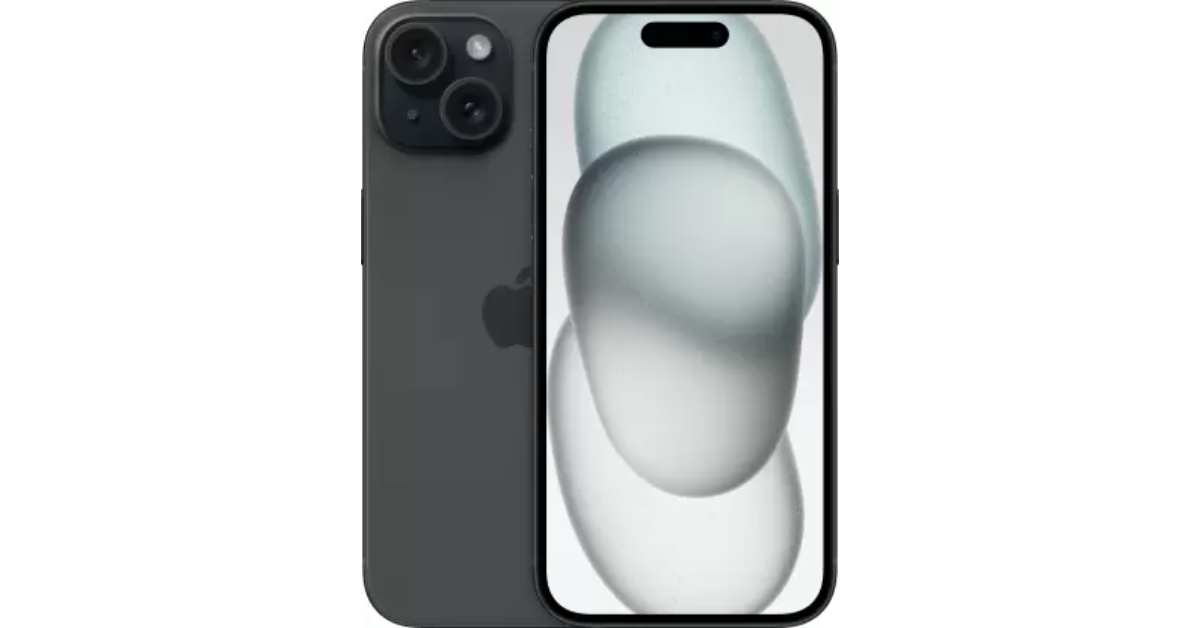 The new iPhone 15 runs on the A16 Bionic chipset from the 14 Pro series. The newest entry-level variant of the iPhone features the Dynamic Island, a 48MP primary camera, and a 12MP ultrawide lens. The new features that were introduced on the iPhone 14 Pro models are a part of the iPhone 15’s base variant. However, it doesn’t get the latest Apple A17 Pro chipset and also misses out on the titanium band. But, its relatively affordable pricing makes it a good buy.
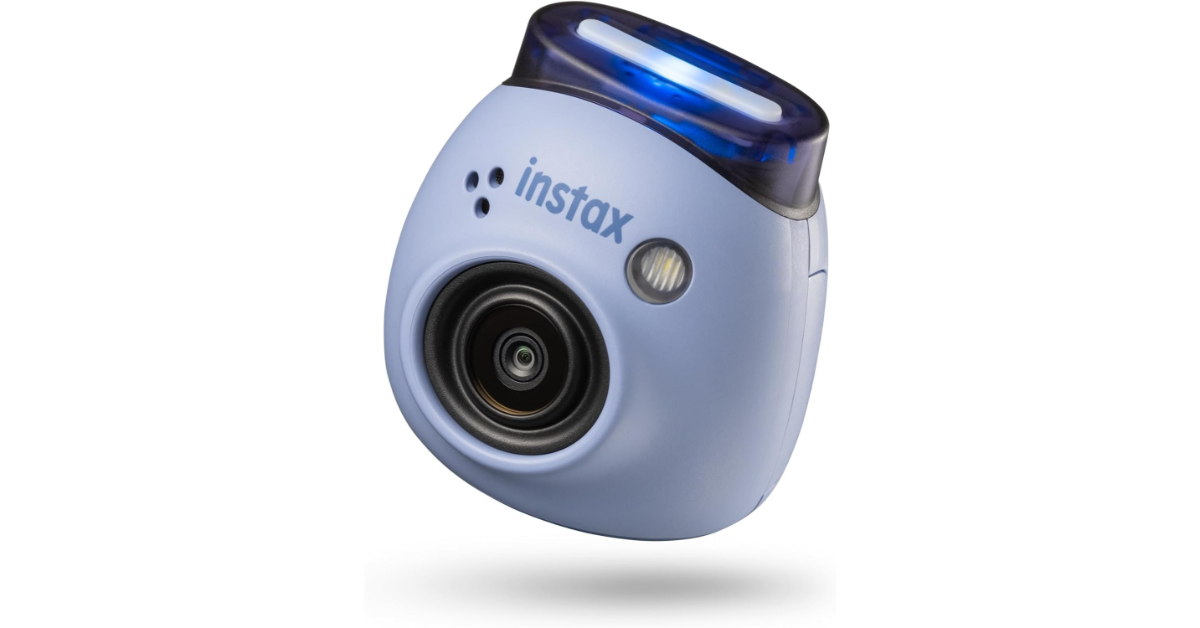
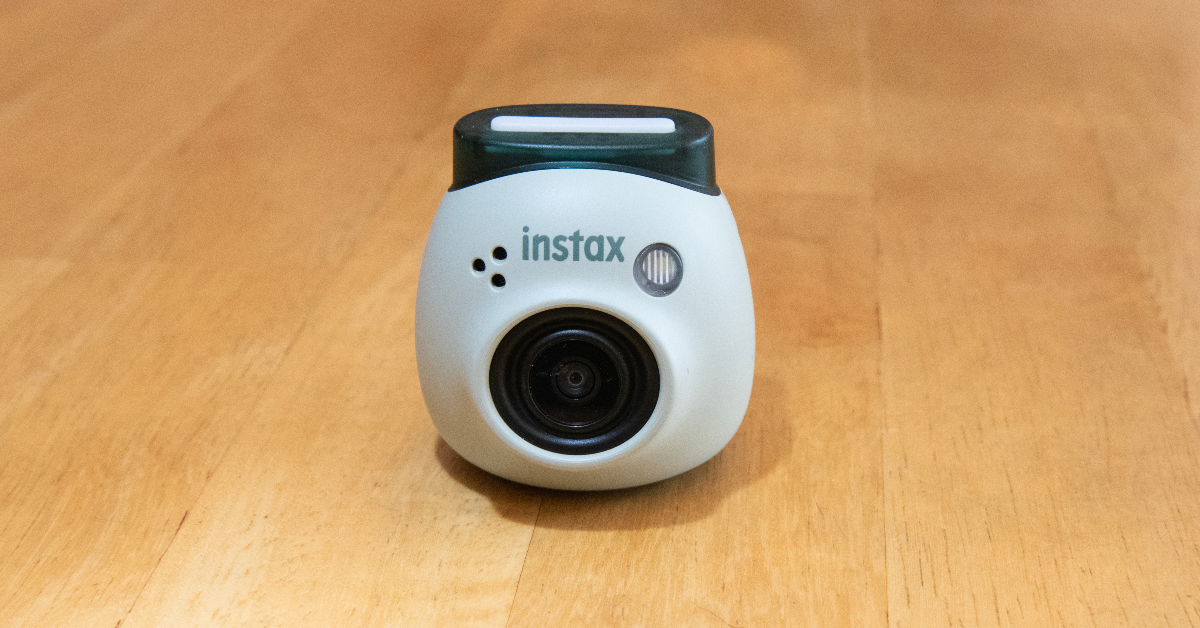 The new Fulijilm Instax Pal is the perfect gift to preserve your memories with your partner in style. For the Polaroid-obsessed, the Instax Pal would make an amazing gift. This palm-sized Polaroid camera can easily fit inside your pocket. Fujifilm has removed the printing function from the camera to increase its portability. The digital images taken by the Instax Pal can be printed using an Instax Link Series smartphone printer. The portable camera is available in five colour options — Gem Black, Powder Pink, Pistachio Green, Lavender Blue and Milky White.
 The entry-level Kindle variant is the perfect gift for voracious readers. While it may be the most basic Kindle model, it matches most of the specs of the Paperwhite. We reviewed the e-reader when it was launched and were impressed by the glare-free display and the overall reading experience. The 300 ppi resolution is ideal for reading books, newspapers, and graphic novels on the e-reader. The 4 LEDs do a good job of lighting up the display in dark conditions. You can use the toolbar to adjust the brightness of the device. With an internal storage capacity of 16GB, the Kindle can store thousands of books.
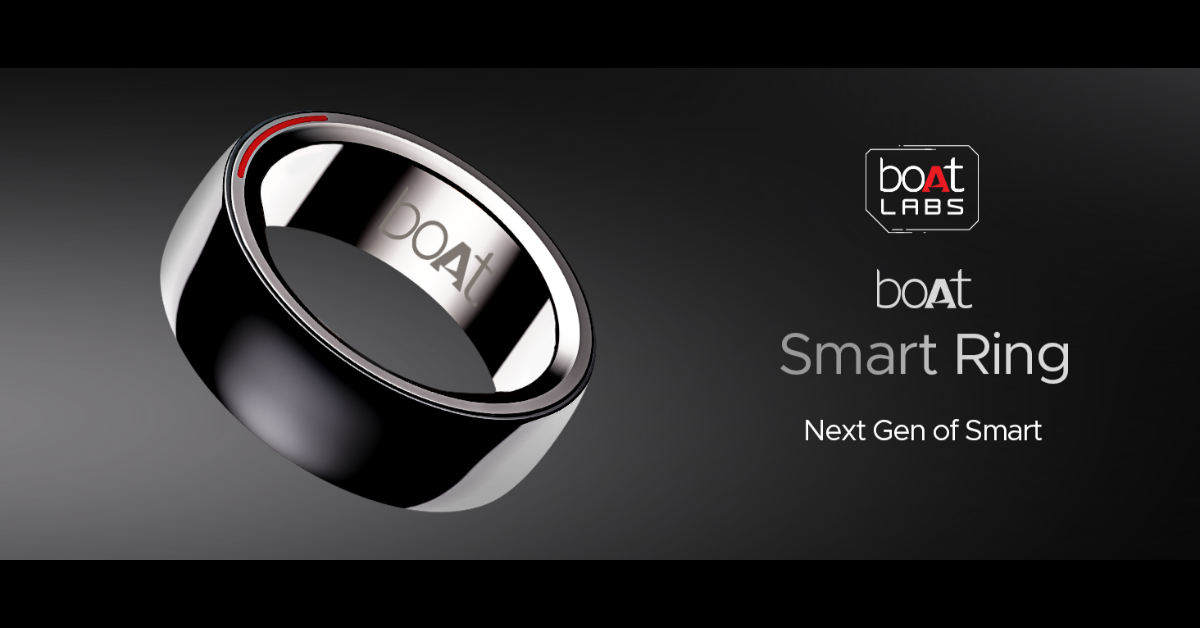 Give your partner a ring this Valentine’s Day – but make it smart. boAt’s smart ring can track health and fitness metrics just like a smartwatch. With a 5ATM water resistance, you can even wear this ring while swimming. Its premium ceramic build contributes massively to its premium aesthetic. Integrated with smart touch controls, this ring can be used to click pictures, change track, pause/play media playback, and navigate applications. You can view your health and fitness data in the boAt Smart Ring app at any given time.
 The JBL Go 3 brings the party wherever you go. This waterproof portable speaker is one of the best tech gifts you can give to your partner for Valentine’s Day in 2024. The Go 3 has a power output of 4.3W and offers 5 hours of playback on a single charge. It has dimensions of 3.4 x 2.7 x 1.6 inches and weighs just 200 grams. You can easily carry it around in your pocket all day. The portable speaker can be charged using a USB Type-C cable but it takes 2.5 hours to fully charge the device.
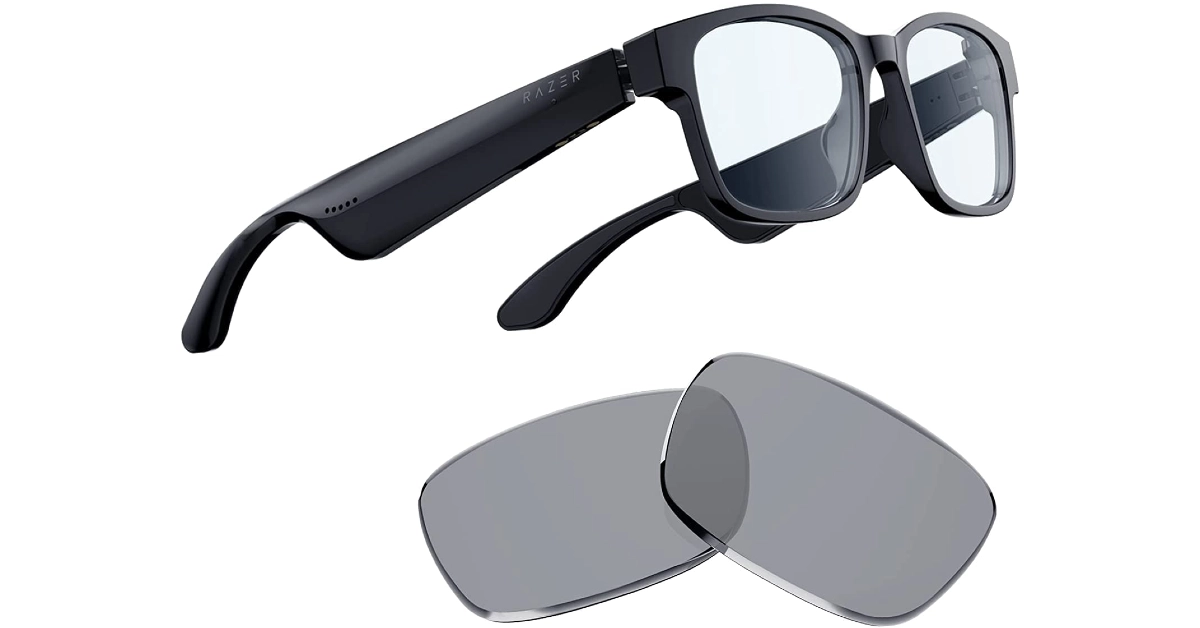 Smart in more ways than one, the Razer Ansu Smart Glasses let you take calls, play music, and enjoy and enjoy the omnidirectional sound with no hiccups. A low latency of 60ms ensures there is no delay between the audio and the video feed. Anzu smart glasses have touch panels on the stem which let you control media playback and answer calls with just a single tap. On top of that, they are also voice assistant-compatible. On a single charge, the smart functions of these glasses can run for more than 5 hours.
 The Classic variant of the Samsung Galaxy Watch6 is a thing to behold. The physical rotating bezel around the 1.5-inch Super AMOLED display is both stylish and practical. Navigating the interface of the watch becomes much easier with this bezel. Running on Wear OS 4 skinned with One UI Watch 5, the Galaxy Watch6 is also one of the smartest smartwatches out there. The range of apps available on the Play Store ensures you never spend a dull moment with this app. You can read and respond to your WhatsApp message directly from the watch and even check your email on the go. Check out our review of the smartwatch here.
 These cute Echo smart speakers are a perfect addition to your nightstand. The best part about them is that they don’t occupy a lot of space and can carry out most of the functions of a regular Echo Dot. The temperature and motion sensors are some of the sore misses on the Echo Pop. However, since they are primarily intended to be used as nightstand speakers, there isn’t much need for those sensors to begin with. What the Echo Pop does best is provide cutting-edge software experience with its built-in routines, smart device support, and tons of skills. Check out our full review here.
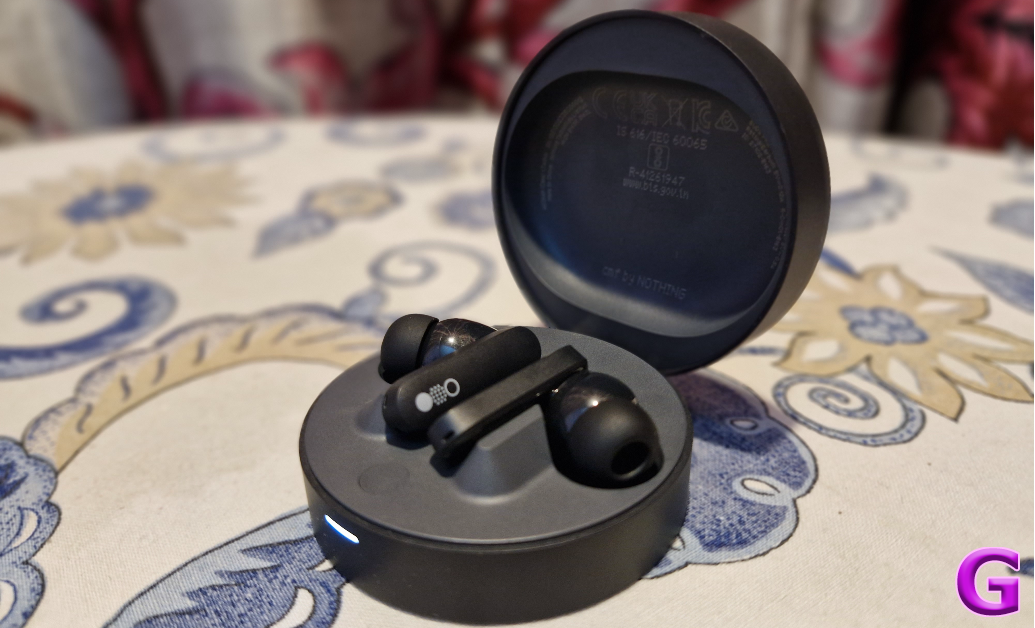 Nothing’s subsidiary brand CMF put out some interesting products last year. Primarily operating in the budget segment, CMF’s products offer high value for money. We were very impressed by the Buds Pro back when we reviewed the TWS headset. The hockey puck design of the charging case is novel and has a nice finish to it. The audio output of the earbuds has that signature Nothing tuning and a diverse soundstage. Although a little bass-heavy, the CMF Buds Pro’s audio output is very enjoyable. Certainly one of the best tech gifts you can give your significant other this Valentine’s Day.
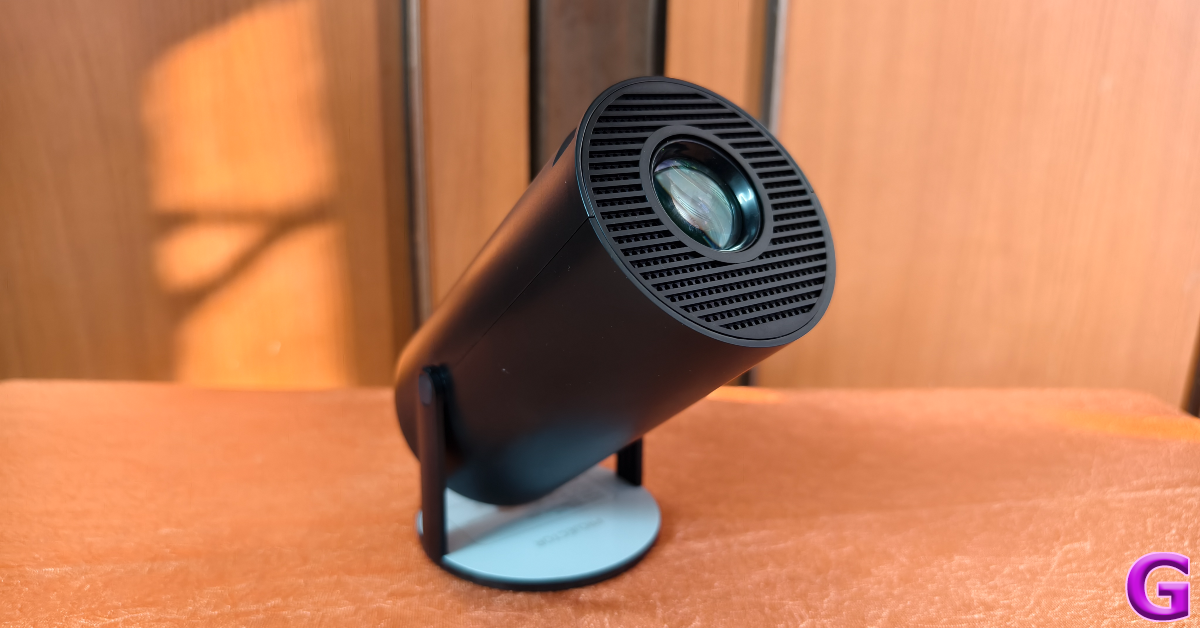 The Clokowe T08 mini projector is a fun, offbeat tech gift for Valentine’s Day 2024. This projector is incredibly easy to use and can connect to your smartphone, laptop, or tablet within seconds. It can rotate up to 180 degrees, which means you can even point it at the ceiling and enjoy HD visuals. The projector can deliver 720p footage and features automatic keystone correction. A 3W speaker is integrated into the device, and you can also pair it with your home speaker via a 3.5mm headphone jack or a Bluetooth connection. The images produced by the projector are sharp, detailed, and rich in colour. Here’s our full review of the projector.
Read Also: Redmi A3 gets listed on Flipkart, key details revealed
The Clokowe T08 mini projector is a fun, offbeat tech gift for Valentine’s Day 2024. This projector is incredibly easy to use and can connect to your smartphone, laptop, or tablet within seconds. It can rotate up to 180 degrees, which means you can even point it at the ceiling and enjoy HD visuals. The projector can deliver 720p footage and features automatic keystone correction. A 3W speaker is integrated into the device, and you can also pair it with your home speaker via a 3.5mm headphone jack or a Bluetooth connection. The images produced by the projector are sharp, detailed, and rich in colour. Here’s our full review of the projector.
Read Also: Redmi A3 gets listed on Flipkart, key details revealed

 In terms of design, the Redmi A3 will come with a Halo Design featuring a round dual rear camera module. The phone can be seen in a green colour with a leather-textured rear panel that is reminiscent of that of its predecessor. The company logo is positioned at the bottom. The teased images also show the USB Type-C charging port.
The device will come with a 90 Hz display. The phone will come with 6GB RAM with support for 6GB virtual RAM. Additionally, the smartphone will be backed by a 5,000mAh battery.
But there have also been hints about other important phone specs. The device was previously spotted at African stores. The listing indicates that the smartphone might be powered by a MediaTek chip. The description also offered a 64GB built-in storage option with 4GB of RAM.
Also Read: Amazon Quiz Answers Today 10 February 2024: Participate to win Rs 1,250 Amazon Pay Balance
Additionally, the upcoming phone is said to include an 8-megapixel selfie camera while the rear camera setup may sport a 13-megapixel main camera. The battery is also expected to get 10W wired charging support.
Also Read: Google Bard is now Gemini AI, launches new app for Android and iOS devices
Reportedly the Redmi A3 may have a 6.71-inch display. In addition to this, a 32GB and 128GB internal storage option was suggested. Android 13 Go Edition is speculated to come pre-installed on the mobile phone. The company is likely to offer the upcoming smartphone in three colour options: forest green, blue, and black.
It is expected to be powered by a MediaTek Helio G36 SoC.
In terms of design, the Redmi A3 will come with a Halo Design featuring a round dual rear camera module. The phone can be seen in a green colour with a leather-textured rear panel that is reminiscent of that of its predecessor. The company logo is positioned at the bottom. The teased images also show the USB Type-C charging port.
The device will come with a 90 Hz display. The phone will come with 6GB RAM with support for 6GB virtual RAM. Additionally, the smartphone will be backed by a 5,000mAh battery.
But there have also been hints about other important phone specs. The device was previously spotted at African stores. The listing indicates that the smartphone might be powered by a MediaTek chip. The description also offered a 64GB built-in storage option with 4GB of RAM.
Also Read: Amazon Quiz Answers Today 10 February 2024: Participate to win Rs 1,250 Amazon Pay Balance
Additionally, the upcoming phone is said to include an 8-megapixel selfie camera while the rear camera setup may sport a 13-megapixel main camera. The battery is also expected to get 10W wired charging support.
Also Read: Google Bard is now Gemini AI, launches new app for Android and iOS devices
Reportedly the Redmi A3 may have a 6.71-inch display. In addition to this, a 32GB and 128GB internal storage option was suggested. Android 13 Go Edition is speculated to come pre-installed on the mobile phone. The company is likely to offer the upcoming smartphone in three colour options: forest green, blue, and black.
It is expected to be powered by a MediaTek Helio G36 SoC. 
In This Article

In This Article
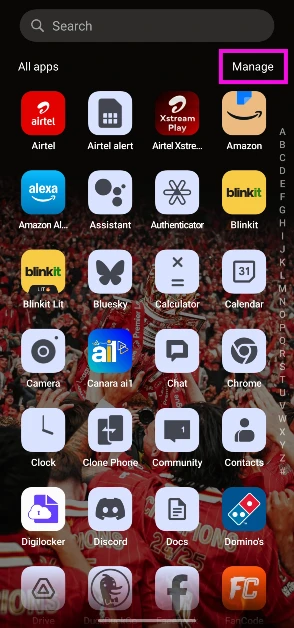 Step 3: Tap on Select.
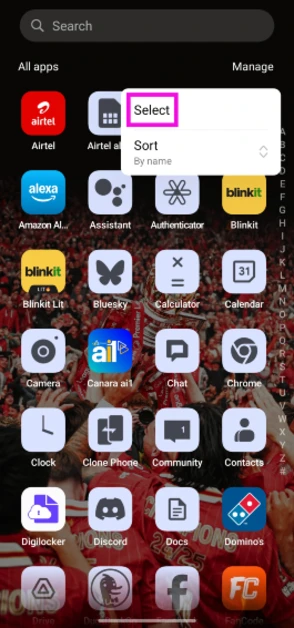 Step 4: Tap the apps you wish to delete.
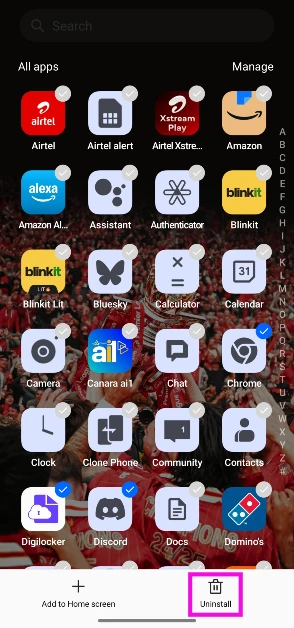 Step 5: Hit the Uninstall button at the bottom of the screen.
 Step 3: Select Manage apps and device.
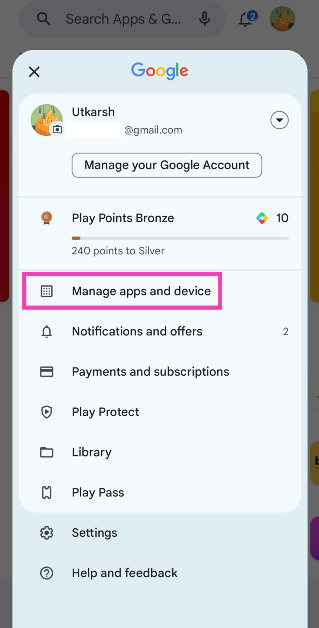 Step 4: Switch to the Manage tab.
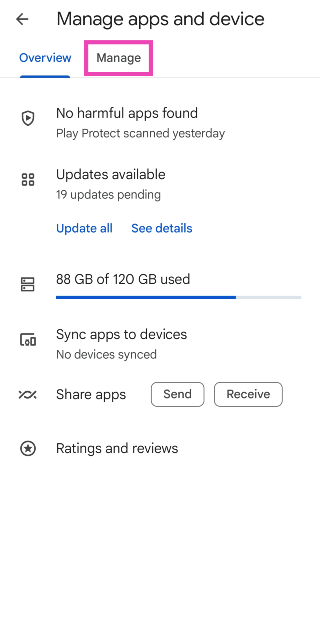 Step 5: Tap the checkboxes next to the apps you wish to uninstall.
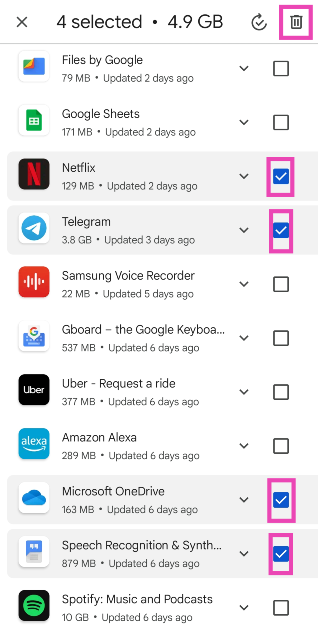 Step 6: Hit the bin sign at the top right corner of the screen.
The apps you selected will be removed from your device.
Step 6: Hit the bin sign at the top right corner of the screen.
The apps you selected will be removed from your device.
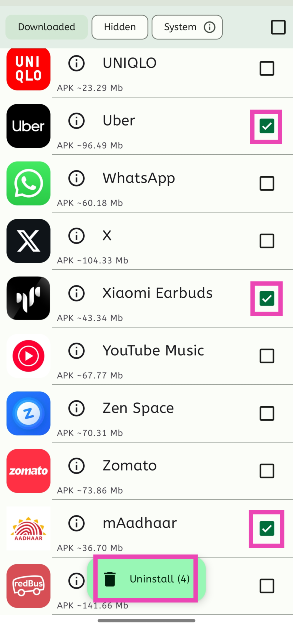 Step 3: Tap on Uninstall.
Step 4: Confirm your selection.
Step 3: Tap on Uninstall.
Step 4: Confirm your selection.
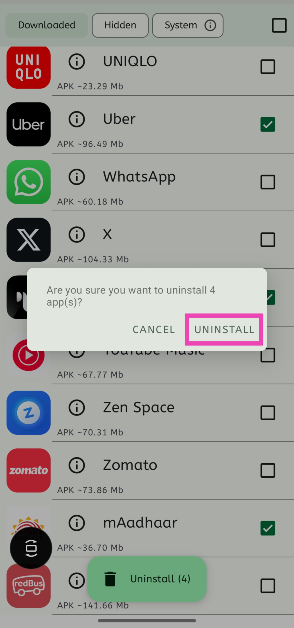
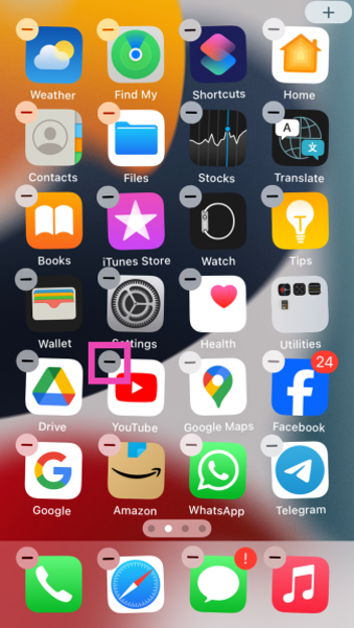 Step 3: Confirm your selection in the popup box.
 Step 4: The apps will continue to wiggle on the screen. Hit the minus icon on another app to remove it.
Continue doing this until the undesired apps have been removed from your iPhone.
Step 4: The apps will continue to wiggle on the screen. Hit the minus icon on another app to remove it.
Continue doing this until the undesired apps have been removed from your iPhone.
In This Article
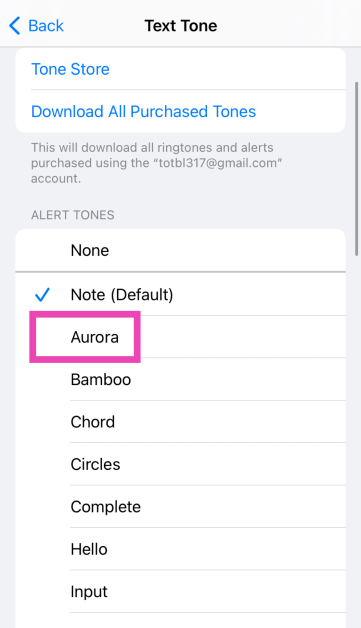
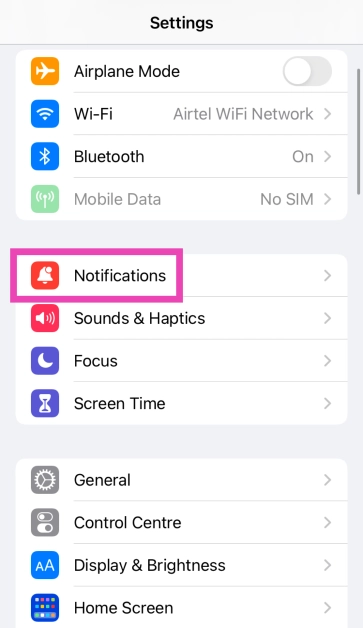 Step 2: Scroll down and select the app for which you want to set a custom notification sound. You can only change the notification sound for Apple’s suite of apps.
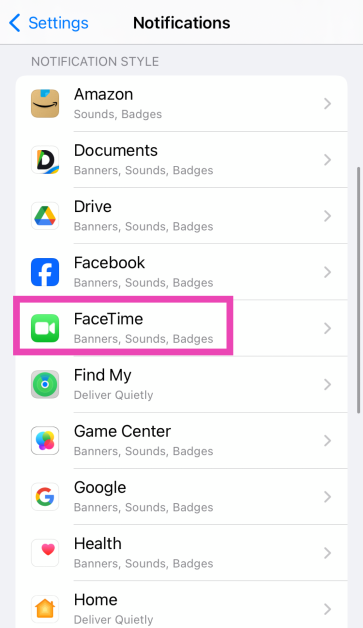 Step 3: Tap on Sounds.
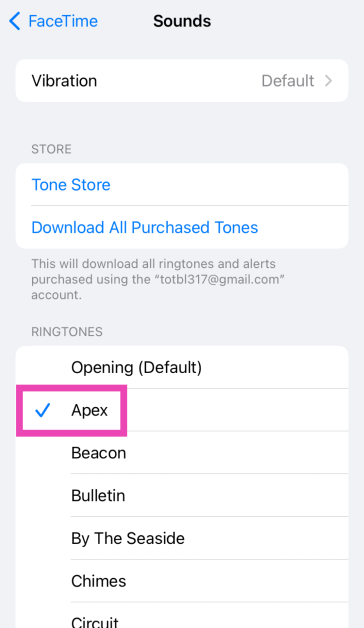
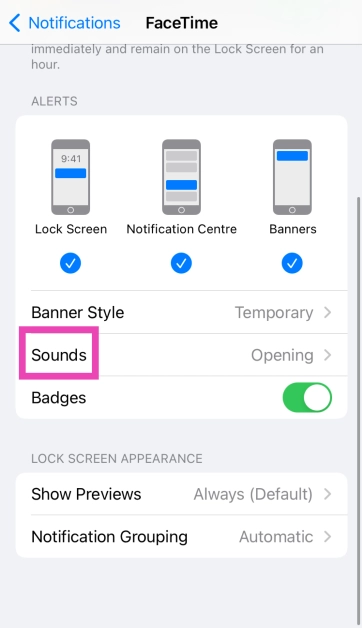 Step 4: Select a new sound for the app’s notification from the list.
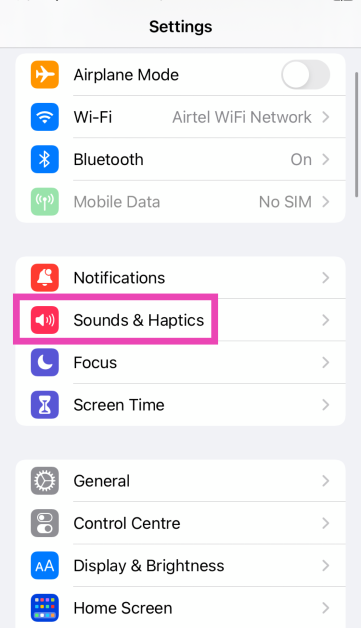 Step 2: Tap on the alert tone you wish to change.
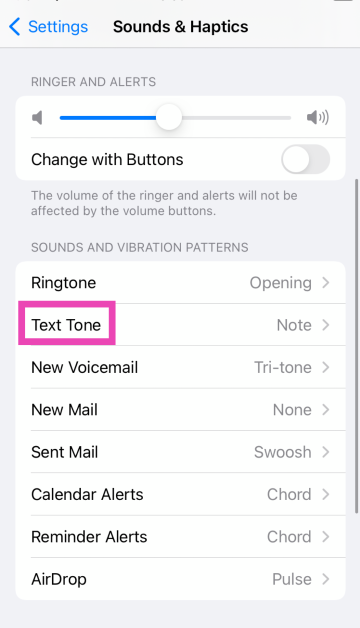 Step 3: Select a new tone from the list.
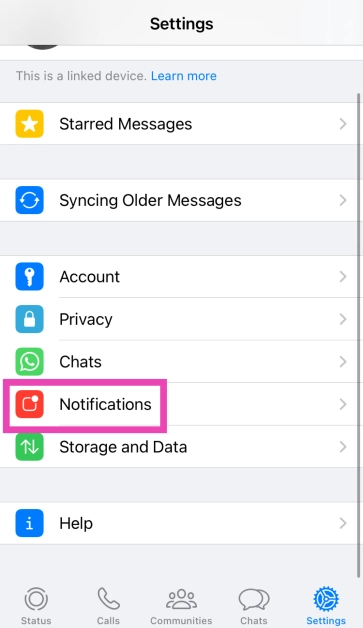
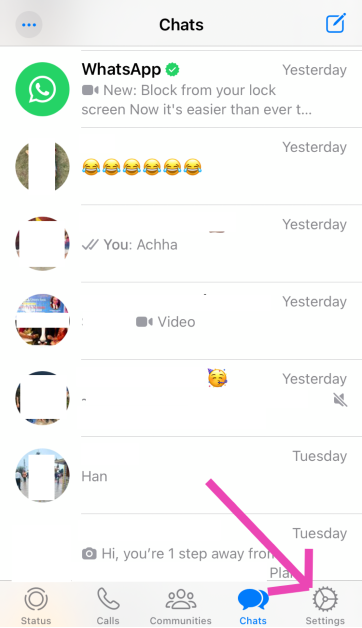 Step 2: Tap on Notifications.
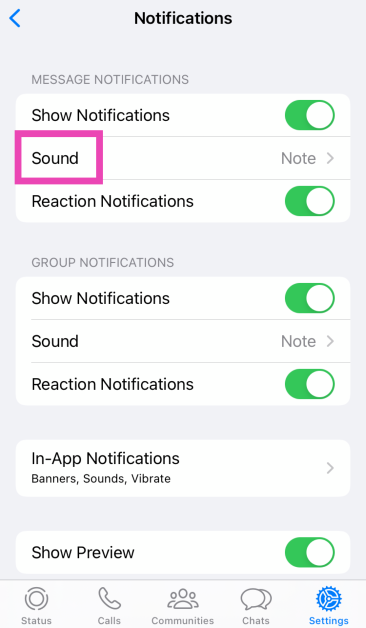
 Step 3: Tap on Sound (under the category you wish to customise).
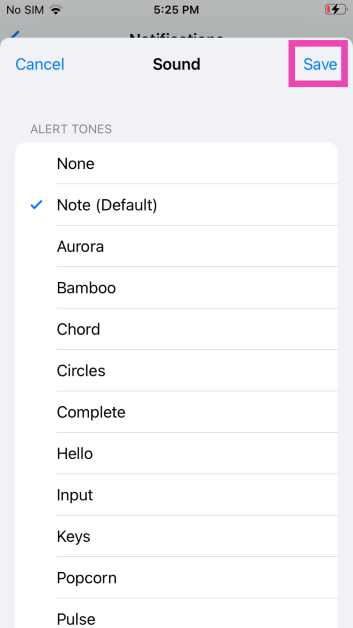
 Step 4: Select the new notification sound and hit Save.
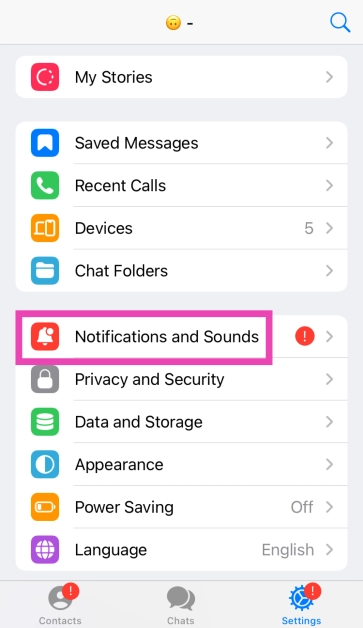
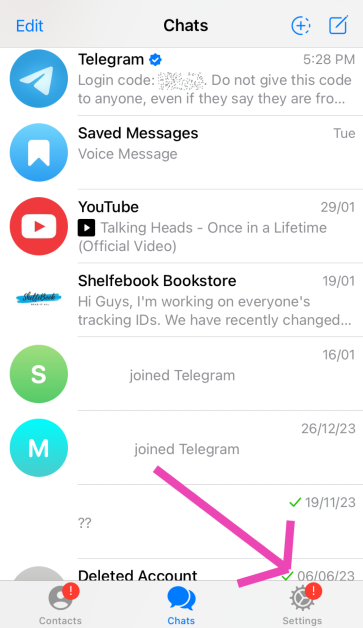 Step 3: Tap on Notifications and Sounds.
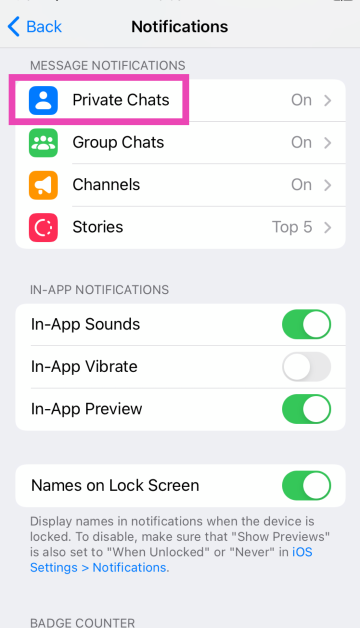
 Step 4: Select the category for which you want to change the notification sound.
 Step 5: Tap on Sound.
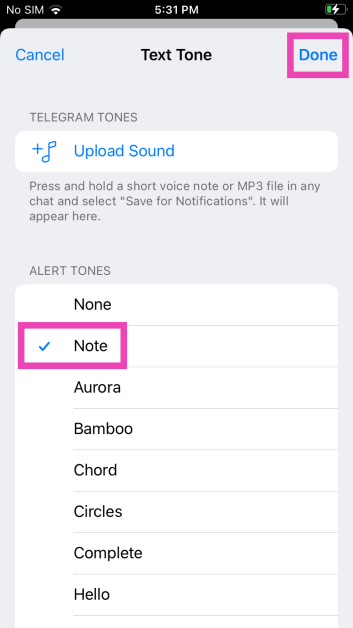
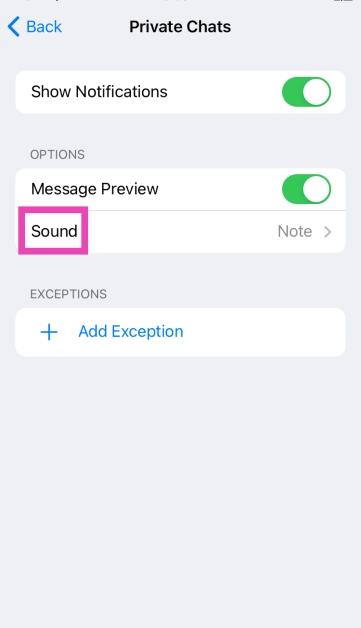 Step 6: Select a new notification sound from the list and hit Done.

In This Article
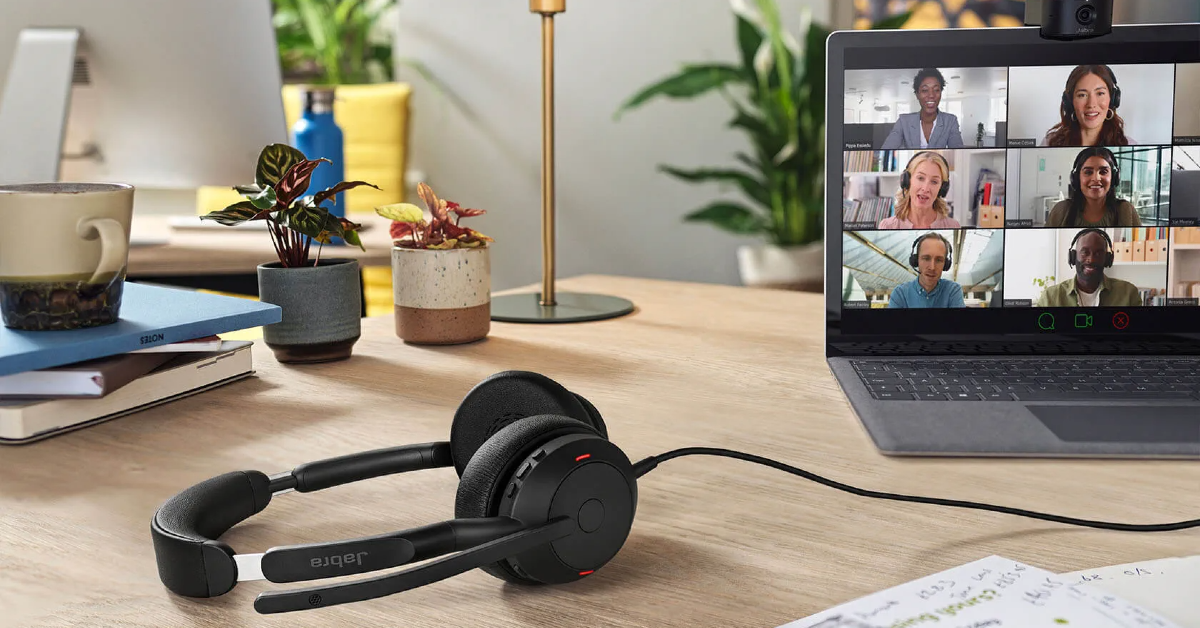
 Specially designed to offer a professional call experience, the Jabra Evolve2 65 is one of the headphones under $200 for working from home in the USA. The Evolve2 65 works with all Unified Communications (UC) platforms. There is also a special Microsoft Teams variant on offer if most of your work calls are hosted on that platform. This variant is optimised to deliver the best possible performance on Microsoft Teams. While it doesn’t support ANC, the Evolve2 65 does a good job of passively filtering out the surrounding noise to a significant degree. If you’re working from an office, you can turn on the red busylight on the headphones to let everyone around you know that you’re occupied with a task or on a call.
 Poly Voyager Focus 2 offers 3 levels of hybrid Active Noise Cancellation to tune out the surrounding noise and get rid of any distractions. One of its best features is the boom microphone which creates a noise-free bubble in front of your mouth with its Acoustic Fence technology. The result is a crystal-clear calling experience. This boom mic meets the Microsoft Teams Open Office premium microphone requirements. The Voyager Focus 2 offers up to 25 hours of talk time on a single charge and can be plugged into your PC and used as a wired headset when the battery runs out. It also offers multi-device connectivity, which means you can connect it to more than one device at once.
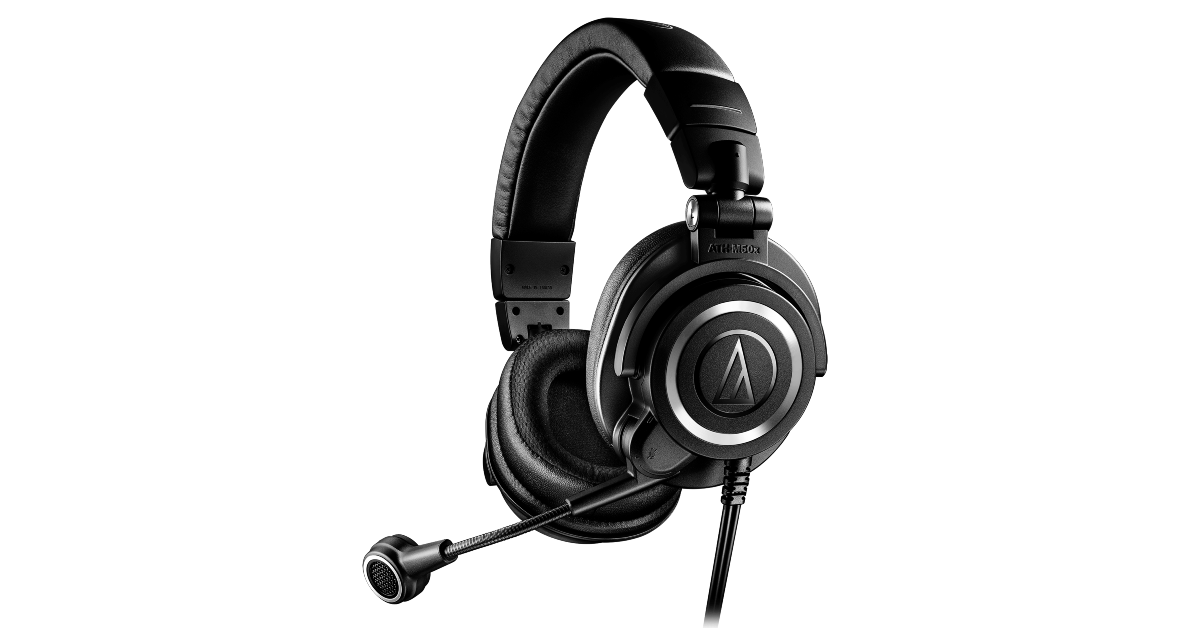 Audio Technica’s ATH-M50xSTS headset brings the sound quality of the popular ATH-50x headphones and integrates it with the superior call quality of the 20 Series microphones. Ideal for working from home, the cardioid condenser microphone on these headphones is perfect for streaming as well as work calls. The headphones are available in XLR/Analog and USB/Digital variants – the latter being more accessible to work with. One of our favourite features on these headphones is ‘flip to mute’ which automatically mutes you on the stream/call as soon as you flip up the boom microphone.
 The Jabra Evolve2 50 are super comfortable to wear for an extended period of time. Its cushioned headband and ergonomic earcups perfectly wrap around the head, exerting minimal pressure. These headphones are equipped with ANC, which helps in filtering out the surrounding noise and focusing on work. Its speech-separating and noise-cancelling algorithms are crucial in delivering a professional performance on online conference calls. Like the Evolve2 65, the Evolve2 50 is also available in the Microsoft Teams variant. The UC variant is optimised for all the major communications platforms.
 With a wireless range of up to 50 metres/164 feet, you can walk around freely in your home office while taking a work call on the Poly Voyager 4320 UC. On a full charge, these headphones provide up to 24 hours of talk time. The boom mic on the Voyager 4230 UC is equipped with Audio Fence technology, which expertly picks up your voice, filtering it from the surrounding noise. The headphones have a super accessible dedicated mute button for calls. It also features multi-point connectivity, allowing you to connect it to several devices at once. Using an office base (sold separately), you can also connect it to a desk phone.
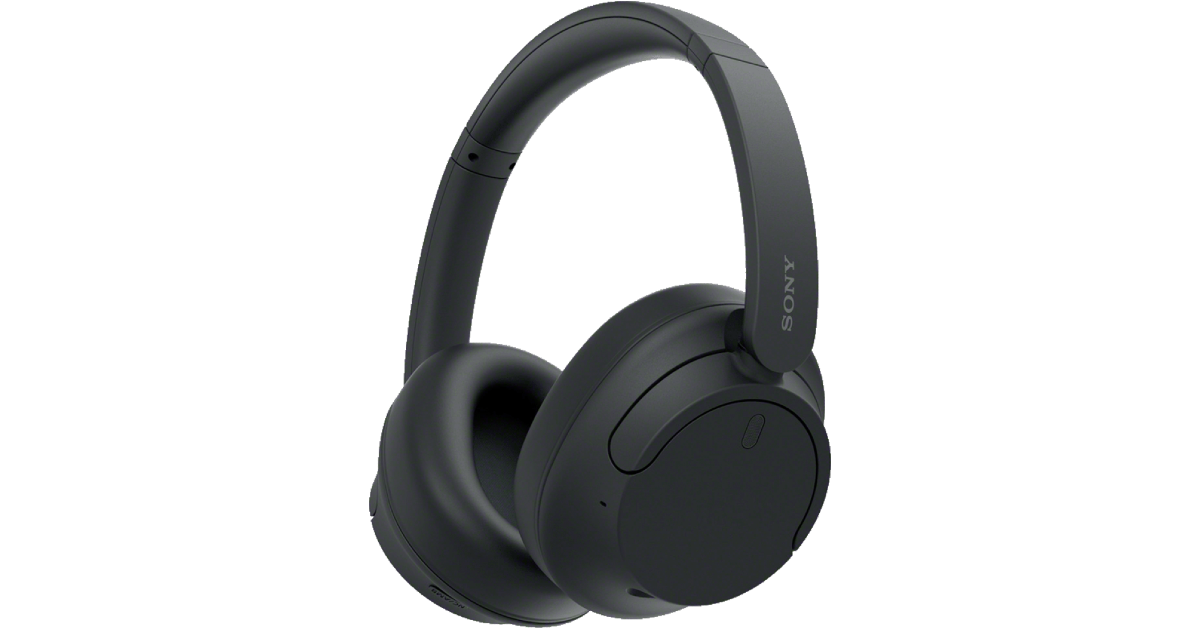 Although they are designed for music consumption, Sony WH-CH720N’s superior calling experience makes it one of the best headphones under $200 in the USA for working from home. Equipped with Precise Voice Pickup technology, a beamforming mic, and Wind Noise Reduction Structure, the WH-CH720N is perfect for work and for play. You pair these headphones to two devices at one time. So, if you get a call on your phone while watching a movie on your PC, you won’t need to take off your headphones to answer it. The headphones also let you know which device is ringing and switch the connection automatically. Read our review of the Sony WH-CH720N here.
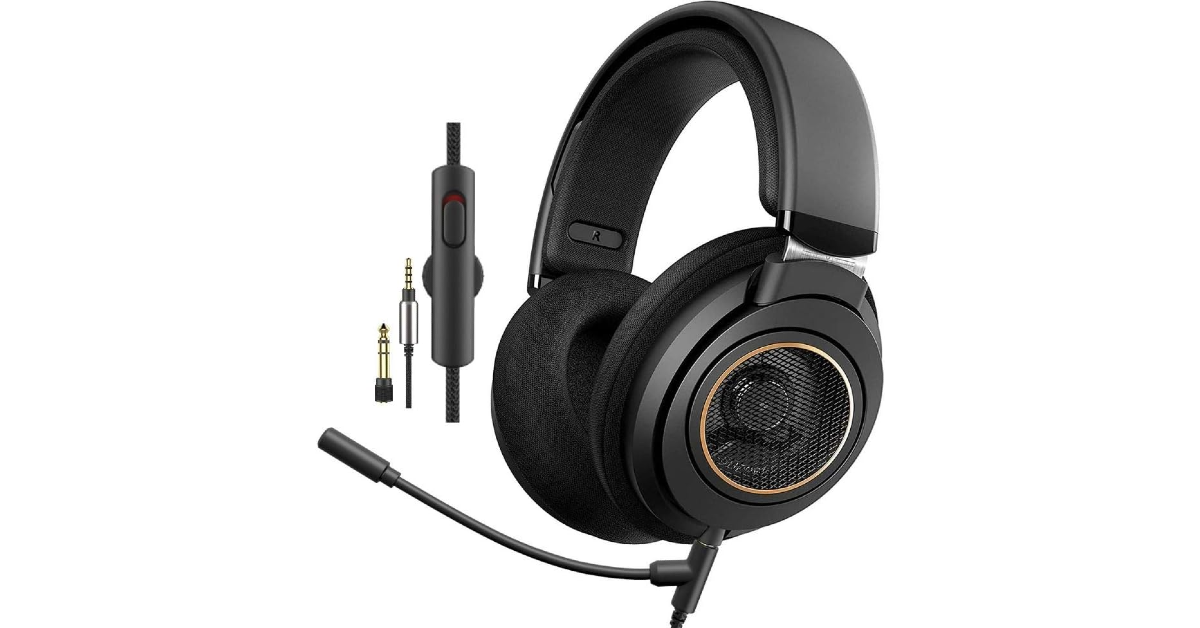 The Philips SHP9600MB comes with a detachable boom mic that is perfect for working from home. The open-back design of the headphones offers a spacious soundstage. Delivering the audio on the SHP9600MB are 50mm drivers. The soundstage offers a balanced mix of frequencies – something the audiophiles will appreciate. The ergonomic design of the earcups and the cushioned headband ensure that you don’t get fatigued after long hours of wearing the headset. You also get a 9.8ft cable inside the box, making it easier to move around with the headphones on.
 Looking for some affordable options? The Logitech Zone Vibe 100 is a good pick. Priced under $100, these headphones are ideal for working from home. The memory foam covered with soft knitted fabric makes for comfortable earpads – something you wouldn’t mind wearing for hours at a stretch. The noise-cancelling microphone can be flipped up to mute yourself on calls. On a full charge, these headphones offer 20 hours of listening time and 18 hours of talk time. 5 minutes of charging is enough to power them for an hour of listening time. The Zone Vibe 100 also offers multi-point connectivity. Certainly one of the best headphones you can buy under $200 in the USA for working from home.
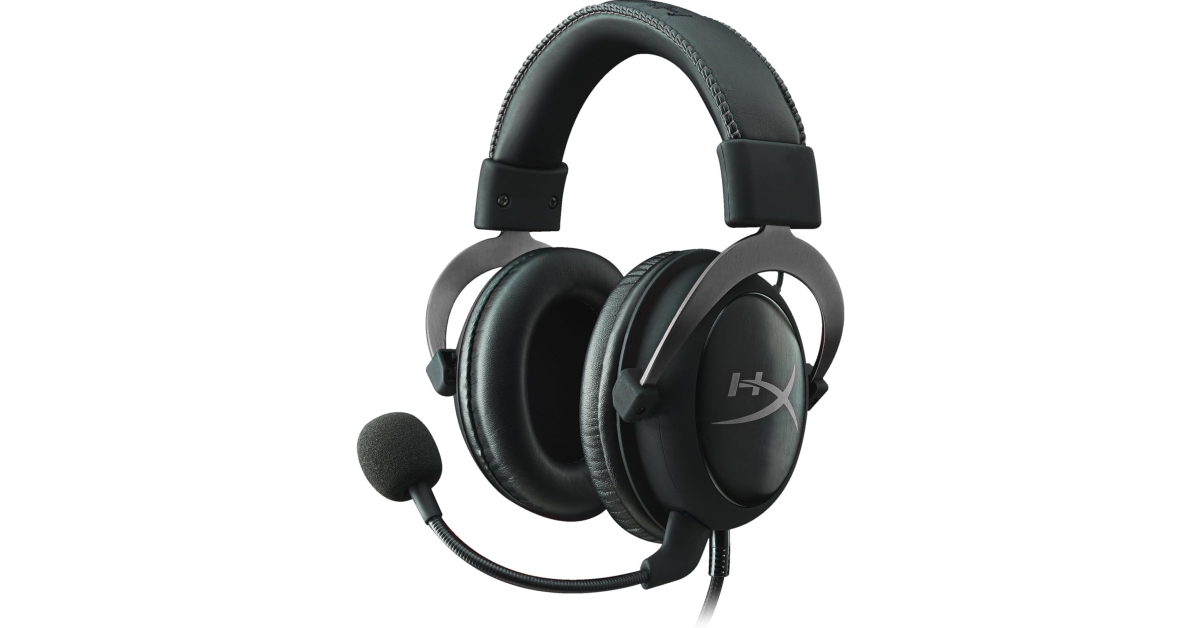 The Hyper X Cloud II takes care of your gaming and work demands all at once. Its detachable noise-cancelling boom mic is as good for online conference calls as it is for gaming lobbies. The memory foam ear cushions and padded headband with a leatherette fabric offer high-end comfort which allows you to wear the headphones for hours without a break. Delivering the audio output on these headphones are large 53mm drivers. Its Advanced Audio Control Box has volume controls for the audio control and microphone along with a dedicated slider that acts as a mute switch.
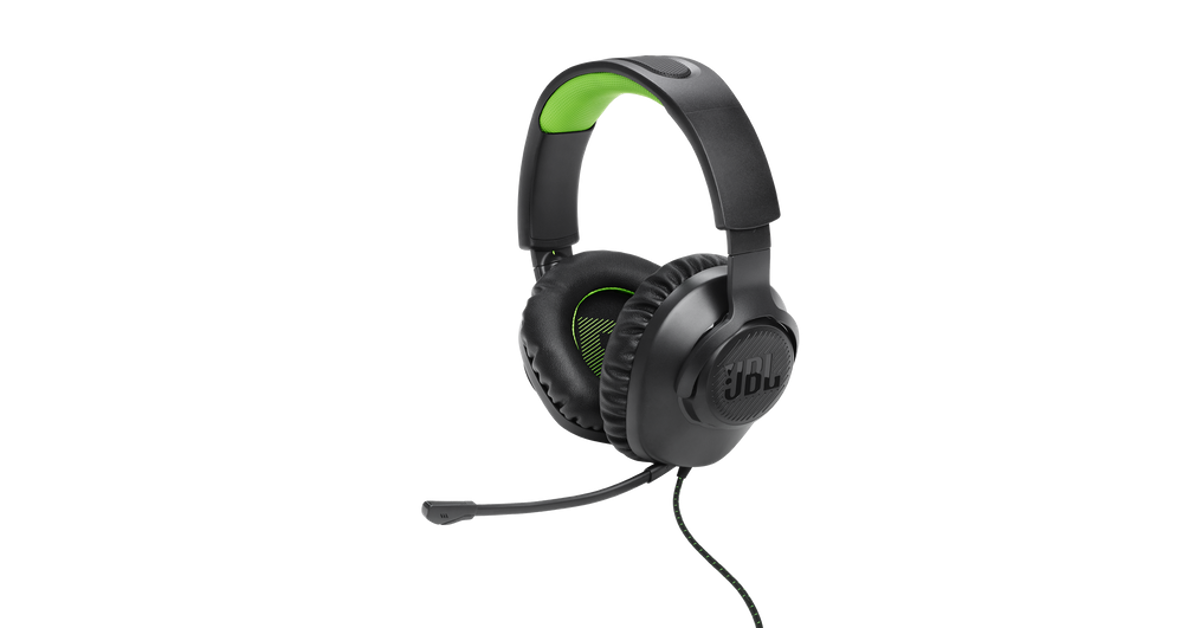 Ending this list is the ultra-affordable JBL Quantum 100X Console. Designed for work and play, these gaming headphones are a rock-solid option for online meetings as well. The detachable boom mic keeps your voice in focus and tunes out the surrounding noise on a call. For a pair of gaming headphones, the Quantum 100X Console looks professional, with no tacky RGB or flashy highlights. If you like to game, you will certainly enjoy the detailed and dynamic soundscapes this headset has to offer.
Read Also: Itel P55, Itel P55+ with up to 45W fast charging support launched in India
Ending this list is the ultra-affordable JBL Quantum 100X Console. Designed for work and play, these gaming headphones are a rock-solid option for online meetings as well. The detachable boom mic keeps your voice in focus and tunes out the surrounding noise on a call. For a pair of gaming headphones, the Quantum 100X Console looks professional, with no tacky RGB or flashy highlights. If you like to game, you will certainly enjoy the detailed and dynamic soundscapes this headset has to offer.
Read Also: Itel P55, Itel P55+ with up to 45W fast charging support launched in India
In This Article
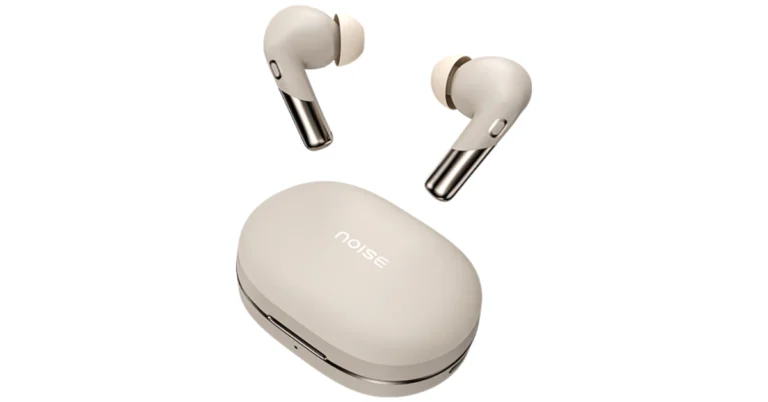
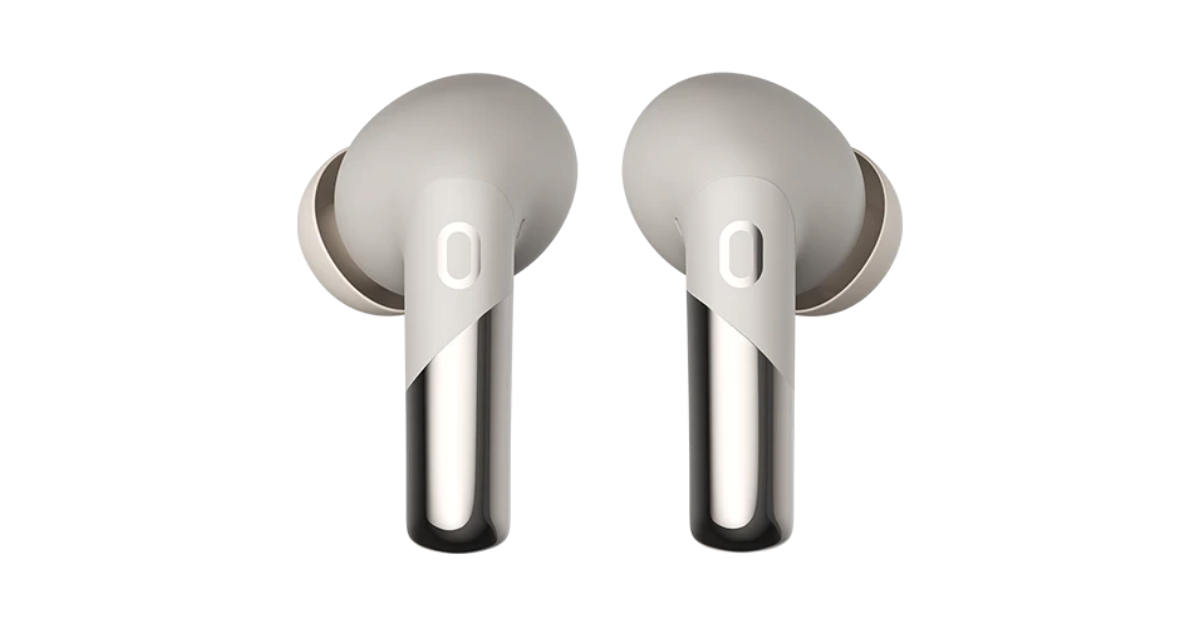 It has an innovative Sound+ Algorithm provides a steady and noise-free experience in all situations, eliminates echo and improves speech quality with dynamic range control. For synchronised audio and video, the Buds Xero TWS promises a low latency of 50ms. Users may control their earphones using touch commands.
The Noise Buds Xero delivers up to 50 hours of playtime. With just 10 minutes of quick charge, it can offer 6 hours of battery life.
Along with Bluetooth v5.3, it is accompanied by HyperSync technology for hassle-free pairing. It is compatible with both Android and iOS devices. The TWS earphones are IPX5 water resistance rated and support AI Voice Assistants.
Also read: Itel P55, Itel P55+ with up to 45W fast charging support launched in India
It has an innovative Sound+ Algorithm provides a steady and noise-free experience in all situations, eliminates echo and improves speech quality with dynamic range control. For synchronised audio and video, the Buds Xero TWS promises a low latency of 50ms. Users may control their earphones using touch commands.
The Noise Buds Xero delivers up to 50 hours of playtime. With just 10 minutes of quick charge, it can offer 6 hours of battery life.
Along with Bluetooth v5.3, it is accompanied by HyperSync technology for hassle-free pairing. It is compatible with both Android and iOS devices. The TWS earphones are IPX5 water resistance rated and support AI Voice Assistants.
Also read: Itel P55, Itel P55+ with up to 45W fast charging support launched in India
In This Article
 Step 2: Select the app you wish to disable.
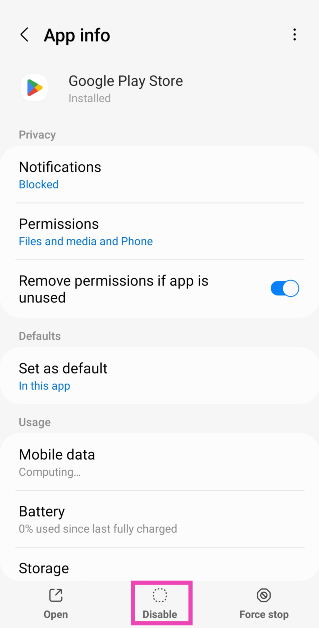
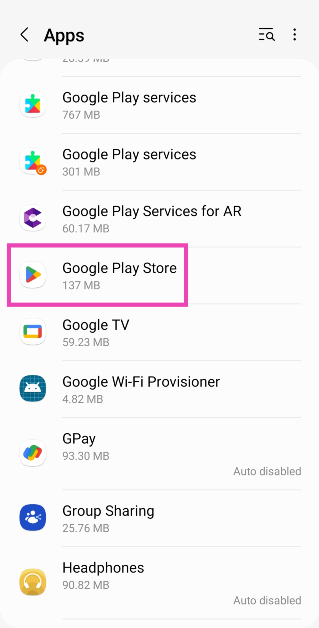 Step 3: Hit Disable at the bottom of the screen.
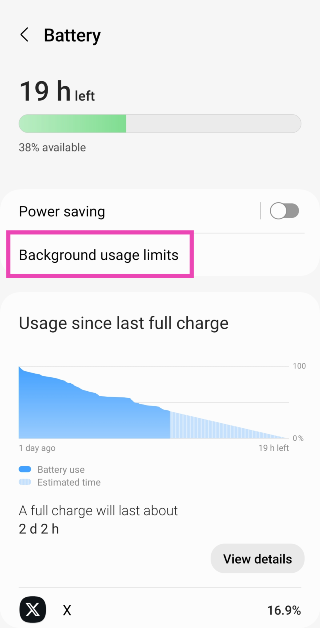
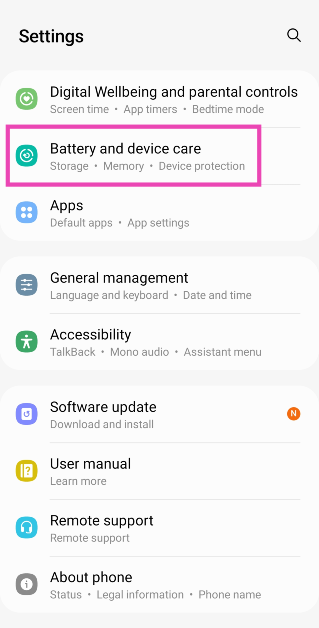 Step 2: Tap on Battery.
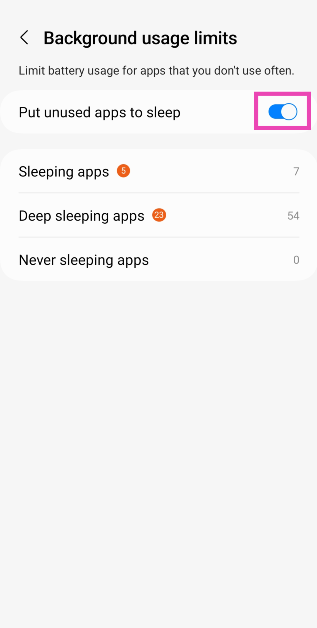
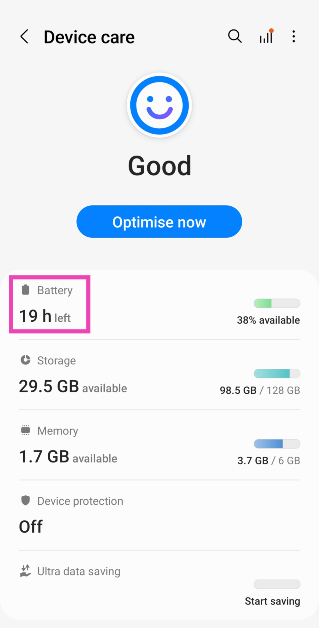 Step 3: Select Background usage limits.
 Step 4: Turn on the toggle switch for Put unused apps to sleep.
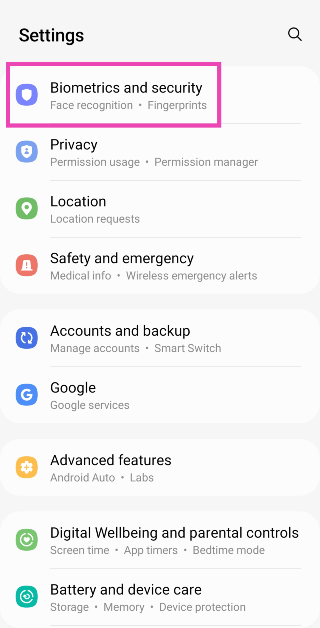 Step 2: Tap on Other security settings.
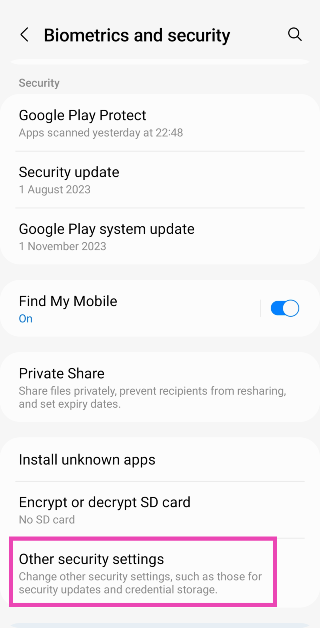 Step 3: Select Device admin apps.
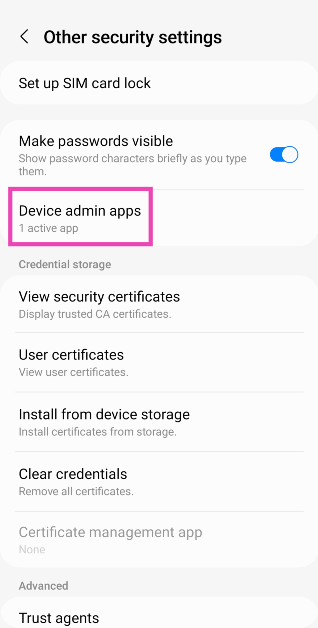 Step 4: Turn off the toggle switch for the app you wish to remove from your device.
 Step 5: Go back to Settings and tap on Apps.
Step 6: Select the app and hit Uninstall.
Step 2: Hit the ellipses at the top right corner of the screen.
Step 3: Tap on Special access.
Step 5: Go back to Settings and tap on Apps.
Step 6: Select the app and hit Uninstall.
Step 2: Hit the ellipses at the top right corner of the screen.
Step 3: Tap on Special access.
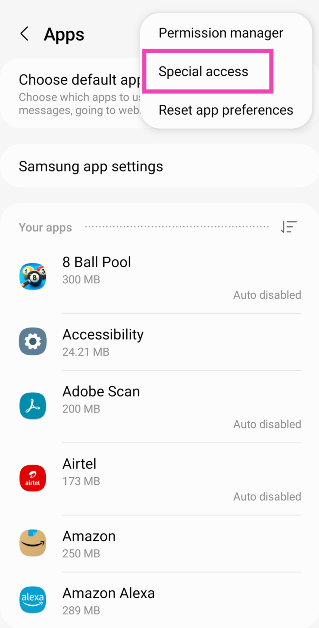 Step 4: Select Device admin apps.
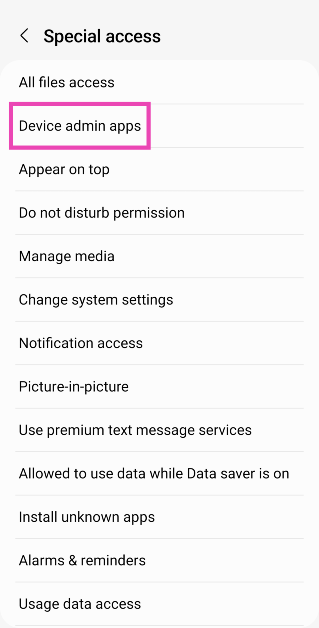 Step 5: Turn off the toggle switch for the app you wish to uninstall.
Step 6: Go to the previous page, select the app, and hit Uninstall.
Step 5: Turn off the toggle switch for the app you wish to uninstall.
Step 6: Go to the previous page, select the app, and hit Uninstall.
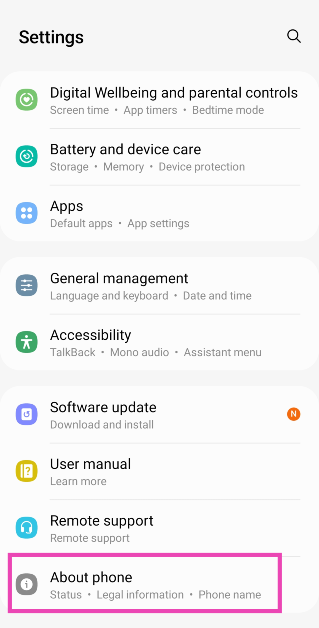 Step 2: Tap on Software Information.
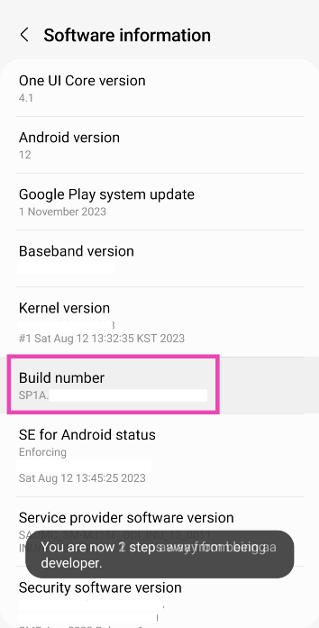
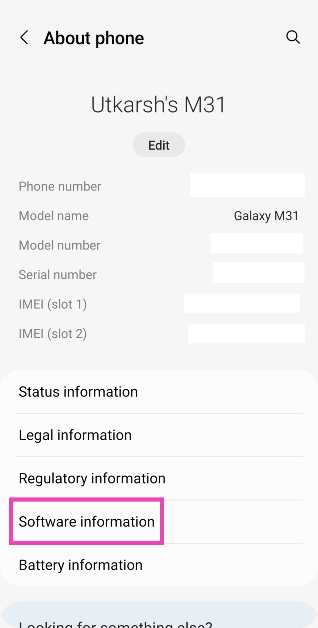 Step 3: Find the Build Number and tap on it 7 times. You will then enter Developer Mode.
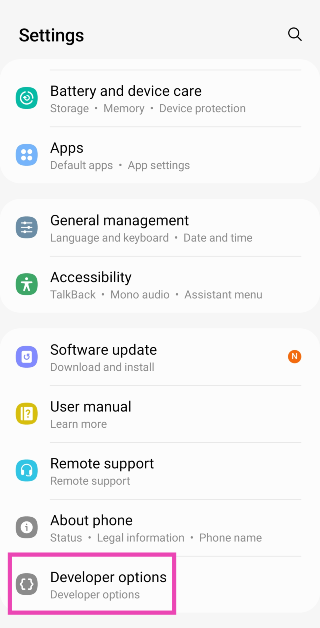
 Step 4: Go back to Settings and select Developer Options.
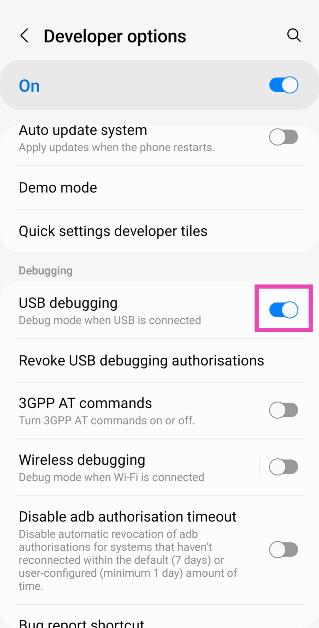
 Step 5: In the Debugging section, turn on the toggle switch for USB Debugging.
 Now that USB Debugging is enabled, follow these steps to install ADB and remove unwanted apps from your device.
Step 6: Connect your smartphone to your PC via a USB cable. A popup box will appear on your phone. Confirm that you want to allow USB Debugging.
Step 7: Download the official ADB driver package for your PC from this page.
Step 8: Extract the package to your preferred location. Press Shift + right-click and select Open PowerShell window here.
Now that USB Debugging is enabled, follow these steps to install ADB and remove unwanted apps from your device.
Step 6: Connect your smartphone to your PC via a USB cable. A popup box will appear on your phone. Confirm that you want to allow USB Debugging.
Step 7: Download the official ADB driver package for your PC from this page.
Step 8: Extract the package to your preferred location. Press Shift + right-click and select Open PowerShell window here.
 Step 9: Find the name of the app package that you wish to remove from your device. You can use the App Inspector tool to find it.
Step 10: In the PowerShell window, type ./adb uninstall followed by a space and the name of the app package.
Step 9: Find the name of the app package that you wish to remove from your device. You can use the App Inspector tool to find it.
Step 10: In the PowerShell window, type ./adb uninstall followed by a space and the name of the app package.
 Step 11: Hit Enter.
The app will be removed from your device.
Step 11: Hit Enter.
The app will be removed from your device.
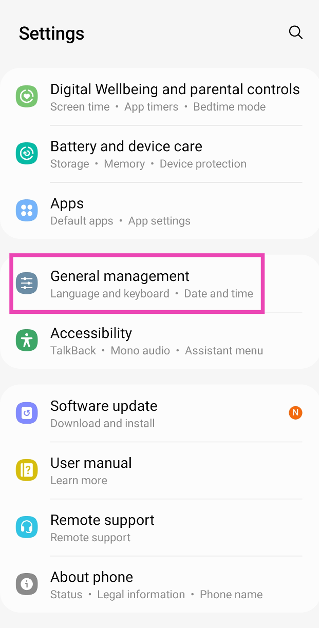 Step 2: Tap on Reset.
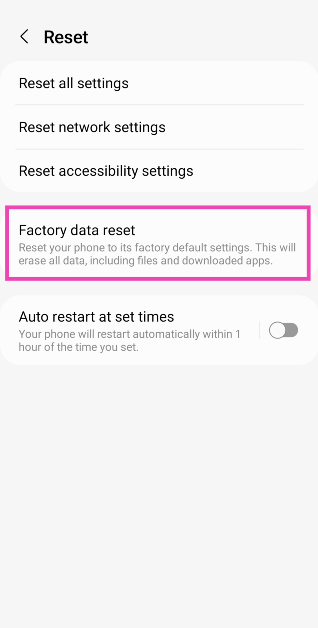
 Step 3: Scroll down and select Factory data reset.
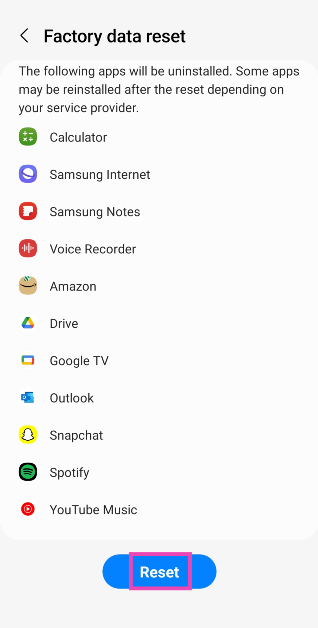
 Step 4: Scroll down and hit Reset.
In This Article
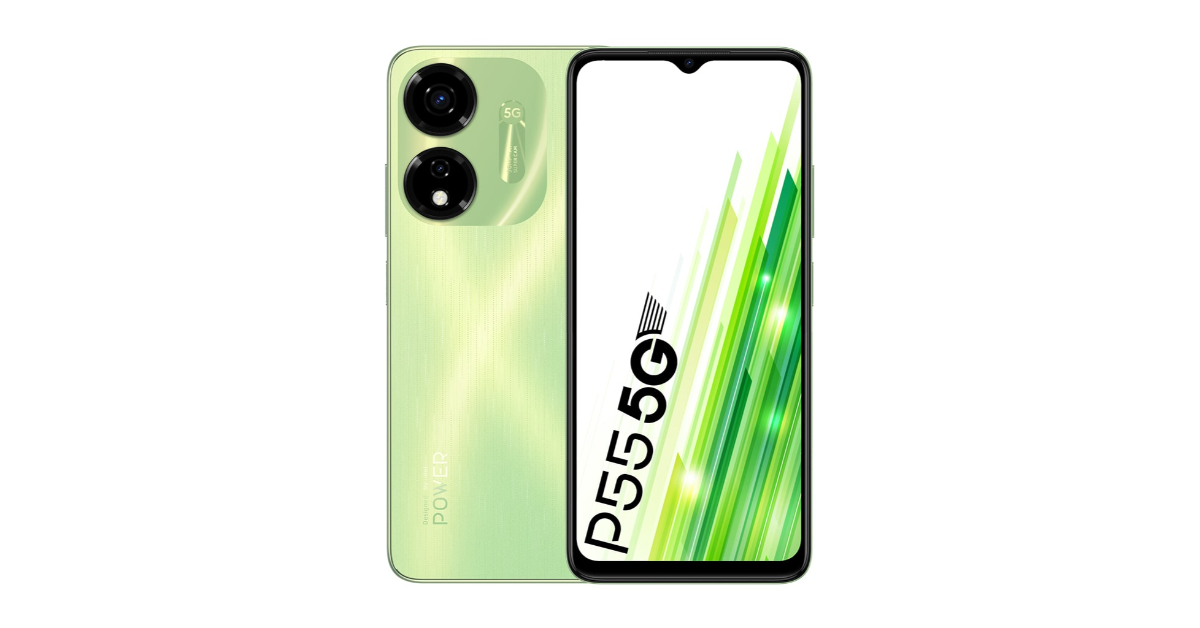 The devices are scheduled to go on sale on February 13 in the country at noon via Amazon. There is an introductory offer of a Rs 500 discount on both the itel P55 and P55+ models with bank offers.
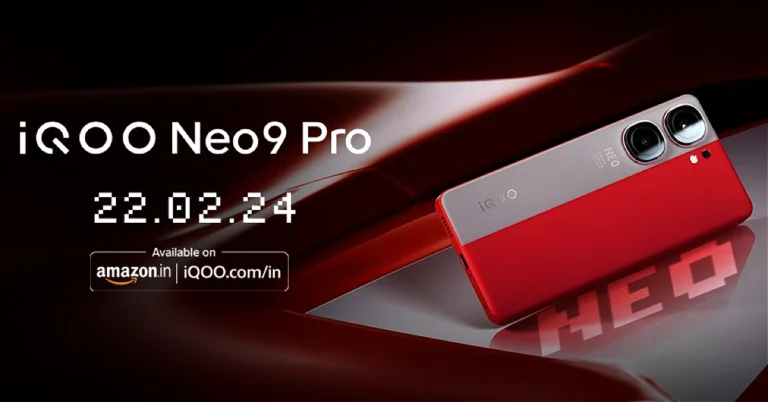
Also Read: iQoo Neo 9 Pro pricing leaked ahead of February 22 India launch
The devices are scheduled to go on sale on February 13 in the country at noon via Amazon. There is an introductory offer of a Rs 500 discount on both the itel P55 and P55+ models with bank offers.
Also Read: iQoo Neo 9 Pro pricing leaked ahead of February 22 India launch
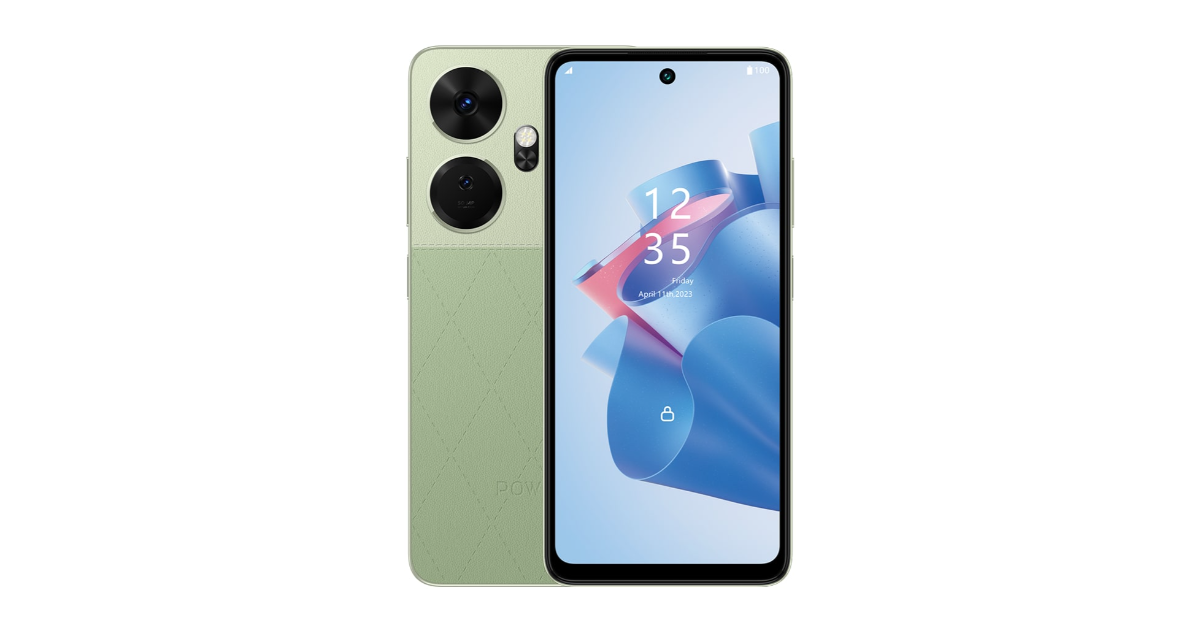 Commenting on the launch, Mr. Arijeet Talapatra, CEO, itel India said, “Our power series of phones remains ever-popular with users opting for advanced processing capabilities and extended battery life on their smartphones. The introduction of the itel P55 and P55+ is a massive addition to our portfolio, underscoring our dedication to innovation, blending unparalleled features, sleek aesthetics, and cutting-edge technology, all wrapped in competitive price points. The introduction of the Android 14 Go OS is a worldwide first and will help users access multiple applications simultaneously. Our focus remains on bringing the best possible features to the masses of India, and the launch of the new Power series at such an unbelievable price point solidifies our position in the sub-10K market as brave innovators.”
In This Article
In This Article
In This Article
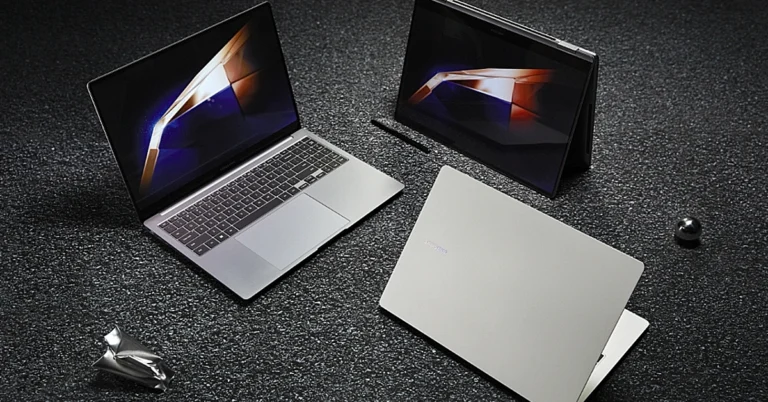
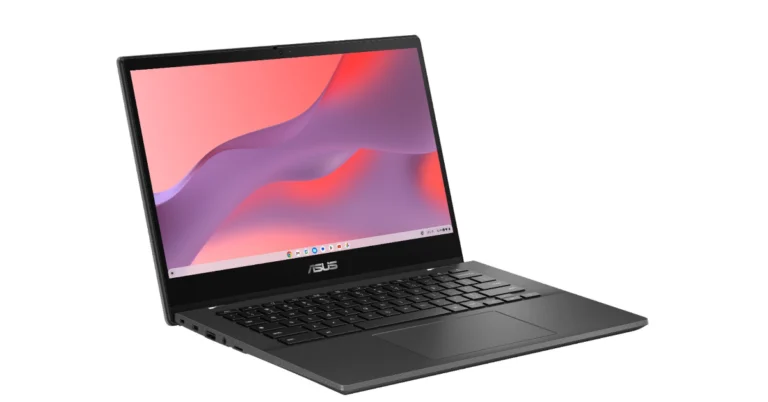
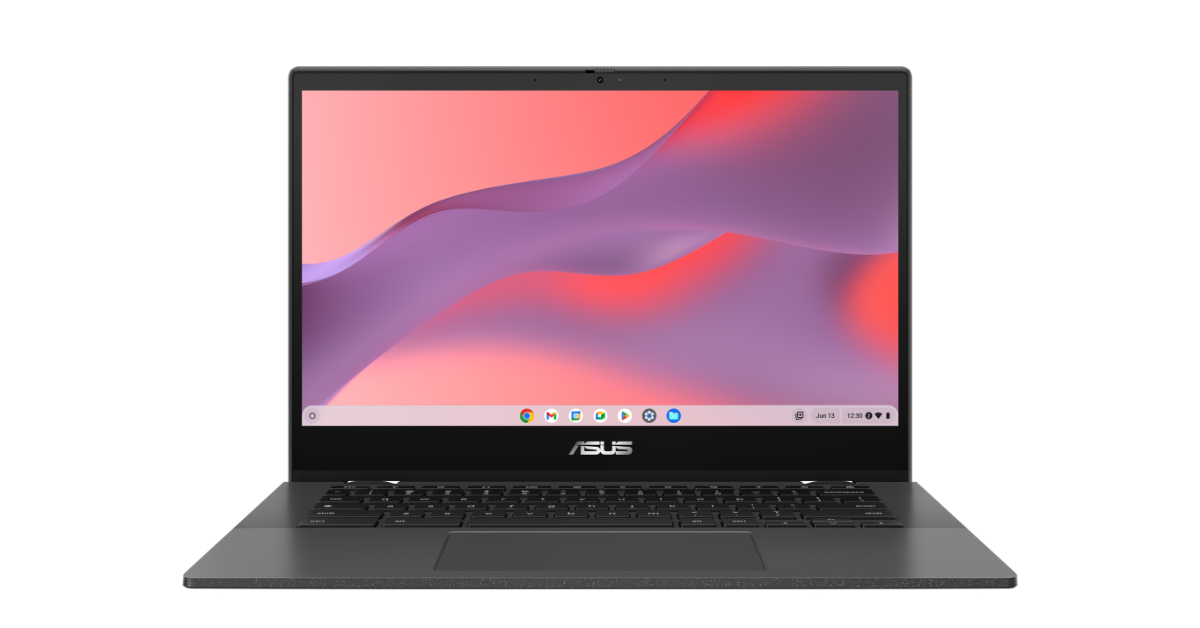 The Asus Chromebook CM14 has a full-sized spill-resistant keyboard with 1.5 mm key travel. The touchpad measures 5.8 inches across the diagonal providing smooth, responsive, expansive and comfortable gesture inputs. Both the keyboard and touchpad are protected by ASUS Antimicrobial Guard proven to inhibit bacterial growth by up to 99% over 24 hours, keeping the Chromebook CM14 series cleaner and safer
Also Read: Amazfit Active smartwatch with AI-powered personal coach launched in India
Additionally, the notebook sports a 720p HD camera with a physical shutter for added privacy. The Chromebook equips a 42wh 2S1P, 2-cell Li-ion Battery offering up to 15 hours of endurance on a single charge.
The Asus Chromebook CM14 has a full-sized spill-resistant keyboard with 1.5 mm key travel. The touchpad measures 5.8 inches across the diagonal providing smooth, responsive, expansive and comfortable gesture inputs. Both the keyboard and touchpad are protected by ASUS Antimicrobial Guard proven to inhibit bacterial growth by up to 99% over 24 hours, keeping the Chromebook CM14 series cleaner and safer
Also Read: Amazfit Active smartwatch with AI-powered personal coach launched in India
Additionally, the notebook sports a 720p HD camera with a physical shutter for added privacy. The Chromebook equips a 42wh 2S1P, 2-cell Li-ion Battery offering up to 15 hours of endurance on a single charge.

In This Article

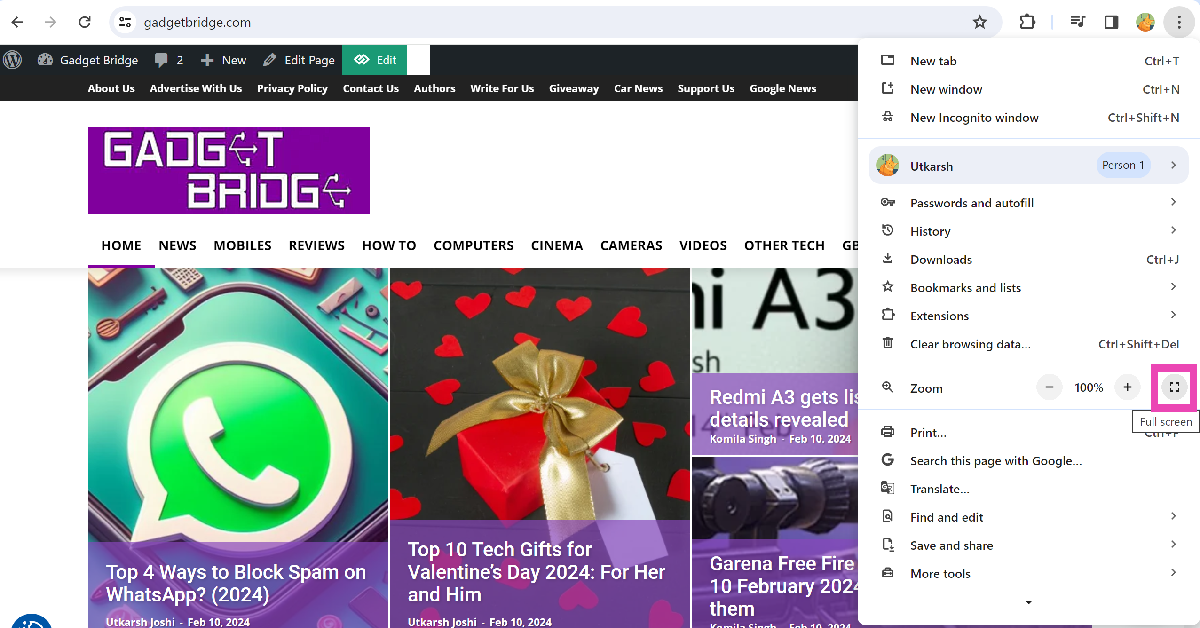
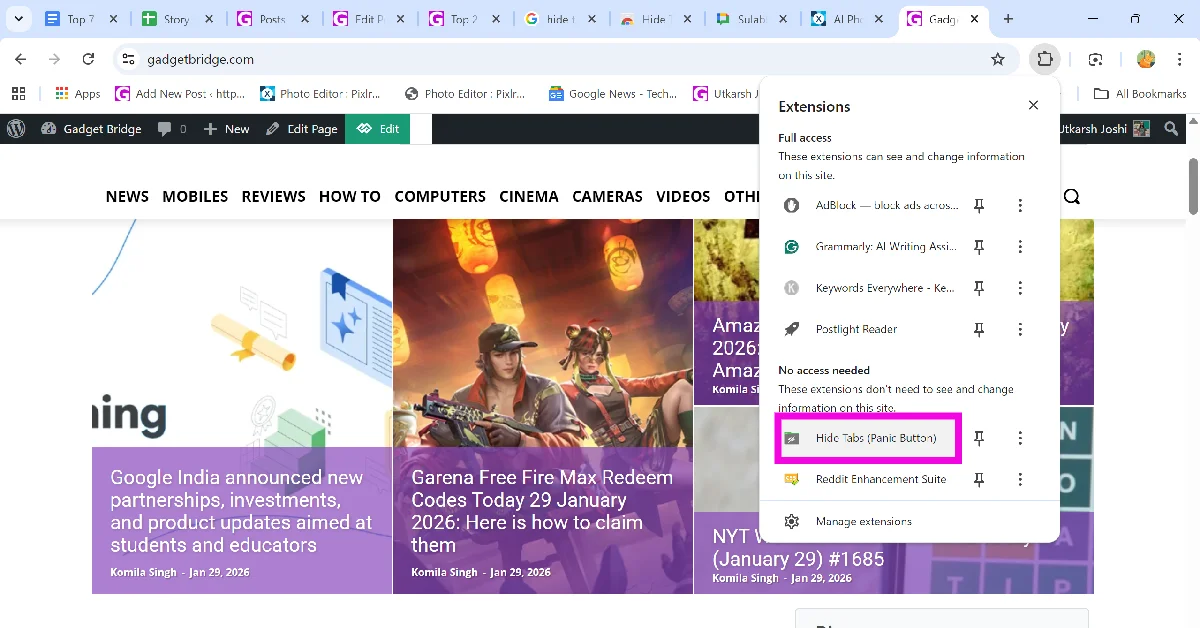
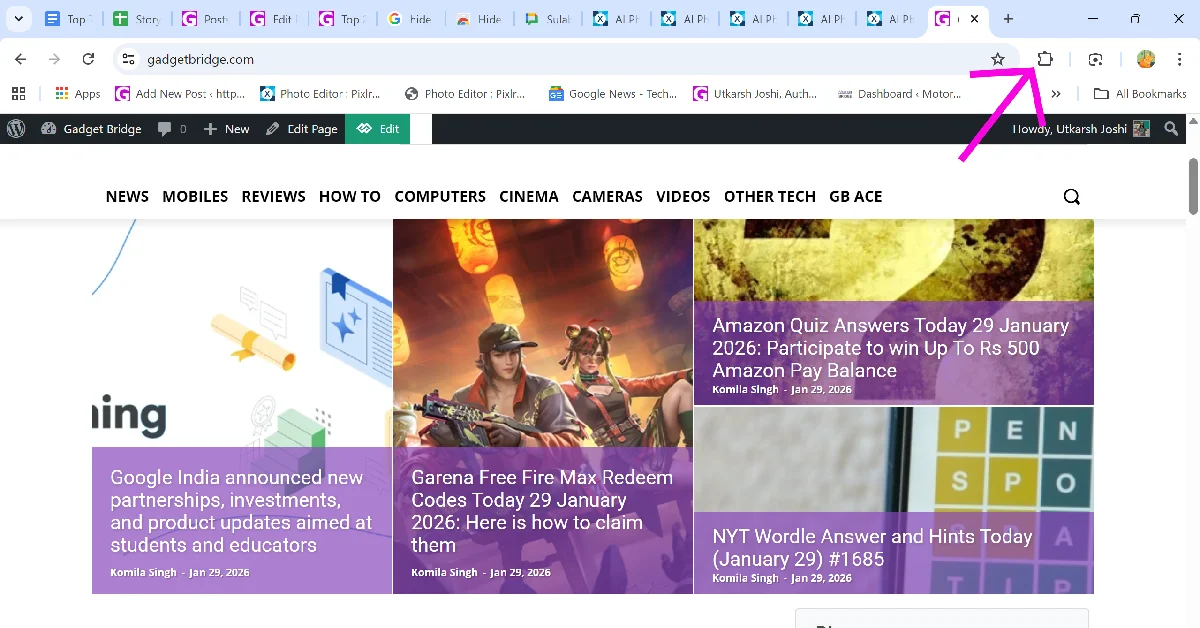 Step 3: Select the Hide Tabs extension. This will hide all your current tabs instantly.
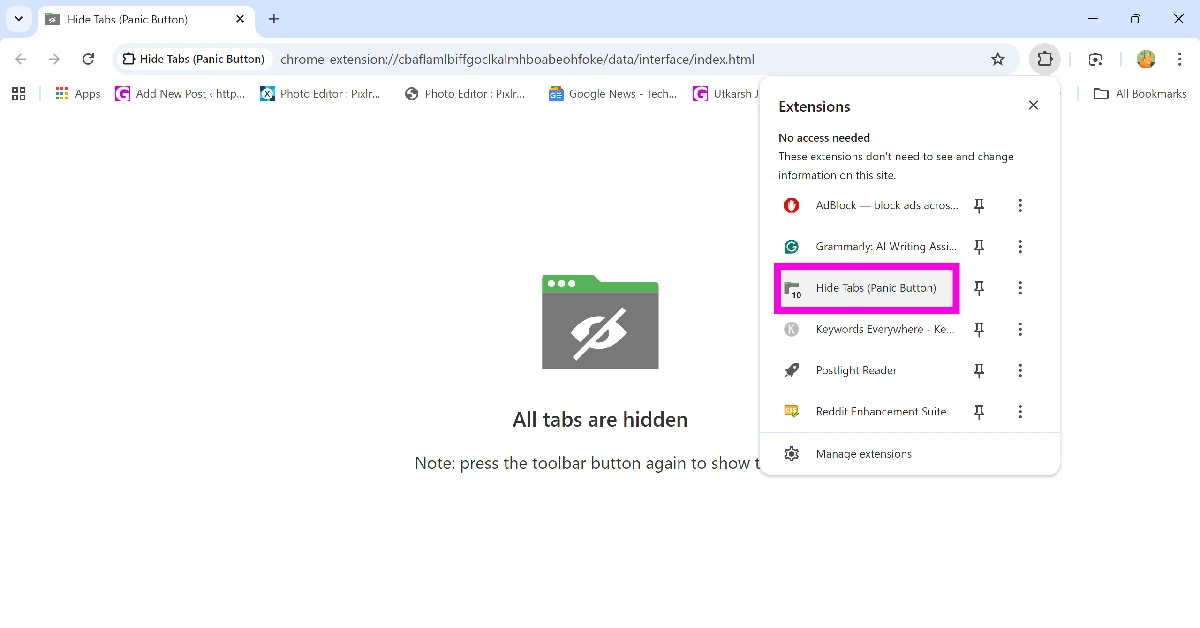
 Step 4: Click the Hide Tabs extension again to restore all hidden tabs.
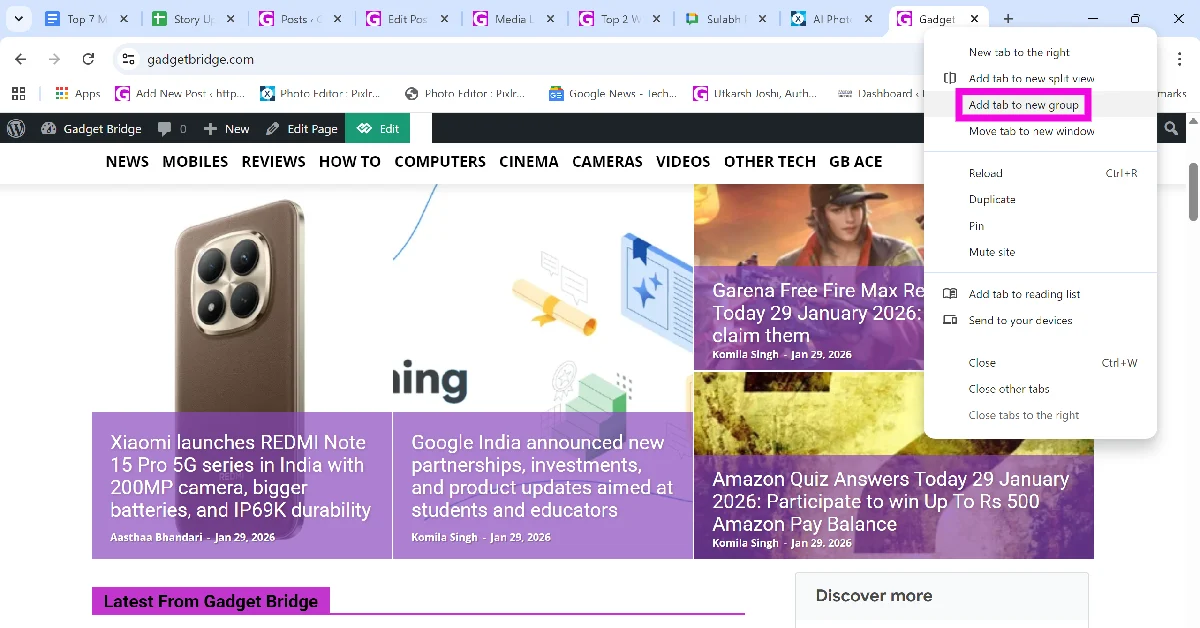 Step 2: Give the group a name. This step is optional.
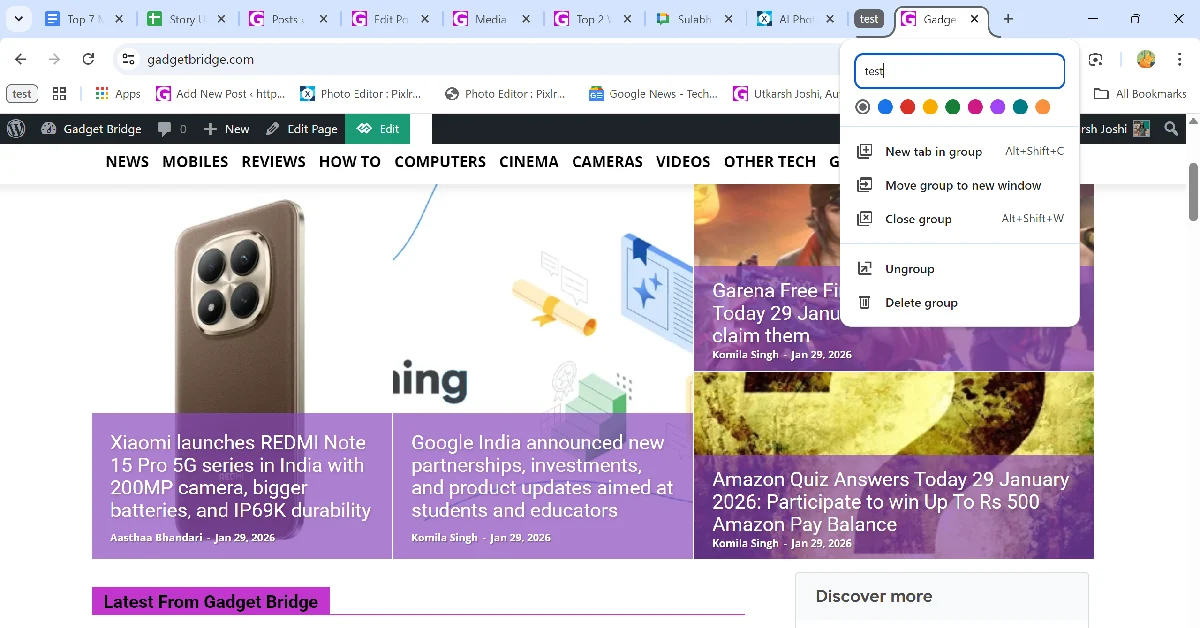 Step 3: Once the group is created, click its icon to hide the tab(s) in it.