Oppo Reno12 Review: Design and Display
Here’s what you get inside the Oppo Reno12 retail box:- Smartphone
- 80W SuperVOOC charger
- USB Type-A to Type-C cable
- Clear plastic case with a ridged texture
- SIM ejector
- Phone hole seal stickers
- Quick guide
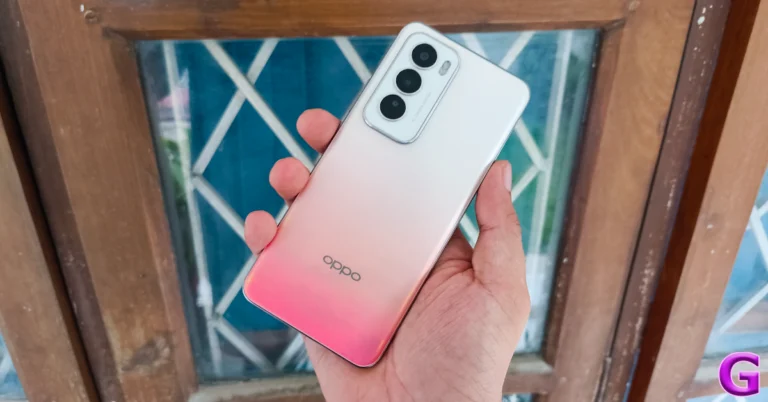
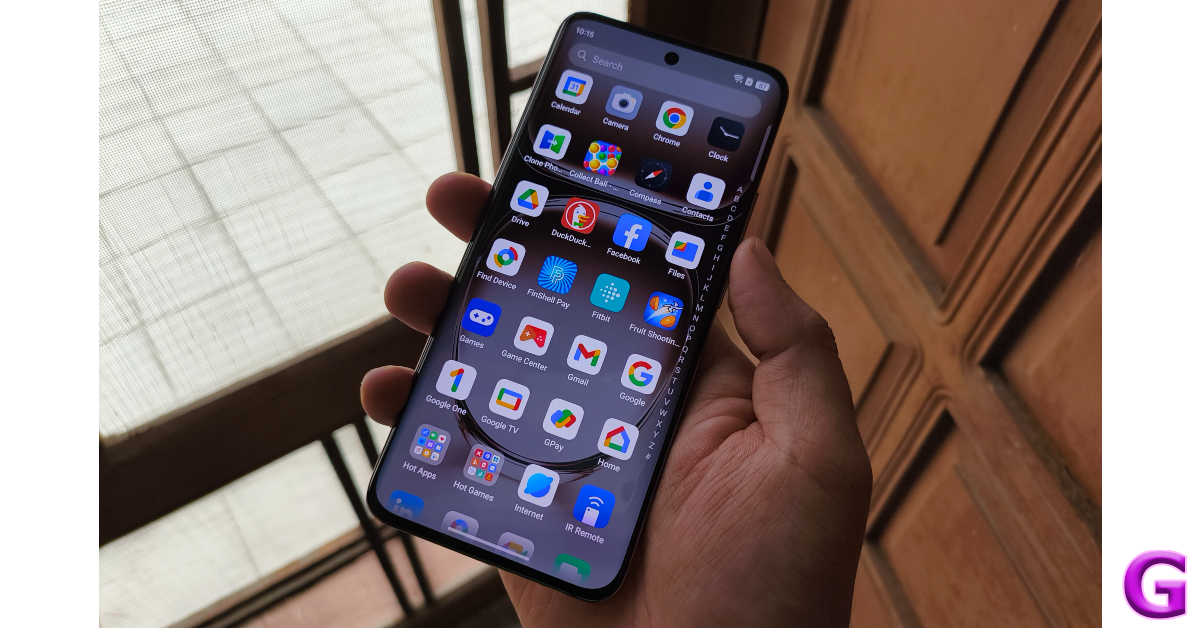
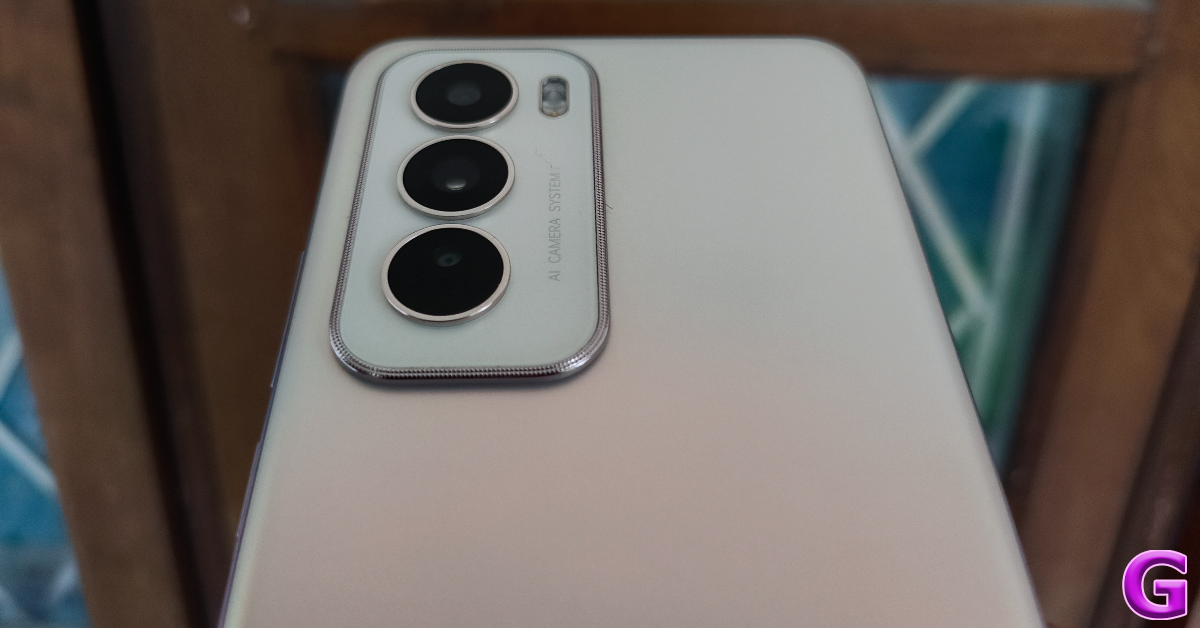 The glass back panel on the Oppo Reno12 is a big upgrade from the polycarbonate back on the Reno11. Oppo has also made some key changes to the design language of this smartphone. The oval-shaped camera module has been ditched for a more rectangular unit. The vertical camera layout is much simpler than the avant-garde design of the Reno11’s rear camera panel. There are three colour options on offer – Sunset Peach, Astro Silver, and Matte Brown.
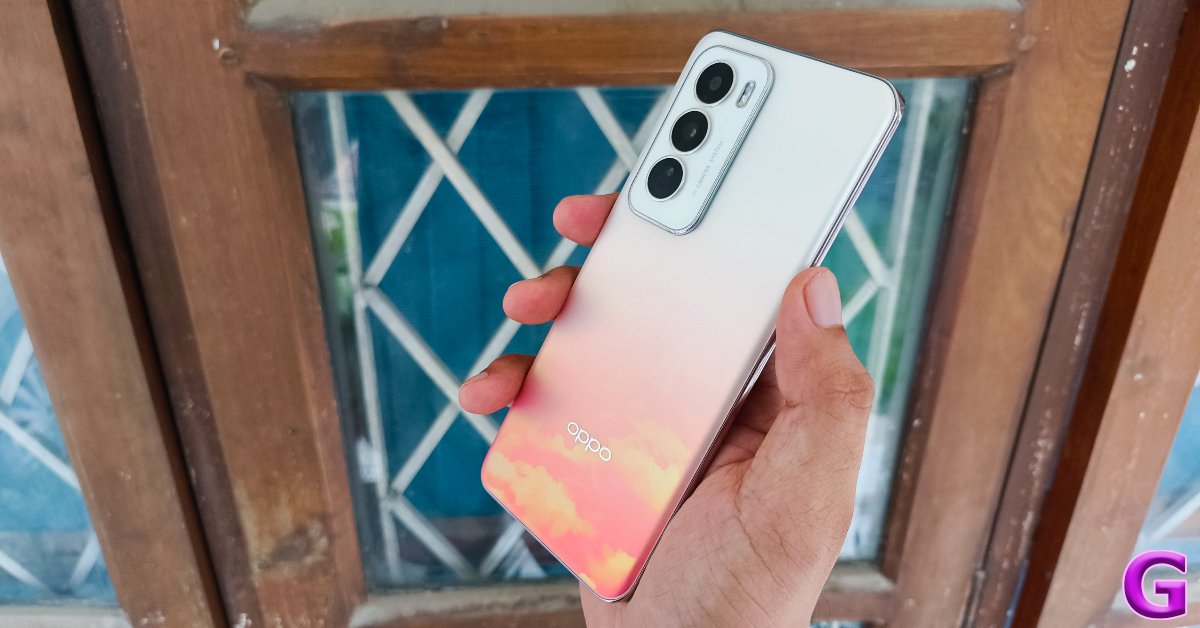 We used the Sunset Peach colour variant of the Oppo Reno12 for this review. The orange shade on the back panel gets progressively denser towards the bottom. The layered cloud design fully reveals itself when it is held against a light source. We quite like this colour scheme and patterned design even though some may find it a bit gaudy.
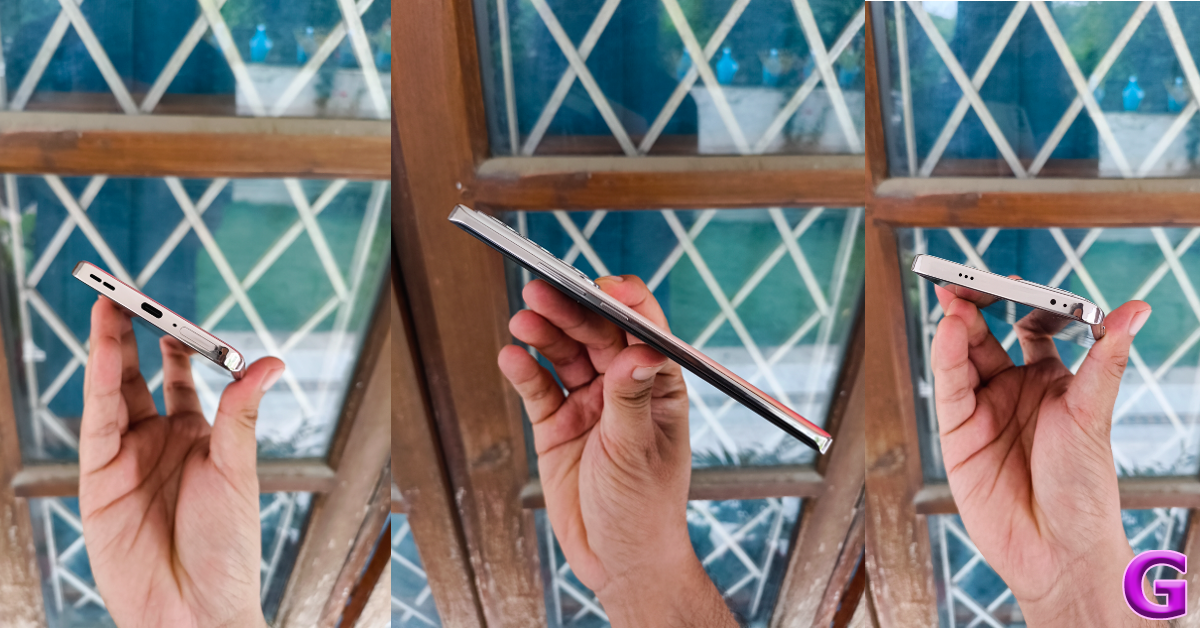
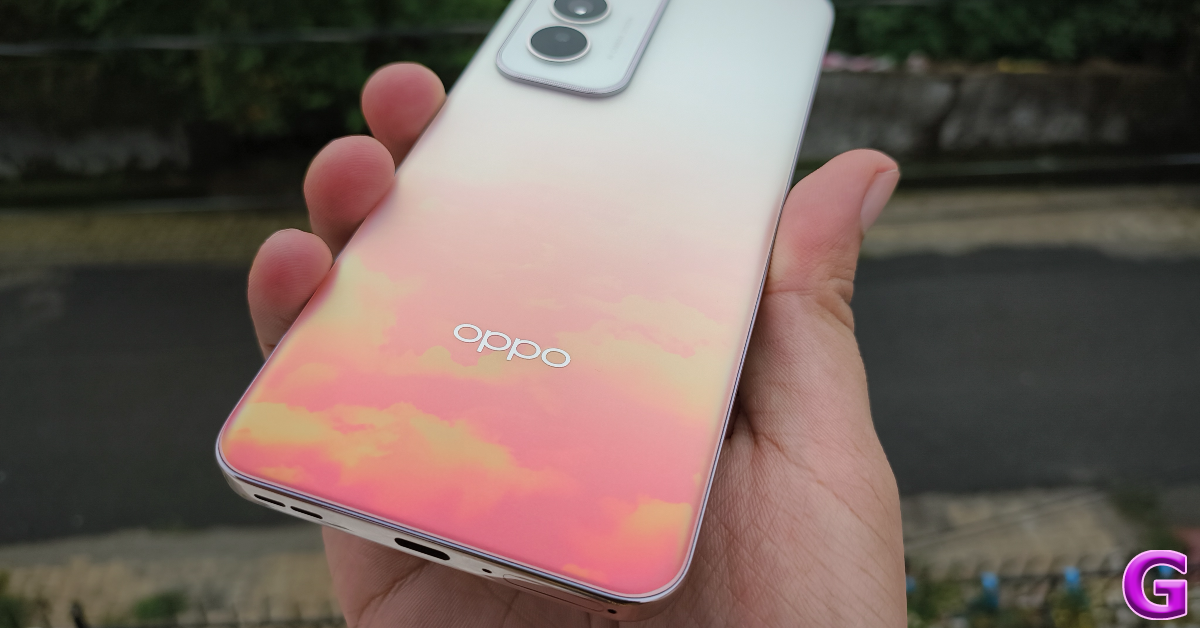 The curved glass back panel seamlessly blends into the glossy alloy frame of the smartphone. The right edge of this frame holds the volume rocker keys and the side button. The SIM tray, primary microphone, USB port, and primary speaker grille are positioned at the bottom edge. Up top lies the secondary speaker along with the IR blaster and secondary microphone.
 The 6.7-inch AMOLED display has a 120Hz refresh rate and can reach a peak brightness of 1,200 nits. This panel also supports HDR10+. The ‘Splash Touch’ tech ensures that the touch response of the display remains error-free when there are water droplets or moisture on it. This is similar to the Aqua Touch tech on newer OnePlus smartphones.
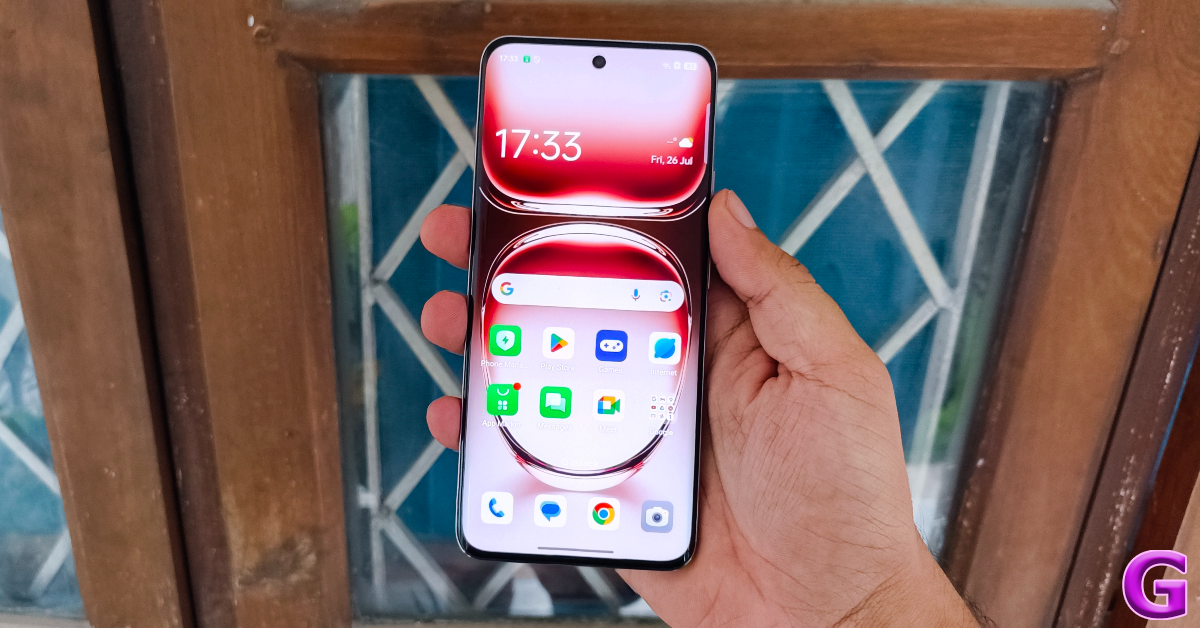 The AMOLED display produces rich images with punchy colours and deep shades of black. Watching HD content on this smartphone proved to be a delightful experience. The stereo speaker setup produces a good audio output and we never felt the need to reach for our headphones. The maximum brightness of the display holds up quite well when using the phone outdoors.
 The Oppo Reno12 can do a little better when it comes to water resistance. The smartphone is rated IP65, which only makes it resistant to water splashes. At this price point, we expect smartphones to carry an IP67 rating.
Oppo Reno12 Review: Performance and Cameras
Powering the Oppo Reno12 is the MediaTek Dimensity 7300-Energy SoC, which has been customised for Reno smartphones. Some people might not agree with the choice of Dimensity 7300 for a smartphone in this segment. A Snapdragon 7 or Dimnesity 8000 series chipset would have been a much better choice. The debate will continue on this. On the flip side, testing it with the Geekbench 6 app, the Reno12 scored 1,045 points in the single-core test and 2,933 points in the multi-core test. The CMF Phone 1, powered by the same chipset, scored 1,023 and 2,894 points respectively. While the CMF Phone 1 is more affordable, it lacks the high-end AI features that the Reno12 offers.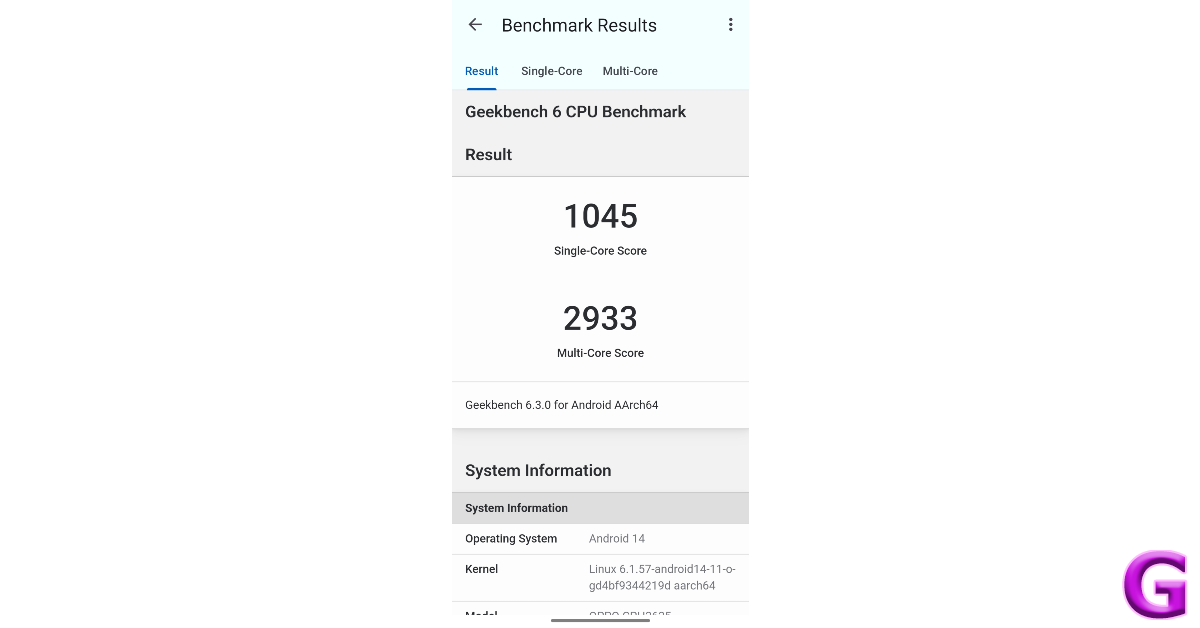 Benchmark numbers aside, the smartphone does a good job of handling everyday tasks like video calling, media streaming, web browsing, and more. During the week-long review period, we did not encounter any major lags while using the Oppo Reno12. When compared to premium smartphones, the Reno12 takes a fraction of a second longer to load the apps, but the difference in performance is not super apparent to the average user. Not to mention, the premium smartphones cost a pretty penny.
The Reno12’s gaming performance is quite ordinary. We played titles like Call of Duty Mobile and Asphalt Legends Unite on the smartphone and weren’t particularly blown away by the performance. On medium graphics, the smartphone delivers a consistent performance but starts developing stutters and lags if you switch to anything more demanding.
Android 14-based Color OS 14.1 does a good job on the software front. The vibrant interface and the range of customisation options for the app icons, AOD, text font, fingerprint icon, and quick settings are remarkable. Privacy features like app lock, private safe, and system cloner are great additions too. However, this smartphone has a lot of bloatware. While all of the pre-installed apps are removable, they mar the software experience quite a bit.
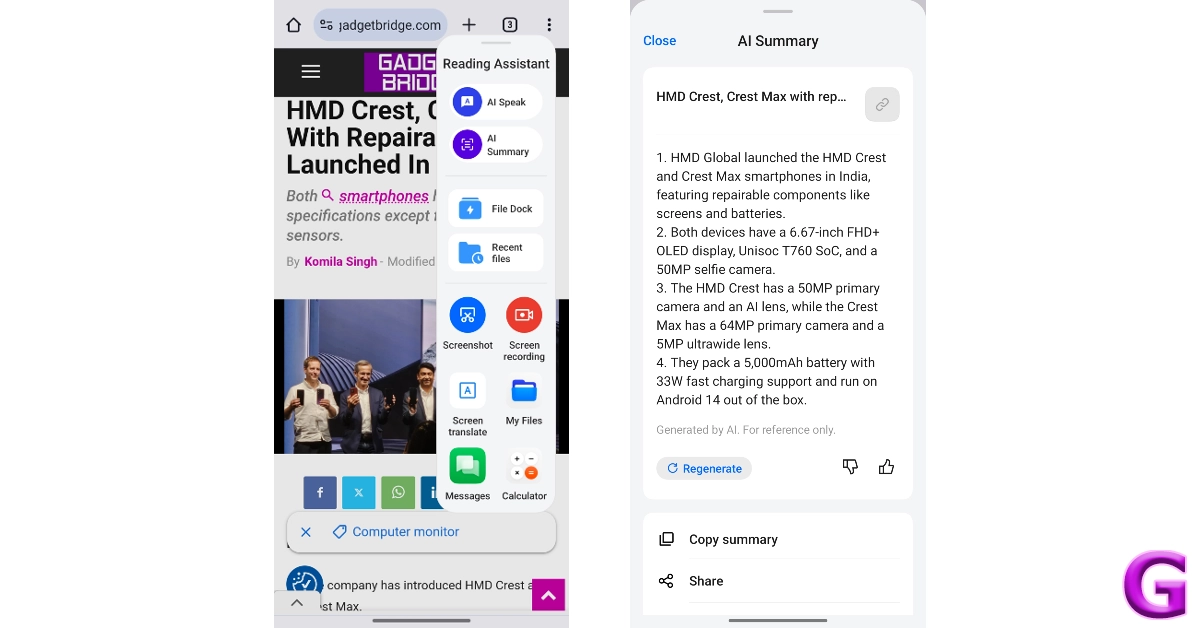
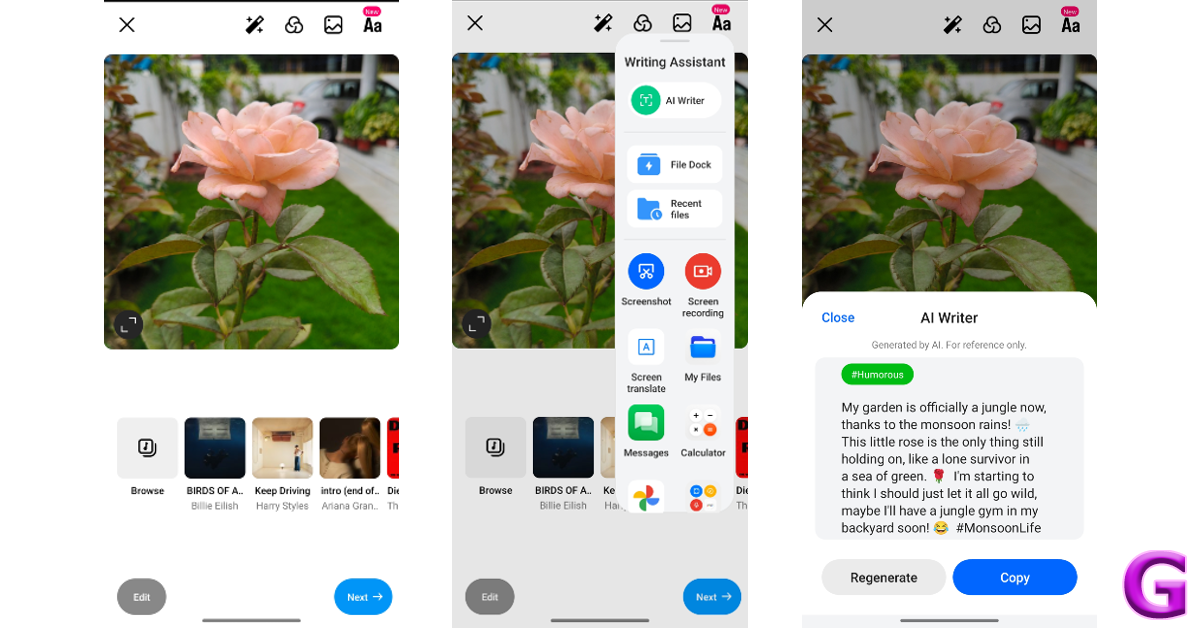
Oppo’s marketing strategy for the Reno12 revolves around its AI features so let’s dive into it. Google’s Gemini family of LLMs powers Oppo’s AI suite. The majority of the AI computation takes place in cloud servers and not on the device itself. While on-device computation is certainly ideal, no Android smartphone has completely on-device AI features yet.
Benchmark numbers aside, the smartphone does a good job of handling everyday tasks like video calling, media streaming, web browsing, and more. During the week-long review period, we did not encounter any major lags while using the Oppo Reno12. When compared to premium smartphones, the Reno12 takes a fraction of a second longer to load the apps, but the difference in performance is not super apparent to the average user. Not to mention, the premium smartphones cost a pretty penny.
The Reno12’s gaming performance is quite ordinary. We played titles like Call of Duty Mobile and Asphalt Legends Unite on the smartphone and weren’t particularly blown away by the performance. On medium graphics, the smartphone delivers a consistent performance but starts developing stutters and lags if you switch to anything more demanding.
Android 14-based Color OS 14.1 does a good job on the software front. The vibrant interface and the range of customisation options for the app icons, AOD, text font, fingerprint icon, and quick settings are remarkable. Privacy features like app lock, private safe, and system cloner are great additions too. However, this smartphone has a lot of bloatware. While all of the pre-installed apps are removable, they mar the software experience quite a bit.
Oppo’s marketing strategy for the Reno12 revolves around its AI features so let’s dive into it. Google’s Gemini family of LLMs powers Oppo’s AI suite. The majority of the AI computation takes place in cloud servers and not on the device itself. While on-device computation is certainly ideal, no Android smartphone has completely on-device AI features yet.
 Oppo’s Reno series is known for its camera performance. However, the Reno12 takes a step back by ditching the 32MP telephoto lens for a 2MP macro sensor. The 50MP primary shooter packs a Sony LYT600 sensor while the 8MP ultrawide lens has a Sony IMX355 sensor.
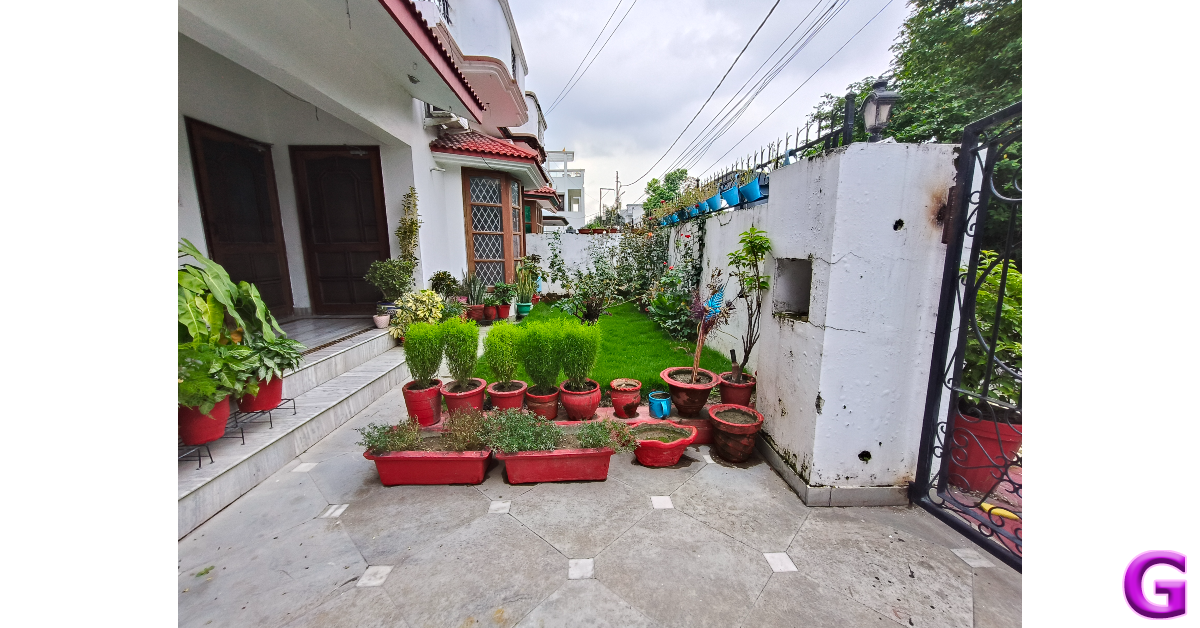
 Pictures taken in outdoor daylight conditions with the primary shooter pack a lot of details and showcase rich colours. Overall, the images are vibrant and do justice to the scene in front of the lens. We like that Oppo Reno12 does not go overboard with photoprocessing and retains the natural look of the images.
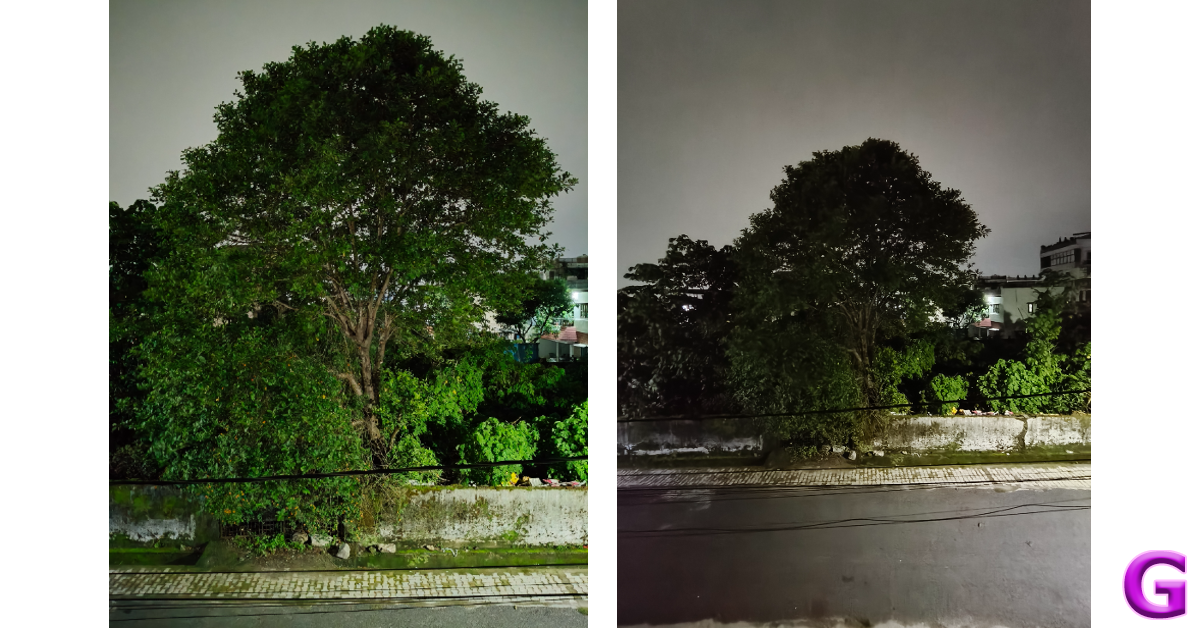
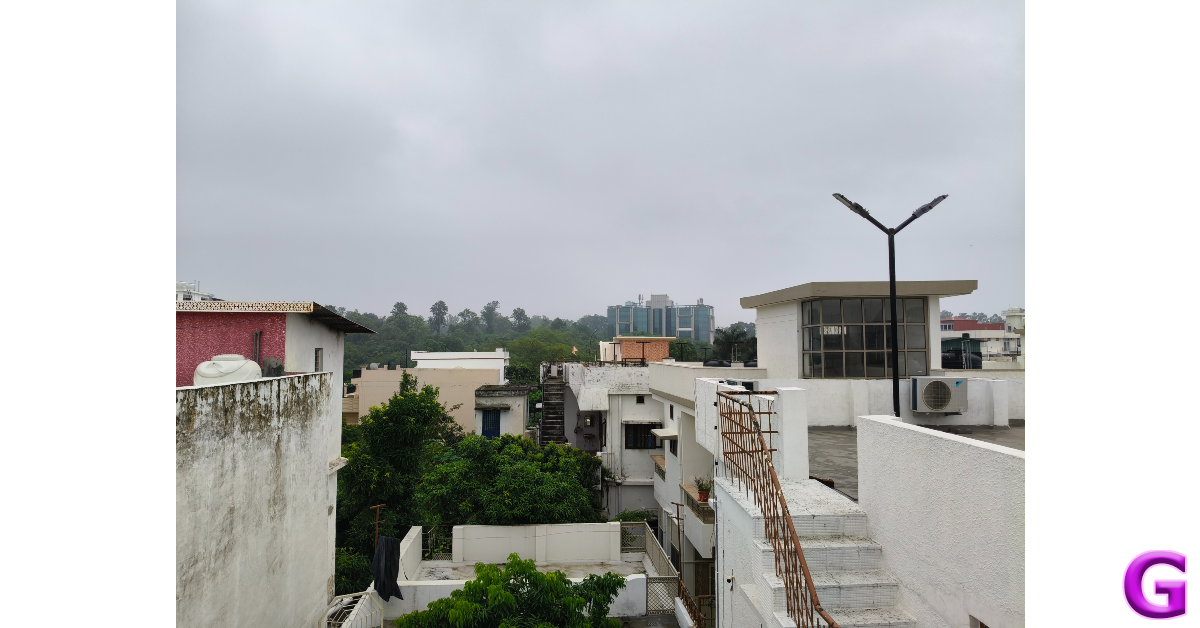 There is not a drastic drop in the colour profile of the images taken with the ultrawide lens. However, they do appear a little softer compared to the pictures taken with the primary shooter. In limited lighting conditions, the primary sensor does well to adapt to the conditions and produces well-lit images with accurate colours assigned to the subject. The ultrawide struggles to replicate this performance, producing dark and noise-ridden images. It is better to stick with the primary shooter at night.


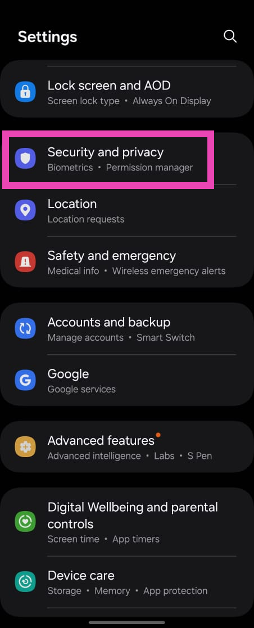 Step 2:
 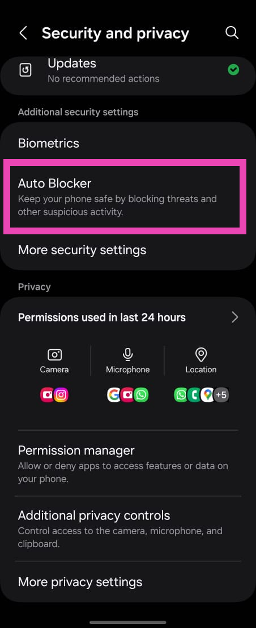 Step 3:
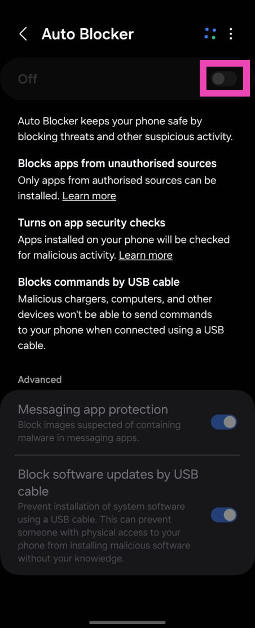 Step 4: Authenticate
 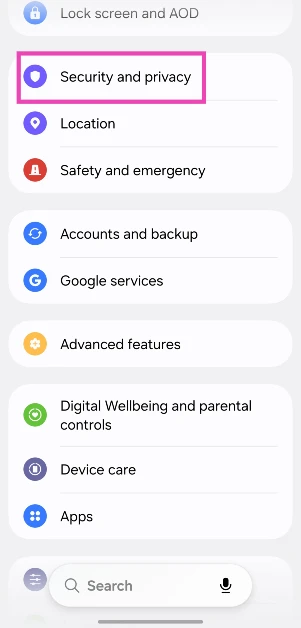 Step 2: Tap on More security settings.
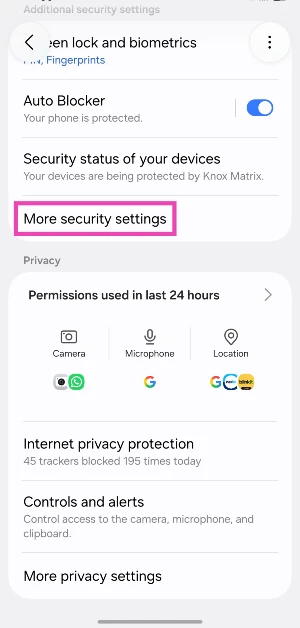 Step 3: Select Install unknown apps.
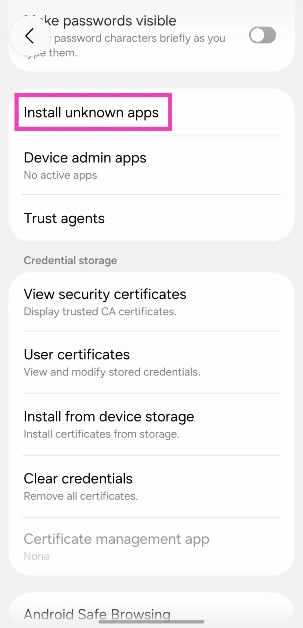 Step 4: Turn on the toggle switch next to your preferred web browser.


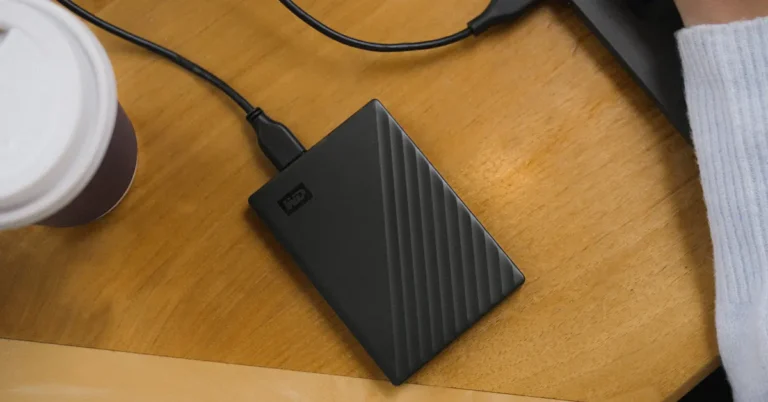
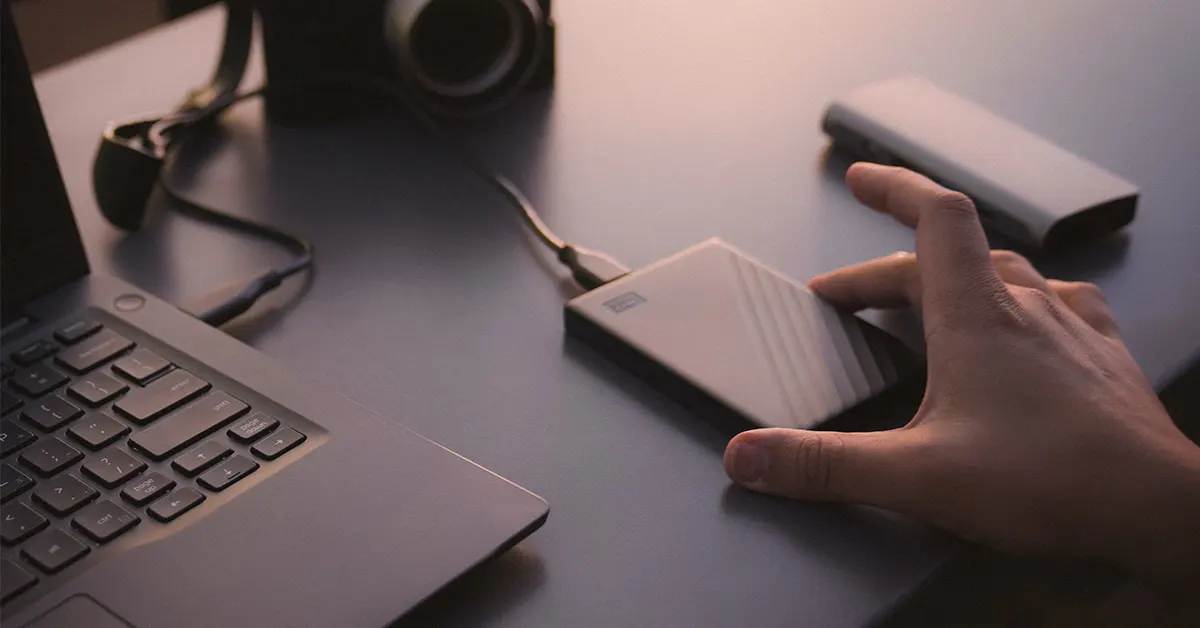 For those requiring a rugged storage solution, the SanDisk Professional G-DRIVE ArmorATD provides all-terrain durability with shock, rain, dust, and crush resistance. This 6TB drive, perfect for protecting valuable footage in various environments, is priced at Rs 20,999 and will be available by the end of the month.
Read Also:
For those requiring a rugged storage solution, the SanDisk Professional G-DRIVE ArmorATD provides all-terrain durability with shock, rain, dust, and crush resistance. This 6TB drive, perfect for protecting valuable footage in various environments, is priced at Rs 20,999 and will be available by the end of the month.
Read Also: 


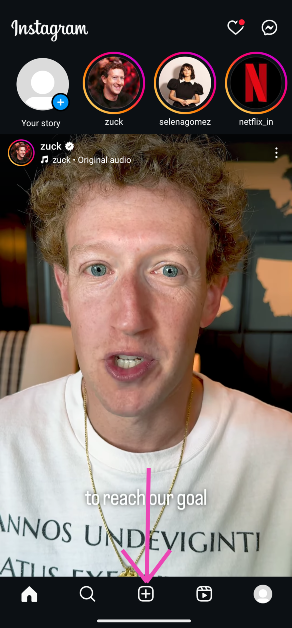 Step 2:
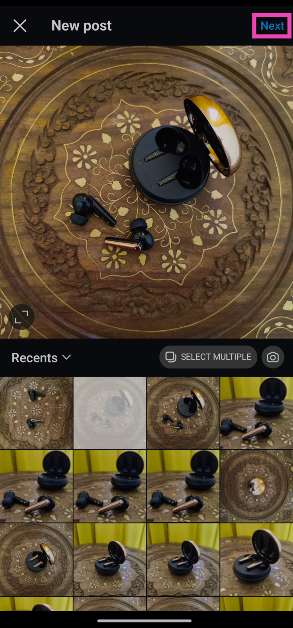 Step 3:
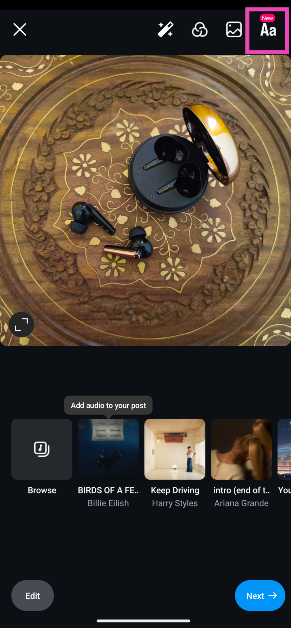 Step 4:
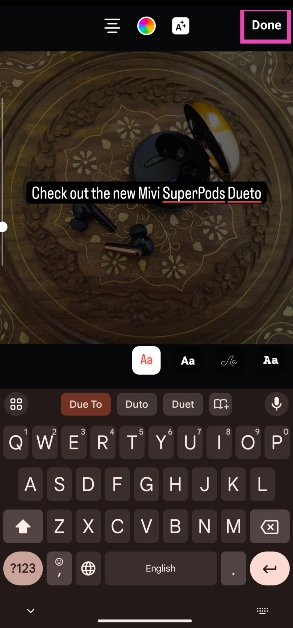 Step 6:
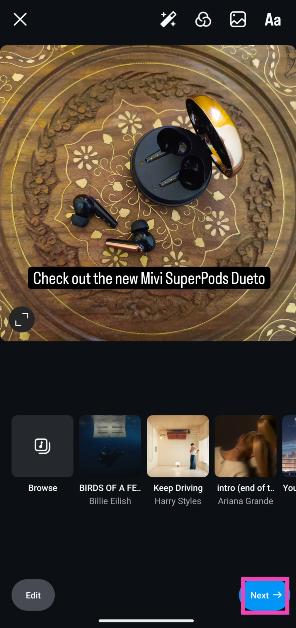 Step 7: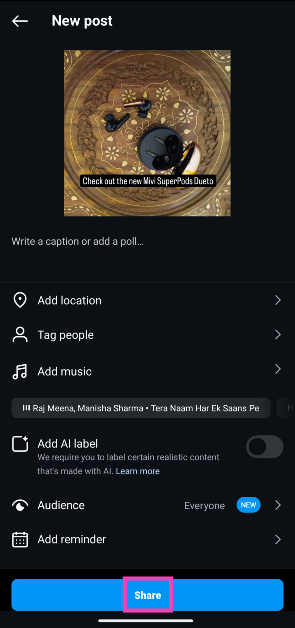

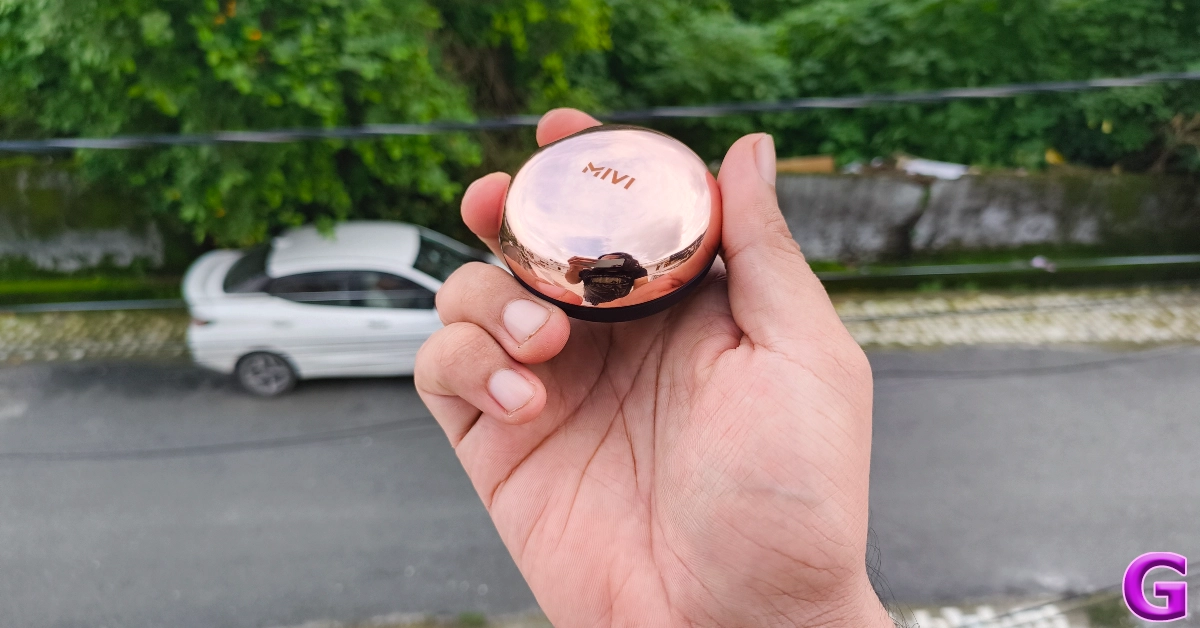
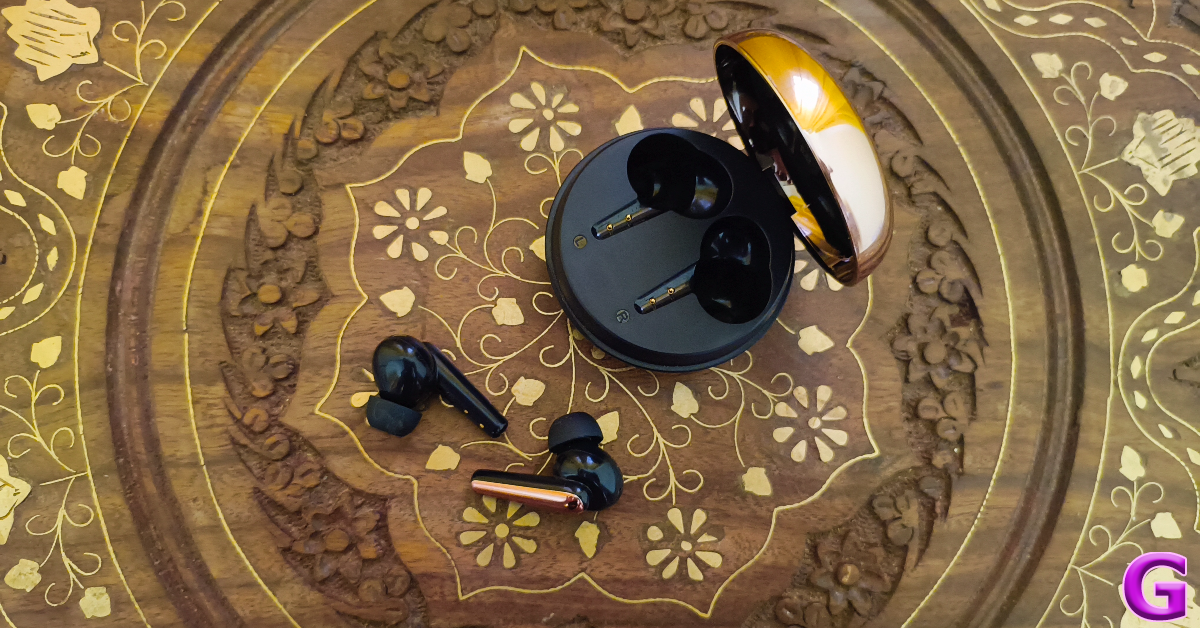
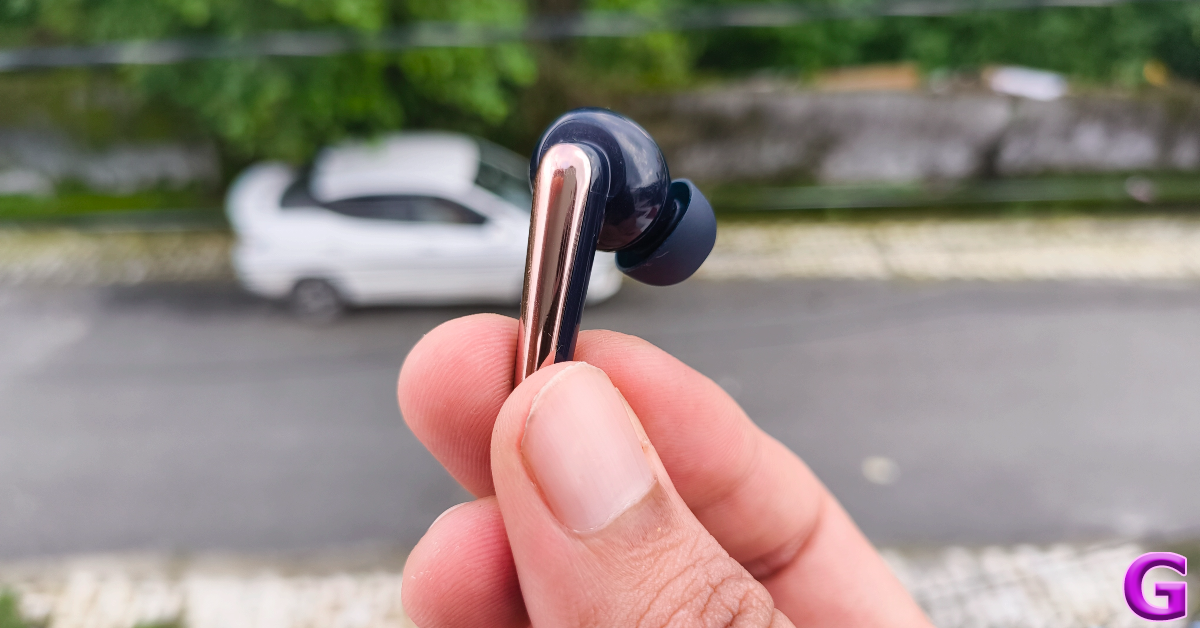
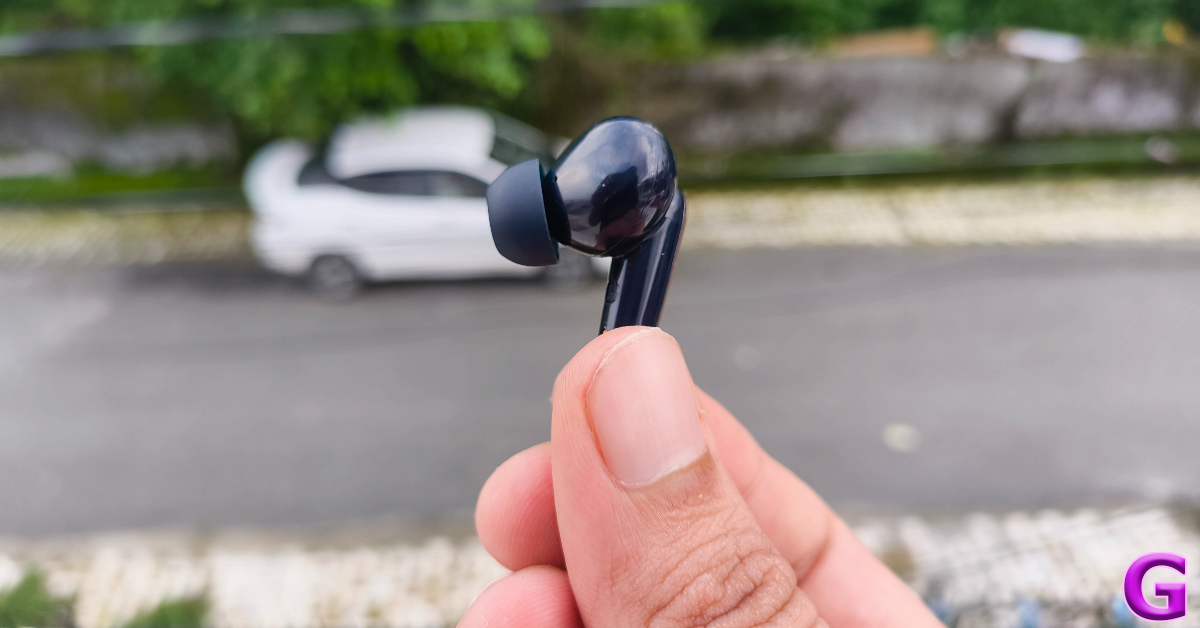
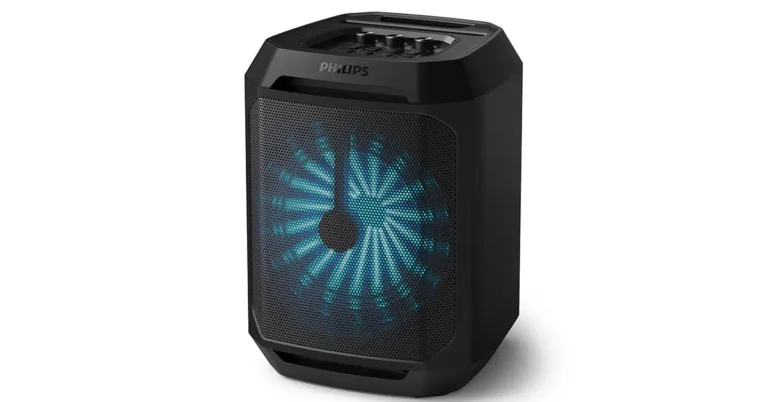
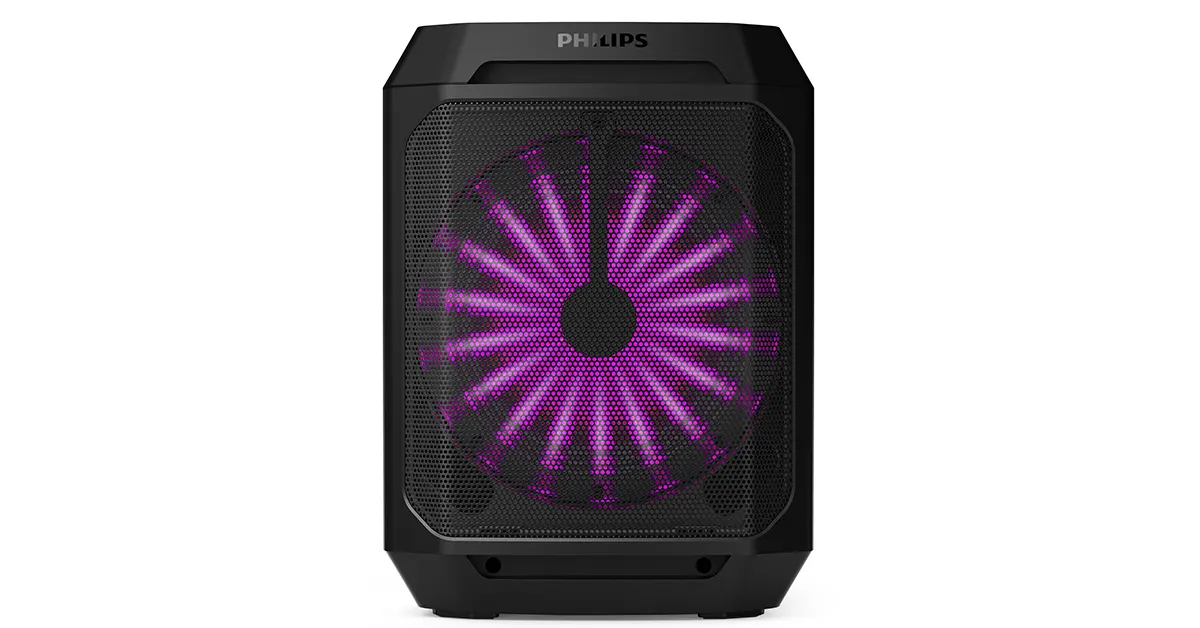 Designed for party enthusiasts, the TAX2208 offers 7 hours of playtime and supports True Wireless technology, allowing users to pair two speakers for a rich, immersive stereo sound. It also features a built-in mic input and karaoke controls, turning any space into an impromptu concert venue.
Read Also:
Designed for party enthusiasts, the TAX2208 offers 7 hours of playtime and supports True Wireless technology, allowing users to pair two speakers for a rich, immersive stereo sound. It also features a built-in mic input and karaoke controls, turning any space into an impromptu concert venue.
Read Also: 
 Step 3:
 Step 4: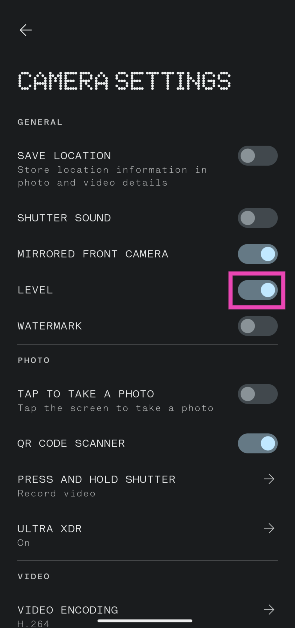
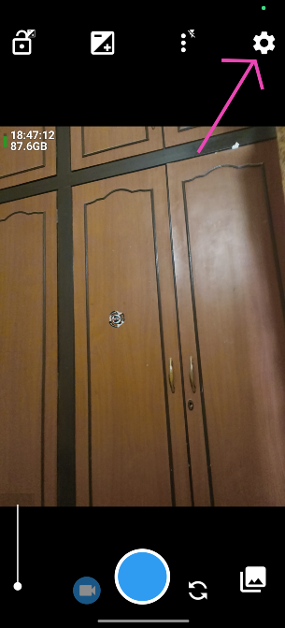 Step 3:
 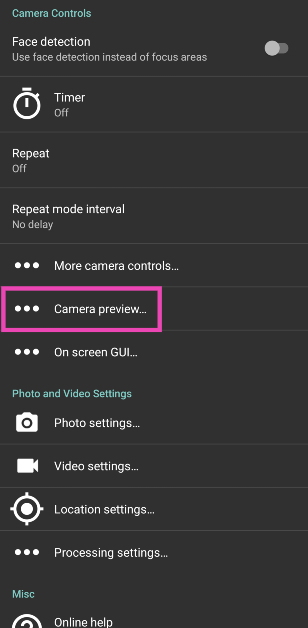 Step 4:
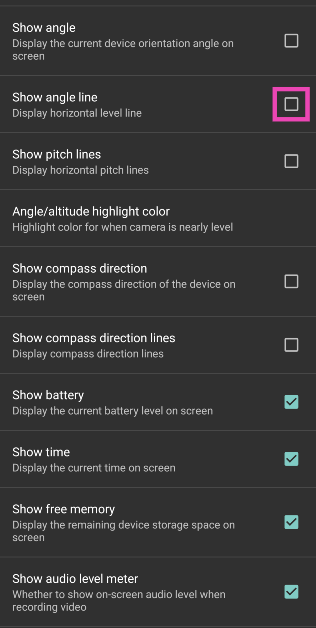 Step 5:
 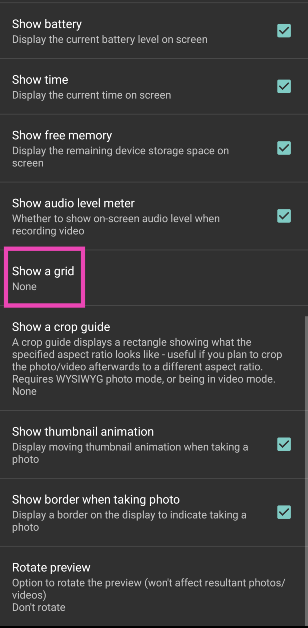 Step 6: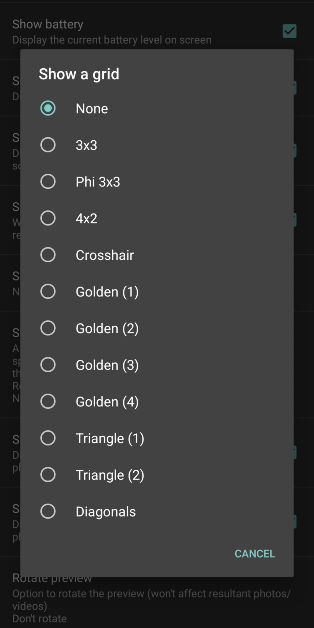
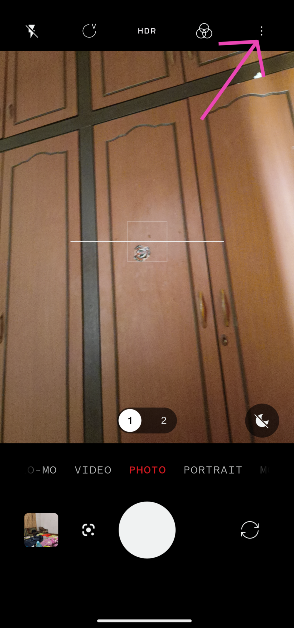
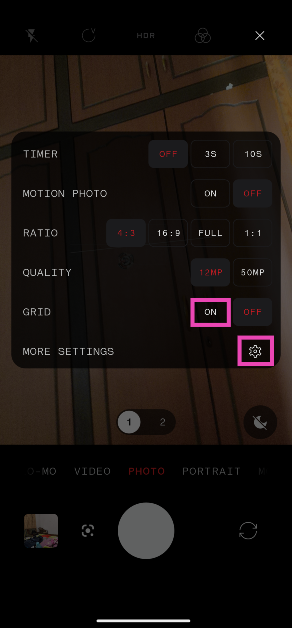
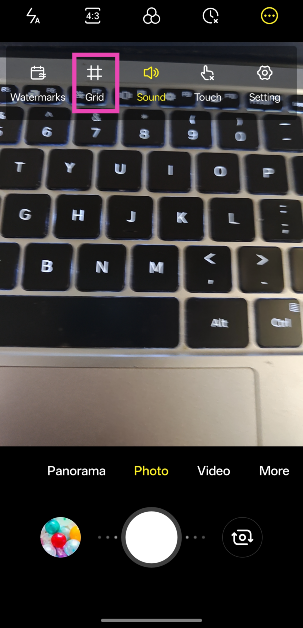
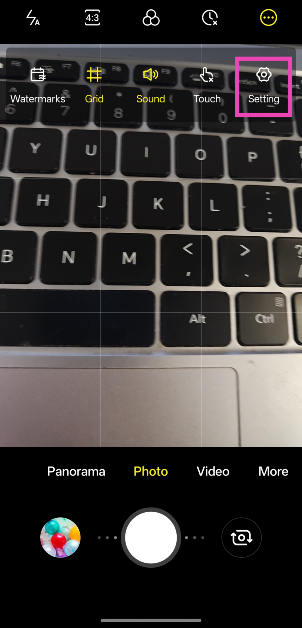
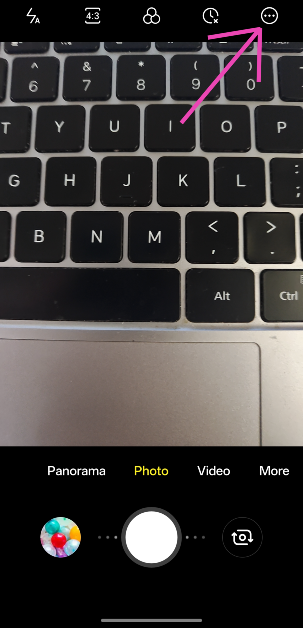 Step 4: Tap on Grid.
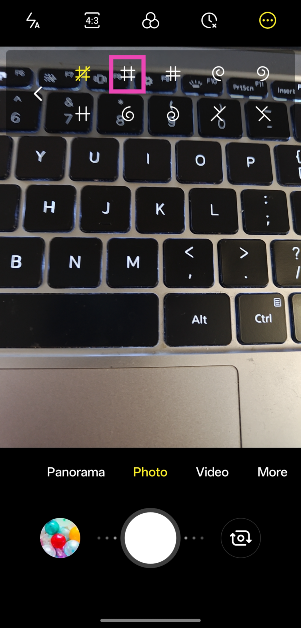
 Step 5: Select a grid design.
 Step 6: Hit the ellipses again and select Settings.
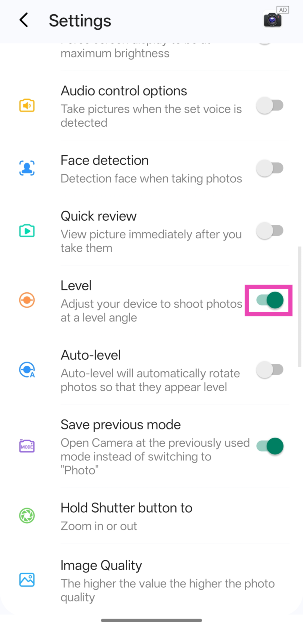
 Step 7: Scroll down and turn on the toggle switch next to Level.
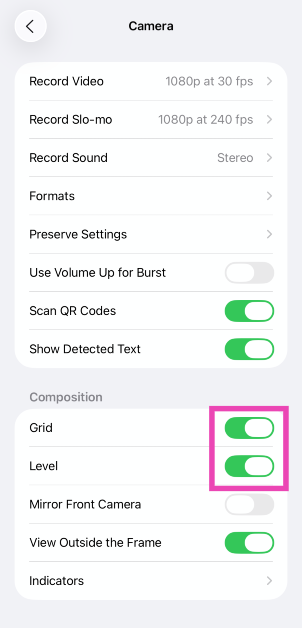
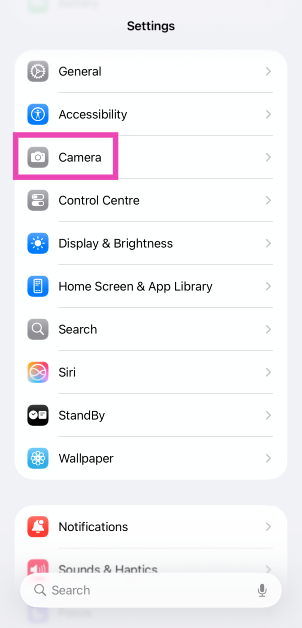 Step 3: Turn on the toggle switches next to Grid and Level.
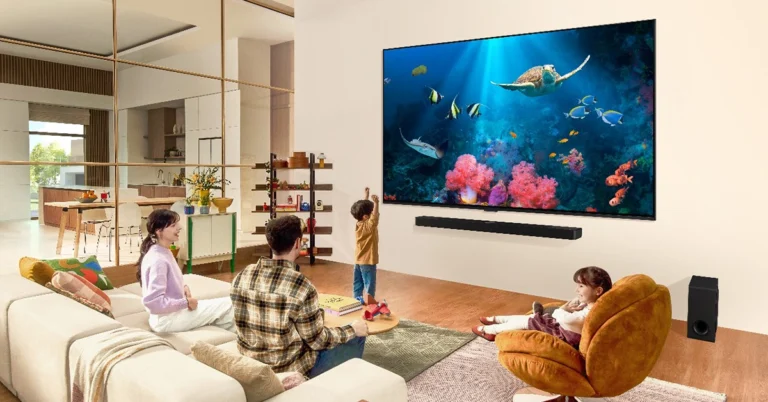
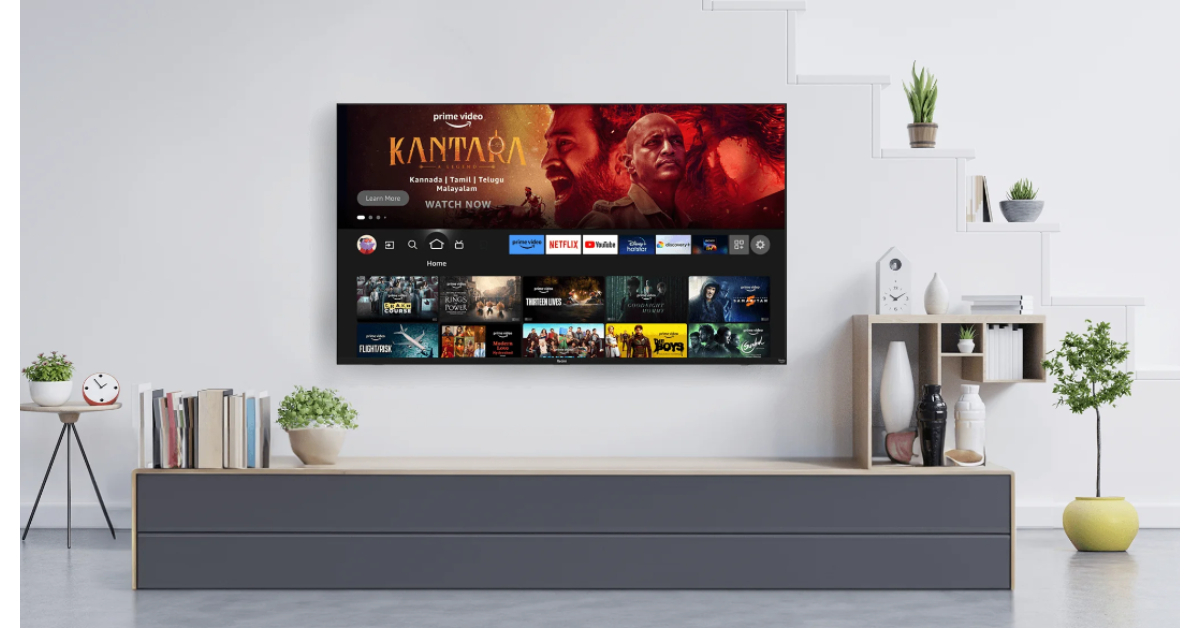

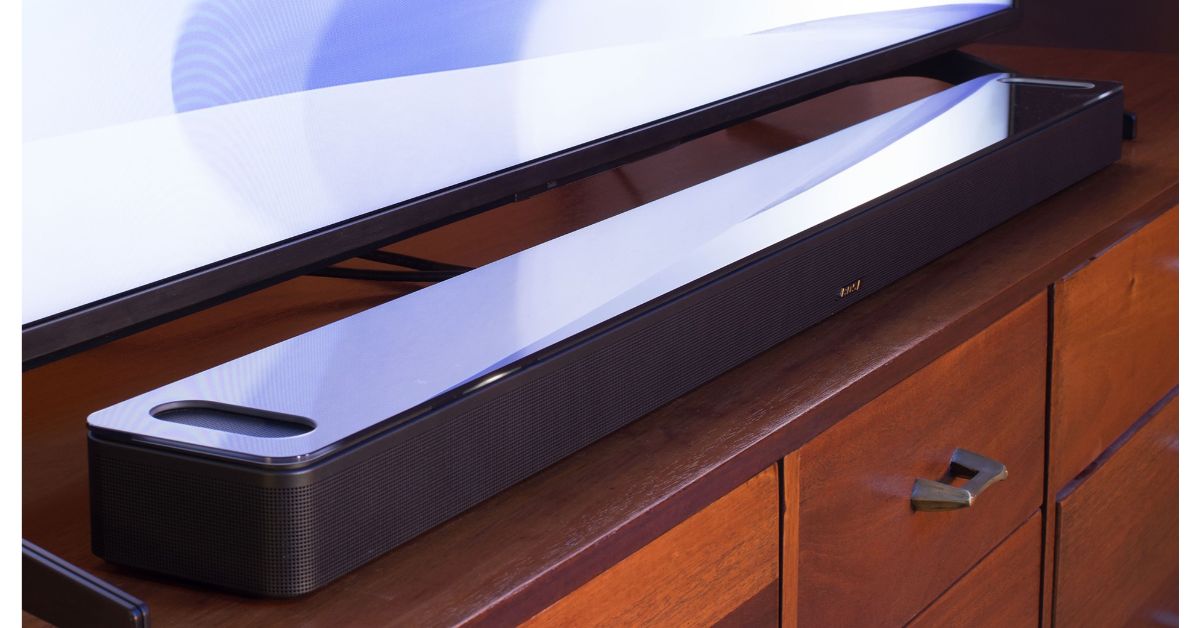
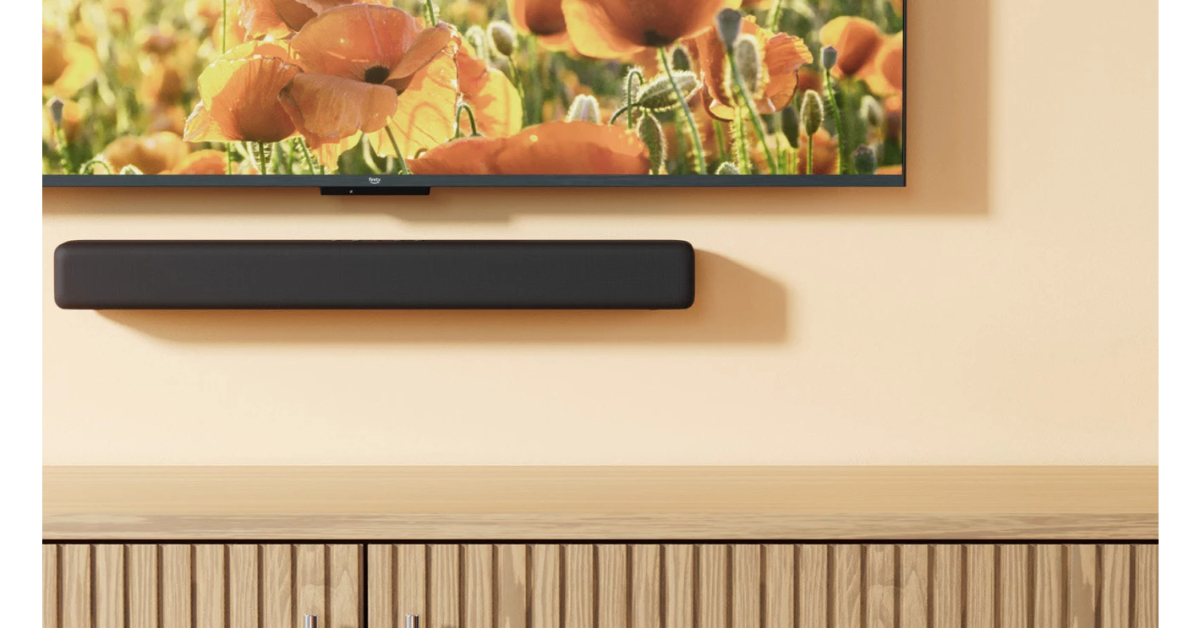
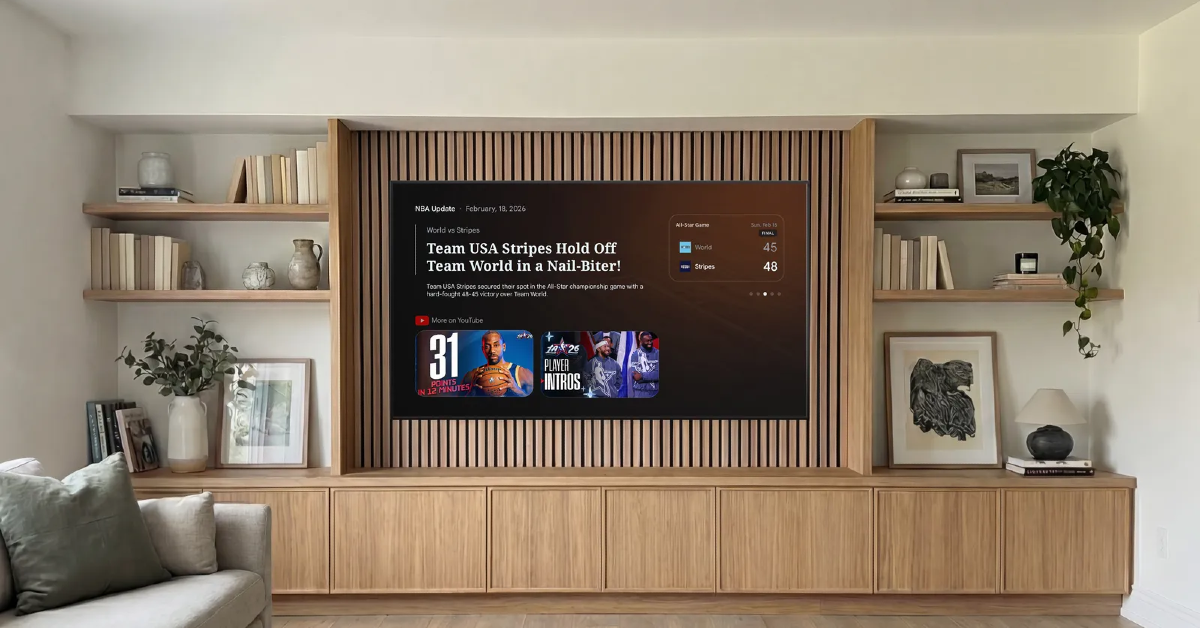 If your TV has bottom-firing speakers, the audio output may be getting blocked by the surface underneath. To fix this, mount your TV on a wall. Immediately, you will notice a stronger audio output that isn’t muffled or weakened. The uninhibited frequencies will make the soundstage richer.