Gadget Bridge Awards 2023: The biggest, best consumer technology and gadget awards nominations

In our triumphant 5th year of hosting the awards, we have seamlessly progressed from strength to strength! Our inaugural Consumer Tech and Gadget Awards in 2019 resonated with an overwhelmingly positive response, igniting the spark for what has now become an enduring tradition for Indian Gaming Awards globally. Originally conceived with the intent to acknowledge the epitome of excellence, Gadget Bridge Gadgets and Tech Awards have garnered immense admiration from industry promoters as we embark on our fifth consecutive year. The journey continues, and in 2023, we proudly present the 5.0 edition of the Gadget Bridge Awards (2023).

This year, witnessing flourishing businesses, we have perceived a proliferation of unique devices and technologies from diverse realms. Welcoming 2023 with renewed optimism, we extend our deepest gratitude to our unwavering supporters—our cherished readers, watchers, listeners, and well-wishers. Your steadfast support is the bedrock of our success, and we value every one of you.

Excitement peaks as we proudly declare ourselves the largest Consumer Tech Awards in Asia and across the entire planet. Featuring an extensive lineup of over 35 award categories in consumer technology, the Gadget Bridge Awards for 2023 promise to be an unparalleled spectacle. Despite the unusual circumstances, the year 2023 witnessed the release of several outstanding devices. Drawing inspiration from the previous year, my team and I have crafted an expanded list of 36 categories to encompass the evolving landscape of technology, ensuring that deserving innovators compete for top honours.

This year’s array of award categories is spectacular, with three special sections requiring your active participation in selecting the winners. Dear Gadget Bridge readers, watchers, and listeners, your voice matters in the Gadget Bridge People’s Choice Awards 2023. The voting is now live on GadgetBridge.com and our Twitter page across three distinct posts. Visit here, here, and here to cast your votes. The final tally, combining votes from Gadget Bridge Twitter and our Web/Mobile/App platforms, will determine the victors. Be sure to cast your votes by December 26, 2023, midnight IST.

Without further delay, we present the lineup of 36 categories, including the three where your votes decide—the #GadgetBridgeAwards23 People’s Choice.

Gadget Bridge Awards 5 (2023) Categories:

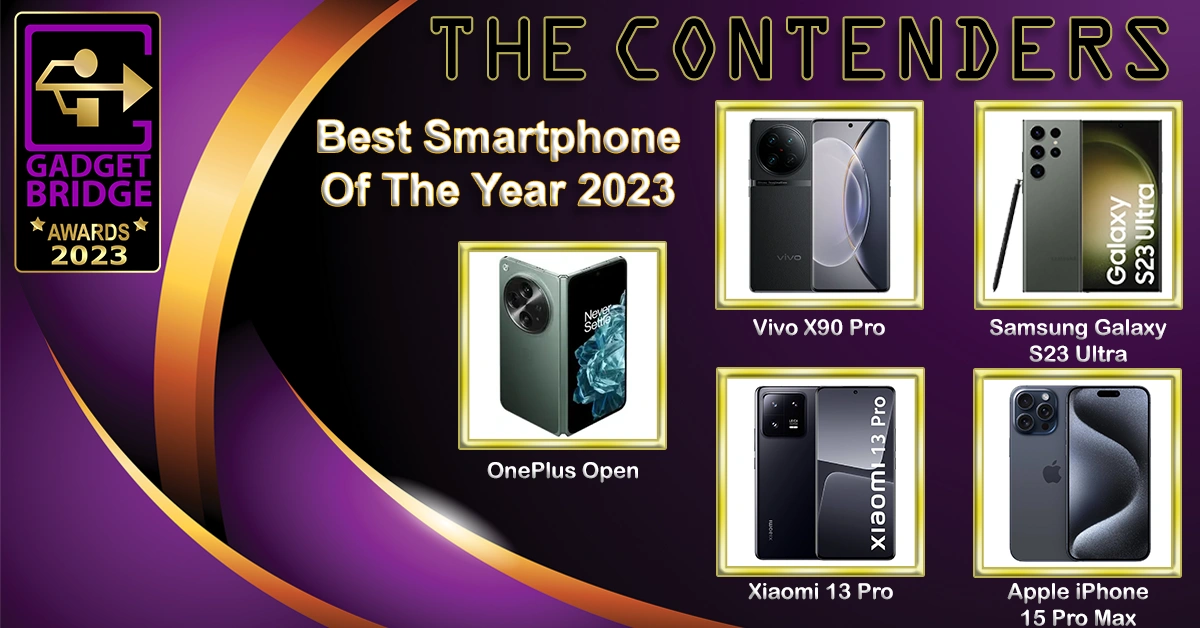
Best Smartphone Of The Year 2023

OnePlus Open

Vivo X90 Pro

Samsung Galaxy S23 Ultra

Xiaomi 13 Pro

Apple iPhone 15 Pro Max

  • Best Folding Smartphone Of The Year 2023
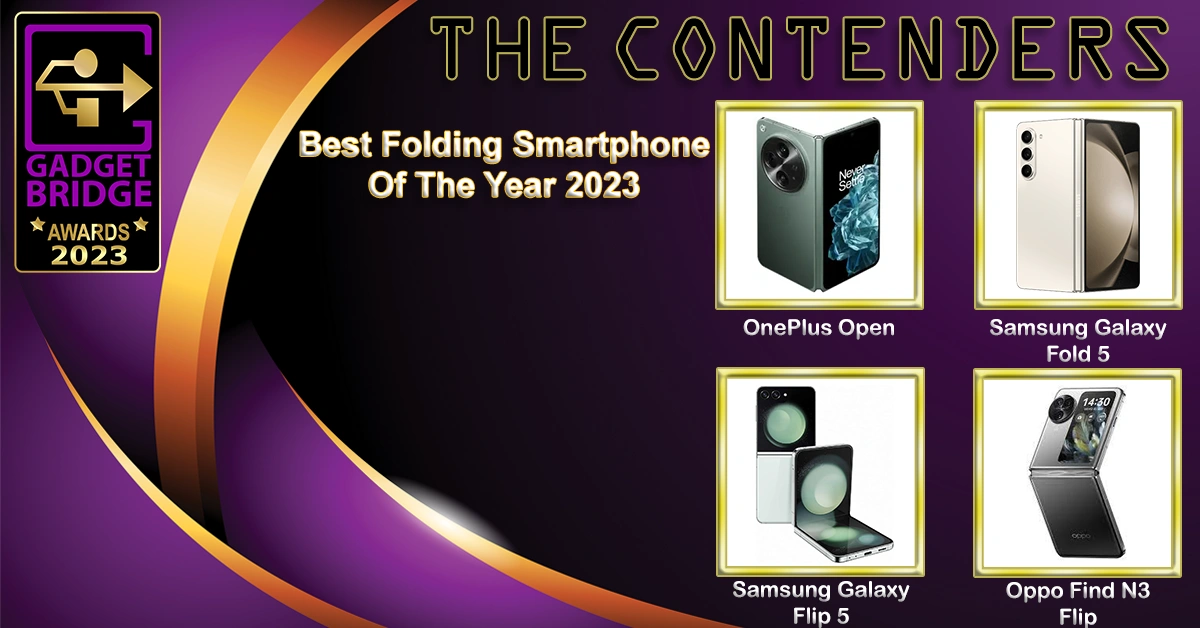
Best Folding Smartphone Of The Year 2023 - Gadget Bridge Awards 2023

OnePlus Open

Samsung Galaxy Fold 5

Samsung Galaxy Flip 5

Oppo Find N3 Flip

  • Best Budget Smartphone Of The Year 2023
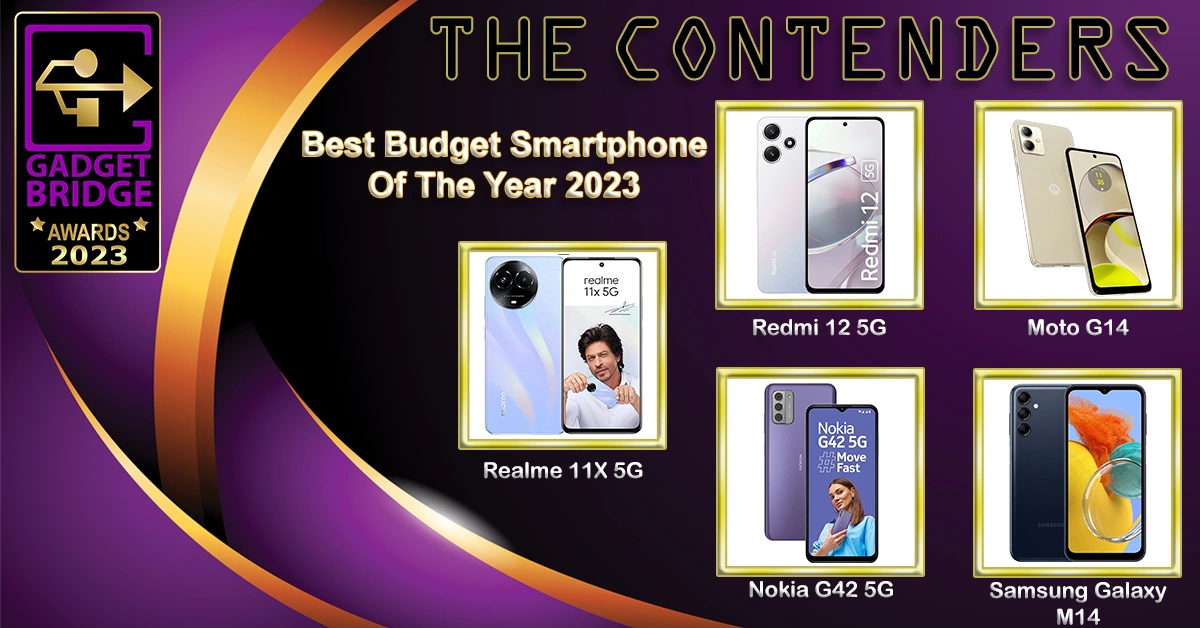
Best Budget Smartphone Of The Year 2023 - Gadget Bridge Awards 2023

Realme 11X 5G

Redmi 12 5G

Moto G14

Nokia G42 5G

Samsung Galaxy M14

  • Best Mid-Range Smartphone Of The Year 2023
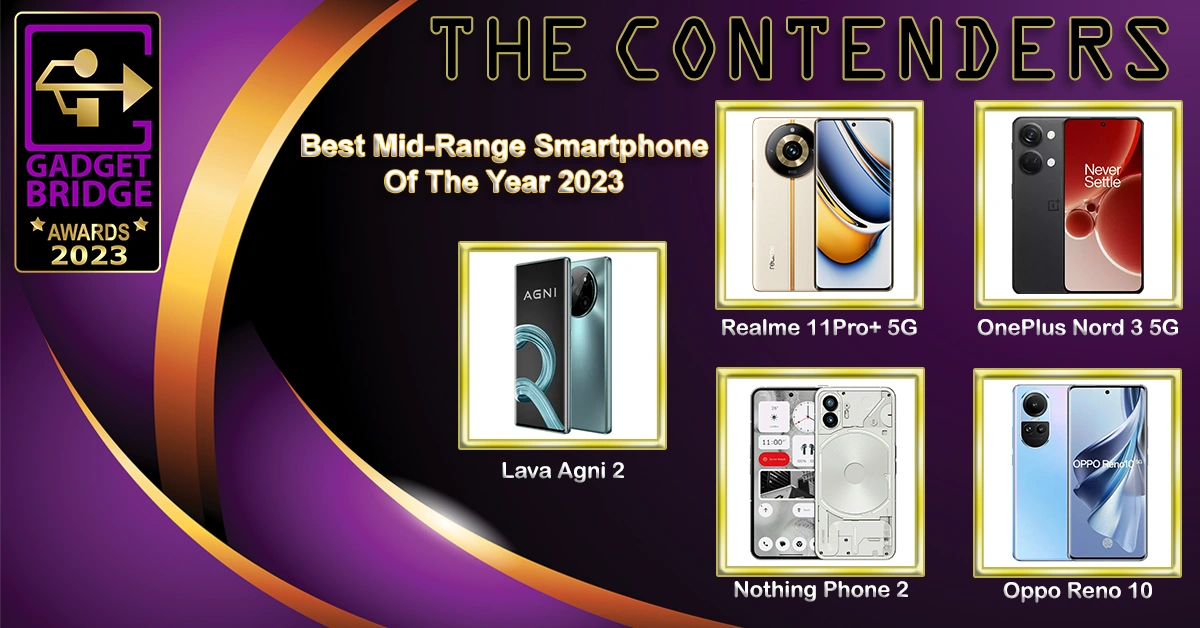
Gadget Bridge Awards 2023

Lava Agni 2

Nothing Phone 2

Realme 11Pro+ 5G

OnePlus Nord 3 5G

Oppo Reno 10

  • Best Value-For-Money Camera Phone Of The Year 2023
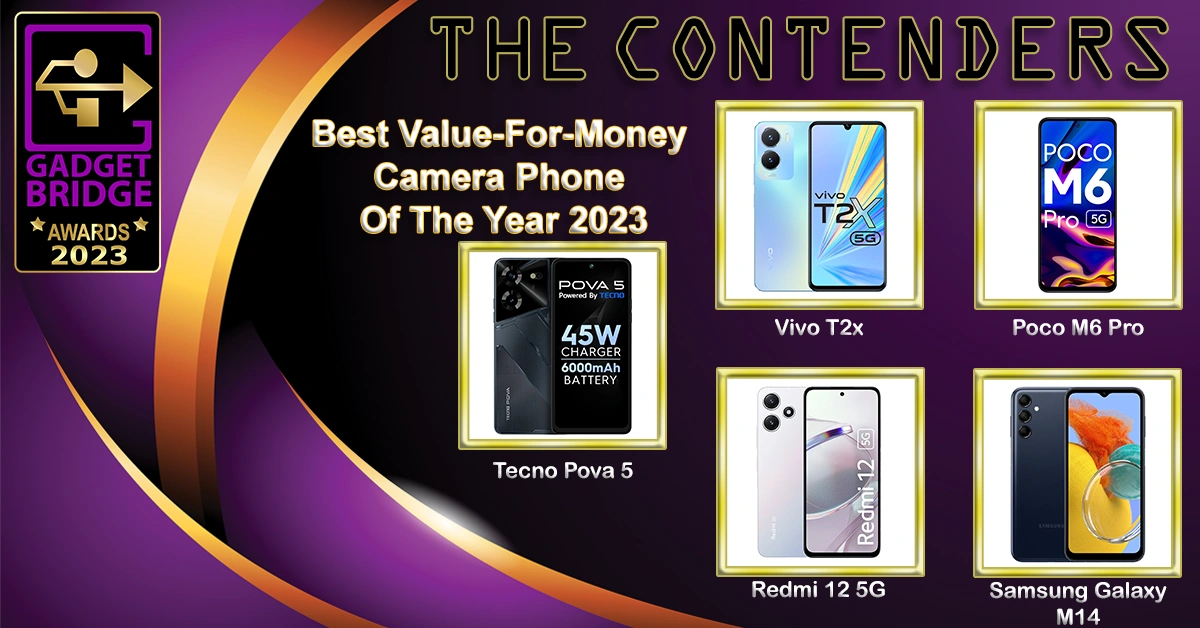
Value-For-Money Camera Phone - Gadget Bridge Awards 2023

Tecno Pova 5

Redmi 12 5G

Vivo T2x

Poco M6 Pro

Samsung Galaxy M14

  • Best Mid-range Camera Phone Of The Year 2023
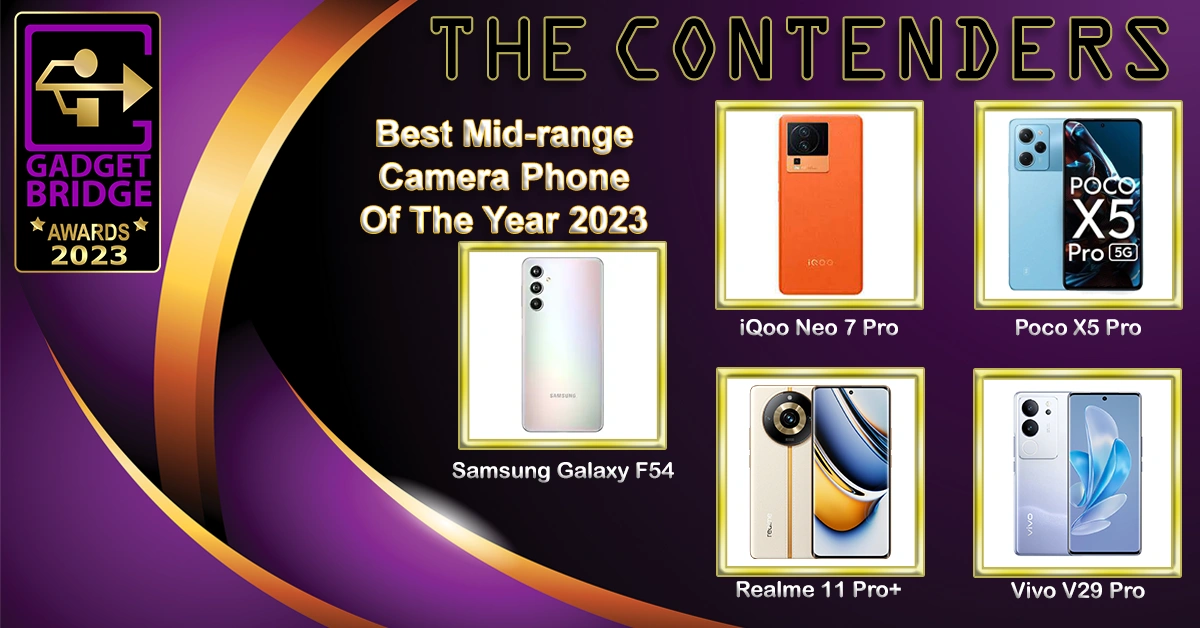
Mid-range Camera Phone - Gadget Bridge Awards 2023

Samsung Galaxy F54

Vivo V29 Pro

Realme 11 Pro+

iQoo Neo 7 Pro

Poco X5 Pro

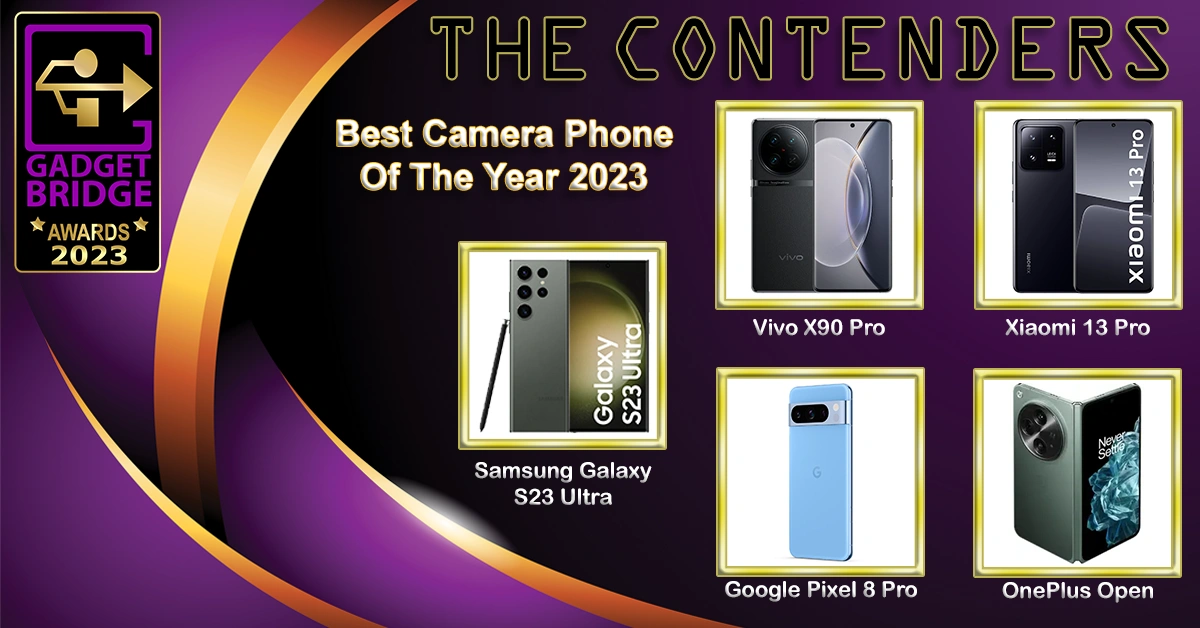
  • Best Camera Phone Of The Year 2023

Camera Phone Of The Year 2023

Samsung Galaxy S23 Ultra

Vivo X90 Pro

Xiaomi 13 Pro

Google Pixel 8 Pro

OnePlus Open

  • Best Value-For-Money Gaming Smartphone Of The Year 2023
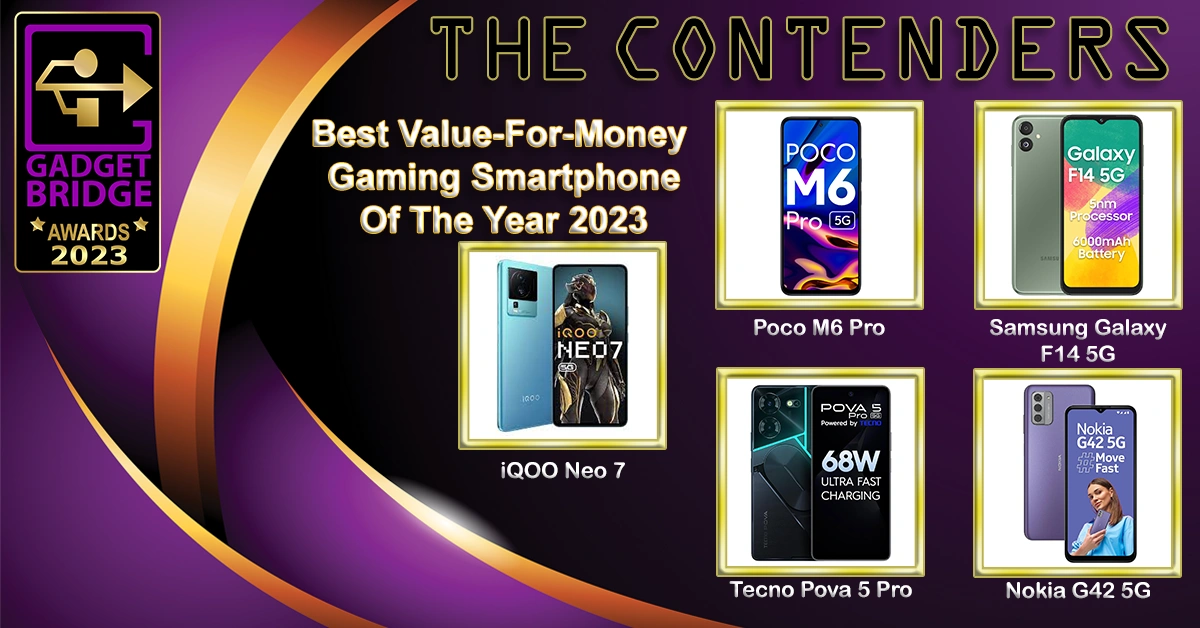
Value-For-Money Gaming Smartphone

Poco M6 Pro

iQOO Neo 7

Samsung Galaxy F14 5G

Tecno Pova 5 Pro

Nokia G42 5G

  • Best Mid-Range Gaming Smartphone Of The Year 2023
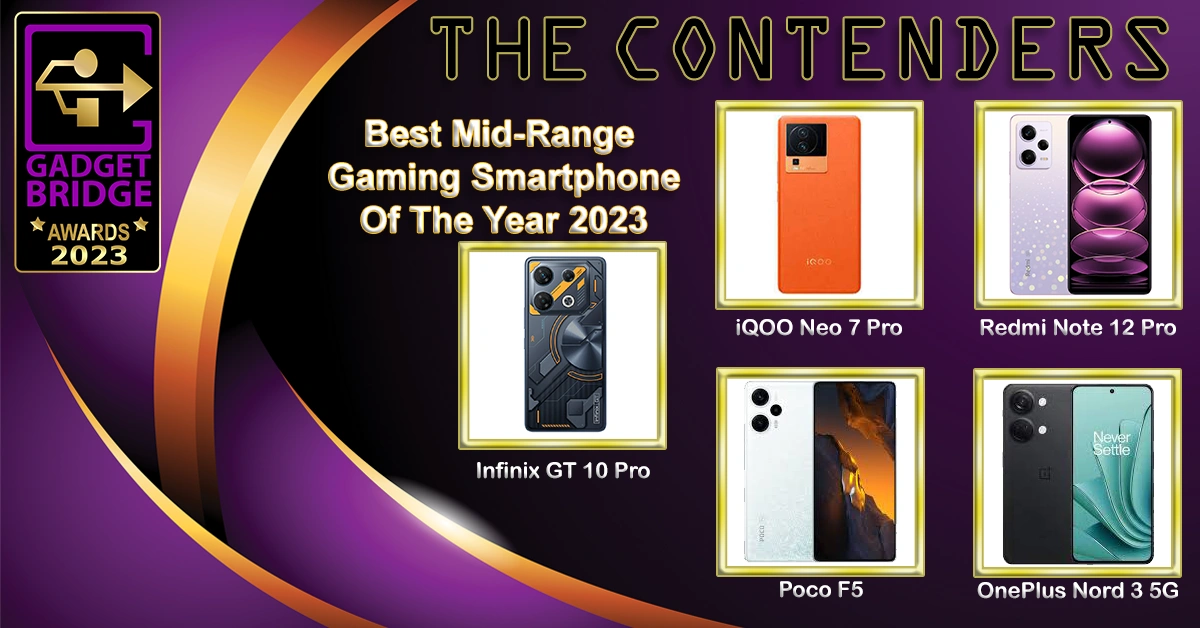
Infinix GT 10 Pro

iQOO Neo 7 Pro

Poco F5

Redmi Note 12 Pro

OnePlus Nord 3 5G

  • Best Gaming Smartphone Of The Year 2023
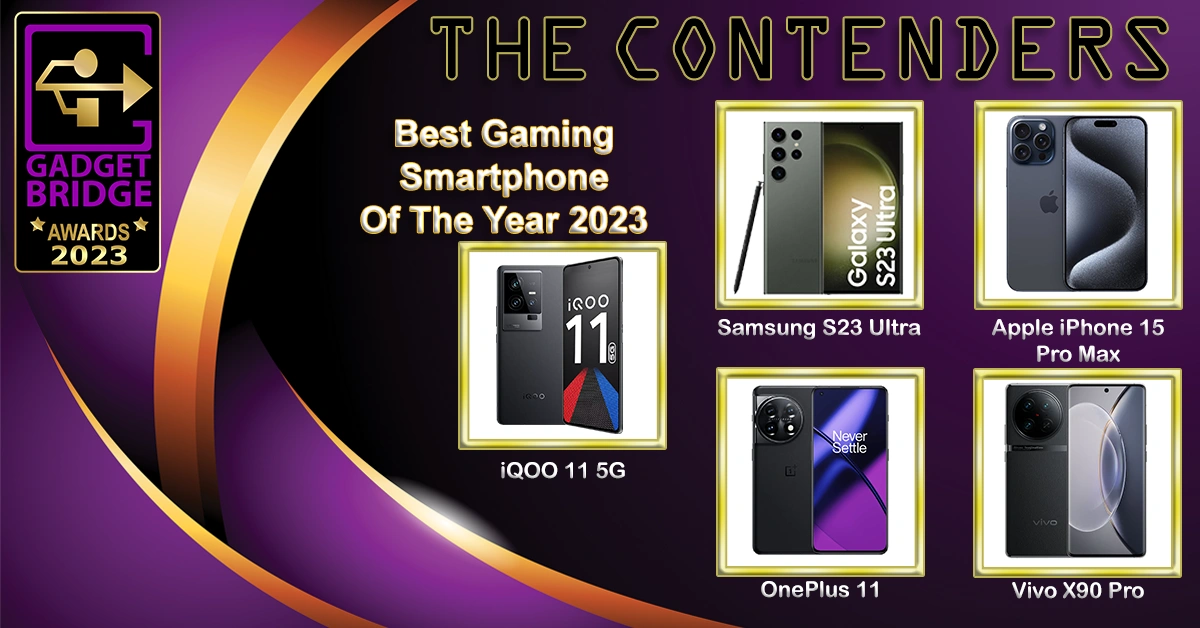
iQOO 11 5G

Samsung Galaxy S23 Ultra

Apple iPhone 15 Pro Max

OnePlus 11

Vivo X90 Pro

  • Best Selfie Smartphone Of The Year 2023
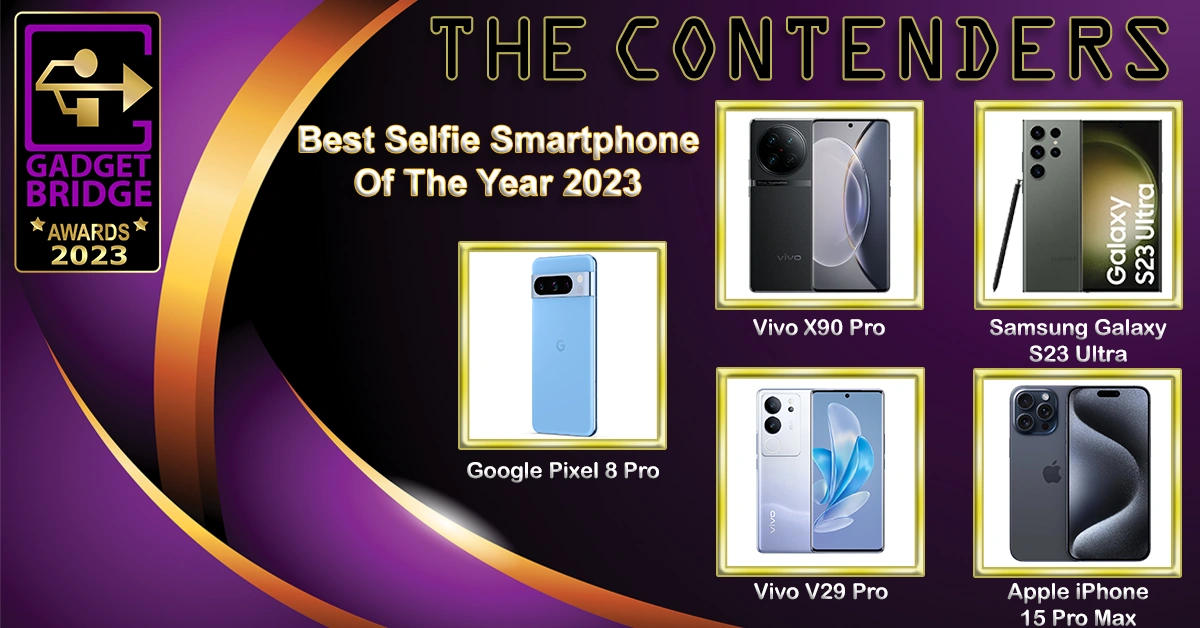
Apple iPhone 15 Pro Max

Samsung Galaxy S23 Ultra

Vivo V29 Pro

Google Pixel 8 Pro

Vivo X90 Pro

  • Best Vlogging Smartphone Of The Year 2023
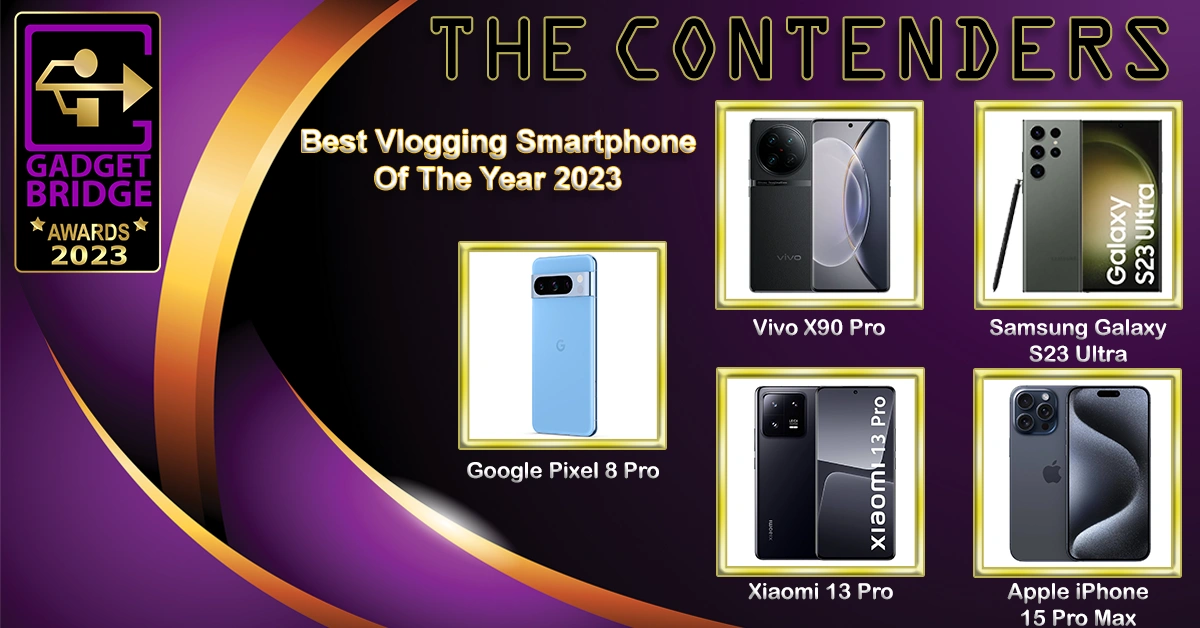
Vlogging Smartphone

Samsung Galaxy S23 Ultra

Apple iPhone 15 Pro Max

Vivo X90 Pro

Google Pixel 8

Xiaomi 13 Pro

  • Best Mid-Range Smartphone Chipset Of The Year 2023
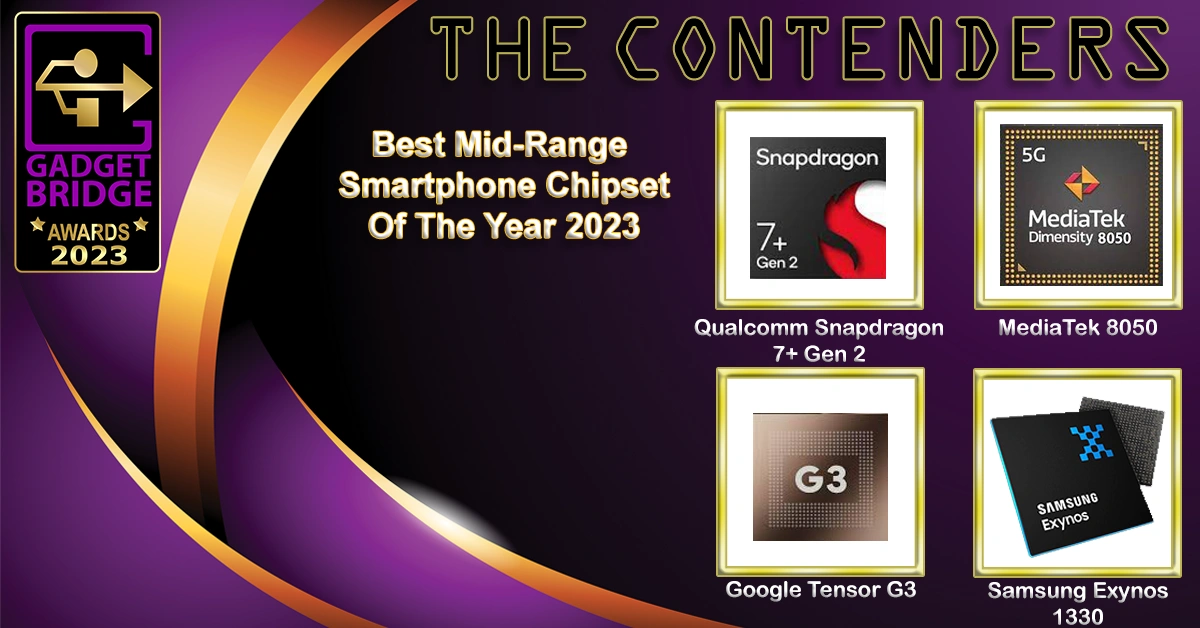
Qualcomm Snapdragon 7+ Gen 2

MediaTek 8050

Google Tensor G3

Samsung Exynos 1330

  • Best Premium Smartphone Chipset Of The Year 2023
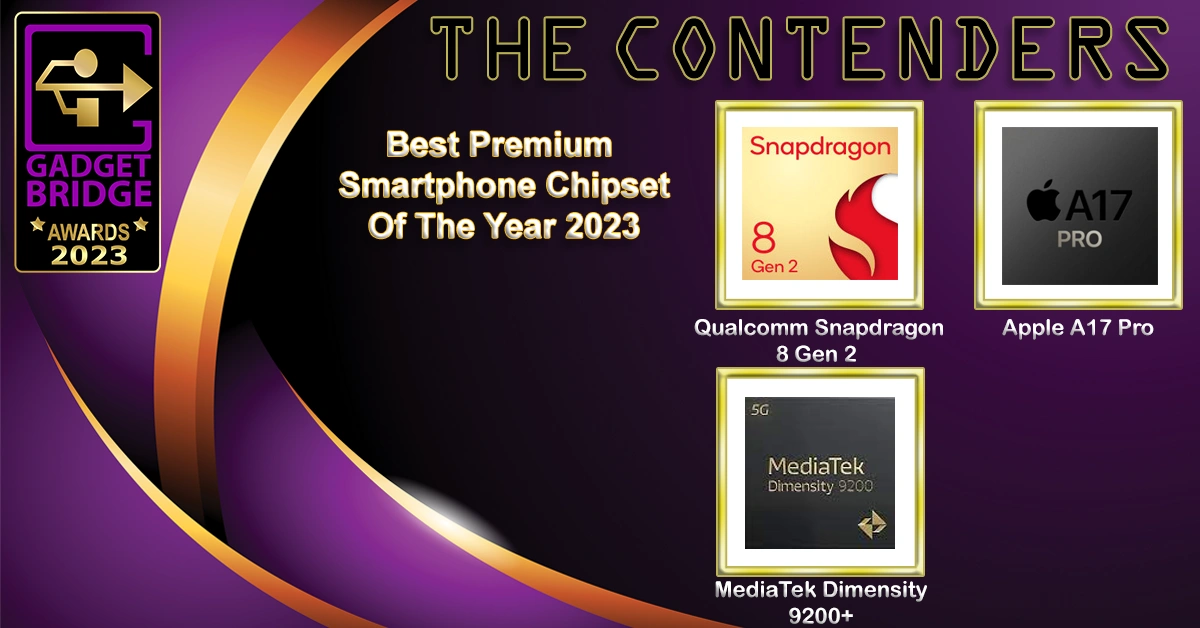
Best premium Smartphone Chipset Of The Year 2023 - Gadget Bridge Awards 2023

Qualcomm Snapdragon 8 Gen 2

Apple A17 Pro

MediaTek Dimensity 9200+

  • People’s Choice Smartphone Of The Year 2023 
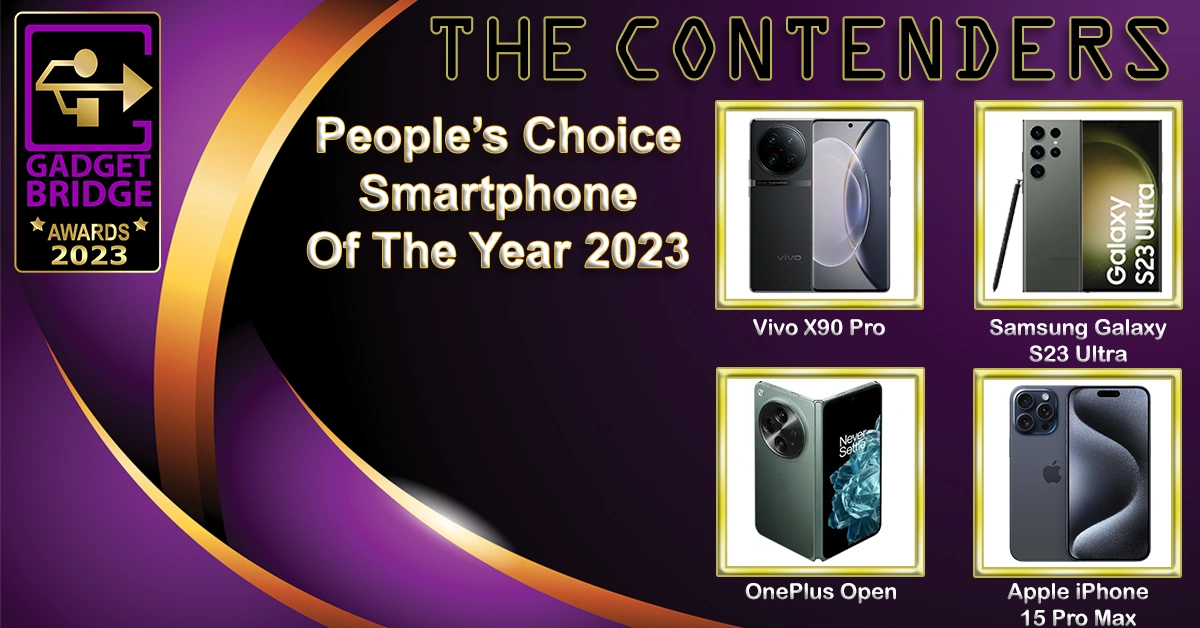
Samsung Galaxy S23 Ultra

Vivo X90 Pro

Apple iPhone 15 Pro Max

OnePlus Open

  • People’s Choice Gadget Of The Year 2023
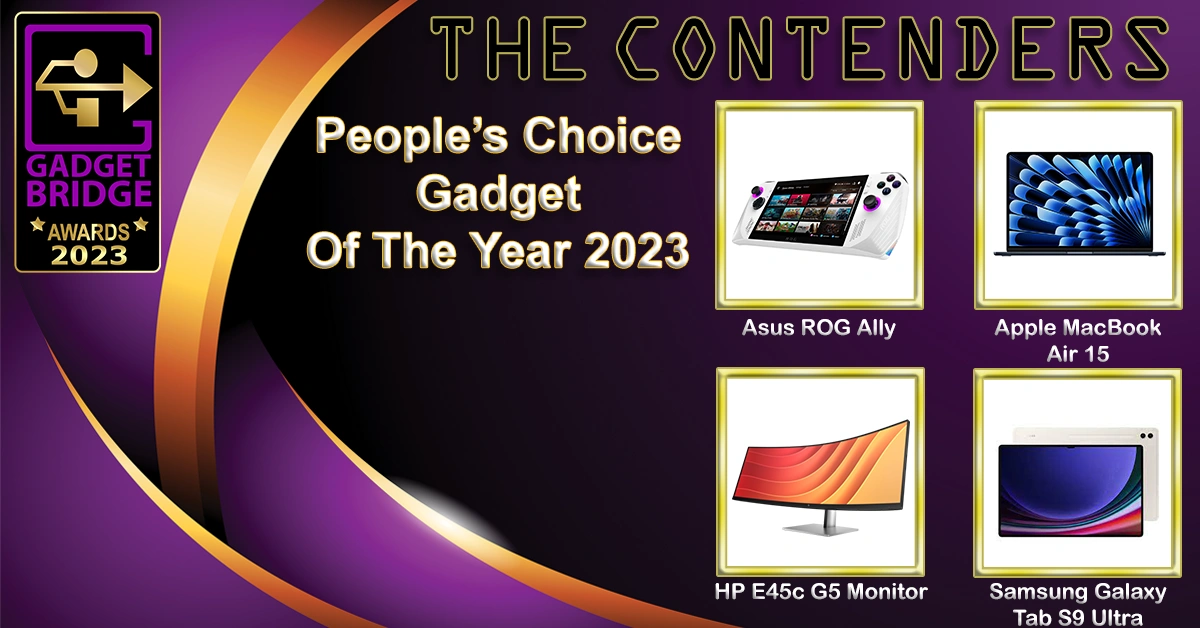
Asus ROG Ally

Apple MacBook Air 15

HP E45c G5 Monitor

Samsung Galaxy Tab S9 Ultra

  • People’s Choice Brand Of The Year 2023 

Gadget Bridge Awards 2023

Samsung

Apple

Xiaomi

Vivo

  • Best Gadget Of The Year 2023

Gadget Bridge Awards 2023

OnePlus Open

Apple MacBook Air 15

Apple Watch Ultra 2

Samsung Galaxy Tab S9 Ultra

HP Pavilion X360

  • Hatke Gadget Of The Year (Design) 2023
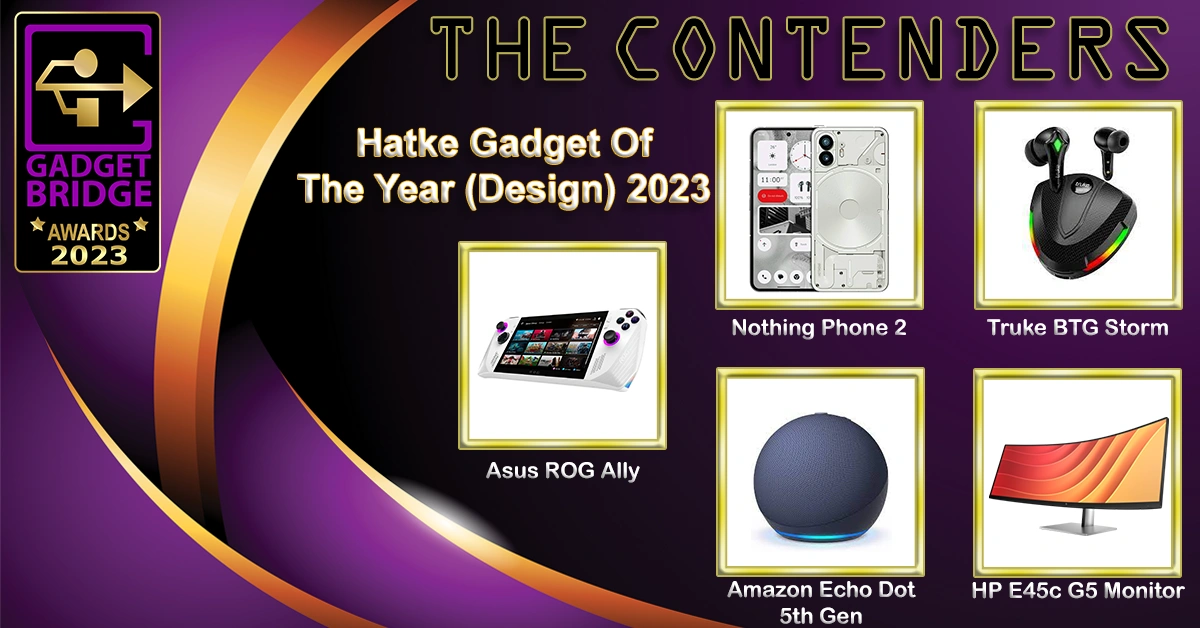
Asus ROG Ally

Nothing Phone 2

Truke BTG Storm

Amazon Echo Dot 5th Gen

HP E45c G5 Monitor

  • Hatke Gadget Of The Year (Performance & Utility) 2023

Dyson Air Purifier Big + Quiet

Sennheiser Profile USB

Logitech MX Anywhere 3S

Xech Cerebro

Canon Powershot V10

  • Best Value-For-Money Laptop Of The Year 2023

Gadget Bridge Awards 2023

Acer Aspire Lite AMD

HP Chromebook 15.6 (2023)

Asus Vivobook Go 14

Lenovo IdeaPad Slim 3i

  • Best Mid-Range Laptop Of The Year 2023

Asus Zenbook 14 OLED (2023)

Asus Vivobook S15

Acer Swift Go AMD

HP Pavilion X360

  • Best Laptop Of The Year 2023

Gadget Bridge Awards 2023

Apple MacBook Air 15

Samsung Galaxy Book 3 Pro 360

Asus Zenbook 14 Flip OLED

HP Dragonfly G4

  • Best Mid-range Gaming Laptop Of The Year 2023

Asus TUF F15

Acer Nitro V

HP Victus 16

MSI Katana 15

  • Best Gaming Laptop Of The Year 2023

Acer Predator Helios 16

HP Omen 16

Lenovo Legion Pro 7 (2023)

Asus Strix Scar 17

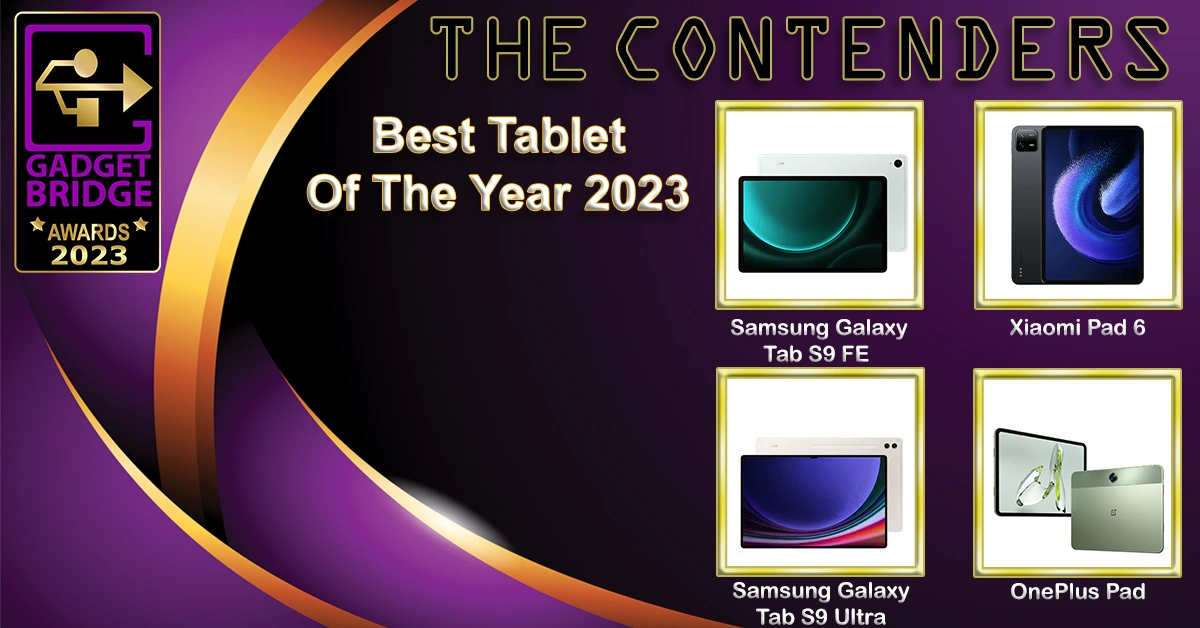
  • Best Tablet Of The Year 2023

Best Tablet Of The Year 2023 copy

Samsung Galaxy Tab S9 FE

Samsung Galaxy Tab S9 Ultra

Xiaomi Pad 6

OnePlus Pad

  • Best Value-For-Money Smart TV Of The Year 2023

Redmi Smart Fire TV 43

Kodak CA Pro Series 55-inch

Blaupunkt QLED TV 55

Westinghouse 55-inch 4K TV

  • Best Mid-Range Smart TV Of The Year 2023
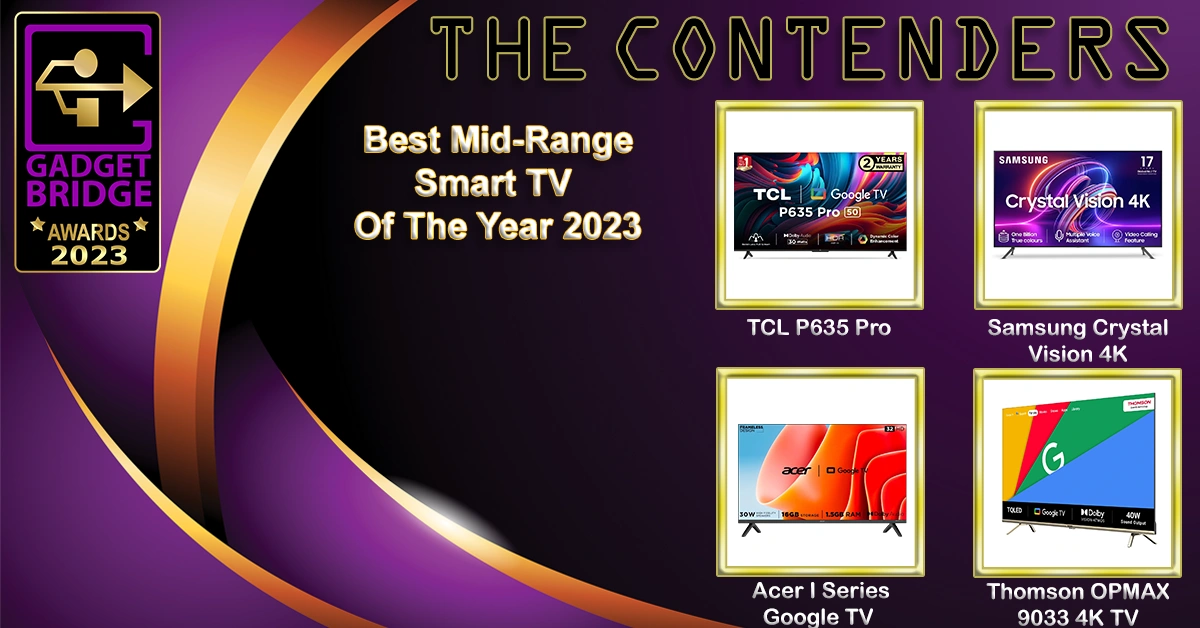
Acer I Series Google TV

Samsung Crystal Vision 4K

TCL P635 Pro

Thomson OPMAX 9033 4K TV

  • Best TV Of The Year 2023

Gadget Bridge Awards 2023

LG OLED G3

Xiaomi X Series 65

OnePlus Q2 Pro

Hisense Mini LED TV

  • Best Projector Of The Year 2023

Best projector Of The Year 2023 copy 2

Optoma UHZ50+

Optoma L1+

Viewsonic M1 Pro

BenQ V500i

  • Best Home Improvement Device Of The Year 2023

Home Improvement Device Of The Year 2023

Qubo Smart Door Lock Elite

Xiaomi Robot Vacuum Mop 2i

Mivi Fort S300

Amazon Echo Pop

Dyson V12s Detect Slim Submarine

  • Best Value-For-Money Smartwatch Of The Year 2023
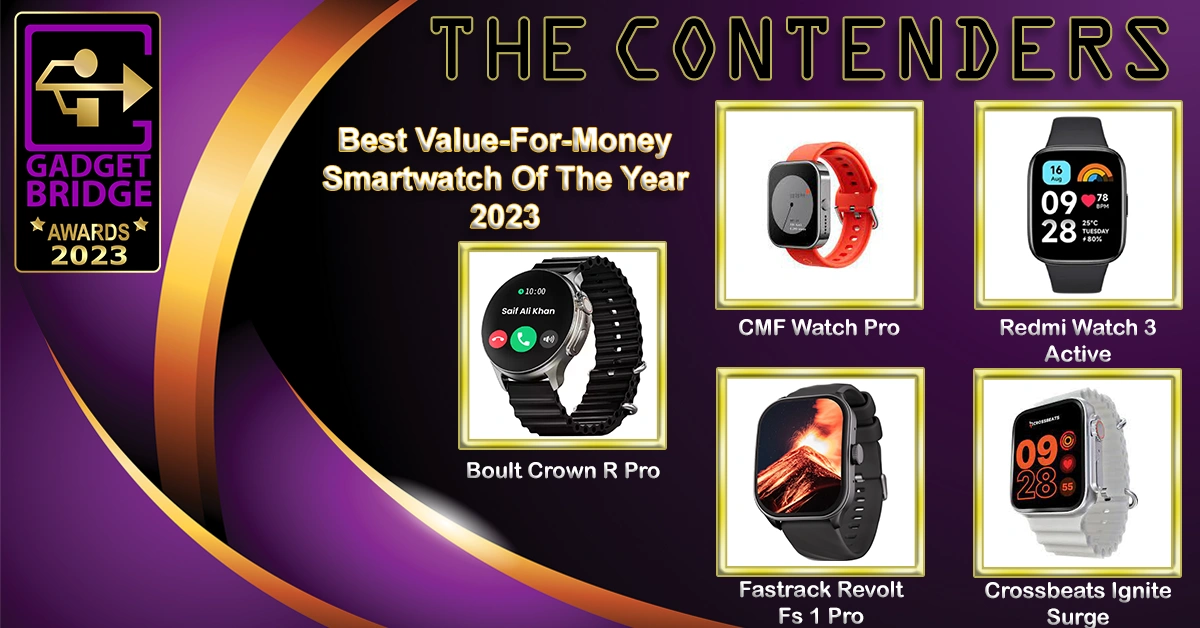
Best Value-For-Money Smartwatch Of The Year 2023 copy

Boult Crown R Pro

CMF Watch Pro

Redmi Watch 3 Active

Fastrack Revolt Fs 1 Pro

Crossbeats Ignite Surge

  • Best Premium Smartwatch Of The Year 2023
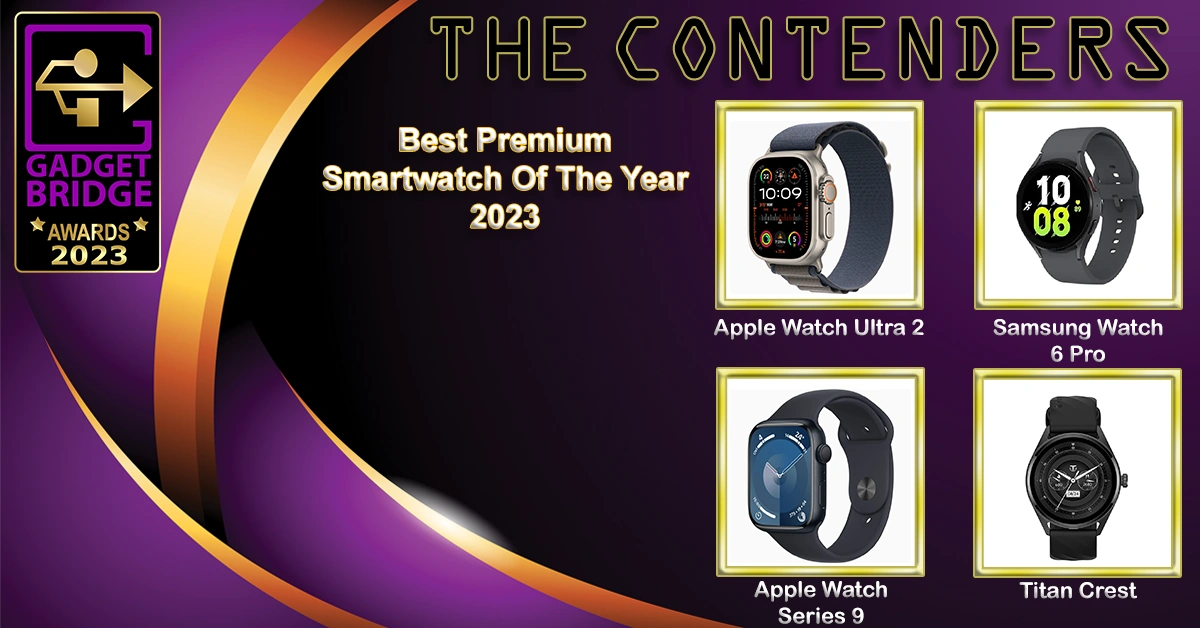
Premium smartwatch gadget bridge awards 2023

Apple Watch Ultra 2

Apple Watch 9

Samsung Watch 6 Pro

Titan Crest

  • Best Headphones Of The Year 2023

34 Best Headphones Of The Year 2023 gadget bridge awards 2023

Sony WH-CH720N

Sonic Lamb Headphones

Sennheiser HD 660S2

Audio Technica ATH-M50xBT2

Dyson Zone Absolute

  • Best Wireless Earphones Of The Year 2023

Best Wireless Earphones Of The Year 2023 - Indian Gadget Bridge Awards 2023

Nothing Ear 2

OnePlus Buds Pro 2

LG ToneFree Fit TF7

Sony WF-1000XM5

Redmi Buds 4 Active

  • Best PC/Laptop Accessory Of The Year 2023

pc laptop accessory of the year 2023 gadget bridge awards 2023

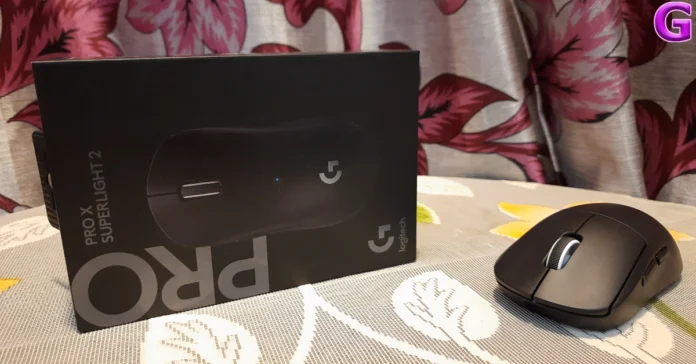
Logitech G Pro X Superlight 2

WD Blue SN580 NVMe SSD

ViewSonic VP16OLED

Asus ProArt Mouse MD300

What to expect from CES 2024: All eyes on AI

Key Highlights

  • CES 2024 will be hosted in Las Vegas.
  • It will begin on January 9.
  • Amazon, Asus, Dell, Google, Samsung, Sony, LG, Mercedes-Benz, Hyundai, NVIDIA, Intel, Qualcomm, AMD and more companies showed their innovations at the tech show.

The Consumer Technology Association (CTA) will host CES 2024 in the first week of January. In the second week of January, the Consumer Technology Association (CTA) will host CES 2024. The largest technology event in the world will bring together visitors, attendees, experts, and the press from all around the globe starting on January 9. We will engage with international brands from all over the world and witness the newest technological advancements as well as product releases.

The CES has served as a global platform for innovation, enabling companies to introduce breakthroughs on a global scale. The second week of January is when the Consumer Electronics Show will take place this year. It will be hosted in Las Vegas that will begin on January 9 at 8:30 a.m. PT. Annually, several firms like Amazon, Asus, Dell, Google, Samsung, Sony, LG, Mercedes-Benz, Hyundai, NVIDIA, Intel, Qualcomm, AMD, and others will showcase their products and initiatives. Artificial Intelligence will be the primary focus of this year’s tech exhibition.

Here is what you can expect from CES 2024:

We anticipate a few phones at CES 2024 this year. According to rumours, Samsung, a South Korean brand, may display the newest technology and features that will be included in the future Samsung Galaxy S24 Series. However, the phones’ other functions and design specifics won’t be revealed until they officially launch. On the other hand, OnePlus, Vivo, and Xiaomi will showcase their most recent flagship phones, the OnePlus 12, Vivo X100, and Xiaomi 14, respectively

In addition, Samsung might unveil its newest laptops, TVs, monitors, and much more. Samsung is currently working on implementing QD-OLED, the newest technology, for its forthcoming televisions. As it updates Television, LG is anticipated to follow suit and possibly incorporate QD-OLED technology.
However, the Japanese tech giant Sony, which sells a wide range of Bravia televisions and audio products, is also expected to launch televisions that are equipped with the recently enhanced Cognitive XR processor. We can also expect some PlayStation-related news from the company.

If you are a tech enthusiast or working in this industry you know that this year this year was greatly impacted by AI. Nothing new, but since Chat GPT launched, generative AI has advanced significantly in particular.

Also Read: OnePlus Pad Go Review: Works like a charm

At the Consumer Tech expo, Qualcomm will display all of its most recent flash chips, including the upcoming ones. This time, on-device AI computing will be the main focus.

On the other side, Intel will launch its AI-powered 14th-generation mobile chips.
At CES 2024, other significant firms like AMD and Nvidia will also showcase their computing capabilities.

Companies such as Lenovo, Acer, Asus, and others might release the newest gaming consoles, laptops, and monitors that are equipped with AMD’s Hawk Point and Intel’s Meteor Lake CPUs.

We may also see some AI-powered stuff from Amazon and more. It will present some new features coming to Alexa.

Stay Tuned to Gadget Bridge as we bring to you more fascinating news about the newest technological advancements showcased when CES 2024 begins.

8 Easy Methods to Fix the ‘Kindle Won’t Turn On’ Issue

0

The consensus on Amazon Kindle being the best e-reader in the market is pretty much unanimous. Its form factor, resolution, and e-ink technology make it the ideal reading device. Over the years, Amazon has built upon the product and added lots of exciting new features to it. You can even browse the internet on your Kindle and log your books to your Goodreads account directly from the device. Even though it is the complete product, your Kindle isn’t immune to malfunctions. Sometimes users report that the device comes to a grinding halt and refuses to restart. So, here are the top 8 easy methods to fix the ‘Kindle won’t turn on’ issue.

Read Also: Poco M6 5G Indian pricing leaked just before official announcement

Why is my Kindle not turning on?

If you can’t get your Kindle to turn on, there are three likely reasons behind it.

  • Your Kindle has run out of charge.
  • The corrupted files on the device are keeping it from turning on.
  • The battery is no longer functional.

9 times out of 10, your Kindle doesn’t turn on because of a lack of charge. This is the easiest problem to fix. However, dealing with a dead battery unit can be tricky. Most third-party vendors don’t know how to change the battery pack on a Kindle. The battery unit’s availability is another factor that makes this situation problematic.

While trying out the methods mentioned below, always press the power button for a good 10-15 seconds after every step. This is especially helpful when your Kindle has been stashed away for months. Make sure the charging port has not accumulated any dirt or dust particles. Blow some air on it to make sure it’s clean.

Charge your Kindle

Charge your Kindle

If your Kindle won’t turn on, it is likely because it is out of charge. The battery life on a Kindle is incredible, offering a minimum 7-day battery life even if you’re a voracious reader. When you don’t need to charge your device frequently, it is easier to forget that it has run out of juice. To turn on your Kindle, simply plug in its USB charger and wait for a few minutes for it to boot.

Connect the charger to a wall outlet

Connect the charger to a wall outlet

So, what happens if plugging in the charger does nothing? You can try charging your Kindle using a power adapter plugged into a wall outlet instead of your laptop. The latter trickle charges your Kindle while a proper power adapter can accomplish the feat rather quickly. Sometimes, the charge flowing into your device while it is connected to your laptop may not be enough to turn it on.

Check the power adapter and USB cable

Check the power adapter and USB cable

If connecting your Kindle to a proper charger doesn’t work either, you may need to inspect the adapter and charging cable separately. Connect the charger to your smartphone to check whether it’s working fine. Make sure you note the speed of the charge as well. If the charger doesn’t work for your phone, it is the likely culprit here. Try using a different cable and see if it works. If your Kindle still fails to charge, grab another power adapter and repeat the process.

Leave the Kindle to charge overnight

If your Kindle’s battery got depleted after sitting unused for months, it may take some time to turn on. Be patient after connecting it to a charger. After a few minutes, the battery symbol will appear on the screen. This symbol denotes that your Kindle is charging. Do not try to start your Kindle right away. Make sure it has charged to a sufficient level before pressing the power button. You may even need to leave it to charge overnight to gain the optimum battery level.

Delete corrupted files from your Kindle

Delete corrupted files from your Kindle

It is possible that a corrupt file may be keeping your Kindle from turning on. So, how do you delete the corrupted file in this situation? One thing you can do is connect your Kindle to your laptop and see if you can access its internal files. This is usually the case when the Kindle’s display is affected by the file in question. While you may not be able to see anything on the screen, you will be able to access the device’s library from your laptop. Go through the downloaded files and delete all suspicious items.

Update your Kindle

How to fix the yellow line issue on Amazon Kindle Coloursoft

If your Kindle keeps shutting down even though there’s enough charge on it, you may need to update its firmware to fix it. Go to Amazon’s software update page for Kindle and download the update for your model. Now, connect your Kindle to your PC using a USB cable and transfer the software update file to the e-reader. Disconnect your Kindle after the transfer has completed and go to Menu>Settings>Ellipses>Update your Kindle.

Perform a Factory Reset

Perform a Factory Reset

If your Kindle only turns on for a short period of time before turning off again, try resetting it to its factory settings. This will log you out of all accounts and delete all files on the device. Here’s how you can go about it.

Step 1: Go to Settings.

Step 2: Select Device Options.

Step 3: Tap on Reset.

Contact Amazon Support

If the problem lies with your e-reader’s battery, you will need to contact Amazon Support to get it replaced. It is very rare to find third-party vendors that can fix a Kindle. Going the official route for repairs is a good option anyway. To contact Amazon Support, go to Your Account>Contact Us and choose whether you want to chat with the support staff online or have them call you regarding the issue.

Frequently Asked Questions (FAQs)

Why is my Kindle not turning on and how do I fix it?

If you aren’t able to turn on your Amazon e-reader, it is likely because it has run out of charge. Connect it to a charger and try again.

Why won’t my Kindle turn on even after connecting it to a charger?

If your e-reader has been lying around unused for a while, it may take some time to start again. Be patient and let it charge for a good amount of time before initiating the start-up process.

How do you force a Kindle to turn on?

To force start your Kindle, press and hold the power button until the screen goes blank or a dialogue box appears on the screen. Keep holding the power button for another 40 seconds and then release it.

How do I check if my Kindle’s battery is dead?

If your e-reader keeps shutting down as soon as you unplug its charger, it means that its battery is dead.

How long does the Amazon Kindle’s battery last?

Amazon’s e-reader can last up to a week if you use it for 5-7 hours every day.

Read Also: Truke Clarity Six TWS Earbuds with Six-Mics Adv. ENC launched in India

Conclusion

These are the top 8 ways to fix the ‘Kindle won’t turn on’ issue. If you are forced to perform a factory reset on the e-reader as a last-ditch save, you can easily restore all your books and magazines from Amazon’s cloud library later. If you know of any other fixes to this problem, let us know in the comments!

Top 10 Tech Gifts for Christmas (2023)

Christmas is almost here, which means you should be done with shopping for gifts. But if you’ve been putting the task off for a later date, now would be the time to dust off your credit card and hop on Amazon to evaluate your options. Shopping for Christmas gifts can be hard, especially when you’re looking at tech products. It’s very easy to get confused while comparing spec sheets and wondering if you’re getting the best deal. Luckily, we’re here to hash out any confusion. Here are our picks for the top 10 tech gifts for Christmas.

Read Also: Truke Clarity Six TWS Earbuds with Six-Mics Adv. ENC launched in India

Apple iPhone 15 Pro Max

Price: Rs 1,59,900 on Apple.com

Rear

You can never go wrong by gifting your loved ones the best smartphone around. This year’s iPhone Pro models get some refreshing new changes. The most notable ones are the USB Type-C port and the action button. The latter replaces the ringer switch and brings a whole of customisation options for your iPhone. You can use this button to switch to a different sound profile, take a picture, launch an app, and other things. Read this article to learn how you can program the action button. Another cool thing about the iPhone 15 Pro Max is its titanium case. The presence of titanium brings more durability to the phone and also makes it a bit lighter! Read our full review of the iPhone 15 Pro Max here.

Logitech G Pro X Superlight 2

Price: Rs 15,495 on Amazon.in

Logitech G Pro X Superlight 2 Review: For elite gaming

Logitech is one of the most trustworthy names in the world of gaming peripherals. Its newly released G Pro X Superlight 2 gaming mouse would make an excellent gift for a gamer buddy. This wireless gaming mouse weighs just 60 grams and features a very minimal, streamlined design. While reviewing the mouse, we really enjoyed the quick response offered by the new Lightforce switches. There is no click latency to be found and the PTFE feet underneath the mouse are ideal for fast-paced FPS games. The 32,000 DPI Hero 2 sensor on the Superlight 2 has a polling rate of 2,000 Hz. Get to know more about this mouse in our review.

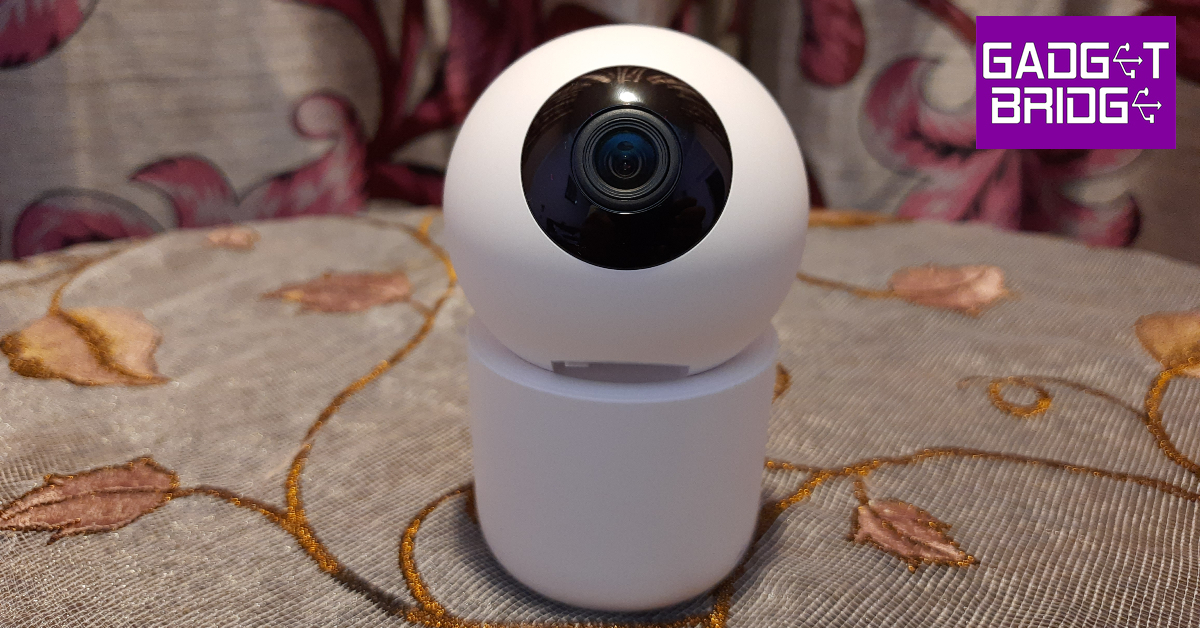
Philips HSP3500 Indoor Security Camera

Price: Rs 3,599 on Philips.co.in

While buying an indoor security camera, you need to consider three things: ease of installation, clarity of footage, and the range of functions offered by the device. We reviewed the Philips HSP3500 in September and were pleased to see that it ticked all three boxes. Starting off with the installation process, the HSP3500 can either be fixed to the ceiling or placed on any flat surface. The round orb containing the 3MP wide-angle lens also has a USB Type-B port and a memory card slot. The HSP3500 can record videos in 2304 x 1296p resolution. Using its companion app, the security camera can be made to pan and tilt in any direction. You can tune into the live footage at any given time and even have two-way communication with someone on the other end. If you’re away, you can view the recorded highlights of movements near the camera’s vicinity. Certainly one of the best tech gifts you can give to someone this Christmas.

Samsung Galaxy Watch6 Classic

Price: Rs 36,999 on Samsung.in

Samsung Galaxy Watch6 Classic Review: A supreme health tracker that does not compromise on style

The Galaxy Watch6 brings back the crowd-favourite rotating bezel, adding a lot of style to its already-established performance chops. The Watch6 Classic may carry a hefty price tag, but it is also the Android smartwatch around, without a shadow of a doubt. With a new W930 SoC onboard, the Watch6 Classic is quicker, faster, and can handle anything you throw at it with ease. One of our favourite features of the One UI Watch 5 OS is that it allows you to use your Watch6 with multiple smartphones, without needing to clear the data. The health and fitness tracking features of the Watch6 are top-notch. We checked the Watch6’s SpO2 and heart rate measurements against medical-grade equipment and found them to be accurate. You can read more about the smartwatch in our review.

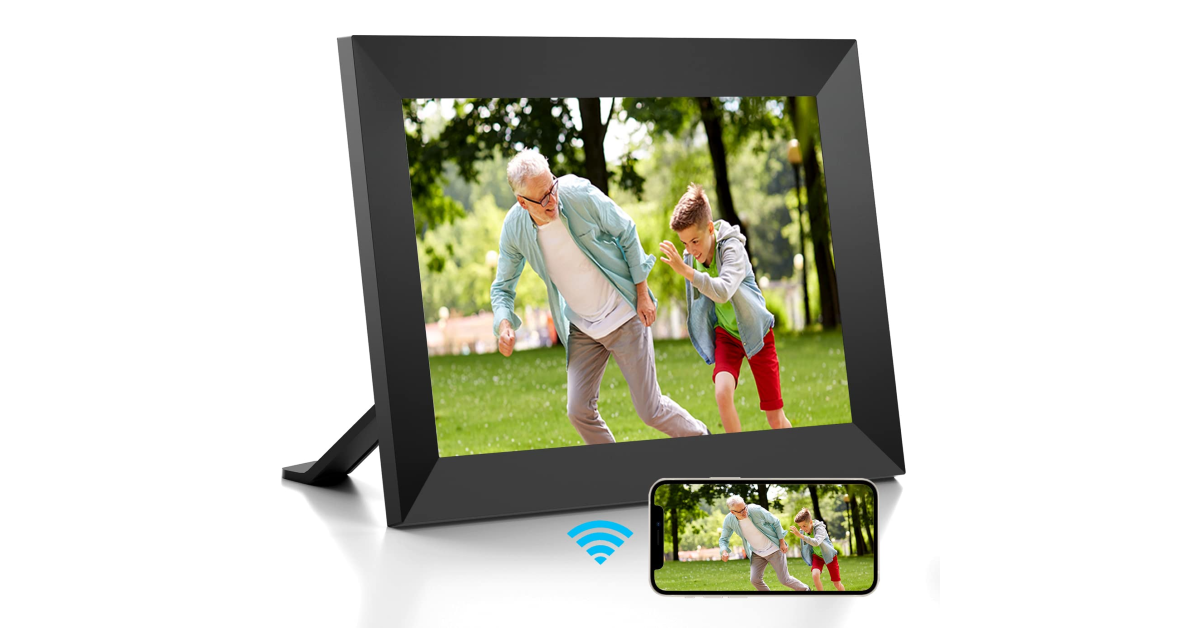
Dhwazz Digital Picture Frame

Price: Rs 11,999 on Amazon.in

Dhwazz Digital Picture Frame

This inexpensive digital photo frame would make a fine addition to any home. The Dhwazz digital picture frame is very accessible to elderly people who aren’t familiar with tech in general. If you want to make the gift more special, upload your favourite pictures with the loved one to the frame before gifting. These pictures can be put on a slideshow. The Frameo companion app for the digital frame can be used to manage the picture library and add new entries to it using your smartphone. The device easily connects to your home WiFi making photo management easier.

Sony WH-1000XM5

Price: Rs 27,990 on Amazon.in

Sony-WH-1000XM5-case

Considered by many to be the best wireless headphones around, the Sony WH-1000XM5 unsurprisingly carries a heavy price tag. What you get for the price is something that is unmatched by its competitors. The 8 microphones on the WH-1000XM5 along with the HD NC Processor Q1 work together to create state-of-the-art active noise cancellation. The Integrated V1 Processor holds everything together and delivers a thumping audio. You get up to 30 hours of playtime with the ANC turned on. With ANC turned off, the Sony WH-1000XM5 can last up to 40 hours on a single charge. Check out our review of these premium headphones here.

USB Hand Warmer

Price: Rs 399 on Amazon.in

USB Hand Warmer Top 10 Tech Gifts for Christmas (2023)

If you’re looking for a cute, thoughtful gift for a friend, this super adorable cat paw hand warmer takes the cake. Made out of ABS, this hand warmer offers heating on both sides. The material warms up in seconds, offering instant resistance from the surrounding cold. You can hold it in your hands and easily warm the surface of your palms within seconds. There are two temperature levels on this device (50°C and 55°C), which can be easily toggled with a handy switch. A single full charge can power the device for up to 360 minutes.

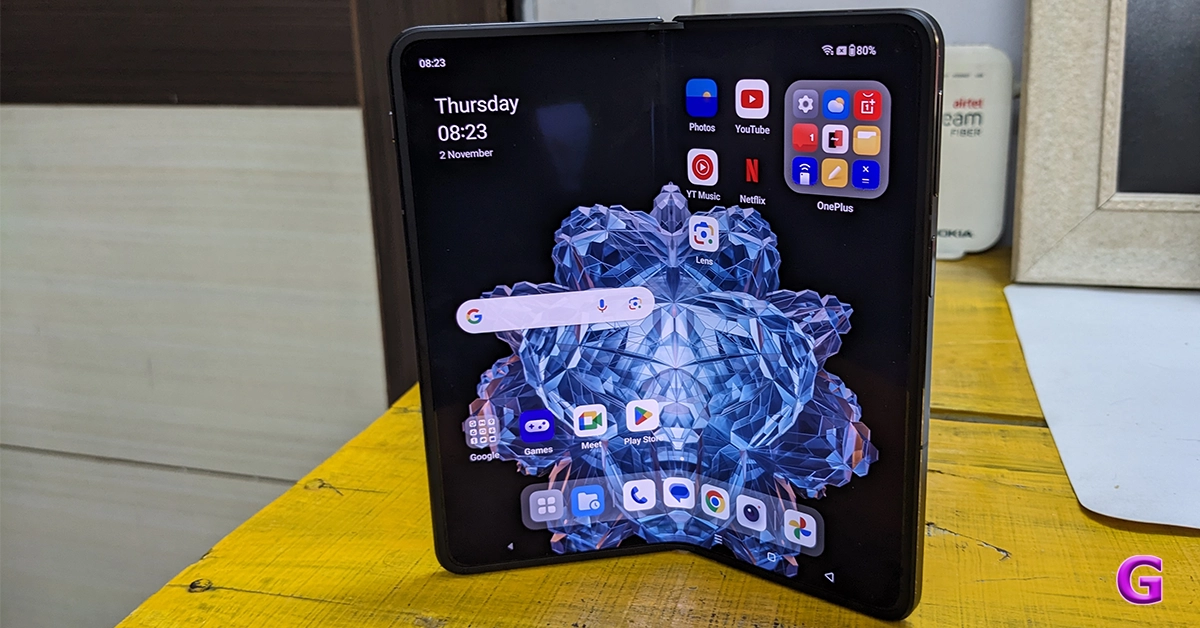
OnePlus Open

Price: Rs 1,39,999 on OnePlus.in

OnePlus Open performance Top 10 Tech Gifts for Christmas (2023)

Folding phones have been around for a few years, but OnePlus’ debut in this segment has been nothing short of a revelation. From the form factor to the operating system, the Open Plus looks like a complete product. The 6.3-inch cover display is very close to what you would find on a regular smartphone. But the 7.82-inch LTPO3 AMOLED display is where the magic happens. While reviewing the smartphone, we enjoyed the neat tricks embedded within the software. Working on two apps at once was a breeze. You can even add a third app to the mix to increase your productivity. With the Snapdragon 8 Gen 2 SoC on board, the OnePlus Open never seems to run out of power. Overall, the OnePlus Open is one of the best gifts you can give to a tech or smartphone enthusiast this Christmas.
CMF Buds Pro

Price: Rs 2,699 on Flipkart

CMF Buds Pro review: Design Top 10 Tech Gifts for Christmas (2023)

Nothing’s subsidiary brand CMF released a trio of interesting products this year. Targeting the budget category, these products offer a lot of value for the money. Our pick of the lot has to be the CMF Buds Pro. From the hockey puck design to the finely tuned soundstage, everything about these wireless earbuds is tasteful without being overindulgent. The matte finish on the charging case is a nice touch as well. Another great thing about the CMF Buds Pro is that they can be controlled with the Nothing X app, which is one of our favourite TWS companion apps. Learn more about these wireless earbuds in our review.

Maono DM30 USB Condenser Microphone

Price: Rs 3,999 on Amazon.in

Top 10 Tech Gifts for Christmas (2023)

If you’ve got a friend who loves to livestream but hasn’t gotten around to building a full streaming setup yet, a microphone would make an excellent Christmas gift for them! The Maono DM30 USB condenser is a great option that is well within budget. This USB microphone can be plugged into a PC, laptop, or even a smartphone if you’re on the go. The cardioid pickup pattern on this mic keeps the speaker’s voice in focus while efficiently cancelling out the surrounding noise. The audio input can be monitored in real time by plugging in headphones into the microphone. Read our review of the Maono DM30 to learn more.

Read Also: Poco M6 5G confirmed to launch in India on December 22

Conclusion

These are our picks for the top 10 tech Christmas gifts for your friends and loved ones this year. These gifts cover a diverse range of genres, segments, and price points. If you’re ordering them online, look out for year-end deals and Christmas discounts on the major e-commerce platforms. If you’re looking for something very niche, let us know what’s on your mind and we will recommend you a suitable product in the comments!

OnePlus Pad Go Review: Works like a charm

This year, OnePlus launched two new tablets, a more premium OnePlus Pad earlier in February and a OnePlus Pad Go a few weeks ago. This one is a more affordable tablet from the Chinese tech company priced around 20k. To meet the pricing, the corporation made several settlements. The OnePlus latest low-cost tablet is a must-have if you’re seeking a multimedia tablet for your children to use for online classes or office work without breaking the bank. So let’s see how good the OnePlus Pad Go tablet is for this price segment in our review.

OnePlus Pad Go Review: Design and Display

OnePlus Pad Go Review: Design and Display

So first let’s talk about the design aspect of this tablet. It is worth noting that there are many design similarities, especially with the camera module, which has a striking resemblance to the more expensive OnePlus Pad. In comparison to other tablets on the market, it is very lightweight due to its extremely slim chassis. Since this is a budget tablet, the fact that the bezels are not particularly tiny is understandable. They are positioned to provide you with the ideal amount of room to hold it without obstructing the screen on all sides. Overall, there is nothing wrong with this tablet.

The in-hand feel of the tablet is good and has a nice overall fit and finish. We appreciate that it has round curve edges since they make it much more comfortable to grip and use for extended periods. This tablet feels much lighter because of its excellent and balanced weight management.

OnePlus Pad Go Review: Design and Display

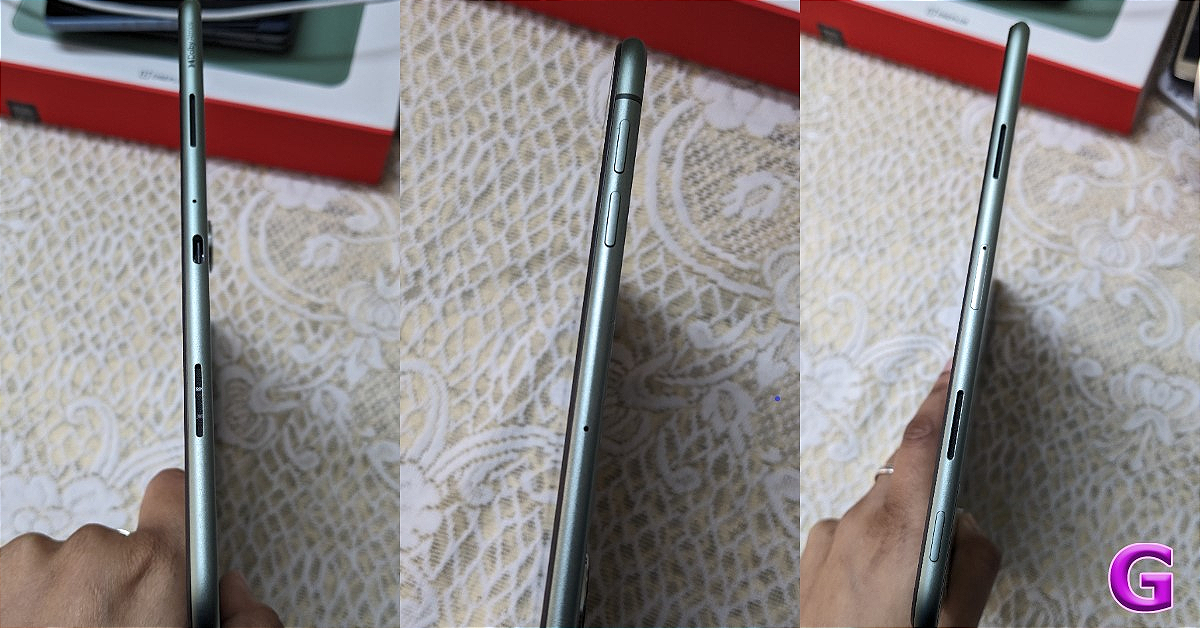
The volume rocker key is available on the right side of the frame. The antennas on both corners are also visible. There is a two-speaker grille and a USB Type-C port at the bottom. By the way, there is a quad speaker system; the other two speakers are on the other side at the top along with a hybrid SIM tray (two nano SIMs or one nano SIM and a micro SD card) and the power button. Unfortunately, unlike the more expensive OnePlus Pad, the OnePlus Pad Go lacks a stylus and isn’t compatible with the OnePlus keyboard; nevertheless, you may use any third-party keyboard.

OnePlus Pad Go Review: Works like a charm

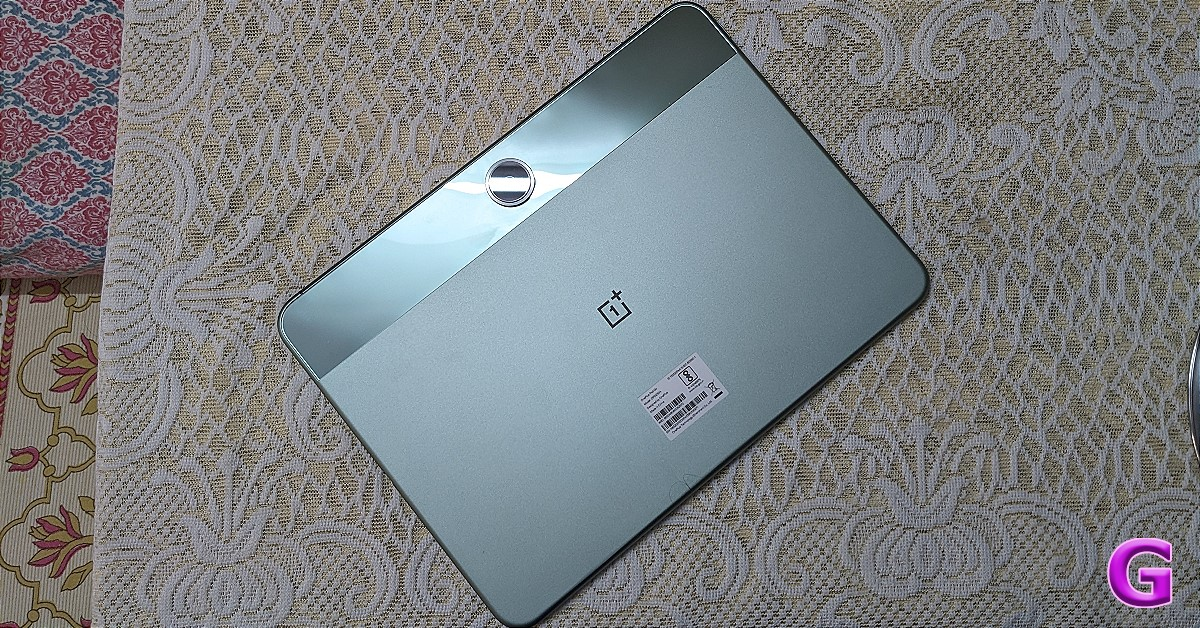
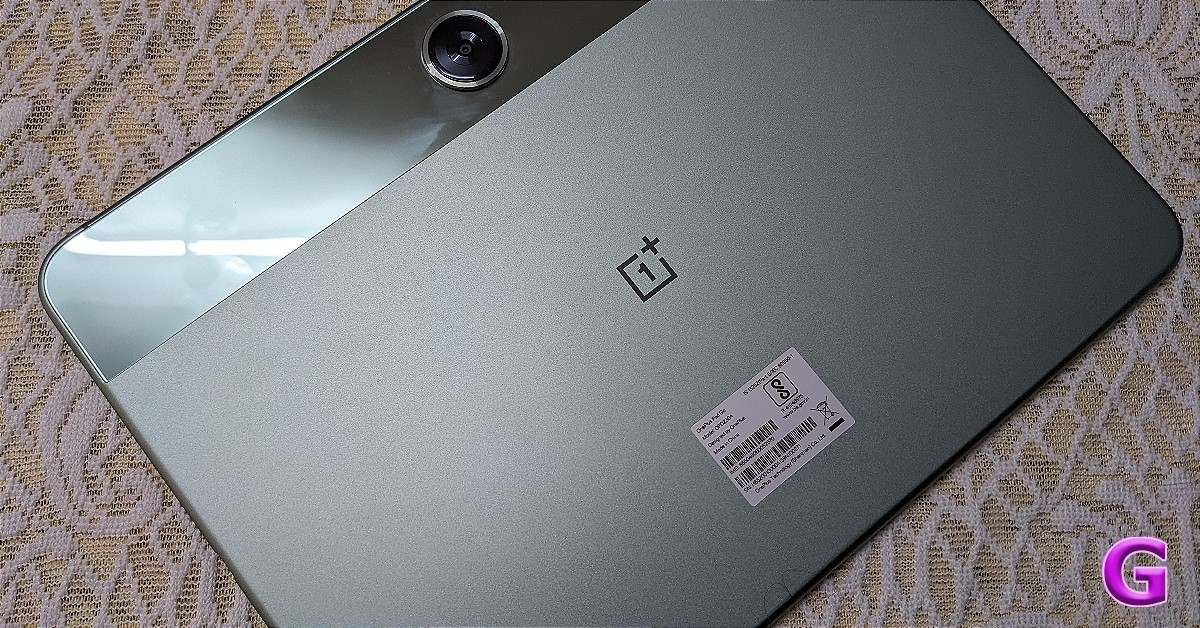
The back panel has a meta chassis with a dual-tone finish and OnePlus is calling this Twin Mint. When the tablet is held horizontally, the centre of the device features a camera module with a shiny finish, and the company’s logo is located directly beneath it. There are some fingerprints and smudges drawn to the glossy part. Also, the positioning of the camera is perfect when you want to record in landscape mode and do video calling.

Moving on to the display, now OnePlus Pad Go comes with an 11.35-inch 2.4K LCD with 2,408 x 1,720 pixels of resolution. The screen features a 90Hz refresh rate, a 7.5 aspect ratio and a touch sampling rate of 180Hz. Furthermore, the panel has a pixel density of 220 ppi and a peak brightness of 400 nits. The display supports Dolby Vision and HDR10+ and is protected against blue light with TuV Rheinland filters.

OnePlus Pad Go

The display size is ideal when using a Word document or browsing the web. More information can be displayed on the screen due to the increased amount of vertical space available.

Regarding its audio, the tablet has a quad-speaker setup (as said) that is supported by Dolby Atmos. The resonance is top-notch and gives spectacular sound to any type of viewing.

OnePlus Pad Go Review: Performance and Cameras

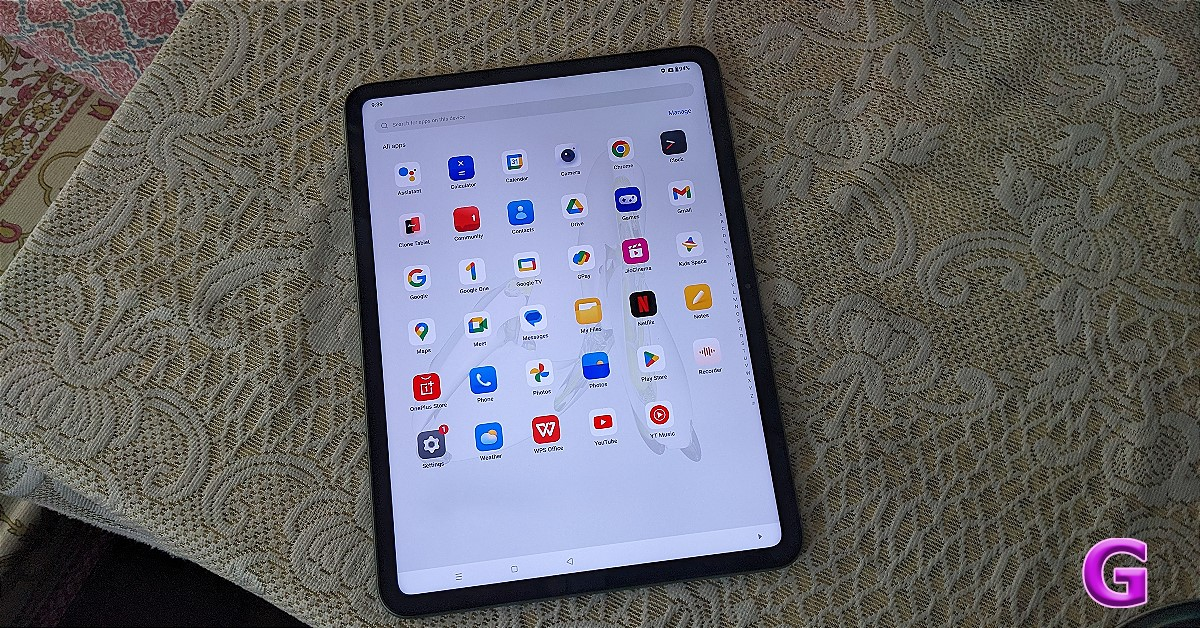
The OnePlus Pad Go is powered by MediaTek Helio G99 octa-core SoC with Mali-G57 MP2 GPU. It will be available in Wi-Fi and LTE variants with up to 8GB LPDDR4X RAM with 256GB UFS 2.2 storage options. It operates on Android 13-based OxygenOS 13.1. The OxygenOS feels like a stock Android. There are no unwanted bloatware apps and overall users get a very smooth experience. 

Given that it is a tablet the operating system OxygenOS is kind of optimised for the tablet experience and comes with some extra capabilities like split screen, play through, and screen mirroring—features that are typically found on OnePlus devices. 

OnePlus Pad Go

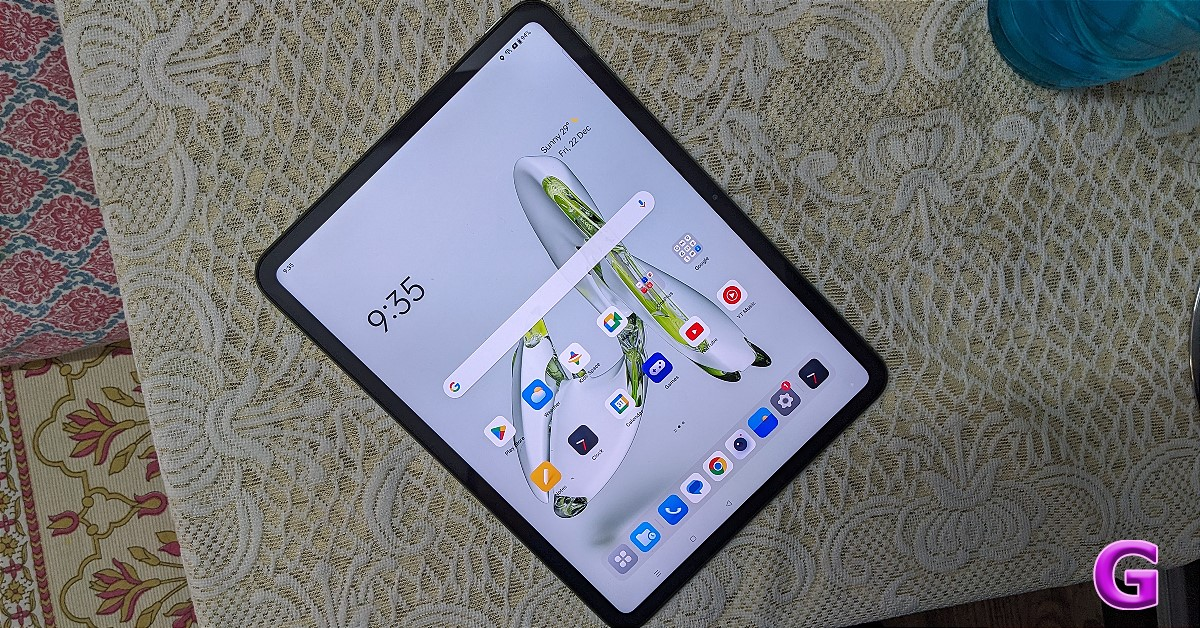
The UI experience is more akin to that of OnePlus phones. Customising the lock screen and home screen is quite easy. There is an option called special features offering features like a Taskbar for seeing recently opened apps. In addition to this, there is a Split screen option for easy multitasking, flexible windows, dual windows and even more.

As we mentioned earlier the tablet supports screen mirroring, which mirrors your OnePlus device for quick access. The OnePlus cross-device function will allow you to copy and paste stuff from one device to another, manage Gallery, and open apps. The tablet also comes with all the Google App Suite and even Microsoft Office apps- Word, Excel and PowerPoint which we are pretty much sure most people are going to use.

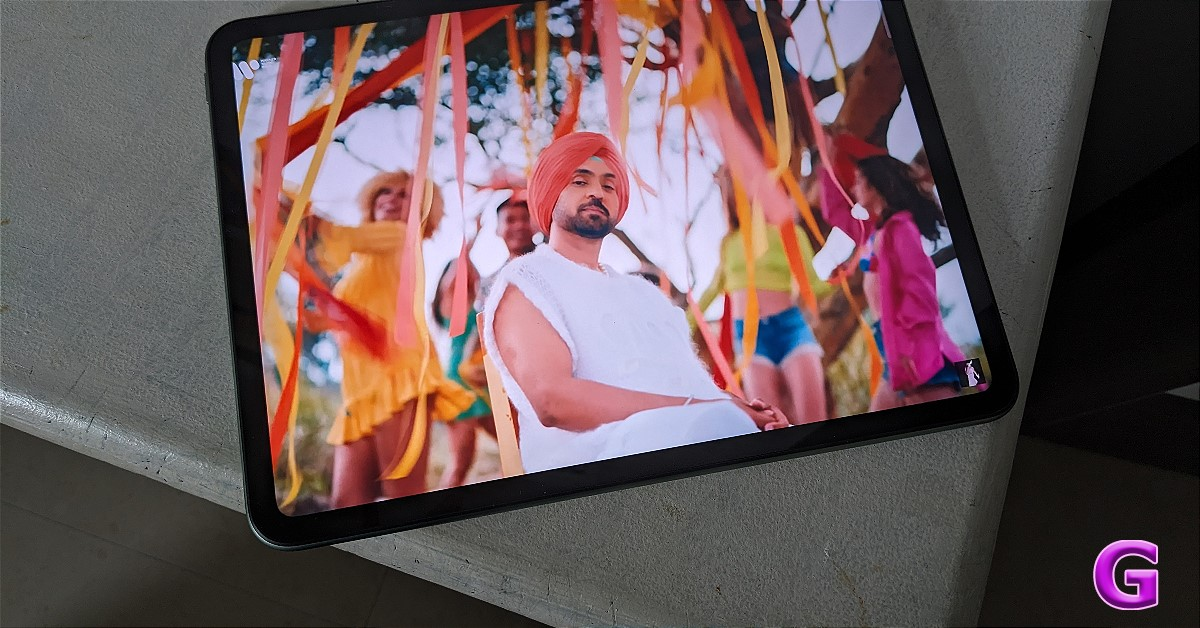
OnePlus Pad Go is an excellent tablet available for watching movies and entertainment purposes. Full-resolution streaming of Netflix and Prime Videos is made possible via Widevine L1 certification. It features an excellent, sharp, and crisp display in addition to very outstanding sound quality, even while streaming over-the-top content. 

OnePlus Pad Go

By the way, the OnePlus Pad Go has one of the largest displays available in this price range, so it’s rather excellent in terms of visual experience. It performs well in terms of brightness levels. 

Because of the excellent, vivid, and colourful display, this tablet is primarily focused on multimedia. 

Also Read: OnePlus Pad review: The Android tablet we’ve all been waiting for!

The quad speakers with Dolby Atmos capabilities enhance the experience. The sound quality is outstanding and the performance is excellent for entertainment purposes. It’s amazing how well the instrument’s separation from the vocals is clear.  Also, the speakers adjust their position based on how the tablet is held giving you a completely immersive experience. 

Review of OnePlus Pad Go

However, the device lacks a fingerprint scanner and uses face unlocking. Therefore, one has to depend on the face unlock or PIN/pattern.   

Since the Helio G99 is not a performance-focused chip, its performance is kind of mediocre. Saying that it does a great job managing all your day-to-day tasks like browsing, using Word Documents and binge-watching well. The apps open instantly, multitasking is excellent and launching multiple apps and Windows functions flawlessly. Also, most recently used apps are always stored in memory. When compared to the OnePlus Pad, navigating between the apps and other features was not the best experience. Furthermore, OnePlus markets this one as an entertainment tablet rather than a performance tablet. So bear that in mind when purchasing.

When it comes to the aforementioned tasks, it does rather well; however, gaming is not its strong suit. Though we did play BGMI, the Helio G99’s performance is not suited for high-end gaming, hence it is not a gaming device. There were no lags or frame dropouts, and we were able to achieve roughly 30FPS. Thus, you will experience a weak performance if you plan to run a lot of high-end games and editing apps. 

Due to the tablet’s 4G connectivity and dialer application, calls can be placed and received using it. 

Now let’s talk about the cameras, here you get a single 8-megapixel sensor placed right at the rear centre and a front-facing 8-megapixel selfie camera. We did give it a quick test for WhatsApp and Google Meet. There was hardly any noise and the video quality was crystal clear and clean. Additionally, it features a wide viewing angle in case there are more participants in the video chat. Of course, this can be used for video calls, but tablets aren’t meant for taking pictures. The cameras are of very average quality however 1080p video may be recorded with both the front and rear cameras.

Also Read: Xiaomi Pad 6 Review: Is this the best midrange Android tablet around?

Let’s now talk about endurance. The OnePlus Pad Go packs an 8,000mAh with 33W SuperVOOC charging support. The 33W charger took about two hours to fully charge the tablet; there was no problem with the charging process. Though the charging speed is not the fastest available, this is still acceptable. We are also impressed with the battery’s endurance. It easily lasted us for 2-3 days with average to high usage. 

Verdict

The OnePlus Pad Go bridges the gap between high-end and low-cost tablets. Essentially, the multimedia experience is its primary focus, and it truly shines in that area. In terms of split screen, mirroring, copy and paste, gallery access, opening apps, and other functions, this OnePlus device is fairly good. 

Both the front and rear cameras produce average-quality photos, although the tablet camera’s primary function is making video calls. You also get a good battery life if you travel a lot and consume OTT content. 

OnePlus Pad Go is undoubtedly an excellent tablet if you’re looking for one for everyday use. For those who want a performance-oriented tablet, this is not the one to go for. The OnePlus Pad Go is one of the best available in the market in the mid to budget segment. 

Pros

  • Sleek metallic design
  • Good build quality
  • Crisp display 
  • Software experience is also good
  • Long battery life

Cons

  • Above average performance
  • Only 400 nits of peak brightness
  • Not a gaming tablet
  • Average camera performance

Lava Storm 5G powered by MediaTek Dimensity 6080 SoC launched in India

Key highlights

  • Lava Storm 5G features an IPS 2.5D display with a 120Hz refresh rate.
  • The phone comes with Android 14 out of the box.
  • The device includes a 5,000mAh battery with 33W fast charging support.

Indian smartphone brand Lava has announced the launch of a new budget smartphone- Lava Storm 5G. The newly arrived phone is powered by MediaTek Dimensity 6080 SoC. It features a 120Hz display and a 5,000mAh battery with 33W fast charging. The phone runs on Android 14 and includes a 50-megapixel dual rear camera setup. In addition to this, the phone also supports virtual RAM functionality.

Lava Storm 5G price in India, sale details

The Lava Storm 5G has been launched in India with a price tag of Rs 13,499. The device will be available in a single 8GB RAM with a 128GB storage option. However, the phone will be offered at an introductory price of Rs 11,999. The smartphone will go on sale from December 28 via Amazon and the company’s official website. The budget mobile phone will be offered in two colour options Black and Green.

Lava Storm 5G price in India, sale details

Lava Storm 5G specifications

Lava Storm 5G sports a 6.78-inch full-HD+ IPS 2.5D display with 1,080×2,460 pixels of resolution. The screen supports a refresh rate of 120Hz. Regarding software, the phone comes pre-installed with Android 14 out of the box. The company promised to provide two years of security updates on the device. Under its hood is a MediaTek Dimensity 6080 SoC with 8GB RAM and 128GB storage option. The device includes a virtual RAM expansion feature that allows you to expand the RAM up to 16GB using unused internal storage. The internal memory can be expanded up to 1TB using a microSD card.

Also Read: Poco M6 5G Indian pricing leaked just before official announcement

For the photos and videos, Lava Storm 5G boasts a dual rear camera setup that includes a 50-megapixel primary sensor with an 8-megapixel ultra wide-angle lens and an LED flashlight. In terms of selfies, the 5G phone features a 16-megapixel front-facing camera with screen flash.

The device has a side-mounted fingerprint sensor for authentication. It further includes an accelerometer, ambient light sensor, gyroscope, magnetometer, and proximity sensor. The smartphone is backed by a 5,000mAh battery which is claimed to offer up to 25 hours of talktime and up to 300 hours of standby time when fully charged. The phone also supports 33W fast charging tech. When it comes to connectivity the smartphone supports 5G, Wi-Fi 802.11 b/g/n/ac, Bluetooth 5, GPRS, OTG, a 3.5mm audio jack, GLONASS, and a USB Type-C port for charging.

Garena Free Fire Redeem Codes Today 22 December 2023: Here is how to claim them

Garena Free Fire is a battle royale game with regular awards and tournaments to keep players interested. If you play Garena Free Fire, you should be aware of the redeem codes that are released daily. However, because the battle royale game is banned in India, players from other countries can use the Free Fire Redeem codes daily. If you’re unfamiliar with the Garena Free Fire redeem codes or don’t know how to get them, we’ve put together a step-by-step guide to help you redeem them. Check out Garena Free Fire Redeem Codes for 22 December 2023.

The Free Fire redeem codes are a great way to get free stuff. These are 12-digit codes that contain alphabets and numbers, as well as an expiration date and time. Because the Garena FF redeem codes cannot be used more than once, you should hurry to the redemption page to claim your free reward before someone else does. To get a free reward, all you have to do is go to reward.ff.garena.com/en, which is the official redemption page. Also, keep an eye on this space for daily updates on Garena Free Fire redemption codes and rewards.

Garena Free Fire Redeem Codes Today 22 December 2023

MHM5D8ZQZP22
FFAC2YXE6RF2
FFCMCPSBN9CU
FFBBCVQZ4MWA

How to Get Free Fire Redeem Codes for Garena on 22 December 2023?

  • Visit the Garena Free Fire game’s official website at reward.ff.garena.com.
  • Use your Facebook, Google, VK, Apple ID, Huawei ID, or Twitter account to log in.
  • You’ll be taken to a valid redemption code (s)
  • Copy and paste the 12-digit redemption code into the text box.
  • On the screen, a dialogue box will appear.
  • ‘Ok’ should be selected.

For the latest gadget and tech news, and gadget reviews, follow us on TwitterFacebook and Instagram. For newest tech & gadget videos subscribe to our YouTube Channel. You can also stay up to date using the Gadget Bridge Android App. You can find the latest car and bike news here.

Poco M6 5G Indian pricing leaked just before official announcement

Key Highlights

  • Poco M6 5G is rumoured to be a rebadged variant of Redmi 13C 5G.
  • The price of the Poco phone has been leaked through the community page.
  • The handset will be powered by MediaTek’s Dimensity 6100+ SoC.

Poco M6 5G price in India has leaked just days ahead of the actual launch. The smartphone launch in the country is set for December 22. The handset is a sibling to the Poco M6 Pro 5G which was launched in July this year and is a successor to the Poco M5. Some of the specs and design details of the smartphone have already been revealed by the company through teasers and microsites. It will come with a dual rear camera setup with a 50-megapixel sensor. In addition to this, it is teased to be powered by MediaTek’s Dimensity 6100+ SoC.

It is confirmed that the Poco M6 5G will launch on December 22 in India. Just ahead of the official launch, the price of the smartphone has been revealed. MySmartPrice allegedly discovered a teaser that the business put on Poco Community, hinting that the next Poco M6 5G will cost Rs 9,4XX. This means that the upcoming phone will be priced below 10K. However, the company has now removed the teaser.

Also Read: Poco M6 5G confirmed to launch in India on December 22

Poco M6 5G has already been listed on the e-commerce platform Flipkart. The landing page has revealed that the upcoming phone will come in two colourways Orion Blue and Galactic Black. The smartphone is confirmed to be powered by MediaTek Dimensity 6100+ SoC. It features a dual rear camera system that will include a 50-megapixel primary sensor.

The device is rumoured to be a rebranded model of Redmi 13C 5G.

The Redmi 13C features a 6.74-inch HD+ LCD screen with 1,600 x 720 pixels of resolution. The display comes with a 90Hz refresh rate and 180Hz touch sampling rate support. The device is powered by MediaTek Dimensity 6100+ SoC with 8GB of LPDDR4X RAM and 256GB of UFS2.2 internal storage. The storage can be expanded up to 1TB using a microSD card. The phone boots Android 13-based MIUI 14 out of the box.
The device has a dual rear camera setup including a 50-megapixel primary camera (f/1.8 aperture) and a secondary sensor for collecting depth data while Portrait mode is in use. In terms of selfies, the company has provided a 5-megapixel camera with f/2.2 aperture.

Besides this, there is a 5,000mAh battery onboard with 18W charging support.

Connectivity options: 5G, Wi-Fi ac, Bluetooth 5.3, GPS, 3.5mm audio port, and a USB Type-C port.

Truke Clarity Six TWS Earbuds with Six-Mics Adv. ENC launched in India

Key Highlights

  • Truke Clarity Six TWS Earbuds will go on sale from December 26.
  • The device will be available at an introductory pricing in the beginning.
  • The earphones include 13mm Titanium Speaker drivers.

Truke, an Indian consumer electronics brand, has announced the launch of new TWS earbuds in India. The company has introduced Truke Clarity Six TWS Earbuds. The audio device is economically priced and features 13mm Titanium Speaker drivers. In addition to this, its six mics set-up supports ENC. The in-ear design earbuds have dual pairing options and are claimed to provide 80 hours of music playback. Besides this, the earphones include 3 Preset Equalizer Modes to offer a tailored listening experience.

Truke Clarity Six TWS Earbuds price in India and sale details

Truke Clarity Six TWS Earbuds have been launched in India with a price tag of Rs 1,499. However, the earbuds will be sold at an introductory price of Rs 1,299. The audio product will be available for purchase from December 26 onwards via leading e-commerce platforms Amazon and Flipkart along with Truke.in.

Truke Clarity Six TWS Earbuds price in India and sale details

Additionally, the firm provides 12 months of warranty and customers will be able to access 350+ active service centres nationwide, ensuring a seamless and premium after-sales experience.

Also Read: Truke BTG Neo Review: A feature-packed gaming TWS under Rs 1,500 

Truke Clarity Six TWS Earbuds specifications and features

Truke Clarity Six TWS Earbuds come equipped with 13mm Titanium Speaker drivers that are claimed to produce rich, high-fidelity sound with deep bass and clear treble. In addition to this, the device has a Game Mode which provides up to 35ms low latency for a responsive gaming experience with minimal delay in the audio output. The six mics setup on the True Wireless Earphones offers Advanced Environmental Noise Cancellation (Adv. ENC) technology.

There are 3 Preset Equalizer Modes- Dynamic, Movie and Bass Boost that allow users to customise audio as per their preferences and enjoy optimised listening for various music genres or content types. For hands-free voice assistance, the TWS supports Google Assistant and Apple Siri.

Also Read: Truke Clarity Five TWS Review: Great sound quality

The Truke Clarity Six can deliver playtime of up to 80 hours with the charging case. In addition to this on a charge it can last up to 10 hours. The product comes with advanced Bluetooth 5.3 technology and 1-Step Pairing Technology. For easy pairing, open the case, and the earbuds automatically connect to the device.

Lastly, the dual-connectivity feature allows users to effortlessly switch between two devices.

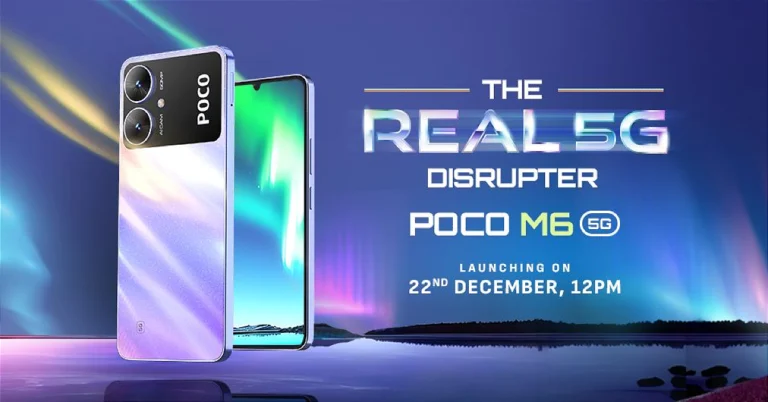
Poco M6 5G confirmed to launch in India on December 22

Key Highlights

  • Poco M6 5G will debut in India on December 22.
  • The smartphone will come with a dual rear camera setup.
  • The device will be powered by MediaTek Dimensity 6100+ SoC.

A few months ago Poco India introduced the Poco M6 Pro 5G in India. The company is now all set to announce its sibling Poco M6 5G very soon. The official teasers have revealed the design of the upcoming phone. In addition to this, the company has also created a dedicated page which highlights the key features of the smartphone. The device is said to be a rebranded variant of Redmi 13C 5G which arrived in India this month.

Poco took to X to announce the launch date of its upcoming smartphone in India. According to the company’s announcement, the Poco M6 5G will debut in India on December 22. The launch event will begin at noon in the country. The company has also created a dedicated launch event page on Flipkart to tease the availability of the device post-launch.

The design of the smartphone is being showcased before the actual launch. In addition to this, the Poco M6 5G can be seen donned in two colour options silver and charcoal black. The back panel has a huge camera module consisting of two camera sensors.
The landing page also revealed that the Poco smartphone will be powered by MediaTek Dimensity 6100+ SoC.

Apart from this, rumours suggest that the upcoming phone will be a rebranded variant of Redmi 13C 5G which debuted in India this month.

Also Read: Poco M6 Pro 5G is now available in a new 8GB RAM with 256GB storage variant in India

If rumours are to be believed then Poco M6 5G will feature a 6.74-inch HD+ LCD screen with 1,600 x 720 pixels of resolution. The display might support a 90Hz refresh rate and 180Hz touch sampling rate. The phone is likely to be powered by MediaTek Dimensity 6100+ SoC and will run on Android 13-based MIUI 14 out of the box.

The dual rear camera setup on the phone may include a 50-megapixel primary camera (f/1.8 aperture) and a secondary sensor for collecting depth data while Portrait mode is in use. In terms of selfies, the company has provided a 5-megapixel camera with f/2.2 aperture.

Also Read: Poco M6 Pro 5G Review: One of the best affordable 5G smartphones 

Moreover, a 5,000mAh battery with 18W charging support is expected to be housed inside the Poco M6 5G.

Connectivity options: 5G, Wi-Fi ac, Bluetooth 5.3, GPS, 3.5mm audio port, and a USB Type-C port.

Garena Free Fire Redeem Codes Today 21 December 2023: Here is how to claim them

Garena Free Fire is a battle royale game with regular awards and tournaments to keep players interested. If you play Garena Free Fire, you should be aware of the redeem codes that are released on a daily basis. However, because the battle royale game is banned in India, players from other countries can use the Free Fire Redeem codes daily. If you’re unfamiliar with the Garena Free Fire redeem codes or don’t know how to get them, we’ve put together a step-by-step guide to help you redeem them. Check out Garena Free Fire Redeem Codes for 21 December 2023.

The Free Fire redeem codes are a great way to get free stuff. These are 12-digit codes that contain alphabets and numbers, as well as an expiration date and time. Because the Garena FF redeem codes cannot be used more than once, you should hurry to the redemption page to claim your free reward before someone else does. To get a free reward, all you have to do is go to reward.ff.garena.com/en, which is the official redemption page. Also, keep an eye on this space for daily updates on Garena Free Fire redemption codes and rewards.

Garena Free Fire Redeem Codes Today 21 December 2023

F6U7ITKJGYUJF6YU

FVYHFT6HYJT67LYP

FDYHGBNE5RDTGE87

FRJNTR67UH675Y4E

FKJIT67UWEYHT4H4

FUTYJT5I78OI5CF2

FUKTY7UJIE56RYHI

FBVFTYJHR67UY4IT

FKY89OLKJFH56GRG

FV7CYTGDRTUNMJEK

FYHJMKRT76HYR56C

F6Y6FHRTJ67YHR57

FTDRU7HY5R6FEDG3

FYHJTY7UKJT678U4

FTGBHDTRYHB56GRK

FYH6JY8UKY7JYGFH

FRYHGVTWFBUE45HS

FOGFUYJN67UR6OBI

How to Get Free Fire Redeem Codes for Garena on 21 December 2023?

  • Visit the Garena Free Fire game’s official website at reward.ff.garena.com.
  • Use your Facebook, Google, VK, Apple ID, Huawei ID, or Twitter account to log in.
  • You’ll be taken to a valid redemption code (s)
  • Copy and paste the 12-digit redemption code into the text box.
  • On the screen, a dialogue box will appear.
  • ‘Ok’ should be selected.

For the latest gadget and tech news, and gadget reviews, follow us on TwitterFacebook and Instagram. For newest tech & gadget videos subscribe to our YouTube Channel. You can also stay up to date using the Gadget Bridge Android App. You can find the latest car and bike news here.

Best Phones for Online Games in India

Online gaming is a popular and thrilling kind of entertainment in India, particularly among the young and tech-savvy population. Online gaming includes a wide range of genres, modes, and platforms, including action, adventure, strategy, multiplayer, mobile, PC, console, and so on. However, it requires a significant amount of resources, like internet speed, battery life, storage space, and processor power. As a result, online gamers want the best range of devices to fulfil their gaming demands and preferences, as well as to improve their gaming experience and performance.

In this article, we will look at four of the best phones for online gaming in India, that belong to different brands, models, and price ranges, but share the same passion and ambition for casino apps and online gaming.

Google Pixel 7a

The Google Pixel 7a is a smartphone that is designed by Google, one of the most innovative and influential tech companies in the world. The Google Pixel 7a is a smartphone that offers a lot of features and benefits for online gaming, such as:

  • Display: The Google Pixel 7a sports a 6.2-inch OLED display with a high resolution, fast refresh rate, and high brightness that may provide a dazzling and seamless visual experience for online gaming. The Google Pixel 7a also sports a punch-hole design, which reduces bezels and increases the screen-to-body ratio, allowing for a more immersive and engaging gaming experience.
  • Performance: The Qualcomm Snapdragon 765G CPU in the Google Pixel 7a provides excellent speed, efficiency, and performance, allowing it to manage any online game with ease and elegance. The Google Pixel 7a also boasts 6GB RAM and 128GB storage, which provides ample memory and storage capacity to handle several programs such as online games without lag or malfunction.
  • Battery: The Google Pixel 7a features a 4500 mAh battery that provides excellent power and endurance and can continue for an extended period without interruption or worries. The Google Pixel 7a also offers a fast charging capability, which allows the battery to be charged quickly and easily, saving time and effort.

Read Also: Poco F5 Review: Almost flagship-level performance in a budget

Samsung Galaxy A53 5G

The Samsung Galaxy A53 5G is a smartphone that is designed by Samsung, one of the most popular and trusted tech brands in the world. The Samsung Galaxy A53 5G is a smartphone that offers a lot of features and benefits for online gaming, such as:

  • Display: The Samsung Galaxy A53 5G features a 6.5-inch Super AMOLED display with a high resolution, fast refresh rate, and strong contrast to provide a vibrant and seamless visual experience for online gaming. The Samsung Galaxy A53 5G also features an Infinity-O design, which reduces the notch while increasing the screen-to-body ratio, allowing for a more immersive and engaging gaming experience.

    Performance: The Samsung Galaxy A53 5G is powered by a MediaTek Dimensity 720 processor, which provides excellent speed, efficiency, and performance, allowing it to tackle any online game with ease and elegance. The Samsung Galaxy A53 5G also boasts 6GB RAM and 128GB storage, which provide ample memory and storage capacity to run various programs and games without any lag or delay.

  • Battery: The Samsung Galaxy A53 5G has a 5000 mAh battery, that offers high power and a high endurance, that can last for a good time for gaming.

POCO F5

The POCO F5 is a smartphone that is designed by POCO, one of the most affordable and powerful tech brands in the world. The POCO F5 is a smartphone that offers a lot of features and benefits for online gaming, such as:

  • Display: The POCO F5 has a 6.7-inch AMOLED display, that offers a high resolution, a high refresh rate, and a high contrast, that can deliver a vibrant and smooth visual experience for online gaming. The POCO F5 also has a punch-hole design, that minimizes the bezels and maximizes the screen-to-body ratio, which can offer a more immersive and engaging gaming experience.
  • Performance: The POCO F5 has a MediaTek Dimensity 1100 processor, that offers a high speed, a high efficiency, and a high performance, that can handle any online game with ease and grace. The POCO F5 also has 8GB RAM and 256GB storage, which offer high memory and a high capacity.
  • Battery: The POCO F5 has a 4500 mAh battery, that offers high power and a high endurance, that can last for a long time without any interruption or worry. The POCO F5 also has a fast charging feature, that can charge the battery quickly and conveniently, which can save time and hassle.

Conclusion

Online gaming is a popular and thrilling kind of entertainment in India, particularly among the young and tech-savvy population. The smartphone is one of the most popular and handy gadgets for online gaming since it allows gamers to play at any time, from any location, and with anybody. These phones provide several advantages and benefits for online gaming, including high resolution, high refresh rate, high performance, high power, and high quality.

Google Maps for India gets AI-powered features, now supports Lens and Live view

Key Highlights

  • Google introduced Lens in Maps and Live View Walking Navigation to its mapping service in India.
  • The company will also enable fuel-efficient routing for the users in the country.
  • Google Maps also added Address Descriptors.

An update to Google Maps for India will bring AI-powered capabilities. The update brings new features like Lens in Maps, Live View Walking Navigation, fuel-efficient routing and address descriptors. In addition to this Google has also partnered with ONDC and Namma Yatri to help digitise public transport at scale.

Miriam Karthika Daniel, VP – Google Maps Experiences, elaborated on the company’s priorities for the country, saying, “AI has accelerated our ability to build solutions that can scale to the diversity and complexity of a country like India. As we look to the future of Google Maps, we’re committed to building a map that helps people go from knowing about a place to truly experiencing it. We’re also focused on catering to India’s diverse mobility needs, from sustainable journeys to public transport. We are delighted to partner with ONDC and Namma Yatri to enable a more digitised public transport experience accessible to all users. India is rapidly transforming, and at Google Maps, and we are excited by the opportunities ahead of us.”

Lens in Maps
Lens in Maps

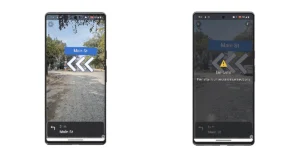
Google Maps for India is adding live view walking, Lens in Maps, and other features to Google Maps Street View. These features are made possible by advanced AI and AR technologies. The lens in Maps is to help users quickly identify useful information about nearby cafes and restaurants, including details like opening hours, ratings, reviews, and images, by just pointing the camera down a street. Whereas the live view walking will assist users in quickly figuring out which way to head by seeing arrows, directions, and distance markers overlaid on the Maps screen.

Also Read: Best Camera Phone Of The Year 2023: Our recommendations

Live View Walking Navigation

Along with improvements for train travel and public transport, Maps will now support local trains in Mumbai and Kolkata thanks to the Where Is My Train feature. It will provide real-time train locations, schematic maps, platform numbers and more, with additional cities coming soon.

Also Read: Legion Tower 5i and LOQ Tower Gaming desktops and more launched in India

Google has also introduced Address Descriptors that makes it easier for users to make it easier for users to identify locations based on landmarks. When you drop a pin while sharing a location Google Maps uses a combination of machine learning signals to identify up to five of the most relevant landmarks and display the landmark reference.

fuel-efficient routing

Google has also announced the new fuel-efficient routing feature coming to India to help people make more sustainable choices across two-wheelers and four-wheelers. Maps will determine the route that uses the least amount of fuel.

The company is going to roll out this feature for two-wheelers in India and Indonesia.

Top 3 Ways to Recover and Access Your Old Hotmail Account

0

If you’re an older millennial, you must remember signing up for AOL or Hotmail back in the early 2000s. If you want to go on a nostalgia trip, you should go through your old email inbox. Unfortunately, Hotmail isn’t around anymore, after being discontinued in 2013 and being rebranded to Outlook. But there still may be a way to access your old emails. Today, we bring you the top 3 ways to recover and access your old Hotmail account.

Read Also: Apple Arcade to add three new titles to its library

What happened to Hotmail?

Acquired by Microsoft in 1997, Hotmail was one of the biggest email service providers of the early 2000s. In 2005, Microsoft integrated it with its Windows Live suite of products. Fast forward 7 years, in 2012 Microsoft decided that another rebrand was necessary. Most Windows Live products were assimilated with the Windows OS. These products became the ‘apps’ on Windows 8 and 10.

As a part of this rebranding, Hotmail was renamed to Outlook. But there was one catch. While existing Hotmail users were allowed to retain their email addresses, new users could not sign up for an email account using the hotmail.com domain name. Outlook added new features to the existing Hotmail architecture and continues as Microsoft’s primary email client to this day.

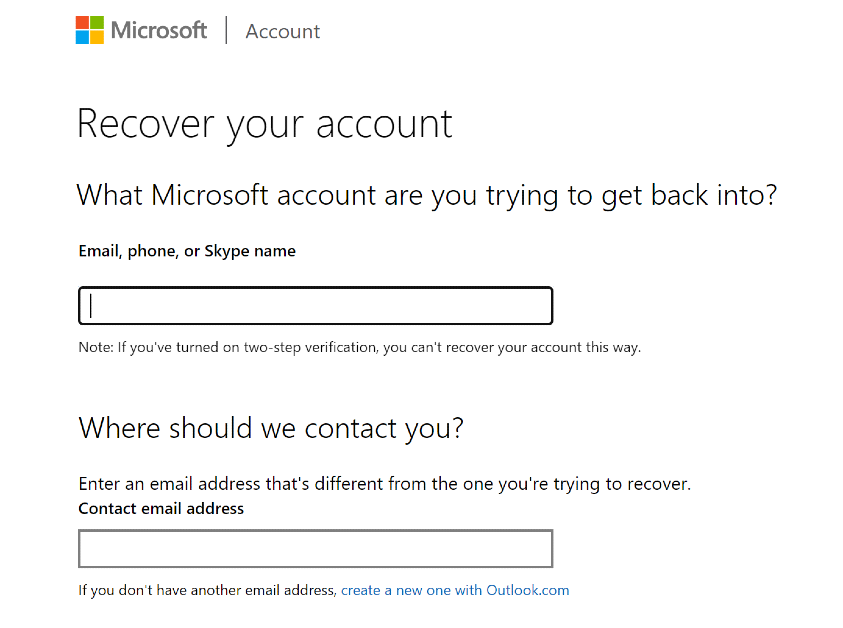
Use Microsoft’s Account Recovery Form

Use Microsoft’s Account Recovery Form

For this method to work, two-step authentication needs to be activated on your account.

Step 1: Launch the web browser on your PC and go to this page to access the Microsoft Account Recovery Form.

Step 2: Enter your Hotmail email address in the first field and your current email in the second field.

Step 3: Enter the CAPTCHA and hit Next.

Once you have submitted all the details, Microsoft will let you know the recovery process within the next 24 hours.

Use Outlook to access your Hotmail account

Use Outlook to access your Hotmail account

You can access your old Hotmail account by linking it to Outlook. Here’s how.

Step 1: Launch Microsoft Outlook on your PC.

Step 2: Click on File and select Add Account under Account Information.

Step 3: Enter your Hotmail email address and password.

Your Hotmail account will be linked to Outlook. You can access it from the sidebar.

Read Also: Top 5 Easy Ways to Access the Clipboard on Your iPhone

Use Gmail to access your Hotmail account

Use Gmail to access your Hotmail account

Step 1: On your PC, log into your Gmail account.

Step 2: Hit the gear icon at the top right corner of the screen and select See all settings.

Step 3: Switch to the Accounts and Import tab.

Step 4: Click on Import from another address.

Step 5: Sign into your Hotmail account and follow the onscreen instructions to import your emails.

It will take some time to load all of your Hotmail emails, but once the process is finished, you will be able to access them from the sidebar.

Frequently Asked Questions (FAQs)

Is Hotmail no longer active?

Hotmail was Microsoft’s email service from the early 2000s, which was discontinued in 2013. The process of phasing out the email client first began in 2011. Hotmail was later migrated into Outlook.

Is there a way to recover my Hotmail account?

You can use Microsoft’s Account Recovery Form to recover your Hotmail account. However, for this to work, two-step authentication must be enabled on your account.

Where can I access my old Hotmail emails?

You can import your old Hotmail emails to its new avatar Outlook or your Gmail account.

Read Also: 7 Best Free Apps to Video Chat Between iPhone and Android (2024)

Conclusion 

These are the top 3 ways to recover and access your old Hotmail account. If your Hotmail account was inactive long before the service was discontinued, it may be harder to retrieve it. Once you import your Hotmail emails to Gmail, you can download them individually to your PC’s storage. If you know any other way to recover and access your old Hotmail account, let us know in the comments!

Top 5 Easy Ways to Access the Clipboard on Your iPhone

0

A lot of people rely on the Notes app to save important information that they may need to access frequently. This includes banking info, account passwords, signatures, and more. Once you copy something, the content remains stored on the clipboard until you overwrite it with something else. Most of the time, people forget about the clipboard after copying their passwords. If their phone ends up in someone else’s hands, they can easily access the password simply by pasting it on a note. Therefore, it is vital to ensure that your clipboard doesn’t contain any sensitive info. Today, we bring you the top 5 easy ways to access and manage the clipboard on your iPhone.

Read Also: 7 Best Free Apps to Video Chat Between iPhone and Android (2024)

The problem with your iPhone’s clipboard

Your iPhone is very versatile when it comes to copying and pasting content across apps. Not only can you copy the text from any app or webpage, but you can also extract the subject from an image and copy it to your clipboard right away. You can then post the isolated subject to a note or any messaging app that supports it.

There is one small catch, though. Even though the native iPhone clipboard gets the basics right, it cannot save multiple entries at once. This may be a very niche demand, but once you get used to it, you will never want to go back. For instance, on a clipboard that records multiple entries, you can store a URL, some text, and a couple of images for instantaneous access. So, how do you make it work on an iPhone? We have a couple of answers.

Use the Notes app to access your iPhone clipboard

The easiest way to view the contents of your iPhone clipboard is by using the Notes app. The versatility of the Notes app on your iPhone allows all kinds of content to be posted on it, be it text, links, or images. Here’s how you can use it.

Step 1: Launch the Notes app on your iPhone.

Step 2: Tap the pencil and pad icon at the bottom right corner of the screen to create a note.

Step 2: Tap the pencil and pad icon at the bottom right corner of the screen to create a note.

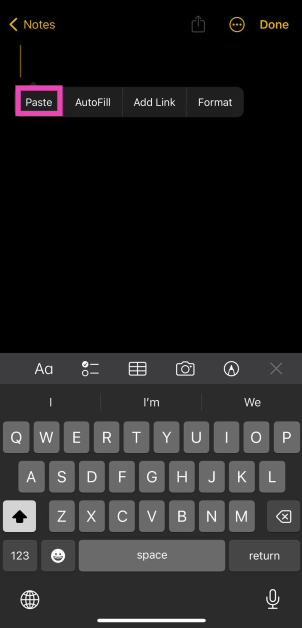
Step 3: Tap and hold any empty spot on the note.

Step 4: Hit Paste in the popup menu.

Step 4: Hit Paste in the popup menu.

The clipboard’s content will be pasted into the note.

Use the Shortcuts app

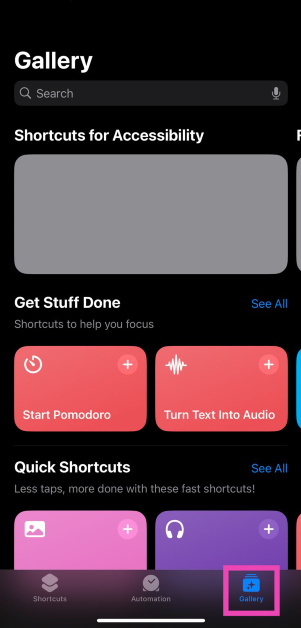
Step 1: Launch the Shortcuts app on your iPhone and switch to the Gallery tab.

Step 1: Launch the Shortcuts app on your iPhone and switch to the Gallery tab.

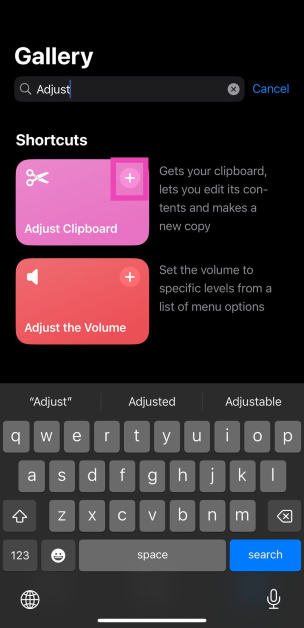
Step 2: Search for the ‘Adjust Clipboard’ shortcut.

Step 3: Hit the plus icon on the shortcut’s tile to add it.

Step 3: Hit the plus icon on the shortcut’s tile to add it. Top 5 Easy Ways to Access the Clipboard on Your iPhone

Step 4: Now, go back to the Shortcuts tab and select My Shortcuts.

Step 5: Select the Adjust Clipboard shortcut to view the contents of your iPhone’s clipboard and edit them.

Read Also: Top 3 Ways to Recover and Access Your Old Hotmail Account

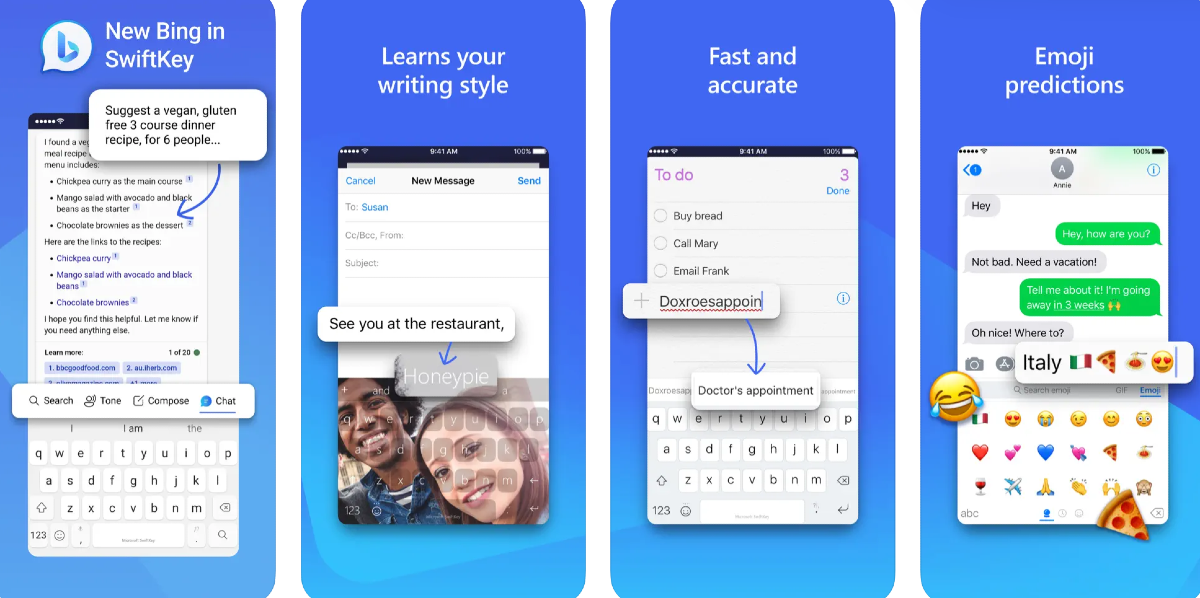
Use Microsoft SwiftKey Keyboard

Use Microsoft SwiftKey Keyboard Top 5 Easy Ways to Access the Clipboard on Your iPhone

The Microsoft SwiftKey Keyboard has a very handy button to access the clipboard at any given time. Here’s how you can use it.

Step 1: Install the Microsoft SwiftKey Keyboard app from the App Store.

Step 2: Go to Settings and select General.

Step 3: Select Keyboard, then go to Keyboards>Add New Keyboard.

Step 4: Select Microsoft SwiftKey. Allow it full access.

Step 5: Launch an app that triggers the keyboard.

Step 6: Hit the globe icon at the bottom and switch to SwiftKey.

Step 7: Tap the plus icon and select the clipboard emoji to view its contents.

Step 8: You can save multiple entries to the clipboard and delete them from this section.

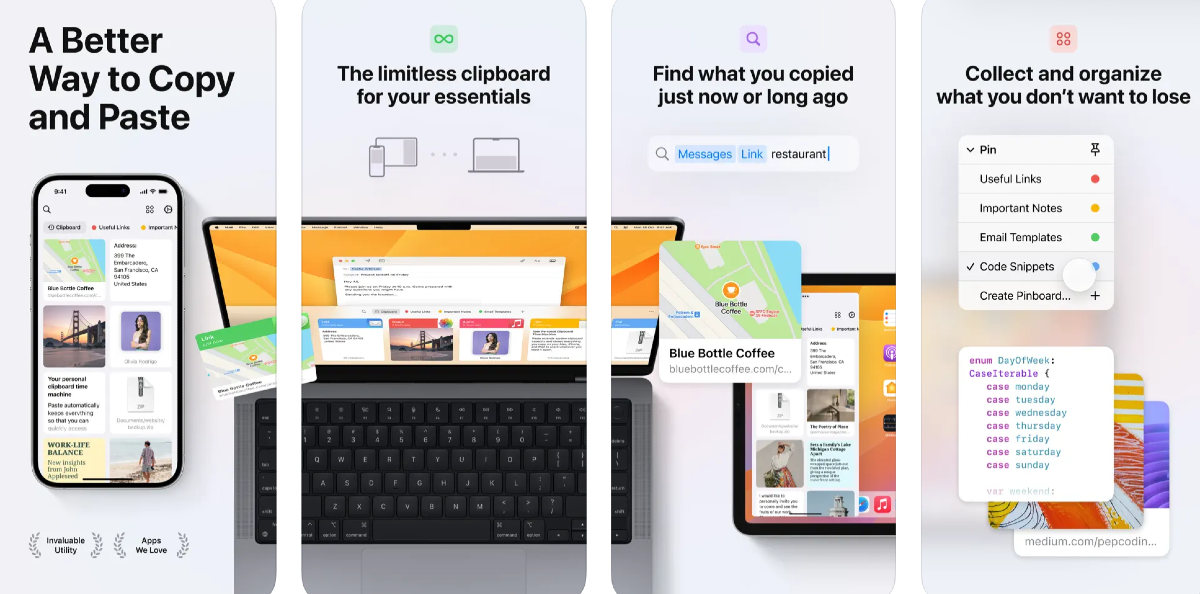
Use a third-party app: Paste

Use a third-party app: Paste Top 5 Easy Ways to Access the Clipboard on Your iPhone

Paste is a brilliant third-party app to manage and sync the clipboard across all your Apple devices. Here’s how you can use it on your iPhone.

Step 1: Download and install Paste from the App Store.

Step 2: Launch the app and tap the ellipses at the top right corner of the screen.

Step 3: Select Settings.

Step 4: Turn on the toggle switches for ‘When App Becomes Active’ and ‘When Keyboard Becomes Active’.

Since iOS restricts app background access to your clipboard, you will need to open Paste whenever you want it to record the contents of the clipboard. Every time you copy content from a new app, Paste will ask for the appropriate permission. To view all the content you have posted to the app, simply tap on ‘Clipboard History’.

Use a widget

Most third-party clipboard apps provide widget support, which can make the entire process of copying and accessing content seamless. Here’s how you can add a clipboard widget to Today View.

Step 1: Go to your iPhone’s home screen and swipe right to access Today View.

Step 2: Hit Edit and select Customise.

Step 3: Select the clipboard app of your choice from the list by tapping the green plus icon next to it.

Step 4: Tap Done at the top right corner of the screen.

The clipboard widget will be added to Today View.

Frequently Asked Questions (FAQs)

Can I copy multiple things at once on my iPhone?

No, your iPhone clipboard can only hold one entry at any given time. Once you copy something, it replaces the previous entry on the clipboard. The only solution to this issue is to use the Microsoft SwiftKey Keyboard or a dedicated third-party clipboard app.

How do I access my iPhone clipboard?

You can paste the contents of your clipboard on any note by simply long-pressing the screen and selecting ‘Paste’. The Adjust Clipboard shortcut lets you view what’s on your clipboard as well.

Which are some good third-party clipboard management apps for iPhone?

Paste, OneBoard, Clip+, and Copy Better are some of the best clipboard management apps for iPhone.

Read Also: Motorola Razr 40, Razr 40 Ultra gets a massive price drop in India

Conclusion

These are the top 5 easy ways to access and manage the clipboard on your iPhone. If you want a safe place to store your login credentials and passwords, you should your iPhone’s default password manager. Leaving your login info unguarded in a clipboard management app is not a good idea. Check out this article to know our top 5 password manager apps for iPhone.

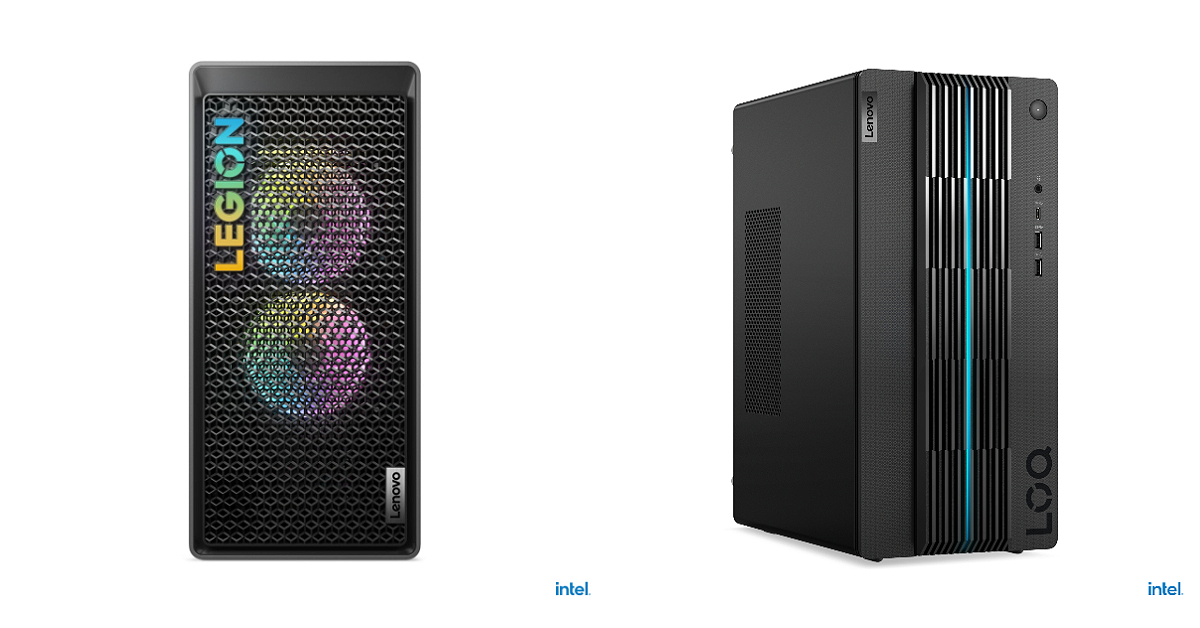
Legion Tower 5i and LOQ Tower Gaming desktops and more launched in India

Key Highlights

  • The Legion Tower 5i is powered by Intel Core i9-13900F.
  • Intel Core i5-13400F powers Lenovo LOQ Tower.

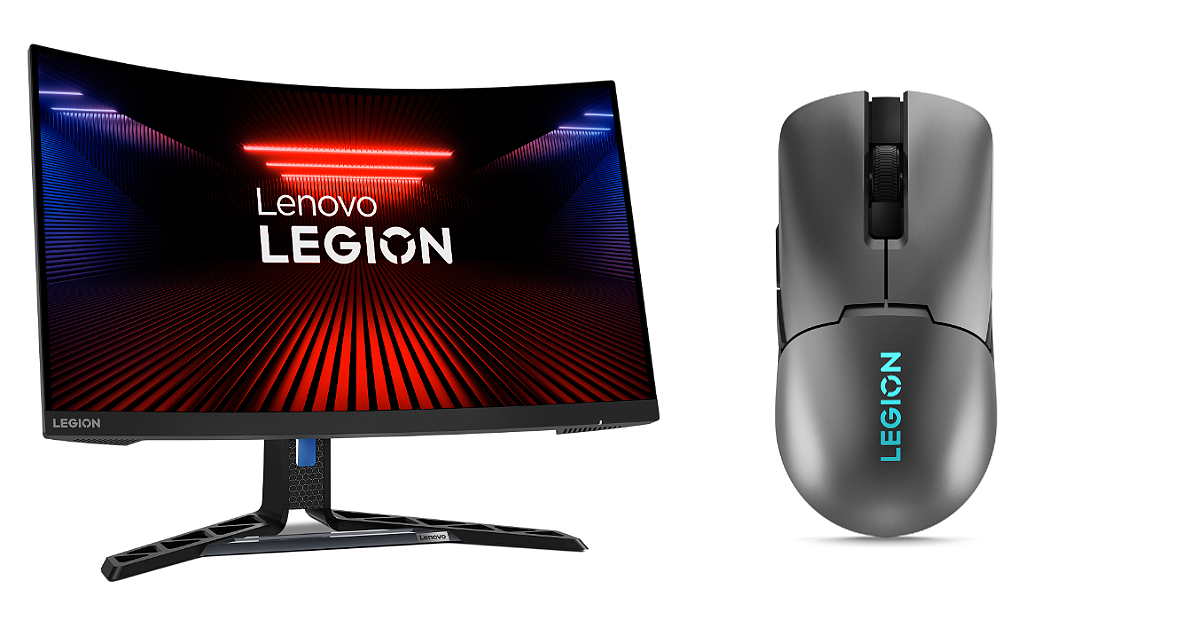
PC manufacturing brand Lenovo has announced the launch of new gaming desktop PCs in India. The company has introduced Legion Tower 5i and LOQ Tower with AI features. In addition to this, the company has also released a gaming monitor and gaming mouse- Lenovo Legion R27fc monitor and Legion M600s wireless gaming mouse.

Legion Tower 5i and LOQ Tower, Lenovo Legion R27fc monitor and Legion M600s wireless gaming mouse pricing in India

The Legion Tower 5i has been launched with a price tag of Rs 2,19,990 whereas the LOQ Tower will be available at Rs 79,990 in India. On the other hand, the price of the Lenovo Legion R27fc gaming monitor is set at Rs 18,999. The Legion M600s gaming mouse will sell for Rs 5,799.

In terms of availability, the gaming lineup can be purchased via Lenovo.com, Lenovo Exclusive Stores, Amazon.in, and other offline retail stores in the country.

Also Read: Apple Arcade to add three new titles to its library

Legion Tower 5i and LOQ Tower features

The Legion Tower 5i draws its power from Intel Core i9-13900F paired with NVIDIA GeForce RTX 4070 Ti for graphics. On the other hand, Lenovo LOQ Tower is powered by Intel Core i5-13400F coupled with NVIDIA GeForce RTX 3050 graphics card. They come with up to 64GB DDR5 RAM and up to 32GB DDR4 RAM, respectively with 1TB SSD M.2 2280. On the software front, there is Windows 11 and 3 months of access to Xbox Game Pass Ultimate free.

Legion Tower 5i and LOQ Tower

Both desktops come integrated with Lenovo Vantage offering customisation and adjustment options for better performance via an all-in-one suite of tools that includes overclocking controls, AI performance tuning, and a real-time performance dashboard.

The gaming machines are shipped with Lenovo Premium Care and Accidental Damage Protection services, that can be availed while purchasing the device. With Premium Care, new users receive personalised hardware and software assistance from expert technicians, ensuring prompt and efficient resolutions to any technical issues that may arise.

Lenovo Legion R27fc monitor and Legion M600s wireless gaming mouse features

Lenovo Legion R27fc monitor and Legion M600s wireless gaming mouse features

The Lenovo Legion R27fc is a 27-inch monitor featuring a VA FHD, Curved display. The screen supports a refresh rate of 280Hz and a 99% sRGB colour gamut. The monitor has a 3-side NearEdgeless design that boasts two 3W speakers to provide immersive audio, completing the overall gaming experience. It has a 0.5ms MPRT.

On the other hand, the Lenovo Legion M600s Wireless Gaming Mouse has a Pixart 3370 sensor offering 19,000 DPI, 400 IPS, and 40g of acceleration. The device takes two hours to charge which provides 70 hours of battery life (lights off). Whereas a 10-minute quick charge provides 10 additional hours. In addition to this, there are sub-1ms lossless wireless via 2.4GHz, low-latency Bluetooth, or wired USB-C.

8 Ways to Fix ‘Phone Screen Turning Green’

1

AMOLED displays are the go-to choice for smartphone manufacturers when it comes to their flagship offerings. With individual pixels lighting up the screen, AMOLED displays pack a lot of detail. You can immediately tell the difference between an AMOLED and LCD display by taking a look at how either display produces a black image. The AMOLED display brings out the deeper, richer shades of black. One of the biggest pet peeves among smartphone users is a greenish tinge that their phone’s screen often develops. So, let’s take a look at the top 8 ways to fix the ‘phone screen turning green’ issue.

Read Also: Best 3 Ways to Download and Install Netflix on MacBook

What is causing my phone screen to turn green?

Before you jump into the fixes, it is important to assess the kind of problem you’re dealing with. A green tint or hue is vastly different from a green line across the display. While the former is considered somewhat normal under certain conditions, the latter is definitely a serious issue. OnePlus phones are the most notorious for springing the mysterious green line on the display. Luckily, the company announced a lifetime screen warranty and upgrade deal for users dealing with this issue earlier this year.

If your problem is related to a green tint or hue rather than a green line, you may be able to salvage the situation at home without needing to take your phone to the authorised repair centre, assuming the problem is caused by a software issue. If your phone’s hardware is at fault, there is nothing that can be done other than depositing the device with the company for repair.

Smartphones with AMOLED displays often cast a green tint on the screen. This is usually the case when the phone’s display is set to low brightness. The difference in current reaching the pixels covering the darker spots on the screen may cause them to emit a greenish hue. If the entire display appears green to you, it may be due to bad calibration.

Restart your phone to keep the screen from turning green

Restart Your Phone

If the green tinting on your phone’s screen is caused by a background glitch in the software, a simple reboot should fix it. Restarting your phone is the first step you should take while fixing any issue. Press and hold the side key and select ‘Restart’ from the power options. If long pressing the side key triggers the voice assistant on your device, press and hold the volume up key and side key simultaneously. You can also access the power menu by tapping the power icon from the notification shade.

Read Also: Top 5 Easy Methods to Remove My AI on Snapchat

Restart your phone in Safe Mode

It is possible that a recently installed third-party app could be causing your phone’s screen to malfunction. To make sure this is the case, restart your mode in Safe Mode. When your phone is running in this mode, all the third-party apps on it are briefly disabled. If you’re able to see a green tint in Safe Mode as well, it means that third-party apps are not the culprit behind the issue. However, if your phone works normally, you will need to delete the recently installed apps one by one until you figure out which one is causing the problem.

Switch to Light Mode

Step 1: Go to Settings and select Display & brightness.

Step 1: Go to Settings and select Display & brightness.

Step 2: Tap on Light mode.

Step 2: Tap on Light mode.

Turn off the blue light filter

Eye Comfort Shield mode

Android phones have a blue light filter which adds a warmer shade to the display and reduces the stress it exerts on the eyes. Sometimes, this filter can malfunction and create a green tint on the screen. Turn off the blue light filter from the Quick Settings Menu by tapping the ‘Eye Comfort’ tile.

Update your phone’s OS

It is possible that the green screen issue is being caused by a software bug. Luckily, smartphone manufacturers are quick to fix such bugs with an OTA update. Here is how you can update your phone’s OS.

Step 1: Go to Settings and select Software update.

Go to Settings and select Software update. 10 top ways to fix unable to answer calls on Android phone

Step 2: Tap on Download and install.

tap on download and install 10 top ways to fix unable to answer calls on Android phone

Step 3: Select Install now.

Select Install now. 10 top ways to fix unable to answer calls on Android phone

Use a third-party app to calibrate your phone’s display

calibrate display

If you notice the green tint covering the entire screen, it could be due to a poorly calibrated display. You can recalibrate it using a third-party app like Display Calibration by RedPi Apps. Once you launch the app, hit the Calibrate button. The app will calibrate the tint and shade values on your display and restore balance to it.

Colour-correct your phone’s display

Step 1: Go to Settings and tap on Accessibility & convenience.

Step 1: Go to Settings and tap on Accessibility & convenience.

Step 2: Select Accessibility.

Step 2: Select Accessibility.

Step 3: Switch to the Vision tab.

Step 3: Switch to the Vision tab. How to customise the colour correction tool for colour blindness on Android 15?

Step 4: Tap on Colour vision enhancement.

Step 4: Tap on Colour vision enhancement. How to customise the colour correction tool for colour blindness on Android 15?

Step 5: Turn on the toggle switch.

Step 5: Turn on the toggle switch. How to customise the colour correction tool for colour blindness on Android 15?

Step 6: Choose your preferred colour filter.

Factory reset your device

If everything else fails, you can perform a factory reset on your device as a last-ditch measure. Make sure you back up all your personal data on the device before resetting it. Here’s how the factory reset process goes.

Step 1: Go to Settings, scroll down and select General management.

Step 1: Go to Settings, scroll down and select General management. Best 5 ways to fix ‘Phone Screen Turning Green’

Step 2: Tap on Reset.

Step 2: Tap on Reset. Best 5 ways to fix ‘Phone Screen Turning Green’

Step 3: Select Factory data reset.

Step 3: Select Factory data reset.

Step 4: Scroll down and tap on Reset.

Step 4: Scroll down and tap on Reset.

Frequently Asked Questions (FAQs)

What should I do to fix or remove the green tint on my phone’s screen?

To remove the green tint on your phone’s screen, update the device and restart it. Make sure the display is calibrated and no third-party apps are causing the problem to occur. If you suspect the issue is related to the hardware, take your phone to a professional repair centre.

Is my smartphone’s display covered under its warranty?

If your smartphone’s display is malfunctioning due to some intrinsic reason, it will be covered by the warranty. However, if it was damaged due to accidental impact, the warranty will not cover it.

Why am I seeing a green tint on my phone’s display?

Green tinting is more common on AMOLED displays, especially when the screen brightness is very low. Every pixel in an AMOLED display has a current passing through it. In low brightness, the minuscule differences in current create a slightly green hue on the screen.

Why is my phone’s screen green?

Hardware damage, dimly lit surroundings, incorrect colour settings, and software glitches can turn your phone’s screen green.

Is green tint normal on AMOLED displays?

AMOLED displays often develop a green or purple tint when you lower the phone’s brightness in dark mode. This is completely normal and not a defect.

Read Also: Amazon’s Year-End offers on OnePlus, Samsung and more smartphone: Price starts at Rs 11000

Conclusion

These are the top 8 ways to fix the ‘phone screen turning green issue’. A slightly greenish hue in ultra-low brightness settings (typically between 15-20%) is considered normal for AMOLED displays. Even if you calibrate the display, the tint may not go away. The real problem arises when the hue spreads over the entire screen and not just the super dark parts. In this scenario, you should assess whether the problem is caused by a software malfunction or a hardware issue. If it’s the latter, take your phone to a professional repair centre.

Apple Arcade to add three new titles to its library

Key Highlights

  • The Arcade to add Tamagotchi Adventure Kingdom will be launched by Bandai Namco.
  • The games will be added to Apple Arcade on January 4.

As 2023 draws to a close, tech giant Apple has officially announced that more games will be added to its game streaming service- Apple Arcade. The company has revealed three new titles are coming to the library. Check out the three titles that are scheduled to be added.

Launched in 2019, Apple Arcade is a paid game streaming service that works with all devices, including the iPhone and iPad. If you have a subscription to Apple Arcade then from January 4 you will be able to access three new gaming titles on the platform. According to the company, Tamagotchi Adventure Kingdom will be launched by Bandai Namco. On the same day Cornsweeper by wubttr and Blackjack by MobilityWare+ by MobilityWare will be released for Apple Arcade.

In addition to three new games Apple will also bring major updates to popular titles, all ad-free with no in-app purchases. While making the announcement the company said, “As we head into 2024, we look forward to another incredible year of uninterrupted fun — starting with three new games and major updates to popular titles, all ad-free with no in-app purchases. In January, Arcade players can embark on an epic, wholesome, and nostalgic adventure in Tamagotchi Adventure Kingdom; get caught up in Cornsweeper, a chill and whimsical reimagining of the beloved logic puzzle game Minesweeper; and go all-in in Blackjack by MobilityWare+. Please let us know if you’re interested in early access to Tamagotchi Adventure Kingdom.”

Gamers can experience a virtual friend franchise as the Tamagotchi Adventure Kingdom debuts on Apple Arcade. You can join a character named Mametchi to bring peace back to the Tamagotchi world after an unexplained disturbance in the kingdom. Players will be able to explore quirky landscapes, interact with nearly 300 adorable Tamagotchi characters, and build their cosy wilderness camp.

Also Read: Motorola Razr 40, Razr 40 Ultra gets a massive price drop in India

On the other hand, Cornsweeper is developed by Jamaican solo developer wbuttr. The game is inspired by Wbuttr’s Jamaican cultural heritage. It includes features localization in Jamaican Patois (the local dialect). A meditative mind-sweep-em-up, players pop delicious popcorn and avoid explosions, all set to a relaxing and original lo-fi-inspired soundtrack with some reggae infusions.

Blackjack by MobilityWare+ is another gaming title by MobilityWare+ that will be accessible on Apple Arcade from January 4. It is a traditional game of blackjack mastering its intricacies. It includes options like splitting and doubling down beside the standard choices of Hit or Stand. Players can choose their table as they travel from iconic locations such as London to Barcelona — each offering a unique gaming atmosphere — as they climb up the Leaderboards and showcase their skills. One can also take advantage of other features like a table run progression system, allowing players to earn coveted “Titles” and unlock new tables.

7 Best Free Apps to Video Chat Between iPhone and Android (2024)

The ecosystem divide between iOS and Android certainly has its disappointing moments. Perhaps, the most disappointing thing is the lack of a universal app for texting and video calling between the two platforms. iMessage and Facetime are pretty much the norm for Apple users, but if you want to contact someone who uses an Android device, you will need to look for other options. In this article, we bring you the best “other options” out there. Here is our list of the 7 best free apps to video chat between an iPhone and an Android phone in 2024.

Read Also: OnePlus 12 Series launch event to take place at Pragati Maidan, Ticket sale schedule announced

Which is the ideal video-calling app for you?

While downloading a new app for the sole purpose of video calling, there are certain factors you need to take into account. The context of your conversations plays a big role in determining the app you should use. For casual conversations among family and friends, apps like WhatsApp, Messenger, and Instagram fit the bill perfectly. Their accessibility and already established popularity already make them the front runners for video calling. On top of that, fun features like live effects and face filters significantly elevate the video-calling experience.

Apps like Google Meet, Zoom, and Microsoft Teams are suited for more formal settings. These apps are perfect for hosting virtual meetings, online classes, and web seminars. The ability to host a large number of people and helpful features like screen sharing, whiteboards, audio transcripts, call recording, and more, make these apps ideal for meetings and conferences.

Lastly, another thing you should consider is the app’s privacy and security features. The good news is that most of the popular messengers offer end-to-end encryption for video calls. This is a standard feature on all of the apps mentioned in this list. Meaning, you don’t need to purchase a premium subscription to secure your calls.

WhatsApp

These iOS and Android phones will stop running WhatsApp from next month: Check if yours is on the list

Immensely popular on both platforms, WhatsApp manages to bridge the ecosystem divide perfectly. This year, the Meta-owned instant messenger added ‘screen sharing’ to its arsenal, allowing users to display their phone or desktop’s screen on a video call. The new landscape orientation makes it easier to view presentations on the video call while holding your phone horizontally. Another thing we like about video calling on WhatsApp is its picture-in-picture mode, which contracts the recipient’s video feed into a small box, so you can browse your phone with ease. If either recipient does not have WhatsApp, they can still join a call created using a ‘call link’.

Telegram

Top 7 Telegram Bots for Groups You Should Use Right Now

Telegram is the closest instant messaging app that comes close to matching WhatsApp’s popularity. One of the better aspects of using Telegram is that you don’t need to share your phone number with the recipient to call them. While the app does require your phone number at the time of registration, it can later be substituted for a username as your profile’s identifier. Video calling on Telegram is a smooth and secure process, especially with end-to-end encryption onboard. Like WhatsApp, you can also share your phone’s screen with the recipient on a video call.

Facebook Messenger

Facebook Messenger is a great way to overcome platform barriers and get talking easily. If you’re on Facebook, you’re probably already used to having Messenger as your primary messaging app. Apart from standard video calling features, Messenger also has a ‘Watch Together’ option that lets you watch Facebook videos with your friends. You can also make the call more fun, by using live face filters, stickers, and more.

Instagram

Instagram

Instagram may be new to the video calling game, but it gets the basics right and brings a lot of flair to the table. Like Facebook, you can use effects and face filters on a video call on Instagram. The call window shrinks in size when you go back to your feed, allowing you to browse the app while also staying on call. Apart from mutual followers, you can initiate a video call with anyone you have a DM thread with. If someone’s DM is sitting in the ‘Requests’ folder, they won’t be able to call you.

Discord

How to Change Your Username and Nickname on Discord? 7 Best Free Apps to Video Chat Between iPhone and Android (2024)

Intended primarily for online gaming communities, Discord has also found its way into other online niches, clubs, and communities, and has grown tremendously in size over the years. If you’re looking for a platform where you can watch a movie with a group of friends, Discord is the name that should come up first. The call stability on Discord is one of our favourite aspects of the entire experience. Since the platform is designed to host video calls with a large number of participants, you don’t need to worry about your call dropping out of the blue.

Google Meet

Google Meet 7 Best Free Apps to Video Chat Between iPhone and Android (2024)

Google Meet is the ideal app for hosting virtual meetings, online classes, seminars, and more. Once a meeting is created, participants can join using the meeting code. Google Meet allows you to record a meeting, blur your background (or change it entirely), or apply a live face filter. Features like screen sharing and whiteboard are crucial when it comes to recreating the environment of a physical meeting or classroom online. The Google Meet app comes pre-installed on most Android phones as a part of the Google package. iPhone users will need to install it from the App Store and log in using their Google Account.

Facetime

How to Video Call Between an iPhone and an Android? 7 Best Free Apps to Video Chat Between iPhone and Android (2024)

Ending this list is a rather surprising entry because it may be the reason why you looked up this article in the first place. Facetime operates within Apple’s ecosystem, which means it isn’t available on the Google Play Store. You’d think that it is impossible for a video call to take place between an iPhone and an Android phone on Facetime, but that is not the case. Calls created using Facetime’s ‘call link’ allow Windows and Android users to join in as well, albeit with limited functions. Once an Android user clicks on a Facetime link, the call opens up on a webpage and they are put in a waiting room until the call creator lets them in. Once they’re in, they can perform basic functions like mute/unmute, camera on/off, camera toggle, and fullscreen toggle.

Frequently Asks Questions (FAQs)

Which is the best app to video chat between an iPhone and an Android phone?

WhatsApp, Facebook Messenger, Telegram, and Discord are all great apps to video chat between an iPhone and an Android phone. If you want to host an online meeting with several participants, apps like Zoom and Google Meet would be more up your alley.

Does Facetime work on Android phones?

No, there is no option to install and use Facetime on Android phones. However, Android users can join a call created with Facetime using a ‘call link’.

Which video-calling app should I use to watch Netflix with friends?

Apps like Discord, Scener, and Teleparty let you host Netflix viewing parties with your friends over a video call.

Read Also: LG unveiled its 2024 collection of soundbars- S95TR, SG10TY and S70TY

Conclusion

These are the 7 best free apps to video chat between an iPhone and an Android phone in 2024. While video calling is a free feature on all of these apps, some (like Discord and Telegram) may require a premium subscription to unlock higher-end features. If you manage a large server on Discord, getting a Nitro subscription may be a good idea. Read this article to know if it is the ideal choice for you.

Motorola Razr 40, Razr 40 Ultra gets a massive price drop in India

Key highlights

  • Motorola Razr 40, and Motorola Razr 40 Ultra were launched in India in July.
  • The Razr 40 comes with a Snapdragon 7 Gen 1 SoC.
  • The Ultra Model is powered by Snapdragon 8+ Gen 1 SoC

If you are looking to buy a small and compact phone then now is the right time. Motorola has revised the pricing of its latest foldable phones in India. Motorola Razr 40, and Razr 40 Ultra were introduced in India in July this year. Now the clamshell foldable phones are getting a price cut of Rs 10,000. The Razr 40 has a small 1.5-inch cover screen compared to the Razr 40 Ultra’s 3.6-inch outer display. Both phones are powered by Qualcomm processors. In addition to this, they support up to 33W fast charging.

Motorola Razr 40, and Razr 40 Ultra have become more affordable. Both flip phones are now available at a discount. The company has announced a price reduction of Rs 10,000 on both devices.

After the price cut Motorola Razr 40 is now available with a price tag of Rs 49,99 for the 8GB RAM with 256GB storage. Conversely, the Motorola Razr 40 Ultra price in India is not set at Rs 79,999 for the 8GB RAM with 256GB storage.

Also Read: OnePlus 12 Series launch event to take place at Pragati Maidan, Ticket sale schedule announced

Note that since their launch in July, there has been no price change. The Razr 40 was launched at Rs 59,999 while the Razr 40 Ultra was introduced with a price tag of Rs 89,999. Viva Magenta and Infinite Black are the colour options available for the Ultra model. Razr 40 comes in three colour options of Sage Green, Summer Lilac, and Vanilla Cream.

In addition to this, customers can also get an instant discount of Rs 7,000 on the Ultra Model and Rs 5,000 on the Razr 40 during the ongoing Moto Days sale which is live till December 24.

Motorola Razr 40 and Motorola Razr 40 Ultra Specifications

Motorola Razr 40, and Motorola Razr 40 Ultra come with 6.9-inch foldable pOLED screens with a refresh rate of 165Hz. The Motorola Razr 40 Ultra model features a larger 1.5-inch cover display whereas the Razr 40 settles with a 3.6-inch pOLED outer screen. Both the devices are IP52 rated.

The Motorola Razr 40 and Motorola Razr 40 Ultra are powered by Snapdragon 7 Gen 1 and Snapdragon 8+ Gen 1 processors respectively.

The Motorola Razr 40 features a 64-megapixel primary sensor and a 12-megapixel ultra wide-angle camera. Whereas Razr 40 Ultra includes a 13-megapixel secondary ultra-wide-angle camera and a 12-megapixel primary sensor. However both the devices sport a 32-megapixel front-facing camera for selfies.

There is a 3,800mAh and a 4,200mAh battery on the Motorola Razr 40 and Motorola Razr 40 Ultra, respectively.

Garena Free Fire Redeem Codes Today 20 December 2023: Here is how to claim them

Garena Free Fire is a battle royale game with regular awards and tournaments to keep players interested. If you play Garena Free Fire, you should be aware of the redeem codes that are released on a daily basis. However, because the battle royale game is banned in India, players from other countries can use the Free Fire Redeem codes daily. If you’re unfamiliar with the Garena Free Fire redeem codes or don’t know how to get them, we’ve put together a step-by-step guide to help you redeem them. Check out Garena Free Fire Redeem Codes for 20 December 2023.

The Free Fire redeem codes are a great way to get free stuff. These are 12-digit codes that contain alphabets and numbers, as well as an expiration date and time. Because the Garena FF redeem codes cannot be used more than once, you should hurry to the redemption page to claim your free reward before someone else does. To get a free reward, all you have to do is go to reward.ff.garena.com/en, which is the official redemption page. Also, keep an eye on this space for daily updates on Garena Free Fire redemption codes and rewards.

Garena Free Fire Redeem Codes Today 20 December 2023

FDYGTH6R567UE56K

FUKTY7UJIE56RYHI

FUTYJT51780178F2

F6T78KJHGSERFF87

FYHJTY7UKJT678U4

FKY89OLKJFH56GRG

FBVFTYJHR67UY4IT

F6TYJHUT67YJU56U

FVYHFT6HYJT67LYP

How to Get Free Fire Redeem Codes for Garena on 20 December 2023?

  • Visit the Garena Free Fire game’s official website at reward.ff.garena.com.
  • Use your Facebook, Google, VK, Apple ID, Huawei ID, or Twitter account to log in.
  • You’ll be taken to a valid redemption code (s)
  • Copy and paste the 12-digit redemption code into the text box.
  • On the screen, a dialogue box will appear.
  • ‘Ok’ should be selected.

For the latest gadget and tech news, and gadget reviews, follow us on TwitterFacebook and Instagram. For newest tech & gadget videos subscribe to our YouTube Channel. You can also stay up to date using the Gadget Bridge Android App. You can find the latest car and bike news here.

Best 3 Ways to Download and Install Netflix on MacBook

Netflix’s tremendous success over the years is not only a result of the diverse range of content it offers but also its availability across platforms and regions. You can log into multiple devices using your Netflix account and even enjoy watching content on the go with the streaming giant’s mobile apps. One strange exclusion to this list is Apple’s MacBook range. While you can watch Netflix on your MacBook, you are limited to the web version of the platform. If you’re hell-bent on getting the app, here are the best 2 ways to download and install Netflix on your MacBook. 

Read Also: Top 5 Easy Methods to Set a Blank Status On WhatsApp

Installing Netflix on MacBook: What are your options?

If you’re reading this article, you’ve probably realised that there is no official way to download the Netflix app for MacBook. The reason behind this bizarre decision remains a mystery. Many people believe that this is due to the streaming giant’s direct rivalry with Apple TV. Earlier, Netflix killed support for AirPlay, lending more credence to this theory. Netflix still maintains this was done due to ‘technical limitations’.

There are still some interesting caveats that you can take advantage of to get Netflix on your Apple laptop. If you own a MacBook that runs macOS Big Sur 11.2.3 or earlier, you can sideload the iOS version of Netflix from the App Store. The only catch is that this method may not work for long, since the app developers are constantly phasing out old versions of apps.

Intel-based MacBook users also have the option of installing Netflix from the Microsoft Store after installing the Windows OS using Boot Camp Assistant. But this method may seem excessive to folks who don’t want to install an entire OS just for one app. If you’re looking for simple and routine methods to install Netflix on your MacBook, keep reading along.

Install the Netflix web app using Google Chrome

Install the Netflix web app using Google Chrome

Since you can’t install the official Netflix app on your MacBook, your next best option is to create an app icon for its website on your laptop’s home screen. Clicking on this shortcut will take you to the website. Here’s how you can do it.

Step 1: Launch the Chrome browser on your MacBook and go to the official Netflix website.

Step 2: Hit the ellipses at the top right corner of the screen.

Step 3: Take your cursor to More Tools and select Create Shortcut.

Step 4: Give the web app a name and hit Create.

Step 5: Go back to the home screen. You will find the icon for the web app on the dock.

Install the Netflix web app using Microsoft Edge

Install the Netflix web app using Microsoft Edge

Step 1: Launch Microsoft Edge on your MacBook and go to the official Netflix website.

Step 2: Click on the ellipses at the top right corner of the screen.

Step 3: Move the cursor to Apps and click on Install This Site as an App.

Step 4: Give the web app a name and click on Create.

The web app can accessed from the dock on the home screen.

Use PlayCover to run Netflix on your MacBook

Use PlayCover to run Netflix on your MacBook

PlayCover is a brilliant open-source app to run iOS apps and games on your MacBook. Here’s how you can use it to install Netflix.

Step 1: Download PlayCover from GitHub.

Step 2: Move the downloaded file to the Applications folder and install it on your MacBook.

Step 3: Download the decrypted IPA version of Netflix using ARM Converter or Decrypt.

Step 4: Launch PlayCover and click on Import IPA.

Step 5: Select the file you just downloaded.

Step 6: PlayCover will install Netflix on your MacBook.

Frequently Asked Questions (FAQs)

Is there a way to download and install Netflix on my MacBook?

While there is no official way to download the Netflix app on a MacBook, you can install a web app (a home screen shortcut to the website) for the OTT using Google Chrome and Microsoft Edge.

Can I install the iOS version of the Netflix app on my MacBook?

MacBooks running macOS Big Sur 11.2.3 or older can install the iOS Netflix app from the App Store. You can also use PlayCover to install the smartphone app for Netflix on your laptop.

Can I use AirPlay to watch Netflix on my MacBook?

Earlier this year, Netflix pulled its support for AirPlay. This means you cannot use it to mirror the Netflix content from your iPhone or iPad to your TV.

Read Also: How to access Google Messages on other devices using your Google Account

Conclusion

These are the top 3 ways to download and install the Netflix app on your MacBook. Since there is virtually no difference between Netflix’s website and computer app, you won’t be missing out on anything by creating its web app on your Mac. If you are familiar with any other methods of running Netflix on your MacBook, let us know in the comments!

Amazon’s Year-End offers on OnePlus, Samsung and more smartphone: Price starts at Rs 11000

A lot of smartphones are going to be released in India with the upcoming New Year, but first, Amazon has numerous deals for its customers to take advantage of. It is currently offering great deals and offers on smartphones across various brands like Apple, Samsung, Xiaomi, iQoo OnePlus, and more. Many handsets are currently listed at a reduced price. We have already shared a listicle of discounted smartphones that are available between Rs 25,000 and 50,000 price point. Now we have made a list of discounted smartphones priced between Rs 11000 and Rs 20000.

Samsung Galaxy M13 5G- Rs 11,990

Samsung Galaxy M13 5G- Rs 11,990


The Samsung Galaxy M13 5G has a 6.5-inch HD+ display with a refresh rate of 90Hz, Gorilla Glass 3 protection and a 400 nit brightness. The device runs on One UI 4 based on Android 12.0 and is powered by a MediaTek Dimensity 700 SoC. The Samsung Galaxy M13 5G has a dual rear camera arrangement with a 50-megapixel primary sensor and a 2-megapixel secondary sensor for pictures and videos. For taking selfies and making video calls, there is a 5-megapixel front camera. The smartphone has a 5,000mAh battery that can be charged at 15W.  

Samsung Galaxy M14 5G- Rs 12,490

Samsung Galaxy M14 5G review: Brilliant in the budget segment

The Samsung Galaxy M14 5G is shipped with One UI 5 based on top of Android 13 out of the box. Under the hood, there is an Exynos 1330 octa-core SoC paired with Mali G68 GPU for graphics. The phone will come in two different configurations: 4GB RAM with 128GB storage and 6GB RAM with a 128GB storage model. The features a 6.6-inch Full HD+ PLS LCD display with 2408 x 1080 pixels of resolution.  Samsung Galaxy M14 5G sports a triple rear camera setup that includes a 50-megapixel main sensor with an f/1.8 aperture. It also consists of a 2-megapixel depth sensor and a 2-megapixel macro sensor. For taking selfies and video calls the handset comes with a 13-megapixel front-facing camera.

The smartphone houses a 6000mAh battery with 25W fast charging support.  

Redmi 12 5G- Rs 13,499

Redmi 12 5G

The Redmi 12 5G  has a 6.79-inch full-HD+ display. Under its hood, there is a Qualcomm Snapdragon 4 Gen 2 chipset with up to 8GB of RAM and 256GB of onboard storage. It operates on MIUI 14 with Android 13 out of the box. The mobile phone sports a dual rear camera setup consisting of a 50-megapixel primary and a 2-megapixel macro lens. It also sports an 8-megapixel selfies sensor. Moreover, the 5G phone comes with a 5,000mAh battery with 18W charging support.  

Samsung Galaxy M34 5G- Rs 16,499

Samsung Galaxy M34 price in India and sale details

The Samsung Galaxy M34 comes with a Full HD+ 6.5-inch display with a refresh rate of 120 Hz. The device runs OneUI 5.1, an Android 13-based operating system with Exynos 1280 SoC and a Mali-G68 MP4 GPU, up to 8GB of RAM, and 128GB of internal storage. The triple rear cameras on the Samsung Galaxy M34 include a 50-megapixel primary sensor with optical image stabilisation (OIS). A 2-megapixel macro sensor and an 8-megapixel ultra-wide angle camera are also included. A 13-megapixel sensor is located at the front of the device for selfies and video calls.

A 6,000mAh battery powers the device and is said to last up to two days on a single charge. 

OnePlus Nord CE 3 Lite 5G- Rs 19,999

OnePlus Nord CE 3 Lite 5G price in India and launch offer details

The OnePlus Nord CE 3 Lite 5G comes with a 6.72-inch full-HD+ LCD display with 1,080×2,400 pixels of resolution. The screen has a dynamic refresh rate of 120Hz and 240Hz touch sample rate. It has a peak brightness of 680 nits, a 91.4 percent screen-to-body ratio, a 20:9 aspect ratio, and a 391ppi pixel density. In addition to this, the screen is protected with Corning Gorilla Glass Victus.

The phone runs on OxygenOS 13.1 on top of Android 13 out of the box. OnePlus Nord CE 3 Lite 5G is powered by an octa-core Snapdragon 695 SoC with Adreno 619 GPU for graphics.  For the photos and videos, the Nord CE 3 Lite 5G features a triple rear camera setup that includes a 108-megapixel Samsung HM6 sensor with an f/1.75 aperture and EIS support. It includes a 2-megapixel macro lens and another 2-megapixel depth sensor. There is a 16-megapixel front-facing camera for selfies.  The phone packs a 5,000mAh battery that supports 67W SuperVOOC fast charging.  

OnePlus 12 Series launch event to take place at Pragati Maidan, Ticket sale schedule announced

Key Highlights

  • OnePlus’s ‘Smooth Beyond Belief’ launch event will be held at Pragati Maidan on January 23.
  • The company will launch OnePlus 12 and OnePlus 12R at the event.

OnePlus is all geared out for its upcoming launch event in India. The company has scheduled the launch of its flagship OnePlus 12 Series in the country on January 23. At the same event, the firm also confirmed introducing the OnePlus 12R for the first time. In a new development, the company announced the ‘Smooth Beyond Belief’ launch event ticket sale schedule today.

The OnePlus 12 Series will debut in India on January 23. The lineup will include two devices- the OnePlus 12 and OnePlus 12R. The company has today revealed that its upcoming launch event namely ‘Smooth Beyond Belief’ will take place at Pragati Maidan, New Delhi. As per OnePlus, this will “give its Indian community an exclusive opportunity to be among the first individuals globally, to experience the latest line of flagship products.”

Besides presenting the series, tech enthusiasts will have the exclusive opportunity to experience both the OnePlus 12 and the OnePlus 12R.

How to buy tickets for the OnePlus 12 Series launch event?

OnePlus 12 Series launch event ‘Smooth Beyond Belief’ will launch on January 23 at Pragati Maidan, New Delhi. The gates will open at 5.50 PM IST. Interested ones can watch and experience the tech show live as for the first time it will be open for its fans. The community tickets for the ‘Smooth Beyond Belief’ launch event will commence on 3rd January 2024. Those willing to attend the event can get the event tickets via PayTM Insider and OnePlus.in. Moreover, RCC members can purchase the tickets at 50% off on OnePlus.in.

The information is scarce but OnePlus will reveal more information regarding ticket pricing and categories later on.

Also Read: LG unveiled its 2024 collection of soundbars- S95TR, SG10TY and S70TY

What to expect at the OnePlus’s ‘Smooth Beyond Belief’ launch event?

As per the company, the ‘Smooth Beyond Belief’ event will showcase the “central tenet of all OnePlus technology – fast and smooth, focusing on an ensemble of OnePlus flagship products that elevate user experience.”

The attendees will be the first to experience the OnePlus 12 series at the experience zones at the venue. 

LG unveiled its 2024 collection of soundbars- S95TR, SG10TY and S70TY

Key Highlights

  • The 2024 lineup of LG soundbars comes with support for Dolby Atmos and DTS:X technology.
  • The S95TR boasts five up-firing channels.
  • It has the industry’s first centre, up-firing speaker.

Electronics giant LG has introduced its 2024 lineup of Soundbars. The company has brought three new soundbar models: S95TR, SG10TY and S70TY. The audio devices are claimed to provide an improved theatre-like experience through immersive sound, versatile LG TV integration and enhanced features. The soundbars support Dolby Atmos, driven by the advanced technology of DTS: X.

While announcing the 2024 series of LG soundbars Lee Jeong-Seok, head of LG Home Entertainment Company’s audio business said, “LG has always been committed to delivering unmatched audio-visual experiences with superior quality, all to bring a better life to our valued customers. We remain dedicated to providing immersive home entertainment experiences through LG’s premium soundbar products, ensuring our customers enjoy the very best with further enhanced surround sound optimised for LG OLED TVs and LG QNED TVs.”

LG unveiled it 2024 collection of soundbars- S95TR, SG10TY and S70TY

LG Soundbar S95TR is the company’s flagship model consisting of 15 channels to provide an amazing 810W of output with a surround sound experience. It has five up-firing channels, including the industry’s first centre up-firing speaker that produces 3D audio with improved clarity and a larger soundstage.

The angle of the centre up-firing speaker guarantees a flawless audio-visual experience with exact elevation to the level of the TV screen. The LG Soundbar S95TR features improved tweeters for clear and precise audio in addition to a passive radiator to enhance bass tones and better overall balance between the soundbar and subwoofer.

Also Read: Best Amazon year–end smartphone deals you should not miss starting at Rs 25,000

The LG soundbar SG10TY can be paired with LG’s premium OLED TVs with WOW Orchestra, WOW Interface, and WOWCAST, which enhances the viewing experience. WOWCAST allows wireless home entertainment without any visible wires between the screen and the soundbar when paired with an LG premium OLED TV and the SG10TY model. This allows users to enjoy their favourite songs on music streaming services like Tidal Connect and Spotify Connect.

Additionally, LG will release the S70TY soundbar model ideal for LG QNED TVs. It has a compact design and has the industry’s first centre up-firing speaker that is claimed to provide crystal clear audio. The angled design ensures that the audio and visuals are in harmony with the level of the TV screen. The soundbar comes with a dedicated bracket that allows users to arrange the soundbar right underneath the QNED TV. With the bracket, the S70TY soundbar can be wall-mounted at different heights or locations.