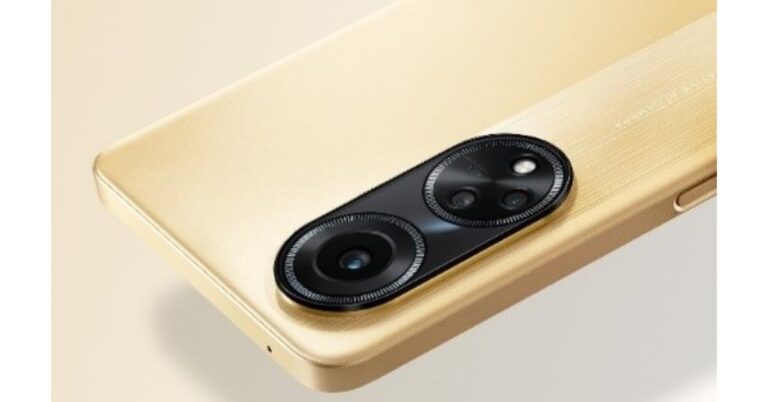
The Chinese smartphone company Oppo today launched a brand new smartphone under its F-Series. The company has introduced Oppo F23 5G in the Indian market. The device is powered by Qualcomm Snapdragon 695 5G SoC and features an FHD display. In addition to this, the screen supports a 120Hz refresh rate and comes with Android 13 out of the box. Moreover, the phone includes a triple rear camera setup featuring a 64-megapixel primary sensor.
Oppo F23 5G price in India and sale details
The Oppo F23 5G has been launched in India with a price tag of Rs 24,999 for the single 8GB RAM with 256GB storage option. The device will come in two colour options of Bold Gold and Cool Black. The new 5G smartphone is scheduled to go on sale from May 18 via OPPO stores, Amazon, and mainline retail outlets.Launch offers include:On the purchase of Oppo F23 and Enco Air2i between May 18 to May 23 and customers can get Enco Air2i at a discounted price of only Rs 1799.Buyers can get up to 10% Cash Back and No Cost EMI for up to 6 months from May 18 till May 31 on ICICI Bank, SBI Cards, Kotak Mahindra Bank, & other leading Banks and Financiers. The offer can also be availed from Bajaj Finance, TVS Credit, and HDB Financials on EMI Finance schemes. Oppo loyalists are eligible to get an Exchange + Loyalty Bonus of up to INR 2500. Customers owning smartphones other than OPPO can also avail of an exchange offer of up to Rs 1500. Attractive EMI Schemes, including Zero down payment, are available on Bajaj Finance, TVS credit, IDFC First Bank, HDB Financials, & other leading financiers.Also Read:5 Best premium smartphones to buy in India in 2023
Oppo F23 5G specifications
The Oppo F23 5G features a 6.72-inch full-HD+ LTPS LCD display with 1,080×2,400 pixels of resolution. The display has a 20:9 aspect ratio, and a 91.4 percent screen-to-body ratio. The screen comes with 120Hz refresh rate support, 240Hz touch sampling rate and a pixel density of 391ppi. The 5G smartphone runs on ColorOS 13.1 on top of Android 13 out of the box. It is driven by an octa-core Qualcomm Snapdragon 695 5G SoC, paired with Adreno 619 GPU and 8GB of LPDDR4X RAM and packs 256GB of UFS3.1 storage. And its 8GB RAM can be extended by a further 8GB from storage via OPPO’s RAM expansion technology.For the photos and videos, there is a triple rear camera setup that includes a 64-megapixel primary sensor (autofocus and f/1.7 aperture), a 2-megapixel mono sensor (f/2.4 aperture), and a 2-megapixel micro sensor (f/3.3 aperture). Additionally, it includes a 32-megapixel front-facing camera for selfies and video calling.The Oppo F23 5G boasts a 5,000mAh battery with 67W SuperVOOC charging support. For connectivity, the 5G smartphone includes 5G, Wi-Fi, Bluetooth, GPS, and USB Type-C port. There is an in-display fingerprint sensor, face unlock feature with an accelerometer, ambient light sensor, e-compass, gyroscope, geomagnetic sensor, and proximity sensor. For the latest gadget and tech news, and gadget reviews, follow us on Twitter, Facebook and Instagram. For newest tech & gadget videos subscribe to our YouTube Channel. You can also stay up to date using the Gadget Bridge Android App. You can find the latest car and bike news here.
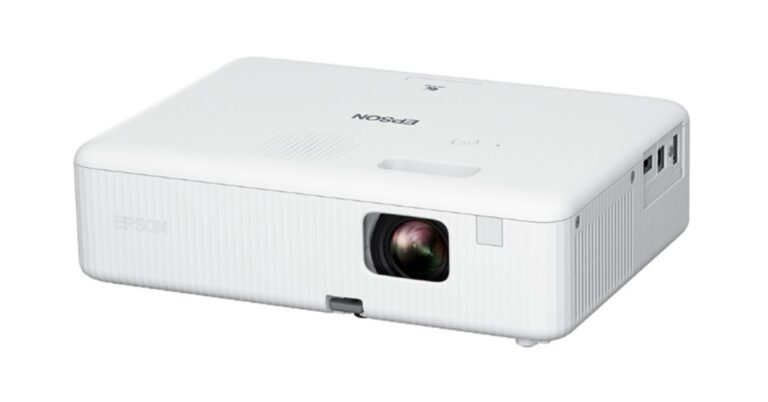
Bringing a projector home makes so much sense now that the IPL season is here. It will improve the watching experience. The Epson EpiqVision CO-FH02, Epson’s newest full HD home theatre projector, has gone on sale. The built-in Android TV and speaker come included with the Epson home theatre projector with Android TV.Mr Satyanarayana, Director of LFP, Visual Products & Robots at Epson India said, “With the launch of the Epson EpiqVision CO-FH02 – our flagship entry-level home theatre projector, we aim to significantly expand the market and reach more homes looking for a big screen full-HD home entertainment experience at an affordable price. Equipped with built-in speakers and Android TV, the projector will deliver an epic entertainment experience for families and their friends. The limited period inaugural offer of a bundled 1-year subscription of 6 popular OTT platforms worth Rs 5,844 is an add-on benefit for those looking to enhance their entertainment experience at home.”
Epson EpiqVision CO-FH02 price in India and availability
The Epson EpiqVision CO-FH02 projector has been launched in India with a price tag of Rs 86,999. A one-year membership or subscription to six well-known OTT platforms (Disney-Hotstar, Amazon Prime, Sony Liv, Zee5, Discovery+, and ShemarooMe) valued at Rs 5,844 is being offered as part of the projector’s inaugural bundle offer. You may buy it online and at Epson Pro Cinema Partners.Also Read:5 Best premium smartphones to buy in India in 2023
Epson EpiqVision CO-FH02 features
The Epson EpiqVision CO-FH02 – Full HD projector comes in a compact form factor. The users can stream their preferred sports or films on its as it runs on Android TV. It offers an image size of up to 762 cm (300 inches) and 3,000 lumens of brightness. A lamp in the projector can entertain users for up to 18 years.The Epson projector with Android TV includes 3LCD technology that ensures bright and clear images. This technology produces an equally high white and colour light output of 3,000 lumens.
With each passing year, new smartphones with cutting-edge features continue to be released. Every year, the most expensive and high-end smartphones are replaced with new models; some may have a revamped design with minimal hardware modifications, while others may only see incremental changes. If you want to upgrade to a new, high-end smartphone that looks stylish and feature-packed but you’re not sure which one to get, we can help. We did some research and you can choose from our list of the 5 best premium smartphones without giving it a second thought.
Apple iPhone 14 Pro
iPhone 14 Pro has an Always-On display 6.1-inch Super Retina XDR display with ProMotion. The display also offers the highest outdoor peak brightness in a smartphone, up to 2000 nits. The device runs on the latest A16 Bionic chip. It also includes a 48MP Main camera with a quad-pixel sensor.Price: Rs 1,19,999Buy: AmazonAlso Read:Apple iPhone 14 Pro review: The Game Changer
Samsung Galaxy S23 Ultra
The Samsung Galaxy S23 Ultra, on the other hand, features a 6.8-inch Edge QHD+ Dynamic AMOLED 2X Display. Its dynamic refresh rate ranges from 1 to 120 Hz, and its touch sampling rate is 240 Hz in game mode. The device is powered by Snapdragon 8 Gen 2 SoC. Samsung has also included the S Pen stylus with the phone.Also Read:5 Best 5G smartphones under Rs 30,000 The Samsung Galaxy S23 Ultra has a quad rear camera setup, led by a 200-megapixel primary wide camera, a 12-megapixel ultra-wide camera, a 10-megapixel telephoto lens and another 10-megapixel telephoto sensor Upfront there is a 12-megapixel selfies camera.Price: Rs 1,24,999Buy: AmazonAlso Read:Samsung Galaxy S23 Ultra Review: A true flagship
Google Pixel 7 Pro
Google Pixel 7 Pro is powered by a 4nm G2 Tensor and comes with a 6.7-inch Quad-HD LTPO OLED display with a variable refresh rate of 120Hz. A 50-megapixel primary sensor and a 12-megapixel secondary sensor with an ultra-wide-angle lens are both featured in the Pixel 7 Pro. Additionally, Pro has a 48-megapixel telephoto lens that supports 5x optical and 30x Super Resolution Zoom. Both handsets have a selfie camera with a resolution of 10.8 megapixels.Price: Rs 80,999Buy: FlipkartAlso Read:Pixel 7 Pro Review: Why you should get the phone
The OnePlus 11 features a 6.7-inch Samsung LTPO 3.0 AMOLED display. The new phone boasts an octa-core 4nm Snapdragon 8 Gen 2 SoC, up to 16GB of LPDDR5x RAM, and an Adreno 740 GPU. The device has a 5,000mAh dual-cell battery. The triple rear camera setup on the phone includes a 50-megapixel primary, 32-megapixel portrait and a 48-megapixel Sony IMX58 ultra wide-angle sensor. For selfies, there is a 16-megapixel sensor (f/2.4 aperture) front-facing camera.Price: Rs 56,999Buy: Amazon Also Read:OnePlus 11 review: This is what a OnePlus flagship should look like
Xiaomi 13 Pro
Lastly, Xiaomi 13 Pro comes with a 6.73-inch 2K E6 LTPO 3.0 OLED screen. It runs on MIUI 14, which is based on Android 13 and is driven by Qualcomm Snapdragon 8 Gen 2 SoC. The phone also includes a 4,820mAh battery which supports 50W wireless charging and 120W wired charging. The device features a triple rear camera setup that includes a 50-megapixel 1-inch Sony IMX989 primary sensor. Moreover, the system consists of a 50-megapixel Leica’s 75mm floating telephoto lens and a 50-megapixel wide-angle lens. There is a 32-megapixel front-facing camera for selfies and video calling.Price: Rs 74,990Buy: AmazonAlso Read:Xiaomi 13 Pro review: Performs Leica boss!For the latest gadget and tech news, and gadget reviews, follow us on Twitter, Facebook and Instagram. For newest tech & gadget videos subscribe to our YouTube Channel. You can also stay up to date using the Gadget Bridge Android App. You can find the latest car and bike news here.
Online dating app, Tinder recently added a video selfie feature to its platform to boost the Photo Verification process on its platform. Enabling this feature will allow Photo Verified Members to choose to only chat with users who are Photo Verified. To help ensure that everyone has a safe and enjoyable experience you can complete your photo verification on Tinder by following the steps given belowTinder users are required to record a selfie video to verify their identity. With the use of this AI-powered photo verification function, a member can request that other members confirm their identities prior to initiating a chat. Users will have more control over their interactions with others, claims Tinder. The feature will be accessible in the Message settings. In addition to this, Photo Verified members have the option to only receive messages from Photo Verified members.The Photo Verification feature has been especially popular among 18-25-year-old members, with nearly 40%* of all Tinder members receiving their Photo Verified blue checkmark.According to Tinder, being Photo Verified increases the chance to match by 10%* for members, with more men likely to complete Photo Verification through the introduction of video selfie in early tests.Follow these steps below to complete your Photo Verification and stay a Photo Verified Cutie on Tinder:
Garena Free Fire is a battle royale game with regular awards and tournaments to keep players interested. If you play Garena Free Fire, you should be aware of the redeem codes that are released on a daily basis. However, because the battle royale game is banned in India, players from other countries can use the Free Fire Redeem codes daily. If you’re unfamiliar with the Garena Free Fire redeem codes or don’t know how to get them, we’ve put together a step-by-step guide to help you redeem them. Check out Garena Free Fire Redeem Codes for 15 May 2023.The Free Fire redeem codes are a great way to get free stuff. These are 12-digit codes that contain alphabets and numbers, as well as an expiration date and time. Because the Garena FF redeem codes cannot be used more than once, you should hurry to the redemption page to claim your free reward before someone else does. To get a free reward, all you have to do is go to reward.ff.garena.com/en, which is the official redemption page. Also, keep an eye on this space for daily updates on Garena Free Fire redemption codes and rewards.
Garena Free Fire Redeem Codes Today 15 May 2023
4ST1ZTBE2RP9
B3G7A22TWDR7X
6KWMFJVMQQYG
FF7MUY4ME6SC
8F3QZKNTLWBZ
XZJZE25WEFJJ
V427K98RUCHZ
ZZZ76NT3PDSH
WEYVGQC3CT8Q
HNC95435FAGJ
NPYFATT3HGSQ
FFCMCPSGC9XZ
MCPW2D1U3XA3
How to Get Free Fire Redeem Codes for Garena on 15 May 2023?
The popular Amazon Quiz is now live on the Amazon app. The 15 May 2023 Amazon Quiz allows you to win Rs 5,000 Amazon Pay Balance by answering all the questions correctly. The quiz can be played every day from 12 AM to 11:59. Only app users are eligible to participate in the Quiz as it is not accessible on the web platform.The Amazon Quiz brings a fresh set of questions for its customers that contains five easy questions. The questionnaire consists of five questions related to general knowledge and current affairs. The participants need to answer all the questions correctly and their names will be selected for a lucky draw. The daily quiz brings an opportunity for the customers to win exciting prizes. They can win Amazon Pay Balance ranging from Rs 1,000 to Rs 50,000. The participants need to answer all the questions correctly and their names will be selected for a lucky draw. The winner will be announced at the end of the month. Check Out 15 May 2023 Amazon Quiz Answers.Amazon Quiz Today Prize – Rs 5,000 Amazon Pay BalanceQuiz Date – 15 May 2023Daily Timing – 12 AM to 11:59 PMWinner Announcement – Today 12 PM
Amazon Quiz Answers Today 15 May 2023
Question 1: In December 2022, whose bust was added to the UN headquarters campus in New York city?Answer: Mahatma GandhiQuestion 2: Claudine Gay became the first Black person and second woman to lead which prestigious academic institution?Answer: Harvard UniversityQuestion 3: Who was the Player of the Match in the first T20I between India and Sri Lanka in 2023?
Answer: Deepak HoodaQuestion 4: Name this bird, that shares its name with a sports goods manufacturerAnswer: KookaburraQuestion 5: Which of these is an A.I developed by this character?Answer: J.A.R.V.I.S
How To Play Amazon Quiz
Only app users are eligible to play the Amazon quiz every morning from 12 AM to 11:59 PM. The quiz is not available on the desktop. For those who are unaware of how to play the Amazon quiz below are the steps, you can follow to take the quiz.
Firstly download the Amazon app from Google Play Store or App Store
Now fill in the required information through the Sign Up option.
You need to log in to the Amazon app and scroll down on the home screen to find the Amazon Quiz banner.
Tap on the Amazon Quiz banner and tap on the Start button to start the Quiz.
Now you will get 5 questions and you need to answer them correctly. One wrong answer will eliminate you from the Quiz.
After answering all the questions correctly you are now eligible for a Lucky Draw.
The winner’s name will be announced today at 12 PM.
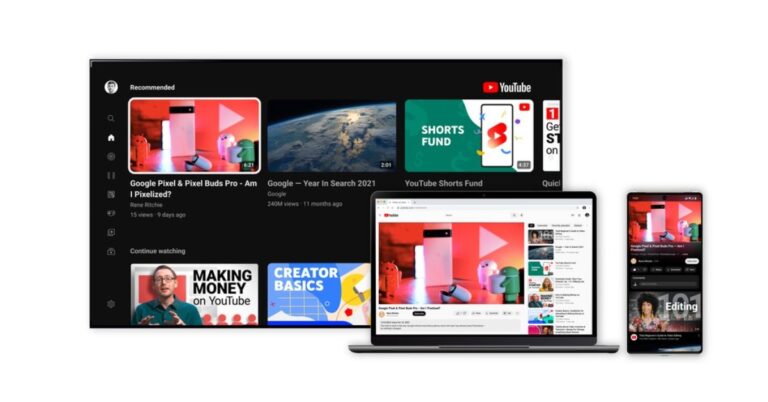
Your YouTube home page doesn’t just contain videos from the channels that you are subscribed to. YouTube curates your home feed with video recommendations from different creators on the platform. While these recommendations are based on your watching activity, sometimes they can be way off the mark. In this article, we bring you 6 easy ways to block a YouTube channel from your recommendations and suggested feed.Read Also:Google Bard Vs Google AI Search: Everything you need to know
Stop the channel from appearing in your recommendations
Step 1: Launch the YouTube app on your smartphone.Step 2: Once you see a video from a Channel that you don’t want appearing in your feel again, tap on the ellipses (three dots) next to it.Step 3: Select ‘Don’t recommend channel’.Videos from the selected Channel will stop showing up on your YouTube feed. If you want the Channel to stop showing up in search results as well, follow the methods below.
Filter a channel from search results
If you keep seeing a YouTube Channel at the top of search results and don’t find their content useful, you can easily filter them out. Simply add the minus sign next to your search query and type in the name of the channel. For example: “best crafts to do at home -5 minute crafts”. This will ensure that videos from the channel ‘5 Minute Crafts’ do not show up in the search results.
Block the YouTube channel on a PC
The easiest way to stop seeing video recommendations from a certain channel on your feed is by blocking it. This will ensure that the videos from that channel don’t appear in your search results or get suggested to you by the YouTube algorithm. However, you will still be able to see their YouTube videos on external sites. Here’s how you can block a YouTube channel on a PC.Step 1: Open YouTube on your PC’s web browser.Step 2: Go to the YouTube Channel’s page.Step 3: Switch to the ‘About’ tab and click on the small flag on the right side of the screen.Step 4: Select ‘Block user’.
Block the YouTube channel on the app
Step 1: Launch the Youtube app on your smartphone.Step 2: Go to the YouTube Channel you want to block.Step 3: Tap on the ellipses at the top right corner of the screen and tap on ‘Block user’.
Block a YouTube Channel from Google Search results
If you want to go one step further and stop a particular YouTube channel from appearing on Google Search results as well, the Filter Anything Everywhere extension will come in handy. This extension tool blocks certain content from appearing on Google searches. All you need to do is enter the name of the YouTube channel into the extension and it will filter it out of every search result.
Block YouTube channels from appearing on your Smart TV feed
Blocking content on the YouTube app for your Smart TV can be a bit tricky. There is no direct way to block a YouTube channel on your TV. However, you can get around this issue by logging into the YouTube account (the one you use on your TV) on your phone or PC and blocking the YouTube channel by following the steps mentioned earlier in this article. The changes will apply to your Smart TV as well.
Frequently Asked Questions
How do I control YouTube recommendations?
You can control the suggested content on your YouTube feed by tapping the ellipses next to the video and selecting ‘Not Interested’ or ‘Don’t recommend channel’. The former option takes your feedback and reduces the frequency of that particular channel appearing on your feed while the latter entirely blocks it.
What are YouTube recommendations based on?
While YouTube doesn’t make its algorithm public, the videos that it suggests to you are based on the kind of content you watch regularly. YouTube also suggests videos that are popular across the world.
Garena Free Fire is a battle royale game with regular awards and tournaments to keep players interested. If you play Garena Free Fire, you should be aware of the redeem codes that are released on a daily basis. However, because the battle royale game is banned in India, players from other countries can use the Free Fire Redeem codes daily. If you’re unfamiliar with the Garena Free Fire redeem codes or don’t know how to get them, we’ve put together a step-by-step guide to help you redeem them. Check out Garena Free Fire Redeem Codes for 14 May 2023.The Free Fire redeem codes are a great way to get free stuff. These are 12-digit codes that contain alphabets and numbers, as well as an expiration date and time. Because the Garena FF redeem codes cannot be used more than once, you should hurry to the redemption page to claim your free reward before someone else does. To get a free reward, all you have to do is go to reward.ff.garena.com/en, which is the official redemption page. Also, keep an eye on this space for daily updates on Garena Free Fire redemption codes and rewards.
Garena Free Fire Redeem Codes Today 14 May 2023
Updating Soon…
How to Get Free Fire Redeem Codes for Garena on 14 May 2023?
14 May 2023 Amazon Quiz has gone live on its mobile app platform. Customers from different parts of the country are participating in the daily quiz. The daily quiz is conducted by the company brings an opportunity for the customers to win exciting prizes. The quiz begins from 12 AM to 11:59 PM. In today’s quiz participants have a chance to win Rs 1250 Amazon Pay Balance by answering all the questions correctly.Every day Amazon brings a fresh set of questions for its customers that contains five easy questions. Amazon quiz brings an opportunity for its customers to win Amazon Pay Balance ranging from Rs 1250 to Rs 50,000. which consists of five questions related to general knowledge and current affairs.The participants need to answer all the questions correctly and their names will be selected for a lucky draw. The winner will be announced at the end of the month. One wrong answer could eliminate you from the quiz. If you manage to answer all the questions correctly you can stand a chance to win Rs 1250 Amazon Pay Balance today. Only app users are eligible to participate in the Quiz. Check Out 14 May 2023 Amazon Quiz Answers.Amazon Quiz Today Prize – Rs 1250 Amazon Pay BalanceQuiz Date – 14 May 2023Daily Timing – 12 AM to 11:59 PMWinner Announcement – Today at 12 PM
Amazon Quiz Answers Today 14 May 2023
Question 1: In 2022, who became Argentina’s all-time leading scorer in World Cups?Answer: Lionel MessiQuestion 2: Red Chillies Entertainment’ was established by which of these actors?Answer: Shahrukh KhanQuestion 3: The famous Matrimandir is located in which of these places known as the ‘City of Dawn’?Answer: AurovilleQuestion 4: Which species of snake is shown in this photo?
Answer: PythonQuestion 5: This is a photomosaic of which famous royal?Answer: Queen Elizabeth II
How To Play Amazon Quiz
Only app users are eligible to play the Amazon quiz every morning from 12 AM to 11:59 PM. The quiz is not available on the desktop. For those who are unaware of how to play the Amazon quiz below are the steps, you can follow to take the quiz.
Firstly download the Amazon app from Google Play Store or App Store
Now fill in the required information through the Sign Up option.
You need to log in to the Amazon app and scroll down on the home screen to find the Amazon Quiz banner.
Tap on the Amazon Quiz banner and tap on the Start button to start the Quiz.
Now you will get 5 questions and you need to answer them correctly. One wrong answer will eliminate you from the Quiz.
After answering all the questions correctly you are now eligible for a Lucky Draw.
The winner’s name will be announced today at 12 PM.
A fast and seamless web browsing experience is a non-negotiable factor for every web browser. Google Chrome is one of the most popular browsers in the world not only because it is fast, but because it gives users a lot of options to increase the browsing speed on their devices. In this article, we show you how to boost the memory and battery performance on Google Chrome.Read Also:Google Bard Vs Google AI Search: Everything you need to know
Use the Memory and Energy Saver
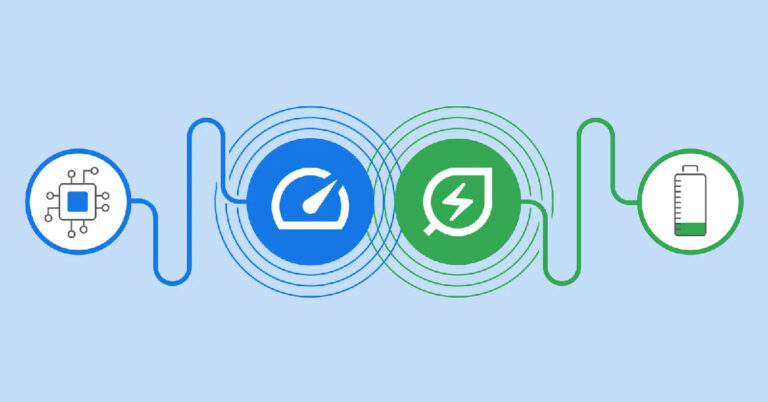
If you keep a lot of tabs open at the same time on Google Chrome, the performance takes a dip. To boost the performance, you can enable the memory saver on Chrome. Once the memory saver is turned on, Google Chrome frees up the memory from tabs that haven’t been used in a while. Once you click on these tabs, the web pages will reload again. While this works fine for the most part, it can cause trouble in certain scenarios. For example, if you were filling up a form on a webpage and forgot about it, you will lose the entries when Chrome frees up memory from the tab. To prevent this from happening, you can add certain websites to a whitelist. This ensures that the tabs running those websites are always active.Google Chrome also has an energy saver that conserves your PC or laptop’s battery when it is running on low. Your web browser will use less power from the device to make sure it lasts longer. Once it is enabled, the energy saver automatically turns on when your PC or laptop’s battery hits 20%. You can also choose to keep it turned on when the device is not connected to a power source, despite its battery level.Here’s how you can enable memory saver and energy saver on Google Chrome.Step 1: Launch Google Chrome on your laptop or PC.Step 2: Click on the ellipses (three dots) at the top right corner of the screen and select ‘Settings’.Step 3: Select ‘Performance’ from the side menu.Step 4: Turn the toggle bar on for ‘Memory Saver’ and ‘Energy Saver’.Step 5: To keep certain websites active at all times, click on ‘Add’ and enter the website address.Step 6: To turn on the energy saver when your laptop or PC is not connected to an external power source, click on ‘Turn on when my computer is unplugged’.
Bonus Tip: Add webpages to Reading List to save memory
Chrome has a super helpful ‘Reading List’ that allows you to save pages you want to read later. Once you add a webpage to the list, you can close its tab and free up some memory. To add a website to a reading list, click on the side panel icon next to your profile icon and click on ‘Add current tab’. The webpage will be saved to the list. You can access it anytime you want by clicking on the side panel icon.
Frequently Asked Questions?
Why is Chrome using 50% of my memory?
If you have a lot of tabs open on Chrome, the browser can use a significant amount of RAM. To get around this issue, close some tabs or use Chrome’s memory saver.
Can you reduce Chrome memory usage?
You manage the memory used by Chrome by closing inactive tabs or enabling the memory saver on the web browser. It is also advised to routinely clear the cache memory of Chrome and keep the browser updated at all times.


 Buyers can get up to 10% Cash Back and No Cost EMI for up to 6 months from May 18 till May 31 on ICICI Bank, SBI Cards, Kotak Mahindra Bank, & other leading Banks and Financiers. The offer can also be availed from Bajaj Finance, TVS Credit, and HDB Financials on EMI Finance schemes. Oppo loyalists are eligible to get an Exchange + Loyalty Bonus of up to INR 2500. Customers owning smartphones other than OPPO can also avail of an exchange offer of up to Rs 1500. Attractive EMI Schemes, including Zero down payment, are available on Bajaj Finance, TVS credit, IDFC First Bank, HDB Financials, & other leading financiers.
Also Read: 5 Best premium smartphones to buy in India in 2023
Buyers can get up to 10% Cash Back and No Cost EMI for up to 6 months from May 18 till May 31 on ICICI Bank, SBI Cards, Kotak Mahindra Bank, & other leading Banks and Financiers. The offer can also be availed from Bajaj Finance, TVS Credit, and HDB Financials on EMI Finance schemes. Oppo loyalists are eligible to get an Exchange + Loyalty Bonus of up to INR 2500. Customers owning smartphones other than OPPO can also avail of an exchange offer of up to Rs 1500. Attractive EMI Schemes, including Zero down payment, are available on Bajaj Finance, TVS credit, IDFC First Bank, HDB Financials, & other leading financiers.
Also Read: 5 Best premium smartphones to buy in India in 2023





 Step 3:
 Step 4:




 Step 3:
 Step 4:
 Step 5:
 Step 6: