Downloading public Facebook videos is not an excruciating task and takes very little time. All you need to do is paste the video link in an online tool and it will save the video on your device. Downloading a private video can get tricky. First off, it is not advised that you download a video someone posted only for their friends to watch. This is a serious breach of privacy. However, if the video is posted on a public page with lots of followers, then you can use these tricks to find out the contents of the video. So, without further ado, here are the top 4 ways to download private videos from Facebook.Read Also:Google Bard Vs Google AI Search: Everything you need to know
Use Facebook Private Downloader
Facebook Private Downloader is a simple and effective tool to download private videos from Facebook. The process is pretty straightforward. First, you need to paste the video URL in the appropriate box. Then, paste the video page source code into the box on the website and it will extract the video for you. To find the video page source code, simply press Ctrl + U on the page. Once you hit the Download button on the website, it will begin the extraction process. Right-click on the video thumbnail and select ‘Save As’ to download it on your PC.
Vidsaver
Vidsaver is another free online tool to download private videos from Facebook. It follows the same process as Facebook Private Downloader. Copy the video URL and paste it into the first window. In the next window, paste the video page source code. You can access it by pressing Ctrl + U on the video page. Once that is done, click on ‘Fetch’ to download the video on your device.
Fdown.net
Fdown.net follows the same three-part process as the two tools mentioned above. You will need the video link and video page source code to download it to your device. Enter the video link first and then paste the page source code in the following window. Once the video loads on the website, click on the ellipses and select ‘Save As’. Fdown.net can also be used to download public Facebook videos to your device.
PasteDownload
PasteDownload is another free online tool to download private videos from Facebook. It follows the exact same formula as before. Paste the video link followed by the video page source code. You can find the video page source code by pressing Ctrl + U on the video page. Once the website loads the video, right-click on it and select ‘Save As’ to download it to your PC.
Frequently Asked Questions
How do I download private Facebook videos?
To download Facebook videos set to private, copy the video link and the video page source code and paste them on an online tool like Vidsaver or PasteDownload.
Can you set videos to private on Facebook?
Yes, you can control who watches your videos on Facebook. To restrict access to only your friends, click on ‘Edit Privacy’ and set it to private.
These are the 4 best ways to download private videos from Facebook. All the websites mentioned above will work perfectly fine on PC but may not be optimised for smartphones. If you aren’t able to load them on your phone, simply open them on Chrome and select ‘Desktop Site’ after tapping the ellipses on the top-right corner of the screen.For the latest gadget and tech news, and gadget reviews, follow us on Twitter, Facebook and Instagram. For newest tech & gadget videos subscribe to our YouTube Channel. You can also stay up to date using the Gadget Bridge Android App. You can find the latest car and bike news here.
Instagram DMs may not be the biggest instant messaging platform out there, but they are ideal for sharing video content. Sharing Reels or videos on Instagram DMs is a seamless process. However, sometimes users report that they are unable to view the videos sent to them by their friends. In this article, we bring you the top 11 methods to fix Instagram DM videos not working on Android.Read Also:Vivo T2 5G Review: Does it offer the most bang for the buck?
Follow the account
If the video or Reel sent to you via DM belongs to an account that is private, you will not be able to see it. Once a user makes their Instagram account private, only their followers are able to the content on their profile. If a video they posted was DM’d to you, it won’t play unless you follow them. If you do not want to follow the account, you can also ask the sender to download the video and send it to you as a file.
The video has been deleted
If the video that was sent to you was deleted by the original poster, the DM will say ‘Message unavailable’. There is not much you can do in this scenario. If the video belonged to a public user, you can check their Facebook profile and see if the video is still posted there.
Poor network connection
A poor network connection can prevent videos from playing on Instagram. Make sure your network connection (WiFi or data) is stable and fast. Check your internet speed to see if the fault really lies with your network. You can perform an Ookla speed test to carry out this task. To further confirm if a poor network connection is the reason behind this problem, try loading a video on another platform (like YouTube) and see if it plays smoothly.
Is the video region locked?
Like YouTube, Instagram region-locks the videos on its platform as well. Typically, you don’t see these videos on your feed unless you follow the poster. But if a video that isn’t available in your region was sent to you through DMs, it won’t play on your device. The easiest way to fix this problem is by using a VPN. Here is our list of the top 10 VPN services for safe and anonymous browsing.
Update the app
Older versions of apps are more prone to bugs. Instagram is no exception. These bugs are quickly weeded out by developers in the next update. Sometimes, older versions are slowly phased out by developers, leaving them unusable. If you’re unable to play an Instagram video sent to you via DMs, try updating the app. Go to Instagram’s page on Google Play Store and hit the Update button.
Clear app cache
Clearing the cache gets rid of the corrupted temporary files that may be causing trouble. Here’s how you can clear the Instagram app’s cache.Step 1: Go to Settings and select Apps.Step 2: Scroll down and select Instagram.Step 3: Tap on Storage.Step 4: Select Clear Cache from the bottom of the screen.
Force Stop the Instagram app
Step 1: Go to Settings.
Step 2: Scroll down and select Apps.
Step 3: Scroll down and select Instagram.
Step 4: Select Force Stop from the bottom menu.
Log out and log back in
If the issue is related to your account in particular, logging out and logging back in will fix it. To log out of Instagram, go to your profile and tap the hamburger menu at the top right corner of the screen. Go to the Settings & Privacy page, scroll down and select Log Out. Once you’re logged out, log back in using your Instagram handle or the registered email address. Once logged in, check if the video is working. If it isn’t, the issue does not lie with your Instagram account.
Use Instagram Lite
As the name implies, Instagram Lite is a stripped-down version of the Instagram app. It retains all the essential features of Instagram while offering a faster browsing experience. If a bug is preventing you from loading a video on the main app, switching to Instagram Lite might help.
Use Instagram Web
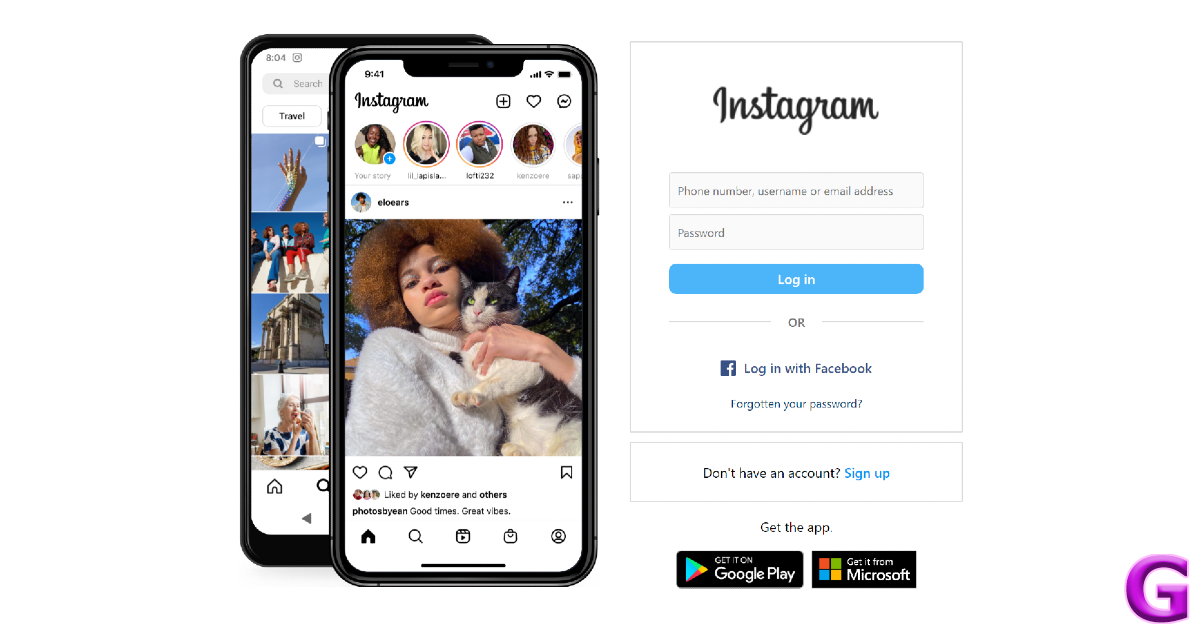
If you can’t get the two Instagram apps to work on your phone, you might want to try Instagram’s web portal. Once you’re logged in, click on ‘Messages’ in the left sidebar. This is where you’ll find all of your Instagram conversations. Pick a thread and scroll to the video to play it.
Check if Instagram’s servers are down
If you aren’t able to play a video sent via Instagram DMs, the problem may not lie on your end. It is not uncommon for Instagram’s servers to go down from time to time. To check if this is the case, go to DownDetector.in and search for Instagram. If other users are also reporting an outage, it is likely that Instagram’s servers are down. There is nothing much you can do in this scenario other than wait for the servers to gain functionality again.
Frequently Asked Questions
Do DM videos disappear on Instagram?
Instagram offers ephemeral messaging. This means a user can choose for a message to disappear once it has been seen by you. If a video sent to you has a bomb icon next to it, it will disappear once you view it.
Can I send videos on Instagram DM?
Yes, you can either send videos from your device to other users on Instagram DM or share videos posted by others on their profiles.
What’s the longest video you can send on Instagram DM?
These are the top 11 methods to fix Instagram DM videos not working on Android. If the issue still persists after trying all these fixes, report the issue to Instagram. It is possible the anomaly may be exclusive to your device, and Instagram will take the appropriate action once they are made aware of the issue.
Garena Free Fire is a battle royale game with regular awards and tournaments to keep players interested. If you play Garena Free Fire, you should be aware of the redeem codes that are released on a daily basis. However, because the battle royale game is banned in India, players from other countries can use the Free Fire Redeem codes daily. If you’re unfamiliar with the Garena Free Fire redeem codes or don’t know how to get them, we’ve put together a step-by-step guide to help you redeem them. Check out Garena Free Fire Redeem Codes for 13 May 2023.The Free Fire redeem codes are a great way to get free stuff. These are 12-digit codes that contain alphabets and numbers, as well as an expiration date and time. Because the Garena FF redeem codes cannot be used more than once, you should hurry to the redemption page to claim your free reward before someone else does. To get a free reward, all you have to do is go to reward.ff.garena.com/en, which is the official redemption page. Also, keep an eye on this space for daily updates on Garena Free Fire redemption codes and rewards.
Garena Free Fire Redeem Codes Today 13 May 2023
FFCMCPSBN9CU
FFBBCVQZ4MWA
BR43FMAPYEZZ
NPYFATT3HGSQ
XZJZE25WEFJJ
V427K98RUCHZ
FFCMCPSEN5MX
HNC95435FAGJ
6KWMFJVMQQYG
FFCMCPSUYUY7E
MCPW2D1U3XA3
FFAC2YXE6RF2
FFCMCPSGC9XZ
MCPW2D2WKWF2
ZZZ76NT3PDSH
How to Get Free Fire Redeem Codes for Garena on 13 May 2023?
13 May 2023 Amazon Quiz has gone live. Customers from different parts of the country are participating in the daily quiz. The quiz begins from 12 AM to 11:59 PM. Those participating in the quiz can win exciting prizes by answering all the questions correctly. Today participants have a chance to win a Rs 500 Amazon Pay Balance.Amazon quiz brings an opportunity for its customers to win Amazon Pay Balance ranging from Rs 1,000 to Rs 50,000. The Quiz can be played from 12 AM to 11:59 PM. The e-commerce platform brings a fresh quiz on a daily basis which consists of five questions related to general knowledge and current affairs. The participants need to answer all the questions correctly and their names will be selected for a lucky draw. The winner will be announced at the end of the month.One wrong answer could eliminate you from the quiz. If you manage to answer all the questions correctly you can stand a chance to win a Rs 500 Amazon Pay Balance today. Only app users are eligible to participate in the Quiz. Check Out 13 May 2023 Amazon Quiz Answers.Amazon Quiz Today Prize – Rs 500 Amazon Pay BalanceQuiz Date – 13 May 2023Daily Timing – 12 AM to 11:59 PMWinner Announcement – Today 12 PM
Amazon Quiz Answers Today 13 May 2023
Question 1: Which web series topped the IMDb most popular web series 2022 list?Answer: PanchayatQuestion 2: Who recently became the second batter after Joe Root to score a double century in his 100th test?Answer: David WarnerQuestion 3: Which of these was a nickname given to the famous mathematician Shakuntala Devi?Answer: Human-Computer
Question 4: This animal is the state animal of which Indian state?Answer: SikkimQuestion 5: This is the ‘Adalaj Ni Vav’ in which of these cities?Answer: Ahmedabad
How To Play Amazon Quiz
Only app users are eligible to play the Amazon quiz every morning from 12 AM to 11:59 PM. The quiz is not available on the desktop. For those who are unaware of how to play the Amazon quiz below are the steps, you can follow to take the quiz.
Firstly download the Amazon app from Google Play Store or App Store
Now fill in the required information through the Sign Up option.
You need to log in to the Amazon app and scroll down on the home screen to find the Amazon Quiz banner.
Tap on the Amazon Quiz banner and tap on the Start button to start the Quiz.
Now you will get 5 questions and you need to answer them correctly. One wrong answer will eliminate you from the Quiz.
After answering all the questions correctly you are now eligible for a Lucky Draw.
The winner’s name will be announced today at 12 PM.
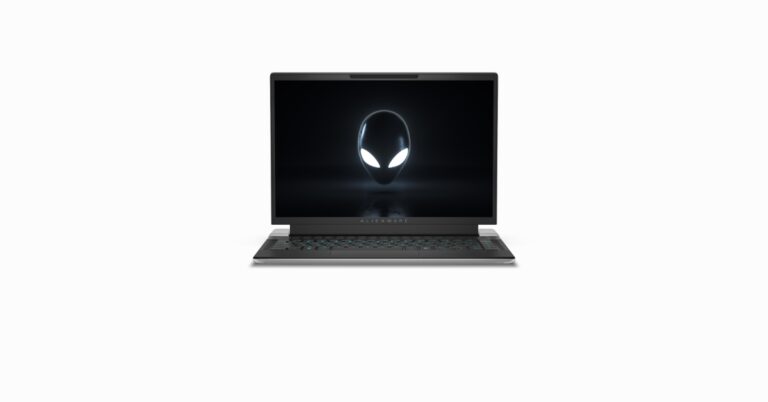
Dell today introduced two new gaming laptops Alienware m16 and Alienware x14 R2 in India. Both laptops were first launched at CES 2023. The new Alienware m16 and x14 R2 are powered by 13th Gen Intel Core CPUs and NVIDIA GeForce RTX 40-Series GPUs. The Alienware laptops come with advanced Alienware Cryo-tech thermal architecture, and the revamped Alienware Command Centre 6.0.
Alienware m16 specifications
The Alienware m16 comes with a 16-inch QHD+ ComfortView Plus screen with a 165Hz refresh rate and a 3ms response time. It further supports Nvidia G-Sync and AMD FreeSync technologies. Powered by 13th Gen Intel Core processors. Alienware m16 also includes a dedicated Nvidia GeForce RTX 4000 series graphics card.In addition to this, the device features up to 64GB of DDR5 RAM and up to 9TB of onboard storage. The Alienware m16 houses an 86Wh battery with a 330W power adapter. The device also has a full-HD webcam with dual mics and AlienFX keyboard. It comes with Windows Hello IR support. In terms of connectivity, there are USB Type-A 3.2 Gen 1 ports, Thunderbolt 4 ports, an HDMI 2.1 output, a mini-Display port, an RJ45 ethernet port, an SD card slot and a headphone jack.
Alienware x14 R2 specifications
The Alienware x14 R2 features a 14-inch QHD+ ComfortView Plus display with a 165Hz refresh rate with a 3ms response time. The machine is powered by 13th Gen Intel Core processors with Nvidia GeForce RTX 4000 series dedicated graphics card. It will be available with 32GB of LPDDR5 RAM and up to 4TB of onboard M.2 SSD storage. The laptop houses an 80.5Wh battery and a 1-Zone AlienFX keyboard. It comes pre-installed with Windows 11 Home (64-bit). There is Alienware Cryo-Tech Cooling and vapour chamber cooling technologies. For connectivity, the Alienware x14 R2 includes Intel Killer Wi-Fi 6E and Bluetooth v5.3.
From the Pixel Fold to the Pixel Tablet, this year’s Google IO saw some interesting product releases. But the most interesting revelations were about Google’s AI advancements, which could radically change the way we interact with technology. Along with Open AI, Google is one of the front runners in the AI universe. You may already be familiar with Google Bard, the tech giant’s AI chatbot. At Google IO 2023, the company announced that it will be further enhancing its search results with the use of generative AI. Unlike Microsoft Bing, Google Search will not make use of a chatbot but a more refined AI tech called ‘Search Generative Experience’. Let’s take a look into what SGE is and how the Google Bard chatbot differs from Google AI Search.Read Also:Nokia C22 launched in India, price starts at Rs 7,999
Google Bard vs Google AI Search: What’s the difference?
The popularity and mass appeal of AI chatbots often gloss over the fact that they aren’t always reliable. Open AI’s Chat GPT and Google Bard have been known to produce incorrect information that often teeters on being harmful. While the developers are still figuring out a way to properly regulate responses from chatbots, integrating them with internet searches may not be such a good idea.Google has found a way around this issue with its ‘Search Generative Experience’. With the help of generative AI, the search engine is able to produce more accurate results for your queries. It will also change the way users enter their search queries. After performing a Google Search, you can ask the search engine follow-up questions and further refine the search results. You don’t need to strictly adhere to keywords in order to find what you are looking for.For example, if you want to buy a smartphone right now under a specific budget, you probably would make a few Google searches and see your best options. Comparing those options would take some effort. With an AI-powered search engine, you can simply enter the specs you are looking for, and Google will produce the best results within your budget. You will also be able to converse with Google Search to some extent, although the purpose of that conversation would be to produce better results.In contrast, with an AI chatbot like Google Bard, conversation and content generation is the primary purpose. You can use Bard to write a book report or a piece of code. You can further improve the results by giving the chatbot follow-up prompts. Conversations with Bard are much more personal than a regular AI search. If we’re strictly talking about getting access to information, AI-powered search results are more reliable than a chatbot.Read Also:OnePlus releases Android 14 Beta 1 for OnePlus 11 5G
Conclusion
Google has opened the waitlist for the new AI-powered search feature but it is currently only available in the US. Google will be rolling out the service to registered users in the coming weeks. The tech giant also announced that it is rolling out Google Bard to 180 regions. Users in India can finally access the chatbot and use it for a variety of tasks. For the latest gadget and tech news, and gadget reviews, follow us on Twitter, Facebook and Instagram. For newest tech & gadget videos subscribe to our YouTube Channel. You can also stay up to date using the Gadget Bridge Android App. You can find the latest car and bike news here.
Over the last couple of months, we’ve seen some interesting releases in the under Rs 20,000 price category. Manufacturers like OnePlus, Redmi, Vivo, and iQOO are stepping up their game and putting out spec-heavy products in the category where most of India buys its smartphones. Vivo’s latest budget smartphone, T2, is a great addition to this category and shares a lot in common with its iQOO counterpart, the Z7 5G (review here).We’ve been playing around with Vivo T2 5G for a couple of weeks now. There are a lot of things to like about this phone. Like the Z7, Vivo T2 also sports a brilliant AMOLED display. It is about time we started seeing some excellent displays in this category. The 64MP primary sensor along with Vivo’s signature image processing produces some good results too. But is this smartphone a no-brainer purchase at Rs 18,999? Find out in our Vivo T2 5G review.Read Also:OnePlus releases Android 14 Beta 1 for OnePlus 11 5G
Vivo T2 5G review: Design and Display
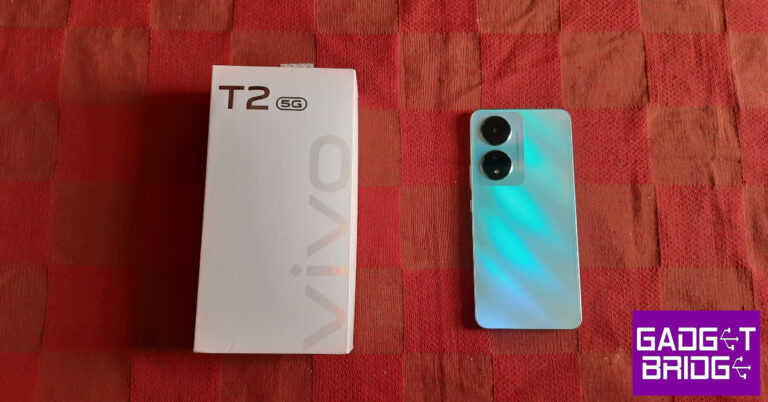
Vivo T2 5G ships inside a compact white box with the smartphone, power adapter, USB Type-C charging cable, clear plastic case, SIM ejector tool, warranty card, and quick start guide inside. The smartphone is available in two colour variants – Nitro Blaze and Velocity Wave. We used the former for this review.There are a few unique things about Vivo T2’s design. The plastic back reflects an orange tinge when light hits it at certain angles. There are two individual cutouts for the primary camera and the depth sensor + LED flash at the top left corner of the panel. Unlike Vivo T1 and iQOO Z7, there is no two-step camera panel to be found here. Instead, the panel has been replaced by a glossy section which feels nice in contrast to the matte-like texture on the rest of the back. The Vivo branding can be found at the bottom of the phone.The flat plastic frame gives the phone a nice in-hand feel. The volume rocker keys and the power button on the right edge of the frame are firm and clicky. At the bottom of the frame, you will find the microphone, a 3.5mm audio jack, a USB Type-C port, and the speaker grille. Up top, you get the hybrid SIM tray and a secondary microphone. The left edge of the frame has been left keyless. Vivo T2 does not have a stereo speaker, which is a bit of a letdown.The 6.38-inch AMOLED display on Vivo T2 has a refresh rate 90Hz and a peak brightness of 1,300 bits. The display supports HDR10. The refresh rate is set to 60Hz out of the box. You will need to change it to 90Hz from the display settings. Once that is done, the scrolling experience becomes much better. The touch response on this display is very good, something that is only matched by its iQOO counterpart. The under-display optical fingerprint scanner works as expected, but could have been placed a bit higher to match the natural thumb motion.Watching video content on Vivo T2 is an absolute treat. The 1080 x 2400p AMOLED panel makes all the difference. Even though the display has HDR support, the Netflix app did not provide HDR playback for this device. Still, we were quite pleased with the richness and clarity of the images produced on screen. A stereo speaker would’ve elevated the overall viewing experience, but thankfully the 3.5mm headphone jack is still a thing in this price segment.The bezels around the display get thicker on the chin but aren’t too bad to look at. The screen-to-body ratio on offer here is 84.1% which isn’t too bad. The selfie camera is housed in a waterdrop notch. A punch-hole cutout would’ve been more appreciated. Vivo hasn’t mentioned the IP rating for this phone but looking at the rubber gasket around the SIM tray, it appears that the T2 can handle minor water splashes.
Vivo T2 5G review: Performance and Cameras
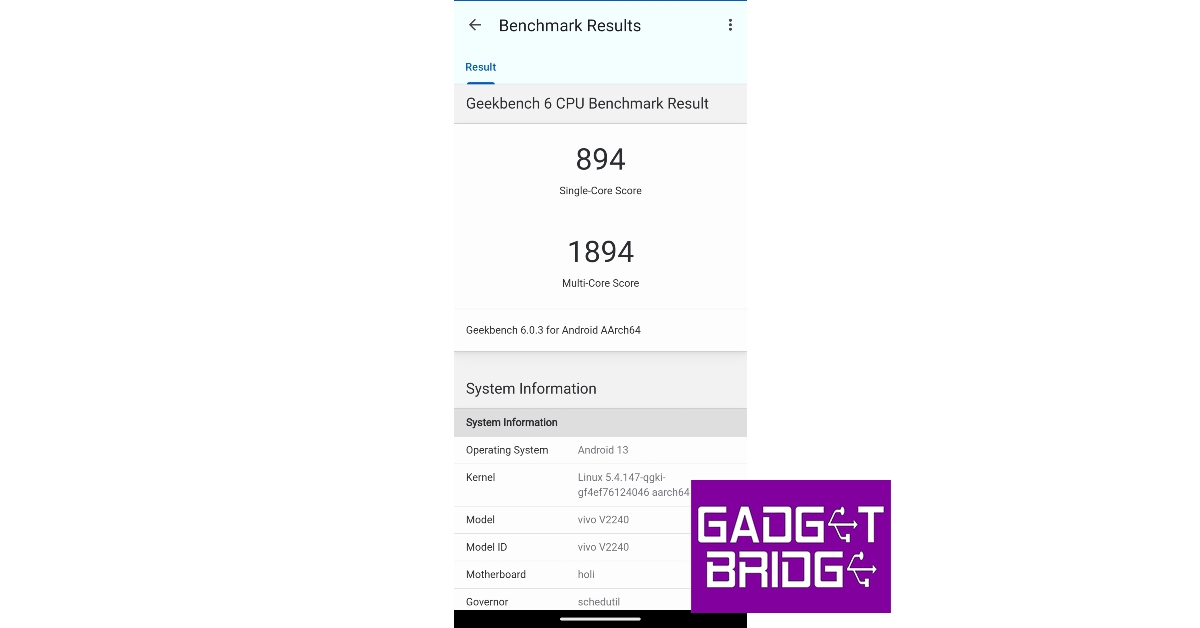
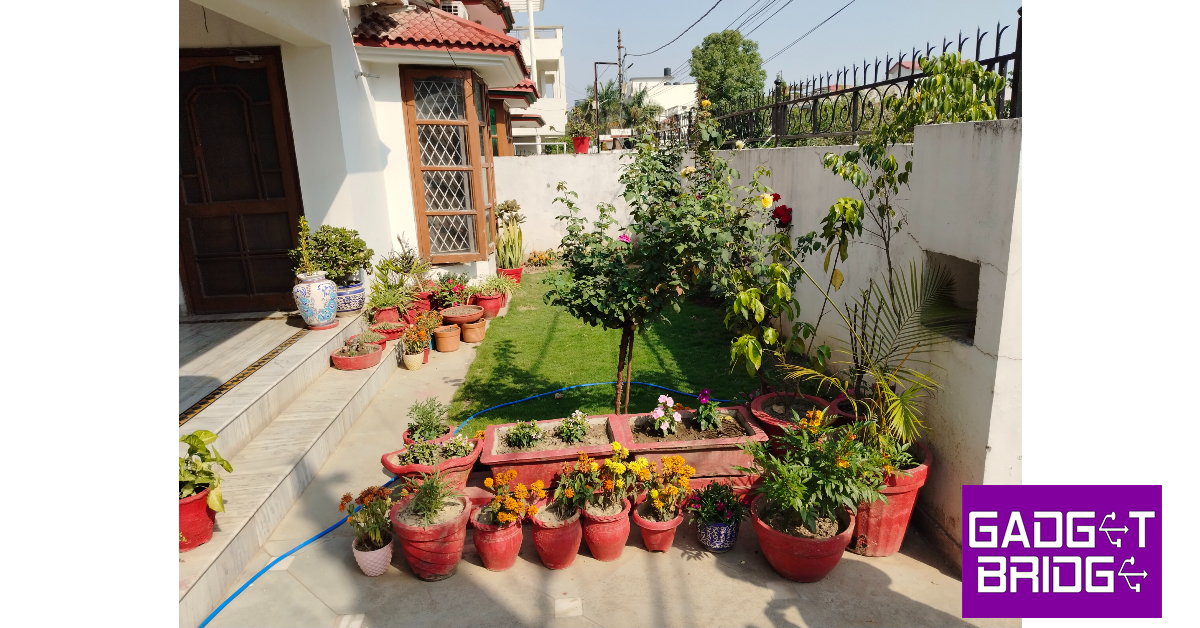
Vivo T2 5G is available with two RAM options in India. The 6GB variant is priced at Rs 19,000 while the 8GB option fetches Rs 21,000. Both variants get fixed internal storage of 128GB. You can expand the storage to 1TB using a micro SD card.Vivo has stuck to the Snapdragon 695 SoC for the T2. The smartphone comes with Android 13 out of the box with Funtouch 13 on top. The choice of Snapdragon 695 SoC isn’t too surprising. At the moment, this is a very popular chipset in this price category and produces some decent numbers. On Geekbench 6, Vivo T2 scored 894 points in the single-core test and 1,894 points in the multi-core test. Benchmarks aside, let’s take a look at how the smartphone fared through real-world tasks.As we mentioned earlier, we used Vivo T2 as our primary driver for two weeks. Our daily usage consisted of checking emails, texting and video calling on WhatsApp, streaming content on YouTube and Netflix, an hour of gaming, light navigation, and general app usage. The smartphone did well to handle these tasks without breaking a sweat. To push the device to its limits, we loaded a dozen apps on it while carrying out a couple of tasks in the foreground. The drop in speed and touch response was significant. This kind of situation will rarely ever arise in everyday use, so you don’t have to worry about the phone’s performance dropping all of a sudden. We played Call of Duty Mobile on Vivo T2 and were pleased with the results. The phone showed very minimal heating even after 30 minutes of gaming. Playing COD Mobile on the highest graphics was a fun experience, but we did experience the odd frame drop. Lowering the graphic settings fixed the issue, and the gameplay was smooth as ever. Stutters and frame drops were more frequent with graphic-intensive games like Apex Legends and Genshin Impact.Funtouch 13 OS is a bit of a mixed bag for us. We like the customisation options for the fingerprint scanner, Always On Display, lock screen, and other gestures. The gaming options like Esports Mode, 4D game vibration, and autoplay with the screen off are also very cool. The layout of the app drawer and widget screen is aesthetically pleasing too. However, the sheer amount of bloatware on Vivo’s devices takes away from the overall software experience. You can uninstall the apps individually, but a cleaner experience out of the box would have been nicer.Moving on, Vivo T2 5G is packed with a 4,500 mAh battery. The smartphone lasts an entire day with 5-6 hours of screen time. Even with an hour of gaming each day, we didn’t have any issues with the battery backup. We even had the refresh rate dialled up to 90Hz at all times. If you want to extend the battery life to more than a day, we’d suggest switching back to 60Hz and using the smartphone moderately. The 44W charger in the box can charge the smartphone to 50% in 25-30 minutes. It takes a little over an hour to fully juice up the phone.The rear camera array on Vivo T2 comprises a 64MP primary shooter and a 2MP depth sensor. There is no ultrawide lens on offer. Up front, you get a 16MP selfie camera. The 64MP shooter bins down to 16MP by default, but you can access the 64MP mode from the camera app. The native camera app has some features like a Micro Movie Mode which lets you make short Reels on the phone with a range of effects and filters. The Dual View Mode lets you shoot videos from the front and rear cameras at the same time.The 64MP primary lens delivers a decent performance in bright daylight conditions. The images were processed well and produced vibrant colours and well-detailed shadows. The subjects in the images were well exposed and the camera did a good job of incorporating all the essential details. We felt that the pictures could have been a little sharper, especially when lighting is not an issue. The white balance in daytime images felt a little off too. While we weren’t completely swept off our feet by this camera performance, we weren’t disappointed either.Without Night Mode vs With Night ModeLowlight photography on Vivo T2 leaves a little more to be desired. Let’s talk about the good parts first. Even in the most challenging lighting, the smartphone does a good job of brightening the subject. But the images are on the softer side and give way to a lot of noise. Turning on the Night Mode gets rid of the noise, but the sharpness remains an issue.Portrait ShotsThe portrait shots we took on Vivo T2 displayed good background separation and an ideal depth effect. The results were satisfying; there’s nothing more you can ask from the 2MP depth sensor. The 16MP selfie camera takes well-rounded images in optimum lighting. There is very minimal colour correction at play here and the skin tones are mostly close to reality. Unlike, iQOO Z7 the main camera on Vivo T2 cannot shoot in 4K. The 64MP camera can record videos in 720p and 1080p resolution at 60/30fps. The selfie camera can shoot 720p and 1080p videos at 30fps. You also get Optical Image Stabilisation for the 64MP rear camera, but only at 30fps.Read Also:Google IO 2023: Google Pixel Tablet with Charging Speaker Dock Unveiled
Verdict
At Rs 19,000, Vivo T2 5G is a solid purchase. If your major priorities are a good display, an attractive design, and a decent camera, the T2 is a no-brainer. The stunning AMOLED display will even entice gamers with its amazing touch sampling rate of 360Hz. The addition of a stereo speaker and an ultrawide lens would’ve massively elevated the appeal of this device. Nonetheless, Vivo T2 5G is still a good smartphone for everyday use.
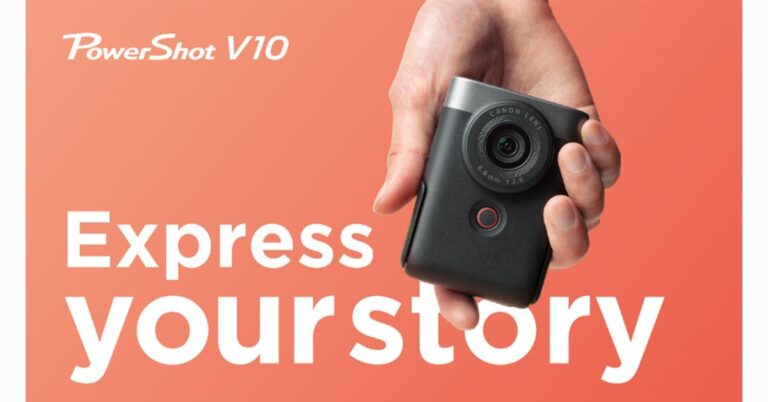
Canon has introduced a pocket-sized, dedicated vlogging camera – Canon PowerShot V10 for beginners. It comes with a microphone and a retractable stand. The device is best suited for YouTube, Instagram and TikTok content creation. One can shoot both ways vertically and horizontally. It includes a two-inch 3:2 LCD which is touch-enabled.
Canon PowerShot V10 features
Canon PowerShot V10 comes with a retractable stand to provide tripod-like support. In addition to this you can shoot in different camera angles using the tilt-type screen, which lets you see and adjust high- and low-angle shots comfortably. The vertical grip provides both right- and left-handers with a comfortable, stable hold.It has a built-in large-diameter three-element microphone that cancels noise and produces clear, high-quality audio. Canon’s EOS imaging technology allows the PowerShot V10 to produce stunning, low-noise footage with vivid colours, even in a low-light set-up. The vlogging camera does not allow manual focusing, while Face Tracking AF automatically detects and keeps your face in the frame, you can also switch to Specified Frame AF to focus on wherever you tap. The ISO range in Stills is 125 – 12800, in the movie is 165-6400 and has a max ISO of 3200 for 4K videos.The is a 1-inch CMOS sensor with 4K/30p and Full HD 60p video recording, and 20MP JPEG images. It includes as many as 14 colour filters and a number of shooting modes. The Movie Auto ND filter automatically turns the built-in 3-stop ND filter ON/OFF according to ambient brightness. The PowerShot V10 supports livestreaming, which can be done directly on Facebook or YouTube via the Camera Connect app. In addition to this, you can also use the PowerShot V10 as a webcam via the plug-and-play USB-C connection. The vlogging camera is capable of recording 4K UHD videos (3840×2160) in 30/25/24 fps and Full HD (1920×1080) in 6050//30/25/24 fps.Apart from this the V10 supports microSD cards and has a USB C port for charging. It comes with a built-in battery with a capacity of 1,250. The V10 weighs 211 grams.
Are you planning to buy a good 5G smartphone? Here is a list of 5 best 5G smartphones available in India for under Rs 30,000. Our crew has tried and tested each of the phones on the list, and they are all currently on the market in the nation. Check out their reviews, pricing and specifications.Also Read:5 Best premium smartphones to buy in India in 2023
OnePlus Nord 2T
The OnePlus Nord 2T 5G features a 6.43-inch full-HD+ AMOLED display having 1,080×2,400 pixels of resolution. It has a screen refresh rate of 90Hz. The phone is powered by MediaTek Dimensity 1300 SoC, combined with up to 12GB of LPDDR4X RAM. OnePlus Nord 2T has a triple rear camera setup with a 50-megapixel Sony IMX766 main sensor and an optical image stabilisation (OIS)-enabled f/1.8 lens. A 2-megapixel monochrome sensor with an f/2.2 lens and an 8-megapixel ultra-wide camera with a 120-degree field of view is also included in the camera arrangement. The front of the OnePlus Nord 2T 5G has a 32-megapixel Sony IMX615 camera with an f/2.4 lens for selfies and video calls.The device has a 4,500mAh dual-cell battery that can be charged quickly at 80W with the included charger.The handset is available at a starting price of Rs 28,999Review ofOnePlus Nord 2TAlso Read:5 Best 5G smartphones to buy in India under Rs 15,000
Poco X5 Pro 5G
The Poco X5 Pro 5G has a 6.67-inch Xfinity AMOLED Display with a 120Hz adaptive refresh rate. The phone is powered by Snapdragon 778G SoC and an Adreno 642L GPU. Additionally, there is up to 256GB of internal UFS 2.2 storage and up to 8GB of LPDDR4x RAM. The device includes a triple rear camera setup consisting of a 108-megapixel ISOCELL HM2 main sensor. A 2-megapixel macro camera and an 8-megapixel ultra-wide angle lens are also included. On the front, there is a 16-megapixel selfie camera.The price of the phone starts at Rs 22,999.Review of Poco X5 Pro 5G
Nothing Phone 1
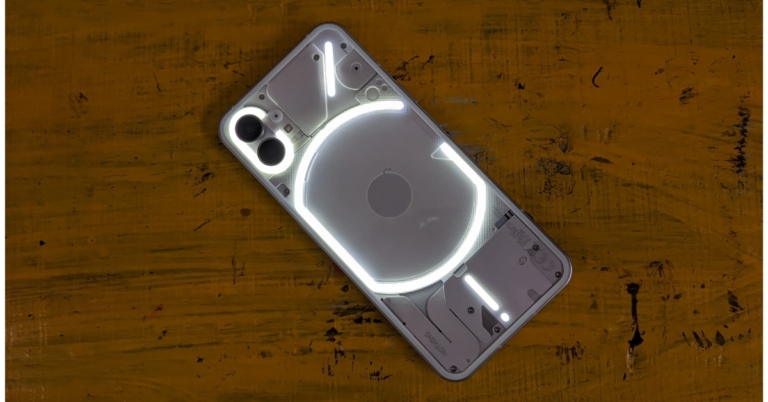
Nothing Phone 1 is highlighted with a 6.55-inch, 10-bit OLED display. Under the hood, there is Qualcomm Snapdragon 778G CPU and an Adreno 642L GPU. The phone come equipped with a dual rear camera setup that includes two 50MP sensors: one is a primary Sony IMX766 sensor (f/1.88) with OIS and EIS, and the other is a Samsung JN1 ultrawide sensor (f/2.2) with 140 degrees of field of view. Additionally, a 16MP Sony IMX471 sensor is given on the front for taking selfies and video calling.The device is available at Rs 29,999.Review of Nothing Phone 1
iQoo Neo 7 5G
iQoo Neo 7 5G The device has a 6.78-inch full-HD+ AMOLED screen with a resolution of 1,080×2,400 pixels and a refresh rate of 120Hz. It is powered by an octa-core 4nm MediaTek Dimensity 8200 5G SoC and has an Extended RAM 3.0, which increases your RAM by 8 GB, turning a phone with 12 GB of RAM into a phone with 20 GB of RAM. The triple rear camera setup a 64-megapixel primary sensor with OIS ( f/1.79 aperture). In addition to this, there is a 2-megapixel macro sensor (f/2.4 aperture) and a 2-megapixel depth sensor (f/2.4 aperture). In addition to this, the phone includes a 5,000mAh battery with 120W fast charging support.The phone is available at a starting price of Rs 30,780.Review of iQoo Neo 7 5GAlso Read:5 best 5G smartphones to buy under Rs 20,000
Redmi Note 12 Pro+
Lastly, Redmi Note 12 Pro+ comes with a 6.67-inch full-HD OLED display that has an up to 120Hz refresh rate. Under the hood, there is an octa-core 6nm MediaTek Dimensity 1080 SoC, up to 12GB of LPDDR4X RAM, and a Mali-G68 GPU. The handset features a triple rear camera setup that includes a 200-megapixel primary sensor with OIS. A 2-megapixel macro lens and an 8-megapixel ultra wide-angle camera are also part of the arrangement. The phone’s 16-megapixel front camera sensor is used for taking selfies.The Redmi Note 12 Pro+ houses a 5,000mAh battery that enables 120W rapid charging.The phone can be purchased at Rs 29,999.
For the latest gadget and tech news, and gadget reviews, follow us on Twitter, Facebook and Instagram. For newest tech & gadget videos subscribe to our YouTube Channel. You can also stay up to date using the Gadget Bridge Android App. You can find the latest car and bike news here.
If you have been using your Android phone for a long time, it is possible you may have forgotten its model number. Knowing the model number is essential if you are reselling the phone or looking up solutions to issues that are specific to your device. Luckily, there are several ways you can find the model number of your phone. In this article, we bring you the top 6 easy ways to identify and verify the make and model number of your Android phone.Read Also:Google IO 2023: Google Pixel Tablet with Charging Speaker Dock Unveiled
Identify the Model Number from Settings
Step 1: Go to Settings.Step 2: Select ‘About Phone’.Step 3: The model name, model number, and serial number of your smartphone will be displayed. You will also find the IMEI number here.Step 4: Some smartphones may contain the model and serial number in the Regulatory Information section.
Use a secret code
There are certain dialer codes you can use to carry out the basic tests and diagnose certain issues on your device. These codes vary among different manufacturers. But there is a universal code for finding out the IMEI and Serial number of your device. Launch the dialer and type in *#06# to view the IMEI and Serial number. It is also possible to identify and verify the make of your Android phone by using certain dialer codes. For Samsung smartphones, enter *#2222#, *#1234#, and *#12580*369# to check the hardware and software details of your device along with the date of manufacturing.
Check the packaging
Your device’s packaging contains all the product information you can ask for. You will find the model number, serial number, and IMEI number printed on it. Find the retail box that your Android phone shipped in and turn it around to reveal the device info. You will also be able to see details like the date of manufacturing, the number of network bands on the device, the BIS mark, and more.
Check the sticker on the back panel
When you take your device out of the box, you will notice a sticker on its back panel. This sticker contains the essential information about the device. This is where you’ll find the model number of your Android phone as well. If the sticker is still applied to the back panel, check the model number on it. If not, try to remember if you applied the sticker somewhere else after peeling it off your device. It is likely that you applied it to the retailer box.
Check under the battery
If your smartphone comes with a removable battery, you will find the model number printed underneath it. Simply remove the back panel and then remove the phone’s battery. The phone’s IMEI and Serial number will either be printed on the panel or there will be a sticker containing them.
Use a third-party app
There are a bunch of third-party apps that can reveal your device information with ease. Droid Hardware Info is one of the best apps around for this task. Once you’ve installed the app on your phone, give it the necessary permission to function properly. Upon launching the app, you will be able to see all device information related to the system, memory, camera, and more. The app will display the model number, build number, OS version, name of the manufacturer, build fingerprint, and other information.
Frequently Asked Questions
How do I find the model number of my phone?
Go to Settings>About Phone to view the model number of your device. You can also find the retail number on the retail packaging. If you do not have the retail box on you, use a third-party app like Droid Hardware Info to find additional information about your device.
Is the model number the same for two devices?
Yes, the model number is the string given to a product when it is launched. All units within that line will have the same model number. The model number between two units from the same product range may differ if they are sold in different regions with different warranties and support.
Is the serial number the same as the model number?



 Facebook Private Downloader is a simple and effective tool to download private videos from Facebook. The process is pretty straightforward. First, you need to paste the video URL in the appropriate box. Then, paste the video page source code into the box on the website and it will extract the video for you. To find the video page source code, simply press Ctrl + U on the page. Once you hit the Download button on the website, it will begin the extraction process. Right-click on the video thumbnail and select ‘Save As’ to download it on your PC.
 Vidsaver is another free online tool to download private videos from Facebook. It follows the same process as Facebook Private Downloader. Copy the video URL and paste it into the first window. In the next window, paste the video page source code. You can access it by pressing Ctrl + U on the video page. Once that is done, click on ‘Fetch’ to download the video on your device.
 Fdown.net follows the same three-part process as the two tools mentioned above. You will need the video link and video page source code to download it to your device. Enter the video link first and then paste the page source code in the following window. Once the video loads on the website, click on the ellipses and select ‘Save As’. Fdown.net can also be used to download public Facebook videos to your device.
 PasteDownload is another free online tool to download private videos from Facebook. It follows the exact same formula as before. Paste the video link followed by the video page source code. You can find the video page source code by pressing Ctrl + U on the video page. Once the website loads the video, right-click on it and select ‘Save As’ to download it to your PC.



 Step 2:
 Step 3:
 Step 4: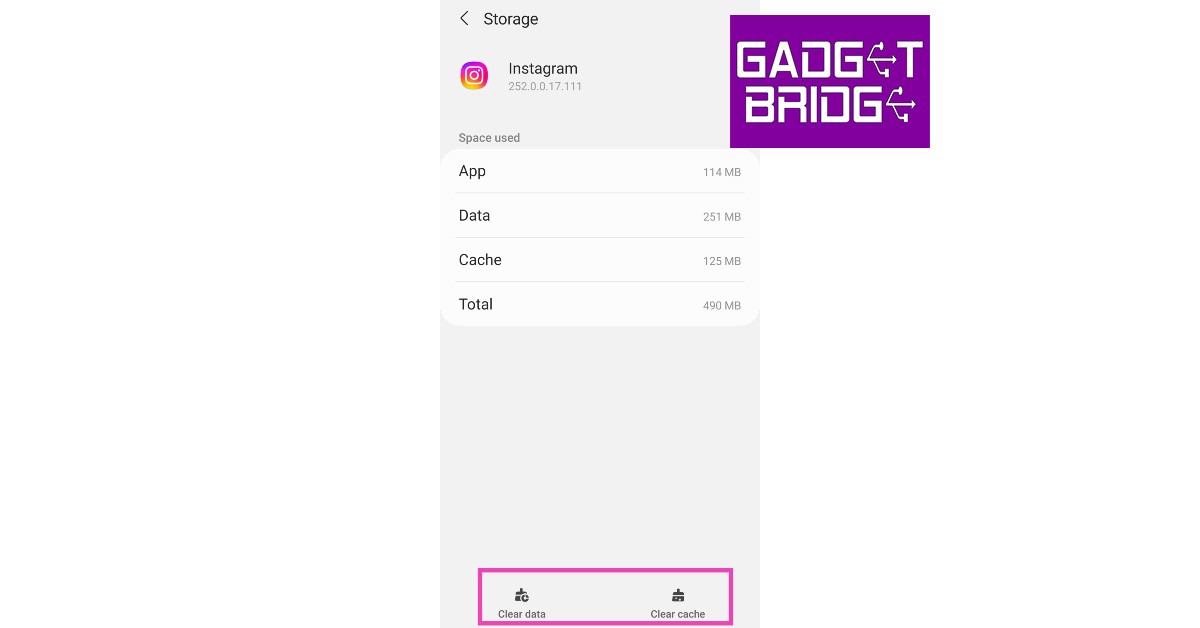

 As the name implies,
  If you can’t get the two Instagram apps to work on your phone, you might want to try Instagram’s web portal. Once you’re logged in, click on ‘Messages’ in the left sidebar. This is where you’ll find all of your Instagram conversations. Pick a thread and scroll to the video to play it.

















 Step 3:
 Step 4:

