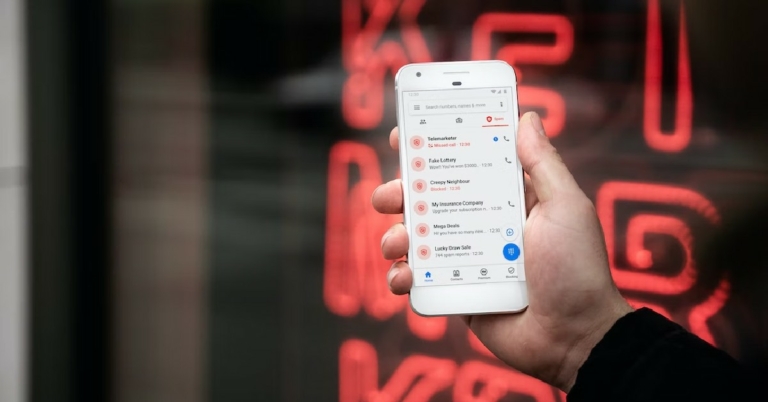
If you’ve ever thought about getting a secondary phone number, instead of buying a physical SIM you can easily download an app that will let you use a temporary number as a ‘burner.’ A secondary phone number can come in handy when you are signing up for online services and don’t want to be flooded with spam on your primary number. Selling something in an online marketplace? Preserve your anonymity by giving out a burner number. This way you can reserve your primary phone number for your inner circle of friends and family. In this article, we bring you the 10 best apps for a temporary burner phone number.Read Also: Philips TAB8947 and TAB7807 soundbars with Dolby Atmos launched in India
Hushed – Second Phone Number
Hushed is one of the most popular temporary phone number apps out there. On downloading Hushed, you get a free 3-day trial number. After the trial period ends, you will need to pay a subscription fee to avail Hushed’s services. Hushed lets you manage your temporary phone number on multiple devices. This way you can even use your iPad as a phone. Each temporary number comes equipped with customisable voicemail greetings, auto-reply text messages, call forwarding, call routing, and more. You can choose from over 300 local codes in Canada, the US, and the UK.
Doosra
For users in India, Doosra is one of the leading apps that offers you a secondary virtual phone number. Apart from all the basic features like voice calling and texting, Doosra also offers a Smart Filter where only numbers you have whitelisted are allowed to call you. Doosra also has a paid subscription service that lets you use your virtual number to sign up for instant messaging apps like WhatsApp and Telegram. With a Doosra subscription, you can also use the multi-user login feature.
Google Voice
Google Voice is currently only available in the US and Canada but plans on launching in India soon. We include Google Voice in this because of its airtight security and smooth UI. Unlike other burner phone number apps, Google Voice does not integrate pesky ads in its interface. The result is a clean design which makes the app much better to use. Another added feature of Google Voice is that it lets you transcribe your voicemails to text.
Burner
With over a million downloads on Google Play Store, Burner is one of the most popular secondary phone number apps available right now. Users get a free 7-day trial on downloading the app. You can create multiple ‘burner’ phone numbers and delete them anytime you want. You can use the ‘burner’ number to make and receive calls and text messages as well as sign up for online services.
2nd Line
Don’t want to pay for a burner phone number? Download the 2nd Line app. You may have to subject yourself to ads, but you will be able to use the basic features of the app without paying a penny. 2nd Line also offers a premium subscription that gets rid of all the ads on the app. Users can make free local calls but international calling comes at a nominal price. Subscribing to the app’s premium service also unlocks some additional features.
Dingtone
If you need a temporary burner phone number just to make calls and send texts, don’t look further than Dingtone. As soon as you sign up for Dingtone, you get a temporary phone number assigned to you. You can use this number to make unlimited local calls and send free texts. International calls require payment, but the calling rates are much cheaper than that of any regular service provider. You can earn credits within the app by watching ad videos.
Line2
If you need a temporary burner phone number for your business or startup, the Line2 app has all the answers for you. Line2 offers business-oriented features such as toll-free numbers for customers, auto-attendant, conference calls, and more. Users get a 7-day free trial upon signing up. The auto-attendant feature is excellent if you want to set up a customer support helpline for your business. Any incoming call will be put on hold or cue, depending upon the line status, and you can even set pre-recorded messages for the customers.
Grasshopper
Grasshopper is a great app for small business owners that are looking for a secondary phone number to manage their clientele. Apart from regular calling functions, Grasshopper also lets you send MMS and group messages. You can check your call and message history on the app, return missed calls, change call forwarding settings, and make calls using WiFi in areas where there’s little to no network coverage.
Text Free: Call and Texting app
Text Free is a messaging app that offers you a real phone number and free texts. You can use this number as a business line or as a burner. You can make calls, receive voicemails, participate in messaging groups, and send MMS using Text Free. You can even create your own phone number, right down to the area code. Text Free also offers some privacy features like closed chat rooms, private messages, the ability to hide messages, and other private calling features.
Cloud SIM: Second Phone Number
Cloud SIM lets you create not one, but four burner numbers. You can manage all your numbers on one device using the Cloud SIM app. This app lets you make international calls at very affordable rates. Cloud SIM is the ideal app for online sellers who don’t want to give out their primary number to buyers. If your network provider charges you excessively for international calls, you can use your Cloud SIM number to make those calls at a much more affordable price. Texting is free on Cloud SIM across all Android devices.
Read Also: Nothing Ear (stick) Review: Great looks served with an impressive sound
Conclusion
These are the 10 best apps for a temporary burner phone number. Most of these apps require a paid subscription if you want to use the ‘pro’ features. However, apps like 2nd Line and Doosra offer essential phone services free of cost. If there’s any burner phone app that you think we missed out on, let us know in the comments!For the latest gadget and tech news, and gadget reviews, follow us on Twitter, Facebook and Instagram. For newest tech & gadget videos subscribe to our YouTube Channel. You can also stay up to date using the Gadget Bridge Android App. You can find the latest car and bike news here.
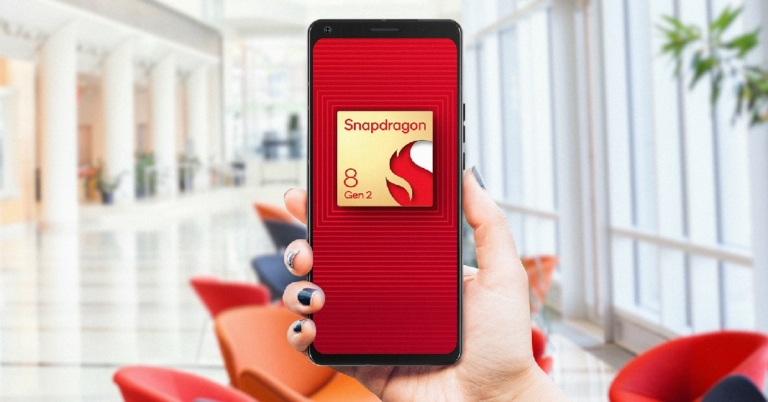
Qualcomm announced its flagship processor, Snapdragon 8 Gen 2, at the Snapdragon Summit held last month. Designed for flagship smartphones, the S8G2 makes use of groundbreaking AI processes to enable faster natural language processing with multi-language translation and INT4 support. The Snapdragon 8 Gen 1 and Gen 1+ chipsets have been vastly successful among the audience this year, and the S8G2 is set on pushing those boundaries. Can’t wait to unlock the power of this elite processor? Here are the upcoming smartphones that will be powered by the Qualcomm Snapdragon 8 Gen 2 processor.Read Also: Philips TAB8947 and TAB7807 soundbars with Dolby Atmos launched in India
Xiaomi 13 Series
Image Courtesy: WeiboThe Xiaomi 13 Series will launch in China later this month, with the global release due in the coming months. Xiaomi 13 and 13 Pro have been confirmed to be powered by Qualcomm Snapdragon 8 Gen 2. The tech giant will also be debuting the latest iteration of its MIUI 14 OS on this series. While other specs have been kept tightly under the lid, certain rumours and leaks suggest that the smartphone will get an HDR AMOLED display with a 1.61mm slim bottom bezel. A Leica camera module is also expected to feature in the Xiaomi 13.
iQOO 11 5G
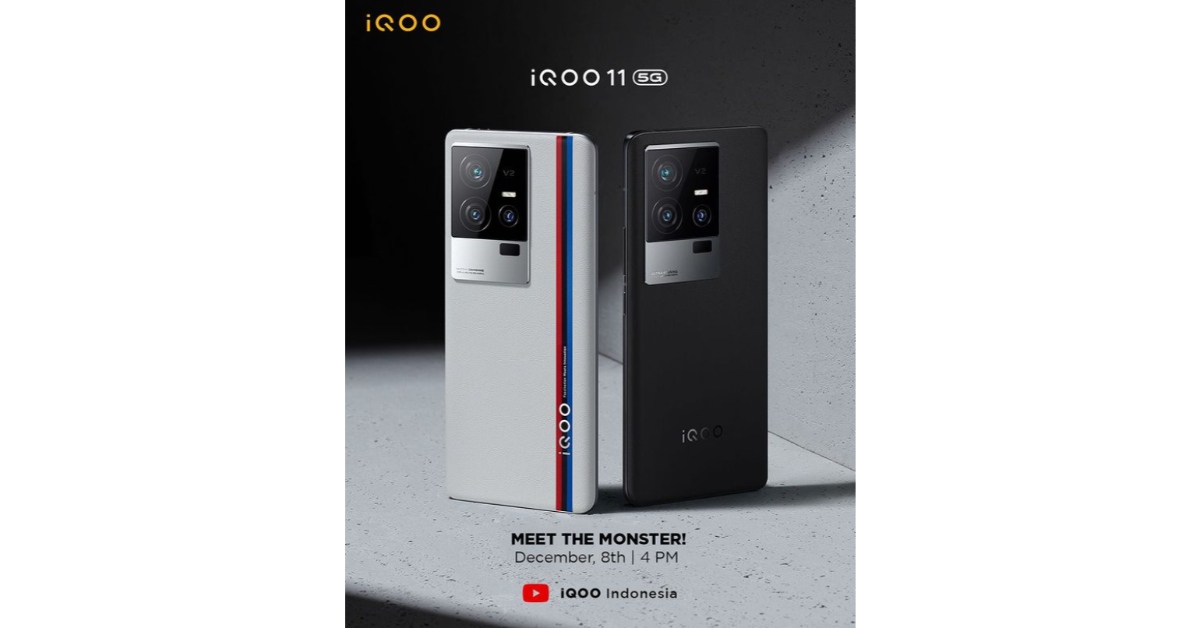
The launch of iQOO’s latest flagship product, iQOO 11, has been scheduled for December 8 in Indonesia. Buyers in India can expect the smartphone to launch in India later this month. It has been confirmed that the smartphone will feature the Qualcomm Snapdragon 8 Gen 2 chipset with LPDDR5x RAM and UFS 4.0 storage. iQOO 11 is also expected to get a 5,000 mAh battery and 120W fast charging. iQOO 11 will retain the BMW Motorsport theme from its predecessor.
OnePlus 11
OnePlus 10 ProOnePlus is set to launch its flagship OnePlus 11 in the coming days. The smartphone renders leaked online suggest the smartphone is set to get a round camera unit with a triple-lens setup. OnePlus 11 will feature the Qualcomm Snapdragon 8 Gen 2 processor. On top of that, it’ll also be the first OnePlus flagship to feature a centre punch-hole cutout for the selfie camera.
Motorola X40
Motorola X40 is set to be launched this month. The smartphone was rumoured to be powered by Snapdragon 8 Gen 2 even before Qualcomm had officially announced the chipset. Motorola X40 is also expected to get 68W fast charging, according to its listing on the China Compulsory Certification (3C) database. Among other features, the smartphone is expected to get a Full HD+ display along with a 50MP primary camera.
Vivo X90 Pro+
While it is not an ‘upcoming’ smartphone, the recently launched Vivo X90 Pro+ is the first device to be powered by the Qualcomm Snapdragon 8 Gen 2 chipset. The Vivo X90 and X90 Pro receive MediaTek Dimensity 9200 SoC while the X90 Pro+ gets the latest Snapdragon 8 Gen 2 processor. Vivo X90 Pro+ has a starting price of CNY 6,499, which is equivalent to Rs. 74,000 for the 12GB RAM with 256GB storage model, and CNY 6,999, which is equivalent to Rs. 80,000 for the 12GB with 512GB edition.Read Also: Nothing Ear (stick) Review: Great looks served with an impressive sound
Conclusion
Speaking on the launch of the Snapdragon 8 Gen 2 processor, Chris Patrick, senior vice president and general manager of mobile handsets, Qualcomm Technologies, Inc. said, “We are passionate about enabling people to do more, so we design Snapdragon with the user at the center. Snapdragon 8 Gen 2, will revolutionize the landscape of flagship smartphones in 2023. Snapdragon 8 Gen 2 delivers groundbreaking AI, unparalleled connectivity, and champion-level gameplay, enabling consumers to enhance every experience on their most trusted device.”Which of these flagship releases are you looking forward to the most? Let us know in the comments!For the latest gadget and tech news, and gadget reviews, follow us on Twitter, Facebook and Instagram. For newest tech & gadget videos subscribe to our YouTube Channel. You can also stay up to date using the Gadget Bridge Android App. You can find the latest car and bike news here.
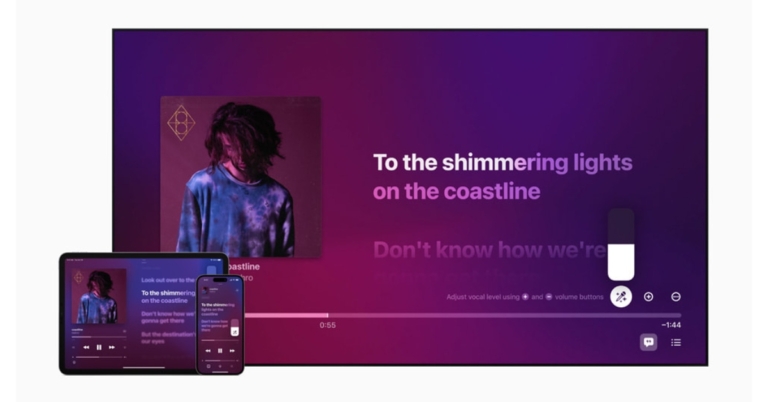
Apple has introduced a brand-new karaoke feature to its Apple Music App namely Apple Music Sing. This karaoke mode will allow users to increase the vocal level while singing along with the lyrics. The feature will also provide users access to more than 50 specific companion playlists.The Apple Music Sing, which enables users to sing along to their favourite songs with customizable vocals and real-time lyrics, was unveiled by Apple. To let users take the lead, sing duets, sing backing, and more within Apple Music’s unmatched lyrics experience, Music Sing provides multiple lyric views.While announcing the Music Sing to Apple Music app, Oliver Schusser, Apple’s vice president of Apple Music and Beats said, “Apple Music’s lyrics experience is consistently one of the most popular features on our service. We already know our users all over the world love to follow along to their favorite songs, so we wanted to evolve this offering even further to enable even more engagement around music through singing. It’s really a lot of fun, our customers are going to love it.”Apple Music Sing FeaturesAdjustable vocals are included in Music Sing. The vocal levels of a song can now be changed by users. On the millions of songs in the Apple Music library, they can sing alongside the original artist’s vocals, take the lead, or mix it up.Users can sing along to their favourite songs with animated lyrics that dance to the beat of the singing using real-time lyrics.On the other hand, vocal lines can move independently of the main voice to make it easier for listeners to understand. Multiple vocalists are displayed in Duet view on separate sides of the screen, making duets and tracks with multiple singers simple to sing along to.According to the company, a collection of over 50 specially curated companion playlists for Music Sing will also be released, encompassing all of the iconic songs, duets, choruses, and anthems that have inspired people to sing all over the world.Apple Music Sing AvailabilityOn iPhone, iPad, and the brand-new Apple TV 4K, Apple Music Sing will be accessible to all Apple Music subscribers later this month.
For the latest gadget and tech news, and gadget reviews, follow us on Twitter, Facebook and Instagram. For newest tech & gadget videos subscribe to our YouTube Channel. You can also stay up to date using the Gadget Bridge Android App. You can find the latest car and bike news here.
While apps like Truecaller are useful in blocking spam calls and identifying unknown numbers, they also put your privacy at risk by listing your number on their database. For some people, this may not be the ideal tradeoff. If you use a landline phone, your home address may also be visible on such apps. Luckily, there are a few ways of fixing this. In this article, we bring you the best methods to block your number and hide your caller ID on apps like Truecaller.Read Also:Nothing Ear (stick) Review: Great looks served with an impressive sound
Remove your number from Truecaller
In order to remove your phone number from the Truecaller database, you will need to deactivate your account first. You cannot use Truecaller without your number being listed on their database. Here’s how you can deactivate your profile and unlist your number on Truecaller.Step 1: Open the Truecaller app and tap the ellipses (three dots) at the top right corner of the screen.Step 2: Select Settings and go to Privacy Center.Step 3: Scroll down and select Deactivate.Step 4: Go to https://www.truecaller.com/unlisting.Step 5: Enter your number and click on ‘Unlist.’Your number will be removed from Truecaller within 24 hours.
Hide your Caller ID on Android
You can also hide your Caller ID on an Android smartphone while calling other numbers. Here’s how you can do it on an Android smartphone.Step 1: Open the Phone app on your smartphone and tap the ellipses (three dots) at the top right corner of the screen. Select Settings.Step 2: Scroll down and select Supplementary Services.Step 3: Tap on ‘Show your caller ID’ and select Never.
Hide your Caller ID on an iPhone
Here’s how you can hide your caller ID on an iPhone.
Step 1: Open Settings and select Phone.Step 2: Select ‘Show my caller ID’ and turn the toggle bar off.
Hide your Caller ID before making a call
If you live in the US, you can hide your caller ID for an individual call without changing the call settings on your phone. In order to do this, type *67 before the number you’re going to call. For example, if you’re going to call the number ‘1234567’, type ‘*671234567’ to hide your caller ID from that number. In UK and Ireland, you can do the same by typing 141 before any number.
Ask your network service provider for added services
Some network service providers let you hide your caller ID at an additional cost. Dial the customer support helpline number of your network provider and see if they provide the service. The price to activate this service varies across different networks.Read Also:End-to-end encryption will soon be available in Google Messages group chats
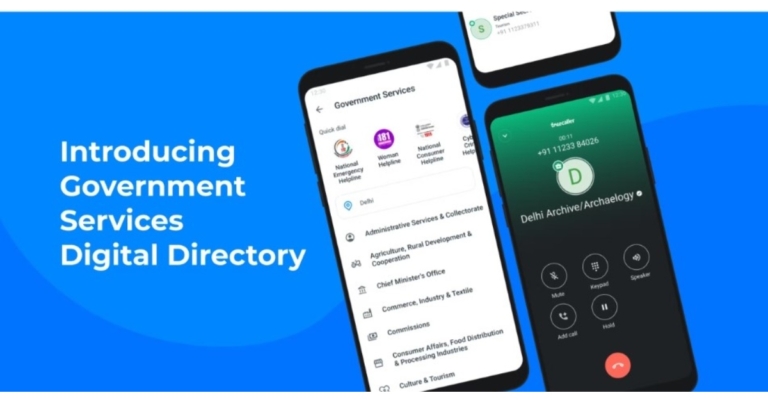
Digital directory for India’s national and state governments has been made public by Truecaller. By providing quick access to verified contacts for government officials, this would enable users to communicate with the government in an effortless manner.India now has access to Truecaller’s digital government services directory for Android phones. Users now have verified contacts of important government officials and authorities at their fingertips, from national hotline numbers to numbers for ministries and bureaucrats. The app currently covers around 23 states and union territories, as well as about 20 central government ministries. The data was obtained directly from the government and through authorised government sources.Users of the Truecaller app have access to helplines, law enforcement, embassies, educational institutions, hospitals, and other important departments of around 23 states, including union territories, through the online government directory. Direct government sources and authorised government sources have provided this information. With this project, the public’s access to government representatives will be facilitated and streamlined, and the over 240 million Indian Truecaller users would be given easy access to the government.While announcing the feature the company said, “Based on interactions with netizens and relevant stakeholders, Truecaller has learnt that one of the most pervasive scams on the phone involves impersonation of government officials. The creation of a verified government contact directory is a continuation of Truecaller’s efforts to build trust in communication and protect our users from frauds and scams. Users will see a green background and a blue tick, indicating that the number is verified. Truecaller is working with different government departments to expand the directory and is looking at adding contacts at the district and municipal levels in the next phase, based on user feedback. Truecaller has also created a simple process for any government agency to share information and get verified on the directory.”You will notice a green background and a blue tick, signifying that the number is validated, when the phone rings. By doing so, the new function will also shield you from scammers who might mimic government service providers, protecting you from the negative effects of impersonation.Commenting on the launch of the feature, Pragya Misra, Director of Public Affairs, Truecaller said, “Truecaller has evolved to become more than just a Caller Identification app and is today bridging the digital divide between the urban and growing semi-urban/rural markets in India by enabling trust in digital communication. Our attempt is to protect people from widespread impersonation of government officials leading to scams and frauds. We believe that with this feature, citizens can easily reach out to the right authorities when in need. This is a first-of-its-kind digital directory of government numbers and we will keep improving on it based on user feedback. We will continue to align our efforts to make communication safe by building trust.”
For the latest gadget and tech news, and gadget reviews, follow us on Twitter, Facebook and Instagram. For newest tech & gadget videos subscribe to our YouTube Channel. You can also stay up to date using the Gadget Bridge Android App. You can find the latest car and bike news here.
Garena Free Fire is a battle royale game with regular awards and tournaments to keep players interested. If you play Garena Free Fire, you should be aware of the redeem codes that are released on a daily basis. However, because the battle royale game is banned in India, players from other countries can use the Free Fire Redeem codes daily. If you’re unfamiliar with the Garena Free Fire redeem codes or don’t know how to get them, we’ve put together a step-by-step guide to help you redeem them. Check out Garena Free Fire Redeem Codes for December 7.The Free Fire redeem codes are a great way to get free stuff. These are 12-digit codes that contain alphabets and numbers, as well as an expiration date and time. Because the Garena FF redeem codes cannot be used more than once, you should hurry to the redemption page to claim your free reward before someone else does. To get a free reward, all you have to do is go to reward.ff.garena.com/en, which is the official redemption page. Also, keep an eye on this space for daily updates on Garena Free Fire redemption codes and rewards.
Garena Free Fire Redeem Codes Today 7 December 2022
Updating Soon
How to Get Free Fire Redeem Codes for Garena on December 7?
Daily Amazon brings a fresh quiz for its customers with exciting rewards on its platform. The Amazon quiz can be played every day from 12 AM to 11:59. 7 December 2022 Amazon Quiz has gone live on its platform and the e-commerce platform Amazon is today giving you a chance to win Rs 5,000 Amazon Pay Balance.To participate all you need to do is log in to your Amazon app on your device and give answers. Daily a new set of questions are presented to the participants which gives them a chance to win exciting prizes. The questionnaire consists of five easy questions that are usually based on general knowledge and current affairs. You can submit the correct answers and can win an Amazon Pay Balance of up to Rs 50,000. It should be noted that the quiz is not accessible on the web platform instead you have to participate only through the dedicated app.Amazon Quiz Today Prize – Rs 5,000 Amazon Pay BalanceQuiz Date – 7 December 2022Daily Timing – 12 AM to 11:59 PMWinner Announcement – Today 12 PM
Amazon Quiz Answers Today 7 December 2022
Question 1: How many men’s FIFA World Cup titles has Spain won?Answer: 1Question 2: The annual Tata Literature Live! Lifetime Achievement Award for 2021 was given to which celebrated author?
Answer: Anita Desai
Question 3: Ajaz Patel, who recently became the 3rd player in Tests to get all 10 wickets, plays for which country?Answer: New ZealandQuestion 4: This is the flag of which country?Answer: ItalyQuestion 5: This sport was banned between 1457 and 1744 in which country, that also invented the said sport?
Answer: Scotland
How To Play Amazon Quiz
Only app users are eligible to play the Amazon quiz every morning from 12 AM to 11:59 PM. The quiz is not available on the desktop. For those who are unaware of how to play the Amazon quiz below are the steps, you can follow to take the quiz.
Firstly download the Amazon app from Google Play Store or App Store
Now fill in the required information through the Sign Up option.
You need to log in to the Amazon app and scroll down on the home screen to find the Amazon Quiz banner.
Tap on the Amazon Quiz banner and tap on the Start button to start the Quiz.
Now you will get 5 questions and you need to answer them correctly. One wrong answer will eliminate you from the Quiz.
After answering all the questions correctly you are now eligible for a Lucky Draw.
The winner’s name will be announced today at 12 PM.
TPV Technology today announced the release of the brand-new Philips TAB8947 3.1.2 and TAB7807 3.1 CH Dolby Atmos Soundbars in India today. The 3.1.2 CH Dolby Atmos technology in the Philips TAB8947 soundbar provides a multidimensional audio experience with 660W of output. Whereas Philips TAB7807 3.1 CH soundbar delivers virtual 3D sound using Dolby Atmos technology.
Philips TAB8947 and TAB7807 soundbar price in India and availability
The Philips TAB8947 and TAB7807 soundbars have been launched at INR 35,990 and INR 28,990, respectively. They will be available for purchase at all reputable offline and online retailers nationwide.
Philips TAB8947 and TAB7807 soundbar features
With a 660W output and 3.1.2 CH, the Philips TAB8947 soundbar provides a multidimensional music experience. A room may be filled with mesmerising soundtracks, booming effects, and crystal-clear speech thanks to the 660W output, which features 8 integrated drivers and an 8″ subwoofer. Chromecast, Apple AirPlay 2, or Bluetooth are all simple ways to stream high-definition playlists from a mobile device. With AI voice help, it’s simple to play music through the soundbar hands-free.The Philips TAB8947’s standout and most distinctive feature are its additional upward-firing speakers, which provide height channels and create a genuine 360-degree surround sound experience, especially when Dolby Atmos is used.In contrast, the Philips TAB7807 3.1 CH soundbar delivers virtual 3D sound to elevate your listening experience with Dolby Atmos technology. It has 620W of output power, 6 integrated speakers, and 8″ strong subwoofers for a rich music experience. With Stadium EQ mode, this soundbar is the ideal partner for enjoying live sporting events at home. Through Philips Easylink technology, it is simple to modify the EQ modes, bass, treble, and volume settings on your soundbar with the remote control.The soundbars are easy to set up under or next to your TV because of their low profile and striking geometric design. Both support Dolby Atmos and other cutting-edge formats thanks to HDMI eARC technology.
For the latest gadget and tech news, and gadget reviews, follow us on Twitter, Facebook and Instagram. For newest tech & gadget videos subscribe to our YouTube Channel. You can also stay up to date using the Gadget Bridge Android App. You can find the latest car and bike news here.
Back in July last year, Nothing announced its arrival in the consumer tech market with the launch of Nothing ear (1) TWS. We reviewed the ear (1) as soon as it came out and were quite impressed by its unique design and the audio performance it delivered. This year, Nothing came out with their debut smartphone (review here) and another pair of TWS, the Ear (stick). The Ear (stick) is priced at Rs 8,499 and is currently sold alongside the ear (1), which is priced moderately at Rs 7,299. While both TWS stick to Nothing’s ‘transparent’ design philosophy, there are some significant differences between the two products. We used the Nothing Ear (stick) for almost two weeks, here is our in-depth review.Read Also:Vivo Y02 budget smartphone launched in India at Rs 8,999
Nothing Ear (stick) review: Design
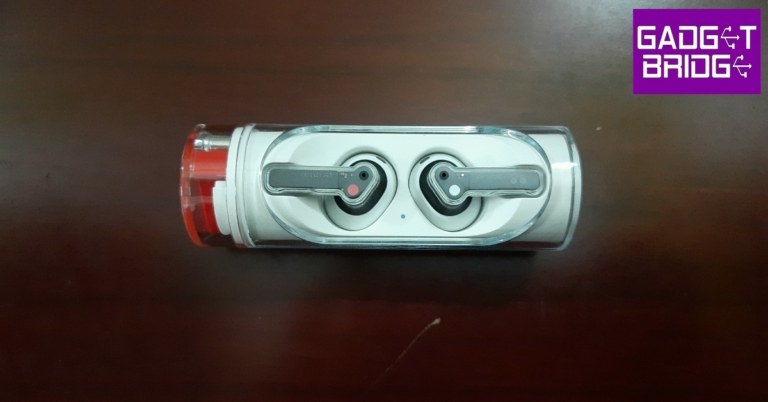
The Nothing Ear (stick) ships inside a rectangular box with the charging case and earbuds on one end and the Type C cable, safety information, warranty card, and user guide on the other. The box requires peeling off the strips underneath the lids to access its contents. Once opened, the lids cannot be pressed shut.The charging case is unlike anything we’ve seen before in a TWS product. The long cylindrical design resembles that of a lipstick case, and the rotating head further adds to that aesthetic. The transparent glass lets you see the earbuds resting in their pods, it wouldn’t be a Nothing product otherwise! The inner plastic tube is a bit of a dirt magnet, and it can get quite challenging to clean the case if the grime manages to slide between the transparent glass panel and the inner tube.The case opens up with a quick swivel of the rotating head in either direction. If you find yourself fidgeting with lids far too often, you’re going to love this charging case. The rotating head also houses a Bluetooth pairing button and a USB charging slot. The glass cover has an oval cutout that lets you access the earbuds after you rotate the head of the case. We were quite apprehensive about the earbuds falling out as soon as we open the case, but the magnetic slots held up pretty well. The earbuds stay in place while facing the ground and do not drop out even after a few heavy jerks.Pulling the earbuds out of their pods, you’ll notice that Nothing has opted for an open-ear design on the Ear (stick). This means you don’t get any silicone tips, and the audio isn’t directly delivered to your ear canal. But the most glaring issue for some users may be the fit (or lack of it). Unlike ear (1), you cannot simply put in the appropriate size ear tips for a better fit. However, if the earbuds do fit in your ear, they are pretty comfortable to wear. The buds weigh just 4.4g and do not strain your ears even after they’ve been in there for hours. The transparent stem is pressure sensitive and allows you to control the basic functions with a pinching motion, completely eliminating those pesky accidental touches. Rated IP54, you can wear these earbuds while working out and not worry about any damage caused due to sweat.
Nothing Ear (stick) review: Performance
What the Ear (stick) lacks in its fit, it more than makes up in performance. The earbuds feature 12.6mm dynamic drivers that deliver a powerful sound that can match up with the best in this category. The earbuds only offer SBC and AAC codec support, which is pretty much the norm in this price range.Connecting the Ear (stick) to your smartphone is a smooth process. There is a dedicated pairing button on the case that you need to press when connecting the earbuds to your phone for the first time. Once paired, you can customise the controls and equaliser using the Nothing X app.When it comes to the sound profile, the Ear (stick) does not disappoint at all. With the open-ear design, we had our doubts regarding the audio performance but they were soon put to rest with the sheer quality of the dynamic drivers housed within the earbuds. The sound profile is very much bass-driven, but not at the expense of shrouding other frequencies. The overall output is a pleasant mix of highs, mids, and lows. You don’t need to crank the volume all the way up to enjoy the ideal mix. If you’re not satisfied with the audio profile, the custom equaliser in the Nothing X app will be of incredible help.The Ear (stick) makes a significant improvement over the ear (1) in microphone quality. The TWS does a fine job of isolating the voice from any surrounding noise and relaying it to the receiver without a significant drop in quality. If you’re making a call in a quieter indoor environment, these earbuds perform just as well as any wired headphones. The touch controls on the stem are triggered by pinching motion. These controls can be customised with the Nothing X app as well. The biggest miss on the Nothing Ear (stick) is the lack of ANC. Even though it’s priced in the same bracket as the ear (1), the open-ear design of the Ear (stick) prevents it from featuring active noise cancellation.Moving on, the Nothing Ear (stick) offers up to 29 hours of listening time, with 7 hours of charge in the earbuds and an additional 22 hours in the case. Unlike ear (1), the Ear (stick) does not come with wireless charging. However, you can fast charge the Ear (stick) to provide up to 9 hours of audio playback in just 10 minutes of charging.Read Also: Sony SRS-XV900 Bluetooth party speaker debuts in India
Verdict
The Nothing Ear (stick) is inarguably one of the better-looking TWS in the market right now. The TWS makes no compromise on the performance, as the Ear (stick) delivers a rock-solid audio output, that punches above its weight in the midrange category. However, it misses out on wireless charging and ANC, which may leave some enthusiasts with some complaints. Overall, at Rs 8,499, the Nothing Ear (stick) is certainly a powerful contender in its category.
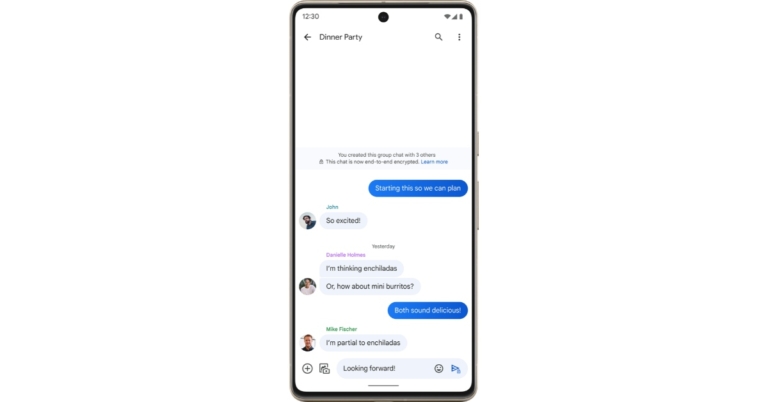
In its Messages app, Google is experimenting with end-to-end encryption for group chats in order to make it more secure. Furthermore, in the upcoming weeks, the group chatting feature will start to go out to Messages users signed up for the open beta test.E2EE (end-to-end encryption) functionality is now accessible for group chats in Messages. To recall end-to-end encryption for group chatting was first introduced at Google’s I/O 2022.RCS chats in the Messages by Google app already support E2EE. End-to-end encryption is possible with RCS but not with SMS. As a result, all one-on-one texts received through Google Messages, for instance, are encrypted, making them private and secure and visible only to the sender and the recipient. End-to-end encryption is currently beginning to roll out for group conversations and will soon be accessible to select users participating in the open beta test. RCS not only makes texting safer, but it also improves the experience. According to the company, SMS texting lacks many of the features that smartphones offer, but RCS enables you to text over Wi-Fi, send and receive high-quality images and videos, view typing indicators and read receipts in real-time, name group discussions, add or remove friends from group chats, and much more. In order to share the perfect emoji, Messages will soon allow you to reply to RCS messages with any emoji.According to the company, RCS is built to function on every phone, so you can have the same texting experience no matter where you reside, who made your phone, or what operating system it uses. And as of right now, every significant mobile carrier and manufacturer has adopted RCS as the industry standard with the exception of Apple. When people with iPhones message people with Android phones, Apple refuses to implement RCS and continues to rely on SMS, keeping their texting trapped in the 1990s, the company in its announcement also noted.
For the latest gadget and tech news, and gadget reviews, follow us on Twitter, Facebook and Instagram. For newest tech & gadget videos subscribe to our YouTube Channel. You can also stay up to date using the Gadget Bridge Android App. You can find the latest car and bike news here.



 Hushed is one of the most popular temporary phone number apps out there. On downloading Hushed, you get a free 3-day trial number. After the trial period ends, you will need to pay a subscription fee to avail Hushed’s services. Hushed lets you manage your temporary phone number on multiple devices. This way you can even use your iPad as a phone. Each temporary number comes equipped with customisable voicemail greetings, auto-reply text messages, call forwarding, call routing, and more. You can choose from over 300 local codes in Canada, the US, and the UK.
 For users in India, Doosra is one of the leading apps that offers you a secondary virtual phone number. Apart from all the basic features like voice calling and texting, Doosra also offers a Smart Filter where only numbers you have whitelisted are allowed to call you. Doosra also has a paid subscription service that lets you use your virtual number to sign up for instant messaging apps like WhatsApp and Telegram. With a Doosra subscription, you can also use the multi-user login feature.
 Google Voice is currently only available in the US and Canada but plans on launching in India soon. We include Google Voice in this because of its airtight security and smooth UI. Unlike other burner phone number apps, Google Voice does not integrate pesky ads in its interface. The result is a clean design which makes the app much better to use. Another added feature of Google Voice is that it lets you transcribe your voicemails to text.
 With over a million downloads on Google Play Store, Burner is one of the most popular secondary phone number apps available right now. Users get a free 7-day trial on downloading the app. You can create multiple ‘burner’ phone numbers and delete them anytime you want. You can use the ‘burner’ number to make and receive calls and text messages as well as sign up for online services.
 Don’t want to pay for a burner phone number? Download the 2nd Line app. You may have to subject yourself to ads, but you will be able to use the basic features of the app without paying a penny. 2nd Line also offers a premium subscription that gets rid of all the ads on the app. Users can make free local calls but international calling comes at a nominal price. Subscribing to the app’s premium service also unlocks some additional features.
 If you need a temporary burner phone number just to make calls and send texts, don’t look further than Dingtone. As soon as you sign up for Dingtone, you get a temporary phone number assigned to you. You can use this number to make unlimited local calls and send free texts. International calls require payment, but the calling rates are much cheaper than that of any regular service provider. You can earn credits within the app by watching ad videos.
 If you need a temporary burner phone number for your business or startup, the Line2 app has all the answers for you. Line2 offers business-oriented features such as toll-free numbers for customers, auto-attendant, conference calls, and more. Users get a 7-day free trial upon signing up. The auto-attendant feature is excellent if you want to set up a customer support helpline for your business. Any incoming call will be put on hold or cue, depending upon the line status, and you can even set pre-recorded messages for the customers.
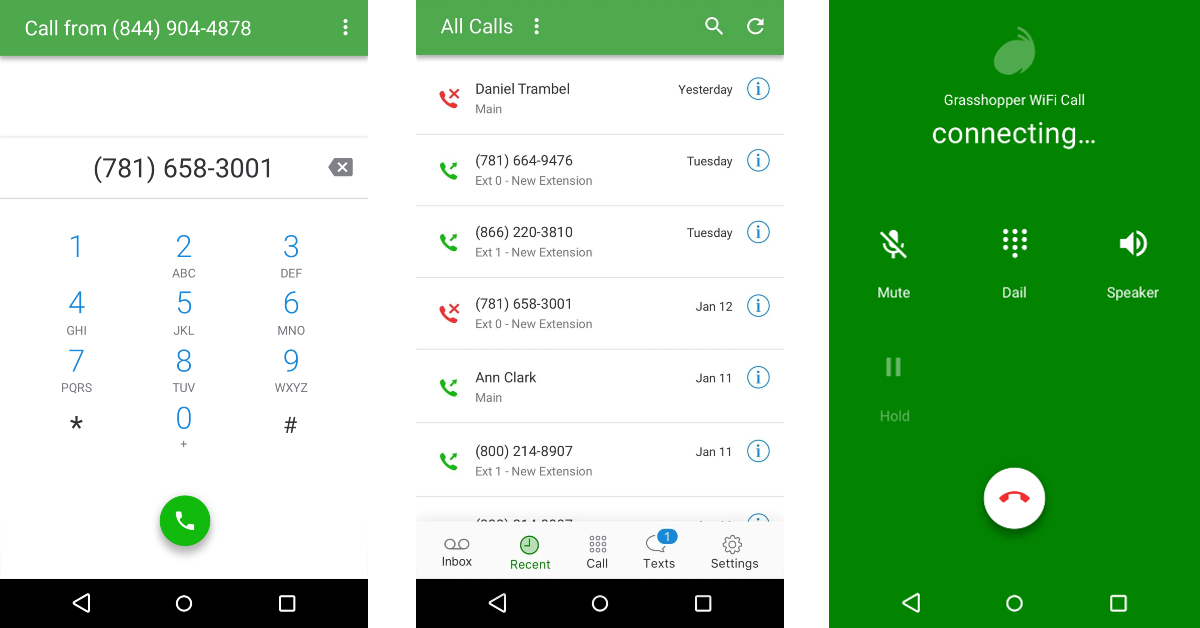 Grasshopper is a great app for small business owners that are looking for a secondary phone number to manage their clientele. Apart from regular calling functions, Grasshopper also lets you send MMS and group messages. You can check your call and message history on the app, return missed calls, change call forwarding settings, and make calls using WiFi in areas where there’s little to no network coverage.
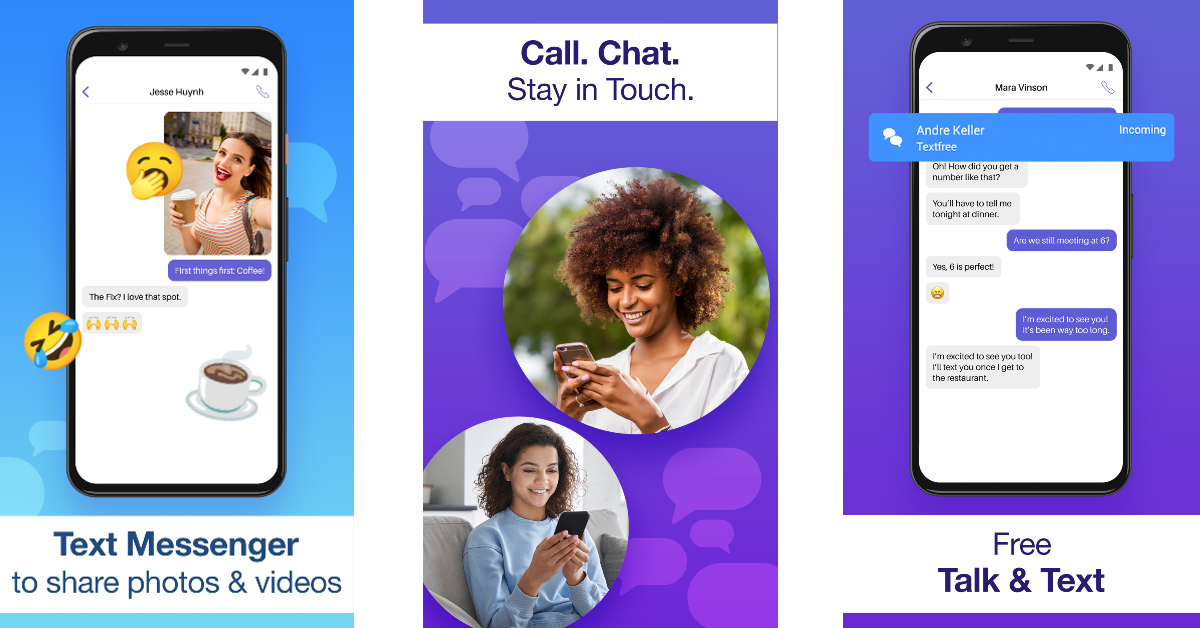 Text Free is a messaging app that offers you a real phone number and free texts. You can use this number as a business line or as a burner. You can make calls, receive voicemails, participate in messaging groups, and send MMS using Text Free. You can even create your own phone number, right down to the area code. Text Free also offers some privacy features like closed chat rooms, private messages, the ability to hide messages, and other private calling features.
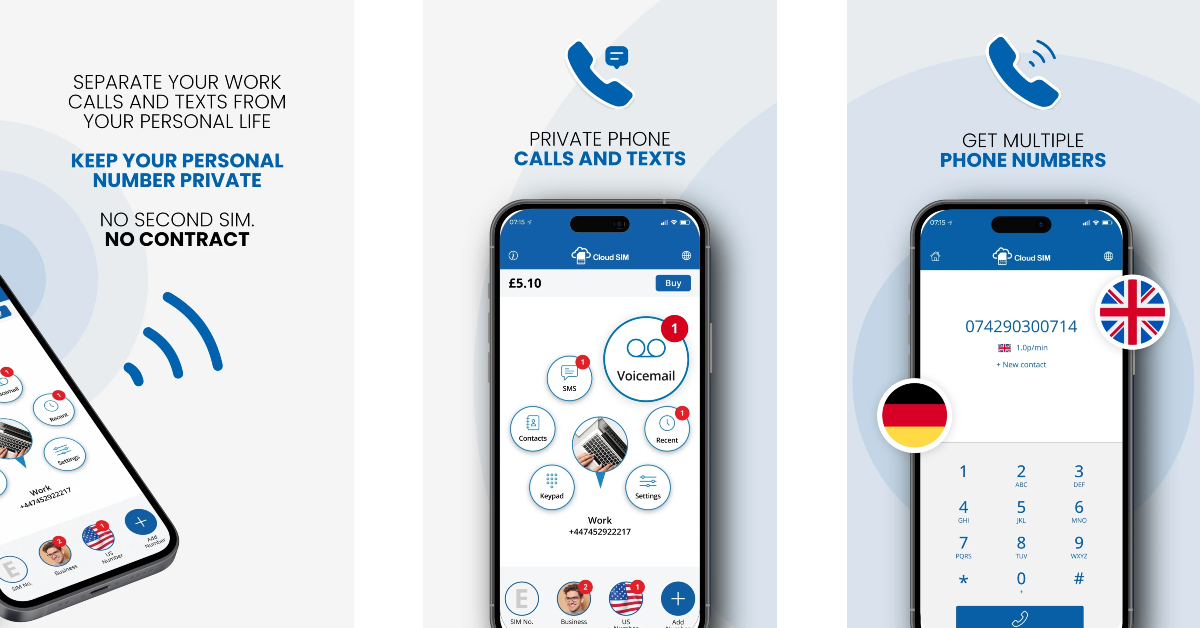 Cloud SIM lets you create not one, but four burner numbers. You can manage all your numbers on one device using the Cloud SIM app. This app lets you make international calls at very affordable rates. Cloud SIM is the ideal app for online sellers who don’t want to give out their primary number to buyers. If your network provider charges you excessively for international calls, you can use your Cloud SIM number to make those calls at a much more affordable price. Texting is free on Cloud SIM across all Android devices.
Read Also: Nothing Ear (stick) Review: Great looks served with an impressive sound
Cloud SIM lets you create not one, but four burner numbers. You can manage all your numbers on one device using the Cloud SIM app. This app lets you make international calls at very affordable rates. Cloud SIM is the ideal app for online sellers who don’t want to give out their primary number to buyers. If your network provider charges you excessively for international calls, you can use your Cloud SIM number to make those calls at a much more affordable price. Texting is free on Cloud SIM across all Android devices.
Read Also: Nothing Ear (stick) Review: Great looks served with an impressive sound



 Step 2:
 Step 3:
 Step 4:
 Step 2:
 Step 3:
 Step 2: