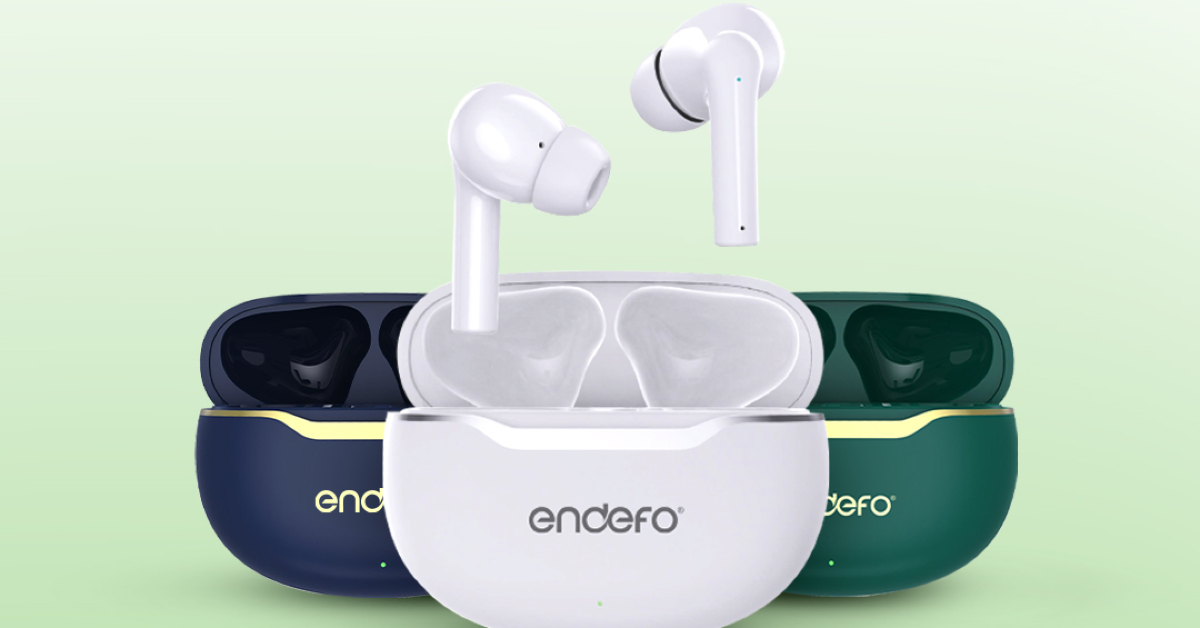
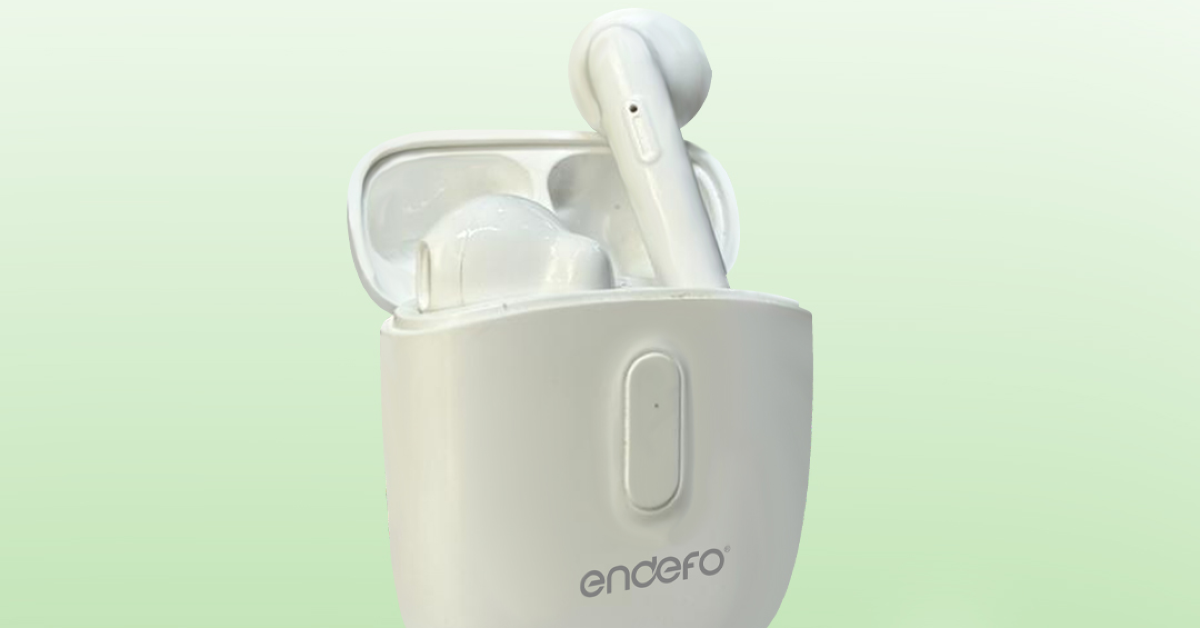
Xiaomi hosted the Smarter Living 2024 event in India today, showcasing the Redmi Pad SE along with an array of home appliances and a wearable. In August 2023, the Redmi Pad SE made its debut in a few European markets. The Indian version of the tablet retains the same design as the European model. It has an 11-inch full-HD+ LCD screen certified by TÜV Rheinland for reduced blue light emissions, and it can refresh at up to 90 Hz. The Qualcomm Snapdragon 680 SoC powers the tablet. Up to 14 hours of video playback or 219 hours of Music playback are claimed to be possible with this tab’s battery life.
Redmi Pad SE price in India, sale details
The Redmi Pad SE has been launched in India in three colours — green, grey and lavender. The tablet is priced at Rs 12,999 for the 4GB RAM with 128GB storage option. There is another 6GB RAM with 128GB storage which costs Rs 13,999 and the 8GB RAM with 128GB storage model at Rs 14,999. Starting on April 24, users may purchase the tablet through Amazon, Flipkart, and Xiaomi retail locations in the country.Also Read:Philips Signature Series Airfryer HD9867/90 with Smart Sensing Technology launched in India
Redmi Pad SE specifications
Redmi Pad SE comes equipped with Qualcomm’s 6nm Snapdragon 680 Mobile Platform paired with Qualcomm Adreno for graphics. It supports LPDDR4X RAM and eMMC 5.1 storage and is available in three variations: 4GB+128GB / 6GB+128GB / 8GB+128GB. The Redmi tablet supports expandable storage of up to 1TB via microSD card. It runs on MIUI Pad 14 based on Android 13.The device comes with an Aluminum alloy unibody design featuring an 11-inch full-HD+ LCD screen with 1,900 x 1,200 pixels of resolution. The display supports up to 90Hz refresh rate and TÜV Rheinland low blue light certification. In addition to this, it has a touch sampling rate of up to 180Hz, 400 nits of peak brightness and 84.4% screen-to-body ratio. It offers multi-tasking with its split screen and floating windows features.In terms of optics, there is an 8MP rear camera with f/2.0, 1.12μm pixel size which supports video recording up to 1080P@30fps. For selfies and video calling, the tablet comes with a 5MP front camera f/2.2, 1.12μm pixel size.Also Read:Sony Bravia Theatre Quad with 360 Spatial Sound Mapping launched in IndiaThe Redmi Pad SE is backed by an 8,000mAh battery which supports 10W charging. It delivers a battery life of up to 14 hours of video playback time or up to 219 hours of music playback time and has a standby battery life of up to 43 days. There is a quad speaker system on the tab which is Dolby Atmos supported.Along with an AI face unlock the gadget also includes a Virtual ambient light sensor, an Accelerometer and a Hall sensor. For connectivity, there is Wi-Fi: 2.4GHz | 5GHz, Bluetooth 5.0, USB Type-C port and a 3.5mm headphone jack.
Apple’s AirPods should be your go-to TWS if you’re an iPhone user. Not only do they offer a superior soundstage and listening experience, but they also pair seamlessly with your iPhone without any hassle. It is uncommon for AirPods to malfunction out of the blue, but it is not entirely impossible. If you’re facing a similar issue, you’ve landed on the right page. Here are the top 11 ways to fix your AirPods if they won’t connect to your iPhone or go into Pairing Mode.Read More:Philips Signature Series Airfryer HD9867/90 with Smart Sensing Technology launched in India
Why won’t my AirPods connect to my iPhone?
Before we dive into the fixes, let’s take a quick look at what may be causing your AirPods to malfunction.
Your AirPods aren’t within their functional range.
Your AirPods are out of battery.
Software issues on your iPhone.
Faulty Bluetooth connection.
Accumulation of dust and grime on the charging case is keeping the AirPods from working.
You are using an older iOS version on your iPhone.
Your AirPods’ hardware is damaged.
Make sure the AirPods are within the functional range
If the distance between your iPhone and AirPods is beyond 15 meters, the earbuds will disconnect from the smartphone. Bring the AirPods closer to your iPhone to restore the connection. When the two devices are farther apart, the quality of the connection also takes a hit. The connection strength is also determined by interference from other devices and the number of obstacles in the way.
Charge the AirPods
Your AirPods may not be connecting to your iPhone because they are out of charge. Place the earbuds in the case and connect it to a lightning cable or place it on a wireless charging pad. Wait until the notification light turns green. Once charged, connect the AirPods to your iPhone.
Toggle the Bluetooth Off and On
It is possible that your iPhone’s Bluetooth connection is the culprit behind this issue. Luckily, a quick reset can fix it. Simply go to the Control Centre and tap the Bluetooth tile to turn it off. Wait for a few seconds and then tap it again to turn it back on. You can go to Settings>Bluetooth and do the same by toggling the switch off and on.
Clear your AirPods
Dust and grime can accumulate on your AirPods and their charging case, keeping them from working properly. Use a clean, dry microfiber cloth or Q-tip to clean the charging case and the earbuds. Do not use a damp cloth to clean the case, as it can damage the charging port.
Restart your iPhone
Background software issues on your iPhone may be the reason why it can’t pair with your AirPods. These issues can be resolved with a quick restart of the device. Press one of the volume keys along with the side button to access the power menu. Drag the power slider across the screen to turn off your iPhone. Wait for a few seconds, then long-press the side button to restart the device.
Forget the device
Removing the AirPods as a saved device on your iPhone and pairing it again can restore normal functioning. Go to Settings>Bluetooth and tap the info icon next to your AirPods. Select ‘Forget This Device’. Now, press the setup button on your AirPods to put them in pairing mode and connect them to your iPhone.
Update your iPhone
Step 1: Make sure your iPhone is connected to a WiFi network and plug in its charger.Step 2: Go to Settings and select General.Step 3: Select Software Update.Step 4: Tap on Download and Install.
Reset the AirPods
If your AirPods won’t connect to your iPhone even after using the fixes mentioned above, it is time to reset them to their factory settings. Here’s how.Step 1: Place your AirPods in the charging case.Step 2: Close the lid of the case and wait for 30 seconds.Step 3: Open the lid and press the setup button on the back of the case for 15 seconds.Step 4: Release the button when the notification light turns amber and then white.
Check your connection using another pair of AirPods
If you suspect that your AirPods are not going into pairing mode due to hardware damage, try connecting another pair of AirPods to your iPhone. If they connect seamlessly, your iPhone is not at fault. Take your AirPods to an authorised service centre to get them fixed.
Use your AirPods on another iPhone
To confirm whether the fault lies with your iPhone, connect your AirPods to another smartphone. If you don’t witness any pairing or connection issues, then your iPhone is to blame. You can try resetting your iPhone to fix this issue. If a factory reset isn’t able to restore normalcy, you will need to take your iPhone to an authorised service centre for further diagnosis.
Reset your iPhone
If you can’t get your AirPods to connect to your iPhone even after resetting them, you can try performing a factory reset of your iPhone as a last-ditch measure. This will clear all the data on your device and restore it to out-of-the-box settings.
Step 1: Go to Settings and select General.
Step 2: Tap on Transfer or Reset Device.
Step 3: Hit Reset.
Step 4: Select Reset All Settings.
Frequently Asked Questions (FAQs)
Why won’t my AirPods connect to my iPhone?
The lack of charge, outdated software, accumulation of dirt, and glitchy software are some of the reasons why your AirPods won’t connect to your iPhone.
How do I reset my AirPods?
Place your AirPods in the charging case, close the lid for 30 seconds, open the lids and press the setup button for 15 seconds to reset them.
How do I check the battery level of my AirPods?
Open the lid of the charging case with the AirPods inside and hold it close to your iPhone. Wait for a few seconds to see the battery level. Alternatively, you can use the battery widget to view the charge level of your AirPods while you’re using them.
How do I remove my AirPods from my iPhone?
Go to Settings>Bluetooth, tap the info icon next to your AirPods, and select ‘Forget This Device’.
These are the top 11 ways to fix the ‘AirPods won’t connect or go into Pairing Mode’ issue. If these fixes don’t work out, make an appointment at the Apple Store for further diagnosis. Read this article to learn how to fix microphone-related issues on your AirPods.
The new Philips Signature Series Airfryer (HD9867/90) has been launched in India.
The new air fryer comes with Smart Sensing Technology.
This feature automatically adjusts cooking time and temperature for a variety of ingredients.
Enjoy food cooked 1.5 times faster than a conventional oven with no preheating required.
With the introduction of the new Philips Signature Series Airfryer (HD9867/90), Philips has expanded the range of its kitchen appliances. Smart Sensing Technology is included with the product for maximum taste and minimum fat. Chef Ranveer Brar, a renowned chef, is said to have sponsored this unique signature series.Mr. Gulbahar Taurani, CEO and MD, Versuni India Home Solutions Ltd, commented on the launch, “Being true to our legacy, the Signature Series Airfryer is a leap forward in cooking technology. Its intuitive Smart Sensing technology ensures that home cooks achieve consistent results, whether they are beginners or seasoned chefs. With Chef Ranveer Brar endorsing this appliance, it is not just a cooking appliance, it’s a Chef at home. We’re proud to introduce this innovative product, which embodies our commitment to providing consumers with cutting-edge solutions that enhance their cooking experiences and elevate the standards of home cooking.”
Philips Signature Series Airfryer HD9867/90 price in India, sale details
The business claims that the Philips Airfryer Signature Series, which offers unparalleled convenience and culinary innovation, will transform people’s attitudes towards healthy cooking. This Airfryer is designed to make every meal an unforgettable experience with its advanced features and intuitive design. Users can Fry, bake, grill, roast, and even reheat.With its industry-first Smart Sensing technology, the Philips Signature Series Airfryer HD9867/90 automatically modifies temperature and cooking time. This Airfryer removes uncertainty and ensures culinary perfection with every meal by using its Smart Chef Programmes to intelligently adjust to the unique needs of various foods. With Rapid Air Technology the device circulates hot air 7 times faster for crispy on the outside, tender on the inside perfection, while using 90% less fat.Also Read:Google Pixel 8a pricing leaked ahead of official announcementThe Fat Removal Technology on the Philips Signature Series Airfryer HD9867/90 separates and captures excess fat for healthier meals. The XXL capacity allows for cooking a chicken or a family-sized portion of 1.4 kg of fries with ease.
Garena Free Fire is a battle royale game with regular awards and tournaments to keep players interested. If you play Garena Free Fire, you should be aware of the redeem codes that are released on a daily basis. However, because the battle royale game is banned in India, players from other countries can use the Free Fire Redeem codes daily. If you’re unfamiliar with the Garena Free Fire redeem codes or don’t know how to get them, we’ve put together a step-by-step guide to help you redeem them. Check out Garena Free Fire Redeem Codes for 23 April 2024.The Free Fire redeem codes are a great way to get free stuff. These are 12-digit codes that contain alphabets and numbers, as well as an expiration date and time. Because the Garena FF redeem codes cannot be used more than once, you should hurry to the redemption page to claim your free reward before someone else does. To get a free reward, all you have to do is go to reward.ff.garena.com/en, which is the official redemption page. Also, keep an eye on this space for daily updates on Garena Free Fire redemption codes and rewards.Also Read: Sennheiser Accentum Plus wireless headphones with Hybrid Adaptive Noise Cancellation launched
“Hey, I am trying to switch WhatsApp from Android to iPhone 15, but I am unable to complete the process. I am currently using Move to iOS application, does anyone know how to fix this issue?’’
Just like the above user, if you are also trying to transfer WhatsApp from Android to your new iPhone using the move to iOS app, then you are doing something wrong. The app doesn’t work for all devices, and also you have to reset your iPhone before transferring the data, which is the biggest disadvantage of using this method. So, how to transfer WhatsApp from Android to iPhone without factory reset? In this article, we will share with you some of the top and most authentic ways to transfer your data without resetting your device.
Is There Any Way to Transfer WhatsApp from Android to iPhone without Erasing Data?
Yes, of course, there is an authentic way to transfer WhatsApp from Android to iPhone without erasing data. We are talking about iToolab WatsGo – WhatsApp Transfer, Backup & Restore, which doesn’t ask you to reset your iPhone. The app is easy to use and comes with lots of wonderful features. Let’s discuss its key features.
Direct Way to Transfer WhatsApp without Factory Reset iPhone
You can transfer WhatsApp data from Android to iPhone without the need for a factory reset. That means you don’t have to worry about data loss anymore.
Transfer WhatsApp across Multiple Platforms: From Android to iPhone, iPhone to Android, Android to Android, iPhone to iPhone
Do you want to move WhatsApp data from Android to iPhone? This tool is for you as it allows transferring WhatsApp data across various platforms, including Android to iPhone, iPhone to Android, Android to Android, and iPhone to iPhone.
Transfer WhatsApp Smoothly
It allows a smooth data transferring process, ensuring that you can easily migrate your WhatsApp data without facing any technical issues or complications.
Easily Transfer WhatsApp Data from Years Ago
It enables you to transfer WhatsApp data from years ago, ensuring that you don’t miss your old conversations and media files.
Support WhatsApp/WhatsApp Business/GBWhatsApp Transfer
Whether users are using WhatsApp, WhatsApp Business, or GBWhatsApp, this tool can effectively transfer data from these different versions of the messaging app.
More than 6000 Android devices are well supported: Samsung, Huawei, OPPO, Pixel, Oneplus, Xiaomi, Realme, HTC, Lenovo, etc
It supports over 6000 Android devices, including popular brands like Samsung, Huawei, OPPO, Pixel, OnePlus, Xiaomi, Realme, HTC, Lenovo, and more. This broad compatibility ensures that you can transfer your WhatsApp data from any device you want.
Any iPhone Model will be Compatible
It is compatible with all iPhone models and the latest iOS versions
So, these were the main features of iToolab WatsGo. Now, continue reading the article, as we will guide you on how to use this app.
Part 2. How to Transfer WhatsApp from Android to iPhone without Factory Reset?
If you want to migrate WhatsApp from Android to iPhone, here are a few simple steps which you can follow to move data without factory reset.
Step 1. Begin the process by downloading and installing iToolab WatsGo on your computer. Ensure that you download the version compatible with your operating system. From the dashboard, choose the “WhatsApp Transfer” option.
Step 2. Connect both your Android device and iPhone to your computer using USB cables. Once you’ve selected the transfer option, the tool will start scanning both devices for WhatsApp data. After scanning, it will display the WhatsApp data found on your Android device.
Step 3. Choose the data that you want to transfer and turn on the encrypted backup option. You can check the instructions on the screen.
Step 4. Open your iPhone device and verify your new WhatsApp account. iToolab Watsgo will then begin transferring the selected WhatsApp data from your Android device to your iPhone. The transfer process may take some time, depending on the amount of data being transferred.
Step 5. Soon, you should be able to see all the transferred conversations, media, and attachments on your new iPhone.
Part 3. What Should I Do If My WhatsApp Backup is Too Large to Transfer?
For some reason, if your WhatsApp backup is large and you still want to transfer it to your new iPhone, we suggest reducing your backup size or backing up to your PC using a third-party app. Below, we have explained both ways for you.
Way 1. Reduce WhatsApp Backup Size
Reducing the size of your WhatsApp backup can help free up storage space on your device and make the backup process easier. To do that, we recommend deleting unnecessary conversations, clearing your chat history, managing your media downloads, removing large media files, and checking your backup settings.
Way 2. Backup WhatsApp to PC: Recommend iToolab WatsGo
You can also use iToolab WatsGo application for managing your WhatsApp data. This tool allows you to move your backup file to the PC. All you have to do is choose the data that you want to backup and it will create the backup files for you. You can easily store these files on your computer and transfer them anywhere you want.
Part 4. Can I Transfer iPhone WhatsApp to Android?
Currently, WhatsApp has brought out the official ways to transfer WhatsApp data from iPhone to Android with limitations. However, only some third-party tools, such as iToolab WatsGo, can be used to transfer WhatsApp from iPhone to Android without any restrictions. To do that, you must have:
Either a Samsung Android, Google Pixel, or a device having Android 12 or above
Make sure the Samsung Smart Switch app version 3.7.22.1 or above is installed on your new device. Moreover, you must have Google’s Data Restore Tool already installed on Google Pixel and devices with Android 12 or above.
You must have WhatsApp iOS version 2.21.160.17 or above on your old device
Ensure to have WhatsApp Android version 2.21.16.20 or above on your new device after the transfer is done
Don’t forget about the USB-C to Lightning cable or equivalent adapters
Your WhatsApp number should be the same on both devices
If transferring to Google Pixel or non-Samsung Android 12, the device should be set to factory reset settings
Conclusion
That’s all, folks! By following the above methods, you can effortlessly shift WhatsApp from Android to iPhone. Moveover, you can use iToolab WatsGo – WhatsApp Transfer, Backup & Restore for seamlessly transferring, this software is easy-to-use and transfer your data within minutes. Plus, it is compatible with all the latest Android and iPhone devices.
Virtual reality (VR) gaming has revolutionised the way we experience digital entertainment. It transports players into immersive worlds where they can interact with environments and characters in ways never before possible. To fully embrace this futuristic gaming experience, having the right tech gadgets is crucial.
The VR industry is fast flourishing covering a wide range of activities which include online gaming, virtual tours and learning platforms. In the field of virtual casinos and gambling, VR technology provides a lively and realistic casino environment where people can get involved in games and with other people at the same time they play. Online VR purchases are also increasing at the speed of light, giving customers the possibility to ‘test’ in real-time wearing and buying various products in virtual stores. Websites nowadays often settle for blended VR applications to power up the user experience very much, from virtual conferences and vehicles up to the storyline interactivity and social platforms, or the newest casino onlineshowcasing the great number of prospects of VR in different online activities.
Let’s explore some of the best gadgets on the market that elevate the online VR gaming experience to new heights.
1. VR Headsets
The most important thing about any VR gaming rig is a really good virtual reality headset. Devices centring on the Oculus Quest 2 or the HTC Vive Cosmos come with stunning visuals, and precise tracking, and are also extremely comfortable. Modelled on the technology-based sensors and the latest optics the headset gives your every game a movielike impression, you cannot tell the difference between a real and a virtual world anymore.
2. VR Controllers
The VR headset coupled with easy-to-use (intuitive) controllers will heighten the gameplay allure. Write an individualised sentence attention grabber that is captivating for a reading audience of a media-saturated society interested in the topic of the harmful effects of social media on mental well-being. Even though interfaces such as the HTC Vive Knuckles or the PlayStation VR Move controllers enable sophisticated gestures and actions, the users still need to be precise regarding VR object interaction.
3. Gaming PCs and Consoles
This gaming hardware such as a powerful PC is mandatory for quality VR experiences. Professional game consoles with strong graphics cards, including NVIDIA RTX devices, guarantee smooth visuals and high-quality images, as a result of which the user’s game virtual reality experience is provided with a maximum dose of enjoyment. Players that are a group of console gamers can choose from the likes of PlayStation 5 or Xbox Series X as they add VR game support with compatible gear.
4. VR-Compatible Games
Without a pool of gaming titles with immersive VR experiences, no one will be willing to strap themselves into a headset. Titles like “Half-Life: Wearing the Helmets in the World of the “Half-Life: Alyx”,” “Beat Saber”, “Resident Evil 7: Biohazard VR”, and “Star Wars: Squadrons” are not the same games that offer gameplay experiences that are very different ranging from action-packed games to games in which storytelling is very immersive and suitable for different kinds of game.
Future by the Numbers
In the last few years, the VR industry has experienced rapid growth, and such a fact is quite evident by the figures of its massive penetration and fiscal turnover. Seventy billion dollars in length, the global VR gaming market in the year 2023 was the fuel for an online virtual gaming platform that gained a lot of speed. Some major firms like the Facebook-owned Oculus, the HTC Vive, and Sony’s PlayStation VR have spent a great amount of money on the development of VR technology, this has made the technology easier to access and more refined.
VR has not been less adopted by the internet gambling industry, with users reporting to increasingly prefer its online casinos and virtual betting platforms. The gambling online market achieved an astonishing $66.7 billion worldwide before 2022, with an anticipation of soaring profits in future. Moreover, some statistics are significant such as gambling online casinos earnings in the US in 2022 which reached $1.1 billion and VR headset sale figures that surpassed 16 million units across the globe.
Conclusion
The arena of virtual games has gained a tremendous amount of popularity, NBA 2K and FIFA are among the few exclusive titles that provide virtual soccer and basketball experiences. Sporting platforms, like Betway and 888sport, or the newest casino online create the virtual environment for betting on these sporting events which include soccer, horse racing, and motorsports among others. In different sites like PokerStars VR, players can participate in virtual poker tournaments, making use of virtual reality in basketball court-like casino environments. VR eSports tournaments held on the SteamVR platforms have some of the best-known games including “Beat Saber,” Pavlov VR” and “Echo Arena” where players play for money awards and recognition. Besides these, these contests also provide avenues for eSports betting and so engage the journey of online gamers with thrill and fun.
Be it countless different galaxies, battling zombies or learning rhythm-based stuff, the best VR hardware and software secure ways to make the game a pure magic transferring you to virtual digital worlds which simply make sense on this planet.
Blocking users on Facebook is a very handy way to deal with cyber harassment. If you’re being bothered by unwanted comments and tag mentions, blocking the user is one of the best things you can do. Once someone has been blocked, you can review your actions and unblock them by visiting your block list. If you don’t remember who you have blocked on Facebook, then going through your block list to check it out is a good idea. Here’s how you can do that.Read Also:Top 2 Ways to Change Vibration Settings on an iPhone (2024)
How to tell if you’ve been blocked by someone on Facebook?
Viewing the people you’ve blocked on Facebook is easy. But before we get to that, let’s talk about the signs you need to look out for to decide if you’ve been blocked by someone. As you may know already, Facebook doesn’t send notifications to users who have been blocked by someone.If a user is no longer in your friend list and you can’t find their profile on Facebook, they have either deleted their profile or blocked you on the platform. The latter is likelier if you cannot get through to them on Messenger either. To confirm that you’ve been blocked, ask a mutual friend to check if they can view the profile of the person in question. If the answer is yes, you have certainly been blocked by the user.
Check who you have blocked on Facebook (Mobile)
Step 1:Launch the Facebook app on your smartphone.Step 2: Tap your profile icon at the top right corner of the screen.Step 3: Tap on Settings and privacy and select Settings.Step 4: Scroll down to Audience and visibility and select Blocking.On the following page, you will be able to see the users you have blocked on Facebook. To remove a user from the block list, hit the ‘Unblock’ option next to their profile.
Check who you have blocked on Facebook (PC)
Step 1: Open Facebook on your PC’s web browser.Step 2: Tap your profile icon at the top right corner of the screen.Step 3: Tap on Settings and privacy and select Settings.Step 4: Scroll down to the Audience and visibility section in the sidebar and select Blocking.Step 5: Hit Edit next to Block users.Step 6: Click on See your blocked list.
Frequently Asked Questions (FAQs)
How do I view my block list on Facebook?
Go to Profile>Settings and privacy>Settings>Blocking to view your block list on Facebook.
How do I remove a person from my block list on Facebook?
Go to Profile>Settings and privacy>Settings>Blocking and hit the Unblock button next to the user you want to remove from the list.
These are the top 2 ways to check who you have blocked on Facebook. Once you block someone on Facebook, they won’t be able to add you as a friend, see your posts, tag you, or send you a message. Read this article to learn how to block or unblock someone on Facebook.
Sony India today introduced Bravia Theatre Quad, its latest audio system. The speaker comes with Sound Field Optimisation, IMAX Enhanced, and Dolby Atmos compatibility, along with 360 Spatial Sound Mapping capabilities. The sound Field Optimisation automatically adjusts audio for optimal performance. It also offers voice control and streaming options with Alexa, Airplay2 and Spotify.The premium design of Sony’s new Bravia Theatre Quad is said to complement your living room decor and enhance your at-home moviegoing experience. This product’s eco-conscious design incorporates recycled materials to improve sound quality and incorporate accessibility features. The Bravia Theatre Quad’s fabric is made from recycled PET bottles.An optional wireless subwoofer is available for the Bravia Theatre Quad to improve your audio experience with rich, punchy bass. The subwoofer has been expertly incorporated into the system which is said to create a resonant soundstage that enhances the cinematic experience. As per the company, for deeper bass, consider adding two optional subwoofers to your home theatre system. Include a 300W deep bass wireless subwoofer powered by a 180mm driver and passive radiator (SA-SW5). Alternatively, choose the SA-SW3 wireless subwoofer, which has a 160mm driver and produces 200W of sound from a small bass reflex subwoofer.Four wireless speakers are included with the Sony Bravia Theatre Quad, and they can all be mounted on a wall or a table. Furthermore, one control box with HDMI (eARC) and optical connectivity options is included. To watch your favourite films, just connect your TV via optical or HDMI cables.The speaker system features Bluetooth connectivity, allowing users to stream music wirelessly from their smartphones or tablets. It can also be integrated with popular streaming platforms and voice assistants, including Alexa, Airplay2, and Spotify. With the Bravia Connect App users can easily manage Bravia Theatre Quad’s settings from their smartphones or tablets for a tailored audio experience.Also Read:Google Pixel 8a pricing leaked ahead of official announcementCompliant with both Dolby Atmos and IMAX Enhanced, the Bravia Theatre Quad offers an unmatched home theatre experience. In the Bravia Theatre Quad, Voice Zoom3 deftly adjusts dialogue clarity to guarantee crystal-clear speech even in stressful circumstances or noisy surroundings. Voice Zoom3 improves the overall viewing experience by making every word clear and sharp. Audio from the Bravia Theatre Quad is seamlessly integrated with compatible Bravia TVs thanks to Bravia Acoustic Centre Sync. By synchronising audio output to create a seamless audio-visual environment and draw viewers into the action on screen, this feature improves the overall cinematic experience.The Bravia Theatre Quad’s Sound Field Optimisation adjusts the audio settings to deliver the best sound experience regardless of room size or shape by automatically measuring the relative height and position of each speaker, the acoustic characteristics of the room, and the listener’s position. Based on this information, it creates multiple phantom speakers and analyses the acoustic characteristics of the space and the listener’s position.Also Read:Boult Z40 Ultra Review: Looks premium with very good sound quality
Sony Bravia Theatre Quad price in India and availability
Sony Bravia Theatre Quad has been launched in India with a price tag of Rs 1,99,990. It is currently up for sale via Sony retail stores (Sony Center and Sony Exclusive), www.ShopatSC.com portal, major electronic stores and other e-commerce websites in the country
Your iPhone does not let you change the intensity of haptic feedback, but you can select a custom vibration pattern for different alerts. If you want more control over the haptics, you can even create a new vibration pattern. When your iPhone is in silent mode, you can turn on the vibration for different alerts so you don’t miss any important notifications. Today, we bring you the top 2 ways to change the vibration settings on your iPhone.Read Also:Top 4 Ways to Make Windows Transparent in Windows 10 or 11 (2024)
Haptic feedback on an iPhone
If your smartphone is in silent mode most of the time, a good haptic motor is very important. The haptic feedback on iPhones is top-notch. You can set up different vibration patterns for ringtones, text tones, voicemails, and other alerts so you don’t have to pick up the phone to check whether you’re receiving a call, a text, or a random notification.Apart from setting different vibration patterns, you can also create new ones on your iPhone. Tapping the screen once on the pattern creation page triggers the vibration motor to send feedback. You can extend this feedback by tapping and holding the screen. By repeatedly tapping the screen you can create fun vibration patterns on your iPhone.
Change the vibration pattern on an iPhone
Step 1: Go to Settings and select Sound & Haptics.Step 2: Select the alert tone for which you want to change the vibrational pattern.Step 3: Tap on Vibration.Step 4: Select a vibration pattern from the list.Your changes will be saved.
Create a custom vibration pattern on an iPhone
Step 1: Go to Settings and select Sound & Haptics.Step 2: Select the alert tone for which you want to create a custom vibrational pattern.Step 3: Tap on Vibration.Step 4: Select Create New Vibration.Step 5:Tap the screen to create a vibration pattern. Hit Stop when you’re done.Step 6: Preview the pattern by hitting Play and hit Save.Step 7: Go to the previous page and select the vibration you have just created.
Frequently Asked Questions (FAQs)
How do I change the vibration pattern on my iPhone?
Go to Settings>Sound & Haptics>Ringtone>Vibration, and pick a new pattern.
How do I create a new vibration pattern on my iPhone?
Go to Settings>Sound & Haptics>Ringtone>Vibration>Create New Vibration and tap the screen to create a new pattern. When you’re done, hit Save.
How do I turn on vibrations in silent mode on my iPhone?
These are the top 2 ways to change the vibration setting on an iPhone. There is no native way to alter the intensity of the haptic feedback on your iPhone, but you can turn it off entirely by selecting ‘None’ in the vibration menu.
The Pixel 8a would cost in India between Rs 1,000 and Rs 2,000 more
Artificial intelligence (AI)-related technologies are also anticipated to be included.
Google Pixel 8a has been leaked several times in the past however the company hasn’t made an official announcement about it yet. More leaks about the Pixel phone have now appeared online. Previously it was seen on the Bluetooth Special Interest Group (SIG) certification page and then four possible colours for the phone were suggested by leaked images. Before its release, the price of the Google Pixel 8a has been leaked. Keep on reading to learn more.Google Pixel 8a is expected to be unveiled by the company at its yearly Google I/O 2024 event next month. Details of the alleged smartphone have been leaked multiple times in recent weeks. Online sightings of the rumoured Pixel 8a price indicate that consumers may need to shell out a little more money to buy it. According to PassionateGeekz, the 128GB storage model of the Pixel 8a will cost CAD 708.99, or roughly Rs 42,830, in Canada, where the phone was listed by a store. The 256GB variation will cost CAD 792.99, or around Rs 47,900. The identity of the Canadian vendor who carried both Pixel 8a models was withheld by the media. The price of the Pixel 8a could increase by much to Rs 2,000 in India this year.Renders of the forthcoming phone, indicating all four colour variants, have been made public by Android Headlines ahead of its official release. The phone could come in the following colourways: Bay, Mint, Obsidian, and Porcelain, according to the rumour.In terms of design, rumour claims that the Pixel 8a will resemble the Pixel 8. The back panel is expected to feature a matte texture finish. The Google Pixel 8a is anticipated to include a 6.1-inch FHD+ 90Hz display. It will likely use the same Tensor G3 processor that debuted in the Pixel 8. Additionally, it may come equipped with a 4,500mAh battery. A 64-megapixel primary camera and a 13-megapixel ultrawide sensor should be included in terms of cameras. According to earlier reports, the Pixel 8a will be powered by the sameTensor G3 chipset that powers the Pixel 8 and Pixel 8 Pro. A 6.1-inch full-HD+ OLED display with a resolution of 1,080 x 2,400 pixels is expected to be part of it. The panel could support a refresh rate of 120 Hz and have a maximum HDR brightness of 1,400 nits.It is probably going to include two cameras on the back: a 13-megapixel ultra-wide angle lens and a 64-megapixel primary camera with optical image stabilisation (OIS). It is rumoured to have a 13-megapixel front-facing camera for recording videos and capturing selfies.Some AI (artificial intelligence)-related capabilities are also anticipated for the Pixel 8a.
For a lot of users, setting up a wallpaper for their desktops isn’t a random choice. If you like to put an effort into the way your desktop looks, you probably want to view it all the time. The good news is that you can make the windows on your screen see-through to view the desktop. Today, we bring you the top 5 ways to make windows transparent in a Windows 10/11 PC or laptop.Read Also:Top 10 Free Proxy Sites to Unblock Websites (2024)
What is the transparency effect on Windows?
Your Windows 10/11 PC has a native transparency effect which can be customised using personalisation settings. This effect uses the main colours of your desktop wallpaper to create a background effect for the window panels. These colours can also be used to accentuate the taskbar, start menu, and title bars. The transparency effect is turned on by default for window panels. To apply it to the taskbar and start menu as well, go to Settings>Personalisation>Colours and turn on the relevant toggle switches. You can also choose any colour of your choice for the transparency effect.Even though it is called a ‘transparency’ effect, it does not make the window panels entirely see-through. If you want to get rid of the opacity of the windows on the screen, you will need to install third-party software for your PC or laptop. Here are some of our favourites.
WindowTop
Step 1:Download the WindowTop app from the Microsoft Store.Step 2:Launch the WindowTop app on your PC.Step 3: Switch to the Settings tab and take note of the keyboard shortcut for transparency. By default, this shortcut is Ctrl + Alt + O, but you can change it to something else.Step 4: Use the slider next to the keyboard shortcut to adjust the transparency level.Step 5: Press the keyboard shortcut to make any window transparent on your PC or laptop.
Glass2k
The ol’ reliable Glass2k software still remains one of the best ways to make windows transparent on your Windows 10 or 11 PC. This software has been around since the days of Windows XP but works fine on Windows 10/11 as well. After installing Glass2k on your PC, access its settings from the taskbar. Using the settings menu, you can create a keyboard shortcut to make your windows transparent. The software lets you decide the transparency level as well. You can go back to opaque windows any time by right-clicking on Glass2k’s icon in the taskbar and selecting ‘Exit’.Download Glass2k from Softpedia
Vitrite
One of the simplest tools to make windows transparent on your Windows 10/11 PC or laptop is Vitrite. You can download this tool for free from Softonic. Once installed, Vitrite lets you choose from 9 transparency levels. Press Ctrl + Shift + (any number from 1 to 9) to make a window transparent. Level 1 offers the most transparency while Level 9 is almost opaque. To remove the transparency effect, press Ctrl + Shift + 0. Vitrite also lets you pin a window on top of other windows.Download from Softonic
Peek Through
Peek Through is another great tool to make windows transparent on your Windows 10/11 PC or laptop. You can download this software for free from Softpedia. Upon launching Peek Through, the software asks you to set up a hotkey for the transparency effect. You can use this hotkey at any given time to apply the transparency effect to a window. Use the ‘Transparency’ tab to set a level for the effect. You can also set this software to run on startup.Download from Softpedia
Make the taskbar transparent using TranslucentTB
The TranslucentTB app on the Microsoft Store is an easy solution to make your taskbar see-through. When you run the app, it makes the taskbar transparent automatically. Despite its transparency, the taskbar lucidly displays all the icons and minimised apps. The great thing about this app is that it runs automatically when you start your PC. This means that you are always greeted with a transparent taskbar.
Download from Microsoft Store
Frequently Asked Questions (FAQs)
Is there a native way to make windows transparent on a Windows 10/11 PC or laptop?
There is no native way to make the windows transparent on your PC. However, you can use tools like WindowTop, Glass2k, and Peek Through for this task.
What is the transparency effect on Windows?
Windows’ transparency effect uses the primary colours of the wallpaper to create a colourful background for the start menu, taskbar, windows, and title bars.
What is the keyboard shortcut for transparent windows on WindowTop?
The default keyboard shortcut for transparent windows on WindowTop is Ctrl + Alt + O.
Can I make the taskbar transparent on my Windows PC?
There is no native way to make the taskbar transparent on your Windows PC. You can use the TranslucentTB app to carry out this task.
These are the top 5 ways to make windows transparent in a Windows 10/11 PC or laptop. If there is any other tool you like to use for this effect, let us know in the comments! The tools we have mentioned in this list are either free to use or offer a free trial version.
Boult Audio, a homegrown consumer technology brand, has a great selection of TWS earbuds. We just reviewed the new Boult Z40 Ultra earphones and were rather pleased with the audio quality considering the cost. They provide 10mm drivers with BoomX Technology, feature low-latency gaming mode with a maximum latency of 45ms, and deliver up to 32dB of active noise cancellation (ANC). They also include dual pairing capabilities and an IPX5 designation for water resistance. They are providing a lot at this price, but the important question is how well they work. After using them for more than a month, this is our review.
Boult Z40 Ultra Review: Design
The case features a dual glossy and matte appearance and is entirely composed of high-quality plastic. It features horizontally positioned LEDs that light up in green to indicate the amount of battery life left, as well as the Boult logo on the front. The Z40 Ultra has a metallic rim and a premium finish.You should have no problem putting the tiny, pebble-shaped charging case into your pocket while not in use. The earbuds’ plastic casing is resilient enough to withstand unintentional falls. The buds and case are of nice quality, however, handle them carefully as they are somewhat slippery.The Boult Z40 Ultra charging case is built without buttons. The glossy side attracts a lot of scratches. While the matte finish helps cover up any scratches. For charging the case, there is a USB-C port at the bottom. In the package, Boult includes a USB-C cable.The budget-friendly earphones have four colour options: Black, Beige, Blue, and Brown. The colour option we have for testing is black.As you can see, the earbuds are firmly planted into the respective slots on the left and right. The earbuds’ housing contains magnets that hold them in place.The earbuds are shaped like a stem and fit well in the ear canal. They come with silicone ear tips that slide right into the canal. For a snug fit, these come with an additional pair of ear tips. Furthermore, it features a dusty mauve flat touch panel for music control and playback pause. The earphones are quite light and cosy to wear for long periods. However the earbuds are not very comfortable to wear while you sleep, and if you use them for a long time, you might get pain and irritation in your ears. The device’s IPX5 classification protects it from water splashes, so you can use it anytime, even in the gym or when working out in the rain.Also Read:Samsung Galaxy S22 price dropped again, now available at this price in India
Boult Z40 Ultra Review: Performance
BoomX-enabled 10mm drivers are included with the Z40 Ultra. The snug fit provides excellent noise cancellation when conversing on the phone or enjoying music. You may personalise your audio experience using 3EQ modes- HIFI, Rock, and Bass settings. The user can adjust the volume on their mobile as there are no options for volume control on the earbuds.This one allows for the full range of frequencies to be heard without the need for further effort, unlike most others where the bass is too high and the treble, mids, and volume automatically diminish. The whole listening experience is outstanding. Moreover, the loudness is accurately adjusted, neither too high nor too low.Even though these aren’t made solely for gaming, we tested them to see if they work well for gaming. With its ultra-low 45ms latency and Combat Gaming Mode, the Z40 Ultra gives you an edge over others. There was not much audio lag when playing intensive games like Call of Duty. However, latency is not an issue with light games.By eliminating background noise during calls, Boult Z40 Ultra’s 32 dB active noise cancellation technology in the Zen Quad Mic ENC offers crystal-clear calls even in the noisiest of settings. The Z40 Ultra has a four-mic setup that makes it easy to capture the words you speak. According to Boult, AI technology is integrated into these buds. AI-driven intelligent speech processing is incorporated into the company’s Sonic Core Dynamics solution for optimal noise cancellation and low power consumption. Prism Voice PLC is another AI tool that guarantees lag-free chats, immersive game interaction, and improved call quality for smooth virtual meetings.Also Read:OnePlus 11R 5G Solar Red Variant now available in 8GB RAM with 128GB storage option Bluetooth connectivity is really good. The Boult Z40 Ultra headphones support Bluetooth 5.3 and have a wireless range of roughly 10 metres. But perform flawlessly within a 20 to 24-foot radius when there are obstructions. You may easily switch between two devices with a single swipe thanks to Dual Device Pairing’s ease.According to Boult, a single charge of the Z40 Ultra can provide up to 100 hours of playback time. To guarantee that the user can always carry the earphones while travelling, it also features a Type-C connector for fast charging. For longer use without the need for frequent recharging, the 100-hour playtime makes it perfect for everyday commuting or long journeys.
Verdict
The ANC offered at this price range is sufficient to judge Boult Z40 Ultra’s performance, and the answer is that it functions and isn’t a gimmick. However, the battery will run out faster with the ANC. They successfully filter out outside noises with 32dB Active Noise Cancellation, resulting in a rich audio experience.Packed with a stylish design, the Boult Audio Z40 Ultra Truly Wireless Earbuds offer an amazing range of features. If you’re on a tight budget and want a high-quality product in this price range, just go for it.Price:Rs 1,999
Most public networks in schools and universities use firewalls to block social media websites like Facebook and Instagram. You can bypass these filters using a VPN on your laptop or smartphone. This is an easy process, but some users may not want to download a VPN app just to access one website. In this case, users can employ proxy sites on their web browsers to unlock their desired content. Here are our picks for the top 10 free proxy sites to unblock websites on any network.Read Also:Samsung Galaxy S22 price dropped again, now available at this price in India
TurboHide
TurboHide is a reliable proxy site that lets you bypass any firewall restrictions, allowing you to visit websites that are blocked by your school, college, or organisation. On top of that, TurboHide also removes cooking, scripts, and objects, and encrypts the URL. To preserve your anonymity, this proxy website hides your IP address and browser history as well.
ProxySite
ProxySite is another great website you can use to access websites that are blocked on your network. Using this website, you can even view content which is geo-locked or withheld in your country. One of the advantages of using ProxySite is that it offers SSL encryption even if the website you are visiting doesn’t support it. ProxySite also offers a VPN service at $9.99 per month.
KProxy
KProxy has been around since 2005 and remains one of the best proxy sites for bypassing filters and browsing anonymously. It encrypts the connection between your browser and the target server to keep the data safe. You can use this website at your workplace, school, university, or any organisation that uses firewalls to limit users’ access to certain websites. KProxy is also available as an extension for Google Chrome.
Proxify
Founded in 2003, Proxify has been around for more than 20 years. You need to sign up to the website to use its services. Once logged in, you can Proxify to hide your IP address and browse websites which are geo-locked in your area. You can also use it to verify advertising campaigns, conduct competitive intelligence, and research your competitors. Once the free trial expires, you can subscribe to Proxify for Rs 10,000/month.
CroxyProxy
You can use CroxyProxy’s free services to mask your IP address and visit websites over an encrypted connection. This website specialises in offering proxy support for YouTube. Using CroxyProxy, you will not notice any considerable drop in buffering speeds. The media playback is satisfactory as well. CroxyProxy’s premium subscription is priced at just $3.50/month and it gives you access to faster servers and an ad-free experience.
VPNBook
VPNBook is a VPN service that also offers a free web proxy portal. You can choose from US, UK, or Canada proxy server locations while using the service. VPNBook overcomes any firewall on your network and gives you access to blocked websites with ease. It also offers 256-bit SSL encryption and hides your IP address while browsing the web.
Proxyium
Proxyium is one of our favourite free proxy sites to unblock content on the Internet. Its simple layout is incredibly easy to use and its fast proxy servers ensure that you don’t see a drop in performance or speed. To access a blocked website using Proxyium, simply enter its URL in the address bar and hit Go. You can choose a proxy server based on the speed using the drop-down menu next to the address bar.
PlainProxies
PlainProxies is another easy-to-use proxy site for unfettered web access. You don’t need to create an account to create this service. Simply enter the URL in the address box and hit ‘Browse’. PlainProxies also offers an effective data-scraping tool with its premium subscription priced at €99/month. As a part of this subscription, you get 1 month of proxies, 250 concurrent connections, 1TB bandwidth, and access to over 100 locations.
4everproxy
4everproxy has dedicated proxy servers for web browsing and video streaming. All connections made using 4everproxy are secured by TSL. This service hides your IP address while browsing the web and deletes the proxy sessions 2 hours after closing the browser. You can also choose to connect to a website using multiple proxy servers. Its premium subscription (priced at $9.95/month) lets you access all server locations, increases the available bandwidth, clears your logs, and more.
DontFilter
DontFilter has a no-nonsense that gets the job done with ease. There are no distractions on the website. All you need to do is enter the URL in the address box and hit Go. Clicking on ‘options’ lets you select whether you want to encrypt the page, allow cookies, remove scripts, and more. DontFilter works for most websites that are blocked by your school or workplace. You can also use it to watch YouTube videos that are not available for your location.Read Also:Xiaomi Handheld Garment Steamer to launch in India on April 23
Conclusion
These are the top 10 free proxy sites that you can use to unlock websites that are blocked in your school, university, workplace, or country. When you are connected to a proxy server, a drop in speed is expected. If you don’t want it to affect video buffering, connect to specialised proxy servers for YouTube.
The Samsung Galaxy S22 is now nearly 50% less expensive on Flipkart.
Flipkart is providing additional bank discounts on the smartphone.
Samsung Galaxy S22 was launched in India last year.
Samsung has revised the price of Galaxy S22 in India again. The device is now less expensive than the Galaxy S23 FE after receiving a massive discount on Flipkart. Since its introduction in the year 2022, the phone has seen several price reductions. The last price drop it received was in December 2023 during a sale. The online store is providing fantastic discounts on smartphone purchases.The Samsung Galaxy S22 is currently available on Flipkart for the lowest price ever— Rs 36,999 for the 8GB RAM with 128GB storage—after receiving a massive reduction. When the Samsung Galaxy S22 was first introduced, it cost Rs 72,999.Also Read:OnePlus 11R 5G Solar Red Variant now available in 8GB RAM with 128GB storage option
Samsung Galaxy S22 specifications
The Samsung Galaxy S22 comes with a 6.1-inch full-HD+ Dynamic AMOLED 2X display with an adaptive refresh rate 120Hz refresh rate that can be lowered to 10Hz. The display has been protected with Gorilla Glass Victus+ and an Armor Aluminium chassis. The smartphone runs on Android 12 and One UI 4.1. Under its hood, there is an octa-core Snapdragon 8 Gen 1 SoC and 8GB of RAM, with up to 256GB of internal storage.Also Read:Xiaomi Handheld Garment Steamer to launch in India on April 23The Galaxy S22 is highlighted with a triple rear camera system for optics. The camera module is equipped with a 50MP main dual-pixel wide-angle sensor, an f/1.8 aperture, and autofocus. There is also a 12MP ultra-wide-angle camera with an f/2.2 aperture and a 120-degree field of view, as well as a 10MP telephoto lens with an f/2.4 aperture (3x optical zoom and OIS). There is also a 10MP selfie camera with an f/2.2 aperture (80 degrees of FoV).The Galaxy S22 packs a 3,700mAh, and it supports 25W fast charging, 15W wireless charging, and Wireless PowerShare for reverse wireless charging.
Garena Free Fire is a battle royale game with regular awards and tournaments to keep players interested. If you play Garena Free Fire, you should be aware of the redeem codes that are released on a daily basis. However, because the battle royale game is banned in India, players from other countries can use the Free Fire Redeem codes daily. If you’re unfamiliar with the Garena Free Fire redeem codes or don’t know how to get them, we’ve put together a step-by-step guide to help you redeem them. Check out Garena Free Fire Redeem Codes for 22 April 2024.The Free Fire redeem codes are a great way to get free stuff. These are 12-digit codes that contain alphabets and numbers, as well as an expiration date and time. Because the Garena FF redeem codes cannot be used more than once, you should hurry to the redemption page to claim your free reward before someone else does. To get a free reward, all you have to do is go to reward.ff.garena.com/en, which is the official redemption page. Also, keep an eye on this space for daily updates on Garena Free Fire redemption codes and rewards.Also Read: Sennheiser Accentum Plus wireless headphones with Hybrid Adaptive Noise Cancellation launched
As we all know, messages have become one of the most common ways to communicate and store important information. However, sometimes, we accidentally delete important messages that we still wish we had access to. Don’t worry because there is good news for such users with similar issues. If you have deleted a text message on your Android device, it can be recovered with the right tool.
In this guide, we will discuss how to recover deleted messages on Android without a backup. Ensure that you read this guide to the end to recover your deleted messages on your Android device.
Are Deleted Text Messages Gone Forever?
Android Phones, such as Samsung Galaxy, offer a space where recently deleted messages are stored for 30 days before they are permanently deleted from the device. This space is known as the Recycle Bin or Trash Folder. If you have recently deleted messages and want to retrieve them, you can easily recover them from the Recycle Bin.
However, if your message is permanently deleted, then it’s hard to recover them, especially when you don’t have any backup to recover lost data. So how do I retrieve deleted messages on Android if permanently deleted? The answer is simple: by using a third-party recovery tool. In the below section, we have introduced one of the data recovery tools available online.
How to Recover Deleted Messages on Android without Backup?
Looking for a reliable Android Recovery Program? Then look no further because we have just the right tool for you. iToolab RecoverGo Android – Android Data Recovery is one of the best tools to recover permanently deleted messages from Android devices. The best part of this tool is that no matter what kind of data you have lost from your Android device it can easily find data and restore it, such as lost or deleted photos, messages, contacts, videos, call logs and more. It also allows you to restore WhatsApp/WhatsApp Business messages without backup.
Further, this tool also allows you to download and restore Backups from Google Drive. RecoverGo Android offers an easy-to-use interface, which is best for non-tech and beginner users. It is compatible with over 6,000+ Android phones and tablets, including the latest version.
Key Features:
Offers a fast scan and recovers lost data from Android devices directly. No backup is required.
Allows you to download and restore backup from Google Drive.
Offers a high success rate of up to 90%
Easy-to-use interface, which is easy to navigate and operate
Here is how to use iToolab RecoverGo Android to recover permanently deleted messages from Android devices:
Install and launch RecoverGo Android on your PC and connect your Android device to your computer via a USB cable. Once your Android device is successfully connected, select the Recover Deleted Data from the Device option.
Follow the below image instructions to put your Android device into USB debugging Mode.
After that, all the supported file types will appear on your screen. Select the files and click on the Scan button to start scanning.
The scanning process will take time to finish. We recommend leaving your phone unlocked until it is complete.
Once the process is complete, you will see the amount of data that this tool recovers from your device.
Now, choose the messages option and select the messages you want to recover. Click on the Recover button.
Other Frequently Asked Questions about Deleted Text Messages on Android
If you have more questions about deleted text messages on Android, the following questions will clear all your doubts.
1. How to Retrieve Deleted Text Messages on Android from Recycle Bin?
As we have mentioned above, Samsung Galaxy Phones offer a space where recently deleted messages are stored for 30 days. After 30 days the message is permanently deleted from the Recycle Bin. Here is how to retrieve deleted text messages from Recycle Bin on Android:
Launch the Message App on your Phone.
Tap the three-dot menu available in the upper right corner.
Select and open Recycle Bin.
All the deleted messages will appear on your screen.
Select the deleted messages that you want to restore on your Android device.
Once selected, choose the restore button available at the bottom.
Navigate back to your Inbox and check if the restored message is available in your inbox.
2. How to Find Deleted Messages on Android from Google Drive Backup?
Google Drive is a cloud storage service integrated with the Android system. It allows you to easily back up your messages, App data, contacts, and call history. To find the deleted messages on Android from Google Drive Backup, follow the below instructions:
Launch the Message App on your Android device.
Tap on the three-dot menu available in the upper right corner.
Select the Archived option.
Choose the messages you want to recover
Now tap on the up arrow icon available at the top.
If your Google Drive backup is activated, you will find all deleted messages. If your backup is inactive, you must rely on a third-party data recovery app.
Conclusion
In this guide we have mentioned the steps on how to check deleted text messages on Android. Text messages are an essential part of our lives; these text messages store important information about our personal or professional lives. However, accidents do happen; if you have accidentally deleted an important message from your Android device, then don’t worry. After reading this guide, you will learn how to retrieve it.
Apart from that, we have introduced a tool named iToolab RecoverGo Android. This tool allows users to easily recover different types of data, such as messages, contacts, videos and more. The best part of this tool is that it doesn’t require a backup to restore messages.
Garena Free Fire is a battle royale game with regular awards and tournaments to keep players interested. If you play Garena Free Fire, you should be aware of the redeem codes that are released on a daily basis. However, because the battle royale game is banned in India, players from other countries can use the Free Fire Redeem codes daily. If you’re unfamiliar with the Garena Free Fire redeem codes or don’t know how to get them, we’ve put together a step-by-step guide to help you redeem them. Check out Garena Free Fire Redeem Codes for 21 April 2024.The Free Fire redeem codes are a great way to get free stuff. These are 12-digit codes that contain alphabets and numbers, as well as an expiration date and time. Because the Garena FF redeem codes cannot be used more than once, you should hurry to the redemption page to claim your free reward before someone else does. To get a free reward, all you have to do is go to reward.ff.garena.com/en, which is the official redemption page. Also, keep an eye on this space for daily updates on Garena Free Fire redemption codes and rewards.Also Read: Sennheiser Accentum Plus wireless headphones with Hybrid Adaptive Noise Cancellation launched
At its Xiaomi Smarter Living 2024 event, the company will present a handheld garment steamer in India.
The device was launched in China this month.
The dedicated landing page has revealed the design and key specs of the upcoming steamer.
Xiaomi has officially confirmed that on April 23 the company will introduce its handheld garment steamer in India. On the day the firm will be hosting the Xiaomi Smarter Living 2024 event where it will also be introducing some more home appliances including personal technology products. The steamer is made for quickly and simply getting rid of wrinkles. The steamer is ideal for both hanging and flat ironing.Xiaomi has started to tease its handheld garment steamer that will make its debut on April 23 alongside Robot Vacuum Cleaner S10. Alongside these products, the company has also confirmed to release Redmi Pad SE and Buds 5A.The landing page verifies the key specs of the Xiaomi handheld garment steamer. It has a simple design with a monochromatic colour scheme. The clothes steamer can be used both vertically and horizontally and is suitable for all types of fabrics. It is said to have a maximum steam rate of 24g/min. It provides a steam power burst of up to 1300W.Also Read:OnePlus 11R 5G Solar Red Variant now available in 8GB RAM with 128GB storage optionNote that the device was launched in China earlier this month. The steamer comes with a 2000W power output. It has a 300kPa pump pressure and can continuously produce 36g of steam per minute at 130°C. With a high temperature, it can successfully get rid of 99.99% of bacteria and mites from clothing while also removing wrinkles. Additionally, it has two free-switching steam modes that may be switched between 22 g/min and 36 g/min, depending on the kind of clothing.Also Read:Nothing Phone 2 Gets NothingOS 2.5.5 Update, Brings ChatGPT Integration, and MoreThe Xiaomi garment steamer has a 2.3L huge water tank allowing it to steam continuously for up to 60 minutes.The Xiaomi Garment Steamer was introduced in China at 299 yuan which translates to Rs 3,515.
More variants of the OnePlus 11R will now be available in a new Solar Red colour option. For those who are unaware the device was launched last year and this colourway was only limited to the top-of-the-line model but the company is making it more accessible for the buyers as it will be available in the base variant as well. Nevertheless, its cost exceeds that of the current colour options.The OnePlus 11R 5G Solar Red colour variation will be available in a base 8GB RAM with 128GB storage priced at Rs 35,999 which is 3,000 higher than the existing options. The phone was introduced last year in Galatic Silver and Sonic Black versions in addition to the new Solar Red colour. At present, their cost is Rs 32,999. 18GB RAM with 512GB storage combination was the only one with this Solar Red colour option.
OnePlus 11R specifications
The OnePlus 11R’s 6.74-inch Full-HD+ curved AMOLED display has a 2772 x 1240 pixel resolution. The dynamic adaptive refresh rate of the screen goes from 40Hz to 120Hz. It also has 450 ppi and a 1,450-nit maximum brightness. The display’s touch response rate can reach 1000Hz. The OnePlus 11R is powered by the Snapdragon 8+ Gen 1 5G CPU, up to 16GB of RAM, and up to 256GB of internal storage.Also Read: Nothing Phone 2 Gets NothingOS 2.5.5 Update, Brings ChatGPT Integration, and MoreThe OnePlus 11R has a triple rear camera setup that includes a 50MP Sony IMX890 primary sensor. Together with another 4 cm macro camera with a 120-degree ultra-wide lens and an 8 Megapixel ultra wide-angle sensor. The device lacks optical zooming capabilities but has a 10x digital zoom. The OnePlus 11R’s rear camera is shake-free and supports both electronic and optical image stabilisation, allowing it to record videos in 4K quality at 30 frames per second. The 16MP front camera is located in a notch at the top of the display.The device has 5G, 4G, Wi-Fi, Bluetooth 5.3, NFC, GPS, and other connectivity options. The OnePlus 11R’s 5,000mAh battery supports 100W SUPERVOOC flash fast charging.
The ChatGPT integration to Nothing Phone is part of the NothingOS 2.5.5 upgrade.
The Phone 2’s home screen now has additional ChatGPT widgets and the AI app needs to be upgraded from the Play Store.
The camera app now has an HDR switch for the Photo and Portrait Modes.
Recently launched Nothing Ear and Nothing Ear A have ChatGPT integration. The company has not expanded the AI feature to last year’s Nothing Phone 2. The ChatGPT integration comes with the latest NothingOS 2.5.5 Update that also brings other enhancements like UltraXDR along with bug fixes.Nothing has pushed out its latest software update-NothingOS 2.5.5 for the Nothing Phone 2, the firm announced in a community post. This release includes bug fixes and other enhancements along with ChatGPT integration.This release includes bug fixes and other enhancements along with ChatGPT integration. Users must install the most recent version of ChatGPT from the Play Store. The latest update has enabled the Nothing X app with a new gesture control to initiate audio chats with ChatGPT for Nothing Ear and Nothing Ear A.It is stated that additional Nothing audio devices will soon have this feature. “Coming soon to our other audio products.”Additionally, NothingOS 2.5.5 has included new ChatGPT widgets that allow users to quickly access ChatGPT in various settings right from their home screen. Besides that, a button to paste the content directly into a new ChatGPT conversation appears on the screenshot and clipboard.Also Read:Samsung Galaxy F15 5G new 8GB RAM with 128GB storage launched in IndiaNothing has also revealed that with the new software upgrade, the Camera now supports Ultra XDR. To set, head to Camera settings > Ultra XDR. Additionally, the camera app’s Photo and Portrait Modes now have an HDR switch that can be turned on or off using the settings at the top. NothingOS 2.5.5 also gets you a RAM Booster feature. This can be set by going to Settings > System > RAM Booster. Recorder widget for effortless audio recording on the go. The Ring Mode option in Quick Settings for easier sound management has also been added.In addition, the company has unveiled a new Battery widget to more effectively track power consumption. Glyph Interface Debug Mode has been added to the developer options.Also Read:Nothing Unveils Ear and Ear (a) Earbuds With Cutting-Edge ChatGPT IntegrationsApart from camera improvements and other system updates NothingOS also brings more improvements and bug fixes. The company has improved system stability, NFC functionality, and Wi-Fi connection stability. Animations have been improved for more seamless widgets and app launches, enhanced responsiveness while using Quick Settings for Bluetooth setup and optimised volume settings to make interactions more intuitive. The clarity of the album cover display in the Music Player widget has also been enhanced.Nothing has fixed issues when switching SIM cards with the Data during call feature enabled. Resolved flickering when launching apps from Quick Settings on the lock screen. Other issues like flickering issues on the AOD interface, the disappearance of lock screen widgets after ending screen share in certain scenarios, abnormal lock screen wallpaper display when swiping-to-unlock is interrupted, widget display issue which showed Bluetooth as being off when a watch was connected, frequent refreshing and flickering when setting Wi-Fi in the Quick Settings widget have all been fixed.
Garena Free Fire is a battle royale game with regular awards and tournaments to keep players interested. If you play Garena Free Fire, you should be aware of the redeem codes that are released on a daily basis. However, because the battle royale game is banned in India, players from other countries can use the Free Fire Redeem codes daily. If you’re unfamiliar with the Garena Free Fire redeem codes or don’t know how to get them, we’ve put together a step-by-step guide to help you redeem them. Check out Garena Free Fire Redeem Codes for 20 April 2024.The Free Fire redeem codes are a great way to get free stuff. These are 12-digit codes that contain alphabets and numbers, as well as an expiration date and time. Because the Garena FF redeem codes cannot be used more than once, you should hurry to the redemption page to claim your free reward before someone else does. To get a free reward, all you have to do is go to reward.ff.garena.com/en, which is the official redemption page. Also, keep an eye on this space for daily updates on Garena Free Fire redemption codes and rewards.Also Read: Sennheiser Accentum Plus wireless headphones with Hybrid Adaptive Noise Cancellation launched
Samsung Galaxy F15 5G now comes in a new 8GB RAM with 128GB storage option. The company today introduced the new variant which will be available alongside previously available models. The device was launched in India last month in two different configurations. The phone features a 6.5-inch AMOLED display. It runs on Android 14 with One UI 5 out of the box. The device boasts a massive 6,000mAh battery.
Samsung Galaxy F15 5G new varaint pricing and sale details
Samsung Galaxy F15 5G will be available in a new 8GB RAM with 128GB storage priced at Rs 15,999. The device also comes in two more varaint 4GB RAM with 128GB storage and 6GB RAM with 128GB storage priced at Rs 12,999 and Rs 14,999 respectively. It comes in Ash Black, Groovy Violet, and Jazzy Green colours.Galaxy F15 5G may be purchased for an effective price of Rs 11,999, Rs 13,499, and Rs 14,999 with bank discounts or an upgrade bonus worth Rs 1,000. The new varaint along with the other two options can now be purchased via the company’s official website and Flipkart in the country.Also Read:WhatsApp introduced new chat filters to keep chats organised
Samsung Galaxy F15 5G specifications
The Galaxy F15 5G has a full-HD+ Super AMOLED display of 6.5 inches. The refresh rate on the screen is 90 Hz. The triple rear camera setup of the Samsung Galaxy F15 5G has a 50-megapixel primary sensor, a 5-megapixel secondary sensor, and a 2-megapixel lens. There is a 13-megapixel front-facing camera for selfies.Also Read:Vivo V30e to launch in India on May 2: Specs revealedIt comes with One UI 5.0, which is based on Android 14. The phone is supposed to receive five years of security updates in addition to four years of OS upgrades. A MediaTek Dimensity 6100+ octa-core SoC with up to 8GB of RAM and 128GB of internal storage powers it.The 6,000mAh battery powering the Galaxy F15 5G supports 25W wired fast charging.
Earlier last month Vivo introduced the Vivo V30 series in India that includes Vivo V30 and V30 Pro. The company is now planning to expand the family with the addition of a new smartphone- Vivo V30e. Vivo today announced the launch date of the upcoming phone. In addition to this, it also revealed the design of the smartphone along with the key features and colour choices. Keep on reading to know more about the upcoming device.The Vivo V30e will soon be available in India. The India launch date is set for May 2 at noon. The handset’s design had been hinted at by the firm earlier. Vivo has now unveiled the phone’s essential features, colour choices, and overall design. The upcoming phone will be available alongside the Vivo V30 and V30 Pro models in the Vivo portfolio.Also read:WhatsApp introduced new chat filters to keep chats organisedThe smartphone’s key details are now displayed on the Vivo India microsite. The company has revealed that the smartphone will come in two colourways- Velvet Red and Silk Blue. The device has a dual pattern design with a vertically oriented patterned stripe extending down the right side of the rear panel. On the right side of the phone are the volume rockers and a power button. With a 5,500mAh battery, the phone is also said to be the slimmest in its class. The phone is 7.69 mm thick.A sizable round camera module is seen in the upper left corner of the phone’s rear. It houses an Aura Light unit in addition to two camera sensors. The camera unit includes a 50-megapixel Sony IMX882 portrait sensor with a 50mm prime focal length and 2x optical zoom.It has thin bezels and a 50-megapixel AI-backed front camera hole-punch with autofocus in the middle of the top.Also Read:Amazon Music introduced Maestro, a new playlist generator powered by AI
Vivo V30, Vivo V30 Pro specification
The 6.78-inch curved 1.5K AMOLED screens on the Vivo V30 and Vivo V30 Pro have a refresh rate of 120Hz. The MediaTek Dimensity 8200 chipset powers the Pro variant, while the Snapdragon 7 Gen 3 SoC powers the standard model. FunTouchOS 14, an Android 14-based OS, is also pre-installed on the phones. Vivo has included 5,000mAh batteries with support for 80W wired fast charging via USB Type-C connections in the Vivo V30 and Vivo V30 Pro models.The Vivo V30 has two 50-megapixel sensors: one with an ultra-wide-angle lens and support for optical image stabilisation (OIS), and the other with an Aura Light flash unit. The Vivo V30 Pro also includes a 50-megapixel portrait camera. The 50-megapixel selfie camera is featured on both variants.
Knowing how to access your WiFi router’s settings is integral to customising the network according to your needs. If want to change the WiFi password, block certain devices from a network, set up parental guidelines, check the internet speed, or troubleshoot the device logging into the router’s management portal is the first thing you should do. So, let’s look at the top 3 ways to connect to your home router as an administrator.Read Also:Top 2 Ways to clear Outlook cache in Windows 10 or 11 (2024)
Before you begin
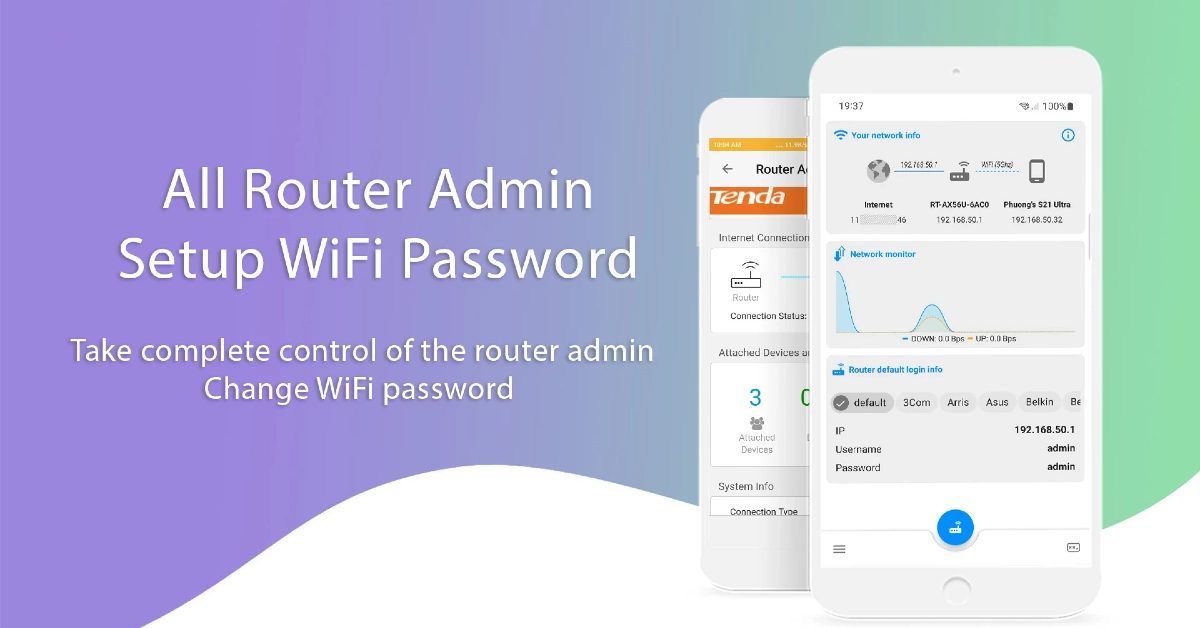
While logging into the router management portal, you need to know the username and password of your device. If you are logging into the portal for the first time, use the default credentials. Take a look at your router and go through the information on its stickers to find the login credentials.If you can’t find the login information on the router, try a combination of the most popular usernames and passwords. These include admin/password, admin/admin, sysadmin/password, etc. For a more detailed list of default usernames and passwords, download the All Router Admin app.Once you have gained access to the router’s management portal, you can change the network password, set up a device limit, impose parental controls, view router history, and do a whole lot of other tasks.
Connect to your home router as an administrator using its IP address
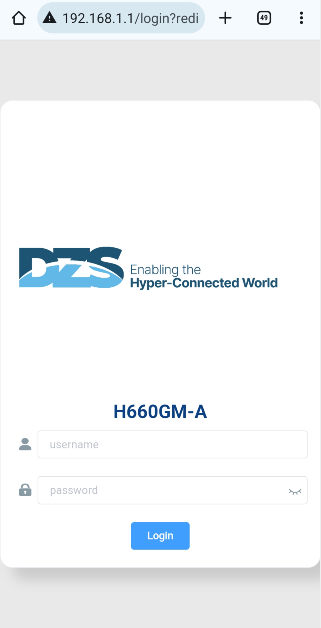
The simplest way to access your home router’s firmware is by logging into its web portal using its IP address. To find the IP address of your router, go to Command Prompt and type ‘ipconfig’. The IP address will appear in the ‘IPv6 Address’ field. Copy this address and paste it into your web browser’s address box to access the login portal. If you can’t find the IP address, simply paste 192.168.1.1, since this works for most routers.If you are logging into the router’s portal for the first time, enter ‘admin’ as the username or ‘password’ or ‘admin’ as the password. If you changed your login credentials in the past, use them to log in and access the router’s firmware.
Access the login gateway on your smartphone
Step 1: Go to Settings and select Connections.Step 2: Tap on WiFi.Step 3: Tap the gear icon next to the connected network.Step 4: Select Manage Router.Step 5: This will lead you to the router’s management portal. Log in using the appropriate credentials.
Use your router’s official mobile app
Most modern routers have a dedicated companion app. OEMs like Netgear, TP-Link, and Linksys allow users to remotely access the admin functions of their routers using the companion apps. Once you have logged into the app using the proper credentials, you can view the devices connected to your network, change the network password, and set up different connection bands. You can also check your internet’s speed, set up parental controls, and share the WiFi connection with guests.
Use a third-party app
If your home router does not have a companion app, use a third-party app like All Router Admin. This app has a large database of home routers and their default usernames and passwords. Go through the list to find your router model and copy its credentials. Hit the blue router icon in the app to access the login portal and paste the credentials in their relevant fields.
Frequently Asked Questions (FAQs)
How do I connect to my home router as an administrator?
Enter 192.168.1.1 (or your router’s IP address) in your web browser and hit Enter. Provide the login credentials and hit Enter again. You will be redirected to the admin page of your router.
How do I change my home router’s password?
Log into the router’s web portal, go to WiFi Setup>WiFi Settings and enter the new password in the ‘Pre-shared Key’ field.
What is my router’s username and password?
By default, your router’s username and password are set to ‘admin’ and ‘password’/’admin’. You can use the All Router Admin app to find the login credentials of your router’s model.Read Also:Best 3 Ways to Compare Two Folders in Windows 10 or 11? (2024)
Conclusion
These are the top 3 ways to connect to your home router as an administrator. If you know any other way to access the router’s firmware, let us know in the comments. While you’re here, read this article to learn how you can check your WiFi router’s history on your Android smartphone.
Dubai-based smart wearable brand Endefo has announced the new True Wireless Earbuds (TWS) series in India. The TWS series includes three models Enbuds Aero, Enbuds Opel and Enbuds Active Pro. In addition to the audio devices, the company has also introduced a Wireless Pro 10 wireless power bank. The new product line of Enbuds comes with advanced functionalities such as AI ENC MIC and Smart Touch Control. The TWS earbuds also include IPX5 water resistance and Bluetooth connectivity.
Pricing and availability
The price of the Endefo Enbuds series in India starts at Rs 3,999 and goes up to Rs 4499. The audio device will be available for purchase via almost 2,000 retail locations in India, including Sangeetha Mobiles, Supreme Paradise, Lot Mobile, Nandilath Digital, Ideal Home Appliances, Easy Store, Gulf Own Digital, Image Mobiles, and Computers, as well as Endefo’s website.
Endefo Enbuds Aero: Rs 4,499
Enbuds Opel: Rs 3,999
Enbuds Active Pro: Rs 1,999
Wireless Powerbank Pro: Rs 3,999
Endefo Enbuds Aero
Endefo Enbuds AeroEndefo Enbuds Aero features 13mm speakers for rich sound. It comes with AI ENC microphones for crystal-clear calls and Smart Touch Control for simple navigation. It guarantees a smooth connection with Bluetooth 5.3 and the BT5616 chipset. The device has IPX5 water resistance and compatibility with Siri and Google Assistant. With 280mAh battery life and 35mAh buds, the earphones are claimed to provide up to 120 hours of standby and 30 hours of music playback.
Endefo Enbuds Opel
Endefo Enbuds OpelEnbuds Opel offers an AB5656C processor and Bluetooth version 5.3. With a 400mAh charging case and a 40mAh battery in each bud, users may enjoy longer usage periods of up to 120 hours on standby, 45 hours of music playback, and 6–8 hours of call time. In addition to the 13mm driver, the earphones have AI Environmental Noise Cancellation (ENC) that improves audio clarity. These are compatible with Android and iOS devices. It also provides support for voice assistants like Siri and Google Assistant. There is Smart Touch Control and a Hall sensor feature offering intuitive navigation and usability.Also Read:Amazon Music introduced Maestro, a new playlist generator powered by AI
Endefo Enbuds Active Pro
Endefo Enbuds Active ProEnbuds Active Pro is powered by a BT5616 processor and Bluetooth version 5.0. It comes with a 12mm driver and Omni Directional Mic. Users may enjoy up to 120 hours of standby time and 25 hours of audio playback with 30mAh buds and a 230mAh case. Smart Touch Control for simple navigation and Google Assistant and Siri compatibility are also available on the device. IPX5 water resistance, these earbuds are ideal for outdoor activities.Also Read:WhatsApp introduced new chat filters to keep chats organised
Endefo Wireless Powerbank Pro 10
The Wireless Powerbank Pro 10 is a portable, multipurpose power bank for on-the-go charging equipped with 10000mAh capacity and dual Type-C wired and wireless charging functionality. It can provide quick 20W PD wired and 15W wireless charging. Its multi-layered chipset protection, defences against short circuits, overvoltage, overcurrent, and over-discharge.


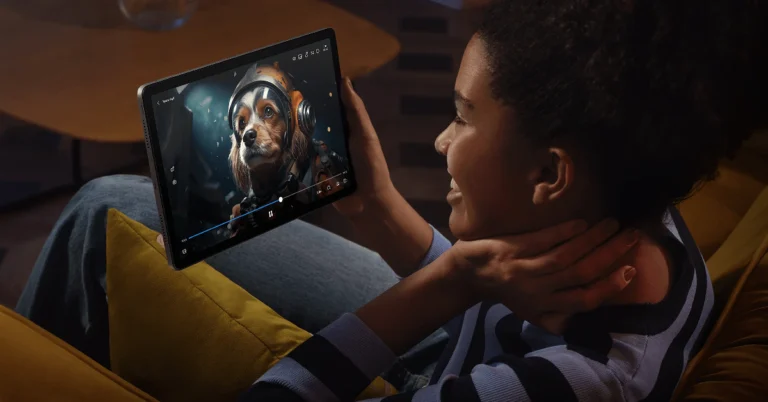
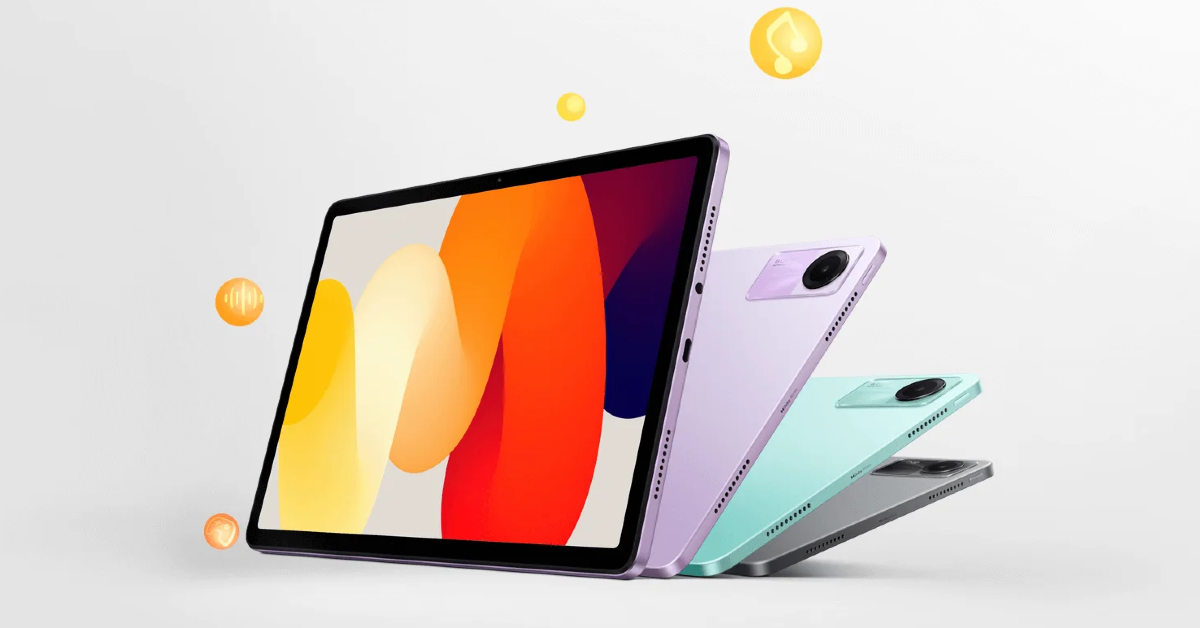 Also Read: Philips Signature Series Airfryer HD9867/90 with Smart Sensing Technology launched in India
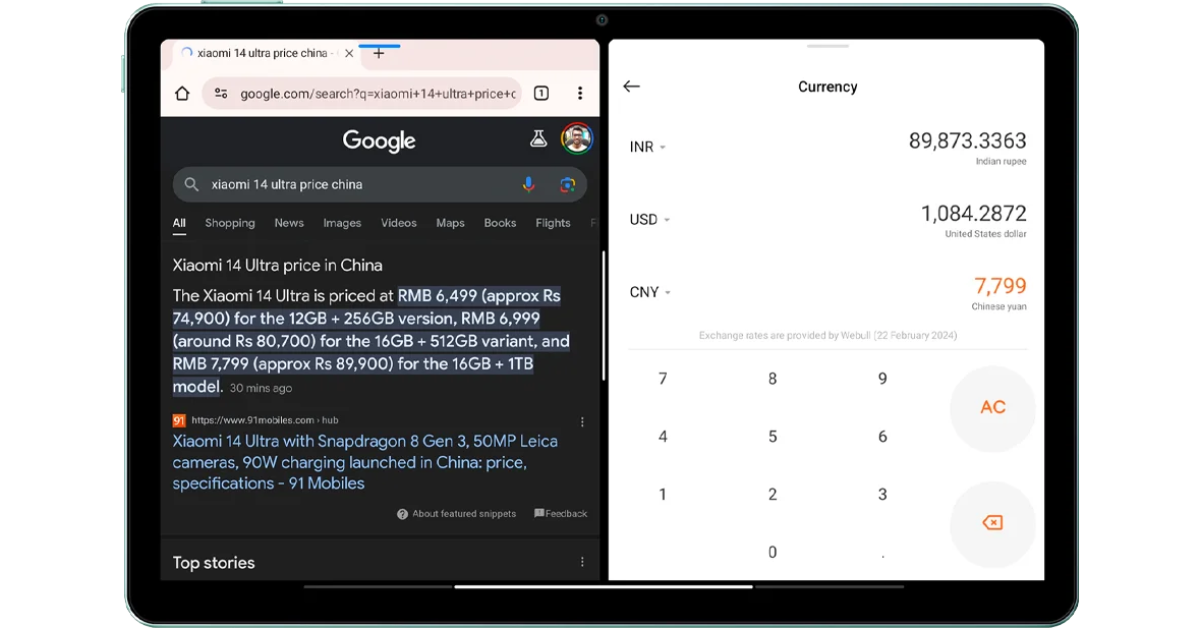 In terms of optics, there is an 8MP rear camera with f/2.0, 1.12μm pixel size which supports video recording up to 1080P@30fps. For selfies and video calling, the tablet comes with a 5MP front camera f/2.2, 1.12μm pixel size.
Also Read: Sony Bravia Theatre Quad with 360 Spatial Sound Mapping launched in India
The Redmi Pad SE is backed by an 8,000mAh battery which supports 10W charging. It delivers a battery life of up to 14 hours of video playback time or up to 219 hours of music playback time and has a standby battery life of up to 43 days. There is a quad speaker system on the tab which is Dolby Atmos supported.
Along with an AI face unlock the gadget also includes a Virtual ambient light sensor, an Accelerometer and a Hall sensor. For connectivity, there is Wi-Fi: 2.4GHz | 5GHz, Bluetooth 5.0, USB Type-C port and a 3.5mm headphone jack.
In terms of optics, there is an 8MP rear camera with f/2.0, 1.12μm pixel size which supports video recording up to 1080P@30fps. For selfies and video calling, the tablet comes with a 5MP front camera f/2.2, 1.12μm pixel size.
Also Read: Sony Bravia Theatre Quad with 360 Spatial Sound Mapping launched in India
The Redmi Pad SE is backed by an 8,000mAh battery which supports 10W charging. It delivers a battery life of up to 14 hours of video playback time or up to 219 hours of music playback time and has a standby battery life of up to 43 days. There is a quad speaker system on the tab which is Dolby Atmos supported.
Along with an AI face unlock the gadget also includes a Virtual ambient light sensor, an Accelerometer and a Hall sensor. For connectivity, there is Wi-Fi: 2.4GHz | 5GHz, Bluetooth 5.0, USB Type-C port and a 3.5mm headphone jack. 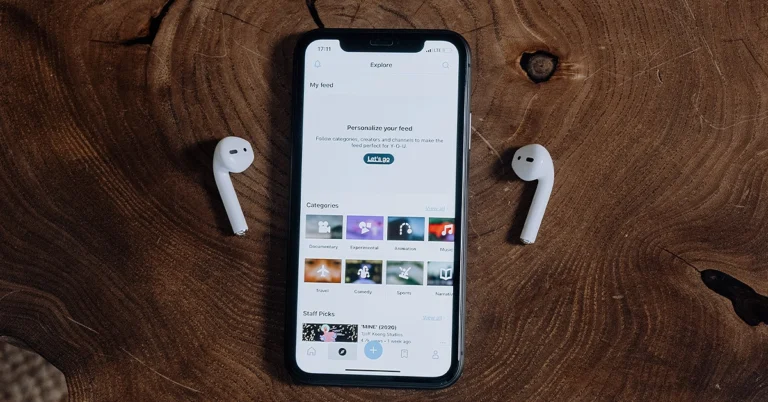


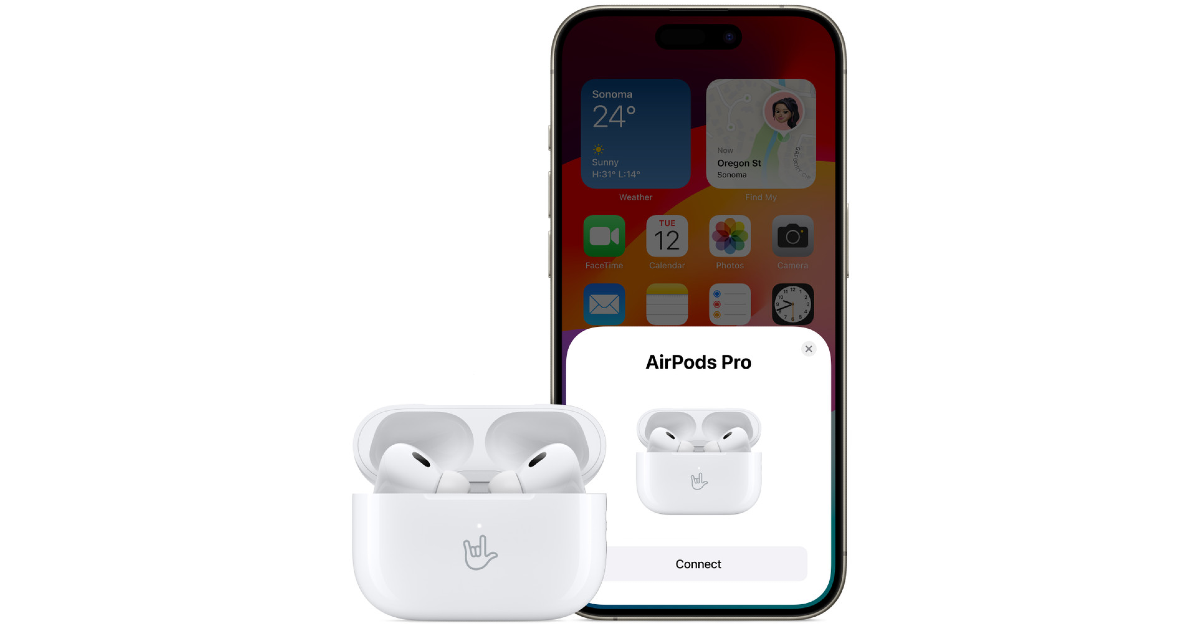
 Step 3:
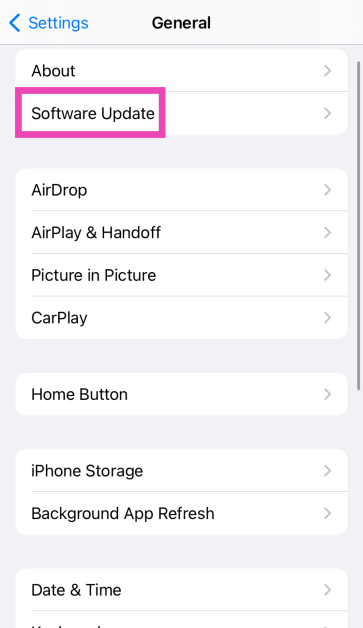 Step 4: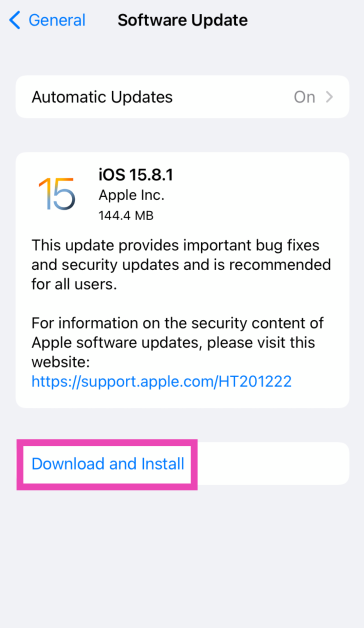

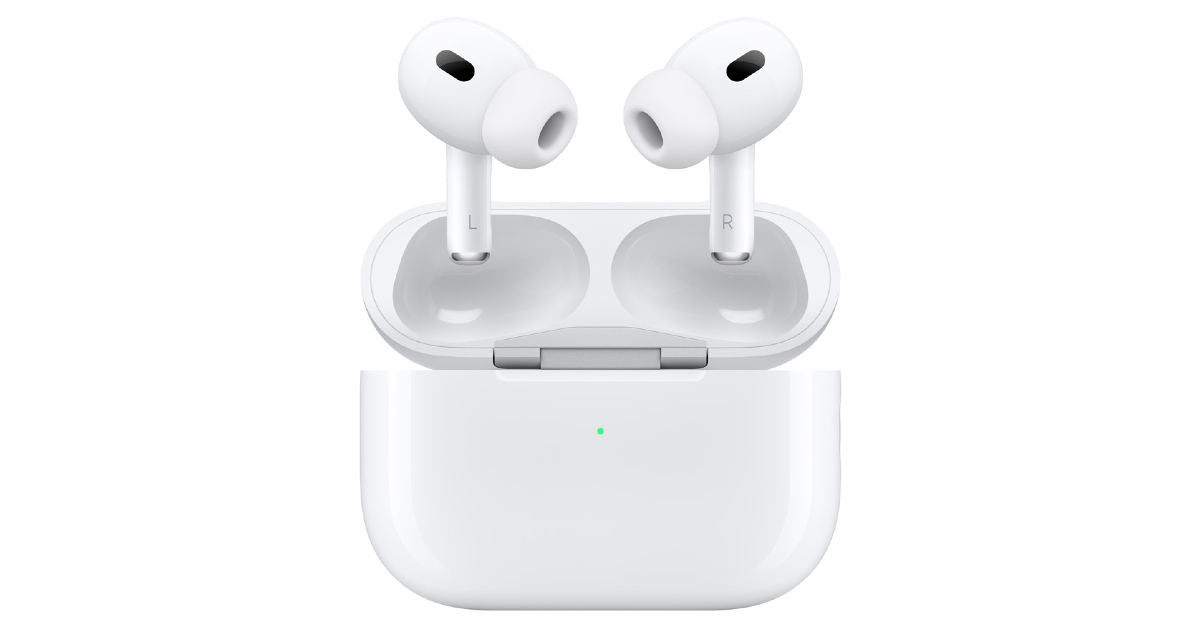 If you suspect that your AirPods are not going into pairing mode due to hardware damage, try connecting another pair of AirPods to your iPhone. If they connect seamlessly, your iPhone is not at fault. Take your AirPods to an authorised service centre to get them fixed.
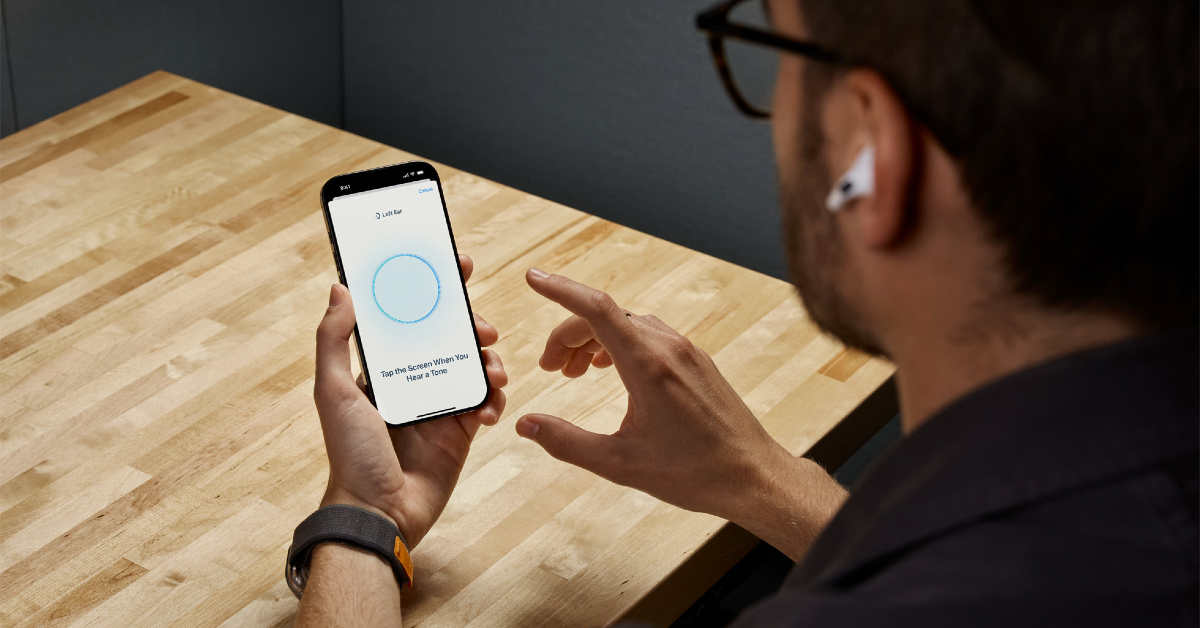 To confirm whether the fault lies with your iPhone, connect your AirPods to another smartphone. If you don’t witness any pairing or connection issues, then your iPhone is to blame. You can try resetting your iPhone to fix this issue. If a factory reset isn’t able to restore normalcy, you will need to take your iPhone to an authorised service centre for further diagnosis.
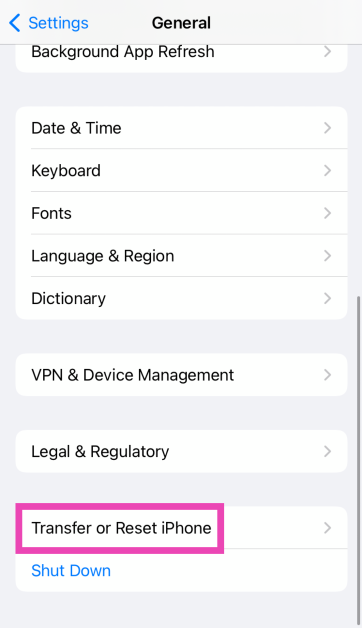 Step 3: Hit Reset.
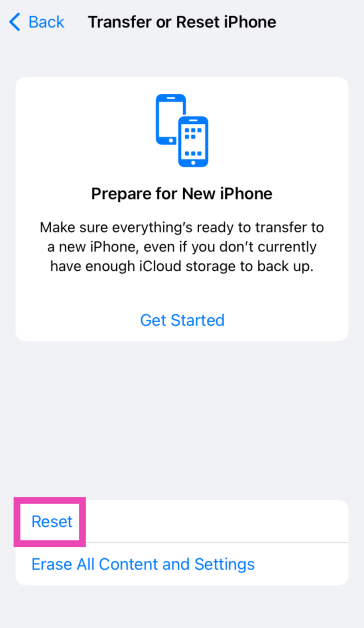 Step 4: Select Reset All Settings.
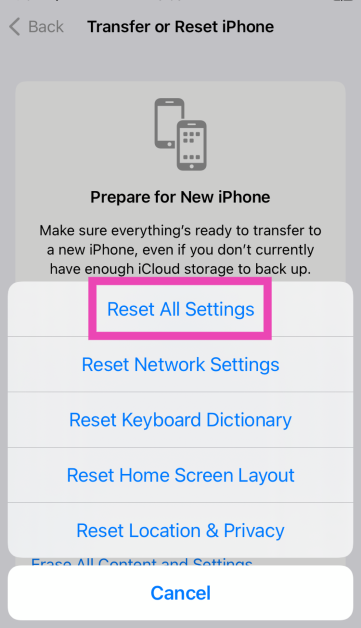
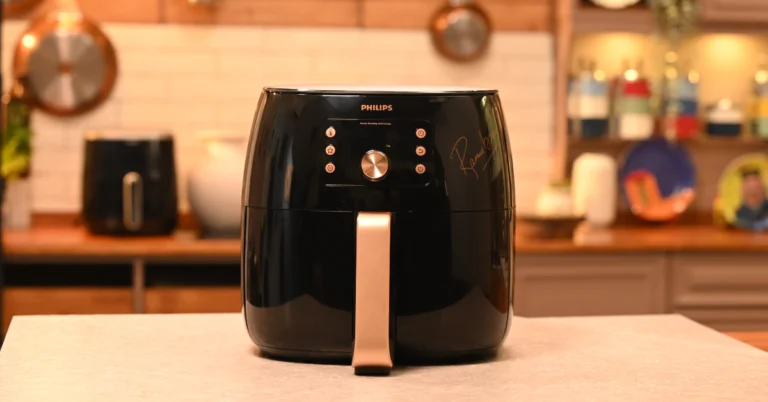
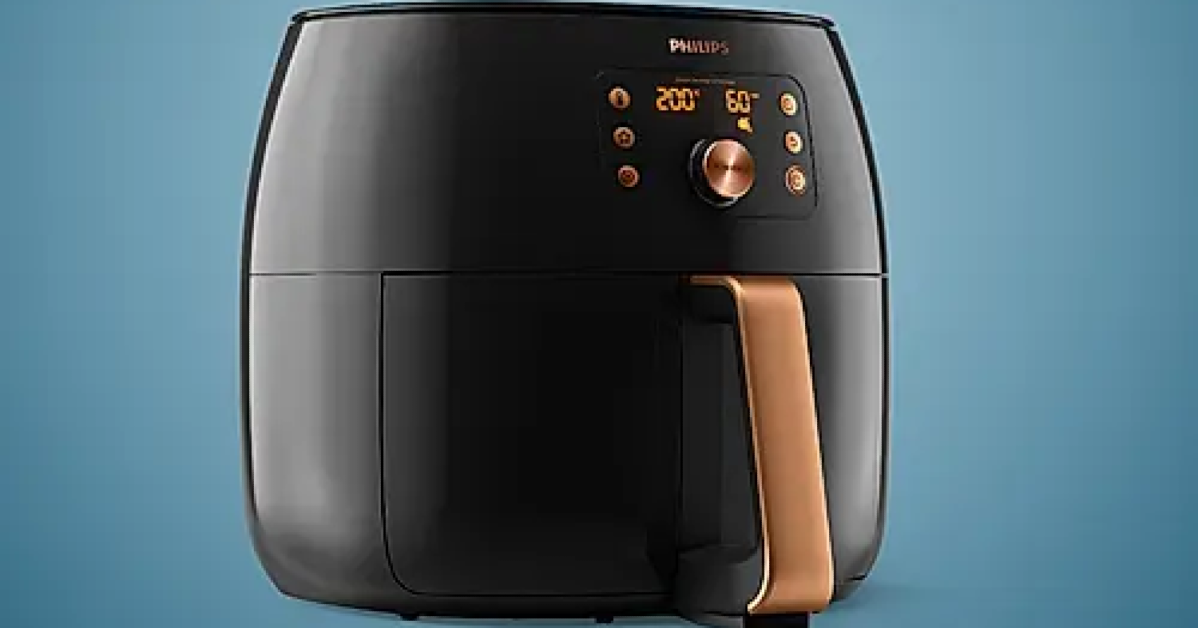

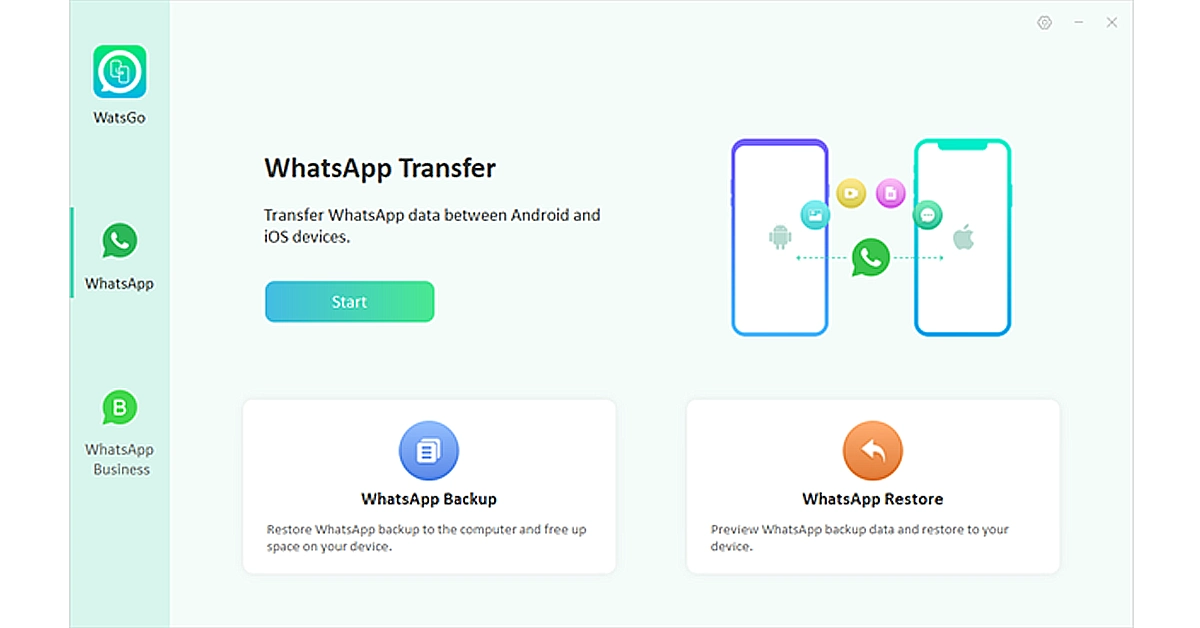 Step 2. Connect both your Android device and iPhone to your computer using USB cables. Once you’ve selected the transfer option, the tool will start scanning both devices for WhatsApp data. After scanning, it will display the WhatsApp data found on your Android device.
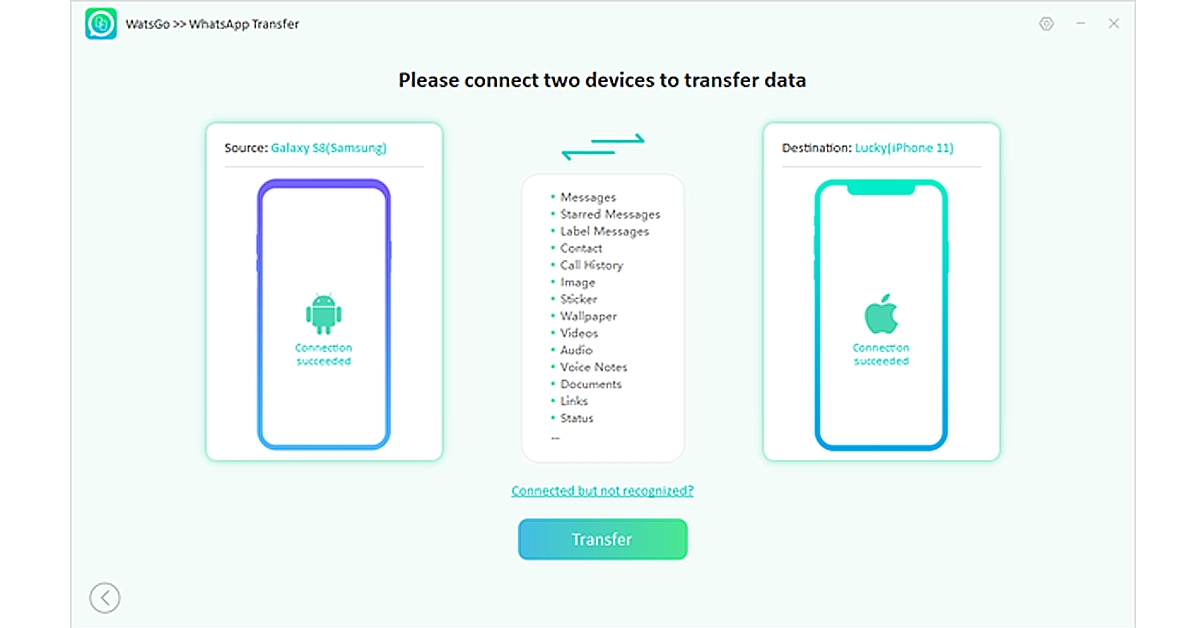 Step 3. Choose the data that you want to transfer and turn on the encrypted backup option. You can check the instructions on the screen.
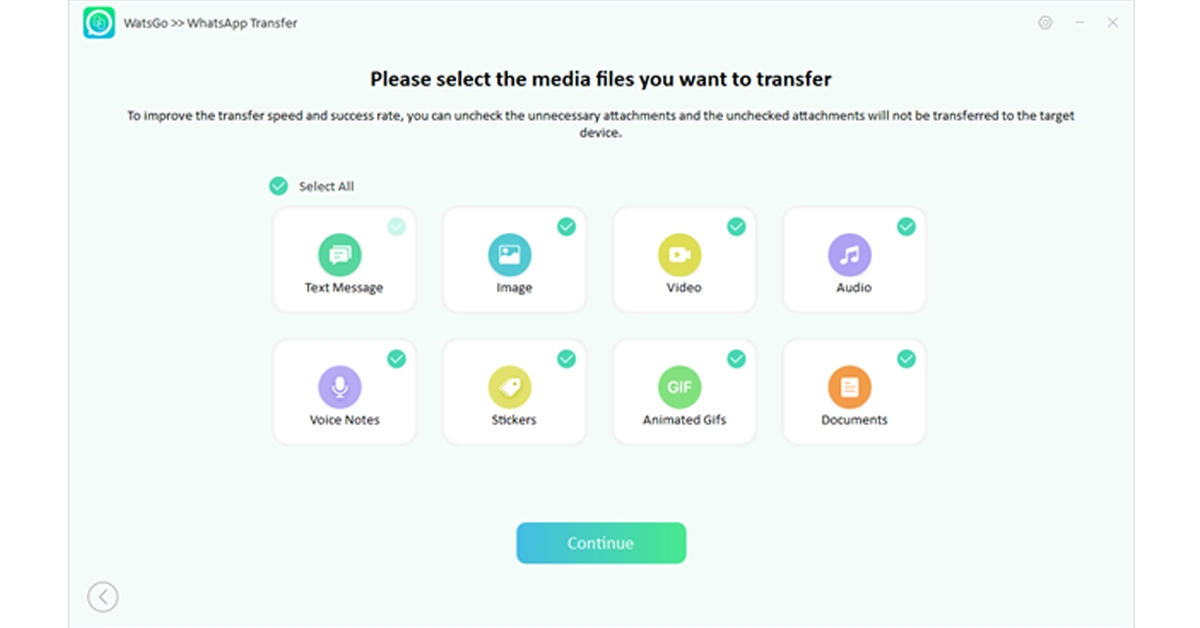 Step 4. Open your iPhone device and verify your new WhatsApp account. iToolab Watsgo will then begin transferring the selected WhatsApp data from your Android device to your iPhone. The transfer process may take some time, depending on the amount of data being transferred.
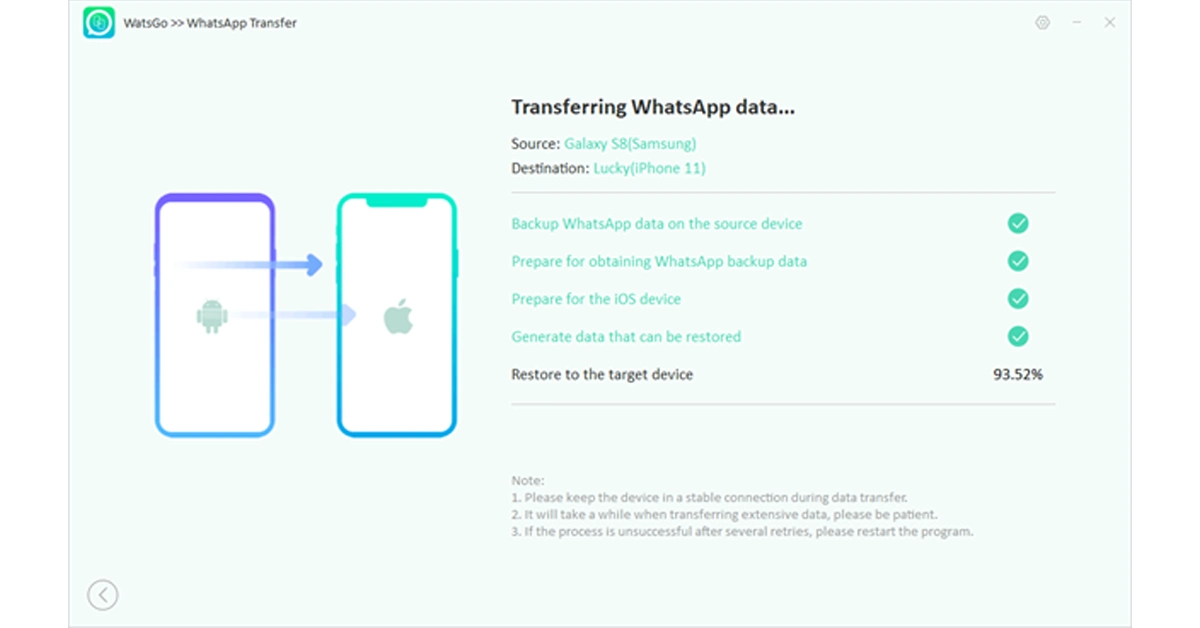 Step 5. Soon, you should be able to see all the transferred conversations, media, and attachments on your new iPhone.
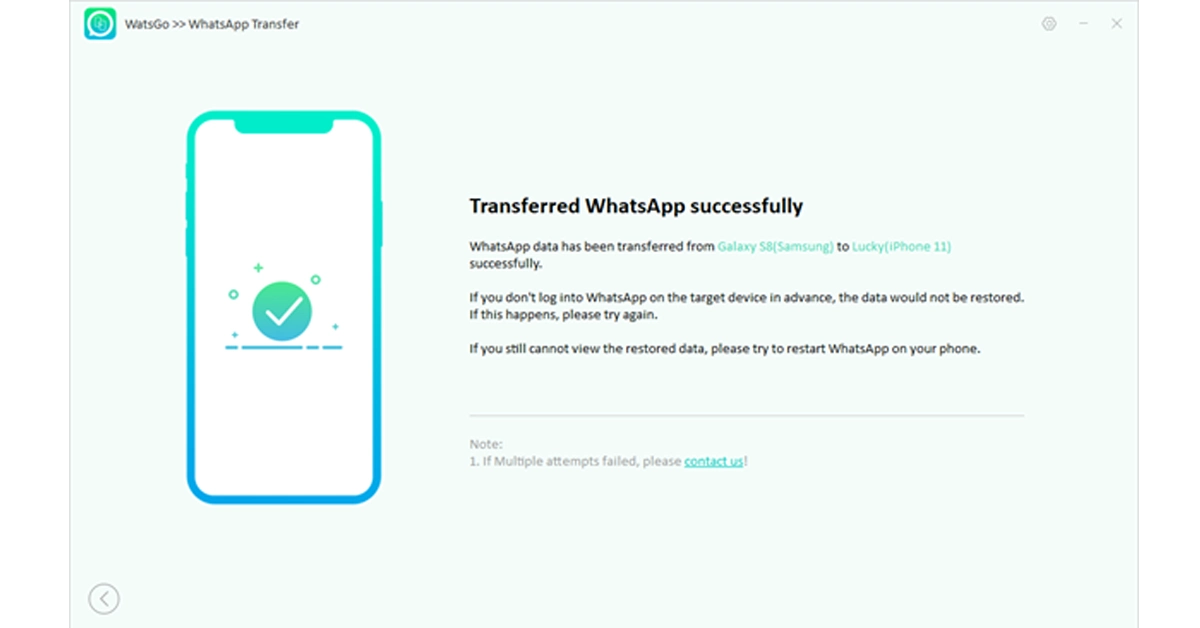

 Let’s explore some of the best gadgets on the market that elevate the online VR gaming experience to new heights.

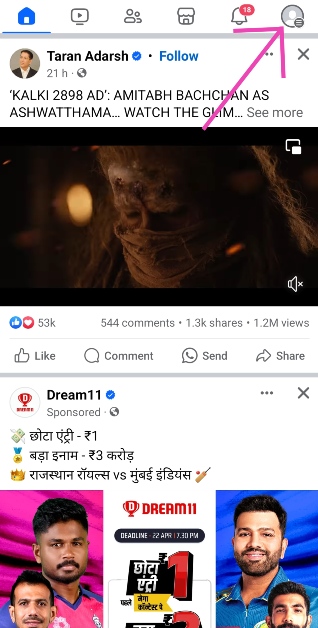 Step 3:
 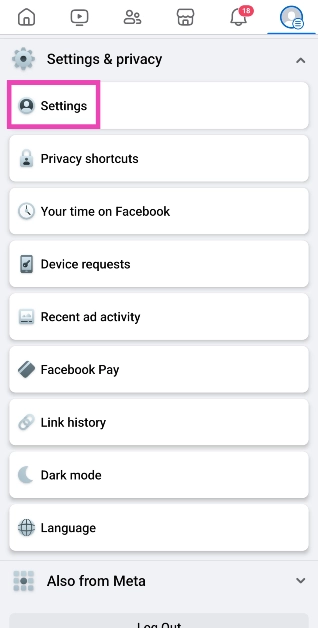 Step 4: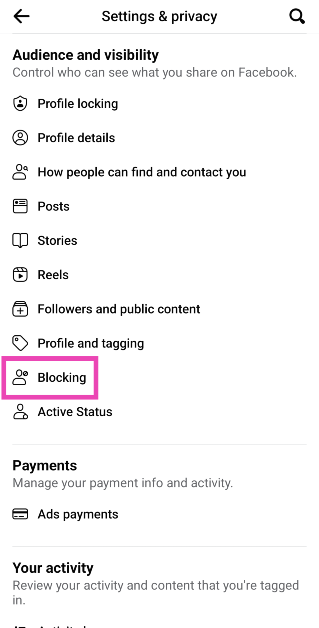

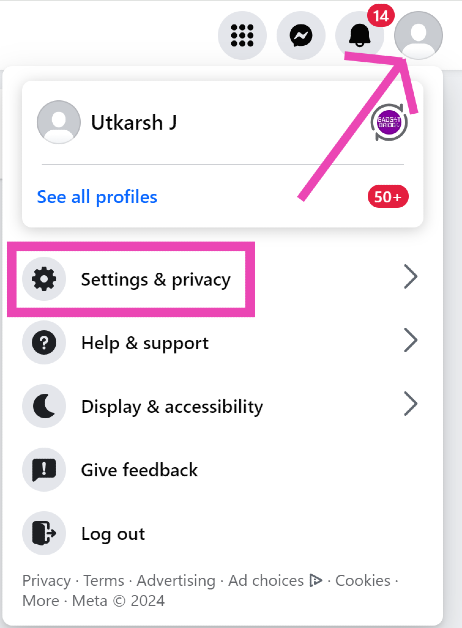 Step 3:
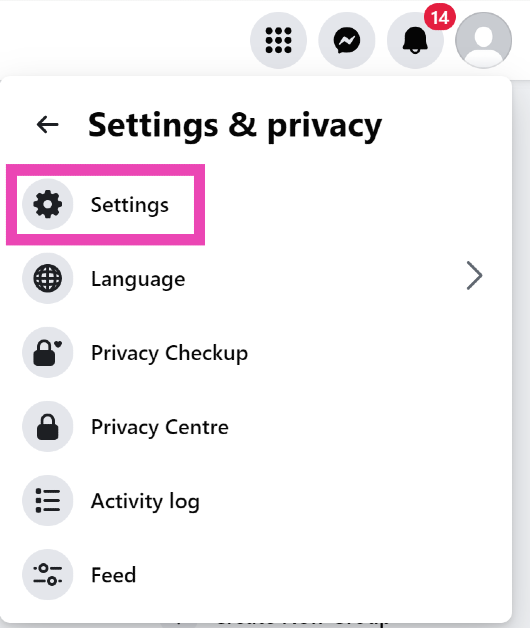 Step 4:
 Step 5:
 Step 6:

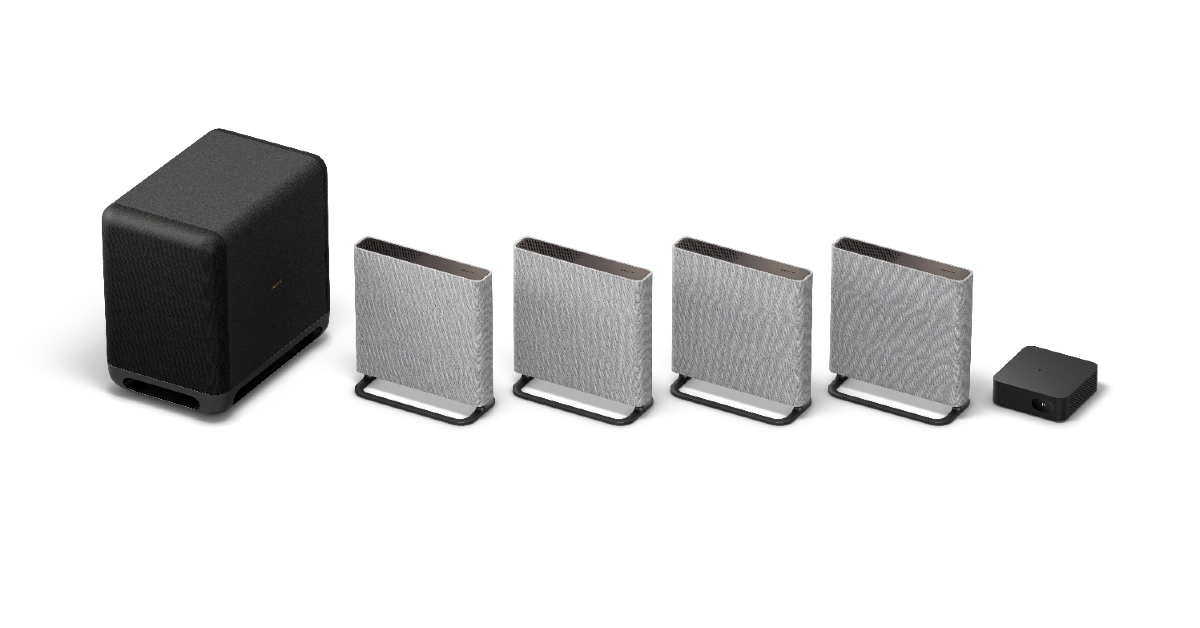
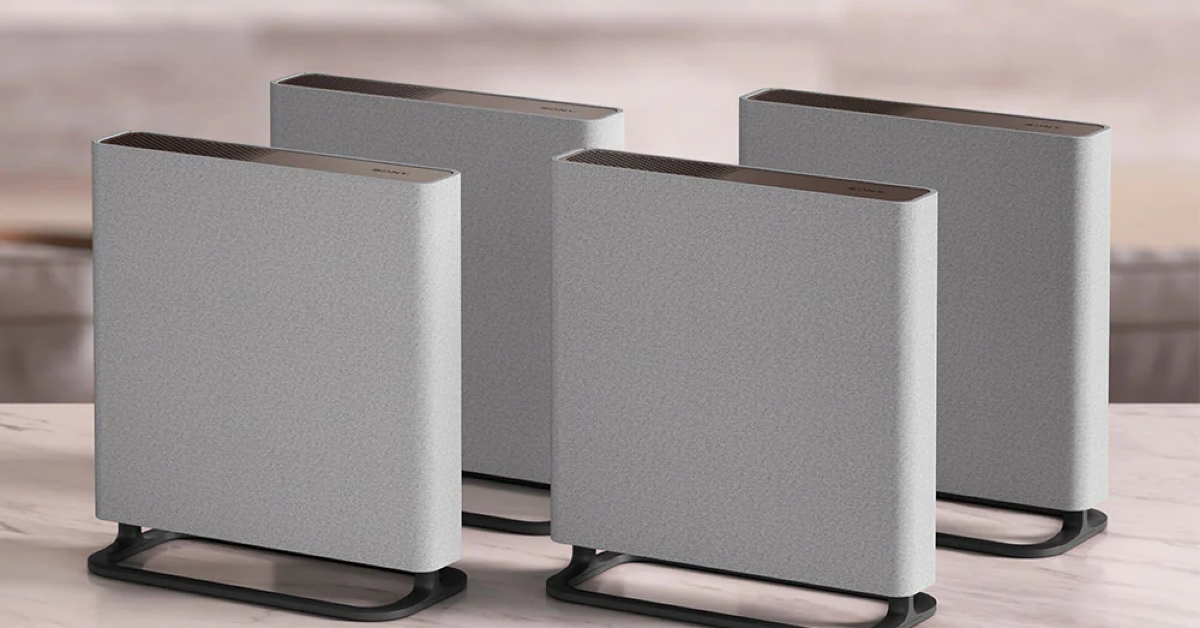
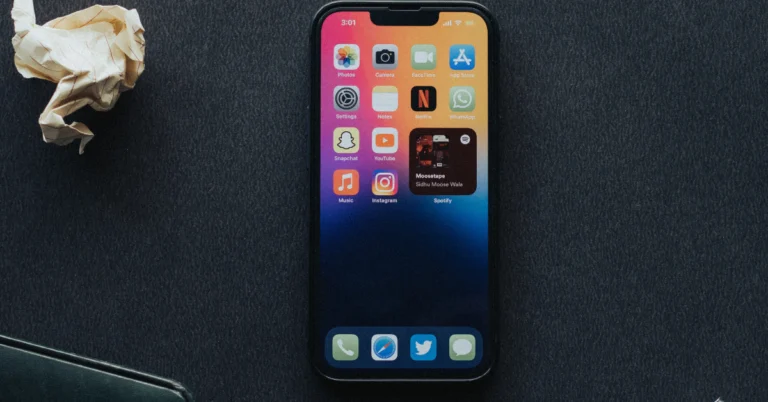
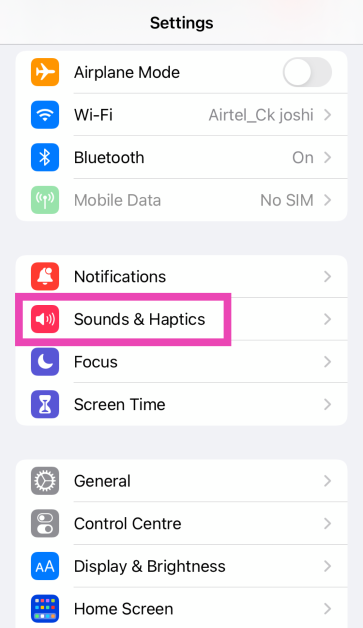 Step 2:
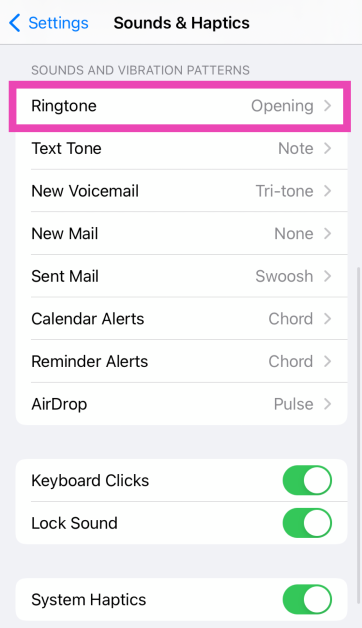 Step 3:
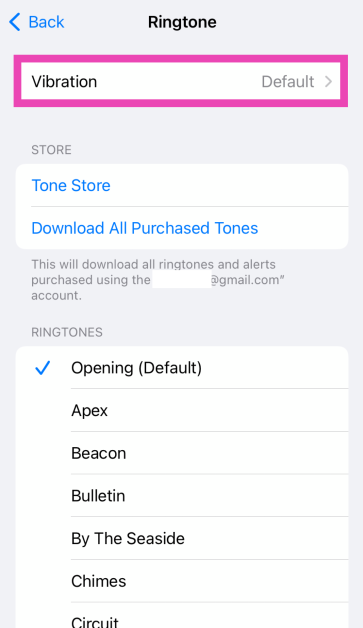 Step 4: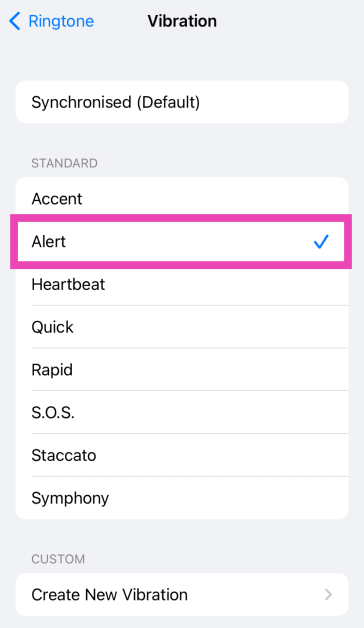
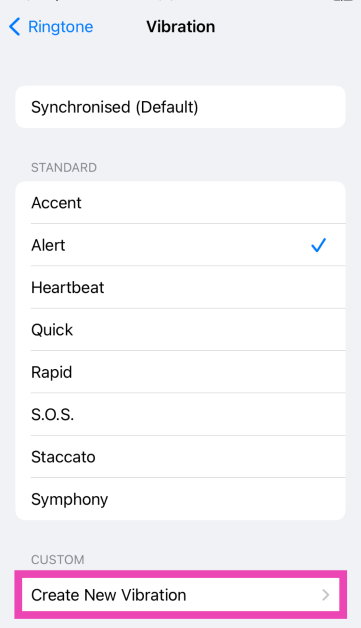 Step 5: Tap the screen
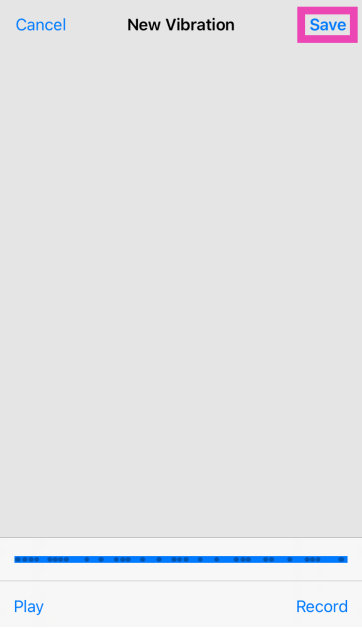 Step 7: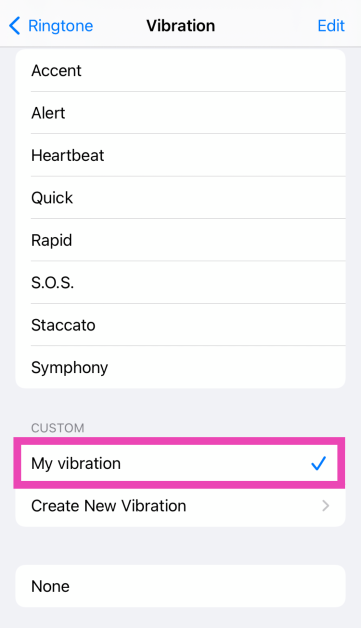
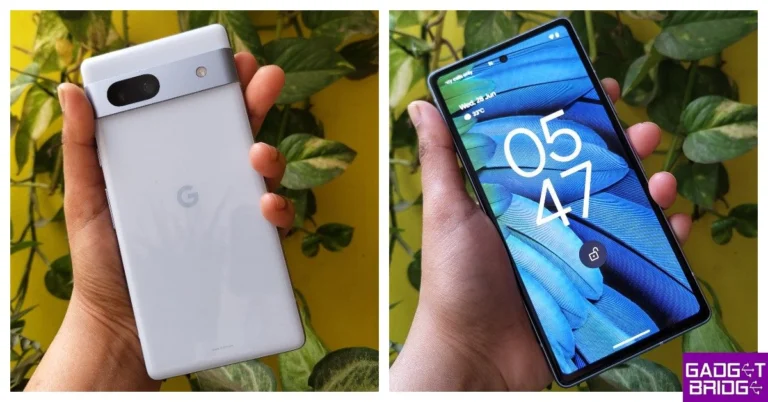
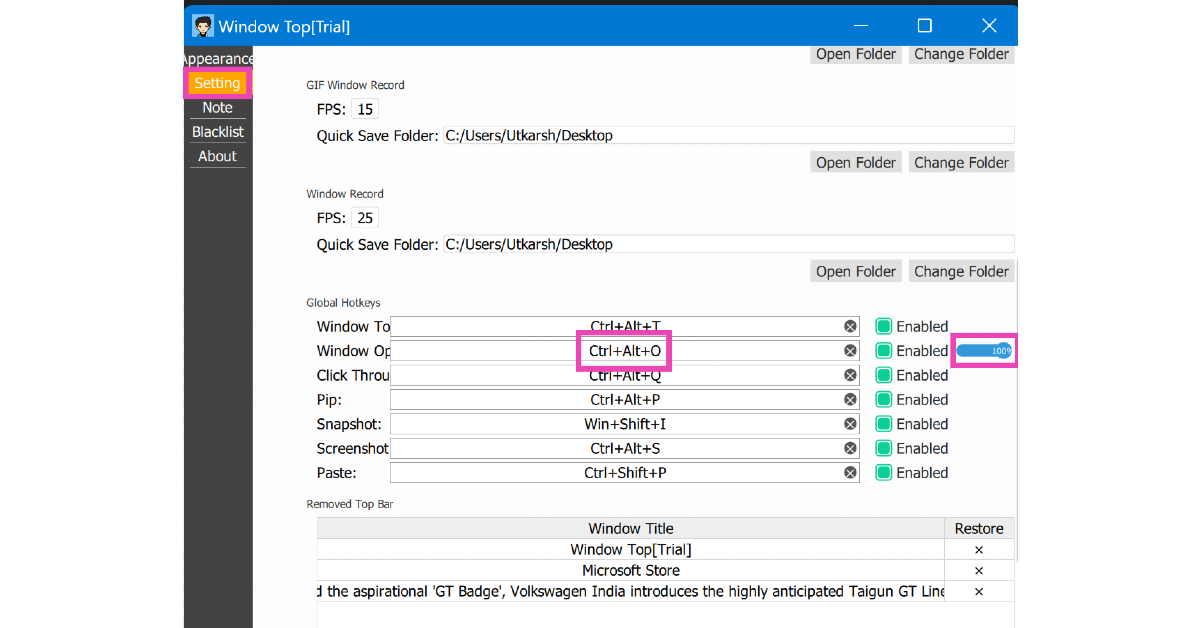 Step 4: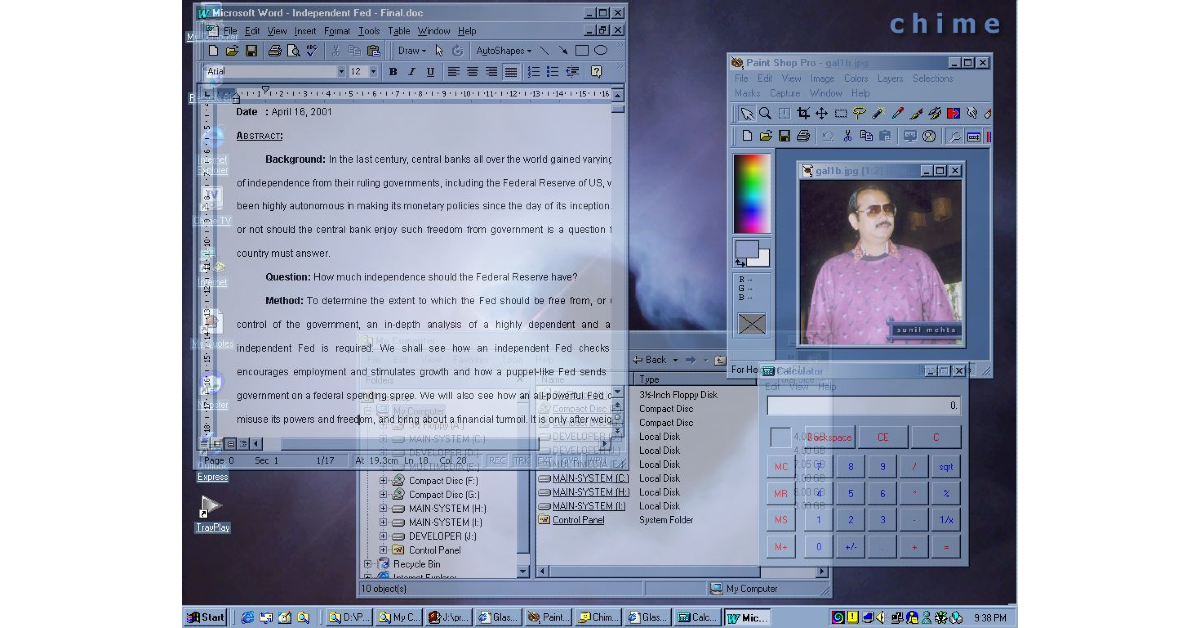
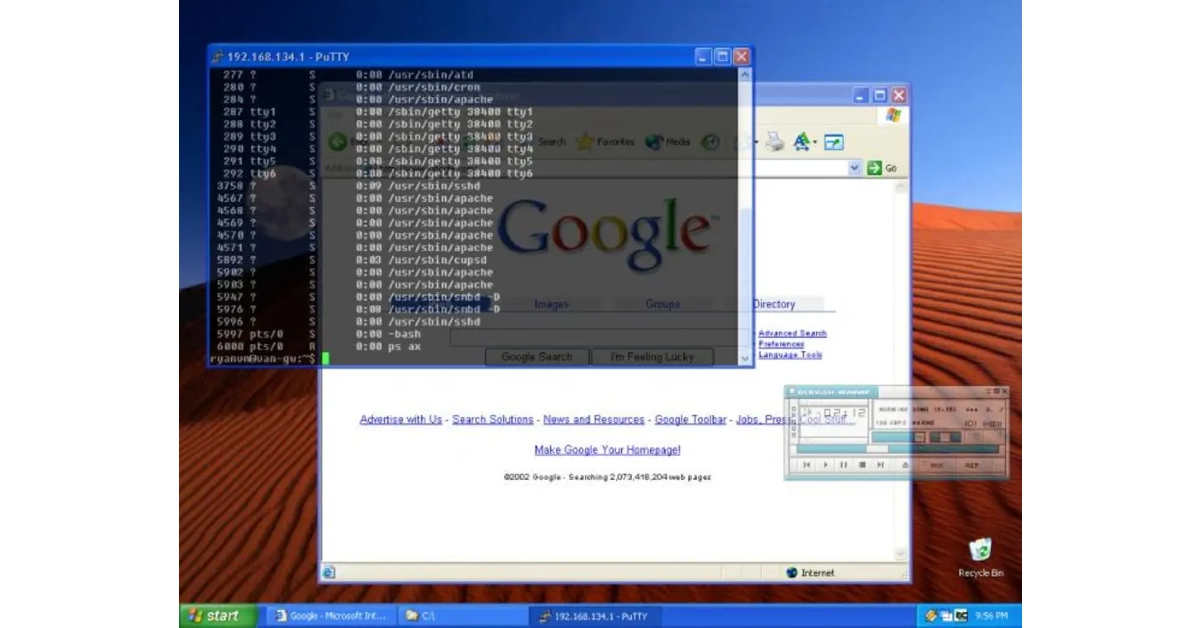
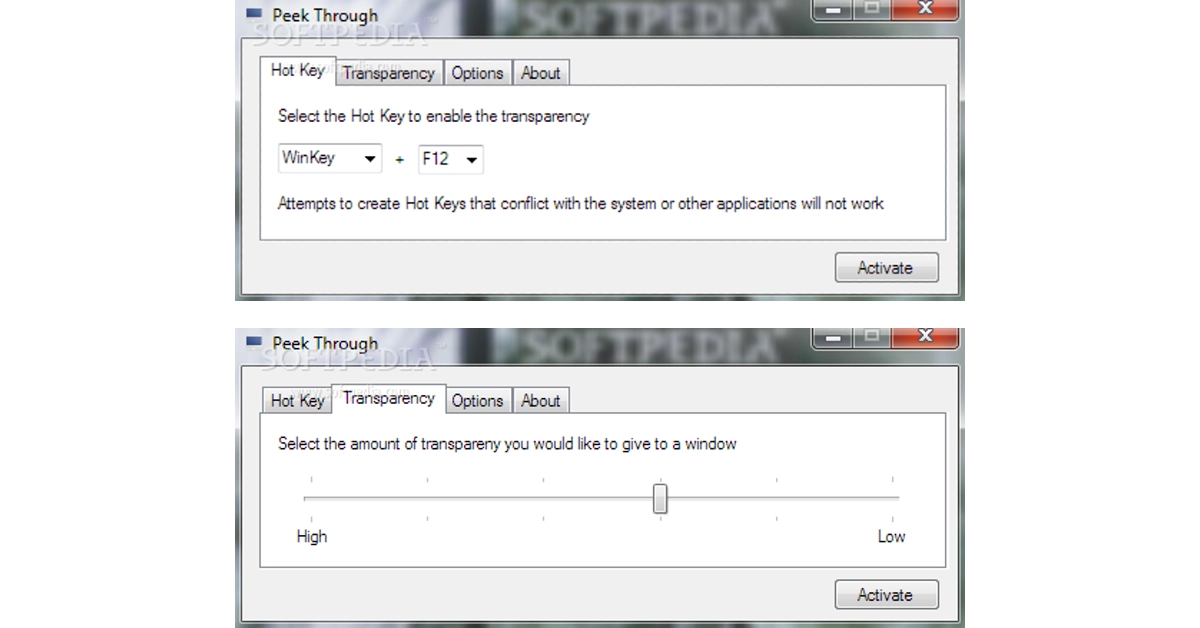
 The TranslucentTB app on the Microsoft Store is an easy solution to make your taskbar see-through. When you run the app, it makes the taskbar transparent automatically. Despite its transparency, the taskbar lucidly displays all the icons and minimised apps. The great thing about this app is that it runs automatically when you start your PC. This means that you are always greeted with a transparent taskbar.
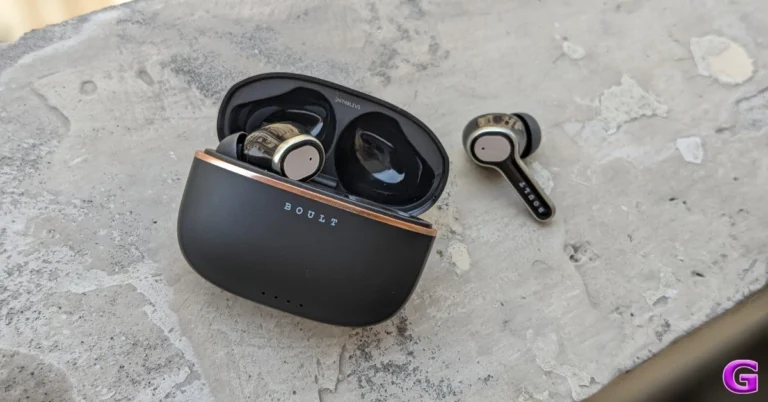
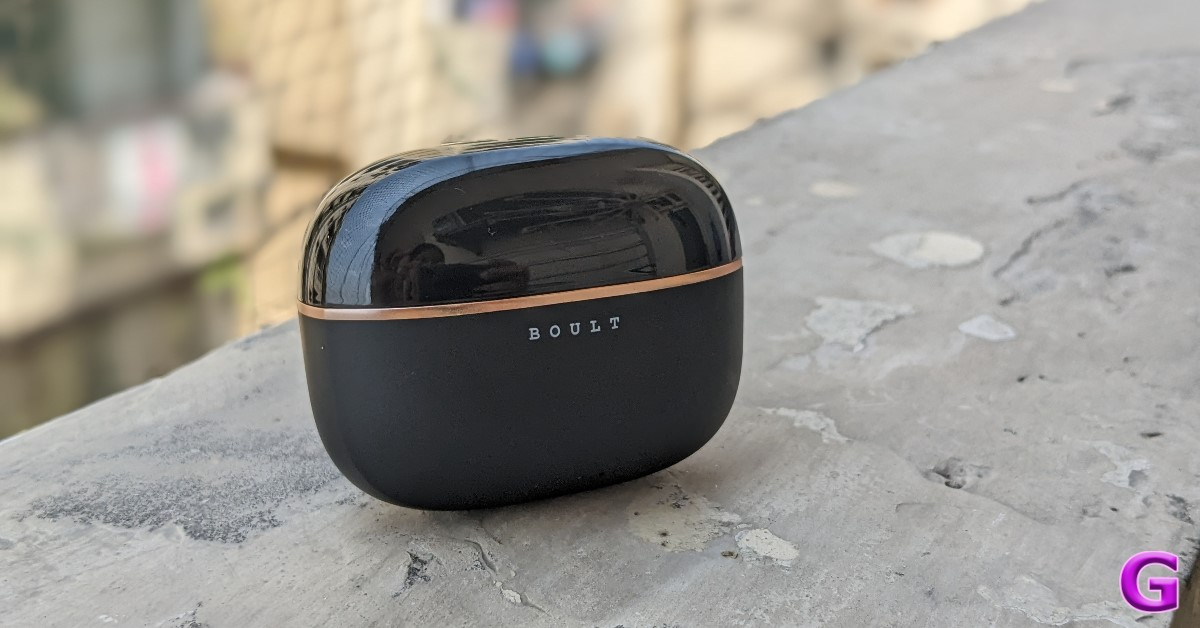
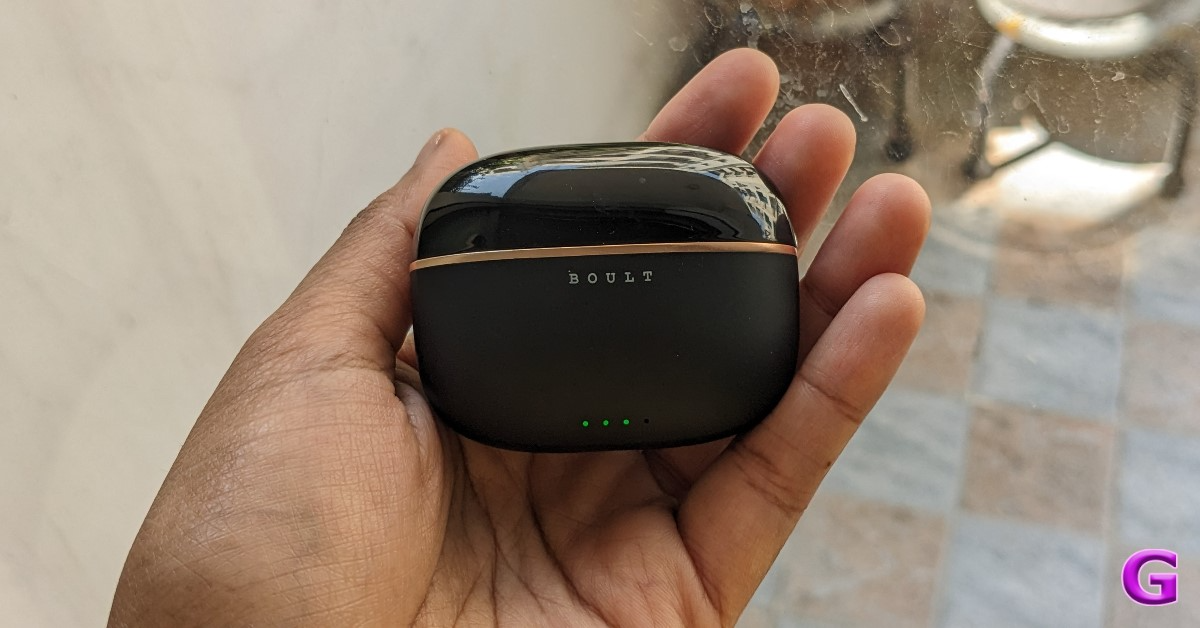
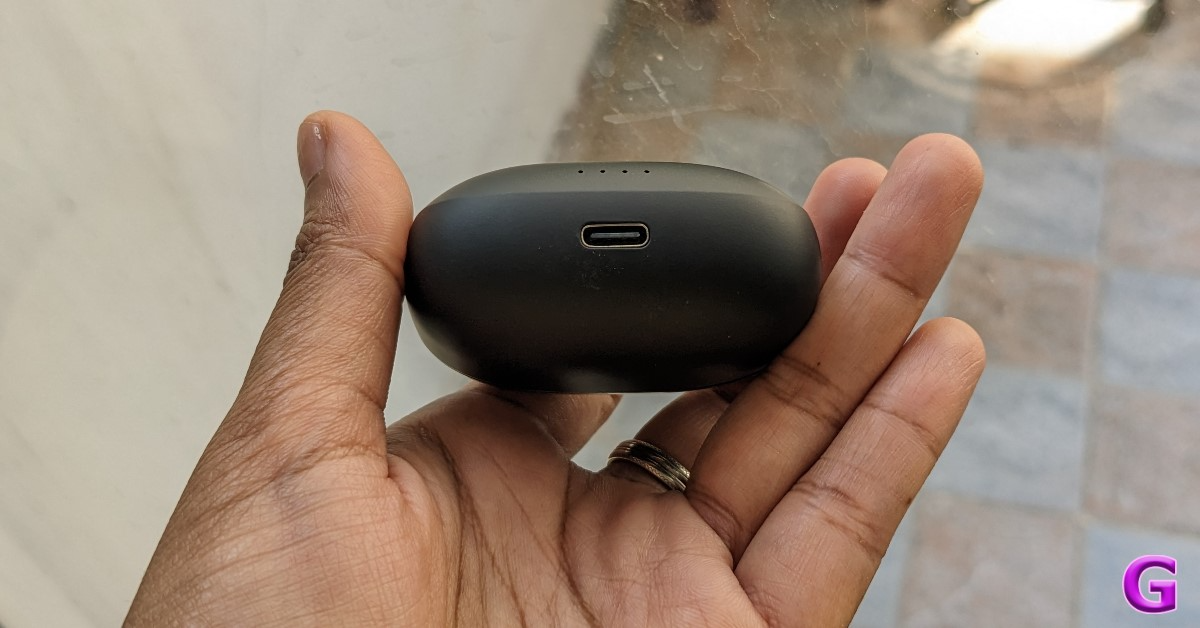
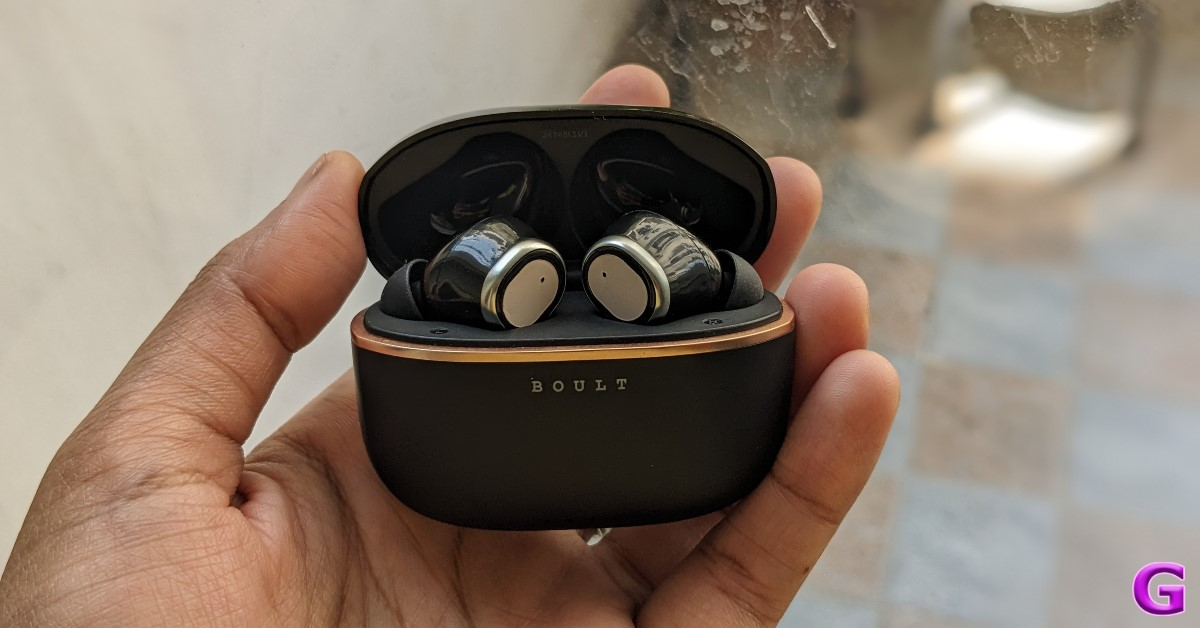
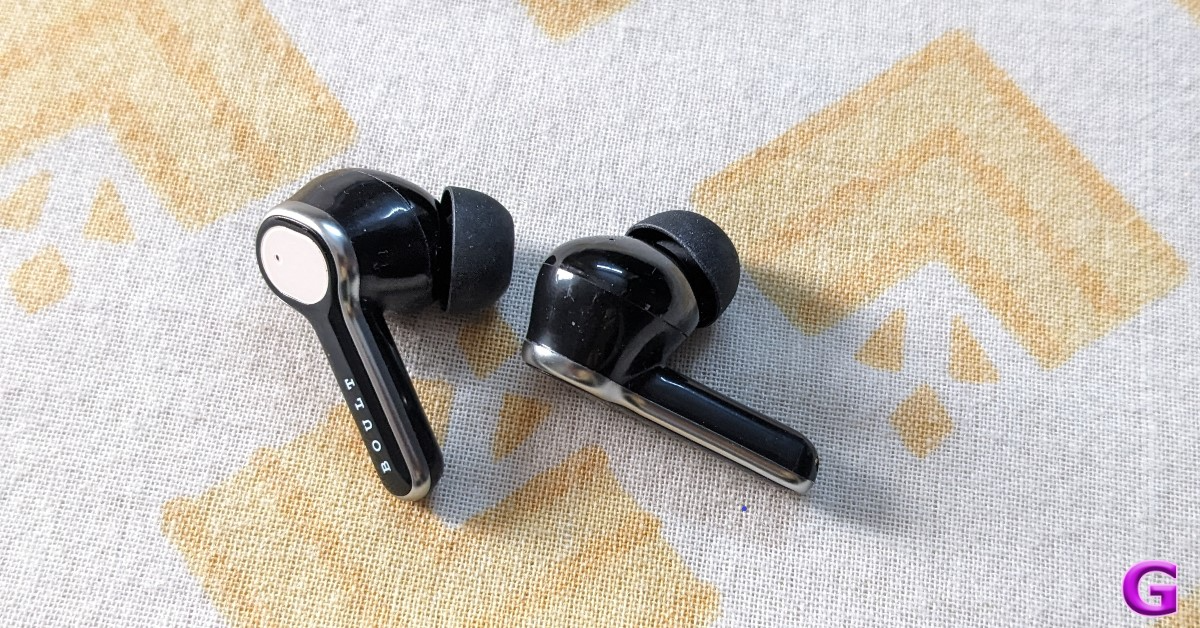
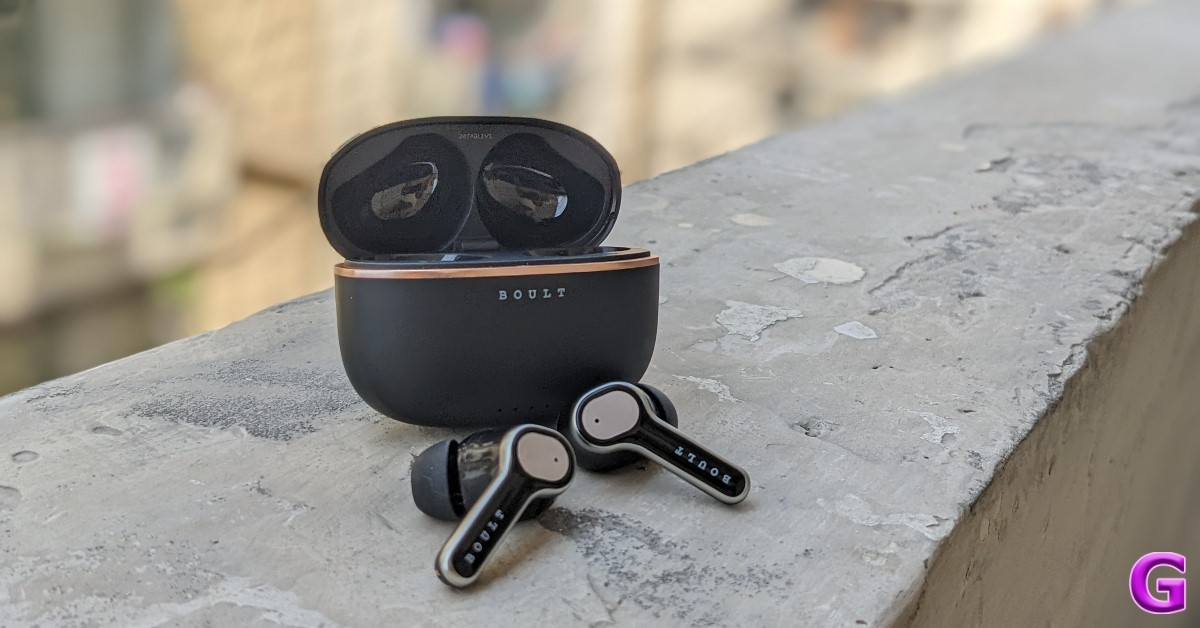
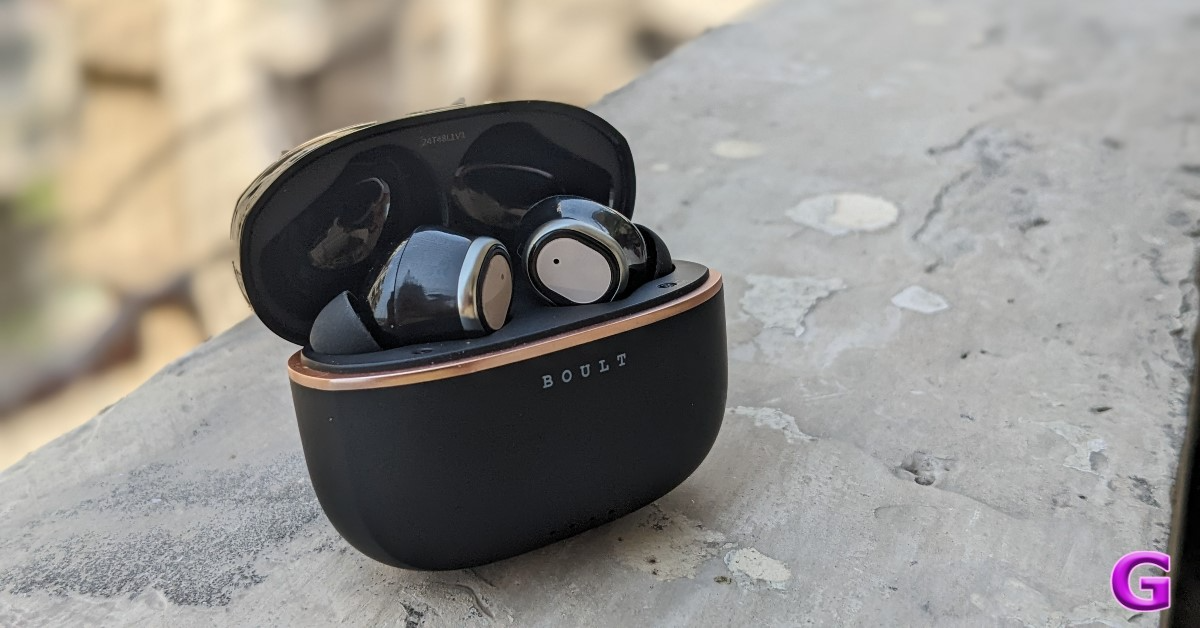



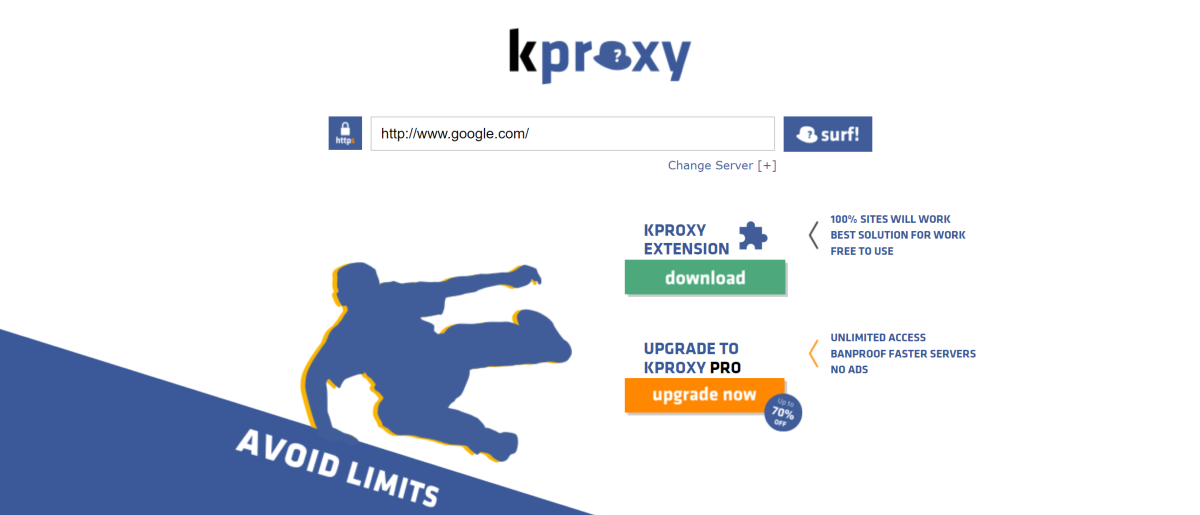

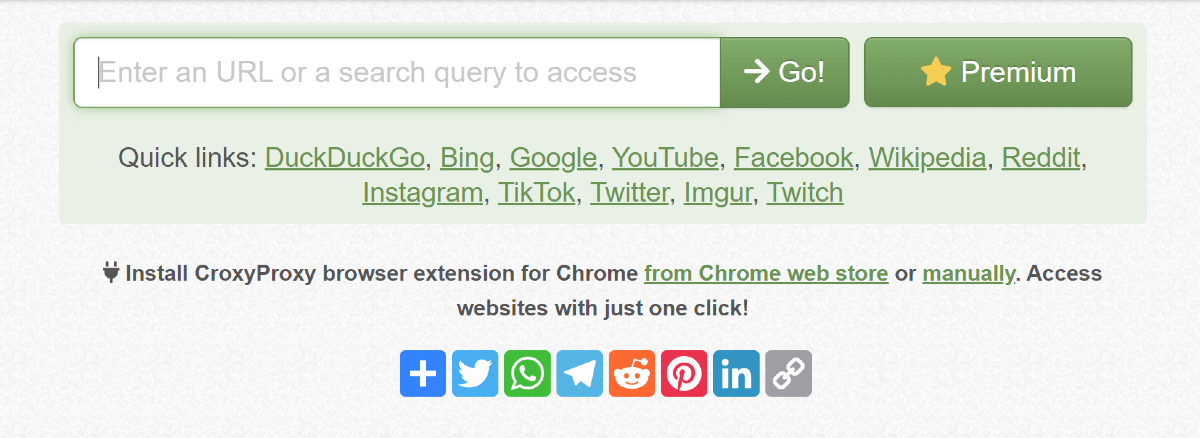
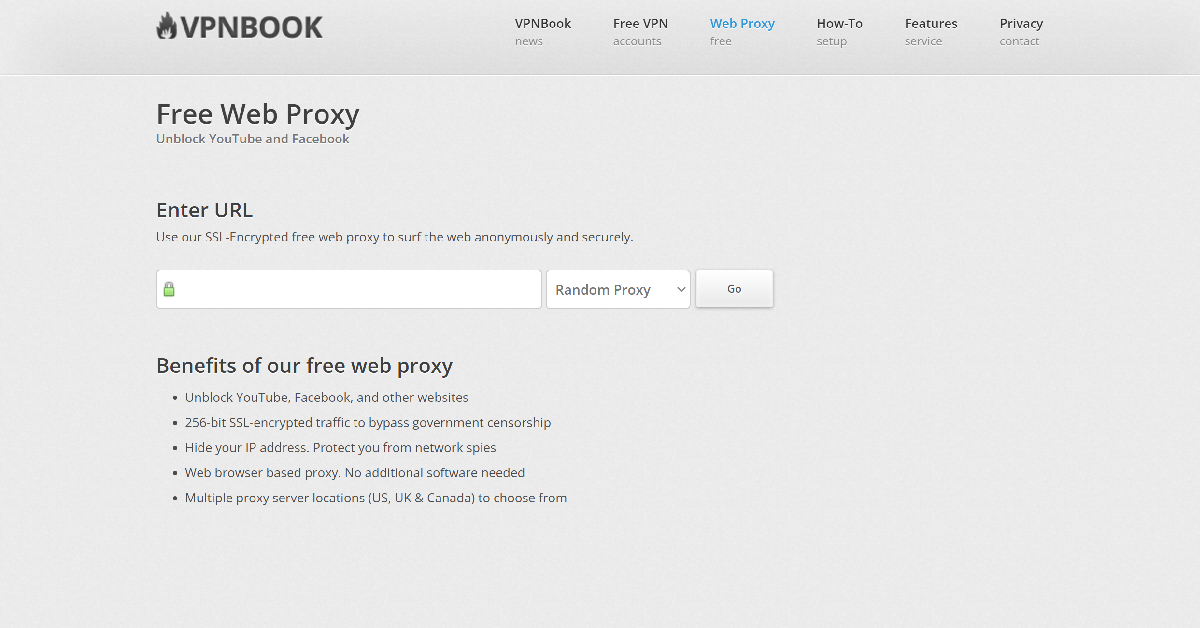

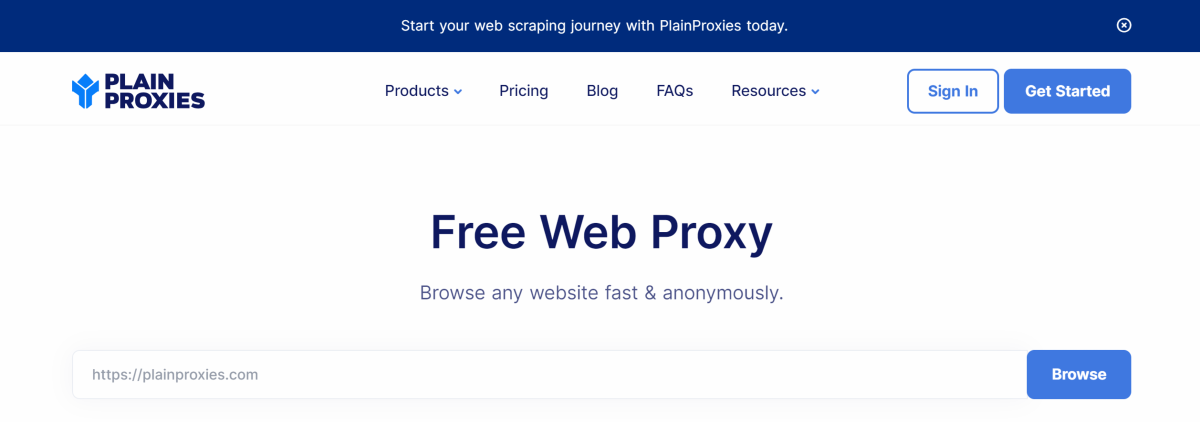

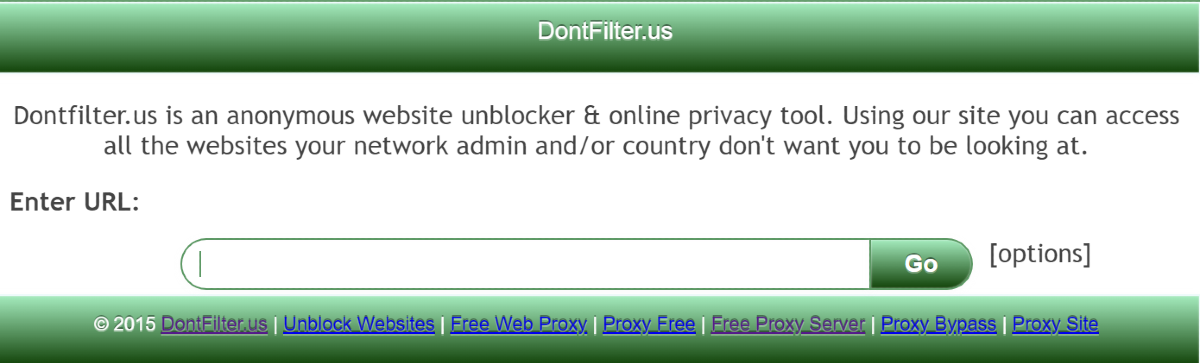
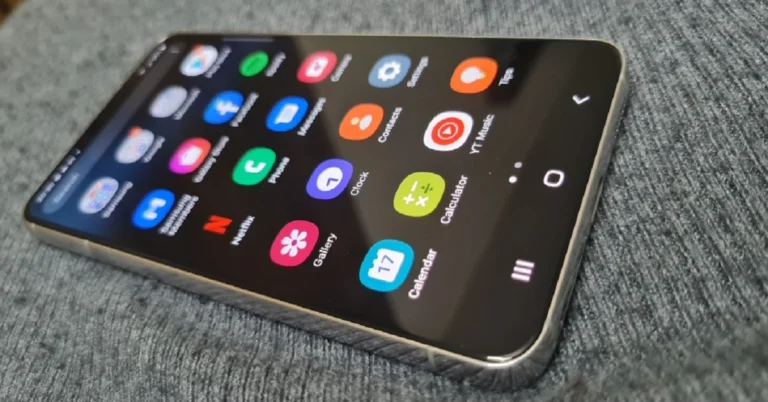

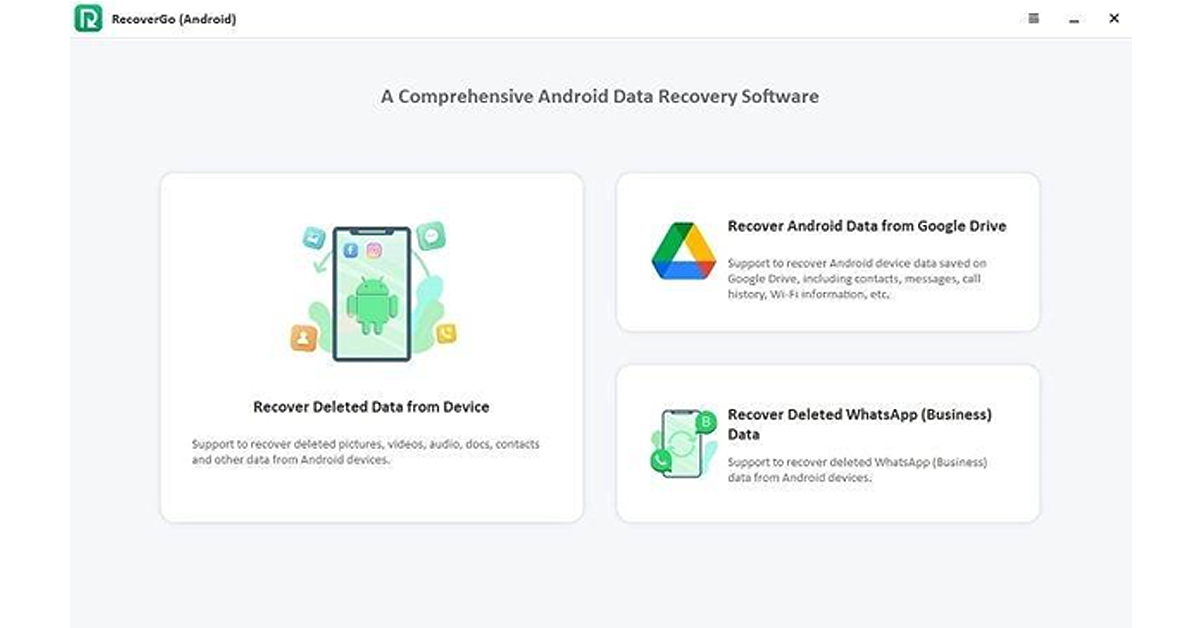
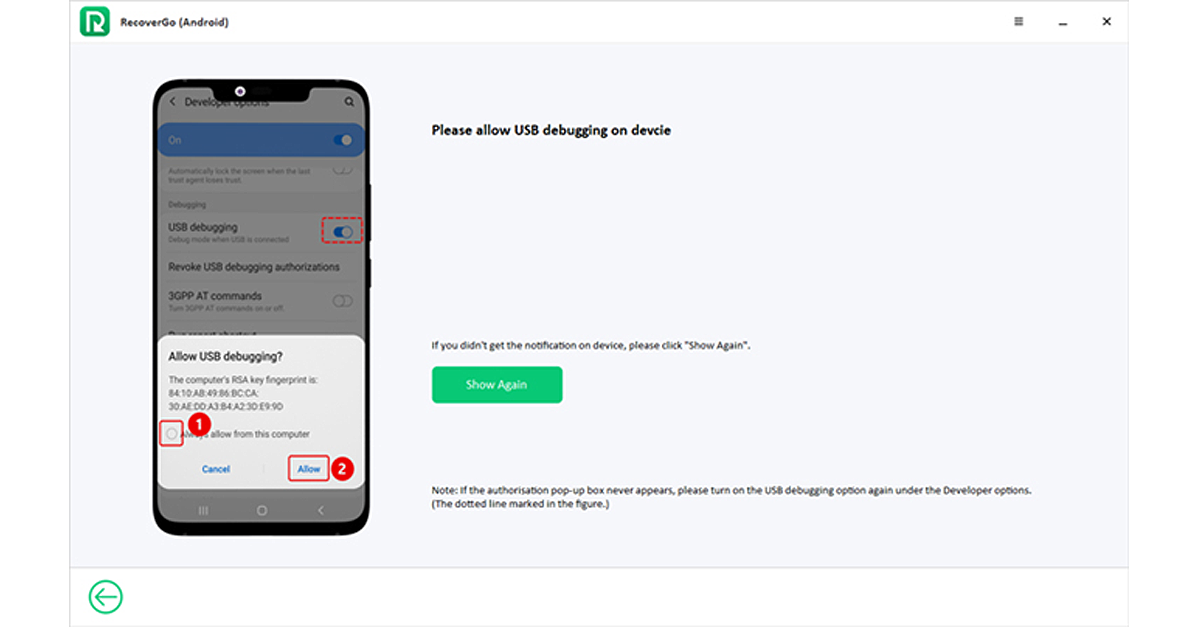
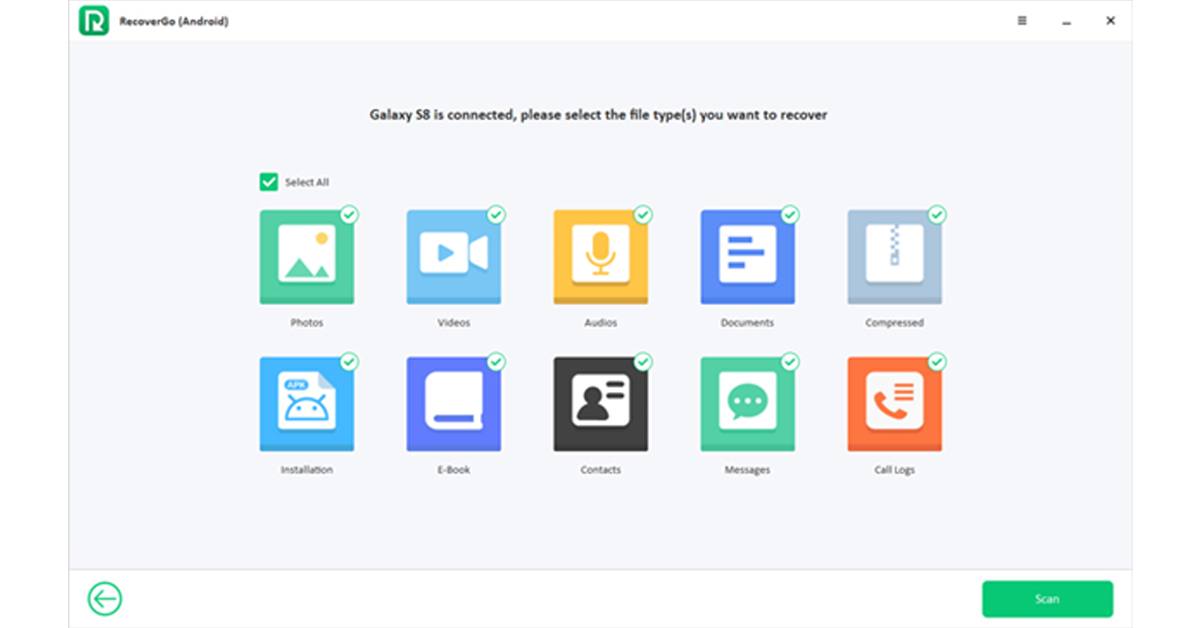
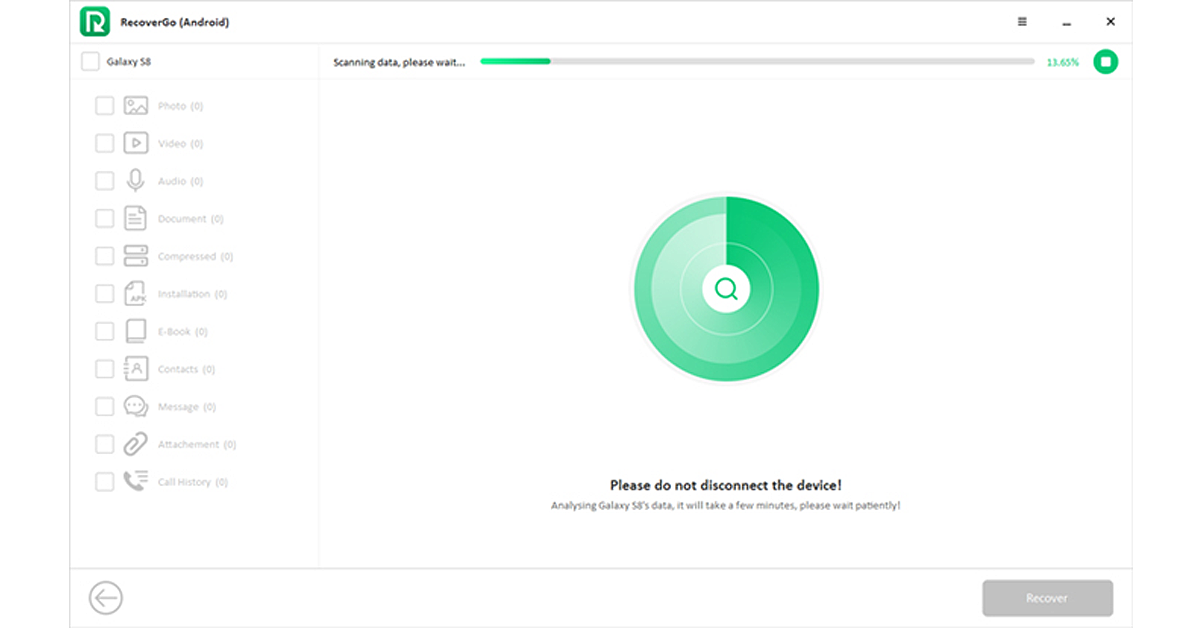
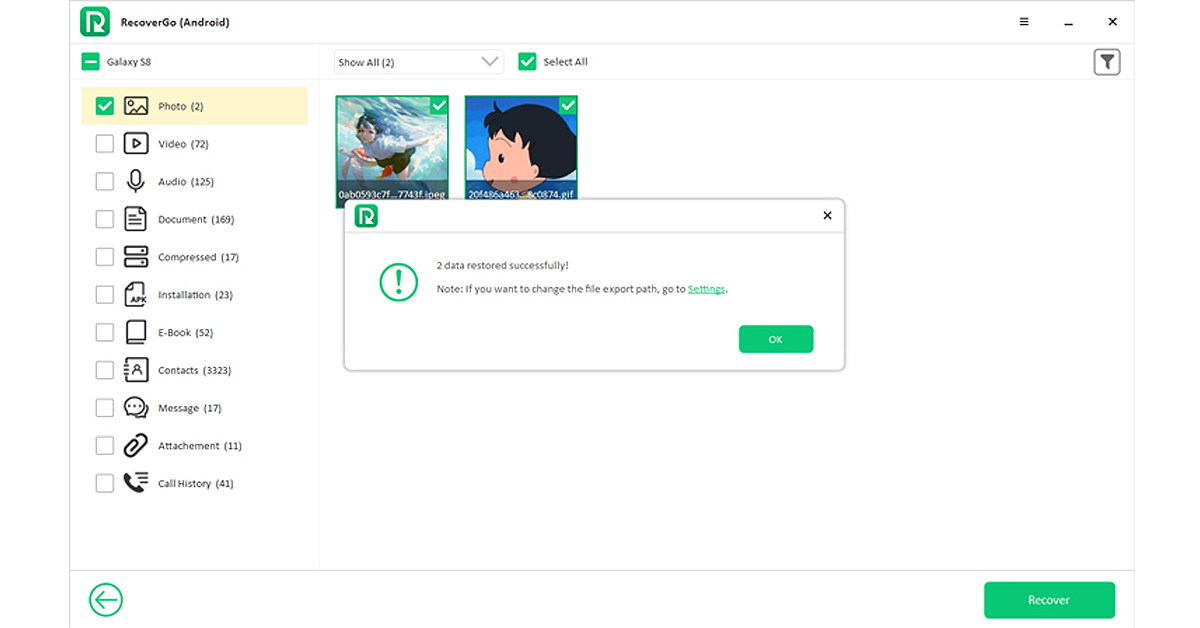

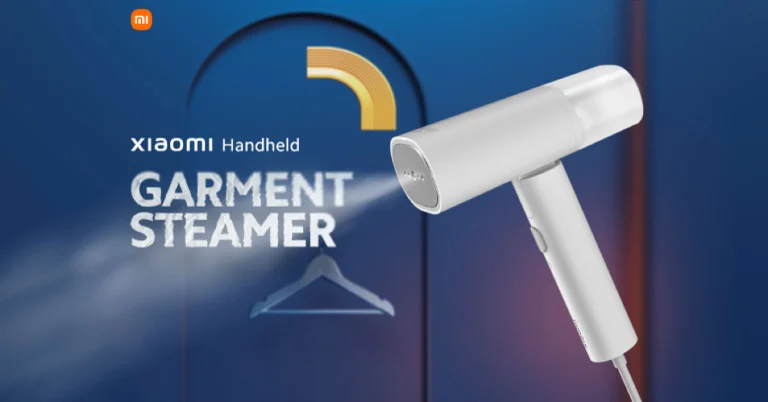
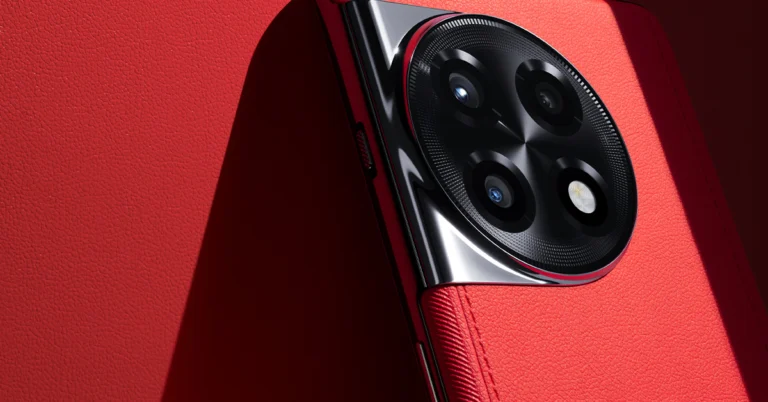
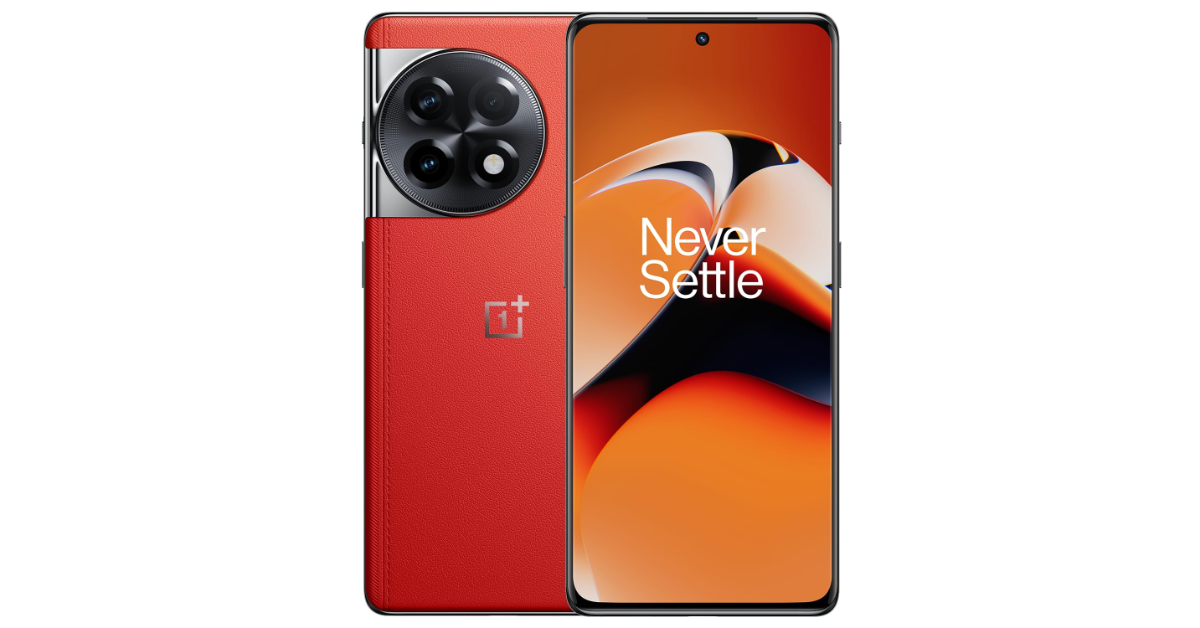
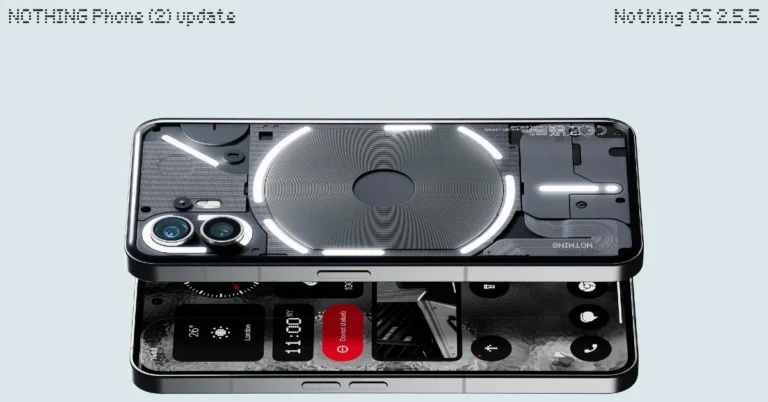

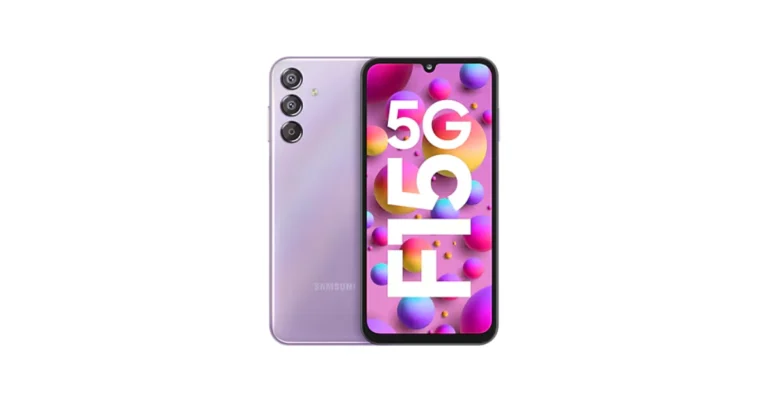
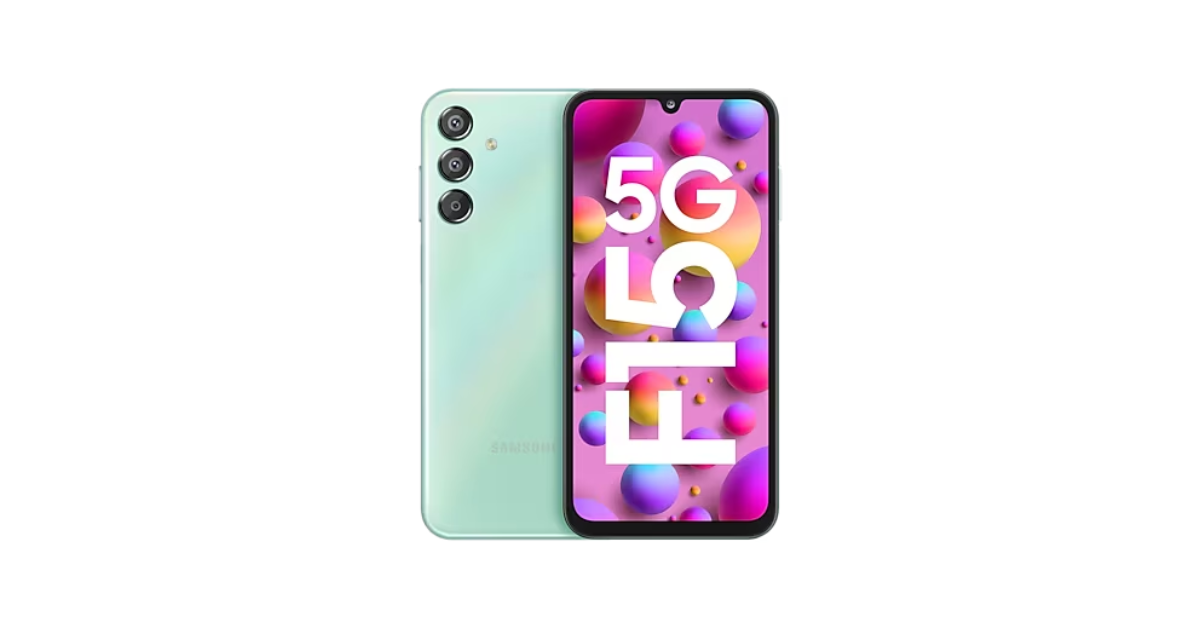
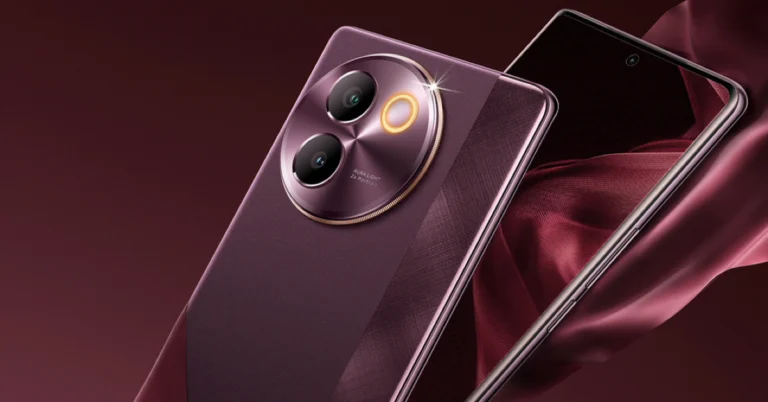
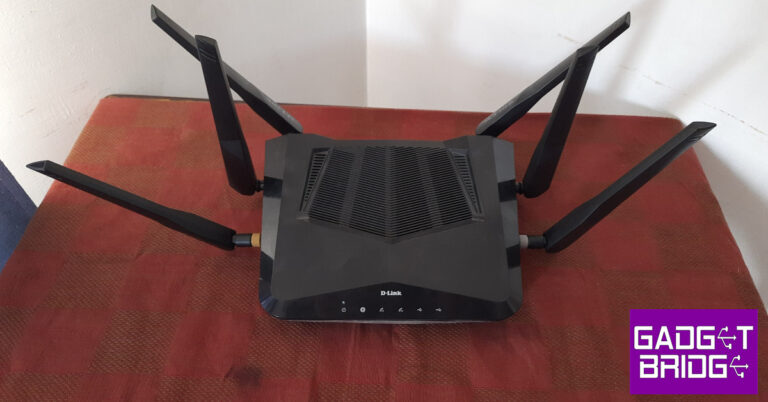
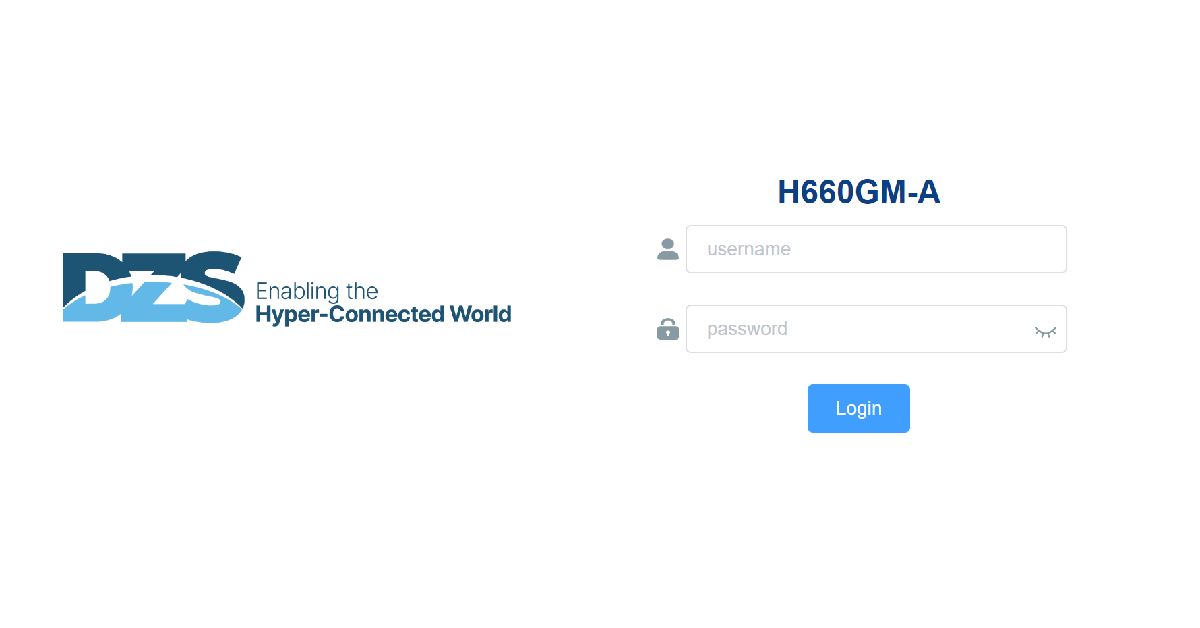
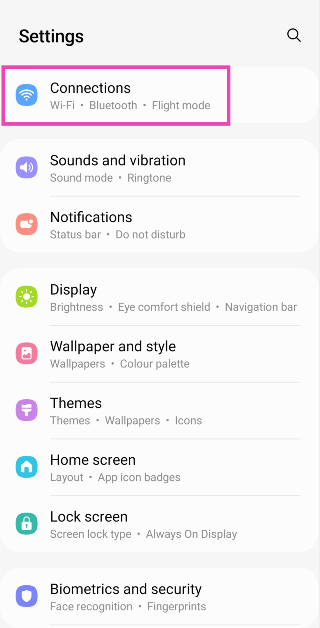 Step 2:
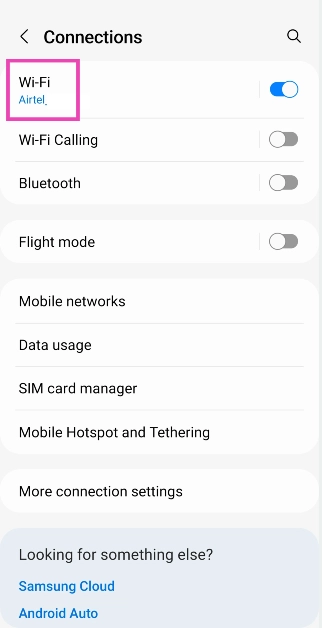 Step 3:
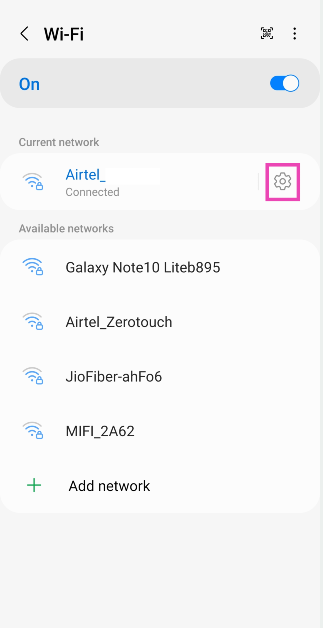 Step 4:
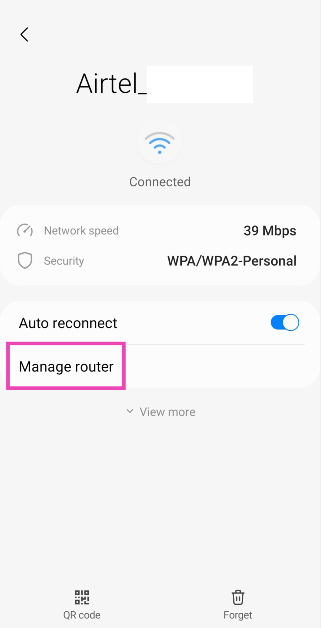 Step 5: