4 Simple Ways to Root Your Android Device

0
If you want more control over your Android phone, you can explore rooting it. While your smartphone may be a powerful little machine that is capable of performing a range of tasks, a lot of its power still remains untapped. Rooting your phone gives you access to its ‘root files’, which unlocks a world of possibilities. Once you’ve rooted your device, you can use modified versions of apps that come with more features than their regular counterparts. Rooting your phone can also improve its battery life. In this article, we bring you 4 simple ways to root your Android device. Read Also: JBL Tune Buds and JBL Tune Beam with ANC launched in India

Before you begin

  • Make sure your smartphone is fully charged.
  • Enable USB Debugging from Developer Options. (If you are rooting your phone using your PC)
  • Create a backup of all your personal data on the device.
  • Make sure you have access to a stable internet connection.

Root your Android device using Magisk

Magisk performs a ‘systemless root’ on your device, which means it does not tweak any of the core code. Once you root your phone using Magisk, you can still use payment and banking apps on your device. This isn’t possible with a regular root. Before you begin rooting your phone with Magisk, make sure your device bootloader is unlocked. Step 1: Download Team Win Recovery Project (TWRP) for your device using this link Step 2: Now, download Magisk using this link. Step 3: Open the ‘Downloads’ folder on your device and rename the Magisk APK file. Substitute the .apk extension with .zip. Step 3: Open the ‘Downloads’ folder on your device and rename the Magisk APK file. Substitute the .apk extension with .zip. Step 4: Install TWRP on your device and boot your phone in Recovery Mode. Step 5: Tap ‘Install’ on TWRP recovery. Step 5: Tap ‘Install’ on TWRP recovery. Step 6: Go to ‘Magisk.zip’ and tap on ‘Select Storage’. Step 6: Go to ‘Magisk.zip’ and tap on ‘Select Storage’. Step 7: Install the zip file on your device. Step 7: Install the zip file on your device. Step 8: Once the file has been installed, tap on ‘Reboot system’. Step 8: Once the file has been installed, tap on ‘Reboot system’.

Root your Android phone using KingRoot

Root your Android phone using KingRoot Step 1: Download KingRoot APK on your Android phone. Step 2: Install the APK on your device. Step 3: Launch KingRoot and select ‘Try It’. Step 4: Tap on ‘Get Now’. Step 5: The rooting process will begin on your device. It will take a few minutes to root your device. Once it’s done, use the Root Checker app to verify if the process was successful.

Root your Android phone using RootMaster

Root your Android phone using RootMaster Step 1: Download RootMaster APK on your Android phone from the official website. Step 2: Install the downloaded file on your phone. Step 3: Launch the app and tap on ‘Root’. Step 4: The rooting process will begin. RootMaster will notify you when your phone has been successfully rooted.

Root your Android device via PC using iRoot

Root your Android phone via PC using iRoot Step 1: Download the iRoot APK on your PC. Step 2: Install iRoot on your PC. Step 3: Make sure USB debugging is enabled on your Android phone. Step 4: Connect your phone to your PC using a USB cable. Step 5: Launch iRoot and click on ‘Root’.

Frequently Asked Questions

What is rooting?

Rooting is the process of unlocking a device and gaining access to the ‘root’ files. Rooting your device gives you more control over it. You can carry out a range of functions that weren’t possible before.

What are the benefits of rooting?

Rooting your device allows you to get rid of ads across all apps, gives you access to paid features for free, increases your phone’s battery life, and adds lets you use customised apps with a lot more features. 

Is rooting your Android device legal?

Rooting your Android device is completely legal. However, your warranty will be nullified once you root your phone. Read Also: 2023 Samsung Smart TVs to get YogiFi app support

Conclusion

These are 4 simple ways to root your Android device. Once you root your phone, you immediately lose its warranty. If your device’s warranty is already expired, rooting it is a safe bet. Rooting can boost the device’s performance and unlock a bunch of fun features. But, there is always a risk of your phone getting bricked when it is rooted. For the latest gadget and tech news, and gadget reviews, follow us on Twitter, Facebook and Instagram. For newest tech & gadget videos subscribe to our YouTube Channel. You can also stay up to date using the Gadget Bridge Android App. You can find the latest car and bike news here.

Apple Back to University offers announced, exclusive discounts for teachers and students in India

0
Apple in India has officially announced that it has kicked off its Back to University offers. The Apple Back to University offers brings savings and other perks to college students, and teachers who work at participating institutions. Every year, UNiDAYS Apple India offers a limited time period for the offering plan. This is a fantastic way to save money on Apple products, and deals are available online as well as at our stores at Apple BKC and Apple Saket. Apple Back to University offers will be accessible to all students across colleges and universities, and teachers in India. In conjunction with the programme, Apple is providing discounts on iPads and Macs. Additionally, several Apple services can be purchased at good discounts. The deals will be valid from June 22 through October 2. Also Read: 2023 Samsung Smart TVs to get YogiFi app support You have the option to save on a Mac or iPad with education pricing thanks to Apple Back to University offers. Additionally, you receive 20% off AppleCare+, AirPods with Mac, an Apple Pencil with iPad, and more. Note that before obtaining exclusive student discounts, students must confirm their university. According to the company offers that are available at Apple Retail (Apple BKC, Apple Saket and Apple Store Online) differ from and cannot be clubbed with discounts being offered by Apple Authorised Resellers and Apple Premium Resellers. The Apple Back to University offer details at Apple BKC, Apple Saket, and the Apple Store Online are as follows:
  • Save on Mac or iPad for University with education pricing.
  • Get AirPods with an eligible Mac or Apple Pencil with an eligible iPad.
  • Offer valid during June 22-October 220% off Apple Care+
  • Education pricing
  • 3 months free of Apple Music and Apple TV+ then pay a special student rate of ₹59/month.
  • Eligible products: MacBook Air, MacBook Pro, iMac 24 + AirPods (3rd Gen) Mac mini + AirPods (2nd gen) iPad Pro 11”, 12.9”; iPad Air 5th Gen + Apple Pencil (2nd Gen)
Available to current and newly accepted university students and teachers, staff at all levels. Get verified with UNiDAYS to be eligible for the offer. APPLE AUTHORISED RESELLERS AND APPLE PREMIUM RESELLERS Valid from June 18 to September 30, these offers give you a chance to save on Mac or iPad with education pricing.
  • Save on Mac or iPad for University with education pricing.
  • Avail up to 8% savings for students and teachers along with ongoing consumer bank cashback and loan offers.
  • Offer valid June 18 to September 30
  • Consumers can combine student/teacher discounts of up to 8% with the other ongoing affordability offers available at Apple Authorised Resellers and Apple Premium Resellers.
  • To avail of these offers students and teachers must present and submit valid student ID and teacher ID along with identification proof.
  • Offers are available at participating select Apple Authorised Resellers and Apple Premium Resellers at their discretion.
  • Offers will be valid on the best available price at select participating store. For program details visit www.indiaistore.com
For the latest gadget and tech news, and gadget reviews, follow us on TwitterFacebook and Instagram. For newest tech & gadget videos subscribe to our YouTube Channel. You can also stay up to date using the Gadget Bridge Android App. You can find the latest car and bike news here.

BGMI redeem codes for 23 June 2023, claim and receive rewards and benefits

After being banned for nearly ten months, Battleground Mobile India, aka BGMI, is officially available again in India. BGMI fans are looking for ways to improve their game experience and one such method is the usage of redemption codes, which offers a variety of rewards and advantages using BGMI redeem codes players can gain access to new skins, outfits, loot crates, weapons and free UC and diamonds. As mentioned earlier, these codes give users the chance to earn unique rewards and gain extra benefits while playing the game. This includes GUN SKINS (M4, AKM, M416, AWM, M24, UZI, KAR98K), free character voucher, Andy, Carlo, Sara, Victor character for free, free Anna Character on completing the mission and UC or Royal Pass Discount. So here we have gathered a list of the most recent BGMI redeem codes as of 23 June 2023. Also, redeem these codes asap as these are only valid for a limited duration.

BGMI Redeem Codes for 23 June 2023

KARZBZYTR – Free Outfit JJCZCDZJ9U – Golden Pan UKUZBZGWF – Free fireworks TQIZBZ76F – Vehicle Skin 5FG10D33 – Falcon and Free Emotes GPHZDBTFZM24U – UMP9 Skin TIFZBHZK4A – Free outfit RNUZBZ9QQ – AKM Glacier Skin TQIZBz76F – 3 Free Motorcycle BMTFZBZQNC – Free Drifter Set SD14G84FCC – Free Skin for KAR98 Sniper Gun RNUZBZ9QQ – AKM Glacier Skin PGHZDBTFZ95U – M416 Skin R89FPLM9S – Companion BMTCZBZMFS – Pretty in Pink set and Pretty in Pink Headpiece 5FG10D33 – Outfit for Free

How to get free Redeem Codes for BGMI on 23 June 2023?

  • Launch BGMI on your device.
  • Then select the Redeem Code option from the main menu.
  • Next, click on the Redeem code tab.
  • A new window will open, requesting the redemption code.
  • Now enter your BGMI code.
  • Confirm and click on the “Redeem” tab.
  • If your redeem code is valid then you will get a message confirming that your rewards were successfully redeemed.
(Note that these codes are case-sensitive, so be sure to type them correctly to prevent any errors.) For the latest gadget and tech news, and gadget reviews, follow us on TwitterFacebook and Instagram. For newest tech & gadget videos subscribe to our YouTube Channel. You can also stay up to date using the Gadget Bridge Android App. You can find the latest car and bike news here.
Garena Free Fire Redeem Codes Today 23 June 2023: Here is how to claim them

Garena Free Fire is a battle royale game with regular awards and tournaments to keep players interested. If you play Garena Free Fire, you should be aware of the redeem codes that are released on a daily basis. However, because the battle royale game is banned in India, players from other countries can use the Free Fire Redeem codes daily. If you’re unfamiliar with the Garena Free Fire redeem codes or don’t know how to get them, we’ve put together a step-by-step guide to help you redeem them. Check out Garena Free Fire Redeem Codes for 23 June 2023. The Free Fire redeem codes are a great way to get free stuff. These are 12-digit codes that contain alphabets and numbers, as well as an expiration date and time. Because the Garena FF redeem codes cannot be used more than once, you should hurry to the redemption page to claim your free reward before someone else does. To get a free reward, all you have to do is go to reward.ff.garena.com/en, which is the official redemption page. Also, keep an eye on this space for daily updates on Garena Free Fire redemption codes and rewards.

Garena Free Fire Redeem Codes Today 23 June 2023

F32Q4RT4R5HBVTYJ FJOLIOP9OY76YFS4 FFGDFYNBDFAW2034 FFDRTYRJKY79OPKJ FHGFSA3RFGE5GDRT FGFA93RDFSERHGFT F7K8I89PLKJNBVZD FTYJHT6HNHMIKLUI FNJKO89TYG5BI986 F78L9PKFIDHR56BY FJGFY5SR5RSRAQE F23F4RTFB7UJVU8 F7DRUUIHIN9FU45 F433VCXXJJRYHTKO FTIRUYS532TQRAT5 FXCFG6B7N8R998GY

How to Get Free Fire Redeem Codes for Garena on 23 June 2023?

  • Visit the Garena Free Fire game’s official website at reward.ff.garena.com.
  • Use your Facebook, Google, VK, Apple ID, Huawei ID, or Twitter account to log in.
  • You’ll be taken to a valid redemption code (s)
  • Copy and paste the 12-digit redemption code into the text box.
  • On the screen, a dialogue box will appear.
  • ‘Ok’ should be selected.
For the latest gadget and tech news, and gadget reviews, follow us on TwitterFacebook and Instagram. For newest tech & gadget videos subscribe to our YouTube Channel. You can also stay up to date using the Gadget Bridge Android App. You can find the latest car and bike news here.

Amazon Quiz Answers Today 23 June 2023: Participate to win Rs 1,250

Amazon is back with another quiz on its mobile platform. The Amazon Quiz is conducted every day for its customers. Customers from different parts of the country are participating in the daily quiz. Today’s Amazon quiz is now live on the Amazon App. The customers who participate in the 23 June 2023 Amazon Quiz will get a chance to win Rs 1,250 Amazon pay Balance. The Amazon Quiz can be played from 12 AM to 11:59 PM. For those who are unaware of the quiz, the e-commerce platform brings a fresh quiz on a daily basis which consists of five questions related to general knowledge and current affairs. The participants need to answer all the questions correctly and their names will be selected for a lucky draw. The winner will be announced at the end of the month. One wrong answer could eliminate you from the quiz. Only app users are eligible to participate in the Quiz. Check Out 23 June 2023 Amazon Quiz Answers. Amazon Quiz Today Prize – Rs 1,250 Amazon Pay Balance Quiz Date – 23 June 2023 Daily Timing – 12 AM to 11:59 PM Winner Announcement – Today 12 PM

Amazon Quiz Answers Today 23 June 2023

Question 1: In 2022, Salima Mukansanga became the first ______ woman ever to referee at the men’s FIFA World Cup. Answer: African Question 2: Jeff Bezos awarded which singer the Courage and Civility Award along with $100 million? Answer: Dolly Parton Question 3: Morbi suspension bridge collapsed over which river in Gujarat? Answer: Machchu Question 4: Which place is considered as the origin of this snack item? Answer: Persia Question 5: Who were the first people to play this sport? Answer: French monks

How To Play Amazon Quiz

Only app users are eligible to play the Amazon quiz every morning from 12 AM to 11:59 PM. The quiz is not available on the desktop. For those who are unaware of how to play the Amazon quiz below are the steps, you can follow to take the quiz.
  • Firstly download the Amazon app from Google Play Store or App Store
  • Now fill in the required information through the Sign Up option.
  • You need to log in to the Amazon app and scroll down on the home screen to find the Amazon Quiz banner.
  • Tap on the Amazon Quiz banner and tap on the Start button to start the Quiz.
  • Now you will get 5 questions and you need to answer them correctly. One wrong answer will eliminate you from the Quiz.
  • After answering all the questions correctly you are now eligible for a Lucky Draw.
  • The winner’s name will be announced today at 12 PM.
For the latest gadget and tech news, and gadget reviews, follow us on Twitter, Facebook and Instagram. For newest tech & gadget videos subscribe to our YouTube Channel. You can also stay up to date using the Gadget Bridge Android App. You can find the latest car and bike news here.

JBL Tune Buds and JBL Tune Beam with ANC launched in India

Popular audio brand JBL has expanded its product portfolio with the launch of two new true wireless earphones JBL TUNE Buds and the JBL TUNE Beam in the Indian market. Both devices offer Active Noise Cancellation and App Control, allowing consumers to personalise their audio experience. In addition to this, the company has also partnered with celeb artists such as Armaan Malik, Monali Thakur and others for the Tune launch partnerships with top music artists like Armaan Malik, Monali Thakur and Srushti Tawde. As part of the tie-up, the celeb artists have shot a digital campaign wherein they have created jingles for the Tune series of headphones and nominated other celebs to take up the challenge. The JBL Tune Buds come equipped with a 10mm driver and 4 microphones. On the other hand, JBL Tune Beam includes 6mm driver and 4 mics as well.
JBL Tune Buds and JBL Tune Beam price in India and availability
JBL Tune Beam
JBL Tune Buds comes with bud style design with an ergonomic fit whereas the JBL Tune Beam has a closed-type stick design. Both the TWS earphones promise 12 hours of playback and a total battery life of 36 hours with the case. When ANC is turned on it offers 12 hours of playback and combined battery life of 30 hours with the case. Both earphones are IP54 rated for dust and water resistance. The JBL Headphone app helps users find the best seal and fit for various ear types with the Tune TWS earphones’ wide selection of ear tip options, delivering maximum comfort and audio quality. They feature Active Noise Cancelling and Smart Ambient allowing users to control the amount of outside noise they want to hear without removing the earbuds. These headphones offer multi-point connections, allowing for seamless Bluetooth device switching and simple voice assistant access. The JBL TUNE Buds and JBL TUNE Beam support Bluetooth 5.3, which enables separate audio stream synchronisation and broadcast audio streams to multiple listeners.

JBL Tune Buds and JBL Tune Beam price in India and availability

JBL Tune Buds have been launched at  Rs 5,499. The JBL Tune Beam comes with a price tag of Rs 6,499. Both the TWS will be offered in three colour options of black, blue, and white. For the latest gadget and tech news, and gadget reviews, follow us on TwitterFacebook and Instagram. For newest tech & gadget videos subscribe to our YouTube Channel. You can also stay up to date using the Gadget Bridge Android App. You can find the latest car and bike news here.

2023 Samsung Smart TVs to get YogiFi app support

South Korean tech giant Samsung has announced its partnership with YogiFi to provide an interactive yoga experience to its consumers on its televisions in a global first. The world’s first AI-enabled yoga mat will be paired with Samsung smart TVs as part of this partnership allowing users to practise yoga ‘the tech way’. “At Samsung, we understand consumers’ desire for holistic health and fitness. Our partnership with YogiFi to make yoga more accessible for consumers is a part of our vision to bring calm to the connected world so that devices and innovation can enable better, more personal, and more intuitive multi-device experiences. Consumers can now practise yoga ‘the tech way’ on Samsung TVs at their home, benefiting from instant feedback,” said Dipesh Shah, Head of the India Consumer Experience Team at Samsung. 2023 Samsung Smart TVs to get YogiFi app support Everyone may gain from guided lessons, tailored sessions, real-time feedback, and wellness monitoring using the YogiFi app on Samsung smart TVs, whether they are experienced yogis or beginners. All Samsung smart TVs including the Neo QLED 4K and 8K TVs, OLED TV, and Crystal 4K UHD TV line, will support the YogiFi app. It will soon be accessible on TV models from earlier years as well. As part of Samsung’s Make for India strategy, SRI-Delhi (Samsung R&D Institute India-Delhi) claims to have worked closely with YogiFi to deliver the app to Samsung smart TVs. The app’s yoga content landscape consists of three tiers of 21-day programs—beginner, intermediate, and advanced—that have been thoughtfully designed with relevant yoga asanas for consumers to have a holistic experience. In addition to this, the YogiFi AI-enabled mat has sensors that identify any wrong posture and instantly give users feedback so they may adjust and better their alignment. “At YogiFi, we are on a global mission to integrate yoga using AI into everyone’s daily lifestyle to promote physical and mental well-being. By partnering with Samsung, a pioneer in the television segment, we aspire to elevate the at-home yoga experience for every individual and maximise the impact of our mission to create a healthy community with stronger immunity,” said Muralidhar Somisetty, Founder & CEO, Wellnesys India. For the latest gadget and tech news, and gadget reviews, follow us on TwitterFacebook and Instagram. For newest tech & gadget videos subscribe to our YouTube Channel. You can also stay up to date using the Gadget Bridge Android App. You can find the latest car and bike news here.

Apple announced new developer tools for Apple Vision Pro

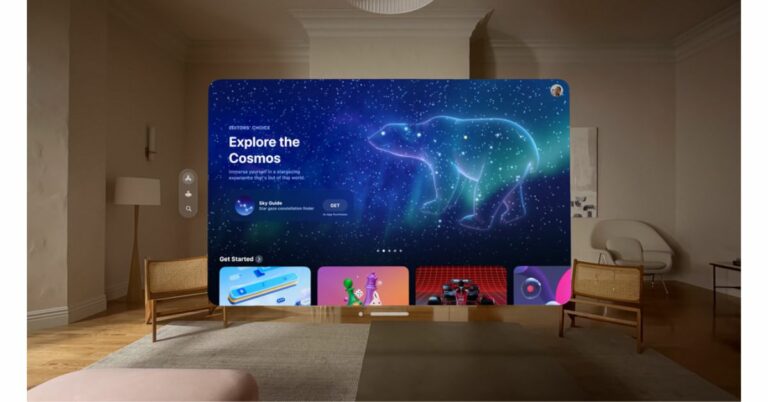
Apple’s mixed reality headset Vision Pro debuted at WWDC23 earlier this month. It is basically a 3D camera which runs on visionOS and comes with Spatial Cinema for a cinematic experience. Today the tech giant has announced new software tools and technologies for the VR headset. These features enable developers to create groundbreaking app experiences for Apple Vision Pro. From today onwards Apple’s worldwide developer community will be able to create entirely new app experiences across a range of categories, including productivity, design, gaming, and more, making use of the firm and distinctive features of Vision Pro and visionOS using the visionOS SDK. According to the company, from next month, Apple will open developer labs in Cupertino, London, Munich, Shanghai, Singapore, and Tokyo to provide developers with hands-on experience to test their apps on Apple Vision Pro hardware and get support from Apple engineers. Development teams can apply for developer kits that can use the kits to build, test, and iterate swiftly on Apple Vision Pro. With the help of these tools, developers can produce new kinds of apps that cover a range of levels of immersion, such as windows that have depth and can display 3D content, volumes that create experiences that can be viewed from any angle, and spaces that can completely immerse a user in a setting with limitless 3D content. Reality Composer Pro, a brand-new tool included with Xcode, enables developers to optimise and prepare 3D models, animations, photos and sounds so they look fantastic on Vision Pro. As per Apple, this tool is designed to help them in optimising 3D content for their visionOS apps and games. While visionOS simulator allows developers to interact with their apps to explore and test different room arrangements and lighting conditions. And every developer framework comes with built-in support for Apple’s innovative accessibility features to ensure spatial computing and visionOS apps are accessible to everyone. Beginning next month, developers who have been using Unity’s robust authoring tools can port their Unity apps to Apple Vision Pro and take full advantage of its powerful capabilities. Members of the Apple Developer Programme can access the visionOS SDK, updated Xcode, Simulator, and Reality Composer Pro at developer.apple.com. For the purpose of designing, developing, and testing apps for Apple Vision Pro, registered Apple developers have access to a number of tools, such as thorough technical documentation, fresh design kits, and revised visionOS human interface guidelines. For the latest gadget and tech news, and gadget reviews, follow us on TwitterFacebook and Instagram. For newest tech & gadget videos subscribe to our YouTube Channel. You can also stay up to date using the Gadget Bridge Android App. You can find the latest car and bike news here.

Apple IDs are now passkey-compatible, feature arriving later this year

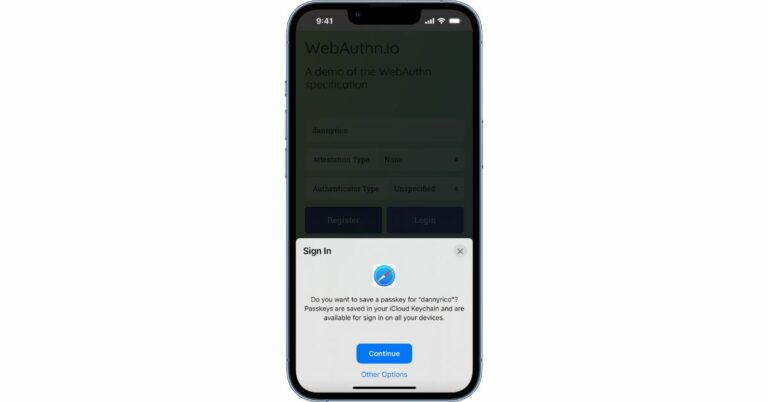
Apple has officially announced that it will put an end to standard passwords. When iOS 17, iPadOS 17, and macOS Sonoma are released all supported devices will automatically be granted support for Passkey authentication. Users with Apple IDs will be able to use Passkey to sign in to all Apple services and products. As per the company, Apple IDs would automatically be granted passkeys for sign-in authentication without passwords starting with iOS 17, iPadOS 17, and macOS Sonoma. This implies that all compatible devices will have Passkey functionality for sign-in authentication once the rollout begins later this year. In order to sign in to an Apple website, users won’t need to enter their Apple ID and password. Rather individuals can easily get access using a PIN code, face or fingerprint scan. This feature was announced at this year’s WWDC23 and is presently available in beta form for developers to test. Those who are operating beta versions of iOS 17, iPadOS 17, and macOS Sonoma may also try out passkey on iCloud.com and appleid.apple.com.

What is passkey and how does this work?

Pass Key is a passwordless sign-in that lets you access the web and services using on-device authentication features like, fingerprint, face unlock and PIN codes to confirm user identification for account sign-in activities. Two separate keys are generated when you create a passkey using WebAuthn. One of which is by the website or service to log in and the other is a private key that is kept on the device. So in case of theft or damage the passkey may function on a variety of devices, so you might have a backup. Passkey is compatible with a wide range of browsers and operating systems therefore it can be used for both web and mobile apps. In this manner, you may sign in to Gmail, PayPal, or iCloud by simply turning on Face ID on your iPhone. In the same way, the fingerprint reader allows you to sign-in on your Android phone, or Windows Hello on a PC. Users running beta versions of iOS 17, iPadOS 17, and macOS Sonoma can test it on iCloud.com and appleid.apple.com starting today. This will be available for all supported devices with the releases of iOS 17, iPadOS 17, and macOS Sonoma later this year For the latest gadget and tech news, and gadget reviews, follow us on TwitterFacebook and Instagram. For newest tech & gadget videos subscribe to our YouTube Channel. You can also stay up to date using the Gadget Bridge Android App. You can find the latest car and bike news here.

Top Crypto Attacks and Why They Happened

Today, cryptocurrency has become a well-known technology. It is interesting cause even those who are not directly related to the field know about it. Although, it is famous not only for its cutting-edge technologies. Even such a seemingly safe technology has a list of high-profile crypto hacks in its history. Each resulted in stealing by thefts millions of dollars of digital assets. So, what are these cases famous for? How did they happen? Let’s explore.

Mt. Gox (2014)

Mt. Gox is one of the most famous hacks ever instituted in the cryptocurrency field. Mt. Gox is a Tokyo-based Bitcoin exchange that, back then, managed almost 70% of all Bitcoin transactions. Later, in February 2014, Mt. Gox announced that they had lost around 850,000 Bitcoins. The stolen value was around $450 million at that time. It was found that the exchange platform broke after a prolonged and undetected cyber attack. So, how did that happen? Many consider poor security practices as the main reason for being hacked. Another reason is that all Bitcoins were stored in one wallet, making it a desirable goal for hackers. In addition, poor security practices, such as no multi-factor authentication and intrusion detection systems, made it worse. Mt. Gox’s lack of security and prioritizing money over safety made it a significant loss of its users. Such an example clearly shows how vital cybersecurity is in the cryptocurrency field.

Coincheck (2018)

Coincheck is another famous Japanese exchange platform under hackers’ attack. The overall harm done to this exchange was related to the NEM cryptocurrency and valued at about $530 million. In this case, hackers used the poor security of the platform. As a result, they got unauthorized access to the company’s hot wallet, stealing a lot of digital assets. After this incident, Coincheck paid extreme attention to its security practices. They found that the main problem was storing all the assets in one hot wallet. After that, they implemented several techniques, such as the available additional cold wallet and regular security checks. This incident showed the importance of security and why it is a good practice to improve it continuously.

Binance (2019)

Binance is one of the largest exchange platforms in the world. It allows exchanging many digital coins, such as BTC to LTC, ETH to USDT, DOGE to USDT, and others. However, even this platform had a security breach in May 2019. It resulted in the loss of 7,000 Bitcoins, around $40 million at that time. Hackers used several ways to get access to the assets.
  • They used sophisticated phishing techniques;
  • Compromised many user accounts;
  • Used API key to get through the platform’s security measurements.
As with others, Binance saw the importance of strong security after this security was destroyed. Although, thanks to it, Binance implemented multi-factor authentication and provided users with educational material to prevent phishing attacks.

Poly Network (2021)

Poly Network is a famous decentralized finance (DeFi) platform. Unfortunately, back in 2021, this platform also experienced one of the biggest crypto attacks. The stolen value was around $600 million in several cryptocurrencies. The main problem hackers used was Poly Network’s smart contract code which allowed them to steal assets from multiple networks. Smart contracts are self-executing agreements that work using blockchain technology. The Poly Network brought more attention to this feature after the attack. They implement such steps as code auditing and security testing to see if there are any potential problems with smart contracts during the development stage.

Final Thoughts

To sum up, all the famous crypto attacks have happened due to poor security, no authentication features, and phishing attacks. These incidents showed how important security is and why this industry should prioritize it most. For the latest gadget and tech news, and gadget reviews, follow us on TwitterFacebook and Instagram. For newest tech & gadget videos subscribe to our YouTube Channel. You can also stay up to date using the Gadget Bridge Android App. You can find the latest car and bike news here.

NoiseFit Crew Pro Smartwatch with BT calling launched in India

The NoiseFit Crew Pro smartwatch has been officially introduced in India. It has Bluetooth calling capabilities with Tru Sync. The smartwatch has an HD AMOLED display, a modern metallic design, and the option of a leather strap for a more upscale appearance. The device further features more than 100 watch faces. It also offers health and fitness features including a female health monitor.

NoiseFit Crew Pro smartwatch price in India and availability

NoiseFit Crew Pro smartwatch will be offered at a special launch price of Rs 2,199. It can be purchased only on Flipkart and gonoise.com. The device is available in three different colour schemes: Jet Black, Classic Black (Leather), and Classic Brown (Leather). NoiseFit Crew Pro smartwatch price in India and availability

NoiseFit Crew Pro smartwatch specifications

The NoiseFit Crew Pro smartwatch comes with a round dial. Additionally, the smartwatch includes two actual side buttons. It features a 1.4-inch HD AMOLED display with a 240×240 pixel resolution. It supports Bluetooth 5.3 for connectivity. The smartwatch comes with an IP68 rating for water and dust protection. The smartwatch also comes with over 100 interchangeable watch faces and over 120 sports modes, including cycling, trekking, and jogging. The NoiseFit Crew Pro is equipped with TruSync technology, which incorporates a single-chip BT calling capability to assure advanced calling. The watch allows users to save up to 10 contacts and make and receive phone calls immediately. NoiseFit Crew Pro smartwatch price in India and availability Users may effortlessly monitor important health metrics including heart rate, SpO2, sleep patterns, stress levels, and breathing exercises using Noise Health Suite. Weather predictions and daily reminders are also available thanks to the integrated Productivity Suite. According to the company the watch offers up to 7 days of battery life as it comes equipped with a 300mAh battery. Commenting on the launch, Amit Khatri, Co-Founder of Noise, said, “At Noise, our unwavering commitment lies in understanding and exceeding our customers’ dynamic needs while enabling a meaningful upgrade to their lifestyle. With each product, our aim is to deliver unparalleled experiences for our customers and the NoiseFit Crew Pro with its premium offerings does just that. We are certain it will resonate strongly with the new age users who seek both style and functionality in their wearable devices.” For the latest gadget and tech news, and gadget reviews, follow us on TwitterFacebook and Instagram. For newest tech & gadget videos subscribe to our YouTube Channel. You can also stay up to date using the Gadget Bridge Android App. You can find the latest car and bike news here

BGMI redeem codes for 22 June 2023, claim and receive rewards and benefits

After being banned for nearly ten months, Battleground Mobile India, aka BGMI, is officially available again in India. BGMI fans are looking for ways to improve their game experience and one such method is the usage of redemption codes, which offers a variety of rewards and advantages using BGMI redeem codes players can gain access to new skins, outfits, loot crates, weapons and free UC and diamonds. As mentioned earlier, these codes give users the chance to earn unique rewards and gain extra benefits while playing the game. This includes GUN SKINS (M4, AKM, M416, AWM, M24, UZI, KAR98K), free character voucher, Andy, Carlo, Sara, Victor character for free, free Anna Character on completing the mission and UC or Royal Pass Discount. So here we have gathered a list of the most recent BGMI redeem codes as of 22 June 2023. Also, redeem these codes asap as these are only valid for a limited duration.

BGMI Redeem Codes for 22 June 2023

  • Updating soon

How to get free Redeem Codes for BGMI on 22 June 2023?

  • Launch BGMI on your device.
  • Then select the Redeem Code option from the main menu.
  • Next, click on the Redeem code tab.
  • A new window will open, requesting the redemption code.
  • Now enter your BGMI code.
  • Confirm and click on the “Redeem” tab.
  • If your redeem code is valid then you will get a message confirming that your rewards were successfully redeemed.
(Note that these codes are case-sensitive, so be sure to type them correctly to prevent any errors.) For the latest gadget and tech news, and gadget reviews, follow us on TwitterFacebook and Instagram. For newest tech & gadget videos subscribe to our YouTube Channel. You can also stay up to date using the Gadget Bridge Android App. You can find the latest car and bike news here.

Garena Free Fire Redeem Codes Today 22 June 2023: Here is how to claim them

Garena Free Fire is a battle royale game with regular awards and tournaments to keep players interested. If you play Garena Free Fire, you should be aware of the redeem codes that are released on a daily basis. However, because the battle royale game is banned in India, players from other countries can use the Free Fire Redeem codes daily. If you’re unfamiliar with the Garena Free Fire redeem codes or don’t know how to get them, we’ve put together a step-by-step guide to help you redeem them. Check out Garena Free Fire Redeem Codes for 22 June 2023. The Free Fire redeem codes are a great way to get free stuff. These are 12-digit codes that contain alphabets and numbers, as well as an expiration date and time. Because the Garena FF redeem codes cannot be used more than once, you should hurry to the redemption page to claim your free reward before someone else does. To get a free reward, all you have to do is go to reward.ff.garena.com/en, which is the official redemption page. Also, keep an eye on this space for daily updates on Garena Free Fire redemption codes and rewards.

Garena Free Fire Redeem Codes Today 22 June 2023

F7K8I89PLKJNBVZD F32Q4RT4R5HBVTYJ FJOLIOP9OY76YFS4 FFDRTYRJKY79OPKJ FHGFSA3RFGE5GDRT FGFA93RDFSERHGFT FFGDFYNBDFAW2034 FTYJHT6HNHMIKLUI FNJKO89TYG5BI986 F433VCXXJJRYHTKO FJGFY5SRWRSRAQE F23F4RTFB7UJVU8 F7DRUUIHIN9FU45 FTIRUYS532TQRAT5 FXCFG6B7N8R998GY F78L9PKFIDHR56BY

How to Get Free Fire Redeem Codes for Garena on 22 June 2023?

  • Visit the Garena Free Fire game’s official website at reward.ff.garena.com.
  • Use your Facebook, Google, VK, Apple ID, Huawei ID, or Twitter account to log in.
  • You’ll be taken to a valid redemption code (s)
  • Copy and paste the 12-digit redemption code into the text box.
  • On the screen, a dialogue box will appear.
  • ‘Ok’ should be selected.
For the latest gadget and tech news, and gadget reviews, follow us on TwitterFacebook and Instagram. For newest tech & gadget videos subscribe to our YouTube Channel. You can also stay up to date using the Gadget Bridge Android App. You can find the latest car and bike news here.

Amazon Quiz Answers Today 22 June 2023: Participate to win Rs 500

Have you participated in the Amazon Quiz today? If not then participate in the 22 June 2023 Amazon Quiz as it has already gone live on the app. The daily quiz can be played from 12 AM to 11:59 every day on the mobile app platform. Today e-commerce is giving the chance to win Rs 500 Amazon Pay Balance. Every day Amazon brings a fresh quiz for its customers. By participating in the quiz the participants can win an Amazon Pay Balance of up to Rs 50,000. The quiz can only be played on the mobile app as it is not available for the desktop platform. The quiz contains five easy questions and you have to answer all the questions correctly. The participants will then be shortlisted for a lucky draw to select a winner. Whereas the results are declared at the end of the month. Check out today’s Amazon quiz answers to win Rs 500. Amazon Quiz Today Prize – Rs 500 Amazon Pay Balance Quiz Date – 22 June 2023 Daily Timing – 12 AM to 11:59 PM Winner Announcement – Today 12 PM

Amazon Quiz Answers Today 22 June 2023

Question 1: What name meaning ‘super skilled player’ has been given to the 2022 FIFA Men’s World Cup mascot? Answer: La’eeb Question 2: Joe Biden and Xi Jinping had their first in-person meeting of Biden’s presidency in which country? Answer: Indonesia Question 3: New York City has agreed to pay $26 million to Muhammad Aziz for wrongful convictions for whose murder? Answer: Malcolm X Question 4: This animal symbolises which god of Hinduism? Answer: Vishnu Question 5: What is the parent company of this biscuit brand? Answer: Mondelez International

How To Play Amazon Quiz

Only app users are eligible to play the Amazon quiz every morning from 12 AM to 11:59 PM. The quiz is not available on the desktop. For those who are unaware of how to play the Amazon quiz below are the steps, you can follow to take the quiz.
  • Firstly download the Amazon app from Google Play Store or App Store
  • Now fill in the required information through the Sign Up option.
  • You need to log in to the Amazon app and scroll down on the home screen to find the Amazon Quiz banner.
  • Tap on the Amazon Quiz banner and tap on the Start button to start the Quiz.
  • Now you will get 5 questions and you need to answer them correctly. One wrong answer will eliminate you from the Quiz.
  • After answering all the questions correctly you are now eligible for a Lucky Draw.
  • The winner’s name will be announced today at 12 PM.
For the latest gadget and tech news, and gadget reviews, follow us on Twitter, Facebook and Instagram. For newest tech & gadget videos subscribe to our YouTube Channel. You can also stay up to date using the Gadget Bridge Android App. You can find the latest car and bike news here.

Logitech MX Keys S Review: Ticks all the boxes

If you are planning to upgrade your PC accessories, any product from Logitech’s catalogue is generally a safe bet. The company launched the new MX Anywhere 3S mouse with the MX Keys S keyboard earlier this month. We spent the last couple of weeks playing around with these computer peripherals. While both devices retain their signature design, there are some key changes in terms of software. We previously reviewed the Logitech Anywhere 3S mouse, which you can check out here. Now, we turn our attention to the MX Keys S keyboard. What does this keyboard have to offer and is it worth upgrading from your current one? Find out in our Logitech MX Keys S review. Read Also: 3 Ways to Recover Data from an Android Phone with a Broken Screen

Logitech MX Keys S review: Design

Logitech MX Keys S is available in two variants. The ‘Mini’ version is compact and ditches the number pad for a smaller form factor. The arrow keys on this keyboard are smaller and it gets rid of the additional navigation keys like ‘page up/down’, ‘home’, ‘end’, and ‘insert’. The regular version is much more expansive, and something you’d want if you don’t intend to travel with it. Inside the box, you get the keyboard, a Logi Bolt USB receiver, a USB Type-C charging cable, and some user documentation. Logitech MX Keys S review: Design Logitech has made very few changes to the design of the MX Keys S. The keyboard weighs 810g and sits at dimensions of 131.63mm x 430.2mm x 20.5mm. The overall design is very minimal, with no flashy elements to it. The sleekness is another thing to marvel at. The aluminium frame is incredibly sturdy. This thing is built to last. In line with the minimal design philosophy, the keyboard does not come with an integrated palm rest, although you can buy one separately from Logitech’s website. Flipping the keyboard over, you will find out why it is so heavy. The bar running along the top feels very heavy and dense. It gives the keyboard a nice tilt which makes typing on it even more comfortable. Six rubber feet keep the keyboard in place, but there are no adjustable plastic feet to increase the angle of the tilt. Not a dealbreaker, but we would have liked that option. Let’s talk about the keys for a bit. The circular indentations on the plastic keycaps give a nice flow to the overall typing experience. Once you get used to the keyboard and know exactly where to land your fingers, you will admire the comfort of the indents. In true Logitech fashion, there are three dedicated keys to toggle between connected devices. The transition is seamless, and all you need to do is press the appropriate key for the connected device. Logitech MX Keys S review: Design You will also find dedicated function keys for emojis and voice typing along with the usual media playback buttons. Right above the numpad, there are dedicated keys for the calculator, snipping tool, and options (right-click). Since the Logitech MX Keys S is compatible with Windows and Mac devices, you will find the cmd/alt and opt/start keys appropriately labelled on it. The backlighting on the keyboard is now auto-adjustable, depending on the intensity of the surrounding light. When left undisturbed for a few minutes, the keyboard automatically kills the backlight. The hand proximity sensors on the device turn on the backlighting upon sensing the motion of your hands reaching for it. There is no manual key to turn on the backlight from the keyboard itself. You will need to install the Logitech Options customisation software to turn it on (more on that later).

Logitech MX Keys S review: Performance

Connecting the Logitech MX Keys S to your PC is an absolute breeze. As soon as we turned on the power switch for the keyboard, the pairing notification immediately popped up on our Windows 11 laptop. Logitech has provided the ‘Logi Bolt’ USB receiver along with the package, which is a nice addition. You can pair up to three devices with this keyboard. We used it with a Windows laptop, an Android tablet, and an Android smartphone. The transition between the three devices, facilitated by the three connection keys, was smooth as butter. Logitech MX Keys S review: Performance The typing experience offered by Logitech MX Keys S leaves very little room for complaints. Being a non-mechanical keyboard, the keys on it are largely muted and have minimal travel. You can use this keyboard in an office without worrying about any loud clicking noise. The indentations that we mentioned earlier vastly accentuate the typing experience, making it more concise and focused. Even without the additional palm rest, you can type for hours on this without feeling any fatigue. The star of the show for us was Logitech’s Options+ customisation software. We used this software with the MX Anywhere 3S mouse earlier and were thoroughly impressed by what it had to offer. We were pleased to see a similar range of options for the MX Keys S too. To begin with, you can use Logitech Options to adjust the brightness of the backlighting on the keyboard. You can also assign special actions to the function keys. But the real kicker is the ‘Smart Actions’ feature that lets you automate multiple tasks with a single keystroke. These macro functions are very easy to design on the Options app. You can program a key to launch Google Chrome, Spotify, and Slack at once. If you do a set of repetitive tasks at the start of every workday, this feature will be of incredible help. We’d like to see Logitech flesh out this feature in future updates and incorporate more apps and functions in it. Equipped with a 1,500 mAh battery, the Logitech MX Keys S can last up to 10 days on a single charge. With backlighting turned off, this keyboard can last up to 5 months on a full charge. We’ve been using the device with backlighting turned on and custom settings enabled for a week and haven’t had to charge it once. The keyboard remains at a solid 30% charge. Charging the keyboard is not a hassle, as it comes with a USB Type-C port positioned at the ideal spot (top right corner of the edge). Read Also: Sennheiser Profile USB Microphone Streaming Set review: Pro sound on a budget

Verdict

Rs 13,295 is a steep price to pay for a keyboard, but with Logitech MX Keys S, it gets you the best of what’s out there. The design and build of this keyboard scream premium. Once you get a taste of the typing experience on this device, any other keyboard will feel like a downgrade. If you’re looking for a quiet, sleek keyboard for your home office, the Logitech MX Keys S perfectly fits the bill.

Logitech MX Keys S review: Pros

  • Sleek design
  • Excellent typing experience
  • Auto-backlight
  • Tons of automation options on Logitech Options software

Logitech MX Keys S review: Cons

  • No dedicated key to turn on the backlight
  • Bit pricey
For the latest gadget and tech news, and gadget reviews, follow us on Twitter, Facebook and Instagram. For newest tech & gadget videos subscribe to our YouTube Channel. You can also stay up to date using the Gadget Bridge Android App. You can find the latest car and bike news here.

Asus AIO A5 Series desktop powered by Intel 13th Gen processor launched in India

Taiwanese tech giant Asus has expanded its product portfolio with the launch of an All in One desktop in India. The company has announced the Asus AIO A5 Series desktop (A5402). It is powered by the latest Intel 13th Gen processors. In addition to this, the machine also includes a Full HD IPS touchscreen display and a 120W power adaptor. The desktop also includes an audio system, Infrared sensor with Windows Hello authentication.

Asus AIO A5 Series desktop (A5402) price in India and availability

The Asus AIO A5 Series desktop (A5402) price in India starts at Rs 94,990. The desktop can be purchased via ASUS e-shop and ASUS Exclusive Stores, e-commerce platforms, Flipkart and Amazon.

Asus AIO A5 Series desktop (A5402) specifications

The 2023 AIO (A5402) has an all-metal construction and a built-in stand. The A5402 will operate in portrait mode as well, unlike other AIO, and the stand supports tilt, pivot, and height. A 23.8-inch Full HD IPS touchscreen antiglare panel on the desktop has a maximum brightness of 250 nits. The panel supports a 178-degree viewing angle, a 1000:1 contrast ratio, and a 100% sRGB colour gamut. The AIO A5402 is powered by 13th-generation Intel i5 processors, and configurations allow for up to 16GB of DDR4 SO-DIMM RAM. The includes Intel UHD graphics and a 2TB SATA 5400RPM hard drive is available. The device further includes SD and MMC card reader, a 3.5mm combo audio jack, a USB 3.2 Gen 2 Type-C port and a USB 3.2 Gen 1 Type-A connector. A Kensington lock, two USB 3.2 Gen 1 Type-A ports, two USB 2.0 Type-A ports, a DC input connector, an RJ45 Gigabit Ethernet port, an HDMI out/in port, and more are all located on the back panel. The A5402 AIO desktop features a 720p HD webcam with a physical privacy shutter, Fast Wi-Fi 6E connectivity, Bluetooth 5.3, and a superior build with a minimalist appearance to suit any interior theme. Commenting on the launch Arnold Su, Vice President, Consumer and Gaming PC, System Business Group, ASUS India said, “We at ASUS, are elated to have continued the momentum at pace in the all-in-one PC segment and the A5 series is no exception as we carry on with our journey to elevate the entire user multimedia experience to make it more exceptional, stylish and advanced. With the hybrid workstyle model taking the lead amongst the new age working professionals, we aim to deliver computing solutions that seamlessly combine with the modern lifestyle, offering versatility, style, reliable performance, and productivity”. For the latest gadget and tech news, and gadget reviews, follow us on TwitterFacebook and Instagram. For newest tech & gadget videos subscribe to our YouTube Channel. You can also stay up to date using the Gadget Bridge Android App. You can find the latest car and bike news here.

How to create a password-protected zip file or folder on a Mac?

0
Zipping files and folders on your Mac comes in handy when you are running low on storage space or when you need to email a heavy attachment. To ensure the safety of private files, it is recommended you zip the files with an added layer of security. Adding a password to your zipped files is fairly easy and doesn’t take much time. In this article, we bring you two ways to create a password-protected zip file or folder on a Mac. Read Also: How to get MovieBox Pro Invitation Code for Android and iOS?

Here’s how you can zip a file or folder on a Mac

Step 1: Go to the file or folder you want to zip. Ideally, if you want to zip multiple files, you should place them in one folder. Step 2: Right-click on the file or folder and select ‘Compress (file/folder name)’. Step 2: Right-click on the file or folder and select ‘Compress (file/folder name)’. Step 3: Your Mac will take anywhere between a few seconds to minutes to compress the file or folder, depending upon its size. Once the file or folder is compressed you can view its info to check its reduced size.

Create a password-protected zip file or folder on Mac using Terminal

Create a password-protected zip file or folder on Mac using Terminal Step 1: Launch Terminal on your Mac. Step 2: Set the directory to the location of the file or folder. We recommend moving the folder to the desktop since it’s easier. To change the directory to desktop, type the following command and hit Enter.

cd Desktop/

Step 3: Now, enter the following command to zip the file. Replace ‘desired file name’ and ‘original file name’ with the relevant names of the file. Suffix the ‘existing file name’ with the extension format of the file (like .txt, .pdf, or .doc).

zip -e ‘desired file name’.zip ‘existing file name’.currentextension

For example, if you want to zip a text file named ‘contacts’, this is what your command line should look like: zip -e contact.zip contact.txt Make sure the file name does not have any spaces in it. If you want to keep the spaces in the file name, add a slash (/) before every space. Step 4: If you’re zipping a folder, use -er instead of -e and ditch the extension format for the folder. Step 5: You will now be prompted to set a password for the compressed file or folder. Enter the password twice to verify it. Your password-protected file or folder will be created on your Mac.

Create a password-protected zip file on Mac using Archiver

Step 1: Install Archiver on your device from the Mac App Store. Step 1: Install Archiver on your device from the Mac App Store. How to create a password-protected zip file or folder on a Mac? Step 2: Drag the file or folder you want to zip and drop it in the Archiver app. Step 3: Click on ‘Archive’ and select the compression format. Step 4: Click the check box for ‘Encrypt’. Step 4: Click the check box for ‘Encrypt’. How to create a password-protected zip file or folder on a Mac? Step 5: Enter your desired password and verify it. Step 6: Click on ‘Archive’.

Frequently Asked Questions

How do I create a zip file on Mac?

Creating a zip file on a Mac is pretty easy. All you need to do is right-click on the file and select ‘Compress filename’.

How do I create a password-protected zip file on Mac?

You can create a password-protected zip file on Mac by using Terminal or a third-party app like Archiver.

How do I open a zipped file on Mac?

To open a zipped file on Mac, simply double-click it. This will unzip the file and reveal its contents. Read Also: 3 Ways to Recover Data from an Android Phone with a Broken Screen

Conclusion

This is how you can easily create a password-protected zip file on a Mac. Using Terminal can be a tedious task and you may get it wrong if you are using it for the first time. We would suggest using Archiver or any other third-party tool to create a password-protected zip file or folder on your Mac. For the latest gadget and tech news, and gadget reviews, follow us on Twitter, Facebook and Instagram. For newest tech & gadget videos subscribe to our YouTube Channel. You can also stay up to date using the Gadget Bridge Android App. You can find the latest car and bike news here.

4 Ways to Cast a Zoom Meeting from Android/iOS/PC to a TV

0
Taking Zoom meetings on your phone or tablet makes it super easy to connect on the go, but sometimes you need a big screen for the task. If you take Yoga lessons online, you may have thought about using your TV to attend the virtual classes. Well, the process is easier than you think. Before you being, you need to ensure that your TV and PC/smartphone are connected to the same WiFi network. So, without further ado, here’s how you can cast a Zoom meeting from Android/iOS/PC to a TV. Read Also: World Music Day 2023: Best Headphones and Earbuds to Tune Into

Cast a Zoom Meeting from PC to TV using Chromecast

Step 1: Launch the Zoom client for your PC and enter a meeting. Step 2: Launch Google Chrome and click on the ellipses at the top right corner of the screen. Step 3: Select ‘Cast’. Step 3: Select ‘Cast’. 4 Ways to Cast a Zoom Meeting from Android/iOS /PC to a TV Step 4: Select your TV from the list. Step 4: Select your TV from the list. 4 Ways to Cast a Zoom Meeting from Android/iOS /PC to a TV Step 5: Click on ‘Sources’ and select ‘Cast screen’. Step 5: Click on ‘Sources’ and select ‘Cast screen’. 4 Ways to Cast a Zoom Meeting from Android/iOS /PC to a TV Step 6: Select the Zoom meeting as the window you want to cast.

Cast a Zoom Meeting from an Android phone to a TV

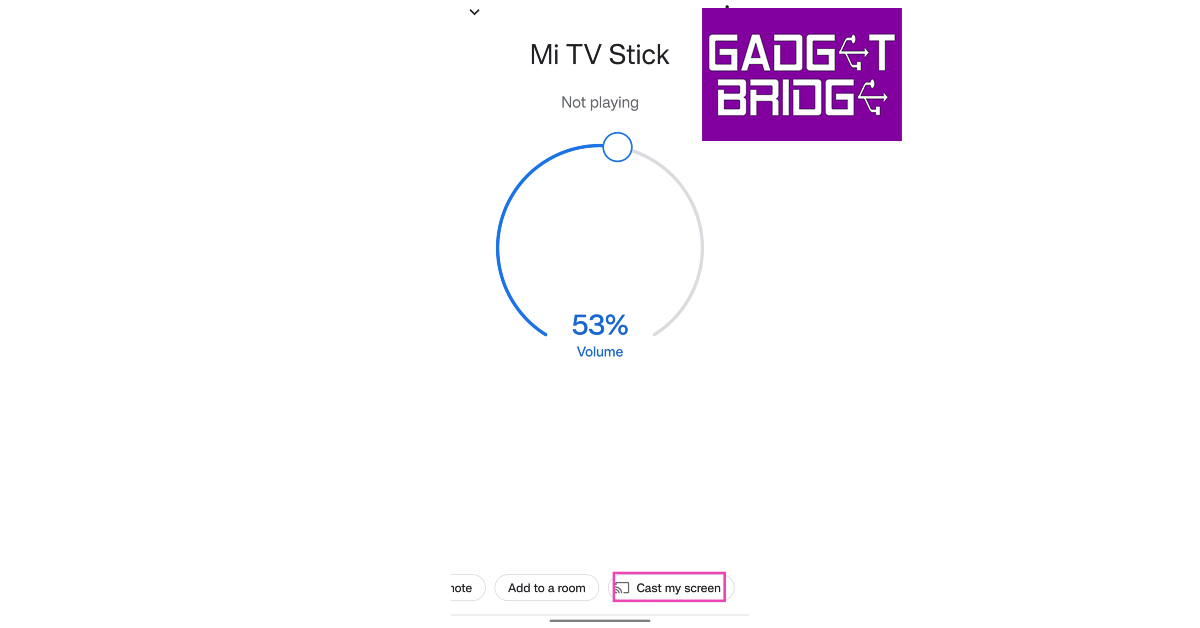
Step 1: Launch Zoom on your phone and join a meeting. Step 2: Launch the Google Home app and select your TV as the cast destination. Step 2: Go to the homepage and select the device you want to mirror your display on. Step 3: Tap on ‘Cast my screen’. Step 3: Select ‘Cast my Screen’ from the list of options at the bottom. Step 4: Go back to the meeting. Your Zoom Meeting will be mirrored on your TV.

Cast a Zoom Meeting from an Android phone to a TV without Chromecast

Step 1: Launch the Zoom app on your smartphone and join a meeting. Step 2: Access the input modes on your TV and select ‘Screen mirroring’. Step 3: Swipe down from the status bar and select the screen mirroring option. On Samsung devices, this is called ‘SmartView’. Step 2: Swipe down from the status bar on your smartphone and turn on screen mirroring. Step 4: Connect your smartphone to your TV. Step 3: Connect to your TV from your smartphone. The Zoom meeting will be mirrored on your TV.

Cast a Zoom Meeting from iPhone (iOS) to TV

Step 1: Launch the Zoom app on your iPhone and join a meeting. Step 2: Swipe down to access the Control Centre. Step 3: Tap on the screen mirroring icon. Step 3: Select ‘Screen Mirroring’. Top 5 ways to Connect Phone to TV: iPhone & Android Step 4: Select your TV. Step 4: Select your TV’s name from the list.  Top 5 ways to Connect Phone to TV: iPhone & Android Step 5: Enter the code from your TV into your iPhone.

Frequently Asked Questions

How do I cast a Zoom Meeting from an Android to a TV?

To cast a Zoom Meeting from your Android phone to your TV, you need to mirror the phone’s display using Chromecast or the native mirroring app on your phone. Switch to the Zoom app when the two devices are connected and you will be able to view it on your TV’s display.

How do I cast a Zoom Meeting from my iPhone to my TV?

You can use AirPlay to cast a Zoom Meeting from your iPhone to a TV. Simply tap on the screen mirroring icon in the Control Centre and enter the code displayed on your TV.

Can you cast Zoom from PC to TV?

To cast a Zoom meeting from PC to TV, simply launch Google Chrome and select ‘Cast’ from the list of options. Choose your TV as the destination device and select the Zoom window as the screen you want to share. Read Also: 3 Ways to Recover Data from an Android Phone with a Broken Screen

Conclusion

This is how you can cast a Zoom meeting from Android/iOS/PC to a TV. Before you begin, always make sure that your devices are connected to the same WiFi network. While casting your device’s display, always remember that Zoom is still using your phone/PC’s camera to relay your video feed. Make sure the main device is positioned next to the TV to keep your video feed consistent with your eye movement. For the latest gadget and tech news, and gadget reviews, follow us on Twitter, Facebook and Instagram. For newest tech & gadget videos subscribe to our YouTube Channel. You can also stay up to date using the Gadget Bridge Android App. You can find the latest car and bike news here.

Check out the two new shades of Samsung Galaxy S23 Ultra

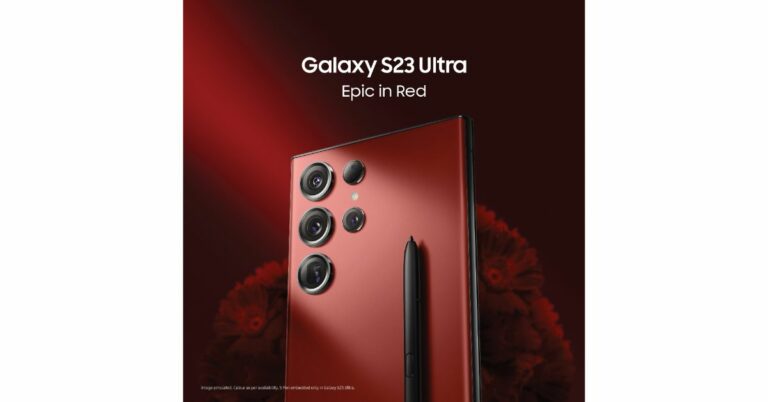
Samsung Galaxy S23 Ultra will now be available in new hues. There are now two brand-new colour options for the high-end smartphone. The Galaxy S23 Ultra was formerly only offered in the colours Phantom Black, Cream, Green, and Lavender. The specification, which features a Snapdragon 8 Gen 2 Mobile Platform, has not changed. A 200 MP primary camera is part of the phone’s quad rear cameras. A 12MP front-facing camera with Super HDR technology is available on the S23 Ultra. Samsung Galaxy S23 Ultra is now available in Epic Red and Epic Blue colour models. Samsung took to Twitter to announce that the device is now being offered in additional two new shades. Check out the two new shades of Samsung Galaxy S23 Ultra To recall, the device was launched alongside two other models in India earlier this year. The standard 12GB RAM with 256GB storage option for the Galaxy S23 Ultra was priced at Rs 1,24,999 at launch. Priced at Rs. 1,34,999 and Rs. 1,54,999, respectively, are the 12GB RAM with 512GB storage option and the 12GB RAM with 1TB storage variant. Also Read: Samsung Galaxy S23 Ultra Review: A true flagship

Samsung Galaxy S23 Ultra specifications

An Edge QHD+ Dynamic AMOLED 2X Display measuring 6.8 inches is included with the Samsung Galaxy S23 Ultra. Its dynamic refresh rate spans from 1 to 120 Hz, and its touch sampling rate in game mode is 240 Hz. The phone is powered by a Qualcomm Snapdragon 8 Gen 2 SoC and runs Android 13 with One UI 5.1 on top. Up to 12GB of RAM and 1TB of storage are also included. Along with the phone, a Samsung S Pen stylus is included. A 200-megapixel sensor and an 85-degree field of vision are features of the Samsung Galaxy S23 Ultra’s main wide camera. Its aperture is f/1.8. There are three 10-megapixel telephoto lenses with a 3x optical zoom, a 12-megapixel ultra-wide camera with a 120-degree field of view, and an f/2.2 aperture, as well as a final 10-megapixel telephoto sensor (10x optical zoom). Up front is a 12-megapixel selfie camera with an 80-degree field of view and an f/2.2 aperture. A USB Type-C port, Wi-Fi 6E, Bluetooth 5.3, 5G, and 4G LTE are available as connectivity options. The phone is compatible with Knox Vault and Samsung Knox security. A 5,000mAh battery (45W wired and Fast Wireless Charging 2.0) powers the device. For the latest gadget and tech news, and gadget reviews, follow us on TwitterFacebook and Instagram. For newest tech & gadget videos subscribe to our YouTube Channel. You can also stay up to date using the Gadget Bridge Android App. You can find the latest car and bike news here.

BGMI redeem codes for 21 June 2023, claim and receive rewards and benefits

After being banned for nearly ten months, Battleground Mobile India, aka BGMI, is officially available again in India. BGMI fans are looking for ways to improve their game experience and one such method is the usage of redemption codes, which offers a variety of rewards and advantages using BGMI redeem codes players can gain access to new skins, outfits, loot crates, weapons and free UC and diamonds. As mentioned earlier, these codes give users the chance to earn unique rewards and gain extra benefits while playing the game. This includes GUN SKINS (M4, AKM, M416, AWM, M24, UZI, KAR98K), free character voucher, Andy, Carlo, Sara, Victor character for free, free Anna Character on completing the mission and UC or Royal Pass Discount. So here we have gathered a list of the most recent BGMI redeem codes as of 21 June 2023. Also, redeem these codes asap as these are only valid for a limited duration.

BGMI Redeem Codes for 21 June 2023

KARZBZYTR – Free Outfit JJCZCDZJ9U – Golden Pan UKUZBZGWF – Free Fireworks TIFZBHZK4A – Free Outfit TQIZBZ76F – Vehicle Skin 5FG10D33 – Falcon and Free Emotes GPHZDBTFZM24U – UMP9 Skin RNUZBZ9QQ – AKM Glacier Skin PGHZDBTFZ95U – M416 Skin BMTFZBZQNC – Free Drifter Set SD14G84FCC – Free Skin for KAR98 Sniper Gun RNUZBZ9QQ – AKM Glacier Skin R89FPLM9S – Companion BMTCZBZMFS – Pretty in Pink set and Pretty in Pink Headpiece 5FG10D33 – Outfit for Free TQIZBz76F – 3 Free Motorcycle

How to get free Redeem Codes for BGMI on 21 June 2023?

  • Launch BGMI on your device.
  • Then select the Redeem Code option from the main menu.
  • Next, click on the Redeem code tab.
  • A new window will open, requesting the redemption code.
  • Now enter your BGMI code.
  • Confirm and click on the “Redeem” tab.
  • If your redeem code is valid then you will get a message confirming that your rewards were successfully redeemed.
(Note that these codes are case-sensitive, so be sure to type them correctly to prevent any errors.) For the latest gadget and tech news, and gadget reviews, follow us on TwitterFacebook and Instagram. For newest tech & gadget videos subscribe to our YouTube Channel. You can also stay up to date using the Gadget Bridge Android App. You can find the latest car and bike news here.

Garena Free Fire Redeem Codes Today 21 June 2023: Here is how to claim them

Garena Free Fire is a battle royale game with regular awards and tournaments to keep players interested. If you play Garena Free Fire, you should be aware of the redeem codes that are released on a daily basis. However, because the battle royale game is banned in India, players from other countries can use the Free Fire Redeem codes daily. If you’re unfamiliar with the Garena Free Fire redeem codes or don’t know how to get them, we’ve put together a step-by-step guide to help you redeem them. Check out Garena Free Fire Redeem Codes for 21 June 2023. The Free Fire redeem codes are a great way to get free stuff. These are 12-digit codes that contain alphabets and numbers, as well as an expiration date and time. Because the Garena FF redeem codes cannot be used more than once, you should hurry to the redemption page to claim your free reward before someone else does. To get a free reward, all you have to do is go to reward.ff.garena.com/en, which is the official redemption page. Also, keep an eye on this space for daily updates on Garena Free Fire redemption codes and rewards.

Garena Free Fire Redeem Codes Today 21 June 2023

FF11NJN5YS3E Y6ACLK7KUD1N FF10GCGXRNHY SARG886AV5GR FF11DAKX4WHV W0JJAFV3TU5E YXY3EGTLHGJX FF1164XNJZ2V FF119MB3PFA5

How to Get Free Fire Redeem Codes for Garena on 21 June 2023?

  • Visit the Garena Free Fire game’s official website at reward.ff.garena.com.
  • Use your Facebook, Google, VK, Apple ID, Huawei ID, or Twitter account to log in.
  • You’ll be taken to a valid redemption code (s)
  • Copy and paste the 12-digit redemption code into the text box.
  • On the screen, a dialogue box will appear.
  • ‘Ok’ should be selected.
For the latest gadget and tech news, and gadget reviews, follow us on TwitterFacebook and Instagram. For newest tech & gadget videos subscribe to our YouTube Channel. You can also stay up to date using the Gadget Bridge Android App. You can find the latest car and bike news here.

Amazon Quiz Answers Today 21 June 2023: Participate to win Rs 2,500

Amazon is back with another quiz on its mobile platform. The daily quiz is now live on the Amazon App and today’s Amazon Quiz will give you a chance to win Rs 2,500 Amazon pay Balance. The participants can play the 21 June 2023 Amazon Quiz from 12 AM to 11:59 PM. For those who are unaware of the quiz, the e-commerce platform brings a fresh quiz on a daily basis which consists of five questions related to general knowledge and current affairs. The participants need to answer all the questions correctly and their names will be selected for a lucky draw. The winner will be announced at the end of the month. One wrong answer could eliminate you from the quiz. Only app users are eligible to participate in the Quiz. In today’s Amazon Quiz the participants will get a chance to win Rs 2,500 Amazon Pay Balance. Check Out 21 June 2023 Amazon Quiz Answers. Amazon Quiz Today Prize – Rs 2,500 Amazon Pay Balance Quiz Date – 21 June 2023 Daily Timing – 12 AM to 11:59 PM Winner Announcement – Today 12 PM

Amazon Quiz Answers Today 21 June 2023

Question 1: Tara Norris, a pacer from USA, became the first bowler in Women’s Premier League history to take a fifer, playing for which side? Answer: Delhi Capitals Question 2: The show ‘The Night Manager’ stars which actor playing the role of Shaan Sengupta? Answer: Aditya Roy Kapoor Question 3: Fatehpur Sikri was founded as the capital of the Mughal empire by which Mughal emperor? Answer: Akbar Question 4: This is the iconic logo of which automobile brand? Answer: Mercedes Benz Question 5: This weapon is wielded by which character from the Marvel Cinematic Universe? Answer: Thor

How To Play Amazon Quiz

Only app users are eligible to play the Amazon quiz every morning from 12 AM to 11:59 PM. The quiz is not available on the desktop. For those who are unaware of how to play the Amazon quiz below are the steps, you can follow to take the quiz.
  • Firstly download the Amazon app from Google Play Store or App Store
  • Now fill in the required information through the Sign Up option.
  • You need to log in to the Amazon app and scroll down on the home screen to find the Amazon Quiz banner.
  • Tap on the Amazon Quiz banner and tap on the Start button to start the Quiz.
  • Now you will get 5 questions and you need to answer them correctly. One wrong answer will eliminate you from the Quiz.
  • After answering all the questions correctly you are now eligible for a Lucky Draw.
  • The winner’s name will be announced today at 12 PM.
For the latest gadget and tech news, and gadget reviews, follow us on Twitter, Facebook and Instagram. For newest tech & gadget videos subscribe to our YouTube Channel. You can also stay up to date using the Gadget Bridge Android App. You can find the latest car and bike news here.

3 Ways to Recover Data from an Android Phone with a Broken Screen

0
If you accidentally broke your Android phone’s screen, you have more problems to deal with other than replacing the display. If you take your smartphone to the manufacturer’s official repair centre, you are at risk of losing all the personal data stored on the device. You may also not want to splurge extra cash on a new display. If you own an old smartphone, it is better to invest in a new device. If you don’t want to lose your personal data, there are a bunch of methods you can try in order to retrieve it. In this article, we bring you the top 3 ways to revolver data from an Android phone with a broken screen. Read Also: Amazon Pay users will now receive 5% cashback on all Uber rides

Recover data from a phone with a partially broken screen

  Recover data from an Android phone with a broken display and a faulty touchscreen In the most common cases, broken screens create black blots on the display, making it almost impossible to navigate the phone. In order to recover your data from the device, all you need to do is unlock the phone. It goes without saying but your phone’s screen should be able to register touches for this option to work. Even if the display isn’t visible, you can trace the pattern based on muscle memory alone (surprisingly, it works!). You can also try unlocking the phone using face unlock or the fingerprint scanner. Once the phone is unlocked, connect it to your PC or laptop using a USB cable. You will be able to access the phone’s internal memory and copy all your personal data on the PC. If you want to back up your WhatsApp conversations as well, check out the next method.

Recover data from an Android phone with a broken display and a faulty touchscreen

Recover data from an Android phone with a broken display and a faulty touchscreen The real problem arises when your Android smartphone does not register any touches. Retrieving the data can seem impossible in this scenario. Luckily, there is one thing you can try. For this method to work, you will need a USB hub for your phone, an external mouse, a TV, and an HDMI cable. Step 1: Make sure your phone is fully charged. Step 2: Plug the USB hub into your phone’s USB port. Step 3: Connect the USB end of the HDMI cable to the hub and the HDMI end to the TV. Step 4: Connect the external mouse to the USB hub. Step 5: Select HDMI input from your TV. Step 6: You can now view your phone’s interface on your TV’s display. Use the external mouse to navigate your phone and back up all the files. You can also go to individual apps and messengers to back up your app data and chat history.

Use a temporary display

Use a temporary display This is how phone repair professionals recover data from a phone with a broken screen. If you want to save the additional cost of repair, you can try this method at home. For this method, you will need an additional display unit for your smartphone. If you don’t want to splurge on an original display, you can get an off-brand unit for your device. Next, you will need to disassemble the broken display and install the temporary unit. There are tons of videos on YouTube that will walk you through this process. Once that’s done, use the newly installed display to navigate your phone and back up all your stuff.  Ideally, we wouldn’t suggest this method due to the cost of procuring a temporary display and repair tools alone. If you’ve never taken apart a display unit before, you may encounter some complications your first time. However, if you have enough patience to go through with this method, it can be a fun activity.

Frequently Asked Questions

How can I recover data from my Android phone with a broken screen?

If the touchscreen still works partially, connect your unlocked smartphone to a PC to access its internal memory. If the screen is completely broken, connect the phone to a TV and a mouse with the help of a USB hub. Back up all your data using the mirrored display on your TV screen.

Can we recover data from a broken phone?

Recovering data from a broken mobile is possible but it will require some effort. You can use your PC to retrieve the data only if the phone is unlocked. If not, you will have to cast the phone’s display to a TV using an HDMI cable and control it with an external mouse. Read Also: Sennheiser Profile USB Microphone Streaming Set review: Pro sound on a budget

Conclusion

These are the best ways to recover personal data from an Android phone with a broken screen. Third-party apps like AirDroid, Team Viewer, and RemoDroid can also help you recover data from a phone with a broken display. These apps work on the same principle of screen sharing that is mentioned in this article. On top of that, some of the third-party apps may require USB debugging to be enabled before they begin the recovery process. If USB debugging isn’t already enabled on your phone, it can be a near-impossible task to enable it with a broken display. For the latest gadget and tech news, and gadget reviews, follow us on Twitter, Facebook and Instagram. For newest tech & gadget videos subscribe to our YouTube Channel. You can also stay up to date using the Gadget Bridge Android App. You can find the latest car and bike news here.

Top 2 ways to get a MovieBox Pro Invitation Code for Android and iOS (2024)

16
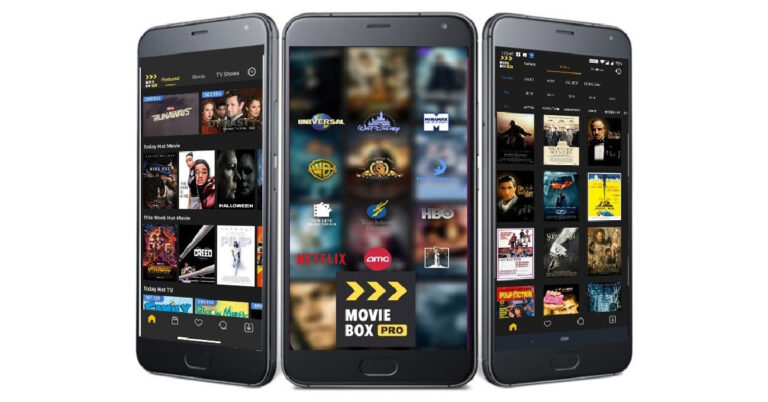
MovieBox Pro is a popular content-streaming app among smartphone users. What really makes the app special is its seamless connectivity with Apple TV and Android TV models. However, setting up the app can be a bit tricky as it requires an activation key. If you’re wondering where you can get the code for MovieBox, you’ve come to the right place. In this article, we bring you the top 2 ways to get a MovieBox Pro invitation code/activation key for Android and iOS. Read Also: Sennheiser Profile USB Microphone Streaming Set review: Pro sound on a budget

Here’s how you can get a MovieBox Pro invitation code

Step 1: Download and install the MovieBox Pro APK file from the official website. Step 2: Launch Gmail on your smartphone and compose an Invitation Code request email. Step 3: Make sure the subject of your email mentions the invitation code request. Step 4: Send the email to support@movieboxpro.app. Step 5: Wait for a few days to receive the invitation code. Step 6: Once you receive the invitation code mail, click on the activation key link. Step 7: In the following window, click on Login to MovieBox Pro via Google Account. Step 7: In the following window, click on ‘Login to MovieBox Pro via Google Account’. Step 8: Enter your Gmail ID and password. Step 8: Enter your Gmail ID and password. You will now be able to use MovieBox Pro.

Ask a friend for an invitation code

If your friend has a MovieBox Pro, they can generate one invitation code per month. You can use this code to validate your account. Here’s how a code can be generated on MovieBox Pro. Step 1: Launch the MovieBox Pro app on your smartphone. Step 2: Hit the hexagonal icon at the top right corner of the screen. Step 3: Go to Settings. Step 4: Tap on Invitation Code. Step 5: On the following page, tap on the Create code button. Step 6: Once the code has been generated, hit the Share icon to share it with your friend via a messaging app.

Frequently Asked Questions

How do I get MovieBox Pro for free?

You can download the MovieBox Pro APK from its official website. Once you launch the app, you will need to enter the activation key/invitation code in order to use the service for free. You can request the code by emailing MovieBox Support.

How many times can I request a MovieBox Pro invitation code?

You can receive only one MovieBox Pro invitation code per account.

Is MovieBox Pro free to use?

While MovieBox Pro is free to use, it cannot be downloaded from the Google Play Store and App Store due to copyright violations. Read Also: International Yoga Day: Best Apps for a Yogic Workout

Conclusion

This is how you can get a MovieBox Pro invitation code/activation key for Android and iOS. Once you have logged in and entered the code, you will be able to enjoy the service without any additional cost. MovieBox Pro also offers Chromecast support, which means you can stream it on your Smart TV.

Yoga Day 2023: Want to learn true Yoga for free? Checkout this app and website by Dhyan Foundation

International Yoga Day, celebrated on June 21st each year, is a global observance that highlights the profound benefits of yoga for both physical and mental well-being. This special day serves as a reminder of the ancient practice’s transformative power, promoting harmony between mind, body, and spirit. Yoga enthusiasts and beginners alike come together to engage in various yoga asanas, breathing exercises, and meditation techniques, fostering a sense of unity and inner peace. On this occasion, people from diverse backgrounds and cultures embrace the teachings of yoga, recognizing its ability to enhance flexibility, strength, and balance, while also reducing stress and promoting relaxation. International Yoga Day serves as a beautiful reminder of the timeless wisdom that yoga offers, inspiring individuals around the world to embark on a journey of self-discovery and holistic healing. So we bring you a brilliant app designed by Dhyan Foundation that will take you through Sanatan Kriya and Vedic Mantras.

Sanatan Kriya & Vedic Chants App

The Sanatan Kriya & Vedic Chants app is a powerful tool that brings the ancient wisdom of Sanatan Kriya and Vedic chants to the modern world. Rooted in the timeless traditions of the Vedas and ancient Indian scriptures, this app offers a comprehensive collection of practices and chants designed to promote holistic well-being and spiritual growth. Sanatan Kriya is a unique yogic practice that combines dynamic asanas, pranayama (breathing exercises), and meditation techniques to harmonize the body, mind, and energy system. With step-by-step instructions under the guidance and voice of Ashwini Guruji of Dhyan Ashram, the app enables individuals to explore and experience the transformative effects of Sanatan Kriya, promoting physical health, mental clarity, and emotional balance. In addition to Sanatan Kriya, the app also offers a treasure trove of Vedic chants. These sacred chants passed down through generations, carry profound vibrational frequencies that can uplift and purify the consciousness all set in his soul-soothing voice. Through the app, users can immerse themselves in the calming sounds of Vedic mantras, recited with precision and authenticity. The chants cover a wide range of purposes, from invoking divine blessings to promoting healing, prosperity, and spiritual awakening. By incorporating Vedic chants into one’s daily lives, users can tap into the ancient wisdom and sacred energy embedded within these powerful vibrations. The Sanatan Kriya & Vedic Chants app serves as a comprehensive guide for those seeking to explore the depths of yoga and spirituality. It provides a user-friendly platform that makes these ancient practices easily accessible to people of all backgrounds and levels of experience. By embracing the app’s offerings, individuals can embark on a journey of self-discovery, self-improvement, and self-realization. Whether one seeks physical vitality, mental clarity, emotional balance, or spiritual upliftment, the app serves as a valuable companion, empowering individuals to unlock their highest potential and connect with the timeless wisdom of Sanatan Kriya and Vedic chants. The Sanatan Kriya and Vedic chants app is available on Google Play Store and also on Apple App Store.

Dhyan Foundation Website For Yoga

For more comprehensive Yogic techniques you can visit the Dhyan Foundation website as well or connect with one of the Saadhaks or Saadhvis there. Dhyan Foundation is a renowned spiritual organization dedicated to spreading the teachings of ancient Indian wisdom and promoting holistic well-being for more than 25 years. With the counselling of Ashwini Guruji of Dhyan Ashram, the foundation focuses on imparting practical knowledge and techniques for self-transformation and inner growth without commercialisation as it is meant to be. With a strong emphasis on Dhyan (meditation) and traditional yogic practices, Dhyan Foundation offers various programs and workshops to help individuals discover their true potential and lead a balanced, fulfilling life. Through their initiatives, the foundation aims to revive and preserve the ancient wisdom of India, guiding people towards a deeper understanding of themselves and the world around them. Dhyan Foundation’s commitment to spiritual evolution and service has touched the lives of countless individuals across the world, inspiring them to embark on a path of self-discovery and spiritual awakening. For the latest gadget and tech news, and gadget reviews, follow us on TwitterFacebook and Instagram. For newest tech & gadget videos subscribe to our YouTube Channel. You can also stay up to date using the Gadget Bridge Android App. You can find the latest car and bike news here.