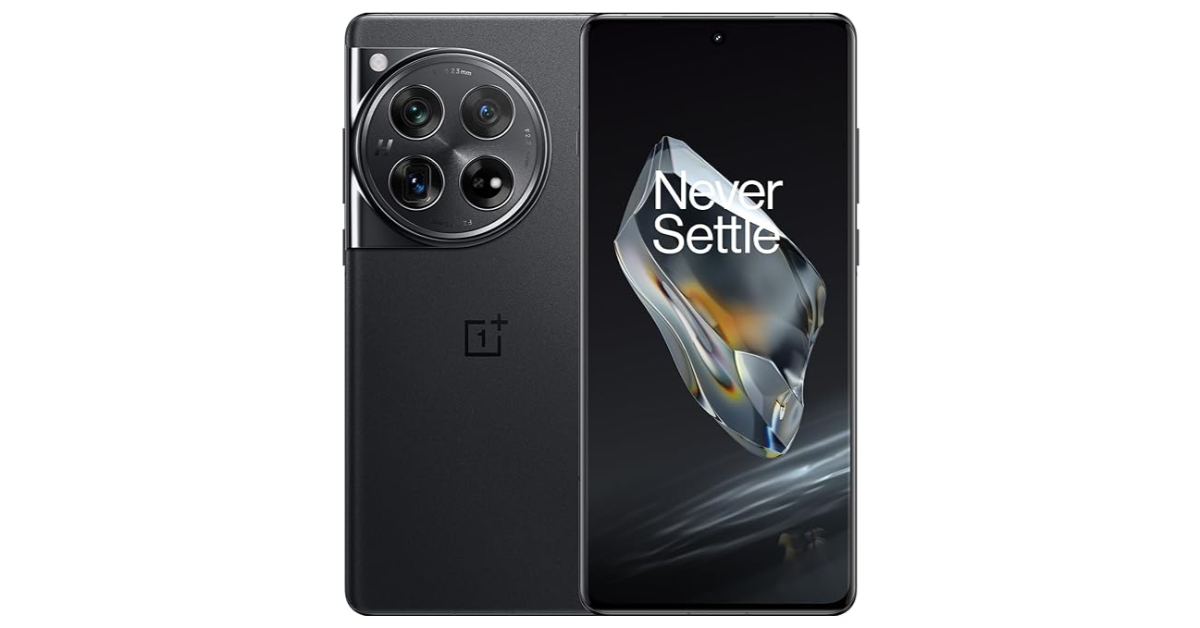
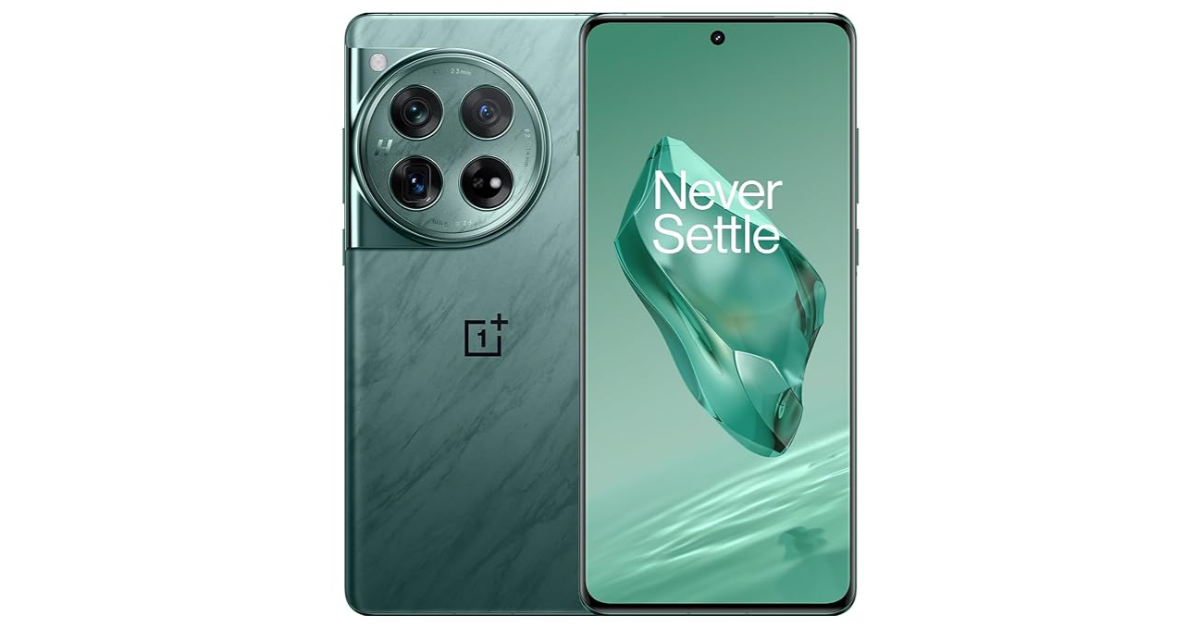
Google’s newest ‘Circle to Search’ made its debut on the Samsung Galaxy S24 Series earlier this month. This new feature harnesses the power of AI and adds a visual and interactive element to the way you search for things. Available only on premium Android smartphones, Circle to Search will launch on January 31. It is unlikely that this feature will ever be rolled out for older midrange and budget Android phones. If you’re excited to use this feature, there is one way you can get a feel of how it works. Check out how you can use Circle to Search on any Android phone.
Google’s newest Circle to Search feature elevates the game to a whole new level. Typically, finding something on Google does not take a lot of effort. All you need to do is enter a few keywords and you’ll land on the desired result in no time. But what if you know very little about the thing you’re searching for? It could be anything from a random symbol on a webpage to a piece of clothing someone is wearing in a YouTube video. The Circle to Search feature fixes this situation.
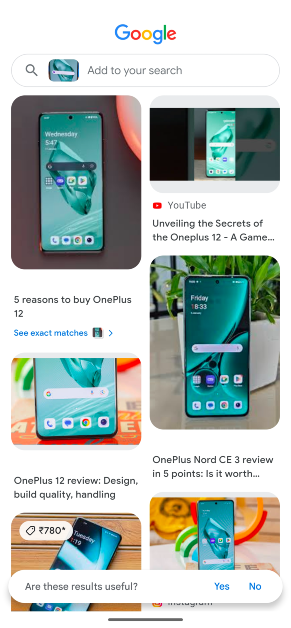
If you ever come across something you want to know more about, simply long-press the home button or gesture bar and circle the area containing the object or text. Google will produce the relevant results immediately. For more precise results, add to the query by typing something about the object. For example, if you circle the image of a smartphone, you can add ‘where to buy’ to find the e-stores that stock the device.
Google’s Circle to Search feature is only available for the Samsung Galaxy S24 Series and Google Pixel 8 Series right now. The Galaxy S23 series will get this feature via an OTA update later this year. However, if you own a midrange to budget smartphone, it is unlikely that it will be made available for your device. Luckily, there’s another feature you can use that mimics Circle to Search.
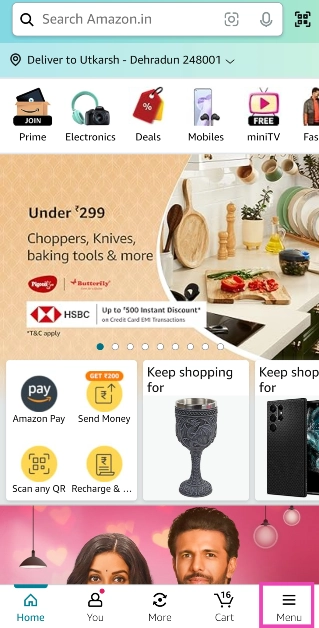
Use Circle to Search on any Android phone
Step 1: Go to the page that contains the object you want to search.
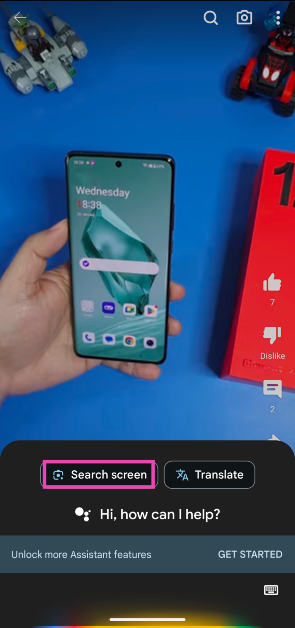
Step 2: Press and hold the side key to trigger the Google Assistant. If the side key opens up the power menu, say ‘Okay Google’ to launch the voice assistant.
Step 3: Tap on Search screen.
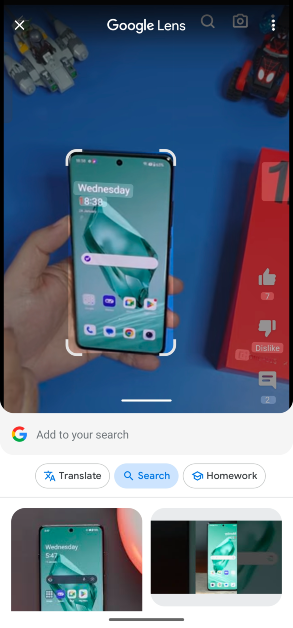
Step 4: Google Lens will scan the page for searchable objects. Crop the window around a particular entry to search for it.
Step 5: The search results will be published on the following page.
Frequently Asked Questions (FAQs)
How do I use the Circle to Search feature on an Android smartphone?
Press and hold the home button or gesture bar and circle the object you want to search. If your phone doesn’t have Circle to Search, trigger the Google Assistant and tap on ‘Search screen’.
Which Android smartphone will get the Circle to Search feature?
As of now, only the Samsung Galaxy S24 series and Google Pixel 8 series are confirmed to get the Circle to Search feature. The Galaxy S23 series and Galaxy Z 5 series are expected to get the feature soon.
When will the Circle to Search feature launch?
Google will launch the Circle to Search feature on January 31.
This is how you can use Google’s Circle to Search feature on Android smartphones that don’t have it yet. While Google Assistant’s ‘search screen’ may not let you draw a line over an object, you can crop the search window around it. However, the option to add a text query along with the image is only available on Circle to Search.
The National Highways Authority of India has set January 31 as the deadline to update your FASTag KYC (Know Your Customer) details. Failure to update details within the deadline period will lead to the termination of your FASTag account. NHAI says this policy is being brought in to limit one FASTag account to one car. Similarly, one car cannot have more than one FASTag account. If that is the case with you, update the KYC for the most recent account. Don’t know how you go about the process? Here is how you can update your FASTag KYC details online and offline.
If you remember completing the KYC process for FASTag earlier, you can check its current status from the official IHMCL website. This will make it clear whether you need to update your KYC details before the January 31 deadline.
Step 6: Upload your profile picture and the identity/address proof.
Step 7: Fill out all the details in the relevant fields.
Step 8: Tick the message declaring the validity of the documents.
Step 9: Hit Submit.
How to update your FASTag KYC offline
If the online process isn’t working out for you, you can simply walk into the bank that issued you the FASTag and carry out the process offline. Ask for the Customer Relationship form and fill out the necessary details. Make sure you are carrying copies of the required documents as well. If you have multiple FASTag accounts, update the KYC for the most recent one. You can seek the help of the Relationship Manager at the bank to walk you through the process. Once the form has been submitted and your documents have been verified by the bank, the KYC will be updated within 4 working days. You will be alerted by an email and SMS from your bank.
Frequently Asked Questions (FAQ)
When is the last date for the completion of FASTag KYC?
The National Highway Association of India (NHAI) has set January 31 as the deadline for the FASTag KYC completion.
How do I check if my FASTag KYC is updated?
Go to https://fastag.ihmcl.com/, log in using your mobile number, click on My Profile, and check the KYC update status from the Dashboard.
How do I update my FASTag KYC?
Go to https://fastag.ihmcl.com/, log in using your mobile number, then go to My Profile>KYC>Customer type and upload all the necessary documents. Fill out the details in the form and hit ‘Submit’. You can also carry out this process offline at the bank that issued you the FASTag.
This is how you can complete and update your FASTag KYC. Following January 31, only one FASTag account can be linked to a vehicle and vice-versa. In case there are multiple FASTags linked to your car, you need to update the KYC for the most recent ones. The older ones will be terminated after the deadline.
Once someone deletes their Instagram profile, their name is erased from the conversation thread in your DMs. You can always tell which user they are by going through your message history. When the person reactivates their profile, it takes Instagram a few days to display their username across the app. Your messages to the user may not be able to go through right away. If you see the ‘Disabled accounts can’t be contacted on Instagram’ error, try these 8 fixes.
As we mentioned earlier, sometimes it takes Instagram a few days to restore messaging on a recently reactivated profile. However, you may be able to restore communication sooner, depending on the nature of the situation. The biggest culprit behind this problem is the user’s profile cache. You can fix this by clearing or refreshing it by blocking and unblocking the user’s account. If that doesn’t work, unfollowing and restricting them is also an option.
If the profile actions don’t work, it could be the message cache that’s acting up. You can fix this by deleting your conversation with the user, but this means deleting all your messages and media history with the person. If the user’s profile has been handed a ban due to a violation of content policy, there’s nothing you can do other than wait for the ban period to end before sending a message.
Block and Unblock the Instagram Account
If you aren’t able to send a DM to a friend on Instagram, blocking and unblocking them should fix the problem. Here’s how you can do it.
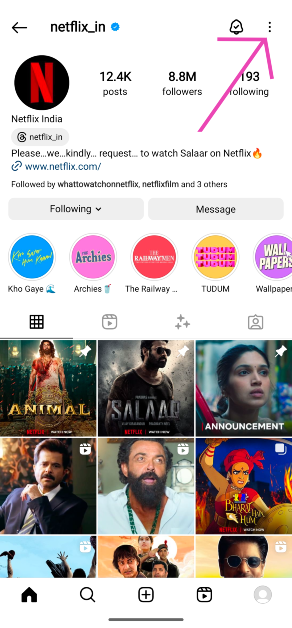
Step 1: Go to your friend’s Instagram profile.
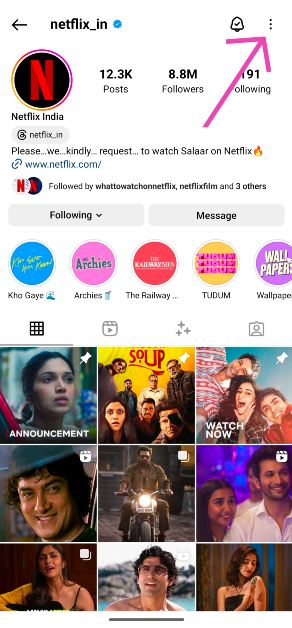
Step 2: Hit the ellipses at the top right corner of the screen.
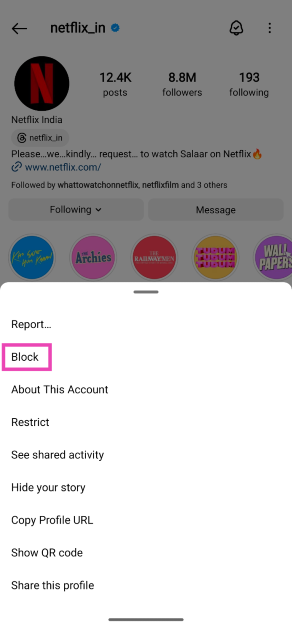
Step 3: Tap on Block.
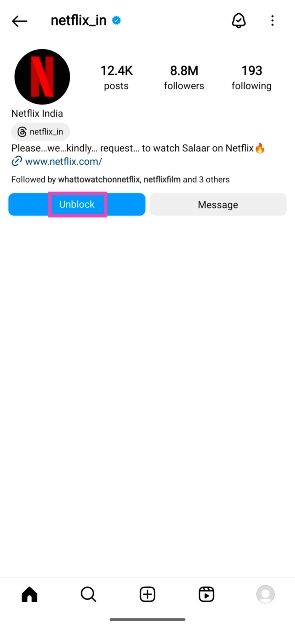
Step 4: Once the profile is blocked, hit the Unblock button on the same page. You can also unblock the user from the ‘Settings and privacy’ page on Instagram’s menu.
Step 5: Swipe down from the top of the screen to refresh the page. This will make the content on their page visible again.
Restrict and Unrestrict the user’s Instagram profile
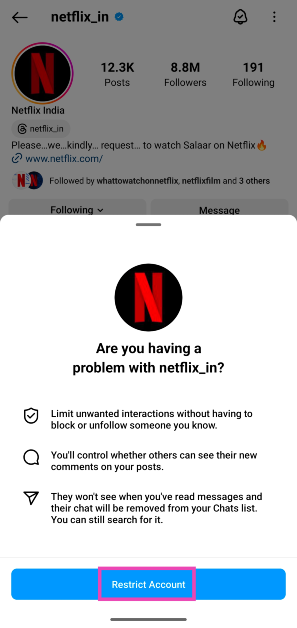
If blocking and unblocking the profile doesn’t work, you should give the restrict feature a shot. Check out this article to learn what it does.
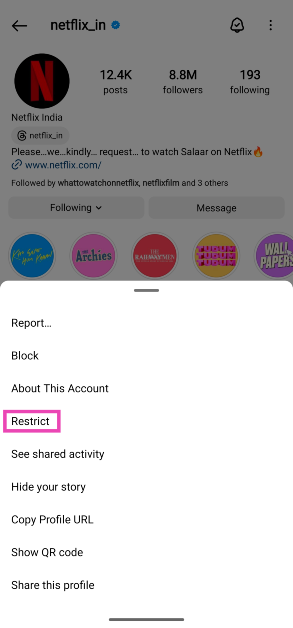
Step 1: Go to the person’s Instagram profileand tap the ellipses at the top of the screen.
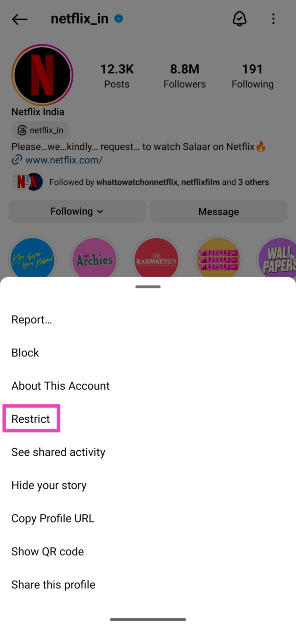
Step 2: Tap on Restrict.
Step 3: Now, ask the person to send you a message on Instagram.
Step 4: The message will land in the ‘Requests’ folder in your DMs.
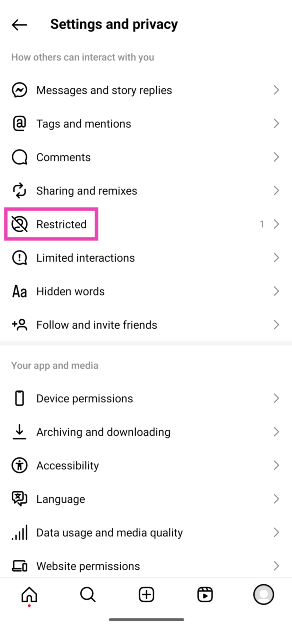
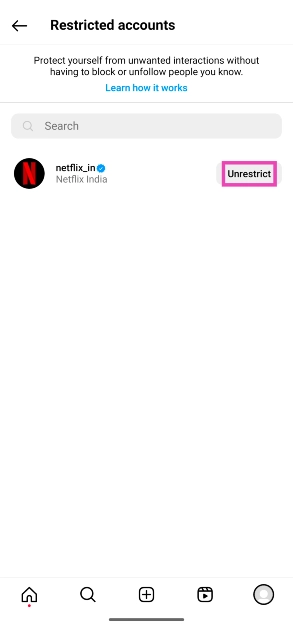
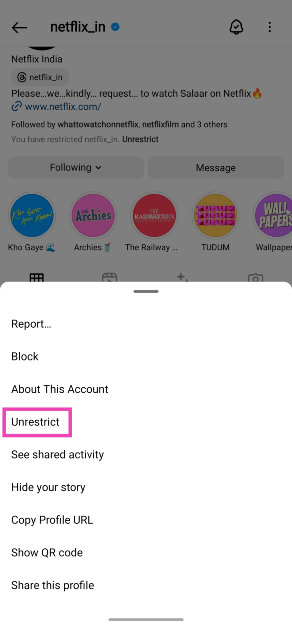
Step 5: Open the message and hit Unrestrict. You can also unrestrict the user from their profile options.
Unfollow and Follow the user
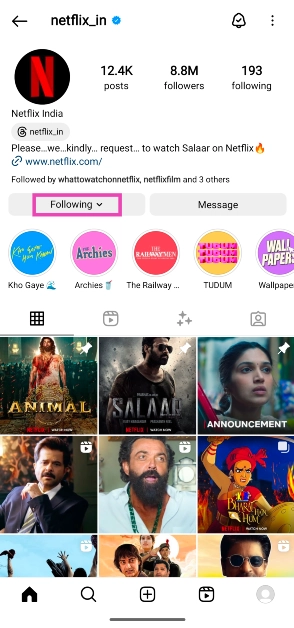
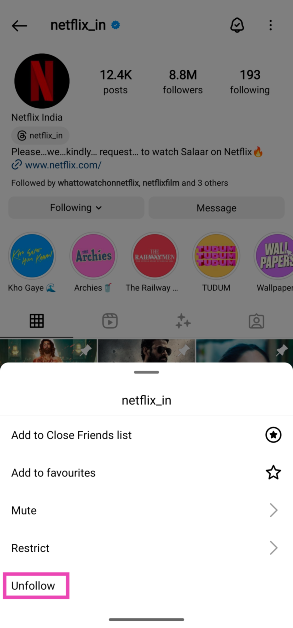
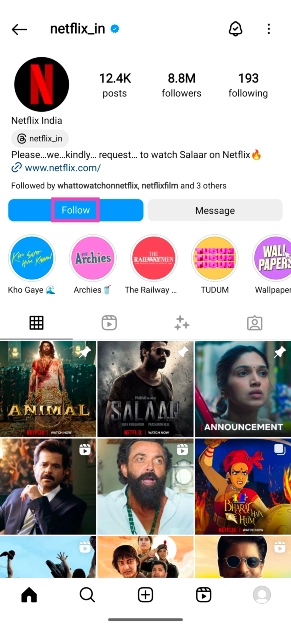
Another thing you can do to fix the ‘Disabled Accounts Cannot be Contacted on Instagram’ error is to unfollow and follow the user’s account.
If you are unable to send messages to your friend even after using the methods mentioned above, you may have to delete the conversation thread and start a new one. This is not the ideal fix because you will lose your message history with the user, but it will help you resolve the problem. To delete a message thread, long press it and select ‘Delete’.
Clear Instagram’s cache
Temporary files in Instagram’s cache can go corrupt and cause the app to behave weirdly. Here’s how you can clear the cache and restore normal behaviour.
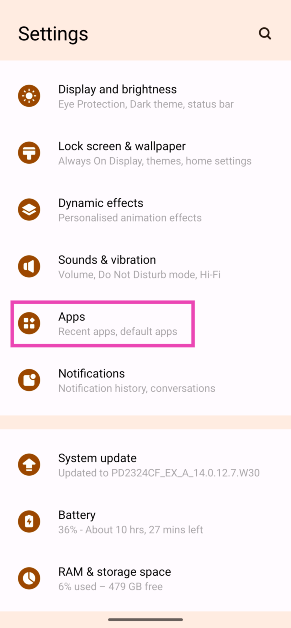
Step 1: Go to Settings and select Apps.
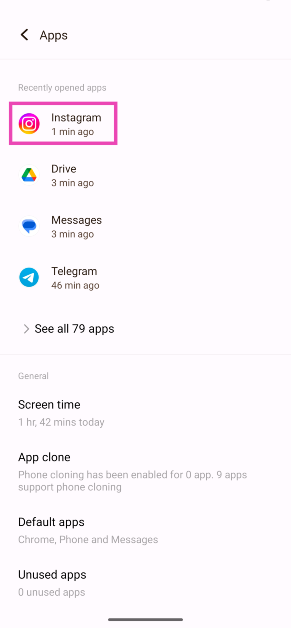
Step 2: Tap on Instagram.
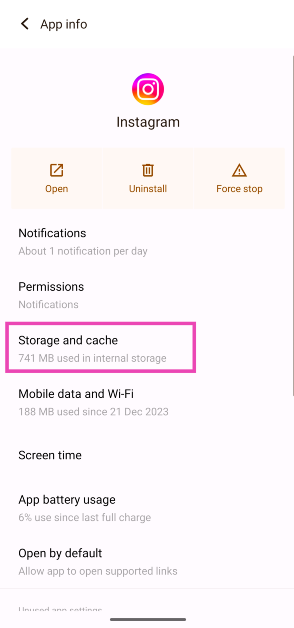
Step 3: Select Storage and cache.
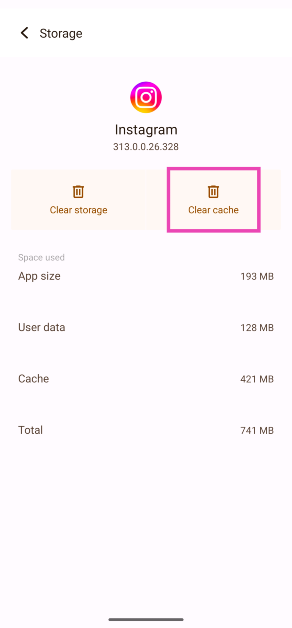
Step 4: Hit Clear Cache.
Update the app
An older version of the app may struggle with sending a DM to a person who has just reactivated their Instagram profile. Make sure your Instagram app is updated to the latest version to prevent this from happening. Go to the Google Play Store and search for Instagram. Tap on the app’s page and hit the Update button. You can also turn on automatic updates for Instagram by tapping the ellipses button at the top right corner of the screen and selecting ‘Enable auto-updates’.
Delete and reinstall the app
If the fixes mentioned above did not work out for you, delete the Instagram app on your phone and reinstall it using the Google Play Store/App Store. Deleting and reinstalling the app eliminates the bugs and resets the cache. Long-press the Instagram app icon on your phone’s home page and select Uninstall/Remove. Go to the Google Play Store/App Store, search for Instagram, and download the app on your device.
Log out of Instagram and log back in
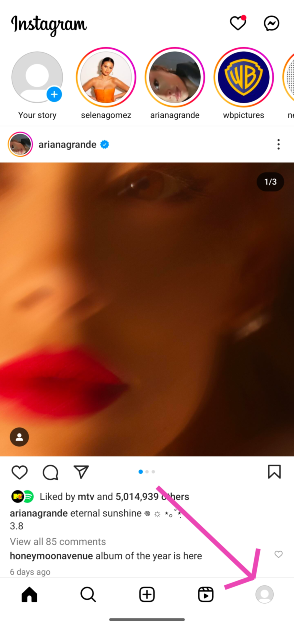
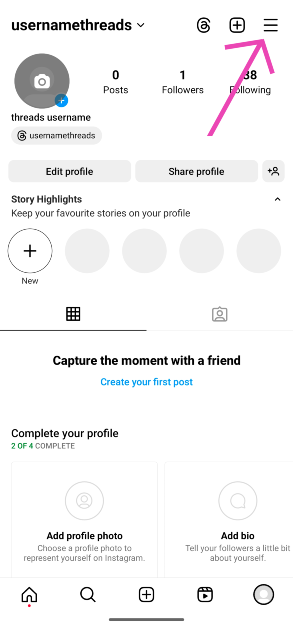
It is probable that the issue you’re facing is related to your account. To resolve it, log out of Instagram and then log back in. Go to your profile, hit the hamburger menu, scroll all the way down and hit ‘Log out’. If you’re logged in with multiple accounts, log out of all of them. Log in using your main account only.
Frequently Asked Questions (FAQs)
Why am I getting the ‘Disabled accounts can’t be contacted on Instagram’ error?
This error generally pops up when you are trying to send a direct message to someone who just reactivated their profile on Instagram.
I can’t send a DM to my friend who recently reactivated their Instagram profile. What should I do?
Make sure your app is updated and try unfollowing/following, blocking/unblocking, restricting/unrestricting the user. If this doesn’t work, you will need to delete your messages with the user and try again.
Why can’t I message a disabled account on Instagram?
An Instagram account shows up as ‘disabled’ when it has been deleted by the user or suspended by Instagram for violating the Terms of Service. As a result, you cannot interact with the account until it is restored.
How do you contact Instagram about a disabled account?
If your account has been disabled by Instagram, send an email to support@instagram.com. If you’re unable to contact a previously disabled account which has now been restored, go to your profile, tap the hamburger menu, and select Help>Report a problem.
How do I permanently delete my Instagram profile?
To permanently delete your Instagram account, go to Profile>Menu>Settings and privacy>Accounts Centre>Personal details>Account ownership and control>Deactivation and deletion. Select the account you wish to permanently delete and hit ‘Delete account’.
These are the top 8 ways to fix the ‘Disabled accounts can’t be contacted on Instagram’ error. Typically, it takes Instagram some time to fully rejuvenate an account after it is brought back from deactivation. If you don’t want to delete your message history with the user, the better option would be to wait for a few days until you are able to message again. If you know of any other method to fix this problem, let us know in the comments!
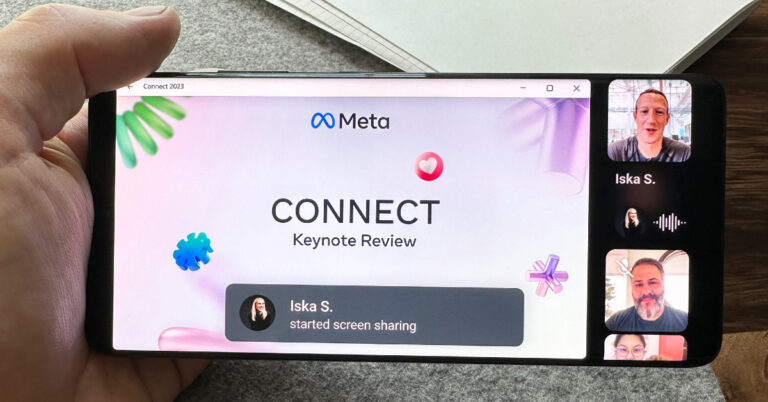
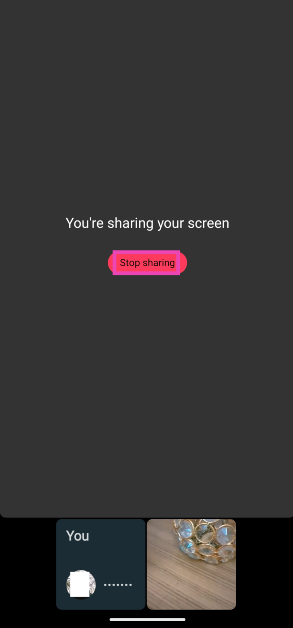
WhatsApp introduced the screen-sharing feature on its platform last year. The inclusion of this feature brings it on par with apps like Google Meet, Microsoft Teams, and Zoom. You can share your phone’s screen on a video call on WhatsApp if you ever need to show someone a document, picture, or any content on your phone. Want someone’s input on a dress you’re about to order? Simply share your device’s screen and pull up your e-cart on the web browser. Here’s how you can go about it.
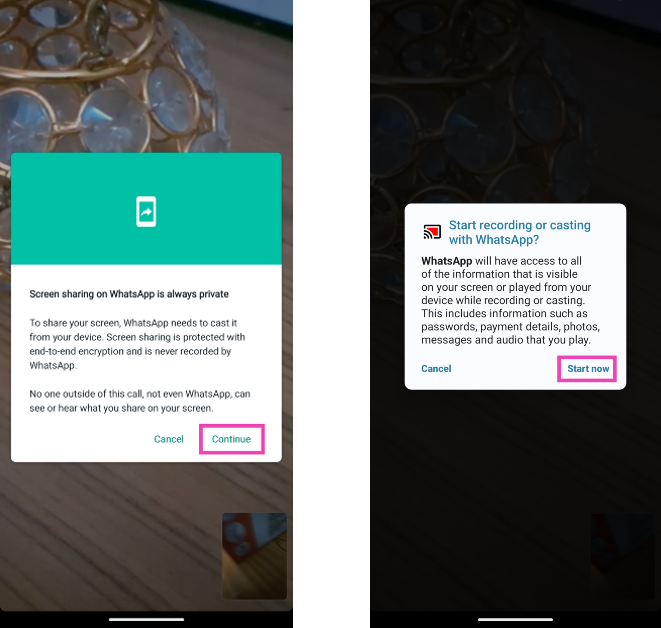
WhatsApp’s screen-sharing feature is end-to-end encrypted, which means only you and the call participant(s) can view your phone’s feed. Once your phone’s feed is displayed on the video call, you need to be extra careful about displaying private information like usernames, passwords, banking info, and personal documents. WhatsApp does not censor any content on your phone’s screen while it is being shared.
On a desktop, you can choose whether you want to share your PC’s entire screen or just one specific app. This feature comes in handy when you want to share a presentation but don’t want the participants to view the new notes you’ve prepared in an adjacent window. You can simply choose to share the Powerpoint/Google Slides windows and not worry about anything else popping up on the screen.
While you can share your phone and desktop screen on WhatsApp, switching to Netflix and other OTT platforms will cut off the app’s audio.
Where is the screen-sharing button on WhatsApp?
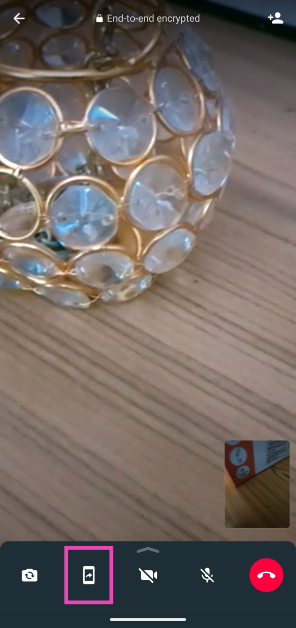
The screen sharing button appears at the bottom tool while you’re connected on a video call. On Android, it is represented by a phone icon with an arrow protruding from its screen. On iOS, tap the screen icon with a person in front of it to share your device’s screen.
This is how you can share your phone’s screen on a WhatsApp call. Screen-sharing, like video calls, is end-to-end encrypted on the platform. Your phone’s footage is not recorded by WhatsApp and no one outside of the call can access it. If you can’t find the screen-sharing button, make sure your app is updated. If the call participants cannot view your phone’s feed, they should switch to the latest version of the app as well.
Garena Free Fire is a battle royale game with regular awards and tournaments to keep players interested. If you play Garena Free Fire, you should be aware of the redeem codes that are released on a daily basis. However, because the battle royale game is banned in India, players from other countries can use the Free Fire Redeem codes daily. If you’re unfamiliar with the Garena Free Fire redeem codes or don’t know how to get them, we’ve put together a step-by-step guide to help you redeem them. Check out Garena Free Fire Redeem Codes for 27 January 2024.
The Free Fire redeem codes are a great way to get free stuff. These are 12-digit codes that contain alphabets and numbers, as well as an expiration date and time. Because the Garena FF redeem codes cannot be used more than once, you should hurry to the redemption page to claim your free reward before someone else does. To get a free reward, all you have to do is go to reward.ff.garena.com/en, which is the official redemption page. Also, keep an eye on this space for daily updates on Garena Free Fire redemption codes and rewards.
In This Article
Garena Free Fire Redeem Codes Today 27 January 2024
J3ZKQ57Z2P2P
8F3QZKNTLWBZ
WEYVGQC3CT8Q
3IBBMSL7AK8G
FF7MUY4ME6SC
B3G7A22TWDR7X
PCNF5CQBAJLK
4ST1ZTBE2RP9
GCNVA2PDRGRZ
X99TK56XDJ4X
How to Get Free Fire Redeem Codes for Garena on 27 January 2024?
Pixel 8 Series was announced in October last year.
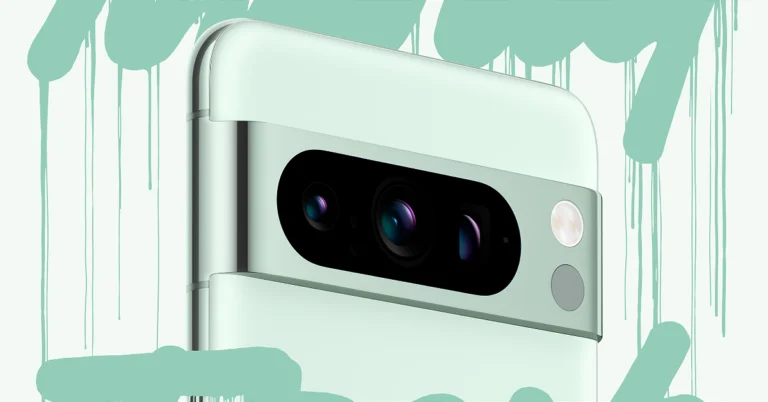
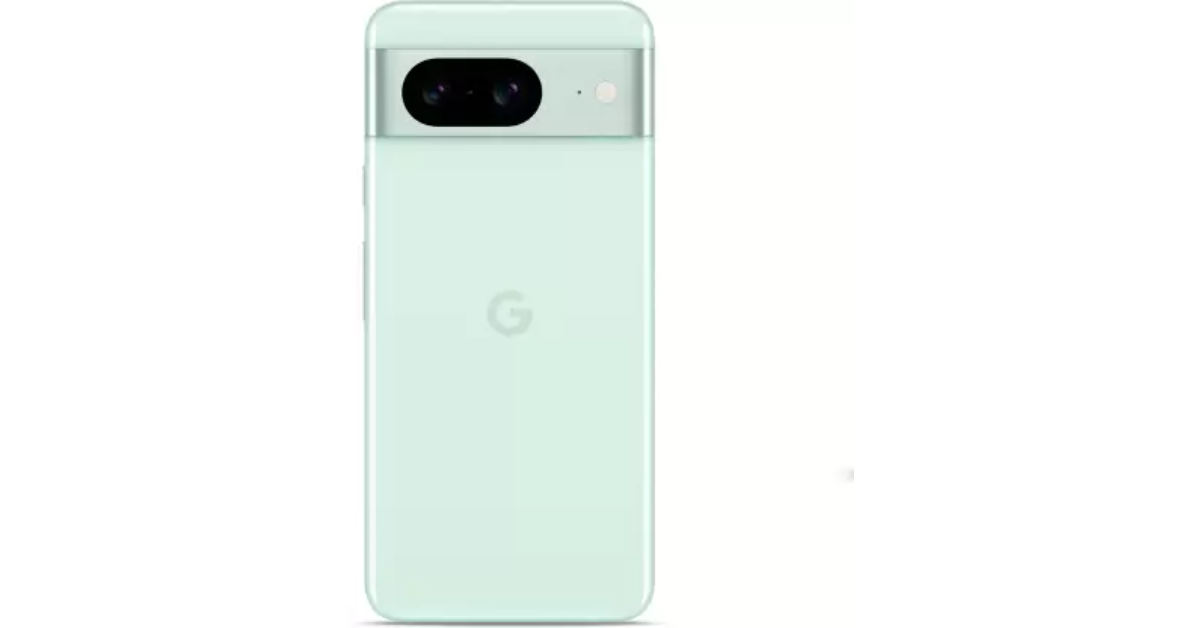
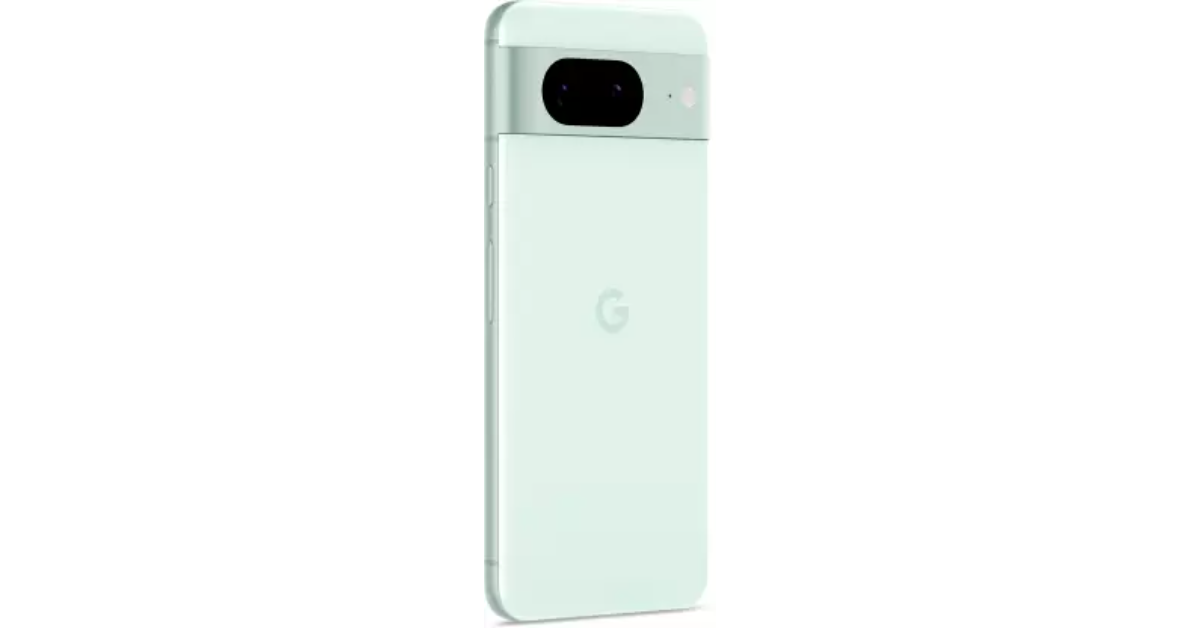
Google has now introduced the Mint colour option for both Pixel 8 and Pixel 8 Pro.
The Pixel 8 is already available in Obsidian, Hazel and Rose colour options.
The Pro variant comes in Obsidian, Porcelain and Bay colour options.
Google Pixel 8 and Pixel 8 Pro can now be purchased in a fresh new colour option. After teasing the new variant for a week the company today introduced the Mint colour option for the Google Pixel 8 Series. Both the models were previously launched in three colourways last year in October.
The new mint colour option for Google Pixel 8 and Pixel 8 Pro has been launched. But this new colour option for the Pixel 8 Series will come in a 128GB storage variety. Note that the new colourway for both models is only available in the US. In India, the Mint colour option will be available for the regular Pixel 8 model only.
The new variant is currently up for sale in the country via Flipkart. There will be no price change for the new model. The device also comes in three more shades Hazel, Obsidian and Rose.
The price of Pixel 8 in India starts at Rs 75,999 for the base 8GB RAM with 128GB storage and Rs 82,999 for the 8GB RAM and 256GB memory.
Google Pixel 8 Series specifications
Google Pixel 8 and Pixel 8 Pro are powered by Google Tensor G3 SoC with Titan M2 security coprocessor. They run on Android 14 with Pixel-exclusive features onboard.
The Google Pixel 8 (Review)comes with a 6.2-inch FHD+ Actua display with 1080 x 2400 pixels of resolution. The OLED screen has an Adaptive refresh rate ranging between 60Hz and 120Hz and supports 2,000 nits of peak brightness. Whereas Pixel 8 Pro features a 6.7-inch Super Actua display with 1344 x 2992 resolution and an Adaptive refresh rate ranging from 1Hz to 120Hz and 20:9 aspect The LTPO OLED features a peak brightness of 2,400 nits. The screen is protected with Corning Gorilla Glass Victus 2. There is a temperature sensor on the back of the Pro model.
Both smartphones have the same 10.5-megapixel Dual PD sensor for selfies. But the pro varaint supports autofocus. The Pixel 8 and Pixel 8 Pro (Review) features a primary 50MP Octa PD sensor with f/1.68 aperture. The secondary camera on the vanilla variant is a 12 MP ultrawide camera with an auto-focus. The pro model includes a 48 MP Quad PD ultrawide camera with autofocus. The Pro’s camera system also includes a third 48 MP Quad PD telephoto lens with 5x optical zoom.
The Google Pixel 8 boasts a 4,485mAh battery with 24W wired and 12W wireless fast charging support. On the other hand, the Pixel 8 Pro is fuelled by a 4,950mAh battery.
Garena Free Fire is a battle royale game with regular awards and tournaments to keep players interested. If you play Garena Free Fire, you should be aware of the redeem codes that are released on a daily basis. However, because the battle royale game is banned in India, players from other countries can use the Free Fire Redeem codes daily. If you’re unfamiliar with the Garena Free Fire redeem codes or don’t know how to get them, we’ve put together a step-by-step guide to help you redeem them. Check out Garena Free Fire Redeem Codes for 26 January 2024.
The Free Fire redeem codes are a great way to get free stuff. These are 12-digit codes that contain alphabets and numbers, as well as an expiration date and time. Because the Garena FF redeem codes cannot be used more than once, you should hurry to the redemption page to claim your free reward before someone else does. To get a free reward, all you have to do is go to reward.ff.garena.com/en, which is the official redemption page. Also, keep an eye on this space for daily updates on Garena Free Fire redemption codes and rewards.
In This Article
Garena Free Fire Redeem Codes Today 26 January 2024
FF10617KGUF9
NPYFATT3HGSQ
XZJZE25WEFJJ
6KWMFJVMQQYG
MCPW2D2WKWF2
ZZZ76NT3PDSH
MHM5D8ZQZP22
FFCMCPSJ99S3
UVX9PYZV54AC
MCPW3D28VZD6
V427K98RUCHZ
BR43FMAPYEZZ
EYH2W3XK8UPG
FFCMCPSUYUY7E
FFCMCPSEN5MX
FF11NJN5YS3E
HNC95435FAGJ
MCPW2D1U3XA3
FFCMCPSGC9XZ
How to Get Free Fire Redeem Codes for Garena on 26 January 2024?
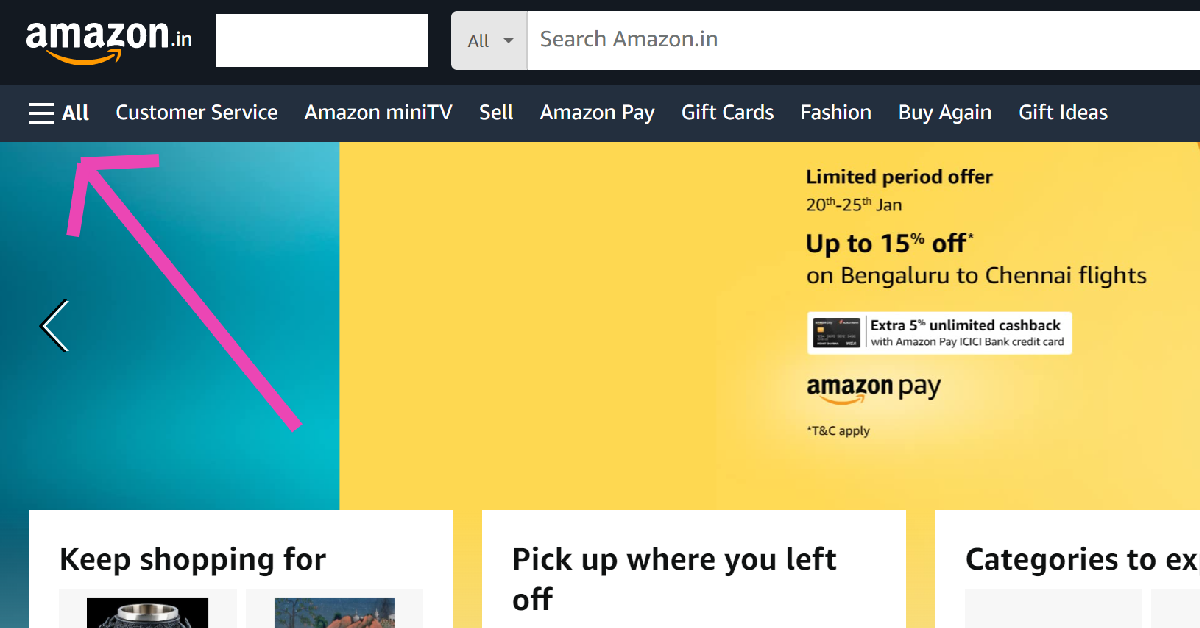
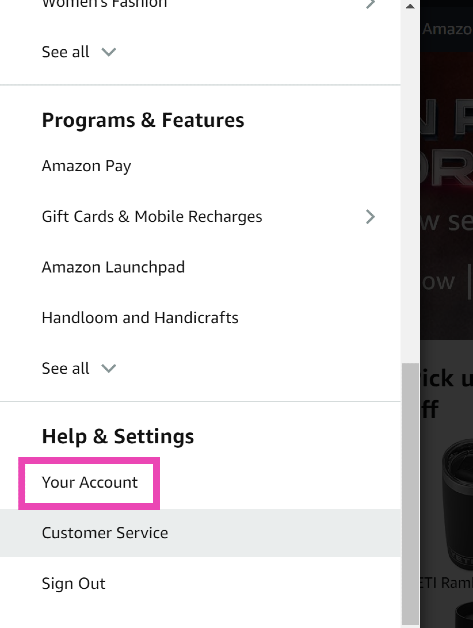
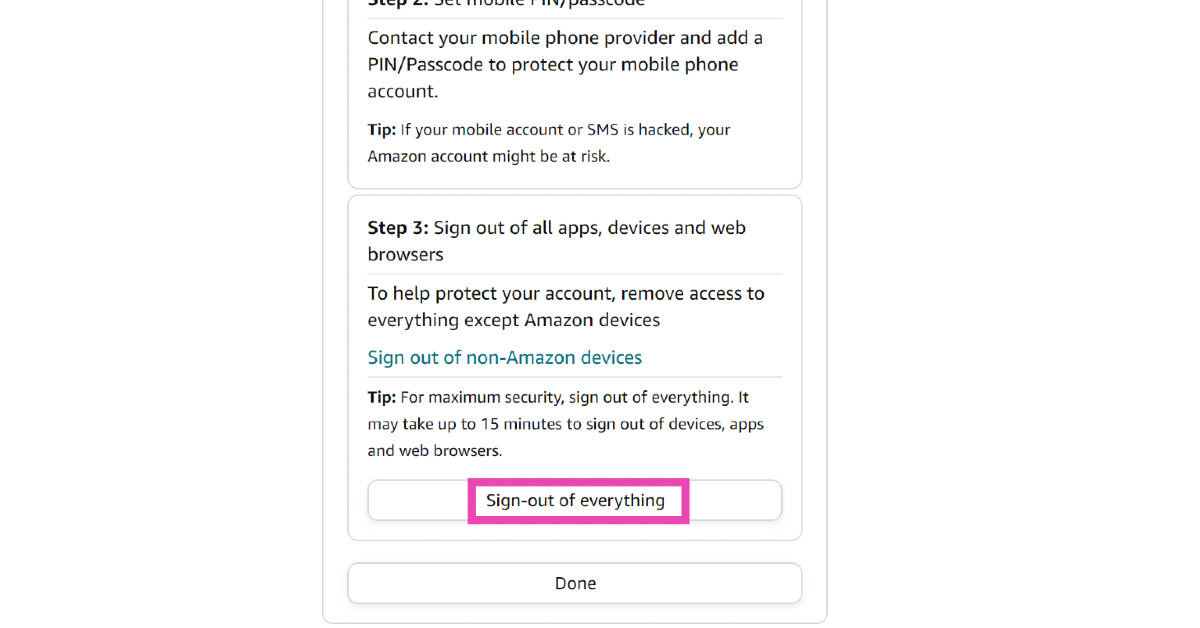
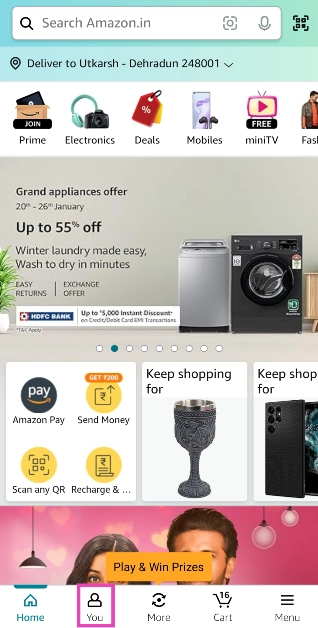
Amazon’s ecosystem has grown significantly over the years. What started off with the Kindle, slowly expanded to Echo speakers, streaming sticks, and even a giant OTT platform. You need an Amazon account to use these products and services, including the e-commerce platform. Over a period of time, it can get challenging to keep track of which devices you are logged into. So, here are the top 7 ways to sign out of your Amazon account across all devices.
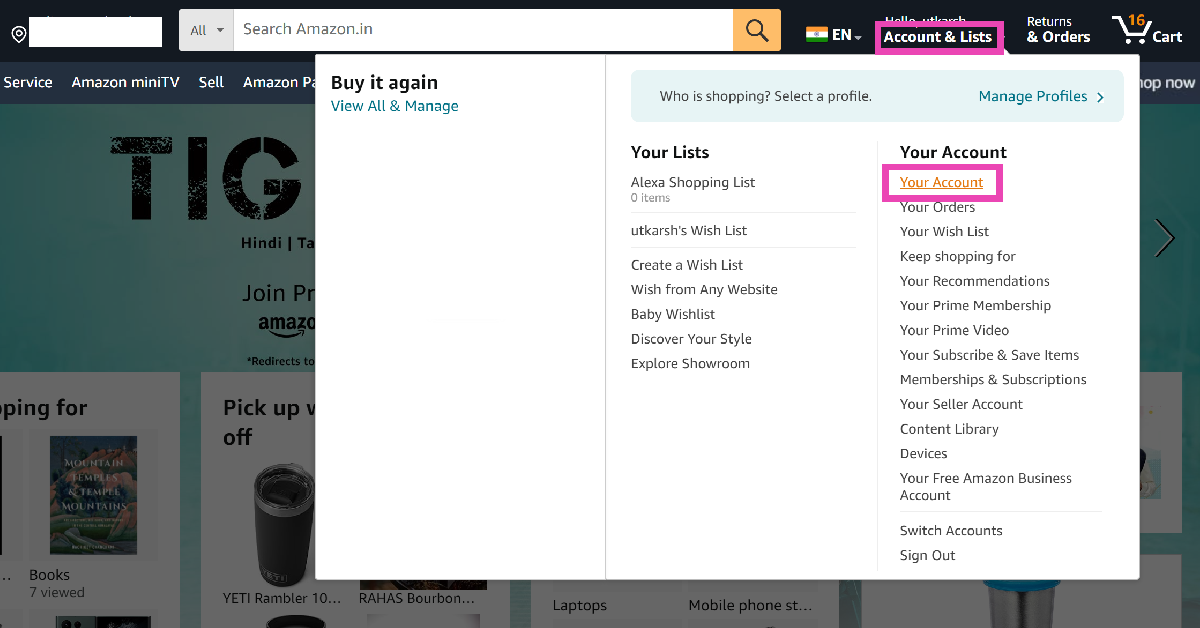
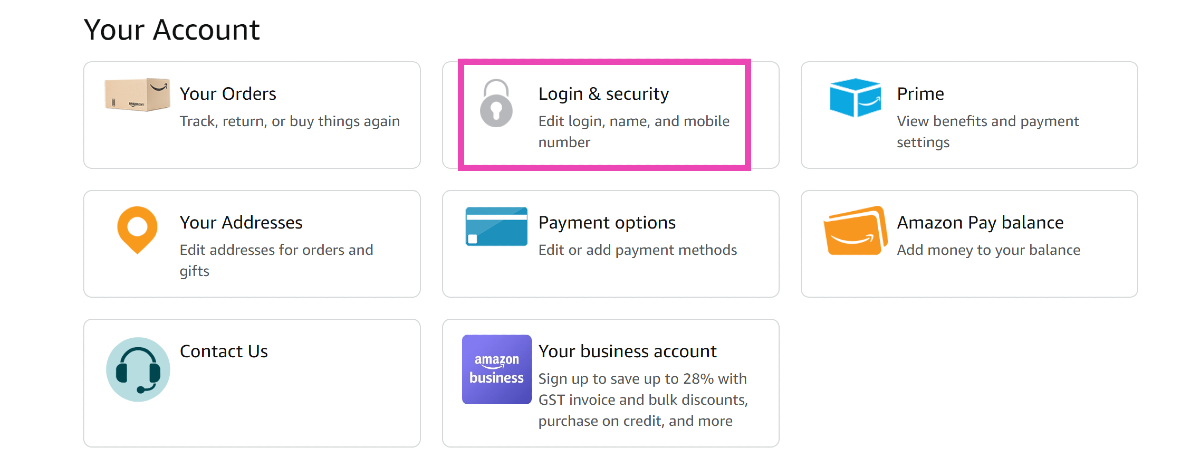
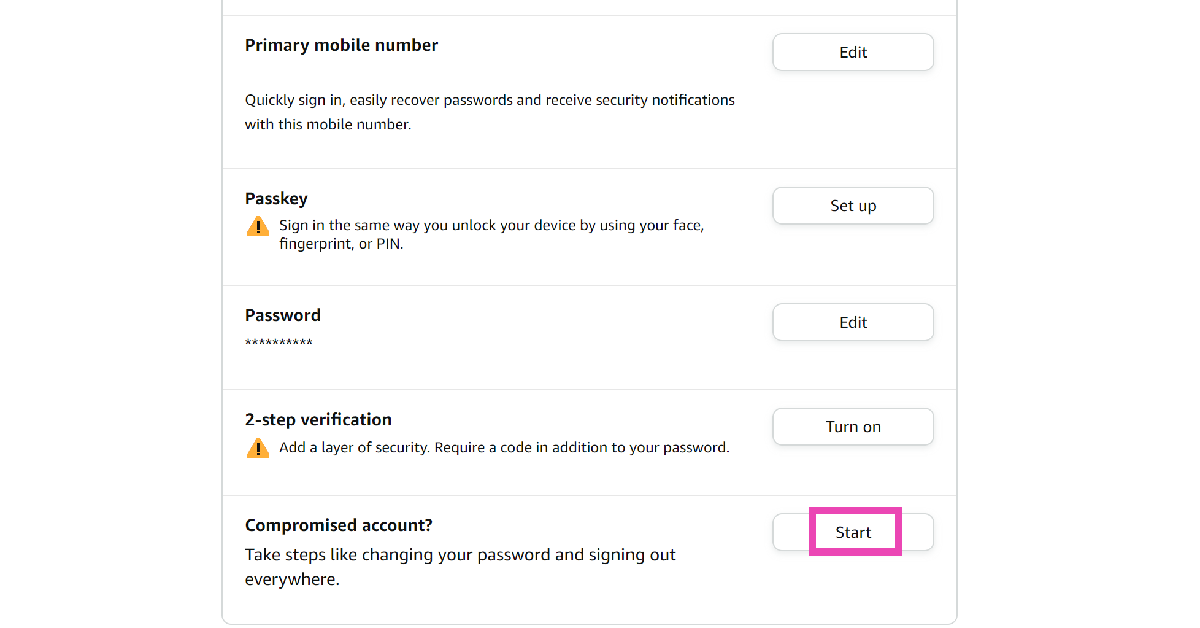
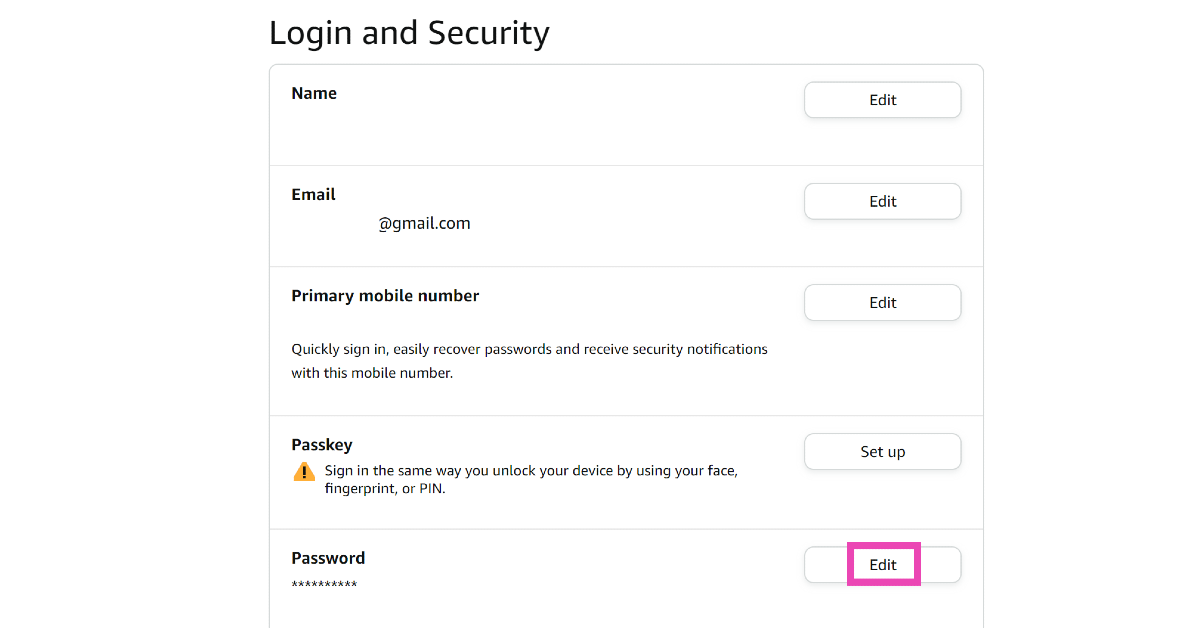
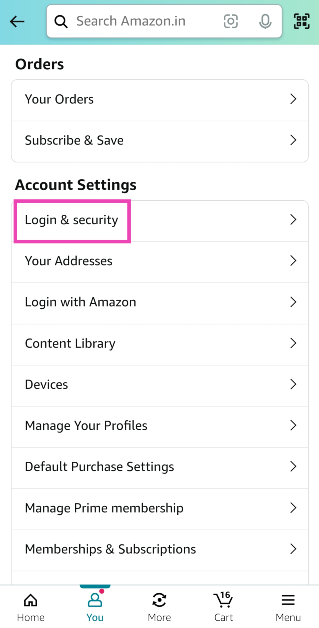
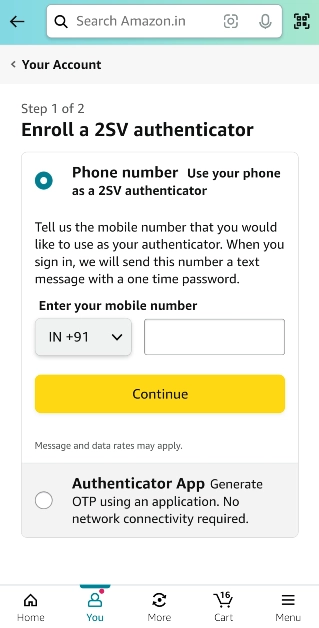
Available across every major platform, Amazon offers several ways to remotely sign out across all your devices. If your account has been compromised, you can sign out of all devices at once and change your password right away. To further boost the security of your account, you can use paskeys or 2-step verification.
If you are logged into a lot of devices or using your Amazon account for several different home products and services, you should consider using this option as it takes just a few clicks to remotely sign out out of all devices at once. Another way you can go about this task is by simply changing your account password.
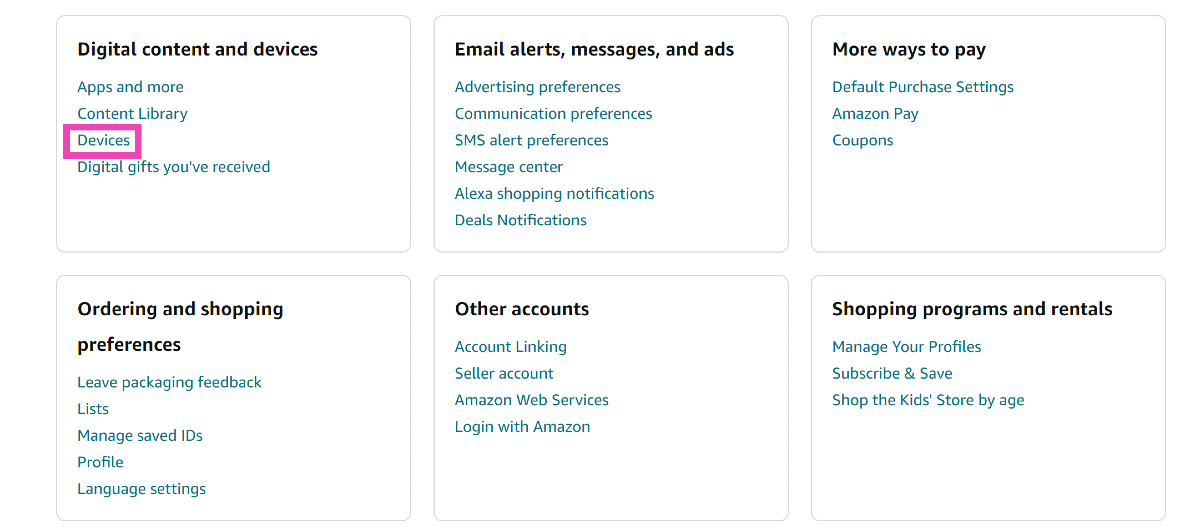
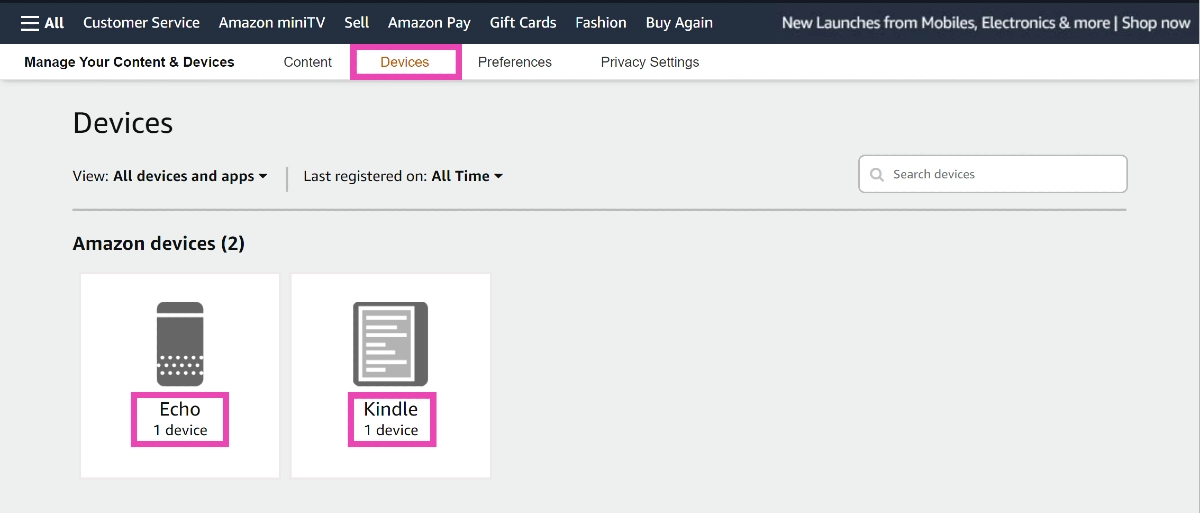
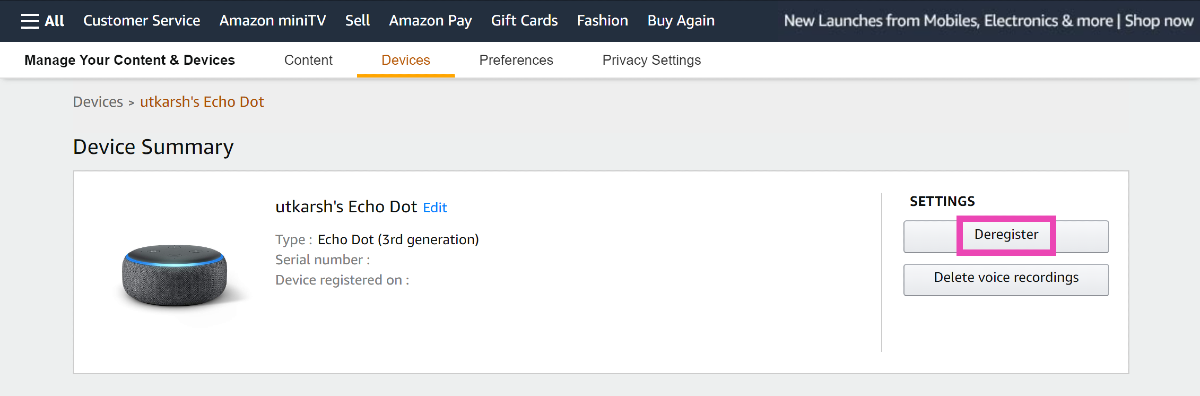
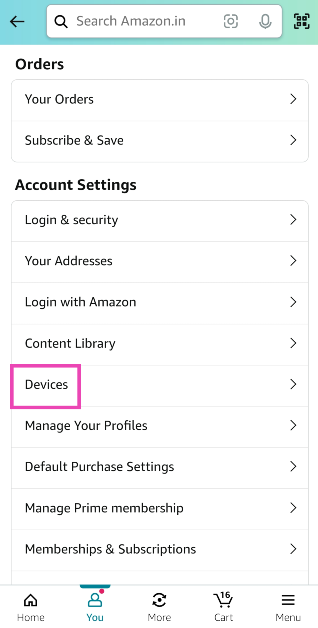
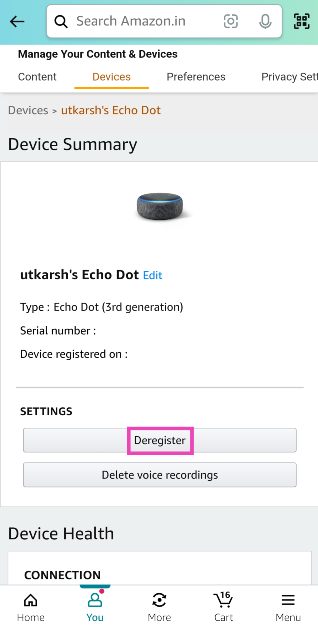
However, if you want to sign out of a particular device, you will need to ‘Deregister’ it from your account. Use this method for your Kindle and Amazon Echo speakers. This process can be carried out on the Amazon app on your smartphone as well as the website.
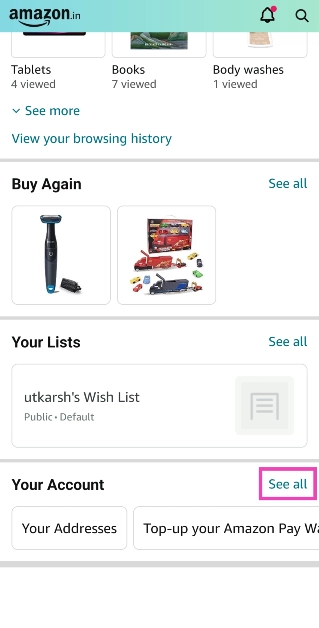
Sign out of Amazon on all devices (Android and iOS)
These are the top 7 easy ways to sign out of Amazon on all devices. If you want to bump up the security of your Amazon account, use passkeys instead of passwords. This will allow you to log into your account using biometrics and face authentication. If you know any other way to sign out of Amazon across all your devices, let us know in the comments!
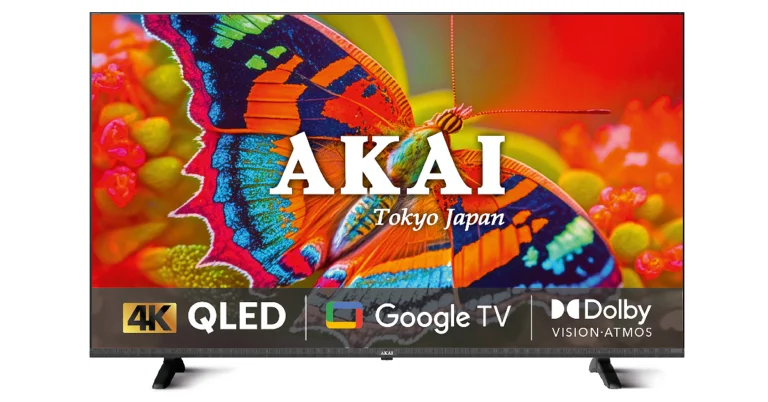
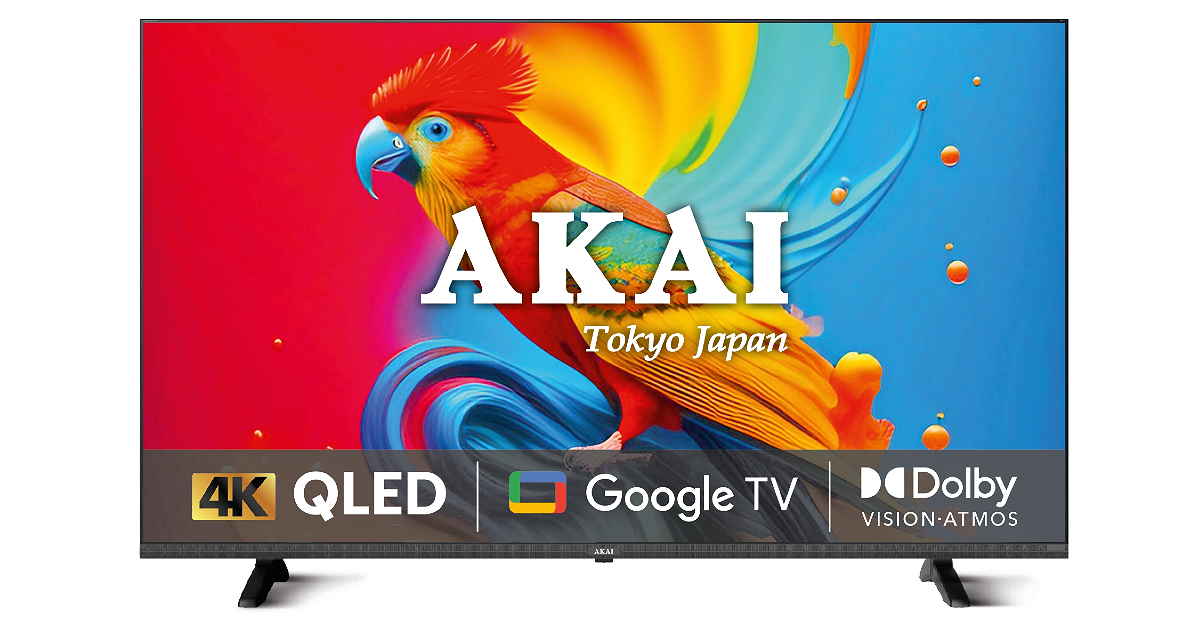
The Akai 4K QLED Google TV series offers 4 models.
The Television supports Dolby Vision and Atmos.
Hong Kong-based electronics brand Akai has announced the launch of a new 4K QLED Google TV series in India. The latest TV lineup includes 43, 50, 55, and 65-inch screen sizes. The TV panel has a bezel-less design and is powered by Quantum Dot technology. In addition to this, all the models come with a meta cabinet for durability. While announcing the Akai 4K QLED Google TV series, Mr Anurag Sharma, Director AKAI India said “At the heart of our QLED TV is our commitment to deliver an experience that is quintessentially Akai. The TV is a perfect blend of legacy and luxury, offering a visual feast that goes beyond expectations. We feel the new 4K QLED series is uniquely brilliant and Akai India has been a constant companion in the evolution of home entertainment for close to a decade. It has been our constant endeavour to evolve and bring the best of the world to Indian households.”
Akai’s new 4K QLED Google TV Series is being made available in 109cm (43), 127cm (50), 140cm (55), and 165cm (65) screen sizes. All the models include slim, sleek and bezel-less designs with 4K resolution (3840 x 2160). There is a metal cabinet that will contribute to the TV’s longevity and overall performance. Along with HDR HLG support for dynamic contrast, the Akai Television has Dolby Vision and Atmos delivering a rich, immersive experience that enhances the overall viewing pleasure. Powered by Quantum Dot technology the Akai 4K QLED Google TV series produces vivid and true-to-life colours and enhanced brightness.
Along with voice commands the Television can also be controlled through a remote to effectively switch between channels and settings.
In terms of connectivity Akai’s new 4K QLED Google TV Series comes with three HDMI 2.0 ports to connect set-top box, Blu-Ray players and gaming consoles, along with two USB 3.0 ports to connect hard drives and other USB devices.
Customers may easily cast content to the QLED unit from their mobile phones and other connected devices for convenient viewing on any device.
Akai 4K QLED Google TV price in India, availability
The Akai 4K QLED Google TV series price in India starts at Rs 24,999 for the 43-inch models. The price of the 50-inch, 55-inch and 65-inch models is set at Rs 28,990, Rs 35,990 and Rs 51,990 respectively. It can be purchased via Reliance Digital.
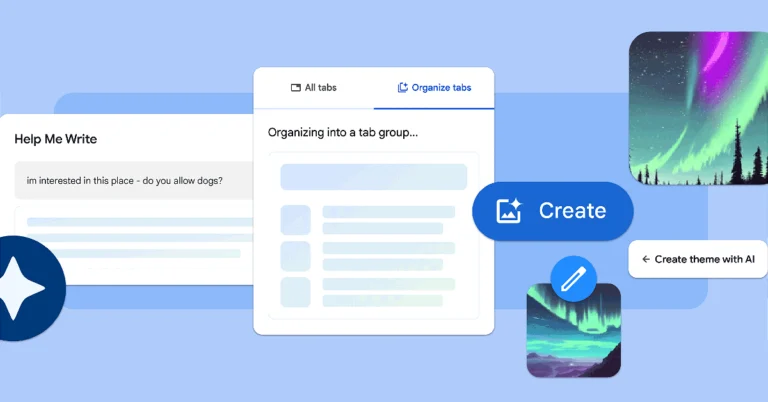
The new Chrome update will allow users to organise their tabs with Tab Organizer.
Customise Chrome feature will help users change themes and create them with AI.
Google is rolling out a new update for Chrome that brings three new generative AI features that will make web browsing and organisation much easier. The features will be available to Chrome on Macs and Windows PCs over the next few days.
The company via blog post said, “Over the last few years, we’ve brought the latest machine learning and AI technologies into Chrome to make searching the web easier, safer and more accessible. We started with improving practical, everyday tasks, like helping you add real-time captions to videos, better detect malicious sites, manage permission prompts and generate the key points of a webpage. Starting with today’s release of Chrome (M121), we’re introducing experimental generative AI features to make it even easier and more efficient to browse — all while keeping your experience personalized to you.”
Based on the tabs you have open, Tab Organiser allows Chrome to automatically recommend and create tab groups. This can be helpful if you’re using Chrome to multitask on multiple projects at once like planning a trip, researching a topic and shopping.
To use this feature, right-click on a tab and select “Organize Similar Tabs” or click the drop-down arrow to the left of your tabs.
Chrome will even suggest names and emojis for these new groups so they can be easily located when needed.
Google introduced generative AI wallpapers with Android 14 and Pixel 8 series last year. Similarly, it has now introduced the text-to-image diffusion model to Chrome. This will allow you to personalise your web browser. You can easily create custom themes based on a subject, mood, visual style and colour that you choose. To get started, visit the “Customize Chrome” side panel, click “Change theme” and then “Create with AI.”
“For example, maybe you’re enamoured with the “aurora borealis” and want to see it in an “animated” style with a “serene” mood. Just select those options to see what Chrome comes up with. For more inspiration, check out this collection of the Chrome team’s favourite theme creations,” Google stated.
In addition to this users can also customize Chrome with photos they have uploaded or themes from our collections in the Chrome Web Store, including ones commissioned from a growing community of artists.
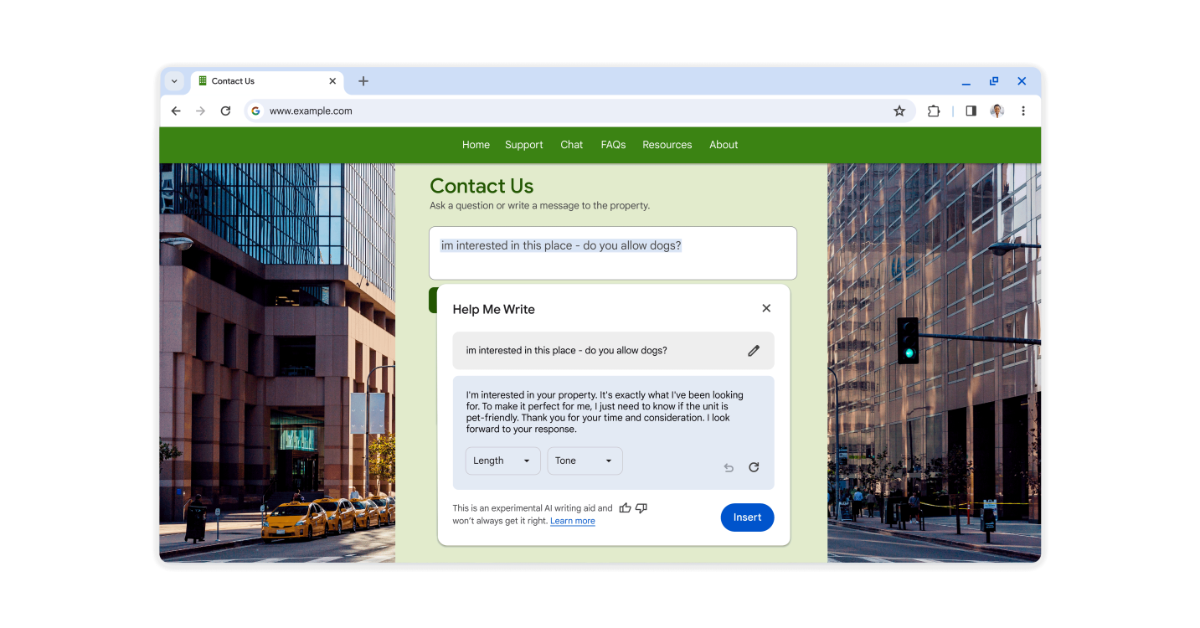
Google will also bring another experimental AI-powered feature in the Chrome update that will help users write a review for a restaurant, craft a friendly RSVP for a party or make a formal inquiry about an apartment rental on the web.
To get started, right-click a text box or field on any site you visit in Chrome and select “Help me write.” Type in a few words, and our AI will kickstart your writing process.
The new features will be available in Chrome on Macs and Windows PCs over the next few days, starting in the U.S. Just sign into Chrome, select “Settings” from the three-dot menu and navigate to the “Experimental AI” page. Because these features are early public experiments, they’ll be disabled for enterprise and educational accounts for now.
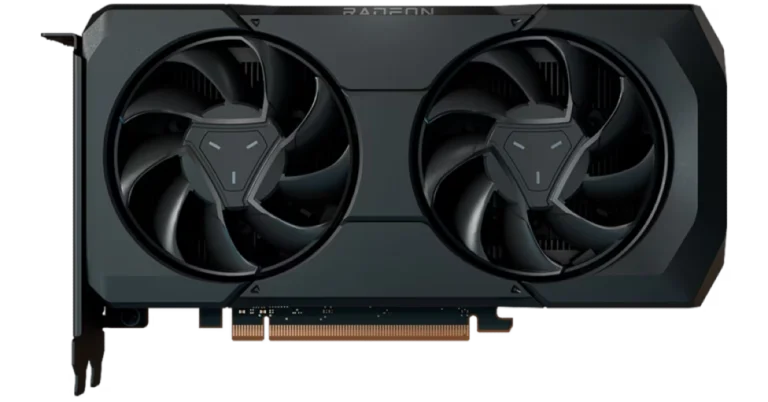
The AMD Radeon RX 7600 XT supports next-generation DisplayPort 2.1 and HDMI 2.1a-based displays.
The graphics card is designed for gamers that like 1080p or 1440p resolution.
In addition to this, AMD also released AMD Software: Adrenalin Edition 24.1.1.
The new driver features AMD Fluid Motion Frames Technology, which boosts FPS up to 97%.
AMD has launched a new graphics card that can handle demanding games and content creation well. The newest card in AMD’s lineup, the Radeon RX 7600 XT, is aimed in the same price range as the NVIDIA RTX 4060 Ti. With integrated HYPR-RX profiles and AFMF technology, the newest graphics card can generate frames for any DX11 or DX12 game. Based on the AMD RDNA 3 architecture, the RX 7600 XT employs specialised ray tracing accelerators along with AI technologies to produce what AMD claims to be the greatest performance possible at 1080p.
The Radeon RX 7600 XT graphics card is a specialised ray tracing accelerator with 16GB of VRAM, powerful AMD RDNA 3 compute units, and cutting-edge AI technology. It also lets users maximise their creativity with tasks related to AI and content creation.
As per the company, the Radeon RX 7600 XT include: up to 1.9X faster gaming and ray tracing performance than the popular NVIDIA GeForce RTX 2060 in select titles at 1080p. Moreover, the AMD Fluid Motion Frames (AFMF) frame generation technology boosts FPS with the Adrenalin Edition driver. Whereas AMD HYPR-RX technology optimises and manages the simultaneous interoperation of AMD Fluid Motion Frames, AMD Radeon Super Resolution, and AMD Radeon Boost technologies.
The encode/decode media engine opens up new multimedia experiences with full AV1 encode/decode support, wide colour gamut and high-dynamic range enhancements. Support for next-generation DisplayPort 2.1 and HDMI 2.1a-based displays is also possible with the new AMD Radiance Display Engine.
AMD also made available AMD Software: Adrenalin Edition 24.1.1 featuring AMD Fluid Motion Frames Technology, which boosts FPS up to 97% for a smoother gaming experience by adding frame generation technology to any DirectX 11 and 12 game. It also released new Video Upscaling technology, text detection support for 4K streaming using Content Adaptive ML, enhanced encode quality for AV1, HEVC, AVC, and OBS, and more.
According to AMD, the Radeon RX 7600 XT is currently available at AMD board partners, including Acer, ASRock, ASUS, Gigabyte, PowerColor, Sapphire and XFX, with a SEP of $329 USD.
Garena Free Fire is a battle royale game with regular awards and tournaments to keep players interested. If you play Garena Free Fire, you should be aware of the redeem codes that are released on a daily basis. However, because the battle royale game is banned in India, players from other countries can use the Free Fire Redeem codes daily. If you’re unfamiliar with the Garena Free Fire redeem codes or don’t know how to get them, we’ve put together a step-by-step guide to help you redeem them. Check out Garena Free Fire Redeem Codes for 25 January 2024.
The Free Fire redeem codes are a great way to get free stuff. These are 12-digit codes that contain alphabets and numbers, as well as an expiration date and time. Because the Garena FF redeem codes cannot be used more than once, you should hurry to the redemption page to claim your free reward before someone else does. To get a free reward, all you have to do is go to reward.ff.garena.com/en, which is the official redemption page. Also, keep an eye on this space for daily updates on Garena Free Fire redemption codes and rewards.
In This Article
Garena Free Fire Redeem Codes Today 25 January 2024
FF11DAKX4WHV
WLSGJXS5KFYR
FF11NJN5YS3E
ZRJAPH294KV5
Y6ACLK7KUD1N
W0JJAFV3TU5E
FFICJGW9NKYT
XUW3FNK7AV8N
FF10617KGUF9
FF119MB3PFA5
ZYPPXWRWIAHD
YXY3EGTLHGJX
FF10GCGXRNHY
MCPTFNXZF4TA
FF11HHGCGK3B
FF11WFNPP956
X99TK56XDJ4X
SARG886AV5GR
FF1164XNJZ2V
B6IYCTNH4PV3
8F3QZKNTLWBZ
How to Get Free Fire Redeem Codes for Garena on 25 January 2024?
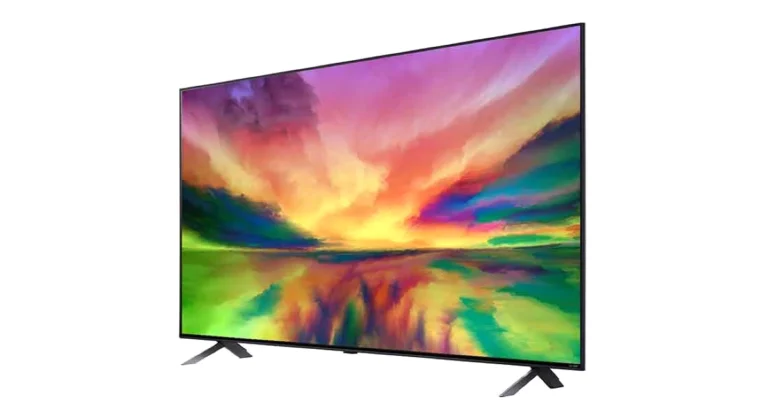
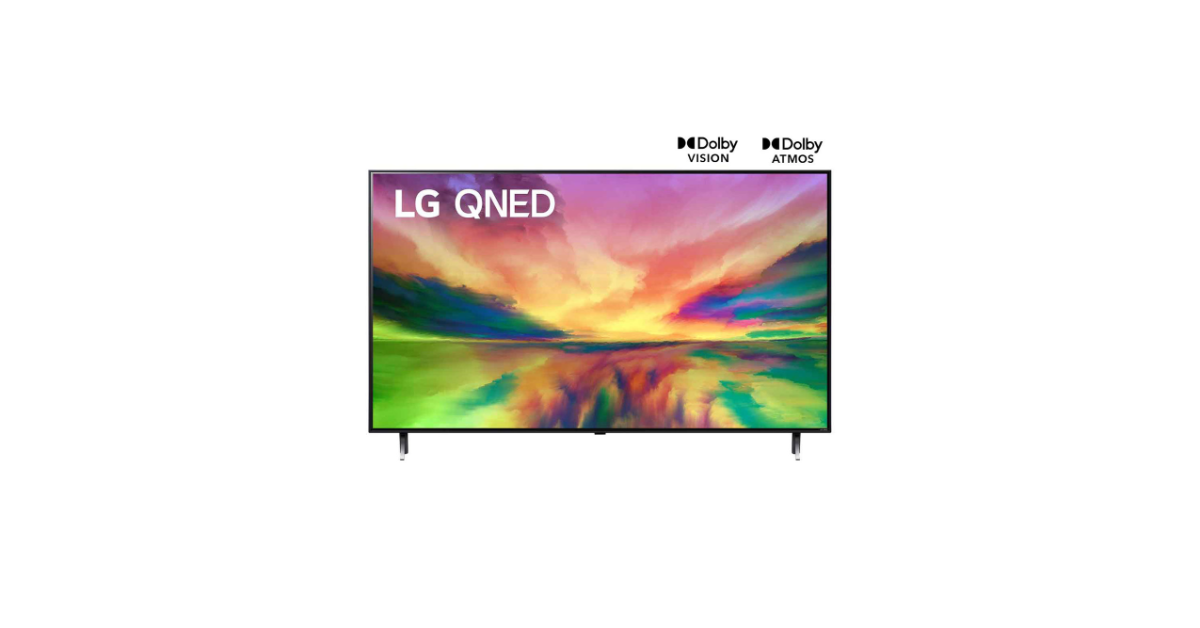
The LG QNED 83 TVs come in two different screen sizes- 55-inch and 65-inch.
Both variants support Dolby Vision and Dolby Atmos.
The new Television comes with AI Super Upscaling and Local Dimming.
LG QNED 83 Series has made its India debut. The company’s latest television series is powered by the Quantum Dot and NanoCell technologies. The Televisions in this range have a 120hz refresh rate and include Dolby Vision & Atmos support. Moreover, it is equipped with α7 AI 4K Gen6 AI Processor and also provides access to Netflix, Apple TV+, Disney+ Hotstar, and Prime Video.
LG QNED 83 TVs that were introduced earlier this month at CES 2024 have now reached the Indian market. The new Television series includes two models 55-inch (55QNED83SRA) and 65-inch (65QNED83SRA) screen sizes. Both the models come with α7 4K Gen6 AI Processor. This chipset supports Virtual 5.1.2 channel output and aids in the AI Picture Pro and AI Sound Pro features.
LG QNED 83 55
The televisions are good for gaming as they support a refresh rate of 120Hz in addition to AMD Freesync compatibility. There are other gaming features like Game Dashboard & Optimizer and VRR for smooth gameplay.
LG QNED 83 Series comes with a combined strength of NanoCell and Quantum Dot technology to produce remarkably accurate and deeper colours in 4K resolution. Also with smart dimming technology and deep-learning algorithms, the Television reduces the halo effect and produces images that are crisper and more lifelike.
LG QNED 83 65
The new Television series runs on all-new webOS which provides access to a variety of content from popular streaming services like Netflix, Apple TV+, Disney+ Hotstar, and Prime Video.
The Multi-View feature of the LG QNED 83 Series allows screens from two different sources to be displayed simultaneously in side-by-side, picture-in-picture, or double-input modes. Additional features include Quick Cards, Picture Wizard, User Profiles, ThinQ AI, and compatibility with voice assistants like Google Assistant, Amazon Alexa, and Apple Airplay2.
LG QNED 83 Series TV price in India and availability
LG QNED 83 Series TV offer two models, the 55-inch variant with model number 55QNED83SRA is priced at Rs 1,59,990. Whereas the 65-inch variant with model number 65QNED83SRA costs Rs 2,19,990. Both models can be purchased via LG’s website, LG Showrooms, and Partner Retailers such as Croma, Reliance Digital, and other e-commerce platforms in the country.
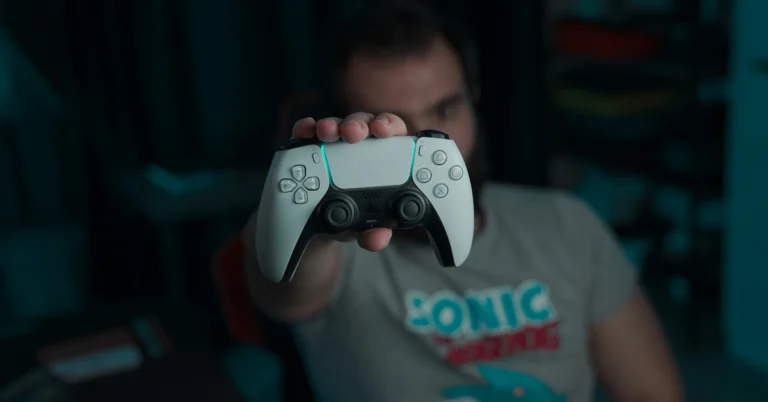
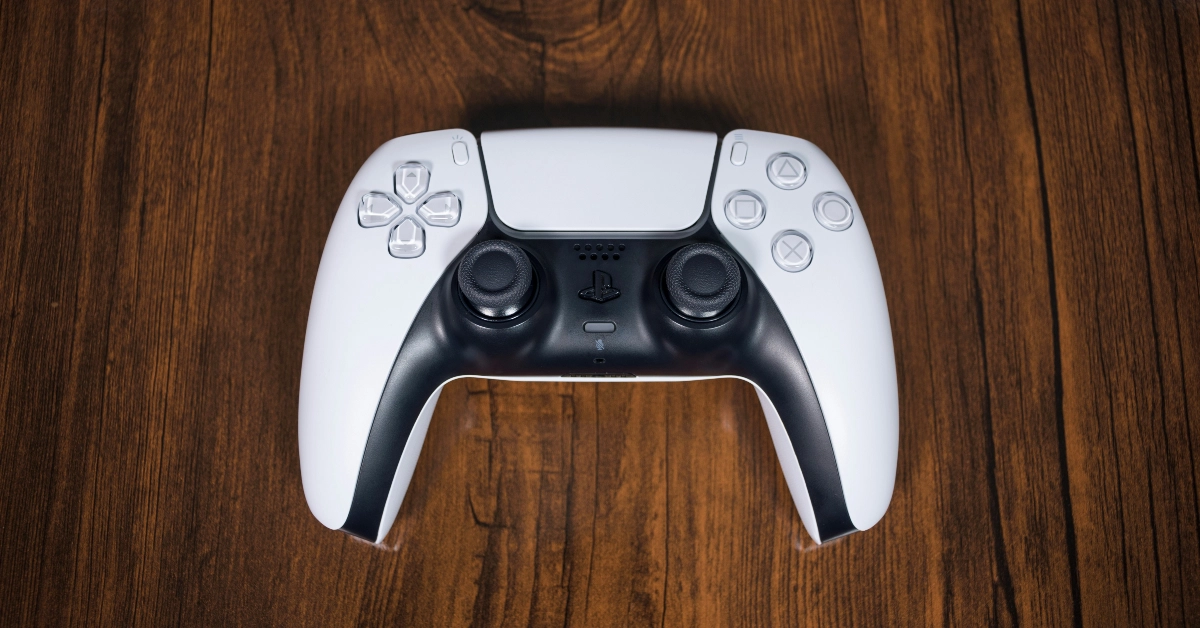
Sony isn’t too keen on backwards compatibility, especially when it comes to its PlayStation series. If you have an old PS4 lying around, you can officially only use the ‘DualShock’ PS4 controller on it. If you’ve upgraded to the PS5, the PS4’s DualShock controller will work fine on the new console, but only for PS4 gaming titles. But, if you’re looking to use the PS5 controller on a PS4, you will have to explore other options. Here are some of them.
Is it possible to use the PS5 Dual Sense controller on a PS4 console?
Sony does not offer a native way to connect the PlayStation 5 controller to a PS4 console. If you plug the controller into the console using a USB cable, it will start charging but won’t be able to control the device. Luckily, there are a couple of workarounds to this problem. You may already be aware of the Remote Play app which bridges the divide between the controller and console from two different generations.
While the Remote Play app is free to use, it requires a PC or the PS5 console as the intermediary between your Dual Sense controller and the PS4. On top of that, it generates some latency between the two devices. If you don’t want to use the app, you will have to crack open your wallet and spend some money on a Bluetooth adapter. While buying an adapter, you need to make sure that it offers support for Dual Sense and PS4. It does not matter whether it is compatible with the PS5 console.
Use your PS5 Controller on a PS4 with the Remote Play app
Step 1:Connect your PS5 controller to the PS5 console/PC.
Step 2:Launch the Remote Play app on your PS5/PC.
Step 3: Select PS4 as the console you want to connect to.
Step 4: Follow the onscreen instructions to connect the PS5 controller to your PS4.
Use an adapter
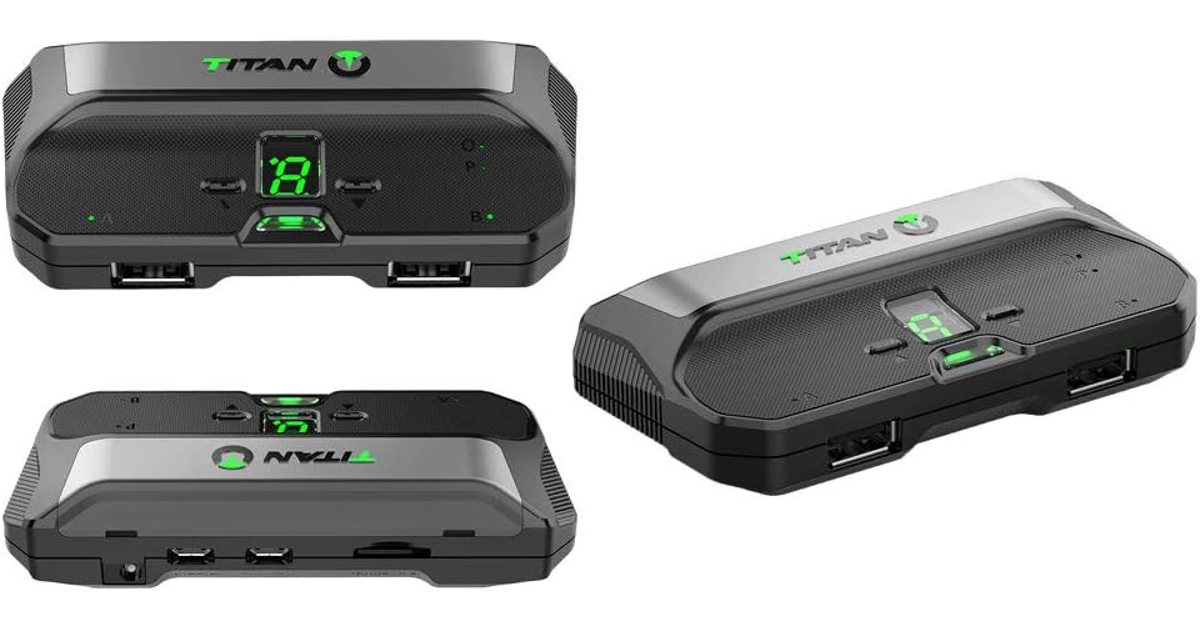
If you don’t want to use the Remote Play app, you can purchase an adapter for a wired/wireless connection between your PS4 console and PS5 controller. The Titan Two and Mayflash Magic-S Pro 2 are good choices.
Step 1: Plug the adapter into the PS4 console.
Step 2: Press the pairing button on the adapter until the LED starts blinking. This denotes that the adapter is in pairing mode.
Step 3: Put your PS5 Dual Sense controller in pairing mode by pressing the Play Station button and Create button simultaneously.
Step 4: Once they are paired, you will be able to use your PS5 controller on your PS4.
Frequently Asked Questions (FAQs)
Can I connect my PS5 controller to a PS4?
You can connect a PlayStation 5 controller to a PS4 using the Remote Play app or a Bluetooth adapter.
How much does a Bluetooth adapter for a PS4 cost?
The Mayflash Magic-S Pro 2 is a decent Bluetooth adapter priced at $23.99. It offers support for PS4, Switch, macOS, Windows, Raspberry Pi, Xbox Series X & S Controller, Xbox One Bluetooth, PS5 Controller and more.
Is my PS4 controller compatible with a PS5 console?
You can connect your PS4 controller to the PS5 but it will only work for PS4 games.
These are the top 2 ways to connect your PlayStation 5 controller to a PS4 console. If you don’t want to be bugged by any latency issues, you will need to splurge some money on a Bluetooth adapter. You should know that you will not be able to feel the Dual Sense controller’s haptic feedback when it is connected to a PS4.
Xiaomi’s subsidiary brand, Poco, is relatively new in the Indian market but has consistently produced a series of good products. Primarily operating in the lower midrange segment, Poco’s X Series goes up against the likes of OnePlus’ Nord Series, Samsung’s A Series, and its parent company Xiaomi’s Note series. The newly launched Poco X6 Pro is currently priced at Rs 27,000. Its non-Pro variant fetches Rs 22,000. Both variants arrived at our desk earlier this month and we have been using them since then. For the last week, the Poco X6 Pro has remained our daily driver – here is our review of the smartphone.
The unboxing experience of the Poco X6 Pro is pretty standard as far as mid-rangers go. Inside the box, you get the smartphone, a 67W power adapter, a USB Type-A to Type-C cable, a black plastic case, a SIM ejector tool, and a quick start guide. 2024 seems to be the year when OEMs across the board are replacing the clear plastic case with an opaque black one.
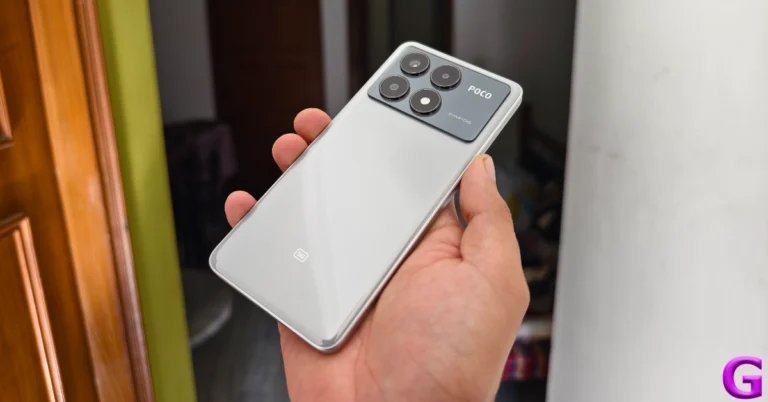
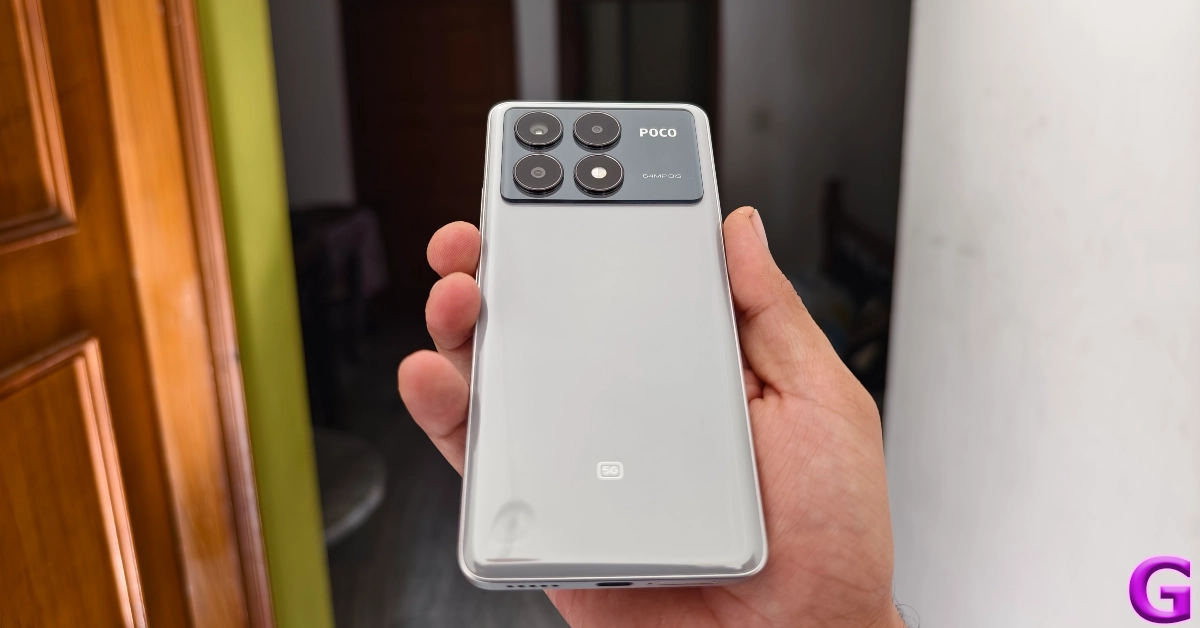
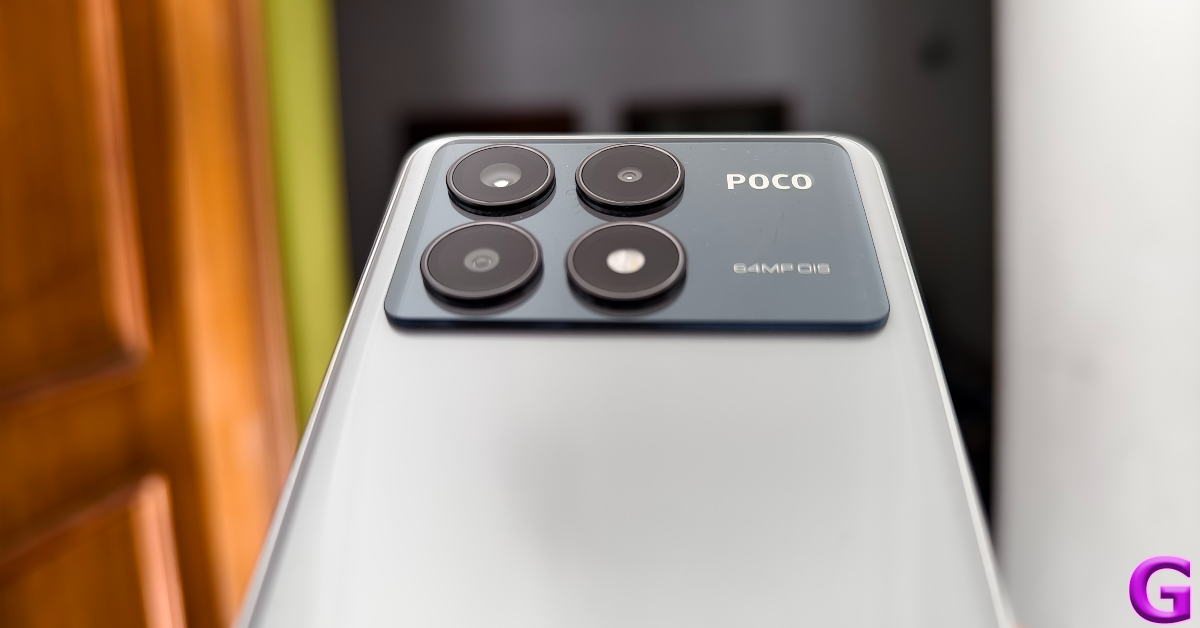
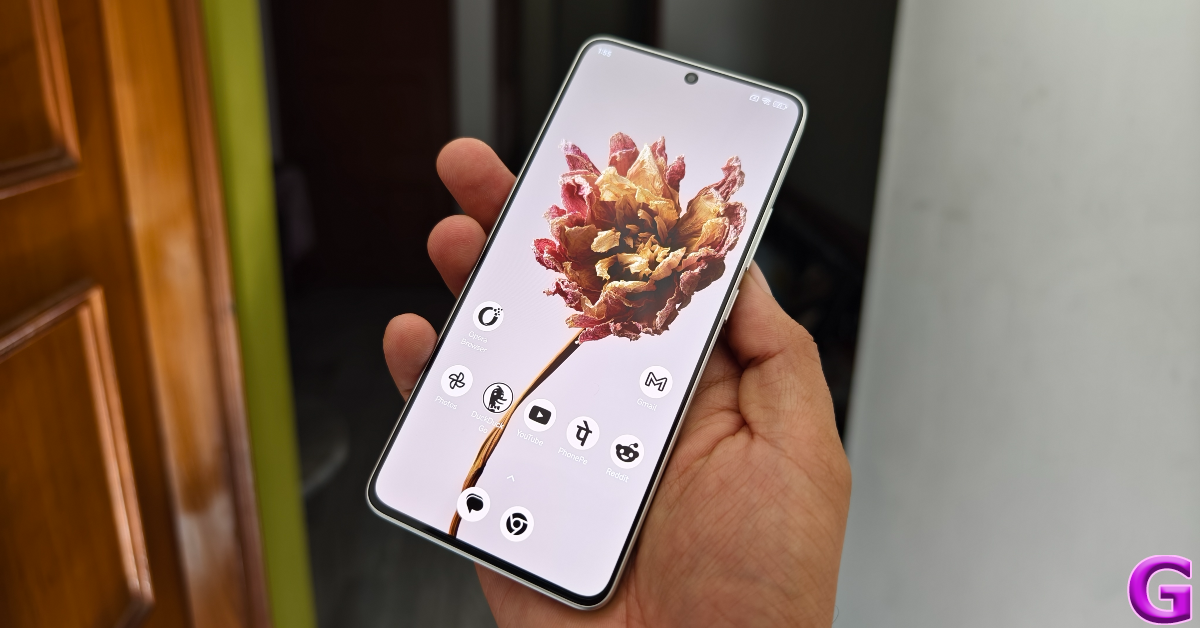
Poco’s Pro variant in its 2024 X6 Series has made small yet significant changes to its design. The two-step camera panel at the back now covers the entire width of the smartphone. In its previous iteration, this glossy panel was aligned to the left, with the dual-tone colouring covering the remaining area. This is still the case in the non-Pro variant this year.
Even though the X6 Pro has a plastic back, it almost feels like glass. This ‘glasstic’ material does elevate the in-hand feel of the device but is a fingerprint magnet. Picking up the phone for a couple of minutes will surely leave some prints on the back. The vegan leather back on the yellow colour variant does not present this issue. Smudges aside, we like the overall design of the smartphone. The three cameras and the LED flash get individual cutouts which are aligned in a square pattern.
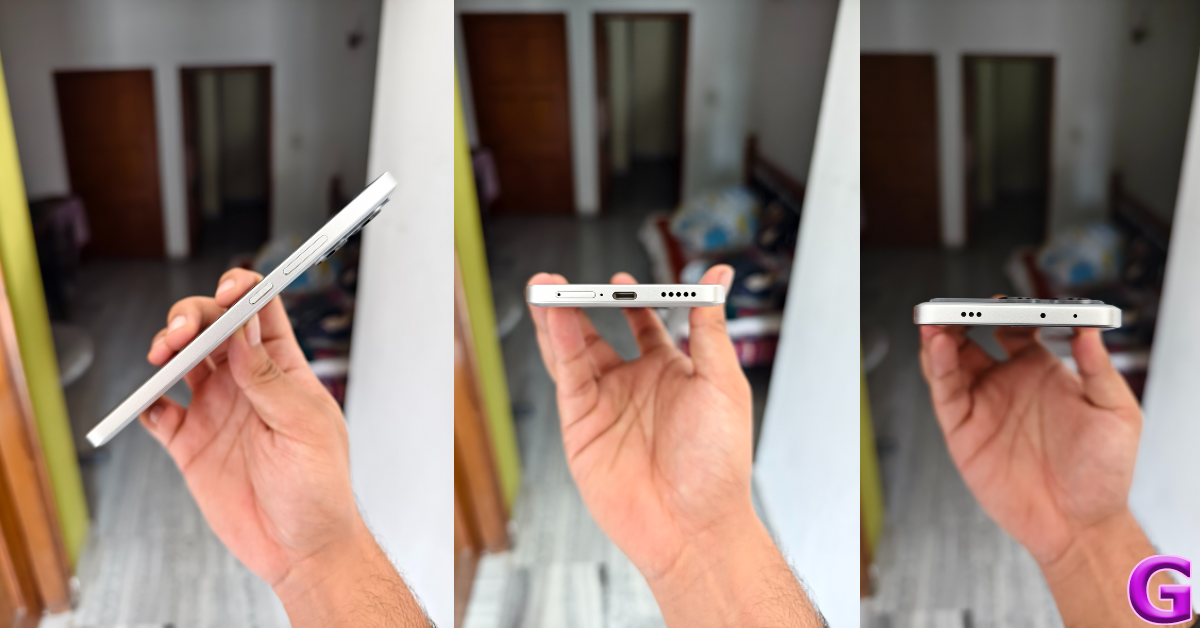
The back panel curves slightly into the flat plastic frame. The left edge of the frame houses the volume rocker and power keys. At the bottom, you get the SIM tray, microphone, USB Type-C port, and the primary speaker grille. Up top lie the secondary microphone, IR blaster, and stereo speaker. The left edge is completely keyless. Unlike its previous iteration (our review here), there is no 3.5mm headphone jack on the X6 Pro, but you can still get it on the non-Pro variant.
Moving on, Poco X6 Pro’s display is undoubtedly its biggest attribute. This 6.67-inch AMOLED panel has a 1,220 x 2,712p resolution and a 120Hz refresh rate. On top of that, it gets HDR10+ support and Widevine L1 certification. Reaching an impressive peak brightness of 1,800 nits, this display remains perfectly legible under direct sunlight. Surrounding the display are very slim bezels that get a smidge thicker around the chin. If you don’t pay close attention to the bezels (which is quite easy, given their size), they appear uniform.
The touch response offered by the X6 Pro’s display is very close to the flagship level. Swiping through pages, switching apps, navigating the phone’s interface, and other activities provide a very fluid experience. The X6 Pro is also the first Poco smartphone to get an in-display fingerprint scanner. It is one of the fastest scanners we have used in any segment, and it is nice to see Poco nail such a vital part of the display in its first attempt.
We watched a variety of content across different OTT and streaming apps. The HDR quality is good and the images produced on the screen are rich in colour. The stereo speakers can go loud without sounding distorted. Although the audio output could have improved on its low end, it doesn’t sound tinny or hollow. We did not feel the need to put on headphones while watching movies on the X6 Pro.
An IP54 rating ensures that the smartphone can handle minor water splashes and exposure to minimal dust. Pulling a smartphone out while it’s raining will not damage its internals, but a dip in the water may lead to a different outcome.
Poco X6 Pro review: Performance and Cameras
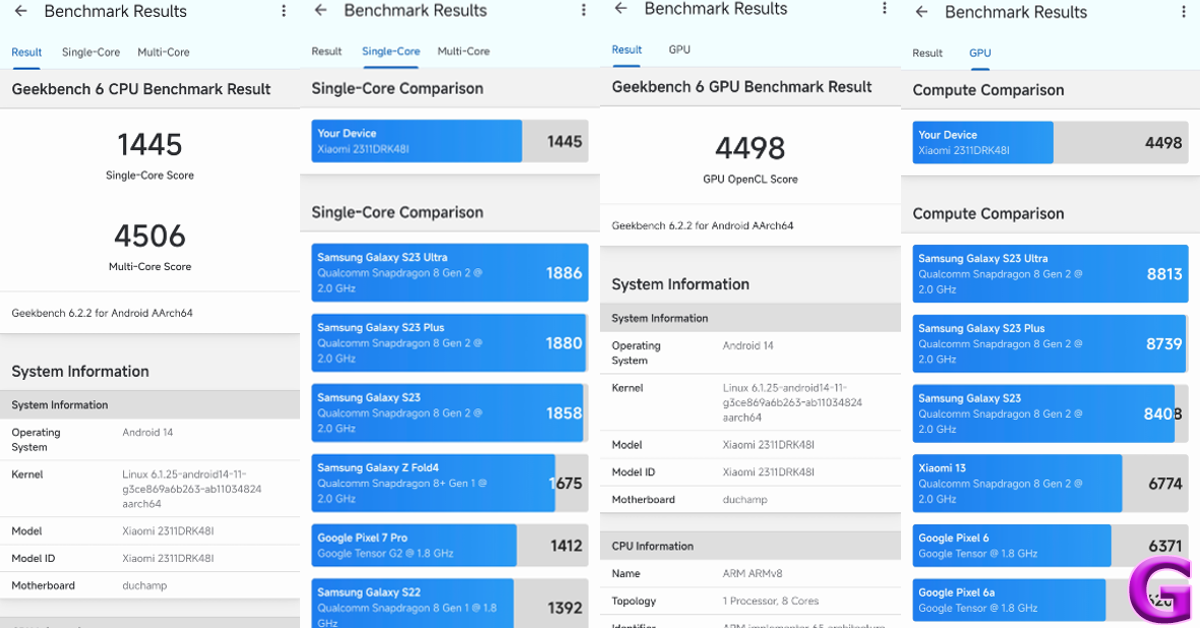
Powering the Poco X6 Pro is the MediaTek Dimensity 8300 Ultra SoC. There are two RAM and storage variants on offer — 8GB + 256GB and 12GB + 512GB. The LPDDR5X RAM and UFS 4.0 storage are integral to the device’s speedy functioning. On the Geekbench 6 app, the smartphone scored 1,445 points in the single-core test and 4,506 points in the multi-core test. The non-Pro variant powered by the Snapdragon 7s Gen 2 SoC scored 1,022 and 2,995 points respectively.
One of the things that make the X6 Pro stand apart in its segments is its speediness. The smartphone takes no time to load apps and switch between them. While working on the phone, we always felt like it was a step ahead of us. This isn’t something we can say for other smartphones in this price bracket. The X6 Pro crushes basic tasks like instant messaging, video calling, photo editing, web browsing, and others. Even with multiple apps occupying the RAM, the smartphone remains unfazed.
A similar performance is replicated while gaming on the device. The brilliant touch response pays dividends while playing games like Call of Duty Mobile and BGMI. The 5,000mm2 stainless steel vapour changer plays its part in maintaining the internal temperature to an optimum level. Even with high graphic settings and maximum frame rate, the smartphone does not create any jitters or unwanted lags while gaming.
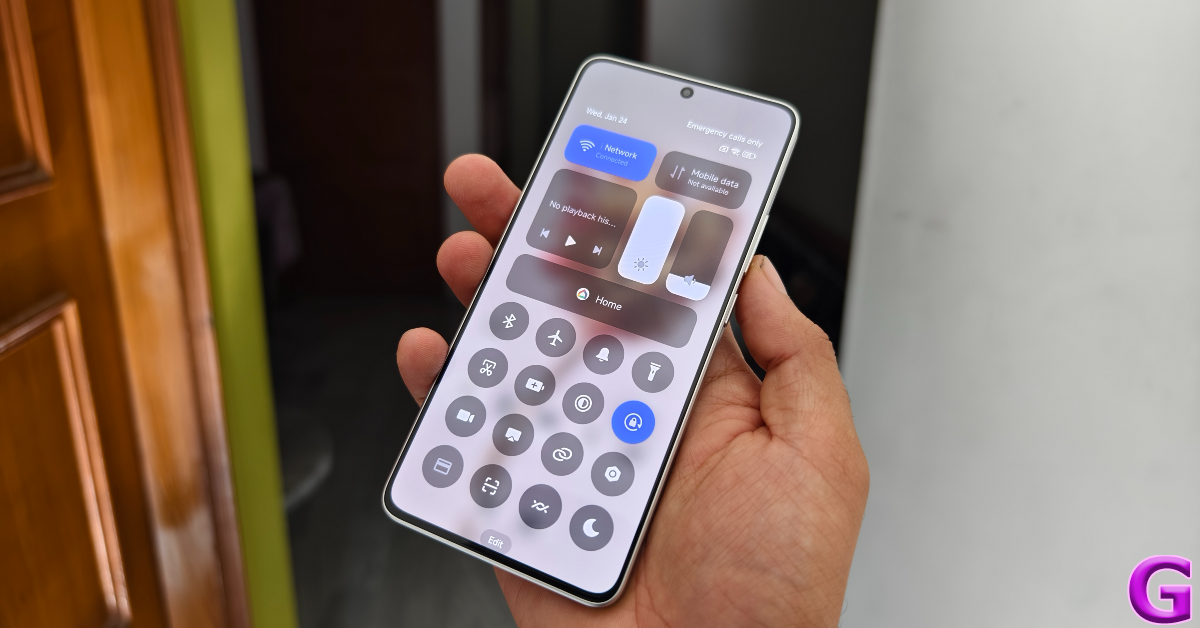
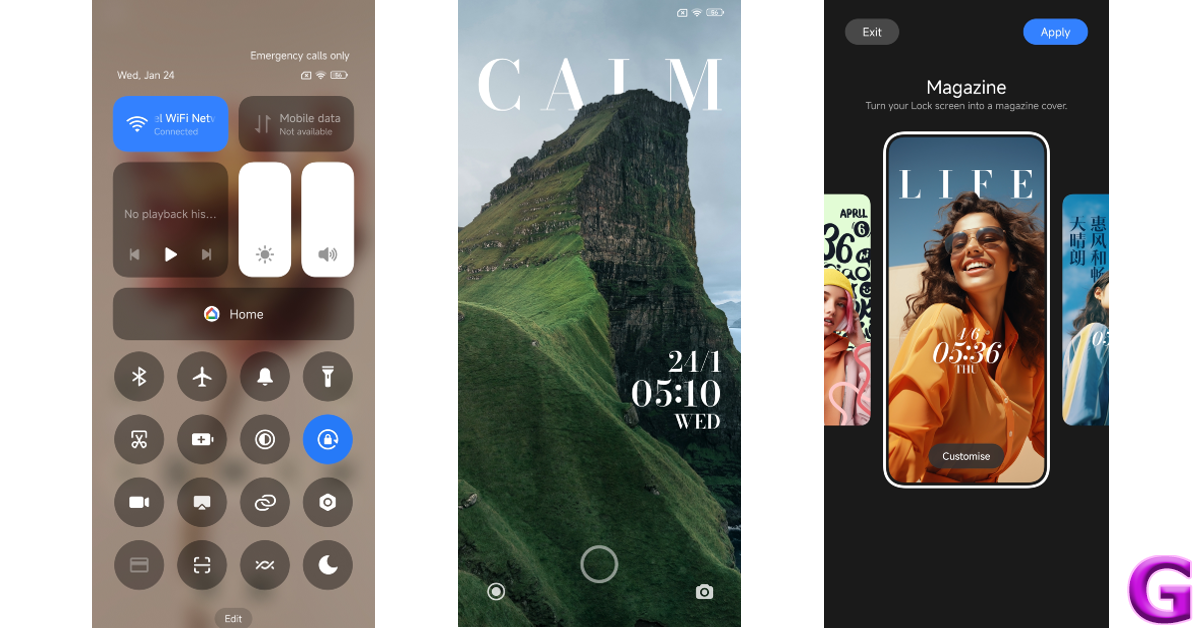
Poco X6 Pro is one of the first smartphones in India to ship with the Xiaomi HyperOS. Its non-Pro sibling gets MIUI 14 OS out of the box, which can be upgraded to HyperOS. While there isn’t much that separates the two Android 14-based skins, we do like the overall feel of the HyperOS. The quick settings panel extends to the bottom of the display upon swiping down from the status bar. The tiles are text-free, which makes them aesthetically appealing, but it takes a few days to get used to them. It looks eerily similar to the iPhone’s Control Centre, but that isn’t a bad thing at all.
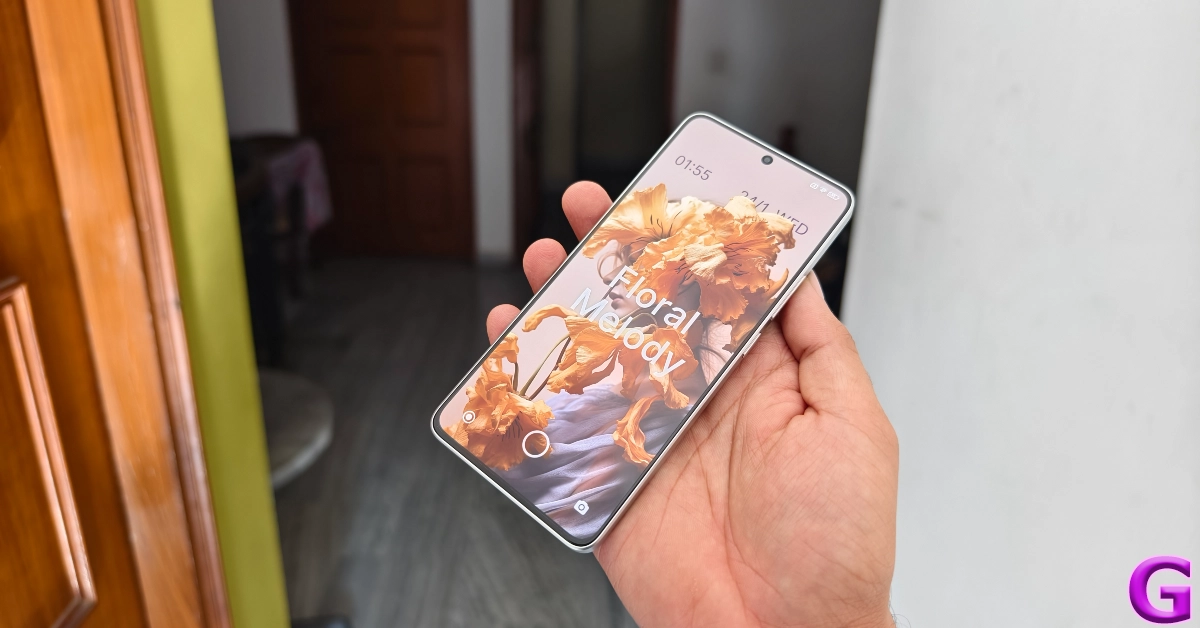
The OS also offers a new ‘MiSans’ font along with a bunch of lock screen and wallpaper customisation options. You can choose from a bunch of styles for the lock screen and customise them even further by adding a signature and applying the depth effect. This is also inspired by the lock screen effects in iOS. Overall the software experience on the X6 Pro is quite pleasing, once you get past the bloatware.
The 5,000 mAh battery was able to power it for an entire day. During the review period, we used the Poco X6 Pro for calling, texting, binge-watching TV shows, and gaming. At the end of each day, we were left with a 15-20% charge. This is pretty standard as far as most mid-range smartphones go. The 67W power adapter provided in the box can fully charge the smartphone in 45 minutes.
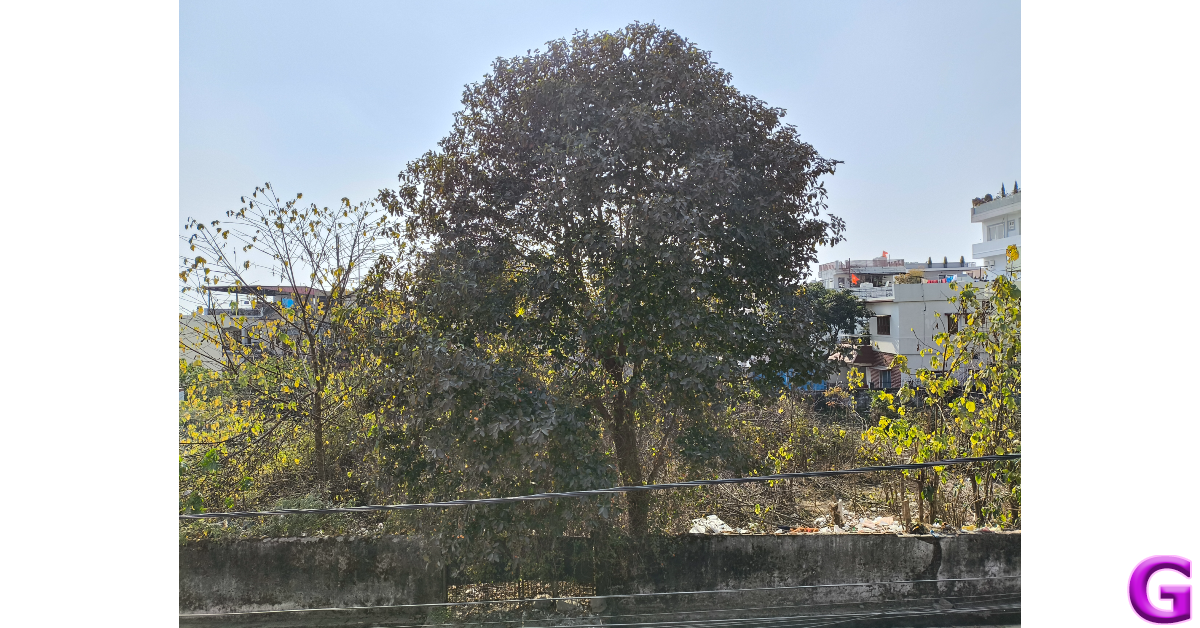
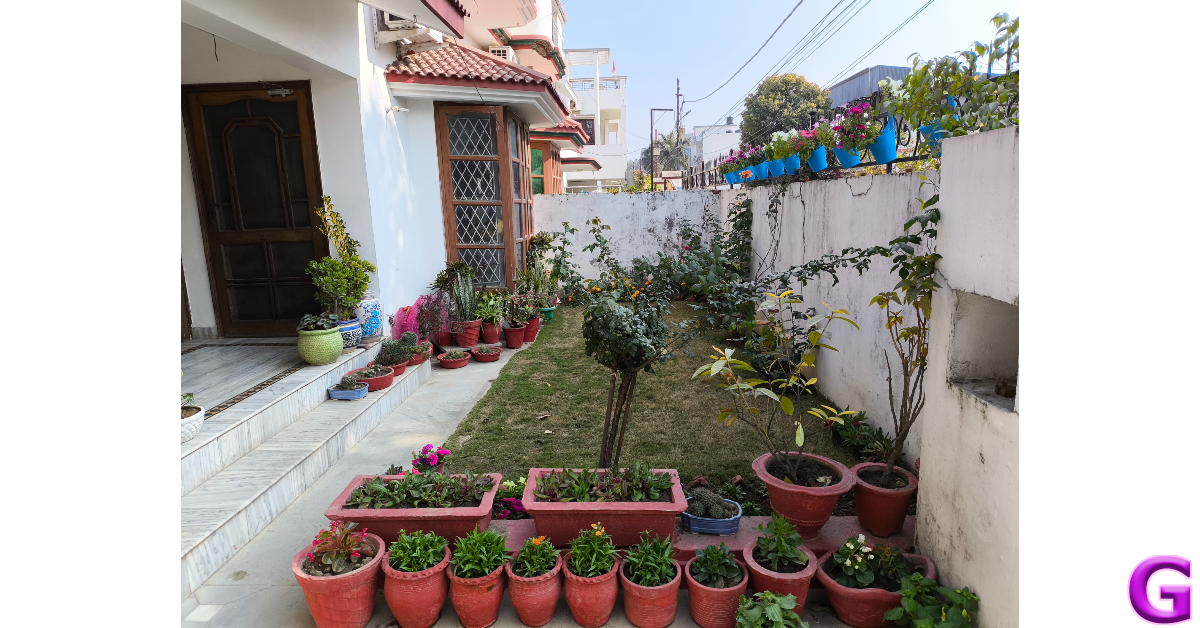
Cameras are not Poco X6 Pro’s strongest suit, but it does not disappoint. The rear camera array consists of a 64MP primary shooter, an 8MP ultrawide lens, and a 2MP macro sensor. In daylight conditions, the primary camera takes good images that are rich in colour and pack a lot of detail. The images are well-processed, featuring adequate dynamic range with sharp and well-exposed shadows.
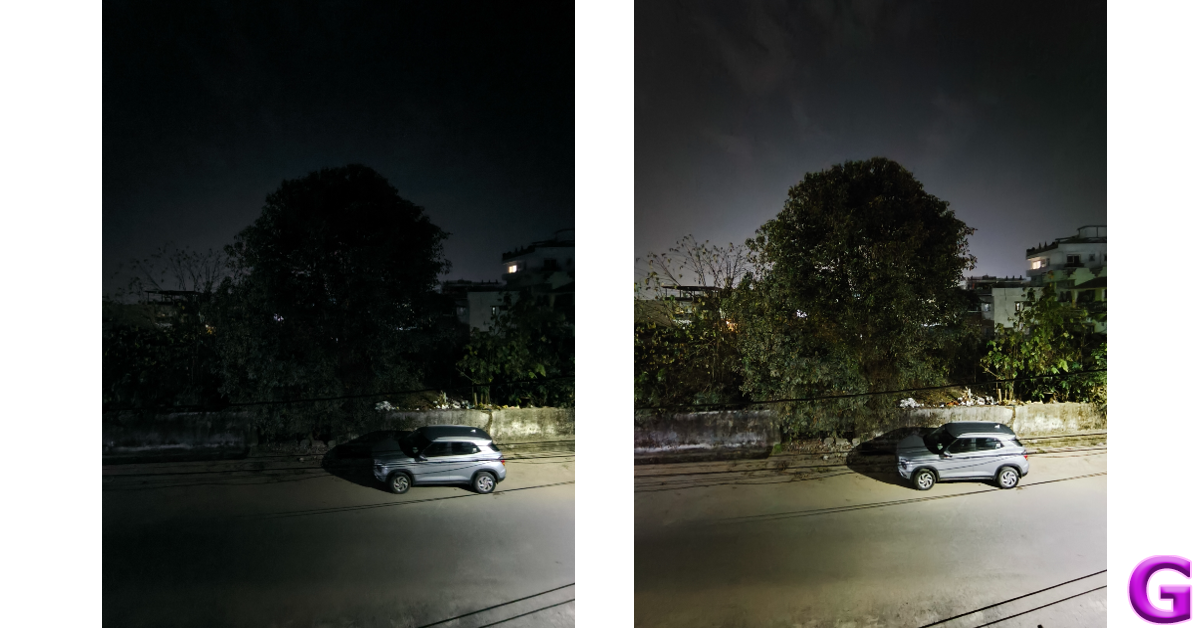
The primary camera surprised us in low-light conditions, making use of clever photoprocessing to produce good results. The camera manages to expose and brighten the subject nicely, while the noise level is suppressed to an optimum degree. With the Night Mode turned on, the images come out a little sharpened and some colour correction is applied to the final result.
Without Night Mode v With Night ModeUltrawide lens: Without Night Mode v With Night Mode
Pictures taken with the ultrawide lens are on the softer side but manage to produce deep colours and a decent dynamic range. Even in low light conditions, the ultrawide camera puts up a good performance. The camera app has a Portrait Mode that does a good job of separating the subject from the background but is a little restrained while applying the blur effect. The 2MP macro lens is there if you want to take close-up images, but we were not happy with the flat colours produced by it.
Ultrawide lensUltrawide lens
The 16MP selfie camera takes good images with a warm colour palette. It does not overcorrect the skin tone but does smoothen the texture a little. This camera can 1080p videos at 30/60fps. Meanwhile, the rear camera can record 4K videos at 30 fps with HDR and 30/24 fps without HDR.
In the under Rs 30,000 category, the Poco X6 Pro would be our pick of the lot. Its brilliant AMOLED display beats almost every device in this segment. The MediaTek Dimensity 8300 Ultra chipset is an efficient performer, delivering blazing-fast speeds across the board. If you want to try a bit of gaming, the X6 Pro can handle high graphics and deliver lag-free gameplay. The camera performance is pretty standard and certainly not on par with the more ‘camera-focused’ smartphones in this category, but as an overall package, the Poco X6 Pro is up there with the best.
Asus Zenbook 14 OLED is offered in touch and non-touch OLED screen options.
The laptop comes integrated with a Dual Neutral Compute Engine, a Dedicated low-power AI Engine and Broad SW support.
Also, it has an FHD 3DNR IR camera with ambient light and colour sensor.
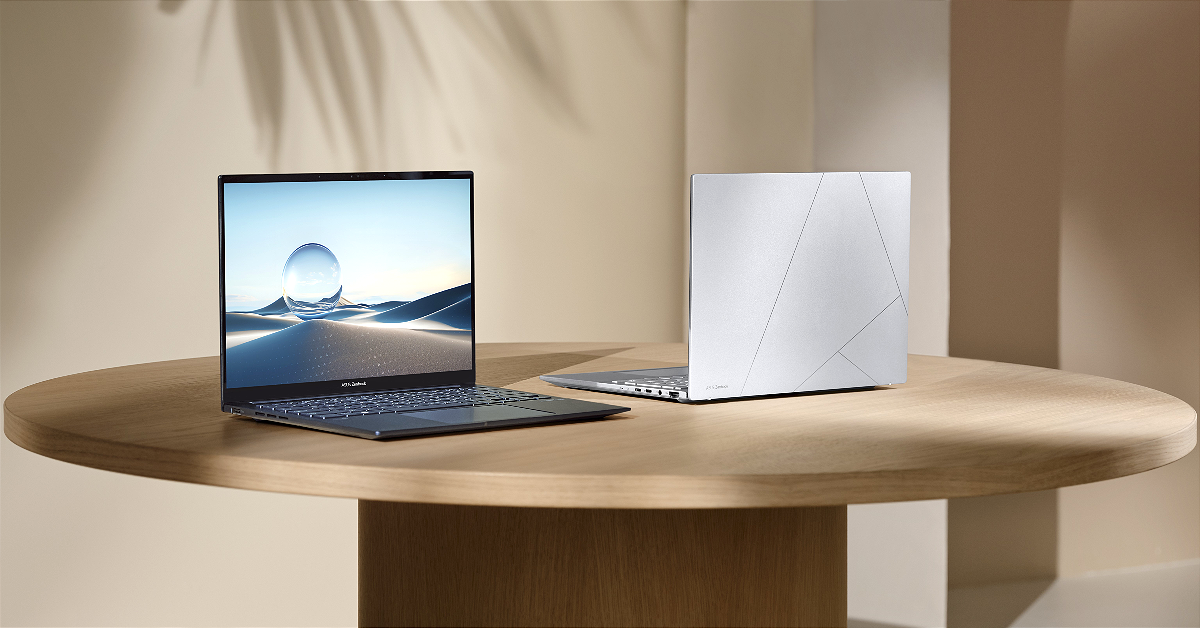
Taiwanese tech brand Asus officially unveiled its new laptop powered by Intel Core Ultra 7 CPU. The company introduced the Asus Zenbook 14 OLED (UX3405) featuring a 3K OLED touch display which supports a 120Hz refresh rate. There is another OLED non-touch display option with a standard 60Hz refersh rate. The new laptop comes with a full-HD IR Webcam with ambient light and colour sensor. Along with an AI processor it is integrated with Intel Arc graphics.
In This Article
Asus Zenbook 14 OLED (UX3405) price in India and sale details
Asus Zenbook 14 OLED (UX3405-PZ552WS)- Rs 99,990
Zenbook 14 OLED (UX3405MA-PZ752WS)- Rs 114990
Zenbook 14 OLED (UX3405MA-PZ762WS)- Rs 120990
Zenbook 14 OLED (UX3405MA-QD752WS)- 109990
All the models will so on sale from January 31 via e-commerce platforms, Amazon and Flipkart.
Asus Zenbook 14 OLED (UX3405) comes in two display options- 14-inch 3KOLED touch display with 1,800×2,880 pixels of resolution. The screen supports a refresh rate of 120Hz, 100 percent coverage of the DCI-P3 colour gamut, 550 nits of peak brightness and DisplayHDR True Black 600 certification. In addition to this, the panel has a 16:10 aspect ratio and 87 percent screen-to-body ratio. On the other hand, the 14-inch full-HD OLED non-touch display has 1,200X1,920 pixel of resolution, 600-nit peak brightness and a refresh rate of 60Hz.
In terms of software, there is Windows 11 preinstalled. Under the chassis, there are Intel Core Ultra 7 155-H processor or Intel Core Ultra 5 125-H processor. Along with the AI-powered Core Ultra 7 processor, there is Intel Arc graphics with up to 32GB of LPDDR5x onboard RAM and you will get up to 1TB of PCIe NVMe M.2 SSD storage.
The Zenbook 14 OLED laptop features an FHD IR camera with a physical shutter (supports face login), and a quiet ASUS ErgoSense keyboard. It packs a 75 Wh battery which supports up to 20% more charging cycles. It is claimed to provide up to 15 hours of unplugged operation. It comes with 2 built-in Harman Kardon speakers with Dolby Atmos. Additionally, there is a built-in array microphone with Cortana and Alexa voice-recognition support.
ViewSonic X1-4K and X2-4K LED Projectors offer 2,900 Lumens of enhanced brightness.
These are claimed to provide a 30,000-hour-long lifespan.
The X1-4K is designed to be mounted on the ceiling whereas the X2-4K can be set up on a table.
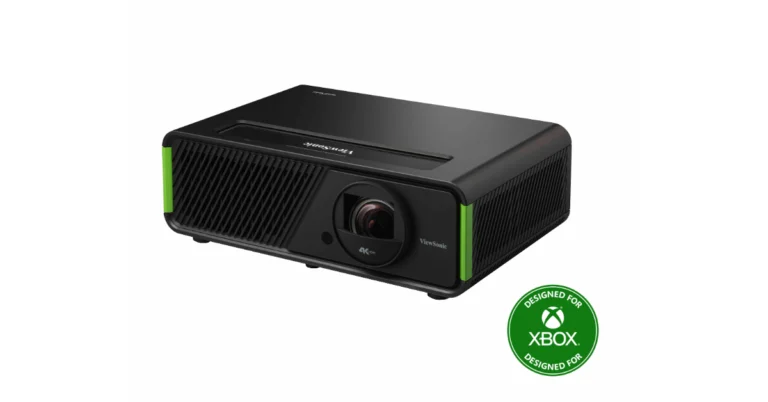
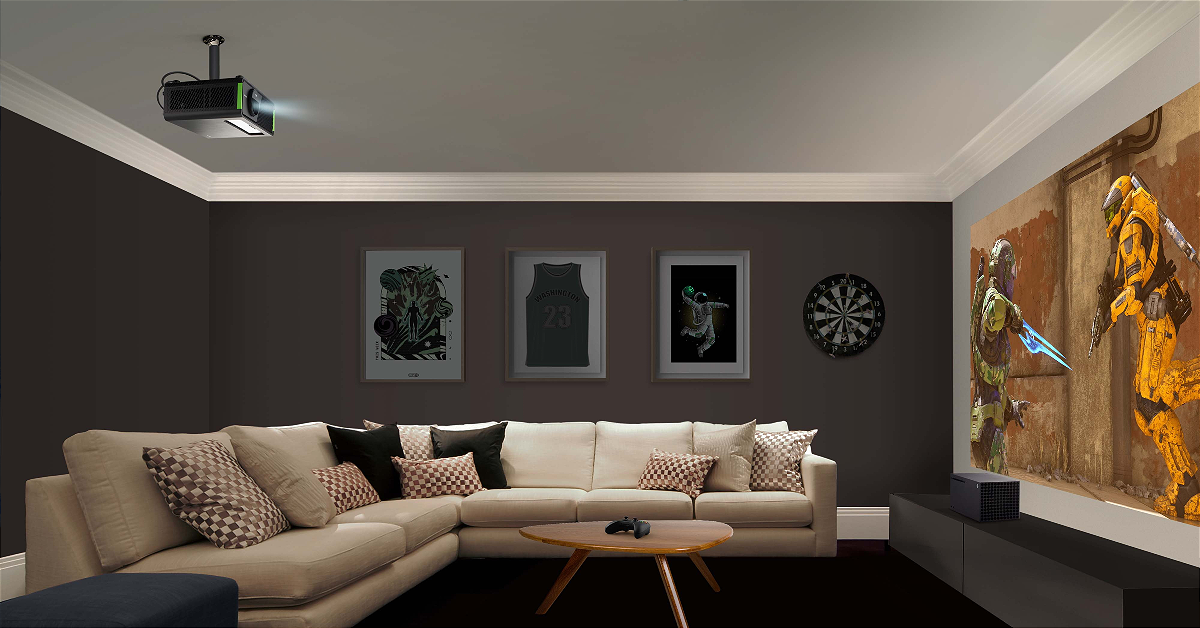
ViewSonic has unveiled the world’s first “Designed for Xbox” projectors- X1-4K and X2-4K LED in India today. Both X1-4K and X2-4K LED projectors provide 4K UHD visuals on a large screen of 100 inches. They come with Harman Kardon speakers. The projectors are designed to make gaming more exciting and realistic.
In This Article
ViewSonic X1-4K and X2-4K LED Projectors price in India and availability
ViewSonic X1-4K projector comes with a price tag of Rs 2,99,000. On the other hand, the short throw X2-4K LED Projector projector is priced at Rs 3,25,000. There is no information on when the projectors will go on sale in the country.
ViewSonic X1-4K and X2-4K LED Projectors features
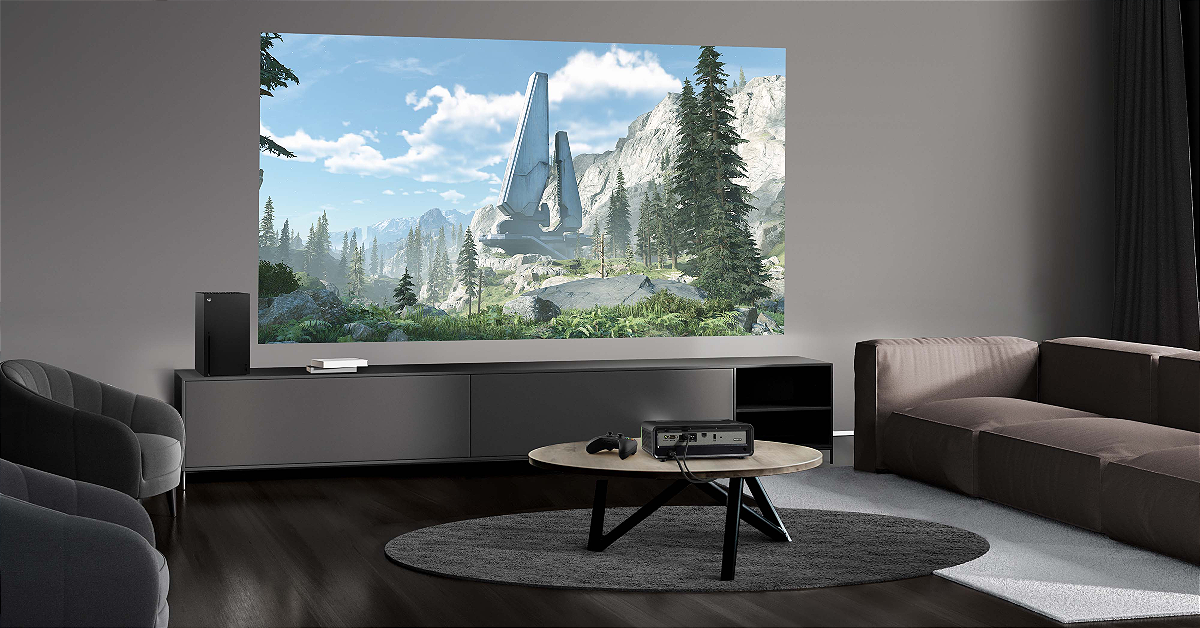
With its standard throw ratio, the X1-4K is mainly meant to be installed in ceilings so that it saves floor space. Whereas the short throw X2-4K can project a wide 100″ display from just 1.5 metres away when placed on a coffee table.
ViewSonic X1-4K Projector
Both ViewSonic X1-4K and X2-4K LED Projectors have been designed for Xbox games and are black and green, echoing the design of the Xbox Series X. As per the company the projectos are compatible with Xbox’s CEC (consumer electronics control), which means that when the console is started, the projector is turned on simultaneously. Additionally, as soon as the console is connected via HDMI 2, the projector automatically switches to gaming mode.
ViewSonic X2-4K LED Projector
Both the devices have 4.2ms Ultra-Fast Input and 240Hz refresh rate for smooth gameplay. The projectors are integrated with Texas Instruments 0.65″ DMD chip to provide a high native contrast ratio and better colours and details. Not only do they offer 4J HDR resolution but are equipped with Harman Kardon speakers.
The 3rd generation LED technology on the X1-4K and X2-4K LED provides 2,900 Lumens of enhanced brightness. They also come with low maintenance with a 30,000-hour-long lifespan. The projectors have received TÜV SÜD’s Low Blue Light certification. Furthermore, because of their four corner adjustment and horizontal/vertical keystone features, the projectors don’t need to be positioned in the centre during setup.
The laptop includes a Lenovo LA-2 AI chip allowing auto-adjusting power for peak FPS.
Additionally, there is an AI-tuned triple-fan air system boasting 6,333 individual vents
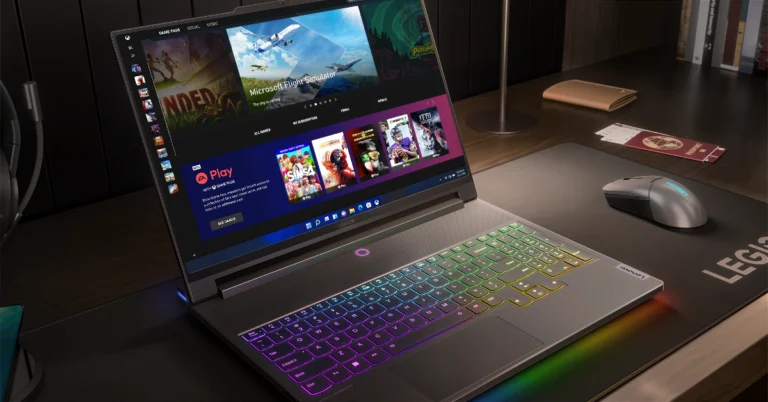
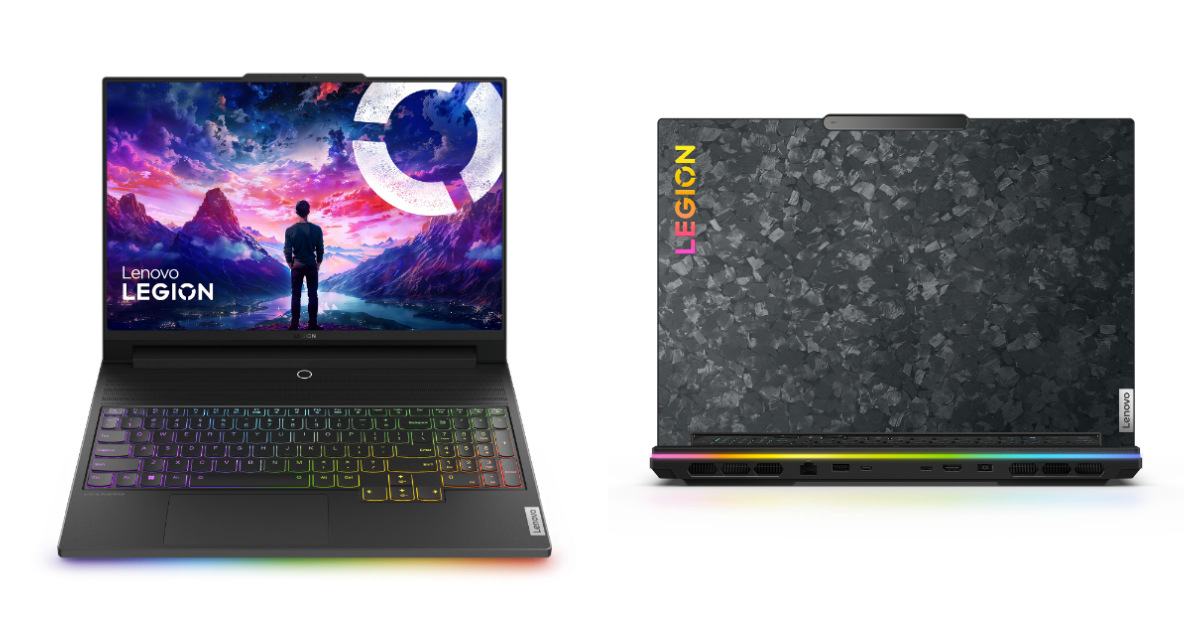
Lenovo has officially introduced its 13th Gen Intel Core i9-series powered Lenovo Legion 9i laptop in India. The machine also includes up to Nvidia GeForce RTX 4090 graphics and Windows 11 Home is pre-installed on it. The device features a 16-inch display with a 3.2K resolution and a refresh rate of up to 165 Hz. The laptop comes with a self-contained liquid-cooling system and a forged carbon A-cover.
In This Article
Lenovo Legion 9i price in India, sale details
Lenovo Legion 9i has been launched with a starting price of Rs 4,49,990. The laptop can be purchased via Lenovo.com, Lenovo Exclusive Stores, leading e-commerce websites, and other offline retail stores across the country.
Lenovo Legion 9i specifications
Lenovo Legion 9i features a 16-inch 3.2K Mini LED display with 2,000×3,200 pixels of resolution. The display panel offers a 94% screen-to-body ratio and a variable refresh rate of up to 165Hz, with vibrant DCI-P3 and sRGB colour fidelity with the pre-installed X-Rite software. The screen comes with a 3ms response time and 1200nits of peak brightness. It also supports Dolby Vision and is DisplayHDR 1000 certified.
The laptop is armed with a 13th Gen Intel Core i9-13980HX processor, up to an NVIDIA GeForce RTX 4090 Laptop GPU. It also comes with 32GB of overclocked 6400Mhz DDR5 Dual Channel RAM and 2TB of SSD M.2 storage.
The Lenovo Legion 9i is integrated with liquid cooling, co-engineered with Cooler Master, and tackles scorching VRAM under extreme gaming loads, kicking in at 84°C for instant chill. Additionally, there is an AI-tuned triple-fan air system boasting 6,333 individual vents, keeping all components ice-cool even during intense gaming and content creation.
Furthermore, there is a dedicated Lenovo LA-2 AI chip allowing auto-adjusting power for peak FPS through its Smart FPS feature, while synchronizing Legion Spectrum RGB throughout, from the keyboard’s per-key TrueStrike illumination.
The device also features a 1080p webcam with an electronic e-shutter for privacy. It boasts a 99.99Whr battery. Additionally, it comes with Windows 11 as well as 3 months of access to Xbox Game Pass Ultimate and Legion Arena consolidates games from multiple platforms and acts like a ‘gaming hub’. Optional Lenovo Premium Care support is also available for people who want access to advanced technical support with at-your-doorstep support and preventative PC health checks.
While Instagram may have introduced the option to save Reels directly to your device, the chances of YouTube getting a similar feature for Shorts are very bleak. The video-sharing platform already has an option to save videos for offline viewing. This includes Shorts as well. But what if you want to download a video directly to your phone’s gallery? Take a look at these 6 ways that will help you download YouTube Shorts on your Android smartphone.
As we mentioned earlier, unlike Instagram, YouTube does not offer a native way to download bite-sized video content from its platform. Before Instagram got this functionality, users relied upon third-party apps on the Play Store to carry out the task. Unfortunately, this isn’t possible for YouTube due to the platform’s stringent content policy. Due to strict copyrights in place, the Play Store constantly weeds out apps that facilitate downloads from YouTube.
This does not mean that there aren’t any ways to download Shorts on your phone. The Internet is full of third-party websites that let you download any video from YouTube, including Shorts. If you don’t want to go down that route, you can always use your phone’s native screen recording feature to capture Shorts. Both these methods will ensure that the video is saved to your phone’s native gallery app.
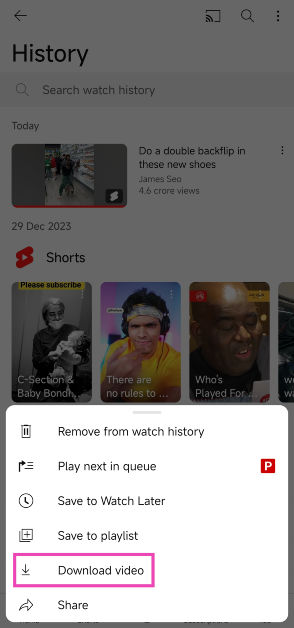
Save a YouTube Shorts video in the app
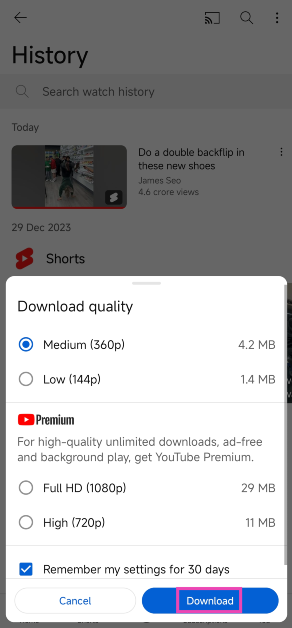
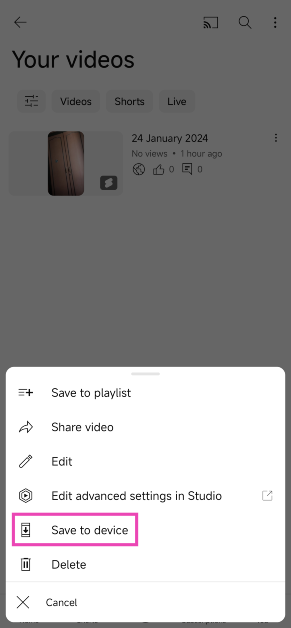
YouTube allows you to save Shorts within the app for offline viewing. The video quality for regular users is limited to 360p, but for Premium subscribers, this limit is pushed to 1080p.
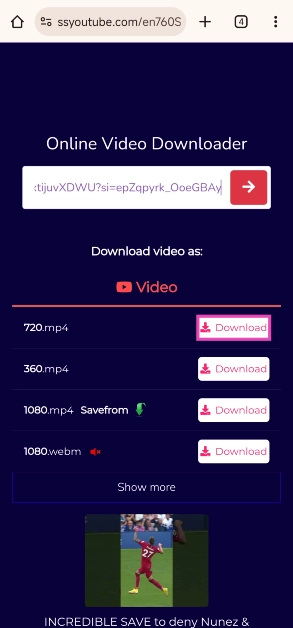
Step 5: Hit Download next to the resolution of your choice.
The video will be saved on your device.
Use a third-party website to download YouTube Shorts (PasteDownload)
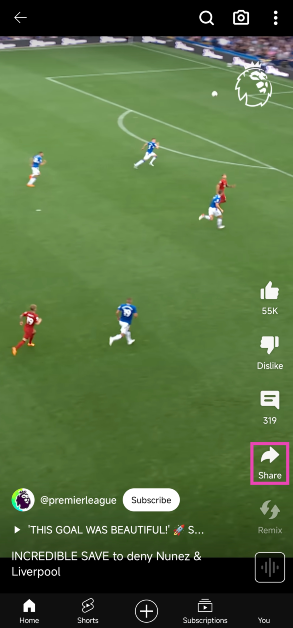
Step 1:Open the YouTube Shorts video you wish to download.
Step 2: Hit the Share button.
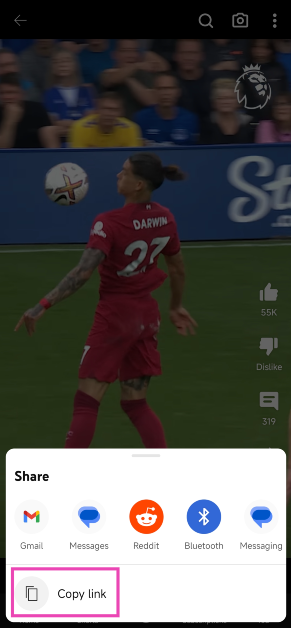
Step 3: Select Copy link.
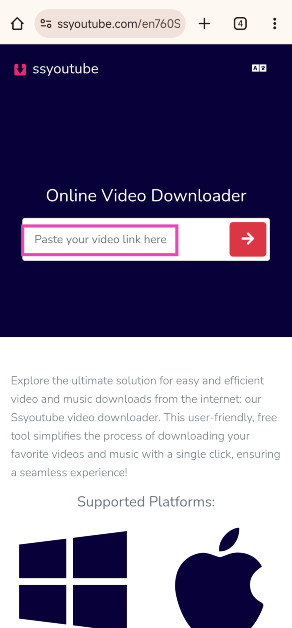
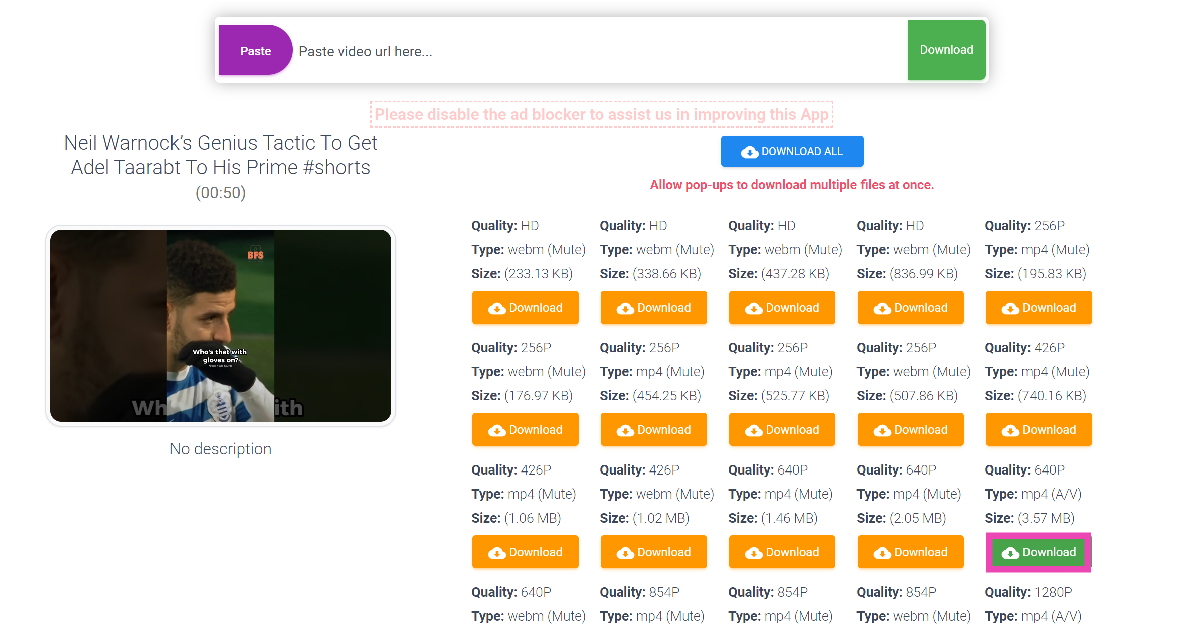
Step 4: Go to PasteDownload and paste the link in the download box.
Step 5: PasteDownload will present a bunch of download options. Hit the option with the green download button to save the video with sound.
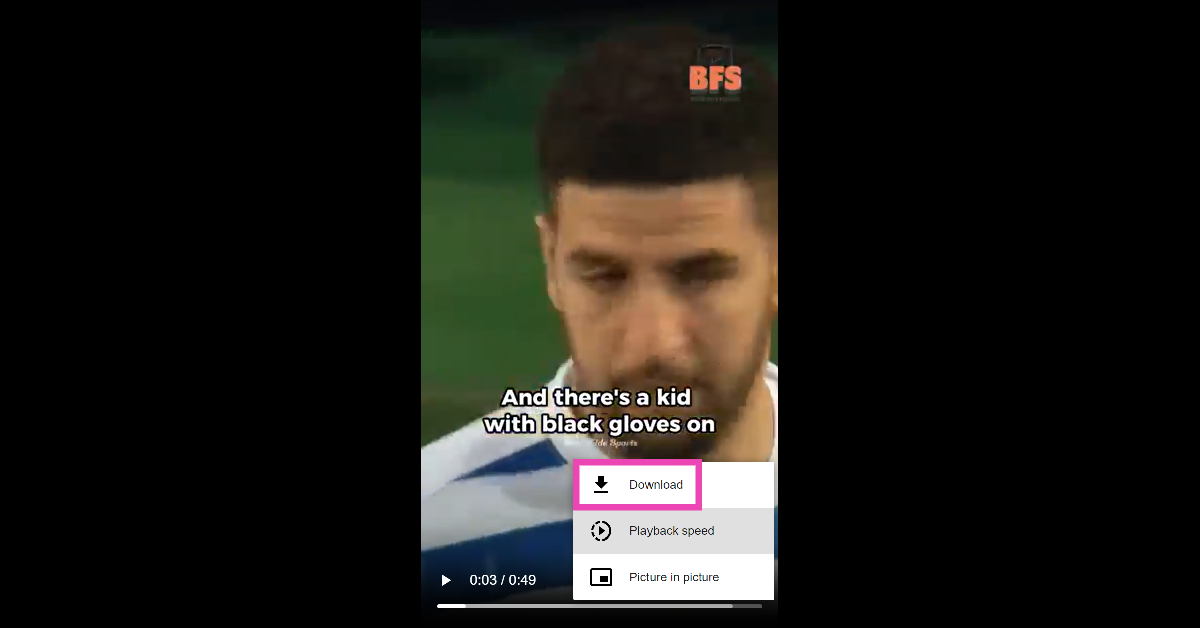
Step 6: The video will open in a new tab. Tap the ellipses and hit Download.
Use YTDLnis
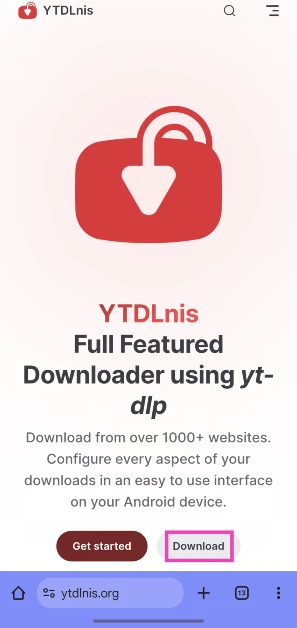
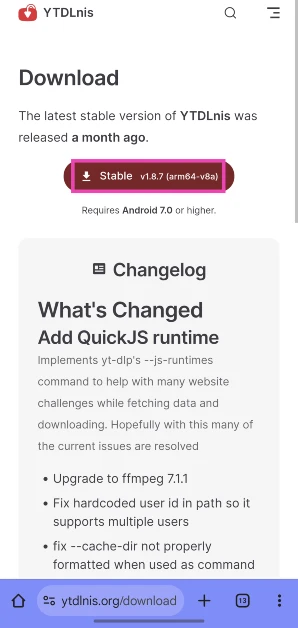
Step 1: Go to https://ytdlnis.org/ and hit Download.
Step 2: Download the stable APK from the website and install it on your phone.
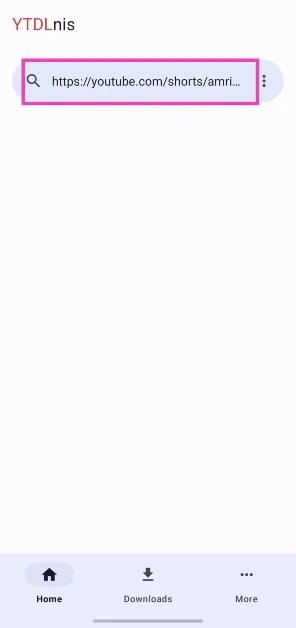
Step 3:Launch the app and paste the link to the YouTube Short you wish to install in the text box.
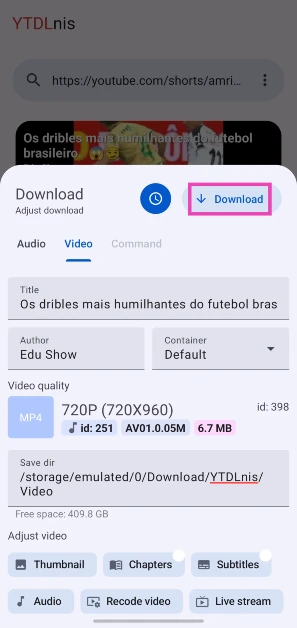
Step 4: Hit Download.
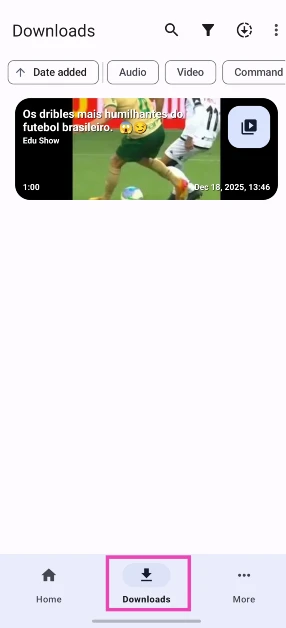
Step 5: The Short will appear in the Downloads tab.
Screen record your phone to download YouTube Shorts
Android does not allow third-party apps to download YouTube videos, including Shorts. If you don’t want to use a third-party website like SSYouTube and PasteDownload, your best option is to record your phone’s screen while the video is playing. Here’s how you can go about it.
Step 1:Launch the YouTube app and go to the Shorts video that you wish to download.
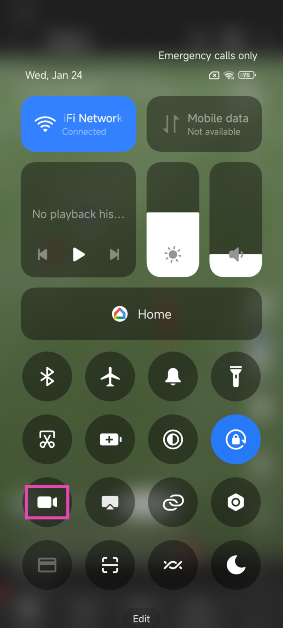
Step 2:Pause the video before it begins to play. Swipe down from the status bar and tap on the screen recording tile.
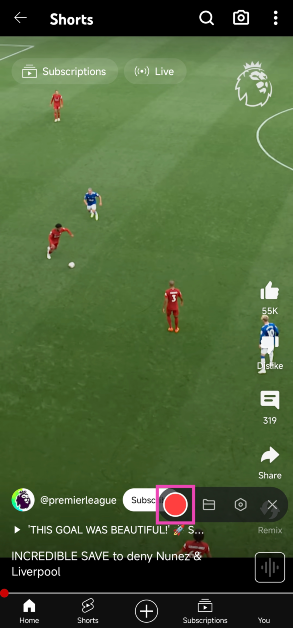
Step 3: Hit the record button and play the video.
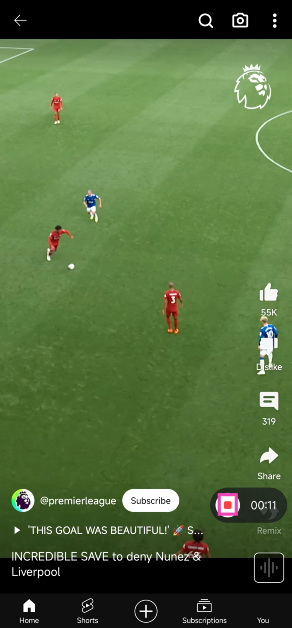
Step 4: Hit the stop button once the video ends.
The video will be saved to your phone’s internal memory.
Frequently Asked Questions (FAQs)
Is there an app to download YouTube Shorts on Android?
Due to YouTube’s copyright restrictions, Google Play Store does not allow YouTube video downloader apps on its platform.
How do I download YouTube Shorts to my phone’s storage?
Copy the link of the YouTube Shorts video you want to save on your device, go to the PasteDownload website, and paste the link in the download box. Hit the download button to save the video to your device.
How do I download YouTube Shorts on my phone without using any app?
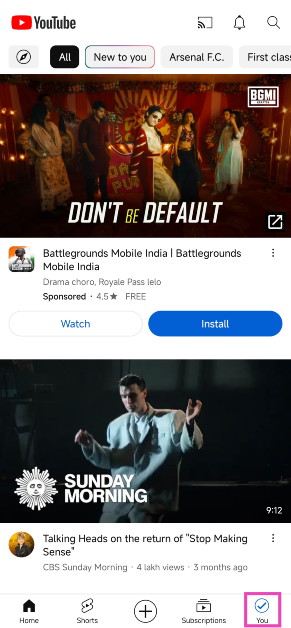
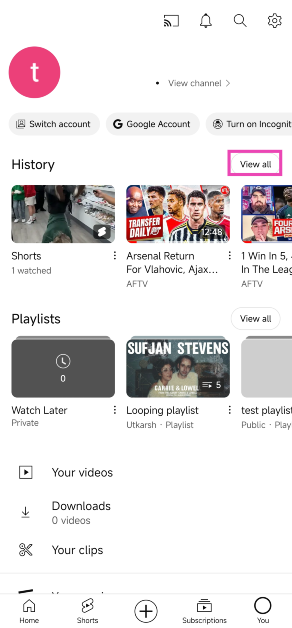
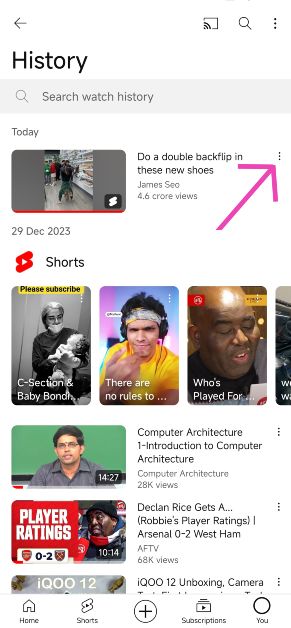
You can save YouTube Shorts for offline viewing by going to your Watch History, tapping the ellipses next to the Shorts video, and selecting ‘Download video’. You can also screen record the video if you want to save it to your phone’s gallery.
These are the top 6 ways to download YouTube Shorts on your Android smartphone in 2024. The videos that you save for offline viewing in the YouTube app remain there for 30 days. After that, you need to download them again. If you know any other way to save Shorts on your smartphone, let us know in the comments!
The ANC can be adjusted using three different modes.
The TWS earphones offer up to 49dB Adaptive Noise Cancellation.
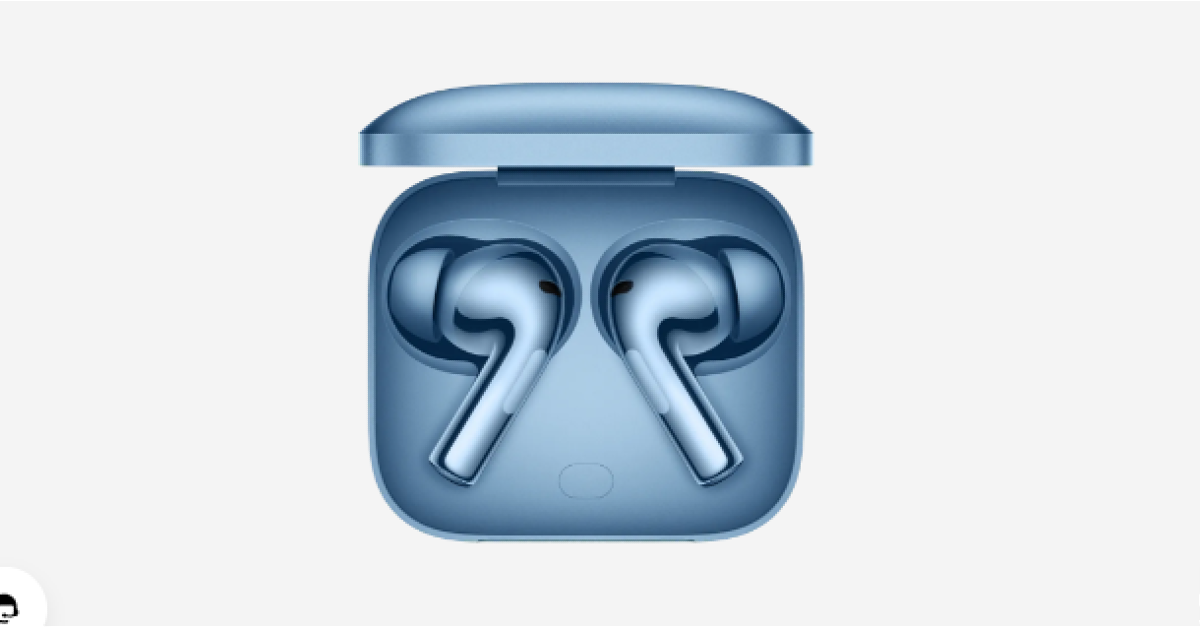
OnePlus Buds 3 was launched in China earlier this month and has now arrived in India. The company today introduced the premium earphones alongside the OnePlus 12 and OnePlus 12R. The device features a 10.4mm driver unit. It also supports an LHDC 5.0 hi-res audio. Additionally, it comes with three levels of active noise cancellation and a transparency mode. The buds also provide a dual connection with ultra-low latency.
In This Article
OnePlus Buds 3 specifications
OnePlus Buds 3 comes equipped with a 10.4mm driver unit. The Buds 3 delivers an ultra-wide 15Hz to 40KHz frequency response, offering commanding bass, exquisite treble, and soul-touching vocals. The device supports active noise cancellation (ANC) with three modes – mild, moderate, and depth. The three available modes offer ANC levels of 10 dB, 20 dB, and 49 dB, respectively. There is a transparency mode which can let them hear background noise. The noise cancellation has also earned the Buds 3 a TÜV Rheinland certification as a High-Performance Noise Cancellation device. Additionally, three microphones support LHDC 5.0 Hi-Res audio output alongside AAC and SBC Bluetooth codec. The audio device also comes with Dynamic Bass technology. It offers 94ms low latency and comes with game sound effects that can be customised as per liking. With these true wireless earbuds, gamers can experience 3D surround sound.
The OnePlus Buds 3 houses a 58mAh battery. The charging case boasts a 520mAh battery and a USB Type-C port. The TWS earbuds promise to provide up to 6.5 hours of playtime and up to 28 hours with the case (ANC on). When ANC is turned off the wireless earphone offers up to 10 hours of playback time and runs up to 44 hours with the charging case. Quick 10 minutes of charge provides up to 7 hours of playback.
Additionally, the IP55 classification for dust and splash protection is included with the earbuds. These are compatible with smartphones, tablets, or laptops running Android, iOS, or Windows.
OnePlus Buds 3 price in India, availability details
OnePlus Buds 3 has been launched in India with a price tag of Rs 5,499. The device comes in two colour options Metallic Gray and Splendid Blue. The buds are scheduled to go on sale on February 6 at noon via OnePlus.in, OnePlus Experience Store, Amazon, Flipkart, Myntra and Offline Partner Stores.
Users can avail of an Instant Bank Discount of Rs 1000 via purchase with ICICI and OneCard credit cards from February 6th-12th. RCC members can also avail an additional Rs 800 off.
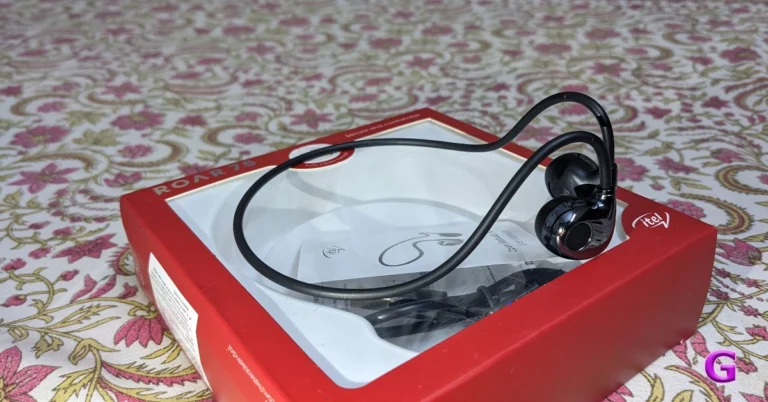
Homegrown tech brand, Itel, has launched its first open-ear headset in India — Itel Roar 75. The cost of the gadget is less than Rs 1,500. It has a lightweight design and can pair with two devices. Furthermore, it has 14.2mm dynamic speakers with support for Environmental Noise Cancellation to provide crystal-clear audio. A stable fit is guaranteed for sporting activities with this headset. The specs sheets look interesting but is it as amazing as the company claims? This is why we reviewed them to know whether they are worth buying.
In This Article
Itel Roar 75 Review: Design
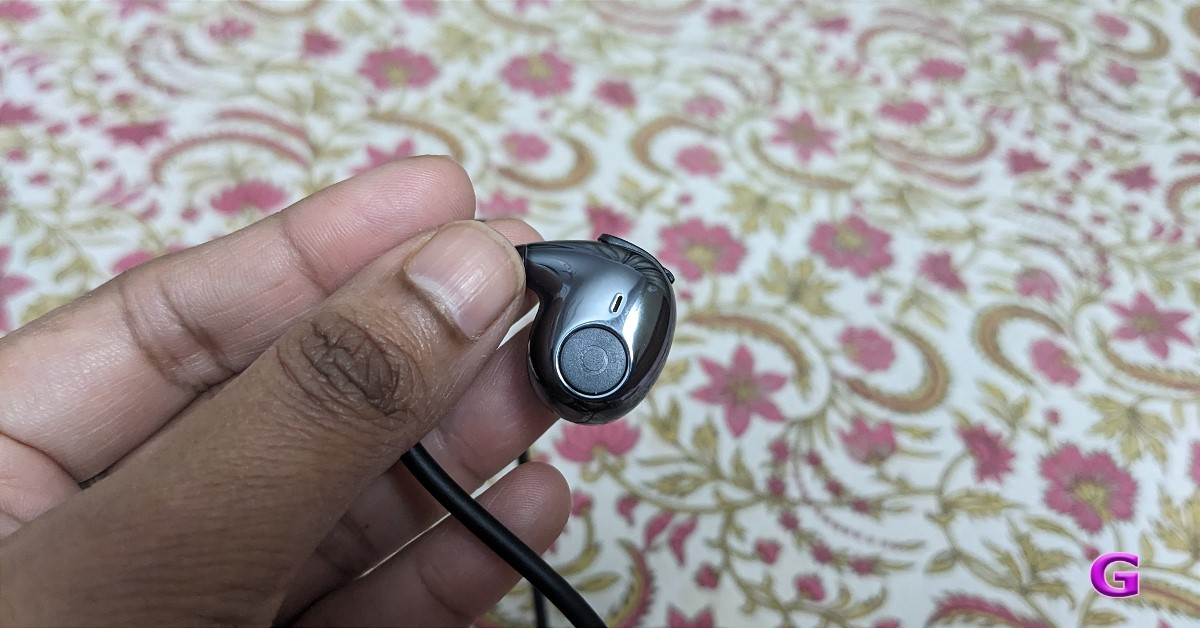
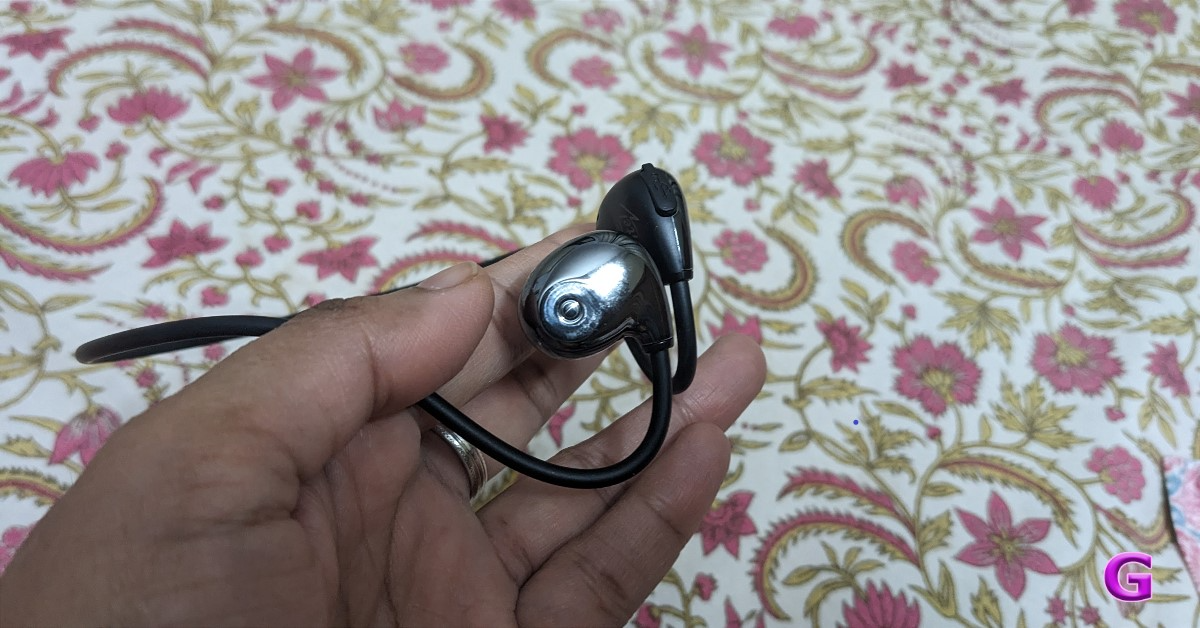
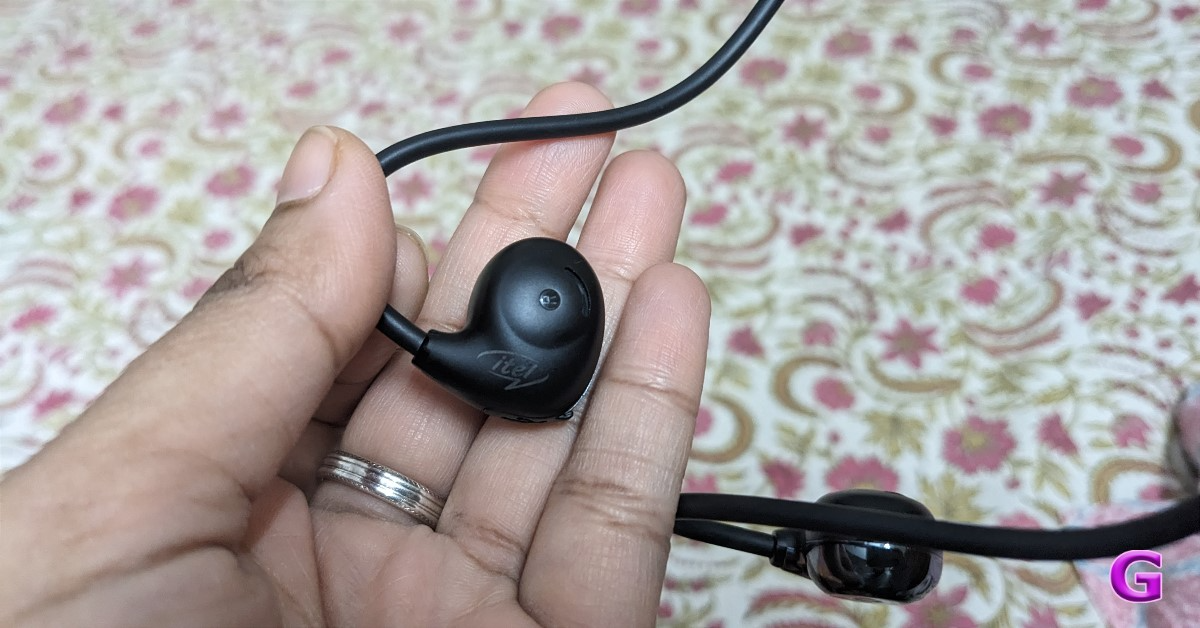
The Itel Roar 75 has an open-ear design. It seems robust and lightweight because of the titanium used in its body frame. The neckband is bendable and extremely thin. There are two finishes on the earphones. The interior features a matte plastic finish with the brand’s logo, while the exterior is glossy and resembles chrome. It comes in just one colour option right now, which is blue.
Thanks to the use of a titanium body frame, it weighs only 11 grams.
The fit is comparable to that of over-the-ear headphones, with the exception that the band is fitted behind your ears. Remember that these earbuds are not as comfortable as those that insert into your ear canal. The ear tips are not adjustable and are meant to sit on top of your ear, not precisely inside the ear canal. As a result, these don’t require separate silicon tips and may be worn by everyone. You do not get a completely secure fit, similar to other earphones.
On the flipside, There won’t be any irritation if you use them for an extended period. Running, jogging, and other outdoor sports are made possible by the earbuds’ design.
There is a button visible on the right side of the earpiece. This button can be long-pressed to turn on the device. It turns on with a soft glow, and then it is ready to pair with your smartphone. Additionally, you can use this button to play or pause music with a single click, and can move on to the next song with a double click. In addition, you can activate Google Assistant by long pressing.
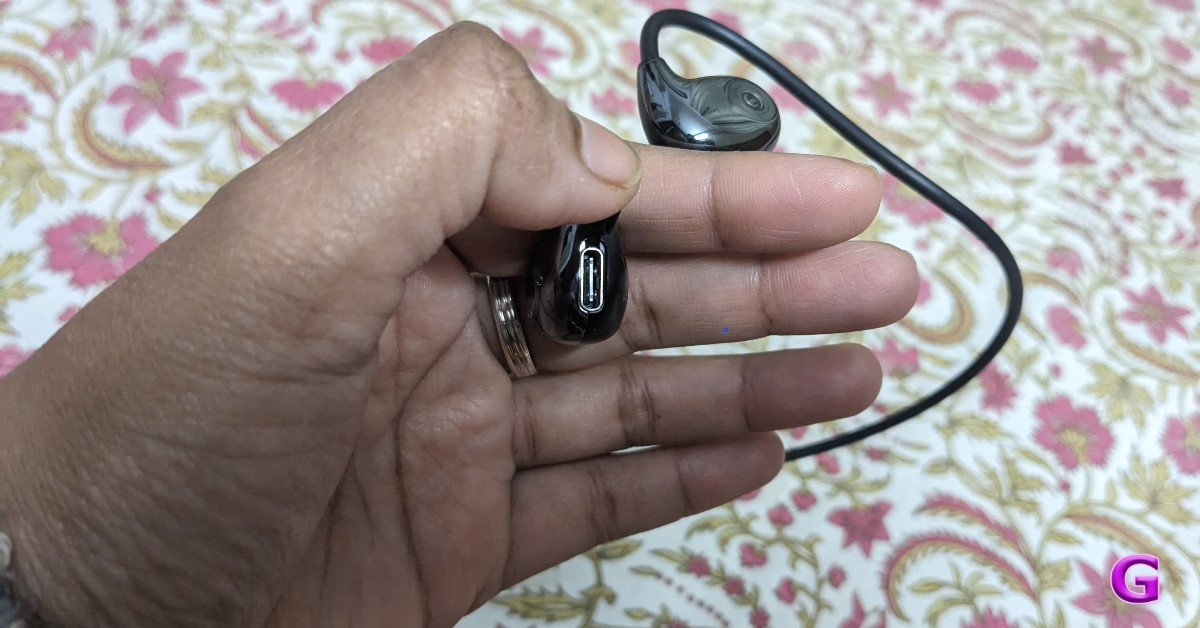
The right side of the earbuds has a USB Type-C connector for charging.
Itel Roar 75 Review: Performance
Let’s discuss the audio quality of these earphones. With a 14.2 mm driver unit, the audio quality can be deemed as decent considering the price. Because it doesn’t get all the way inside your ears, the audio is not particularly loud and lacks richness. Because these earbuds have an open-ear design, it is acceptable that the vocals and instrument separation are not the best and that the music lacks a bit of bass. Additionally, there is audio leakage caused by the design, which allows people sitting near you to hear what you are listening to.
Additionally, there is no option to adjust the volume from the device, therefore you must do so on the linked device.
Furthermore, environmental noise cancellation is supported by this device. However, since this feature only functions properly with properly fitting earphones and not with those that have an open ear design, it is useless with these earbuds.
Despite offering 45ms ultra-low latency, the Itel Roar 75 is not intended for gaming. We did not encounter any latency or audio sync problems during testing.
It also allows you to accept and reject calls. Call quality is not too problematic. For the price, it’s decent but not outstanding.
Bluetooth 5.2 is the connectivity technology used by the Itel Roar 75. Ten metres is the wireless range that it has. Your smartphone can be effortlessly connected to the earbuds. Additionally, the headset has a dual pairing feature that lets it pair with two devices simultaneously. Our laptop and smartphone connected to them without any issues.
Even though it has a 60mAh battery, it can run for up to 13 hours. It supports charging via USB Type-C. When the volume is set to 100%, the earphones can last 6 to 7 hours on a single charge after taking around an hour to fully charge.
Verdict
According to their promises, the titanium metal backbone ensures longevity and stability even during intense physical activity. Because the earphones rest in the ear canal rather than within the ears, they won’t hurt your ears if you wear them for an extended period. This is why we loved the design and fit of the earphones. It fits your ears comfortably, although it’s not a perfectly snug fit. The headset does not completely block out outside noise, even if it supports ENC.
Although the sound quality could have been better, it is still decent considering the price (Rs 1,099).
Garena Free Fire is a battle royale game with regular awards and tournaments to keep players interested. If you play Garena Free Fire, you should be aware of the redeem codes that are released on a daily basis. However, because the battle royale game is banned in India, players from other countries can use the Free Fire Redeem codes daily. If you’re unfamiliar with the Garena Free Fire redeem codes or don’t know how to get them, we’ve put together a step-by-step guide to help you redeem them. Check out Garena Free Fire Redeem Codes for 24 January 2024.
The Free Fire redeem codes are a great way to get free stuff. These are 12-digit codes that contain alphabets and numbers, as well as an expiration date and time. Because the Garena FF redeem codes cannot be used more than once, you should hurry to the redemption page to claim your free reward before someone else does. To get a free reward, all you have to do is go to reward.ff.garena.com/en, which is the official redemption page. Also, keep an eye on this space for daily updates on Garena Free Fire redemption codes and rewards.
In This Article
Garena Free Fire Redeem Codes Today 24 January 2024
HHNAT6VKQ9R7
TDK4JWN6RD6
XFW4Z6Q882WY
4TPQRDQJHVP4
WD2ATK3ZEA55
VNY3MQWNKEGU
2FG94YCW9VMV
FFDBGQWPNHJX
V44ZZ5YY7CBS
U8S47JGJH5MG
FFIC33NTEUKA
ZZATXB24QES8
E2F86ZREMK49
HFNSJ6W74Z48
How to Get Free Fire Redeem Codes for Garena on 24 January 2024?
In October 2019, Instagram introduced the ‘Restrict’ feature to combat bullying on the platform. While blocking someone is the perfect way to cut off their access to your profile, it could lead to the person stalking you with multiple profiles. If you’re comfortable with the person viewing your posts, but don’t want their comments to show up on your profile, restricting them is the way to go. Let’s take a closer look at what restricting someone on Instagram means and what restrictions it imposes on the user.
What happens when you Restrict someone on Instagram?
Restricting someone on Instagram curtails how they can interact with you on the platform. They will be able to view your content (posts, stories, reels) on Instagram, but the comments they leave on your posts will not be made public unless you approve them. Until the comment is made public, no one except the restricted user will be able to see it on your profile.
Messages from restricted users land directly in the ‘Requests’ folder in your Instagram DMs. You will not be notified about these messages. Opening a DM from a restricted user does not send them a read receipt. However, if you want to respond to the DM, you will need to unrestrict the user.
In order to combat harassment and cyberstalking, Instagram does not show your online status to restricted users. This means they will not be able to see the green dot next to your profile in their DMs. This green dot signifies to your followers that you are online.
So, the question remains – when should you restrict someone on Instagram? The answer lies in the key factor that differentiates it from blocking someone. If you don’t want the person to view your content at all, blocking them is the way to go. However, if you only want to restrict their presence on your profile, restricting works just fine. The latter is an easier way of ignoring someone and does not lead to any unnecessary confrontation that may arise after blocking them.
How do I find out if I have been restricted by someone on Instagram?
The easiest way to find out if someone has restricted you on Instagram is by leaving a comment on one of their posts and asking a mutual friend if they can see it. If they cannot see the comment, it means you have been restricted by the user.
What is the difference between blocking and restricting someone on Instagram?
Blocking someone ensures they cannot view your profile or content and are unable to contact you via DMs. Restricting someone does not take away their access to your profile or DMs. Instead, their messages will land directly in the ‘Requests’ folder and their comments will be hidden by default on your profile.
So now that you know what it means to restrict someone on Instagram, you can use it instead of the block button in situations that demand milder actions. Since Instagram does not notify people when they get blocked or restricted, you don’t have to worry about them drumming up noise after you take this action. If you have any other questions about this feature, let us know in the comments!
The OnePlus 12R comes with a repositioned Lert Slider.
The gaming smartphone supports 100W SUPERVOOC charging.
The handset will go on sale on February 6.
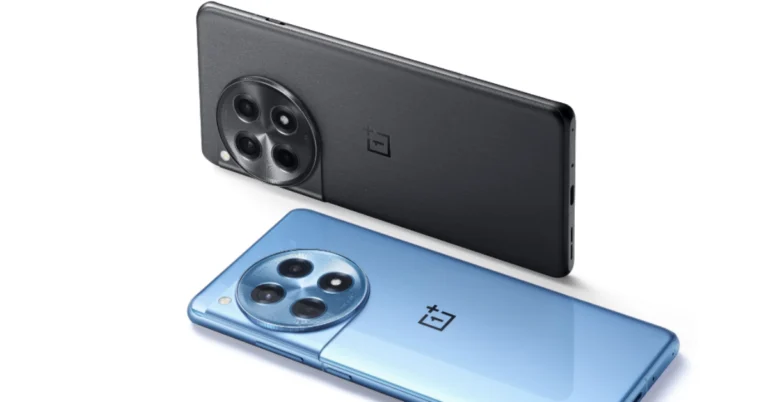
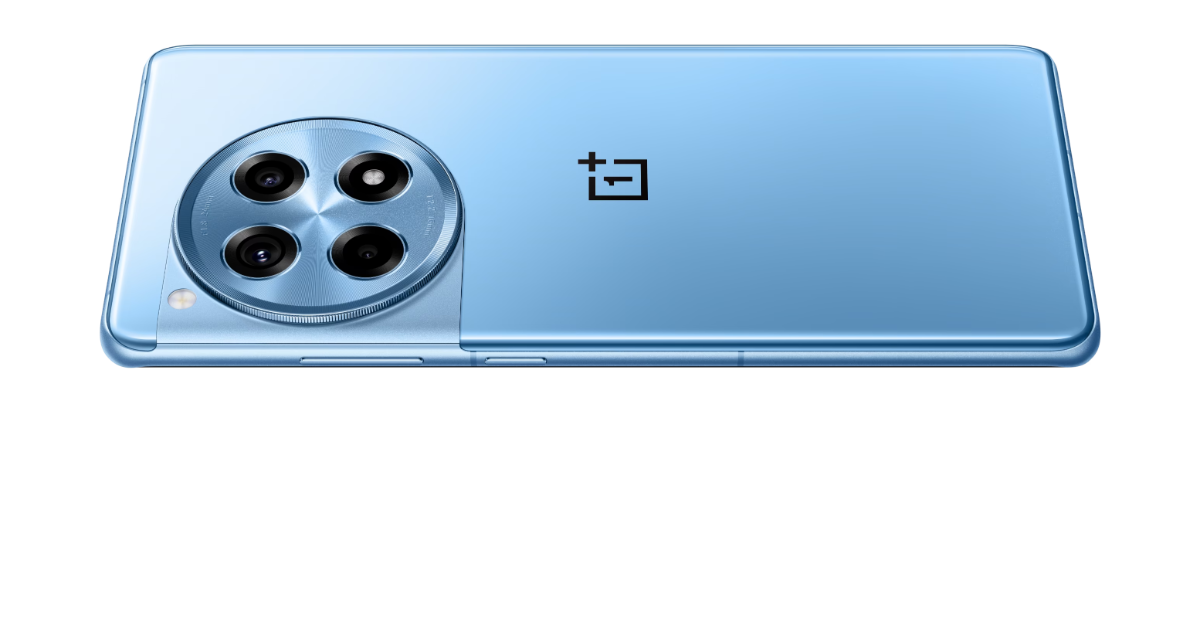
OnePlus today officially unveiled its latest gaming-centric phone- the OnePlus 12R. The device has been launched in India and globally alongside the flagship OnePlus 12 smartphone. The gaming smartphone by OnePlus looks very similar to its elder sibling. The device is powered by Qualcomm Snapdragon 8 Gen 2 SoC. It comes with an AMOLED screen with 1.5K resolution. Additionally, just like its sibling, the handset includes 100W SuperVOOC fast charging support.
In This Article
OnePlus 12R Specifications
The OnePlus 12R features a 6.78-inch Oriental AMOLED LTPO display with 1,264×2,780 pixels of resolution: Here are the following specs of the display:
Supports up to 120Hz adaptive refresh rate
360Hz touch sampling rate
2160Hz instant touch sampling rate
4,500 nits peak brightness
360Hz touch sampling rate
Corning Gorilla Glass Victus 2 protection.
At its heart the an octa-core 4nm Snapdragon 8 Gen 2 SoC, along with Adreno 740 GPU. The device comes with up to 8GB of LPDDR5x RAM options and 256TB UFS 4.0 storage.
For photos and videos, there is a triple rear camera setup on the OnePlus 12R that includes the following:
50-megapixel Sony IMX890 primary sensor with an f/1.8 aperture and OIS
8-megapixel ultra wide-angle sensor with f/2.2 aperture
2-megapixel macro camera with f/2.4 aperture
The device is highlighted with a 16-megapixel front-facing camera with f/2.4 aperture for taking selfies.
For connectivity, there is 5G, 4G LTE, Wi-Fi 7, Bluetooth 5.3, Beidou, GLONASS, Galileo, GPS, and NFC. Additionally, there is an accelerometer, e-compass, gyroscope, gravity sensor, geomagnetic sensor, IR control, light sensor, colour temperature sensor, proximity sensor, and X-axis linear motor.
The stereo speaker setup on the phone supports Dolby Atmos.
OnePlus 12R is backed by a 5,500mAh battery with 100W SuperVOOC fast charging support. OnePlus 12R has the iconic OnePlus Alert Slider located in its new home on the left of the phone.
OnePlus 12 has officially made its debut in India.
The newly launched flagship smartphone comes with a Dual Cryo-velocity VC Cooling System.
The phone also has an LTPO OLED screen that supports a refresh rate of 120 Hz.
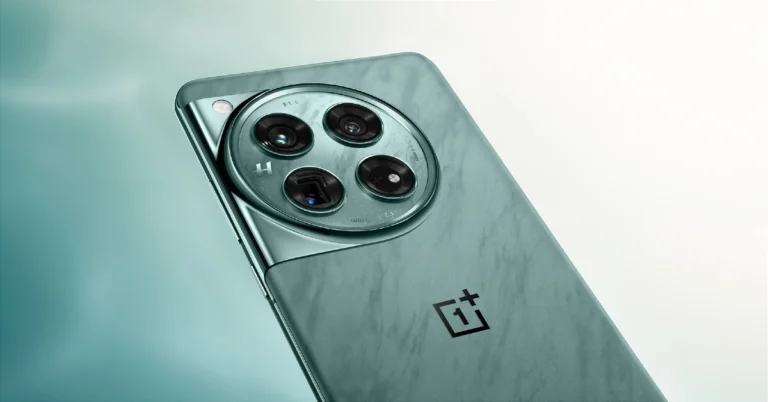
At the OnePlus launch event today, the company officially launched the OnePlus 12 in India and the global market. The triple camera setup tuned by Hasselblad is a standout feature of the OnePlus 12. The camera module includes a Sony LYT-808 sensor with a 50-megapixel primary camera. Qualcomm’s most recent flagship Snapdragon 8 Gen 3 SoC powers it. The phone runs ColorOS 14, which is based on Android 14.
In This Article
OnePlus 12 price in India
OnePlus 12 pricing with configuration is listed below:
12GB RAM with 256GB storage: Rs 64,999
16GB RAM with 512GB storage: Rs 69,999
OnePlus 12 Availability and offer details
OnePlus 12 is offered in two colourways Flowy Emerald and Silky Black. Pre-orders start today whereas the open sale kicks off on January 30.
Customers can avail an instant bank discount of INR 2,000 with ICICI credit card and OneCard
Customers can avail a special exchange bonus of up to INR 10,000 while purchasing the OnePlus 12
Customers can also buy the phone with OnePlus Easy Upgrades and get 35% assured value at the end of the 24 months.
A special pre-booking offer is available for INR 1,999, where customers can pre-order the OnePlus 12 from 23rd January and also avail no cost EMI for 12 months
The first 1,000 customers who order the OnePlus 12 are entitled to exclusive OnePlus Merchandise
OnePlus 12 and users can link to RCC and avail a special coupon discount of INR 3,000 discount while purchasing the OnePlus Pad
Customers can also avail of 50% off on the Accidental Damage Protection Plan, available on OnePlus.in, OnePlus Store App and OnePlus Experience Stores
OnePlus 12 specifications
The 6.82-inch quad-HD+ LTPO OLED screen is the OnePlus 12’s primary feature which has 1,440 x 3,168 pixels of resolution. The front panel has an adaptive refresh rate ranging between 1Hz and 120Hz. Additionally, 4,500 nits of screen brightness is supported. The smartphone also has an IP65 rating that protects it from dust and water. Under the hood sits Qualcomm’s 4nm Snapdragon 8 Gen 3 SoC. Up to 12GB of LPDDR5X RAM and up to 512GB of UFS 4 internal storage are available for the device.
OnePlus 12‘s standout feature is its triple rear camera setup powered by Hasselblad. It includes the following:
Sony LYT-808 sensor with a 50-megapixel primary camera (OIS, and f/1.6 aperture)
The 32-megapixel front-facing camera (f/2.4 aperture) is provided for video calling and selfies.
The sensors onboard include an under-display fingerprint sensor, gyroscope, accelerometer, magnetometer and proximity sensor. Additionally, it comes with 5G, 4G LTE, Wi-Fi 7, Bluetooth 5.4, GPS, NFC, and a USB Type-C port for connectivity.
The phone is powered by a 5,400mAh battery with compatibility for 100W SuperVOOC wired, 50W wireless, and 10W reverse wireless charging. The handset takes only 26 minutes from 1% to 100% battery capacity. The phone also includes a Dual Cryo-velocity VC Cooling System, featuring a 3D capillary dissipation structure and a dual VC design to significantly reduce overheating.








 Step 8: