

Reliance Digital launched new HP Smart SIM laptop 100GB of free bandwidth: How to avail the offer
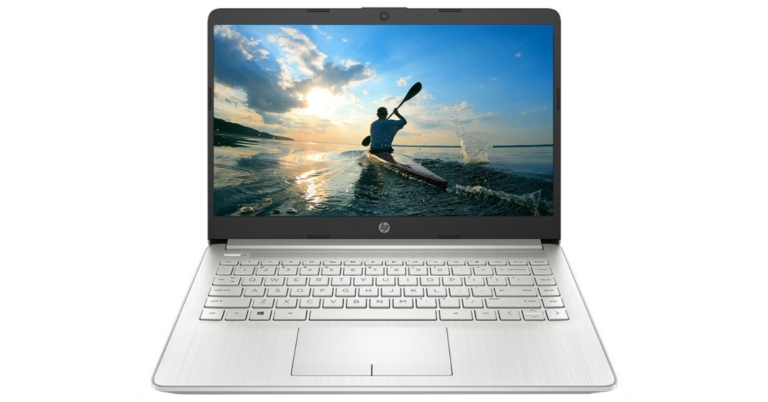
A new HP Smart SIM laptop with 100GB of free data has been unveiled by Reliance Digital. It is a smart LTE laptop offer, the HP Smart SIM Life allows consumers to benefit from Jio Digital Life with 100GB of free data when using an appropriate HP Smart SIM.
A new HP Smart SIM laptop with 100GB of free data has been unveiled by Reliance Digital. New purchasers of specific HP laptops are eligible for the free 100GB data promotion. If you buy a Smart LTE laptop from HP, you’ll be eligible to receive 100GB of free data. Noteworthy, consumers will need a Jio HP Smart SIM to take advantage of this promotion. Consequently, you cannot just choose any laptop if you want to receive 100 GB for free. To receive 100 GB of data for 365 days valued at Rs 1000 with a new eligible HP LTE laptop and a new Jio SIM, you must choose only HP-eligible laptops.
Moreover, the customers can receive a new Jio SIM with 100 GB of free data for a year, valued Rs 1500, at no additional cost when they buy a qualifying device. However, internet speed is reduced to 64 Kbps once the 100 GB of data has been used up, and stays that way for the remainder of the validity term.
Tecno Spark 9 set to release in India on July 18
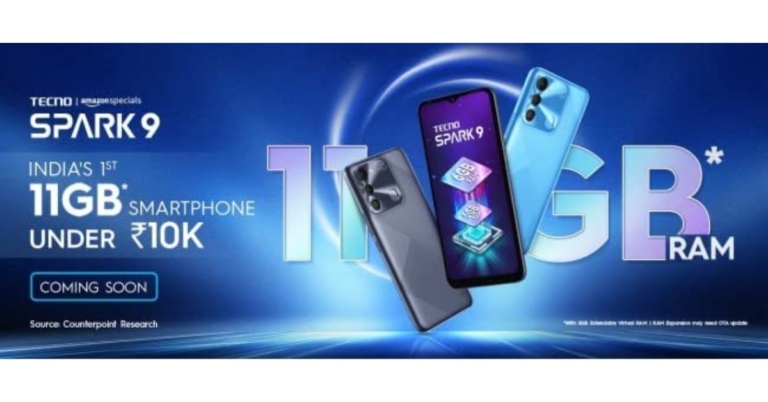
The Chinese smartphone company Transsion Holdings brand Tecno is all set to announce a new smartphone in the Indian market soon. The company officially announced to release Tecno Spark 9 in the country on July 18. Ahead of the official launch, the smartphone has been listed on Amazon providing information about its appearance, features and its availability.
Tecno took to Twitter to announce that it will be launching Tecno Spark 9 in India on July 18. Both Amazon and the company’s official website will offer the Tecno Spark 9 to interested customers. A special microsite has been created on Amazon revealing the key highlights of the smartphone.
The listing also states that the Tecno Spark 9 will be the first smartphone to be priced under Rs 10,000 and to feature 11GB of RAM. However, the precise price has not yet been disclosed. Front-facing waterdrop notch display is found in the Tecno Spark 9. It has a square camera module at the back with a dual camera configuration, a prop camera, and an LED flash to create the appearance of three cameras. There are two colour choices for the phone: Sky Mirror and Infinity Black.
The Tecno Spark 9’s specifications are available on Amazon. The smartphone will sport a 6.6-inch HD+ display with a 90Hz refresh rate and run Android 12. It has 6GB of RAM and an octa-core MediaTek Helio G37 SoC as its power source. The phone also permits the increase of the virtual RAM by 5GB utilising internal storage. It has a dual-camera system on the back. Additionally, the Tecno Spark 9 has a fingerprint reader on the back. It also has a 5,000mAh battery.
Apart from this, the Chinese retailer has hinted that the Tecno Spark 9 will be released in the nation alongside the Tecno Camon 19 and Camon 19 Neo. Last month, both of the new phones were launched in Bangladesh.
The Tecno Camon 19 has a 6.8-inch full-HD+ display. It operates on Android 12 with HiOS 8.6 on top. The phone sports an octa-core MediaTek Helio G85 SoC and comes with 4GB or 6GB of RAM. There is a triple-back camera array with a 64-megapixel RGBW main sensor. The front of the Tecno Camon 19 has a 16-megapixel selfie camera sensor.
For the latest gadget and tech news, and gadget reviews, follow us on Twitter, Facebook and Instagram. For newest tech & gadget videos subscribe to our YouTube Channel. You can also stay up to date using the Gadget Bridge Android App. You can find the latest car and bike news here.
Garena Free Fire Redeem Codes Today 16 July 2022: Here is how to claim them

Garena Free Fire is a battle royale game with regular awards and tournaments to keep players interested. If you play Garena Free Fire, you should be aware of the redeem codes that are released on a daily basis. However, because the battle royale game is banned in India, players from other countries can use the Free Fire Redeem codes daily. If you’re unfamiliar with the Garena Free Fire redeem codes or don’t know how to get them, we’ve put together a step-by-step guide to help you redeem them. Check out Garena Free Fire Redeem Codes for July 16.
The Free Fire redeem codes are a great way to get free stuff. These are 12-digit codes that contain alphabets and numbers, as well as an expiration date and time. Because the Garena FF redeem codes cannot be used more than once, you should hurry to the redemption page to claim your free reward before someone else does. To get a free reward, all you have to do is go to reward.ff.garena.com/en, which is the official redemption page. Also, keep an eye on this space for daily updates on Garena Free Fire redemption codes and rewards.
In This Article
Garena Free Fire Redeem Codes Today 16 July 2022
Z2FB-HASU-3VXS 4UBY-XPTW-ERES FXDS-TSWY-QTJ9 BKSK-ECCM-JZEB L8LN-F5WK-2YPN TPNA-MS84-ZE8E 26JT-3G6R-QVAV A46N-U6UF-Q2JP 6LU6-9JJZ-J7S8 FAG4-LHKD-92GZ RHUV-SWWV-N9G4 FBJ9-MTXB-9XAP 5R8S-AGS5-MCK5 2K5A-WHD3-FKWB XKVJ-M65A-NPUQ AMCT-7DU2-K2U2 LQ6Q-2A95-G29F HDQK-XDFJ-7D4H QA97-CXS2-J0F0 W73D-61AW-NGL2 UK2P-Z3NF-GV5U NLCB-6S92-K2DEHow to Get Free Fire Redeem Codes for Garena on July 16?
- Visit the Garena Free Fire game’s official website at reward.ff.garena.com.
- Use your Facebook, Google, VK, Apple ID, Huawei ID, or Twitter account to log in.
- You’ll be taken to a valid redemption code (s)
- Copy and paste the 12-digit redemption code into the text box.
- On the screen, a dialogue box will appear.
- ‘Ok’ should be selected.
Smartphone comparison: Samsung Galaxy M13 5G Vs Samsung Galaxy A13 5G
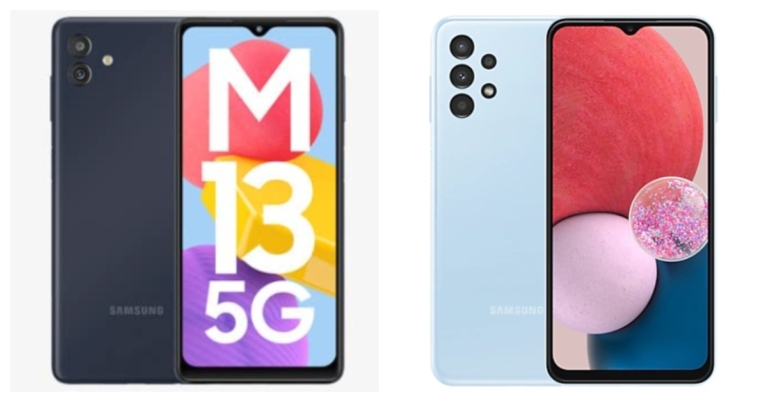
Samsung recently updated its M-Series in India with the launch of the new 5G smartphone Samsung Galaxy M13 5G. The smartphone is a budget 5G handset available in the market. The new Galaxy M13 5G is ready to fight with Galaxy A13 in the Indian market thanks to comparable pricing and specifications. Here, we compare the Samsung Galaxy M13 5G with Samsung Galaxy A13 5G so that you can decide which among the two is worth your money. Take a look:
In This Article
Display
Samsung Galaxy M13 5G: 6.5-inch HD+ display Samsung Galaxy A13: 6.6-inch full-HD+ LCD displayProcessor
Samsung Galaxy M13 5G: MediaTek Dimensity 700 SoC Samsung Galaxy A13: Exynos 850 SoCRear camera(s)
Samsung Galaxy M13 5G: dual rear camera arrangement with a 50-megapixel primary sensor and a 2-megapixel secondary sensor Samsung Galaxy A13: A quad-camera set-up consisting of a 50-megapixel primary camera with an f/1.8 aperture. There is a 5-megapixel ultra-wide-angle camera with an f/2.2 aperture and two 2-megapixel macro and depth cameras.Selfie camera
Samsung Galaxy M13 5G: 5-megapixel front camera Samsung Galaxy A13: An 8-megapixel front-facing cameraRAM and storage
Samsung Galaxy M13 5G: 4GB of RAM and 64GB of storage and 6GB of RAM and 128GB of storage Samsung Galaxy A13: 4Gb RAM with 64GB storage model and the 6GB RAM with 128GB storageBattery
Samsung Galaxy M13 5G: 5,000mAh battery Samsung Galaxy A13: 5,000mAh batteryOperating system
Samsung Galaxy M13 5G: One UI 4, which is based on Android 12.0 Samsung Galaxy A13: Android 12-based One UI 4.1Starting Price
Samsung Galaxy M13 5G: Rs 13,999 Samsung Galaxy A13: Rs 14,999Our Take
The Galaxy A13 has a higher resolution display than the M13 5G in terms of visuals. Additionally, the A13’s screen is larger than the Samsung Galaxy M13 5G’s screen. For memory expansion, both smartphones offer microSD card slots. In contrast to the quad back camera setup on the Samsung Galaxy A13, the Samsung Galaxy M13 5G sports a twin rear camera setup. However, the primary sensors on both smartphones are 50 megapixels. If you take plenty of selfies, the Galaxy A13 has a superior selfie sensor over its competitor. The Samsung RAM Plus function on the M13 5G allows the RAM to be expanded to up to 12GB, and it has an internal storage capacity of up to 128GB. There is also an Auto Data Switching option. This feature is absent from the Galaxy A13, though. Both devices use Android 12. The Samsung Galaxy A13 is a feature-rich smartphone with a low price, but the Galaxy M13 5G has a 5G connection, expanded RAM, and automatic data switching. Consequently, if you want to switch from 4G to 5G, Despite being a 5G phone, M13 5G is a fantastic choice because it is less expensive than A13. For the latest gadget and tech news, and gadget reviews, follow us on Twitter, Facebook and Instagram. For newest tech & gadget videos subscribe to our YouTube Channel. You can also stay up to date using the Gadget Bridge Android App. You can find the latest car and bike news here.Samsung Galaxy A23 gets a price cut of Rs 1,000
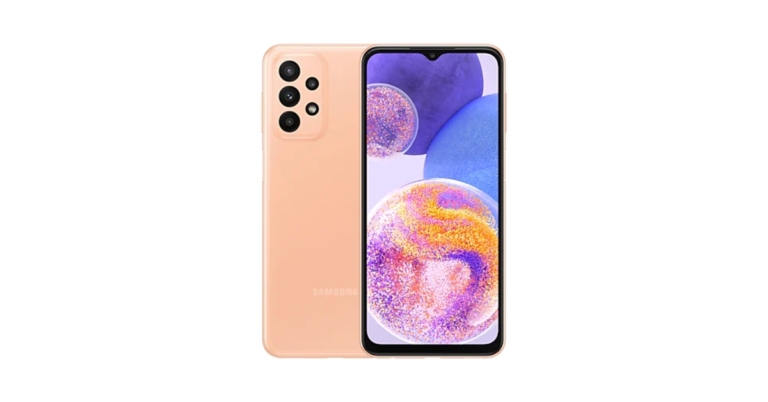
Samsung has decreased the Galaxy A23 pricing in India. The price of the smartphone has decreased by Rs 1,000. The updated Samsung smartphone price is now available from offline retailers throughout the nation. For the first time, the price of the smartphone was reduced. In March of this year, Samsung introduced the mid-range smartphone in India. The device comes with a 5,000mAh battery FHD+ LCD display and triple rear camera set up.
In India, the Samsung Galaxy A23 was offered in two configurations: 6GB of RAM and 128GB of storage for Rs 19,990 and 8GB of RAM with 128GB storage priced at Rs 20,999. Both the variant are now offered for Rs 18,499 and Rs 19,999 after the price reduction of Rs 1,000. There are 4 colour choices for the smartphone: Black, Light Blue, Orange, and White.
Samsung Galaxy A23 specifications
A 6.6-inch full-HD+ LCD screen with a resolution of 1,0802,408 pixels is available on the Samsung Galaxy A23. The screen has support for 90Hz refresh rates. The device uses One UI 4.1, which is based on Android 12. Under the hood, there is a Snapdragon 680 SoC with up to 8GB of RAM and up to 128GB of internal storage that can be increased to 1TB with a microSD card. A 50-megapixel primary camera with an f/1.8 aperture and optical image stabilisation (OIS), a 5-megapixel ultra-wide-angle camera with an f/2.2 aperture lens, and two 2-megapixel macro and depth cameras are all included in the Samsung Galaxy A23’s quad rear camera setup. On the front, there’s a selfie camera with 8 megapixels as well. Samsung’s 25W fast charger can quickly recharge the phone’s 5,000mAh battery. For connectivity, the smartphone offers a 3.5mm headphone socket, Wi-Fi, Bluetooth v5.0, GPS, 4G, and a USB Type-C connector. The sensors on board include an accelerometer, gyro sensor, geomagnetic sensor, virtual light sensor, virtual proximity sensor, and a side-mounted fingerprint scanner. For the latest gadget and tech news, and gadget reviews, follow us on Twitter, Facebook and Instagram. For newest tech & gadget videos subscribe to our YouTube Channel. You can also stay up to date using the Gadget Bridge Android App. You can find the latest car and bike news here.Amazon Quiz Answers Today 16 July 2022: Participate to win Rs 20,000

Have you participated in the Amazon Quiz today? If not then participate in the 16 July 2022 Amazon Quiz as it has already gone live on the app. The daily quiz can be played from 12 AM to 11:59 every day on the mobile app platform. Today e-commerce is giving the chance to win Rs 20,000 Amazon Pay Balance.
Every day Amazon brings a fresh quiz for its customers. By participating in the quiz the participants can win an Amazon Pay Balance of up to Rs 50,000. The quiz can only be played on the mobile app as it is not available for the desktop platform. The quiz contains five easy questions and you have to answer all the questions correctly. The participants will then be shortlisted for a lucky draw to select a winner. Whereas the results are declared at the end of the month. Check out today’s Amazon quiz answers to win Rs 20,000.
Amazon Quiz Today Prize – Rs 20,000 Amazon Pay Balance
Quiz Date – 16 July 2022
Daily Timing – 12 AM to 11:59 PM
Winner Announcement – Today 12 PM
In This Article
Amazon Quiz Answers Today 16 July 2022
Question 1: Shaheen 1-A medium-range ballistic missile made with the help of China, belongs to which country? Answer: Pakistan Question 2: Who has recently been appointed as the Chairman of India Tourism Development Corporation (ITDC)? Answer: Sambit Patra Question 3: Assam government has decided to confer the ‘Asom Baibhav Award’ 2021, the state’s highest civilian award, to whom? Answer: Ratan Tata Question 4: In which administrative region of Italy is this tower located? Answer: Tuscany Question 5: What water body is this island lighthouse located in? Answer: Bosphorus StraitHow To Play Amazon Quiz
Only app users are eligible to play the Amazon quiz every morning from 12 AM to 11:59 PM. The quiz is not available on the desktop. For those who are unaware of how to play the Amazon quiz below are the steps, you can follow to take the quiz.- Firstly download the Amazon app from Google Play Store or App Store
- Now fill in the required information through the Sign Up option.
- You need to log in to the Amazon app and scroll down on the home screen to find the Amazon Quiz banner.
- Tap on the Amazon Quiz banner and tap on the Start button to start the Quiz.
- Now you will get 5 questions and you need to answer them correctly. One wrong answer will eliminate you from the Quiz.
- After answering all the questions correctly you are now eligible for a Lucky Draw.
- The winner’s name will be announced today at 12 PM.
Xiaomi Smart Speaker (IR Control) now available in India for Rs 4,999
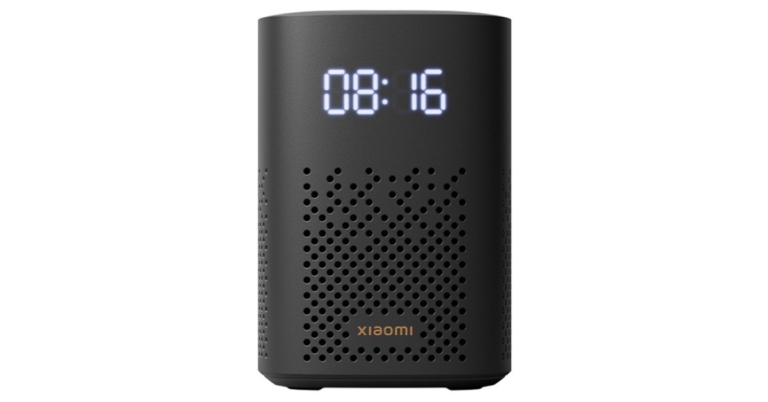
The debut of the Xiaomi Smart Speaker (IR Control) in India was recently announced by Xiaomi. The new Xiaomi Smart Speaker (IR control) comes with new and improved features including IR Control, Smart home control centre, Balanced sound field, LED clock display, and much more.
The Xiaomi Smart Speaker comes equipped with a 1.5-inch mono speaker, a built-in smart voice assistant (Google assistant), and Bluetooth 5.0. The speaker makes advantage of IR control, a voice remote for household appliances that give outdated, non-smart gadgets new life. To build a smart home experience, customers can connect the device to the Google Home app first, then the Xiaomi Home app.
The Xiaomi Smart Speaker (IR Control) has a beautiful, small form, and soothing colour scheme. Additionally, it has an LED display with adaptive brightness that can change its brightness based on the ambient light. Customers can set alarms on the smart speaker by selecting their preferred songs, artists, genres, and scenes.
The all-side speaker has an innovative cavity design. Customers can connect two Xiaomi Smart Speakers and experience thunderous stereo sound, which helps to provide a completely immersive experience. Customers can enjoy playing music, podcasts, or news through Bluetooth with a smooth transmission because these devices come with Chromecast built-in, which allows you to wirelessly cast audio with just one click.
Xiaomi Smart Speaker (IR Control) price in India, availability
Xiaomi Smart Speaker (IR Control) comes with a price tag of Rs 5,999 but it is presently being offered at Rs 4,999. Only Black is offered as a colour choice for the Xiaomi smart speaker. It is available for purchase via Flipkart, Xiaomi’s official website, and other retailers in the country. Commenting on the launch, Raghu Reddy, Chief Business Officer, Xiaomi India said, “Being one of the top three smart speaker brands in the country[1], we have a deep understanding of our consumer’s needs and preferences. In line with that, we are extremely happy to announce the launch of the Xiaomi Smart Speaker (IR Control) from the house of Xiaomi that truly captures the brand’s vision of innovation. The smart speaker is the perfect amalgamation of unique features and the latest technological offerings, making it the smart centre for your home. It is a great package that offers convenience and quality, simultaneously enabling customers to enjoy diverse multimedia options. Our endeavour is to deliver the best and Xiaomi Smart Speaker (IR Control) is the validation of the same.” For the latest gadget and tech news, and gadget reviews, follow us on Twitter, Facebook and Instagram. For newest tech & gadget videos subscribe to our YouTube Channel. You can also stay up to date using the Gadget Bridge Android App. You can find the latest car and bike news here.How to Fix Emails Stuck in Outbox of Microsoft Outlook?
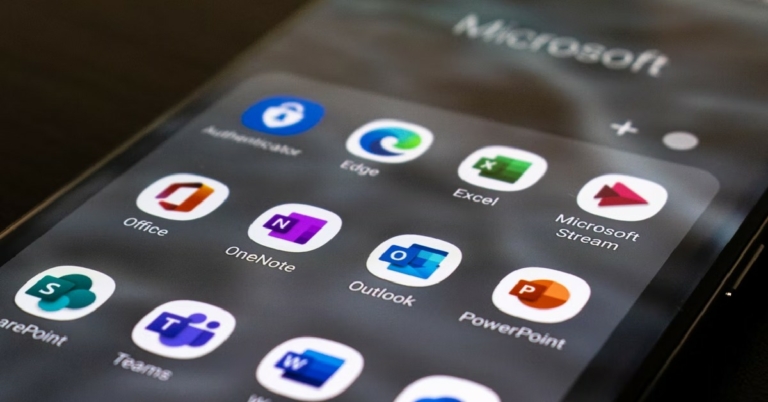
Microsoft Outlook is one of the most popular email clients used by businesses to handle and organise their email. One of the most common complaints by Outlook users is that their mails take too long to send, or they get stuck in the Outbox. Today, we show you how to fix emails stuck in the outbox of Microsoft Outlook.
Read Also: How to Fix Emails Stuck in Outbox of Gmail?
 The primary cause of emails getting stuck in Microsoft Outlook Outbox is the large attachment size. Most email service providers do not allow attachment size of over a few MBs. For example, Gmail has an attachment size limit of 15MB. To make sure your email gets sent, trim the attachment size or send the attachments in multiple emails. You can also remove the attachment by moving the email to the Drafts folder, then clicking the attachment and selecting ‘Remove’.
All emails you send get transferred to the Outbox when Microsoft Outlook is offline. You can check whether Outlook is connected to the internet, by looking at the status bar at the bottom of your screen. If it says ‘Connected to: Microsoft Exchange’ there is nothing wrong with your Outlook account. If it says ‘Disconnected’ or ‘Trying to Connect’, you need to check your internet connection.
If you’ve recently changed your email password, you need to change the password for that email account on Outlook as well. The passwords need to match for Microsoft Outlook to work. In order to change your Outlook password go to File>Account Settings and select the email address your want to change the password for and enter the new password. Click on ‘Finish’, and your password will be changed.
The primary cause of emails getting stuck in Microsoft Outlook Outbox is the large attachment size. Most email service providers do not allow attachment size of over a few MBs. For example, Gmail has an attachment size limit of 15MB. To make sure your email gets sent, trim the attachment size or send the attachments in multiple emails. You can also remove the attachment by moving the email to the Drafts folder, then clicking the attachment and selecting ‘Remove’.
All emails you send get transferred to the Outbox when Microsoft Outlook is offline. You can check whether Outlook is connected to the internet, by looking at the status bar at the bottom of your screen. If it says ‘Connected to: Microsoft Exchange’ there is nothing wrong with your Outlook account. If it says ‘Disconnected’ or ‘Trying to Connect’, you need to check your internet connection.
If you’ve recently changed your email password, you need to change the password for that email account on Outlook as well. The passwords need to match for Microsoft Outlook to work. In order to change your Outlook password go to File>Account Settings and select the email address your want to change the password for and enter the new password. Click on ‘Finish’, and your password will be changed.
In This Article
Make sure the attachment size isn’t too large
 The primary cause of emails getting stuck in Microsoft Outlook Outbox is the large attachment size. Most email service providers do not allow attachment size of over a few MBs. For example, Gmail has an attachment size limit of 15MB. To make sure your email gets sent, trim the attachment size or send the attachments in multiple emails. You can also remove the attachment by moving the email to the Drafts folder, then clicking the attachment and selecting ‘Remove’.
Make sure that Microsoft Outlook is connected to the internet
 All emails you send get transferred to the Outbox when Microsoft Outlook is offline. You can check whether Outlook is connected to the internet, by looking at the status bar at the bottom of your screen. If it says ‘Connected to: Microsoft Exchange’ there is nothing wrong with your Outlook account. If it says ‘Disconnected’ or ‘Trying to Connect’, you need to check your internet connection.
Change your password
 If you’ve recently changed your email password, you need to change the password for that email account on Outlook as well. The passwords need to match for Microsoft Outlook to work. In order to change your Outlook password go to File>Account Settings and select the email address your want to change the password for and enter the new password. Click on ‘Finish’, and your password will be changed.
Check delay settings
If you scheduled your emails to go out at a certain time, they will move to Outbox as soon as you hit send. They will only get sent at the scheduled time. If you want to send the email right away, go to your email account and check for delay settings. Read Also: How to block emails in Gmail and Outlook These are some of the common fixes for emails getting stuck in the Outbox of Microsoft Outlook. If you’ve tried all of these techniques and the problem still persists, try using another email client to send your emails. It is possible that Microsoft Outlook servers may be down. For the latest gadget and tech news, and gadget reviews, follow us on Twitter, Facebook and Instagram. For newest tech & gadget videos subscribe to our YouTube Channel. You can also stay up to date using the Gadget Bridge Android App. You can find the latest car and bike news here.How to Install Google Assistant on Samsung Galaxy Watch 4
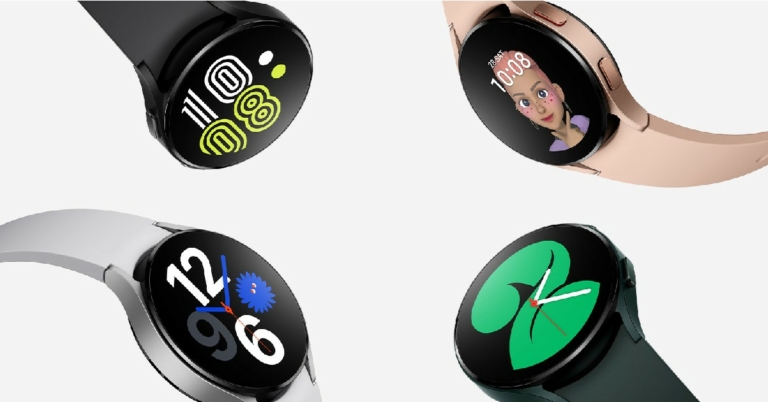
The Samsung Galaxy Watch 4 is one of the best-selling products in the wearable category. Running on Wear OS3, the Galaxy Watch has been wildly popular among its users. One of the most requested features for the Galaxy Watch 4, ever since its launch in 2021, has been Google Assistant connectivity. And now with Google Assistant finally being launched for Galaxy Watch 4, users can bid farewell to Bixby. In this article, we show you how to install Google Assistant on Samsung Galaxy Watch 4.
Read Also: Top 7 easy methods to Find Location From a Photo
Step 1: Unlock your Galaxy Watch and go to Google Play Store.
Step 2: Search for Google Assistant in the search bar and open the resulting app page.
Step 3: On the Google Assistant app page, tap on ‘Install’.
Step 4: Once the update has been downloaded, tap on ‘Open’. You can also access Google Assistant from the App drawer.
Step 5: Tap on ‘Get Started’ and then select ‘Open on Phone to Activate’.
Step 6: On your smartphone, tap ‘Activate’ once the Google Assistant window pops up.
Step 7: Select which features you want to activate on Google Assistant in your Galaxy Watch. This includes setting ‘Hey Google’ as a trigger word to turn on the Google Assistant, syncing your messages, contacts and calendar, and setting up a dedicated button for Google Assistant on your Galaxy Watch.
Step 8: Once you’ve finished setting up the Google Assistant, tap on ‘Done’.
Google Assistant will be installed on your Galaxy Watch 4.
Read Also: Vivo T1x set to launch in India on July 20
Bonus Tip
Google Assistant for Galaxy Watch 4 is still being rolled out in phases, and it may not be available in your country. Right now it is only available in ten markets: US, UK, Australia, France, Germany, Ireland, Japan, Taiwan, and South Korea. If it isn’t available in your location, you can use third-party marketplaces like APKMirror and APKPure to download it. Once you’ve downloaded the APK on your smartphone, you can transfer it to your Galaxy Watch using Easy Fire Tools.
Since this is the first version of Google Assistant for Galaxy Watch, you may encounter a few bugs while using it. Usually, these bugs get fixed with software updates, but that may take some time. For your Galaxy Watch, you also have the option to use Bixby, Samsung’s own voice assistant.
For the latest gadget and tech news, and gadget reviews, follow us on Twitter, Facebook and Instagram. For newest tech & gadget videos subscribe to our YouTube Channel. You can also stay up to date using the Gadget Bridge Android App. You can find the latest car and bike news here.
Here’s how you can download Google Assistant on your Samsung Galaxy Watch 4
 Step 1: Unlock your Galaxy Watch and go to Google Play Store.
Step 2: Search for Google Assistant in the search bar and open the resulting app page.
Step 3: On the Google Assistant app page, tap on ‘Install’.
Step 4: Once the update has been downloaded, tap on ‘Open’. You can also access Google Assistant from the App drawer.
Step 5: Tap on ‘Get Started’ and then select ‘Open on Phone to Activate’.
Step 6: On your smartphone, tap ‘Activate’ once the Google Assistant window pops up.
Step 7: Select which features you want to activate on Google Assistant in your Galaxy Watch. This includes setting ‘Hey Google’ as a trigger word to turn on the Google Assistant, syncing your messages, contacts and calendar, and setting up a dedicated button for Google Assistant on your Galaxy Watch.
Step 8: Once you’ve finished setting up the Google Assistant, tap on ‘Done’.
Google Assistant will be installed on your Galaxy Watch 4.
Read Also: Vivo T1x set to launch in India on July 20
Step 1: Unlock your Galaxy Watch and go to Google Play Store.
Step 2: Search for Google Assistant in the search bar and open the resulting app page.
Step 3: On the Google Assistant app page, tap on ‘Install’.
Step 4: Once the update has been downloaded, tap on ‘Open’. You can also access Google Assistant from the App drawer.
Step 5: Tap on ‘Get Started’ and then select ‘Open on Phone to Activate’.
Step 6: On your smartphone, tap ‘Activate’ once the Google Assistant window pops up.
Step 7: Select which features you want to activate on Google Assistant in your Galaxy Watch. This includes setting ‘Hey Google’ as a trigger word to turn on the Google Assistant, syncing your messages, contacts and calendar, and setting up a dedicated button for Google Assistant on your Galaxy Watch.
Step 8: Once you’ve finished setting up the Google Assistant, tap on ‘Done’.
Google Assistant will be installed on your Galaxy Watch 4.
Read Also: Vivo T1x set to launch in India on July 20
 Bonus Tip
Google Assistant for Galaxy Watch 4 is still being rolled out in phases, and it may not be available in your country. Right now it is only available in ten markets: US, UK, Australia, France, Germany, Ireland, Japan, Taiwan, and South Korea. If it isn’t available in your location, you can use third-party marketplaces like APKMirror and APKPure to download it. Once you’ve downloaded the APK on your smartphone, you can transfer it to your Galaxy Watch using Easy Fire Tools.
Since this is the first version of Google Assistant for Galaxy Watch, you may encounter a few bugs while using it. Usually, these bugs get fixed with software updates, but that may take some time. For your Galaxy Watch, you also have the option to use Bixby, Samsung’s own voice assistant.
For the latest gadget and tech news, and gadget reviews, follow us on Twitter, Facebook and Instagram. For newest tech & gadget videos subscribe to our YouTube Channel. You can also stay up to date using the Gadget Bridge Android App. You can find the latest car and bike news here.
Bonus Tip
Google Assistant for Galaxy Watch 4 is still being rolled out in phases, and it may not be available in your country. Right now it is only available in ten markets: US, UK, Australia, France, Germany, Ireland, Japan, Taiwan, and South Korea. If it isn’t available in your location, you can use third-party marketplaces like APKMirror and APKPure to download it. Once you’ve downloaded the APK on your smartphone, you can transfer it to your Galaxy Watch using Easy Fire Tools.
Since this is the first version of Google Assistant for Galaxy Watch, you may encounter a few bugs while using it. Usually, these bugs get fixed with software updates, but that may take some time. For your Galaxy Watch, you also have the option to use Bixby, Samsung’s own voice assistant.
For the latest gadget and tech news, and gadget reviews, follow us on Twitter, Facebook and Instagram. For newest tech & gadget videos subscribe to our YouTube Channel. You can also stay up to date using the Gadget Bridge Android App. You can find the latest car and bike news here. iQoo 9T 5G gets listed on Amazon, hinting at the upcoming launch
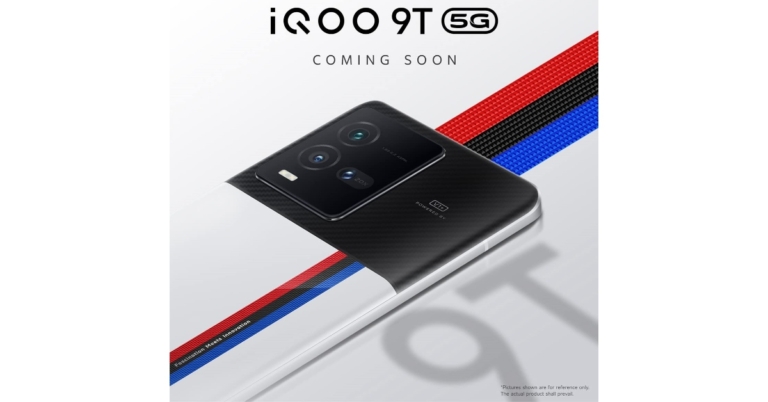
The introduction of the iQoo 9T 5G in India is scheduled soon. Amazon India has been hinting that the new iQoo 9 series phone will be arriving in the nation. The precise launch date and time of the phone are not stated in the listing, but as per the listing the iQoo 9T 5G will sport a triple back camera setup in addition to Vivo’s V1+ imaging technology.
iQoo 9 Series is soon getting bigger in India. The company will be launching iQoo 9T 5G in the nation. Even though iQoo has yet to reveal the precise date of its release, the device has been listed on Amazon indicating the upcoming launch. The iQoo 9T 5G would be the fourth model in the iQoo 9 series, which included the basic iQoo 9, iQoo 9 Pro, and iQoo 9 SE variants when it was introduced in February of this year.
The e-commerce listing implies that the next phone will have a look that is influenced by BMW Motorsport. Three colour stripes symbolising the brand flow off-centre down the white back panel in a pattern that is reminiscent of BMW Motorsport.
The power button is displayed in a blue hue. Additionally, a triple camera arrangement with 40x digital zoom is seen on the back. The device will also have Vivo’s V1+ imaging chip. It may also include a 6.78-inch AMOLED display with a 120Hz refresh rate.
The Snapdragon 8+ Gen 1 chipset is anticipated to power the new smartphone. Two RAM and storage combinations are anticipated: 8 GB RAM with 128 GB storage and 12 GB RAM with 256 GB storage. Additionally, the device might be capable of 120W fast charging.
The iQoo 10 series, which will officially launch in China on July 19, has a similar appearance and set of features to those teased. Two models are anticipated to debut iQoo 10 and iQoo 10 Pro. The business has created a promo film before the launch date that showcases the smartphone’s full design. They will include Vivo’s V1+ imaging chip and three rear cameras. The Qualcomm Snapdragon 8+ Gen 1 SoC will be the engine behind the iQoo 10 series.
For the latest gadget and tech news, and gadget reviews, follow us on Twitter, Facebook and Instagram. For newest tech & gadget videos subscribe to our YouTube Channel. You can also stay up to date using the Gadget Bridge Android App. You can find the latest car and bike news here.