

Acer Predator Helios 300 SpatialLabs Edition Gaming Laptop Announced: Brings Glasses-Free Stereoscopic 3D
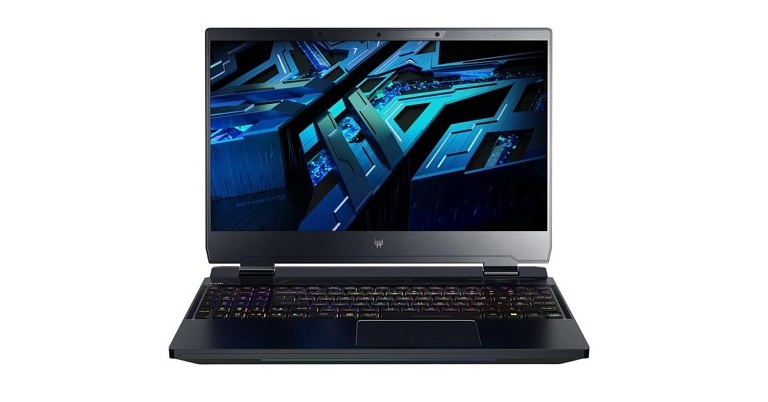
Acer announced today its all-new Predator Helios 300 SpatialLabs Edition gaming laptop, which introduces glasses-free stereoscopic 3D to the world of gaming. Through the SpatialLabs TrueGame application, it will support over 50+ popular modern and classic games at launch while the support for additional titles will be added on a continuous basis thereafter.
“We’re excited to add a new dimension to gaming with the Predator Helios 300 SpatialLabs Edition, enabling industry-leading glasses-free stereoscopic 3D gaming,” said Jerry Kao, Co-COO, Acer Inc. “By integrating our SpatialLabs technology with our Predator gaming laptops, we hope to create a new category of immersive gaming experiences.”
Read also: New Acer Swift 3 OLED Laptop Unveiled: With 12th Gen Intel Core H-Series Processors
The Predator Helios 300 SpatialLabs Edition is a powerful gaming laptop that enables a glasses-free stereoscopic 3D gaming experience. Gamers can enjoy playing supported games in 3D mode and relish the details that are brought to life by the device. This means that rooms would appear more spacious, objects will become genuinely layered and in-game adventures will become thrilling to the next level. And all of this would be happening in real-time, without the need for special 3D glasses.
Elaborating upon the Predator Helios 300 SpatialLabs Edition specs, it has been built through the combination of a stereoscopic 3D display and real-time rendering technologies. The gaming laptop flaunts a 15.6-inch UHD 2D panel with a liquid-crystal lenticular lens optically bonded on top of it. This system together forms an innovative module which the gamer can leverage to switch back and forth between 2D and stereoscopic 3D views easily.
Read also: Premium Acer Chromebook Spin 714 And Chromebook Tab 510 Unveiled Globally
Further, the Predator Helios 300 SpatialLabs Edition gaming laptop is backed up by 12th Gen Intel Core i9 processors, NVIDIA GeForce RTX 3080 Laptop GPUs, 32GB DDR5-4800 memory and PCIe Gen 4 NVMe SSDs RAID 0 storage. A dual-fan layout that includes one 5th Gen AeroBlade 3D fan helps to keep the system running cool. This is further supported by liquid metal thermal grease and Acer’s CoolBoost technology. The brand new Acer gaming laptop comes with Windows 11 OS, Wi-Fi 6E connectivity along with a range of ports.
The Predator Helios 300 SpatialLabs Edition price starts at USD 3,399.99 (INR 2,64,155 approx.). It will be available in North America in early Q4 of this year. In EMEA, its price starts at EUR 3,299 (INR 2,68,795 approx.) and will be available from September 2022 onwards.
For the latest gadget and tech news, and gadget reviews, follow us on Twitter, Facebook and Instagram. For newest tech & gadget videos subscribe to our YouTube Channel. You can also stay up to date using the Gadget Bridge Android App. You can find the latest car and bike news here.
Vivo X80 and X80 Pro with dedicated Vivo V1+ imaging chipset launched in India
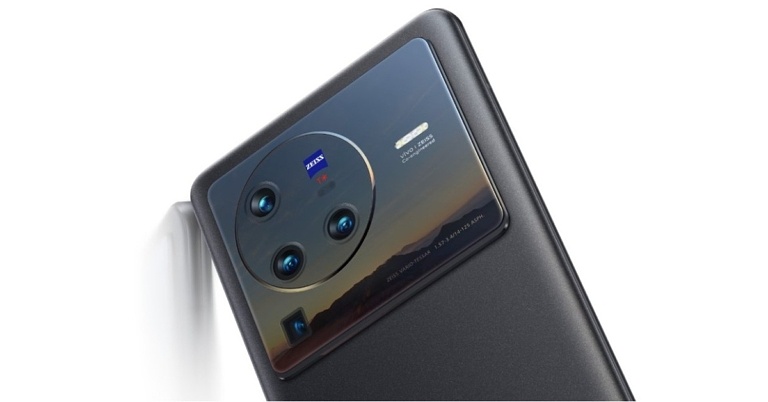
Vivo officially took the wraps off Vivo X80 Series in India. The X80 lineup has already debuted in China containing a Vivo X80 and X80 Pro. The former is powered by MediaTek Dimensity 9000 SoC while the latter comes armed with Snapdragon 8 Gen 1 SoC. It is a camera focused series and each of the devices have a camera sensor powered by Zeiss optics for the advanced imaging system. Moreover, it includes a Vivo V1+ imaging chip for AI Video Enhancement in both videography and photography. Moreover, the phones will be available through Flipkart in the country.


In This Article
Vivo X80, Vivo X80 Pro price in India, sale details
The single 12GB RAM with 256GB storage variant of the Vivo X80 Pro costs Rs 79,999. The Vivo X80, on the other hand, costs Rs 54,999 for 8GB RAM with 128GB storage and Rs 59,999 for 12GB RAM with 256GB storage. The Vivo X80 Pro comes in Cosmic Black, while the Vivo X80 is available in Cosmic Black and Urban Blue. Both of these Vivo phones will be available for purchase on May 25. Flipkart, Vivo India online store, and retail stores across India will sell them.
Vivo X80 Pro specifications
The display on this flagship phone is a 6.78-inch AMOLED 2K display with 1,440×3,200 pixels of resolution and 120Hz refresh rate display. The Vivo X80 Pro is powered by a Snapdragon 8 Gen 1 processor and runs OriginOS based on Android 12. A 50-megapixel Samsung ISOCELL GNV primary sensor, a 48-megapixel ultra-wide Sony IMX598 sensor, a 12-megapixel Sony IMX663 sensor with a portrait lens, and an 8-megapixel sensor with a periscope-shaped ultra-telephoto lens make up the Vivo X80 Pro’s quad rear camera setup. On the front, there’s a 32-megapixel selfie camera with an f/2.45 aperture. Wireless connectivity options include Wi-Fi 6, Bluetooth v5.2, NFC, and an Infrared (IR) blaster. It has a 4,700mAh battery that supports wired fast charging at 80W and wireless charging at 50W. It also has an IP68 dust and water resistance rating.
Vivo X80 specifications
The Vivo X80 comes with a 6.78-inch full-HD+ AMOLED display with 1,080×2,400 pixels of resolution. A 20:9 aspect ratio and a refresh rate of up to 120Hz support the phone. A MediaTek Dimensity 9000 SoC powers the smartphone. It starts with Android 12 and the OriginOS Ocean skin. A 50-megapixel Sony IMX866 RGBW sensor with an f/1.75 aperture and optical image stabilisation (OIS) is the star of its triple rear camera setup. A 12-megapixel ultra-wide sensor with an f/2.0 aperture and a 12-megapixel portrait sensor with an f/1.98 aperture are also included in this setup. The 32-megapixel selfie camera is located on the front of this smartphone. The Vivo X80 also has a fingerprint sensor embedded in the display. It comes with a 4,500mAh battery that supports fast charging with 80W Flash Charge. For the latest gadget and tech news, and gadget reviews, follow us on Twitter, Facebook and Instagram. For newest tech & gadget videos subscribe to our YouTube Channel. You can also stay up to date using the Gadget Bridge Android App. You can find the latest car and bike news here.Garena Free Fire Redeem Codes Today 19 May 2022: Here is how to claim them

Garena Free Fire is a battle royale game with regular awards and tournaments to keep players interested. If you play Garena Free Fire, you should be aware of the redeem codes that are released on a daily basis. However, because the battle royale game is banned in India, players from other countries can use the Free Fire Redeem codes daily. If you’re unfamiliar with the Garena Free Fire redeem codes or don’t know how to get them, we’ve put together a step-by-step guide to help you redeem them. Check out Garena Free Fire Redeem Codes for May 19.
The Free Fire redeem codes are a great way to get free stuff. These are 12-digit codes that contain alphabets and numbers, as well as an expiration date and time. Because the Garena FF redeem codes cannot be used more than once, you should hurry to the redemption page to claim your free reward before someone else does. To get a free reward, all you have to do is go to reward.ff.garena.com/en, which is the official redemption page. Also, keep an eye on this space for daily updates on Garena Free Fire redemption codes and rewards.
In This Article
Garena Free Fire Redeem Codes Today 19 May 2022
- FA8C FQ9T Y63T
- 5RGF HCU7 YS6T
- E6GB R5NT 6YKH
- O9I8 BU7Y 6FDT
- FU76 RTFG CDRO
- 6Y7U I9J8 NB7V
- 6S54 QE21 DFGH
- 2I38 RG76 V5RD
- FGRB 5N6Y 7KUO
- J9N8 B7V6 YC5T
- S4AQ ED12 FG3E
- H4RY UTG6 V5C4
- F6ER J5KT 6LYU
- P0MN OI4R 5M67
- UPJ0 N8B7 VC5X
- S4AE DQ23 J4IU
- F9ES DFEV RB4H
- TJMY KLUJ OP0N
- OKHG MY7U LPIJ
- 09N8 BH7G V6FT
How to Get Free Fire Redeem Codes for Garena on May 19?
- Visit the Garena Free Fire game’s official website at reward.ff.garena.com.
- Use your Facebook, Google, VK, Apple ID, Huawei ID, or Twitter account to log in.
- You’ll be taken to a valid redemption code (s)
- Copy and paste the 12-digit redemption code into the text box.
- On the screen, a dialogue box will appear.
- ‘Ok’ should be selected.
Amazon Quiz Answers Today 19 May 2022: Participate to win Rs 10,000 Amazon Pay Balance

19 May 2022 Amazon Quiz has gone live on its mobile app platform. Customers from different parts of the country are participating in the daily quiz. The daily quiz is conducted by the company brings an opportunity for the customers to win exciting prizes. The quiz begins from 12 AM to 11:59 PM. In today’s quiz participants have a chance to win Rs 10,000 Amazon Pay Balance by answering all the questions correctly.
Every day Amazon brings a fresh set of questions for its customers that contains five easy questions. Amazon quiz brings an opportunity for its customers to win Amazon Pay Balance ranging from Rs 1,000 to Rs 50,000. which consists of five questions related to general knowledge and current affairs.
The participants need to answer all the questions correctly and their names will be selected for a lucky draw. The winner will be announced at the end of the month. One wrong answer could eliminate you from the quiz. If you manage to answer all the questions correctly you can stand a chance to win Rs 10,000 Amazon Pay Balance today. Only app users are eligible to participate in the Quiz. Check Out 19 May 2022 Amazon Quiz Answers.
Amazon Quiz Today Prize – Rs 10,000 Amazon Pay Balance
Quiz Date – 19 May 2022
Daily Timing – 12 AM to 11:59 PM
Winner Announcement – Today at 12 PM
In This Article
Amazon Quiz Answers Today 19 May 2022
Question 1: Which Padma Shri awardee is fondly known as ‘Kabir of Kannada’? Answer: Ibrahim Sutar Question 2: M. Jagadesh Kumar, former VC of JNU, has been appointed as the chairperson of which of these bodies? Answer: UGC Question 3: As per reports, which of these became the first-ever country to allow drone flights in civilian airspace? Answer: Israel Question 4: This monument was commissioned by which ruler? Answer: Muhammad Ali Pasha Question 5: In a recent movie, he played the father of which of these tennis players? Answer: Venus WilliamsHow To Play Amazon Quiz
Only app users are eligible to play the Amazon quiz every morning from 12 AM to 11:59 PM. The quiz is not available on the desktop. For those who are unaware of how to play the Amazon quiz below are the steps, you can follow to take the quiz.- Firstly download the Amazon app from Google Play Store or App Store
- Now fill in the required information through the Sign Up option.
- You need to log in to the Amazon app and scroll down on the home screen to find the Amazon Quiz banner.
- Tap on the Amazon Quiz banner and tap on the Start button to start the Quiz.
- Now you will get 5 questions and you need to answer them correctly. One wrong answer will eliminate you from the Quiz.
- After answering all the questions correctly you are now eligible for a Lucky Draw.
- The winner’s name will be announced today at 12 PM.
Premium Acer Chromebook Spin 714 And Chromebook Tab 510 Unveiled Globally
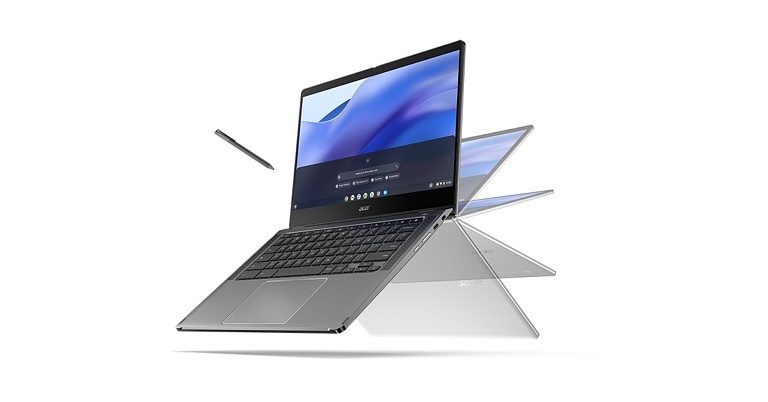
Acer launched today its premium convertible Chromebook Spin 714 and Chromebook Tab 510. The Chromebooks are intricately built with durable MIL-STD 810H designs that facilitate remote working, entertainment and productivity for its customers on the go.
“Acer continues to lead the industry in premium Chromebooks that are highly capable, feature-rich and deliver the exact Chromebook experience our customers want,” said James Lin, General Manager, Notebooks, IT Products Business, Acer Inc. “As new generations rely on their Chromebook to do more in their connected world – whether it’s for work or personal projects – Acer’s innovation will be the foundation of their productive and enjoyable experience.”
In This Article
Acer Chromebook Spin 714: Premium Technology and Convertible Design
The brand brings into the limelight, its Chromebook Spin 714 and Chromebook Enterprise Spin 714 models. These devices are Intel Evo platform-verified and are backed up with 12th Gen Intel Core processors (up to Core i7). They successfully deliver up to 20% more efficient performance as compared to their previous generations. These Chromebooks are specially built for handling heavy tasks like coding, video editing and gaming. Elaborating on the Acer Chromebook Spin 714 specs, the model provides 4 hours of battery life after a quick 30 minutes of recharge and up to 10 hours upon full recharge. It comes with a 14-inch touchscreen and offers two resolution options: WQXGA (2560×1600) and WUXGA (1920×1200). Both come with Antimicrobial Corning Gorilla Glass to resist stains and odour-causing bacteria. The USI stylus provides 4,096 levels of pressure sensitivity. The new Acer Chromebook Spin 714 comes optimised for video conferencing, which is facilitated by a Full HD MIPI webcam with the Acer TNR technology and two upward-facing speakers with DTS audio. Its connectivity features include Wi-Fi 6E and Bluetooth 5.2. On the front of convenience, you get to enjoy typing on a back-lit keyboard, along with the provision of an array of ports. The durability of its premium 360-degree convertible design is ensured by a sleek aluminium chassis that boasts U.S. MIL-STD 810H. Read also: New Acer Swift 3 OLED Laptop Unveiled: With 12th Gen Intel Core H-Series ProcessorsAcer Chromebook Tab 510: With Optional LTE
Speaking of the new Acer Chromebook Tablet 510, it gets powered by the Snapdragon 7c Gen 2 Compute Platform. An optional 4G LTE is offered, allowing users to stay connected without depending on Wi-Fi. It offers 11 hours of battery life upon a single charge and comes along with a USI stylus as a sidekick, which has 4,096 levels of sensitivity. Moreover, an optional Keyboard Folio Case is available, giving users a notebook-like experience. Conferencing is facilitated by a 10.1-inch IPS Full HD Display with a 16:10 aspect ratio, a 5-megapixel front-facing webcam along with an 8-megapixel rear camera. Its design complies with MIL-STD 810H standards. It comes with an impact-resistant chassis and shock-absorbing corners to survive even the most challenging days. The display is protected by Antimicrobial Corning Gorilla Glass. Read also: Dell Latitude laptop series with 12th Gen Intel ‘Alder Lake’ processors announcedAvailability
The Acer Chromebook Spin 714 price starts from USD 749.99 (INR 58,273 approx.). It will be available in North America from August 2022 onwards. In EMEA, it will be available in August starting at EUR 879 (INR 71,717 approx.). The Acer Chromebook Enterprise Spin 714 will be available in North America and EMEA in August starting at USD 1,099.99 (INR 85,467 approx.) and EUR 979 (INR 79,876 approx.) respectively. The Acer Chromebook Tab 510 price starts from USD 399.99 (INR 31,078 approx.). It will be available in North America from July 2022 onwards. For the latest gadget and tech news, and gadget reviews, follow us on Twitter, Facebook and Instagram. For newest tech & gadget videos subscribe to our YouTube Channel. You can also stay up to date using the Gadget Bridge Android App. You can find the latest car and bike news here.New Acer Swift 3 OLED Laptop Unveiled: With 12th Gen Intel Core H-Series Processors
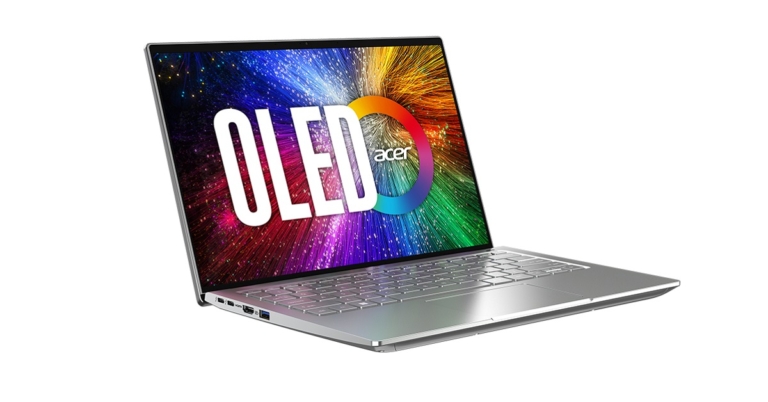
Amongst the suite of powerful new laptops that Acer announced today is the all-new 2022 Acer Swift 3 OLED laptop, making an entry into its Swift notebook lineup. Alongside the Swift 3 get appended the all-new Spin 3 and Spin 5 within Acer’s Spin notebook range. The most prominent highlight of these brand new Acer laptops is the latest 12th Gen Intel Core processor that they all come equipped with.
Speaking of the new Acer Swift 3 OLED model, it combines a beautiful display with powerful performance for professionals on the go. Backing up the performance of the laptop is its 12th Gen Intel Core H-Series processor with Intel Iris Xe graphics, PCIe Gen 4 SSDs and up to 16 GB of LPDDR5 memory, offering professionals, freelancers and students a compelling performance for use cases involving creative disciplines and gaming. Not just that but it also comes with the latest Windows 11 OS support.
Read also: Dell Latitude laptop series with 12th Gen Intel ‘Alder Lake’ processors announced
The 2022 Acer Swift 3 OLED has been Intel Evo verified for meeting key experience targets such as instant wake from sleep and 10 hours of battery life. A 30-minute charge yields about 4 hours of battery life for the laptop. Coming to its display specs, the new Acer Swift 3 features a 14-inch WQXGA+ (2.8k) OLED display with a 16:10 aspect ratio and a 92% screen-to-body ratio. The display of the laptop is VESA DisplayHDR True Black 500-certified.
Elaborating further on the 2022 Acer Swift 3 specs, the laptop has a 17.9mm thin aluminium metal chassis and weighs about 1.4kg. It features an OceanGlass touchpad which is made from ocean-bound plastic waste. It comes equipped with Intel Wi-Fi 6E for blazing-fast connectivity and an FHD MIPI webcam that leverages Acer’s Temporal Noise Reduction (TNR) technology. The TNR tech ensures high-quality video feedback is provided, especially in low-light conditions. It also gets the support of Acer PurifiedVoice with AI Noise Reduction, ensuring that the user’s voice comes through loud and clear. One also enjoys typing on a backlit keyboard.
Read also: Acer Nitro 5 with 12th Gen Intel Core i7 processor launched in India
The new Acer Swift 3 OLED price starts at USD 899.99 (Rs 70,000 approx). It will be available in the US from July 2022 onwards. In EMEA as well, it will be available from July 2022 onwards at a starting price of EUR 999 (Rs 81,500 approx), while in China it will be available from May 2022 starting at RMB 4,999. Its India availability is, however, yet to be confirmed.
For the latest gadget and tech news, and gadget reviews, follow us on Twitter, Facebook and Instagram. For newest tech & gadget videos subscribe to our YouTube Channel. You can also stay up to date using the Gadget Bridge Android App. You can find the latest car and bike news here.
Samsung Galaxy Tab S8 Review: A Great Device For Professional Use
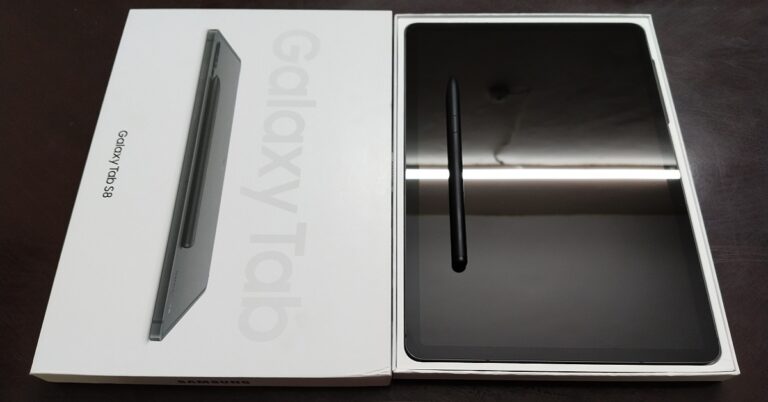
We finally were able to get our hands on the latest tablet model in the market from the Samsung brand, the new Samsung Galaxy Tab S8. We made sure to dig deeper and look into every nook and corner of the device, to thoroughly test whether it stands up to its name or not. Starting from the design of its book cover keyboard slim and that of the tablet itself, through its display and onto the performance of its CPU, software and cameras, we made sure no stone is left unturned. Here is a complete inside out review of the all-new Samsung Galaxy Tab S8, so you can make a wise and informed buying decision before you invest your valuable savings into it.
 A sizeable chunk of your reflection waves back at you with a huge smile, through the enormous shiny black display of the Galaxy Tab S8. Even visibly, you would feel the surface area of the display to be quite massive in size. To give you an idea, its estimated body dimensions would be 10 x 6.5 x 0.25-inches. The screen comes with a Corning Gorilla Glass 5 protection. The display size is 11-inches, with a screen-to-body ratio of 83.6%.
Flip it over and you’ll meet its smooth metal body. The Samsung Galaxy Tab S8 is offered in three colours, namely Silver, Pink Gold and Graphite, out of which we were able to get our hands on the Graphite model. The back, however, didn’t seem as fingerprint resistant as any matte finished surface should be. On the far top left corner lies its dual-camera system along with the flashlight, with all three placed sequentially.
Extending from the camera setup is a thin glossy black magnetic strip, which is used to connect the S-Pen with the tablet and also charge it. The Samsung brand engraving at the bottom left corner together with this glossy black magnetic strip completes the overall look of the tab and gives it an elegant character.
The frame of the tab is also metallic and comes in body colour. On its right side come neatly placed is its fingerprint sensor integrated power button, volume button and the SIM card tray can be found at the bottom. Also, on the bottom part will be visible two loudspeakers at either end (just like its top), but with a Type-C port in the middle. On the left side frame of the tablet lies a small 3-pin connector, which connects the tablet with its slim cover keyboard.
Supporting the Galaxy Tab S8 comes an S-Pen, a Type-C to Type-C USB cable, a SIM ejector tool and a user manual. The S-Pen is magnetic in nature and effortlessly snaps right into place, whether it’s the book cover’s S-Pen magnetic case holder or the magnetic strip at the back of the tab for charging. And yes, it looks exactly like a pen, with a plastic feel to it along with a single button for its operational needs.
Coming to the Galaxy Tab S8 keyboard case, it is pretty lightweight and comes in different colour options. We received the cover in Graphite Black colour, just like the body of the Galaxy Tab S8. Fitting perfectly to the tab, it covers it just like a cloak, giving it a professional look and a futuristic appeal. It even has a neat slit at the back tailor-made for the camera and the magnetic S-Pen charging strip to fit right in. It ensures efficient use of the tablet’s camera or the S-Pen charging station and makes sure the book cover does not pose a hindrance.
The back of the tablet sticks to the book cover effortlessly via the built-in magnets, which hold on to the tab pretty strongly. As hinted earlier, the book cover even contains a magnetic holder for the S-Pen, so that one doesn’t forget or misplace it while the tablet rests in its suite. The book cover keyboard carries a 3-pin connector at its top for the tab to get vertically connected with it right away, without separating it from the magnetic cover. Once you position the tab correctly into its place within the cover, then all you need to do is just fold it to set it according to your comfort. It allows you to use the tab in multiple positions, be it horizontally, vertically, with or without a keyboard or for hands-free usage.
Bringing the Samsung Galaxy Tab S8 to life makes you even more lively in return. Lighting up its humongous screen simultaneously lights you up with excitement. To tell you, the S8 tab comes with a 120Hz TFT LCD display. The screen resolution is 1,600 x 2,560 pixels with a 16:10 aspect ratio and about 274ppi pixel density. When taken into direct sunlight, the screen is easily legible with a brightness level equal to or more than 40%. The vivid display colours, their brightness and contrast balance is quite successful in appealing to the eye.
Read also: Samsung Galaxy S22 Review: The Ultimate Quality Smartphone of 2022
Do keep in mind though, that not all applications may support the S-Pen gesture commands. Also, the gestures vary from app to app that does support it. But on the upside, the Galaxy Tab S8 software always remains by your side and guides you through it all.
On the gaming front, the device was tested by playing high-end games like Need For Speed: No Limits. The graphics quality was appreciable while the touch response was quite smooth and pretty commendable. Actions were swift and effortless. Playing on a screen larger than a smartphone, again, no doubt takes the experience to the next level. The colour range is also amazing.
Overall, the Samsung Galaxy Tab S8 reflects a professional and elegant design language whereas the display is admirable and pleases the eye.
Arriving at the home page, you will feel a gush of familiarity seeing the typical Samsung interface at your service. The applications and their bubble icons, their placement, look and feel are pretty straightforward and efficient. You won’t see any extra applications residing within the app drawer. While using multiple applications simultaneously, no app crash was observed. One can easily switch between different applications windows without facing any lag. The sound quality provided by its 4 stereo speakers is also amazing.
Read also: Samsung Galaxy Tab A8 Review: The best in class tablet
Coming to the Samsung Galaxy Tab S8 camera, it comes with a 13MP+6MP dual rear camera system along with a 12MP front selfie camera. There are 5 zoom modes offered, namely 0.5x, 1x, 2x, 4x and 8x. Videos can be recorded from both the front and the rear camera in UHD up to 60fps frame rate. However, the camera lacks quality overall. Even the regular Photo mode from the rear camera in 1x zoom appears to be grainy and the captures lack details. The end results appear slightly softer. But having said that, the colour range is decent and appears close to reality. The Portrait mode works better than the Photo mode in terms of capturing details, colour and the overall picture quality and provides a range of inbuilt filters as well.
Going up the ladder, the quality of the zoom modes deteriorates significantly with the increase in zoom level. But the S8 Tab is not built for pro-level photography, it is built for Zoom and Video calls, so bear that in mind when purchasing.
Speaking of the selfie camera, it works decently. The colours appear bright and the contrast is well balanced and appealing to the eye. However, the captures lack details and the facial features may appear pretty soft in texture, resulting in a slightly unnatural look. Coming to the videos, recordings made from the rear camera with the UHD setting are appreciable. Under well-lit circumstances, the results appear vivid and the picture quality and colour scheme are also good.
Overall, the camera package offered with the Galaxy Tab S8 has a definite scope of improvement.
To sum up, the humongous Samsung Galaxy Tab S8 is a device perfect for professional use. The screen size, display quality together with the flawless software and touch experience complement each other and work great as a team. The body design of the tab also reflects elegance and professionality.
Yes, the camera package offered with it in this price range has a definite scope of upgradation. But overall, its pros weigh heavier than its cons. Geekbench 5 gives it a single-core score of 772 and a multi-core score of 2,827 points and only a few devices score higher than it. If you are very particular about the camera quality, you may want to keep looking at other options in the market. But otherwise, we would definitely give a go-ahead for buying it at the price range it is offered in. It is great for people working from home or children attending online classes.
The Samsung Galaxy Tab S8 price in India starts from Rs 58,999.
A sizeable chunk of your reflection waves back at you with a huge smile, through the enormous shiny black display of the Galaxy Tab S8. Even visibly, you would feel the surface area of the display to be quite massive in size. To give you an idea, its estimated body dimensions would be 10 x 6.5 x 0.25-inches. The screen comes with a Corning Gorilla Glass 5 protection. The display size is 11-inches, with a screen-to-body ratio of 83.6%.
Flip it over and you’ll meet its smooth metal body. The Samsung Galaxy Tab S8 is offered in three colours, namely Silver, Pink Gold and Graphite, out of which we were able to get our hands on the Graphite model. The back, however, didn’t seem as fingerprint resistant as any matte finished surface should be. On the far top left corner lies its dual-camera system along with the flashlight, with all three placed sequentially.
Extending from the camera setup is a thin glossy black magnetic strip, which is used to connect the S-Pen with the tablet and also charge it. The Samsung brand engraving at the bottom left corner together with this glossy black magnetic strip completes the overall look of the tab and gives it an elegant character.
The frame of the tab is also metallic and comes in body colour. On its right side come neatly placed is its fingerprint sensor integrated power button, volume button and the SIM card tray can be found at the bottom. Also, on the bottom part will be visible two loudspeakers at either end (just like its top), but with a Type-C port in the middle. On the left side frame of the tablet lies a small 3-pin connector, which connects the tablet with its slim cover keyboard.
Supporting the Galaxy Tab S8 comes an S-Pen, a Type-C to Type-C USB cable, a SIM ejector tool and a user manual. The S-Pen is magnetic in nature and effortlessly snaps right into place, whether it’s the book cover’s S-Pen magnetic case holder or the magnetic strip at the back of the tab for charging. And yes, it looks exactly like a pen, with a plastic feel to it along with a single button for its operational needs.
Coming to the Galaxy Tab S8 keyboard case, it is pretty lightweight and comes in different colour options. We received the cover in Graphite Black colour, just like the body of the Galaxy Tab S8. Fitting perfectly to the tab, it covers it just like a cloak, giving it a professional look and a futuristic appeal. It even has a neat slit at the back tailor-made for the camera and the magnetic S-Pen charging strip to fit right in. It ensures efficient use of the tablet’s camera or the S-Pen charging station and makes sure the book cover does not pose a hindrance.
The back of the tablet sticks to the book cover effortlessly via the built-in magnets, which hold on to the tab pretty strongly. As hinted earlier, the book cover even contains a magnetic holder for the S-Pen, so that one doesn’t forget or misplace it while the tablet rests in its suite. The book cover keyboard carries a 3-pin connector at its top for the tab to get vertically connected with it right away, without separating it from the magnetic cover. Once you position the tab correctly into its place within the cover, then all you need to do is just fold it to set it according to your comfort. It allows you to use the tab in multiple positions, be it horizontally, vertically, with or without a keyboard or for hands-free usage.
Bringing the Samsung Galaxy Tab S8 to life makes you even more lively in return. Lighting up its humongous screen simultaneously lights you up with excitement. To tell you, the S8 tab comes with a 120Hz TFT LCD display. The screen resolution is 1,600 x 2,560 pixels with a 16:10 aspect ratio and about 274ppi pixel density. When taken into direct sunlight, the screen is easily legible with a brightness level equal to or more than 40%. The vivid display colours, their brightness and contrast balance is quite successful in appealing to the eye.
Read also: Samsung Galaxy S22 Review: The Ultimate Quality Smartphone of 2022
Do keep in mind though, that not all applications may support the S-Pen gesture commands. Also, the gestures vary from app to app that does support it. But on the upside, the Galaxy Tab S8 software always remains by your side and guides you through it all.
On the gaming front, the device was tested by playing high-end games like Need For Speed: No Limits. The graphics quality was appreciable while the touch response was quite smooth and pretty commendable. Actions were swift and effortless. Playing on a screen larger than a smartphone, again, no doubt takes the experience to the next level. The colour range is also amazing.
Overall, the Samsung Galaxy Tab S8 reflects a professional and elegant design language whereas the display is admirable and pleases the eye.
Arriving at the home page, you will feel a gush of familiarity seeing the typical Samsung interface at your service. The applications and their bubble icons, their placement, look and feel are pretty straightforward and efficient. You won’t see any extra applications residing within the app drawer. While using multiple applications simultaneously, no app crash was observed. One can easily switch between different applications windows without facing any lag. The sound quality provided by its 4 stereo speakers is also amazing.
Read also: Samsung Galaxy Tab A8 Review: The best in class tablet
Coming to the Samsung Galaxy Tab S8 camera, it comes with a 13MP+6MP dual rear camera system along with a 12MP front selfie camera. There are 5 zoom modes offered, namely 0.5x, 1x, 2x, 4x and 8x. Videos can be recorded from both the front and the rear camera in UHD up to 60fps frame rate. However, the camera lacks quality overall. Even the regular Photo mode from the rear camera in 1x zoom appears to be grainy and the captures lack details. The end results appear slightly softer. But having said that, the colour range is decent and appears close to reality. The Portrait mode works better than the Photo mode in terms of capturing details, colour and the overall picture quality and provides a range of inbuilt filters as well.
Going up the ladder, the quality of the zoom modes deteriorates significantly with the increase in zoom level. But the S8 Tab is not built for pro-level photography, it is built for Zoom and Video calls, so bear that in mind when purchasing.
Speaking of the selfie camera, it works decently. The colours appear bright and the contrast is well balanced and appealing to the eye. However, the captures lack details and the facial features may appear pretty soft in texture, resulting in a slightly unnatural look. Coming to the videos, recordings made from the rear camera with the UHD setting are appreciable. Under well-lit circumstances, the results appear vivid and the picture quality and colour scheme are also good.
Overall, the camera package offered with the Galaxy Tab S8 has a definite scope of improvement.
To sum up, the humongous Samsung Galaxy Tab S8 is a device perfect for professional use. The screen size, display quality together with the flawless software and touch experience complement each other and work great as a team. The body design of the tab also reflects elegance and professionality.
Yes, the camera package offered with it in this price range has a definite scope of upgradation. But overall, its pros weigh heavier than its cons. Geekbench 5 gives it a single-core score of 772 and a multi-core score of 2,827 points and only a few devices score higher than it. If you are very particular about the camera quality, you may want to keep looking at other options in the market. But otherwise, we would definitely give a go-ahead for buying it at the price range it is offered in. It is great for people working from home or children attending online classes.
The Samsung Galaxy Tab S8 price in India starts from Rs 58,999.
In This Article
Samsung Galaxy Tab S8 Review: Design and Display
Design
The Samsung Galaxy Tab S8 comes sitting in a slender rectangular box fit to its size. It is accompanied by a slim book cover keyboard, which is compatible with the Galaxy Tab S7 and S8 models (the keyboard needs to be purchased additionally). Opening the large-faced lid, one gets the first look of its massive silhouette. Of course, you would find the weight of the tab to be proportional to its size. One definitely gets a little conscious while lifting a device which weighs more than 500g. A sizeable chunk of your reflection waves back at you with a huge smile, through the enormous shiny black display of the Galaxy Tab S8. Even visibly, you would feel the surface area of the display to be quite massive in size. To give you an idea, its estimated body dimensions would be 10 x 6.5 x 0.25-inches. The screen comes with a Corning Gorilla Glass 5 protection. The display size is 11-inches, with a screen-to-body ratio of 83.6%.
 Flip it over and you’ll meet its smooth metal body. The Samsung Galaxy Tab S8 is offered in three colours, namely Silver, Pink Gold and Graphite, out of which we were able to get our hands on the Graphite model. The back, however, didn’t seem as fingerprint resistant as any matte finished surface should be. On the far top left corner lies its dual-camera system along with the flashlight, with all three placed sequentially.
Extending from the camera setup is a thin glossy black magnetic strip, which is used to connect the S-Pen with the tablet and also charge it. The Samsung brand engraving at the bottom left corner together with this glossy black magnetic strip completes the overall look of the tab and gives it an elegant character.
Flip it over and you’ll meet its smooth metal body. The Samsung Galaxy Tab S8 is offered in three colours, namely Silver, Pink Gold and Graphite, out of which we were able to get our hands on the Graphite model. The back, however, didn’t seem as fingerprint resistant as any matte finished surface should be. On the far top left corner lies its dual-camera system along with the flashlight, with all three placed sequentially.
Extending from the camera setup is a thin glossy black magnetic strip, which is used to connect the S-Pen with the tablet and also charge it. The Samsung brand engraving at the bottom left corner together with this glossy black magnetic strip completes the overall look of the tab and gives it an elegant character.
 The frame of the tab is also metallic and comes in body colour. On its right side come neatly placed is its fingerprint sensor integrated power button, volume button and the SIM card tray can be found at the bottom. Also, on the bottom part will be visible two loudspeakers at either end (just like its top), but with a Type-C port in the middle. On the left side frame of the tablet lies a small 3-pin connector, which connects the tablet with its slim cover keyboard.
Package
 Supporting the Galaxy Tab S8 comes an S-Pen, a Type-C to Type-C USB cable, a SIM ejector tool and a user manual. The S-Pen is magnetic in nature and effortlessly snaps right into place, whether it’s the book cover’s S-Pen magnetic case holder or the magnetic strip at the back of the tab for charging. And yes, it looks exactly like a pen, with a plastic feel to it along with a single button for its operational needs.
Book Cover Keyboard Slim
 Coming to the Galaxy Tab S8 keyboard case, it is pretty lightweight and comes in different colour options. We received the cover in Graphite Black colour, just like the body of the Galaxy Tab S8. Fitting perfectly to the tab, it covers it just like a cloak, giving it a professional look and a futuristic appeal. It even has a neat slit at the back tailor-made for the camera and the magnetic S-Pen charging strip to fit right in. It ensures efficient use of the tablet’s camera or the S-Pen charging station and makes sure the book cover does not pose a hindrance.

 The back of the tablet sticks to the book cover effortlessly via the built-in magnets, which hold on to the tab pretty strongly. As hinted earlier, the book cover even contains a magnetic holder for the S-Pen, so that one doesn’t forget or misplace it while the tablet rests in its suite. The book cover keyboard carries a 3-pin connector at its top for the tab to get vertically connected with it right away, without separating it from the magnetic cover. Once you position the tab correctly into its place within the cover, then all you need to do is just fold it to set it according to your comfort. It allows you to use the tab in multiple positions, be it horizontally, vertically, with or without a keyboard or for hands-free usage.
Display
 Bringing the Samsung Galaxy Tab S8 to life makes you even more lively in return. Lighting up its humongous screen simultaneously lights you up with excitement. To tell you, the S8 tab comes with a 120Hz TFT LCD display. The screen resolution is 1,600 x 2,560 pixels with a 16:10 aspect ratio and about 274ppi pixel density. When taken into direct sunlight, the screen is easily legible with a brightness level equal to or more than 40%. The vivid display colours, their brightness and contrast balance is quite successful in appealing to the eye.
Read also: Samsung Galaxy S22 Review: The Ultimate Quality Smartphone of 2022
Bringing the Samsung Galaxy Tab S8 to life makes you even more lively in return. Lighting up its humongous screen simultaneously lights you up with excitement. To tell you, the S8 tab comes with a 120Hz TFT LCD display. The screen resolution is 1,600 x 2,560 pixels with a 16:10 aspect ratio and about 274ppi pixel density. When taken into direct sunlight, the screen is easily legible with a brightness level equal to or more than 40%. The vivid display colours, their brightness and contrast balance is quite successful in appealing to the eye.
Read also: Samsung Galaxy S22 Review: The Ultimate Quality Smartphone of 2022
Touch and S-Pen Experience
The tablet’s touch experience is quite smooth and fluid and is even more joyous with the S-Pen. The S-Pen can not only be utilised for clicking, scribbling, drawing or making notes, but it also supports gesture operations. You can wave your S-Pen like a magic wand and give gesture commands to operate various applications within the tab without touching it. For example, once the S-Pen is connected with the tab, keeping the tip of your S-Pen facing towards the tab, you can swipe left and right in the air to switch between various modes given in the camera app. Do keep in mind though, that not all applications may support the S-Pen gesture commands. Also, the gestures vary from app to app that does support it. But on the upside, the Galaxy Tab S8 software always remains by your side and guides you through it all.
Youtube, OTT Streaming and Gaming Experience
We tested the device thoroughly to throw some light on its display and touch performance in depth. The size of the screen definitely works as a huge plus point here. Watching videos on Youtube gives you an even more life-like experience. Videos can be streamed in up to 2160p at a 60fps frame rate. The vividness and clarity in the picture quality offered along with the dynamic colour range provided are excellent. The streaming quality offered in Netflix was decent. Some may feel here that there may be a slight scope for improvement. On the gaming front, the device was tested by playing high-end games like Need For Speed: No Limits. The graphics quality was appreciable while the touch response was quite smooth and pretty commendable. Actions were swift and effortless. Playing on a screen larger than a smartphone, again, no doubt takes the experience to the next level. The colour range is also amazing.
Overall, the Samsung Galaxy Tab S8 reflects a professional and elegant design language whereas the display is admirable and pleases the eye.
On the gaming front, the device was tested by playing high-end games like Need For Speed: No Limits. The graphics quality was appreciable while the touch response was quite smooth and pretty commendable. Actions were swift and effortless. Playing on a screen larger than a smartphone, again, no doubt takes the experience to the next level. The colour range is also amazing.
Overall, the Samsung Galaxy Tab S8 reflects a professional and elegant design language whereas the display is admirable and pleases the eye.
Samsung Galaxy Tab S8 Review: Performance and Cameras
Specifications
Elaborating further on the Galaxy Tab S8 specs, it comes with a Qualcomm SM8450 Snapdragon 8 Gen 1 (4 nm) chipset, an Octa-core processor and Adreno 730 GPU. The Android 12 supported device comes with 8GB and 12GB RAM options in combination with 128GB and 256GB internal memory. It comes with a battery capacity of 8,000mAh, which supports 45W fast charging and gets fully charged in about an hour. The S-Pen gets fully charged via the magnetic charging station provided at the back of the tablet, in less than 30 mins. The tablet supports a single SIM and comes with a dedicated microSD card slot.Software Performance
 Arriving at the home page, you will feel a gush of familiarity seeing the typical Samsung interface at your service. The applications and their bubble icons, their placement, look and feel are pretty straightforward and efficient. You won’t see any extra applications residing within the app drawer. While using multiple applications simultaneously, no app crash was observed. One can easily switch between different applications windows without facing any lag. The sound quality provided by its 4 stereo speakers is also amazing.
Read also: Samsung Galaxy Tab A8 Review: The best in class tablet
Arriving at the home page, you will feel a gush of familiarity seeing the typical Samsung interface at your service. The applications and their bubble icons, their placement, look and feel are pretty straightforward and efficient. You won’t see any extra applications residing within the app drawer. While using multiple applications simultaneously, no app crash was observed. One can easily switch between different applications windows without facing any lag. The sound quality provided by its 4 stereo speakers is also amazing.
Read also: Samsung Galaxy Tab A8 Review: The best in class tablet
Cameras
 Coming to the Samsung Galaxy Tab S8 camera, it comes with a 13MP+6MP dual rear camera system along with a 12MP front selfie camera. There are 5 zoom modes offered, namely 0.5x, 1x, 2x, 4x and 8x. Videos can be recorded from both the front and the rear camera in UHD up to 60fps frame rate. However, the camera lacks quality overall. Even the regular Photo mode from the rear camera in 1x zoom appears to be grainy and the captures lack details. The end results appear slightly softer. But having said that, the colour range is decent and appears close to reality. The Portrait mode works better than the Photo mode in terms of capturing details, colour and the overall picture quality and provides a range of inbuilt filters as well.
Going up the ladder, the quality of the zoom modes deteriorates significantly with the increase in zoom level. But the S8 Tab is not built for pro-level photography, it is built for Zoom and Video calls, so bear that in mind when purchasing.
Coming to the Samsung Galaxy Tab S8 camera, it comes with a 13MP+6MP dual rear camera system along with a 12MP front selfie camera. There are 5 zoom modes offered, namely 0.5x, 1x, 2x, 4x and 8x. Videos can be recorded from both the front and the rear camera in UHD up to 60fps frame rate. However, the camera lacks quality overall. Even the regular Photo mode from the rear camera in 1x zoom appears to be grainy and the captures lack details. The end results appear slightly softer. But having said that, the colour range is decent and appears close to reality. The Portrait mode works better than the Photo mode in terms of capturing details, colour and the overall picture quality and provides a range of inbuilt filters as well.
Going up the ladder, the quality of the zoom modes deteriorates significantly with the increase in zoom level. But the S8 Tab is not built for pro-level photography, it is built for Zoom and Video calls, so bear that in mind when purchasing.
 Speaking of the selfie camera, it works decently. The colours appear bright and the contrast is well balanced and appealing to the eye. However, the captures lack details and the facial features may appear pretty soft in texture, resulting in a slightly unnatural look. Coming to the videos, recordings made from the rear camera with the UHD setting are appreciable. Under well-lit circumstances, the results appear vivid and the picture quality and colour scheme are also good.
Overall, the camera package offered with the Galaxy Tab S8 has a definite scope of improvement.
Speaking of the selfie camera, it works decently. The colours appear bright and the contrast is well balanced and appealing to the eye. However, the captures lack details and the facial features may appear pretty soft in texture, resulting in a slightly unnatural look. Coming to the videos, recordings made from the rear camera with the UHD setting are appreciable. Under well-lit circumstances, the results appear vivid and the picture quality and colour scheme are also good.
Overall, the camera package offered with the Galaxy Tab S8 has a definite scope of improvement.
Verdict
 To sum up, the humongous Samsung Galaxy Tab S8 is a device perfect for professional use. The screen size, display quality together with the flawless software and touch experience complement each other and work great as a team. The body design of the tab also reflects elegance and professionality.
Yes, the camera package offered with it in this price range has a definite scope of upgradation. But overall, its pros weigh heavier than its cons. Geekbench 5 gives it a single-core score of 772 and a multi-core score of 2,827 points and only a few devices score higher than it. If you are very particular about the camera quality, you may want to keep looking at other options in the market. But otherwise, we would definitely give a go-ahead for buying it at the price range it is offered in. It is great for people working from home or children attending online classes.
The Samsung Galaxy Tab S8 price in India starts from Rs 58,999.
To sum up, the humongous Samsung Galaxy Tab S8 is a device perfect for professional use. The screen size, display quality together with the flawless software and touch experience complement each other and work great as a team. The body design of the tab also reflects elegance and professionality.
Yes, the camera package offered with it in this price range has a definite scope of upgradation. But overall, its pros weigh heavier than its cons. Geekbench 5 gives it a single-core score of 772 and a multi-core score of 2,827 points and only a few devices score higher than it. If you are very particular about the camera quality, you may want to keep looking at other options in the market. But otherwise, we would definitely give a go-ahead for buying it at the price range it is offered in. It is great for people working from home or children attending online classes.
The Samsung Galaxy Tab S8 price in India starts from Rs 58,999.
Samsung Galaxy Tab S8 Pros
- Admirable Design And Size
- Commendable Display
- Great Experience With Touch And S-Pen
Samsung Galaxy Tab S8 Cons
- Lacks Camera Quality
Top 10 Movies And TV Series To Watch On Netflix In June 2022

Make way for some entertainment this June, as Netflix can’t wait to showcase exciting old and new releases that it has in store for you. Whether you are a mystery maniac, a comedy buff or are into fantasies, magic, witchcraft and supernatural horrors, there is something in store for all. So set up your home theatre, microwave some popcorn, gather your bunch of friends or family and get ready for a fun binging session together. Here are the top 10 movies and TV series to watch on Netflix in June 2022.
Netflix and chill, everyone!
Firstly, a great update for all the horror fanatics out there is the upcoming arrival of The Grudge on Netflix. The infamous psychological mystery horror film, which was released in 2022, is being appended onto the platform at the end of this month. Those who are up for some jump scares can press the play button for this supernatural ensemble from May 31st onwards.
Watch it on Netflix.
The second one on our list of the top movies to watch on Netflix this June 2022 is the hit musical drama, Bohemian Rhapsody. An absolute delight for all the Queen fans, the movie is a biopic on the life of the band’s lead singer Freddie Mercury, his tumultuous rise to fame and the personal struggles he had to face. So, don’t you want to break free and rock with the tunes of Freddie Mercury?
Watch it on Netflix.
Beware, all Netflix users! There’s some magic and witchcraft as well that’s about to come your way this June. A quirky fantasy comedy film which was released in 2020, The Witches is a story of a boy and his grandmother who encounter a coven of glamorously diabolical witches and their cruel, child-hating leader. The best part? You get to enjoy the performance of Anne Hathway, Stanley Tucci and Chris Rock amongst others in the movie.
Watch it on Netflix.
Read also: The best 4K smart TVs under Rs 50,000 to watch Netflix, Prime Video and other OTT platforms
Comedy lovers, we have one name for you this June. Want to guess who’s back on-screen? Coming to make you smile and fill you with a bucket of emotions as a basketball scout this time is the one and only, Adam Sandler. Hustle is a brand-new sports comedy-drama movie that is set to hit the Netflix floors on June 8th. Hence, you might want to press the bell icon in advance for this one so you don’t miss out on it. Moreover, bragging about the first-day first show watch (that too, at the comfort of your home) has its own fun, doesn’t it?
Watch it on Netflix.
Breaded Life is next on our list of the top 10 movies and TV series to watch on Netflix in June 2022. A 2021 drama-comedy release, the movie is about a wealthy young man who seeks help from a local bread seller, who is the only person who recognises him after everyone in his life mysteriously forgets him.
The next one is the first entry on our list of the top TV shows to watch on Netflix in June 2022. This brand-new suspense thriller TV series will be launching its first season on June 3rd on Netflix. The plot revolves around a devoted mother who is convinced of her daughter’s innocence in homicide and thus turns into an amateur detective only to uncover unsettling truths, as the line between victim and perpetrator blurs.
Watch it on Netflix.
For those who have an inclination toward stand-up comedy, there is good news. Netflix is hosting a comedy festival, called ‘Netflix Is A Joke’, under which there are a series of stand-up releases scheduled in the coming months. And one of the noteworthy ones is Friends Who Kill, presented by Bill Burr, which is coming on June 6th on the platform. Now, who’s up for some giggles and chuckles?
Watch it on Netflix.
Read also: Samsung announced ultra-premium 2022 Neo QLED 8K and Neo QLED TVs in India
Tommy Shelby is back you all! Bringing with him Season 6 of Peaky Blinders’ ferocious moves to climb up the ladder of success in the 1919 Birmingham underworld, the fierce Thomas Shelby returns to entertain you all in this violent period drama. Besides, who would want to miss the notable soundtrack of the popular hit TV series, which sends chills down the spine?
Watch it on Netflix.
Next up for you is a fresh political suspense thriller TV series, whose season 1 is scheduled for arrival on June 10th on Netflix. Intimidad, meaning ‘intimacy’, is about the life of a rising politician, whose career is threatened when a surreptitiously recorded video of her sex life is leaked to the public.
Watch it on Netflix.
The final one on our list of the top 10 movies and TV series to watch on Netflix in June 2022 is another brand-new teen fantasy suspense. Season 1 of First Kill is set to be released on Netflix on June 10th. The plot is enriched with vampires, supernatural hunting and a wild-goose chase with themes of love and vengeance running in the background.
Watch it on Netflix.
So those were our top picks for the 10 best movies and TV series to watch on Netflix in June 2022. In case you know of any other films and TV shows that will be making an entry into the OTT platform in the coming month(s), we would be delighted to hear about them. Do let us know in the comments section below.
For the latest gadget and tech news, and gadget reviews, follow us on Twitter, Facebook and Instagram. For newest tech & gadget videos subscribe to our YouTube Channel. You can also stay up to date using the Gadget Bridge Android App. You can find the latest car and bike news here.
In This Article
Movies
The Grudge (May 31)
 Firstly, a great update for all the horror fanatics out there is the upcoming arrival of The Grudge on Netflix. The infamous psychological mystery horror film, which was released in 2022, is being appended onto the platform at the end of this month. Those who are up for some jump scares can press the play button for this supernatural ensemble from May 31st onwards.
Watch it on Netflix.
Firstly, a great update for all the horror fanatics out there is the upcoming arrival of The Grudge on Netflix. The infamous psychological mystery horror film, which was released in 2022, is being appended onto the platform at the end of this month. Those who are up for some jump scares can press the play button for this supernatural ensemble from May 31st onwards.
Watch it on Netflix.
Bohemian Rhapsody (June 01)
 The second one on our list of the top movies to watch on Netflix this June 2022 is the hit musical drama, Bohemian Rhapsody. An absolute delight for all the Queen fans, the movie is a biopic on the life of the band’s lead singer Freddie Mercury, his tumultuous rise to fame and the personal struggles he had to face. So, don’t you want to break free and rock with the tunes of Freddie Mercury?
Watch it on Netflix.
The second one on our list of the top movies to watch on Netflix this June 2022 is the hit musical drama, Bohemian Rhapsody. An absolute delight for all the Queen fans, the movie is a biopic on the life of the band’s lead singer Freddie Mercury, his tumultuous rise to fame and the personal struggles he had to face. So, don’t you want to break free and rock with the tunes of Freddie Mercury?
Watch it on Netflix.
The Witches (June 04)
 Beware, all Netflix users! There’s some magic and witchcraft as well that’s about to come your way this June. A quirky fantasy comedy film which was released in 2020, The Witches is a story of a boy and his grandmother who encounter a coven of glamorously diabolical witches and their cruel, child-hating leader. The best part? You get to enjoy the performance of Anne Hathway, Stanley Tucci and Chris Rock amongst others in the movie.
Watch it on Netflix.
Read also: The best 4K smart TVs under Rs 50,000 to watch Netflix, Prime Video and other OTT platforms
Beware, all Netflix users! There’s some magic and witchcraft as well that’s about to come your way this June. A quirky fantasy comedy film which was released in 2020, The Witches is a story of a boy and his grandmother who encounter a coven of glamorously diabolical witches and their cruel, child-hating leader. The best part? You get to enjoy the performance of Anne Hathway, Stanley Tucci and Chris Rock amongst others in the movie.
Watch it on Netflix.
Read also: The best 4K smart TVs under Rs 50,000 to watch Netflix, Prime Video and other OTT platforms
Hustle (June 08)
 Comedy lovers, we have one name for you this June. Want to guess who’s back on-screen? Coming to make you smile and fill you with a bucket of emotions as a basketball scout this time is the one and only, Adam Sandler. Hustle is a brand-new sports comedy-drama movie that is set to hit the Netflix floors on June 8th. Hence, you might want to press the bell icon in advance for this one so you don’t miss out on it. Moreover, bragging about the first-day first show watch (that too, at the comfort of your home) has its own fun, doesn’t it?
Watch it on Netflix.
Comedy lovers, we have one name for you this June. Want to guess who’s back on-screen? Coming to make you smile and fill you with a bucket of emotions as a basketball scout this time is the one and only, Adam Sandler. Hustle is a brand-new sports comedy-drama movie that is set to hit the Netflix floors on June 8th. Hence, you might want to press the bell icon in advance for this one so you don’t miss out on it. Moreover, bragging about the first-day first show watch (that too, at the comfort of your home) has its own fun, doesn’t it?
Watch it on Netflix.
Breaded Life (June 10)
 Breaded Life is next on our list of the top 10 movies and TV series to watch on Netflix in June 2022. A 2021 drama-comedy release, the movie is about a wealthy young man who seeks help from a local bread seller, who is the only person who recognises him after everyone in his life mysteriously forgets him.
TV Series
The Perfect Mother Season 1 (June 03)
 The next one is the first entry on our list of the top TV shows to watch on Netflix in June 2022. This brand-new suspense thriller TV series will be launching its first season on June 3rd on Netflix. The plot revolves around a devoted mother who is convinced of her daughter’s innocence in homicide and thus turns into an amateur detective only to uncover unsettling truths, as the line between victim and perpetrator blurs.
Watch it on Netflix.
The next one is the first entry on our list of the top TV shows to watch on Netflix in June 2022. This brand-new suspense thriller TV series will be launching its first season on June 3rd on Netflix. The plot revolves around a devoted mother who is convinced of her daughter’s innocence in homicide and thus turns into an amateur detective only to uncover unsettling truths, as the line between victim and perpetrator blurs.
Watch it on Netflix.
Bill Burr Presents: Friends Who Kill (June 06)
 For those who have an inclination toward stand-up comedy, there is good news. Netflix is hosting a comedy festival, called ‘Netflix Is A Joke’, under which there are a series of stand-up releases scheduled in the coming months. And one of the noteworthy ones is Friends Who Kill, presented by Bill Burr, which is coming on June 6th on the platform. Now, who’s up for some giggles and chuckles?
Watch it on Netflix.
Read also: Samsung announced ultra-premium 2022 Neo QLED 8K and Neo QLED TVs in India
For those who have an inclination toward stand-up comedy, there is good news. Netflix is hosting a comedy festival, called ‘Netflix Is A Joke’, under which there are a series of stand-up releases scheduled in the coming months. And one of the noteworthy ones is Friends Who Kill, presented by Bill Burr, which is coming on June 6th on the platform. Now, who’s up for some giggles and chuckles?
Watch it on Netflix.
Read also: Samsung announced ultra-premium 2022 Neo QLED 8K and Neo QLED TVs in India
Peaky Blinders Season 6 (June 10)
 Tommy Shelby is back you all! Bringing with him Season 6 of Peaky Blinders’ ferocious moves to climb up the ladder of success in the 1919 Birmingham underworld, the fierce Thomas Shelby returns to entertain you all in this violent period drama. Besides, who would want to miss the notable soundtrack of the popular hit TV series, which sends chills down the spine?
Watch it on Netflix.
Tommy Shelby is back you all! Bringing with him Season 6 of Peaky Blinders’ ferocious moves to climb up the ladder of success in the 1919 Birmingham underworld, the fierce Thomas Shelby returns to entertain you all in this violent period drama. Besides, who would want to miss the notable soundtrack of the popular hit TV series, which sends chills down the spine?
Watch it on Netflix.
Intimidad Season 1 (June 10)
 Next up for you is a fresh political suspense thriller TV series, whose season 1 is scheduled for arrival on June 10th on Netflix. Intimidad, meaning ‘intimacy’, is about the life of a rising politician, whose career is threatened when a surreptitiously recorded video of her sex life is leaked to the public.
Watch it on Netflix.
Next up for you is a fresh political suspense thriller TV series, whose season 1 is scheduled for arrival on June 10th on Netflix. Intimidad, meaning ‘intimacy’, is about the life of a rising politician, whose career is threatened when a surreptitiously recorded video of her sex life is leaked to the public.
Watch it on Netflix.
First Kill Season 1 (June 10)
 The final one on our list of the top 10 movies and TV series to watch on Netflix in June 2022 is another brand-new teen fantasy suspense. Season 1 of First Kill is set to be released on Netflix on June 10th. The plot is enriched with vampires, supernatural hunting and a wild-goose chase with themes of love and vengeance running in the background.
Watch it on Netflix.
So those were our top picks for the 10 best movies and TV series to watch on Netflix in June 2022. In case you know of any other films and TV shows that will be making an entry into the OTT platform in the coming month(s), we would be delighted to hear about them. Do let us know in the comments section below.
For the latest gadget and tech news, and gadget reviews, follow us on Twitter, Facebook and Instagram. For newest tech & gadget videos subscribe to our YouTube Channel. You can also stay up to date using the Gadget Bridge Android App. You can find the latest car and bike news here.
The final one on our list of the top 10 movies and TV series to watch on Netflix in June 2022 is another brand-new teen fantasy suspense. Season 1 of First Kill is set to be released on Netflix on June 10th. The plot is enriched with vampires, supernatural hunting and a wild-goose chase with themes of love and vengeance running in the background.
Watch it on Netflix.
So those were our top picks for the 10 best movies and TV series to watch on Netflix in June 2022. In case you know of any other films and TV shows that will be making an entry into the OTT platform in the coming month(s), we would be delighted to hear about them. Do let us know in the comments section below.
For the latest gadget and tech news, and gadget reviews, follow us on Twitter, Facebook and Instagram. For newest tech & gadget videos subscribe to our YouTube Channel. You can also stay up to date using the Gadget Bridge Android App. You can find the latest car and bike news here. How To Hard Reset iPhone 13 (2022)? A Quick And Easy Stepwise Guide
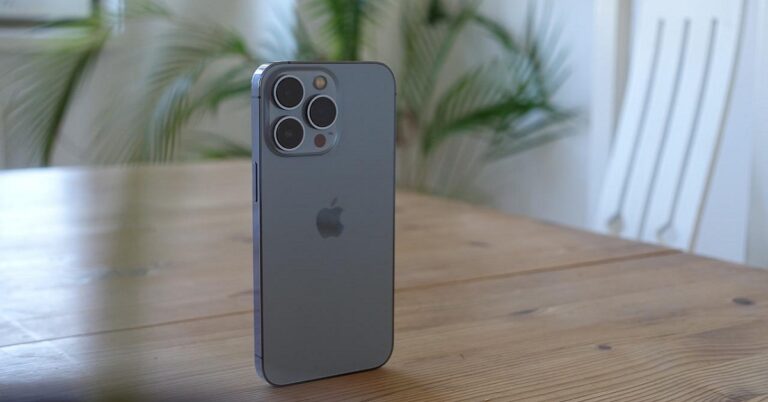
It may happen sometimes that your iPhone starts acting up and doesn’t respond. Even turning it off then on or restarting doesn’t work. In such cases, you need to force restart your iPhone, which is also called a ‘hard reset’. The steps to hard resetting or force resetting an iPhone device vary by the type of model that you are using. Here is a step-by-step guide demonstrated pictorially on how to hard reset your iPhone 13 in 2022.
Read also: How To Recover Deleted Photos From iPhone (2022)? Best 4 Ways
If you possess a smartphone model above iPhone X, then you can force restart or hard reset your device in the following manner.
Step 1: Press and quickly release the volume up button.
Step 2: Press and quickly release the volume down button.
Step 3: Then, press and hold the side button. When the Apple logo appears, release the button.
Note that the volume up and volume down buttons are supposed to be pressed quickly one after the other, but not at the same time.
Read also: How To Limit Screen Time For Your Child On iPhone?
The process may take a couple of tries for you to master if you’re hard resetting your iPhone 13 for the very first time. But once you get the hang of it, it seems like a cakewalk.
In case your iPhone still does not restart after trying these steps, you can seek help from Apple Support for the same. If your iPhone device is not working as expected after a hard reset or a force restart, you can visit the iPhone Support website for more help. Worst case scenario, if nothing helps, you can try contacting Apple customer service and check if they can provide a solution to your problem.
If you’re facing any such problems with your brand-new iPhone 13 or any other iOS smartphone model, do let us know in the comments section below. We would love to help in whichever way we can.
For the latest gadget and tech news, and gadget reviews, follow us on Twitter, Facebook and Instagram. For newest tech & gadget videos subscribe to our YouTube Channel. You can also stay up to date using the Gadget Bridge Android App. You can find the latest car and bike news here.
 Step 1: Press and quickly release the volume up button.
Step 2: Press and quickly release the volume down button.
Step 3: Then, press and hold the side button. When the Apple logo appears, release the button.
Note that the volume up and volume down buttons are supposed to be pressed quickly one after the other, but not at the same time.
Read also: How To Limit Screen Time For Your Child On iPhone?
The process may take a couple of tries for you to master if you’re hard resetting your iPhone 13 for the very first time. But once you get the hang of it, it seems like a cakewalk.
In case your iPhone still does not restart after trying these steps, you can seek help from Apple Support for the same. If your iPhone device is not working as expected after a hard reset or a force restart, you can visit the iPhone Support website for more help. Worst case scenario, if nothing helps, you can try contacting Apple customer service and check if they can provide a solution to your problem.
If you’re facing any such problems with your brand-new iPhone 13 or any other iOS smartphone model, do let us know in the comments section below. We would love to help in whichever way we can.
For the latest gadget and tech news, and gadget reviews, follow us on Twitter, Facebook and Instagram. For newest tech & gadget videos subscribe to our YouTube Channel. You can also stay up to date using the Gadget Bridge Android App. You can find the latest car and bike news here.
Step 1: Press and quickly release the volume up button.
Step 2: Press and quickly release the volume down button.
Step 3: Then, press and hold the side button. When the Apple logo appears, release the button.
Note that the volume up and volume down buttons are supposed to be pressed quickly one after the other, but not at the same time.
Read also: How To Limit Screen Time For Your Child On iPhone?
The process may take a couple of tries for you to master if you’re hard resetting your iPhone 13 for the very first time. But once you get the hang of it, it seems like a cakewalk.
In case your iPhone still does not restart after trying these steps, you can seek help from Apple Support for the same. If your iPhone device is not working as expected after a hard reset or a force restart, you can visit the iPhone Support website for more help. Worst case scenario, if nothing helps, you can try contacting Apple customer service and check if they can provide a solution to your problem.
If you’re facing any such problems with your brand-new iPhone 13 or any other iOS smartphone model, do let us know in the comments section below. We would love to help in whichever way we can.
For the latest gadget and tech news, and gadget reviews, follow us on Twitter, Facebook and Instagram. For newest tech & gadget videos subscribe to our YouTube Channel. You can also stay up to date using the Gadget Bridge Android App. You can find the latest car and bike news here. How To Recover Deleted Photos From iPhone (2022)? Best 4 Ways
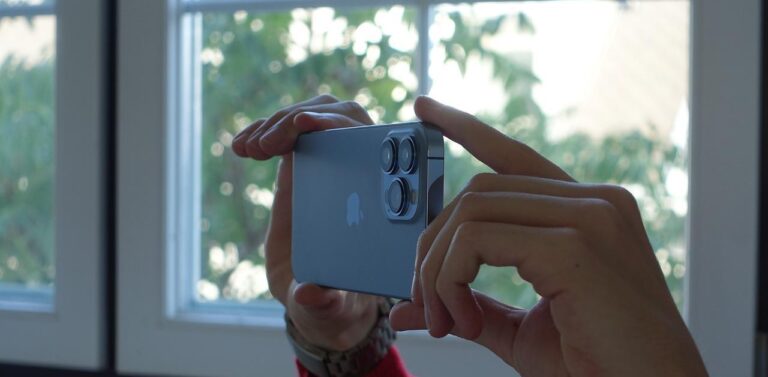
No matter how large an internal memory a smartphone provides, it is still limited and is bound to get extinguished someday. Hence, we end up spending our quality time deleting unwanted files for making space in our phones. And needless to say, a large chunk of space is taken up by the infinite number of photos we take every day, which takes up a huge time to clean up. But the process comes with the risk of unintentionally deleting some of your beloved memories as well. So that you don’t have to lose your cherished captures with your loved ones, we bring to you the best 4 ways how to recover deleted photos from an iPhone in 2022.
Step 1: Open Photos and tap on the Albums tab.
Step 2: Scroll down and tap on the Recently Deleted album and then tap Select.
Step 3: Tap on the photo or video that you want to recover.
Step 4: Tap Recover again to confirm.
Read also: How To Limit Screen Time For Your Child On iPhone?
Step 1: Open iTunes and connect your iPhone to your PC.
Step 2: Select the Restore Backup option and chose the most relevant backup you want to restore.
Step 3: Click on the Restore button.
Read also: 5 Best Ways To Quickly Recover Deleted Contacts On iPhone
Step 1: Go to https://www.icloud.com and log in with your username and password.
Step 2: Select Photos from the web page once you successfully log in.
Step 3: Click the album marked Recently Deleted.
Step 4: Select the photo you want to restore and click on Recover.
In this way, you can restore or recover deleted photos from your iPhone in 2022. In case there is any other way to do the same, do let us know in the comments section below. And who knows, maybe your suggestion would help save someone’s lost but beloved memory?
For the latest gadget and tech news, and gadget reviews, follow us on Twitter, Facebook and Instagram. For newest tech & gadget videos subscribe to our YouTube Channel. You can also stay up to date using the Gadget Bridge Android App. You can find the latest car and bike news here.
In This Article
Recover Deleted Photos From The Photos App
 Step 1: Open Photos and tap on the Albums tab.
Step 2: Scroll down and tap on the Recently Deleted album and then tap Select.
Step 3: Tap on the photo or video that you want to recover.
Step 4: Tap Recover again to confirm.
Read also: How To Limit Screen Time For Your Child On iPhone?
Step 1: Open Photos and tap on the Albums tab.
Step 2: Scroll down and tap on the Recently Deleted album and then tap Select.
Step 3: Tap on the photo or video that you want to recover.
Step 4: Tap Recover again to confirm.
Read also: How To Limit Screen Time For Your Child On iPhone?
Recover Deleted Photos From iPhone Backup
Step 1: Launch Finder on your macOS. Step 2: Connect your iPhone to your PC or laptop. Step 3: Select your iPhone from the list of locations on the left pane. Step 4: Click on the Restore iPhone button under the General tab. Step 5: Let Finder backup your iPhone before restoring an earlier one. Then click on the Restore button to confirm.Recover Deleted Photos From iTunes Backup
 Step 1: Open iTunes and connect your iPhone to your PC.
Step 2: Select the Restore Backup option and chose the most relevant backup you want to restore.
Step 3: Click on the Restore button.
Read also: 5 Best Ways To Quickly Recover Deleted Contacts On iPhone
Step 1: Open iTunes and connect your iPhone to your PC.
Step 2: Select the Restore Backup option and chose the most relevant backup you want to restore.
Step 3: Click on the Restore button.
Read also: 5 Best Ways To Quickly Recover Deleted Contacts On iPhone
Recover Deleted Photos From iCloud Backup
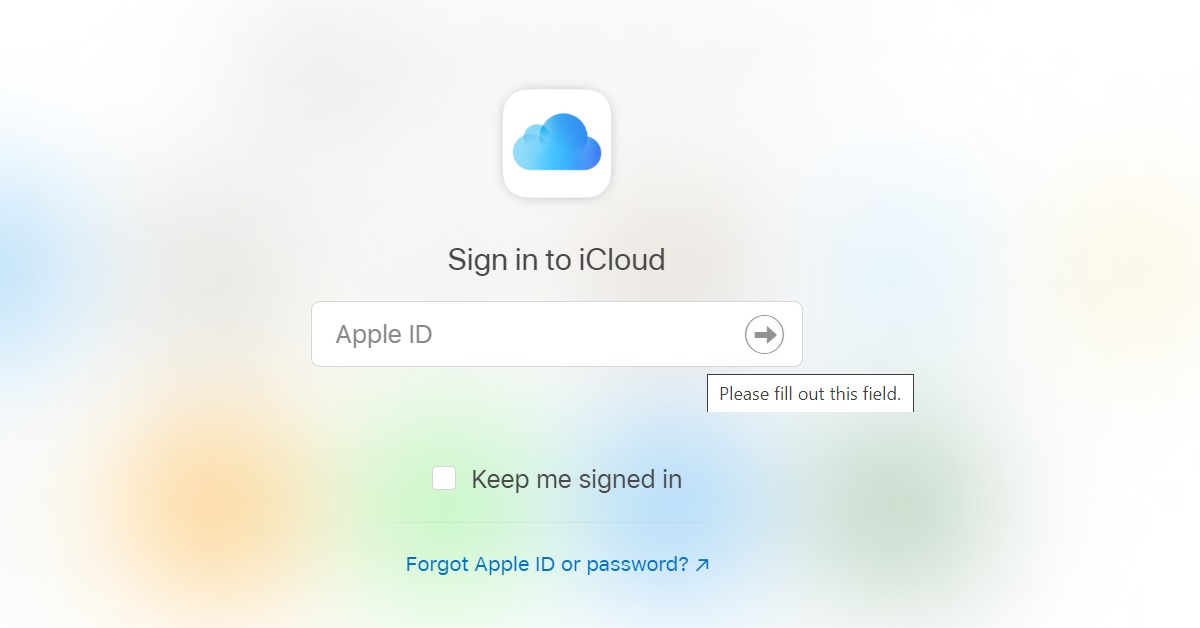 Step 1: Go to https://www.icloud.com and log in with your username and password.
Step 2: Select Photos from the web page once you successfully log in.
Step 3: Click the album marked Recently Deleted.
Step 4: Select the photo you want to restore and click on Recover.
In this way, you can restore or recover deleted photos from your iPhone in 2022. In case there is any other way to do the same, do let us know in the comments section below. And who knows, maybe your suggestion would help save someone’s lost but beloved memory?
For the latest gadget and tech news, and gadget reviews, follow us on Twitter, Facebook and Instagram. For newest tech & gadget videos subscribe to our YouTube Channel. You can also stay up to date using the Gadget Bridge Android App. You can find the latest car and bike news here.
Step 1: Go to https://www.icloud.com and log in with your username and password.
Step 2: Select Photos from the web page once you successfully log in.
Step 3: Click the album marked Recently Deleted.
Step 4: Select the photo you want to restore and click on Recover.
In this way, you can restore or recover deleted photos from your iPhone in 2022. In case there is any other way to do the same, do let us know in the comments section below. And who knows, maybe your suggestion would help save someone’s lost but beloved memory?
For the latest gadget and tech news, and gadget reviews, follow us on Twitter, Facebook and Instagram. For newest tech & gadget videos subscribe to our YouTube Channel. You can also stay up to date using the Gadget Bridge Android App. You can find the latest car and bike news here.