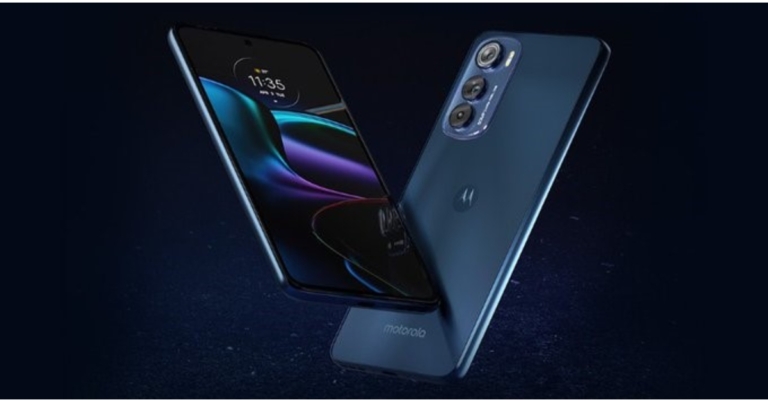
Motorola Edge 30 has officially debuted in India today. The mid-ranger comes with a pOLED display offering a refresh rate of 144Hz and is dust and water-resistant to IP52 standards. The device is powered by Snapdragon 778G+ SoC. It also features a triple rear camera set-up that includes a 50MP primary sensor. Moreover, the handset houses a 4,020mAh battery.
In This Article
Motorola Edge 30 price in India and sale details
The Motorola Edge 30 costs Rs 27,999 in India for the 6GB RAM with 128GB storage option whereas the 8GB RAM with 128GB storage option costs Rs 29,999. The device will come in two colour options – Aurora Green and Meteor Grey.Starting on May 19, the smartphone will be available for purchase on Flipkart, Reliance Digital, and retail stores. On HDFC Bank credit cards and EMI transactions, customers can get a Rs 2,000 instant discount.
Motorola Edge 30 specifications
The Motorola Edge 30 highlights a 6.7-inch full-HD+ pOLED display with 1,080×2,400 pixels of resolution. The screen comes with a 144Hz refresh rate and support for HDR10+ content. The device operates on Android 12 based MyUX. The Snapdragon 778G+ processor and Adreno 642L GPU in the smartphone are paired with up to 8GB of LPDDR5 RAM. The phone comes with 128GB of internal storage.The Motorola Edge 30 comes with a 4,020mAh battery that supports 33W TurboPower charging.The Motorola Edge 30 has a triple camera setup for photos and videos, which includes a 50-megapixel primary camera with an f/1.8 aperture, a 50-megapixel ultra-wide-angle camera with an f/2.2 aperture, and a 2-megapixel depth camera with an f/2.4 aperture. For selfies and video chats, it also has a 32-megapixel front-facing camera with an f/2.4 aperture.The handset has 5G, 4G LTE, WiFi 6E, Bluetooth 5.2, GPS, NFC, and a USB Type-C port for connectivity. A proximity sensor, ambient light sensor, accelerometer, gyroscope, and compass are among the smartphone’s sensors. For biometric authentication, the phone also has an in-display fingerprint sensor. The device is dust and water-resistant to IP52 standards.
For the latest gadget and tech news, and gadget reviews, follow us on Twitter, Facebook and Instagram. For newest tech & gadget videos subscribe to our YouTube Channel. You can also stay up to date using the Gadget Bridge Android App. You can find the latest car and bike news here.
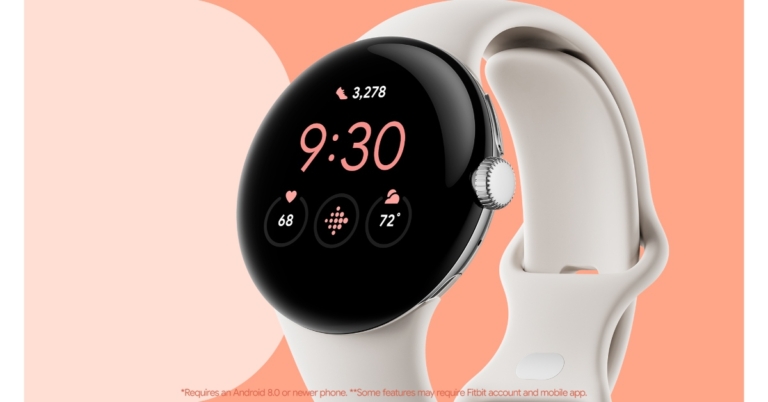
After months of speculations, Google Pixel Watch made its debut as the company’s first smartwatch during the I/O 2022. The wearable comes with rounded edges and a circular domed design. It also comes with a variety of health and fitness tracking features. Alongside the smartwatch, the tech giant has also introduced Pixel Buds Pro truly wireless stereo (TWS) earbuds.
In This Article
Google Pixel Watch, Pixel Buds Pro price and availability
The price of the Google Pixel Watch has yet to be revealed. The smartwatch, however, will be available in the United States starting this fall, according to Google. Whereas Google Pixel Buds Pro will set you back $199 which translates to Rs 15,400. The earbuds are available in four colours: charcoal, coral, fog, and lemongrass. The pre-orders will begin on July 21 in the United States. The Pixel Watch and Pixel Buds Pro are yet to be announced in India.
Google Pixel Watch specifications
The Google Pixel Watch features a circular display with curved glass protection that gives it a domed design. It has a stainless steel build and a tactile crown. The Pixel Watch also comes with interchangeable wrist bands that can be customised. On the software front, Google claims that the Pixel Watch features a new Wear OS UI with improved navigation and smart notifications. To provide an enhanced experience, the Google Pixel Watch is also compatible with Google Assistant, Google Maps, and Google Wallet. Users can also use the Find My Device app to locate their lost Pixel phone, earbuds, or any other supported device on a map displayed on their wrist. Fitbit has also been integrated into the Pixel Watch.Additionally, using the Home app for Wear OS, the Google Pixel Watch can be used as a remote. You can turn lights on and off and adjust your thermostat with the flick of a wrist.The Pixel Watch will also provide continuous heart rate and sleep tracking. When working out, users can see their active zone minutes and track their statistics and progress toward various fitness goals.
Google Pixel Buds Pro specifications
The Google Pixel Buds Pro features active noise cancellation (ANC), which uses a new silent seal technology. The new earbuds support ANC. A transparency mode on the Pixel Buds Pro allows users to hear ambient sound. The earbuds have beamforming microphones that use machine learning-trained noise restrict algorithms to suppress wind, traffic and other background noise. Users can also use Find My Device to track down their Pixel Buds Pro if they misplace them.To compete with Apple’s AirPods Pro, Google has promised to update the Pixel Buds Pro later this year with spatial audio support. A custom audio chip has been integrated that is said to deliver power efficiency, allowing the hardware to last up to 11 hours of listening time or seven hours with ANC enabled.The Pixel Buds Pro offers a hands-free Google Assistant experience. It can also be used to translate in 40 languages or ask the Assistant for walking directions. The charging case supports both wired and wireless charging via USB Type-C. The buds also have multipoint connectivity, which allows users to connect them to compatible devices like tabs, laptops, smartphones and TV.
For the latest gadget and tech news, and gadget reviews, follow us on Twitter, Facebook and Instagram. For newest tech & gadget videos subscribe to our YouTube Channel. You can also stay up to date using the Gadget Bridge Android App. You can find the latest car and bike news here.
Motorola Edge 30 will make its debut in India today. The smartphone made its global debut last month and it features a 144Hz refresh rate pOLED display and a triple rear camera system. The upcoming Motorola smartphone is expected to be India’s first Snapdragon 778G+ smartphone. The company has not disclosed the pricing and full specs but just days before the official launch the handset’s India pricing and launch offer were leaked.
In This Article
Motorola Edge 30 India launch details, expected to price
The Motorola Edge 30 was released globally last week, and it is now on its way to India. The device will be released today in India. The phone has been listed on Flipkart and will be available for purchase there. The phone will also be sold through other online platforms, including Reliance Digital and other major retailers.In a Twitter post, tipster Abhishek Yadav (@yabhishekhd) revealed the Motorola Edge 30 India price and launch offer. According to the leak, the Motorola Edge 30 will be priced at Rs 27,999 in India. Customers are also expected to receive a launch offer of Rs 2,000 from a bank, bringing the price down to Rs 25,999.As previously stated, the phone was launched globally last week for EUR 449.99 (roughly Rs 36,300). In India, the device is expected to cost around the same as in Europe. The colour options are Aurora Green, Meteor Gray, and Supermoon Silver.
Motorola Edge 30 specifications
The Indian version of the Motorola Edge 30 is expected to have the same features as the global version. It will have a 144Hz refresh rate pOLED display and 5G support, according to the Flipkart listing. The Motorola Edge 30 comes with a 6.7-inch full-HD+ OLED display with a resolution of 1,0802,400 pixels and a 144Hz refresh rate. My UX, which is based on Android 12, runs on the phone. An octa-core Qualcomm Snapdragon 778G+ processor and 8GB of RAM will power it. The smartphone supports up to 256GB of storage.The Motorola Edge 30 has three cameras on the back, the primary of which is 50 megapixels. The camera unit also includes a 50-megapixel ultra-wide-angle camera and a 2-megapixel depth sensor. It has a 32-megapixel front-facing camera for selfies and video chats.It has an in-display fingerprint sensor and a 4,020mAh battery with 33W TurboPower charging support for biometrics.
For the latest gadget and tech news, and gadget reviews, follow us on Twitter, Facebook and Instagram. For newest tech & gadget videos subscribe to our YouTube Channel. You can also stay up to date using the Gadget Bridge Android App. You can find the latest car and bike news here.
Amazon is back with another quiz on its mobile platform. The daily quiz is now live on the Amazon App and today’s Amazon Quiz will give you a chance to win Rs 15,000 Amazon pay Balance. The participants can play the 12 May 2022 Amazon Quiz from 12 AM to 11:59 PM. For those who are unaware of the quiz, the e-commerce platform brings a fresh quiz on a daily basis which consists of five questions related to general knowledge and current affairs.The participants need to answer all the questions correctly and their names will be selected for a lucky draw. The winner will be announced at the end of the month. One wrong answer could eliminate you from the quiz. Only app users are eligible to participate in the Quiz. In today’s Amazon Quiz the participants will get a chance to win Rs 15,000 Amazon Pay Balance. Check Out 12 May 2022 Amazon Quiz Answers.Amazon Quiz Today Prize – Rs 15,000 Amazon Pay BalanceQuiz Date – 12 May 2022Daily Timing – 12 AM to 11:59 PMWinner Announcement – Today 12 PM
In This Article
Amazon Quiz Answers Today 12 May 2022
Question 1: Rajya Sabha MP Sambhaji Raje, belongs to the direct lineage of which Indian ruler?
Answer: Chhatrapati Shivaji
Question 2: Approved by GSI, India’s first Geo-Park will be set up at Lamheta village in which state?
Answer: Madhya Pradesh
Question 3: In the last year, people of which country comprised the largest chunk of foreign nationals who got the skilled worker visa in the UK?
Answer: India
Question 4: How many seeds on an average are present on this fruit?
Answer: 200
Question 5: Which category of edibles does this item fall in?
Answer: Berry
How To Play Amazon Quiz
Only app users are eligible to play the Amazon quiz every morning from 12 AM to 11:59 PM. The quiz is not available on the desktop. For those who are unaware of how to play the Amazon quiz below are the steps, you can follow to take the quiz.
Firstly download the Amazon app from Google Play Store or App Store
Now fill in the required information through the Sign Up option.
You need to log in to the Amazon app and scroll down on the home screen to find the Amazon Quiz banner.
Tap on the Amazon Quiz banner and tap on the Start button to start the Quiz.
Now you will get 5 questions and you need to answer them correctly. One wrong answer will eliminate you from the Quiz.
After answering all the questions correctly you are now eligible for a Lucky Draw.
The winner’s name will be announced today at 12 PM.
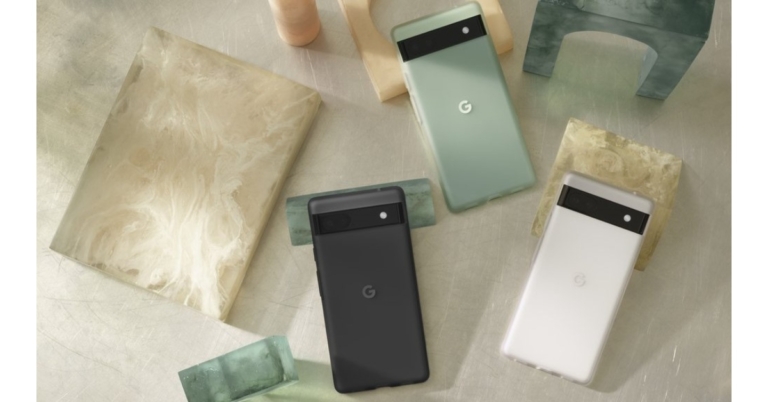
The Google Pixel 6a has officially been announced at Google I/O 2022. It has the same Google sensor and many of the features as the Pixel 6 and Pixel 6 Pro. The Google Pixel 6a has a 6.1-inch display that supports always-on functionality. Moreover, it will receive a minimum of five years of security updates. The newly arrived Pixel phone is said to have 24 hours of battery life.
In This Article
Google Pixel 6a price and availability
The Google Pixel 6a costs $449 which translates to Rs 34,800. The smartphone will be available for pre-order in the United States on July 21. It will come in three colour options of Chalk, Charcoal, and Sage. The Pixel 6a has yet to be priced and made available in other markets, including India. However, Google has confirmed that the Pixel 6a will arrive in India later this year.
Google Pixel 6a specifications
The Google Pixel 6a has a 6.1-inch full-HD+ OLED display with 1,080 x 2,400 pixels of resolution. The screen comes with an aspect ratio of 20:9, a 60Hz refresh rate and is protected with Corning Gorilla Glass 3. The smartphone runs on Android 12 out of the box and is said to receive five years of security updates from when the device first becomes available. And as with other Pixel devices, Pixel 6a will be among the first Android devices to receive the upcoming Android 13 update. It is equipped with a Google Tensor SoC and a Titan M2 security coprocessor, as well as 6GB of LPDDR5 RAM and 128GB of internal storage.The Google Pixel 6a features a dual rear camera setup with a 12.2-megapixel primary sensor with f/1.7 aperture and a 12-megapixel ultra-wide-angle camera with f/2.2 aperture. The rear camera can record 4K video at 30 frames per second. The device further includes an 8-megapixel front-facing camera with an f/2.0 aperture for selfies and video calling. The front camera can record 1080p video at 30 frames per second.On the Pixel 6a, Google has included a 4,410mAh battery with fast charging capabilities. It comes with an all-day battery that can last up to 72 hours when in the Extreme Battery Saver mode.5G, 4G LTE, Wi-Fi 6E, Bluetooth 5.2, and a USB Type-C port are among the connectivity options. An accelerometer, ambient light, barometer, gyroscope, magnetometer, and proximity sensor, as well as an in-display fingerprint sensor for biometric authentication, are among the sensors onboard. Pixel 6a comes with the same highly accurate speech recognition as Pixel 6 Pro. That includes features like Recorder, Live Caption and Live Translate.
For the latest gadget and tech news, and gadget reviews, follow us on Twitter, Facebook and Instagram. For newest tech & gadget videos subscribe to our YouTube Channel. You can also stay up to date using the Gadget Bridge Android App. You can find the latest car and bike news here.
Sometimes it may happen that you receive an email from someone in your family, friends or connections, but you’re not able to exactly recognise them. Neither the email body reveals much about their identity nor their email ID. Asking them directly is, no doubt, a simple option. But let’s face it. Isn’t it awkward and rude? Another parallel situation is that you might receive a marketing, fraudulent or spam email which you’re not sure is genuine or not. So to avoid falling into a trap, you intend to verify the source or the identity of the sender of that email. To help you battle all such situations, we are always by your side. Hence, we share with you the top ways how to find the person behind an email address in 2023. Nevertheless, it’s always better to equip yourself with knowledge, no?
In This Article
Google Search
The first way that immediately comes to mind to find the identity of a person behind an email address is a simple Google Search. Hey, no matter how thin the chances are, they’re greater than zero at least. You may be able to find the details of the person in case they own a public account on any of the social media or professional networking sites. You may also be able to trace them in case they have a blog or have posted or commented on any sites or public forums online. You can try directly searching through the engine with their email address and seeing the results.
Reverse Email Lookup (CocoFinder)
You can leverage reverse email lookup services and search engines available online that help users configure the identity of the person contacting them via email. These can even provide you with additional details of the sender apart from their full name, like their phone number(s), full address, photos and even social media handles. There are many such reverse email lookup tools and people search engine websites available online. One of the most popular ones, however, is CocoFinder.Read also: Top 5 Sites To Identify The Owner Of A Phone Number
Use Clearbit Connect Chrome Extension
You can even use Google Chrome plugins to find the person behind an email address. Some extremely useful Chrome extensions are Contact+ for Gmail and Clearbit Connect. You wouldn’t even have to leave your Gmail inbox and all the details of the sender will be displayed right next to the email. It reportedly offers about 100 reverse email lookups per month for free and even reveals the company at which the sender is employed.
Trace the sender’s IP address
A lot of people don’t know this, but you can find out the source IP address of the sender using the email they sent you. Simply click the ellipses on the email and select ‘Show Original’. Look for the ‘Received’ section on the following page to find the IP address of the sender. Copy this IP address into an online IP locator tool to find the location of the sender. You can also copy the entire email header and use IPlocation.net to figure out the location where it originated. Read this article to find out more.
Social Networking Sites
Another easy way to find the identity of a person behind an email address is by tracing their social media profiles through their email ID. Hey, it’s the social media age today, remember? It is almost impossible for a person to not have any social traces on the internet. You can directly key in the person’s email ID in the Facebook, Instagram, LinkedIn or Twitter search engine and you are likely to land on the person’s social handle through at least one of these platforms. This should work successfully if the person has an account on any of these social channels with the same email ID that they sent you an email from.
Use a Paid Service
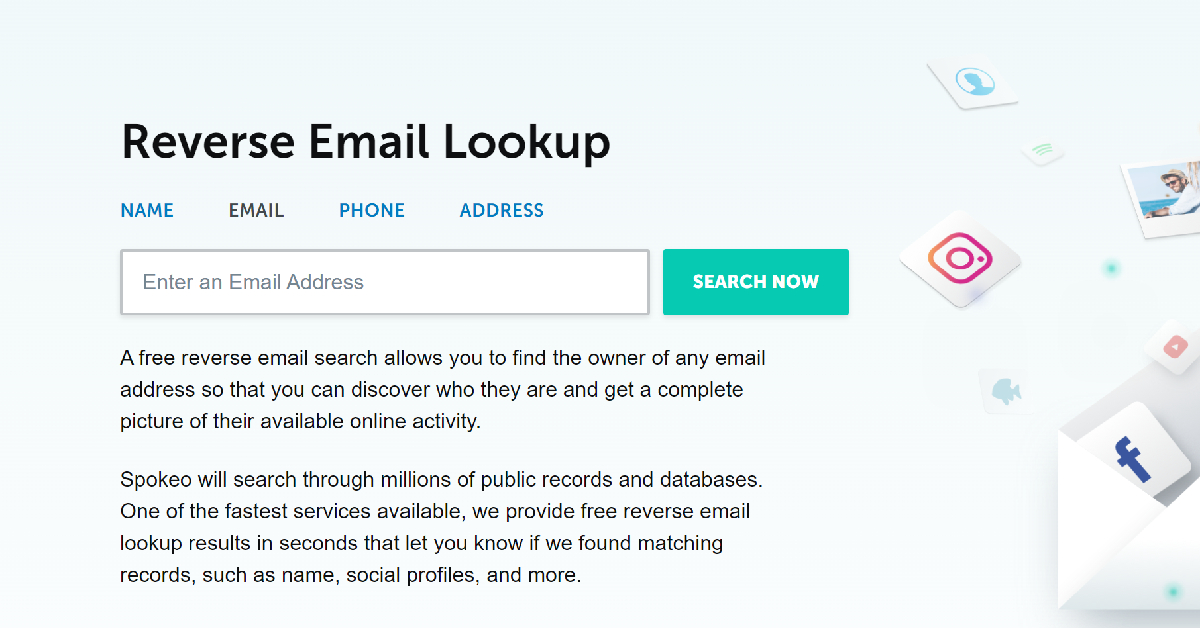
Websites like Spokeo and Social Catfish offer paid services to thoroughly look into someone using the information you have about them. This is similar to a reverse email lookup, but it is more efficient and brings up a huge volume of public data. With just one simple email search you can find out the name, address, and other public records of the person in question. Spokeo goes through online directories, public records, dating sites, social media sites, and shopping sites to find any record matching the email address you have provided them.
Frequently Asked Questions (FAQs)
How do I find the owner of an email address?
A simple Google search of the email address can help you find the person that owns it. If that doesn’t work. Find the owner of the email address using a reverse email lookup.
How do I find the IP that an email address originated from?
To find the IP address of the sender of an email, simply open the email, hit the ellipses, and select ‘Show original’. The IP address will be listed next to the ‘Received’ category.
How do reverse email search engines work?
Reverse email search engines like Spokeo and Cocofinder look into records like online directories, social media websites, dating sites, shopping sites, public records, and more. Once they find an entry that matches the email address you provided, they return the appropriate results.
Read also: 5 Best Ways To Quickly Recover Deleted Contacts On iPhone
The Meta owned photo-sharing app Instagram shared the top meme trends and themes in India. The dominance of comedy memes, the prominence of topical memes like #sharktankmemes, and the rise of regional memes like #gujjumemes and #tamilmemes are examples of this. Reportedly Instagram is also launching a pilot for NFT support on its platformMemers and creators from all over the world gathered virtually for the 2nd annual Global MemeCon (formerly known as Global Meme Summit), organised by Instagram, to discuss meme trends, share best practices, and celebrate memes culture. In Mumbai, an exclusive viewing party was held with top Indian mememers and creators in attendance, where trends from the Indian memeaverse were shared.Paras Sharma, Director of Media Partnerships, Facebook India (Meta), said, “Trends from the Indian memeaverse highlight how memes to fuel culture and we’re glad to share them, so more people in the ecosystem understand the meme space even further. Now with Reels, memes have evolved from photos, GIFs, to short videos, and creative tools like Remix, collab and original audio, are helping accelerate creativity in memes all across India.”Ankit Chauhan aka @oyeankit, a meme creator from Surat, whose rib-tickling memes have traversed the internet and travelled internationally too, was one of the speakers at the global MemeCon. He said, “It’s great to see the meme community come together and chart the ways and means by which memes can be intertwined with culture even further. I was glad to be representing India at the Summit and highlight some of my memes that have travelled from Surat to San Francisco and beyond, on Instagram!”Top trends from the Indian memeaverse:Most popular ‘meme’ types
Comedy memes
Crypto memes
Gaming memes
Astrology memes
Top followed meme hashtags in India
#funnymemes
#gujjumemes
#tamilmemes
#memesdaily
#marathimeme
Trending hashtags
#iplmemes
#telugumemes
#kgf2
#gujjumemes
#willsmith
Topical and cultural moments that created meme-storms
Choti Bachi Ho Kya?
Shark Tank India memes
Your accent is so sexy
Hera Pheri Memes
Mr McAdams
Apart from this Instagram is also planning to support non-fungible tokens (NFTs), which are based on four blockchains: Ethereum, Polygon, Solana, and Flow. These blockchains have been selected as the first four networks on which Instagram will support NFTs. While Ethereum is the most popular platform for creating virtual collectables, Solana is not far behind. Most NFTs are now made to interact with their immediate digital environment, thanks to the rise of the metaverse world.Initially, Twitter charged users to use the hexagonal NFT profile picture feature but Instagram clearly differs from Twitter. For the time being, Instagram does not intend to charge users for posting their NFTs on its platform.
For the latest gadget and tech news, and gadget reviews, follow us on Twitter, Facebook and Instagram. For newest tech & gadget videos subscribe to our YouTube Channel. You can also stay up to date using the Gadget Bridge Android App. You can find the latest car and bike news here.
We all have been there, haven’t we? You’re in the middle of doing your household chores and you suddenly catch yourself humming a tune that you’re not even able to recognise. Happens to the best of us, doesn’t it? Situations like such are increasingly becoming common these days, as the music industry is becoming more and more inclusive of cross-culture songs. So there are high chances of you stumbling upon a song which impresses you with its beats and tune, but you’re unable to add it to your playlist because it’s in an unfamiliar language. Hence, we are here to assist you in your quest of locating that song and keeping your playlist up-to-date. Here is how you can find a song’s name without knowing the lyrics.
In This Article
Finding Songs Through Mobile Apps
Google App for Android Users
If you’re an Android user, then you can try using the Google app to find the song you don’t know the name, lyrics or the singer of. All you have to do is just ask your Google Assistant “what song is this?” while it is being played in the background. The Google Assistant will automatically detect the song and give you all its details.
Siri for iPhone Users
If you are an iPhone or an iOS device user, you can take help from Siri like the way with Google Assistant. Just say “Hey Siri” to activate Siri on your iOS device and ask “what song is this?”, while playing the song in the background. Siri will recognise the song and provide you with a link to purchase it on iTunes. Read also: How To Add Music To Instagram Posts In 2022?
SoundHound
In case you don’t even have a recording of the song, you can still find it, and that too merely by humming! You can use the SoundHound app for the same. All you have to do is just hum the song after pressing the orange button within the app and it takes care of the rest! It will automatically recognise the song and tell you its details. Download from here.
Shazam
In case none of the above options works out for you, you can try downloading the Shazam app from the Play Store or App Store. It is compatible not only with iPhones and Android devices but with Windows devices as well. Download from here.
Finding Songs Through Websites
You don’t have to necessarily download apps just for finding the name of a particular song that might be stuck in your head. There are plenty of websites which you can access directly via your browser for the same purpose. Below are mentioned some popular ones which you can try out:
Midomi
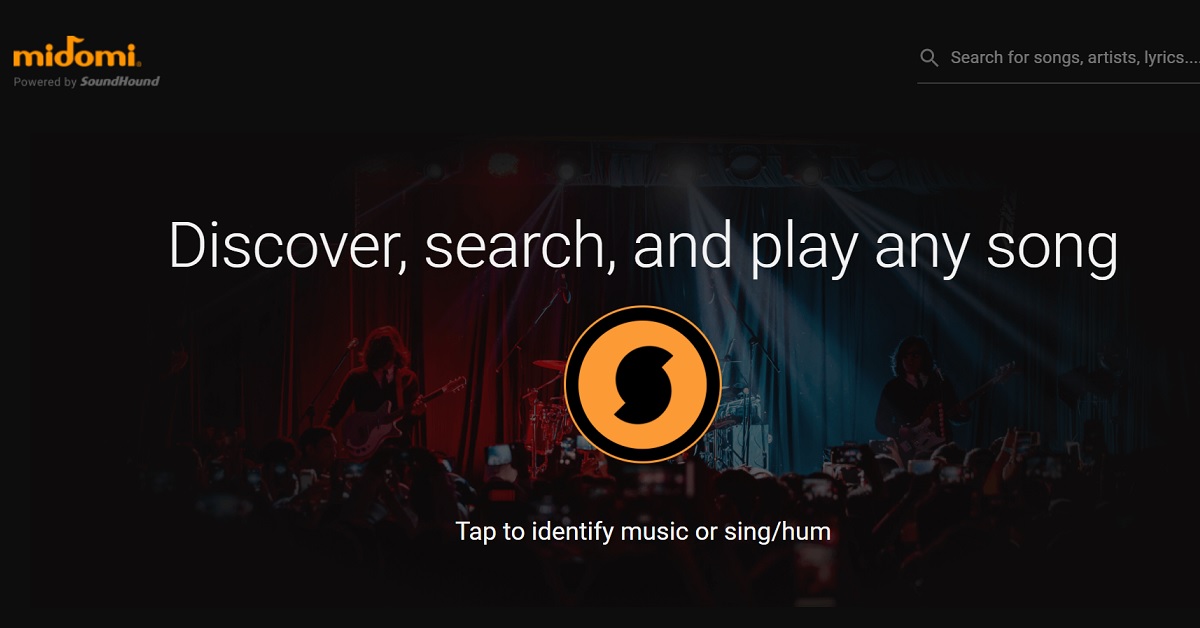
Midomi is one such website which can help you recognize a song if you play it into the microphone of your PC or mobile device. The site also provides you with the option to find a song by singing or humming in case you don’t have a recording of it. Interestingly, Midomi is also powered by SoundHound. Visit the website.
Reddit
Lastly, if no automated way is helping you out in your quest, you can take help from online public forums like those on Reddit. For example, you can ask Reddit communities like r/OnTheTipOfMyTounge to help you find the song, by providing whatever details you have about it from your side. Read also: How To Download Instagram Reels On Android (2022)?In this way, you can find the name of any song without even knowing its lyrics, album or singer. We are confident that at least one of the above sources will prove useful and ease your frustration. And if you’re successful in discovering the song, do share it with us in the comments section below. We would be absolutely delighted to hear your favourite tunes. Hey, after all, it’s music to the ears!For the latest gadget and tech news, and gadget reviews, follow us on Twitter, Facebook and Instagram. For newest tech & gadget videos subscribe to our YouTube Channel. You can also stay up to date using the Gadget Bridge Android App. You can find the latestcar and bike news here.
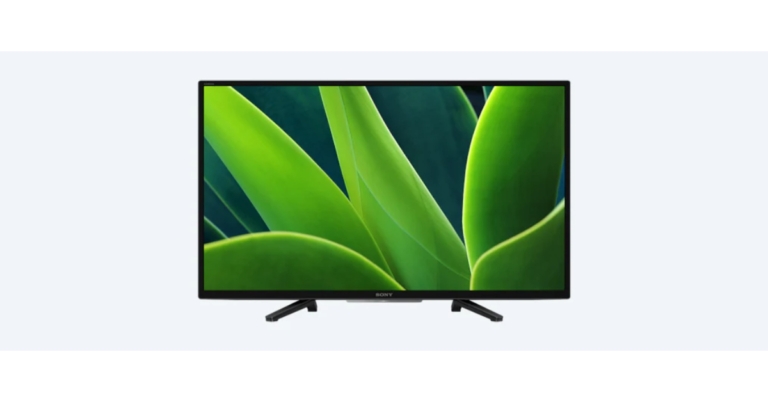
Sony Bravia 32W830K has been officially announced in India in India today. The new Smart TV features a built-in Chromecast. It is a Google ready TV which lets you access movies, games, and shows from apps or broadcasts in real-time. Moreover, the 32 inches smart TV is secured by X-Protection Pro.The Sony Bravia 32W830K features a 32-inch HD ready LCD screen with a resolution of 1368×768 pixels and a refresh rate of 50Hz. HDR10 and HLG video formats are supported by the panel. The TV also includes Sony’s X Reality Pro, Live Color, and MotionFlow XR 200 technologies.The open baffle speaker in the 32W830K produces a powerful 20-watt sound with Dolby Audio and Clear Phase. On the new BRAVIA 32W830K, clear phase technology ensures clearer and more natural sound to complement the picture quality and deliver an immersive experience while watching content. Sony’s X Protection Pro technology protects the TV from dust, humidity, and power surges or lightning strikes.The TV is powered by the Android TV platform, which includes Google TV and Ok Google voice search. The Google Play Store is included with the TV, allowing users to download Netflix, Prime Video, Disney+, Hotstar, YouTube, and other apps. The TV also has a built-in Chromecast and Apple HomeKit. The TV also works with Alexa, so users can control it with Alexa-enabled devices. Users can even use Google Search to add items to their Watchlist from their phone or laptop and find everything in one place. Apple Home Kit and AirPlay are supported by the BRAVIA 32W830K, allowing for seamless content streaming from Apple devices such as iPads and iPhones. Hands-free voice control makes controlling your TV a breeze. No need to reach for the remote to find entertainment, get answers, or control the TV and smart home devices because the TV has built-in voice control. To issue a voice command, simply say “OK Google.” Onboard storage on the Bravia 32W830K is 16GB.The connectivity options on the Sony Bravia 32W830K HD ready LCD television include Wi-Fi 2.5GHz/5GHz, Bluetooth 5, 3x HDMI, 1x Ethernet port, 2x USB port, 2x audio inputs and a Digital ARC port.Wi-Fi 2.5GHz/5GHz, Bluetooth 5, 3x HDMI, 1x Ethernet port, 2x USB port, 2x audio inputs, and a Digital ARC port are among the connectivity options on the Sony Bravia 32W830K HD ready LCD television. In terms of pricing and availability, the Sony Bravia 32W830K is priced at Rs 28,990. The device will be available across all Sony Centers, major electronic stores and e-commerce portals in India.
For the latest gadget and tech news, and gadget reviews, follow us on Twitter, Facebook and Instagram. For newest tech & gadget videos subscribe to our YouTube Channel. You can also stay up to date using the Gadget Bridge Android App. You can find the latest car and bike news here.
When you have a long list of recipients to whom you have to send the same email, Google’s Mail Merge function comes to your rescue. It allows you to send personalized emails in bulk to multiple recipients simultaneously. Here is a step-by-step guide on how to send personalized emails with Mail Merge in Gmail. For sending customized emails through Mail Merge, Google provides a Mail Merge with Attachments add-on as an extension accessible via Google Spreadsheets. Utilizing this add-on, together with Gmail and Google Spreadsheets, you can not only send personalized emails to multiple recipients but also send different file attachments to each, schedule emails for sending at a later point in time, track email opens, clicks and much more.Read also: Google to combine Gmail, Meet, Chat and Spaces to offer a new integrated viewStep 1: Open Google Spreadsheets, go to Extensions > Add-ons > Get add-ons.Step 2: Select the Mail Merge with Attachments add-on and click on Install.Step 3: Authorize permissions to it so that it gets installed on your system. After it’s successfully installed, you will notice the Mail Merge with Attachments add-on appear as an option under the Extensions menu in Google Spreadsheets.Step 4: Go to Extensions > Mail Merge with Attachments > Create Merge Sheet.Step 5: A new sheet with the name Mail Merge gets created with important variable columns like First Name, Last Name, Email Address, File Attachments, etc. You can even add on more variable field columns if you want. Step 6: Go to Extensions > Mail Merge with Attachments > Import Google Contacts to import any existing contact groups from Google Contacts into Mail Merge. You can also choose to fill in the details of the recipients in the Mail Merge spreadsheet manually. Step 7: To add file attachments to your mail, you can paste the links of the corresponding files from your Google Drive. If there are multiple attachments, do remember to separate the links by comma separator. You can also go to Extensions > Mail Merge with Attachments > Add File Attachments > Insert Files from Google Drive to do the same. Step 8: Next, go to your Gmail Inbox and click on Compose to draft a new message. While drafting the email, you have to use the {{ field name }} notation for including the variable fields. These placeholders will get replaced by actual data for the corresponding field in the spreadsheet. For e.g., When you type- “ Hi {{ First Name }} …”, in this format at the start of your email, the salutation gets customized for each individual, with the First Name placeholder getting replaced with the actual names mentioned in the spreadsheet under that column. Step 9: Now that our template is ready, go to the Google Spreadsheet again and go to Extensions > Mail Merge with Attachments > Configure Mail Merge. Add all the sender details asked in the pop-up window and follow the on-screen instructions to complete the Mail Merge process. Read also: How To Google Reverse Image Search On Mobile? Everything You Need To KnowIn this way, you can send personalized emails with Mail Merge in Gmail to a large group of people simultaneously. If the recipient list is quite long, then the Mail Merge function turns out to be a huge saviour. And each email sent to the recipients is uniquely addressed to them, giving it a personal touch. However, if you’re using Mail Merge for the very first time, we recommend you have a trial run before sending the actual emails. If you know of any other method how to send personalized emails with Mail Merge in Gmail, do let us know in the comments section below. For the latest gadget and tech news, and gadget reviews, follow us on Twitter, Facebook and Instagram. For newest tech & gadget videos subscribe to our YouTube Channel. You can also stay up to date using the Gadget Bridge Android App. You can find the latestcar and bike news here.


 Starting on May 19, the smartphone will be available for purchase on Flipkart, Reliance Digital, and retail stores. On HDFC Bank credit cards and EMI transactions, customers can get a Rs 2,000 instant discount.






 A lot of people don’t know this, but you can find out the source IP address of the sender using the email they sent you. Simply click the ellipses on the email and select ‘Show Original’. Look for the ‘Received’ section on the following page to find the IP address of the sender. Copy this IP address into an online IP locator tool to find the location of the sender. You can also copy the entire email header and use
 Websites like





 Step 2:
 Step 3:
 Step 4:
 Step 6:
 Step 7:
 Step 8:
 Step 9: