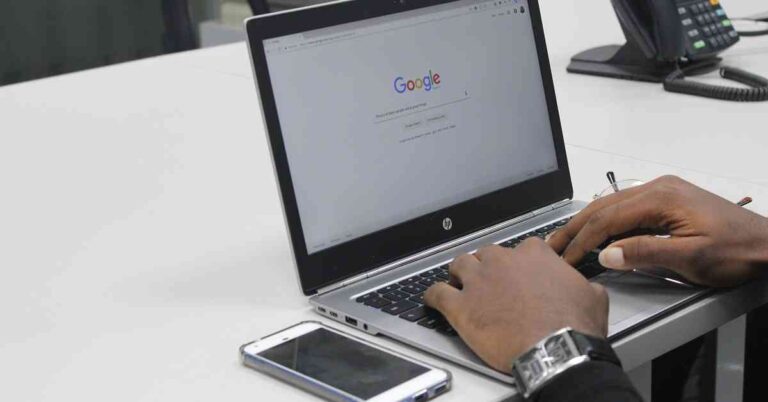
We use our Windows PCs every day for work and business, and we often do not think about the risks involved. Cybercrime has grown from where it was a decade ago. New risks have come up, but generally, the same risks have evolved and become more sophisticated. Some of the risks for PC users include:
● Malware
Malware means malicious software that is specially designed to cause damage to servers, networks, and computers. The different variations of malware range from worms, Trojans, viruses, and others.
● Phishing
Phishing is among the most common risks and is created by malicious actors who try to solicit sensitive or private information. A phishing scam may come as an email that seems to originate from a trusted source such as a friend, colleague, or bank. The email consists of an attachment or link. When you download or click on the link, you are redirected to a bogus website that prompts you to enter your details such as name, passwords, etc.
● Ransomware
Ransomware is software that encrypts your computer or data and makes it inaccessible. The hackers demand a ransom in exchange for the decryption key.
● Man-in-the-Middle Attacks
Man-in-the-Middle attacks (MITM) attacks happen when hackers intercept two-party communication. Each person thinks they are talking to the other while, in essence, both are communicating with the hacker. This attack normally happens if your network is unsecured or has weak passwords.
How to Protect your Windows PC
You can protect your Windows PC from malicious software and hackers.
1. Enable all automatic updates
Most operating systems come with automatic updates that seal any security patches. You do not have to click any buttons or download new apps or files. The software automatically updates in the background.
2. Install a VPN
A Virtual Private Network (VPN) is an installed software that allows your PC to log safely into the internet. A PC VPN will hide your IP address, meaning no one can tell your physical location. The VPN also encrypts your data, and hackers cannot read it or intercept it in transit. Most VPNs use the 256-bit encryption standard that is impossible to crack and protects your PC from Man-in-the-Middle attacks.
3. Activate firewalls and install antivirus software
Windows PCs come with inbuilt firewalls. Activate them to keep malware at bay. Install antivirus software to keep viruses from attacking your PC.
4. Avoid Links and Downloads
Avoid downloading any attachments or clicking on links. If you are in doubt, hover on the link. If it is an HTTP and not an HTTPS, delete the email, that is a scam. If you think it could be legit such as an email from a bank, go to your browser and visit the bank website directly.
5. Use Strong Passwords
Most people use weak and obvious passwords that hackers can easily crack. Do not use passwords like birthdays, pets, or children’s names. Use alphanumeric passwords combined with special symbols to make it harder for anyone to guess.
Conclusion
Windows PCs are at risk of hacking and other forms of cyber threats. Keeping your PC safe will protect your data from theft and encryption by hackers. Being careful about links and downloads helps a great deal in securing your Windows PC.
For the latest gadget and tech news, and gadget reviews, follow us on Twitter, Facebook and Instagram. For newest tech & gadget videos subscribe to our YouTube Channel. You can also stay up to date with the Gadget Bridge Android App.
Microsoft recently began experimenting with its Chromium-based browser named Edge on the Xbox One and the new Xbox Series X/S consoles. It’s believed that Xbox testers can get access to the new Microsoft Edge browser on Xbox One or Xbox Series S/X consoles.
According to a report by The Verge, “the test build of the Chromium-based Microsoft Edge browser is now available for Xbox testers in the Alpha Skip-Ahead group. The new browser currently works best with the Xbox controller, while complete mouse and keyboard support are expected to come sometime in the future.”
What can you expect from Edge browser on Xbox consoles?
The test version of the Edge running on the Xbox seems to support several features from the desktop version like extensions and vertical tabs. However, the current version supports navigation via Xbox controller but has some bugs that need to be removed. We can expect the basic features of the new Microsoft Edge to be available for the users including support for extensions, collections, and some desktop features.
According to the report, “Currently, the test is limited to Xbox testers in the Alpha Skip-Ahead group but hopefully, it won’t take Microsoft too long to release it to the public”.
What can you expect from Edge browser on Xbox consoles?
What will be the benefit of Edge browser on Xbox consoles?
The Edge browser testing on Xbox consoles will expand the browsing features that we can perform on gaming consoles like Xbox One and Xbox Series S/X. The Edge browser on Xbox will extend the capabilities for those users who wish to access websites on their consoles. With enhanced compatibility support of Chromium, users will get access to Google’s Stadia streaming service too.
With the integration of the Edge browser, users will be able to play browser-based games including Flappy Bird, Dinosaur game, Agar.io on their consoles. Edge on Xbox consoles will enhance the compatibility with browser-based services including Skype and Discord through the web.
What will be the benefit of Edge browser on Xbox consoles?
When can you expect the MS Edge browser to arrive on Xbox consoles?
Microsoft has decided to put an end to the legacy version of the Edge browser by March 9, 2021. As a result, the new Microsoft Edge internet browser for Xbox will be released with the end-of-support for the legacy version of the desktop application. One of Microsoft’s beta testing groups, Xbox’s Alpha Skip-Ahead group, has got the preview builds of future system updates that may reach the end-user soon. So chances are in the coming few weeks all Xbox series X and S consoles will get the update.
The android operating system automatically installs the updates of the applications and OS whenever your smartphone is connected to the internet. However, sometimes you may face issues in updating your apps. There can multiple reasons that might be preventing the Play Store to update your apps. Perform the following steps in the sequence. In most cases, your problem will get solved in the first three steps.
Step 1. Check your network
Having a stable internet connection is a requirement for Play Store to update apps on your smartphone. If you are facing a problem in updating your apps, wait for your internet to get stable or switch to a better connection.
Step 1. Check your network
Step 2. Check Your Phone’s Storage
While updating apps, your smartphone fetches new files from the Play Store. If your phone’s storage is full, it will prevent the updated files to download. Thus, before you update your apps, check that your smartphone has sufficient storage available: Settings > Storage.
Step 3. Clear Cache of the Play Store app
Sometimes, the temporary files in the form of cache hinder the changes in the settings to occur if the updates demand them. Thus, you should Force Stop the Play Store app and clear the cache data before updating your apps. Follow these steps.
Open Settings on your smartphone.
Go to the All Apps section.
Search for Google Play Store and tap on it.
Tap on the Force Stop option.
Now, go to Storage > Clear Cache > Clear Data.
Step 4. Uninstall & Re-install Play Store Updates
Although rare, the Play Store update can also be preventing the updates of your apps. Thus, try uninstalling the updates of the Google Play Store. Follow these steps.
Open Settings on your smartphone.
Go to the All Apps section.
Search for Google Play Store and select it.
Tap on the three dots located at the top-right corner.
Tap on the Uninstall Updates button.
Tap OK.
Step 4. Uninstall & Re-install Play Store Updates
Your Play Store will get back to the factory version and soon will automatically be updated.
In case none of the above steps works, you should remove your Google Account and then add it back to your smartphone. This solves the issues related to your Google account that might be hindering the apps from getting updated.
For the latest gadget and tech news, and gadget reviews, follow us on Twitter, Facebook and Instagram. For newest tech & gadget videos subscribe to our YouTube Channel. You can also stay up to date with the Gadget Bridge Android App.
Internet messaging services like WhatsApp and Telegram offer a reliable platform to share information with your contacts and a larger audience via a group on your smartphone. However, apart from the high degree of convenience you get, these apps sometimes become disturbing elements when you get more notifications than you can handle. The best way to not let these apps distract you from your daily chores is to mute one or more chats or groups.
How to mute chats and group notifications on WhatsApp?
When you mute a chat or a group on WhatsApp, you will continue receiving messages sent via chat or the group. However, your smartphone will not notify or buzz you about that. Neither will the muted messages be visible in the badge count on the WhatsApp icon.
To Mute chat or group notifications, follow these steps:
1) Open the WhatsApp app on your mobile phone
2) Go to the chat corresponding to the concerned contact or group.
3) Tap the chat or group subject.
4) Tap Mute.
5) You could swipe the chat or the group to the left followed by More > Mute.
6) Choose the duration you want to mute notifications for, namely, 8 hours, 1 week, or Always.
How to mute chats and group notifications on WhatsApp?
How to mute chats and groups on Telegram?
Telegram allows you to mute notifications from chats and group conversations. It should be noted that on Telegram, you can mute chats or groups for 1 hour, 8 hours, 2 days, or permanently. You can do that on different platforms in the following ways.
On Android
Run the Telegram application on your Android device.
Select the chat or group that you wish to mute.
Tap the three dots located on the top right part of the screen.
Select Mute Notifications and then select Disable.
On iOS
Open the Telegram app on your iOS device.
Select the chat or group that you wish to mute.
Tap the contact or the group name located at the top.
On the info page, tap on Mute and choose Mute Forever.
How to mute chats and groups on Telegram?
On Telegram Desktop
Run the Telegram application on your desktop.
Right-click the chat or group that you want to mute.
Click on Disable Notifications
Choose Forever and click OK.
On Telegram Web
Open Telegram web in your browser.
Select the chat that you want to mute.
Click the contact or the group name located at the top.
Ethernet has been the ideal choice for many gamers, since it provides very low latency. Wi-Fi 6 internet technology has opened many opportunities in the communications field. You might be thinking of upgrading your network and the router to Wi-Fi 6. If you have been using an Ethernet connection, then this decision is even more significant for you. Owing to its ultra-low latency, Wi-Fi 6 is seen as a revolution in online gaming. Till now, the number of participants per game has been a limitation. Wi-Fi 6 soon will turn the dream of have multiple people connected into reality when several gamers will be able to enjoy online gaming together without latency issues. But, can the Wi-Fi 6 completely replace the Ethernet LAN gaming? Let us compare them against each other to find out what’s the right choice for gaming.
What is Ethernet and how fast it is?
Gigabit Ethernet, commonly known as Ethernet is used in large networks and can offer speeds of up to 1Gbps or more. An Ethernet employs Category 5 (Cat5e) Ethernet cords connecting your PC/laptop modem to your router. Some home networks use Cat6e instead, but the cable looks the same at a casual glance. Nowadays, optic fibre cable is used as it allows us to send signals over a much larger distance without requiring a repeater or booster. We also have Ethernet systems capable of offering as high as 10-Gigabit speeds allowing us to carry out tasks like streaming 4K videos and gaming. A 10-Gigabit Ethernet usually needs an advanced Cat6a or Cat7 cable to work. In all the cases the latency is less as it is a cable connected environment.
What is Ethernet and how fast it is?
Is WiFi 6 faster than the best Ethernet?
Wi-Fi 6 is a revolutionary technology. Older versions of Wi-Fi such as Wi-Fi 5 worked on the half-duplex connection in which you can transfer data only in one direction at one time. As a result, it’s much slower than what the latest Wi-Fi 6 offers. The Wi-Fi 6 generates a full-duplex connection allowing us to send and receive data simultaneously. As a result, there’s no waiting time and we can achieve a maximum bandwidth of up to 9.6Gbps. Wi-Fi 6 technology is designed for IoT (Internet of Things) implementation. Wi-Fi 6 comes along with several new technologies allowing routers to communicate with multiple devices simultaneously, hence lowering lag.
NETGEAR Nighthawk AX8 8-Stream Wi-Fi 6 Router (RAX80) – AX6000
Price: ₹ 24,999
Buy on Amazon
Which one provides a better gaming experience?
Online gaming requires your network to be fast-paced so that data transfer occurs with minimum lag. Every Wi-Fi connection suffers from a high ping issue that may create some amount of lag in the game. This lag has a roll-over effect on the gamer’s reflexes. Although Wi-Fi 6 is much better than the previous Wi-Fi versions. But when it comes to gaming, Wi-Fi 6 also suffers from a small amount of lag. Sine Wi-Fi is a wireless connection, it depends on the orientation of the room and the objects kept inside. Unless you’ve remastered your room and removed all the obstacles between your PC/Laptop and the Wi-Fi 6 router, going for an Ethernet connection is better than the Wi-Fi 6 conenction for gaming.
Which one provides a better gaming experience?
For the latest gadget and tech news, and gadget reviews, follow us on Twitter, Facebook and Instagram. For newest tech & gadget videos subscribe to our YouTube Channel. You can also stay up to date with the Gadget Bridge Android App.
Owning a phone number is a pre-requisite for using WhatsApp. However, the number can be your mobile number, landline, or a virtual number. As long as you can verify the number via OTP, you can register the same on the app. This process has an advantage as you can now use WhatsApp while hiding your original number.
Why would you need to hide your number while using WhatsApp?
There is nothing illegal in hiding your number while using WhatsApp. However, you must complete the OTP verification process every time you register on the app. As long as you use the app, your phone number is visible to the groups you are part of. The phone number can be easily transmitted to contacts and groups within the app. Thus, if you wish to hide your original contact details on WhatsApp, you can do that in the following two ways.
Method 1: Using a virtual phone number
You can find several applications on the Play Store that offer a virtual phone number. TextNow is a similar service that provides you with virtual numbers based in the US and Canada. With any of these virtual numbers, you can enjoy similar online services like WhatsApp as you do with your original number.
Follow these steps.
1) Keep the TextNow app active throughout the signing up process on WhatsApp.
2) On WhatsApp, set the country code to the US or Canada whichever corresponds to the virtual number.
3) During OTP verification, let the timer to expire.
TextNow – Free US Phone NumberDownload from the Play Store
4) Choose ‘Call me’ for OTP verification.
5) You will receive a missed call on the TextNow app and a new voice message.
6) Listen to the verification code in the voice message in the Text Now app.
7) Enter the code on WhatsApp just and follow the on-screen instructions to complete the registration.
Method 2: Using a landline number
You can use a landline number to use WhatsApp. However, the regular version of WhatsApp is not compatible with landline numbers. Instead, you will require to install the WhatsApp business app. Follow these steps.
1)Download and install the WhatsApp Business app on your smartphone.
2) During the phone number registration, select the country code for India i.e. +91.
3) Now enter the STD code followed by your landline number.
4) Let the OTP timer to expire.
Method 2: Using a landline number
5) Choose ‘Call me’ for OTP verification.
6) You will receive a call on your landline number.
7) Listen to the OTP on the call.
8) Enter the code on WhatsApp just and follow the on-screen
For the latest gadget and tech news, and gadget reviews, follow us on Twitter, Facebook and Instagram. For newest tech & gadget videos subscribe to our YouTube Channel. You can also stay up to date with the Gadget Bridge Android App.
Parenting a pet is not an easy task especially for the working class. You have to handle multiple tasks simultaneously. Besides, carrying out your daily chores, you have to take care of your pet’s diet, hygiene, and entertainment. However, a solution lies in your smartphone. There are several apps available for Android users to cater to the requirements of their pet. Here is the list of the top 5 apps that every pet-owner must install.
1) Petamiko
Petamiko is a one-stop solution for pet-owners as it caters to all the requirements of pets. This app enables you to set schedules for pet care activities including grooming, vaccination, vet visits, and medicines. It offers a Pet Adoption feature that helps you find an appropriate adopter for your pet. The app comes with a pet where you can post your questions related to your pet. You get a simplified user interface to find the right match for your pet. You can find several profiles of pet owners and adopters within the app to choose from saving a lot of time and effort while finding the right match for your pet. The app enables you to have direct contact with partners without the involvement of any third-party enhancing trust and transparency.
PetamikoDownload from the Play Store
2) Dog Training App with Clicker by Dogo
Dogo is a useful app for you to train your dog. This app offers more than 100 commands, instructions, and videos that you can refer to. You can also track the daily progress of your dog through a daily progress report. Dogo allows you to consult dog trainers in case you struggle while training your dog. The inbuilt-feature named Dog Clicker significantly reduces dog training time by the use of a variety of sounds. Every week, there is a new challenge theme for your dog. You can share photos of your dog with the Dogo community. Dogo offers personalized training programs with a Dogo Training Completion Certificate.
Dog Training App with Clicker by DogoDownload from the Play Store
3) Rover – Dog Boarding & Walking
Rover is a useful pet-sitting application that plays the role of a medium for owners to find pet caretakers. You can find a trusted list of dog walkers and house sitters in your neighbourhood. The app allows you to share photos and videos with pet owners in a few clicks. Rover offers a user-friendly interface. With push-notifications, you can respond quickly while boking requests. Rover comes with a unique feature of Rover Cards that you can use to send information to clients. Using the app, you can get updates regarding photo updates and GPS tracking of your dog’s walk. This app is highly secure as it accepts not more than 20% of potential sitters.
Rover – Dog Boarding & WalkingDownload from the Play Store
4) Chewy – Where Pet Lovers Shop
Chewy offers all that your pet need. The app offers a variety of toys, foods, and medicines at reasonable prices. The user interface is quite friendly with each information presented in separate categories. The auto shipped deliveries bring your dog’s food regularly so that you don’t need to go to visit the market. With a subscription, you can even avail of discounts. You can find hundreds of the best brands of pet food with 24/7 customer service. The app allows you to update the order anytime so that your daily schedule doesn’t get compromised. On selected brands, you can get a bonus 5% discount on every delivery.
Chewy – Where Pet Lovers ShopDownload from the Play Store
5) 11pets: Pet care
11pets is a one-stop solution for pet-owners as it offers reminders related to different activities of parenting. You get notifications regarding your pet’s vaccination, de-worming, and hygiene. The app is equally beneficial for welfare organizations as it provides a feature to keep health records and medical data. by using this app, you can efficiently keep a variety of pets such as cat, rabbit, and bird. With automatic scheduling, you stay organised and save a lot of amount of time that you can utilise on other tasks. You can cooperate with other members and share your data through your smartphone.
11pets: Pet careDownload from the Play Store
For the latest gadget and tech news, and gadget reviews, follow us on Twitter, Facebook and Instagram. For newest tech & gadget videos subscribe to our YouTube Channel. You can also stay up to date with the Gadget Bridge Android App.
International Women’s Day is a special occasion for everyone to make women feel happy and special. Although we do believe every day is women’s day as they are our frontline workers at home and otherwise, we salute them. Be it your mother, sister, friend, or wife, gifting is one of the finest gestures to express your care and gratitude towards them. If you’ve been thinking about gifting her a gadget but are still confused about what that should be, you have come to the right place. We’ve come prepared with the top 10 list of gadgets you must go through while choosing a gift for her this Women’s Day.
1) Kindle Paperwhite
What can be a more amazing activity than reading? Go ahead and gift her this Women’s day a Kindle paperwhite. This gadget truly enhances the reading habit. The latest 10th gen Kindle is the thinnest ever designed by the company. The outstanding 300 PPI glare-free screen makes you feel as if you’re reading a real book. Now the gadget comes with double the storage (8GB) as compared to the previous version. It’s also waterproof so she can fearlessly carry it near the pool or beach. The device comes with an adjustable light for reading during different light conditions. The powerful battery lasts for weeks without charging.
Kindle Paperwhite
Price: ₹ 12,999
Buy on Amazon
2) Apple iPhone 12 Pro
A smartphone is not just a gadget, it’s a companion. If you had been thinking of gifting her for quite some time. This Women’s Day is the occasion and the iPhone 12 Pro is the perfect gift for her. It comes with a 6.1-inch Super Retina XDR display with a ceramic shield that is quite tough. The A14 Bionic chip delivers outstanding performance for a variety of tasks including gaming. the fastest chip ever in a smartphone. The Pro camera system offers 12MP Ultra Wide, Wide and Telephoto cameras. She can click amazing photos with features like Deep Fusion, Smart HDR 3, and Apple ProRAW.
Apple iPhone 12 Pro
Price: ₹ 1,19,900
Buy on Amazon
3) Apple Watch Series 6
A wristwatch is the best accessory for a woman as it goes well with all outfits. The Apple Watch Series 6 will not only help her measure time but enhances her personality. It’s more than just a watch. The bright Retina Display adapts to the environment light conditions making it visible even in the outdoors. She can track her fitness on her Apple Watch that gets synchronised with her iPhone. She can take calls and send messages right from her watch. It is made of Swimproof design so that she can wear it in all seasons and while swimming. She can listen to her favourite music, podcasts, and audiobooks.
Apple Watch Series 6
Price: ₹ 43,900
Buy on Amazon
4) Echo Dot
A smart device is an interesting gadget to gift. The Echo Dot is a smart speaker that she can operate by her voice. The Bluetooth feature will allow it to get paired with her smartphone or to other speakers via a Bluetooth/3.5mm jack. She can stream millions of songs on apps like Amazon Prime Music, Spotify, and JioSaavn. Alexa can speak both English & Hindi. This gadget will make her home smart with Alexa allowing her to use voice commands to control lights, ACs, TVs, and geysers. The best part is this gadget never gets old. The latest features are automatically added to Alexa that is the brain behind the Echo Dot.
Echo Dot
Price: ₹ 3,499
Buy on Amazon
5) Oppo Enco x
An earphone is an essential accessory that can be a perfect choice of gifting her. These OPPO Enco X earphones come with a coaxial dual-driver design that offers both durability and performance. The dual-core chip with a dual-microphone design allows you to experience an optimal noise cancellation performance. Now, you can watch movies and listen to music without any disturbance. You get an ergonomic design so that you don’t feel stress while wearing them even for hours. These earphones are designed using Dynaudio technology and DBEE 3.0 Sound System to give you an immersive sound experience.
OPPO Enco X
Price: ₹9,990
Buy on Flipkart
6) Samsung A51
This smartphone from Samsung is something that you can’t deny considering while gifting her. It comes with a Quad camera setup for clicking outstanding photos. You get a 48MP main camera, a 12MP ultra-wide camera, a 5MP depth camera, and a 5MP macro camera. You get a 32MP front punch hole for clicking amazing selfies. The 16.40cm super Amoled Infinity-O display consists of an FHD+ capacitive multi-touch touchscreen that can support 16M colours. The powerful 4000mAH lithium-ion battery lasts throughout the day without charging. The device is packed with a 1.7+2.3GHz Exynos 9611 octa-core processor that can easily handle resource-demanding tasks including gaming.
Samsung A51
Price: ₹ 20,999
Buy on Amazon
7) Dyson Supersonic 309248-01 Hair Dryer
In today’s fast-moving lifestyle, women often forget to take care of their hair. This hair dryer from Dyson delivers hot and purified air without causing any damage to hair. It comes with in-built temperature control that measures the air temperature 20 times every second. It is designed using the Air Multiplier technology that produces 41 litres of air per second for precise drying. The Dyson Supersonic hairdryer offers magnetic attachments allowing her to quickly to turn them on and off while styling. The Smoothing nozzle will help her to dry and style her hair simultaneously with gentle airflow.
Dyson Supersonic 309248-01 Hair Dryer
Price: ₹28,900
Buy on Reliance Digital
8) Saregama Carvaan Mini 2.0- Music Player
Music is the perfect source of entertainment. The Saregama Carvaan Mini 2.0 Bluetooth Multimedia Speaker will enhance her music listening experience. This gadget has a compact design so that she can carry this while jogging or walking. The iconic Harman Kardon sound delivers a crystal clear sound. It comes packed with 351 evergreen Hindi songs like legends including Lata Mangeshkar, Mohd Rafi, Kishore Kumar, Asha Bhosle, Mukesh, etc. She can also connect it with her Bluetooth-enabled devices. This device runs a powerful battery that easily lasts for up to 4-hours on a single charge.
Saregama Carvaan Mini 2.0- Music Player
Price: ₹ 1,990
Buy on Amazon
9) Mi Smart Band 5
Gifting her a smart band is the best way to encourage her to take care of her fitness. The Mi Smart Band 5 comes with a 1.1inch full touch AMOLED display for crystal clear graphics. The powerful 125 mAh battery runs up to 14 days on a single charge. The magnetic charging allows fast and seamless charging. The PAI (Personal Activity Intelligence) will present a summary of all her fitness-related activities in the form of a matrix. She can track 11 sports mode such as Yoga and Rope skipping. The 5ATM Water Resistant feature will enable her to wear this gadget in all seasons and near a pool or beach. Other features include a 24X7 Sleep monitoring system, app notifications, alarm, and idle alert.
Mi Smart Band 5
Price: ₹ 2,499
Buy on Amazon
10) LATME Sunrise Alarm Clock Wake Up Light Compatible with Alexa Google Home
A sunrise alarm clock is a good choice to gift her so that she can rise from her bed with positivity. The LATME Sunrise Alarm Clock will improve her sleep and energy. The sunrise/sunset simulation will allow her to choose the time she wants to wake up. About 10-60 minutes prior to the selected wake-up time, the light gently turns on gradually turning brighter. The gadget comes integrated with Alexa so that she can control the light using voice commands. It is designed with 7 alarm sounds to chose from as per her preferences. The snooze functionality gives 8-15 extra minutes of sleep before alerting once again.
LATME Sunrise Alarm Clock Wake Up Light Compatible with Alexa Google Home
Price: ₹ 8,000
Buy on Amazon
For the latest gadget and tech news, and gadget reviews, follow us on Twitter, Facebook and Instagram. For newest tech & gadget videos subscribe to our YouTube Channel. You can also stay up to date with the Gadget Bridge Android App.
Modern web browsers like Chrome, Mozilla, and Safari allow users to customise their appearance and some features for a personalised experience. If you don’t change the browser settings as per your preferences, they adjust to the system settings provided by the operating system. One of the key features provided by almost all web-browsers is downloading files from the internet. Users at times, face difficulty in locating the downloaded files at their default location.
You can change the default location of files you download from the Chrome browser in the following steps.
1) Open the Chrome web-browser.
Chrome Settings
2) Click on the three dots located at the top-right corner.
3) Click the Settings option.
4) Scroll down to the bottom of the Settings page.
5) Click on Advanced.Chrome Advanced Settings: Downloads
6) in the Downloads section, you’ll see the default download location
7) Click Change and select the desired path where you want all your downloaded files to be saved.
8) If you’re not sure about the location, you can turn on the Ask where to save each file before downloading.
How to locate a file downloaded using Chrome?
To locate where the Chrome browser saved your downloaded file, open the list of downloaded files. To access this list, follow these steps.
1) Open Chrome and select the three vertical dots located at the top-right corner
Open Chrome and select the three vertical dots located at the top-right corner
2) Choose Downloads. You can also use the keyboard shortcut Ctrl+J (Windows) or Option+Command+L (Mac).
3) You will find a list of downloaded files and their URLs. To open a file, click the filename.
What are the default download locations for different operating systems?
The e-commerce website Flipkart is hosting Daily Trivia Quiz. Every day it brings a bunch of new questions for its users. By answering them correctly you can win exciting prizes. The questionnaire is based on questions related to general knowledge. Also, the users can win free vouchers and super coins, among other offers via the daily quiz. March 6 Flipkart Daily Trivia Quiz Answers has already gone live on its platform.
The participant should be at least 18 years old and should have a valid login ID. The Quiz is available on the mobile platform and not the web version. E-commerce conducts the quiz on daily basis and goes live at 12:00 AM IST and runs till 11:59 PM IST. The winners are announced within 15 days from the date of participation that can be viewed under the Gems/Rewards section in the app.
How to participate in the Flipkart Daily Trivia Quiz
To participate download the Flipkart app on your phone. Then open the Flipkart app then head to Game Zone. Now click on the Daily Trivia Banner or search for Daily Trivia. Enter the game and answer all 5 questions with correct answers.
March 6 Flipkart Daily Trivia Quiz Answers
Q –1 Which Of These Countries Is Not A Part Of The West Indies Cricket Team?
Answer: GhanaQ –2 From 1930 To 1970, Which World Cup’s Winners Were Given The Jules Rimet Trophy?
Answer: FootballQ –3 Who Recently Became The Fastest Indian Bowler To Take 250 Wickets At Home In Test Cricket?
Answer: R AshwinQ –4 After Which NBA Player Is The Bird In The Logo Of Twitter Named?
Answer: Larry BirdQ –5 For Which Popular NBA Player Was The Nickname “His Airness” Used?
Answer: Michael Jordan