How to change the username of your Threads account?

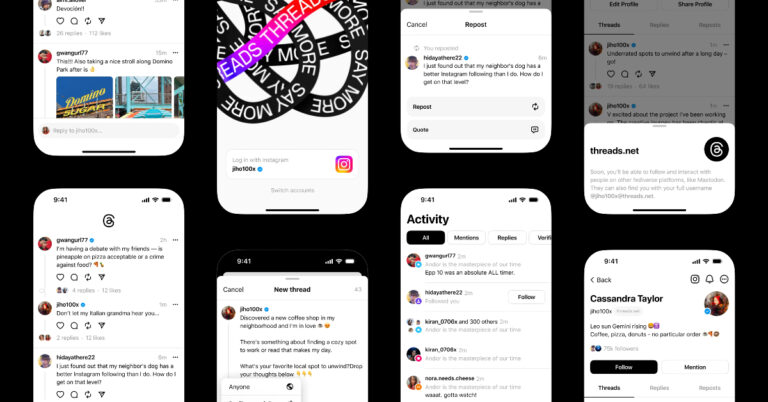
Within the first few days of its launch, Threads has taken the Internet by storm. The social media platform has gathered over 55 million users so far and is expected to maintain a similar pace in the coming days. Earlier thought to be a standalone rival to Twitter, users were surprised at how closely Threads is linked to Instagram. You can only join Threads with an Instagram account, and the usernames of the two profiles are synced together. So, how do you go about changing the username of your Threads account? Let’s take a look. Read Also: Nothing Ear 2 Black debuts in India, two new features also introduced

Here’s how you can change your Threads username

Your Threads account is linked to your Instagram profile. In order to change your Threads username you will need to change your Instagram handle, since both accounts share a common username. Here’s how you can go about it. Step 1: Launch the Instagram app on your smartphone. Step 2: Tap the profile icon at the bottom right corner of the screen. Step 1: Launch the Instagram app and tap the profile icon at the bottom right corner of the screen. Step 3: Tap on ‘Edit Profile’. Step 3: Tap on ‘Edit Profile’. How to change the username of your Threads account? Step 4: Tap the text field under ‘Username’. Step 4: Tap the text field under ‘Username’. How to change the username of your Threads account? Step 5: Enter a new username. Step 5: Enter a new username. How to change the username of your Threads account? Step 6: Hit the tick icon at the top right corner of the screen. Your Instagram and Threads usernames will be changed.

Frequently Asked Questions (FAQs)

How do I change my username on Threads?

Since your Threads account is linked to your Instagram profile, they both share the same username. In order to change your Threads username, you will have to change your Instagram handle.

What is my Threads username?

Your Threads username is the same as your Instagram handle. 

How many users does Threads have?

Within 24 hours of its launch, over 30 million users signed up for Threads. Currently, the social media platform has over 55 million users, and the number is expected to rapidly rise in the coming days. Read Also: OnePlus Nord CE 3 powered by Snapdragon 782G SoC launched in India

Conclusion

This is how you can change your username on Threads. Your Threads account is so closely linked with your Instagram profile that it feels more like an extension of the latter rather than a standalone app. You cannot delete your Threads profile without deleting your Instagram account. At best, you can deactivate it. For the latest gadget and tech news, and gadget reviews, follow us on Twitter, Facebook and Instagram. For newest tech & gadget videos subscribe to our YouTube Channel. You can also stay up to date using the Gadget Bridge Android App. You can find the latest car and bike news here.

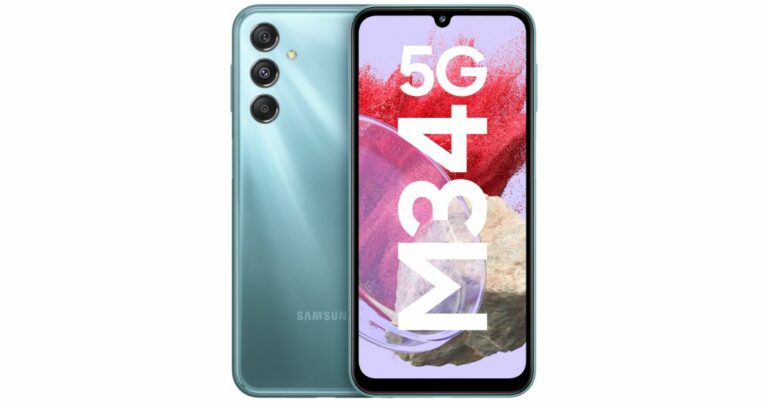
Samsung Galaxy M34 5G with 6,000mAh battery launched in India

The introduction of a new smartphone by Samsung in the Indian market was formally announced today. The Samsung Galaxy M34 5G is the latest addition to the company’s M-Series portfolio. In the nation, Amazon will be the place to get the gadget. A 50-megapixel primary sensor with optical image stabilisation (OIS) capability is a feature of the gadget. Additionally, Samsung’s Nightography feature and a Fun Mode with 16 built-in lens effects are included. A 120Hz  display and an Exynos 1280 SoC are also included with the M34. In addition, the phone utilises One UI 5.1, which is based on Android 13.

Samsung Galaxy M34 price in India and sale details

Samsung Galaxy M34 has been launched in India with a starting price of Rs 17,999 for the 6GB RAM with 128GB storage. There is an 8GB RAM with 128GB storage option as well that will retail at Rs 18,999. However, the company is offering the phone at a special launch price of Rs 16,999 and Rs 18,999 respectively. Samsung Galaxy M34 price in India and sale details The phone is being offered in three colour options of Prism Silver, Midnight Blue and Waterfall Blue. The device is scheduled to go on sale from July 15 via Amazon and Samsung online stores. M34 is currently up for pre-orders.

Samsung Galaxy M34 specifications

The Full HD+ 6.5-inch display of the Samsung Galaxy M34 has a refresh rate of 120 Hz. The screen is shielded by Corning Gorilla Glass 5 and has a brightness of 1000 nits. The device runs OneUI 5.1, an Android 13-based operating system, and will receive four years of Android software upgrades and five years of security fixes. Inside, there is a built-in Exynos 1280 SoC with a Mali-G68 MP4 GPU, up to 8GB of RAM, and 128GB of internal storage. The triple rear cameras on the Samsung Galaxy M34 include a 50-megapixel primary sensor with optical image stabilisation (OIS). A 2-megapixel macro sensor and an 8-megapixel ultra-wide angle camera are also included. A 13-megapixel sensor is located at the front of the device for selfies and video calls. A 6,000mAh battery powers the device and is said to last up to two days on a single charge. Additionally, the device is capable of 25W wired charging. A dual-SIM card slot, 4G VoLTE, 5G, Wi-Fi 802.11 b/g/n/ac, Bluetooth, GPS, and a USB Type-C connector are all included for connectivity. For the latest gadget and tech news, and gadget reviews, follow us on TwitterFacebook and Instagram. For newest tech & gadget videos subscribe to our YouTube Channel. You can also stay up to date using the Gadget Bridge Android App. You can find the latest car and bike news here.

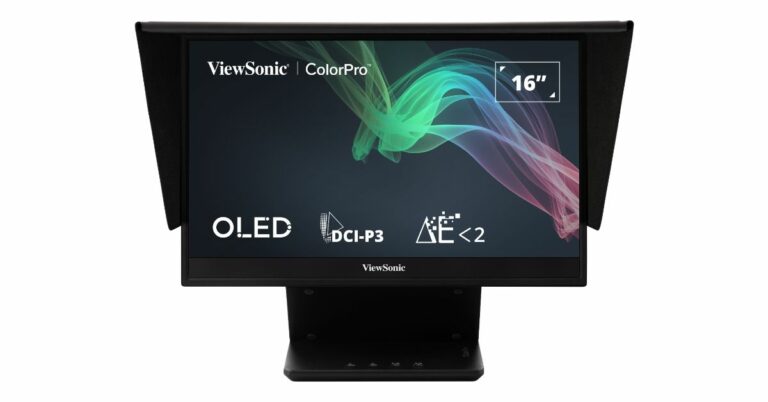
Viewsonic VP-16 OLED monitor launched in India

Viewsonic has announced the launch of its first portable touchscreen monitor VP-16 OLED in India. It is an FHD 15.6-inch ColorPro OLED panel monitor. The display is Pantone validated and comes with an adjustable stand and built-in hood and cover accessory. The OLED monitor supports a 60Hz refresh rate. The 15.6-inch ColorPro OLED panel monitor of the Viewsonic VP-16 OLED has 1920×1080 pixels of resolution. The Monitor is touchscreen supported and comes with 1080p Full HD resolution and Pantone Validation. A number of light-emitting diodes are used to independently illuminate the OLED display. The Viewsonic VP-16 OLED monitor supports a 60Hz refresh rate. The display can be used as an extraordinarily high-quality photo or video preview display for in-field adjustments and both inside and outdoor photography when it is connected to a camera. Viewsonic VP-16 OLED monitor launched in India Additionally, OLEDs are said to offer outstanding image quality and are slimmer and more power-efficient than LCDs because they do not need a backlight or filters. The VP-16 OLED provides a wide colour gamut to 100% DCI-P3, Delta E2, offering improved brightness, contrast, and a wider spectrum of colours. For professionals with precise colour demands the monitor comes with a 100,000:1 high-contrast ratio provides “true black” and depicts lightness and darkness in detail. Additionally, the display emits less blue light than standard monitors, reducing eye strain and enhancing viewing comfort. There is a USB Type-C connectivity and 40W two-way power charging. The monitor can be powered by a laptop or, when plugged into a USB-C power bank or an AC adapter and outlet, it can provide power to a laptop or mobile device via pass-through charging. The display also has a 3.5mm headphone connector and a mini-HDMI port. The OLED panel has a highly adjustable stand and built-in hood. Additionally, the monitor has a removable protective cover that serves as a shading hood for a quick “dark room” effect. An ergonomic height-adjustable stand is a feature of the VP-16 OLED that offers more comfortable viewing angles for practically any working position. The stand also comes with a tripod mount that is easily adjustable for five various orientations. This monitor’s two inbuilt speakers deliver stereo sound. Additionally, the product’s energy STAR accreditation lowers greenhouse gas emissions while saving money on electricity. The Viewsonic VP-16 OLED monitor are available on Amazon and is priced at MRP of INR 75,000 and EUP (end-use-price) Rs 49,999. For the latest gadget and tech news, and gadget reviews, follow us on TwitterFacebook and Instagram. For newest tech & gadget videos subscribe to our YouTube Channel. You can also stay up to date using the Gadget Bridge Android App. You can find the latest car and bike news here.
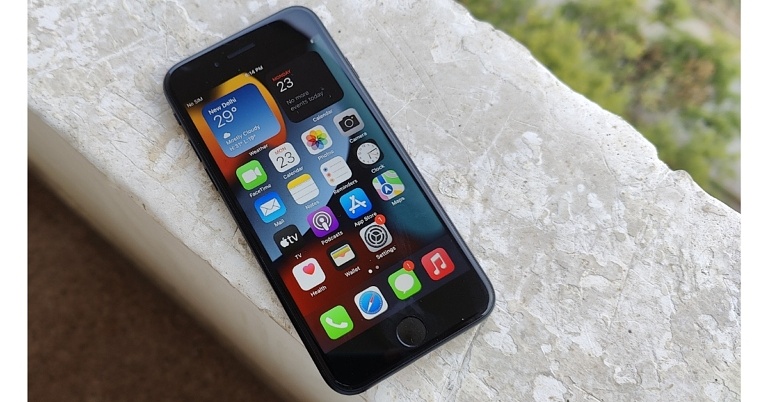
12 Easy Ways to Fix ‘Call Failed’ Error on iPhone (2024)

0
Sometimes the most basic errors can be the most difficult ones to fix. This is largely because it can take a lot of time to determine the cause of the problem. While you can learn to live with certain issues on your phone, a functional problem with something as essential as placing calls cannot be ignored. In this article, we bring you the top 12 easy ways to fix the ‘call failed’ error on an iPhone. Read Also: Your Threads profile can only be deleted by deleting your Instagram account

Dial *#31#

Your iPhone may not be able to make a call if you have hidden your Caller ID. Hiding your Caller ID allows you to make anonymous calls, but it may not work if the receiver has turned on spam protection. In that case, your call will fail to connect. Simply dial *#31# and try again.

Restart your iPhone

how to fix text message notification sound not working on iphone Restarting your iPhone can fix minor background issues and software glitches that may be keeping it from functioning properly.  To restart your iPhone, simply press one of the volume buttons along with the side key until the power slider appears on the screen. Drag the power slider to the right to turn off your iPhone. Power the phone back on by pressing and holding the side key.

Toggle Airplane Mode

Toggle Airplane Mode Toggling the Airplane Mode on your iPhone can refresh the network and fix any background issues related to the cellular connection. Go to Settings and turn on the toggle bar next to Airplane Mode. Wait for a few seconds and turn it off. Place the call using the dialer. It will likely go through now.

Turn off WiFi calling

If WiFi calling is enabled on your iPhone, it may be keeping the cellular calls from getting connected. Turn off WiFi calling and try placing a call again. Go to Settings>Mobile Data>WiFi Calling and switch off the green toggle bar. Return to the dialer app and place the call.

Update Carrier Settings

Update Carrier Settings Your iPhone’s network provider rolls out regular updates to improve the network connection. Usually, these updates are automatically installed on your phone, but you can always manually check for any pending updates. To update the carrier settings on your iPhone, go to Settings>General>About>SIM Details and tap the ‘Network Provider’ option to receive the latest settings.

Force stop and re-launch the Phone app

iPhone’s native dialer app is not known to malfunction, but on the rare occasion that it does, you can easily fix it by restarting it. Closing the app and opening it again performs a refresh and removes the temporary files that are causing the corruption. Access the app switcher and swipe up on the Phone app’s card to shut it down. Go back to the home screen and tap the app’s icon to restart it.

Make sure you are using the right network operator

Make sure you are using the right network operator If you have disabled automatic network selection on your iPhone, you need to make sure that your device is using the correct network operator to place outgoing calls. Go to Settings>Mobile Data>Network Selection and choose the appropriate network. We’d suggest turning on automatic network selection and letting your iPhone decide which network works for it.

Check your balance

It is possible that the talk time on your SIM card ran out, leading to the suspension of outgoing calls. Use your network provider’s app to check your balance. If you have enough balance, check the plan’s validity. If your calling plan is no longer valid, you will have to recharge it before placing a call.

Re-insert the SIM card

If your iPhone has a physical SIM card inside it, pull it out, give it a quick wipe, and re-insert it into the device. The placement of the SIM card may change slightly over a period of time, leading to minor network hiccups. Reinserting it into the phone can help solve that situation. Once you’ve inserted the SIM back in, try placing the call again and see if it goes through.

Have you been blocked?

If you’re facing the ‘call failed’ error while trying to ring a specific contact, it is possible that the user may have blocked your number. You can easily verify this by calling the user from another number. If the call goes through, it means that your original number is blocked on the user’s end.

Update iOS

Go to Settings>General>Software update. how to fix iphone dictation not working on ios 16 If the ‘call failed’ error is related to a software bug, you may want to update your iPhone to the newest iOS version. Developers are quick to fix these annoying bugs with a software patch. These bugs are more likely to pop up on older iOS versions. Simply go to Settings>General>Software update and check for any pending updates.

Reset Network Settings

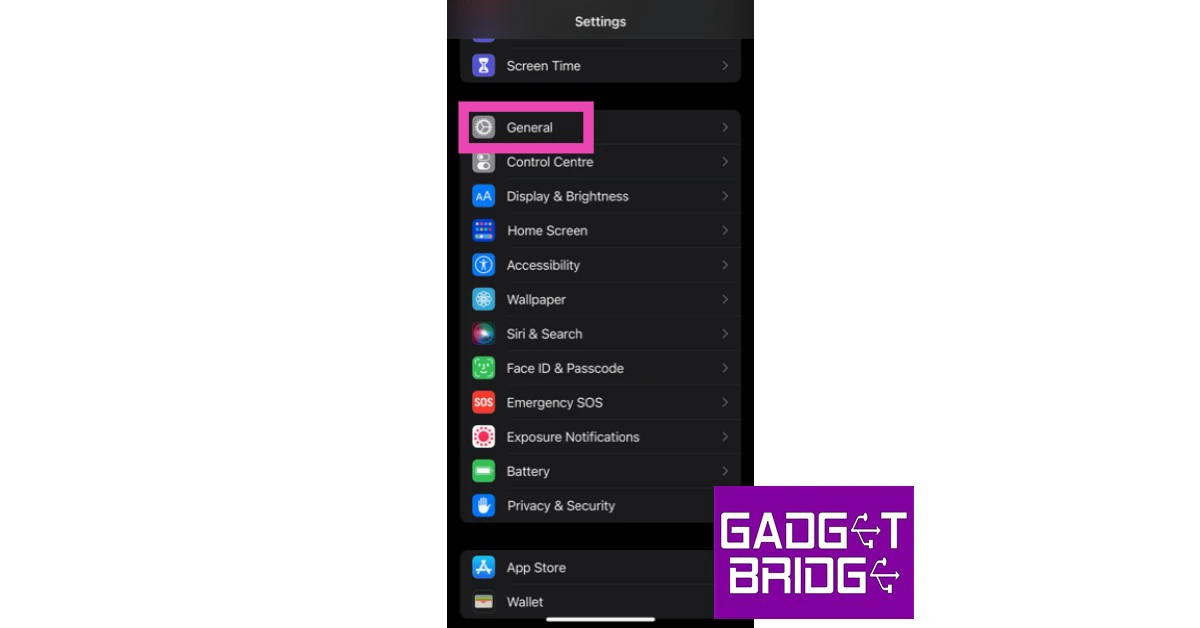
Resetting the network settings on your iPhone will un-pair all WiFi networks and Bluetooth devices connected to your phone. You will need to pair with them again. But it may fix the ‘Call failed’ error that you keep receiving on your iPhone. Here’s how you can go about it. Step 1: Go to Settings and select General. Step 1: Go to Settings and select General. how to fix iphone dictation not working on ios 16. whatsapp call not ringing when iphone is locked. 10 Easy Ways to Fix ‘Call Failed’ Error on iPhone (2023) Step 2: Scroll down and select Transfer or reset iPhone. Step 2: Scroll down and select ‘Transfer or Reset iPhone’. 10 Easy Ways to Fix ‘Call Failed’ Error on iPhone (2023) Step 3: Select Reset followed by Reset Network Settings. Step 3: Select ‘Reset’ followed by ‘Reset Network Settings’. whatsapp call not ringing when iphone is locked. 10 Easy Ways to Fix ‘Call Failed’ Error on iPhone (2023)

Frequently Asked Questions (FAQs)

Why is my iPhone saying ‘call failed’?

Your iPhone may throw the ‘Call failed’ error when it fails to connect to the number you dialled. The most probable cause of this issue is a faulty network connection.

What does dialling *#31# on iPhone do?

Dialling *#31# on your iPhone disables your anonymous caller Caller ID. You will not be able to make anonymous calls after dialling that code.

How do I fix the ‘call failed’ error on an iPhone?

To fix the ‘call failed’ error on your iPhone, try toggling the Airplane Mode and restarting the device. If that doesn’t work, check your talk time balance and reinsert the SIM card. Read Also: Spotify is completely removing Apple’s App Store payments from its platform

Conclusion

These are the top 12 easy ways to fix the ‘Call failed’ error on your iPhone. If the problem still persists after trying the fixes mentioned above, it is possible that you are experiencing a hardware-related issue. Take your phone to an Apple-authorised repair centre for further diagnosis. If you have AppleCare+, you will be issued a temporary iPhone while our current device gets fixed.

Samsung Galaxy Z Fold 5, Galaxy Z Flip 5 now up for pre-reservations in India: Details inside

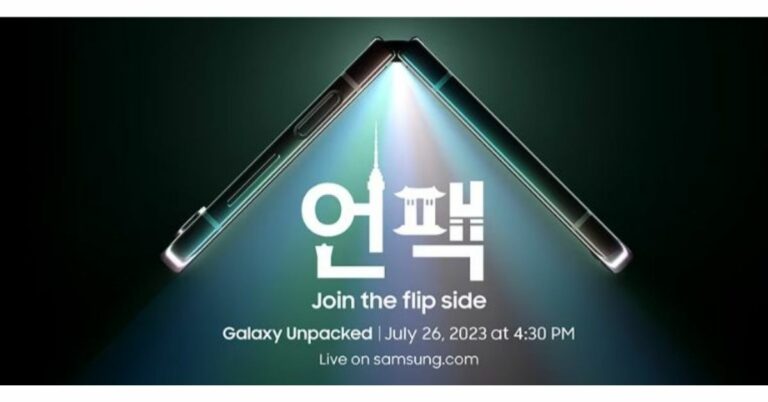
Samsung is all set to release its new foldable phones in India and globally. The company has scheduled to host its next Galaxy Unpacked event on July 26. The Galaxy Z Fold 5 and Galaxy Z Flip 5—the latest foldable devices from the company—may be unveiled. Although Samsung hasn’t officially announced the name of the upcoming Galaxy Z series foldable smartphones it has begun taking pre-orders for its next-gen foldable devices. Samsung Galaxy Z Fold 5, Galaxy Z Flip 5 pre-reservation in India has begun. The company today officially announced that consumers can pre-reserve its next generation of foldable devices starting today. According to the company, customers can pre-reserve Samsung’s next-generation foldable devices by paying Rs 2000 on Samsung.com, Amazon.in and Flipkart. The Bookings can also be made by visiting Samsung’s Exclusive Stores and leading retail outlets across the country. Also Read: Samsung Galaxy Unpacked Event confirmed for July 26, hints a foldable phone Pre-reserved customers will get benefits worth Rs 5000 on the purchase of Samsung’s next generation of foldable devices that will be unveiled globally on July 26. The upcoming Galaxy Unpacked event will be held on July 26 in Seoul, South Korea, rather than earlier ones that were held in the US and Europe. The event will be live-streamed via the company’s website and YouTube channel starting at 4.30 PM IST. The company’s newest foldable smartphones, the Galaxy Z Fold 5 and Galaxy Z Flip 5, as well as the Galaxy Tab S9 series, are likely to be presented. It is predicted that the Samsung Galaxy Flip 5 would have a cover display that is considerably bigger and equivalent to the Razr 40 Ultra. At the next Unpacked event, Samsung is anticipated to introduce a number of other devices in addition to the Galaxy Z Flip 5. The business also intends to introduce a larger Galaxy Fold 5 with an updated hinge. The company is expected to release two new accessories: the Galaxy Watch 6 series and the Galaxy Buds 3 TWS headphones. Galaxy Watch 6 and Galaxy Watch 6 Classic, both of which are anticipated to have larger displays than their predecessors. The Galaxy Watch 6 series, which will also provide notifications for irregular heart rhythms, is predicted to be powered by the Exynos W930 chip from the firm. For the latest gadget and tech news, and gadget reviews, follow us on TwitterFacebook and Instagram. For newest tech & gadget videos subscribe to our YouTube Channel. You can also stay up to date using the Gadget Bridge Android App. You can find the latest car and bike news here.

How to join Threads without linking your Instagram account?

Instagram’s rival to Twitter is finally here. After being in the pipeline for the last few months, ‘Threads’ went live on July 6. The social media platform amassed more than 10 million sign-ups within the first 24 hours. While Threads has managed to generate a lot of interest immediately upon launch, many Twitter users are hesitant to join the app due to one crucial reason. Unlike Twitter, you cannot sign up for Threads using your email address. You need to link your Instagram account to Threads in order to use the app. For a lot of users, the charm of Twitter lies in the option to post with their anonymity intact. You may not want all your Twitter followers to have access to your personal Instagram account as well. Luckily, there is a way you can anonymously post on Threads. In this article, we show you how to join Threads without linking your Instagram account. Read Also: Spotify is completely removing Apple’s App Store payments from its platform

Create a burner Instagram account

Step 1: Launch the Instagram app and sign out of your existing account. Step 2: From the login page, select ‘Create new account’. Step 2: From the login page, select ‘Create new account’. Step 3: Enter a name for your profile. This isn’t your Instagram handle, it is the screen name that shows up when people open your profile. Since you’re making a burner account, you don’t have to enter your real name here. However, the name that you enter here will also be locked for your Threads account. In order to change your Threads profile name, you will need to change your profile name on Instagram. Enter a name for your profile. Step 4: Now, create a password. Step 4: Now, create a password. Step 5: Instagram will ask for your date of birth. Enter a random date that qualifies for the minimum age requirement. Enter a random date that qualifies for the minimum age requirement. Step 6: Create a username. This will be your official Instagram handle. Hit ‘Next’ when you’re done. Step 6: Create a username. This is your Instagram handle. Hit ‘Next’ when you’re done. Step 7: Instagram will now ask for your mobile number. You can give your personal mobile number, but we wouldn’t advise that since this is a burner account. You can use a secondary number for this step, check out our list of the best burner phone number apps. However, the quickest way to create a burner account is by using a temporary email address. So, tap on ‘Sign up with e-mail address’. So, tap on ‘Sign up with e-mail address’. How to join Threads without linking your Instagram account? Step 8: Now go to a temporary email address website to generate a burner email for your Instagram account. Simply search for ‘temp mail’ on Google and pick a random site, or use https://tempail.com/. generate a burner email for your Instagram account. Step 9: Once you’ve entered the email address, Instagram will email you a 6-digit verification code. Go back to the temporary mail website and check the inbox for the code. Enter it on Instagram. Instagram will email you a 6-digit verification code. How to join Threads without linking your Instagram account? Step 10: Hit ‘I Agree’ on the Terms & Conditions page. Step 10: Hit ‘I Agree’ on the Terms & Conditions page. Set up your Instagram profile by adding a profile picture, writing a bio, and filling out the profile details. Make sure you don’t sync your phone contacts or Facebook friends with this account.

Create a Threads account

Now that you’ve created a burner Instagram account, making an anonymous Threads profile is easy play. Simply follow these steps. Step 1: Launch the Instagram app and tap the profile icon at the bottom right corner of the screen. Step 1: Launch the Instagram app and tap the profile icon at the bottom right corner of the screen. Step 2: Now, tap the hamburger menu at the top right corner of the screen. Step 2: Now, tap the hamburger menu at the top right corner of the screen. How to join Threads without linking your Instagram account? Step 3: Select ‘Threads’. Step 3: Select ‘Threads’. How to join Threads without linking your Instagram account? Step 4: Tap on ‘Get Threads’. Step 4: Tap on ‘Get Threads’. Step 5: You will be redirected to the Threads app on Google Play Store (or App Store if you’re using an iPhone). Install it on your phone. If you have already downloaded the app, it will auto-launch as soon as you tap ‘Get Threads’. Step 6: Launch the Threads app and select the option to log in with your Instagram account. Make sure the handle belongs to your burner account. Launch the Threads app and select the option to log in with your Instagram account. Step 7: Write a Bio, upload a profile picture, and add an external link to your profile. You can also choose to import all these details from your burner Instagram account. Write a Bio, upload a profile picture, and add an external link to your profile. How to join Threads without linking your Instagram account? Step 8: Tap the arrow icon at the top right corner of the screen when you’re done. Step 9: Choose whether you want your Threads profile to be public or private. Step 9: Choose whether you want your Threads profile to be public or private. How to join Threads without linking your Instagram account? Step 10: In the following window, select ‘Join Threads’. Step 10: In the following window, select ‘Join Threads’. How to join Threads without linking your Instagram account? You can now start using Threads! Once you’ve set up your Threads profile, you can log out of your burner account on Instagram and start using the primary one. This will not have any effect on the Threads app, you will stay signed in with your burner there.

Frequently Asked Questions

What is the Threads app?

Threads is Instagram’s rival to Twitter. While Instagram is a media-centric platform, Threads (like Twitter) is more text-based.

Who owns the Threads app?

Threads is owned by Meta Platforms Inc., which is Facebook’s parent company.

How do I sign up for Threads?

To join threads, you need an Instagram account. At the moment, you cannot join Threads using just your email address. Read Also: Nothing Ear 2 Black debuts in India, two new features also introduced

Conclusion 

This is how you can join the Threads app without linking your actual Instagram account. While making a burner Instagram account, it may take a few tries to select the right temporary email. Instagram may reject email addresses generated using some of the temp mail providers. You can also sign up using a burner phone number from one of the secondary phone number apps. For the latest gadget and tech news, and gadget reviews, follow us on Twitter, Facebook and Instagram. For newest tech & gadget videos subscribe to our YouTube Channel. You can also stay up to date using the Gadget Bridge Android App. You can find the latest car and bike news here.

Thread’s growing popularity enrages Twitter, threatens to sue Meta

Instagram’s parent company Meta unveiled Threads on Wednesday. Threads is a text-based social media platform similar to Twitter and other text-based social networks. Due to the popularity of the rival app Threads, Twitter has threatened to sue Meta. The newly launched app has won the title of most fastest downloaded app ever surpassing the chatbot ChatGPT. More than 30 million people downloaded Instagram’s new app in just 16 hours.  The Elon Musk-owned microblogging platform is now planning to take legal action against Meta following the successful launch of Threads. Reportedly a lawyer for Twitter accused Meta of stealing trade secrets by employing former Twitter employees in a letter that was addressed to CEO Mark Zuckerberg on Wednesday. Semafor was the first to report on the letter. The veracity of the letter was confirmed to CNN by a source with knowledge of the situation.
Musk tweeted, in response to news stories about the letter, “Competition is fine, cheating is not.”
Also Read: Instagram’s Threads goes live on the web for a few hours prior to launch Threads was launched by Meta in order to take on Twitter. The company head Mark Zuckerberg revealed that more than two million people had downloaded Threads. And within 16 hours of its launch, the app gained over 30 million downloads. Five million people had downloaded Threads by another two hours. The number of downloads had risen to 10 million by the time Meta’s chief went to bed on Wednesday night. The app had more over 30 million downloads when he woke up on Thursday morning, he claimed. Threads was the top-rated free app on the iOS App Store as of Thursday afternoon. Also Read: Your Threads profile can only be deleted by deleting your Instagram account The chatbot ChatGPT, which was quickly surpassed, had one million downloads in the first five days of its existence, according to OpenAI, ChatGPT’s creator. With more than 237 million daily users, Twitter continues to lead, according to the most recent statistics made available. Note that in order to delete the Threads accounts users need to delete their Instagram account. Instagram stated that it working on additional options for Threads users to cancel their accounts. For the latest gadget and tech news, and gadget reviews, follow us on TwitterFacebook and Instagram. For newest tech & gadget videos subscribe to our YouTube Channel. You can also stay up to date using the Gadget Bridge Android App. You can find the latest car and bike news here.

BGMI redeem codes for 7 July 2023, claim and receive rewards and benefits

After being banned for nearly ten months, Battleground Mobile India, aka BGMI, is officially available again in India. BGMI fans are looking for ways to improve their game experience and one such method is the usage of redemption codes, which offers a variety of rewards and advantages using BGMI redeem codes players can gain access to new skins, outfits, loot crates, weapons and free UC and diamonds. As mentioned earlier, these codes give users the chance to earn unique rewards and gain extra benefits while playing the game. This includes GUN SKINS (M4, AKM, M416, AWM, M24, UZI, KAR98K), free character voucher, Andy, Carlo, Sara, Victor character for free, free Anna Character on completing the mission and UC or Royal Pass Discount. So here we have gathered a list of the most recent BGMI redeem codes as of 7 July 2023. Also, redeem these codes asap as these are only valid for a limited duration.

BGMI Redeem Codes for 7 July 2023

  • LEVKIN1QPCZ
  • VETREL2IMHX
  • GPHZDBTFZM24U
  • KARZBZYTR
  • SD14G84FCC
  • FENKYU5ATPD
  • SIWEST4YLXR
  • BDNKUPRMF4
  • ZADROT5QLHP
  • BOBR3IBMTO

How to get free Redeem Codes for BGMI on 7 July 2023?

  • Launch BGMI on your device.
  • Then select the Redeem Code option from the main menu.
  • Next, click on the Redeem code tab.
  • A new window will open, requesting the redemption code.
  • Now enter your BGMI code.
  • Confirm and click on the “Redeem” tab.
  • If your redeem code is valid then you will get a message confirming that your rewards were successfully redeemed.
(Note that these codes are case-sensitive, so be sure to type them correctly to prevent any errors.) For the latest gadget and tech news, and gadget reviews, follow us on TwitterFacebook and Instagram. For newest tech & gadget videos subscribe to our YouTube Channel. You can also stay up to date using the Gadget Bridge Android App. You can find the latest car and bike news here.

Garena Free Fire Redeem Codes Today 7 July 2023: Here is how to claim them

Garena Free Fire is a battle royale game with regular awards and tournaments to keep players interested. If you play Garena Free Fire, you should be aware of the redeem codes that are released on a daily basis. However, because the battle royale game is banned in India, players from other countries can use the Free Fire Redeem codes daily. If you’re unfamiliar with the Garena Free Fire redeem codes or don’t know how to get them, we’ve put together a step-by-step guide to help you redeem them. Check out Garena Free Fire Redeem Codes for 7 July 2023. The Free Fire redeem codes are a great way to get free stuff. These are 12-digit codes that contain alphabets and numbers, as well as an expiration date and time. Because the Garena FF redeem codes cannot be used more than once, you should hurry to the redemption page to claim your free reward before someone else does. To get a free reward, all you have to do is go to reward.ff.garena.com/en, which is the official redemption page. Also, keep an eye on this space for daily updates on Garena Free Fire redemption codes and rewards.

Garena Free Fire Redeem Codes Today 7 July 2023

  • V427K98RUCHZ
  • MCPW2D1U3XA3
  • FFAC2YXE6RF2
  • FBENRFJKIVUZYTR
  • FSV8BERKTYIHUBY
  • FFCMCPSJ99S3
  • XZJZE25WEFJJ
  • FAGTFQRDE1XCF
  • FFCMCPSGC9XZ
  • MCPW2D2WKWF2
  • FFCMCPSEN5MX
  • FFCMCPSBN9CU
  • BR43FMAPYEZZ
  • NPYFATT3HGSQ

How to Get Free Fire Redeem Codes for Garena on 7 July 2023?

  • Visit the Garena Free Fire game’s official website at reward.ff.garena.com.
  • Use your Facebook, Google, VK, Apple ID, Huawei ID, or Twitter account to log in.
  • You’ll be taken to a valid redemption code (s)
  • Copy and paste the 12-digit redemption code into the text box.
  • On the screen, a dialogue box will appear.
  • ‘Ok’ should be selected.
For the latest gadget and tech news, and gadget reviews, follow us on TwitterFacebook and Instagram. For newest tech & gadget videos subscribe to our YouTube Channel. You can also stay up to date using the Gadget Bridge Android App. You can find the latest car and bike news here.

Your Threads profile can only be deleted by deleting your Instagram account

0
Meta’s Twitter rival – Threads – has gained a tremendous number of followers within just hours of its launch. Mark Zuckerberg, CEO of Meta, also announced that the platform had crossed 10 million sign-ups in its first seven hours. An Instagram account is required to onboard Threads but even if we consider how wildly popular the former is, it’s still surprising to see how quickly the number of followers of the new Twitter-rival are going up. However, there is one thing that most users probably don’t know about yet: In order to delete your Threads account, you actually need to delete your Instagram account linked to it. Yes, you read that right. If you go looking for an option to delete your Threads profile, there is a ‘Supplemental Privacy Policy,’ in which the parent company states, “You may deactivate your Threads profile at any time, but your Threads profile can only be deleted by deleting your Instagram account.” Read Also: Instagram’s Threads goes live on the web for a few hours prior to launch The idea behind this is that a user’s Thread profile is a part of their Instagram account only. Needless to say, a lot of users have been surprised to learn this. For the uninitiated, Threads has been launched by Meta to rival microblogging platform Twitter. Threads has been launched in over 100 countries now and its users are going up constantly. It can pose some serious competition to Twitter in the days to come, especially considering that more and more Instagram users are talking about Threads on their Stories too. It should be taken into account that Instagram has more than 2 billion users at this point and this would tremendously help expand Threads’ user base. Zuckerberg posted on the new platform talking about his vision for Threads, “I think there should be a public conversations app with 1 billion+ people on it. Twitter has had the opportunity to do this but hasn’t nailed it. Hopefully we will.” By garnering 10 million users in just seven hours of being launched, Threads has become the fastest growing consumer offering yet. Read Also: Instagram is working on live captions feature on its platform to be known as “Voice Note” for Threads app It is interesting to note that the launch of Threads comes at a time when Twitter has been caught in a web of its own unpopular decisions. Just days back, an announcement to restrict views for unregistered users was criticized a lot and prior to that, a move to temporarily limit the number of tweets users can view in a day had caused people to express anger as well as disappointment. Amid all this, the launch of Threads may seem like a breath of fresh air to a lot of Twitter users unhappy with these decisions. For the latest gadget and tech news, and gadget reviews, follow us on Twitter, Facebook and Instagram. For newest tech & gadget videos subscribe to our YouTube Channel. You can also stay up to date using the Gadget Bridge Android App. You can find the latest car and bike news here.