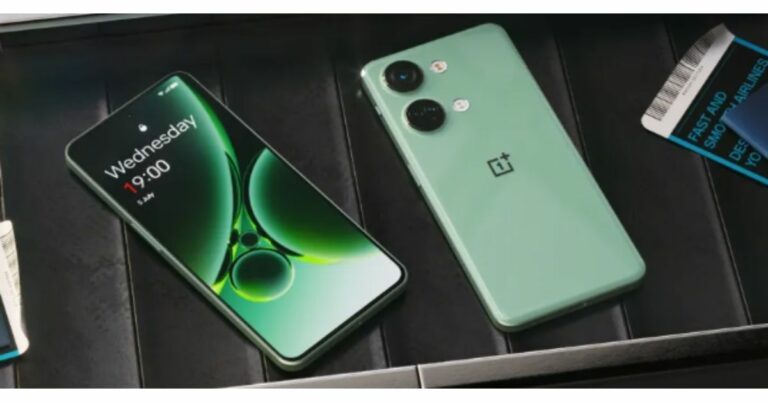
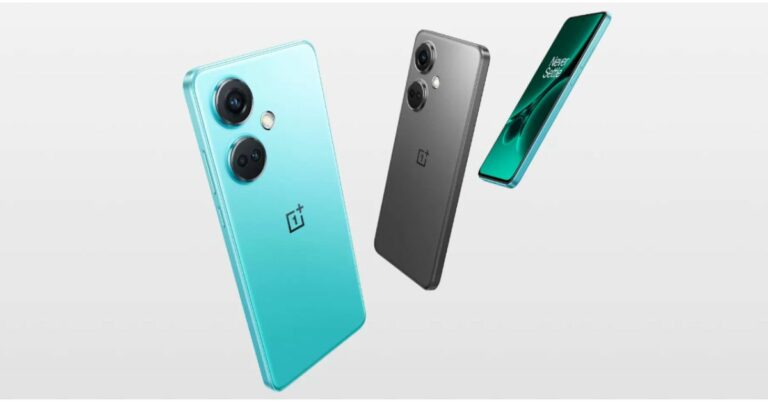
OnePlus Nord CE 3 powered by Snapdragon 782G SoC launched in India

0
Alongside OnePlus Nord 3 the company has also announced another new smartphone that is OnePlus Nord CE 3. The Nord CE 3 features a 6.7-inch AMOLED display and a 50-megapixel triple rear camera set-up. The phone is powered by Snapdragon 782G SoC and is equipped with a 5,000mAh battery.

OnePlus Nord CE 3 price in India and sale details

The OnePlus Nord CE 3 has been launched in India in two different models. The 8GB RAM with 128GB storage option is priced at Rs 26,999 whereas the price of the 12GB RAM with 256GB storage variant is set at Rs 28,999. The device will be available in two colour options of Aqua Surge and Gray Shimmer. OnePlus Nord CE 3 price in India and sale details In terms of availability, the handset is scheduled to go on sale in August. The precise sale date is yet to be announced. However, the phone will be available for purchase via Amazon and OnePlus in the country. On the other hand, OnePlus Nord 3 is scheduled to go on sale on July 15. It will come with a starting price of Rs 33,999 for the 8GB RAM with 128GB of storage and 16GB RAM with 256GB internal storage will be available at Rs 37,999.

OnePlus Nord CE 3 specifications

Coming to the specifications, the OnePlus Nord CE 3 is highlighted with a 6.7-inch fluid AMOLED display with 2412 x 1080 pixels resolution. The screen supports a refresh rate of 120Hz, a P3 colour gamut, 10-bit Color Depth and HDR10+. The device runs on OxygenOS 13.1 on top of Android 13. Under the hood, there is Qualcomm Snapdragon 782G SoC with Adreno 642L GPU. This smartphone comes with up to 12GB of RAM and up to 256GB of internal storage. The triple rear camera system on the OnePlus Nord CE 3 includes a 50MP Sony IMX890 primary sensor. Additionally, there is an 8MP ultra-wide angle lens and a 2MP macro sensor. There is a 16MP front-facing camera for selfies and video calling. Nord CE 3 includes 5G SA/ NSA, Dual 4G VoLTE, Wi-Fi 6, Bluetooth 5.3, GPS, NFC, and a USB Type-C port for connectivity. In addition to this, there is a 5,000mAh battery with 80W SuperVOOC charging support. For the latest gadget and tech news, and gadget reviews, follow us on TwitterFacebook and Instagram. For newest tech & gadget videos subscribe to our YouTube Channel. You can also stay up to date using the Gadget Bridge Android App. You can find the latest car and bike news here.

Samsung Galaxy Unpacked Event confirmed for July 26, hints a foldable phone

In June Samsung confirmed that its upcoming Galaxy Unpacked event will take place in July and will be hosted in South Korea. Today the tech giant has now made the precise date of its upcoming launch event public. Samsung unveiled its premium Galaxy S23 series of smartphones during the inaugural launch event in February, making this the company’s second Galaxy Unpacked event of the year. The Galaxy Z Fold 5 and Galaxy Z Flip 5—the latest foldable gadgets from the company—may be unveiled. During the Galaxy Unpacked event later this month, the firm is also anticipated to introduce the Galaxy Buds 3 TWS earbuds in addition to these gadgets. Samsung Galaxy Unpacked Event confirmed for July 26, hints at a foldable phone Samsung has a history of staging Galaxy Unpacked events to reveal its latest products. The upcoming Galaxy Unpacked event will be hosted on July 26 in Seoul, South Korea, rather than earlier ones that were held in the US and Europe. Live streaming of the event will be available on the company’s website and YouTube channel starting at 4.30 PM IST.
The Galaxy Z Fold 5 and Galaxy Z Flip 5—the company’s newest foldable smartphones—along with the Galaxy Tab S9 series are anticipated to be unveiled. Using a foldable phone displayed in a clamshell manner, the business provided a brief video teaser with the message Join the flip side. The Samsung Galaxy Flip 5, is anticipated to include a cover display that is significantly larger and comparable to the Razr 40 Ultra. Along with the Galaxy Z Flip 5, Samsung is expected to unveil several other products at the upcoming Unpacked event. A larger Galaxy Fold 5 with a revised hinge is also slated to be released by the company. The Galaxy Watch 6 series and the Galaxy Buds 3 TWS earbuds are two new accessories that the firm is anticipated to introduce. The Galaxy Watch 6 and Galaxy Watch 6 Classic, which are expected to have larger displays than their previous generations, are also expected to be released by Samsung. The Exynos W930 chip from the manufacturer is anticipated to power the Galaxy Watch 6 series, which will also provide notifications for irregular heart rates. The Galaxy Tab S9 series is also slated to be revealed by the business. For the latest gadget and tech news, and gadget reviews, follow us on TwitterFacebook and Instagram. For newest tech & gadget videos subscribe to our YouTube Channel. You can also stay up to date using the Gadget Bridge Android App. You can find the latest car and bike news here.

OnePlus Nord 3 with tri-state alert slider debuts in India

The debut of the OnePlus Nord 3, OnePlus Nord CE 3, and OnePlus Buds 2R was announced by the Chinese manufacturer in India. A 50-megapixel Sony IMX890 triple back camera is available on the Nord 3. In addition to a 6.74-inch AMOLED display with a dynamic refresh rate and an HDR10+ certification, there is a 5,000mAh battery and 80W SuperVOOC charging.

OnePlus Nord 3 price in India and availability details

Misty Green and Tempest Grey are the two colours that will be offered for the OnePlus Nord 3. The device will be available in two different configurations of 8GB RAM with 128GB of storage at Rs 33,999. In contrast, the 16GB RAM with 256GB internal storage will be available at Rs 37,999. On July 15, Amazon and the official OnePlus stores will begin selling the phone in India. On July 14, during the Prime Day Sale, the early access sale will start on Amazon. OnePlus Nord 3 price in India and availability details

OnePlus Nord 3 specifications

The display on the OnePlus Nord 3 is a 6.74-inch AMOLED screen. The panel has a 450ppi pixel density and a dynamic refresh rate that may vary between 40Hz and 120Hz. According to OnePlus, the screen supports HDR10+ and HDR video from Netflix and Amazon Prime. OxygenOS 13 with Android 13 is the operating system for the OnePlus Nord 3. A Mali-G710 MC10 GPU and an octa-core MediaTek Dimensity 9000 SoC with up to 16GB of LPDDR5X RAM and up to 256GB of internal UFS 3.1 storage make up the device’s internal hardware. For the optics, the OnePlus Nord 3’s triple rear camera setup includes a 50-megapixel Sony IMX890 sensor with OIS support. Additionally, there is an 8-megapixel ultra-wide angle Sony IMX355 sensor with a 112-degree FoV, and a 2-megapixel macro lens. The device is equipped with a 16-megapixel front-facing camera for selfies and video chats. OnePlus Nord 3 specifications 5G, 4G LTE, Wi-Fi 6, Bluetooth 5.3, NFC, GPS, and a USB Type-C port are among the available forms of connectivity. It incorporates a tri-state alert slider, an in-display fingerprint scanner for biometric verification, and an IP54 grade for water and dust resistance. A 5,000mAh battery within the device supports 80W SuperVOOC charging. For the latest gadget and tech news, and gadget reviews, follow us on TwitterFacebook and Instagram. For newest tech & gadget videos subscribe to our YouTube Channel. You can also stay up to date using the Gadget Bridge Android App. You can find the latest car and bike news here.
BGMI redeem codes for 6 July 2023, claim and receive rewards and benefits

After being banned for nearly ten months, Battleground Mobile India, aka BGMI, is officially available again in India. BGMI fans are looking for ways to improve their game experience and one such method is the usage of redemption codes, which offers a variety of rewards and advantages using BGMI redeem codes players can gain access to new skins, outfits, loot crates, weapons and free UC and diamonds. As mentioned earlier, these codes give users the chance to earn unique rewards and gain extra benefits while playing the game. This includes GUN SKINS (M4, AKM, M416, AWM, M24, UZI, KAR98K), free character voucher, Andy, Carlo, Sara, Victor character for free, free Anna Character on completing the mission and UC or Royal Pass Discount. So here we have gathered a list of the most recent BGMI redeem codes as of 6 July 2023. Also, redeem these codes asap as these are only valid for a limited duration.

BGMI Redeem Codes for 6 July 2023

PGHZDBTFZ95U UKZBZGWF LEVKIN1QPCZ SD16Z66XHH R89FPLM9S S78FTU2XJ GPHZDBTFZM24U VETREL2IMHX BDNKUPRMF4 BOBR2IBMTO KARZBZYTR ZAROT5QLHP SIWEST4YLXR

How to get free Redeem Codes for BGMI on 6 July 2023?

  • Launch BGMI on your device.
  • Then select the Redeem Code option from the main menu.
  • Next, click on the Redeem code tab.
  • A new window will open, requesting the redemption code.
  • Now enter your BGMI code.
  • Confirm and click on the “Redeem” tab.
  • If your redeem code is valid then you will get a message confirming that your rewards were successfully redeemed.
(Note that these codes are case-sensitive, so be sure to type them correctly to prevent any errors.) For the latest gadget and tech news, and gadget reviews, follow us on TwitterFacebook and Instagram. For newest tech & gadget videos subscribe to our YouTube Channel. You can also stay up to date using the Gadget Bridge Android App. You can find the latest car and bike news here.

Garena Free Fire Redeem Codes Today 6 July 2023: Here is how to claim them

Garena Free Fire is a battle royale game with regular awards and tournaments to keep players interested. If you play Garena Free Fire, you should be aware of the redeem codes that are released on a daily basis. However, because the battle royale game is banned in India, players from other countries can use the Free Fire Redeem codes daily. If you’re unfamiliar with the Garena Free Fire redeem codes or don’t know how to get them, we’ve put together a step-by-step guide to help you redeem them. Check out Garena Free Fire Redeem Codes for 6 July 2023. The Free Fire redeem codes are a great way to get free stuff. These are 12-digit codes that contain alphabets and numbers, as well as an expiration date and time. Because the Garena FF redeem codes cannot be used more than once, you should hurry to the redemption page to claim your free reward before someone else does. To get a free reward, all you have to do is go to reward.ff.garena.com/en, which is the official redemption page. Also, keep an eye on this space for daily updates on Garena Free Fire redemption codes and rewards.

Garena Free Fire Redeem Codes Today 6 July 2023

FFAC2YXE6RF2 FAGTFQRDE1XCF FFCMCPSBN9CU FFCMCPSJ99S3 XZJZE25WEFJJ V427K98RUCHZ MCPW2D1U3XA3 BR43FMAPYEZZ NPYFATT3HGSQ FFCMCPSGC9XZ 6KWMFJVMQQYG FFCMCPSUYUY7E MCPW3D28VZD6 EYH2W3XK8UPG MCPW2D2WKWF2 ZZZ76NT3PDSH FFCMCPSEN5MX HNC95435FAGJ

How to Get Free Fire Redeem Codes for Garena on 6 July 2023?

  • Visit the Garena Free Fire game’s official website at reward.ff.garena.com.
  • Use your Facebook, Google, VK, Apple ID, Huawei ID, or Twitter account to log in.
  • You’ll be taken to a valid redemption code (s)
  • Copy and paste the 12-digit redemption code into the text box.
  • On the screen, a dialogue box will appear.
  • ‘Ok’ should be selected.
For the latest gadget and tech news, and gadget reviews, follow us on TwitterFacebook and Instagram. For newest tech & gadget videos subscribe to our YouTube Channel. You can also stay up to date using the Gadget Bridge Android App. You can find the latest car and bike news here.

Innovative Advancements That Have Transformed the Lighting Industry

Efficient lighting is crucial for nearly every industry, if not for aesthetics, then for safety. Retail stores rely on spotlighting and overhead lighting to provide a comfortable shopping atmosphere for their customers, while industrial workers need high-quality lights to keep darkened areas well-lit for employee safety. We’ve now had lighting for more than a century, but you might be surprised by just how many advancements have been made in recent years to enhance our illumination experience.

Light-Emitting Diodes (LEDs)

Traditional store and warehouse lighting like fluorescent, CFL, HID, and metal halide has been more than sufficient for many years, but there’s no denying how transformative LED lighting has been for residential and commercial building owners. Not only can businesses and individuals enjoy far brighter lights for far longer periods, but they can also enjoy significant energy savings. According to Energy.Gov, LEDs in residential properties use 75% less energy and last up to 25 times longer than incandescent lighting.  It’s also believed that energy savings from LED lighting in the United States could top 569 TWh annually by 2035. This is the equivalent of the yearly output of 92 1,000 MW power plants.

Motion Sensors

In the past, businesses wishing to enjoy motion-sensing lights had to install an independent motion sensor system. Such an addition could be costly, and many companies would much prefer to spend their money on more practical technology like computers. However, lighting manufacturers have now answered the call for a more seamless option, which is why you can now purchase warehouse lights with motion sensors. They are available as optional add-ons or as integrated units. Motion sensor lights turn off after inactivity and will turn on again when motion is detected. Not only are motion sensor lights convenient, but not running a light continuously might also result in energy and money savings.

Connectivity

We value connectivity in our vehicles and devices, so it was only a matter of time before lighting manufacturers would catch up with lighting connectivity. Depending on the lighting you purchase, there’s potential for it to be easy to control from a mobile device. This gives businesses and individuals the freedom and flexibility to control lighting even when they’re not near a light switch or on the premises. Some lighting products are also customizable from a mobile device, with color changes and various modes to choose from.

Lighting Robots

Natural light is important for our bodies to produce vitamin D. It also improves our circadian rhythms and focus and makes us happier. Business owners can’t always ensure that windows are in the most appropriate places for their employees, but that doesn’t mean building occupants can’t enjoy the benefits of natural light. In recent years, manufacturers have started producing solar-powered robots using LED technology. These robots produce natural light where it’s lacking, offering the illusion of an abundance of natural light even when it doesn’t authentically exist. Lighting technology has come a long way, and we no longer have to put up with dim and expensive traditional lighting options like fluorescent, CFL, HID, and metal halide. Taking advantage of this innovative new lighting technology might provide your business or family with many desirable benefits like cost savings, energy efficiency, and convenience. For the latest gadget and tech news, and gadget reviews, follow us on TwitterFacebook and Instagram. For newest tech & gadget videos subscribe to our YouTube Channel. You can also stay up to date using the Gadget Bridge Android App. You can find the latest car and bike news here.

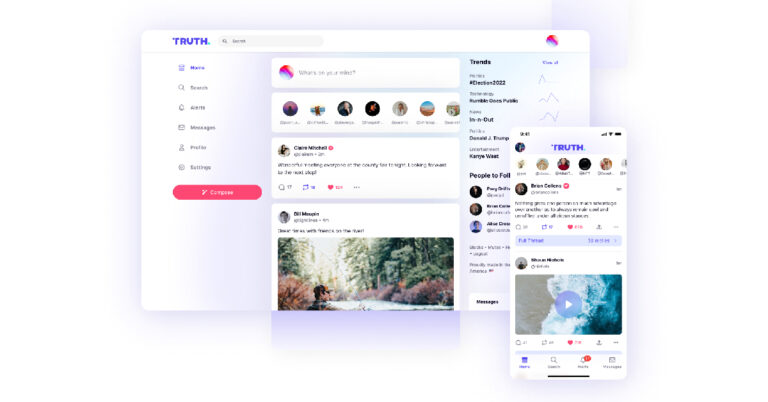
How to Join Truth Social on Android and iPhone?

After Twitter experienced a server outage last week, massive groups of users started looking for potential alternatives to the social media platform yet again. The server outage was followed by a ‘rate limit’ which set a cap on the tweets an individual user can view in a day. The turbulent state of affairs has sparked an exodus of users looking for a more stable platform. One of the alternatives that frequently comes up is Truth Social. In this article, we show you how to join Truth Social on iPhone and Android phones. Read Also: Best Gaming Mice Under $100 (July 2023)

Join Truth Social on Android

Step 1: Download and install the Truth Social app from Google Play Store. Step 2: Launch the app and select ‘Create Account’. Step 2: Launch the app and select ‘Create Account’. Step 3: Enter your birthdate. Step 3: Enter your birthdate. Step 4: Enter your email address. Step 4: Enter your email address. Step 5: Truth Social will send you a verification link. Go to your email inbox and click on the link. Step 5: Truth Social will send you a verification link. Go to your email inbox and click on the link. Step 6: Once your email has been verified, go back to the app and create a password for your account. Step 6: Once your email has been verified, go back to the app and create a password for your account. Step 7: Create a unique username for your profile. This will act as your profile handle. Step 8: Hit ‘Finish’. Step 9: Your Truth Social account will be created. You will be asked to add additional information (like profile picture, bio, etc.) to your account. Step 9: Your Truth Social account will be created. You will be asked to add additional information (like profile picture, bio, etc.) to your account.

Join Truth Social on iPhone

iPhone SE 2022 Review: A good mix of old and new  Step 1: Download the Truth Social app on your iPhone from the App Store. Step 2: Open the app and tap on ‘Create Account’. Step 3: Enter your date of birth. Step 4: Enter your email address. Step 5: Verify your email address using the link emailed to you by Truth Social. Step 6: Go back to the Truth Social app and create a password for your profile. Step 7: Create a username. Step 8: Hit ‘Finish’.

Frequently Asked Questions (FAQs)

Do I need an invite to join Truth Social?

You don’t need an invite to join Truth Social anymore. Simply enter your email address while signing up for the app and verify it using the link sent to you by Truth Social.

Is Truth Social free to use?

Yes, Truth Social is completely free to use on Android and iOS platforms.

Where do I download Truth Social?

Truth Social can be downloaded from the App Store on iOS devices and Google Play Store on Android devices. Read Also: Here is what the less expensive Moto Razr might cost in the US

Conclusion 

This is how you can join Truth Social on Android and iPhone. Once you’ve set up the profile, navigating the app is very easy. Since its design language and layout closely mimic Twitter, you will quickly get a hang of it if you are used to the latter platform. Are you already a Truth Social user? Tell us about your experience with the app in the comments! For the latest gadget and tech news, and gadget reviews, follow us on Twitter, Facebook and Instagram. For newest tech & gadget videos subscribe to our YouTube Channel. You can also stay up to date using the Gadget Bridge Android App. You can find the latest car and bike news here.

Instagram’s Threads goes live on the web for a few hours prior to launch

0
Instagram will soon be launching an called Threads, which will be a direct rival to microblogging platform Twitter. While the upcoming app is scheduled to launch on iOS (and hopefully Android too) on July 6th, its web interface went live for everyone to explore today. It stayed live for a few hours and gave a better understanding of what all can one expect from the upcoming app. The parent company of Instagram, Meta later pulled the profiles on Threads down a few hours after it went live. Many brands and creators were already present on Threads including Meta CEO Mark Zuckerber, Gary Vee, Netflix, Instagram and others. Read Also: Instagram is testing a companion app called Threads From whatever little time Threads was live, its web interface seemed very basic. There were options to view Threads and like, comment, report and share them. Clicking on any option prompted users to download the mobile app. Also, in countries where there is no support for the upcoming app, only the option to view Threads was available. Like Twitter, Threads has a dedicated section for a profile’s main posts and another one with full reply history. It is worth pointing out that Instagram’s head, Adam Mosseri, is obviously already present on Threads and has close to 2,500 followers. Meta’s Zuckerberg followed with a little less than 2,000 followers. From all this, it seems like the app’s early access was given to only a few thousand users till now. While Fediverse integration will not be available at the time of launch of the new app, Instagram will be adding it soon. The profiles on Threads include an Instagram username and link along with threads.net label with a description that reads: Soon, you’ll be able to follow and interact with people on other fediverse platforms, like Mastodon. They can also find people on Threads using full usernames, like @zuck@threads.net. The upcoming launch of Threads has been teased by Instagram all week. The App Store and Google Play Store listings of Threads revealed the launch date of the app earlier this week and the main threads.net homepage has the launch countdown live on it. Read Also: Instagram is working on live captions feature on its platform to be known as “Voice Note” for Threads app It should be pointed out that Instagram is launching Threads at a time that is quite chaotic for its direct rival Twitter. Just last week, the microblogging website blocked unregistered users from viewing tweets and added temporary rate limits. Even the platform for scheduling tweets, TweetDeck, completely broke down sometime back and changes had to be rolled out to sort that as well. For the latest gadget and tech news, and gadget reviews, follow us on Twitter, Facebook and Instagram. For newest tech & gadget videos subscribe to our YouTube Channel. You can also stay up to date using the Gadget Bridge Android App. You can find the latest car and bike news here.

How to link your Toyota Car with a smartphone using Apple CarPlay and Android Auto?

0
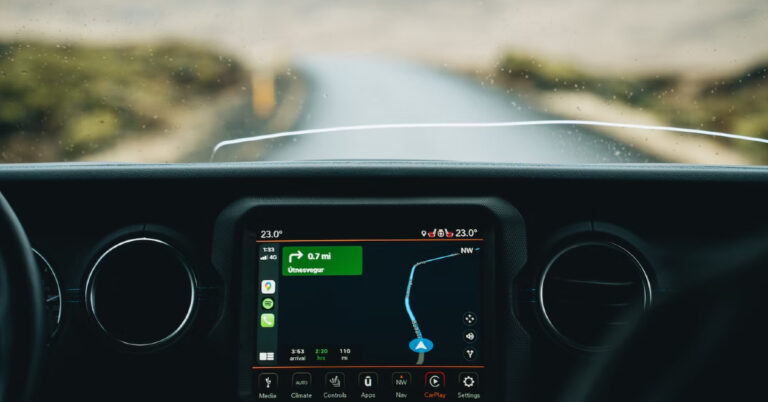
Apple CarPlay and Android Auto have completely changed how our smartphones interact with our cars. Both interfaces allow users to access the contents of their smartphone on the infotainment system of the car. Enabling hands-free usage, they are significantly safer as well. In this article, we show you how to link your Toyota car with your smartphone using Apple CarPlay and Android Auto. Read Also: Here is what the less expensive Moto Razr might cost in the US

How to link your Toyota Car with Apple CarPlay

How to link your Toyota Car with Apple CarPlay Step 1: Make sure the car is either parked or stationary. Turn on the LCD monitor on the dashboard. Step 2: Connect your Apple smartphone to the LCD monitor using a lightning cable. Step 3: Press the Menu button on the LCD monitor and tap on ‘Apps’. Step 4: Select Apple CarPlay. Step 5: Give the necessary permission on your iPhone. You will now be able to use your iPhone’s apps on your car’s touchscreen infotainment system.

How to link your Toyota Car with Android Auto

How to link your Toyota Car with Android Auto Step 1: Download and install the Android Auto app on your smartphone. Step 2: Grant the necessary permissions to the Android Auto app. Step 3: Make sure the car is either parked or stationary. Turn on the LCD monitor on the dashboard. Step 4: Connect your Android smartphone to the infotainment system using a USB Type-C data cable. Step 5: Press the Menu button on the LCD display and select Apps. Step 6: Tap on Android Auto. You will now be able to use your Android smartphone’s apps on your car’s infotainment system.

Frequently Asked Questions (FAQs)

Can I use Android Auto and Apple CarPlay together?

While, your car may offer support for both, Android Auto and Apple CarPlay, you can only use one application at a time.

How do I connect my Toyota to AppleCar Play?

Connect your iPhone to the infotainment system using a lightning cable and tap the CarPlay logo on the LCD screen on the dashboard.

Can I use Google Maps on Apple CarPlay?

Google Maps is one of the apps optimised for Apple CarPlay and can be used on your car’s infotainment system. Read Also: Motorola Razr 40 Vs Razr 40 Ultra: Which one to buy?

Conclusion 

This is how you can link your Toyota car to your smartphone using Android Auto and Apple CarPlay. Once you’re smartphone is connected to your car, you will be able to use some of the apps on the dashboard interface. While most navigation and music streaming apps are optimised for Android Auto and Apple CarPlay, the same cannot be said about Instant Messaging apps. It is only recently that Android Auto started supporting WhatsApp calls. Other IMs are unsurprisingly absent on the platform. For the latest gadget and tech news, and gadget reviews, follow us on Twitter, Facebook and Instagram. For newest tech & gadget videos subscribe to our YouTube Channel. You can also stay up to date using the Gadget Bridge Android App. You can find the latest car and bike news here.

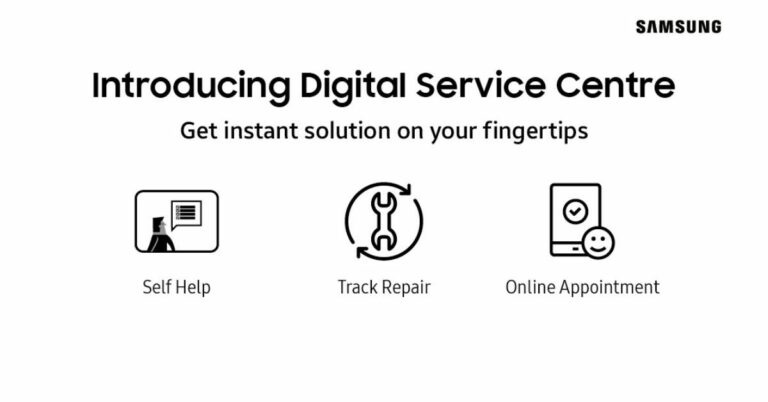
Samsung introduced its Digital Service Center in India

Samsung has opened the doors to its Digital Service Center, a comprehensive platform that is claimed to offer customers personalised product-related customer assistance. According to the company, this service offers self-help content organised by category, DIY videos, innovative symptom-based support, and repair assistance. “At Samsung, we have always believed in catering to the evolving needs of customers. The Digital Service Center is a step towards simplifying post-purchase services and providing personalized support to our consumers. We understand that to fully empower consumers, they need to be offered easy access to a digitalized ecosystem. The platform boasts easy navigation for consumers and also provides them access to product-specific DIY videos, helping them resolve their queries with ease,” said Mr. Sunil Cutinha, Vice President, Customer Service, Samsung India. Customers will be able to find solutions to a variety of product-related problems through the DIY videos, such as how to install your Samsung semi-automatic washing machine, how to set up the Freestyle projector, or how to use the auto restart feature in Samsung Galaxy smartphones. The Samsung Digital Service Center can be accessed by going to the support menu on https://www.samsung.com/in or directly logging on to www.samsungdigitalservicecenter.com After logging into their Samsung account, customers can receive customised support based on their needs from the Digital Service Centre. It includes a simplified user navigation process, quick access to self-help content organised by category, DIY videos tailored to particular categories, a mobile app experience, and model-specific repair and spare part prices all on one page. Additionally, customers can use the Digital Service Centre to schedule callback requests for remote and visual support, obtain software updates, locate a service centre, track repairs, get information about service costs, book appointments for priority service at service centres, and get pick-up and drop-off service. Customers of Samsung have access to a number of additional digital service alternatives through the Digital Service Centre, which enables them to address their problems without leaving their homes. Customers have access to a variety of support options, including WhatsApp Support, Remote Support, technical support through the call centre, and DIY videos on the Samsung website and YouTube. Samsung also operates a ‘Smart Touch Call’ service that reduces wait time for customers when they call Samsung’s Customer Care to resolve their queries. Customers have the choice to switch to a synchronized voice and screen interface instead of a traditional call center experience. Smart Touch Call is a user-friendly service that allows callers to engage with the system and captures their demands. For the latest gadget and tech news, and gadget reviews, follow us on TwitterFacebook and Instagram. For newest tech & gadget videos subscribe to our YouTube Channel. You can also stay up to date using the Gadget Bridge Android App. You can find the latest car and bike news here.