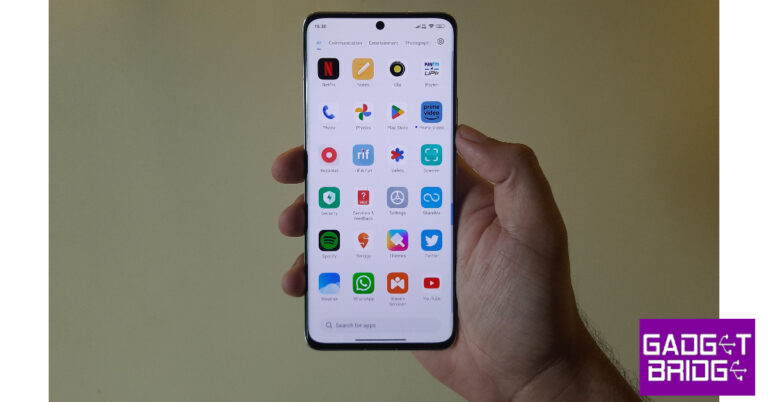
Xiaomi is known for putting out the most budget-friendly smartphones on the market. One of the ways Xiaomi is able to reduce the cost of its devices is by integrating advertisements in its MIUI OS. While everyone likes a good smartphone within their budget, not a lot of people like being subjected to ads while browsing their phones. Luckily, there is a fix for that. In this article, we bring you the best ways to disable or remove ads on a Xiaomi smartphone.Read Also:Best RGB lights you can buy for your desk or room
Disable ads from Settings
Step 1: Launch the device Settings on your Xiaomi smartphone.Step 2: Scroll down and select ‘Passwords and Security’.Step 3: Tap on ‘Authorisation & revocation’.Step 4: Turn the toggle bar off for ‘msa’.
Turn off notifications for ‘Get Apps’
The ‘Get Apps’ marketplace on your Xiaomi smartphone is notorious for routinely sending pesky notifications which are basically ads for other apps. Here is how you can disable these notifications.Step 1: Go to your Xiaomi smartphone’s home screen. Press and hold the ‘Get Apps’ icon.Step 2: Select ‘App info’.Step 3: Tap on ‘Notifications’.Step 4: Turn the toggle bar off for ‘Show notifications’.
Remove personalised ads
If you don’t want to see any personalised ads on your smartphone, try this trick. You will receive the same amount of ads, but they won’t be personalised anymore. To turn off ads entirely, try the methods mentioned above.Step 1: Go to Settings and select ‘Passwords and Security’.Step 2: Tap on ‘Privacy’.Step 3: Select ‘Ad services’.Step 4: Turn the toggle bar off for ‘Personalised app recommendations’.
Frequently Asked Questions
Does Xiaomi have ads on their phones?
Since 2018, Xiaomi has integrated ads in their MIUI OS across all phones. Even the flagship Xiaomi phones come with ads.
How do I stop ads on my Xiaomi phone?
To completely remove ads from your Xiaomi smartphone, go to Settings>Passwords and Security>Authorisation & Revocation and disable the msa app.
Acer has updated its Swift series with the launch of the new Swift X 16 powered by AMD Ryzen 9 7940H processor. The machine comes with NVIDIA GeForce RTX 4050 Laptop GPU. There are Studio Drivers pre-installed to handle graphically demanding creative applications. The laptop supports Wi-Fi 6E and features a 3.2K 120 Hz OLED display. 1080p FHD camera is also included on the device.
Acer Swift X 16 features
Starting with the build and design the Swift X 16 is a lightweight laptop and 1.9 kg. It comes with a 17.9 mm chassis with a new design inside and out with thin-and-light aluminium chassis and redesigned thermal arrangements. The touchpad is said to have 33% more scrolling space as compared to its previous model.In terms of display, the Acer laptop is powered by a 16-inch 3.2K OLED panel with 3200 x 2000 pixels of resolution. It has VESA DisplayHDR TrueBlack 500 and TÜV Rheinland Eyesafe display certifications for comfortable viewing. The display offers 100% DCI-P3, 500 nits peak brightness, 120Hz refresh rate, and less than 0.2 ms response time.The Acer Swift X 16 is powered by AMD Ryzen 9 7940H processor and built-in AMD Radeon 780M graphics. It includes access to NVIDIA Studio Drivers and exclusive tools such as NVIDIA Omniverse, NVIDIA Broadcast, and NVIDIA Canvas. It comes with up to 16 GB of LPDDR5 memory, up to 2 TB of PCIe Gen 4 SDD storage, and a MicroSD slot for added storage. In terms of connectivity, there are two USB Type-C ports, HDMI 2.1 and Wi-Fi 6E.It has upgraded TwinAir cooling, which increases air intake by up to 36% thanks to its larger fans and newly added turbo mode, as well as an air-inlet keyboard designThe laptop runs on Windows 11 and supports Windows Hello via its fingerprint reader and Wake on Voice for biometrics.It also has a 1080p FHD camera that makes use of Acer’s Temporal Noise Reduction (TNR) and Acer PurifiedView’s suite of AI features such as Background Blur, Automatic Framing and Eye Contact technology for video calling.
Most camera apps pause any background audio while recording a video. This creates a problem when you want the background music to be a part of the video. While Android phones don’t have a native feature for this, there is one helpful trick for iPhones that will help you get around this issue. In this article, we the top 2 ways to record a video while playing music on your iPhone.Read Also:Apple Saket, first Apple Store in Delhi opening today
Here’s how you can record a video on your iPhone with music playing in the background
Step 1: Unlock your iPhone and play a song. Step 2: Minimise the music app without pausing the song and launch the native camera app on your iPhone.Step 2: Stay on the Photo tab. Press and hold the shutter icon.Step 3: Your iPhone will start recording video without pausing the music. Slide the shutter icon to the right if you want to lock it. This will let you record the video without having to constantly hold the shutter icon.Step 4: Tap the Stop icon to end the recording.The video will be saved in the Photos app.
Use the Mideo app
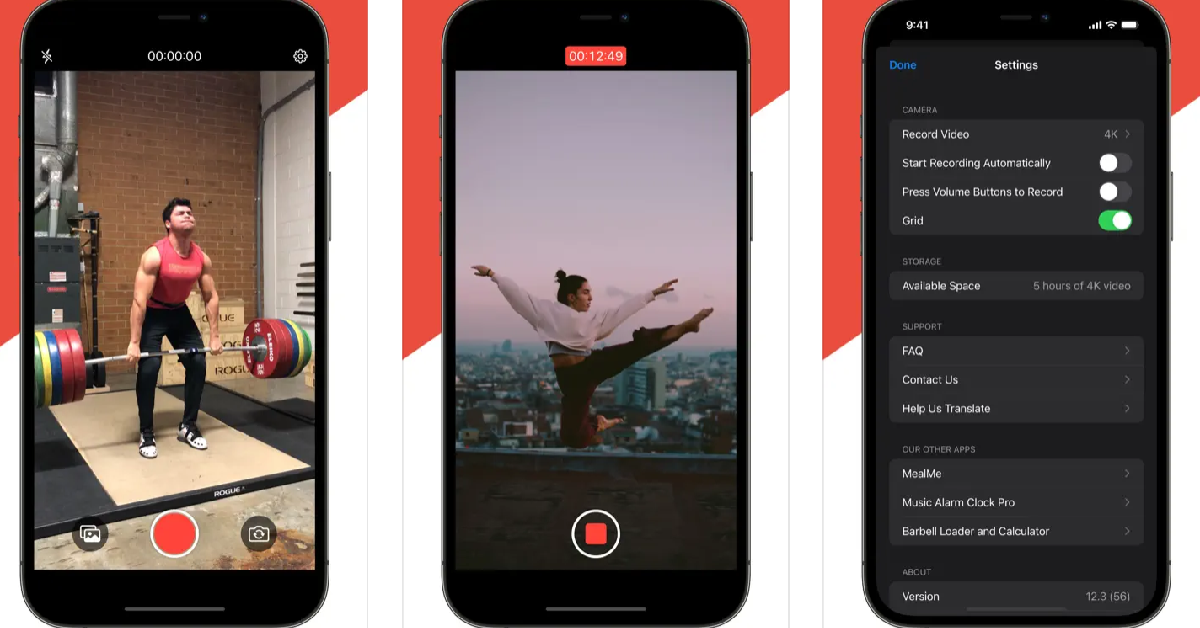
If you’re on an older version of iOS and can’t get the native app to record a video with the music playing in the background, use the Mideo app. Once the app has been installed, play music on your iPhone using a saved file or a streaming service. Then, launch Mideo and start shooting a video. The music will keep playing in the background and will be recorded in the video as well. The recorded videos are saved in the Photos app.
Mideo can record videos using the front and rear cameras. It also offers portrait mode, tap-to-focus, grid lines and more. Users can shoot videos in 720p, 1080p, or 4K resolution. You can also program the app to start recording a video as soon as it is launched, without needing to press the red button.
Frequently Asked Questions
Can you record a video while playing music?
Your iPhone lets you record a video with music playing in the background. All you need to do is press and hold the shutter icon (without leaving Photo mode) and slide it to the right to lock it. Your iPhone will record a video without pausing the music.
What apps can I use to record a video while playing music on an iPhone?
You don’t need a third-party app to record a video while playing music on your iPhone. Simply, open the Camera app and press and hold the photo shutter icon to start recording a video. If you want a third-party alternative, then Mideo is a good app for this task.
Why am I not able to record videos on my iPhone with a song playing in the background?
Your iPhone will not record videos with the background song if it is connected to your AirPods or headphones. Disconnect the audio accessory and try again.
Read Also:Xiaomi 13 Pro review: Performs Leica boss!
Conclusion
These are the 2 ways to record a video while playing music on an iPhone. The native method only works on an iPhone. Android users will have to rely on third-party apps like Record Video With Music. If you found this article helpful, let us know in the comments!
Meta-owned photo and video-sharing app Instagram has announced a new feature that many users have asked for on the platform. The company is now rolling out the ability to add up to five links to the profile’s bio to help users and creators promote their works. Before this change users were only able to share a link in their bio.Instagram users will now be able to share and promote more of their work with their followers by posting up to five links on their profiles. The company took to Twitter to make the announcement about the upcoming change on its platform. The news about the upcoming update was also shared by Meta CEO Mark Zuckerberg on its Broadcast channel. The users were only permitted to add one link to their bio. That one link to a page held several links. But now Instagram users will be able to add such as Linktree, Beacons, and Discord accounts, among others links to the platform.
How to add up to five links to your Instagram profile’s bio?
Tap the Add External Link option in the Links section of the Edit Profile menu to add extra links to your bio.
When will this feature reach all Instagram users?
By the end of this month, all Instagram users should have access to the functionality that allows them to add up to five links to their profile’s bio.Besides this, the company also rolled out a bunch of new Reels features for creators. A dedicated destination to find popular audio and hashtags, in addition to two new metrics to Reels insights, have been added to the app. Users will be able to find trending audio and hashtags on Instagram Reels right from the professional dashboard. The users will be able to see the top trending songs on Reels, see how many times the audio has been used, tap in to use it or save the audio for themselves. In addition to this Instagram is also updating reel insights by adding two new metrics: total watch time and average watch time – and making it easier to see your insights while viewing your reels directly.
For the latest gadget and tech news, and gadget reviews, follow us on Twitter, Facebook and Instagram. For newest tech & gadget videos subscribe to our YouTube Channel. You can also stay up to date using the Gadget Bridge Android App. You can find the latest car and bike news here.
Apple Saket opened its doors to customers in Delhi, and fans and curious consumers gathered up to get the first look at Apple’s second store during the grand opening. Until now Apple services in India could only be availed through Authorised stores. But now Apple has officially opened its first Apple Store namely Apple BKC in Mumbai and the second store that is Apple Saket in Delhi.Apple Saket opened in Delhi at 10 AM and the company’s CEO Tim Cooks inaugurated the store and opened it to the fans and customers. Even before the store opened, customers lined up outside the first Apple store in Delhi, which is housed in the Select Citywalk Mall in Saket. Yes, the atmosphere was fantastic, and long lines of customers formed to get a glimpse of Tim Cook and end up buying the most recent gadgets.The Apple store in Delhi will display all the latest tech and gadgets including iPhones, iPads, MacBooks, Apple Watch, AirPods and lots more to discover. In addition to this, the Apple accessories will also be up for display.Apple retail outlet in Delhi features a Barricade with a unique design that is inspired by Delhi’s many gates, each signifying a new chapter to the city’s storied past. The store looks vibrant, colourful yet classy. It has this unique curved storefront, which also has an Indian-made feature wall. White oak tables showing Apple’s products and accessories are placed inside the Apple Store. The Apple Store in the nation’s capital will have a dedicated Apple Pickup station available. Because of this, customers will find it less complicated to place an online order and pick up their equipment from the store at a convenient moment.However, the Apple Saket is almost half the size of Mumbai’s Apple Store, Apple BKC. Both stores are carbon neutral and run on renewable energy.Here fans and customers can participate in free Today at Apple workshops to learn how to make the most of their devices. The company claims that its store at Saket will have over 70 highly qualified retail team members who hail from a total of 18 different Indian states and can speak more than 15 different languages. They will be assisting customers in discovering and shopping for the newest Apple devices.
For the latest gadget and tech news, and gadget reviews, follow us on Twitter, Facebook and Instagram. For newest tech & gadget videos subscribe to our YouTube Channel. You can also stay up to date using the Gadget Bridge Android App. You can find the latest car and bike news here.
RGB lights are an essential part of any gaming setup. If you’re trying to improve the look of your gaming desk, you can use RGB lights in several creative ways. What you need is an RGB light strip that can be easily applied to your monitor, TV, or CPU. These lights can also be used to create an ambience in your living room. So, without further ado, here is our list of the best RGB LED lights you can buy right now for your desk or living room.Read Also:Xiaomi 13 Pro review: Performs Leica boss!
Gesto RGB LED Light Strip
Price: Rs 799The Gesto RGB LED Light Strip has 8 primary colours along with a wide range of colour temperatures. These lights are easy to install and can easily be cut up depending on the dimensions of the surface you are trying to cover. There are 4 dynamic and music modes on offer. The light strip can be dimmed, depending on the ambience you’re trying to set. The light strip has an in-built microphone that lets it match the rhythm of the song or the soundtrack of the game you are playing. The Gesto LED light strip offers voice control with Alexa and can also be controlled over a home WiFi network.
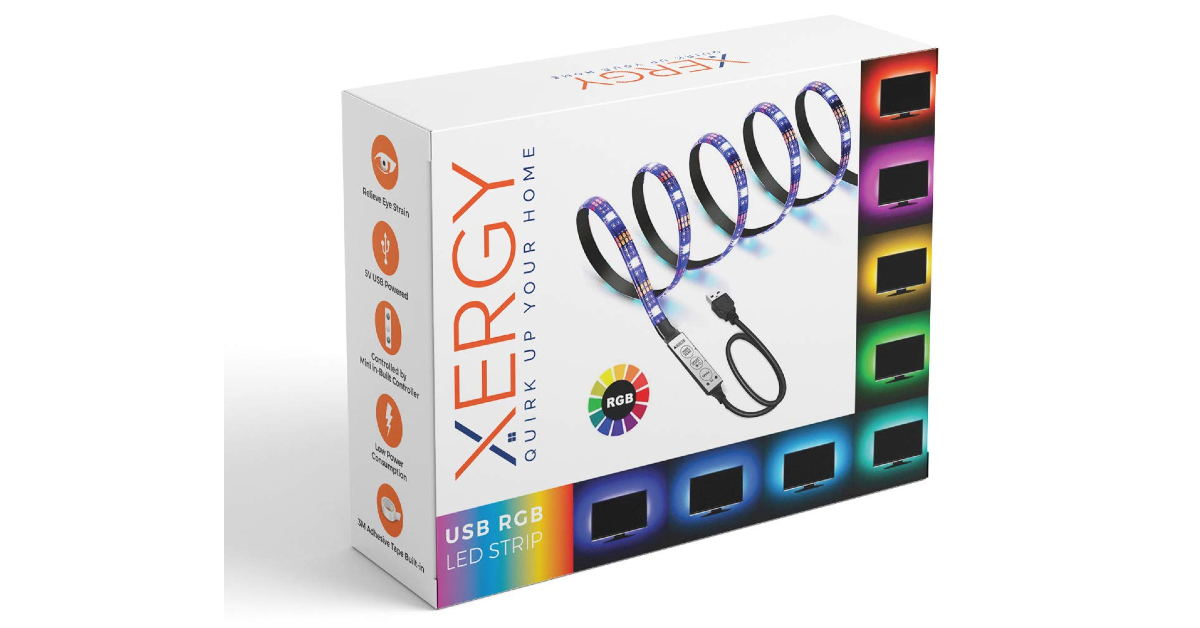
XERGY RGB LED Flexible Strip
Price: Rs 359XERGY RGB LED Flexible Strip is an affordable light strip that primarily finds its use as an ambient light for TVs, monitors, speakers, and any other device. Being 1 meter in length, this light strip can easily cover 32-inch TVs and monitors. It can easily be plugged into a USB port of the device it is covering. The XERGY light strip has 20 colours on offer, including red, green, blue, yellow, pink, purple, white, and more. The controller is attached to the end of the light strip and can be used to select the flashing mode, brightness, and speed.
Desidiya RGB LED Light Strip
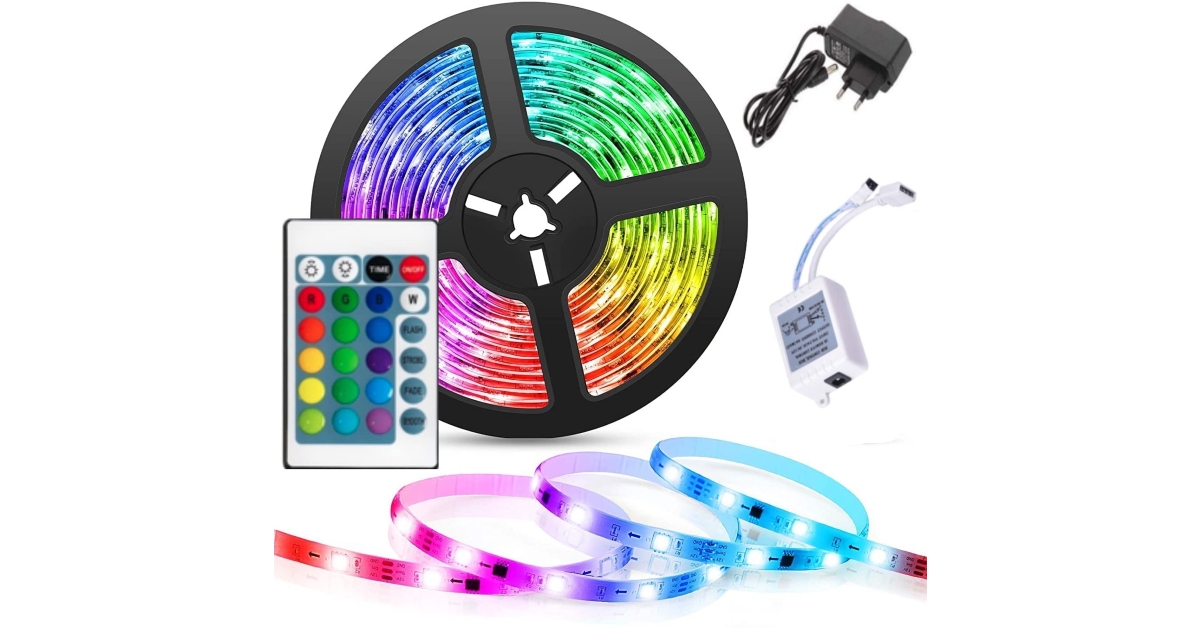
Price: Rs 629The Desidiya RGB LED Light Strip can be plugged directly into a 220V wall outlet. This light strip has 5050 SMD LEDs. Desidiya Light Strip comes with an IR controller, RF control box, and power adapter. There are 16 colour options on board. There are a bunch of preset patterns, with further customisation options to create your own unique mood lighting. This LED Light Strip is waterproof and can be easily cut up to meet the demands of the surface it is covering.
Ustellar RGB Monitor Light Bar
Price: Rs 8,609The Ustellar RGB Monitor Light Bar attaches itself to the top of the monitor and projects white light on the monitor and desk while illuminating the background with RGB lights. This dual-sided monitor bar is perfect for those who work in limited lighting conditions and need extra light to reduce the eye strain from the monitor. The RGB lights on the back of the bar are a fun addition. This light bar also offers app support to control the intensity, colour, and time schedule of the lights. It is also compatible with Alexa and Google Home. On top of that, the light bar has touch buttons for easy access.
Koicaxy RGB LED Light Bar
Price: Rs 499If you’re looking for something other than light strips, the Koicaxy RGB LED Light Bar can be a great addition to your gaming desk. This light stick has 32 LED light beads and is built in with a large-capacity battery. What makes this light bar better is that it is voice-activated and can change its rhythm to the beats of the music. This light bar will suit gamers and music enthusiasts alike.
Nexillumi LED Light Strip
Price: Rs 4,523This LED Light Strip by Nexillumi spans a massive 16.4 feet and contains a total of 180 lights. The light strip is completely waterproof and can be cut up to cover different surfaces. An inbuilt mic allows the light strip to change its rhythm to the beat of the music. A handy remote control is provided with the light strip. This remote control has 44 keys and a bunch of options to control the brightness, pattern, temperature and set timer.
RSCT LED Strip Lights (5 meters)
Price: Rs 399
The RSCT LED Strip Lights can be directly plugged into a 220V power outlet. Reaching up to 5 meters in length, these strip lights are perfect to light up a wall or a desk. It comes with a 24-button IR remote controller. Being completely waterproof, you don’t have to worry about placing these lights next to a window. The water protection also comes in useful against accidental spillages.
Wipro LED Strip Lights
Price: Rs 4,399
Looking for a high-end product that can be used outdoors and last you a long time? Wipro LED Strip Lights should fit the bill perfectly. Spanning 10 metres in length, these LED lights have 600 individual sources. With IP65 protection, this light strip is perfect for indoor as well as outdoor use. The flexible design allows you to cover every kind of surface in your room. The richness in colours and quality of light is also a cut above the rest. It may be priced higher than other products on this list, but Wipro’s LED light strip is well worth the money you’re paying for it.
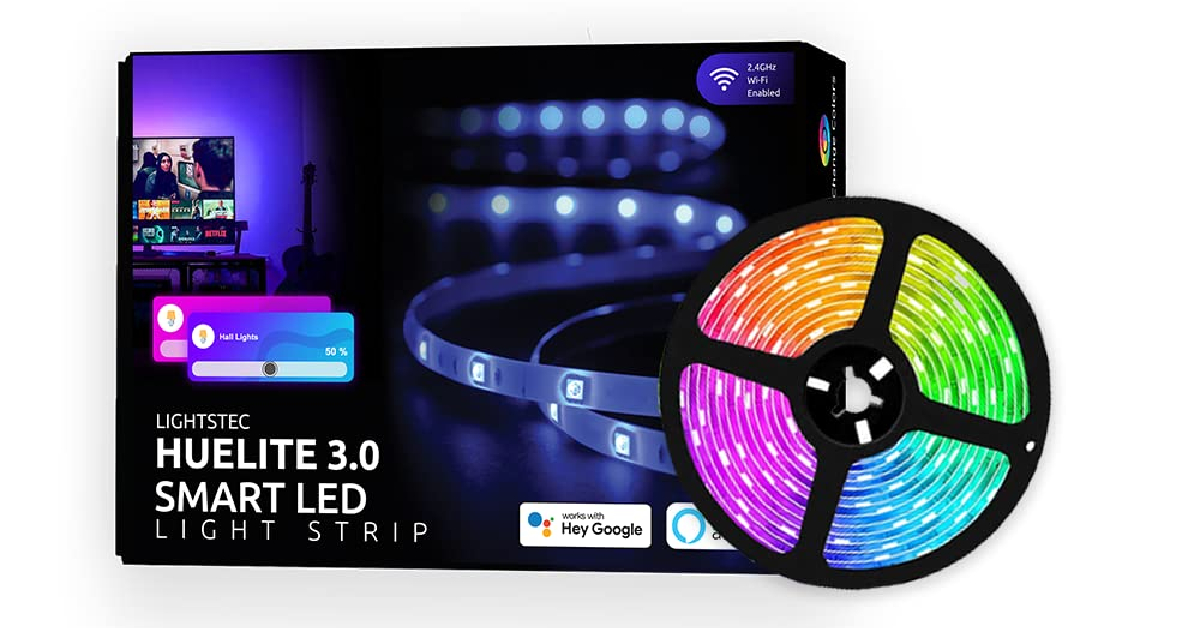
Lightsec Huelite 3.0 Smart LED Strip
Price: Rs 999
What makes Lightsec Heulite 3.0 a solid buy is Alexa and Google Assistant support. This smart LED strip can register voice commands easily. The Huelite mobile app for Android and iOS gives users access to over 16 million colours, dynamic modes, and a host of other features. This RGB light strip can be used for your desk, furniture, paintings, TVs, and other objects. On top of all that, Huelite also offers a 1-year warranty on this product.
Read Also:How to add subtitles to Instagram Reels and Video Posts?
Conclusion
These are our picks for the best RGB LED lights you can buy for your desk or room. Most of the products in this list come with a limited warranty period. We’d recommend going for a light strip that is easily cuttable and comes with a bunch of customisation options. Do you have any RGB light recommendations? Let us know in the comments!For the latest gadget and tech news, and gadget reviews, follow us on Twitter, Facebook and Instagram. For newest tech & gadget videos subscribe to our YouTube Channel. You can also stay up to date using the Gadget Bridge Android App. You can find the latest car and bike news here.
Before cell phones existed, the easiest way to find someone using their name or phone number was through the Yellow Pages. The big yellow directory was a permanent fixture in every household and came in very handy when you needed to contact but all you had was either their name or phone number. Ever since mobile phones gained popularity, the Yellow Pages have disappeared from the scene. But there are still several ways of looking someone up. In this article, we bring you the top 8 ways to find someone using their phone number.Read Also:Lenovo Back to School (BTS) offers announced, with cashback offers up to Rs 10,000
Search for the number on Google
If the number you are searching for belongs to a business, it will appear in a simple Google search. Most businesses have their numbers listed on their Google page/website or indexed by Google. Performing a simple search will bring up all the details of the contact. You can view the location of the contact or tap on ‘Directions’ to be redirected to Google Maps.
Use SearchPeopleFree
SearchPeopleFree is one of the best directories to look people up online. You can search for a person by name, phone number, address, or email. This website uses information in the public domain to bring up the name, address history, social media profiles, and public record of the person you are searching for. The website is free to use and doesn’t require you to sign up. One of the downsides of this service is that it is US-centric.
Use TrueCaller
If you are in India, then TrueCaller is the best way of finding someone using their phone number. To use TrueCaller you need to sign up on the app using your phone number. You can use the app’s services only when you give it access to your contacts. Once you have signed up on TrueCaller, other people can look you up using your name or number too. To find someone using their phone number, simply tap on the search tab and enter the phone number. TrueCaller will look for the number in its directory and bring up matching results. You can go through the person’s profile on TrueCaller and find their full name, call history (with you), and even block them from contacting you.
Use Radaris
Radaris is another website with an exhaustive directory. You can use this website to search for people using their phone number, name, address, email, or business. Radaris draws its data from information in the public domain and compiles it in one place. The website says it is the most comprehensive public records database online. Radaris has been around for 10 years and keeps updating its directory regularly with new entries. The website has 224 million phone numbers in its store, which makes it easy to track the person you are looking for.
CocoFinder
CocoFinder is a great website for employers who are looking to perform a background check on their employees. You can also use it to find someone using their phone number. This website gives you a detailed report about a person which includes their age, date of birth, current address, court records, relatives, and more. CocoFinder has a huge database with billions of entries. The website generates accurate results with very little search time.
Spokeo
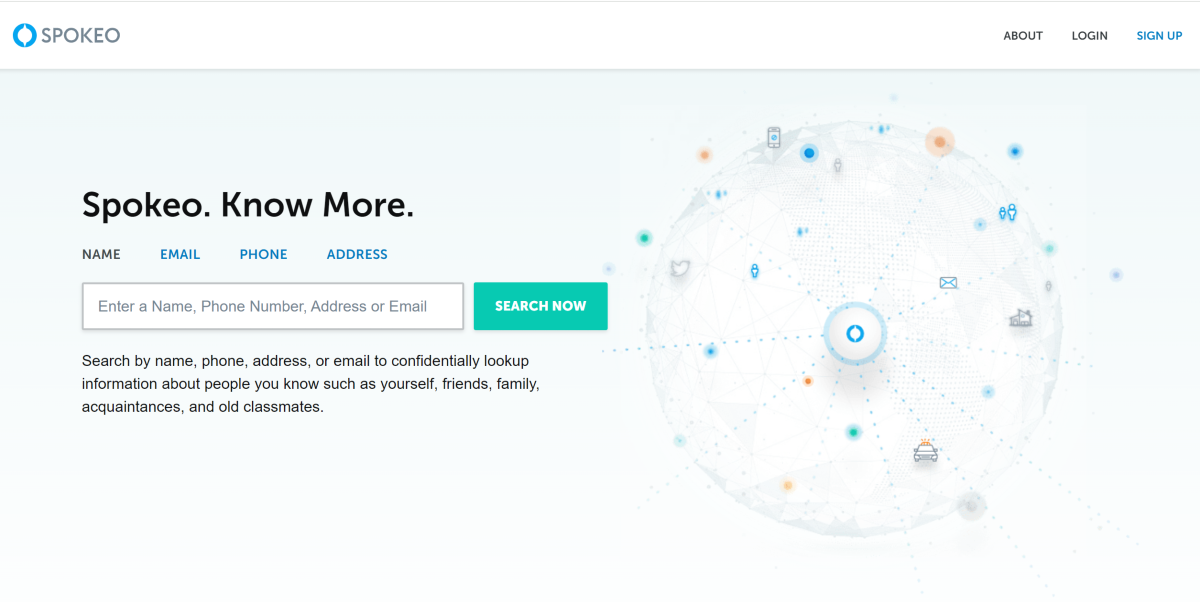
Spokeo lets you search for people by name, phone number, email, and address. The website looks into a library of 130 million property records, 6 billion consumer records, 3.9 billion historical records, 600 million court records, and 120+ social networks. Once you hit a match, you can get information like contact details, location history, wealth data, criminal records, and more.
PeopleLooker
PeopleLooker claims to make public information that you can’t find on Google more accessible to users. It gives you access to names, addresses, photos, court records, email addresses and more. There are 8 tools on the website including people search, reverse phone, phone directory, B2B, unclaimed money, and more. The interface of the website is simple and easy to access.
Searqle
Searqle is a great website to perform background checks on potential employees just by using their phone numbers. By entering a person’s phone number you can look up their social media profiles, misdemeanours, court records, and more. If you’re getting constant calls from an unknown number, you can use this website to dig for more information about the caller.
Read Also:How to add subtitles to Instagram Reels and Video Posts?
Conclusion
These are the best ways you can find someone using their phone number. If you’re located in India, using TrueCaller is your best bet. TrueCaller does not provide any additional information other than the contact’s name, but it is still a good start. Using their name, you can search for the person on social media until you’ve found a match.
On April 18, the first Apple Store in India, Apple BKC opened its doors at the Jio World Drive Mall in Bandra Kurla Complex (BKC), Mumbai. Today, Apple Saket the company’s second store will open at Select CITYWALK in New Delhi.According to Apple’s announcement, Apple Saket is going to be the company’s first store in the capital to open today. Ahead of the opening, the company gave a sneak peek of the store. Apple’s first store was unveiled in Mumbai just a day before. Both the Apple Stores in Delhi and Mumbai, according to the company, are carbon neutral and run on renewable energy. Both Apple BKC and Apple Saket’s interiors and designs reflect the local aesthetic.Customers may buy Apple’s fantastic selection of goods and services in Apple Saket, get first-rate assistance from staff members, and take part in free Today at Apple workshops to learn how to make the most of their devices. Apple Saket has a distinctively curved storefront, which also has an Indian-made feature wall. White oak tables showing Apple’s products and accessories are placed inside Apple Store.White oak tables showing Apple’s products and accessories are placed inside Apple Saket’s distinctively curved storefront, which also has an Indian-made feature wall. A special Apple Pickup station is available at the capital’s Apple Store. Customers will find it simpler to order online and pick up their devices from the store at a convenient time as a result. Apple Saket and Apple’s activities in India, like all Apple facilities, are carbon neutral and run entirely on renewable energy.Also Read:Lenovo Back to School (BTS) offers announced, with cashback offers up to Rs 10,000Apple states that the Delhi store boasts more than 70 highly qualified retail team members who hail from a total of 18 different Indian states and can speak more than 15 different languages. They are going to Assist customers to discover and shop the newest Apple devices.Customers can schedule an appointment at the Genius Bar at Apple Saket to receive hands-on technical and hardware support in addition to the other services offered. Genius Bar appointments will assist with everything from setting up a device, recovering an Apple ID, selecting an AppleCare plan, or modifying subscriptions.The company will also offer free, daily in-store sessions through Today at Apple which is led by Apple Creatives, who are themselves, talented artists and creators, the sessions range from basics and how-to lessons to using professional-grade programs.
For the latest gadget and tech news, and gadget reviews, follow us on Twitter, Facebook and Instagram. For newest tech & gadget videos subscribe to our YouTube Channel. You can also stay up to date using the Gadget Bridge Android App. You can find the latest car and bike news here.
Garena Free Fire is a battle royale game with regular awards and tournaments to keep players interested. If you play Garena Free Fire, you should be aware of the redeem codes that are released on a daily basis. However, because the battle royale game is banned in India, players from other countries can use the Free Fire Redeem codes daily. If you’re unfamiliar with the Garena Free Fire redeem codes or don’t know how to get them, we’ve put together a step-by-step guide to help you redeem them. Check out Garena Free Fire Redeem Codes for 20 April 2023.The Free Fire redeem codes are a great way to get free stuff. These are 12-digit codes that contain alphabets and numbers, as well as an expiration date and time. Because the Garena FF redeem codes cannot be used more than once, you should hurry to the redemption page to claim your free reward before someone else does. To get a free reward, all you have to do is go to reward.ff.garena.com/en, which is the official redemption page. Also, keep an eye on this space for daily updates on Garena Free Fire redemption codes and rewards.
Garena Free Fire Redeem Codes Today 20 April 2023
ZZZ76NT3PDSH
FFCMCPSUYUY7E
V427K98RUCHZ
MCPW2D2WKWF2
BR43FMAPYEZZ
6KWMFJVMQQYG
HNC95435FAGJ
EYH2W3XK8UPG
NPYFATT3HGSQ
FFCMCPSGC9XZ
MCPW3D28VZD6
XZJZE25WEFJJ
UVX9PYZV54AC
FFCMCPSEN5MX
FFCMCPSJ99S3
MCPW2D1U3XA3
How to Get Free Fire Redeem Codes for Garena on 20 April 2023?
20 April 2023 Amazon Quiz has gone live on its platform. The quiz timings are 12 AM to 11:59 PM. The Amazon App users can participate in the quiz daily and all they have to do is submit correct answers to the questions asked on the e-commerce platform. Today’s participants can get a chance to win Rs 1250 Amazon Pay Balance.Amazon brings a fresh questionnaire that contains 5 questions daily. These questions are based on current affairs and general knowledge. The quiz can be played from 8 AM to 11:59 PM and the contestants need to answer correctly to enter into a lucky draw.Only one person is declared as a winner and the results will be announced at the end of every month. And to make sure that you give correct answers to all the 5 questions Gadget Bridge everyday updates all the answers to the Amazon Quiz. Do check out 20 April 2023 Amazon Quiz Answers to win a Rs 1250 Amazon pay Balance.Amazon Quiz Today Prize – Rs 1250 Amazon Pay BalanceQuiz Date – 20 April 2023Daily Timing – 12 AM to 11:59 PMWinner Announcement – Today 12 PM
Amazon Quiz Answers Today 20 April 2023
Question 1: Which Afghan-born Indian cricketer passed away in 2023 at the age of 88?
Answer: Salim DuraniQuestion 2: Which financial institution purchased Swiss bank Credit Suisse for 3 billion francs amid the financial crisis?Answer: UBS
Question 3: Which country’s 75th diplomatic anniversary with India was celebrated with the exhibition ‘Geoffrey Bawa: It is Essential To be There’?
Answer: Sri LankaQuestion 4: In Greek Mythology, which god was said to have herds of red colour variants of this animal?
Answer: HeliosQuestion 5: In which ancient Egyptian city is this building located?
Answer: Luxor
How To Play Amazon Quiz
Only app users are eligible to play the Amazon quiz every morning from 12 AM to 11:59 PM. The quiz is not available on the desktop. For those who are unaware of how to play the Amazon quiz below are the steps, you can follow to take the quiz.
Firstly download the Amazon app from Google Play Store or App Store
Now fill in the required information through the Sign Up option.
You need to log in to the Amazon app and scroll down on the home screen to find the Amazon Quiz banner.
Tap on the Amazon Quiz banner and tap on the Start button to start the Quiz.
Now you will get 5 questions and you need to answer them correctly. One wrong answer will eliminate you from the Quiz.
After answering all the questions correctly you are now eligible for a Lucky Draw.
The winner’s name will be announced today at 12 PM.


 Step 3: Tap on ‘Authorisation & revocation’.
 Step 4: Turn the toggle bar off for ‘msa’.

 Step 3: Tap on ‘Notifications’.
 Step 4: Turn the toggle bar off for ‘Show notifications’.

 Step 3: Select ‘Ad services’.
 Step 4: Turn the toggle bar off for ‘Personalised app recommendations’.



 Step 1:
  If you’re on an older version of iOS and can’t get the native app to record a video with the music playing in the background, use the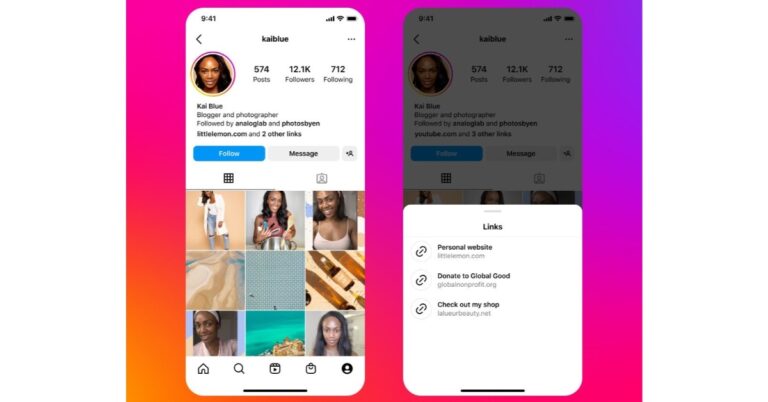







 The
The 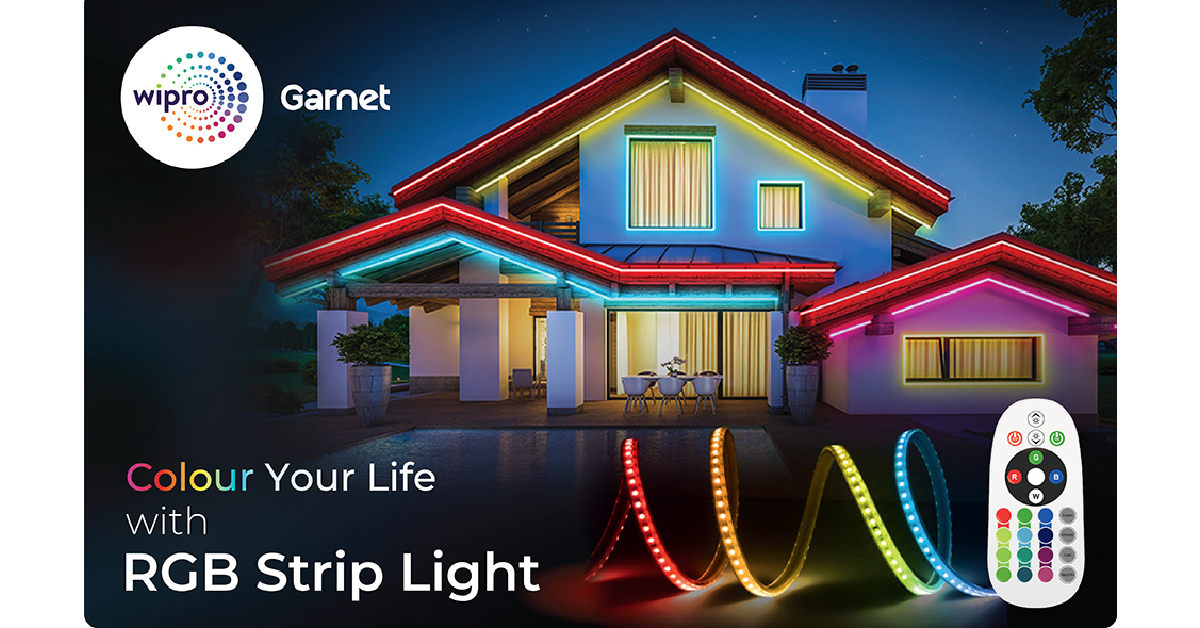 Looking for a high-end product that can be used outdoors and last you a long time?
  What makes


 Spokeo lets you search for people by name, phone number, email, and address. The website looks into a library of 130 million property records, 6 billion consumer records, 3.9 billion historical records, 600 million court records, and 120+ social networks. Once you hit a match, you can get information like contact details, location history, wealth data, criminal records, and more.
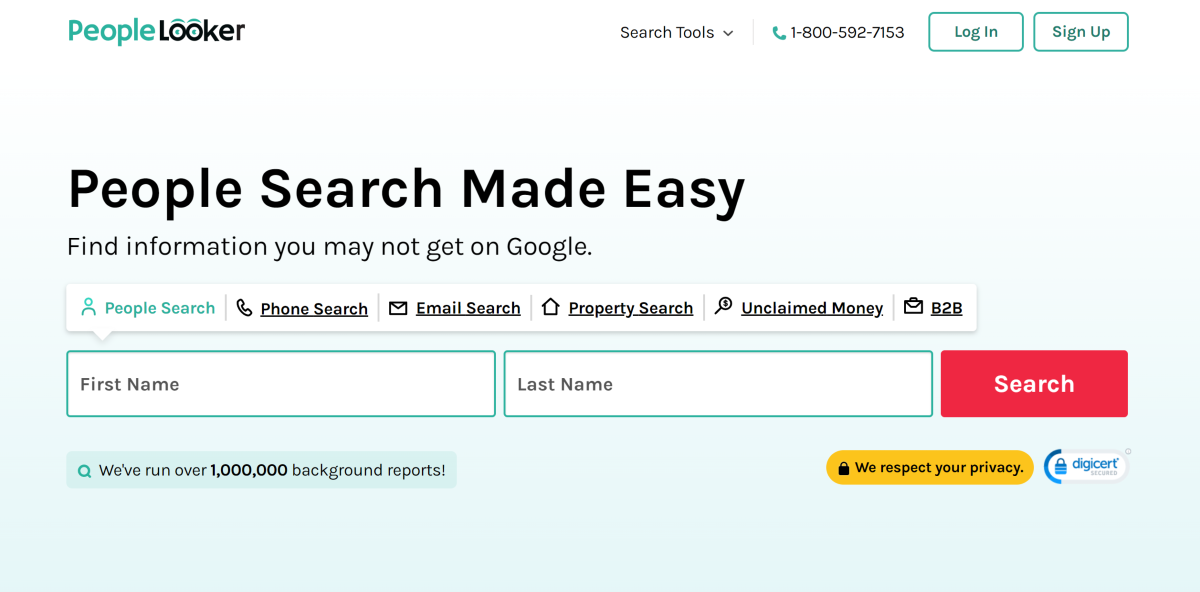 PeopleLooker claims to make public information that you can’t find on Google more accessible to users. It gives you access to names, addresses, photos, court records, email addresses and more. There are 8 tools on the website including people search, reverse phone, phone directory, B2B, unclaimed money, and more. The interface of the website is simple and easy to access.
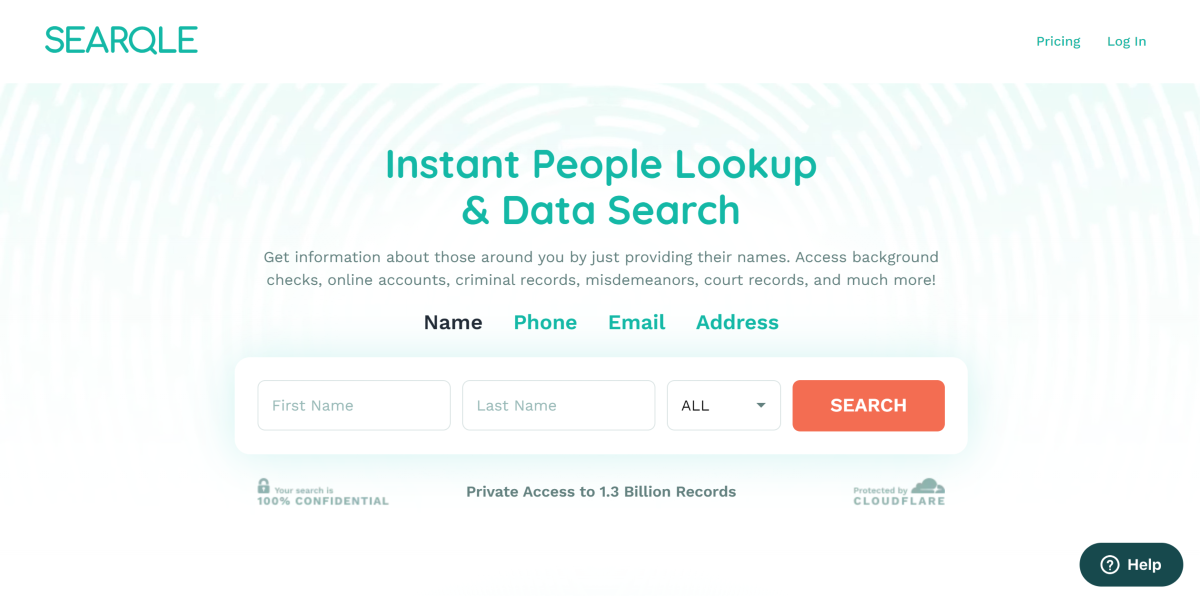 Searqle is a great website to perform background checks on potential employees just by using their phone numbers. By entering a person’s phone number you can look up their social media profiles, misdemeanours, court records, and more. If you’re getting constant calls from an unknown number, you can use this website to dig for more information about the caller.