

YouTube Shorts Are Arriving on Smart TVs: Details Inside

The TV debut of YouTube Shorts has been officially announced. As of right now, viewers will be able to watch these brief video clips (60 seconds or less) at home on a huge screen. Over the next several weeks, YouTube Shorts will become available for smart TVs (models 2019 and later) and newer gaming consoles.
Neal Mohan, Chief Product Officer said “Bringing Shorts to our community has transformed the way people create and watch videos on YouTube. When we introduced this new format, we optimised the experience for the mobile creator and viewer. Today, we’re expanding viewing access to Shorts to our fastest-growing surface: the TV screen. While this may seem like a natural next step, an incredible amount of thought and care has gone into bringing this vertical, mobile-first experience to the big screen. In this next instalment of our Innovation Series, you’ll hear from two of the user experience (UX) design leads who made this leap a reality.”
YouTube Shorts for TV will be positioned with a white border in the centre of the screen. While the background theme will be based on the primary colour of the Shorts clip. The specific Shorts’ information will be displayed on the video’s side.
Its product managers, engineers, designers, and researchers from the Shorts and TV teams got together to talk about how to bring this new video format to the big screen, the business claimed in a statement announcing the launch. It was crucial that the Shorts experience on TV seemed both organic on a larger screen and aligned with what the community views on mobile.
YouTube has adopted a unique approach to our research and invited participants to write either “Love” or “Breakup” letters to describe their thoughts about short-form material on TV right now. The “love letters” revealed that consumers like watching stuff they enjoy conveniently with friends and family. The “breakup letters” revealed that users thought the platform may be awkward, sluggish to load, or lacking in essential capabilities like sharing.
As per the company, there are unique perks of watching Shorts on the big screen. Firstly YouTube Shorts are easier to watch with others, and the larger screen makes it a more comfortable viewing experience. In order to preserve the essence of Shorts with vertical videos on wide-screen TVs it has created three very different design concepts.
“We wanted to know if the unique feel of Shorts could be conveyed in our conventional video player (Option A) or if it should be customized to better fill the blank spaces on either side of the video (Option B). We also considered a divergent option — the “Jukebox” style (Option C)— where multiple Shorts would fill the screen at the same time, taking full advantage of the TV screen’s additional space,” YouTube blog post stated.
According to YouTube, feedback from the second round of study revealed that the Jukebox style (Option C) departed too much from the core of Shorts, which focuses on one video at a time, and that the delight of Shorts is lost in the consistent video player (Option A). The customized Shorts experience offers the best of both worlds: a simple design while maximising the additional space provided by the widescreen.
Moreover, users of YouTube Shorts on smart TVs must manually select the next Shorts using the remote because the videos do not automatically play. YouTube built two highly detailed prototypes of a customised Shorts video player using input from its most recent round of research. The business is currently attempting to strike a balance between a pure viewing experience and features that users have come to anticipate from Shorts and YouTube, such as comments, community actions (such as like and subscribe), and finding related videos.
For the latest gadget and tech news, and gadget reviews, follow us on Twitter, Facebook and Instagram. For newest tech & gadget videos subscribe to our YouTube Channel. You can also stay up to date using the Gadget Bridge Android App. You can find the latest car and bike news here.
How to Manage Your Child’s Internet Activity?

Today, children, adults, and pretty much everyone uses the internet for different purposes, including entertainment, work, or studies. The internet allows us to explore the world, network with people and stay informed. However, parents are often concerned about excessive internet usage and prolonged screen time for their children. Well, Wondershare FamiSafe is the best parental control app for parents who want to monitor and manage their children’s internet activity.
 Can you imagine receiving an activity report of every internet movement of your child? Well, that is exactly what FamiSafe does, and it keeps your child safe from explicit content. It has features that search for harmful messages and pictures on your child’s phone. To ensure safety on the web, FamiSafe filters harmful search results so parents remain at peace and satisfied.
Step 2: There are two ways to log into FamiSafe. You can either use your Apple ID, Facebook, or Google account or register a new Wondershare ID. The application also provides a “Continue as Guest” option to help you access FamiSafe without logging in.
Step 3: Now, you have to connect your device to your child’s device. Select the “Connect a Device” option. On the next screen, you will find a QR and pairing code which will be used later in this guide whilst setting up your child’s phone.
Step 4: Follow the guide in the next parts to set up your child’s device. Once that is done, use the Started Wizard to set up basic parental control on your device.
Method 2: This method is quicker and easier. You have to scan the QR code from your phone using your kid’s phone camera. FamiSafe will be downloaded, and both devices will be connected automatically.
Can you imagine receiving an activity report of every internet movement of your child? Well, that is exactly what FamiSafe does, and it keeps your child safe from explicit content. It has features that search for harmful messages and pictures on your child’s phone. To ensure safety on the web, FamiSafe filters harmful search results so parents remain at peace and satisfied.
Step 2: There are two ways to log into FamiSafe. You can either use your Apple ID, Facebook, or Google account or register a new Wondershare ID. The application also provides a “Continue as Guest” option to help you access FamiSafe without logging in.
Step 3: Now, you have to connect your device to your child’s device. Select the “Connect a Device” option. On the next screen, you will find a QR and pairing code which will be used later in this guide whilst setting up your child’s phone.
Step 4: Follow the guide in the next parts to set up your child’s device. Once that is done, use the Started Wizard to set up basic parental control on your device.
Method 2: This method is quicker and easier. You have to scan the QR code from your phone using your kid’s phone camera. FamiSafe will be downloaded, and both devices will be connected automatically.
Part 1: Realizing the Drawbacks of Using Excessive Internet By Children
Like everything else, using the internet comes with its pros and cons. An excess of anything, especially the internet, has many drawbacks that overshadow its advantages. Let’s see some of these drawbacks that will help you decide why you need a parental control app like FamiSafe:1. Addiction
Children use the internet to play games, watch educational videos, and scroll through social media applications for entertainment. The internet has many attractive applications that keep children engaged, so they want to sit in front of a screen for as long as they can. This attraction can turn into an addiction that can lead to abnormally high levels of screen time that disrupt your child’s daily life. Often, children cannot focus on their academics and social life because they want to be on their phones.2. Inappropriate Content
There are no barriers to the images, videos, and reading materials that children are exposed to on the internet. Inappropriate content, including pornographic and violent images, is readily available that can affect the developing brains. Children may accidentally stumble upon this undesirable side of the internet whilst using other websites, and parents won’t be able to control it.3. Cyberbullying
It is easier to bully or harass kids on the internet as compared to real life in schools or playgrounds. This is because people hide behind anonymous accounts and can target your children without the fear of any consequences. It doesn’t matter whether the bullying is online or physical because it can cause children to store memories of traumatic events and may lead to depression and social isolation.4. Privacy Exposure
Children are not specialized in using the internet, computers, and phones. They are prone to easily providing personal information such as pictures, passwords, house addresses, and more to hackers or fake friends. People with evil intentions can gain your child’s trust and then blackmail your children once they get access to this information. Bonus Tip If you are on the lookout for a reliable internet service provider, we would recommend you to sign up with Comcast, which not only provides its users with incredible download speeds but also offers fast, reliable connections for all devices. So sign up with Comcast Internet Español and manage all your daily internet activities.Part 2: Introduction to Wondershare FamiSafe – A Tool That Promotes Safe Search
It is not possible to completely refrain your child from using the internet, but you can control their usage to promote healthy practices. Wondershare FamiSafe is a parental monitoring app that allows you to monitor and manage your child’s screen time. You can set time limits for each application and scan their viewing history on YouTube and TikTok to block any harmful videos or channels. Can you imagine receiving an activity report of every internet movement of your child? Well, that is exactly what FamiSafe does, and it keeps your child safe from explicit content. It has features that search for harmful messages and pictures on your child’s phone. To ensure safety on the web, FamiSafe filters harmful search results so parents remain at peace and satisfied.
Part 3: How to Manage Your Child’s Internet Activity with FamiSafe?
FamiSafe’s user-friendly interface makes it very easy to manage your child’s internet activity. Follow these instructions to ensure your child’s safety online:3.1 Set up Parent’s Device
Step 1: If you have an iOS device, go to the App Store to download Wondershare FamiSafe. Android users can download the FamiSafe application from the Play Store. Launch the application to start the setup on your device. Tap on the “Start” button. Step 2: There are two ways to log into FamiSafe. You can either use your Apple ID, Facebook, or Google account or register a new Wondershare ID. The application also provides a “Continue as Guest” option to help you access FamiSafe without logging in.
 Step 3: Now, you have to connect your device to your child’s device. Select the “Connect a Device” option. On the next screen, you will find a QR and pairing code which will be used later in this guide whilst setting up your child’s phone.
 Step 4: Follow the guide in the next parts to set up your child’s device. Once that is done, use the Started Wizard to set up basic parental control on your device.
3.2 Setup Child’s Phone
Method 1: Download and launch FamiSafe on your kid’s device and tap the “Start” button. Here you can enter the pairing code that was provided when you were setting up the parent’s device. Method 2: This method is quicker and easier. You have to scan the QR code from your phone using your kid’s phone camera. FamiSafe will be downloaded, and both devices will be connected automatically.
3.3 Give Permissions on Child’s Android Device
Step 1: Parents need to grant some permissions to FamiSafe so it can perform its functions efficiently and manage the child’s internet activity. Start with activating “Accessibility” and “Run in Background.” Step 2: Afterward, activate “App Supervision” and enable the “Display over other apps” option for generating activity reports and showing blocked apps. If you want to keep yourself updated with the notifications that your child receives, turn on “Notification Access.” FamiSafe will also ask you to enable the “Device Administrator” option to allow it to set screen times for you. Step 3: There are many other permissions that you can explore on FamiSafe. Granting more permissions will allow you to have greater control over your child’s device. So, explore and enable other options such as “Battery Saver” and “Autostart” according to your needs. You can turn on “Location Access” as well to track your children’s real-time location.3.4 Give Permissions on Child’s iOS Device
Step 1: Open “Settings” and search “FamiSafe” on your child’s iOS device. You can activate the location in the application’s settings. Step 2: Just like the Android device, FamiSafe requires you to grant access to the iOS device as well. Install the FamiSafe profile and follow the simple instructions that the tool provides to grant necessary permissions. Step 3: To ensure a safe search on Safari, you can use FamiSafe’s content blocker feature. Open “Settings” and search “Safari.” Find the “Content Blockers” option and click on it. Afterward, you have to enable “FamiSafe” here.3.5 Manage your Child’s Internet Activity
Launch FamiSafe on your registered device and tap on the “All Features” option. You will see several features, including those related to monitoring your child’s internet activity. Just click any of those features, such as “Safe Search.” Then follow the simple on-screen instructions that the tool provides.Last Words
With FamiSafe, it is possible to counter the building interest in the internet and set healthy boundaries for your children. As a parent, it’s your responsibility to ensure that your child is safe on their phones and computers. Download FamiSafe today to manage your child’s activity and get relief from your worries. For the latest gadget and tech news, and gadget reviews, follow us on Twitter, Facebook and Instagram. For newest tech & gadget videos subscribe to our YouTube Channel. You can also stay up to date using the Gadget Bridge Android App. You can find the latest car and bike news here.MediaTek Dimensity 9200 SoC announced for flagship 5G smartphones

The newest 5G chipset from MediaTek, the Dimensity 9200, was unveiled by the company. The SoC will power the top smartphones of the future. According to the company the new SoC offers users worldwide immersive all-day gaming experiences, ultra-sharp image capturing, support for both mmWave 5G and sub-6GHz connection, and boasts exceptional performance and intelligent power efficiency. According to the manufacturer, it is the first chipset to use an Arm Cortex X3 CPU core. Additionally, the Immortalis-G715 GPU on this chipset supports hardware-based ray tracing.
MediaTek Dimensity 920 specifications
The Arm Immortalis-G715 GPU with a hardware-based ray tracing engine is the first to be included in a smartphone chip. The Dimensity 9200 is the first to include an Arm Cortex X3 with operating speeds over 3GHz. A 3.05GHz Arm Cortex-X3 core, three 2.85GHz Arm Cortex-A715 cores, and four 1.8GHz Arm Cortex-A510 cores are all included in the MediaTek Dimensity 9200 SoC. The processor also has MediaTek’s HyperEngine 6.0 Gaming Technology for quick, smooth action that allows gamers to become completely immersed in every scene. The chipset’s MediaTek MiraVision 890 display technology brings content to life with support for high-end gaming displays, stunning resolution, and expanded foldable designs. The Dimensity 9200 is a power-efficient chipset offering up to 30% power savings with AI-noise reduction and 45% power savings with AI-super resolution tasks thanks to its eXtreme Power Saving Technology. They include a thermal package design that keeps cell phones cool. Up to 35% quicker performance in the ETHZ5.0 benchmark was achieved by the sixth generation AI Processing Unit (APU 690) of the chipset when compared to the fifth generation APU. LPDDR5x memory and UFS 4.0 storage are both compatible with this chipset’s flagship model. The Dimensity 9200, which supports up to 6.5 Gbps data rates, is the first smartphone platform that is Wi-Fi 7 ready. For quicker network scanning, 5G connection recovery from dead zones, and other intelligent connectivity improvements, the chipset includes a cutting-edge, built-in 5G modem with AI. By seamlessly transitioning between long-reach sub-6GHz and extremely fast mmWave connections at the same time, it also provides seamless 5G experiences. Thanks to MediaTek’s Bluetooth and Wi-Fi coexistence technology, users may connect everywhere. This technology enables Wi-Fi, Bluetooth low energy (LE) audio, and wireless peripherals like gamepads to connect at the same time without conflict. The chipset’s dual antenna technology also dynamically alternates between ultra-low power and high-performance antennas based on the needs of the user in the moment. With variable refresh rate technology, the chipset supports Full HD+ up to 240Hz, WHQD up to 144Hz, and 5K (2.5Kx2) up to 60Hz for a fluid user experience. The business claims that device makers can customise the Dimensity 9200’s functionalities for regional markets, client needs, and smartphone specifications via MediaTek’s Dimensity Open Resource Architecture (DORA) initiative. By the end of 2022, smartphones with the Dimensity 9200 processor will be able to be purchased. To discover more about MediaTek’s Dimensity line of products For the latest gadget and tech news, and gadget reviews, follow us on Twitter, Facebook and Instagram. For newest tech & gadget videos subscribe to our YouTube Channel. You can also stay up to date using the Gadget Bridge Android App. You can find the latest car and bike news here.What to expect from the new Twitter acquisition?

Elon Musk’s $44 billion takeover of Twitter has raised several questions regarding the future of the social media platform. Musk’s acquisition of Twitter was quickly followed by the sacking of CEO, Parag Agrawal, CFO, Ned Segal, and head of legal policy, trust, and safety, Vijaya Gadde. Later, it was reported that Twitter had laid off 50% of its workforce in the US, something that the company is currently being sued for. The Indian office of Twitter was also downsized from 200 to around 20 employees. Administrative changes aside, the social media platform will be incorporating several new features, some of which are already on the cusp of being introduced. Let’s take a look at what these changes might entail.
Read Also: Fujifilm X-H2 mirrorless camera with 40.2MP “X-Trans CMOS 5 HR” sensor launched in India
If you haven’t heard already, Twitter plans on charging its users an $8 fee for the blue checkmark. Dubbed ‘Twitter Blue’, the blue checkmark will no longer be exclusive to public figures, any Twitter user can avail of it for $8. Twitter Blue will come with additional benefits like reduced ads on the platform, the ability to post longer videos, and priority ranking in the feed.
Unsurprisingly, a large majority of Twitter users aren’t thrilled about these new changes. Twitter’s value comes from user interaction and user-generated content, which is why most people are averse to spending $8 for it. However, Musk still sees it as a viable option to generate revenue from the platform, and the feature has already been rolled out in four countries. Musk has also floated the idea of putting the entire platform behind a paywall and making it exclusively pay-to-use.
Advertisers still remain the primary stream of revenue for Twitter. The platform sees 450 monthly active users, placing it among the likes of Reddit and Pinterest. Following the takeover, some companies pulled their ads from Twitter, unsure about the content that the website may be platforming. Musk maintains that no changes have been made to the content moderation policy yet.
Musk also laid forward his plans to evolve Twitter into X, an ‘everything app’. X would incorporate features like instant messaging, broadcasting, digital payments, marketplaces, and more. This is similar to WeChat, which is used extensively in China. According to Musk, Twitter is an accelerant to creating X.
Read Also: Vivo X90 Pro+ has received 3C certification, to 80W fast charging
Twitter Blue, paywalls, and revenue generation
 If you haven’t heard already, Twitter plans on charging its users an $8 fee for the blue checkmark. Dubbed ‘Twitter Blue’, the blue checkmark will no longer be exclusive to public figures, any Twitter user can avail of it for $8. Twitter Blue will come with additional benefits like reduced ads on the platform, the ability to post longer videos, and priority ranking in the feed.
Unsurprisingly, a large majority of Twitter users aren’t thrilled about these new changes. Twitter’s value comes from user interaction and user-generated content, which is why most people are averse to spending $8 for it. However, Musk still sees it as a viable option to generate revenue from the platform, and the feature has already been rolled out in four countries. Musk has also floated the idea of putting the entire platform behind a paywall and making it exclusively pay-to-use.
Advertisers still remain the primary stream of revenue for Twitter. The platform sees 450 monthly active users, placing it among the likes of Reddit and Pinterest. Following the takeover, some companies pulled their ads from Twitter, unsure about the content that the website may be platforming. Musk maintains that no changes have been made to the content moderation policy yet.
Musk also laid forward his plans to evolve Twitter into X, an ‘everything app’. X would incorporate features like instant messaging, broadcasting, digital payments, marketplaces, and more. This is similar to WeChat, which is used extensively in China. According to Musk, Twitter is an accelerant to creating X.
Read Also: Vivo X90 Pro+ has received 3C certification, to 80W fast charging
If you haven’t heard already, Twitter plans on charging its users an $8 fee for the blue checkmark. Dubbed ‘Twitter Blue’, the blue checkmark will no longer be exclusive to public figures, any Twitter user can avail of it for $8. Twitter Blue will come with additional benefits like reduced ads on the platform, the ability to post longer videos, and priority ranking in the feed.
Unsurprisingly, a large majority of Twitter users aren’t thrilled about these new changes. Twitter’s value comes from user interaction and user-generated content, which is why most people are averse to spending $8 for it. However, Musk still sees it as a viable option to generate revenue from the platform, and the feature has already been rolled out in four countries. Musk has also floated the idea of putting the entire platform behind a paywall and making it exclusively pay-to-use.
Advertisers still remain the primary stream of revenue for Twitter. The platform sees 450 monthly active users, placing it among the likes of Reddit and Pinterest. Following the takeover, some companies pulled their ads from Twitter, unsure about the content that the website may be platforming. Musk maintains that no changes have been made to the content moderation policy yet.
Musk also laid forward his plans to evolve Twitter into X, an ‘everything app’. X would incorporate features like instant messaging, broadcasting, digital payments, marketplaces, and more. This is similar to WeChat, which is used extensively in China. According to Musk, Twitter is an accelerant to creating X.
Read Also: Vivo X90 Pro+ has received 3C certification, to 80W fast charging
Conclusion
Musk’s acquisition of Twitter has already seen some users depart from the platform and move to Mastodon, which is now being touted as the alternative to Twitter. Twitter users fear that the change in ownership will give rise to hate speech on the platform, something that was already a significant issue prior to the takeover. While Musk remains a self-proclaimed ‘free speech absolutist’, content moderation requires setting very clear boundaries regarding what is permissible on a platform. So far Twitter has been unclear about it, leading to advertisers pulling out of the platform.
For the latest gadget and tech news, and gadget reviews, follow us on Twitter, Facebook and Instagram. For newest tech & gadget videos subscribe to our YouTube Channel. You can also stay up to date using the Gadget Bridge Android App. You can find the latest car and bike news here.
A Detailed Guide To Photo Recovery On Mac

Today’s era has increased the use of photos. If you take a keen look, users often take pics for personal and professional purposes. Moreover, they save their photos on devices such as Intel-based Macs to manage storage and keep them safe. You might face a problem amidst the management of pictures on your Intel-based Mac which may involve the deletion of pictures, corruption, or pictures that might vanish from the saved location.
People try different ways to find their pics lost in their Intel-based Mac, which takes a long time. Lesser do they know that there are photo recovery tools to help them. This article introduces you to Wondershare Recoverit, which is used to recover permanently deleted photos. It specifically provides you with photo recovery services for Intel-based Mac.
Wondershare Recoverit is an amazing tool that offers you to recover different types of lost data from your Intel-based Mac. This tool can restore 1000+ kinds of files, images, and folders from 2000+ storage devices. It can recover all the deleted, lost, and formatted files, images, and devices. Moreover, it can restore data from the crashed Intel-based Mac as well. While you proceed with the recovery process, you can find a couple of recovery modes to try out to ensure the success of your process.
Part 1: Why Are Photos Not Available Across Your Intel-based Mac?
There’s always a reason behind the deletion of pictures or misplacement from your Intel-based Mac. So instead of directly explaining to you the steps to recover permanently deleted photos from your Intel-based Mac, let’s see the causes of the misplacement of pictures:1. Defected Hard Drive
A damaged hard drive is one of the most common causes of data loss. When you choose a defective storage device or hard drive for storing your images on your Intel-based Mac, it’s inevitable for the images to vanish. So, you need to keep a keen check on your device. If you notice that its processing speed is slow or there’s any other issue, you should immediately change your hard drive, or else you’ll lose your images from your Mac.2. Malware Attacks
Another major cause of the loss of pictures can be a virus attack on your Intel-based Mac system. Viruses can destroy your system, and that’s why it’s a major concern for the security forensics of IT. Malware attacks can delete your files, encrypt them, break your data and passwords, show weird ads, and even take hold of your whole Intel-based Mac device. So, to avoid the attacks, you must have an anti-virus program installed on your device, or else it’ll cause great damage.3. Unplanned Deletion
Human errors are very normal, especially while handling devices like Intel-based Mac. If you accidentally delete your picture from your Intel-based Mac without backing them up, you’ll lose all your pictures. You may even think you have backed it up while you haven’t. So, it’s better to recheck your backup for confirmation and keep your data backed up.4. Power Failure
Any kind of interruption during the storage of pictures is not acceptable. Data files do not cooperate with power failures. If your images are processing, backing up, or transferring on your Intel-based Mac and power breaks down, your data will be lost.Part 2: Wondershare Recoverit – Introducing the Mac Photo Recovery Tool
When you lose something, it is human nature to try to find it. Similarly, when you lose your pictures, you start finding ways to recover them. You don’t have to worry because you’re in the right place. This part will explain an efficient way to recover your lost pictures from your Intel-based Mac. Wondershare Recoverit is known for its quick and effective recovery procedure. Wondershare Recoverit is an amazing tool that offers you to recover different types of lost data from your Intel-based Mac. This tool can restore 1000+ kinds of files, images, and folders from 2000+ storage devices. It can recover all the deleted, lost, and formatted files, images, and devices. Moreover, it can restore data from the crashed Intel-based Mac as well. While you proceed with the recovery process, you can find a couple of recovery modes to try out to ensure the success of your process.
Part 3: Understanding the Steps to Recover Photos of Intel-based Mac with Recoverit
Recovery of your deleted images from Intel-based Mac is just a few steps away. Wondershare Recoverit restores your data in a few minutes. To know more about it, let’s look ahead into the details of steps to understand photo recovery through Recoverit:Step 1: Install Recoverit on Your Intel-based Mac
First of all, it’s important to install Recoverit software on your Intel-based MacBook. Access your Intel-based Mac and find the icon of Recoverit across the desktop. What to do if it’s not there? Go to “Finder,” proceed to “Applications” from the left panel and locate Recoverit across the list to launch it.
Step 2: Restore Your Images/Files on Intel-based Mac
Choose a drive in the “Hard Disk Devices” tab that you wish to scan for your lost photos. Recoverit will start with scanning the selected drive of the Intel-based Mac. The scanning can be paused or stopped as soon as you find your images.
Step 3: Preview Your Images and Save
A special feature of Recoverit is that it will allow you to have a look at the files, images, or any data that is going to be recovered. Premium users can preview the images as long as they wish to, but free users can preview them for a short time of 10 seconds. Once done, choose the files you want to recover and hit the “Recover” icon to get your images back. Save them properly under a specified location on your Intel-based Mac.
Conclusion
Losing your images from your Intel-based Mac can be depressive and shocking as it may contain some important images. There may be different causes of deletion or loss of your data or images, such as defective hardware, malware attacks, unplanned deletion, power failure, etc. But there’s no need to panic as Wondershare Recoverit can easily restore those images in easy steps and recover the data across the Intel-based MacBook. For the latest gadget and tech news, and gadget reviews, follow us on Twitter, Facebook and Instagram. For newest tech & gadget videos subscribe to our YouTube Channel. You can also stay up to date using the Gadget Bridge Android App. You can find the latest car and bike news here.Havells Meditate air purifier with Alexa and Google home support launched in India

Havells has announced the launch of Meditate Air Purifier in India today. The product uses SpaceTech air purification technology that was developed in-house. Equinox lab tested and verified the product’s efficacy against the removal of harmful gaseous pollutants like CO, TVOC, formaldehyde, SO2, NO2, O3, NH3, and toluene, among others, as well as pathogenic microorganisms (bacteria, Viruses & fungal strains). The portable AQI monitor functions as a remote for real-time air quality monitoring and device control, as well as displaying data including air quality, battery life, and fan speed.
 The Havells Meditate air purifier, according to the manufacturer, was developed in response to the nation’s increasing pollution levels. It is influenced by contemporary metropolitan living, when calm surroundings and clean air are uncommon. An effective way to reduce indoor air pollution is provided by the Meditate air purifier. In addition to filtering the pollutants, it also uses innovative TiO2 (Titanium Dioxide) Coated plates, UV-C, and UV-A lamps, which result in a Photo-catalytic Oxidation process that obliterates the pollutants without producing any harmful byproducts.
With its six phases of extreme air purification, the Meditation air purifier uses advanced SpaceTech technology to get rid of even the tiniest contaminants. Using an integrated filter, the pre-filtration stage rids the air of PM (Particulate Matter) (Pre-filter mesh, medical grade H14 HEPA filter & Granular activated carbon filter).
The Havells Meditate air purifier, according to the manufacturer, was developed in response to the nation’s increasing pollution levels. It is influenced by contemporary metropolitan living, when calm surroundings and clean air are uncommon. An effective way to reduce indoor air pollution is provided by the Meditate air purifier. In addition to filtering the pollutants, it also uses innovative TiO2 (Titanium Dioxide) Coated plates, UV-C, and UV-A lamps, which result in a Photo-catalytic Oxidation process that obliterates the pollutants without producing any harmful byproducts.
With its six phases of extreme air purification, the Meditation air purifier uses advanced SpaceTech technology to get rid of even the tiniest contaminants. Using an integrated filter, the pre-filtration stage rids the air of PM (Particulate Matter) (Pre-filter mesh, medical grade H14 HEPA filter & Granular activated carbon filter).
 By exposing the air to certain light wavelengths (UV-C & A), along with certain catalysts, the second stage of air purification destroys viruses, bacteria, and dangerous gases (strontium titanate dopped with palladium & nano silver). This method, known as photo-catalytic oxidation, was developed from purification technology used on space stations; however, it was improved by partially combining strontium, palladium, and nano-silver to increase the efficacy of oxidation and hasten the pathogens’ degeneration. Hazardous gases such as formaldehyde, ethylene, and ozone are broken down to the basic constituents of the environment, which permanently removes them from the environment.
Three capacitive touch buttons for power, mode, and toggle are included on the AQI monitor. Important indicators including battery life, fan speed, and air quality are displayed on the display. This portable AQI monitor also functions as a remote control to operate the device and monitor the air quality in real-time.
For the latest gadget and tech news, and gadget reviews, follow us on Twitter, Facebook and Instagram. For newest tech & gadget videos subscribe to our YouTube Channel. You can also stay up to date using the Gadget Bridge Android App. You can find the latest car and bike news here.
By exposing the air to certain light wavelengths (UV-C & A), along with certain catalysts, the second stage of air purification destroys viruses, bacteria, and dangerous gases (strontium titanate dopped with palladium & nano silver). This method, known as photo-catalytic oxidation, was developed from purification technology used on space stations; however, it was improved by partially combining strontium, palladium, and nano-silver to increase the efficacy of oxidation and hasten the pathogens’ degeneration. Hazardous gases such as formaldehyde, ethylene, and ozone are broken down to the basic constituents of the environment, which permanently removes them from the environment.
Three capacitive touch buttons for power, mode, and toggle are included on the AQI monitor. Important indicators including battery life, fan speed, and air quality are displayed on the display. This portable AQI monitor also functions as a remote control to operate the device and monitor the air quality in real-time.
For the latest gadget and tech news, and gadget reviews, follow us on Twitter, Facebook and Instagram. For newest tech & gadget videos subscribe to our YouTube Channel. You can also stay up to date using the Gadget Bridge Android App. You can find the latest car and bike news here.
 The Havells Meditate air purifier, according to the manufacturer, was developed in response to the nation’s increasing pollution levels. It is influenced by contemporary metropolitan living, when calm surroundings and clean air are uncommon. An effective way to reduce indoor air pollution is provided by the Meditate air purifier. In addition to filtering the pollutants, it also uses innovative TiO2 (Titanium Dioxide) Coated plates, UV-C, and UV-A lamps, which result in a Photo-catalytic Oxidation process that obliterates the pollutants without producing any harmful byproducts.
With its six phases of extreme air purification, the Meditation air purifier uses advanced SpaceTech technology to get rid of even the tiniest contaminants. Using an integrated filter, the pre-filtration stage rids the air of PM (Particulate Matter) (Pre-filter mesh, medical grade H14 HEPA filter & Granular activated carbon filter).
The Havells Meditate air purifier, according to the manufacturer, was developed in response to the nation’s increasing pollution levels. It is influenced by contemporary metropolitan living, when calm surroundings and clean air are uncommon. An effective way to reduce indoor air pollution is provided by the Meditate air purifier. In addition to filtering the pollutants, it also uses innovative TiO2 (Titanium Dioxide) Coated plates, UV-C, and UV-A lamps, which result in a Photo-catalytic Oxidation process that obliterates the pollutants without producing any harmful byproducts.
With its six phases of extreme air purification, the Meditation air purifier uses advanced SpaceTech technology to get rid of even the tiniest contaminants. Using an integrated filter, the pre-filtration stage rids the air of PM (Particulate Matter) (Pre-filter mesh, medical grade H14 HEPA filter & Granular activated carbon filter).
 By exposing the air to certain light wavelengths (UV-C & A), along with certain catalysts, the second stage of air purification destroys viruses, bacteria, and dangerous gases (strontium titanate dopped with palladium & nano silver). This method, known as photo-catalytic oxidation, was developed from purification technology used on space stations; however, it was improved by partially combining strontium, palladium, and nano-silver to increase the efficacy of oxidation and hasten the pathogens’ degeneration. Hazardous gases such as formaldehyde, ethylene, and ozone are broken down to the basic constituents of the environment, which permanently removes them from the environment.
Three capacitive touch buttons for power, mode, and toggle are included on the AQI monitor. Important indicators including battery life, fan speed, and air quality are displayed on the display. This portable AQI monitor also functions as a remote control to operate the device and monitor the air quality in real-time.
For the latest gadget and tech news, and gadget reviews, follow us on Twitter, Facebook and Instagram. For newest tech & gadget videos subscribe to our YouTube Channel. You can also stay up to date using the Gadget Bridge Android App. You can find the latest car and bike news here.
By exposing the air to certain light wavelengths (UV-C & A), along with certain catalysts, the second stage of air purification destroys viruses, bacteria, and dangerous gases (strontium titanate dopped with palladium & nano silver). This method, known as photo-catalytic oxidation, was developed from purification technology used on space stations; however, it was improved by partially combining strontium, palladium, and nano-silver to increase the efficacy of oxidation and hasten the pathogens’ degeneration. Hazardous gases such as formaldehyde, ethylene, and ozone are broken down to the basic constituents of the environment, which permanently removes them from the environment.
Three capacitive touch buttons for power, mode, and toggle are included on the AQI monitor. Important indicators including battery life, fan speed, and air quality are displayed on the display. This portable AQI monitor also functions as a remote control to operate the device and monitor the air quality in real-time.
For the latest gadget and tech news, and gadget reviews, follow us on Twitter, Facebook and Instagram. For newest tech & gadget videos subscribe to our YouTube Channel. You can also stay up to date using the Gadget Bridge Android App. You can find the latest car and bike news here. Is Your iPhone Sound Not Working? Read This Guide To Find Out an Easy Solution
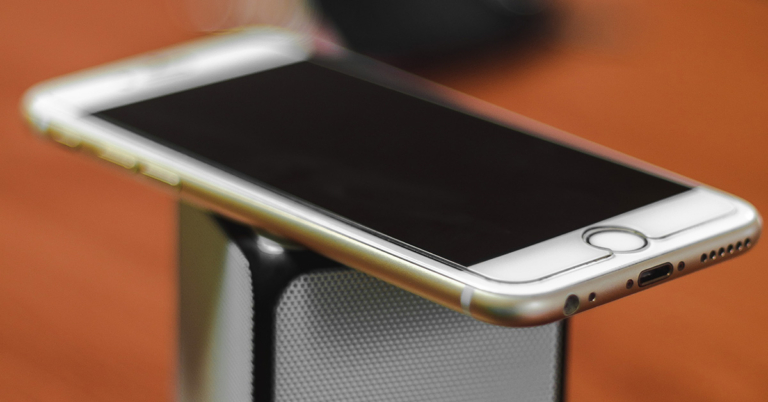
iPhone is vulnerable to various iOS issues that can cause further problems, such as iPhone stuck on Apple logo, iPhone sound not working, black screen, etc. It can disturb your daily workflow if you cannot hear sound from an audio call. Moreover, due to the unavailability of sound, you won’t be able to listen to songs on your iPhone.
In this article, we will provide an efficient tool known as Dr.Fone – System Repair, through which you can easily ensure iOS system recovery on your iPhone.
This tool provides three different modes to help you repair iOS issues effectively. The offered modes are Standard, Advanced, and Anti-Recovery, which can be used according to the situation. Standard Mode resolves iOS issues instantly without data loss. On the other hand, to tackle complicated problems, you can use Advanced Mode. Moreover, the Anti-Recovery Mode can be used to delete your existing data on your iPhone permanently. This mode can be used if you want to sell your iPhone after deleting all the data.
Step 2: Choose Standard Mode
From the new screen, choose the “iOS Repair” option. Now the tool will display multiple errors on your screen. Afterward, click “Repair Now” and select “Standard Mode” to repair the sound issue without data loss.
Step 3: Initiate Recovery Mode
Now enable Recovery mode on your iPhone. To do so, connect your phone to your PC with a USB cable. Afterward, unlock your iPhone and tap on the “Trust” option that appears on the pop-up notification. Following this, select “Enter Recovery Mode” from your PC’s screen. If your iPhone is not functional, click “Guide to Recovery Mode.”
Step 4: Install Suitable Firmware
Once you have successfully enabled the recovery mode, the tool will bring a list of the firmware. Click on the “Download” button to install the suitable firmware quickly. After installation, the tool will verify the downloaded firmware.
Step 5: Begin Repairing Process
After complete verification, hit the “Repair Now” button. By doing so, you would start the repairing process easily. You can check the ongoing progress on your computer’s screen. Once the repairing process concludes, click on the “Done” button.
Part 1: What Causes iPhone Sound Not Working?
iPhone sound issues can commonly occur in various situations. For example, due to an outdated iOS, sound issues may occur due to an internal problem. Moreover, if your iPhone is stuck in headphone mode, you won’t be able to hear audio normally. Also, if you have accidentally put your iPhone on mute mode, a sound issue will occur. If you have installed third-party apps with unauthorized access, it may introduce some bugs on your iPhone. Due to such bugs, sound issues can arise. Furthermore, inappropriate audio settings in your phone can also lead to sound problems. To know the accurate and authentic solution to resolve iPhone sound not working, continue reading.Part 2: Best Method to Resolve the Issue of iPhone Sound Not Working
There are multiple tools and solutions through which you can resolve sound issues on iOS devices. However, not each solution provides authentic results. If you have tried various solutions and have been unable to resolve the targeted issue, Dr.Fone – System Repair (iOS) can help you. This tool is compatible with multiple iOS devices and does not require downloading third-party plugins. Moreover, this software can repair over 150+ iOS issues at a fast-processing speed. This tool provides three different modes to help you repair iOS issues effectively. The offered modes are Standard, Advanced, and Anti-Recovery, which can be used according to the situation. Standard Mode resolves iOS issues instantly without data loss. On the other hand, to tackle complicated problems, you can use Advanced Mode. Moreover, the Anti-Recovery Mode can be used to delete your existing data on your iPhone permanently. This mode can be used if you want to sell your iPhone after deleting all the data.
Part 3: How to Perform System Repair on your iPhone Using Dr.Fone?
Many people face issues on iPhones, such as being stuck in recovery mode, facing the white screen or black screen, and having sound problems. These problems are mainly connected to iOS system issues that can only be resolved through a professional tool. That’s why we have introduced Dr.Fone – System Repair (iOS) tool to deal with your iOS problems efficiently. Are you ready to perform system repair on your iPhone? Read this part of the article to find simple and easy steps to resolve sound issues on iPhone instantly: Step 1: Navigate to System Repair Tool After launching Dr.Fone on your computer, click the “System Repair” button from its homepage. On a new window, select your device, such as “iOS,” to continue. Step 2: Choose Standard Mode
From the new screen, choose the “iOS Repair” option. Now the tool will display multiple errors on your screen. Afterward, click “Repair Now” and select “Standard Mode” to repair the sound issue without data loss.
Step 2: Choose Standard Mode
From the new screen, choose the “iOS Repair” option. Now the tool will display multiple errors on your screen. Afterward, click “Repair Now” and select “Standard Mode” to repair the sound issue without data loss. Step 3: Initiate Recovery Mode
Now enable Recovery mode on your iPhone. To do so, connect your phone to your PC with a USB cable. Afterward, unlock your iPhone and tap on the “Trust” option that appears on the pop-up notification. Following this, select “Enter Recovery Mode” from your PC’s screen. If your iPhone is not functional, click “Guide to Recovery Mode.”
Step 3: Initiate Recovery Mode
Now enable Recovery mode on your iPhone. To do so, connect your phone to your PC with a USB cable. Afterward, unlock your iPhone and tap on the “Trust” option that appears on the pop-up notification. Following this, select “Enter Recovery Mode” from your PC’s screen. If your iPhone is not functional, click “Guide to Recovery Mode.” Step 4: Install Suitable Firmware
Once you have successfully enabled the recovery mode, the tool will bring a list of the firmware. Click on the “Download” button to install the suitable firmware quickly. After installation, the tool will verify the downloaded firmware.
Step 4: Install Suitable Firmware
Once you have successfully enabled the recovery mode, the tool will bring a list of the firmware. Click on the “Download” button to install the suitable firmware quickly. After installation, the tool will verify the downloaded firmware. Step 5: Begin Repairing Process
After complete verification, hit the “Repair Now” button. By doing so, you would start the repairing process easily. You can check the ongoing progress on your computer’s screen. Once the repairing process concludes, click on the “Done” button.
Step 5: Begin Repairing Process
After complete verification, hit the “Repair Now” button. By doing so, you would start the repairing process easily. You can check the ongoing progress on your computer’s screen. Once the repairing process concludes, click on the “Done” button.
Conclusion
If you are facing an iPhone sound not working error, it can restrict you in various aspects. You won’t be able to hear audio calls, notification sounds, songs, and other audio clips. However, with Dr.Fone – System Repair (iOS) tool, you don’t have to worry. This tool has the ability to fix tons of iOS system issues, as it guarantees 100% results. Moreover, the easy-to-use interface allows you to operate this tool without technical knowledge. For the latest gadget and tech news, and gadget reviews, follow us on Twitter, Facebook and Instagram. For newest tech & gadget videos subscribe to our YouTube Channel. You can also stay up to date using the Gadget Bridge Android App. You can find the latest car and bike news here.Garena Free Fire Redeem Codes Today 9 November 2022: Here is how to claim them

Garena Free Fire is a battle royale game with regular awards and tournaments to keep players interested. If you play Garena Free Fire, you should be aware of the redeem codes that are released on a daily basis. However, because the battle royale game is banned in India, players from other countries can use the Free Fire Redeem codes daily. If you’re unfamiliar with the Garena Free Fire redeem codes or don’t know how to get them, we’ve put together a step-by-step guide to help you redeem them. Check out Garena Free Fire Redeem Codes for November 9.
The Free Fire redeem codes are a great way to get free stuff. These are 12-digit codes that contain alphabets and numbers, as well as an expiration date and time. Because the Garena FF redeem codes cannot be used more than once, you should hurry to the redemption page to claim your free reward before someone else does. To get a free reward, all you have to do is go to reward.ff.garena.com/en, which is the official redemption page. Also, keep an eye on this space for daily updates on Garena Free Fire redemption codes and rewards.
Garena Free Fire Redeem Codes Today 9 November 2022
- Updating Soon
How to Get Free Fire Redeem Codes for Garena on November 9?
- Visit the Garena Free Fire game’s official website at reward.ff.garena.com.
- Use your Facebook, Google, VK, Apple ID, Huawei ID, or Twitter account to log in.
- You’ll be taken to a valid redemption code (s)
- Copy and paste the 12-digit redemption code into the text box.
- On the screen, a dialogue box will appear.
- ‘Ok’ should be selected.
Amazon Quiz Answers Today 9 November 2022: Participate to win Rs 5,000

9 November 2022 Amazon Quiz has gone live on its platform. The quiz timings are 12 AM to 11:59 PM. The Amazon App users can participate in the quiz daily and all they have to do is submit correct answers to the questions asked on the e-commerce platform. Today’s participants can get a chance to win Rs 5,000 Amazon Pay Balance.
By participating in the Amazon Quiz the participants can win Amazon Pay Balance ranging from Rs 1,000 to Rs 50,000 every day while sitting at home. To win the participants must answer five questions correctly that are based on current events and general knowledge. One wrong answer can eliminate you from the quiz. The results will be announced at the end of the month. Today’s question will let you win Rs 5,000 Amazon Pay Balance. Check below for today’s Amazon quiz answers.
Amazon Quiz Today Prize – Rs 5,000 Amazon Pay Balance
Quiz Date – 9 November 2022
Daily Timing – 12 AM to 11:59 PM
Winner Announcement – Today 12 PM
Amazon Quiz Answers Today 9 November 2022
Question 1: Who won the 2021 Puskas Award for his audacious ‘Rabona’ goal?
Answer: Erik LamelaQuestion 2: Recently removed, which sculpture stood at the University of Hong Kong memorializing the victims of Beijing’s Tiananmen Square?
Answer: Pillar of ShameQuestion 3: Which country became the first country to transition to 4.5-day work week?
Answer: UAEQuestion 4: Which catfish lives in the abandoned cooling ponds of the exclusion zone of this famous nuclear reactor?
Answer: Wels CatfishQuestion 5: This famous band was formed in which country?
Answer: UKHow To Play Amazon Quiz
Only app users are eligible to play the Amazon quiz every morning from 12 AM to 11:59 PM. The quiz is not available on the desktop. For those who are unaware of how to play the Amazon quiz below are the steps, you can follow to take the quiz.- Firstly download the Amazon app from Google Play Store or App Store
- Now fill in the required information through the Sign Up option.
- You need to log in to the Amazon app and scroll down on the home screen to find the Amazon Quiz banner.
- Tap on the Amazon Quiz banner and tap on the Start button to start the Quiz.
- Now you will get 5 questions and you need to answer them correctly. One wrong answer will eliminate you from the Quiz.
- After answering all the questions correctly you are now eligible for a Lucky Draw.
- The winner’s name will be announced today at 12 PM.
How to Repair Your Corrupted AAC File Format for Mac

The AAC file format has excellent audio quality and performance and is loved by Mac users who use it to store their music, audiobooks, and podcasts. However, these files are prone to corruption, which makes them unplayable. If you need a reliable AAC, WAV, M4A, FLAC, and MP3 repair tool, then Wondershare Repairit for Mac is the only tool you should trust. It will resolve the video downloader plus no audio issue and ensure that your corrupted AAC files get repaired.
Repairit for Mac can repair corrupted audios from different storage devices, including voice recorders, recording software, and shooting apparatus. Since the tool has a user-friendly interface, you can easily follow three simple steps to repair AAC files on your Mac. Here is the three-step guide for file repairing:
Part 1: Why did My AAC Files Got Corrupted?
AAC files are popular because they compress audio without significantly compromising the quality. Like all other files, these are also at risk of corruption. Here are some primary reasons for AAC file corruption:1. Improper Conversion
Users try to convert AAC files to common formats, but an inexperienced conversion using ineffectual applications can lead to corruption. AAC files can also get damaged if the conversion is interrupted. Try not to convert your AAC file just because your audio player application does not support that format. Instead, use an application that supports the format, so a conversion is not required.2. Virus Infection
A virus infection can alter the internal structure and file extension of an AAC file. Moreover, viruses and malware interfere with the writing and reading process of your files. These infections make your AAC files unplayable, so it is important for you to keep your anti-virus software updated.3. Incompatible Applications
If you are habitual in playing your AAC files with incompatible audio player applications, then your files are at serious risk of corruption. These applications alter and overwrite the file headers while playing the audio, which leads to file data corruption. You should only use applications that support your file format, or you may convert the file.4. Improper Download
There are some websites and applications that have corrupted audio. Downloading AAC files from such faulty sources will give you damaged files. It is also essential to maintain a stable internet connection during downloading because the files can get corrupted if the downloading process is interrupted.Part 2: How to Use Wondershare Repairit for Mac to Repair Your Corrupted AAC File?
Wondershare Repairit is the best audio repair tool on the web to repair corrupted AAC files because it has the highest success rate offered by any repairing tool. It can fix the corrupted audios on your Mac regardless of what caused the corruption and make them playable. You can use Repairit for all common audio formats, including AAC, FLAC, MP3, WAV, and M4A. All of your audios will be repaired in high quality. Repairit for Mac can repair corrupted audios from different storage devices, including voice recorders, recording software, and shooting apparatus. Since the tool has a user-friendly interface, you can easily follow three simple steps to repair AAC files on your Mac. Here is the three-step guide for file repairing:
Step 1: Upload Corrupted AAC Files
Launch Wondershare Repairit on your Mac and choose the “Audio Repair” option from the left sidebar. Tap the “Add” button to add the corrupted AAC files. When you upload the AAC files, Repairit will show their information, including name, size, and path. You can also remove any unwanted file using the trash icon next to it.
Step 2: Repair Corrupted AAC Files
You are required to click the “Advanced Repair” button to begin the file repairing process. Next, a window will appear asking you to add good sample audios of the same format as the corrupted audios.
Step 3: Save AAC Files on your Mac
Once the repairing process is complete, a “Completed” status will appear to show that the files have been repaired. Click the “Preview” button to preview your AAC file and check its audio quality. If you are satisfied with the results, click “Save” to save the AAC file on your Mac.