iPhone is indeed the most wanted tech brand because of its smooth user interface and fast processing speed. The latest model of iPhone, i.e., iPhone 14 Pro Max, is a dream of everyone thanks to its HD camera and innovative features. WhatsApp data is one of the most private and important data that no one wants to lose, and because of this problem, many of you are hesitant to switch from Android to iPhone.
But now you can switch from Android to iPhone without worrying about your WhatsApp data because, in this article, we will present a top-notch tool that’ll get the job done. With the cutting-edge technology of Wondershare MobileTrans, one can transfer WhatsApp from Android to iPhone effortlessly. You can do the WhatsApp transfer in no time with this tool. We will get into transferring, but initially, let’s look at some of the modern features of the iPhone 14 Pro Max that set it apart from its competitors.
Part 1: What Features Make the iPhone 14 Pro Max the Best iPhone Ever
All iPhones are great, but the latest iPhone 14 Pro Max technology makes it an exceptional device. Henceforward, here are some of the fascinating features of the iPhone 14 Pro Max that are enough to make everyone’s dream:
1. Camera
One of the most liked things about Apple iPhones is their camera and HD results. It comprises a Pro camera system with a 48MP Main and 12MP Ultra-Wide and Telephoto camera. The Ultra Wide camera allows you to catch brighter and sharper macro shots and 100% focus pixels. With its inclusive features like deep fusion, smart HDR 4, night modes, and panorama, you can capture breathtaking shots.
2. Modern Design
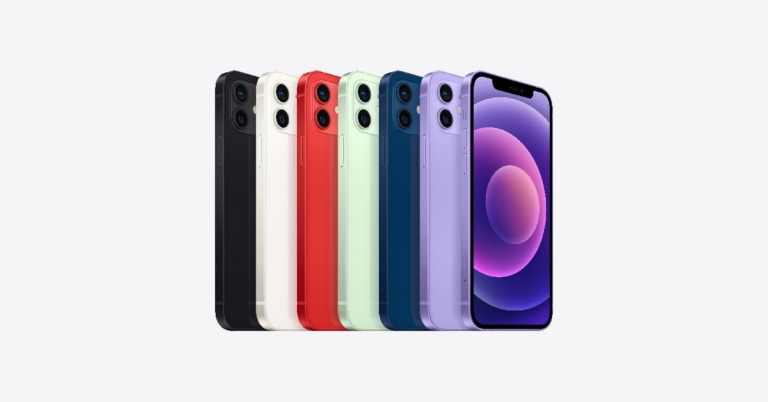
Colours first catch the eye, and the colours of this iPhone 14 Pro Max are fascinating. There are several colour options to choose such as Deep Purple, Space Black, Gold, and Silver. Moreover, the stainless steel design with a ceramic sheet on the front and textured matte glass on the back makes it more beautiful.
3. Storage Capacity
Let go of the tensions of storage issues with this tech-oriented iPhone 14 Pro Max as it offers a storage capacity of 128GB, 256GB, 512GB, and 1TB. These storage capacities are enough to download all your favourite apps from the App Store and capture your precious memories as much as you want.
4. Fast Processing Chip
iPhone 14 Pro Max comprises A16 Bionic Chip, making its processing speed ultra-fast. Moreover, a 6-core CPU, along with 2 Performance and 4 Efficiency cores, 5-core GPU, and 16-core Neural Engine, makes it one of the most innovative devices.
Part 2: Overview of an Efficient and Reliable WhatsApp Transfer Toolkit
WhatsApp data is very important and personal to any person, but transferring it can be difficult if you are not using a reliable resource. That is why it is important to know the reliability of any tool or software before using them. If you switch from Android to iPhone 14 Pro Max, you’ll surely be worried about losing your WhatsApp data. Wondershare MobileTrans is an efficient tool that can transfer every fragment of your WhatsApp data into iPhone 14 Pro Max from Android.
You do not have to worry about your WhatsApp data while switching to iPhone 14 Pro Max because you can transfer WhatsApp messages, stickers, media files, or voice notes effortlessly. One of the most assistive things about this tool is that you can easily import WhatsApp data from Google Drive into your new iPhone. It also allows you to import or export chats and media for convenience.
Part 3: Easy-to-Understand Guide for Transferring WhatsApp from Android to iPhone 14 Pro Max
People may think they need proper skills to operate this tool to transfer WhatsApp from Android to iPhone, but it’s nothing like that. The user-friendly interface makes it very easy to use, and the fast transferring speed can transfer data from one device to another in no time. Above all, here is the procedure to transfer WhatsApp:
Step 1: Launch MobileTrans on the Computer
First of all, install Wondershare MobileTrans on your computer to get started. Once installed, launch MobileTrans software, and select the “WhatsApp Transfer” tab from its toolkit. After this, click on the “WhatsApp” module and choose the “Transfer WhatsApp Messages” option.
Step 2: Connect Both Android and iPhone with Computer
To make the transfer, you must connect your Android phone and iPhone 14 Pro Max to your computer device. After connecting, the software will load all the media attachments and messages for you to confirm before transferring.
Step 3: Start Transferring WhatsApp
In this final step, click on the “Start” button and wait a few seconds until the transfer is completed. You can also flip the source and destination here before starting the process if the positions are incorrect. After the transfer from Android to iPhone 14 Pro Max gets completed, both chats will merge, so there is no chance of losing previous or recent chats.
Conclusion
We hope that you can now switch from Android to iPhone without anyone’s help or long methods because MobileTrans can do it for you in a single click. This tool is quite easy to operate, and the security of your data is guaranteed, so only you can access the data. In addition, if you wish to move selective data from an Android device to an iPhone 14 Pro Max, it is possible with Wondershare MobileTrans.
For the latest gadget and tech news, and gadget reviews, follow us on Twitter, Facebook and Instagram. For newest tech & gadget videos subscribe to our YouTube Channel. You can also stay up to date using the Gadget Bridge Android App. You can find the latest car and bike news here.
Shopping sprees are without a doubt fun, especially if you don’t have to obsess over how much you are spending. Unfortunately, more often than not, we have to consider other expenses such as household bills. Why risk accumulating credit card debt for a brand-new phone? This is part of what makes mega sales events such as Click Frenzy so appealing. This is especially a great time to get one of the best smartphones. We all know how expensive these gadgets can get. And if you are looking to get your money’s worth, you definitely must check out PhoneBot’s Click Frenzy deals. PhoneBot is known for providing seriously great value, with loads of exciting discounts. During PhoneBot’s Click Frenzy 2022 mayhem, shoppers can enjoy up to 30% off on phones, tablets, computers, and more. Here is a wrap of some of the best Click Frenzy sale deals you can snatch up this year from PhoneBot.
Samsung Galaxy S22 Ultra 5G
What’s better than getting your hands on a new flagship? What about nabbing it for less? For a limited time, you will be able to buy the Samsung Galaxy S22 Ultra 5G (128GB) for a red-hot price of A$1,199 and save yourself A$650. There’s so much to love about this phone, from its gorgeous OLED display and built-in s-pen support to its featured-packed software and powerful hardware internals. You really shouldn’t miss this opportunity to buy one.
Samsung Galaxy Note 10 Plus
If you are looking for a phone with s-pen support but the Galaxy S22’s discounted price is still a little bit too hefty, the Galaxy Note 10 Plus should be your next choice. This phone oozes luxury from top to bottom. The Galaxy Note 10 Plus sports a 6.8-inch HD+ dynamic AMOLED Infinity-O display, a gigantic 12GB RAM paired with Qualcomm’s Snapdragon 855, and a quadruple rear camera setup. We haven’t even scraped the surface of what this phone can do. But based on just this, it’s easy to see that the Galaxy Note 10 Plus delivers on both looks and performance.
Samsung Galaxy A51
For those who are more ‘frugal’ than ‘flagship,’ the Samsung Galaxy A51 might be the phone for you. It’s way more affordable but it still delivers more-than-average performance. In true Samsung fashion, it boasts a colourful, bright OLED display, good build quality, and decent hardware. The cameras are also pretty impressive. Plus, you also get dual-sim support and expandable storage. Essentially, the Galaxy A51 delivers where it matters. You don’t need to upgrade to its more recent siblings on the A-series range.
Apple iPhone 13 Pro
PhoneBot is also bringing big discounts to the iPhone 13 Pro, knocking a few hundred dollars off its original price. Now, you will only need to part ways with A$1,399 instead of A$1,699 for a 256GB variant. That’s a significant save given what you get back. It has a killer camera system and it’s absurdly fast. The iPhone 13 Pro’s battery life is noticeably better than that of its predecessors. Let’s not forget its exquisite OLED panel which can now deliver a peak refresh rate of 120H. The iPhone 13 Pro does live up to its high expectations.
iPhone X
At launch, the iPhone X was indeed an intuitive technological masterpiece. It set the tone for ensuing phones and nothing has changed much, albeit a few iterative updates. This makes it a smartphone worth considering. As for the specs, the iPhone X has 3GB RAM which may not seem like much per today’s standards. However, Apple’s A11 chip guarantees that the phone delivers blistering performance across the board. The cameras work great under low light, plus it’s perfect for those who prefer a less bulky phone. With Phonebot’s Click Frenzy offers, you can save yourself a whopping A$150 as it’s currently going for A$349.
Apple iPhone 12 5G
The iPhone 12 has dropped in price quite a bit since its launch. With the recent discounts, you’ll save A$470, only having to pay A$729 for the device. The iPhone 12 features a powerful A14 Bionic chip, edge-to-edge OLED display, and 5G support. Each camera on this smartphone has night mode capabilities, so you know those low-light shots are going to be perfect. These features more easily make the iPhone 12 one of the top choices for an Apple flagship right now.
PhoneBot’s Click Frenzy 2022 mayhem is about more than just the price drops. Every gadget you buy will likely come with a few freebies intended to tickle your shopaholic side. Remember stock levels will likely be limited. So, if you want to snap up a deal on a new smartphone, computer, tablet, or smartwatch, you better not wait until it’s too late. Flex your hands, keep the credit card handy, and good luck scoring the best Click Frenzy tech deals from PhoneBot.
For the latest gadget and tech news, and gadget reviews, follow us on Twitter, Facebook and Instagram. For newest tech & gadget videos subscribe to our YouTube Channel. You can also stay up to date using the Gadget Bridge Android App. You can find the latest car and bike news here.
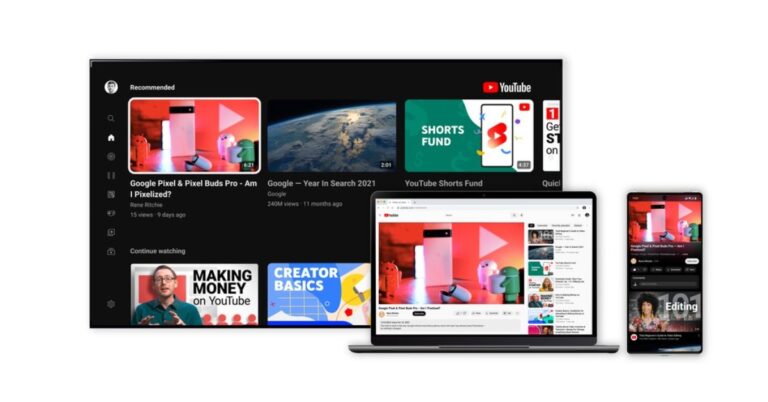
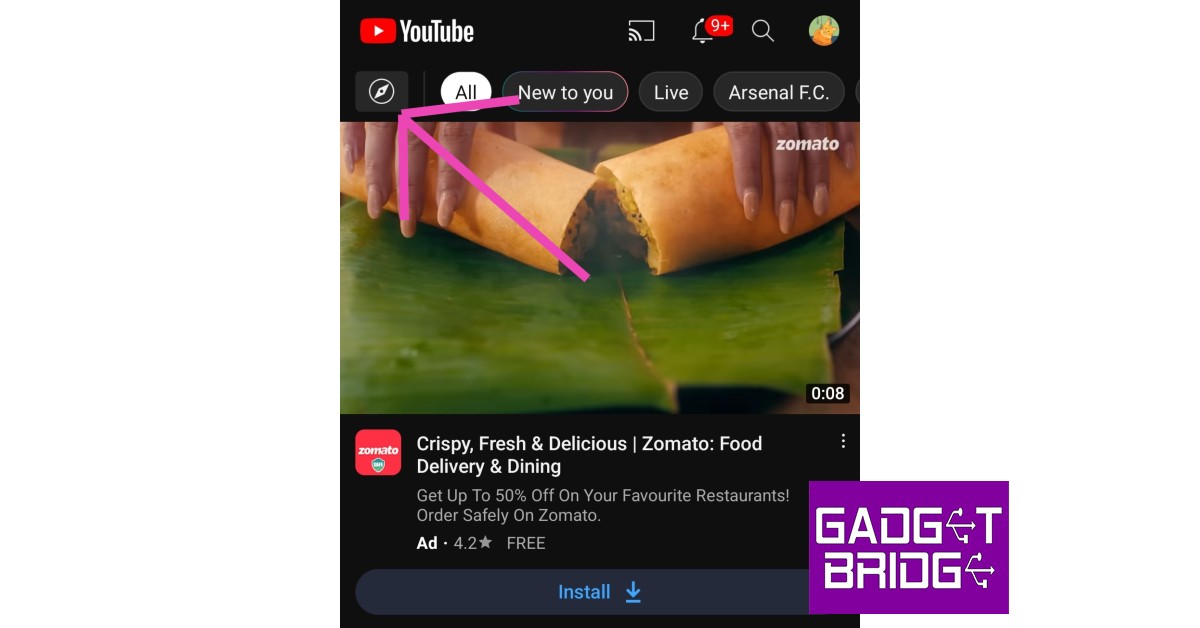
If you browse YouTube regularly you may have noticed the updated design that kicked in last month. YouTube added a bunch of features to its platform and even tweaked some visual aspects of the app. One of the major changes to the design layout was the inclusion of the ‘navigation drawer’ which allowed users to view the categories of YouTube videos in one place. In this article, we explain what the YouTube navigation drawer is, and how it can be accessed.Read Also: Google says their AI model supports 1,000 widely used languages: Details
What is the YouTube navigation drawer?
The YouTube navigation drawer is where you can explore new videos and content creators by different categories. These categories include Trending, Shopping, Music, Films, Live, Gaming, News, Sport, Learning, and Fashion & Beauty. The trending page curates the most popular videos being watched in your region right now. YouTube does not publicise the algorithm that decides which videos get to feature on the Trending tab. It is assumed that the videos that feature there are the most popular newer videos in your region. The trending page is further divided into Music, Gaming, and Films subsections.Other categories like Sport, Shopping, and Music suggest popular videos depending on the content you want to watch. You can use these categories to explore what other people are watching as well as come across new content creators within the genres that you enjoy watching.You can access the YouTube navigation drawer simply by side-swiping from the left side of the screen. You can also open the navigation drawer by clicking on the ‘compass’ icon at the top of the homepage. Previously, called the Explore section, the YouTube navigation drawer now contains all those features.
Other features added by YouTube
YouTube also added a bunch of other features in the new design update. The new ‘Ambient Mode’ uses dynamic colour sampling to match the background with the colour palette of the video you are watching. YouTube also updated its dark theme and made it even darker. Apart from that, YouTube also tweaked the app formatting a little. The links to other videos in the video description now show up as buttons. The ‘like’, ‘share’, and ‘download’ buttons have been formatted as well. You can also pinch the screen while watching a video to zoom into a particular part of the frame. With Precise Seeking you can jump entire chapters in a video with just a few taps. You can also jump to specific parts of the video by simply dragging or swiping up while seeking to display a row of thumbnails in the video player.Read Also: iPhone 14 is now selling for as low as Rs 72,999: Details InsideThe company via blog post made the announcement which said, ” YouTube just celebrated its 17th birthday earlier this year and we wondered if it was time to give it a small makeover. So we gathered input from thousands of viewers around the world and heard there was a desire for a cleaner, more lively design that better represents what we’re all about. Starting today, we are rolling out a new look and several features that offer a more modern and immersive viewing experience while also improving how users watch videos. But don’t worry, the same YouTube you know and love is still at our core.”
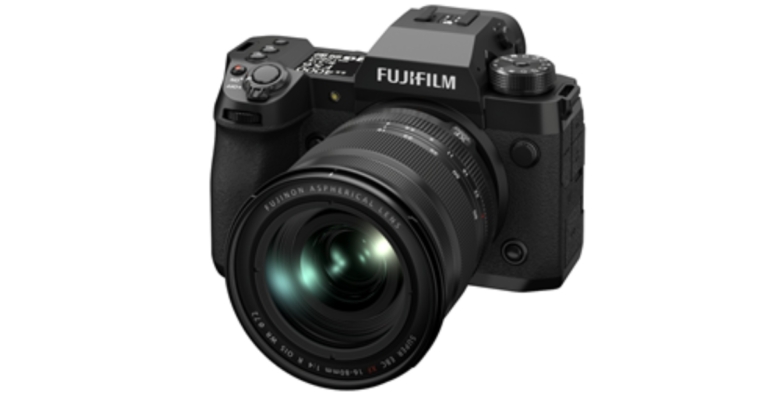
The release of the Fujifilm X-H2—a new mirrorless digital camera—in India has been announced by Fujifilm India. The X-H2 II is the newest addition to Fujifilm’s X Series of mirrorless digital cameras. The X-H2 has a new 40.2MP “X-Trans CMOS 5 HR” sensor, which produces images with the best quality yet seen by the X Series. The camera offers inbuilt 8K/30P recording to increase the X Series’ capacity for content creation in both still images and films.
Fujifilm X-H2 price in India and availability
The cost of the Fujifilm X-H2 camera is Rs 1,99,999. The FUJIFILM X-H2- XF16-80mmF4 R OIS WR digital camera lens package is also included, and it costs Rs 2,44,999. The camera and lens package are now sold separately in the market.
Fujifilm X-H2 specifications
The Fujifilm X-body H2’s is identical to that of the X-H2S, with 79 weather-sealed points that provide high levels of protection to moisture and dust. The mirrorless camera is designed to endure the demands of regular professional use and continue to function normally in temperatures as low as -10°C. The 1.62 million-dot vari-angle LCD monitor, top panel LCD screen, adjustable AF ON button press, and independent movie recording button all facilitate easy operation.One CFexpress Type B and one UHS-II SD memory card port are available on the X-H2. Utilize CFexpress Type B cards to maximise the X-incredible H2’s professional video capabilities.The brand-new back-illuminated 40.2MP “X-TransTM CMOS 5 HR” sensor is a feature of the Fujifilm X-H2. A better image processing method allows the high-resolution 40.2MP sensor to increase image resolution without lowering the S/N level, resulting in astounding image quality. Additionally, it has a better pixel structure to efficiently capture more light, making ISO 125 a standard sensitivity rather than an additional option.The new sensor allows for the internal recording of 8K videos at 30P in 4:2:2 10-bit colour. In order to record 8K/30P video for roughly 160 minutes, the X-H2 has the same heat-dissipating construction as the X-H2S. This makes 8K video a viable option. In addition, it enables 8K oversampling, which makes the most of the high-resolution sensor to record video with better image resolution.Three Apple ProRes codecs are supported by the X-H2: ProRes 422 HQ, ProRes 422 LT, and ProRes 422 Proxy when recording ProRes. This lessens the workload required for editing 8K footage and streamlines the process from shooting to finishing. 12-bit RAW video output from the X-H2 can be recorded as Apple ProRes RAW or Blackmagic RAW at resolutions and frame rates as high as 8K and 29.97 frames per second when used in conjunction with a suitable HDMI recording device from Atomos or Blackmagic Design.Fujifilm X-H2 supports F-Log2 as well, which records with an enhanced dynamic range of 13+ stops. The post-production potential is increased because this range is wider than current F-Log.Subject-detection AF based on Deep Learning technology is a feature of X-Processor 5 that automatically detects and tracks a wider range of subjects, including human faces and eyes, as well as animals, birds, cars, motorcycles, bicycles, aeroplanes, and trains.Users can quickly and precisely autofocus in scenarios where AF-S is frequently used, as when taking landscape and portrait photographs. Additionally, an enhanced AF prediction algorithm that was newly created for the X-H2S is included in the X-H2, enabling consistent focusing even while utilising AF-C.The X-Processor 5 and a sensor control function enable a 5-axis in-body image stabilisation system that offers up to seven stops of compensation. Additionally, the X-H2 can feature pixel-shift multi-shot capability thanks to the in-body image stabilisation function’s ability to shift the image sensor with high precision.The X-H2 has a 5.76 million-dot, 0.8x magnification, high-magnification electronic viewfinder. It features a steady refresh rate of approximately 120 frames per second and a notable improvement in parallax and distortion control, which normally happen when an eye position shifts when using the viewfinder for excellent visibility.
For the latest gadget and tech news, and gadget reviews, follow us on Twitter, Facebook and Instagram. For newest tech & gadget videos subscribe to our YouTube Channel. You can also stay up to date using the Gadget Bridge Android App. You can find the latest car and bike news here.
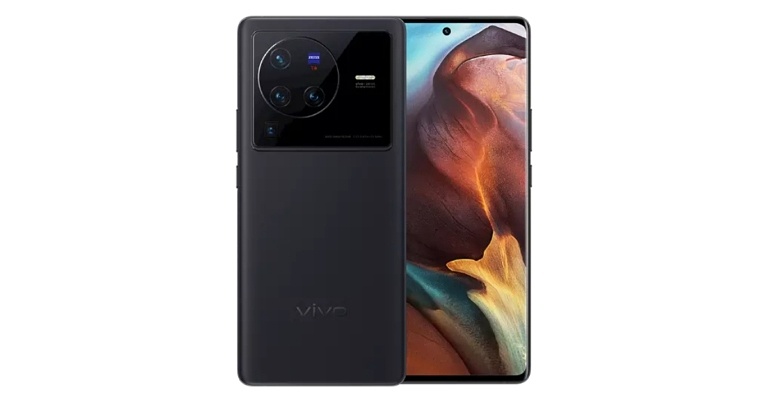
The Vivo X90 series may be under development, and it is predicted that the Vivo X90, Vivo X90 Pro, and Vivo X90 Pro+ would be included in the lineup. Previously the upcoming series is likely to debut by year’s end which is December. The Vivo X90 series’ names and model numbers had just come to light. On the China Compulsory Certificate (3C) website, one of these models which is believed to be the Vivo X90 Pro+ has been discovered.The standard Vivo X90 and Vivo X90 Pro will be made available in the global markets with the model numbers V2218 and V2219, respectively, according to a report. Moreover, V2242A and V2227A model numbers, respectively, will be assigned to the Vivo X90 Pro and Vivo X90 Pro+ in the Chinese region.Anvin (Twitter: @ZionsAnvin) discovered the purported Vivo X90 Pro+ 3C listing. Additionally, it indicates that the upcoming device may support rapid charging at 80W (20V/4A).Online rumours suggest that the Vivo X90 Pro+ would come with a 6.78-inch Samsung E6 AMOLED screen with curved edges. It supposedly has a 120Hz refresh rate and a 2K resolution. The forthcoming phone will supposedly have a high-frequency eye protection dimming chip with a 1440Hz frequency. The Vivo X90 Pro+ is expected to be powered by the Qualcomm Snapdragon 8 Gen 2 SoC. The X90 and X90 Pro are reportedly slated to use the Dimensity 9200, which is anticipated to be released in November.Four cameras will likely be included on the back of the Vivo X90 Pro+, with the 50-megapixel Sony IMX989V primary camera taking centre stage. A 64-megapixel OmniVision OV64A periscope lens will be present next to it, possibly offering 3.5x optical zoom and 10x hybrid zoom. A 48-megapixel Sony IMX598 ultra-wide sensor and a 50-megapixel Sony IMX578 portrait sensor would round out the configuration. Also anticipated is the inclusion of a Vivo V2 image signal processor from the most recent version. The Vivo X90 Pro+ has a 4,700mAh battery with 80W wired fast charging and 50W wireless charging capabilities.
For the latest gadget and tech news, and gadget reviews, follow us on Twitter, Facebook and Instagram. For newest tech & gadget videos subscribe to our YouTube Channel. You can also stay up to date using the Gadget Bridge Android App. You can find the latest car and bike news here.
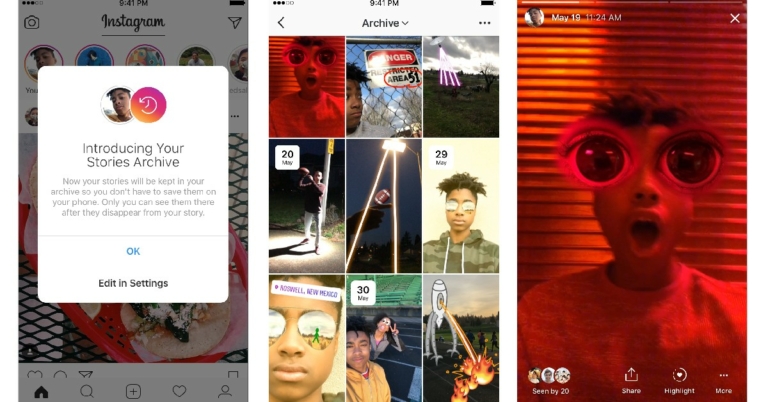
Instagram Highlights are a great way of showcasing your previous Stories on your profile. Once you create a Highlight, it shows up as a circle icon on your Instagram profile. Your followers can access the Highlights on your profile at any given time, once you add a Story to a Highlight, it stays there forever, unless you remove it. You cannot add a new post to your Highlights, you can only add current or archived stories there. In this article, we show you how to use Instagram Highlights. Read Also: iPhone 14 is now selling for as low as Rs 72,999: Details Inside
How to create an Instagram Highlight
If you have never made an Instagram Highlight before, the first thing you need to do is archive your Instagram Stories. You can add your current story or an archived one to the Instagram Highlight. Here’s how you can turn the archiving feature on.Step 1: Go to your profile and tap on the hamburger menu at the top right corner of the screen.Step 2: Tap on Settings and select Privacy.Step 3: Scroll and select Story and turn the toggle bar on for ‘Save Story to archive’.
Here’s how you can create a Highlight using your Instagram Story
Step 1: Open the Instagram app and click on your current Story.Step 2: Select ‘Highlight’ from the bottom left corner of the screen.Step 3: Type in a name for the Highlight and select Add.The Highlight will be created with the Story in it. You can view the Highlight from your Instagram profile.
Here’s how you can add a Highlight from your archived stories.
Step 1: Go to your Instagram profile and tap on the Hamburger menu at the top right corner of the screen. Select Archive.Step 2: Tap on the Story you want to add to a Highlight.Step 3: Tap on the Highlight option at the bottom left corner of the screen.Step 4: You can add to an existing highlight or create a new one. If you wish to create one, tap on the ‘New’ option and type in the name for the Highlight.
How to add a new Story to Highlights
Step 1: Go to your Profile and tap on the Highlight that you want to add a new Story to.Step 2: Tap on the ‘More’ option at the bottom left corner of the screen and select ‘Edit Highlight.’Step 3: Select a Story to add from the Archive. You can also select multiple Stories to add at once. Tap ‘Done’ to finish the process.
How to add a custom cover for your Highlight
Step 1: Select the Highlight from your Profile. Step 2: Tap on More>Edit Highlight.Step 3: Tap on ‘Edit Cover’ just above the Highlight title. Step 4: Select a picture from your Gallery to put up as a cover and then select ‘Done.’
How to delete an Instagram Highlight
Deleting an Instagram Highlight is a fairly simple process. All you need to do is long-press the Highlight you want to delete and select ‘Delete Highlight. If you want to delete a particular Story from a Highlight, browse to that particular Story and select ‘Remove from Highlight’ after tapping on ‘More.’Read Also: Nokia 2780 Flip With Real-time text (RTT) feature announced
Conclusion
This is how you can use the Highlights feature on Instagram. You can get creative with Highlights by picking a theme for the cover pictures and creating a colour aesthetic for your Profile. If you have any other questions regarding Instagram Highlights feel free to ask in the comments!
The display size and quality of modern smartphones have grown by leaps and bounds in the last few years. Unlike other major specs, even entry-level smartphones offer large displays with sizes comparable to smartphones in several categories above them. With this advancement in hardware, the viewing habits of consumers have changed accordingly. A fair share of consumers use their smartphones as the primary device to consume media. It’s no surprise that OTT services are rolling out mobile-only subscription plans to keep up with the trend. When buying a new smartphone, the first thing consumers look for is the display specs. In this article, we bring you 10 smartphones with large screens and the best displays to enjoy watching OTT content.Read Also: iPhone 14 is now selling for as low as Rs 72,999: Details Inside
Samsung Galaxy Z Fold 4
There aren’t many smartphones that can surpass Samsung’s gigantic Galaxy Z Fold 4, especially when it comes to display size and clarity. With the Fold 4, you get not one but two displays – a 7.6-inch main display and a 6.2-inch cover display. Both displays are Dynamic AMOLED 2X and have a refresh rate of 120Hz. The inner foldable display comes with HDR10+ support and has a peak brightness of 1,200 nits. A screen-to-body ratio of ~99.9% creates an immersive viewing experience. Display specs aside, one of the best features of the Fold 4 that cannot be replicated by any other smartphone is the ability of the cover display to rest horizontally on any surface, offering a hands-free viewing experience with adjustable angles. You can also use one panel of the inner display to view videos while browsing other apps on the second panel. Read our in-depth review here.
iPhone 14 Plus
There is simply no way that the iPhone misses out on a conversation about the best smartphone display on the market. The 6.7-inch Super Retina XDR OLED display produces some of the most vivid results we’ve seen on a smartphone. The iPhone 14 Plus also comes with HDR10 support along with Dolby Vision, further adding to its impressive chops. With 1,200 nits of peak brightness output, you don’t have to worry about the surrounding lighting conditions while watching videos. The resolution offered by iPhone 14 Plus is 1284 x 2778 pixels, with a pixel density of ~458ppi and a screen-to-body ratio of ~87.4%.
Google Pixel 7 Pro
Google’s flagship offering Pixel finally makes its way back to India after a hiatus of four years. The Pixel 7 Pro is undoubtedly one of the best Android smartphones you can buy right now, and its display specs are some of the best we’ve seen this year. With the Pixel 7 Pro, you get a 6.7-inch LTPO AMOLED display with a refresh rate of 120Hz. The display also comes with HDR10+ support and has a peak brightness of 1,500 nits. The resolution of 1440 x 3120 pixels is unmatched by most phones in the premium category, and on top of that, the smartphone also sports a pixel density of ~512ppi. The screen-to-body ratio of ~88.7% could be slightly improved upon, but with a superior display like this, it feels far too trivial to complain about.
OnePlus 10T
We reviewed the OnePlus 10T when it came out and were quite pleased with what its display had to offer. The 6.7-inch Fluid AMOLED display has a refresh rate of 120Hz and comes with HDR10+ support. The OnePlus 10T sports a flat-edge display instead of the curved edge found on the OnePlus 10 Pro. For a lot of users, a flat-edge display is more suited to consume content. It is also incredibly easier to hold and you don’t have to worry about damaging the screen in case you drop it. The OnePlus 10T also offers a resolution of 1,080 x 2,412p resolution and an 87.9% screen-to-body ratio. The stereo speakers produce a nice enveloping sound which won’t require you to reach for your headset every time you watch videos on your smartphone.
Samsung Galaxy S22 Ultra
Samsung’s flagship, the Galaxy S22 Ultra boasts cutting edge across the board, and the display is no different. The 6.8-inch Dynamic AMOLED 2X display has a resolution of 1,440 x 3,088 pixels and comes with HDR10+ support. On top of that, the display offers a pixel density of ~500ppi and a screen-to-body ratio of ~90.2%. The peak brightness has been capped at 1,750 nits for the S22 Ultra. One of the finer things about buying a premium smartphone like the Samsung Galaxy S22 Ultra is that the speaker output offered by the device is levels above what you will find on other smartphones. If you’re looking for a clear and loud audio output to go along with a superior viewing experience, the S22 Ultra is the smartphone you should be going for.
Xiaomi 12 Pro
Xiaomi’s flagship offering offers a 6.7-inch LTPO AMOLED display with Dolby Vision and HDR10+ support. Xiaomi 12 Pro proves that it can hang with other flagships and not just be restricted to a midrange smartphone. In our review of the Xiaomi 12 Pro, we were quite pleased with what the display had to offer, including its colourful lighting, brightness, and contrast balance. The screen resolution offered is 1,440 x 3,200 pixels with an aspect ratio of 20:9 and 521ppi density. The peak brightness has been capped at 1,500 nits.
Samsung Galaxy A73
If you’re not too keen on flagship offerings, there are a lot of midrange alternatives awaiting you. The Samsung Galaxy A73 could perhaps be the best of the bunch. With the Galaxy A73, you get a 6.7-inch Super AMOLED display with a resolution of 1,080 x 2,400 pixels and a refresh rate of 120Hz. The display is surrounded by really thin bezels which do not take away from the viewing experience. The phone display produces well-balanced colours that remain consistent at different viewing angles. You can read more about the smartphone in our extensive review here.
Nothing Phone 1
Making its debut this year, the Nothing Phone 1 has already managed to create a lot of buzz around it. While much of the conversation revolves around its unique back panel and Glyph interface, the Nothing Phone 1’s display goes under the radar and doesn’t get enough praise for how good it actually is. Given the price of the smartphone (Rs 32,999), the 6.5-inch, 1,080 x 2,400p, HDR10+ OLED display is nothing short of a bargain. A pixel density of 402ppi and peak brightness of 1,200 nits while watching HDR content works in the smartphone’s favour when you’re using it to watch OTT content. For more details about the phone, read our in-depth review here.
iQOO Z6 Pro 5G
The iQOO Z6 Pro offers a great display for a smartphone that’s priced at just Rs 23,999. With the Z6 Pro, you get a 6.4-inch AMOLED display with a resolution of 1,080 x 2,404 pixels. The smartphone also comes with HDR10+ support and has a refresh rate of 90Hz. A peak brightness of 1,300 nits is also quite impressive for a phone in this category. Watching OTT content on the iQOO Z6 Pro 5G is a delight, with the display doing justice to a wide array of colours and presenting vivid images on the screen. Read our review of the iQOO Z6 Pro here to know more about the smartphone.
Redmi Note 11 Pro
Closing out this list is the Redmi Note 11 Pro, an affordable option for those that prioritise a great display over everything else when buying a smartphone. The specifications of the Redmi Note 11 Pro speak for themselves. At Rs 18,999 you get a 6.67-inch Super AMOLED display with a screen resolution of 1,080 x 2,400 pixels. The display showcases vivid colours along with deep blacks and well-balanced video output. The peak brightness of 1,200 nits is more than ideal. You would be hard-pressed to find a better smartphone at this price. Read our full review here. Read Also: Gmail Users in the US Can Now Track Packages, Google announced
Conclusion
These are our picks for the top 10 smartphones with large screens and the best displays to watch OTT content on. We’ve made sure to pick the best out of every category and bring you a comprehensive list that can also serve as a buying guide. If you think we missed out on a smartphone worthy of being on this list, let us know in the comments!
Krafton the maker of BGMI and New State has announced the beginning of a special event in honour of New State Mobile’s first year of operation. The #NEWSTATE1YEAR event will provide gamers incentives, special anniversary clothes, new quests, and entertaining activities.The company said, “During the past year, New State Mobile, has brought a thrilling battle royale experience to players by featuring a wide variety of game modes, weapons customizations, revamped maps, advanced game controls and exciting collaborations.”Players will be able to take part in the in-game anniversary party, receive bonus chicken medals, complete daily quests, and more during the special anniversary event.The New State one-year event has started and will last through November 18. Players can participate in the anniversary event that will be conducted in the lobby with a first-anniversary theme.Users can participate in the celebration by employing a variety of emotes, such as the “Kinda Cute Dance” offered in honour of the first anniversary.By sharing a video or screenshot of the event on social media with the hashtag #NEWSTATE1YEAR, players can enter to win a Chicken Medal. After submitting the social network post, individuals can finish the participation process by filling out the Google Forms with all the necessary information.100 winners will be chosen from those who submitted the videos or screenshots, and each winner will receive 100 Chicken Medals.Furthermore, beginning on November 6th, players will have the chance to complete daily missions for 15 days in order to earn interesting prizes including BPs, in-game items, and more.Additionally, each player will receive a special first-year anniversary outfit.Speaking on the milestone, Minu Lee, Head of India Publishing, KRAFTON, Inc., said “With New State Mobile we have strived to bring unique experiences to our community while providing an immersive battle royale gameplay for users. We are thrilled to be celebrating the one-year anniversary of New State Mobile and we thank our Indian users who have supported us in this journey. In the past year we’ve collaborated with some of the leading brands to create engaging experiences and memorable in-game moments for players. We look forward to many more years of curating exciting new content for our Indian gaming community.”Speaking on the milestone, Minu Lee, Head of India Publishing, KRAFTON, Inc., said “With NEW STATE MOBILE, we have strived to bring unique experiences to our community while providing an immersive battle royale gameplay for users. We are thrilled to be celebrating the one-year anniversary of NEW STATE MOBILE and we thank our Indian users who have supported us in this journey. In the past year we’ve collaborated with some of the leading brands to create engaging experiences and memorable in-game moments for players. We look forward to many more years of curating exciting new content for our Indian gaming community.”
For the latest gadget and tech news, and gadget reviews, follow us on Twitter, Facebook and Instagram. For newest tech & gadget videos subscribe to our YouTube Channel. You can also stay up to date using the Gadget Bridge Android App. You can find the latest car and bike news here.
Google is making new efforts to create a single AI language model that supports the 1,000 most spoken languages in the world. The company has also demonstrated an AI model that has been trained in over 400 languages.This information was provided by Jeff Dean, a senior vice president at Google, in a blog post, which says, “I’m happy to make announcements in three transformative areas of AI today: first, using AI to make technology accessible in many more languages. Second, exploring how AI might bolster creativity. And third, in AI for Social Good, including climate adaptation.”According to the dominant search engine, language is essential to how individuals communicate and comprehend the outside world. It comes as no surprise, then, that this is also how people interact with technology most naturally. However, just a small number of the more than 7,000 languages spoken in the globe today are well-represented online. This means that conventional methods for training language models on material from the web fall short of capturing the variety of ways that people communicate around the world. The pursuit of the company’s goal to make knowledge accessible and beneficial to everyone has historically been hampered by this. With the launch of its ambitious 1,000 Languages Initiative, Google hopes to improve inclusion for billions of people living in underserved communities worldwide by developing an AI model that supports the top 1,000 languages. Technology has been evolving quickly, both in terms of how people use it and its capabilities. People are increasingly using new modalities including photos, videos, and speech to find and share information. “And our most advanced language models are multimodal – meaning they’re capable of unlocking information across these many different formats. With these seismic shifts come new opportunities,” Jeff Dean added.The Universal Speech Model (USM), created by Google as part of this programme and with a focus on multimodality, has been trained in over 400 languages, making it the most comprehensive speech model to date in terms of language coverage. The company is collaborating with communities all across the world to source representative voice data as it expands on this effort. By closely collaborating with scholars and organisations in Africa to generate and disseminate data, Google just unveiled voice typing for 9 additional African languages on Gboard. Furthermore, it is actively collaborating with regional governments, non-governmental organisations, and academic institutions in South Asia to eventually gather representative audio samples from all the region’s dialects and languages.
For the latest gadget and tech news, and gadget reviews, follow us on Twitter, Facebook and Instagram. For newest tech & gadget videos subscribe to our YouTube Channel. You can also stay up to date using the Gadget Bridge Android App. You can find the latest car and bike news here.
Garena Free Fire is a battle royale game with regular awards and tournaments to keep players interested. If you play Garena Free Fire, you should be aware of the redeem codes that are released on a daily basis. However, because the battle royale game is banned in India, players from other countries can use the Free Fire Redeem codes daily. If you’re unfamiliar with the Garena Free Fire redeem codes or don’t know how to get them, we’ve put together a step-by-step guide to help you redeem them. Check out Garena Free Fire Redeem Codes for November 7.The Free Fire redeem codes are a great way to get free stuff. These are 12-digit codes that contain alphabets and numbers, as well as an expiration date and time. Because the Garena FF redeem codes cannot be used more than once, you should hurry to the redemption page to claim your free reward before someone else does. To get a free reward, all you have to do is go to reward.ff.garena.com/en, which is the official redemption page. Also, keep an eye on this space for daily updates on Garena Free Fire redemption codes and rewards.
Garena Free Fire Redeem Codes Today 7 November 2022
Updating Soon…
How to Get Free Fire Redeem Codes for Garena on November 7?


 You do not have to worry about your WhatsApp data while switching to iPhone 14 Pro Max because you can transfer WhatsApp messages, stickers, media files, or voice notes effortlessly. One of the most assistive things about this tool is that you can easily import WhatsApp data from Google Drive into your new iPhone. It also allows you to import or export chats and media for convenience.


 What’s better than getting your hands on a new flagship? What about nabbing it for less? For a limited time, you will be able to buy the Samsung Galaxy S22 Ultra 5G (128GB) for a red-hot price of A$1,199 and save yourself A$650. There’s so much to love about this phone, from its gorgeous OLED display and built-in s-pen support to its featured-packed software and powerful hardware internals. You really shouldn’t miss this opportunity to buy one.
 PhoneBot is also bringing big discounts to the iPhone 13 Pro, knocking a few hundred dollars off its original price. Now, you will only need to part ways with A$1,399 instead of A$1,699 for a 256GB variant. That’s a significant save given what you get back. It has a killer camera system and it’s absurdly fast. The iPhone 13 Pro’s battery life is noticeably better than that of its predecessors. Let’s not forget its exquisite OLED panel which can now deliver a peak refresh rate of 120H. The iPhone 13 Pro does live up to its high expectations.


 Step 2:
 Step 3:
 Step 3:
 Step 3:
 Step 3:
 Step 4: